WhenI reviewed the MSI Claw 8 EX AI+ a few months back, I noted how it was a generational jump over AMD’s latest Zen 2 chips found in competing handheld gaming PCs, and when combined with Intel XeSS, it really gave gamers the ultimate handheld we’ve been yearning for.
But there were two problems. One was price. Due to RAM and NAND shortages due to demand for AI compute, MSI had to jack the price by at least $500, putting it at an MSRP of $1,799, which is kind of absurd.
The other was, surprisingly, extremely tight supply. Despite being sold at Best Buy, Amazon, Newegg, and B&H, it sold out everywhere within 24 hours (often due to preorders).
Since its release, that resupply still hasn’t happened. All those retailers are still listing it as out of stock as of me writing this today, and this seems to regularly happen with MSI and its Intel-based handhelds (whether it’s MSI's or Intel’s fault, I’m trying to find out).
So, out of curiosity, I checked eBay to see what that scene was like for the MSI Claw 8 EX AI+, and sure enough, some online stores are selling the hard-to-find handheld, but at an even more exorbitant $2,599 – which is an $800 surcharge over retail!
ebay | MSIebay | MSI
You may be thinking, but sure, it’s eBay, and people can list items for any price, but are people buying them? The answer appears to be yes. One retailer, seen in the above screenshot, had seven of them in stock but has already sold six, giving a real FOMO to anyone eyeing that last one.
To be fair, I did find a seller with one in stock for $2,299.99 (after coupon, plus $20 shipping), so you’re “only” paying $500 over MSRP. Another seller had nine available, with one remaining for $2,499.
Some of the many hard to find MSI Claw 8 AI EX+ handheld gaming PC auctions on eBay. (Image credit: ebay | MSI)
But you get the point. Not only is the MSI Claw 8 EX AI+ insanely expensive at retail, but its shortage is driving up its price by $500 to $800, with people buying it. It’s why I’ve always noted on our podcast that PC gaming is recession-proof. No matter how bad the economy gets, or how high prices go, there is usually someone willing to pay for it.
For whatever reason, Lenovo can’t keep it in stock, so much so that it eventually removed it from its own website despite excellent reviews and, yes, demand for it, as people were paying $650 over retail just to have one.
Interestingly, ASUS has been the king of “you want it, just buy it,” as the original ROG Ally and the newer ROG Xbox Ally and Ally X are still widely available online and at your local Best Buy. Moreover, ASUS hasn’t even raised the price, keeping them at $599 and $999, respectively.
The ROG Xbox Ally features a 7-inch 1080p, 120Hz touchscreen and includes an AMD Ryzen Z2 A processor, 16GB LPDDR5 RAM, 512GB PCIe 4.0 SSD, and a 60Wh battery. It's designed for PC gaming across various services.
The premium Xbox Ally X has a more powerful AMD Ryzen AI Z2 Extreme processor, 24GB RAM, 1TB SSD. It's a better choice for people who want to play more graphically demanding PC games.
I hope ASUS can maintain those stock and price levels, as both devices are really solid choices for those looking into handheld gaming. Sure, the Ally X pales in performance to the new MSI Claw 8 EX AI+, but it’s still a really good experience with an outstanding design (a design that will improve with the forthcoming Xbox Ally X20 anniversary edition that features a larger OLED display and many smaller fixes; I expect to be reviewing that when it releases, so stay tuned).
So where does that leave you in this silicon soap opera? Has the RAM/NAND crunch shoved your handheld plans into “maybe in 2028” territory, or are you already rationalizing a purchase with phrases like “long-term investment” and “I deserve this”?
Let me know in the comments what your breaking point is for handheld pricing — and whether $2,599 is where you draw the line, or merely where your wallet starts quietly begging for mercy.
Join us on Reddit at r/WindowsCentral to share your insights and discuss our latest news, reviews, and more.
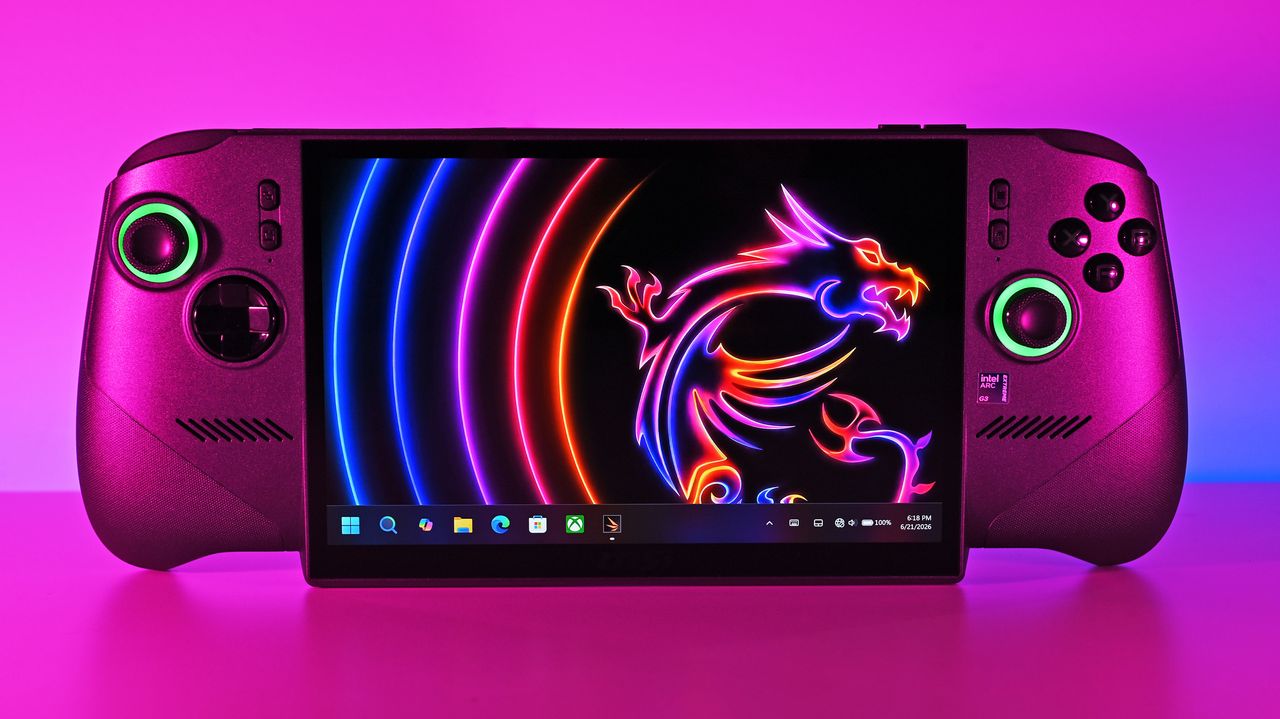
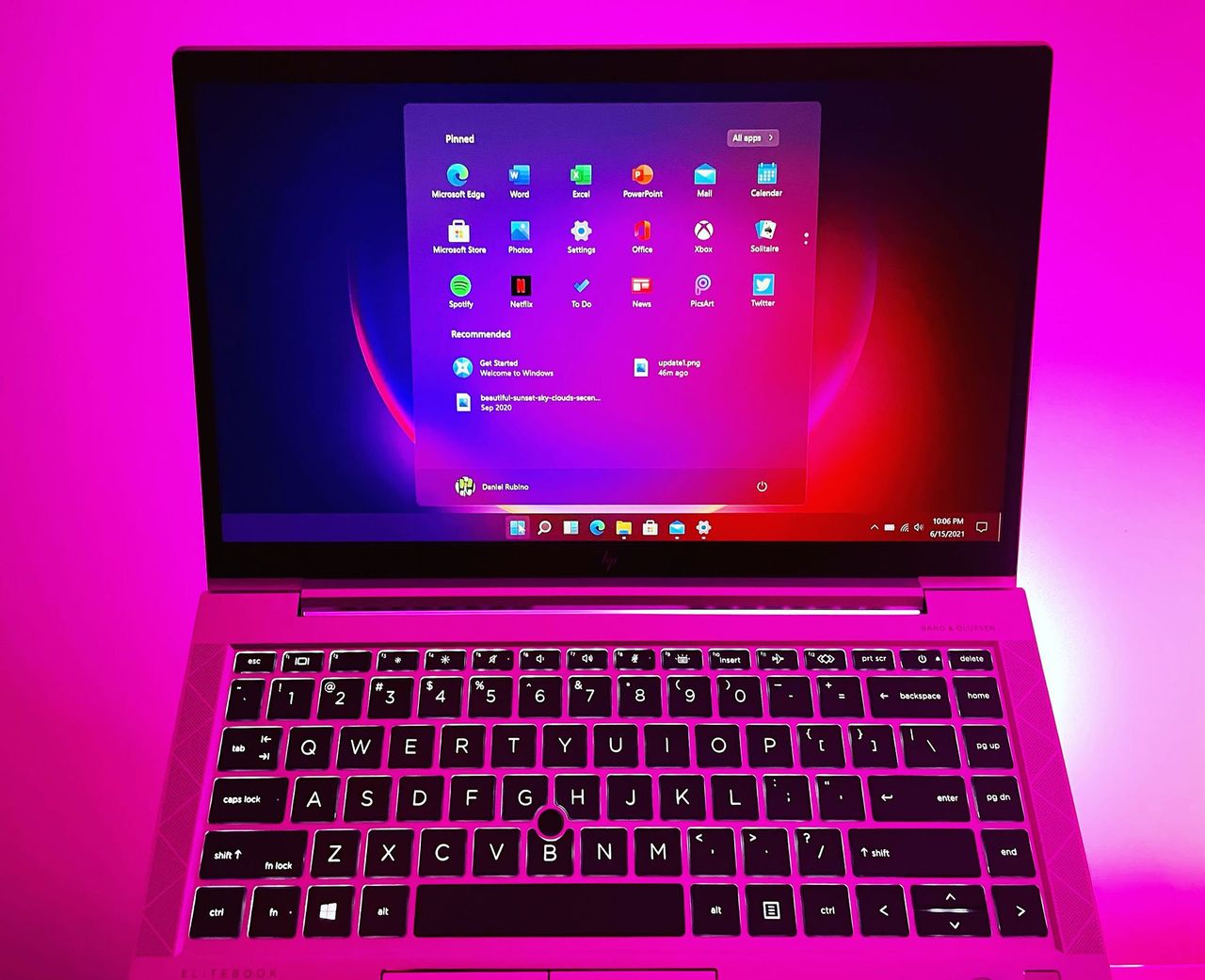
Front shot of the MSI Claw 8 EX AI+ under vibrant pink lighting, displaying the Windows 11 taskbar and a neon dragon wallpaper on its large screen.
Front shot of the MSI Claw 8 EX AI+ under vibrant pink lighting, displaying the Windows 11 taskbar and a neon dragon wallpaper on its large screen.
For years, Linux gamers have relied on third-party tools like Heroic Games Launcher to access their Epic Games libraries. That may soon change. Epic Games has confirmed that it is actively developing a native Linux version of the Epic Games Store launcher, and the company is also working on Steam Deck support. The move could […]
OpenAI’s Codex is becoming increasingly difficult to ignore for developers—not just because of what its AI coding agents can do, but because of how reliably the platform is running. Codex Web has recorded 99.98% uptime over the tracked period, while the Codex API, CLI, and VS Code extension have each reached 100% uptime in the […]
Microsoft is bringing another round of Copilot, Microsoft 365 and Power Platform updates to its weekly community call on August 18, 2026, with a strong focus on AI agents, identity management and secure document workflows. The weekly call is designed to showcase new features, practical use cases and demos across Microsoft 365 and the Power […]
The browser ad-blocking battle is heating up, and Firefox is making sure everyone knows where it stands. Mozilla has taken a pointed swipe at Microsoft Edge after Microsoft began its transition away from the older Manifest V2 (MV2) extension platform. The change is significant for users of powerful content blockers such as uBlock Origin, which […]
Windows 11’s context menus are about to get a lot more useful. Microsoft is working on a major update to the modern right-click context menu, adding more customization options while also making the menus cleaner and easier to navigate. The changes are currently in development, but they could significantly improve one of the most frequently […]
Microsoft appears to be getting ready to roll out one of the most welcome Windows 11 interface updates in years. After months of testing with Windows Insiders, the company is moving its redesigned Windows 11 Taskbar and Start menu closer to a public release. The latest developments suggest that users could start seeing these long-requested […]
ChatGPT is becoming more personalized with a new Computer History feature that can remember activity across the apps and websites you use on your computer. The idea is simple: instead of having to repeatedly explain what you were working on, ChatGPT can use relevant history from your computer to provide more contextual answers in future […]
Microsoft is taking a major step toward turning Copilot into a more unified AI platform. The company has started rolling out a redesigned Copilot experience that brings its standalone chat and image-generation features together with Microsoft 365 tools in a single app. The move is more than a visual refresh. Microsoft is effectively bringing personal […]
I'm a big fan of the Windows Subsystem for Linux (WSL) not least because I like Linux, and it means I can run it from the same PC as Windows 11 without the need for virtual machines or dual-booting.
It's been around for quite a while now and is a pretty powerful tool for developers, especially, and it's come to light that for Canonical, at least, WSL might soon be the biggest source of users of Ubuntu.
Not only is Ubuntu growth on WSL continuing to increase, it's actually starting to outpace the desktop. So much so that it's expected that Ubuntu on WSL will soon be bigger than native Ubuntu use.
“In a year, the growth in our WSL numbers is significantly higher than the growth in Desktop usage numbers. I expect to see more Ubuntu WSL users than ‘native’ Ubuntu users over the coming months.”
Jon Seagar, VP of Engineering at Canonical
Obviously Linux is more than just Ubuntu, and its overall use is still dwarfed by Windows 11. But Ubuntu is one of the biggest distros, and this is pretty interesting to hear.
WSL does have GUI support for apps, but it's not the same as running a full desktop, but in most cases, developers and system admins don't need a full desktop. The terminal is just fine, and WSL has seamless integration into Microsoft's VS Code as well.
I've written in the past that WSL is a great tool to use to learn about Linux as a beginner since you can fire it up within the comfortable surroundings of your existing Windows 11 PC. But that same principle can apply for professionals who need access to both.
Ubuntu use on Windows 11 is expected to eclipse the regular desktop version this year. (Image credit: Windows Central)
It's convenient and gives access to the Linux tools needed, including nowadays for AI, and some tools are built specifically for or work best on Linux. But with WSL you have integration with your existing Windows 11 file system.
I use probably 5% of the potential of WSL on my own PC, but it's still one of the first things I set up whenever I'm moving on to a new machine. You're not limited to Ubuntu, either, with Fedora my own distro of preference. But there's plenty to choose from.
Microsoft keeps improving it, too. The most recent development is WSL Containers, and it even has its own version of Linux now for users to deploy in Azure Linux. There are still plenty of cases for having a bare-metal Linux machine, but with Windows 11 and WSL working together, you've got a hybrid that's good enough for many.
Join us on Reddit at r/WindowsCentral to share your insights and discuss our latest news, reviews, and more.
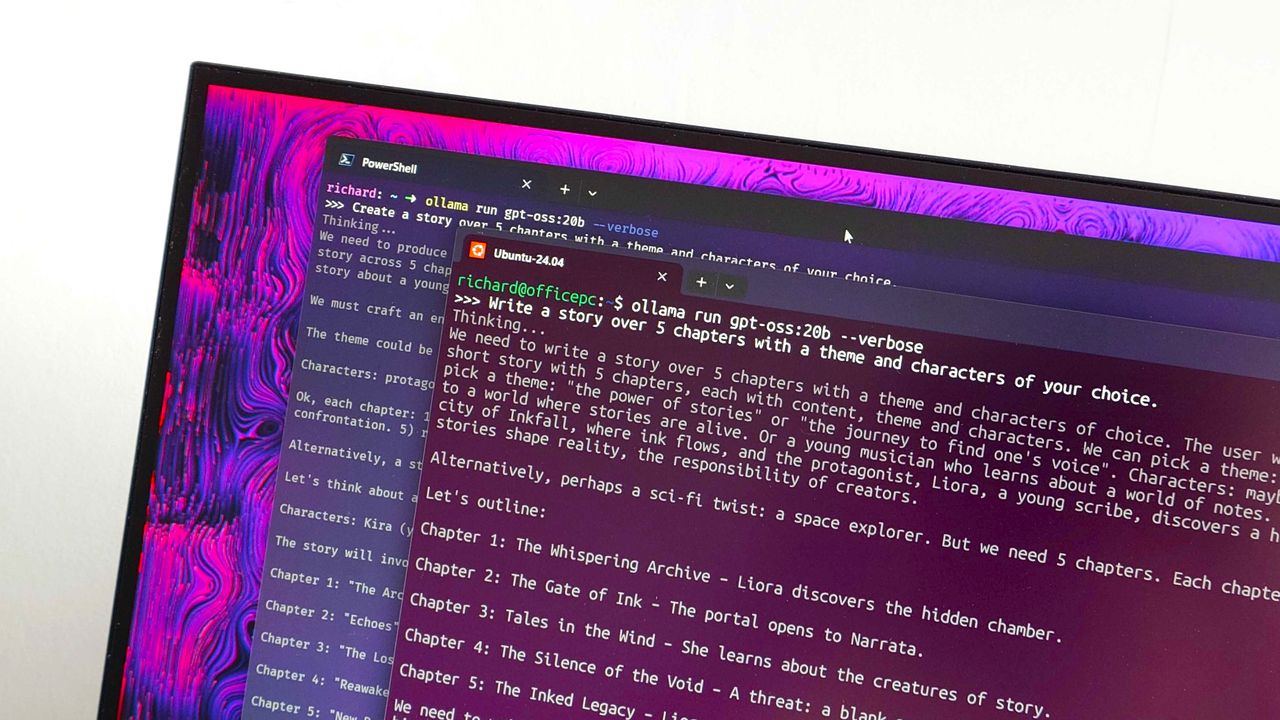
Ollama running in PowerShell and Ubuntu on WSL
Being able to run Ubuntu on a Windows PC seamlessly is resulting in significantly growth.
Less than one year after being launched in preview and before leaving testing, the COPILOT function in Excel is going away. The function never shipped to general availability, but it could be used by Frontier and Insider users since August 2025.
The COPILOT function allowed users to use natural language to place prompts into spreadsheets. For example, you could use it to summarize text or categorize feedback. The function could also look up information from the web.
While useful, the function had serious limits. Microsoft stated that people should not use the COPILOT function for numerical calculations, responses that require context from other parts of a workbook, or any tasks with "legal, regulatory or compliance implications."
Considering how many people use Excel for important work and calculations, those limits are quite restrictive.
Microsoft's explanation of why the feature is going away lacks details. Instead, it primarily focuses on the fact that Copilot in Excel is still available in the side pane:
"Beginning September 14, 2026, the =COPILOT function in Microsoft Excel will no longer be available. This function is currently offered as a preview feature through the Insider and Frontier programs.
Customers can continue using Copilot in Excel through the Copilot side pane, which provides many of the same AI-powered capabilities, including summarizing text, classifying data, generating content, and retrieving information from the web. This change helps streamline the Copilot experience within Excel while continuing to provide AI assistance through a supported interface."
Users will not be able to create new formulas using the COPILOT function after September 14, 2026.
Windows Central take
(Image credit: Windows Central | Jez Corden)
It appears Microsoft may be reining in Copilot a bit. The AI tool is still part of the company's plans, but in a more controlled manner.
Microsoft has a unified Copilot experience that merges Copilot and Microsoft 365 Copilot. We've also seen some Copilot features go away or be limited over the last few months.
Earlier this summer I argued that the free version of Copilot is starting to feel like a tech demo designed to push paid tiers. I still think that's the case, but if Microsoft is going to push Copilot, it's best to do so with a plan.
Since the launch of Copilot, it's felt like Microsoft threw everything at the wall to see what sticks. The Copilot brand was diluted and there were dozens of different apps with Copilot in the name. Anything even remotely related to AI was attached to Copilot in some way, making the term almost meaningless.
Whether it's because Microsoft decided that strategy was a mistake or it's just had enough time to assess what properly stuck, the next wave of Copilot feels more targeted.
Join us on Reddit at r/WindowsCentral to share your insights and discuss our latest news, reviews, and more.
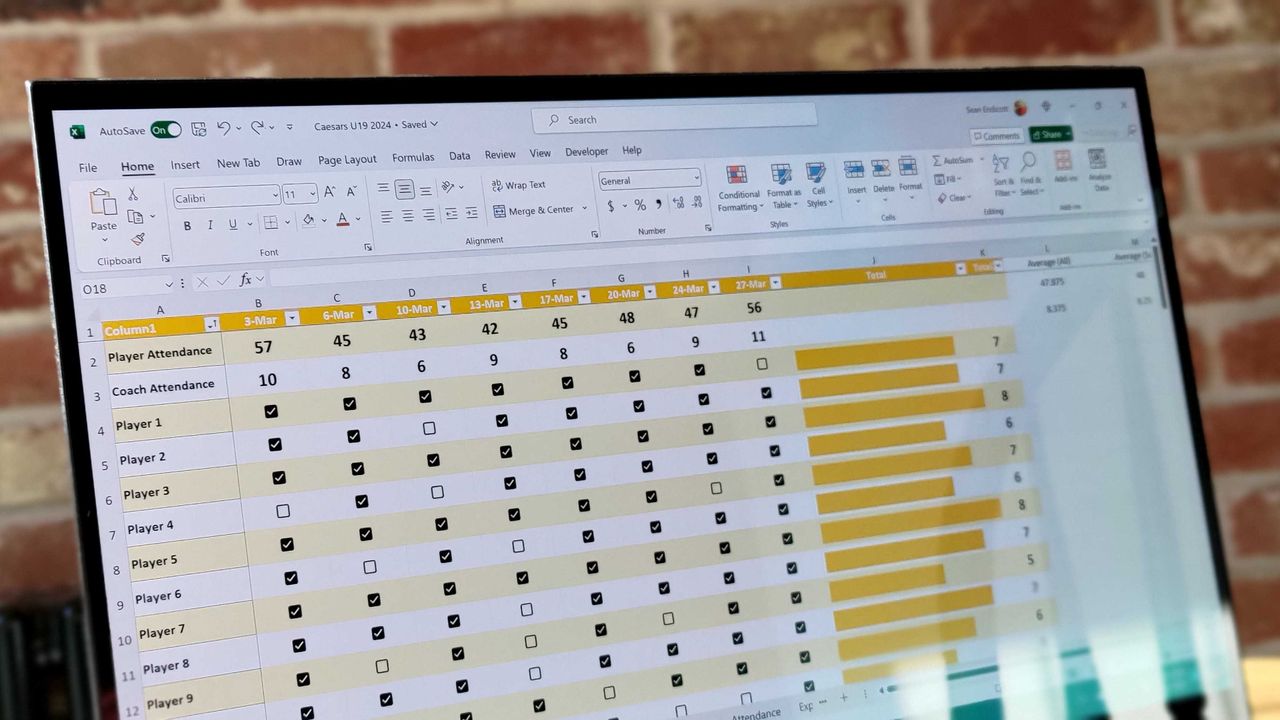
Excel spreadsheet with checkboxes
The upcoming checkboxes feature in Microsoft Excel makes it easy to visualize certain data.
Monitors generally last so long that I often forget how significant an upgrade can be, but seeing some of the 4K displays and OLED panels in our recent reviews always proves they're among the best investments you can make. After all, you're looking at your PC monitor most of the time, so it's worth it.
Sure enough, Dell is offering generous discounts on some of the best monitors we've tested, including a gaming variant in its Alienware subbrand. If you're thinking about a screen upgrade for your new semester, now's the right time to buy. Here's my curated collection of Dell monitors that are easy to recommend.
Dropping below $600 makes this an easy choice for anyone who has the space. You get built-in audio with 5 speakers and a gorgeous, color-accurate 4K QD-OLED panel.
For the gamers — and it's a beast. A curved QD-OLED 1440p (not 4K) panel running at 240Hz, with a 0.03ms response time, alongside HDR and G-Sync support.
Dell 32 Plus 4K QD-OLED Monitor (S3225QC). (Image credit: Windows Central | Zachary Boddy)
Dell has consistently impressed my team and me with each monitor that we've sampled — and in some cases permanently adopted — with accurate color representation on sharp panels with good contrast. Their construction is consistently above average, too, often with a toolless setup and included stands offering plenty of tilt and swivel adjustment options.
The Dell S3225QC's 5-speaker system easily sounds better than the majority of monitors with built-in audio.
Zachary Boddy, Former Staff Writer
With its $200 saving, the 32 Plus 4K QD-OLED (S3225QC) stands out as the best deal, and we particularly praised its five-speaker array for delivering "some of the best audio you'll hear in a monitor or TV". Indeed, it includes a two-piece toolless stand for a straightforward setup and affordable access to a Quantum Dot OLED (QD-OLED) panel with "perfect" contrast.
Connectivity is bountiful on the UltraSharp 27. (Image credit: Windows Central | Zachary Boddy)
One of the most important considerations is connectivity and whether your existing PCs and devices can connect to the monitor you buy. For example, the S3225QC offers a gorgeous panel, but it's limited to a single HDMI port and two USB-C ports — one of which supports DisplayPort 1.4 output — but there's nothing for a traditional full-sized DisplayPort cable.
The opposite side of that coin is the UltraSharp 27 4K (U2725QE) with its Thunderbolt Hub and two DisplayPort options, HDMI, alongside a positively huge array of USB-A and USB-C ports. For gamers, responsiveness matters more, and the Alienware AW3425DW dominates with a 240Hz refresh rate and a 0.03ms response time built into a 21:9 (3440 x 1440) panel.
Overall, our own testing proved that Dell monitors are great picks for practically anyone. Nevertheless, you should always consider your needs, including which display size best fits your desk setup (or whether you'll use a mounting arm over the included stands). Right now, availability is healthy at Dell's US store, with fast delivery times.
Join us on Reddit at r/WindowsCentral to share your insights and discuss our latest news, reviews, and more.
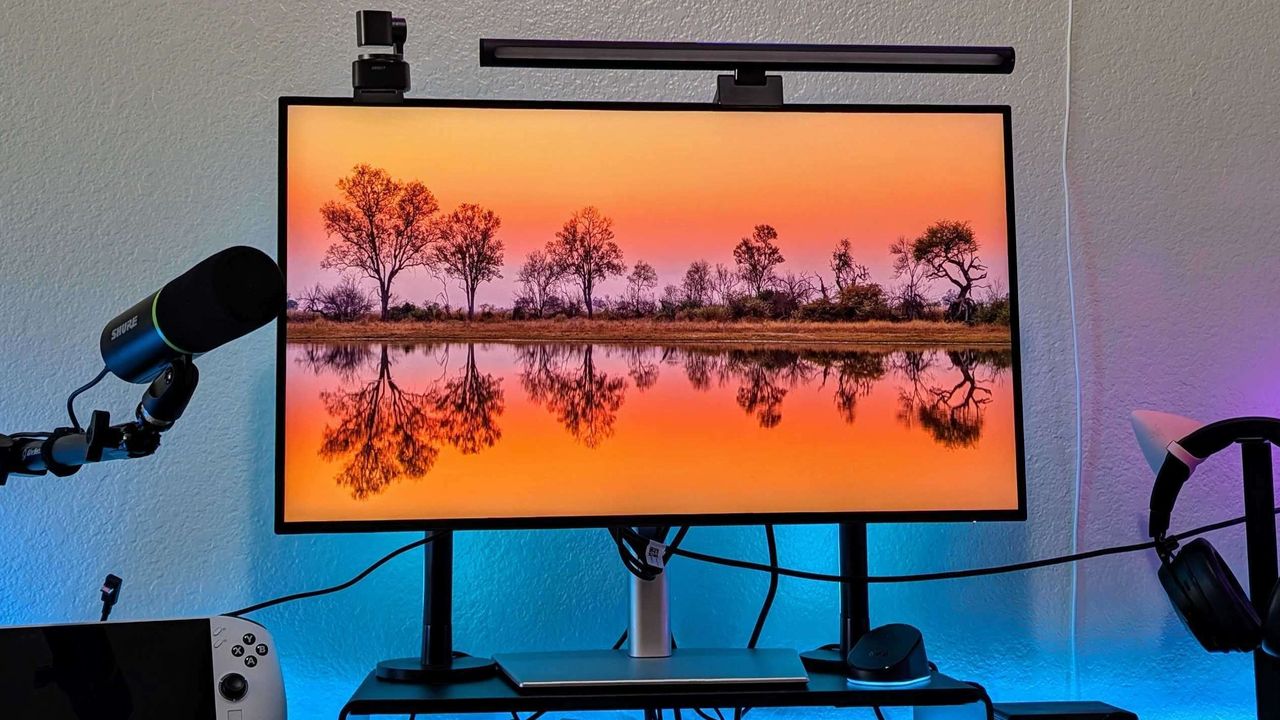
Image of the Dell UltraSharp 27 4K Thunderbolt Hub Monitor (U2725QE).
Microsoft is finally paying more attention to some of the oldest parts of Windows 11, and I hope it doesn't stop with the obvious ones.
For years, the operating system has had a strange split personality. Some parts of the system look and feel as if they were designed specifically for Windows 11, while others still feel like they were carried over from much older versions. But that's slowly starting to change.
Microsoft has been modernizing parts of Windows 11 for years, gradually updating interfaces that have remained largely unchanged. We've seen this work arriving in the Run dialog, Task Manager, shell controls, parts of File Explorer, and many other areas. Recently, however, Microsoft has been talking more openly about the challenges of modernizing deeply embedded components and developing the tools and frameworks needed to make that work easier without breaking the functionality people still depend on.
That's encouraging because I don't think the operating system needs another redesign just for a new coat of paint. There are much more important parts that deserve Microsoft's attention.
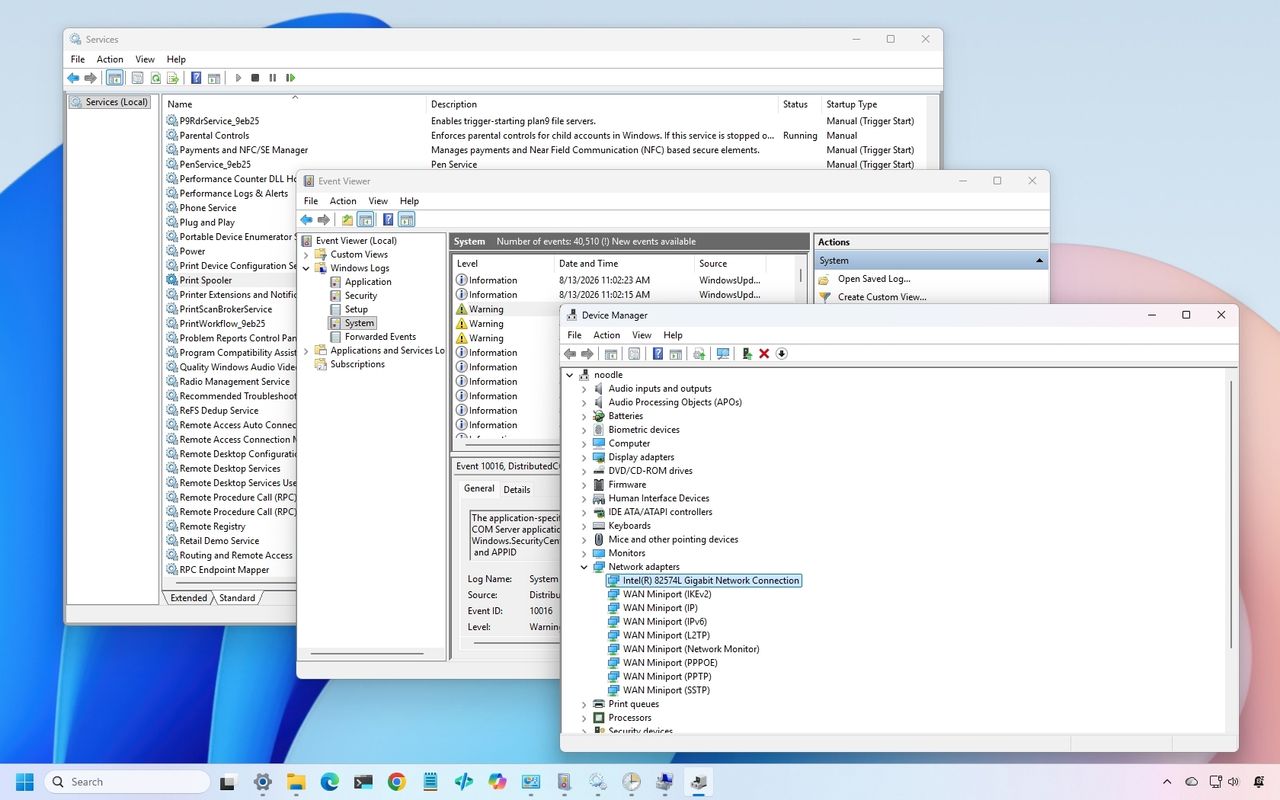
In particular, there are three classic tools I would like to see Microsoft modernize next, including Device Manager, Event Viewer, and Services.
And when the company eventually gets to work on these tools, I don't want "cheap" replacements that hide the advanced options. I want modern designs that preserve everything the existing tools can do while making them considerably easier to use.
In this guide, I'll highlight the legacy tools I want the company to update with a design that aligns with the style of Windows 11.
1. Device Manager
Device Manager is probably the most obvious place for Microsoft to continue.
It remains one of the first places I go when troubleshooting hardware or driver problems. Yet the experience has barely evolved compared with the rest of the system.
(Image credit: Mauro Huculak)
The basic workflow still revolves around expanding a tree of hardware categories, right-clicking a device, opening properties, and digging through a collection of tabs.
It works, but it doesn't feel like a modern tool a regular user would use. Microsoft could turn Device Manager into a much more useful hardware management experience without removing any of its existing capabilities.
I would like to see a modern hardware manager with a proper search box, better filtering, and a more useful device overview.
For example, selecting a graphics card could immediately show the device name and manufacturer, the current driver version and date, and the device state, in addition to options to roll back, uninstall the device, and enable controls.
The important part is that Microsoft shouldn't simply move the existing tree into a prettier WinUI 3 window.
It should rethink how the information is presented. If the system knows a device isn't working correctly, I shouldn't have to hunt through several tabs to find out. The interface should tell me.
Something as simple as a clear status indicator saying "This device is working normally" or "Windows detected a problem with this device" would make the tool considerably more approachable.
At the same time, the company should retain the advanced information that administrators and enthusiasts rely on.
2. Event Viewer
Event Viewer is one of those tools that has plenty of useful information, but finding the information you actually need can be difficult, especially for someone who doesn't use the tool every day.
(Image credit: Mauro Huculak)
The bigger problem is that Microsoft already has a better way to understand system problems. Reliability Monitor. It gives you a timeline of crashes, warnings, and other problems, making it much easier to see when something went wrong. However, when you need more details, you're sent back to Event Viewer.
(Image credit: Mauro Huculak)
That's where I think Microsoft could do better. Instead of maintaining separate experiences, the company could combine the best parts of Reliability Monitor and Event Viewer into one modern troubleshooting tool.
For example, I should be able to see a timeline of Windows 11 and app problems, search and filter events, group related events, and quickly identify crashes, driver problems, and service failures.
3. Services
The Services console is another tool I'd like the company to modernize, but not because it lacks information. The existing tool already gives you a lot.
(Image credit: Mauro Huculak)
In the Extended view, I can select a service and see its description, while the main list shows its status and startup type. Opening the properties gives me even more options, including dependencies, recovery settings, and the account used to run the service.
The problem is that the overall experience still feels like a management console from another era. For example, search could be one of the new features that should make it possible to search for Windows Update, Bluetooth, networking, or even an executable name and quickly find the related services.
Dependencies could also be easier to understand. The information is already there, but I have to open the properties and look through another tab to see it. A modern interface could show those relationships more clearly.
That would be especially useful when troubleshooting. If one service isn't working because another isn't running, Windows 11 could make that relationship clear instead of leaving me to figure it out myself.
I don't want the company to simplify Services by removing its advanced options. I want it to keep everything that's already there and make the tool easier to search, navigate, and understand.
And then there's Task Scheduler
Task Scheduler is another example in which Microsoft already has many of the pieces I would want in a modern tool.
The Create Basic Task wizard makes creating a simple task relatively straightforward. It walks you through the task's name and description, when it should run, what triggers it, and what action it should perform. The problem comes when you need to go beyond the basics.
The full Task Scheduler interface offers a large number of options across multiple tabs, making it difficult to understand how everything fits together. Triggers, actions, conditions, settings, history, and security options are all there, but the experience hasn't evolved much. And that's where I think Microsoft could make a difference.
In this case, I wouldn't want the company to change those advanced options. Instead, it could build a modern interface around them, making it easier to understand what a task does, why it runs, what it launches, and whether it's working correctly. All, while keeping the existing advanced configuration available when needed.
Again, the functionality isn't necessarily the problem. The experience is.
I'm fine with Microsoft moving Disk Management into the Settings app because it's already heading in that direction with Disks & volumes.
The same applies to Computer Management. I don't think the company needs to create a modern version of the entire console. A lot of the tools inside it already exist separately, including Device Manager, Services, Event Viewer, and Task Scheduler.
The parts that remain particularly useful, such as Shared Folders and Local Users and Groups, could eventually receive their own modern experiences. Or these could become part of the "Accounts" settings.
Microsoft doesn't need to reinvent these tools
I don't expect the software giant to rebuild every classic utility from scratch. I also don't think every legacy tool needs to disappear.
Some of these tools exist because the operating system has accumulated decades of functionality, compatibility requirements, and enterprise dependencies. Microsoft has already acknowledged that replacing deeply integrated components isn't as simple as building a new interface and deleting the old one because of functionality and compatibility.
That's why I like the direction Microsoft appears to be taking. The company recently indicated that it is looking to modernize the Registry Editor, one of the oldest and most recognizable administrative tools in the operating system. At the same time, the company has already been experimenting with a new Print Management app inside Windows 11 Insider builds, showing that some of these long-standing management experiences can be replaced with dedicated modern apps rather than simply being given a new coat of paint.
Microsoft doesn't need to modernize the operating system by throwing away everything that came before it. It can take the functionality people already depend on, put it behind a better interface, and gradually roll these experiences into Windows 11.
Device Manager, Event Viewer, and Services would be a very good place to start.
If the company can modernize those tools while preserving the advanced functionality that makes them useful, I'll take that over another visual refresh any day.
Which classic tool do you think Microsoft should modernize next, and what would you change about it? Let me know in the comments.
More resources
Explore more in-depth how-to guides, troubleshooting advice, and essential tips to get the most out of Windows 11 and 10. Start browsing here:
Windows 11 has a major update on the way, and that update promises to address some of the loudest complaints about the operating system. August is traditionally a slow month for Windows news, but thanks to some previews of what’s on the way next month, we have a lot to talk about.
Microsoft’s refreshed taskbar, customizable Start menu, and other improvements are all in the final stages of testing. Microsoft confirmed that a major Windows update is on the way very soon. But my question is, should that major update have been Windows 12?
Biggest News of the Week
It’s worth asking what a new operating system even is in 2026. As opposed to historical upgrades, the kernel and underlying code base of Windows stays largely the same when jumping between major version numbers. We’re well past the days of major architectural changes or code based swaps that make old software incompatible, at least when it comes to computers.
Is a new Start menu or a revamped taskbar set of options enough to justify calling a new OS Windows 12? Perhaps a revamped Settings app or an upgraded core experience for connecting your phone to your PC is enough to do it. There’s a fine line between a UI overhaul and a fresh coat of paint when it comes to making a new operating system.
Is the Damage Already Done?
The core question about keeping the Windows 11 name or upgrading to Windows 12 is if the damage has already been done or, in other words, is it even possible to save Windows 11 in the eyes of the public?
Windows 11 launched in controversy. The minimum requirements of the operating system made millions of PCs ineligible for an upgrade. Other decisions from Microsoft, such as rebuilding the taskbar without all of the options available in previous versions of Windows, also drew criticism.
I’m among the critics of Windows 11. I’ve pointed out several of the flaws in the operating system and mistakes I feel Microsoft has made. But I’m also a newswriter for a niche website that focuses on Windows. The general public may not be so passionate.
If Windows 11 is a lost cause, Microsoft should gather together a bunch of the changes from the Windows K2 initiative and package them into Windows 12.
Learning the Right Lessons
The Lenovo Slim 7X and many other PCs are great regardless of if they are Copilot+ PCs. (Image credit: Future)
If there ever is a Windows 12, I’m worried that Microsoft would have it focused on the wrong things. One of my favorite podcasts often says Hollywood learns the wrong lessons when a movie makes money. I think that could be the case with Windows 12.
Microsoft is trying to be better with Windows 11 and its K2 initiative shows promising signs, but part of me still worries that the higher-ups of Microsoft will think AI PCs are the future and use the sales of Copilot+ PCs to justify a Windows 12 centered around artificial intelligence.
But it’s not that Copilot+ PCs are must-have devices and that consumers are running into stores to find PCs capable of running AI. If you make the models of the best-selling PCs Copilot+ PCs and then those computers continue to sell, that’s not a sign that people want Copilot+ PCs. If you cram AI into every computer on the market, you can’t then justify making Windows 12 AI-focused by saying every PC is AI capable.
A hypothetical Windows 12 should be about moving past the stains that cover Windows 11. It will have been long enough since people bought new PCs that the TPM 2.0 requirement will not be as big of a deal. Additionally, Microsoft will have fixed the major user interface issues that have drawn so many complaints over the years.
Shopping with Sean
My top pick for shoppers this week is the XPS 14 (2025). That laptop is still on sale and is still one of the best bargains available. I love the XPS 14's design and a $1,150 discount on a PC with 32GB of RAM is rare these days.
This premium laptop has a 3.2K OLED touch display, 32GB of RAM, and a gorgeous design that takes advantage of every millimeter available. It's one year old, but it's still an excellent laptop in 2026.
Note that the review of this laptop was from before the Dell 14 Premium was rebranded to the Dell XPS 14.
Keyboard switches used to be a fairly niche topic. Enthusiasts knew what they wanted and sought it out, while more casual gamers and typists just went with what seemed best.
I'm talking about the feel, the sound, and the speed — not to forget pricing, durability, hot-swap support, and layout, especially when getting into gaming keyboards.
But the days of switches being an enthusiast's niche are over. Hall Effect and optical switches are enjoying a mainstream push, especially in gaming hardware, and the less flashy keyboards for office work are also seeing some major upgrades.
These advancements can make buying a new keyboard in 2026 a confusing endeavor. You step away for a few months, and it feels like there's a completely new set of literature to read up on.
I'm here to lay out the main types of different keyboard switches you may encounter, helping you get the perfect hardware for your needs.
What are mechanical keyboard switches?
A Razer BlackWidow V4 with its keycaps removed to show off the mechanical switches. (Image credit: Ben Wilson | Windows Central)
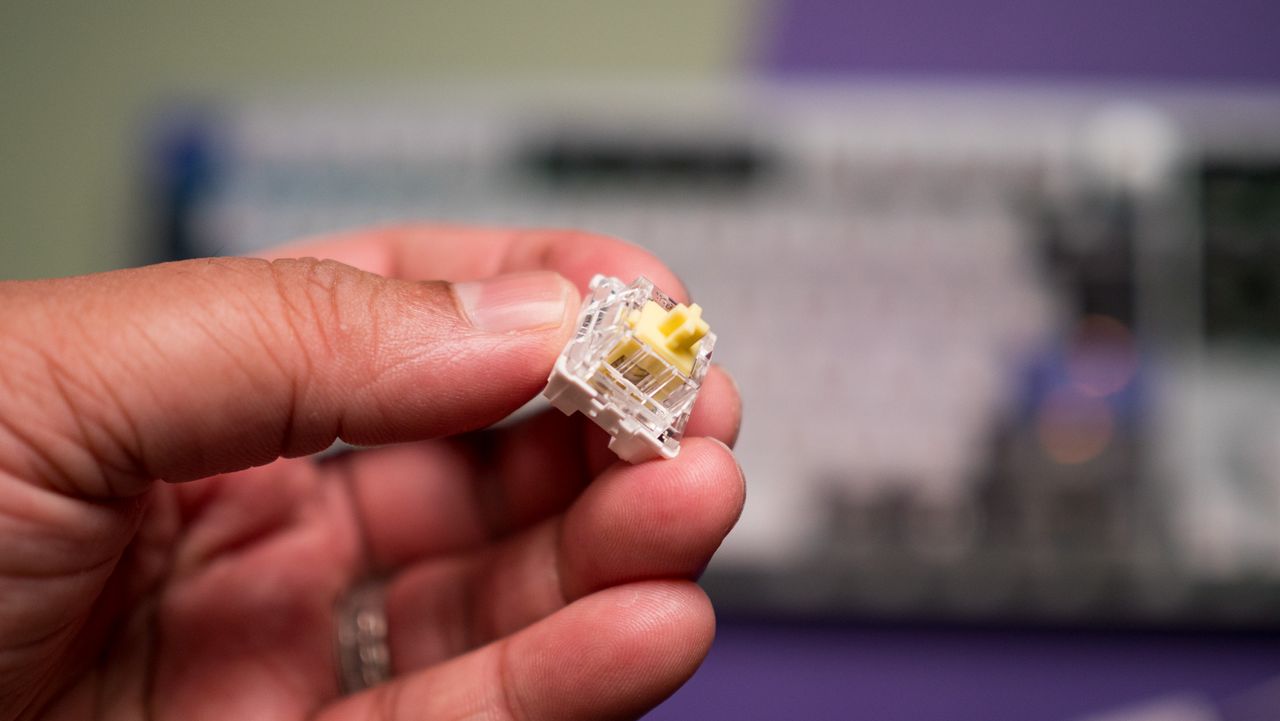
Mechanical switches are the baseline for keyboards. When the keycap is pressed, a stem compresses a spring, and two separate metal contacts touch to complete a circuit and let your PC know you've performed a keystroke.
Mechanical boards are popular because they allow for quick swapping of keycaps (and in many cases, the switches themselves) without needing any special tools. If you're just starting on your path down the keyboard rabbit hole, a mechanical option is likely your best bet.
You might have heard of Cherry MX before, and that's because it's the company that essentially created the mechanical keyboard in the 1980s. It's still the default switch today, with many competitors attempting to outdo its creations.
There are three basic versions of mechanical switches that you'll most often encounter when shopping: Linear, Tactile, and Clicky.
Linear switches
Linear switches offer a smooth feel from the top through to the bottom. There's no noticeable bump when you hit the actuation point (in this case, the two metal contacts coming together), and there's minimal noise while typing.
Cherry MX Red and Cherry MX Black switches are probably best known, but there are also Speed Silver, Silent Red, and Low Profile Speed options.
Linear switches are great for PC gaming because they're generally faster and more consistent when the action gets going. The fact that they don't make noise is also a boon, especially if you're gaming in a shared space.
Tactile switches
The Keychron Q6 Pro's tactile switches are an excellent option for gaming or for work. (Image credit: Harish Jonnalagadda / Windows Central)
Tactile switches are a common ground between linear and clicky. They offer a small, noticeable bump at the actuation point without adding a loud click.
Cherry MX Brown is the classic example of a tactile switch. They're sought after by gamers and typists alike who prefer having that little bit of pressure to let them know that a keystroke has been made.
Clicky switches
Clicky switches are what I consider the "extreme" version. They offer the same noticeable bump as tactile switches when the actuation point is hit, but a loud click follows.
Some typists and gamers prefer the heavier feel and the loud click (especially if you're going for a retro vibe), but that audible feedback can definitely get annoying over time.
Cherry MX Blue switches are the default example here, but there are also Green and Ultra Low Profile clicky switches to watch out for.
Pro Wireless Gaming: It's a result of a collaboration between Alienware and over 100 esports athletes, and it's a genuine step up over the company's previous products. Build quality is exceptional, typing feels great, and gaming performance is flawless.View Deal
Cherry MX's competition in the mechanical market
The Glorious GMMK 3 Pro is available will classic MX or Hall Effect switches. (Image credit: Harish Jonnalagadda / Windows Central)
Cherry MX remains the brand that's best known, and it has been upgrading its switches to better compete with new competitors. For example, its MX2A lineup with a redesigned stem helps make its switches feel a lot smoother.
This innovation to compete is driven by companies like Gateron, Kailh, and Glorious that have jumped on expiring patents to create their own mechanical switches. They generally fall into the same three basic mechanical switch categories, so it's not too difficult to figure out what's best for you.
What are optical keyboard switches?
Optical switches on the IOGear HVER PRO X gaming keyboard. (Image credit: Windows Central)
Optical keyboard switches are a lot like their mechanical counterparts. They use the same stem-and-spring setup, but there are no metal contacts to form a circuit when pressed.
Instead, optical switches place a beam of infrared light below each key. When you press a keycap, that beam is interrupted, and your PC recognizes a keystroke.
The main benefits of an optical switch are durability and response. There are no metal contacts to wear out, and keypresses are usually registered just a bit faster.
The Razer Huntsman V3 Pro features optical keyboard switches. (Image credit: Michael Hoglund)
When I think of optical switches, I usually think of Razer. It's the brand spearheading this tech most of the time; its Analog Optical Gen-2 switches in the Razer Huntsman V3 Pro are a perfect example. There are, however, competing brands.
Optical switches offer things like adjustable actuation (making keys easier or harder to register keystrokes) and rapid trigger mode (allowing for faster repeated presses).
Most optical switches are hot-swappable like their mechanical counterparts. However, the main catch is that optical switches can't be added to mechanical keyboards, and vice versa, due to different circuit technology underlying each option.
Razer's Huntsman V3 Pro uses optical switches for improved durability and performance, making it a particularly excellent option for gamers who don't want to spend extra on Hall Effect hardware.View Deal
What are Hall Effect keyboard switches?
The Razer Huntsman V3 HE Magnetic Mini keyboard with Hall Effect switches. (Image credit: Daniel Rubino)
I first began hearing about "Hall Effect" to do with controller joysticks some years ago, but the tech actually originated with keyboards way back in the 1960s. Hall Effect seems to have now become the upgrade choice for many gamers in 2026.
Hall Effect works by placing a magnet in the switch's stem. A separate sensor measures how far the switch travels based on magnetic strength, meaning there's no actual physical or optical activation required.
This opens Hall Effect switches up to far more customization options than mechanical or optical hardware. Actuation distances can be fine-tuned, often as low as 0.1 mm, as in the Razer Huntsman V3 HE Magnetic we recently reviewed.
Because Hall Effect switches offer such tight customization and because there are fewer mechanical parts to wear out, they're becoming much more popular in PC gaming circles.
It was Wooting that really kicked this category off in the early 2020s, but since then, companies like SteelSeries, ASUS, Corsair, Keychron, Logitech, and the aforementioned Razer have jumped into the market.
Huntsman V3 HE Magnetic TKL 8KHz: With adjustable actuation from 0.1–4.0 mm, Rapid Trigger, Snap Tap, Snap Flex and Dynamic Keystroke, Razer’s HE Magnetic TKL give players granular control over inputs and movement — and back it with factory calibration, a 100‑million keystroke rating and on-demand recalibration via Synapse.View Deal
What are Topre switches?
The RealForce RGB is a Topre keyboard we reviewed in 2020.
The final switch category I'm covering separately is Topre. These are capacitive switches designed by a Japanese company of the same name, and they're proving to be popular amongst people who type all day every day.
They work by combining a rubber dome on top of a spring. A sensor detects when the dome compresses (aka when you press down on the keycap) and registers a keystroke. It's a lot like Hall Effect, where there's no circuit to complete, but they have a softer feel that doesn't bottom out as hard.
Keyboards using Topre switches, like those from RealForce, are generally more expensive, but for some people, that extra money might save them from serious typing fatigue.
Other types of switches worth mentioning
The switches I mentioned above are the major options you'll find when shopping for a new keyboard. But there are a few others worth mentioning.
Mechanical, optical, and Hall Effect switches sometimes come in a low-profile option, which just means that the keycaps are not nearly as high. You'll sometimes find these keyboards installed in high-end gaming laptops, but there are plenty of standalone options available as well.
For budget keyboards, you're almost always going to find membrane or scissor switches in play. They're generally quiet, cheap, and relatively comfortable. The big problem? They don't usually last nearly as long, and they don't feel nearly as nice to type on.
Which type of keyboard switch should you buy?
The ASUS ROG Azoth Extreme Edition 20 mechanical keyboard is one of the most expensive on the market today, but not because of its switches. (Image credit: Future)
So, with all the keyboard switch info in mind, which one should you buy? Our guides to the best keyboards and best gaming keyboards are great places to start, but let me break it down into the different categories of PC users who care most about their hardware.
Competitive PC gamers should seriously consider investing in a Hall Effect keyboard. They're more durable, they offer extreme precision, and they can be customized to your liking. Optical switches can also do a great job here if you'd rather skip the magnetic setup.
Casual PC gamers might want to splurge on Hall Effect or optical switches, and there's nothing wrong with that. But for the majority, classic mechanical switches, whether linear, clicky, or tactile, will do a great job of keeping up with repeated keypresses. You won't have to spend as much, and you can still have a lot of fun customizing your board.
For professional typists or programmers, I recommend a tactile mechanical switch. You still get a comfortable setup and extra durability, without all the extra noise that might annoy you or those around you over time. If you have the budget, this is where Topre switches can also be super appreciated.
And if you're on a budget, you can always check out a cheaper mechanical switch. There are plenty of options available at the low end of the market. And if you really don't care? Just get a cheapo membrane keyboard and forget everything you just read.
Join us on Reddit at r/WindowsCentral to share your insights and discuss our latest news, reviews, and more.
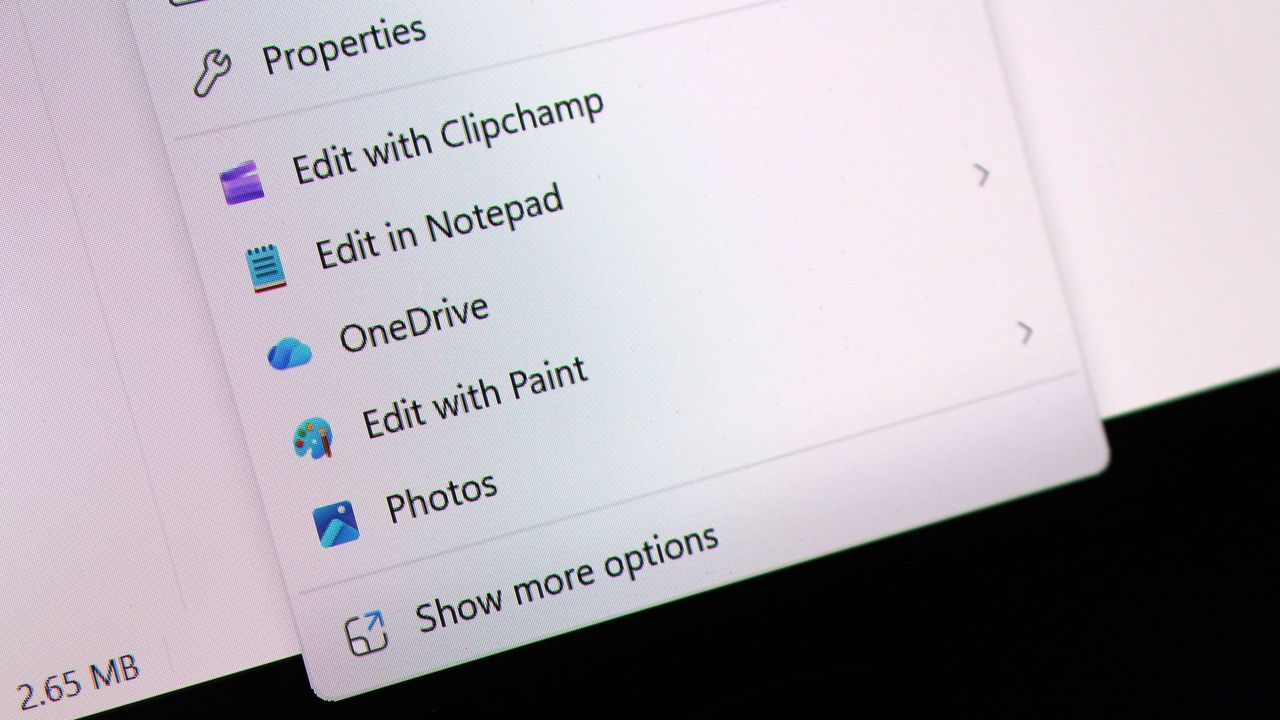
Last month, I revealed that Microsoft was hard at work on a redesigned context menu system for Windows 11 that's designed to make them faster and more customizable. Now, we've got our first look at the new context menu customization features, discovered hidden in the latest Windows 11 preview builds, and I've been trying them out!
Soon, you'll see a new customize menu option appear at the bottom of the context menu. When selected, you'll be taken into the Windows Settings app where you'll see a wide array of new options that allow you to configure the layout and actions that appear within the context menu.
The toggleable actions presented to the user are:
Send to
Prin
Create shortcut
Copy as path
Rotate image
App extensions
Arrange primary actions inline
Keep cloud storage actions in their own section
These options allow users to hide certain actions that they might not often use, speeding up the context menu in the process. Additionally, Microsoft is adding an option that lets you change how actions like cut, copy, and paste appear within the menu.
By default, these primary actions appear at the top of the menu in a horizontal layout. This new option will let users restore how they used to appear on Windows 10 and older, where they are listed vertically alongside the other actions within the menu.
It's also worth noting that by default, the context menu has most actions disabled automatically. That means the context menu will be fast for users automatically when these changes roll out, and you'll have to head into the customization options to add back any actions you find useful.
The new customization options for the context menu are quite in-depth.Windows CentralThis is the new default layout for context menus.Windows CentralAnd here's what it looks like when you set primary actions to appear vertically. Just like old times!Windows Central
These new customization options are really great to see, and show that Microsoft is finally listening to feedback when it comes to common UI surface such as the context menu.
The legacy Windows context menu is also still present, and while it no longer appears as an option in the context menu by default, you can still go in and enable that action if that's something you find yourself using. Notably, there's still no option to set the legacy context menu to be the default experience.
In the meantime, we know the new customizable context menu options are imminent, with an announcement from Microsoft expected in the next week or two.
Thanks to phantomofearth for discovering and helping me enable the feature to try out!
Join us on Reddit at r/WindowsCentral to share your insights and discuss our latest news, reviews, and more.
When Microsoft made the launch of Windows 11 back in October 2021, the company touted it as the biggest visual redesign of the operating system in years. The centered Start menu, redesigned Taskbar, rounded corners, and refreshed interface gave the system a cleaner, more modern look while introducing new productivity features like Snap Layouts and a redesigned Microsoft Store.
Although the operating system now looked fresh and modern, the first release left plenty of room for improvement. A lot of the features that users were familiar with from Windows 10 were either missing or had been scaled back. File Explorer did not have tabs, the Taskbar lost several customization options, and many advanced settings still sent users to the Control Panel.
Furthermore, even the new right-click menu could make simple tasks take an extra step. Also, adding to the mix were some early performance problems and a mix of new and old interfaces, and Windows 11 often felt like an operating system that was still being put together.
Five years later, the operating system has evolved considerably. Microsoft has delivered annual feature updates, dozens of cumulative updates, thousands of bug fixes, and an expanding set of AI-powered capabilities. Along the way, the company has restored requested features, improved performance, modernized more of the interface, and refined many of the areas that drew criticism at launch.
That doesn't necessarily mean every change has been for the better. While the operating system has become faster, more capable, and more polished, Microsoft has also introduced new requirements and experiences that some users view as steps backward, such as a greater emphasis on Microsoft accounts and online services during setup.
So, how different is Windows 11 today compared to the version that debuted in 2021?
In this guide, I'll compare the two side by side to see how much the operating system has really changed over the past five years.
This comparison includes features and changes that Microsoft is still rolling out or developing at the time of this writing. Some features may not yet be available on all devices and could change before they become generally available in future Windows 11 updates.
Windows 11 first impressions
The desktop is probably the easiest place to see how the operating system has changed. When Microsoft introduced Windows 11, it brought a new visual style with rounded corners, updated icons, a centered Taskbar, and a simpler overall look. It was a noticeable change from its predecessor, but some parts of the experience still felt unfinished behind the new design.
Five years later, the desktop remains instantly recognizable, yet it feels far more polished. The software giant has refined the Taskbar, improved the Start menu, modernized more system components, and added new AI-powered experiences, all while making the operating system faster and more consistent.
The transformation isn't defined by a single feature. Instead, it's the result of hundreds of incremental improvements that have gradually turned Windows 11 into a more complete operating system.
In 2026, at first glance, Windows 11 still retains the familiarity of the version released back in 2021. You can see this in the centered Taskbar, rounded corners, and overall design are still there. However, you can notice the changes once you start using it.
The company has also brought back features that were missing at launch, added new options, and made many everyday tasks feel quicker and easier.
Start menu: From basic to more flexible
On Windows 11, the Start menu was one of the most controversial redesigns. In this new version, Microsoft replaced the Live Tiles with a simpler launcher focused on pinned apps and recommended content.
Although the cleaner look matched the new design language, it also removed many of the customization options users had relied on.
Windows 11 (2021)
The original Start menu prioritized simplicity over customization. It introduced a centered layout with pinned apps and recommendations. However, users couldn't resize the menu, hide recommendations completely, or organize the elements as freely as they could on Windows 10.
For many people, it felt more like an app launcher than the central hub users were accustomed to.
Windows 11 (2026)
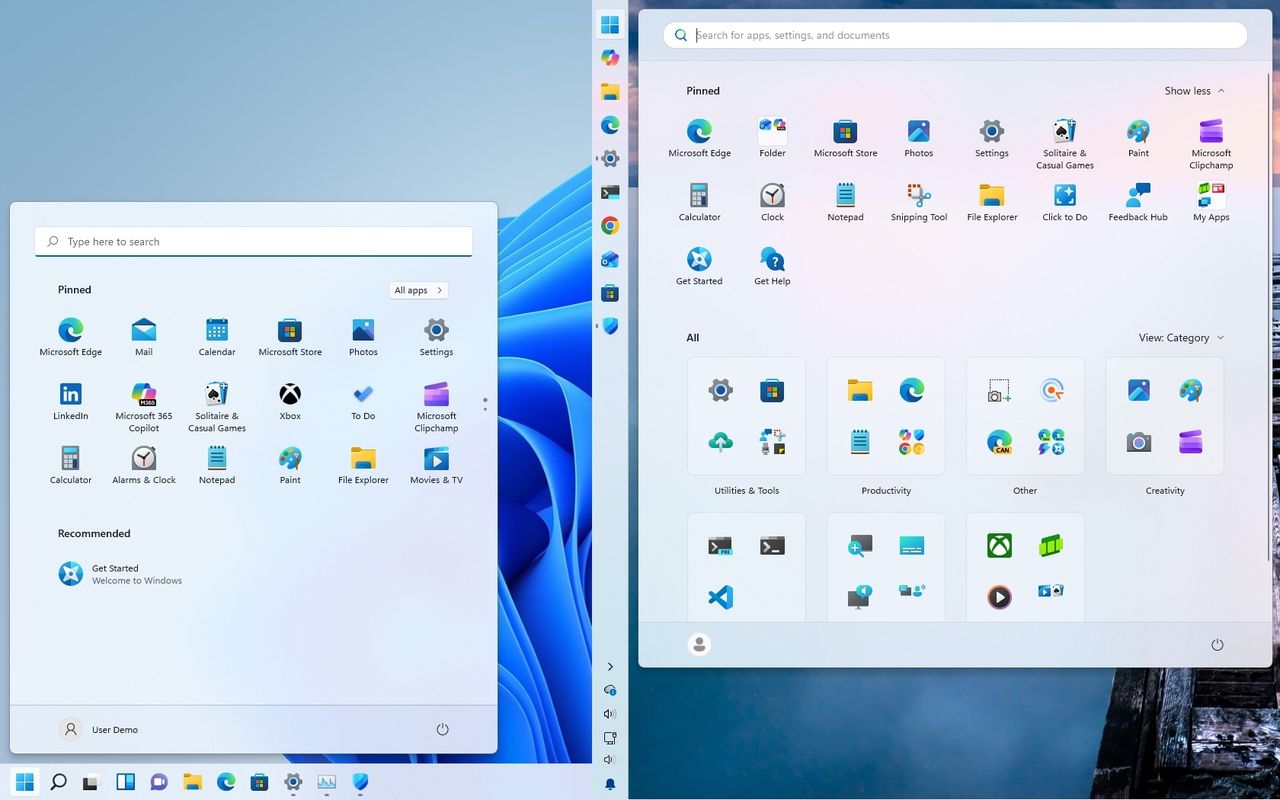
Today, the Start menu keeps the same visual identity but offers considerably more control. Microsoft has added Small, Large, and Automatic size options, giving users more control over how much space the menu takes up. The company has also improved the organization of pinned and recent content and added more controls for customizing what appears in the menu.
Although it still doesn't replicate the Start menu from Windows 10, the newer design strikes a better balance between simplicity and flexibility.
Taskbar: It had to be rebuilt
The Taskbar quickly became one of the biggest complaints about Windows 11. Although Microsoft modernized its appearance with centered icons and a simplified design, it also removed several long-standing features that many users considered essential.
Windows 11 (2021)
The first version of the Taskbar focused on a cleaner interface but came with significant compromises. For example, features such as drag and drop, app labels, and the never combine option were removed, the right-click menu was reduced to a single shortcut, and the Taskbar could no longer be moved to other edges of the screen.
While the redesign looked modern, it also disrupted the familiar workflows.
Windows 11 (2026)
Microsoft spent the following years restoring many of the missing capabilities and adding more control. Also, the drag-and-drop support was added back, app labels and never combine became available again, and the system tray gained additional refinements and customization options. Microsoft has also brought back the ability to change the Taskbar's position, allowing it to be placed at the top, left, or right of the screen.
The Taskbar still follows the same basic visual design introduced in 2021, but it is now far more practical and customizable for everyday use.
File Explorer: From missing essentials to modern
File Explorer is one of the examples that shows how the operating system matured over the years. The version of the file manager introduced a modern interface with new icons and a simplified command bar, but many of the productivity features users expected were still missing. It looked modern, yet much of the experience remained familiar.
Since then, Microsoft has expanded File Explorer with features that make everyday file management more useful. The company added tabs, Gallery, better cloud integration, improved thumbnails, and several smaller changes that make browsing and managing files easier.
Windows 11 (2021)
At launch, File Explorer received one of the first major visual updates in years. Microsoft replaced the traditional Ribbon interface with a cleaner command bar, updated icons, and a simplified design that matched the rest of the operating system.
(Image credit: Mauro Huculak)
However, the redesign was mostly cosmetic. A lot of the improvements users had been requesting were still missing. File Explorer launched without tabs, navigation between folders could feel slower than expected, and the redesigned context menu often required an extra step to access older commands. The experience looked more modern, but it still felt like a transition between the old and new versions of Windows.
For many users, File Explorer represented the broader Windows 11 launch experience. It had a refreshed appearance, but it still needed more time to mature.
Windows 11 (2026)
Five years later, File Explorer has become one of the strongest examples of Microsoft's gradual modernization effort. The company has added tabs, Gallery, a redesigned Home experience, improved thumbnails, better cloud integration, and clearer file-size information. Users can also middle-click to open folders in new tabs, making navigation more convenient.
(Image credit: Mauro Huculak)
Performance has also become a major focus. Everyday tasks such as opening folders, switching between tabs, loading previews, and searching through files feel more responsive compared with the original release.
While some legacy elements remain, File Explorer on Windows 11 (2026) feels much closer to the modern file manager Microsoft has been building toward. It keeps the familiar workflow while adding many of the productivity features users had expected for years.
Settings: The long transition
The Settings app has been one of the longest-running modernization projects for the company. When the new version of the operating system launched, Microsoft continued moving options away from the traditional Control Panel and into a redesigned Settings experience. However, the transition was far from complete.
The experience for configuring the system was inconsistent because some settings felt modern and easy to navigate, while others still redirected users to older interfaces. Five years later, Microsoft has continued expanding Settings, adding more controls, improving navigation, and reducing the number of times users need to open legacy tools.
Windows 11 (2021)
Originally, the Settings app received a refreshed design with a new navigation layout, updated pages, and a cleaner interface that matched the operating system's visual changes.
However, the modernization was far from complete. A lot of advanced options still opened Control Panel or older dialog boxes, creating an inconsistent experience. Finding specific options could also be frustrating because some controls were organized differently compared to Windows 10.
The Settings app represented one of the biggest challenges Microsoft faced with Windows 11. The company wanted to create a modern management experience, but decades of legacy components made a complete transition difficult.
Windows 11 (2026)
Five years later, the Settings app has become a much more capable replacement for many traditional Control Panel experiences. Microsoft has continued moving features into Settings, improved search, reorganized pages, and added more controls for managing devices, personalization, accounts, and system features.
The experience is more consistent than it was at launch, especially for everyday tasks such as managing displays, Bluetooth devices, power settings, personalization, and Windows Update.
However, the transition is still not fully complete. For instance, some advanced tools and legacy configuration pages still exist, and that shows that modernizing the operating system is a gradual process that must also maintain compatibility with older features and apps.
Productivity: Smarter Search, multitasking, and Widgets
One of the goals with the release of Windows 11 was to make everyday tasks easier, whether users were looking for files, managing multiple apps, or getting information without opening additional apps. At launch, the operating system introduced features such as Snap Layouts and Widgets, while Windows Search continued the experience users already knew on Windows 10.
However, many of these features were still in their early stages. Search relied mostly on keywords, Snap Layouts offered useful but limited window management, and Widgets focused heavily on news and Microsoft services.
Today, these experiences have improved considerably. Microsoft has expanded Search, refined multitasking tools, and added more controls to Widgets. Together, these changes show how Windows 11 has developed beyond its original desktop redesign.
Windows 11 (2021)
In the original release, Microsoft introduced several features designed to improve productivity, but many were still in their early stages.
Windows Search provided a familiar way to find apps, settings, and files, but it relied mainly on traditional keyword matching and could sometimes struggle to return useful results quickly.
(Image credit: Mauro Huculak)
Snap Layouts was one of the more useful additions, giving users predefined window arrangements that made multitasking easier. However, the feature offered fewer layout options and less flexibility than the experience available today.
(Image credit: Mauro Huculak)
Widgets introduced a new way to access information from the desktop, but the original implementation focused heavily on news, weather, and Microsoft services. For many users, it felt more like an information panel than a productivity tool.
Windows 11 (2026)
Today, Microsoft has expanded these features and added more ways to get things done.
Windows Search now includes improvements such as better indexing, typo correction, improved local results, and AI-powered capabilities on supported devices. Recent updates have also improved how Search handles short queries and understands what users are looking for.
Microsoft has also introduced AI-powered capabilities for finding and changing settings on supported devices, allowing some configurations to be located and applied more easily.
(Image credit: Mauro Huculak)
The company is also working on a new search experience that replaces Windows Search with Ask Copilot in the Taskbar, using AI and natural language to search for files, settings, apps, and virtually anything else.
Snap Layouts has matured with better layout suggestions and improved support for larger displays and multiple monitors, making it easier to arrange several applications.
(Image credit: Mauro Huculak)
Widgets have also gained more personalization options and additional integrations. While news and information remain part of the experience, users have more control over what appears in the panel.
Copilot and AI: The biggest change?
Microsoft's decision to integrate AI into Windows 11 is perhaps the biggest difference between the 2026 and 2021 versions. When the company introduced the operating system, AI was not part of the desktop experience. The focus was on a redesigned interface, productivity improvements, and a more modern foundation.
Over the following years, the software giant shifted the operating system into a platform powered by AI. Copilot became part of the operating system, new AI features arrived on Copilot+ PCs, and Microsoft began integrating AI into areas such as search, accessibility, creativity, and system interactions.
The change has been significant, but it has also created a new debate around Windows 11. While some users see AI as the next major step for personal computing, many others question whether these features improve everyday tasks or add more complexity.
The comparison below shows how Windows 11 evolved from an operating system without built-in AI experiences into one designed around the company's vision of intelligent computing.
Windows 11 (2021)
Originally, AI was not a central part of the operating system. The experience focused on traditional desktop features.
Windows Search remained a conventional tool based mostly on keywords and indexing. Voice features, accessibility tools, and system assistance existed, but they were not powered by the newer AI capabilities Microsoft would introduce later.
The original Windows 11 experience also lacked dedicated AI hardware features. There were no Copilot+ PCs, no built-in AI assistant integrated into the desktop, and no local AI models designed to run directly on compatible devices.
At the time, Windows 11 represented a visual and usability redesign. AI would become the next major chapter in its evolution.
Windows 11 (2026)
Several years later, AI has become one of the defining parts of Windows 11. Microsoft introduced Copilot as an integrated assistant and expanded AI capabilities across the operating system, especially on newer Copilot+ PCs with dedicated neural processing units (NPUs).
Modern Windows 11 includes AI-powered experiences such as improved Search, Recall, Click to Do, enhanced voice features, and creative tools designed to help users complete tasks faster. Accessibility has also benefited from AI through improved voice interaction, captions, and other assistive features.
(Image credit: Mauro Huculak)
The biggest change is that the operating system is no longer only reacting to commands. Microsoft is building toward an operating system that can understand context and help users complete tasks more naturally.
However, AI has also become one of the most debated parts of Windows 11. Features like Recall and increased integration with Microsoft services have raised questions about privacy, control, and whether every user wants AI built into their everyday computing experience.
Performance: Why Windows 11 feels different
Performance was one of the biggest concerns surrounding Windows 11 in its early days. The operating system looked modern, but some users encountered sluggish animations, slow File Explorer responses, high memory usage, and inconsistent responsiveness. For an operating system built on the same Windows 10 foundation, those problems made the visual redesign feel less convincing.
Microsoft has spent the years since launch improving responsiveness, resource management, and overall reliability. The company has also made performance a major focus of its broader Windows K2 work, with improvements designed to make everyday interactions feel faster without requiring more powerful hardware.
The difference is not always something that can be captured in a screenshot. Unlike the Start menu or File Explorer, performance is something users experience through hundreds of small interactions throughout the day.
Windows 11 (2021)
The original release could feel less responsive than Windows 10 on some systems, particularly during everyday tasks such as opening File Explorer, switching between windows, or interacting with the Taskbar and Start menu.
Some of these problems were related to animations and transitions that could feel sluggish. File Explorer also experienced performance issues in early releases, while memory management and background processes could cause responsiveness issues on systems with limited resources.
The result was an operating system that sometimes looked faster and more modern than it actually felt.
Windows 11 (2026)
Half a decade of updates have made Windows 11 a more responsive operating system. Microsoft has optimized core components, improved File Explorer performance, refined animations, and continued to reduce the delays users experienced in earlier releases.
Recent work under the Windows K2 initiative has placed an even greater emphasis on responsiveness, resource management, reliability, and reducing unnecessary overhead. Microsoft has also introduced improvements designed to make interactive tasks feel faster without simply relying on more powerful hardware.
Windows 11 is not universally faster on every piece of hardware, but the overall experience is considerably more mature than it was at launch. A lot of the small delays that made the 2021 release feel unfinished have either been reduced or eliminated. However, a lot of work still needs to be done.
Security and accessibility: Stronger protection
Security and accessibility have both evolved significantly since the first release of the operating system. In 2021, the company made hardware-backed security a bigger part of the operating system by requiring features such as TPM 2.0 and Secure Boot.
Also, accessibility tools such as Narrator, Magnifier, and Voice Access provided the foundation for a more inclusive experience. Now, in 2026, Windows 11 offers stronger security protections and more accessibility features.
For example, Microsoft has expanded Windows Hello, introduced Enhanced Sign-in Security, improved voice and captioning experiences, added Administrator Protection, and added AI-powered capabilities that can make the operating system easier to use for people with different needs.
Windows 11 (2021)
Security was one of the defining changes in the original Windows 11 release. Microsoft required TPM 2.0 and Secure Boot on supported systems and continued promoting Windows Hello as a more secure alternative to traditional passwords.
The operating system also included a strong foundation for accessibility, with tools such as Narrator, Magnifier, and high-contrast options. Voice Access was available in a more limited form, while features such as Live Captions were still relatively new.
At launch, the focus was largely on establishing stronger hardware-backed security and improving the accessibility features already available in the system.
Windows 11 (2026)
Security has become more deeply integrated into the experience. Microsoft has expanded protections such as Windows Hello Enhanced Sign-in Security, improved support for passkeys, added Administrator Protection, and strengthened defenses against malicious applications and other threats.
Accessibility has also become more capable. Voice Access provides more natural ways to control the desktop experience, Live Captions have become more useful, and newer AI-powered capabilities can help users interact with the operating system in ways that were not possible in 2021.
The biggest change is that security and accessibility are no longer just collections of separate tools. They are increasingly built into the way Windows 11 works, from how users sign in and protect their devices to how they interact with the desktop.
Setup experience: From easier to more connected
The Windows 11 setup experience has changed in an important way since 2021. The original release already encouraged users to connect their devices to the internet and use a Microsoft account. However, it was still possible to find ways around the requirement and create a local account. The option was not always obvious, but users had more control over how they configured a new installation.
By 2026, Microsoft has pushed the setup process further toward a connected experience. Internet access and a Microsoft account have become more central to the Out-of-Box Experience (OOBE). In contrast, local account setup has become increasingly difficult to access through the normal setup process.
This makes the setup experience one of the areas where Windows 11 has not simply evolved, but has also changed how people should use the operating system.
Windows 11 (2021)
The original setup process introduced a stronger push toward Microsoft accounts and online connectivity, particularly on Windows 11 Home. However, users could still create a local account by finding the appropriate setup option or using workarounds when the option was not immediately presented.
That gave users more flexibility when setting up a computer without wanting to connect their installation to Microsoft's cloud services.
The setup experience was also relatively straightforward once the initial account and network requirements were handled. The emphasis was on getting the system ready to use rather than introducing users to a growing collection of online services.
Windows 11 (2026)
The setup experience is now much more tightly connected to Microsoft's online ecosystem. The company has continued to make a Microsoft account and an internet connection central requirements for setting up Windows 11, while eliminating the local account option for home consumers.
This approach makes it easier to connect services such as OneDrive, Windows Backup, Microsoft Store, and other account-based features from the beginning. However, it also gives users less choice during setup, particularly those who want a traditional local offline account.
The change is significant because it reflects a different perspective from Windows 11, which launched in 2021. Microsoft is no longer treating the computer as an isolated device. It increasingly sees the operating system as part of a connected Microsoft account and cloud ecosystem.
What Windows 11 still hasn't fixed
Five years of updates have transformed Windows 11, but the operating system is still not completely consistent. Microsoft has modernized many of the areas that felt outdated at launch, yet some of the same problems that frustrated users in 2021 remain in one form or another.
The difference is that these issues are no longer spread across the entire operating system. They are increasingly concentrated in specific parts of Windows 11, particularly areas where Microsoft has to maintain compatibility with decades-old components and applications.
Windows 11 (2021)
The original release exposed many of these inconsistencies. Windows 11 introduced a modern Settings app, but many advanced options still opened in the older Control Panel experience and legacy dialogs. Different parts of the operating system often followed different design rules, making the experience feel like a mix of new and old.
Microsoft also faced criticism over limited customization, aggressive Microsoft account integration, and the reduction of familiar features.
Windows 11 (2026)
Windows 11 is considerably more polished, but some of those issues remain.
Legacy components are still visible in parts of the operating system, particularly advanced configuration tools and older dialogs.
Control Panel has not completely disappeared. Microsoft has moved many settings into the Settings app, but some functionality still depends on legacy interfaces.
Microsoft account integration is stronger. This makes services such as OneDrive, Windows Backup, and Microsoft Store easier to connect, but users who prefer a local account have fewer obvious choices during setup.
AI remains controversial. Microsoft has added AI to more parts of the operating system, but not everyone wants an assistant, AI search, or AI-powered features built in.
Promotions and recommendations remain part of the experience. Start menu recommendations, account prompts, Microsoft service integrations, and other promotional elements can sometimes make Windows 11 feel more like a platform for Microsoft's services.
Updates can still cause problems. Microsoft has improved the update and recovery experience, but system updates can still introduce bugs or compatibility issues.
The important difference is that these problems no longer define the entire Windows 11 experience. In 2021, inconsistencies and missing features were difficult to ignore. In 2026, they are increasingly the remaining pieces of an operating system that has otherwise matured considerably.
Windows 11 (2021) vs. Windows 11 (2026): The verdict
The question isn't whether Windows 11 changed. It clearly did.
The better question is whether Microsoft fixed enough of the problems that made the original release feel unfinished.
Windows Central's Take
In my opinion, Windows 11 is a much better operating system than the one shipped in 2021, but that improvement also says a lot about how rough the original release was. A lot of the familiar features were removed in the name of a cleaner design, and Microsoft ultimately spent years putting much of that functionality back.
What I appreciate more now is that Windows 11 feels less like a redesign layered over Windows 10 and more like its own operating system. File Explorer, the Taskbar, Start menu, Settings, and overall responsiveness have all moved in the right direction. The changes aren't always dramatic, but after using this experience for years, those small improvements add up.
My bigger concern is the direction Microsoft is taking the operating system rather than how it looks. The stronger push toward Microsoft accounts, cloud services, and AI gives Windows 11 capabilities that didn't exist in 2021, but it also makes the experience feel less user-controlled in some areas. I don't think every computer needs to be treated like a gateway to Microsoft's services. Users should have direct control of what they want.
For someone using Windows 11 today, I wouldn't recommend avoiding the operating system because of the problems it had at launch. Five years of updates have made a real difference. At the same time, I wouldn't pretend Microsoft has finished the job. The remaining legacy components, account push, and inconsistent experiences show that Windows 11 is still being rebuilt while millions of people are using it.
However, important to note that through its new Windows K2 initiative, Microsoft has been working to address many of the pain points in the operating system.
What do you think about how much Windows 11 has changed since 2021? Let me know in the comments.
More resources
Explore more in-depth how-to guides, troubleshooting advice, and essential tips to get the most out of Windows 11 and 10. Start browsing here:
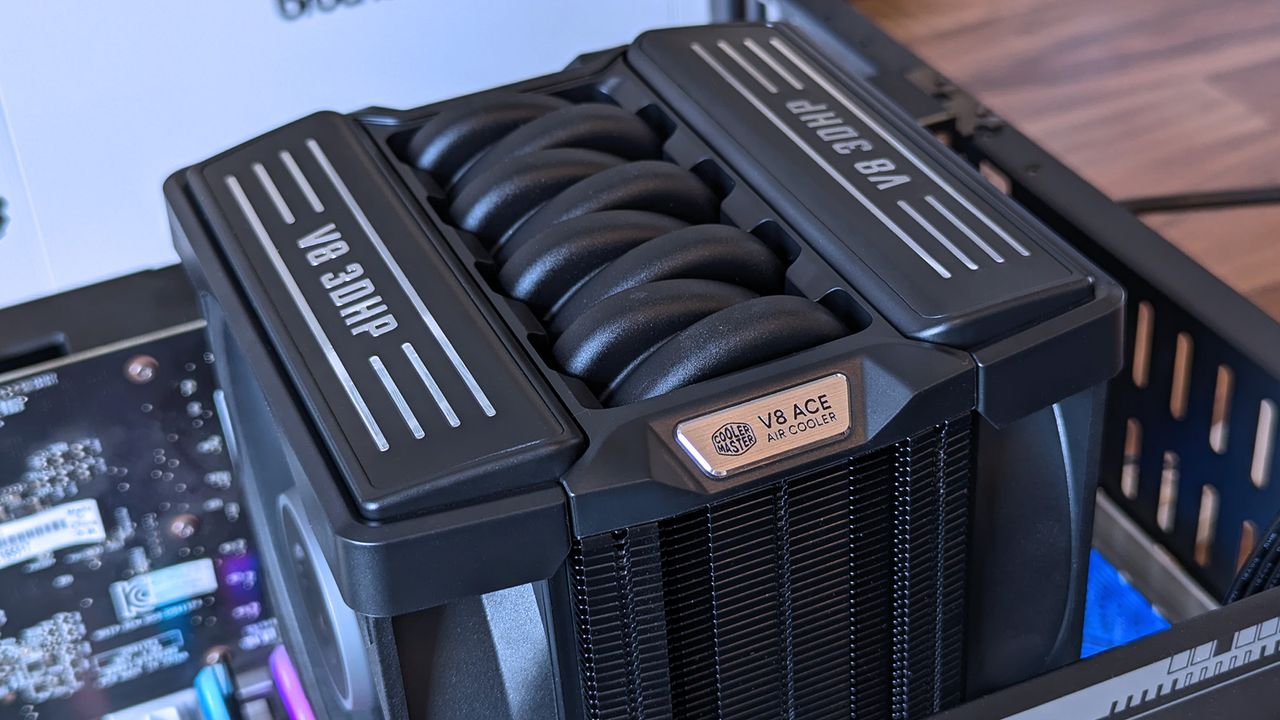
I've generally leaned towards all-in-one (AIO) liquid cooling for my own custom PC builds for the past decade or so, but air cooling is practically forcing its way back into my habits because it keeps proving its worth via reviews like these. The Cooler Master V8 ACE 3DHP caught my eye mostly because of its "V8 engine" throwback gimmick, but there's a clever secret hiding inside its fins — something that Hyper 212 3DHP cooler owners will recognize.
Cooler Master provided a sample but did not see, nor did it have any input on, the contents of my article before publishing.
How much does the V8 ACE 3DHP cost?
Built separately for AMD and Intel, each base plate has a specific design, but brackets are included for both. (Image credit: Ben Wilson | Windows Central)
At the time of writing, the best place to buy the Cooler Master V8 ACE 3DHP designed for AMD (AM4/AM5) processors is Newegg at $119.99, or Amazon for the same price via Newegg Business. I also found it sold above MSRP by third parties at Best Buy, which could be a last resort.
Otherwise, the Intel (LGA 1851/1700/1200/115X) variant isn't listed on the official Cooler Master US store, Newegg, or other third-party stores. For now, availability is skewed towards the AMD side, and though you do get an Intel bracket inside the box, it isn't perfectly optimized for those chips.
Cooler Master V8 ACE 3DHP (AMD) specifications
Component
Spec
Socket support
AMD AM4/AM5 Intel LGA LGA 1851/1700/1200/115X (with included bracket)
Dimensions
138.95 x 136.47 x 167.3mm
Weight
2.57 lbs (1.17 kg)
Fans
120 x 120 x 30mm, 89.6 CFM (front) 120 x 120 x 30mm, 61.0 CFM (rear)
Those aren't the heatpipes on top; it's just a plastic cover, but I dig it.Ben Wilson | Windows CentralIt's tall, wide, and heavy, but surprisingly easy to install.Ben Wilson | Windows CentralA glimpse through the dense fins reveals the extra "3D" heatpipes.Ben Wilson | Windows CentralDespite its AMD-first design, this variant still comes with an Intel bracket.Ben Wilson | Windows CentralI'll never turn my nose up at a free tube of thermal paste.Ben Wilson | Windows Central
Before I ever installed this cooler onto a motherboard, I loved the way it looked. It isn't quite as extreme as Cooler Master's V8 GTS from 2013 — which almost resembled an alien motorbike engine — opting for a single-tower setup this time with incredibly dense fins on the heatsink. It's still a chunky air cooler, just like its ancestor, but now it actually looks more like a V8 car engine.
The V8 ACE 3DHP offers separate fine-tuned versions for AMD and Intel, though you still get mounting brackets for both.
Aesthetics aside, the hype centers on the setup of 4x traditional heatpipes plus 2x "3D heatpipes" (3DHP) that run vertically from the base plate through the heatsink. It's all about pulling as much heat away from your chosen CPU as possible, which is why the V8 ACE 3DHP offers separate fine-tuned versions for AMD and Intel, though you still get mounting brackets for both.
Even on an open-air test bench, this is an imposing air cooler.Ben Wilson | Windows CentralNevertheless, I didn't experience any RAM clearance issues.Ben Wilson | Windows CentralThere's no RGB, and I don't see any reason to raise the cost further by including it.Ben Wilson | Windows CentralThis is the part you'll want to show off, so make sure your PC case has a clear side panel.Ben Wilson | Windows Central
Installation was a breeze. The V8 ACE 3DHP attaches to the standard AM5 backplate with four thumbscrews, two plates, and four more screws to hold it in place. The fans slide off the heatsink, so I can attach the two threads and tighten everything up. Finally, the fans are reattached and daisy-chained together, connecting to the CPU_FAN header.
Clearance is slim, but it fits cleanly over my RAM and the Gigabyte X870E Aorus Master X3D ICE SSD heatsink, with a slight amount of breathing space over G.Skill Trident Z5 Neo RGB modules. Running an AMD Ryzen 7 9850X3D on my open-air test bench at around 5.2GHz for 15 minutes kept an average temperature of 81.5°C, peaking at 83.5°C.
They won't slip off without a firm pull, but the heatsink's weight alone can dislodge the fans.Ben Wilson | Windows CentralIt isn't the loudest cooler in the world, but remember, my open setup had plenty of space to breathe.Ben Wilson | Windows Central
Being such a chunky cooler with a performance focus, the V8 ACE 3DHP is heavy — around 2.57 lbs (1.17 kg) — and it'll need plenty of cool, strong intake airflow to feed its thick, 30mm PWM fans, which generate at least 55 dBA of noise under load. PC builders tempted by this cooler will surely take its dimensions and clearance considerations into account, but it's still surprisingly big.
The V8 ACE 3DHP is heavy — around 2.57 lbs (1.17 kg) by my estimate — and it'll need plenty of cool, strong intake airflow to feed its thick, 30mm PWM fans.
Because those fans slide into place on rails, you'll also want to be careful when handling this cooler. Although I'd mostly held it by the center section, I had once shifted my grip to one of its fans, which slipped down before I quickly caught it. I think my heart fell further than the cooler physically did, but it was a lesson learned. Nice feature, but be safe handling those detachable fans.
Should you buy the V8 ACE 3DHP?
If you're going all out on a high-end CPU, then the V8 ACE 3DHP could replace the usual AIO liquid setup. (Image credit: Ben Wilson | Windows Central)
You should buy this if ...
✅ You want to cool a powerful, high-performance CPU
✅ You're building in a PC case with plenty of airflow
You should not buy this if ...
❌ You're planning a compact gaming PC
The V8 Ace 3DHP is an impressive feat, but it demands a constant source of cool air moving through its thick heatsink. As long as you're planning ahead with a PC case that supports healthy airflow with a proper setup of intake and exhaust fans, then this'll be a great pairing for a higher-end, high-TDP processor.
Push it close to a demanding GPU, and there's a chance you'll see less-than-optimal CPU performance if the ambient temperature inside grows unchecked. However, if you're certain you know what you're doing, it wouldn't be impossible to keep this cooler happy in a miniature case with the right airflow setup.
Cooler Master
V8 Ace 3DHP CPU Air Cooler
Built for AMD AM4/AM5 sockets, Cooler Master includes thermal paste and optional mounting brackets for Intel LGA.
Close‑up of the Cooler Master V8 ACE 3DHP CPU cooler installed inside a test bench, showing its engine‑inspired shroud, curved heat pipes, and fin stack.
Cooler Master's V8 ACE 3DHP CPU is expensive, but I'm impressed nonetheless.
Earlier this year, Microsoft announced big updates for the Start menu and Taskbar on Windows 11 that would address users biggest complaints and bring highly requested features and functionality to the OS. Those changes include the ability to move and resize the Taskbar, as well as customize the size and different sections that appear within the Start menu.
Those features have been in public preview ever since, but those outside of the Windows Insider Program are yet to experience these new features. Now however, Microsoft has confirmed that it's now gearing up to ship the updated Taskbar and Start menu to everyone next month, as the features are now in the final Windows Preview Channel before public rollout.
As of yesterday, the movable and resizable Taskbar, along with the customizable Start menu, and other polish and quality of life improvements, made their way to the Windows 11 Release Preview Channel. This is the last stop before features begin shipping in public, non-Insider updates.
You can finally move the Taskbar to the top (and sides) of the screen! (Image credit: Screenshot: Mockup by Windows Central / PC: Edited with Gemini)
Usually, when a feature lands in the Release Preview Channel, it's no more than two or three weeks away from appearing in a public update. Usually, that's with the non-security feature preview update that drops at the end of every month, followed by the security-focused Patch Tuesday which is released on the second Tuesday of every month.
That means if everything goes according to plan, the new Taskbar and Start menu updates will begin rolling out later this month for users with the "Get the latest updates as soon as they're available" toggle in Windows Update switched on, and next month for everyone else.
This is the big user experience update people have been waiting for on Windows 11 this year. The ability to move and resize the Taskbar made headlines when it was announced that it was coming to Windows 11 earlier this year, with a lot of Windows 10 holdouts claiming that the lack of this feature was one reason why they hadn't yet moved to Windows 11.
Microsoft is slowly but surely ensuring that Windows 10 users feel comfortable with the move to Windows 11, and ensuring that functionality that Windows 10 already has is also available on Windows 11 is one way of doing that. Being able to turn off entire sections of Start, as well as resize the menu itself, will be useful for those who enjoyed tweaking the Windows 10 Start menu too.
The new customizable Start menu options. (Image credit: Zac Bowden / Windows Central)
If you don't want to wait any longer, you can join the Windows Insider Release Preview Channel today to get access to the new features as soon as possible. The quality of code in the Release Preview Channel is usually representative of the final product, meaning the code being previewed in the Release Preview channel now is what will begin shipping in the next handful of weeks.
If you do choose to enroll in the Release Preview channel, be warned that Microsoft is rolling out the new Start menu and Taskbar in waves, so you may not see it right away. This will likely also be the case when the update is released generally, as Microsoft utilized a phased and measured rollout approach to ensure the new features aren't breaking things.
Microsoft has many more quality of life improvements in the works for Windows 11, many of which are expected to begin shipping towards the end of this year and into 2027. Improvements such as better performance and responsiveness in apps and UI surfaces like the Start menu are still to come, as the OS begins adopting WinUI across more areas of the interface.
Join us on Reddit at r/WindowsCentral to share your insights and discuss our latest news, reviews, and more.

 Connexion