Vue normale

New research shows Windows 11 keeps undermining basic browser choice with harmful design tactics

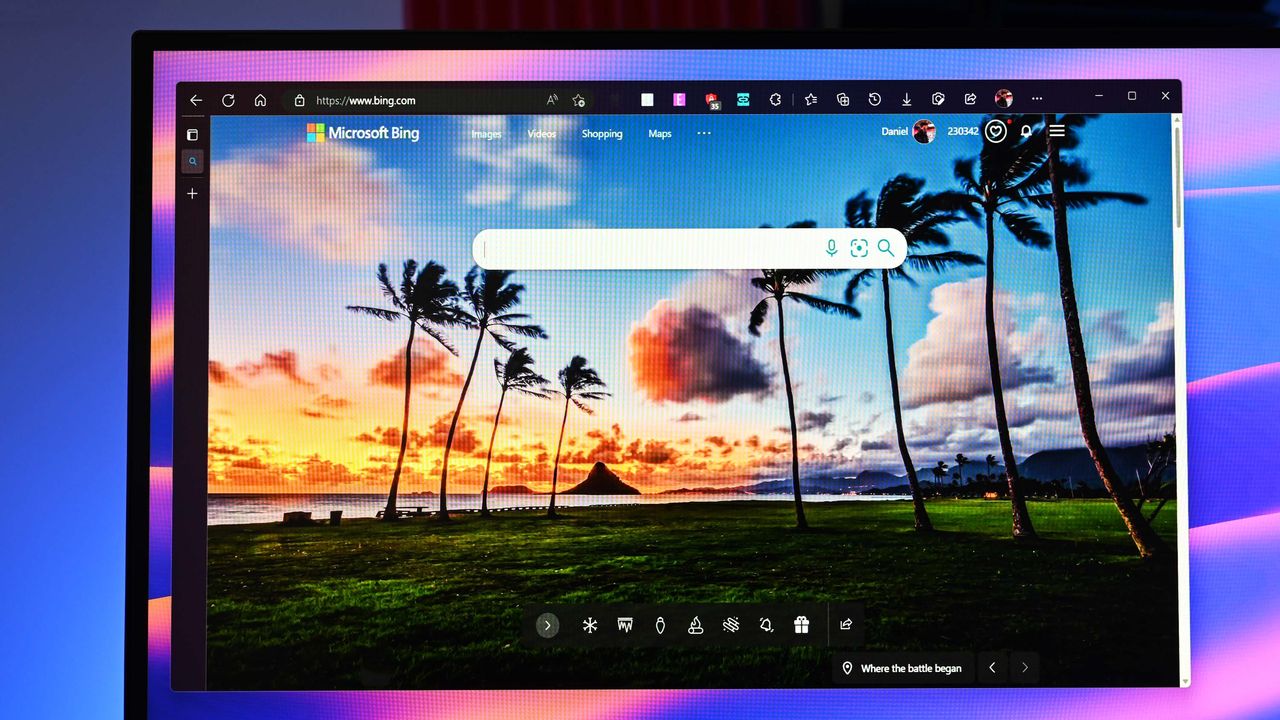
Microsoft is too pushy with its Edge browser, according to a recent survey shared by the Browser Choice Alliance. Polling 2,000 adults in the United States provided some insight regarding how easy it is to switch browsers on Windows 11 and if the operating system respects user choice.

Microsoft has been criticized for years for pushing Edge. Windows 11 introduced settings that make changing the default browser more complicated, such as a person electing to change their default only affected certain file types. The situation has improved a bit over the years, but it's still surprisingly difficult to just tell Windows 11 to never use Edge.

It's important to note that the Browser Choice Alliance includes several members that compete directly with Microsoft Edge. Chrome, Vivaldi, and Opera are all part of the alliance. That does not discount the experience of the people surveyed, but it provides some context.

Many members of the Browser Choice Alliance would benefit from more freedom about browser choice and simpler default settings. I would argue that those would also be good things for everyday users as well.

With that in mind, here are some of the highlights of what the Browser Choice Alliance found through its survey:

  • 86 percent of those surveyed believe they should have primary control over their default browser and 80 percent want "one-click browser default."
  • 26 percent of participants have Edge as their default browser compared to only 19 percent who say they would choose Edge as their default browser.
  • 72 percent of participants who tried to change their default browser within the last two years ran into challenges, such as Edge being recommended and applications or links opening in Edge despite that browser not being set as default.
  • 29 percent of those surveyed claim Windows system updates "contributed to their browser preference being changed or reset."
  • Older adults often struggle with setting their default browser.
    • 44 percent of those surveyed ages 65 or older claimed changing their default browser was complex. Only 15 percent of people ages 18 to 44 said the same.
    • 61 percent of participants 65 or older said they were not confident setting their default browser.

The survey results are not surprising, except perhaps that 14 percent of participants do not think they should be able to pick their default browser.

Microsoft is so eager to push people to use its Edge browser that when forced to give users more choices by the EU, Microsoft only shipped those changes within the EU. The company could have used that as an opportunity to just give people greater control over their PCs, but it didn't.

The fact that MSEdgeRedirect and EdgeDeflector ever existed is a stain on Microsoft's reputation. Those tools, which forced links to open with your default browser either don't work or are limited now.

Microsoft claimed having widgets or other system components open in Edge regardless of if Edge is the default helps ensure the best end-to-end experience. Many, including myself, question the validity of that claim.

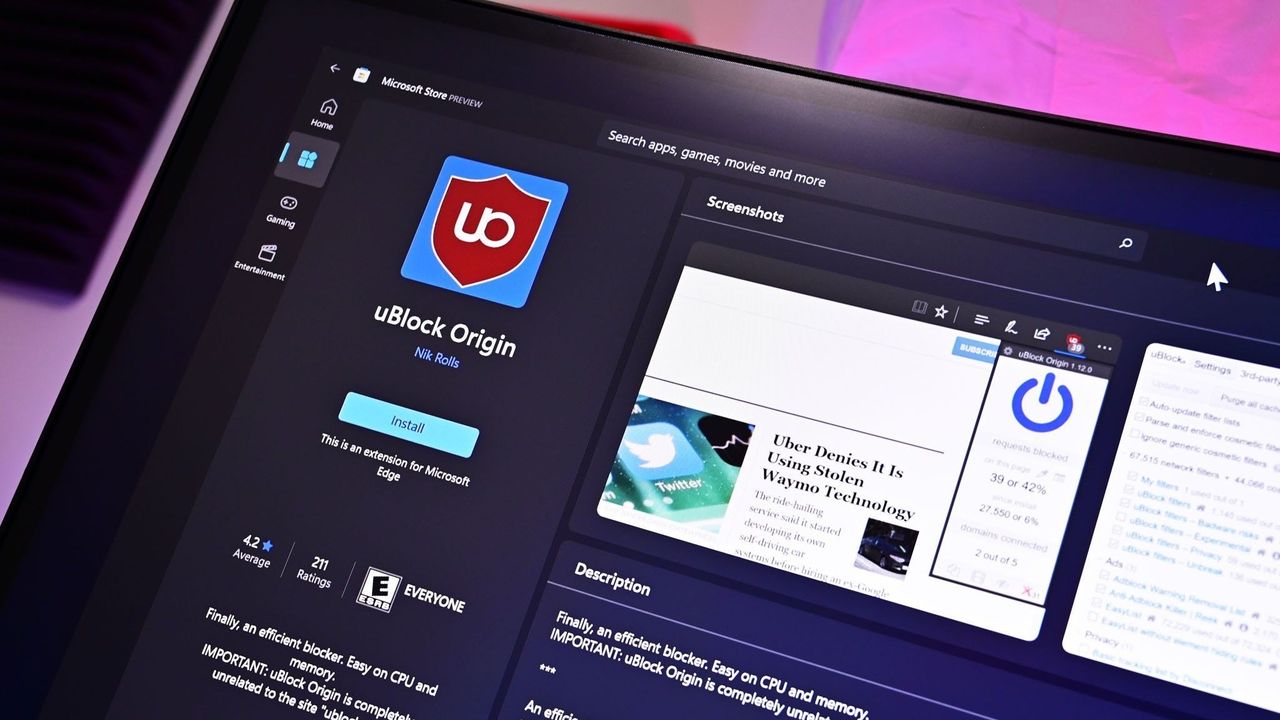
With Microsoft following in the footsteps of Google by discontinuing support for MV2 extensions, uBlock Origin will no longer work in Edge. That extension is a must-have for some users, so they may be on the lookout for a new browser. But based on the recent survey performed by the Browser Choice Alliance, changing to a different default browser may be more challenging than it should be.

Click to join us on r/WindowsCentral

Join us on Reddit at r/WindowsCentral to share your insights and discuss our latest news, reviews, and more.

Microsoft Edge on Windows Central

Microsoft Edge on Windows Central
Mozilla Firefox and Brave keep uBlock Origin alive while Chrome and Edge block the adblocker

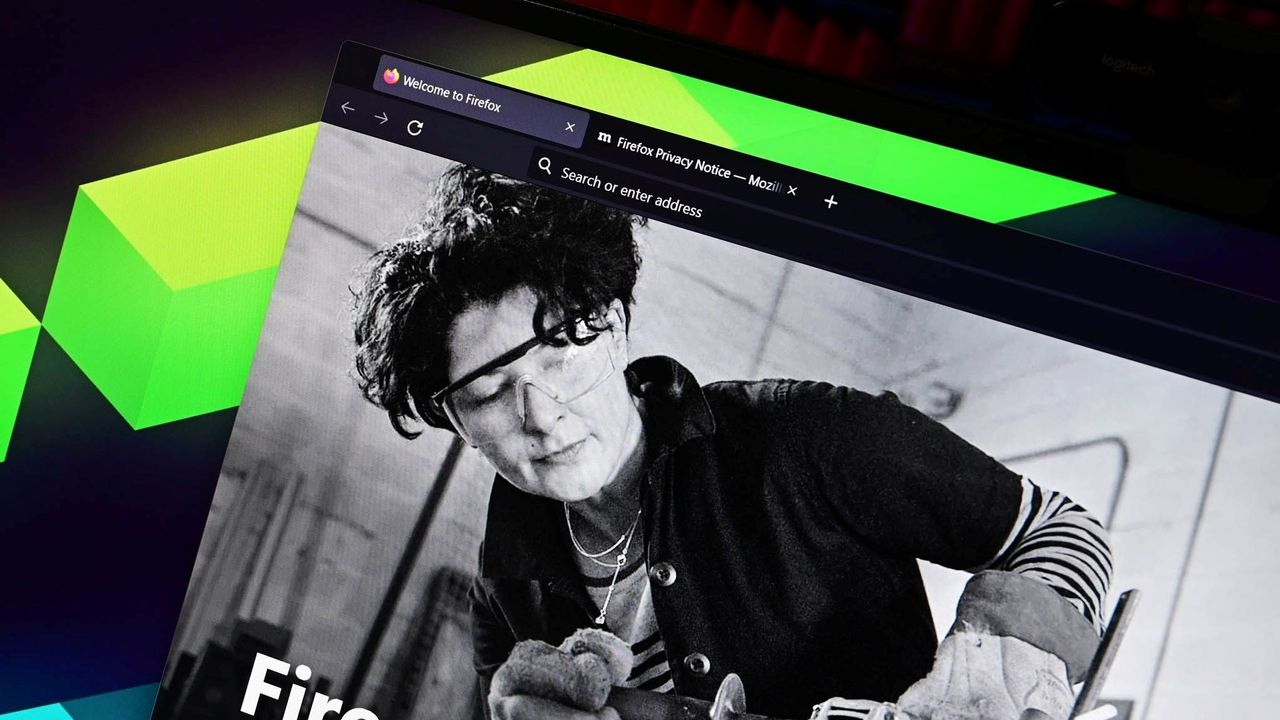
Microsoft Edge will soon drop support for Manifest Version 2 (MV2), which means uBlock Origin will stop working in the browser. But Windows 11 users still have some browsing options that will support uBlock Origin and other MV2 extensions.

The Firefox account on X shared a simple message in response to an article about Edge ending support for certain extensions: "Firefox support for uBlock Origin is not going anywhere."

Brave shared a longer message, which emphasized that "Brave will keep supporting uBlock Origin" and that Brave hosts uBlock Origin and other MV2 extensions on its own servers. To enable MV2 extensions in Brave, you need to go to Settings > Extensions > Manifest v2 extensions.

Brave also has a built-in ad blocker that's unaffected by the MV2 changes.

Firefox runs on the Quantum browser engine, which is built specifically for that browser and is separate from Chromium. Brave is a Chromium browser. With both Chromium and non-Chromium options, people have a variety of ways to continue to use uBlock Origin.

Why are some browsers stopping uBlock Origin from working?

MV2 is an extension platform that developers can build upon. That older platform is being replaced by Manifest Version 3 (MV3), which is more secure and provides better performance than MV2.

The transition from MV2 to MV3 brings improvements, but it also removes support for the WebRequest API, which lets ad blockers dynamically intercept and block requests before they load.

The side effect of the transition is that uBlock Origin no longer works.

Since uBlock Origin Lite is an MV3 extension, it does not dynamically intercept content before it loads.

It's about more than blocking ads

Deprecation of uBlock Origin

uBlock Origin no longer works on Google Chrome and will soon stop working on Microsoft Edge. (Image credit: Kevin Okemwa | Windows Central)

In our recent poll about ad blockers, over 70% of respondents said they use uBlock Origin. Since that poll appeared in a piece about Edge ending support for uBlock Origin, the results are a bit self-selective, but still interesting. Even among those already interested in uBlock Origin news, 12% said they use uBlock Origin Lite.

While uBlock Origin Lite blocks many ads, it does not process ads in the same way as uBlock Origin. The full version of uBlock Origin intercepts the ads entirely, which reduces bandwidth usage and improves browser performance.

If you've ever loaded a web page and noticed that ads appear to be slowing things down, uBlock Origin would help in that situation but uBlock Origin Lite would not.

Click to join us on r/WindowsCentral

Join us on Reddit at r/WindowsCentral to share your insights and discuss our latest news, reviews, and more.

Mozilla Firefox on Windows

Mozilla Firefox on Windows

Microsoft Edge’s new sign-in option is a quiet admission of defeat on mobile

Microsoft Edge may soon let you sign in with an Apple account. The latest Canary build of Edge includes flags that, if enabled, let you sign into the browser with your Apple account.

Using your Apple account within Edge will make it easier to keep your bookmarks, history, and other content synced across your phone and your PC. Many people, including myself, use a computer running Windows 11 and an iPhone.

The change was spotted by Leo Varela, who often leaks or highlights features in Edge and other browsers.

In Edge Canary for desktop there are a couple of new flags to enable support for signing in with an Apple account. Microsoft added support for Google accounts some time ago and has now added support for Apple accounts: https://t.co/34BBm0b3Wi pic.twitter.com/BNMrpB8pkOAugust 10, 2026

Microsoft did not initially plan to support non-Microsoft accounts within Edge. Google account support rolled out recently and now support for Apple accounts appears to be on the way.

Of course, you could use Edge without any account at all. The browser works without requiring signing in. But syncing data and some other features require using some sort of account to sign in.

Windows Central take

Skype on iOS

Microsoft once pushed its apps aggressively on iOS and Android. Since 2015, the company has shut down several apps and left others in maintenance mode. (Image credit: Windows Central)

It's interesting to see how Microsoft's cross-platform app strategy has shifted over the years. Some apps have been available on other platforms for over a decade, but Microsoft increased its efforts to have a presence on iOS and Android after shutting down Windows Phone.

With no phone operating system of its own, Microsoft aimed to provide a premier experience for its services on Android and iOS to meet people where they are. Microsoft bought up popular apps like Wunderlist and SwiftKey to make a Microsoft experience on mobile platforms made by Google and Apple.

Back in 2015, Microsoft CEO Satya Nadella talked about his "iPhone Pro," which was just a normal iPhone with a bunch of Microsoft apps on it.

These days, several Microsoft apps feel like abandonware and others lag behind the competition. The glory days of the "iPhone Pro" are over.

I do appreciate flexibility when it comes to signing in to Edge, but I can't help but wonder if adding support for Google and Apple accounts is an admission that Microsoft can't even get people to use a Microsoft account in Microsoft Edge.

Rather than trying to force users into the Microsoft umbrella, the company seems to be accepting its mobile reality. It is finally conceding that to keep PC users on Edge, it has to let them live inside Google and Apple's account ecosystems instead.

Click to join us on r/WindowsCentral

Join us on Reddit at r/WindowsCentral to share your insights and discuss our latest news, reviews, and more.

Microsoft Edge

Microsoft Edge

Microsoft PowerToys will soon take full advantage of the same AI that powers Copilot+ PCs

Microsoft PowerToys will soon add on-device support for Phi Silica. Microsoft called that small language model (SLM) "small but mighty" when announcing it in 2024. Now, that model is available for Advanced Paste in the latest PowerToys preview.

Advanced Paste is a utility in PowerToys that formats content from your clipboard. It supports several formats, including plain text, markdown, and JSON. You can also use it to extract text from images using OCR and transcode audio and video files.

When first launched, Advanced Paste required an OpenAI API key, but PowerToys later added support for other models. Azure OpenAI, OpenAI, Gemini, and Mistral are cloud services that work with Advanced Paste. Foundry Local and Ollama both work with the feature locally.

Phi Silica is now available as an option for local AI processing in the latest preview.

While you may not have heard of Phi Silica, you've likely heard of tools it powers if you have a Copilot+ PC. Click to Do and on-device rewriting in Word and Outlook are powered by Phi Silica.

Phi Silica uses the NPU of a device, which helps with efficiency.

The GitHub page for PowerToys lists all the changes in the latest preview. Here are the highlights from the same page:

View the changelog ↴

PowerToys v0.101.2211.0 Highlights

  • Advanced Paste: Added an on-device Phi Silica provider and more per-action AI customization options.
  • Command Palette: Improved dialog handling, icon loading, memory cleanup, theme behavior, and dock performance monitoring.
  • Window management: Improved shutdown behavior across FancyZones, Grab And Move, and Always On Top, and made Always On Top borders render solidly at full opacity.
  • Keyboard Manager: Fixed the elevated Run Program browse flow in the new editor.
  • Mouse Jump: Moved Mouse Jump to the newer WinUI app architecture and packaged its new binaries into signed release builds.
  • Settings: Added an update channel selector and a guided Bug Report flow with progress and a GitHub shortcut.
  • Quick Accent: Made press-and-hold activation cancel cleanly so the picker appears only when intended.
  • Preview releases: Added dedicated preview-release versioning and update-channel support so preview builds can be published and tested independently from stable releases.

PowerToys has a growing library of utilities, so there's a lot to look at in the latest preview even if you do not care about AI. Command Palette will perform better and Window management has been improved across FancyZones, Grab And Move, and Always On Top.

Mouse Jump being moved to WinUI modernizes the utility and gets it in line with Microsoft's push to use WinUI across Windows.

WinUI 3 is the native framework for Windows. Microsoft is moving several key components of the OS to WinUI 3 and rebuilding that framework.

The latest preview of PowerToys also makes it possible for preview builds to be published and tested independently.

PowerToys | Free at GitHub | Free at Microsoft Store

This collection of utilities includes a large library of features to enhance the Windows experience. PowerToys is designed with power users in mind, but it has handy features for people who just use their PC for everyday computing too.

Click to join us on r/WindowsCentral

Join us on Reddit at r/WindowsCentral to share your insights and discuss our latest news, reviews, and more.

PowerToys logo appearing over PowerToys on Windows 11

PowerToys logo appearing over PowerToys on Windows 11

Reddit helped me find not one, but two AirDrop alternatives for Windows 11

Like millions of other people, I have a Windows 11 PC and an iPhone. I'm envious of some of the ways Macs and iPhones connect, but I still rely on Windows 11 for everyday work and my hobbies.

AirDrop is one of the features I want the most when looking over the digital fence at my friends who are fully in the Apple ecosystem. While you cannot use AirDrop on a PC, there are some great alternatives.

"Does anyone actually have a good way to transfer files between an iPhone and a Windows PC?" asked Reddit user Palunath in the r/Windows11 subreddit. Users responded with several options, but two stood out: Blip and LocalSend.

Reddit delivered with both those recommendations. I downloaded both and have used them over the last week. I'm hardly the first person to highlight these apps, but if people are asking for AirDrop alternatives on Windows 11, they likely haven't heard of Blip and LocalSend.

Top pick: Blip

Transferring files is quicker and easier if both of your devices are on the same network, but Blip works when on different networks as well.

Blip is my top pick. It's easy to use, has an interface that feels familiar, and it's extremely fast. It's similar to AirDrop but without the Apple exclusivity.

Blip supports sending files and folders without any size limits (Blip's website says "99TB? Game on").

Not having to zip folders is a big plus, as is being able to send large photo files.

Blip is free for non-commercial use. If you're a business user or want priority speed, you can subscribe for $25 per user per month.

Signing up for Blip is easy and just requires entering your email and confirming the code you're sent.

Blip's website has download links for all supported platforms, including Windows, macOS, Android, iOS, and Linux.

Secure second: LocalSend

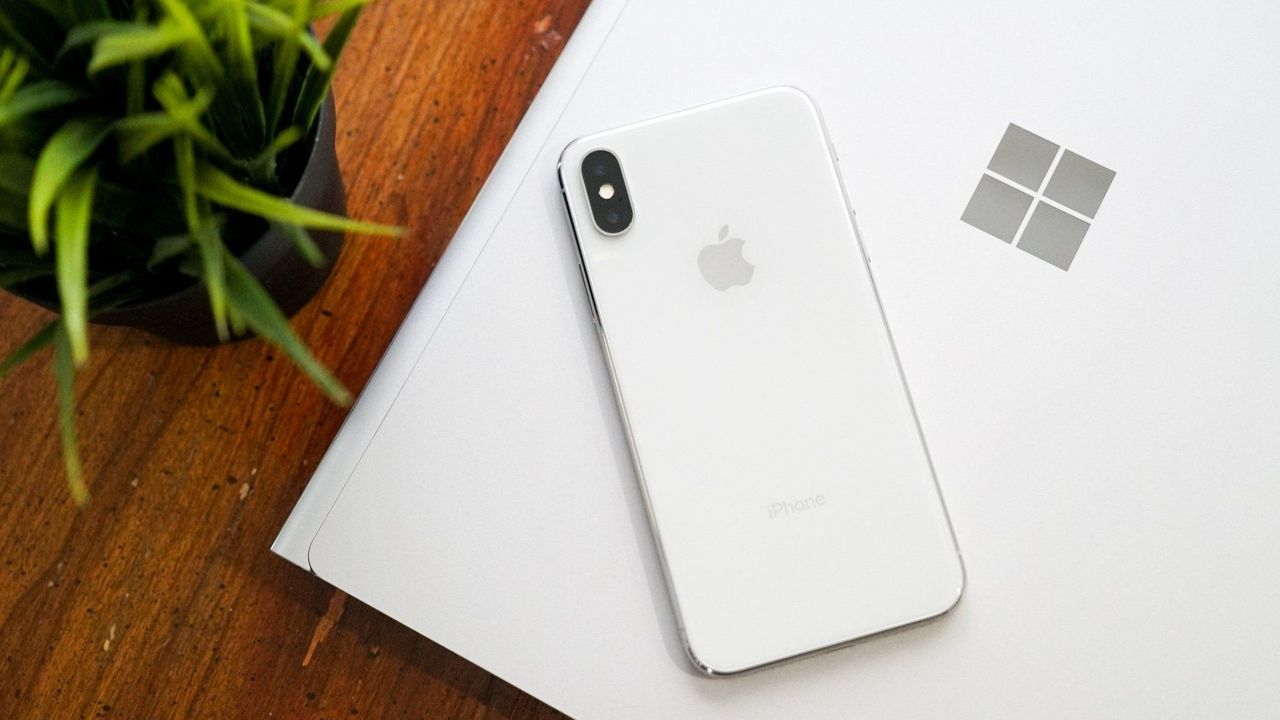
iPhone X resting on a Windows PC showing the Microsoft logo

Connecting an iPhone and a PC can be awkward unless you have the right apps. (Image credit: Future)

LocalSend works very well, but its structure has some pros and cons. Because it works through your network, it works without the internet. It's also incredibly fast, assuming your Wi-Fi network has quick speeds.

LocalSend doesn't require an account or logging in. Your devices from the network just appear within the app. You can mark devices as favorites to streamline sharing as well.

You can download LocalSend through its website (or just use the service through that site). LocalSend is free to use.

You can send files to a single recipient or multiple recipients as well, which makes LocalSend feel a bit more like AirDrop.

LocalSend is open-source, fully offline, and peer-to-peer, so it's a great choice for people who value privacy.

The obvious drawback is that LocalSend is for sending files locally. If you just need to send files at home or work when devices are on the same network, LocalSend provides a seamless experience.

OneDrive and iCloud

Blip and LocalSend are made for sharing files on demand. If you want to sync entire folders or all of your files, you can use apps like OneDrive or iCloud.

In my experience, these apps are much slower at syncing and sending files, but they're a great way to back up content.

Blank Pixel

Click to join us on r/WindowsCentral

Join us on Reddit at r/WindowsCentral to share your insights and discuss our latest news, reviews, and more.

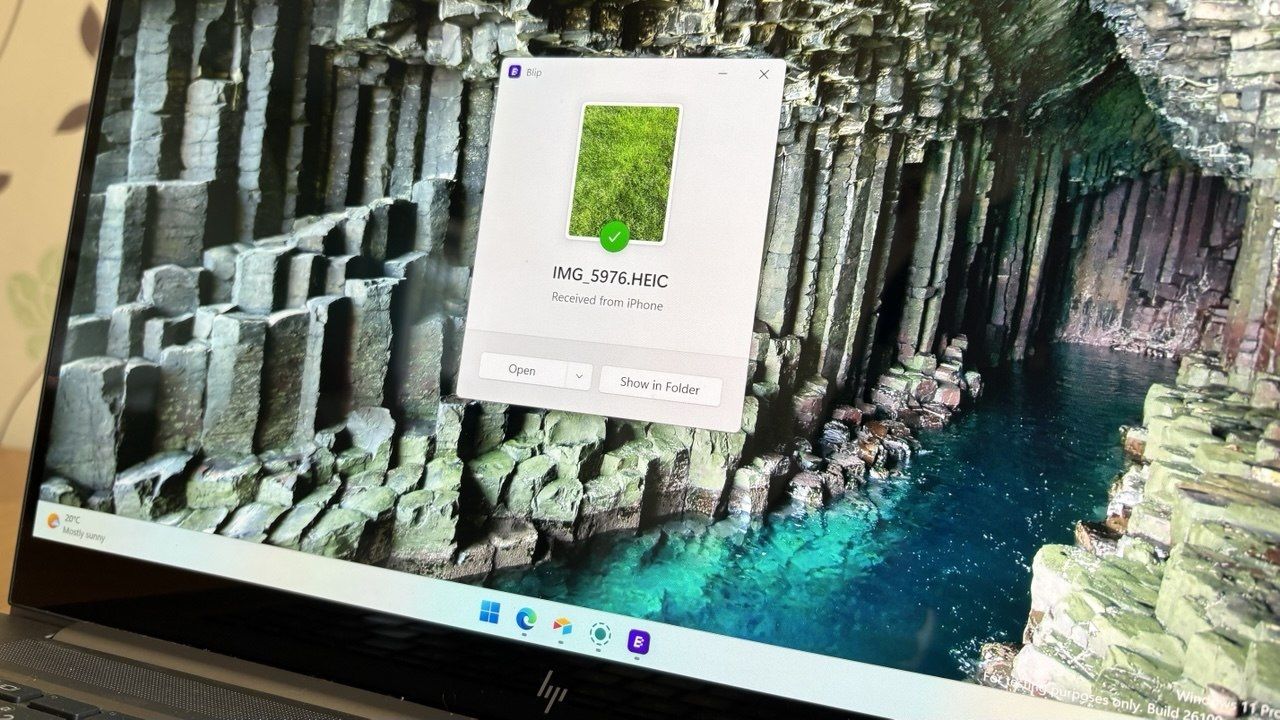
A laptop screen displaying a Windows 11 desktop with a Blip file transfer pop-up window confirming a photo was received from an iPhone.

Blip feels natural and makes it easy to send and receive files between an iPhone and a PC.

Microsoft isn't scrapping its unwanted OneDrive Photos app; it's just giving you a way to get rid of it

Microsoft accidentally shipped the new OneDrive Photos app to millions of PCs recently. Microsoft EVP of Apps and Agents Jeff Teper explained that the app was shipped earlier than intended.

We now have more details about the OneDrive Photos app, courtesy of the Microsoft 365 Roadmap. While the app was rolled out to PCs accidentally, Microsoft plans to release it in the future. When the app does ship (on purpose), there will be options to manage it or uninstall it.

There are two entries on the Microsoft 365 Roadmap related to OneDrive Photos. The first is about greater control that will be given to admins:

"OneDrive is adding administrative controls for the Photos experience on Windows. Organizations can manage whether users sign in with personal Microsoft accounts. These controls help IT teams align OneDrive Photos with their access, data governance, and device-management requirements."

That feature should start rolling out this month. Considering that the OneDrive Photos app was accidentally installed on some managed PCs that were unable to use the app, these administrative controls should be a welcome addition.

The second entry is about all users and the option to remove the OneDrive Photos app:

"OneDrive is giving people more control over their Windows experience by allowing them to uninstall the OneDrive Photos experience independently. Removing the Photos experience does not uninstall the OneDrive app, interrupt file sync, or delete photos and files. This provides a clear removal option for people who prefer to manage their photos with another app."

That feature is expected to roll out next month. As always, roadmap dates are estimates and subject to shift.

Those entries, which were first spotted by Neowin, were only added to the Microsoft 365 Roadmap after the accidental rollout and following backlash. We may see more details on the roadmap about OneDrive Photos soon.

The main question surrounding the OneDrive Photos app is why it needs to exist at all. Microsoft's Photos app for Windows already integrates with OneDrive. The OneDrive Photos app is a web-based experience that is less native and seemingly against the current goals Microsoft has set to improve its first-party apps.

Blank Pixel

Click to join us on r/WindowsCentral

Join us on Reddit at r/WindowsCentral to share your insights and discuss our latest news, reviews, and more.

Microsoft OneDrive logo with clouds and artificial intelligence imagery

Microsoft OneDrive logo with clouds and artificial intelligence imagery

Windows 11 is pulling picture passwords and pushing people to PINs, passwords, and biometrics

Windows 11 will soon lose a way to log in to a PC. A recent update removes the option to set up a new picture password. If you already have a picture password on your PC, you can continue to use it, but the feature is being phased out.

Microsoft is on a mission to push the world beyond passwords. The tech giant generally recommends a PIN, facial recognition, or a fingerprint to log in to Windows 11. Passkeys are often the top recommendation for authentication, though you cannot log in to a Windows 11 PC with a passkey. But back in the days of Windows 8, Microsoft introduced the option to unlock your PC using a picture.

That feature, which has remained available across Windows 10 and Windows 11, allows you to unlock your PC with a series of touches or gestures, like tapping the eyes of a smiley face then swiping across the face's mouth.

You could use a combination of three types of gestures as part of a picture password: circles, straight lines, or taps.

Picture passwords were a fun way to show off the touch-centric nature of Windows 8, but they aren't as secure as a passkey or even a strong password.

Since people often pick gestures or taps around key objects, hackers can sometimes guess the gestures needed to unlock a PC. People can look at the smudges on your screen to guess where you touch frequently.

A research paper from 2013 that was flagged by Neowin highlights the risks of picture passwords.

If you have a picture password set up now and want to continue to use it, you need to make sure to leave it set up. Once you remove it or disable it, you will not be able to set up a picture password.

Microsoft shared the following in a support document:

"To help enhance security, picture password is no longer available for new enrollment. Users who have already configured a picture password can continue to use it to sign in to Windows. If a picture password is removed, disabled, or not previously configured, it cannot be set up again. We recommend using Windows Hello PIN, facial recognition, or fingerprint recognition where available."

That change arrives alongside the July 2026 security update, which is now rolling out to Windows 11.

Blank Pixel

Click to join us on r/WindowsCentral

Join us on Reddit at r/WindowsCentral to share your insights and discuss our latest news, reviews, and more.

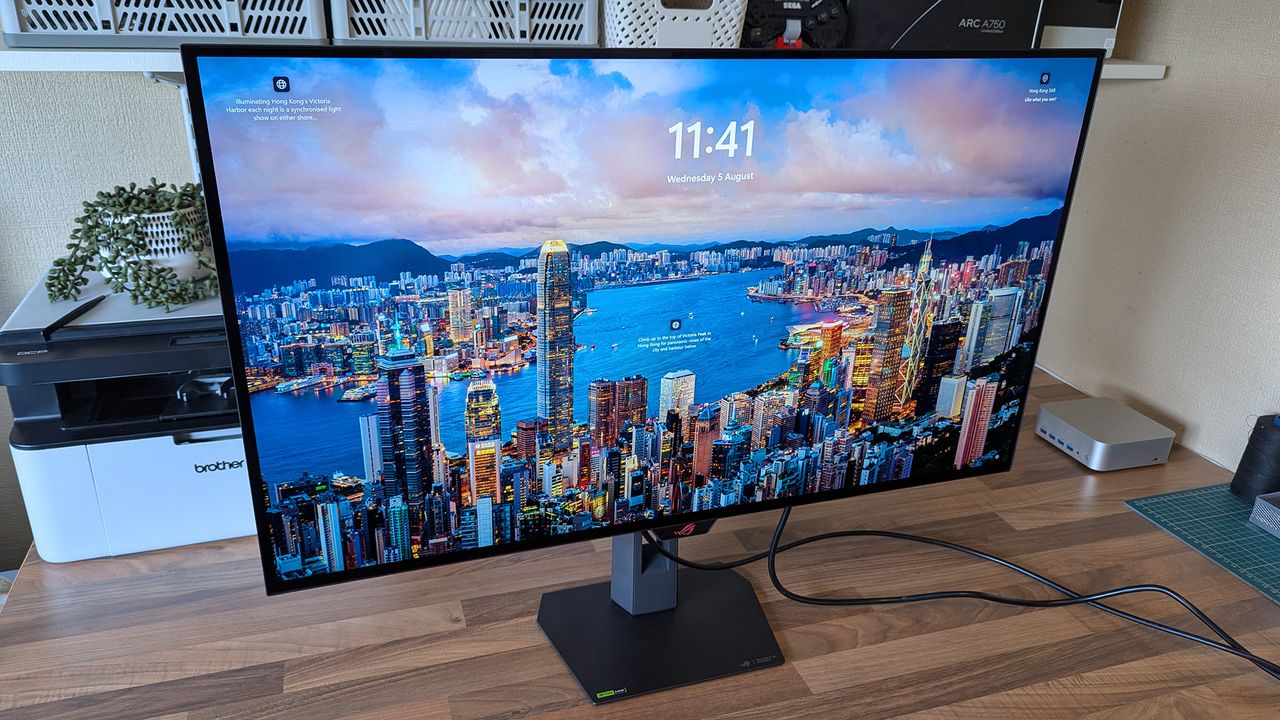
ASUS ROG Strix OLED XG32UQWMS monitor displays a vivid Hong Kong Victoria Harbor lock screen with the time, date, and descriptive text, surrounded by a desk setup.

ASUS ROG Strix OLED XG32UQWMS monitor displays a vivid Hong Kong Victoria Harbor lock screen with the time, date, and descriptive text, surrounded by a desk setup.

Dell's massive XPS 14 deal drops the 3.2K OLED laptop with 32GB of RAM to a ludicrous $1,549

One of the best laptop deals of the year is live, though I'm worried stock won't last. The Dell XPS 14 (2025) is up to $1,350 off.

I highlighted Dell's discount on the XPS 14 recently, and the deal has since gotten even better. I didn't think I'd see a laptop with these specs at this price in 2026. 32GB of RAM, 1TB of storage, and 3.2K OLED touch display for $1,549.99 is, quite frankly, ludicrous.

My only concern is that the laptop dropping in price quickly suggests Dell is almost out of stock and wants to clear out 2025 models to push the newer XPS 14 laptops from this year.

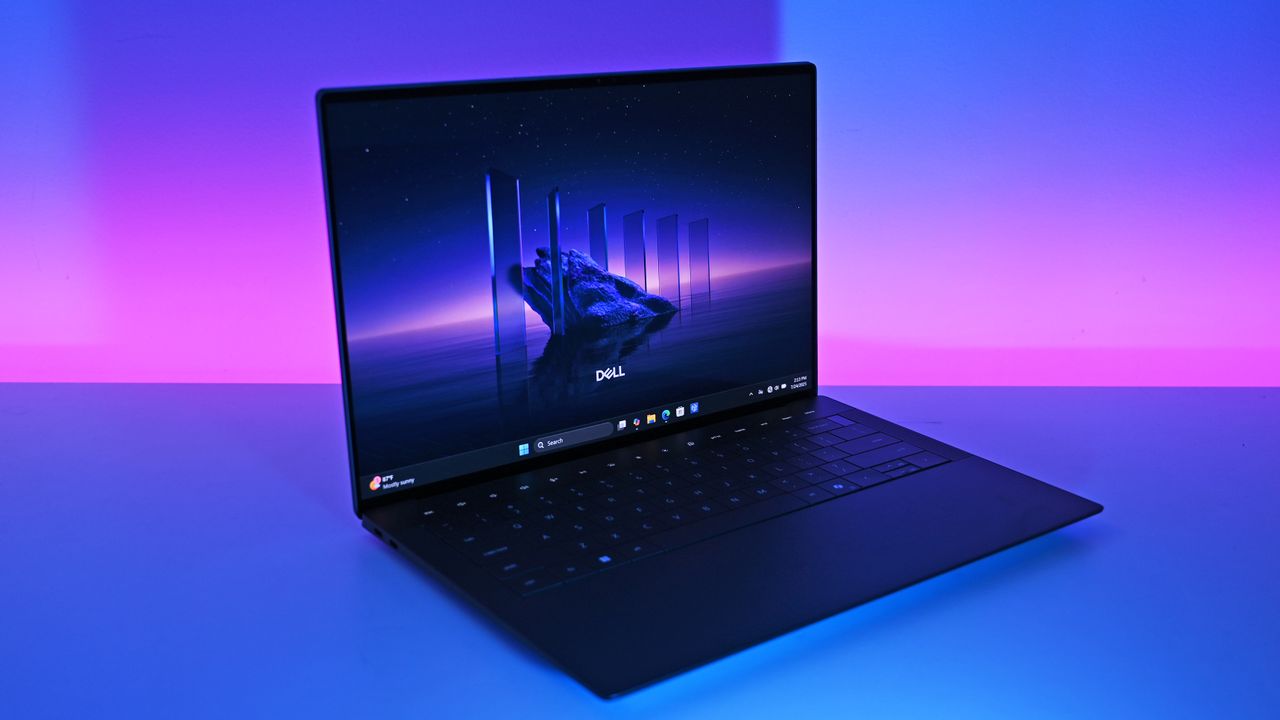
This premium laptop has a 3.2K OLED touch display, 32GB of RAM, and a gorgeous design that takes advantage of every millimeter available. It's one year old, but it's still an excellent laptop in 2026.

Note that the review of this laptop was from before the Dell 14 Premium was rebranded to the Dell XPS 14.

Tom's Guide review: ⭐⭐⭐⭐View Deal

Why buy the Dell XPS 14?

The all-new 2025 Dell 14 Premium replaces last year's Dell XPS 14. Though it looks the same, it has updated internal hardware.

(Image credit: Future | Daniel Rubino)

The XPS 14 is a pretty laptop built for productivity. At one time, there were a bunch of variations for this PC, but the options have been trimmed down as stock dips. The 3.2K OLED touch display in this model stands out, especially at this price.

The XPS 14 has a zero-lattice keyboard that packs large keys into a relatively small laptop body. The haptic touchpad of the XPS 14 is invisible, creating a clean look when the laptop is open.

That touchpad can take some time to get used to, but it was praised by Tom's Guide in their review:

"The keys have good travel distance and just the right amount of resistance when pressed. Once you get used to how tightly packed they are, typing is a breeze. And now that I’m used to it, the invisible touchpad doesn’t bother me. As before, I like the haptic feedback the touchpad produces, which also helps me know its location."

As a reminder, the Dell XPS 14 (2025) was originally called the Dell 14 Premium. Dell abandoned that naming scheme and resurrected the XPS brand earlier this year and retroactively renamed older models.

While I love the design of the XPS 14, it has battery life that's just OK. Our colleagues at Tom's Guide got 8 hours and 16 minutes in their testing. For context, 10 hours of battery life is considered "pretty good" in that same test.

The discounted XPS 14 model I highlighted retails for $2,899.99, but it is from last year. Many laptops from this year with 32GB of RAM and 1TB of storage cost well over $2,000. The new XPS 14 with those specs is $2,119.99 right now, and that's after a $630 discount. That version also has a 2K non-touch screen rather than the 3.2K OLED touch screen seen in the XPS 14 (2025) highlighted here.

FAQ

Is the Dell XPS 14 (2025) still worth buying in 2026?

Yes. While it is a year old, the XPS 14 featuring 32GB of RAM, a 1TB SSD, and a 3.2K OLED display is more than capable of handling heavy multitasking, content creation, and everyday workloads. At $1,549.99, it outperforms similarly priced 2026 mid-range laptops in both build quality and display specs.

What is the difference between the XPS 14 and the Dell 14 Premium?

They are the exact same laptop! Dell briefly adopted the "Dell 14 Premium" naming convention for its 2025 lineup before reverting to the "XPS" branding and retroactively updating model names.

Can I upgrade the RAM or storage later on?

The 32GB of RAM is soldered to the motherboard and cannot be upgraded after purchase, which makes the current deal a great way to future proof your laptop.

Click to join us on r/WindowsCentral

Join us on Reddit at r/WindowsCentral to share your insights and discuss our latest news, reviews, and more.

The all-new 2025 Dell 14 Premium replaces last year's Dell XPS 14. Though it looks the same, it has updated internal hardware.

The all-new 2025 Dell 14 Premium replaces last year's Dell XPS 14. Though it looks the same, it has updated internal hardware.

We now know exactly when uBlock Origin will stop working on Microsoft Edge

If you use uBlock Origin on Microsoft Edge, it's time to start looking at alternatives. Microsoft has shared a timeline for the transition away from Manifest Version 2 (MV2) extensions. That transition will end support for uBlock Origin on Edge, alongside a small group of other extensions.

Microsoft aims to fully transition consumers away from MV2 extensions by the end of 2026. Some users will start seeing notices about the change this month (August 2026). Microsoft will then gradually turn off MV2 extensions by default over the coming months.

Enterprise users will be transitioned away from MV2 extensions in 2027.

It's not a surprise that MV2 support is being discontinued. In fact, the surprise is that we finally have a confirmed date for the end of support. Microsoft has had MV2 support on the chopping block for ages but had not committed to a firm cutoff date.

Blank Pixel

MV2 and its replacement Manifest Version 3 (MV3) are extension platforms that developers can build upon. There are technical differences between the two, the most notable is that MV3 limits the WebRequest API, which allows ad blockers to dynamically intercept and block network requests before they load.

Since Edge is built on Chromium, which is Google's open-source engine, Google pushing MV3 affects Microsoft Edge.

This shift to MV3 is not arbitrary; there are practical benefits to the switch. MV3 is more secure and provides better performance than MV2. Some believe the transition to MV3 is being pushed to give Google more control over ads on the web, though that is up for debate.

The end of MV2 support will affect several extensions, but the biggest one is uBlock Origin. I suspect few would care about the end of MV2 support if uBlock Origin were unaffected.

Microsoft states that 95% of the top MV2 extensions in the Edge Add-ons store have been moved to MV3. There are only 58 MV2-based extensions in the Edge Add-on Store at all. Only three of those MV2-based extensions do not have MV3-based equivalents available.

There is a version of uBlock Origin that works with MV3, though it's uBlock Origin Lite. That extension lacks some of the granular controls of the full version. It also works differently in the background, hiding most content rather than preventing items from loading.

Many people could replace uBlock Origin with uBlock Origin Lite without issue, but power users could struggle with the change. Some people plan to switch browsers before changing ad blockers.

Mozilla Firefox still supports the tech needed for uBlock Origin to function. Brave committed to keeping MV2 extensions working as well.

Click to join us on r/WindowsCentral

Join us on Reddit at r/WindowsCentral to share your insights and discuss our latest news, reviews, and more.

uBlock Origin on Microsoft Edge

uBlock Origin on Microsoft Edge

Windows 11 is getting better, but it took years of frustration to get here — and Microsoft knows it

Windows Central

Windows 11 is finally starting to see the changes Microsoft has promised for months, except the best parts are still limited to Windows Insiders and mockups. I appreciate Microsoft's efforts to revamp Windows 11 — better late than never — but some of these improvements should have shipped years ago.

The status of Windows 11 makes me ask why Microsoft didn't aggressively start climbing the metaphorical mountain years ago. Microsoft has revamped settings and UI elements, but the big changes are part of a new initiative that honestly shouldn't need to exist.

Microsoft is updating several core parts of Windows 11 with WinUI, which improves performance and even helps Windows 11 run on PCs with less RAM. But I can't help but ask how we got here in the first place. How did we end up with a "modern" OS with legacy components and UI elements from different decades?

Biggest News of the Week

Windows 11 Hero Surfaces on a white table
Surface Go 4 with Windows 11
Windows 11
Windows 11 update in Settings app
Studio photos of the 2026 ASUS Zenbook A16 laptop featuring the new Qualcomm Snapdragon X2 Elite Extreme processor.
Lenovo Legion Go (August 2024)

I understand that updating legacy components can be tricky. Microsoft's CVP of Design and Research on Windows, Marcus Ash, joined the most recent Windows Central Podcast and discussed the challenges of updating Windows.

Obviously, Ash knows more about Windows than I ever will. I don't question the difficulty of updating an entire OS, especially if you need to re-update components several times.

What I question is why keeping Windows up to date and unified was not a core value from the start? Why did Microsoft reach a point where user feedback became overwhelming and the tech giant finally decided to make bigger changes?

Legacy support is critical for enterprise users, so Microsoft could not just throw out old code or elements to make Windows modern. But having a unified OS could have been a priority from the beginning.

Work like this needed to start decades ago, not in 2026. Some of the groundwork has been laid for these improvements, but some projects are quite new. That's not an acceptable way to make an operating system.

Shopping with Sean

My top recommendation isn't an item on sale. Instead, it's a must-have for Xbox owners that's running out of stock. Several retailers have listed the Seagate Storage Expansion Card for Xbox Series X|S as unavailable. Best Buy ran out of stock while I was writing a piece highlighting the shortage. Below are all the listings I've found that still let you order the speedy storage card.

An excellent deal on the Dell XPS 14 slashes $1,150 off the premium PC. I love the design of the XPS 14 from last year, and the current discount makes the laptop a great choice for back-to-school shopping.

This card allows you to expand the storage of your Xbox Series X or Xbox Series S. Stock is extremely limited.

1TB at GameStop for $199.99
2TB at Walmart for $299
2TB at GameStop for $299.99
2TB at Adorama for $349.99
1TB at Newegg for $355.38

Windows Central review:⭐⭐⭐⭐View Deal

This premium laptop has a 3.2K OLED touch display, 32GB of RAM, and a gorgeous design that takes advantage of every millimeter available. It's one year old, but it's still an excellent laptop in 2026.

Note that the review of this laptop was from before the Dell 14 Premium was rebranded to the Dell XPS 14.

Tom's Guide review: ⭐⭐⭐⭐View Deal

Click to join us on r/WindowsCentral

Join us on Reddit at r/WindowsCentral to share your insights and discuss our latest news, reviews, and more.

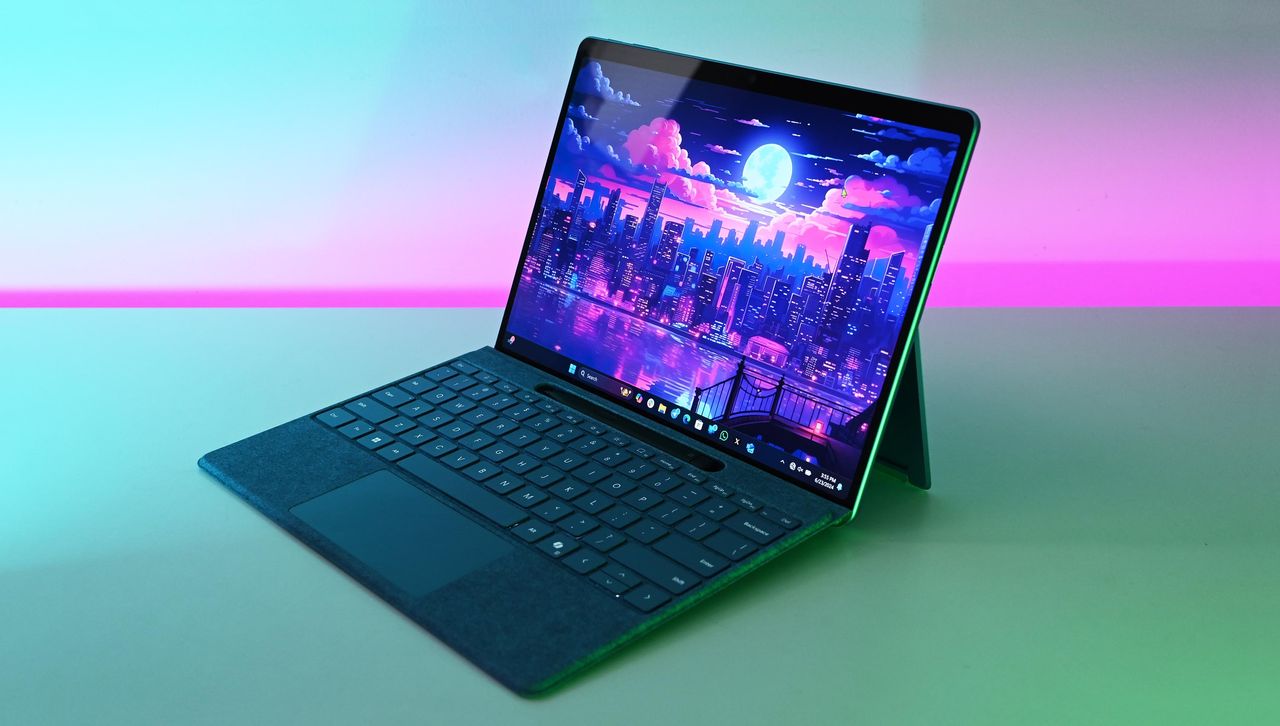
Microsoft Surface Pro 11 with Qualcomm Snapdragon X Elite

Microsoft Surface Pro 11 with Qualcomm Snapdragon X Elite

Linux users finally get a real Copilot app, and Microsoft didn't even make it

It's the year of Linux, haven't you heard? You may as well pack up your PC, study your favorite distro, and get ready to evangelize the open-source platform that will run on all systems in the future.

Joking aside, Linux has grown a bit in popularity and Microsoft continues to embrace it. While the tech giant has several apps and projects on Linux, Microsoft has not released an official Copilot app for Linux.

Sure, you could use Copilot on the web. Heck, you could even open up Microsoft Edge for Linux and install Copilot as a PWA (Progressive Web App). But where is the fun in that?

Instead, you could install the unofficial Copilot app for Linux built by Hayden Barnes. The app opens the Copilot web app in a dedicated GTK window and keeps your login session safely on disk. It also integrates with the desktop for autostart, system downloads, app launcher execution, and accessing hardware permissions like the microphone.

Barnes shared the project on X alongside a link to the app's GitHub page.

Many of the unofficial Copilot app's features overlap with using the web version of Copilot since Microsoft's AI tool is the center of the experience. But building the unofficial app as a native GTK application means its developer can deeply integrate system shortcuts, allow it to run quietly in the system tray, and trigger native OS notifications as opposed to relying on browser notifications.

Other benefits include native support for desktop accent colors and system dark themes. Overall, the app looks and feels far more natural on a Linux desktop than a standard browser window, and keeping Copilot isolated prevents it from slowing down if your main browser gets bogged down with dozens of open tabs.

The unofficial Copilot app for Linux is new, so we'll have to use it for a while to determine its long-term stability and performance. The first publicly available release of the app shipped this week.

We have a few systems running Linux spread across our team, so we'll let you know how the unofficial Copilot app performs over time.

Blank Pixel

Click to join us on r/WindowsCentral

Join us on Reddit at r/WindowsCentral to share your insights and discuss our latest news, reviews, and more.

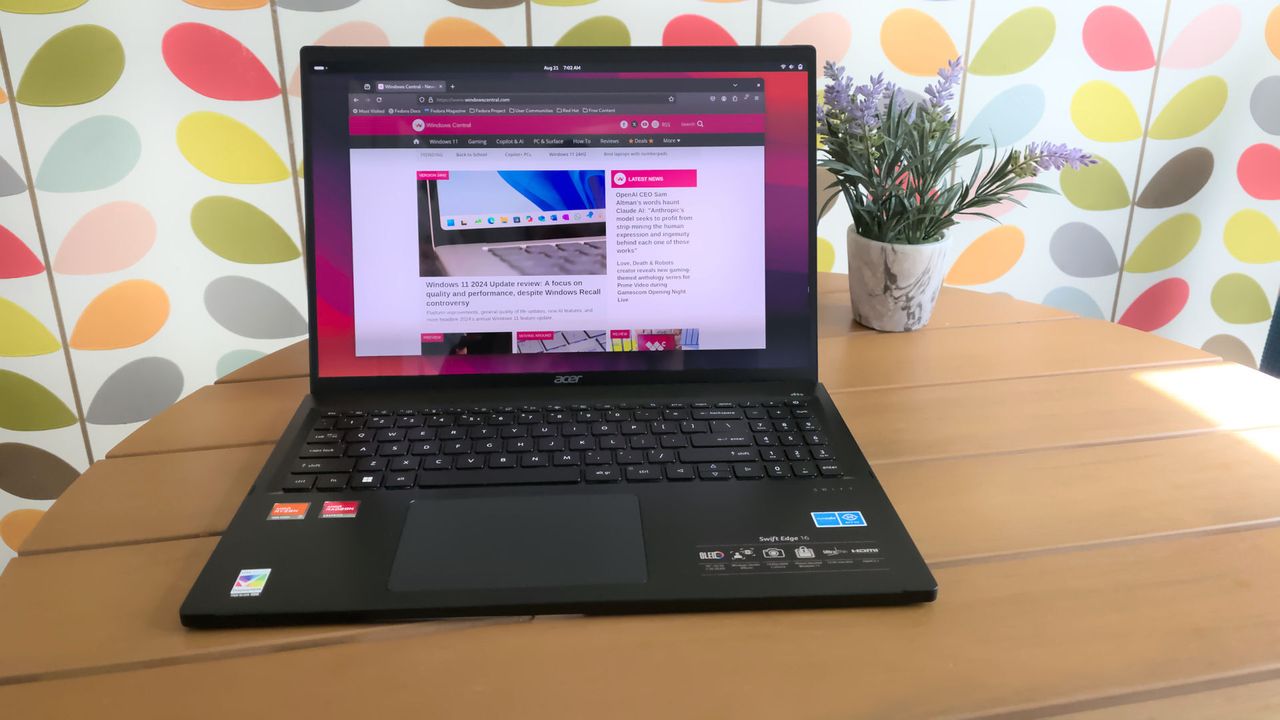
Acer Swift Edge running Linux

You no longer have to use Microsoft Edge or any browser to run Copilot on Linux.

We warned you prices would skyrocket; now Seagate Xbox Expansion Cards are out of stock or over $300 — but these ones are still available

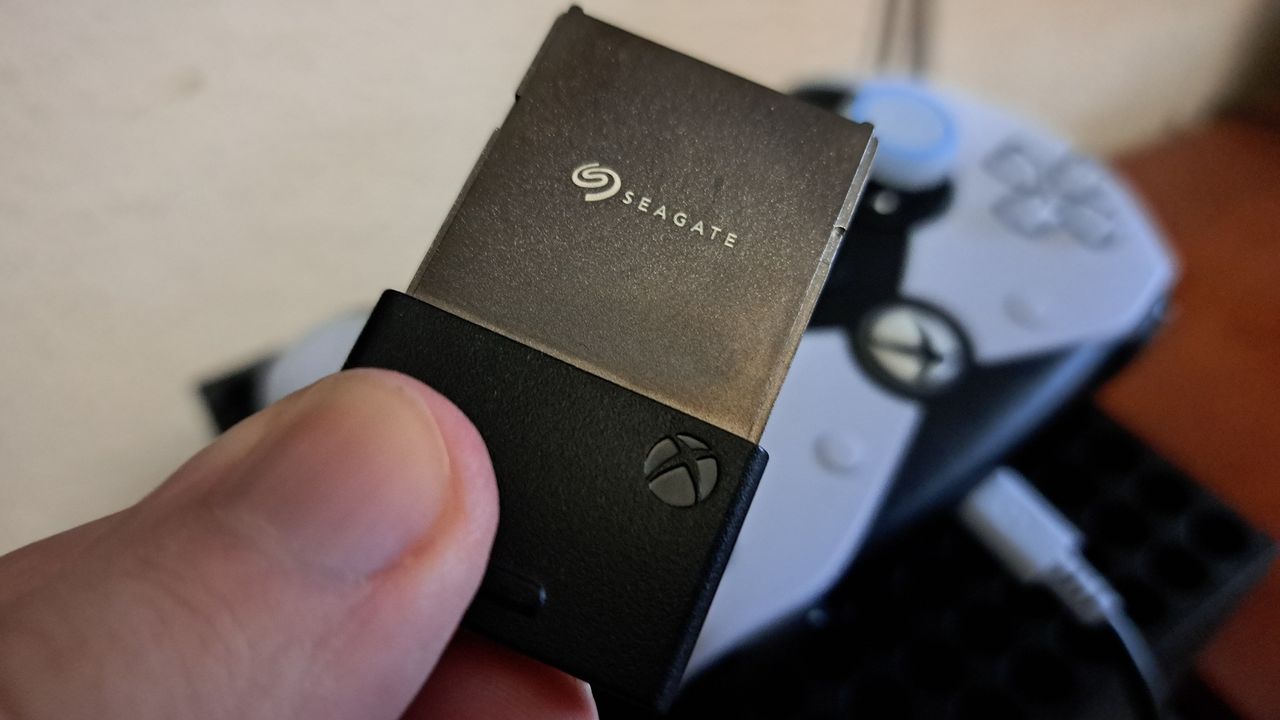
The Seagate Xbox Expansion Card is a must-have accessory for the Xbox Series X and Xbox Series S. It's a plug-and-play drive with quick enough speeds to play games right from the card.

But the Seagate Xbox Expansion Card is running out of stock. Scanning the web shows retail listings with warnings of low stock or a lack of stock at all. Other stores have the cards but at inflated prices. If you want to get a Seagate Xbox Expansion Card, you need to act quickly.

Below, I'll list all places I've found the card in stock. It's now difficult to find them at all, let alone at a good price.

This card allows you to expand the storage of your Xbox Series X or Xbox Series S. Stock is extremely limited.

1TB at GameStop for $199.99
2TB at Walmart for $299
2TB at GameStop for $299.99
2TB at Adorama for $349.99
1TB at Newegg for $362.01

Windows Central review:⭐⭐⭐⭐View Deal

Is it a good time to buy a Seagate Expansion Card?

Seagate Expansion Card

You can skip game file management and space issues with the Seagate Storage Expansion Card for Xbox. (Image credit: Windows Central)

Right now is a good time to buy a Seagate Xbox Expansion Card for three reasons. First, the card is below its launch price at certain retailers. Second, the card is running out of stock, so if you want one you need to act quickly. Third, games like GTA 6 and Call of Duty: Black Ops 7 will take up a lot of space, so you'll need more storage.

Gaming prices are out of control right now. RAM and storage seem to get more costly each month. There aren't signs of the market correcting any time soon, either.

The most pressing factor here is that stock of the Seagate Xbox Expansion Card is running out. Literally as I wrote this article, Best Buy marked the card as unavailable. Newegg and Amazon have the card in stock but at wildly inflated prices.

The only Seagate Xbox Expansion Cards I've found in stock are the ones listed above, including the 2TB model at Walmart. If you spot a model in stock, please flag it and I'll update this piece.

Click to join us on r/WindowsCentral

Join us on Reddit at r/WindowsCentral to share your insights and discuss our latest news, reviews, and more.

Photograph of the 1TB Seagate Storage Expansion Card for Xbox Series X|S

Photograph of the 1TB Seagate Storage Expansion Card for Xbox Series X|S

A Lenovo Legion Go BIOS update is bricking handhelds, and out-of-warranty repairs aren't cheap

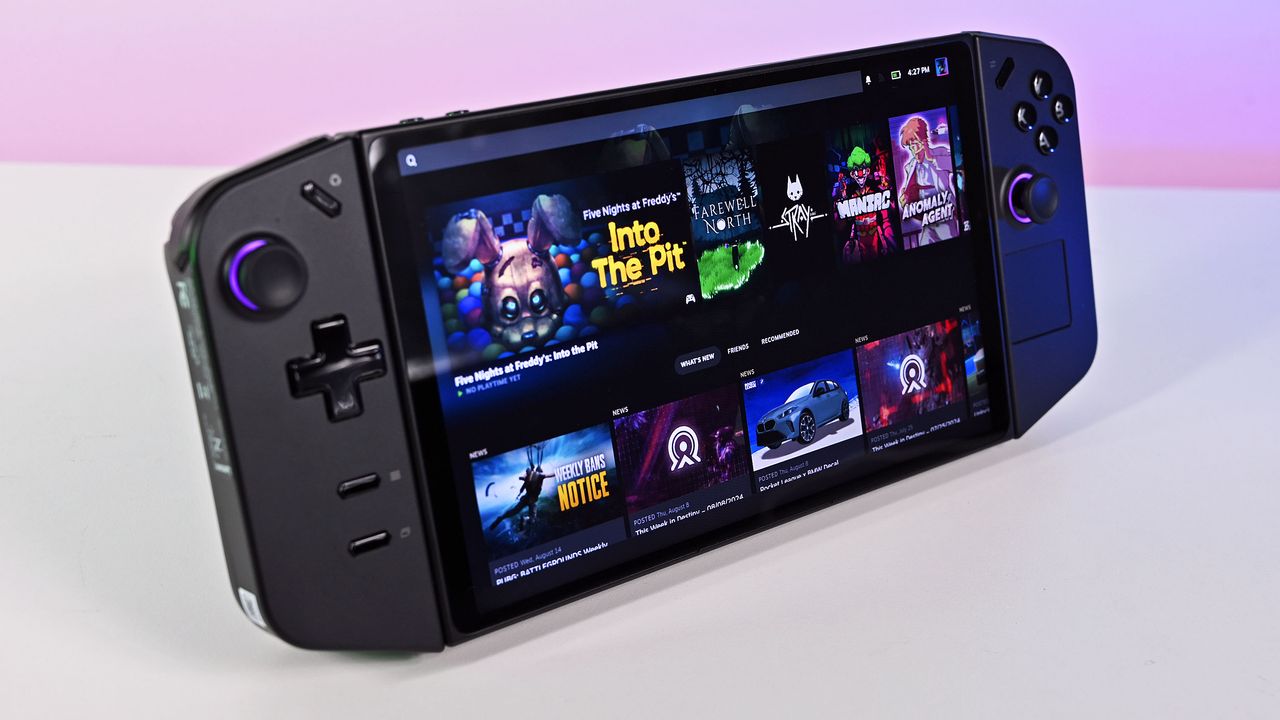
Lenovo Legion Go gaming handhelds are reportedly being bricked by a BIOS update. According to reports, installing the N3CN42WW update results in a black screen and systems not booting correctly.

It's not clear how widespread this issue is, but I suggest holding off on installing a BIOS update on your Legion Go until Lenovo has clarified the situation.

The problem affects the original Legion Go (often called the Legion Go 1 by fans), including both the Z1 and Z1 Extreme models.

In some cases, the Legion Go failed to boot immediately after the BIOS update was installed. In other cases, the failure occurred later.

Some users have said the performance of their Legion Go has gotten worse over time, such as the controllers not working.

Several Legion Go owners have reported issues on Reddit. The mods at the LegionGo subreddit shared the following:

"It has come to our attention that some of the Z1E and Z1 versions are being bricked when updating to the latest BIOS that was released on June 17th, 2026.

Please do not update your devices unless you are willing to assume all risks. We the mod team are trying our best to understand and get help on this."

They also asked people to share if they've run into the same issue.

Reddit user mherold11 said they reached out to Lenovo support to have their Legion Go repaired. They were told that fixing the gaming handheld would be a chargeable repair since the device was out of warranty. The quote for repair was €237.16 (roughly $273.81).

Other people in that same Reddit thread said their Legion Go gaming handhelds were repaired at no cost when still in warranty.

One Reddit user had luck performing their own repair, but that fix was complicated and is not recommended for general users.

This is a developing story and we do not know the extent of the issue. If you have a Legion Go and have been affected by the issue (or have upgraded and not run into the problem), please share with us through the comments below and reach out to Lenovo and the mods of the LegionGo subreddit.

Blank Pixel

Click to join us on r/WindowsCentral

Join us on Reddit at r/WindowsCentral to share your insights and discuss our latest news, reviews, and more.

Lenovo Legion Go (August 2024)

Lenovo Legion Go (August 2024)

I tried GUNNAR glasses and accidentally ended up working an extra hour because my eyes didn't hurt

Last night I surprised myself by working an extra hour at my desk. I occasionally work late, but what surprised me is that it happened by accident. I believe the blame falls on GUNNAR and a pair of glasses the company sent me to try out.

Like many people, I sit at a desk for the majority of my workday and stare at a screen for hours on end. I often get headaches or eye strain after working for too long without a break. I've spent years building up an ergonomic workstation to help my back, knees, and wrists, but I've neglected my eyes.

GUNNAR glasses are designed to block blue light. I've been aware of the company for years, in part due to their various gaming partnerships, but I had never used a pair myself. Gunnar and I got in touch to let me try a pair.

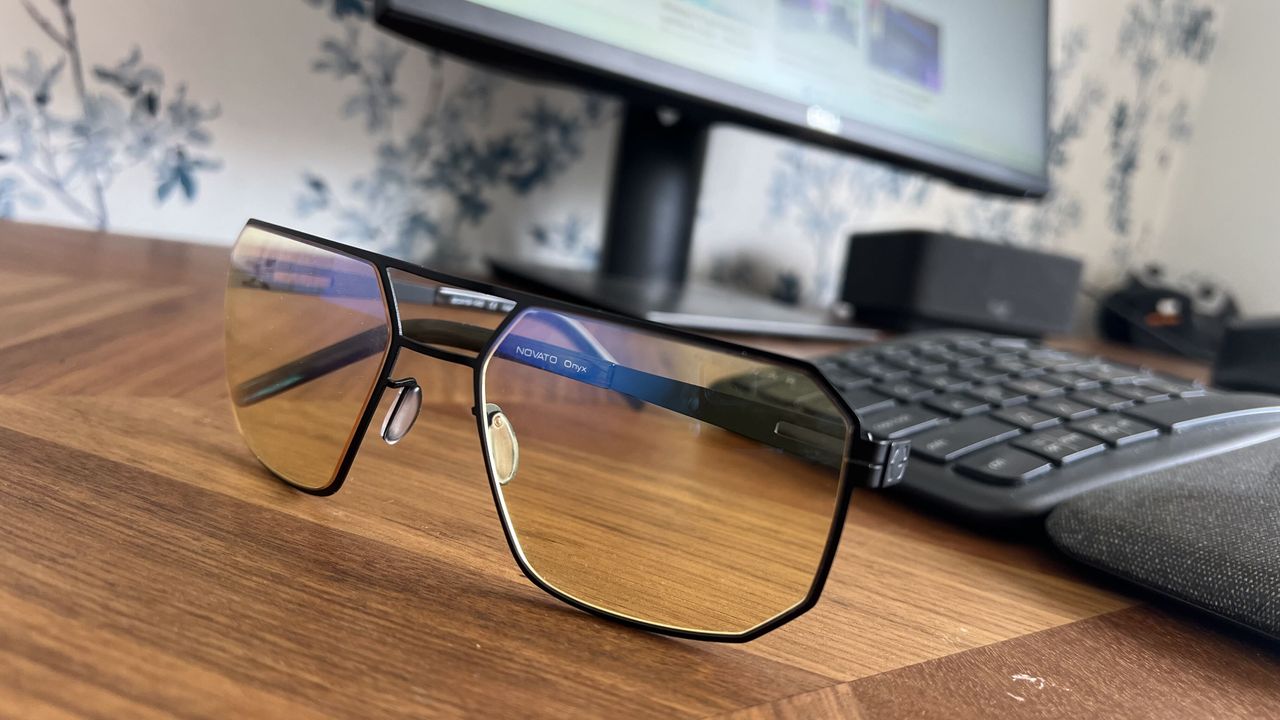
The Novato pair of glasses I was sent has the amber tint that's available in many frames from GUNNAR. This particular pair has a slight magnification as well, though it's available with a neutral focus.

When I slipped on the glasses, I felt my face relax almost instantly. I then continued to work throughout the afternoon.

Later in the evening, I noticed that I had worked an hour later than usual.

I got to the end of my normal day and just kept working because I didn't realize how late it was. I usually need breaks every once in a while to rest my eyes, but since my eyes didn't hurt I lost track of time.

These glasses filter out blue light to reduce eye strain caused by staring at a screen. They're made with a lightweight titanium frame and have anti-reflective coating.View Deal

GUNNAR glasses vs. f.lux and Windows 11's Night Light

I've used apps like f.lux and Windows 11 features such as Night Light to filter out blue light from my PC screen. I still recommend those apps to anyone who wants to reduce eye strain or who works late at night.

I was, however, surprised how much the GUNNAR glasses felt different than using software to reduce blue light.

I'm not an eye doctor or any type of medical professional, so please take my experience as simply a hands-on with the GUNNAR glasses. When I put them on, it felt like the entirety of my eyes could relax rather than just having a specific screen filtered.

While apps like f.lux are great, they don't do anything to filter out blue light from overhead lighting or any other light sources in your room. Slipping on a pair of GUNNAR glasses came much closer to filtering blue light out of the entire room.

This particular model of GUNNAR glasses rests quite close to my face, though they have models that wrap around even more.

I'm sure that part of the improved experience is mental. My mind feels like it can relax my eyes, so my face follows. With the glasses on, I caught myself squinting or flexing my face less.

I'm not sure if accidentally working an extra hour is a good thing or a bad thing, but if I can harness the experience for my normal working hours, I'll be very excited. I plan to use these GUNNAR glasses and some other frames over the coming weeks and will follow up with how things go.

Blank Pixel

Click to join us on r/WindowsCentral

Join us on Reddit at r/WindowsCentral to share your insights and discuss our latest news, reviews, and more.

Close-up of Gunnar Novato Onyx computer glasses featuring amber lenses and a matte black geometric metal frame resting on a wooden desk in front of a monitor and keyboard.

Slipping on the GUNNAR Novato Onyx glasses instantly reduced my eye strain.

I can't wait to use this new Outlook feature to rearrange my schedule

Microsoft Outlook has a handful of changes in the works that will make it easier to stay on top of emails and events. Some of the upgrades, such as drag and drop support for rescheduling events, will change how you interact with Outlook, while others are smaller upgrades.

All of the improvements are detailed on the Microsoft 365 Roadmap. I've taken five of the most exciting entries from that roadmap and gathered them in the chart below.

Feature

Description

Rollout Start

Platform

Filter messages by events

You can now filter your messages for calendar invitations. Simply go to the filter and select Events from the drop down.

August 2026

Android and iOS

Copilot Chat pop-out for Outlook for Mac and iPad

Copilot Chat remains accessible within an Outlook app window but now can also be popped out to float over the main Outlook app window. Popping out Copilot Chat allows people to switch contexts or have more space for what they are working on in Outlook and control the space and form that Copilot Chat takes on screen. When you open Copilot chat and click the pop-out button, Copilot will open separately over the main Outlook window.

August 2026

iPad and Mac

Drag and drop

You can now reschedule events by dragging them to a new time slot in your calendar. This feature is available in day and multi day views.

August 2026

Android and iOS

Insert signature image from OneDrive

Users can now insert images into their email signature directly from OneDrive, in addition to the device photo library.

August 2026

Android and iOS

All day events to show up more clearly in the Mail module calendar preview

We're making it easier to tell when receiving meeting invites that conflict with scheduled Out of Office time or Busy All Day events, on Outlook Web and Outlook for Windows.

August 2026

Desktop and web

Being able to filter messages to only show those with calendar invitations will save me a lot of time. I get a lot of calendar invites from my wife to coordinate our schedules, but I also get a lot of emails from my wife about other things.

After finding those events, I'll be able to move them around in Outlook by dragging and dropping them. Since we have a young child, we often need to move things to different times of the day to align with naptime. I wish drag and drop support was on the way to the web version of Outlook as well, but the roadmap entry only mentions iOS and Android.

Which features would you like to see added to Outlook? Are there any improvements on the way that you're especially excited about? Let us know in the comments!

Blank Pixel

Click to join us on r/WindowsCentral

Join us on Reddit at r/WindowsCentral to share your insights and discuss our latest news, reviews, and more.

Microsoft Outlook on Android

Microsoft Outlook on Android

Windows Insiders have one week to update their PCs, or else

Windows Insiders need to update their PCs to be on a recent build of Windows within the next week. The latest Windows Insider builds contain a renewed flight certificate, which is important because the current flight certificate is set to expire on August 11, 2026.

Flight certificates are used to encourage people to keep devices up to date and on supported versions of Windows. Microsoft ships renewed certificates on a routine basis.

Microsoft emphasized the importance of a renewed flight certificate because in the past renewal mainly affected those in the Canary Channel. Now, those certificates apply across all Insider channels, including Experimental and Beta.

A brief reminder about the flight certificate appears at the top of the change log for the most recent Insider build:

"Today’s Experimental (Future Platforms) build contains a renewed Windows Insider flight certificate. Windows Insider Preview builds use flight certificates that are renewed periodically to help ensure Insider devices remain on supported builds and continue receiving future Insider Preview updates. The current flight certificate expires on August 11, 2026, so please update your device to a build containing the renewed flight certificate before that date."

A separate document dives into more detail, though the main takeaway is that Insiders should simply update their PCs to a recent build. Microsoft shared the chart below to help Insiders stay up to date.

Channel

Core

Minimum Build

Experimental

Future Platforms

29634.1000 (available July 27, 2026)

Experimental

26H2

26300.9032 (available July 31, 2026)

Experimental

26H1

28120.2630 (available July 31, 2026)

Beta

25H2

26220.9022 (available July 31, 2026)

Beta

26H1

28020.2623 (available July 31, 2026)

Once you've performed this one-time larger update, your PC will go back to receiving regular updates.

If you don't update your PC to a build with a fresh flight certificate, you'll start seeing a warning that says, "This build will expire soon" on your desktop. You will also stop receiving automatic background updates once the flight certificate expires.

You should update your PC to a build with a fresh flight certificate, but if you don't, you can fix the issue by going to Settings > Windows Update and letting your PC install the latest build.

Test builds of Windows 11 are designed to expire relatively quickly, so you should update your PC regularly if you're a Windows Insider. Doing so will ensure your system is running a supported version of Windows.

Blank Pixel

Click to join us on r/WindowsCentral

Join us on Reddit at r/WindowsCentral to share your insights and discuss our latest news, reviews, and more.

Windows 11 update in Settings app

Windows 11 update in Settings app

Microsoft pays security researchers $20M following AI-backed surge in bug reports

562 researchers across 64 countries were on the receiving end of $20 million of rewards from the Microsoft Bounty Program. That program has researchers work with Microsoft to identify and report vulnerabilities across Microsoft's products and services.

The program has been around for years, but the $20 million in awards is a new record. For context, the Microsoft Bounty Program awarded $17 million to 344 researchers last year.

How much researchers receive depends on the type of vulnerability they report. Cloud programs and Zero Day Quest vulnerabilities are capped at $100,000 per vulnerability. Reporting an Endpoint and On-Premises program vulnerability can be worth up to $250,000.

Of course, those are the maximum payouts per report. Many reported vulnerabilities result in smaller awards.

Microsoft expanded the scope of its researcher awards last year. Now, in addition to flagging traditional bounties, researchers can be rewarded for reporting vulnerabilities in open-source software, third-party components, and Microsoft cloud services.

Microsoft detailed the rewards in a recent blog post.

"Security is a team sport. Every vulnerability reported through our bounty programs represents an opportunity to address risk before it can be exploited against customers," said Microsoft. "The work of the research community plays a critical role in helping Microsoft stay ahead of emerging threats while strengthening the security of cloud services, AI systems, enterprise platforms, and consumer technologies."

Microsoft credited the increase in submissions in part to AI. Increasingly, AI is being used to help security researchers.

Microsoft also uses AI to find and fix vulnerabilities as well. Unfortunately, AI can also be used by hackers to quickly leverage discovered vulnerabilities. As a result, there is an AI arms race happening between malicious actors and security researchers.

Microsoft also recalled the success of the Microsoft Zero Day Quest, which had researchers from 20 countries travel to Microsoft's campus in Redmond, Washington. Over 700 vulnerability reports were filed and over $2.3 million was awarded at that event.

Blank Pixel

Click to join us on r/WindowsCentral

Join us on Reddit at r/WindowsCentral to share your insights and discuss our latest news, reviews, and more.

Microsoft's Surface Pro 12-inch 1st Edition (2025) powered by Qualcomm Snapdragon X Plus processor.

A vulnerability report on the Copilot experience can result in an award of up to $30,000.

This eGPU hack proved Snapdragon laptops can game with an RTX GPU, but developers need to catch up

The ASUS Zenbook A16 is not a gaming laptop, but what if it were a gaming desktop? One YouTuber sought to find out what happens when you connect an eGPU to the Zenbook A16. The results are surprising and show a promising potential future for gaming on Arm processors.

Connecting the Zenbook A16 is not something for the faint of heart. Until recently, it was not possible to connect any GPU to a Snapdragon X-powered laptop, even if you were willing to use unofficial methods.

ETA Prime connected an RTX 4060 to a Zenbook A16 using the developer driver for RTX Spark. That GPU is also from NVIDIA, and its driver can be installed on a PC like the Zenbook A16 to connect an RTX 4060.

Obviously the setup is not official or optimized, but it does work to an extent. Some other NVIDIA GPUs were also successfully connected, but ETA Prime saw the best performance with the RTX 4060.

ETA Prime runs through all of the specific hardware used, but the heart of it all is the AOOSTAR AG03 Thunderbolt 5 & OCuLink eGPU Dock.

The Zenbook A16 was able to hit impressive framerates and settings when connected to the RTX 4060.

In ETA Prime's video, you'll see Forza Horizon 6, Cyberpunk 2077, Project Cars 2, and DOOM: The Dark Ages at very respectable framerates and settings.

Hitting those framerates often required frame generation, but gameplay looks smooth. In Cyberpunk 2077, ETA Prime was able to hit the low 40s at high settings without frame generation and the low 70s with frame generation.

The Zenbook A16 runs on a Snapdragon X2 Elite Extreme processor, which is quite speedy. But the chip leaves a lot to be desired when it comes to graphics. On top of that, games are not always optimized for Windows on Arm, so you can end up with issues like Halo: Campaign Evolved missing textures and having a transparent ground.

Experimentation by ETA Prime and Ghobso Gaming (who tested Halo: Campaign Evolved) shows that Snapdragon X2 chips are capable of playing games. But those processors lack support and optimization.

If drivers ship and game developers embrace Snapdragon X-powered PCs, we could see a significant jump in gaming on Windows 11 on Arm.

Blank Pixel

Click to join us on r/WindowsCentral

Join us on Reddit at r/WindowsCentral to share your insights and discuss our latest news, reviews, and more.

Studio photos of the 2026 ASUS Zenbook A16 laptop featuring the new Qualcomm Snapdragon X2 Elite Extreme processor.

Studio photos of the 2026 ASUS Zenbook A16 laptop featuring the new Qualcomm Snapdragon X2 Elite Extreme processor.

Apple confirmed iPhone-to-Windows clipboard sync is coming, but only because the EU forced its hand

Your iPhone and your PC are about to get a bit closer. Apple is working on allowing your iPhone's clipboard to connect to your Windows 11 clipboard.

The feature was requested by Microsoft and after review, Apple has agreed to move forward with it. MacRumors first spotted the change and 9to5Mac expanded on that coverage.

Rather than just a friendly note, Microsoft reached out to Apple in the form of an EU Digital Markets Act (DMA) interoperability request.

At the moment, apps can only access an iPhone's clipboard if the app is actively running in the foreground. Apple will need to grant access to Microsoft to make clipboard syncing possible.

Apple already has a Universal Clipboard feature that works across iOS and macOS. That feature is one of many benefits of users being in Apple's ecosystem.

Microsoft argued that “cross-device copy and paste is a foundational productivity interaction that users expect to ‘just work’ across their primary devices."

Microsoft also described the use cases for the interoperability:

  • Copy text or other supported content on their iPhone and paste it directly on their Windows PC, and vice versa.
  • Perform common productivity workflows without needing to foreground an app or take explicit repeated actions to initiate a transfer.
  • Experience clipboard synchronization as a lightweight, continuous capability rather than a manual, app-driven operation.

On June 26, Apple confirmed that it will make the feature available:

"We will introduce a new solution that will follow similar patterns to the Accessory Notifications and Accessory Live Activities frameworks that were introduced on iOS26.5. It will enable you to create an extension to share and import pasteboard items with paired accessories. The system will notify your extension when items are copied into the clipboard; then your extension can use the Accessory Transport Extension framework to share the contents with your accessory as necessary using available transports."

If the feature does ship, it will rely on Apple’s AccessorySetupKit, which is an API framework that requires authorization from both the connected Windows PC and iOS device.

Unfortunately, there are several caveats to the interoperability. First, it will likely not be ready until at least late 2027. Apple referred to creating the feature as a "significant engineering effort," and noted development will be complete by fall 2027. After that, the feature will enter beta and eventually ship to the public.

Even when the clipboard connection becomes available, it may be limited to users in the European Union (EU). When forced to create features or expand them across platforms, Apple sometimes only rolls out the changes within the EU. In other instances, Apple has released the improvements to everyone, regardless of location.

Microsoft has taken a similar approach when dealing with the EU. I would argue the best version of Windows 11 is limited to EU users because they have greater control over which apps are installed on their PC.

Blank Pixel

Click to join us on r/WindowsCentral

Join us on Reddit at r/WindowsCentral to share your insights and discuss our latest news, reviews, and more.

iPhone X resting on a Windows PC showing the Microsoft logo

iPhone X resting on a Windows PC showing the Microsoft logo

I used this free Microsoft Edge feature to replace a $29 subscription, here's how it held up

Microsoft Edge has a lot of built-in features that go unnoticed. Read Aloud has been part of Edge for a long time, and I use it all the time to review articles and listen to content. But after weeks of testing, I understand how Edge's Read Aloud feature stacks up against a dedicated tool for text-to-speech.

Speechify launched a Windows app earlier this year that adds real-time text-to-speech and voice typing to PCs. There was already a Speechify web extension, which is what I used for testing here. Speechify shared Premium access with me to help me assess their app and extension, so I've had several months to get used to them and compare them to alternatives.

Interestingly, Speechify and Read Aloud in Edge excelled in different areas.

Accuracy and cadence

Side-by-side comparison of two Microsoft Edge browser windows displaying Windows Central articles—one using the Speechify extension (left) and the other using Edge's built-in Read Aloud feature (right).

Speechify (left) offers smoother natural voices and page navigation, but Edge's built-in Read Aloud toolbar (right) handles basic text-to-speech for free. (Image credit: Future)

Read Aloud supports a large library of voices. These are fun to play around with since there are quite a few English options sporting different accents.

All of the voices marked as "Natural" in Read Aloud sound fluid and are easy to understand. Occasionally, the feature will pause for a moment as it decides where to jump to next on a page (more on that below).

Read Aloud finds text well and presents pages using voice, allowing you to multitask or absorb content through both reading and listening.

While Edge's voices sound fluid, Speechify's voices sound more natural. They sound as if a voice actor is in a booth reading to you. There's a bit more bass in each voice and more depth than what's in Edge.

Speechify has several celebrity voices, which to be honest I'm not too fussed about. I don't need robot Gwyneth Paltrow to read me the latest Xbox news, but it's an option if you'd like her to.

Voices in Speechify are labeled based on their key characteristic, such as "Velvety" or "Easygoing." The "Resonant" Dominic voice would be a great choice to read the next Sarah J. Maas novel, but I don't think he's the best option for tech news.

Because Speechify's voices are clear and natural-sounding, you can play them at faster speeds before they sound ridiculous. I'm able to play Speechify voices at over 2.2x speed and still understand them. Edge's Read Aloud voices max out at around 2x speed before they're difficult to understand.

Dealing with the modern web

The modern web is full of inserts, page breaks, ads, and other components. When you read an article online, you rarely see a large block of uninterrupted text. In fact, my editor would tell me off if I published a piece of just text.

In order for articles to be visually engaging, publishers place block quotes, embedded posts, videos, and other items. When you read an article, you scan over certain content without thinking. If you spend a lot of time on the web, you've learned what should be read as part of an article, such as a block quote, and what is separate, like a list of related pieces.

Microsoft Edge's Read Aloud feature has not learned the same lessons. It will jarringly jump between the main text of a piece and a "You May Like" section.

In contrast, Speechify sticks with the main text of an article and hops over inserts that are off-topic. In my testing, Speechify correctly identifies the content I'd like read, such as block quotes, but bypasses things I'd want to circle back to later and click.

Both Read Aloud in Edge and Speechify hopped past ads in my experience, which is nice.

This app adds voice typing and text-to-speech to Windows. It can read PDFs, web pages, or documents and can be used to convert spoken words to text with correct punctuation.

A subscription also gets you more features within the web extension.

Note that the free version of the Speechify app is limited to slower listening speeds, fewer voices, and text-to-speech (voice typing requires Premium). Voice typing is free within the extension.View Deal

Is Edge Read Aloud better than Speechify?

A stylized, 3D exploded view of the Speechify Voice AI interface. Two translucent, glass-like cards float in perspective, one highlighting

Speechify works well and sounds natural, but it's difficult to justify its cost when Edge can do much of the same for free. (Image credit: Speechify | Edited with Gemini)

Edge's Read Aloud feature is surprisingly solid for a free tool that's built into Microsoft's browser. If you only care about listening to the web, it's the better choice for most people.

Speechify is not worth its subscription cost if you only plan to use it to listen to articles out loud. A large portion of Speechify's value comes from its dictation features.

Don't get me wrong, Speechify is very good at reading websites and documents out loud. I prefer how it handles ads, text blocks inserted into pieces, and other website components. I also prefer the voices in Speechify.

But Edge's built-in Read Aloud feature works well and is free. Paying $29 per month is a large investment to listen to articles.

If you need to dictate text and listen to articles, I'd suggest trying Speechify.

Blank Pixel

Click to join us on r/WindowsCentral

Join us on Reddit at r/WindowsCentral to share your insights and discuss our latest news, reviews, and more.

Microsoft Edge Vertical Tabs

Microsoft Edge has a built in Read Aloud feature that can read articles.

❌