Vue normale

Microsoft’s emissions just jumped 25% because AI datacenters are exploding in size, and dropping renewable credits finally exposed how much power the company is burning to fuel its AI ambitions

Microsoft’s latest sustainability report sparked claims that the company produced 34 million metric tons of carbon emissions in a single year. That figure was never reported by the company. What the report actually shows is a 25 percent year‑over‑year increase driven by AI datacenter expansion and Microsoft’s decision to stop buying unbundled renewable energy certificates.

The Microsoft Environmental Sustainability Report shows a complicated progression of rising emissions caused by AI datacenters, controversial "greenwashing" tactics, and enough wiggle room to leave space for debate.

Real emissions vs estimated emissions

When I first read the coverage surrounding the Microsoft Environmental Sustainability Report, it seemed like a clear case of AI hurting the planet and a tech giant callously damaging the environment. I was ready to write a piece calling out Microsoft for setting carbon neutral goals and then increasing carbon emissions by 25% in a single year.

But as I do with any story I cover, I went to the source material and did some digging. What surprised me is that the Microsoft Environmental Sustainability Report does not indicate unbridled burning of fuel to power AI datacenters. Instead, it shows efforts to reduce emissions and make meaningful changes.

I want to be clear, AI datacenters do create high carbon emissions. Microsoft is not faultless when it comes to energy use or pollution. I think there is a lot more the company could do to help the environment. I also think there's some misunderstood data seeping onto social media and throughout the web.

A chart from the Microsoft Environmental Sustainability Report illustrating emmissions and hypothetical emission rates.

The most recent Microsoft Environmental Sustainability Report shows the actual emissions of the company (solid line) compared to the estimated emissions if Microsoft had not taken steps to reduce its emissions. (Image credit: Microsoft)

The above chart from the Microsoft Environmental Sustainability Report shows Microsoft's actual reported emissions over the years and the estimated emissions without select interventions. The footnote on the chart directs to a clarifying statement on the estimate. I'll include the full footnote here but highlight the most relevant text:

"The solid line represents Microsoft’s reported greenhouse gas emissions (Scopes 1, 2, and 3) for FY20–FY25, prepared in accordance with GHG Protocol and management’s criteria, and uses a market-based emissions approach. The dotted line represents an illustrative counterfactual scenario of estimated emissions had select, discrete carbon reduction initiatives not been undertaken. These initiatives include energy efficiency improvements for XBOX consoles, renewable energy purchases, sustainable aviation fuel (SAF) and sustainable marine fuel (SMF) certificates, and supply chain decarbonization of Surface devices. The difference between the two lines is an estimate of emissions avoided through these specific initiatives relative to a scenario without those initiatives occurring. This estimate is directional in nature, does not represent the full scope of Microsoft’s decarbonization efforts, and is not part of our reported greenhouse gas inventory. It should not be interpreted as a comprehensive measure of total emissions reductions or as additive to other carbon reduction or removal claims."

Basically, the chart shows Microsoft's actual emissions and then a rough estimate of how much the company would have emitted had it not taken steps to reduce its carbon footprint. But Microsoft did take those steps. Microsoft did not have 34 million metric tons of carbon emissions in the last year. The actual emissions figure is 20 million metric tons.

That's still a massive amount of emissions, and 20 million metric tons is a 25% increase year-over-year, but there's some needed context.

What are unbundled renewable energy certificates?

Climeworks facility in Iceland

Microsoft has several plans to reduce carbon emissions, including a 10-year partnership with Climeworks for direct air capture. (Image credit: Windows Central | Jez Corden)

Microsoft's carbon emissions increased by 25% in a single year. The increase was driven primarily by Microsoft's expansion of datacenter infrastructure and the fact that the company paused the purchase of unbundled renewable energy certificates.

In February 2025, Microsoft announced that it "ceased purchasing non-additional, unbundled renewable energy certificates." That decision led to the massive jump in emissions seen in the recently published sustainability report (in conjunction with AI datacenter infrastructure expansion).

Renewable energy certificates (RECs) represent the legal ownership of the "renewable-ness" of generated electricity. Unbundled RECs are sold separately from the electricity itself.

The United States Environmental Protection Agency notes that "Unbundled Renewable Energy Certificates (RECs) refer to RECs that are sold, delivered, or purchased separately from electricity. RECs provide no physical delivery of electricity to customers and as such the customer is purchasing power from a separate entity than the one selling them the REC."

The separation of generated electricity from the legal ownership of the "renewable-ness" is controversial (that phrase comes straight from the EPA).

Many, including myself, view unbundled RECs as a form of greenwashing. Microsoft or any other company can legally say they are powered by renewable electricity without actually using the electricity that was generated.

The defense is that buying unbundled RECs financially contributes to the development of renewable energies.

Microsoft did not refer to unbundled RECs as a form of greenwashing, but its statement is telling:

"While we continue to apply the carbon fee to investments in emissions reductions, we have ceased purchasing non-additional, unbundled renewable energy certificates. We are refocusing the use of these funds on more long-term, higher-impact investments across carbon reduction, carbon removal, and clean electricity procurement. These interventions are expected to more effectively help us achieve our goal of becoming carbon negative by 2030 and may take us out of carbon-neutral position."

Microsoft implied that unbundled RECs are not the most effective way to have a long-term positive impact on the environment.

The rest of the report

The Microsoft Environmental Sustainability Report is 65 pages of dense information. It links to several external resources as well. If it were a paper report, there'd be a good joke here about an environmental report killing so many trees.

A large portion of the report is dedicated to discussion about Microsoft's use of water, which is a critical component of its environmental strategy. Notably, Microsoft replenished more water than it withdrew in the year.

Because of the size of the report, I've focused on the carbon emissions of Microsoft, but I suggest people read the entire report to get perspective on what's being done and where Microsoft still falls short.

Click to join us on r/WindowsCentral

Join us on Reddit at r/WindowsCentral to share your insights and discuss our latest news, reviews, and more.

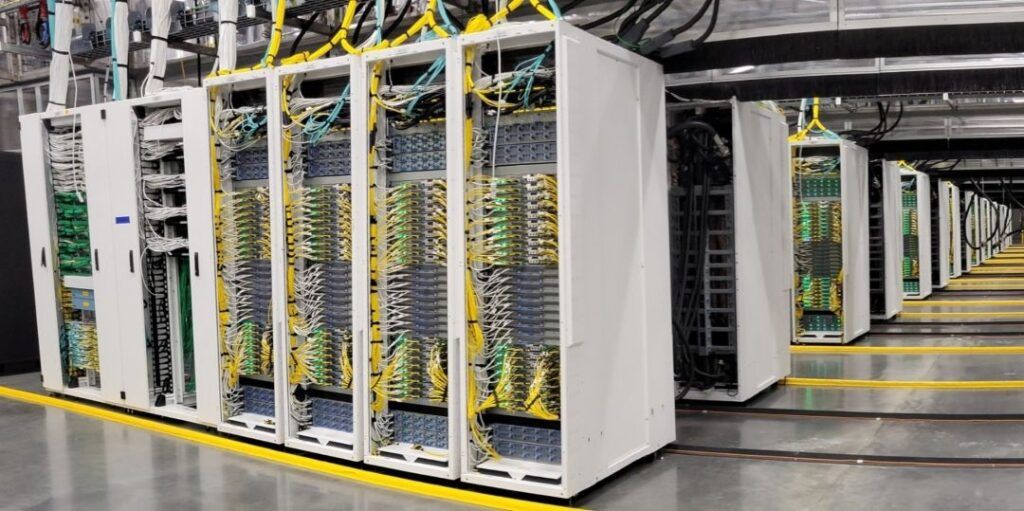
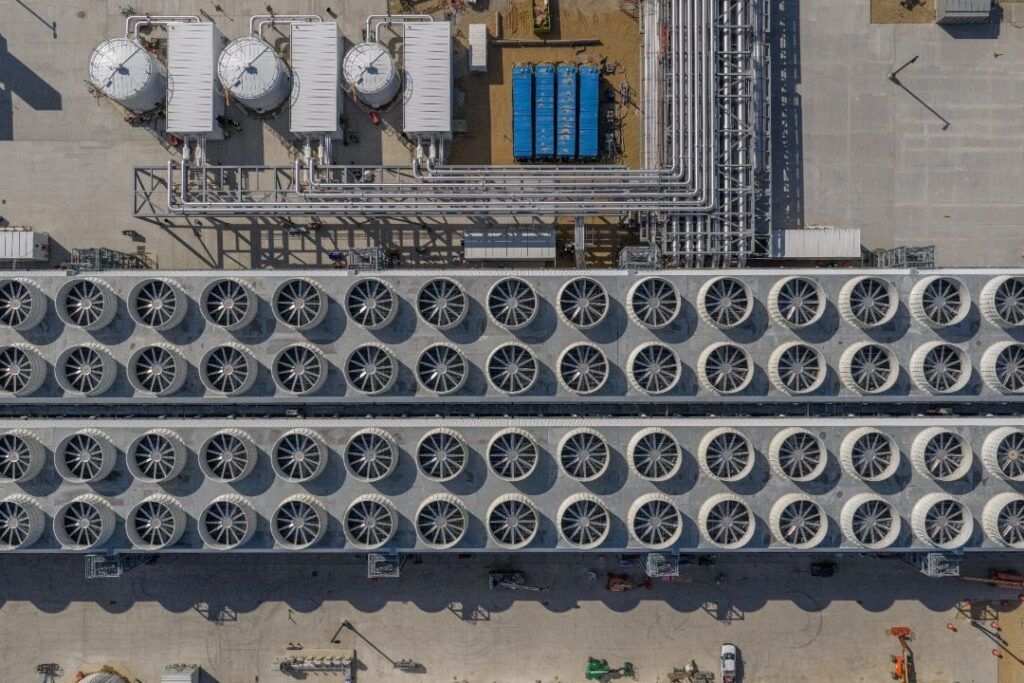
Microsoft Fairwater Datacentre

Microsoft's Fairwater Datacenter is one of the most powerful datacenters in the world. It is one of many datacenters contributing to Microsoft's spike in carbon emissions.
As physical media fades, Windows 11’s Cloud rebuild shows how tech giants should handle user choice

With Sony planning to stop making discs for games and revoke access to movies and TV shows people paid for, physical media is more important than ever. Xbox is considering a disc-to-digital program for Project Helix, proving Microsoft weighs the importance of physical media when making decisions.

But the physical media debate isn't really about discs; it's about control. People want to control the content and devices they've purchased. Microsoft's newly expanded options for resetting PCs showcase how choice and control can be given to consumers.

Like many, I've spoken out against Sony's plans and advocated for physical media to be preserved. So, it might come as a surprise to hear that I'm happy about the new option to reset a Windows 11 PC that relies entirely on the cloud and does not use a USB drive.

While I advocate for physical media to preserve ownership of games and movies, when it comes to the pure utility of fixing a broken PC, convenience wins.

A new feature called Cloud rebuild is in testing on Windows 11. It lets you restore a PC to a clean state without needing an external drive.

What is Cloud rebuild on Windows 11?

Windows 11 Recovery Drive

Microsoft has added a new option to reset your PC by using the cloud, but the previous options remain in place. (Image credit: Daniel Rubino / Windows Central)

Cloud rebuild is a feature that lets you reinstall Windows and your PC's drivers by using the internet. Rather than requiring a USB drive that's been set up, you can reset your PC entirely through the cloud.

Microsoft explained Cloud rebuild recently when the feature shipped to Insiders:

"Unlike Reset this PC, Cloud rebuild downloads both the target Windows image and the device's drivers from Windows Update, so the device comes back fully functional without USB media, without a custom image, and without depending on the health of the currently installed OS."

While Reset this PC and Cloud rebuild both let you recover your PC, they differ in important ways apart from the fact that one uses a USB drive and the other uses the cloud.

Reset this PC gives you the option to retain your personal files, which could save vital content from being lost. But even if you have an external USB install drive ready to go, you can only use Reset this PC if Windows is bootable.

The feature also requires you to have manually created a USB installer ahead of time on a working computer.

In contrast, Cloud rebuild works even if your PC refuses to boot. The downside is that it does not provide an option to maintain apps and files.

Blank Pixel

Cloud rebuild brings your PC to a clean slate with Windows working and device drivers in place.

The biggest advantage of Cloud rebuild is reliability. Cloud rebuild doesn't rely on a tool you've set up in advance or ensured was formatted correctly. It just pulls a fresh image and drivers through Windows Update.

All my files are stored on OneDrive and backed up elsewhere, so I don't need the option to retain my files. It would save a bit of time after a reset, but it's not essential.

Cloud rebuild does depend on having an internet connection, so a USB installer is still the safer option for people in low‑connectivity environments.

Let the people decide

Of course, having the option to use a USB drive or the cloud is best. While I personally prefer Cloud rebuild for restoring my PC, I want both options to be available. Many people prefer to have physical tools they know are reliable and that can run locally.

That's what the current debate about physical media comes down to: choice and control. The vast majority of game sales are digital, but people want the option to own physical media.

Windows 11 management is the same way. Some will rely on the cloud while others will have USB drives to reset their PC and SSDs stored away to back up files.

Cloud rebuild is the better option for my workflow, but the point isn’t to replace USB recovery. It’s to give people the choice and control. Just like physical media, recovery tools shouldn’t be taken away; they should coexist.

Click to join us on r/WindowsCentral

Join us on Reddit at r/WindowsCentral to share your insights and discuss our latest news, reviews, and more.

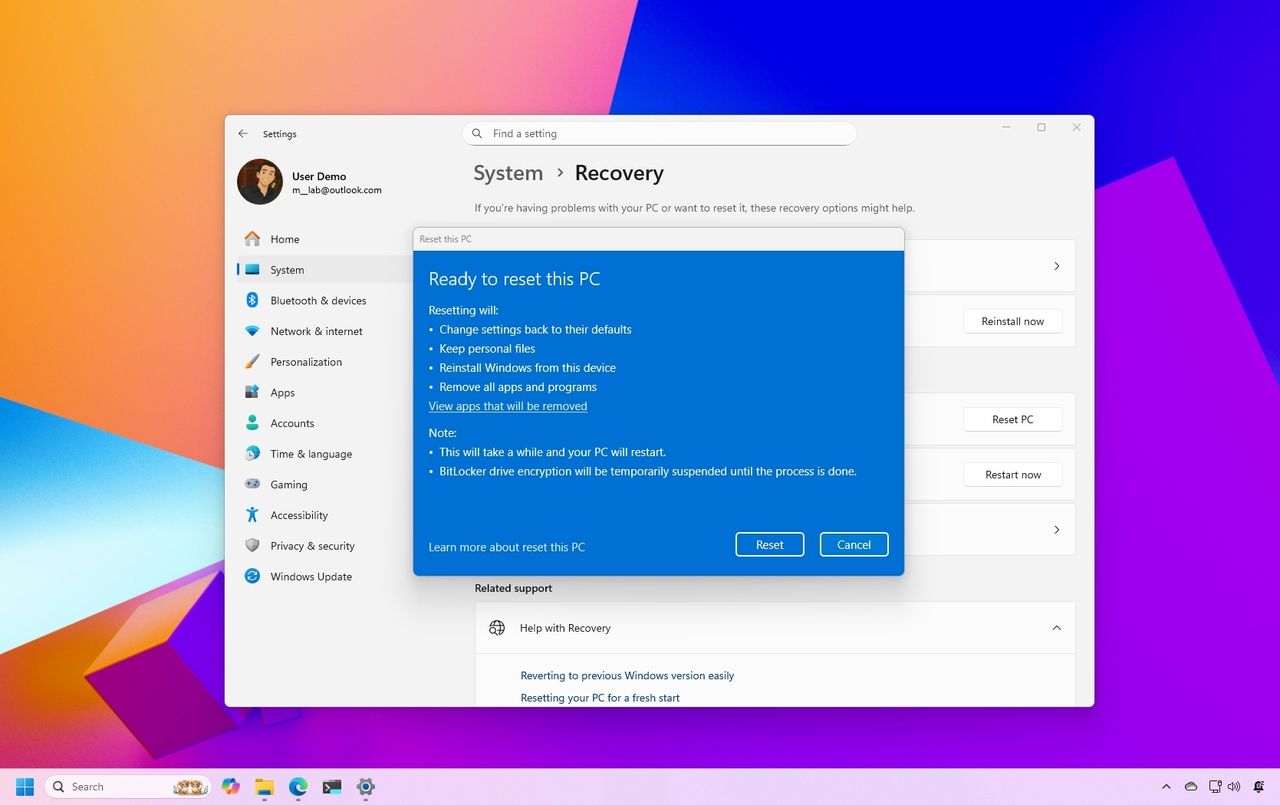
Windows 11 reset to factory settings

Windows 11 is testing a new Cloud rebuild feature to reset your PC without a USB drive.

Windows now uses AI to find and help fix vulnerabilities, but it's not replacing humans

Microsoft is using AI to protect Windows against attackers. The development represents an arms race because AI is also being used increasingly to find vulnerabilities modern tech, as highlighted by The Hacker News.

Hackers can use AI to find and take advantage of vulnerabilities that could then be weaponized. It's not just discovery that's been sped up, reverse engineering security flaws is now a quicker process because of AI. That means attackers can find flaws and quickly take advantage of them before traditional methods of protection could take effect.

To combat those malicious actors and evolving tactics, Microsoft is deploying MDASH (Multi-Model Agentic Scanning Harness) at scale across Windows.

Pavan Davuluri, EVP of Windows and Devices at Microsoft, shared a blog post about the new methods the company is using to protect Windows.

"The fastest way to reduce customer exposure is to find issues before attackers can use them," said Davuluri. "Windows is expanding its ability across the platform to find issues earlier, accelerate the engineering work to fix them, strengthen validation, and deliver timely, high-quality updates that keep customers protected."

Using AI to identify potential flaws, prioritize fixes, and scale discovery across the codebase of Windows lets Microsoft quickly roll out protection to customers.

To scale MDASH to Windows, a dedicated cloud infrastructure was set up for scanning for potential flaws. A separate prove pipeline then is used to eliminate false positives. The Windows engineering team can then act on the most likely candidates that need addressing.

Microsoft will expand its use of AI for scanning and proving to other parts of the company.

Using AI to improve work

When Microsoft announced 4,800 layoffs across the company, its leaders emphasized that the eliminated roles are not being replaced by AI. People across a wide range of sectors are concerned about automation taking human jobs.

The approach Microsoft is using to scan for issues and streamline the selection process of candidates to address represents AI helping people rather than replacing workers.

When speaking of improving internal systems and practices, Davuluri said, "That means using AI to help identify potential issues earlier in the development process, while relying on human expertise to evaluate findings, make risk-based decisions and ensure fixes meet the quality bar customers expect."

The end result is that more security updates will be included in each security release, which should protect PCs from the growing number of attacks.

Click to join us on r/WindowsCentral

Join us on Reddit at r/WindowsCentral to share your insights and discuss our latest news, reviews, and more.

Suface Laptop for Business 8th Edition with a black keyboard and a modern design, displaying a blue abstract swirl on its screen, set against a light gradient background.

Suface Laptop for Business 8th Edition with a black keyboard and a modern design, displaying a blue abstract swirl on its screen, set against a light gradient background.

Microsoft Forms just gave me another reason to prefer it over Google Forms

Microsoft Forms just got a major upgrade thanks to Copilot. Microsoft 365 Copilot chat now lives within Microsoft Forms, adding a familiar tool to those who use AI in Word, Excel, and PowerPoint.

Copilot in Microsoft Forms can suggest improvements to your polls and forms and present insights from responses.

The Copilot integration is available now to users with Microsoft 365 commercial Copilot licenses.

Microsoft listed all the changes to Forms in a blog post:

  • Smarter suggestions & refinements: Get targeted recommendations to improve your form’s structure, clarity, and effectiveness. Copilot can also apply refinements directly to the form, so you can save time making edits – just describe what you want, and watch Copilot make it happen.
  • Deeper analysis: Copilot can now analyze your results in-depth to provide clear insights and actionable takeaways for you and your team. You can even ask follow-up questions to help parse and summarize your data and unlock your next step.
  • More settings: Review and update form settings with ease, such as applying custom thank-you messages and close dates, so your form is ready to send. You can also adjust question settings in bulk, such as making questions required.
  • Open-ended chat: Copilot chat gives you access to a broad world of capabilities, whether you’re seeking inspiration on survey topics or consulting on how to configure your form – the possibilities are broad with Copilot at your fingertips.
  • Basic branching: Apply basic branching logic directly through the agent. (Note that some complex scenarios are not yet supported, and you should continue to review your branching logic prior to sending your forms.)

I use Microsoft Forms to gather feedback from my American football team. I admit that I first tried it because my job centers around knowing Microsoft products. But after using Microsoft Forms for a while, I grew to prefer it over Google Forms.

Microsoft Forms can sync with Excel documents, making it much easier to stay on top of responses. I'm deeply entrenched in the Microsoft ecosystem, so anything that works seamlessly with the rest of my workflow gets bonus points in my book.

I also prefer some of the features of Microsoft Forms, such as question-level branching. That feature makes filling out forms feel smoother when a poll includes branching questions because it keeps you on the same page.

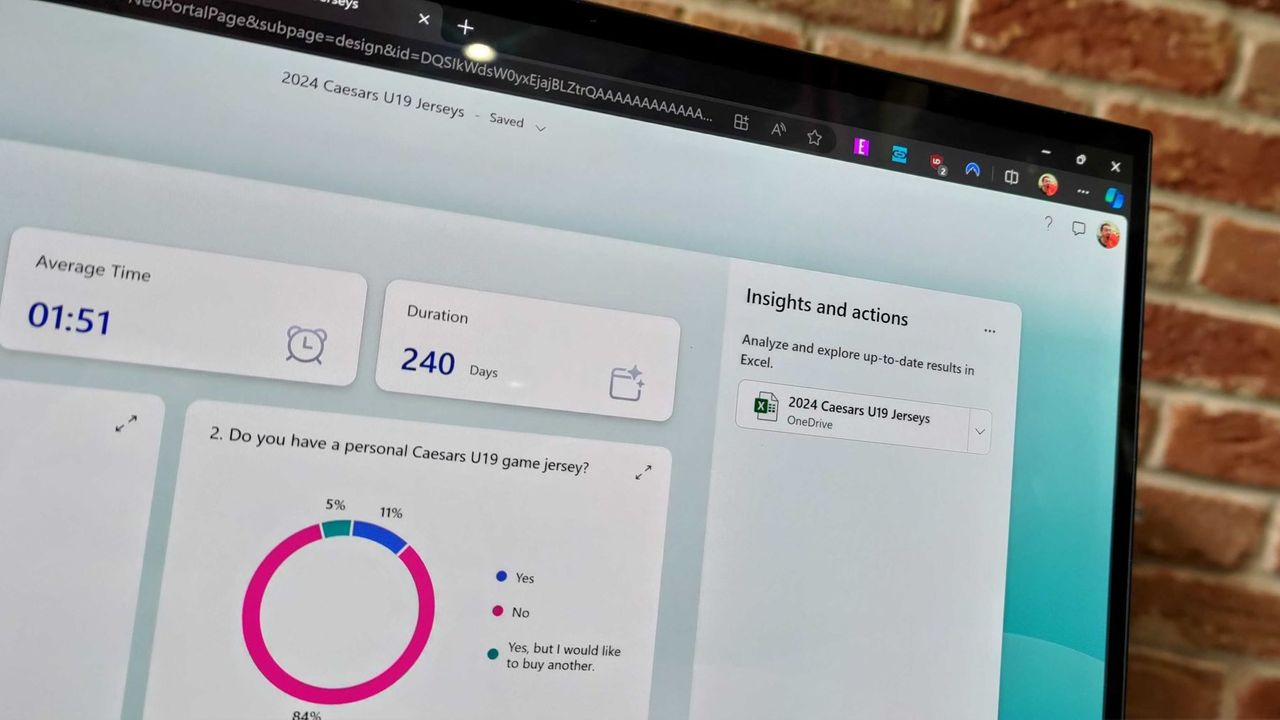
The layout of Microsoft Forms also presents results quicker because if you want to look at a chart, you don't need to open a separate spreadsheet.

The new Copilot experience in Forms could also be a boon to the platform, though I'll have to see it in action to judge. In my experience, Copilot as a general tool is good at suggesting improvements, performing bulk edits, and creating summaries, so it should thrive within Microsoft Forms.

Click to join us on r/WindowsCentral

Join us on Reddit at r/WindowsCentral to share your insights and discuss our latest news, reviews, and more.

Microsoft Forms results page

Microsoft Forms results page

Microsoft Teams removal shows why we shouldn't get too excited about preview features

A great feature won't make it to Microsoft Teams, at least anytime soon. Microsoft began testing two minimized views in Teams earlier this year, but development of the features has been paused.

The idea was that when an active meeting window was minimized, Teams would show a minimized window with shortcuts to perform actions like raising your hand or sharing a reaction. One option called Expanded view showed up to four participant videos, while the Compact view focused on quick actions and settings.

"Updated July 7, 2026: We have paused release to GA at this time. We will communicate via Message center when we are ready to proceed. Thank you for your patience," reads the Microsoft 365 Message Center (archived here).

The views were meant to start rolling out in May 2026, but they now sit stuck in the development pipeline. Neowin spotted that the feature was paused.

Two side-by-side screenshots show Excel spreadsheets with sales data and charts, one featuring a video call, and the other displaying a chat message pop-up over the spreadsheets.

Expanded view (left) and Compact view (right) would have shown shortcuts and key meeting content when the main meeting window was minimized. (Image credit: Microsoft)

There's always a chance that preview features will be changed significantly before release or cancelled. Microsoft also needs to work out any issues before shipping a change to Teams.

Microsoft did not share why it paused the development of these minimized views. They both seem like worthwhile additions to Teams that make multitasking easier. I hope Microsoft ships them to Teams eventually.

Teams gets new features regularly. The communication platform gets so many updates that Microsoft has to list changes in a monthly blog post.

But the most talked about Teams feature this year was omitted from the last roundup. Teams now has a controversial feature that lets your boss see where you are if you're connected to Wi-Fi networks at work.

Microsoft was accused of making Teams a "lapdog for your boss," but the company has made changes to the feature since first unveiling it. Microsoft delayed the rollout of that feature, changed the name of the option, and added better privacy controls.

The minimized views within Teams may go through a similar journey. We could see them in the future with altered controls, a new name, or in the same form but at a later date.

Click to join us on r/WindowsCentral

Join us on Reddit at r/WindowsCentral to share your insights and discuss our latest news, reviews, and more.

Microsoft Teams app seen displayed on a smartphone screen and a Microsoft Teams logo on a laptop in the background.

Microsoft Teams app seen displayed on a smartphone screen and a Microsoft Teams logo on a laptop in the background.

People want more value from Microsoft Rewards, and the new feedback portal makes that impossible to ignore

You can now provide feedback about the Microsoft Rewards Program through a new feedback portal. Similar to the new Xbox Player Voice forum, the Microsoft Rewards Feedback portal lets you suggest features, vote on feedback, and track the progress of changes.

The Microsoft Rewards Program has been around in some form for years, though it used to be under the Bing brand. You can earn points by using Microsoft services that you can then exchange for various rewards.

If you're deeply entrenched in the Microsoft ecosystem, you can earn a lot of points quickly. Over the years, I've used points to build up a library of movies. I value gift cards over other rewards, but you can also use your Microsoft Rewards points to enter sweepstakes and make donations.

I don't spend as much time earning points anymore because of the changes Microsoft rolled out this year.

Microsoft rolled out major changes to its rewards program in May, and some were received poorly. Those changes paired with the increase of the Xbox gift card cost have left plenty of room for feedback.

Generally speaking, points are less valuable than they used to be and there are fewer options for redemption. It's also harder to earn points in several ways.

I think there's a limit to how much we should complain about getting free things, but I think for many the effort to earn points is no longer worth it.

Most requested improvements to Microsoft Rewards

The Microsoft Rewards Feedback portal only launched yesterday, but a theme is already emerging. Several of the top pieces of feedback center around delivering more value to users.

"Redeem points for Game Pass subscriptions," reads the most upvoted piece of feedback. "Bring back Value for money gift cards for redemption," says another suggestion.

Other entries focus on community features, like creating a reward for people who complete 100% of a game or showing a badge on Xbox Live profiles that's related to Microsoft Rewards.

I predict requests to improve value will dominate the top of the Microsoft Rewards Feedback portal once it's given time to mature.

What changes would you like to see to the Microsoft Rewards Program? Share your thoughts in the official Microsoft Rewards Feedback portal and in our comments below!

Click to join us on r/WindowsCentral

Join us on Reddit at r/WindowsCentral to share your insights and discuss our latest news, reviews, and more.

Bold Microsoft logo with vibrant colors and a gold medal icon on the left, reflecting on a glossy floor. The scene conveys achievement and innovation.

Bold Microsoft logo with vibrant colors and a gold medal icon on the left, reflecting on a glossy floor. The scene conveys achievement and innovation.

"Not every app needs to bundle the universe": This tiny notepad app shows why Windows has become so bloated

Have you ever wondered why minimum specs continue to creep upward? Part of the problem is that developers don't need to be as efficient as they did decades ago.

A recent video by Dave Plummer highlights the bloat of modern applications by following the journey of Plummer making a notepad that's just 2,686 bytes.

App development is complex, and there are genuinely good reasons that games and programs require such high specs in 2026. But generally speaking, programming doesn't have the constraints of yesteryear, so developers don't need to trim code.

A single app not being optimized is not that much of an issue, but when every program on your PC is bloated, problems pop up. The same productivity workflow today requires more RAM than it did in 2015.

For context, Windows 10 launched with a minimum requirement of just 1GB (for 32-bit) and 2GB of RAM (for 64-bit). Windows 11 requires at least 4GB just to boot the operating system, but most users want much more memory. It was controversial when Microsoft and other companies started offering new PCs with 8GB of RAM this year.

Plummer is best known for creating the Windows Task Manager. He also discusses programming and Windows history on his YouTube channel.

In a recent video, Plummer shared how he made a small notepad application that's smaller in size than a YouTube thumbnail.

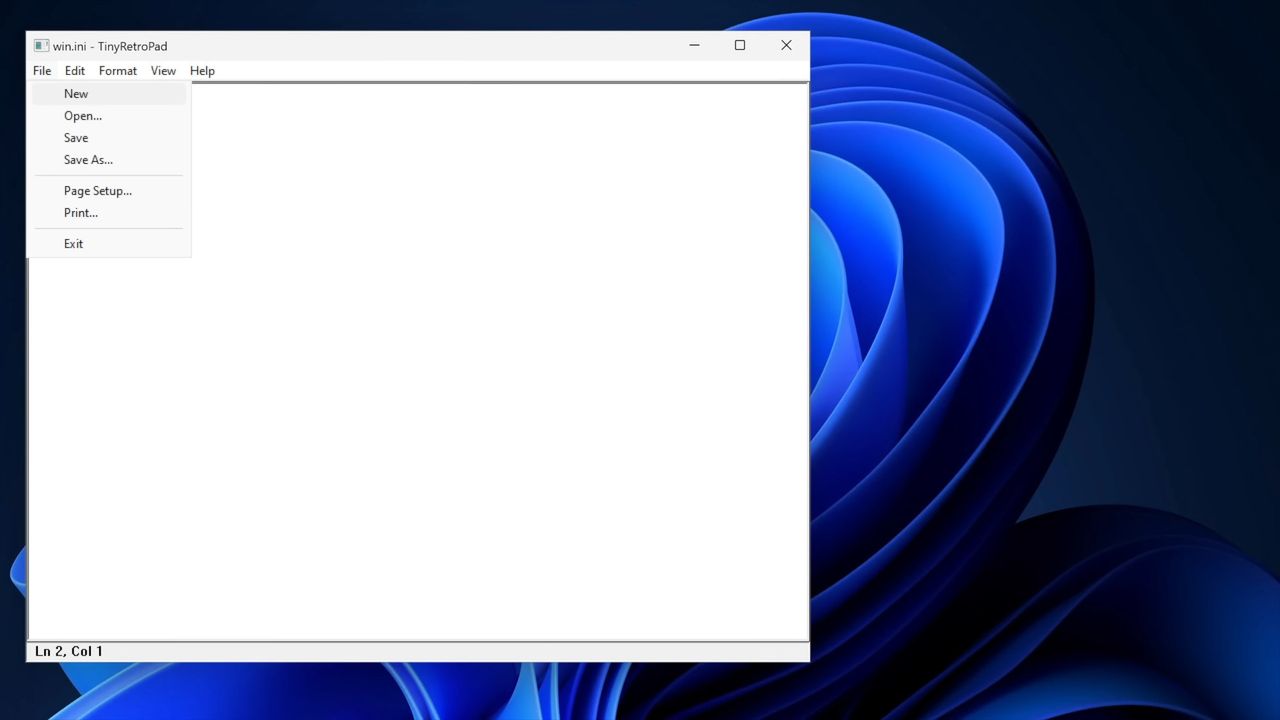
Tiny Retro Pad has the core functionality of the original Notepad app built by Microsoft. Notably, it lacks the modern features seen in Notepad, such as Copilot. Considering Notepad's addition of Copilot was mocked by many, Tiny Retro Pad is an improvement in some ways.

Making a notepad app that's under 4,096 bytes is more about working within constraints than the specific size of the final app. In the early days of Windows, there were several limits placed on developers, such as hardware caps. Having to work within those constraints forced developers to be more efficient.

Plummer was able to keep Tiny Retro Pad small by utilizing what's already in Windows.

"A tiny native Windows program does not bring along its own entire civilization. It arrives with a lunchbox and a map of the city," said Plummer.

Later in the video, he added, "The program is small because it is not carrying what the platform already has. And that is a lesson that modern software could stand to remember. Not every app needs to bundle the universe. Not every utility needs to ship with a browser engine."

Nowadays, PCs, tablets, and phones have absurd specs. Even modest devices have several gigabytes of memory and tons of storage. Those specs make modern workflows possible, but they also leave room for lazy development.

"Somehow it seems modern software manages to go the other way. You just want a text box and somehow you've imported a runtime, a layout engine, a renderer, a dependency tree, a telemetry client, an auto updater, and a small portion of Chromium," said Plummer.

No one needs a notepad application that's less than 4,000 bytes, but if more app developers focused on efficient code, Windows 11 would feel smoother across the board.

Blank Pixel

Click to join us on r/WindowsCentral

Join us on Reddit at r/WindowsCentral to share your insights and discuss our latest news, reviews, and more.

Windows interface showing an open notepad application. A dropdown menu is open and "new" is selected.

Windows interface showing an open notepad application. A dropdown menu is open and "new" is selected.

Microsoft hit with class-action lawsuit over "unreasonable and excessive noise" from datacenter

Microsoft finds itself on the receiving end of a lawsuit about "unreasonable and excessive noise" allegedly emitting from the tech giant's Fairwater datacenter in Mount Pleasant, Wisconsin. The suit seeks compensation for damages, though the amount asked for is unspecified.

The Fairwater datacenter was unveiled in September 2025. At the time, it was the largest and most advanced datacenter. The site launched with NVIDIA’s GB200 GPUs. Each rack can process 865,000 tokens per second.

Running those GPUs makes a lot of noise. Microsoft states that the noise levels meet levels required by local ordinances, but the company has taken additional steps to reduce noise.

Microsoft shared the following update on June 18, 2026:

"Our engineering team and consultants on-site investigated the source of the sound, conducted tests, and put noise mitigations in place. Several neighbors confirmed what our independent monitoring showed: that these mitigations fully resolved the issue. We continue to work on short-term mitigation, and over the next several months, we will also install additional sound reduction components and continue to monitor sound at the site."

Despite the measures taken by Microsoft, the lawsuit about the noise from the datacenter was filed on July 1, 2026.

The lawsuit claims that Microsoft has not taken the proper steps to reduce noise in the surrounding area:

"Defendant has failed to follow proper industrial practices to prevent the offsite emission of noise, and has failed to absorb, capture, mitigate, and/or prevent noise from escaping its Data Center, thereby invading the homes and properties of Plaintiffs and the Class."

The plaintiffs of the suit claim that a "low hum" of infrasound emits from the datacenter and that the sound cannot be measured easily on the decibel scale. Our colleagues at PC Gamer highlighted that one plaintiff claimed "the constant noise [affected] his sleep." The filing states that the noise is "not only excessive, but consistent and pervasive."

Since the lawsuit was just filed within the last week, it will likely be a while before we see it reach a conclusion.

Blank Pixel

Click to join us on r/WindowsCentral

Join us on Reddit at r/WindowsCentral to share your insights and discuss our latest news, reviews, and more.

Microsoft Fairwater Datacentre

Microsoft Fairwater Datacentre

❌