Vue normale

I might have been wrong about Call of Duty: Modern Warfare 4

From the get go, as soon as I heard that Call of Duty: Modern Warfare 4 would be this year's entry in Microsoft's biggest franchise, my head dropped.

Since Modern Warfare was rebooted, it's been my least favorite. Modern Warfare (2019) was OK, and I played it for a little while but lost interest quicker than in any previous Call of Duty. I barely touched the two that came after it.

I've always preferred Black Ops, and while the last two in that series haven't been perfect by any means, I've really enjoyed playing them. But I've now finally played Modern Warfare 4 for the first time as part of Call of Duty: NEXT, and I'm man enough to admit my initial trepidation may well have been way off base.

I'll preface this by saying I haven't seen much of the game so far. I'll be enjoying the full multiplayer experience, that campaign mission, and the new Warzone map for the first time during the beta like everyone else.

But what I have already experienced has given me hope, because two aspects in particular I was expecting not to enjoy have turned out to be far better than I anticipated: Movement and gunplay.

Call of Duty: Modern Warfare 4's movement feels good

A screenshot from the Mobility Course in the Call of Duty: Modern Warfare 4 beta

Movement doesn't feel like Black Ops 7, but it's still fast and smooth. (Image credit: Windows Central)

I'm no "movement demon" on Black Ops 7, but I do enjoy the fast fluidity to it. I enjoy the pace of Call of Duty when it's flying along, and I appreciate that not everyone does. I don't enjoy slower-paced, more tactical shooters nearly as much.

I just want to run, gun, and then run and gun again. Have some fun.

Modern Warfare 4 is more grounded in that there's no wall jumping, but it still feels fluid. The pace isn't quite at Black Ops 7 level, but it's not slow. Sliding is smooth but doesn't feel ridiculous, and I think the best way I can describe the movement overall is that everything feels deliberate.

You don't feel like a superhero. You feel like you have some weight behind you, like you can't just use movement to get you out of a hole. You actually need to know what you're doing.

I like Modern Warfare 4's gunplay

A screenshot from a 3v3 Gunfight match in the Call of Duty: Modern Warfare 4 beta

So far the gunplay feels pretty satisfying. (Image credit: Windows Central)

Again, this is based on only a very brief playtest before the beta opens, but so far I like the gunplay a lot. The way the weapons move as you're running, the way they move when you're firing, and even the way the whole experience looks.

It's pretty satisfying.

Of course, I haven't yet experienced levelling up weapons, strapping on attachments, and such, but I do hope that we don't end up in a position, as we do every year, where there's a single meta that makes every weapon shoot like a laser beam with no recoil.

As it stands out of the gate, I like the recoil, and I like that you actually need to be able to aim a little to hit your shots. I'm not very good, but I like it.

It feels good hitting your shots, especially with a pistol. Call of Duty isn't realistic by any stretch, but Modern Warfare 4 so far seems to be headed in a better direction in this aspect than the last two Black Ops games.

Visually Modern Warfare 4 is the best Call of Duty in a while

A screenshot from a Gunfight 3v3 match on the Call of Duty: Modern Warfare 4 beta

Even the water looks pretty good on Modern Warfare 4 (Image credit: Windows Central)

Nobody plays Call of Duty because it's a particularly good-looking game, and those who indulge primarily in PvP action on PC always turn the graphics down anyway to get the extra frames. Console players can't do that, so there needs to be a balance.

I've played so far on the Xbox Series X, and I think Modern Warfare 4 looks pretty good. Certainly more like you'd expect a modern shooter to look.

Part of this, I do wonder, is it down to the decision to ditch last-gen consoles? I played Black Ops 7's beta last year on an Xbox One X, and it wasn't great. Visually it looked fine, close enough to the Xbox Series X, but the frame rate was awful. But I also felt like the last-gen consoles were holding back the visuals on the more modern systems.

Everything about the visuals on Modern Warfare 4 so far feels like an upgrade over Black Ops 7. The lighting is nice, textures are decent, and I think the weapons look fantastic. It's just generally all-around nice to look at.

Black Ops 6 and Black Ops 7 were OK, and I get that Modern Warfare has a whole different aesthetic, but it feels less 'fake' and altogether a more pleasing environment.

That's not to say that there isn't plenty more that needs to be experienced to decide whether Modern Warfare 4 is a "good game" or not. There's still the matchmaking experience, for example, that could make or break things, and plenty of other decisions that could affect the player experience.

But on the face of it, I'm prepared to admit my preconceptions were wrong that I'd immediately dislike this game. The fundamentals of it are a lot better than I expected.

Like everyone else, I'll be really getting to grips with Modern Warfare 4 during this weekend's early access beta. Things kick off today, Friday, August 21, at 9am Pacific for Call of Duty: NEXT, with access for everyone else with a code beginning at 11am Pacific.

Click to join us on r/WindowsCentral

Join us on Reddit at r/WindowsCentral to share your insights and discuss our latest news, reviews, and more.

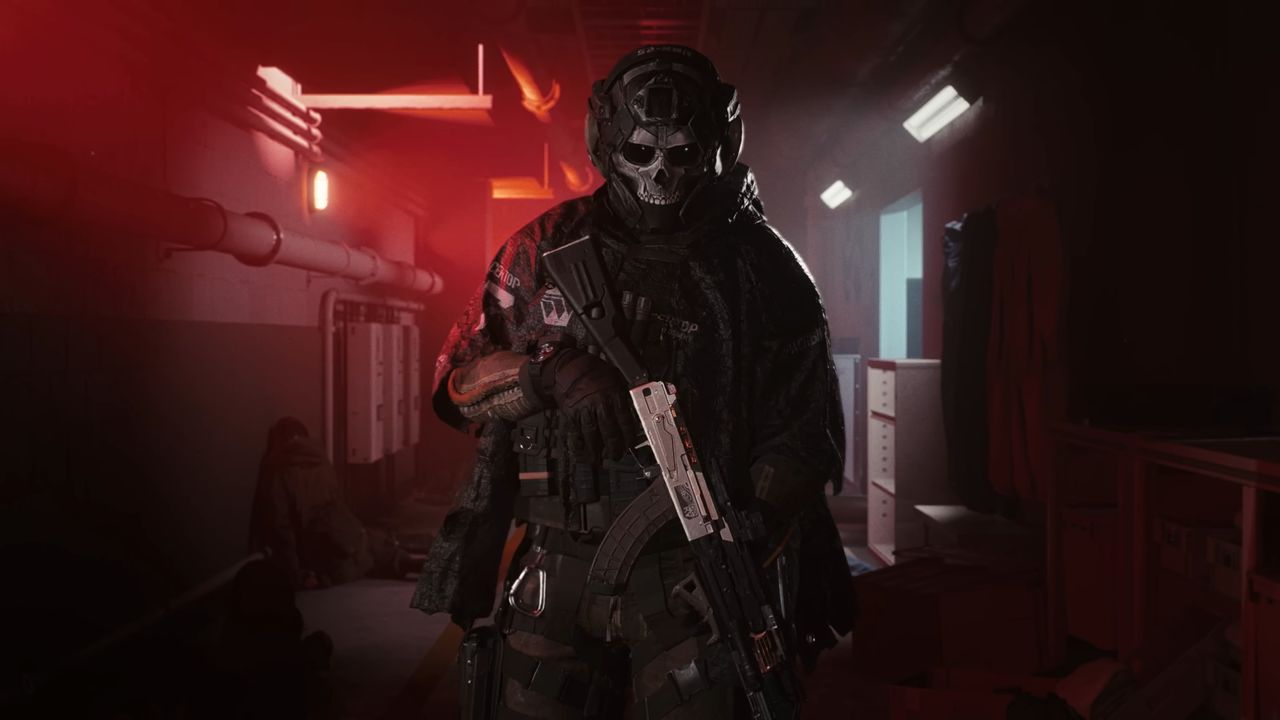
Early looks at Simon "Ghost" Riley from Call of Duty: Modern Warfare 4 in his Nomad gear, available by purchasing the Vault Edition of the game.

At least with first impressions, I might have been wrong.
On This Day in 2015, Xbox laid out a “games everywhere” strategy that sounded ambitious — but it ended up defining the next 11 years of the brand

Back in August 2015, Microsoft was working to link console, PC, and mobile gaming into a single network. Coverage at the time framed this "games everywhere" approach as a major shift, with Windows, ironically, serving as the central hub to keep game libraries synced across devices. Phil Spencer was early in his tenure, working through the fallout of the Xbox One's rocky launch and its controversial DRM policies. Industry observers remained skeptical, and players questioned whether Microsoft could actually pull off cross-platform play and cloud integration.

Eleven years later, that initial push sits at the center of Xbox's modern business model. Under Asha Sharma, Microsoft Gaming has pulled back on its controversial "This is an Xbox campaign," trying to reprioritize the console, while deemphasizing Copilot AI. Indeed, there is a big list of things that need fixing. Oh, and apparently it's now XBOX.

The original questions around brand identity and hardware relevance haven't gone away, but their context has completely changed. Looking back at this 2015 report shows that the foundation for today's strategy was already being built, even if the execution took over a decade to solidify (if you can even call it that). — Daniel Rubino, Editor-in-Chief.

The original article below, "The future of Xbox is bright, and it's everywhere," was published on August 13th, 2015, by Richard Devine.

Windows Central

Gamescom 2015 was a blast for Xbox fans. Just as E3 was before it. Microsoft keeps floating the phrase, "the best games line up in Xbox history," and it's probably true. After a flaky launch for the Xbox One by anyone's standards, under Phil Spencer's stewardship things are going in the right direction.

And that direction is out. Xbox is finally becoming something bigger than the box that sits under your television. Gaming is important to Microsoft, and Xbox is its brand. Everywhere.

There have been smatterings of it outside the console for a while, like Xbox Live Achievement support for Windows 8 and Windows Phone games, and the now revoked Xbox branding for Microsoft's music and video services. With the removal of the latter, Xbox is now exactly what it should be for Microsoft. It's all about the games.

Phil Spencer, head of Xbox, on stage.

The big push really began in January when Spencer appeared at Microsoft's big Windows 10 event. It was the launch of Xbox on Windows 10 and while it all sounded grand, as the months have passed the vision has become so much clearer. Phones, tablets, PCs, consoles, HoloLens, Xbox is going to be everywhere. Cross-buy, cross-play and game streaming are but the beginning.

Take this quote from Spencer in a recent interview with Polygon as an example:

"I think when we look back on Xbox five years from now or so, I think Windows itself will be a critical component to the success I think we can realize of Xbox itself — and gaming will be a critical component of the success of Windows. I really believe that. When we say 'putting gamers at the center,' that's different than putting a piece of plastic or a specific device at the center."

Xbox Booth @ Gamescom

Our recent trip to Cologne for Gamescom helped further put this into perspective. The vast space that was the Xbox booth was lined with both consoles and Windows 10 side-by-side. Windows wasn't shoved away in a corner; it was right there alongside the biggest new titles Microsoft had to show. Games like Fable Legends and Gigantic played together on both platforms. The only difference, your preference for a controller or keyboard and mouse.

Windows 10 is a big step forward for Microsoft in so many spaces. It's allowing the company to do things that it, nor anyone else has done before. Sure, Sony has dabbled with game streaming, but unless you own a PlayStation and at least one other Sony product, it's useless. How many more people already have what they need to stream Xbox One games? A Windows PC. Sony can't boast what Microsoft is able to do with its games on Windows 10. No-one can.

It's also going to become, I believe, less important to focus on how many consoles Microsoft sells versus Sony. And that's because of the platform. In the same way that a smartphone is a way to deliver Microsoft services to your pocket, the Xbox One will be a way to deliver Xbox to your living room. With Xbox as the games platform available here and on hundreds of millions of Windows 10 PCs around the world, who really gets the bigger marketshare?

Elite Controller

And let's not forget that as of Windows 10, official Xbox peripherals, including the forthcoming Elite Controller, are compatible out of the box. Just plug 'em in and away you go.

We're only at the beginning. There's so much to look forward to that we do and don't know about. The new Xbox One experience powered by Windows 10, cross-play games like Gigantic, Fable Legends and Killer Instinct, not to mention Halo Wars 2 in 2016. Engineers have told us that yes, they'd love to reverse the Xbox One game streaming feature, but whether it happens or not is still an open question. The Xbox app on Windows 10 will get better every month and we've got things like Crackdown 3, leveraging the power of the Microsoft cloud, to look forward to.

To sum up, I heard this phrase while at Gamescom that I think says everything. What if you could imagine a future where there weren't Xbox One games and Windows games, there were just Xbox games.

Click to join us on r/WindowsCentral

Join us on Reddit at r/WindowsCentral to share your insights and discuss our latest news, reviews, and more.

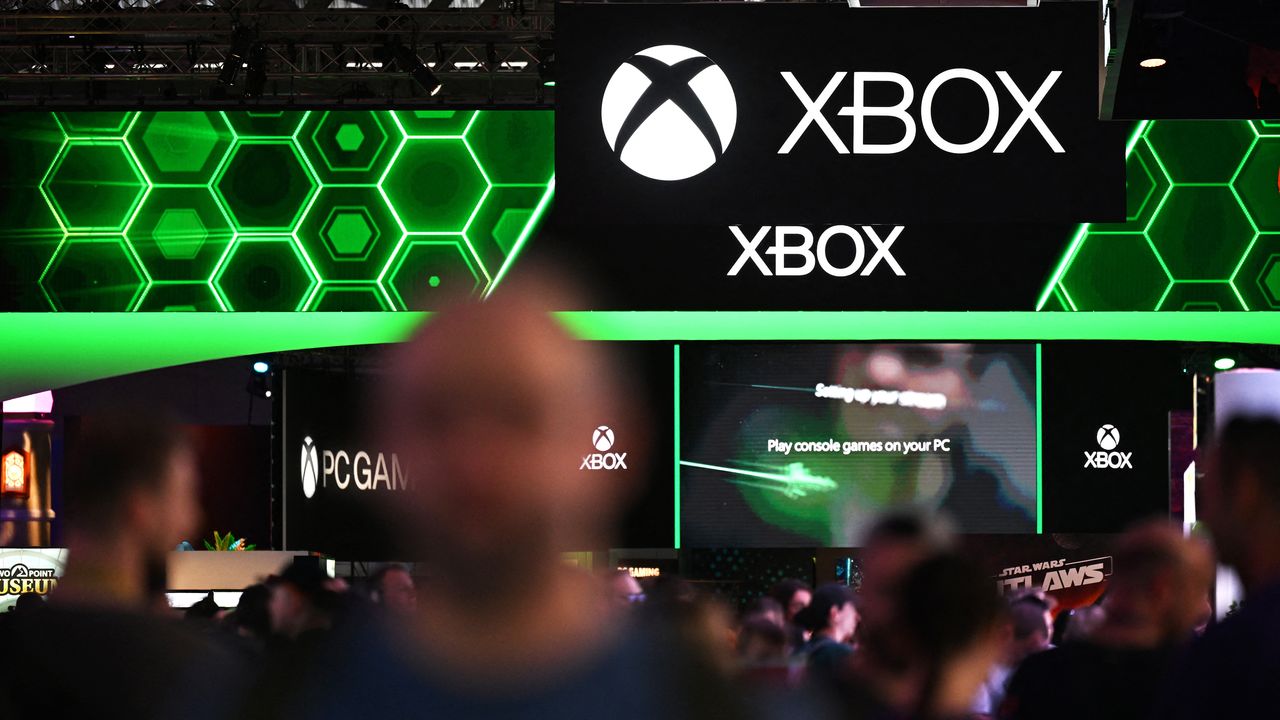
Visitors walk past the Xbox booth at the Gamescom video games trade fair in Cologne, western Germany on August 22, 2024. According to organisers, around 1400 exhibitors from 64 countries will be presenting their products during the fair running until August 25, 2024. (Photo by Ina FASSBENDER / AFP) (Photo by INA FASSBENDER/AFP via Getty Images)

Xbox Logo

I used to use the stock Windows 11 Media Player to rip CDs but it's such a letdown now — here's what I started using instead

I've always been a fan of physical media, be it movies, music, or games. I'm also old enough that I grew up in a time when it's all we had; there was no Spotify or Netflix.

Slowly I'm working through it all to create digital copies for both archival purposes and convenience since there are plenty of situations where it's not practical to put a disc in a machine and consume its content.

Right now I'm working through a vast stack of CDs acquired from the days when cars had CD players, not just screens connected to your phone or directly to streaming services. But I quickly found that the app I've used for this process in the past, the stock Windows 11 Media Player, nowadays isn't up to scratch.

It will still rip CDs, but it's no good for the metadata anymore. Microsoft turned off the online tool that you could use to grab it, but even then, I figured I could just enter it manually, right?

Seems that doesn't work all the time, either. Even on the few CDs I have that actually have the metadata on them already. It took ripping a few discs for me to realize that information wasn't being applied to some or all tracks, and the artwork wasn't sticking, either. So I needed a replacement, and frankly, I should have just gone for this out of the gate.

Enter Exact Audio Copy (EAC). A free app that is absurdly powerful and does the job right the first time.

Without online metadata the process takes too long anyway

A screenshot of the Windows 11 Media Player app showing an error trying to get CD metadata from online sources.

If the feature doesn't work anymore why is it still there? (Image credit: Windows Central)

Admittedly, it's been a while since I last digitized a stack of CDs, and it had completely passed me by that Microsoft had turned off the service to get the information online. It's a pretty poor experience for a stock app, even if it's a feature that's increasingly used by fewer people.

A better solution would have been to update the app, allowing its users to find an alternative source of this information. There are options out there, such as MusicBrainz, a free and open-source database of metadata. Maybe I'm asking too much; after all, Microsoft didn't even update the app to remove the option to check for metadata.

It's still there; it just gives you an error if you try and use it. I actually quite like the stock Media Player app, and still use it to play music. It's simple and mostly nice to use. If it's not going to work properly, though, just remove it altogether.

Exact Audio Copy is the perfect solution

A screenshot of Exact Audio Copy running on Windows 11, ripping a copy of Iron Maiden's The Number of the Beast

It looks a bit old school, but boy does it work. (Image credit: Windows Central)

Fortunately there is always an alternative, and in this case, it's called Exact Audio Copy (EAC). There will be folks out there that have known of this app for years and are screaming at my incompetence for not going straight to it.

But I didn't know it existed. I'm glad I do now.

This isn't a full tutorial on how to use the app, mostly because I'm doing one specific thing, but it is really powerful. There are plenty of better tutorials out there, such as this one.

All I want is an accurate rip in FLAC, a standardized filename structure, metadata, and album artwork applied. The good news is that if you just want the same thing every time, EAC will run you through a setup wizard when you first use it. From there, you shouldn't need to touch your settings again.

The only thing I did need to change was the metadata provider. The default option is only free for 10 rips, but you can change it within the app to MusicBrainz, which is completely free.

A screenshot of Exact Audio Copy on Windows 11 showing the Metadata Provider settings box.

You don't want the default metadata provider, but you can change it to something else. (Image credit: Windows Central)

I now know I should have used this all along. AccurateRip will check your CD against a database of other exact rips to ensure yours is as perfect as it can possibly be. It can deal with scratched discs (of which I sadly own several), and it communicates directly with the hardware.

I may be underselling it, but I'm as far from an expert as there is on this stuff. There are plenty of more knowledgeable folks out there, like this post on Flemming's blog that is an excellent resource for getting set up properly.

EAC isn't the only alternative to using Media Player, but it's the one I tried first, and I'm happy. I may try and get in the weeds at some point, but for now it's doing what I need. Archiving my CDs accurately, with good quality, and all the necessary metadata.

If you've any tips or tricks to share on this process, or even an alternative worth trying, be sure to drop them in the comments below.

Click to join us on r/WindowsCentral

Join us on Reddit at r/WindowsCentral to share your insights and discuss our latest news, reviews, and more.

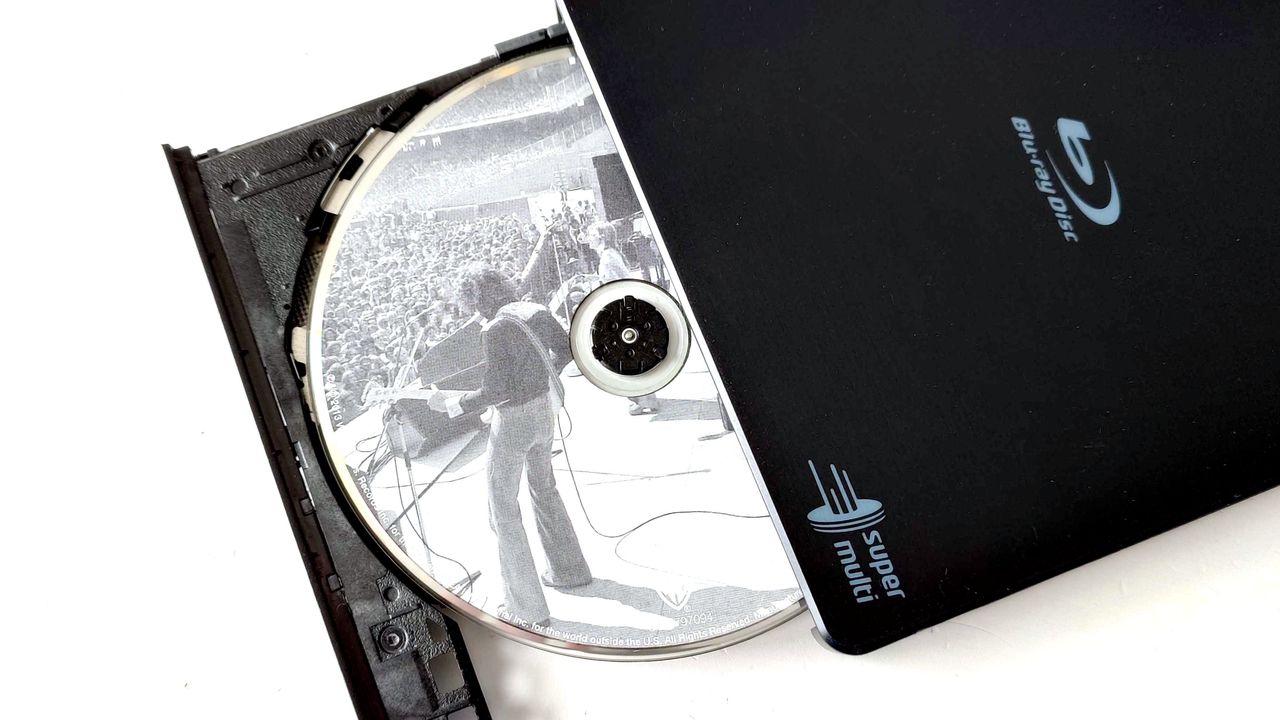
An LG USB Blu-ray drive open showing a Fleetwood Mac CD inside

A slight change of plan, but the great CD digitizing project continues.

❌