After much waiting, Gears of War: E-Day has fully launched for all players to enjoy on Xbox and PC, yet its base game's 115GB install requirement is going to take a big chunk out of your preferred platform's storage.Fortunately for PC players, Prime Big Deal Days has cut down the insufferably inflated price of the Samsung 9100 Pro 2TB SSD from "$679.97" to $349.99 at Amazon, so they can more easily fit Gears of War: E-Day and other games into their gaming PCs.Whi
After much waiting, Gears of War: E-Day has fully launched for all players to enjoy on Xbox and PC, yet its base game's 115GB install requirement is going to take a big chunk out of your preferred platform's storage.
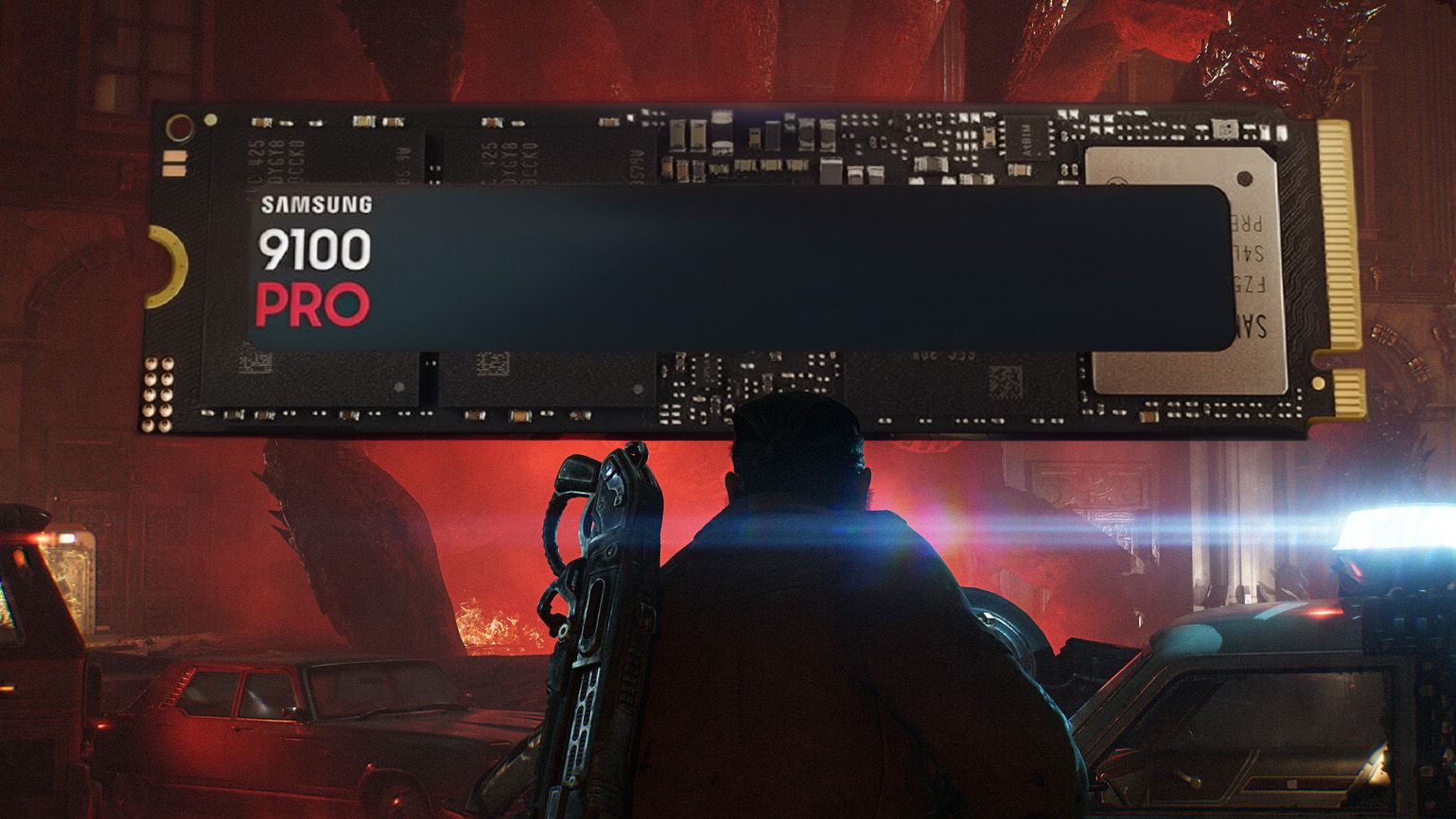
Fortunately for PC players, Prime Big Deal Days has cut down the insufferably inflated price of the Samsung 9100 Pro 2TB SSD from "$679.97" to$349.99 at Amazon, so they can more easily fit Gears of War: E-Day and other games into their gaming PCs.
While it's still higher than its original launch MSRP of $299.99, it's still a relatively decent price, considering the current state of tech thanks to the ongoing RAM crisis — just take that previous '$600+' listing with a pinch of salt. $349.99 for 2TB is more like the new normal these days.
"The Samsung 9100 Pro is Samsung's first 'true' PCIe 5.0 SSD, and it definitely delivers fantastic performance with the fastest write speeds I've ever tested." ~ John Loeffler
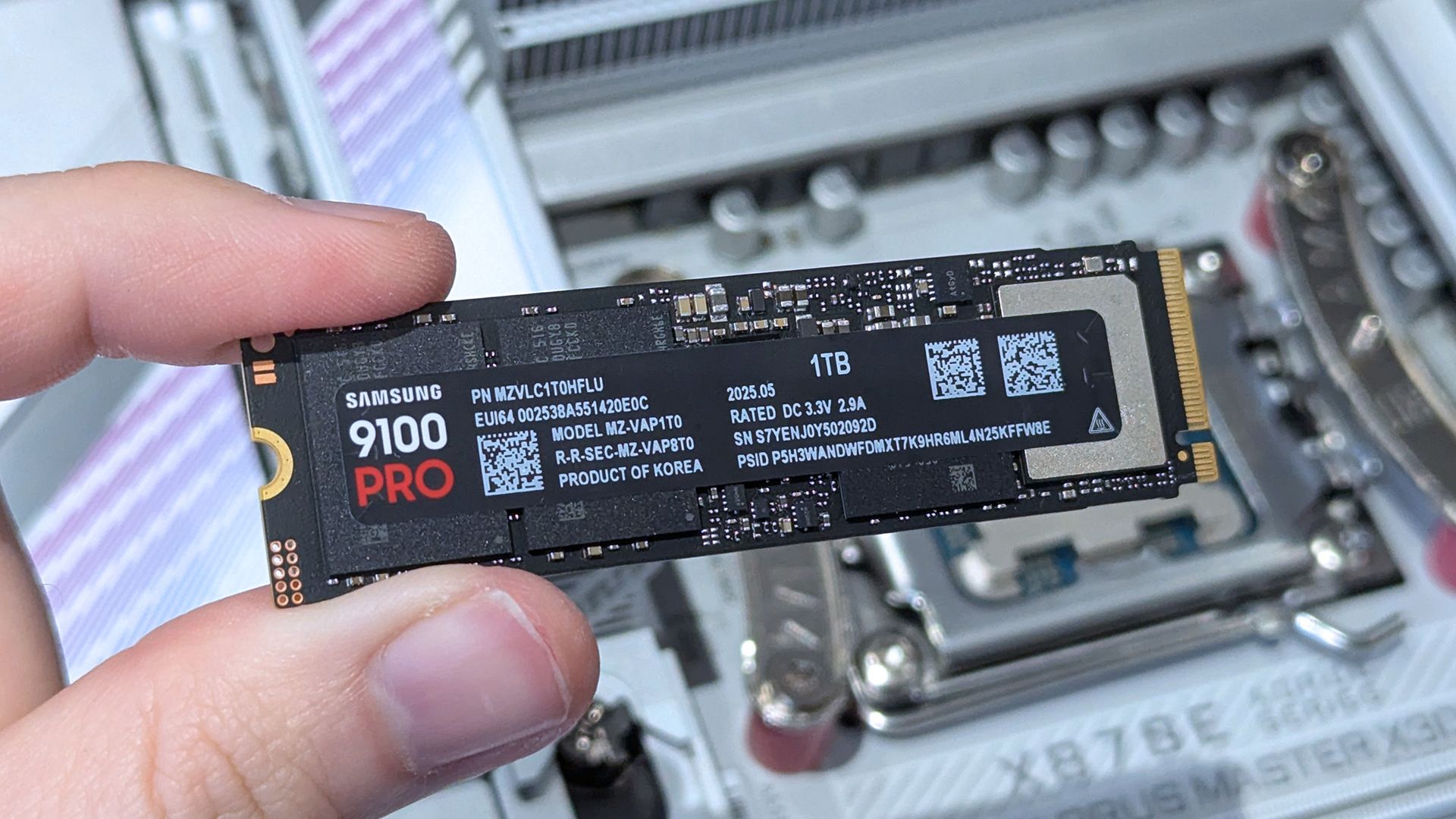
The 1TB configuration of the Samsung 9100 Pro SSD in hand. (Image credit: Ben Wilson | Windows Central)
The Samsung 9100 Pro comes in multiple storage sizes, including 1TB, 2TB, 4TB, and 8TB. It also features 14,700/13,400 MB/s sequential read/write speeds, and random read/write speeds of up to 1,850K/2,600K IOPS.
With these advanced technological features combined, you have a powerful PC storage hard drive capable of storing tons of important work files, 4K videos and images, and video games while being able to transfer data with blazing speeds.
However, this isn't necessarily this SSD's fault because this price hike was mainly caused by the ongoing RAM crisis this year, driving the market price of all tech-related products to unaffordable levels every single day to offset the memory demands of AI.
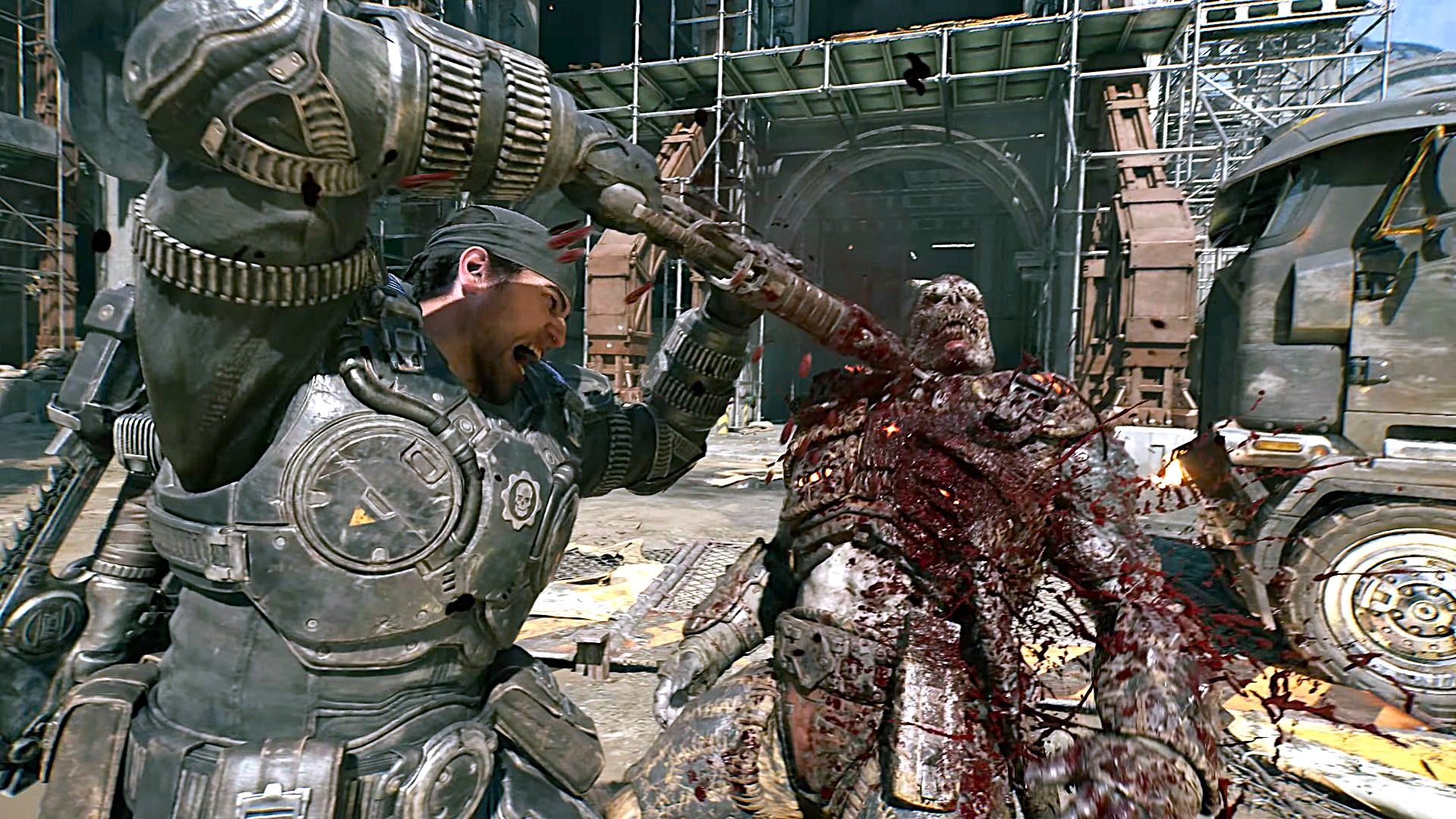
Gears of War: E-Day's 115GB install requirement can be mitigated with the Samsung 9100 Pro 2TB SSD. (Image credit: Xbox Game Studios)
Frankly, I'm surprised we're seeing a price drop on the Samsung 9100 Pro or any SSD at all during this crisis, as the way things are going, I fear there may come a point where we might never see a decent price drop on ANY SSD or any tech product ever again.
This long-awaited prequel to Xbox's iconic Gears of War franchise has a huge 115GB install requirement for the base game alone, a number that will no doubt grow with post-launch updates.
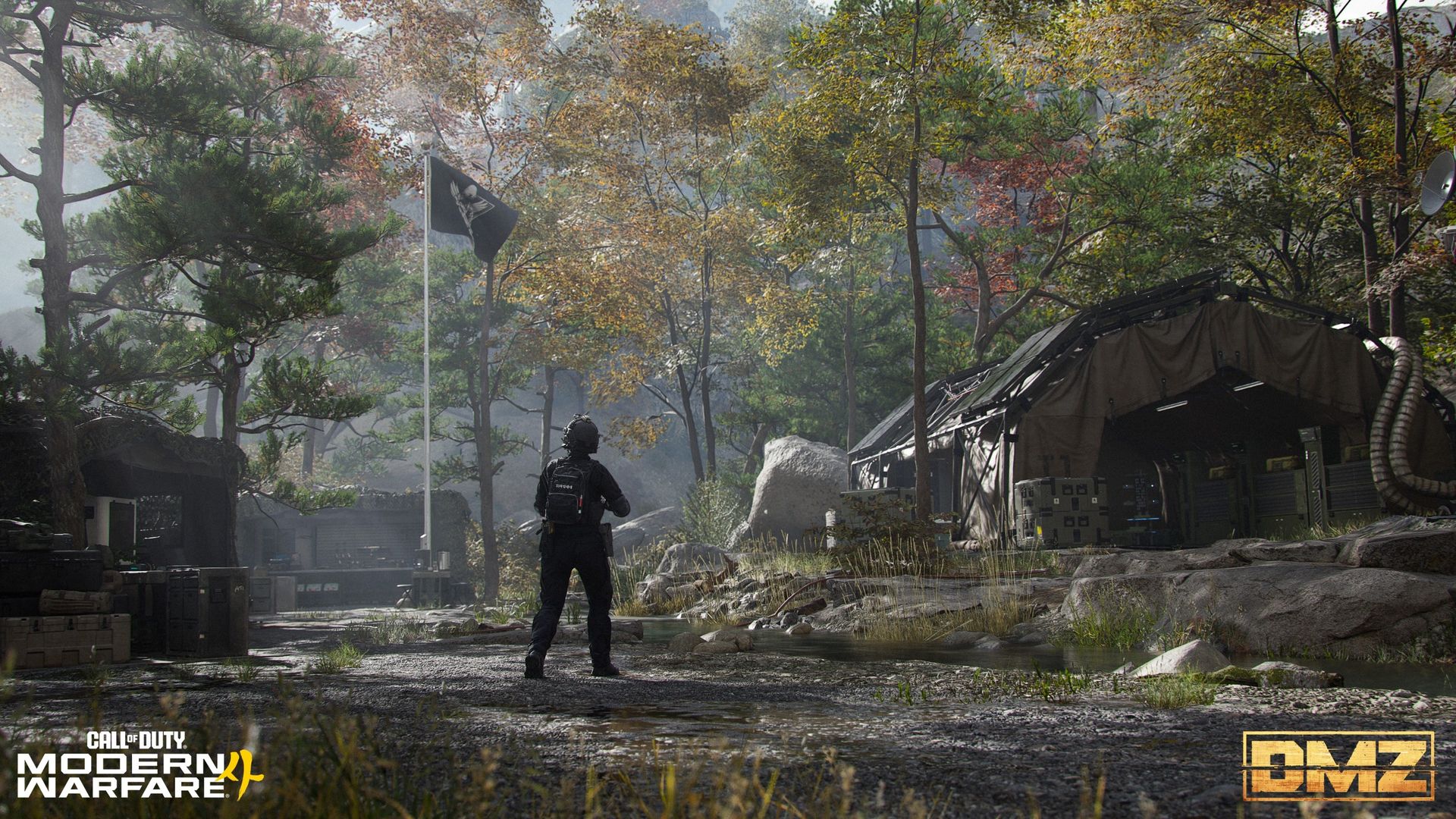
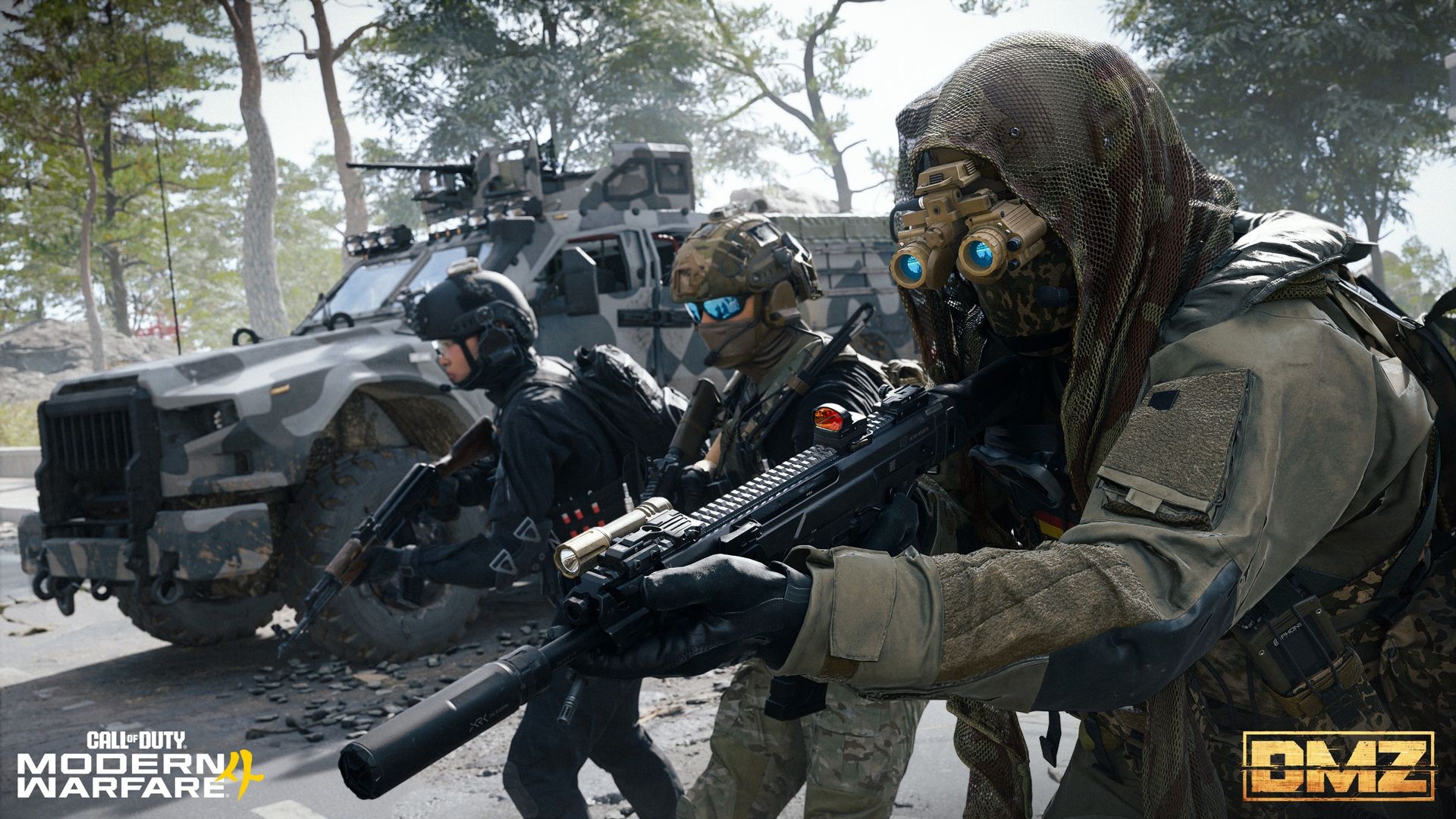
With this discounted 2TB SSD, you will be able to more easily fit Gears of War: E-Day and prep your PC for all its future updates and other upcoming games like Call of Duty: Modern Warfare 4.
Alternative models and SSDs
Additionally, the 1TB model of the Samsung 9100 Pro is also on sale for $206.99 at Amazon (MSRP is currently $339.99) if you just want its solid performance at a lower price. Plus, the 4TB model of the Samsung 9100 Pro is on sale for $699.00 at Amazon (MSRP is currently $1,359.99) if you're willing to break the bank for the most storage possible.
However, if you're looking for an even cheaper SSD on the Samsung Pro line, the Samsung 990 1TB SSD with 7,150/6,450 MB/s sequential read/write speeds (which we gave a glowing 4.5/5 review to) is also on sale right now for $189.99 at Amazon (MSRP is currently $228.95).
What laptops and PC motherboards are compatible with it?
The Samsung 9100 Pro SSDs are compatible with any devices that uses M.2 2280 NVMe slots. However, if you want to take full advantage of its' performance, make sure whatever device the Samsung 9100 Pro SSD is installed into has PCIe 5.0 support.
How long will Amazon's Prime Big Deal Days sale last?
Amazon's Prime Big Deal Days sale will last from October 6, 2026 to October 7, 2026.
Should I buy it now or wait until Black Friday next month?
It ultimately depends on your current wants and needs. If you're desperate to upgrade your PC's storage now, then Amazon's Big Deals Day discount on the Samsung 9100 Pro 2TB is a good time to buy one.
However, there is a chance it may get an even greater price drop during Black Friday, as that's usually when tech products get their biggest discounts of the year. So, if you're willing to wait, it may be best to hold off on buying the Samsung 9100 Pro 2TB SSD until Black Friday starts on November 27, 2026.
Join us on Reddit at r/WindowsCentral to share your insights and discuss our latest news, reviews, and more.
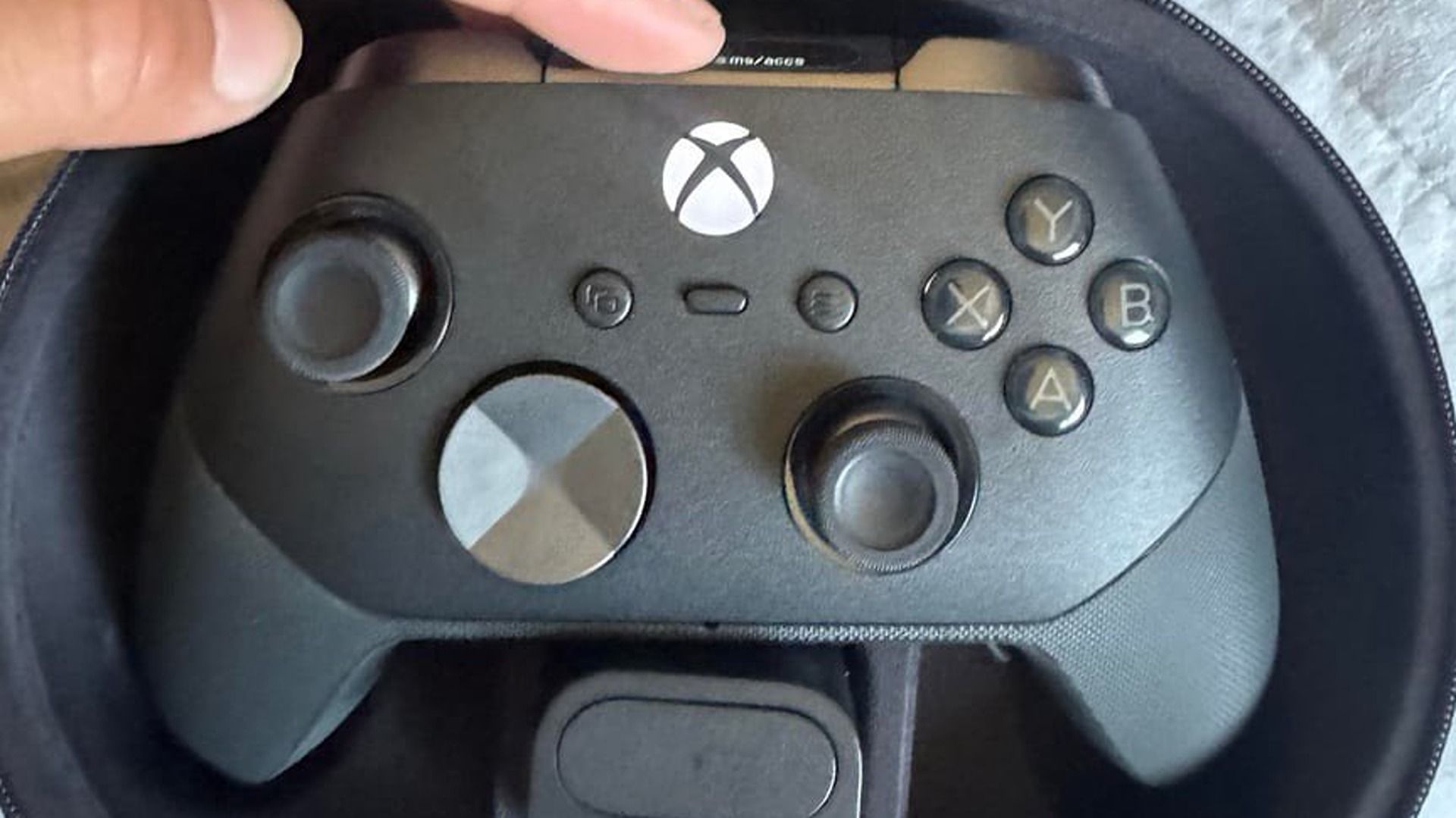
We've been hearing bits and pieces about the new Xbox Elite Controller (Series 3) for some time now, and this latest leak is the biggest one yet. It initially leaked as part of the big Xbox documents drop during the Activision-Blizzard acquisition hearings, and then later via the Brazilian equivalent of the U.S. FTC. But wait, there's more! During the summer, an early Xbox Elite Controller Series 3 unit leaked in full on social media, giving us full pictures of w
Shared by the fine folks at /r/GamingLeaksAndRumours on reddit, it seems the Xbox Design Lab itself might've just giving us the best glimpse yet at what to expect in the new Xbox Elite Controller, and it sounds rather enticing.
Although the APIs were already taken down by the time I saw the listing, it seems reddit was able to scrape the providers of the Xbox Design Lab storefront and discovered a variety of information about what to expect.
The highlights includes "advanced haptics," PlayStation-style, as well as full Design Lab integration for customization. It also comes with options for silent sticks, swappable d-pads as is typical, an adjustable scroll wheel (confirming previous leaks), and full TMR anti-drift Hall Effect thumbsticks — which is great news for accurate movement and aiming.
Here's the Xbox Elite Controller Series 3 spec summary in full from the reddit post.
Xbox Elite Controller Series 3 Specs (Rumored)
Features
Details
Thumbstick Modules
Hall-effect and TMR thumbstick options, with standard, loose and tight tension variants available.
Haptics & Triggers
Impulse trigger motors (ERMs) and "advanced haptics" using VCA motors.
Audio Controls
Dedicated audio scroll wheel.
Faceplates
Multiple faceplate options including metal finishes, named designs, colour variations and engraving.
Silent Sticks
Low-friction/silent stick option alongside standard and long stick variants.
Rear Paddles
Multiple paddle designs including standard, classic, doublewide, short, long and butterfly-style options.
D-Pad Options
Standard, cross and grippy/faceted D-pad designs, with cosmetic and performance variants.
Accessory Configurations
Support for 27 mapped topper and paddle combinations.
Price
Unknown?!
The post alleges that there were four SKUs listed. Two with, and two without the full haptics motors, split between base models and "complete" models that likely come with additional bells and whistles like charge docks, carry cases, and so on. Other features I've been hearing about include direct-to-WiFi connectivity to minimize Xbox Cloud Gaming latency, as well as easier device switching and management between Xbox, Bluetooth, and other sources.
I had heard that the Xbox Elite Controller Series 3 was imminent for a reveal. If this API leak is indeed true, its addition on the Xbox Design Lab suggests Microsoft may want it out in time for Christmas and the holiday shopping season.
Although, the leaks make no mention of price ... and that'll be the big kicker for many.
The new Xbox Elite Controller (Series 3) is doubtlessly imminent
A short while ago, the Xbox Elite Controller (Series 3) leaked in full on social media. (Image credit: Reddit (r/Controller) | Xbox)
I teased on the Xbox Two Podcast last week that I was expecting the Xbox Elite Series 3 out before Christmas, and this leak aligns with what I've been hearing.
I really enjoy the Xbox Elite Controller Series 2 for the convenience of having a permanently-charged controller. The battery life on the Series 2 is truly absurd, and the convenient and weighty charge dock beats all the other options I've seen on the market. Although ... the Series 2 is indeed notorious for quality issues. I've gone through at least two of them, maybe even more, with issues ranging from shoulder button failures to rubber grips falling off.
From speaking with sources about the Xbox Elite Controller, quality control and repairability has been a priority for the Xbox Elite Controller Series 3. It remains to be seen of course how it functions in practice. I'll be eager to get my hands on it and do a full review and teardown video so you guys know whether or not this is the one to buy.
I, for one, am pretty excited. Although there's no information yet on price, and the split between haptic and non-haptic versions makes me wonder just how pricy the haptic-based version will be if they're going as far to split them into separate SKUs. 🤔
Take this all with a pinch of salt for now, of course, but it probably won't be long until all of this is confirmed by Microsoft itself.
Join us on Reddit at r/WindowsCentral to share your insights and discuss our latest news, reviews, and more.
Prime Day starts on October 6, 2026, but arguably the best laptop deal of the week is already here. A $200 discount on the XPS 13 drops the XPS 13 to $799.99. There's even a version of the XPS 13 discounted to $599.99 if you only need 8GB of RAM.Of course, it isn't actually a Prime Day deal. The discount is through Best Buy, making it a "Techtober" deal. But do you really care why you're saving $200 on what our expert calls "the perfect starter PC"?"Dell's new XP
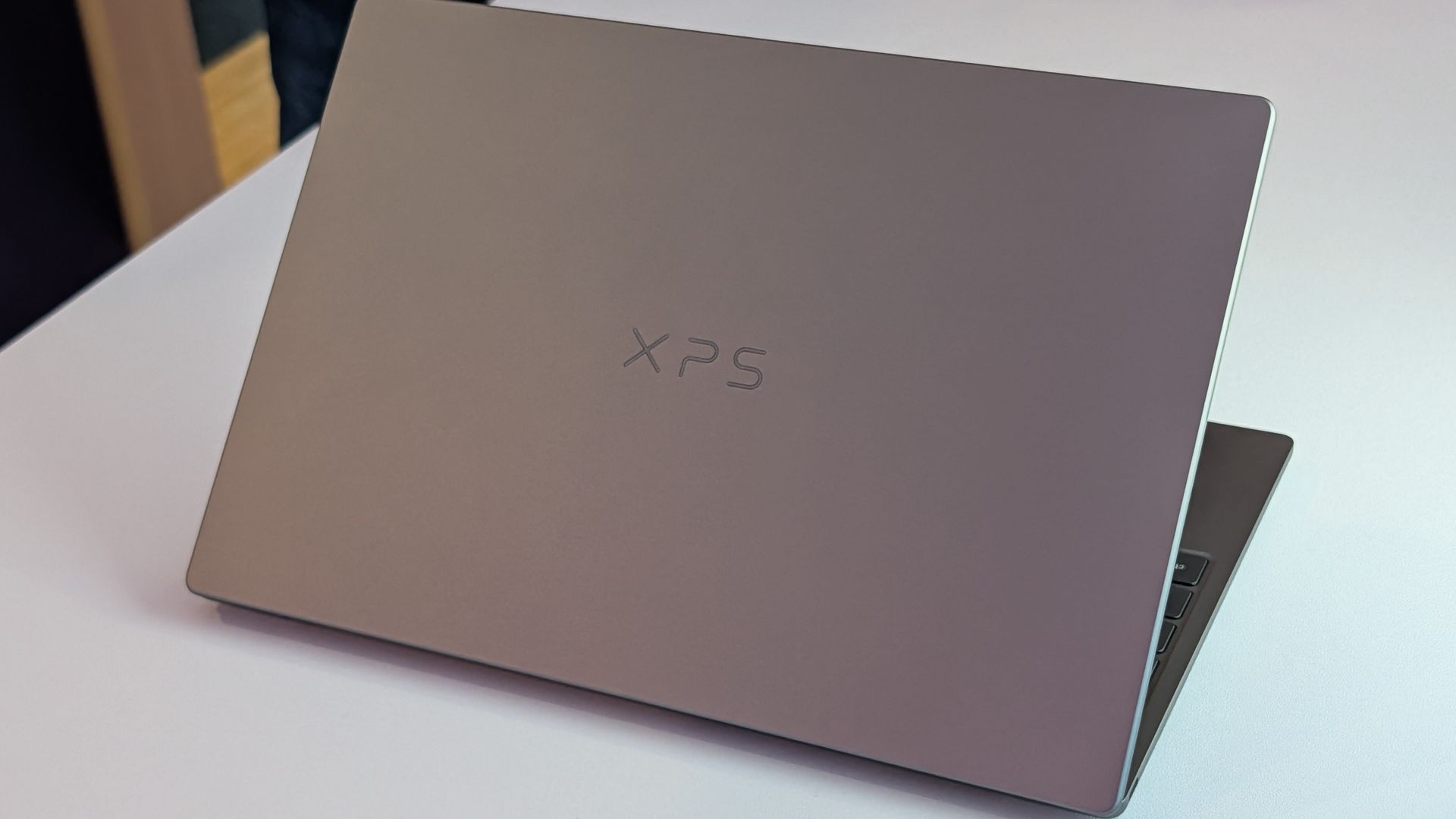
Prime Day starts on October 6, 2026, but arguably the best laptop deal of the week is already here. A $200 discount on the XPS 13 drops the XPS 13 to $799.99. There's even a version of the XPS 13 discounted to $599.99 if you only need 8GB of RAM.
Of course, it isn't actually a Prime Day deal. The discount is through Best Buy, making it a "Techtober" deal. But do you really care why you're saving $200 on what our expert calls "the perfect starter PC"?
"Dell's new XPS 13 is the new best deal in laptops, surpassing the MacBook Neo with a better display, ports, build quality, and performance for the same price." — Zac Bowden, Senior Editor, Windows CentralView Deal
This version of the XPS 13 is incredibly affordable, especially when discounted. It does, however, come with just 8GB of RAM. That's fine for some users, but make sure it will meet your demands before placing an order.View Deal
Laptops this good are rarely in this price range due to the ongoing RAM crisis and other component shortages. Dell created this version of the XPS 13 to be more affordable, but premium laptops with this feature set and design now normally cost $1,000.
The XPS 13 that came out this year earned a 4.5 out of 5 from both Tom's Hardware and Tom's Guide. Our colleagues complimented the laptop's 2.5K screen, incredible battery life, and excellent speakers.
Matt Safford from Tom's Hardware called the new XPS 13 "an excellent Windows-based answer to the MacBook Neo." I agree with his take, though I question how many people genuinely debate between a Windows laptop and a MacBook.
The XPS 13 is a thin-and-light laptop with a refined design. It has several features that "discount" laptops lack (I'm looking at you, MacBook Neo). For example, the XPS 13 has backlit keys, an IR sensor for facial recognition, and support for Wi-Fi 7. Toss in a pair of Thunderbolt 4 ports and a 120Hz display and it's easy to see why our Zac Bowden said he was "shocked" at the value of the laptop when he went hands-on with the XPS 13.
Join us on Reddit at r/WindowsCentral to share your insights and discuss our latest news, reviews, and more.
Call of Duty: Modern Warfare 4 doesn't have the range of game modes to play when compared to Black Ops 7, but we are getting a return of DMZ. Previously tried in the Modern Warfare II era, DMZ is back without a beta tag, and we've had our first detail drop on what's going down. Infinity Ward is using this entire week to drop intel on DMZ, and the first has arrived with an overview of the mechanics and the Hajin location. A second drop is planned later this week w
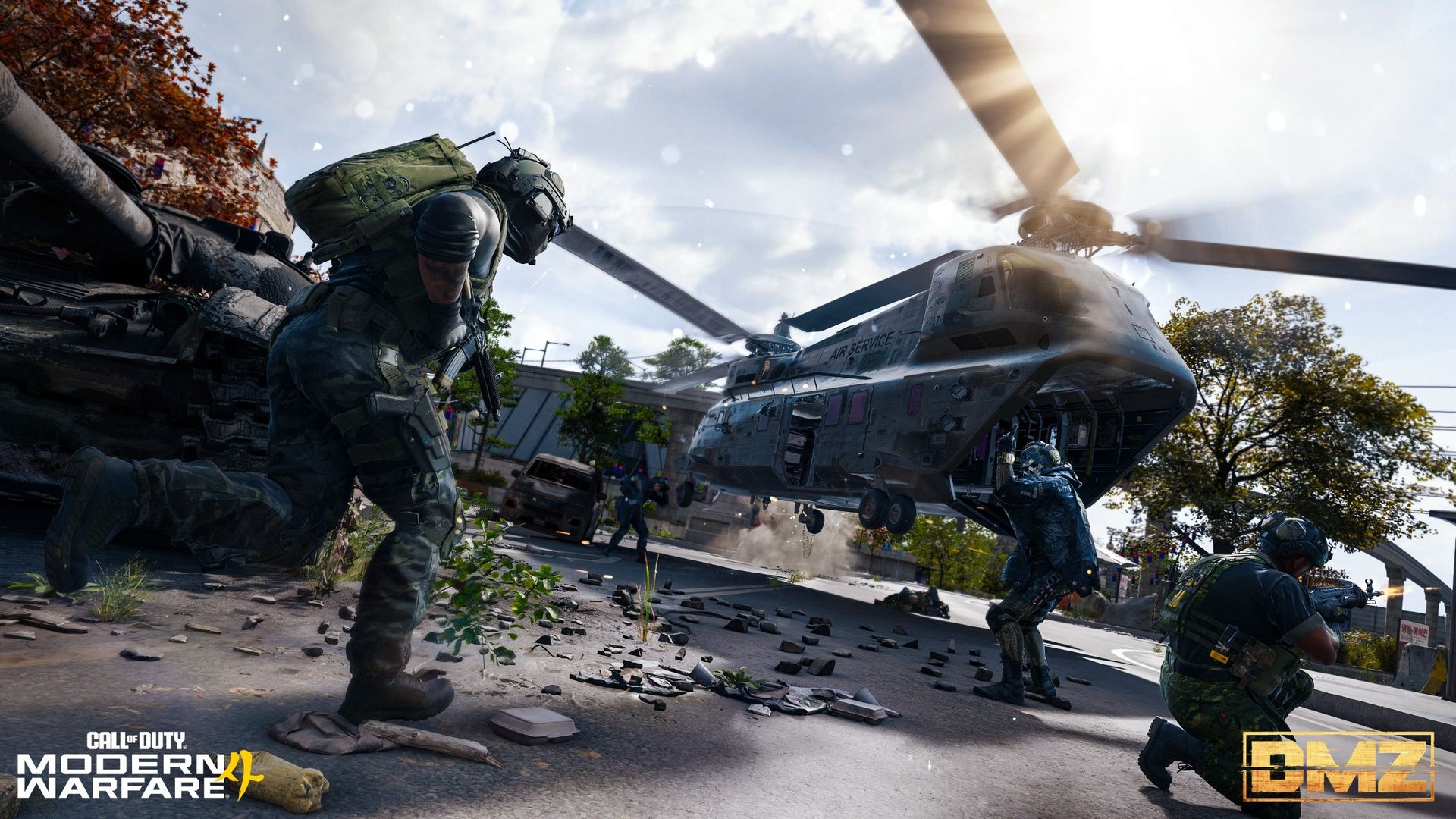
DMZ returns as Call of Duty turns its hand to an extraction shooter once more. The original DMZ first touched on this, and then subsequent attempts were made with Modern Warfare 3 Zombies (MWZ) and later Endgame in Black Ops 7.
Unlike MWZ and Endgame, DMZ returns to the PvPvE gameplay loop of the original DMZ, much like other popular extraction shooters such as Marathon and Arc Raiders. Unlike those two, however, there is currently no planned PvE-only mode.
DMZ gets its own map, Hajin, where operators will drop into the Exclusion Zone. The basic loop is drop in, complete objectives, earn loot, and extract with your spoils. As it's PvEvP, though, you'll encounter both AI enemies and real-world players.
DMZ will also have its own progression track (though you'll still be able to earn overall player and weapon XP), leveling up to 70. Progression through the levels will unlock new FOB stations and crafting recipes among its rewards, so the higher you get, the better equipped you'll be. Pretty standard.
The Forward Operating Base (FOB) is your DMZ command center
The Forward Operating Base is your command center for all DMZ runs. (Image credit: Activision)
More is to come later in the week regarding the full tour of the FOB, but we do at least already have a basic overview of what it is and how it'll work.
Essentially this is your base of operations for all DMZ runs. The FOB "evolves with you" as you progress, turning from nothing into your own personal stronghold.
From the off you'll have five stations available, which will help you manage your operators, your stash, your mission directives, a firing range, and survival kits, which are "themed packs of loot items" used for crafting or gearing up. I'm hoping that these kits are acquirable via means that don't revolve around paying money, but we'll have to wait for the full intel drop to know more.
There's also the Deploy station that is permanently available, as you'll use it for the pretty obvious task of deploying into Hajin.
As you progress through DMZ, there are a further seven stations to unlock, some of which will track progression and offer a little vanity, others for crafting and acquiring better gear using resources or the mode's dedicated currency, DMZ cash.
Drop in, gear up, go hunting. (Image credit: Activision)
Each run in DMZ will follow a fairly regular pattern, albeit always with the threat of other players derailing you.
Progression relies on exploration, combat, and completing objectives across the various POIs. And looting, of course. Part of this can be influenced by the 3D Printer at your FOB, which will give you a heads-up on which parts of the map will drop items that you're specifically looking for.
Side Ops are the lower-stress objectives that will allow you to explore Hajin a little more, gather materials, and get intel on some boss locations. Dynamic Operations will reward DMZ Cash, XP, and Supply Drops that scale up in quality based on how many you've completed.
Looting will remain key, though, as besides stocking up on essential consumables such as armor plates and bandages, you'll also be on the lookout for special items, like keys to unlock better loot rooms. There are also apparently a bunch of underground entrances to locate from the more rural areas of Hajin.
You're also guided by DMZ Orders, which will help you both get to grips with DMZ and guide you on the right path to progression, as well as further the narrative.
After every DMZ deployment, you'll be presented with an After Action Report, whether you managed to exfil or not. Ratings go from F (I'm definitely getting plenty of those) all the way up to S++. It'll show you how you did on your run, as well as the XP progress you've made on your DMZ rank as well as your Dog Tag level. The latter will help you upgrade your operator's traits, so it's one to pay close attention to as you start to attempt the more difficult content.
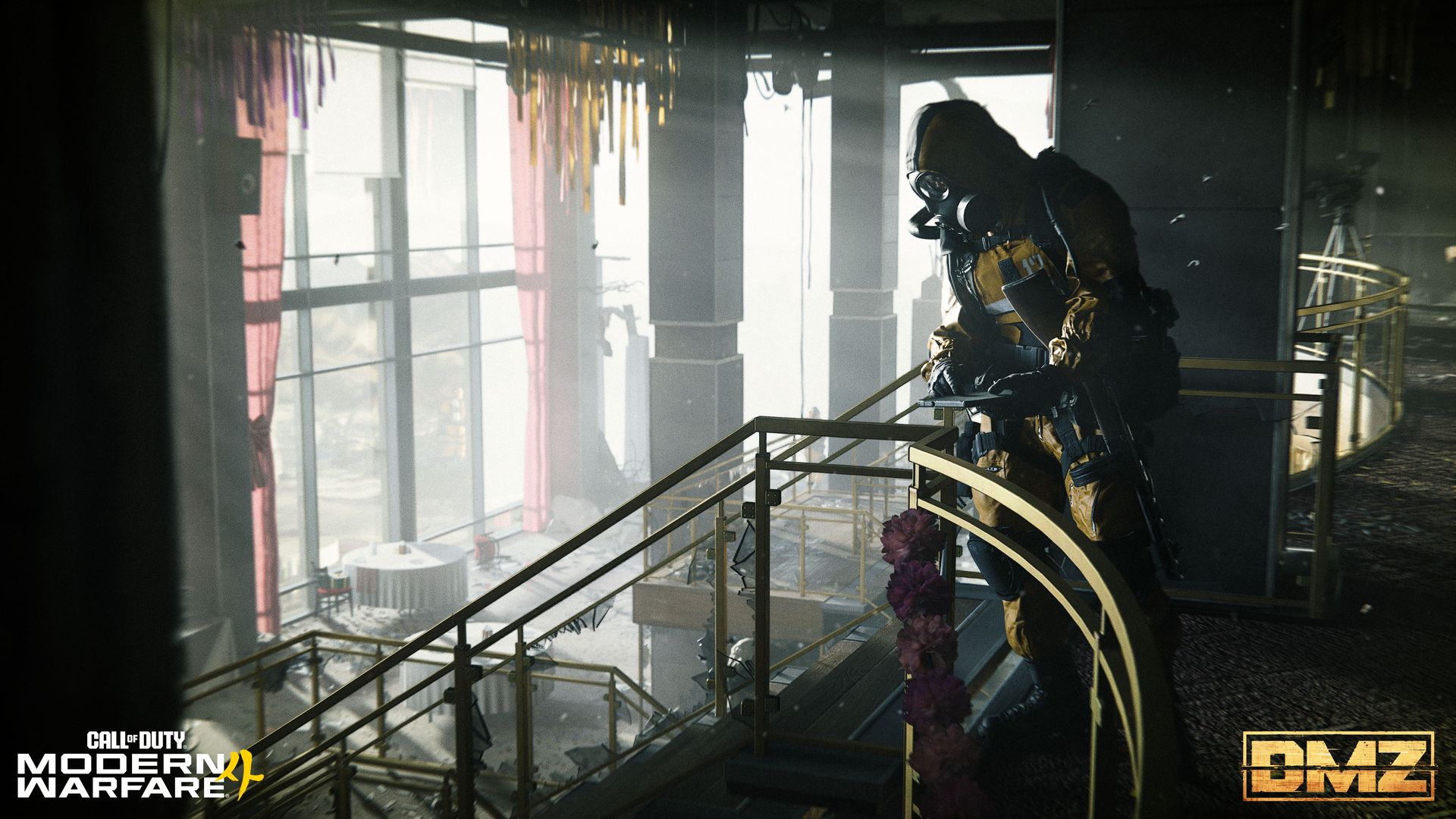
DMZ is shaping up to be a big deal if they can execute it right. (Image credit: Activision)
The Hajin map for DMZ is a sizeable location packed with POIs of varying difficulty. If you've played MWZ or Endgame before, you'll have a basic idea of how it goes. The low-threat zone is where you'll start out, find your feet, and do some looting, and gradually you'll begin making your way into the higher-threat zones where the more difficult objectives (and better rewards) lie.
There is a lot more to digest as we head towards the launch of Modern Warfare 4 on October 23. I have plenty of my own questions that can't be answered until it's actually here, like how it's going to play out for solo players, how 'sweaty' the PvP will get, and such. But the initial impressions are pretty good.
In the "From the Ward" video (which you can see above) there's also a brief tease of what's to come via seasonal content, including new bosses, and, apparently, new maps, or at least, new parts of Hajin.
I want DMZ to be good, and I want it to be stacked with content throughout the lifespan of Modern Warfare 4. With only multiplayer or Warzone to play otherwise, I'm banking a lot on this mode. I'm probably not alone there, either. I can't do a full year on multiplayer alone.
Join us on Reddit at r/WindowsCentral to share your insights and discuss our latest news, reviews, and more.
Call of Duty: Modern Warfare 4 is finally launching on October 23, and the mode that's probably most hyped is DMZ. It's been teased for some time, but as we get closer to launch we're finally getting more information on what it is, how it's going to play, and the mechanics we're going to be experiencing. One of the key parts of DMZ will be the Forward Operating Base (FOB). This is essentially your command center before and after your runs, and crucially, it will
Call of Duty: Modern Warfare 4 is finally launching on October 23, and the mode that's probably most hyped is DMZ. It's been teased for some time, but as we get closer to launch we're finally getting more information on what it is, how it's going to play, and the mechanics we're going to be experiencing.
One of the key parts of DMZ will be the Forward Operating Base (FOB). This is essentially your command center before and after your runs, and crucially, it will evolve as you play the game and progress further.
The FOB will be made up of a number of different Stations, some more crucial to how well you're going to do than others. You'll start out with some, and as you level up, you'll unlock more, as well as be able to upgrade them.
At a glance
The FOB is your pre- and post-match hub where you'll manage every aspect of your DMZ deployments.
It's divided into FOB Stations, some of which are available immediately; others will unlock as you progress.
The Stations will help you manage loadouts and your stash, craft better gear, track your objectives, and even show off a little.
All Modern Warfare 4 DMZ FOB Stations and what they do
Your FOB will start out quite barren, but that will change as you progress. (Image credit: Activision)
When you begin, your FOB will be far from complete. Some Stations will be available straight away; others you'll need to unlock by leveling up through your DMZ progression.
Some will be essential to success in future runs. Others seem purely for your own vanity. Here are all the currently announced FOB Stations for Modern Warfare 4 DMZ, which are available immediately and which you can unlock as you progress, as well as what they can do for you.
Immediately available FOB Stations
Operators (Active Duty): Manage available operators, their status, upgrade traits, and choose one for deployment.
Stash/Loadout: The stash allows you to store gear you've looted from previous runs in DMZ, including weapons, gear, crafting materials, and more. When you extract from a run, you're able to offload items into your stash and then use the Loadout menu to equip weapons and gear for your next one.
DMZ Orders: The place to see your Mission Directives that will help guide you through DMZ, tell the story, and help you master the Exclusion Zone.
Firing Range: A Call of Duty staple for testing your weapons before dropping in for a run.
Survival Kits: Themed packs of loot that can be used to craft items or as part of your next loadout.
Unlockable FOB Stations
3D Printer: This is used for crafting items and upgrading other FOB Stations once you have the right items. Printer Resources and Ingredients can be found during deployments in DMZ.
Gunsmith: Spend DMZ Cash to buy attachments for weapons you've looted or craft new ones from scratch. Attachments are based on the level of the weapon and the shared attachments you've unlocked. Extracting Weapon Manuals increases the selection of weapons you can craft.
Vendor: A daily rotation of items you can buy with DMZ Cash.
Bounty Leaderboard: Tracking the most successful PvP players in the Exclusion Zone.
Boss Board: Buy intel on Lieutenants, and additional information on Commanders.
Dog Tag Case: Show off the dog tags you've collected from defeating other players during your deployments.
DMZ Progression: Monitor your DMZ progression track and the rewards unlocked at their corresponding levels.
Always available FOB Station
Deploy: Does what it says on the tin. You'll go here to drop into Hajin for a new DMZ run.
We're promised a further intel drop on the FOB soon, including a full tour. As we know more about the FOB Stations in Call of Duty: Modern Warfare 4 DMZ, this post will be updated with all the details you need to know.
Join us on Reddit at r/WindowsCentral to share your insights and discuss our latest news, reviews, and more.
Microsoft is holding a special event in San Francisco on October 7, and is remaining tight-lipped about what will be discussed. The company has confirmed that Windows, RTX Spark, and Surface are on all the agenda, but is yet to delve into specifics.This will be the first dedicated Windows & Surface event since the Copilot+ PC launch event in 2024. That event ended up being a total disaster, generating a wave of negative pushback online around features like Re
Microsoft is holding a special event in San Francisco on October 7, and is remaining tight-lipped about what will be discussed. The company has confirmed that Windows, RTX Spark, and Surface are on all the agenda, but is yet to delve into specifics.
This will be the first dedicated Windows & Surface event since the Copilot+ PC launch event in 2024. That event ended up being a total disaster, generating a wave of negative pushback online around features like Recall, tarnishing the category right out of the gate.
Microsoft will be livestreaming its October 7 event, which means the company believes the news it's planning to announce is worthy of public attention. Both myself and Daniel Rubino will be attending the event in-person, giving us an opportunity to go hands-on with all the new features and hardware as they are announced.
So, what can we expect Microsoft to discuss on October 7? Here's what I know.
Surface Laptop Ultra fully revealed
Unsurprisingly, a big focus on October 7 will be on Microsoft's new RTX Spark hardware. The Surface Laptop Ultra was unveiled back in June, and I'm expecting to hear more about the hardware, capabilities, and availability in San Francisco.
A big part of the keynote will be about how Surface Laptop Ultra and RTX Spark are capable of running local 120B parameter models that enable on-device AI experiences and agentic workflows without requiring the cloud. The laptop will be primarily marketed at AI developers and content creators who frequently use apps like Premiere Pro, Blender, and more.
I also understand that Microsoft will demonstrate how the Surface Laptop Ultra maintains maximum performance even when not plugged in, similar to the MacBook Pro. It'll also highlight the PixelSense Ultra display, which sources tell me will be both sharper and brighter than the display on the upcoming MacBook Pro/Ultra with touch.
Surface Laptop Ultra also features a large haptic trackpad that supports Windows 11's built-in haptic engine system that provides subtle feedback when interacting with apps and UI surfaces. I also expect Microsoft to reveal a unique USB-C port that may feature a breakaway design, similar to Surface Connect.
Component
Specifications
Platform / Silicon
NVIDIA RTX Spark Superchip (integrating NVIDIA Grace CPU and Blackwell RTX GPU) with native CUDA support
Processor Options
18-Core CPU with 5,120-core GPU
20-Core CPU with 6,144-core GPU
Unified Memory (RAM)
18-Core: 24 GB or 32 GB
20-Core: 32 GB, 48 GB, 64 GB, or 128 GB
AI Performance
Up to 1 PetaFLOP AI compute; runs local frontier-class models up to 120B+ parameters
Haptic touchpad (over 30% larger than Surface Laptop 15-inch) with next-gen haptic experience support.
Audio
Dolby Atmos surround sound
Ports & I/O
1x HDMI, 3x USB-C, 1x USB-A, Full-size SD card slot, 3.5 mm headphone jack
Battery & Performance Parity
All-day battery life; maintains 99.6% performance parity whether plugged into wall power or running on battery
Colors
Platinum and Nightfall
Operating System
Consumer: Windows 11 Home on entry SKUs; Windows 11 Pro on higher SKUs
Commercial: Windows 11 Pro across all configurations
Microsoft will also delve into configurations of the Surface Laptop Ultra that customers will be able to buy. According to my sources, Surface Laptop Ultra will be available in two RTX Spark configurations: an 18-core model with 5,120 GPU cores, and a 20-core model with 6,144 GPU cores for higher-end workflows.
The 18-core model will be available with 24GB or 32GB RAM, and the 20-core model will be available with 32GB, 48GB, 64GB, or 128GB RAM. The entry-level 18-core SKUs will ship with Windows 11 Home, and higher-end configs will come with Windows 11 Pro.
Of course, all eyes will be on pricing. Sources haven't been able to confirm exact pricing just yet, but I understand that Surface Laptop Ultra will not be cheap, likely starting well above $2,000 for the entry-level 18-core model with 24GB RAM.
I also wouldn't be surprised if we hear more about the Surface RTX Spark Dev Box, which I suspect will likely start shipping at or around the same time as Surface Laptop Ultra.
Windows K2 recap, and support for agents
(Image credit: Zac Bowden / Windows Central)
In addition to the new RTX Spark hardware, Microsoft has teased that "something new is coming from Windows" at this event. Details around what exactly Microsoft is planning to talk about remain under wraps, but I have a few theories.
Of course, the company will likely spend some time recapping the Windows K2 effort that has been ongoing this year. It'll highlight recent performance, reliability, and feature improvements delivered to the OS, and maybe even discuss how it has tuned the Prism emulation layer to run better on RTX Spark PCs.
I'm also expecting Microsoft to highlight some refreshed user interface and design improvements across the OS. The company has been working to bring WinUI to more areas of Windows, including File Explorer, Start menu, and more, which is expected to improve performance.
Windows is also set to gain new unified memory controls that will allow users to adjust how much memory is reserved for the GPU on RTX Spark. This should help enable more advanced local AI workflows and increased gaming performance when needed.
Agents on Windows have been in the works for well over a year. (Image credit: Microsoft)
But the big focus will be on how Windows 11 now supports agents. Microsoft has been working on adding agentic capabilities to the OS over the last year, and I'd be surprised if we don't get a demo showcasing how the platform has been updated to run agentic workflows locally and securely.
At Build 2026, Microsoft unveiled three new in-house language models that are designed to run entirely on-device: Aion Instruct, Aion Plan, and MAI Code Flash. I suspect all three will be highlighted as working great on RTX Spark.
Lastly, I wouldn't be surprised if Microsoft finally takes the wraps off its new voice-enhanced user experience that it has been teasing is in the works over the last year. On multiple occasions, the company has said it's working to adapt and improve voice input across Windows in the wake of AI.
Pavan Davuluri said in July that Microsoft is working to make "voice more natural and fluid to interact across the apps you use every day." We are yet to see this work in action, and so I expect October 7 will be when the company reveals this.
Microsoft's play for the high-end, MacBook Pro AI developer crowd
According to my sources, this event will focus a lot on appealing to the AI developer crowd, a large chunk of which has flocked to the high-end MacBook Pro or Mac Studio for all their on-device language model needs.
The Mac platform has become the default choice for AI development, and Microsoft and NVIDIA are keen to win back those users. Microsoft will use this event to appeal to that audience, along with content creators who have also chosen the Mac for photo and video editing needs.
Hopefully there will be some surprises in the form of Windows announcements, but I fully expect the majority of the event to focus on how Windows is now ready for RTX Spark and local agents.
Join us on Reddit at r/WindowsCentral to share your insights and discuss our latest news, reviews, and more.
Microsoft Copilot has changed a lot over the past month. Microsoft recently outlined its broader plan for a unified AI experience across Microsoft 365, but it also shipped several new Copilot features users can try right now.Microsoft rounded up the changes in a recent blog post, highlighting updates across Copilot Chat, Teams, Word, PowerPoint, SharePoint, and OneDrive. The updates expand Copilot to more services and add new features across Microsoft's software
Microsoft Copilot has changed a lot over the past month. Microsoft recently outlined its broader plan for a unified AI experience across Microsoft 365, but it also shipped several new Copilot features users can try right now.
Microsoft rounded up the changes in a recent blog post, highlighting updates across Copilot Chat, Teams, Word, PowerPoint, SharePoint, and OneDrive. The updates expand Copilot to more services and add new features across Microsoft's software suite:
"New design and functionality for Copilot Chat
Plugins, connectors, and Work IQ enhancements to the Copilot App
Teams Phone agent for Copilot in Teams Phone
Citations and image modifications for Copilot in Word
Skills and connectors for Copilot in PowerPoint
General availability for Copilot in SharePoint
General availability for Copilot in OneDrive"
Microsoft outlined several new features, but one stood out to me: citations in Copilot responses.
Copilot can be a useful tool, but it has limits. If you've ever asked Copilot to handle a task that depends on current information, you've probably run into those limits. AI tools can also struggle when interpreting historical, legal, or highly specialized material.
Now, Microsoft Word can show its sources for specific Copilot answers. You can then click the source to confirm the information provided by Copilot.
"Citations in Copilot responses in Word let users see the sources behind Copilot’s answers. Users can view citations to relevant web and work content directly in the response," explains Microsoft.
"This provides greater transparency and helps users understand where Copilot’s information comes from."
Hallucinations are one problem, but AI tools can also misinterpret legitimate sources and present incorrect conclusions. In some cases, an AI tool can misread context and produce an incorrect response. I've had Copilot share the exact opposite of the truth before.
Citations with links allow you to check the source material and make sure Copilot understood the context of the source and extracted the correct information.
Windows Central take
I've found that Copilot (and other AI tools) can make up seemingly authentic sources of information. If you ever use the tool for meaningful work, you need to double-check original sources and assume Copilot will make mistakes.
Of course, that fact could be used to argue that you just should not use Copilot for work. But there's probably a middle ground where Copilot helps draft or gather information while a human verifies the final output.
In general chats with Copilot, you should ask for a source and press Copilot if it continues to speak in generalities. The new feature in Word simplifies that process and ensures that there's a verifiable source of content generated by Copilot.
Join us on Reddit at r/WindowsCentral to share your insights and discuss our latest news, reviews, and more.
A lot is happening this week in the world of Windows and Surface. Today is the fifth anniversary of Windows 11, a milestone that snuck up on me and plenty of other users. Perhaps it's because I dragged my feet while making the move permanently from Windows 10.On October 7, Microsoft is hosting a Surface event where it's expected that NVIDIA's RTX Spark chip and the Surface Laptop Ultra lineup will be further discussed (and hopefully better explained).This collisi
A lot is happening this week in the world of Windows and Surface. Today is the fifth anniversary of Windows 11, a milestone that snuck up on me and plenty of other users. Perhaps it's because I dragged my feet while making the move permanently from Windows 10.
On October 7, Microsoft is hosting a Surface event where it's expected that NVIDIA's RTX Spark chip and the Surface Laptop Ultra lineup will be further discussed (and hopefully better explained).
This collision of Microsoft-related software and hardware news got me thinking about a quote from the original architect of Microsoft's Surface lineup, Panos Panay:
To make a great product, you can't have great software without the hardware; you can't have great hardware without the software.
Panos Panay
The quote comes from an interview with TechCentral circa 2020, well before Panay departed Microsoft in 2023 to join Amazon's Devices and Services segment. The quote does a great job capturing the original reason why Surface exists at all.
Microsoft originally wanted hardware that showcased the best of Windows software, and it believed its goal could only be achieved with in-house development. Surface became the bridge between software and hardware that Panay alludes to with his quote, and it's had a (mostly) great run.
Where is Surface headed in 2026?
What has me most confused about the upcoming Surface event is that Microsoft already revealed its new Surface Pro 12-inch (Gen 2) and Surface Laptop 13-inch (Gen 2) devices.
My colleague Sean Endicott attempted to answer this question at the time of the Surface/Qualcomm reveal last month. As he stated, "we can now cross two more items off the list of potential things we will see at the Windows and Surface event," noting that the October 7 Surface event also "falls after many improvements have shipped to Windows 11 or entered testing with Windows Insiders."
Barring the surprise reveal of more new Surface hardware — the Surface Laptop 8 and Surface Pro 12 with Snapdragon X2 chips launched this summer, so I'm not expecting anything new there — the October 7 Surface event is shaping up to be a tad lopsided.
Is Surface drifting without Panay's anchoring presence?
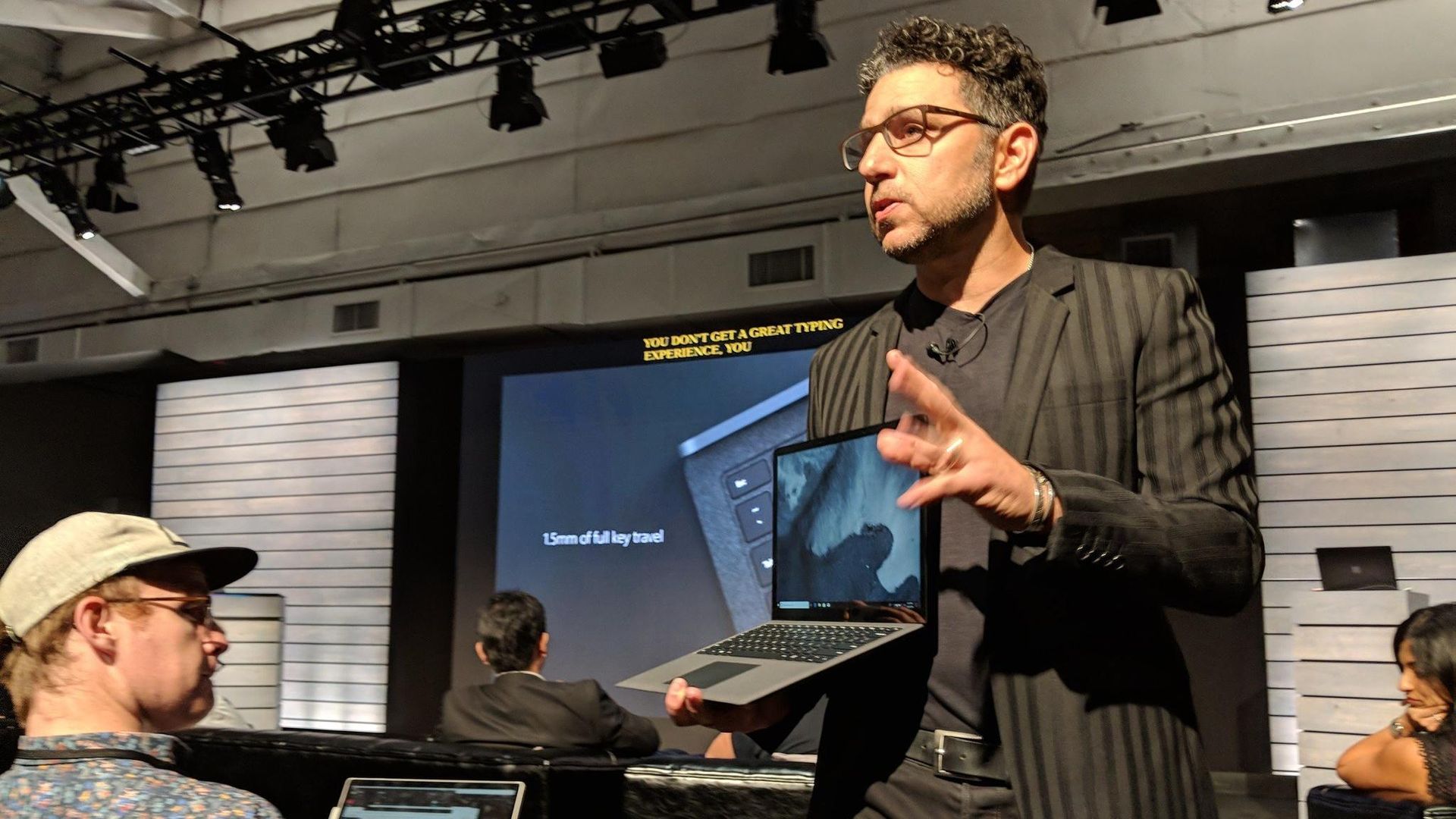
Panos Panay holding a Surface Laptop at the 2018 Surface event. Good times.
It's been six years since Panay dropped his famous Surface quote. It's been three years since he left Microsoft for Amazon. And since then, Surface really hasn't felt the same.
Rather than pushing OEMs to improve their own devices by providing a quality benchmark, Surface seems to be fairly stagnant, fragmented, and largely riding on its reputation.
For me, someone who agrees with Panay's sentiment, a successful Surface event should include software that really only makes sense on the Surface Laptop Ultra with RTX Spark. If it's just another laptop with the chip inside, well, I won't be very excited.
On that note, it'd be great to see some tuning choices that directly benefit Surface with RTX Spark. The hardware-software relationship often shows its cracks in this area, so some assurance will go a long way.
Ultimately, the upcoming Surface event should be a defining moment. Will Panay's original vision carry forward as partnerships become more complicated? Will the quote remain relevant?
Or will Surface become just another laptop brand alongside OEMs like Dell, HP, and Lenovo? Either way, you can tune in to the livestream on October 7 at 1 PM ET to check it out with the rest of us.
Join us on Reddit at r/WindowsCentral to share your insights and discuss our latest news, reviews, and more.
Full Release NotesInsider Beta Preview Build 26220.9587Experimental Preview Build 26340.9596Experimental (26H1) Preview Build 28120.3151Beta (26H1) Preview Build 28020.3142Experimental (Future Platforms) Preview Build 29680.1000Microsoft's Windows 11 and Surface event is only a couple of days away. At the event, we expect to hear a recap of improvements made to the operating system as part of the Windows K2 initiative. But why simply watch people talk about updat
Microsoft's Windows 11 and Surface event is only a couple of days away. At the event, we expect to hear a recap of improvements made to the operating system as part of the Windows K2 initiative. But why simply watch people talk about updates when you can test them out yourself?
Many of the biggest changes to Windows 11 have already shipped through Windows 11 version 26H2. But items that are still in the works are being tested among Windows Insiders. A flurry of five builds shipped recently.
Many of the changes are rolling out to multiple builds, such as added support for Unicode 17.0. Below, I've outlined all the updates and improvements rolling out to Windows Insiders. Make sure to check the channels noted below to see what's on the way to your PC.
Unicode (Beta, Experimental)
We've updated Windows text shaping support for Unicode 17.0, helping Windows correctly display and shape newly encoded characters and scripts. Unicode 17.0 added 4,803 characters, including support for four newly encoded scripts: Beria Erfe, Sidetic, Tai Yo, and Tolong Siki.
These updates help keep Windows text support current as the Unicode Standard evolves and improve support for languages and writing systems used by people around the world.
Settings (Beta, Experimental)
We're making performance improvements to the Settings home page, which should result in reduced loading times in certain scenarios.
Settings (Experimental (Future Platforms))
Updated Settings > Apps > Installed apps to show the version number at the top level for packaged apps, as it already does for other apps.
Recovery (Beta, Experimental
We're adding a new entry point for Cloud Rebuild under Settings > System > Recovery, making it easier to access the feature from Settings.
Windows Recovery (Beta (26H1))
We're introducing Cloud rebuild, a new recovery option that restores a Windows 11 PC to a clean, known-good state by performing a full OS reinstall, even when Windows won't boot. Unlike Reset this PC, Cloud rebuild downloads both the target Windows image and the device's drivers from Windows Update, so the device comes back fully functional without USB media, without a custom image, and without depending on the health of the currently installed OS.
In this preview, you can try Cloud rebuild today:
Start it directly from the Windows Recovery Environment (WinRE) by selecting Troubleshoot > Recovery and uninstall > Cloud rebuild.
Connect over wired Ethernet or a Wi-Fi network from within WinRE.
Review the target Windows build, edition, and language, then confirm the data-loss warning before the rebuild begins.
File Explorer (Experimental)
Address Bar now supports '~' , making it quicker to navigate directly to your user profile folder and subfolders (e.g., "~\AppData").
File Explorer (Experimental (Future Platforms))
This update adjusts how the preview pane handles files downloaded from the web. For HTML files, a new Preview anyway button lets you acknowledge the warning and preview the file. Non-HTML files, such as PDFs, are now previewed automatically.
Fixed an issue causing the previews in File Explorer to have an unexpected bar in the middle in recent flights.
File Explorer (Experimental (26H1))
Customizations
Improved File Explorer to keep folder view customizations, such as sorting and icon size preferences, consistent across different access paths and apps.
Address bar improvements
The address bar now supports paths containing double backslashes and quotation marks, for example, C:\Users\user or "C:\Users\user", improving compatibility with a wider range of inputs.
Improved reliability of the address bar suggestion dropdown so it now consistently closes after an item is selected.
Refinements to the rename experience
Fixed an issue where text would be repeatedly selected while renaming items in folder views.
Fixed an issue where updated names with case-only changes weren't immediately reflected in folder views across local and cloud storage.
Windows Magnifier (Experimental (26H1), Beta (26H1))
Magnifier now gives you more control over how you zoom. You can type an exact zoom percentage directly in the Magnifier toolbar to land on precisely the level you need.
We've also added preset step increments (5%, 10%, 25%, 50%, 100%, 150%, 200%, and 400%) to the Settings dropdown, so you can jump to common levels in a single click. Whether you need a subtle boost or a dramatic close-up, Magnifier adapts to how you want to zoom.
Cloud rebuild (Experimental (26H1))
We're updating Cloud rebuild, the recovery option that restores a Windows 11 PC to a clean, known-good state by performing a full OS reinstall, with two additions.
Cloud rebuild can now sanitize the device's drives as part of the rebuild. When you start a rebuild in WinRE, choose Remove files if you're keeping the PC, or Remove & sanitize files before recycling, returning, or reassigning it. The sanitize option uses the storage hardware's erase capability to securely erase data before Windows is reinstalled and is irreversible.
IT administrators can now configure and start a Cloud rebuild remotely through the Recovery CSP, using either the currently installed build or a target build you specify.
Windows Share (Experimental (Future Platforms))
Added the ability to pin your favorite apps in the Windows share window.
Family Safety (Experimental (Future Platforms))
Improved family safety messaging when applications are blocked because of age-restricted parental controls.
Taskbar (Experimental (Future Platforms))
Fixed a few small visual polish issues when using the taskbar in alternate positions.
Audio (Experimental (Future Platforms))
Fixed an issue affecting certain USB Audio Class 1.0 devices, including some multichannel audio headsets, that could prevent the device from working correctly after installing the latest updates.
Remote Desktop (Experimental (Future Platforms))
Fixed an issue causing Remote Desktop to not use the correct window size after recent flights.
Other (Experimental (Future Platforms))
Fixed an issue causing some Insiders to experience extreme lag over time after updating to the last two flights.
These changes aren't as substantial as the new features and upgrades in Windows 11 version 26H2, but they help create a smoother computing experience.
My favorite improvements are those rolling out to Windows Magnifier. Fine-tune controls make it much easier to create the best experience for your specific screen. The presets make it easy to jump incrementally, but I prefer entering the magnification manually.
Join us on Reddit at r/WindowsCentral to share your insights and discuss our latest news, reviews, and more.
It looks like Microsoft is wrapping up its Windows and Surface efforts for 2026 to be able to focus on the future. Last week the company announced refreshes to the Surface Pro 12-inch and Surface Laptop 13-inch. This week, Microsoft rolled out Windows 11 version 26H2.With a bunch of Surface announcements in the rearview mirror and another update to Windows 11 rolling out, Microsoft can point its followers to the future. The description of the Windows and Surface
It looks like Microsoft is wrapping up its Windows and Surface efforts for 2026 to be able to focus on the future. Last week the company announced refreshes to the Surface Pro 12-inch and Surface Laptop 13-inch. This week, Microsoft rolled out Windows 11 version 26H2.
With a bunch of Surface announcements in the rearview mirror and another update to Windows 11 rolling out, Microsoft can point its followers to the future. The description of the Windows and Surface event next week says, "Join us live... for a look at what's next from Windows, Surface, and NVIDIA."
I hope Microsoft has some exciting news in store for its event. Windows and Surface have been far from exciting lately. It is possible to market boring products, of course, but they have to be reliable.
This week Microsoft announced Windows 11 version 26H2 and called it a "predictable and low-disruption update." If Microsoft wants to win back consumers, it needs to either be cutting edge or actually deliver predictable and low-disruption updates. It feels like for the last few years we've gotten neither.
Biggest News of the Week
Qualcomm
Microsoft has had to release multiple out-of-band updates in 2026. Some bugs required multiple patches to fix. It's gotten so bad that most of our articles about Windows 11 updates are met with comments asking what will break this time.
Unfortunately, the commenters have been proven right several times. One serious bug made Outlook, OneDrive, Dropbox, and other cloud-backed apps inoperable. Another issue froze Remote Desktop and caused audio failures. At one point users couldn't even install a Windows 11 update, forcing Microsoft to pull that update.
If Microsoft is going to undercut its events and trim down its Surface lineup, it needs to double down on reliability. Next week, we should get some answers about Microsoft's plans.
Windows and Surface event
(Image credit: Windows Central / Zac Bowden)
A boring but bug-free Windows 11 update may be a welcome change of pace, but it makes me curious about what Microsoft will discuss at its Windows and Surface event next week. Considering Windows 11 version 26H2 is already rolling out, the focus is likely the future of Windows.
Does Microsoft have something up its sleeve? Has the tech giant learned a lesson about how to build consumer hype? Or are we due for another on-stage announcement about AI and how new PCs can run models locally?
I'm sure there are developers interested in the potential of the Surface Laptop Ultra and RTX Spark for AI development, but there are hundreds of millions of Windows users who care very little about AI. Microsoft needs to at least throw some scraps our way to keep us interested.
Shopping with Sean
Amazon's October Prime Day is next week, but there are already some great deals live. Competing retailers are trying to beat Amazon to the punch, resulting in big savings.
A trio of laptops are the best deals of the week. I'm partial toward the Lenovo Yoga Slim 7x because of its thin design but the Samsung Galaxy Book6 and Dell 14S are also great choices.
"The Dell 14S is a compelling choice for a variety of users thanks to its long-lasting battery life (and) relatively affordable price." ~ Sean Riley, Freelance Writer, Tom's Guide
"The Slim 7x (Gen 11) is a laptop I can see fitting in perfectly with students, home business pros, and casual users who simply want a laptop for around $1,199 (even less when it's on sale) that feels like it should cost a lot more." — Cale Hunt, Windows CentralView Deal
"I’ve been using the Samsung Book 6 for a while now and honestly it’s been solid. It’s lightweight, looks premium, and the battery easily gets me through most of the day. Performance is smooth for studying, browsing, videos, and everyday work." ~ VALENTIN, customer review
4.8 out of 5 Stars (based on 40 Best Buy customer reviews)View Deal
Join us on Reddit at r/WindowsCentral to share your insights and discuss our latest news, reviews, and more.
Acclaimed gaming journalist Destin Legarie recently spoke with the developers of Gears of War: E-Day about behind-the-scenes development, story elements, audience expectations, and more.During this conversation, Destin asked the developers how they felt about Gears of War: E-Day being an Xbox console exclusive title.DEAL: Get Surfshark VPN 86% OFF with Windows Central 🦈The developers responded by saying that they were "proud" to be one of Xbox's pillar titles, "W
Acclaimed gaming journalist Destin Legarie recently spoke with the developers of Gears of War: E-Day about behind-the-scenes development, story elements, audience expectations, and more.
During this conversation, Destin asked the developers how they felt about Gears of War: E-Day being an Xbox console exclusive title.
The developers responded by saying that they were "proud" to be one of Xbox's pillar titles, "We feel great that they feel great because Gears is like part of Xbox's DNA. It's woven into it. And at The Coalition, we feel honored to have Gears and be the ones bringing that legacy forward."
The developers mentioned they know Xbox means so much to a lot of people and that they're proud to be one of Xbox's main console-exclusive titles, filling that role again with Gears of War: E-Day.
Of course, this isn't full exclusivity, as the game is still available on Steam for PC, as has been tradition for Xbox for many years now. As of writing, Gears of War: E-Day has achieved its highest franchise concurrency figures on Steam at around 20,000 users in the early access period, and has become the top-selling Steam game in the United States ahead of its official October 6, 2026 launch. The game is also of course available on Xbox Game Pass and PC Game Pass, where I suspect many will be opting to play over an out-right purchase.
Will Xbox exclusivity pay off for Gears of War: E-Day?
Personally, while I prefer games being available on any platform (especially these days when people can't afford to buy every console at once), I can't deny the power exclusivity brings to a console and a game series' brand.
For example, I bought a Nintendo Switch many years ago just to play Monster Hunter Generations Ultimate, simply because I knew it wasn't going to be made available on any other console.
So I'm guessing at least some will have the same sentiment for Gears of War: E-Day, which will ultimately be beneficial for Xbox in the long run. Having exclusives will give Xbox its own unique identity and entice console players to play their games not found anywhere else (besides Windows PC, which is also a part of the Xbox ecosystem).
But this is all speculation on my end. Only time will tell if this console-exclusivity strategy pays off financially for Gears of War: E-Day when it leaves early access and launches for the general public on October 6, 2026, for Xbox Series X|S, Xbox Game Pass, PC Game Pass, and Windows PC (all with Xbox Play Anywhere support).
Gears of War: E-Day (Xbox): $69.00 Relive the tragic day that started the long, grueling war between the COGs and the Locust horde in the highly anticipated prequel of the Gears of War franchise, Gears of War: E-Day.
After a day of interviews with Ubisoft and a win streak I had no business being on, March of Giants still had one game left in it. The team that built it — Siege veterans Xavier Marquis brought out of Amazon and back to Ubisoft Montreal — had already sold me on soldiers you can command, Battleworks you can drop on the map, and 4v4 matches that end when two Bastions fall. None of that prepared me for pickup against a stranger the other writers would not shut up ab
After a day of interviews with Ubisoft and a win streak I had no business being on, March of Giants still had one game left in it. The team that built it — Siege veterans Xavier Marquis brought out of Amazon and back to Ubisoft Montreal — had already sold me on soldiers you can command, Battleworks you can drop on the map, and 4v4 matches that end when two Bastions fall. None of that prepared me for pickup against a stranger the other writers would not shut up about.
After wrapping the interviews, we had about an hour left, so I walked back to my station for another game. Most of the players and developers were off doing their own interviews. I got relegated to bots.
A few minutes in, a dev pointed at me. “Want another game?”
“Of course, dude.”
In a few minutes we had slapped together whoever was left. Another writer and two developers on my side. The same setup across the table. Sitting across from me was one of the other writers. Her name escapes me, so for the sake of a name, Brit.
Brit could not stop mentioning how excited she was to play with Aaron. “Is this Aaron guy pretty good?” I asked. At this point, we were all buddy-buddy. “Oh, he’s some really good League of Legends pro,” she replied. “Like a Diamond?”
“I think he said Master?”
Yep. (Image credit: Disney)
Master is the third-highest rank in League, the top 1 percent of the player base. I never confirmed it. By the end of the match, I needed less proof.
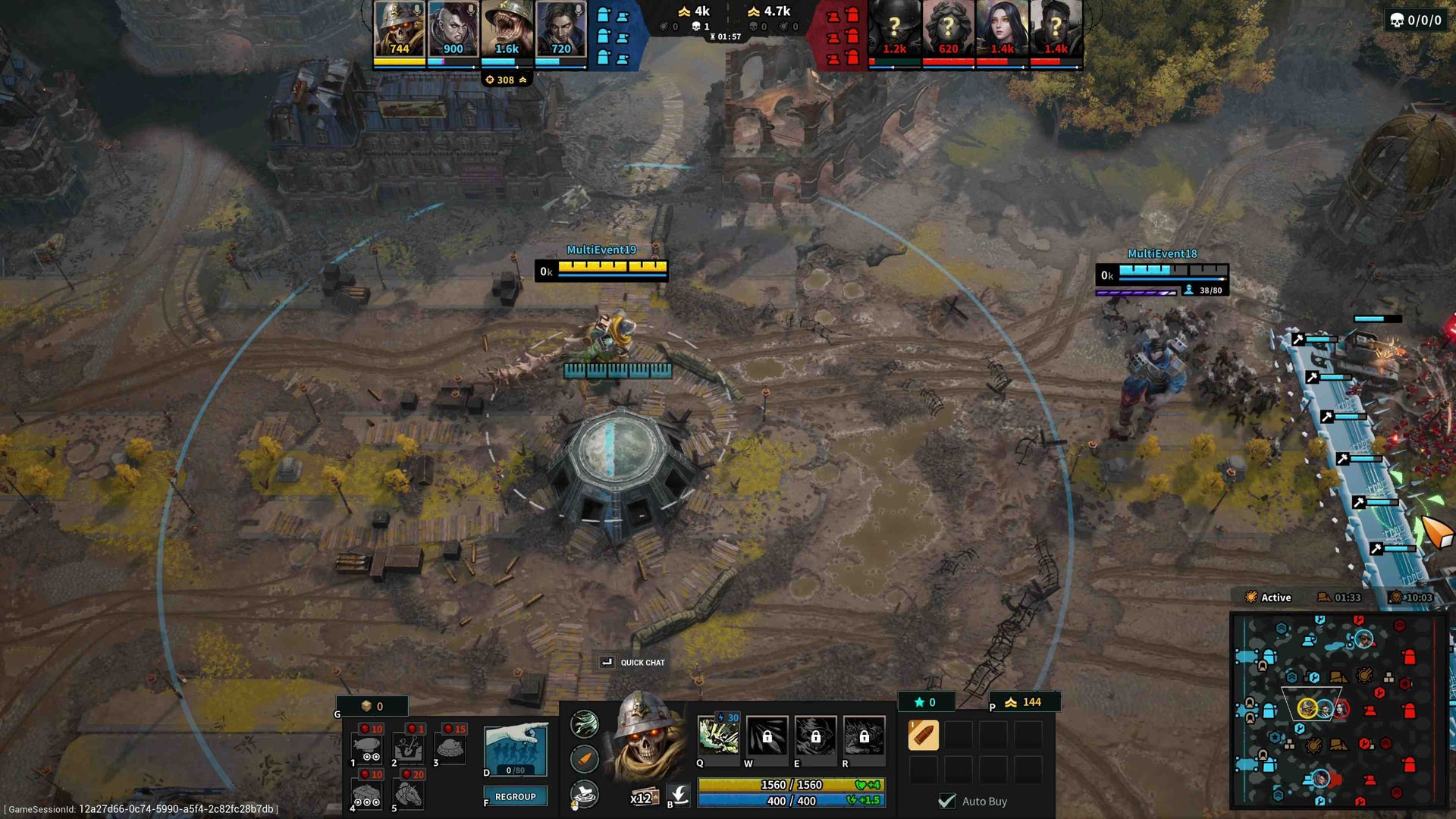
I picked my current favorite giant, Ossuary, whose ultimate raises an army of the dead. Basically, The Return of the King scene with way fewer steps. Everything else felt normal. I fell into the old MOBA trance: baiting people into reach abilities, ticking health until they had to back, even catching myself trying to drop a ward.
I got a kill, died once, picked up a few assists, and was already pacing behind my team. Then I ran into who I can only assume was Aaron and ate an ultimate.
Better decision, don’t go for the revive, don’t walk into that. Being the lowest level on the team doubles it. I needed to change something.
Down, and my teammates were losing mid. I started blaming myself. That old sinking feeling crept in. I hadn’t lost all day. We were on a stupid win streak, and I had been having it. Facing a real challenge, I was getting dominated in-game and in my own head. It wasn’t that I stopped having fun. In competitive games, I always feel like the loss is on me.
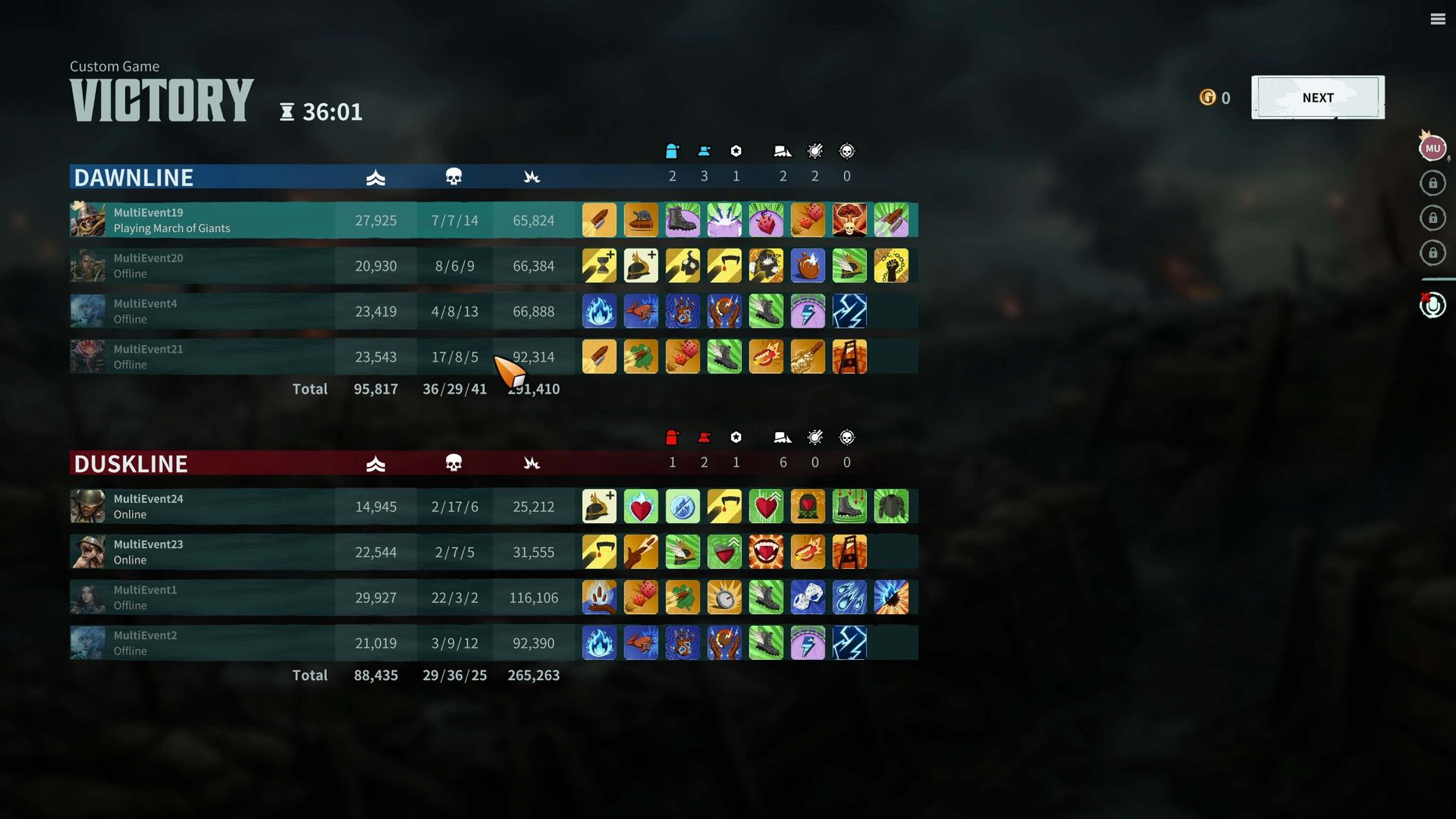
Better decision, don’t go for the revive, don’t walk into that. Being the lowest level on the team doubles it. I needed to change something. It got worse first. While I pushed mid, top got blasted. I rotated as fast as I could. They took our Bastion anyway. We were squared up around 14k. Aaron was sitting on a comfortable 20k.
That’s when “Welcome to the Jungle” started playing in my head.
Jungle for the win
I AM THE DANGER! (Image credit: Ubisoft)
You see, MoG has its own mixture of jungling. You can take out enemy shops to earn Acolades that let players supercharge their abilities with more range, projectiles, damage, etc.
These are permanent buffs, so getting them when you can is pretty crucial. However, until then, we hadn’t been high enough level to take them out, let alone stay alive against this guy.
Jungle crawling around, I managed to grab an Acolade alongside some much-needed extra gold. I mean, at this point in the game, I might as well have been Smaug from The Hobbit (Alright, two Lord of the Rings references) with how much gold I was sitting on.
March of Giants has its own mixture of jungling. You can take out enemy shops to earn Acolades that let players supercharge their abilities.
Still, I wasn’t quite near Aaron; I was still a decent amount behind him. That’s when the 26-minute mark hit, and we took our first Bastion, the bottom lane! Yes, this game was so back and forth that it doubled the length of any of my previous sessions.
Not only did we take the Bastion, but we also dropped two of their players, including A-A-Ron. We were back in it, and things were heating up. Now, I kept pace with the enemy, only a few thousand behind the other team; I was well over 4k above my next teammate as I ganked their low-level player for some easy experience.
Who's rage baiting who now, Aaron?! (Image credit: Ubisoft)
However, only minutes later, we were battling for our very lives in mid lane. The entire enemy team brought down the hammer and managed to wipe two of us off the map. The two who went down? The writers.
The developers, backed against the digital wall, pulled off a miracle by fending off all four foes like heroes in a last stand. Dropping two with the added aura farming.
Barely two minutes later, the enemy surged down our bottom lane, but the devs dug in, defenders to the core, while my teammate and I slipped around the flank, pouncing. Three fell at our feet, including their Master Aaron!
The room erupted, a chorus of cheers from journalists and developers alike.
Knowing this was our chance, with enemies stuck behind the ever-haunting respawn timer screen, we pushed toward the middle. Victory, seconds away. I didn’t just cheer. I exploded out of my seat like a firework, as if the Vikings had finally clinched the Super Bowl, shouting “YES!” like it was the final thing I’d ever say. Super embarrassing to think about now.
The room erupted, a chorus of cheers from journalists and developers alike. Still riding the adrenaline wave, I walked to the other side of the room, searching for the legend I’d just managed to best, and asked:
“Who the hell is Aaron?”
March of Giants Pioneer playtest launches on October 7, 2026, and runs until October 18. The game will be available exclusively on Steam.
"Play as a towering Giant, rally hundreds of Soldiers, and deploy Battleworks that turn familiar lanes into shifting front lines. Request access below to join future playtests."View Deal
Join us on Reddit at r/WindowsCentral to share your insights and discuss our latest news, reviews, and more.
Razer's Tartarus is one of the weirdest 'keyboards' I've ever seen, yet I can't help being drawn to its strangely alluring ergonomic design. I remember seeing the Nostromo and Orbweaver come and go over the years, acting as similarly odd keypads with a niche appeal I assumed only benefited MMORPG nuts. I don't play World of Warcraft. At best, I dip my toes into RuneScape.So, why did I want to try the Tartarus V2 Pro after its surprise announcement earlier this Se
Razer's Tartarus is one of the weirdest 'keyboards' I've ever seen, yet I can't help being drawn to its strangely alluring ergonomic design. I remember seeing the Nostromo and Orbweaver come and go over the years, acting as similarly odd keypads with a niche appeal I assumed only benefited MMORPG nuts. I don't play World of Warcraft. At best, I dip my toes into RuneScape.
So, why did I want to try the Tartarus V2 Pro after its surprise announcement earlier this September? There's just something about its wrist rest, combined with the curved shape, that appeals to my wrists, which spend most of the day attached to a low-profile productivity keyboard. If I'm playing half of my games on a keyboard, I might as well be as comfortable as possible.
Razer provided a sample but did not see, nor did it have any input on, the contents of my article before publishing.
How much does the Tartarus V2 Pro cost?
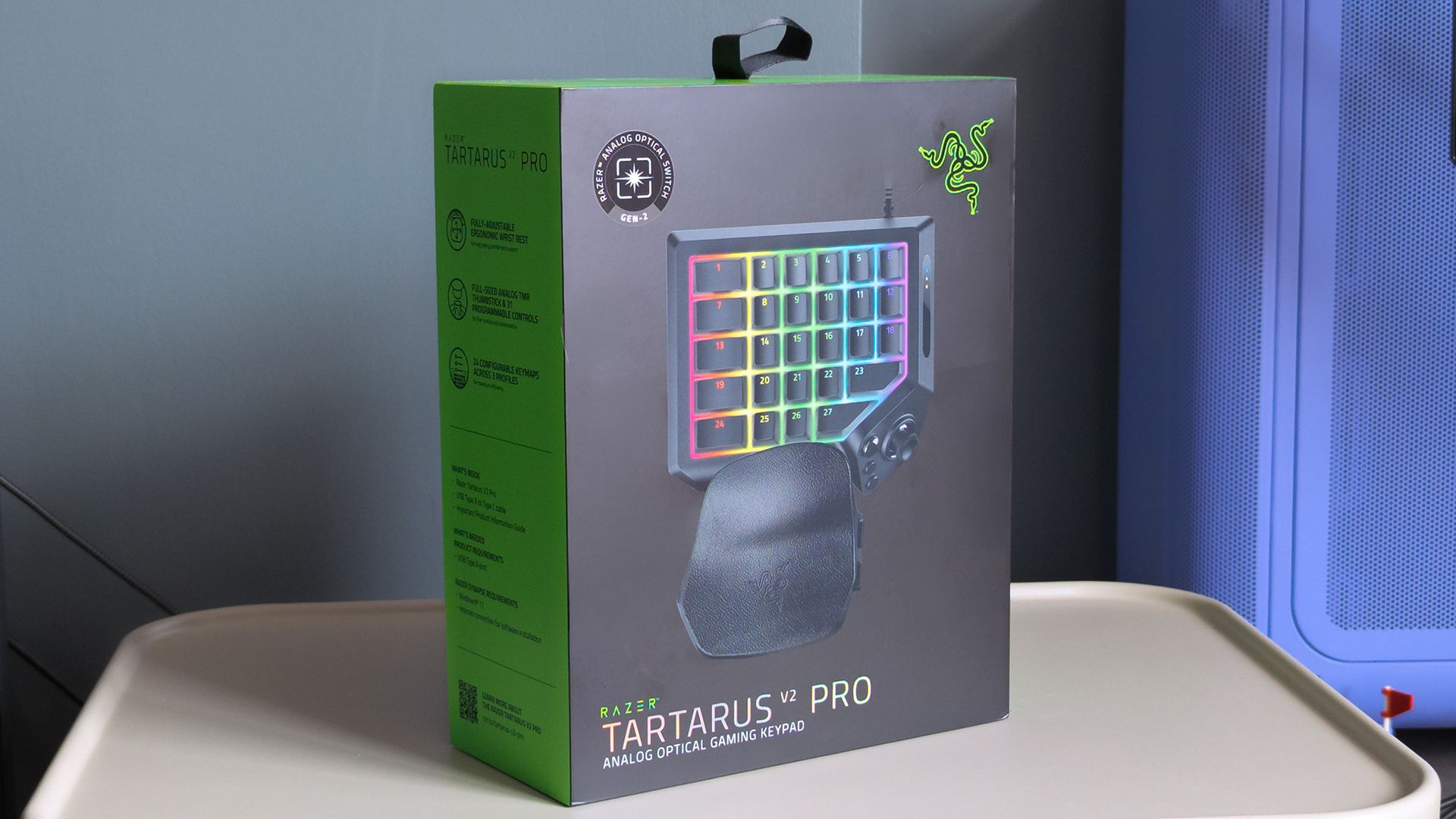
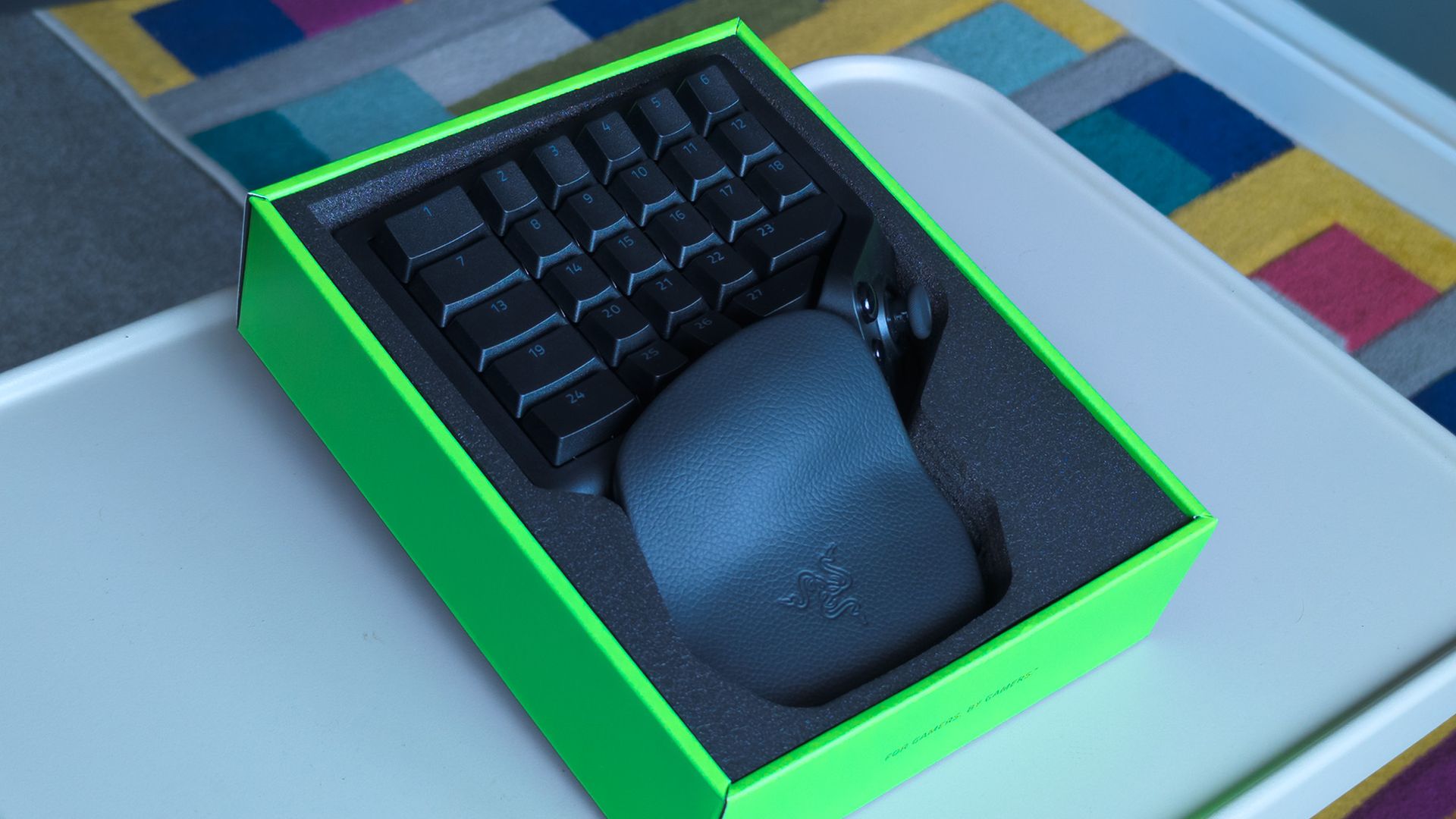
Look out for the boxed Tartarus V2 Pro in physical stores. (Image credit: Ben Wilson | Windows Central)
Razer sells the Tartarus V2 Pro for $199.99 MSRP at its official storefront, with a functionally identical variant available for £199.00 at Razer UK. Regional keyboard layouts don't apply to this unique keypad without traditional lettering glyphs, so US imports should work if you can't find one in your country.
As usual, Razer also lists the Tartarus V2 Pro for $199.99 on Amazon, and again, a model for Brits appears for some extra pennies at £199.99 on Amazon UK. At launch, availability seems better if you order directly from Razer itself or head to a physical RazerStore, should you have one nearby.
For comparison, the original Razer Tartarus launched in 2013 for $79.99, followed by the Chroma in 2015 for the same $79.99, then the V2 in 2017 for $99.99, and the Pro in 2019 for $129.99. Years later, we now have the V2 Pro in 2026 for $199.99, or you can still pick up the first Pro for $129.99 on Amazon.
Razer Tartarus V2 Pro specifications
Component
Spec
Switch
Razer Analog Optical Switch Gen-2 (Linear)
Lighting
Razer Chroma RGB
Memory
Hybrid on-board storage for up to 3 profiles
Connectivity
Detachable Type‑C cable
Extras
Fully-adjustable ergonomic wrist rest
"Grasp the true meaning of command with the Razer Tartarus V2 Pro — our most advanced analog optical gaming keypad."View Deal
What I like about the Tartarus V2 Pro
It's definitely faux leather, but the wrist rest feels great. (Image credit: Ben Wilson | Windows Central)
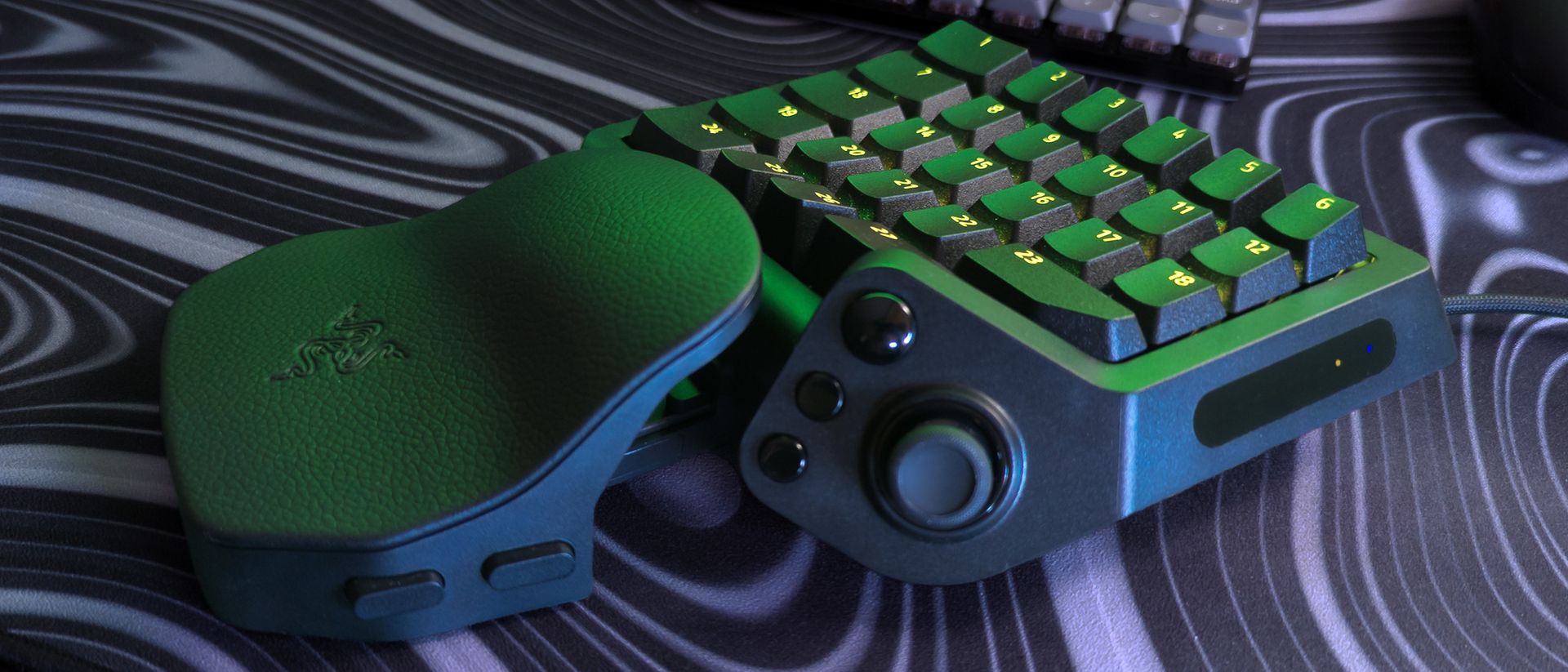
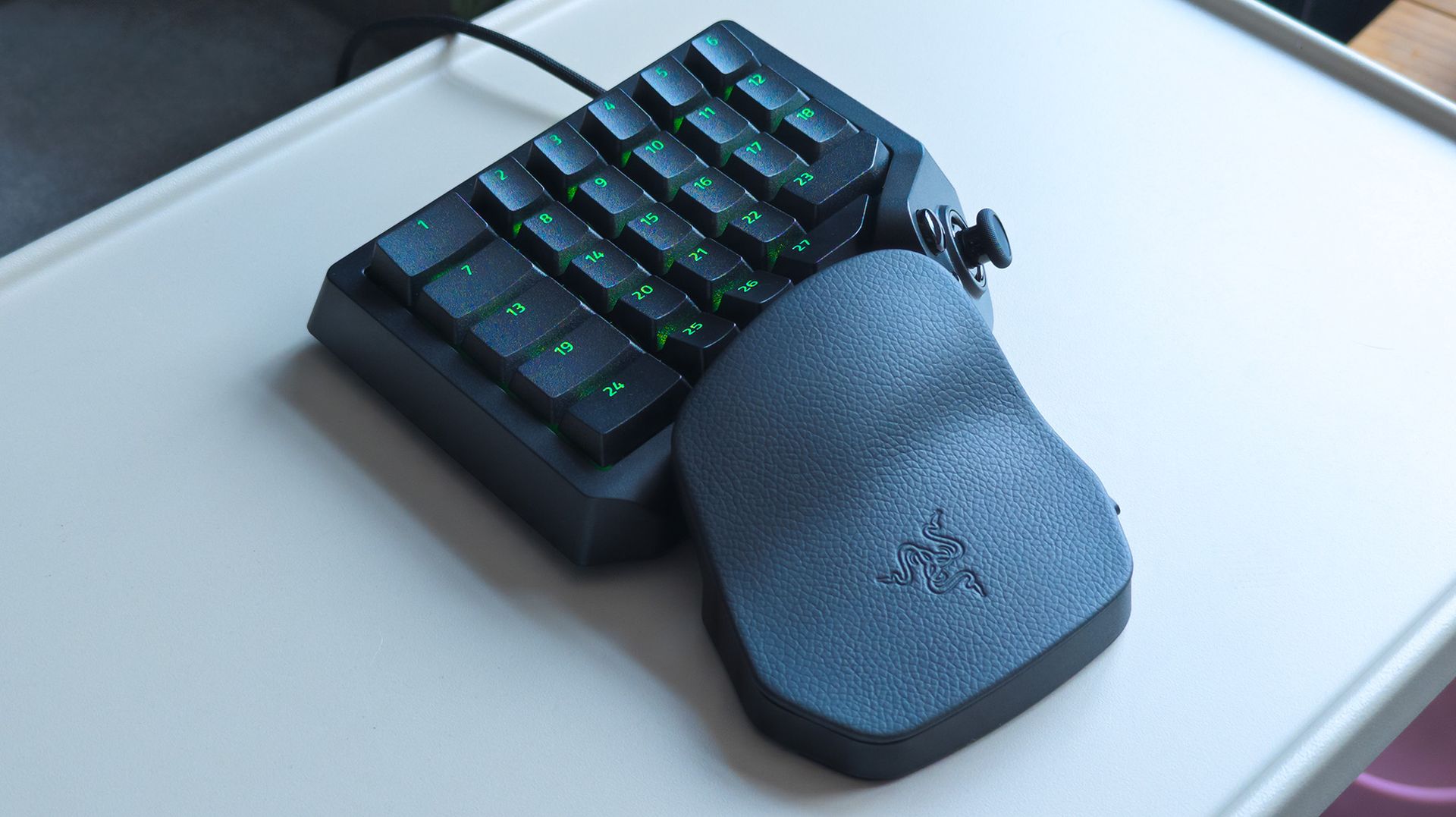
The Tartarus V2 Pro feels like Razer's high-end gaming keyboards, with each linear keypress matching the response of the analog optical switches I've seen in similarly premium examples like the Razer Huntsman V3 TKL 8KHz. That big cluster of 27 keys exhibits smooth travel and defaults to a traditional 'WASD' layout that mostly fits my muscle memory.
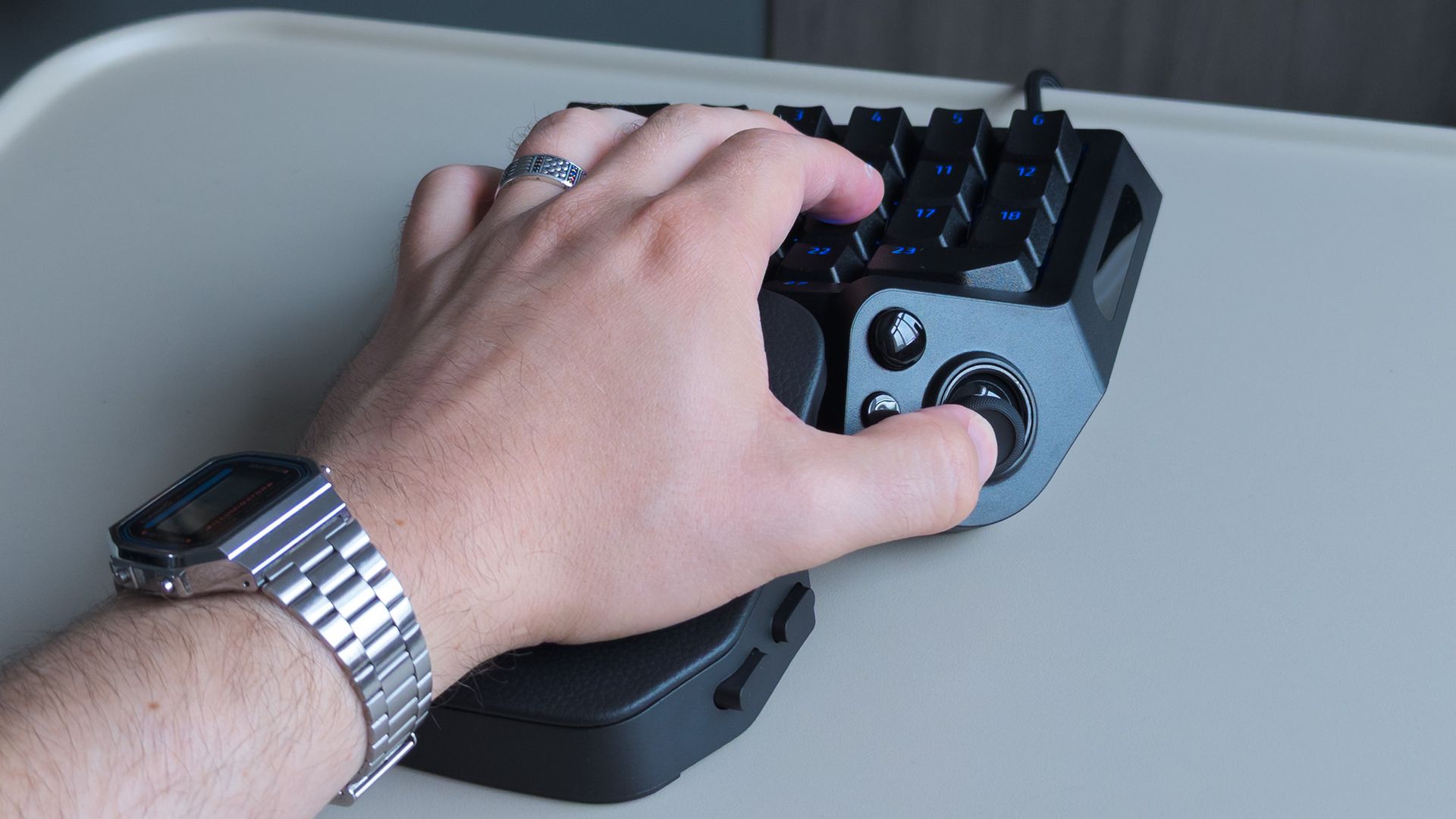
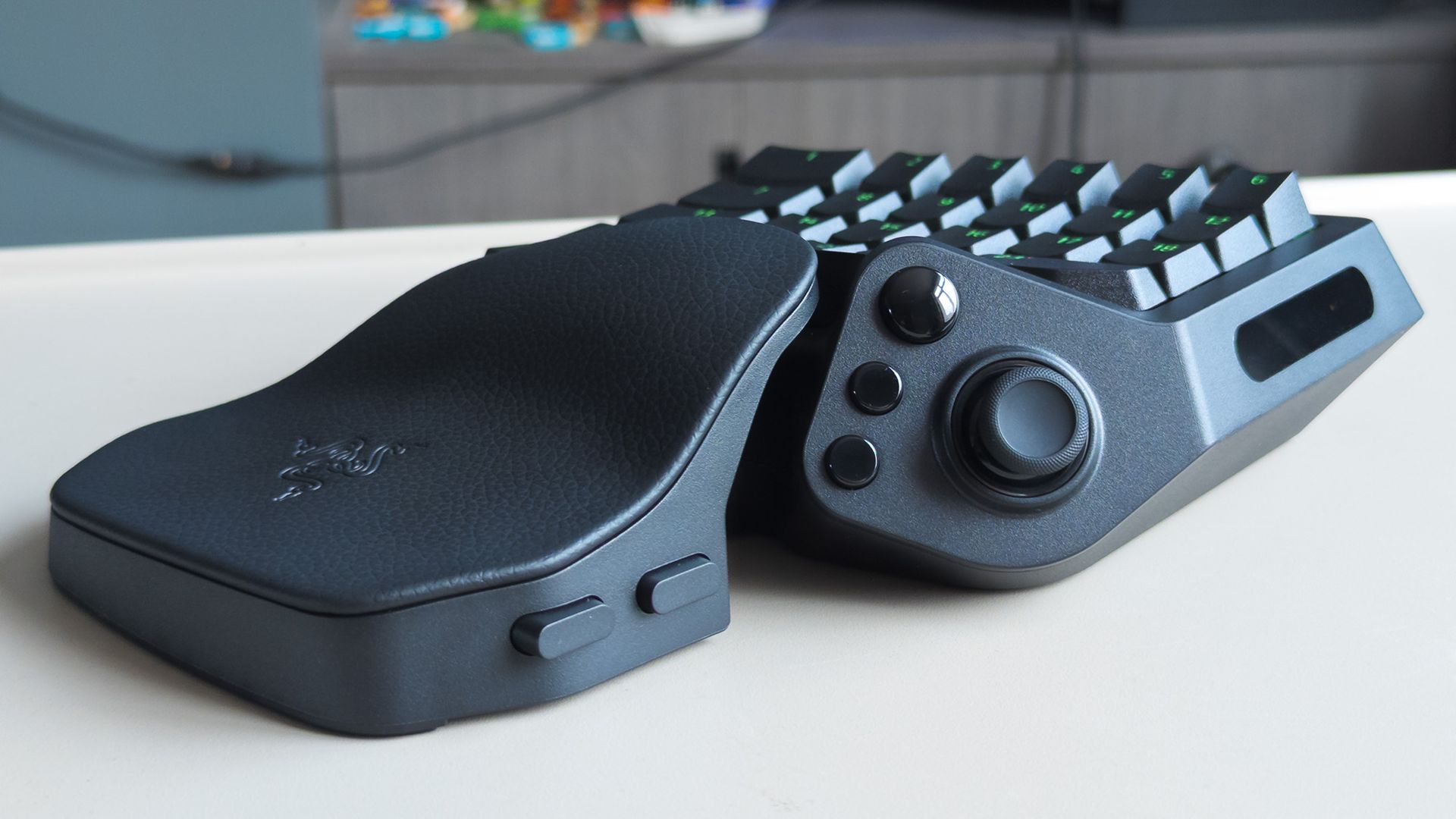
Two buttons on the wrist rest let me adjust its distance and angle, though I immediately felt quite comfortable with it at its default, shortest setup. It's significantly more comfortable than any other keyboard-and-wrist-rest arrangement I've used to date, and my fingers fall quite naturally on the textured, double-shot PBT keycaps (they'll never fade).
Similarly, decades of PC gaming mean my thumb naturally rests between the big, shiny 'HyperShift' button — which can trigger a second layer of commands, like a regular keyboard shift key — and the new, drift-proof TMR thumbstick. I can rebind that HyperShift button to any other command I like, and I'm already considering using it as a spacebar replacement. So far, so good.
Key press depth is displayed on the right side.Ben Wilson | Windows CentralRazer includes two interchangeable thumbstick caps.Ben Wilson | Windows Central
On the right, a strip of LEDs lights up in sequence to show how far I've pressed a key, including its initial actuation point and maximum depth. That adjustable actuation is part of Razer's whole pitch for the Tartarus V2 Pro, meaning I can dictate exactly how sensitive the keys are. Beyond that, 'Snap Flex' lets me bind other inputs to trigger when I release specific keys.
(In Euro Truck Simulator 2) I can bind the W key to an analog accelerator pedal and press it lightly to creep through low-speed areas. Clever.
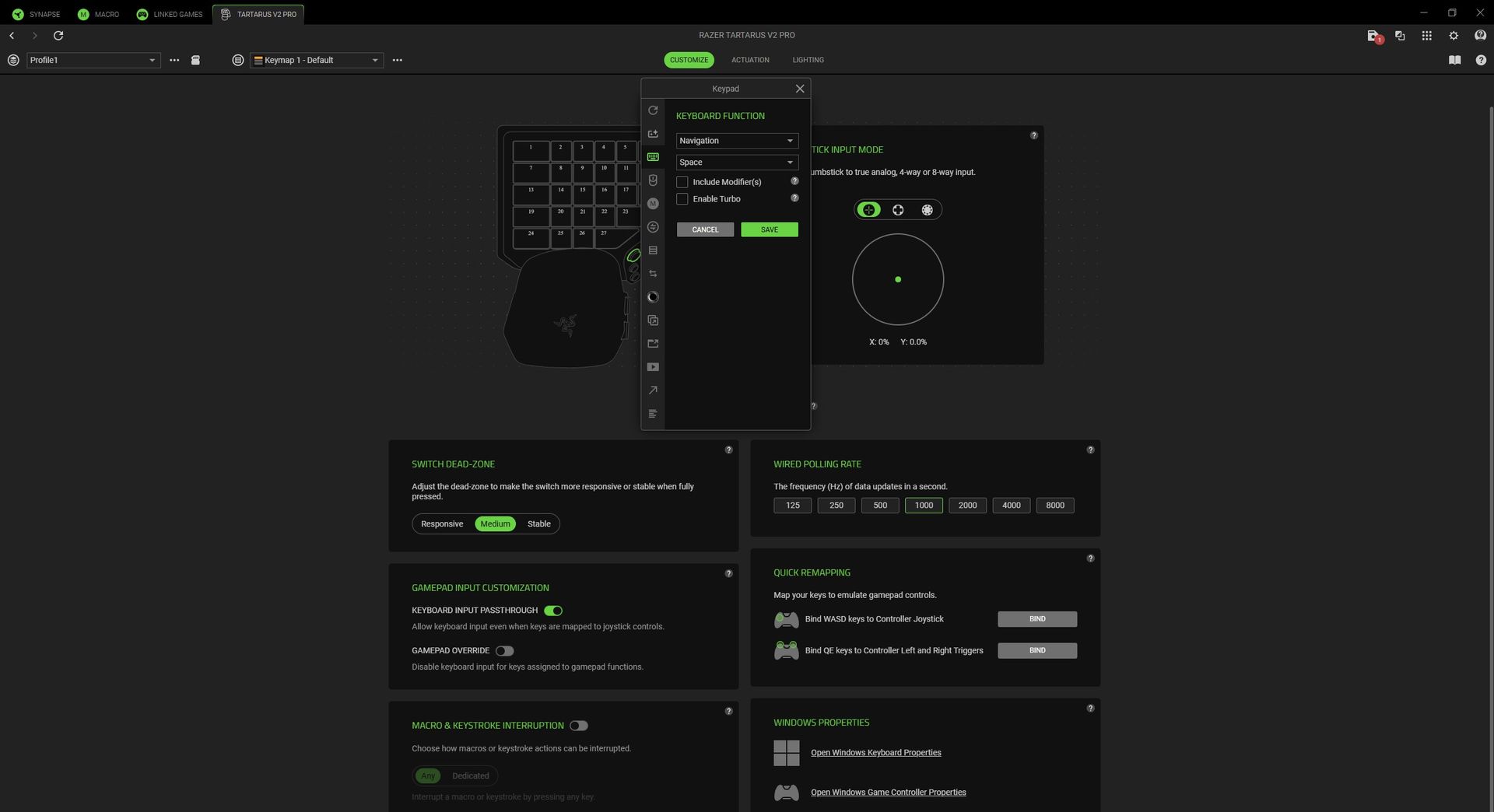
Indeed, while it's obvious at first glance that this thing offers a lot of keys, it's not quite accurate. In reality, you get a sh—load of keys. Maybe more theoretical keys than I could ever use. Nevertheless, the first hours were quite exciting as I pondered potential keymap layouts for specific games, with space for 24 configurable keymaps across 3 profiles inside Razer's Synapse app.
The more I learned about analog optical switches, the more I like them, particularly because I can bind a controller trigger to a key for a gradual response. Yes, I know the Tartarus was made for MMORPGs first, but there's more fun to be had. For example, building a profile for Euro Truck Simulator 2 means I can bind the W key to an analog accelerator pedal and press it lightly to creep through low-speed areas. Clever.
Does the Tartarus V2 Pro have any issues?
The TMR thumbstick is technically great, but I'd have preferred an analog optical key for my thumb to use. (Image credit: Ben Wilson | Windows Central)
The meat of my grievances relates more to Razer's Synapse software than to the Tartarus V2 Pro's design, but there are a couple of physical oddities worth noting as a first-time user who only saw photographs of its predecessors with a single key under their thumbstick. For most of my testing, it felt like there was nothing for my thumb to do.
Of course, Razer intends to match its high-end keyboard switches by offering the TMR thumbstick, but that doesn't gel with decades of spacebar-mashing habits that my thumb muscles expect. So, even though I mapped the big, round HyperSpeed button to the spacebar for that very reason, it still doesn't feel quite right during gameplay.
It's the clicky response of that HyperSpeed button — which feels more like the shoulder bumpers of your average Xbox controller — that clashes with the ultra-smooth linear action of the keypad. There's a tactile mismatch, and on top of that, I can't stop the Tartarus V2 Pro from switching off the RGB key lights when I press the HyperSpeed button, no matter what it's bound to.
Synapse is good for the most part, but I'm eagerly awaiting a thumbstick orientation update. (Image credit: Razer | Windows Central)
The rest of my concerns with the V2 Pro are solvable through firmware updates and tweaks in Razer Synapse. Easier fixes would include a patch for a bugged 'switch off lighting' timeout function that leaves the keypad illuminated as long as I'm using my PC, because it still detects my primary keyboard in use. Unruly backlighting should be an easy thing to fix.
If I stretch my thumb toward my monitor to mean 'forward,' the Tartarus V2 Pro thinks I'm moving right, so I have to move it literally, vertically upward.
Most egregious of all, and one I hope Razer fixes as quickly as possible, is that I can't realign the inputs for the TMR thumbstick. Right now, if I stretch my thumb toward my monitor to mean 'forward,' the Tartarus V2 Pro thinks I'm moving right, so I have to move it literally, vertically upward to gesture 'forward.' It's bizarre, and something Valve's Steam Input can already solve.
Similarly, the thumbstick is strangely mapped to a controller's right stick by default. Since the Tartarus is built so purposefully around the left hand, traditionally reserved for in-game movement, it feels like a similarly odd decision. I found little use for the thumbstick unless a game offered a 'southpaw' option to switch the left and right sticks. Razer is working on it.
Is the Tartarus V2 Pro good for accessible gaming?
Razer's ergonomic Tartarus design appeals to more gamers than it might have expected. (Image credit: Ben Wilson | Windows Central)
It wouldn't surprise anyone to hear that this alien-looking keypad, polling at 8KHz with custom-designed switches, was built first for hardcore PC gamers. However, the benefits of Razer's esports-centric tech, like Rapid Trigger and Snap Flex, coincidentally appeal to those with accessibility needs, including my wife and her overextendable joints.
She's a newfound World of Warcraft fan who mostly relied on the Xbox Adaptive Joystick for over a year, until Blizzard started improving controller support for WoW. That hasn't stopped her from eyeing up the Tartarus over the years, and after testing how adjustable the smooth analog optical switches are on the V2 Pro, I'm certain she'll find it comfortable.
On top of that, Rapid Trigger means she doesn't have to lift her finger entirely off a key in order to activate it again, and can reset an input with the slightest upward movement. Pair that with Snap Flex to bind commands at the point of a key release, and she'll barely have to move her hand at all. Snap Tap is useful, too, but mostly for me and my love/hate relationship with Counter-Strike 2.
Should you buy the Tartarus V2 Pro?
It's a long-awaited update, but anyone who owns the V2 will likely be satisfied already. (Image credit: Ben Wilson | Windows Central)
You should buy this if ...
✅ You play MMORPGs/MOBAs like World of Warcraft/League of Legends
✅ You want a combination joypad/keyboard gaming solution
You should not buy this if ...
❌ You already own a previous model of the Tartarus
My interpretation of the Tartarus V2 Pro is that it's almost immaculate, dulled only slightly by software-centric gripes that can be fixed with app patches, along with relatively small design changes that make me compare it so closely to its predecessors. If you're into games with a huge number of abilities and the rotation orders around them, you'll likely love it.
At launch, I'm puzzled by Razer's choice to make the TMR thumbstick default to acting as a right-side thumbstick for looking around in games, and its insistence on pointing the stick up to the sky to move forward is equally strange. Again, both should be solved with Synapse software updates, and by then I'd be more tempted to incorporate the otherwise excellent thumbstick into my own flow.
Ultimately, the analog optical switches powering the 27 keys are legitimately brilliant, and probably the first time I've genuinely cared about adjustable actuation in a keyboard. Basing it around a command center for your left hand makes the whole prospect far more appealing, though you might miss the lone key that used to sit below your thumb. Still, plenty of other keys remain.
Razer
Tartarus V2 Pro
"From its TMR thumbstick and adjustable wrist rest, to Rapid Trigger and adjustable actuation, wield true control and customization over MMOs, FPS, and more."
Stepping into Ubisoft Montreal felt like wandering into a building of my past dreams. A place so storied, I half-expected the walls to hum with echoes of digital legends. Imposter syndrome clung to me like a cosmetic skin. Many of us have our own hallowed studios, the ones whose games have marked the calendar years of our lives, sometimes for decades.DEAL: Get Surfshark VPN 86% OFF with Windows Central 🦈Ubisoft Montreal is that studio for me. Ever since I was 13
Stepping into Ubisoft Montreal felt like wandering into a building of my past dreams. A place so storied, I half-expected the walls to hum with echoes of digital legends. Imposter syndrome clung to me like a cosmetic skin. Many of us have our own hallowed studios, the ones whose games have marked the calendar years of our lives, sometimes for decades.
Ubisoft Montreal is that studio for me. Ever since I was 13 and played the first Splinter Cell game, the studio has gone on to make all the Tom Clancy Rainbow Six games, all the original Assassin’s Creed games (including Origins and Valhalla), and every mainline entry for Far Cry (other than 6).
And that’s merely scratching the surface. Their presence in the gaming world is nothing short of legendary. So when word reached me about March of Giants, the title itself seemed sculpted to honor the towering reputation this studio has built over nearly three decades.
Not quite the same, but Siege was inspired by MOBAs, believe it or not. (Image credit: Ubisoft)
A few years ago, Rainbow Six Siege director Xavier Marquis decided to take on a new challenge. He’d always been fascinated by the MOBA genre and decided the time was right.
Opening a studio under Amazon, Xavier and many veterans of the Siege franchise began work on March of Giants. Emilien Lomet (former Game Designer of Siege), Alexandre Parizeau (Former Managing Director and current Studio Head for March of Giants), and even Laure Guilbert, who was the Product Director for Siege and is now March of Giants.
Needless to say, competition is at the heart and soul of March of Giants.
One thing led to another, and Amazon, which couldn’t keep up with the pace of game development, let the studio go. However, before the studio closed, Ubisoft swooped in, saved the project, and brought people back home to the studio they could yet again call home.
After getting a chance to play March of Giants, I am more than happy Ubisoft did. But one final remark before diving into the game. I’m going to Quentin Tarantino this a bit and leave you with this for a while: “Who the hell is Aaron?”
So, what is March of Giants?
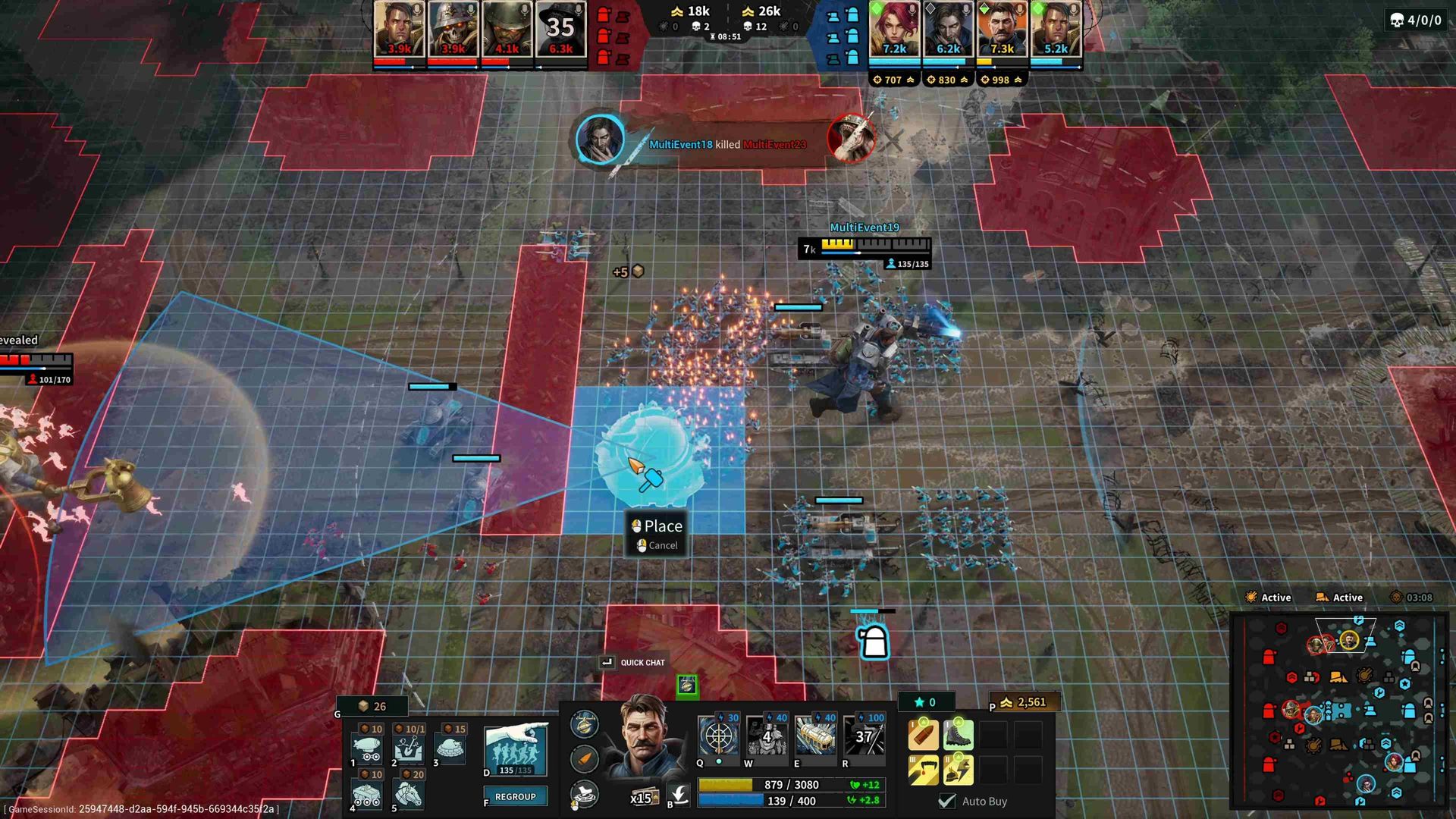
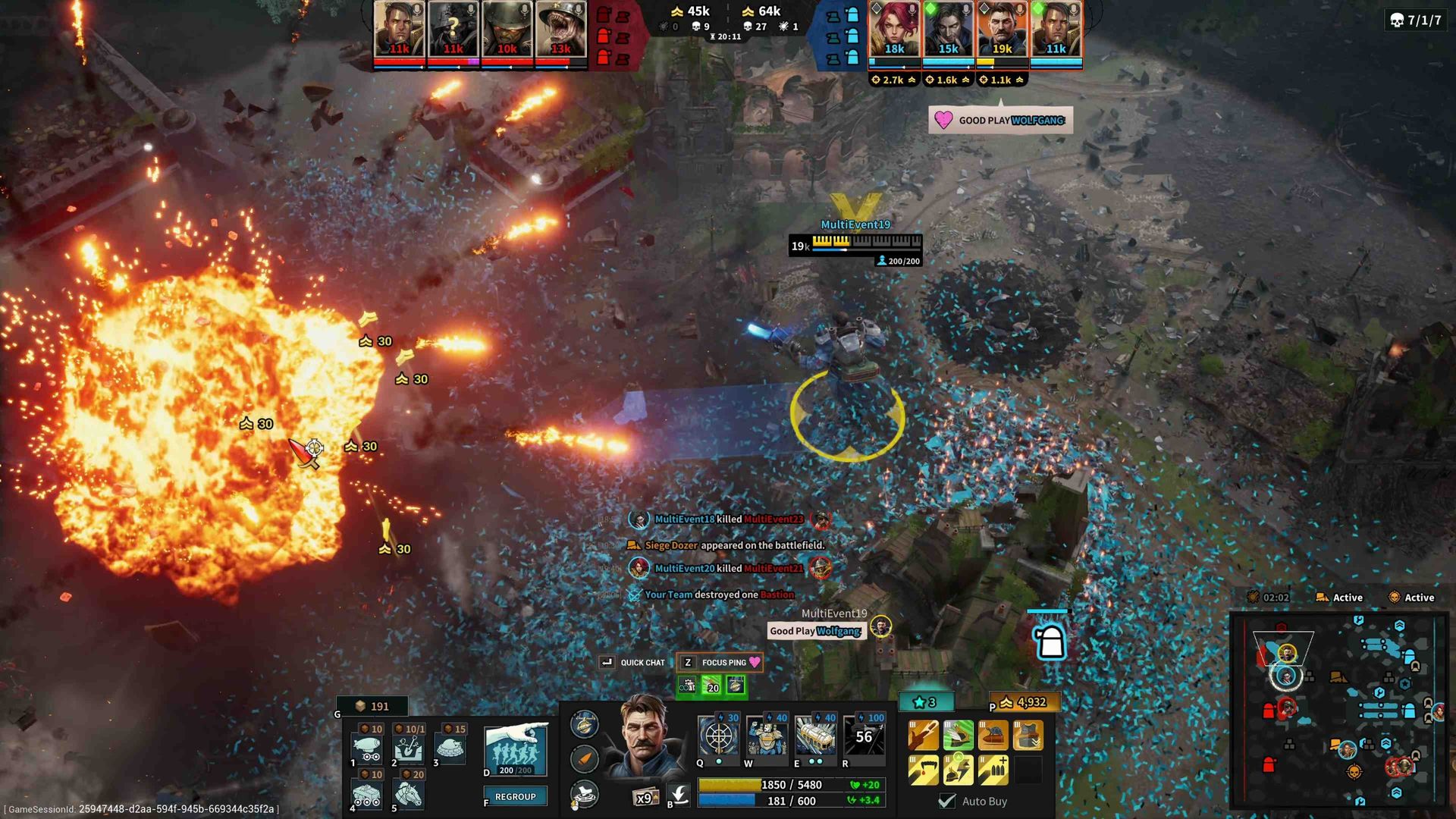
March of Giants blends MOBA and RTS, with the former leading the way. Think League of Legends, then imagine minions you can control and deploy, plus items you can build on the map. The game’s lore draws loosely from the trenches and turmoil of World War I, but with a fantastical twist.
March of Giants both adds to and takes away from the standard MOBA formula in ways I absolutely love.
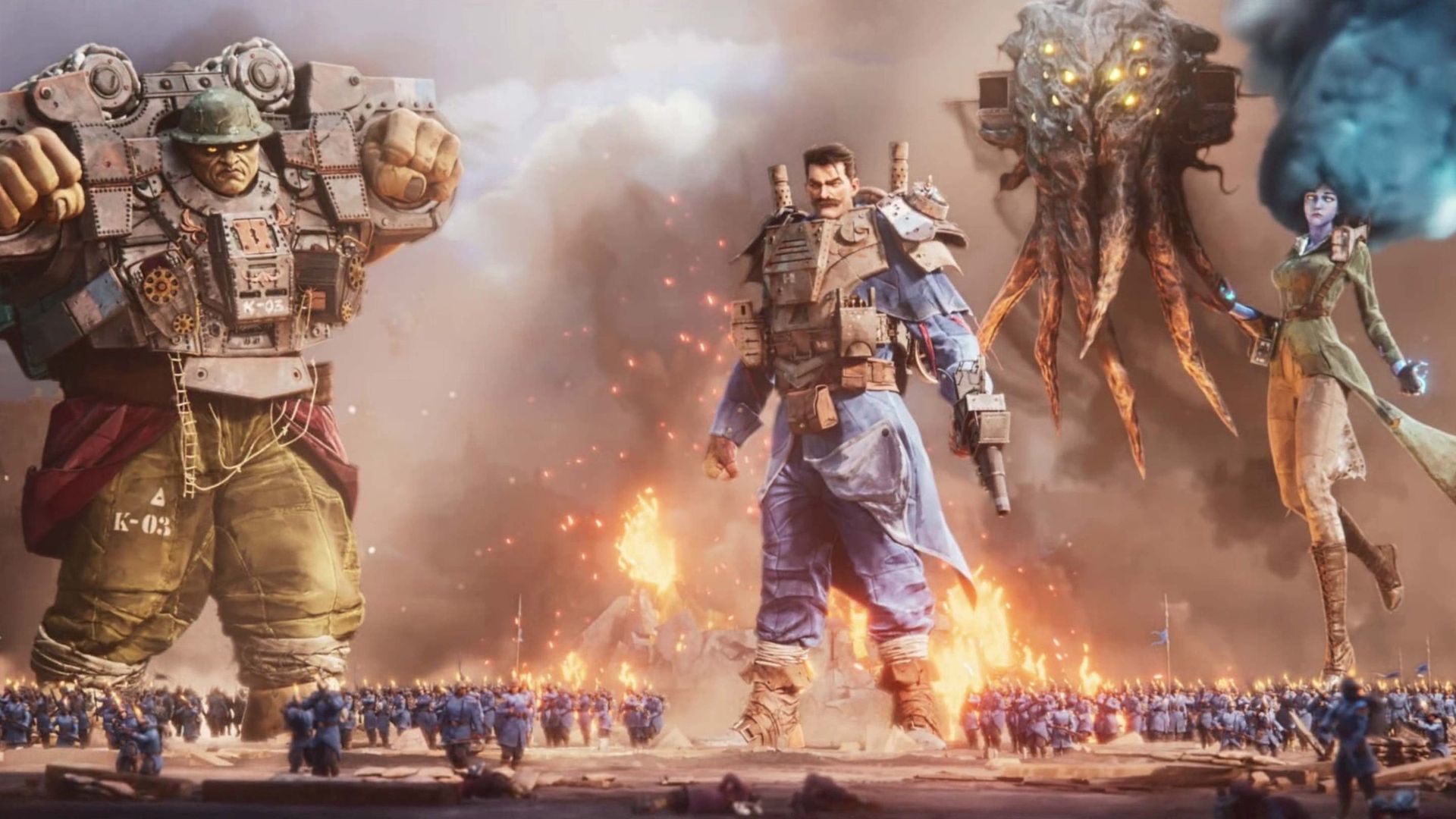
Each side commands colossal giants, titans who loom above the battlefield as myths come to life. There are no strict historical allegiances here, no “Germany versus Europe.” Instead, the sides are purely invented, a stage for the gameplay to take its curtain call. March of Giants both adds to and takes away from the standard MOBA formula in ways I absolutely love.
RTS Elements in my MOBA? Taking on other MOBAs
Making use of Giant killing technology while I can. (Image credit: Ubisoft)
When I spoke with Emilien Lomet, Senior Game Designer, I asked how they felt about taking on the Giants in the space, like League of Legends, Smite, and Dota. Did they believe they had enough to take some away and make them fans of March of Giants instead?
“We're very excited about the game. We have a team that loves multiplayer online competitive experiences. A lot of people that were on Siege and the Siege team drew inspiration from some MOBA mechanics when they built Siege as well. Xavi is a big fan of MOBAs and RTSs.”
Siege is one of the more complicated games in the industry in terms of mechanics. With a total of 77 operators, all using different weapons, gadgets, and their own unique abilities, it’s not a wild comparison to make at all!
That's a big explosion, that actually hurts if you stand in it, so be careful! (Image credit: Ubisoft)
Emelien continued, “We love MOBAs, and we want to bring innovation to the space. I'd say there are three main things that we feel are very distinctive. The number one is the soldier system. You have thousands of soldiers on the battlefield. You, as a giant, can get close to soldiers. They'll rally around you.”
Minions are the soldiers on the battlefield. Militia, tanks, and even cavalry. Your standard-issue riflemen make their way down lanes like in any MOBA, as do the tanks, but any soldiers under your influence can be commanded to charge toward and around units.
Players can send them after foes to tangle them up, or head off another player's set of soldiers. When coming toward turrets, the player even gains speed when making their way alongside their own men.
Even more beautiful is the ability to recall or divert your units. Send them around a barrier or wall, and you can redirect them toward another player or unit to take out.
You can even pick up resources like gold and supply crates, which grant players the necessary resources to deploy troops manually, or even better, build Battleworks.
Making my way toward a teammate putting up their own Battleworks, we make our stand. (Image credit: Ubisoft)
Emilien added, “The other one we have is what we call Battleworks. We have a set of army reinforcement commands that you can use, and those are sort of light RTS elements. They allow you to modify the map or the battlefield. One of them is calling soldier reinforcement, one where you can build trenches to protect your soldiers and defend against other waves of soldiers. We have cannons that help you against units and soldiers, etc.”
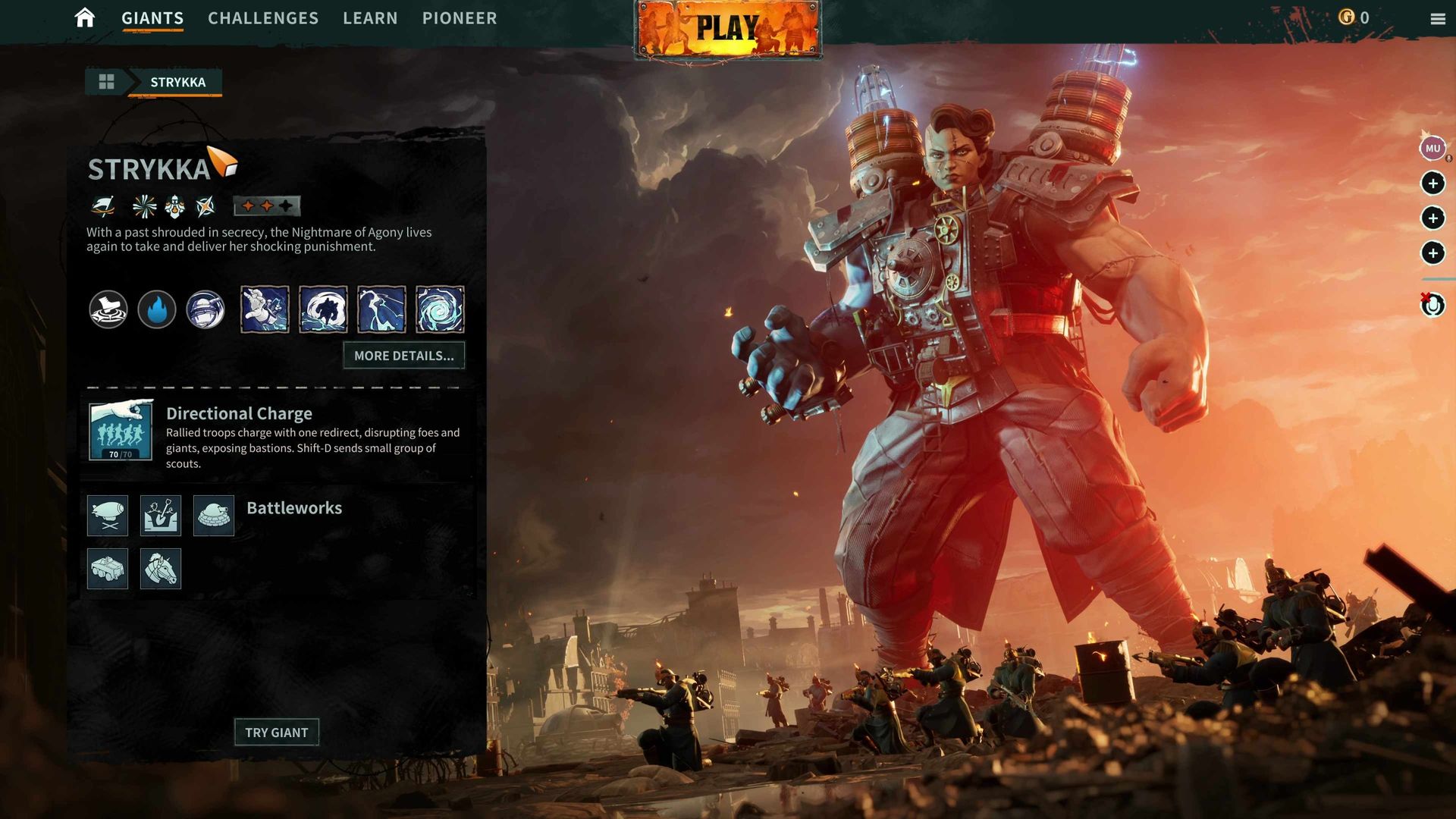
Battleworks are March of Giants’ answer to the classic RTS building. Streamlined, yet brimming with tactical possibility. Forget the granular micromanagement of farms and villages; here, players carve trenches for their troops, drop Anti-Giant cannons like thunderbolts, and send cavalry charges booming across the map.
We have a set of army reinforcement commands that you can use, and those are sort of light RTS elements. They allow you to modify the map or the battlefield.
Emilien Lomet, Senior Game Designer
Battleworks also lets you manually call in soldiers or tanks to take Bastions. Basically, they’re freaking sweet, and somehow feel right at home in a MOBA.
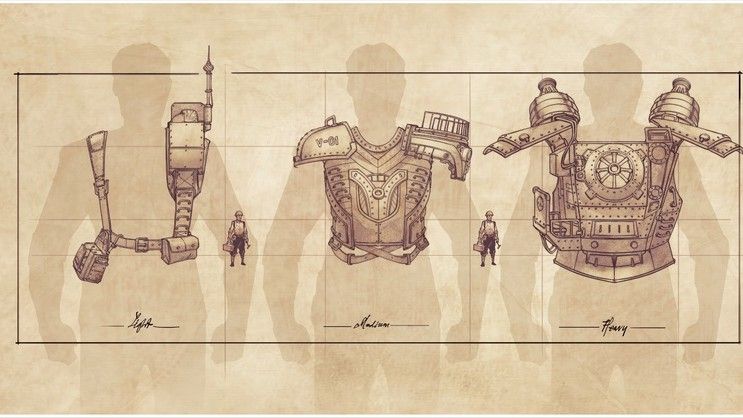
“Then the third one, I think, is sort of like our universe. We have a sort of military fantasy universe that's inspired by the technology from, like, World War I a little bit, but with a bunch of stuff thrown in, a little bit of steampunk fantasy stuff in there. And I feel like that also gives our game a very distinct feel and aesthetic.”
I couldn’t agree more. Among March of Giants’ many charms, its aesthetic stands out. A visual identity that’s crisp and unmistakable, yet invitingly familiar. It sidesteps the uncanny valley of other live-service games, striking a balance between originality and comfort.
You get to play soon!
Some of the coolest concept art, no AI used here! (Image credit: Ubisoft)
When asked about the possibility of expanding Battleworks, Lead Producer Alexandre Parizeau said these things start and end with player feedback, which players will have the opportunity to give in just a few days.
Alexandre started, “So it's a live game. We have a ton of ideas that we want to build and grow. Starting with our playtest, we have our 16 playable giants. We have the battleworks. We have our Warshell progression system. All those things and everything around it are things that we hope to be able to grow and scale with player feedback.”
“That's also why we're starting this sort of release plan with a Pioneer play test to get feedback and see what people use and like. And so we can observe that as well and sort of shape the game with player feedback and determine what needs to scale over time based on that.”
All those things and everything around it are things that we hope to be able to grow and scale with player feedback.
Alexandre Parizeau, Lead Producer
Starting on October 7, players will have their own chance to try out March of Giants during their Pioneer playtest. We will have — and I say 'we' because I’ll be playing too — until October 18, when the playtest ends.
What else separates March of Giants from other MOBA titles? Everything else is Lasifaire: standard equipment layouts, great abilities, and an Ultimate ability. But there’s one thing missing that I actually prefer: there’s no core!
That’s right, there’s no main core for the players to take out. Instead, the first team to destroy two Bastions is the winner, meaning most matches take just that much less time than other MOBAs. To top it off, rather than the standard 5v5 format, March of Giants is 4v4! This makes for smaller, tighter matches and shorter queue times!
Quick-fire matches and inventive spins on a beloved formula. This game was pure, unfiltered fun. Every round felt like a new chapter in a book I couldn’t put down.
Why was I having so much fun?
Stand a Giant amongst men. (Image credit: Ubisoft)
New MOBAs are rare, and most of the ones that show up feel like reskins. Deadlock, a hybrid shooter, is one of the few recent exceptions that stuck. Everyone else stays with League of Legends, Dota 2, and Smite 2.
Novelty is its own thrill, but March of Giants lingered after the screens went dark. Few playtests have left me with that itch: one more match, one more shot at glory. Every round I wanted to try someone new, and I was afraid I’d find a giant more fun than the one I was trying to master.
A bunch of (content creators) asked us to play our game until midnight. And it turned into a little LAN party in our studio.
Laure Guilbert, Marketing Director
Near the end of our time, I thought back to Laure Guilbert, marketing director for MoG. At the close of every interview, I asked if there was one thing they wanted said about the game. Her answer matched the room.
“So we had some content creators with us the night before you came, and a bunch of them asked us to play our game until midnight. And it turned into a little LAN party in our studio. I got home at 1 a.m., and here I am this morning! And it felt like the second paycheck at the end of the day. It was absolutely incredible. And I think that's been the highlight of the three years I've been working on this project. It's like they just wanted to keep playing.”
You know exactly the kind of person who's gonna be using her for fan art. (Image credit: Ubisoft)
“They wanted one more game. They played against the devs! We have yet to be defeated. And it was an amazing experience. And that's a testament to the hard work of this entire dev team, the vision of this project, the love and care. It's a game that I think is made by tremendous talent and that by far was the most incredible thing I've experienced in the last three years of games.”
“It felt like the old days of, like, you're sitting, you're ordering pizza, and you're doing a LAN party together, and you're just all playing together. Shout out to everybody that believes in our game.”
As someone in their 30s, I can’t tell you how much I miss those nights. Staying up until the crack of dawn with 16-year-old buddies, sweating over Call of Duty and Halo, slamming Monster.
The only thing that used to ruin those nights was cheaters. I have good news on that front, and it deserves its own piece right after this one. With the technology cheaters have today, they should be nonexistent here. Which leaves the other question I walked in with, and the match that answered it. Who the hell is Aaron?
Find out with the story of my more personalized final match, coming tomorrow.
March of Giants Pioneer playtest launches on October 7, 2026, and runs until October 18. The game will be available exclusively on Steam.
"Play as a towering Giant, rally hundreds of Soldiers, and deploy Battleworks that turn familiar lanes into shifting front lines. Request access below to join future playtests."View Deal
Join us on Reddit at r/WindowsCentral to share your insights and discuss our latest news, reviews, and more.

 Connexion