Microsoft's plans for AI PCs include everything from laptops with only 8GB of RAM to supercomputers with over 128GB of RAM. The company's roadmap was outlined in slides shared on X by user "HXL."One slide, labeled "Windows is the home for hybrid intelligence" shows four tiers of PCs. The lowest one, Tier 0, is Windows PCs with 8GB of RAM that are powered by Intel Core Series 3 or 4, AMD Ryzen 100 or 200, and Snapdragon X or X Plus.Tier 1 covers Copilot+ PCs with
Microsoft's plans for AI PCs include everything from laptops with only 8GB of RAM to supercomputers with over 128GB of RAM. The company's roadmap was outlined in slides shared on X by user "HXL."
One slide, labeled "Windows is the home for hybrid intelligence" shows four tiers of PCs. The lowest one, Tier 0, is Windows PCs with 8GB of RAM that are powered by Intel Core Series 3 or 4, AMD Ryzen 100 or 200, and Snapdragon X or X Plus.
Tier 1 covers Copilot+ PCs with 16GB to 64GB of RAM. That tier spans a broad range of specs, from consumer-focused processors like the Snapdragon X2 Plus to the much more powerful AMD Ryzen AI MAX+ 400.
Tier 2 is builder PCs for building and running AI models locally. The hardware in that tier overlaps with the high end of Tier 1. It includes PCs powered by Intel Core Ultra Next, NVIDIA RTX Spark, and AMD Ryzen AI MAX+ 400.
The highest tier is for supercomputers designed to run frontier models locally. Those devices run on processors you'd never see in a consumer PC, such as Intel Crescent Island, NVIDIA GB300 DGX Station, and AMD Next chips.
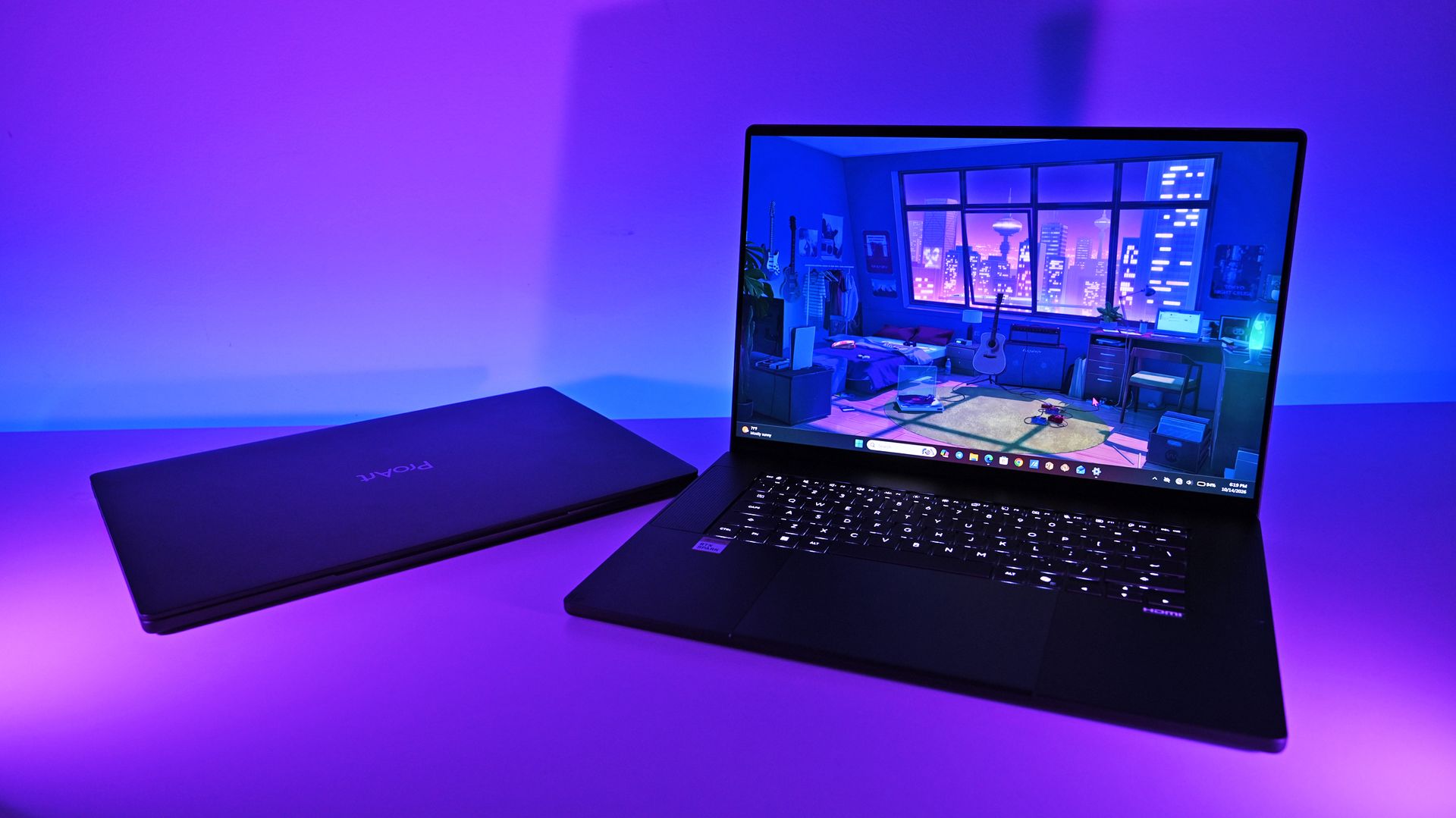
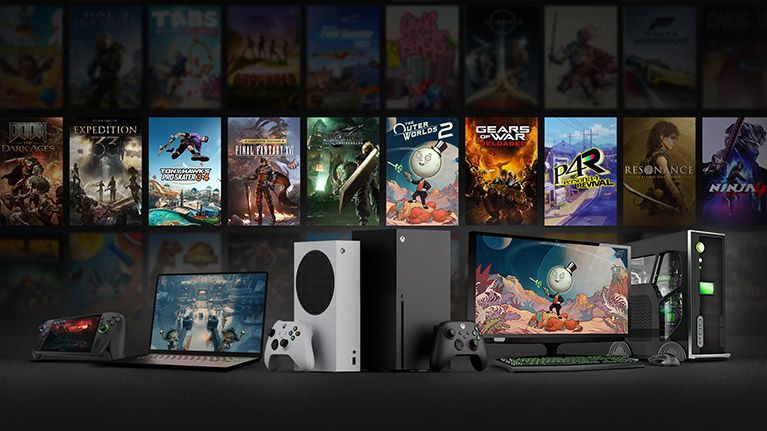
Microsoft's roadmap is built around hybrid intelligence, with AI workloads split between local hardware and the cloud depending on the demands of each task. (Image credit: Microsoft (via user "HXL" on X))
What stands out most about the roadmap isn't the hardware itself but Microsoft's continued emphasis on hybrid intelligence. Rather than viewing local and cloud computing as competing approaches, Microsoft intends to use both.
We already knew that Copilot+ PCs required at least 16GB of RAM and that Microsoft had plans for workstations and supercomputers with top-end specs. NVIDIA's RTX Spark launched recently and powers several tier 2 PCs, such as the Surface Laptop Ultra.
Sam Altman may not be thrilled that Microsoft's AI roadmap includes PCs with more than 128GB of RAM. (Image credit: Getty Images | NurPhoto / Edit: Windows Central )
Microsoft's dream for AI computing is more like a nightmare for OpenAI CEO Sam Altman. He recently claimed that it's "actually quite terrible" for people to have RAM on their own computers. One theory is that OpenAI and other tech giants would prefer AI workloads to rely on centralized compute resources that can then be sold as a service.
Altman did not mention that specifically, but his comments suggest he views compute power as a resource AI companies have more of a right to than people do.
Microsoft has very different plans for AI in the form of hybrid intelligence. Rather than relying solely on cloud computing or local processing, people using hybrid intelligence will use a mixture of both.
We're still in the early days of hybrid intelligence, but a likely scenario is one in which users utilize the local compute power they have and then summon the cloud to complete tasks as needed. That setup would allow PCs across the entire roadmap to access AI.
Tier 0 and Tier 1 devices could perform less demanding tasks depending on their exact specs and lean more heavily on the cloud for compute-heavy workloads. Tier 2 and Tier 3 PCs would mostly stick to local processing but have the cloud as an option for exceptionally demanding projects.
Join us on Reddit at r/WindowsCentral to share your insights and discuss our latest news, reviews, and more.
Microsoft is actively laying the groundwork to refine the Xbox ecosystem, sharpening its focus on player engagement, long-term retention, and console-first experience upgrades. While discussions surrounding cloud gaming and multi-platform expansion continue across the industry, a newly published job listing for Microsoft’s Xbox Product Growth team confirms that hardware and console retention remain central to […]
Microsoft is actively laying the groundwork to refine the Xbox ecosystem, sharpening its focus on player engagement, long-term retention, and console-first experience upgrades. While discussions surrounding cloud gaming and multi-platform expansion continue across the industry, a newly published job listing for Microsoft’s Xbox Product Growth team confirms that hardware and console retention remain central to […]
The AI industry is buzzing with anticipation as developer telemetry and social leakers suggest OpenAI may be preparing a major flagship release. Early telemetry, unconfirmed API logs, and developer forum chatter point to the arrival of GPT-6.2 Astra. While OpenAI has kept its launch calendar under wraps, unverified leaks suggest this next-generation model could deliver […]
The AI industry is buzzing with anticipation as developer telemetry and social leakers suggest OpenAI may be preparing a major flagship release. Early telemetry, unconfirmed API logs, and developer forum chatter point to the arrival of GPT-6.2 Astra. While OpenAI has kept its launch calendar under wraps, unverified leaks suggest this next-generation model could deliver […]
South of Midnight creative director David Sears recently made a surprisingly candid admission in an interview, saying that if he had been responsible for Xbox's budget decisions, he "probably" wouldn't have approved funding for the project.This bizarre (or perhaps expected) twist now links two Xbox-related studios with comments questioning whether their games should have been funded at all. Before this, online drama surrounded Double Fine (Psychonauts, Keeper) sa
South of Midnight creative director David Sears recently made a surprisingly candid admission in an interview, saying that if he had been responsible for Xbox's budget decisions, he "probably" wouldn't have approved funding for the project.
This bizarre (or perhaps expected) twist now links two Xbox-related studios with comments questioning whether their games should have been funded at all. Before this, online drama surrounded Double Fine (Psychonauts, Keeper) saying something similar, albeit in a more tongue-in-cheek way.
I literally told people, I was like, yeah, this is, wow, this could be terrible, because somebody is going to say one day, you know, the money tap, it was like, we're closing those floodgates, and that's going to have really traumatic results downstream.
David Sears, Creative Director
To which MinnMax's Ben Hanson asked: “You would not have funded it yourself? If you were actually running Xbox, you would have been like, ‘No, turn off that tap much quicker?’”
Sears replies, “Yeah, probably.”
Xbox's creative freedom came at a cost
Xbox logo in red (Image credit: Microsoft)
Sears went on to explain: “Yeah, I mean, I wanted to make it, no doubt, right? And obviously because we made it. Um, you know, would I have turned off, you know, someone else's money flow before South of Midnight? Yeah, cuz I'm not completely selfless.”
“But, you know, it just seems like in hindsight at least, it was unsustainable. So, of course, it was going to have a, you know, shocking outcome.”
Interestingly, Sears wasn't entirely critical of Microsoft. Earlier in the interview, he praised the company's support for South of Midnight, saying, “Microsoft encouraged everything,” while describing the creative freedom Compulsion Games enjoyed during development.
It’s a shame that things turned out the way they did. It’s hard to know who to fully blame, but Phil Spencer’s vision for Xbox of letting studios have complete creative freedom was fantastic on paper, yet in practice, it clearly didn’t work, especially for this era of gaming.
Who knows, maybe back in the Xbox 360 days, when games were regularly made on smaller budgets within a year or two, it might have been more sustainable. But given the bloated budgets for gaming that exist after 25 years of Xbox, and how development for major games can now span five-plus years, it’s difficult to see how that approach could continue indefinitely.
That said, let me know your thoughts on Sears’ comments. Are they shocking, or are you not surprised at all? Let me know in the comments, and be sure to take part in our poll!
Join us on Reddit at r/WindowsCentral to share your insights and discuss our latest news, reviews, and more.
When Microsoft rolled out Windows 11, it brought a sweeping visual overhaul to the desktop ecosystem—centering the Start menu, smoothing window corners, and streamlining system workflows. However, one of the most contentious regressions from Windows 10 was immediately apparent to power users: the loss of the ability to drag and drop the taskbar freely to […]
When Microsoft rolled out Windows 11, it brought a sweeping visual overhaul to the desktop ecosystem—centering the Start menu, smoothing window corners, and streamlining system workflows. However, one of the most contentious regressions from Windows 10 was immediately apparent to power users: the loss of the ability to drag and drop the taskbar freely to […]
October 2026 was an extremely stacked month for Xbox games, with titles like Gears of War: E-Day, Call of Duty: Modern Warfare 4, Final Fantasy Resonance, and many vying for attention and our wallets.How many games, you ask? Well, via analysis from @KoreaXBOXnews on X, 210 Xbox games launched in October 2026, 95 of which supported Xbox Play Anywhere.October 2026 was the biggest month of the year for Xbox releases, with 210 games launched.Of those, 95 games suppor
How many games, you ask? Well, via analysis from @KoreaXBOXnews on X, 210 Xbox games launched in October 2026, 95 of which supported Xbox Play Anywhere.
October 2026 was the biggest month of the year for Xbox releases, with 210 games launched.Of those, 95 games supported Xbox Play Anywhere, giving XPA a 45% share.Since June 2026, XPA has consistently hovered around 50%, meaning about half of all new Xbox releases support buy-once-play-anywhere functionality.I excluded "triple-stack" achievement games (separate Xbox One, Series X|S, and PC lists). Including them would push the XPA share well above 50%, potentially close to 70%.Interestingly, Xbox recently signaled that it wants these games to move toward the Xbox Play Anywhere model.https://t.co/650xGdGs5vNovember 1, 2026
That huge statistic highlights the general market challenge so far, as users debate market saturation. Gears of War: E-Day and its virtue as an "exclusive" game on Xbox has been under a microscope, with claims that the game hasn't delivered for Microsoft. Even if that was true, it was among many big high-quality releases actively competing with hundreds of other Xbox games at once for attention, and that's without mentioning the 187 Xbox games released in September 2026.
On the plus side, @KoreaXBOXnews's analysis shows that Xbox Play Anywhere is gaining more momentum, consistently hovering around 50% share since June 2026 (or 70% if you count "triple-stack" achievement games, otherwise known as shovelware titles. Microsoft is cracking down on this exploitative practice, where developers ship multiple versions of the same game to bait achievement hunters.)
This means Microsoft is focusing on encouraging more games adopt Xbox Play Anywhere going forward, as more people are liking the idea of buying an Xbox game once and then being able to play it on console, handheld, and Windows PC within the Xbox ecosystem.
Can't say I blame them because being able to buy and play a game on an Xbox Series X|S, and then being able to play on an Xbox Ally X while carrying over data with no extra charge is a pretty good deal.
Join us on Reddit at r/WindowsCentral to share your insights and discuss our latest news, reviews, and more.
Microsoft's COO Helen Chiang was fired from Xbox a few weeks ago, after 27 years of top-level leadership spent across the org, most prolifically at Minecraft. The removal was abrupt and somewhat confusing on the face of it. Chiang was widely respected across the Microsoft stack and is a trusted figure, described to me as "by the book" by our own sources. When it emerged that she had been fired for "policy violations," it added an unexpected twist that left us wit
Microsoft's COO Helen Chiang was fired from Xbox a few weeks ago, after 27 years of top-level leadership spent across the org, most prolifically at Minecraft.
The removal was abrupt and somewhat confusing on the face of it. Chiang was widely respected across the Microsoft stack and is a trusted figure, described to me as "by the book" by our own sources. When it emerged that she had been fired for "policy violations," it added an unexpected twist that left us with more questions than answers, ultimately.
Now, Helen Chiang has responded to the incident on LinkedIn, titled "Clarity is Kindness," which is a comment Xbox CEO Asha Sharma made to the WSJ while discussing the health of Microsoft's gaming business recently.
There has been some speculation about my abrupt departure from Microsoft, including claims that I was “fired for a policy violation”. That’s not accurate," Chiang writes, "silence should not be mistaken for agreement. What has been said about my departure, and what has been left unsaid, has created a picture of me that I hardly recognize. It’s important to me to set the record straight."
In the full post shared below, Chiang denies that she leaked information, sought employment at Microsoft competitors, engaged in insider trading, bullying, or embezzlement, or that she left because she didn't get the CEO job. She says that she always hoped to stay at Microsoft and "keep building," and this departure wasn't what she envisioned.
"I share this because I don’t want my departure reduced to an inaccurate story about incompetence, ambition for the next big job, or a Nelson-level scandal."
As to not paraphrase, I've included the full text from the post below.
"Clarity is Kindness
There has been some speculation about my abrupt departure from Microsoft, including claims that I was “fired for a policy violation”. That’s not accurate and while I won’t turn this into a play-by-play, silence should not be mistaken for agreement. What has been said about my departure, and what has been left unsaid, has created a picture of me that I hardly recognize. It’s important to me to set the record straight.
First, I did not leak confidential company information to the press. I have never communicated with any journalist outside the limited, company-authorized interviews I’ve done as part of my job. That includes every journalist who reached out this week seeking my side of the story.
Second, I did not leave XBOX to join a competitor. You don’t spend two decades somewhere without developing a deep loyalty to the people, teams, and businesses you’ve helped build. XBOX was never just another stop in my career. My end game was always to keep building here.
Third, I did not engage in discrimination, bullying, harassment, insider trading, embezzlement, or other fraudulent activity. I stand by my record: both the results I delivered and the way I have treated people throughout my career. I won’t let speculation define my character or erase that record.
Lastly, I did not leave because I was passed over for a bigger role. Since having children, I’ve been intentional about how I define ambition and success. I haven’t actively sought out bigger roles or increased responsibilities, and the last time I interviewed for a job was in 2011. My reputation and results paved the way for the opportunities that followed. I went where the company believed I was needed and where I could have the greatest impact. I did not ask for my most recent role, either. I was promoted into it in July. I believe in fairness, accountability, and holding ourselves to the standards we expect of others. Those standards only mean something when they’re applied consistently. I have serious concerns about how they were applied in my case, and I believe those concerns deserve to be taken seriously. I share this because I don’t want my departure reduced to an inaccurate story about incompetence, ambition for the next big job, or a Nelson-level scandal. My story is about staying true to your core values, especially when it is hard. That’s the legacy I hope to leave behind. To everyone who has reached out with hugs, love, and support: thank you. So many of you have reminded me of the wonderful times we’ve shared over the past 20 years and the impact we’ve had on one another. Some of you I haven’t been in touch with for several years, yet you still took the time to check on me. Others are people I’ve never even met, but you reached out anyway. That speaks volumes about the care and humanity in our industry and the connections that transcend where we work. This is not how I ever imagined my story here would end. And it is not the whole story." — Helen Chiang, former Xbox COO.
Helen Chiang's somewhat unceremonious departure comes amidst widespread upheaval at Xbox as Microsoft restructures its gaming org, which has led to thousands of layoffs, divestitures, and studio closures. Microsoft managed to return some studios to independent ownership and has sold others to publishers, as it tries to rein in spending in general.
I suspect there'll be more disruption before things calm down ... as the industry in general reels from an overabundance of content, reduced consumer spending, and the AI-fostered RAMpocalypse.
Join us on Reddit at r/WindowsCentral to share your insights and discuss our latest news, reviews, and more.
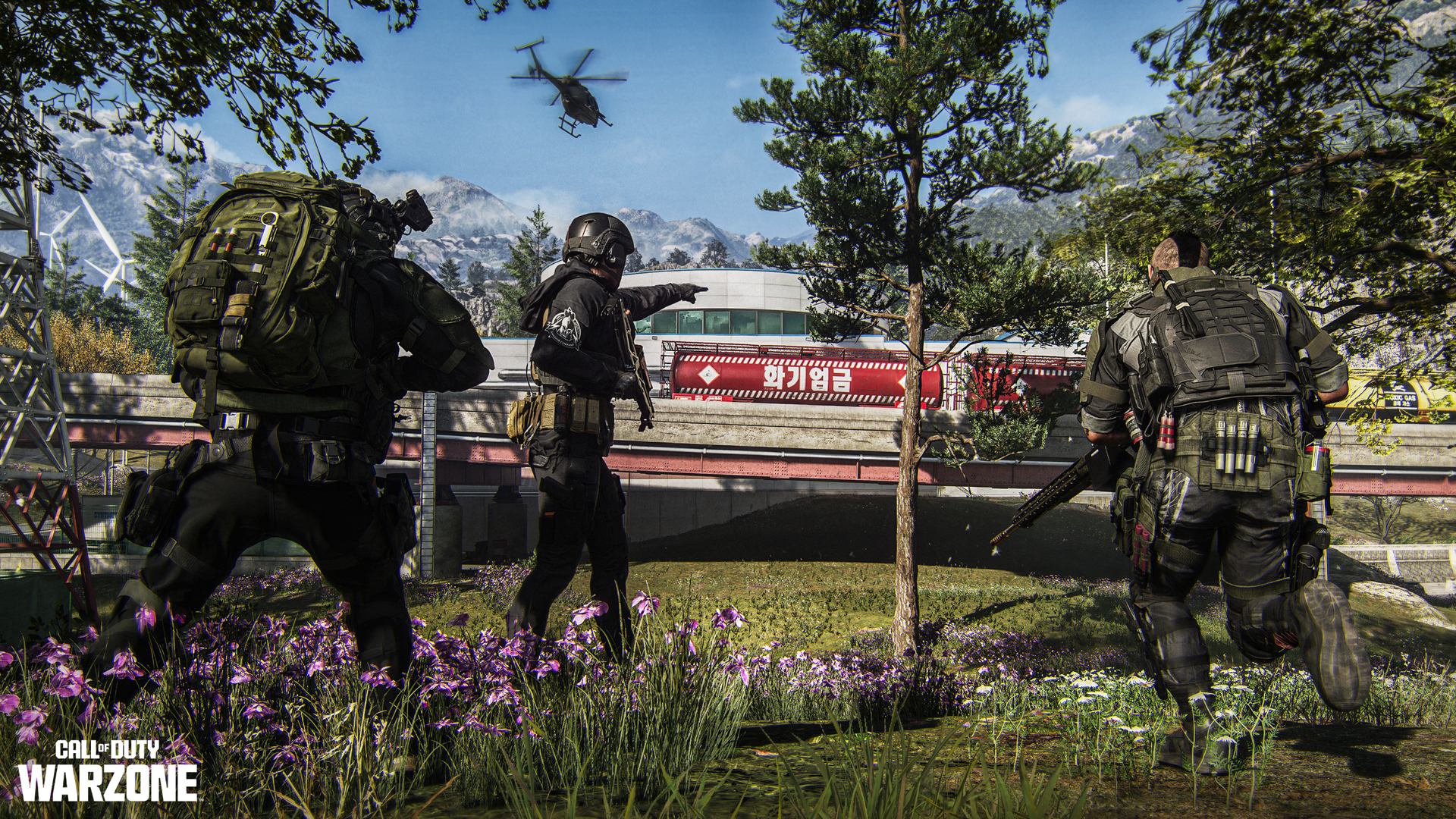
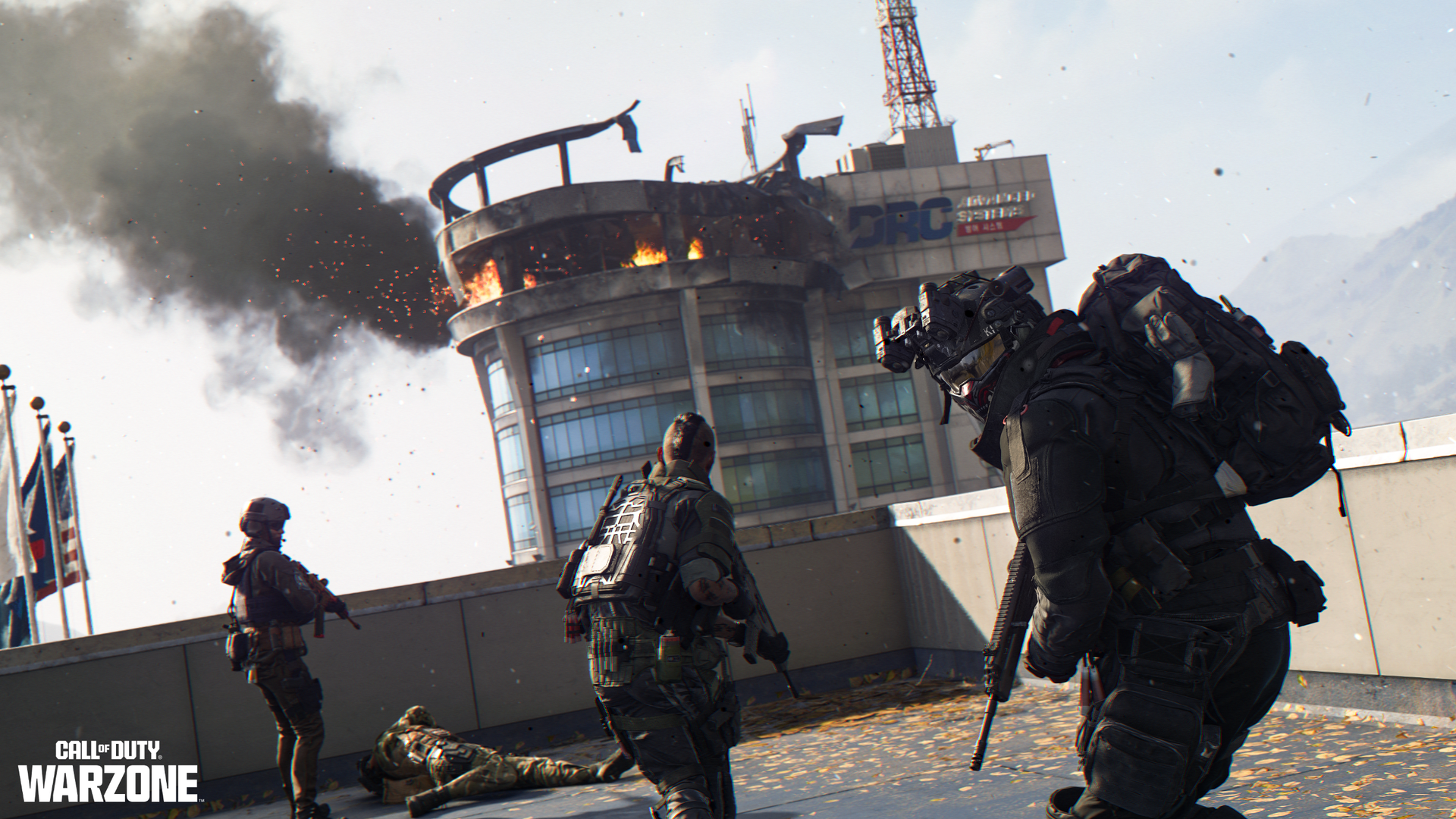
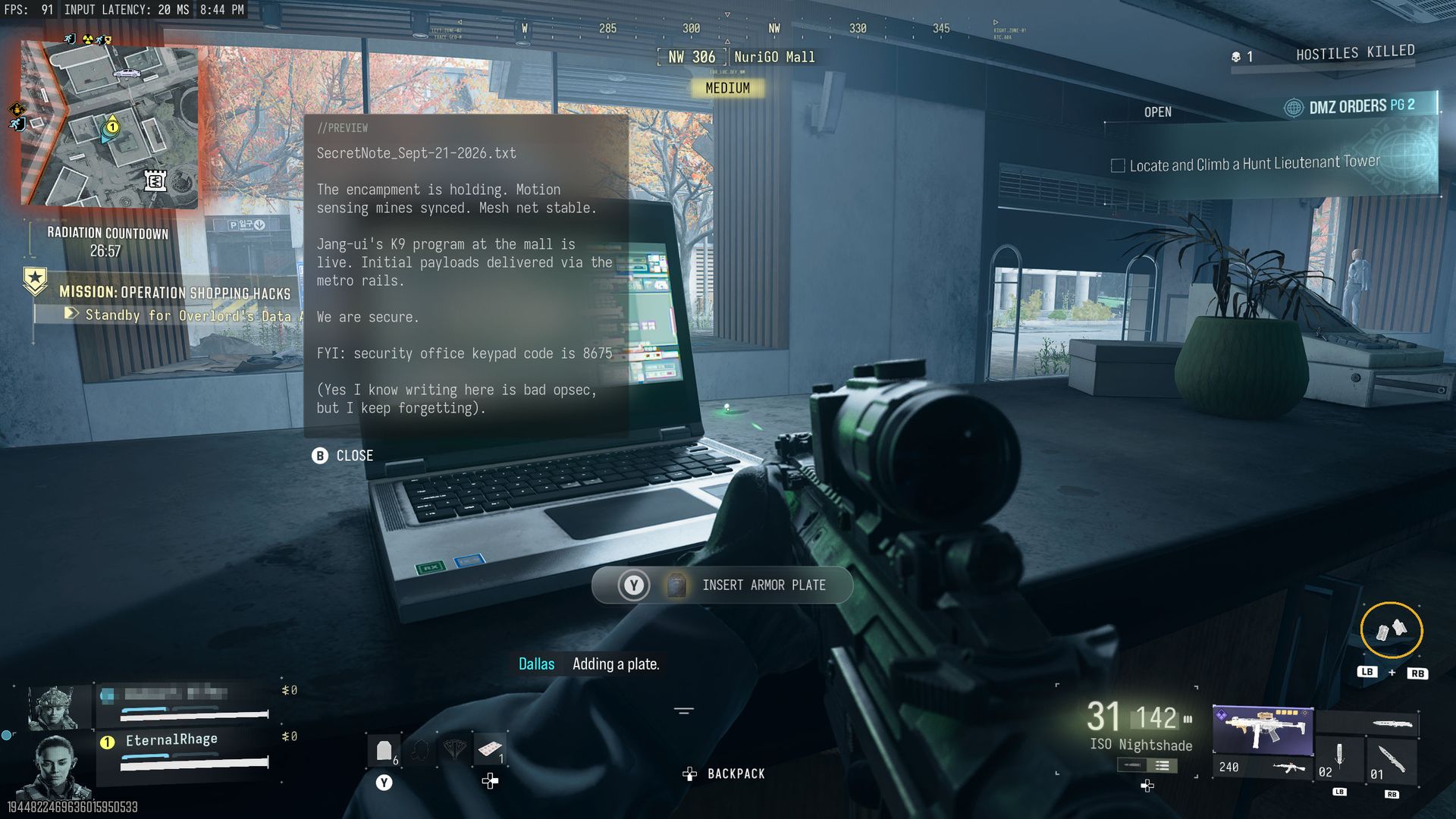
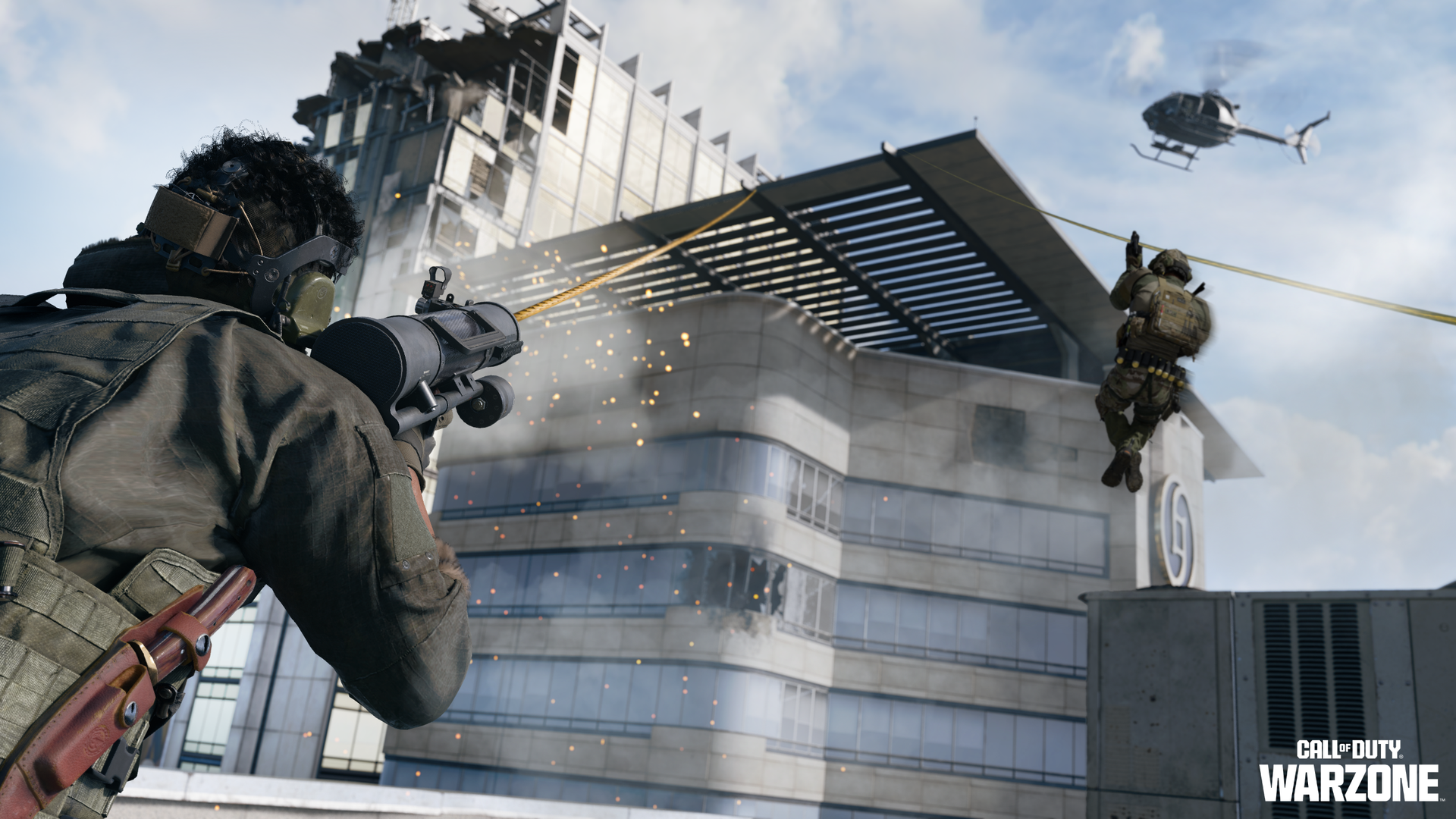
The integration of Call of Duty: Warzone with Modern Warfare 4 is happening on November 6 when Season 1 begins for this year's game. While it also means the end of Warzone for players on Xbox One and PS4, it will be bringing a bunch of new content to the table. When the switchover happens, there will be two brand-new maps to play at first, alongside two returning classic maps at some point later in the season. Besides access to all the new weapons from Modern War
The integration of Call of Duty: Warzone with Modern Warfare 4 is happening on November 6 when Season 1 begins for this year's game.
While it also means the end of Warzone for players on Xbox One and PS4, it will be bringing a bunch of new content to the table. When the switchover happens, there will be two brand-new maps to play at first, alongside two returning classic maps at some point later in the season.
Besides access to all the new weapons from Modern Warfare 4, the battle pass, the leveling and prestige system, Camo challenges, and Calling Cards, there are also some quality-of-life improvements, too. Here's a brief overview of what's coming.
Two new Call of Duty: Warzone maps: Hajin and Zodiac
We've already seen the new Zodiac Resurgence map during the Modern Warfare 4 beta. (Image credit: Activision)
At the launch of Season 1 there will be two Warzone maps to play, and they're both brand-new for the Modern Warfare 4 year: Hajin and Zodiac.
Zodiac we've already seen during the Modern Warfare 4 beta period earlier this year. Set around a drone manufacturing facility in South Korea, Zodiac is the new Resurgence map and will be joined in the rotation by the returning Rebirth Island at some point during the season.
Hajin is the new "big map" for Battle Royale. Set across North and South Korea, anyone who's already jumped in to play DMZ will be familiar with the Hajin location. It appears to be the same physical map, so those players will already have a leg up on the terrain.
It's been a pretty good location for DMZ so far, and while there are areas with tall buildings, there are also plenty that are more open, and the terrain is quite varied. Also coming across from DMZ is the variable weather, so one match it might be sunny and clear, and another the map may be shrouded in fog. Hajin will also have two new Gulags.
The previous big map, Verdansk, will be joining the Battle Royale rotation at some point during the season, bringing some new POIs along with it.
New features and weapons for Warzone under Modern Warfare 4
Integrating with Modern Warfare 4 means access to all the new weapons from the main game. (Image credit: Activision)
Besides the new map, there are also some new features and just overall quality-of-life improvements for Warzone beginning with Season 1. These include:
Tactical Sprint will be available to all Operators without the need for a Perk, but its duration is slightly shortened.
Players can drag their allies while reviving them, pulling them out of harm’s way.
Additional weapon balance tuning.
Improved visibility and readability across all maps.
Improved footstep audio
Tactical Sprint is probably a big one for Warzone players, and while it doesn't sound like it will be overpowered, it will at least help in keeping that fast-flowing experience players have become familiar with.
Without it applied in multiplayer in Modern Warfare 4, you can feel quite slow, and that was never going to work in Warzone.
It'll be interesting to see what the weapon balancing looks like, though. Additionally, the time to kill (TTK). In DMZ, PvP encounters are often over before you even spot who's firing at you, so hopefully Warzone has found a balance here. There are definitely some weapons that already feel like everyone will gravitate towards them, but it'd be nice if there's a wider meta than there often is.
All of the weapons from Modern Warfare 4 and the new ones introduced in Season 1 will be available to Warzone players, as will their attachments, including Apex.
If you've been playing multiplayer or DMZ you'll already be familiar with the new weapons. (Image credit: Cole Martin for Windows Central, Activision)
Legacy weapons from as far back as Modern Warfare 2 will remain accessible in Warzone. These will be available as a five-attachment version, alongside any previously acquired legacy weapon blueprints.
Additionally, and what sounds quite interesting to me, is that on Hajin, Zodiac, and Verdansk, we'll now have movable interactive objects. These include fuel barrels, which will go boom, and apparently objects such as dumpsters and "pyramids" that can be used to create cover. Or roadblocks. So maybe keep an extra eye out when you're driving.
Players will also be able to get their hands on Elite Perks, which will add a fourth perk to their loadout. These are found in-match at Buy Stations, and more can be obtained through Supply Run contracts. But only one can be active at a time.
Oh, and the Aston Martin Dreadnought vehicle that we've been driving about in DMZ will also be joining Warzone.
Call of Duty: Warzone Season 1 game modes
There will be some special modes and events available to play right at the launch of Season 1. (Image credit: Activision)
Camo grinders will be delighted to hear that casual mode has returned for both Battle Royale and Resurgence and will be available on all maps.
Additionally, at Season 1 launch there will be three limited-time modes (LTMs):
Rally Point LTM
Loaded Resurgence
Massive Resurgence
Additional LTMs are promised throughout Season 1, including Rockets and Snipers, and Extreme Resurgence.
Rally Point is described as a casual mode designed to help new and returning players get to grips with the mechanics of Warzone, as well as check out the new Zodiac map and learn about some of the new features. 20 players will be in each lobby.
"Rally Point is a no-circle, infinite Resurgence, and Drop-In/Drop-Out mode, allowing players to come and go as they please."
For completing the challenges in this mode, there will be an exclusive weapon blueprint and two camos to unlock.
Loaded Resurgence will be across Zodiac and Rebirth Island and looks the same as we've known it before. Drop in with your preferred loadout and earn new perks with eliminations as you try to get to Specialist.
Massive Resurgence is Resurgence, but on the Hajin big map with 120 players. There aren't any special rewards listed for these modes right now, but that doesn't mean there won't be some.
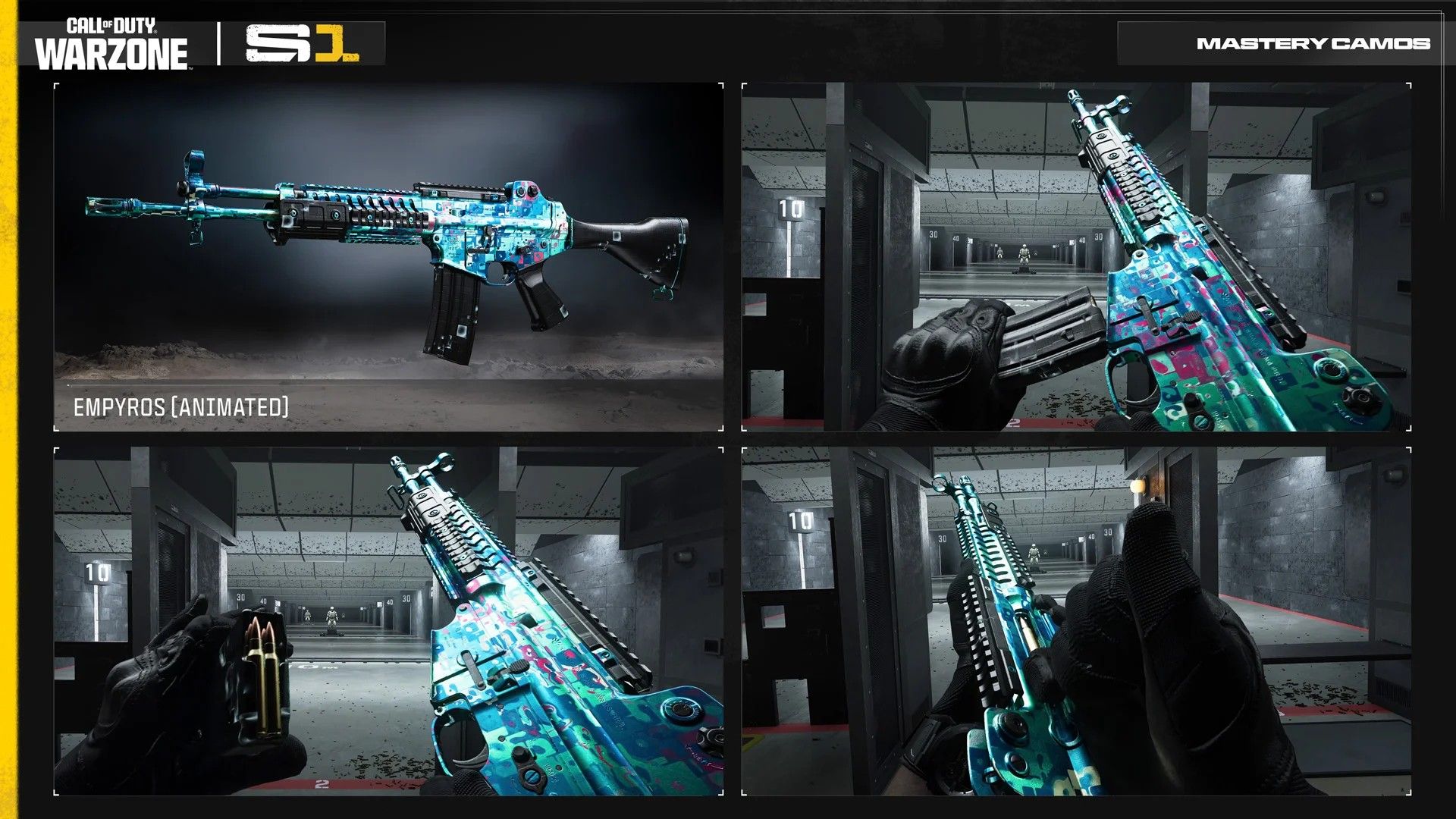
Call of Duty: Warzone Mode Mastery camos arrive from Season 1
New Warzone, new Mastery Camo to grind for. (Image credit: Activision)
While much of the camo grind in Modern Warfare 4 is universal across multiplayer, DMZ, and now Warzone, like the others, there is a dedicated set of Mode Mastery challenges to complete. And now we know what we'll have to do.
Parallax: Get 5 kills in a match 300 times.
Damascus Reforged: Get 2 kills without plating 200 times.
Empyros: Place in the top 5 with at least 6 kills 75 times.
Presumably we'll still be able to do the Mode Mastery camos in casual mode, too, but even so, they're still going to be a pretty long process. The saving grace is that if you've been playing Modern Warfare 4, this year you at least already have a head start.
Nevertheless, I spent 65 hours doing last year's Warzone Mastery Camo, even using casual mode, and I feel like this year's is going to take longer than that. I'm not sure I have it in me. We'll see.
Additionally, there will be a "Return to Call of Duty: Warzone" event running with some additional camos to get your hands on. And who doesn't like some shiny camos?
Season 1 for both Modern Warfare 4 and Warzone goes live on November 6 at midnight ET (9pm Pacific) globally. Additionally, it will be available on the Nintendo Switch for the first time. Find the full details on the Warzone integration at the Call of Duty Blog.
Join us on Reddit at r/WindowsCentral to share your insights and discuss our latest news, reviews, and more.
Over the weekend, YouTuber "P1REMAKE" uploaded a new video that has every Persona fan up in arms with excitement and speculation — a supposed gameplay trailer for a Persona 1 Remake that's coming to Xbox.The video contains a gameplay montage of characters exploring a school filled with monsters, a visual-novel-style cutscene, and turn-based combat similar to that of modern Persona games like Persona 3: Reload, Persona 4: Revival, and Persona 5: Royal.The video al
Over the weekend, YouTuber "P1REMAKE" uploaded a new video that has every Persona fan up in arms with excitement and speculation — a supposed gameplay trailer for a Persona 1 Remake that's coming to Xbox.
The video contains a gameplay montage of characters exploring a school filled with monsters, a visual-novel-style cutscene, and turn-based combat similar to that of modern Persona games like Persona 3: Reload, Persona 4: Revival, and Persona 5: Royal.
The video also shows that it's coming to Xbox (and/or PC) because the UI display during combat shows Xbox controller face buttons (Y, X, B, A) and an RB shoulder button.
Now it's very likely that this video could be a fake trailer made by fans, especially since Atlus hasn't been motivated to take this video offline yet.
Then again, this video, despite its low resolution, looks too well put together to be fake or AI-generated. Plus, Atlus did express a desire to remake Persona 1 and 2 last summer. So, there is a chance this trailer could, in fact, be real or, at the very least, a fan-made or leaked proof of concept of what a Persona 1 remake could look like.
Either way, it'd be cool to see remakes of Persona 1 and 2 finally happen, as they are vastly different and darker in terms of tone, story, and gameplay style compared to their more popular successors.
We'll have to wait and see if Atlus indeed plans to remake the games that kick-started its flagship franchise at either the upcoming Game Awards or at a future Xbox Games Showcase, since that's where they tend to reveal Persona games these days.
In the meantime, we'll have Persona 4: Revival (releasing on February 18, 2027, for consoles and PC) and Persona 6 to look forward to.
Travel to the rural town of Inaba and embark on a journey of self-discovery while catching a ruthless serial killer in the classic JRPG, Persona 4, now reborn as Persona 4: Revival with next-gen graphics, refined turn-based combat, and many more surprises.
Windows 11 has a new speed test feature in the works that will allow you to check your PC's connectivity without having to open a browser or a separate app. The feature is already in testing with Windows Insiders and looks promising so far.Windows 11 already has a shortcut for testing internet speed, but it's simply a button that opens Bing's speed test in a web browser. The new speed test feature is built-in, making it feel like part of Windows 11 rather than a
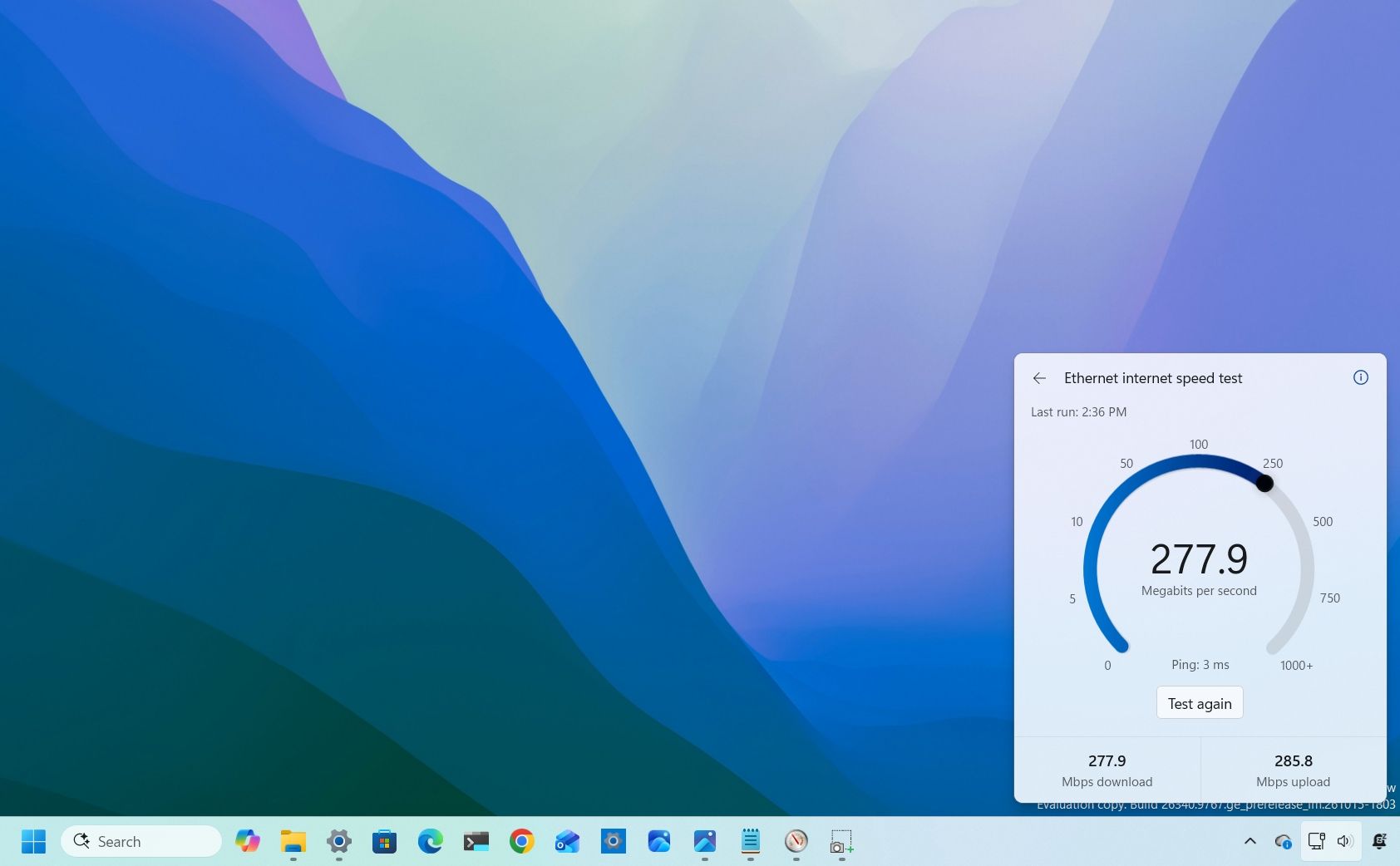
Windows 11 has a new speed test feature in the works that will allow you to check your PC's connectivity without having to open a browser or a separate app. The feature is already in testing with Windows Insiders and looks promising so far.
Windows 11 already has a shortcut for testing internet speed, but it's simply a button that opens Bing's speed test in a web browser. The new speed test feature is built-in, making it feel like part of Windows 11 rather than a tacked-on browser shortcut.
The addition has been well-received and sparked positive discussions online. Our Mauro Huculak said, "Windows 11 needs more features like this," and his wish may come true.
Marcus Ash, lead of Design and Research across Windows & Devices, discussed the new speed test feature and how the tool was created. According to Ash, the new speed test feature is the result of an agentic AI workflow guided by a real person.
"This is where I see a lot of potential in AI," said Ash. "Using agentic workflows and WinUI 3 to build more integrated Windows experiences. Getting from idea to customer value faster. Without AI slop. That is the way."
AI is under heavy scrutiny for a variety of reasons. Many criticize "vibe coding," which often results in low-quality projects. But there is a place for AI in certain workflows.
After looking at Ash's comment, it's easy to see why Microsoft chose to attach the term "Copilot" to many of its AI products. The company's leaders view AI as a tool that works alongside people to streamline workflows while still leaning on the guidance of human expertise.
Considering the positive reception of the new speed test tool, it seems likely that other parts of Windows 11 will be built with a similar workflow. I'm curious to see if they will all be well-received or if some people will push back solely due to the use of AI.
What do you think about Microsoft using AI as part of its development process? Let us know in the comments!
Join us on Reddit at r/WindowsCentral to share your insights and discuss our latest news, reviews, and more.
November is finally here, which means it's time for an onslaught of early Black Friday discounts to give your favorite or most desirable laptops a much-needed price cut from all the rising costs caused by AI lately.One of these lucky devices is the Microsoft Surface Laptop 8, which is currently on sale for $1,249.99 at Amazon (was $1,699.99). This beauty is Microsoft's latest flagship laptop, equipped with a state-of-the-art Snapdragon X2 Elite CPU for improved p
November is finally here, which means it's time for an onslaught of early Black Friday discounts to give your favorite or most desirable laptops a much-needed price cut from all the rising costs caused by AI lately.
One of these lucky devices is the Microsoft Surface Laptop 8, which is currently on sale for $1,249.99 at Amazon (was $1,699.99).
This beauty is Microsoft's latest flagship laptop, equipped with a state-of-the-art Snapdragon X2 Elite CPU for improved performance, all-day battery life, and an exclusive new advanced haptics feature to give you improved feedback, just to name a few features.
The Surface Laptop 8 will blaze through productivity workloads with its Snapdragon X2 Elite CPU, 16GB RAM, and advanced haptics feedback.View Deal
Why buy this laptop?
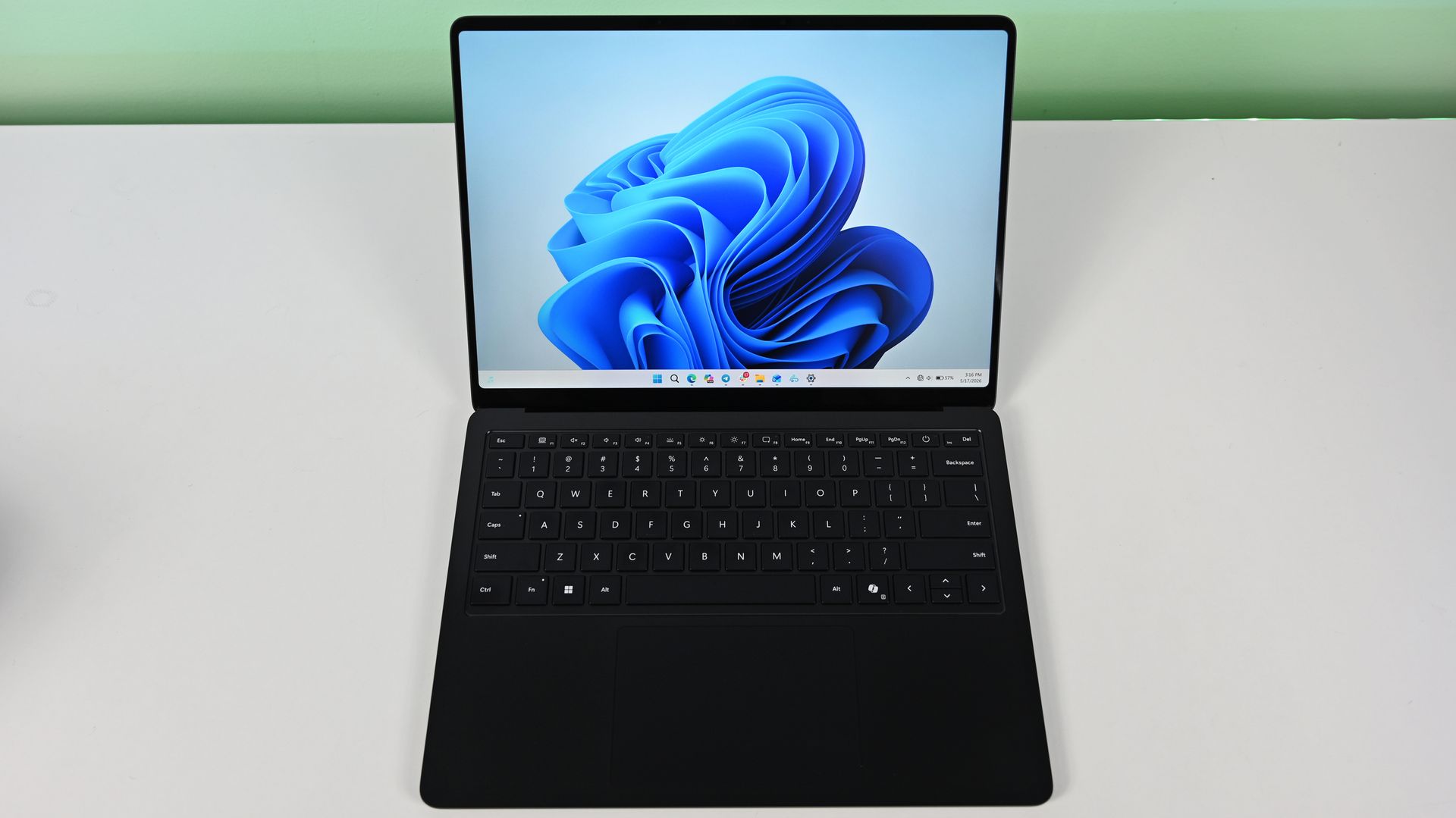
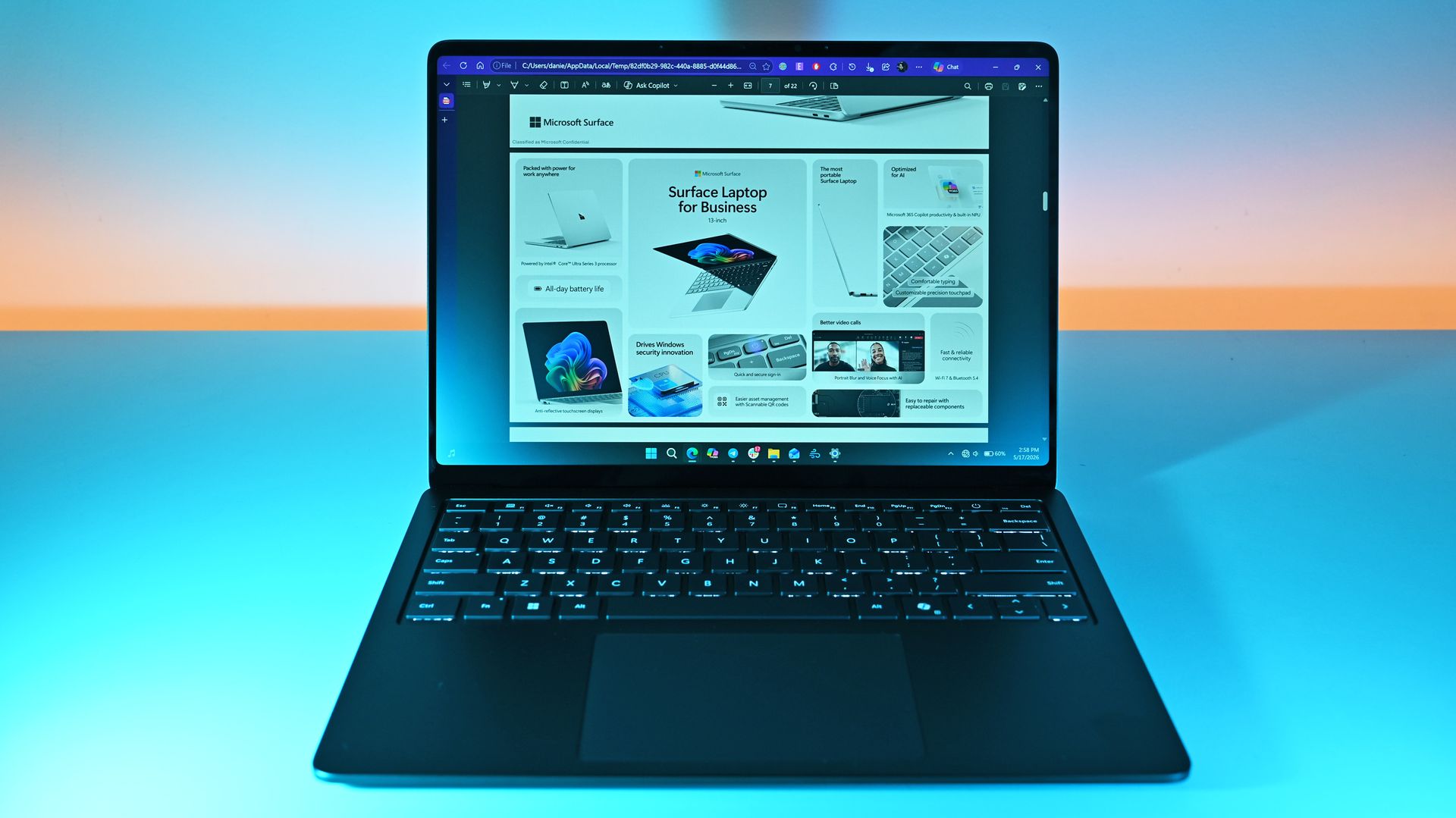
The Microsoft Surface 8 in action. (Image credit: Daniel Rubino)
The Microsoft Surface Laptop 8 is a highly dependable, fast, and durable laptop for IT users and students. This is because it comes equipped with a Snapdragon X2 Elite CPU paired with a turbocharged NPU with 80 TOPS, boosting the laptop's performance significantly when tackling mountains of productivity workloads while multitasking.
It also comes with a 13.8-inch LCD touchscreen display with 600 nits of brightness to fend off annoying daylight glare, Wi-Fi 7 compatibility for strong and stable wireless internet connections, and a massive battery life of 20 hours on a single charge.
On top of that, the Microsoft Surface Laptop 8 features an advanced haptic feedback system, which sends subtle vibrations when using its keyboard, stylus pen, or mouse when performing specific tasks like dragging files in File Explorer or rearranging app windows.
It's a small but enjoyable addition that makes this laptop more polished and responsive to use. Even our Editor-in-Chief Daniel Rubino praised this feature during his Surface Laptop 8 (Business Model) review when he said, "The new advanced haptic touchpad is a joy to use. It provides subtle tactile cues that confirm your actions."
Can I upgrade its RAM and SSD?
No, you can't upgrade the Microsoft Surface 8 laptop's RAM because it's permanently soldered to the motherboard. However, you can swap the SSD for a 1TB or 2TB unit if the default 512GB isn't enough.
Can I use it for gaming?
No, the Microsoft Surface 8 laptop isn't a good laptop for gaming because its integrated graphics and ARM architecture aren't enough to run graphically demanding games or games built with heavy anti-cheat systems without chugging its performance.
Should I wait for Black Friday for a better deal?
It depends on whether you're desperate for a new casual/workhorse laptop and can't wait for a better deal, or if you're willing to wait until Black Friday for a greater discount. Either way, just know that it's a good price for its specs, especially since this is the lowest price drop the Microsoft Surface 8 laptop has had yet (according to CamelCamelCamel).
Join us on Reddit at r/WindowsCentral to share your insights and discuss our latest news, reviews, and more.
I recently highlighted an app that allows you to click and drag the taskbar to reposition it on Windows 11. In my piece, I said that "changing [the taskbar's] position still requires digging through Settings." That phrase and other parts of my piece led to a discussion online about the nature of coverage and being positive or negative when discussing apps and features.Microsoft's Vice President of Design Diego Baca, said the phrasing in my piece was "unnecessaril
I recently highlighted an app that allows you to click and drag the taskbar to reposition it on Windows 11. In my piece, I said that "changing [the taskbar's] position still requires digging through Settings." That phrase and other parts of my piece led to a discussion online about the nature of coverage and being positive or negative when discussing apps and features.
What stuck with me wasn't whether my wording was too harsh. It was the question of how we should respond when companies explain why a feature isn't necessary, especially when history shows those same features often arrive later.
Biggest News of the Week
I want to be clear about the nature of this piece. Baca's response to my article sparked this discussion, but it's not meant to call him out or criticize him. Every interaction I've had with Baca has been positive and I appreciate how much he interacts with the community on X and other platforms.
Baca was promoted to Vice President of Design at Microsoft in August. I've noticed a distinct increase in user engagement since then from both Baca and other members of Microsoft's design team.
I would also be a hypocrite if I criticized Microsoft for not looking at feedback and then ignored feedback myself. I echo Baca's sentiment that listening to feedback is important even if someone ultimately decides to go in another direction than what's suggested. Understanding how other people think can shape how we view things in the future.
For the record, the headline of the article is and always has been "This free app makes moving the Windows 11 taskbar so much easier"I have changed the wording within the article where the quote you mentioned appears, which, again, was not the headline. But I should say that I don't agree with your take. This was not meant in a negative tone.Windows 10 users that might have heard about Windows 11's new movable Taskbar may not know that its implementation is different. "You still need" meaning that while it can be moved now, you'll still need an app to restore the same draggable behaviors that you had on Windows 10. That's just us being clear about the experience.However, I do appreciate you explaining more about how you designed the movable experience on Windows 11! I like the W11 implementation a lot. Again, I want to be clear: "You still need" never once showed up in the headline. This was only ever present beneath the header as part of the article on the page.October 31, 2026
Explaining why your product lacks a feature that's available anywhere is easy. Defending why your product does not have a popular feature seen in other products is difficult. Justifying adding a feature after arguing against its value for years is almost impossible.
We've seen this with Apple and its touchscreen MacBook. Steve Jobs famously mocked the concept of a touchscreen laptop over a decade ago. In a similar manner, Tim Cook compared devices like the Surface Pro to combining a toaster and a refrigerator only for Apple to later release the iPad Pro, which is clearly similar to the Surface Pro in design.
Years after Steve Jobs argues vertical touch surfaces were "ergonomically terrible," Apple announced a touchscreen MacBook. (Image credit: Lance Ulanoff / Future)
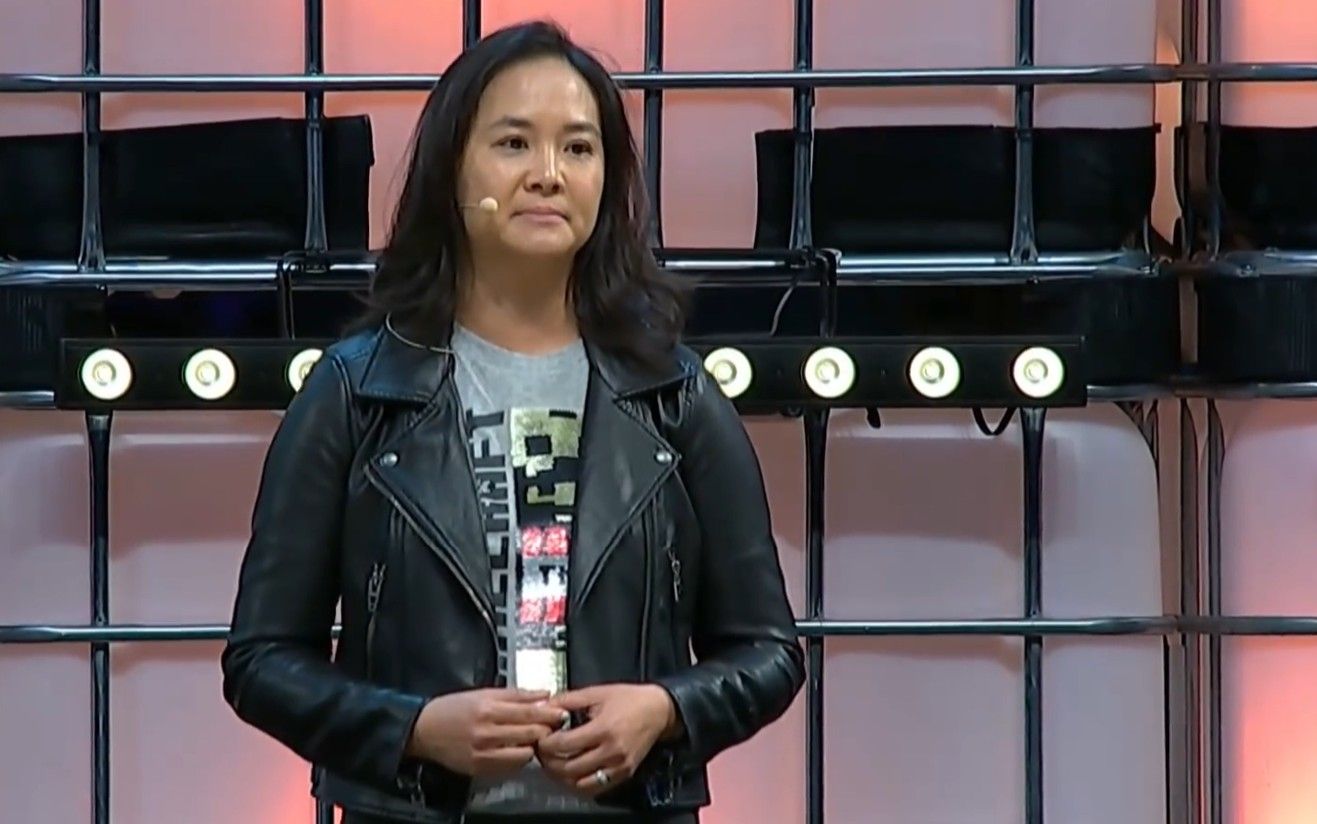
Relating this back to Microsoft, the company tried to justify why the taskbar was immovable when Windows 11 shipped. Back in 2022, Tali Roth, head of product of Windows Core Experiences at Microsoft, explained why that was the case:
"When it comes to something like actually being able to move the taskbar to different locations on the screen, there's a number of challenges with that. When you think about having the taskbar on the right or the left, all of a sudden the reflow and the work that all of the apps have to do to be able to understand the environment is just huge...
And when you look at the data, while we know there is a set of people that love it that way and, like, really appreciate it, we also recognize that this set of users is really small compared to the set of other folks that are asking for other features. So, at the moment, we are continuing to focus on things that I hear more pain around."
In Roth's defense, she did not claim a movable taskbar was a broken concept. But she did say the effort to make it work was huge and that only a small set of users were passionate about the feature.
I doubt the amount of effort required changed dramatically. The number of users interested in the feature has likely remained relatively consistent as well, so why was a movable taskbar a top priority in Windows K2?
That's why I'm hesitant to treat explanations for missing features as the final word. Microsoft's reasons for not prioritizing taskbar positioning in 2022 did not make users wrong for wanting the feature, and they did not make criticism of that decision invalid. If anything, the feature later becoming a Priority 0 item proves that those complaints were worth making in the first place.
High expectations, not hostility
One of my first editions of Windows Wrap focused on holding a mirror up to Microsoft. (Image credit: Future | Edited with Gemini)
I love that Microsoft is improving Windows 11. I think the Windows K2 initiative is one of the most important consumer-focused initiatives the company has had in years. I also think it's okay to be critical while also noting improvements.
I am often critical of Microsoft and its products, but it's not for kicks or clicks. It comes from a genuine hope for the OS to improve. As I said back in January:
"My frustration with Windows 11 and Microsoft doesn't come from a place of "hate" — it comes from a place of high expectations. Whether Microsoft chooses to listen to its core enthusiasts or continues its current path toward an AI-bloated future remains to be seen. In the meantime, it's worth facing a mirror toward Redmond."
I've argued since March that Windows 11 isn't doomed and that Microsoft is fixing the operating system. But much of that change was inspired by passionate, and often negative, feedback — the squeaky wheel gets the grease and all that.
So, I may think twice about being overly negative about Microsoft in the future, but after doing so I'm still likely to press "Publish" on an article calling for change.
Join us on Reddit at r/WindowsCentral to share your insights and discuss our latest news, reviews, and more.
We're just days away from World of Warcraft: Forever's launch on November 4, 2026, but it looks like Microsoft may have spoiled a major surprise: WoW may be coming to Xbox after all.The rumor recently exploded on Reddit via u/hazedesunna, who spotted that Xbox UK's X account posted, "Don't forget to leave some space for these games coming to Xbox this November ⚔️" with images of Shrek 2: Remastered and World of Warcraft: Forever.WoW Forever on Xbox! from r/wowfor
We're just days away from World of Warcraft: Forever's launch on November 4, 2026, but it looks like Microsoft may have spoiled a major surprise: WoW may be coming to Xbox after all.
The rumor recently exploded on Reddit via u/hazedesunna, who spotted that Xbox UK's X account posted, "Don't forget to leave some space for these games coming to Xbox this November ⚔️" with images of Shrek 2: Remastered and World of Warcraft: Forever.
However, Xbox UK quickly took the post down and responded, "Hi there, this post was deleted as World of Warcraft: Forever will be available on PC and Mac via Battle.Net, and is not available on XBOX. This was our mistake so we needed to remove it and repost. We apologies[sic] for the confusion this may have caused."
Was this really a mistake or an accidental spoiler?
@mikescoates Hi there, this post was deleted as World of Warcraft: Forever will be available on PC and Mac via https://t.co/Uk38QkNSVc, and is not available on XBOX. This was our mistake so we needed to remove it and repost. We apologies for the confusion this may have caused.November 1, 2026
At face value, this was a genuine mistake on Xbox UK's part for placing the wrong game on a social post. But to entertain speculation for a moment, what if this post wasn't a mistake and Microsoft was hastily trying to cover it up to save face?
Plus, with World of Warcraft: Forever having Xbox controller support, it's only a matter of time before it gets ported onto consoles.
As World of Warcraft: Forever launches, Retail continues to fall
- Wheels don't spin when in motion- Front wheel is clipped into the ground- Gnomes sit halfway over the handlebarsThank you, Blizzard. Very cool. https://t.co/F3X3ctmBB0November 1, 2026
Whatever the future holds for World of Warcraft: Forever, it's certainly looking better than the Retail version right now, which continues to degrade in quality.
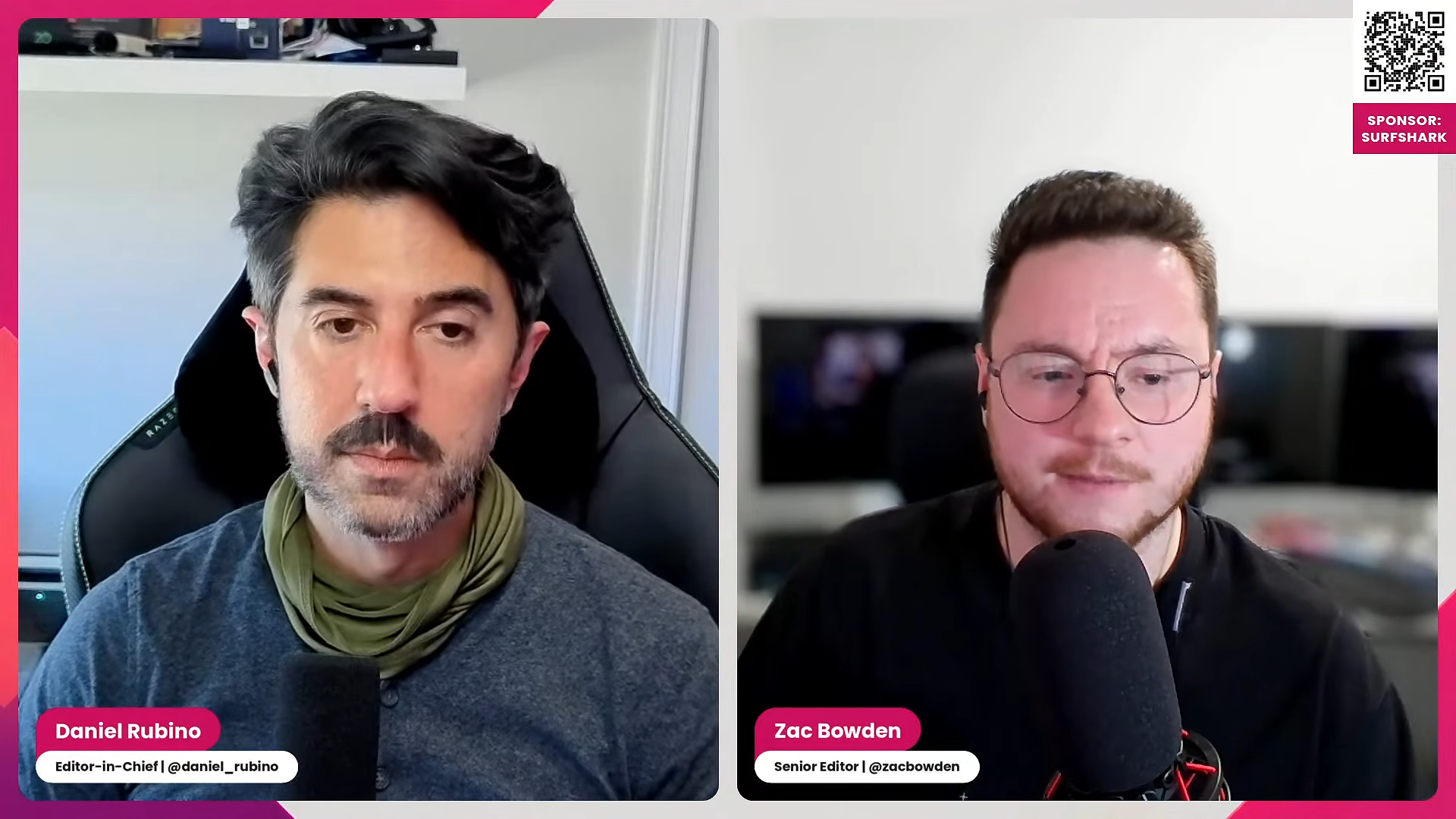
In this episode of the Windows Central Podcast, Daniel Rubino and Zac Bowden break down the latest wave of Windows 11 Insider preview builds and major industry hardware shifts.The episode begins with an overview of incoming Windows 11 quality-of-life updates, including File Explorer context menu overhauls, controller-friendly Xbox Quick Settings for gaming handhelds, deeper Phone Link integration in the taskbar, native speed tests, and rich, actionable search res
In this episode of the Windows Central Podcast, Daniel Rubino and Zac Bowden break down the latest wave of Windows 11 Insider preview builds and major industry hardware shifts.
The episode begins with an overview of incoming Windows 11 quality-of-life updates, including File Explorer context menu overhauls, controller-friendly Xbox Quick Settings for gaming handhelds, deeper Phone Link integration in the taskbar, native speed tests, and rich, actionable search results. Zac also details controversial security adjustments to Windows Hello that force screen-brightening in low-light environments.
From there, we dissect Apple’s sudden embrace of touchscreen technology and OLED displays on the M5 MacBook Pro, comparing Apple’s historical messaging to current market demands. We follow up on the ongoing display debates surrounding the Surface Laptop Ultra's Mini-LED implementation (addressing local dimming claims and ghosting fixes), before examining Big Tech’s massive AI capital expenditure trends, market adjustments, and live audience Q&A questions.
This episode of the Windows Central Podcast is sponsored by Surfshark VPN. Unlimited devices, access your content from anywhere, and auto-block malware on Windows, Edge, and other platforms from $2.50/mo, with 3 months extra FREE. Sign up today!
TIMESTAMPS:
00:00 Pre-show Setup & Tech Checks
02:13 Welcome to Episode 409 & Agenda Overview
03:51 Testing $699–$799 Budget Windows Laptops
06:24 File Explorer Context Menu Overhaul & Quick Turnaround
From around July, rumors began to swirl that Gears of War: E-Day had cost upwards of half a billion dollars, raising questions about the state of AAA game development. I can confirm at my end that Microsoft's financial auditors have attributed upwards of $500 million to The Coalition between Gears of War 5 and Gears of War: E-Day. But through multiple sources, I have a clearer picture of how that money has been spread and allocated over the past 6-7 years, and wh
From around July, rumors began to swirl that Gears of War: E-Day had cost upwards of half a billion dollars, raising questions about the state of AAA game development.
I can confirm at my end that Microsoft's financial auditors have attributed upwards of $500 million to The Coalition between Gears of War 5 and Gears of War: E-Day. But through multiple sources, I have a clearer picture of how that money has been spread and allocated over the past 6-7 years, and why there are even some internal disagreements over how exactly attribution should be distributed.
The Coalition has cost Microsoft "$500 million~" but is that the full story?
Gears of War has been under a microscope first. (Image credit: Xbox Game Studios)
The reports of Gears of War: E-Day costing upwards of half a billion emerged first via Tom Henderson of Insider Gaming, and were later corroborated by Kotaku's Ethan Gach, with an extra $100 million on top.
I pushed back against the claims on my own show with preliminary information I'd received over the summer that The Coalition's budgeting situation is more complex than simply "Gears of War: E-Day cost half a billion dollars."
Multiple sources familiar with, but unauthorized to speak with us on, Microsoft's plans helped us flesh out a picture of why The Coalition has been hit with a $500 million price tag, and why, ultimately, debates over "how" the money has been allocated are ultimately academic.
Indeed, I am told by a variety of trusted sources that The Coalition has been contributing to a variety of other Xbox flagship titles that use Unreal Engine, including games like Avowed and State of Decay. Former senior Xbox staffer Derek Reese elaborated further recently on BlueSky, noting that The Coalition is "on the hook" for Microsoft's bespoke tools and pipelines for Unreal Engine.
So much of that cost is The Coalition being on the hook for the Microsoft branch of Unreal and one of the flagship titles.I should know, I tried to get leadership to support a plan to have other studios adopt it and write off the support costs.Same problem with Turn10 and ForzaTech.
However, the situation goes a bit further than tooling and collaborative work on first-party Xbox games.
The Coalition also spent a great deal of time working with Epic Games on the "Matrix Awakens" Unreal Engine demonstration, as well as the Alpha Point demo, both of which were intended to showcase the potential of UE5 on next-gen consoles and PCs. The tools and techniques developed for these demonstrations were later deployed across a range of other first and third-party products Windows Central understands, during the period between 2020 and 2021.
Rod Fergusson formally left The Coalition in early 2020, and during the transition, it put the studio into a bit of a dormant state for a period, while Microsoft figured out how best to move the studio forward. The pandemic was also in full swing, creating chaos for game development pipelines that were designed for office work rather than remote work.
During this time, The Coalition worked for over a year and a half on a prototype project for Xbox that Windows Central understands was ultimately canceled. The Coalition also worked on Avowed, Hellblade 2, Clockwork Revolution, State of Decay 3, Grounded and Grounded 2, and has even contributed to the upcoming StarCraft reboot. Eventually Mike Crump was solidified as the new studio head, and E-Day development began in earnest.
Gears of War: E-Day hasn't been a huge success story against what Microsoft auditors and spreadsheets deem to be The Coalition's budget today. It runs afoul of a common theme surrounding Xbox in the post-pandemic period with an unclear accounting structure for contributions towards other projects.
I've previously heard from studio heads at Xbox, both past and present, who didn't have clarity over how their team's contributions to Xbox Game Pass fed back into their costing structure and how it affected investment from the Microsoft mothership.
Either way, it's true that game dev in North America has become incredibly costly ... and times are hard for many consumers
What will Xbox do next? (Image credit: Microsoft | XBOX)
Either way, even if The Coalition didn't spend $500 million specifically on E-Day over the past half-decade — it's a lot of money to invest without a specific structure in place to explain why some of these costs were worthwhile to Microsoft auditors. A common theme in industry discussions revolves around the month-over-month cost of AAA game development in North America, vs. the willingness to spend on the part of core gamers therein. Competition from free-to-play titles, the sheer volume of content, and even non-gaming hobbies are thought to have reduced the opportunity.
Microsoft CEO Satya Nadella previously said Xbox had to become "sustainable" over the summer, while also stating that it will "always" invest in gaming as a company. Nadella lamented that video platforms like YouTube were doing a better job at monetizing Xbox than Microsoft itself. He's not exactly wrong, but I'd argue that's on Microsoft's lack of innovation at the top level, and tendency to cut and run rather than work through building up new businesses. The Xbox business is heavily constrained right now due to the component rout that Microsoft itself has had a hand in engineering. It doesn't bode well for the upcoming Xbox Helix, widely expected to be the most expensive retail video game console ever.
GTA 6 should be a huge moment for Xbox, but Microsoft says it can't get any stock to sell beyond its core U.S., UK markets. (Image credit: Windows Central)
I can't help but feel like the "$500 million" figure being shared around internally is being used to justify potential cuts, layoffs, or worse, a studio closure targeting The Coalition. Perhaps to "soften the blowback", should Microsoft target the studio. For what it's worth, I've not heard that Xbox is planning to close The Coalition. But Microsoft has already laid off thousands at Xbox, and has signaled plans to continue.
It's hardly a good look if Microsoft's first true, full Xbox exclusive in years results in mass layoffs at one of its core pillar studios. Gears of War has a TV show and a movie on the docket, and Gears of War: E-Day reviewed incredibly well. It's also true that Gears: E-Day is squashed beneath Call of Duty: MW4, GTA 6, WoW: Forever, and a variety of other major games that launched between August and now.
There's only so much $$$ to go around for one thing, and for many, even less free time to hit all these games.
Join us on Reddit at r/WindowsCentral to share your insights and discuss our latest news, reviews, and more.
The eternal tug-of-war between resource efficiency and cross-platform web wrappers has reached a new boiling point. Microsoft has issued a candid warning to users regarding Microsoft Teams: if your device lacks adequate memory or if resource-saving throttling features are triggered, expect your meeting experience to degrade. Yet, rather than tackling the root architectural elephant in […]
The eternal tug-of-war between resource efficiency and cross-platform web wrappers has reached a new boiling point. Microsoft has issued a candid warning to users regarding Microsoft Teams: if your device lacks adequate memory or if resource-saving throttling features are triggered, expect your meeting experience to degrade. Yet, rather than tackling the root architectural elephant in […]
Transitioning to a new computer has traditionally been a rite of passage plagued by external hard drives, network cables, and tedious manual copy-pasting. For Windows users, a glimmer of hope arrived when Microsoft introduced a streamlined PC-to-PC migration framework. However, in typical Redmond fashion, convenience has taken a back seat to cloud monetization. Microsoft has […]
Transitioning to a new computer has traditionally been a rite of passage plagued by external hard drives, network cables, and tedious manual copy-pasting. For Windows users, a glimmer of hope arrived when Microsoft introduced a streamlined PC-to-PC migration framework. However, in typical Redmond fashion, convenience has taken a back seat to cloud monetization. Microsoft has […]
Everyone is frothing at the mouth over Gears of War E:Day again, but this time it’s not the culture war. It's the sensationalized reporting around it's budget and retail sales. Headlines claim the game cost an astronomical $500 million to make, while other reports suggest it "only" sold 400,000 retail copies. Predictably, the terminally online commentary machine is in full force, with some rather insanely blaming Xbox fans for this failure. Xbox fans asked for ex
Everyone is frothing at the mouth over Gears of War E:Day again, but this time it’s not the culture war.
It's the sensationalized reporting around it's budget and retail sales. Headlines claim the game cost an astronomical $500 million to make, while other reports suggest it "only" sold 400,000 retail copies. Predictably, the terminally online commentary machine is in full force, with some rather insanely blaming Xbox fans for this failure.
Xbox fans asked for exclusives, and yet when push comes to shove, "fans didn't put their money where their mouth was," making Gears of War: E-Day's reported failure "their fault." It’s a neat and tidy narrative for console warriors, but one that’s completely out of touch with modern gaming economics outside of the social media bubble.
First of all, that $500 million figure requires crucial context before anyone uses it as a stick to beat the game with.
As clarified by Derek Reese, former Senior Product Manager of Xbox Game Creator Services, that cost isn't simply the game's direct production budget. Much of that figure stems from broad operational overhead, with The Coalition essentially being on the hook for funding Microsoft's custom internal branch of Unreal Engine and supporting engine integration across the wider Xbox studio network (a tech-debt burden similar to Turn 10 bearing the operational costs for ForzaTech, on Fable and Forza Horizon). Conflating general engine-R&D operational overhead with the direct cost of a single game's development represents a misleading omission in the wider narrative.
Beyond the budget discourse, expecting Xbox players to subscribe to Game Pass Ultimate at $22.99 a month, and an annual commitment of over $275, AND drop $70 on day one for every first-party title just to prop up traditional sales metrics is both unrealistic and absurd. The suggestion that players need to pay twice to prove they support a studio fundamentally misunderstands why Microsoft built this system in the first place.
Xbox Game Pass Ultimate is not free gaming
(Image credit: Xbox Game Studios)
For what many are spending on an Xbox Game Pass Ultimate subscription, in standard retail that represents the cost of roughly four full priced $70 AAA games. When a player opts into the Game Pass ecosystem, they are effectively pre-paying for their gaming line-up up front. Expecting that same consumer to buy Gears of War E: Day at retail price to satisfy outdated quarterly sales charts ignores the basic economic contract of a subscription service. The entire value proposition of Game Pass is that you don’t have to shell out $70 every time a major title lands.
I too have pleaded with fans to “put their money where their mouth is” for Microsoft's divested teams like Undead Labs. There's a clear distinction between asking players to support a core Microsoft internal studio, whose quarterly profits are in the tens of billions, over supporting the newly independent Undead Labs. Players who are financially able, could buy State of Decay 3 to stick it to Microsoft's bean counters, and show Xbox what they had just given up.
Many players have reined in spending ahead of GTA 6's big launch. (Image credit: Rockstar Games)
The Coalition is a victim of Microsoft's structuring. Putting them on the hook for Unreal Engine support across multiple games, collaboration with Epic Games, while also building a multi-faceted multiplayer title squashed under Call of Duty: MW4, World of Warcraft: Forever, Grand Theft Auto 6, and various other heavy hitters this quarter is pure insanity.
In a single two-month span, gamers were asked to choose between massive titles across every sub-genre: Marvel’s Wolverine, Silent Hill: Townfall, Minecraft Dungeons 2, Ace Combat 8 and major remasters like The Witcher 3: Wild Hunt and Dynasty Warriors 3 Complete Edition.
Expecting any single game to generate record-breaking direct $70 sales during one of the most crowded, wallet-draining launch windows in recent gaming history is wishful thinking. In a climate where players are already triaging their spending, a day-one Game Pass entry was an incredibly convenient and lower-cost way to play E-Day.
The $70 SKU is dead on Xbox, and $30 upgrades replaced it.
How much is the cost of a pint these days? (Image credit: Windows Central | Xbox)
Regardless, simply citing 400,000 unit sales, or focusing on Steam copies, vastly misrepresents the actual paying audience. Game Pass subscribers actually engaged with the game's revenue model in a massive way through the $30 Premium Edition Upgrade. That’s much easier to justify purchase-wise when you feel like you're already getting something of value with your subscription.
How many would have spent ANYTHING on the game without it being on Game Pass? How do we really predict that behaviour? There's no "alternative reality generator" to see how the game would've shored up in a universe without Game Pass, GTA 6, or the rest of it.
The $70 premium SKU is, for all practical purposes, functionally dead for first-party titles on Xbox console. But that isn’t because Xbox players refuse to spend money; it's because Microsoft has trained them to spend money on early-access add-ons rather than $70 on a standalone license.
The same people attacking Xbox Game Pass are likely the same kind of people happy to wait for Steam sales, which too have contributed to a rejection of the $70 retail model. This is before we even talk about free-to-play titles like Fortnite, Roblox, mobile games, and others which actually dominate the spend.
For many of these people, it represents a glaring double standard to mock players for using the exact monetization model Xbox has designed for them.
Exclusivity is a marathon, not a sprint.
Fixing Xbox will take years. I hope Microsoft's powers realizes this. (Image credit: Microsoft)
The second major flaw in the current discourse is the demand for seemingly instant gratification. Asha Sharma positioned Gears of War: E-Day and Clockwork Revolution as console exclusives at this years Xbox Games Showcase as something of an olive branch to the community. A signal that platform exclusivity was still a core priority for Xbox. But one game was never going to turn around hardware sales overnight. The reality of today’s market comes down to demographics and household finances.
Just a short story from my own experience showing a colleague E-Day running on a Xbox ROG Ally X during a train ride for work. He was blown away by the visuals and fondly recalled buying an Xbox console specifically for the original Gears of War. But today, as he told me, he has a PS5, a mortgage, and a family. Knowing E-Day isn't on PlayStation was a bummer for him as he was genuinely interested in the game, but dropping significant cash on a secondary console for a single game simply isn't a justifiable household expense anymore for him.
Decisions like that aren't made on impulse anymore for the age and demographic of console users Xbox is targeting. Hardware momentum won’t be rebuilt with a single flagship release; it needs to be a slow and steady rebuild over years of consistent, uninterrupted hits. As a family, we have discussed buying a Nintendo Switch 2, driven in part by Ocarina of Time’s launch, but that alone isn’t a driving factor; we’ll get access to Pokopia, Mario Kart, Donkey Kong Bonanza, etc. – all exclusives that make it a more justifiable expense and one the whole family can benefit from.
Expecting E-Day alone to magically reverse years of shifting multiplatform strategy and hardware decline in a single month is incredibly short-sighted. One game will not persuade someone to switch ecosystems, but four or five over a two-year span might. Rebuilding brand confidence requires patience, something the internet commentary cycle lacks, and something Microsoft has notoriously lacked itself in the past.
The danger of short sighted pivots
Will Xbox stick it out? (Image credit: Windows Central | Jez Corden)
If Microsoft interprets the initial retail sales of E-Day as a failure of exclusivity rather than a predictable outcome of their own subscription strategy and timing, they risk making another premature course correction, so for their own sake I hope they are ignoring the current discourse.
Niche or brand-new IPs like Clockwork Revolution won't single-handedly move the needle either. What’s really needed, if they have the appetite for it, is exclusivity around massive, platform-defining pillars; the moments where a game like The Elder Scrolls 6 is kept strictly within the Xbox and PC ecosystem are what actually might be the thing that makes casual gamers re-evaluate where they play.
I don't even think something like Elder Scrolls 6 alone would do it, but if it is preceded by a bunch of other exclusives, it might.
Game Pass was designed to change how players consume games. Blaming the player base for using the service exactly as advertised is a bizarre double standard. Plenty of players paid out of pocket for E-Day premium upgrade on top of their subscriptions. If Xbox wants to prove that exclusivity still matters, it needs to give the strategy room to breathe.
And virtue-signalling pundits should stop expecting subscription-first, "wait-for-a-sale," players to buy into a $70 retail model have been repeatedly and explicitly told they don't need to.
Join us on Reddit at r/WindowsCentral to share your insights and discuss our latest news, reviews, and more.
I've spent more than a decade testing gaming PCs, and even the best pre-builts usually have cables you simply can't hide. That made my first look inside Maingear's new Zero genuinely surprising, even after my previous Maingear MG-1 review.There's almost nothing there. Power connections have been moved behind the motherboard, the panoramic glass is uninterrupted, and the components that normally compete with bundles of cabling finally get the spotlight. It's one o
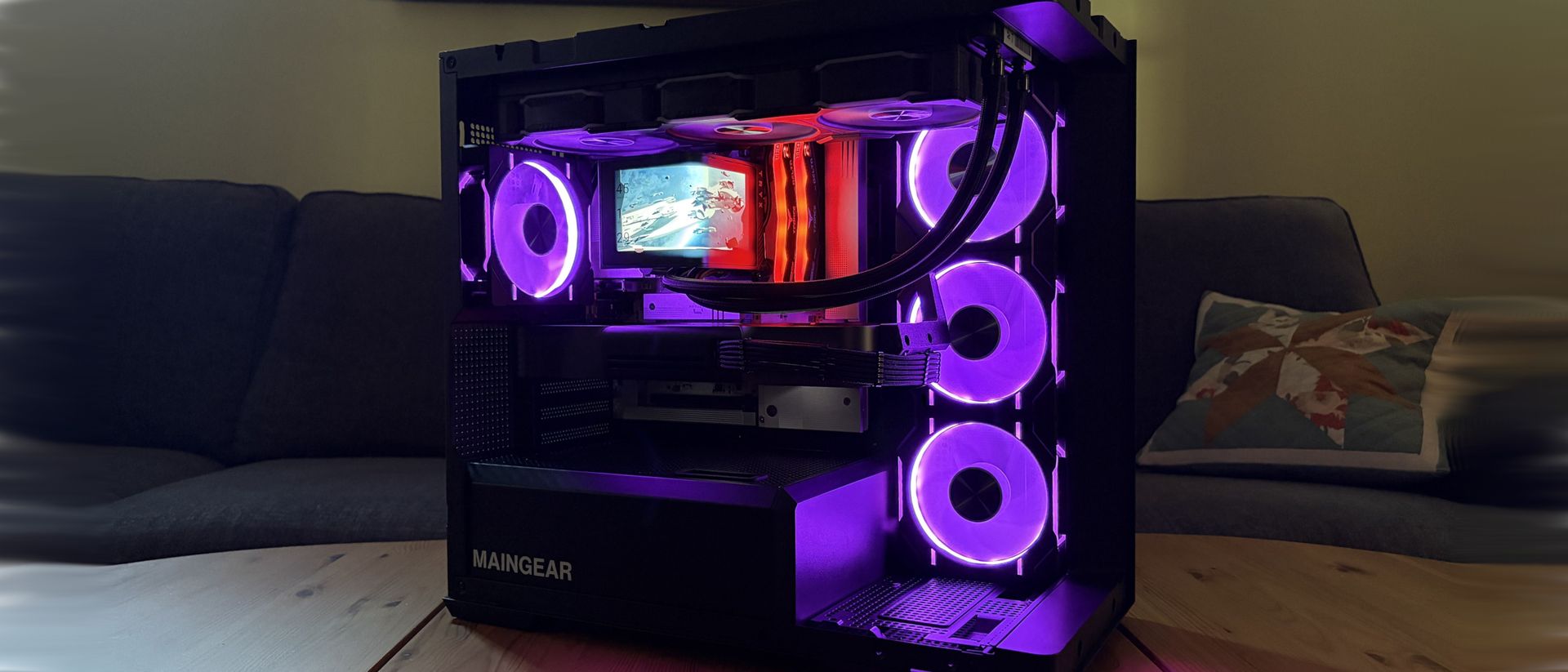
I've spent more than a decade testing gaming PCs, and even the best pre-builts usually have cables you simply can't hide. That made my first look inside Maingear's new Zero genuinely surprising, even after my previous Maingear MG-1 review.
There's almost nothing there. Power connections have been moved behind the motherboard, the panoramic glass is uninterrupted, and the components that normally compete with bundles of cabling finally get the spotlight. It's one of the cleanest pre-built PCs I've tested.
Clean doesn't necessarily mean better, though. After a few weeks of gaming, benchmarking, stress testing, and poking around inside, I wanted to know whether Maingear's cable-free approach actually improves the PC or simply makes for prettier photos.
Maingear sent Windows Central a review unit on loan for testing. It had no input, nor saw the contents of this review, prior to publication.
How much does the Maingear Zero cost?
The RTX 5090 has the only visible power connector in the Maingear Zero. (Image credit: Future)
My review unit is an extreme $8,676 configuration built around AMD's Ryzen 7 9850X3D and NVIDIA's RTX 5090 Founders Edition. Don't let that price scare you away from the Zero entirely, though. Here's what Maingear packed into my high-end loaner:
AMD Ryzen 7 9850X3D CPU
NVIDIA RTX 5090 Founder's Edition (FE) GPU
32GB DDR5-6000MHz RAM
2TB M.2 PCIe 4.0 NVMe SSD
TRYX Panorama SE AiO
MSI Pro B850M-A WIFI PZ motherboard
1,250W MSI MAG A1250GL PSU
Zero MK.II case
But you don't need to spend anywhere near $8,676 to get the Zero's signature design. Models start at $2,799, with the baseline configuration landing you the same Zero MK.II case, an Intel Core Ultra 5 250K Plus CPU, NVIDIA RTX 5070 FE GPU, 32GB DDR5-6000 RAM, 2TB SSD, and a 360mm AiO.
That starting price is more competitive than I expected. A comparable DIY build came to roughly $2,850 when I priced it out, putting it remarkably close to Maingear's $2,799 starting price. Component prices fluctuate, of course, but Maingear isn't asking for an enormous boutique-PC premium just to get the Zero's distinctive design and professional assembly.
Why is this Maingear PC called Zero?
The Maingear Zero keeps cables out of sight thanks to MG-RC motherboard connectors. (Image credit: Future)
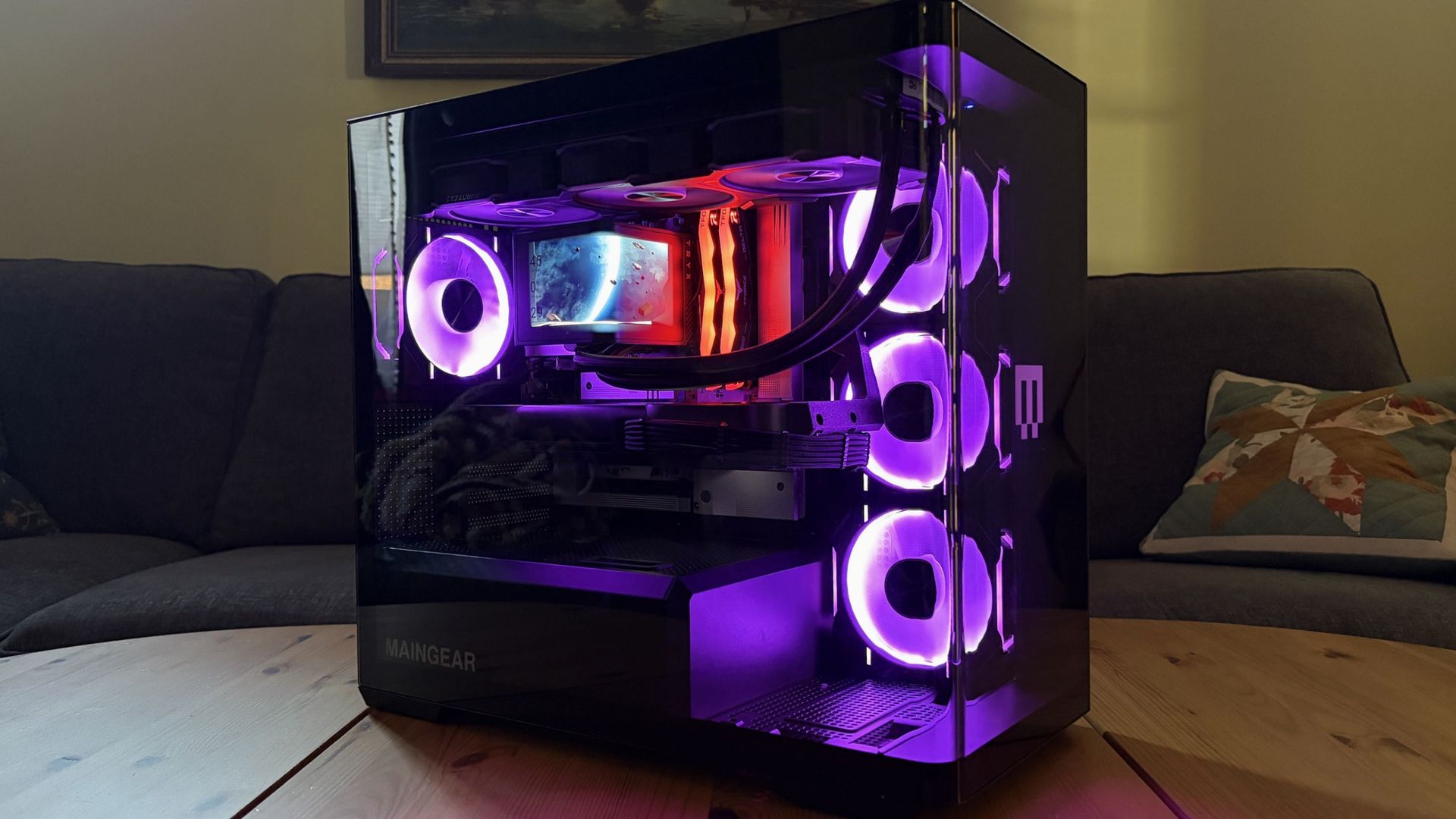
Maingear's Zero steps away from the MG-1 with a more compact case. Rather than the MG-1's interchangeable front faceplate, panoramic glass extends from back to opposite front.
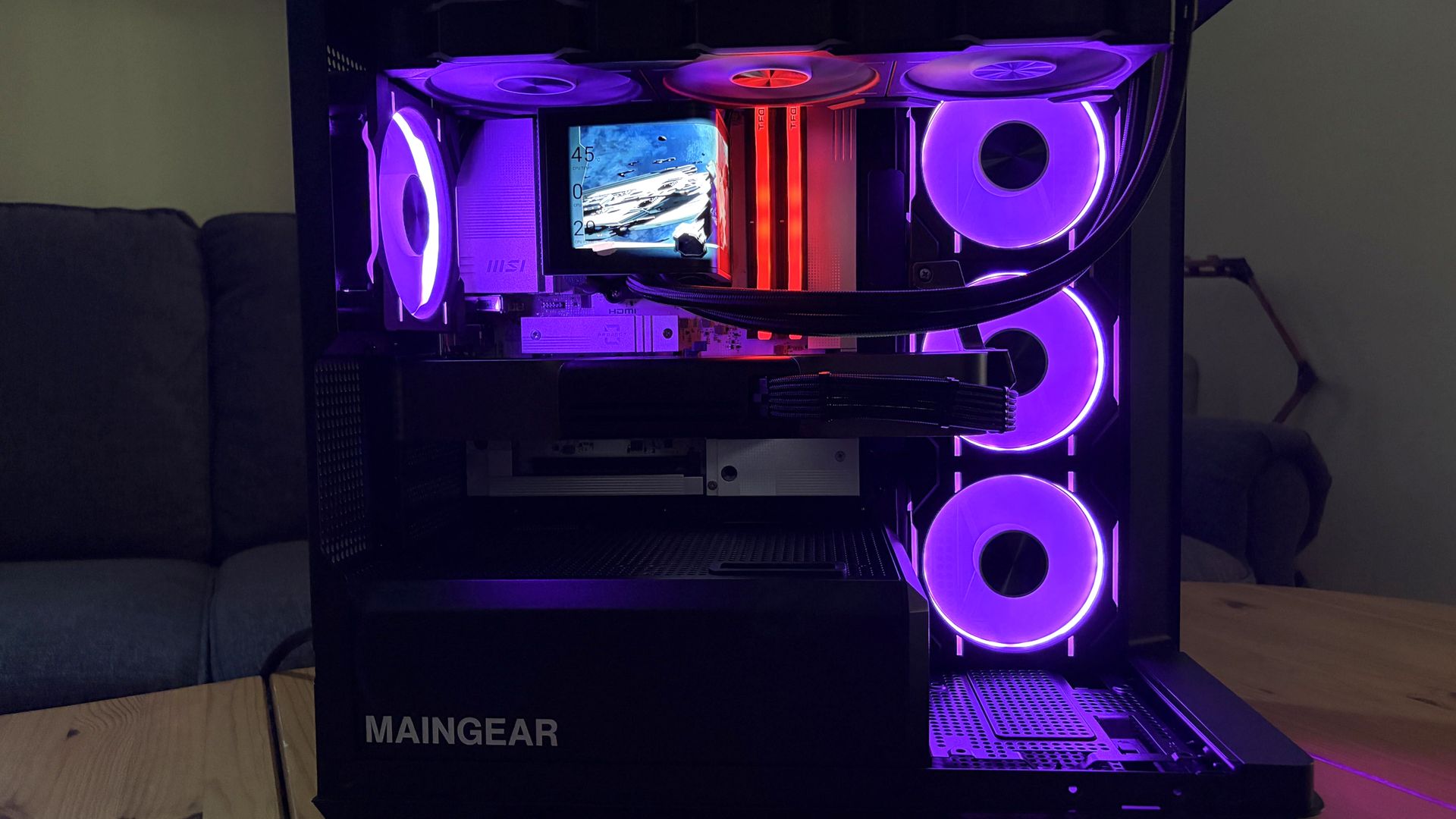
It's an immaculate look emphasized by customizable internal RGB lighting. I hate the look of exposed case LEDs, and this has none.
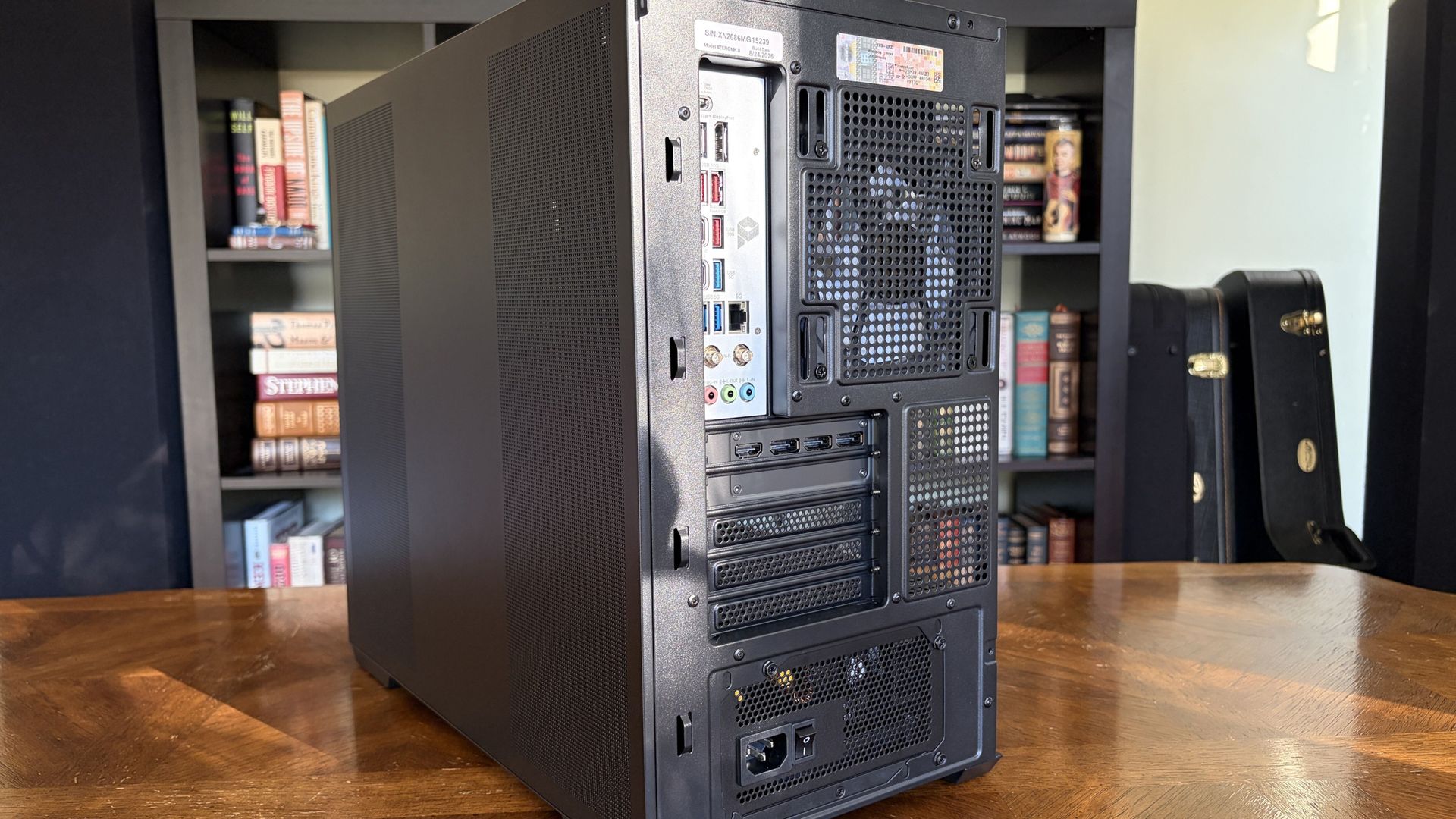
The motherboard hosts the majority of ports, and there's space for expansion inside the case. (Image credit: Future)
The case's foundational layout isn't too different from the average PC. Five slots on the back for expansion, dedicated spot for the PSU, side intake with three fans, AiO CPU cooler installed on top, and exhaust on the back.
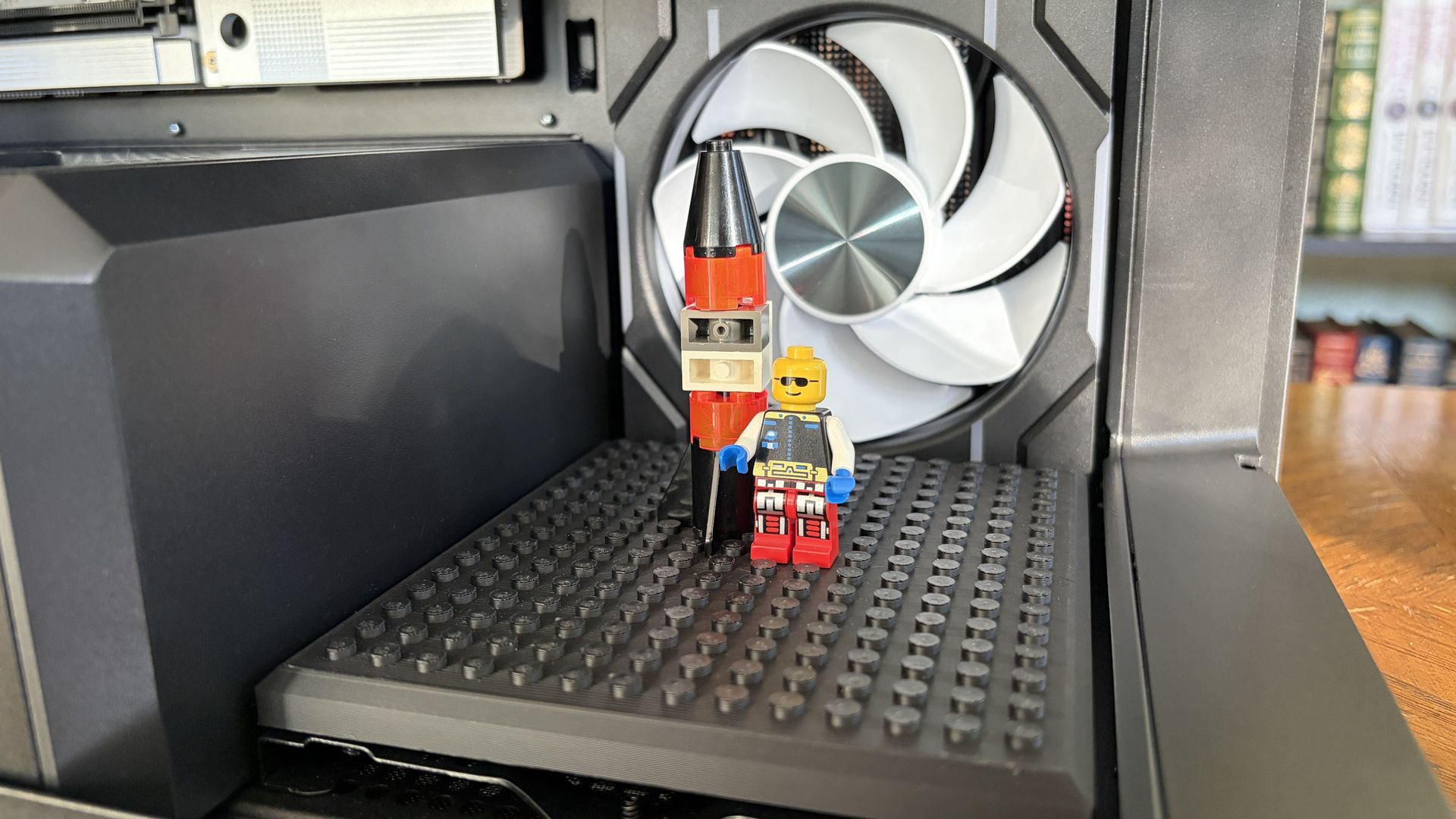
You can use either the LEGO stand or a figure stand inside the Zero's case. (Image credit: Future)
Maingear makes good use of extra internal space towards the front. Leaving this open will interfere less with airflow, but it's designed to hold either a figurine stand or a "studded brick stand" for your custom LEGO creations.
I already use LEGO in my own PC to hold up my GPU, and I love this little Maingear addition.
For anyone who appreciates a minimalist approach, this is the ultimate design.
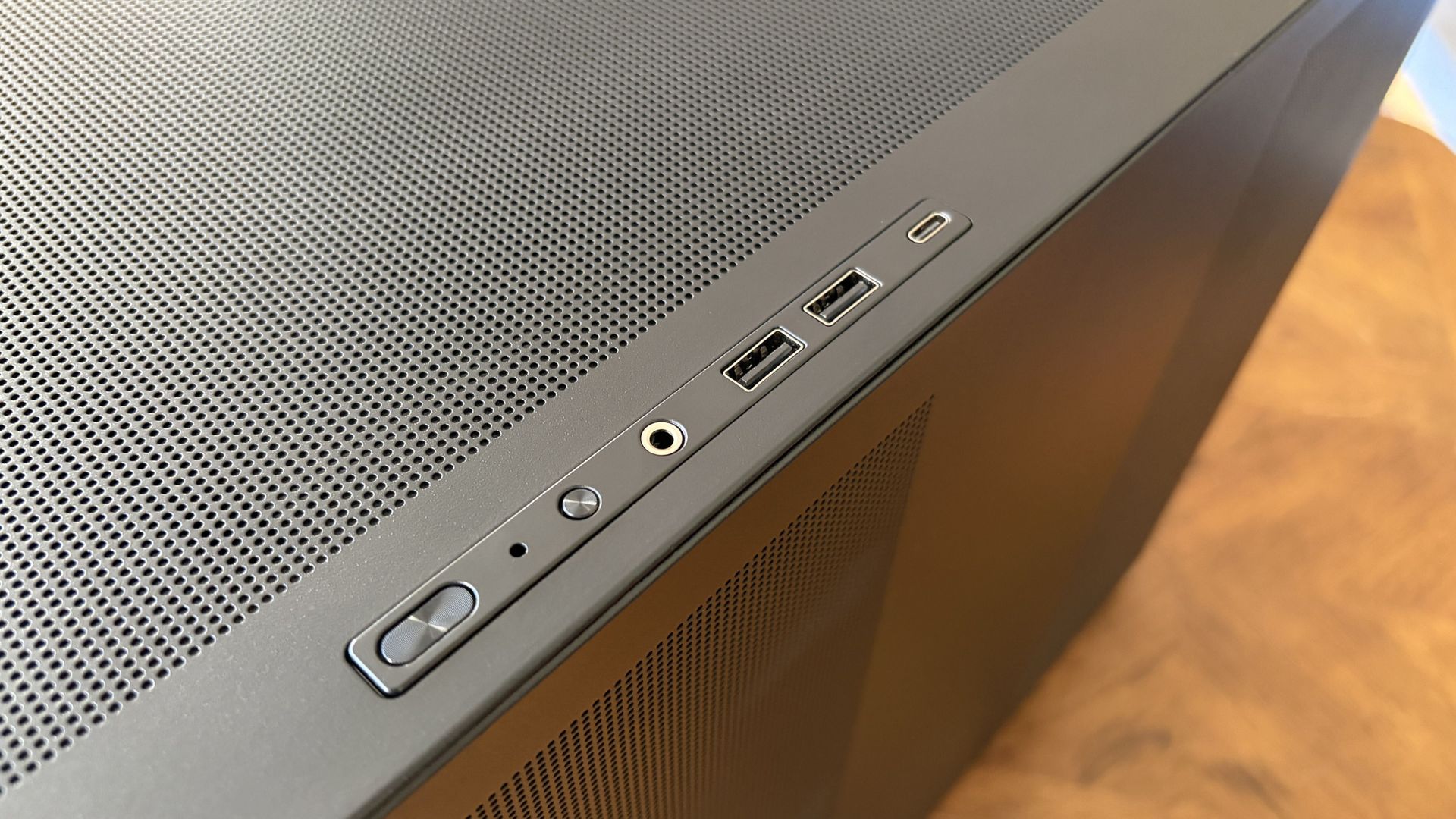
At the front of the case, dual USB-A (5Gbps) ports, one USB-C (10Gbps), and a 3.5mm audio combo are present for quick hookups. I'd like to see faster connections here, but they ultimately get the job done as is.
The MSI motherboard in use offers much better I/O. There's USB4, tons of USB-A, and audio connections. The PC also has cutting-edge Wi-Fi 7 and Bluetooth 5.4; no worries about future-proofing there.
Front ports on the Maingear Zero are pretty average. (Image credit: Future)
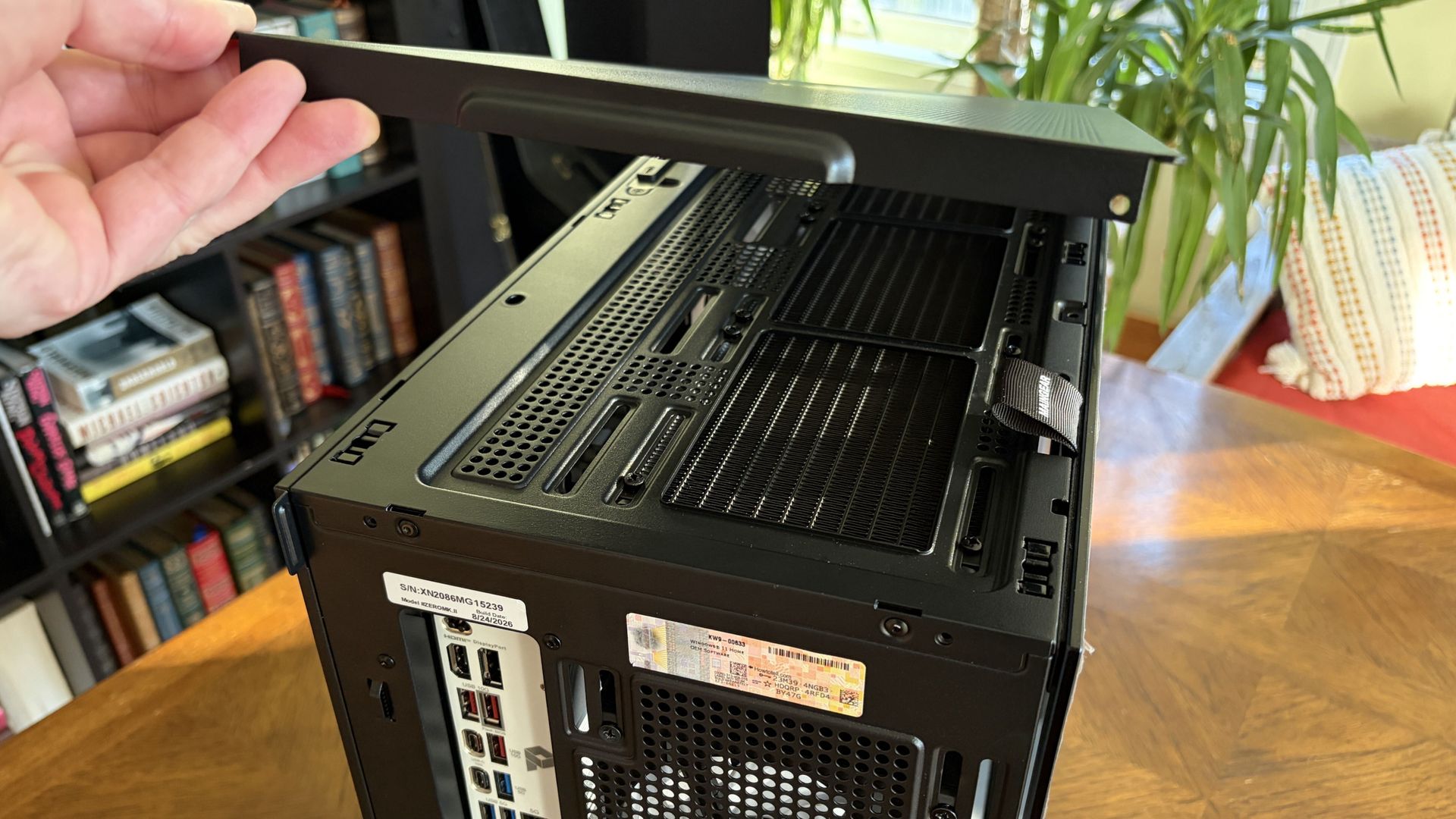
I also appreciate the way the case comes apart. The side and top panels are held in place with pressure points; you can pull them away without using any tools.
These panels have rather fine pinhole venting in all the right areas, and they seem to be doing a decent job of keeping out dust.
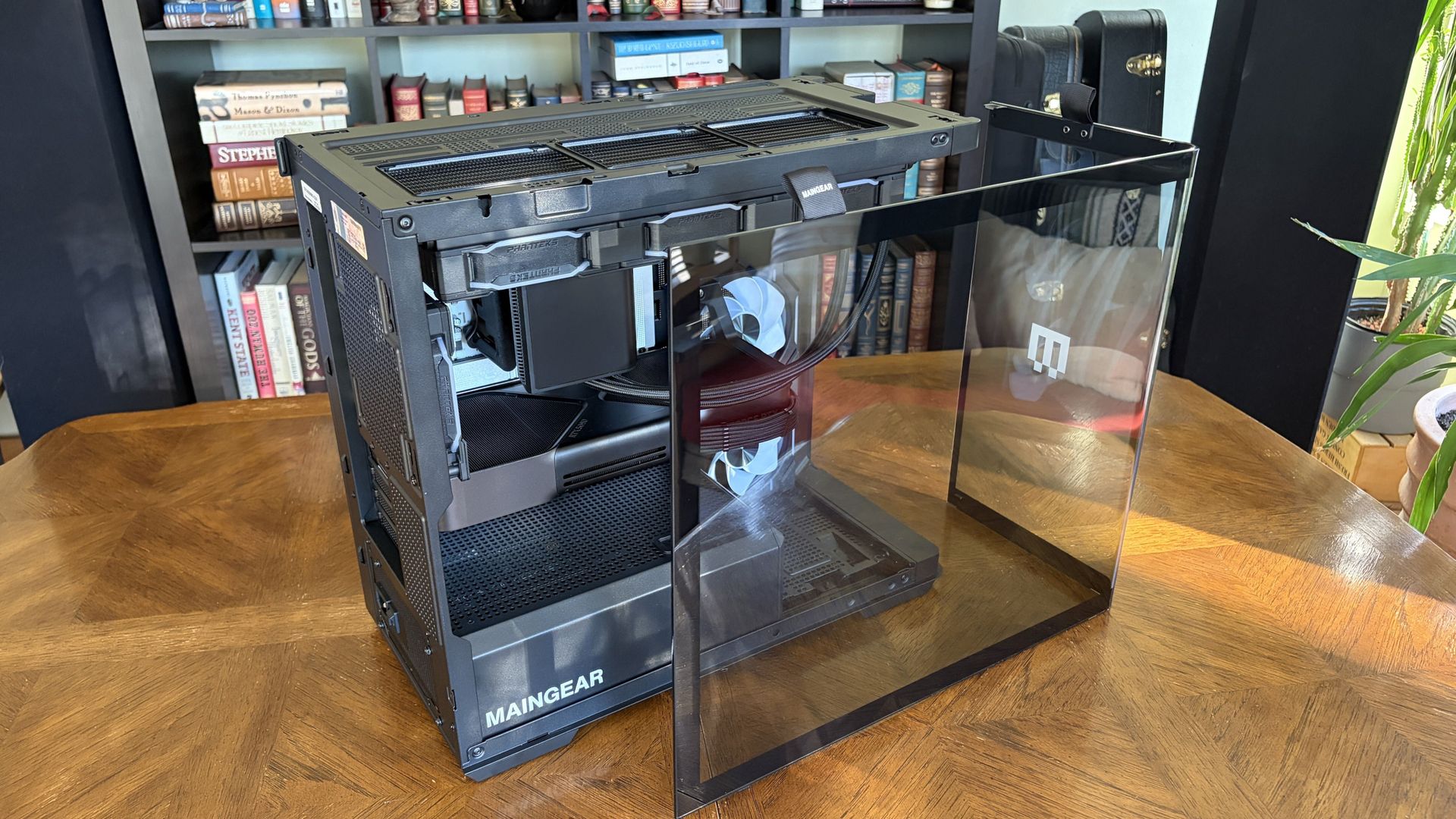
The panoramic glass panel is different. It's held in place with two screws, but once removed, you just grab two fabric pull tags to safely carry the glass. No more fingerprint smudges.
Yes, it requires a screwdriver to get into, but because of the reverse connectors, you should be spending a lot less time inside the front of the case.
The panoramic glass panel comes away as one piece. Pull tabs along the top make it easy to move without smudging. (Image credit: Future)
One other thing I want to call out is the massive bottom air intake covering practically the entire case, PSU included.
Best part? It has a removable dust screen that makes cleaning a breeze. If you live with cats like me, this is a nice addition.
Exploring the Maingear Zero's pristine internal layout
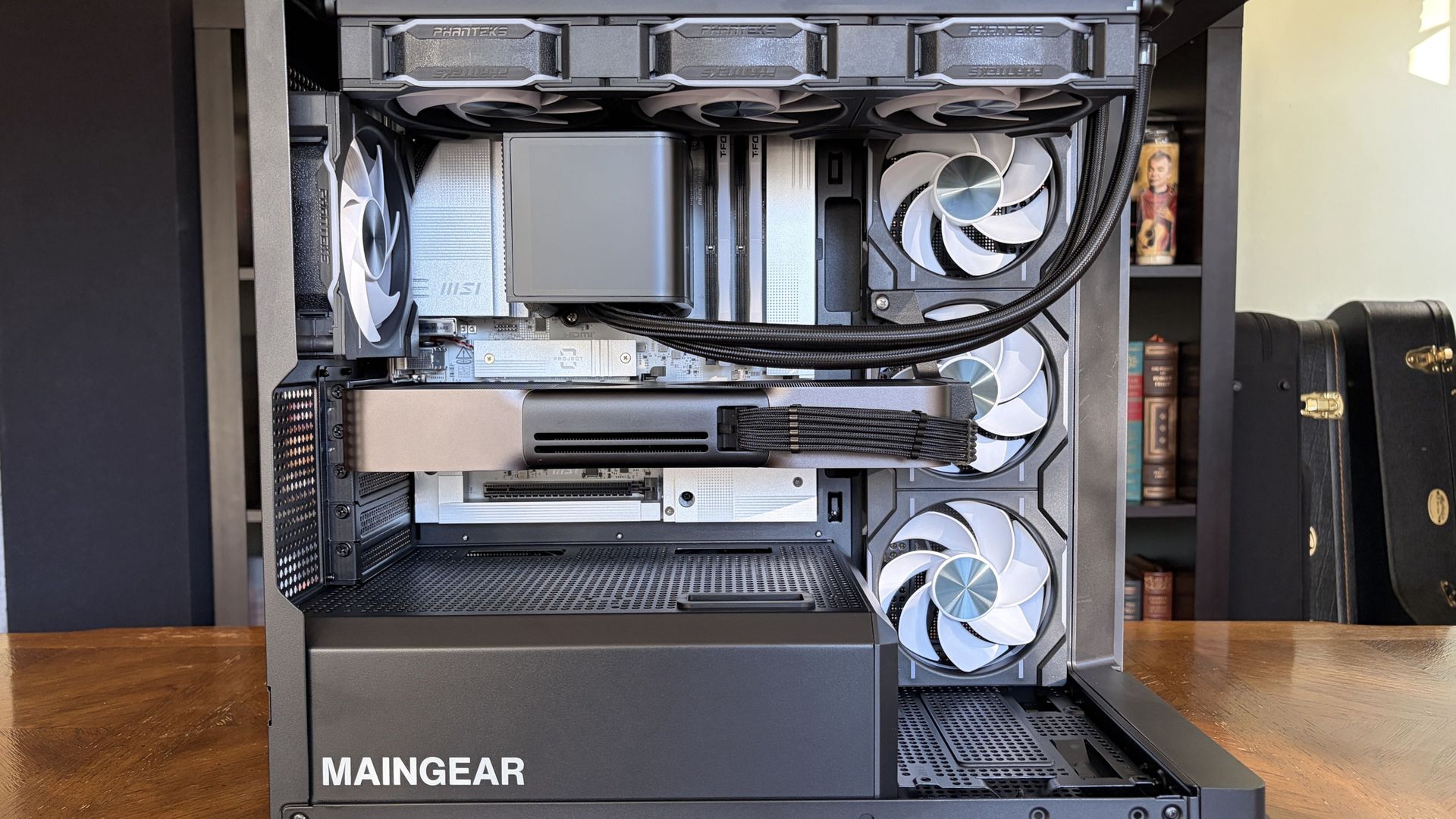
The Maingear Zero puts your hardware into the spotlight. (Image credit: Future)
Inside the Zero is where things really get interesting.
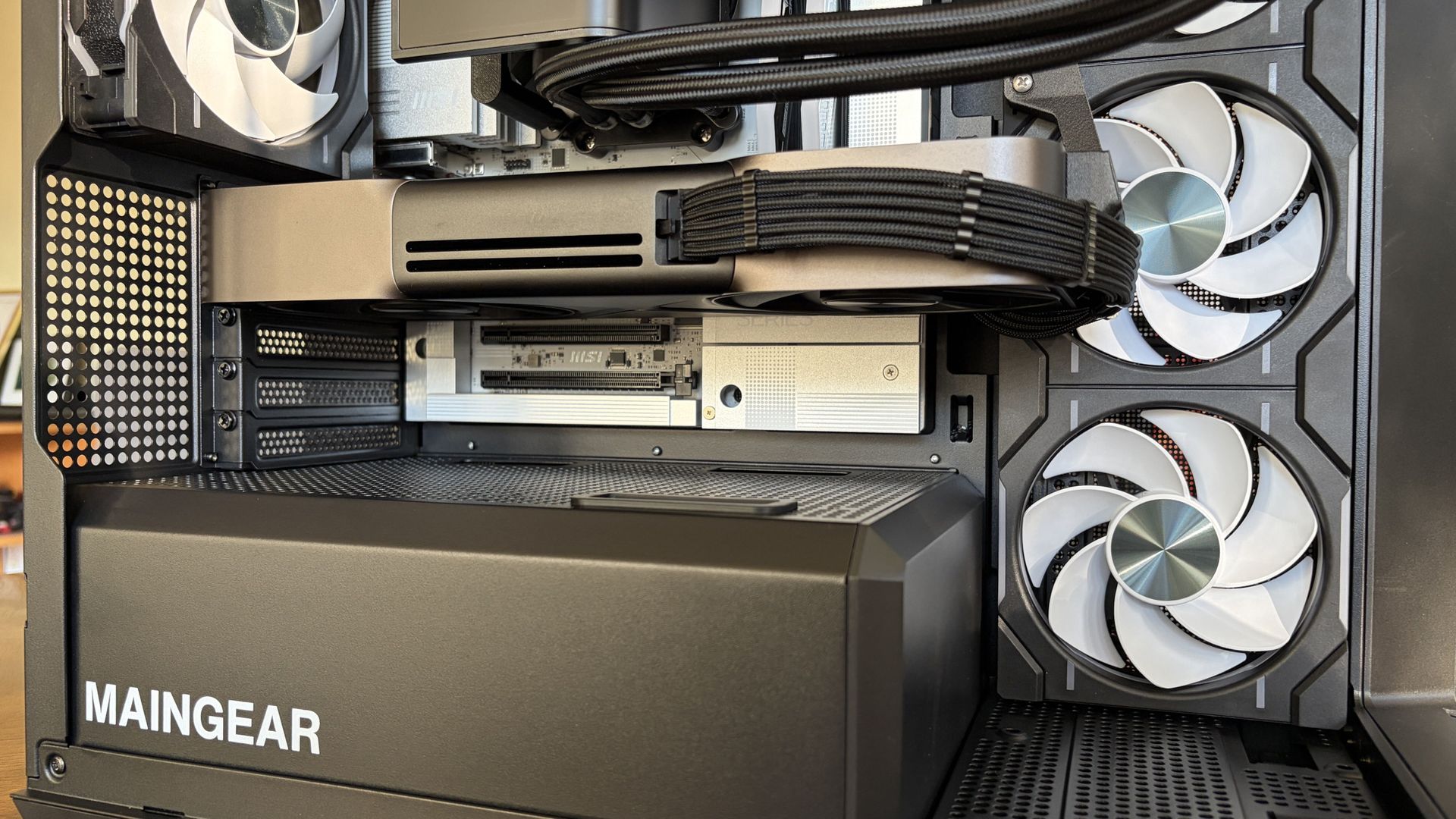
The only visible cabling runs to the RTX 5090 GPU, and that runs tight to the card. Exchange hoses run from the CPU to AiO cooler. That's it. For anyone who appreciates a minimalist approach, this is the ultimate design.
This rear connector fad hitting motherboards and cases lately was first patented as "MG-RC" by Maingear itself in 2011. It has taken a long time to get the recognition I think it deserves, but the industry seems to finally be coming around.
As far as I'm concerned, this is the best direction to take PC building. As you'll see below, this setup not only looks clean but also leaves air free to flow through the PC.
How is Maingear Zero's hidden cable management?
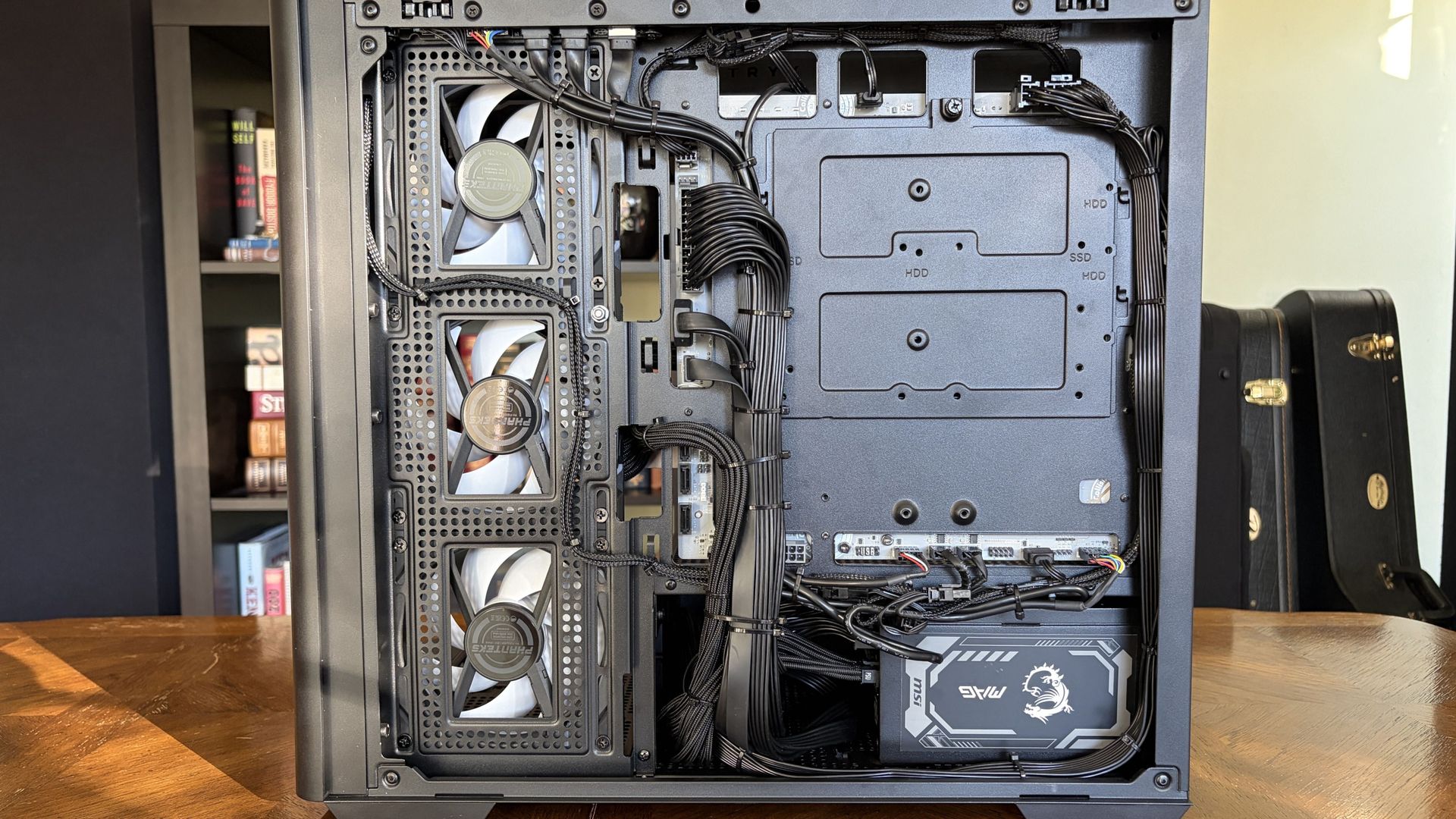
A look at the back side of the Maingear Zero and the rear motherboard hookups. (Image credit: Future)
Upon removing the steel side panel, I'm greeted by just about the cleanest cable management I've seen in a prebuilt PC.
Because the cables plug straight into the back of the motherboard, they can all be channeled together much more tightly.
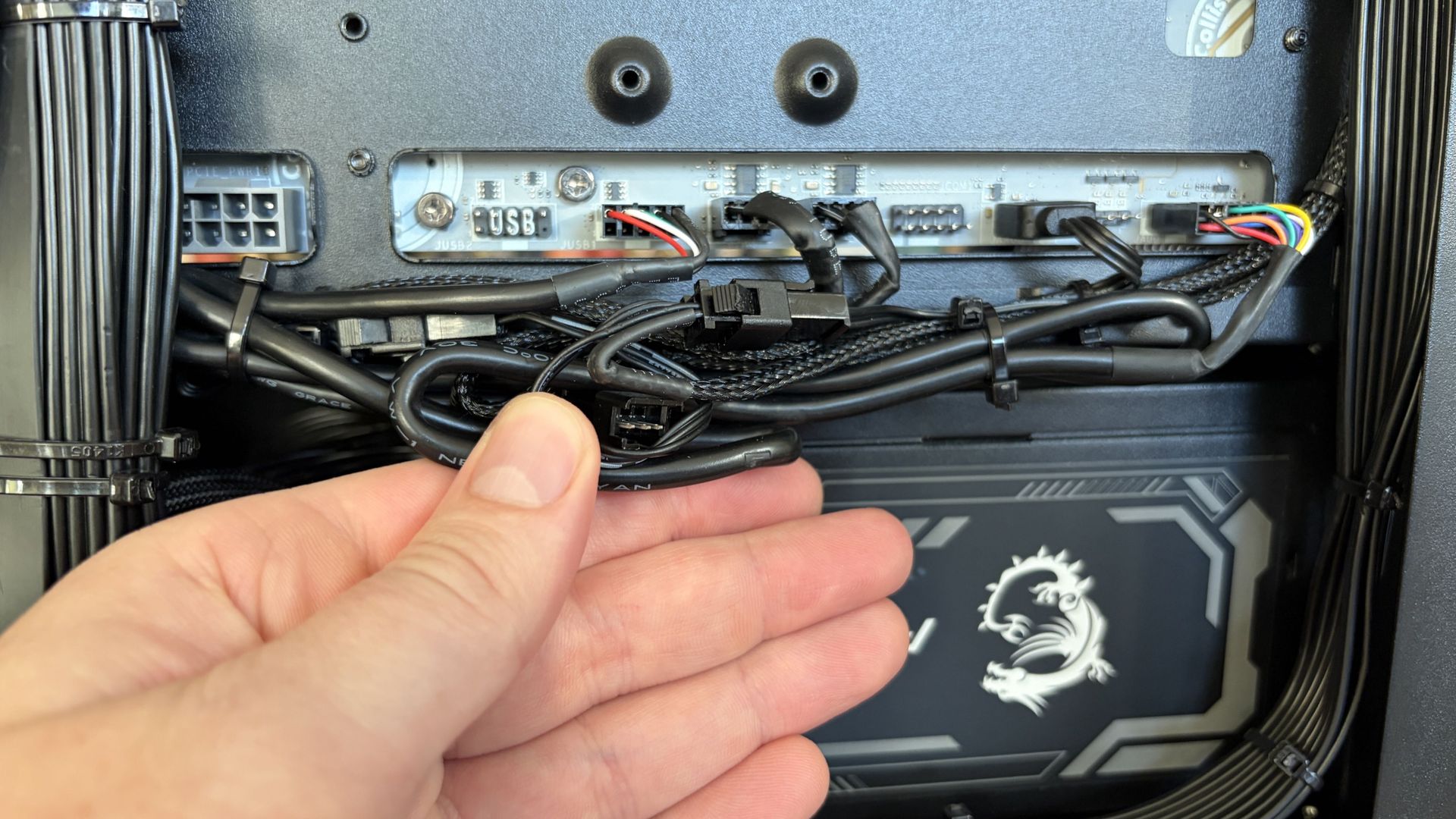
Like the MG-1, the Zero uses plastic zip ties to hold the majority in place. Maingear has designed a PC around accessibility and cleaner cable routing, but then uses disposable cable ties that make servicing those hidden cables less convenient.
Velcro/reusable straps would fit the philosophy of the Zero better.
I clipped a couple of zip ties to check fan connections. I'll have to replace the ties with Velcro. (Image credit: Future)
The case has a second, lower compartment that hides the modular PSU. I've seen some real cable messes jammed into this space in some PCs; Maingear keeps everything clean and tidy.
Does Maingear's MG-1 keep cool with good airflow?
The Maingear Zero's Ryzen 7 9850X3D CPU and NVIDIA RTX 5090 GPU speak for themselves. This combination will run any game you want at high, smooth frame rates.
I grabbed some results from synthetic benchmarking software to help compare against other PCs we've tested.
FutureFutureFutureFutureFutureFuture
There are no surprises in these results. The CPU and GPU are performing as expected, right out of the box, with no additional steps required. I just unpacked, plugged in, and turned on.
What I'm more interested in is how this PC handles heat from the high-end components. If it keeps cool with this level of hardware, there should not be any issues with the more affordable configurations.
No big drops or spikes, which means you can game without worrying about what the system is doing.
I ran a 20-minute full-system stress test on the PC in a 21°C room. I made no changes to the stock fan curve that Maingear set up.
The PC got as loud as 50.5 decibels from about a foot away, and there was some coil whine to be heard, likely from the GPU. This is a common issue with NVIDIA's high-end GPUs.
Altogether, though, it runs fairly quietly, and there's lots of space for improvement if you don't mind adjusting fan curves.
The top and bottom of the case have plenty of cutouts for airflow. (Image credit: Future)
The RTX 5090 never went above 80°C, remaining steady throughout the stress test. The CPU remained at a cool 62.5°C for most of the test, but I was less concerned thanks to the beefy AiO liquid cooler.
Best part? Performance was super steady over the course of the stress test. No big drops or spikes, which means you can game without worrying about what the system is doing.
That was ultimately my experience with the Maingear Zero. It's all set up when it arrives, sans any bloatware, and it games like it should right out of the box.
Should you buy the Maingear Zero?
The Maingear Zero's panoramic glass provides an uninterrupted look inside the PC. (Image credit: Future)
You should buy this if ...
✅ You love a gaming PC with minimal visible cabling.
✅ You don't want to build your own rig and are OK with spending a bit more for the convenience.
✅ You want to be able to configure everything about your PC, right down to the cabling.
You should not buy this if ...
❌ You're looking for the most affordable gaming PC out there.
❌ You don't care about showcase aesthetics enough to pay for them.
The Zero feels like the clearest expression yet of what Maingear has been working toward with the MG-RC design (and I still recommend the MG-1). Moving the connections behind the motherboard doesn't just produce better photos; it makes the PC easier to admire, keeps the main chamber remarkably uncluttered, and does it without creating the thermal problems I was worried about.
Sure, there's room for improvement. The front I/O should be better at this price, and reusable cable straps would make servicing the beautifully hidden wiring less frustrating. My review unit also arrived with a loose fan connector that required some troubleshooting.
None of that changes my larger takeaway after living with the Zero. I've spent years looking through glass panels at increasingly powerful PC hardware surrounded by cables. After seeing how clean Maingear can make a high-end gaming PC without sacrificing cooling, performance, or practical access, I don't particularly want to go back.
No cables
Maingear
Zero
Aside from a couple of minor inconveniences, the Maingear Zero is an impressive PC with great airflow, strong performance, and an impeccable design that shows off your hardware (and more). I still like Maingear's MG-1, but the reverse connectors in use here are the future of PC building.
Microsoft spent October testing a surprisingly useful collection of Windows 11 features, and after digging through the latest preview builds, I found several changes that could make a noticeable difference in how you use your PC.Some address long-standing frustrations. Microsoft is finally experimenting with a customizable right-click menu, while the Start menu is getting more controls over its size and contents. Windows 11 can also run an internet speed test wit
Microsoft spent October testing a surprisingly useful collection of Windows 11 features, and after digging through the latest preview builds, I found several changes that could make a noticeable difference in how you use your PC.
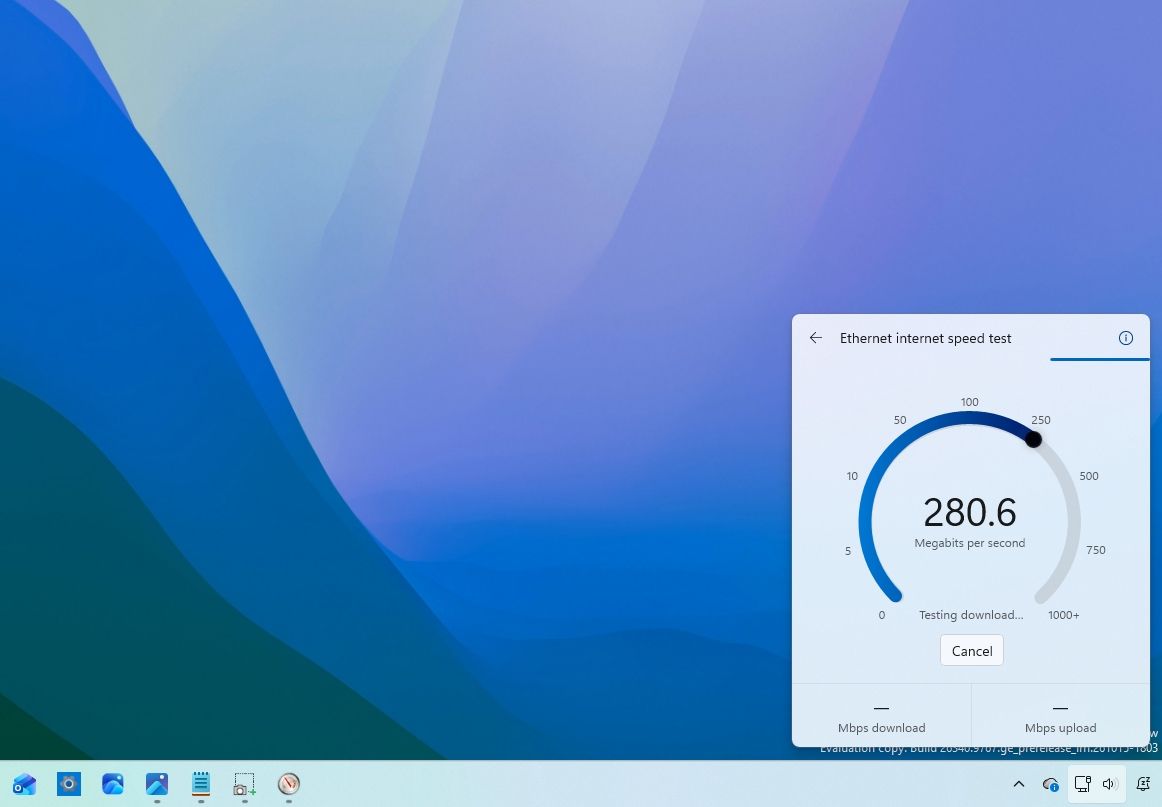
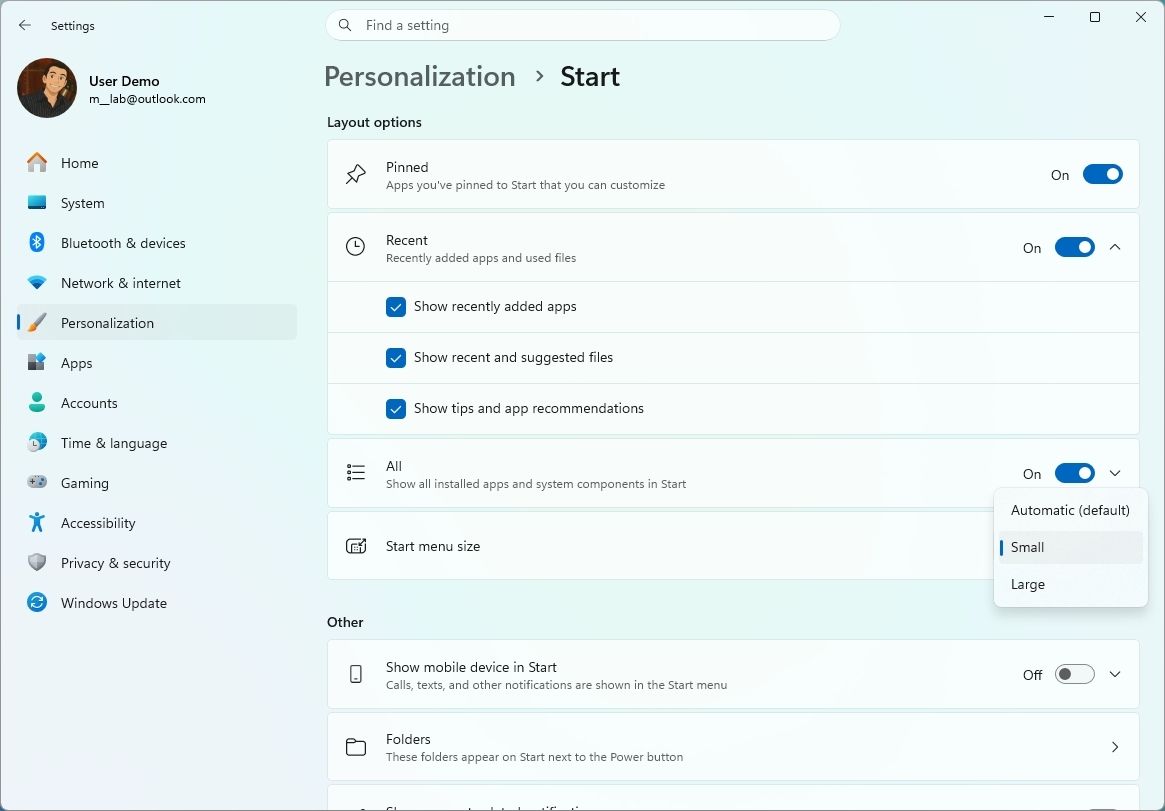
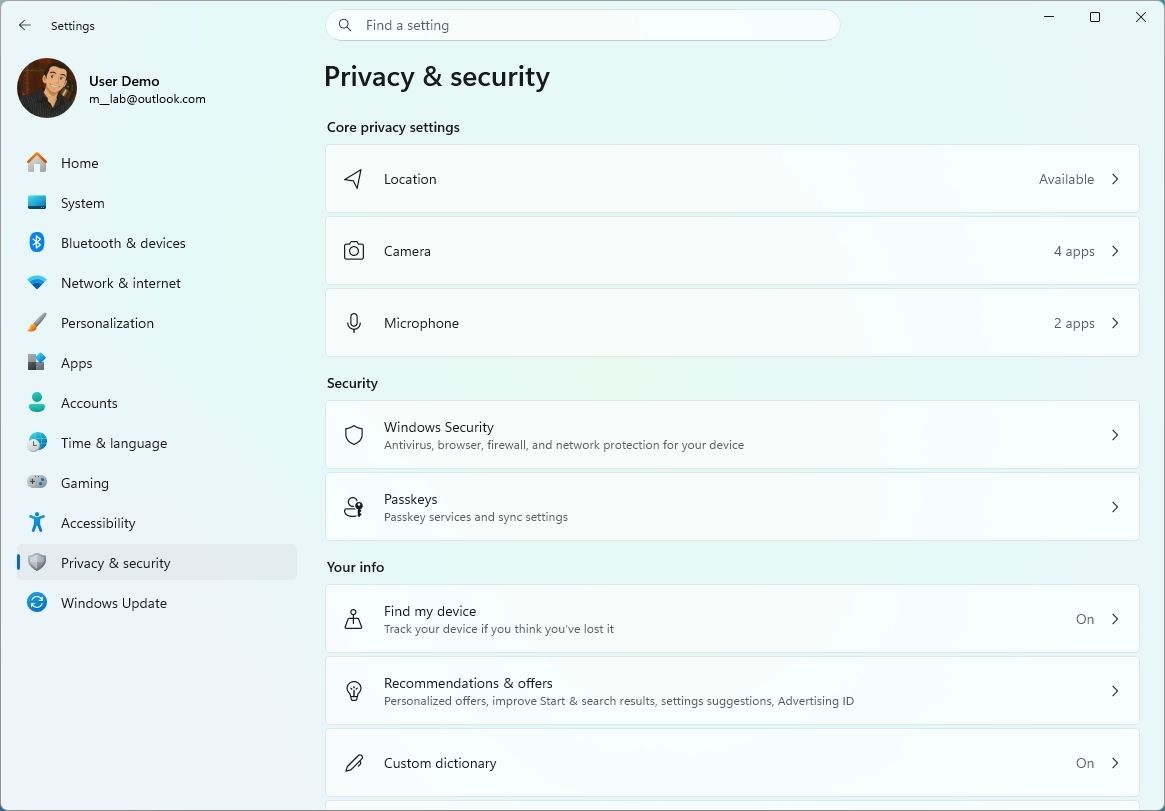
Some address long-standing frustrations. Microsoft is finally experimenting with a customizable right-click menu, while the Start menu is getting more controls over its size and contents. Windows 11 can also run an internet speed test without kicking you into a browser, and traditional desktop apps are gaining more granular privacy controls.
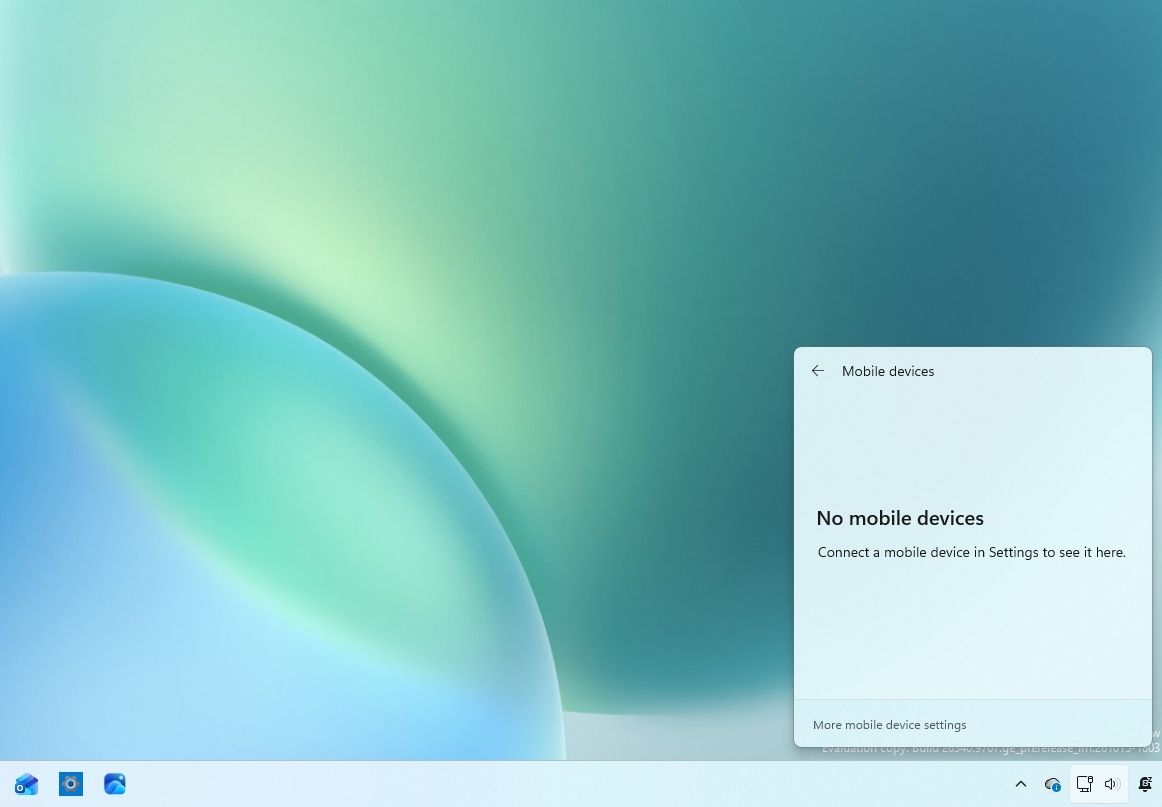
There are smaller improvements worth knowing about, too, including phone controls in Quick Settings, smarter Windows Hello behavior in low light, accessibility improvements, and changes aimed at handheld gaming.
Microsoft tested these features across eight Windows 11 preview builds during the second half of October. I've gone through the changes and pulled out the ones I think actually matter.
Biggest improvements from the Windows Insider Program in October 2026
Let's dive into the most noteworthy changes since my last roundup.
Windows 11 finally lets you customize the context menu
Windows 11 build 26220.9757 introduces a redesigned context menu with new customization options that let you simplify the interface and control which commands appear when right-clicking files and folders.
The updated menu reduces clutter by moving additional app commands into a new "App extensions" submenu. This keeps the main menu focused on frequently used actions while providing access to extensions added by installed applications.
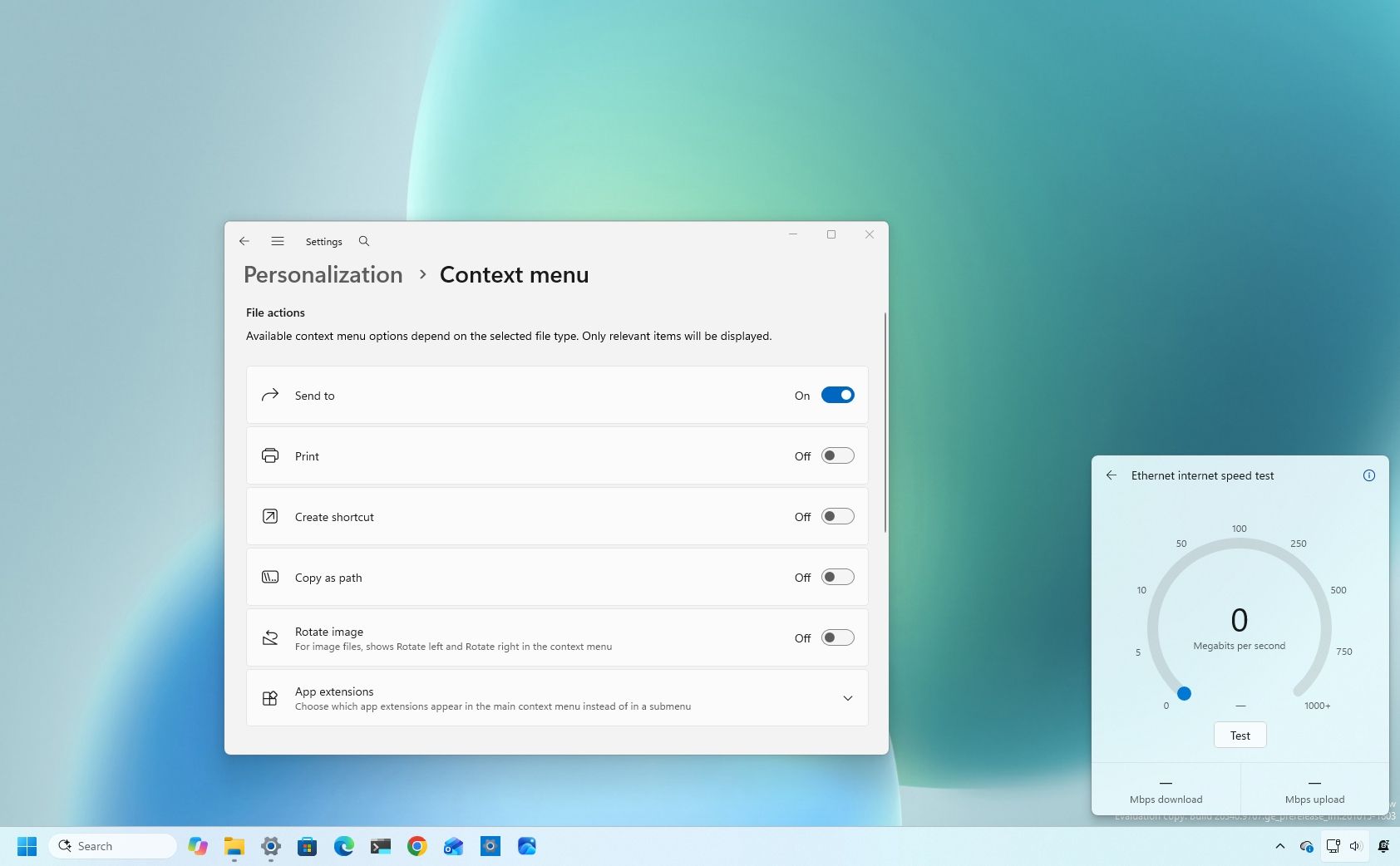
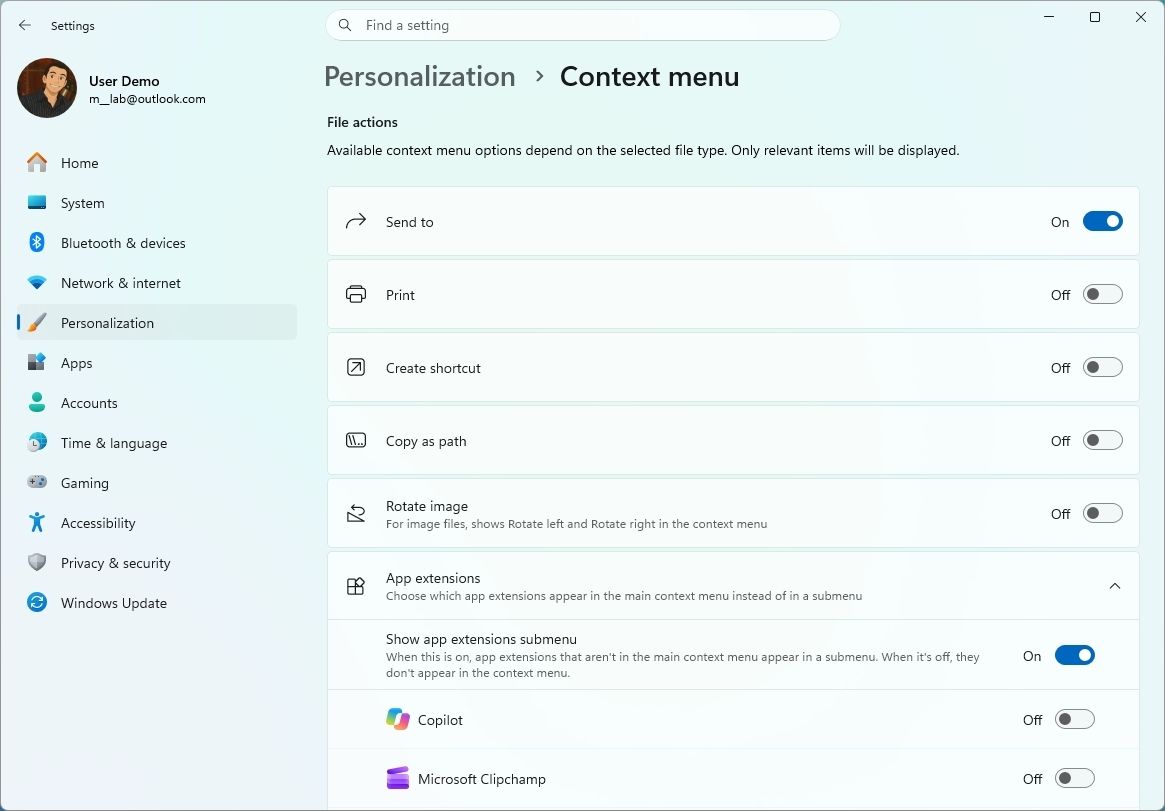
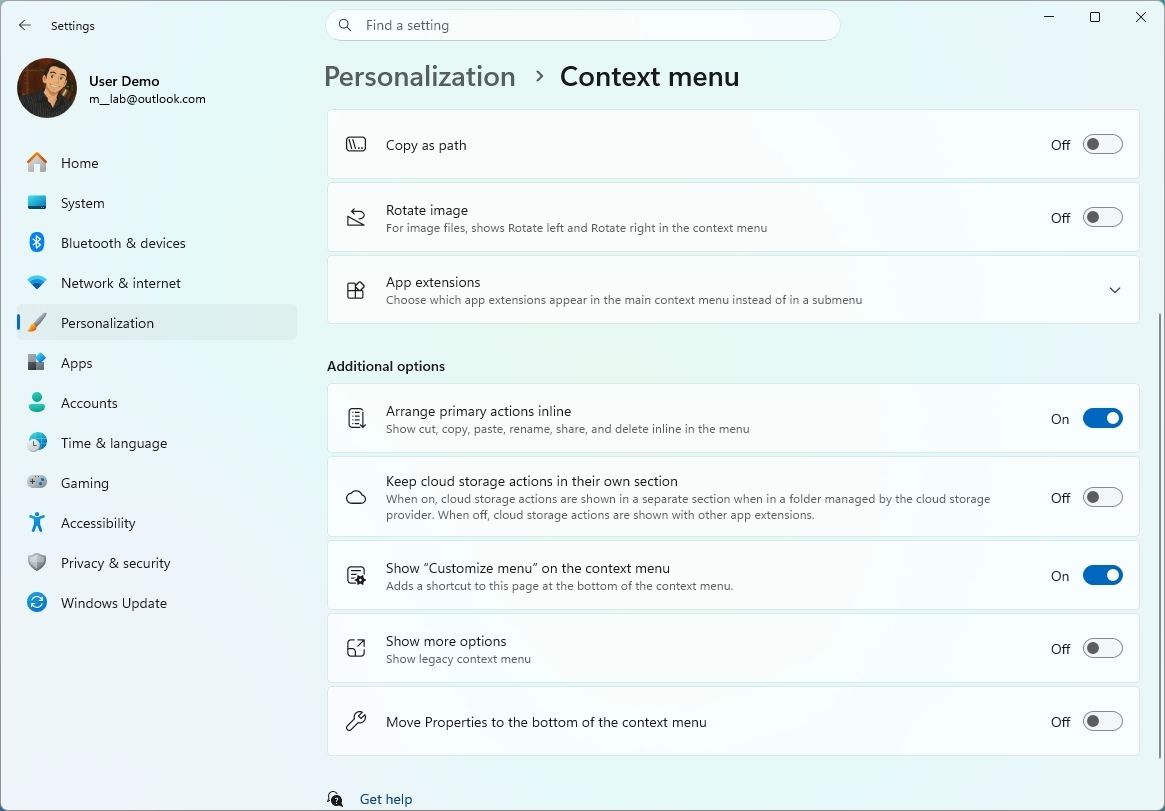
The new "Customize menu" option opens a dedicated page under Settings > Personalization, where you can control the menu's layout and available commands.
(Image credit: Mauro Huculak)
Under "File actions," you can choose which options appear directly in the main menu, including "Send to," "Print," "Create shortcut," "Copy as path," and "Rotate image." "Send to" and "Print" are also new additions to the modern context menu design.
The customization options extend to application integrations. You can choose whether the "App extensions" submenu appears in the main menu and select which application extensions remain directly accessible.
The new settings let you arrange primary commands, such as Cut and Paste, vertically instead of using the horizontal layout introduced with the modern design. You can also move "Properties" to the bottom of the menu to restore its familiar placement.
(Image credit: Mauro Huculak)
For those who prefer the classic experience, Windows 11 now lets you bring back the "Show more options" entry. You can also continue opening the traditional context menu by holding Shift while right-clicking a file or folder.
Internet speed test without a browser
Starting with build 26340.9767 in the Experimental channel for version 26H2, the Windows team is refreshing the "Speed test" feature with a native interface in the Quick Settings that allows you to test your internet connection without leaving the desktop.
(Image credit: Mauro Huculak)
If you recall, the feature isn't new, but the previous version was an option that opened Bing in the Microsoft Edge browser to perform a speed test with the online tool.
In the new design, the feature is still using the same Speed Test service in the backend, but the tests happen within the desktop experience.
You can also access the feature from the Wi-Fi or Cellular flyout, or by right-clicking the network icon and choosing the "Test internet speed" option.
The Start menu is finally getting more customization
As part of version 26H1, build 26220.9739 introduces new Start menu customization options, including the ability to choose a "Small," "Large," or "Automatic" layout under Settings > Personalization > Start, using the "Start menu size" option.
(Image credit: Mauro Huculak)
Microsoft also renames the "Recommended" section to "Recent" in both the Start menu and its Settings page.
In addition, users can now hide their name and profile picture from Start and independently show or hide the "Pinned," "Recent," and "All" sections using the redesigned Start settings page.
Windows 11 is giving you more control over desktop app permissions
In the "Privacy & security" section of the Settings app, the Windows team introduced per-app permissions for camera, microphone, and location access, giving users more control over the sensitive resources traditional desktop apps can use.
(Image credit: Mauro Huculak)
Now, inside the Camera, Microphone, or Location settings, users can view and allow or deny access for individual apps. Apps that have not previously accessed a resource will prompt for permission when they first request access.
The update preserves existing permissions, so previously allowed apps retain access and denied apps remain blocked. No action is required, and existing settings are not reset.
Enterprise policies continue to work as designed, although Microsoft is exploring additional management capabilities.
Also, most desktop apps appear with clear names, but some that rely on shared system components or browser-hosted experiences may appear under unexpected names.
Finally, apps with unverified publishers may appear as "Unsigned," so users should grant permissions only to applications they recognize and trust.
These changes for privacy are available with the release of build 26220.9739.
Finally, in build 28020.3262, the "Privacy & security" page gets an update that improves the organization of specific settings, including Camera, Microphone, and Location privacy controls.
Your phone controls are moving into Quick Settings
In Quick Settings, you'll also find a new "Mobile devices" flyout that lets you control your phone without interrupting your workflow.
(Image credit: Mauro Huculak)
If you're connecting a supported Android phone, you can check its battery, change the ringer, remotely play sound to find your phone, and enable Do Not Disturb.
This new interface is available starting with build 26340.9767 in the Experimental channel.
XBOX mode new Task View
Starting with builds 26340.9750 and 26220.9739, Windows 11 introduces an updated Task View interface when XBOX mode is enabled.
(Image credit: Mauro Huculak)
The new interface adds a navigation bar that gives quick access to "Exit to Desktop" and "Power Options" while using the gaming controller.
Feature flags are getting easier to manage
On the Feature flags page, you won't see major changes, but a new "Filter by" option lets you find and review components you can turn on or off in the installation.
(Image credit: Mauro Huculak)
Windows Hello can brighten your screen when it can't see you
Another worthy improvement can be found in Windows Hello. Starting with build 26340.9750, a new option lets the system automatically adjust screen brightness to provide more light and improve the authentication experience when using Windows Hello Facial recognition.
The feature is called "Automatically adjust screen brightness during face recognition" and is available in Settings > Accounts > Sign-in options > Facial recognition (Windows Hello).
(Image credit: Microsoft)
Magnifier improvements
In build 26220.9739, the development team released an updated version of the Magnifier experience to support independent zoom levels for each monitor in "Extend" mode (Settings > System > Display), preventing the magnified view from spilling across screens.
Users can set different zoom percentages for each display using the "Windows key + Plus (+)," "Windows key + Minus (-)," or "Ctrl + Alt + mouse wheel," adjust the percentages in Settings > Accessibility > Magnifier, or move the Magnifier toolbar to the screen they want to adjust.
(Image credit: Mauro Huculak)
Per-monitor zoom is enabled by default, but users can turn it off from the Magnifier toolbar or Settings to restore the traditional behavior of a single magnified view spanning all displays.
The update also introduces viewport locking, which keeps a monitor's magnified view in place while users move their pointer to another screen. This lets users reference content on one display while working on another without losing sight of the information.
The locked screen stays live and interactive, letting users click, read, or copy content while its view stays fixed. A notification indicates when a screen is locked. Users can lock or unlock an individual display by pointing to it and using the "Ctrl + Windows key + K" shortcut, customize the shortcut to "Ctrl + Alt + P" under Settings > Accessibility > Magnifier, or use the "Windows key + Esc" shortcut to release all locks.
In build 28120.3302, Microsoft adds a new contrast theme toggle to Magnifier to help reduce screen glare without changing the original colors of photos, videos, and charts. Users can enable a contrast theme directly from the Magnifier toolbar, with the dark theme applied by default. The preferred contrast theme can be selected under Settings > Accessibility > Magnifier.
Unlike color inversion, which changes colors across the screen, the new option adjusts the appearance while preserving the original colors of visual content. One last thing to note is that color inversion remains available as a separate feature.
Home Device Info card
In addition, build 26220.9739 added the Device Info Card on the Settings Home page to more markets.
The new card offers a quick overview of the device's key specifications and usage for users logged in with a Microsoft account. Clicking the link will open the "About" settings page.
Recovery improvements
Build 26220.9739 for version 26H1 also adds a new "Rebuild this PC" entry point for Cloud Rebuild under Settings > System > Recovery, making the feature easier to find and access directly from the Settings app.
(Image credit: Mauro Huculak)
Search experience declutter
The Windows team has also simplified the Search home interface to reduce visual clutter and make recent searches easier to access.
Search results now show clearer source indicators, helping users distinguish between apps, settings, files, web results, and Microsoft Store suggestions before opening them.
Finally, and perhaps more importantly, a new option under Settings > Privacy & security > Search also lets users choose whether web and Microsoft Store suggestions appear alongside local search results.
(Image credit: Mauro Huculak)
Although these improvements have been available in other builds, they became available for version 26H1 with the release of build 28020.3262.
Pointer Indicator accessibility feature
As part of the accessibility features in build 28020.3262, Microsoft introduced the Pointer Indicator to help users with low vision locate their mouse cursor more easily.
(Image credit: Mauro Huculak)
You can enable the feature under Settings > Accessibility > Mouse pointer and touch. Once enabled, users can toggle "Pointer Indicator" on or off using the "Windows key + Ctrl + Shift + X" keyboard shortcut.
Live Captions improvements
In build 28020.3262, the Windows team also added a new "Include Screen Reader audio" setting for Live Captions.
The option is turned off by default, preventing Live Captions from transcribing audio from screen readers such as Narrator, JAWS, and NVDA.
This keeps captions focused on microphone and system audio unless you choose to include screen reader audio.
Microsoft 365 billing interface built in
In a continued effort to make it easier to take your money, Microsoft is building a new native interface that allows Microsoft 365 subscribers to turn on recurring billing without having to open their account details in a web browser.
(Image credit: Microsoft)
Microsoft is testing this interface in build 26340.9767 through the Experimental channel.
Windows Central's Take
Microsoft is making some genuinely good decisions here. I'm particularly interested in the redesigned context menu, because giving users control over what appears when they right-click could finally address one of the most frustrating changes Microsoft introduced with Windows 11.
The new Start menu controls follow the same theme. Being able to resize Start, hide sections you don't use, and remove your profile information gives users more say over an interface Microsoft has kept surprisingly rigid. Per-app privacy permissions for traditional desktop applications are another meaningful improvement that Windows should arguably have offered much sooner.
Even the smaller additions make sense. I would rather run an internet speed test directly from Quick Settings than have Windows launch a browser, and automatically increasing screen brightness when Windows Hello needs help recognizing you is exactly the kind of subtle feature that can make Windows feel smarter without getting in the way.
I'm much less enthusiastic about Microsoft building a native interface for turning Microsoft 365 recurring billing back on. Windows 11 already spends plenty of time encouraging users to sign in, subscribe, or enable Microsoft services. I'd rather see Microsoft devote that attention to the unfinished and inconsistent parts of Windows itself.
Taken together, though, this is a promising batch of changes. The features I'm most excited about aren't flashy. They give users more control, remove unnecessary steps, and make familiar parts of Windows less frustrating to use. I want to see more of that.
Which of these Windows 11 changes would make the biggest difference on your PC? Let me know in the comments.
More resources
Explore more in-depth how-to guides, troubleshooting advice, and essential tips to get the most out of Windows 11 and 10. Start browsing here:

 Connexion