It's a rough time to be shopping for PC hardware and laptops. Believe me, as a PC gamer, I know the struggle. Prices are incredibly high because of AI-driven component shortages, and some relief can go a long way.That's why I'm happy to share some exclusive discount codes redeemable at Newegg. All codes offer an additional discount on top of any sales that Newegg already has running, so you can absolutely stack sales.These exclusive deals cover everything from PC
It's a rough time to be shopping for PC hardware and laptops. Believe me, as a PC gamer, I know the struggle. Prices are incredibly high because of AI-driven component shortages, and some relief can go a long way.
That's why I'm happy to share some exclusive discount codes redeemable at Newegg. All codes offer an additional discount on top of any sales that Newegg already has running, so you can absolutely stack sales.
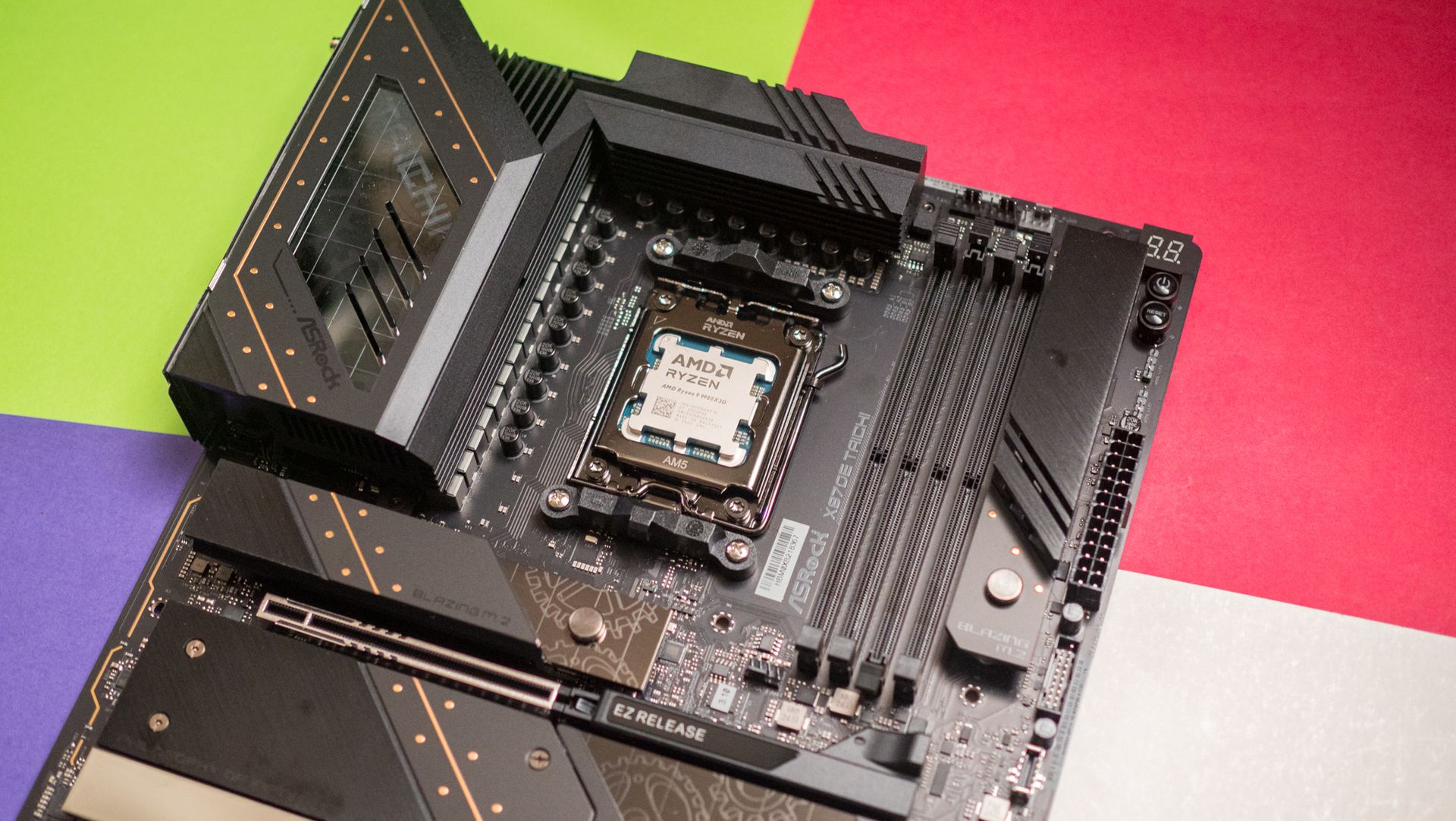
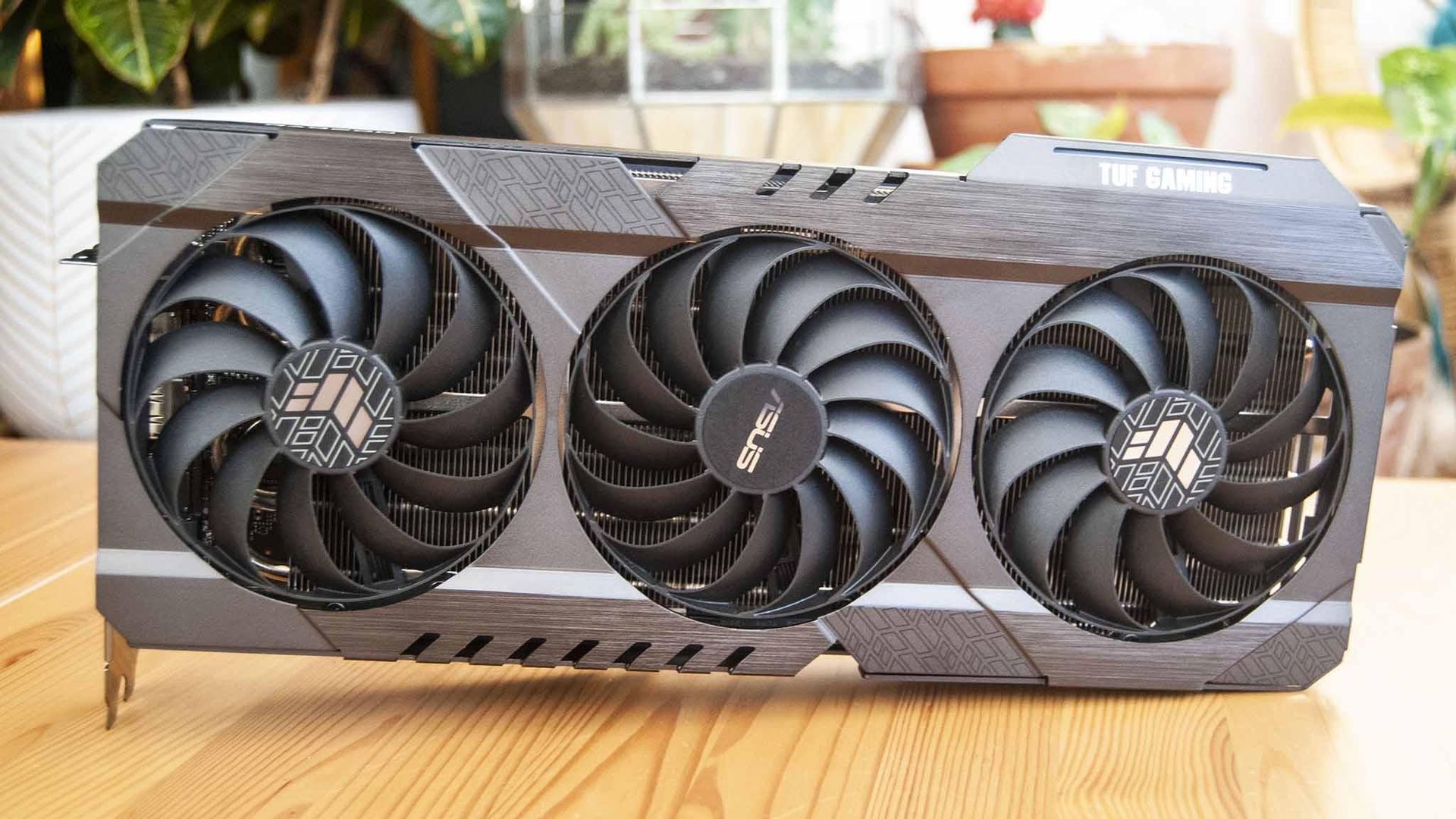
These exclusive deals cover everything from PC components to accessories to pre-built PCs and monitors, giving you plenty of variety. I've rounded up some eye-catching deals below, and I've also made this quick-hit list of discounts with links to Newegg for each broader category.
Lian Li's LANCOOL 217 ATX PC case has a slick walnut finish on the front and outstanding air flow throughout. It comes with five pre-installed fans. It's currently on sale for $119.99, and you can get an extra 3% off with exclusive code FUTURECASE3 at checkout.View Deal
Corsair's highly-rated 850W fully modular PSU is ideal for most gamers with mid-range systems, and it's currently on sale for $139.99. Get an extra 3% off with exclusive code FUTURECASE3 at checkout.View Deal
Storage is crazy expensive these days, so this discount on one of the best SSDs on the market is a nice change. It's currently $250 off at Newegg, and you can save another 3% by using exclusive code FUTURESSSD3 at checkout.View Deal
A 360mm AiO liquid CPU cooler is what you want in your high-performance PC, and the best part is that you don't have to spend more than you would on an air cooler. MSI's MAG Coreliquid A13 is already down to $64.99 at Newegg, and you can save another 5% with code FUTUREACPC3 at checkout.View Deal
Save more on Windows PCs and monitors with our special discounts
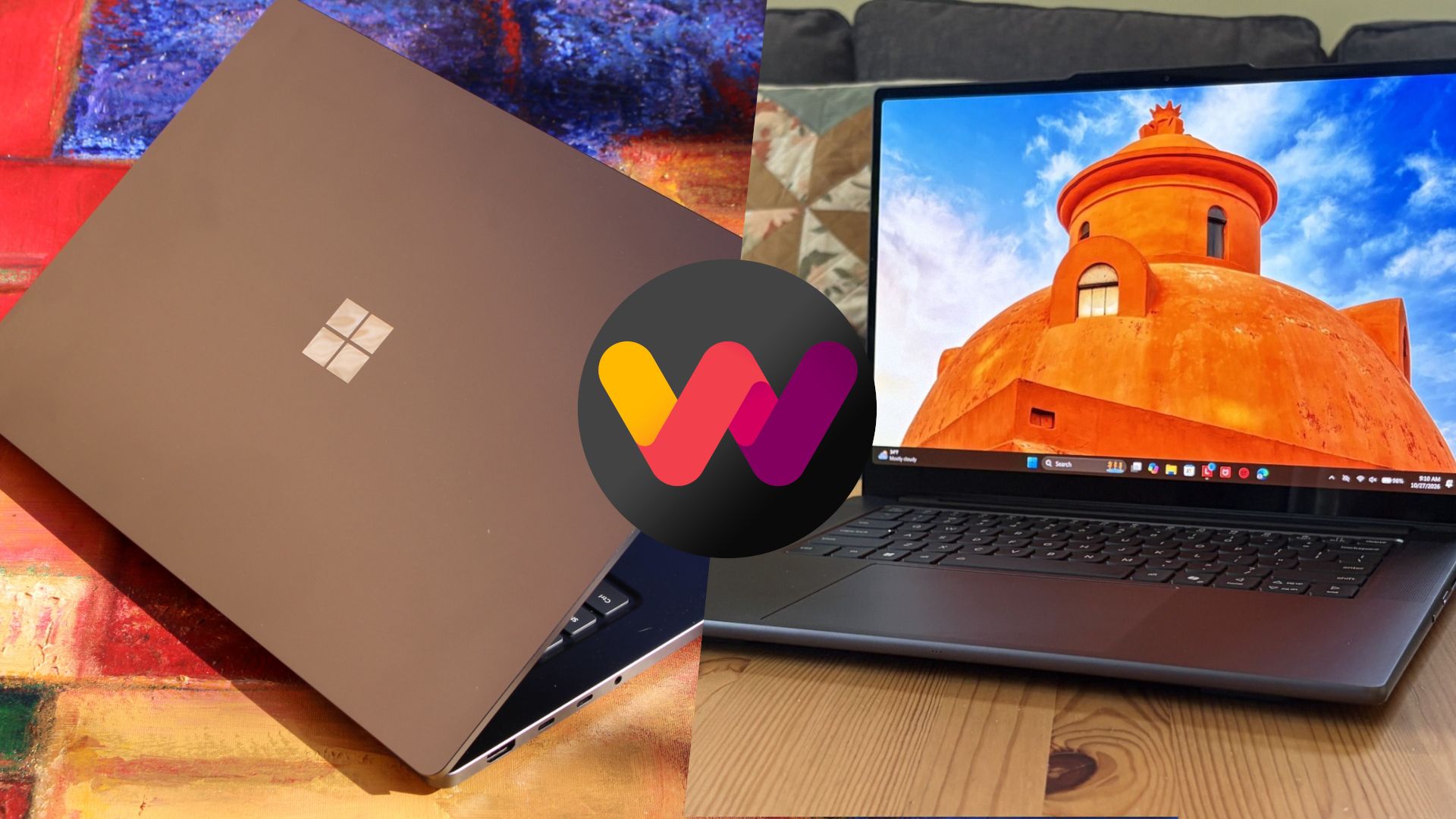
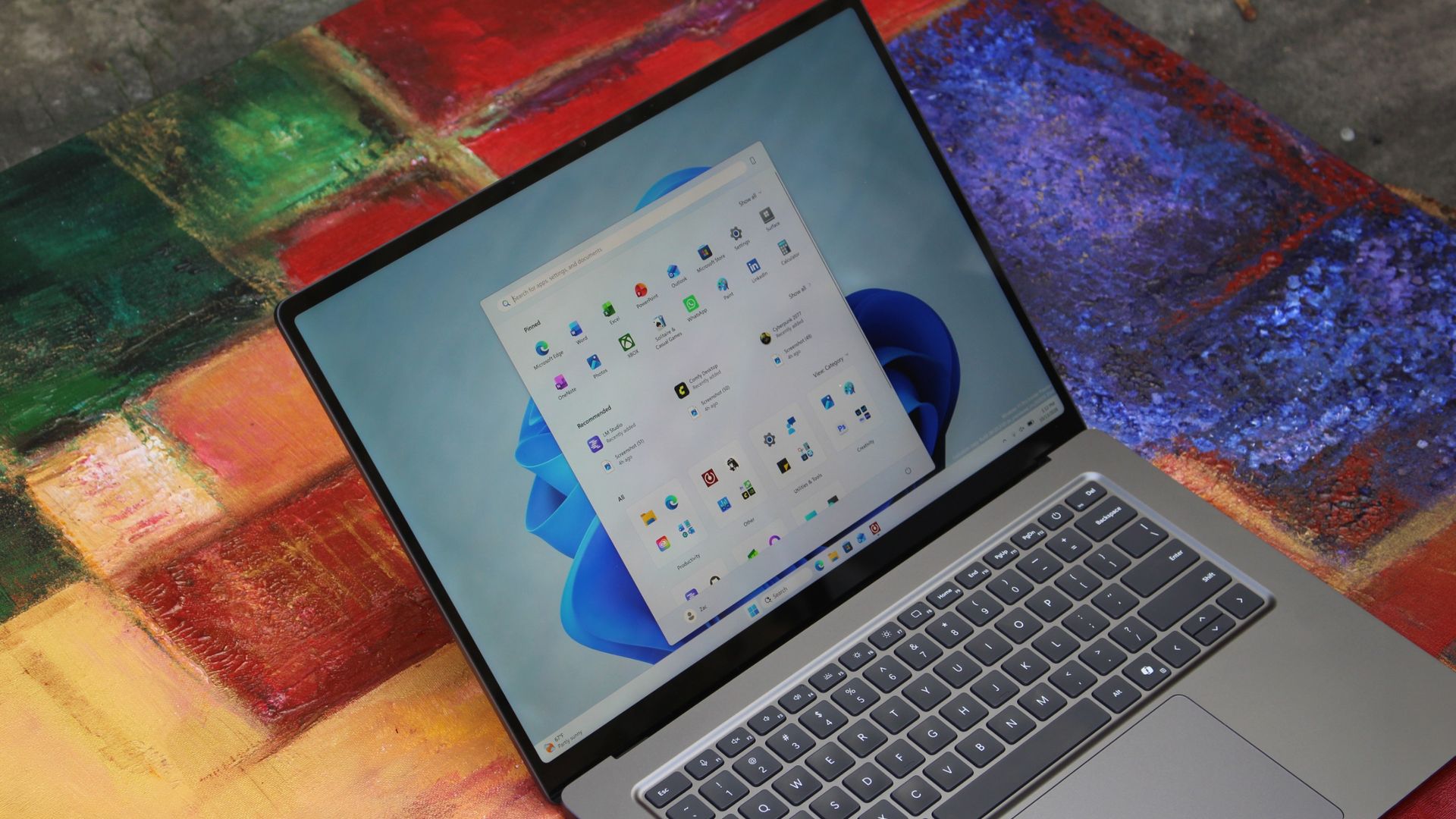
Microsoft's 13-inch Surface Laptop has a Snapdragon X Plus chip, 16GB of RAM, 256GB SSD, and an FHD+ touch display, altogether making it an outstanding portable option for students, home, or general use. It's now down to $979.99, and you can save 3% more when you use code FUTURENB3 at checkout.View Deal
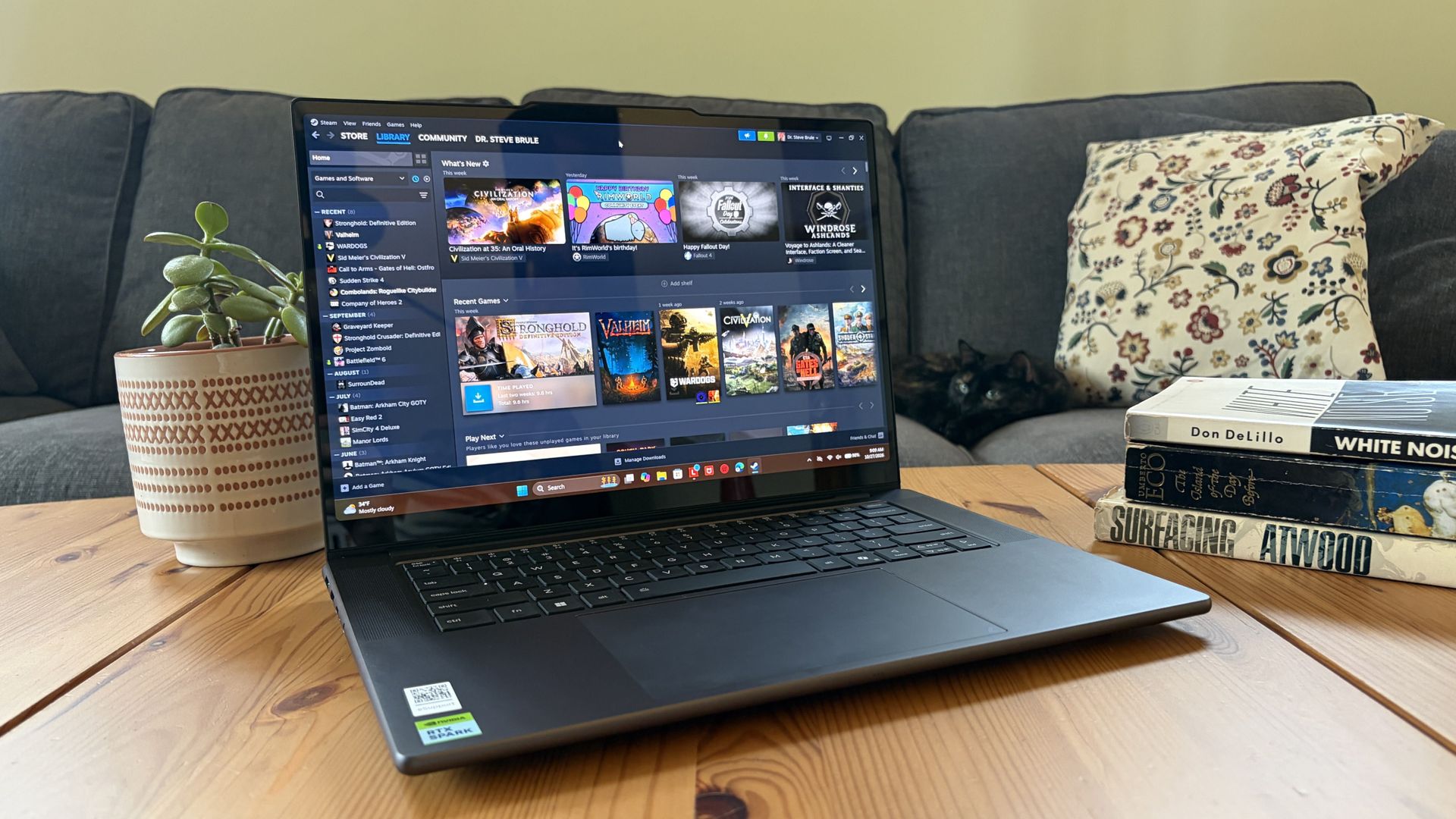
With a Core Ultra 7 255HX CPU, NVIDIA RTX 5070 mobile GPU, 16GB of DDR5 RAM, 1TB SSD, and 15.6-inch FHD+ display at 165Hz, this HP gaming laptop will handle anything you throw its way. It's down to $1,749.99 right now, and you can take off an extra 3% with code FUTURENB3.View Deal
Newegg's ABS pre-built brand is one I can recommend after testing, and this model has a Core i7-14700F CPU, RTX 5060 Ti GPU with 16GB RAM, a 1TB SSD, and 16GB of DDR5 memory. It's $100 cheaper already, and you can shave off another 3% with code FUTUREDPC3.View Deal
Acer's Predator X27U delivers a 26.6-inch QD-OLED panel with incredible color and contrast. It hits 1440p with a 240Hz refresh rate, and it comes with AMD FreeSync Premium support. It's down to $319.99 right now, but you'll save an extra 3% with code FUTUREMN3.View Deal
A wide range of WD hard-disk drives for internal and external use are already discounted at Newegg, and you can save a further 3% when you use code FUTUREHD3 at checkout. Check out this Newegg page for eligible drives.View Deal
FAQ
How do I redeem these exclusive codes at Newegg?
To redeem a special discount code, add the item you want to buy to your Newegg cart. Then navigate to the cart, click "Add Promo Code" on the right side of the windows, and add the code.
Do these exclusive discounts only apply to items already on sale?
No. The codes I've listed here can be used on any products within their appropriate segments. A device doesn't have to be on sale to be eligible for the additional discount.
When do these exclusive Future discounts stop working?
These additional discounts are live now and are expected to run until November 30. That gives you plenty of time to line up a strong Newegg discount for a bit of extra savings.
Join us on Reddit at r/WindowsCentral to share your insights and discuss our latest news, reviews, and more.
As fans mark N7 Day today, the annual November 7 celebration of the Mass Effect franchise—the community-led #SaveMassEffect campaign has dramatically escalated its visibility by taking its message directly to Electronic Arts. Following the digital billboard placement in Times Square, the organizers at "We are Mass Effect" dispatched a mobile billboard truck to circle both EA and EA Sports headquarters in Redwood City, California, yesterday. Mobile billboards hi
As fans mark N7 Day today, the annual November 7 celebration of the Mass Effect franchise—the community-led #SaveMassEffect campaign has dramatically escalated its visibility by taking its message directly to Electronic Arts. Following the digital billboard placement in Times Square, the organizers at "We are Mass Effect" dispatched a mobile billboard truck to circle both EA and EA Sports headquarters in Redwood City, California, yesterday.
Mobile billboards hit EA headquarters
(Image credit: We Are Mass Effect)
The truck featured a new sign with a QR code and a website URL directing curious onlookers to SaveMassEffect.com. According to "We are Mass Effect" organizer Mer, who spoke to IGN, the primary goal of the truck was to "spread the word and bring as much attention to the movement as possible," and as a reminder, this isn't all about Mass Effect. The campaign also seeks to offer a message of unity for fans of BioWare franchises and raise awareness about the human beings affected by the recent changes. "We want to remind people that real people have been impacted by the closure of BioWare and the cancellation of the game. We wanted to show them that there is a community that deeply cares about the legacy they’ve created. For us this has never been just about the IP but the people behind it and their work."
There is another billboard planned to drive around The Game Awards ceremony for about four hours next month.
N7 Day mobilization
(Image credit: Reddit )
The momentum continues today on N7 Day. Another mobile billboard is scheduled to appear near BioWare's former offices. Additionally, "We are Mass Effect" has been putting the finishing touches on a special video featuring contributors, fans, and original Commander Shepard voice actors Jennifer Hale and Mark Meer. To further drive home the franchise's enduring popularity, the group is pushing an "N7 Play Day" in an attempt to boost Steam player numbers for Mass Effect: Legendary Edition.
Upcoming documentary in the works
Next year, the story of BioWare will be told in MASSIVE EFFECT: THE BIOWARE STORY, a new documentary that chronicles the history of the company and its sad closure by Electronic Arts.I was honored to be interviewed for it earlier this year. https://t.co/928LPZWK7HNovember 5, 2026
Perfectly timed just days before today's N7 Day, a new documentary chronicling the studio's rise and tragic closure has also been announced. Titled MASSIVE EFFECT: THE BIOWARE STORY, the Edmonton-led film is slated to premiere in 2027. Created by Shane Fennessey and Adam Scorgie, the project actually began filming two years ago, long before the studio knew it would be shuttered.
The documentary will feature interviews with a massive number of original BioWare developers, alongside major industry figures like Geoff Keighley, Casey Hudson, and former EA CEO John Riccitiello. BioWare co-founders Greg Zeschuk and Ray Muzyka provided a touching joint statement for the film's reveal: "We're proud this film honours those who made it all possible. The best stories never really end."
The filmmakers are now calling on the Mass Effect community to help finish the story. They are actively inviting players to submit their own BioWare history, including fan art, cosplay, convention photos and videos, and personal memorabilia, for possible inclusion in the final documentary. For a fanbase currently fighting tooth and nail to save their favorite gaming universe, the opportunity to cement their memories in a feature film couldn't have come at a better time.
Join us on Reddit at r/WindowsCentral to share your insights and discuss our latest news, reviews, and more.
World of Warcraft is the game that absolutely refuses to die, and in fact, it's potentially now bigger than ever. Confirmed today on the official Warcraft social media channels, Blizzard said that World of Warcraft Forever represents its biggest launch in history by peak players, beating even the likes of Wrath of the Lich King from WoW's previous height almost two decades ago. "Congratulations, you made HISTORY!" the post reads, "WoW: Forever has achieved the bi
World of Warcraft is the game that absolutely refuses to die, and in fact, it's potentially now bigger than ever.
Confirmed today on the official Warcraft social media channels, Blizzard said that World of Warcraft Forever represents its biggest launch in history by peak players, beating even the likes of Wrath of the Lich King from WoW's previous height almost two decades ago.
"Congratulations, you made HISTORY!" the post reads, "WoW: Forever has achieved the biggest launch in WoW history by peak concurrent players," and also confirmed that it has "the highest number of returning WoW players in history" as well.
Congratulations everyone, you made HISTORY!WoW: Forever has achieved:🔹The biggest launch in WoW history by peak concurrent players🔹The highest number of returning players in WoW historyThis is all because of you, the players. From all of us, THANK YOU! https://t.co/MQxQXmNDbANovember 7, 2026
The retail version of World of Warcraft has strayed intensely from the game's original vision in recent years, leading to players leaving the game and potentially even the genre en masse. World of Warcraft Forever is essentially a remix and polish of the original vision for World of Warcraft, with minimal handholding, a boosted sense of risk and reward, a reduction in "convenience" features that reduce in-game social interaction, atop a boost in visual quality. WoW:F also has thousands of new quests and stories, taking place in an "alternative timeline" of sorts that exists a year or so before World of Warcraft's original base game.
It remains to be seen if WoW:F can maintain the momentum it has seen, but the whole ordeal leaves World of Warcraft's main arm, currently dubbed Midnight, with a bit of a headache in my view.
The only game that could kill WoW was, in fact, WoW itself
Many games have tried to kill World of Warcraft over the years, but none have truly succeeded. WoW and Final Fantasy 14 remain the only large, populated purely subscription-based MMORPGs at least in the West as of writing, with incumbents relying on free-to-play business models to entice players.
World of Warcraft's subscription model ensures it can pump out huge amounts of content at a rapid clip, although in recent years, many have been wondering if it has become too rapid. World of Warcraft's main "retail" arm has seen a huge decline in quality, with players asking the firm to slow down to focus on the details and polish. Blizzard so far has ignored those calls.
WoW:F represents a complete reversal on what WoW retail has become in essence. World of Warcraft retail has abandoned all forms of immersion, friction, world building, and outdoor levelling gameplay for a focus on arcade-style endgame content which, while admittedly still fun, is frankly quite exhausting. World of Warcraft's story writing has been dismal for years, and bugs have been more prevalent than ever before.
The WoW:F team exists separately from the WoW: Retail team, and the divergence in philosophies are stark. WoW:F's focus on social systems, in-game immersion, understated and environmental storytelling, and slower, more methodical gameplay seems far more inline with what lapsed WoW players actually want.
I feel World of Warcraft's retail arm has focused on "data telemetry" over good human design instincts and it has led to the game's hollowing out. Hopefully, World of Warcraft: Forever can give Blizzard a hard lesson in listening to players directly — something I feel the retail team no longer does.
Join us on Reddit at r/WindowsCentral to share your insights and discuss our latest news, reviews, and more.
Full Release NotesBeta Preview Build 26320.9876Experimental Preview Build 26340.9882Beta (26H1) Preview Build 28020.3445Experimental (26H1) Preview Build 28120.3454Experimental (Future Platforms) Preview Build 29704.1000Windows Insiders have a bunch of new builds to check out. Microsoft released five Insider builds to wrap up the week, and they include everything from tiny changes and fixes to a massive update to Magnifier.Rather than stretching a single magnifie
Windows Insiders have a bunch of new builds to check out. Microsoft released five Insider builds to wrap up the week, and they include everything from tiny changes and fixes to a massive update to Magnifier.
Rather than stretching a single magnified view across all of your displays, Magnifier will remember distinct zoom percentages to each monitor.
Magnifier also has a new contrast theme to reduce glare. This is different from the color inversion. Magnifier's contrast theme leaves photos, charts, and videos untouched.
The build shipping to Beta channel Insiders adds a section in the Settings app that shows how much shared storage is used across your Microsoft 365 Family plan. That plan currently includes up to 6TB of OneDrive storage spread across six users. That will soon be reduced to 2TB of OneDrive storage shared across the entire family.
Windows Update (Beta)
With this update, the Beta channel moves to Windows 11, version 26H2, with the build number increasing to Build 26320. You shouldn't expect any significant change from this build number increase alone, as it's delivered via an enablement package (eKB) update.
Windows Search (Beta, Beta (26H1))
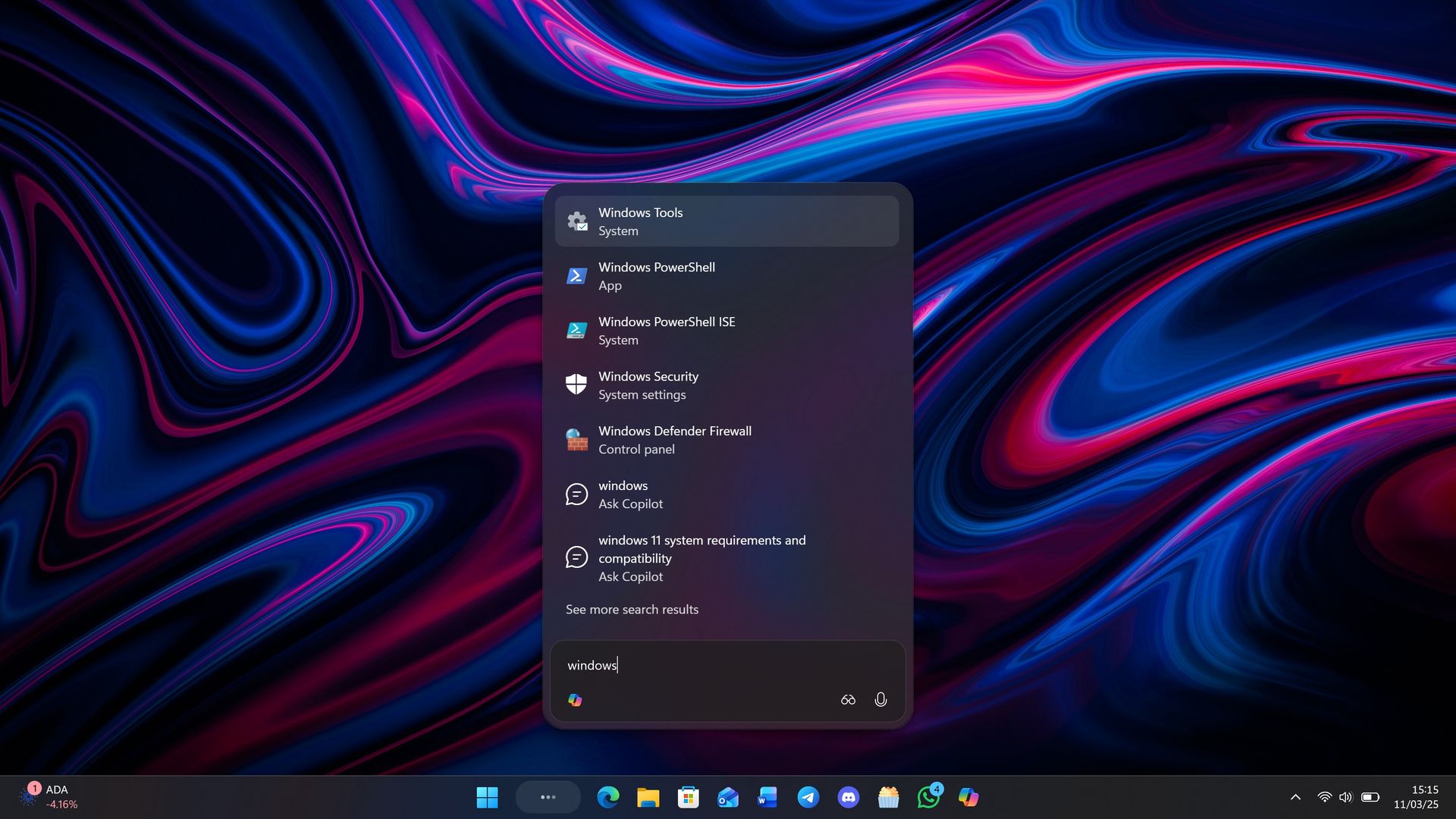
New Windows Search experience with inline actions: A new Windows Search experience built on WinUI 3 is beginning to roll out. It's faster, more efficient, and features a streamlined design that makes results easier to scan. Inline actions let you quickly complete tasks directly. Turn on dark mode or Bluetooth, adjust your screen brightness, mute your device, or arrange windows from Windows Search.
Windows Search is improving how it understands what you're looking for, including better matching for typos and synonyms. These improvements will continue to be fine-tuned over the coming weeks. For more information about the changes, check out the Windows Insider Blog.
English is the only supported language for this initial release.
Live captions (Beta, Experimental)
Live captions now gives you control over what gets transcribed. Previously, captions used system audio, with an option to add your microphone. Now you can choose system audio, your microphone, or both, so captions follow the sound you care about. Caption an in-person conversation without picking up system audio, or follow audio from your PC during a meeting or while watching a video.
Gaming (Beta)
Quick settings is coming to the Gaming Task View navigation bar in XBOX mode, giving you access to the full set of Quick settings available on the Windows taskbar without having to leave XBOX mode.
Web sign-in (Beta)
Web sign-in now works on Microsoft Entra hybrid joined devices. Before this update, it was only available on Microsoft Entra joined devices. You can sign in to Windows at the lock screen with a passwordless credential: a FIDO2 security key, a passkey on your phone, or a Temporary Access Pass (TAP). You don't need a password. Once you're signed in, Windows gets a Kerberos ticket, so on-premises file shares and internal sites keep working. For more information, see Use web sign-in to enable passwordless sign-in in Windows.
Windows Hello (Beta, Experimental (26H1)))
Windows Hello facial recognition can temporarily brighten your screen to help you sign in when you're in a dark or dimly lit room.
To turn on this feature, go to Settings > Accounts > Sign-in options > Facial recognition (Windows Hello) and turn on Automatically adjust screen brightness during face recognition.
Windows Hello (Experimental)
Sign-in and unlock now behave more consistently and give clearer guidance. You no longer have to wait for face or fingerprint recognition to finish before entering your PIN. Use whichever method works first. At certain times, such as after a restart, you'll need your PIN first. After that, biometrics work as usual.
New Windows Hello events let IT admins see how users sign in. The sign-in experience doesn't change. In Event Viewer > Windows Logs > Security, event 4628 records the Windows Hello methods a user has set up and which method they used to sign in (PIN, face, fingerprint, or no Windows Hello). Event 4629 records failed Windows Hello sign-in attempts. Both events use the existing Audit Logon policy.
For troubleshooting, events 5010 and 7010 in Event Viewer > Applications and Services Logs > Microsoft > Windows > HelloForBusiness > Operational record each Windows Hello sign-in and unlock, along with the result.
Input (Beta)
The dialogs that ask whether you'd like to turn on Sticky Keys or Filter Keys are being updated, making it easier to dismiss these prompts permanently. If you don't use these keyboard features, you can choose not to be asked again directly from the dialog, helping you continue what you're doing with fewer interruptions.
Input (Experimental)
Live captions now gives you control over what gets transcribed. Previously, captions used system audio, with an option to add your microphone. In Live captions settings, you can now choose system audio, your microphone, or both, so captions follow the sound you care about. Caption an in-person conversation without picking up system audio, or follow audio from your PC during a meeting or while watching a video.
Settings (Beta)
Windows Settings now contains shared storage usage across Microsoft 365 Family subscriptions. A breakdown for each family member is coming soon. If your subscription was purchased after October 8, 2026, you can check the view by going to Settings > Accounts > Cloud storage. If your subscription was purchased before October 8, 2026, this view will be available for you after the first subscription renewal on or after May 2, 2027. Learn more about the changes to Microsoft 365 storage.
Settings (Experimental)
Discover your account benefits in Settings. It's now easier to discover the benefits and services available with your Microsoft account, right in Windows Settings.
File Explorer
The Address Bar now supports ~, making it quicker to navigate directly to your user profile folder and subfolders, for example, ~\AppData.
File Explorer (Beta (26H1))
PDF and non-HTML files downloaded from the web can now be previewed automatically in the Preview pane.
Math equations in Braille with Narrator (Experimental)
Building on Narrator's math reading and navigation support, the experience is expanding to refreshable Braille displays. When Narrator reads supported equations in Microsoft Word, PowerPoint, Edge, or Google Chrome, Narrator Math is now shown on your connected Braille display, letting you explore them by touch while listening to Narrator.
Math is at the heart of STEM education and learning, and this update helps students and professionals independently read, understand, and explore equations, formulas, and scientific notation with confidence.
You can choose a math format in Braille without changing your default Braille output table. Supported math output formats include Nemeth (default), UEB, CMU, Vietnamese, Swedish, LaTeX, and ASCIIMath. In Narrator Math settings, you can also customize the reading language, speech behavior, and navigation preferences.
Magnifier (Beta (26H1))
More and more of the work people do happens across more than one screen. You draft on one display and keep source material open on another. You fill in a form while a reference document sits beside it. Those extra displays can be more helpful when each one can do its own job, and now Magnifier supports exactly that.
To use this update, set your monitors to Extend in System > Display, not Duplicate, so Windows treats each screen as its own space.
Every screen keeps its own view at its own zoom. In earlier versions of Magnifier, zooming in stretched a single magnified view across all of your displays, so one screen's zoom followed you everywhere and screen edges blurred together. With this update, each monitor's boundary is respected, and each monitor can have its own zoom percentage. Your writing screen can be at 300% while your reference screen stays at 150%, and the magnified view no longer spills from one display into the next. This behavior matters because different tasks and screen resolutions often require different levels of magnification to remain comfortable to read.
Setting the zoom on each screen is easy. Choose whichever method feels natural:
Move your mouse pointer onto the screen you want to adjust, then press Windows key + Plus (+) or Windows key + Minus (-), or hold Ctrl + Alt and rotate your mouse wheel.
Set the percentages directly in Accessibility > Magnifier.
Drag the Magnifier toolbar onto a specific screen to adjust that screen from its on-screen controls.
Per-monitor zoom is turned on by default. If you prefer the classic behavior where a single zoom spans all of your displays, you can turn per-monitor zoom off at any time from either the Magnifier toolbar or Accessibility > Magnifier. You can turn it back on whenever you like.
As you move your mouse from screen to screen, the magnified view naturally follows your pointer. Sometimes this might cause you to lose sight of the content that you're actively working on.
Viewport locking keeps that view in place. For example, you might be drafting an email based on a section of a document open on another display. Position that display so the paragraph you need is in view, press Ctrl + Windows key + K, and the screen holds its view steady while you move your cursor over to write. The locked screen stays fully live and interactive, so you can glance back, click, or copy from it whenever you need to, and its view stays put until you release it.
A message appears on the screen when it's locked, so you always know what's being held. To lock or unlock a screen, point your mouse at that screen and press Ctrl + Windows key + K again. To release everything at once, press Windows key + Esc to dismiss all locks. To use a different key combination, you can switch the lock shortcut to Ctrl + Alt + P in Accessibility > Magnifier.
Magnifier new contrast theme
A new contrast theme toggle for a lower-glare screen. If bright screens are uncomfortable, many people use color inversion to reduce glare. However, inversion changes everything on screen, including photos, charts, and videos. With this update, Magnifier introduces a new contrast theme toggle.
Reduce glare with a single toggle. Turn on a contrast theme directly from the Magnifier toolbar for a more comfortable viewing experience.
Choose the contrast theme that works best for you. The dark theme is applied by default, and you can choose which contrast theme the toggle uses under Settings > Accessibility > Magnifier.
Photos, videos, and charts keep their original colors. Unlike color inversion, the contrast theme recolors the interface without touching your photos, charts, or videos, so they keep their real colors.
Color inversion is still here. This isn't a replacement. If you use inversion today, it works exactly as it always has. The contrast theme is a separate, purpose-built option to reduce glare when you want a darker interface without inverting colors.
Manage camera, microphone, and location access for desktop apps (Experimental (Future Platforms)
Windows Insiders can now manage camera, microphone, and location permissions for individual desktop apps. Previously, access for traditional desktop applications was managed through a single device-wide setting.
With this update, you can review and control access on an app-by-app basis, giving you greater visibility into which apps are requesting access to sensitive resources and more control over your privacy choices. These controls make privacy permissions easier to understand and manage across the wide range of desktop apps you use every day.
What's changing
Allow or deny access for each desktop app individually.
Go to Settings > Privacy & security > Camera, Microphone, or Location to review and manage permissions.
Apps that haven't yet accessed a resource prompt for permission the first time access is requested.
What stays the same
Existing app permission decisions are preserved.
Apps previously granted access continue to have access.
Apps previously denied access remain denied.
No action is required, and no settings are reset.
Existing enterprise policies continue to function as designed. We're exploring additional management capabilities.
Notes
Most desktop apps appear with clear app attribution. However, some apps that rely on shared system components, browser-hosted experiences, or similar technologies might appear under a different name than expected.
Some desktop apps might appear as Unsigned if Windows can't verify publisher information. Only grant access to apps you recognize and trust.
Join us on Reddit at r/WindowsCentral to share your insights and discuss our latest news, reviews, and more.
A free tool with a bit of a strange name will let you know what's using the GPU on your PC. Microsoft engineer Scott Hanselman created gputaskman to show more details than Windows 11's built-in tools.Task Manager can show per-process GPU usage and memory consumption, but it provides limited insight into exactly how applications are using GPU resources. You can see more information in the Details tab, but that still fails to paint a full picture.The gputaskman ap
A free tool with a bit of a strange name will let you know what's using the GPU on your PC. Microsoft engineer Scott Hanselman created gputaskman to show more details than Windows 11's built-in tools.
Task Manager can show per-process GPU usage and memory consumption, but it provides limited insight into exactly how applications are using GPU resources. You can see more information in the Details tab, but that still fails to paint a full picture.
The gputaskman app shows information for individual processes, such as GPU usage and VRAM consumption. Rather than simply showing that GPU memory is in use, gputaskman can help pinpoint whether that memory is being consumed by an AI model, a web browser, desktop rendering, or another process.
It can also identify local AI workloads and display details about running LLMs, including information about model memory usage and related GPU resources. The app displays GPU temperature as well.
Scott Hanselman's gputaskman utility shows per-process GPU activity, VRAM usage, and local AI model information. (Image credit: Scott Hanselman)
Hanselman explained the app's purpose on the gputaskman GitHub page:
"Task Manager says '15 GB used.' This tries to answer: by what? Model weights? KV cache? Your browser? The desktop compositor? And why is so much GPU memory in system RAM?"
The app is still in the early stages of development. Hanselman has invited people on X to create pull requests. Right now, gputaskman supports Windows PCs with AMD or NVIDIA GPUs. Hanselman said in a follow-up post that the goal is to work on the Surface Laptop Ultra and other RTX Spark and Windows on Arm devices.
Microsoft's recently announced Hybrid intelligence initiative combines on-device AI processing with cloud-based AI services. As more AI tasks run locally on PCs, users may want better visibility into how those workloads affect GPU memory and performance. Tools such as gputaskman provide a detailed look at which processes, models, and applications are consuming GPU resources.
Join us on Reddit at r/WindowsCentral to share your insights and discuss our latest news, reviews, and more.
It's a tricky time for new PC gamers. Building your own desktop rig is definitely an enjoyable (albeit sometimes stressful) adventure, at least when prices are reasonable, but that isn't the case right now. Component prices are up in a few categories, especially memory (RAM) and graphics cards (GPUs), but there's a clever workaround: pre-built PCs.Letting someone else build your computer is a shortcut, but when the total cost saves you money, it's hard to pass up
It's a tricky time for new PC gamers. Building your own desktop rig is definitely an enjoyable (albeit sometimes stressful) adventure, at least when prices are reasonable, but that isn't the case right now. Component prices are up in a few categories, especially memory (RAM) and graphics cards (GPUs), but there's a clever workaround: pre-built PCs.
Letting someone else build your computer is a shortcut, but when the total cost saves you money, it's hard to pass up. Besides, I've tested iBUYPOWER's rigs firsthand, and I know that they're built with care, so it's definitely worth pointing out when some of its more affordable pre-built gaming PCs get even cheaper. Plus, you can grab a bargain rig from Best Buy, which makes things even easier.
A great starting point for PC gaming newcomers with room to upgrade later, it offers plenty of storage and NVIDIA's modern RTX 50 Series GPU tech, paired with AMD's modern AM5 CPU platform. Bargain.View Deal
If you know for a fact that your favorite games are CPU-heavy, or you just want a (mostly) all-white build, the Element gives you a jump to the 8700F with extra cores and threads. If you need the power, you can still save cash.View Deal
Why I recommend iBUYPOWER PCs to beginners
iBUYPOWER's RDY Trace X is a high-end variant, but the unboxing experience is the same. (Image credit: Ben Wilson | Windows Central)
I understand the apprehension that often comes from seasoned PC gamers who regularly build their own rigs, but I don't mind anyone opting for a pre-built machine. I've done it myself — quite a few times, in fact. Sometimes the package deal is a better financial option, and for others, it skips the stress of installing expensive components for the first time.
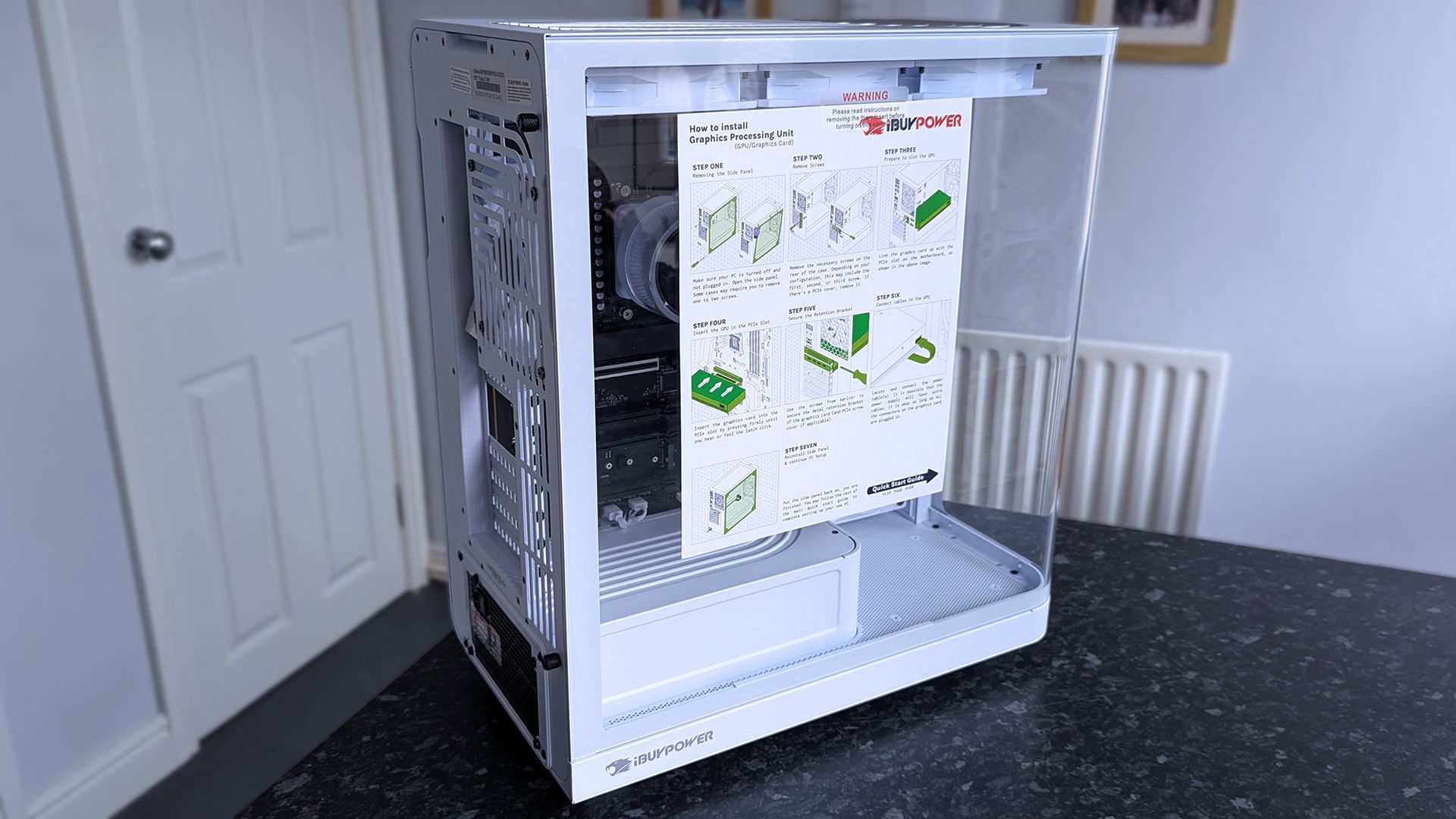
The only thing you have to do with an iBUYPOWER PC is install the graphics card, which is basically like slotting a cartridge into place and connecting a couple of nearby cables. You can't plug those cables in incorrectly either, because they're molded in a way that prevents that. Besides, they send their rigs with plenty of extra-clear instructions, and I'm confident that any newcomer would handle it just fine.
I tested a Trace X PC from iBUYPOWER, which is somewhat of a far cry from the more affordable offerings at Best Buy, but the principle is the same. They're boxed safely, come with a mouse and keyboard for a complete setup, and built-in Wi-Fi makes the whole process easier — even if you opt for a cabled Ethernet connection to your router later.
Are iBUYPOWER gaming PCs good for beginners?
Yes, they arrive mostly assembled and include detailed setup instructions for the final step of installing your graphics card, and typically come with a mouse and keyboard.
Do I need to install anything when my iBUYPOWER PC arrives?
Beyond running through a first-time Windows 11 setup, you might need to update your hardware drivers to ensure maximum gaming performance.
Can I upgrade an iBUYPOWER gaming PC later?
Yes. Most iBUYPOWER desktops use completely standard PC components, meaning extra RAM, storage, a stronger graphics card, or even a new CPU are all viable options.
Join us on Reddit at r/WindowsCentral to share your insights and discuss our latest news, reviews, and more.
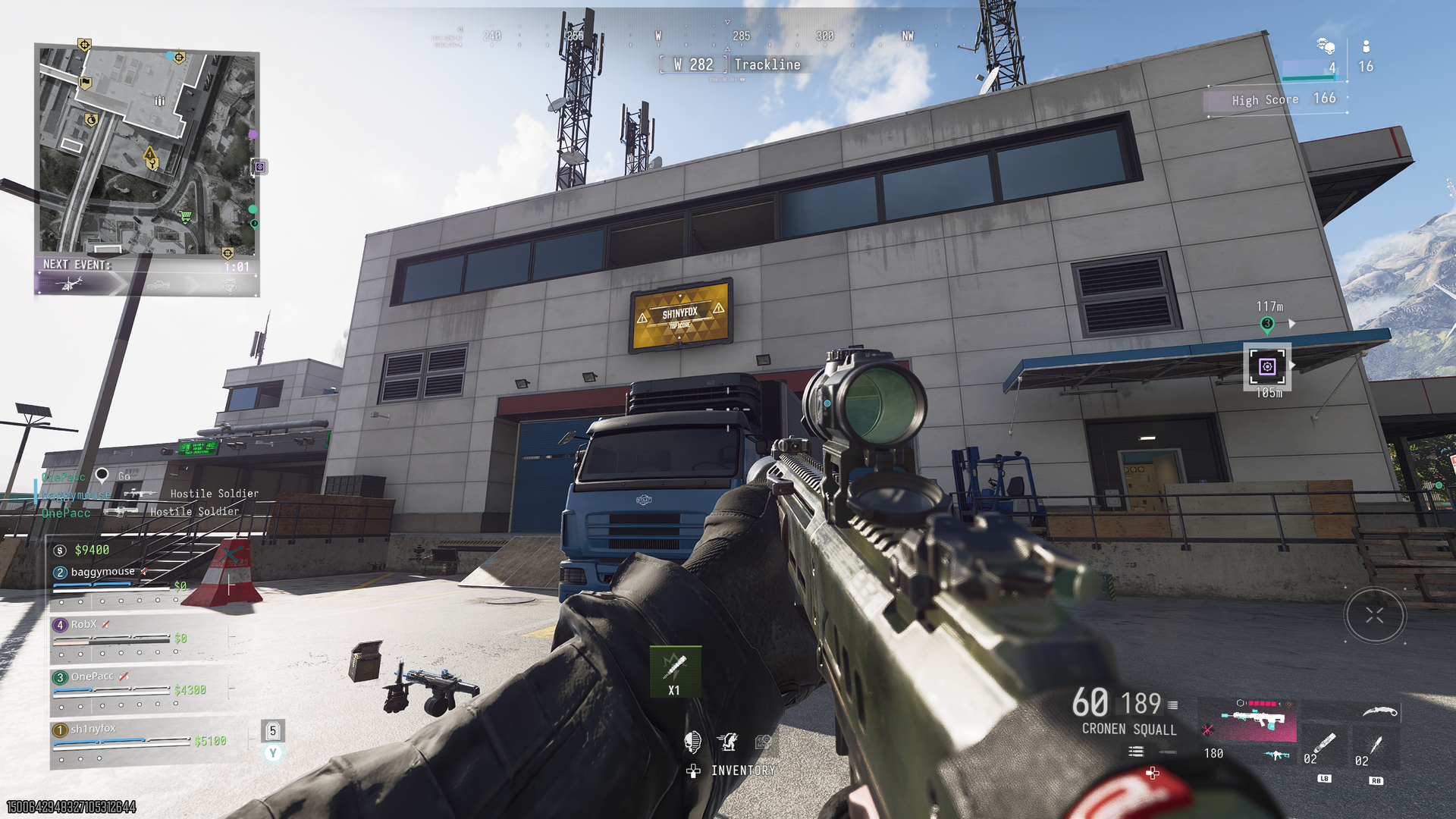
Now that Season 1 has arrived for Call of Duty: Modern Warfare 4, that means that Warzone has now integrated with this year's game. With it comes two new maps, and in the case of the Resurgence map, Zodiac, we're starting to find some secret challenges with rewards to claim. Below I've rounded up what I know of so far, either through my own play or from other community members. Here's what you can get and how to do it. Call of Duty: Warzone Zodiac secret calling
With it comes two new maps, and in the case of the Resurgence map, Zodiac, we're starting to find some secret challenges with rewards to claim.
Below I've rounded up what I know of so far, either through my own play or from other community members. Here's what you can get and how to do it.
Call of Duty: Warzone Zodiac secret calling card challenges
One of the secret challenge calling cards available on the new Zodiac map. Windows CentralOne of the secret challenge calling cards available on the new Zodiac map. Windows Central
So far I've unlocked two calling cards on Zodiac for secret challenges. They're not necessarily must haves, but for completionists, you'll be wanting to go and get them.
Here's what you have to do:
Tourist Trap: Visit every point of interest on Zodiac.
Fame: On Zodiac, get featured on the smart displays 8 times.
Look ma, I'm famous! (Image credit: Windows Central)
Getting the first is easy enough. Drop in, and make sure you go to each POI at least once.
The second is a little trickier, because it relies on you getting leading stats in your lobby. Be it a high score or most eliminations, you need to get your name on one of the screens across Zodiac. And you need to do it 8 times.
The good news is you can do this right now in Rally Point, the almost-endless mode (see below for more on that). I saw my name on there a few times for the highest score, so just do everything. Kill bots and real players, loot every crate you see, do contracts, and then do more contracts.
The reward for Fame is an animated calling card, and I kind of like it.
There may well be more calling card challenges out there, and I'll update this post as any new ones are found.
Drop a nuke on Zodiac, end the game, and get a weapon blueprint
I haven't done this one myself yet, so a hat tip to Incredilags on YouTube, where I've seen it first.
When you're playing Rally Point, there is a mode challenge to drop a nuke on Zodiac. But this is pretty tough, especially solo or with randoms who drop out.
The only known way to drop a nuke on Zodiac right now is to buy it from a Buy Station, and it costs $1 million.
It looks like this is the ultimate goal in Rally Point. Keep playing, keep earning cash, and win the game by getting the nuke first.
But, the first time you get one, you'll also unlock a blueprint for the Han 86, the "Perfect End" which you can see in the Incredilags video above.
The phone still lives in a bunker, but it doesn't seem to work every game
Here's where the bunker is...Windows Central...but if you can get it open you're doing better than I am. Windows Central
For Resurgence cash building teams will want the phone. We all know what it does, but its location has already been found.
As long as you're not me, at least.
If you drop in just south of Solar, there's a bridge, and directly south of the bridge is a sewer tunnel. Inside here there's a keycard scanner, and some are saying that triggering the scanner and taking the card opens the door.
Except it hasn't worked a single time for me. I've tried in Rally Point, Casuals, and normal Resurgence, and after about 10 tries, the door still hasn't opened for me. I'm not sure if I'm doing something wrong, if it only works if a certain keycard comes out, or if there's a step that those who have done it so far don't realize they've done.
Nevertheless, the bunker is down there, so give it a shot. If you have better luck than I, or figure out what exactly is going on, drop it into the comments below.
These are just a few of the challenges that I've seen that have been solved so far on the new Zodiac map, but there are bound to be more. As they surface, I'll keep this guide updated so you know exactly what to do.
Join us on Reddit at r/WindowsCentral to share your insights and discuss our latest news, reviews, and more.
AMD CEO Lisa Su, in an interview with Yahoo Finance, said yesterday that AMD is "a data center first company." Somewhere, a gamer clutched their Radeon GPU like it's a priceless heirloom.This quote from Su seems to have made waves in the tech world. I get it. Nobody wants to hear that another company we're used to seeing sell consumer tech to us gamers and enthusiasts is going a different way.But before we start singing hymns, let's see what Su actually meant wit
AMD CEO Lisa Su, in an interview with Yahoo Finance, said yesterday that AMD is "a data center first company." Somewhere, a gamer clutched their Radeon GPU like it's a priceless heirloom.
This quote from Su seems to have made waves in the tech world. I get it. Nobody wants to hear that another company we're used to seeing sell consumer tech to us gamers and enthusiasts is going a different way.
But before we start singing hymns, let's see what Su actually meant with her data center tidbit.
People have a right to be worried, especially these days
AMD CEO Lisa Su's recent data center comments are making waves. (Image credit: Getty Images | Chip Somodevilla)
I don't think there's anyone who follows tech markets, even from a distance, who doesn't know that there's an AI-driven memory and RAM shortage forcing consumer prices through the roof.
We are a data center-first company. That is our profile. People need more computing to power all these applications.
AMD CEO Lisa Su, speaking with Yahoo Finance
Not just that, but companies that were once focused on consumer products have been flipping over to the AI side, where there's a lot more money to be made. Micron did just that in late 2025, when it killed off its consumer Crucial brand to focus entirely on data center supply.
People have every right to be worried when a company like AMD, which makes consumer products, begins spewing data center rhetoric.
Hasn't AMD always been a data center company?
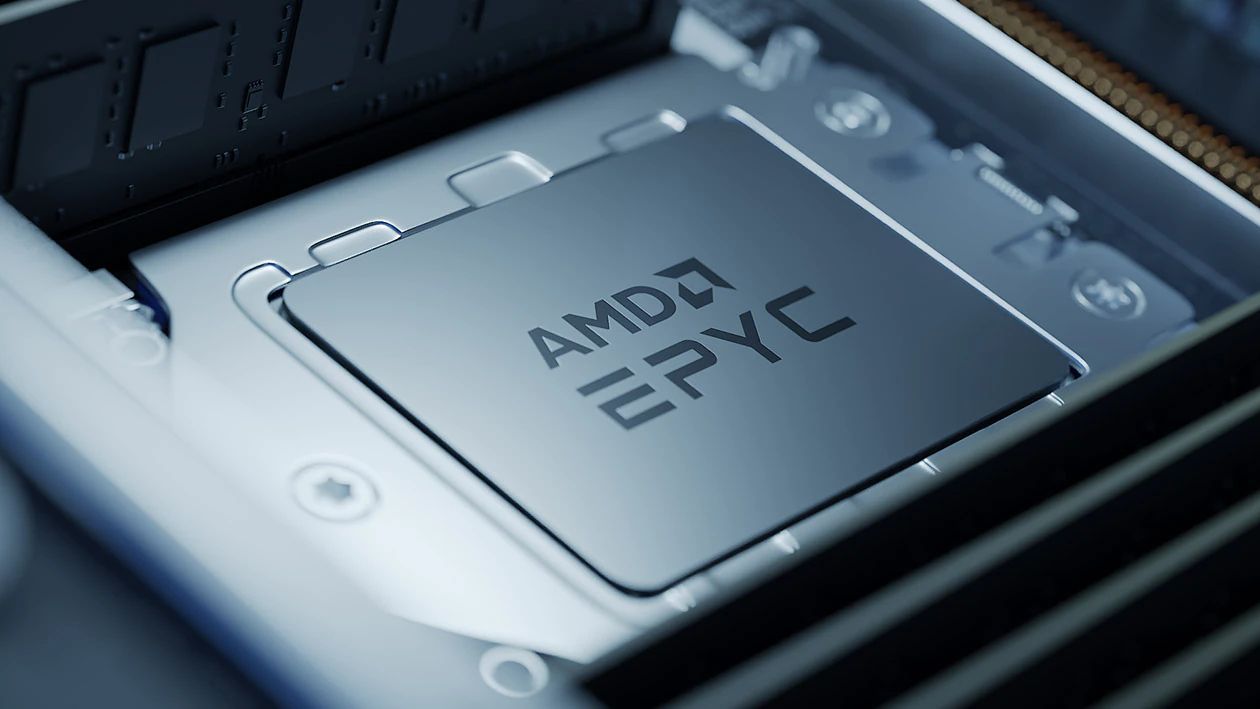
AMD's Epyc and Instinct AI accelerators are not new products. (Image credit: AMD)
Some of you might be asking why this is big news. I get it. AMD has, after all, been a data center company for ages, selling its EPYC and Instinct AI accelerators for big money.
But that was before AMD's data center revenue surpassed consumer and client revenue in 2026. Before we saw other big tech companies, like Micron, make massive pivots that left consumers without anything to buy.
I get why consumers are nervous, especially when AMD offers the best CPUs for PC gaming and is really the only counterpoint to NVIDIA's GPU dominance.
But why would Su go on Yahoo Finance and talk about anything else but where AMD gets most of its money?
Fears that AMD is abandoning gamers are unfounded ... so far
AMD still makes the best CPUs for gaming, and it's not even close. (Image credit: Harish Jonnalagadda / Windows Central)
As I said, I get why consumers are upset over the data center rhetoric coming from Team Red. Thankfully, AMD's moves lately seem like anything but abandonment.
This doesn't seem to me like the actions of a company that's already checked out of the consumer stack. Will that hold? I can't answer that, but the idea of AMD pulling up its consumer stakes seems too far-fetched to believe.
Treat your old GPU with care
Keep your old GPU in top shape. You never know how long it'll need to last. (Image credit: Future)
AMD's data center revenue only surpassed consumer and client revenue in Q2 2026, and it's worth pointing out that its Ryzen and Radeon consumer lines still rake in billions of dollars in revenue.
That could change over time, especially as consumers deal with years of hardship and PC sales plummet, but we'll cross that bridge when we come up to it.
What I'm more concerned with right now is not a complete halt to consumer production, but instead how AMD will be using its resources going forward. Shareholders always need more money, and right now, data centers are the easiest way to earn it.
For now, I don't think fans of Team Red need to panic.
If data center demand continues to explode, does AMD eventually pull all of its best into that division? Do the gaming and consumer teams get the leftover scraps?
For now, I don't think fans of Team Red need to panic. Lisa Su's recent comments, taken in context, are not shocking. They're not even new.
Still, some skepticism never really hurt anyone. Neither does keeping your aging GPU in tip-top shape as markets face continued uncertainty.
Do you agree with my take? Are Su's words as big a deal as many are making them? Where do you see AMD in 5 years? 10 years? Let me know in the comments section below!
Join us on Reddit at r/WindowsCentral to share your insights and discuss our latest news, reviews, and more.
Mini-LED Microsoft Surface Laptop Ultra The Surface Laptop Ultra starts at a more affordable price, but evens out as you add hardware. It lacks pen support, its mini-LED display isn't as impressive, plus it's overall thick
The Surface Laptop Ultra starts at a more affordable price, but evens out as you add hardware. It lacks pen support, its mini-LED display isn't as impressive, plus it's overall thicker and heavier.
Lenovo's Pro 9n starts at a higher price, but actually gets cheaper than Surface as you add hardware. Its OLED display, top-firing speakers, haptic touchpad with inking, and 9.1MP webcam are all benefits you won't get from Surface.
Pros
Superior webcam and top-firing speakers
OLED display delivers better contrast and no blooming
Thinner and lighter
165Hz refresh rate and NVIDIA G-Sync are good for gaming
Although we reviewed both laptops favorably, there are some major differences beyond the new NVIDIA chip that you'll certainly want to know about before buying.
Surface Laptop Ultra vs. Lenovo Pro 9n: Specifications and price
There are plenty of similar specs across these laptops, and I know it's handy to have a quick reference table to compare.
12.95 x 9.40 x 0.71-0.75 inches (328.8mm x 238.7mm x 17.99-19.16mm)
13.66 x 9.53 x 0.66 inches (347mm x 242mm x 16.7mm)
Weight
4.41 pounds (2kg)
3.64 pounds (1.65kg)
Colors
Platinum, Nightfall
Thunder Grey
The Surface Laptop Ultra starts at $2,599.99 for a model with the 18-core CPU, 5120-core GPU, 24GB of RAM, and 512GB SSD.
Lenovo's Pro 9n with the 18-core CPU, 5120-core GPU, 32GB of RAM, and 512GB SSD starts at 2,999.99. I imagine a lot of that price difference comes from the extra RAM, but as you'll see below, Lenovo's laptop also has some concrete benefits over the Surface.
Surface Laptop Ultra models with upgraded 20-core CPU, 6144-core GPU, 32GB of RAM, and 1TB SSD start at $3,699.99.
Lenovo's Pro 9n jumps to a 20-core CPU, 6144-core GPU, 64GB of RAM, and 1TB SSD for the higher-end config, starting at $4,249.99. If I compare a similar Surface Laptop Ultra config with these specs, it comes out to 4,299.99.
Basically, the Surface Laptop Ultra starts at a more affordable price thanks to more config options, but once you make the performance hardware comparable, Lenovo's PC actually becomes more affordable.
Lenovo's laptop is thinner and lighter than the Surface Laptop Ultra
The Surface Laptop Ultra is rather sleek, but it's not as thin and light as the Lenovo Pro 9n. (Image credit: Zac Bowden / Windows Central)
Microsoft's new Surface Laptop Ultra has a slightly smaller footprint than the Lenovo Pro 9n, but I don't think it's enough to make a difference in your bag. The real story is the Pro 9n's 0.66-inch chassis that's noticeably thinner than the Laptop Ultra's 0.71-0.75-inch measurement.
Lenovo's laptop is also lighter, starting at 3.64 pounds compared to the Surface Ultra's 4.41 pounds. That's a considerable difference that you'll notice each time you use the PC, and if you're always on the move, this should be a win for Lenovo.
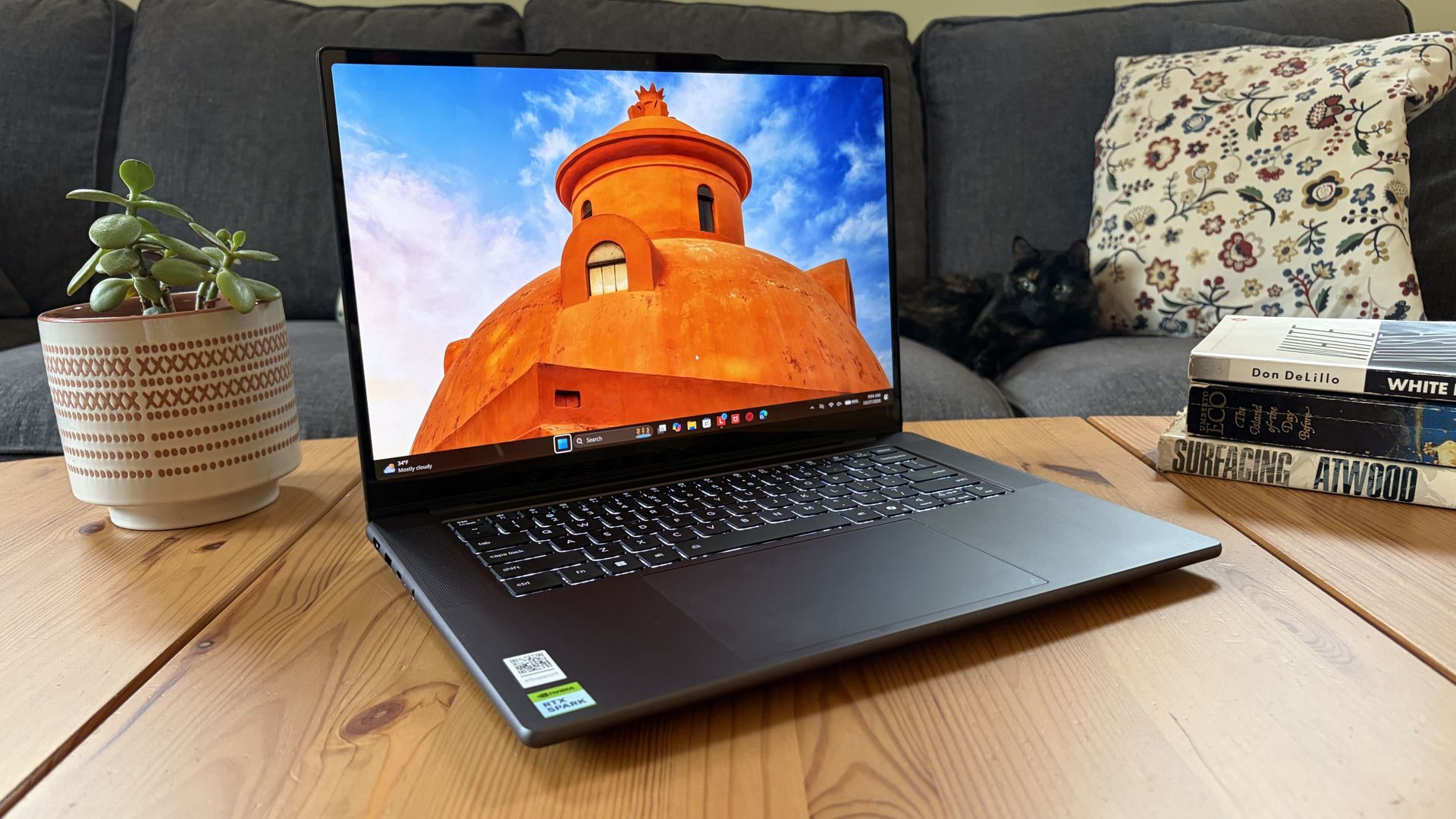
Lenovo's Pro 9n is thinner and lighter than the Surface Laptop Ultra. (Image credit: Future)
Both laptops are built into a sleek aluminum chassis that doesn't get much more premium. Windows Central Senior Editor Zac Bowden commented in his Surface Laptop Ultra review:
Yes, Surface Laptop Ultra looks an awful lot like a MacBook Pro. [...[...] But I'm not here to tell you that's a bad thing. The MacBook Pro is a beautiful device, which is to say Surface Laptop Ultra is also very beautiful. In fact, I think it even improves upon the MacBook Pro's design in subtle ways.
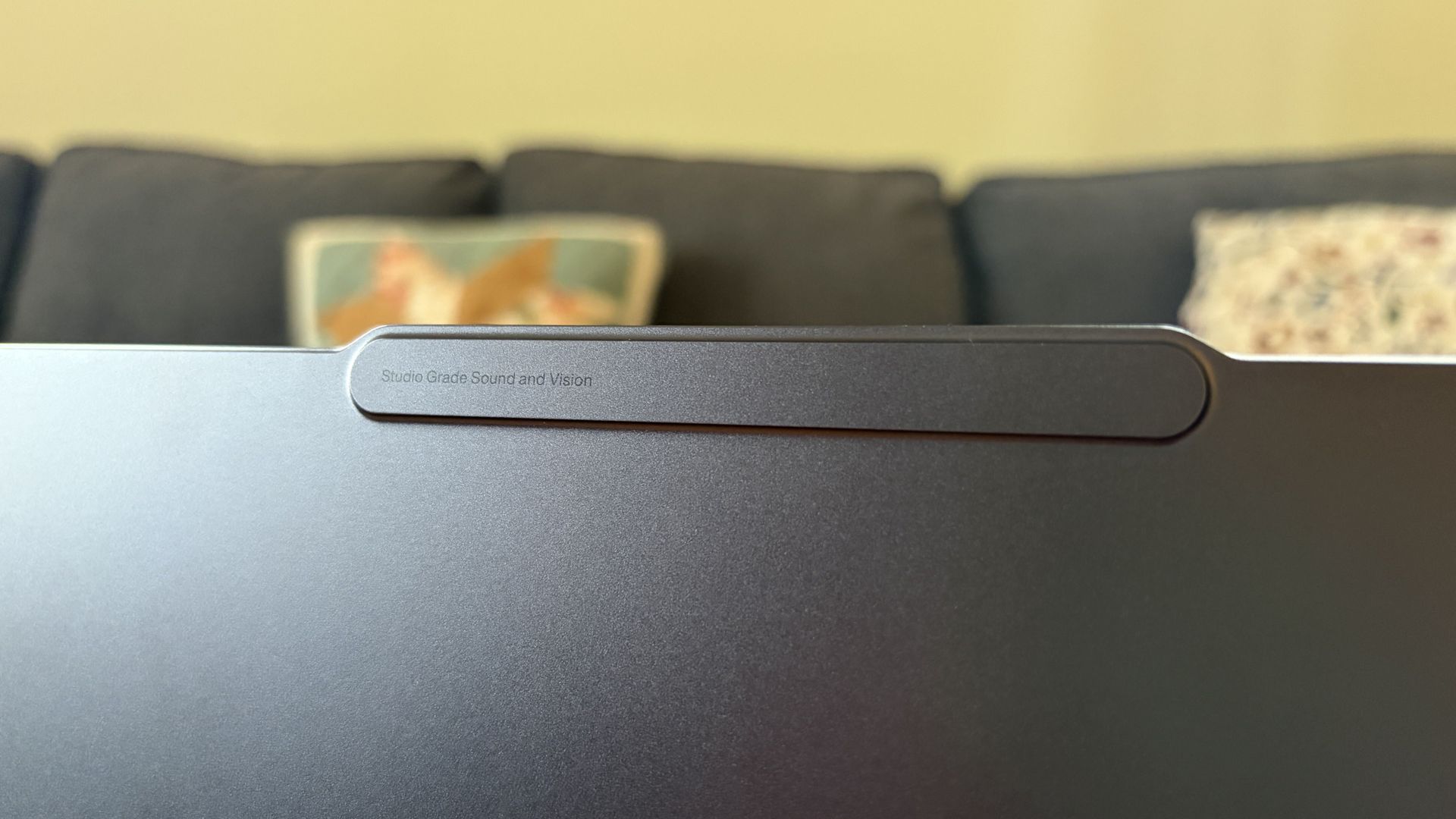
Lenovo's Pro 9n takes a slightly different approach, often seen in its Yoga series, with rounded edges, top-firing speakers flanking the keyboard, and a raised comms bar above the display to fit a superior webcam.
The raised comms bar on the Lenovo Pro 9n leaves more space for a superior webcam. (Image credit: Future)
On that note, anyone who's often taking video calls, Teams meetings, etc. should consider Lenovo's 9.2MP webcam over the Surface Laptop Ultra's rather standard 1080p camera.
Both will get the job done, sure, but Lenovo's camera offers more clarity. I also found it quite good at dealing with low light. At least both laptops come with an IR sensor for facial recognition through Windows Hello.
Which laptop has better ports?
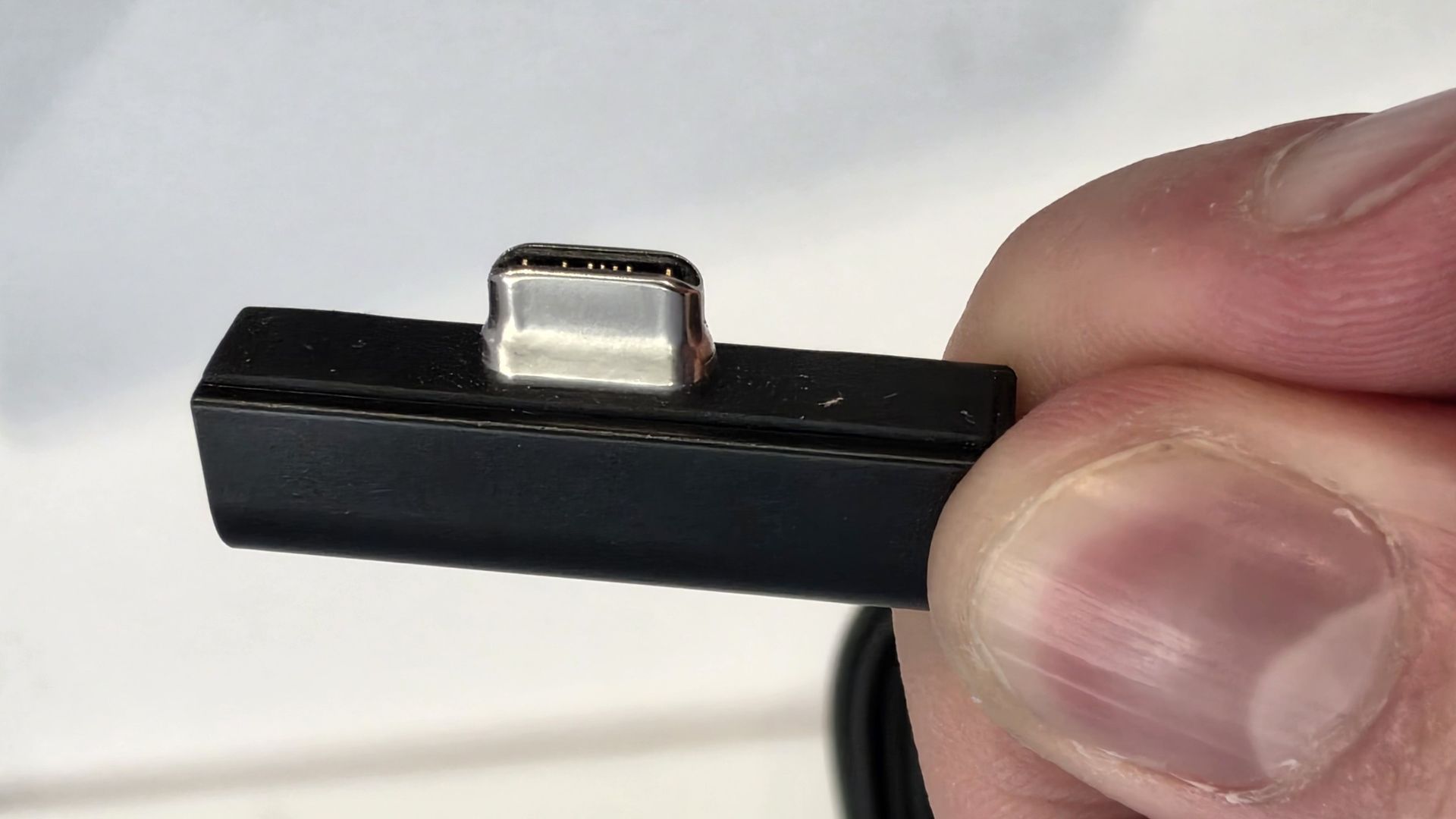
A look at the Surface Laptop Ultra's magnetic USB-C adapter. (Image credit: Zac Bowden / Windows Central)
Ports across both laptops are the same except for one major standout. I'm talking about the Surface Laptop Ultra's additional magnetic USB-C connector that's designed to pull away from the PC when it gets snagged or tripped over.
It's a lot like Apple's MagSafe tech, and I'm all about it; I hope it comes to more Windows PCs soon.
Other than the extra USB-C port, the Surface Laptop Ultra and Lenovo Pro 9n have the same selection of ports, including dual USB4, dual USB-A at 10Gbps each, HDMI 2.1, UHS-II SD card reader, and 3.5mm audio jack.
Is there a superior keyboard or touchpad?
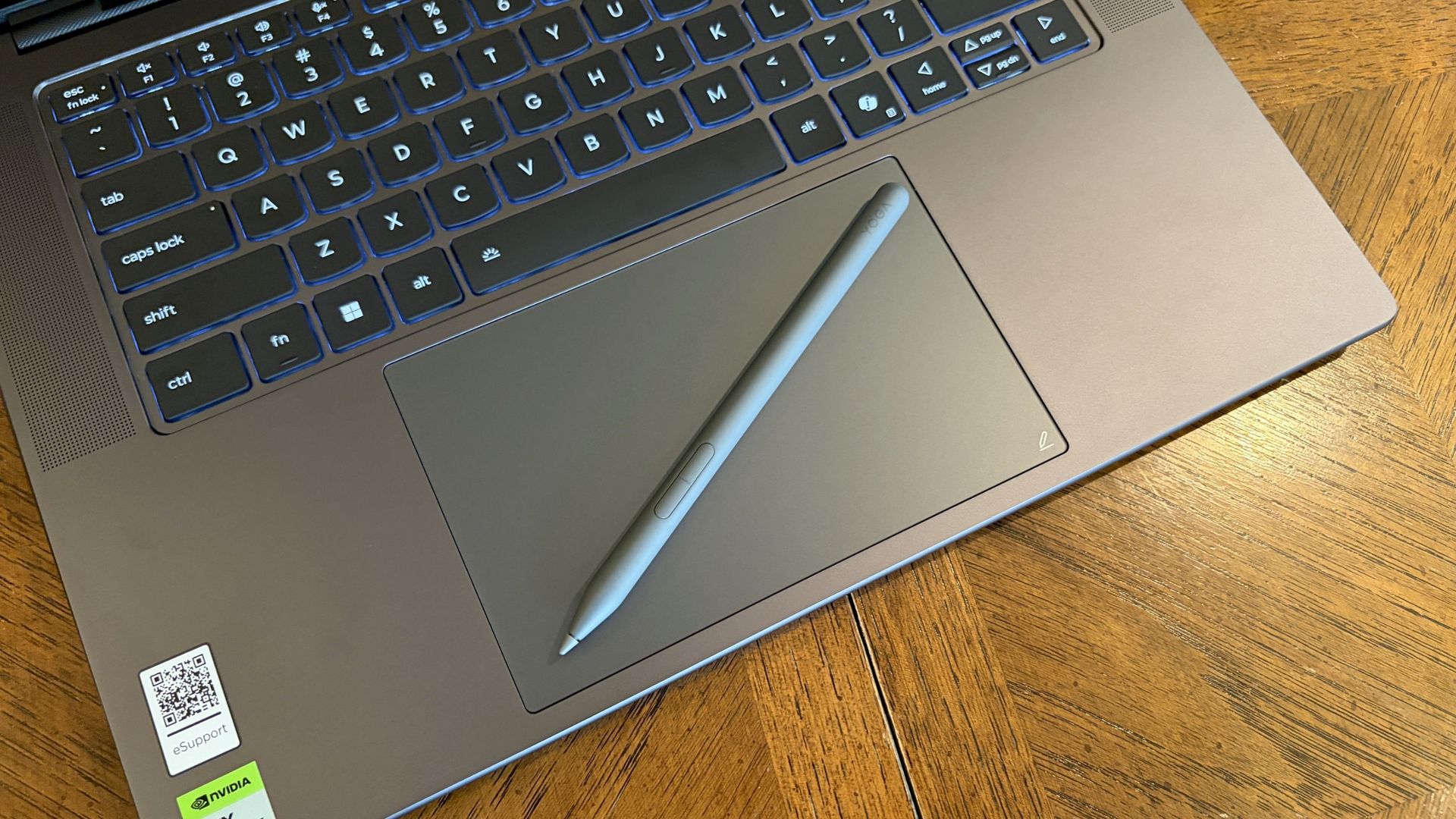
Lenovo's Pro 9n includes a Yoga Pen 2 that writes directly on the haptic touchpad. (Image credit: Future)
Windows Central Senior Editor Zac Bowden said, "This isprobably the best keyboard and trackpad experience I've ever had on a Windows laptop to date" in his review. I'd wager that the Yoga Pro 9n takes things one step further.
Whereas the Surface Laptop Ultra has 1.4mm key travel, Lenovo pushes it to 1.5mm. Lenovo's touchpad is also slightly larger than the one on the Surface, giving you more space to point.
Both use haptic touchpads, meaning there aren't any moving parts. Clicks and feedback are simulated with small haptic motors below the surface. There are fewer mechanical parts to break down, and generally, you get a smoother experience.
But Lenovo goes one step further with inking compatibility on its touchpad. Each Pro 9n comes with a Yoga Pen 2, and I found it to be quite handy when jotting down notes or sketching ideas.
Does one laptop have better speakers?
A look at the speakers flanking the Pro 9n's keyboard (Image credit: Future)
Having checked out both laptops, I'd say that audio quality is a wash unless you care about placement.
Both laptops have four speakers, and both produce some of the best audio we've ever heard in a Windows laptop. No matter what, you get deep bass, clear highs, and loud volume.
The big difference is that the Pro 9n has two of its speakers flanking the keyboard for unmuffled audio. The Surface Laptop Ultra keeps all four of its speakers on the underside of the chassis.
Microphones are also excellent across both laptops. You won't need to worry at all about adding a microphone for calls and video chats.
Do you value brightness or color in your display?
A look at the Lenovo Pro 9n's OLED display. (Image credit: Future)
Display preferences could make or break your decision here. The Surface Laptop Ultra has a 15-inch mini-LED screen with a 3270x2180 resolution, 3:2 aspect ratio, 120Hz variable refresh rate, and Dolby Vision IQ support.
Its mini-LED panel has 1,344 dimming zones, and it manages to climb to about 2,000 nits brightness with HDR enabled. Otherwise, it tops out at about 1,000 nits.
This is great if you're often working in brightly lit areas, as you'll have much less trouble there than with the Pro 9n's maximum of 1,100 nits. However, as Zac Bowden notes, the mini-LED panel can show "a bit of blooming around bright elements on a dark background."
That's not the case with the OLED panel in the Lenovo Pro 9n. It offers perfect contrast and deep color, so there's no blooming or backlighting issues whatsoever.
Lenovo's laptop also offers a higher 165Hz variable refresh rate, and it's able to cover all color gamuts for specialized work. That higher refresh rate can help with gaming, as can the display's NVIDIA G-Sync compatibility.
The big downside is that it doesn't have as many pixels with a 2560x1600 resolution.
Is there a difference in RTX Spark performance?
The Surface Laptop Ultra has the same NVIDIA RTX Spark chip options as the Lenovo Pro 9n.
What's probably not a surprise for many is that NVIDIA's RTX Spark system-on-chip (SoC) performs similarly across laptop brands.
In this case, Zac Bowden tested the Surface Laptop Ultra with the 20-core CPU and 6144-core GPU, while I tested the 18-core CPU and 5120-core GPU in the Lenovo Pro 9n.
Unsurprisingly, the more expensive chip in the Surface Laptop Ultra comes out ahead in all relevant tests we performed. The gap isn't huge, and, of course, you can always add the 20-core chip to the Pro 9n to make up the difference.
FutureFutureFutureFuture
The Pro 9n model I tested arrived with an M.2 PCIe 4.0 NVMe SSD, which is a generation behind the M.2 PCIe 5.0 NVME SSD in the Surface Laptop Ultra model we tested.
It's no surprise that the newer SSD is faster, and keep in mind that both laptops have the option for the upgraded PCIe 5.0 drive.
Which laptop has better battery life?
The Surface Laptop Ultra's battery is rated for 0.5Wh more than the Pro 9n. (Image credit: Zac Bowden / Windows Central)
Battery capacity across laptops only differs by 0.5Wh, and in our experience, both laptops were able to hit around 10 hours of real-world usage before needing a charge.
I'm talking about lighter fare for that 10-hour runtime, like web browsing, Excel, Word, email, streaming, etc.
Once you start adding demanding tasks that press the GPU — especially AI-related work — you'll see battery life falling quite a bit faster.
For reference, when I gamed on the Lenovo Pro 9n, The Witcher 3: Wild Hunt Remastered with settings cranked up and ray tracing enabled was only seeing about 10 minutes of playtime for each 10% of battery life.
Surface Laptop Ultra vs. Lenovo Pro 9n
I'm taking the Lenovo Pro 9n over the Surface Laptop Ultra, but your decision might be different. (Image credit: Future)
Microsoft's Surface Laptop Ultra starts at a more affordable price, and that will resonate with a lot of people despite it coming with less powerful hardware. If you're just looking for a more affordable RTX Spark system, Surface is the way to go.
However, once you start adding similar hardware tiers, Lenovo's PC becomes more affordable. With the price in mind alongside the host of benefits from the Pro 9n that I've laid out above, I'm leaning towards Lenovo.
Mini-LED
Microsoft
Surface Laptop Ultra
The Surface Laptop Ultra starts at a more affordable price, but evens out as you add hardware. It lacks pen support, its mini-LED display isn't as impressive, plus it's overall thicker and heavier.
OLED
Lenovo
Pro 9n
Lenovo's Pro 9n starts at a higher price, but actually gets cheaper than Surface as you add hardware. Its OLED display, top-firing speakers, haptic touchpad with inking, and 9.1MP webcam are all benefits you won't get from Surface.
Join us on Reddit at r/WindowsCentral to share your insights and discuss our latest news, reviews, and more.
The Swift 16 AI is one of the latest Windows laptops featuring Intel's "Panther Lake" processors (Core Ultra Series 3) that balance productivity, power, and efficiency for all-day battery life, plus Acer's stunning OLED touchscreen.It's already on sale for just $999.99 at Best Buy long before Black Friday, with a hefty $550 discount that knocks 35% off its listing price. With 16GB of RAM and 1TB of storage, it's a great option for anyone looking to upgrade their
The Swift 16 AI is one of the latest Windows laptops featuring Intel's "Panther Lake" processors (Core Ultra Series 3) that balance productivity, power, and efficiency for all-day battery life, plus Acer's stunning OLED touchscreen.
It's already on sale for just $999.99 at Best Buy long before Black Friday, with a hefty $550 discount that knocks 35% off its listing price. With 16GB of RAM and 1TB of storage, it's a great option for anyone looking to upgrade their everyday laptop without spending the usual ~$1,200+ costs.
Side-view of the Acer Swift 16 AI laptop. (Image credit: Tom's Guide (Tony Polanco) | Acer)
Powered by Intel's Core Ultra Series 3 "Panther Lake" X7 358H processor and integrated Arc B390 graphics, the Swift 16 AI delivers plenty of performance for everyday productivity workloads, including multitasking across dozens of browser tabs, content creation, and even some gaming. That integrated B390 graphics chip is far more powerful than its lower-end variants; in fact, you'll find the same one in high-end gaming handhelds.
Beyond that, Acer boasts a full day of usable battery life in a laptop with a thin chassis and a sharp 3K (2880x1800) OLED touchscreen. That means vibrant colors, strong contrast, and even a super-smooth 120Hz refresh rate as a bump over the usual 60Hz standard you'd find in many others.
You'll get dual USB-C ports alongside two more traditional USB-A ports, HDMI-out for external monitors, and a 3.5mm audio jack for wired headphones, reducing the need for too many dongles when you're traveling. Plenty of peripherals are wireless these days, but it's always nice to have the option for wired alternatives.
Acer's bigger trackpad might not suit everyone, and the speakers were never made for movie-watching, but neither detracts from what is otherwise a well-rounded productivity laptop. Alternatively, an AMD-based Swift 16 AI with a WUXGA (1920x1200) touchscreen is also on sale for $799.99 at Walmart. However, it is sold by a reseller, not Walmart itself, so there's a chance it will disappear much faster.
Should I wait for Black Friday for a better deal?
Even if you're hesitant to buy before Black Friday, Best Buy's 'Price Match Guarantee' may allow eligible customers to request a refund of the difference if Best Buy lowers its own price during the applicable return window: "If our price goes lower during the holiday season, we’ll match it."
Is it good for gaming?
The Acer Swift 16 AI is surprisingly competent at running games for a non-gaming laptop. It can run graphically intensive games like Cyberpunk 2077 at 1080p on medium settings, and lower-end games like Fortnite at 1080p at 60 FPS or higher.
Can you adjust the trackpad?
You can shrink its detection range by a quarter or half its size within the included AcerSense software app to prevent accidental clicks.
Join us on Reddit at r/WindowsCentral to share your insights and discuss our latest news, reviews, and more.
The Discord app will soon use less RAM and power, all without losing a single feature. Discord is rebuilding its desktop app in Rust, replacing the Electron-based client it uses today. Discord has used Rust in parts of its technology stack for years, but the desktop application itself has historically been built on Electron.The new app is faster and more efficient, as demonstrated by Discord CTO Stanislav Vishnevskiy. He showed the current Discord app and the new
The Discord app will soon use less RAM and power, all without losing a single feature. Discord is rebuilding its desktop app in Rust, replacing the Electron-based client it uses today. Discord has used Rust in parts of its technology stack for years, but the desktop application itself has historically been built on Electron.
The new app is faster and more efficient, as demonstrated by Discord CTO Stanislav Vishnevskiy. He showed the current Discord app and the new Rust client of Discord on a pair of Lenovo ThinkPads running Windows 11.
In that side-by-side comparison, the new Rust-based client launched more quickly than the current Electron version.
Electron apps often draw criticism because they use a lot of system memory. The apps rely on web technology, which means every single Electron app essentially ships with a mini browser. As a result, Electron apps are often more resource-heavy and less efficient than native desktop applications.
The new Discord client using less RAM is just part of the story. Clicking around feels instant, I can't go back. Check out the boot time. https://t.co/x7ayyWBVQJNovember 5, 2026
Some workloads can benefit from native code rather than web technologies, especially when performance and efficiency are priorities. That may make you question why Discord has had an Electron app for so long, but there are plus sides to the framework.
The biggest benefit of Electron is that it allows developers to use the same codebase across major platforms. Rather than maintaining separate applications for Windows, macOS, and Linux, developers can build a single application.
That advantage has kept Electron popular for years, powering everything from Discord and Slack to Microsoft Teams and Visual Studio Code. But some companies and developers have deemed the tradeoff too great and have migrated to other frameworks in pursuit of better performance and efficiency.
Discord's new app comes at a time when RAM is at a premium. Due to the ongoing RAM crisis, many people cannot upgrade to PCs. Even those looking to purchase new computers may have to pick models with only 8GB of RAM because of the increased cost of memory.
Even with Windows 11 performing better on low-RAM devices, it's nice to see Discord ditch Electron and create a more efficient app. Discord has long been criticized for eating up memory and performing slowly. The new app should fix both those issues.
Join us on Reddit at r/WindowsCentral to share your insights and discuss our latest news, reviews, and more.
In the lead-up to Call of Duty: Modern Warfare 4's release, the developers made the controversial announcement that the console versions would require VRR monitors in order to run at 120Hz in Performance mode.Players who didn't have or couldn't afford VRR monitors were mad at this last-minute decision, and the developers took notice because, as of today, they have reversed it as part of Call of Duty: Modern Warfare 4's Season 1 update. Call of Duty: Modern Warfar
Players who didn't have or couldn't afford VRR monitors were mad at this last-minute decision, and the developers took notice because, as of today, they have reversed it as part of Call of Duty: Modern Warfare 4's Season 1 update.
Call of Duty: Modern Warfare 4 Season 1 update will bring console 120Hz back to all 120Hz+ monitors, regardless of VRR active "We have opened up "Performance Mode (120Hz)" for all PlayStation 5 & XBOX Series X|S players with 120hz displays, regardless of VRR support." https://t.co/jl79uwMIlLNovember 5, 2026
According to the Season 1 patch notes, the developers stated, "We have opened up 'Performance Mode (120Hz)' for all PlayStation 5 & XBOX Series X|S players with 120hz displays, regardless of VRR support. For the best experience, VRR is recommended."
So while VRR monitors are still needed to achieve the best frame rate performance possible, at least those who don't have VRR monitors won't be forced to buy one just so they can have smooth, optimal gameplay.
But will this and the rest of Season 1's content be enough to attract more players to Call of Duty: Modern Warfare 4 and help offset its worrying 32% sales drop? Only time will tell.
Experience the dark, climactic finale of Captain Price's personal war from the shadows as long-running storylines reach their heart-pounding breaking point in Call of Duty: Modern Warfare 4. In addition to an epic campaign, Call of Duty: Modern Warfare 4 offers thrilling multiplayer modes such as the DMZ mode.
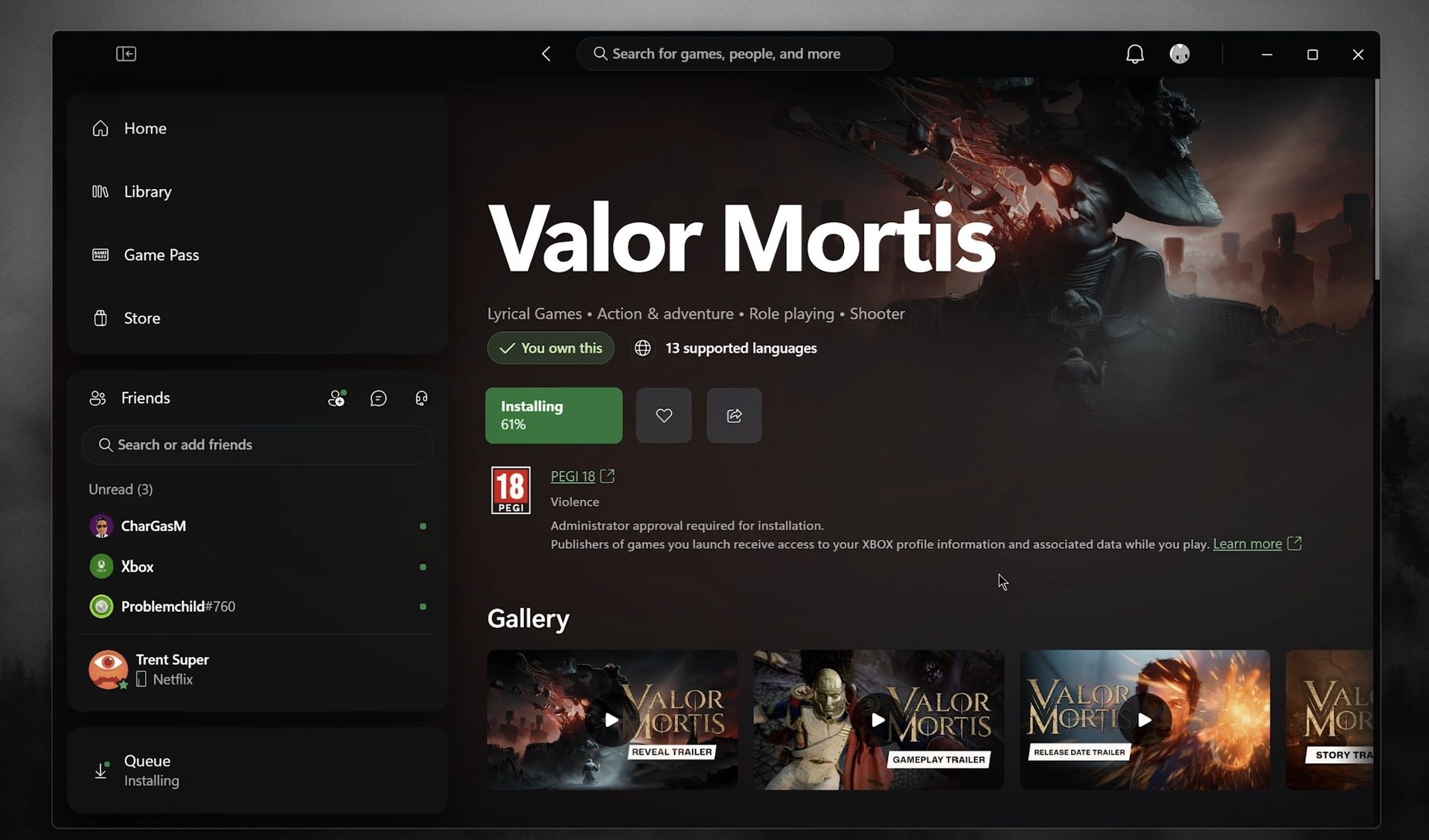
The new Xbox PC app, which we recently dived into in its earlier forms, is finally going live for testers today. Here's what you need to know. On Xbox Wire, Microsoft's VP for Xbox Experiences, Jason Beaumont, revealed that the latest Xbox PC app iteration offers 60% improved launch speed and detailed some of the usability refinements we previously saw in earlier versions. I demonstrated the upcoming Xbox PC app in a couple of videos recently. It is a web app, bu
The new Xbox PC app, which we recently dived into in its earlier forms, is finally going live for testers today. Here's what you need to know.
On Xbox Wire, Microsoft's VP for Xbox Experiences, Jason Beaumont, revealed that the latest Xbox PC app iteration offers 60% improved launch speed and detailed some of the usability refinements we previously saw in earlier versions.
I demonstrated the upcoming Xbox PC app in a couple of videos recently. It is a web app, but it's orders of magnitude faster than previous versions, and rubber banding on devices like the Xbox Ally X has been virtually eliminated.
"We’re also bringing the refreshed XBOX web experience to more players and rolling out updates to XBOX cloud gaming apps on supported TVs and VR headsets," Beamont explained. "These changes are part of our work to make XBOX faster, simpler, and more familiar wherever you play."
Indeed, the Xbox Cloud Gaming app has also received a similar overhaul, the interface of which has been in testing and early rollout for a few months. The idea revolves around unifying the different Xbox experiences across PC, TV, mobile devices, cloud, consoles, and handhelds so that the most familiar parts of the apps are always within muscle memory.
Download the Xbox Insider Hub on your PC from here.
Navigate to Previews from the left panel.
Scroll down to find "PC gaming."
Click "Join" and wait while it says "Pending." You can leave the app.
Check 10-15 minutes later to see if it now says "Manage." If so, you're now enrolled.
Reboot your PC and check the Xbox app and Microsoft Store for an update.
The Xbox PC app has improved leaps and bounds
The new app performs far better on desktop PCs and on gaming handhelds. (Image credit: Windows Central | Jez Corden)
The Xbox PC app still has a big feature gap compared to Steam, for sure. There's a lack of community tooling, in-app mod delivery and curation, and the search functionality is often slow to catch up with recently launched products. There's also still a big catalog gap between Xbox's PC store and other platforms, although Microsoft's initiatives with Xbox Play Anywhere have been doing some strong heavy lifting recently.
As someone who primarily games via Xbox, I've found recently that I don't really need Steam at all anymore for new PC games, given that so many now support Xbox Play Anywhere across devices.
I'd love to see more customization features go live in the Xbox PC app to line up with what we have on console. I'd love to see more community tools and ways for developers to interact with their audiences. I think Microsoft's game recommendation is very poor overall (why are you recommending me Roblox when you literally know I'm in my 40s, Microsoft?).
But the work is being done; Microsoft has uncharacteristically stuck it out with this aspect of its platform despite being very late to the party, and it's great to see as an Xbox customer. But it remains to be seen if Microsoft can win over non-Xbox customers in a PC universe dominated by Steam.
Join us on Reddit at r/WindowsCentral to share your insights and discuss our latest news, reviews, and more.
The weird thing about reviewing the HP OmniBook Ultra 16 is that I really like this laptop. After three weeks with it, I have very few complaints about actually using it.HP's build quality is fantastic. The 3K OLED display is one of my favorites on any laptop I've used this year. Its new keyboard is excellent, the haptic touchpad is huge, battery life is surprisingly good, and NVIDIA's RTX Spark delivers exactly the kind of performance I expected.Then I pick it u
The weird thing about reviewing the HP OmniBook Ultra 16 is that I really like this laptop. After three weeks with it, I have very few complaints about actually using it.
HP's build quality is fantastic. The 3K OLED display is one of my favorites on any laptop I've used this year. Its new keyboard is excellent, the haptic touchpad is huge, battery life is surprisingly good, and NVIDIA's RTX Spark delivers exactly the kind of performance I expected.
Then I pick it up.
At 4.9 pounds, the OmniBook Ultra 16 weighs a full pound more than the ASUS ProArt P16 I recently reviewed, despite delivering largely the same RTX Spark performance. ASUS's laptop is thinner and lighter, has similarly excellent thermals and an OLED display, and includes a few premium features HP inexplicably left out.
That's a problem because after testing several RTX Spark laptops, raw performance is becoming one of the least interesting ways to distinguish between them.
So, as much as I like HP's OmniBook Ultra 16, the question after three weeks isn't whether it's good. It's whether HP has given me enough reasons to carry around that extra pound.
HP and NVIDIAhad no input, nor did it see the contents of this review, prior to publication.
Price and specs: The 32GB model makes a lot of sense
Top-down view of the closed HP OmniBook Ultra 16 RTX Spark. (Image credit: Daniel Rubino)
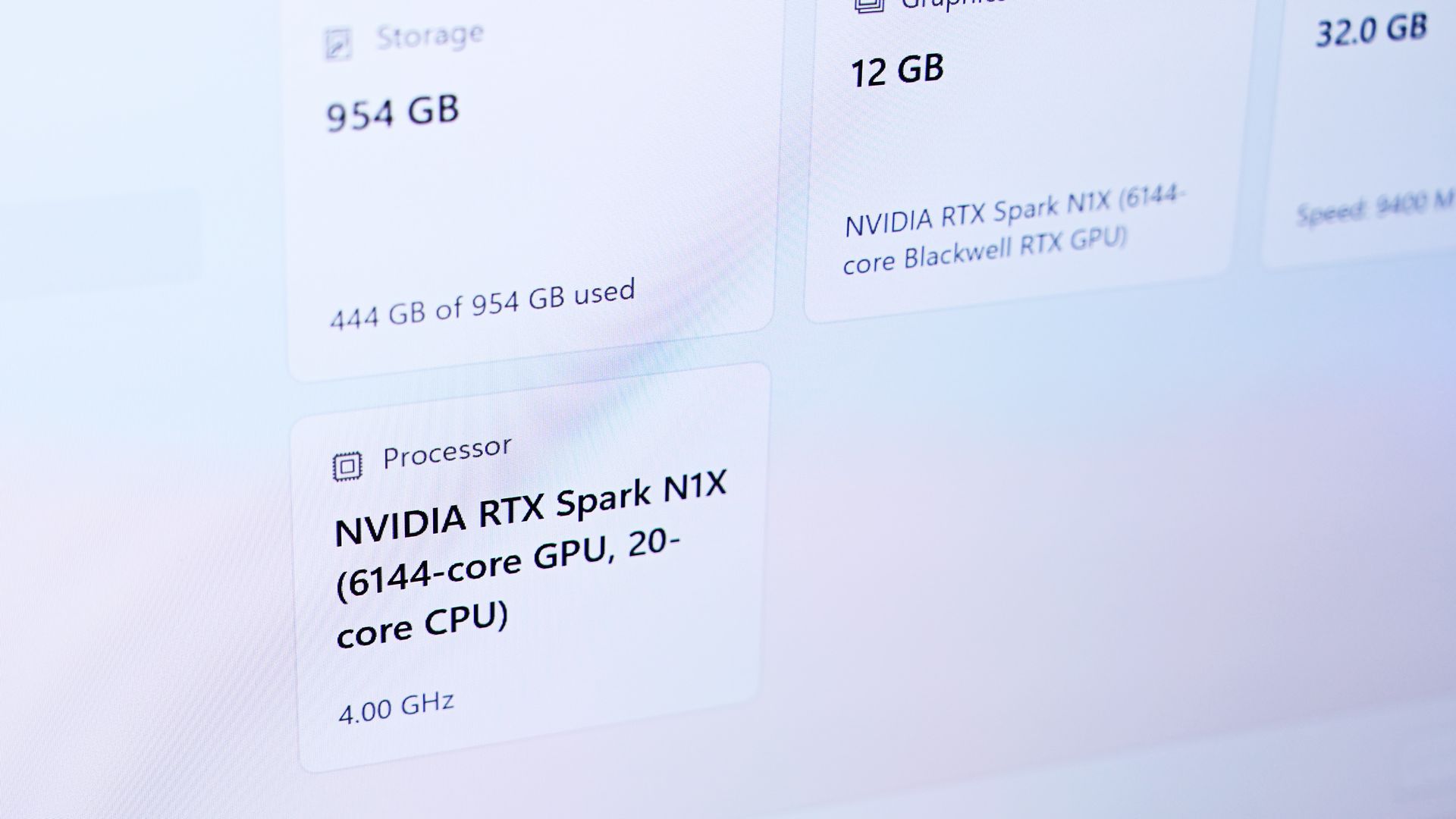
I tested the OmniBook Ultra 16 with NVIDIA's 20-core RTX Spark N1X, 32GB of unified memory, a 1TB SSD, and a 16-inch 2880 x 1800 OLED touchscreen.
In fact, this might be the RTX Spark configuration I'd recommend to more people. If you're doing video and photo editing, light CAD or 3D work, or beginning to experiment seriously with local AI models, 32GB gives you access to NVIDIA's new platform without spending workstation money on memory you might never use.
For people who will use it, however, HP scales RTX Spark considerably higher, including configurations with up to 128GB of unified memory. That's where this architecture gets especially interesting for running larger local models and working with bigger datasets. HP also sells a 64GB/2TB configuration with LPDDR5X-9400 memory and a PCIe Gen5 SSD.
Design: HP might actually beat ASUS, until you pick it up
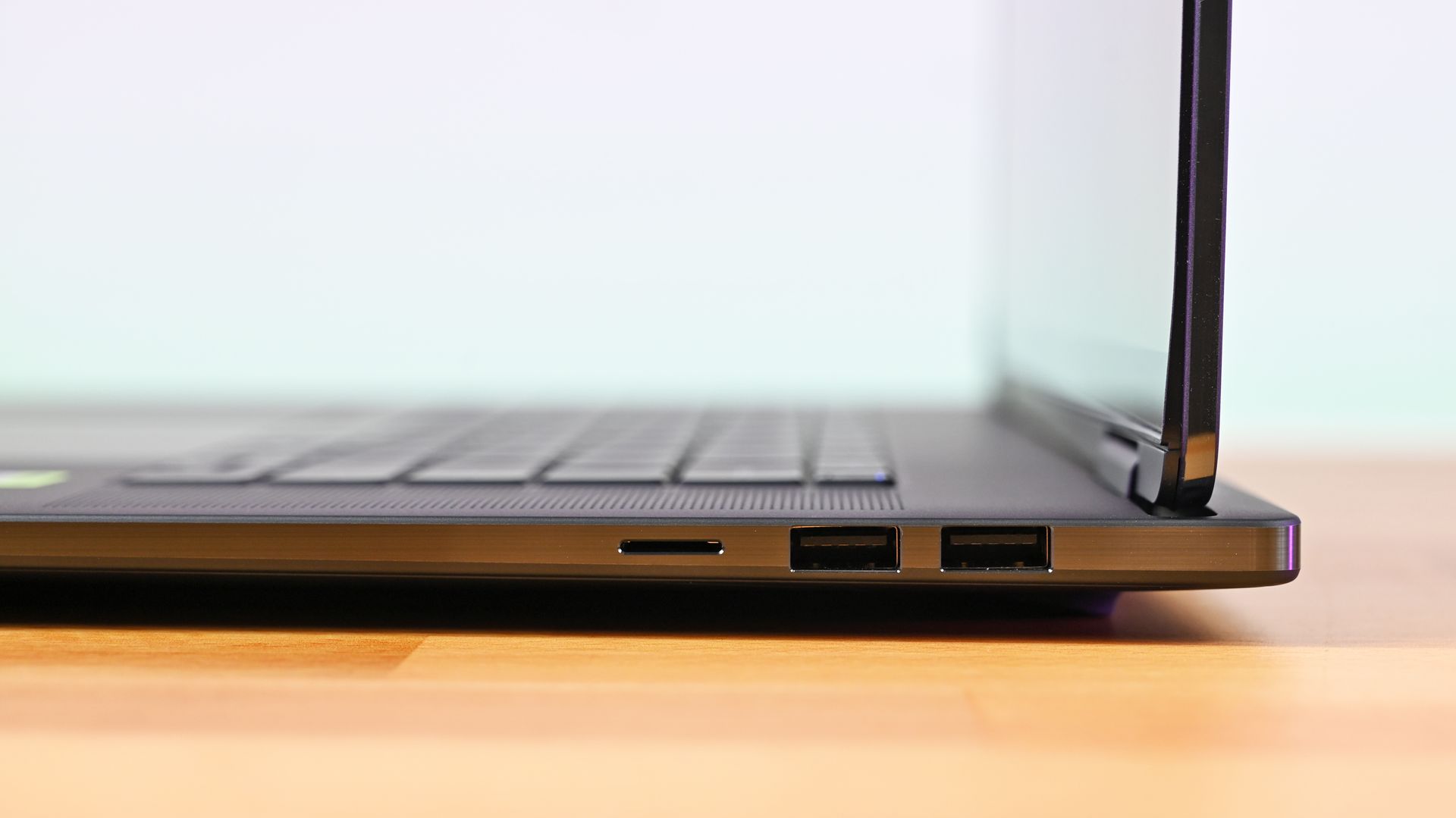
Profile view of the right ports and upright screen hinge on the HP OmniBook Ultra 16, with dual USB-A ports and micro SD. (Image credit: Daniel Rubino)
HP knows how to make premium hardware, and I think the OmniBook Ultra 16's overall build quality is a smidge better than the ASUS ProArt P16.
The three-piece CNC-machined aluminum chassis feels exceptionally solid. Eclipse Gray looks fantastic and has a lovely texture that also does an unusually good job resisting fingerprints.
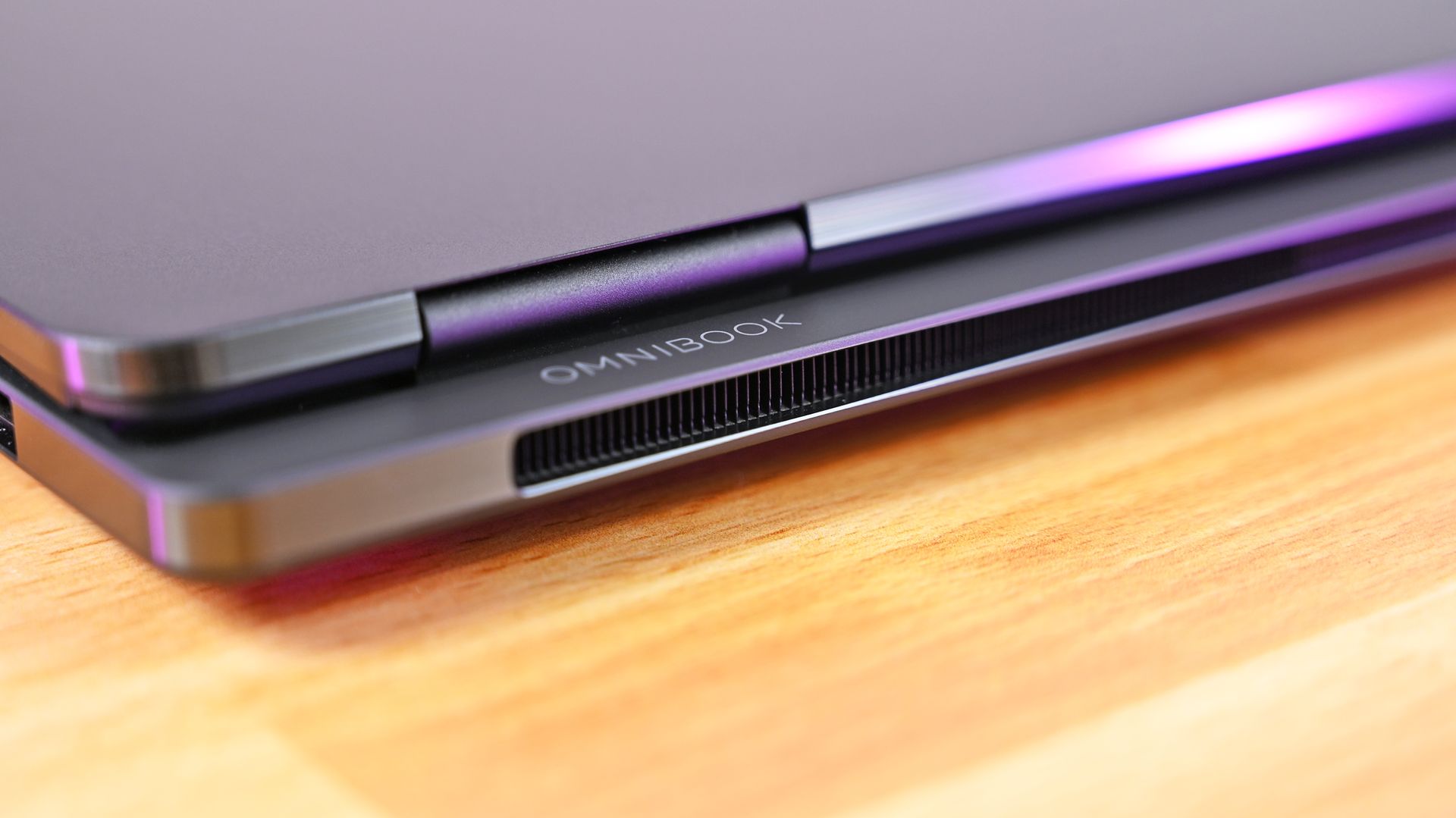
Then there's HP's tower hinge and trunk architecture. Beyond looking cool, the design creates additional room behind the hinge for airflow and rear exhaust. HP combines that with two 79-blade fans, three heat pipes, and internal temperature monitoring, with the system designed to sustain up to 70W.
The results are good, although not dramatically better than ASUS.
Slick design! Rear view of the HP OmniBook Ultra 16 RTX Spark, showing the cooling grille and hinge. (Image credit: Daniel Rubino)
My OmniBook reached around 113 degrees Fahrenheit (45 degrees Celsius) at its hottest point under a sustained load and generally ran slightly warmer than my ProArt P16. That's nothing I'd consider concerning or even notice during regular use. The fans are also excellent and broadly comparable to ASUS, generally remaining below 50dB.
Daniel RubinoDaniel RubinoDaniel RubinoDaniel Rubino
I just don't see a huge thermal payoff for the added bulk.
Because, yes, this thing weighs 4.9 pounds.
That's an entire pound heavier than the 3.9-pound ProArt P16. Even Microsoft's Surface Laptop Ultra comes in around 4.5 pounds.
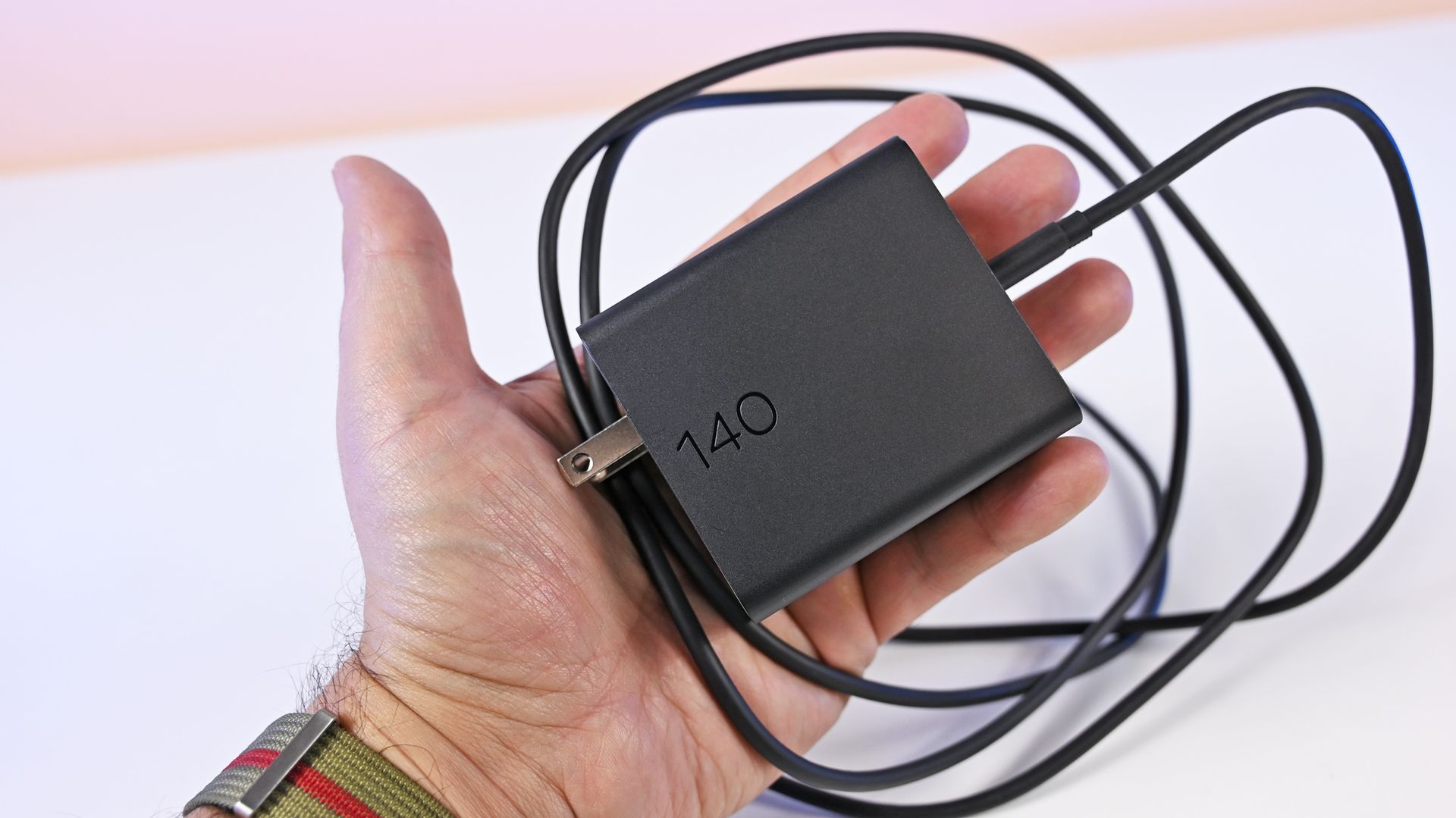
HP's compact matte black 140W GaN power adapter is an excellent addition. (Image credit: Daniel Rubino)
Leave the HP on a desk and none of this matters. Carry it around every day, and ASUS suddenly becomes much more appealing.
Ironically, HP makes up some of that difference with the best charger I've seen on an RTX Spark PC. The included 140W GaN charger is remarkably small, uses a detachable Type-C cable, and has folding prongs. HP says it's 43% smaller and 28% lighter than its previous adapter.
Display, keyboard, and touchpad: Some of HP's best work
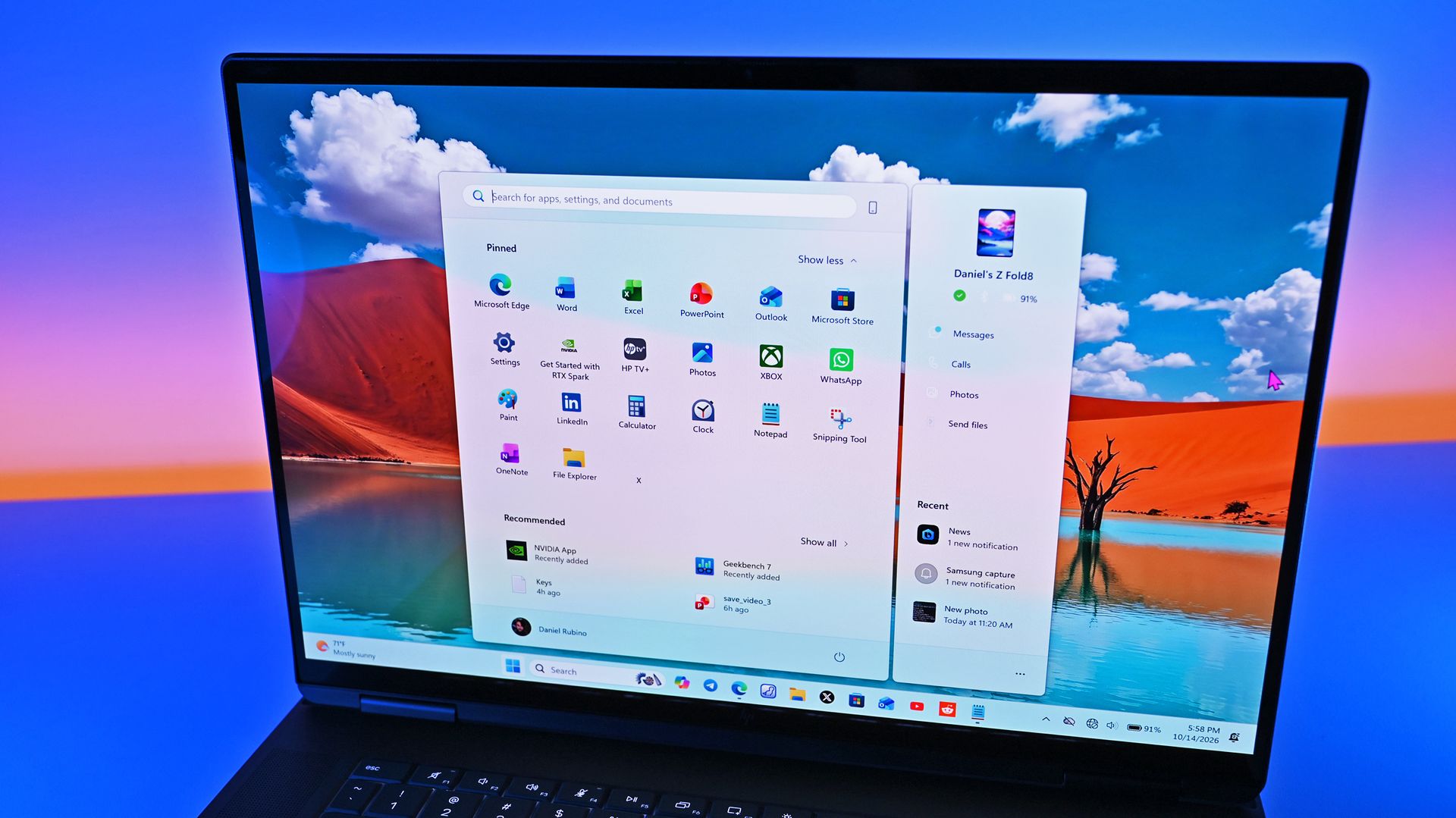
HP's OLED panel is really well done. (Image credit: Daniel Rubino)
The 3K OLED touchscreen might be my favorite thing about this laptop.
ASUS also has a fantastic OLED panel, but HP's looks slightly more natural to me. Colors appear clean and balanced without becoming excessively saturated.
HP rates it at 2880 x 1800 resolution, up to 120Hz (VRR), 500 nits SDR, 1,100 nits HDR, and 100% DCI-P3.
Daniel RubinoDaniel RubinoDaniel RubinoDaniel Rubino
It's glossy, although surprisingly tolerable for someone like me who complains about glossy laptop displays all the time. Reflections bother me considerably less here than on Surface Laptop Ultra.
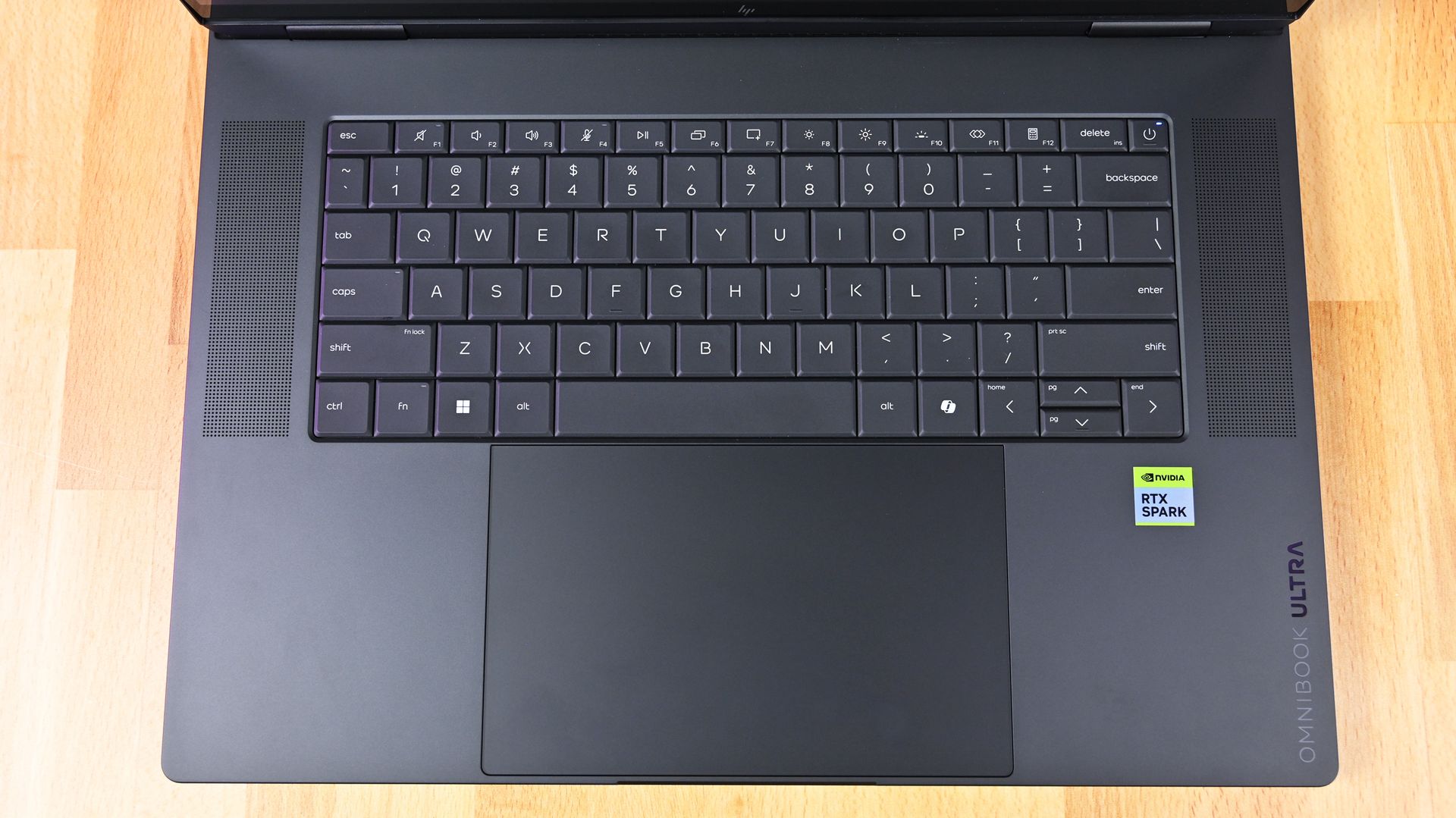
The second-generation latticeless keyboard is another winner. HP says it increased the spacing between keys and deepened the key dishes based on feedback from its first attempt, and whatever it did worked.
It looks great, feels precise, and is genuinely fun to type on.
Overhead top-down view of the HP OmniBook Ultra 16 RTX Spark keyboard deck, flanked by dual speaker grilles. (Image credit: Daniel Rubino)
My complaint is the backlighting. You get only two brightness levels versus three on ASUS, and there's no ambient light sensor, so you're manually switching it on and off.
The enormous haptic touchpad is also excellent, with crisp, consistent feedback across its entire surface. Yet bizarrely, it doesn't support Windows 11 Haptic Signals like ASUS and Surface do (which means it chose an older haptic design).
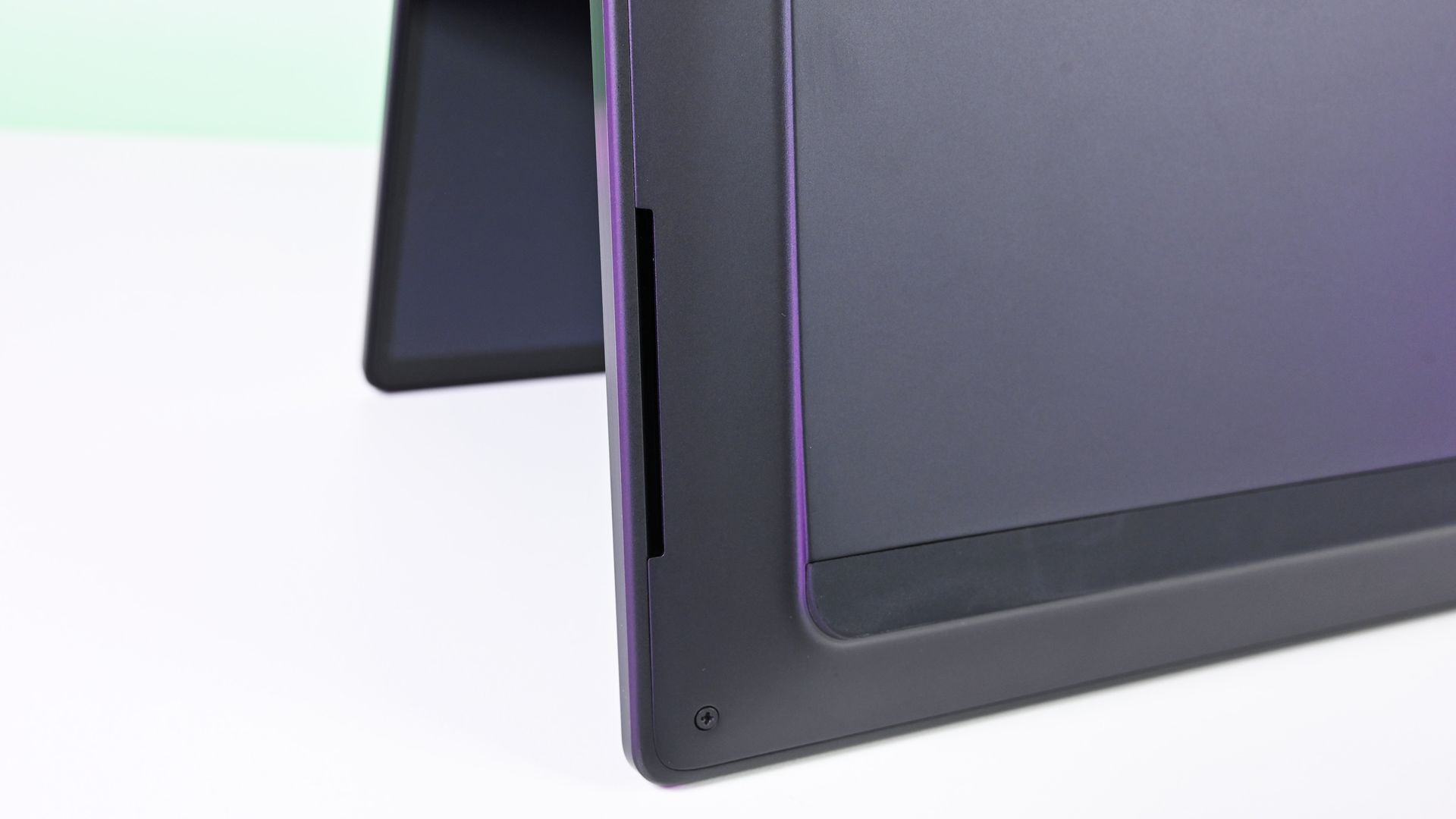
The bottom edge and corner of the HP OmniBook Ultra 16 RTX Spark chassis, showing an elongated speaker cutout. (Image credit: Daniel Rubino)
HP also skips ASUS's adaptive color and ambient light sensors, although it does provide human presence detection. Kind of weird to be missing those first two sensors on such a premium Windows laptop, not gonna lie.
Audio is excellent and roughly comparable to ASUS, while the 5MP webcam is simply okay. It's somewhat soft but perfectly usable. For that audio, you get a quad-speaker system that combines two speakers and a tweeter with DTS X Ultra and spatial audio. I generally prefer Dolby Atmos (which is what ASUS and Surface use), but DTS X Ultra is fine here.
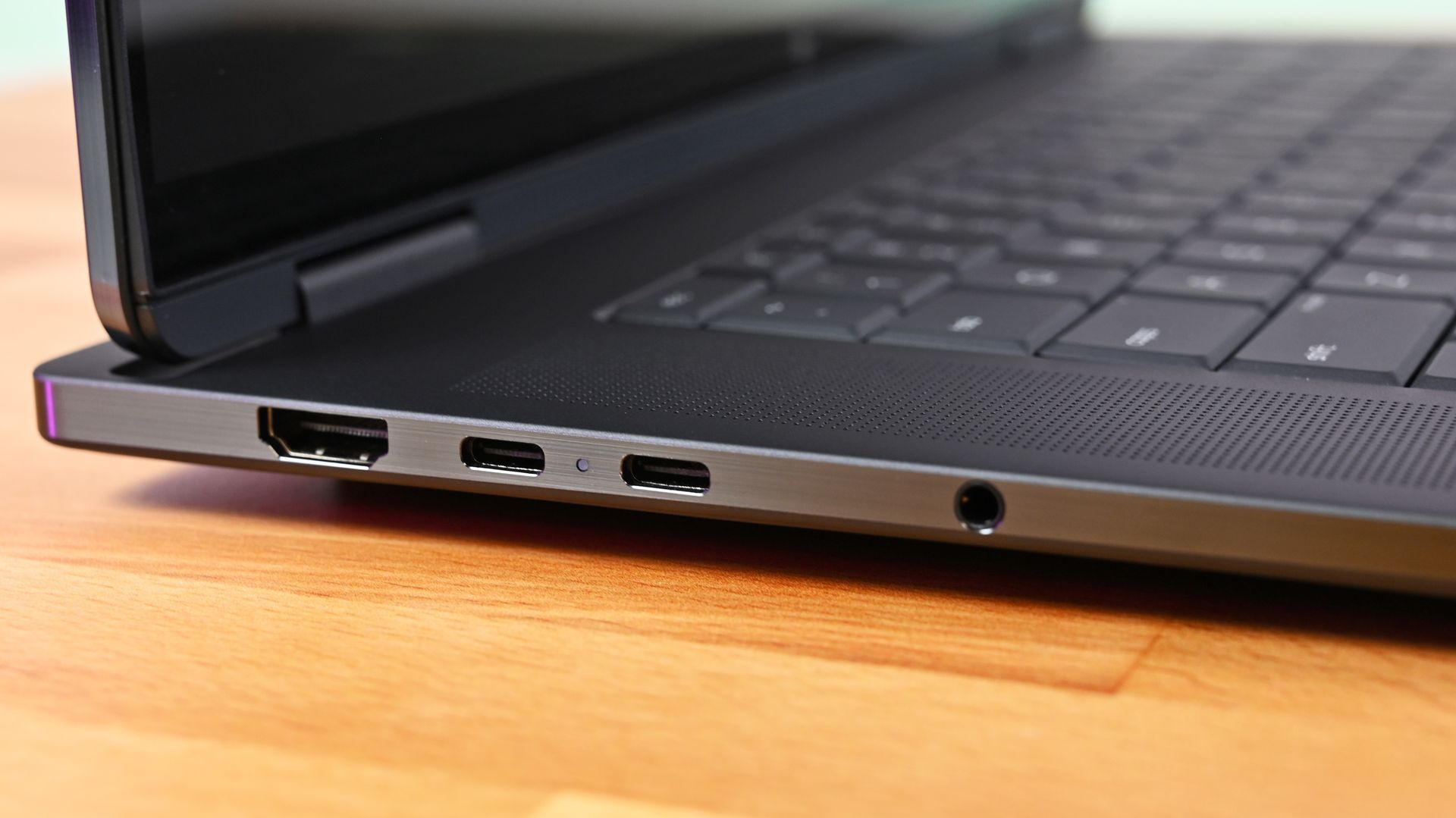
Ports: Plenty of them, but why are both USB-C ports over here?
Close-up profile of the left edge of the HP OmniBook Ultra 16 RTX Spark, showing an HDMI port, two USB-C ports with an LED status light, and a 3.5mm headphone jack. (Image credit: Daniel Rubino)
HP gives you HDMI 2.1, two USB-C ports, two USB-A ports, MicroSD, and a headphone jack.
That's a great selection, particularly those two legacy Type-A ports.
Unfortunately, both USB-C connections are on the left side, and since that's also how you charge the laptop, cable placement is less flexible than ASUS (personally, I feel one Type-C on either side is a better design decision).
The second-generation latticeless keyboard is another winner… It looks great, feels precise, and is genuinely fun to type on
The software loadout is peculiar, too. My system came with McAfee, which I immediately removed, yet several HP utilities I'd expect on one of the company's flagship laptops, including HP Support, weren't installed, so you get fewer bonus device configuration options, unlike the MyASUS app, which is ideal.
None of these are serious problems. They're just odd omissions at this price.
RTX Spark performance: Stop worrying about tiny differences
(Image credit: Daniel Rubino)
After testing multiple RTX Spark PCs, I've reached a straightforward conclusion: don't buy one based on tiny benchmark victories.
My OmniBook scored 13,080 in 3DMark Time Spy, ahead of Surface's 12,771 and ASUS's 11,840. Time Spy Extreme reversed things, with ASUS hitting 6,006 versus 5,857 for Surface and 5,492 for HP.
Cinebench 2026 tells a similar story. HP scored 6,954 multi-core and 562 single-core, while Geekbench 7 results among these machines are effectively interchangeable.
Even GPU compute is remarkably close. HP reached 187,569 in Geekbench 7 CUDA, compared to 187,547 for my 4K ASUS configuration.
FutureFutureFutureFutureFutureFutureFutureFuture
The exception is storage. HP's SSD reached an excellent 10,389MB/s read and 9,243MB/s write, substantially ahead of my ASUS configurations, although Surface was faster still.
Gaming performance was similarly close to ASUS in my testing. RTX Spark isn't a dedicated gaming platform, but gaming performance is very good, especially paired with that 120Hz OLED.
The takeaway is increasingly obvious: choose your RTX Spark laptop based on the laptop, not a few percentage points in a synthetic benchmark.
Battery life: Better than I expected
HP's RTX Spark laptop does decently well on battery life, in line with other RTX Spark models. (Image credit: Daniel Rubino)
Using Windows Battery Report to track my real-world light-to-medium everyday usage, the OmniBook Ultra 16 peaked at 11 hours and 18 minutes.
That's broadly comparable to ASUS, although in practice the HP feels like it can stretch slightly longer.
ASUS fights back with phenomenal standby behavior. My ProArt P16 resumes almost instantly and loses very little battery while sleeping. HP can take noticeably longer coming back from hibernation.
It's a small distinction, but one I've noticed after living with both.
Obviously, once you go heavy workloads and hammer that GPU for intense local AI sessions, gaming, or video editing, you're going to cut that usage time in half.
Should you buy the HP OmniBook Ultra 16?
The HP OmniBook laptop on the left and the ASUS ProArt P16 on the right. (Image credit: Daniel Rubino)
You should buy this if ...
✅You want a premium RTX Spark laptop without jumping to 64GB or 128GB
✅You care about build quality, display quality, and the everyday laptop experience
✅You find it significantly cheaper than the ASUS ProArt P16
You should not buy this if ...
❌You want the lightest RTX Spark laptop you can get
❌You want a convertible RTX Spark PC with pen support
❌You expect every premium convenience at this price
If the OmniBook Ultra 16 existed in a vacuum, I'd probably score it higher than 4 out of 5.
I've genuinely enjoyed using it for the last three weeks. HP's build quality is exceptional, the OLED display is fantastic, the keyboard and touchpad are among the company's best, audio is great, battery life is good, and performance has been consistently excellent.
At Best Buy's current $2,799.99, the 32GB configuration is also one of the more compelling ways to get into RTX Spark without spending thousands more on memory you may never need.
Unfortunately for HP, ASUS exists.
The ProArt P16 delivers essentially the same performance with excellent thermals, an equally premium experience, and more of the little features I'd expect at this price, all while weighing a full pound less.
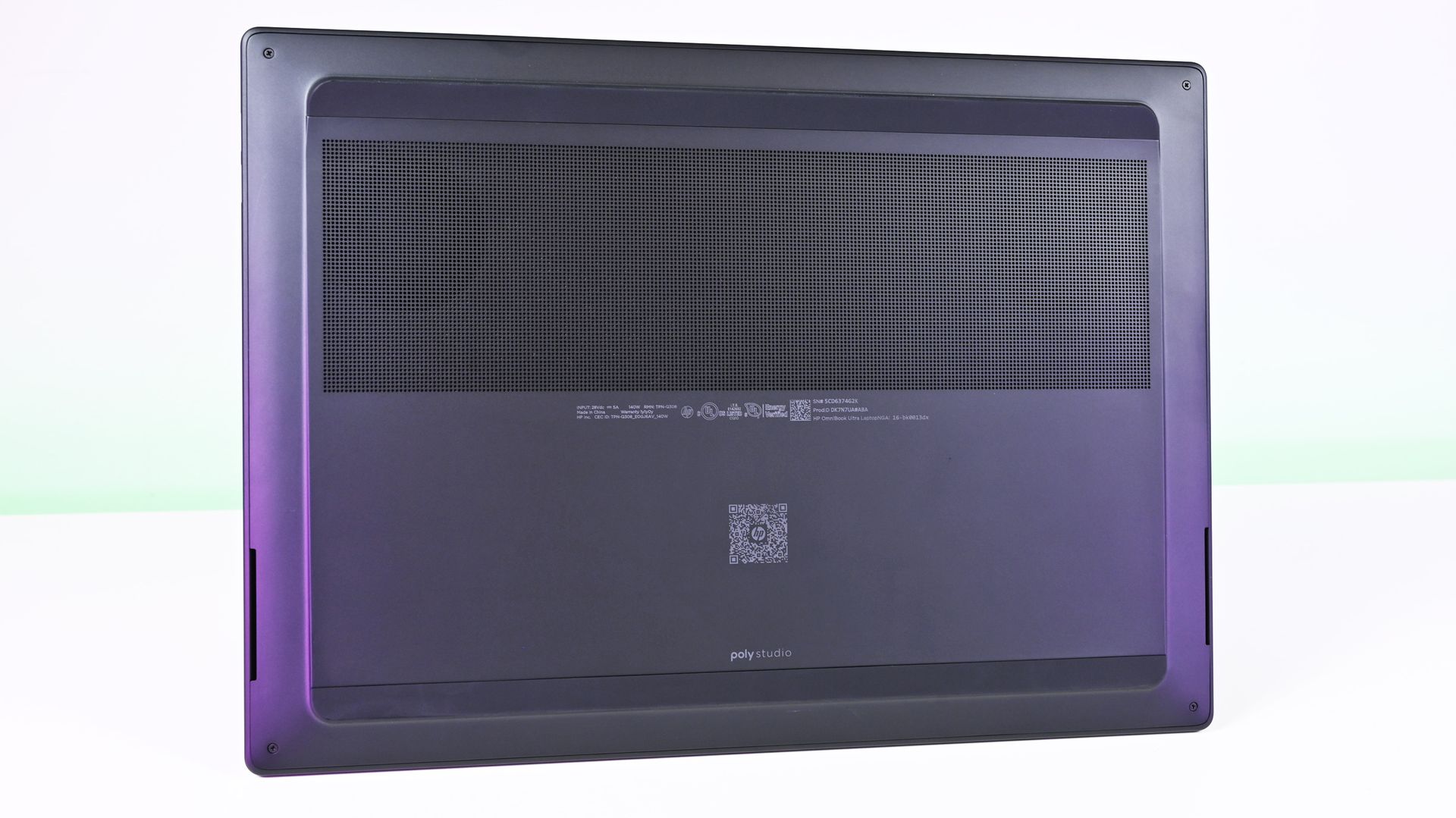
Underside view of the HP OmniBook Ultra 16 RTX Spark showing the large horizontal perforated intake cooling vent. (Image credit: Daniel Rubino)
There’s also Lenovo, which gives RTX Spark shoppers another compelling alternative. Our Lenovo Pro 9n review found an excellent 15.3-inch clamshell with a 2.5K OLED display, strong performance, and a particularly interesting pen-enabled haptic touchpad. It’s also substantially lighter than the HP, which makes the OmniBook Ultra 16’s 4.9-pound weight even harder to ignore. Lenovo separately offers a larger Yoga 9n 2-in-1 for buyers who want the added versatility of a convertible design.
That leaves HP in a slightly awkward middle ground. Lenovo has its convertible versatility, ASUS has portability and an exceptional overall feature set, and Surface Laptop Ultra offers Microsoft’s distinctive premium hardware.
HP’s build quality is fantastic. The 3K OLED display is one of my favorites on any laptop I’ve used this year.
The OmniBook Ultra 16 competes extremely well on build quality, display, performance, and everyday usability, but it doesn't have one defining advantage beyond potentially being the better value when discounted.
At $2,799, however, that last point shouldn't be underestimated. If the HP is several hundred dollars cheaper than its closest competitors when you're shopping, I'd happily buy it.
HP
Omnibook Ultra 16 RTX Spark
HP OmniBook Ultra 16 pairs NVIDIA RTX Spark performance with a premium, remarkably thin design aimed at creators, developers, and enthusiasts. It’s built for demanding creative work and local AI, with enough versatility to serve as an everyday high-end laptop.
Join us on Reddit at r/WindowsCentral to share your insights and discuss our latest news, reviews, and more.
Microsoft Teams meeting transcripts are about to become more profane, at least if your organization's admin enables a setting. This week, Microsoft rolled out the option to have profane words appear uncensored in meeting transcripts.Depending on your workplace culture, the change may have little impact. Other organizations may discover that their meeting transcripts suddenly become a lot more colorful.The feature applies to both live transcription and saved meeti
Microsoft Teams meeting transcripts are about to become more profane, at least if your organization's admin enables a setting. This week, Microsoft rolled out the option to have profane words appear uncensored in meeting transcripts.
Depending on your workplace culture, the change may have little impact. Other organizations may discover that their meeting transcripts suddenly become a lot more colorful.
The feature applies to both live transcription and saved meeting transcripts. Profanity filtering remains enabled by default. Live captions work differently and continue to follow each participant's existing profanity settings.
The release notes do not indicate whether meeting participants will be notified when an organization chooses to disable profanity filtering in transcripts.
Censorship can be a sensitive topic, even in professional environments in which people have worked together a long time. Many people draw different lines when it comes to profane language, so it makes sense to have individual settings as well as organization-level settings.
There are situations in which exact wording matters. Internal investigations, HR complaints, legal disputes, or compliance reviews may benefit from an unfiltered transcript that reflects precisely what was said during a meeting.
Microsoft describes the feature in more depth in its release notes for admin features:
Microsoft Teams: Admins can control profanity filtering in meeting transcripts: Teams administrators will be able to use a meeting policy to control whether profane words are masked in live transcription and saved meeting transcripts. Filtering remains on by default. When an organizer is assigned a policy that turns filtering off, profane words can appear without masking in both the live and saved transcript, while live captions continue to follow each participant's existing profanity setting.
In addition to the profanity setting, Microsoft added a feature that pops calls in a new window to improve multitasking. The company also added a way to require pre-meeting consent for all participants of a meeting.
For most Teams users, this change probably won't alter day-to-day meetings. But for organizations that rely on transcripts for records, compliance, or investigations, having the option to capture conversations word-for-word could matter far more than a few colorful words.
Join us on Reddit at r/WindowsCentral to share your insights and discuss our latest news, reviews, and more.
The OnePlus Open was one of the best foldables on the market when it launched. Its large displays and solid cameras were ahead of the competition, leading our colleagues at TechRadar to call it "the only foldable phone that doesn't compromise." So, how do you improve on what was already an excellent foldable? You put Windows 11 on it, of course.Okay, that may be taking things too far, but Windows 11 does look incredible on a folding phone. I can say that with con
The OnePlus Open was one of the best foldables on the market when it launched. Its large displays and solid cameras were ahead of the competition, leading our colleagues at TechRadar to call it "the only foldable phone that doesn't compromise." So, how do you improve on what was already an excellent foldable? You put Windows 11 on it, of course.
Okay, that may be taking things too far, but Windows 11 does look incredible on a folding phone. I can say that with confidence because Kevin Shroff managed to get Windows 11 to run on the OnePlus Open.
To get Windows 11 onto the OnePlus Open, Shroff removed Android entirely, dimmed the external display, and focused on the large folding screen.
The project uses a combination of Windows 11, OEM firmware, and custom components. An impressive number of features work, considering the nature of the setup.
Getting Windows 11 to boot at all on the OnePlus Open is a feat, but Shroff got touch to work as well.
Several key functions do not work, however, including audio, Bluetooth, and cellular connectivity. Even charging and Wi-Fi are listed as "in progress" on the project's GitHub page.
With projects like this, it's more about seeing how far limits can be pushed than creating a daily driver. While I'd love a dual-booting foldable that can run Android and Windows 11, that's not realistic.
What could have been with Windows Phone
Windows 11 is more adaptable to unique aspect ratios, in part because of devices like the ThinkPad X1 Fold. (Image credit: Daniel Rubino)
Whenever I see a phone forced to run Windows, my mind jumps to thoughts of Windows Phone. I imagine that's the case for many long-time readers here at Windows Central. But seeing Windows 11 on a foldable hits differently.
Windows 11 looks incredible on the nearly square inner display of the OnePlus Open. Because of folding laptops, dual screen PCs, and gaming handhelds, Windows 11 adapts well to screens with different aspect ratios.
The Windows 11 desktop almost looks built for devices like this. Compare Windows 11 on the OnePlus Open to Windows 10 on an early Lenovo X1 Fold.
Windows 10 looks awkward on foldables and squarer devices. (Image credit: Windows Central)
Windows 11's taskbar shrinks perfectly onto the nearly square screen of the OnePlus Open. When opened, the Start menu fills most of the screen but leaves enough room around the edges to make it clear you're still on the desktop.
Earlier this year, we saw what could have been for the Surface Duo through the iPhone Duo. Now, a passion project illustrates how Windows 11 could have scaled to a foldable Surface Duo if Microsoft ever went in that direction.
Join us on Reddit at r/WindowsCentral to share your insights and discuss our latest news, reviews, and more.
Last month, Microsoft announced a brand new, overhauled Windows Search experience that has been rebuilt from the ground up with more accurate file and app results as well as the ability to modify settings and initiate actions that you ask for.The new Windows Search is powerful, letting users control their PC, modify settings, answer text messages, open apps, and preview images, files and rich content all from within the search UI. It reduces web content and uses
Last month, Microsoft announced a brand new, overhauled Windows Search experience that has been rebuilt from the ground up with more accurate file and app results as well as the ability to modify settings and initiate actions that you ask for.
The new Windows Search is powerful, letting users control their PC, modify settings, answer text messages, open apps, and preview images, files and rich content all from within the search UI. It reduces web content and uses native Windows UI frameworks for a faster and more fluid UX.
Microsoft has also confirmed that this new Windows Search UI will integrate Copilot later this year. This is unsurprising given the new interface builds upon the Ask Copilot experience that the company first announced last year, but never shipped outside of preview.
Ask Copilot testing was paused over the summer, likely because Microsoft decided to integrate it into this new Windows Search experience instead. The new Windows Search looks almost identical to Ask Copilot, meaning I expect the Copilot integration to function very similarly to how it already did before.
"We will also begin adding the option to integrate the new Copilot with Search on the taskbar, so you can get quick answers inline from Search, and if you want to have a richer conversation, you can jump from Search directly to the full Copilot app,"Microsoft says."This experience will be opt-in, and will first start rolling out to select markets later this year."
The good news is that unlike Ask Copilot, which had no option to turn off Copilot integration in the new interface, Microsoft says the Copilot integration in Windows Search will now be opt-in. That means users who don't want Copilot in their search UI won't have to see it.
Earlier this year, Microsoft announced that it will be reducing Copilot bloat across the Windows OS, which likely drove the decision to retire Ask Copilot and make it an optional feature in the new Windows Search instead. While both features share the same UI and backbone, Copilot will no longer be a mandatory part of it.
Microsoft says the new Windows Search will begin rolling out before the end of 2026, which is a quick turn around for a feature that was announced in October. But when you consider the fact that the new Windows Search is actually just Ask Copilot without Copilot, it becomes apparent that the feature has actually been in testing for almost a year.
Join us on Reddit at r/WindowsCentral to share your insights and discuss our latest news, reviews, and more.
On October 23, 2026, AMD began rolling out FSR 4.1 for Xbox, starting with beta drivers for Xbox Ally handhelds. Now, AMD has announced that FSR 4.1 is available for Xbox developers working on Series X|S games.FSR 4.1 is the latest version of AMD's AI-powered upscaling technology, rendering games at lower internal resolutions before reconstructing them to a higher output resolution while preserving detail and improving performance.It's also part of Microsoft's wi
It's also part of Microsoft's wider push toward a more unified Xbox ecosystem across consoles, handhelds, and desktop gaming PCs. While the tech has mostly been showcased on Xbox Ally X hardware so far, early beta driver results showed meaningful improvements to image quality and frame rates, at least in supported games.
AMD FSR Upscaling 4.1.2 on XBOX Series X|S is available to developers today! Our new GDK sample demonstrates both Full and Lite models, optimized for each console. Thanks to our partners at @AMD for the great collaboration! We can't wait to see what developers create with it.https://t.co/geZTRYNW5pNovember 5, 2026
Certain games that previously appeared noticeably soft or blurry in their Quality modes on Xbox Ally X also showed substantial image-quality improvements while maintaining strong performance, even in games that show dozens of enemies on screen at once, like Warhammer 40,000: Darktide.
How much of a difference FSR 4.1 makes on Xbox Series X|S will depend on per-developer implementation, and we already know that certain games that rely on ray-traced lighting, like Silent Hill 2, need more work. Still, those early Xbox Ally X results suggest FSR 4.1 could act as a software-driven mid-generation upgrade of sorts, helping developers squeeze more performance out of existing hardware. Good news.
Join us on Reddit at r/WindowsCentral to share your insights and discuss our latest news, reviews, and more.
After months of anticipation, World of Warcraft: Forever, the reimagined take on the World of Warcraft's "classic" era, has finally gone live on PC via the Battle.net store. Normally, whenever a new MMORPG or expansion for one comes out, its launch is usually riddled with server stability problems or log-in queues so long that it will take players hours to log in (like FFXIV: Endwalker's infamous launch, for example).Very stable launch for World of Warcraft Forev
After months of anticipation, World of Warcraft: Forever, the reimagined take on the World of Warcraft's "classic" era, has finally gone live on PC via the Battle.net store.
Normally, whenever a new MMORPG or expansion for one comes out, its launch is usually riddled with server stability problems or log-in queues so long that it will take players hours to log in (like FFXIV: Endwalker's infamous launch, for example).
Very stable launch for World of Warcraft Forever. Huge amount of people spawned in all at once, no lag, mob spawns rapid, good stuff.November 5, 2026
However, World of Warcraft: Forever's launch appears to have gone more smoothly than expected, thanks to its "Megaserver" architecture, which handles more players at once than individual "realm" servers in regular World of Warcraft.
Our own Jez Corden tested World of Warcraft: Forever and described it as a "very stable launch", which suffered no lag while spawning dozens of players and monsters at once.
At the risk of jinxing things, so far so goodish which is crazy by itself. The team prepared a lot since the wildness of Beta. And this launch was crazier than the insanity we imagined but thankfully the team built plans and contingencies. They are incredible imo. 😲 #WoWForeverNovember 5, 2026
Blizzard's vice president, Holly Longdale, has also made a post on X saying World of Warcraft: Forever's launch is "so far so goodish which is crazy by itself". Judging by the huge wave of replies to that comment, players seem to agree.
People are calling it the best launch World of Warcraft has ever had, with minimal queue times when logging in that last only a couple of minutes, minimal server lag, and no constant disconnects.
Windows Central's take
I myself have briefly logged into World of Warcraft: Forever to mess around with it before heading to work and was surprised by how fast I was able to log in (only a few minutes tops) and how smoothly it ran at max settings.
Granted, I haven't visited one of the major player settlements yet, so that will be when I can truly stress test this game's stability. But right now, I'm looking forward to playing this game when I get off work tonight and see if it can make up for the many gameplay, storytelling, and microtransactional shortcomings World of Warcraft: Midnight has put players through.
Join us on Reddit at r/WindowsCentral to share your insights and discuss our latest news, reviews, and more.
Microsoft is rolling out a feature-packed Windows update to preview channels, bringing major changes to core navigation, system controls, and security workflows. Headlined by an all-new WinUI 3-powered Windows Search experience, this release introduces direct inline system actions, expanded passwordless enterprise authentication, streamlined File Explorer shortcuts, and Xbox-mode enhancements designed to reduce friction for daily […]
Microsoft is rolling out a feature-packed Windows update to preview channels, bringing major changes to core navigation, system controls, and security workflows. Headlined by an all-new WinUI 3-powered Windows Search experience, this release introduces direct inline system actions, expanded passwordless enterprise authentication, streamlined File Explorer shortcuts, and Xbox-mode enhancements designed to reduce friction for daily […]

 Connexion