Microsoft has officially ended support for Windows 11 version 23H2, with KB5131087 being the last security update released for this specific version of the OS. Version 23H2 first shipped in October 2023, and received three years of security updates.Microsoft already ended support for Windows 11 version 23H2 last year for users running Windows 11 Home and Pro. Today, the company has ended support for commercial editions of the OS spanning Enterprise and Education
Microsoft has officially ended support for Windows 11 version 23H2, with KB5131087 being the last security update released for this specific version of the OS. Version 23H2 first shipped in October 2023, and received three years of security updates.
Microsoft already ended support for Windows 11 version 23H2 last year for users running Windows 11 Home and Pro. Today, the company has ended support for commercial editions of the OS spanning Enterprise and Education SKUs, which received an extended support lifecycle of 36 months.
"Windows 11, version 23H2 Enterprise and Education have reached end of updates," Microsoft confirms. "The November 2026 Windows security update is the last update available for these editions. Devices running these editions will no longer receive monthly security updates containing protections from the latest security threats."
Devices still running Windows 11 version 23H2 are encouraged to update to a supported version of the OS. Currently, Windows 11 version 24H2, 25H2, 26H1, and 26H1 are actively supported with feature and security updates. Home and Pro users would have already been offered an upgrade path to a more recent version of the OS.
Enterprise and Education editions will require IT intervention if they haven't already been offered an upgrade path to a newer version of the OS. Most enterprises and schools running these editions should have initiated an upgrade path to a newer version of Windows 11 at this point.
Microsoft always supports a new version of Windows 11 with two years of security updates for consumers, and three years for commercial editions. That means version 24H2 has one more year of support left for Enterprise and Education editions.
The only exception to this rule is with special LTSC and IoT editions of Windows 11. For everyone else, you need to be on the latest versions of Windows 11 to remain supported with feature and security updates. Version 26H2 is expected to remain supported until 2029 for commercial customers.
Join us on Reddit at r/WindowsCentral to share your insights and discuss our latest news, reviews, and more.
Fans of Xbox Cloud Gaming, I have good news for you. Today Rockstar Games has announced that, in addition to being available for pre-loading, Grand Theft Auto 6 will be playable via Xbox Cloud on Xbox Series X|S and Xbox One.Do note that, like most Xbox Cloud Gaming titles, Grand Theft Auto 6 will be utilizing the Xbox Series S's graphical settings, so the resolution will be lower compared to running locally on Xbox Series X. Xbox Cloud Gaming servers typically u
Do note that, like most Xbox Cloud Gaming titles, Grand Theft Auto 6 will be utilizing the Xbox Series S's graphical settings, so the resolution will be lower compared to running locally on Xbox Series X. Xbox Cloud Gaming servers typically use the Xbox Series S mode to save on video encoding bandwidth, as Xbox Series X versions take anywhere up to 4x more compute, and most people don't have the speed or locality to run cloud titles at 4K typically anyway.
In addition, Grand Theft Auto 6 will support Remote Play on Xbox and PlayStation consoles to stream to devices like PCs, TVs, and mobile devices. Weirdly, though, GTA 6 will not be available via Xbox Cloud Gaming to mobile, TV, or PC devices ... making it one of the only games (as far as we can tell, the ONLY Xbox Cloud game?) with this arbitrary restriction.
No PC or mobile support cloud via Xbox Cloud Gaming
Today marks the first step in our new 10-year strategic partnership with Take-Two. GTA VI, already the most pre-ordered game ever on Microsoft Store, will be playable on XBOX One through cloud gaming when it launches on November 19.November 10, 2026
Indeed, confirming earlier reports, note Grand Theft Auto 6's Xbox Cloud Gaming compatibility is only limited to Xbox consoles. This means you can't stream it on PC or mobile devices via the cloud.
It does however, give Xbox One users the chance to jump in. The Xbox One launched originally back in 2013, and still has hundreds of thousands of active users according to our sources. Given that Xbox Series X|S consoles and PS5s are extortionately expensive right now, meeting as many players where they are is a great bet.
It is, however, painfully weird that Take Two and Xbox aren't meeting the potential audience across Xbox Cloud Gaming compatible TVs and mobile devices. We've reached out to Microsoft to comment on exactly why this unique restriction is in place.
Don't forget to check out our GTA 6 pre-order guide for retailer links and gift card strategies so you can save a few extra dollars before Grand Theft Auto 6 finally launches on November 19, 2026, for Xbox Series X|S and PlayStation 5.
Join us on Reddit at r/WindowsCentral to share your insights and discuss our latest news, reviews, and more.
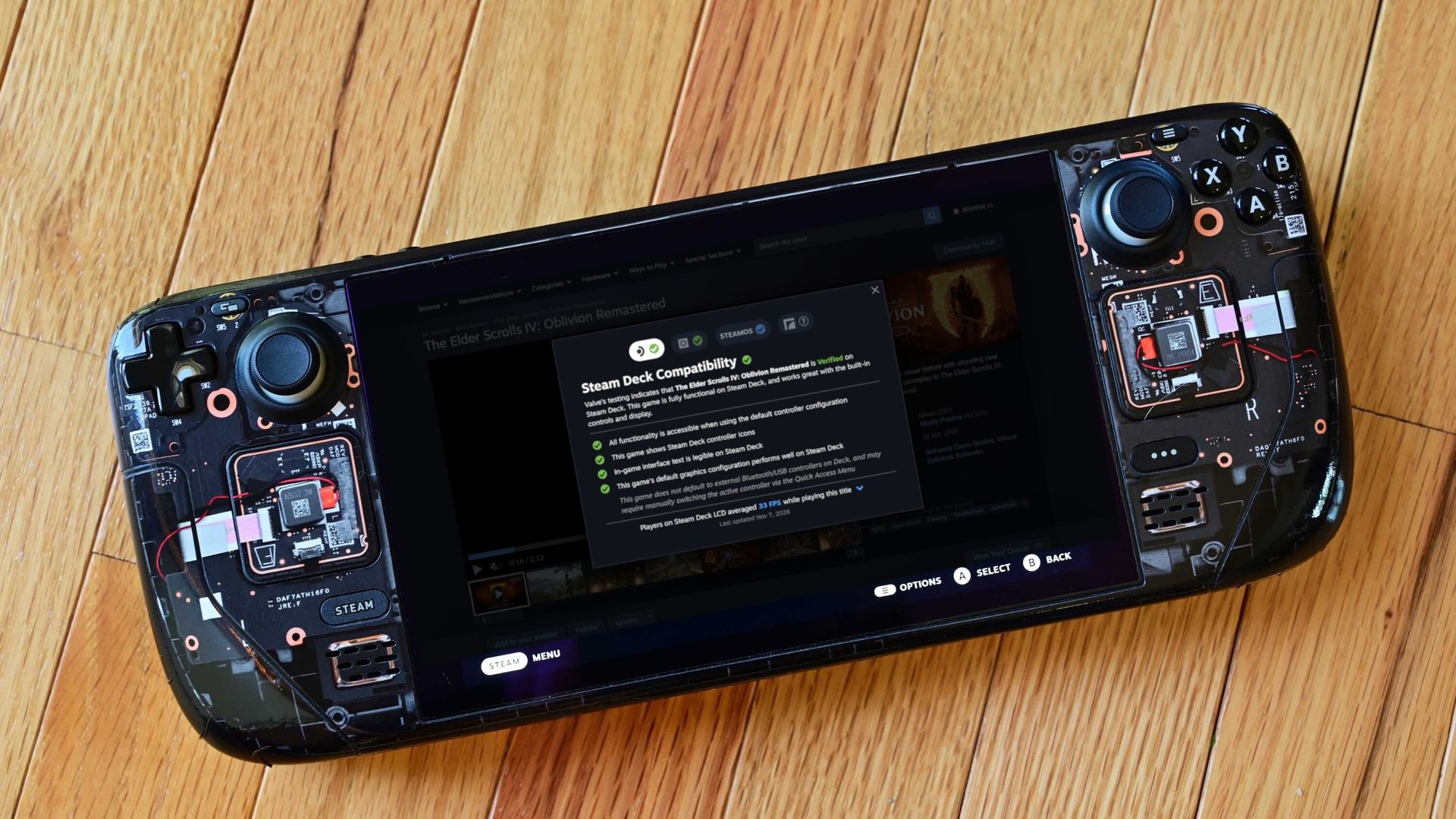
There's always been a significant gap between how Valve advertises Steam Deck compatibility and how games actually run on the hardware.A certain title might have a Verified badge because everything works properly on the Deck, but when you start playing, you find that framerates really aren't what you imagined. That's now been fixed in the latest Steam update, which adds average framerate data to the info panel. This gives potential buyers a lot more data to work
There's always been a significant gap between how Valve advertises Steam Deck compatibility and how games actually run on the hardware.
A certain title might have a Verified badge because everything works properly on the Deck, but when you start playing, you find that framerates really aren't what you imagined.
This gives potential buyers a lot more data to work with, and it arrives for all games that have gone through the verification process (whether they come out the other side as Supported, Playable, or Unsupported).
Valve is getting its data from its own massive pool of users; don't worry, it's opt-in only. Not only does the new data give you a quick tally of the average FPS on the Steam Deck, but it also opens into a detailed chart with more info about averages.
The Elder Scrolls IV: Oblivion Remastered shows a 33FPS average on the Steam Deck LCD.ValveA chart provides extra data in terms of where framerates are landing.Valve
These graphs do a good job of relaying the highs and lows while gaming. If you see framerate distribution weighted heavily at, say, 90FPS with just a few blips on the lower framerates, it's safe to assume you'll mostly be playing at 90FPS.
But there is some nuance. As Valve points out, some graphs will show large gaps between weighted framerates. In The Elder Scrolls IV: Oblivion Remastered, for example, the chart falls heavily on 30FPS with a decent spike at 60FPS.
This is evident in many other games. Here's how Valve explains it:
These gaps are a consequence of VSync. When a game is not making framerate, VSync will synchronize the game's framerate to the display's refresh rate in order to avoid image tearing. This means that on a 90Hz display, if a game has a framerate of 75fps, VSync will force the game to present as many frames as it can at 90fps, and when it can't make that target it will drop to 45fps, and then recover to 90fps for the next frame. This produces a pattern that averages 75fps, e.g. 90 90 45 90 90 45. Another example would be some games set an internal frame limit to 60, so on Steam Deck OLED set to default (90) it will bounce between 90 and 45 to hit 60 FPS.
Valve
Valve also notes that the averages shown in this new info panel are derived only from data on Steam Decks set to their standard FPS limit. That's 60FPS for the original Steam Deck and 90FPS for the Steam Deck OLED.
Valve also does not account for tweaked in-game settings, as it thinks that "the framerate data consolidates around relatively narrow ranges."
Why only Steam Deck data when there are so many other gaming handhelds?
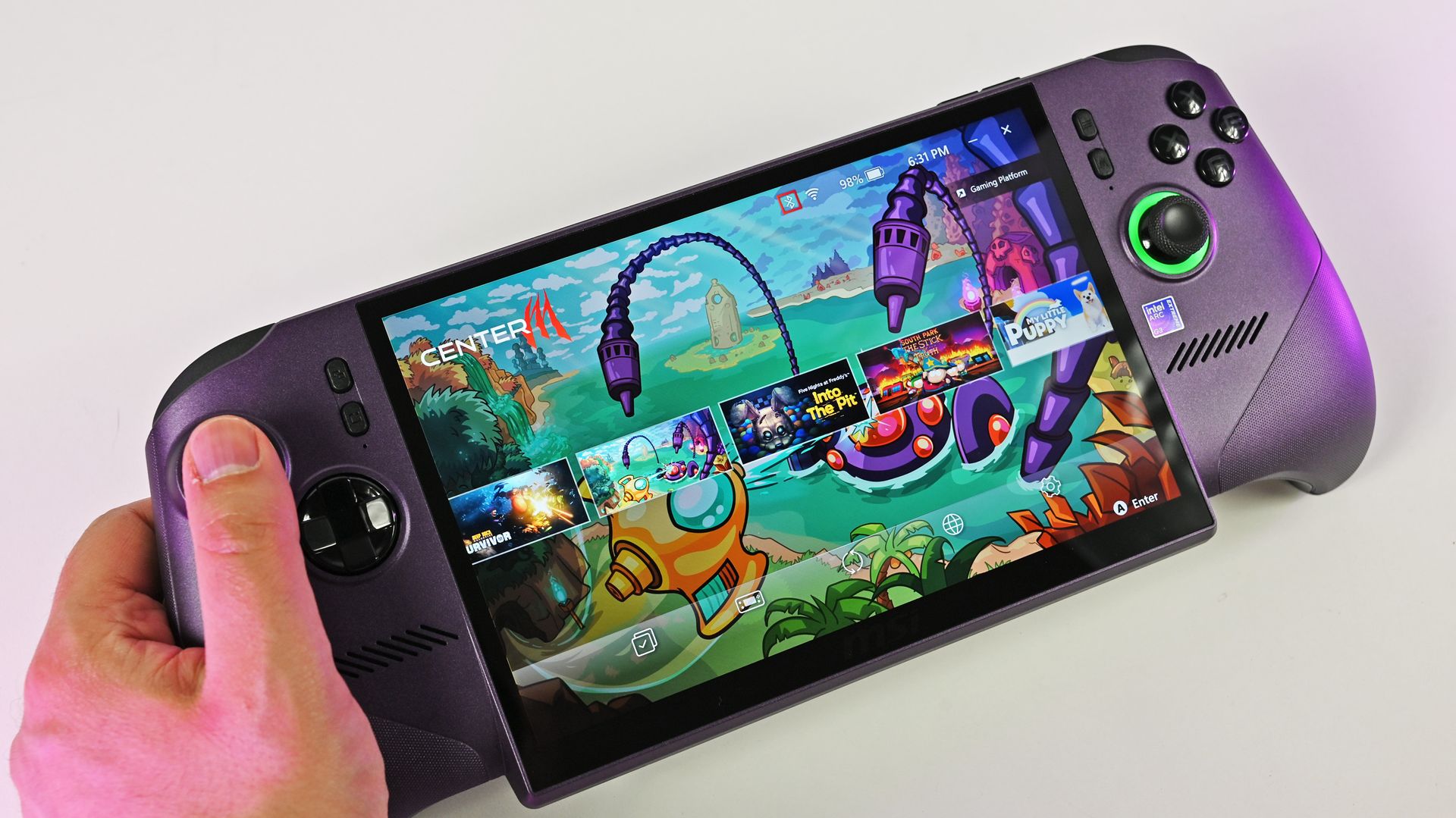
MSI's Claw 8 EX AI+ delivers shockingly good performance compared to the Steam Deck. (Image credit: Daniel Rubino)
On the note of the growing selection of gaming handhelds on the market, there's a big gap left to fill. Valve's new performance chart only accounts for Steam Deck users, leaving plenty of other handheld devices behind.
It makes sense that Valve is piloting the changes with its own Steam Deck, "because every device has the same hardware configuration." But Valve states that it's "starting with the Steam Deck," suggesting that there will be a larger initiative to rope in other handhelds at some point.
Valve's new performance chart exposes the Steam Deck's weaknesses
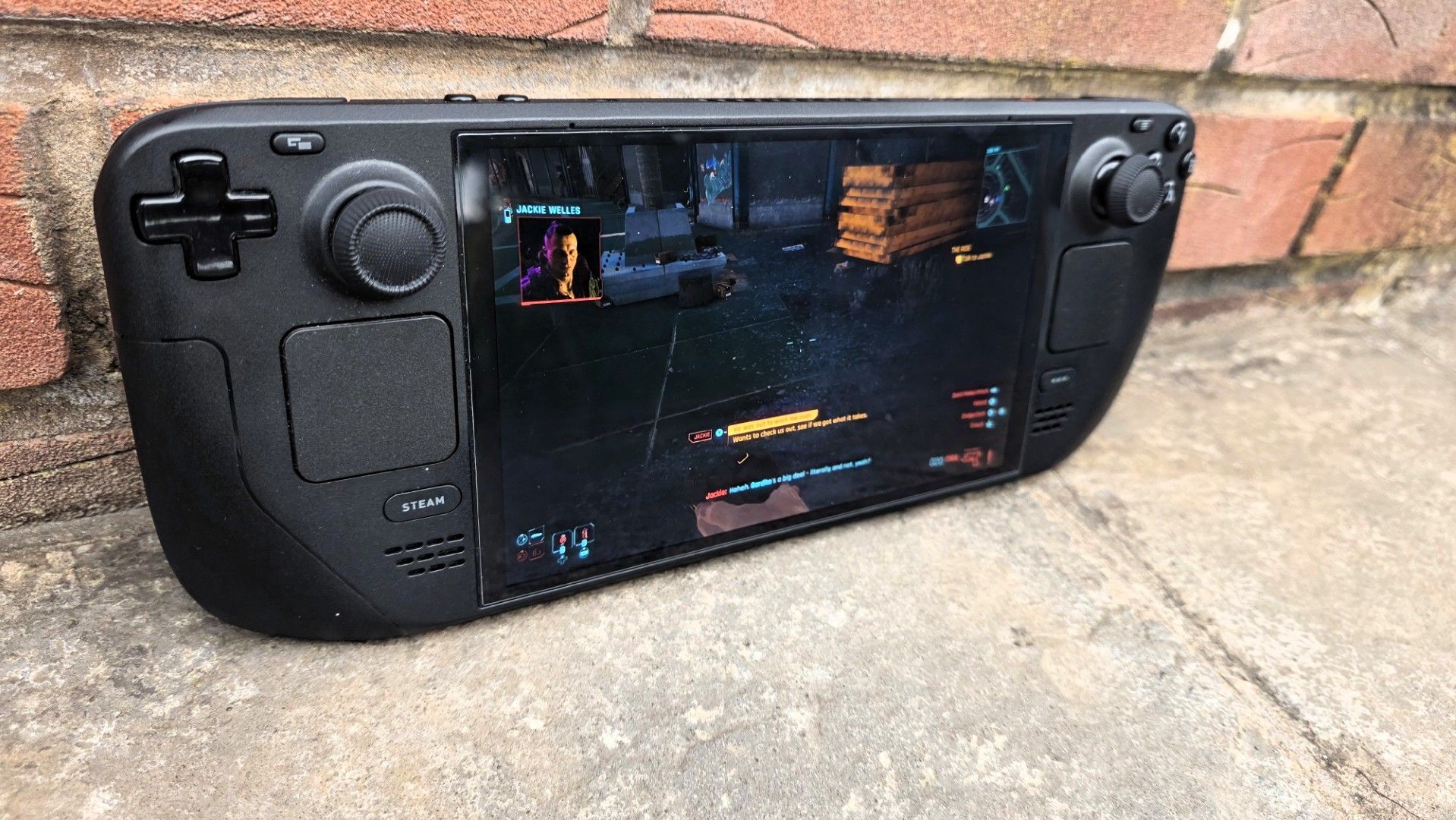
The Steam Deck is getting old, and performance might not be where you think it is. (Image credit: Jennifer Young - Windows Central)
I've been a Steam Deck owner for a few years, and although it'll always have a special place in my heart, it's certainly showing its age.
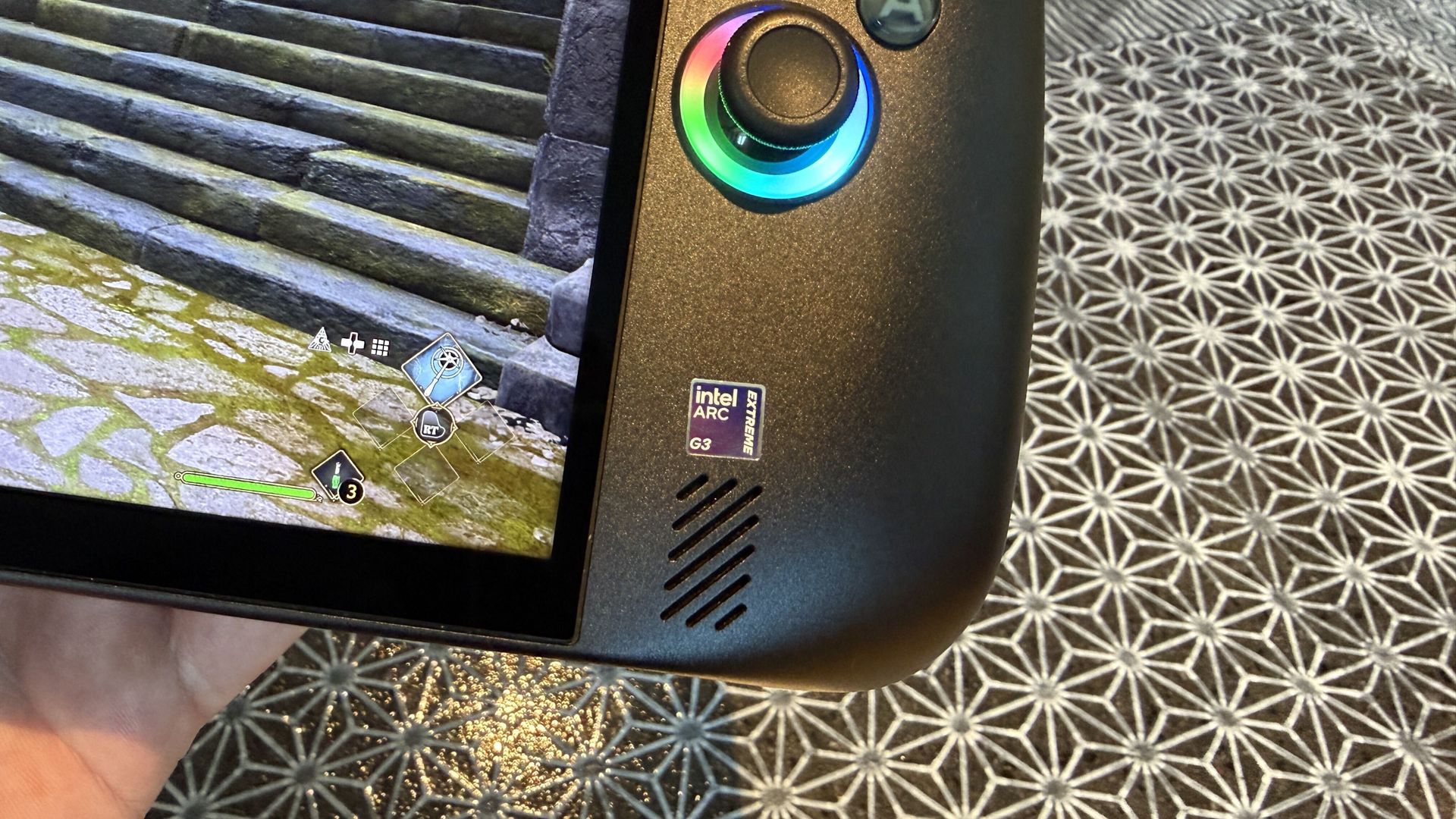
Compared to the latest handhelds, like the MSI Claw 8 EX AI+ and Acer Predator Atlas 8, the Steam Deck just doesn't have the same performance. I've been testing the latter for the past week, and it's shocking how much better it performs thanks to the onboard Intel Arc G3 Extreme chip.
As this power gap grows — barring a Steam Deck 2 from Valve — it's getting tougher to determine which games will actually run smoothly on the Deck. I've purchased games in the past that passed Valve's check, only to discover dreadful framerates.
That's the big thing here. My bar for "good framerates" is probably not the same as yours, and until now, you had to search third-party reviews and tests to see how a game was actually running on the Deck. Now, it's all available right on the store page.
No matter your opinion of Valve, this change is all about benefiting the consumer. That's becoming increasingly rare these days.
Join us on Reddit at r/WindowsCentral to share your insights and discuss our latest news, reviews, and more.
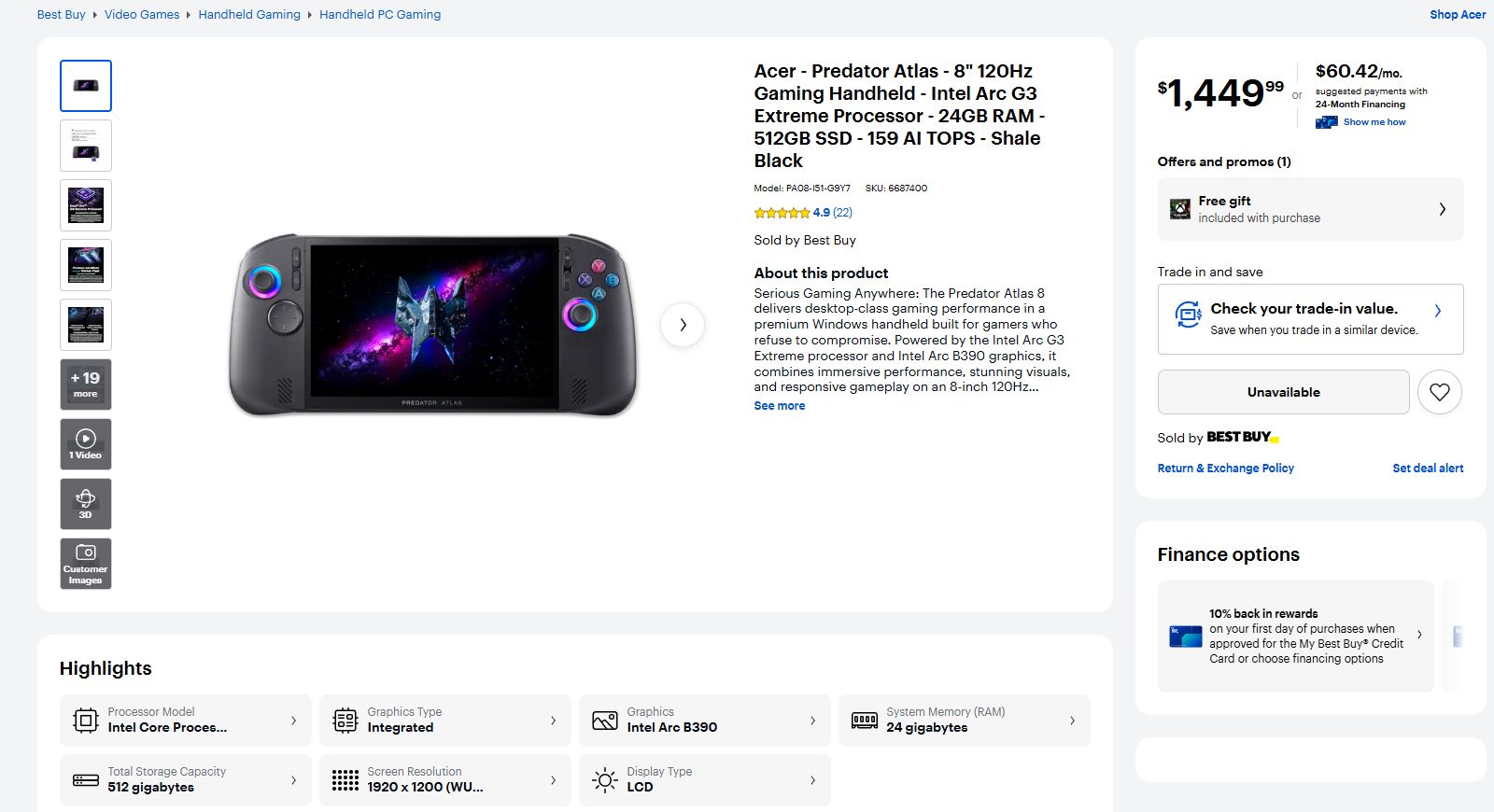
I'm currently in the process of testing and reviewing the Acer Predator Atlas 8 gaming handheld, and when I checked the pricing this morning, I was surprised to see that it has left its initial $1,299.99 tag behind.At Best Buy (the only major retailer I can see that's offering the hardware), the price jumped to $1,449.99 overnight. That's more than a 10% hike for a gaming handheld that's only been on the market for about 10 days.It's back to being listed as Unava
I'm currently in the process of testing and reviewing the Acer Predator Atlas 8 gaming handheld, and when I checked the pricing this morning, I was surprised to see that it has left its initial $1,299.99 tag behind.
At Best Buy (the only major retailer I can see that's offering the hardware), the price jumped to $1,449.99 overnight. That's more than a 10% hike for a gaming handheld that's only been on the market for about 10 days.
It's back to being listed as Unavailable at Best Buy, and it doesn't look like you can buy one directly from Acer, either. This price hike might not stick. It could be an error on Best Buy's page.
I've reached out to Acer to clarify the situation, and I'll update this article with any new information I can glean.
Why did Acer just raise the price of its Predator Atlas 8?
Best Buy now lists the Predator Atlas 8 at $1,449.99. (Image credit: Best Buy)
Keep in mind that on October 28, a few days before the US launch, Best Buy pulled down the Atlas 8's preorder page. I surmised that there might be a price hike coming at launch, but Acer assured me that the handheld would be returning on November 1 at its initial $1,299.99 price.
It did indeed return at the promised price, but it seems like it didn't stick around too long.
Assuming the worst, the Predator Atlas 8's $150 jump in price puts it closer to the competing MSI Claw 8 EX AI+, which lands at $1,799.99.
This makes the comparison a lot muddier, for the Atlas 8 and the Claw 8 EX AI+ share a lot of similarities.
They have the same Intel Arc G3 Extreme chip inside. They both have an 8-inch IPS display with 1920x1200 resolution, 120Hz variable refresh rate, and 500 nits brightness. They both have Hall Effect triggers and sticks, and both use an 80Wh battery.
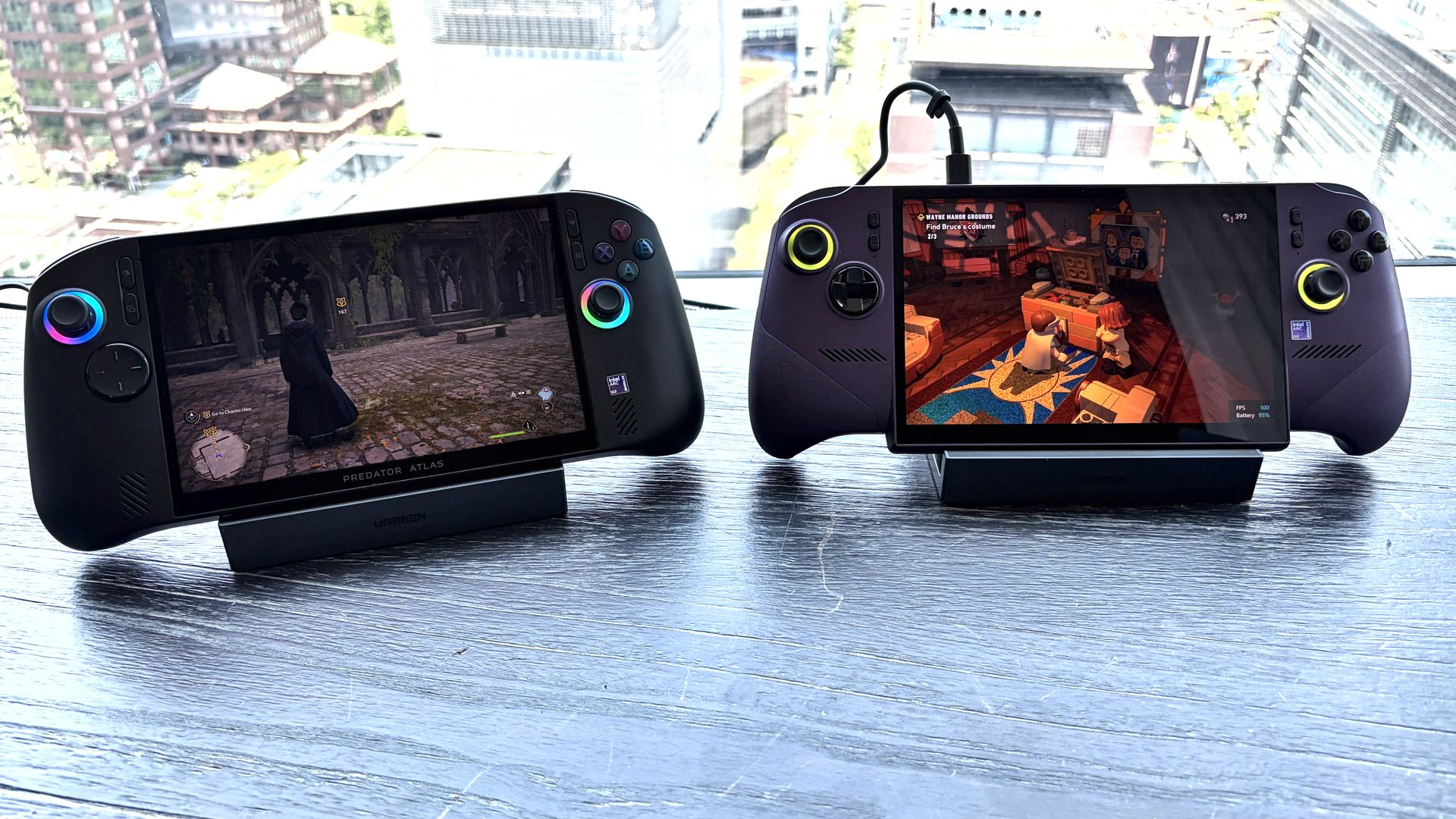
The Predator Atlas 8 (left) and the MSI Claw 8 EX AI+ (right). (Image credit: Future)
The difference that makes the most impact on pricing, especially in today's constrained markets, is RAM and storage. The Claw 8 EX AI+ comes with 32GB of RAM and a 1TB SSD to hit that $1,799.99 tag, while the Atlas 8 has 24GB of RAM and a 512GB SSD.
Is $350 still a discount worth considering when you get half as much storage and three-quarters of the RAM? That's up to you to decide. I'd certainly still lean towards the Atlas 8 — it's been nothing but fun to use so far — but for those with a bigger budget, the Claw 8 EX AI+ just became a lot more attractive.
The more affordable Predator Atlas 8 is out there ... somewhere
Acer has a Predator Atlas 8 with Arc G3 chip inside. It's just not yet available in the US. (Image credit: Future)
The Acer Predator Atlas 8 configuration with the baseline Intel Arc G3 (non-Extreme) chip inside still doesn't appear to have launched in the US.
When it does (if it does), it will cost less than the G3 Extreme version. In the UK right now, for example, the G3 model with 16GB RAM and 512GB SSD costs about £999, climbing to £1,099.99 for 24GB of RAM.
Although I haven't tested the standard Arc G3 chip myself, an early report on Reddit seems to suggest that it's not a big downgrade over the Extreme version.
In games like Forza Horizon 6, Gears 5, and Hogwarts Legacy, there was only about a 5-10% difference between the G3 and G3 Extreme. This is good news, especially as prices continue to climb.
Windows Central's take
We've come a long way from the early days of the $399 Steam Deck. More power, more features, and more hardware are going into these devices, inflating prices along the way. But it's really the ongoing RAM and storage crisis that's wreaking the most havoc.
Unfortunately, the recent price change for the Atlas 8, whether it sticks or not, leaves buyers with limited options: buy at the new price, wait for the cheaper model, or find an alternative.
One of the Atlas 8's biggest strengths was its price, so it will be interesting to see how public opinion changes in the coming days.
Join us on Reddit at r/WindowsCentral to share your insights and discuss our latest news, reviews, and more.
I've had my Xbox Ally X for almost a year now, and there's still one thing I genuinely hate about it: the Xbox app. Yes, I know Microsoft's recent refresh claims to have made the app 60% faster, but it's still the same general experience, and I've always disliked how it looks and feels.Microsoft's official app makes the Xbox Ally X feel less like a portable console and more like a Windows PC with a controller attached (which, of course, it is). Still, I don't wan
I've had my Xbox Ally X for almost a year now, and there's still one thing I genuinely hate about it: the Xbox app. Yes, I know Microsoft's recent refresh claims to have made the app 60% faster, but it's still the same general experience, and I've always disliked how it looks and feels.
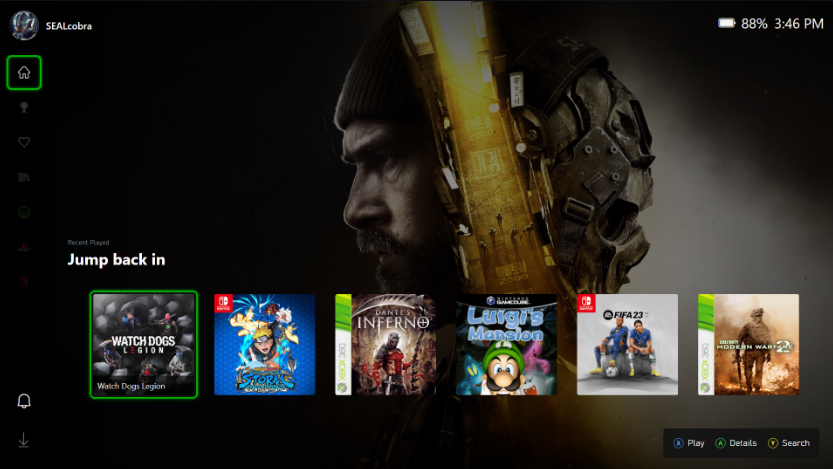
Microsoft's official app makes the Xbox Ally X feel less like a portable console and more like a Windows PC with a controller attached (which, of course, it is). Still, I don't want it to feel like a PC; I want it to feel like an Xbox. Well, if you use Playnite, a popular third-party launcher, you actually can.
While I usually stick to Winhanced, Playnite is a popular option that does much of the same job. For those unfamiliar, it's a replacement launcher that lets you browse and launch your games from a single interface. Whether that’s Xbox, Steam, Epic, GOG, emulators, or more, it all pretty much lives in one place.
It's gained such a following thanks in part to its community, which develops custom add-ons. There's one for pretty much anything, and if you couldn’t have guessed, there are custom themes, too. That brings us to XFSE-Compact, created by 'mufflerexoz'.
XFSE-Compact brings the Series X|S experience
Individual game pages feature artwork, descriptions, playtime statistics, and shortcuts to launch games. (Image credit: mufflerexoz)
The theme aims to bring the UI from Xbox Series X and S consoles straight to Playnite, and it is pretty impressive. It comes complete with an Xbox-style Guide, something I wish replaced Xbox Game Bar on PC, because I loathe it, but I digress.
It's all very cool. I have longed for my handheld to actually feel like it belonged alongside my Xbox consoles. While Winhanced gets the job done, I do appreciate consistency across my devices. Picking up a handheld that feels exactly like my actual console really goes a long way.
Am I wrong? Let me know your thoughts in the comments below, and be sure to take part in our poll!
Join us on Reddit at r/WindowsCentral to share your insights and discuss our latest news, reviews, and more.
Up to 2.8K HP OmniBook Ultra 16 HP's OmniBook Ultra 16 is an outstanding laptop with fast storage and better battery life, but its size and weight must be considered. Regardless, at the end of the day, this is the laptop I
HP's OmniBook Ultra 16 is an outstanding laptop with fast storage and better battery life, but its size and weight must be considered. Regardless, at the end of the day, this is the laptop I'd buy if I could save a few hundred dollars.
Pros
A lot more RAM and storage in the baseline model
5.1MP webcam with human presence detection
A more natural OLED appearance
Slightly better battery life
Faster PCIe 5.0 storage
Cons
About a pound heavier
Not as many ports
No ambient light sensor, two-stage backlight, no Haptic Signals
ASUS's ProArt P16 is the more complete RTX Spark laptop, though it does fall behind the OmniBook Ultra 16 in areas like storage and battery life. If pricing is similar, this is the laptop I recommend to most people.
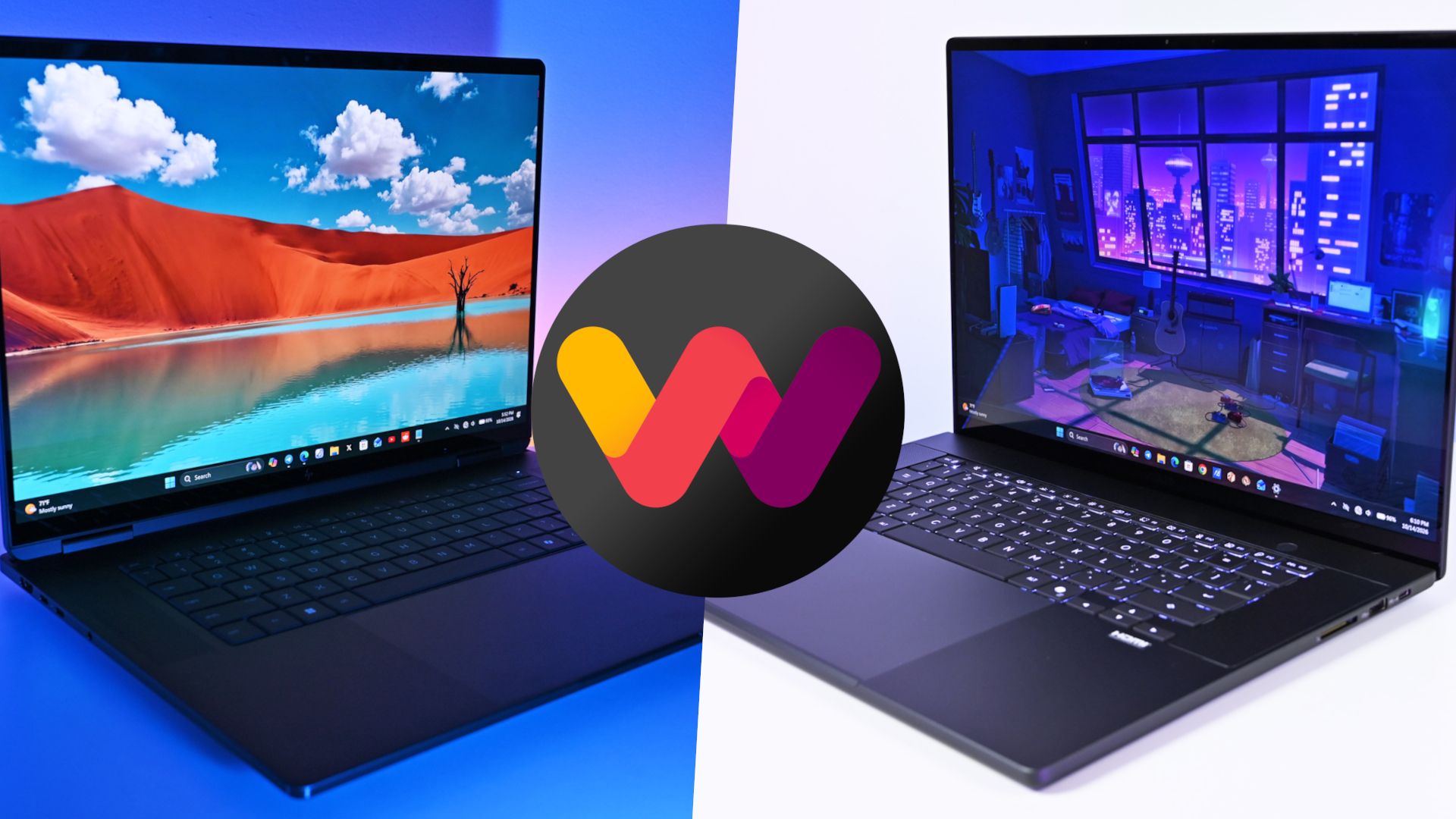
The Windows Central team has now added a new HP OmniBook Ultra 16 with RTX Spark laptop review to the collection, giving me the details I need to put together an in-depth comparison.
HP's laptop is going up against the ASUS ProArt P16, which at first glance is thinner and lighter despite its similar display size. This comparison goes much deeper than surface level, however, and it should help you make the right laptop decision.
ASUS ProArt P16 vs. HP OmniBook Ultra 16: Specifications and price
Before I go into more depth below, here's a quick-reference table of the specs that make up the ASUS ProArt P16 and HP OmniBook Ultra 16 with NVIDIA RTX Spark chips inside.
13.94 x 9.57 x 0.51-0.63 inches (354.1mm x 243mm x 12.9-15.9mm)
14.01 x 10.1 x 0.62 inches (355.8mm x 256.5mm x 15.7mm)
Weight
3.9 pounds (1.77kg)
4.89 pounds (2.22kg)
Colors
Nano Black, Neo White
Eclipse Gray
The ASUS ProArt P16 starts at $2,799.99. This model has the 18-core CPU, 5120-core GPU, 24GB of RAM, a 512GB M.2 PCIe 4.0 NVMe SSD, and a 4K OLED touchscreen.
HP's OmniBook Ultra 16 starts at $3,199.99. This model has the same 18-core CPU and 5120-core GPU, but it bumps RAM up to 32GB and includes a faster (and roomier) 1TB M.2 PCIe 5.0 NVMe SSD. Its OLED touchscreen tops out at a 2.8K resolution.
HP's laptop has been discounted nearly the entire time it's been on sale, and at the time of writing, it's $500 off the regular price. That brings it down to $2,699.99, or $100 cheaper for twice as much storage and 8GB of extra RAM.
Looking at high-end models, you can outfit an ASUS ProArt P16 with the 20-core/6144-core RTX Spark chip, 128GB of RAM, and 2TB PCIe 4.0 SSD for about $6,999.99.
An HP OmniBook Ultra 16 with the same RTX Spark chip, 128GB of RAM, and 2TB PCIe 5.0 SSD comes out to $6,159.99 before any discounts, ultimately making it the cheaper option for workstation diehards.
Does the OmniBook Ultra 16's extra weight pay off?
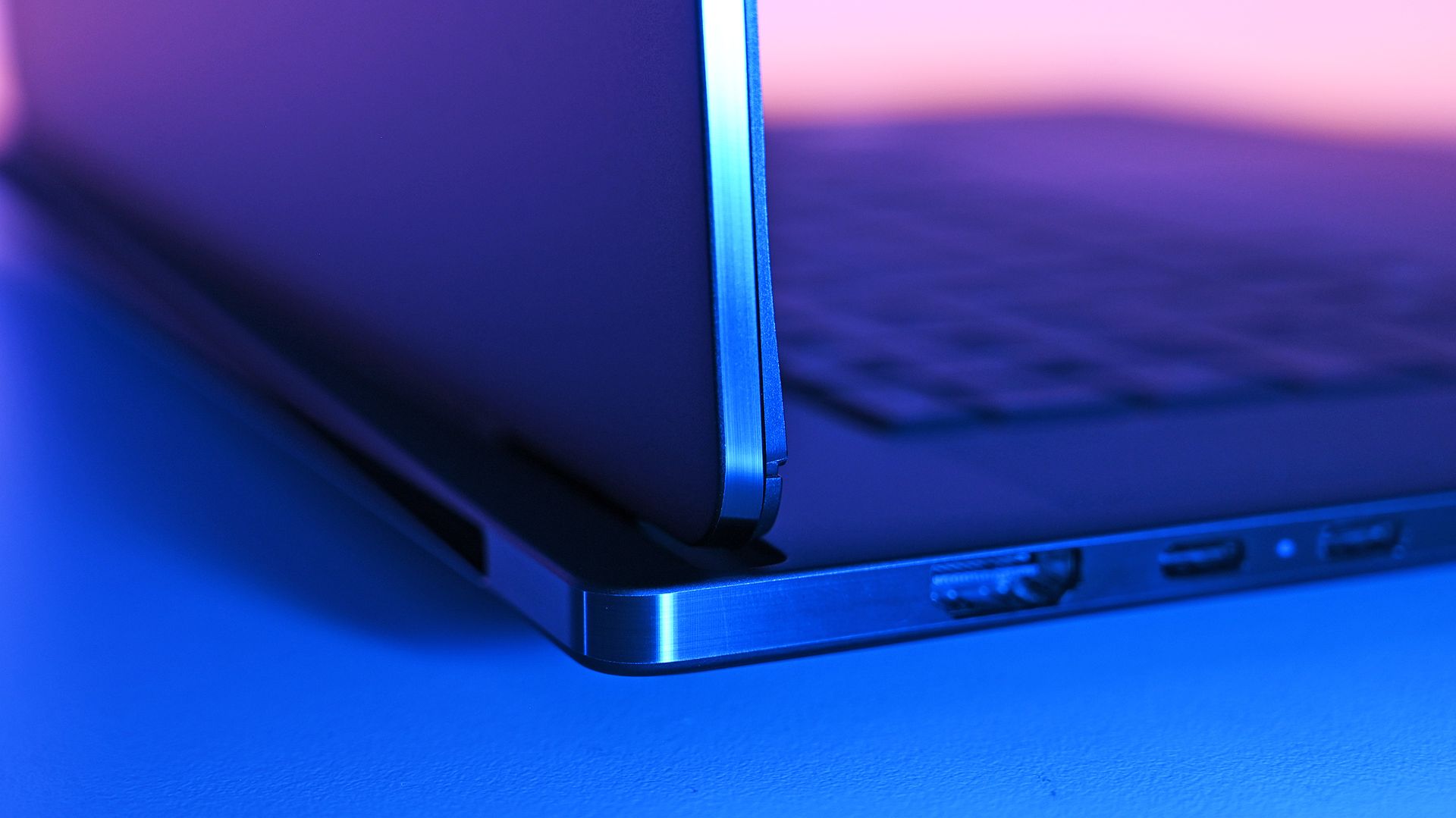
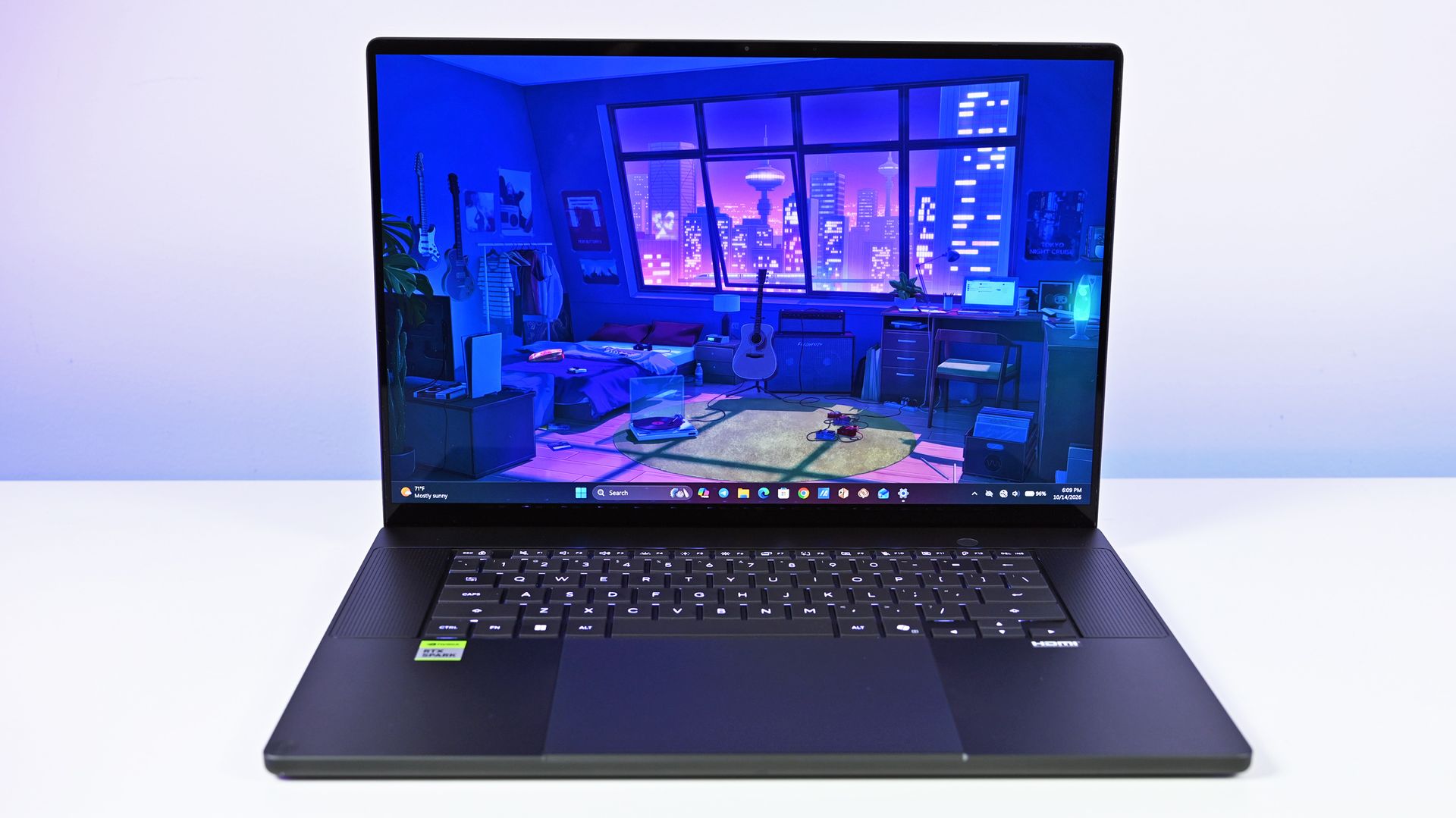
HP's OmniBook Ultra 16 with RTX Spark looks sleek, but it weighs more than you might think. (Image credit: Daniel Rubino)
HP and ASUS have both been creating some killer laptops lately, and in terms of high-end Windows hardware, both of the new RTX Spark laptops comfortably find a spot.
The biggest difference between the two PCs in terms of design? Weight and size. The OmniBook Ultra 16 has a slightly larger footprint, and it's just a bit thicker. Not a big deal unless you're aiming to buy as compact as possible (which might warrant a look at the ASUS ProArt P14 with RTX Spark).
What really stands out is the weight. The OmniBook Ultra 16 weighs a pound more than the ProArt P16, and when performance is so similar (as you'll see below), I know I'd be more inclined to grab the more mobile PC.
Counterpoint: Windows Central Editor-in-Chief Daniel Rubino reviewed both the HP and ASUS laptops, and he thinks "the OmniBook Ultra 16's overall build quality is a smidge better than the ASUS ProArt P16."
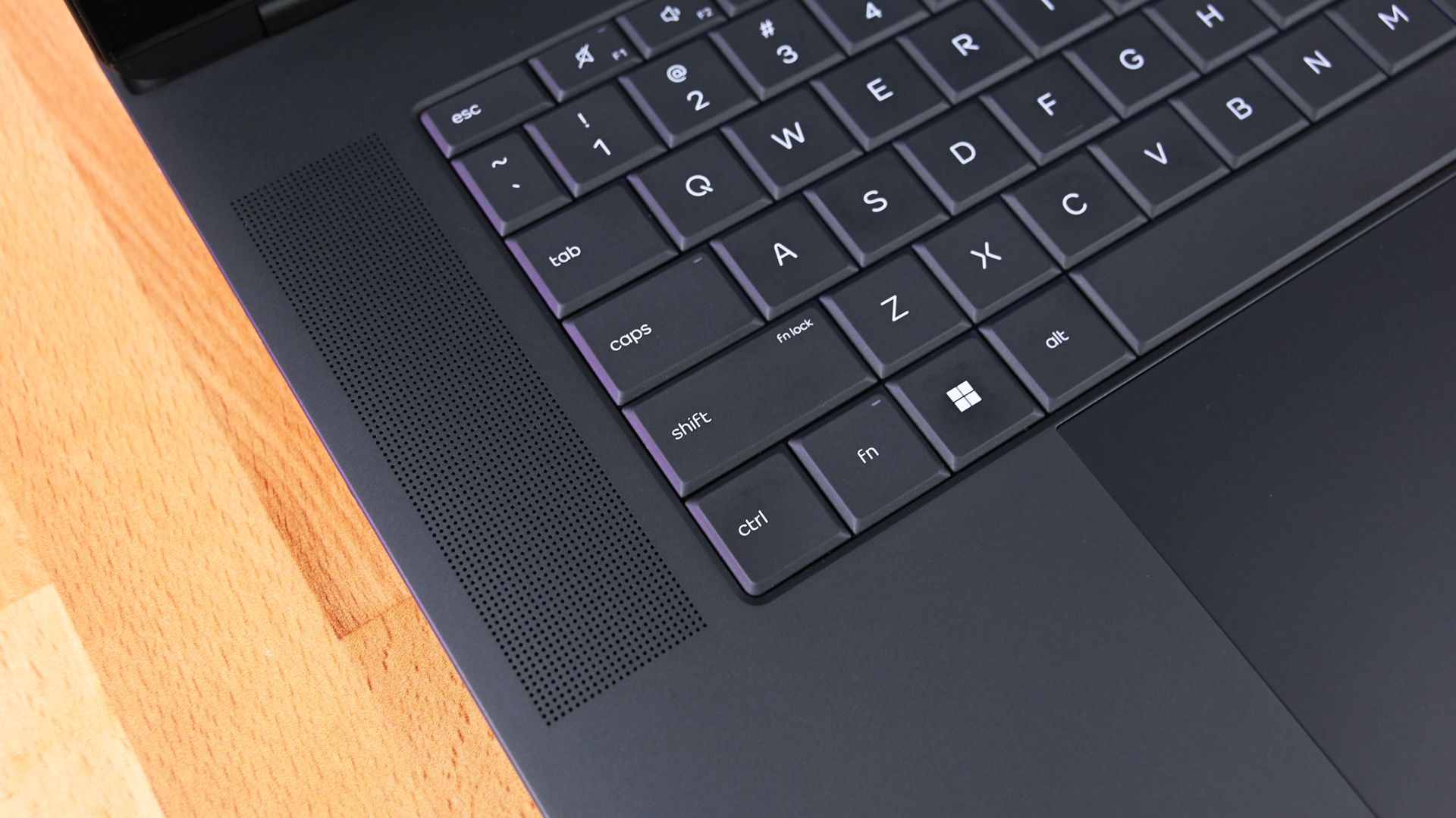
The three-piece CNC-machined aluminum chassis feels exceptionally solid. Eclipse Gray looks fantastic and has a lovely texture that also does an unusually good job resisting fingerprints.
Daniel Rubino, Windows Central Editor-in-Chief
Despite the additional bulk, HP's OmniBook Ultra 16 couldn't prove that it was more thermally efficient. In fact, in our tests, ASUS's laptop actually ran a few degrees cooler under load than the OmniBook.
The ASUS ProArt P16's keyboard deck heat.Daniel RubinoThe HP OmniBook Ultra 16 generally runs hotter under load than the ProArt P16.Daniel Rubino
The difference isn't one you'd notice in day-to-day life, especially because the fans generally remain below 50dB.
Which laptop has more ports?
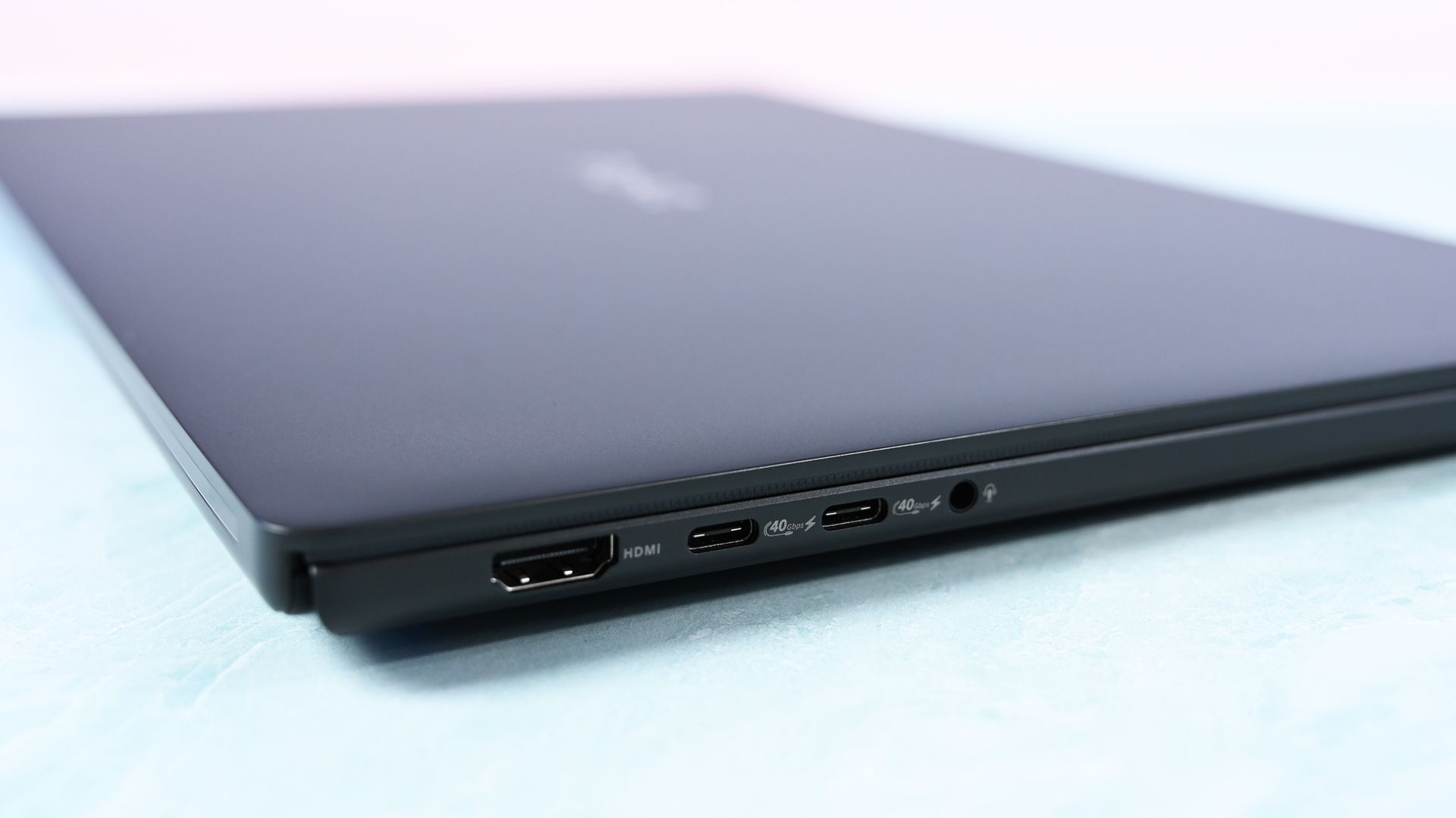
A look at ports on the left side of the ProArt P16. (Image credit: Daniel Rubino)
The ProArt P16 comes with three USB4 ports, an SD card reader, HDMI 2.1, dual USB-A 3.2 (10Gbps), and a 3.5mm audio jack.
ASUS configures the laptop to have two USB4 ports on the left side and one on the right, giving you some additional flexibility with charging and accessories.
The OmniBook Ultra 16 has just two USB4 ports, and both are on the left side. HP also drops the full-size SD card reader down to microSD. It otherwise has similar dual USB-A (10Gbps) ports, HDMI 2.1, and a 3.5mm audio jack.
I'm in favor of the way ASUS laid out its ports, and the additional USB4 hookup for charging or data is always nice to have.
Which keyboard and touchpad do we like best?
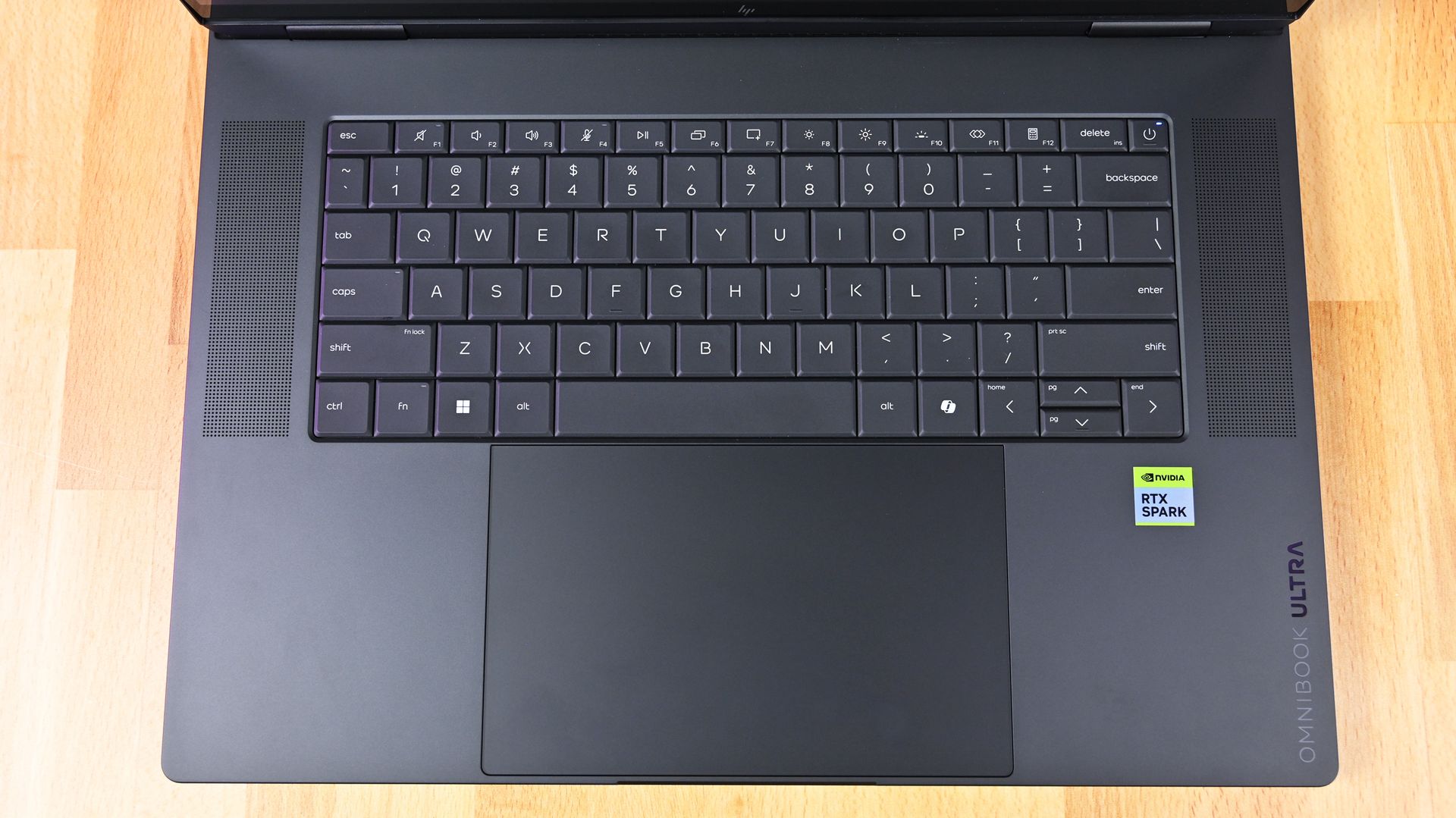
HP's OmniBook Ultra 16 has a lattice-free keyboard and massive haptic touchpad. (Image credit: Daniel Rubino)
The ProArt P16 arrives with a chiclet-style keyboard with deep 1.7mm key travel, three-stage backlighting, and an ambient sensor for automatic adjustments. Below, a massive haptic touchpad makes good use of space and is compatible with Windows 11 Haptic Signals.
HP's OmniBook Ultra 16 arrives with a lattice-free setup, with minimal gaps between keys. As Rubino put it in his review, "It looks great, feels precise, and is genuinely fun to type on."
It only sports a two-stage backlight, unfortunately, and there's no ambient light sensor like on the ProArt P16. HP's haptic touchpad also doesn't support Windows 11 Haptic Signals, which means you won't feel Windows 11's nifty haptic system.
Audio and cameras
(Image credit: Daniel Rubino)
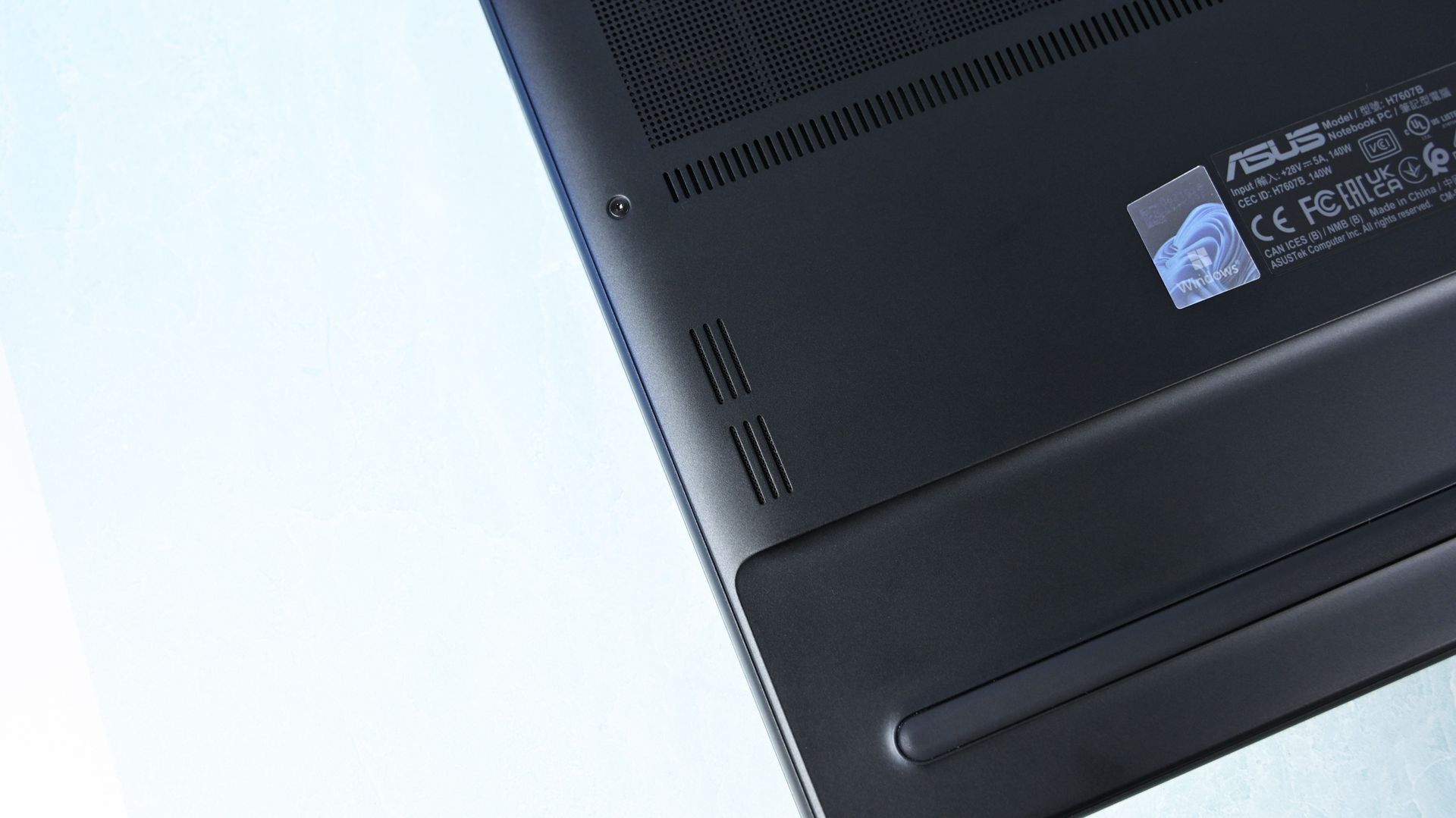
ASUS's ProArt P16 has a six-speaker setup, including two tweeters and four woofers. They're split between down-firing cutouts on the bottom of the PC and top-firing cutouts flanking the keyboard.
Audio is some of the best we've ever heard from a Windows laptop, and Dolby Atmos compatibility takes tuning one step further.
The OmniBook Ultra 16 comes with four speakers, again split between top- and bottom-firing designs. Rubino called HP's audio "roughly comparable to ASUS," and says that DTS:X tuning is a decent alternative to Dolby Atmos.
A look at a top-firing speaker in the OmniBook Ultra 16. (Image credit: Daniel Rubino)
As for the cameras, the conclusion is that neither is very remarkable. ASUS immediately falls behind with a 2.1MP sensor compared to HP's 5MP camera, meaning less resolution in general use.
The ASUS ProArt P16's OLED display (Image credit: Daniel Rubino)
ASUS offers two 16-inch OLED display options (3K and 4K), although it seems like the higher-res version is the one that's most often for sale. That's where I'll focus.
The 4K panel hits about 1600 nits of peak HDR brightness, falling back to 700 nits for SDR. It has a 16:10 aspect ratio, 0.2ms response time, 120Hz variable refresh rate, 100% DCI-P3 color, touch, and stylus support for inking.
HP's lone 16-inch OLED screen has a lower 2880x1800 resolution, though it hits the same 120Hz refresh rate and includes touch. It hits 500 nits SDR and up to 1,100 nits in HDR content, also with 100% DCI-P3 color.
In reviewer Daniel Rubino's opinion, "HP's [display] looks slightly more natural" compared to ASUS's display, while "colors appear clean and balanced without becoming excessively saturated."
HP's laptop skips auto-brightness and adaptive color, two features in the ASUS PC that can keep your screen looking as good as possible no matter the ambient conditions.
NVIDIA's RTX Spark platform doesn't differ much
NVIDIA's RTX Spark chip doesn't differ much between ASUS and HP laptops. (Image credit: Daniel Rubino)
The thing about this first generation of RTX Spark PCs is that performance really doesn't differ much as long as you have the same tier of chip, whether that's the 18-core or 20-core CPU.
We've tested a bunch of these laptops from different brands, and I don't recommend buying one or the other based on small benchmark differences. You'll get the same tier of performance no matter what.
The one exception is storage. All of HP's laptops come with faster PCIe 5.0 drives, whereas the ProArt P16 sticks with slower PCIe 4.0 hardware. This difference is significant, as you can see in the charts below.
FutureFutureFutureFuture
Battery life is also quite similar across the HP and ASUS laptops. Windows Battery Report showed the OmniBook Ultra 16 as hitting roughly 11 hours and 18 minutes of real-world usage, like web browsing, email, messaging, writing, etc.
The ASUS ProArt P16 hit 9 hours and 58 minutes in the same report. It does seem like HP's laptop can last a bit longer, but it really depends on your habits.
Where ASUS has HP beat is with standby efficiency. The ProArt P16 "resumes almost instantly and loses very little battery while sleeping," according to Rubino, whereas HP's laptop takes a bit longer to wake up.
ASUS ProArt P16 vs. HP OmniBook Ultra 16: Which RTX Spark laptop should you buy?
HP's OmniBook Ultra 16 offers more value for its starting price than the ProArt P16. (Image credit: Daniel Rubino)
I'd say that HP's OmniBook Ultra 16 is the better value overall once you get past the introductory pricing (which ASUS keeps down with less/slower hardware).
HP also offers a great webcam, a more natural OLED appearance, and what seems like longer runtimes for general use. These are all good reasons to buy the HP laptop.
But ASUS brings a better selection of ports, a brighter display, deeper key travel, and, most importantly, a lighter and more compact design. It weighs about a pound less than the OmniBook Ultra, making it much easier to carry around. Best part? It doesn't harm performance.
The bottom line? ASUS has the more complete package, but HP's OmniBook Ultra 16 isn't far behind. And considering HP's laptop has been on sale practically since it launched, saving several hundred dollars should easily make up the difference.
Up to 2.8K
HP
OmniBook Ultra 16
HP's OmniBook Ultra 16 is an outstanding laptop with fast storage and better battery life, but its size and weight must be considered. Regardless, at the end of the day, this is the laptop I'd buy if I could save a few hundred dollars.
Up to 4K
Asus
Asus ProArt P16
ASUS's ProArt P16 is the more complete RTX Spark laptop, though it does fall behind the OmniBook Ultra 16 in areas like storage and battery life. If pricing is similar, this is the laptop I recommend to most people.
Join us on Reddit at r/WindowsCentral to share your insights and discuss our latest news, reviews, and more.
For a couple of weeks, Owlcat Games has been teasing the release date of its highly anticipated follow-up to Warhammer 40,000: Rogue Trader, Warhammer 40,000: Dark Heresy.The hints have now ended as the game's latest trailer confirms that Warhammer 40,000: Dark Heresy will launch on January 28, 2027, for Xbox Series X|S, PlayStation 5, and Windows PC via Steam, GOG, and Epic Games Store.Information regarding the release of its Nintendo Switch 2 port will be revea
The hints have now ended as the game's latest trailer confirms that Warhammer 40,000: Dark Heresy will launch on January 28, 2027, for Xbox Series X|S, PlayStation 5, and Windows PC via Steam, GOG, and Epic Games Store.
Information regarding the release of its Nintendo Switch 2 port will be revealed at a later date.
Warhammer 40,000: Dark Heresy is a turn-based CRPG set in the grim dark sci-fi universe of Warhammer 40,000. You play as an acolyte of the Inquisition, a secretive, powerful organization tasked with purging heretics, cultists, and daemons serving the Ruinous Powers of Chaos by any means necessary in the name of the Imperium of Man.
You will conduct Investigations to weed out heretical scum from the Calixis Sector, condemn the innocent and guilty depending on your choices, recruit powerful allies to your cause, uncover the secret behind the mysterious Tyrant Star, and do battle with enemies in brutal, tactical turn-based combat.
I played the beta test for Warhammer 40,000: Dark Heresy a few months ago and thoroughly enjoyed it for how twisted it was. The combat is shaping up to be savagely satisfying and challenging; the storylines are dark and intriguing, and it offers plenty of ways to shape the story depending on how morally corrupt or by-the-book you want to conduct investigations.
Here's hoping that Warhammer 40,000: Dark Heresy will live up to my expectations and end up being just as fun as Warhammer 40,000: Rogue Trader (one of my favorite RPGs of this generation of gaming) when it launches on January 28, 2027.
Become an acolyte of the Inquisition and lead your warband to encounter the dark mysteries behind the Tyrant Star and purge the Calixis Sector of heretics, aliens, and daemons looking to destroy it from within.
The time has almost come for the 44th annual Golden Joystick Awards Show as it's set to commence this Wednesday, November 11, 2026, at 10:00 AM PT / 1:00 PM ET / 6:00 PM GMT / 7:00 PM CEST.This year's contenders for the show's coveted "Ultimate Game of the Year" award have some stiff competition, which includes top-tier Xbox Series X|S, PC, and PlayStation 5 titles like Pragmata, Forza Horizon 6, 007 First Light, Resident Evil Requiem, Control Resonant, and more.
The time has almost come for the 44th annual Golden Joystick Awards Show as it's set to commence this Wednesday, November 11, 2026, at 10:00 AM PT / 1:00 PM ET / 6:00 PM GMT / 7:00 PM CEST.
If you wish to see the Golden Joystick Awards Show live and see which game wins, as well as see the winners for its 25 shortlist categories, you can watch live on the following streaming platforms:
Which do you think will be crowned "Ultimate Game of the Year"?
It's highly likely that 007 First Light will be crowned "Ultimate Game of the Year", as well as sweep the other 5 shortlist categories it's in for being the best James Bond game released since 1997's classic GoldenEye 007 for the N64.
It sold 1.5 million copies within 24 hours and has received rave reviews (including a 5/5 score from us) for its intriguing story and characters, and extremely well-done gameplay that seamlessly blends in-depth melee combat, satisfying stealth, and engaging cover-based shooting.
Personally, I'm rooting for Pragmata to win, as it's one of the most original games Capcom has made in years.
It has a heartwarming and interesting story, likable characters, and a combat system that mixes two genres that normally shouldn't work together - third-person shooting with hacking puzzle mini-games - and somehow makes it work and enjoyable.
Either way, we'll have to tune in to the Golden Joystick Awards this Wednesday to find out.
Join us on Reddit at r/WindowsCentral to share your insights and discuss our latest news, reviews, and more.
It's been 10 whole years since Microsoft shipped its first-generation Surface Mouse, so when the company unveiled a second-generation Surface Mouse at Qualcomm's Snapdragon Summit back in September, I was immediately intrigued.What would cause Microsoft to want to revive an otherwise dead peripheral? That was my first question, and Microsoft was quick to answer: HAPTICS! The new Surface Mouse has haptics, and that's why the company decided to bring it back.Mainta
It's been 10 whole years since Microsoft shipped its first-generation Surface Mouse, so when the company unveiled a second-generation Surface Mouse at Qualcomm's Snapdragon Summit back in September, I was immediately intrigued.
What would cause Microsoft to want to revive an otherwise dead peripheral? That was my first question, and Microsoft was quick to answer: HAPTICS! The new Surface Mouse has haptics, and that's why the company decided to bring it back.
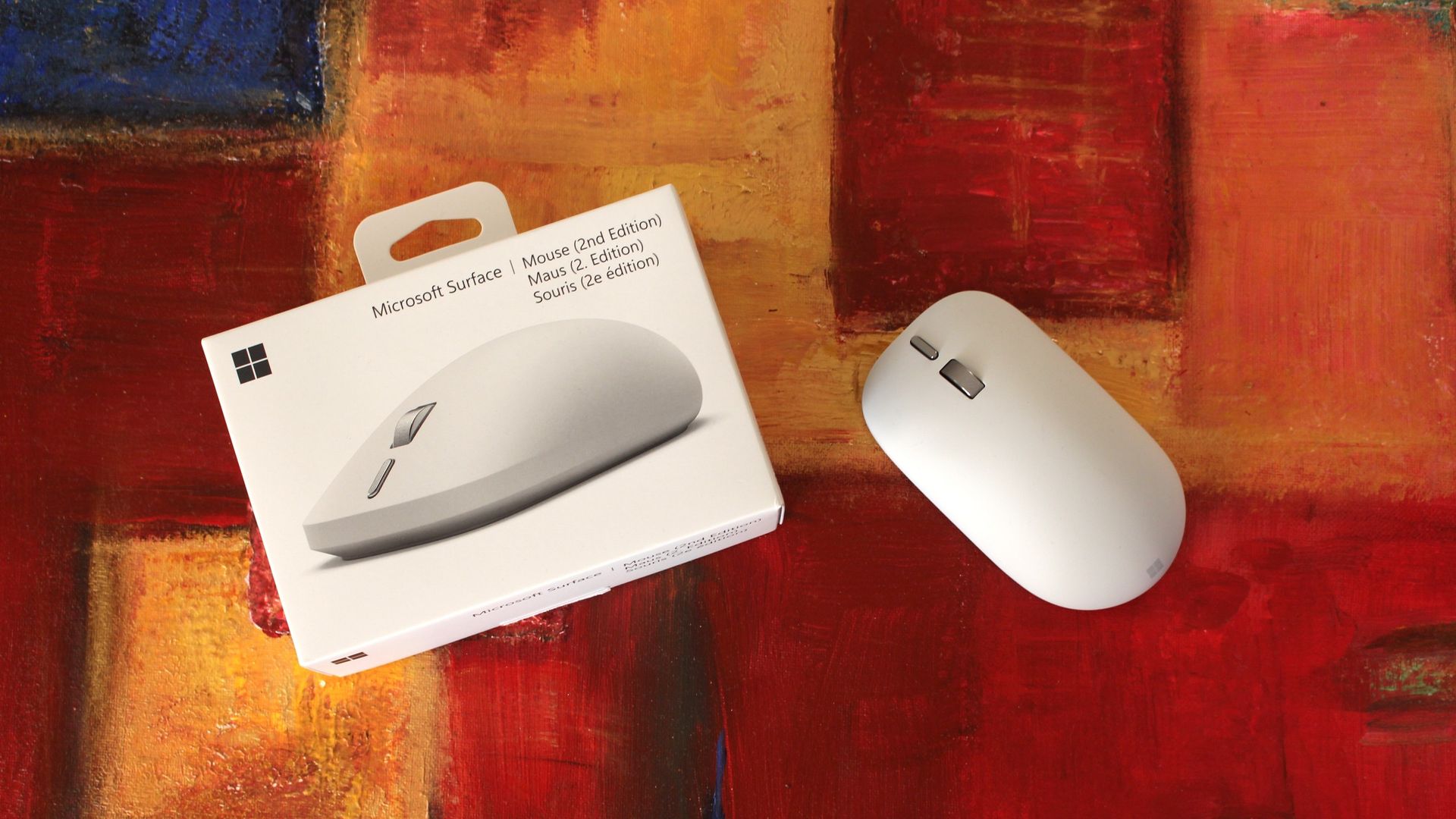
Maintaining a similar shape and size as the original, the new Surface Mouse employs a new soft-touch coating, a redesigned left and right click mechanism, a new action button, and a built-in haptics motor that integrates with Windows 11's new haptic signals feature.
I've been using the Surface Mouse 2 for the last few weeks, and here's my full review.
Price and Availability
(Image credit: Zac Bowden / Windows Central)
Specs
Connectivity: Bluetooth 6.0 (up to 3 devices via Swift Pair)
Sensor: BlueTrack, dynamically up to 4,000 fps, 30 ips tracking
Similarly to the MX Master 4, the Surface Mouse 2 is available in two colorways: Platinum (silver/grey) and Black. I've got the Platinum one in for review, but the Black one is equally pretty.
You can find Surface Mouse 2 directly at the Microsoft Store, or third-party retailers such as Best Buy where it's likely to go on sale more often.
Haptics
Microsoft
Surface Mouse (2nd Edition)
The Surface Mouse 2 is a follow up to the 2016 Surface Mouse, now featuring a new soft-touch design with zero seams, and an all new haptic motor that supports Windows 11's new Haptic Signals feature. It's an overall great mouse for $80.
What's good
(Image credit: Zac Bowden / Windows Central)
Unlike the first-gen, the Surface Mouse 2 is made out of a new soft-touch material that covers the entire top portion of the device, and it feels absolutely amazing. It's a very high quality texture that's a little grippy, and feels so very premium.
The design is also much cleaner than the first-gen, omitting any seams and lines in favor of an entirely smooth surface that even hides the left and right click buttons. The material flexes slightly so that you can actuate the left/right click buttons underneath.
On that subject, the left/right click buttons are super satisfying. They feature a much more tactile "click" sensation compared to the first-gen, which was quite mushy by comparison. The best way to describe the new buttons is "quiet yet tactile," with easy actuation.
There's also a new action button that's located just below the scroll wheel, which can be customized with a single, double, or long press options. You can set the button to open apps, take a screenshot, or show system interfaces like Start and Search.
(Image credit: Zac Bowden / Windows Central)
These options are customizable through the Surface app, which will automatically download through the Microsoft Store when you first connect the mouse to your PC via Bluetooth. This app also lets you control DPI sensitivity and update the firmware on the mouse.
Of course, the big highlight with Surface Mouse 2 are the haptics, which are super satisfying. On the inside of the mouse is a small vibration motor that responds to certain actions and activities on a Windows 11 PC. When you snap apps side by side, drag files in File Explorer, and align objects in apps like Photoshop or PowerPoint, you'll feel a subtle haptic response to confirm your action.
These haptic responses are what I call a delightful addition. They serve no real functional benefit, but once you have them, you feel like something is missing when you don't have them. It makes using Windows just a touch more satisfying, and I absolutely love it. You can also adjust how strong the haptics are in Windows settings.
Until now, the only other mouse on the market that supported these haptic signals is the $120 Logitech MX Master 4, which makes the Surface Mouse 2 the cheapest mouse to support this new system yet.
What's not good
(Image credit: Zac Bowden / Windows Central)
There's a lot to like about the Surface Mouse 2, but there's also a few things to watch out for if you're looking to buy this device. First up, the positioning of the action button is a little awkward. It's below the scroll wheel, which means you need to extend your finger a touch further than you would normally to reach it. Not the end of the world, but a bit annoying.
The soft touch material, while amazing feeling, can get a bit greasy and grimy over time. This is a side effect of all grippy, soft-touch materials, and is easily solved by wiping down the mouse with a damp cloth every now and then. The Platinum colorway hides grease better than the Black variant does.
I also found that the overall shape of the mouse isn't very ergonomic. While I appreciate the humped design, there's no thumb-rest or sculped shape that follows the natural resting position of your hand. This is because Microsoft wanted the mouse to be ambidextrous, so it can be used by both left and right handed people. This is good, but comes at the cost of an extra comfortable design.
(Image credit: Zac Bowden / Windows Central)
There's also no USB-C charging or wired mode to be found. The mouse is 100% wireless, connected to your PC via Bluetooth. The only way to recharge it is to replace the batteries, which can be easily accessed via a magnetic door on the underside of the mouse. I would have preferred USB-C recharging, as that would also let you use the mouse wired when necessary.
The very last complaint I have? The left and right click buttons aren't also haptic. The haptic motor is only used for Windows 11's Haptic Signals feature, and not to mimic the sensation of the left/right click buttons, which are physical switches. I'd have loved to see haptic left/right click buttons too.
Conclusion
(Image credit: Zac Bowden / Windows Central)
The Surface Mouse 2 is an overall excellent high quality mouse for $80. It's the only mouse under $100 that supports Windows 11's new Haptic Signals feature, and its design is super clean and minimalist with zero seams to be seen.
The left and right click buttons feel great, and the haptic motor on the inside is very satisfying to use. I do with the mouse had a USB-C port for charging and wired mode, and I'd love to see a version with a more ergonomic design too.
There aren't any fundamental issues with this mouse, which means I give it a full recommendation. If you're in the market for a new PC mouse, and you want to try out Windows 11's new haptics feature, this is the mouse to get if you don't want to break the bank.
Microsoft
Surface Mouse (2nd Edition)
The Surface Mouse 2 is a follow up to the 2016 Surface Mouse, now featuring a new soft-touch design with zero seams, and an all new haptic motor that supports Windows 11's new Haptic Signals feature. It's an overall great mouse for $80.
Join us on Reddit at r/WindowsCentral to share your insights and discuss our latest news, reviews, and more.

 Connexion