❌

Vue normale

At $1,300, this Lenovo laptop was hard to recommend. At $600? That’s interesting.

We're nearly halfway into November, and retailers are ramping up their discounts before Black Friday begins in earnest. With this in mind, I've been scouring the internet for early Black Friday deals on affordable laptops for work and managed to find one for the Lenovo IdeaPad Slim 3i.

This very capable but normally expensive laptop, which can handle multitasking productivity tasks with no slowdown while having a crisp 2K display and 18 hours of battery life, can now be yours for $599.99 at Best Buy (was $1,299.99).

IdeaPad Slim 3i 15.3" 2K Touchscreen Laptop (Intel Core 7 350 2026 CPU, 16GB RAM, 512GB SSD): was $1299.99 now $599.99

Meet your daily productivity quotas with time to spare using the Lenovo IdeaPad Slim 3i laptop, which boasts an Intel Core 7 CPU, a 2K IPS display with 120Hz refresh rates, 16GB of RAM, a 512GB SSD, plenty of USB and HDMI ports, and more useful features.View Deal

Why should you buy this laptop?

Four pastel feature panels highlight an Intel Core 7 laptop: processor efficiency, integrated graphics for streaming, 512GB SSD storage, and 16GB memory for smooth multitasking.

Specs for the Lenevo IdeaPad Slim 3i 15.3" 2K Touchscreen Laptop (Image credit: Lenovo)

Normally, we wouldn't recommend this laptop, as its specs and build are a bitter pill to swallow for an MSRP of $1,299.99, especially when compared to the likes of the Dell XPS series, whose advanced specs justify their high costs (well, before the RAM Crisis worsened the prices on all things tech).

However, with this early Black Friday 54% discount, the Lenovo IdeaPad Slim 3i at $599.99 is much more palatable. That way, you will be able to enjoy its rich features built for tackling digital paperwork, streaming, web browsing, and other productivity tasks simultaneously, with no performance drops thanks to its Intel Core 7 350 2026 CPU coupled with an Intel Integrated Graphics Card, 16GB of RAM, and 512GB of storage space.

Other useful features include a 15.3-inch 2K display with a 120Hz refresh rate for smoother scrolling and a 16:10 aspect ratio to provide more vertical space when reading websites or documents (thus preventing eye strain), an ultra-thin design that makes it easy to carry, and an 18-hour battery on a single charge to get you through your whole working shift before needing a recharge.

Should I wait for Black Friday for a better deal?

Even if you're hesitant to buy before Black Friday, Best Buy's 'Price Match Guarantee' may allow eligible customers to request a refund of the difference if Best Buy lowers its own price during the applicable return window: "If our price goes lower during the holiday season, we’ll match it."

Can it's RAM and SSD be upgraded?

The 16GB RAM can be expanded up to 32GB. The Lenovo IdeaPad Slim 3i laptop features a second empty M.2 2242 NVMe SSD slot, which will fit 512GB, 1TB, and 2TB SSDs to upgrade its storage without needing to remove its initial 512GB SSD.

Is it good for gaming?

Aside from really light games like Minecraft, I wouldn't recommend this laptop for gaming it's integrated graphics card wasn't really designed for modern 3D titles, so it will struggle to run them.

Click to join us on r/WindowsCentral

Join us on Reddit at r/WindowsCentral to share your insights and discuss our latest news, reviews, and more.
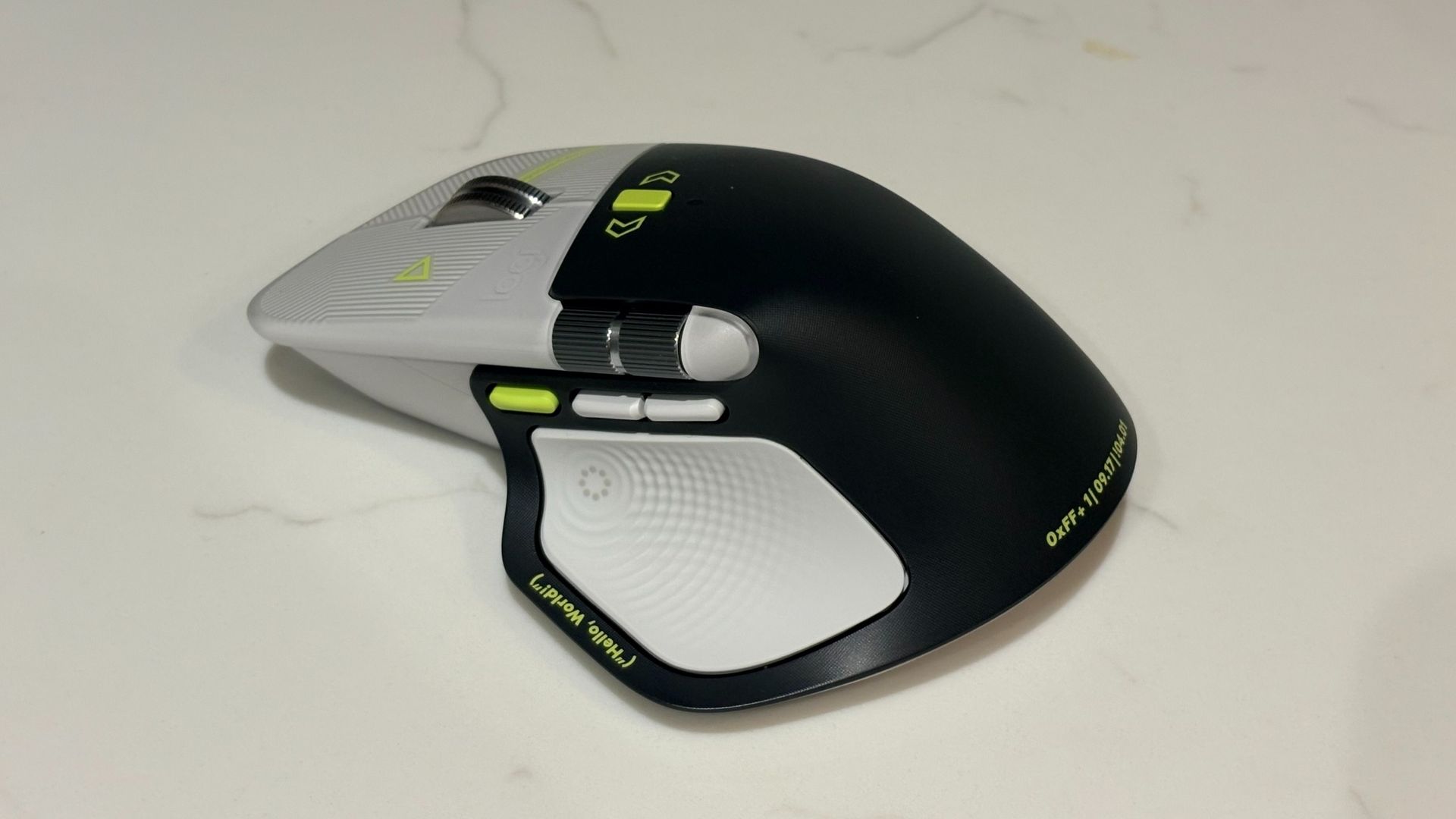

The Logitech MX Master 4 is supposed to make me more productive. I keep using it as a toy instead.

The Logitech MX Master 4 Developer Edition just started shipping, and I have one on my desk to try out. The mouse is an ode to developers covered with Easter eggs and nods to programming.

This mouse is one of the first to support Windows 11 haptics, which lets you feel Windows 11 through subtle physical feedback. That functionality is not exclusive to the developer edition, so you can take advantage of haptics if you prefer to grab the black or white versions of the Logitech MX Master 4.

I've only had the Logitech MX Master 4 Developer Edition for a bit, so I can't judge it fully. So far, the mouse has impressed me throughout full work days.

But one thing has stood out to me so far: this mouse is basically a fidget spinner. Its vertical scroll wheel can toggle between ratchet or smooth scrolling. You can even set the mouse to switch between those modes depending on force.

Your thumb rests just below a horizontal scroll wheel when using the mouse. That is also fun to spin when I'm bored. It also scrolls horizontally, but that's a feature I only use occasionally.

Add in a haptic side panel that buzzes when pressed and displays a ring of shortcuts, and you have a surprisingly great fidget tool for your desk.

MX Master 4 Developer Edition: $119.99

Logitech's flagship mouse has a wide range of buttons and wheels that can be customized to different commands, as well as a gesture pad on the side. The developer edition of the mouse has nods to coding and development as well as a unique colorway.View Deal

Early impressions

This mouse is the first device I've used that supports Windows 11 haptics. That feature, which provides physical bumps when you perform certain actions, has been fun to play with.

I've used a Logitech MX mouse for years, but it's been the Logitech MX Vertical on my desk. That mouse is excellent, and I still recommend it to those who want an ergonomic mouse, but having used the Logitech MX Master 4, there are features I'd love to see Logitech bring over to its ergonomic line.

I've been surprised by how much I use the horizontal scroll wheel of the Logitech MX Master 4. I usually just hold Shift and use the vertical scroll wheel to navigate horizontally. But the horizontal scroll wheel is perfectly placed on the Logitech MX Master 4, making them easier to use and more comfortable.

The Logitech MX Master 4 has a bit more of a thunk than a click, which I prefer. I also like the matte plastic finish of the Logitech MX Master 4.

None of this is surprising since the Logitech MX Master 4 earned a near-perfect score from our friends at Tom's Guide. The version of the mouse I have is identical in terms of features and overall design. What makes it stand out are its Easter eggs, such as syntax annotations and markup tags that are laser-etched onto the mouse.

I've often said I can't go back to using a flat mouse since relying on the Logitech MX Vertical. I still prefer the vertical design of that mouse over the flatter layout of the Logitech MX Master 4, but I prefer the features and build of the latter. My perfect mouse would be a combination of the two.

Click to join us on r/WindowsCentral

Join us on Reddit at r/WindowsCentral to share your insights and discuss our latest news, reviews, and more.
Rather than fight GTA VI, Logitech gave employees a day off

We're just over one week from the release of GTA VI. After years of delays and rumors, Rockstar's iconic franchise is back. Some analysts suspect there will be a record number of sick days in mid-November on the day GTA VI launches, but employees at Logitech won't be part of that wave.

According to Fortune, a new initiative by Logitech called "Logi Game Day" allows employees to take a day off work to play a game.

Logi Game Day is not actually a specific day. It's also not set aside exclusively for GTA VI. Logitech employees can take off any individual day over the next year to play the game of their choosing.

It's unlikely that the timing of the initiative is a coincidence. At least one expert estimates that the launch of GTA VI will cost $1 billion in productivity in the United States.

Rather than trying to squeeze productivity out of distracted employees eager to go home and play GTA VI, Logitech leaned into the skid and gave people the green light to take off work.

"It’s time to retire the stereotype that gaming is a waste of time,” said Hanneke Faber, Logitech’s chief executive officer. “As a company designing products for work and play, we see every day how engagement in one sphere supports performance in the other."

Times are definitely changing, and I'd argue it's for the better. When I grew up, it was common knowledge that little got done during the NCAA basketball tournament, but people would have scoffed at similar dips in productivity caused by a video game launch.

Of course, we don't all work for Logitech and may have to work on GTA VI launch day.

While most of us won't be getting a dedicated gaming holiday from our employer, there are still ways to squeeze in some GTA VI during a lunch break or while away from your console. GTA VI will not be playable through Xbox Cloud Gaming, but it will support Xbox Remote Play. That means you could squeeze in some playtime on a PC or mobile device by streaming from an Xbox or PlayStation console.

Click to join us on r/WindowsCentral

Join us on Reddit at r/WindowsCentral to share your insights and discuss our latest news, reviews, and more.
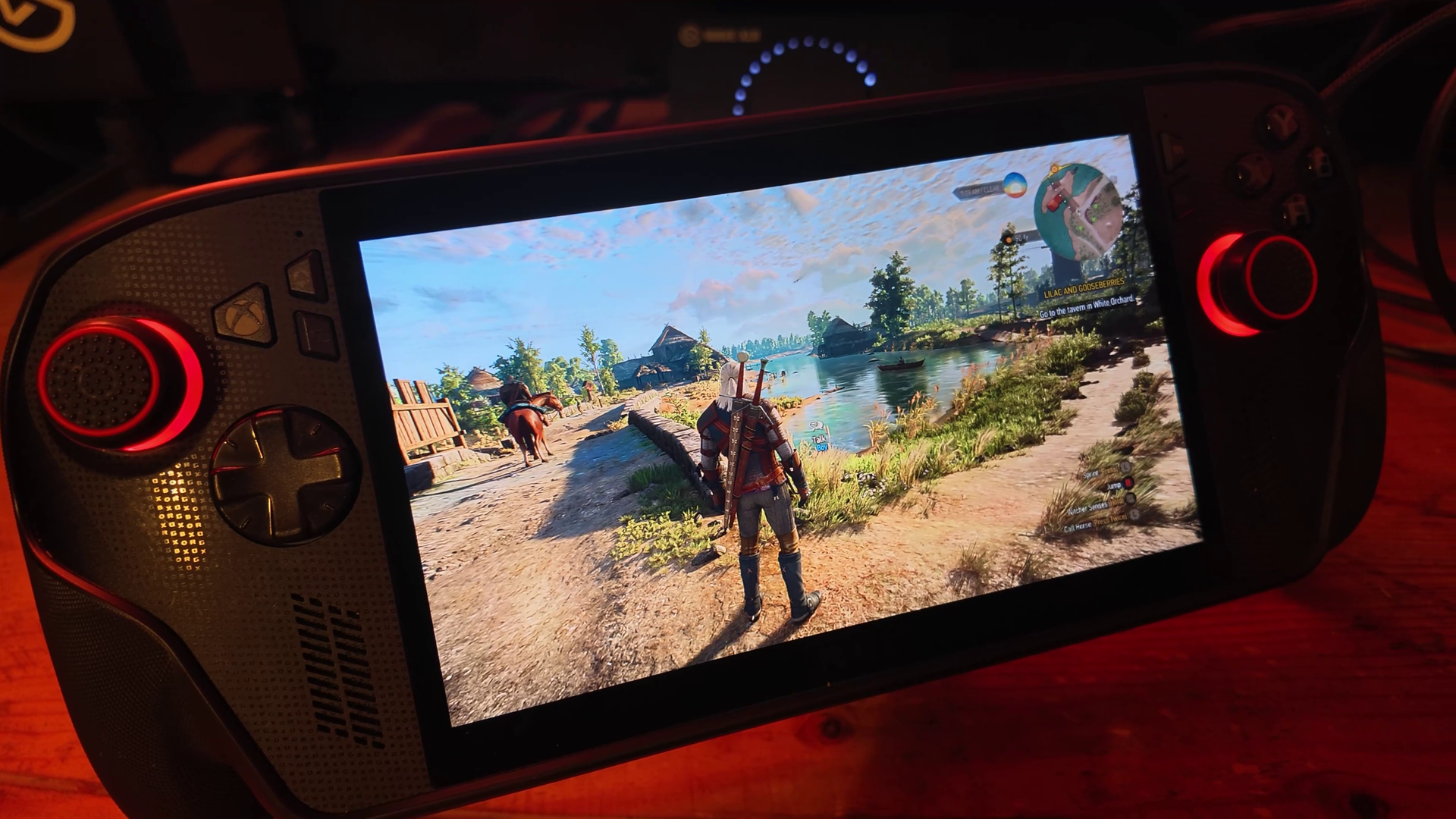
GTA 6’s Xbox files hint at FSR 4.1, and I’m betting it arrives after launch

Dataminers have been busy at work snooping through the Xbox's Grand Theft Auto 6 preload files, and two recent discoveries are grounds for a bit of performance optimism.

Library files named amd_fidelityfx_loader_xbox.dll and amd_fidelityfx_upscaler_xbox.dll are both present in the package snooped by Tex2, who posted their findings on X.

These names match the terms found in Microsoft's FSR 4.1 GDK sample that was published last week, as pointed out by blue nugroho and Y1ng.

thanks to @Y1ng5dvv that find the equivalent dll on FSR 4.12 doc, possibly hinted that GTA VI indeed already ready with FSR 4.12 👀👀👀👀 https://t.co/Xo9sgMTltbNovember 10, 2026

While this certainly doesn't mean that AMD's FSR 4.1 is a lock for GTA 6 when it launches — or thereafter — it's good to know that there's at least the possibility of having the latest upscaling tech on board.

What is AMD FSR 4.1?

FSR 4 was a major update that moved AMD's upscaling tech from manual to machine learning. Instead of using spatial and temporal algorithms, it now uses neural networks.

The results? A clearer image with less ghosting, shimmering, and artifacts at the cost of a small amount of GPU overhead.

Microsoft and AMD sent out FSR 4.1 for Xbox developers on November 5, roughly two weeks after it kicked off with beta drivers for the Xbox Ally handhelds.

Compared to competing methods like NVIDIA DLSS and Intel XeSS, AMD FSR is quickly catching up. I think most people hold DLSS as the benchmark for what can be done with AI upscaling, but AMD's broad compatibility can't be forgotten.

And for consoles, FSR is the only option there is, with the 4.1 version representing a significant upgrade over the FSR predecessors.

Why FSR 4.1 might not be in Xbox's GTA VI at launch

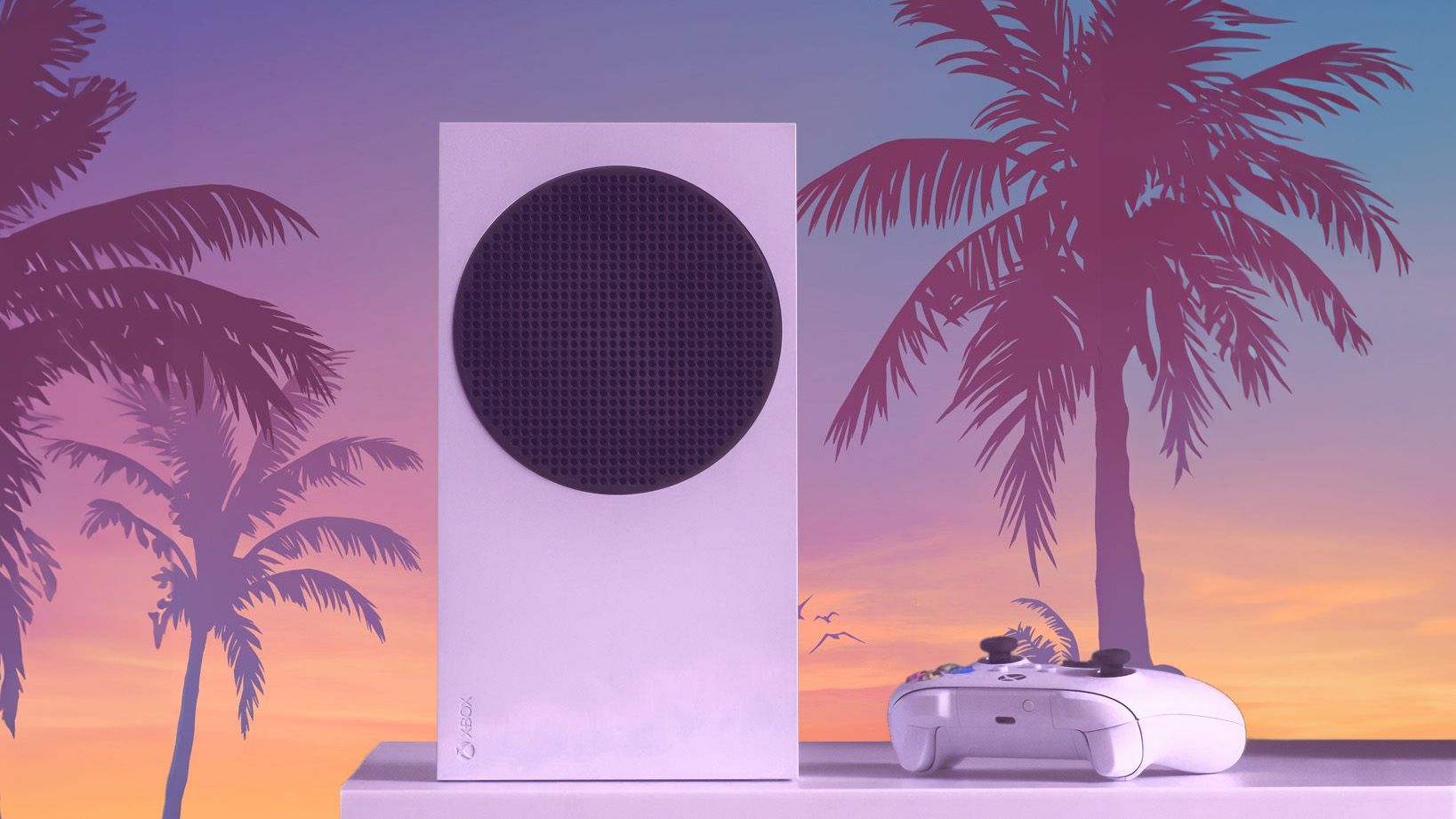
Xbox Series S GTA 6 styled

FSR 4.1 probably won't be in GTA VI at launch ... but there's always a chance. (Image credit: Windows Central)

I won't be so bold as to claim that FSR 4.1 will be in GTA 6 at launch. The datamined FSR 4.1 files make it a possibility, but their inclusion doesn't guarantee implementation.

Developer Rockstar has not said anything about it. And you'd think that Xbox would be quick to make an announcement to counter the recent PS5's PSSR upscaling news.

Timing is the biggest issue. Unless Rockstar had advance access to FSR 4.1 during development, configuring the upscaler for a game that's days away from a November 19 launch just doesn't seem realistic.

Will FSR 4.1 come to Grand Theft Auto 6 after launch?

GTA 6 art with Xbox logo in the background

There's no proof that FSR 4.1 will work in GTA VI at launch. (Image credit: Rockstar Games | Edit by: Windows Central)

I'm leaning more towards a post-launch FSR 4.1 integration for GTA 6 on Xbox. The groundwork seems to already be in place, and Rockstar surely has a strong incentive to make the game as playable as possible on aging hardware.

That's especially true for the Xbox Series S, where any help with rendering will go a long way. Waiting until after launch would mean less risk to the release build, and in this case, late is certainly better than never.

Bottom line? Don't panic if GTA 6 on Xbox doesn't get FSR 4.1 at launch. It was never a guarantee. It'll likely be a post-launch addition. After all, it's hard to imagine that a generational game like this wouldn't be the best place to show off the tech.

I'll be playing the game through Xbox Cloud Gaming and a dusty Xbox One at launch, and I'll make the switch to PC as soon as it arrives. Let me know in the comments below how you plan to play!

Click to join us on r/WindowsCentral

Join us on Reddit at r/WindowsCentral to share your insights and discuss our latest news, reviews, and more.
ROG Xbox Ally X gets Auto SR in handheld mode, with 120 FPS 'Performance Mode' on the way

Microsoft has officially announced that Automatic Super Resolution (Auto SR) is leaving preview and is now available on ROG Xbox Ally X and X20 handhelds, extending to playing on battery power, as well as select Copilot+ PC laptops powered by AMD's compatible Ryzen processors.

Auto SR is Microsoft's own AI-powered upscaling technology, with similar goals to NVIDIA's DLSS and AMD's FSR that are designed to boost frame rates and improve image quality. It previously came to Ally X handhelds in docked mode, but this update enables it in handheld mode without requiring an AC adapter and expands its support to games running natively at 1080p.

A gaming settings screen shows a racing game at a skate park, with graphics set to Quality mode and an overlay reading “Quality mode, 70 fps”; the tone is technical and promotional.
Before Auto SRMicrosoft
A game settings overlay highlights Graphics performance mode at 115 fps over a colorful skatepark racing scene, conveying smooth, high-performance gameplay.
After Auto SRMicrosoft

The handheld 1080p feature is available now, while support for Auto HDR and a new Auto SR 'Performance Mode' designed for up to 120 FPS are "rolling out with Windows updates, so they may take a little time to reach your device". However, Microsoft warns players that "using 1080p in handheld mode (internal screen), performance may not be as optimal as other configurations, but you’ll still see visual quality improvements especially in older games".

Will you be using Microsoft's own upscaler on ROG Xbox Ally X handhelds, or will you stick to using the recently added beta drivers for AMD FSR 4.1 (which we have seen deliver significant improvements on Xbox Ally X hardware)? Let us know in the comments, on Reddit, or in the poll.

Click to join us on r/WindowsCentral

Join us on Reddit at r/WindowsCentral to share your insights and discuss our latest news, reviews, and more.

Microsoft Flight Simulator adds Halo's Pelican in a free trial, before it becomes paid

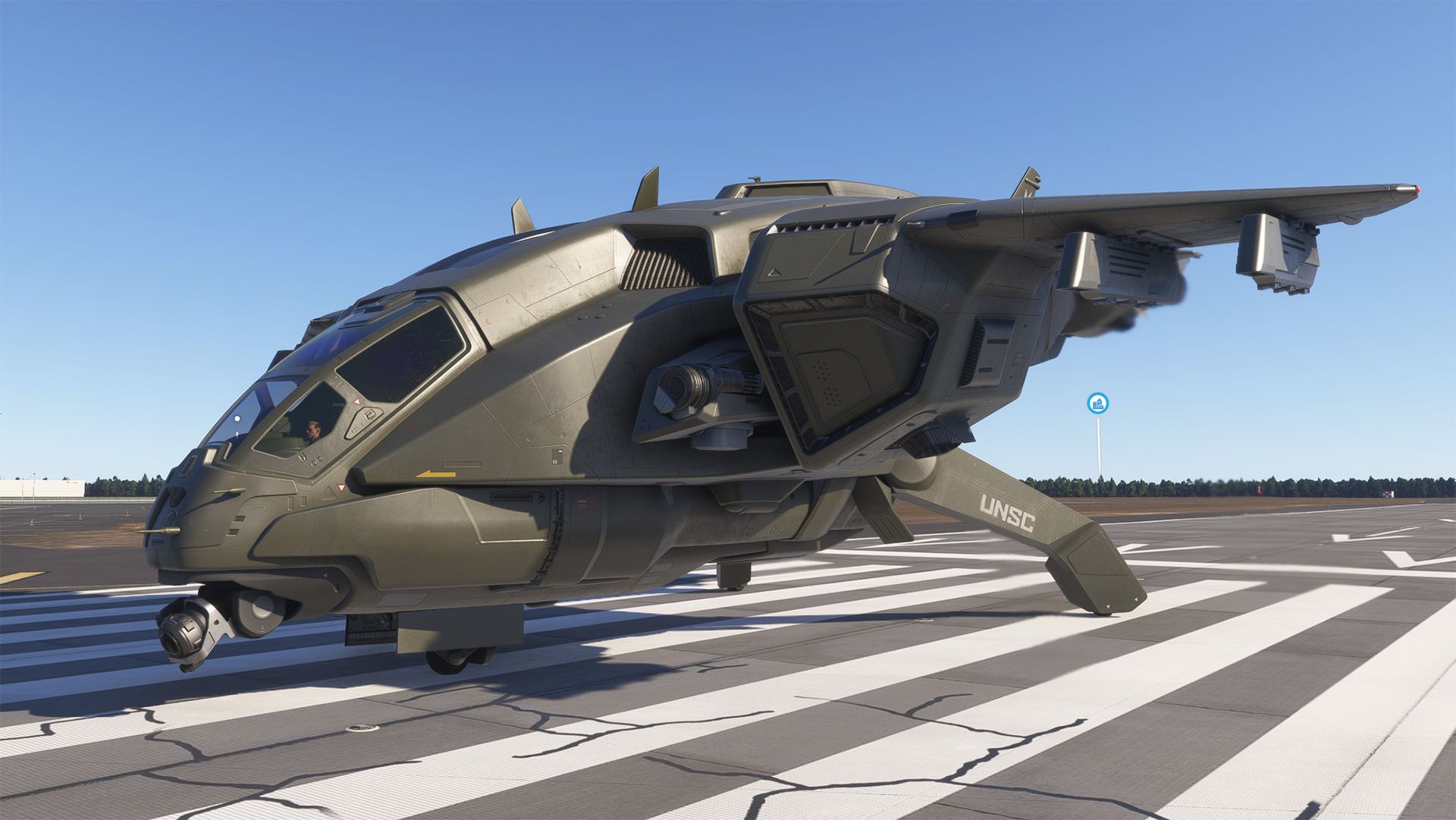
Halo's iconic Pelican dropship was just added to Microsoft Flight Simulator 2024, as Xbox Game Studios and its developers at Asobo Studio celebrate the 25th anniversary of the first game in the series. Of course, Halo was a launch title, so this all lines up with the ongoing Xbox 25th anniversary celebrations surrounding the original console.

Sim enthusiasts on PC, Xbox Series X|S, or PlayStation 5 can fly the D77-TC Pelican for free during a week-long trial period running from November 10 to November 17, 2026. The official announcement stayed firmly in character, describing it as "a highly adaptable, multi-role vehicle," which is all part of the fun. I installed it for myself, and it's incredibly easy to get started.

How to claim the free Pelican trial

Halo D77-TC Pelican aircraft shown in Microsoft Flight Simulator 2024 for PC, a fictional futuristic ship shown in the game's menu
Xbox Game Studios is advertising the Pelican via MSFS 2024's in-game marketplace.Windows Central | Microsoft
Halo D77-TC Pelican aircraft shown in Microsoft Flight Simulator 2024 for PC, a fictional futuristic ship shown in the game's menu
Don't like the default look? Switch between 12 liveries for more Pelican colors.Windows Central | Microsoft
Halo D77-TC Pelican aircraft shown in Microsoft Flight Simulator 2024 for PC, a fictional futuristic ship shown in the game's menu
It's yours for a week, but you'll need to pay to keep this fictional ship.Windows Central | Microsoft

From the main menu of Microsoft Flight Simulator 2024, select 'Marketplace' at the bottom, and you should be greeted with a full-width banner advertisement for the 'D77-TC Pelican (free trial)'. If not, use the 'Search Full Catalog' bar at the top of the marketplace and look for keywords like 'Pelican'; you're looking for the 'Microsoft/Asobo' listing.

On its listing, a wide, green 'Get for Free' button rests on the left, and that's what you'll need to press while the week-long trial is active. Once you've claimed the Pelican, you'll find it in the game's aircraft selection menu with a yellow 'New' tag on its frame, named 'Misriah Armory D77-TC Pelican'. Select it, and you can take it to the skies wherever you'd like.

The D77-TC Pelican in Microsoft Flight Simulator 2024 offers a unique flight model, with the ability to switch between drone and jet propulsion, custom avionics, inspired by the Halo games, a complete interior model, including cargo bay, and 12 liveries.

Microsoft Flight Simulator team

Naturally, this is quite different from taking a tiny Cessna or a giant Airbus out on the virtual runways, but it's actually quite easy to fly the Pelican. On an Xbox controller, you can ignore the parking brake, hold the A button to fire up the engines, and the ship will take off vertically. From there, hold forward on the left stick, and the Pelican will fly ahead, while the triggers handle turning.

What happens when the trial expires?

Halo D77-TC Pelican aircraft shown in Microsoft Flight Simulator 2024 for PC, a fictional futuristic ship rendered in the game, showing the cockpit
You won't find many real-life HOTAS setups that look like this.Windows Central | Microsoft
Halo D77-TC Pelican aircraft shown in Microsoft Flight Simulator 2024 for PC, a fictional futuristic ship rendered in the game
The exterior details are impressive, and the interior is fully modeled, too.Windows Central | Microsoft

If you want to keep the Pelican in Microsoft Flight Simulator 2024 after November 17, you'll need to pay $9.99 in the in-game marketplace for a permanent add-on license. It isn't egregiously expensive, but this Pelican isn't particularly new, either. I saw the same iconic Halo ship appear in MSFS 2020, and now it's back again.

That price tag will depend on how strong your nostalgia for the Halo series is, and whether you think you'll use it regularly. Would I pay $10 for it? No, probably not. It's fun, but it feels more like a toy than a proper simulation addition; albeit a well-crafted toy with serious attention to detail. Still, I fully recommend taking it for a spin during this week's celebration.

I've seen Microsoft Flight Simulator 2024 improve dramatically since launch, and its inclusion in Xbox Cloud Gaming makes it extremely approachable for practically anyone tempted to fly around a virtual Earth. If you're considering playing MSFS 2024 just for fun, then the Pelican is a fast (and cool) way to do it. Fly over your own house; it's more satisfying than you think.

Click to join us on r/WindowsCentral

Join us on Reddit at r/WindowsCentral to share your insights and discuss our latest news, reviews, and more.

New Windows 11 wallpapers mean more than you think

Windows 11's desktop will soon look different on your PC, and I'm not talking about the refreshed Start menu or the upgrades to the taskbar in the works. Microsoft reportedly has new default wallpapers in the works for Windows 11, and they're a bigger deal than they might initially seem.

I cover wallpapers a lot, sometimes with a hint of sarcastic enthusiasm. But Microsoft making new default wallpapers for Windows is significant.

Our Senior Editor Zac Bowden discussed the new wallpapers in the latest episode of the Windows Central Podcast. When Microsoft creates new default wallpapers for Windows, it usually signals either a new major version of Windows, such as Windows 12, or a major refresh of the current release. According to Bowden and the initial report from The Verge on the topic, the latter is far more likely.

There will reportedly be separate editions of the wallpaper for different versions of Windows 11, such as Windows 11 Pro and commercial versions of the OS.

Abstract Windows 11 wallpaper featuring smooth blue curved shapes on a light blue background.

One of the new default Windows 11 wallpapers reportedly being developed for the operating system's 2027 refresh. (Image credit: Microsoft)

We've already seen the default Windows 11 wallpaper refreshed a few times. Microsoft created a special version of the wallpaper for Copilot+ PCs and a variant for the company's 50th anniversary. While the new wallpapers that will ship in 2027 are a bit similar to Bloom, they are not simply color swaps or small tweaks. They're new images rather than just variants of Bloom.

At one point in time, Microsoft planned to ship major releases of Windows every three years, but those plans changed with the departure of Panos Panay. Microsoft released the AI-focused update to Windows 11 after the operating system had been around for three years. It appears that another major update is on the way in 2027 rather than Windows 12.

Bowden dove deeper into why Microsoft is not likely to ship Windows 12 next year. But I'm a simple man: I see nice wallpapers and I focus on those. I spent weeks hunting down the RTX Spark wallpaper and now have it set on my desktop.

The new Windows 11 wallpapers should come out with an update in 2027, but I suspect they'll leak on the web before then. You can already grab one of them now despite Microsoft not even announcing its plans for next year.

Click to join us on r/WindowsCentral

Join us on Reddit at r/WindowsCentral to share your insights and discuss our latest news, reviews, and more.

Microsoft November 2026 Patch Tuesday: Complete Feature Breakdown, Fixes, and Direct Download Links for Windows 11 & Windows 10

Par : Nayan
11 novembre 2026 à 00:42
Microsoft’s November 2026 Patch Tuesday security sweep has officially dropped, deploying a massive wave of cumulative enhancements, kernel-level fixes, and critical vulnerability patches. This cycle covers both modern operating systems and legacy enterprise environments, pushing out Windows 11 update KB5132061 alongside Windows 10 Extended Security Update (ESU) KB5131096. From PowerShell signature security enforcement to critical […]

  • ✇WinCentral
  • Windows 11 November Update Brings Advanced Restore Summaries and Deeper Customization
    Transitioning to a brand-new Windows 11 computer has always involved a bit of uncertainty. While cloud migration tools handle the heavy lifting of pulling down user accounts, applications, and preference files, keeping track of what was successfully restored across multiple menus could feel tedious. Microsoft’s latest updates solve this friction by introducing the Restore Summary […]
     

Windows 11 November Update Brings Advanced Restore Summaries and Deeper Customization

Par : Nayan
11 novembre 2026 à 00:15
Transitioning to a brand-new Windows 11 computer has always involved a bit of uncertainty. While cloud migration tools handle the heavy lifting of pulling down user accounts, applications, and preference files, keeping track of what was successfully restored across multiple menus could feel tedious. Microsoft’s latest updates solve this friction by introducing the Restore Summary […]

❌