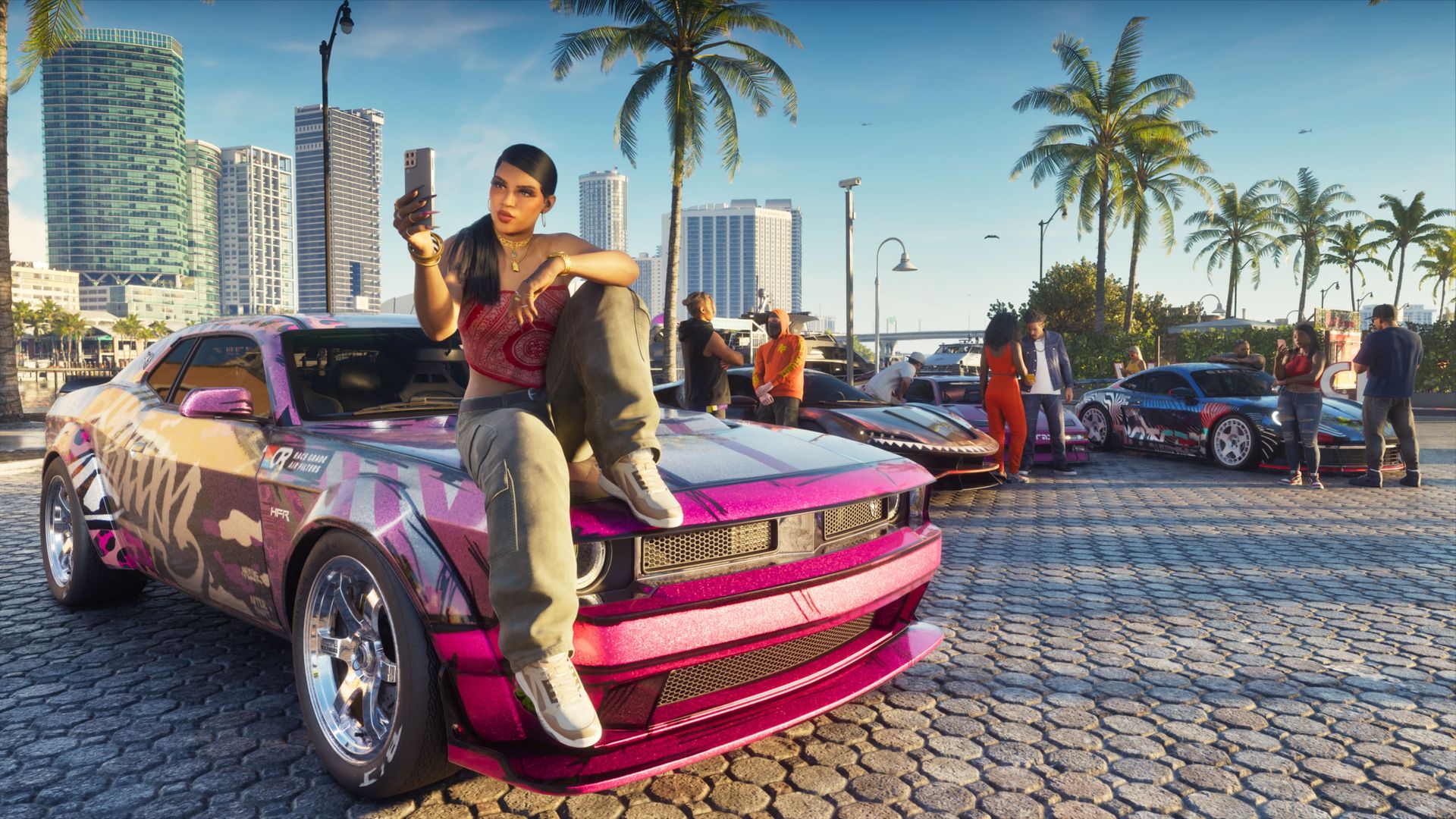
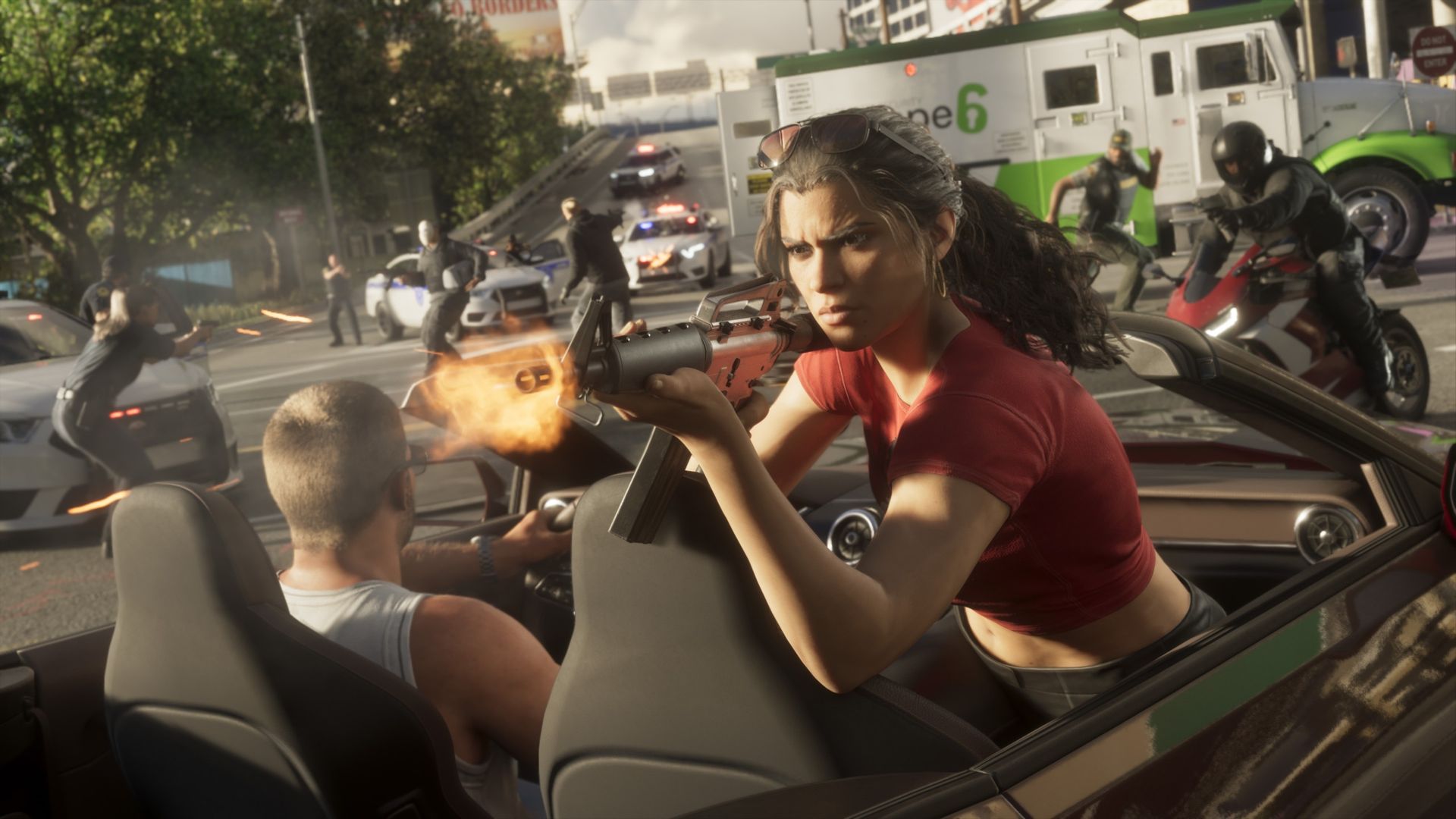
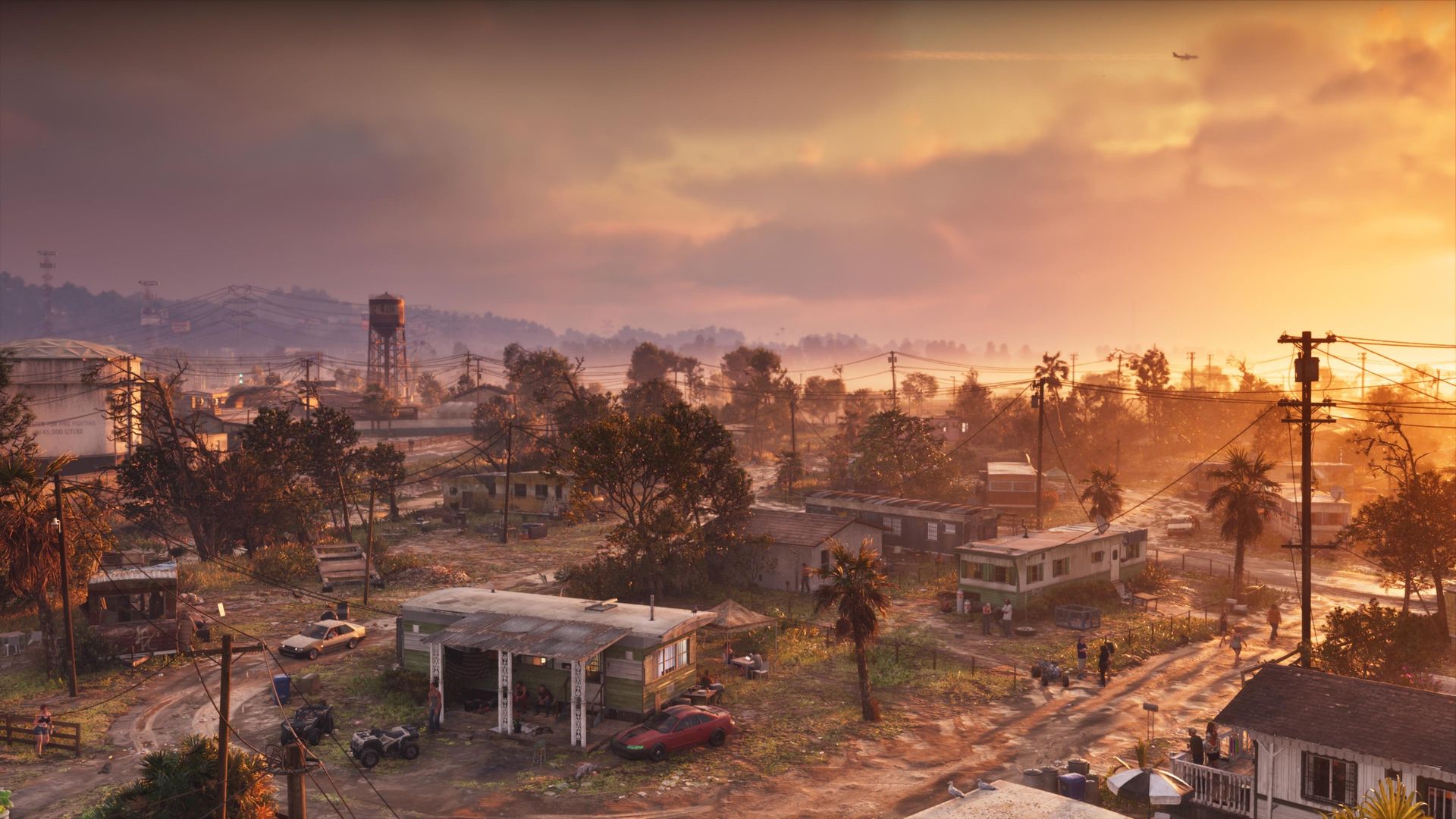
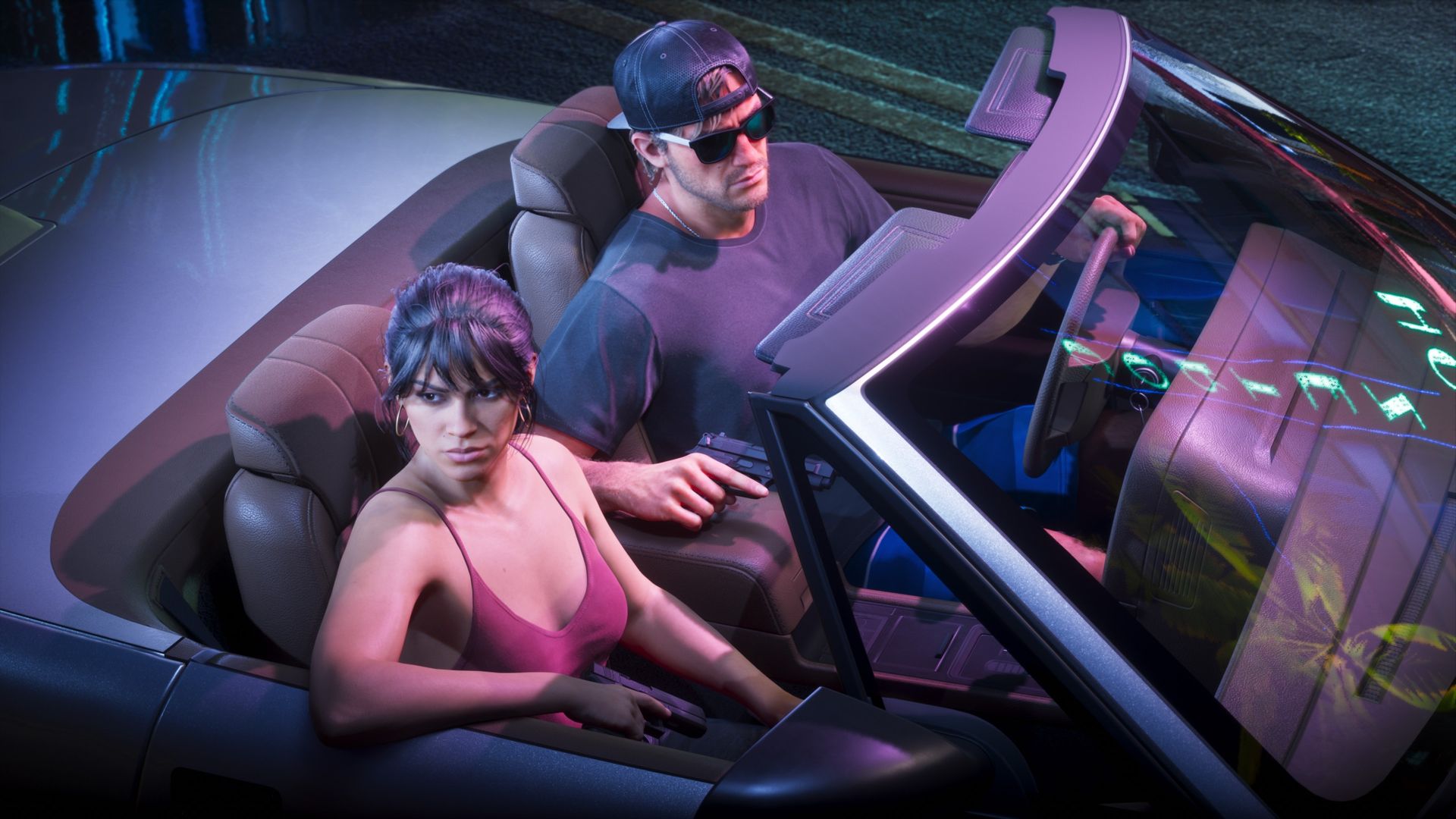
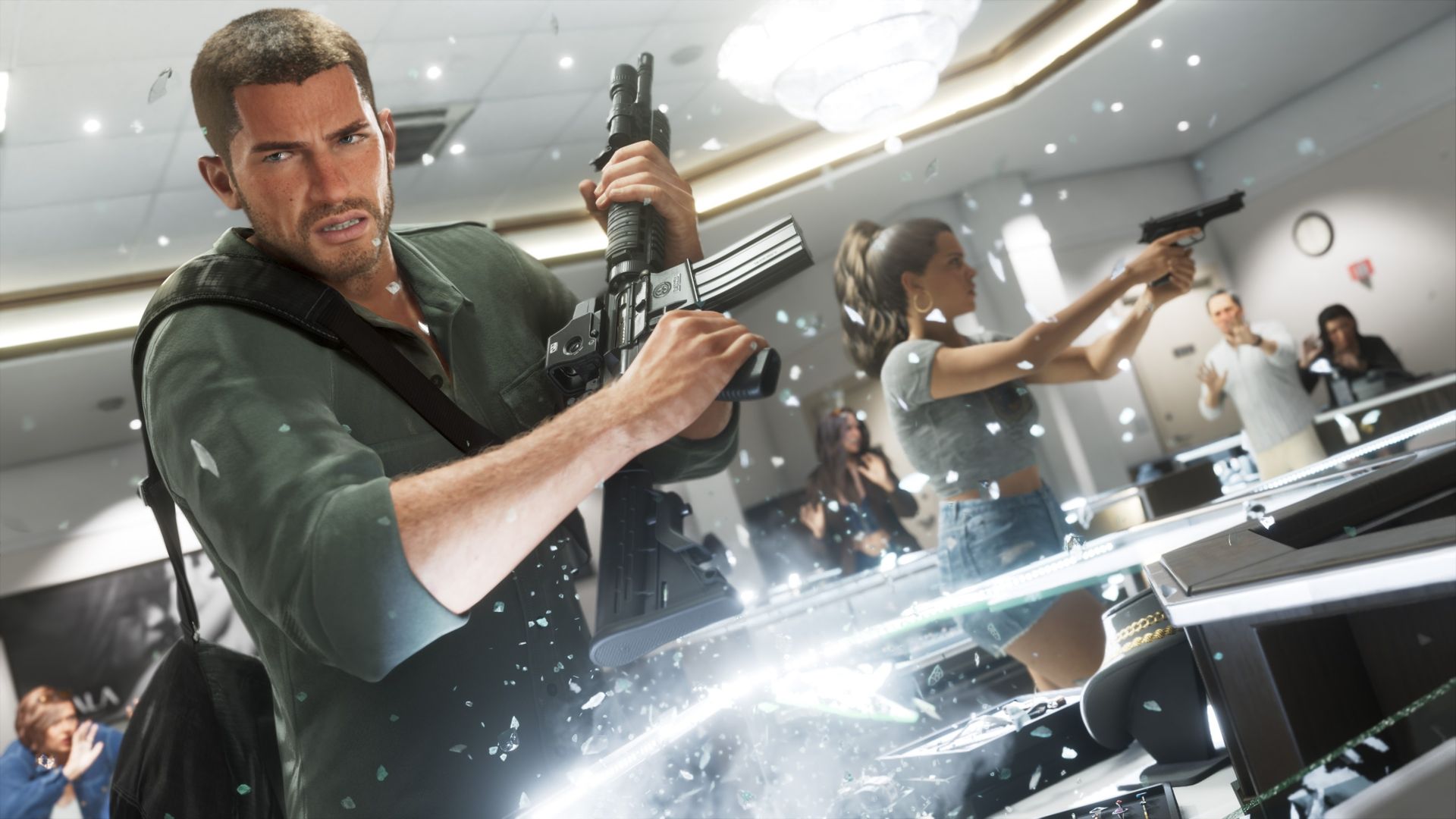
The launch of GTA VI is a big deal. That's hardly a shocking declaration, but the absolute absurdity of how big this game is is staggering. We have "Doctor" DJ Khaled writing sick notes to get people out of work, Logitech giving their entire company a day off to game, and non-gaming outlets racing to review GTA VI.Considering GTA VI is set in a fictional version of Miami, Florida, the Miami Heat embracing the game is less surprising than NPR publishing a GTA VI r
Considering GTA VI is set in a fictional version of Miami, Florida, the Miami Heat embracing the game is less surprising than NPR publishing a GTA VI review. To celebrate the launch of the game, the Miami Heat will transform into "Vice City" for one night.
On the eve of the launch of GTA VI, the Miami Heat will host "A Night in Vice City" at its home arena, the Kaseya Center. Cars inspired by GTA VI will appear at the gates before the game against the Milwaukee Bucks, and there will be a giant VI for fans to take photos with.
For the evening, Burger Shot and Cluckin' Bell from GTA VI will replace some of the normal fast food restaurants in Kaseya Center.
The night's game will be played on a special GTA VI-themed court and the Heat will play in uniforms inspired by the game as well.
If you love Grand Theft Auto but aren't an NBA fan, I'd still suggest checking out the Vice City apparel collection. The Vice City bomber jacket is my favorite, but there are a variety of shirts and hats to check out.
Unfortunately, you'd have to attend the game in person to purchase a Vice City jersey and some other limited-edition clothes.
The promotion may sound excessive, but so do most things surrounding GTA VI's launch. Between companies giving employees time off to play, mainstream publications reviewing the game, and an NBA franchise turning itself into Vice City for a night, Rockstar's latest release continues to blur the line between a game launch and a cultural event.
Grand Theft Auto 6: $79.99 Grand Theft Auto resumes its generation-defining role after over a decade on hiatus. GTA 6 is monstrously ambitious, expertly executed, and simply sublime. Don't read reviews. Just go buy it.
NVIDIA's RTX Spark platform launched first in Windows laptops, including the Surface Laptop Ultra, on October 16, 2026.RTX Spark testing and chip benchmarks were overall positive, with Windows Central Senior Editor Zac Bowden noting that the NVIDIA N1X SoC is "one of the better choices in the Windows space right now, especially for laptops that are thin-ish and (relatively) light."Roughly a month later, we have the RTX Spark chip inside of mini PCs like the ASUS
RTX Spark testing and chip benchmarks were overall positive, with Windows Central Senior Editor Zac Bowden noting that the NVIDIA N1X SoC is "one of the better choices in the Windows space right now, especially for laptops that are thin-ish and (relatively) light."
Roughly a month later, we have the RTX Spark chip inside of mini PCs like the ASUS ProArt GR1X. We received 64GB and 128GB RAM configs of this PC a few days ago for testing, and we've been hard at it in order to compare the laptop and desktop versions of NVIDIA's hardware.
Is there a significant difference in performance? Is one device category better than the other for AI workloads? Let's find out.
ASUS and NVIDIA had no editorial input here, nor did either company see this review prior to publication.
How much does the ASUS ProArt GR1X cost?
The ASUS ProArt GR1X officially launched on November 18, 2026, at a $4,499 starting price.
The units we're reviewing have the more powerful RTX Spark N1X chip with 20 CPU cores, 6,144 GPU cores, and a TDP up to 140W (a significant jump from the laptop version's 80W maximum).
Zac Bowden received a model with 128GB of unified RAM, while I received a model with 64GB. We split up the testing and benchmarking accordingly.
Here's a closer look at the specs you can expect in these ASUS ProArt GR1X mini PCs.
I get into my impressions of the ASUS ProArt GR1X mini PC's design and features below, but what's more important is how the desktop version of the N1X chip performs.
To figure that out, Zac and I focused on AI, general use, and gaming performance, comparing the results to what Bowden already discovered in his initial N1X tests on theSurface Laptop Ultra.
NVIDIA RTX Spark N1X desktop CPU performance
The ASUS ProArt GR1X gives the NVIDIA RTX Spark chip more power than the laptop versions. (Image credit: Zac Bowden / Windows Central)
NVIDIA's Grace processor sees almost no improvement in single-core workloads, but that's not surprising; one core gets plenty of power across both form factors.
Geekbench 7 and Cinebench 2026 each show approximately a 5% increase in multi-core workloads for the mini PC.
That's a minor uplift, and most of the improvements, as we'll see, land in GPU territory.
CPU benchmarks
ASUS ProArt GR1X NVIDIA RTX Spark 64GB RAM
ASUS ProArt GR1X NVIDIA RTX Spark 128GB RAM
Surface Laptop Ultra NVIDIA RTX Spark 128GB RAM
Geekbench 7 (Single/Multi)
2,682 / 23,699
2,655 / 24,849
2,710 / 23,571
Cinebench 2026 (Single/Multi)
555 / 7,237
554 / 7,248
558 / 6,885
NVIDIA RTX Spark N1X desktop GPU performance
The RTX Spark's Blackwell GPU is the real winner, whether it's being used for gaming or for AI acceleration.
In 3DMark's suite of gaming benchmarks, the RTX Spark in the ProArt mini PC was ahead by up to 13.3%. The performance uplift drops off in more demanding tests at higher resolutions.
The RTX Spark's Blackwell GPU is the real winner.
Because the Spark gets access to NVIDIA's DLSS upscaling toolkit, the PC can game at a rather high level. Low triple-digit frame rates are possible in games like Cyberpunk 2077 at 1440p, even with ray tracing enabled. That nearly doubles with 4xmulti-frame generation.
Despite its gaming ability, I don't recommend buying the ProArt GR1X as a dedicated gaming PC. Treat it like a nice bonus in a PC purchased for specialized creative, AI, and professional workloads.
GPU benchmarks
ASUS ProArt GR1X NVIDIA RTX Spark 64GB RAM
ASUS ProArt GR1X NVIDIA RTX Spark 128GB RAM
Surface Laptop Ultra NVIDIA RTX Spark 128GB RAM
3DMark Time Spy
14,041
14,478 ^
12,771
3DMark Time Spy Extreme
6,367
6,646 ^
5,857
3DMark Steel Nomad
3,327 ^
3,288
3,064
3DMark Speed Way
3,087
3,194 ^
3,011
NVIDIA RTX Spark N1X desktop AI performance
AI performance receives a generous boost in the GR1X mini PC. (Image credit: Zac Bowden / Windows Central)
AI acceleration is the RTX Spark's main selling point. These PCs are not cheap, and those who aren't working with AI can spend a lot less to land a stellar device.
Zac and I ran a collection of benchmarks from the Procyon toolkit to measure AI tasks like text and image generation, as well as video editing and general responsiveness under load.
Unsurprisingly, the desktop RTX Spark outperforms the laptop version across the board.
On-device text generation benchmarks
Model
ASUS ProArt GR1X NVIDIA RTX Spark 64GB RAM
ASUS ProArt GR1X NVIDIA RTX Spark 128GB RAM
Surface Laptop Ultra NVIDIA RTX Spark 128GB RAM
Phi-3.5-mini
2,902 74.9 Tokens/sec
2,958 ^ 77.95 Tokens/sec
2,615 72.21 Tokens/sec
Mistral 7B
2,491 53.7 Tokens/sec
2,549 ^ 55.4 Tokens/sec
2,276 53.07 Tokens/sec
Llama 3.1 8B
2,415 50.8 Tokens/sec
2.490 ^ 52.8 Tokens/sec
2,251 49.44 Tokens/sec
Llama 2 13B
2,280 28.1 Tokens/sec
2,336 ^ 28.8 Tokens/sec
2,108 27.44 Tokens/sec
Text generation using four different models is faster by up to several tokens a second on the desktop Spark chip.
In Phi 3.5 mini, there's a 13.1%uplift on the desktop RTX Spark. For Mistral 7B, it's an 11.99% increase. Llama 3.1 8B falls to a 10.6% uplift, and Llama 3 13B hits 10.82%.
On-device image generation benchmarks
Model
ASUS ProArt GR1X NVIDIA RTX Spark 64GB RAM
ASUS ProArt GR1X NVIDIA RTX Spark 128GB RAM
Surface Laptop Ultra NVIDIA RTX Spark 128GB RAM
Stable Diffusion 1.5
1,635 3.82 s/image
1,680 ^ 3.72 sec/image
1,480 4.22 sec/image
Stable Diffusion 1.5 Light
12,713 2.46 s/image
13,127 ^ 2.38 sec/image
11,294 2.77 sec/image
Stable Diffusion XL
1,824 20.55 s/image
1,819 20.6 sec/image
1,496 25.05 sec/image
Improvements to image generation speed are more impressive. The desktop RTX Spark cuts about five seconds off Stable Diffusion XL generation time, whether using 64GB or 128GB of RAM.
Stable Diffusion 1.5 sees a 13.5% uplift, SD 1.5 Light hits a 16.23% increase, and Stable Diffusion XL improves by a whopping 21.9%.
On-device workload benchmarks
ASUS ProArt GR1X NVIDIA RTX Spark 64GB RAM
ASUS ProArt GR1X NVIDIA RTX Spark 128GB RAM
Surface Laptop Ultra NVIDIA RTX Spark 128GB RAM
Procyon Computer Vision 2
4,057
4,147 ^
3,997
Procyon Essentials
4,519
5,333 ^
4,863
Procyon Video Editing 1.5
N/A
30,168 ^
29,595
Computer Vision 2 measures how well a PC can handle general AI tasks common in offices and other workplaces. It's a minor jump for the desktop Spark with 64GB RAM, but a more pronounced jump for the model with 128GB.
ProcyonEssentials performs a bunch of tasks common in professional workloads: video calls, heavy web browsing, app startup, and more. This test likely relies more on system RAM, as my 64GB mini PC fell behind both 128GB systems. With RAM on par, the desktop RTX Spark comes out well ahead.
Video Editing uses Adobe Premiere Pro to gauge the ability to work through an editing workflow. Again, the desktop RTX Spark chip comes out ahead of the laptop version.
What I like about the ASUS ProArt GR1X
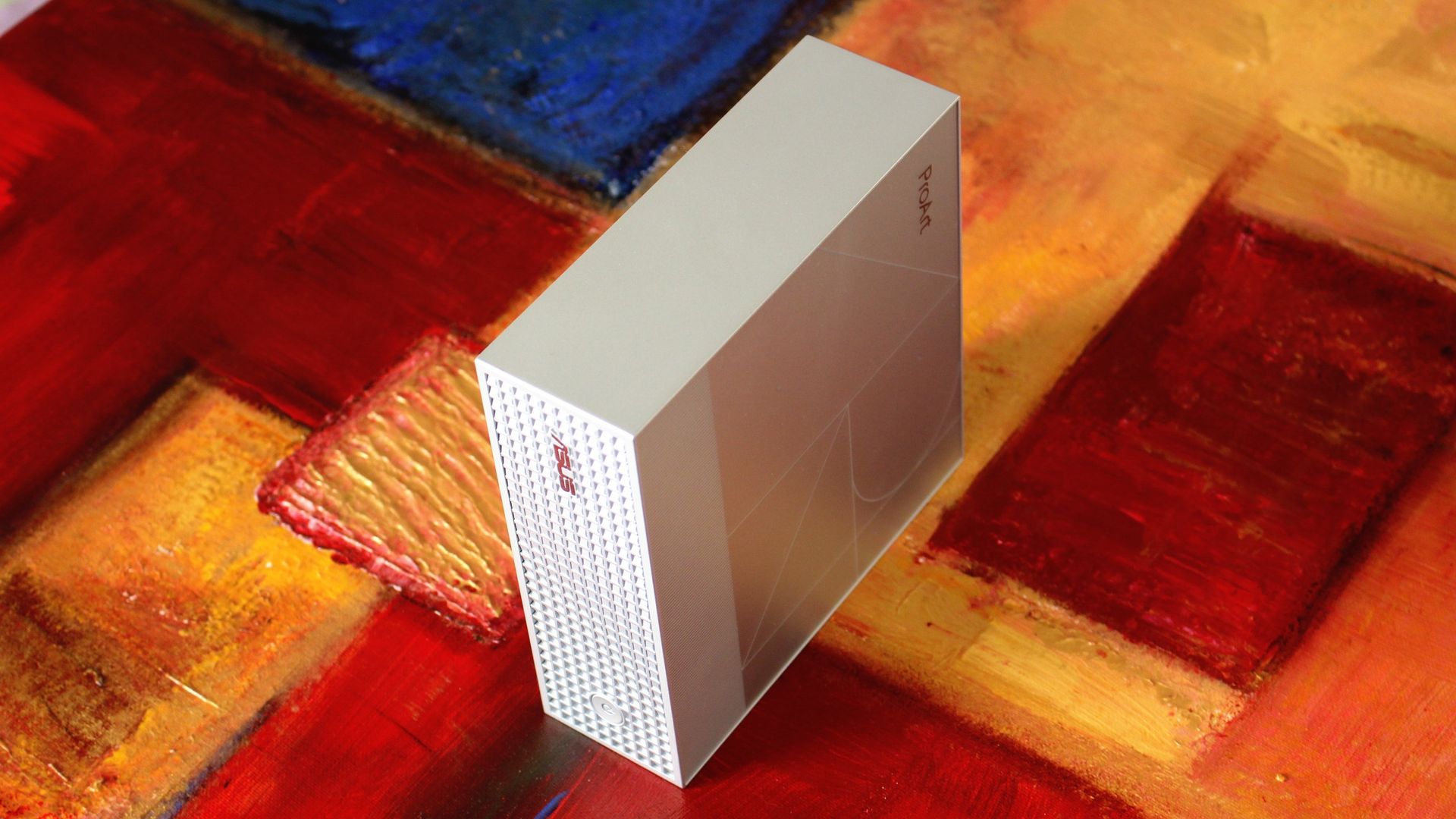
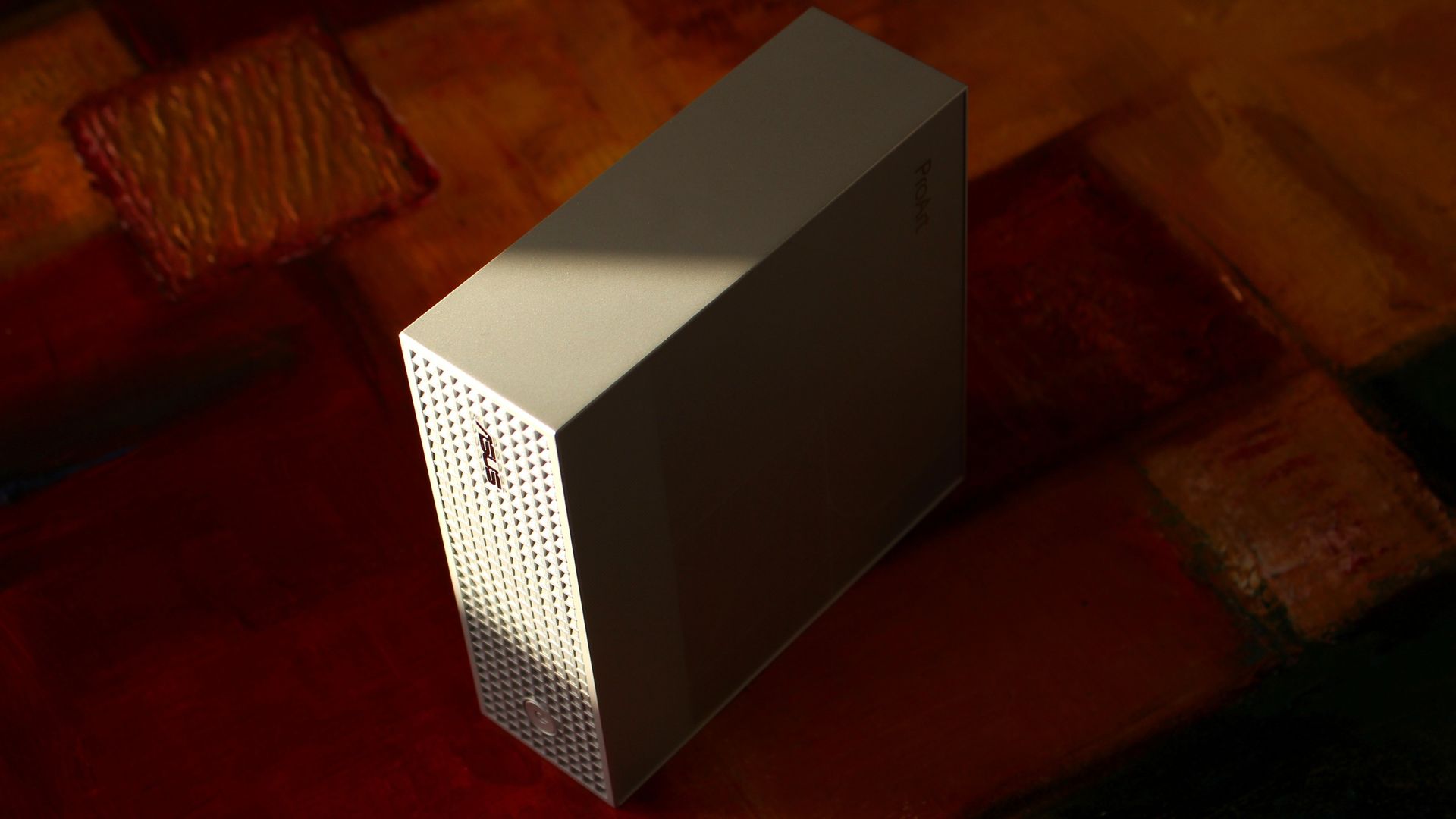
The ProArt GR1X is compact and has a beautiful exterior finish. (Image credit: Zac Bowden / Windows Central)
In my limited time testing the ASUS ProArt GR1X, I've come across a few perks and downsides that I feel are pertinent to your buying decision.
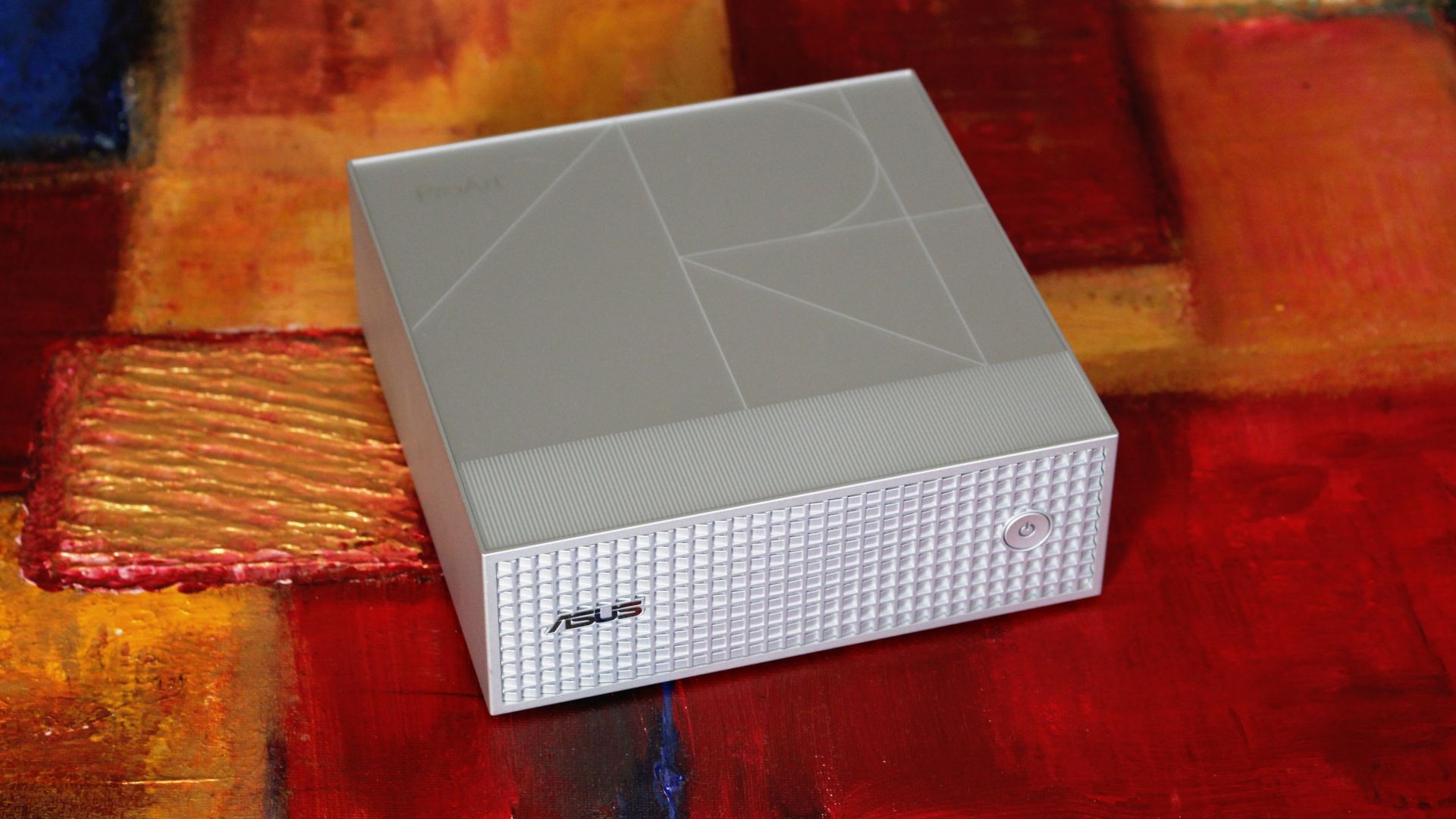
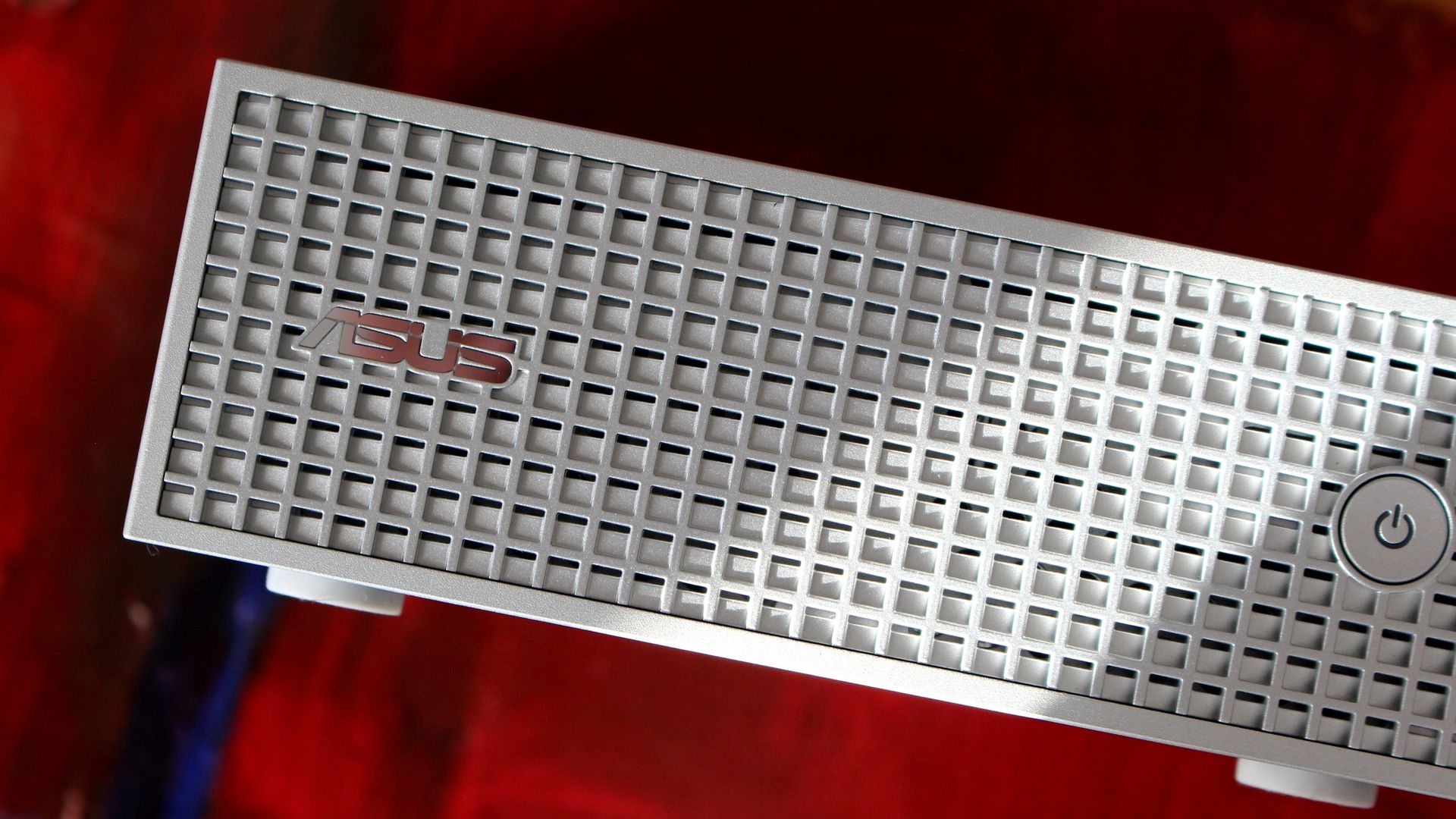
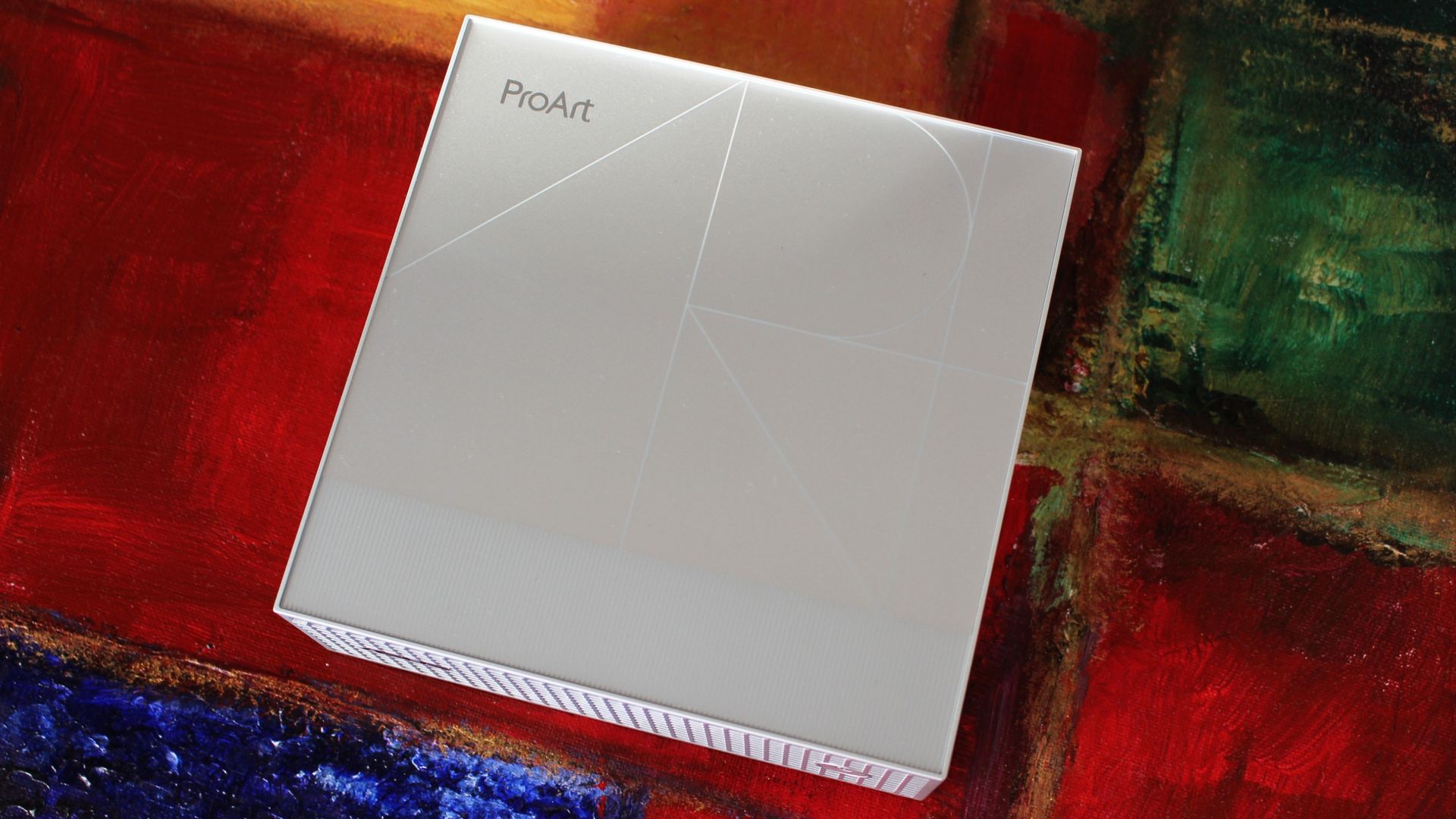
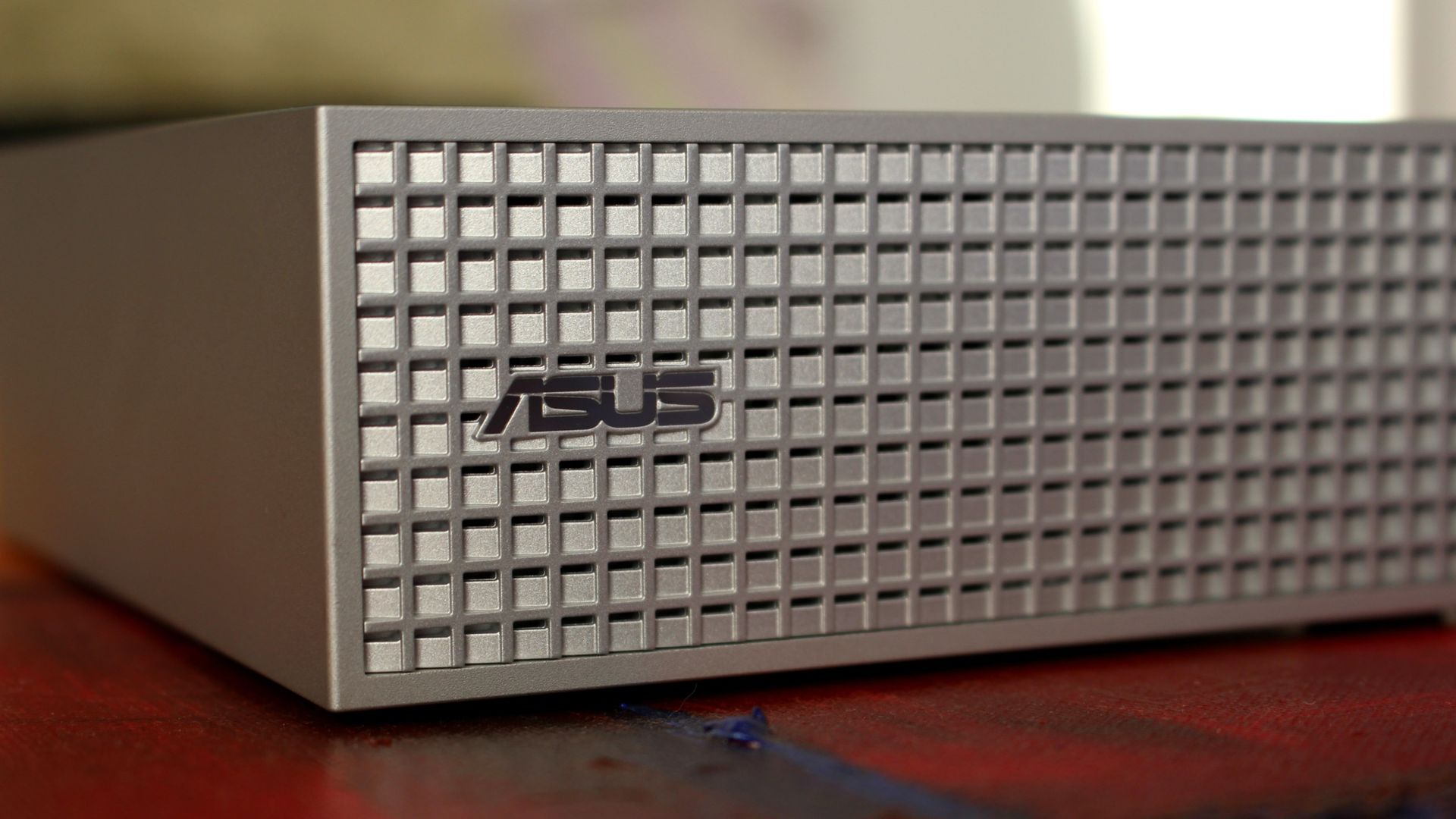
Starting with the good stuff, I love the mini PC's design. All of the ASUS ProArt PCs have a professional aesthetic, and this one nails it with a silver finish, a stylized ProArt logo engraving on the top panel, and a waffled front plate with additional air vents.
It's a super simple approach with just a power button on the front, leaving all I/O for the rear of the PC (more on that in the next section).
The etched ProArt design in the top of the GR1X is a nice touch. (Image credit: Zac Bowden / Windows Central)
I put my GR1X through a stress test to see how loud it gets. My meter didn't breach 55 decibels during the run, which is about as loud as a regular conversation. Nothing wrong with that. It doesn't throttle thermally, either, which is really the whole point of a desktop support system.
The rather large intake vent on the bottom of the PC is clearly feeding it with enough cool air, and everything gets vented out the back, as it should.
A power button and ASUS logo adorn the front waffled panel. (Image credit: Zac Bowden / Windows Central)
Wireless connectivity is about as good as you'll find these days, with modern Wi-Fi 7 and Bluetooth 5.4 on board. Most people aren't yet using Wi-Fi 7, but you'll be ready for a router upgrade in the future.
ASUS has also included a 10Gb Ethernet port for wired hookups, ideal for anyone who prefers the reliability of LAN.
As for external display support, you can run up to four screens at once via USB-C and HDMI 2.1.
What I dislike about the ASUS ProArt GR1X
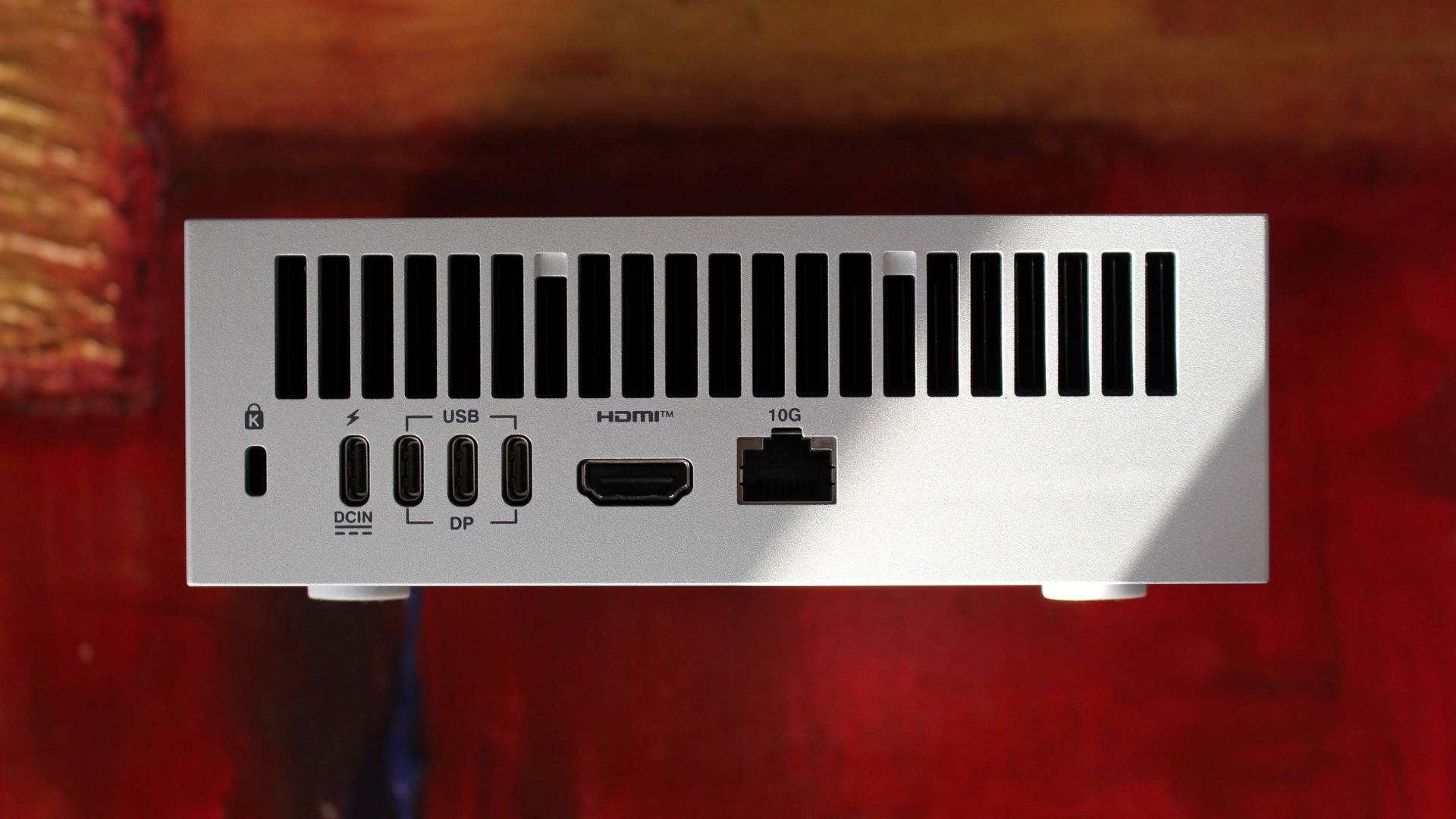
Ports are all located on the back of the PC. (Image credit: Zac Bowden / Windows Central)
My main gripe with the ProArt GR1X right now is its port placement. Everything is located on the rear of the PC, so even quick hookups will have you reaching around and feeling for a port.
The USB-C ports are all jammed together on the back, making it difficult to plug in and out on the fly. Having even one port on the front would go a long way.
There's also the port selection to contend with. The ProArt GR1X has no USB-A or SD card reader, and its USB-C ports aren't as good as they could be.
Rather than USB4 at 40Gbps, the three USB-C hookups are Gen 2x2, topping out at 20Gbps. A fourth USB-C port handles the AC hookup, so no issues there.
Should you buy the ASUS ProArt GR1X mini PC?
A look at the waffled front panel with air intakes on the ASUS ProArt GR1X. (Image credit: Zac Bowden / Windows Central)
You should buy it if ...
✅ You want superior RTX Spark power and don't mind losing a laptop's mobility.
✅ You're an AI specialist with deep pockets for specialized PC hardware.
You should not buy it if ...
❌ You prefer having an RTX Spark PC you can take anywhere.
❌ You're a gamer who needs a PC for fun and nothing else.
NVIDIA promised a performance uplift with its desktop version of the RTX Spark, and based on our testing, I'd say it made good on its word. The improved cooling and added wattage really make a difference.
The Blackwell GPU has the most to benefit, and we saw uplifts starting around 10% and running as high as 21.9% in benchmarks. CPU improvements are not as pronounced, but that matters less here for specialized AI workloads.
We saw uplifts starting around 10% and running as high as 21.9% in benchmarks
As for the ASUS ProArt GR1X itself, it's a fancy, compact mini PC that keeps its cool and quiet under load. It's not perfect, but it seems like apt housing for NVIDIA's chip.
Downsides? I can't figure out why ASUS didn't expand its port selection or place anything on the front panel. The setup is bound to frustrate anyone who's often plugging and unplugging.
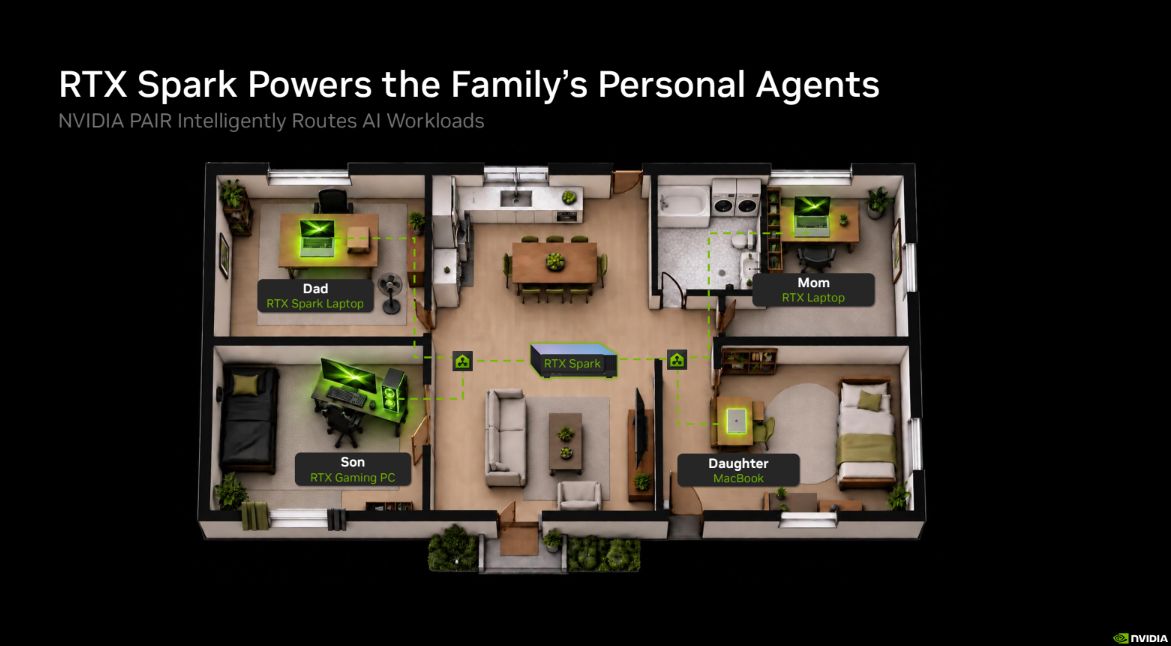
That leads me to NVIDIA PAIR, a feature for RTX Spark PCs that allows them to communicate wirelessly with each other, offloading workloads to connected RTX and macOS systems.
A quick look at how NVIDIA PAIR works across your home or office. (Image credit: NVIDIA)
With how the ProArt GR1X is designed, it seems like a perfect candidate to become a "headless" AI machine that works away on its own while you use a laptop or full-size desktop PC. Link up two or three of these mini PCs, and you have a personal network ready to do your AI bidding.
There's also the price with which to contend. Starting at $4,499, RTX Spark desktop mini PCs are a full $700 more expensive than RTX Spark laptops. Is the extra power worth it? For some professionals, sure. For others, it'll no doubt be too much of a premium over the laptop price to make sense.
We plan to put together a comparison with the Mac Studio in the coming days, but are there any other PCs to which you'd like RTX Spark compared? What would you like us to test next on the ProArt GR1X? Let us know in the comments section below!
Desktop RTX Spark
ASUS
ProArt GR1X
The desktop version of NVIDIA's RTX Spark chip delivers the promised uplifts over the lower-watt laptop version. The ASUS ProArt GR1X helps make that possible with strong cooling capabilities, but it has some of its own quirks you'll want to know about before buying.
Join us on Reddit at r/WindowsCentral to share your insights and discuss our latest news, reviews, and more.
GTA VI is finally here, and I have never seen such effusive praise for a game. GTA VI earned a 99 on Metacritic, matching the highest-ever rating for a game (original Legend of Zelda: Ocarina of Time). Perfect score after perfect score has flooded the web, praising Rockstar for GTA VI."GTA 6 proves once again that Rockstar is simply light-years ahead of the pack with one of the most immersive simulation sandbox games ever realized," said our Managing Editor Jez C
GTA VI is finally here, and I have never seen such effusive praise for a game. GTA VI earned a 99 on Metacritic, matching the highest-ever rating for a game (original Legend of Zelda: Ocarina of Time). Perfect score after perfect score has flooded the web, praising Rockstar for GTA VI.
"GTA 6 proves once again that Rockstar is simply light-years ahead of the pack with one of the most immersive simulation sandbox games ever realized," said our Managing Editor Jez Corden in our GTA VI review.
GTA VI is one of the most anticipated games of all time. Years of rumors and delays led to memes about everything we got before GTA VI, but based on the reviews of the game, the wait was worth it.
You could make countless posters and advertisements of purely 5-star reviews for GTA VI without any shortage of source material.
As you'd expect, the biggest gaming outlets reviewed GTA VI. But the game's launch is such a cultural event that NPR, Bloomberg, and other publications that aren't primarily known for gaming coverage weighed in as well.
GTA VI reviews
Our review (5/5): "A game so good I asked our tech team if I could somehow give it 11/10."
IGN (10/10): "After three weeks and over 120 hours playing it, I’m still hopelessly hooked, absorbing the world at walking speed like a tourist in a new town."
GamesRadar+ (5/5): "GTA 6 is the highest-fidelity sandbox of its generation. Rockstar has built an open world of truly astonishing scale, scope, and quality."
EuroGamer (5/5): "A game of opposites and awe, minute detail and impossible scale, Rockstar pushes back the horizon of video games once again with GTA 6."
GameSpot (10/10): "GTA 6 is an astonishing open-world action game that I’d wager won’t be outdone until Grand Theft Auto 7."
The Guardian (5/5): "With realism that defies belief, this vast game easily accommodates its trademark foulmouthed, OTT chaos – as well as new empathy for the fugitive couple at its centre"
Bloomberg: "It turns out that the secret ingredients to a great game are a lot of money, time and talented people."
NPR: "There is a gloss on it that feels like love."
I don't want to spoil anything in GTA VI, so I've selected excerpts from reviews without sharing specifics about the plot. From what I've seen, reviewers have avoided sharing major spoilers for the game, but it's always good to be cautious about what you read if you want to go into GTA VI blind.
GTA VI's score on Metacritic is impressive, but what stands out is how universally praised the game is from top to bottom. I've seen games earn praise for graphics, storytelling, or specific standout aspects, but each review of GTA VI adds a layer of perfection to the game.
The overwhelming praise for GTA VI makes me expect a wave of counter-reviews and hot takes in the coming days. Whenever a game, movie, or TV show receives this level of hype, there are always people eager to push back against the consensus. I suggest ignoring the clickbait.
But considering GTA VI faced nearly impossible expectations to begin with, players probably have little to worry about.
Grand Theft Auto 6: $79.99 Grand Theft Auto resumes its generation-defining role after over a decade on hiatus. GTA 6 is monstrously ambitious, expertly executed, and simply sublime. Don't read reviews. Just go buy it.
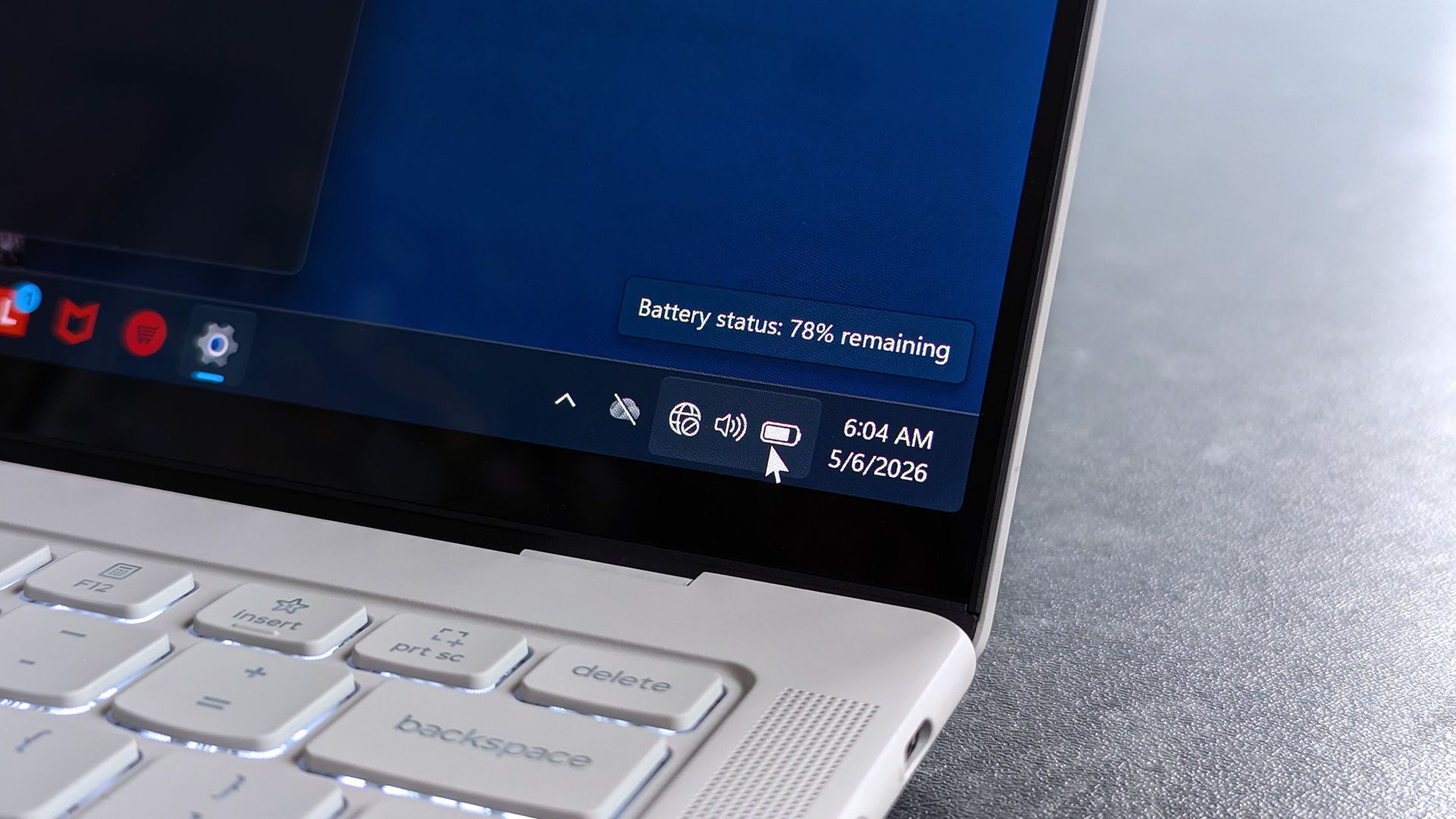
Have you ever plugged in your laptop only to see "plugged in, not charging" appear on your screen? If so, there's a good chance your charger or cable wasn't delivering enough power for your laptop.It's easy to grab the wrong charger for your laptop over Black Friday, especially when so many USB-C chargers are available. But with a few tips and tricks, you can charge your laptop and never have to worry about wattage again.If you're not sure where to start, a 65W U
Have you ever plugged in your laptop only to see "plugged in, not charging" appear on your screen? If so, there's a good chance your charger or cable wasn't delivering enough power for your laptop.
It's easy to grab the wrong charger for your laptop over Black Friday, especially when so many USB-C chargers are available. But with a few tips and tricks, you can charge your laptop and never have to worry about wattage again.
If you're not sure where to start, a 65W USB-C charger is enough for most everyday laptops. If you have a workstation or gaming laptop, check the wattage of the charger that came with your PC and use that as a starting point.
This compact 65W charger is small enough to toss in a backpack and powerful enough to charge most Surface devices, ThinkPads, XPS 13s, Zenbooks, and similar laptops at full speed.
This 140W charger can power demanding laptops and multiple devices simultaneously. The built-in display also makes it easy to check how much power is being delivered in real time.
Why buying a laptop charger is complicated
The charger that shipped with your laptop is often the easiest way to determine how much power your PC needs. This Lenovo power adapter is clearly labeled as a 140W charger. (Image credit: Future)
The "U" in USB-C stands for universal, but that doesn't mean all USB-C chargers are the same. All USB-C chargers use the same connector, but they can differ in wattage and what standards they meet.
USB-C cables can be just as confusing. Two cables may look identical while supporting vastly different charging speeds. One might support 60W charging while another supports 240W.
The labeling of USB-C chargers can create more confusion. For example, a charger being labeled as "100W" could refer to either a single port delivering up to 100W at once or the total wattage of multiple ports in that same charger.
That's why it's worth checking the specifications of each port rather than relying solely on the headline wattage.
Shopping for a charger has led many to ask, why aren't all USB-C chargers the same? I get the frustration and dislike having to dig through spec sheets to ensure a charger will work for a specific device.
The reality is that there are plenty of times that a tiny USB-C charger without Power Delivery or fast charging is fine. You shouldn't have to buy an expensive device to charge your toothbrush or other small accessories.
But manufacturers could absolutely do more to make shopping easier.
What wattage charger does my laptop need?
The easiest way to check what type of charger your laptop needs is to look at the charger it came with. My workstation laptop shipped with a giant 135W charging brick. The label on that brick says 135W right at the top. Thanks, HP!
You may not be so lucky. If you're shopping for a laptop charger because you lost your original one, you can't just look at a label. Or maybe the text wore off your original charger or isn't easy to find. Whatever the case, you can still figure out what type of charger you need.
The manufacturer of your laptop should list its charging requirements online.
Device Type
Typical Wattage
Chromebook
30W-45W
Thin-and-light Windows laptop
45W-65W
Business laptop
65W-100W
Creator laptop
100W-140W
Gaming laptop
140W-330W+
The table above is a rough guide. As a reminder, you can usually get a charger with higher wattage than what your laptop needs. Most laptops will only take the power they need.
Laptop charger FAQ
Does USB-C mean any USB-C charger will work with my laptop?
No. While USB-C has become the standard connector for many devices, chargers vary in wattage and supported charging standards. A USB-C charger designed for a phone may not provide enough power for a laptop.
What is USB Power Delivery (USB PD)?
USB Power Delivery (USB PD) is a USB-C charging standard that allows devices and chargers to negotiate the amount of power delivered. It enables everything from phones to laptops to charge safely from compatible USB-C chargers and often eliminates the need for device-specific chargers.
What is a GaN charger?
A GaN charger uses gallium nitride instead of traditional silicon components, allowing it to deliver more power in a smaller and more efficient design.
Why does my laptop say "plugged in, not charging"?
A common reason your laptop says, "plugged in, not charging" is that your charger or cable does not support the required wattage for your laptop.
Can I use a higher wattage charger with my laptop?
It is generally safe to use a higher-wattage charger with your laptop. Most modern laptops only take the power they need, but always check your device's manual first.
Can I use a lower wattage charger with my laptop?
It is not advised to use a lower-wattage charger with your laptop. A charger that cannot provide enough power may charge your laptop slowly or fail to keep up when the device is under load.
Can a phone charger charge a laptop?
Some phone chargers can charge laptops, but many do not provide enough power for larger devices. Check that the charger supports USB Power Delivery and can deliver sufficient wattage for your laptop.
Join us on Reddit at r/WindowsCentral to share your insights and discuss our latest news, reviews, and more.
Microsoft is giving the Windows 11 Settings app a meaningful security makeover, bringing core hardware and system integrity checks out of buried legacy menus and into one clean, unified dashboard. Rolling out gradually to Insiders running Windows 11 Experimental Build 26340.10013, the new Windows baseline protection experience lets you verify at a glance whether your […]
Microsoft is giving the Windows 11 Settings app a meaningful security makeover, bringing core hardware and system integrity checks out of buried legacy menus and into one clean, unified dashboard. Rolling out gradually to Insiders running Windows 11 Experimental Build 26340.10013, the new Windows baseline protection experience lets you verify at a glance whether your […]
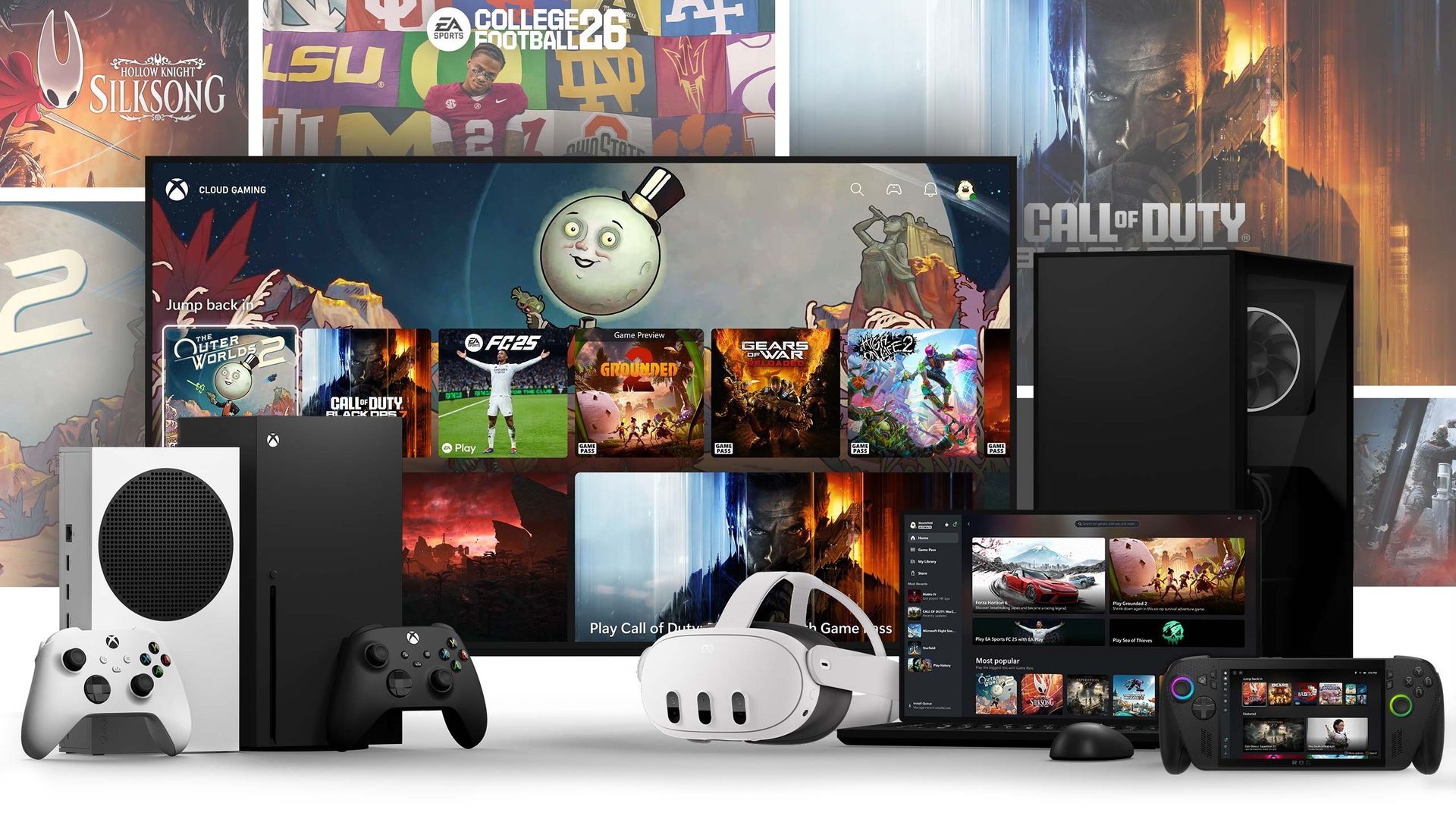
Xbox Game Pass Ultimate remains one of the best-value subscriptions in gaming in spite of historical price increases, though its regular $22.29 monthly cost still isn't cheap. Fortunately, an early Black Friday deal at StackSocial drops a one-month subscription to just $17.99, saving players $5 off the regular price.You'll get access to hundreds of games across Xbox consoles and PC, select day-one releases from Microsoft's first-party studios, Cloud Gaming suppor
Xbox Game Pass Ultimate remains one of the best-value subscriptions in gaming in spite of historical price increases, though its regular $22.29 monthly cost still isn't cheap. Fortunately, an early Black Friday deal at StackSocial drops a one-month subscription to just $17.99, saving players $5 off the regular price.
You'll get access to hundreds of games across Xbox consoles and PC, select day-one releases from Microsoft's first-party studios, Cloud Gaming support on compatible devices, online multiplayer, and exclusive member discounts.
The code is available only to U.S. Microsoft account holders and can be redeemed by both new and existing Xbox Game Pass subscribers. However, the offer isn't stackable, meaning you can only apply one code per Microsoft account.
Enjoy the full benefits of Xbox Game Pass Ultimate like playing games on the go with Xbox Cloud Gaming, downloading games for free via Xbox Game Pass, and online multiplayer at a fraction of its monthly cost.View Deal
Should I wait for Black Friday for a better deal?
There's no guarantee a larger Xbox Game Pass Ultimate discount will appear on Black Friday itself. If you're planning to subscribe or renew soon, this saving may be worthwhile rather than waiting.
Is this subscription code stackable?
No. This particular Game Pass Ultimate offer is not stackable, so purchasing multiple copies of this deal won't extend your subscription beyond one month. Only a single code can be redeemed per Microsoft account.
Join us on Reddit at r/WindowsCentral to share your insights and discuss our latest news, reviews, and more.
Grand Theft Auto 6 is a tough review to write for a variety of reasons. The hype surrounding Grand Theft Auto 6 is beyond anything I've experienced in my decade-long career reviewing hardware, software, apps, accessories, and games. It's likely to be the biggest entertainment launch to date, and given the state of things, GTA 6 could be the biggest entertainment launch for a long time to come — maybe ever. This review will be wholly spoiler-free, and in that, I n
Grand Theft Auto 6 is a tough review to write for a variety of reasons.
The hype surrounding Grand Theft Auto 6 is beyond anything I've experienced in my decade-long career reviewing hardware, software, apps, accessories, and games. It's likely to be the biggest entertainment launch to date, and given the state of things, GTA 6 could be the biggest entertainment launch for a long time to come — maybe ever.
This review will be wholly spoiler-free, and in that, I need to be a bit vague about some of the finer details. Indeed, one thing that makes GTA 6 on Xbox so special is the restless sense of discovery. Every few minutes, I found something new to be delighted by: some detail no other Xbox game had committed to, a side story that was hilarious and unexpected, or a new feature that would likely make no sense in any other title.
Grand Theft Auto 6 is not only one of the best games ever made, but it might be the best game ever made. The sheer volume of ambition condensed and distilled down into what honestly ends up feeling like a "mere" 200 GB package on Xbox Series X|S feels truly unreal. The game is simply just this vast.
Deftly combined with careful simulation elements, Rockstar's signature scathing social commentary and satire, Oscar-grade performance art, and timeless Grand Theft Auto traditions coalesce to make GTA 6 a generation-defining experience once again.
If you want my advice: go in blind. Don't read reviews or previews. Let the full force of Grand Theft Auto 6 and all its intrigue hit you full force, as I have. Grand Theft Auto 6 is quite easily game of the year, game of the gen, and quite possibly a contender for best game ever.
Disclaimer: This game was reviewed primarily on Xbox Series X with a code provided by Rockstar Games. Rockstar Games did not see the content of this review before publication. Gameplay screenshots and clips are under embargo until launch day.
Grand Theft Auto 6: $79.99 Grand Theft Auto resumes its generation-defining role after over a decade on hiatus. GTA 6 is monstrously ambitious, expertly executed, and simply sublime. Don't read reviews. Just go buy it.
The variety of locales makes for amazing scenes. (Image credit: Rockstar Games)
This review was conducted primarily on Xbox Series X, and I don't have access to an Xbox Series S for testing the "lower-end" version at this time, but we'll follow up with more on that after launch. Though, I suspect most in the Xbox universe will more than likely be on Series X for this, and those users are in for a treat.
Grand Theft Auto 6 makes some clear trade-offs to realize its sandbox, which is the most painstaking and meticulous open world simulation ever committed to code. This is a game where it feels like every NPC is well and truly alive, and not just in marketing terms – across some 60 hours in the campaign, I haven't seen a single NPC use a repeated line of dialogue, which potentially offers some hints about its 200GB file size.
Grand Theft Auto 6 Stats
(Image credit: Rockstar Games)
Developer: Rockstar Games Launch Date: November 19, 2026 Platforms: Xbox Series X|S, PlayStation 5 Players: Single player (for now?) Length: 50-60 hours campaign, 150-200~ hours for completionists. Xbox Game Pass: No. Xbox Play Anywhere: No. Xbox Cloud Gaming: Yes, but only Xbox Series X|S and Xbox One. Price: $69.99
I feel like I (or someone smarter) could write an entire thesis on the delivery of Grand Theft Auto 6's open world. To list off every interaction, every small detail would probably take as long as developing the game itself (ok, maybe not; but there's a lot). I remember being stunned by the bullet-reactive watermelons in Metal Gear Solid 2, but GTA 6 takes that morsel of delight and makes it a persistent experience every couple of minutes.
It's things like water droplets on Jason and Lucia's cell phone "menu" during the rain. It's the dynamic, realistic physics-based mud streaks on socks, shoes, and the undersides of cars and trucks. It's NPCs reacting in a variety of dynamic emotions to your poor driving, mocking comments, anti-social behavior, or antagonizing horn use.
It's realistic physics in beer bottle bubbles, dynamic car chassis deformation, and how it affects vehicle handling. It's reactive gun wound physics, with NPCs clutching injured limbs, eyes rolling back in their heads from brain trauma, if indeed they still have a head – shotguns and sniper rifles will reduce skulls to squishy brain matter with detailed gore effects we rarely see Rockstar commit to.
It's blood and bruising on Jason and Lucia that heals dynamically over time. It's defined muscles from consistent trips to the gym, or flabby stomachs from persistent trips to fast food joints. It's NPCs having fully motion-capped animations, face and all, even during basic in-car conversations that you will only see if you turn on the cinematic or first-person camera views while driving.
There really aren't enough words in my vocabulary to summarize just how majestic and detailed GTA 6's Leonida is. Grand Theft Auto 6 is the video game equivalent of the Sistine Chapel, and simply needs to be experienced to be fully believed.
From thick swamps to dense cityscapes, Leonida has it all. (Image credit: Rockstar Games)
On a more technical level, Grand Theft Auto 6 impresses across the board, but, again, there have been some pretty clear trade-offs made. Indeed, GTA 6 opts for the "dreaded" 30 FPS on Xbox Series X|S (and PS5 and PS5 Pro too), but it's obvious from the outset why this has been chosen.
This game went for maximum fidelity and complexity above all else, drawing down compute for the simulation over extra frames. Still, that 30 FPS is buttery smooth and doesn't present as choppy. I didn't notice frame dips or struggling delivery, even when driving supercars at maximum speed on the freeway, streaming new open-world assets at rapid pace.
The game's day and night cycle picks up big compliments for stunning weather effects and dynamic lighting. Downtown Vice City stuns with its environmental variance, gaudy light trails from custom cars cutting the city smog. Incredible water effects turn Leonida's waterways, swamps, and beachfronts into immersive worlds of their own, each of which could play canvas to a unique standalone game.
GTA 6 opts for the "dreaded" 30 FPS (but) that 30 FPS is buttery smooth and doesn't present as choppy.
Games often prioritize visual fidelity around the things you'll be looking at most, where crucial NPCs and characters get full motion capture, but ancillary characters present with repeating animations or lower-grade textures. GTA 6 does away with this rule with fiscally reckless abandon (to our benefit). Every single thing in this game feels fully realized to the same standard, with Jason and Lucia's Hollywood-grade performances on par with regular folk just walking around doing their simulated thing.
The perhaps ironic downside of this is when something isn't fully animated or a bit "video game-y," it can seem suddenly jarring. Taking two bottles of protein shakes from the vending machine after gym session mini-games, complete with hand-animated drinking animations and the ability to pass a drink to your partner and have them dynamically catch it.. to then later magically pull a fully-kitted-out submachine gun from your boxers is more incongruous than it might be in other games.
It's perhaps more of a testament to GTA 6's almost-dangerous levels of immersion that when seams show, they shine brighter than in other games. GTA 6 is a symphony of software engineering colliding with an army of renaissance-grade artists, collaborating on the digital equivalent of the Sagrada Família.
GTA 6: Story (no spoilers)
Gangs of all shapes and sizes ripe for robbing await. (Image credit: Rockstar Games)
It's always tough to write about story treatments while avoiding spoilers, so I'm going to talk about GTA 6 with a high-level overview based on information already out there, and talk about how it's delivered, atop narrative themes and elements present. There will be no spoilers here, but if you fancy going in completely blind: skip this section, and know that you're about to experience an emotional jet-powered roller coaster in what is arguably Rockstar's best-ever story.
As you all know, in GTA 6 you play as Jason and Lucia in equal measure. I'll explain how that works from a gameplay perspective in the next section, but if you played Grand Theft Auto 5, it'll be fairly familiar.
Jason is a former soldier, turned private military contractor and now fixer and petty criminal. Jason's demeanor in the trailers is fully intentional — he's quiet, understated, and professional, owing to his backstory and training to some degree, potentially. However, he's capable of explosive violence when threatened, particularly if Lucia is threatened.
He's also not completely stoic either, capable of quippy one-liners, hilarious sarcasm, and scathing insults when the situation calls for it. As he opens up to Lucia through the game, he also opens up to the player, revealing a more complex character than his initial quietude and steely passivity have had people believe of him so far.
Lucia is intended to be the opposite of Jason, more fun-loving, a loose cannon capable of rash decisions wrapped in a go-getter attitude, taking on insane tasks and dangerous missions without a second thought. It's clear early on that she's a thrill-seeker, chasing risky situations for the simple love of the game. But life would force Lucia and Jason into new goals and considerations for the sake of their very turbulent relationship.
GTA 6 is Rockstar's most ambitious story yet, and has a variety of outcomes and reactivity based on how you approach missions. (Image credit: Rockstar Games)
There's a ton about the story I want to talk about, but I couldn't, even if I wanted to, pending NDA agreements before launch; but the way the story is structured is an absolutely perfect canvas for deeply emotional, evocative storytelling.
Jason and Lucia's relationship runs the full gamut of ups and downs in ways that don't feel contrived and forced, as is often the case in games like this. Their chemistry is absolutely top-tier, presented with writing quality you'd expect from some of the top names in Hollywood rather than from gaming.
(Jason and Lucia's) chemistry is absolutely top-tier, presented with writing quality you'd expect from some of the top names in Hollywood rather than from gaming.
It's standard fare for Rockstar, but I think their take on the Bonnie and Clyde trope here is so masterfully done, so restlessly authentic, and somehow so complementary to GTA 6's overall gameplay that I expect it'll be worthy of study in academic contexts. I'll explain more about gameplay here shortly.
Jason and Lucia start out as petty criminals working their way up an unforgiving underworld filled with drugs, high-powered cars, dirty money, and dangerous crooks. I laughed, I cried, I was agape with awe, washed with goosebumps, stunned and delighted, surprised and inspired in ways no other games have been able to achieve.
You'll see Rockstar's take on a modern-day Bonnie and Clyde. (Image credit: Rockstar Games)
The duo find themselves on the run very early on in the story, burdened by fate and knowledge they absolutely shouldn't have — information others are willing to kill for. It's against this backdrop that the team moves through the story, in their attempts to outrun the law, outrun Leonida's underworld, and potentially even more dangerous elements in higher places..
There's a huge cast of eclectic and memorable characters in typical Rockstar fashion, all with their own motivations and divergent personalities. The way they weave into and out of the story creates tension and situations that lead to the game's high-octane, hand-crafted missions and mind-blowing set-piece moments. All of which I cannot, and will not, spoil.
The main story will take you roughly 50~ hours for those who want to rush — Completionists are easily looking at 200+ hours of deeply involved and immersive story content.
The main story will take you roughly 50~ hours for those who want to rush through the game ignoring all side-stories, extra-curricular activities, and other objectives. Completionists are easily looking at 200+ hours of deeply involved and immersive story content.
Even the most basic side missions build on Leonida's presentation as GTA 6's unequivocal third protagonist, but it's the main mission that will probably go down in history as Rockstar's magnum opus. It pays homage to some of the greatest crime stories in cinema history, while retaining Rockstar's uniquely scathing social commentary and, at times, uncannily contemporary satire.
GTA 6: Gameplay
More interiors to explore than ever, Leonida is a fantasy robbers' dream. (Image credit: Rockstar Games)
I think Grand Theft Auto 6's gameplay could prove controversial with some elements of the community, but just speaking for myself, I think GTA 6 is absolutely the best game Rockstar has ever made. From a pure gameplay perspective, no GTA has ever delivered the kind of realistic stakes and mechanical complexity more typical of a true simulation game, while somehow retaining the fun of a pure action game. The balance here must've been utterly meticulous, as Rockstar explored what elements to double down on and what elements to omit.
A lot of what you can do in GTA 6 is indeed optional, but comes with consequences, good and bad, in keeping with the stimulatory focus. Manually pulling into a petrol station to top off your car with gasoline ensures you'll always have a getaway vehicle, but you can freely go "old school" if you want to, committing literal Grand Theft Auto and murdering car owners.. but you'll summon police rapidly. Everyone has a phone these days, after all, and witnesses will immediately lead to 911 calls.
No GTA has ever delivered the kind of realistic stakes and mechanical complexity more typical of a true simulation game.
The crime system has been expanded upon massively in GTA 6. It's no longer simply a case of evading capture for a time. There are multiple steps to commit to in order to maintain a cop-free life, and the way you engage with this system feeds GTA 6's soft morality system.
Indeed, based on your playstyles, you can separately influence Jason and Lucia's "professionalism" or "psychopath" criminal profiles. If you go around murdering innocent people, shooting to kill, or even killing animals for fun — you generate psychopath traits.
If you shoot to disable rather than kill, eliminate evidence by burning your getaway vehicles, commit robberies efficiently without killing innocents, you'll generate a professional profile. Cleverly, Lucia and Jason can have fully separate playstyles, allowing you to experience both. Interestingly, they'll even comment on the behaviors of the other partner if they think they're going "too far," for example.
Jason and Lucia can diverge massively in playstyle based on how you approach missions, and there might be consequences too ... (Image credit: Rockstar Games)
Indeed, one aspect of GTA 6 that makes it so seminal is the world's general reactivity to your gameplay. As a Bonnie and Clyde-style adventure, the game revolves heavily around heists and robberies, with deep systems for making these features work dynamically with maximum immersivity, without sacrificing the arcade-style fun classic GTA is known for.
You can just go in guns blazing and rob places, shooting all witnesses in the head, and if you're ready to commit to risky police chases that can go south very easily. You can also commit to crowd control, threatening shop owners and occupants for safe codes, stick-up style.
Break alarm systems and CCTV machines to reduce police efficacy, and turn off your lights and engine, holding B to hide in your car seat as police go into search mode. You can even opt to go maximum stealth, breaking into places with lockpicks and avoiding all detection pacifist-style. No witnesses, no crime.
It's far more involved than police systems were in previous GTA titles, and makes robberies and other criminal activities far more rewarding regardless of which "playstyle" you choose.
This time, there are consequences for your chaos. (Image credit: Rockstar Games)
More chaotic players will generate focus for headshots and kills, whereas more pacifist players will generate focus for stealthy actions. Silencers, melee takedowns, and other stealth staple features make GTA 6 probably the best stealth game we've had in years, without it even being a stealth game by genre.
Immersive sim enjoyers will be in their element here. "Your" car is also more important here than it was previously, with the ability to store weapons, alternative disguises to confuse police, and store your stolen goods as you take them to fences for sale and money laundering.
The gameplay loop is restlessly interesting here, with every robbery playing out in different ways based on the behaviors of NPCs that might be in the vicinity. Some robberies go smooth as hell; others.. you might end up with a would-be hero hiding in the crowd, armed with a .44 magnum.
"Your" car is also more important here than it was previously, with the ability to store weapons, alternative disguises to confuse police, and store your stolen goods.
Optional activities are also absolutely expansive and extensive. You'll get intel on random places worth robbing, whether it's petty drug dealers or vulnerable banks, or even random stores that are keeping particularly expensive goods hidden in their safe rooms. There's everything you might expect from a GTA 6 game, and even 90 hours in I'm still discovering more ways to earn cash.
Fishing, diving shipwrecks, hitting the gym to level up your stats (and physique), shopping for clothes and disguises, strip clubs, comedy clubs, a huge and expansive radio, car theft missions, racing missions, aerial racing, skydiving, pub games ... it feels endless.
And therein lies Rockstar's vision: Worlds that feel endless. Worlds that you can feel truly lost in. Activities that are larger than life. Missions that make you feel like you're in your very own action movie, taking cues from the best of John Wick, Tarantino, movies like Heat, Training Day.. so many more. It's excruciating trying to write up some of the game's most epic sequences without spoiling it, but there's so much stuff in this GTA 6 I've never seen even attempted by other companies. And thanks to the state of the industry, stuff we may never see attempted ever again.
GTA 6: Final thoughts
Grand Theft Auto 6 is quite likely the best game ever made. (Image credit: Rockstar Games)
I wrote that Grand Theft Auto 6 might represent the end of an era in the title, and it's hard not to think that right now, given the state of the industry. GTA 6 reportedly cost upwards of a billion dollars, and you can feel it in every blade of grass, every unique NPC interaction, every scrap of motion capture, every ray-traced edge, and every waft of volumetric mist represents something we may never see again at this scale of ambition.
I sorely hope we do, of course.. because in an era where expenditure is more discretionary than ever, and demands for our free time are more aggressive than ever, truly exceptional and ambitious games on the scale of Grand Theft Auto 6 are in danger of becoming extinct. In an era where AI-led game development threatens to undermine human-led creation, I can't help but ask myself if this is the last time we'll see a game on this scale made entirely by human hands.
My time in Leonida is absolutely not at its end. I'm looking forward to starting over, playing at a slower pace, exploring more of the game's side content, and really absorbing the full scale of the state. Jason and Lucia are not just among the best GTA protagonists, but represent some of the best storytelling the medium has seen. The way Rockstar deftly intersects the game's ambitious stimulatory elements with tight, cinematic storytelling will be the subject of intense study across the industry.
Rockstar proves once again they are without peer with Grand Theft Auto 6. Indeed, GTA 6 is an absolutely unmissable landmark experience that represents the full scale of untapped human-made potential that still exists within this medium. Potential that may never be visited again. If this is truly the end of that era, Grand Theft Auto 6 is making sure it goes out with an eardrum-shattering thunderclap. An absolute masterpiece.
Grand Theft Auto 6
Grand Theft Auto resumes its role as generation-defining after over a decade in hiatus. GTA 6 is monstrously ambitious, expertly executed, and simply sublime. Quite easily game of the year.
Knowing whether a Windows PC is genuinely protected shouldn’t require digging through a maze of buried system settings, registry keys, and disconnected security menus. Yet for years, verifying that core hardware and operating system defenses are properly turned on—and haven’t been quietly disabled by misconfigurations or malicious scripts—has been surprisingly fragmented. Following its broader enterprise […]
Knowing whether a Windows PC is genuinely protected shouldn’t require digging through a maze of buried system settings, registry keys, and disconnected security menus. Yet for years, verifying that core hardware and operating system defenses are properly turned on—and haven’t been quietly disabled by misconfigurations or malicious scripts—has been surprisingly fragmented. Following its broader enterprise […]
For years, interacting with artificial intelligence has been a strictly solitary experience: you type a prompt into a chat window, read the output, copy what you need, and move on. Microsoft is officially tearing down that single-player paradigm. Building upon the earlier foundation of its Projects capability and evolving out of Copilot Notebooks, the tech […]
For years, interacting with artificial intelligence has been a strictly solitary experience: you type a prompt into a chat window, read the output, copy what you need, and move on. Microsoft is officially tearing down that single-player paradigm. Building upon the earlier foundation of its Projects capability and evolving out of Copilot Notebooks, the tech […]
When Apple reshaped the smartphone landscape with the iPhone X back in 2017, it proved that a milestone anniversary was the ultimate excuse to throw out its familiar hardware playbook. Now, as Cupertino prepares to celebrate two decades of the iPhone in 2027, fresh supply chain and prototyping insights suggest Apple is gearing up for […]
When Apple reshaped the smartphone landscape with the iPhone X back in 2017, it proved that a milestone anniversary was the ultimate excuse to throw out its familiar hardware playbook. Now, as Cupertino prepares to celebrate two decades of the iPhone in 2027, fresh supply chain and prototyping insights suggest Apple is gearing up for […]
Microsoft has announced that the next version of Windows will be the first to ship with PowerShell 7 as an in-box feature, replacing PowerShell 5.1 that ships on Windows 11 today. Version 26H2 will be the last version of Windows to ship with PowerShell 5.1 by default.Jason Helmick, a senior product manager at Microsoft has explained the transition and what it means for PowerShell users:"For years, PowerShell has lived in two places. Windows PowerShell 5.1 is the
Microsoft has announced that the next version of Windows will be the first to ship with PowerShell 7 as an in-box feature, replacing PowerShell 5.1 that ships on Windows 11 today. Version 26H2 will be the last version of Windows to ship with PowerShell 5.1 by default.
Jason Helmick, a senior product manager at Microsoft has explained the transition and what it means for PowerShell users:
"For years, PowerShell has lived in two places. Windows PowerShell 5.1 is the one in the box, and it has carried a great deal of the world’s automation: the scheduled tasks, services, and admin scripts that have run quietly for years. PowerShell 7 is the modern PowerShell: the one we develop in the open, across platforms, and where new features go."
PowerShell 7 is able to work side by side with PowerShell 5.1, meaning there isn't anything that will immediately break once PowerShell 7 begins shipping in Windows, at least for now. PowerShell 5.1 will still be included in the next version of Windows, but an undisclosed "future" version of the OS will eventually remove it, though it will still be installable as an optional feature on demand.
The company does recommend that PowerShell 5.1 users begin looking at transitioning to PowerShell 7, ensuring scripts, tasks, installers, and more are compatible with the new version. Some existing scripts will not be compatible with PowerShell 7, and so those will need to be updated or users will need to ensure PowerShell 5.1 is installed on future systems.
"Including PowerShell 7 in Windows is a milestone we’ve been working toward since PowerShell went cross-platform," Helmick says. "Many scripts run in PowerShell 7 without changes. Some need changes before they work, and some may need to keep running in Windows PowerShell 5.1. That’s because Windows PowerShell 5.1 and PowerShell 7 differ in some places."
PowerShell 7 is delivered as an MSIX, and will be updatable via the Microsoft Store, streamlining the update process for users. Currently, the next version of Windows where PowerShell 7 will replace 5.1 as the default experience is scheduled for the end of 2027, so around about a year from now.
Alongside this news, Microsoft has announced that PowerShell 5.1 is now deprecated, meaning it's no longer in active development. It will still be supported with security updates for the foreseeable future, but it will no longer get new features or quality enhancements.
Join us on Reddit at r/WindowsCentral to share your insights and discuss our latest news, reviews, and more.
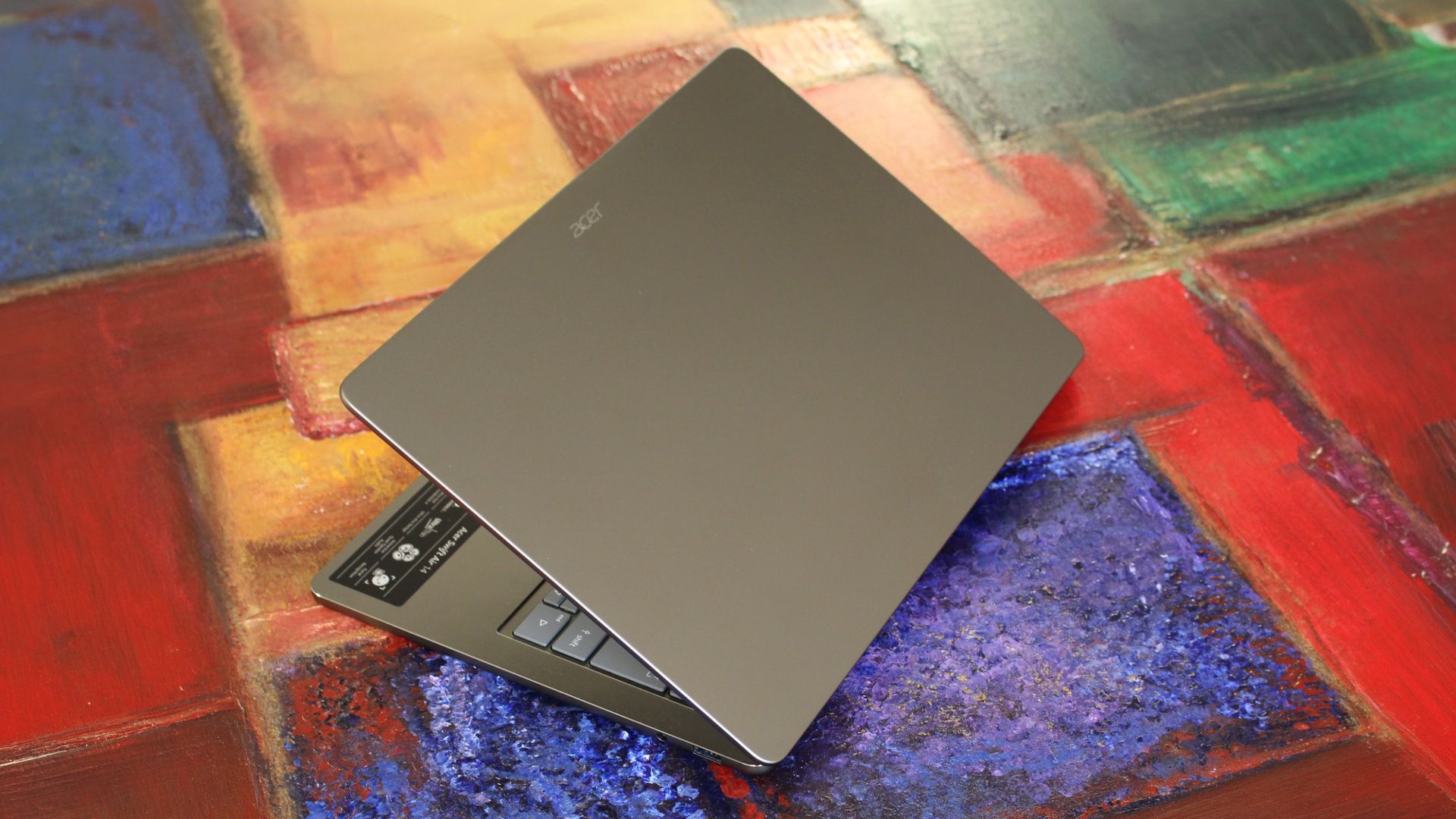
Acer is taking on the MacBook Neo with its own $699 Windows laptop, dubbed the Swift Air 14. It's a compact 14-inch thin and light with a premium chassis, 1080p screen, chiclet keyboard and large trackpad.Acer isn't the only Windows OEM taking on the MacBook Air, both ASUS and Dell have launched their own $699 Windows laptops in the last few months, all designed to dethrone the MacBook Neo for best value for money. Both of those laptops are great for $699, so can
Acer is taking on the MacBook Neo with its own $699 Windows laptop, dubbed the Swift Air 14. It's a compact 14-inch thin and light with a premium chassis, 1080p screen, chiclet keyboard and large trackpad.
Acer isn't the only Windows OEM taking on the MacBook Air, both ASUS and Dell have launched their own $699 Windows laptops in the last few months, all designed to dethrone the MacBook Neo for best value for money. Both of those laptops are great for $699, so can Acer keep pace with the rest of the competition?
I've been using the Acer Swift Air 14 over the last handful of weeks, and this is my full review.
This review was made possible thanks to a review unit supplied by Acer. The company had no editorial input and did not see the contents of this review prior to publication.
Price & Specs
(Image credit: Windows Central / Zac Bowden)
The Acer Swift Air 14 is available directly from Acer's online store third-party retailers like Best Buy for $699, which nets you 8GB RAM, 512GB SSD storage, and an Intel Core 5 320 processor. This also includes a 14-inch 1080p LCD display at 120Hz, which is a refresh rate that is always nice to see on a laptop this affordable.
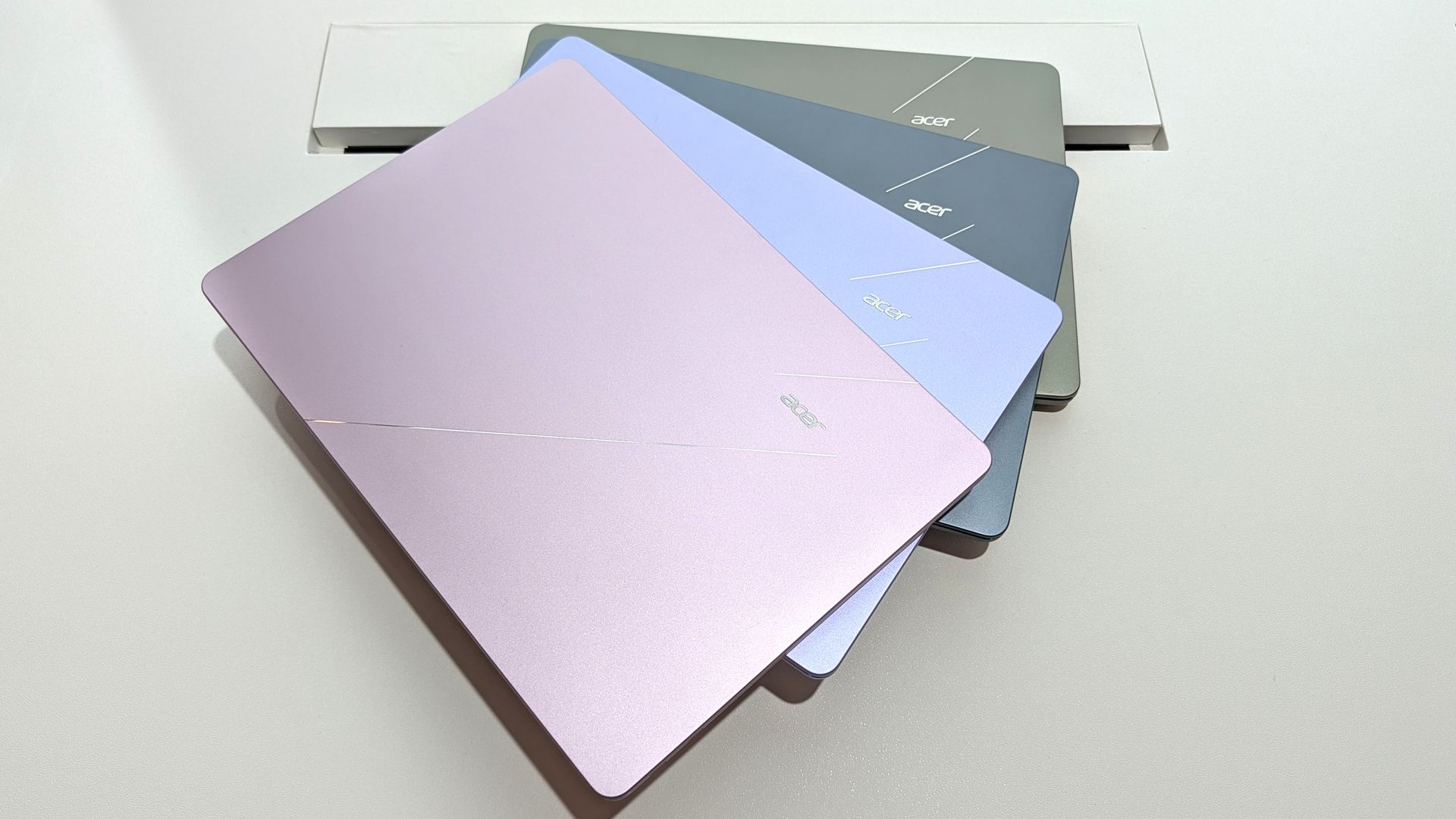
There are no other configurations of the Swift Air 14 available, so these are the only specs that are on offer. You can get it in an array of colors however, which brighten things up compared to the grey model we have here for review.
Specification
Details
Model
Acer Swift Air 14 (SFA14-I31-58V8)
Operating System
Windows 11 Home (64-bit)
Processor
Intel® Core™ 5 Series 3 320 (Hexa-core, 1.50 GHz base / 4.60 GHz turbo)
Featuring a gorgeous minimalist design, 120Hz display, and incredible battery life, the Acer Swift Air 14 is the company's attempt at competing with the MacBook Neo with a $699 Windows laptop that almost nails the fundamentals.
What's good
(Image credit: Zac Bowden / Windows Central)
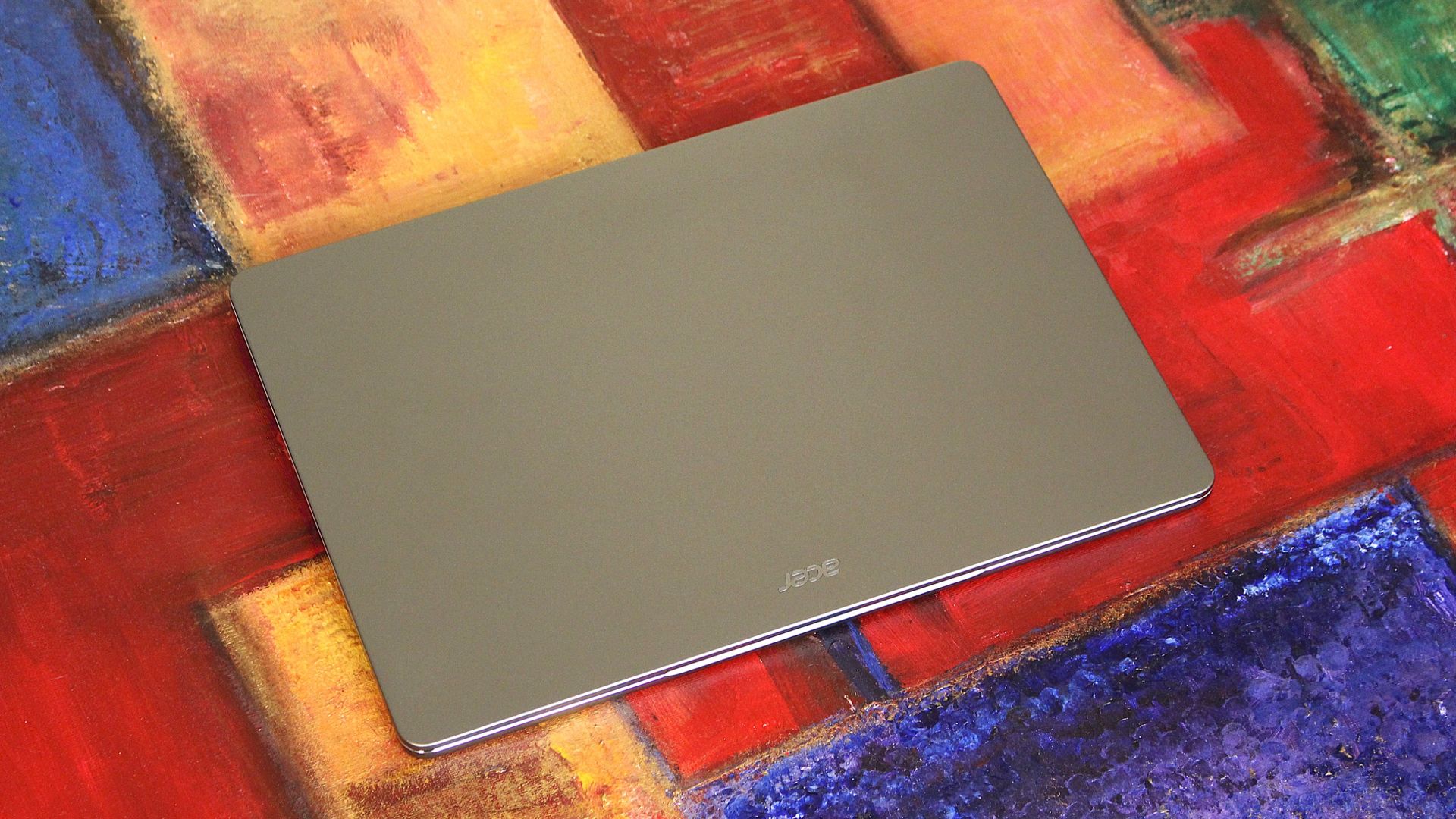
Kicking things off with what I really like about the Acer Swift Air 14, I want to start with its design. I really like how this laptop looks. It's minimalist, clean, and simple, with a dark grey colorway that is tasteful and understated. The entire exterior chassis looks great, and feels great too thanks to its all-metal enclosure that is cold to the touch.
It looks very MacBook Air like actually, with seams and panels that align perfectly. It's quite thin, coming in at Xxmm which beats the MacBook Neo at xxmm. Its thinnest paired with its rounded chassis design makes it easy to carry around and feels great in the hand.
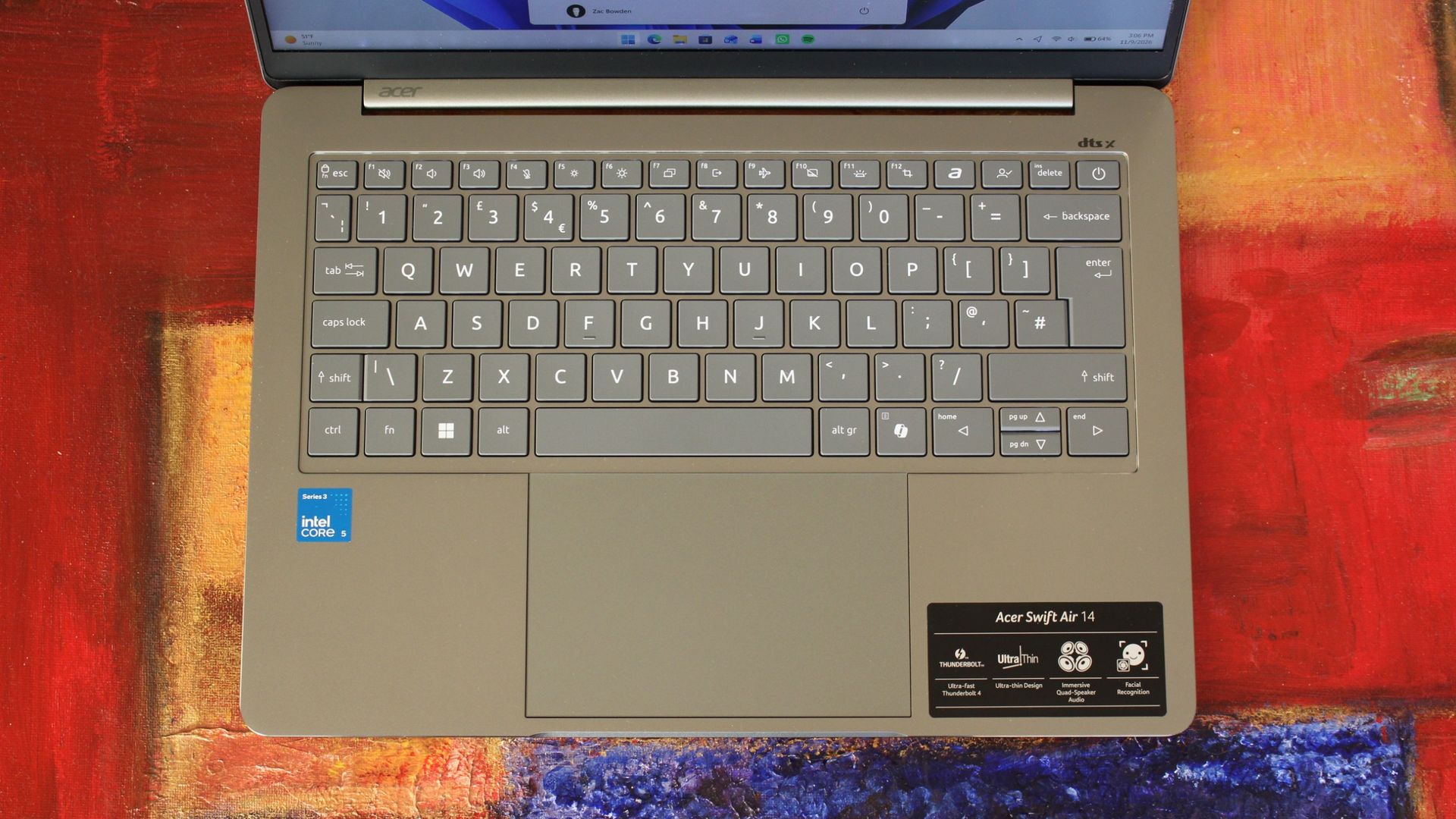
Opening the laptop up, we're greeted with a chiclet style keyboard and a large trackpad placed in the center, which both look great. The keyboard feels great to type on, with quiet operation that is also tactile. It also has a backlight, which cannot be said for the MacBook Neo.
(Image credit: Zac Bowden / Windows Central)
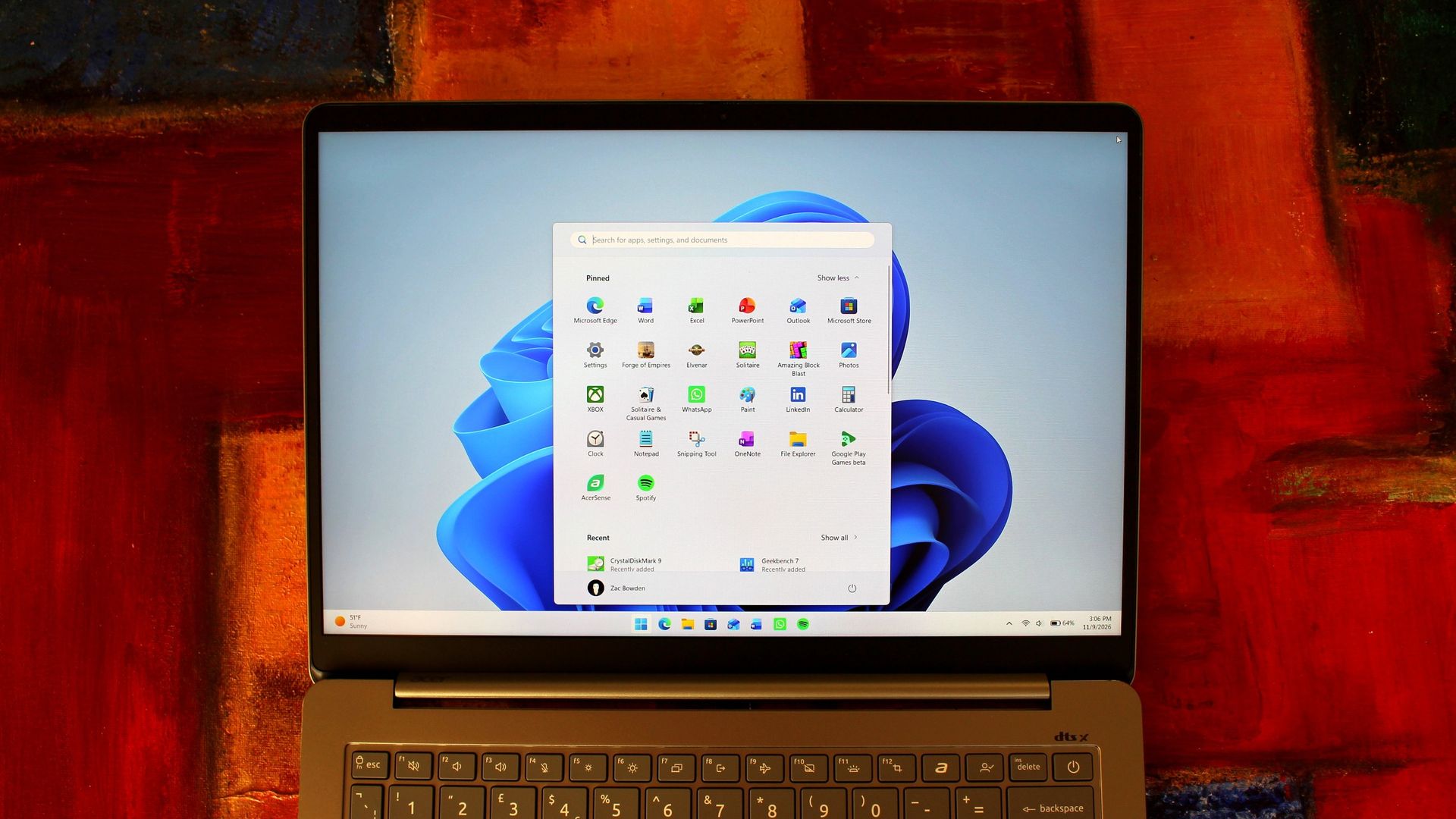
The display above it is a 1080p 14-inch LCD panel, which is not the best display I've seen on a $699 laptop this year. Both the Dell XPS 13 and MacBook Neo have better displays at $699, that is unless you prioritize a higher refresh rate. The Swift Air 14 has a 120Hz panel, which makes animations and scrolling in apps smooth as butter.
It's just a shame that the display is only 1080p, as that means it's not very sharp at this screen size. Not the end of the world, but something to keep in mind. It also doesn't get particularly bright, unlike both the Dell and MacBook.
(Image credit: Zac Bowden / Windows Central)
On the bright side, the lower resolution panel does result in some pretty stellar battery life. The Acer Swift Air 14 is rated for X battery, but we found ourselves getting around 19 hours on a single charge which is very impressive. In fact, that makes it one of the longest lasting Windows laptops we've tested this year, and easily beats the MacBook Neo.
What's also great is that this laptop has Windows Hello face unlock, which beats the MacBook Neo which has no biometric login options at $699. Face unlock on Windows is great, and Windows Hello facial recognition is usually saved for higher-end laptops, so it's great to see here and operates nice and fast.
(Image credit: Zac Bowden / Windows Central)
Performance is also very good for the money. You're getting the same level of performance as found on other $699 Windows laptops in this price range, all powered by the Intel Core 5 320 which is well equipped for day to day tasks that focus on productivity, such as web browsing, email, Office, Teams, Slack, and a bit of photoshop every now and then.
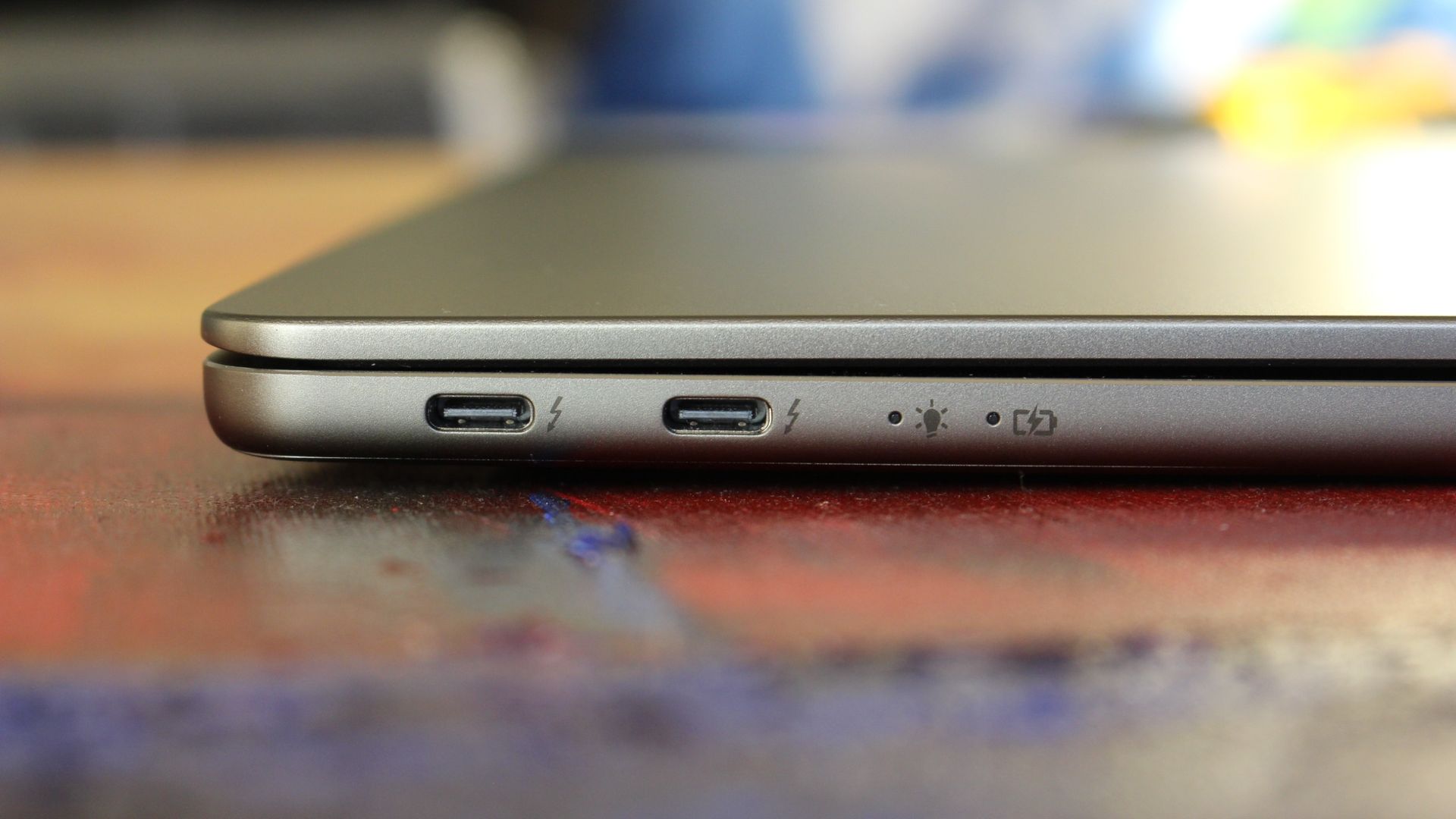
The laptop does only have 8GB RAM, so multitasking capabilities are limited. But it should be more than fine for switching between a few apps like your web browser, email client, and Slack/Teams without a hitch. Regarding ports, you've got everything you'd reasonably want and need on a laptop of this calibre. Two USB-C ports on the left, and a USB-A port and 3.5mm audio jack on the right.
What's bad
While there's a lot to like about the Swift Air 14, there's also a fair bit to not like. Let's start with the trackpad, which is... just bad. While it's nice and large, the actual tracking and clicking experience is dreadful. I don't know why this trackpad feels so bad to use, but it just isn't a nice experience.
I found that for quite a lot of the time, the trackpad wouldn't detect my clicks. And sometimes, it would detect too many clicks. In fact, if I hold the laptop at by the corner while open, the trackpad begins clicking itself, which is hilarious but highlights just how bad the trackpad is.
I also noticed that the trackpad itself isn't correctly aligned in the chassis. It's higher on one side, and you can see in the picture below what I mean. Overall, the trackpad is not a great experience on this laptop, in fact I'd probably call it the worst trackpad I've tried on this new wave of $699 laptops this year.
(Image credit: Zac Bowden / Windows Central)
I also want to talk about the version of Windows that ships on this laptop. It's Windows 11, but with the most bloatware I've ever seen. I couldn't believe my eyes when I opened the Start menu and saw all of the unnecessary extra apps and bloatware that was pre-installed on this machine. If you buy this laptop, the first thing I'd do is install a clean fresh copy of Windows.
The webcam is also a sorry state of affairs, generate noise in pretty much all lighting enviroments and being overall quite low resolution. The microphone is fine however, so calls with colleagues or friends should work fine. The built in speaker however are not fine, with pretty much no bass whatsoever resulting in a really tinny sound.
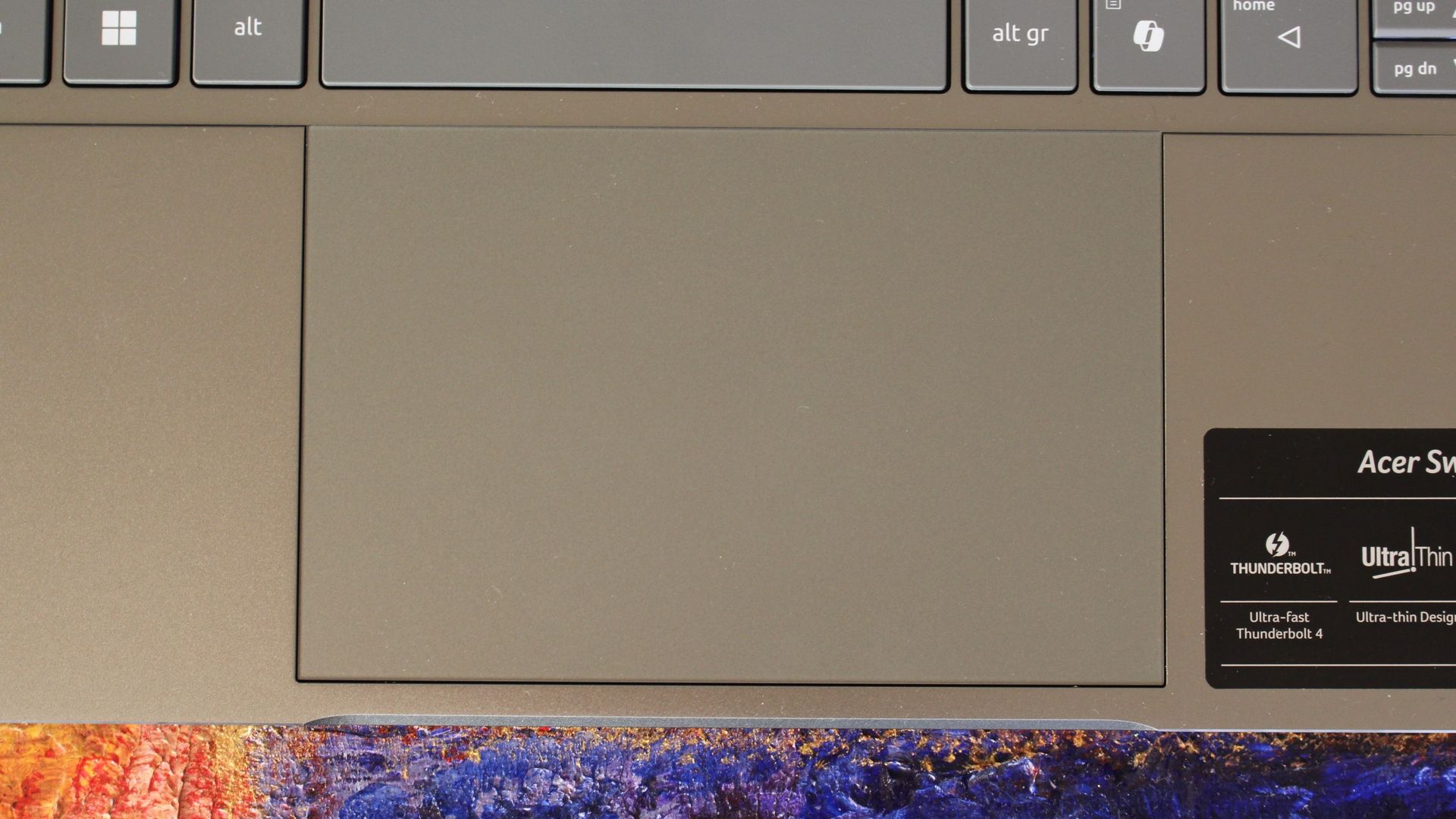
Nitpicking now, but I hate that Acer puts these ugly stickers on the keyboard chassis. I get that it's helpful to tell the customer what powering things, but really, this is just unnecessary. Put it on the box like everyone else.
Conclusion
(Image credit: Zac Bowden / Windows Central)
The Acer Swift Air 14 is another great attempt at a good $699 Windows laptop. Unfortunately for Acer, it's not the best $699 Windows laptop you can find on the market right now. In fact, I'd call it the worst one so far.
That sounds harsh, but it's important to remember that this is definitely Acer's best $699 laptop yet. It looks and feels great, with all the right ports and amazing battery life. But the display and trackpad really bring it down to below the competition, which is a real shame.
✅ You should buy this if...
You want a thin and light Windows laptop
You need a device that lasts all day
You don't mind a 1080p screen at 14-inches
You like 120Hz displays
❌ You should not buy this if...
You need an accurate trackpad
You need powerful specs
You want to multitask with lots of apps
You need good speakers or webcam
Acer
Swift Air 14
Featuring a gorgeous minimalist design, 120Hz display, and incredible battery life, the Acer Swift Air 14 is the company's attempt at competing with the MacBook Neo with a $699 Windows laptop that almost nails the fundamentals.
During the first half of November, Microsoft rolled out several new Windows 11 preview builds across the Beta, Experimental, and Feature Platforms channels, introducing changes to Search, gaming, Windows Hello, recovery, privacy, accessibility, and more.After testing these updates, Windows Search stood out most to me, with richer results, inline controls, app discovery, and deeper Phone Link integration. But it’s far from the only change worth watching.In this re
During the first half of November, Microsoft rolled out several new Windows 11 preview builds across the Beta, Experimental, and Feature Platforms channels, introducing changes to Search, gaming, Windows Hello, recovery, privacy, accessibility, and more.
After testing these updates, Windows Search stood out most to me, with richer results, inline controls, app discovery, and deeper Phone Link integration. But it’s far from the only change worth watching.
In this recap, I’ll break down 18 of the most interesting Windows 11 features currently in testing, explain what they do, and share which ones I think deserve your attention.
Windows 11 builds covered in this article
For reference, the features tested in this article appear across the following Windows 11 Insider builds:
Beta: Builds 28020.3445, 28020.3382, 26220.9836, and 26320.10003
Feature Platforms: Build 29708.1001
Build 29708.1001 also includes additional changes to Windows Hello and Cloud Rebuild.
Biggest improvements from the Windows Insider Program in November 2026
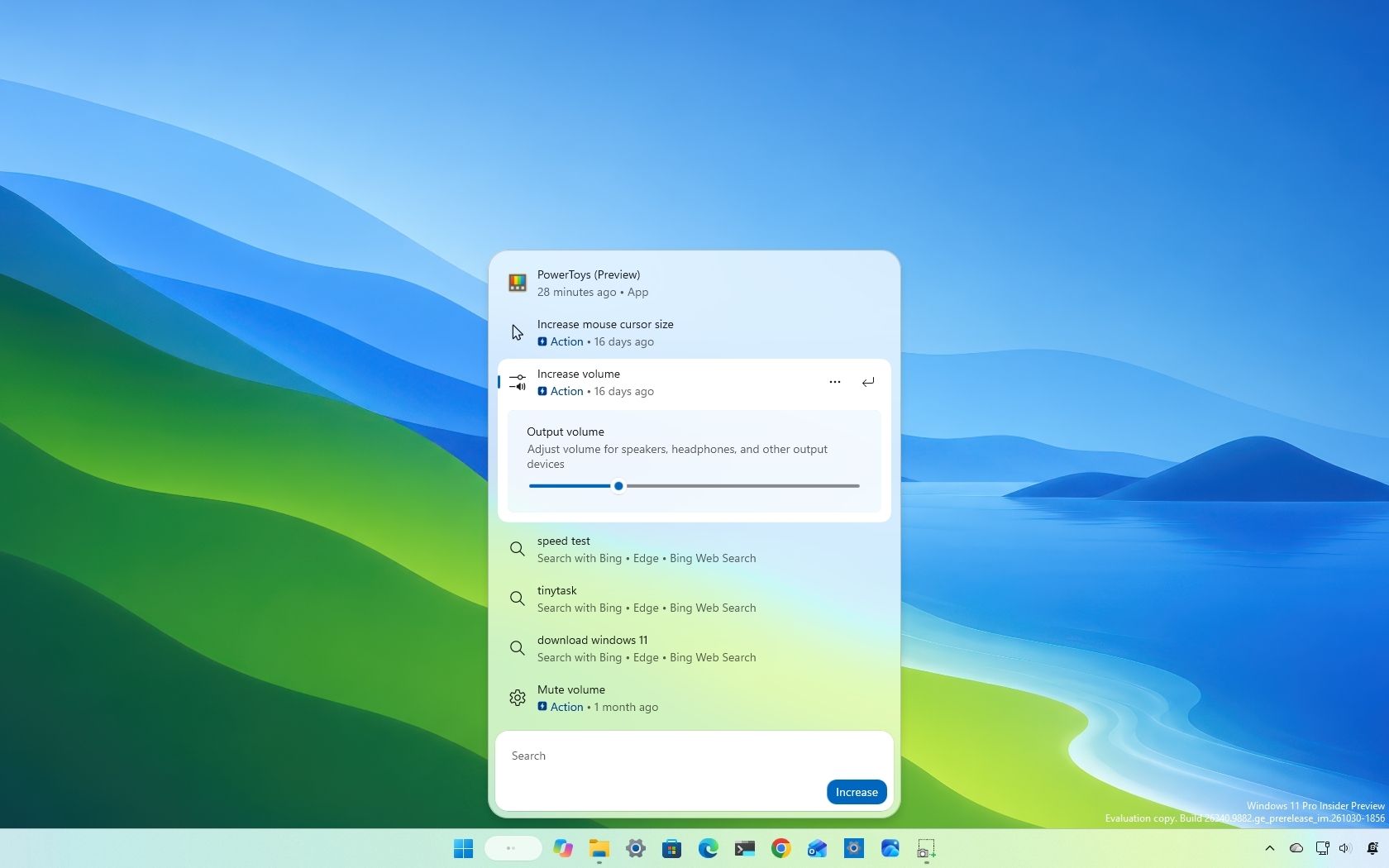
Windows Search can finally do more than find things
(Image credit: Mauro Huculak)
Microsoft continues expanding the new Windows Search experience, and the latest previews increasingly turn Search into a place where you can take action without opening another app or Settings page.
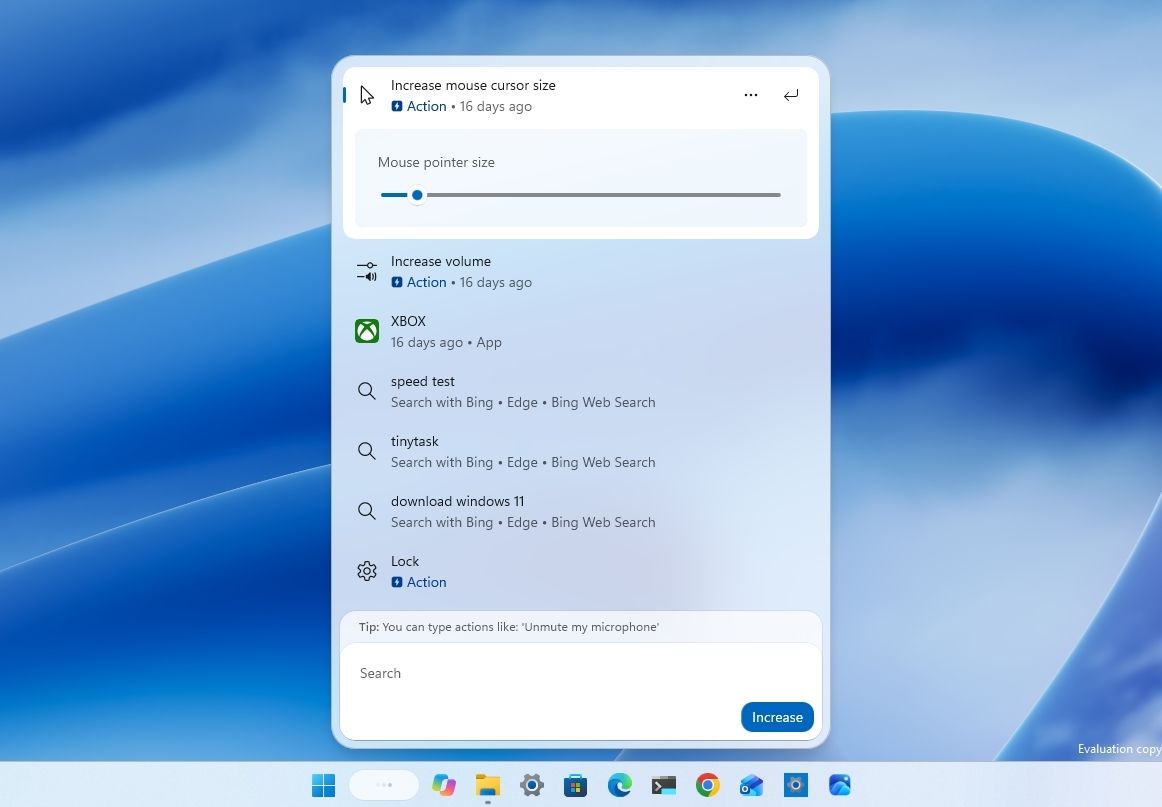
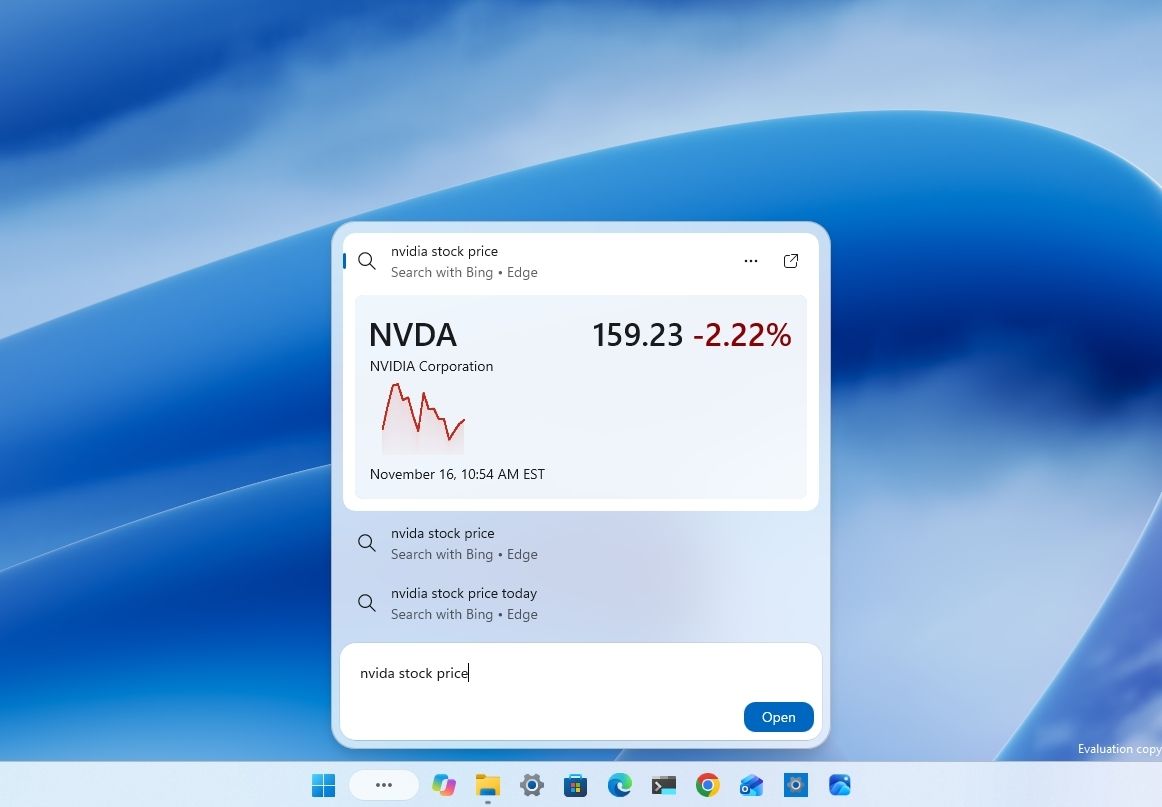
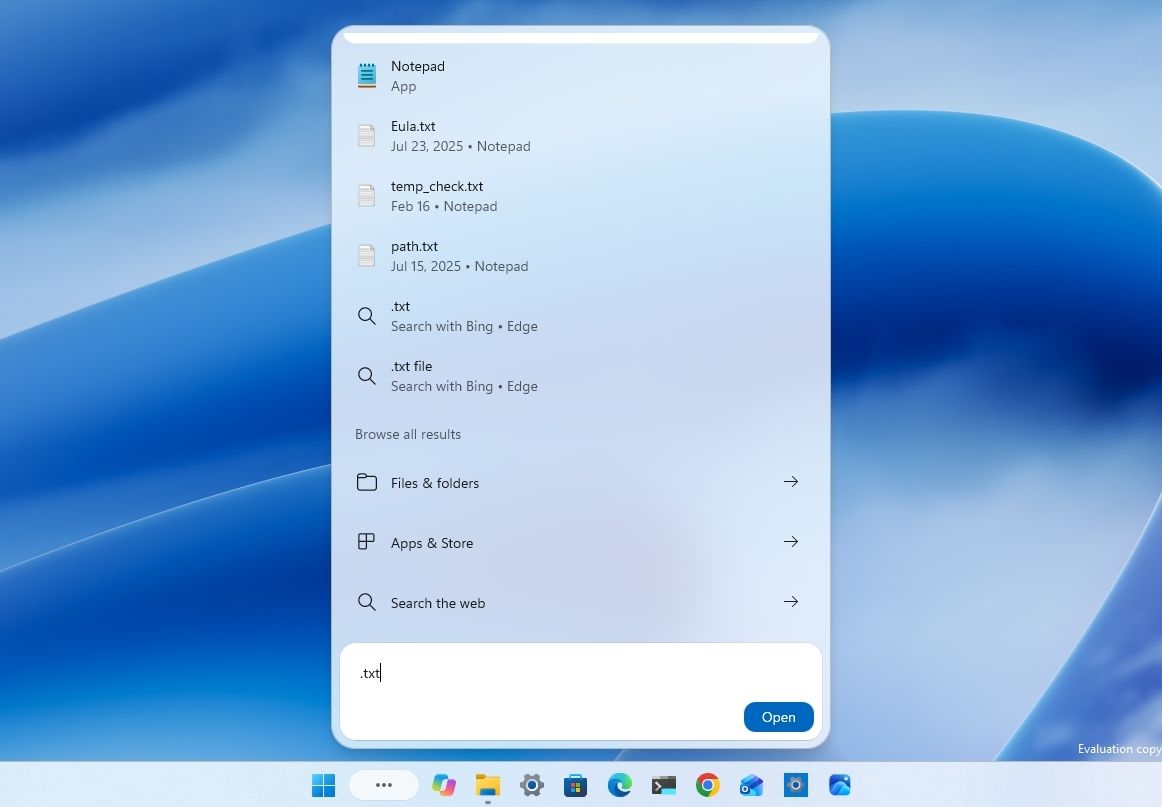
New inline controls let you adjust things such as brightness, volume, and cursor size directly from Search, while richer results, app discovery, Phone Link integration, and other additions continue expanding what the interface can do.
The ability to change system settings directly from the Search interface is a convenient addition that reduces the need to open Settings or navigate away from the Taskbar.
Microsoft is also expanding Phone Link integration. The new experience lets you make phone calls, send text messages, and control certain phone features, including Do Not Disturb, without reaching for your mobile device. This currently works with Android devices, with iPhone support planned for the future.
The new Windows Search experience is also getting rich search results. Instead of displaying only links and basic information, the experience can show previews and additional details, including locations, metadata, and authors. The experience also provides web answers for weather, stocks, and general facts.
(Image credit: Mauro Huculak)
Search can also surface apps and games from the Microsoft Store. However, if you don't want these suggestions, you can turn the option off from the Search page in the Settings app.
In addition, the company is adding filters to narrow down results, including "Files & Folders," "Settings," and "Actions." These options should make it easier to find specific content without scrolling through unrelated results.
(Image credit: Mauro Huculak)
One detail I noticed is that the new Search interface now appears centered on the screen regardless of taskbar alignment. Microsoft has acknowledged this behavior and says it plans to address it in a future update.
The rollout isn't the same across every preview build of the operating system. For instance, build 26320.9876 includes an early version of the new Search integration, but its capabilities are more limited than those available in other previews.
On the other hand, build 28020.3382 also includes changes for Search, but for the older experience. These include a simpler design that reduces visual clutter and an updated setting that lets users turn off web and Microsoft Store results.
My take: Windows Search is becoming one of the more interesting parts of the desktop experience. The inline controls and Phone Link integration could save time by reducing the need to switch between apps and settings pages. However, the company still needs to refine the interface, particularly its positioning and consistency across builds.
Xbox mode gets faster controls without leaving your game
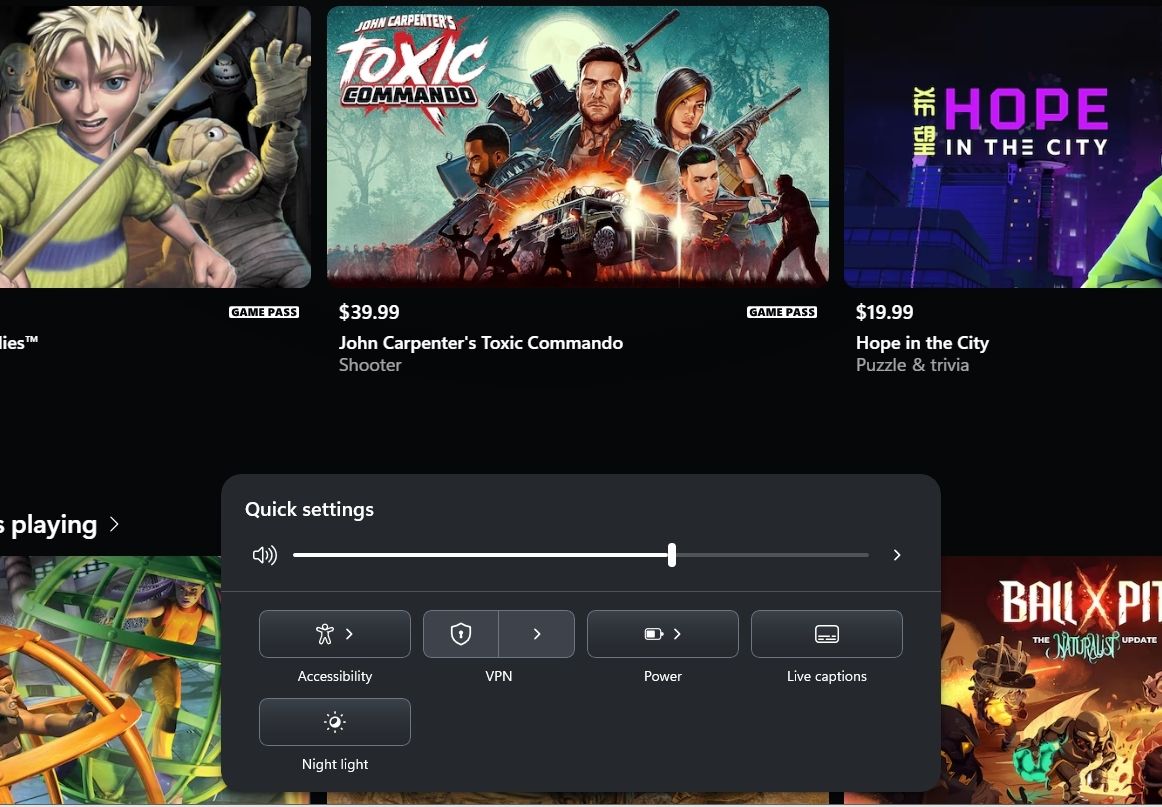
Microsoft is improving the gaming experience by making XBOX mode easier to navigate with a controller. In builds 26340.9843 and 26320.9876, Gaming Task View gains a new Quick Settings interface integrated into its navigation bar.
(Image credit: Mauro Huculak)
The interface has the same options available through Quick Settings on the Taskbar, but without leaving the gaming experience.
This is useful because switching between a game and the desktop to change a system setting can interrupt gameplay. Bringing these controls into Gaming Task View makes the operating system more convenient to use with a controller.
In build 28120.3393, Microsoft is also testing an updated Gaming Task View interface with quick access to "Exit to Desktop" and "Power Options."
My take: I like the direction that the company is taking with XBOX mode. The goal should be to make the operating system feel more like a gaming console when using a controller without taking away access to the desktop. Quick Settings and easier access to power controls are small additions, but they improve convenience.
Windows 11 puts more Microsoft 365 controls directly in Settings
The software giant continues integrating its Microsoft 365 services into Windows 11 rather than sending users to a web browser to complete every task.
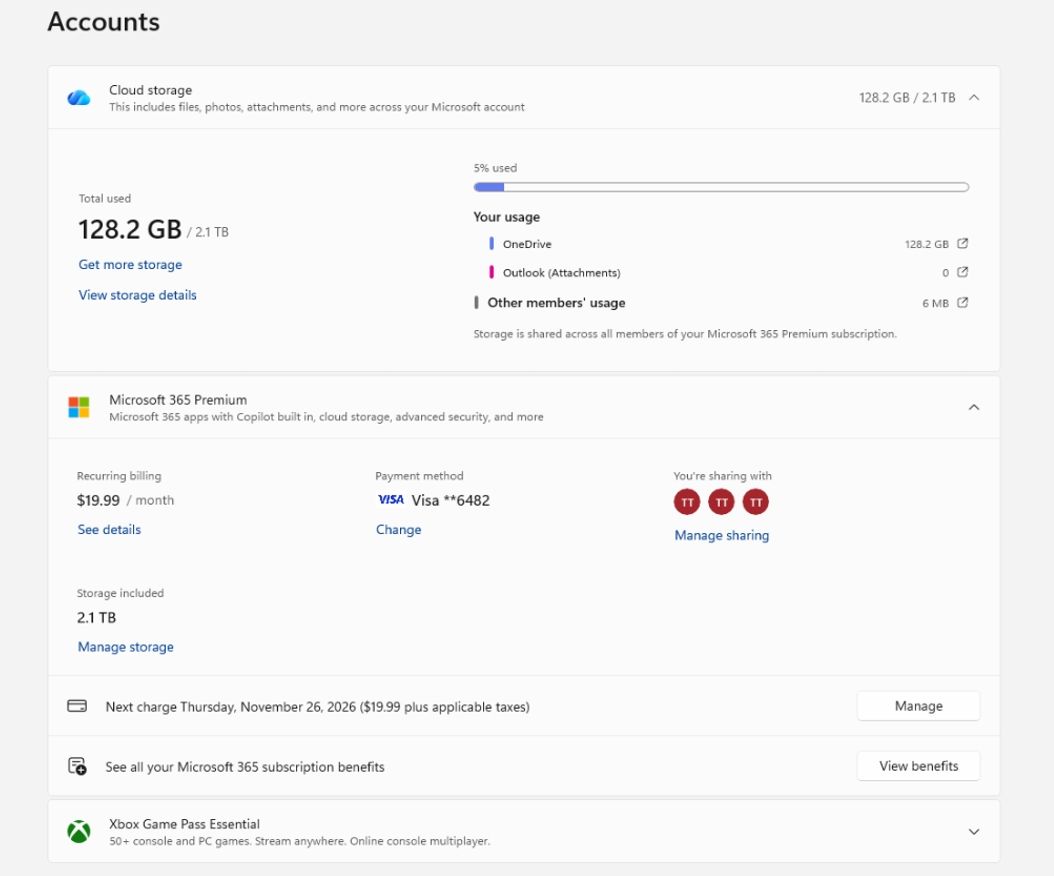
In builds 26340.9843 and 26320.9876, the company is adding a way for Microsoft 365 Family subscribers to check shared cloud storage directly from the "Accounts" section in Settings.
(Image credit: Microsoft)
However, the rollout depends on the renewal cycle of your subscription. If you purchased a subscription after October 8, 2026, you can access the new view immediately. However, those who purchased it before that date will see the information during their next subscription cycle.
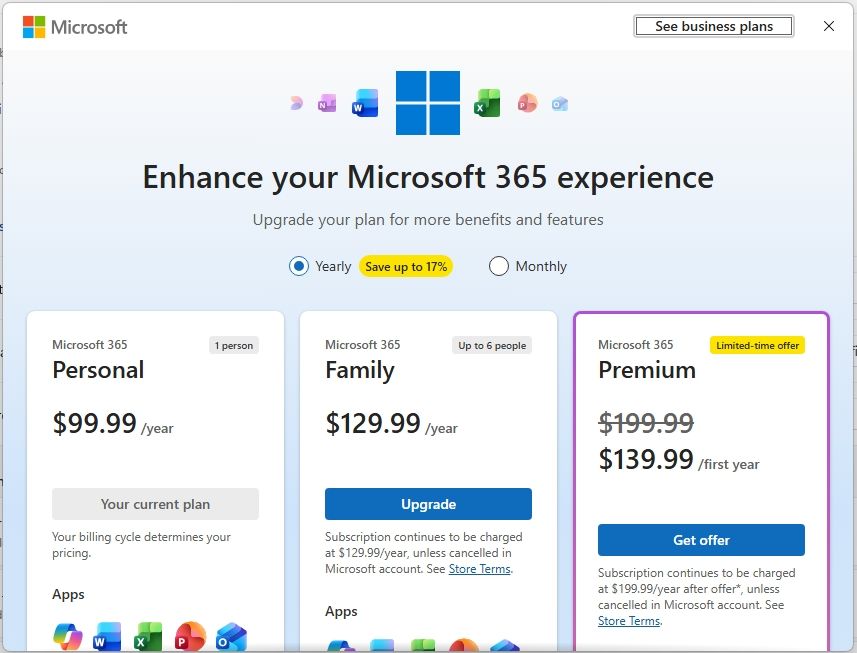
Also, in build 26340.9843, Microsoft is introducing a native interface in Settings to explore subscription upgrade options, allowing users to review available plans and complete the process without opening a browser.
(Image credit: Microsoft)
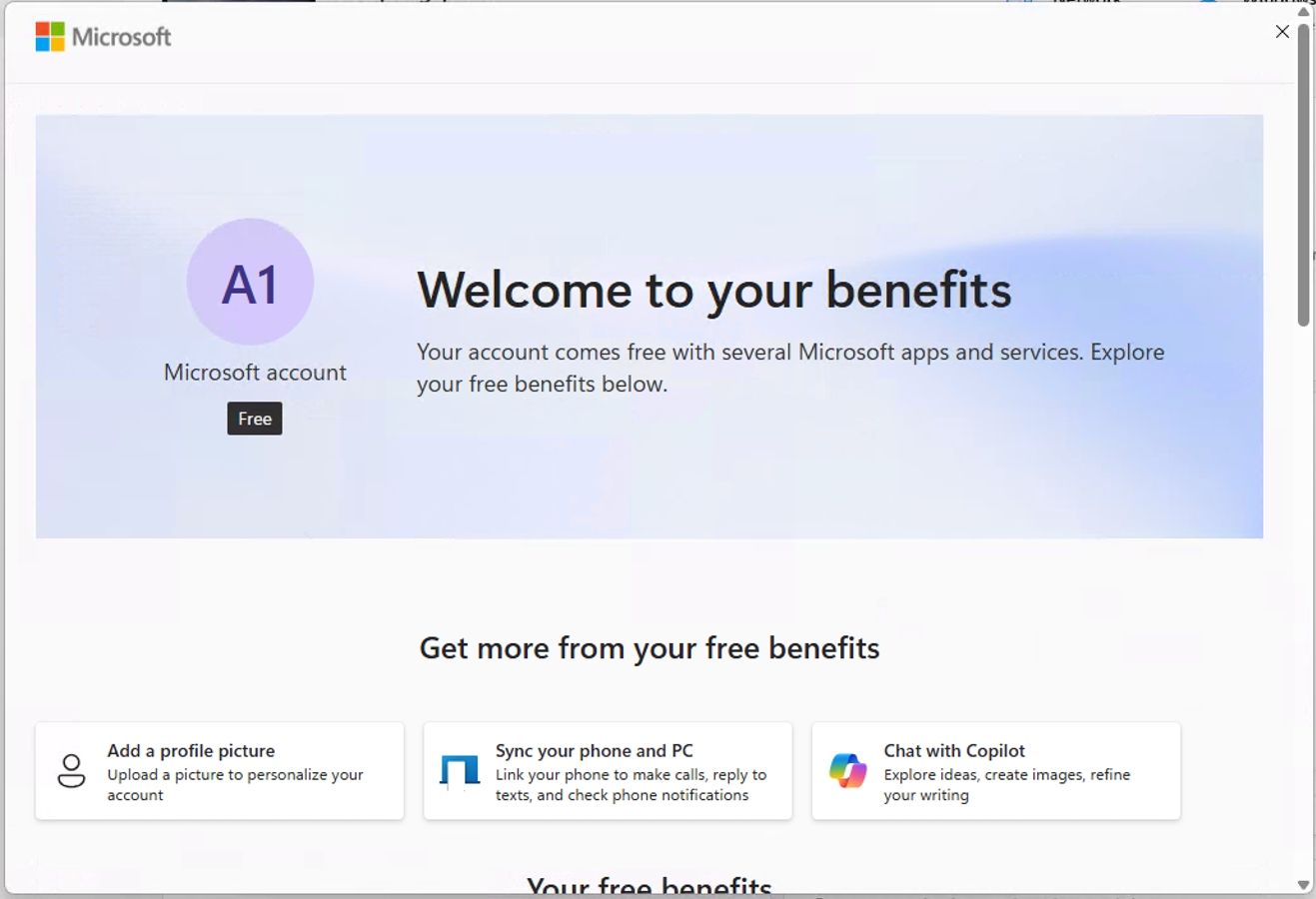
In build 26340.9882, the company is adding another Microsoft account integration to the Settings home page, making it easier to discover the benefits of using a Microsoft account.
(Image credit: Microsoft)
My take: These changes make sense because subscription information and account benefits are already closely tied to the operating system. However, I'd prefer Microsoft to improve the experience elsewhere and avoid turning Settings into another place for subscription promotions.
Windows Hello gets smarter in difficult lighting
Microsoft is improving Windows Hello to simplify authentication, improve facial recognition in low-light environments, and give administrators better visibility into sign-in activity.
One of the more useful changes arrives with build 26340.9882. The operating system now lets you enter a PIN without waiting for facial or fingerprint recognition to finish. So, you can now use whichever authentication method becomes available first for a faster sign-in experience.
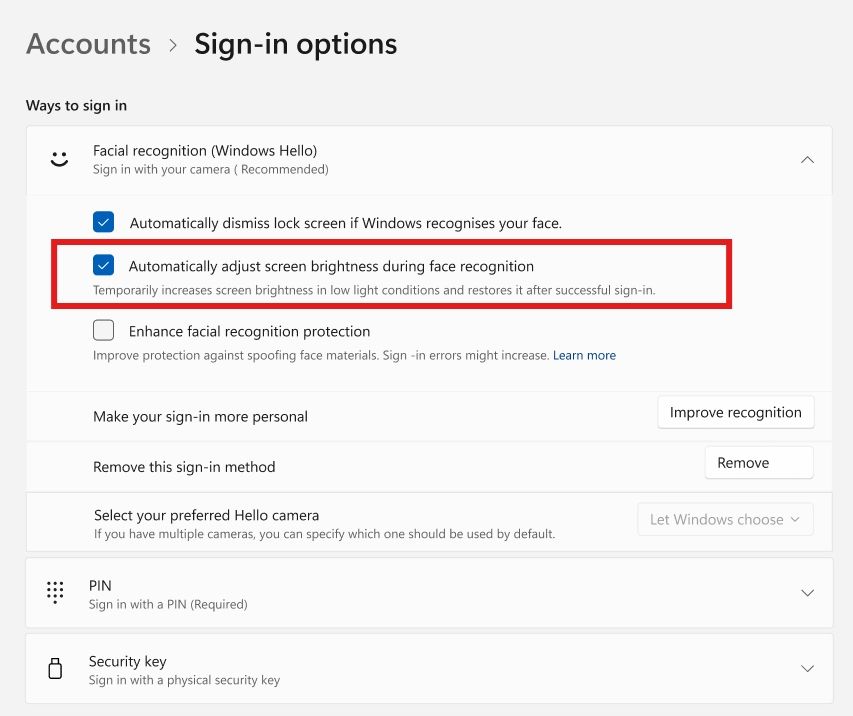
Microsoft is also improving facial recognition in environments with poor lighting. Starting with builds 26320.9876 and 28120.3454, Windows Hello can temporarily increase screen brightness to help the camera recognize your face.
You can enable this option from Settings > Accounts > Sign-in options > Facial recognition (Windows Hello) by turning on the "Automatically adjust screen brightness during face recognition" toggle switch.
(Image credit: Microsoft)
For administrators, the company is introducing additional Windows Hello auditing events. Security event 4628 records the authentication methods configured for an account and the method used to sign in, including PIN, face, fingerprint, or no Windows Hello. Event 4629 records failed sign-in attempts.
These events use the existing Audit Logon policy. In addition, network administrators can also review events 5010 and 7010 in the HelloForBusiness Operational log to examine sign-in and unlock attempts, including their results.
Also, in build 26220.9836, the Sign-in screen simplifies the security key PIN entry screen by removing the "Other user" icon.
Finally, build 29708.1001 changes Windows Hello PIN setup, letting users choose between four- and six-digit PINs without the previous restrictions on prohibited number sequences or additional complexity requirements.
My take: The ability to enter a PIN without waiting for biometric authentication is a useful change. It makes signing in faster and less frustrating when facial or fingerprint recognition takes longer than expected. Also, automatic brightness is a welcome addition because it addresses one of the limitations of facial recognition.
Live Captions lets you choose exactly what audio gets captioned
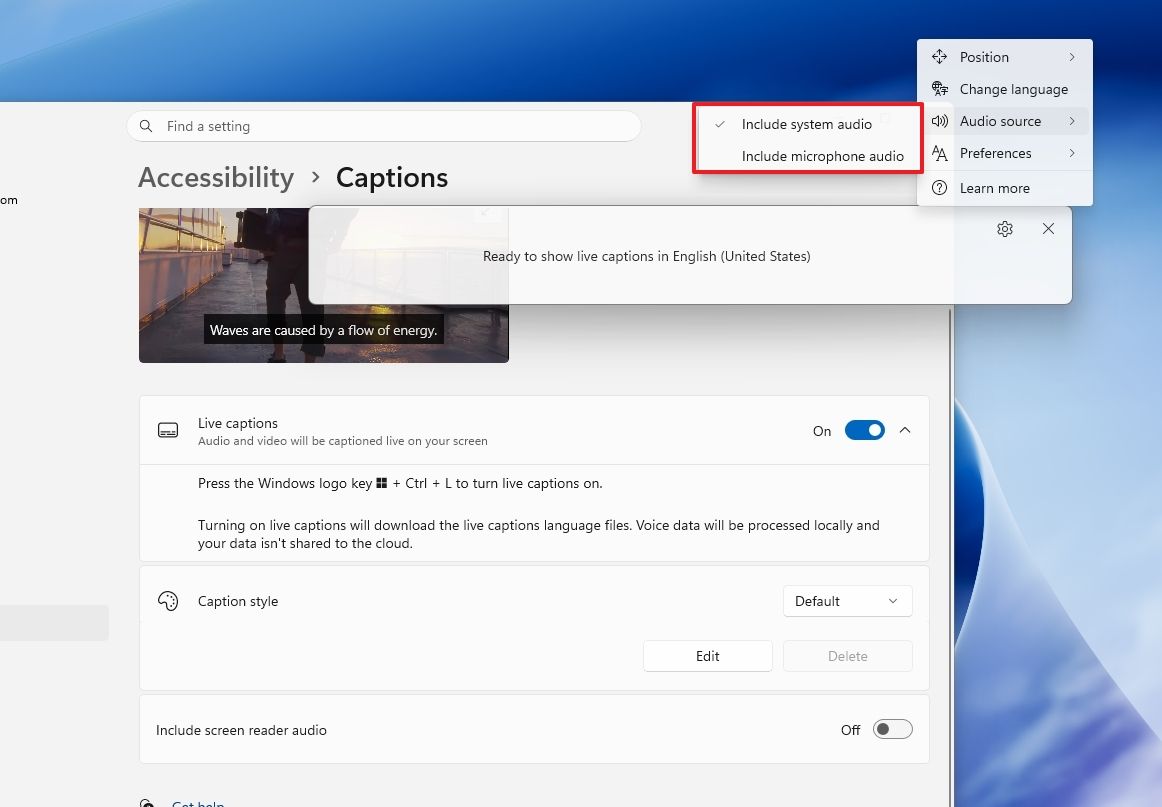
In November, the development team is making Live Captions more customizable with a new option that lets users choose which audio sources Windows 11 should transcribe.
(Image credit: Mauro Huculak)
Starting with builds 26340.9882 and 26320.9876, you can select system audio, microphone input, or both independently from Live Captions settings.
For example, you can capture an in-person conversation through the microphone without transcribing computer audio. Alternatively, you can follow audio from a video or online meeting without including microphone input.
My take: This is another welcome accessibility improvement because it gives users more control over how Live Captions works in different situations.
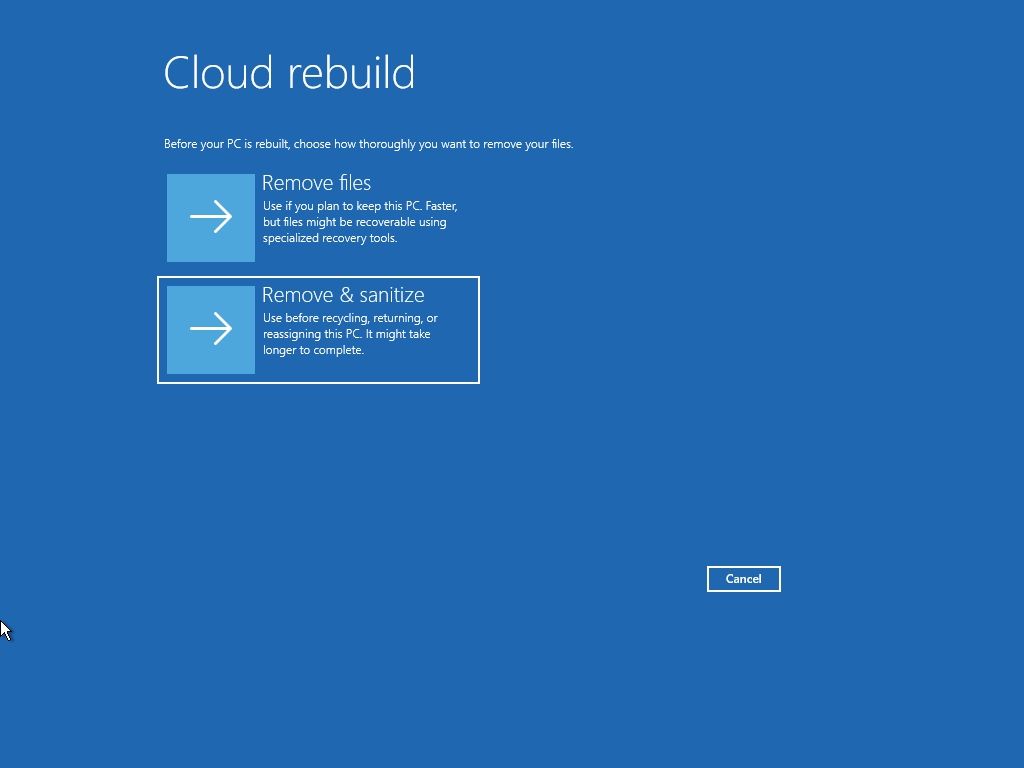
Cloud Rebuild can securely wipe a PC before you give it away
Windows 11 build 28020.3382 improves Cloud Rebuild with an additional option for preparing a computer before handing it to someone else.
(Image credit: Mauro Huculak)
When you start a rebuild, you can now choose between "Remove files," which prepares the device for continued use, and "Remove & sanitize," which securely erases data before recycling or reassigning the computer.
The sanitization option uses the storage hardware's erase capabilities to remove data before reinstalling the operating system.
This is particularly useful when preparing a computer for another person because deleting files and reinstalling Windows 11 isn't always the best approach to protect information stored on the drive.
Network administrators can also configure and initiate Cloud Rebuild remotely through the Recovery CSP. They can use the currently installed Windows build or specify a target build for the rebuild.
Microsoft is also bringing Cloud Rebuild to the Feature Platforms channel with build 29708.1001.
My take: The secure sanitization option is one of the more important additions for people who regularly reset, reassign, or recycle computers. A standard reinstall and a secure drive erase serve different purposes, and having both options available through the recovery experience makes the process more convenient.
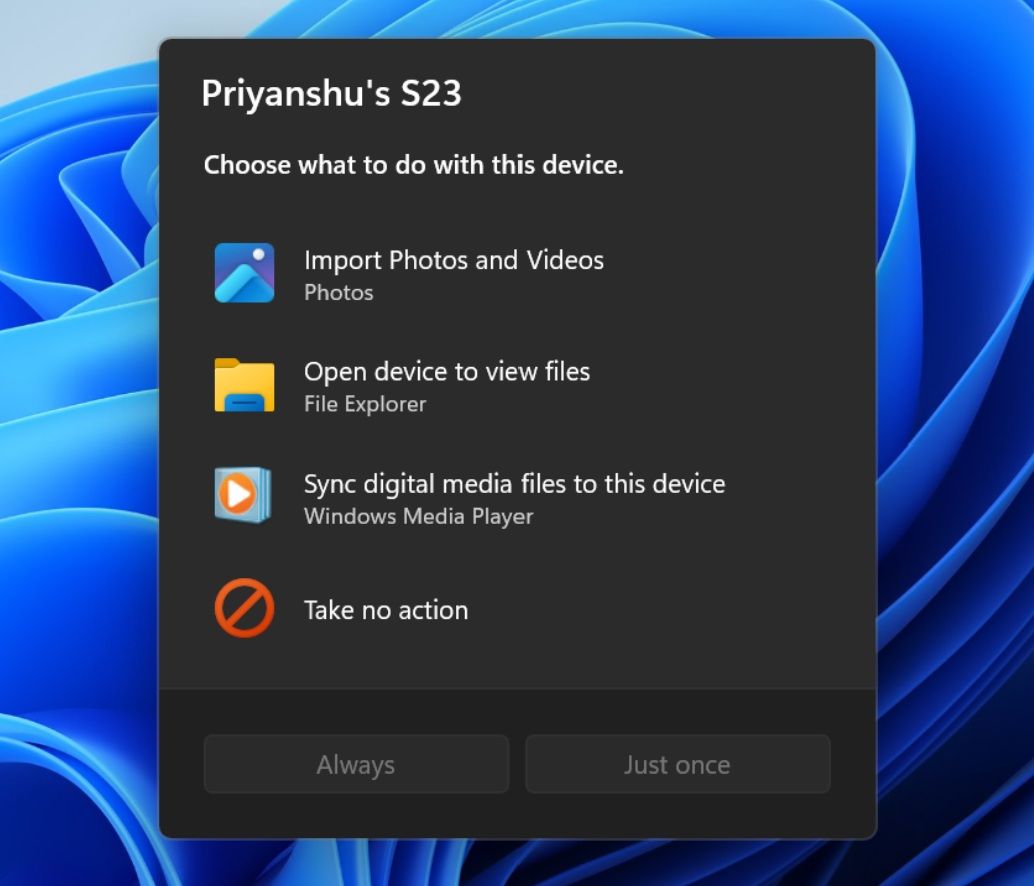
AutoPlay finally gets a proper Windows 11 makeover
As part of the changes for builds 28020.3382 and 28120.3393, Windows 11 introduces a refreshed AutoPlay experience for connected devices, including phones, cameras, and removable drives.
(Image credit: Microsoft)
The updated dialog uses the modern interface framework available with WinUI 3, which also adds dark mode support, and retains the familiar design and options to choose what happens when you connect a device.
Furthermore, the new dialog can adapt to text scaling and display settings. Also, AutoPlay notifications now appear in Notification Center, making them easier to access later.
My take: This is more of a visual improvement than a major redesign. However, AutoPlay has remained one of the older-looking parts of the operating system, so bringing it in line with the modern interface is worthwhile.
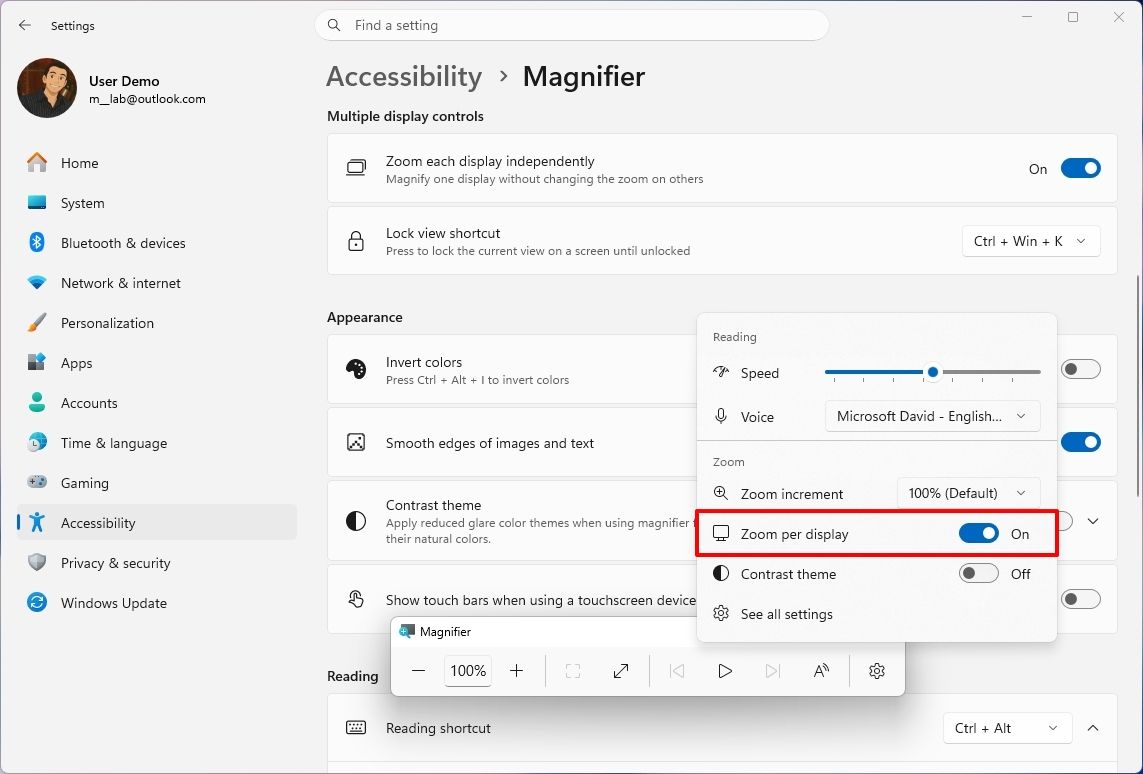
Build 28020.3445 introduces several improvements to Magnifier, including independent zoom levels for multiple monitors, the ability to lock a magnified view to a specific display, and a new contrast theme.
Independent zoom levels
The Magnifier feature can now use different magnification levels per monitor. For example, you can set your primary display to 300 percent and your secondary display to 150 percent without forcing the same zoom level across both screens.
This feature requires "Extend" display mode and is enabled by default. You can disable per-display zoom from the Magnifier toolbar or Accessibility settings to restore the traditional behavior.
(Image credit: Mauro Huculak)
Viewport locking
You can now lock a magnified view to a specific monitor while moving the pointer to another display. Also, the locked display remains interactive, so you can still click, copy, and interact with its content.
Contrast theme
In addition, Magnifier now includes a dark contrast theme that reduces screen glare while preserving the original colors of photos, videos, and other visual content.
The dark theme is enabled by default, but you can change it under Settings > Accessibility > Magnifier or through the Magnifier toolbar. The existing color inversion option remains available.
My take: This is one of my favorite improvements in this wave of updates. Independent zoom levels and viewport locking address practical limitations for people using multiple monitors. Instead of simply adding another visual effect, Microsoft is making Magnifier more useful for everyday work.
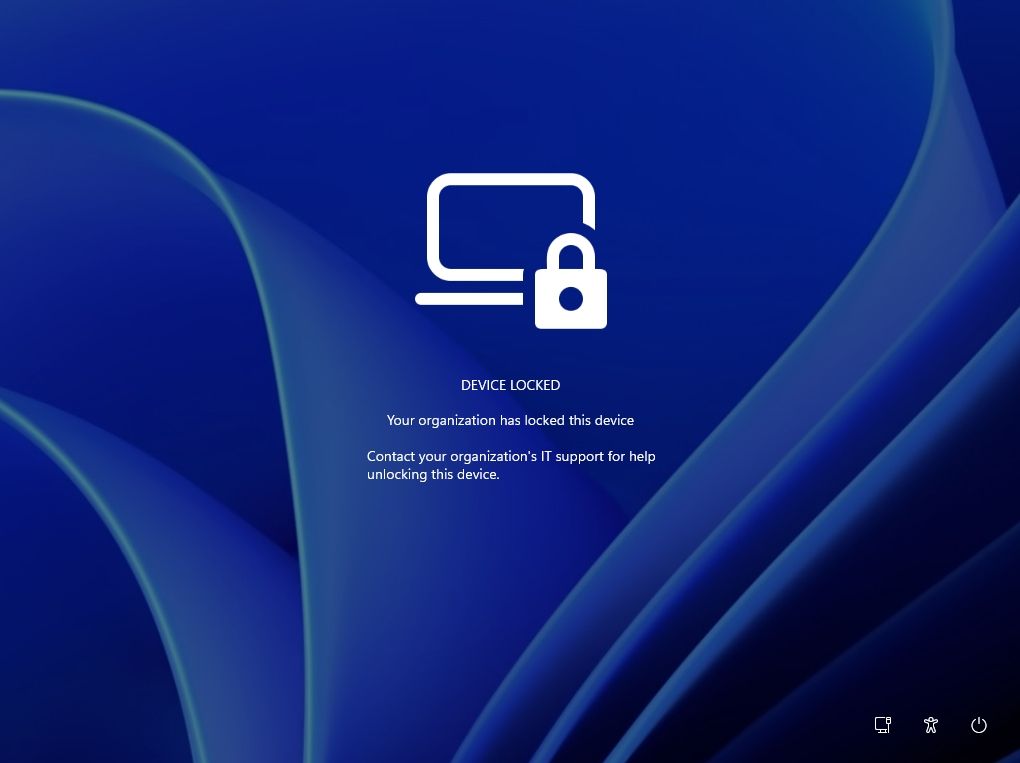
Remote Lock lets organizations secure lost Windows 11 PCs
The company is introducing Remote Lock through Microsoft Intune, giving network administrators another way to protect lost, stolen, or compromised devices.
The feature lets network administrators remotely lock a computer without wiping it. The operating system signs out all active sessions, hides the regular sign-in options, and displays a "Device Locked" screen with instructions to contact the organization.
(Image credit: Microsoft)
The device remains enrolled and managed, BitLocker stays enabled, and user data remains intact. Only an administrator can remotely unlock the computer.
Administrators can also customize the lock screen with a reason for the lock and help desk contact information using the LockReason and RecoveryHint settings.
My take: Remote Lock is primarily an enterprise feature, so most home users won't need it. However, it gives organizations another option when a device is lost or potentially compromised without immediately wiping its contents.
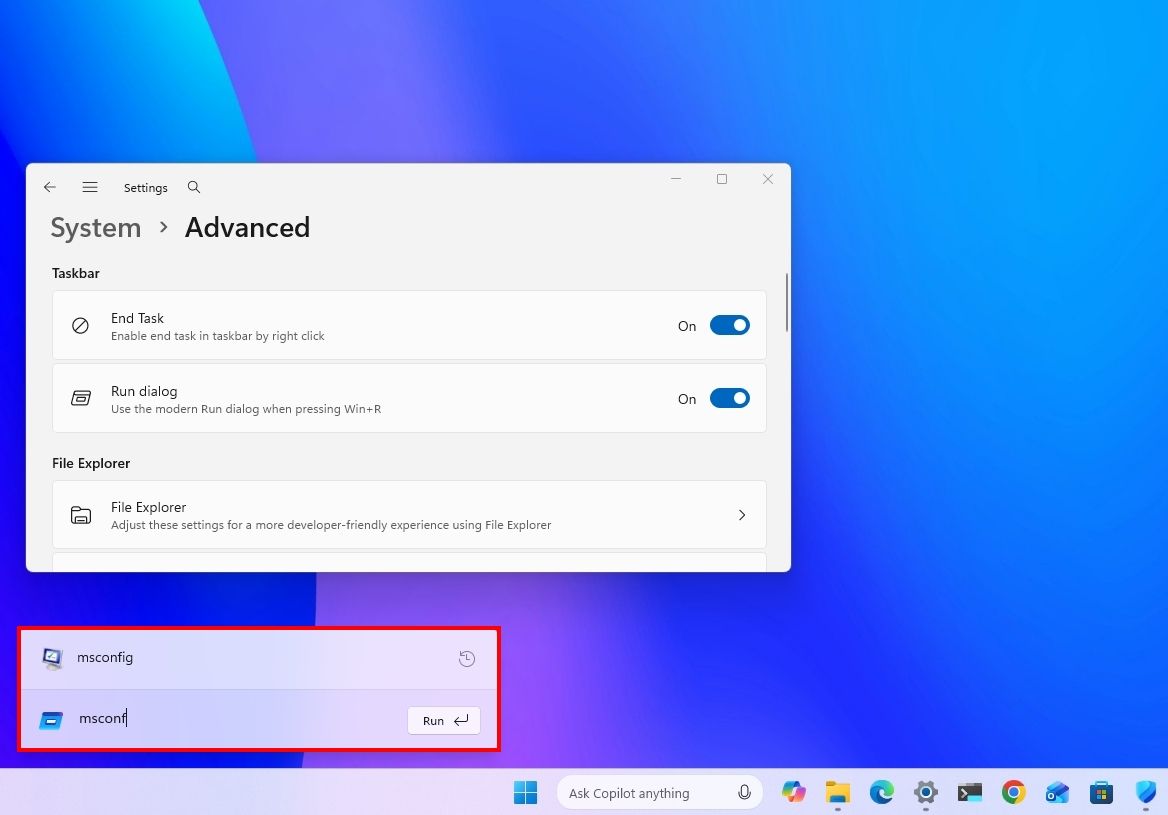
The ancient Run dialog finally gets a Windows 11 makeover
In build 28120.3542, Windows 11 introduces a refreshed Run dialog interface with updated visuals, rounded corners, a cleaner interface, and additional controls.
(Image credit: Mauro Huculak)
To try it, open Settings > System > Advanced and turn on the new "Run dialog" toggle.
My take: The Run dialog is one of those components that hasn't received much attention over the years. A visual refresh is welcome, and I do hope the company keeps improving consistency across the operating system.
BitLocker lets standard users set preboot PINs
Starting with builds 28120.3542 and 28020.3532, Windows 11 lets standard users on managed devices set a BitLocker preboot PIN without administrator privileges.
Previously, adding a TPM+PIN protector required administrator permissions. Under the appropriate policies, when a managed device doesn't have a preboot PIN configured, Windows displays a notification prompting the user to create one.
Selecting the notification opens an interface where the user can set the PIN without requiring an administrator to assist with this process.
My take: This is a security improvement for organization-managed devices. It gives organizations more flexibility in enforcing BitLocker authentication requirements while reducing the need for administrators to set up every PIN manually.
Windows 11 gets phone-style privacy controls for individual apps
Windows 11 build 26220.9836 also introduces more granular privacy controls for traditional desktop apps.
In the past, desktop apps relied on global permission settings for resources such as the camera, microphone, and location. The new experience lets you review and manage access for individual apps.
You can allow or deny access under Settings > Privacy & security > Camera, Microphone, or Location. Applications that haven't accessed a resource before will prompt for permission the first time they need it.
(Image credit: Microsoft)
Some applications may appear with unexpected names as they use shared system components or browser-hosted experiences. Others may appear as "Unsigned" when the system cannot confirm the publisher.
It's important that you only grant access to applications you recognize and trust.
My take: This is yet another small but welcome addition. Giving users more visibility into which desktop apps can access the camera, microphone, and location gets the system closer to the permission controls users already know for Microsoft Store apps.
Windows baseline protection
As part of build 26340.10013 for version 26H2 in the Experimental channel, Microsoft is building a new security feature that checks whether your computer meets the company's core hardware and system integrity requirements. It covers protections like Memory Integrity, Secure Boot, and virtualization-based security in one central location.
The baseline protection is available from Settings > Security > Baseline protection (Security baseline).
My take: Integrating these protections together gives users a simpler way to check their device's security status without navigating several different settings. The current caveat is that it's rolling out gradually, and it may take some time to reach every Insider.
Windows 11 gets a dedicated Security page
The Windows team is introducing a new "Security" page in the Settings app, splitting the existing "Privacy & security" section into two separate areas. The new "Security" page now groups essential protection features together in one place, further improving the Settings app experience as the central destination for managing security tasks.
(Image credit: Microsoft)
The new page provides access to device protection, device encryption, and malware protection.
In addition, the firewall controls are located in "Network & internet," while app and browser protection is available in the "Apps" section. Passkeys and other related options are also easier to reach from the new Security experience.
My take: A dedicated Security page is a welcome addition, as finding protection settings can many times involve switching between apps, and this change should make security a little easier to understand and manage.
Manage passkeys on security keys
As part of the security settings rolling out with build 26340.10013, the operating system now lets you manage the passkeys stored on a FIDO2 security key and delete individual entries without resetting the entire key.
(Image credit: Microsoft)
For organizations, administrators can also configure enterprise security key policies, including minimum PIN length, mandatory user verification, and enterprise attestation.
My take: Being able to remove individual passkeys without resetting the entire security key is yet another welcome change. It makes credential management easier and saves users from setting up their other passkeys again.
Taskbar adds an open-window list view
Windows 11 is getting another way to switch between an app's open windows. Instead of displaying thumbnail previews when you hover over an app on the Taskbar, you can now choose to see a list of window titles. This makes it easier to identify and select a specific window, especially when several are open.
(Image credit: Mauro Huculak)
The option is known as "Show taskbar previews as," and it's available under Settings > Personalization > Taskbar.
My take: I like this option because thumbnail previews can be useful, but a simple list can be faster and easier to navigate when you have several windows open.
Magnifier adds touchpad and touchscreen gestures
Microsoft is improving Magnifier on touch-enabled devices. In addition to the keyboard, mouse, and scroll wheel, the accessibility tool now supports touchpad and touchscreen gestures for zooming and moving around the magnified view.
According to the company, on a laptop with touchpad, you can:
Swipe up with three fingers to zoom in or swipe down to zoom out.
Move one finger as you normally would, and the magnified view follows your pointer.
Tap with three fingers to toggle between 100 percent and your previous zoom level.
On the other hand, on a touch-enabled screen, you can:
Drag with three fingers to pan around the screen.
Use three fingers, tap once, then tap again and keep your fingers down. Without lifting your fingers, drag up to zoom in or down to zoom out.
Double-tap with three fingers to toggle between 100 percent and your previous zoom level.
These gestures are enabled by default. You can turn them off individually under Settings > Accessibility > Magnifier using the "Control Magnifier with touchpad gestures and Control Magnifier with touch gestures" options.
The Magnifier toolbar also includes a Help button that provides quick access to support articles, information about new features, and Feedback Hub.
My take: These gestures make Magnifier more natural to use on touchscreens and touchpads. I also like having help and feedback options directly in the toolbar instead of making users search for them.
Switching to a local account adds BitLocker recovery key reminder
Windows 11 will now prompt users to back up their BitLocker recovery key when switching from a Microsoft account to a local account through the Settings app. The updated instructions help users protect their recovery key and avoid losing access to their encrypted data.
My take: This is actually a useful addition since backing up the encryption key may not be obvious to everyone. A reminder during the process can help prevent losing access to their encrypted data later.
File Explorer search gets faster
On build 26320.10003 through the Beta channel, searching from This PC in File Explorer now uses Windows Search indexing, making results faster and more consistent with searches from File Explorer Home.
In addition, the company is improving the progress indicator when opening locations that take longer to load, such as network drives.
My take: These improvements make File Explorer more responsive and provide clearer feedback when accessing slower network locations.
Windows Central's Take
After testing these changes, Windows Search is easily the feature I’d watch most closely. Microsoft is turning Search into something more actionable rather than simply another place to find files, apps, and web results. Inline settings controls, richer results, and Phone Link integration make the interface considerably more useful, although Microsoft still has work to do on consistency and presentation.
Magnifier is another standout, particularly for people using multiple displays. Independent zoom levels and viewport locking address longstanding limitations rather than simply changing how the feature looks.
Cloud Rebuild’s new secure sanitization option also deserves attention because it makes the recovery experience more practical when a PC is being repurposed or passed to someone else.
The remaining changes to Windows Hello, Live Captions, AutoPlay, privacy permissions, gaming controls, and security may be smaller individually, but together they show Microsoft continuing to refine parts of Windows 11 that people interact with every day.
Which of these changes would make the biggest difference on your PC, and what Windows 11 feature would you rather see Microsoft prioritize next?
More resources
Explore more in-depth how-to guides, troubleshooting advice, and essential tips to get the most out of Windows 11 and 10. Start browsing here:
CES 2027 is almost here, and Windows Central is officially joining the Best of Show Awards at CES 2027 to recognize the most exciting PCs, gaming hardware, components, accessories, and innovations heading to Las Vegas.If your company is bringing something new to CES 2027 that deserves the attention of the Windows Central editorial team, we want to see it.The Windows Central Best of Show CES 2027 Awards will recognize the products and technologies that rise above
CES 2027 is almost here, and Windows Central is officially joining the Best of Show Awards at CES 2027 to recognize the most exciting PCs, gaming hardware, components, accessories, and innovations heading to Las Vegas.
If your company is bringing something new to CES 2027 that deserves the attention of the Windows Central editorial team, we want to see it.
The Windows Central Best of Show CES 2027 Awards will recognize the products and technologies that rise above a huge field of new hardware. That could mean an exceptional laptop, a groundbreaking gaming device, next-generation PC silicon, a clever accessory, or an ambitious new idea that pushes its category forward.
Here's how to make sure your product is in the running.
How to enter the Windows Central CES 2027 Awards
Products entered for consideration must be new or materially updated since CES 2026 and have a presence at CES 2027.
Entries close December 10, 2026, so manufacturers and PR representatives should submit eligible products as soon as possible.
Each entry costs $300 and requires information about the exhibiting company and nominated product, including a product image, URL, and a description of up to 750 words detailing the product and its innovation.
Companies can submit more than one product, with no limit on the number of eligible entries.
CES 2027 Awards entries at a glance
Entries close: December 10, 2026
Entry fee: $300 per entry
Eligibility: Products must be new or materially updated since CES 2026 and have a presence at CES 2027
Winners announced: January 6, 2027
Multiple products: Companies may submit multiple eligible products
What products is Windows Central looking for?
Windows Central covers the technology at the heart of the modern PC ecosystem, with a particular focus on Windows PCs, laptops, PC gaming, processors, graphics, displays, accessories, and the innovations pushing these categories forward.
We're looking beyond specifications and marketing claims for products that distinguish themselves through design, performance, functionality, value, innovation, or a genuinely new approach to an existing category.
Areas we're particularly interested in for CES 2027 include:
Best Innovation — A product, technology, or concept that meaningfully pushes its category forward.
Best Laptop — An outstanding new portable PC with the design, performance, features, or overall experience to stand apart.
Best Gaming Laptop — The gaming laptop that impresses us most through performance, design, display technology, features, or a combination of them all.
Best Business Laptop — A standout PC designed for professionals and the modern workplace.
Best Desktop PC — From gaming towers to innovative all-in-one systems, the desktop that catches our editors' attention.
Best Mini PC — Small PCs that deliver an exceptional combination of performance, design, connectivity, or versatility.
Best Gaming Handheld — The most impressive new portable gaming device or major advancement in handheld PC gaming.
Best CPU — The processor technology that stands out most among the new silicon shown at CES.
Best GPU — New graphics hardware that pushes PC gaming, computing, or creative performance forward.
Best PC Component — Motherboards, memory, storage, cooling, power supplies, and other hardware worthy of recognition.
Best Display — Exceptional monitors and display technologies for productivity, creativity, or gaming.
Best Gaming Accessory — Controllers, keyboards, mice, headsets, and other hardware that makes playing on PC or Xbox better.
Best PC Accessory — Docks, webcams, peripherals, and other gear that meaningfully improves the PC experience.
Best AI Innovation — Hardware or software that demonstrates a genuinely useful or innovative application of AI.
Best Concept — The experimental hardware, prototype, or forward-looking idea that gives us the most compelling glimpse of what could come next.
These categories aren't exhaustive. Windows Central's editors may add, combine, or adjust awards based on the products and technologies we encounter at CES 2027. CES has a habit of producing devices nobody saw coming, and we want room to recognize them.
What makes a Windows Central CES award winner?
We're looking for products that give us a reason to stop, take notice, and want to know more.
Sometimes that's a major technological breakthrough. Sometimes it's exceptional execution: a laptop with a fantastic design, a gaming device that meaningfully improves the experience, impressive new silicon, a clever accessory that solves a real problem, or a new form factor that suddenly makes an unusual idea seem obvious.
Not every great product needs to reinvent its category. Execution matters just as much as ambition.
CES is also one of the year's great showcases for experimental technology. That's why we're interested in concepts and prototypes alongside products headed to store shelves. Today's strange CES experiment can sometimes offer an early glimpse at the PCs and gaming hardware we'll be using years from now.
Why enter the Windows Central CES 2027 Awards?
Every eligible entry gives the Windows Central editorial team an opportunity to see what your company is bringing to CES before the show begins.
Our editors may contact entrants ahead of or during CES to arrange an in-person demonstration, giving us the opportunity to experience nominated products for ourselves.
Winners will receive an official Best of Show at CES 2027 trophy and will have the opportunity to license the official digital award winner's badge for use in brand marketing.
Most importantly, entering puts your product in front of the Windows Central team as we search CES for the hardware and innovations that deserve recognition.
The deadline for CES 2027 Best of Show entries is December 10, 2026.
Don't wait until we're walking the show floor in Las Vegas. If you've built one of the year's most interesting new PCs, components, gaming devices, accessories, or technologies, we want to see it.
Enter your product for the Windows Central Best of Show CES 2027 Awards
Microsoft Ignite just kicked off, and viewers are in for a treat if they love AI-aided development and cutting-edge tools for creating apps and experiences. While those are exciting topics for many people, I assume everyday computer users are more interested in Windows 11 features. Luckily for them, Microsoft showcased new features that are on the way to the operating system.Microsoft is turning Copilot into a troubleshooting assistant that can inspect your PC, i
Microsoft Ignite just kicked off, and viewers are in for a treat if they love AI-aided development and cutting-edge tools for creating apps and experiences. While those are exciting topics for many people, I assume everyday computer users are more interested in Windows 11 features. Luckily for them, Microsoft showcased new features that are on the way to the operating system.
Microsoft is turning Copilot into a troubleshooting assistant that can inspect your PC, identify problems, explain what's wrong, and potentially save you from manually digging through Windows settings (or finding an IT admin to help you).
Microsoft shared an example in a recent blog post in which a user asked "The audio isn't coming out of my bluetooth headphones. Can you diagnose the issue for me?" Copilot then asked for permission to access files and read system information. After that permission was granted, Copilot determined the cause of the issue.
In the example, Copilot determined that the headphones were connected, but that Windows 11 was likely sending audio to a different device. The AI assistant then broke down how to fix the problem.
With its new capabilities, Copilot should be able to lighten the load of IT support by answering frequently asked questions.
These PC diagnostic features fall under the same umbrella as other local capabilities. Rather than rely solely on the cloud, Copilot runs locally to perform a read-only scan of a system. It then uses the results to find the root causes of issues.
We've known for a while that Copilot would gain these features. As far as I can tell, the video Microsoft shared is the first time we've seen PC diagnostics running in Copilot.
Black Friday gets earlier and earlier every year, with most retailers already starting to offer their discounts. In the case of XBOX, it's starting real soon. From Thursday, November 19, the XBOX Black Friday sale will be taking place, starting at 9PM Pacific. That's midnight November 20 on the East Coast and 5AM GMT. It's not just GTA 6 to get excited for this Thursday, then. Better still, XBOX has already teased some of the discounts on big-name titles like For
Black Friday gets earlier and earlier every year, with most retailers already starting to offer their discounts. In the case of XBOX, it's starting real soon.
From Thursday, November 19, the XBOX Black Friday sale will be taking place, starting at 9PM Pacific. That's midnight November 20 on the East Coast and 5AM GMT. It's not just GTA 6 to get excited for this Thursday, then.
Better still, XBOX has already teased some of the discounts on big-name titles like Forza Horizon 6, Gears of War: E-Day, and Halo: Campaign Evolved. We're promised over 2,000 games will be discounted, so if there's something you want (except GTA 6, of course), there's a pretty good chance you'll be able to save some money on it.
Some of the teased discounts include:
30% off Gears of War: E-Day Premium Edition
25% off Forza Horizon 6 Premium Edition
55% off NBA 2K27
50% off Madden NFL 27
20% off Halo: Campaign Evolved Premium Edition
80% off Final Fantasy VII Remake Intergrade
That discount on Final Fantasy VII Remake Intergrade is going to make it ridiculously cheap. Even as someone who's never really played that series, I'm tempted by that much of a price cut.
It should be pointed out, however, that the teased discounts apply only to the U.S. XBOX Store so not all of us might get as lucky with the biggest discounts. "Offers will vary by market" is the best way to kill a buzz for those of us elsewhere.
But it sounds like an enormous sale on an equally enormous share of the XBOX library, though we'll have to wait and see exactly what makes the cut.
I'd definitely make the recommendation that XBOX reduces the price of Call of Duty: Modern Warfare 4, though. Not being on XBOX Game Pass this year, alongside other factors (which, yes, includes GTA 6), means Microsoft needs to get as many people buying as possible.
It might not have been out a full month yet officially, but I think they need to take a swing and try and entice people in. It's not like there's a shortage of content to play, too. Reducing it next year as content starts to wind down won't help anyone.
What are you hoping to be able to pick up for a sweet discount? Let me know in the comments below.
Join us on Reddit at r/WindowsCentral to share your insights and discuss our latest news, reviews, and more.
Ever since Microsoft optimized its laptops with 8GB RAM in response to rising tech prices, they have become more easily recommended for people looking for affordable yet efficient laptops for work and casual use.One such 8GB RAM laptop is this 13-inch 2K Microsoft Surface armed with a performance-boosting Snapdragon X Plus CPU, which is currently enjoying an early 26% Black Friday discount for $699.99 at Best Buy (down from $949.99).Surface Laptop (13" 2K Touchsc
Ever since Microsoft optimized its laptops with 8GB RAM in response to rising tech prices, they have become more easily recommended for people looking for affordable yet efficient laptops for work and casual use.
One such 8GB RAM laptop is this 13-inch 2K Microsoft Surface armed with a performance-boosting Snapdragon X Plus CPU, which is currently enjoying an early 26% Black Friday discount for $699.99 at Best Buy(down from $949.99).
"The Microsoft Surface Laptop 13-inch is a gorgeous laptop that is great for everyday and productivity tasks with some of the best battery life of any laptop of its size." ~ John Loeffler, Components Editor
Backview of the Microsoft Surface 13-inch laptop. (Image credit: TechRadar (John Loeffler) | Microsoft)
There was once a time when we actively avoided recommending 8GB RAM laptops, as they didn't have enough processing power to keep up with modern, demanding workloads on the Windows 11 OS.
However, with Microsoft's recent Windows 11 refresh, these 8GB RAM laptops have been given a second chance at life. According to tests done by our own tech expert, Cale Hunt, 8GB RAM laptops running Windows 11 have become faster on startup, better at memory compression so they can better run everyday workflow apps, and put up a better fight when tackling heavy workloads than they did a year prior.
So when you take these changes and combine them with the Microsoft Surface 13-inch's built-in Snapdragon X Plus CPU, you've got yourself a competent and reliable mid-range laptop that will clear out Microsoft Office assignments in a flash without costing you thousands of dollars like most laptops do these days thanks to the RAM Crisis.
On top of that, this laptop features a staggering battery life of over 17 hours on a single charge, a gorgeous, sleek design that's easily portable, and a very responsive keyboard and trackpad combo that's easy to type on.
Should I wait for Black Friday for a better deal?
Even if you're hesitant to buy before Black Friday, Best Buy's 'Price Match Guarantee' may allow eligible customers to request a refund of the difference if Best Buy lowers its own price during the applicable return window: "If our price goes lower during the holiday season, we’ll match it."
Can I swap out its RAM and SSD?
This laptop's 8GB RAM is permanently soldered into the motherboard, but it's 256GB SSD can be swapped for a larger 512GB, 1TB or 2TB SSD for more space.
Is it a Copilot+ PC?
Yes, this laptop is classified as a Copilot+ PC, complete with an NPU rated for 45 TOPS to help it handle using AI programs Cocreator or Recall.
Join us on Reddit at r/WindowsCentral to share your insights and discuss our latest news, reviews, and more.
Microsoft surprised us with a pair of mid-week builds of Windows 11 rather than waiting until the end of the week. Windows Insiders in the Beta channel and Experimental channel can grab an update.The Experimental build is much larger in terms of new features. It adds the ability to see passkeys stored on a FIDO2 security key, lock compromised Windows devices through Microsoft Intune without wiping the device, and adds a preview of Microsoft Pluton Cryptographic P
Microsoft surprised us with a pair of mid-week builds of Windows 11 rather than waiting until the end of the week. Windows Insiders in the Beta channel and Experimental channel can grab an update.
The Experimental build is much larger in terms of new features. It adds the ability to see passkeys stored on a FIDO2 security key, lock compromised Windows devices through Microsoft Intune without wiping the device, and adds a preview of Microsoft Pluton Cryptographic Provider.
The taskbar also has a new option in that build. Starting with Build 26340.10013, you can set Windows 11 to show a list view for taskbar previews rather than a thumbnail.
While the changelog of the Build 26340.10013 is larger, arguably the biggest change comes with Build 26320.10003, which is available through the Beta channel. In that update, searching from "This PC" in File Explorer is now indexer-based. That should result in searches that are much faster and more consistent.
Load full changelog ↴
Experimental Preview Build 26340.10013
Advanced security key management
You can now see the passkeys stored on a FIDO2 (Fast Identity Online 2) security key and remove them one at a time, instead of resetting the entire key. Admins can also configure enterprise settings such as minimum PIN length, always-required user verification, and enterprise attestation.
Remote Lock
Remote Lock lets IT lock a lost, stolen or compromised Windows device from Microsoft Intune without wiping it. Windows signs out every active session, hides all sign-in options and shows a Device Locked screen. Nothing is erased: the device stays enrolled and managed; BitLocker stays on, and user data stays in place. Only an admin can lift it remotely, so the user picks up where they left off. Learn more: https://aka.ms/remotelock
Microsoft Pluton
We’re introducing a preview of the Microsoft Pluton Cryptographic Provider, enabling developers on supported devices to use the Pluton security processor for hardware-protected cryptographic key storage and operations through standard Windows CNG APIs. Learn more here.
Taskbar
When you hover over an app on the taskbar, Windows shows previews of its open windows to help you tell them apart and quickly see what’s in each one.
Now, you can choose to use the list view anytime. When list view is on, hovering over an app on the taskbar shows all its open windows by title in a list instead of as previews.
To turn on list view, go to Settings > Personalization > Taskbar.
BitLocker
Standard users can now set a BitLocker preboot PIN. Before this change, users without admin rights couldn't add the TPM+PIN protector. Now, standard users on managed devices can add the PIN themselves.
How it works: When the policies below apply to a device that doesn't have a PIN yet, you get a notification asking you to add one. Selecting the notification opens a window where you can set the preboot PIN.
Magnifier
Magnifier already works with your keyboard, mouse, and scroll wheel. Now it also supports touchpad and touch gestures, so you can zoom and move around in whatever way feels most natural to you.
Before you start: Make sure Magnifier is running. Press Windows key + Plus (+) to turn it on. The gestures below work while Magnifier is on.
On a touchpad
Zoom in or out: Swipe up with three fingers to zoom in or swipe down to zoom out.
Pan around the screen: Move one finger as you normally would, and the magnified view follows your pointer.
Toggle between 100% and your previous zoom level: Tap with three fingers.
On a touchscreen
Pan around the screen: Drag with three fingers.
Zoom in or out: With three fingers, tap once, then tap again and keep your fingers down. Without lifting your fingers, drag up to zoom in or down to zoom out.
Toggle between 100% and your previous zoom level: Double-tap with three fingers.
Both gesture sets are on by default. To turn either one off, go to Settings > Accessibility > Magnifier and turn off Control Magnifier with touchpad gestures or Control Magnifier with touch gestures.
Secure switch from MSA to Local account
Users who switch from MSA to local account from settings would be always prompted to back up their BitLocker recovery key with updated instructions in order to prevent any data loss.
Removal of Offline Maps
Following the April 2025 announcement of the upcoming deprecation of the Windows UWP Map control and Windows Maps platform APIs, we are removing the Offline Maps feature and related UX from Windows Settings. With the upcoming removal of the Maps control and APIs, the offline maps feature will no longer be functional. The removal includes these features in Windows Settings:
Offline Maps – located under Settings > Apps > Offline Maps
Maps storage – located under Settings > Storage > Local Disk
For resources related to the upcoming removal of the Maps control and platform APIs, see this documentation.
Remote desktop
Fixed an issue where Remote Desktop Protocol (RDP) connections might fail on the client due to a certificate mismatch after the latest flights.
Windows Spotlight
Fixed a recent issue where the Explore Background option in the context menu for Windows Spotlight for your desktop background wasn’t working.
Input
Fixed an underlying issue which was causing the mouse cursor to be unexpectedly invisible in a few different scenarios in recent flights.
Improved reliability of configuring voice typing settings.
Beta Preview Build 26320.10003
File Explorer
Search from This PC in File Explorer is now indexer-based, making it much faster and consistent with search from File Explorer Home.
Improved progress indication when navigating to locations that take longer to load, such as network drives, makes it easier to see that loading is underway.
BitLocker
Standard users can now set a BitLocker preboot PIN. Before this change, users without admin rights couldn't add the TPM+PIN protector. Now, standard users on managed devices can add the PIN themselves.
How it works: When the policies below apply to a device that doesn't have a PIN yet, you get a notification asking you to add one. Selecting the notification opens a window where you can set the preboot PIN.
There are plenty of other changes to play around with in these builds. For example, Magnifier now works with a touchscreen or a touchpad. Previously, it was limited to a keyboard, mouse, or scroll wheel.
The Experimental build also marks the end of Offline Maps. Microsoft plans to deprecate the Windows UWP Map control and Windows Maps platform APIs, so the related features need to be removed from Windows 11's settings.
Join us on Reddit at r/WindowsCentral to share your insights and discuss our latest news, reviews, and more.
Black Friday laptop deals are ramping up, and one in particular caught my eye: Samsung's latest Galaxy Book6 with Intel's latest Core Ultra Series 3 (Panther Lake) processor. Right now, Amazon is selling the Samsung Galaxy Book6 for $999.99 (down from $1,349.99), saving you a generous $350.This 14-inch Copilot+ PC pairs a modern Core Ultra 7 CPU with 16GB of RAM and an NPU rated for up to 49 TOPS to handle local AI tasks and their relevant apps. It's a strong cho
Black Friday laptop deals are ramping up, and one in particular caught my eye: Samsung's latest Galaxy Book6 with Intel's latest Core Ultra Series 3 (Panther Lake) processor. Right now, Amazon is selling the Samsung Galaxy Book6 for $999.99 (down from $1,349.99), saving you a generous $350.
This 14-inch Copilot+ PC pairs a modern Core Ultra 7 CPU with 16GB of RAM and an NPU rated for up to 49 TOPS to handle local AI tasks and their relevant apps. It's a strong choice for productivity, AI-assisted workflows, multitasking, and remote work.
The Samsung Galaxy Book6 is a highly capable and practical productivity laptop thanks to its ultra-fast Intel Core Ultra 7 CPU, 20+ hours of battery life, and ultra-thin design.View Deal
Why buy this laptop?
(Image credit: Samsung)
This 14-inch Galaxy Book6 is powered by Intel's Core Ultra 7 355 and 16GB of RAM, giving it more than enough performance for productivity work, including multitasking, spreadsheets, document editing, web browsing, and video calls for remote workers. It also qualifies as a Copilot+ PC, as it includes an integrated NPU rated at up to 49 TOPS, enabling low-power, local AI tasks without depending on the cloud.
For visuals, Samsung includes a Full HD+ (1920 x 1200) 60Hz display, a slim aluminum chassis measuring just 0.59 inches in thickness, and battery life rated for a full day. Samsung's ecosystem also makes perfect sense if you already own a Galaxy smartphone with features like cross-device file transfers that work out of the box.
At $999.99, the Galaxy Book6 mixes efficient performance, 14-inch portability, all-day battery life, and local AI-ready components. If you're looking for a new laptop ahead of Black Friday, it's a deal well worth considering. We're big fans of Samsung's Galaxy Book range, and we're always trying to sing their praises.
Should I wait for Black Friday for a better deal?
Even if you're hesitant to buy before Black Friday, looking at Best Buy's 'Price Match Guarantee' shows that it may allow eligible customers to request a refund of the difference if Best Buy lowers its own price during the applicable return window: "If our price goes lower during the holiday season, we’ll match it."
Can its RAM and SSD be upgraded?
The Book6's RAM can't be swapped as it's soldered in place. The SSD, however, can be swapped out for a larger variant later if you need more space.
Join us on Reddit at r/WindowsCentral to share your insights and discuss our latest news, reviews, and more.
When Apple finally entered the foldable market with the original iPhone Duo in October 2026, the hardware turned plenty of heads—but one major omission stood out immediately. Instead of the seamless facial recognition iPhone users have relied on for nearly a decade, the first-generation foldable forced buyers back onto a side-mounted Touch ID power button. […]
When Apple finally entered the foldable market with the original iPhone Duo in October 2026, the hardware turned plenty of heads—but one major omission stood out immediately. Instead of the seamless facial recognition iPhone users have relied on for nearly a decade, the first-generation foldable forced buyers back onto a side-mounted Touch ID power button. […]

 Connexion