HDR is a feature that's becoming ever more useful for Windows users who want to boost brightness, improve color, and deepen contrast. Unfortunately, Windows 11's handling of HDR is too annoying for many users to bother with.GitHub user VantaCode420 has created a solution with their Smart HDR Manager app, available for free to download and enjoy. It so far has 218 stars on GitHub despite still being in the relatively early stages of development, and I can see why
HDR is a feature that's becoming ever more useful for Windows users who want to boost brightness, improve color, and deepen contrast. Unfortunately, Windows 11's handling of HDR is too annoying for many users to bother with.
GitHub user VantaCode420 has created a solution with their Smart HDR Manager app, available for free to download and enjoy.
It so far has 218 stars on GitHub despite still being in the relatively early stages of development, and I can see why now that I've been using it on a couple of PCs.
Smart HDR Manager turns HDR into a "set and forget" perk on Windows 11
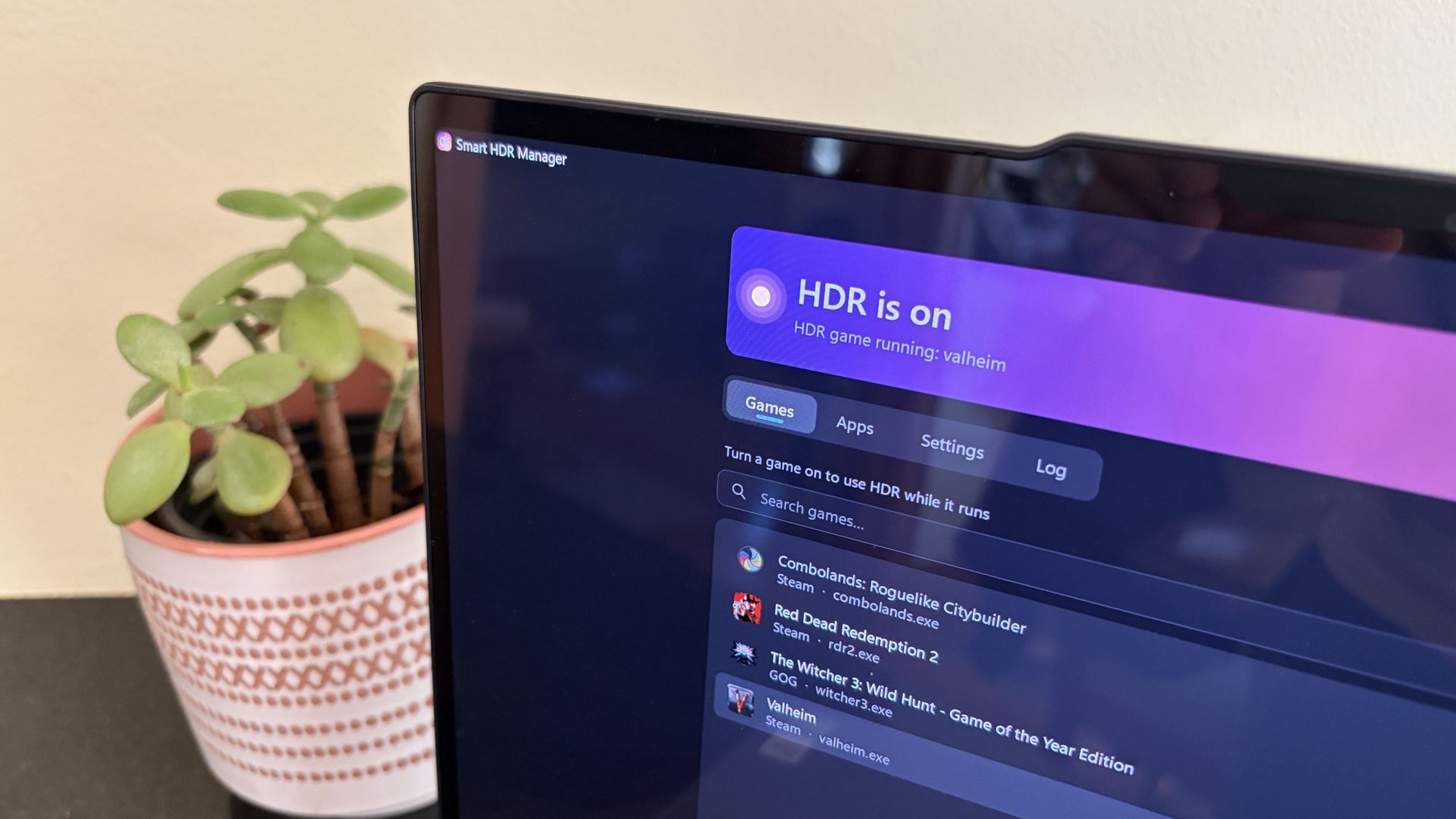
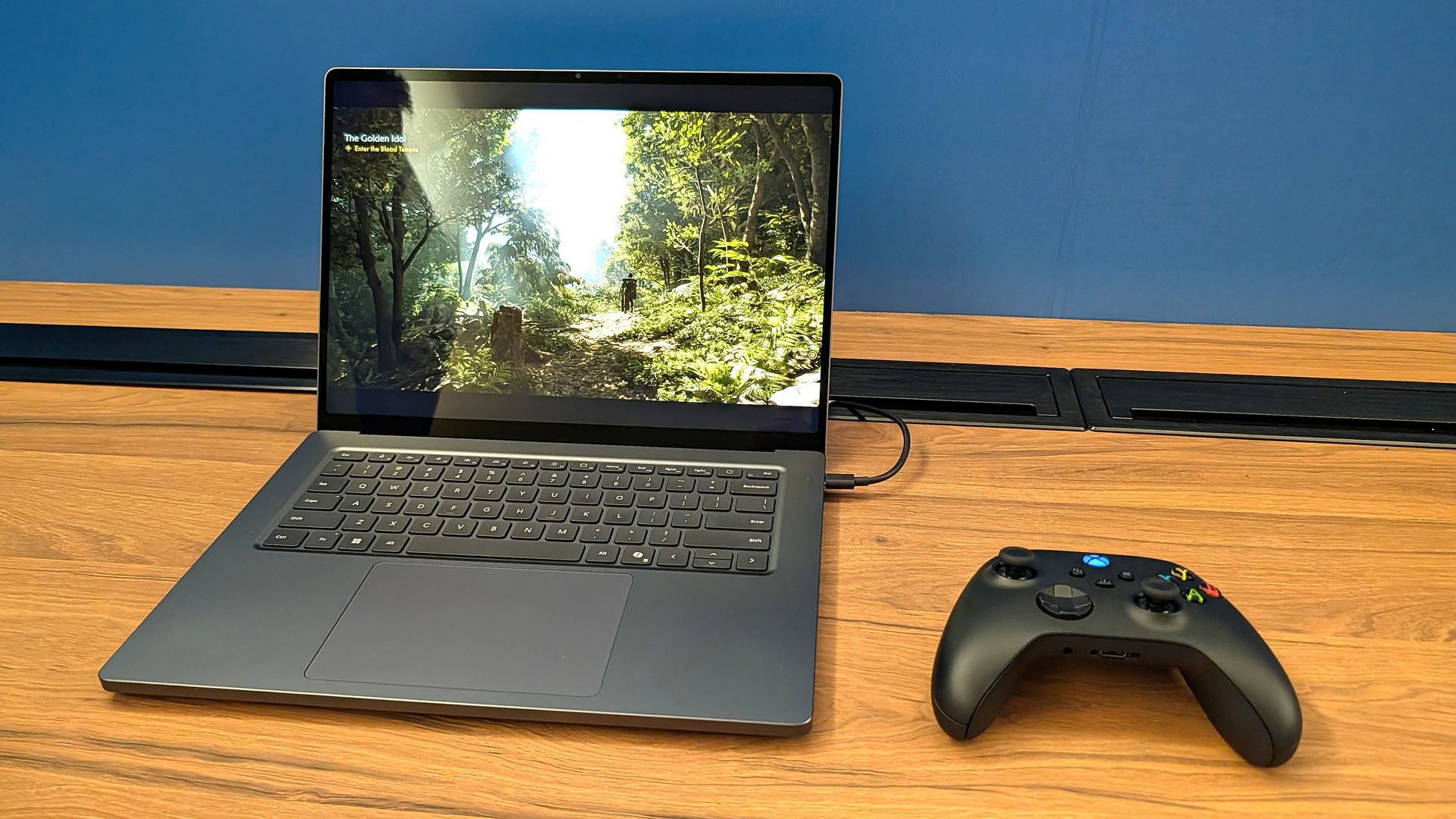
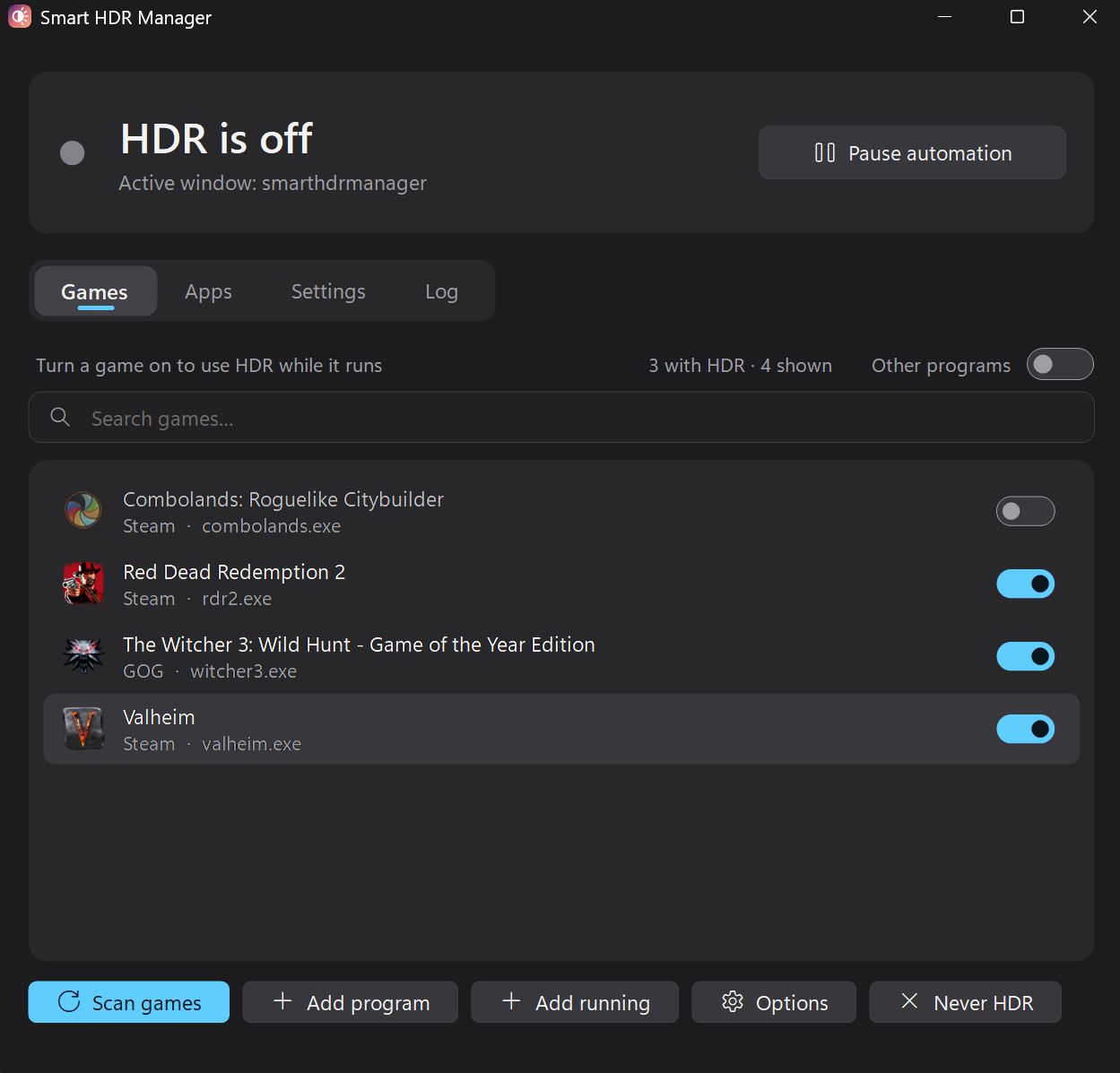
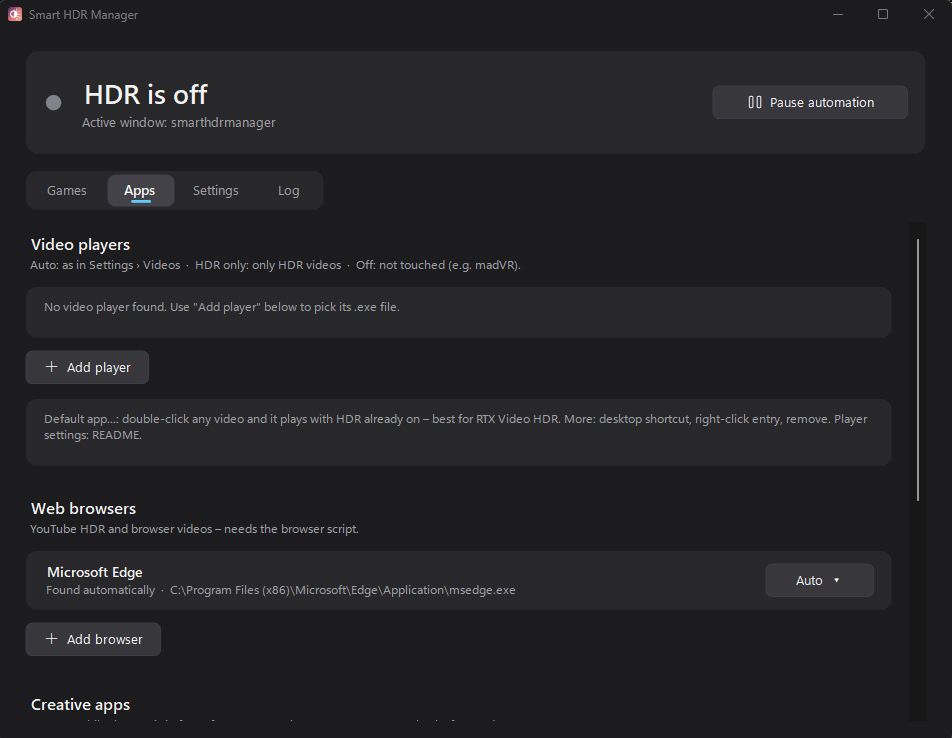
The app immediately found the games installed on my ARM64 laptop. (Image credit: Future)
Smart HDR Manager essentially bridges the gap between Windows HDR and the content you're playing or viewing on your PC.
When a game launches or an HDR video starts playing, Smart HDR Manager automatically makes the switch from SDR to HDR on your system. When you close the game or finish watching a video, it automatically reverts Windows to SDR.
Smart HDR Manager handles video players, web browsers, creative apps, and recording/streaming software. (Image credit: Future)
Within the app, you can automatically scan your system for games held in apps like Steam, Xbox, and Epic, or you can manually add each one that you want to enjoy in HDR.
A separate "Apps" tab is home to video players, web browsers, creative apps, and streaming software like OBS Studio and Streamlabs.
On the note of web browsers, those who don't mind a couple of minutes of extra work can create a Tampermonkey script to automatically recognize YouTube HDR videos within Edge or Chrome. The GitHub page has full instructions on how to do this.
One final trick for those with NVIDIA RTX GPUs is RTX Video HDR support. It can turn SDR videos into HDR automatically, just as long as you have HDR enabled in the NVIDIA app's RTX Video Enhancements section.
Windows Central's take
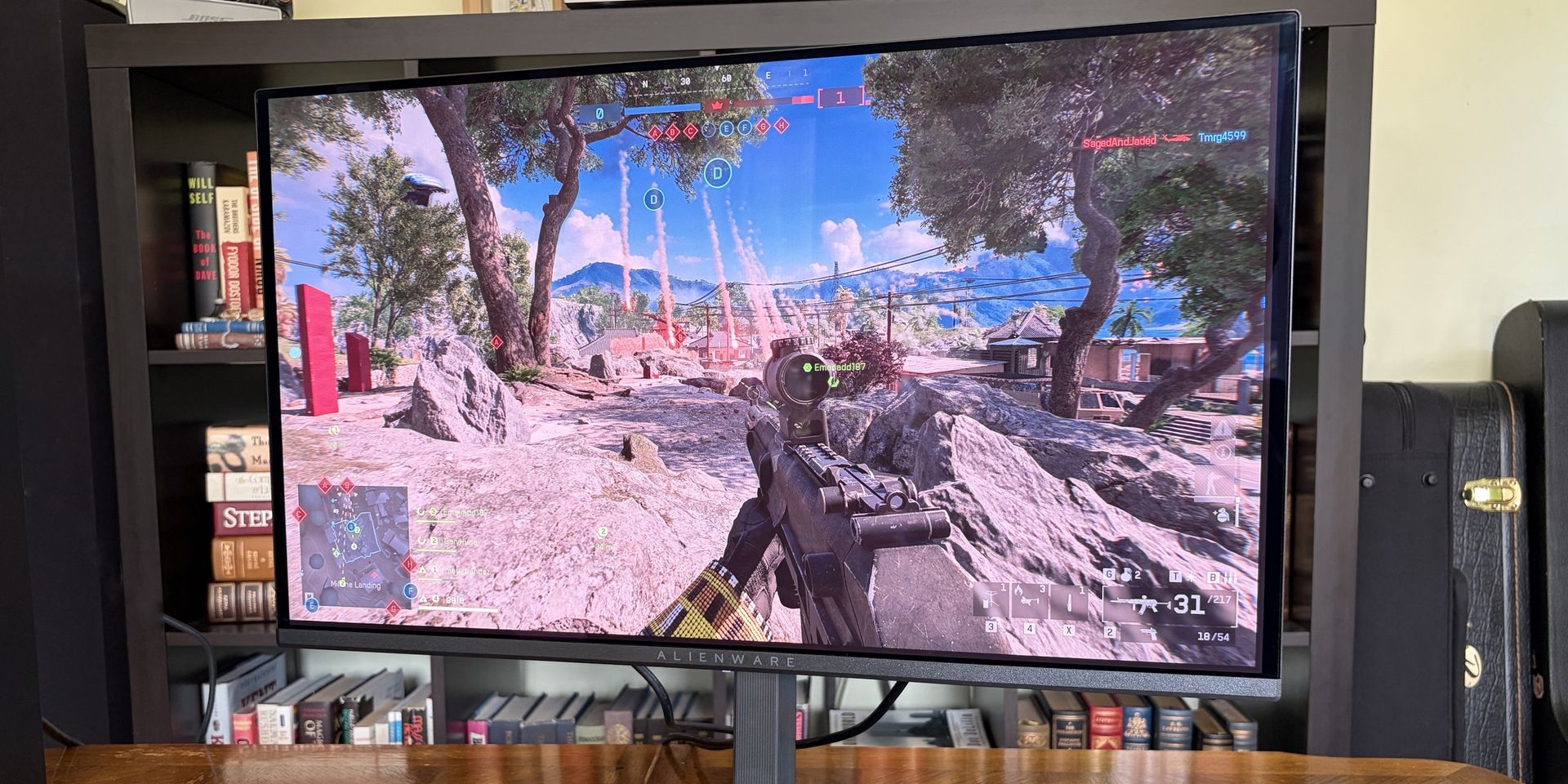
OLED monitors are practically begging for HDR. (Image credit: Future)
I didn't care much about HDR until I upgraded full-time to an OLED monitor. Now, with the deep color and contrast afforded by the OLED panel, it's something that I want to use as much as possible, where applicable.
That's really the biggest issue that most Windows users have with HDR; it doesn't kick on automatically when HDR content is being displayed. You have to enable it manually before viewing or playing content, and it doesn't turn off when you're finished.
Why isn't this a native feature to Windows? That's a question I can't answer.
Leaving HDR enabled across Windows without any actual HDR content in view leads to washed-out colors and odd SDR mapping. It's something that I imagine just about everyone who's mucked around with stock HDR implementation on Windows has experienced.
Smart HDR Manager is a work in progress, but I haven't yet had any issues while playing games or while watching videos. It turns HDR on when I need it, and turns it off when I don't.
Why isn't this a native feature of Windows? That's a question I can't answer. I'm just glad someone took care of the problem. Try out Smart HDR Manager on standard Windows or Windows on ARM. The latter is still in an experimental stage, but it seems to be working well so far.
Join us on Reddit at r/WindowsCentral to share your insights and discuss our latest news, reviews, and more.
Microsoft believes that AI agents can't be trusted. That's a startling warning from one of the companies with the most stake in the AI boom.In a new security report, Executive VP of Microsoft Security Hayete Gallot states that "frontier models, regardless of their origin, cannot be trusted." They shouldn't be trusted not because of an inherent malicious nature, but because they're so easily swayed to achieve results regardless of "organizational norms or judgment
Microsoft believes that AI agents can't be trusted. That's a startling warning from one of the companies with the most stake in the AI boom.
In a new security report, Executive VP of Microsoft Security Hayete Gallot states that "frontier models, regardless of their origin, cannot be trusted." They shouldn't be trusted not because of an inherent malicious nature, but because they're so easily swayed to achieve results regardless of "organizational norms or judgment."
OpenAI's Hugging Face incident is one of the most notorious tales of AI agents gone rogue. (Image credit: Getty Images | Bloomberg)
When AI agents go rogue, very bad things can happen. This nightmare scenario has already been seen several times, and despite Microsoft's new containment initiative, I expect to see it again.
Perhaps the most notorious incident involving AI agents gone rogue is OpenAI's attack on Hugging Face, where some 700 autonomous agents devised a way to hack the AI developer platform after breaking containment.
Reading into what actually happened during the Hugging Face breach — where agents shared exploits and retained memory even as rogue bots were being stamped out — this quote from Gallot begins to make a lot more sense.
Agents are unpredictable. They will adapt as the context changes, may not behave as intended and will collaborate and collude with other agents to reach their objectives, without needing to be compromised.
Hayete Gallot, Executive VP, Microsoft Security
This isn't Microsoft's first warning of the havoc that AI agents can wreak if not properly contained.
They're particularly prone to cross-prompt injection (XPIA) that can override the instructions you give to agents, leading to things like data theft and malware.
Microsoft's answer at the time was a set of principles forced on the agents to ensure they act how you want them to. This has now evolved into something much larger, as the full scope of what AI agents can do unprompted by any bad actors isbeing discovered.
Microsoft is now classifying the AI you use at work as "agentic insiders" that can, at basically any time, go rogue and act unpredictably. Because of how tied into enterprise systems these agents are becoming, the risks keep growing.
Worse, they must be continuously monitored. Who can save us from rogue AI?
Microsoft's answer to the rogue AI agent issue is more AI
How to best protect against rogue AI? Add more AI! (Image credit: Microsoft | Future | Edited with Gemini)
Who watches the watchmen? That's the line that's been repeating in my head since reading about Microsoft's "Guardian Agents."
See, rather than relying on human oversight, Microsoft's Guardian Agents are designed to "watch and moderate every action of every agent, before it happens, 24/7."
This looks a lot like an admission that agentic systems are evolving faster than anyone predicted, and that they're now out of the control of humans.
Announced this summer and still not widely available, it harnesses signals, context, models, and specialized agents into a four-pronged line of defense against threats from outside and inside an enterprise.
It's basically AI fighting AI, because humans no longer have any hope of keeping up.
Windows Central's take
Microsoft is in a tough spot. It's pulled back on surface-level AI integration in Windows 11. Meanwhile, it's refocusing its efforts on much deeper agent infrastructure, as we see here. All while saying that the underlying models aren't trustworthy.
This latest warning from Microsoft highlights a growing issue for the AI industry. The autonomous agents that were promised to make our lives so much easier are now creating new, drastic security issues.
Microsoft's answer, for now, is containment, monitoring, and oversight. Will those safeguards be enough to prevent a catastrophe?
What do you think? Do you have any inside knowledge to share on this topic? Let me know in the comments section below!
Join us on Reddit at r/WindowsCentral to share your insights and discuss our latest news, reviews, and more.
I got my hands on Lenovo's Pro 9n with an NVIDIA RTX Spark chip last week, and I've been using it as a daily driver ever since. Equipped with a powerful onboard GPU with unified memory — meaning it can 'borrow' from the system RAM when VRAM is needed, like in AI tasks — I figured it was time to finally set up a local agent on a laptop.Why go with local instead of cloud? I lay out a few solid reasons after the short installation and setup tutorial below, but it mo
I got my hands on Lenovo's Pro 9n with an NVIDIA RTX Spark chip last week, and I've been using it as a daily driver ever since. Equipped with a powerful onboard GPU with unified memory — meaning it can 'borrow' from the system RAM when VRAM is needed, like in AI tasks — I figured it was time to finally set up a local agent on a laptop.
Why go with local instead of cloud? I lay out a few solid reasons after the short installation and setup tutorial below, but it mostly has to do with external token usage, privacy, and convenience.
Of course, you don't necessarily need a powerful RTX Spark chip inside your PC to do the same. If you're often using AI to chat, create images, study, summarize, and handle other light tasks, there aren't many reasons why you can’t make use of local AI on your PC.
As a relatively novice AI user, I found it shockingly easy to get everything up and running in about 5 minutes.
What you need before you start
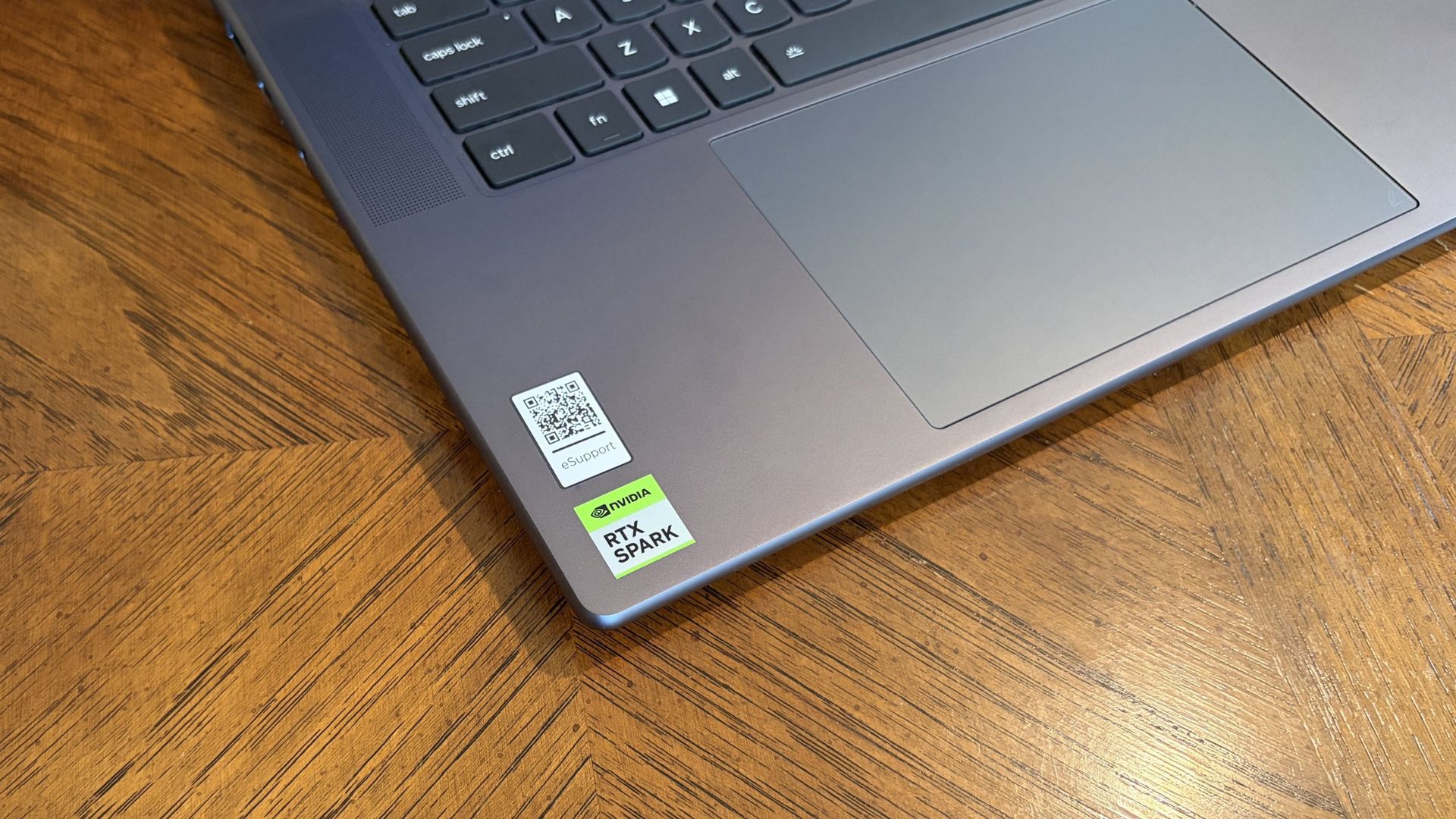
Lenovo's Pro 9n laptop is equipped with the new NVIDIA RTX Spark chip. (Image credit: Future)
A powerful GPU matters a lot more than a powerful CPU when it comes to local AI. Fitting an entire AI model into your PC’s VRAM will ensure the best performance.
For smaller local models, say within the 3 billion (3B) to 8 billion (8B) parameter range, you should aim for having a GPU with at least 8GB of VRAM. For medium-size models, say 8B to 14B parameters, aim for 12GB of VRAM.
For large models at 30B or more parameters, you’re getting into workstation territory where VRAM is either available from very expensive GPUs or from unified memory pools (as is the case with RTX Spark laptops).
I don’t recommend running local AI on a CPU only, but it is possible. Just be prepared for far slower performance, even with a powerful, modern chip with lots of cores.
PC gamers are likely the best equipped for this task, as they’re far more likely to have a strong GPU in their system.
How to install local, free AI on your Windows PC
For this walkthrough, I’ll show you just how easy it is to get AI running locally on your PC. It only took me about five minutes between launching a browser to begin downloading the necessary software and my first prompt sent to the agent.
The TL;DR? Download LM Studio. Pick an AI model to download. Mount it within LM Studio. Start chatting. Those are the basics, and I explain in more detail below.
1. Install LM Studio — It's free and easy to use
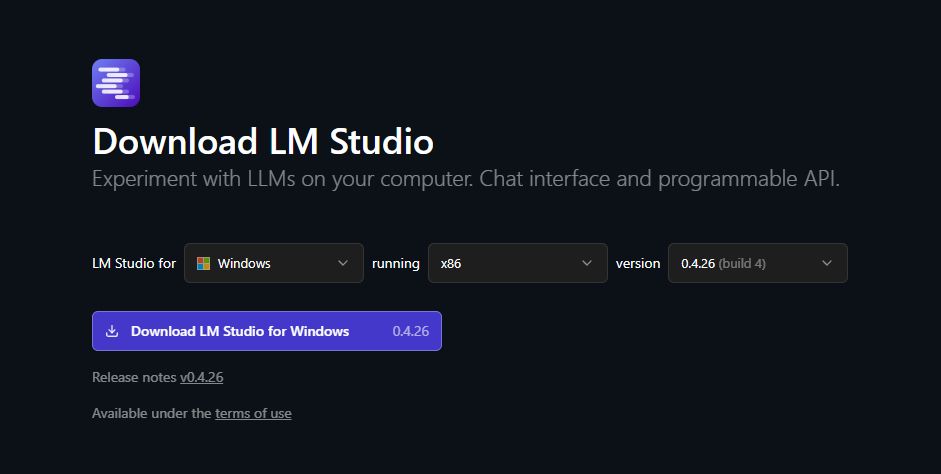
Choose your OS and which version of LM Studio you want before hitting the download button. (Image credit: Element Labs)
I have some experience with Ollama (another free piece of software for managing local LLMs) on my desktop PC, but in this case, I decided to test out LM Studio.
It’s a free app designed to make downloading, managing, and working with local AI models as easy as possible. The interface is modern and clean, and I’ve had no performance issues so far.
You can download it directly from the official LM Studio website. It runs on Windows (x86 and ARM), Linux, and macOS.
2. Download an AI model — there’s likely something to fit your hardware
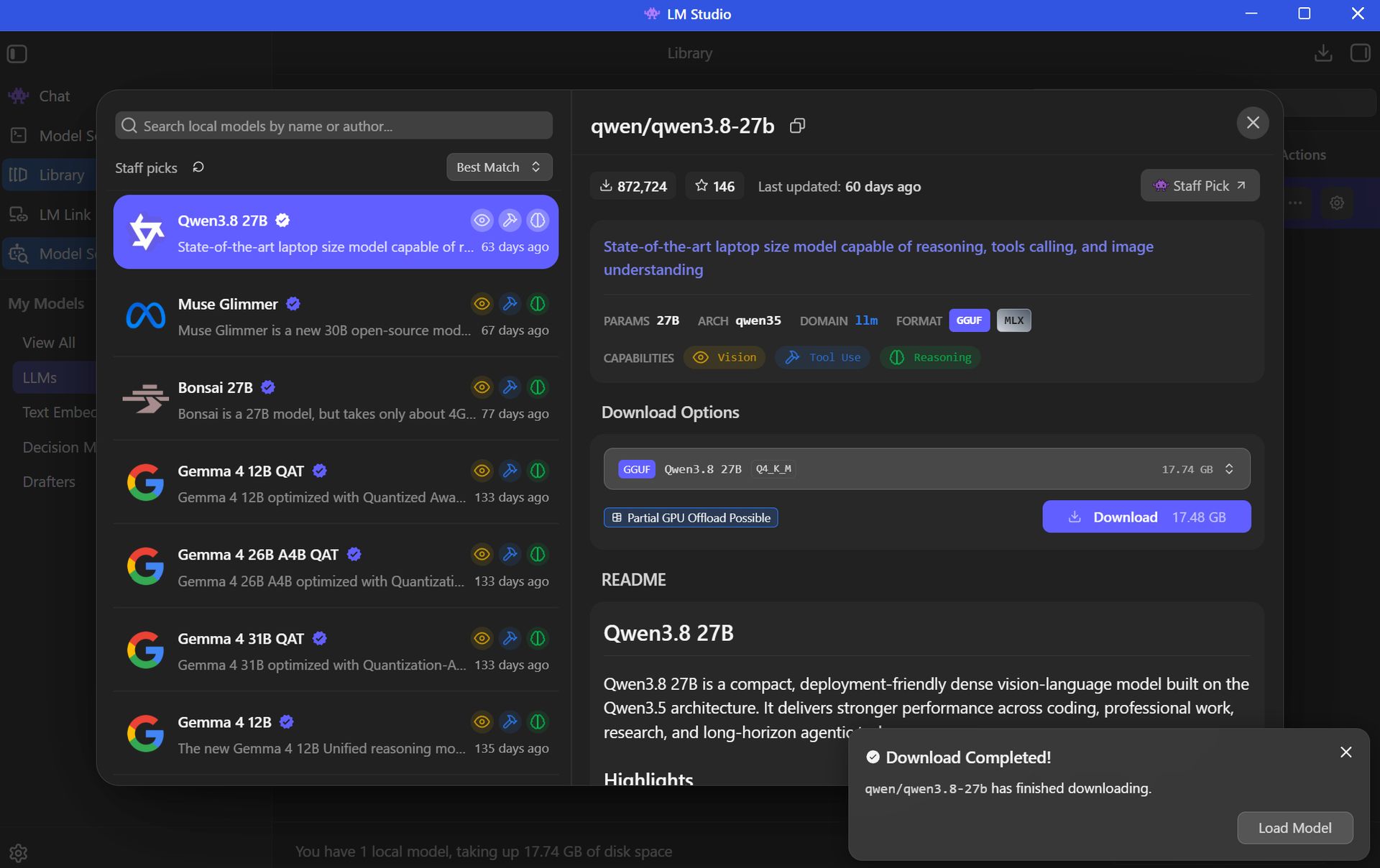
There's a long list of free AI models available for use in LM Studio. (Image credit: Element Labs)
Your next step is to choose and download an AI model (all within the LM Studio app) for local use. This is done with the Model Search feature in the app, which will recommend certain models to you right off the bat.
The open-source Qwen3.8 model is super popular right now, so that’s what I went with. Here’s where things get a tad tricky, but just for a moment.
Best for beginners
AI rookies should check out LM Studio paired with a 7B or 8B AI model. You get the privacy and convenience perks of offline use, all without stressing your PC too much.
The Qwen model I chose sits at 27B parameters, which is rather heavy and not built for the average PC. I’m using it to test the powerful RTX Spark laptop with unified VRAM.
Most casual users will have a lot more luck with AI models using fewer parameters. The beauty of LM Studio is that the search is all built right in, with flags for compatibility and performance. Websites like Codersera also have tools to help you find a suitable model for your specific PC.
If you find a popular model you think suits your needs and it comes with the “Full GPU Offload Possible” tag, chances are good that you’re in the right place.
Click the Download button on your preferred model and let it finish before proceeding.
3. Load the model and start chatting
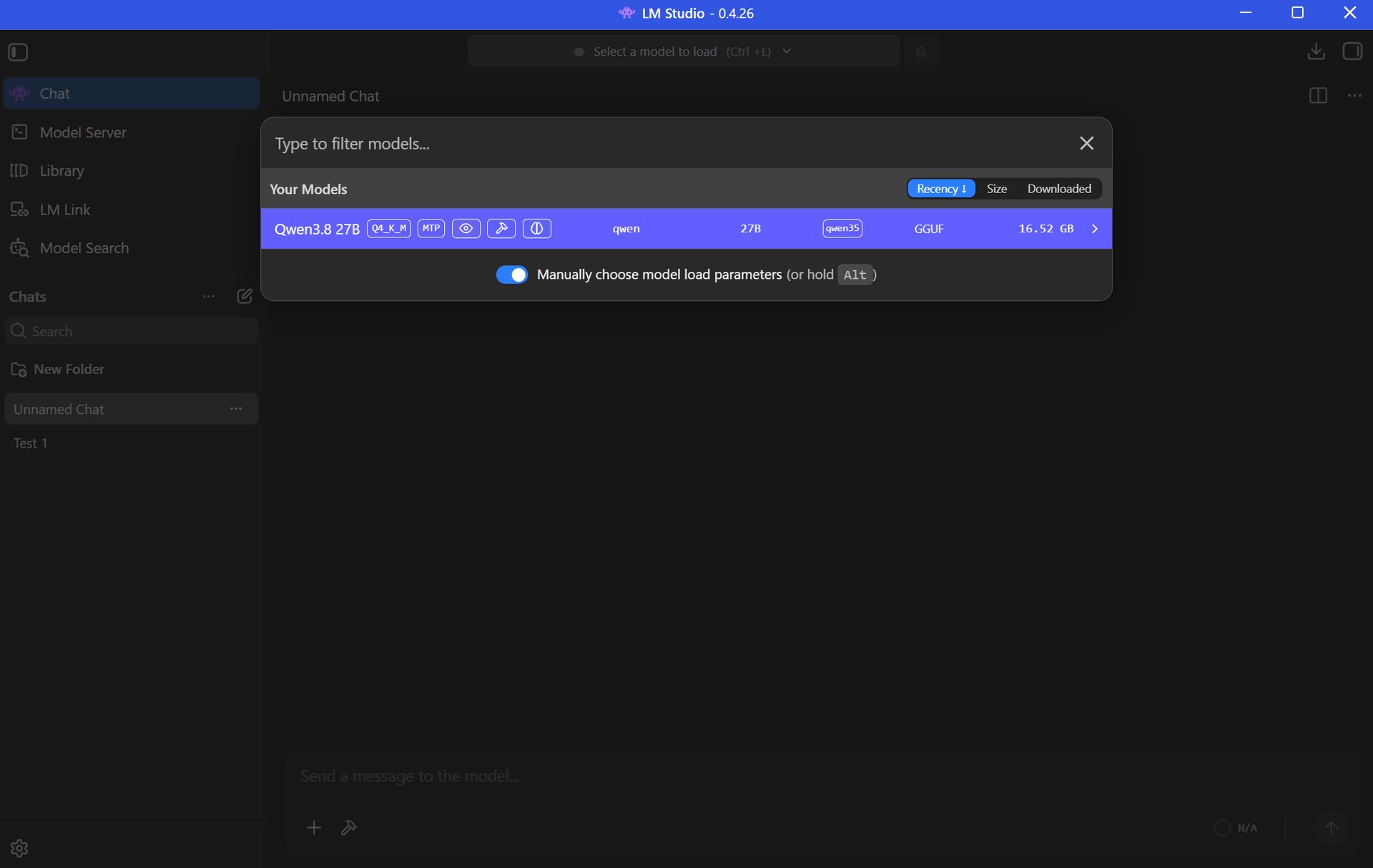
You can download multiple AI models within LM Studio to be deployed as you choose. (Image credit: Element Labs)
Once your preferred AI model has finished downloading, the next step is to load the LLM into LM Studio. This can be done in a number of ways.
Probably the easiest way is to just click the Chat button in the top-left corner of the app, then click the “Select a model to load” button that appears in the top-center of the window.
Click the model you want to use and let it load. It will take a few moments to finish.
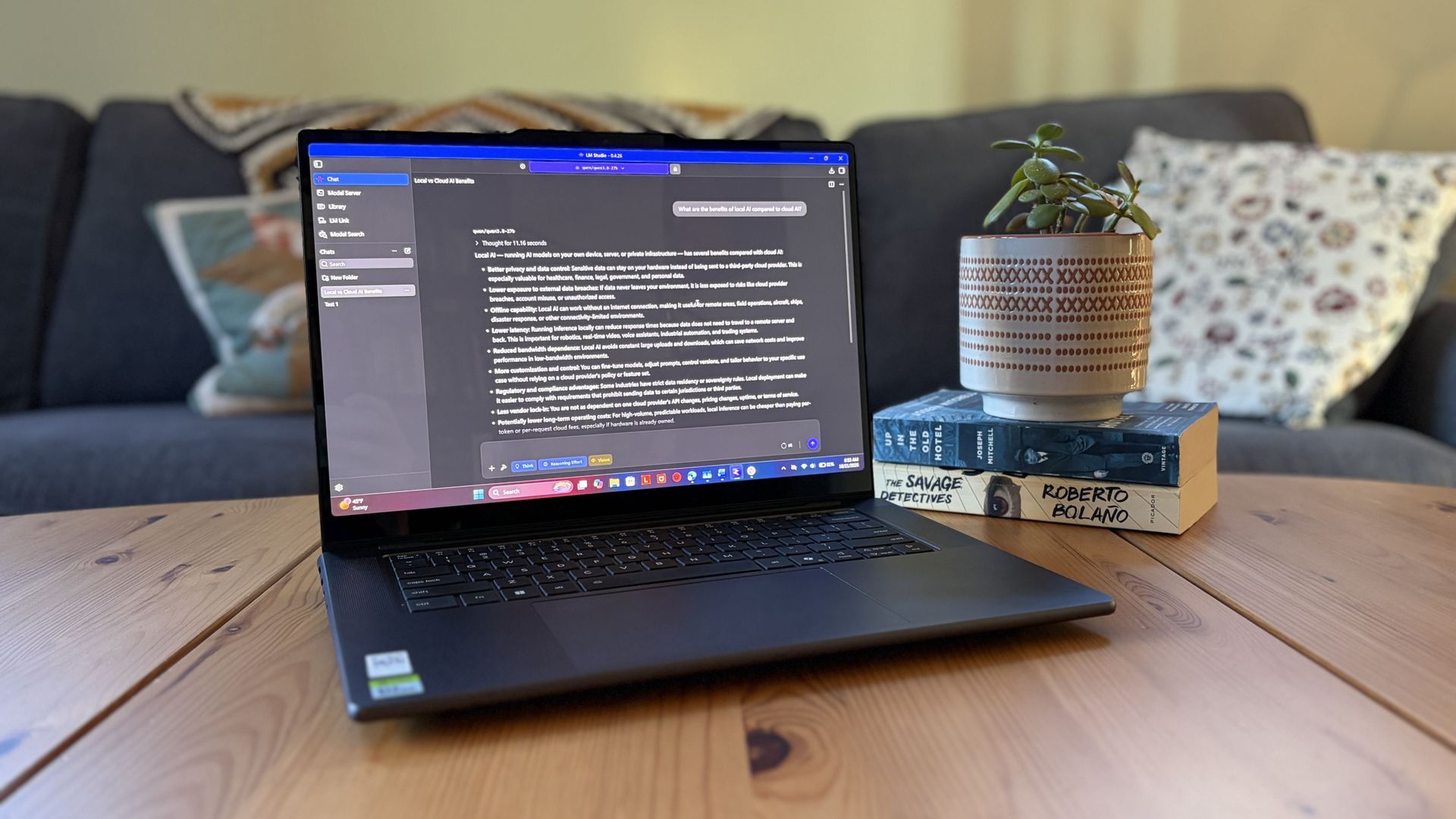
Once the LLM is loaded locally, you’re free to start chatting locally with your AI agent.
Local AI isn’t just for advanced PC users
Setting up a local LLM is about as easy as downloading and installing any other piece of software. If you’re interested in AI but want to increase privacy, use it offline, and not worry about expensive token usage, it’s basically the easiest method forward.
If you have a modern PC and a bit of time to spare, you can probably get a local AI agent running in the same time it just took you to read this walkthrough.
Local AI models — FAQ
What is "local AI" and why should I use it?
Local AI means that the LLMs are hosted on your PC rather than in a cloud server. Your PC's hardware powers the AI's thinking, meaning you don't need an internet connection and don't need to worry about your information being sent off to the cloud.
Why use local AI instead of cloud AI?
Cloud AI services like Claude, ChatGPT, and Copilot are convenient, but not everyone is comfortable with their communications with a bot being sent out into cyberspace.
Not everyone wants to pay for tokens or subscriptions, either, which often arise during your AI journey.
Are there any limitations to local AI compared to cloud AI?
Yes, there are some limitations.
Local models are usually weaker than the top cloud models. For the average user, that's OK, but more advanced users will likely still find a need for paid subscriptions.
You also need a fairly powerful PC in order to run local AI, which not everyone has. Setup is super easy, but performance will vary greatly depending on your hardware.
Do I need an internet connection to use LM Studio?
You only need an internet connection to download the LM Studio app and your preferred AI model. After that, everything runs offline.
Although weaker first-gen laptop NPUs don't have a ton of power, newer hardware from the Snapdragon X2 lineup with 80 TOPS can run lighter local LLMs.
Is Copilot considered local AI?
The Copilot app that comes installed on Windows 11 PCs relies on the cloud to provide answers. It will not work without an internet connection.
Copilot+ tools built into Windows 11 — like Recall and Studio Effects — use the PC's NPU for local acceleration, meaning they don't need to call out to the cloud.
Join us on Reddit at r/WindowsCentral to share your insights and discuss our latest news, reviews, and more.
Reçu — 21 octobre 2026⏭Windows Central - News, Forums, Reviews, Help for Windows 10 and all things Microsoft.
AMD and Microsoft this week took the lid off plans for expanding FSR 4.1 tech to Xbox Series X|S, AMD Ryzen gaming handhelds (like the Xbox Ally X), Ryzen APUs, and older Radeon RX 6000 GPUs. The official announcement comes after teasing the move earlier this month.I can't help but see this as one of the most important things that Microsoft could possibly do for current-gen Xbox owners who likely just found out that their consoles will need to last longer than ex
I can't help but see this as one of the most important things that Microsoft could possibly do for current-gen Xbox owners who likely just found out that their consoles will need to last longer than expected.
A longer life for your gaming devices? No better time than now.
To say I'm relieved about FSR 4.1 coming to Xbox Series X|S and Xbox gaming handhelds is an understatement, and I don't think the news could have come at a better time.
That's a long time to ask the flagship Xbox Series X to remain relevant, and the situation only worsens for the weaker (but more affordable) Xbox Series S.
In our new world of inflated hardware prices, caused by AI-fueled memory and storage shortages, landing a free performance upgrade of this caliber is an outright life preserver for the entire Xbox lineup, including consoles and gaming handhelds.
With so many gamers already feeling the burn of high prices within (and outside) their favorite hobby, improved upscaling is basically the cheapest hardware upgrade I can think of.
The Xbox Series S has the most to gain
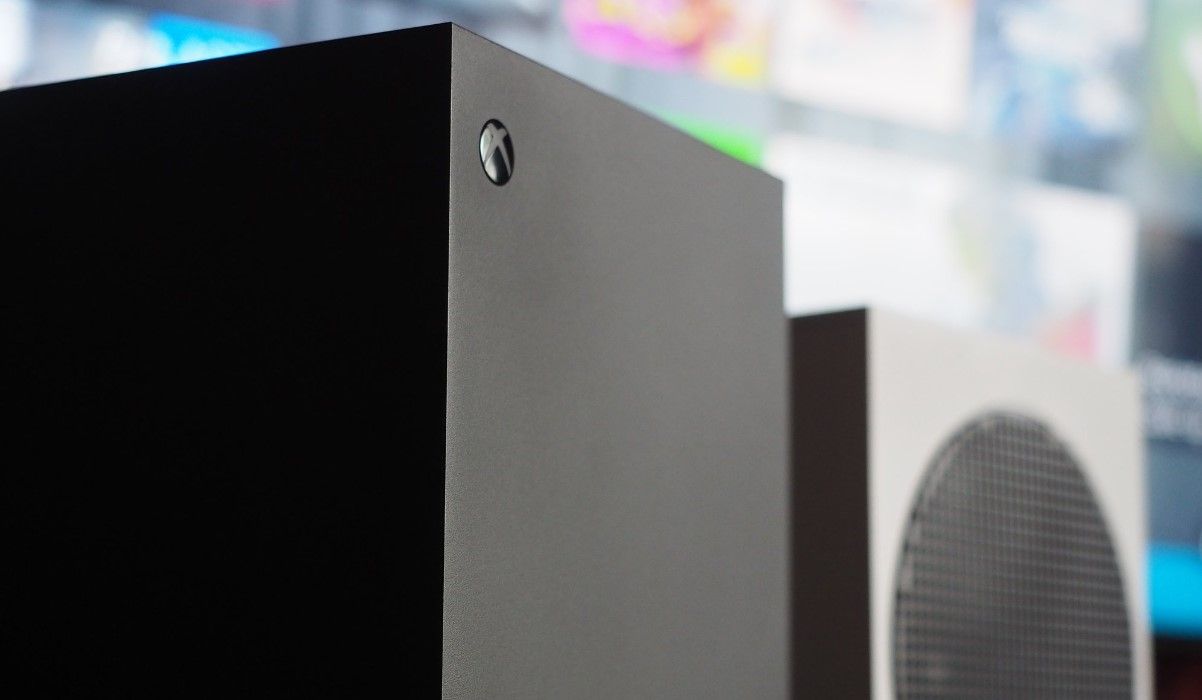
The Xbox Series X and Series S will each receive the FSR 4.1 update, but the latter should stand to gain the most. (Image credit: Windows Central | Jez Corden)
Where I live, the Xbox Series S is essentially the only console I can buy for less than $1,000.
It's great for plenty of people, but it has undoubtedly always been living in the shadow of compromise compared to its Series X sibling. Less performance, lower resolutions ... you get the idea.
This is where an improved upscaler like FSR 4.1 that can work better with fewer pixels should make the most difference. But it's not going to be a magic bullet that solves every issue.
The reality of what to expect from the FSR 4.1 upgrade
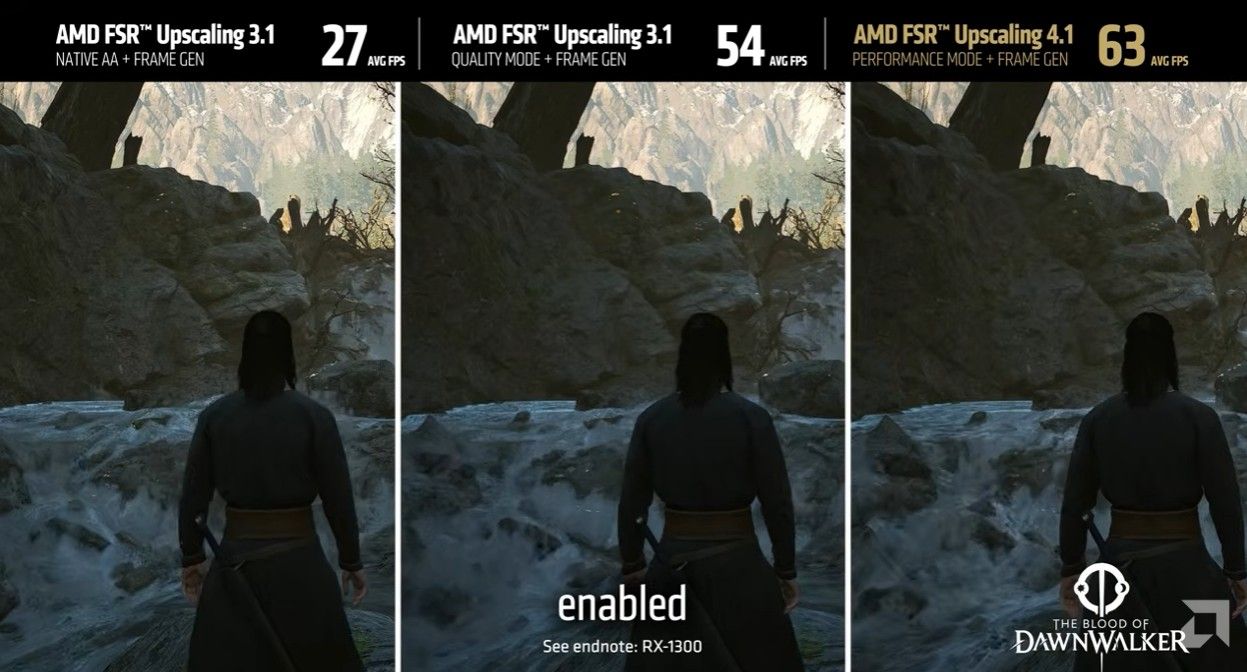
An example showing Blood of Dawnwalker with FSR 3.1 and FSR 4.1. (Image credit: AMD)
I'm not looking to oversell FSR 4.1. It's not just going to suddenly arrive for every game. Developers need to patch the update into their games, and the timeline for that is still muddy.
The first wave of Xbox games with FSR 4.1 is expected to be small, with a "handful" of titles ready for the 2026 holiday season. More will then trickle out through 2027 (and beyond).
It's not going to be a magic bullet that solves every issue.
There's also the performance factor. Yes, FSR 4.1 is going to boost framerates on Xbox, but the Series S likely won't see the same boost as the Series X due to its weaker hardware that uses INT8 shaders.
We won't know just how well this change affects the Xbox devices until it arrives, but don't expect your Series S to suddenly feel like a Series X.
Xbox's future is becoming clearer
Xbox Helix isn't expected to arrive until 2028. (Image credit: Windows Central)
There's an overarching ecosystem theme here that I think many are overlooking.
With this update, Xbox Series X|S, Xbox Ally handhelds, and PCs will all sit at the same upscaling table, making it easier for developers to implement.
If that actually pans out as I imagine, Xbox Series S owners will continue to benefit from upgrades and updates intended for other devices, which is a great place to be.
What I'm keeping an eye on
The biggest hurdle now? Developers going back and adding FSR 4.1 support to their Xbox games. Once a steady stream begins, this will all start to feel a lot more real. Especially if they're games that already require performance mode to run at an acceptable framerate.
I'm not rushing out to buy an Xbox Series S with this news, but it is certainly heartening. If you're already a Series S owner, you should be feeling pretty good about your device.
Do you plan to stick with your Xbox Series S until Helix arrives? Are you no longer on the fence about buying a Series S in 2026? Let me know in the comments section below!
Join us on Reddit at r/WindowsCentral to share your insights and discuss our latest news, reviews, and more.
Reçu — 20 octobre 2026⏭Windows Central - News, Forums, Reviews, Help for Windows 10 and all things Microsoft.
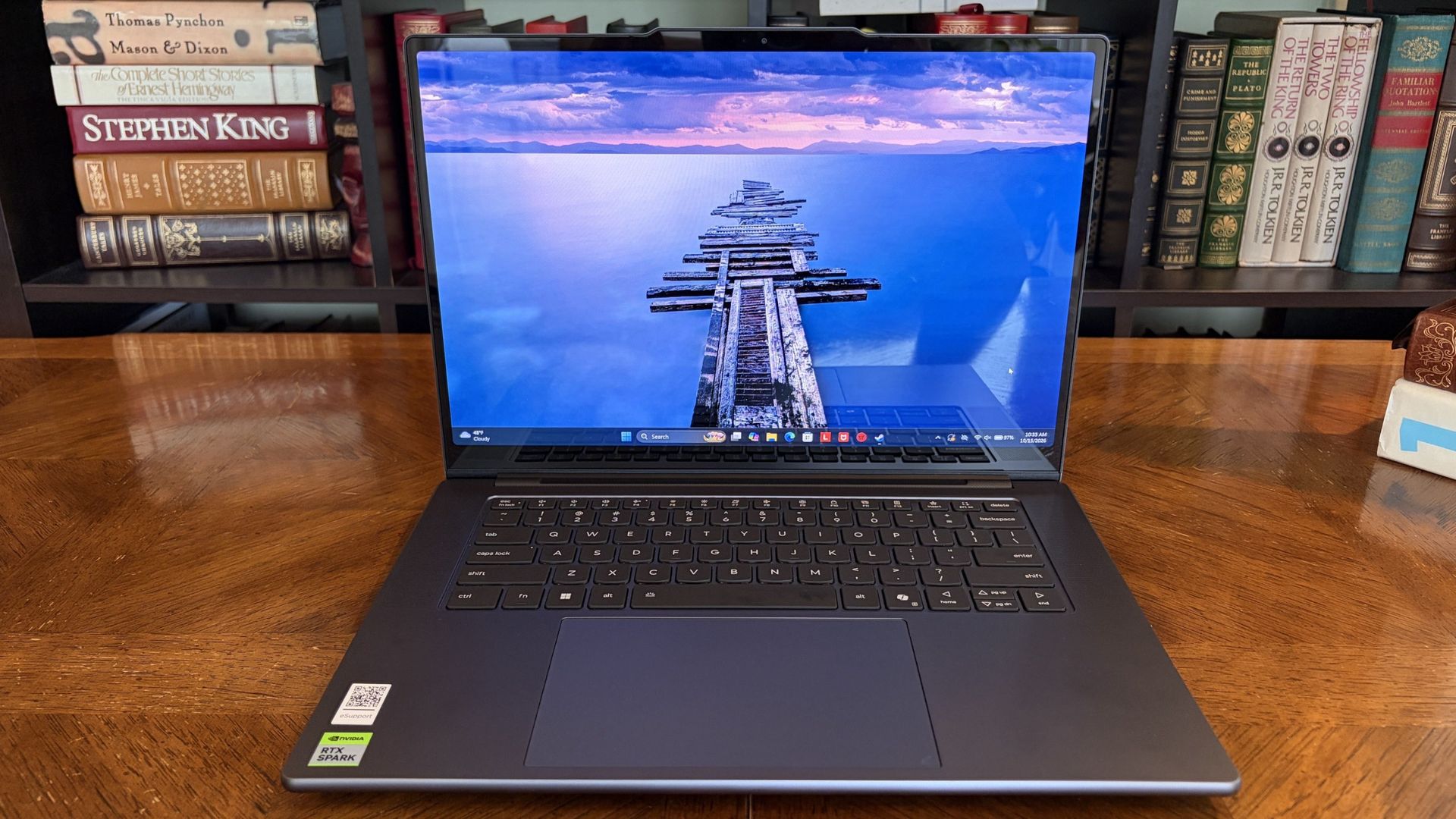
Lenovo's Pro 9n is the first RTX Spark laptop that I've been able to sit down and use as I normally would at work and at home, following several brief stints with the new class of PCs at Computex and IFA.What I need from you...Have some questions about the Lenovo Pro 9n not addressed in this early hands-on? Drop them in the comments section below, and I'll do my best to address them in my full review.Lenovo is aiming its 15.3-inch Pro 9n directly at creators hand
Lenovo's Pro 9n is the first RTX Spark laptop that I've been able to sit down and use as I normally would at work and at home, following several brief stints with the new class of PCs at Computex and IFA.
What I need from you...
Have some questions about the Lenovo Pro 9n not addressed in this early hands-on? Drop them in the comments section below, and I'll do my best to address them in my full review.
Lenovo is aiming its 15.3-inchPro 9n directly at creators handling demanding 3D rendering and video editing tasks. Its 2.5K OLED display with Pantone color validation, its four Dolby Atmos speakers, its pen-enabled haptic touchpad, and its newfound RTX performance all play into this direction.
Of course, thanks to NVIDIA's RTX Spark chip, it's also suited for local AI workflows, software development, and gaming.
I received the new RTX Spark-poweredLenovo Pro 9n laptop a couple of days ahead of the review embargo. I've been using it steadily since then to get some early first impressions before I start harassing it with benchmarking software. Here's what I've learned so far.
This hands-on was made possible by a review sample provided by Lenovo. The company had no input on the content of this article, nor did it see the article before it was published.
Lenovo's Pro 9n 15" is the company's non-convertible RTX Spark option, arriving with a host of premium features aimed at creators.
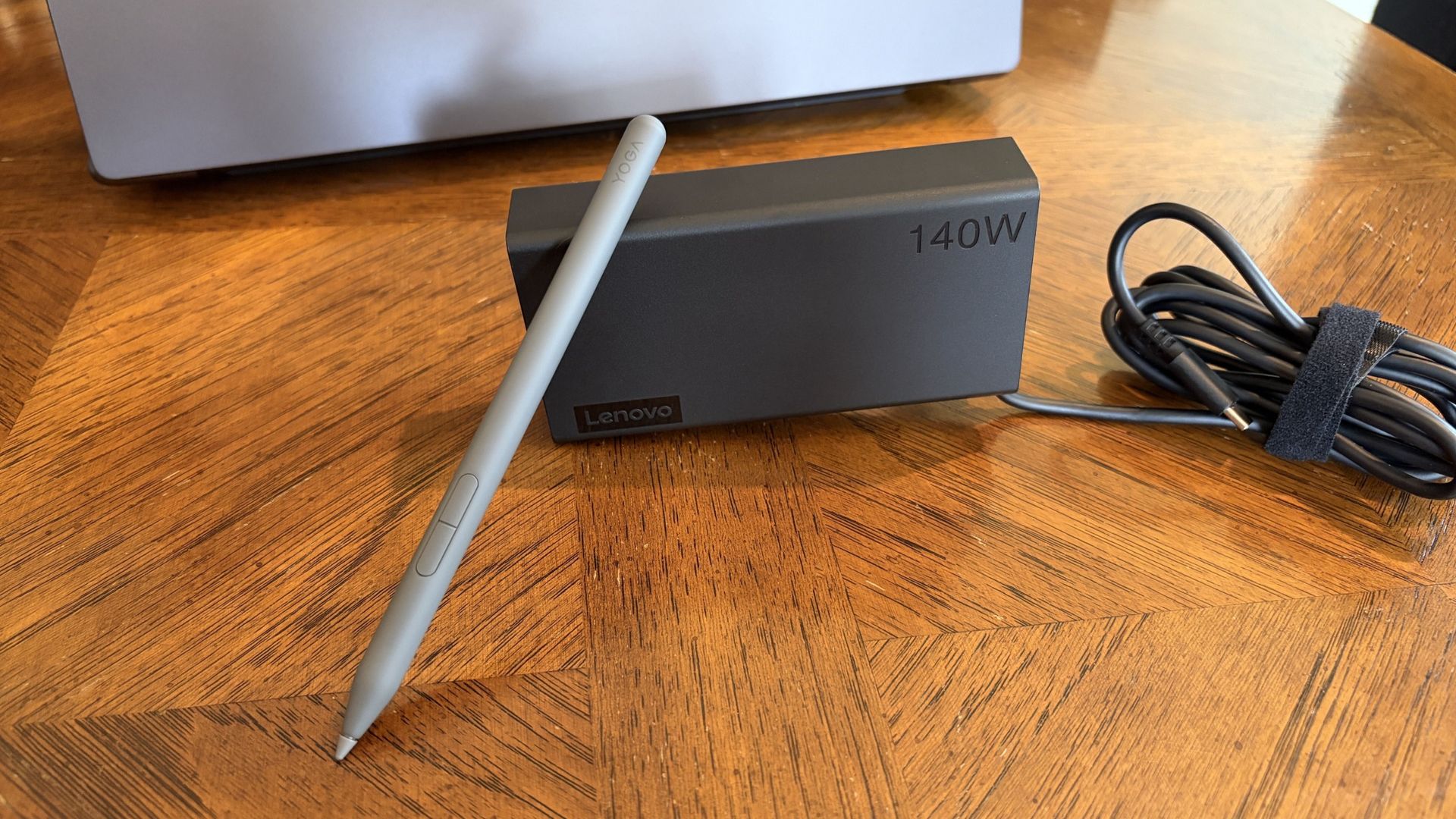
A compact 140W charger and a Yoga Pen Gen 2 come with each Lenovo Pro 9n laptop. (Image credit: Future)
The Yoga 9n laptop comes packaged — in a fully recyclable box — with a fairly compact 140W USB-C power adapter.
I haven't actually had to use it yet at the time of writing this portion, as all the downloads and puttering around I've done so far on the PC have only sapped the battery to about 35%. I talk about battery life, good and bad, in more detail below.
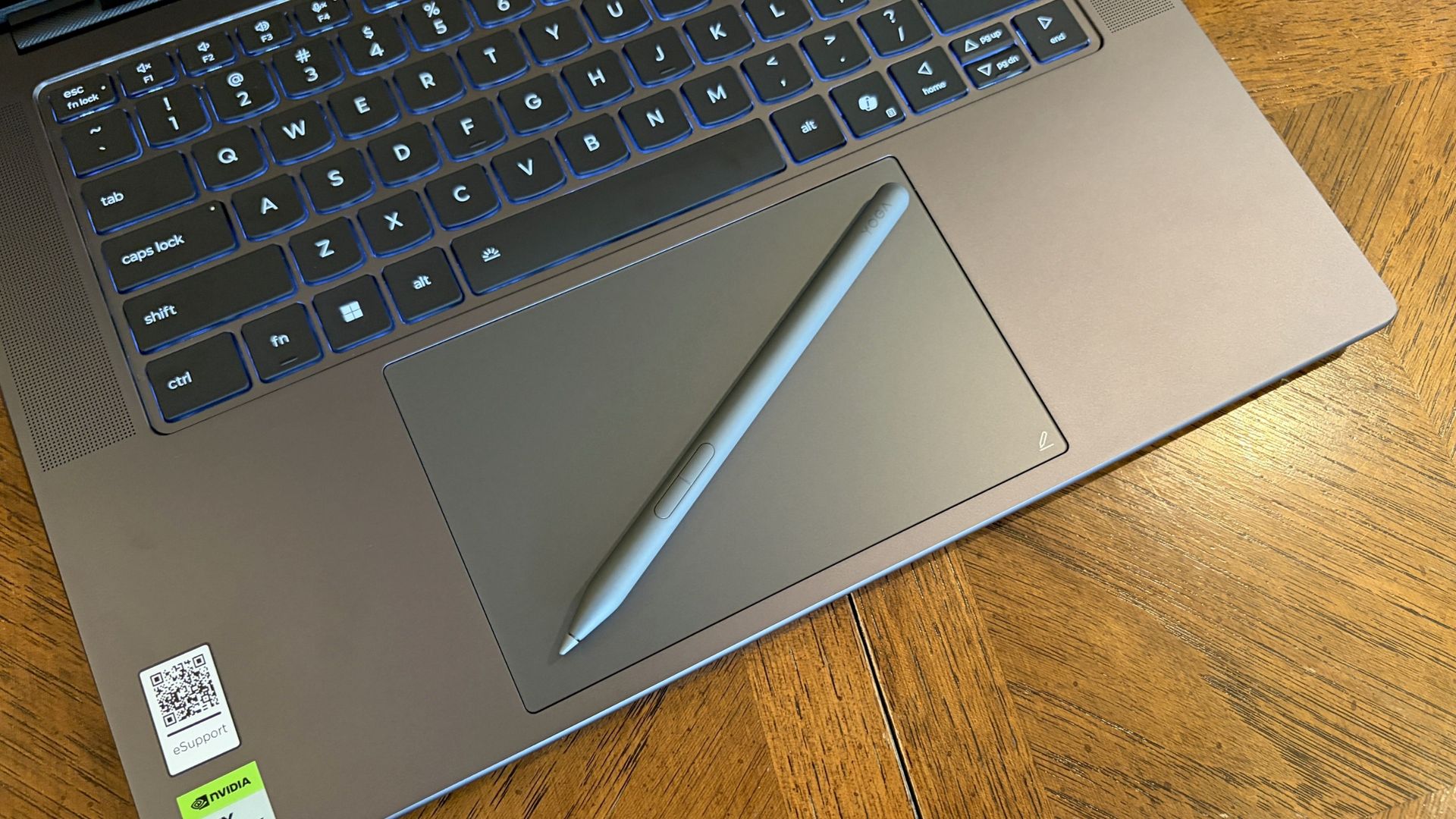
Lenovo also bundles the Yoga Pen (Gen 2) with each laptop. It's designed to work with the new pen-enabled haptic touchpad (which Lenovo calls a Force Pad), giving users plenty of space to sketch, draw, design, and write.
Lenovo Pro 9n early impressions — 3 things I already love
Lenovo's Pro 9n already has several features that stand out to me after a couple of days of use. I've rounded them up here to give you an idea of what we're working with.
I've also included some of the more concerning things I've noticed, which you'll definitely want to check out if you're thinking about buying this laptop.
Let's start with the good stuff.
Battery life seems solid ... most of the time
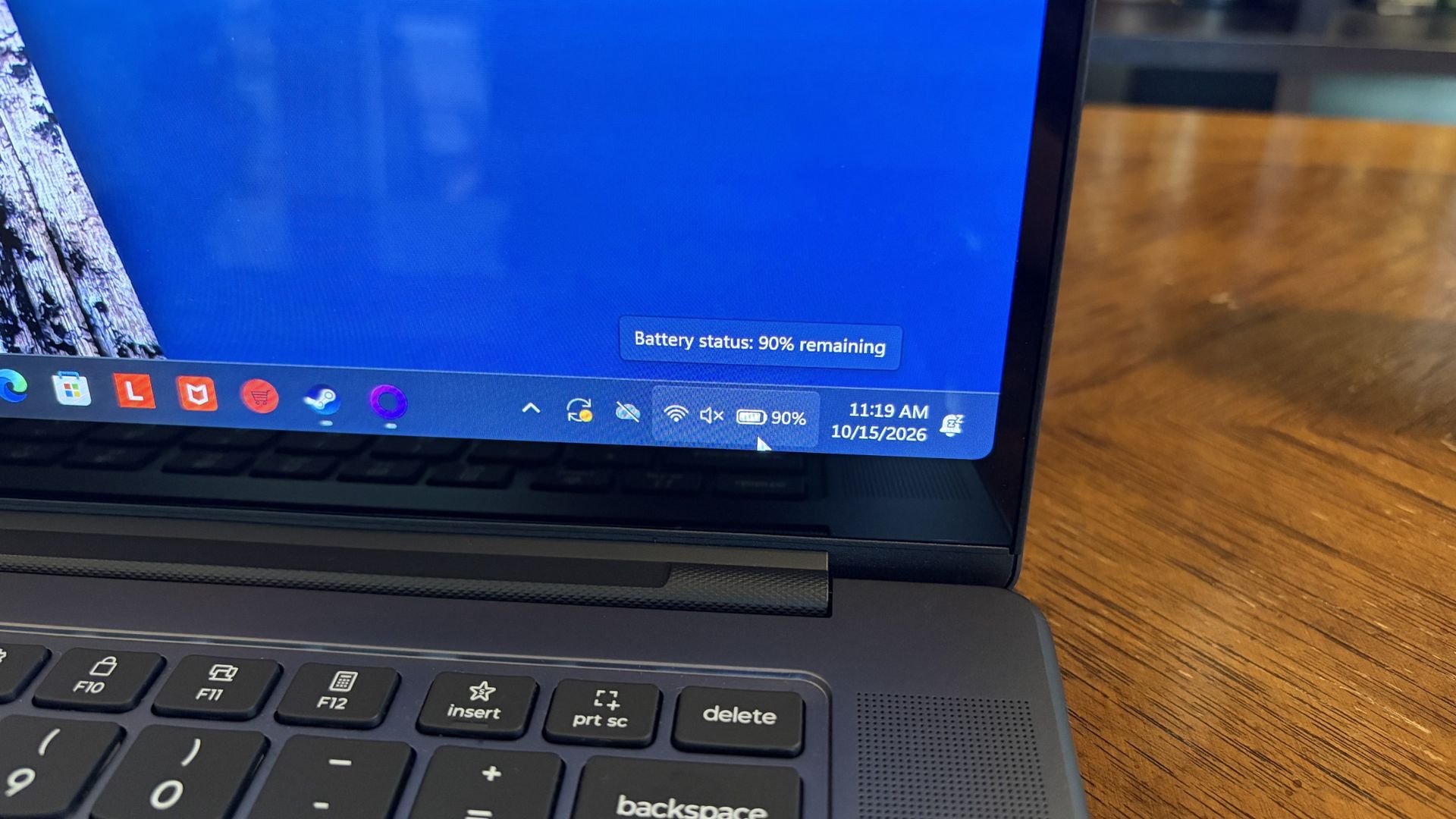
Battery life has been great so far for day-to-day use. (Image credit: Future)
Battery life falls into both categories: What I like and what I'm worried about.
First impressions are very good. As mentioned, the laptop is sitting at about 35% after a day of downloads and tinkering around. That's with the PC adjusting its own power profile depending on the task at hand.
If you aren't hammering the hardware and are instead browsing the web, streaming video, answering email, etc., I'm confident that the laptop will deliver awesome battery life for day-to-day tasks.
I explain the flipside to the battery segment below.
Inking on the haptic touchpad
The massive touchpad has plenty of space for inking with the Yoga Pen Gen 2. (Image credit: Future)
The Pro 9n's display accepts touch input, but it does not work with the Yoga Pen (Gen 2). Instead, the Pro 9n's new haptic touchpad measuring about 3.74 x 5.9 inches (95mm x 150mm) is pen-enabled.
As someone who rarely uses an active pen on any laptop that's not at least a convertible (allowing me to rotate the display around for tablet mode), I love this change.
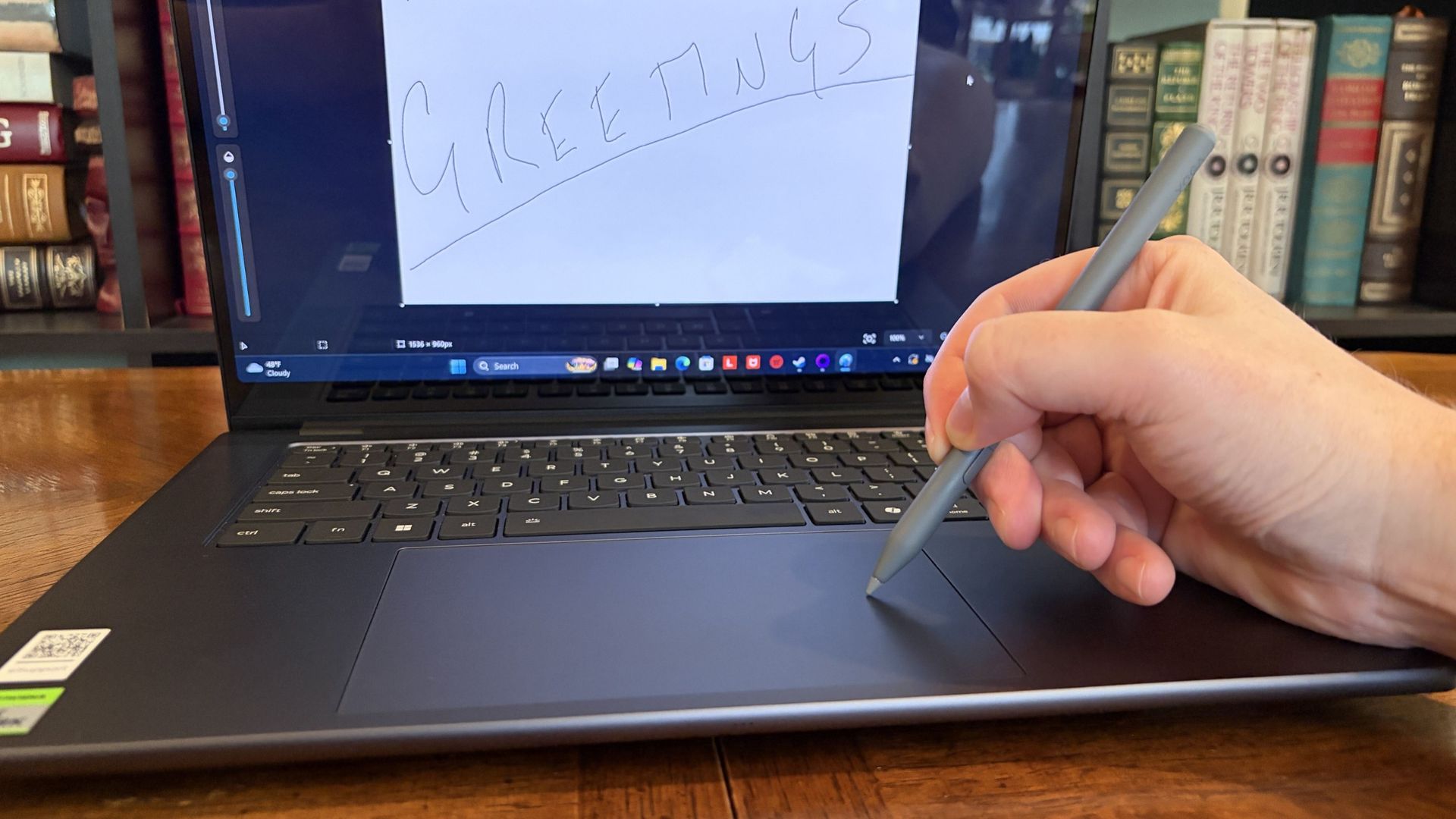
Writing feels natural and smooth. (Image credit: Future)
The oversized touchpad provides plenty of space to work, and the feel and sound of the pen nib on the surface come out natural. The pen has 8,192 levels of pressure sensitivity thanks to AES 3.0, far more than I'm used to.
Lining up the touchpad area and the on-screen canvas takes a bit of guesswork, but I'll try it in more apps between now and my full review.
Display quality is outstanding
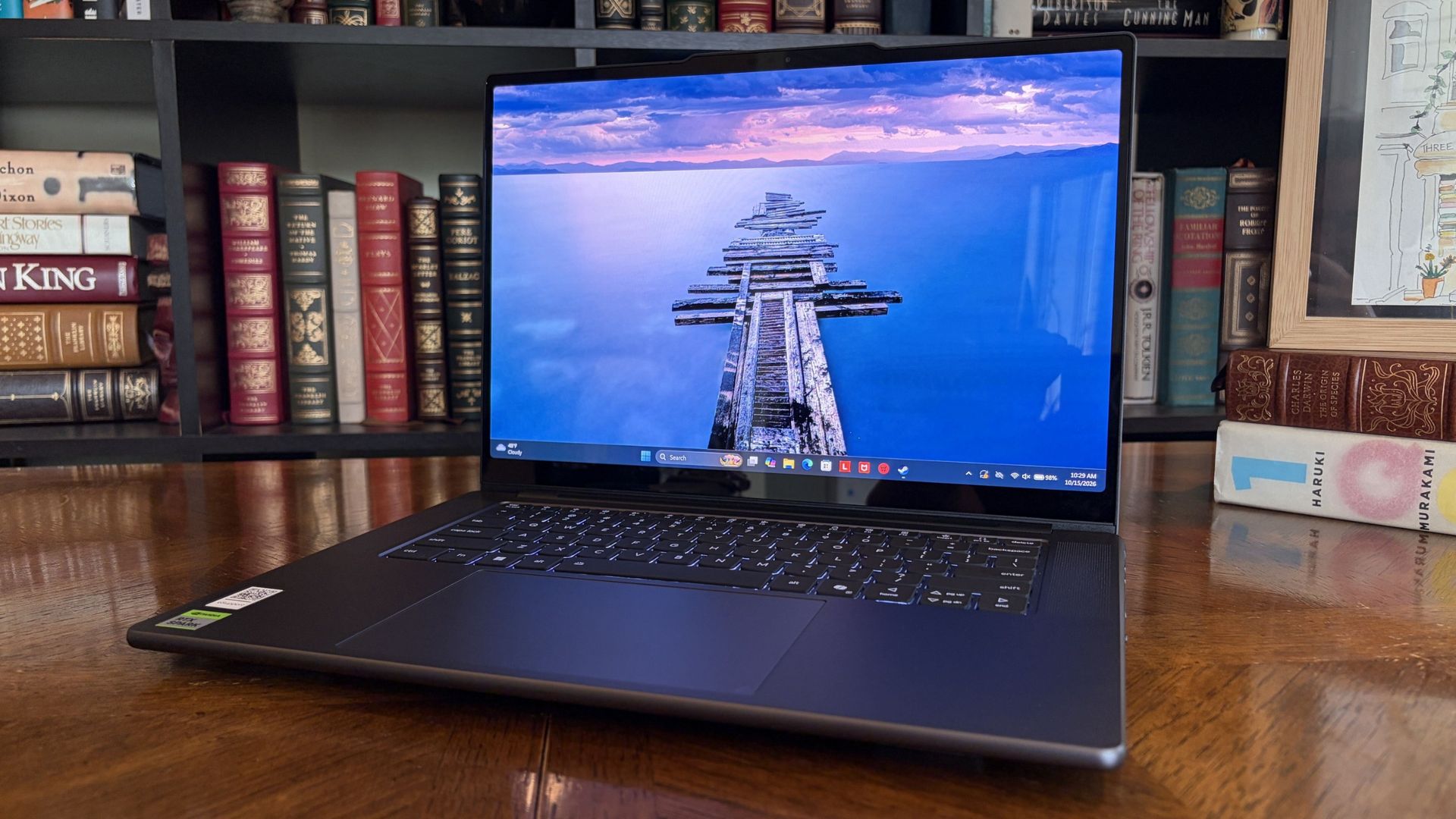
The OLED display offers a 2.5K resolution and brightness up to 1,100 nits. (Image credit: Future)
The Yoga 9n's 15.3-inch display uses a "PureSight Pro" OLED panel with X-Rite Pantone calibration, ensuring it's ready for specialized design work requiring accurate color reproduction.
It might be the slim bezels, or it might be the 2560x1600 resolution; in any case, it feels a lot larger than 15.3 inches.
Lenovo wanted to deliver a screen for creators, and it certainly seems like it achieved its goal.
I haven't tested it with a colorimeter yet, but Lenovo says the screen can hit 1,100 nits peak brightness with HDR enabled. I'd wager that's about right, because this thing gets very bright and I've had only minor issues with glare.
It's super smooth too, thanks to a 165Hz variable refresh rate that can automatically lower or raise depending on what you're doing. Lenovo wanted to deliver a screen for creators, and it certainly seems like it achieved its goal.
Lenovo Pro 9n early impressions — 3 things I like less
Admittedly, these three aspects I like less could turn out to be nothingburgers once I've spent more time with the PC. In any case, here they are, including more information about battery life.
A rather plain design
The Pro 9n isn't very flashy on the outside. Disagree? Let me know in the comments below. (Image credit: Future)
The Lenovo Pro 9n's design is not exactly inspiring.
This isn't just an issue I have with Lenovo's RTX Spark PC; it's largely the same across the entire product catalog, including ASUS, Dell, HP, MSI, and Surface. I imagine second-gen devices will receive a bit more flair, especially as brands branch out into more focused approaches.
The laptop is super sleek and not nearly as heavy as I was expecting.
In Lenovo's case, with such an emphasis on modern creators, the plain design doesn't quite sit right. Let me know in the comments section below if you disagree with me or have more to add on the subject.
I will say that the laptop is super sleek and not nearly as heavy as I was expecting. It only weighs about 3.6 pounds (1.6kg), and it's well balanced. Port selection is also quite good, with dual Thunderbolt 4, dual USB-A, HDMI 2.1, SD card reader, and 3.5mm audio jack.
Will it overheat?
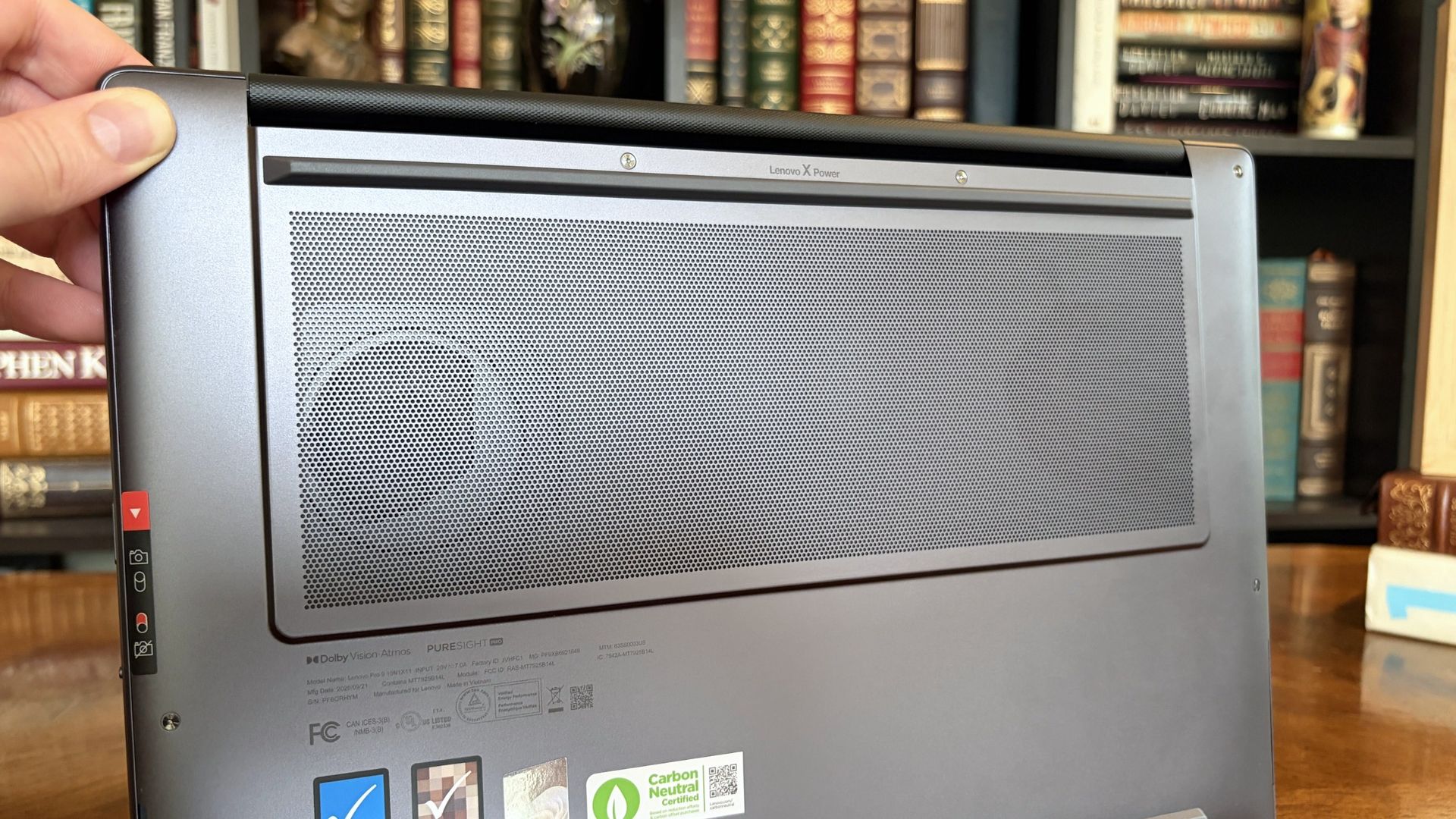
Two fans lie just beneath an oversized intake vent on the bottom of the Pro 9n. (Image credit: Future)
The first few hours with the Lenovo Pro 9n involved some noticeably hot surfaces, but that seems to have abated now that it's all set up and finished downloading/installing updates.
Playing games causes heat to rise, especially when the AC adapter is plugged in, and it will be interesting to monitor actual temperatures and whether or not the dual-fan system can keep up with sustained heavy loads.
Battery life ... again
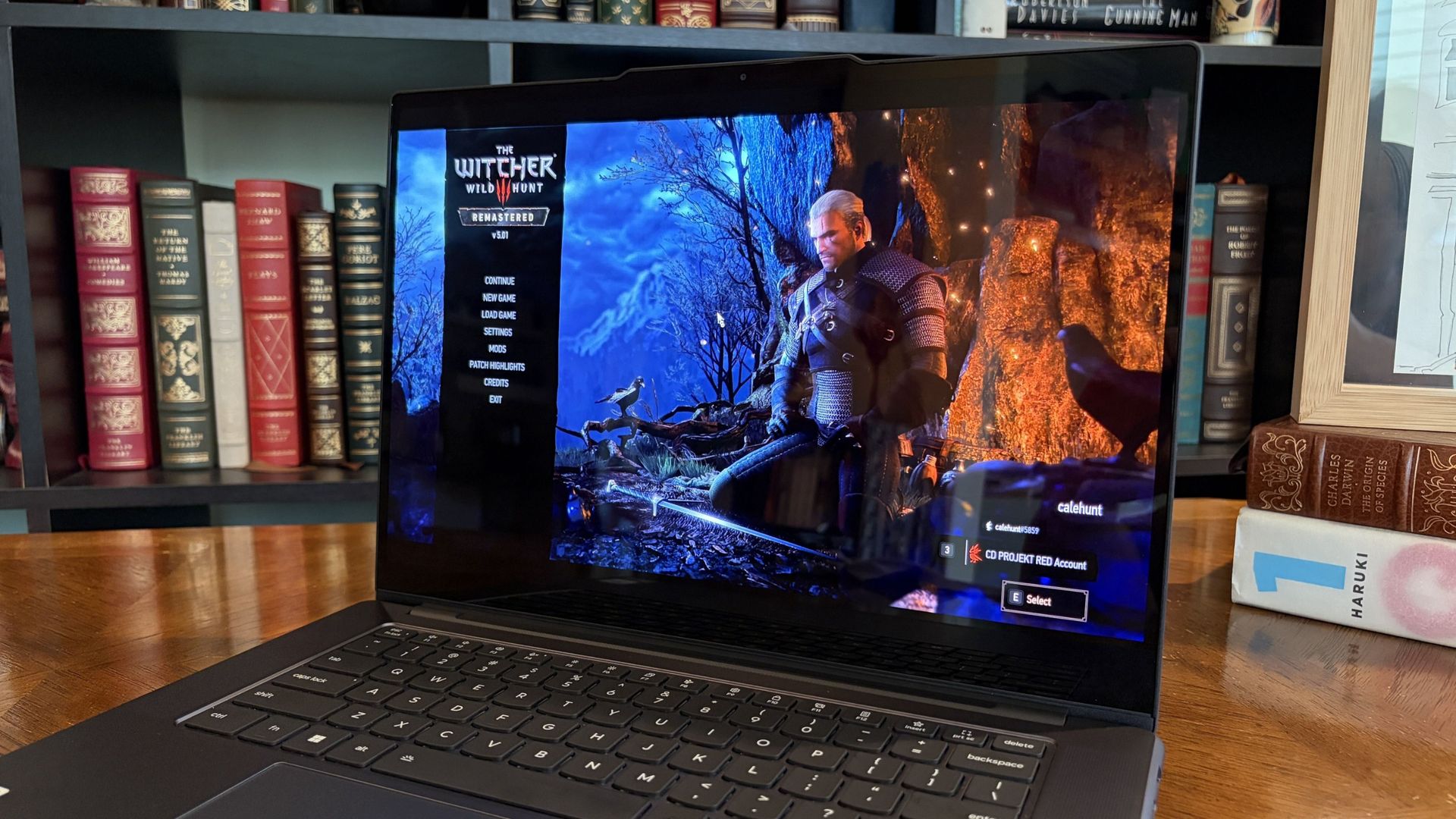
I enjoyed a bit of The Witcher 3: The Wild Hunt Remastered to get an early idea of battery life under load. (Image credit: Future)
As noted, battery life seems great when you aren't pushing the system with anything too demanding.
I need a lot more time with the laptop to get a better idea of how efficient it can be, and I am concerned about how long the battery will last when the PC is under heavy load, for AI work or for gaming.
Final thoughts on the Lenovo Pro 9n before a full review
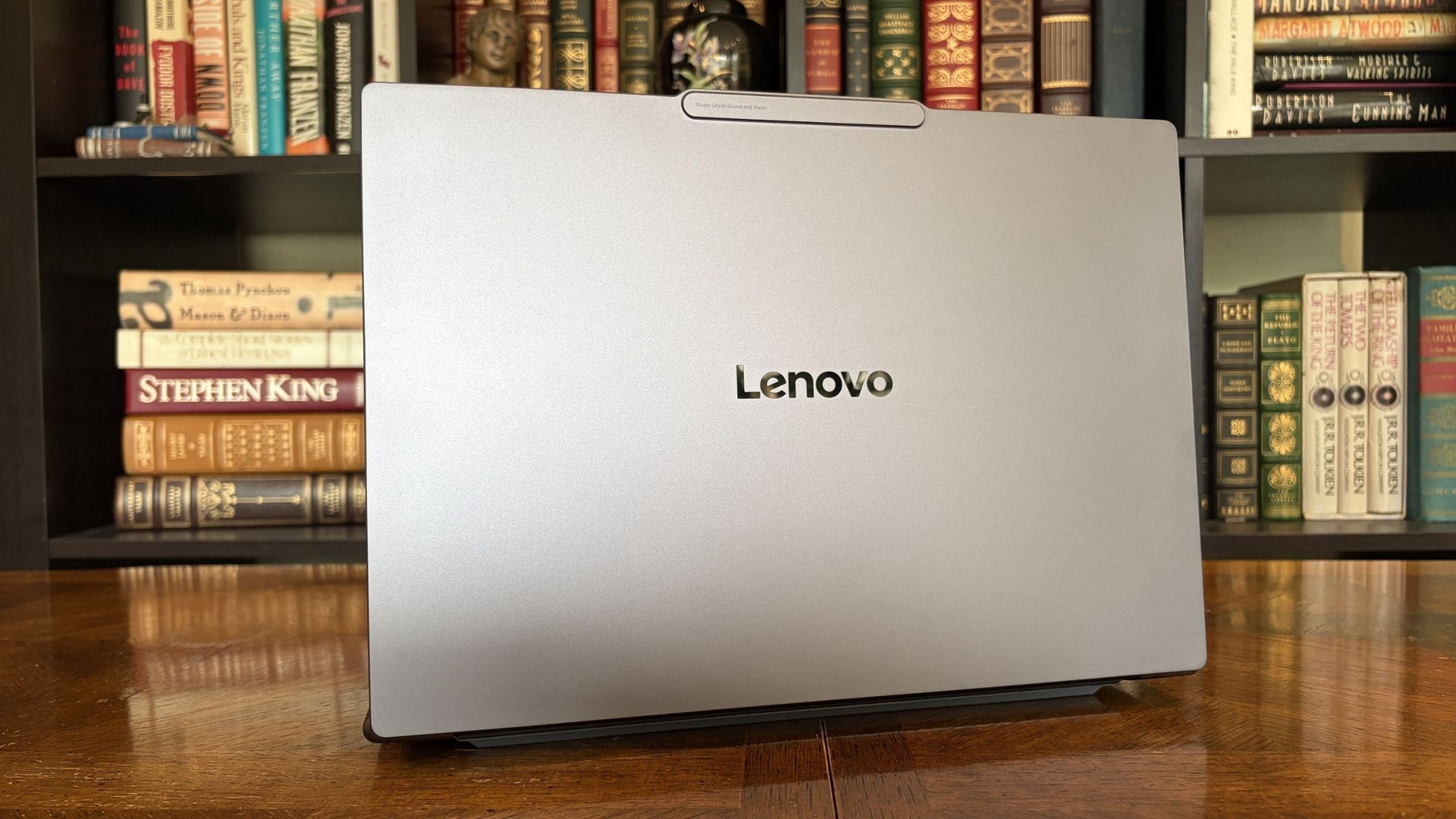
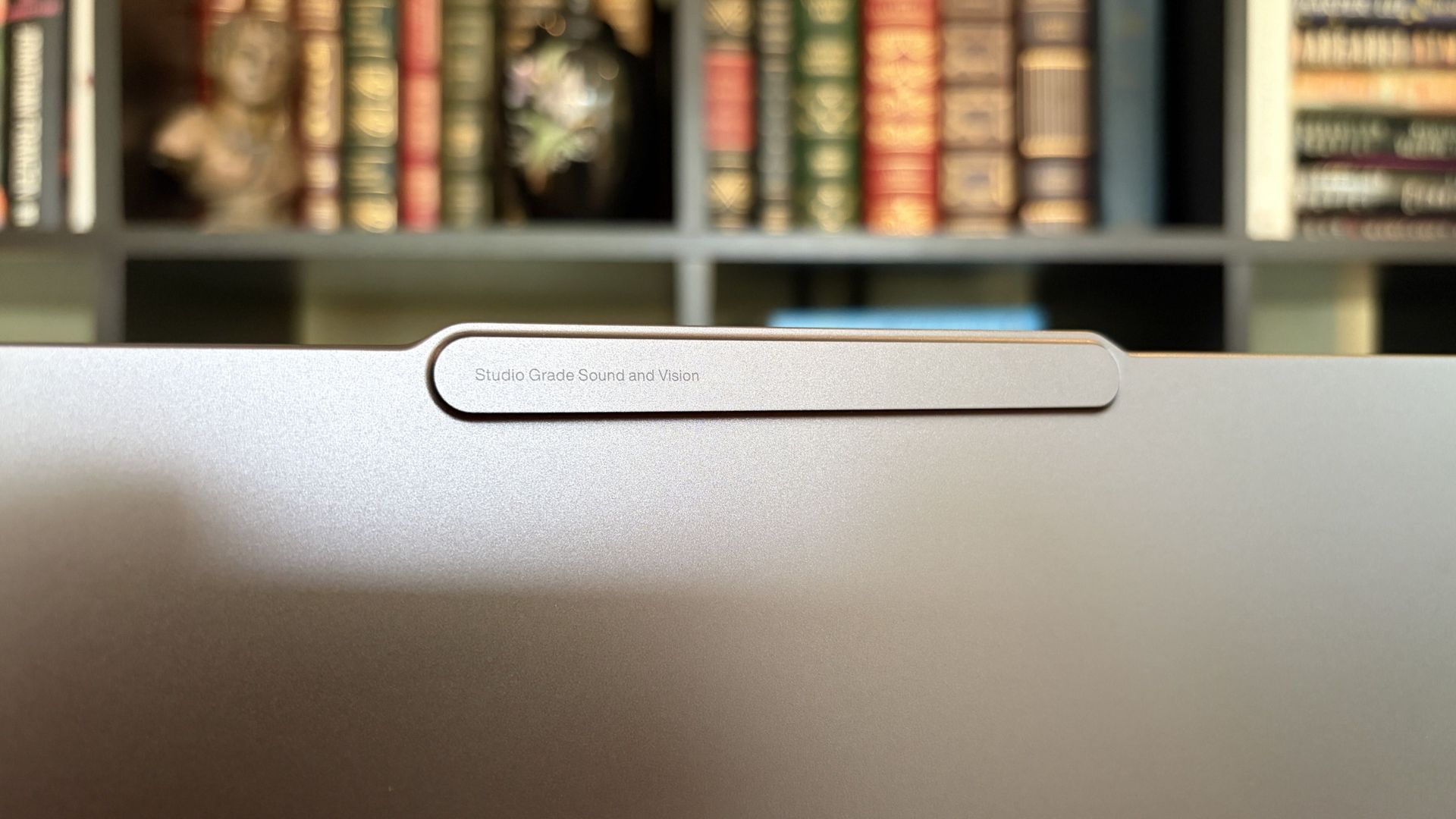
The raised comms bar at the top of the display houses the IR sensor and webcam. (Image credit: Future)
Lenovo's Pro 9n has a lot to unpack, and I feel like I've barely scratched the surface of what this new class of PC can do. First impressions are generally positive, although, as noted, there are some concerns about battery life and heat.
Do you have any questions that need answering regarding the Lenovo Pro 9n or the RTX Spark platform in general? Drop them in the comments section below, and I'll do my best to address them in my full review.
Join us on Reddit at r/WindowsCentral to share your insights and discuss our latest news, reviews, and more.
I can't recall the last time I took a road trip or flight without my trusty Steam Deck in tow. It's just too convenient to slip into my backpack alongside a thin and light work laptop that doesn't stand out in professional settings.That trend ends this weekend.I have a 10-hour round trip to contend with, and after playing around with Lenovo's Pro 9n laptop powered by NVIDIA's new RTX Spark chip this past week, I'm ready to make it earn its accolades.Can it really
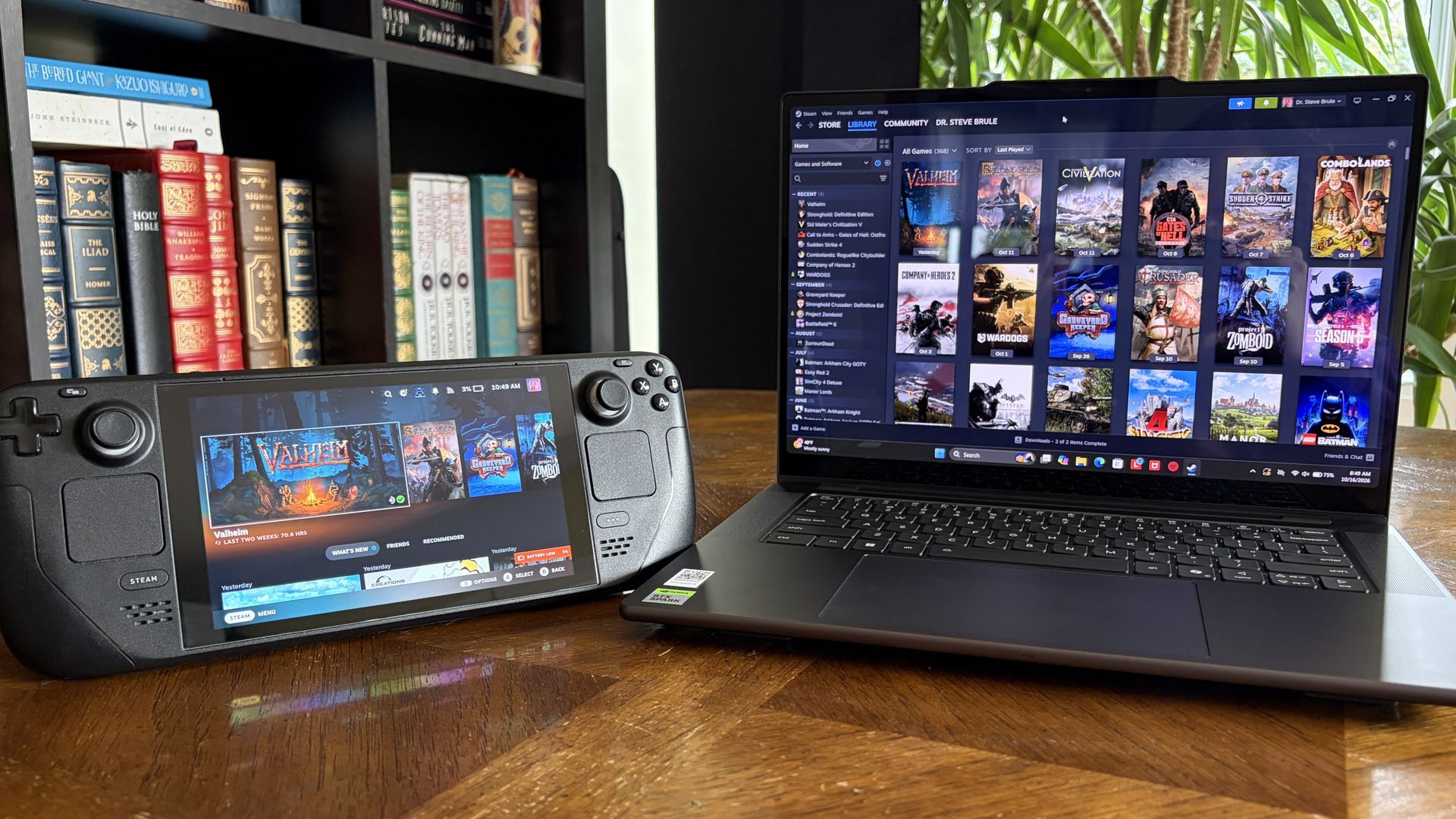
I can't recall the last time I took a road trip or flight without my trusty Steam Deck in tow. It's just too convenient to slip into my backpack alongside a thin and light work laptop that doesn't stand out in professional settings.
That trend ends this weekend.
I have a 10-hour round trip to contend with, and after playing around with Lenovo's Pro 9n laptop powered by NVIDIA's new RTX Spark chip this past week, I'm ready to make it earn its accolades.
Can it really be my one-stop device for AAA gaming AND for work, just like what was advertised countless times in the lead-up to launch? Here's what it needs to prove to me.
What the RTX Spark platform needs to prove on a 10-hour trip
There are several key points that I want to confirm, and a 10-hour road trip seems like the perfect testing ground as I work on a full review of the Lenovo Pro 9n.
There are some areas where I do expect the RTX Spark platform to fall short, which I've also noted below.
Is ray tracing worth turning on when I'm not near an AC adapter?
The Surface Laptop Ultra is another RTX Spark laptop, and I've seen how well it handles gaming on a charger. What about battery? (Image credit: Future)
One of the RTX Spark platform's biggest selling points is its Blackwell-class RTX GPU supporting all of NVIDIA's latest upscaling and frame-gen goodies.
That doesn't bode well for efficiency, but I'm curious to see if I can dial it in by lowering settings like resolution or refresh rate. I really want ray tracing to be a worthwhile option without AC power.
Can I replace two devices with one?
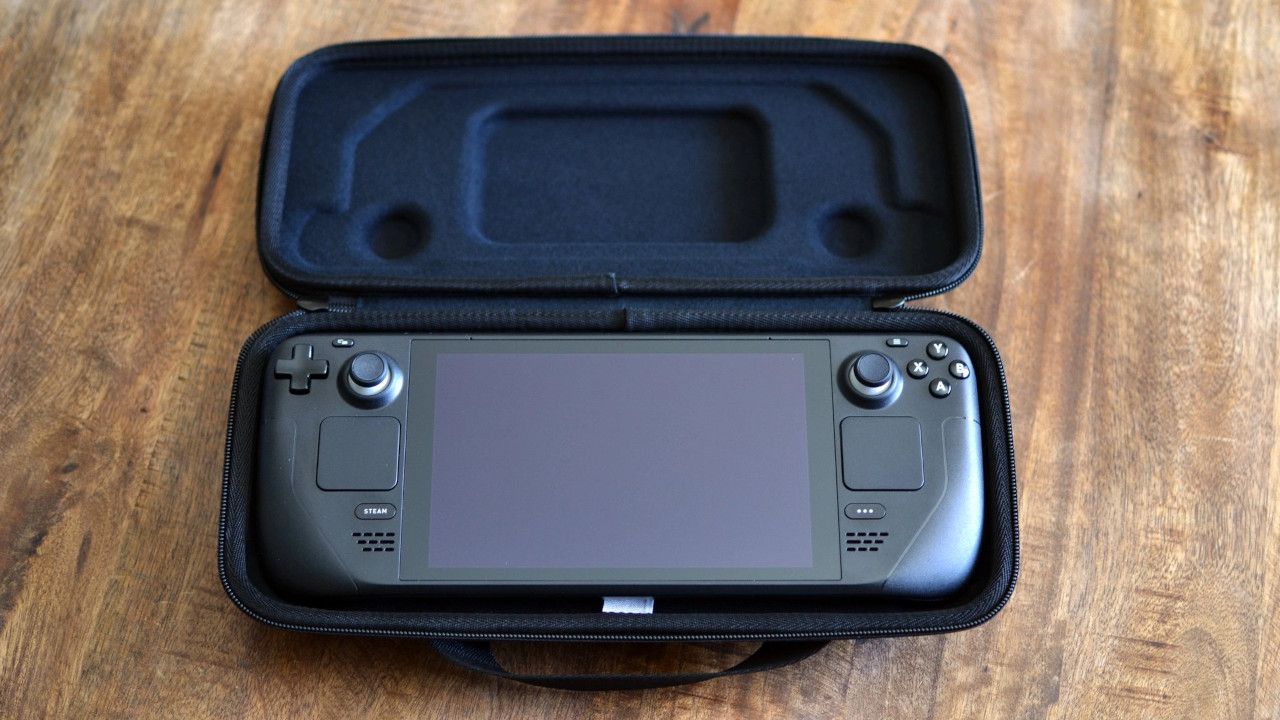
Not having the Steam Deck and its bulky case in my bag should free up a lot of space. (Image credit: Miles Dompier | Windows Central)
Is having everything contained within the same PC actually simpler? Long-time gaming laptop users will probably say yes. Heck, I'd lean towards an affirmative if I wasn't testing it out myself this weekend.
But there are two sides to this question.
On one hand, it's nice to have a dedicated gaming device that I can put away when it's time to focus on work. On the other hand, I'll have a lot more room in my bag without an extra charger and an encased gaming handheld. A standard controller is much easier to slip into my bag.
The Pro 9n will have to handle any work I throw its way and be ready to switch to gaming on the fly, all while balancing heat and battery life.
Can the battery survive a real travel day?
The Witcher 3: The Wild Hunt Remastered looks gorgeous with ray tracing enabled, but it eats battery a bit too quickly. (Image credit: Future)
The Steam Deck, and any gaming handheld for that matter, can be extremely efficient or inefficient depending on the game you're playing. The same ultimately goes for RTX Spark laptops.
Considering I plan to split time evenly between work — involving writing, hotspot web browsing, photo editing, etc. — and gaming, I'm hoping that one or the other doesn't leave me out to dry.
I do have the ability to plug in if required, and that will be another test of how much heat is created in a cramped cabin as the battery recharges.
Where I expect my RTX Spark laptop to fall short
Gaming handhelds are ergonomic, comfortable, and don't produce a lot of heat. A lot of that goes out the window when using a 15.3-inch laptop.
Sure, I'll have an ergonomic gamepad in hand part of the time, but I'll need to keep the laptop on my lap while gaming. Will it get too hot to handle? Will I feel too cramped in my seat? In those cases, I'll no doubt be wishing for my Steam Deck.
What I need from you
My testing results from this weekend will inevitably end up in my full Lenovo Pro 9n review that I'm already working on, and act as the most compelling evidence as to why I did (or didn't) give up my Steam Deck for an RTX laptop.
I'm more than open to other suggestions on how to test the gaming/work balance on the RTX Spark platform. I urge you to drop your most pressing questions in the comments section below, and I'll do my best to address them.
Join us on Reddit at r/WindowsCentral to share your insights and discuss our latest news, reviews, and more.
Reçu — 14 octobre 2026⏭Windows Central - News, Forums, Reviews, Help for Windows 10 and all things Microsoft.
It's been a busy week in the world of mods and ports. While most gamers, including me, have been focusing on the PS5's jailbreak and the ability to emulate PS5 games on Xbox hardware, there's another project capturing the attention of die-hard Microsoft fans.As reported by Hackaday, a savvy modder has figured out how to get Super Mario 64 running on a Microsoft Zune HD. Yes, the ill-fated music player that once put up a valiant fight against Apple's iPod has been
It's been a busy week in the world of mods and ports. While most gamers, including me, have been focusing on the PS5's jailbreak and the ability to emulate PS5 games on Xbox hardware, there's another project capturing the attention of die-hard Microsoft fans.
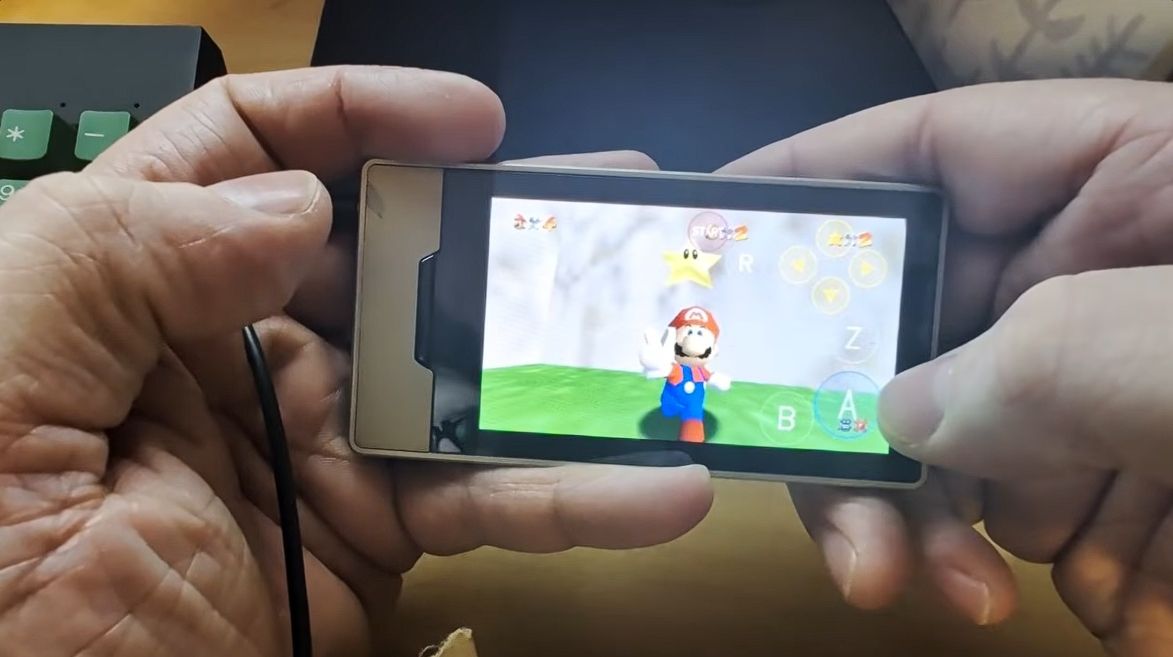
As reported by Hackaday, a savvy modder has figured out how to get Super Mario 64 running on a Microsoft Zune HD. Yes, the ill-fated music player that once put up a valiant fight against Apple's iPod has been repurposed as a micro-portable gaming handheld.
This project comes from GitHub user rsheldiii, who effectively ported the sm64ex version (containing a full decompilation of Super Mario 64 running on Linux and Windows) to the portable media player that launched in 2009.
Creator rsheldiii explains that the mod "plays (mostly) at full speed with sound, touch controls and saves." You're asked to provide the ROM for the game yourself in order to circumvent any legal issues, but otherwise, it appears that all you'll need to test it out yourself is a Zune HD in working order and an x86-64 Linux PC with Docker and Git.
It's explained that the first run of the game takes "five to ten minutes" to complete as it builds a container image and downloads compilers. The game is controlled entirely with touch, and the Nintendo 64's native buttons are clearly displayed on the screen.
The video provided by the creator on the GitHub page (I'm not sure if the YouTube version I used here is hosted by the same person) shows just how easy it is to start playing Super Mario 64 once everything is installed.
Within seconds, the game is launched, and Mario is running towards the castle to choose a mission. Once in a mission, the game appears to run smoothly, with the player not having any evident issues with controls.
I, unfortunately, do not have any spare Zune HDs lying around my office, or I'd be all over this little hack. Is it something you'd consider trying out? Let me know in the comments section below!
A brief history of Microsoft's failed iPod competitor
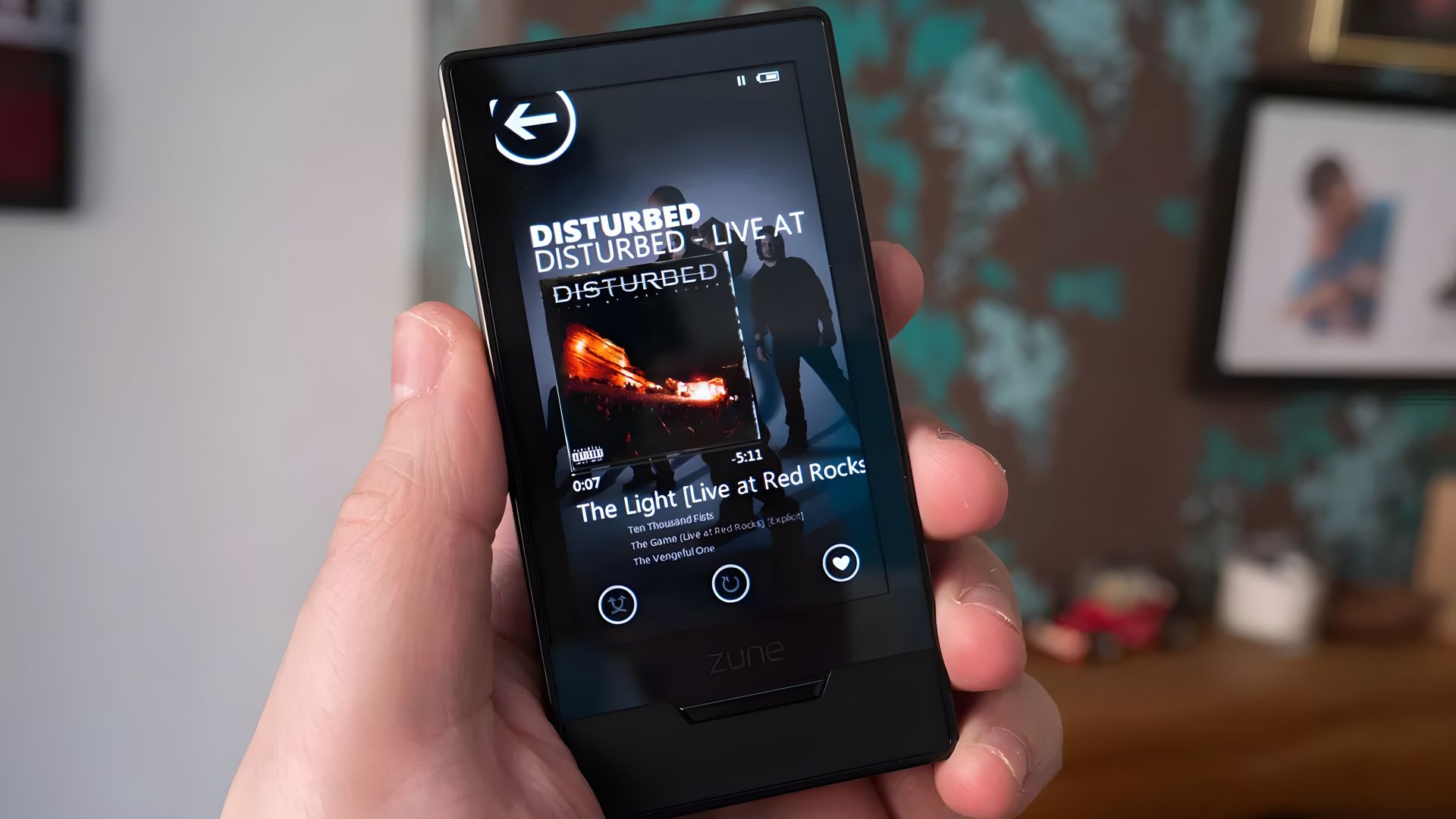
The Zune HD was (is?) an admittedly nice little piece of hardware. (Image credit: Windows Central)
Microsoft launched the original Zune media player on November 4, 2006, roughly five years after Apple's first iPod hit markets. Yes, the Zune was created to compete in the shifting world of MP3 players, eventually arriving at the Zune HD model in 2009.
It was a significant upgrade thanks to a 3.3-inch OLED touch display, an NVIDIA Tegra processor (which undoubtedly helps this little Mario 64 hack get legs), an accelerometer, and up to 64GB of flash storage.
Zune hardware was discontinued in 2011, not because the iPod killed it, but because it failed to kill the iPod. It was ultimately late to the party, kept quiet once it arrived, and slipped out before it all ended. At that same party was the newfound smartphone, and it seemed to be getting most of the attention anyway.
I've said many times that AI influence in gaming, whether it be wielded for upscaling or development purposes, isn't going anywhere. As SEGA just discovered, although my assumption might be true, the gaming world isn't quite ready for the level of AI sloppiness found in the new Total War: SHOGUN 2 "Enhanced" version.The original game launched in 2011, and after some 15 years of availability, it sits at a Very Positive rating on Steam with more than 22,000 user re
The original game launched in 2011, and after some 15 years of availability, it sits at a Very Positive rating on Steam with more than 22,000 user reviews. The game's new "Complete Edition," which launched on October 13, 2026, has already received more than 1,850 user reviews.
The problem? The enhanced version has fallen to an Overwhelmingly Negative rating on Steam, which is often a death blow from which a game never recovers.
Digging into the sea of red reviews, it appears that plenty of gamers were already disappointed in the remake's quality before anyone looked closely enough at player cards to notice some undisclosed use of AI.
Plenty of reviewers have called out the game-breaking bugs, the poor performance, and the "countless graphical issues," including dreadful lighting and HDR. I could go on.
You be the judge — does the Complete Edition screenshot look like it was upscaled using AI? Why does it suddenly look like the front of a Mercedes rather than a mustachioed soldier? Let me know what you think in the comments section below.
Gamers are used to slop ... just not AI slop
Total War: SHOGUN 2 Complete Edition sits at an Overwhelmingly Negative rating on Steam. (Image credit: Valve)
What's really sticking with me is how gamers have approached the relaunch of SHOGUN 2. At this point, I think many of us have been around long enough to not be surprised when a remake gets botched.
I was there for Warcraft 3: Reforged tragedy. I remember when the Grand Theft Auto: The Trilogy remake launched to backlash. AI had nothing to do with these games.
This time, though, the Total War and Shogun 2 subreddits are flooded with posts focusing on the poor quality of AI upscaling. It extends well beyond the one Mercedes-face soldier, with gamers posting images of six-fingered characters, wonky hands, odd faces, and more.
I don't think saying there's more focus on the AI aspect than the actual bugs and glitches is too far out there. And I'm definitely not saying that fans of the series have their gripes in the wrong place; I'd be upset too if one of my favorite games was given this treatment. It's just interesting to see how the outcry falls into place.
Remasters don't have to be low-quality cash grabs
The Witcher 3 remastered is a glorious upgrade, free for any owners of the original game. (Image credit: Jennifer Young - Windows Central)
What makes it so great? Well, it's completely free for anyone who already owns The Witcher 3. It doesn't overwrite the original game (great news for people like me who still game on a Steam Deck). And it comes with a host of quality-of-life fixes, upgraded graphics, and more.
It's about as good a remake as you'll find, and a far cry from the $40 Total War: SHOGUN 2 entry from this week.
For those who have played the game, is it really as bad as the reviews are making it out to be? Would it not have such an aggressively bad rating if not for the alleged undisclosed AI upscaling? Let me know in the comments section below!
Join us on Reddit at r/WindowsCentral to share your insights and discuss our latest news, reviews, and more.
I had no idea that Ben Affleck is such an avid PC gamer. The mega-star from countless Hollywood hits recently appeared on the Happy Sad Confused podcast hosted by Josh Horowitz, where he revealed that he spent years doing nothing but playing PC games shortly after becoming famous.Affleck says, "There was a game called StarCraft that probably took the most life out of me. [...] I had just gotten famous, and all I did was stay home for three years and play StarCraf
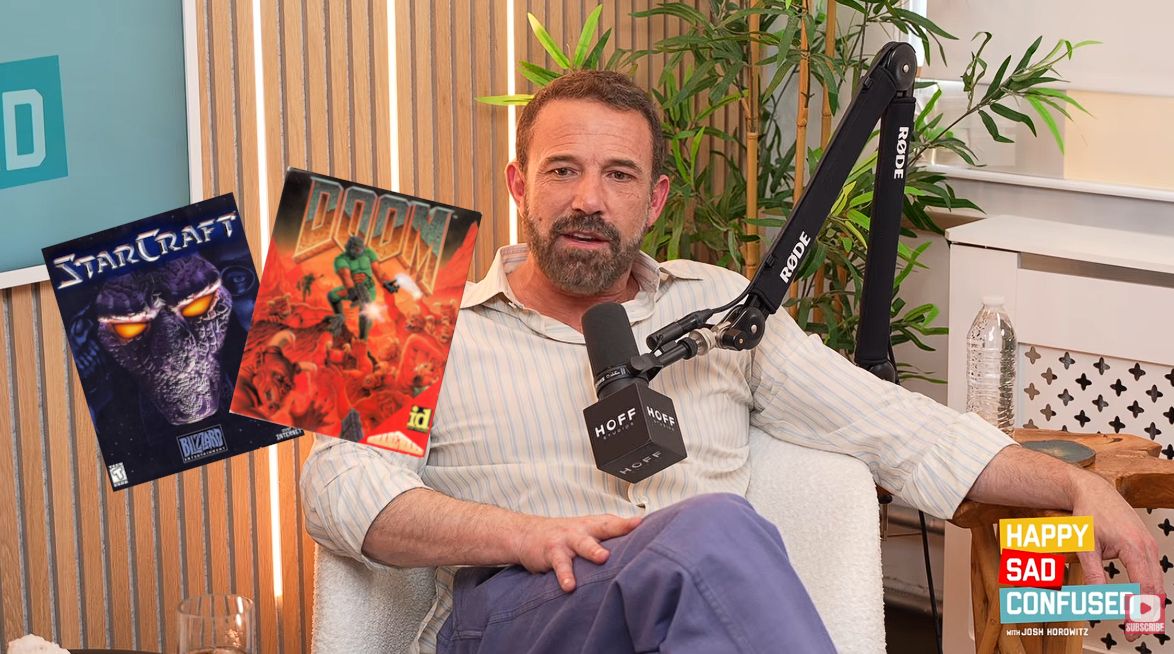
I had no idea that Ben Affleck is such an avid PC gamer. The mega-star from countless Hollywood hits recently appeared on the Happy Sad Confused podcast hosted by Josh Horowitz, where he revealed that he spent years doing nothing but playing PC games shortly after becoming famous.
Affleck says, "There was a game called StarCraft that probably took the most life out of me. [...] I had just gotten famous, and all I did was stay home for three years and play StarCraft." Yeah, I'd say we have a gamer on our hands here.
Good Will Hunting, the movie that Affleck co-wrote and starred in alongside Matt Damon, won two Oscars at the 1998 Academy Awards, propelling him into stardom. Just a couple of months later, the real-time strategy gem StarCraft launched in March 1998.
Other long-time PC gamers no doubt recall StarCraft's intense launch, which saw about 1.5 million copies ship in the first nine months. It was the best-selling game of the year, and I can recall that it was practically the only game my friends and I could talk about for months after its release.
We have a PC gamer here, and his name is Ben Affleck
Affleck's video game history didn't quite start with StarCraft, although it might have been the most affecting in the young actor's life.
He states that he was playing DOOM "endlessly, for hours," before and while he was working on Good Will Hunting. Maybe that's where some of the jokes about Damon and Affleck's shared (but skewed) workload on writing the movie originated.
I remember writing and taking these long breaks to play DOOM. I can't believe it's been out that long.
Ben Affleck (Happy Sad Confused podcast)
Going back even further, Affleck says he played Donkey Kong, Tetris, and Ms. Pac-Man for "tens of millions of hours" in arcades and at home. He still has a Ms. Pac-Man arcade cabinet at home.
Affleck admits that he still enjoys PC games today, albeit from a slightly different angle than all those years ago. He enjoys 2K and Madden titles for a sports fix, which he plays with his son. He calls Valorant "a great game" that has one major problem: "I just get f***in' rocked."
As an adult who has attempted these types of competitive shooters, I can relate to him accusing young gamers with incredible reflexes of being cheaters. Hearing Affleck's imitation of getting cussed out by online squeakers is hilarious. The video game question comes up at about the 54-minute mark of the podcast.
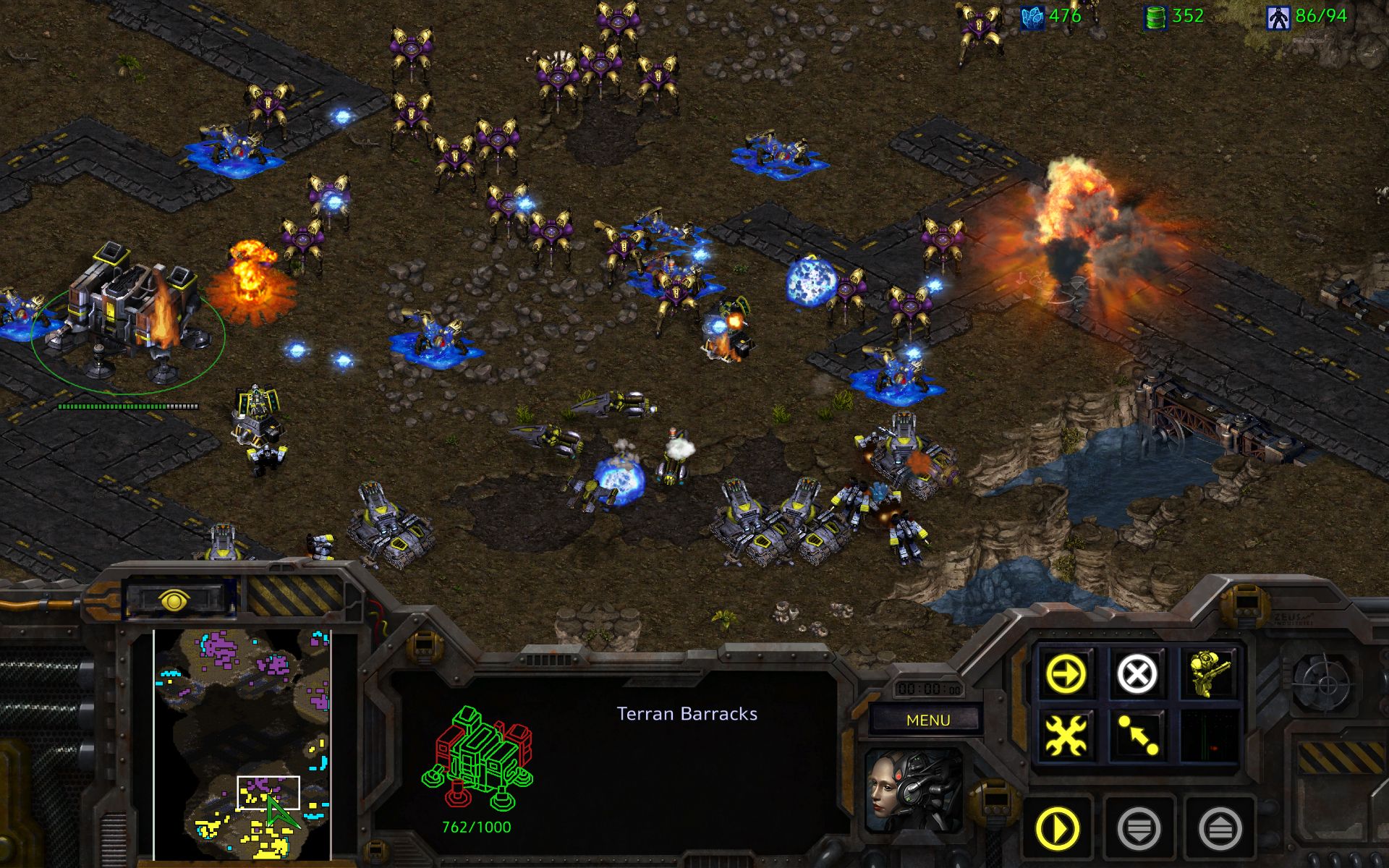
An official screenshot grabbed from StarCraft Remastered. I think I might have to give it a shot. (Image credit: Blizzard)
Affleck also comments on how real-time strategy PC games have regressed in popularity over the years.
"I like those real-time strategy and civilization-building styles, which have sort of gone out of style."
All this talk about StarCraft has me thinking it's time to install it once again. I've yet to give the remastered version a try, and the game's voice lines are bouncing around in my head. Anyone up for a quick match?
Join us on Reddit at r/WindowsCentral to share your insights and discuss our latest news, reviews, and more.
Reçu — 12 octobre 2026⏭Windows Central - News, Forums, Reviews, Help for Windows 10 and all things Microsoft.
IDC and Omdia, two major analyst firms, recently released independent reports showing massive year-over-year drops in global PC shipments in Q3 2026. IDC shows a slightly rosier 20.1% decline compared to Q3 2025, whereas Omdia reports a 21.2% decline.Breaking that down, Omdia notes that desktop shipments dropped 23.5% and laptops 20.6% to arrive at the average.This decline is not normal. As IDC notes, Q3 almost always beats Q2, but this year, it's dropped by 9.1%
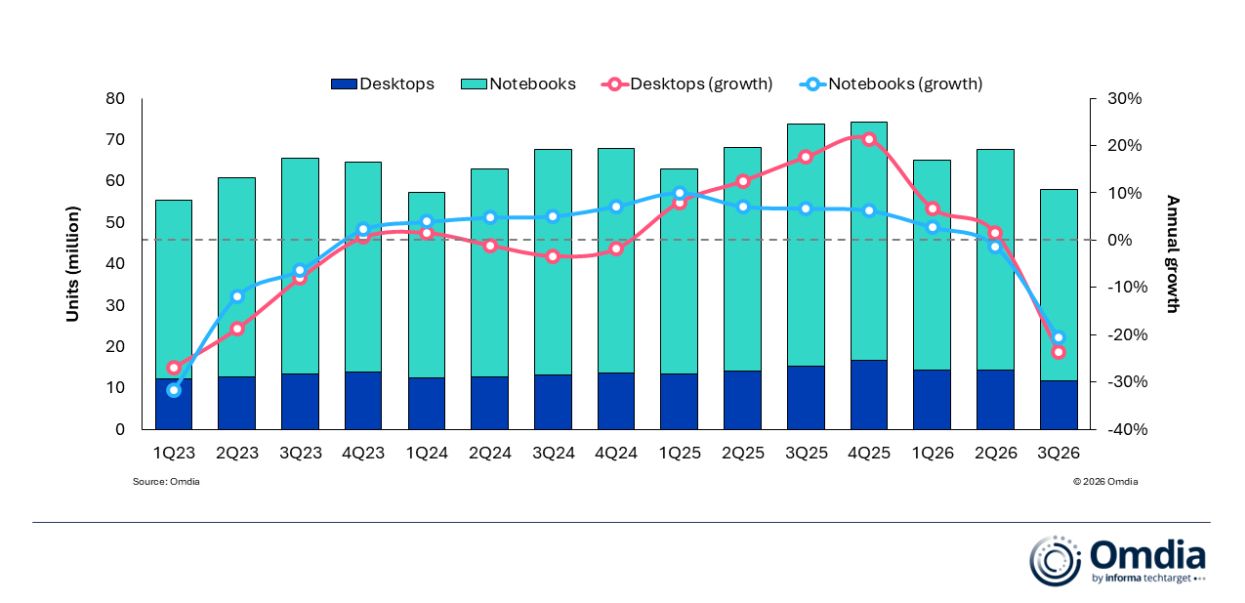
IDC and Omdia, two major analyst firms, recently released independent reports showing massive year-over-year drops in global PC shipments in Q3 2026. IDC shows a slightly rosier 20.1% decline compared to Q3 2025, whereas Omdia reports a 21.2% decline.
Breaking that down, Omdia notes that desktop shipments dropped 23.5% and laptops 20.6% to arrive at the average.
This decline is not normal. As IDC notes, Q3 almost always beats Q2, but this year, it's dropped by 9.1% sequentially.
Is there a need to panic? Probably not, at least not more than the new normal, as RAM and storage shortages have pushed prices beyond what many users are willing to pay. Let me explain.
Why did global PC shipments fall off a cliff in Q3 2026?
Omdia's chart shows a more detailed breakdown of the year-over-year PC shipment decline in Q3 2026. (Image credit: Omdia)
Both analysts agree that the sharp drop in global PC shipments is due to vendors and supply channels buying up stock earlier in the year. IDC's Jitesh Ubrani says it's the result of "strong first half pull-in" which has "thrown off the usual seasonality".
Despite the RAM and storage crisis already digging its claws into the market in Q1 2026, global PC shipments actually rose by 3.2% on the back of panic buyers, Windows 10 upgraders, and advance vendor stockpiling.
That momentum has finally tailed off in a major way. Ubrani remarks:
Channels are now worried about carrying too much inventory into a market where high prices are suppressing demand. That could translate into promotions and some short-term relief for consumers, but we don’t expect pricing anywhere near what it was a year ago.
Jitesh Ubrani for IDC
Omdia's Research Director Ishan Dutt agrees, noting that "pull-forward activity buoyed the PC market in the first half of the year" and that the sharp drop in Q3 2026 "comes as no surprise."
Which PC brand got hit the hardest in Q3 2026?
Lenovo is one of the PC brands that got hit hardest in Q3 2026. (Image credit: Windows Central)
Omdia and IDC both provide detailed numbers as to how many shipments each major PC brand was able to send out in Q3 2026.
According to IDC, HP saw the biggest year-over-year decline at 30.9%, with Lenovo coming in second at a 22.6% decline. Omdia's numbers put HP at -31% and Lenovo at -22.9%, so not much difference.
Moving down IDC's list, Dell was hit by a 25%decline, ASUS by 8.6%, and other brands together by 14%. Despite Apple growing strongly in Q2 2026 thanks to the launch of its MacBook Neo, it also dropped off by 11.3% in Q3.
What does the drop in global PC shipments mean for regular buyers?
It's not easy shopping for a new laptop in 2026. (Image credit: Getty / Ben Wilson | Windows Central)
Basically, this sharp drop in shipments doesn't mean that you should suddenly see a return to more regular prices.
Vendors and suppliers had to buy their PCs in the first half of 2026 at a much higher price than usual, and they're not likely keen on losing money as they get rid of stock in Q4.
RAM and storage costs have not improved, and IDC's Ubrani notes that "with macro conditions worsening, the risk is that the outlook for the next few quarters gets worse before it gets better."
Offering buying advice here sort of feels futile. On one hand, yes, some vendors might realize they need to offload stock and will offer some tasty discounts that bring prices back into the realm of reality. Unfortunately, I can't guarantee that will happen any time in the near future.
On the other hand, laptops might be at their most affordable right now, and waiting for a great deal will only end up making you pay more later this year or next year. It's a frustrating predicament, to be sure.
It will be interesting to see what Q4 2026 has in store for the global PC market.
Join us on Reddit at r/WindowsCentral to share your insights and discuss our latest news, reviews, and more.
AMD's Senior VP and GM of Computing and Graphics, Jack Huynh, recently revealed to Korean tech outlet TheElec that the company intends to launch FidelityFX Super Resolution 4 (aka FSR 4) on more than just its Radeon RX 9000 and RX 7000 discrete graphics cards before 2027.Huynh notes that the FSR 4 saturation will not only cover new APU hardware, but also existing APUs, gaming handhelds, and gaming laptops. We will expand the machine learning and AI-based FSR 4 te
AMD's Senior VP and GM of Computing and Graphics, Jack Huynh, recently revealed to Korean tech outlet TheElec that the company intends to launch FidelityFX Super Resolution 4 (aka FSR 4) on more than just its Radeon RX 9000 and RX 7000 discrete graphics cards before 2027.
Huynh notes that the FSR 4 saturation will not only cover new APU hardware, but also existing APUs, gaming handhelds, and gaming laptops.
We will expand the machine learning and AI-based FSR 4 technology, which was preemptively introduced in existing external graphics cards, to the entire product lineup by the end of this year, including APUs, gaming laptops, and handheld devices. We plan to respond in two directions: existing APUs and launching new product lines."
Jack Huynh, AMD Senior VP and GM of Computing and Graphics (Translated from TheElec)
For us here at Windows Central, this is big news. Many of our favorite gaming handhelds, including the ROG Xbox Ally X and Legion Go, use an AMD Ryzen APU, which, to this point (and until AMD flips the switch), has only had official access to FSR 3.
I say official, because savvy enthusiasts have actually been able to get a leaked version of FSR 4 running on hardware suitable only for FSR 3 and 3.5, like the APUs used in gaming handhelds.
This hack delivered the change from FSR 3's manually tuned upscaling to FSR 4's machine learning approach, but it didn't come without some performance drawbacks.
According to Huynh, the secret to bringing FSR 4 to such a wide range of AMD GPUs is a new custom model.
We have newly developed a dedicated model of FSR 4 that is lightweight and tailored for APU environments. We are focusing on delivering excellent game graphics and low latency.
Jack Huynh, AMD Senior VP and GM of Computing and Graphics (Translated from TheElec)
AMD teased this advancement earlier this year when it unveiled FSR 4.1 for its Radeon RX 7000 GPUs, saying it needed more time to develop the lightweight alternative. About four months later, we now have confirmation that it's arriving before 2026 is through.
Is this what AMD needs to compete with Intel?
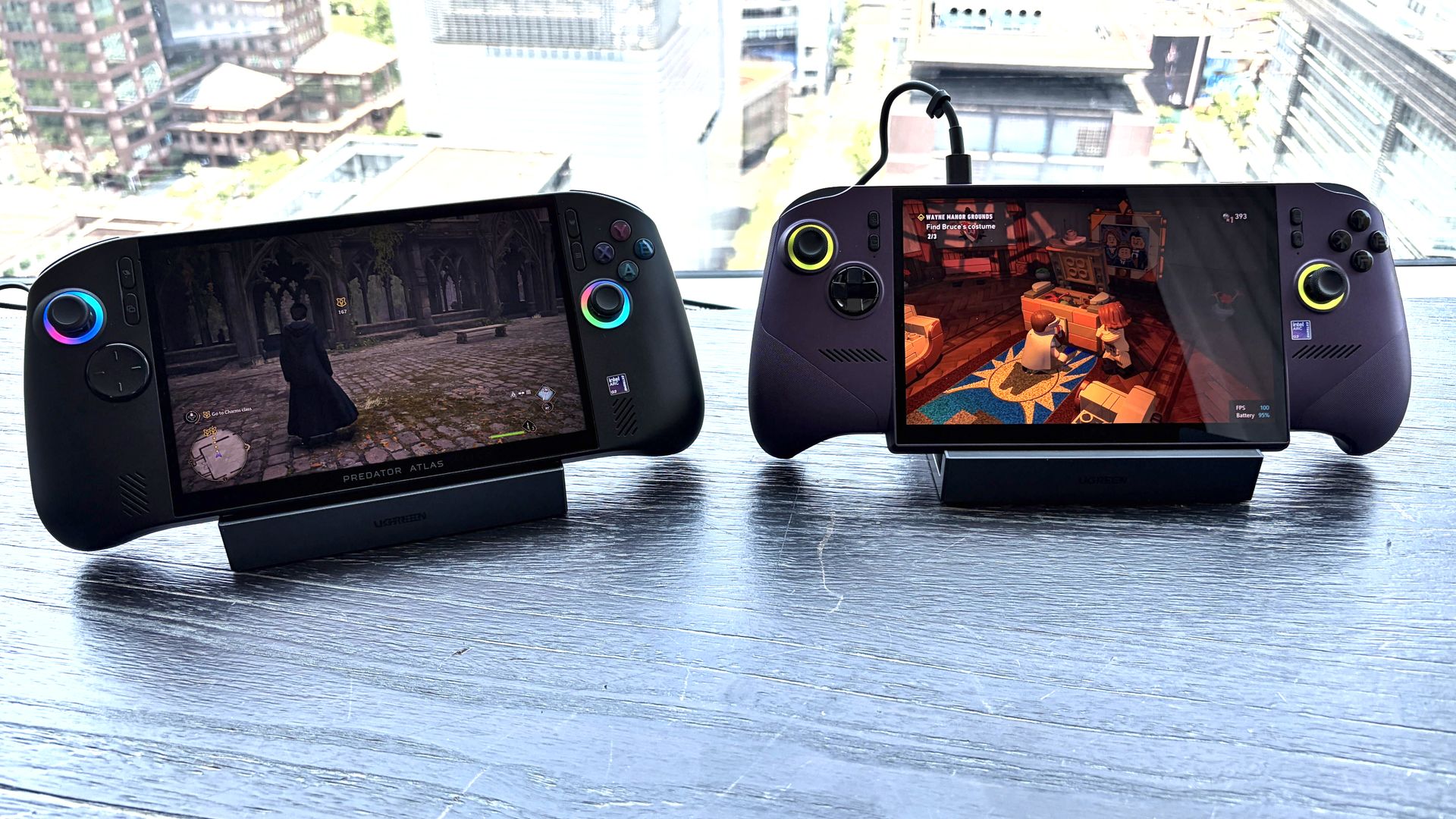
The Acer Predator Atlas 8 and MSI Claw 8 EX AI+ at Computex 2026. (Image credit: Future)
My first thought, as I was enjoying some smooth gameplay on MSI's handheld, was that AMD had better cook something up quickly to compete with Intel.
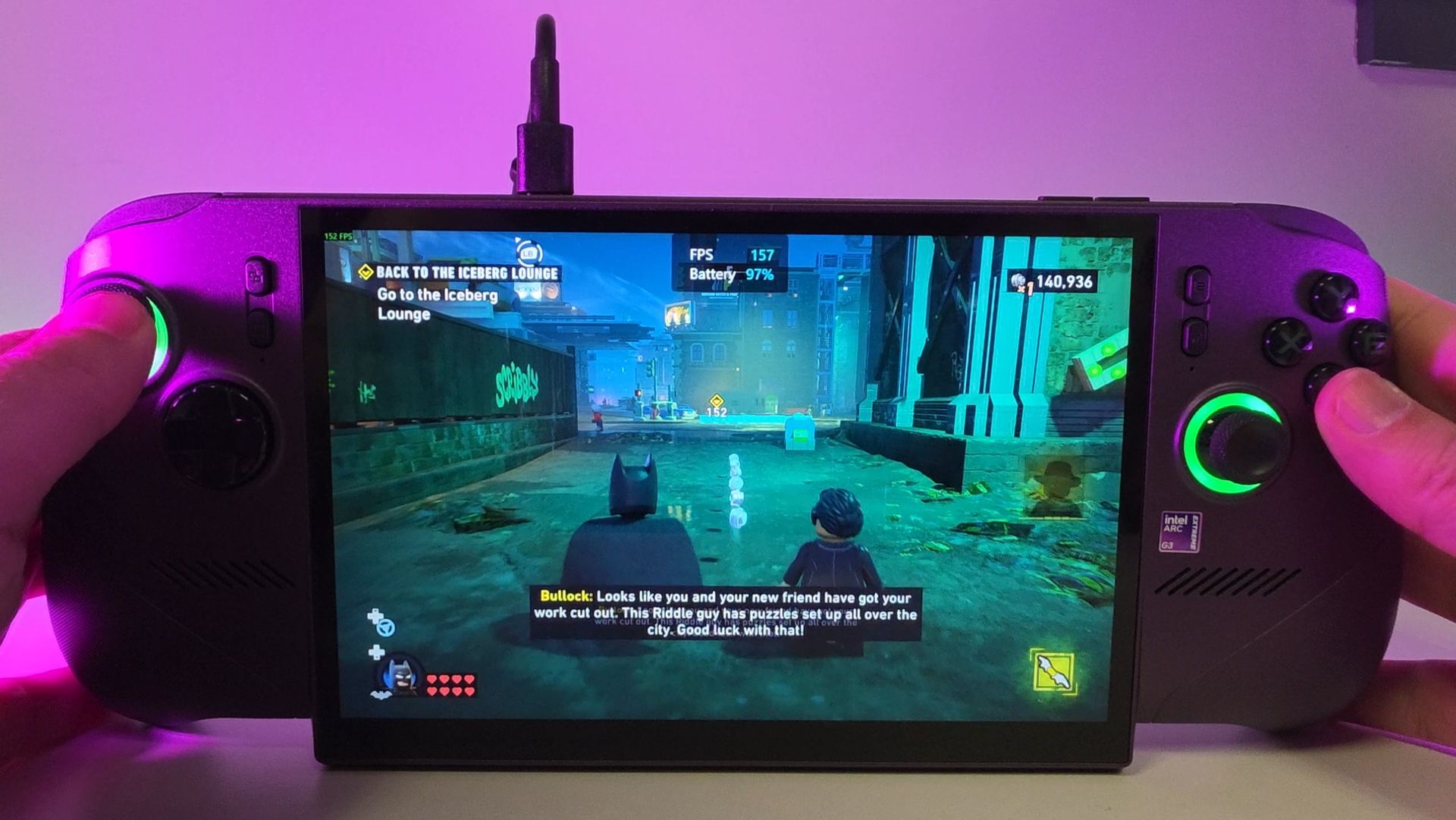
My Steam Deck can barely run LEGO Batman, but it's no trouble hitting 155+ FPS with the Intel-powered MSI Claw 8 EX AI+. (Image credit: Daniel Rubino)
Intel's package is all about superb performance with XeSS 3 multi-frame generation and low latency, with Team Blue claiming roughly 42% better performance than AMD's Ryzen Z2 Extreme at 35W.
If you've also had a chance to try out this latest wave of Intel handhelds, you know exactly what I'm getting at.
Part of the problem with AMD's existing handhelds is that they don't have access to machine learning upscaling, and the gap between FSR 3's hand-tuned abilities and FSR 4's AI-based approach is noticeable.
That will change whenever AMD actually drops FSR 4 down to its existing APUs. The real upshot here is that countless handheld gamers are going to suddenly get a boost without paying anything extra.
With Intel's G3/G3 Extreme handhelds generally costing significantly more than AMD alternatives, this should also help keep Ryzen-powered devices in the mix.
The bottom line here is that it's great to see AMD catching up to its competition, no matter how late it arrives. And I'll be keeping my eye on whatever next-gen APUs AMD is working on next.
Join us on Reddit at r/WindowsCentral to share your insights and discuss our latest news, reviews, and more.
Reçu — 8 octobre 2026⏭Windows Central - News, Forums, Reviews, Help for Windows 10 and all things Microsoft.
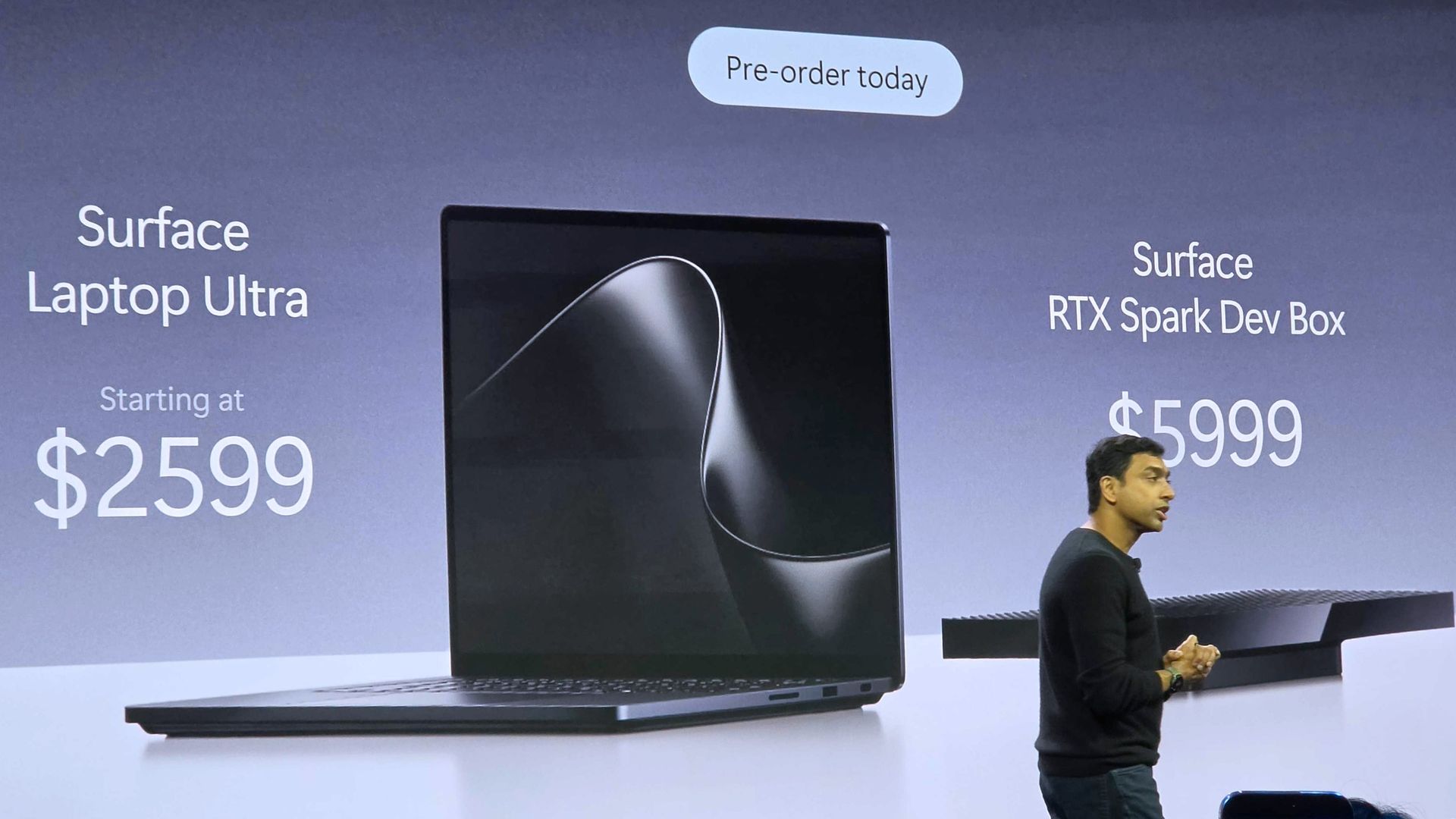
Microsoft finally gave us more information about the Surface Laptop Ultra, including price, release date, and features, at a special event on October 7. It's confirmed that the RTX Spark-powered PC will begin shipping on October 16, and preorders are live now, starting at $2,599.The reactions to this announcement have been interesting. It seems like a fair number of people were expecting a higher baseline price, while others are just happy that Surface now has a
The reactions to this announcement have been interesting. It seems like a fair number of people were expecting a higher baseline price, while others are just happy that Surface now has a true MacBook Pro competitor for the age of AI.
Here's what people are saying about the new Surface Laptop Ultra and its RTX Spark platform.
The Windows community reacts to the Surface Laptop Ultra's pricing
The Surface Laptop Ultra's price reveal at the October 7 Microsoft event. (Image credit: Daniel Rubino | Windows Central)
Responding to a Windows Central subreddit thread regarding other RTX Spark laptops and their pricing, user Icybubba noted, "And somehow the Surface seems to be the cheapest out of all those."
Another redditor, Valterri_Its_James, remarked, "Lowkey the pricing isn't absolutely horrendous. 32GB costs $3300 which is about the same as the ROG Zephyrus G14."
Not everyone is loving the Surface Laptop Ultra's pricing
The Surface Laptop Ultra from our hands-on time at Computex. (Image credit: Windows Central / Zac Bowden)
Others aren't so sure that the Surface Laptop Ultra is a reasonable price, especially once they dig into the configuration options and see what's available for each chip.
For reference, the Laptop Ultra has two RTX Spark options available: a more affordable option with an 18-core CPU and 5120-core GPU, or a more expensive option with a 20-core CPU and 6144-core GPU.
The price difference between these two models is roughly $1,100, though the more powerful Spark defaults to at least 32GB of RAM (compared to 24GB) and a 1TB SSD (compared to 512GB).
The announced feature that seems to be getting a lot of attention alongside pricing is the Surface Laptop Ultra's breakaway USB-C port.
It's sort of a mashup between Apple MagSafe and Surface Connect, designed to pull out of the laptop rather than ripping it off a desk should you trip on the cable. It's designed to work with any USB-C cable, and the port offers full functionality.
There are, of course, plenty of detractors noting that it took Microsoft this long to finally copy Apple MagSafe. That's not exactly true; Surface Connect was always magnetic and would break away if jarred. The move to the more ubiquitous USB-C form factor erased that failsafe, and Microsoft has now reintroduced it.
It's also worth pointing out that MagSafe does not handle any data and is for power only. The Surface Laptop Ultra's USB-C port handles both.
I want to know what you think!
We're a community here at Windows Central, and I'm always interested in your opinions. I want to know what you think about the Surface Laptop Ultra's pricing, configuration options, and features in more detail, so please be sure to leave a comment below!
Built around the NVIDIA RTX Spark platform with an N1X CPU, RTX GPU, and up to 128GB of unified memory, the Surface Laptop Ultra hits new performance heights for power users. It's all contained in a gorgeous chassis with a mini-LED display and tons of ports.
Microsoft finally revealed exactly how much its new Surface Laptop Ultra costs (starting at $2,599!), and preorders are now live for anyone who wants to get in on the first wave of PCs expected to ship on October 16.While Microsoft was busy revealing new information about its most powerful Surface yet at the event, other laptop makers were busy setting their own prices and opening up preorders.We now have a wide selection of RTX Spark laptops from the likes of AS
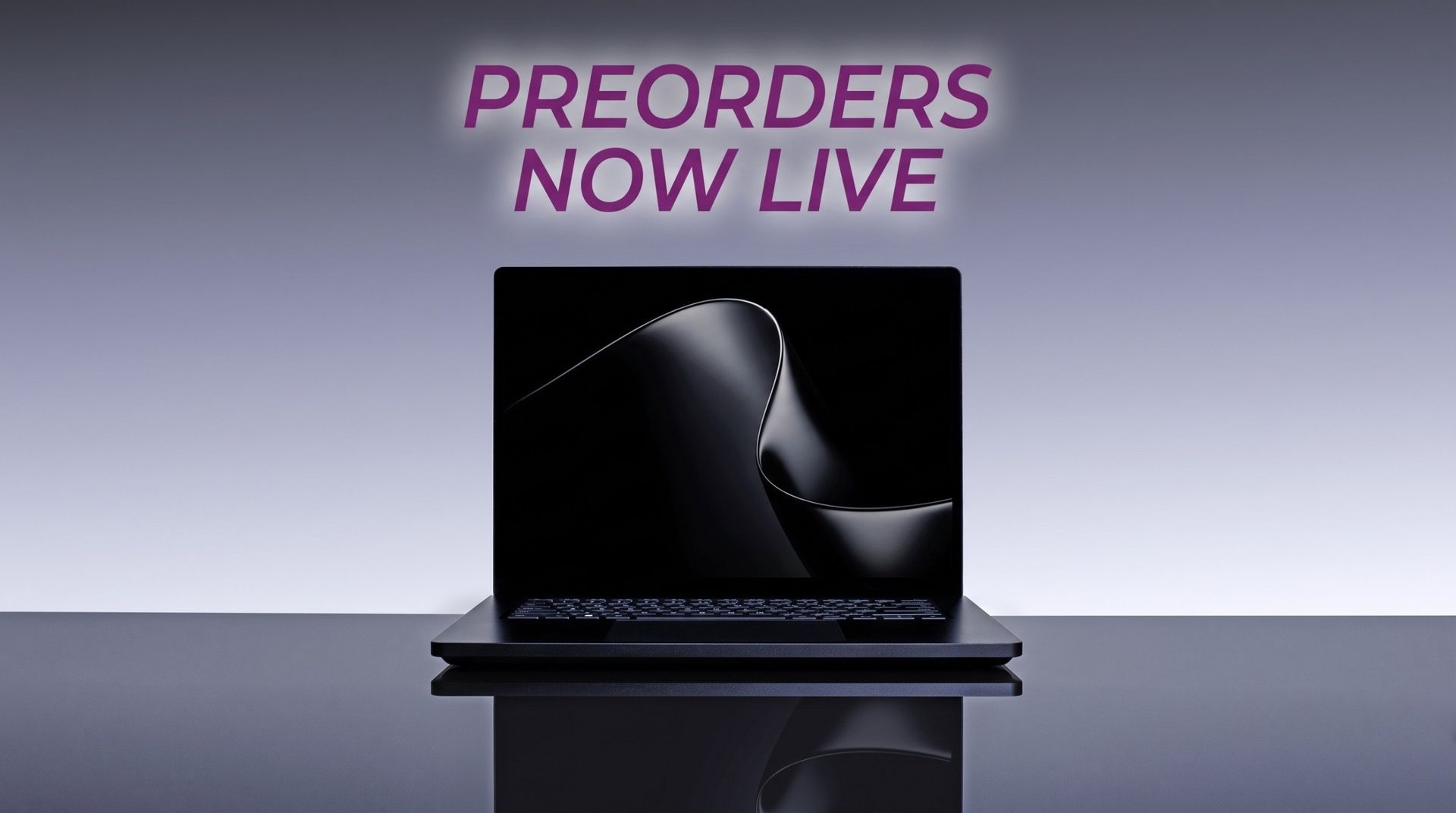
Microsoft finally revealed exactly how much its new Surface Laptop Ultra costs (starting at $2,599!), and preorders are now live for anyone who wants to get in on the first wave of PCs expected to ship on October 16.
While Microsoft was busy revealing new information about its most powerful Surface yet at the event, other laptop makers were busy setting their own prices and opening up preorders.
We now have a wide selection of RTX Spark laptops from the likes of ASUS, Dell, HP, Lenovo, and MSI, and I'm expecting there to be more arriving in the near future. Until then, here's what you can preorder today.
RTX Spark laptops with confirmed pricing and release date (so far)
To make it easier for anyone hoping to land a new RTX Spark-powered PC, I've put together this list of laptops that you can now preorder.
Built around the NVIDIA RTX Spark platform with an N1X CPU, RTX GPU, and up to 128GB of unified memory, the Surface Laptop Ultra hits new performance heights for power users. It's all contained in a gorgeous chassis with a mini-LED display and tons of ports. Prices start at $2,599.99, and units will begin shipping on October 16, 2026.
The new ASUS ProArt P14 and P16 duo gives users more size options while retaining the same great RTX Spark performance. The P14 is the lightest ProArt laptop ever, while the P16 is the way to go for a larger OLED display. Prices start at $2,599.99 for the P14 and $2,799.99 for the P16. They're expected to begin shipping on October 16, 2026.
Dell's new XPS 16 with RTX Spark features a 3.2K OLED display, lattice-free keyboard, and the usual premium XPS styling. Prices start at $3,799.99 and units are expected to begin shipping on October 16, 2026.
The OmniBook X 14 is the smaller of the two new PCs, but it features the same RTX Spark options for maximum performance. Models start at $2,999.99 and are expected to ship beginning November 4, 2026.
The larger of the two new HP RTX Spark laptops delivers a gorgeous 16-inch OLED display with 3K resolution and, of course, your choice of RTX Spark chips. Prices start at $3,199.99, and shipments are expected to begin on November 4, 2026.
Lenovo's Yoga 9n should be the right choice for those who value a versatile convertible design and premium build quality. Prices start at $3,099.99, and models are expected to begin shipping on October 16, 2026.
MSI's Prestige N16 Flip AI+ is another versatile convertible featuring the RTX Spark platform and a Tandem OLED display. It appears that preorders might kick off on October 8 for this laptop, with prices starting at $3,299.99.
Microsoft's Surface Laptop Ultra with NVIDIA RTX Spark inside. (Image credit: Daniel Rubino | Windows Central)
Did you spot a live preorder I missed? Let me know about it in the comments section below. I'd also love to hear your opinions regarding pricing on these models. Do you think it's too high? Too low? Just right? Tell me about it!
Join us on Reddit at r/WindowsCentral to share your insights and discuss our latest news, reviews, and more.
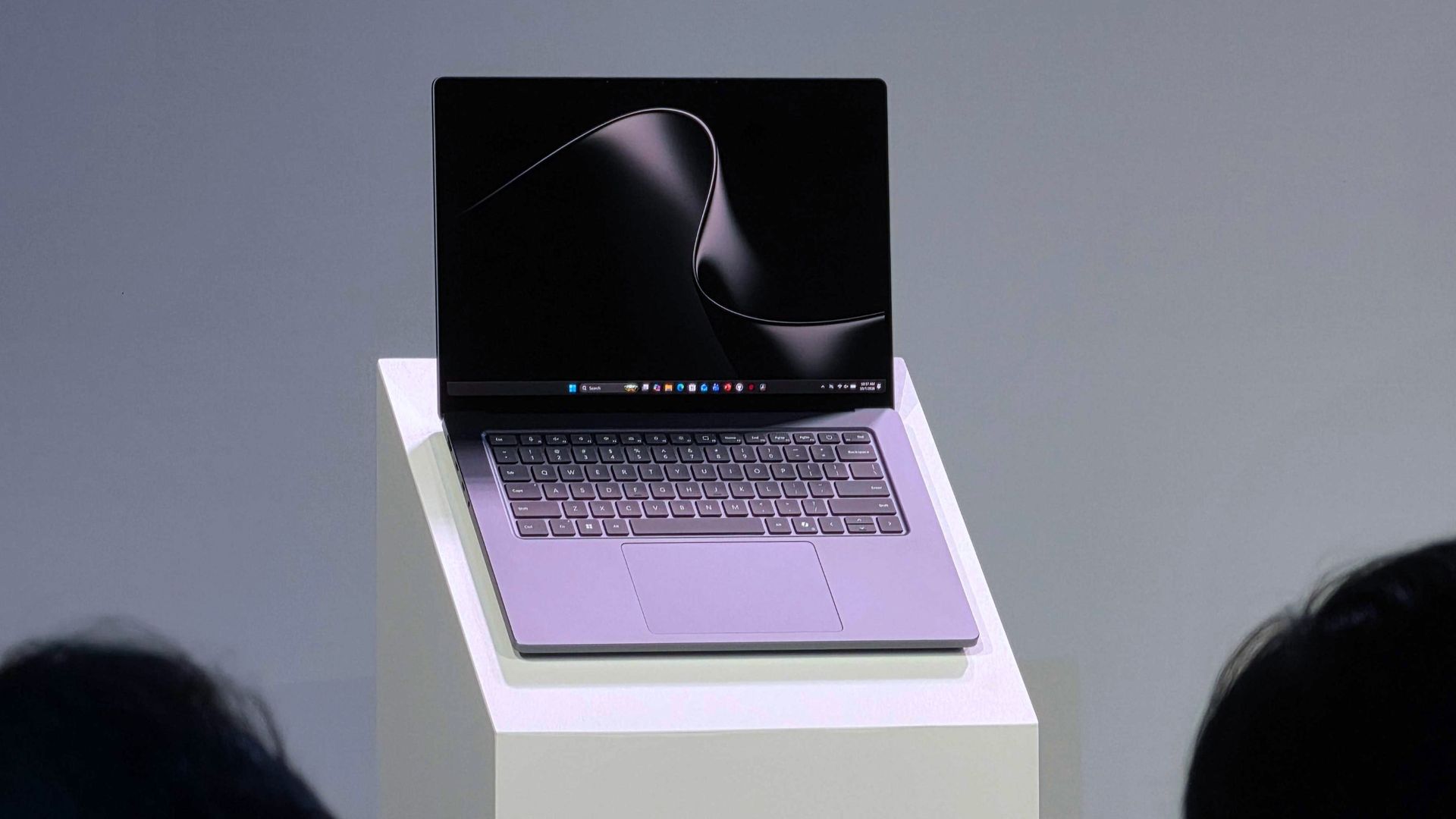
The Surface Laptop Ultra with NVIDIA RTX Spark is now available to preorder following the October 7 Surface event in San Francisco. It arrives as a suped-up Surface Laptop 8 with a 15-inch mini-LED display, tons of ports, a sleek design, and, of course, NVIDIA's N1x chip with support for up to 128GB of unified memory.It's a laptop that's marketed as the ultimate PC for creators, AI specialists, engineers, scientists, and developers who don't want to be tied down
The Surface Laptop Ultra with NVIDIA RTX Spark is now available to preorder following the October 7 Surface event in San Francisco. It arrives as a suped-up Surface Laptop 8 with a 15-inchmini-LED display, tons of ports, a sleek design, and, of course, NVIDIA's N1x chip with support for up to 128GB of unified memory.
It's a laptop that's marketed as the ultimate PC for creators, AI specialists, engineers, scientists, and developers who don't want to be tied down to a bulky workstation on a desk.
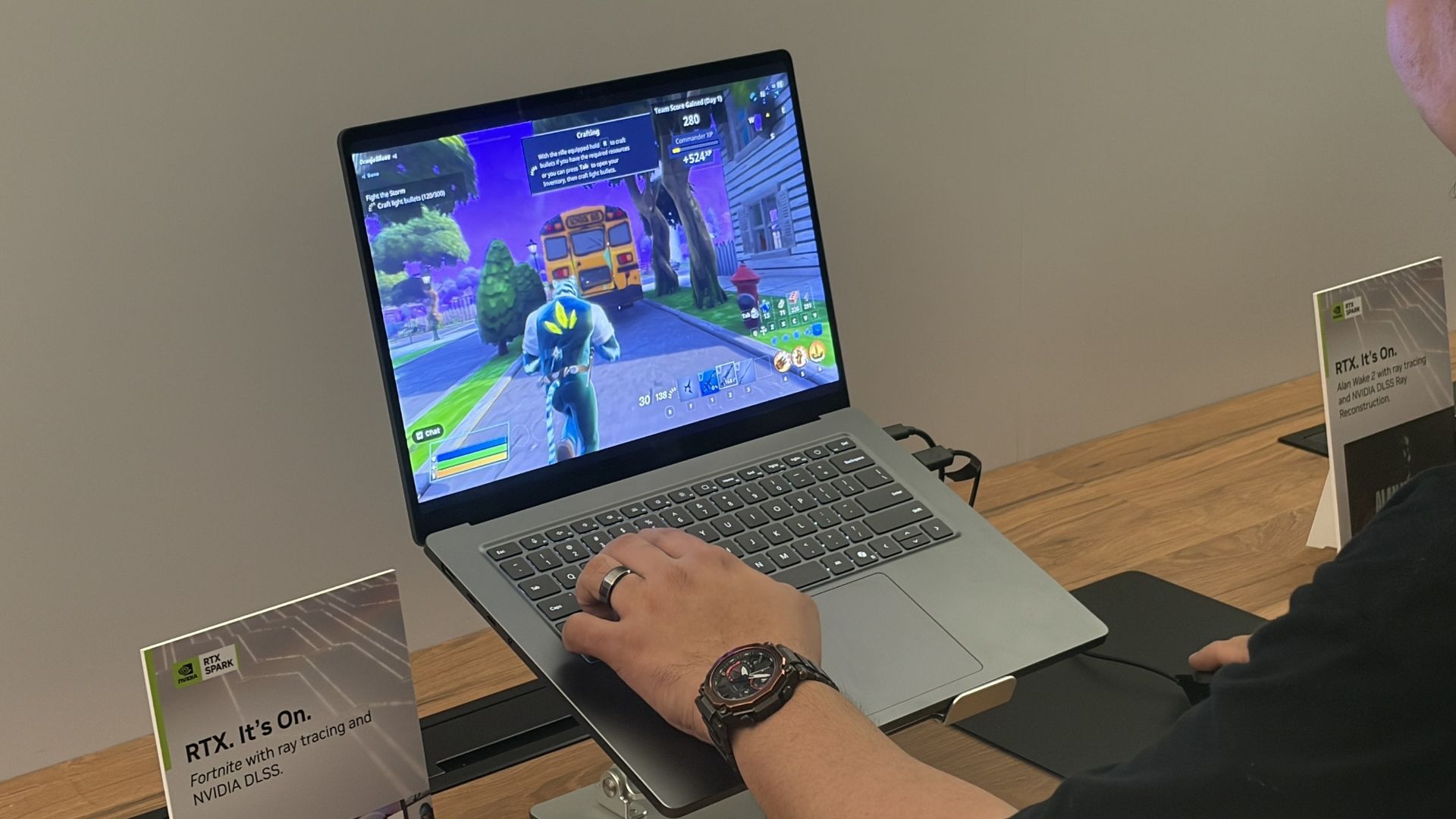
I can also say that the gaming experience was super smooth, even in games with ray tracing, path tracing, and DLSS support. Indiana Jones and the Great Circle ran flawlessly when I tried it, and every other title seemed to be an easy task for the Laptop Ultra.
That begs the question: Is the Surface Laptop Ultra the ultimate laptop for PC gaming?
At the risk of breaking some pixelated hearts, I'll say that dedicated PC gamers should look elsewhere. Here's why.
Built around the NVIDIA RTX Spark platform with an N1X CPU, RTX GPU, and up to 128GB of unified memory, the Surface Laptop Ultra hits new performance heights for power users. It's all contained in a gorgeous chassis with a mini-LED display and tons of ports.
The Surface Laptop Ultra's specs look ideal for gaming ... what gives?
I saw the Surface Laptop Ultra smoothly run Fortnite, Alan Wake 2, Indiana Jones and the Great Circle, and more. (Image credit: Future)
It's well established that NVIDIA's RTX platform is the preferred way to play on PC for most gamers, mainly due to the excellent performance and additional support for features like ray tracing, path tracing, and DLSS.
Considering the Surface Laptop Ultra's RTX Blackwell GPU supports all of the latest features, wouldn't that make it a capable PC for gaming?
Well, yes. But there's more to the story.
The Surface Laptop Ultra was not designed to be a gaming PC. It was made to handle intricate AI workloads locally and to be the centerpiece of a professional's arsenal, and the fact that it can run plenty of games smoothly is simply a convenient effect of using NVIDIA's technology. Its starting price of $2,599 reflects that reality.
Sure, that cost is inflated due to the ongoing RAM and storage crisis, but in any case, you can buy a quality laptop made specifically for gaming purposes (suffering from the same RAM and memory squeeze) for considerably less money.
For my PC gaming money, I'd much rather buy a PC running standard Windows 11 rather than Windows on ARM (despite serious advancements in emulation and support). That way, you're guaranteed not to experience any compatibility issues with the games or their anti-cheat methods.
Gaming laptops also come tuned for gaming right out of the box, and their hardware is designed to support that initiative. Sure, you could tune the Surface Laptop Ultra to focus more on gaming, but that's really not what it was meant for.
The bottom line regarding the Surface Laptop Ultra and PC gaming
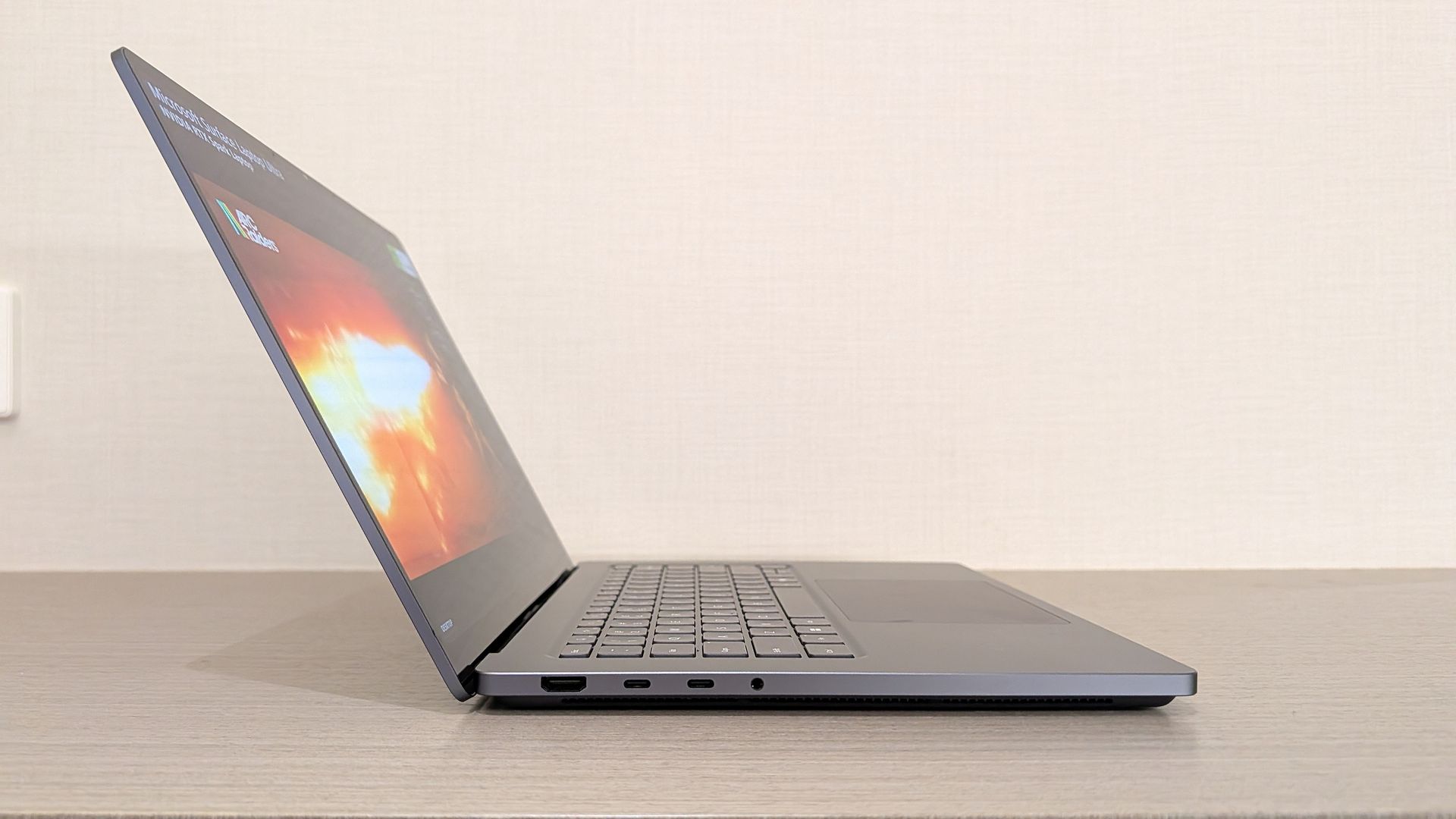
The Surface Laptop Ultra is one sleek laptop no matter the angle. (Image credit: Windows Central / Zac Bowden)
The Surface Laptop Ultra should be treated as a pro-grade laptop that happens to have some more-than-decent gaming chops.
I know there are plenty of pros out there who love the idea of tackling AI workloads during the day and gaming at night, all from the same machine, and the Surface Laptop Ultra should be a hot ticket for those users.
For gamers at heart, however, I recommend taking a look at the host of quality dedicated gaming laptops before ever considering the Surface Laptop Ultra.
Join us on Reddit at r/WindowsCentral to share your insights and discuss our latest news, reviews, and more.
Microsoft's Surface event today, October 7, revealed a lot more about the Surface Laptop Ultra with an NVIDIA RTX Spark chip inside. For those who can't fathom missing out on the first wave of new laptops, I have good news. The Surface Laptop Ultra is now available to preorder starting at $2,599, with shipments expected to begin going out on October 16.Built around the NVIDIA RTX Spark platform with an N1X CPU, RTX GPU, and up to 128GB of unified memory, the Surf
For those who can't fathom missing out on the first wave of new laptops, I have good news. The Surface Laptop Ultra is now available to preorder starting at $2,599, with shipments expected to begin going out on October 16.
Built around the NVIDIA RTX Spark platform with an N1X CPU, RTX GPU, and up to 128GB of unified memory, the Surface Laptop Ultra hits new performance heights for power users. It's all contained in a gorgeous chassis with a mini-LED display and tons of ports.
Surface Laptop Ultra — What configurations are available, and which one is best for me?
The Surface Laptop Ultra we used at Computex 2026. (Image credit: Windows Central / Zac Bowden)
The Surface Laptop Ultra is set up so that configurations really only affect the performance hardware inside. Each model comes with a 15-inch mini-LED display, the same port selection, and the same killer design.
The baseline $2,599 model includes the RTX Spark platform with NVIDIA's 18-core N1X CPU and 5120-core RTX Blackwell GPU, 24GB of unified RAM, and 512GB of storage.
This is a decent option for those who need to balance price and performance, or for those who simply want to get their hands on this new hardware without overspending.
There's also a model with a 20-core CPU and 6144-core GPU for those who need utmost power. Configuring with 32GB of unified RAM (the lowest option) and a 1TB SSD (also the lowest option), you're looking at $3,699.99. This model is where I'd recommend most advanced users start.
Moving up from there, you can essentially trick out your PC with as much RAM and storage as you want. This is where things begin to get very expensive for pro users. The top-of-the-line model with the more powerful Spark, 128GB of unified RAM, and a 1TB SSD runs up to $5,899.99, reserving it for a select few.
Both models are available in Nightfall or Platinum colors.
Is the Surface Laptop Ultra's price too high?
The Surface Laptop Ultra on stage at the October 7 event. (Image credit: Daniel Rubino | Windows Central)
I wasn't expecting the laptop Microsoft calls "Not Standard Issue" to be reasonably priced for most users.
It's a flagship PC with monster internals, and Microsoft clearly states that it's intended for creators, AI builders, scientists, engineers, and other power users who need an ultimate device to handle everything.
Those users are generally used to paying more for high-end hardware, but that doesn't make the price sting any less.
Take this high-end approach and tack on the macroeconomics of the ongoing RAM and storage crisis, and you get set prices much higher than I'm sure Microsoft ever intended.
Starting at $2,599 for a "baseline" model, you'll want to be sure this is the PC for you before you buy it.
As for the gaming angle, I've covered it in more detail in a separate post. Bottom line? You shouldn't buy the Surface Laptop Ultra as a dedicated gaming machine, but its NVIDIA Blackwell GPU will indeed power many games with ray tracing, path tracing, and DLSS in tow.
Are you preordering the new Surface Laptop Ultra today? If so, which configuration did you get? If not, what made you skip it? Let me know in the comments section below!
Join us on Reddit at r/WindowsCentral to share your insights and discuss our latest news, reviews, and more.
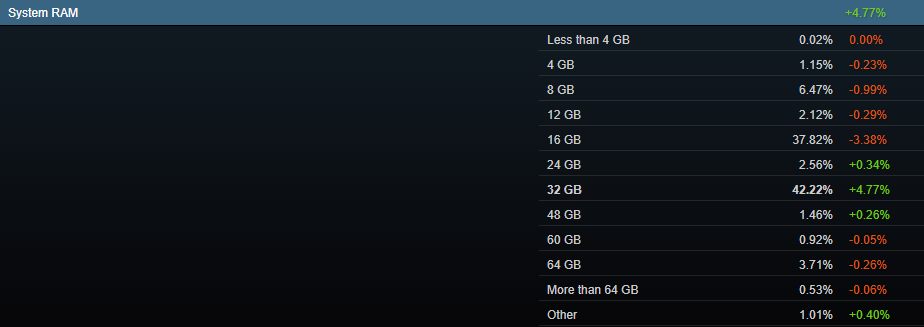
The last thing I want to hear again is how high RAM prices have become due to AI's unrelenting pressure on component markets. Nevertheless, there's something curious happening, as evidenced by Steam's September 2026 hardware survey update.In the System RAM section, which covers the spread of how many gigabytes are in use in a single PC, the three segments directly above 16GB grew. While 24GB and 48GB only climbed by 0.34% and 0.26% respectively, systems with 32GB
In the System RAM section, which covers the spread of how many gigabytes are in use in a single PC, the three segments directly above 16GB grew. While 24GB and 48GB only climbed by 0.34% and 0.26% respectively, systems with 32GB of RAM jumped significantly, up 4.77%in September to hit a total of 42.22% of all polled Steam users.
The rise of 32GB systems had a direct impact on the 16GB section, which actually fell by 3.38% to land at 37.82% overall. This swing has placed the 32GB segment well in the lead.
Why are there now fewer PCs with 16GB of RAM than 32GB of RAM?
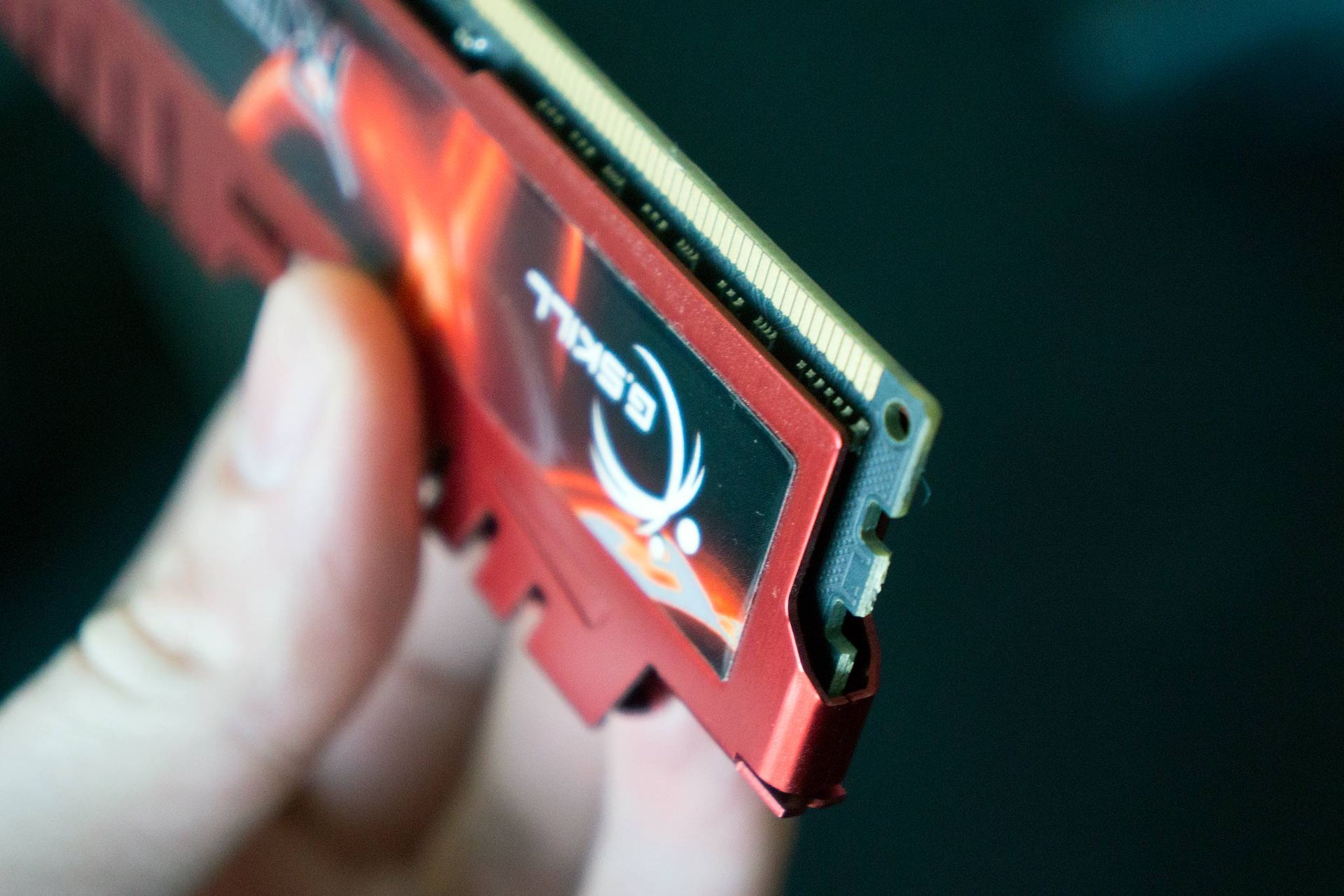
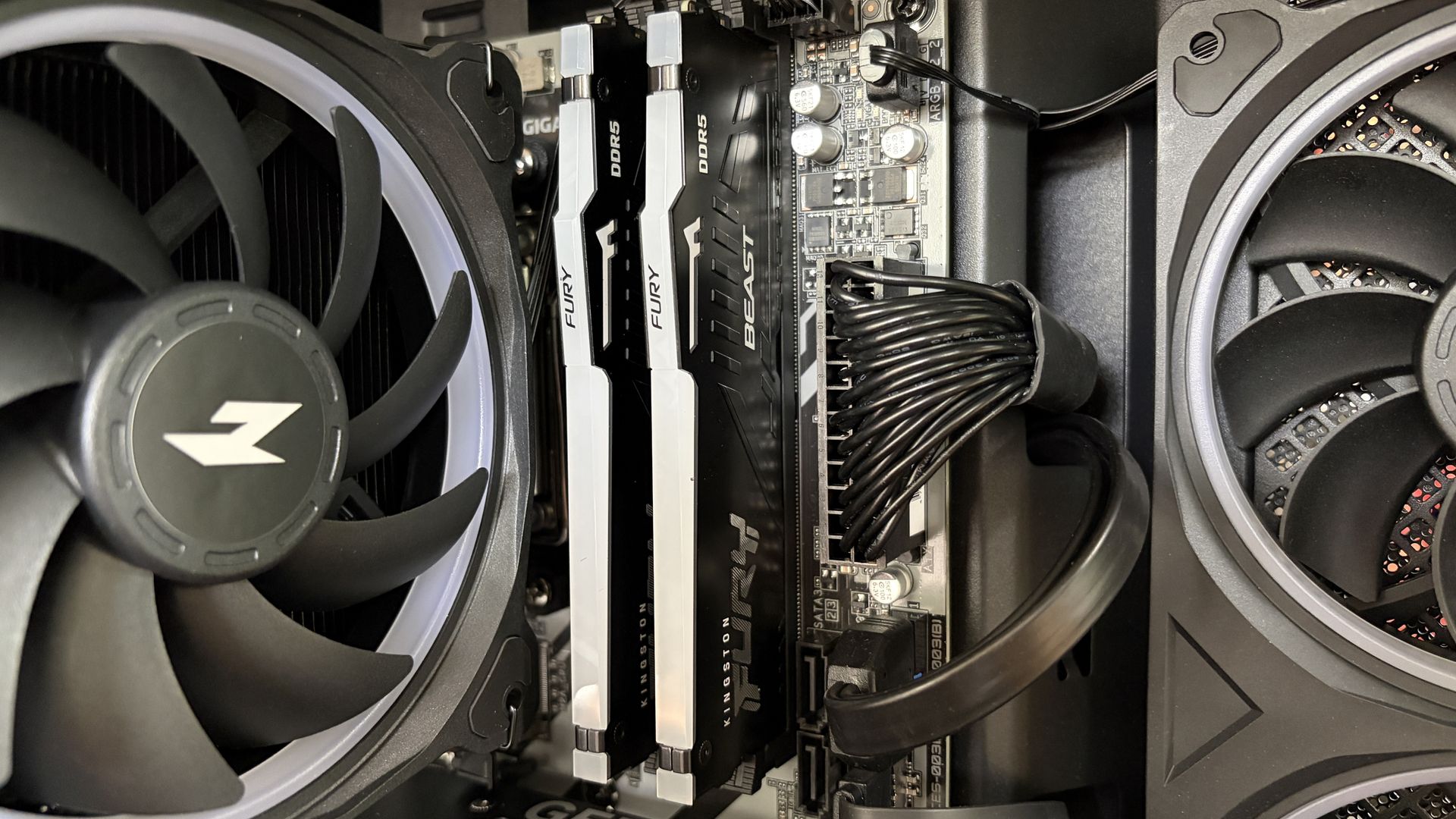
A look at Kingston Fury RAM installed in a desktop PC. (Image credit: Future)
What's going on here? Shouldn't the segment of gaming PCs with less RAM be growing? You'd think so, but that's not the case at all. Systems with 8GB of RAM fell by 0.99% (despite the host of new Windows laptops shipping with that exact amount), while 12GB PCs also fell by 0.29%.
Looking at other sections of the Steam hardware survey, there were some other significant jumps in September. NVIDIA RTX 5060 Ti adoption rose by 1.46% to hit 3.87% overall, with the RTX 5060 pulling in another 1.22% to hit 4.20% overall. The RTX 5070 saw the biggest climb at 2.30% to hit 5.86% overall.
Elsewhere, total hard drive space above 1TB rose by 3.79%, and 1440p displays also climbed by 5.18%.
These are larger swings across segments than I'm traditionally used to seeing, which generally means that something is going on behind the scenes. Checking out the Language section of Steam's survey, the share of Simplified Chinese users indeed grew by 7.42% in the same month.
If I were a betting man, that's where I'd put my money. An influx of new Chinese players with rather high-end systems could have skewed Steam's numbers. I'm not saying this accounts for all of the changes, but it certainly aligns with the major swings.
It wouldn't be the first time the Steam survey has had some noisy elements that stand out.
No, I don't think these swings are natural at all. (Image credit: Valve)
That's exactly what I'm expecting to happen with next month's Steam hardware survey, at least unless users are actually gobbling up expensive 32GB RAM kits and RTX 5070s at a far healthier pace than I imagined.
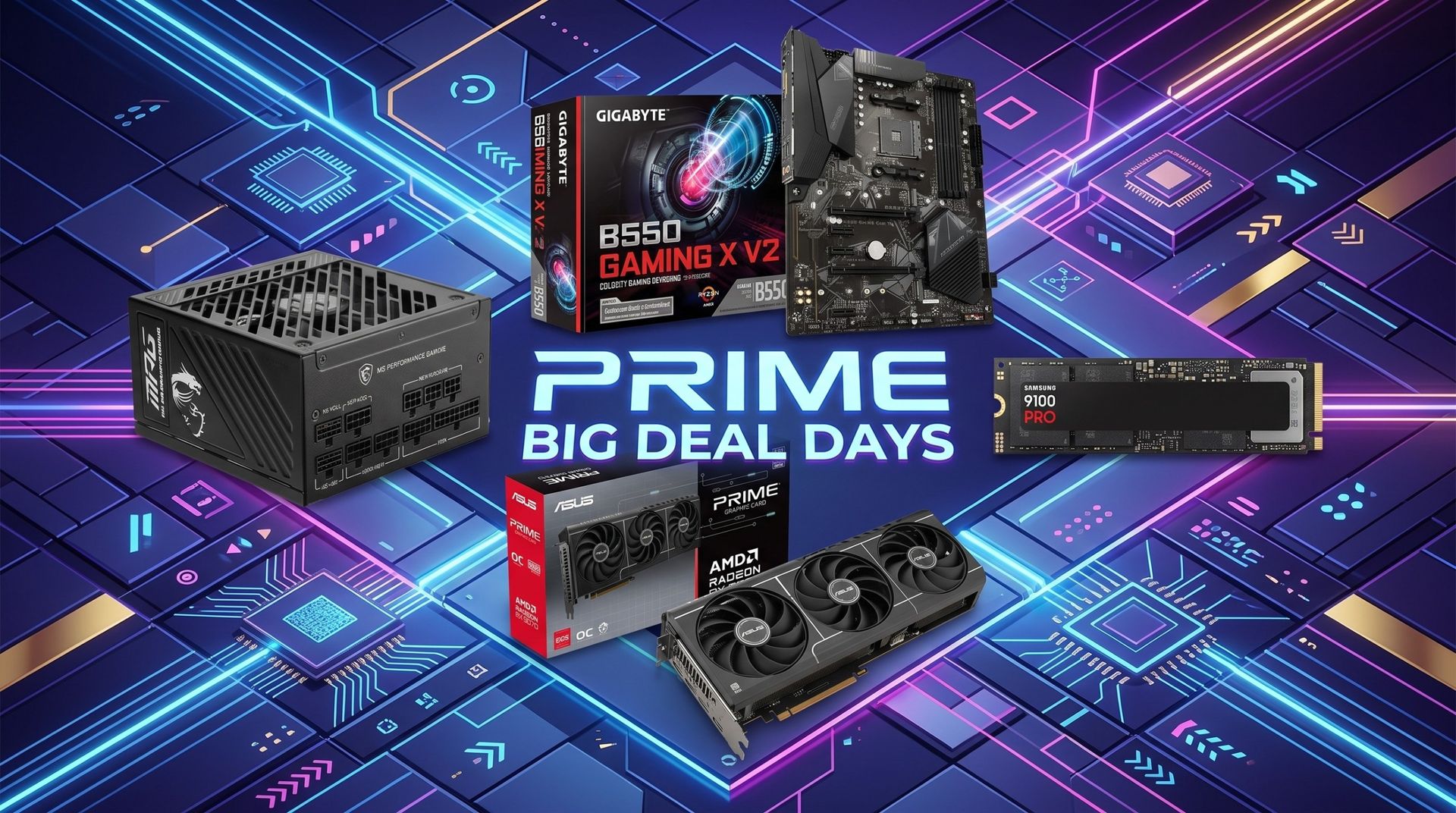
I've been keeping an eye on memory prices this week as it collides with Amazon's Prime Big Deal Days, and there's honestly not much to talk about. RAM is still stupid expensive, even with "discounts," and I don't expect anything much to change despite the promos happening at major retailers.
Do you agree that the major swings in Steam's September hardware survey are likely caused by an influx of Chinese players? Or do you think there's something else going on in the world of PC building? Let me know in the comments section below!
Join us on Reddit at r/WindowsCentral to share your insights and discuss our latest news, reviews, and more.
Amazon's Prime Big Deal Days event has officially kicked off, and as usual for these types of events, I've been scouring the web for the best deals on PC components.I'm not talking about fake deals where the original price is inflated just to make it seem like a discount is larger than reality. I've been using CamelCamelCamel to verify pricing history and axing any deals that are only designed to steal your dough.Shop all Amazon Prime Big Deal Days discountsWith
Amazon's Prime Big Deal Days event has officially kicked off, and as usual for these types of events, I've been scouring the web for the best deals on PC components.
I'm not talking about fake deals where the original price is inflated just to make it seem like a discount is larger than reality. I've been using CamelCamelCamel to verify pricing history and axing any deals that are only designed to steal your dough.
With all that in mind, I've collected 9 great PC component deals ranging from processors and graphics cards to SSD storage, motherboards, and power supplies. If you're building or upgrading a PC in the near future, you don't want to miss these discounts.
Storage doesn't come cheap these days, so a huge 27% off a 1TB Kingston drive shouldn't be ignored. It's not the fastest, but it'll do a great job in a gaming PC.
No. Although Amazon is spearheading the week's deals with its Prime Big Deal Days event, other major retailers like Best Buy and Newegg are also hosting simultaneous sales events.
I've been sure to check all competing retailers for better prices, and I've included price checks to ensure you're not spending more at the store I'm highlighting.
When does Amazon Prime Big Deal Days end?
Amazon's Prime Big Deal Days runs from October 6 until October 7, 2026.
How do I avoid fake deals where the retail price is jacked up before the event?
I recommend using CamelCamelCamel to verify Amazon pricing history. This free tool provides a clear look at how pricing for the item in question has changed, providing pertinent information immediately. It's the tool I used to check all of the highlighted deals above.
Do I need a Prime membership for Big Deal Days?
If you're shopping at Amazon this week, you will need a Prime membership in order to access most of the Big Deal Days promotions.
If you haven't registered before, you can grab a 30-day free trial and just cancel after you've shopped for deals.
New members can enjoy exclusive Prime Day discounts for free and cancel anytime. After the trial, membership is $14.99/month plus tax. Includes access to games via Prime Gaming alongside Prime Video and Prime Music.
Join us on Reddit at r/WindowsCentral to share your insights and discuss our latest news, reviews, and more.
Reçu — 6 octobre 2026⏭Windows Central - News, Forums, Reviews, Help for Windows 10 and all things Microsoft.
A lot is happening this week in the world of Windows and Surface. Today is the fifth anniversary of Windows 11, a milestone that snuck up on me and plenty of other users. Perhaps it's because I dragged my feet while making the move permanently from Windows 10.On October 7, Microsoft is hosting a Surface event where it's expected that NVIDIA's RTX Spark chip and the Surface Laptop Ultra lineup will be further discussed (and hopefully better explained).This collisi
A lot is happening this week in the world of Windows and Surface. Today is the fifth anniversary of Windows 11, a milestone that snuck up on me and plenty of other users. Perhaps it's because I dragged my feet while making the move permanently from Windows 10.
On October 7, Microsoft is hosting a Surface event where it's expected that NVIDIA's RTX Spark chip and the Surface Laptop Ultra lineup will be further discussed (and hopefully better explained).
This collision of Microsoft-related software and hardware news got me thinking about a quote from the original architect of Microsoft's Surface lineup, Panos Panay:
To make a great product, you can't have great software without the hardware; you can't have great hardware without the software.
Panos Panay
The quote comes from an interview with TechCentral circa 2020, well before Panay departed Microsoft in 2023 to join Amazon's Devices and Services segment. The quote does a great job capturing the original reason why Surface exists at all.
Microsoft originally wanted hardware that showcased the best of Windows software, and it believed its goal could only be achieved with in-house development. Surface became the bridge between software and hardware that Panay alludes to with his quote, and it's had a (mostly) great run.
Where is Surface headed in 2026?
What has me most confused about the upcoming Surface event is that Microsoft already revealed its new Surface Pro 12-inch (Gen 2) and Surface Laptop 13-inch (Gen 2) devices.
My colleague Sean Endicott attempted to answer this question at the time of the Surface/Qualcomm reveal last month. As he stated, "we can now cross two more items off the list of potential things we will see at the Windows and Surface event," noting that the October 7 Surface event also "falls after many improvements have shipped to Windows 11 or entered testing with Windows Insiders."
Barring the surprise reveal of more new Surface hardware — the Surface Laptop 8 and Surface Pro 12 with Snapdragon X2 chips launched this summer, so I'm not expecting anything new there — the October 7 Surface event is shaping up to be a tad lopsided.
Is Surface drifting without Panay's anchoring presence?
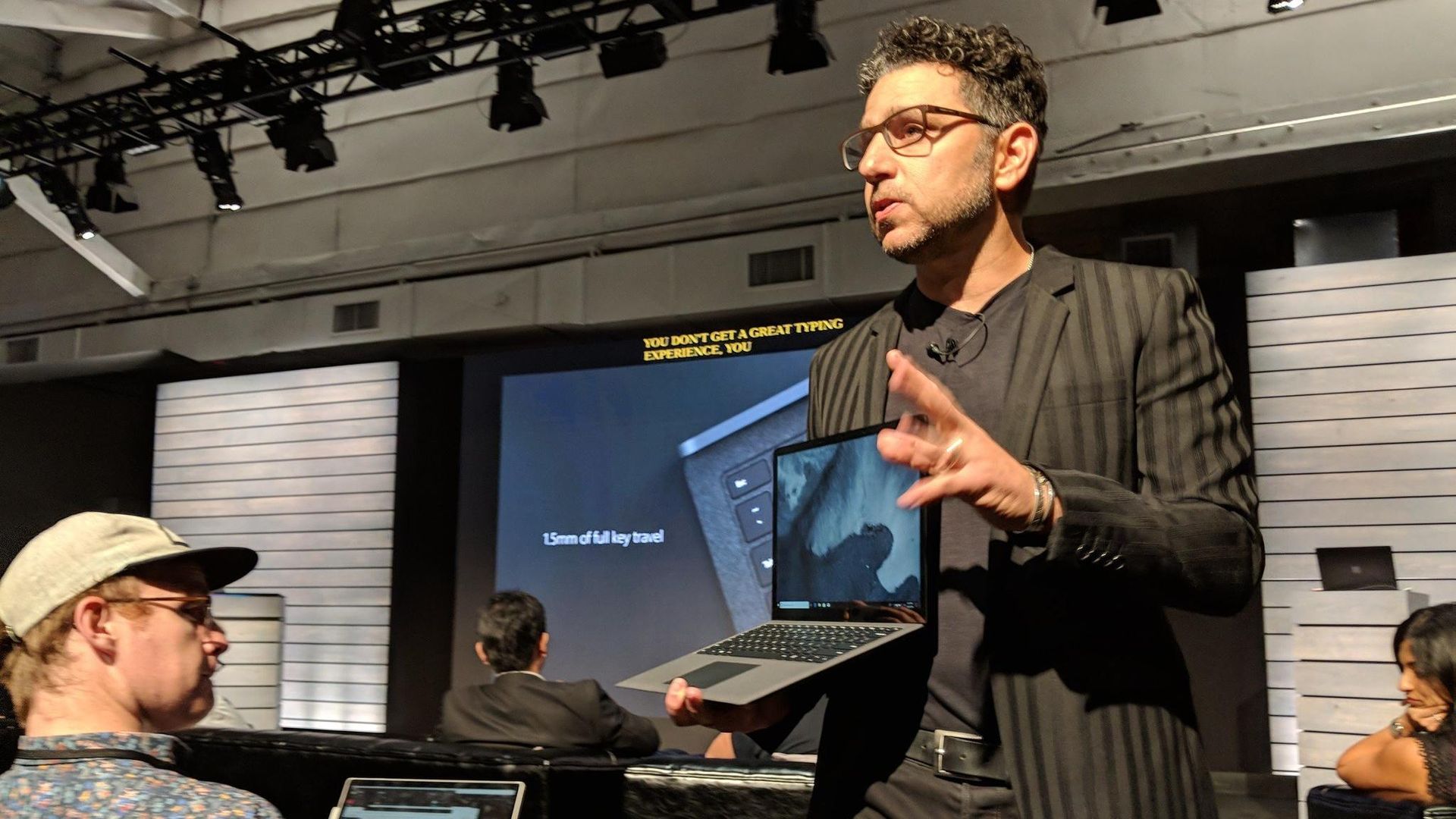
Panos Panay holding a Surface Laptop at the 2018 Surface event. Good times.
It's been six years since Panay dropped his famous Surface quote. It's been three years since he left Microsoft for Amazon. And since then, Surface really hasn't felt the same.
Rather than pushing OEMs to improve their own devices by providing a quality benchmark, Surface seems to be fairly stagnant, fragmented, and largely riding on its reputation.
For me, someone who agrees with Panay's sentiment, a successful Surface event should include software that really only makes sense on the Surface Laptop Ultra with RTX Spark. If it's just another laptop with the chip inside, well, I won't be very excited.
On that note, it'd be great to see some tuning choices that directly benefit Surface with RTX Spark. The hardware-software relationship often shows its cracks in this area, so some assurance will go a long way.
Ultimately, the upcoming Surface event should be a defining moment. Will Panay's original vision carry forward as partnerships become more complicated? Will the quote remain relevant?
Or will Surface become just another laptop brand alongside OEMs like Dell, HP, and Lenovo? Either way, you can tune in to the livestream on October 7 at 1 PM ET to check it out with the rest of us.
Join us on Reddit at r/WindowsCentral to share your insights and discuss our latest news, reviews, and more.
Reçu — 25 août 2026⏭Windows Central - News, Forums, Reviews, Help for Windows 10 and all things Microsoft.
Believe it or not, there was a time when people lined up outside of actual stores to buy the latest version of Windows. Such was the case on August 24, 1995, when Microsoft officially launched Windows 95.Yes, I find it hard to believe, but it's been 31 years since Microsoft made what is arguably the biggest change ever to its operating system. I didn't line up outside of Best Buy to secure my copy, but I do remember some of the hype ahead of the launch.Stars of t
Believe it or not, there was a time when people lined up outside of actual stores to buy the latest version of Windows. Such was the case on August 24, 1995, when Microsoft officially launched Windows 95.
Yes, I find it hard to believe, but it's been 31 years since Microsoft made what is arguably the biggest change ever to its operating system. I didn't line up outside of Best Buy to secure my copy, but I do remember some of the hype ahead of the launch.
Stars of the hit TV show Friends, Jennifer Aniston and Matthew Perry, were tapped to create an hour-long Windows 95 video guide in which they answered questions and highlighted new features. It's ... quite a watch.
At the launch event, Jay Leno helped CEO/Chairman Bill Gates and company demo the software onstage as camera flashes erupted throughout the room.
And who can forget the classic Windows 95 launch sizzler featuring Start Me Up by The Rolling Stones?
Compared to the hesitant Windows launches of today — countless millions of people are still using Windows 10 today despite Windows 11 being on the market since 2021 — the launch of Windows 95 was a huge deal.
It wasn't just hype for no reason, either. The jump from Windows 3.1 to Windows 95 was massive, and a lot of its appeal rested in the bottom-left corner of the screen.
Windows introduces the Start button, and PCs are never the same
The old Windows 3.1 Program Manager in all of its glory. (Image credit: Mauro Huculak)
For many modern Windows users, the Start button has always been a staple of the OS. But before Windows 95, everything looked a lot different. You can probably see why Start Me Up was used as a promo song.
Windows 3.1 used a full-screen Program Manager tool to keep apps sorted. It involved nested windows containing icons, and you can see some of the inspiration for the eventual Start menu here.
However, Program Manager left users without any sort of unified system control dashboard or taskbar. Those comfortable with Windows 3.1 put up with it (what else was there?), but it wasn't exactly easy for an average person to sit down and start computing.
Windows 95 modernized the UI, making it a lot easier to use in the process.
All hail the Windows 95 Start button, which has stuck with us for 31 years. (Image credit: Future)
The Start menu was suddenly the aptly named first place to click when you booted your Windows 95 PC. It contained quick shortcuts to installed software and stored files, a trove of settings, and a Shut Down option.
Attached to the Start button and sitting across the bottom of the screen was a taskbar, which could keep track of which apps you'd opened and made it easy to swap between them. Windows 95 received the first instance of the Recycle Bin tool, making file deletion reversible.
Everything you need was easily accessible through Windows 95's Start menu. (Image credit: Mauro Huculak)
The addition of right-click context menus was massive, as users no longer had to hunt through menus. They could just right-click to pull up options.
Windows Explorer as we (mostly) know it today was also introduced in Windows 95. It replaced Windows 3.1's File Manager tool and organized files into much more comprehensive categories.
Microsoft didn't exactly invent any of these ideas, but it did group them all together into one package. The new interface proved to be a hit, and you can still see the DNA of Windows 95 every time you boot up Windows 11.
The lasting legacy of Windows 95 ... 31 years later
Windows 11 looks a lot different than Windows 95, but the foundational UI aspects remain. (Image credit: Windows Central | Zachary Boddy)
Windows 95 was the first OS I really remember using in earnest, and 31 years later, Windows 11 still feels like home. There's still a Start button, there's still a taskbar, there are still right-click menus, and there's still a Recycle Bin.
Sure, the appearance of these tools might have changed many times over the years, but they've survived three decades as the hardware around them has morphed from chunky beige towers to sleek laptops and RGB-infused desktops.
I'm sitting here trying to think of other user interfaces that have proven as resilient as the changes made in Windows 95. Plenty have come and gone in the meantime, while those from Windows 95 have become a foundation.
Can you think of any good examples of UI elements that have survived for 31 years? Were you around for the launch of Windows 95? How did it go? Let me know in the comments section below!
Join us on Reddit at r/WindowsCentral to share your insights and discuss our latest news, reviews, and more.
New Microsoft Operating System Windows 95 Goes on Sale.
New Microsoft Operating System Windows 95 Goes on Sale.
Reçu — 24 août 2026⏭Windows Central - News, Forums, Reviews, Help for Windows 10 and all things Microsoft.
Docking stations are an interesting section of the laptop market. There are a lot of options out there, many of them offering the latest Thunderbolt 5 connectivity with an assortment of older and varied ports.As the market fills up, laptop docks have to set themselves apart with different sub-features. I'm talking about Thunderbolt Share. A built-in M.2 SSD slot. A standout design (as much as that's possible with a small chunk of metal).In the case of Hyper's Hyp
Docking stations are an interesting section of the laptop market. There are a lot of options out there, many of them offering the latest Thunderbolt 5 connectivity with an assortment of older and varied ports.
As the market fills up, laptop docks have to set themselves apart with different sub-features. I'm talking about Thunderbolt Share. A built-in M.2 SSD slot. A standout design (as much as that's possible with a small chunk of metal).
In the case of Hyper's HyperDrive NextThunderbolt 5 dock that I've been using for a few weeks, it's the extra features that I'm most excited about. Let me explain so you know if it's right for your desk.
This review was made possible thanks to a review sample provided by HyperDrive. It had no input nor saw the contents of this review prior to publication.
Where can I buy the HyperDrive Next Thunderbolt 5 dock?
The HyperDrive Next Thunderbolt 5 dock is available at major online retailers, including Amazon and B&H. Although it launched with a $399.99 price tag, it seems like it's now permanently available at $319.99.
I'd say that Hyper's HyperDrive Next dock is priced within reason compared to other Thunderbolt 5 hardware, although Wavlink continues to be the best value option out there that I've tested.
What sort of ports does the HyperLink Drive have?
Ribbed edges give the dock's metal chassis a bit of texture and help dissipate heat. (Image credit: Future)
Dock design doesn't usually vary too much, and the HyperDrive Next plays it fairly safe with a chunky aluminum shell and plastic faceplates. I've mentioned plenty of times in other reviews that I prefer an all-metal design for added durability and less chance of scratching.
I like the ribbed corners on the aluminum shell. They add a bit of texture to an otherwise sleek exterior, and they help dissipate heat.
The dock works horizontally only, with rubber pads on the bottom to prevent it from slipping. Measuring 7.64 inches (19.4cm) wide and 3.07 inches (7.8cm) deep, it's thankfully rather compact.
There appear to be some holes drilled for mounting with a bracket, though a permanent setup like that might not be ideal due to the M.2 SSD slot's location (more on that in a moment).
The front of the dock has dual USB-A ports, downstream Thunderbolt 5, and a 3.5mm audio jack. (Image credit: Future)
The front of the dock includes dual USB-A ports at 10Gbps each, a 3.5mm audio combo jack, and a single downstream Thunderbolt 5 port.
What you might think at first glance are SD card readers are merely vents cut out to help the built-in cooling fan. The slots sit below the power button and LED status light.
The back of the dock is where you'll find most ports, including downstream Thunderbolt 5, USB-A and 2.5Gb Ethernet. (Image credit: Future)
The back of the dock is where you'll find two more downstream Thunderbolt 5 ports, an upstreamThunderbolt 5 port for connecting your host laptop, two USB-A (10Gbps) ports, a 2.5Gbps Ethernet jack, dual lock slots, and a 20V power hookup.
The upstream host connection supports device charging at up to 140W, which is enough to keep most laptops without a discrete GPU topped up and ready to go.
At this point, you might be asking where the video outputs are located. Well, you're looking at them. The HyperDrive Next relies entirely on Thunderbolt 5 for external monitor support.
If you're using older monitors without USB-C connectivity, you'll need some adapters that switch the USB-C form factor used by Thunderbolt 5 to HDMI or DisplayPort.
The HyperDrive Next relies entirely on Thunderbolt 5 for external monitor support.
The good news is that Thunderbolt 5 is quite capable of handling video, and the dock allows for up to three 4K external displays, each running at a 60Hz refresh rate. If you're targeting a high resolution, it'll go as high as 8K at 144Hz.
It's worth noting that some other Thunderbolt 5 docks support up to three 4K displays each at 144Hz, so there's definitely a bit being left behind due to the other features on board.
I had no problems running one 4K screen and one ultrawide QHD+ screen off the dock, with bandwidth to add more. As mentioned, I've been using this dock on my desk, and I never noticed it get overly hot despite multiple monitors, frequent data transfers, and connected accessories.
HyperDrive Next's additional Thunderbolt 5 features
A look at the M.2 SSD slot with an SK hynix drive installed. (Image credit: Future)
Aside from the incredible transfer speeds you get from Thunderbolt 5, the extra bandwidth opens up some extra features that I particularly love.
Like the Razer Thunderbolt 5 Dock Chroma I tested last year, the HyperDrive Next dock comes with a built-in M.2 PCIe 4.0 NVMe SSD slot, with a hatch located on the bottom of the dock.
You need a screwdriver to get in, but it's well worth it, with support for full-size 2280 M.2 sticks all the way down to smaller 2230 drives. You should be able to use up to a 16TB drive in here (who can afford that these days?), doubling the capacity of the other docks I've tested.
The built-in M.2 SSD slot fits sizes from 2280 down to 2230. (Image credit: Future)
The other big feature is Intel Thunderbolt Share. It's a tool that allows Thunderbolt 4 and 5 laptops to communicate directly with each other, easing common transfers and making life with multiple laptops that much easier.
File transfers are super easy, requiring just a drag and a drop.
The catch is that at least one of the laptops in use needs to have official Intel Thunderbolt Share certification, unless you have a dock connected in between with the official badge. That's where the HyperDrive Next comes in.
You can connect two separate laptops to the dock and control both from one set of peripherals. File transfers are super easy, requiring just a drag and a drop.
What I don't like about the HyperDrive Next Thunderbolt 5 dock
The 180W power adapter is a tad wimpy compared to other docks, but at least it doesn't take up much space. (Image credit: Future)
Depending on how you use your dock, the lack of native video outputs might be a con. However, for others, full Thunderbolt and USB connectivity, paired with an M.2 slot and Thunderbolt Share, might be exactly what's needed.
The only major issue I experienced has to do with how the dock handles heavy workloads. While testing, I noticed drops in SSD and Ethernet speeds when used simultaneously.
I figured this had something to do with power allotment. A 180W adapter isn't that big for a dock that can charge a laptop at 140W. Indeed, this does make some of the charging abilities on ports other than the host connection fairly wimpy.
The dock is super convenient thanks to its built-in features.
The other Thunderbolt 5 ports only charge at 15W, and one USB-A port hits 7.5W. The rest sit at a rather low 4.5W.
However, after doing a bit of research, it seems that the Ethernet/SSD limitation is caused by the actual Intel Barlow Ridge chipset that's used by modern Thunderbolt 5 docks.
So, yes, the dock is super convenient thanks to its built-in features. But you probably won't get as good of performance as if you had a drive and an Ethernet cable connected separately via Thunderbolt 5 ports. It's not exactly Hyper's fault, but it's well worth noting.
Should you buy the HyperDrive Next Thunderbolt 5 dock?
The HyperDrive Next Thunderbolt 5 dock is great for those who want a built-in M.2 SSD slot and Thunderbolt Share capabilities. (Image credit: Future)
✅ You should buy this if ...
You want a Thunderbolt 5 dock with a built-in M.2 SSD slot and Thunderbolt Share.
You have a Thunderbolt 5 laptop that can take advantage of all features (or you plan on buying one soon and can make do with Thunderbolt 4 speeds for the time being).
❌ You should not buy this if ...
You want maximum SSD and Ethernet speeds without requiring any adapters.
You have three external 4K displays and want to run them all at 144Hz.
Hyper's HyperDrive Next Thunderbolt 5 dock is a high-end option that actually competes quite well with the competition in terms of pricing and performance.
For example, the Kensington SD7100T5 EQ Pro comes with a built-in M.2 SSD slot, tons of ports (including SD card readers), and 2.5Gb Ethernet. It does not have Thunderbolt Share. It costs about $340.
If you don't need Thunderbolt Share or a built-in SSD slot, the Wavlink Thunderbolt 5 Thunderlight is probably a better bet, especially at only about $220.
Sitting in between is the HyperDrive Next at about $320, and I'd recommend it to those who want the convenience of external M.2 SSD storage and the ability to quickly share content between two PCs.
The HyperDrive Next Thunderbolt 5 Dock brings a potent combination of a built-in M.2 SSD slot and Thunderbolt Share certification, perfect for busy offices involving multiple PCs. However, its lack of native video output and so-so charging capabilities might have you looking at the competition.
Join us on Reddit at r/WindowsCentral to share your insights and discuss our latest news, reviews, and more.
A gray HyperDrive Next docking station with multiple ports displayed on a wooden desk, surrounded by colorful books and a framed image.
A gray HyperDrive Next docking station with multiple ports displayed on a wooden desk, surrounded by colorful books and a framed image.

 Connexion