Elgato, the tech company that prides itself on high-quality accessories for streaming, content creation, and gaming, has launched its first wireless microphone called the Elgato Wave Go.This extension of Elgato's 'Wave ecosystem' is a combined clip-on and handheld microphone system that allows its users to record audio any time, anywhere, on their terms, with studio-level quality, processing, and routing. Here's everything you need to know about how the Elgato W
Elgato, the tech company that prides itself on high-quality accessories for streaming, content creation, and gaming, has launched its first wireless microphone called the Elgato Wave Go.
This extension of Elgato's 'Wave ecosystem' is a combined clip-on and handheld microphone system that allows its users to record audio any time, anywhere, on their terms, with studio-level quality, processing, and routing.
Here's everything you need to know about how the Elgato Wave Go works, which you can buy right now on Elgato's official store for $99.99.
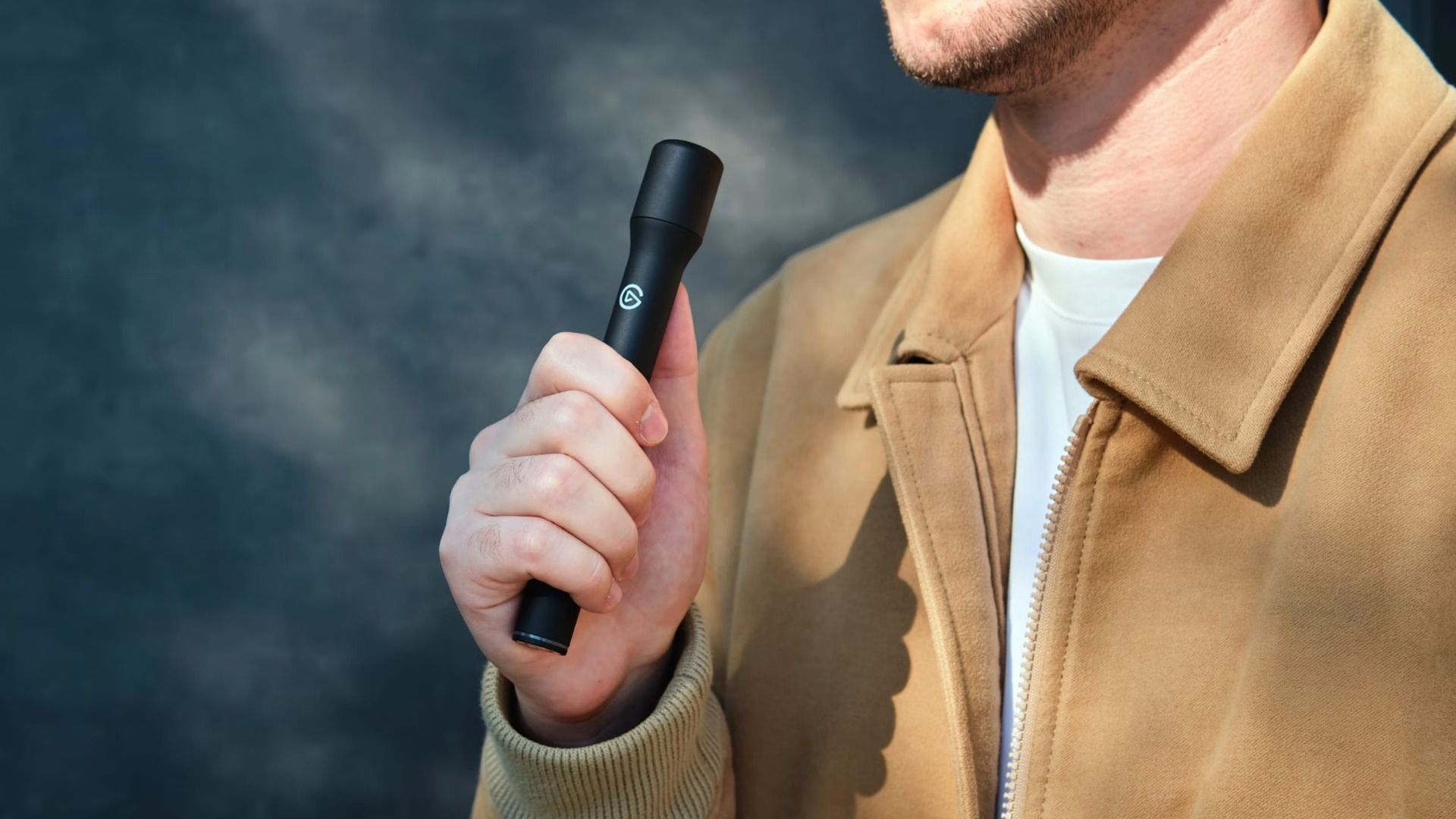
The Elgato Wave Go has a convertible design that allows users to record audio in two ways while being connected to a phone via a USB-C receiver.
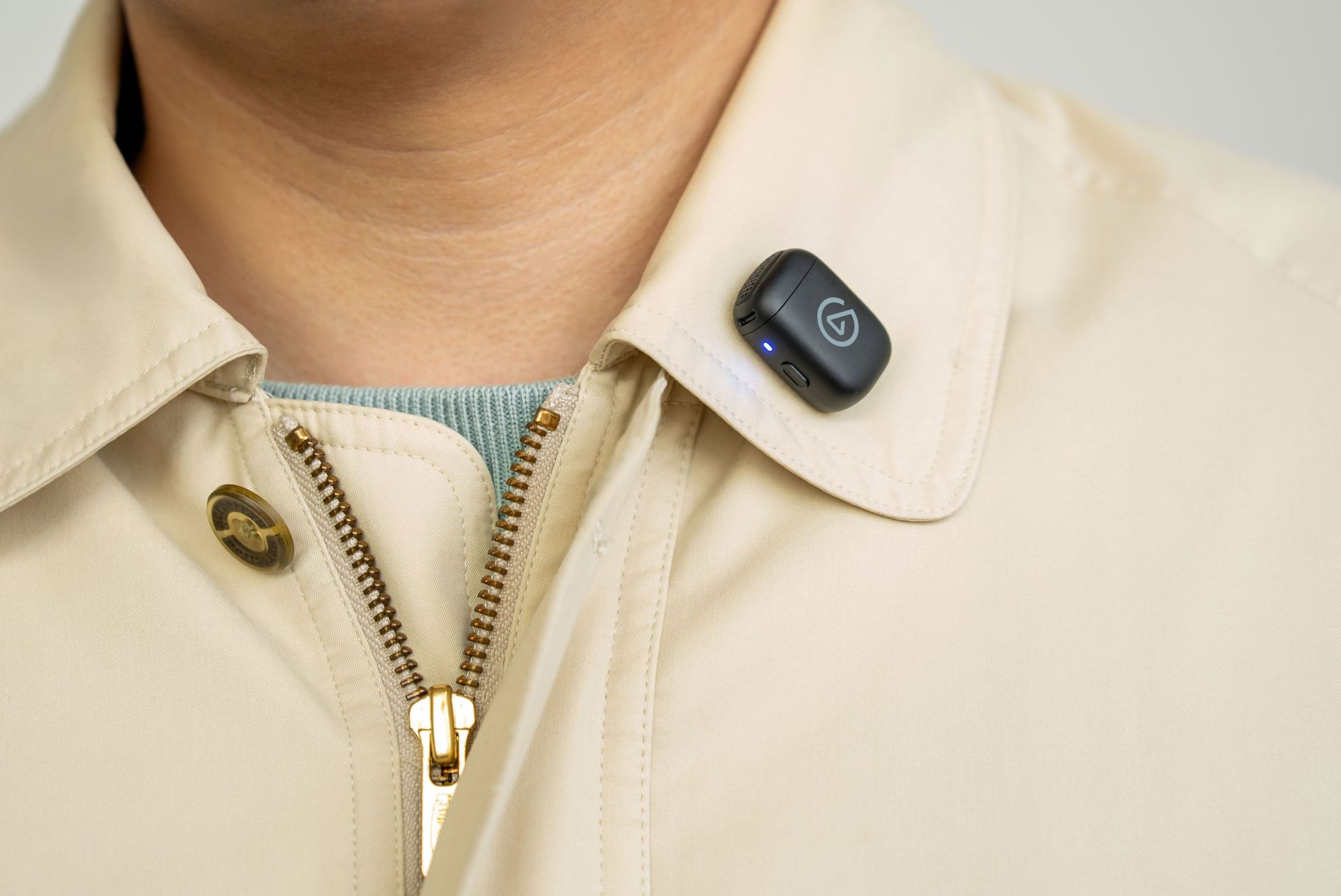
While in Clip-on Mode (which is a 7g transmitter the size of a coin), it can mount magnetically onto clothing with custom tuning that restores clarity and audio presence quality at chest distance.
In Handheld mode, Elgato Wave Go's transmitter fits inside a Smart Handle to become a full-sized interview mic with integrated controls, charging, and a sound profile that's been tuned for warmth and presence audio levels when used close up.
This microphone also features toggleable noise cancellation to block out annoying background noise, automatic EQ Shift and Auto Gain systems to apply different sound profiles and audio gain levels depending on its position and mode (without needing to mess around with its settings), and compatibility with the free Wave Go app on iOS and Android for users to customize these aforementioned features to their preference.
The Elgato Wave Go in Handheld mode. (Image credit: Elgato)
On top of that, the Elgato Wave Go will last you for a good long session, as its transmitter can run for up to 8 hours on a single charge or a full day while recording audio.
Its Smart Handle can be recharged alongside the transmitters when it's docked inside (even while recording), and it can store up to 5 full recharges so it can operate for at most 48 hours. The Elgato Wave Go can have all its components recharged while inside its carrying case, which can connect to USB-C chargers.
Its USB-C receiver also has pass-through charging, so you can recharge the Elgato Wave Go while connected to your phone.
The Elgato Wave Go in Clip-On mode. (Image credit: Elgato)
Lastly, the Elgato Wave Go can integrate with Elgato's free mixing software called Wave Link. When this mic is used in tandem with the app, users can route audio, apply effects, control its settings via Stream Deck, and unlock Voice Focus, which cleans up reverb and background noise while recording audio indoors.
If this lightweight, convertible microphone with expert sound quality, portability, and customization sounds appealing for your content creation needs, you can buy the Elgato Wave Go on Elgato.com for the MSRP of $99.99 (other retailers will sell it shortly after). The Elgato Wave Go will be available in 40 countries and regions.
Elgato is also offering a Sky Blue variant of the Elgato Wave Go for a limited time on its website. Plus, the microphone will have a second transmitter sold separately for an MSRP of $29.99 (or $14.99 when bought together with the Elgato Wave Go).
Let your voice be heard in your content with the Wave Go wireless microphone. It can be used in hand or clipped onto your shirt collar, convey and record your voice with pro-level quality, and last you over 48 hours before needing to recharge.View Deal
Join us on Reddit at r/WindowsCentral to share your insights and discuss our latest news, reviews, and more.
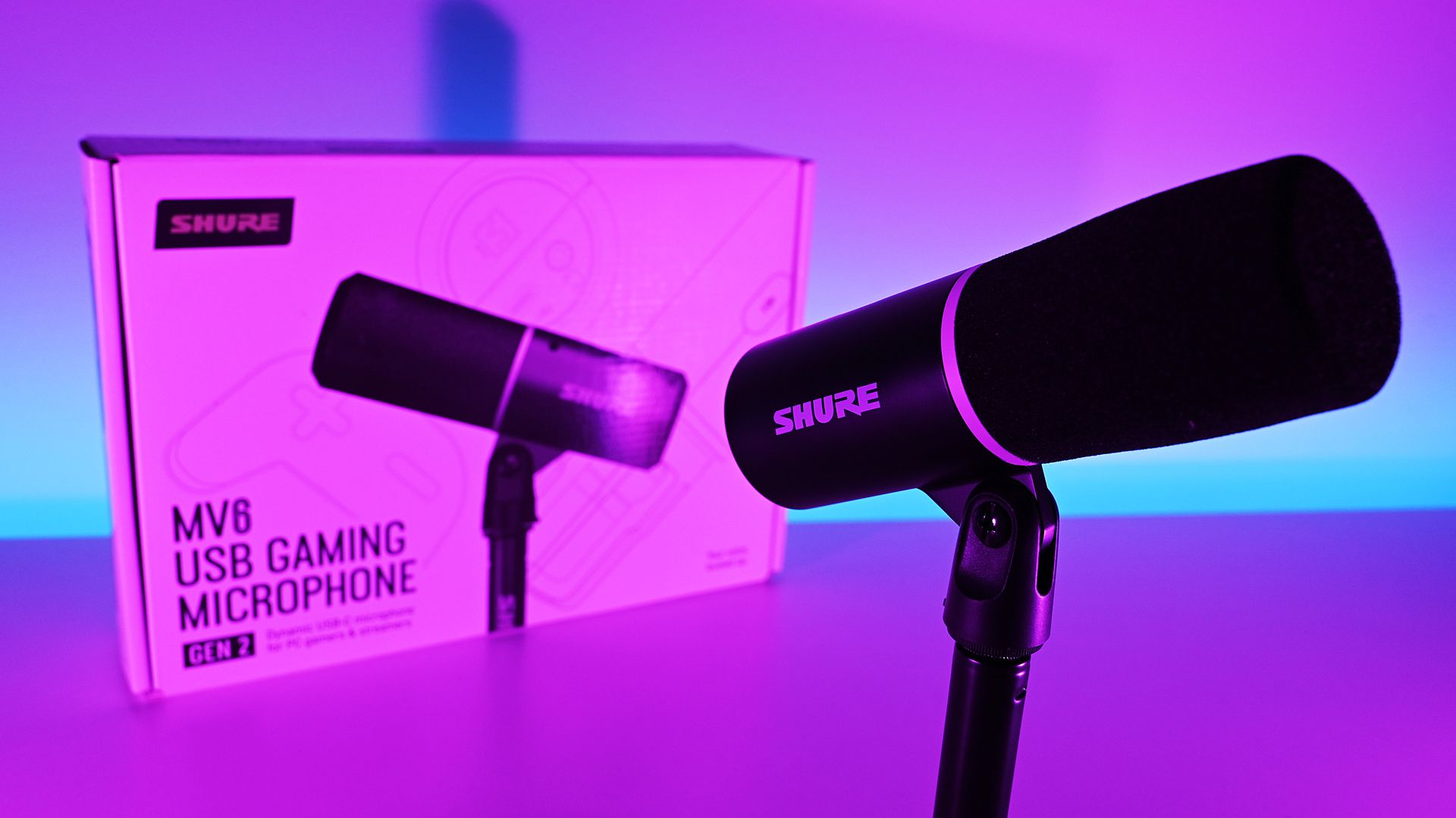
There are plenty of USB microphones aimed at gamers these days, but few come from a company with the audio credentials of Shure. For more than 100 years, Shure has built microphones for musicians, broadcasters, performers, and recording professionals, with products like the SM58 and SM7 becoming industry standards along the way. During a recent briefing with me, Shure described the new MV6 lineup as part of its effort to bring that expertise to creators who want
There are plenty of USB microphones aimed at gamers these days, but few come from a company with the audio credentials of Shure. For more than 100 years, Shure has built microphones for musicians, broadcasters, performers, and recording professionals, with products like the SM58 and SM7 becoming industry standards along the way. During a recent briefing with me, Shure described the new MV6 lineup as part of its effort to bring that expertise to creators who want professional-quality audio without the cost and complexity that often comes with traditional XLR gear.
That's what immediately appealed to me about the new MV6 Gen 2 ($169). I've spent the last 15 years using microphones for the Windows Central Podcast, livestreams, media appearances, and interviews. I've used plenty of microphones from Razer, HyperX, Blue, and others, but somehow this was my first extended experience with a Shure. After several weeks of testing, including an appearance on TWiT Episode 1101 where I received compliments on the audio quality afterward, I can see why the company has such a strong reputation among podcasters and broadcasters.
The MV6 Gen 2 may be marketed as a gaming microphone, but after using it, that label feels a little too narrow. This is a microphone for anyone who wants better voice quality without needing an audio interface, mixer, XLR cables, or a degree in audio engineering.
Shurehad no input, nor did it see the contents of this review, prior to publication.
What's new with the Shure MV6 USB Gaming Microphone Gen 2?
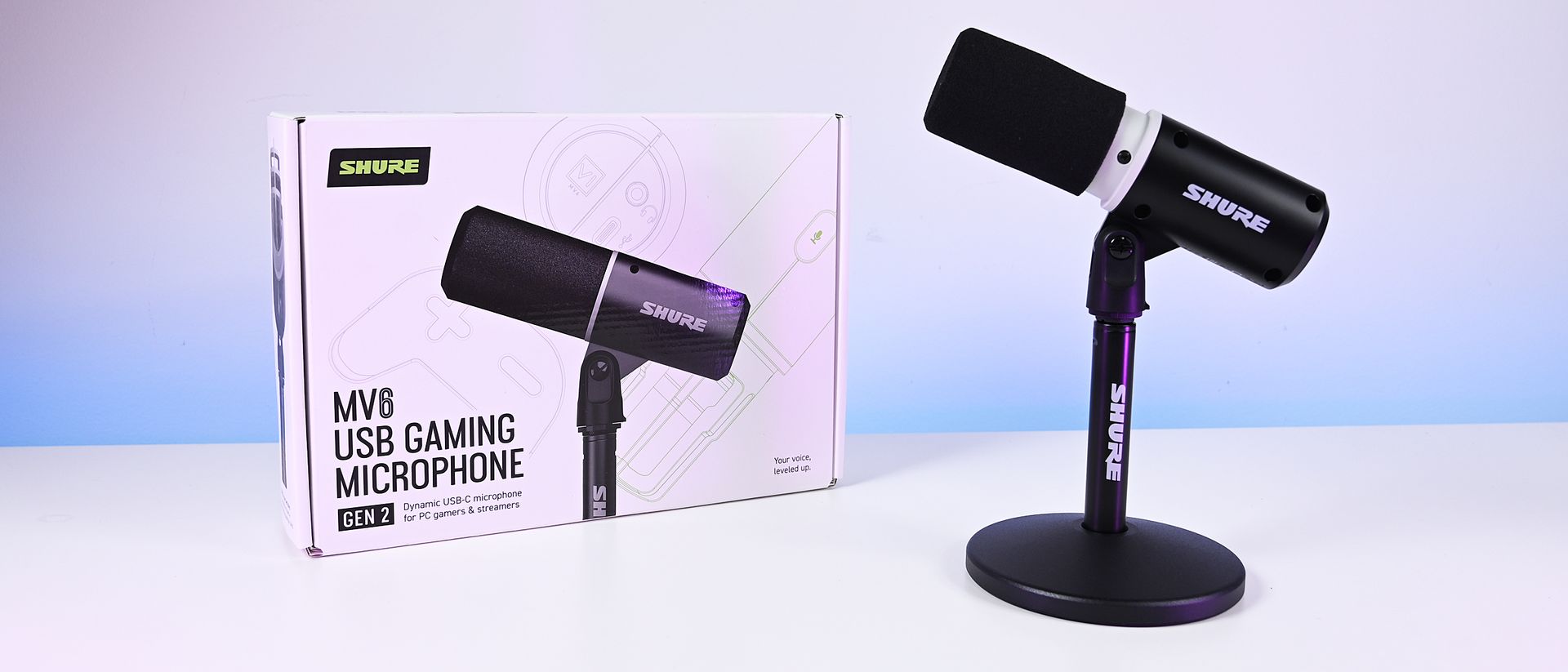
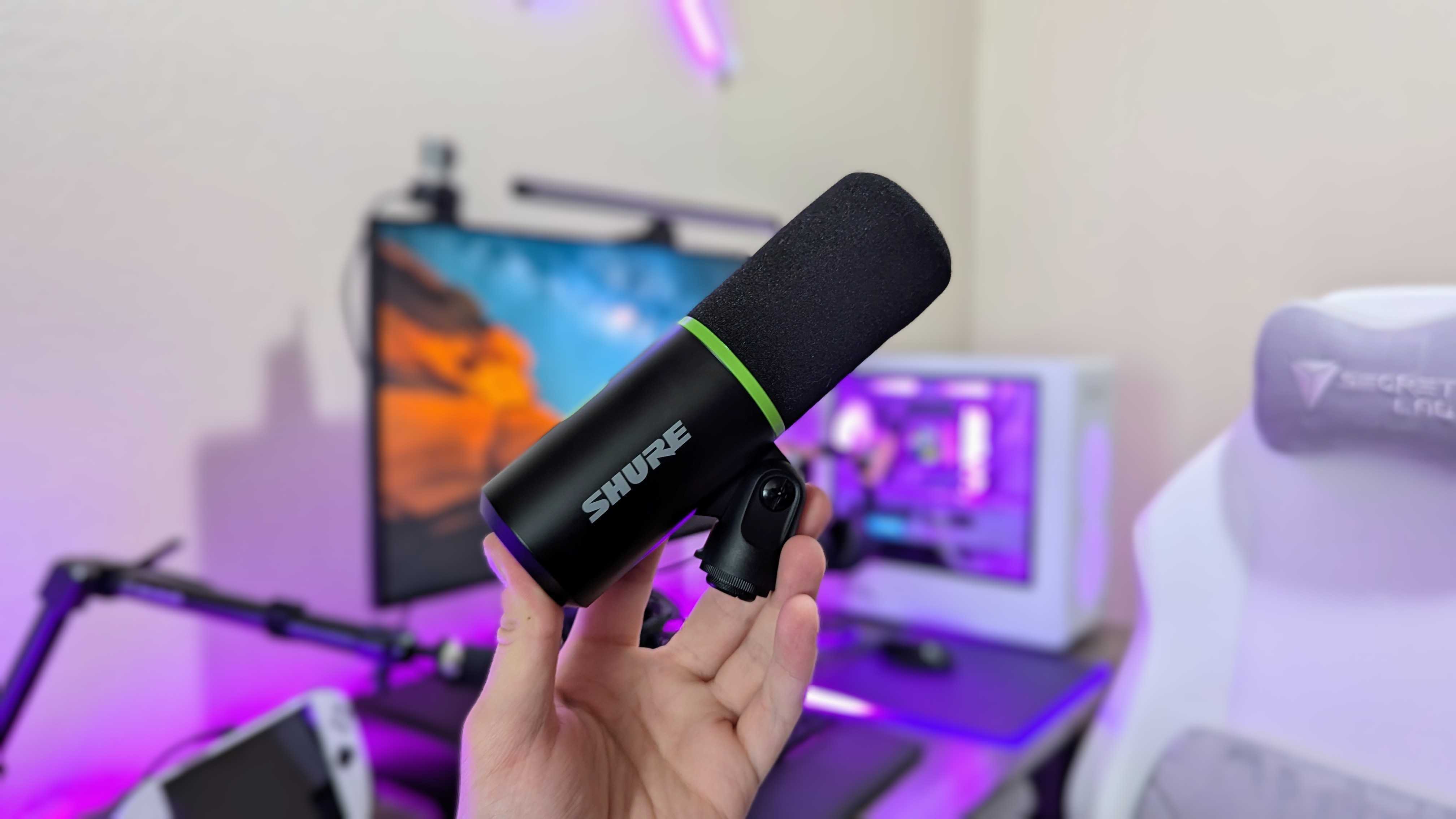
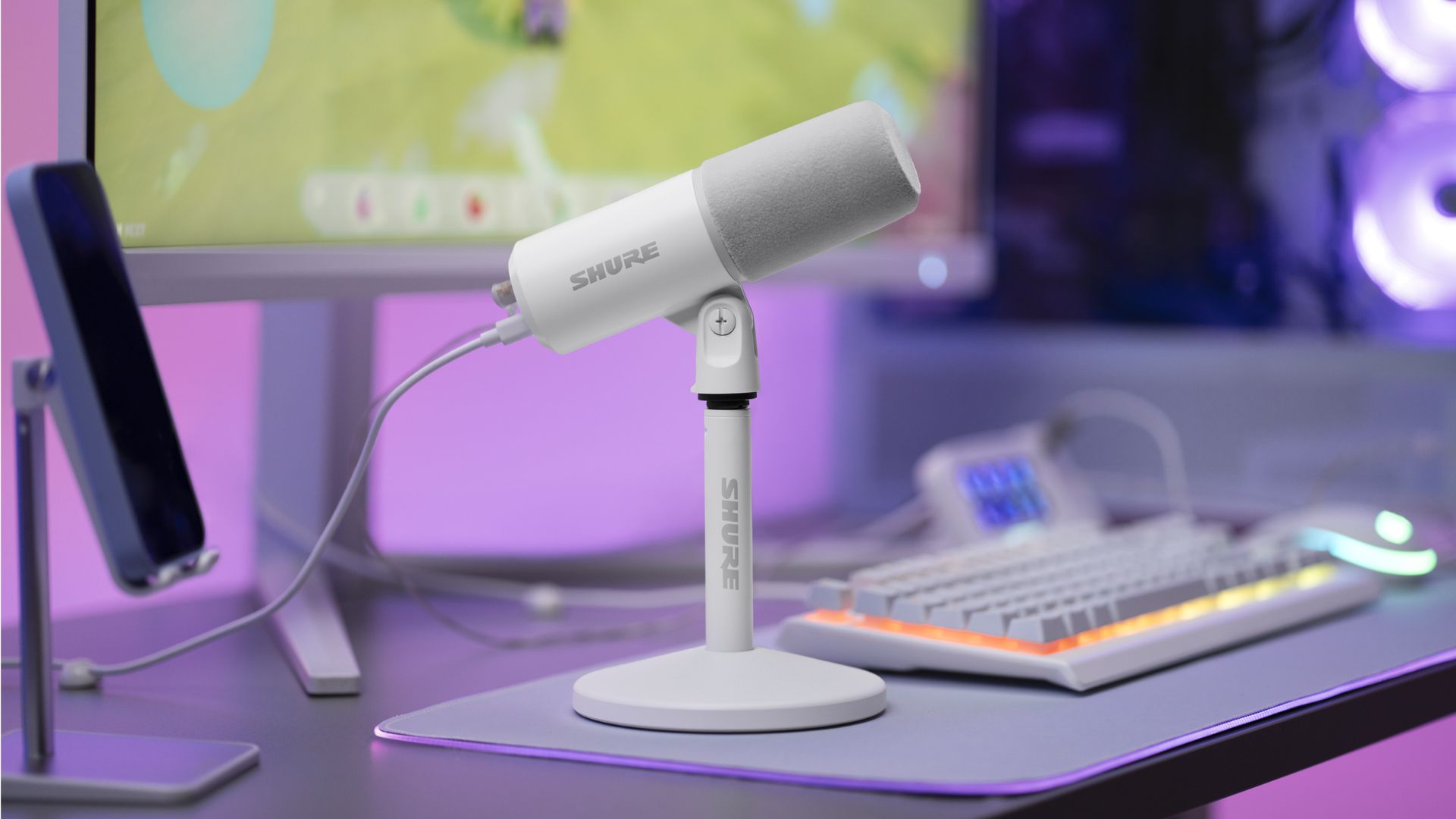
The new Shure MV6 USB Gaming Microphone Gen 2 now comes in a white option, as well. (Image credit: Shure)
I didn't review the original MV6, but most reviews of the first-generation model praised its strong audio quality, easy setup, and excellent value while noting that customization was relatively limited compared to some competitors.
Shure appears to have taken that feedback seriously.
The second-generation MV6 focuses primarily on expanding user control through software and onboard DSP processing rather than reinventing the hardware itself. The microphone still ships with Shure's "sounds great out of the box" philosophy, but users now have significantly more flexibility if they want to fine-tune their audio.
New features include:
Adjustable Auto Level controls with configurable target levels
New Adaptation Rate settings that determine how quickly gain recovers after volume spikes
Adjustable Real-Time Denoiser intensity
New Speech, Singing, and Instrument presets
A full 5-band EQ for advanced tuning
White and black color options
A longer included USB-C cable
The ability to disable the microphone's touch-sensitive mute button
Enhanced DSP processing and customization through the MOTIV Mix software suite
Perhaps most importantly, Shure accomplished this without turning the MV6 into a microphone that demands constant tweaking.
During my briefing, product manager T Banks repeatedly emphasized that users shouldn't need to understand gain staging, EQ curves, or audio engineering to get excellent results. The advanced controls are there if you want them, but the microphone is designed to sound great from the moment it's plugged in.
Shure MV6 USB Gaming Microphone Gen 2: Price and specifications
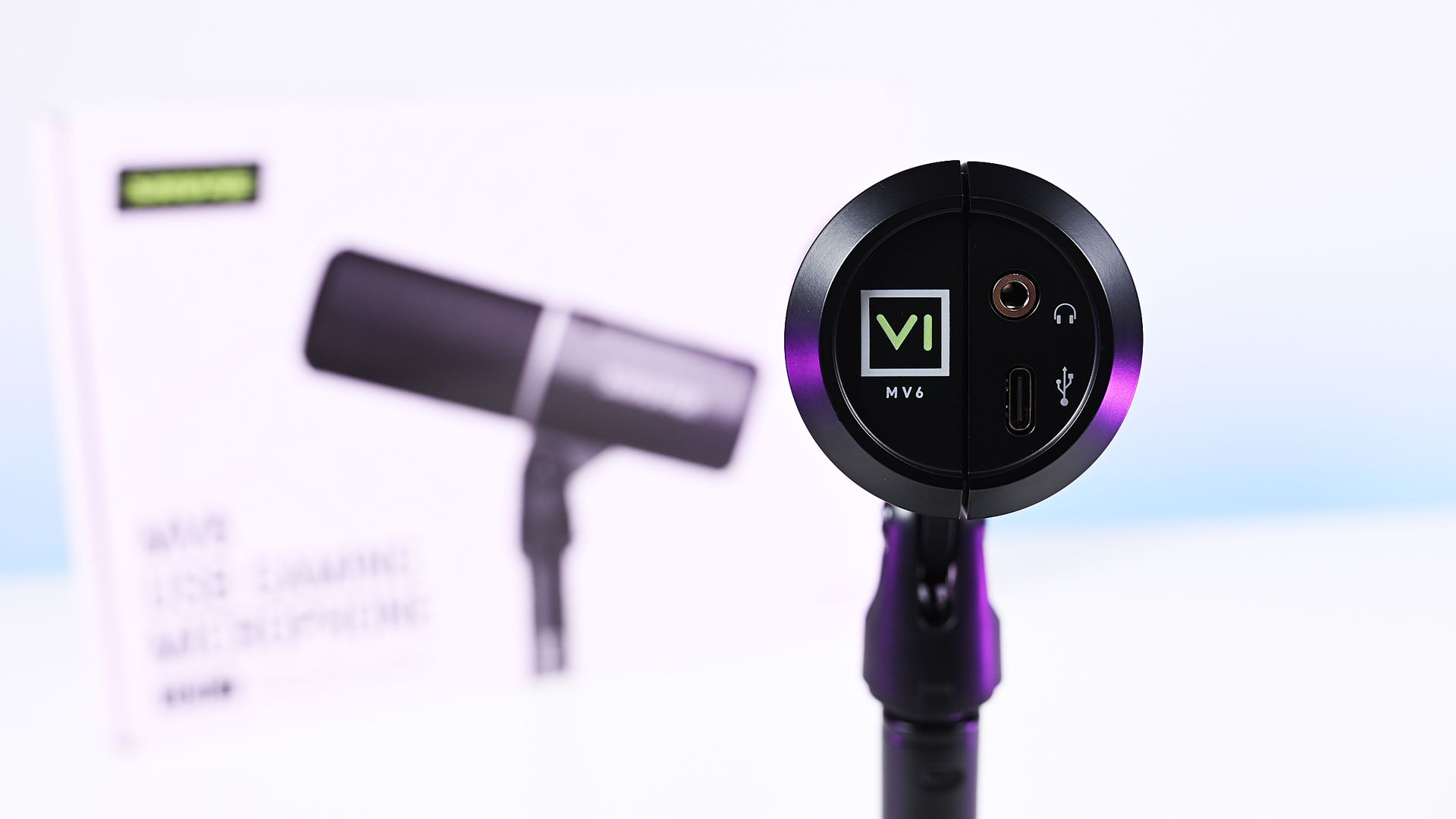
Direct bottom-up view of the Shure MV6 Gen 2 microphone displaying its 3.5mm headphone jack and USB-C port. (Image credit: Daniel Rubino)
At $169, the MV6 Gen 2 lands squarely in one of the most competitive segments of the USB microphone market.
That's a price bracket occupied by products like the Razer Seiren V3 Chroma 32-bit and HyperX QuadCast 2 S, both of which offer feature-rich experiences and recognizable gaming branding. The Shure takes a different approach. Instead of trying to out-RGB the competition, it leans heavily on audio quality, DSP processing, and the company's professional heritage.
On paper, the specifications are solid:
Dynamic cardioid microphone
USB-C connectivity
24-bit / 48 kHz audio
Adjustable Auto Level processing
Real-Time Denoiser
Digital Popper Stopper
High-pass filter
5-band EQ
3.5mm monitoring jack
Windows, macOS, iOS, and Android support
Basically, these are all the things I want and need in a mic, and none of the extra stuff that I don't.
Shure MV6 USB Gaming Microphone Gen 2: Design and setup
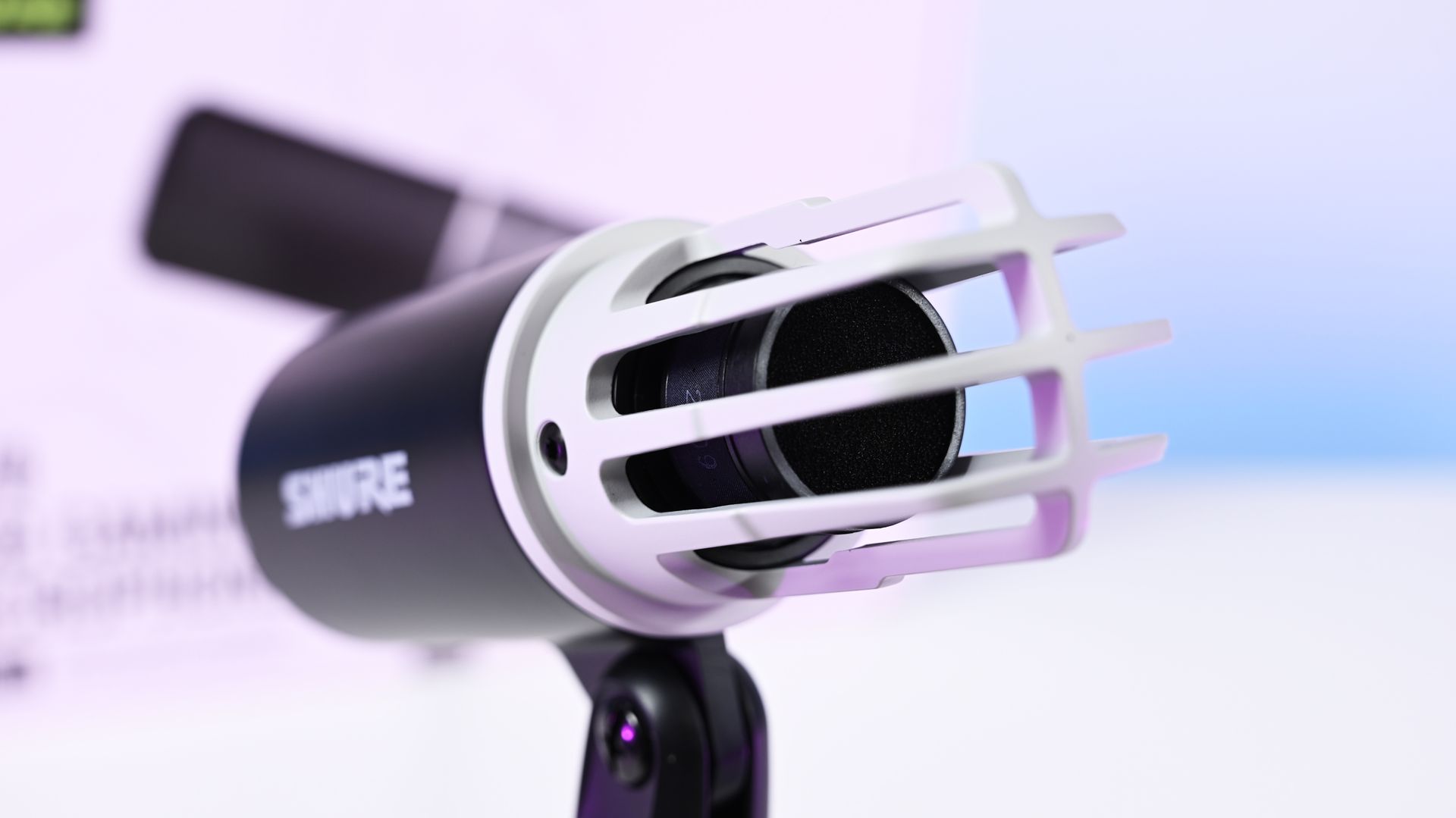
Close-up shot of the Shure MV6 Gen 2 microphone capsule with the foam windscreen off, showing the inner ribbed cage. (Image credit: Daniel Rubino)
The MV6 Gen 2 won't be mistaken for a gaming centerpiece.
Compared to the RGB-heavy HyperX QuadCast 2 S or the eye-catching Razer Seiren V3 Chroma, the Shure looks almost understated. The cylindrical design, compact desktop stand, and minimal branding prioritize functionality over personality.
Personally, I like that approach, but I also like glowy things.
The MV6 disappears into the background during video calls and recordings rather than demanding attention. It feels more like a professional tool than a gaming accessory.
Setup is about as painless as USB microphones get. Connect the included USB-C cable, select the device in Windows, and start talking.
One of the more interesting insights from my conversation with Shure involved the company's decision to omit XLR entirely. Shure believes many creators are paying extra for XLR connectivity (like the $249 Razer Seiren V3 Pro) they never actually use. By focusing exclusively on USB and investing heavily in onboard DSP, the company was able to keep costs lower while delivering audio quality that approaches much more complex setups.
Having owned mixers and used XLR microphones myself, I completely understand that reasoning. For most people, this approach makes more sense.
Shure MV6 USB Gaming Microphone Gen 2: MOTIV Mix software
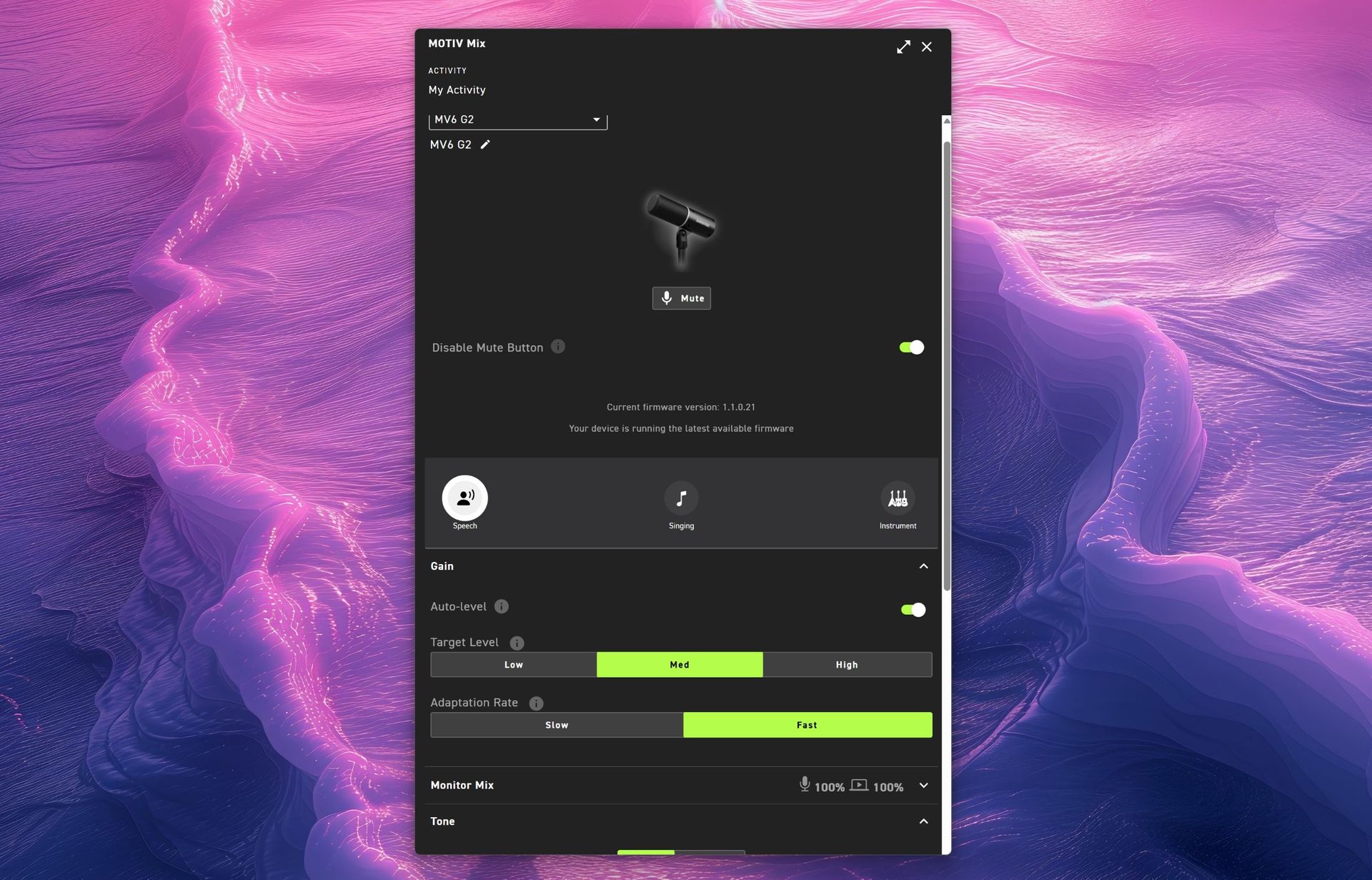
(Image credit: Daniel Rubino)
The MOTIV Mix software is where many of the Gen 2 improvements come to life.
My first impression was admittedly amusing. The installer feels surprisingly old-school, almost like a utility from an earlier Windows era. Once installed, however, the application is refreshingly straightforward.
That's a good thing.
Companies often fall into the trap of treating audio software like a cockpit. MOTIV Mix feels more like a well-organized control panel.
One of my favorite additions is the ability to disable the microphone's touch-sensitive mute button on the side. The mute function works extremely well, maybe a little too well. I accidentally triggered it more than once while adjusting the microphone, so being able to disable it entirely turned out to be an unexpectedly useful feature.
Auto Level and Adaptation Rate
Auto Level is enabled by default and serves as Shure's answer to automatic gain control.
The new system allows users to set different output targets while also adjusting how quickly the microphone responds after loud volume spikes. According to Shure, this feature was added after feedback from gamers who found the first-generation microphone could take too long to recover after sudden loud reactions.
For streamers, podcasters, and excitable gamers, it's a genuinely useful improvement.
Monitor Mix
Monitor Mix lets users balance their own voice against system audio heard through connected headphones.
Anyone who records podcasts, livestreams, or interviews will appreciate having direct control over that monitoring experience without needing external hardware.
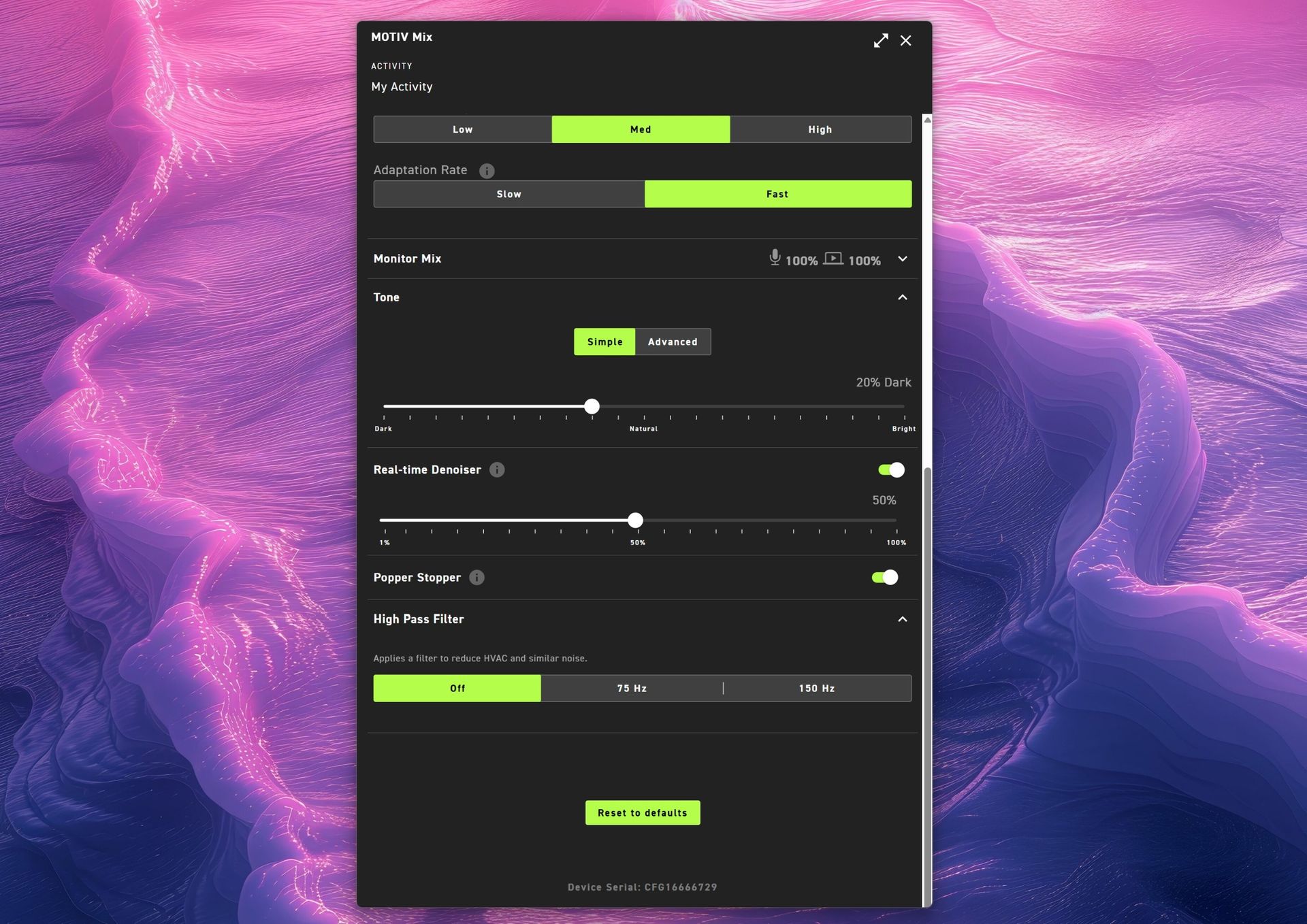
(Image credit: Daniel Rubino)
Tone and Advanced EQ
The Tone section illustrates Shure's overall philosophy particularly well.
Users who don't want to learn EQ can simply slide between Dark, Natural, and Bright tonal profiles. Those who want deeper control can switch to a five-band EQ and manually adjust key frequencies.
It's an elegant balance between simplicity and flexibility.
Real-Time Denoiser
One of the standout Gen 2 upgrades.
The original MV6 offered denoising, but Gen 2 allows users to adjust its intensity. Whether you're recording in a quiet office or trying to overcome computer fans, HVAC systems, or general background noise, the Denoiser provides meaningful control over how aggressively the microphone cleans up your environment.
Popper Stopper and High Pass Filter
The Digital Popper Stopper is designed to reduce plosive sounds caused by hard "P" and "B" consonants. During testing, it worked well enough that I never felt compelled to add an external pop filter.
The High Pass Filter can be set to 75Hz or 150Hz, helping reduce low-frequency rumble from HVAC systems, vibrations, and other environmental noise. Combined with the denoiser, it's surprisingly effective.
Shure MV6 USB Gaming Microphone Gen 2: Audio quality
This is where the MV6 Gen 2 earns its asking price.
Throughout my testing, voices consistently sounded warm, natural, and broadcast-ready with remarkably little effort. The microphone's dynamic capsule does an excellent job focusing on the speaker while minimizing distractions from the surrounding room.
(You can listen to how it sounds above during my 3+ hour guest appearance on This Week in Tech a few weeks ago.)
More importantly, it sounds good before you open the software.
That might sound obvious, but it's becoming surprisingly rare. Many gaming microphones feel like they require software processing to reach their full potential. The MV6 Gen 2 starts from an already excellent baseline and simply gives you tools to refine it further.
That philosophy came up repeatedly during my conversation with Shure. I compared its audio approach to brands like Bose, where tuning and DSP should complement the product rather than compensate for its shortcomings. The expectation is that users plug it in and immediately sound better.
In my experience, that's exactly what happens.
Against the Razer Seiren V3 Chroma 32-bit, I generally preferred Shure's warmer, more natural vocal presentation for podcasting and spoken-word content. The Razer offers more visual flair and creator-focused effects (and the auto-tuning setup in Synapse is great), but the MV6 sounded more like a broadcast microphone.
Compared to the HyperX QuadCast 2 S, the Shure again prioritizes voice quality over spectacle. The HyperX remains one of the best-looking microphones on the market, while the MV6 feels more focused on delivering clean, professional audio.
Neither comparison is a knock against Razer or HyperX. Instead, it highlights how different Shure's priorities are. This feels like an audio company that happens to be making a gaming microphone rather than a gaming company trying to make an audio product.
Shure MV6 USB Gaming Microphone Gen 2: Competition
Razer Seiren V3 Chroma microphone offers similar capabilities to the Shure MV6 Gen 2, but with a lot more typical gaming RGB flair. (Image credit: Daniel Rubino)
If RGB lighting, aesthetics, and streamer-focused visual features are top priorities, either competitor may be the better fit.
If audio quality is the top priority, the MV6 Gen 2 presents an extremely compelling argument.
Shure's competitive advantage isn't lighting, software effects, or gaming branding. It's more than 100 years of microphone experience combined with DSP technology that originated from the company's broader professional audio business.
That heritage is difficult to replicate.
Should you buy it?
✅You should buy this if ...
You want excellent audio without needing XLR hardware
You podcast, stream, create videos, or appear in meetings regularly
You value audio quality more than RGB lighting
You want useful DSP features that work automatically
❌You should not buy this if ...
RGB lighting and visual customization are important to you
You want a microphone with multiple polar patterns
You prefer software ecosystems as polished as Synapse or NGENUITY
Final thoughts
(Image credit: Daniel Rubino)
The Shure MV6 USB Gaming Microphone Gen 2 feels less like a gaming microphone and more like a professional USB microphone that happens to be affordable enough for gamers (or anyone who just needs a good mic that's not XLR-level).
For a first-time Shure user, that's probably the biggest compliment I can give it. After years of seeing Shure microphones dominate podcasts and broadcasts, I finally understand why so many creators trust the brand. The sound quality is excellent, the setup is effortless, the DSP features are genuinely useful, and the software gives you just enough control without becoming overwhelming.
My only real criticism is that MOTIV Mix lacks some of the visual polish and ecosystem refinement found in competing software suites. Beyond that, there isn't much to complain about.
At $169, the MV6 Gen 2 delivers exactly what Shure set out to achieve: professional-grade audio that simply works.
Professional Grade
Shure
MV6 USB Gaming Microphone Gen 2
Engineered specifically for PC gaming, streaming, and content creation, the MV6 Gen 2 brings Shure's professional broadcast technology to more creators, including those purchasing their first dedicated microphone and looking to elevate their sound beyond a headset.
Join us on Reddit at r/WindowsCentral to share your insights and discuss our latest news, reviews, and more.
The Razer Seiren V3 Pro arrives as a pro‑level streaming microphone that finally feels like the centerpiece of Razer’s recent run of impressive peripherals. It pairs studio‑grade hardware — a large 30 mm dynamic capsule, USB‑C and XLR outputs, and tactile controls — with deep Synapse software and Chroma RGB flair, aiming to satisfy both serious creators and RGB enthusiasts. This review cuts through the marketing: I’ll show what the mic actually sounds like, how i
The Razer Seiren V3 Pro arrives as a pro‑level streaming microphone that finally feels like the centerpiece of Razer’s recent run of impressive peripherals. It pairs studio‑grade hardware — a large 30 mm dynamic capsule, USB‑C and XLR outputs, and tactile controls — with deep Synapse software and Chroma RGB flair, aiming to satisfy both serious creators and RGB enthusiasts.
This review cuts through the marketing: I’ll show what the mic actually sounds like, how its software and features stack up against rivals, and whether it’s worth swapping in for your current setup.
Razerhad no input, nor did it see the contents of this review, prior to publication.
What it is
The Razer Seiren V3 Pro ($249.99 / €289.99) is a hybrid dynamic microphone tailored specifically for streamers, podcasters, and music producers.
At its heart sits a custom 30 mm dynamic capsule purpose-built to capture broadcast-style depth and natural warmth.
Structurally, it features a robust, resonance-resistant zinc unibody frame paired with an integrated, vibration-dampened adjustable arm mount.
To round out its premium aesthetic, it includes a gorgeous Razer Chroma RGB lighting ring that doubles as a real-time status and live mute indicator, which can be enabled by the mic button.
Quick set up
(Image credit: Daniel Rubino)
Unboxing the Razer Seiren V3 Pro is refreshingly simple. Unlike many high-end microphones that leave you scrambling to buy external accessories, this mic is entirely ready to rock right out of the box.
It features an included desktop stand, a built-in shock absorber, and a removable pop filter. Just plug it in via the included USB Type-C cable, complete a quick configuration, and you are up and running.
If you want to jump into the pro tier immediately, you can just as easily route an XLR cable (not included) straight from the base into an audio interface or mixer.
It’s a frictionless setup that gives you studio-grade enhancements with zero technical expertise required.
How it's different
USB, XLR, microphone port, and gain control are on the bottom of the Seiren V3 Pro. (Image credit: Daniel Rubino)
The Seiren V3 Pro separates itself from the pack by flawlessly bridging mainstream USB convenience and professional XLR performance.
Its primary direct competitor in this hybrid category is the HyperX Flipcast, which we've also reviewed. However, the Seiren V3 Pro secures a massive hardware victory right away: it includes a high-quality desktop stand and integrated shock mount in the box, whereas the Flipcast notoriously ships without a stand or boom arm, forcing an immediate extra purchase.
Furthermore, the software support here is on an entirely different level. While HyperX’s NGENUITY app offers rudimentary controls, Razer Synapse unlocks deep, granular audio customization:
32-Bit Float Support: Available via Synapse, this format captures a dramatically wider dynamic range to effectively eliminate digital clipping and distortion.
Advanced Audio DSP: Houses an advanced parametric EQ, noise gate, compressor, limiter, and AI noise remover directly powered by an onboard hardware engine.
Synapse Advanced Mixing: Allows for multi-channel stream routing right within the application interface.
What it's great at
A big mute button on the side is enabled/disabled with a light tap, so you don't disturb the mic while on a mount. (Image credit: Daniel Rubino)
The biggest hardware triumph here is the dual-connectivity workflow. Having both USB-C and XLR connections on one microphone offers massive advantages, though it comes with standard hybrid trade-offs:
The Pros: It provides immense versatility. Newcomers can start with a simple, plug-and-play desktop configuration and seamlessly transition into an advanced analog signal chain down the road without buying a new microphone. Interestingly, you can keep both the USB and XLR cables plugged in simultaneously and dynamically switch between them on your Windows PC.
The Cons: You are paying a premium for dual internal electronics, and advanced Synapse software functions (like 32-bit float, the parametric EQ, and advanced mixing) are strictly limited to the digital USB connection.
During testing, there wasn't a noticeable difference in tonal warmth when swapping between the two connections, but the USB interface emerged as the clear favorite for me purely because it unlocks Synapse's superior sound features and DSP suite.
My experience otherwise with the mic has been great. You can hear it in action in the short review video accompanying this article, as well as on our recent Windows Central Podcast, Episode #396.
For now, I plan to keep using this mic over my HyperX ProCast. While the ProCast is an excellent, gold-sputtered large-diaphragm XLR condenser, it is strictly analog, requires 48V phantom power, and entirely lacks the modern digital conveniences, RGB integration, and software agility that make the Seiren V3 Pro so effortless to use daily.
Plus, while the ProCast had an original MSRP of $199.99 and dropped as low as $99.99 on sale, it now appears to be discontinued and increasingly hard to find, completely out of stock at both Best Buy and HyperX.
Daniel RubinoDaniel RubinoDaniel Rubino
The Razer Synapse software features offer brilliant audio tuning, particularly the automatic environment noise test and AI noise remover. They do a spectacular job of silencing background hums and room reflections.
The Razer Synapse setup here was awesome: Hit a button and record yourself talking for 10 seconds. Hit another button and say nothing for 10 seconds. Then answer a few questions, e.g., what is your goal here (streamer, podcast, general, etc.) and what do you have fans running, environmental noise, etc. From that data, the system suggests your tuning, which you can then accept, and you're done. You can re-run the process anytime in Synapse should anything change.
The only minor catch is that the aggressive noise cancellation can occasionally cut your voice out a bit during quieter moments. Because of this, some manual tweaking of the noise gate threshold may still be needed to get it dialed in perfectly.
Finally, if you are already invested in Razer’s ecosystem—sporting a Razer keyboard, mouse, or monitor—adding this mic beautifully completes the package. The Chroma RGB ring integrates flawlessly into your existing lighting profiles, satisfying RGB enthusiasts while giving clear visual feedback on your live mute status via the tap-to-mute sensor.
Who's it for
The mic is "naked" without its pop-filter, which slides off. (Image credit: Daniel Rubino)
This microphone is built for the forward-thinking content creator. It is perfect for game streamers, podcasters, and hybrid musicians who want beautiful aesthetic flair and USB simplicity today, but demand the studio-grade security of an XLR output as their production setup grows.
Should you buy the Razer Seiren V3 Pro?
I ended up liking the Seiren V3 Pro more than I expected, largely due to the software and DSP controls. (Image credit: Daniel Rubino)
You should buy it if ...
✅ You want USB‑C now, XLR later.
✅ You use Razer Synapse/Chroma and want full integration.
✅ You need onboard DSP (32‑bit float, AI noise removal) to cut post‑work.
You should not buy this if ...
❌ You prefer a pure XLR, software‑free workflow.
❌ You’re on a tight budget and don’t need RGB or Synapse.
❌You need full feature parity on macOS without Windows Synapse.
Admittedly, my "you should not buy ifs" here are nitpicky. You can just use this as an XLR mic with a software-free workflow if you want and not worry about USB or software. But there are also more affordable XLR-only mics, hence the con.
At $249.99, Razer positions the Seiren V3 Pro firmly in the higher-end premium tier compared to the HyperX Flipcast (which currently sits at $179.99 against a $229.99 MSRP) and the now-evaporated ProCast.
However, for me, the incredible Razer Synapse DSP more than makes up for that higher cost. The sheer quality of the out-of-the-box hardware processing saves massive time in post-production. I didn't expect that to be the big selling point, but it's clever software and the kind of "don't think about it" setups I prefer.
While you could look at other heavy hitters at this price point like the Shure MV7+ or SteelSeries Alias Pro, Razer brings an unmatched physical build quality, out-of-the-box completeness, and ecosystem synergy to your desk. It delivers studio sound, simply and effortlessly.
Razer
Razer Seiren V3 Pro Microphone
Razer's new studio‑grade mic with 32‑bit float clarity, USB/XLR flexibility, built‑in DSP and pop filter, RGB status ring, and durable zinc design for clean, professional sound in streaming or recording setups.
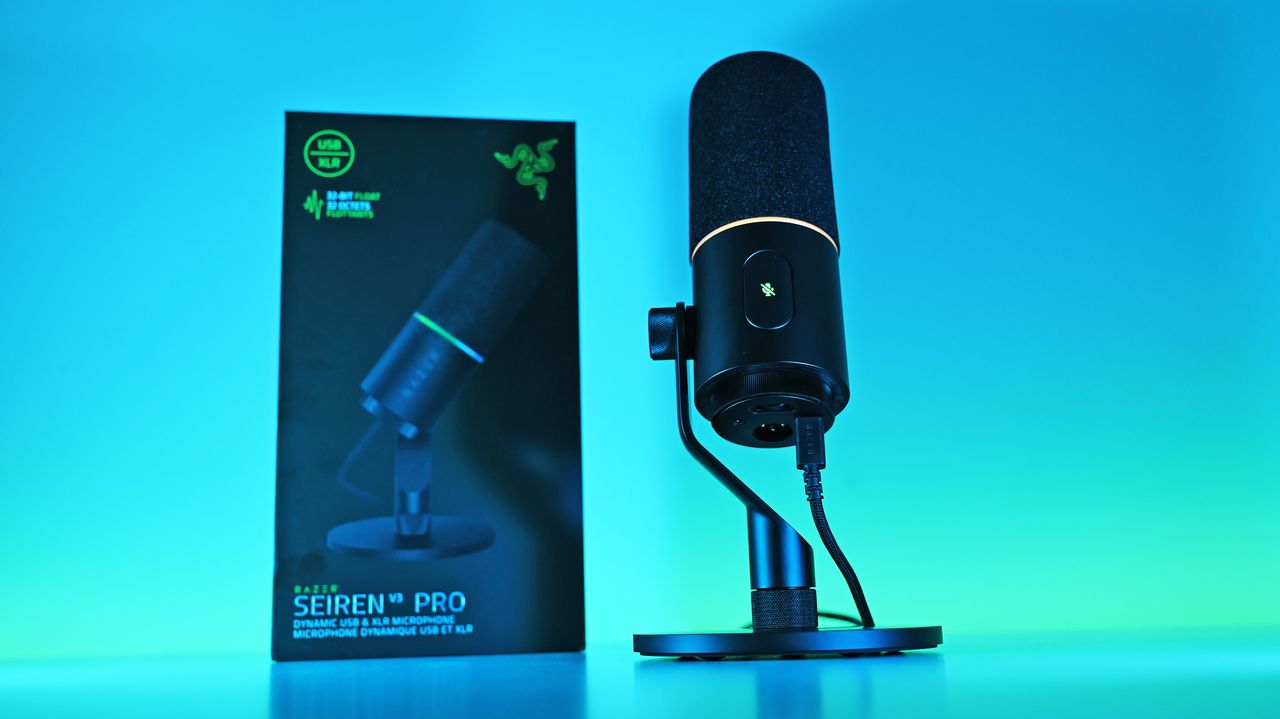
Low-angle shot of the Razer Seiren V3 Pro mic plugged into a USB-C cable next to its box, illuminated by a vivid blue and cyan background.
Low-angle shot of the Razer Seiren V3 Pro mic plugged into a USB-C cable next to its box, illuminated by a vivid blue and cyan background.
The Shure MV6 is the brand's entry-level USB microphone, and it's an excellent product that's easy to set up and use, but it's not a complete slam dunk.Image of the Shure MV6 USB microphone.
The Shure MV6 is the brand's entry-level USB microphone, and it's an excellent product that's easy to set up and use, but it's not a complete slam dunk.
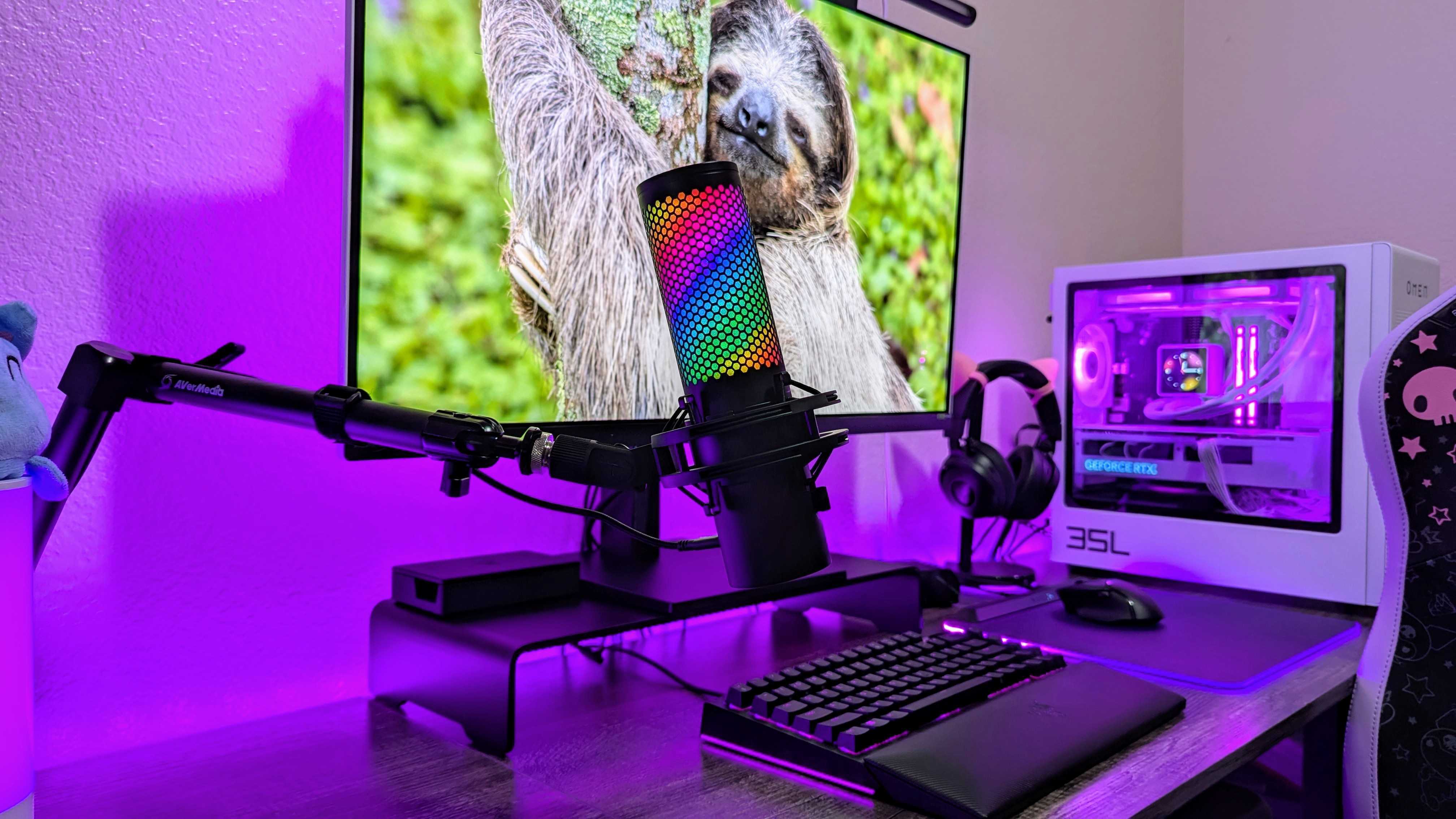
The HyperX QuadCast 2 S is the best from HyperX, and it's an incredible USB microphone with beautiful, crisp high-resolution recording quality and a clean design.The HyperX QuadCast 2 S mounted on a microphone boom arm.
The HyperX QuadCast 2 S is the best from HyperX, and it's an incredible USB microphone with beautiful, crisp high-resolution recording quality and a clean design.
The HyperX QuadCast 2 S mounted on a microphone boom arm.
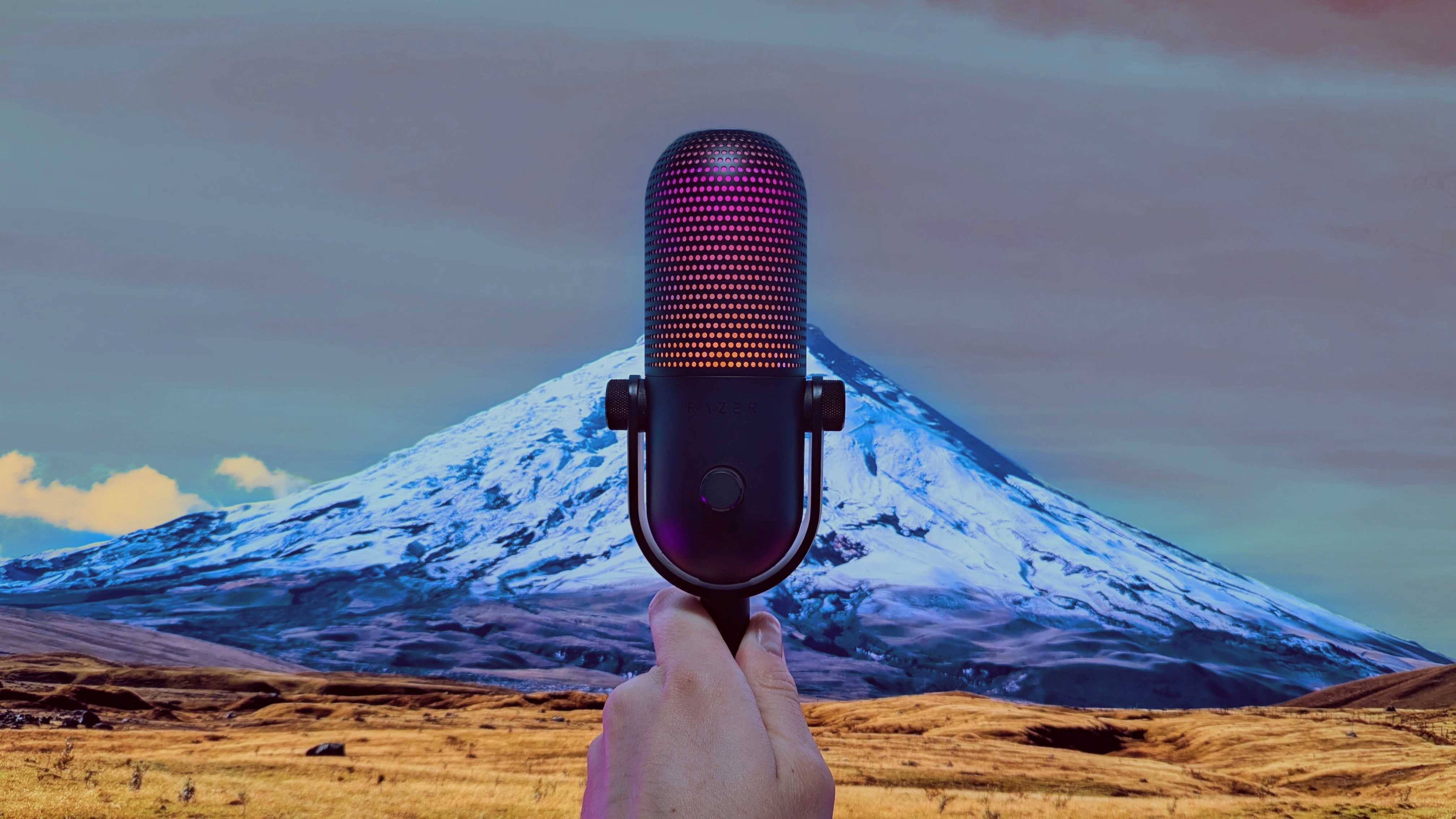
The Razer Seiren V3 Chroma is the company's latest ploy to inject RGB into everything, but underneath that it's a solid, reliable microphone with easy-to-use software.Image of the Razer Seiren V3 Chroma microphone.
The Razer Seiren V3 Chroma is the company's latest ploy to inject RGB into everything, but underneath that it's a solid, reliable microphone with easy-to-use software.

 Connexion