In this episode of the Windows Central Podcast, Daniel Rubino and Zac Bowden regroup following a week of extensive hands-on hardware testing and benchmarking. The central focus is the initial review wave for the Surface Laptop Ultra and the broader Nvidia RTX Spark mobile platform.Zac details his full review of the Surface Laptop Ultra, highlighting its MacBook-inspired design improvements, haptic touchpad, outstanding audio, sleep battery efficiency, and magneti
In this episode of the Windows Central Podcast, Daniel Rubino and Zac Bowden regroup following a week of extensive hands-on hardware testing and benchmarking. The central focus is the initial review wave for the Surface Laptop Ultra and the broader Nvidia RTX Spark mobile platform.
Zac details his full review of the Surface Laptop Ultra, highlighting its MacBook-inspired design improvements, haptic touchpad, outstanding audio, sleep battery efficiency, and magnetic USB-C connector—while contrasting its 2,000-nit Mini-LED display against competing Tandem OLED panels. Daniel shares first impressions of two rival RTX Spark flagships: the ultralight 3.9 lb ASUS ProArt P16 and the robust HP OmniBook Ultra 16.
The hosts dig into real-world local AI and agentic workflows (including tests with Hermes Agent and local LLMs), explain the critical architectural advantage of configurable unified memory allocations for GPUs, discuss gaming performance with DLSS/frame gen, and showcase the newly launched ASUS ROG Xbox Ally X20 handheld console bundle featuring XREAL AR glasses.
This episode of the Windows Central Podcast is sponsored by Surfshark VPN. Unlimited devices, access your content from anywhere, and auto-block malware on Windows, Edge, and other platforms from $2.50/mo, with 3 months extra FREE. Sign up today!
[01:44] – Introduction: Daniel and Zac kick off Episode 407, outlining their week spent benchmarking and testing retail RTX Spark laptops and handhelds.
[05:51] – Surface Laptop Ultra Design & Build: Zac breaks down the chassis aesthetics, MacBook Pro styling parallels, lack of a notch, seamless lid lip design, and weight (4.5 lbs).
[08:00] – The Mini-LED Display: Deep dive into Microsoft’s 2,000-nit Mini-LED panel, evaluating ghosting zones (1,344 dimming zones), glossy reflections, and comparisons to Tandem OLED screens.
[13:09] – Battery Life & Standby Sleep Performance: Real-world longevity on the 92 Wh battery (10–12 hours light use) and standout sleep endurance matching Apple Silicon.
[15:18] – Magnetic Breakaway USB-C: Testing the breakaway angle, data capabilities, and custom charging brick interoperability.
[18:04] – RTX Spark CPU & Gaming Benchmarks: Breakdown of 20-core multi-threaded CPU output versus single-core scores, plus gaming results with DLSS in titles like Cyberpunk 2077 (approaching RTX 4070/5060 laptop levels).
[25:59] – Local AI & Unified Memory Allocation: Why configurable system RAM sharing to the GPU CUDA cores enables large local LLM deployment that traditional gaming laptops cannot match.
[29:11] – Agentic AI Experiments: Practical workflows with Hermes Agent, desktop automation in Photoshop, automatic folder cleanup, and local data safety risks.
[46:00] – Speakers, Haptics & Missing Copilot+ Features: Praise for the class-leading haptic signals and audio alongside the notable delay of Windows Recall and semantic search on RTX Spark.
[53:56] – ASUS ProArt P16 Review Preview: Daniel highlights the 3.9 lb featherweight design, dual-fan thermals, 4K anti-reflective touch options, and port selection.
[58:50] – HP OmniBook Ultra 16 Breakdown: Frame build quality, rear tower exhaust design, Zero-Lattice Gen 2 keyboard, and compact 140W GaN charger.
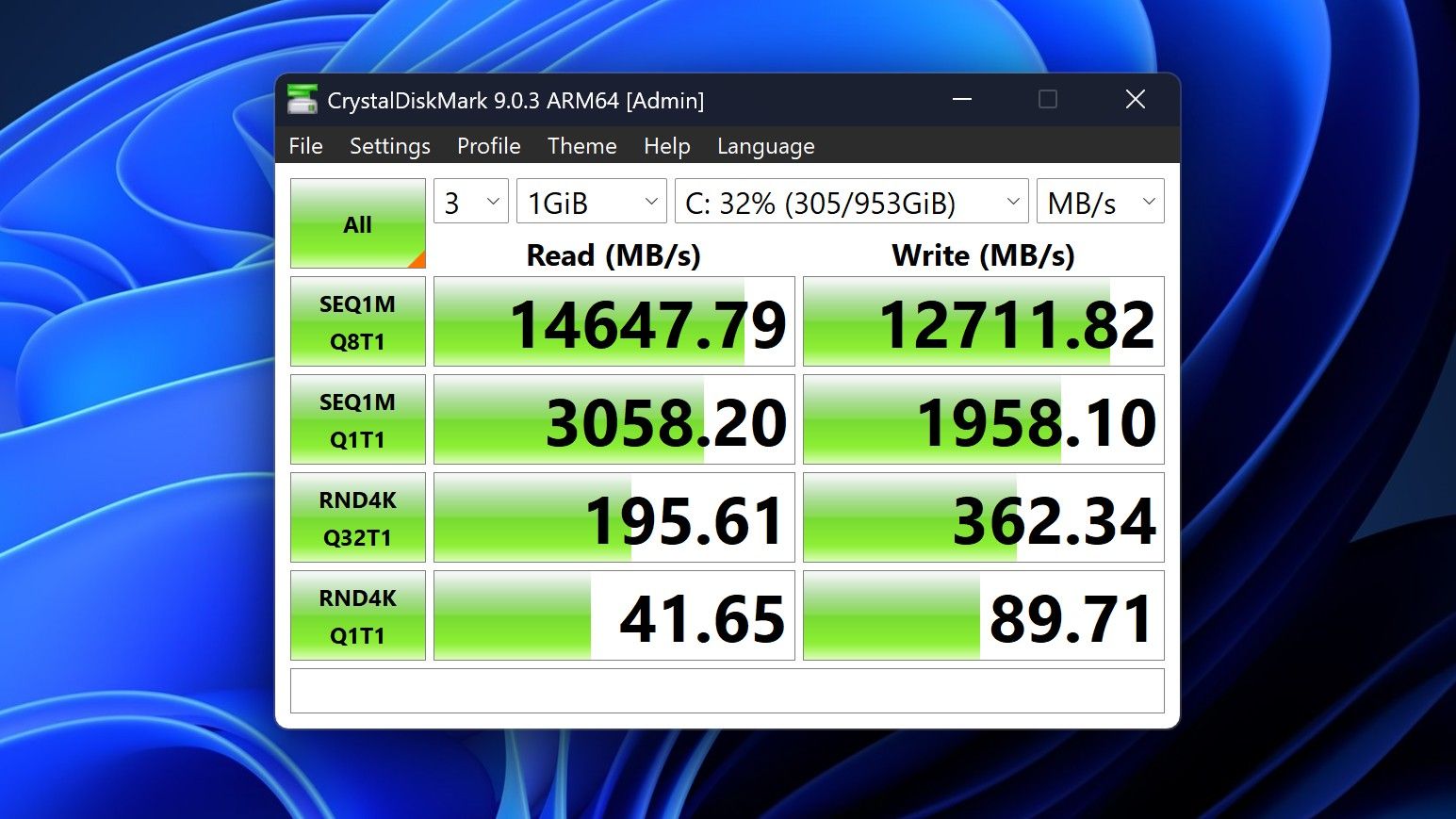
[01:06:08] – PCIe SSD Speed Shootout: Massive speed discrepancies across devices—Surface’s 14,000 MB/s drive vs. HP's 10,000 MB/s and ASUS’s variable read speeds.
[01:14:55] – ASUS ROG Xbox Ally X20 Handheld Impressions: Translucent chassis, 7.4-inch 120Hz anti-reflective OLED panel, Z2 Extreme performance, and testing the bundle with XREAL AR glasses.
[01:24:02] – Live Audience Q&A: Viewer questions regarding boot/restart bugs, NVMe expansion, OneDrive Microsoft 365 storage allocation backlash, and future low-tier RTX Spark silicon.
Have a question you want us to answer on the podcast? Send it to us at [email protected]
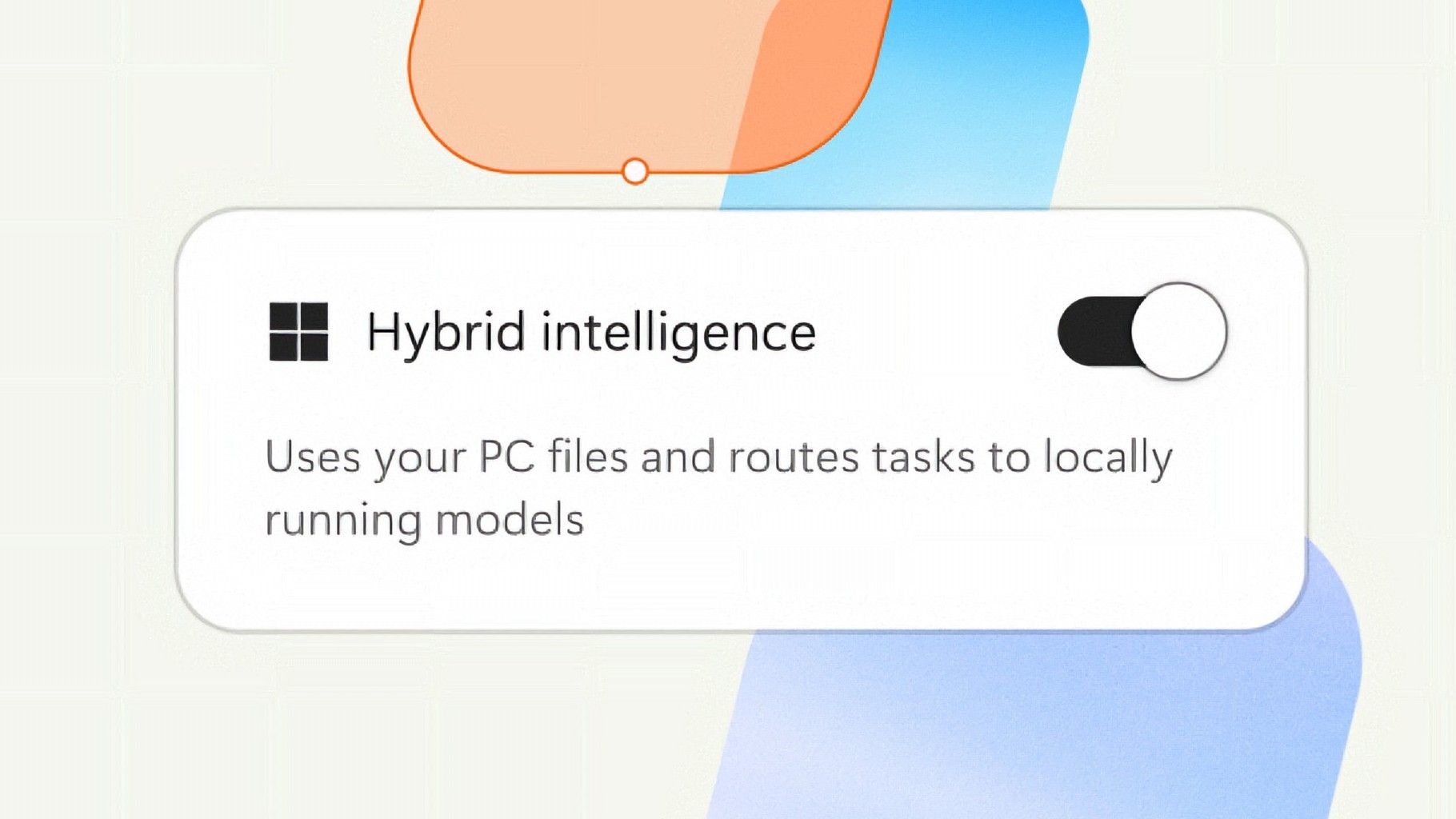
Microsoft is finally giving Copilot+ PCs more capabilities on Windows 11. After the disastrous launch of Copilot+ PCs in 2024 which ultimately led to the company retiring the brand as a marketing asset this year, Microsoft has announced Hybrid intelligence, a new wave of AI features that will utilize on-device processing and the cloud.If you thought the Copilot+ PC promise of NPU-powered local AI experiences was dead, I wouldn't blame you. Microsoft has been slow
If you thought the Copilot+ PC promise of NPU-powered local AI experiences was dead, I wouldn't blame you. Microsoft has been slow to build out NPU-based AI features on Windows 11, with Click To Do and Semantic Search being the last Copilot+ PC exclusive features to launch over a year ago.
But that seems to be finally changing with "Hybrid intelligence," a part of which is being built directly into the Copilot app on Windows 11 and will intelligently route AI tasks and experiences between on-device processing and the cloud on Copilot+ PCs. Here's what's coming soon to Windows 11:
Local context: With your permission, Copilot can understand relevant content on your PC, including files and recent activity, bringing local context into the flow of work.
Local actions: Copilot can take action on your behalf across Windows, helping complete tasks like organizing files, assessing device diagnostics, troubleshooting issues, coding, and carrying out workflows directly on your device.
Local models: Copilot can tap into AI models running on your PC, using local compute for the right tasks while combining it with cloud intelligence when needed.
Hybrid Intelligence looks to be a natural evolution of Copilot+ PCs. Microsoft is finally giving this AI hardware more to do, with the ability to reach out to the cloud when required for more complex workloads. These Hybrid Intelligence features enhance the new Copilot Home, Code, and Autopilot experiences that were recently announced.
"Copilot understands your PC, takes action with your permission, and uses local models when it makes sense, with you in control at every step," Microsoft says. "Copilot features powered by hybrid intelligence are expected to begin rolling out on Copilot+ PCs in the coming months."
(Image credit: Microsoft)
Microsoft says Hybrid intelligence requires Copilot+ PC compatibility, which naturally implies that these new AI experiences will lean on the NPU for local processing, as that's one of the hardware requirements for meeting the Copilot+ PC feature bar.
Microsoft believes that a hybrid approach to AI will be the way forward for computing. It's important for PCs to have local AI compute power and capabilities to reduce pressure on data centers, and it's also important for privacy and security reasons too.
Agents on Windows are being heavily pushed as a local AI experience, though it requires PCs with powerful GPUs and lots of system memory to really take advantage of. The NPU is not powerful enough to handle most large language models at current, and so is reserved for less power intensive tasks and automations.
The company has also announced Aion Instruct, an on-device AI model that replaces Phi Silica and runs on not just the NPU, but GPU and even CPU in some cases. It's a small language model capable of handling text generation, instruction following, and web tasks.
Microsoft has confirmed that the Copilot+ PC brand is going away as a marketing asset, but it will continue to exist as a feature set. OEMs and Microsoft itself have stopped calling their new Surface PCs Copilot+ PCs, even though they are all Copilot+ PC compatible.
Now, the Copilot+ PC moniker is simply a checkbox on a spec sheet, and it looks like Hybrid intelligence PCs is the new marketing term that Microsoft wants to get in front of as many people as possible.
Join us on Reddit at r/WindowsCentral to share your insights and discuss our latest news, reviews, and more.
Microsoft is finally ready to take on the MacBook Pro with the new Surface Laptop Ultra. From pricing to specs and design, Surface Laptop Ultra was inspired by MacBook Pro, and that's not necessarily a bad thing. Unlike most Surface PCs we see ship these days, the Surface Laptop Ultra is a lot of firsts for Microsoft. It's the first ultra-class Surface Laptop, designed from the ground up to compete squarely with high-end professional creator or developer mobile w
Microsoft is finally ready to take on the MacBook Pro with the new Surface Laptop Ultra. From pricing to specs and design, Surface Laptop Ultra was inspired by MacBook Pro, and that's not necessarily a bad thing.
Unlike most Surface PCs we see ship these days, the Surface Laptop Ultra is a lot of firsts for Microsoft. It's the first ultra-class Surface Laptop, designed from the ground up to compete squarely with high-end professional creator or developer mobile workstations.
What I find fascinating about Surface Laptop Ultra however is that it exists because Microsoft's own developers and engineers wanted it. They built this laptop for themselves. It feels like the company got tired of looking over the fence at the MacBook Pro, and decided "why don't we just make our own version of that?"
It really is Microsoft's most powerful and most capable Surface PC ever, and a great stage for Windows. But that doesn't necessarily mean it's the best Surface PC for everyone. I've been testing the laptop over the last 8 days, and here are my thoughts on Microsoft's new flagship computer.
This review was made possible thanks to a review unit supplied by NVIDIA & Microsoft. Neither company had editorial input and did not see the contents of this review prior to publication.
Price & Availability
Microsoft
Surface Laptop Ultra
Surface Laptop Ultra is Microsoft's flagship and most powerful Windows PC. It can be configured with up to 128GB RAM, and ships with NVIDIA's new RTX Spark SoC. It's great for creative workflows and software development, and those who want to run local AI and LLMs directly on their device.
Surface Laptop Ultra is Microsoft's most expensive Surface Laptop to date. It starts at an eyewatering $2,599 for the entry-level configuration with 24GB of RAM, 512GB SSD storage, and an 18-core RTX Spark with 5,120 GPU cores. That's an expensive laptop, and it only gets worse the higher you climb up the specs ladder.
The model I've reviewed is the very top end configuration, with a crazy 128GB RAM, 1TB SSD, and a 20-core RTX Spark with 6,144 GPU cores. That model will set you back $5,899, which at these prices basically makes this a $6,000 laptop. That's an insane amount of money to spend on a laptop, but this configuration only really exists for professionals who need the extra power to run local agents and data crunching.
For video creators, gamers, and prosumers, you'll be more than well served with the lower tier models with 24-32GB RAM. All models come with the same mini LED screen, speaker setup, ports, keyboard, and trackpad. It's also available in Platinum or Nightfall colorways (aka, silver and black.)
Brightness: SDR up to 1,000 nits (typical), HDR up to 2,000 nits peak luminance
Optimised for touch interaction
Operating System
Windows 11 Home (24 GB unified memory models)
Windows 11 Pro (32 GB, 64 GB, and 128 GB models)
Ports & Connectivity
2 × USB-C® / USB4®
1 × USB-C® / USB4® with Magnetic Connect
1 × HDMI 2.1b
1 × USB-A 3.1
1 × Full-size SD card reader
1 × 3.5 mm headphone jack
Wireless
Wi-Fi 7, Bluetooth 5.4
Camera & Audio
1080p Full HD front-facing camera
Battery Life
Up to 15 hours of local video playback
Up to 12 hours of active web usage
Power Supply
Requires USB PD 115W–140W charging
Weight & Dimensions
Weight: 2.0 kg (4.41 lbs)
Chassis: Sub-18 mm thickness
Colours
Platinum, Nightfall
Base Price
Starting at $2,599
Design & Ports
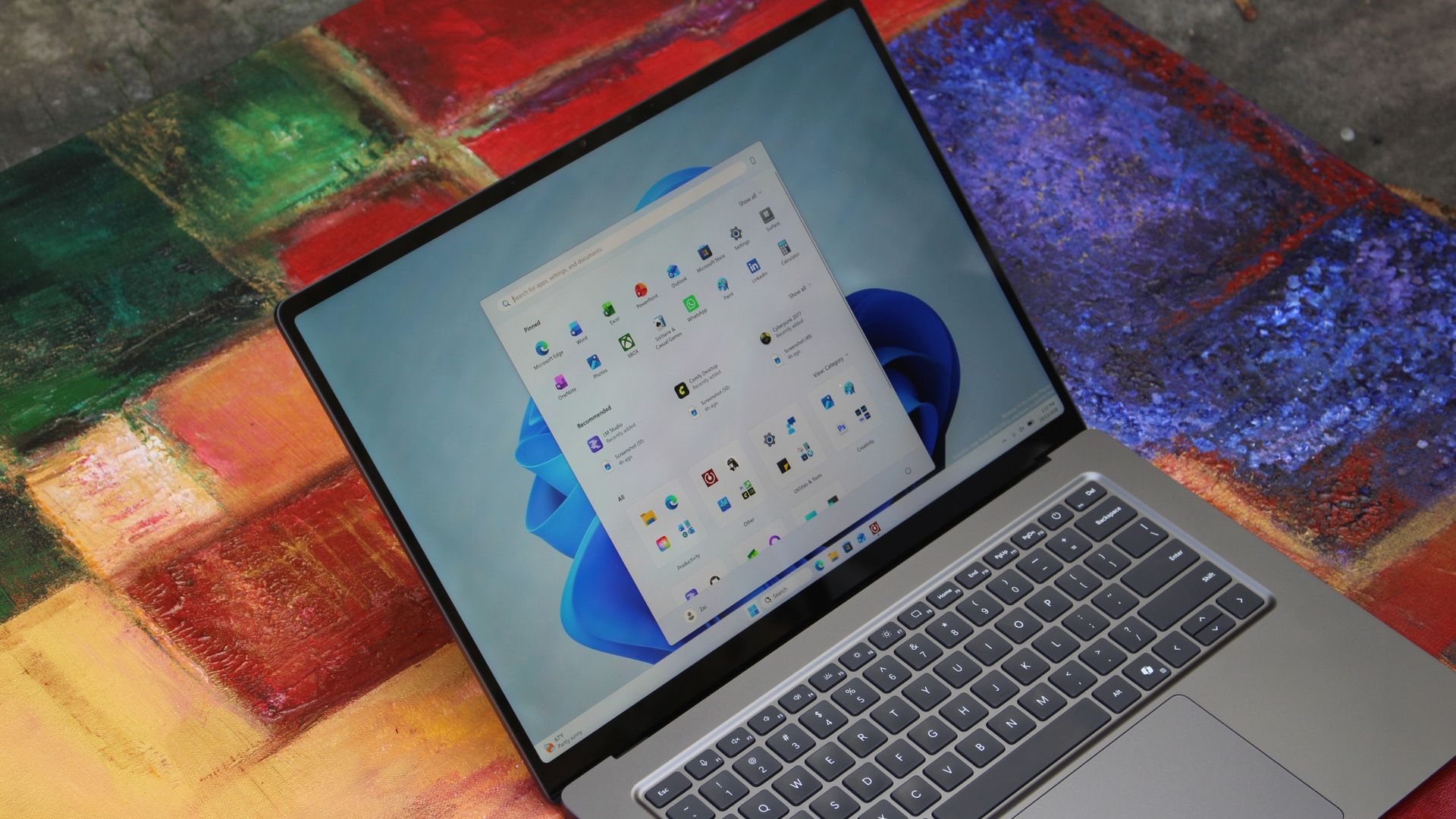
MacBook Pro? (Image credit: Zac Bowden / Windows Central)
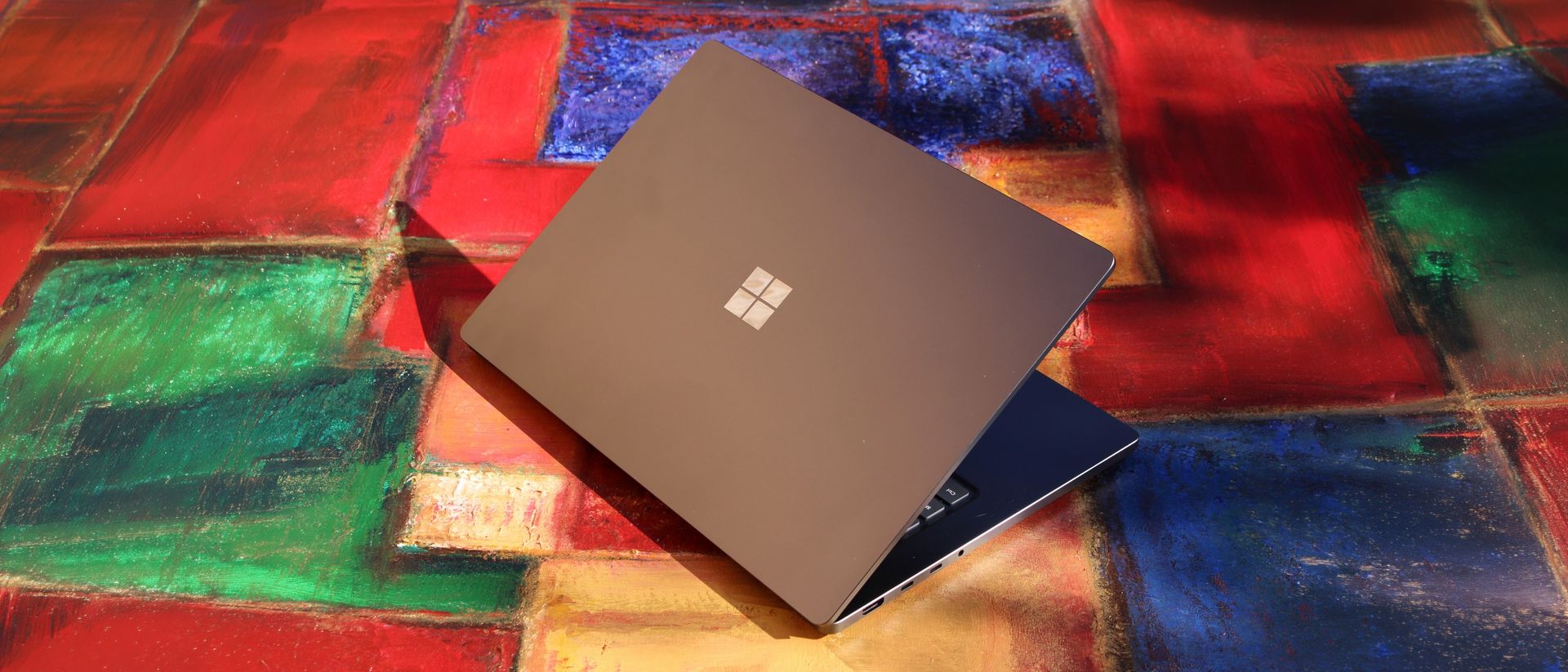
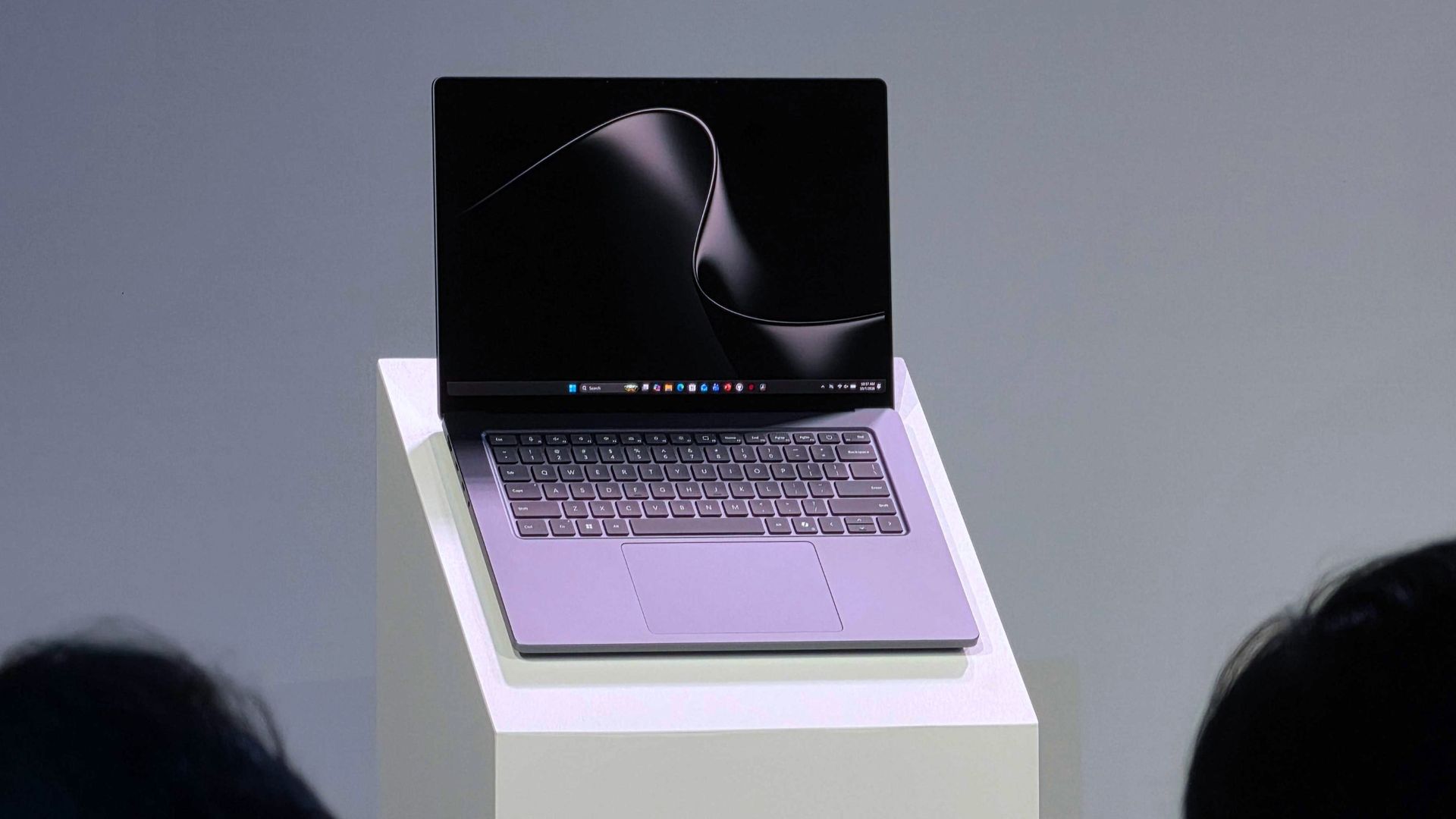
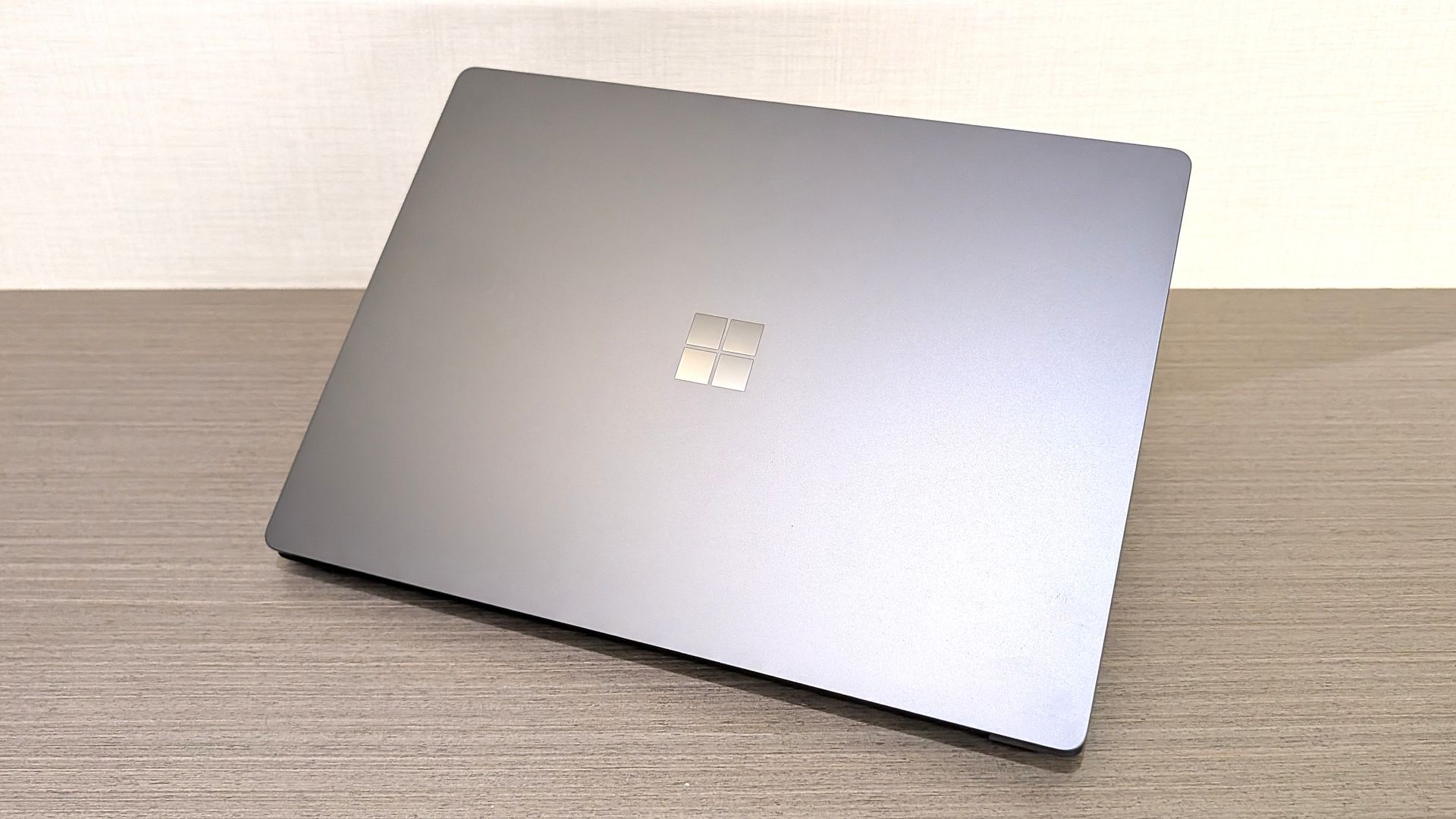
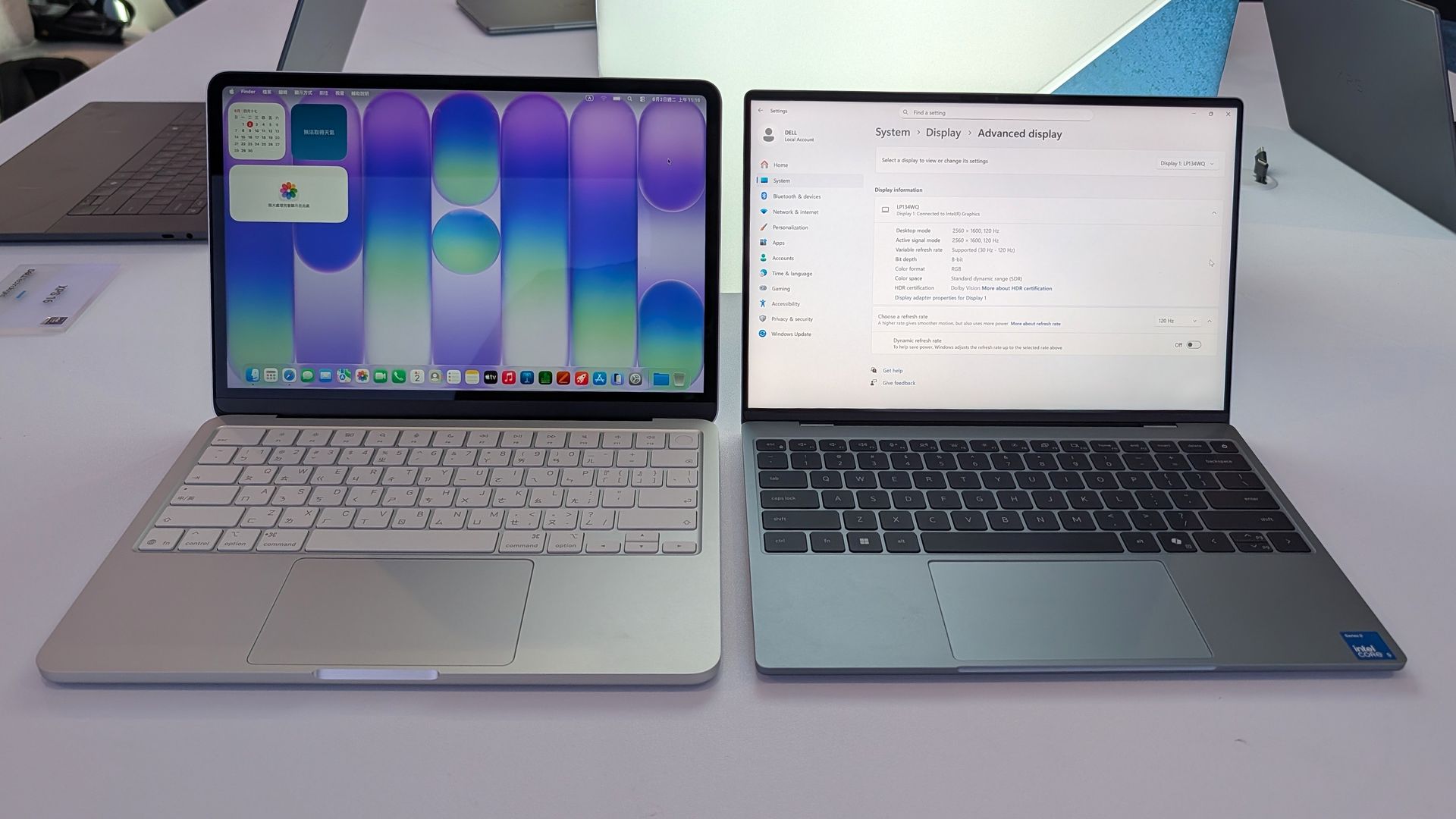
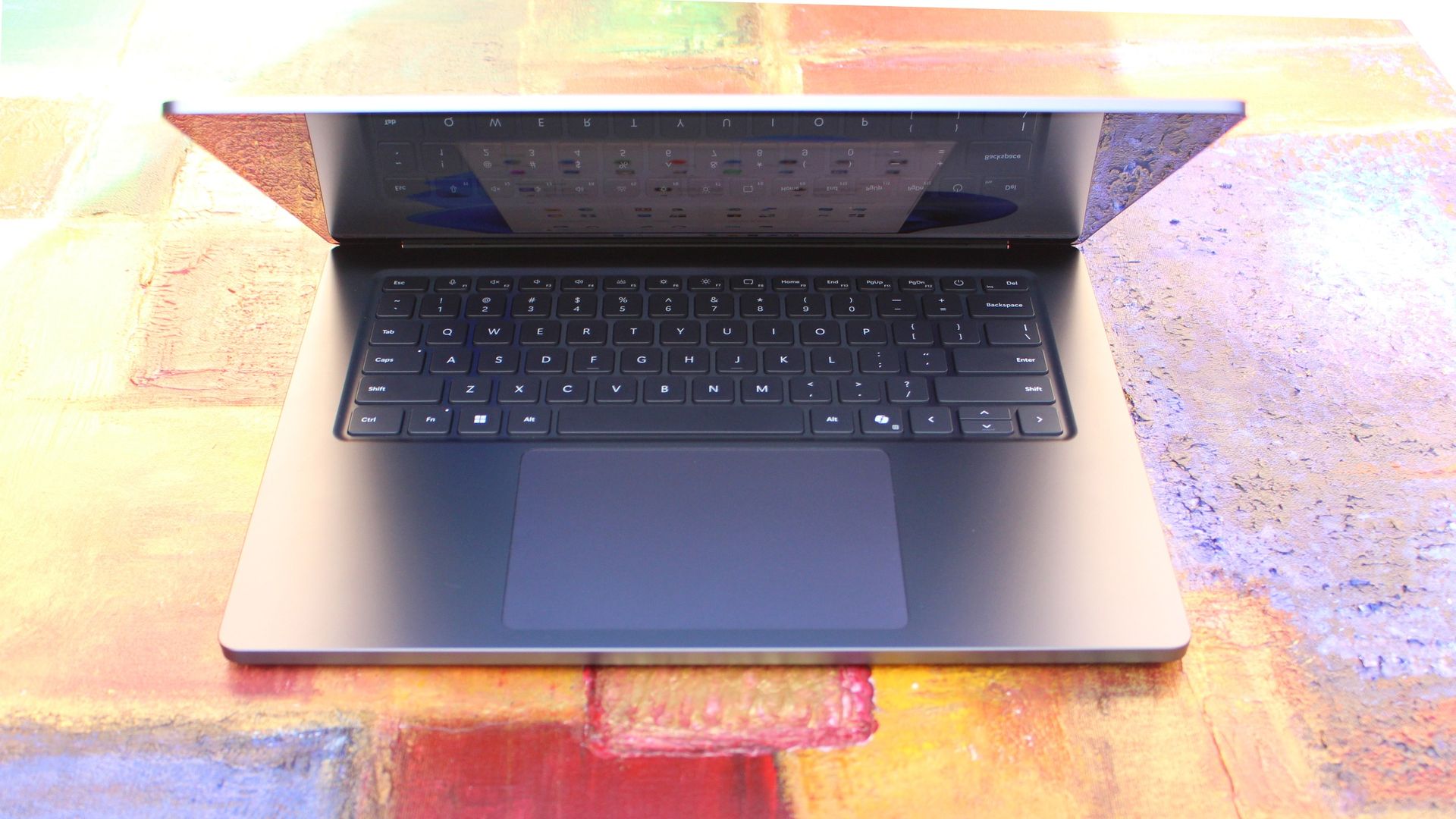
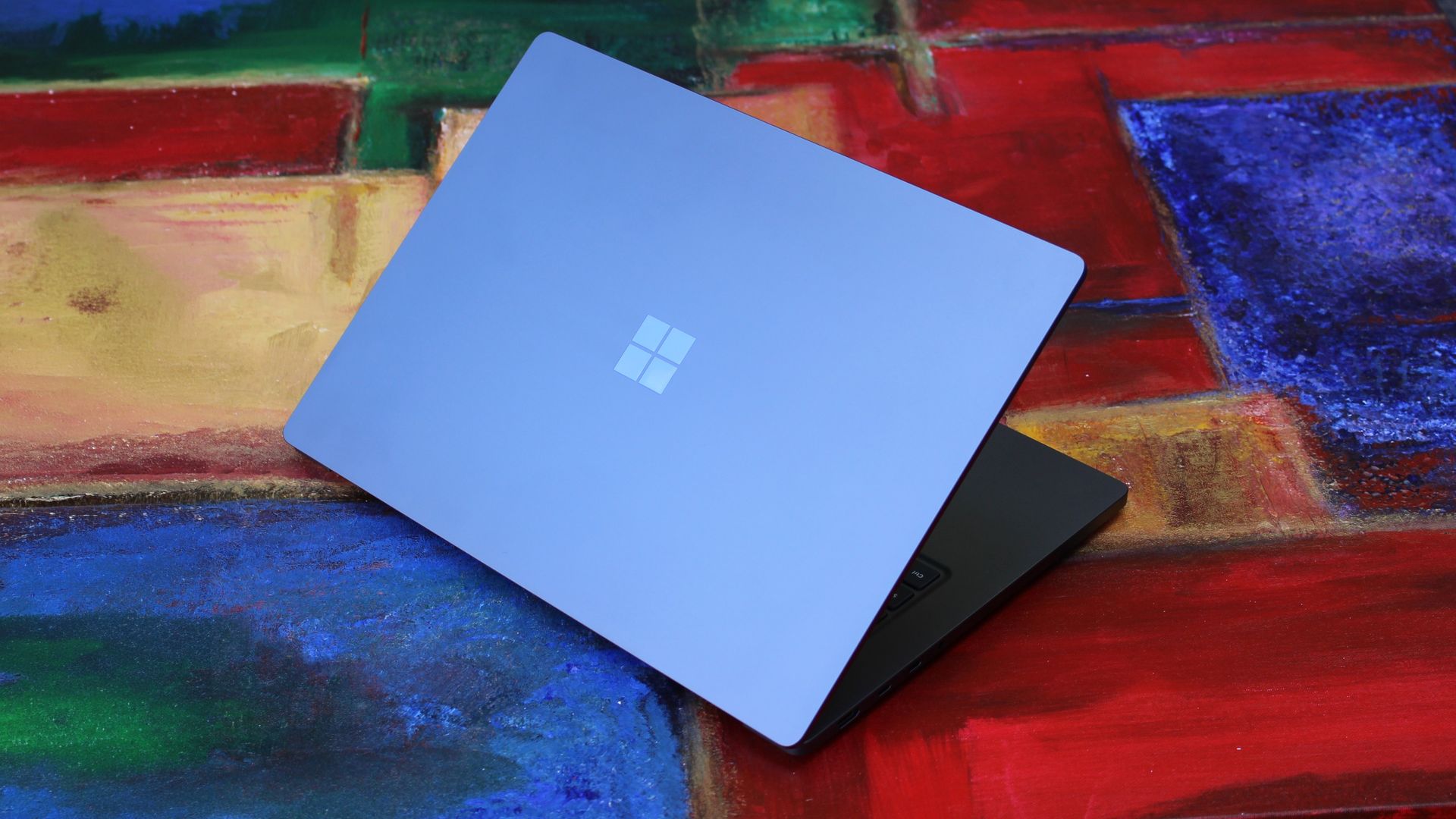
We have to start with how this thing looks, and we do need to address the fruit-shaped elephant in the room. Yes, Surface Laptop Ultra looks an awful lot like a MacBook Pro. I wouldn't blame the layman for even thinking it was a MacBook Pro from a distance. The square edges, large trackpad, and minimalist design echo the MacBook Pro from pretty much every angle.
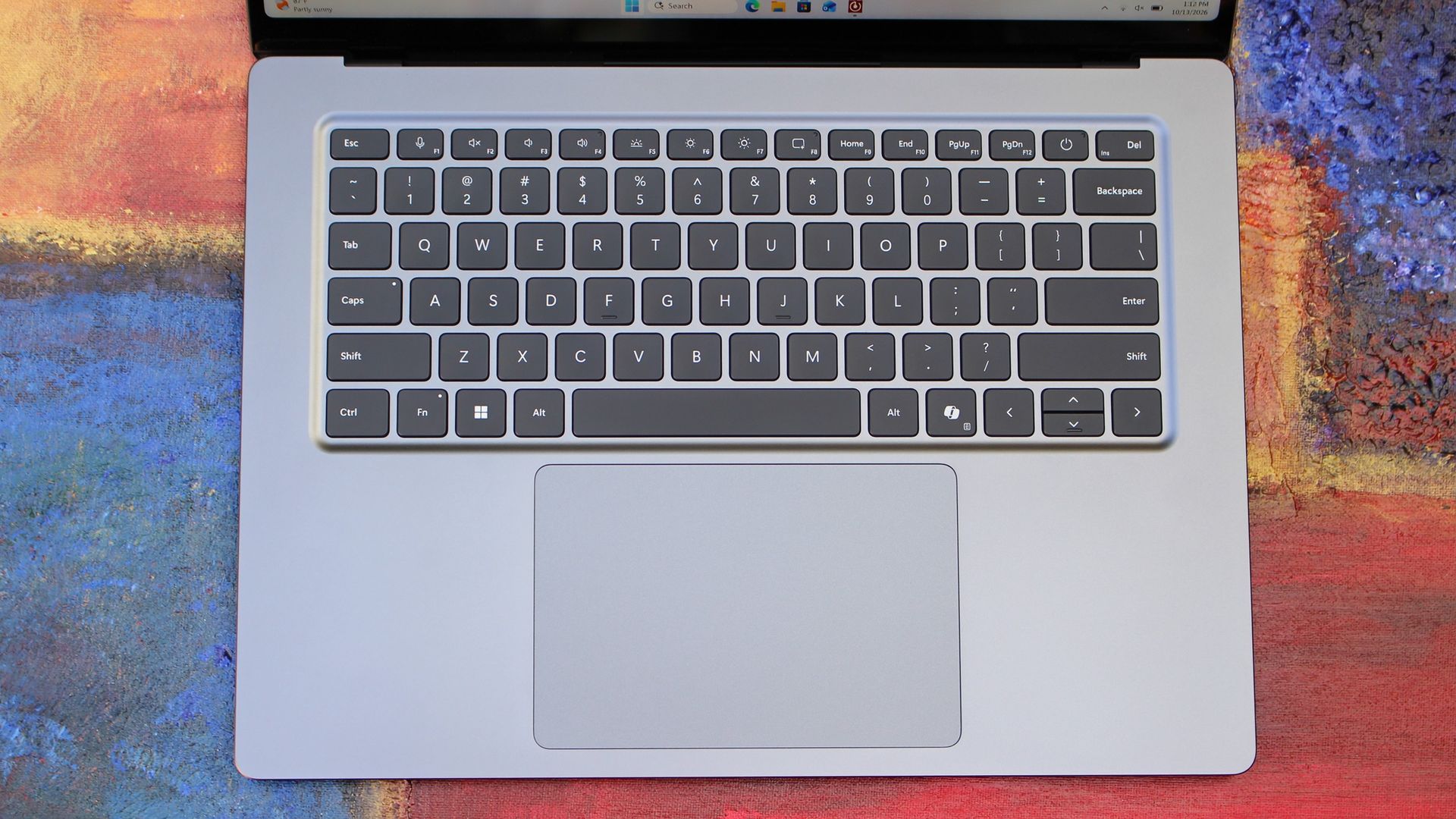
But I'm not here to tell you that's a bad thing. The MacBook Pro is a beautiful device, which is to say Surface Laptop Ultra is also very beautiful. In fact, I think it even improves upon the MacBook Pro's design in subtle ways. The keyboard deck isn't surrounded by a plastic bezel like on MacBook Pro, instead it's softly indented into the metal keyboard deck which looks lush and seamless.
The corners on Surface Laptop Ultra are also a little rounder than the MacBook Pro, a design choice that trickles down from the corners of the chassis to the keys on the keyboard, and corners on the trackpad. It's an entirely consistent and well thought out design, which I highly appreciate.
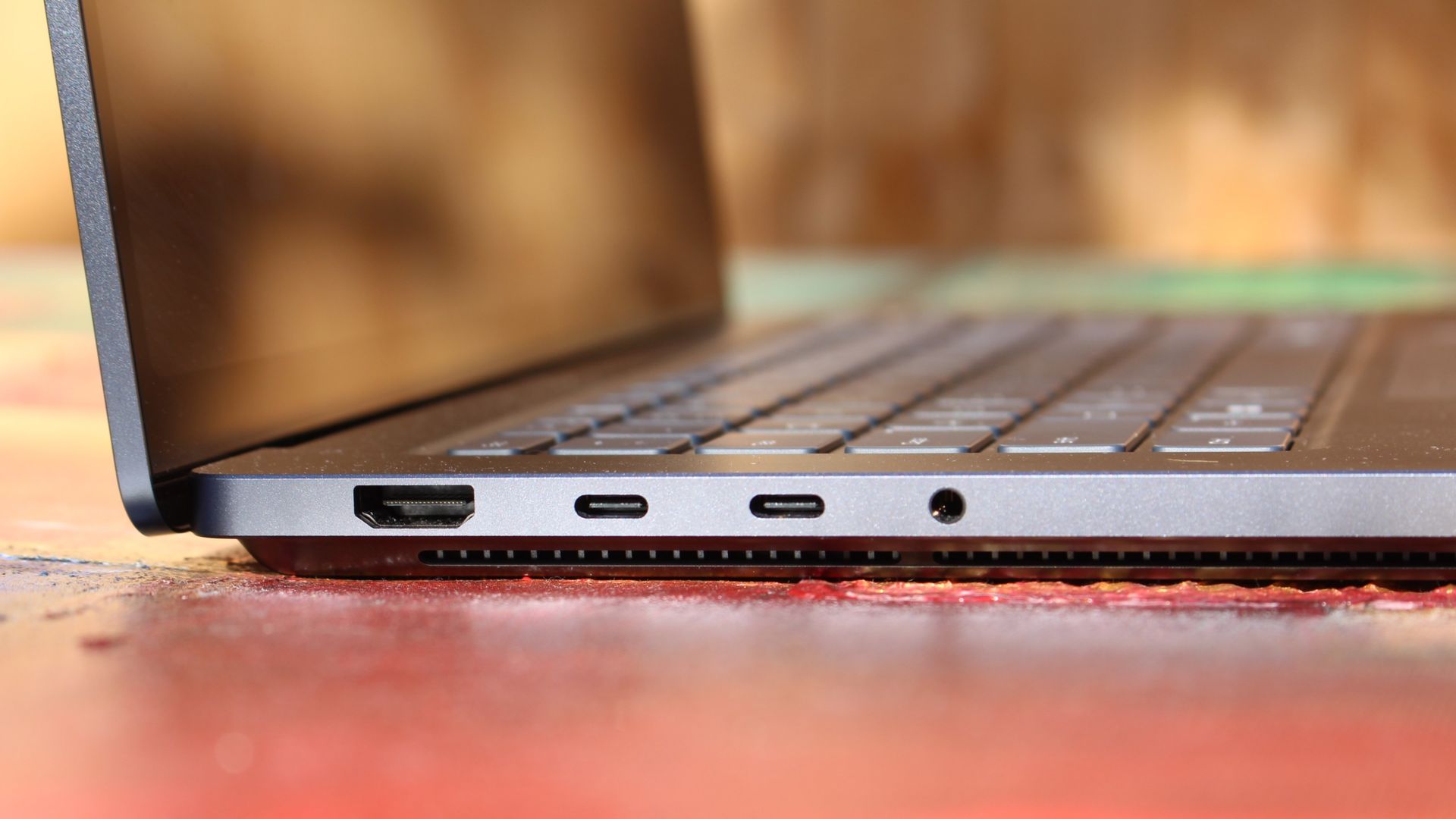
The left-side ports are good enough. (Image credit: Zac Bowden / Windows Central)
Microsoft also doesn't suffer from the godawful notch that you'll find on a MacBook Pro. Surface Laptop Ultra's display bezels are uniform along the left and right, and slightly thicker on the top to accommodate the Windows Hello IR face unlock sensors, which are much better than a fingerprint reader.
I should also mention that the display hinge on this laptop is perfectly tuned. It opens with one finger, and is perfectly balanced to provide a satisfying level of friction as you open and close it. It's also rock solid when typing, meaning it doesn't wobble around at all when on a desk.
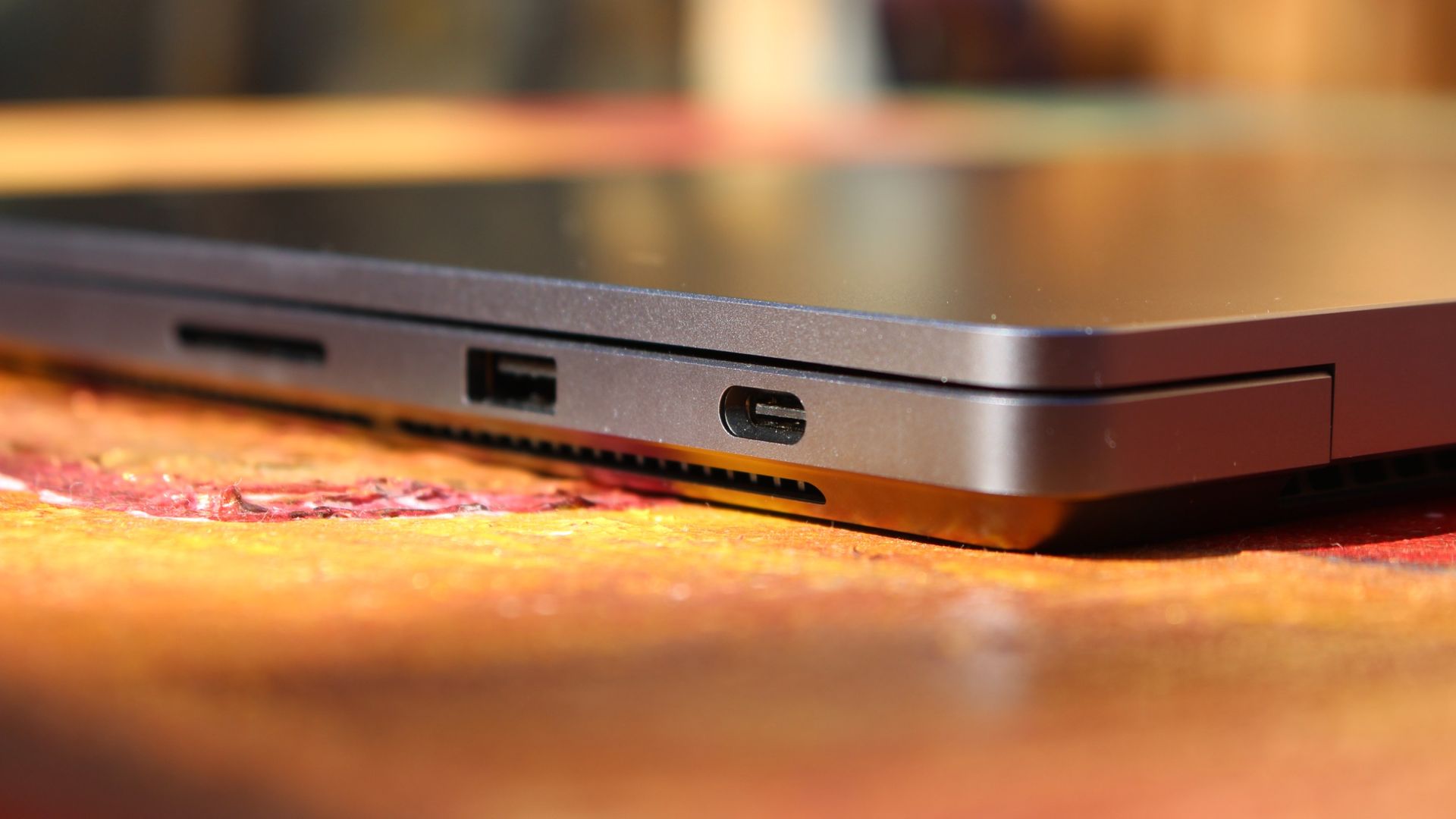
The port selection is good enough. It features three USB-C ports, a USB-A port, a 3.5mm audio jack, HDMI 2.1, and a full-sized SD card reader. Of course, the star of the show in the ports department is Microsoft's clever magnetic USB-C port, which replaces the proprietary Surface Connect charge port found on older Surface Laptops.
The special USB-C port is truly great. (Image credit: Zac Bowden / Windows Central)
It's great to see a laptop manufacturer attempting to innovate and improve on the universal USB-C standard. Here, we have a USB-C port that is compatible with all your USB-C peripherals, but it's also magnetized, and with the included charging cable, magnetically snaps to the device just like Apple MagSafe, while using the same universal USB-C port.
How did Microsoft do this? Well, most of the innovation is actually on the cable side. On the laptop itself, the only real change is that the USB-C port is slightly wider at its opening, but the rest of the USB-C port itself is typical in its design. Microsoft placed magnets on either side of the port, and redesigned the USB-C connector that's attached to the cable to allow for the magnetic connection to be seamless.
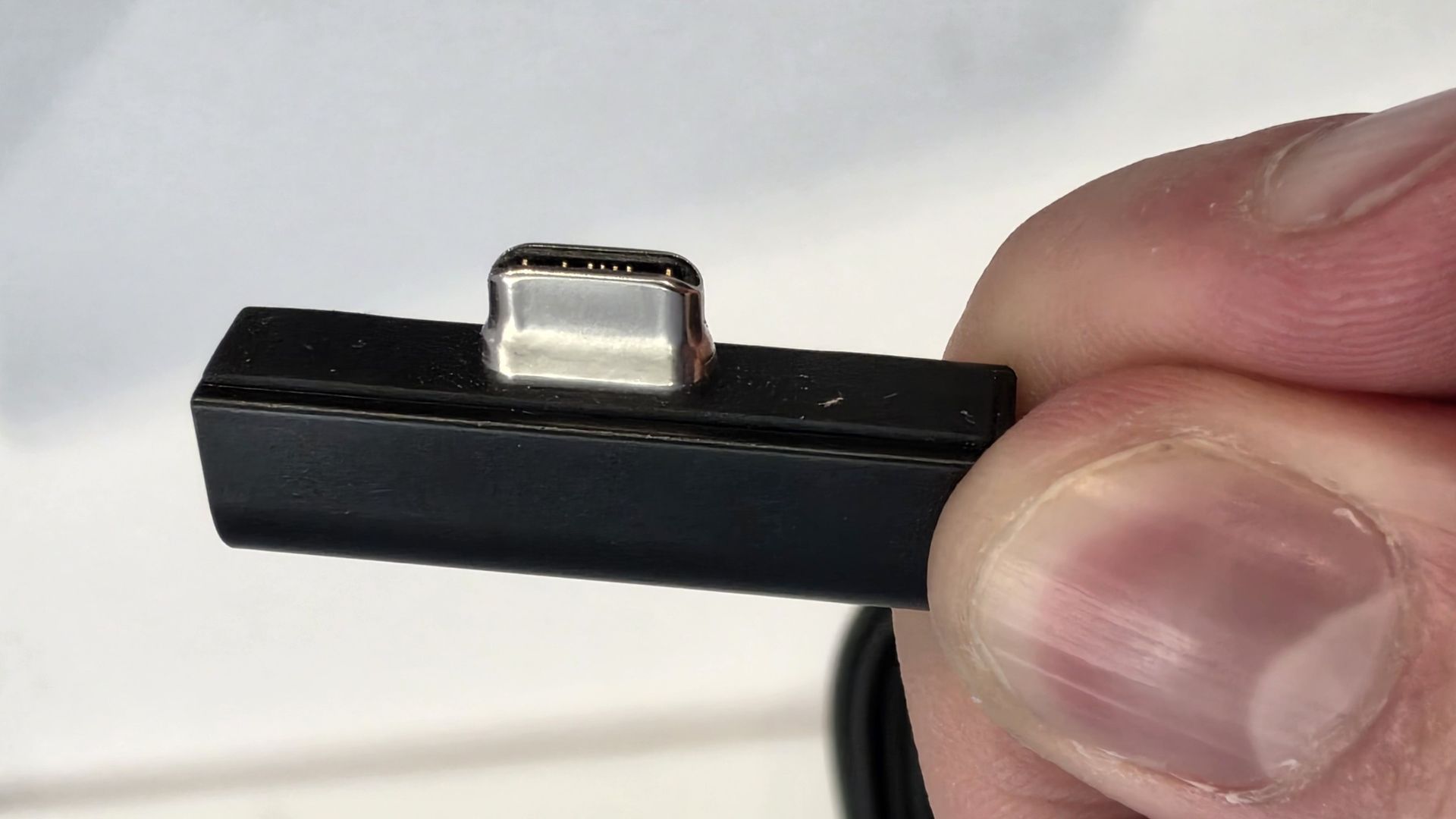
The cable's male USB-C end is shallower than a normal USB-C connection. This allows for it to connect to the USB-C port without clicking in, which is what locks a cable to a USB-C port normally. Instead, the magnets hold it in place, which enables the breakaway design that differentiates this USB-C port from the rest.
The USB-C connector is unique. (Image credit: Zac Bowden / Windows Central)
That does mean the USB-C cable that comes included only works with Surface Laptop Ultra, and only in this particular port. Microsoft realized this would be a problem, and designed the power brick that comes with Surface Laptop Ultra in a way that allows the magnetic cable to attach to the brick instead. The other end of the charging cable is a normal male USB-C end, which connects to any USB-C port you want.
So you can still use the Surface Laptop Ultra's power brick and cable on any device or any port you like, you just have to plug the magnetic end into the power brick first. It's a genius design, and proves that Microsoft really thought of everything when it comes to this unique magnetic USB-C experience. I love it, and I hope to see it on more laptops in the future.
Surface Laptop Ultra is available in just two colorways: Platinum and Nightfall. To me, I think the Platinum version looks the nicest, but the Nightfall version looks clean too. The good news is the dark color does a relatively good job at fending off fingerprints thanks to an anti-fingerprint coating that has been applied to the chassis.
Display & Features
The Mini LED display in all its glory. (Image credit: Zac Bowden / Windows Central)
Surface Laptop Ultra ships with Microsoft's first ever mini-LED display, which delivers better contrast and brighter peak brightness over your standard LCD that has been found in all other Surface Laptops to date. Unlike an LCD, the Surface Laptop Ultra's mini-LED screen packs 1,344 local dimming zones, which allows the laptop to dim darker areas of the screen that don't need as much light.
This number is not as high as the mini-LED screen on the MacBook Pro, and this results in a bit of blooming around bright elements on a dark background. If you use Windows in light mode, this will almost never bother you. But in dark mode, in a dimly lit environment, it becomes quite a bit more apparent.
The backlight also takes a fraction of a second to keep up with what's going on on your screen. If you move a bright window around on a dark background, you'll notice the backlight brightening and dimming around the edges of the window. This gives off a slight ghosting effect which degrades the 120Hz refresh rate somewhat. It isn't noticeable at all in light mode, however.
This all leads me to say I wish Microsoft had opted for an OLED panel on the Surface Laptop Ultra. I've been daily driving OLED displays for the better part of a year now, and a mini-LED panel just isn't a vibrant or contrasty as an OLED display can be. The mini LED display is good, but not the best on the market, and it's certainly no OLED.
Microsoft tells me it opted for mini LED over OLED primarily for the brightness and efficiency gains. At 2,000 nits peak brightness, it is the brightest screen ever put on a Surface. But Tandem OLED displays are also very capable of reaching similar peak brightness levels these days, and so I feel the benefits of a mini LED screen don't carry much weight here.
If you're coming from a standard LCD, the mini LED screen will be nothing but an upgrade to you. It's color accurate, very bright, and its high resolution and 120Hz make reading text and scrolling webpages look and feel great. But if you're coming from a MacBook Pro mini LED screen, or an OLED display, you will notice the downgrade in contrast and more noticeable blooming.
The display is also a touch screen, which is the case on pretty much all Surface PCs since the line began in 2012. Microsoft truly believes that touch has a place on the laptop form factor, and I agree with it. Being able to reach out to tap on a notification or hit OK on a window prompt is really nice, even if I don't use it all the time.
For pen lovers, sadly the Surface Laptop Ultra does not support pen input. Microsoft dropped pen input from the Surface Laptop with Surface Laptop 7, and the Surface Laptop Ultra has not restored it. This makes sense however, as the screen does not lay flat so drawing on it would be uncomfortable.
I also want to mention the fact that Surface Laptop Ultra features a user upgradeable SSD drive. That means you don't have to splash out on the most storage at the checkout screen. You can opt for a lower amount, and when you finally fill it, upgrade the SSD to something larger later down the line. You can't say that about the MacBook Pro.
That large trackpad is something else... (Image credit: Zac Bowden / Windows Central)
Unfortunately, Surface Laptop Ultra is missing a key quality of life feature that I have come to enjoy on other flagship Windows laptops over the last year: presence sensing capabilities. My daily driver is able to wake up and go to sleep whenever I approach it or walk away, and Surface Laptop Ultra is missing this functionality entirely. A crying shame.
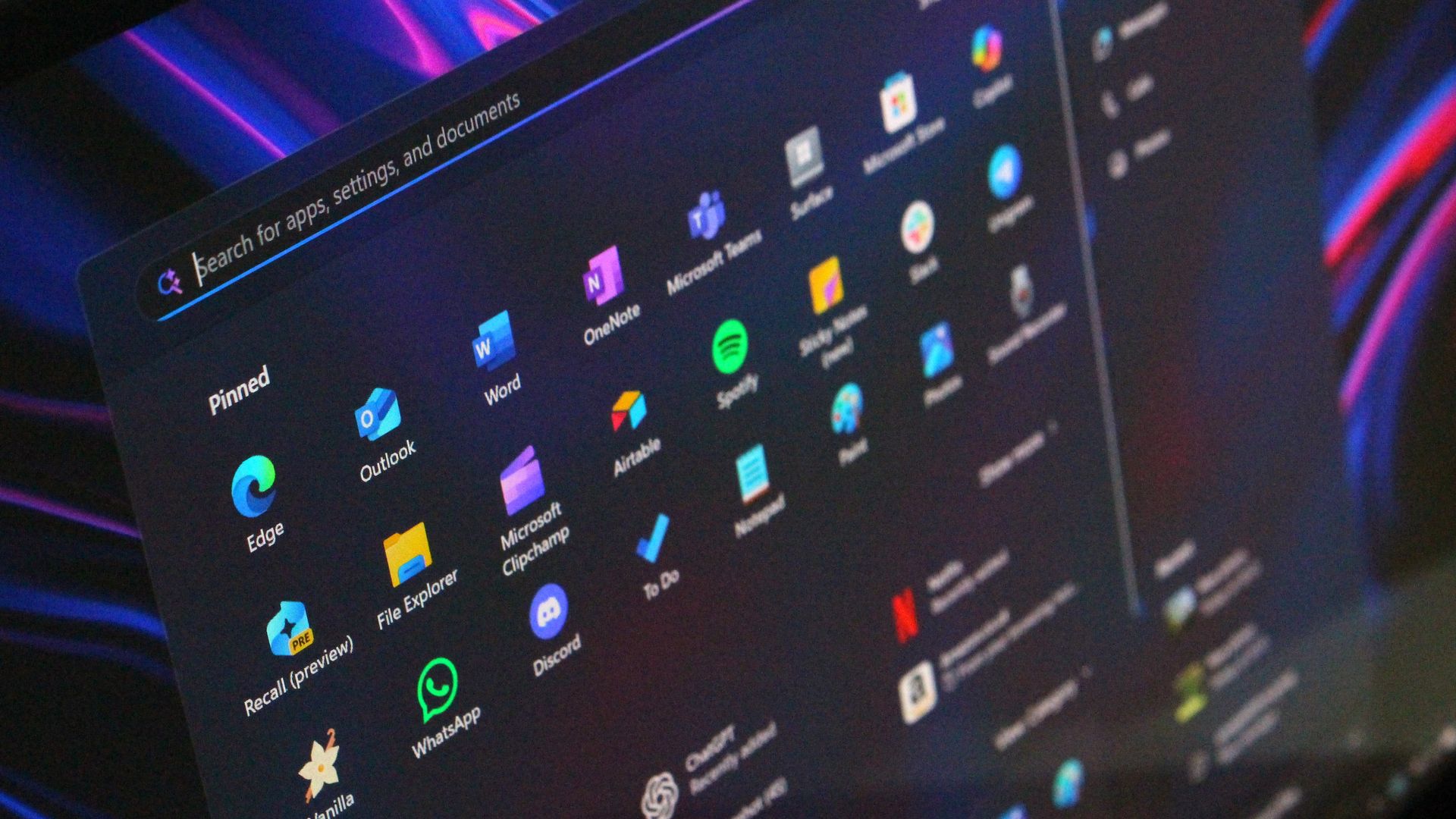
It's also missing all Copilot+ PC features currently. Microsoft tells me that RTX Spark is a Copilot+ PC capable chip, but that the suite of Copilot+ PC features aren't yet ready for the platform, and to expect them to show up in the coming months. The RTX Spark has a 50 TOPS NPU that will power these experiences when they finally do arrive.
Keyboard & Trackpad
The best keyboard and trackpad I've ever used. (Image credit: Zac Bowden / Windows Central)
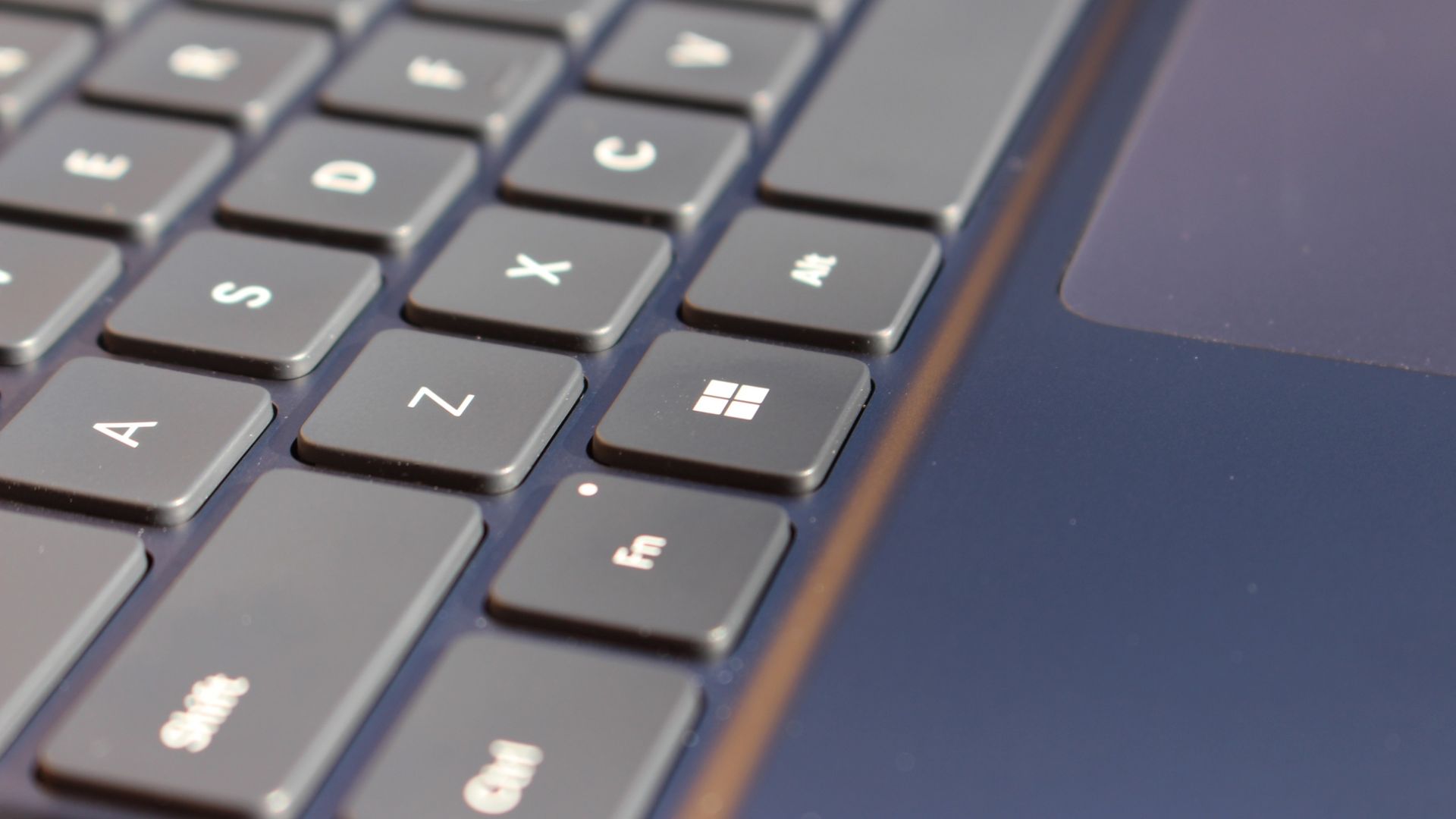
Surface has always delivered excellent keyboard and trackpad experiences, but Surface Laptop Ultra might be on a whole other level. This is probably the best keyboard and trackpad experience I've ever had on a Windows laptop to date. The keyboard is comfortable, tactile, and quiet, with 1.4mm key travel which is incredibly satisfying and not at all fatiguing.
The keys themselves are slightly rounder than the keys found on Surface Laptop 8, which I think is more comfortable and looks nicer as a result. It features a three-stage backlight, a Copilot key (which can be changed,) and a dedicated microphone mute key. It's pretty much perfect in every way.
But what I really want to talk about is the trackpad. It's the largest trackpad ever fitted to a Surface, and that makes a huge difference in how easy it is to use. There's so much room for activities, and you'll never find yourself at the edge of the trackpad because you needed to drag a file and ran out of room.
The keys are so nice to type on. (Image credit: Zac Bowden / Windows Central)
Palm rejection is also very good. I never once had an issue with the trackpad being in the way when typing, which means Microsoft has done a good job at ensuring the trackpad's side isn't impeding the typing experience. The trackpad itself is haptic, and feels great to click on, with strength adjustability in Windows Settings so you can really dial in just how strong that haptic feedback is.
But the new trackpad also supports Windows 11's new haptic system, which introduces subtle haptic feedback when interacting with different UI elements across Windows. When you snap an app window, or drag files across folders, you'll feel haptic bumps under your finger in the trackpad that are different from the usual click down sensation it provides. It's genuinely great.
Camera & Audio
It's a Surface, so you can and should expect great cameras and microphones on Surface Laptop Ultra. The webcam is a 1080p shooter that looks more than fine for video calls, Teams meetings, and recorded presentations. In low light, the image does get a little noisy, but not any more than any other high-end webcams on the market.
The shining star in this department are the built-in studio mics, which are very very good. They sound studio quality, with rich bass and far-field mics that do a very good job at tuning out background noise to ensure the things that you are saying are captured clearly and well.
I also need to take a moment to talk about the built-in speakers on this laptop. They are superb. Again, probably the best I've tried in a Windows laptop to date, and give the MacBook Pro 14-inch a run for its money. There's a clear sound stage, highs are crisp and bass is rich.
Performance & Battery
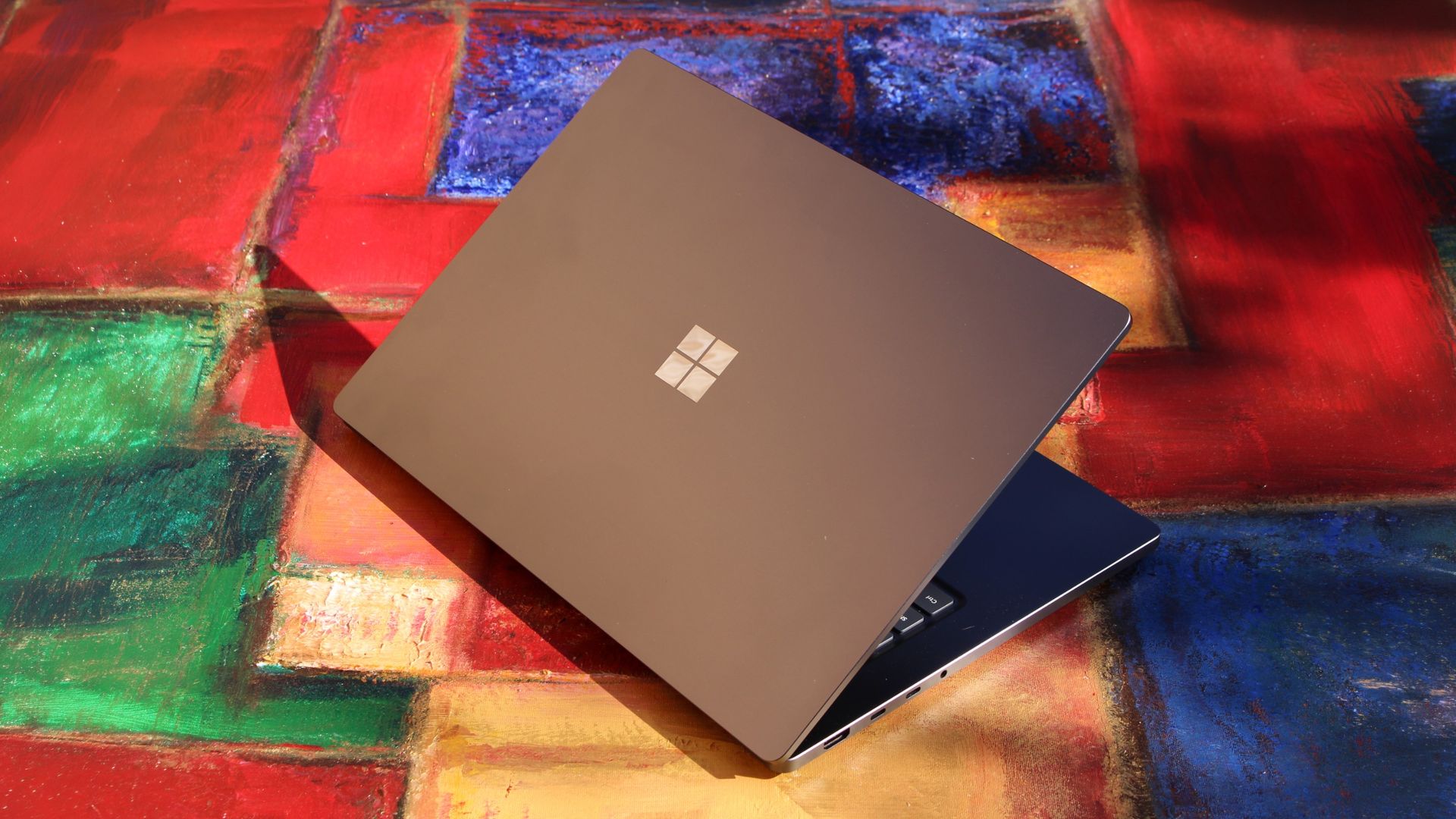
It's a looker for sure. (Image credit: Zac Bowden / Windows Central)
I've already published an in-depth look at the performance of RTX Spark on Surface Laptop Ultra, which you can read here if you're interested, so there won't be raw performance benchmark numbers in this review.
The TL:DR for that however is that the RTX Spark is a powerful chip, with okay CPU performance but great GPU performance. It's capable of playing most games at 1440p high settings above 60fps, and top end configs can fit large AI models directly onto the GPU for faster processing. But it trails behind the latest high-end Apple Silicon, and is more in-line with current-gen Snapdragon X2 Elite or last-gen Apple M4 Pro in overall performance.
By default, the 128GB Surface Laptop Ultra ships with its unified memory in a 50/50 split configuration. Users are free to adjust this in the NVIDIA app, which is good for when you need to give either the system or your GPU more RAM for whatever task it is you're completing. It requires a restart to apply, which frustratingly takes a long time on the Surface Laptop Ultra.
You can expect very fast read and write speeds on 1TB models. (Image credit: Zac Bowden / Windows Central)
Performance is great for the most part. In day to day usage, it's blazing fast and is able to crunch through pretty much any workload I'd want to throw at a mobile workstation such as this. With that said, there are a couple of oddities related to performance that I feel I should mention.
Compared to other devices I have on hand, the Surface Laptop Ultra sometimes takes twice as long to restart. I'm talking over 2 minutes from hitting restart to being back on the lock screen, which is about double the amount of time it takes all the other laptops in my possession. Microsoft says they are investigating.
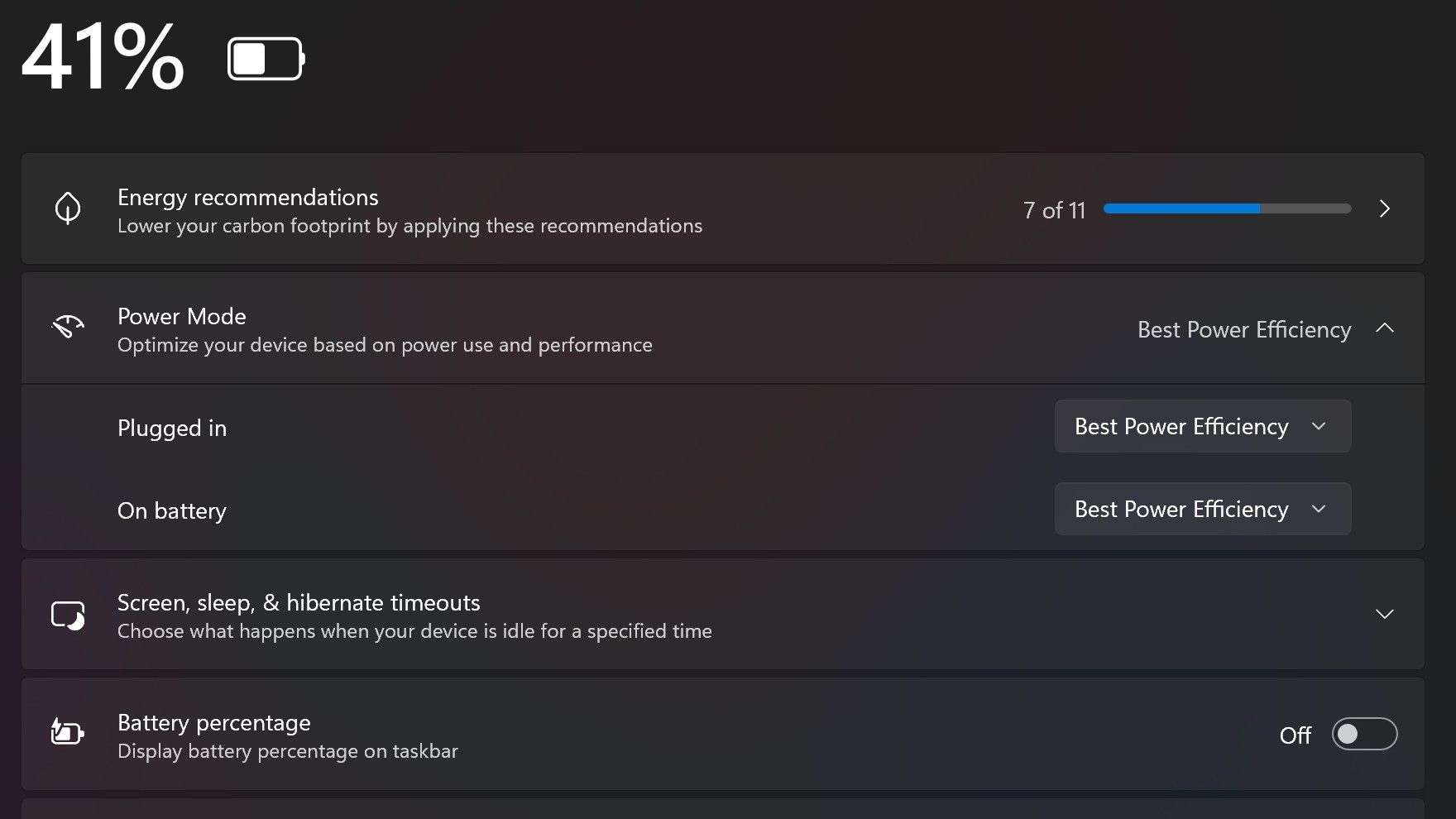
Surface Laptop Ultra also ships with the "Best Power Efficiency" profile set by default. This is unusual, as most Surface PCs ship with their power profile set to balanced. Microsoft says it does this to maximize battery life, but that does come at the cost of performance.
Make sure you change these to Best Performance for plugged in, and Balanced for battery life. (Image credit: Zac Bowden / Windows Central)
I've found that overall performance can be slashed by up to a quarter or even half when in this default mode. So if you want to make the most of your RTX Spark PC, be sure to change the power mode in Windows Settings to either Balanced or Best Performance. I usually set the on-battery mode to Balanced, and the plugged in state to Best Performance.
On the subject of battery life, the Surface Laptop Ultra's endurance is just fine. It's not class leading by any stretch, but I can definitely get through the work day without much fuss, though this will depend on your workload. Our Procyon battery life benchmark test lasted around 14 hours, and in real world use I was getting close to about 10.
But if your workload heavily leans on the GPU, you can expect to halve that number. The GPU is quite efficient for the power it outputs, but it's still a GPU and it's still hungry. So if you know you'll be using the GPU a lot throughout the day, you'll want to bring the charger with you.
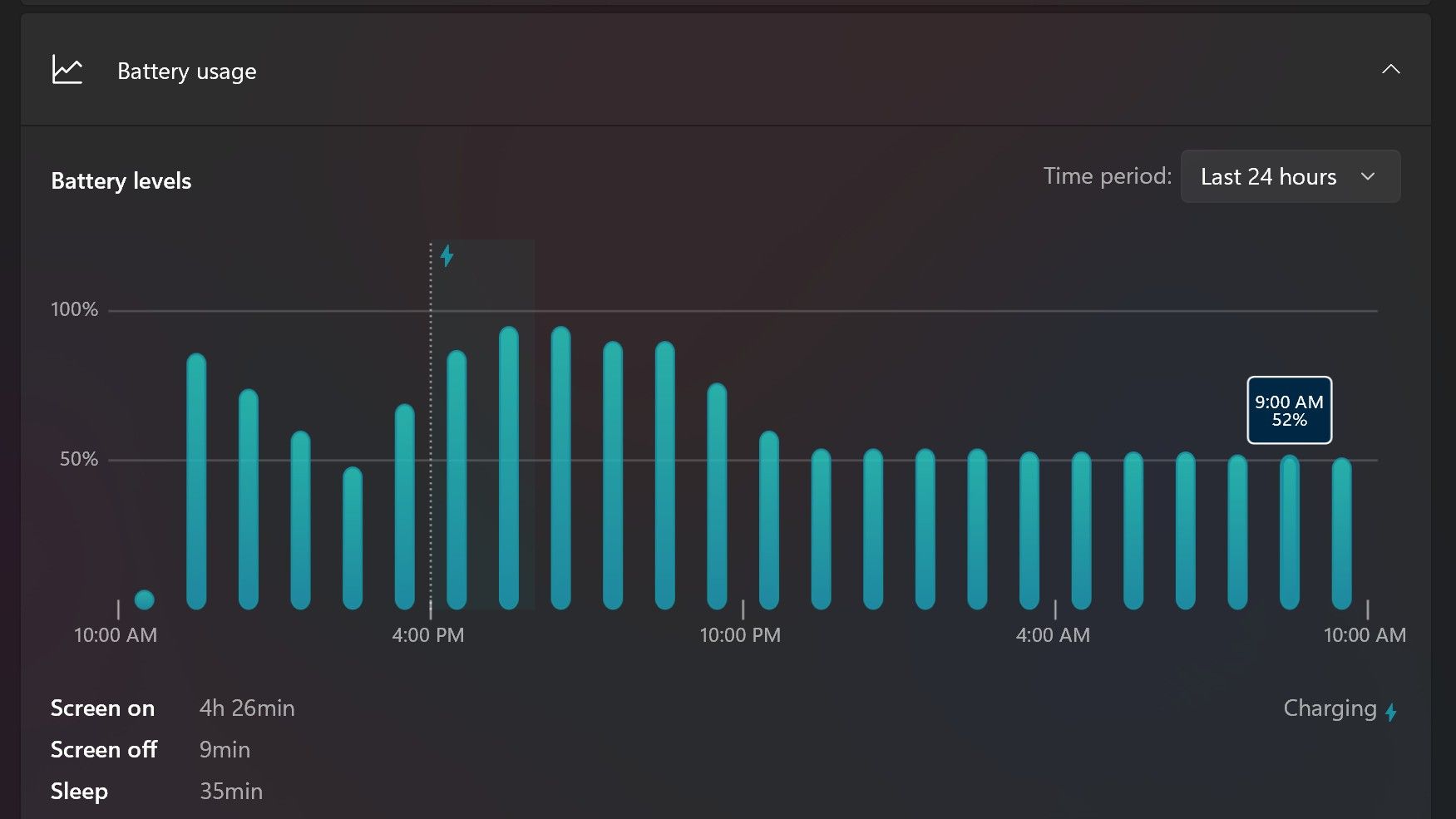
Surface Laptop Ultra only sipped power during sleep between midnight and 9AM. (Image credit: Zac Bowden / Windows Central)
With that said, sleep endurance is very good for the level of power this laptop outputs. I put the laptop to sleep at about midnight, and open the lid 10 hours later, and it's only drained one, maybe two percent from the battery. Very good on that front!
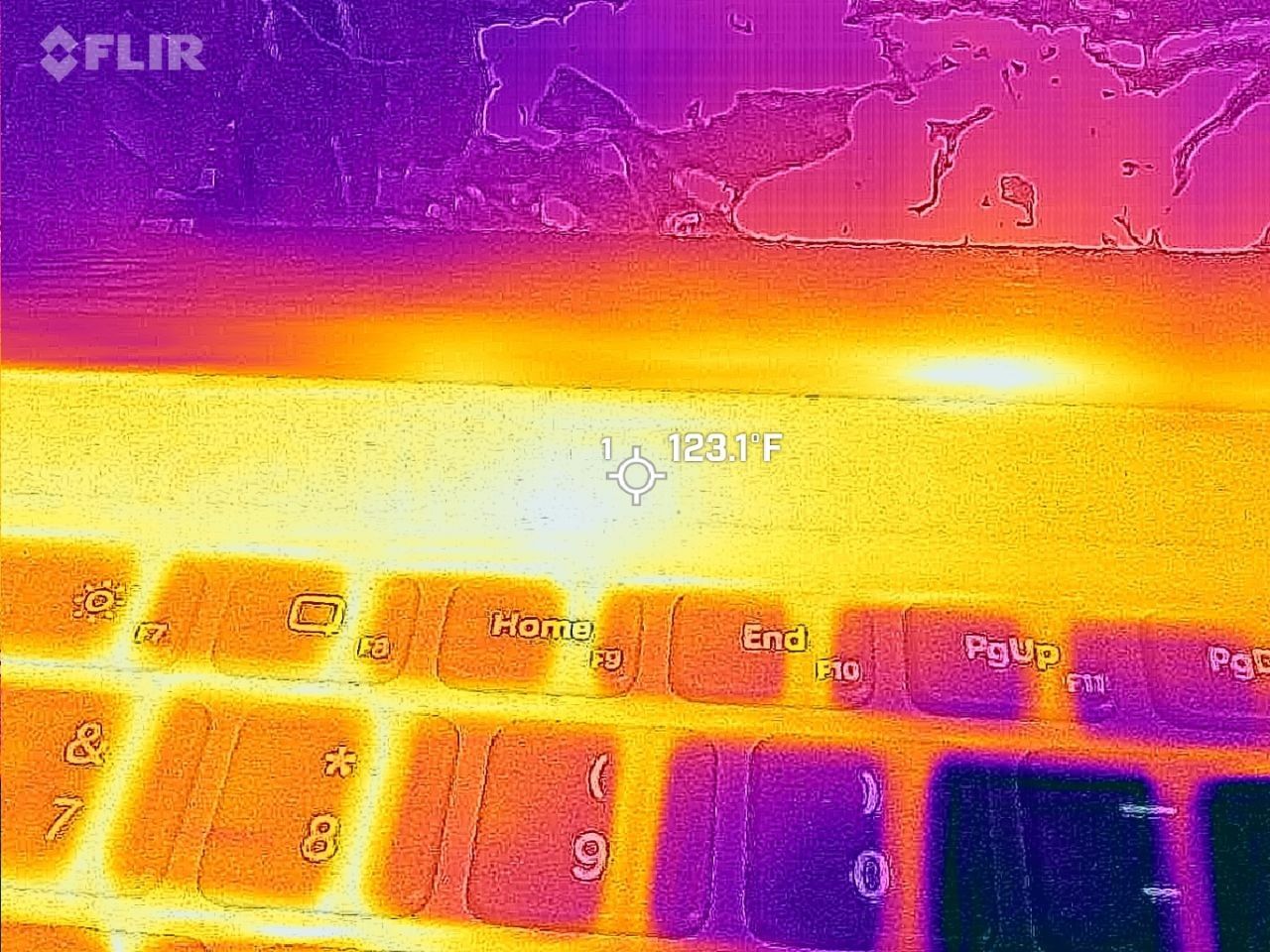
Under max load, the Surface Laptop Ultra gets quite warm. While the keys themselves remain at an okay temperature, the top part of the keyboard deck gets very toasty. I measured 123 F at its hottest under max load, which is approaching "oh that's hot" territory.
Surface Laptop Ultra gets toasty, but doesn't seem to thermal throttle. (Image credit: Zac Bowden / Windows Central)
I also noticed quite audible coil whine when under max load on my Surface Laptop Ultra. This isn't a problem in day to day use, but whenever the GPU is being used, I can hear buzzing coming from inside the keyboard chassis. If you're sensitive to that kind of thing, it will annoy you.
Fan noise is acceptable even at max load. I measure around 42 decibels at its loudest, and that was after running a benchmark for 10 minutes. In normal use, the fans rarely come on, though it does run slightly warm on your lap as a result.
Conclusion
Surface Laptop Ultra is ultra-premium. (Image credit: Zac Bowden / Windows Central)
✅ You should buy this if ...
You are a software developer utilizing on-device AI
You live and breathe large language models and agentic workflows
You need a beefy GPU in a portable and efficient package
You need lots of RAM
❎ You should not buy this if ...
You aren't interested in AI or agentic workflows
You only need a PC for standard productivity tasks
You occasionally game or edit video (get something cheaper)
You want something thin and light
Surface Laptop Ultra is great, but it's not something I can comfortably recommend everyone go out and buy, especially at these high prices. At the base level, it doesn't offer enough to justify the added cost over a Surface Laptop 8 with 24GB RAM. You do get the more beefy GPU and "better" display, but that comes at the cost of portability and battery life.
The Mini LED screen isn't the upgrade I was hoping it would be. For those who have only ever used a standard LCD their whole life, I'm sure you will appreciate the added brightness. But the ghosting issue is annoying and I think most people will notice it. I would have much preferred an OLED on a laptop this expensive.
Battery life is also just okay, which, again, for a laptop of this size and weight, leaves something to be desired. You can get longer day to day use out of a thinner and lighter Surface Laptop 8, which I think most people would prefer over the raw power that Surface Laptop Ultra offers.
And that brings me back to my original point. This isn't a laptop for everyone. It's a laptop for those who know they need it, and it's mainly for AI developers and high-end content creators. If you find yourself leaning on local agents to complete tasks for you, or enjoy generating images and videos using AI models, this is the laptop for you.
If you're someone who just needs a laptop for productivity tasks that includes a little bit of photo and video editing, and sometimes some gaming, there are cheaper laptops out there that will do that job very well.
Is this the MacBook Pro for Windows? I think it is. But it's not the perfect MacBook Pro alternative just yet. RTX Spark isn't at the same level as high-end MacBook Pro silicon, the Mini LED screen isn't best in class, and battery life could use some improvement.
Microsoft
Surface Laptop Ultra
Surface Laptop Ultra is Microsoft's flagship and most powerful Windows PC. It can be configured with up to 128GB RAM, and ships with NVIDIA's new RTX Spark SoC. It's great for creative workflows and software development, and those who want to run local AI and LLMs directly on their device.
RTX Spark is finally here. After years of rumors, NVIDIA has re-entered the Windows silicon game with the MediaTek N1X, a tailor-made 18/20-core SoC with 5,120 or 6,144 GPU cores, up to 128GB of unified memory, and a heck of a lot of power for apps, games, and AI experiences under the hood.It's not every day that Windows gains a new silicon partner, which is why everyone seems to be involved with ensuring this launch goes as smoothly as possible. Microsoft has wo
RTX Spark is finally here. After years of rumors, NVIDIA has re-entered the Windows silicon game with the MediaTek N1X, a tailor-made 18/20-core SoC with 5,120 or 6,144 GPU cores, up to 128GB of unified memory, and a heck of a lot of power for apps, games, and AI experiences under the hood.
It's not every day that Windows gains a new silicon partner, which is why everyone seems to be involved with ensuring this launch goes as smoothly as possible. Microsoft has worked closely with NVIDIA on optimizing the Windows platform, especially for RTX Spark, and third-party app vendors like Adobe, Blender, anti-cheat software, and more have mobilized to optimize their products and frameworks for the new chipset.
But the big play with RTX Spark is on-device AI. LLMs and agentic workflows have become all the craze over the last year, and NVIDIA believes the RTX Spark is the first chipset for Windows that has been designed from the ground up for running local AI experiences locally and securely, without sacrificing performance.
NVIDIA has 6 hardware partners lined up to ship RTX Spark hardware starting this week, and all of them are aimed at the high-end content creator or developer crowd. NVIDIA has set its sights on competing head-to-head with the MacBook Pro, and is eager to win over AI developers who flocked to that platform thanks to Apple Silicon.
I've been testing out the top configuration of RTX Spark over the last week on a Surface Laptop Ultra, and here's what I discovered it's good at, and what it's not so good at. FYI, today's embargo only allows us to detail the RTX Spark's performance and benchmarks, not the Surface Laptop Ultra itself. So battery life, thermal performance, and laptop-specific variables are not included in this piece. That information will be shared in the full laptop review, coming soon.
NVIDIA RTX Spark Overview
(Image credit: NVIDIA)
If you're looking for a quick rundown of what RTX Spark is and how it compares, here's what you need to know:
RTX Spark is a powerful SoC with good CPU performance and great GPU performance. Its CPU is comparable to the Apple M4 Pro and Qualcomm's Snapdragon X2 Elite, with multi-thread performance being its stronger asset in the CPU department, though it trails behind the Apple M4 Max and Snapdragon X2 Elite Extreme.
The GPU is the star of the show, with great performance thanks to its 6,144 GPU cores that deliver smooth framerates (with help from DLSS and framegen), faster rendering times, and very capable AI performance. Its quantized INT8 tensor execution, unified memory sharing, and computer vision acceleration easily leapfrog mobile discrete GPUs in its power class for AI workflows, which it excels at.
I don't believe RTX Spark is for everyone. It's very good at key things, and shines primarily for those who are knee-deep in local AI workflows and experiences. If you're not a mobile content creator, software developer, or utilize local LLMs often, RTX Spark probably isn't for you.
Mobile efficiency varies depending on power profile. The GPU is hungry and will drain power fast when at full pelt, but in day-to-day usage that only occasionally leans on the GPU, it should last the workday. The good news is, you should see the same performance regardless of plugged-in state.
Compared with most integrated Snapdragon, Intel, and AMD systems, RTX Spark is substantially faster in AI image generation and local inference, while matching or approaching dedicated RTX 4070/5060/5070 class GPU performance in most workloads outside of AI.
The latest generation of high-end Apple Silicon retains an advantage in peak single-thread CPU performance, but RTX Spark’s strength is its GPU, with TensorRT execution and high-speed memory providing advantages in diffusion, quantized models, and sequential data access.
RTX Spark configurations
Specification
RTX Spark N1X (5120-core GPU)
RTX Spark N1X (6144-core GPU)
CPU Configuration
18 cores (9x Cortex-X925 + 9x Cortex-A725)
20 cores (10x Cortex-X925 + 10x Cortex-A725)
Max Performance Core Clock
3.9 GHz
4.0–4.1 GHz
Max Efficiency Core Clock
2.8 GHz
2.8 GHz
GPU Architecture
Blackwell RTX
Blackwell RTX
CUDA Cores
5,120
6,144
Streaming Multiprocessors (SMs)
40
48
RT Cores
4th Generation
4th Generation
Tensor Cores
5th Generation
5th Generation
Unified Memory Type
LPDDR5X
LPDDR5X
Memory Interface
256-bit / 16-channel
256-bit / 16-channel
Memory Speed
Up to 9,400 Mbps
Up to 9,400 Mbps
Peak Memory Bandwidth
Up to 300 GB/s
Up to 300 GB/s
NVLink-C2C Bandwidth
600 GB/s bidirectional
600 GB/s bidirectional
Display Support
HDMI 2.1a, DisplayPort 2.0 over USB4
HDMI 2.1a, DisplayPort 2.0 over USB4
Process Technology
TSMC 3nm (CPU & GPU dies)
TSMC 3nm (CPU & GPU dies)
Configurable SoC TDP
45–80W
45–140W
NVIDIA RTX Spark CPU Performance
(Image credit: NVIDIA)
The RTX Spark CPU was co-designed by NVIDIA and MediaTek. The N1X, as it's known, comes in either 18- or 20-core configurations and is relatively efficient while delivering good performance. With that said, it's not leading in its class, leaving something to be desired when it comes to raw benchmarks.
In Cinebench 2026, the 20-core N1X achieved a single-core score of 558 and a multi-core score of 6,885. To put that into perspective, its single-core score beats the first-gen Snapdragon X Elite X1E-80-100 at 519, but falls short compared to Qualcomm's Snapdragon X2 Elite Extreme, which achieves a score of 662 for single-core. Multi-core fares better, with a score of 6,885, which is only just behind the X2 Elite Extreme and Apple M4 Max.
Cinebench Scores (Best Performance)
Cinebench 2026 Test
Plugged In Result
Unplugged Result
CPU (Multi Core)
6,885 pts
6,844 pts
CPU (Single Core)
558 pts
554 pts
MP Ratio
12.33 x
12.35 x
These scores do place it ahead of Intel's and AMD's latest flagship mobile workstation chips, but the chipset simply doesn't compete with Apple's latest Max chips, consistently trailing behind the Apple M4 Max and the M3 Ultra. This is a little disappointing given that the RTX Spark is directly targeting Apple Silicon.
It's a similar story with our Geekbench 7 results, achieving a single-core score of 2,718 and a multi-core score of 23,571. It's clear that multi-core performance is the N1X's stronger asset, competing with the likes of the Apple M4 Pro or Intel Core Ultra 9 285K, and is well ahead of the last-gen Snapdragon X Elite and Intel Lunar Lake, as it should be.
Geekbench Scores (Best Performance)
Geekbench 7.1
Plugged In Result
Unplugged Result
CPU (Multi Core)
23,571
23,879
CPU (Single Core)
2,710
2024
Outside of benchmarks, in day-to-day use the N1X feels fine. This isn't a slow CPU by any means, and will chew through even complex workflows with no sweat. Most day-to -day apps are Arm native these days, but for the few that do require Microsoft's Prism emulation layer, you won't even notice it. RTX Spark makes it so emulated apps feel just like native ones.
All our benchmarks were run with the Best Performance setting enabled, and in our tests we ran them a number of times in both plugged-in and unplugged states to see if there's any performance drop when away from a wall outlet. The good news is the RTX Spark delivers pretty much the same power regardless of plugged-in state, which mimics Apple Silicon.
NVIDIA RTX Spark GPU Performance
Gears of War E-Day running on RTX Spark (Image credit: Zac Bowden / Windows Central)
The star of the show with RTX Spark is the Blackwell RTX GPU with either 5,120 or 6,144 cores. We benchmarked the top-end, 6,144-core configuration for these benchmarks, and it does impress, outputting performance in workflows like video editing, model rendering, and gaming similar to an RTX 4070 or 5060, but in an efficient package with all-day battery life.
For what is essentially an integrated GPU, it outputs dedicated GPU performance in pretty much all workflows. But it really excels at AI workflows, especially when optimized for tensor and CUDA.
The 128GB configuration is set to split that memory evenly between system RAM and the GPU, meaning in our default configuration and for how we ran most of our benchmarks, the GPU had 64GB of video RAM to make use of. In this configuration, it's more than capable for most tasks, with the only exception being running AI models that surpass this size. In that situation, you can allocate more memory to the GPU so that it will fit.
In our 3DMark tests, we found that the RTX Spark performs similarly to an RTX 4070. It's very capable at 1440p gaming with high settings in most titles, though more demanding games will need to lean on DLSS and frame generation for smooth 60+ FPS gaming. In most titles we benchmarked, games ran without a hitch and looked great.
Benchmark
Target Resolution & API
Overall Score
Graphics Score
CPU Score
Test Framerates
3DMark Time Spy
1440p (DirectX 12)
12,771
12,368
15,669
GT1: 81.68 FPS, GT2: 70.11 FPS, CPU: 52.64 FPS
3DMark Time Spy Extreme
4K UHD (DirectX 12)
5,857
5,972
5,281
GT1: 37.77 FPS, GT2: 35.19 FPS, CPU: 66.30 FPS
3DMark Steel Nomad
4K UHD (DirectX 12 Heavy)
3,064
3,064
N/A
Graphics Test: 30.65 FPS
3DMark Speed Way (Run 1)
1440p (DirectX 12 Ultimate / DXR)
3,011
3,011
N/A
Graphics Test: 30.12 FPS
3DMark Speed Way (Run 2)
1440p (DirectX 12 Ultimate / DXR)
2,985
2,985
N/A
Graphics Test: 29.85 FPS
Gaming is not the main reason to buy an RTX Spark laptop, but it is an additional benefit. It's the first Windows on Arm platform that does gaming relatively well, supporting the usual breadth of gaming technologies and frameworks such as:
Ray tracing
DLSS 5
Multi Frame Generation
Neural Rendering
Reflex
G-SYNC
RTX Remix
Most games run under emulation on RTX Spark, as the platform is Arm64, and most games are compiled for x86. However, in most titles, this isn't a problem. Most mainstream anti-cheat software is now compatible with Windows on Arm, and the Prism emulation layer has been tuned specifically for RTX Spark to ensure most games run without a hitch, though there are exceptions.
Some games, such as Red Dead Redemption 2, will require you to change settings to get them to run successfully. For example, by default Red Dead Redemption 2 was set to run with Vulkan, which caused it to crash at launch. Switching it to DirectX12 fixed this for me. Most games run without needing to change any settings first, however.
Zac Bowden / Windows CentralZac Bowden / Windows CentralZac Bowden / Windows CentralZac Bowden / Windows Central
I tried Cyberpunk 2077, which runs pretty well right out of the box. The game analyzed my system and decided that Ray Traced Ultra settings were a perfect fit for the RTX Spark. Running at 1440p with frame gen enabled, the game was easily able to maintain 60fps while looking good doing it with these graphics settings enabled.
Shadow of the Tomb Raider also works great, but it takes quite a while to actually load up. But once the game is running and you're in-game, it looks great and runs well above 60fps at high settings at 1440p. Marvel's Spider-Man 2 and The Witcher 3 Remastered ran without a hitch, reaching close to 90fps in high settings at 1440p.
For content creators, RTX Spark is a great choice. Whether you are editing photos or rendering videos using apps like Adobe Photoshop and Premiere Pro, or rendering 3D environments in Blender, the RTX Spark is well suited for those tasks.
Photoshop supports on-device AI models on RTX Spark (Image credit: Zac Bowden / Windows Central)
Adobe and NVIDIA say the Adobe Creative Cloud Suite has been optimized specifically for RTX Spark. These optimizations include:
Photoshop on-device AI object removal
Premiere Pro TensorRT acceleration
Blender support for DLSS 4.5 Ray Reconstruction
When it comes to video rendering times, the RTX Spark trails the current-gen RTX 50 series GPUs. We benchmarked it against three other laptops with an RTX 5060, 5070 Ti, and 5080, in which it trailed the RTX 5060 in video rendering performance, finishing a few seconds later in most instances. In this benchmark, we ran Premiere Pro Beta, as that version includes necessary optimizations for RTX Spark.
Premiere Pro Export Times
Export Profile (Seconds ↓)
Surface Laptop Ultra (RTX Spark)
Lenovo Yoga Pro 9 (RTX 5060 8GB)
ASUS Zephyrus G14 (RTX 5070 Ti 12GB)
Lenovo LEGION 9 (RTX 5080 16GB)
H.264 Export (1 GPU)
42.002 s
32.111 s
39.403 s
20.218 s
H.264 Export (Pass 2)
34.415 s
26.003 s
33.532 s
18.401 s
H.264 UHD Export (1 GPU)
81.419 s
64.140 s
71.918 s
40.235 s
H.264 UHD Export (Pass 2)
66.496 s
52.301 s
59.536 s
34.253 s
Dedicated GPU performance can vary depending on laptop chassis size, cooling solution, and thermal envelope, which is why the 5070 Ti frequently trailed the 5060 in our testing.
The RTX Spark GPU is very performant and is capable of pretty much handling anything you'd want to throw at it on a mobile workstation. Where it really shines, however, is running local AI models directly on it. It's the reason NVIDIA built this platform to begin with, and it does this very well.
We ran several Procyon AI benchmarks to see how well the GPU performs when running on-device AI workflows. Text generation LLMs ran very fast, with Spark delivering responsive time-to-first-token results, including 0.27 seconds on Phi and 0.39 seconds on LLaMA3, but its sustained decoding rates trail higher-wattage discrete GPUs.
On-device text generation benchmarks
Model
Overall Score
Tokens / Second
Time to First Token (s)
Model Load Time (s)
Phi-3.5-mini
2,615
72.21
0.27
0.66
Mistral 7B
2,276
53.07]
0.47
0.96
Llama 3.1 8B
2,251
49.44
0.40
1.50
Llama 2 13B
2,108
27.44
0.84
1.69
But quantized AI performance is where RTX Spark truly leads. In Stable Diffusion 1.5 INT8, the RTX Spark scored 11,294 and generated images in 2.77 seconds, substantially outperforming the tested RTX 5080, RTX 5070 Ti, and RTX 5060, on which we ran the same tests.
Stable Diffusion Benchmarks
Model Profile & Metric
Surface Laptop Ultra (RTX Spark)
Lenovo Yoga Pro 9 (RTX 5060 8GB)
ASUS Zephyrus G14 (RTX 5070 Ti 12GB)
Lenovo LEGION 9 (RTX 5080 16GB)
SD 1.5 FP16 - Total Duration
67.55 s
69.70 s
107.73 s
44.59 s
SD 1.5 FP16 - Speed
4.222 img/s
4.356 img/s
6.733 img/s
2.787 img/s
SD 1.5 FP16 - Average UNet
23.986 it/s
23.265 it/s
15.070 it/s
36.426 it/s
SD 1.5 INT8 - Total Duration
22.14 s
138.74 s
101.83 s
440.19 s
SD 1.5 INT8 - Speed
2.767 img/s
17.342 s/img
12.729 img/s
55.024 s/img
SD 1.5 INT8 - Average UNet
19.158 it/s
2.949 it/s
4.043 it/s
0.927 it/s
SDXL FP16 - Total Duration
400.82 s
499.37 s
735.47 s
303.68 s
SDXL FP16 - Speed
25.051 s/img
31.211 s/img
45.967 s/img
18.980 s/img
SDXL FP16 - Average UNet
4.028 it/s
3.331 it/s
2.196 it/s
5.321 it/s
AI Workflows
The GPU is best suited for running large on-device AI models such as Qwen 3.8 27B, Gemma 4 31B, or even 120B-parameter models such as Nemotron or GPT-OSS.
NVIDIA is touting local agentic capabilities with this GPU, leaning on apps like Hermes Agent and OpenClaw to achieve this. We tested Hermes Agent, as OpenClaw failed to connect to the gateway once setup was complete.
The selling point of running LLMs and agents locally is that you are no longer constrained by usage limits or the amount of tokens you have available. When the AI runs locally, it's yours. You can run it for as long and as hard as you like.
120B parameter models can fit entirely on the RTX Spark's GPU, significantly speeding up LLM performance. (Image credit: Zac Bowden / Windows Central)
It's also good for security and privacy reasons. You may have confidential documents, audio recordings, intellectual property that you need summarized or explained to you, and feeding that data to a cloud-based LLM or agent is giving that data away to the host.
With RTX Spark, you can feed whatever data or task you want to your local AI running off the GPU, and that data will never leave the device. You can build up your own personal agent that is capable of managing your local files, creating documents, making edits, and in some cases even controlling your PC.
Hermes Agent is a great tool for beginners, as it offers local AI compute experiences and makes setting it up a breeze. You open the app, choose to run AI locally, and it recommends the best model for the specs you have. Once downloaded, you're good to start chatting with your own AI locally.
Instead of using up tokens in the cloud, local AI leans on the GPU for processing. Unlimited power! (Image credit: Zac Bowden / Windows Central)
Hermes Agent is particularly good at automating tasks. The first thing I did was tell it to clean up and organize my large, cluttered downloads folder. It moved images to my photos library, deleting any old executables, and organizing and categorizing PDFs and Word documents appropriately. It did all this without sending any of my data to the cloud, all processed by the GPU.
I also asked it to build me a basic website that included all my benchmark results so that I could refer back to them more easily. It ran that process entirely off my GPU, and came up with a pretty nice looking webpage design in the process. Zero cloud-based tokens used:
The webpage that the Qwen 3.8 27B parameter model created using Hermes Agent. (Image credit: Zac Bowden / Windows Central)
NVIDIA has even built MCP support into NVIDIA Broadcast and NVIDIA Control Panel, allowing you to hook it up to your local LLM and issue commands that allow it to configure your NVIDIA PC's settings.
Windows and RTX Spark
The Get Started app on RTX Spark includes a step to automate installing agent apps. (Image credit: Microsoft)
In addition to raw CPU and GPU performance, Microsoft has worked closely with NVIDIA to optimize RTX Spark for Windows 11. This partnership runs deep, and there are a lot of things going on behind the scenes that will aid the performance of Windows and support for apps on RTX Spark over the coming months and years.
For those unboxing a new RTX Spark laptop this fall, the Get Started app on Windows 11 will present a step that makes downloading and installing apps that can handle AI agents super easy. Hermes Agent will even go a step further and recommend a suitable model to download once up and running, meaning the user has to do zero research to get started.
With that said, I still find these recommended apps quite complex and convoluted. Many beginners will feel overwhelmed by these apps, especially OpenClaw, which I could not get working properly after it failed to open a gateway to allow the AI model to communicate with the OpenClaw chat interface.
Hermes Agent does automate setting up your first local agent. (Image credit: Zac Bowden / Windows Central)
Microsoft has optimized the system scheduler specifically for RTX Spark to squeeze out as much performance across Windows, menu flyouts, app launches, and more as possible. It has also made changes and enhancements to how Windows handles unified memory so that it's faster and more reliable at feeding that memory to where you need it.
TensorRT is now supported by Windows ML, and DirectX 12 has neural rendering support. The Prism emulation layer has also been tuned for RTX Spark, which results in emulated apps that simply do not feel like they are being emulated.
Microsoft is also keen to position Windows as the platform for local AI and agentic workflows. It has built safeguards and security into the Windows platform to ensure the local agents you run on Windows aren't capable of making severe changes or causing damage to your files, apps, and more.
This is a direct attempt at combating the sudden rise in local AI developers flocking to the Mac. Apple has made little optimizations to macOS to adopt and safeguard local AI and agentic workflows on that platform, whereas Microsoft is moving to make agents a native extension of the Windows platform.
RTX Spark is a Copilot+ PC certified chip, but you won't find any Copilot+ PC features at launch. Microsoft says it's working with NVIDIA to bring features like Windows Recall, Click To Do, and on-device Semantic Search to the RTX Spark platform in the coming months, which will run off the RTX Spark's 50 TOPS NPU.
Conclusion
(Image credit: NVIDIA)
RTX Spark is a super interesting chipset. It's forward leaning in a lot of ways, built on the Arm64 architecture that delivers serious performance and great efficiency. While its N1X CPU is just okay, its Blackwell RTX GPU really shines.
This is the first time we've seen RTX 4070-5070 level performance in an SoC that is this small and efficient. It's optimized for AI workloads, which is its strongest workflow by far. Quantized AI models run great, and with up to 128GB of unified memory, most mainstream models will fit entirely on the GPU without a hitch.
It's also great for content creators, and is very capable at gaming also. But at the prices that these devices are launching at, I think most people would be better served getting an Intel or AMD laptop with a dedicated NVIDIA GPU instead, as these often cost less than the cheapest RTX Spark laptops right now.
But if your workflow involves running AI models locally all day, software development, or complex data crunching and source code management, the RTX Spark is one of the better choices in the Windows space right now, especially for laptops that are thin-ish and (relatively) lightweight.
These RTX Spark laptops are more efficient and portable than typical laptops with a dedicated NVIDIA GPU, which is one of the key benefits of an SoC like this. The power this GPU outputs, for what is essentially integrated graphics, should not be understated.
Of course, just how efficient RTX Spark is will depend entirely on the hardware you choose to buy, as OEMs are free to feed the GPU more or less power depending on the chassis and thermal envelope. Keep that in mind.
Benchmarks
All benchmarks ran on RTX Spark 20-core CPU configuration with 128GB RAM and 6,144 GPU cores. All tests ran connected to power with Best Performance profile enabled, unless stated otherwise. We are still running benchmarks and new tests, and will update accordingly.
Microsoft has finally given us the all-important pricing and availability details for its flagship Surface Laptop Ultra device, which it first unveiled back in June. During its October 7th keynote in San Francisco, Microsoft confirmed that Surface Laptop Ultra would begin shipping on October 16, with pre-orders going live today starting at $2,599.That entry-level price is on the more expensive side, but it's not as bad as many were expecting it to be. That entry-
Microsoft has finally given us the all-important pricing and availability details for its flagship Surface Laptop Ultra device, which it first unveiled back in June. During its October 7th keynote in San Francisco, Microsoft confirmed that Surface Laptop Ultra would begin shipping on October 16, with pre-orders going live todaystarting at $2,599.
That entry-level price is on the more expensive side, but it's not as bad as many were expecting it to be. That entry-level price nets you the Surface Laptop Ultra with a 15-inch mini-LED screen, a large haptic trackpad, three USB-C ports (one of which is very unique), and the 18-core RTX Spark with 5120 GPU cores and 24GB RAM.
While the entry-level model isn't for high-end local AI development and agent work, it should be more than capable for video editing, photo creation, data crunching, light gaming, and 3D modeling work.
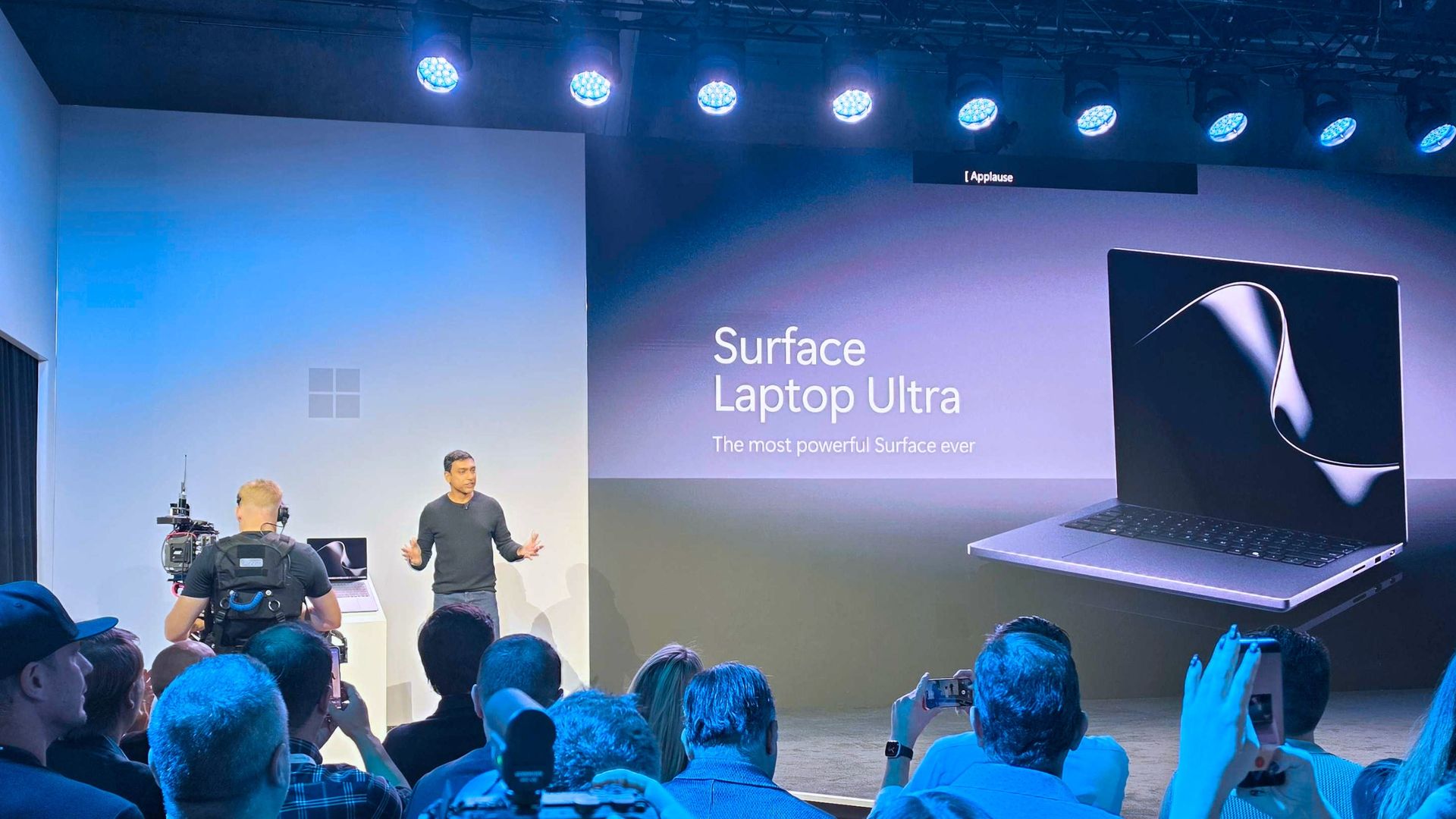
It's all happening in San Francisco. (Image credit: Daniel Rubino | Windows Central)
Alongside pricing and availability, Microsoft also revealed that the Surface Laptop Ultra is the world's first laptop to feature a breakaway USB-C port, similar to Apple's MagSafe and its own Surface Connect. Breakaway cable design means if you ever trip over the cable while the laptop is plugged in, it won't yank the entire laptop off your desk.
Breakaway ports have only ever really been possible on proprietary ports, as they use magnets to ensure the cable remains attached when in use. It's never been attempted on a universal standard before, which is what makes the Surface Laptop Ultra's breakaway port so special. It's a standard USB-C port, capable of taking any USB-C peripheral you can throw at it.
Surface Laptop Ultra is Microsoft's most expensive and most powerful Surface PC ever made. The high-end configs are designed for intensive AI developer workloads such as running large 120B parameter models locally, enabling complex agentic AI workloads and experiences.
Join us on Reddit at r/WindowsCentral to share your insights and discuss our latest news, reviews, and more.
Microsoft is holding a special event in San Francisco on October 7, and is remaining tight-lipped about what will be discussed. The company has confirmed that Windows, RTX Spark, and Surface are on all the agenda, but is yet to delve into specifics.This will be the first dedicated Windows & Surface event since the Copilot+ PC launch event in 2024. That event ended up being a total disaster, generating a wave of negative pushback online around features like Re
Microsoft is holding a special event in San Francisco on October 7, and is remaining tight-lipped about what will be discussed. The company has confirmed that Windows, RTX Spark, and Surface are on all the agenda, but is yet to delve into specifics.
This will be the first dedicated Windows & Surface event since the Copilot+ PC launch event in 2024. That event ended up being a total disaster, generating a wave of negative pushback online around features like Recall, tarnishing the category right out of the gate.
Microsoft will be livestreaming its October 7 event, which means the company believes the news it's planning to announce is worthy of public attention. Both myself and Daniel Rubino will be attending the event in-person, giving us an opportunity to go hands-on with all the new features and hardware as they are announced.
So, what can we expect Microsoft to discuss on October 7? Here's what I know.
Surface Laptop Ultra fully revealed
Unsurprisingly, a big focus on October 7 will be on Microsoft's new RTX Spark hardware. The Surface Laptop Ultra was unveiled back in June, and I'm expecting to hear more about the hardware, capabilities, and availability in San Francisco.
A big part of the keynote will be about how Surface Laptop Ultra and RTX Spark are capable of running local 120B parameter models that enable on-device AI experiences and agentic workflows without requiring the cloud. The laptop will be primarily marketed at AI developers and content creators who frequently use apps like Premiere Pro, Blender, and more.
I also understand that Microsoft will demonstrate how the Surface Laptop Ultra maintains maximum performance even when not plugged in, similar to the MacBook Pro. It'll also highlight the PixelSense Ultra display, which sources tell me will be both sharper and brighter than the display on the upcoming MacBook Pro/Ultra with touch.
Surface Laptop Ultra also features a large haptic trackpad that supports Windows 11's built-in haptic engine system that provides subtle feedback when interacting with apps and UI surfaces. I also expect Microsoft to reveal a unique USB-C port that may feature a breakaway design, similar to Surface Connect.
Component
Specifications
Platform / Silicon
NVIDIA RTX Spark Superchip (integrating NVIDIA Grace CPU and Blackwell RTX GPU) with native CUDA support
Processor Options
18-Core CPU with 5,120-core GPU
20-Core CPU with 6,144-core GPU
Unified Memory (RAM)
18-Core: 24 GB or 32 GB
20-Core: 32 GB, 48 GB, 64 GB, or 128 GB
AI Performance
Up to 1 PetaFLOP AI compute; runs local frontier-class models up to 120B+ parameters
Haptic touchpad (over 30% larger than Surface Laptop 15-inch) with next-gen haptic experience support.
Audio
Dolby Atmos surround sound
Ports & I/O
1x HDMI, 3x USB-C, 1x USB-A, Full-size SD card slot, 3.5 mm headphone jack
Battery & Performance Parity
All-day battery life; maintains 99.6% performance parity whether plugged into wall power or running on battery
Colors
Platinum and Nightfall
Operating System
Consumer: Windows 11 Home on entry SKUs; Windows 11 Pro on higher SKUs
Commercial: Windows 11 Pro across all configurations
Microsoft will also delve into configurations of the Surface Laptop Ultra that customers will be able to buy. According to my sources, Surface Laptop Ultra will be available in two RTX Spark configurations: an 18-core model with 5,120 GPU cores, and a 20-core model with 6,144 GPU cores for higher-end workflows.
The 18-core model will be available with 24GB or 32GB RAM, and the 20-core model will be available with 32GB, 48GB, 64GB, or 128GB RAM. The entry-level 18-core SKUs will ship with Windows 11 Home, and higher-end configs will come with Windows 11 Pro.
Of course, all eyes will be on pricing. Sources haven't been able to confirm exact pricing just yet, but I understand that Surface Laptop Ultra will not be cheap, likely starting well above $2,000 for the entry-level 18-core model with 24GB RAM.
I also wouldn't be surprised if we hear more about the Surface RTX Spark Dev Box, which I suspect will likely start shipping at or around the same time as Surface Laptop Ultra.
Windows K2 recap, and support for agents
(Image credit: Zac Bowden / Windows Central)
In addition to the new RTX Spark hardware, Microsoft has teased that "something new is coming from Windows" at this event. Details around what exactly Microsoft is planning to talk about remain under wraps, but I have a few theories.
Of course, the company will likely spend some time recapping the Windows K2 effort that has been ongoing this year. It'll highlight recent performance, reliability, and feature improvements delivered to the OS, and maybe even discuss how it has tuned the Prism emulation layer to run better on RTX Spark PCs.
I'm also expecting Microsoft to highlight some refreshed user interface and design improvements across the OS. The company has been working to bring WinUI to more areas of Windows, including File Explorer, Start menu, and more, which is expected to improve performance.
Windows is also set to gain new unified memory controls that will allow users to adjust how much memory is reserved for the GPU on RTX Spark. This should help enable more advanced local AI workflows and increased gaming performance when needed.
Agents on Windows have been in the works for well over a year. (Image credit: Microsoft)
But the big focus will be on how Windows 11 now supports agents. Microsoft has been working on adding agentic capabilities to the OS over the last year, and I'd be surprised if we don't get a demo showcasing how the platform has been updated to run agentic workflows locally and securely.
At Build 2026, Microsoft unveiled three new in-house language models that are designed to run entirely on-device: Aion Instruct, Aion Plan, and MAI Code Flash. I suspect all three will be highlighted as working great on RTX Spark.
Lastly, I wouldn't be surprised if Microsoft finally takes the wraps off its new voice-enhanced user experience that it has been teasing is in the works over the last year. On multiple occasions, the company has said it's working to adapt and improve voice input across Windows in the wake of AI.
Pavan Davuluri said in July that Microsoft is working to make "voice more natural and fluid to interact across the apps you use every day." We are yet to see this work in action, and so I expect October 7 will be when the company reveals this.
Microsoft's play for the high-end, MacBook Pro AI developer crowd
According to my sources, this event will focus a lot on appealing to the AI developer crowd, a large chunk of which has flocked to the high-end MacBook Pro or Mac Studio for all their on-device language model needs.
The Mac platform has become the default choice for AI development, and Microsoft and NVIDIA are keen to win back those users. Microsoft will use this event to appeal to that audience, along with content creators who have also chosen the Mac for photo and video editing needs.
Hopefully there will be some surprises in the form of Windows announcements, but I fully expect the majority of the event to focus on how Windows is now ready for RTX Spark and local agents.
Join us on Reddit at r/WindowsCentral to share your insights and discuss our latest news, reviews, and more.
Microsoft is yet to confirm plans for Windows 11 version 27H2, but that doesn't mean we don't yet know anything about it. Thanks to information supplied by Microsoft about Windows 11 version 26H1 and 26H2, we can read the tea leaves and begin to decipher what Microsoft's plans are for its OS in 2027.First up, we must set the stage for Windows 11 currently. For the first time ever, Microsoft has split the Windows userbase in two. Most Windows 11 users will continu
Microsoft is yet to confirm plans for Windows 11 version 27H2, but that doesn't mean we don't yet know anything about it. Thanks to information supplied by Microsoft about Windows 11 version 26H1 and 26H2, we can read the tea leaves and begin to decipher what Microsoft's plans are for its OS in 2027.
First up, we must set the stage for Windows 11 currently. For the first time ever, Microsoft has split the Windows userbase in two. Most Windows 11 users will continue to receive OS updates that are based on the Germanium platform release, which powers version 24H2, version 25H2, and the new version 26H2.
Germanium has been in the market since 2024, and is what the majority of Windows 11 users are running today. That will no longer be the case with version 26H1, which is the first version of Windows 11 since 2024 to ship on a new version of the Windows platform. This new version is codenamed Bromine, and exists exclusively for Snapdragon X2 and RTX Spark devices.
That means version 26H1 and the newer Bromine platform release will not be made available to the existing Windows 11 userbase this year. Microsoft doesn't say why, but my sources tell me this is because Bromine only really exists because of timing convenience. These new Arm chips required extra kernel level work, and it was easier for Microsoft to build those into a new platform release than it was to retroactively fit the Germanium platform release with these additions.
Because of this, Microsoft hasn't made any optimizations to the Bromine platform release for existing PCs. While you can run Bromine on existing hardware if you want, there is no benefit in doing so. As a result, Microsoft chose to keep the majority of Windows users in the platform release that has been shipping since 2024, and split off the new Snapdragon X2 and RTX Spark PCs with their own platform release.
That does mean there's going to be some awkward fragmentation between version 26H1 and version 26H2 throughout 2026 and into 2027, however. Microsoft has confirmed that because version 26H1 is based on a newer platform release than version 26H2, those running 26H1 are not eligible for the version 26H2 release.
The company does say that this won't be the case forever, and that Windows 11 users running version 26H1 will be updated to something newer in the future. According to my sources, that will be version 27H2 in 2027, which will be the first platform release since 25H2 to be offered to the entire Windows 11 userbase.
Release date
As is almost always the case, Microsoft tends to ship new versions of Windows in the second half of the year. I anticipate this will remain the case for version 27H2, which will likely target a September or October release window.
Because version 27H2 is likely to introduce a new platform release, Microsoft will use a measured and phased rollout approach to its general availability. That means not all users will see the update right away once it's made available, as Microsoft will choose to roll it out in waves to ensure the update is installing as intended.
It will also be a full blown OS upgrade release, and not just an enablement package. That means it will replace the entire OS with a new version, while maintaining all your apps, files and settings. This takes a little longer than an enablement package release, which only updates a few OS files to enable the new version.
Windows 11 version 22H2 was a fill blown OS upgrade release over 21H2, as was version 24H2 over 23H2. So this wouldn't be the first time this has happened.
Platform changes
We know that the version 27H2 release will need to be based on a newer platform release than Germanium to support upgrading both 26H2 and 26H1 users. What we don't yet know is what platform release this will be. It's possible that Microsoft could use the Bromine platform release for 27H2, though I think this is unlikely.
I think Microsoft will issue a platform release that's newer than Bromine. Given the timing, I suspect it may be the Windows Strontium platform release, which is expected to be finalized sometime in the first half of 2027. This would align with Microsoft's previous development schedules.
For example, Germanium was finalized in the first half of 2024, and ended up shipping as version 24H2 in the second half of that year. With Strontium expected to be finalized in the first half of 2027, I would wager the same will happen then for version 27H2.
Microsoft has announced that the next version of Windows will drop support for the Snapdragon 850 SoC. While not confirmation on its own, it's a strong hint that version 27H2 will be powered by a newer platform release than Bromine, given the Snapdragon 850 can still run Bromine-based builds.
New features?
(Image credit: Microsoft)
Because of Microsoft's "Continuous Innovation" effort, the company no longer ties new features to version updates. These days, Windows 11 receives new features whenever the company deems them ready to ship, meaning there's no features in active development that are expected to be exclusive to version 27H2 currently, though that could change in the future.
In fact, most mainline feature development still takes places on the Germanium codebase, then is forward integrated into newer codebases when ready. This is why new features often arrive on version 25H2 and 26H2 first, and then come to 26H1 later, as 26H1 is built on a newer Windows platform.
Windows 12?
(Image credit: Screenshot: Windows Central / Device: Edited with Gemini)
Of course, the age old question is whether or not the next version of Windows will be dubbed Windows 12. The answer is we don't know, and likely won't know until much closer to the time.
Even if Microsoft does debut Windows 12 next year, that doesn't mean Windows 11 version 27H2 wouldn't also exist. When Windows 11 version 21H2 debuted, Windows 10 still received its own 21H2 version that same year.
With all that in mind, I don't think we're going to see Windows 12 in 2026. Given the current versions of Windows 11 are split between two platform releases, it would be irresponsible and complex from a support perspective to leave the userbase in that state.
It would make the upgrade path from Windows 11 to Windows 12 more complex, and Microsoft would need to account for multiple in-market platform releases and versions. I would think it's better to get everyone back onto the same platform version under Windows 11 first, before trying to push forward with Windows 12.
Join us on Reddit at r/WindowsCentral to share your insights and discuss our latest news, reviews, and more.
Microsoft has announced that the just released Windows 11 version 26H2 will be the last version to support Qualcomm's second-generation Windows 10 on Arm SoC, the Snapdragon 850 from 2018. The news was published on the Windows 11 Lifecycle Policy page, where a notice now says "Windows 11, version 26H2 is the last version that will support devices with Snapdragon 850 processors."The Snapdragon 850 is notable as being the first "built-for-Windows" chip from Qualcom
Microsoft has announced that the just released Windows 11 version 26H2 will be the last version to support Qualcomm's second-generation Windows 10 on Arm SoC, the Snapdragon 850 from 2018.
The news was published on the Windows 11 Lifecycle Policy page, where a notice now says "Windows 11, version 26H2 is the last version that will support devices with Snapdragon 850 processors."
The Snapdragon 850 is notable as being the first "built-for-Windows" chip from Qualcomm. The Snapdragon 835 that powered Windows PCs first was a recycled smartphone chip.
Windows 11 had already dropped support for the Snapdragon 835 a while ago, and now it seems the Snapdragon 850 is next on the chopping block. Windows PCs with the Snapdragon 850 under the hood are eligible to install the latest version update, but will not get version 27H2 next year.
Windows 11 version 26H2 will be supported for 24 months, meaning devices with the Snapdragon 850 inside have two years of security updates remaining before they'll be left behind in an insecure state.
It's unclear why Microsoft is dropping support for this SoC. This likely implies that the 27H2 release next fall will be based on a new version of the Windows platform, and not an enablement-package like 26H2 is.
It's also unclear whether or not this limitation will be artificial in nature. Just because an SoC is no longer supported doesn't mean it can't run newer versions by bypassing system requirements. Many people have enjoyed running Windows 11 on unsupported chips for many years.
Either way, we know that officially, the Snapdragon 850 will no longer be supported on future versions of Windows. Windows 11 version 26H2 is the last version that is officially supported.
Join us on Reddit at r/WindowsCentral to share your insights and discuss our latest news, reviews, and more.
Right on schedule, Microsoft has announced the general availability of the Windows 11 2026 Update, also known as Windows 11 version 26H2. The company consistently releases a new version of the OS in the second half of the year, resetting the support clock and delivering new features and improvements.The Windows 11 version 26H2 release builds upon the same platform release that powers Windows 11 version 25H2 and version 24H2. This means the update includes no new
The Windows 11 version 26H2 release builds upon the same platform release that powers Windows 11 version 25H2 and version 24H2. This means the update includes no new features on the surface that aren't also rolling out to those older releases, but it does act as a checkpoint that enables all the new features rolled out over the last 12 months.
So if you are still missing new features like the new Start menu or File Explorer improvements, updating to version 26H2 should enable them. "Windows 11, version 26H2 brings together all the Windows innovations, security improvements, and enhancements delivered over the past year to version 25H2," Microsoft says.
Additionally, Microsoft explains that version 26H2 is an enablement package update, which "is a lightweight update that activates new features already included in the operating system through previous monthly servicing updates. Because versions 26H2, 25H2, and 24H2 share a common servicing branch and underlying codebase, many of the components required for version 26H2 are already present on devices before the feature update becomes available."
That means the update will only take a few minutes to download and install, and is low-disruption and safe with no compatibility concerns or bugs to be aware of.
The 26H2 update also resets the support lifecycle clock, meaning users that install it will enjoy 24 months of security and feature updates on Home and Pro edition from today. Commercial editions will receive 36 months of support.
Microsoft is rolling Windows 11 version 26H2 out in waves, but users can get it sooner by ensuring the "Get the latest Windows updates when they're available" option is toggled in Windows Settings.
If you're running Windows 11 version 26H1, you will not be eligible to install Windows 11 version 26H2. Version 26H1 is based on a newer version of the Windows platform compared to version 26H2, and so there's no direct upgrade path currently.
Join us on Reddit at r/WindowsCentral to share your insights and discuss our latest news, reviews, and more.
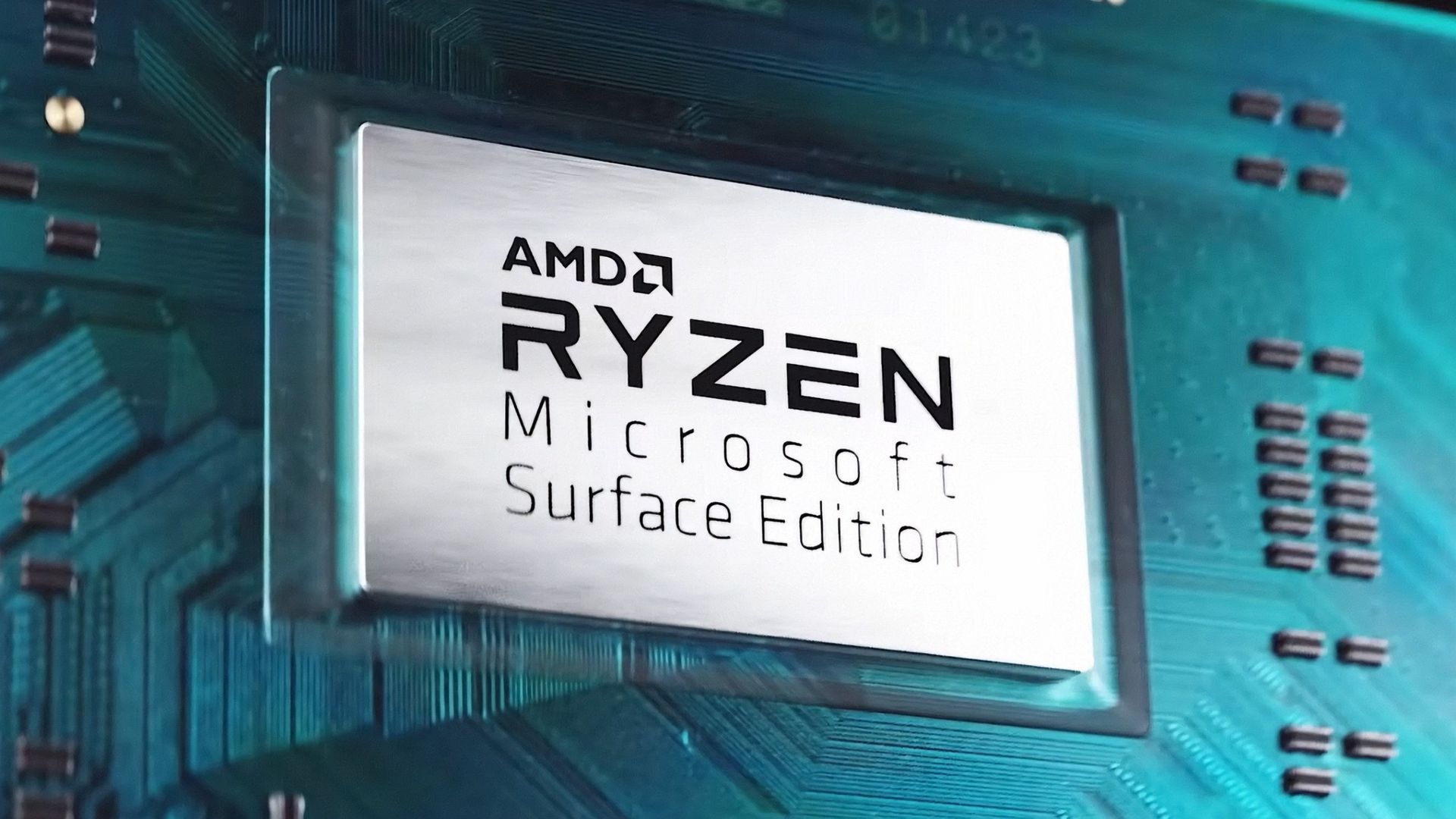
In 2026, you can find new Surface PCs from Microsoft for sale powered by almost all major chip makers. There are Surface PCs with Intel, Snapdragon, and very soon, even NVIDIA. But one chipmaker you won't see in a Surface PC today is AMD.This wasn't always the case however. In 2019, Microsoft released the Surface Laptop 3 with both Intel and AMD chip offerings, a first for the Surface line that lasted just two generations before being dropped entirely with the la
In 2026, you can find new Surface PCs from Microsoft for sale powered by almost all major chip makers. There are Surface PCs with Intel, Snapdragon, and very soon, even NVIDIA. But one chipmaker you won't see in a Surface PC today is AMD.
This wasn't always the case however. In 2019, Microsoft released the Surface Laptop 3 with both Intel and AMD chip offerings, a first for the Surface line that lasted just two generations before being dropped entirely with the launch of Surface Laptop 5.
Microsoft has never explained why it decided to drop AMD from the lineup, until now that is. In an interview with Windows Central, I asked Surface CVP Brett Ostrum why we don't see AMD in the Surface lineup in 2026.
"We love working with AMD. We have a limited portfolio, and so we have to make our choices pretty wisely in terms of what we're doing and where we're doing," Ostrum told me, before proclaiming "I love working with AMD."
So in short, it seems Microsoft doesn't sell any Surface PCs with an AMD chip right now because the portfolio is limited in size and the company has other partners and customers they need to appease first.
The only Surface PCs that have ever been available with AMD are the Surface Laptop 3 and 4. (Image credit: Microsoft)
I'm not sure I buy this explanation as Microsoft was clearly able to offer the same device with Intel or AMD in the past. Why can't Microsoft just do that today with the Surface Laptop 8 series, for example?
Microsoft has a close working relationship with AMD in the gaming space. AMD will power the next-gen Xbox, and is what you'll find in the currently manufactured Xbox consoles too. But for whatever reason, you just don't find it in a Surface.
If that chip ever does ship, we don't know where that might fit into Microsoft's limited portfolio as we have no real idea if the Sound Wave APU is a high-end one or not.
Either way, for now, Microsoft's official on-the-record stance as to why we don't see AMD in Surface PCs is because the portfolio is limited and they don't have the room for it right now.
Hopefully that rumored Surface powered by AMD's Sound Wave chip hasn't been totally canceled.
Join us on Reddit at r/WindowsCentral to share your insights and discuss our latest news, reviews, and more.
At this year's annual Snapdragon Summit, I had the opportunity to sit down and talk with Microsoft Surface CVP Brett Ostrum about all things Surface and Windows. One question I was eager to ask was about MacBook Neo, and whether or not Microsoft was interested in competing in that space. "Let me start this way: we have never shipped a gaming PC," Ostrum opened with. "The reason we've never shipped a gaming PC is because OEMs do just fine in that space. They've do
At this year's annual Snapdragon Summit, I had the opportunity to sit down and talk with Microsoft Surface CVP Brett Ostrum about all things Surface and Windows. One question I was eager to ask was about MacBook Neo, and whether or not Microsoft was interested in competing in that space.
"Let me start this way: we have never shipped a gaming PC," Ostrum opened with. "The reason we've never shipped a gaming PC is because OEMs do just fine in that space. They've done fine; they meet the customer needs; there's not a benefit for Surface to go into that space ... We knew Neo was coming long before it showed up. And so part of the question is, does Surface need to play a role relative to Neo? It wasn't a surprise. We chose to let the OEMs play in that space to deliver lower-priced devices."
His response confirms that Microsoft doesn't think it's necessary to use Surface to compete with MacBook Neo, because Windows OEMs have already stepped up to deliver truly good alternatives. The Dell XPS 13 and ASUS ZenBook 14 are two prime examples of Windows PCs that cost the same as a MacBook Neo, while beating it in a number of key ways.
The Dell XPS 13 at $799 is an incredible deal. (Image credit: Zac Bowden / Windows Central)
With that said, Microsoft is aware that customers are wondering why Surface isn't competing in this space. Ostrum tells me, "I've heard the feedback from press, I've heard the feedback from retailers, I've heard the feedback from partners to say Surface should be here. We will take that into consideration; we will certainly consider some options. But I would start with the gaming point. We do not have to play in every field."
That sounds like the door is open for the company to revisit this segment in the future, but for now it's clear that Microsoft isn't interested in building a low-cost Surface PC to compete head-to-head with MacBook Neo. Right now, Surface is more interested in competing at the very high end with devices like the Surface Laptop Ultra, which I tried earlier this year.
In fact, I've heard from sources that Microsoft now identifies its lineup of Surface PCs as three distinct categories of premium: Entry Premium, Premium, and Ultra Premium. Entry Premium are the most affordable Surface PCs, all of which start at above $1,000.
Of course, Surface used to build affordable PCs in the form of the Surface Go and Surface Laptop Go, both of which started at well under $600. But that was back before the component shortage forced price hikes, and under entirely different Surface leadership.
In 2024, Microsoft and Qualcomm kicked off a new category of Windows hardware it called "Copilot+ PCs" that set the baseline for a new wave of AI-first computers, and launched with exclusive features that would not be made available on PCs that didn't meet a new set of system requirements.The launch didn't go smoothly. Copilot+ PCs were met with immediate backlash from security researchers after discovering that Copilot+ PCs blockbuster feature, Recall, was woefu
In 2024, Microsoft and Qualcomm kicked off a new category of Windows hardware it called "Copilot+ PCs" that set the baseline for a new wave of AI-first computers, and launched with exclusive features that would not be made available on PCs that didn't meet a new set of system requirements.
This pretty much tarnished the Copilot+ PC brand, and over the last two years more and more OEMs have dropped the moniker from marketing materials and product names. In fact, even Microsoft has seemingly stopped mentioning it.
I've noticed that none of the Surface PCs launched in 2026 include the Copilot+ PC moniker in their product names, unlike the Surface PCs that launched in 2025 and before. Now, you have to go digging to find any mention of Copilot+ compatibility in specification sheets.
Surface CVP Brett Ostrum announcing Surface PCs in 2024 at Copilot+ event. (Image credit: Microsoft)
At this year's Snapdragon Summit, I had the chance to ask Surface CVP Brett Ostrum about the lack of Copilot+ PC branding on its recent Surface PCs, and he confirmed that "these are not called Copilot+ PCs. They do meet all the requirements of our previous bar for what Copilot+ devices are. We still lean into the narrative around AI on the edge and being able to have a hybrid solution out there."
I've also asked Qualcomm's SVP of compute, Kedar Kondap, about his thoughts on the usage of the Copilot+ PC branding. He told me that "the purpose for Copilot+ PCs was to be able to deliver [NPU] experiences. So it was to define a certain category of devices with a certain bar and metric, like for example, a 45 TOPS NPU ... So from that perspective, it's more offering the same experiences, probably without just using [Copilot+ PC] terminology now."
It's also worth mentioning that NVIDIA hasn't gone anywhere near the Copilot+ PC brand for its upcoming RTX Spark platform, even though all RTX Spark PCs meet the Copilot+ PC specification bar. I suspect that's a deliberate decision.
It seems pretty obvious that the Copilot+ PC brand hasn't resonated with the market, and OEMs and Microsoft itself are now quietly pulling back on that branding. The specification baseline for Copilot+ PC experiences still exists, it just no longer has a pretty marketing name tied to it.
The rough launch of Copilot+ PCs, paired with the fact that Microsoft Copilot itself doesn't have a very strong reputation these days, likely contributed to the decision to slowly retire the Copilot+ PC branding. The brand never made sense to me anyway... these PCs have nothing to do with Copilot.
Join us on Reddit at r/WindowsCentral to share your insights and discuss our latest news, reviews, and more.
Microsoft has announced a brand new version of the Surface Mouse, 10 years after the first one debuted alongside the Surface Studio in 2016 (and not be confused with the refreshed 2025 Microsoft Surface Arc Mouse or the 2018 Surface Precision Mouse). Many had likely assumed the peripheral was dead, as Microsoft hasn’t released any standalone Surface accessories in the last few years as the company refocused its efforts on Surface Pro and Surface Laptop.Well, toda
Microsoft has announced a brand new version of the Surface Mouse, 10 years after the first one debuted alongside the Surface Studio in 2016 (and not be confused with the refreshed 2025 Microsoft Surface Arc Mouse or the 2018 Surface Precision Mouse). Many had likely assumed the peripheral was dead, as Microsoft hasn’t released any standalone Surface accessories in the last few years as the company refocused its efforts on Surface Pro and Surface Laptop.
Well, today, the Redmond giant has a wonderful surprise for Surface Mouse diehards. Alongside the refreshed Gen 2 Surface Pro 12-inch and Surface Laptop 13-inch announced today at Snapdragon Summit, Microsoft announced a new Surface Mouse with an updated design, a new black color, built-in haptics, and a new customizable action button.
I got a chance to briefly play with the new mouse, and I was taken aback by how premium it feels. It features a lovely soft-touch material that coats the part of the mouse you grab, which feels amazing. The left and right click buttons are also super satisfying, offering tactility while remaining near-silent.
The new Surface Mouse in black looks sleek. (Image credit: Zac Bowden / Windows Central)
The star of the show, however, is the built-in haptics, which makes this the second mouse to support such a feature after the Logitech MX Master 4. Inside the mouse is a small vibration motor that buzzes when you interact with certain parts of Windows, such as snapping an app to the sides of your screen or dragging files between two windows.
It's a small but meaningful improvement that makes using Windows feel more responsive, and it's baked right in on the new Surface Mouse. Additionally, the new mouse now features an extra action button, which can be used to launch an app or shortcut of your choice, configured in the Microsoft Surface app.
Surface Mouse is available to buy on October 13 for $79.99, which is a great deal when you consider the only other mouse with haptics on the market is $120.
Join us on Reddit at r/WindowsCentral to share your insights and discuss our latest news, reviews, and more.
If you’re a fan of Microsoft’s smaller and lighter Surface PCs, we’ve got some good news! During Qualcomm’s annual Snapdragon Summit event in Hawaii, Microsoft announced new versions of the Surface Pro 12-inch and Surface Laptop 13-inch, now powered by the Snapdragon X2 Plus and featuring brighter screens, longer battery life, and even 5G on select models. We previously reviewed both the Surface Pro 12-inch (2025) and Surface Laptop 13-inch (2025), giving the for
If you’re a fan of Microsoft’s smaller and lighter Surface PCs, we’ve got some good news! During Qualcomm’s annual Snapdragon Summit event in Hawaii, Microsoft announced new versions of the Surface Pro 12-inch and Surface Laptop 13-inch, now powered by the Snapdragon X2 Plus and featuring brighter screens, longer battery life, and even 5G on select models.
Both come in a new Black colorway (in addition to Platinum and Violet; Ocean Blue has sadly been retired) and feature screens that can now reach up to 500 nits of peak brightness, making them easier to view outdoors in direct sunlight.
Both Surface Laptop 13-inch and Surface Pro 12-inch 2nd Editions come in the Violet colorway with the optional new Surface Mouse. (Image credit: Microsoft)
Category
Surface Pro 12" (Gen2)
Surface Laptop 13" (Gen2)
Processor
Qualcomm Snapdragon X2 Plus (6 Core)
Qualcomm Snapdragon X2 Plus (6 Core)
NPU
Qualcomm Hexagon with 80 TOPS
Qualcomm Hexagon with 80 TOPS
Graphics
Qualcomm Adreno GPU
Qualcomm Adreno GPU
Memory
16GB and 24GB LPDDR5x RAM
16GB and 24GB LPDDR5x RAM
Storage
256GB, 512GB (UFS)
Removable 256GB, 512GB (UFS)
Display
12" PixelSense LCD 2196 x 1464 (220 PPI) Up to 90Hz (60Hz default) Adaptive Color/Contrast Up to 500 nits
13" PIxelSense 1920 x 1280 (178 PPI) Up to 60Hz Adaptive Color/Contrast Up to 500 nits
Weight
1.5 lbs. (0.69kg)
2.7 lbs. (1.23 kg)
Battery life
Up to 15.5 hours of local video playback Up to 13 hours of active web usage
Up to 22.5 hours of local video playback Up to 18 hours of active web usage
Price
Starts $1,149
Starts $1,199
Release date
October 13 (Wi-Fi)
October 13
Surface Pro 12" (2nd Edition): $1149.00 Surface Pro 12‑inch is built for ideas on the move. At just 1.5 pounds, it delivers tablet flexibility with full Windows laptop power so you can sketch, create, stream, and work from almost anywhere. With fast performance and up to 15.5 hours of battery life, it stays productive from morning through night.View Deal
Surface Laptop 13" 2nd Edition: $1199.99 Surface Laptop 13‑inch is Microsoft's most portable model at just 2.7 pounds, built for people who work wherever life takes them. It combines a precision keyboard, premium design, a 13‑inch touchscreen, and up to 22.5 hours of battery life to stay productive on the go.View Deal
Both devices feature the same designs as last year, but with more power and battery life. Indeed, Microsoft claims the Surface Laptop 13-inch gets up to 22.5 hours of battery life, while Surface Pro 12-inch up to 15.5 hours.
Surface Pro 12-inch comes in violet, black, and platinum. Zac Bowden / Windows CentralSurface Laptop 13-inch comes in a new black color.Zac Bowden / Windows Central
Under the hood is Qualcomm’s Snapdragon X2 Plus SoC in a 6-core configuration, paired with 16GB RAM and 256GB storage in the baseline configuration. If you need more RAM or storage, you can customize memory up to 24GB RAM and 512GB storage for a higher price.
Notably, it seems Microsoft has removed the 8GB RAM option that was available on the last-gen Surface Pro 12-inch and Surface Laptop 13-inch, which allowed the company to price those models below $1,000. The new devices start at 16GB RAM, which explains why their starting prices are so high.
The new Surface Pro 12-inch will also be available with 5G as an optional configuration for commercial customers. No pricing or configuration details have been revealed as yet, but the company has confirmed that it’s coming soon.
The Surface Pro 12-inch also comes pre-loaded with a new Windows app called Microsoft Ink Canvas, which Microsoft describes as an “AI-powered, pen-first experience for sketching, annotating, generating images and summarizing text directly on the canvas.” The new app will be made available to download via the Microsoft Store on October 13.
The new Surface Mouse looks great.Zac Bowden / Windows CentralIt features a soft-touch material that feels great.Zac Bowden / Windows Central
Alongside the new PCs, Microsoft also unveiled a new Surface mouse, available in black or platinum colors, and featuring built-in haptics and a new action button that can be configured by the user. It’s the first update to the Surface mouse we’ve seen since it was first introduced 10 years ago.
All three new devices are expected to be made available starting October 13 at the Microsoft Store and third-party retailers like Best Buy and Amazon, though you can now preorder the Surface Pro 12" at Best Buy, as well as the new Surface Laptop 13".
Let us know in the comments your thoughts on the refreshed Surface lineup!
Join us on Reddit at r/WindowsCentral to share your insights and discuss our latest news, reviews, and more.
Yesterday, Apple unveiled iPhone Duo, much to the dismay of the dozens of die-hard Surface Duo fans that opted for Microsoft's now defunct line of foldable phones. Of course, the name of the product was what drew immediate comparisons to Surface Duo, but as the keynote went on, it quickly became evident that it isn't just the name that Apple was interested in.Ever since Surface Duo launched in 2020, I have heralded it as the best multitasking phone you could buy.
Yesterday, Apple unveiled iPhone Duo, much to the dismay of the dozens of die-hard Surface Duo fans that opted for Microsoft's now defunct line of foldable phones. Of course, the name of the product was what drew immediate comparisons to Surface Duo, but as the keynote went on, it quickly became evident that it isn't just the name that Apple was interested in.
Ever since Surface Duo launched in 2020, I have heralded it as the best multitasking phone you could buy. No other folding phone, whether that be from Samsung, Huawei, Oppo, Honor, Xiaomi, or Google, have matched the Surface Duo from a pure multitasking perspective.
The dual-screen setup allowed for Microsoft to create a new user experience around the gap between the screens, and that led to a unique experience that made multitasking automatic. Open your app on one screen, and the other screen would remain on the home screen, available whenever you need it to begin another task.
Surface Duo multitasking allowed for both halves to work independently or in unison. (Image credit: Daniel Rubino / Windows Central)
If the second screen was free, opening links would open them on the other screen, allowing you to keep viewing the first app without it being obscured by your browser. You could swipe up from the bottom and drag the app across both screens, swapping them in place or spanning a single app across both screens for a totally immersive experience.
No other folding phone has ever matched this level of fluidity or multitasking prowess. Most single-screen folding phones opt to treat the large folding screen as a tablet screen, opening apps full screen and requiring gestures or modes to enter a special "multitasking view" that allows you to run the apps side by side. The OS isn't able to dynamically do this, unlike the Surface Duo.
Well, it turns out, iPhone Duo can. I've never seen another folding phone match the Surface Duo's multitasking design, but iPhone Duo does almost identically. In multiple demos, Apple shows the iPhone Duo opening an app, and letting users split it side by side with another app by dragging the app up and docking it to the left or right of the screen.
iPhone Duo lets you treat each side of the folding screen as independent. Just like Duo. (Image credit: Apple)
When you do this, the iPhone home screen appears on the other side, just like Surface Duo. From there, you can open another app, and swap sides with it by doing the same drag and drop gesture you do on Surface Duo. It even opens links in a browser next to your app automatically, just like Surface Duo.
Surface Duo had a lot of flaws, but one thing it got absolutely right was the fluidity and automagic-ness of its multitasking experience. Users were in control of where apps appeared, and it was easy to move apps between the two halves, and have them run side by side. In most instances, multitasking on Surface Duo was an automatic experience. I never had to cognitively initiate a multitasking mode, it automatically happened.
It looks like iPhone Duo is opting for the same design philosphy. User shouldn't need to initiate a complex gesture or mode to multitask. It should just happen when it makes the most sense. If you need to open an app next to your currently open one, just drag the app to the side and open the second app from your familiar home screen.
If you tap a link, it should open the browser next to your current app, not on top of it like so many other Android phones do. Both Surface Duo and iPhone Duo appear to do this correctly, and that's the biggest surprise in my book. It's not just the name Duo that Apple borrowed, it's the entire multitasking design ethos as well.
You can see this in action in this video:
I'm not even mad about it, I've always said that I wish another company built the Surface Duo, because it wasn't fair of Microsoft to debut the best multitasking experience I'd ever seen on a phone, only to kill the product two years later. Apple has taken the best of Surface Duo and implemented it onto its own iPhone Duo, which is a win for Surface Duo fans in my book.
And it's not just the software multitasking and windowing that Apple have copied. iPhone Duo also supports pen, another feature that was incredibly popular on Surface Duo. Many people used their Surface Duo's as a personal diary or note taking device, and it did that quite well. iPhone Duo also supports pen input via the Apple Pencil, which is awesome to see.
I think Apple even indirectly referenced the Surface Duo during their keynote. At the start of the iPhone Duo segment, Apple says "others have created foldables that just feel like two phones awkwardly stuck together." The only folding phone that was literally two phone screens stuck together was Surface Duo.
Apple is right in that you can mimic the setup of a dual-screen phone 100% on a single screen folding phone, and that's exactly what they've done with iPhone Duo. All the dual-screen multitasking behaviors have been implemented on the folding screen, and it still works great.
Surface Duo fans, I fear we may finally have our Surface Duo 3 in the form of iPhone Duo. Too bad it costs $2,000.
Join us on Reddit at r/WindowsCentral to share your insights and discuss our latest news, reviews, and more.
Ever since the MacBook Neo launched earlier this year, Windows OEMs have scrambled to ship devices that match it from a design and price perspective. Until this year, most Windows OEMs weren't all that interested in insuring their sub-$1,000 laptops were pretty, but that has all changed in recent months.OEMs like Dell and Acer have come out with $799 laptops that match the MacBook Neo in design and premium build quality, and now ASUS is joining the fray with thei
Ever since the MacBook Neo launched earlier this year, Windows OEMs have scrambled to ship devices that match it from a design and price perspective. Until this year, most Windows OEMs weren't all that interested in insuring their sub-$1,000 laptops were pretty, but that has all changed in recent months.
OEMs like Dell and Acer have come out with $799 laptops that match the MacBook Neo in design and premium build quality, and now ASUS is joining the fray with their own $799 Windows laptop that also looks the part. The new ZenBook 14 with Snapdragon X is one of the better $799 Windows laptops we've tested, thanks to its premium design and excellent OLED display.
I've been daily driving the ZenBook 14 over the last few weeks, and this is my full review.
This review was made possible via a sample unit supplied by ASUS. The company had no editorial input and did not see the contents of this review before publication.
ASUS
Zenbook 14 (UX3480 Snapdragon)
The ASUS ZenBook 14 with Snapdragon X is ASUS's first true MacBook Neo competitor. Coming in at $799, it features a 1080p OLED display, excellent keyboard, plenty of ports, good performance and all day battery life.
Category
Specification
Model
UX3480QA
Operating System
Windows 11 Home
Processor
Snapdragon X X1 26 100 (30MB Cache, up to 2.97GHz, 8 cores, 8 threads)
Graphics
Qualcomm Adreno GPU
Neural Processor
Qualcomm Hexagon NPU up to 45 TOPS
Display
WUXGA (1920×1200) OLED, 16:10, 0.2ms response, 60Hz, 100% DCI‑P3, 1,000,000:1 contrast, 16.7M colors, 70% less blue light, non‑touch
Memory
16GB or 8GB LPDDR5X (on board)
Storage
256GB M.2 NVMe PCIe 3.0 SSD
Expansion Slot
1× M.2 2280 PCIe 4.0×4
I/O Ports
2× USB‑C (USB 3.2 Gen 2, display & power delivery) 1× USB‑A (USB 3.2 Gen 1) 1× HDMI 2.1 TMDS 1× 3.5mm audio jack
AI Noise Canceling, Live Update, TaskFirst, WiFi SmartConnect, Function key lock, Splendid, Fan Profile, Battery health charging, System diagnosis
Included Offers
3‑month Google AI Pro 3‑month GoPro Premium+ 1‑month Adobe Creative Cloud All Apps Xbox Game Pass Premium (2 months)
Security
TPM, Microsoft Pluton, BIOS password protection, IR webcam with Windows Hello
What I love
(Image credit: Zac Bowden / Windows Central)
Any laptop that wants a running chance at being competitive with the MacBook Neo needs to focus on design and build quality. Luckily, the ASUS ZenBook 14 is a device that looks and feels the part. It features a premium metal chassis with a coating that does a great job at hiding fingerprints and remaining light.
The design of the laptop is notably rounder than the MacBook Neo and other laptops in this price range, which gives it an edge in ergonomics too. Carrying this laptop around in your hands is very comfortable, and it just looks great when sitting on a desk or on your lap.
The texture of the chassis is nice and smooth, and cold to the touch which helps with that premium feeling. It's also super lightweight, coming in at just 2.87lbs, making it a touch heavier than the MacBook Neo but still plenty light, especially at 14-inches. The chassis does flex a tiny amount, but not enough for it to take away from the overall premium experience.
(Image credit: Zac Bowden / Windows Central)
Opening the laptop up, we're greeted with what I'd arguably describe as the star of the show. This laptop is rocking 14-inch OLED display that looks great for $799. It is a 1080p panel, which is notably lower resolution than what you might find on the MacBook Neo and Dell XPS 13, but the OLED colors make up for that slight drop in sharpness.
You don't often find OLED displays on laptops at this price bracket, especially not with a Snapdragon chip on the inside. This laptop is powered by the Snapdragon X 8-core SoC, which delivers good performance for day to day tasks while being incredibly energy efficient, meaning this device will last you all day on a single charge without breaking a sweat.
The configuration that starts at $799 includes 8GB RAM, which is a little on the low side in 2026, but if you're only planning to use your laptop for lightweight productivity tasks and a bit of multitasking between a web browser, Spotify, Teams/Slack, and an email client, it should be more than enough. If you need more, ASUS does offer the laptop with more RAM and storage at a higher price.
(Image credit: Zac Bowden / Windows Central)
Turning out attention to the chassis once more, we have plenty of ports for a laptop at this price bracket. It features a full size USB-A port on the right, and two USB-C ports, a full-size HDMI port, and a 3.5mm audio jack on the left. The USB-C ports are used for both data and charging the device.
I also want to take a second to shout out the great keyboard on this laptop. The ZenBook 14 has one of the best feeling keyboards I've ever typed on at this price point. For $799, this keyboard is lush. It's tactile yet quiet, and my fingers just glide across the keys. Actuating the keys is also easy and weightless.
(Image credit: Zac Bowden / Windows Central)
Lastly, the audio and webcam on this device are surprisingly good. The webcam is a XX shooter which looks great in well lit rooms, but gets a bit noisy in low light. It's perfect for Teams calls and video calling friends, and the built-in microphone is more than cabable for the same tasks.
What's really nice about the webcam is that it also features IR sensors for Windows Hello face unlock. This level of biometric authentication isn't something you'll find on the $799 MacBook Neo, but it does match the $799 Dell XPS 13.
What I hate
(Image credit: Zac Bowden / Windows Central)
There's not much to dislike about the ASUS ZenBook 14, but there are a few things I noticed during my time with it that I wasn't a fan of.
First of all, I don't like the trackpad. It's nice and smooth, and plenty large, but that's about as much good as I can say about it. I don't know if this was just an issue with my review unit, but the trackpad feels notably tougher to actuate than other trackpads I've tried. The MacBook Neo's trackpad is effortless, but the ZenBook 14 trackpad is a little tougher to press down.
I'll also say that the tracking of the trackpad itself is also not great. When people say Windows trackpads suck, I suspect it's trackpads like this that they're referring to. It just doesn't feel very accurate, often over or under shooting where I intended to move the mouse. The keyboard also doesn't feature a backlight, which kind of sucks. I know the MacBook Neo also doesn't have a backlight, but it also sucks on that laptop too. At $799, the laptop should have a backlight in my opinion.
The only other annoyance I found with the ZenBook 14 is that I found its fan spins up a fair bit, and it can get quite loud under super intensive load. It's not normally an issue in day to day use, but if you're susceptible to fan noise, I'd be weary of the ASUS ZenBook 14.
Conclusion
(Image credit: Zac Bowden / Windows Central)
The ASUS ZenBook 14 is the latest MacBook Neo competitor to hit the scene, and it's one of the better ones. Yeah, the trackpad isn't amazing, but everything else about this laptop is great for a $799 starting price.
I think it's one of the better looking $799 laptops you can find right now, complete with a thin and light profile and plenty of ports to boot. It also has all day battery life, and good performance for the day to day tasks you'd be expected to want to complete on a device in this price bracket.
The OLED display is a great addition, and while I wish it was slightly higher resolution and higher refresh rate, the panel itself is perfectly acceptable at this price point. In fact, I'd say the punchy colors are worth the slight decrease in resolution.
ASUS
Zenbook 14 (UX3480 Snapdragon)
The ASUS ZenBook 14 with Snapdragon X is ASUS's first true MacBook Neo competitor. Coming in at $799, it features a 1080p OLED display, excellent keyboard, plenty of ports, good performance and all day battery life.
Join us on Reddit at r/WindowsCentral to share your insights and discuss our latest news, reviews, and more.
I loved my Surface Duo a lot. It was a unique folding phone with two screens instead of a single foldable display, supported pen input, and was the thinnest of its kind when it launched in 2020 (see our original review). It was a mesmerizing bit of kit, but it failed to gain any real mainstream attention. And although it never shipped, its bigger brother, the Microsoft Surface Neo PC, was also something a lot of us Windows fans were looking forward to at the time
I loved my Surface Duo a lot. It was a unique folding phone with two screens instead of a single foldable display, supported pen input, and was the thinnest of its kind when it launched in 2020 (see our original review). It was a mesmerizing bit of kit, but it failed to gain any real mainstream attention.
And although it never shipped, its bigger brother, the Microsoft Surface Neo PC, was also something a lot of us Windows fans were looking forward to at the time. A dual-screen laptop, to complement my dual-screen phone? Sign me up! In 2020, it really did seem like Microsoft was building out its own unique device ecosystem to compete with Apple, Samsung, and Google.
The Neo and Duo were clever names for these devices. Both names had dual meanings to them, too. Neo, meaning "new," referred to the form factor, as well as being a reference to "The One" from The Matrix. And Duo, obviously signifying the device's unique "duo" screen setup, but it was also a reference to the fact that it was a surprise second device in a pair, alongside Neo.
When Duo was announced, it was a true one more thing moment during the event. There had been rumors that Microsoft was working on a folding phone for years prior, but recent reporting at the time had suggested the project was dead. So when Duo was announced alongside Neo, it was a rare true surprise to those in attendance and watching online.
(Image credit: Future)
Cut to 2026, and it's all dead. Microsoft gave up on Duo after just one iteration (Surface Duo 2 review), and it never even gave Neo a chance. The company's boneheaded shortsightedness led to the death of unique Surface hardware, and now today we're left with boring laptops and tablets from the Redmond giant.
It was inevitable that the Neo and Duo would forever be relegated to the history books, a hall of fame of unique devices that tried and failed to capture the market. Now, Apple has stormed in and stolen these names for their own products, which will only serve to further bury Microsoft's efforts.
I'm sure there are some Apple fans out there who think Apple never even thought about Microsoft when it named the MacBook Neo and iPhone Duo, but I think that's a lie. Apple is clearly aware that Neo and Duo were strongly tied to the Surface brand, but decided that didn't matter, which is the correct decision.
The MacBook Neo is an almost polar opposite of the Surface Neo. While Surface Neo was supposed to be a super expensive dual-screen flagship laptop, the MacBook Neo is Apple's cheapest laptop, undercutting much of the market. I don't know why, but that feels like an F.U. to Microsoft's vision for its Neo.
And now, there's iPhone Duo. This one hits much harder, as they're both playing in the same game. Surface Duo was a thin folding phone with pen support, and the iPhone Duo is pretty much exactly that. Of course, Apple's iPhone Duo refers to the fact that it's both an iPhone and an iPad, but seeing the Duo moniker on an Apple product just stings.
The iPhone Duo is a modern day Surface Duo. (Image credit: Apple)
If anything, it's just reminded me of what was possible had Microsoft pushed through and continued to innovate on the Surface Duo. The company had started working on a third-gen Surface Duo in 2022, which was going to pivot to a single-screen folding setup not dissimilar to the iPhone Duo.
But Microsoft just can't see a good thing through. Because Surface Duo 1 sold poorly, and Surface Duo 2 sold even less than that, the company decided that it was not worth continued investment in this category, which is just wrong. Folding phones were and still are the future, but Microsoft decided to pack it all in.
Now, Apple has just stolen the crown for the Duo moniker, with a product that seemingly does everything the Duo set out to achieve, but better in every way because Apple isn't going to give up after just one iteration. I get the impression that Duo is here to stay in Apple's lineup, unlike the Duo in Microsoft's lineup.
I'm mad that Apple has stolen the Neo and Duo moniker, but frankly, they deserve it. Microsoft clearly isn't doing anything with them, and they are cool product names for devices that stand out. MacBook Neo and iPhone Duo certainly do that, even if they're not in complete harmony like the Surface Neo and Surface Duo were supposed to be.
Congratulations on the launch of iPhone Duo, Apple.
Join us on Reddit at r/WindowsCentral to share your insights and discuss our latest news, reviews, and more.
Microsoft has just announced a set of new Windows 11 preview builds that are packing some notable improvements and changes that are now in testing with Insiders. This week's preview builds come packing an upgraded set of settings for sound and audio devices on Windows, enhanced cross device features that sync with your phone, and new family safety options.First up, Microsoft has introduced a new design for the volume sliders that appear in the Sound Settings area
Microsoft has just announced a set of new Windows 11 preview builds that are packing some notable improvements and changes that are now in testing with Insiders. This week's preview builds come packing an upgraded set of settings for sound and audio devices on Windows, enhanced cross device features that sync with your phone, and new family safety options.
First up, Microsoft has introduced a new design for the volume sliders that appear in the Sound Settings area of Windows Settings. The sliders now also show audio activity for when music or video is playing in the background while you configure your settings, making it easier to dial in exactly where you want your volume.
Microsoft is also porting over more Control Panel sound settings to Windows Settings, including the ability to set default devices, and the ability to allow hardware acceleration for devices that support it.
The new live audio activity indicator. (Image credit: Microsoft)
Here's a list of the new sound settings coming to Windows 11:
We've updated the design of the volume sliders in Sound Settings so that they display audio activity on the side when audio is playing.
If your audio device supports hardware acceleration, an option to allow hardware acceleration is now available in the Advanced section of the device's properties.
You can now configure exclusive mode for an audio device in the Advanced section of the device's properties, so you don't have to go to Control Panel.
You can now configure adaptive communication sound levels, which reduce the volume of other sounds when communications activity is detected, directly in Settings.
The option to set an audio device as the default sound device for communication now always appears in Properties. The option is unavailable if the device is already the default instead of being hidden.
We've updated the text for allowing audio devices to make it clearer.
We've added a new banner when mono audio is enabled to make it clear that some properties don't take effect while mono audio is active.
We've updated the All sound devices page:
You can now change default devices from this page.
We've adjusted the page design so that you can filter whether you're viewing input or output devices.
We've added toggles so that you can choose whether to hide or show disabled, disconnected, and unplugged devices.
We've also updated the input and output audio properties pages in Settings to include jack information for devices that need it.
Another new feature in testing is the ability to quickly download the Windows app for a phone app that appears in the Taskbar via Phone Link. If you use the cross-device sync features that comes with Phone Link, hovering over an open app such as your phone's browser on the Taskbar will now let you quickly pick up where you left off without missing a beat.
Quickly resume web browsing activity from your phone from the Taskbar! (Image credit: Microsoft)
In addition to the new sound settings, Microsoft has announced major upgrades to the family safety features in Windows 11. The company says family safety is a top priority for the company, and is addressing key issues and concerns from parents.
Key areas of focus include:
Parental approvals for offerings like screen-time extensions, app access, and purchases now happen faster, so kids aren’t left waiting and parents stay in control.
We restored clear visibility into web and app activity so parents can trust what they see in their reports.
Made spending more transparent, with wallet balances.
We also gave adults in a family more control over their own experience, making it far easier to add, manage, or leave a family group
"Each of these improvements came from a real family experience — from issues parents told us mattered most: speed, accuracy, control, transparency, and peace of mind." Microsoft Distinguished Engineer, Rob Mauceri said. "This is the compounding effect of a team that treats every piece of customer feedback as a commitment to do better."
These improvements are welcome to see, and a sign that Microsoft continues to modernize and improve Windows 11 for the masses. These improvements are part of Microsoft's ongoing Windows K2 effort, which is focused on fixing Windows 11's biggest flaws.
Join us on Reddit at r/WindowsCentral to share your insights and discuss our latest news, reviews, and more.
Last week at IFA 2026, Microsoft announced Project Zenith, the codename of a new class of devices aimed squarely at developers looking to build apps and local AI experiences on top of Windows 11. The announcement came out of the blue, which naturally caused a bit of confusion online.So, what is it? Well, Zenith is an effort to formalize a baseline for "developer-ready" hardware: devices that meet a minimum bar for performance and are ready out of box to begin cod
Last week at IFA 2026, Microsoft announced Project Zenith, the codename of a new class of devices aimed squarely at developers looking to build apps and local AI experiences on top of Windows 11. The announcement came out of the blue, which naturally caused a bit of confusion online.
So, what is it? Well, Zenith is an effort to formalize a baseline for "developer-ready" hardware: devices that meet a minimum bar for performance and are ready out of box to begin coding and compiling. This means the configuration of Windows 11 that ships on these devices is different from normal PCs, with different default settings and pre-installed apps.
To be clear: This isn't a new or different version of Windows 11. Zenith devices will almost definitely still ship with either Windows 11 Home or Pro, depending on the OEM. It's simply how Windows 11 is configured out of box that differentiates these developer-class devices from normal Windows 11 PCs.
There's seemingly also a hardware component at play, too. Microsoft says Zenith devices must ship with at least 64GB of unified memory and be capable of 250GB/s of memory bandwidth if they want to ship with this specially preconfigured version of Windows 11 for developers. All other hardware will ship with the normal configurations of Windows 11.
In recent years, there has been an uptick in developers making the switch from Windows to Mac for a variety of reasons, including OS quality issues or lack of capable hardware in the wake of Apple Silicon. Developers have also complained that it just takes too long to set up a Windows PC for development, sometimes taking hours or even days from the first power-up.
The developer-focused apps and frameworks that come preloaded on Zenith PCs. (Image credit: Microsoft)
Zenith removes this friction. These devices are certified high-end and ship from the factory in a state that is ready to code, with apps like Visual Studio and GitHub Copilot already installed and ready to go as soon as you reach the desktop. They also ship with Windows 11 in a configuration that already dials back the annoyances that developers have complained about.
Out of box, "File Explorer shows file extensions, hidden files, the full path in the title bar, and the details pane, with long-path support enabled. Recently used files and folders and sync provider tips are turned off for a cleaner workspace. In Search and Start, Command Palette is enabled, while Start menu tips and account notifications are turned off to reduce distractions."
These are small but meaningful changes to the default Windows configuration, one that can save minutes of setup time. If you're managing a fleet of developer devices, this will save you hours of configuration time. The good news is these settings aren't unique to Zenith PCs.
If you don't fancy spending the money on a new Zenith device, you can manually configure your existing Windows 11 PC to match the configuration that comes preloaded on Zenith PCs. Of course, it'll take longer to do, but you'll save yourself the cost of a new PC in the process.
Ultimately, the goal of Zenith is to signal to developers that Microsoft is listening and wants to position Windows as the preferred platform for on-device AI and app development. The first Zenith devices to ship will be ones powered by AMD's Ryzen AI Halo chips, with other chipmakers such as the RTX Spark expected to follow.
No word on which OEMs will build Zenith hardware, or when the first Zenith devices will begin shipping just yet. We'll keep you posted when we know more!
Join us on Reddit at r/WindowsCentral to share your insights and discuss our latest news, reviews, and more.
NVIDIA has confirmed new details and availability info about its upcoming RTX Spark SoC for Windows 11 devices. At IFA 2026, the company announced that it expects the first RTX Spark laptops to begin shipping as soon as next month, sometime in October depending on the OEM. Additionally, two new devices are joining the launch lineup; the Lenovo Yoga 9n laptop and Acer SFF desktop PC.Alongside availability news, NVIDIA has also confirmed configuration details for t
NVIDIA has confirmed new details and availability info about its upcoming RTX Spark SoC for Windows 11 devices. At IFA 2026, the company announced that it expects the first RTX Spark laptops to begin shipping as soon as next month, sometime in October depending on the OEM. Additionally, two new devices are joining the launch lineup; the Lenovo Yoga 9n laptop and Acer SFF desktop PC.
Alongside availability news, NVIDIA has also confirmed configuration details for the upcoming RTX Spark chips. There will be two different configurations of the RTX Spark N1X, with configurable RAM and storage based on what OEMs wish to offer. The high-end RTX Spark will be targeted at desktops and laptops, with support for up to 128GB unified memory, 20 CPU cores, and 6144 Blackwell RTX cores.
There will also be a less powerful RTX Spark configuration exclusively for laptops, which can only be configured with 24GB or 32GB unified memory, a 5120-Core Blackwell RTX GPU, and an 18-core CPU. While still a high-end chip, this should allow RTX Spark to ship in laptops that cost closer to $2,000, significantly lower priced than the high-end SoC.
Category
Specification 1
Specification 2
GPU Cores
6144-core Blackwell RTX GPU
5120-core Blackwell RTX GPU
CPU Cores
20-core Grace CPU
18-core Grace CPU
Memory
24-128 GB Unified Memory
24-32 GB Unified Memory
Form Factors
Laptops and Compact Desktops
Laptops
NVIDIA is touting RTX Spark as the best SoC for AI development on Windows. It supports NVIDIAs full AI stack, as well as the Windows Agent Framework and 120B parameter agents. It also supports hardware accelerated 4:2:2 video for video editing professionals.
While the first RTX Spark devices are expected to begin shipping in October, it's not yet clear which OEMs will be first out the gate. All major Windows hardware makers, including Dell, Lenovo, HP, ASUS, and Microsoft have all announced RTX Spark devices that are expected to ship by the end of this year. Devices like the Surface Laptop Ultra have not yet been given a release date, though Microsoft typically does aim to ship new Surface PCs in October.
We'll be sure to keep you updated on all the RTX Spark device availability as more information is revealed by OEMs. In the meantime, are you considering an RTX Spark device as your next Windows PC? Let us know in the comments!
Join us on Reddit at r/WindowsCentral to share your insights and discuss our latest news, reviews, and more.

 Connexion