Microsoft's Surface Laptop 8 launched this summer, sporting new Snapdragon X2 chips. The flagship laptops promise a premium experience, better battery life than the previous generation, and improved graphics performance.The bump in performance is expected considering the Surface Laptop 8 has a brand-new chip inside, so a different improvement is more noteworthy. The Surface Laptop 8 is one of the only devices to support Windows 11's new advanced haptics feature.
Microsoft's Surface Laptop 8 launched this summer, sporting new Snapdragon X2 chips. The flagship laptops promise a premium experience, better battery life than the previous generation, and improved graphics performance.
The bump in performance is expected considering the Surface Laptop 8 has a brand-new chip inside, so a different improvement is more noteworthy. The Surface Laptop 8 is one of the only devices to support Windows 11's new advanced haptics feature. It's the only laptop to support the feature.
Advanced haptics sends a subtle bump through a touchpad, mouse, or stylus to let you feel Windows 11. For example, rearranging windows on your screen through Snap Layouts gives a clear indication of when you've hovered over a different layout.
Our Senior Editor Zac Bowden said "Windows 11's new 'Haptic Signals' feature is a quality of life upgrade [he] didn't realize the OS needed until [he] tried it." Now, you can experience the same thing since the Surface Laptop 8 is available for purchase.
The haptic touchpad of the Surface Laptop 8 sends subtle vibrations when you perform certain actions, such as moving a file within File Explorer. (Image credit: Daniel Rubino)
As a quick point of clarity, the Surface Laptop 8 with Snapdragon X2 is what recently became available. Microsoft launched the Surface Laptop 8 for Business earlier this year. The business model runs on an Intel processor and comes with features you likely do not need as a general user.
Both the consumer and business versions of the Surface Laptop 8 support advanced haptics, but I recommend the consumer model to most people.
Advanced haptics is one of those small touches that makes Windows 11 feel polished. I appreciate UI changes and other Windows 11 improvements, but I'm more interested in features like advanced haptics because it changes the hands-on experience with a PC — quite literally.
"The new advanced haptic touchpad is a joy to use. It provides subtle tactile cues that confirm your actions," said our Editor-in-Chief Daniel Rubino in our Surface Laptop 8 review.
Our friends at Tom's Guide came away similarly impressed when reviewing the Surface Laptop 8:
"I’m also fond of the touchpad, which delivers satisfying haptic feedback when pressed. With some apps, you will even feel haptics when hovering over the X button on a window, which is quite fun and intuitive."
Right now, Windows 11 is the main way that you'll experience advanced haptics. But there's an API for the feature, so third-party developers can leverage it. Filmora, Affinity, and other third-party apps either already support the feature or will soon.
The only other way to use Windows 11's advanced haptics feature is to have a Logitech MX Master 4 or a supported stylus like the Surface Slim Pen 2. Over time, more devices should support the feature, but the Surface Laptop 8 beat everything else to the punch.
Join us on Reddit at r/WindowsCentral to share your insights and discuss our latest news, reviews, and more.
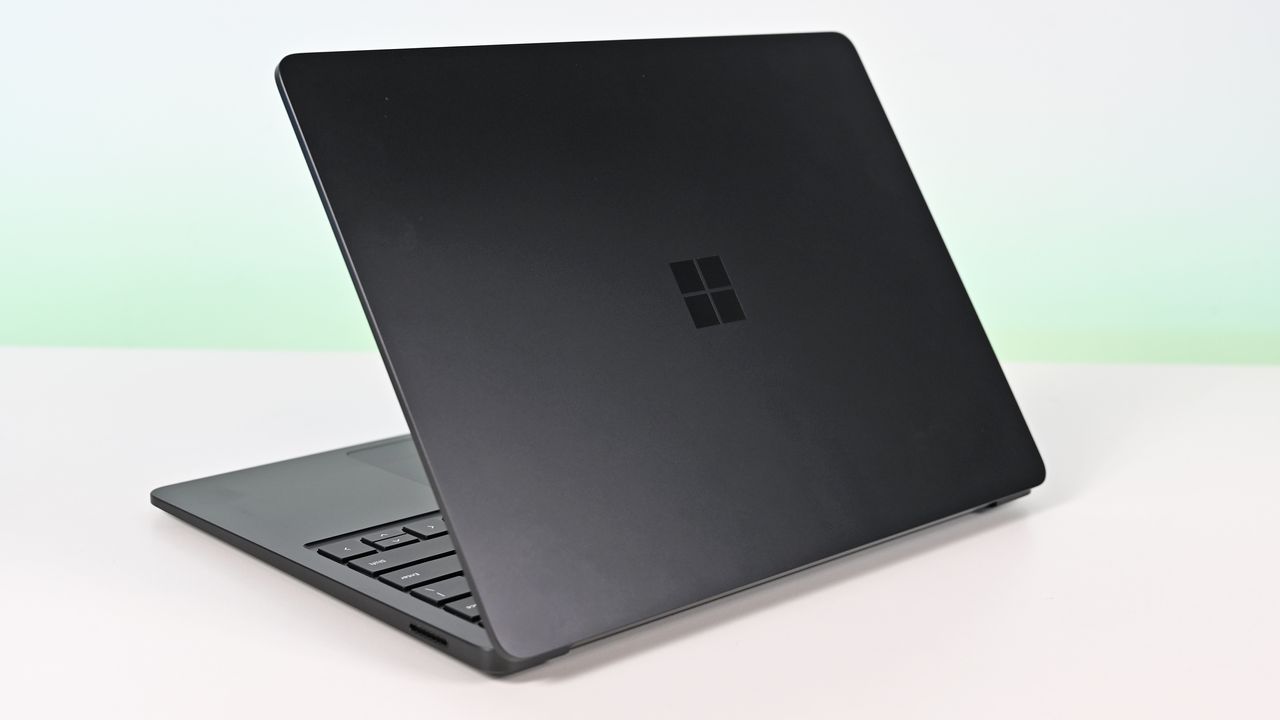
Surface Laptop for Business 8th Edition with a closed screen featuring a Windows logo, resting on a white surface. The background is a soft gradient from light blue to green.
Surface Laptop for Business 8th Edition with a closed screen featuring a Windows logo, resting on a white surface. The background is a soft gradient from light blue to green.
Best Buy is hosting a Back to School sale, giving major discounts on various gadgets and gizmos to help aspiring students get through their summer semester.One of the more lucrative products on offer through this event is the fast-performing, long-lasting Samsung Galaxy Book6 laptop, which is currently having its steep $1,449.99 listing price cut down to $899.99 at Best Buy."I’ve been using the Samsung Book 6 for a while now and honestly it’s been solid. It’s lig
Best Buy is hosting a Back to School sale, giving major discounts on various gadgets and gizmos to help aspiring students get through their summer semester.
One of the more lucrative products on offer through this event is the fast-performing, long-lasting Samsung Galaxy Book6 laptop, which is currently having its steep $1,449.99 listing price cut down to $899.99 at Best Buy.
"I’ve been using the Samsung Book 6 for a while now and honestly it’s been solid. It’s lightweight, looks premium, and the battery easily gets me through most of the day. Performance is smooth for studying, browsing, videos, and everyday work." ~ VALENTIN, customer review
4.8 out of 5 Stars (based on 40 Best Buy customer reviews)View Deal
Why buy the Samsung Galaxy Book6?
Major spec highlights of the Samsung Galaxy Book6 laptop. (Image credit: Samsung)
Samsung produces some of the best laptops in the business, boasting gorgeous screens and solid hardware that can tackle any workloads thrown at them, and the Samsung Galaxy Book6 is no exception.
It can handle running multiple browser tabs; it can launch and run heavy-duty programs like Adobe Photoshop or multiple lightweight programs from Microsoft Office, and multitask these activities and more without a hint of slowdown thanks to its solid Intel Core Ultra 7 processor, 16GB of RAM, and 512GB SSD storage unit.
It also features a 16-inch 2K LED touchscreen that displays images with bright, vibrant colors and rich details for viewing documents and videos with clear HD definition while allowing you to tap and swipe app windows in an instant compared to using a mouse.
Other notable features of the Samsung Galaxy Book6 include a slim, lightweight design that's also sturdy enough to withstand some punishiment, a plethora of USB, HDMI and microSD ports, a long battery life up to 24 hours, Copilot+ integration for AI tasks, and the ability to wirelessly connect your phone via Galaxy Book6 Touch so you can respond to phone calls and text messages directly from your PC while turning it into a monitor so you can multitask more easily.
How long will Best Buy's Back to School Sale last?
Best Buy's Back to School sale will last from mid-July to early September.
Is its RAM and storage upgradeable?
The Samsung Galaxy Book6's RAM is soldered into the motherboard, so it can't be replaced with a different one. You can, however, upgrade its storage capacity by fitting an SSD into its second M.2 slot.
Is it good for gaming?
Due to its Integrated graphics card for productivity rather than gaming, the Samsung Galaxy Book6 can't handle playing mid to high-end PC games compared to its Samsung Galaxy Book6 Ultra counterpart.
Join us on Reddit at r/WindowsCentral to share your insights and discuss our latest news, reviews, and more.
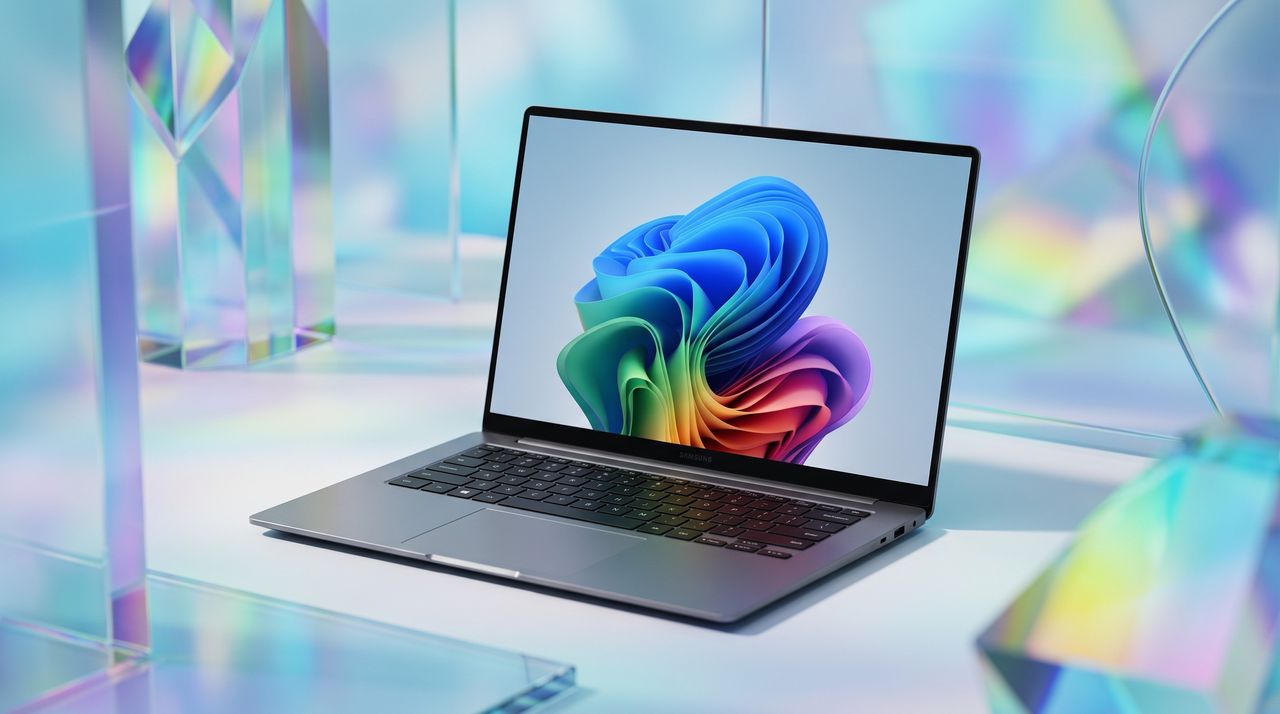
A sleek laptop with a vibrant abstract design on the screen, surrounded by colorful geometric shapes and reflections.
AI-generated image of a Samsung Galaxy Book6 laptop
An entry-level Alienware PC almost sounds like a contradiction; it's long been the all-out brand you could choose when money isn't a concern, and you'd rather have a guarantee your games will run. So, does the Alienware 15 need to exist, or is it just competing with the tantalizingly new category of high-end gaming handhelds?Including NVIDIA's RTX 5050 graphics certainly piqued my interest, because until now, I've never seen what this low-end laptop GPU can actua
An entry-level Alienware PC almost sounds like a contradiction; it's long been the all-out brand you could choose when money isn't a concern, and you'd rather have a guarantee your games will run. So, does the Alienware 15 need to exist, or is it just competing with the tantalizingly new category of high-end gaming handhelds?
Including NVIDIA's RTX 5050 graphics certainly piqued my interest, because until now, I've never seen what this low-end laptop GPU can actually do. Is it worth picking the 50 Series chip for the benefit of cutting-edge DLSS upscaling, or is it too weak to be worth your time? I had so many questions, and these are the conclusions I reached from my testing for this review.
How much does the Alienware 15 cost?
Alienware's modern design language still peeks through in parts of this entry-level laptop. (Image credit: Ben Wilson | Windows Central)
The Alienware 15 starts at $1,399.99 on Dell.com, featuring the same AMD Ryzen 7 260 processor as my sample but with a previous-generation NVIDIA GeForce RTX 4050 discrete graphics card. Memory and storage remain at 16GB of RAM and a 512GB SSD, but upgrading to an RTX 5050 GPU increases the price to $1,459.99.
A third and final variant of the AMD model increases storage to 1TB with an RTX 5060 GPU for $1,849.99, but the CPU remains the Ryzen 7 260. Alternatively, an Intel-based Alienware 15 starts at $1,499.99 on Dell.com with a Core 7-240H CPU, RTX 5050 GPU, and 16GB/512GB of memory and storage, though you can upgrade to RTX 5060 graphics and a 32GB/1TB RAM and SSD combo.
In the United Kingdom, the AMD-based Alienware 15 starts at £829.00 with a less powerful Ryzen 5 220 processor, RTX 3050 graphics, and 8GB of RAM and 512GB of storage. At the time of writing, an Intel-based Alienware 15 starts at £849.01 with a Core 5-210H CPU, RTX 3050 GPU, and the same 8GB/512GB RAM/SSD.
This gets you exactly what I tested, or an upgrade to a more powerful RTX 5060 GPU and 1TB SSD will cost you $1,849.99. If you aren't confident in self-installed upgrades, you should strongly consider it.View Deal
Is the Alienware 15 well made?
180W AC power requires an outdated barrel jack, but Ethernet, HDMI, and USB-A/C are all welcome.Ben Wilson | Windows CentralWired headphones and another USB-C port on the right side will likely be well used.Ben Wilson | Windows CentralAn elevated portion of the underside holds the cooling fans, and they work hard.Ben Wilson | Windows CentralThe touchpad feels small, but it's good enough to navigate Windows 11.Ben Wilson | Windows Central
The Alienware 15 is a bit of a mixed bag, starting with a relatively plain exterior design featuring an iridescent alien head logo and thick air vent panels underneath, synonymous with the capable cooling you'll see in this category. And while its most striking first impression is how heavy it is — at 4.89 lbs (2.22 kg) — it still isn't much different from its rivals. Gaming laptops are just heavy.
Its 15.3-inch screen sits on a gapped hinge, which looks strange at first glance, but I can feel airflow around the gap while it's in use, so it makes sense. The backlit keyboard is unremarkable, sticking to a single color and including a number pad that I'm sure most gamers will never use, and, as usual, I wish the space had been saved for larger speakers.
The 180W AC adapter needs an old-school barrel jack, but you can charge up to 100W with USB-C.
Admittedly, despite my gripes with the lack of any significant bass response, the sheer volume of the fans during games likely nullifies the appeal of its speakers anyway. As with all gaming laptops, I'm recommending you use headphones here. A small 5.5-inch mechanical touchpad only clicks properly in the bottom half, but you'll probably use a dedicated mouse for most games.
A 3.5mm audio jack pairs with a USB-C 3.2 Gen 1 port on the right side, while a single USB-C 3.2 Gen 2 is available on the left side, along with two traditional USB-A 3.2 Gen 1 ports for dongles, HDMI-out 2.1 for external monitors, and gigabit Ethernet for wired networking. The 180W AC adapter needs an old-school barrel jack, but you can charge up to 100W with USB-C.
How fast is the Alienware 15?
Counter-Strike 2 demands a smooth frame rate, and 165 FPS is attainable with the RTX 5050.Ben Wilson | Windows CentralYou barely have to tweak the settings in CS2 to keep the FPS high enough.Ben Wilson | Windows Central
Starting with Counter-Strike 2, the game recommends 'High' settings with AMD FidelityFX Super Resolution and vsync disabled for native, uncapped rendering at 1920 x 1200. While spectating a few rounds on Dust II, I saw the frame rate remain around the 165 FPS target when I was connected to AC power and Alienware's 'Performance' mode was active.
However, the laptop's fans were extremely loud throughout, keeping the CPU and GPU temperatures at around 68 °C and 60 °C, respectively. Switching to 'Stealth' mode reduced the fan speed, but no amount of graphical tweaks brought them down to a comfortable, more inconspicuous level. This is a loud laptop, and you'll have to get used to wearing headphones when you're gaming.
Cyberpunk 2077 is quickly becoming the poster child for DLSS because it works so well.Ben Wilson | Windows CentralCertain visuals will look better than others, but upscaling certainly helps the game run smoothly.Ben Wilson | Windows Central
In Cyberpunk 2077, I found that the 'High' preset with ray tracing and upscaling disabled most consistently achieved a native 60 FPS baseline in the game's built-in benchmark. Of course, the game supports DLSS 4.5, so setting Super Resolution to 'Balanced' and Multi Frame Generation (MFG) to 4X in the 'Ray Tracing: Low' preset has the Alienware 15 scaling to 171 FPS, up from ~42 FPS.
I have to assume you're considering a gaming laptop with NVIDIA's RTX 50 Series graphics to take advantage of realistic, ray-traced lighting. Luckily, that is quite possible with the RTX 5050 in the Alienware 15, depending on your feelings around MFG and "fake frames". If, on the other hand, you don't care so much about those visual luxuries, then it runs quite smoothly without ray tracing.
PUBG: BATTLEGROUNDS dips in busy areas, but I was able to stay above 100 FPS.Ben Wilson | Windows CentralApex Legends fared better with frame pacing, though it needed more fine-tuning in the settings.Ben Wilson | Windows Central
For other popular multiplayer titles, PUBG: BATTLEGROUNDS generally runs above 60 FPS with the 'High' preset at render scale 100, but you can push it to 165 FPS or higher by switching to the 'Medium' preset and further lowering some settings. Similarly, Apex Legends can reach 165 FPS and beyond with a little time spent in the settings, but the laptop's fans will be loud.
Performance benchmarks
Geekbench 6 CPU benchmarking shows the Ryzen 7 260 being beaten by years-old handheld chips.Ben Wilson | Windows CentralWhile the 512GB SSD is limited in capacity, it reads just as fast as the SSDs in Alienware's high-end laptops.Ben Wilson | Windows CentralYou'll see the RTX 5050 suitably appearing in plenty of entry-level gaming laptops like this.Ben Wilson | Windows Central
To put the specs of Alienware's cheapest laptop into perspective, the Ryzen 7 260 is a "Hawk Point" processor built on AMD's previous-generation Zen 4 architecture and ranks as the second-fastest CPU in the Ryzen 200 Series mobile range. That 8-core, 16-thread chip pairs with NVIDIA's entry-level RTX 50 Series mobile GPU, the GeForce RTX 5050.
However, benchmarking the Alienware 15's CPU in Geekbench 6 burst performance tests placed the Ryzen 7 260 even lower than I perhaps expected, even falling below the original ASUS ROG Ally gaming handheld from 2024. Cinebench 2024 failed to run any extended CPU stress tests after complaints of insufficient memory, so there's sadly no reprieve for this processor.
(The RTX 5050 is) faster than the last-gen RTX 4050, but of course, it still falls behind the 4060.
Testing the RTX 5050 across 3DMark's full gamut of GPU-centric tests yields a reasonably consistent and unsurprising conclusion: it's faster than the last-gen RTX 4050, but of course, it still falls behind the 4060. If you were choosing between a gaming laptop with an older GPU, such as an RTX 3060, and the 5050 in this Alienware 15, you'd choose the Alienware.
Finally, the PCIe Gen 4 SSD hits around 7,023 MB/s read speeds in CrystalDiskMark, while write speeds drop closer to 5,962 MB/s. It's a fast drive, and one that sees the Alienware 15 running neck-and-neck with the high-end Alienware m18 R2 from 2024. The 512 GB SSD has limited storage capacity, but it performs as expected.
Does the Alienware 15 have any issues?
After installing only four PC games, I started seeing warnings about low storage space. (Image credit: Ben Wilson | Windows Central)
Above all, the most significant issue I had during my time with the Alienware 15 was its limited 512 GB SSD, reporting a usable 477 GB with only 332 GB of free space on its first boot into Windows 11. It simply isn't enough, and no amount of optimizations offered by the pre-installed 'SupportAssist' app can help that. After installing only four games, I was out of space.
Alienware advertises"user-upgradeable options" for "up to 1TB PCIe SSD (Gen4) storage", promoting "the flexibility to adapt for whatever comes next", but the ongoing memory crisis stunts that notion. It isn't Alienware's (or Dell's) fault, but I quickly learned that 512 GB isn't good enough in a gaming laptop, and upgrades are extremely expensive in 2026.
Holding up a decibel meter during gameplay demonstrates how loud the fans really are.Ben Wilson | Windows CentralThe keyboard gets warm during gameplay, which eventually made my fingers uncomfortable.Ben Wilson | Windows Central
Otherwise, the loud fans (~58 dBA) are difficult to ignore and will likely annoy anyone around you. Booting into a game switches the Alienware 15 into 'Performance' mode via the Alienware Command Center companion app, which quickly ramps up the fan speed. Profiles like 'Stealth' mode advertise the laptop as "ideal for any environment", but it's only true if you aren't gaming.
Despite the fans working as hard as they can, the keyboard still gets quite warm during gaming, and it felt a little uncomfortable after a while. I could solve it by plugging in my Steam Controller or by using an external keyboard and mouse, but at that point it feels like I'm hardly using the laptop. Using a thermal camera, I detected a temperature of 46°C around the WASD keys — not abnormal for a gaming laptop, but not exactly ideal either.
Should you buy the Alienware 15?
Switching power modes with F6 and F7 wrangles the fans a little, but it doesn't stop the overall roar. (Image credit: Ben Wilson | Windows Central)
You should buy this if ...
✅ You want a modern, entry-level NVIDIA gaming laptop
✅ You don't have space for a full-sized desktop PC
You should not buy this if ...
❌ You're looking for quiet, portable AAA gaming
The biggest problem with entry-level gaming laptops is that they immediately compete with high-end gaming handhelds, like the Xbox Ally X, which will be more tempting for its versatility alone. However, if you're looking for a stay-at-home gaming machine that occasionally travels with you — with an 180W AC adapter included — the Alienware 15 keeps up with modern gaming by leaning heavily on NVIDIA's RTX 5050 GPU.
Its 512 GB of storage will fill up fast, so you'll either have to be happy with regularly switching between installed games from your library, or rely on an external hard drive to transfer backups. This laptop is loud, restrained, and heavy, but it will play your games, particularly so if they support NVIDIA's latest DLSS upscaling technology. If you're pondering the Alienware 15 on a budget because it's on sale, then I say go for it.
Alienware
15 (Ryzen 7 260, RTX 5050)
NVIDIA's GPU does all the heavy lifting, with DLSS upscaling helping this entry-level gaming laptop to keep up.
Join us on Reddit at r/WindowsCentral to share your insights and discuss our latest news, reviews, and more.
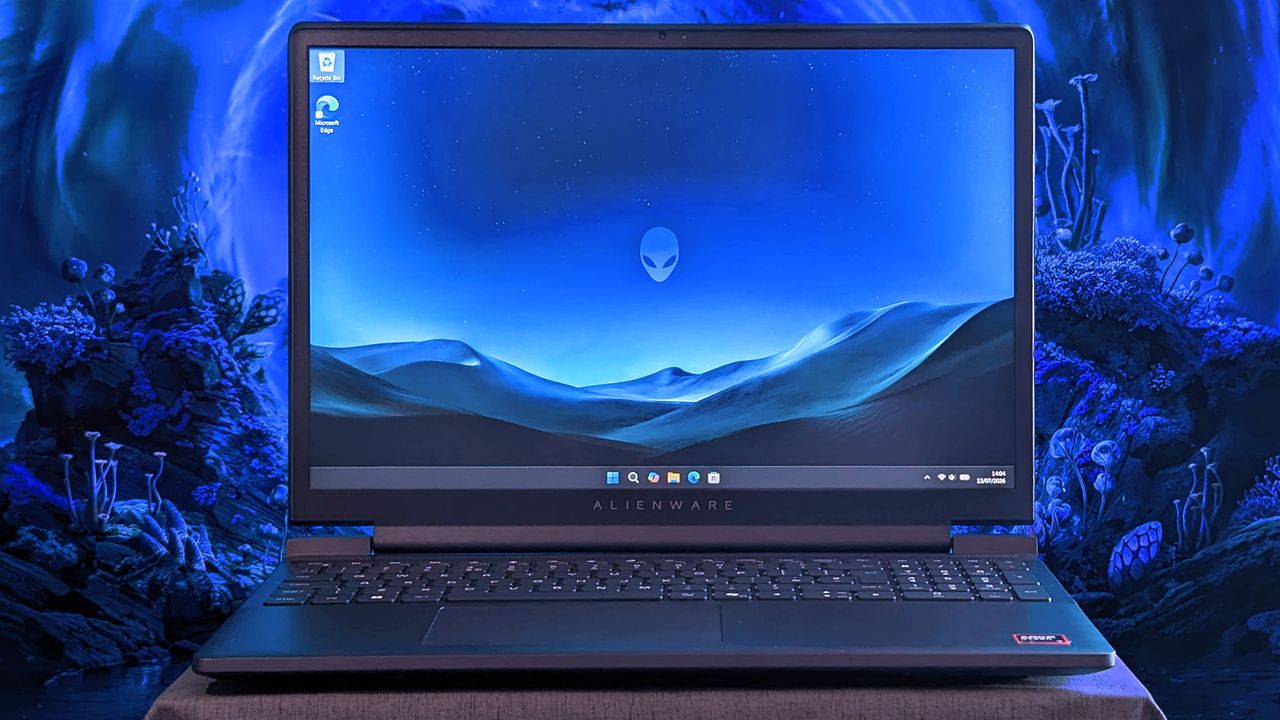
An Alienware 15 laptop sits on a cloth surface with its display showing a blue landscape wallpaper and the Alienware head logo. The background behind the laptop features glowing blue sci‑fi scenery.
Does Alienware need to offer "low-end" hardware in the first place?
The most exciting new Surface features in years are now available on a PC with a Snapdragon X processor. The Surface Laptop 8 for Business can now be purchased with a Snapdragon X2 Plus or Snapdragon X2 Elite.For those who prefer a 2-in-1 over a traditional laptop, the Surface Pro 12 for Business (13-inch) is also available with a Snapdragon X2 chip. Like its clamshell sibling, the Surface Pro for Business also had an Intel model launch earlier this year.The offi
The most exciting new Surface features in years are now available on a PC with a Snapdragon X processor. The Surface Laptop 8 for Business can now be purchased with a Snapdragon X2 Plus or Snapdragon X2 Elite.
For those who prefer a 2-in-1 over a traditional laptop, the Surface Pro 12 for Business (13-inch) is also available with a Snapdragon X2 chip. Like its clamshell sibling, the Surface Pro for Business also had an Intel model launch earlier this year.
The official names of the new PCs are "Surface Pro for Business 12th Edition" and "Surface Laptop for Business 8th Edition" but I've referred to them as the Surface Pro 12 for Business and Surface Laptop 8 for Business in this piece for ease of reading.
The standout feature of this year's Surface lineup is the privacy screen seen in the Surface Laptop 8 for Business. That display can be set to obscure content on your screen when people try to view it at an angle. It's similar to Samsung's screen on the Galaxy S26 Ultra.
The built-in privacy screen of the Surface Laptop 8 for Business combats creeping eyes from all angles, as opposed to third-party privacy screen protectors that only work from the sides.
The Intel version of the Surface Laptop 8 for Business launched earlier this year and received high marks from our Editor-in-Chief. The vast majority of what makes that laptop great extends to the Surface Laptop 8 for Business with Snapdragon X2, which are now available to order.
The Surface Laptop 8 for Business is the only version with the built-in privacy screen. (Image credit: Daniel Rubino)
The haptic trackpad of the Surface Laptop 8 for Business is also a key addition. Thanks to a recent update to Windows 11, you can now feel the operating system and supported apps as you interact with them. Haptic buzzes occur when you drag files in File Explorer or perform certain actions.
The Surface Laptop 8 for Business is one of few devices to support the new haptic experience.
The new Surface Pro 12 for Business is largely a spec bump when compared to its predecessor. The Snapdragon X2 chip inside delivers better graphics performance than the first-gen Snapdragon X.
The Surface Pro has matured over more than a decade of refinement, so it's hard to complain about Microsoft sticking with what works.
What's special about Surface for Business PCs?
When Microsoft first introduced Snapdragon X chips to its Surface hardware, a split was formed that saw Intel on business PCs and Snapdragon X on consumer hardware. That's no longer the case, since you can order Snapdragon X processors in consumer or business PCs.
Notably, there are no new Intel-powered Surface PCs for consumers in 2026.
Access to the cloud-based Surface Management Portal
Native corporate domain onboarding pathways during initial setup
Intel models available
Most of the features seen in the Surface for Business PCs are options general consumers would never use. The exception being the privacy screen that I wish was available on consumer versions of the Surface Laptop.
One key difference between the Snapdragon X2-powered Surface Pro 12 for Business and its Intel counterpart is that you can only get 5G connectivity with the Intel model.
Anyone can purchase a Surface for Business device. You don't need to own a business or have some sort of special account. But again, you're likely paying for unneeded features compared to the consumer Surface PCs unless you really need a privacy screen.
Join us on Reddit at r/WindowsCentral to share your insights and discuss our latest news, reviews, and more.
A sleek laptop with a black keyboard and a modern design, displaying a blue abstract swirl on its screen, set against a light gradient background.
A sleek laptop with a black keyboard and a modern design, displaying a blue abstract swirl on its screen, set against a light gradient background.
Qualcomm continues to flirt with gaming on its Snapdragon X processors. The latest update to Snapdragon Control Panel redesigns game library navigation, improves the software update experience, and helps you get the latest Hexagon NPU drivers.The overall gaming experience on Snapdragon X PCs will be better following the update, though you won't see a graphics boost.Snapdragon Control Panel is a piece of software that helps you optimize your gaming experience on P
Qualcomm continues to flirt with gaming on its Snapdragon X processors. The latest update to Snapdragon Control Panel redesigns game library navigation, improves the software update experience, and helps you get the latest Hexagon NPU drivers.
The overall gaming experience on Snapdragon X PCs will be better following the update, though you won't see a graphics boost.
Snapdragon Control Panel is a piece of software that helps you optimize your gaming experience on PCs powered by Snapdragon X chips.
Redesigned Game Library navigation to be more consistent and intuitive, including clearer favorites add/remove behavior.
Redesigned the Software Update page with a consistent experience for Snapdragon Control Panel, Adreno GPU drivers, and Hexagon NPU drivers.
Improved update status feedback so users can more easily understand available updates and current installation state.
Removed the top-level back button to simplify navigation.
Expanded the clickable areas for items in the Help dialog.
Added support for saving and restoring the navigation sidebar state.
🧠 Hexagon NPU driver updates
Get access to the latest Hexagon NPU driver releases directly from Snapdragon Control Panel.
🎮 One-Click Game Optimization robustness improvements
Improved the reliability of One-Click Game Optimization workflows, including optimization, revert, and refresh behavior.
Note: One-Click Game Optimization is currently supported only on first generation Snapdragon® X Series devices.
🛠️ General improvements and bug fixes
Includes additional reliability, usability, and maintenance fixes across Snapdragon Control Panel.
Gaming on Snapdragon X PCs is in an interesting spot in 2026. It's very clear that Qualcomm aims for its Snapdragon X chips to power gaming PCs eventually, but most mentions of gaming on the processors feel reserved.
"Best Commuter Laptop: extreme performance for multitasking, gaming, and creation," reads the ASUS listing for the Zenbook A16 (emphasis added).
Just two months after unveiling the Snapdragon X2 Elite Extreme and Snapdragon X2 Elite, Qualcomm announced Snapdragon Control Panel. That program lets users optimize game settings and update game drivers.
At some point, Qualcomm may fully embrace the gaming capabilities of Snapdragon X chips and make that a major part of its marketing. Until or unless that happens, the company will continue to work with partners to optimize gaming on Snapdragon X.
Join us on Reddit at r/WindowsCentral to share your insights and discuss our latest news, reviews, and more.
Studio photos of the 2026 ASUS Zenbook A16 laptop featuring the new Qualcomm Snapdragon X2 Elite Extreme processor.
The ASUS Zenbook A16, which runs on a Snapdragon X2 Elite Extreme, can run many popular games well.
The highly anticipated upgrades to the Surface Pro and Surface Laptop just launched. Both PCs pack the latest Snapdragon X2 processors from Qualcomm, promising better performance while still delivering great battery life.The biggest upgrade in the lineup is performance. Microsoft promises up to 53% faster graphics performance on the Surface Pro than the previous generation. The Surface Laptop sees an even larger bump of up to 58% when compared to the last generat
The highly anticipated upgrades to the Surface Pro and Surface Laptop just launched. Both PCs pack the latest Snapdragon X2 processors from Qualcomm, promising better performance while still delivering great battery life.
The biggest upgrade in the lineup is performance. Microsoft promises up to 53% faster graphics performance on the Surface Pro than the previous generation. The Surface Laptop sees an even larger bump of up to 58% when compared to the last generation.
Those improvements are thanks to the Snapdragon X2 processors inside the Surface Laptop and Surface Pro.
Now, Best Buy has a wide range of configurations available for the Surface Laptop and Surface Pro. I've included a mix of various colors, storage options, and processors. But there are plenty of other configurations up for grabs if you want to mix and match.
The new chips from Qualcomm perform well and let your PC last all day. Exact performance will vary based on the full specs of a PC, but the Snapdragon X2 Elite competes with Apple's M4 Pro. The Snapdragon X2 Plus stands toe-to-toe with Apple's M3 Pro.
Benchmarks and spec sheets aside, any Surface with a Snapdragon X2 chip will handle a wide range of workloads and tackle productivity tasks easily.
While the Snapdragon X2 chips are the stars of the show, they're not the only upgrades worth checking out in the new Surface Laptop and Surface Pro.
This Dune-colored Surface Laptop stands out in a sea of black and silver laptops. It does not come with Dave Bautista, but it does feature a Snapdragon X2 Plus.
This Surface Laptop has a 15-inch, 3K display with the 3:2 aspect ratio Surface is known for. It provides an excellent space to work without taking up too much space in your bag.
This is the best choice for those who love the Surface Pro form factor but don't need the most expensive processor or a massive amount of storage. It's the most affordable way to get the latest Surface Pro.
The first Surface Pro Flex Keyboard launched alongside the Surface Pro 11. The accessory is still the best way to use your Surface Pro like a laptop, and it can also be used when detached for even more flexibility.
The Surface Slim Pen 2 is excellent for natural note-taking and drawing, and it now supports Windows 11's updated haptic feedback experience to give you tactile cues while you navigate.
What's new with the latest Surface Pro and Surface Laptop?
(Image credit: Daniel Rubino)
There are more display options than ever across the Surface lineup. The new Surface Pro is available with either an OLED display or an LCD screen. The new Surface Laptop 15-inch has a screen with 262 PPI, which is much higher than the last generation offered.
But the new Surface Pro and Surface Laptop are more than a spec bump. While they share much of their designs with the last generation, both offer a new way to use haptics.
The Surface Laptop now features a haptic trackpad that allows you to feel Windows 11 and supported apps. The Surface Pro delivers a similar experience when paired with the latest Surface Slim Pen.
The new experience comes courtesy of Windows 11's new haptic feedback system. That system sends subtle vibrations when you perform certain tasks, such as dragging files in File Explorer or snapping windows.
The new Surface Laptop and Surface Pro build on over a decade of refinement by Microsoft. The overall form factor has matured, but Microsoft has figured out how to squeeze innovation from designs that were already almost perfect.
Join us on Reddit at r/WindowsCentral to share your insights and discuss our latest news, reviews, and more.
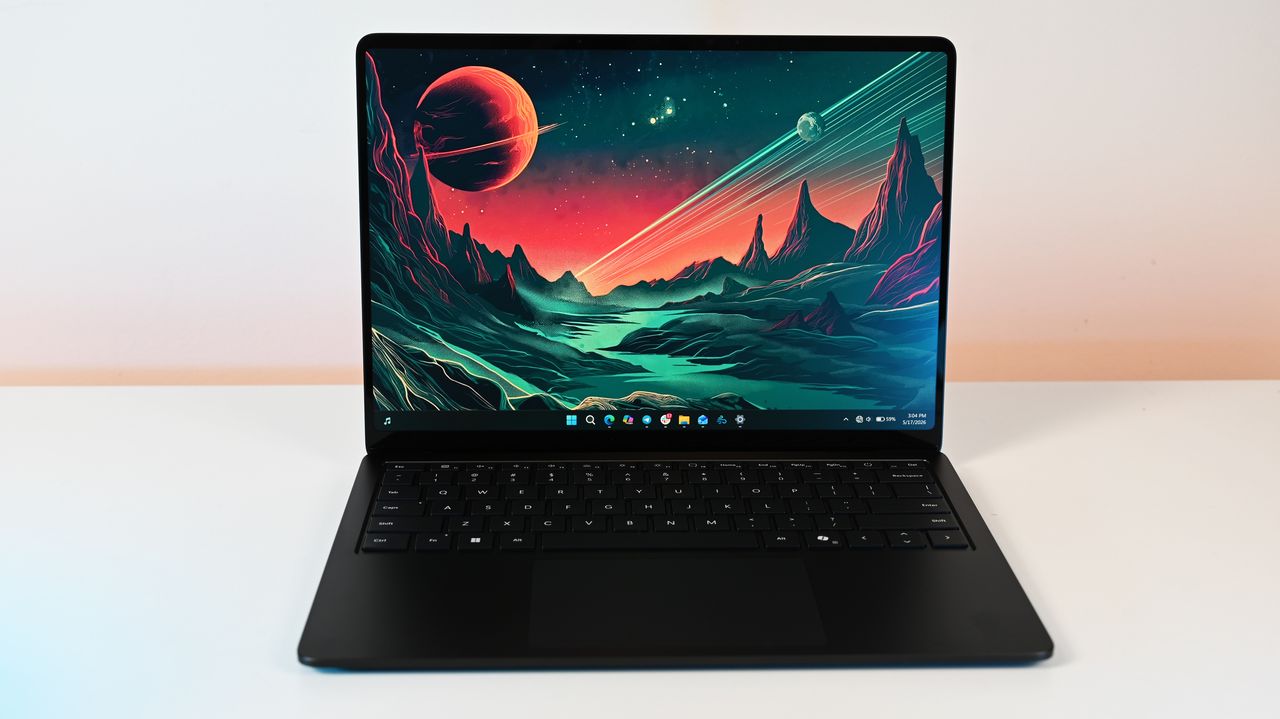
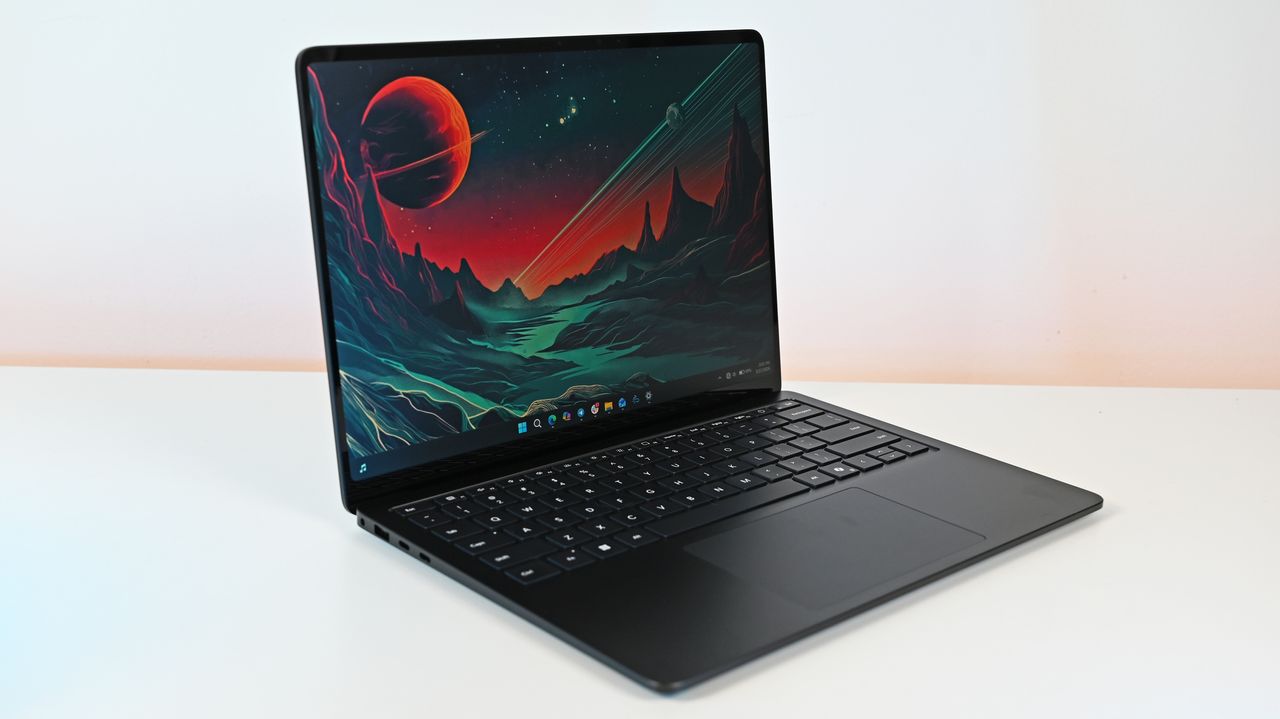
Surface Laptop for Business 8th Edition sits open on a white surface, displaying a vibrant sci-fi landscape wallpaper with a red planet and mountainous terrain.
Surface Laptop for Business 8th Edition sits open on a white surface, displaying a vibrant sci-fi landscape wallpaper with a red planet and mountainous terrain.
When it comes to productivity in the classroom, in the office, or even at home, HP's Omnibook laptops are among the best value-for-your-money Windows laptops.The Omnibook 5 features an OLED 2K display, solid performance, a long-lasting battery, a sturdy build, and other useful features that help justify its cost, even amid a memory crisis.And now, the 16-inch OmniBook 5 AI PC is on sale with a 26% discount for only $809.99 at Amazon.With the power of Qualcomm's S
When it comes to productivity in the classroom, in the office, or even at home, HP's Omnibook laptops are among the best value-for-your-money Windows laptops.
The Omnibook 5 features an OLED 2K display, solid performance, a long-lasting battery, a sturdy build, and other useful features that help justify its cost, even amid a memory crisis.
And now, the 16-inch OmniBook 5 AI PC is on sale with a 26% discount for only $809.99 at Amazon.
With the power of Qualcomm's Snapdragon X processor, 16GB RAM, 512GB of storage, and Copilot+ PC certification, this 16-inch 2K laptop makes for an effective and reliable tool for handling daily workload tasks such as typing documents, hosting meetings, researching, and more.View Deal
Why buy the HP Omni 6 16" Next Gen AI PC?
The specs of the HP OmniBook 5 16" Next Gen AI PC. (Image credit: HP)
The 16" version that's on sale today features similar levels of computing horsepower but with a larger 2K OLED display capable of rendering images and videos with strong contrast.
This configuration of the HP OmniBook 5 is equipped with a Snapdragon X processor, 16GB RAM, a 512GB SSD, and an NPU with 40-60 TOPS to support its built-in Copilot+ AI feature.
With these specs, this laptop will reliably and effectively run productivity tasks like reports or spreadsheets in Office, perform AI-related tasks like researching and compiling information online, open multiple browser tabs without lag, host video meetings, and more.
Other notable features of this laptop include a gargantuan estimated battery life of 34+ hours, a lightweight yet sturdy thin build that makes it easy to carry or store for long-distance travel, a built-in FHD IR camera, and pre-installed Otter.AI to automatically take notes during meetings (which I personally love as I'm regularly forgetting to take notes during fast-paced or long-winded conversations).
So, if you're looking for a dependable workhorse laptop, you can't go wrong with the HP OmniBook 5, especially now that it's on offer for $809.99 at Amazon instead of its usual listing price of $1,099.99.
FAQ
Is its RAM and SSD upgradeable?
The RAM is not replaceable and upgradeable due to being soldered into the laptop's motherboard. It's factory-installed SSD however, can be replaced with a larger one (up to 2TB) should you need more space for files.
Is it good for gaming?
No, not really, as the HP OmniBook 5 was built for productivity workflows, meaning it will struggle to run most PC games.
Join us on Reddit at r/WindowsCentral to share your insights and discuss our latest news, reviews, and more.
A laptop displaying a colorful wave pattern on the screen sits on a wooden desk beside a mouse, a notebook, and a cup. A window reveals a lush, sunny view.

 Connexion