Vue normale

Xbox has made some amazing special edition consoles over the last 25 years, so which one is your favorite?

One thing we haven't had so much of with the Xbox Series X|S compared to previous generations is limited edition consoles. There have been some, like the Halo Xbox Series X and some competition specials, but compared to the Xbox 360 and Xbox One especially, it's been a pretty dry time.

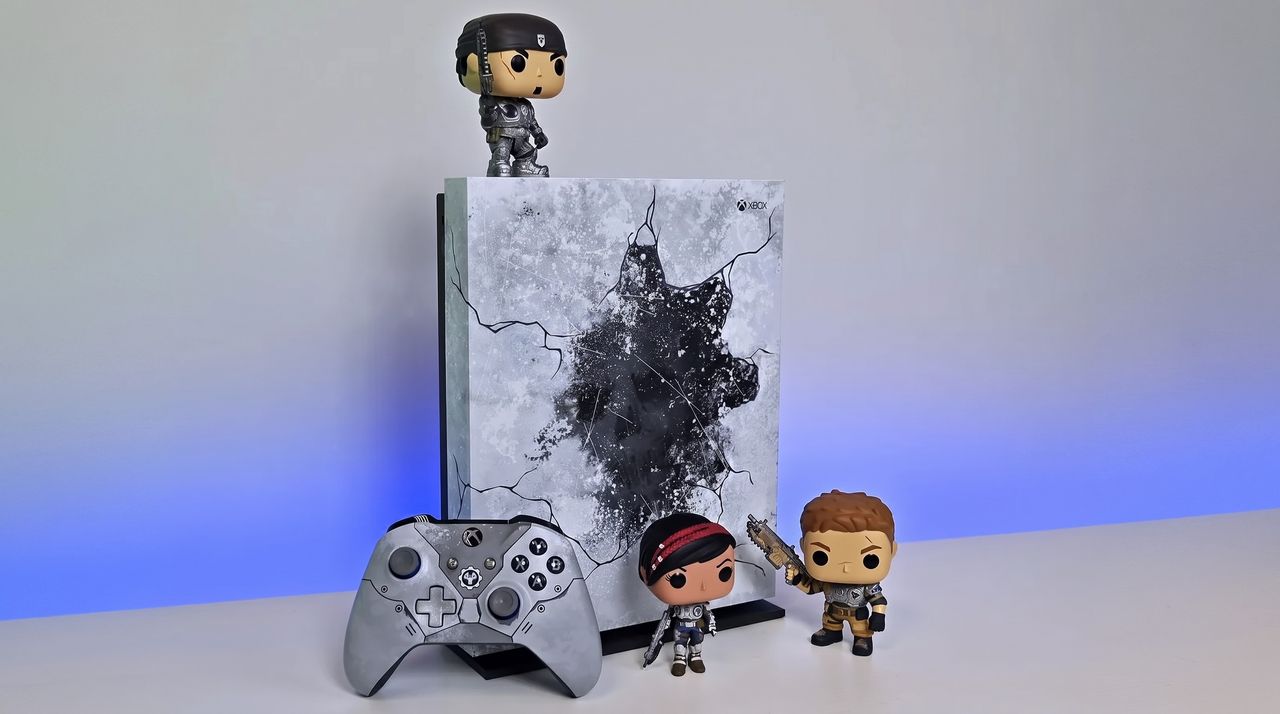
Some of the older limited editions command a pretty penny on the used market these days, and obviously there's a finite supply of them. But there are some real gems, like the Gears 5 Xbox One X (pictured above) or even the blood red Gears of War 4 Xbox One S. Later this year we'll also see the Xbox Series X25, with its classic translucent green shell. Though unfortunately, a vastly increased price, now.

But over on the Xbox subreddit there's a thread rolling right now where folks are talking about these consoles, so I thought I'd bring it on over here, too. So what's your favorite limited edition Xbox console of all time?

What’s your favorite limited edition console(s)?
 from r/xbox

There are some incredible choices on the Reddit thread, from the classic Crystal Green OG Xbox through the Halo 4 Xbox 360, the Titanfall Xbox One, and some others that folks like myself based in the UK might not even have known existed.

I didn't know there was a Taco Bell Xbox One X, for example, nor a green Mountain Dew OG Xbox. Granted, neither of these were actually sold, but they still exist, and I'd definitely go for a Mountain Dew Xbox if I could get my hands on one without selling a kidney.

I've never actually owned a limited edition console myself. The closest I've come so far is the Project Scorpio launch edition Xbox One X, which I still have in my office looking pretty.

Xbox One X Cyberpunk 2077 Console

Does this one take the crown as your favorite limited edition? (Image credit: Microsoft)

DEAL: Get Surfshark VPN 86% OFF with Windows Central 🦈

If I had to pick, it'd be between two. The Xbox console I always coveted the most was the Crystal Green first-generation. I wish I'd chopped in my standard black console to get one, but given I'd already spent a whole paycheck from a part-time job on one at the age of 17, I decided against it lest I risk the wrath of the parents.

The other might be one most wouldn't pick given some of the wild designs, but as a massive fan of the franchise, I always wanted the blue Forza Edition Xbox One. It didn't help that a friend of mine actually had one, taunting me every time I went over.

So, those are my picks, but I'm more interested in yours. There's no shortage to choose from, so hit the comments below and share your own favorite limited edition Xbox console design from the last 25 years!

Click to join us on r/WindowsCentral

Join us on Reddit at r/WindowsCentral to share your insights and discuss our latest news, reviews, and more.

A photo of a special edition Gears of War Xbox One X and matching controller with three Gears of War Funko Pop figures.

We used to get special edition consoles all the time, like this Gears of War Xbox One X.
Popular simulator game has reached the end of the line for Xbox One — here's what it means for you

Players of Dovetail Games' popular train simulator, Train Sim World 6, on Xbox One and PS4 have unfortunate bad news to endure.

Currently the game and all DLC content have been made available on last-gen hardware, but that is now coming to an end.

The announcement was made on the developer's blog, alongside information on exactly what it means for players on Xbox One and PS4.

"Train Sim World titles and new TSW Add-on releases developed from this date onwards will only be available on PlayStation 5, Xbox Series X|S, and PC platforms (Steam, Xbox for PC and Epic Games).

This change is essential for allowing the teams that create TSW content freedom to take advantage of current-gen hardware, prioritising the best performance possible, and improving the visual quality as much as they can."

The good news is that this change doesn't affect content you've already bought up to now. It's still there, it's still playable, and it's still supported. The cancellation only applies to any further DLC content for Train Sim World 6 and for future games in the franchise. To play any of that, you'll need to be on PC, Xbox Series X|S, or PS5.

It's sad news for players still on the last-gen consoles, for sure, but credit to Dovetail Games for holding out as long as it has.

A screenshot from Train Sim World 6 showing a Crosscountry Class 220 Voyager train bound for Plymouth.

Xbox One players do at least have more options to carry on with Train Sim World 6. (Image credit: Dovetail Games)

Even Xbox has finally had to take the plunge with Call of Duty, with Modern Warfare 4 not releasing on Xbox One or PS4, either. It's particularly bad timing for those still holding onto their older consoles given that both Xbox and Sony have recently increased prices on the new consoles, too.

If you are on Xbox One with Train Sim World 6, you do at least have options. It supports Xbox Play Anywhere, for one, so if you can move to PC, you can take all of your existing content with you so long as you use the Xbox App. You can't transfer your content to Steam or Epic Games. Content does transfer between Xbox One and Xbox Series X|S as you would expect, and PS4 players can also carry over to PS5.

Train Sim World 6 is also supported by Xbox Cloud Gaming, so even though your console may not be up to scratch going forward, you can still keep playing through the cloud if you're unable to move natively to supported hardware. PS4 owners don't have that luxury, as cloud streaming on PlayStation is limited to owners of the PS5 version.

While the timing might not be great, it's understandable. Games are more demanding than ever, and ultimately no experience at all is better than paying for something and having a bad experience.

Click to join us on r/WindowsCentral

Join us on Reddit at r/WindowsCentral to share your insights and discuss our latest news, reviews, and more.

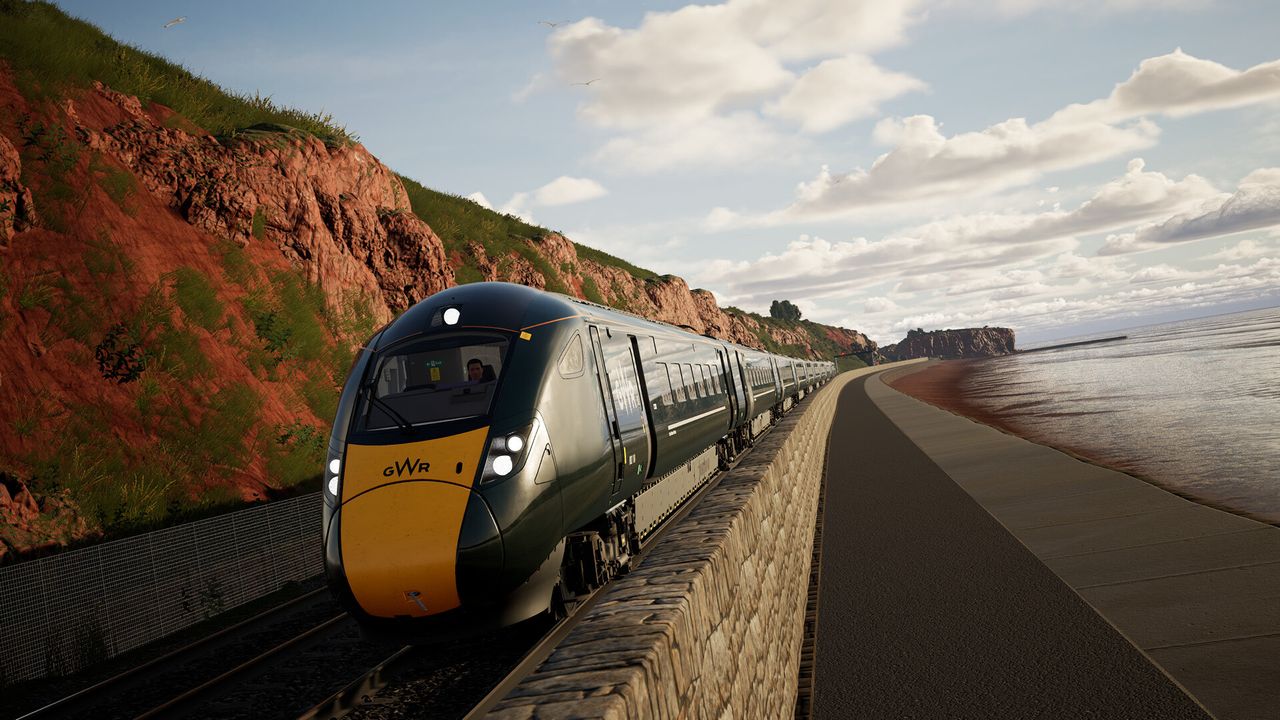
A promotional screenshot from Train Sim World 6 showing a GWR train driving along the Devon coast.

From now on you'll need current-gen hardware to play future Train Sim World content.

If you use the Xbox App on Windows 11 with non-Xbox games then you absolutely need to use this Game Bar widget

If you use a Steam Deck, then the first thing I would always recommend is to install Decky Loader. From there, one of the first plugins I'd recommend is SteamGridDB, because let's face it, the box art isn't always the best artwork you can have in your games library.

Now, though, SteamGridDB is also on Windows 11. We first covered SteamGridDB for Windows 11 a while ago, but until recently I hadn't really given it much notice.

I've started using the Xbox App on Windows 11 as my go-to launcher since I'm in there a lot for Game Pass games, anyway.

But while it's convenient having the Xbox App launch games also from Steam, Epic Games, Ubisoft, etc., one thing made me twitch; the artwork pulled in was awful. Low-res icons mostly rather than full artwork.

This is where SteamGridDB comes in. Just as on the Steam Deck, you can use it to select custom art for your games, and in this case, bring your non-Xbox titles up to the standard of those you're getting directly through the app.

A screenshot of the SteamGridDB widget for Game Bar changing the artwork of NASCAR 15 in the Xbox App for Windows 11.

Even older games will have at least something better than the stock icon. (Image credit: Windows Central)

SteamGridDB is not an app, as such, but instead a Game Bar widget. So to make your changes you have to go through Game Bar, but I actually think I prefer it this way. It can't hook into the Xbox App like it can hook into SteamOS, so it's probably the next best thing this way.

These days you can get it directly from the Microsoft Store, and once it's installed, you may just need to launch it from the Widgets Menu on the Game Bar.

But it's as simple as selecting a game, hitting the search icon, and compatible artwork will show up. The selections in my experience aren't quite as plentiful as they are on SteamOS, but there's not been a game I've come across where there isn't something that's a whole heck of a lot better than a crummy low-res icon.

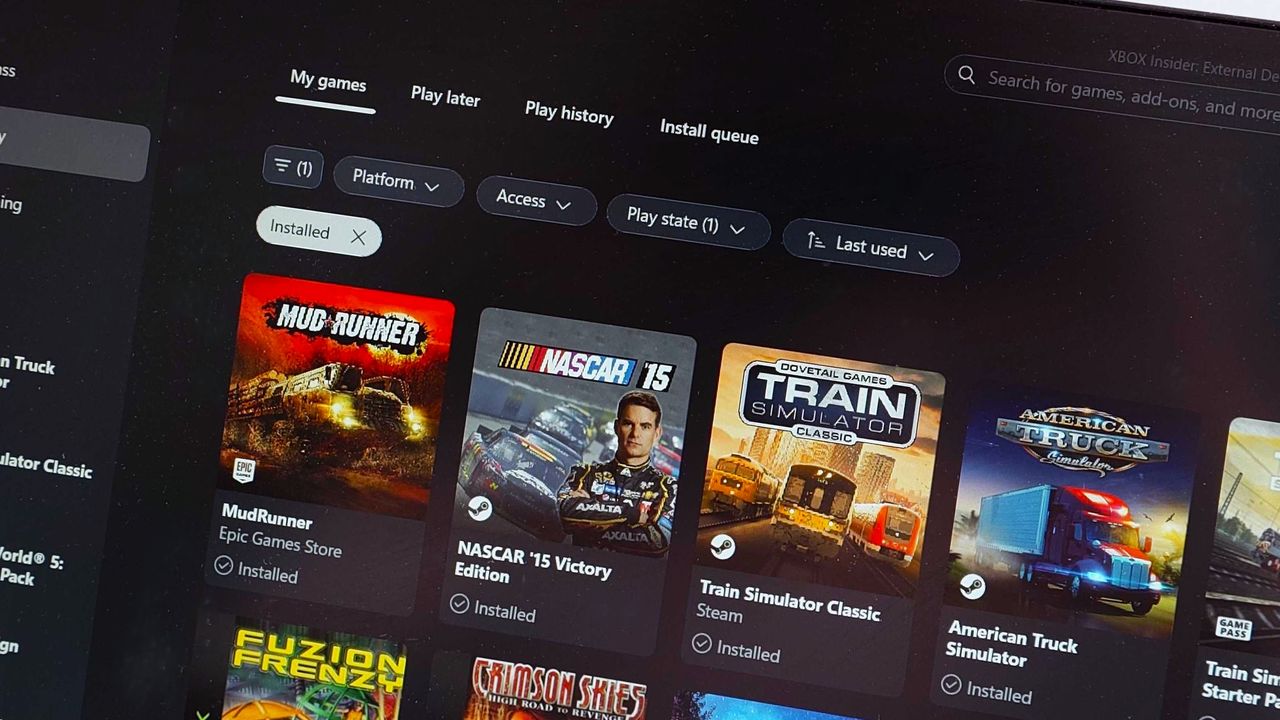
Screenshot of My Library in the Xbox App for Windows 11 showcasing SteamGridDB artwork for non-Xbox games.
Before: Terrible looking icons. Windows Central
Screenshot of My Library in the Xbox App for Windows 11 showcasing SteamGridDB artwork for non-Xbox games.
After: Glorious artwork!Windows Central

Once you choose your artwork, the next time you go to your library in the Xbox App, it'll have been applied, and it won't make your eyes bleed any longer.

I'm using it on my desktop PC, but it's particularly useful if you're on a handheld gaming PC such as the Xbox Ally or Lenovo Legion Go series. Clean library, clean mind!

Game Bar is one of those features I use a lot without really exploring what it can do, and SteamGridDB is now a permanently pinned widget. It only takes seconds to make a change, and it's so worth it.

It's a must-have if, like me, you're using the Xbox App to launch games from elsewhere.

Click to join us on r/WindowsCentral

Join us on Reddit at r/WindowsCentral to share your insights and discuss our latest news, reviews, and more.

A photo of the library in the Xbox App on Windows 11 using SteamGridDB artwork for games from Steam.

SteamGridDB will make sure your non-Xbox games have eyecatching artwork, too.

❌