Vue normale

Microsoft celebrates major progress with Windows 11 on Arm PCs, confirms Windows on Arm is now "a first-class platform for any workload" and that "customer demand is growing"

Microsoft has published a new blog post celebrating significant progress around the Windows on Arm platform over the last year. The company is excited to welcome NVIDIA to the Windows on Arm family with its RTX Spark SoC later this year, joining the Qualcomm Snapdragon X platform and solidifying the Windows on Arm platform as here to stay.

"The market is sending a clear signal: more silicon providers and more OEM partners are investing in Windows on Arm because customer demand is growing for these powerful and efficient Windows devices and experiences," says Klaus Diaconu, Partner Director at Microsoft. "In the fall of 2026, devices from Microsoft Surface, ASUS, Dell, HP, Lenovo, and MSI will be available [with RTX Spark.]"

In addition to highlighting silicon and hardware makers bringing Windows on Arm to market, Microsoft is also excited to spotlight Windows apps that are now available on the Arm platform, including STEM and education apps, security apps, productivity apps, creativity apps, entertainment and media apps.

Windows on Arm compatible apps
Microsoft
Windows on Arm compatible apps
Microsoft
Windows on Arm compatible apps
Microsoft
Windows on Arm compatible apps
Microsoft

"Productivity apps remain the cornerstone of how people get work done on Windows. Whether managing projects, collaborating with teammates, organizing information, or communicating across teams, these apps are essential to our customers’ daily work. The growing list of productivity apps now available reflects both customer demand and increasing momentum from developers building with Arm as a first-class Windows platform."

Some of the highlights include apps like Sharex, Proton Mail, Signal, Discord, FxSound, and more. In fact, Microsoft says there are now over 7,000 compatible Windows on Arm apps being tracked on the "Works on WOA" website, which the company recommends as a comprehensive source for app compatibility information.

While most mainstream apps are now natively supported on Arm, there are still Windows apps that don't yet have an Arm native version. With the Windows Prism emulation layer, these apps still run on Windows on Arm, and on the latest Arm PCs they feel native thanks to improvements to performance from both the silicon and software.

"Windows on Arm is no longer defined by potential, but by a rapidly expanding ecosystem of devices with apps available across workloads that customers depend on most," Microsoft states. "As developers continue to invest in Arm-native experiences and compatibility, customers gain more choices, flexibility, and confidence in adopting the next generation of Windows devices."

Click to join us on r/WindowsCentral

Join us on Reddit at r/WindowsCentral to share your insights and discuss our latest news, reviews, and more.

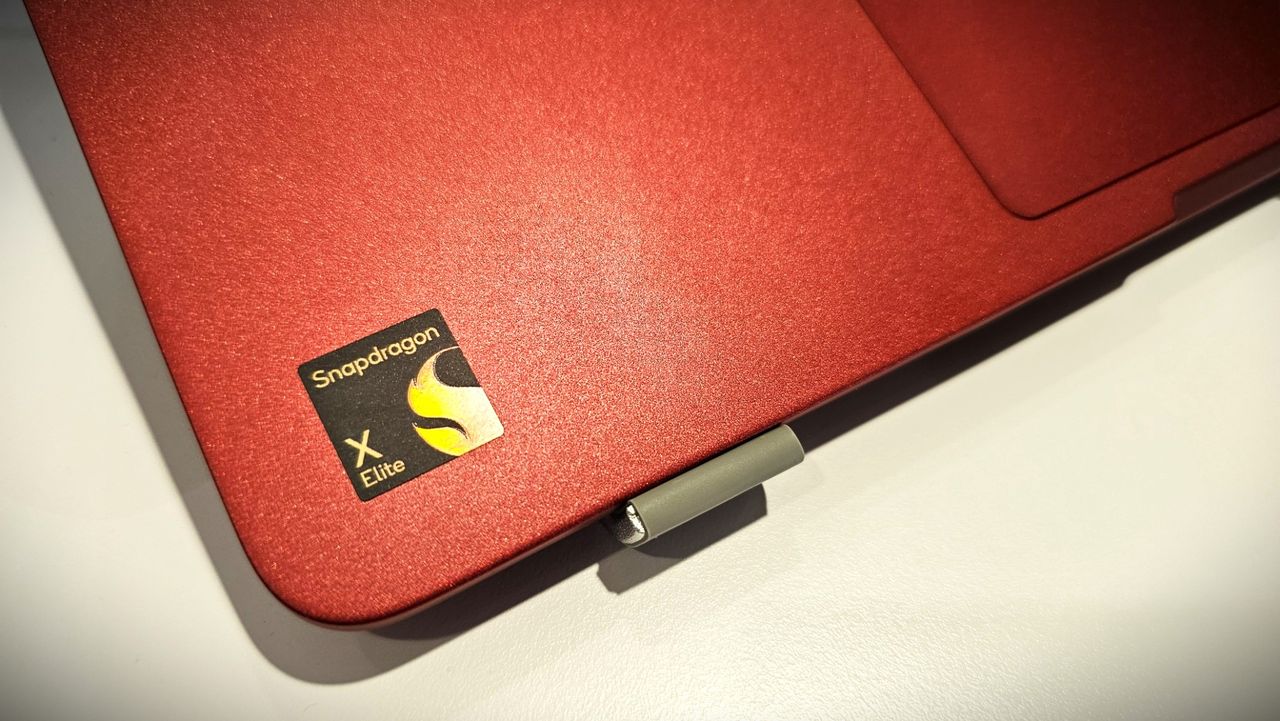
Snapdragon X Elite logo

Snapdragon X Elite logo
Windows 11 will soon let you control unified memory, just in time for NVIDIA RTX Spark

Windows 11 will soon let you pick how much unified memory is reserved for graphics and AI. The feature is hidden in a recent Windows Insider build (29648) and was discovered by X user @XenoPanther.

Unified memory is high-bandwidth memory that can be shared between a CPU, GPU, and other processors. Traditionally, PCs with discrete graphics cards have dedicated VRAM (video memory) that lives separately from other memory.

Unified memory is still relatively new to PCs. The upcoming NVIDIA RTX Spark lets you use up to 128GB of unified RAM. AMD's Ryzen AI Max already features unified RAM.

Apple popularized the concept of unified memory with its M-Series chips, though the technology is not exclusive to Apple.

If the unified memory feature in testing rolls out, Windows 11 will have a key differentiator from macOS.

Here is how the Unified Memory settings will appear (Under System > Advanced) https://t.co/eN8Gs0BYKs pic.twitter.com/2OpiBrWspZAugust 21, 2026

Microsoft's new feature lets Windows 11 users "reserve additional unified memory for graphics and AI intensive games and applications." The setting would help ensure smooth performance for certain types of workloads that require a lot of memory.

Normally, Windows manages shared memory dynamically, shifting resources back and forth as apps demand them. That approach works fine for general multitasking, but it runs into problems with heavy workloads like local AI inference or 3D gaming.

When memory is shared like that, background OS tasks and apps can contend for the same pool of RAM. That competition can cause latency spikes, frame drops, or total out-of-memory crashes when you're trying to run something demanding.

By letting users reserve memory, workloads with high demands for graphics and AI have uninterrupted access to high-speed memory.

The feature is not finished and has not been announced by Microsoft, so it requires some extra work to see. You can force it to appear using ViveTool.

I'd recommend waiting until the feature enters testing or even ships to general users before using it. In most cases, it's worth letting Microsoft work out any issues and polish the experience rather than use a hidden feature.

Blank Pixel

Click to join us on r/WindowsCentral

Join us on Reddit at r/WindowsCentral to share your insights and discuss our latest news, reviews, and more.

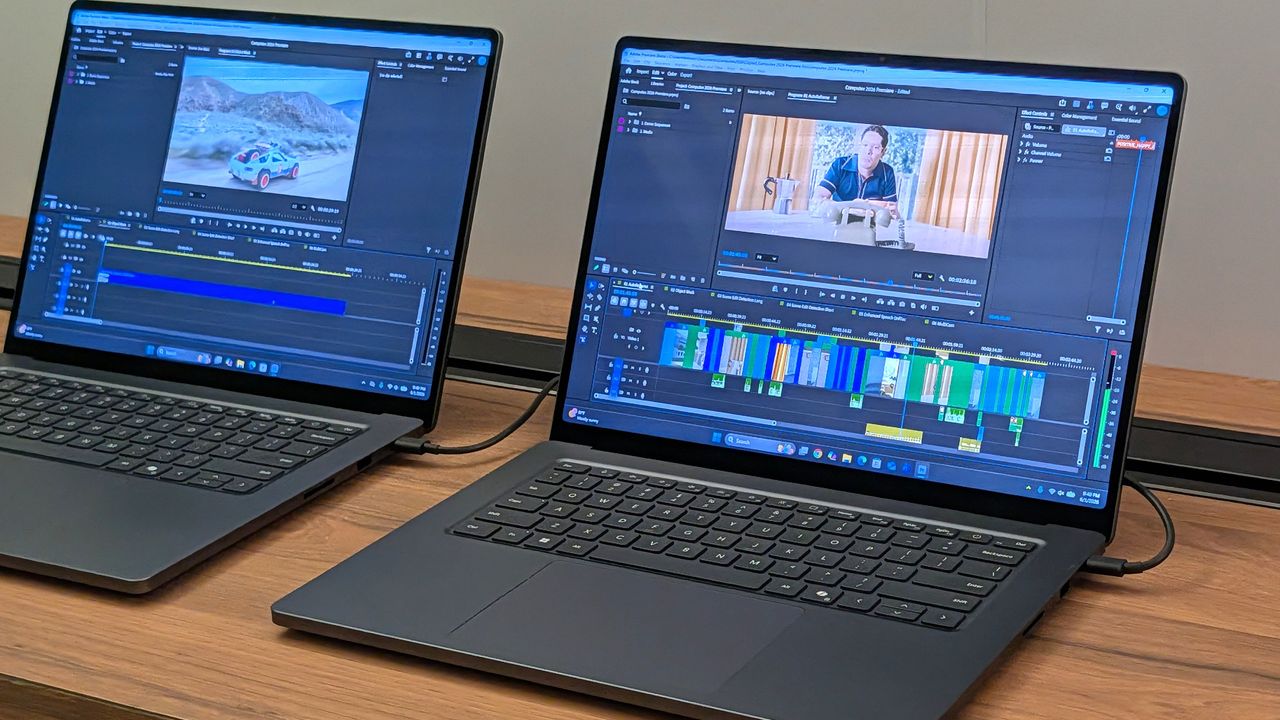
Surface Laptop Ultra running Premiere Pro

The Surface Laptop Ultra is powered by an RTX Spark chip that features unified memory.

Windows 11 is finally getting better, and the Windows Central Podcast breaks down all the improvements that have been announced and delivered since March

In this week's episode of the Windows Central Podcast, Daniel Rubino and Zac Bowden break down the latest Windows 11 insider features, focusing heavily on major overhauls coming to context menus, File Explorer polish, and options to force apps to open full-screen. They also dive into a surprising new Signal 65 processor study highlighting how Qualcomm's Snapdragon X2 chips stack up against Intel and AMD, wrap up recent Windows 11 improvements from March onward, and touch on various tech ecosystem shifts.

This episode of the Windows Central Podcast is sponsored by Surfshark VPN. Unlimited devices, access your content from anywhere, and auto-block malware on Windows, Edge, and other platforms from $2.50/mo, with 3 months extra FREE. Sign up today!

  • 00:00Introduction & Welcome: Daniel Rubino and Zach Bowden kick off Episode 402 of the Windows Central Podcast.
  • 03:45Qualcomm Snapdragon X2 vs. Intel & AMD: Analyzing the Signal 65 processor study results, showing how Qualcomm beats out Intel and AMD chips in recent laptop testing.
  • 10:15Windows 11 Context Menu Overhaul: Breaking down new customizable, faster context menus in Windows 11 Insider builds, including default cleanups and third-party app management.
  • 24:30File Explorer Improvements: Reviewing massive performance updates, elimination of freezing/hang delays, and better UI polish for File Explorer.
  • 42:10Forcing Apps to Open Full-Screen: Discussing the new Windows settings toggle that allows users to automatically launch apps in full-screen mode.
  • 52:00Recap of Windows 11 K2 Features & General State of the OS: A look back at the overall quality-of-life improvements rolled out to Windows 11 since March.
  • 1:05:15Wrap-Up & Outro: Final thoughts, social media handles, and sign-offs until next week's episode.

Have a question you want us to answer on the podcast? Send it to us at [email protected]

Hosts:

Subscribe to the Windows Central Podcast

If you like the show, please let us know by give us a rating on your podcast platform of choice. It really helps us!

LIVE Video Podcast

You can watch the live, uncut version of the Windows Central Podcast on our YouTube channel!

Click to join us on r/WindowsCentral

Join us on Reddit at r/WindowsCentral to share your insights and discuss our latest news, reviews, and more.

Daniel and Zac on Windows Central Podcast 402

Daniel and Zac on Windows Central Podcast 402

A faster OS and UI fixes won't save Windows 11 if Microsoft's apps remain laggy web wrappers

Windows Central

Microsoft continues to improve Windows 11. Just this past week, the company began testing new context menus with Windows Insiders and revamped the ancient AutoPlay dialog box.

The Windows K2 initiative to improve the operating system is going so well that I've asked if the next big update should be Windows 12. But fixing the Windows experience is about more than context menus and a unified user interface. Even if Windows is fixed, Microsoft needs to make better apps.

If a person logs onto a PC running a beautiful and zippy version of Windows 11, they won't care about the OS if Microsoft Teams takes too long to load. Microsoft needs to lead by example by making the best Windows apps.

Biggest News of the Week

Windows 11 context menu
Windows 11
Windows 11 Dan Lowres Iphone
Images of Qualcomm's new Snapdragon X2 Elite Extreme processor, benchmarks from reference design laptops, and pictures from the announcement at the Snapdragon Summit (2025).

To give Microsoft credit, work is being done to improve some apps. Rudy Huyn, a well-known Windows developer who worked on the Microsoft Store, is putting a team together to improve Windows apps. That team is still in its infancy, so we will have to wait to see the results.

But Microsoft's app issue isn't just about having a team dedicated to in-box apps or hiring good developers. It's about the direction Microsoft pushes those developers. Microsoft Teams and other Microsoft apps have been "rebuilt from the ground up" or "refreshed with performance in mind" several times over the years. But the underlying problem still exists. Microsoft made the wrong choice by going all-in on web apps, and it needs to course correct.

Huyn's team is all about native apps, but it's not clear right now how many apps will fall under its umbrella. Will we see a new native version of Outlook? What about Microsoft Teams? If Huyn's team is just focused on in-box apps, some of the most-used apps on Windows 11 will remain laggy web apps.

Plus, several of Microsoft's biggest apps aren't even in the same part of the company as Huyn's team. If Microsoft fixes the Photos app, OneDrive, and other in-box apps, but Teams is still laggy, Microsoft is still delivering a poor user experience.

Shopping with Sean

Speaking of apps, this week's top deal is on the ever-popular Microsoft 365. That software suite is massively discounted right now if you bundle it with NordVPN. You'll get the best value if you use both Microsoft 365 and NordVPN, but the bundle is more affordable than Microsoft 365 on its own.

365 Personal (12 months) + NordVPN: was $149.98 now $61.99

This bundle is the most affordable way to get a year of Microsoft 365. As an added bonus, it comes with a year of NordVPN Basic, which is a $49.99 value on its own.View Deal

365 Family (12 months) + NordVPN: was $179.98 now $84.99

Microsoft 365 Family provides access to the software suite for up to six people. Each of those users will have their own copy of apps like Word, PowerPoint, and Excel plus 1TB of OneDrive storage. This bundle also includes a free year of NordVPN Basic.View Deal

Click to join us on r/WindowsCentral

Join us on Reddit at r/WindowsCentral to share your insights and discuss our latest news, reviews, and more.

Outlook Client Hero

Outlook Client Hero

  • ✇WinCentral
  • Windows 11 Driver Problems Are Becoming a Bigger Headache for Users
    Windows 11 has been through plenty of bugs since its launch, but one problem continues to stand out: drivers. While Microsoft has steadily improved Windows 11 through feature updates, security patches, and bug fixes, driver-related problems remain a major source of instability. From graphics drivers to audio and peripheral software, a poorly behaved driver can […]
     

Windows 11 Driver Problems Are Becoming a Bigger Headache for Users

Par : Nisha
25 août 2026 à 11:19
Windows 11 has been through plenty of bugs since its launch, but one problem continues to stand out: drivers. While Microsoft has steadily improved Windows 11 through feature updates, security patches, and bug fixes, driver-related problems remain a major source of instability. From graphics drivers to audio and peripheral software, a poorly behaved driver can […]

  • ✇WinCentral
  • Windows 11 Is Making File Explorer More Useful With Better File Previews
    Microsoft is testing several small but useful improvements for Windows 11 Insiders, including a new way to preview downloaded files directly in File Explorer. The latest Experimental Preview release brings changes across File Explorer, Microsoft Store, and the Taskbar, with the File Explorer update standing out as the most noticeable improvement for everyday users. File […]
     

Windows 11 Is Making File Explorer More Useful With Better File Previews

Par : Nisha
25 août 2026 à 04:44
Microsoft is testing several small but useful improvements for Windows 11 Insiders, including a new way to preview downloaded files directly in File Explorer. The latest Experimental Preview release brings changes across File Explorer, Microsoft Store, and the Taskbar, with the File Explorer update standing out as the most noticeable improvement for everyday users. File […]

  • ✇WinCentral
  • Windows 11 Is Getting Better Privacy Controls for Camera, Microphone and Location Access
    Microsoft is testing a useful privacy upgrade for Windows 11 that gives users much more control over how traditional desktop apps access sensitive hardware and location data. The change is rolling out gradually to Windows Insiders in the latest Experimental Preview release. Instead of relying on a broad, device-wide permission setting for desktop applications, Windows […]
     

Windows 11 Is Getting Better Privacy Controls for Camera, Microphone and Location Access

Par : Nisha
25 août 2026 à 01:15
Microsoft is testing a useful privacy upgrade for Windows 11 that gives users much more control over how traditional desktop apps access sensitive hardware and location data. The change is rolling out gradually to Windows Insiders in the latest Experimental Preview release. Instead of relying on a broad, device-wide permission setting for desktop applications, Windows […]

Windows 11 File Explorer Is Bringing Back Easier File Previews With “Preview Anyway”

Par : Nisha
24 août 2026 à 10:51
Microsoft is making a useful change to Windows 11 File Explorer that should make it much easier to preview downloaded files without undoing the security protections introduced last year. A new “Preview anyway” button is being tested for the Preview pane. It will let users view a trusted downloaded file after File Explorer warns that […]

  • ✇Korben
  • Geekom retire enfin un pilote que Windows Defender signalait comme vérolé depuis 2024
    Le constructeur Geekom a retiré de ses anciennes pages de support un installeur de pilote réseau que plusieurs moteurs d'analyse classent comme malveillant. Le fichier s'appelle Install_PCIE_Win11_11.10.0720.2022_11222022.exe et il dormait dans l'archive LAN partagée par six mini-PC de la marque : A7, A8, AE7, AE8, AX7 Pro et AX8 Pro. Le signalement part d'un utilisateur de r/MiniPCs sur Reddit, et du site VideoCardz qui a vérifié lui-même en téléchargeant l'archive directement c
     

Geekom retire enfin un pilote que Windows Defender signalait comme vérolé depuis 2024

20 août 2026 à 03:02

Le constructeur Geekom a retiré de ses anciennes pages de support un installeur de pilote réseau que plusieurs moteurs d'analyse classent comme malveillant. Le fichier s'appelle Install_PCIE_Win11_11.10.0720.2022_11222022.exe et il dormait dans l'archive LAN partagée par six mini-PC de la marque : A7, A8, AE7, AE8, AX7 Pro et AX8 Pro.

Le signalement part d'un utilisateur de r/MiniPCs sur Reddit, et du site VideoCardz qui a vérifié lui-même en téléchargeant l'archive directement chez Geekom le 15 août dernier. VirusTotal, FileScan.IO, MetaDefender et YARAify réagissent tous les quatre, ce dernier en remontant même des signatures ClamAV qui nomment la famille Asruex.

Alors c'est déjà un peu chaud d'apprendre ça, surtout si vous avez un PC Geekom mais la problème c'est que ce n'est pas absolument pas une nouveauté !

En effet, le 29 décembre 2024, le propriétaire d'un AE8 explique sur le forum ComputerBase qu'il vient de réinstaller Windows, qu'il a pris ses pilotes sur le site du fabricant, et que Defender lui a sorti Trojan:Win32/Asruex.A au décompactage. Il dit ensuite avoir écrit à Geekom pour les prévenir.

20 mois plus tard, Tom's Hardware décrit sur les machines Geekom, des permissions administrateur, des frappes clavier interceptées et une connexion à un serveur de commande, et PCWorld raconte que des attaquants sont venus glisser une backdoor dans le paquet.

Ce fichier est donc bien un paquet Realtek générique, que DriversCloud héberge et redistribue depuis le 25 novembre 2022 et qui s'est fait vérolé ensuite en 2024. Sur l'origine de l'exemplaire qui traînait chez elle, Geekom dit dans son communiqué du 18 août qu'il s'agit d'une ressource obsolète oubliée sur de vieilles pages, mais jamais d'une intrusion.

Donc si vous avez téléchargé et lancé cet installeur LAN depuis une page support d'un de ces six modèles, vous êtes concerné !! Le Windows livré avec la machine n'est pas en cause, du moins d'après Geekom. Supprimez donc l'installeur, lancez un scan complet avec Windows Defender ou votre antivirus préféré, et récupèrez un pilote réseau faible chez Realtek ou directement via Windows Update.

De son côté, Geekom a invoqué la déesse de l'effet Streisand en demandant à VideoCardz de retirer son article mais VideoCardz a dit non évidemment...

Source : PCWorld

❌