Connexion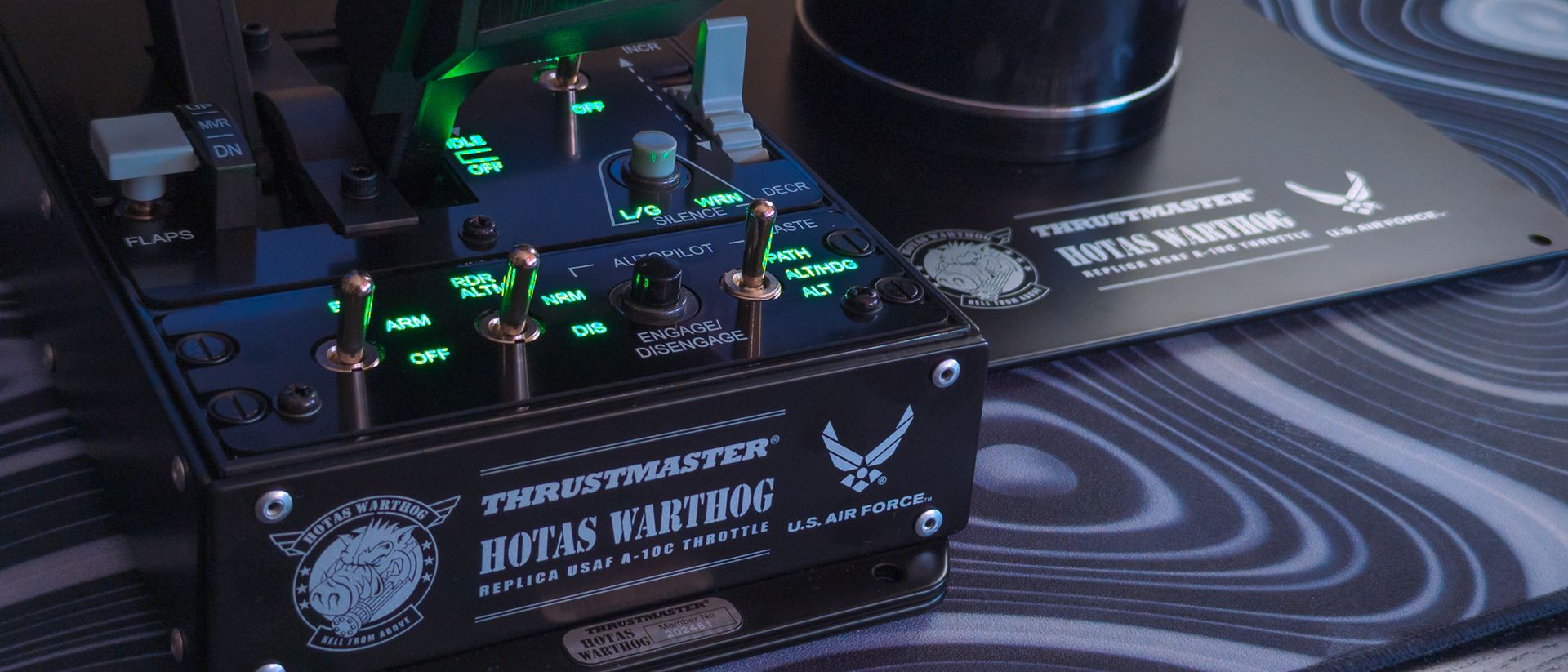

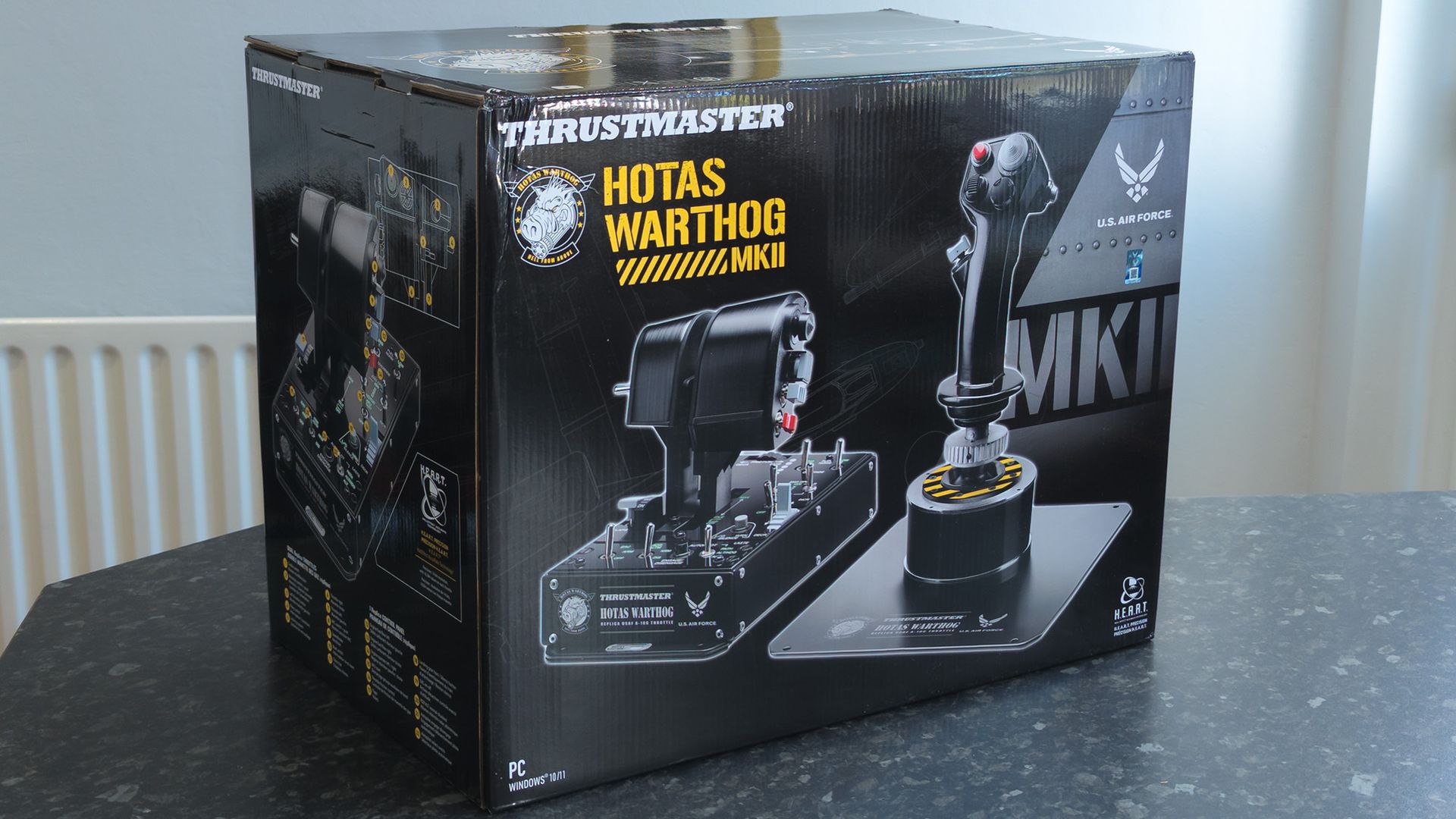
Thrustmaster HOTAS WARTHOG MKII review: For the hardcore flight sim fans
I've been an advocate for Microsoft Flight Simulator for a while now, encouraging more newcomers to take to the skies. However, the game's casual collection of fighter jets doesn't dabble in all-out dogfights, so there's a separate desire for more military-centric flight sticks and HOTAS sim bundles.
Whenever I'd dip my toes into aerial combat hardware, one name would consistently appear: Thrustmaster's Warthog, and now it's upgrading itself with a previously announced Mk. II model of the A-10C's flight stick and throttle, still carrying that genuine U.S. Air Force licensing and a 16+ lbs heft. I had to try it.
Thrustmaster provided a sample but did not see, nor did it have any input on, the contents of my article before publishing.
How much does the WARTHOG MKII cost?
Thrustmaster launched the HOTAS Warthog Mk. II on its official storefront for $599.99; it's also available in the United Kingdom for £449.99 and in broader regions of Europe for €549.99. Alternatively, you can pick it up for $599.99 on Amazon US since it was released on September 16, 2026, or for £449.99 on Amazon UK to take advantage of Prime membership delivery perks.

HOTAS WARTHOG MKII: $599.99 at Thrustmaster eShop
Available at:
👉 Thrustmaster US eShop for $599.99
👉 Thrustmaster UK eShop for £449.99
👉 Thrustmaster EU eShop for €549.99
Also see:
➡️ Amazon US for $599.99
➡️ Amazon UK for £449.99View Deal
Is the WARTHOG MKII a good flight stick?
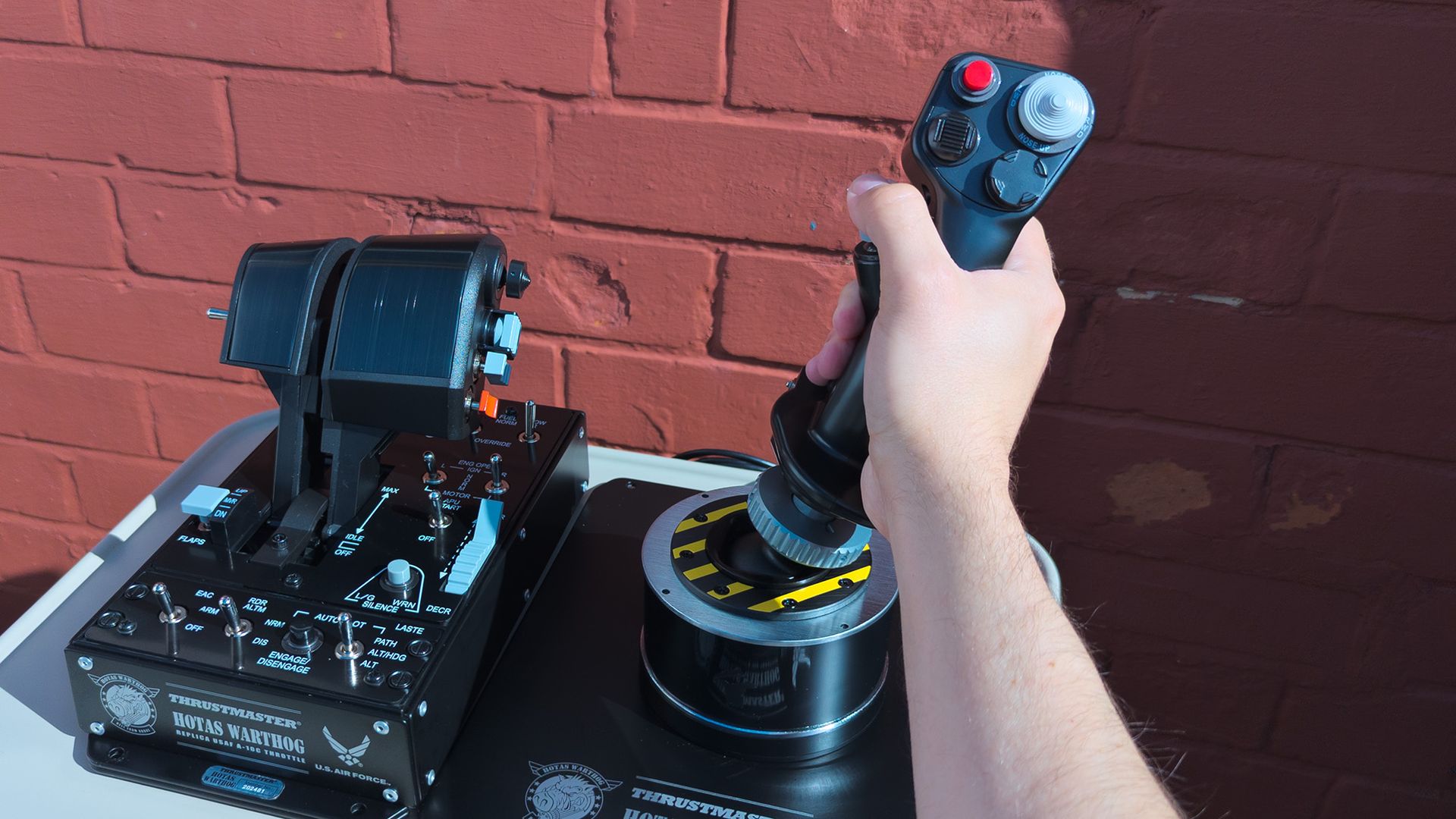
It's immediately obvious the Warthog Mk II is legit, given its sheer heft when I unboxed the all-metal behemoth. The throttle unit alone is 9.4 lbs (4.3 kg), which makes up much of its overall ~16.5 lbs (~7.5 kg) weight that sits on my nervous desk. Now I understand firsthand why hardcore flight sim fans opt for separate mounts, though it still feels incredibly sturdy with the metal plate.
I understand firsthand why hardcore flight sim fans opt for separate mounts, though it still feels incredibly sturdy with the metal plate.
First up, Thrustmaster has switched from a 5-pin flight stick connector to an upgraded 6-pin replacement on the Warthog Mk II, giving it backward compatibility with branded grips, like the F/A-18C Hornet for more dogfights, SOL-R 3 for spacefaring, or Airbus for some overengineered passenger flights. It's up to you, though I imagine many would stick with the (included) Viper.
Assembly is fine, though aligning the base with the metal plate is a little awkward; a simple cushion lifted the grip up safely and got the job done. Again, the Warthog Mk II isn't fragile, but at almost $600, I'm still careful with it. Thrustmaster included a single hex key in the box, but it was no good for the Phillips screws on the underside, so consider having a screwdriver ready.
Stickers on the base and grip feature bold yellow arrows that make it as clear as possible how to safely attach them without risking damage to the pins inside, and the grip still uses a metallic screw thread to hold everything in place. It's as easy as it can be, at least for a lifelike flight stick, and the throttle unit needs no physical setup beyond putting the switches in place.
I had heard complaints about the slew stick in older versions of the HOTAS Warthog's throttle unit, but it only needed around a 25% dead zone to keep the axes moving where they were supposed to. Without that, it is a little erratic around the center point, but it certainly doesn't feel stiff or problematic after a small amount of tweaking in the setup phase.
Otherwise, a metallic mechanism locks the two engine levers together, with a strong switch on the rear side that feels impossible to dislodge by accident. I can also use the included hex key to access an afterburner stopper, reversing its direction so it stops the throttles before physically lifting past the max point; the opposite works for moving down past idle and switching the engines off.
It's a mind-boggling experience, (but) the end result is always the same: the Warthog Mk II is fun as hell.
It's mind-boggling to move from the realism-centric hardware I'm used to, like Thrustmaster's TCA X Airbus Edition, to going hands-on with an intimidating HOTAS unit like the Warthog Mk II. However, it followed the same themes as other sticks; I spent time experimenting, practicing, and figuring it all out. The end result is always the same: the Warthog Mk II is fun as hell.
Does the WARTHOG MKII have any issues?
Any downsides I found with the Warthog Mk II were generally offset by the same argument: it's a faithful, realistic recreation of the Fairchild Republic A-10C Thunderbolt II's controls; most notably, the grip lacks a Z-axis twist, just like the real thing. If I absolutely needed analog rudder controls, I'd have to buy a different grip or some pedals, like Thrustmaster's $129.99 T.Flight set.
Alternatively, I can re-bind one of the digital buttons or switches on the grip or throttle to act as a rudder, or set up a yaw-into-roll function within a particular game. Beyond that, I could script a solution within Thrustmaster's T.A.R.G.E.T. Command Center app if my particular favorite game doesn't offer it by default, but T.A.R.G.E.T. comes with its own steep learning curve.
It's a faithful, realistic recreation of the Fairchild Republic A-10C Thunderbolt II's controls; most notably, the grip lacks a Z-axis twist, just like the real thing.
In that, any point of contention will be argued among the most seasoned, die-hard flight simulator fans with the strongest opinions, shaped by literal decades of gameplay. The Mk II is still functionally compatible with ready-made profiles, but I know many enthusiasts will opt to create their own anyway, with bindings they trust only themselves to build (or ones they built years ago).
Unless I wanted to play a much older game that didn't recognize separate input devices and had to combine them in the T.A.R.G.E.T. app, I would use it as little as possible (after I'd chosen my preferred throttle backlight brightness level). Instead, I'd find the strange enjoyment of spending my first evening testing a game's settings and matching each switch, button, and axis individually.
Should you buy the WARTHOG MKII?
You should buy this if ...
✅ You're a serious combat sim enthusiast craving an ultra-authentic experience
✅ You have the patience to bind, check, and test each input
You should not buy this if ...
❌ You already own the original (or AVA Edition) HOTAS Warthog
I don't think there's any danger of a novice accidentally buying the Warthog Mk II and becoming overwhelmed by its wealth of metal switches and realistic design, especially since Thrustmaster markets the package to experts. For the same reason, it'll be scrutinized at every inch because of its price point, fighting against long-term rivals for a place among the best flight sticks.
Still, it feels as sturdy and smooth as Thrustmaster claims, with a lifelike feel (presumably, I'm not a fighter pilot) in its flight stick and heavy-duty throttle unit. You'll spend hours fine-tuning its axes and assigning switches in your games, unless you opt for community-made profiles for specific titles; but frankly, that's all part of the fun for some of us.
"Enjoy a redesigned base that's smoother and sturdier, for a military simulation experience worthy of Thrustmaster's famous HOTAS WARTHOG."