
❌

Vue normale

Microsoft's new Windows 11 pitch isn't AI. It's a faster, less annoying PC

Microsoft just shared a massive blog post recapping major Windows 11 changes, including new Photos app features, an improved Search experience, expanded phone integration, and gaming improvements.

Many of the changes highlighted by Microsoft have already been announced, or even fully detailed elsewhere. But with Windows 11 in the middle of a significant refresh, gathering them all in one place is useful.

While much of the post focuses on previously known improvements, Microsoft also used it to introduce a few genuinely new additions, including the redesigned Photos app and an Xbox anniversary game bundle for eligible PC buyers.

Here's a quick rundown of the features Microsoft highlighted:

  • New Photos app
  • Advanced Shader Delivery (ASD)
  • Windows 11 performance improvements
    • Faster Start menu
    • Faster File Explorer
    • Faster Search
    • Faster Snipping Tool
    • Faster Settings
    • Memory optimizations
    • Reduced Widgets memory usage
    • Reduced update times
  • Bluetooth and AirPods improvements
  • Windows Hello improvements
  • A push to improve driver quality
  • Expanded Phone Link features
  • Microsoft Ink Canvas
  • Advanced Haptics
  • Improved accessibility

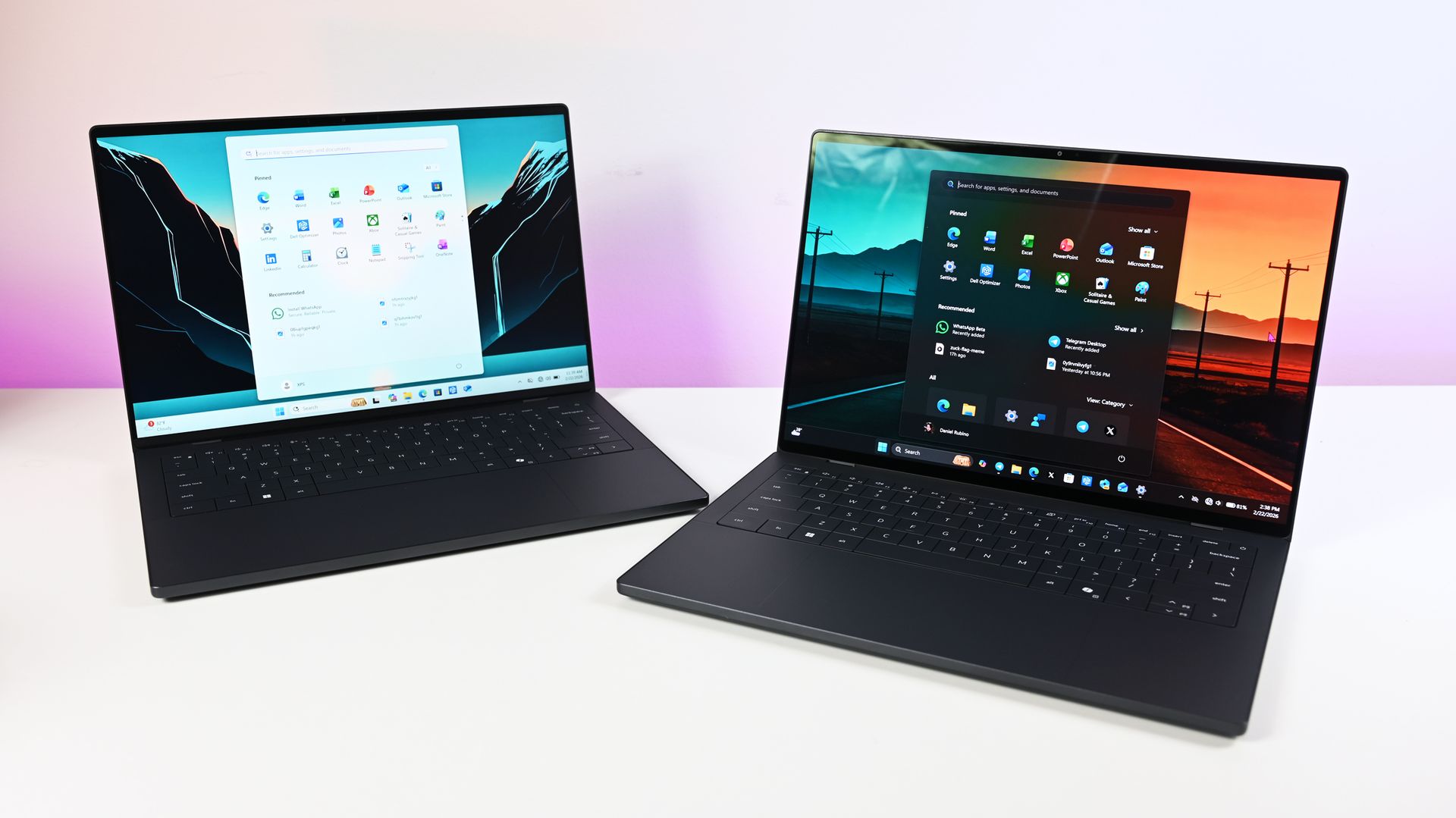
One of the biggest changes is the new Search experience that allows you to perform actions from the taskbar. The new Search is faster, supports inline actions, and lets you perform tasks without opening related apps or settings menus. The new Search is already in testing among Windows Insiders.

Microsoft explains that improvements to Windows 11 results in an experience that feels up to 20 percent more responsive. That improvement comes as the result of several efforts from Microsoft, such as optimizing memory management and streamlining in-box apps.

The company also highlights that Windows 11 is more reliable and customizable than before. Over the past year the Widgets Panel has been cleaned, the taskbar has gained the option to be placed on other parts of your screen, and Windows Update has been improved.

Microsoft specifically highlighted Bluetooth improvements, including AirPods pairing that it says is up to 15 seconds faster.

Windows 11 desktop showing Microsoft's new Search experience with recent files, apps, settings controls, and quick actions available from a Taskbar search panel.

The new Windows Search is faster, more efficient, and supports inline actions. (Image credit: Microsoft)

On the gaming side of things, Advanced Shader Delivery (ASD) reduces the initial load time of games by delivering precompiled shaders. Forza Horizon 6 and Gears of War: E-Day are supported now and more titles should gain support in the future.

The improvements to Windows 11 will help anyone with an up-to-date PC, but it's clear Microsoft is taking the opportunity to suggest people buy a new PC. As part of that effort, the company has an Xbox 25th Anniversary bundle that includes over $500 worth of games. The collection includes several major titles, including Skyrim Special Edition, Halo: Combat Evolved Anniversary, Age of Empires II Definitive Edition, Minecraft Dungeons, and Gears of War: Reloaded.

"A new PC is a meaningful purchase, and the value should show up in more than a spec sheet," says Microsoft. "The reason to upgrade is not just one feature; it is how [experiences] work together to make more of your day feel effortless."

Another Microsoft blog post highlights deals as we head into the holidays.

Microsoft shared a commitment to listen to feedback earlier this year. The company followed up with several improvements as part of its Windows K2 initiative. It's taken time for those promises to move from feedback and Insider testing to broader availability, but Windows 11 is now seeing some of its most significant changes in years.

The real question is whether these improvements change buying behavior. Microsoft clearly believes a faster, more reliable Windows experience can help convince people to upgrade.

Click to join us on r/WindowsCentral

Join us on Reddit at r/WindowsCentral to share your insights and discuss our latest news, reviews, and more.

Windows 11 Remote Desktop Fails After Update — Microsoft Points to Security Feature

15 octobre 2026 à 05:13

A Windows 11 update is disrupting Remote Desktop connections for some business users. Microsoft identifies the affected security feature and a workaround.

The post Windows 11 Remote Desktop Fails After Update — Microsoft Points to Security Feature appeared first on TechRepublic.

  • ✇WinCentral
  • Blaming Your Mouse for In-Game Lag? Microsoft Confirms It Was Actually Windows 11
    If you’ve spent the last few weeks tweaking DPI profiles, lowering high polling rates, or eyeing an expensive replacement gaming mouse because your crosshairs suddenly jumped mid-match, hold off on spending that extra cash. Microsoft has officially acknowledged that an OS-level bug inside recent builds of Windows 11 was causing subtle mouse input stutters during […]
     

Blaming Your Mouse for In-Game Lag? Microsoft Confirms It Was Actually Windows 11

Par : Nayan
15 octobre 2026 à 04:49
If you’ve spent the last few weeks tweaking DPI profiles, lowering high polling rates, or eyeing an expensive replacement gaming mouse because your crosshairs suddenly jumped mid-match, hold off on spending that extra cash. Microsoft has officially acknowledged that an OS-level bug inside recent builds of Windows 11 was causing subtle mouse input stutters during […]

  • ✇Korben
  • Tiny11 Builder - Votre ISO de Windows 11 allégée en quelques clics
    Tiny11 Builder, l'outil qui fabrique des ISO de Windows 11 sans les applis préinstallées et que je vous avais présenté , dispose maintenant d'une vraie appli de bureau. Elle est en pré-version et vous épargne surtout de devoir lancer vous-même à la main la fameuse tripoté de scripts PowerShell (qui restent quand même dans le dépôt Github). Je l'ai donc testée dans une machine virtuelle Windows 11 ARM histoire de vous faire un petit retour sur cette nouvelle version. D'abord au lan
     

Tiny11 Builder - Votre ISO de Windows 11 allégée en quelques clics

15 octobre 2026 à 04:23

Tiny11 Builder, l'outil qui fabrique des ISO de Windows 11 sans les applis préinstallées et que je vous avais présenté , dispose maintenant d'une vraie appli de bureau. Elle est en pré-version et vous épargne surtout de devoir lancer vous-même à la main la fameuse tripoté de scripts PowerShell (qui restent quand même dans le dépôt Github).

Je l'ai donc testée dans une machine virtuelle Windows 11 ARM histoire de vous faire un petit retour sur cette nouvelle version.

D'abord au lancement, l'appli réclame les droits administrateur, puis elle vous fait choisir un mode (Le mode Tiny11 allège Windows, le mode Core coupe aussi les mises à jour et Defender, et le mode Custom vous laisse choisir). L'appli sait également télécharger l'ISO officielle de Microsoft à votre place, dans l'architecture et la langue de la machine, ce qui donne chez moi un Windows 11 ARM 26H2 en version Pro en français.

Le téléchargement de l'ISO ARM64 en français, directement depuis l'appli

Le mode Tiny11, celui que j'ai pris, retire donc les applis fournies avec Windows ainsi que les binaires d'Edge, de WebView2 et d'OneDrive, mais il conserve Windows Update, Defender et l'environnement de récupération actif. À l'écran, ça se résume donc à 38 "groupes de suppression" et aucune action avancée.

Le mode Tiny11

Il ne reste ensuite qu'à cliquer sur Build, avec le mode Turbo activé et au bout de 40 à 50 minutes (je suis sur une VM donc c'est lent), vous aurez une belle ISO allégée. Par exemple, chez moi, l'ISO produite fait 5,38 Go, contre environ 7,95 Go au départ (l'image source contenait les 3 éditions de Windows et en sortie, je n'en ai plus qu'une).

Fin de construction, 49,5 minutes plus tard, pour une ISO de 5,38 Gio

Ensuite, il y a le mode Core qui désactive Windows Update et Defender et supprime la récupération, sans retour possible. L'auteur conseille de réserver ça aux machines virtuelles de test. Le mode Tiny11, lui, garde les mises à jour, mais une mise à jour de fonctionnalités peut donc réinstaller des applis et des réglages que vous auriez viré avant.

Autrement dit, soit vous gardez les mises à jour et l'allègement peut parfois sauter, soit vous gardez l'allègement en vous passant de ces mises à jours.

Ensuite, reste le mode Custom, où vous cochez tout vous-même, avec le risque de casser Windows.

Ne comptez pas trop non plus sur l'outil pour contourner quoi que ce soit puisque les réglages du compte local et les vérifications matérielles ne sont pas garantis sur les nouvelles versions, et que rien ne contourne la licence ni l'activation, donc il vous faudra toujours une clé ou lire cet article .

Voilà, c'est donc à récupérer sur GitHub pour ceux qui veulent s'amuser à se faire des ISO custom de Windows (que vous testerez au préalable dans une VM évidemment, histoire de vérifier que tout fonctionne bien car je le rappelle, Tiny11 Builder est encore une pré-version.)

Source : The Register

❌