❌

Vue normale

We tested the RTX Spark in an ASUS mini PC and saw serious performance gains

NVIDIA's RTX Spark platform launched first in Windows laptops, including the Surface Laptop Ultra, on October 16, 2026.

RTX Spark testing and chip benchmarks were overall positive, with Windows Central Senior Editor Zac Bowden noting that the NVIDIA N1X SoC is "one of the better choices in the Windows space right now, especially for laptops that are thin-ish and (relatively) light."

Roughly a month later, we have the RTX Spark chip inside of mini PCs like the ASUS ProArt GR1X. We received 64GB and 128GB RAM configs of this PC a few days ago for testing, and we've been hard at it in order to compare the laptop and desktop versions of NVIDIA's hardware.

Is there a significant difference in performance? Is one device category better than the other for AI workloads? Let's find out.

ASUS and NVIDIA had no editorial input here, nor did either company see this review prior to publication.

How much does the ASUS ProArt GR1X cost?

The ASUS ProArt GR1X officially launched on November 18, 2026, at a $4,499 starting price.

The units we're reviewing have the more powerful RTX Spark N1X chip with 20 CPU cores, 6,144 GPU cores, and a TDP up to 140W (a significant jump from the laptop version's 80W maximum).

Zac Bowden received a model with 128GB of unified RAM, while I received a model with 64GB. We split up the testing and benchmarking accordingly.

Here's a closer look at the specs you can expect in these ASUS ProArt GR1X mini PCs.

ASUS ProArt GR1X

CPU

NVIDIA RTX Spark N1X
20 cores

Graphics

Blackwell RTX
6,144 cores

Power (TDP)

140W

Memory

Up to 128GB LPDDR5x
Unified

Storage

1TB M.2 PCIe 4.0 NVMe SSD
Dual slots (PCIe4/5)

Ports

USB-C 3.2 (Power)
3x USB-C 3.2 (Gen 2)
HDMI 2.1
10G LAN

Wireless

Wi-Fi 7
Bluetooth 5.4

Dimensions

5.91 x 5.91 x 2.01 inches
(150mm x 150mm x 51mm)

Weight

3.26 pounds (1.48kg)

Color

Silver

NVIDIA RTX Spark N1X desktop performance

I get into my impressions of the ASUS ProArt GR1X mini PC's design and features below, but what's more important is how the desktop version of the N1X chip performs.

To figure that out, Zac and I focused on AI, general use, and gaming performance, comparing the results to what Bowden already discovered in his initial N1X tests on the Surface Laptop Ultra.

NVIDIA RTX Spark N1X desktop CPU performance

ASUS ProArt GR1X RTX Spark PC

The ASUS ProArt GR1X gives the NVIDIA RTX Spark chip more power than the laptop versions. (Image credit: Zac Bowden / Windows Central)

NVIDIA's Grace processor sees almost no improvement in single-core workloads, but that's not surprising; one core gets plenty of power across both form factors.

Geekbench 7 and Cinebench 2026 each show approximately a 5% increase in multi-core workloads for the mini PC.

That's a minor uplift, and most of the improvements, as we'll see, land in GPU territory.

CPU benchmarks

ASUS ProArt GR1X
NVIDIA RTX Spark
64GB RAM

ASUS ProArt GR1X
NVIDIA RTX Spark
128GB RAM

Surface Laptop Ultra
NVIDIA RTX Spark
128GB RAM

Geekbench 7 (Single/Multi)

2,682 / 23,699

2,655 / 24,849

2,710 / 23,571

Cinebench 2026 (Single/Multi)

555 / 7,237

554 / 7,248

558 / 6,885

NVIDIA RTX Spark N1X desktop GPU performance

The RTX Spark's Blackwell GPU is the real winner, whether it's being used for gaming or for AI acceleration.

In 3DMark's suite of gaming benchmarks, the RTX Spark in the ProArt mini PC was ahead by up to 13.3%. The performance uplift drops off in more demanding tests at higher resolutions.

The RTX Spark's Blackwell GPU is the real winner.

Because the Spark gets access to NVIDIA's DLSS upscaling toolkit, the PC can game at a rather high level. Low triple-digit frame rates are possible in games like Cyberpunk 2077 at 1440p, even with ray tracing enabled. That nearly doubles with 4x multi-frame generation.

Despite its gaming ability, I don't recommend buying the ProArt GR1X as a dedicated gaming PC. Treat it like a nice bonus in a PC purchased for specialized creative, AI, and professional workloads.

GPU benchmarks

ASUS ProArt GR1X
NVIDIA RTX Spark
64GB RAM

ASUS ProArt GR1X
NVIDIA RTX Spark
128GB RAM

Surface Laptop Ultra
NVIDIA RTX Spark
128GB RAM

3DMark Time Spy

14,041

14,478 ^

12,771

3DMark Time Spy Extreme

6,367

6,646 ^

5,857

3DMark Steel Nomad

3,327 ^

3,288

3,064

3DMark Speed Way

3,087

3,194 ^

3,011

NVIDIA RTX Spark N1X desktop AI performance

ASUS ProArt GR1X RTX Spark PC

AI performance receives a generous boost in the GR1X mini PC. (Image credit: Zac Bowden / Windows Central)

AI acceleration is the RTX Spark's main selling point. These PCs are not cheap, and those who aren't working with AI can spend a lot less to land a stellar device.

Zac and I ran a collection of benchmarks from the Procyon toolkit to measure AI tasks like text and image generation, as well as video editing and general responsiveness under load.

Unsurprisingly, the desktop RTX Spark outperforms the laptop version across the board.

On-device text generation benchmarks

Model

ASUS ProArt GR1X
NVIDIA RTX Spark
64GB RAM

ASUS ProArt GR1X
NVIDIA RTX Spark
128GB RAM

Surface Laptop Ultra
NVIDIA RTX Spark
128GB RAM

Phi-3.5-mini

2,902
74.9 Tokens/sec

2,958 ^
77.95 Tokens/sec

2,615
72.21 Tokens/sec

Mistral 7B

2,491
53.7 Tokens/sec

2,549 ^
55.4 Tokens/sec

2,276
53.07 Tokens/sec

Llama 3.1 8B

2,415
50.8 Tokens/sec

2.490 ^
52.8 Tokens/sec

2,251
49.44 Tokens/sec

Llama 2 13B

2,280
28.1 Tokens/sec

2,336 ^
28.8 Tokens/sec

2,108
27.44 Tokens/sec

Text generation using four different models is faster by up to several tokens a second on the desktop Spark chip.

In Phi 3.5 mini, there's a 13.1% uplift on the desktop RTX Spark. For Mistral 7B, it's an 11.99% increase. Llama 3.1 8B falls to a 10.6% uplift, and Llama 3 13B hits 10.82%.

On-device image generation benchmarks

Model

ASUS ProArt GR1X
NVIDIA RTX Spark
64GB RAM

ASUS ProArt GR1X
NVIDIA RTX Spark
128GB RAM

Surface Laptop Ultra
NVIDIA RTX Spark
128GB RAM

Stable Diffusion 1.5

1,635
3.82 s/image

1,680 ^
3.72 sec/image

1,480
4.22 sec/image

Stable Diffusion 1.5 Light

12,713
2.46 s/image

13,127 ^
2.38 sec/image

11,294
2.77 sec/image

Stable Diffusion XL

1,824
20.55 s/image

1,819
20.6 sec/image

1,496
25.05 sec/image

Improvements to image generation speed are more impressive. The desktop RTX Spark cuts about five seconds off Stable Diffusion XL generation time, whether using 64GB or 128GB of RAM.

Stable Diffusion 1.5 sees a 13.5% uplift, SD 1.5 Light hits a 16.23% increase, and Stable Diffusion XL improves by a whopping 21.9%.

On-device workload benchmarks

ASUS ProArt GR1X
NVIDIA RTX Spark
64GB RAM

ASUS ProArt GR1X
NVIDIA RTX Spark
128GB RAM

Surface Laptop Ultra
NVIDIA RTX Spark
128GB RAM

Procyon Computer Vision 2

4,057

4,147 ^

3,997

Procyon Essentials

4,519

5,333 ^

4,863

Procyon Video Editing 1.5

N/A

30,168 ^

29,595

Computer Vision 2 measures how well a PC can handle general AI tasks common in offices and other workplaces. It's a minor jump for the desktop Spark with 64GB RAM, but a more pronounced jump for the model with 128GB.

Procyon Essentials performs a bunch of tasks common in professional workloads: video calls, heavy web browsing, app startup, and more. This test likely relies more on system RAM, as my 64GB mini PC fell behind both 128GB systems. With RAM on par, the desktop RTX Spark comes out well ahead.

Video Editing uses Adobe Premiere Pro to gauge the ability to work through an editing workflow. Again, the desktop RTX Spark chip comes out ahead of the laptop version.

What I like about the ASUS ProArt GR1X

ASUS ProArt GR1X RTX Spark PC

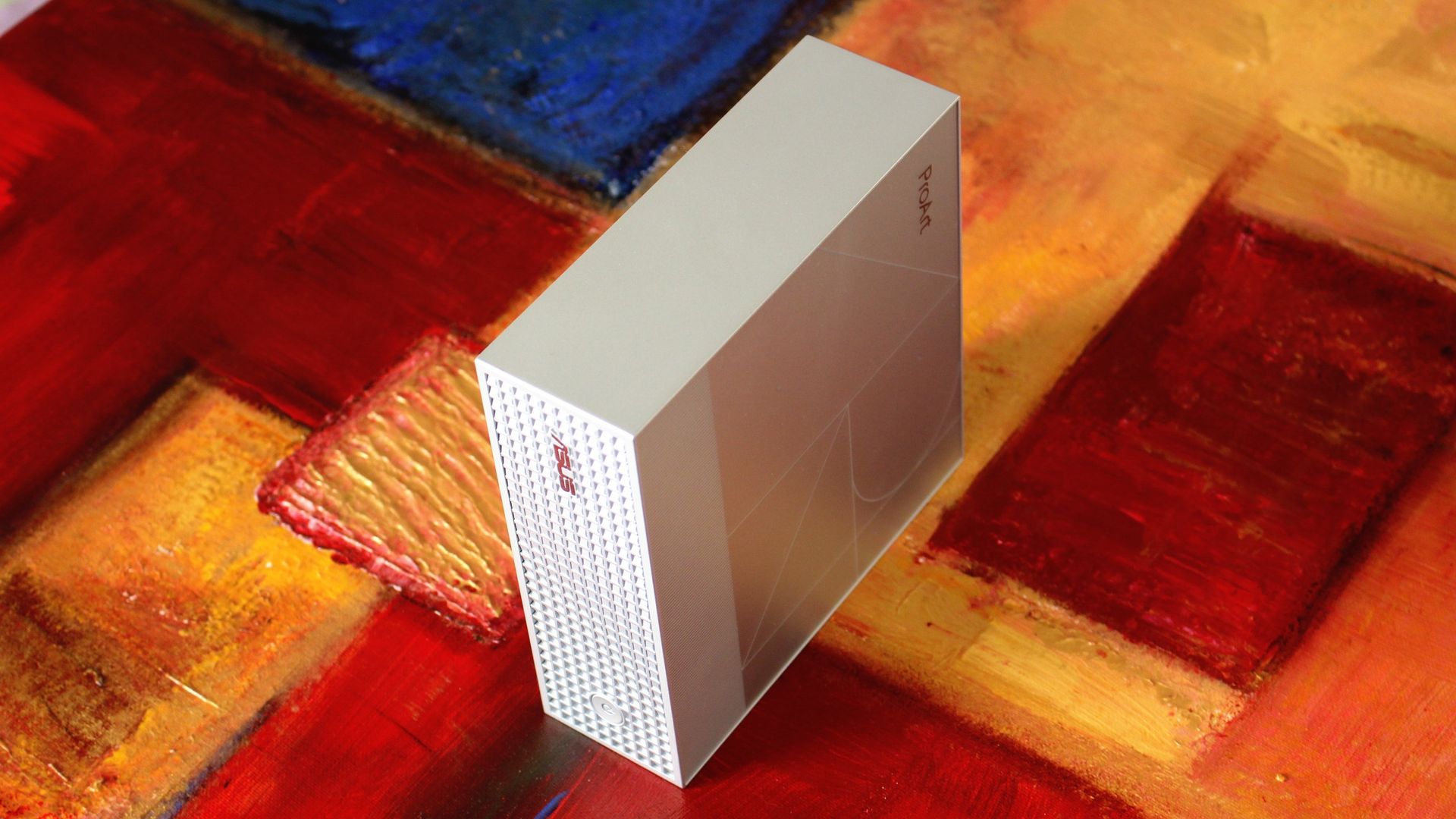
The ProArt GR1X is compact and has a beautiful exterior finish. (Image credit: Zac Bowden / Windows Central)

In my limited time testing the ASUS ProArt GR1X, I've come across a few perks and downsides that I feel are pertinent to your buying decision.

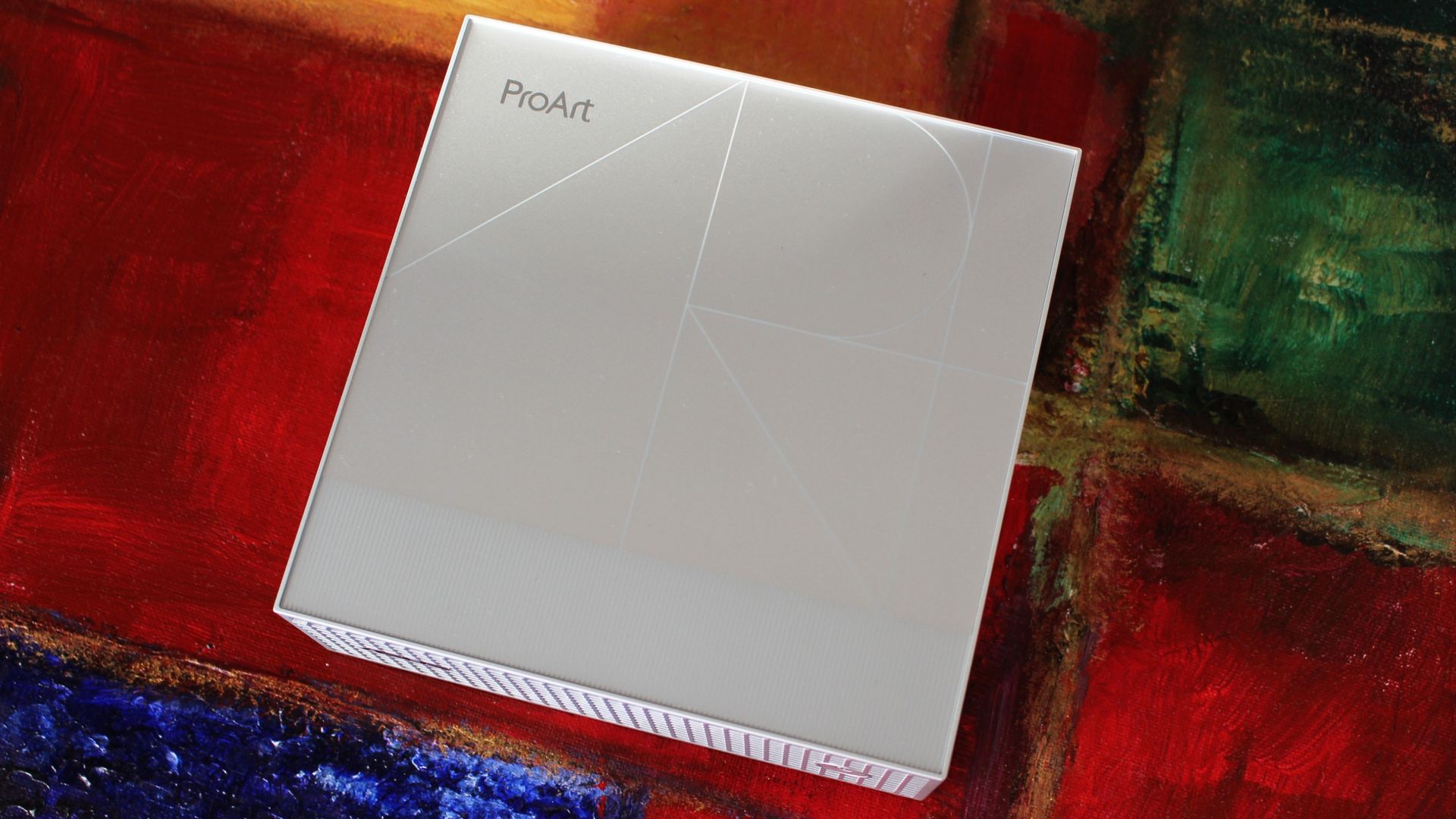
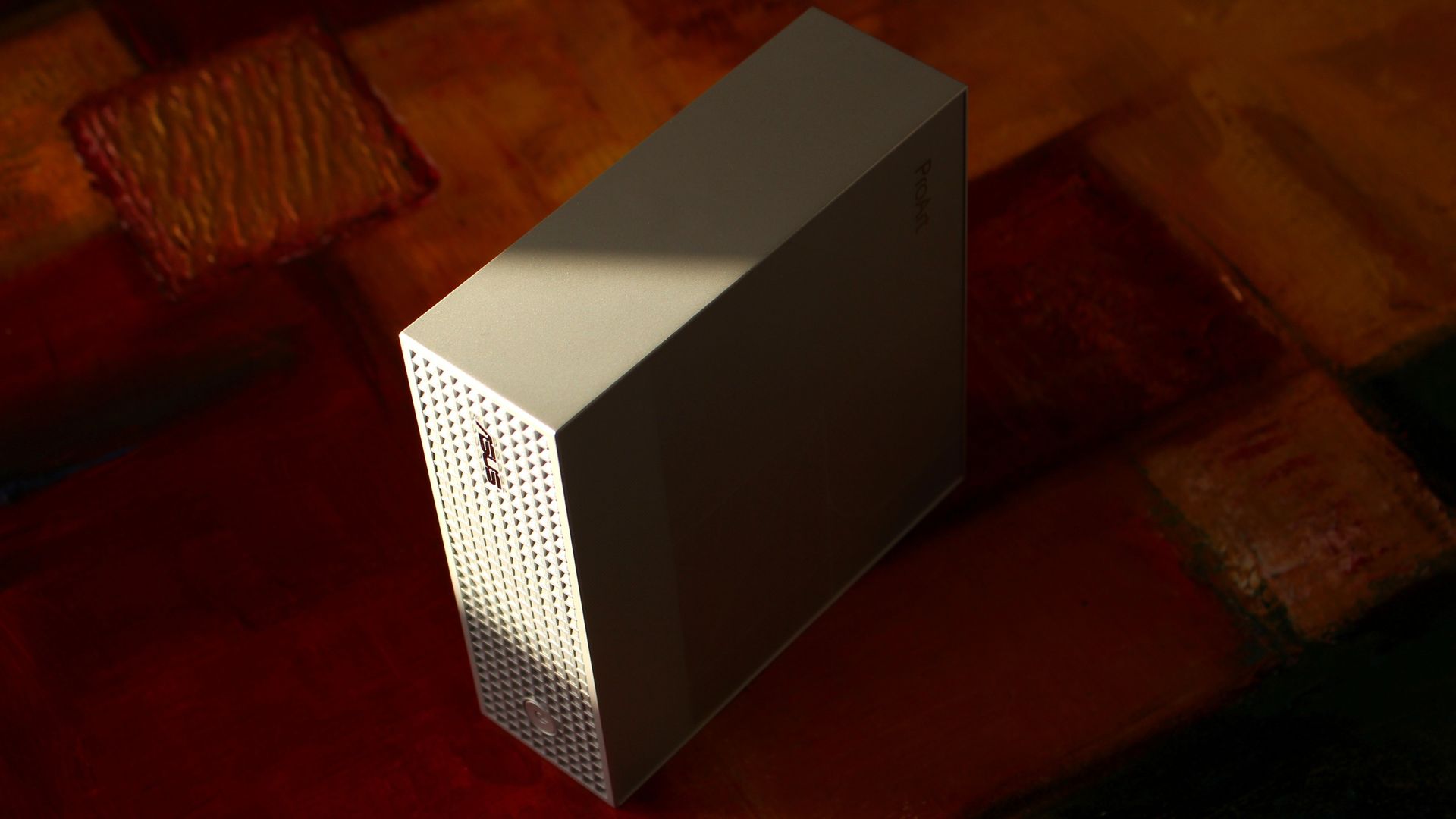
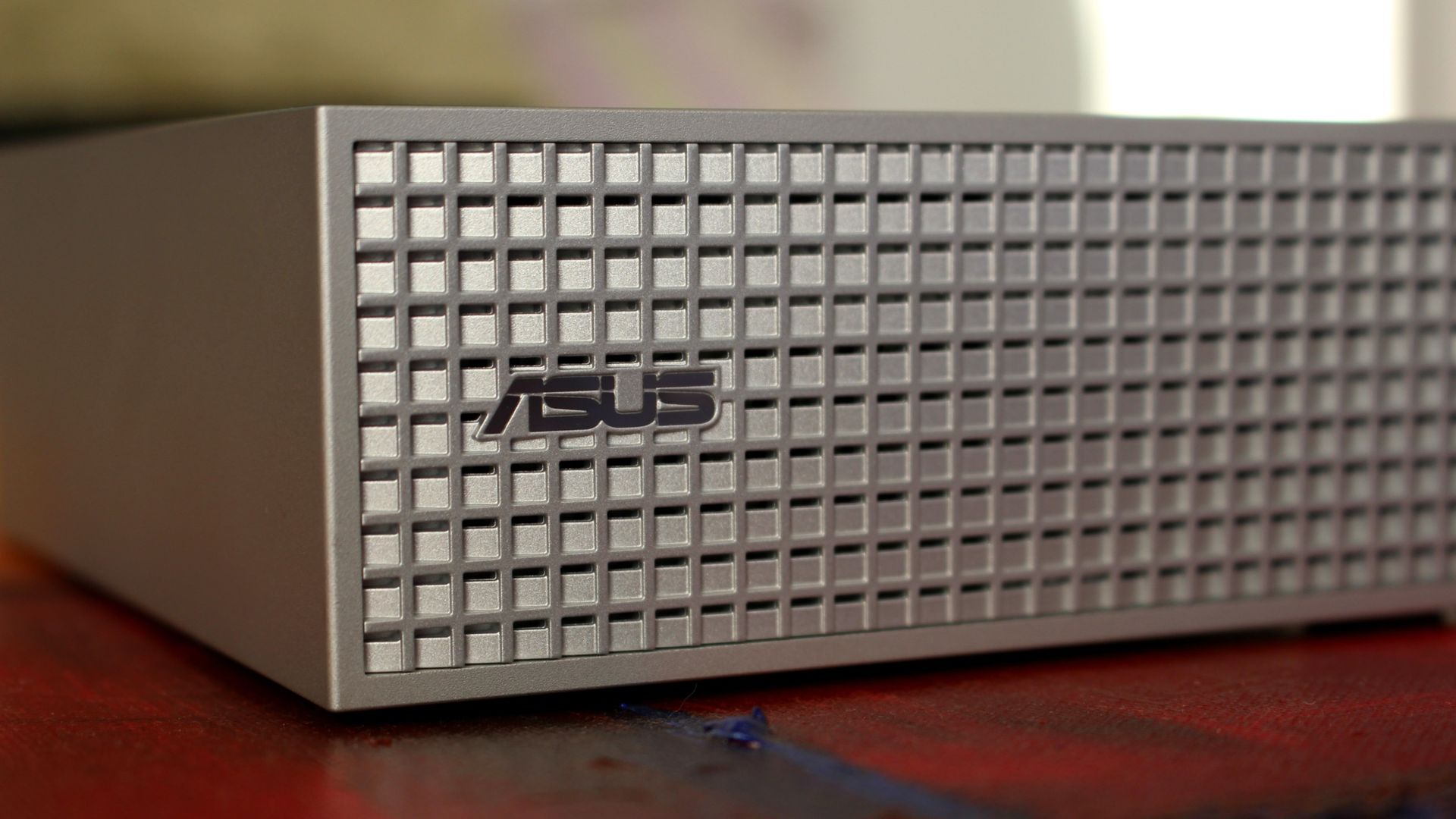
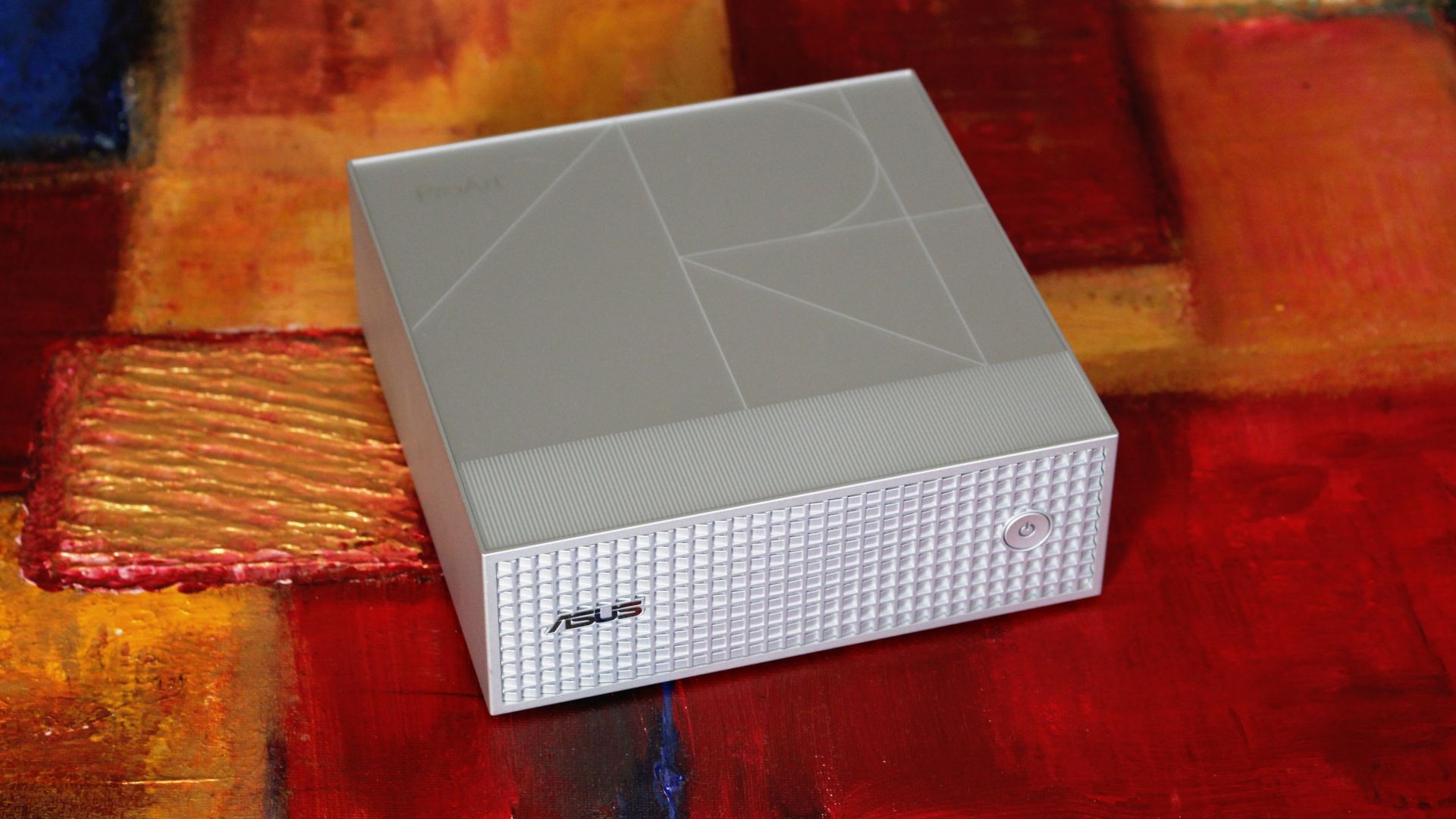
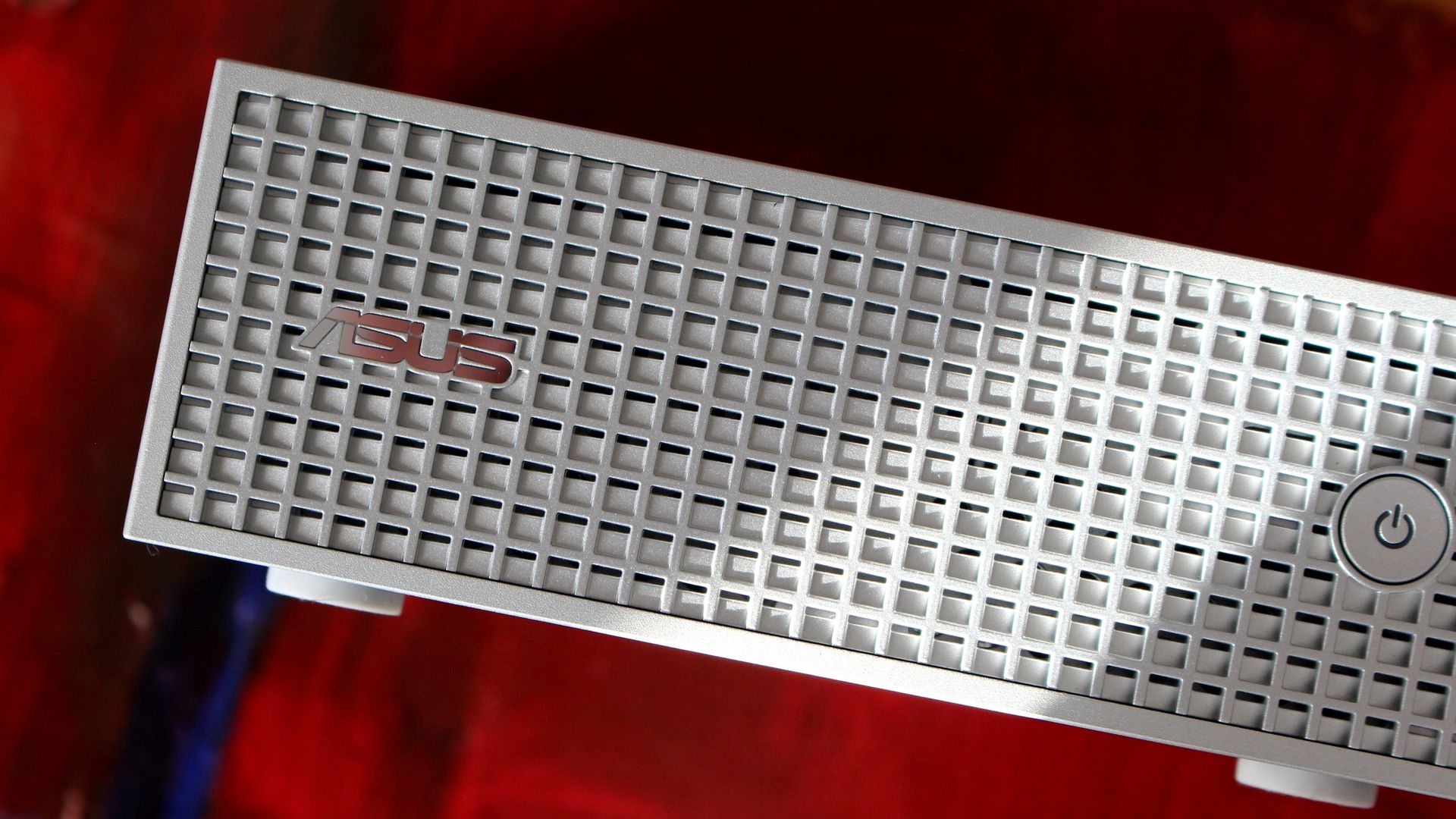
Starting with the good stuff, I love the mini PC's design. All of the ASUS ProArt PCs have a professional aesthetic, and this one nails it with a silver finish, a stylized ProArt logo engraving on the top panel, and a waffled front plate with additional air vents.

It's a super simple approach with just a power button on the front, leaving all I/O for the rear of the PC (more on that in the next section).

ASUS ProArt GR1X RTX Spark PC

The etched ProArt design in the top of the GR1X is a nice touch. (Image credit: Zac Bowden / Windows Central)

I put my GR1X through a stress test to see how loud it gets. My meter didn't breach 55 decibels during the run, which is about as loud as a regular conversation. Nothing wrong with that. It doesn't throttle thermally, either, which is really the whole point of a desktop support system.

The rather large intake vent on the bottom of the PC is clearly feeding it with enough cool air, and everything gets vented out the back, as it should.

ASUS ProArt GR1X RTX Spark PC

A power button and ASUS logo adorn the front waffled panel. (Image credit: Zac Bowden / Windows Central)

Wireless connectivity is about as good as you'll find these days, with modern Wi-Fi 7 and Bluetooth 5.4 on board. Most people aren't yet using Wi-Fi 7, but you'll be ready for a router upgrade in the future.

ASUS has also included a 10Gb Ethernet port for wired hookups, ideal for anyone who prefers the reliability of LAN.

As for external display support, you can run up to four screens at once via USB-C and HDMI 2.1.

What I dislike about the ASUS ProArt GR1X

ASUS ProArt GR1X RTX Spark PC

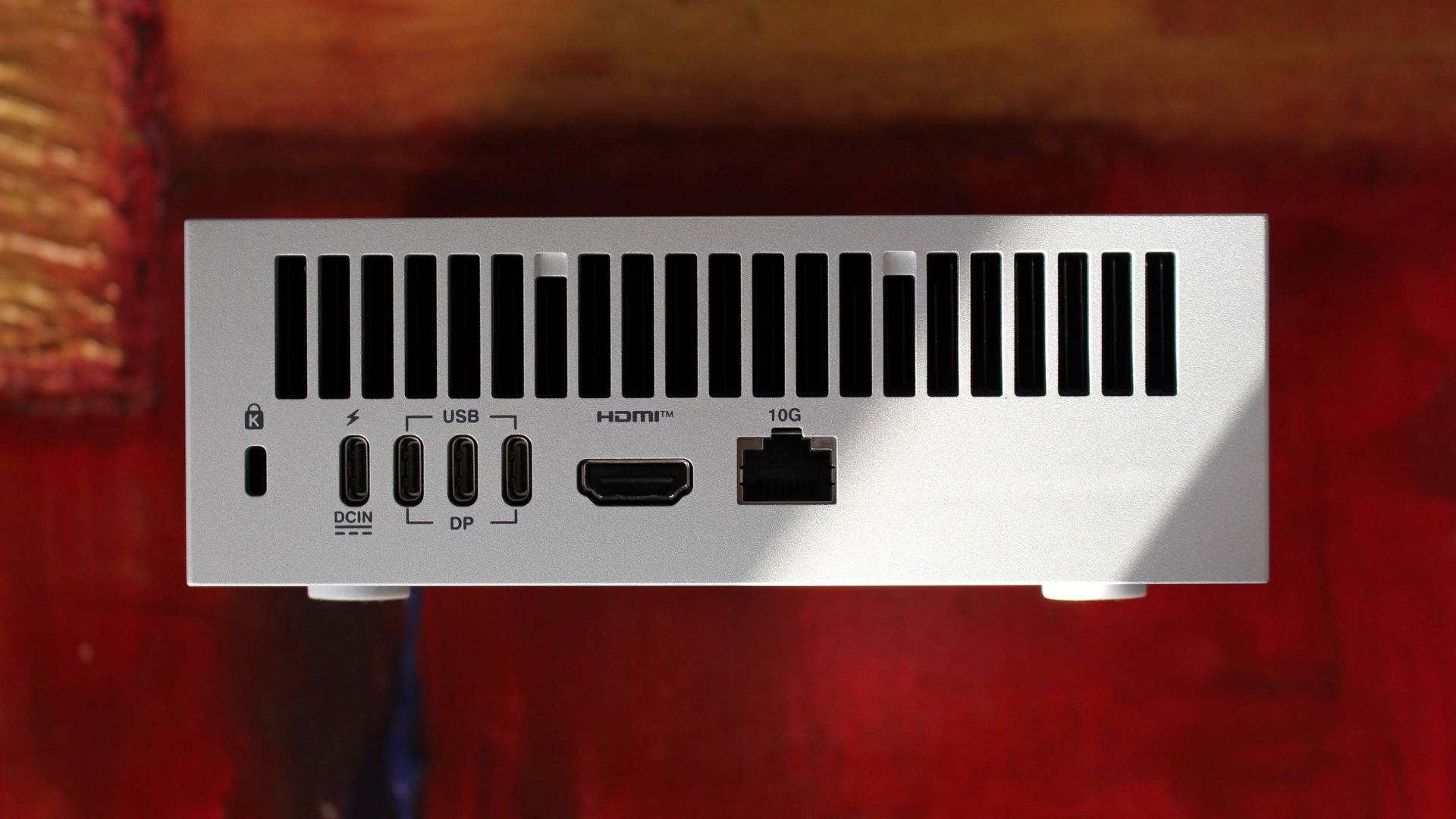
Ports are all located on the back of the PC. (Image credit: Zac Bowden / Windows Central)

My main gripe with the ProArt GR1X right now is its port placement. Everything is located on the rear of the PC, so even quick hookups will have you reaching around and feeling for a port.

The USB-C ports are all jammed together on the back, making it difficult to plug in and out on the fly. Having even one port on the front would go a long way.

There's also the port selection to contend with. The ProArt GR1X has no USB-A or SD card reader, and its USB-C ports aren't as good as they could be.

Rather than USB4 at 40Gbps, the three USB-C hookups are Gen 2x2, topping out at 20Gbps. A fourth USB-C port handles the AC hookup, so no issues there.

Should you buy the ASUS ProArt GR1X mini PC?

ASUS ProArt GR1X RTX Spark PC

A look at the waffled front panel with air intakes on the ASUS ProArt GR1X. (Image credit: Zac Bowden / Windows Central)

You should buy it if ...

✅ You want superior RTX Spark power and don't mind losing a laptop's mobility.

✅ You're an AI specialist with deep pockets for specialized PC hardware.

You should not buy it if ...

❌ You prefer having an RTX Spark PC you can take anywhere.

❌ You're a gamer who needs a PC for fun and nothing else.

Windows Central Recommended Award

NVIDIA promised a performance uplift with its desktop version of the RTX Spark, and based on our testing, I'd say it made good on its word. The improved cooling and added wattage really make a difference.

The Blackwell GPU has the most to benefit, and we saw uplifts starting around 10% and running as high as 21.9% in benchmarks. CPU improvements are not as pronounced, but that matters less here for specialized AI workloads.

We saw uplifts starting around 10% and running as high as 21.9% in benchmarks

As for the ASUS ProArt GR1X itself, it's a fancy, compact mini PC that keeps its cool and quiet under load. It's not perfect, but it seems like apt housing for NVIDIA's chip.

Downsides? I can't figure out why ASUS didn't expand its port selection or place anything on the front panel. The setup is bound to frustrate anyone who's often plugging and unplugging.

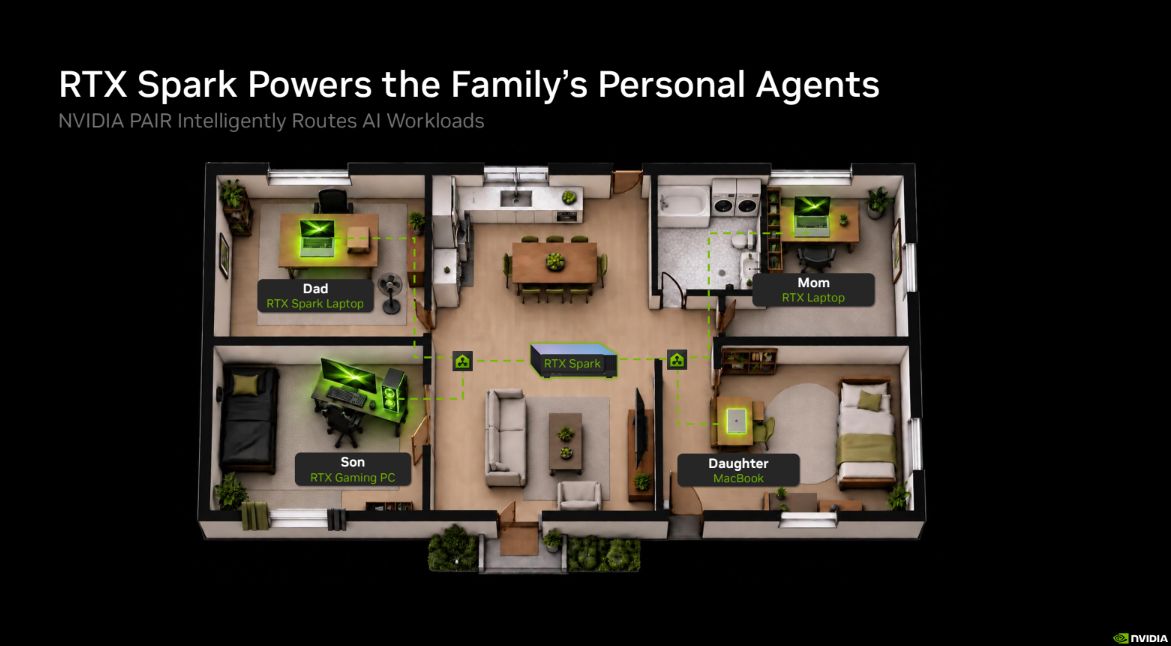
That leads me to NVIDIA PAIR, a feature for RTX Spark PCs that allows them to communicate wirelessly with each other, offloading workloads to connected RTX and macOS systems.

An overhead 3D floor plan shows RTX-powered AI agents in a family home: Dad, Mom, Son, and Daughter, each with a personal workstation. Black background and green highlights create a futuristic tone.

A quick look at how NVIDIA PAIR works across your home or office. (Image credit: NVIDIA)

With how the ProArt GR1X is designed, it seems like a perfect candidate to become a "headless" AI machine that works away on its own while you use a laptop or full-size desktop PC. Link up two or three of these mini PCs, and you have a personal network ready to do your AI bidding.

There's also the price with which to contend. Starting at $4,499, RTX Spark desktop mini PCs are a full $700 more expensive than RTX Spark laptops. Is the extra power worth it? For some professionals, sure. For others, it'll no doubt be too much of a premium over the laptop price to make sense.

We plan to put together a comparison with the Mac Studio in the coming days, but are there any other PCs to which you'd like RTX Spark compared? What would you like us to test next on the ProArt GR1X? Let us know in the comments section below!

ASUS ProArt GR1X mini PC

Desktop RTX Spark
ASUS
ProArt GR1X

The desktop version of NVIDIA's RTX Spark chip delivers the promised uplifts over the lower-watt laptop version. The ASUS ProArt GR1X helps make that possible with strong cooling capabilities, but it has some of its own quirks you'll want to know about before buying.

Click to join us on r/WindowsCentral

Join us on Reddit at r/WindowsCentral to share your insights and discuss our latest news, reviews, and more.
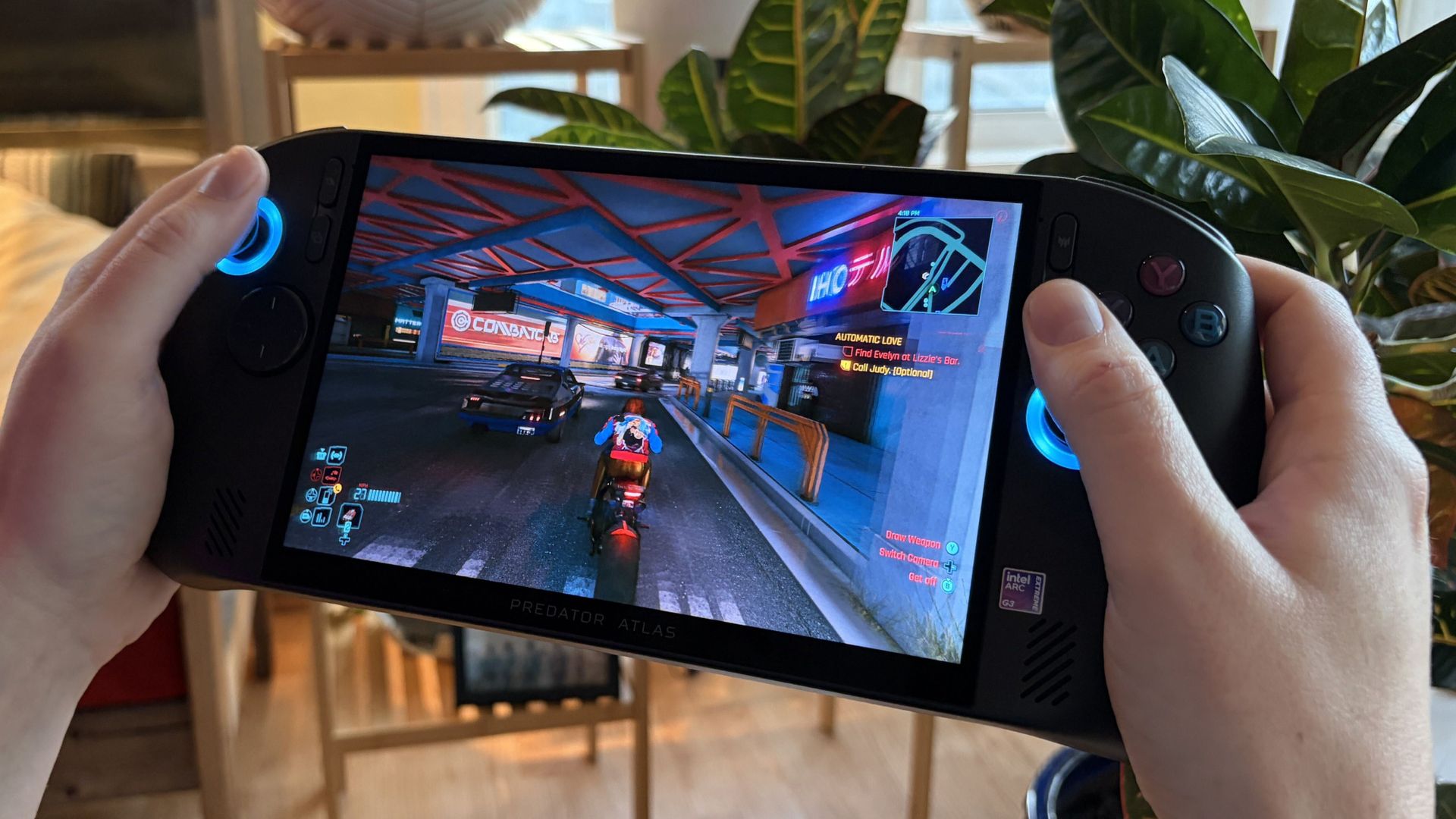
I quit my Steam Deck for Acer's new Predator Atlas 8. Here's what I learned.

I first played with Acer's Predator Atlas 8 this year at Computex, and I got my hands on a review unit a few weeks ago.

Short story? Intel's Arc G3 Extreme chip has proven to be the hardware you want in your gaming handheld. But the chip is only a small part of Acer's package, and I'm also focusing on the Atlas 8's design, features, cooling, screen, and software.

I've had a ton of fun with the Atlas 8, but it might not be right for you. Here's what I think you should know before buying.

Acer and Intel had no input, nor did they see the contents of this review prior to publication.

Predator Atlas 8 specs at a glance

The Predator Atlas 8 launched at $1,299.99, a full $500 less than MSI's competing Claw 8 EX AI+ (also with an Arc G3 Extreme chip inside).

On November 10, less than two weeks after the November 1 launch, the Atlas 8's price rose to $1,449.99. I'm keeping this price hike in mind throughout the review, but it mainly pertains to the final section.

Here's a quick look at the specs in my loaner review unit.

Acer Predator Atlas 8

Processor

Intel Arc G3 Extreme
Up to 4.7GHz
14 cores

Graphics

Intel Arc B390
12 Xe cores
XeSS 3

Display

8 inches, 16:10
Touchscreen
500 nits

Resolution

1920x1200

Refresh rate

120Hz VRR

Memory

24GB LPDDR5x

Storage

512GB M.2 PCIe 4.0 NVMe SSD

Ports

2x Thunderbolt 4
UHS-II microSD
3.5mm audio combo

Controls

TMR joysticks
Hall-effect triggers
2x macro buttons

Audio

2x 2W speakers
DTS Virtual:X

Battery

80Wh

Connectivity

Wi-Fi 7
Bluetooth 5.4

Price

$1,449.99

An IPS display that doesn't make me pine for OLED

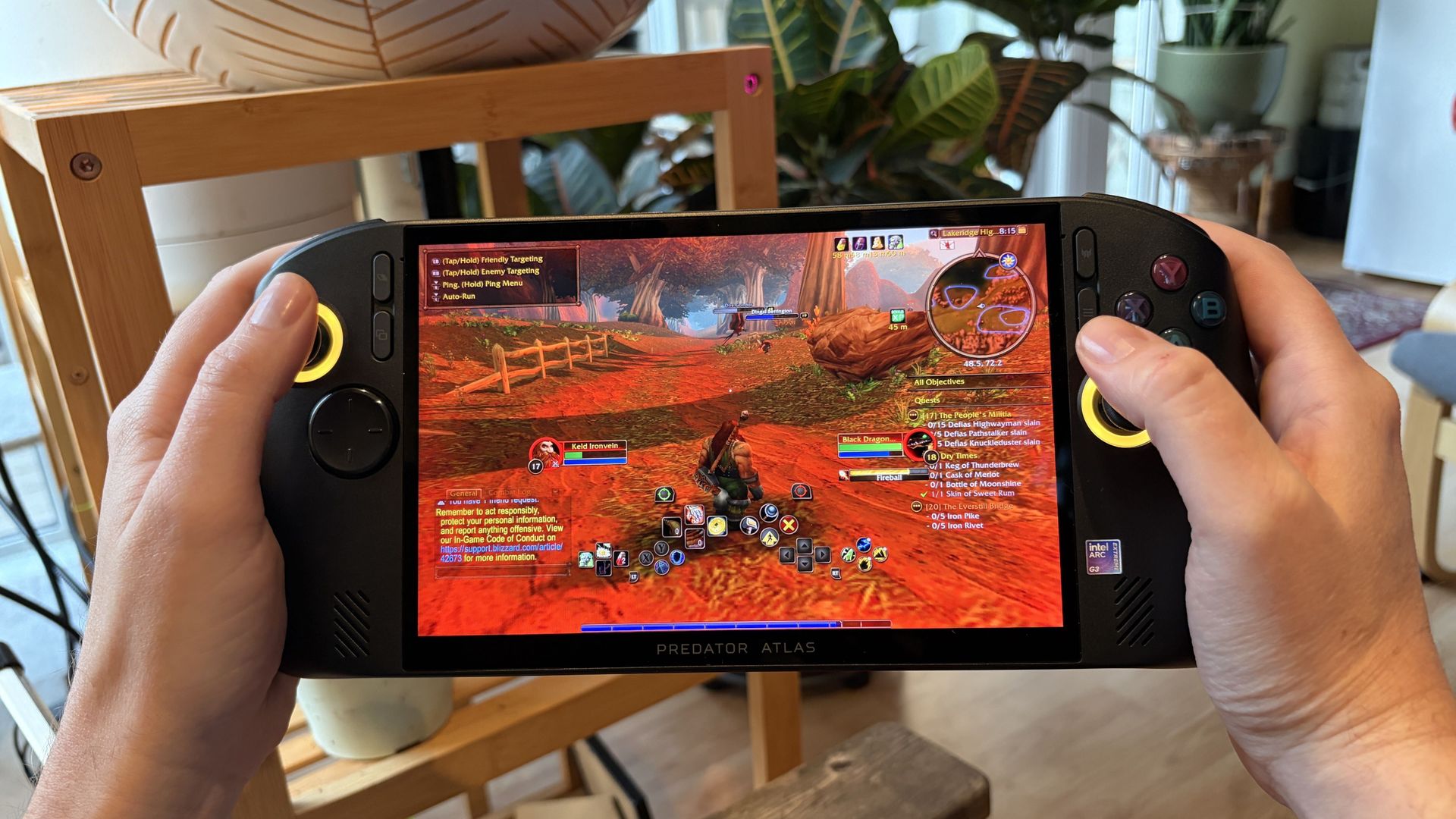
Hands hold an Acer Predator Atlas 8 handheld gaming PC showing a colorful fantasy battle in a red, fiery landscape, with game controls and a minimap on screen.

The Predator Atlas 8's IPS display is colorful and bright. (Image credit: Future)

I'm an OLED convert, and I'm convinced that it's the best way to game. That being said, these new Intel gaming handhelds with IPS displays are impressive.

Like the MSI Claw 8 EX AI+ that Editor-in-Chief Daniel Rubino reviewed, the Predator Atlas 8 has an 8-inch IPS touchscreen with a 16:10 aspect ratio, 1920x1200 (FHD+) resolution, and 120Hz variable refresh rate.

It gets quite bright at 500 nits, and it manages to hit the full sRGB color spectrum for a more vivid picture.

If I have to choose between an OLED display and Intel's Arc G3 Extreme performance, I'll take the latter every time.

A lack of OLED should not be a dealbreaker. Everything is bright, clear, and crisp, with the 120Hz refresh rate adding a decent amount of headroom for frame generation.

I gamed all over the place with the Atlas 8, and glare was never too much to make me quit. An anti-glare screen protector is included, but I didn't feel the need to use it.

As Rubino noted, the lack of OLED in the $1,799 MSI Claw 8 EX AI+ is an obvious drawback. It doesn't feel as obvious in the $1,299 (now $1,449) Atlas 8, though it's still something you'll need to consider when buying.

Chunky, but overall comfortable to hold

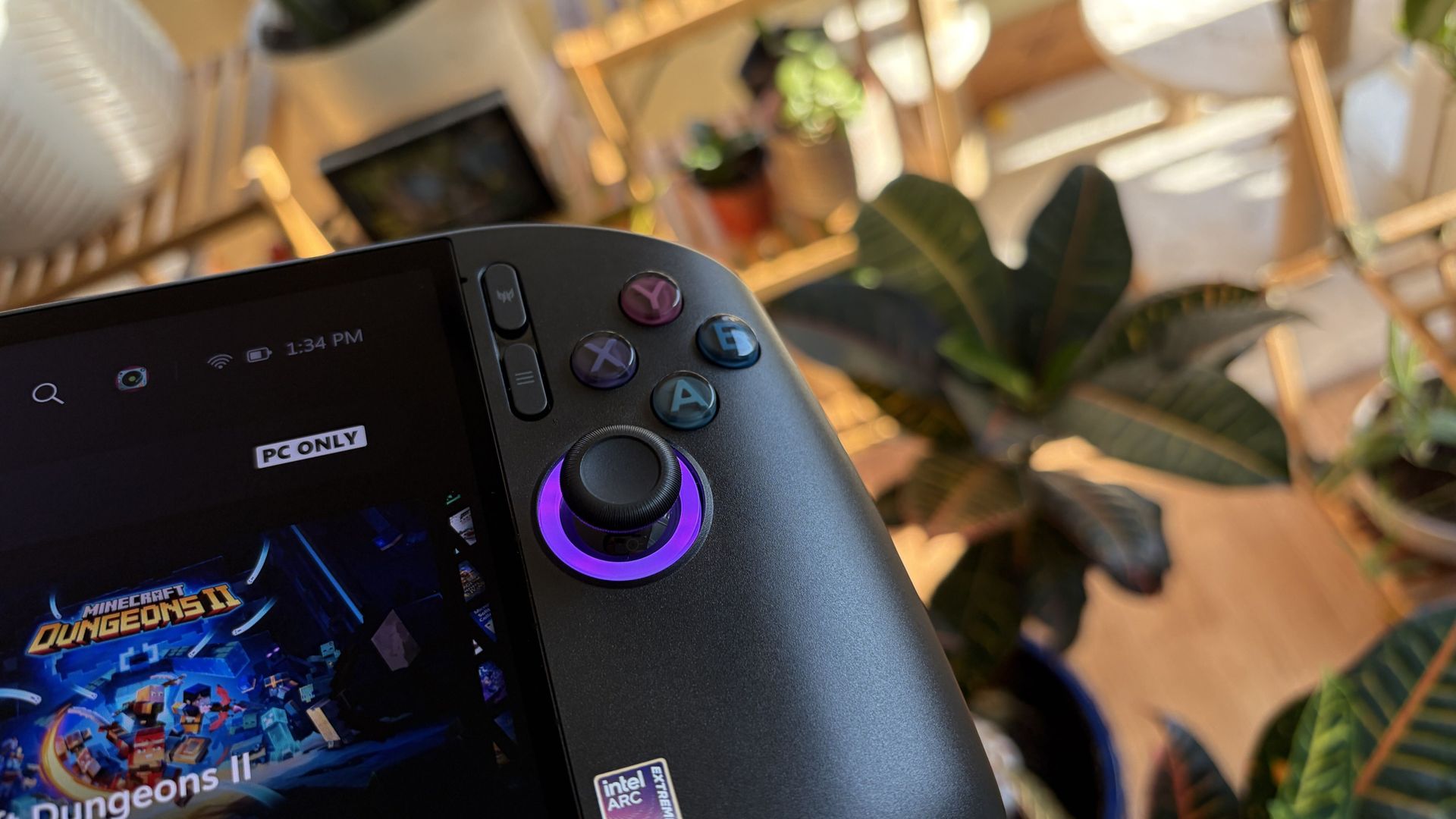
Close-up of an Acer Predator Atlas 8 handheld gaming console, its joystick glowing purple; a leafy plant and bright, cozy room create a relaxed mood.

The Atlas 8 remains comfortable to hold even during marathon gaming sessions. (Image credit: Future)

Coming from the Steam Deck as my primary handheld, the Atlas 8's fused grip style is familiar and comfortable. It fits in my palms and rests there naturally; I didn't find it too heavy or too light ... just right.

The handheld is built well. There's no flex in the body. It doesn't creak or groan when you're handling it with one paw. All the controls are easily within reach. And despite its sheen, it's not slippery.

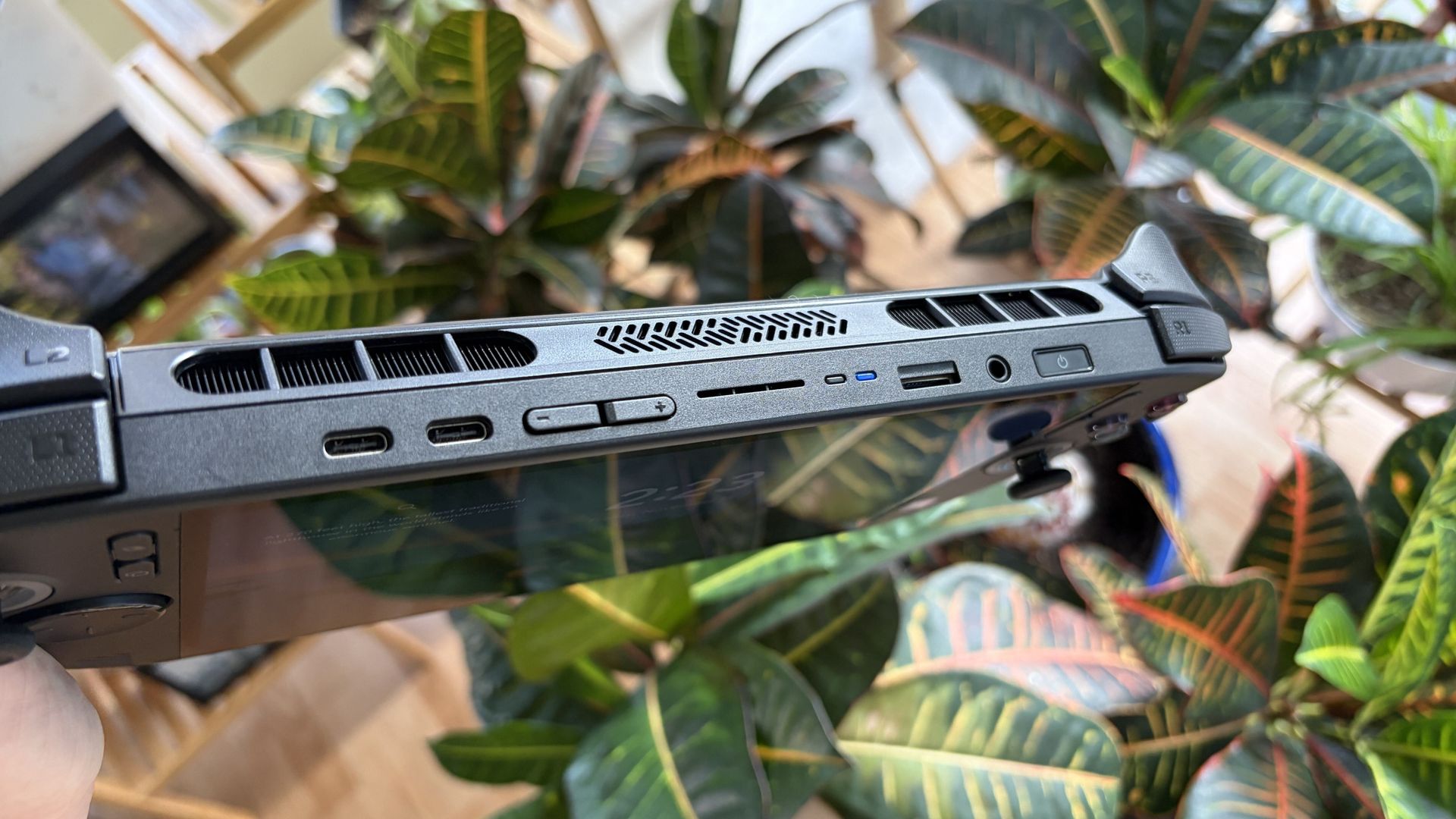
As you might expect, air intakes for the cooling system are on the back of the handheld, away from where your fingers rest. Exhaust runs along the top of the device, so you don't feel it at all when gaming.

Dual Thunderbolt 4 ports and Wi-Fi 7 set you up nicely for years of gaming

Close-up of a Predator Atlas 8 top vents, ports, and stylus, held above colorful tropical croton leaves in a bright, casual setting.

The Atlas 8's ports include dual Thunderbolt 4, microSD card reader, and 3.5mm audio combo. (Image credit: Future)

Also along the top are dual Thunderbolt 4 ports, a 3.5mm audio combo jack for input/output, and a UHS-II microSD card reader for removable storage. I've got to say that it's great having Thunderbolt on board, as the advanced ports handle video, charging, accessories, and storage.

As for wireless, Wi-Fi 7 and Bluetooth 5.4 provided fast, seamless connectivity while testing the Atlas 8. I had no issues with either.

One important thing to note: I'm not a huge fan of handheld haptics to begin with, and the implementation here doesn't really do anything to change my mind. The rumble is plain and gets annoying. I ultimately disable haptics, but you might have a different opinion.

The speakers aren't special

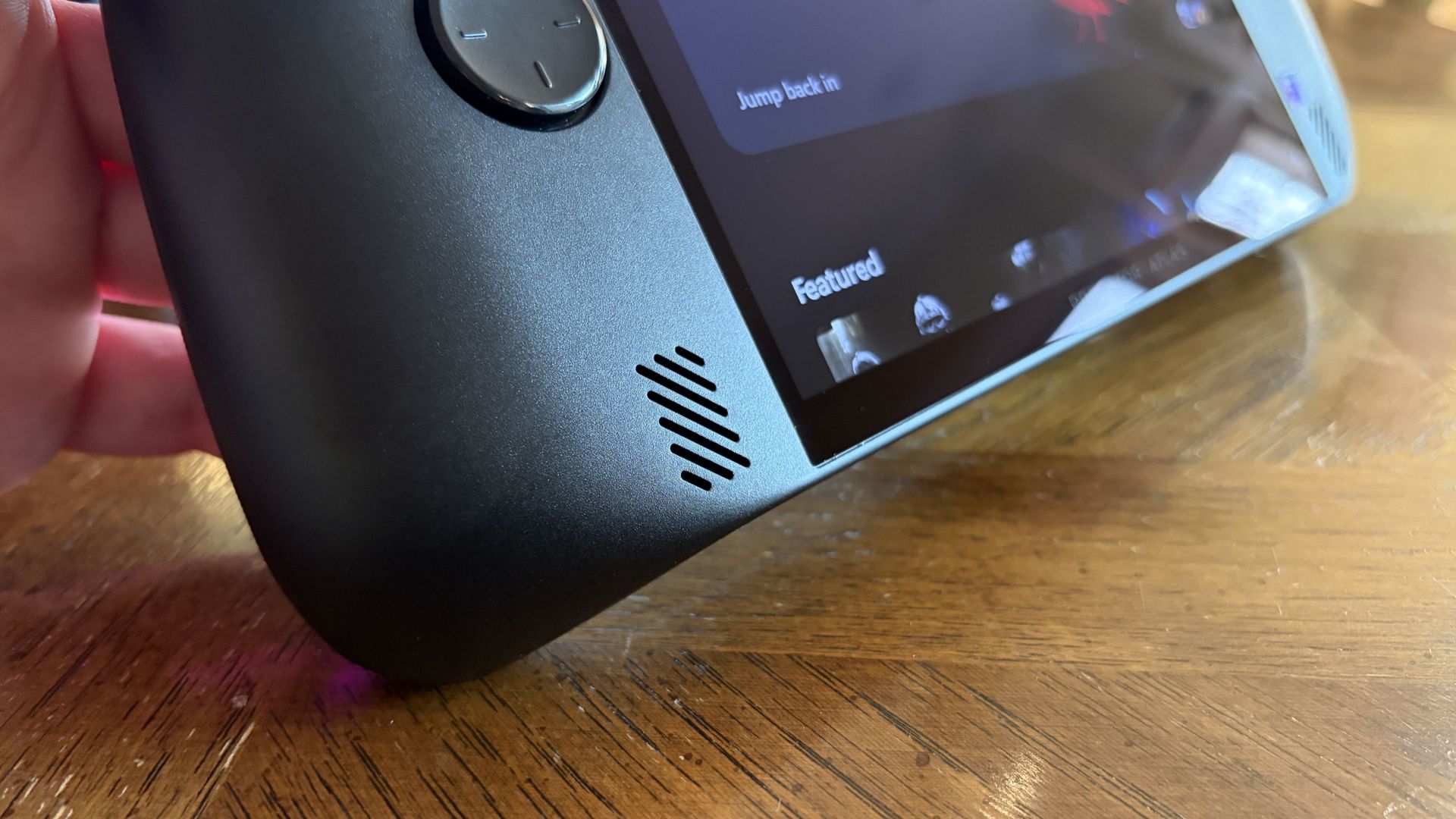
Close-up of a hand holding an Acer Predator Atlas 8 with a speaker grille and round control, its content menu glowing above a wooden table.

One of the Atlas 8's two front-firing speakers. (Image credit: Future)

The Atlas 8's dual 2W speakers put out a lot of volume, and they're positioned on the front of the device to hit you right in the face. It's decent audio for such a small device, but it's not perfect.

Audio is a tad thin at lower volume levels, and once you crank it up, you'll start to notice a bit of distortion. I played around with onboard audio settings to try out different presets, and ultimately got it sounding better without needing headphones.

In terms of post-purchase upgradeability, the Atlas 8's rear panel comes off after removing 8 screws, providing access to the internal SSD. If you'd rather not use removable microSD storage to boost your library space, you can always do your own internal drive upgrade.

Lovely controls ... except the D-Pad

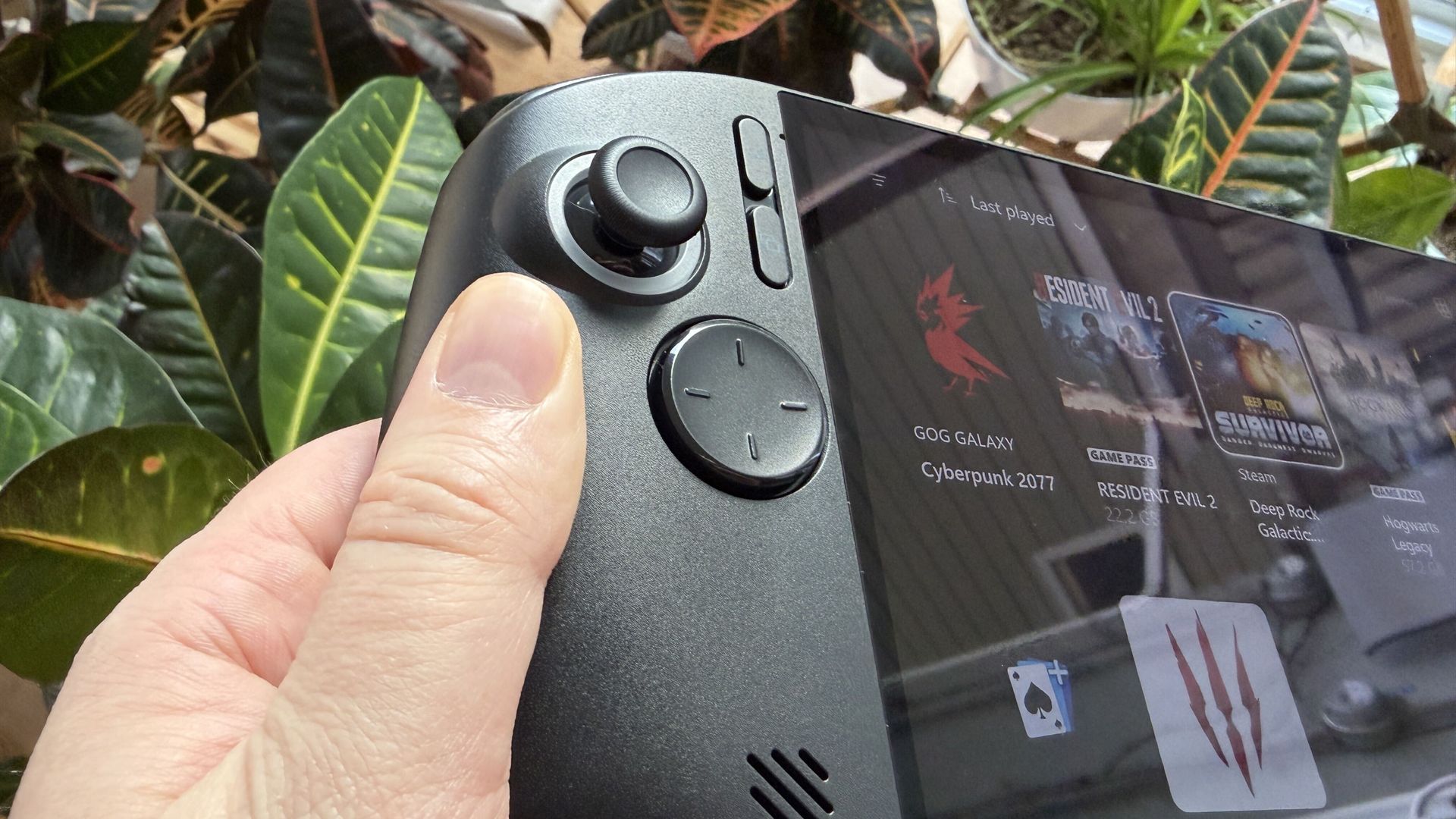
A hand holds a black Acer Predator Atlas 8 gaming handheld, thumb beside the joystick and buttons; a game library fills the screen against leafy plants.

The Atlas 8's controls are all good ... except for the D-Pad. (Image credit: Future)

The Atlas 8's TMR joysticks are built on Hall Effect tech, offering superior sensitivity by eliminating physical contact. They're the best way to play, and Acer's implementation is flawless. The sticks have perfect resistance, and I had no problems with drift.

The analog R1/L1 bumpers have a satisfying click, and the AXBY buttons are standard fare. Not too spongy, not too firm. I've seen some users complain about the right stick's positioning and how close it is to the buttons, but I had no issues.

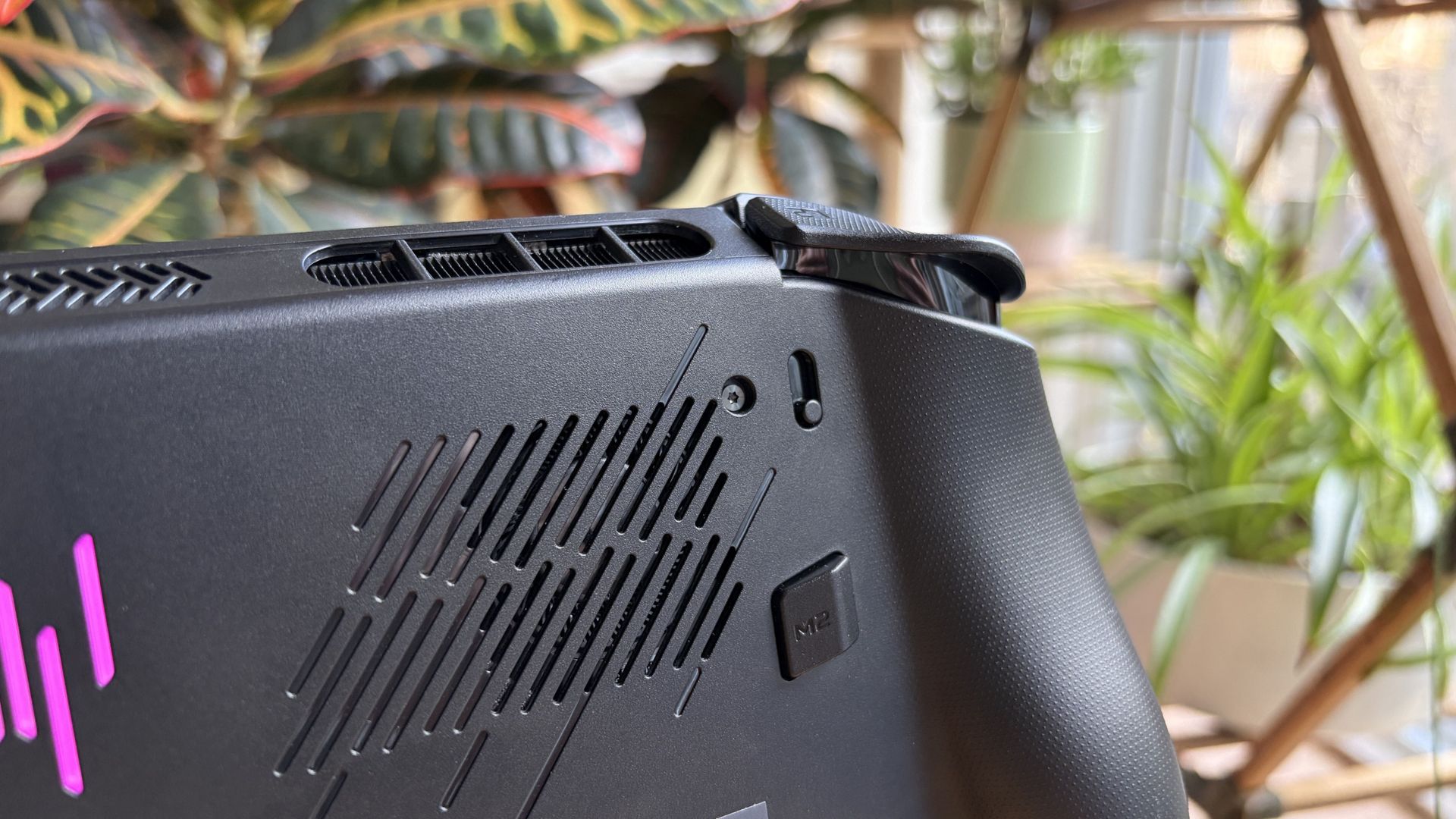
Close-up of a black Acer Predator Atlas 8 handheld gaming device’s textured back, vents, and shoulder controls, with a bright pink accent; leafy houseplants create a relaxed setting.

A small switch on either side of the Atlas 8 lets you adjust trigger depth. (Image credit: Future)

The triggers are top-notch. Hall Effect sensing adds extra pressure sensitivity, providing what feels like perfect control. The triggers feel robust with the right amount of resistance, and you can set the depth with small switches.

Toggle one way for a shorter pull (great for twitch gaming), or toggle the other way for the full travel. It's a nice little perk that I should probably use more often.

My only gripe is with the D-Pad. It reads input just fine, but its scooped face with small raised lines just doesn't do it for me. I'd rather have more prominent markers for quick actions, like on MSI's Claw 8 EX AI+.

Intel's newfound gaming performance is impressive

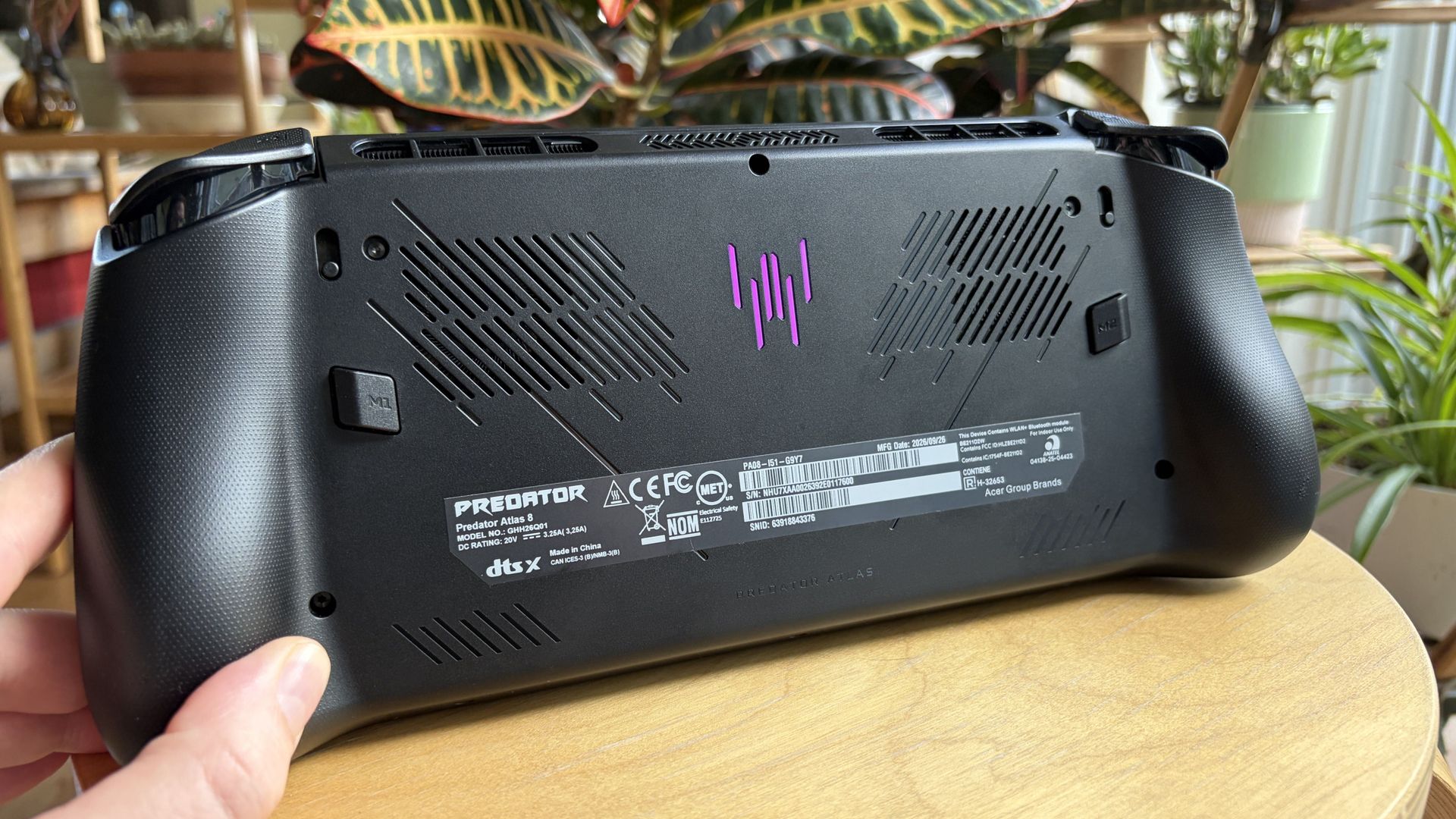
A hand holds a black Acer Predator Atlas 8 handheld gaming PC, showing its vents, purple logo, and product labels above a wooden table with plants nearby.

The Atlas 8's rear vents feed the cooling system with fresh air. (Image credit: Future)

I mostly focused on gaming performance (no kidding) for the Predator Atlas 8, but rest assured that Intel's Arc G3 Extreme chip is also quite adept at productivity work should you want to get some dual-use going on the road.

Rubino, in his MSI Claw 8 EX AI+ review, goes into a lot more depth about Intel's productivity power, and I recommend reading it if you're interested in more than just fun.

The Arc B390 GPU — with 12 Xe cores, a 2.3GHz frequency, and full access to the latest XeSS 3 upscaling suite with multi-frame generation — is where Intel's dominance becomes obvious.

As you can see in the graphs below, the Arc G3 Extreme inside the Predator Atlas 8 easily beats the Ryzen Z2 Extreme in the synthetic 3DMark Time Spy benchmark. It's not even close. The SSD is also nice and speedy.

3DMark Time Spy benchmark graph
Future
CrystalDiskMark results for Acer's Predator Atlas 8.
Future

MSI's Claw 8 EX AI+ is still in the lead in these tests, but the Atlas 8 is close enough that you won't likely notice much difference in everyday play. Here's a quick rundown of how the Atlas 8 stacks up to the MSI handheld.

Acer Predator Atlas 8

MSI Claw 8 EX AI+

3DMark Fire Strike

12,935

13,340 ^

3DMark Time Spy

6,413

6,726 ^

CrystalDiskMark (Read)

6,598 MB/s

6,997 MB/s ^

3DMark Gaming Battery

2:00 (Quiet 25W)

3:23 (Endurance 15W)

For actual games, I spent a lot of time in Cyberpunk 2077, WoW: Forever, and a handful of lighter indie titles.

Cyberpunk 2077 was certainly the most impressive run. With basic ray tracing and native XeSS 2 frame generation enabled, the in-game benchmark spit out a 99.4 FPS average result while running on battery power and in balanced power mode.

The handheld itself remains at a comfortable temperature, hot air is exhausted away from you, and the dual fans don't get too loud even under full load.

That's extremely promising, though battery life slips quickly when you have settings cranked up (more on that below).

Testing again on AC power with the Turbo performance mode, the in-game benchmark hit a 105 FPS average. Again, a very good result in a notoriously demanding game, and it shows how well the system runs on battery.

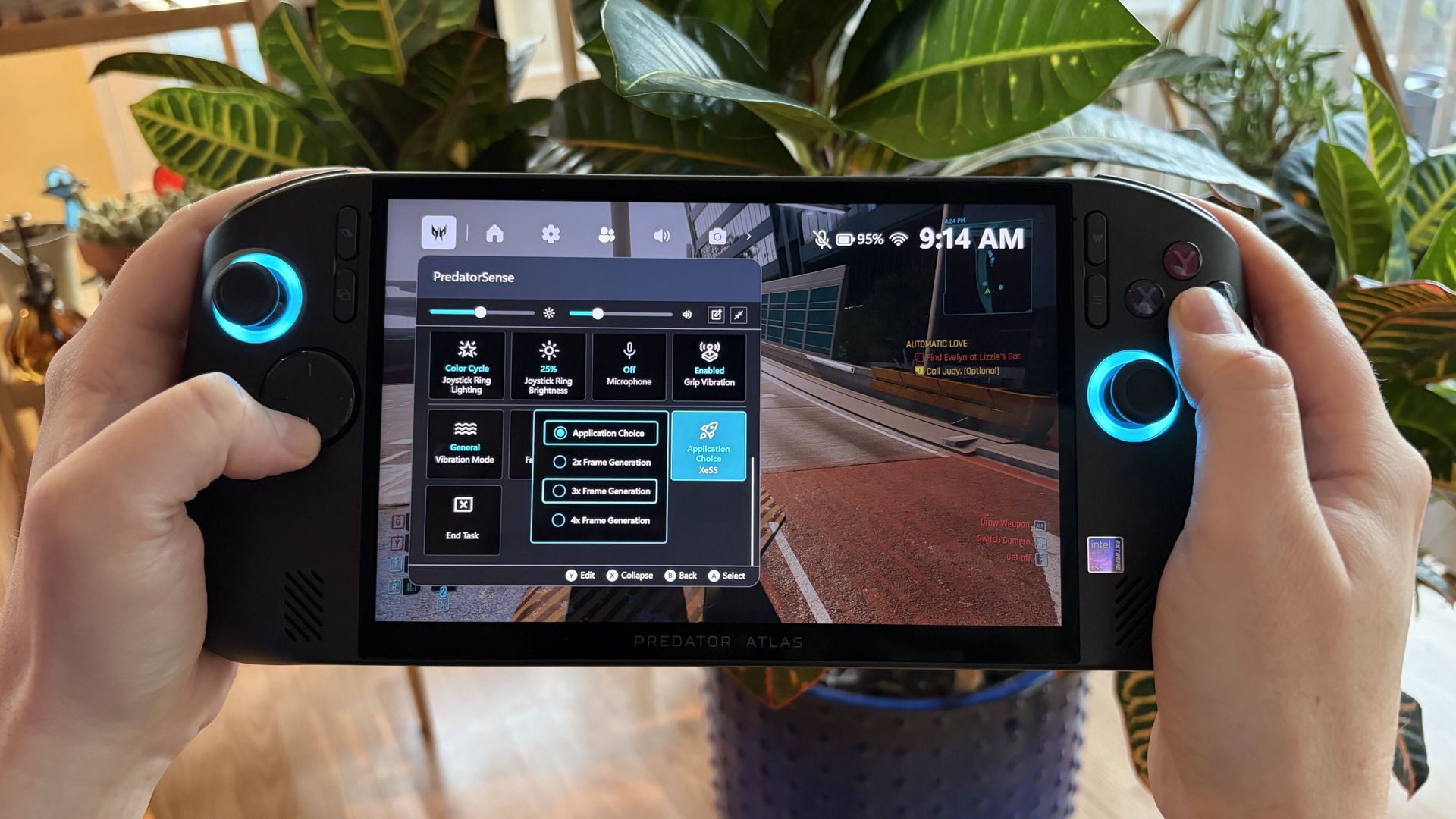
Hands hold a handheld Acer Predator Atlas 8 gaming PC with glowing blue controls and a settings menu on screen, against leafy plants; the scene feels calm and tech-focused.

Acer's PredatorSense app lets you manually use up to 4x XeSS multi frame generation. (Image credit: Future)

In Acer's PredatorSense software, there's an option to force the latest XeSS 3 multi-frame gen (up to 4x) despite games not having official support. You can bet I cranked it up to the max for Cyberpunk, which hit 167 FPS.

Native XeSS 3.0 multi-frame gen (and other) improvements are seen in games like LEGO Batman: The Legacy of the Dark Knight, which the Atlas 8 can reliably push into high triple-digit frame rates without forcing anything.

Does the Acer Predator Atlas 8 overheat?

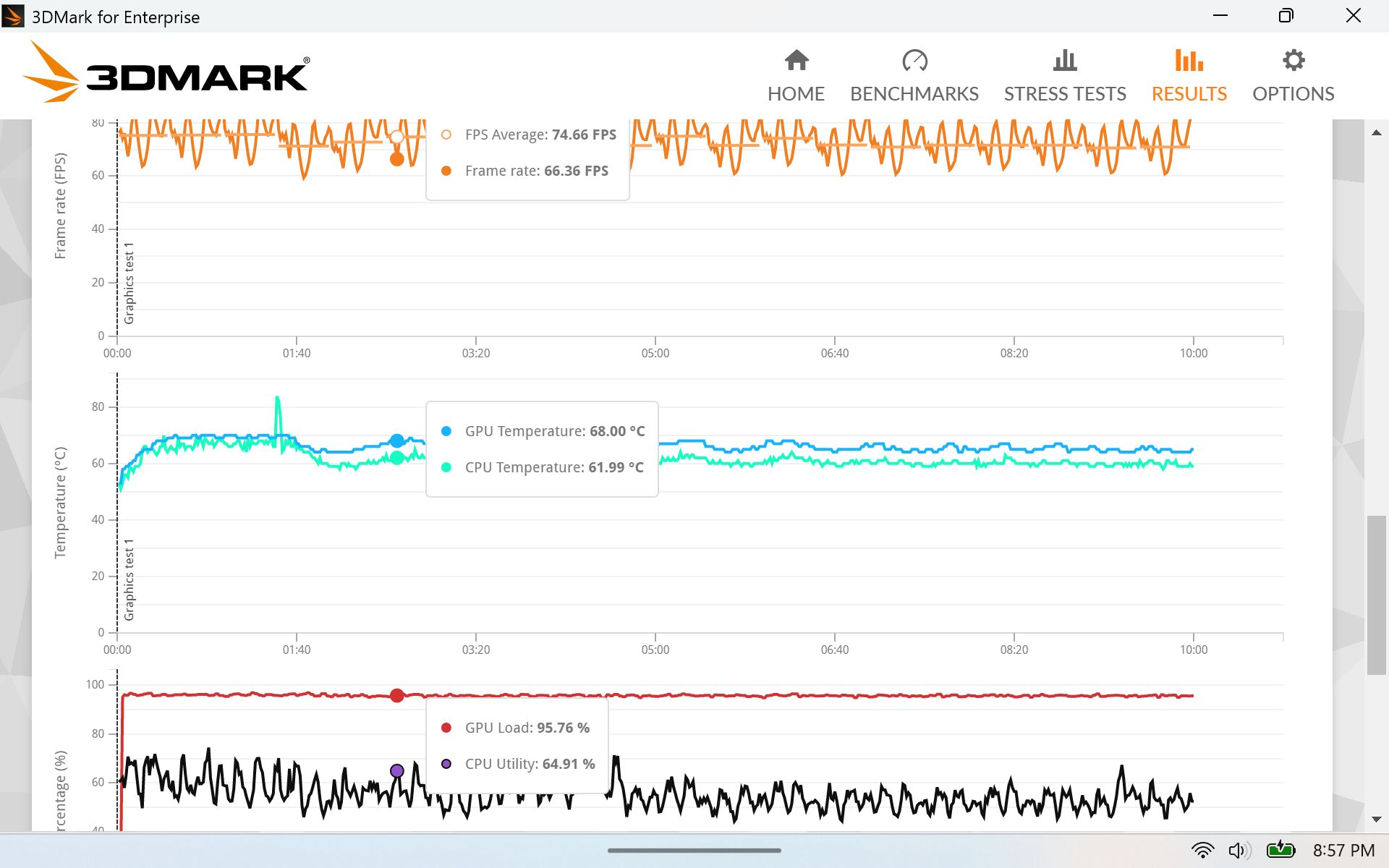
3DMark stress test results for the Acer Predator Atlas 8.

(Image credit: Future)

I ran a stress test on the system to see if I could make it overheat. It didn't come close. CPU and GPU temperatures leveled off right around 62°C and 68°C, respectively, for the duration of the test, without making the fans go crazy.

Acer did a great job on the thermals. The handheld itself remains at a comfortable temperature, hot air is exhausted away from you, and the dual fans don't get too loud even under full load.

My FLIR camera is out of order, but there wouldn't be any egregious hot spots to see, anyway.

Acer's software and Windows sometimes gets in the way

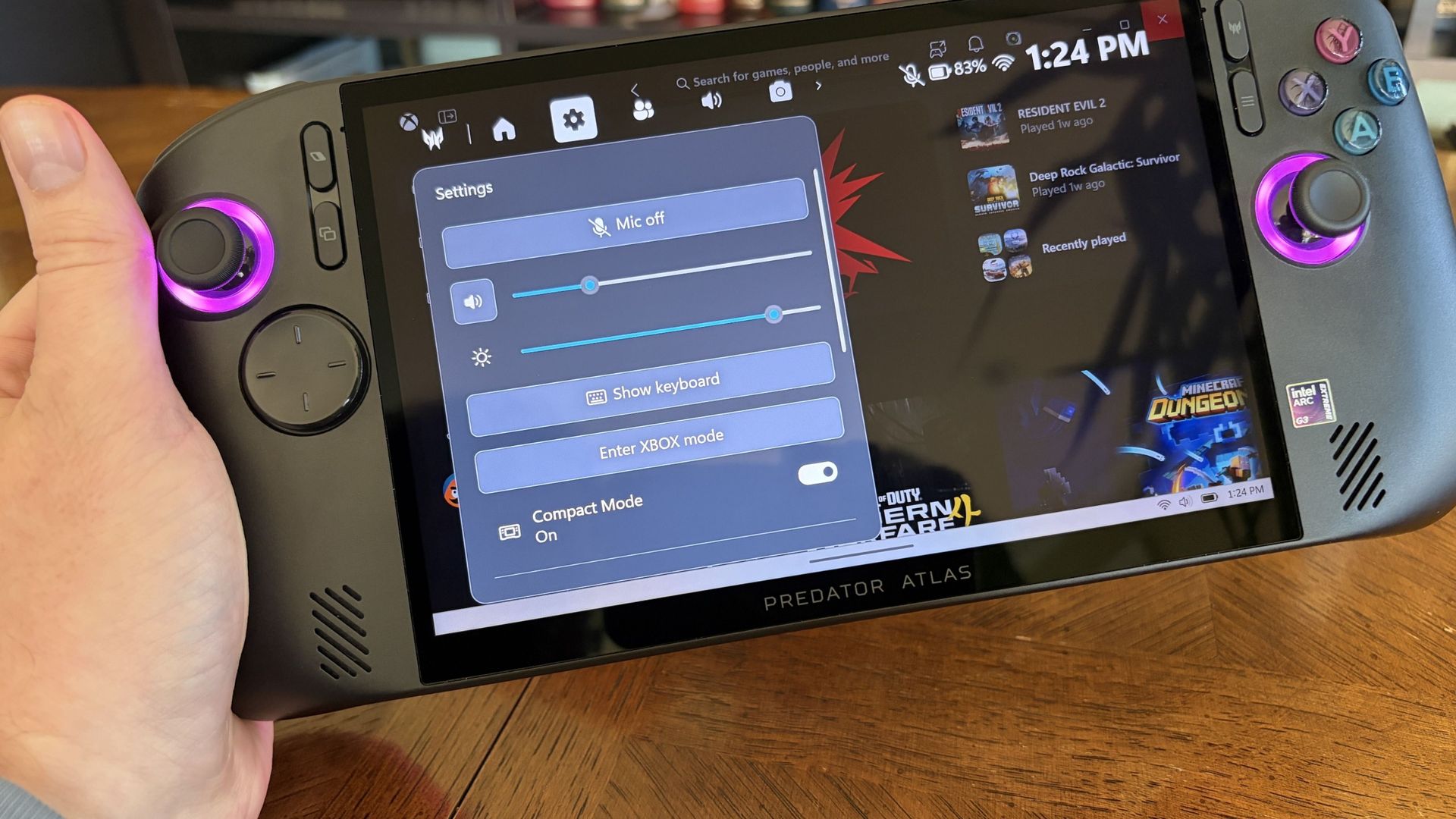
A hand holds a black Acer Predator Atlas 8 handheld gaming PC over a wooden table; its settings panel overlays a game library, with purple-lit joysticks.

Acer's onboard software has a ton of options, but it's not always ready to go. (Image credit: Future)

The overall Predator Atlas 8 experience is positive, but as you'll find with most handhelds running Windows 11 and custom software, there are some quirks.

PredatorSense is the main Acer app underpinning the handheld. With one click of a button, it opens with a wide range of settings for performance, audio, cooling, battery life; basically, all you need to tweak your handheld to your liking.

Is it perfect? Absolutely not. Sometimes the app refused to open, barring a restart. Other times the RGB lighting around the joysticks would turn off when other settings were adjusted.

I'm really hoping some of these bugs get ironed out by Acer

Other times, the settings sliders would interfere with Windows, and I couldn't make the adjustments I wanted. I'm really hoping some of these bugs get ironed out by Acer, and of course, Windows 11 could always be better for gamers.

What I can say is that I'm really enjoying Xbox mode. It's super smooth and makes getting around your libraries a breeze. Is it as good as the overall experience with SteamOS? No, at least not yet.

Should you skip the Predator Atlas 8 because of these bugs? Absolutely not; I think the benefits outweigh the downsides.

Battery life gets better when you adjust manually

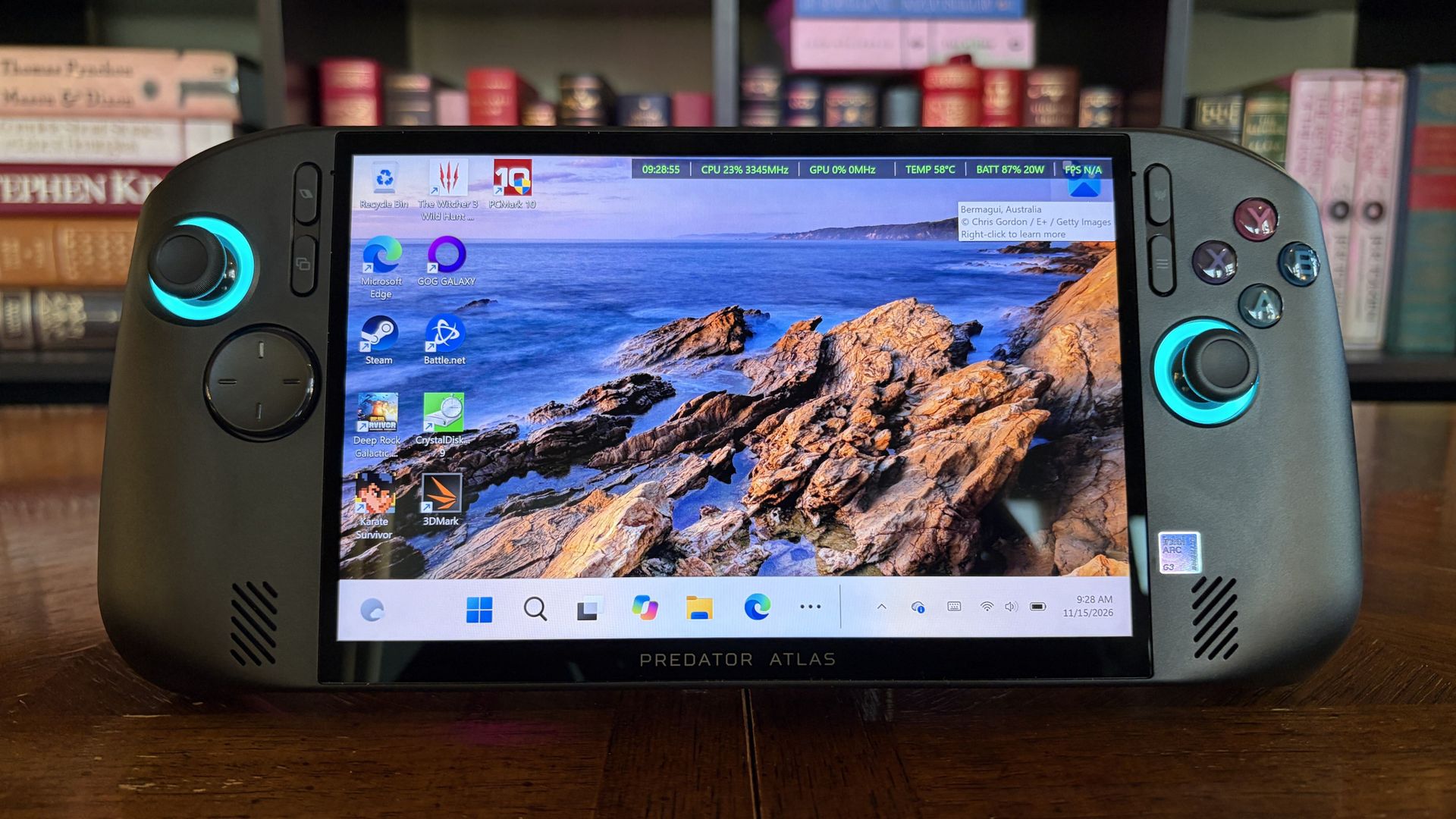
A black Acer Predator Atlas 8 handheld gaming PC with glowing turquoise controls displays a Windows desktop and rocky ocean wallpaper, posed before a bookshelf in a polished tech showcase.

The Atlas 8's battery life is respectable, especially if you manage settings manually. (Image credit: Future)

I'm attacking this section as if I just bought my first handheld and don't know anything about PL1 and PL2 system power. If that's you, this section is extra important.

Battery life is fairly consistent, if not exactly lengthy, when using Acer's presets. In the most efficient Quiet mode, it managed 2 hours in PCMark 10's Gaming rundown, which is rather demanding.

It's not a perfect way of measuring what you'll actually get in real-world usage, but it's a good way to compare systems. The Claw 8 EX AI+ hit 3 hours and 23 minutes in the same test with its Endurance preset mode.

I can get an hour and change of Cyberpunk 2077 with ray tracing enabled, or somewhere around four to five hours of indie gaming on a charge.

Considering both devices use an 80Wh battery and the same chip, I'm pointing at how the TDP is handled. MSI's Endurance mode drops to 15W, whereas Acer's Quiet mode drops to 25W. That's a 10W difference, and it no doubt accounts for the difference in runtimes.

The good news is that Acer's manual mode lets you set PL1 and PL2 limits. PL1 runs between 10W and 40W, PL2 between 15W and 60W. The downside is that many gamers might not realize they're losing out on battery life by using the presets.

Battery life overall is perfectly fine. I can get an hour and change of Cyberpunk 2077 with ray tracing enabled, or somewhere around four to five hours of indie gaming on a charge. Setting up lower manual power limits only improves those numbers.

Should you buy Acer's Predator Atlas 8?

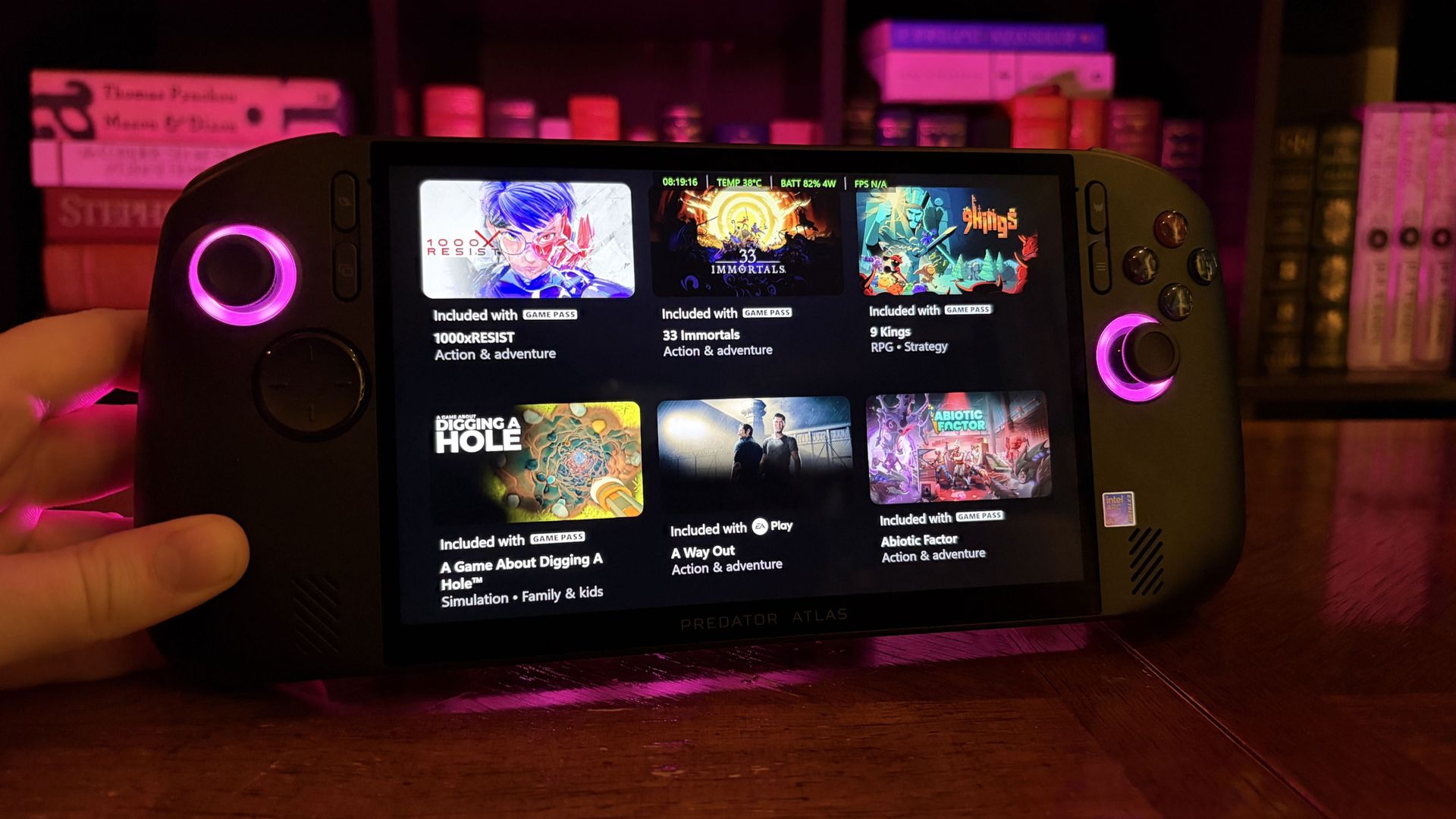
An Acer Predator Atlas 8 handheld gaming PC with glowing pink controls displays a grid of games on a wooden desk, with colorful game boxes behind it in a cozy, neon-lit setting.

Acer's Predator Atlas 8, despite its flaws, is one of the top PC gaming handhelds you can buy right now. (Image credit: Future)

You should buy it if ...

✅ You want top-tier gaming handheld performance from Intel Arc G3 Extreme.

✅ You want to spend less for similar performance (compared to MSI's Claw 8 EX AI+).

You should not buy it if ...

❌ You prefer an OLED display no matter what.

❌ You have deeper pockets and like what MSI's Claw 8 EX AI+ has to offer.

The big story here is that Intel's Arc G3 Extreme chip is the real deal. If you want the best gaming handheld performance out there right now, it really is the only option.

The hardware in which the chip lives gives you some flexibility. There's the MSI Claw 8 EX AI+ at $1,799, the OneXPlayer 3 at $1,699, or the Acer Predator Atlas 8 at $1,449.

I know which one I'm buying in this memory-strapped economy: the most affordable. That's the Atlas 8 by a significant margin, even with its recent price hike.

No, Acer's handheld isn't perfect. But its blemishes are not enough to stop me from having fun. It's fast, it's quiet, and it's cool. I was able to play everything I wanted to at a higher quality than expected, and isn't that what really matters?

Are there any other tests you'd like me to run on the Predator Atlas 8? Let me know in the comments section below! And keep an eye out for a separate Predator Atlas 8 vs. MSI Claw 8 EX AI+ comparison, in which I delve into the matchup in more detail, coming this week.

Acer Predator Atlas 8 against a white background.Windows Central

Arc G3 Extreme
Acer
Predator Atlas 8

Acer's Predator Atlas 8 undercuts the other Intel Arc G3 Extreme handhelds by a fair margin, making it an attractive choice for PC gamers who want industry-leading performance for less. It's not a perfect device, but its strengths far outweigh its weaknesses.

Click to join us on r/WindowsCentral

Join us on Reddit at r/WindowsCentral to share your insights and discuss our latest news, reviews, and more.
❌