Running a serious AI model at home usually means renting someone else’s cloud server and hoping your data stays private along the way. MINISFORUM built its newest pairing to remove that trade-off entirely. The AI Agent NAS N5 MAX-P495 and AI Mini Workstation MS-S1 MAX-P495 combine for up to 131 TOPS of AI compute performance, 192GB of memory at 8533 MT/s, and up to 160GB of graphics memory, enough headroom to keep the heavy lifting on a desk instead of in a data center.
The N5 MAX-P495 takes th
Running a serious AI model at home usually means renting someone else’s cloud server and hoping your data stays private along the way. MINISFORUM built its newest pairing to remove that trade-off entirely. The AI Agent NAS N5 MAX-P495 and AI Mini Workstation MS-S1 MAX-P495 combine for up to 131 TOPS of AI compute performance, 192GB of memory at 8533 MT/s, and up to 160GB of graphics memory, enough headroom to keep the heavy lifting on a desk instead of in a data center.
The N5 MAX-P495 takes the shape of a compact black cube, but what it holds inside matters more than how it looks sitting on a shelf. It combines powerful AI computing with up to 200TB of local storage, enabling users to store, manage, and process large volumes of data within a single AI platform. That capacity turns a spare corner of an office into a private archive large enough to hold years of project files, footage, or research without ever touching a third-party server.
Designer: MINISFORUM
Storage alone doesn’t make an AI system useful, so MINISFORUM built the N5 to run the AI itself. From RAG knowledge bases and AI models to embeddings, databases, and AI agents such as OpenClaw and Hermes, N5 MAX-P495 keeps data and AI workloads local, enabling continuous and private AI operations. A small business could lean on that setup to run its own customer-support agent without routing conversations through an outside company’s servers.
That local-first approach extends to how the N5 fits into a larger setup. Designed to work alongside AI computing devices, N5 MAX-P495 serves as a centralized backend for data, models, knowledge, and long-running AI workloads, bringing storage and computing together at the edge. It’s less a standalone gadget and more a quiet engine room, built to keep working in the background while something faster handles the parts people actually interact with.
That faster half of the pairing is the MS-S1 MAX-P495, a compact tower wrapped in a ventilated, diamond-textured front panel that looks more like a piece of desk sculpture than a workstation. It delivers powerful local AI computing for demanding model inference, AI development, and computationally intensive workloads, built for intensive local AI tasks, engineering, and workflows in an ultra-compact footprint. Developers get workstation-class muscle without giving up desk space to a full tower case.
Speed matters just as much as raw power for certain jobs, and MINISFORUM designed the MS-S1 with that in mind. Designed for low-latency AI workloads, MS-S1 MAX-P495 enables responsive local inference for AI agents, computer vision, generative AI, and other real-time applications. A security camera system or a live creative tool built on generative AI benefits directly from that kind of immediate response instead of waiting on a round trip to the cloud.
Connectivity rounds out the workstation’s role in a larger setup. With extensive connectivity and expansion capabilities, MS-S1 MAX-P495 serves as a powerful AI compute frontend, supporting models, applications, and connected devices across flexible edge AI environments. That flexibility means the same box can sit at the center of a home lab or plug into a small studio’s existing hardware without forcing a rebuild.
Paired together, the two devices split the work the way a good team would. The MS-S1 MAX-P495 and N5 MAX-P495 form a complete edge AI computing system, delivering high-performance AI compute at the frontend while integrating compute, massive storage, data, and AI knowledge at the backend, providing a powerful foundation for real-time inference, persistent AI workloads, and scalable local AI applications. It’s a compact answer to a question more households and small teams are starting to ask: whether AI still needs to live somewhere else at all.
Acer’s DualPlay Mini combines gaming controls with a physical keyboard, but can the 8-inch handheld replace a travel laptop for everyday work?
The post Acer DualPlay Mini: Can a Gaming Handheld Replace Your Laptop? appeared first on TechRepublic.
ASUS has officially opened pre-orders for the ROG Xbox Ally X20, confirming that the company's 20th anniversary handheld gaming PC will be available both as a premium standalone device and as part of a bundled package when it launches on October 15.In the United States, customers can now pre-order the ROG Xbox Ally X20 standalone model for $1,299.99 MSRP, while the fully loaded ROG Xbox Ally X20 Bundle is priced at $2,499.99 MSRP. Both versions will be available
ASUS has officially opened pre-orders for the ROG Xbox Ally X20, confirming that the company's 20th anniversary handheld gaming PC will be available both as a premium standalone device and as part of a bundled package when it launches on October 15.
In the United States, customers can now pre-order the ROG Xbox Ally X20 standalone model for $1,299.99 MSRP, while the fully loaded ROG Xbox Ally X20 Bundle is priced at $2,499.99 MSRP.
While ASUS originally introduced the X20 as a special anniversary edition, the more time we've spent learning about the device, the clearer it becomes that this isn't simply a commemorative refresh. The ROG Xbox Ally X20 is effectively a significant mid-generation upgrade to the existing ROG Xbox Ally X, bringing meaningful hardware, display, thermal, and control improvements that go well beyond a new paint job or limited-edition branding.
Pre-order
ASUS
ROG Xbox Ally X20
A refined celebration of ASUS’s gaming legacy, the Ally X20 Anniversary Edition pairs its upgraded Ryzen AI Z2 Extreme chip with a vibrant 7.4‑inch OLED HDR display and a boosted 80 Wh battery. It’s a sleeker, more efficient Windows gaming handheld built to mark the milestone with sharper visuals, quieter thermals, and longer play sessions.
A true upgrade, not just an anniversary model?
At first glance, the X20's translucent-inspired design and special 20th anniversary touches may suggest that this is primarily a collector's edition. Under the chassis, however, ASUS has made extensive engineering changes compared to the existing ROG Xbox Ally X that directly impact the gaming experience.
The most obvious upgrade is the display.
The ROG Xbox Ally X20 moves from the current model's 7-inch screen to a larger 7.4-inch OLED panel, while also delivering substantial improvements in brightness and HDR performance. The display now supports 600 nits SDR brightness, up to 1,400 nits peak HDR brightness, and includes Dolby Vision support alongside ASUS' ROG Nebula HDR technologies.
For handheld gaming, display quality is often one of the most noticeable aspects of the user experience, and the move to OLED alone represents one of the largest upgrades ASUS has made to the platform since launch.
Major internal redesign improves cooling and airflow
Direct front view of the translucent black ROG Xbox Ally X20 handheld gaming device displaying "20 ROG Anniversary" and "Dare to Innovate" on its screen. (Image credit: ASUS)
The display isn't the only part of the handheld receiving attention.
According to ASUS, the X20 features a completely redesigned PCB, allowing engineers to rethink the internal layout of the system. Surface-mounted USB4 ports enabled the motherboard to be repositioned, creating additional airflow opportunities within the chassis.
ASUS has also upgraded the cooling solution with revised fan and heatsink fin designs, while shifting motherboard placement by several millimeters to further improve thermal efficiency.
That may sound like a small change on paper, but thermals have become one of the defining factors of modern handheld gaming PCs. Better airflow and improved cooling can translate into lower temperatures, quieter operation, and more consistent performance during extended gaming sessions.
A better handheld for competitive gaming
A person reclining on a couch wearing ROG XREAL R1 AR glasses while holding the Ally X20 handheld, viewing a large virtual screen projection of a racing game. (Image credit: ASUS)
ASUS is also targeting enthusiasts who play fighting games, shooters, and other genres where input precision matters.
The ROG Xbox Ally X20 introduces hybrid metal dome switches for a more tactile D-pad feel, along with what ASUS calls a Transforming D-pad. The mechanism allows players to rotate the D-pad configuration to better align diagonals, providing an experience specifically designed with fighting games in mind.
The thumbsticks have also been upgraded to TMR magnetic induction sticks, offering Hall-effect-style benefits while reducing power consumption. ASUS says the sticks deliver roughly a 3% dead zone and improved precision compared with traditional alternatives.
From a visual standpoint, ASUS has doubled the RGB lighting count around the sticks, increasing from two LEDs to four LEDs per joystick.
Taken together, these changes may end up being just as important as the display improvements, especially for players who spend hundreds of hours with a handheld in their hands.
What's unchanged?
Back view of the translucent black ROG Xbox Ally X20 featuring textured hand grips, ventilation grilles, a gold diagonal stripe, and a 20th anniversary badge. (Image credit: ASUS)
Interestingly, ASUS has resisted changing several of the core specifications that already made the ROG Xbox Ally X one of the strongest Windows gaming handhelds available.
The ROG Xbox Ally X20 retains:
AMD Ryzen AI Z2 Extreme processor
24GB LPDDR5X-8000 memory
1TB PCIe Gen4 SSD storage
80Wh battery
USB4 connectivity with Thunderbolt compatibility
Wi-Fi 6E support
That's probably the right decision. The current Ally X platform already delivers excellent battery life and class-leading handheld performance, so ASUS appears to have focused on enhancing areas that users interact with directly rather than chasing specs for the sake of a marketing bullet point.
And to be fair, there is no newer AMD handheld chip on the market, so there's that!
Goodbye microSD, hello microSD Express
One notable hardware change involves expandable storage.
The traditional microSD slot has been removed and replaced with a microSD Express card reader, supporting dramatically faster storage speeds. ASUS cites support for microSD Express cards capable of approaching 1 GB/s transfer rates, bringing removable storage much closer to SSD-class performance
As game install sizes continue growing, that could become a more meaningful upgrade than many users initially realize.
Two ways to buy
Everything included in the $2,499 ROG Xbox Ally X20 bundle set. (Image credit: ASUS)
For buyers who only want the handheld itself, the new standalone version offers a straightforward path into the X20 experience.
Meanwhile, ASUS is also offering a premium bundle aimed at enthusiasts and collectors, because of course.
The ROG XREAL R1 AR glasses, which are its top-tier offering, is one of the reasons for the big price jump for the anniversay bundle package. (Image credit: ASUS)
Custom Pelican Protector Case with 20th anniversary badge
68W charger
That's a lot of stuff in that bundle, and it's cool to see dbrand officially teaming up with ASUS here for its famed Killswitch case (see our previous review). As far as that steep price, much of that comes down to the inclusion of the ROG XREAL R1 Edition glasses, which are currently sold separately, while these are, of course, matching in the 20th anniversary gold and black motif.
I've written about the current ROG XREAL R1's before, noting their crazy 240Hz micro‑OLED panels, letting you experience a portable (virtual) 171-inch screen. Along with their included dock, they cost $849.99.
ASUS now has one of the strongest handheld lineups on the market
Angled front view of the translucent black ROG Xbox Ally X20 handheld console with gold joystick rings and screen displaying a 20th anniversary graphic. (Image credit: ASUS)
What's perhaps most impressive about the X20 launch is what it does to ASUS' overall handheld portfolio.
The company's lineup now spans three clear price tiers (assuming we don't see price increases):
That's a remarkably clean progression that gives buyers meaningful upgrade options at every budget level.
The X20 occupies a premium position without completely abandoning value-conscious enthusiasts. Even at $1,299.99, it remains roughly $500 below the eye-watering prices we've seen attached to some ultra-premium handhelds, including MSI's difficult-to-find Intel-powered Claw 8 EX AI+ configurations.
More importantly, the X20 differentiates itself with tangible quality-of-life improvements rather than simply adding more RAM or storage. The OLED display, revamped controls, enhanced cooling design, microSD Express support, and internal engineering changes all combine to create a device that feels genuinely evolved from the existing Ally X.
For a product marketed as an anniversary edition, that's arguably the biggest surprise of all.
The ROG Xbox Ally X20 may celebrate two decades of Republic of Gamers history, but its real significance is that it represents the most refined version of ASUS' handheld gaming platform yet—and now, for the first time, buyers can purchase it without needing to opt for the collector-focused bundle.
Pre-order
ASUS
ROG Xbox Ally X20
A refined celebration of ASUS’s gaming legacy, the Ally X20 Anniversary Edition pairs its upgraded Ryzen AI Z2 Extreme chip with a vibrant 7.4‑inch OLED HDR display and a boosted 80 Wh battery. It’s a sleeker, more efficient Windows gaming handheld built to mark the milestone with sharper visuals, quieter thermals, and longer play sessions.
Pre-order
ASUS
ROG Xbox Ally X20 Bundle
Twenty years of ROG innovation, marked by the limited ROG Edition 20 lineup in an exclusive colorway. The ROG XBOX Ally X20 Bundle carries that celebration forward, pairing the handheld with the ROG XREAL R1 Edition 20 Gaming AR glasses to create a complete gaming setup that travels with you.
Join us on Reddit at r/WindowsCentral to share your insights and discuss our latest news, reviews, and more.
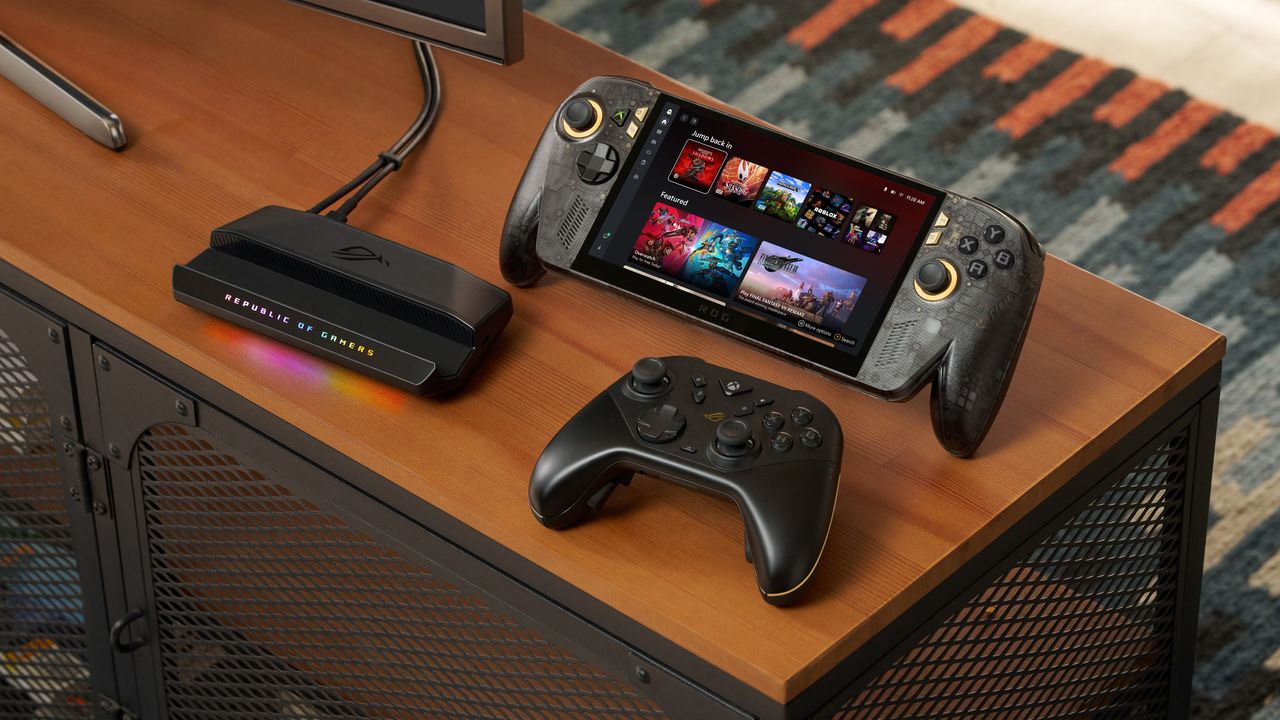
ROG Xbox Ally X20 handheld sitting upright on a desk setup alongside a black wireless controller and an RGB-lit Republic of Gamers dock station.
ROG Xbox Ally X20 handheld sitting upright on a desk setup alongside a black wireless controller and an RGB-lit Republic of Gamers dock station.
Le constructeur Geekom a retiré de ses anciennes pages de support un installeur de pilote réseau que plusieurs moteurs d'analyse classent comme malveillant. Le fichier s'appelle Install_PCIE_Win11_11.10.0720.2022_11222022.exe et il dormait dans l'archive LAN partagée par six mini-PC de la marque : A7, A8, AE7, AE8, AX7 Pro et AX8 Pro.
Le signalement part d'un utilisateur de r/MiniPCs sur Reddit, et du site
VideoCardz qui a vérifié lui-même
en téléchargeant l'archive directement c
Le constructeur Geekom a retiré de ses anciennes pages de support un installeur de pilote réseau que plusieurs moteurs d'analyse classent comme malveillant. Le fichier s'appelle Install_PCIE_Win11_11.10.0720.2022_11222022.exe et il dormait dans l'archive LAN partagée par six mini-PC de la marque : A7, A8, AE7, AE8, AX7 Pro et AX8 Pro.
Le signalement part d'un utilisateur de r/MiniPCs sur Reddit, et du site
VideoCardz qui a vérifié lui-même
en téléchargeant l'archive directement chez Geekom le 15 août dernier. VirusTotal, FileScan.IO, MetaDefender et YARAify réagissent tous les quatre, ce dernier en remontant même des signatures ClamAV qui nomment la famille Asruex.
Alors c'est déjà un peu chaud d'apprendre ça, surtout si vous avez un PC Geekom mais la problème c'est que ce n'est pas absolument pas une nouveauté !
En effet, le 29 décembre 2024, le propriétaire d'un AE8 explique
sur le forum ComputerBase
qu'il vient de réinstaller Windows, qu'il a pris ses pilotes sur le site du fabricant, et que Defender lui a sorti Trojan:Win32/Asruex.A au décompactage. Il dit ensuite avoir écrit à Geekom pour les prévenir.
20 mois plus tard,
Tom's Hardware décrit
sur les machines Geekom, des permissions administrateur, des frappes clavier interceptées et une connexion à un serveur de commande, et PCWorld raconte que des attaquants sont venus glisser une backdoor dans le paquet.
Ce fichier est donc bien un paquet Realtek générique, que
DriversCloud héberge et redistribue
depuis le 25 novembre 2022 et qui s'est fait vérolé ensuite en 2024. Sur l'origine de l'exemplaire qui traînait chez elle, Geekom dit dans
son communiqué du 18 août
qu'il s'agit d'une ressource obsolète oubliée sur de vieilles pages, mais jamais d'une intrusion.
Donc si vous avez téléchargé et lancé cet installeur LAN depuis une page support d'un de ces six modèles, vous êtes concerné !! Le Windows livré avec la machine n'est pas en cause, du moins d'après Geekom. Supprimez donc l'installeur, lancez un scan complet avec Windows Defender ou votre antivirus préféré, et récupèrez un pilote réseau faible chez Realtek ou directement via Windows Update.
De son côté, Geekom a invoqué la déesse de l'effet Streisand en demandant à VideoCardz de retirer son article mais VideoCardz a dit non évidemment...
Enfin !! Le
compteur du projet de décompilation
de GoldenEye 007 affiche dorénavant 208 fichiers traités sur 208, et cela pour les trois versions de la cartouche, japonaise et européenne comprises. Le dernier commit du dev KholdFuzion est d'ailleurs classe, puisqu'il porte le titre "*james bond will return. *".
Oh yeah !
Techniquement, le code
Enfin !! Le
compteur du projet de décompilation
de GoldenEye 007 affiche dorénavant 208 fichiers traités sur 208, et cela pour les trois versions de la cartouche, japonaise et européenne comprises. Le dernier commit du dev KholdFuzion est d'ailleurs classe, puisqu'il porte le titre "*james bond will return. *".
Oh yeah !
Techniquement, le code C reconstitué ressort du compilateur sous la forme d'une ROM identique à celle de 1997, octet pour octet. C'est précisément ce que veut dire le mot "matching" dans ces projets. Ce n'est donc pas un jeu équivalent qui se comporterait pareil que le jeu d'origine... Non, c'est exactement le même binaire !
Après comme vous vous en doutez, le dépôt, lui, n'embarque pas tous les assets nécessaires à la compilation, pour des questions de droits d'auteur comme d'hab. Le
README du projet
nous explique ainsi qu'il faut posséder une copie du jeu, et que les scripts iront extraire ce qui manque de votre côté.
Après c'est pas cette recompilation qui fait que GoldenEye devient soudainement "moddable". En effet, il l'est depuis longtemps, via le
GoldenEye Setup Editor
de SubDrag, Wreck et Zoinkity, capable d'importer vos propres modèles 3D dans le jeu.
Ce qui change par contre, c'est que jusqu'ici on éditait des structures dans un binaire, alors que maintenant on modifie le moteur en C et on recompile. C'est le même chemin qu'avait pris ce bon vieux
Duke Nukem Zero Hour l'an dernier
.
Et c'est d'ailleurs ce que fait KholdFuzion à côté, avec
GoldenRecomp
, qui recompile la ROM en exécutable PC natif. Avec ça, le jeu peut tourner sur un ordinateur. Apparemment, c'est plutôt stable, et le son est bon.
Mais toute l'interface multijoueur reste à faire, le ciel du barrage part en vrille parce que le moteur de rendu ne digère pas les commandes de dessin maison, et certaines armes tirent trop vite maintenant que tout tourne à 60 images par seconde. Ce n'est donc pas encore vraiment jouable.
Aucune release n'a été publiée à ce jour, ni même un tag, ce qui veut dire qu'on est encore loin d'un
portage installable comme celui de Zelda 64
. Faudra compiler vous-même, après avoir "build" une ROM depuis la branche du projet conçue pour ça.
Dans le même style, n'oubliez pas l'existence de
GoldenEye-Recomp de SunJaycy
, qui lui, est déjà jouable avec du multijoueur en ligne, mais qui n'a rien à voir avec tout ça puisqu'il recompile la version Xbox 360 qui n'est jamais sortie, et pas la N64.
Bref, si vous attendiez un exécutable à lancer ce soir, ce n'est pas ce que vous aurez mais ce qui s'annonce ensuite est très prometteur !
When I reviewed the MSI Claw 8 EX AI+ a few months back, I noted how it was a generational jump over AMD’s latest Zen 2 chips found in competing handheld gaming PCs, and when combined with Intel XeSS, it really gave gamers the ultimate handheld we’ve been yearning for.But there were two problems. One was price. Due to RAM and NAND shortages due to demand for AI compute, MSI had to jack the price by at least $500, putting it at an MSRP of $1,799, which is kind of
WhenI reviewed the MSI Claw 8 EX AI+ a few months back, I noted how it was a generational jump over AMD’s latest Zen 2 chips found in competing handheld gaming PCs, and when combined with Intel XeSS, it really gave gamers the ultimate handheld we’ve been yearning for.
But there were two problems. One was price. Due to RAM and NAND shortages due to demand for AI compute, MSI had to jack the price by at least $500, putting it at an MSRP of $1,799, which is kind of absurd.
The other was, surprisingly, extremely tight supply. Despite being sold at Best Buy, Amazon, Newegg, and B&H, it sold out everywhere within 24 hours (often due to preorders).
Since its release, that resupply still hasn’t happened. All those retailers are still listing it as out of stock as of me writing this today, and this seems to regularly happen with MSI and its Intel-based handhelds (whether it’s MSI's or Intel’s fault, I’m trying to find out).
So, out of curiosity, I checked eBay to see what that scene was like for the MSI Claw 8 EX AI+, and sure enough, some online stores are selling the hard-to-find handheld, but at an even more exorbitant $2,599 – which is an $800 surcharge over retail!
ebay | MSIebay | MSI
You may be thinking, but sure, it’s eBay, and people can list items for any price, but are people buying them? The answer appears to be yes. One retailer, seen in the above screenshot, had seven of them in stock but has already sold six, giving a real FOMO to anyone eyeing that last one.
To be fair, I did find a seller with one in stock for $2,299.99 (after coupon, plus $20 shipping), so you’re “only” paying $500 over MSRP. Another seller had nine available, with one remaining for $2,499.
Some of the many hard to find MSI Claw 8 AI EX+ handheld gaming PC auctions on eBay. (Image credit: ebay | MSI)
But you get the point. Not only is the MSI Claw 8 EX AI+ insanely expensive at retail, but its shortage is driving up its price by $500 to $800, with people buying it. It’s why I’ve always noted on our podcast that PC gaming is recession-proof. No matter how bad the economy gets, or how high prices go, there is usually someone willing to pay for it.
For whatever reason, Lenovo can’t keep it in stock, so much so that it eventually removed it from its own website despite excellent reviews and, yes, demand for it, as people were paying $650 over retail just to have one.
Interestingly, ASUS has been the king of “you want it, just buy it,” as the original ROG Ally and the newer ROG Xbox Ally and Ally X are still widely available online and at your local Best Buy. Moreover, ASUS hasn’t even raised the price, keeping them at $599 and $999, respectively.
The ROG Xbox Ally features a 7-inch 1080p, 120Hz touchscreen and includes an AMD Ryzen Z2 A processor, 16GB LPDDR5 RAM, 512GB PCIe 4.0 SSD, and a 60Wh battery. It's designed for PC gaming across various services.
The premium Xbox Ally X has a more powerful AMD Ryzen AI Z2 Extreme processor, 24GB RAM, 1TB SSD. It's a better choice for people who want to play more graphically demanding PC games.
I hope ASUS can maintain those stock and price levels, as both devices are really solid choices for those looking into handheld gaming. Sure, the Ally X pales in performance to the new MSI Claw 8 EX AI+, but it’s still a really good experience with an outstanding design (a design that will improve with the forthcoming Xbox Ally X20 anniversary edition that features a larger OLED display and many smaller fixes; I expect to be reviewing that when it releases, so stay tuned).
So where does that leave you in this silicon soap opera? Has the RAM/NAND crunch shoved your handheld plans into “maybe in 2028” territory, or are you already rationalizing a purchase with phrases like “long-term investment” and “I deserve this”?
Let me know in the comments what your breaking point is for handheld pricing — and whether $2,599 is where you draw the line, or merely where your wallet starts quietly begging for mercy.
Join us on Reddit at r/WindowsCentral to share your insights and discuss our latest news, reviews, and more.
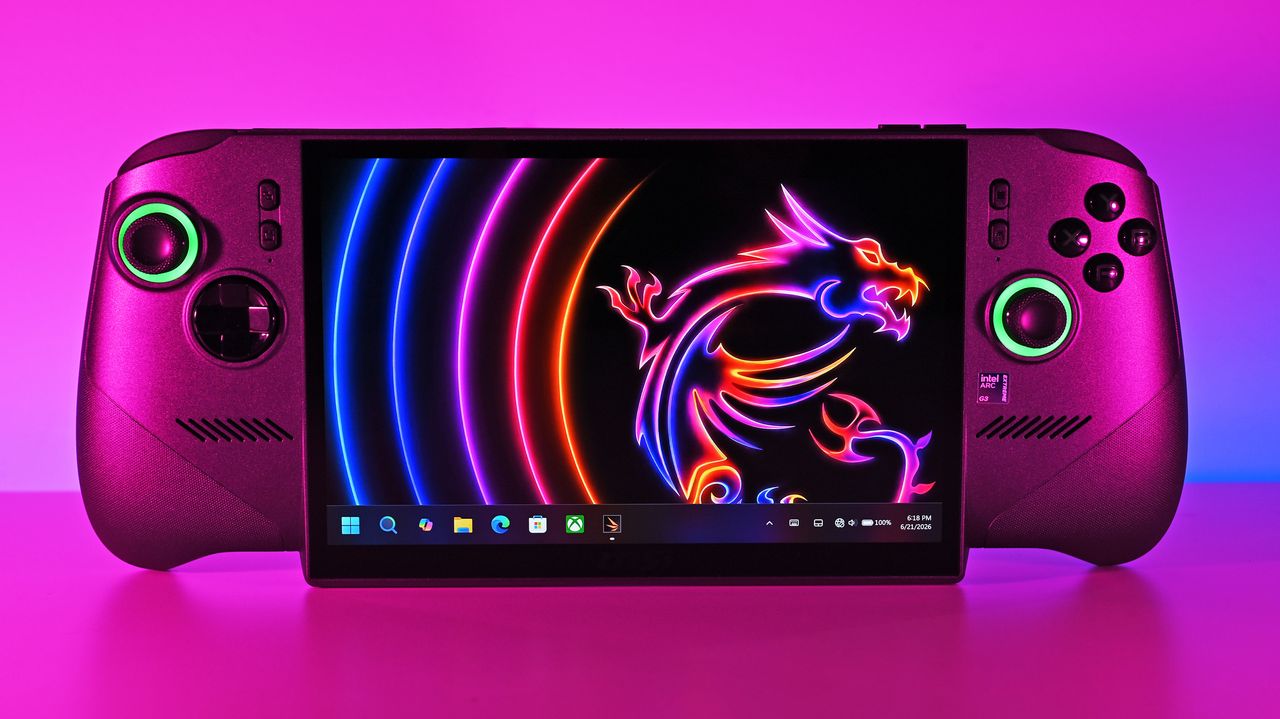
Front shot of the MSI Claw 8 EX AI+ under vibrant pink lighting, displaying the Windows 11 taskbar and a neon dragon wallpaper on its large screen.
Front shot of the MSI Claw 8 EX AI+ under vibrant pink lighting, displaying the Windows 11 taskbar and a neon dragon wallpaper on its large screen.
I've spent a lot of time this summer gaming on my Steam Deck. It's hot outside, it's hot inside, and my desktop gaming PC simply creates too much heat. The only major problem I have with my Steam Deck is that it doesn't play nicely with PC Game Pass, to which I'm a subscriber. Yeah, I could stream games to my handheld, but there's now a better solution in the works. I'm talking about Xodus, an open-source project that's attempting to build a bridge between PC Gam
I've spent a lot of time this summer gaming on my Steam Deck. It's hot outside, it's hot inside, and my desktop gaming PC simply creates too much heat.
The only major problem I have with my Steam Deck is that it doesn't play nicely with PC Game Pass, to which I'm a subscriber. Yeah, I could stream games to my handheld, but there's now a better solution in the works.
I'm talking about Xodus, an open-source project that's attempting to build a bridge between PC Game Pass and Linux systems, including the Steam Deck. The project is also attempting to iron out similar issues on macOS. No Windows install needed.
Xodus comes from the developers behind the Heroic Games Launcher, a separate open-source app that brings Epic, GOG, and Amazon Prime titles to Steam Deck (it also works on Windows, macOS, and other Linux systems).
The developers are undoubtedly up against a grind with this project. Xbox PC games that come from the Xbox app rely primarily on a Microsoft Game Development Kit (GDK) runtime, which is a far cry from DirectX and Win32 layers that Valve's Proton already handles quite well.
This Microsoft GDK is really what has kept PC Game Pass from running directly on the Steam Deck (and macOS) for so long.
Is Xodus ready for public release?
Xodus could finally bridge the gap between PC Game Pass and Steam Deck. (Image credit: Rebecca Spear / Windows Centarl)
According to updates shared on the Xodus GitHub page, the developers have cracked Xbox authorization, license checks, and MSIXVC package (the containers that PC games come in) download and decryption.
In a Reddit post, a Xodus developer noted that the team's main focus is now getting the Software Development Kit (SDK) for each title to run through Wine. It appears that Xodus has its own Wine and Proton forks for this purpose, as well as an open-source version of the xgameruntime.dll file that Game Pass games depend on.
Xodus likely won't support all Game Pass games when it launches, either. Older games that eschew GDK and MSIXVC for UWP will likely come later, if at all.
Why I'm so excited to try out Xodus on my Steam Deck
PC Game Pass on Steam would open up a whole lot of new options for gaming on the go. (Image credit: Future)
As mentioned, the biggest drawback to my Steam Deck, aside from its growing age, is its lack of native PC Game Pass support.
Sure, I could upgrade to a newer handheld that natively runs Windows, but it looks like I might not need to quite yet. That's especially exciting considering just how expensive gaming handhelds have become of late.
Then there's the Steam Machine, another Valve device running the Linux-based SteamOS. A whole bunch of gamers recently got their hands on the Steam Machine when it launched in June, and making PC Game Pass an option can only benefit Microsoft.
Here's the rub: Xodus has no affiliation with Microsoft. It's an unofficial community project created by independent developers. Does that mean Microsoft will have a problem with it? Not likely, but you never can tell.
Xodus still doesn't have an official release date, but it's something I'll be keeping my eyes on as it progresses. If you're a Linux gamer who wishes they could use PC Game Pass natively, you'll definitely want to keep watch as well.
What do you think about Xodus as a bridge between Steam Deck/Machine and PC Game Pass? Is it something you'd use regularly? Do you already have an alternative method that works better for you? Let me know in the comments section below!
Join us on Reddit at r/WindowsCentral to share your insights and discuss our latest news, reviews, and more.
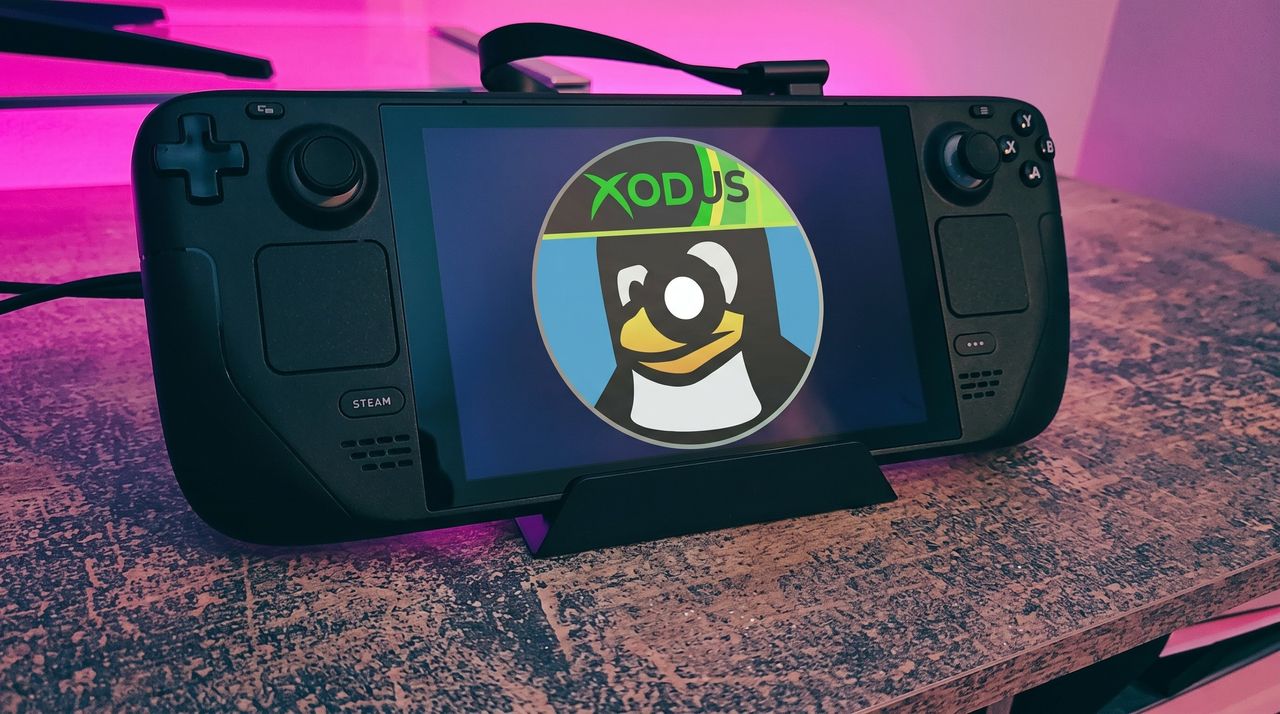
A black Steam Deck handheld gaming device displaying a penguin logo with a cap that says "XODUS," set against a softly illuminated pink and purple background on a textured surface.
Microsoft isn't doing it, so someone else is trying.
Un dev prénommé Yllan vient de sortir
OS9Map
, une application qui affiche OpenStreetMap directement sur Mac OS 9. Oui, je parle bien du système d'exploitation de 1999 qui ronronnait sur nos vieux PowerPC.
Pour l'installer, c'est un bon vieux fichier .sit à décompresser (StuffIt Expander sur la machine d'époque, The Unarchiver si vous passez par un Mac moderne), et il vous faudra un PowerPC sous OS 9 avec 16 Mo de RAM (32 recommandés) et une connexion qui passe par Open Transport. Une fois lancé
Un dev prénommé Yllan vient de sortir
OS9Map
, une application qui affiche OpenStreetMap directement sur Mac OS 9. Oui, je parle bien du système d'exploitation de 1999 qui ronronnait sur nos vieux PowerPC.
Pour l'installer, c'est un bon vieux fichier .sit à décompresser (StuffIt Expander sur la machine d'époque, The Unarchiver si vous passez par un Mac moderne), et il vous faudra un PowerPC sous OS 9 avec 16 Mo de RAM (32 recommandés) et une connexion qui passe par Open Transport. Une fois lancé, vous avez alors une recherche d'adresses qui tape dans Nominatim, le moteur de géocodage d'OpenStreetMap, et vous pouvez mettre vos endroits favoris en signets pour y revenir d'un clic depuis le menu. Bref, un vrai petit client carto !
Et c'est là que je trouve ça beau puisque 16 Mo de RAM pour afficher une carte mondiale interactive, c'est très peu. Pour vous situer, un seul onglet Chrome aujourd'hui c'est plusieurs centaines de Mo, donc faut saluer l'exploit d'Yllan.
Maintenant si l'idée d'une carte minimaliste vous parle, dans le genre bien dépouillé j'avais aussi joué avec
MapSCII
qui balance le monde entier en ASCII dans un terminal. OS9Map joue dans une autre cour, mais on retrouve un peu la même philosophie.
Le truc qui rend tout ça possible, c'est évidemment OpenStreetMap qui propose toutes ses données en accès libre ! Alors rien que pour ça, merci à OpenStreetMap et ses contributeurs.
Et puis si vous n'avez plus de PowerPC qui traîne au grenier, vous pouvez quand même goûter à OS 9 dans votre navigateur via
Infinite Mac
.
OS9Map est en version 1.0.0 et se télécharge gratuitement
sur le site de yllan
.
La GameCube, on la connaît pour avoir fait tourner la meilleure version de Smash Bros et pour son look de petit cube vaguement "rectangulaire". Mais on ne la connait pas vraiment pour faire tourner un système d'exploitation de bureau du milieu des années 90.
Et pourtant, une bande de bidouilleurs emmenée par Rairii (alias Wack0), épaulé par NTx86 et stonedDiscord, s'est amusée à virer les jeux pour loger un vrai Windows NT là-dedans. Oui, le vrai NT de Microsoft.
Merveilleux non ?
Et le plus be
La GameCube, on la connaît pour avoir fait tourner la meilleure version de Smash Bros et pour son look de petit cube vaguement "rectangulaire". Mais on ne la connait pas vraiment pour faire tourner un système d'exploitation de bureau du milieu des années 90.
Et pourtant, une bande de bidouilleurs emmenée par Rairii (alias Wack0), épaulé par NTx86 et stonedDiscord, s'est amusée à virer les jeux pour loger un vrai Windows NT là-dedans. Oui, le vrai NT de Microsoft.
Merveilleux non ?
Et le plus beau, c'est que ce n'est même pas de l'émulation, c'est carrément un portage natif. Le truc que j'ignorais, c'est qu'à une époque Microsoft avait sorti une version PowerPC de Windows NT, du temps où le système supportait encore des architectures un peu exotiques. Or la GameCube tourne justement sur un processeur PowerPC, le fameux Gekko.
Les deux étaient donc faits pour se rencontrer, et il ne manquait qu'un type assez taré pour les marier. Le projet s'appelle
entii-for-workcubes
, et il ne s'arrête pas à la GameCube. Vous pouvez aussi le booter sur une Wii, sur une Wii Mini (qui réclame quand même un petit hardmod pour la carte SD), et même dans le mode vWii de la Wii U.
Petit retour en arrière quand même pour les plus jeunes... Dans les années 90, Windows NT n'était pas du tout le truc Windows-x86-only qu'on connaît aujourd'hui. Il tournait sur MIPS, sur DEC Alpha, sur PowerPC, parce que Microsoft voulait un OS portable, qui ne soit pas marié à un seul fabricant de puces. L'histoire a tranché en faveur du x86 et tout le reste est tombé dans l'oubli. Sauf que ces vieux binaires PowerPC existent toujours, et c'est ce qui rend ce hack possible 25 ans plus tard.
Pour l'installer, vous balancez une image ISO de NT 3.51 ou 4.0 sur une carte SD, vous chargez le loader via Swiss sur GameCube ou via le Homebrew Channel sur Wii, et vous vous laissez guider par l'installeur de NT comme en 1996.
C'est une version assez dégradée, mais parfaitement fonctionnelle de l'expérience poste de travail d'époque. Le seul vrai casse-tête, c'est la saisie. La GameCube n'a jamais eu de clavier digne de ce nom, donc il faut ruser avec des méthodes de saisie à la manette. À moins de mettre la main sur une de ces rarissimes manettes GameCube qui planquaient un clavier complet en plein milieu. Oui oui, ça a vraiment existé.
Maintenant, ne vous attendez pas non plus à un miracle car tout ne fonctionne pas. Pas de réseau, pas de son non plus. Et le bus EXI est lent de fou, donc ça traîne franchement sur les accès disque côté GameCube. Le pilote graphique GDI tourne également avec du code pas optimisé pour un sou, le branchement à chaud de l'USB n'est pas géré, et le système peut planter au redémarrage de temps en temps. Bref, c'est un poste de travail des années 90 sur un jouet des années 2000, avec les compromis qui vont avec.
À noter d'ailleurs que ce hack n'est pas tout frais, la dernière version date de mars 2025. C'est juste qu'il refait surface en ce moment, et je pense qu'il le mérite. La Dreamcast affichait fièrement "Compatible with Microsoft Windows CE" imprimé sur sa coque, la GameCube vient de la rattraper par la petite porte. Et détourner une console pour lui faire avaler un OS qui n'a rien à y faire, ça reste un grand classique, avec
le hack qui a fait tourner Linux sur la PS5
et tous ceux qui font tourner
Half-Life sur un Nokia de 2007
ou
un jeu Mega Drive depuis un vinyle
...
Évidemment, faire tourner Windows NT sur une GameCube ça ne sert strictement à rien, à part pour le challenge et la frime, ça présente donc peu d'intérêt, mais c'est rigolo de voir que ça reste possible. Et c'est pour ça aussi que j'adore ça !
After months of being out of stock, Valve's beloved Steam Deck is available again — but its return has been accompanied by a massive price hike.Steam Deck TrackpadA close-up view of the Steam Deck. After the new price hike, it's significantly more expensive than it used to be.
Winhanced is quickly becoming one of the most interesting alternatives to the Xbox app on PC, combining Xbox, Steam, Epic, and GOG libraries into one controller-friendly experience built for handhelds and console-style gaming.ASUS ROG Ally displaying Winhanced home screen with Steam, Game Pass, and Epic Games integration.Xbox Ally X running Winhanced
Winhanced is quickly becoming one of the most interesting alternatives to the Xbox app on PC, combining Xbox, Steam, Epic, and GOG libraries into one controller-friendly experience built for handhelds and console-style gaming.
ASUS ROG Ally displaying Winhanced home screen with Steam, Game Pass, and Epic Games integration.
The promised auto super resolution features appear on Xbox Ally X today, with other major enhancements to the Xbox Ally connected TV experience. Here's what's new.Xbox Ally XXbox Ally X
The promised auto super resolution features appear on Xbox Ally X today, with other major enhancements to the Xbox Ally connected TV experience. Here's what's new.
Steam Deck maker Valve says it's "working very hard" to bring the Steam Deck back in stock, though ongoing RAM shortages are making it difficult to do so.A Steam Deck OLED handheld gaming console on a solid purple backgroundThe Steam Deck OLED came out in late 2023, and is now the only version of the device that's ever available since the LCD version is no longer in production. OLED Steam Decks have been out of stock for months, however.
Steam Deck maker Valve says it's "working very hard" to bring the Steam Deck back in stock, though ongoing RAM shortages are making it difficult to do so.
A Steam Deck OLED handheld gaming console on a solid purple background
The Steam Deck OLED came out in late 2023, and is now the only version of the device that's ever available since the LCD version is no longer in production. OLED Steam Decks have been out of stock for months, however.
The Xbox Ally is currently one of the most affordable ways to play Xbox PC games on the go, with an above-average display and additional gameplay-enhancing features, all for 20% off.Xbox Ally and Xbox Ally XThe Xbox Ally is currently one of the most affordable ways to play Xbox PC games on the go.
The Xbox Ally is currently one of the most affordable ways to play Xbox PC games on the go, with an above-average display and additional gameplay-enhancing features, all for 20% off.
Xbox Ally and Xbox Ally X
The Xbox Ally is currently one of the most affordable ways to play Xbox PC games on the go.
The Xbox Ally is currently one of the most affordable ways to play Xbox PC games on the go, with an above-average display and additional gameplay-enhancing features, all for 17% off.AI-Generated image of the Xbox Ally visualizedThe Xbox Ally is currently one of the most affordable ways to play Xbox PC games on the go.
The Xbox Ally is currently one of the most affordable ways to play Xbox PC games on the go, with an above-average display and additional gameplay-enhancing features, all for 17% off.
AI-Generated image of the Xbox Ally visualized
The Xbox Ally is currently one of the most affordable ways to play Xbox PC games on the go.
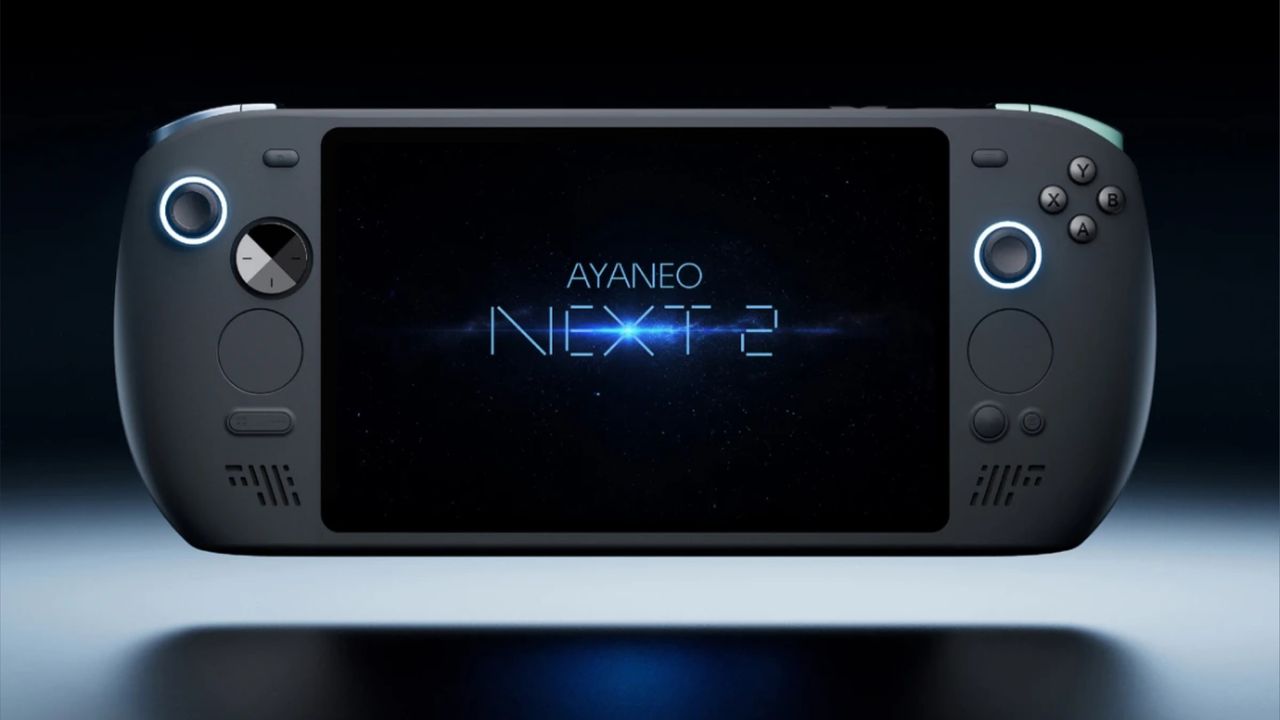
Sales of AYANEO's enthusiast-class NEXT 2 handheld gaming PC have been suspended due to ongoing RAM and SSD shortages caused by the AI boom.Ayaneo Next 2 key imageAn official marketing image of AYANEO's NEXT 2 handheld, sales of which have now been suspended due to AI-driven RAM and SSD shortages.
The Xbox ROG Ally X that betrayed me is back, but I've found solace in the detachable arms of the Lenovo Legion GO and don't know if I can go back.A handheld gaming device with a large screen and controls on each side rests on a pink surface.I've been playing happily on the Lenovo while my Xbox ROG Ally X remains waiting for me to reinstall my games
Xbox has confirmed that Automatic Super Resolution will arrive on Xbox Ally X in a preview this April. The AI powered feature uses the device’s NPU to upscale games and improve performance.Xbox in 2026 banner: Fallout, Fable, Halo, Gears, Forza, backed on an Xbox Ally.Xbox in 2026 banner: Fallout, Fable, Halo, Gears, Forza, backed on an Xbox Ally.
Xbox has confirmed that Automatic Super Resolution will arrive on Xbox Ally X in a preview this April. The AI powered feature uses the device’s NPU to upscale games and improve performance.
Xbox in 2026 banner: Fallout, Fable, Halo, Gears, Forza, backed on an Xbox Ally.
Xbox in 2026 banner: Fallout, Fable, Halo, Gears, Forza, backed on an Xbox Ally.
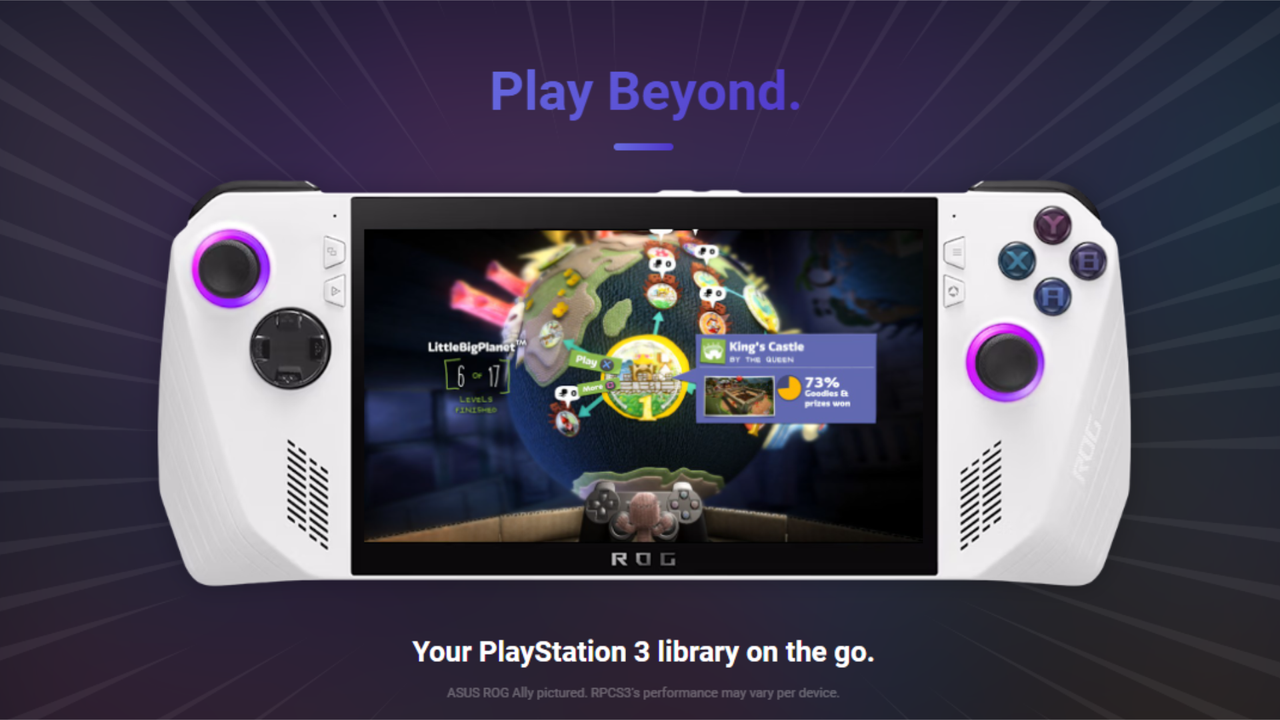
RPCS3 is asking handheld PC users for feedback as it works on improving the portable experience for its PlayStation 3 emulator. Planned updates include a redesigned in-game home menu, better button mapping, quick settings, and the ability to add games to Steam directly from the emulator.ROG Ally playing Little Big PlanetUncharted 3 on Xbox Ally X
RPCS3 is asking handheld PC users for feedback as it works on improving the portable experience for its PlayStation 3 emulator. Planned updates include a redesigned in-game home menu, better button mapping, quick settings, and the ability to add games to Steam directly from the emulator.
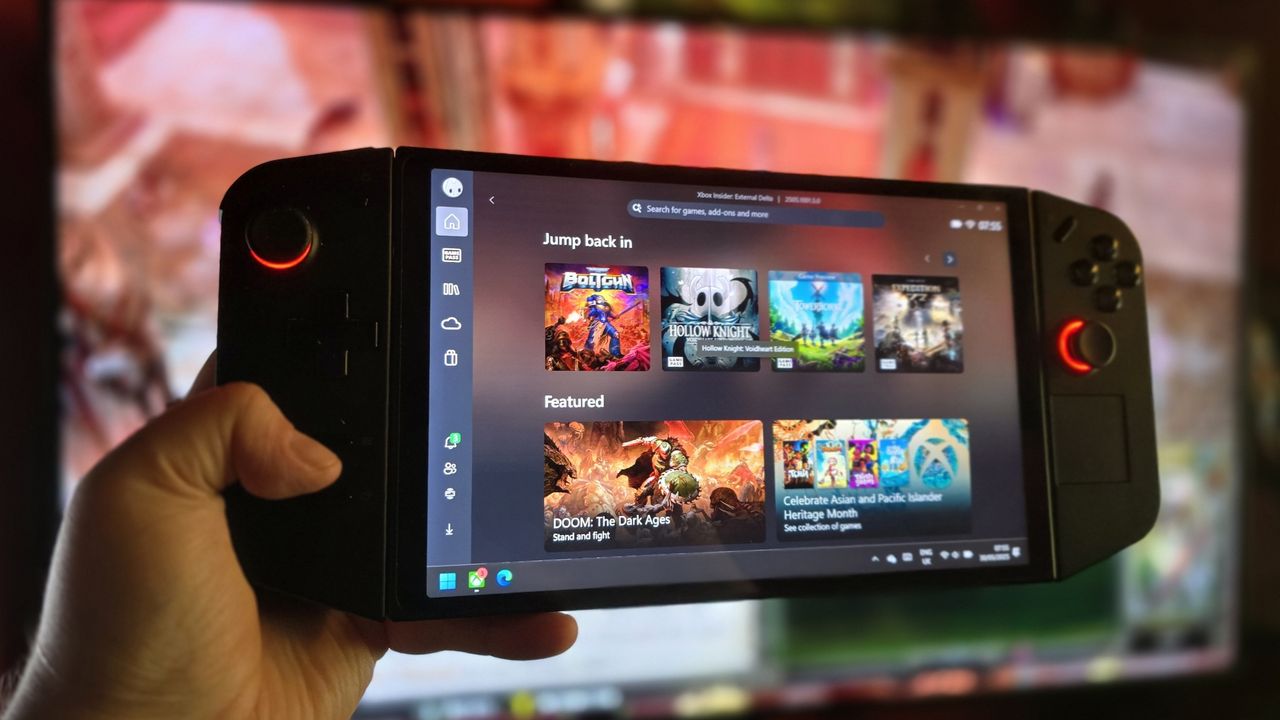
Lenovo has opened beta registrations for the Xbox Full Screen Experience on the Legion Go. The console-style interface aims to streamline Windows handheld gaming by booting directly into the Xbox app and reducing background tasks.Lenovo Legion Go with the Xbox appLenovo has opened beta registrations for the Xbox Full Screen Experience on the Legion Go.
Lenovo has opened beta registrations for the Xbox Full Screen Experience on the Legion Go. The console-style interface aims to streamline Windows handheld gaming by booting directly into the Xbox app and reducing background tasks.
Lenovo Legion Go with the Xbox app
Lenovo has opened beta registrations for the Xbox Full Screen Experience on the Legion Go.

 Connexion