Vue normale

  • ✇Korben
  • Comment mesurer et dégonfler l'index de recherche de Windows
    Après avoir lu cet article de XDA , j'ai voulu savoir ce que pesait vraiment l'index de recherche sur mon Windows 11 tout neuf. En vrai pas grand chose... A peine quelques Mo. Puis j'ai déposé un dossier de travail assez gros dedans, et l'index a grossi comme prévu... mais ensuite quand j'ai supprimé ce dossier, l'index lui n'a jamais remaigri. Cette base de données, c'est elle qui répond quand vous tapez trois lettres dans le menu Démarrer pour avoir des suggestions d'app et de f
     

Comment mesurer et dégonfler l'index de recherche de Windows

18 septembre 2026 à 09:00

Après avoir lu cet article de XDA , j'ai voulu savoir ce que pesait vraiment l'index de recherche sur mon Windows 11 tout neuf. En vrai pas grand chose... A peine quelques Mo. Puis j'ai déposé un dossier de travail assez gros dedans, et l'index a grossi comme prévu... mais ensuite quand j'ai supprimé ce dossier, l'index lui n'a jamais remaigri.

Cette base de données, c'est elle qui répond quand vous tapez trois lettres dans le menu Démarrer pour avoir des suggestions d'app et de fichiers. Tout est contenu dans le fichier Windows.db sous Windows 11 et Windows.edb sous Windows 10, et malheureusement, ce fichier peut grossir jusqu'à devenir problématique.

Ce que Windows indexe par défaut, et ce qu'il en lit

Windows 11 propose 2 périmètres. Le mode Classique, celui qui est actif si vous n'avez rien touché, et qui s'occupe de vos dossiers Documents, Images et Musique, plus le Bureau. Et le mode "Amélioré", qui lui, parcourt l'ensemble du PC.

Ça peut se régler dans les paramètres :

Le mode Classique est celui d'origine : Documents, Images, Musique et le Bureau.

Mais ce qui est mal expliqué dans la doc de Microsoft, c'est que Windows n'indexe pas QUE les noms de fichiers. Et oui, quand les fichiers contiennent du texte, leur contenu est également indexé, ce qui vous permet de rechercher par mots-clés présents dans le contenu du fichier.

Et comme le périmètre est défini par un emplacement et jamais par un volume, tout ce qui atterrit dans Documents entre dans l'index. Que ce soit vos 3 lettres de motivation ou un dossier projet contenant 40 000 fichiers... Windows ne fait pas la différence.

3 profils sont donc aux premières loges : ceux qui ont basculé sur le mode Amélioré, ceux dont le dossier Documents pointe en réalité vers leur OneDrive ou un autre dossier synchronisé, et ceux qui rangent leurs projets ou leurs machines virtuelles dans Documents.

Si vous n'êtes dans aucun des trois, la suite vous dira en trente secondes que tout va bien, vous verrez ^^

Mesurer votre index en deux gestes

Le nombre d'éléments dans cet index se lit sans aucun droit particulier. Suffit d'aller dans Paramètres, puis Confidentialité et sécurité, puis Rechercher. Le compteur "Indexé" est en haut de la page, et c'est aussi là que se trouve le choix du périmètre.

La taille du fichier, elle, demande une console administrateur. Ouvrez donc PowerShell en tant qu'administrateur et collez :

[math]::Round((Get-Item "$env:ProgramData\Microsoft\Search\Data\Applications\Windows\Windows.db" -Force).Length / 1MB, 2)

Vous obtiendrez alors un nombre en mégaoctets. Mais pour savoir s'il est réellement gros, c'est le compteur d'éléments qui fait la différence, plus que le poids. Je m'explique...

Microsoft donne des repères dans sa doc. Moins de 30 000 éléments c'est OK chez un utilisateur ordinaire. Pour un gros utilisateur, rien de choquant de monter jusqu'à 300 000 éléments. Par contre, au-delà de 400 000, des problèmes de performances peuvent commencer à apparaître. Et si vous vous demandez jusqu'où vous pouvez aller, sachez que le plafond technique est à un million d'éléments, après quoi l'indexeur se plantera comme une merde ou fera grimper le processeur, la mémoire et le disque dans les nuages.

La même commande sans les droits administrateur répond "Accès refusé".

L'essai : 3 000 fichiers qui partent, un index qui reste

J'ai monté une petite expérience pour l'occasion dans une machine virtuelle Windows 11 Pro 25H2, avec quatre cœurs et 8 Go. Départ à 462 éléments et 6,71 Mo. J'y ai déposé ensuite 3 000 fichiers texte, soit 15,94 Mo de contenu, et j'ai regardé l'index monter à 3 466 éléments pour 18,66 Mo. La base pèse donc presque aussi lourd que les fichiers qu'elle vient d'avaler !! C'est du texte brut partout, ce qui est le pire cas possible pour elle puisqu'il faut en indexer le contenu.

Ensuite j'ai supprimé les 3 000 fichiers et le compteur d'éléments est bien redescendu à 465, celui du départ, mais Windows.db lui, était toujours à 16,81 Mo. Alors que mes 465 éléments tenaient dans 6,71 Mo une heure plus tôt.... Bref, l'index a libéré ses entrées, mais pas son espace, la place étant réservée pour la prochaine fois...

Reprendre la main sans casser la recherche

Alors pour reprendre la main sur son espace disque, le bon geste, c'est l'exclusion ciblée. Allez dans Paramètres, Confidentialité et sécurité, Rechercher, puis "Ajouter un dossier exclu".

Les cibles qui valent le coup sont celles qui changent sans arrêt ou qui ne pèsent rien dans une recherche. Je pense aux dossiers de dépendances d'un projet, aux dossiers de compilation, aux caches, aux disques de machines virtuelles, au .git, aux bibliothèques de jeux et j'en passe...

Vous saurez ainsi tout de suite si ça a marché. Remontez en haut de la même page de réglages et regardez le compteur "Indexé". Il devrait diminuer du nombre de fichiers que contenait le dossier, sans que vous ayez rien d'autre à faire.

En revanche, n'excluez pas Documents ou le Bureau d'un seul bloc, et ne coupez surtout pas le service. En effet, ce bon vieux menu Démarrer ne cherche que dans l'index et Outlook classique s'appuie aussi dessus pour retrouver vos mails. Un dossier exclu devient invisible à la recherche et, ce serait dommage de ne plus pouvoir retrouver un mail, par exemple.

Le second truc à faire, c'est la reconstruction, car c'est elle qui récupère l'espace. Ouvrez les Options d'indexation avancées depuis la même page de réglages, cliquez sur Avancé, puis sur Reconstruire dans la section Dépannage. Windows prévient alors que les résultats seront incomplets pendant l'opération, mais on s'en fout, et c'est normal puisqu'il repart de zéro !! Microsoft conseille d'ailleurs de laisser l'indexeur travailler jusqu'à 24 heures, alors ne lancez pas ça cinq minutes avant d'avoir besoin de retrouver un fichier.

Le bouton Reconstruire est planqué sous Dépannage, dans les Options avancées.

Sur ma machine, l'index gonflé à 16,81 Mo est ainsi redescendu à 1 Mo, pour exactement les mêmes 465 éléments. Quatre minutes de reconstruction plus tard, et le fichier ne pesait plus que six pour cent de sa taille d'avant. Une fois que c'est fait, vous pouvez relancer la commande PowerShell. Si le chiffre n'a pas bougé d'un poil, c'est que votre index était déjà à sa taille utile, et dans ce cas, bon courage, ça veut dire que votre problème d'espace disque est ailleurs.

Source : XDA Developers
Microsoft Surface event announced for October 7 — here's everything we know so far

Microsoft just announced a Windows and Surface event for October 7, 2026. The event will be held in San Francisco and will focus on "how local AI will shape the next chapter of the PC." It will start at 10 AM PT / 1 PM ET.

Microsoft CEO Satya Nadella will be at the event, as will Surface chief Pavan Davuluri. NVIDIA CEO Jensen Huang will also be there, so we can expect to see RTX Spark discussed on stage.

RTX Spark is NVIDIA's new superchip. It powers the Surface Laptop Ultra and Surface RTX Spark Dev Box. Microsoft already announced those devices but has not shared key details yet, including pricing and availability. The event in October could be a chance to share more about the devices and the RTX Spark in general.

Blank Pixel

Microsoft is also expected to highlight improvements to Windows 11. The tech giant is deep into its Windows K2 initiative that aims to reduce pain points in the operating system and smooth the overall experience. We've seen some early wins from that initiative, such as the option to resize and move the Taskbar on Windows 11.

But Microsoft still has a long way to go before Windows 11 is redeemed in the eyes of many. Windows updates often ship with bugs and the operating system still has mismatching UI elements. Fixing Windows 11 is a large project that will take time, and Microsoft would be wise to show what it's already done to improve the OS and point to what's on the way.

While Microsoft could always surprise us with more hardware announcements, its quote about "how local AI will shape the next chapter of the PC" aligns well with devices we already know are on the way. The Surface Laptop Ultra and Surface RTX Spark Dev Box are designed to run AI locally.

Based solely on that quote, we could see Microsoft discuss Project Zenith at the event. That's the codename of a new class of devices aimed at developers that want to build apps and local AI experiences.

Click to join us on r/WindowsCentral

Join us on Reddit at r/WindowsCentral to share your insights and discuss our latest news, reviews, and more.

Windows 11 update breaks copy and paste in Microsoft Excel

Microsoft is having a bit of a rough September when it comes to bugs. Another issue has been discovered in Windows 11. This time, it's Excel's copy and paste feature that's been broken by an OS update.

That bug was discovered shortly after Microsoft confirmed issues with Hyper-V Linux folder shares, Remote Desktop, and USB audio. Those have since been fixed through an out-of-band update, but the Excel bug has not been fixed yet.

Here's what's wrong, according to Microsoft:

"In Microsoft Excel 2024, 2021, 2019, and 2016, the paste operation might fail silently. Although users try to paste content, the source remains selected and the destination is unmodified. When this issue occurs, users receive no indication of the failure, such as a beep or error message. Microsoft is researching the issue and will post more information in this article when the information becomes available."

The September Patch Tuesday update has almost 1,000 security fixes, so it is important to install it on PCs. But it may be worth holding off a bit if your workflow would be hindered by lingering bugs.

Blank Pixel

I don't want to come across as a doomsayer. The sky is not falling because copy and paste in Excel is broken. But it's frustrating to see bugs creep into Windows 11 updates.

Microsoft is aware of negative feelings many users have toward Windows 11. The company has a Windows K2 initiative that aims to reduce pain points and improve the overall Windows 11 experience. Part of that initiative centers around improving Windows updates.

On paper, Microsoft is trying to reduce how many updates people need to install each month. But I've had to install several Windows 11 updates just in September, including the out-of-band update that fixed the audio issue.

Click to join us on r/WindowsCentral

Join us on Reddit at r/WindowsCentral to share your insights and discuss our latest news, reviews, and more.

Windows 11 just received another emergency update — is this the new normal?

Windows 11 just received an out-of-band update that addresses several issues with the operating system. The September Patch Tuesday update includes almost 1,000 security fixes and other improvements, but it also had bugs that broke folder shares in Hyper-V-based Linux virtual machines, Remote Desktop Services, and certain audio devices.

Microsoft released the out-of-band update shortly after the issues were confirmed. It should download automatically in the background if you're running Windows 11 versions 26H1, 25H2, or 24H2. You can also grab the update through the Microsoft Update Catalog.

For the sake of clarity, Microsoft refers to these types of updates as out-of-band updates, but many people refer to them as emergency updates because installing them is urgent enough to ship the fixes immediately.

Here's a quick summary of the fixes, as outlined by Microsoft:

"Microsoft has identified issues that affect some devices after installing the September 2026 Windows security update, released September 8, 2026. On affected devices, host folder shares might be unavailable in Hyper-V-based Linux virtual machines, Remote Desktop Services might stop responding, which can prevent new sessions from being created and can prevent local and remote sign-in, and some USB Audio Class 1.0 devices might fail in multichannel audio modes."

Blank Pixel

Out-of-band updates have been released more in 2026 than in previous years. Some bugs in Windows 11 have required multiple patches.

When we publish a piece on Windows Central about a Windows 11 update, it's normal to see comments asking what the update will break. When there are inevitably issues with Windows 11, people ask "what do you expect" or something along those lines.

Obviously, if Microsoft finds issues, it needs to patch them. Emergency updates should be used when needed. My question is: why are they needed more frequently this year?

The situation is so bad that people celebrated the option to pause Windows 11 updates forever.

Microsoft is in the middle of an initiative to improve Windows 11 and reduce pain points in the operating system. But no one will care if they can move the Taskbar to the top of the screen or customize the Start menu if their speakers don't work.

Click to join us on r/WindowsCentral

Join us on Reddit at r/WindowsCentral to share your insights and discuss our latest news, reviews, and more.

  • ✇Korben
  • Windows 11 - Un clic sur le bon lien et hop, vous avez un compte local
    Jusqu'à présent, personne ne l'avait remarqué, mais sur l'écran d'installation de Windows 11 Home, celui qui vous réclame un compte Microsoft avant de vous laisser aller plus loin, il y a un tout petit lien "Learn more" planqué au milieu d'un paragraphe. Personne ne clique jamais dessus mais Bob Pony, lui, l'a fait et magie-magie, Windows l'a propulsé directement sur la création d'un compte local. Votre navigateur ne supporte pas
     

Windows 11 - Un clic sur le bon lien et hop, vous avez un compte local

15 septembre 2026 à 07:49

Jusqu'à présent, personne ne l'avait remarqué, mais sur l'écran d'installation de Windows 11 Home, celui qui vous réclame un compte Microsoft avant de vous laisser aller plus loin, il y a un tout petit lien "Learn more" planqué au milieu d'un paragraphe. Personne ne clique jamais dessus mais Bob Pony, lui, l'a fait et magie-magie, Windows l'a propulsé directement sur la création d'un compte local.

Sur la page qui s'ouvre, on vous demande alors le nom de celui qui va utiliser cet ordi, puis derrière, c'est un mot de passe, trois questions de sécurité, et hop vous voilà sur le bureau avec votre compte local ! C'est top non ? Plus besoin de vous prendre la tête avec une invite de commandes, ou des clés de base de registre !

Plusieurs sites ont fait le test, moi je n'ai pas encore eu le temps, mais apparemment ça fonctionne très bien sur la version Home de Windows 11 mais je ne sais pas pour la version Pro.

Faut dire que ça fait un an que Microsoft ferme les autres portes du compte local. La clé de registre BypassNRO, puis la commande ms-cxh:localonly dont je vous parlais l'automne dernier , ont été rebouchées les unes après les autres dans les préversions, avec à chaque fois la même explication foireuse : Ces bidouilles laissaient soi-disant des gens sortir du process d'installation avec une machine qui n'était pas entièrement configurée. Sauf que ce lien qui mène exactement au même compte local, lui, bah visiblement il a échappé à Microsoft... lol.

Un truc à savoir quand même avant de choisir le compte local, et c'est Microsoft qui le dit : le chiffrement de l'appareil ne s'activera pas tout seul. Quand vous ouvrez la session avec un compte Microsoft, il boote et la clé de récupération va se loger dans ce compte alors qu'avec un compte local, il reste inactif. Ça peut bien sûr se régler en allant dans les Paramètres, Confidentialité et sécurité, Chiffrement de l'appareil, mais faut y penser avant le jour où votre portable partira sous le bras de quelqu'un d'autre pendant que vous tapez votre meilleure sieste dans le TGV...

Alors maintenant, combien de temps tiendra cette astuce ?

Aucune idée, mais on espère tous que Microsoft laissera ça tranquille. Et si le lien a disparu quand vous lirez ces lignes, sachez qu'il reste des chemins qui passent par le média d'installation notamment via Rufus, que je vous ai déjà présenté . Suffit de cocher une case et hop, ça vous fera une clé USB qui ne réclamera aucun compte.

Voilà, si vous avez une machine à installer ce week-end, c'est donc le bon moment de tester cette astuce !

Source : les tests de Windows Latest et de PC Gamer , et XDA pour la méthode Rufus.

Windows 11's latest update broke my speakers, and I'm not alone

The latest Windows 11 update gives you plenty of reasons to upgrade, including hundreds of security fixes. But it also includes some bugs that range from frustrating to workflow-breaking.

Microsoft recently confirmed that a bug in Windows security update KB5124008 can cause some audio devices to fail. Affected systems will see one or more of the following issues:

  • The device displays an error in Device Manager: "This device cannot start (Code 10).” 
  • No audio output.
  • Volume controls are unresponsive or remain at zero. 
  • Sound settings are unresponsive or unavailable. 
  • Some devices might function in standard stereo configurations but fail when using multichannel audio features, including 8-channel or 3D audio modes. Some customers have reported that they're able to restore audio in these cases by switching to 2-channel mode. 

I believe my PC was affected by this bug. After installing the most recent Patch Tuesday updates, my external USB speakers stopped working, and Windows automatically defaulted my audio output back to my docked laptop's built-in speakers.

The problems only affect USB Audio Class 1.0 devices. Just about any operating system or platform that supports USB audio works with USB Audio Class 1.0. That class was the first standard for audio devices and shipped in 1998. There are USB microphones, headsets, speakers, and many other devices that fall into the category.

Because some modern platforms (most notably gaming consoles like the PS5 and Nintendo Switch) do not support newer standards, headsets and other peripherals are often made to be USB Audio Class 1.0 devices so they work everywhere.

The bug affects Windows 11 versions 26H1, 25H2, and 24H2. Microsoft has confirmed the issue but has not released a fix at this time.

You may be able to workaround the bug by switching to 2-channel mode, but that is not a permanent fix. You can also uninstall the KB5124008 update, though it may be better to just wait for an official fix or to find a workaround.

Blank Pixel

Click to join us on r/WindowsCentral

Join us on Reddit at r/WindowsCentral to share your insights and discuss our latest news, reviews, and more.

Windows 11 Search Is Changing: Here’s How to Control Which Folders Get Indexed

Par : Nisha
18 septembre 2026 à 01:18
Microsoft is making a subtle but useful change to Windows 11 Search that could make it easier to find files stored outside the usual folders. Windows 11 can now automatically add frequently used folders to its search index. Instead of relying entirely on a predefined list of indexed locations, Search can take your folder usage […]

  • ✇WinCentral
  • Microsoft Issues Manual Fix for Windows 11 KB5124008 Domain Trust Bug
    Microsoft has acknowledged another serious problem linked to the September 2026 Windows 11 security update, and this one is particularly important for business and enterprise PCs. The KB5124008 update can cause domain-joined Windows 11 PCs to lose their secure connection with Active Directory, resulting in users being unable to sign in with valid domain credentials. […]
     

Microsoft Issues Manual Fix for Windows 11 KB5124008 Domain Trust Bug

Par : Nayan
17 septembre 2026 à 02:53
Microsoft has acknowledged another serious problem linked to the September 2026 Windows 11 security update, and this one is particularly important for business and enterprise PCs. The KB5124008 update can cause domain-joined Windows 11 PCs to lose their secure connection with Active Directory, resulting in users being unable to sign in with valid domain credentials. […]

Microsoft Announces Major Windows and Surface Event for October 7, With Local AI at the Center

Par : Nayan
16 septembre 2026 à 01:50
Microsoft is preparing for one of its most significant Windows-focused events in more than two years. The company has announced a major Windows and Surface event for October 7, 2026, in San Francisco, where it will discuss how local AI will shape the next chapter of the PC. The event is expected to bring together […]

  • ✇WinCentral
  • Google Launches Gemini App for Windows With Instant Alt + Space Access
    Google has finally brought its Gemini desktop app to Windows, giving Windows 10 and Windows 11 users a much faster way to access Google’s AI without opening a browser first. The new desktop app can be summoned instantly using Alt + Space, putting Gemini over whatever you’re currently doing. Google already offers similar quick-access functionality […]
     

Google Launches Gemini App for Windows With Instant Alt + Space Access

Par : Nayan
11 septembre 2026 à 01:53
Google has finally brought its Gemini desktop app to Windows, giving Windows 10 and Windows 11 users a much faster way to access Google’s AI without opening a browser first. The new desktop app can be summoned instantly using Alt + Space, putting Gemini over whatever you’re currently doing. Google already offers similar quick-access functionality […]

Windows 11 Is Getting These Useful New Features as Microsoft Moves Them Toward Wider Release

Par : Nayan
11 septembre 2026 à 00:26
Microsoft is moving several upcoming Windows 11 features another step closer to a wider rollout. The company has released Windows 11 Release Preview builds 26100.9539 and 26200.9539 for versions 24H2 and 25H2. The update, distributed as KB5124010, brings a surprisingly large collection of new features and improvements, including changes to File Explorer, Emoji 17.0, Windows […]

Microsoft May Soon Fix Windows 11’s Obvious Dark Mode Automation Gap

11 septembre 2026 à 13:03

Microsoft is testing automatic Light and Dark Mode switching in Windows 11, with scheduling based on sunrise, sunset, fixed times, or PC activity.

The post Microsoft May Soon Fix Windows 11’s Obvious Dark Mode Automation Gap appeared first on TechRepublic.

iPhone 18 Pro vs Pixel 11 Pro: Which $1,000+ Flagship Is Better?

11 septembre 2026 à 11:31

Apple and Google charge more than $1,000 for two very different flagship strategies. Here’s where iPhone 18 Pro and Pixel 11 Pro earn their premium.

The post iPhone 18 Pro vs Pixel 11 Pro: Which $1,000+ Flagship Is Better? appeared first on TechRepublic.

Microsoft adds Bigfoot and Copilot key remapping in latest Windows 11 preview build

Move over iPhone Duo announcement, the real news is here. Windows 11 will soon feature a few more emojis. Microsoft recently shipped Windows 11 Builds 26100.9539 and 26200.9539 to Insiders in the Release Preview Channel. Among other changes, the update adds support for Emoji 17.0.

Since these are Release Preview builds, many of the included changes have already been seen during earlier Insider testing.

Several changes have been made to File Explorer that should make for a smoother experience. Home within File Explorer now preserves the state of sections, so the next time you open the app things will be expanded or collapsed as before. Thumbnail previews for cloud files should appear more consistently as well following this update.

Emoji lovers will be happy to hear that Emoji 17.0 support comes with this build of Windows 11. Emoji 17.0 adds the distorted face, fight cloud, and hairy creature (Bigfoot) emojis.

Blank Pixel

Microsoft continues on its recent push to create more widgets. These Insider builds add a Tips widget that provides guidance about Windows features. Microsoft recently announced a battery widget that's in the works as well.

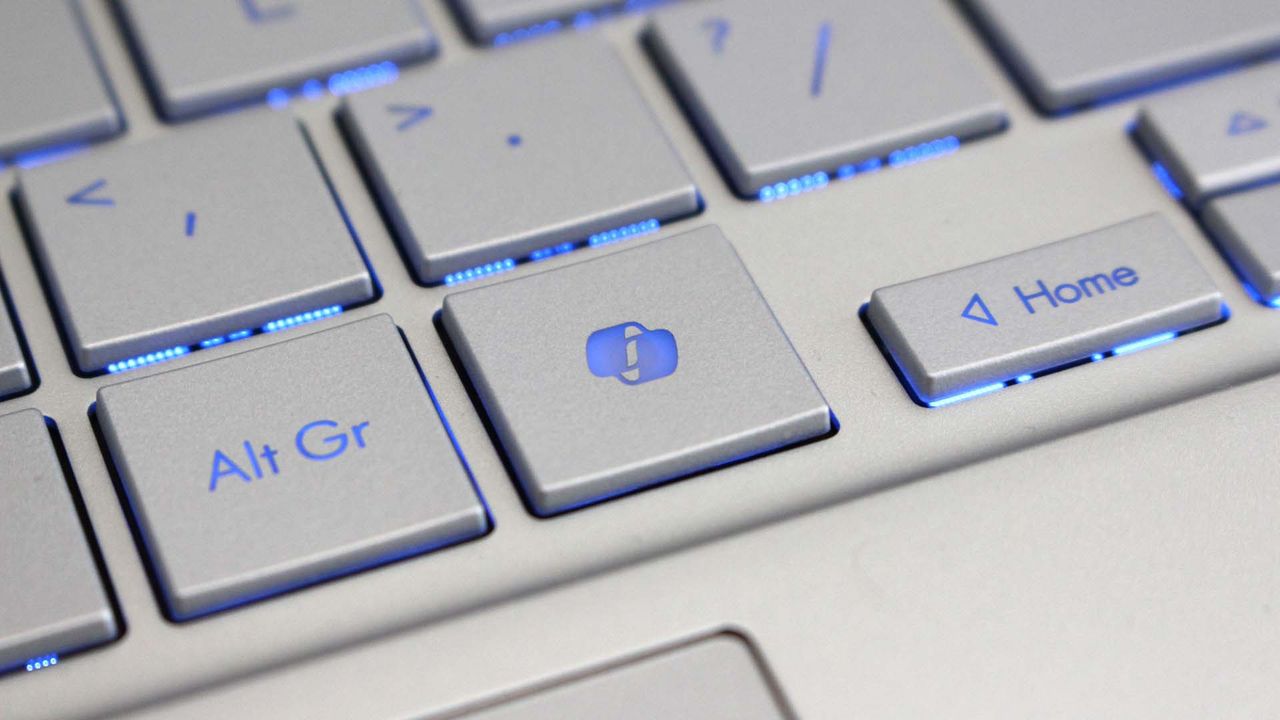
Another welcome change is the update to remap the Copilot key to function as the Right Control key or Context Menu key. Copilot already has a keyboard shortcut (Alt + Space) for those who want to use it, so having a dedicated key for a niche tool felt a bit like overkill.

Microsoft detailed the changes that are gradually rolling out.

Build 26100.9539/26200.9539

File Explorer

  • New! This update adjusts how the preview pane handles files downloaded from the web. For HTML files, a new Preview anyway button lets you acknowledge the warning and preview the file. Non-HTML files, such as PDFs, are now previewed automatically.
  • New! File Explorer Home now preserves the state of sections (expanded or collapsed), so you can pick up where you left off.
  • New! This update improves the reliability of thumbnail previews for cloud files in the Details pane. The pane has also been reorganized so file properties are easier to find and review at a glance.
  • New! This update addresses an issue that could clear the address bar contents when entering edit mode by clicking near the right side of the address bar.

Emoji

  • New! This update adds support for Emoji 17.0, including new emoji such as distorted face, fight cloud, and hairy creature. To insert them, press Windows key + Period (.) to open the emoji panel.
  • New! This update also refines the design of several existing emoji for better consistency across platforms, including saluting face, face with peeking eye, goose, lotus, and kissing cat.

Widgets

  • New! This update introduces the Tips widget, which provides short, helpful guidance about Windows features. To add it to your Widgets board, open the board, select Add widgets, and then choose Tips. To add it to your lock screen, go to Settings > Personalization > Lock screen and add Tips to your lock screen widgets.

Personalization

  • This update includes a variety of improvements to desktop background experiences:
    • This update improves the reliability of the Personalization > Background page in Settings.
    • This update adds support for using DIB image files as desktop backgrounds.
    • This update improves the reliability of desktop slideshow transitions on newly created accounts.
    • This update improves the resolution of previews when selecting a desktop background in Personalization > Background.
    • This update improves the desktop background preview display in Settings for users with portrait mode monitors.
    • This update improves the reliability of processing desktop wallpaper changes when they happen in quick succession.
    • This update adds support for using slideshow wallpapers with multiple desktops, so that it won't automatically switch you back to Picture.

Bluetooth

  • This update contains several enhancements to improve reliability and the experience when connecting to and using Bluetooth devices:
    • During voice calls, the Windows shell volume flyout now appears when adjusting the volume of a Bluetooth Classic Audio accessory using the volume controls on the accessory, providing visual feedback of the new volume level.
    • This update improves the accuracy of the connection state displayed by Windows for accessories that have disconnected from the PC.
    • This update improves the stability of the Bluetooth & devices page in Settings when managing Bluetooth and audio devices.
    • This update resolves an issue where the Bluetooth radio could be turned off, but the radio control toggle on the Bluetooth & devices page in Settings appeared on.
    • This update improves Bluetooth audio stability and compatibility.
    • This update improves microphone compatibility with certain Bluetooth Classic Audio accessories.
    • This update resolves an issue that could result in a crash (error code 0x139) while streaming Bluetooth audio.
    • This update improves reliability and performance with LE Audio accessories.
    • This update improves the reliability of shared audio.

Accessibility

  • New! This update introduces Open apps maximized, an accessibility setting that automatically maximizes app windows as they open. It removes a bit of everyday friction whether you use a screen reader or magnification, work in tablet mode, or simply prefer a consistent, full-screen workspace. To turn it on, go to Settings > Accessibility > Visual effects and turn on Open apps maximized.
  • This update improves navigation of the Bluetooth quick settings page when using keyboard input, gamepad input, or Narrator.

Magnifier

  • New! This update brings a modernized visual refresh to Magnifier on the taskbar:
    • Updated icons: Magnifier's toolbar icons align with the Windows 11 visual design, giving the tool a cleaner, more modern feel.
    • Refined spacing and padding: The padding is adjusted with consistent spacing across the toolbar for a more polished layout.
  • Views, zoom controls, keyboard shortcuts, and Read Aloud all behave exactly as they did in earlier versions.

Settings

  • This update improves the reliability of Settings when interacting with the contents of the Settings > Bluetooth & devices > Printers & scanners page.
  • This update updates Settings > Apps > Installed apps to show the version number at the top level for packaged apps, as it already does for other apps.
  • This update improves the time picker control in Settings so that it reflects your preferred time format when you switch between 12-hour and 24-hour formats. This applies in places such as setting active hours and scheduling night light.
  • This update improves the persistence of the Allow multiple apps to use camera at the same time option in Settings > Bluetooth & devices > Camera.

Touchpad

  • New! Additional gesture controls for precision touchpads are available in Settings > Bluetooth & devices > Touchpad:
    • Single-finger scrolling: Scroll vertically with one finger starting from the left or right side of the touchpad.
    • Automatic scrolling: Keep scrolling without lifting your fingers by moving them near the edge of your touchpad while scrolling.
  • Previously, gesture controls for scroll and zoom speed and accelerated scrolling were released in the July 2026 update (KB5101684).

Copilot key

  • New! This update introduces a new Windows 11 setting that lets you remap the Copilot key to function as the Right Ctrl or Context Menu key, helping preserve familiar keyboard shortcuts and accessibility workflows. For more information, see Understand updates to the Copilot key on Windows devices.

Camera Roll

  • New! This update introduces Camera Roll Backup in Settings, helping eligible users protect their photos with OneDrive. You can turn on the feature from the Settings Home or Accounts page and complete setup on your mobile phone using a QR code.1

Fonts

  • New! This update adds support for the Garay and Beria Erfe scripts to the Ebrima font, the first Microsoft font to support both. Garay was encoded in Unicode 16.0 and Beria Erfe in Unicode 17.0.
  • New! This update also refines the Adlam glyph designs in Ebrima to align with the current Unicode standard and improve consistency.

Windows Recovery Environment (WinRE)

  • New! This update enables WinRE to automatically reuse eligible Wi-Fi profiles already saved in Windows, including supported certificate-based networks. Devices can now get online automatically during recovery scenarios such as quick machine recovery or cloud rebuild, without preconfiguring Wi-Fi credentials in WinRE. This capability is on by default, and IT admins can disable it. For more information, see Windows Recovery Environment (Windows RE).
  • New! This update adds a recovery remote management plug-in for extending WinRE management capabilities for mobile device management (MDM) providers. For more information, see Recovery Remote Management Overview.

Kiosk mode

  • The Windows key + Tab keyboard shortcut is now disabled when using a restricted user experience kiosk.
  • The Windows key + A and Windows key + C keyboard shortcuts are now disabled when using single-app kiosk mode.

Windows Backup

  • PC-to-PC Migration is no longer available. This feature, introduced through a phased rollout, previously allowed you to transfer files and settings directly from your previous PC when setting up a new Windows PC. To back up and restore your files, settings, and other supported items when moving to a new PC, use Windows Backup. For more information, see Back up and restore with Windows Backup.

Click to join us on r/WindowsCentral

Join us on Reddit at r/WindowsCentral to share your insights and discuss our latest news, reviews, and more.

  • ✇WinCentral
  • Windows 11 Is Getting a Modernized Temporary Files Settings Page
    Microsoft is quietly working on another small but welcome design refresh for Windows 11. The company appears to be modernizing the Temporary Files storage settings page, giving one of the operating system’s most useful cleanup tools a more up-to-date interface. The change has been spotted hidden in Windows 11 build 26340.9354, where Microsoft is testing […]
     

Windows 11 Is Getting a Modernized Temporary Files Settings Page

Par : Nisha
10 septembre 2026 à 06:23
Microsoft is quietly working on another small but welcome design refresh for Windows 11. The company appears to be modernizing the Temporary Files storage settings page, giving one of the operating system’s most useful cleanup tools a more up-to-date interface. The change has been spotted hidden in Windows 11 build 26340.9354, where Microsoft is testing […]

  • ✇WinCentral
  • Windows 11 Could Make USB Reinstalls a Thing of the Past With New Cloud Rebuild Feature
    Microsoft is testing a new Windows 11 recovery feature that could make one of the most frustrating PC-repair tasks much easier: reinstalling Windows when the system refuses to boot. Windows Insiders testing the latest Beta Preview Build 26220.9343 can now access Cloud rebuild from the Windows Recovery Environment (WinRE). The feature is designed to completely […]
     

Windows 11 Could Make USB Reinstalls a Thing of the Past With New Cloud Rebuild Feature

Par : Nisha
10 septembre 2026 à 02:23
Microsoft is testing a new Windows 11 recovery feature that could make one of the most frustrating PC-repair tasks much easier: reinstalling Windows when the system refuses to boot. Windows Insiders testing the latest Beta Preview Build 26220.9343 can now access Cloud rebuild from the Windows Recovery Environment (WinRE). The feature is designed to completely […]

Get a Touchscreen Business Laptop for $149.99 Right Now

10 septembre 2026 à 13:28

This refurbished HP ProBook x360 flips into tablet or tent mode and keeps working professionals connected.

The post Get a Touchscreen Business Laptop for $149.99 Right Now appeared first on TechRepublic.

  • ✇Yanko Design
  • This Porsche 911 was lifted and rebuilt into a Chicago-ready urban safari car
    What happens when a Porsche 911 stops worrying about staying low to the ground? Tangent Design Group has an answer. Lift it three inches, widen its stance, add chunky off-road tires, and turn one of Stuttgart’s most recognizable sports cars into something that looks ready to escape the city rather than attack a racetrack. Built in Chicago, the Urban Safari 911 is an unusual exercise in rethinking what a modern Porsche can be. The project began in 2019, when the Chicago-based industrial design s
     

This Porsche 911 was lifted and rebuilt into a Chicago-ready urban safari car

9 septembre 2026 à 20:30

What happens when a Porsche 911 stops worrying about staying low to the ground? Tangent Design Group has an answer. Lift it three inches, widen its stance, add chunky off-road tires, and turn one of Stuttgart’s most recognizable sports cars into something that looks ready to escape the city rather than attack a racetrack. Built in Chicago, the Urban Safari 911 is an unusual exercise in rethinking what a modern Porsche can be.

The project began in 2019, when the Chicago-based industrial design studio decided to build a Porsche without the constraints of a conventional client brief. Tangent eventually started with a 2021 Porsche 911 Carrera 4, chosen for its all-wheel-drive platform. Finished in Porsche’s Paint-to-Sample Black Olive with a tan interior, the car already had a distinctive character before the transformation began.

Designer: Tangent Design Group

Tangent approached it like a product-development exercise. The original 992 was digitally scanned, including its bumpers, fenders, wheel wells, rocker panels, and rear engine cover. That data became the foundation for developing new components that could properly integrate with the factory body and its increasingly complex electronics. Full-scale parts were then 3D-printed and physically fitted to the car to refine proportions and attachment points before final production.

The most significant change sits underneath the body. Tangent developed a bespoke three-inch lift system while retaining the Porsche’s stock suspension architecture and avoiding software errors. The additional clearance makes room for larger off-road tires and fundamentally changes the stance of the 911. On a truck, three inches might be unremarkable; on a low-slung sports car, it transforms the proportions completely. Something similar to what Vagabund Moto did in collaboration with NINE ELEVEN OUTLAW and DakarGarage to transform a Porsche 924 S into an off-road-worthy ride.

The wheels received the same level of attention. Tangent designed them in-house and worked with Brixton Forged to produce bespoke forged aluminum wheels. Full-scale printed versions were used during development to judge how the design sat against the widened body before the final wheels were manufactured. Visually, the Urban Safari combines wide fender extensions, revised rocker panels, a custom front bull bar and a pronounced ducktail-style rear wing. Auxiliary lighting and roof-mounted adventure equipment reinforce its rally-inspired character, while the graphics package borrows from historic Porsche rally liveries without simply recreating one.

That distinction is important. Tangent’s project predates Porsche’s factory 911 Dakar, having been conceived in 2019, but it draws from the same broader history of Porsche competition cars built for surfaces far removed from a racetrack. Instead of copying a classic rally car or dressing the 992 in retro cues, Tangent has created something that feels contemporary and purpose-built.

The result is currently a one-off, but Tangent is accepting inquiries about the Urban Safari kit, leaving open the possibility that its design language could eventually find its way onto other 992-generation cars.


The post This Porsche 911 was lifted and rebuilt into a Chicago-ready urban safari car first appeared on Yanko Design.

Microsoft speeds up Windows 11 parental approvals and expands age verification across the OS

Windows 11 now includes new family safety features that can reduce how much adult content children are exposed to or able to view. Microsoft has a pair of blog posts on the topic, one that focuses on consumer-facing features and another that covers how APIs and Microsoft accounts are used to make the Windows experience safer.

The first change Microsoft highlighted is not a new feature, but a speed boost to an existing one. Granting parental approval is now faster than before, which allows parents and guardians to quickly approve things like additional screen time, access to specific apps, and purchases.

Speed is important when it comes to family safety. Occasionally children run into blocks when trying to access content that is required for homework or that is otherwise age-appropriate. Delayed approvals leave children sitting around and can cause frustration for kids and parents.

Microsoft has also made it easier for parents to keep track of web activity, app activity, and spending. Managing family groups has been improved as well, including options that make it simpler to add or remove members.

Blank Pixel

The importance of Microsoft accounts

Some people complain about Microsoft accounts being a requirement to use certain services. Microsoft has budged a bit in this area. For example, it's now possible to sign in to Microsoft Edge with a Google account.

But managing family safety settings relies heavily on a Microsoft account, as explained by the company:

"At Microsoft, we believe safety should be easier for families to understand and easier for developers to build into experiences for children to use. On Windows, that starts with the account. Microsoft account is a trusted foundation through which Windows brings age-appropriate protections and parental choices into more of the digital experiences encountered by children and teens every day."

Setting up accounts for children is a requirement to set parental controls for individuals. Microsoft accounts also allow Windows to know if a user is a child, teen, or adult.

Microsoft has introduced a new API to extend age awareness beyond the OS and across the entire Windows ecosystem. The Windows Age APIs can verify a user's age and then send that verification to an app without sharing personal information. It's a bit like Windows Hello but for age verification.

The new Windows Age APIs are available now to Windows Insiders and should ship to all Windows users soon.

Click to join us on r/WindowsCentral

Join us on Reddit at r/WindowsCentral to share your insights and discuss our latest news, reviews, and more.

Windows 11 is finally testing automatic theme switching, a basic feature that's required a third-party app for years

Windows 11 will finally support automatic switching between dark mode and light mode. The most recent Windows Insider build that shipped to the experimental Channel shows strings for the feature, though we still lack key information about the option.

It's been possible to schedule shifts between light and dark mode on Windows 11 for a while, but it has required a third-party application. Auto Dark Mode works well and is a must-have app for Windows 11.

The ever-popular PowerToys can also handle theme switching through its "Light Switch" feature. PowerToys is made by Microsoft but it only recently added the Light Switch utility. It's also not built in to Windows 11.

While both those apps are great, some features need to be built into Windows 11. People shouldn't have to search for an app or install a multi-tool utility to automate theme switching.

The upcoming feature for Windows 11 was spotted by X user "phantomofearth." They shared some of the strings that appear in the latest build, which give us a glimpse of how the feature will work:

  • "Schedule auto mode"
  • "Mode only changes when PC is idle"
  • "This prevents the mode from changing while you're working or in meetings"
  • "Turn on location services to automatically schedule dark mode. When location services are turned off, dark mode is active from [START] to [END]."

Since there are likely many other strings about the feature, we only have a small idea of how auto mode will work. But the snippets we can see now look promising.

It appears that the feature will support shifting between modes based on your location to better match sunrise or sunset. Alternatively, you'll be able to schedule switches for specific times.

The feature also looks like it will have the option to only switch themes when your PC is idle, which should prevent a jarring change from happening in the middle of important work.

Again, this functionality is already available on Windows 11 through apps, but I'll be happy to see it ship to Windows 11. I love tinkering with apps to customize my PC, but general users shouldn't have to do that to get such a straightforward feature.

This app switches the theme of your PC at scheduled times, such as enabling dark mode after sunset. It's always been a bit odd that Windows does not have this as an option by default, but Auto Dark Mode does a great job.View Deal

Light Switch:

Microsoft PowerToys is a collection of utilities that often outshine similar tools on Windows 11. It already includes a utility that lets you schedule switches between light mode and dark mode.View Deal

Click to join us on r/WindowsCentral

Join us on Reddit at r/WindowsCentral to share your insights and discuss our latest news, reviews, and more.

❌