❌

Vue normale

Microsoft’s biggest week in months: new Surface lineup, Copilot+ fallout, and AI overhaul

Windows Central

It's been a busy week for Microsoft. Despite having a Windows and Surface event scheduled two weeks from now, the company announced two new Surface PCs and revived the Surface Mouse. Microsoft also effectively cut the legs out from under the Copilot+ PC brand by confirming the new Surface Pro 12-inch and Surface Laptop 13-inch are not Copilot+ PCs.

Biggest News of the Week

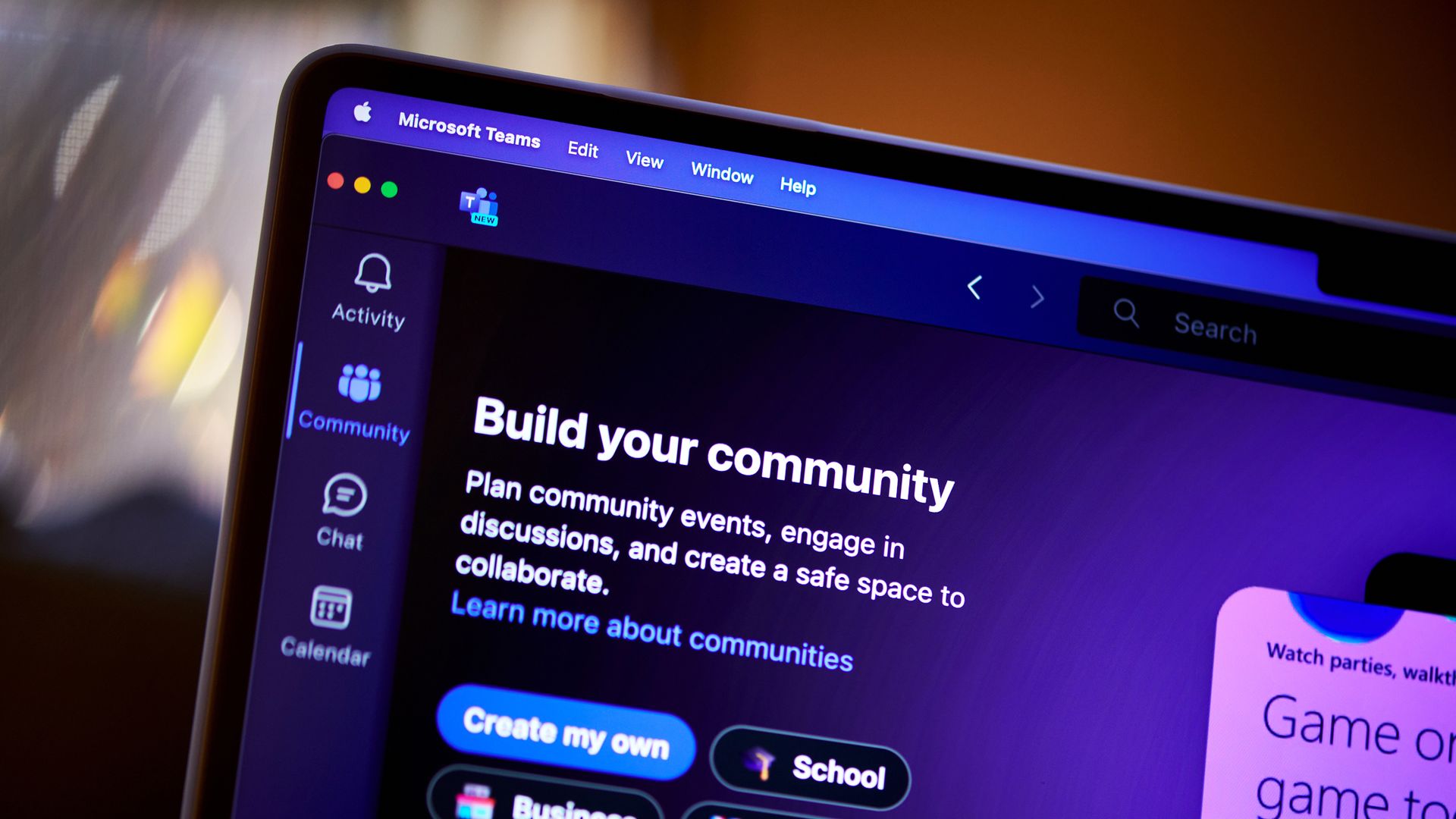
Microsoft Surface
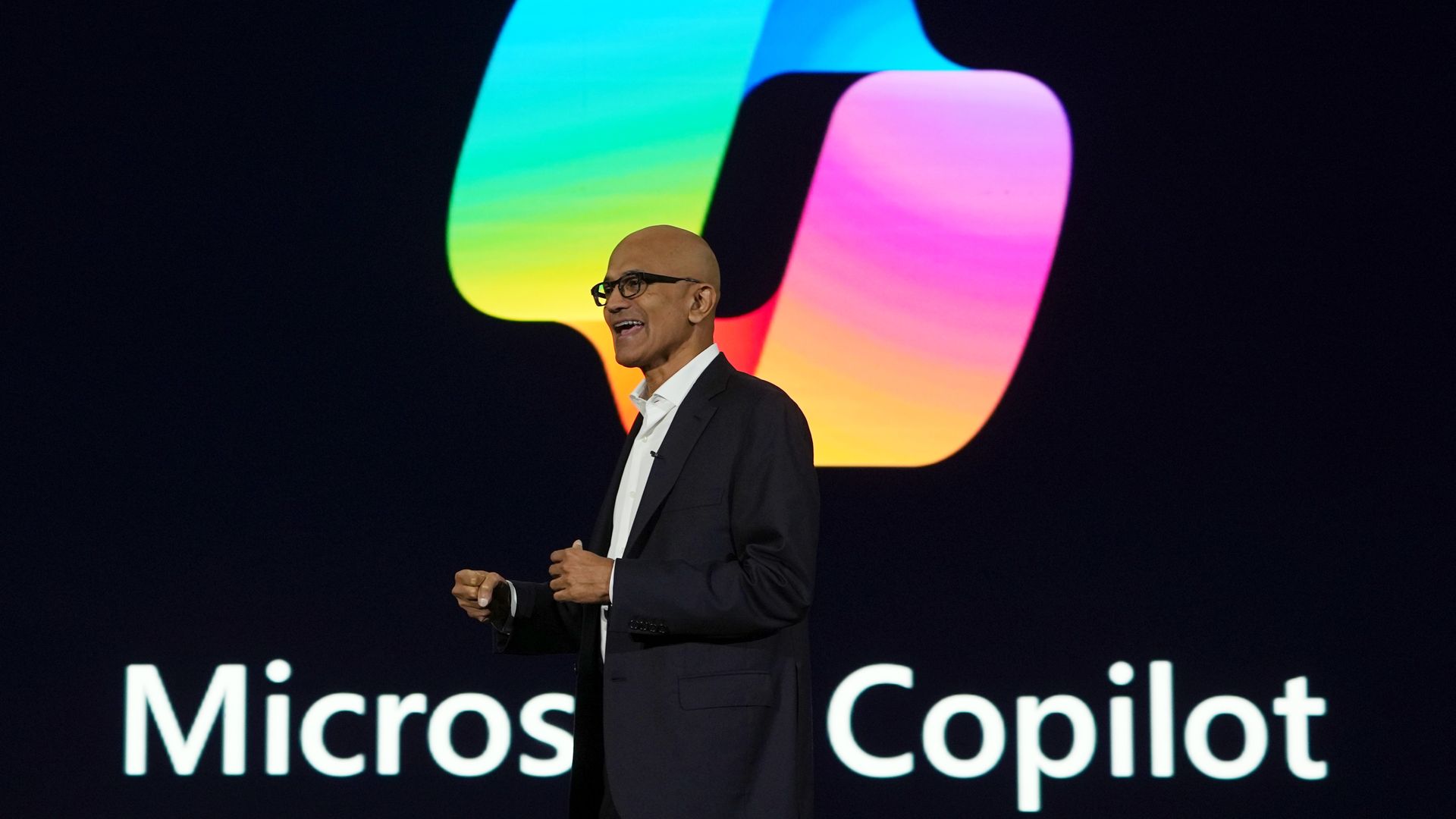
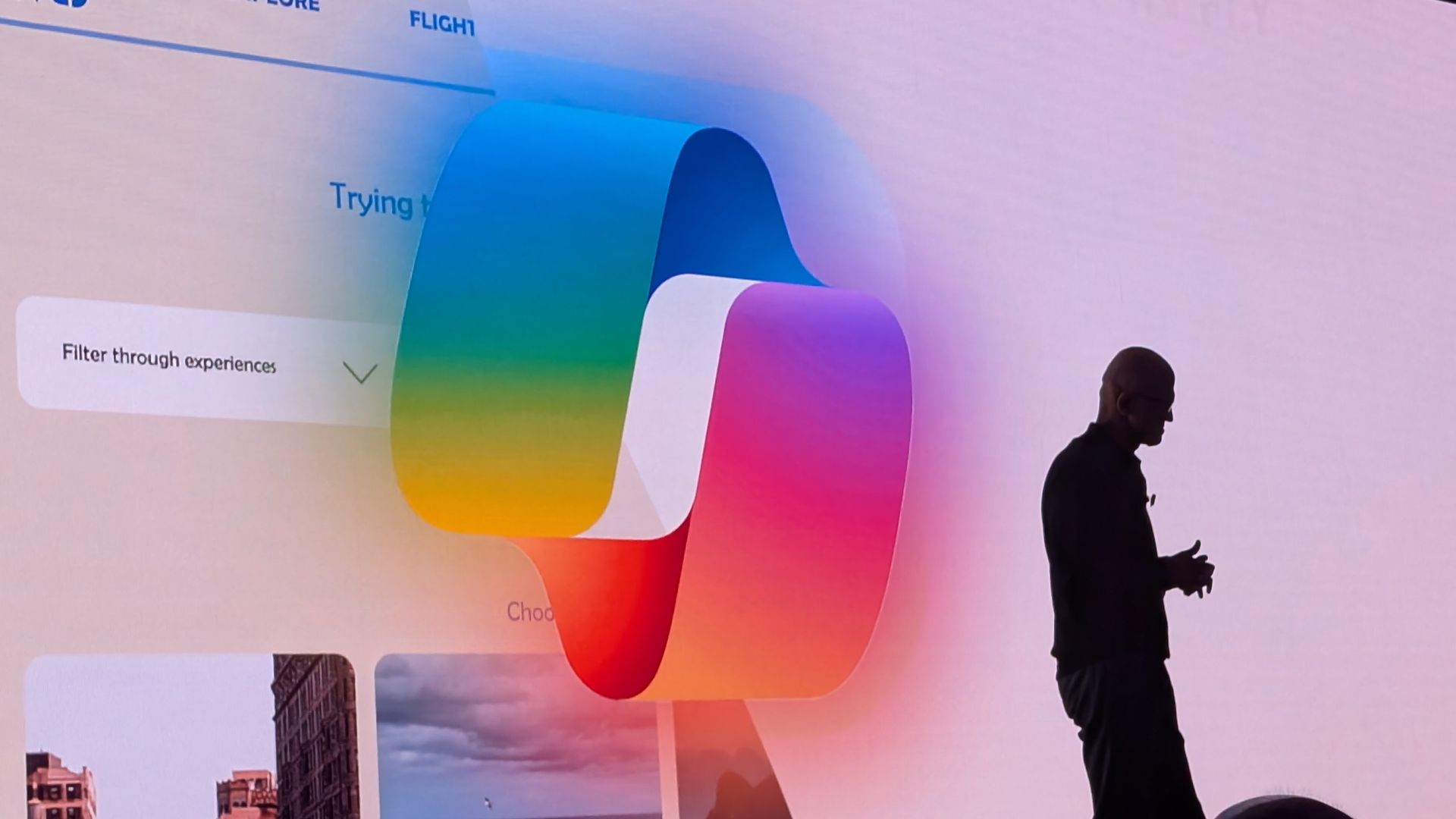
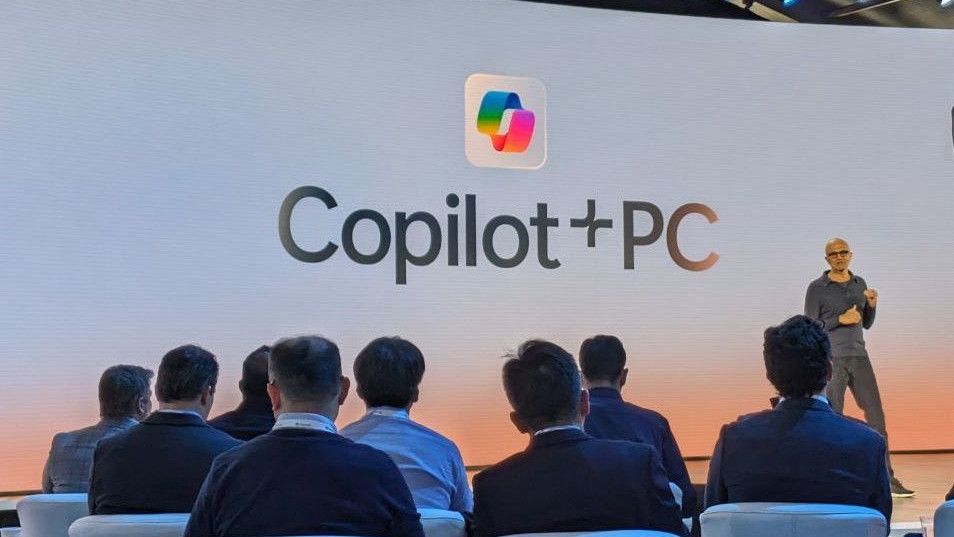
Copilot+ PC launch event with Satya Nadella
Microsoft Surface
Microsoft Surface

Microsoft confirmed that its new Surface Pro 12-inch and Surface Laptop 13-inch will not be called Copilot+ PCs. Not because they fail to meet the requirements — both PCs have the specs to otherwise qualify — but because Microsoft is going in a different direction.

I think we may hear more about Microsoft’s plans and rebranding at the Windows and Surface event next month, but for now we just have confirmation the new Surface devices are not called Copilot+ PCs.

The Copilot+ PC brand was doomed to fail. Microsoft failed to make it clear to customers what made Copilot+ PCs special, and the flagship Recall was a disaster.

Many people were confused about the difference between a Copilot+ PC and an AI PC. And several major manufacturers made it clear that labeling a device as a Copilot+ PC was not a priority.

Too many Copilots

Close-up of Surface Laptop for Business 8th Edition desktop with pinned applications, including Microsoft Edge, Word, Excel, and Microsoft 365 Copilot.

Microsoft put too many eggs in the same basket with Copilot. The company has dozens of products with Copilot in their names. Even the Microsoft 365 app had Copilot forced into its name.

By bundling so many different products and services under the Copilot name, Microsoft tied the success (or failure) of a large part of its portfolio together.

Look online for reactions to the Copilot+ PC brand being phased out and you’ll see people discussing the Copilot app, the Copilot key, Microsoft 365 Copilot, and other Copilot-branded products. And who can blame them? It’s natural to assume the end of Copilot+ PCs means the end of at least some parts of Copilot.

But the opposite is true. In the same week it confirmed its Surface PCs are not Copilot+ PCs, Microsoft announced a massive overhaul of the Copilot platform. Microsoft CEO Satya Nadella called it a new OS, though I’m not sure what that really means in this case.

Ultimately, Microsoft fell in love with the term Copilot and tried to attach it to too many products and services. We’ve seen similar mistakes, such as Facebook going all in on the Metaverse.

Copilot+ PCs are gone or being phased out, but Copilot as an “OS” is just beginning. Microsoft will need to do some damage control and get a marketing message out to make it clear those facts aren’t in opposition.

Click to join us on r/WindowsCentral

Join us on Reddit at r/WindowsCentral to share your insights and discuss our latest news, reviews, and more.
  • ✇TheWindowsClub News
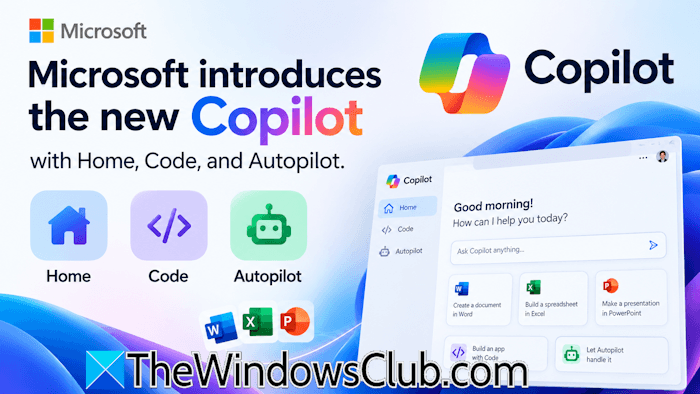
  • Microsoft introduces the new Copilot with Home, Code, and Autopilot
    Microsoft introduced a major Copilot redesign with new capabilities, including Home, Code, and Autopilot, an autonomous AI agent that can handle tasks on its own. With this step, Microsoft is taking Copilot beyond the conversational chat assistant. Now, Copilot can build solutions, work with code, and handle longer tasks. This article covers all the important […] The post Microsoft introduces the new Copilot with Home, Code, and Autopilot appeared first on TheWindowsClub News.
     

Microsoft introduces the new Copilot with Home, Code, and Autopilot

26 septembre 2026 à 09:46

New Copilot with Home, Code, AutopilotMicrosoft introduced a major Copilot redesign with new capabilities, including Home, Code, and Autopilot, an autonomous AI agent that can handle tasks on its own. With this step, Microsoft is taking Copilot beyond the conversational chat assistant. Now, Copilot can build solutions, work with code, and handle longer tasks. This article covers all the important […]

The post Microsoft introduces the new Copilot with Home, Code, and Autopilot appeared first on TheWindowsClub News.

Microsoft Teams can now automatically block unwanted bots from meetings

Your next Microsoft Teams meeting may be a little more secure. Microsoft has added a new option that allows administrators to automatically block identified external bots from joining meetings.

We've known about this feature for a while, but it is only shipping now. The option was originally slated for May 2026, but it was released with a Teams update on September 23, 2026.

Microsoft detailed the update in its release notes:

  • Automatically block identified external bots: Administrators can now automatically block identified external bots from joining meetings through Teams meeting policies.
  • Unified app and agent installation management across Microsoft 365 and Teams: Administrators can now manage app and agent installations from either the Microsoft 365 admin center or Teams admin center, with installation changes automatically synchronized across Teams, Outlook, and Microsoft 365 Copilot.

Bots are commonplace in Teams meetings and meetings on other platforms. Most of the meetings I attend have some sort of notification about transcription or recording. But unwanted bots can pose a security risk, especially if they go unnoticed. Considering how many meetings include notifications about bots, it would be easy to brush off a malicious bot as another routine attendee notification.

When the feature is enabled, organizations will see a representation of external bots in the meeting lobby. This gives organizers more control over attendees and helps prevent someone from admitting a bot that shouldn't be there.

The same update to Teams gives admins the ability to manage app and agent installation through the Microsoft 365 admin center or Teams admin center. Any changes made then sync across Teams, Outlook, and Microsoft 365 Copilot.

Have you ever seen someone accidentally admitted to a meeting? Do you let people into meetings without checking? Let us know in the comments!

Click to join us on r/WindowsCentral

Join us on Reddit at r/WindowsCentral to share your insights and discuss our latest news, reviews, and more.

Microsoft Is Killing the Copilot+ PC Brand, But the AI Features Aren’t Going Away

Par : Nisha
25 septembre 2026 à 03:08
Microsoft appears to be moving away from one of the biggest branding terms it introduced for its AI-powered Windows PCs. The company is no longer emphasizing the “Copilot+ PC” name with its newly refreshed Surface Pro and Surface Laptop models, even though the devices continue to support the same class of Windows AI features associated […]

These Microsoft 365 companion apps are getting retired after just one year

Microsoft plans to get rid of three Microsoft 365 companion apps before the end of the year. Calendar, People, and Files are all on the chopping block and set to be retired on December 16, 2026.

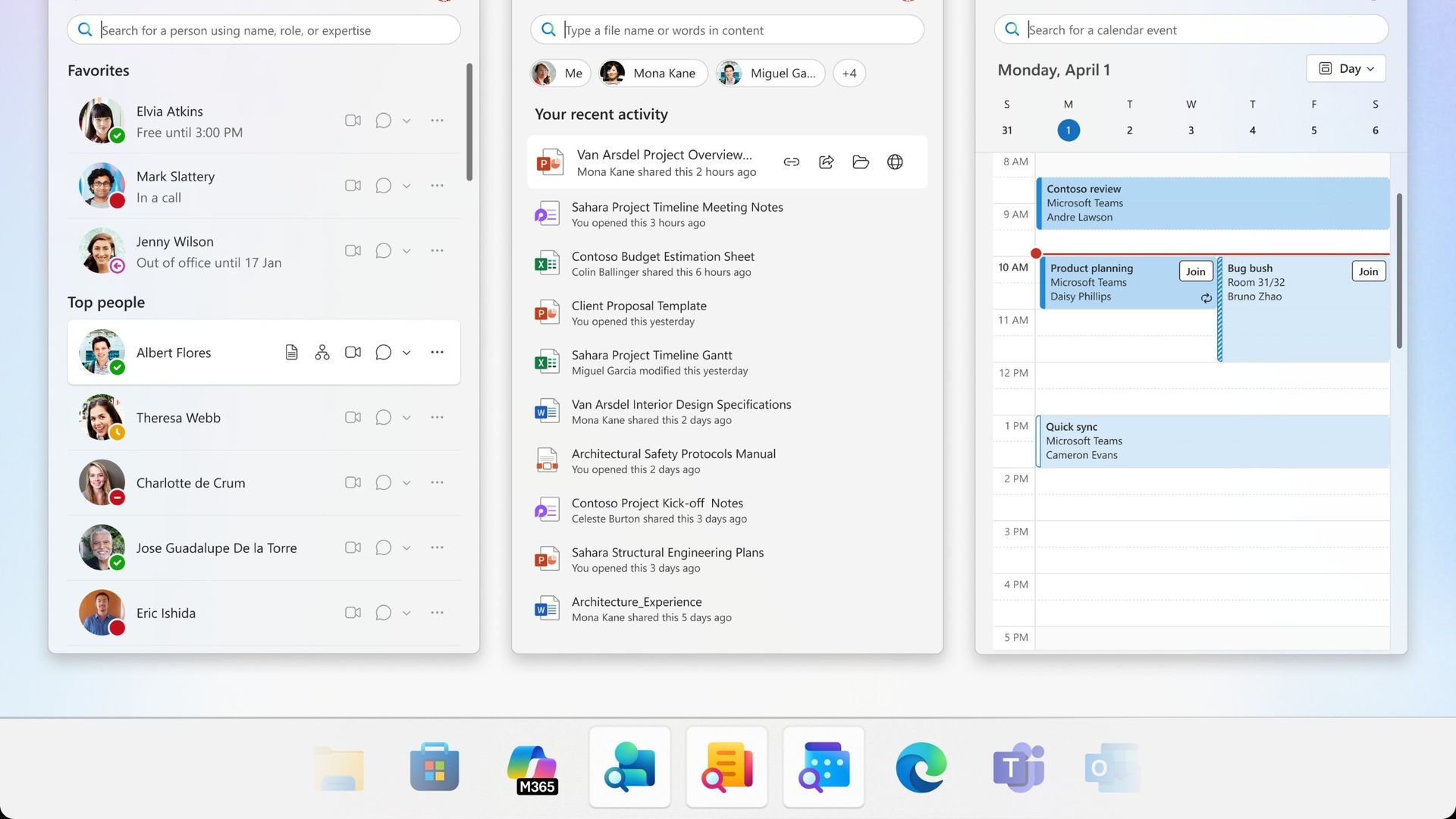
Calendar, People, and Files are apps that integrate with the taskbar on Windows 11 to allow quick access to certain tasks and pieces of information.

I'd forgive you for not knowing about the companion apps since they only shipped last year.

Microsoft outlined the three companion apps at the time and highlighted how the apps "enhance productivity" by providing quick access to information. Now, one year later, that productivity boost is going away.

It's interesting to compare the language Microsoft used to describe the apps when they were new and now as the apps approach retirement.

Microsoft's text from when the apps were new:

"Microsoft 365 companions are a suite of apps designed to enhance productivity by providing quick access to people, files, and calendar- powered by the Microsoft Graph, directly from the Windows 11 taskbar."

Microsoft's new text as the apps approach retirement:

"The companion apps were an additional way to find calendar information, people, and files. Removing them doesn't delete or affect any existing capabilities or Microsoft 365 data. You can continue finding the same information by using existing Microsoft 365 and Windows experiences."

It appears sometime over the last year the apps devolved from being ways to enhance productivity to additional ways to find information you can get elsewhere.

Microsoft recommends a mix of Outlook, Teams, Windows Search, File Explorer, SharePoint, OneDrive, Word, Excel, PowerPoint, and other Microsoft tools to replace the three companion apps.

The three companion apps will stop working on or before December 16, 2026, so even if you have them installed on your PC, they will not work after the cutoff.

Click to join us on r/WindowsCentral

Join us on Reddit at r/WindowsCentral to share your insights and discuss our latest news, reviews, and more.
INTERVIEW: Copilot+ PC branding is gone — and Microsoft isn’t saying much about why

In 2024, Microsoft and Qualcomm kicked off a new category of Windows hardware it called "Copilot+ PCs" that set the baseline for a new wave of AI-first computers, and launched with exclusive features that would not be made available on PCs that didn't meet a new set of system requirements.

The launch didn't go smoothly. Copilot+ PCs were met with immediate backlash from security researchers after discovering that Copilot+ PCs blockbuster feature, Recall, was woefully insecure. This forced the company to delay Recall and ship this new category of devices without its leading AI experience.

This pretty much tarnished the Copilot+ PC brand, and over the last two years more and more OEMs have dropped the moniker from marketing materials and product names. In fact, even Microsoft has seemingly stopped mentioning it.

I've noticed that none of the Surface PCs launched in 2026 include the Copilot+ PC moniker in their product names, unlike the Surface PCs that launched in 2025 and before. Now, you have to go digging to find any mention of Copilot+ compatibility in specification sheets.

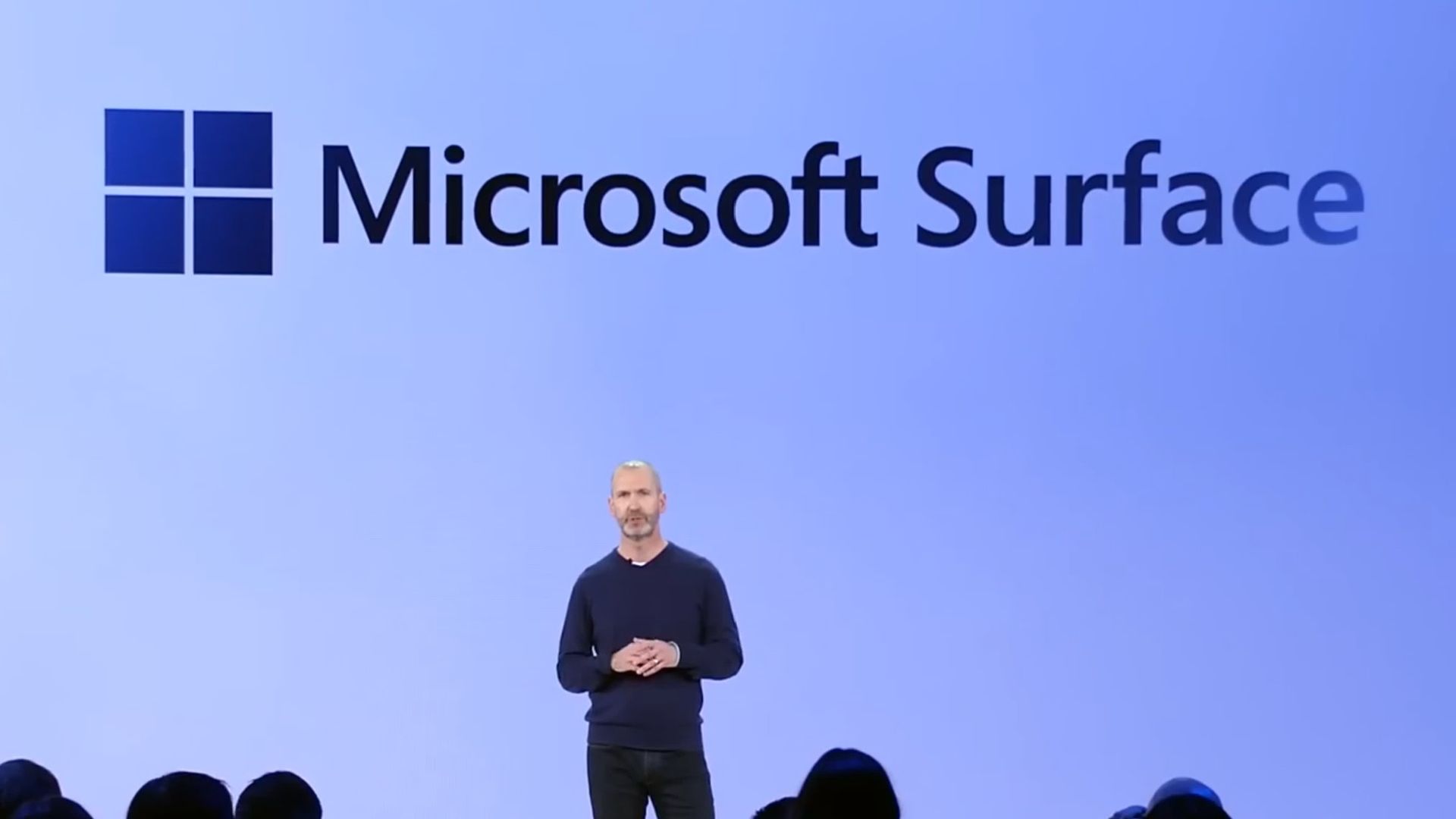
Surface CVP in front of a Surface logo

Surface CVP Brett Ostrum announcing Surface PCs in 2024 at Copilot+ event. (Image credit: Microsoft)

At this year's Snapdragon Summit, I had the chance to ask Surface CVP Brett Ostrum about the lack of Copilot+ PC branding on its recent Surface PCs, and he confirmed that "these are not called Copilot+ PCs. They do meet all the requirements of our previous bar for what Copilot+ devices are. We still lean into the narrative around AI on the edge and being able to have a hybrid solution out there."

I've also asked Qualcomm's SVP of compute, Kedar Kondap, about his thoughts on the usage of the Copilot+ PC branding. He told me that "the purpose for Copilot+ PCs was to be able to deliver [NPU] experiences. So it was to define a certain category of devices with a certain bar and metric, like for example, a 45 TOPS NPU ... So from that perspective, it's more offering the same experiences, probably without just using [Copilot+ PC] terminology now."

It's also worth mentioning that NVIDIA hasn't gone anywhere near the Copilot+ PC brand for its upcoming RTX Spark platform, even though all RTX Spark PCs meet the Copilot+ PC specification bar. I suspect that's a deliberate decision.

It seems pretty obvious that the Copilot+ PC brand hasn't resonated with the market, and OEMs and Microsoft itself are now quietly pulling back on that branding. The specification baseline for Copilot+ PC experiences still exists, it just no longer has a pretty marketing name tied to it.

The rough launch of Copilot+ PCs, paired with the fact that Microsoft Copilot itself doesn't have a very strong reputation these days, likely contributed to the decision to slowly retire the Copilot+ PC branding. The brand never made sense to me anyway... these PCs have nothing to do with Copilot.

Click to join us on r/WindowsCentral

Join us on Reddit at r/WindowsCentral to share your insights and discuss our latest news, reviews, and more.
  • ✇WinCentral
  • Microsoft’s New Patent Could Bring Ads to Your Games After Boss Fights
    Microsoft is exploring a new way to bring advertising into PC and console gaming, and the idea could make ads part of the gameplay experience itself. A newly published Microsoft patent describes a system that can detect natural stopping points in a game—such as after a boss fight, completed quest, cutscene, level, multiplayer round or […]
     

Microsoft’s New Patent Could Bring Ads to Your Games After Boss Fights

Par : Nayan
23 septembre 2026 à 01:03
Microsoft is exploring a new way to bring advertising into PC and console gaming, and the idea could make ads part of the gameplay experience itself. A newly published Microsoft patent describes a system that can detect natural stopping points in a game—such as after a boss fight, completed quest, cutscene, level, multiplayer round or […]

  • ✇Korben
  • Mighty DOOM - Bethesda l'a éteint mais ses joueurs l'ont rallumé
    Mighty DOOM, le petit shoot roguelite que Bethesda avait sorti sur mobile en mars 2023, tourne de nouveau !! Alors bien sûr pas sur les serveurs officiels, qui sont éteints depuis deux ans, mais sur un serveur monté et hébergé par des fans, qui ont refait tout le boulot à la main. Mais avant, pour ceux qui ont raté un épisode, en fait, le jeu est mort parce
     

Mighty DOOM - Bethesda l'a éteint mais ses joueurs l'ont rallumé

22 septembre 2026 à 06:00

Mighty DOOM, le petit shoot roguelite que Bethesda avait sorti sur mobile en mars 2023, tourne de nouveau !! Alors bien sûr pas sur les serveurs officiels, qui sont éteints depuis deux ans, mais sur un serveur monté et hébergé par des fans, qui ont refait tout le boulot à la main.

Mais avant, pour ceux qui ont raté un épisode, en fait, le jeu est mort parce que Microsoft a fermé Alpha Dog Games, le studio qui le développait, en mai 2024, c'est-à-dire en même temps qu'Arkane Austin et Tango Gameworks (le studio de Redfall et celui de Hi-Fi Rush... tout ça le même jour, l'hécatombe). Et ce qui devait arriver arriva, puisque trois mois plus tard, le 7 août 2024, les serveurs de Mighty DOOM se sont arrêtés.

Et ce n'est pas rien parce que le jeu avait quand même été téléchargé 7,6 millions de fois sur mobile...

C'est pour ça que le projet Mighty Resurrection a décidé de redistribuer lui-même un APK Android du jeu. Il nécessite Android 10 minimum et il pointe directement sur le serveur de la communauté, dont le compteur annonçait déjà au moment d'écrire ces lignes, 449 comptes enregistrés.

Au-delà de l'APK "client", ce qui est cool, c'est qu'en face, il y a un logiciel serveur dont le code est public et que vous pouvez également lancer chez vous, si vous le souhaitez.

Ce qui est impressionnant surtout, c'est le taf. Parce qu'il a fallu régler l'authentification, les chapitres du jeu, l'inventaire des objets, les talents, la boutique, le battle pass, et même tout ce qui était achats intégrés et gestion de l'identité Xbox. En gros, chaque morceau que le jeu Android réclamait au serveur officiel, il a fallu entièrement le recoder.

Le truc un peu fou, c'est qu'Alpha Dog Games a retrouvé son indépendance cet été. Le studio est donc de nouveau entre les mains de ses fondateurs, sauf que la licence DOOM, elle, ne lui appartient pas. Donc impossible pour eux de rallumer leur propre jeu. Par contre, ils ont les sources, donc je me dis que s'ils étaient un petit peu sympas, ils pourraient aider les développeurs de Mighty Resurrection en leur offrant le code.

On verra bien si ça leur traverse l'esprit.

Merci à Maxime pour l'info.

Source : le site de Mighty Resurrection et le dépôt du serveur sur GitLab .

  • ✇Korben
  • Les mises à jour Windows de septembre ont cassé File History
    Microsoft vient de prévenir le monde entier que File History, sa sauvegarde intégrée à Windows depuis Windows 8 , peut ne plus créer ni mettre à jour la moindre sauvegarde sur certaines machines et cela depuis l'installation des mises à jour de sécurité de septembre 2026 !! Mise à jour du 25 septembre 2026 : bonne nouvelle, Microsoft a corrigé le bug ! Sur Windows 11, le correctif est dans les mises à jour optionnelles du 22 septembre, KB5124010 pour les versions 2
     

Les mises à jour Windows de septembre ont cassé File History

22 septembre 2026 à 04:37

Microsoft vient de prévenir le monde entier que File History, sa sauvegarde intégrée à Windows depuis Windows 8 , peut ne plus créer ni mettre à jour la moindre sauvegarde sur certaines machines et cela depuis l'installation des mises à jour de sécurité de septembre 2026 !!

Mise à jour du 25 septembre 2026 : bonne nouvelle, Microsoft a corrigé le bug ! Sur Windows 11, le correctif est dans les mises à jour optionnelles du 22 septembre, KB5124010 pour les versions 24H2 et 25H2 et KB5124006 pour la 26H1. Et si vous ne voulez pas des mises à jour optionnelles, il arrivera avec le Patch Tuesday du 13 octobre. Par contre, pour Windows 10 et les éditions LTSC, Microsoft n'a encore rien annoncé...

Et par défaut, c'est le profil utilisateur au complet qui y passe avec le Bureau, les Documents, les Images, la Musique et les Vidéos, recopiés sur un disque branché en USB ou sur un partage réseau. Autant dire l'essentiel !

Ce clic autorise une connexion à Google : adresse IP transmise et traceurs possibles. En savoir plus Voir cette vidéo sur YouTube

Microsoft l'a pourtant remplacée depuis par Windows Backup (qui sauvegarde vos données sur OneDrive, quelle surprise...), mais File History était quand même toujours là, accessible via le Panneau de configuration.

Le symptôme ressemble à une panne de matériel puisque Windows vous réclame de reconnecter votre disque alors qu'il est branché et qu'il fonctionne parfaitement. De son côté, la date de dernière sauvegarde reste figée, et les fichiers déjà archivés répondent qu'aucune version précédente n'est disponible quand vous en cherchez une...

Et quand on y regarde de plus près dans l'Observateur d'événements, ce sont des plantages de FileHistory.exe et de KERNELBASE.dll. Surtout que le périmètre est large avec en versions impactées, Windows 11 depuis la 23H2, Windows 10 depuis la 21H2 + les éditions Enterprise LTSC 2016 et 2019.

Maintenant comment est-ce qu'on remédie à ça ? Hé bien ce n'est pas marrant parce que la seule solution que j'ai pu voir sur le fil de support Microsoft consacré au problème , c'est un utilisateur qui raconte que la seule chose qui a marché chez lui, c'est de désinstaller la mise à jour et de couper Windows Update en attendant. Sauf que KB5124008 corrige quand même un grand nombre de vulnérabilités, dont des zero-days activement exploités, et la retirer réduira sérieusement votre niveau de sécurité.... Je ne vous conseille donc pas de faire ça.

Gardez vos correctifs Windows et sauvegardez avec autre chose. Par exemple FreeFileSync qui est très bien. En tout cas, le temps que Microsoft trouve une solution.

Côté libre, y'a aussi Kopia qui fait le boulot proprement. Ça crée des snapshots chiffrés de vos fichiers et dossiers vers un disque local, un stockage réseau ou du cloud, avec compression et déduplication au passage. Et surtout c'est dispo en ligne de commande comme en GUI (interface graphique).

Et si la console ne vous fait pas peur, restic fera la même chose sans souci. Par contre avec ces solutions alternatives, je ne vais pas vous vendre du rêve hein... Le clic droit et l'onglet des versions précédentes dans l'explorateur, c'était le gros confort de File History, et aucun de ces outils ne vous le permet. Vous devrez restaurer depuis un snapshot, c'est un peu plus lourd quoi...

New Windows 11 feature cuts screen glare without altering photos or videos

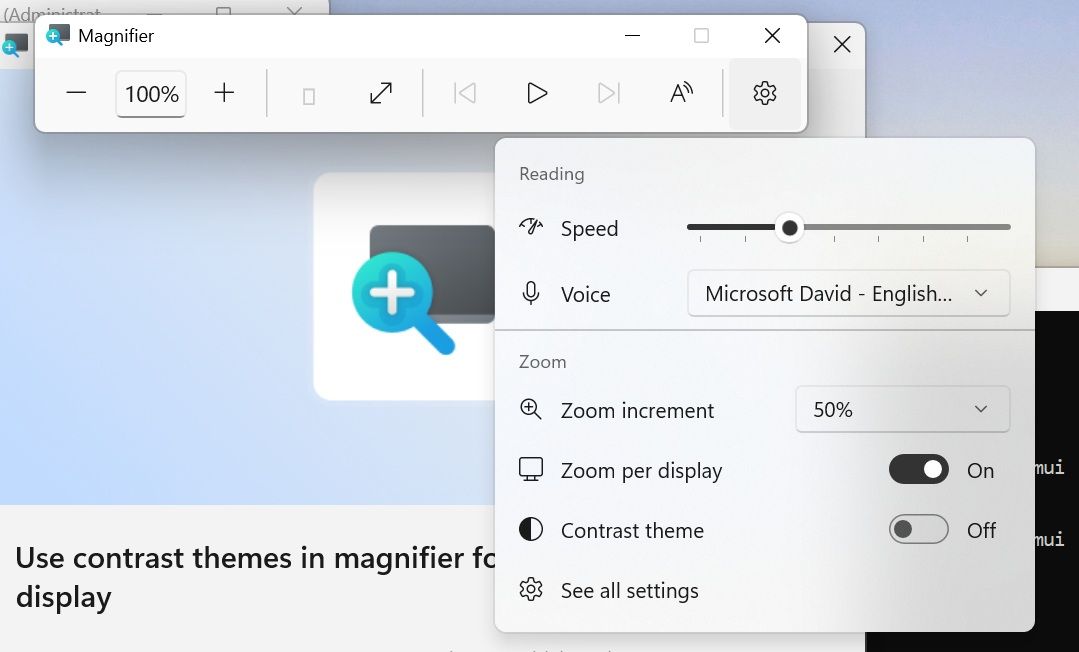
Windows 11 has some big changes on the way to one of its best accessibility features. Magnifier will soon have a contrast theme that improves visibility by reducing glare. At first glance, the feature appears similar to color inversion, but it works differently in several key ways.

Color inversion changes everything on your screen, including photos, videos, and other forms of media. In contrast (pun intended), contrast themes change the colors of an interface without adjusting media.

Four different contrast themes are in testing currently: Aquatic, Desert, Dusk, and Night sky. I think Microsoft could make these themes more accessible by picking more straightforward names. My prediction is that many will be surprised to see "Aquatic" is quite similar to dark mode and is not blue.

The new contrast themes are available for testing to Windows Insiders in the Experimental Channel. Build 26340.9502 is the first to include the themes.

Blank Pixel

The contrast themes are entirely separate from color inversion. You can still invert all the colors on your PC if you'd prefer.

That same update also brings improvements to Live Captions, Cloud Rebuild, and Mouse indicator. Here's everything that's rolling out, as shared by Microsoft.

Build 26340.9502: Changes and improvements

Accessibility - Mouse indicator

  • We're introducing a sleeker new animation for the Mouse indicator. You can enable this animation under Accessibility settings. We've also added the option to keep the indicator activated until you press the Esc key.

Magnifier

  • A new contrast theme toggle for a lower-glare screen. If bright screens are uncomfortable, many people use color inversion to reduce glare. However, inversion changes everything on screen, including photos, charts, and videos. With this update, we're introducing a new contrast theme toggle in Magnifier.
  • Reduce glare with a single toggle. Turn on a contrast theme directly from the Magnifier toolbar for a more comfortable viewing experience.
  • Choose the contrast theme that works best for you. The dark theme is applied by default, and you can choose which contrast theme the toggle uses under Settings > Accessibility > Magnifier.
  • Photos, videos, and charts keep their original colors. Unlike color inversion, the contrast theme recolors the interface without touching your photos, charts, or videos, so they keep their real colors.
  • Color inversion is still here. This isn't a replacement. If you use inversion today, it works exactly as it always has. The contrast theme is a separate, purpose-built option to reduce glare when you want a darker interface without inverting colors.

Cloud rebuild

  • We're updating Cloud rebuild, the recovery option that restores a Windows 11 PC to a clean, known-good state by performing a full OS reinstall, with two additions.
  • Cloud rebuild can now sanitize the device's drives as part of the rebuild. When you start a rebuild in WinRE, choose Remove files if you're keeping the PC, or Remove & sanitize files before recycling, returning, or reassigning it. The sanitize option uses the storage hardware's erase capability to securely erase data before Windows is reinstalled and is irreversible.
  • IT administrators can now configure and start a Cloud rebuild remotely through the Recovery CSP, using either the currently installed build or a target build you specify.

Live Captions

  • We're improving Live Captions with a new Include Screen Reader audio setting, which is off by default. With the setting off, Live Captions won't transcribe audio from screen readers such as Narrator, JAWS, and NVDA, keeping captions focused on microphone and system audio.

Hyper-V

  • Fixed an issue where some applications that used HCS-managed virtual machines experienced issues when sharing host folders with Linux VMs using Plan9. Folders shared from the Windows host using Plan9 didn't appear or couldn't be accessed in the guest environment.

Other

  • Fixed an issue where backing up using File History unexpectedly failed with an error saying, "No usable drives found."

Some of the same changes shipped to Insiders in the Beta Channel recently as well, including the improvements to Live Captions and Hyper-V. The Windows Recovery improvements related to Cloud rebuild are also live in the Experimental (26H1) Channel.

Microsoft revamped how its Insider channels work earlier this year, so we often have several builds roll out at once. We'll highlight the biggest changes here at Windows Central. You can always browse through the full documentation on Microsoft's website to see complete change logs for every single build.

Click to join us on r/WindowsCentral

Join us on Reddit at r/WindowsCentral to share your insights and discuss our latest news, reviews, and more.

Windows Wrap: Microsoft has two weeks to stop its Surface event from being an embarrassment

Windows Central

Microsoft just announced a Windows and Surface event that will be held on October 7, 2026. Based on the invite, the event will focus on "how local AI will shape the next chapter of the PC." That's not exactly a topic that will move the needle for general users.

Microsoft is all-in on AI, billions of dollars down the drain be damned. The tech giant created what may be the "best laptop ever made" to run AI locally. Considering the focus of Microsoft's event, it's safe to assume the Surface Laptop Ultra will be center stage.

Maybe I'm just part of the old guard yearning for the days of unique form factors and hardware innovation, but I just don't think a Surface running NVIDIA's new RTX Spark superchip is enough to lead an event.

The biggest news of the week was the announcement of the event, but I'm not sure that's a good thing. Our readers' reception to the announcement has been largely negative.

Biggest News of the Week

Surface Laptop Ultra
Windows 11 update in Settings app
Close-up of Surface Laptop for Business 8th Edition desktop with pinned applications, including Microsoft Edge, Word, Excel, and Microsoft 365 Copilot.
Outlook Client Hero
Close-up of a Lenovo Yoga Slim 7i Ultra (Gen 11) Aura Edition laptop keyboard showing keys like
OneDrive web albums

"Nothing about this matters. The Laptop has always been my least-favorite computer in the Surface family. The RTX version is just AI-focused internals at a comical price," said Lil Frier. "There's nothing about Surface to be interested in anymore, and Windows 11 is still nothing more than a reason I have stuck with Windows 10."

Another user, aruntopez10, said, "Honestly, I have zero faith in this event. Their events have become so boring and unwatchable ever since Panos left (including even his last event). It's sad how they went from having the BEST and interesting fall tech events to the worst."

Microsoft hasn't given our readers — or anyone else — good reason to expect much from this event. Earlier this year I outlined how Microsoft can save the Surface brand. The company has done very little of what I suggested. And it's not like I have wild ideas that are mine alone. People want Surface to be exciting and to push boundaries, not be iterative updates and boxes for AI.

Disappointment is nothing new to Surface fans. Our Senior Editor Zac Bowden called the 2023 Surface and AI event "a massive blunder and missed opportunity."

Microsoft has genuinely changed course when it comes to Windows 11. The company's Windows K2 initiative is changing some of the most complained about parts of Windows 11. As we saw this week, that process is having some hiccups, but it is a major step in the right direction.

Surface? Not so much. I'd argue things are getting worse, not better. Microsoft just doesn't understand what made Surface special and isn't willing to embrace the family's roots.

Click to join us on r/WindowsCentral

Join us on Reddit at r/WindowsCentral to share your insights and discuss our latest news, reviews, and more.

Hackers Are Using Passkey Updates as a New Microsoft Phishing Hook

18 septembre 2026 à 19:36

Microsoft warns attackers are using passkey and MFA update requests to phish employees, hijack sessions, and access Microsoft 365 data.

The post Hackers Are Using Passkey Updates as a New Microsoft Phishing Hook appeared first on TechRepublic.

Microsoft Teams will soon support two users sharing screens simultaneously

Microsoft Teams currently limits sharing a screen to a single presenter. This can result in some awkward handoffs between presenters or restrict how much content can be shared at once. But those challenges should be a thing of the past because soon, Microsoft Teams will allow two users to share screens at once within a meeting.

A recent post by Reddit user KarthiV discusses the upcoming change to Teams:

"Microsoft is working on a solution: two presenters will be able to share their screens or windows simultaneously in a Teams meeting. Participants will be able to view both shared screens at the same time, making it easier to compare and discuss content without constantly handing the screen back and forth."

The feature is expected to ship in November 2026. When it does roll out, it will be available for Teams desktop and Teams on the web.

The Reddit post focuses largely on handing off between presenters, but I think the ability to leave two shared screens up at once is more interesting. You can already take over sharing in a Teams meeting, which forces one shared screen to go away and be replaced by a new one.

Having two shared screens appear makes it easier to compare content, guide people through tasks, or present side-by-side.

Some questions remain about the new feature, such as how the two shared screens will appear within a meeting. Microsoft will have to optimize that experience for different form factors, since viewing two shared screens at once would be much easier on a large monitor than a smaller laptop screen.

The post only mentions the desktop and web versions of Teams, so it's unclear how the new feature would appear for mobile users.

It's nice to see the addition to Teams because it helps the platform catch up to one of its biggest competitors. Zoom has long allowed multiple users to share screens simultaneously within a meeting.

Blank Pixel

Click to join us on r/WindowsCentral

Join us on Reddit at r/WindowsCentral to share your insights and discuss our latest news, reviews, and more.

Microsoft announces another event in October, and it's not about Surface or Windows 11

Microsoft recently announced a Windows 11 and Surface event for October, but that’s not the only time the tech giant will take the stage next month. Microsoft will host its annual OneDrive + Copilot digital event on October 20, 2026.

The event is free to attend digitally and will be followed by a live Q&A. It will start at 9 AM PT / 12 PM ET. You can register to attend the event on Microsoft's website.

Microsoft highlighted several of the key speakers in its post announcing the event:

  • Jeff Teper, Executive Vice President of Microsoft Apps and Agents
  • Adam Harmetz, Corporate Vice President of Product, OneDrive and SharePoint
  • Arwa Tyebkhan, Head of Product, OneDrive

Blank Pixel

Microsoft also promised that "product leaders, engineers, and experts from across the OneDrive team" will share during the event.

The group of experts will show product demos and discuss real-world use cases for OneDrive and Microsoft 365.

OneDrive is at the center of many AI workflows, linking documents and images to tools like Copilot. Microsoft's teaser for the event focuses on "turning files into outcomes."

This event may appear in fewer headlines than the Windows 11 and Surface event, but I suspect a higher percentage of attendees will enjoy the event than those who watch the Windows 11 and Surface event.

Microsoft set a high bar for its Surface events for years, often introducing revolutionary hardware or major updates to fan-favorite devices. This year's Windows 11 and Surface event will likely focus more on using AI locally on devices like the Surface Laptop Ultra. We've already seen that device and even gone hands-on with it, so there isn't much mystery surrounding it.

Microsoft could always surprise us, of course, but the last few Surface or Windows 11 events have been rather tame. I don't expect the OneDrive and Copilot event to break any major news, but people will likely go into it with grounded expectations.

Click to join us on r/WindowsCentral

Join us on Reddit at r/WindowsCentral to share your insights and discuss our latest news, reviews, and more.
"Data centres have become integral to our lives" — Microsoft plans to push ahead with data center despite protests

Microsoft appears keen to go ahead with plans to build a data center in Slough, England. Plans could be submitted as soon as this autumn, according to The Slough Express.

Recently, a consultation was held to receive feedback from local residents about the data center. In that process, Microsoft said: "Data centres have become integral to our lives, with social media, contactless payments and remote working all reliant on the functionality they provide."

The tech giant added, "The UK needs more new data centres to power the economy of the future."

The consultation covered several topics related to the proposed data center, including on-site parking and if the building of the data center would affect local traffic.

Councillor Chandra Muvvala discussed the impacts of data centeres with the Local Democracy Reporting Service (LDRS). "Not having a data centre is not a problem, but having a data centre is certainly a problem," said Muvvala.

The councillor also noted things Microsoft could do to help the community, such as planting trees or improving local parks.

A petition to pause the data center project has over 600 signatures at the moment. Petitioners want an independent assessment to be completed to determine the impacts of the project.

Blank Pixel

Controversial data centers

The proposed data center in Slough is not alone in drawing criticism. Microsoft has also faced pushback about its planned data center in Leeds, England.

That project has been controversial since its inception. Over 43,000 people signed a petition to prevent the construction of the data center. Hundreds of protesters appeared at the site earlier this week, according to The Yorkshire Evening Post.

The complaints about the project in Leeds are similar to those from people in Slough. Residents in both areas have expressed concerns about the environmental impact of the data centers and raised flags about potentially high noise levels and other ways the data centers could harm their respective surrounding areas.

Microsoft has already received the go-ahead to build the data center from the Leeds City Council, which voted unanimously to approve the project. But the final decision on the project will come from Chief Planning Officer Martin Elliot.

Click to join us on r/WindowsCentral

Join us on Reddit at r/WindowsCentral to share your insights and discuss our latest news, reviews, and more.
❌