❌

Vue normale

I tested ASUS' Googlebook 14: So, how does it feel to a lifelong Windows user?

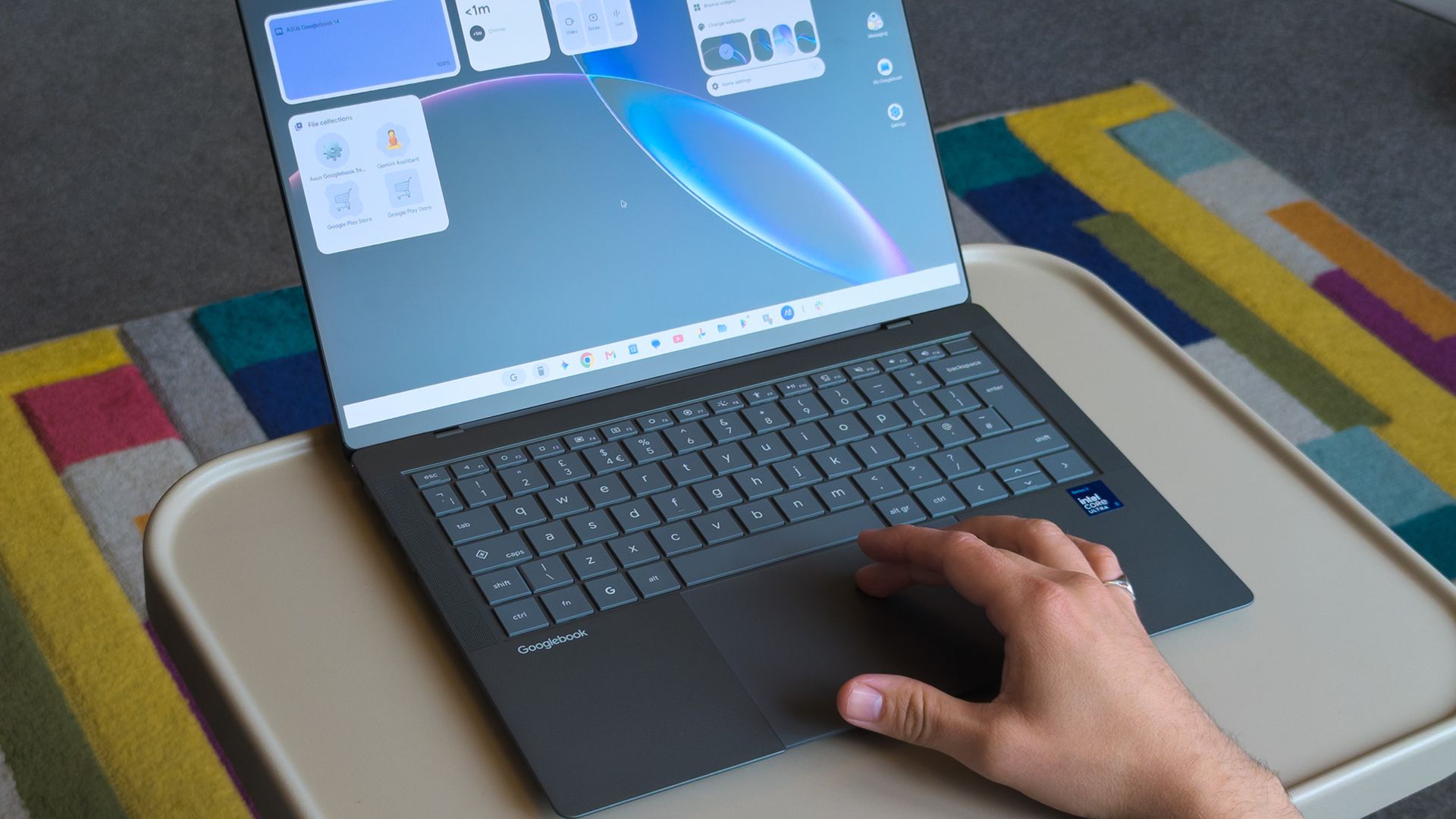
In September this year, Google announced its 'Googlebooks' as a premium laptop counterpart to its budget-conscious Chromebooks, rather than a replacement. It wouldn't have made much of a blip on my radar if the company hadn't paired with some of my favorite OEMs to build them.

Indeed, Google isn't building any first-party devices. Unlike Chromebook, these new Android-based offerings come only from OEMs like Acer, ASUS, Dell, HP, and Lenovo. 14-inch Windows laptops have quickly become my favorite, with ASUS' Zenbook in the lead, so the $1,299 ASUS Googlebook 14 is intriguing.

I think it's a great opportunity to steal consumer windows marketshare from MS, not enterprise.

Gibbens, Windows Central Community

Admittedly, that mild intrigue is tempered by skepticism, given the ongoing controversy over app compatibility for the average consumer. I still see people blasting Windows on ARM devices as an inferior experience, despite Qualcomm's efforts with Snapdragon X2 chips proving that to be largely false.

With that in mind, could I ever seriously expect the general public to adopt another operating system with fewer features than Windows, less customization than Linux, and some pricing sensibilities of Mac? Offered a chance to test-drive a sample from ASUS, I couldn't resist. Here's how it went.

ASUS Googlebook 14: What I like

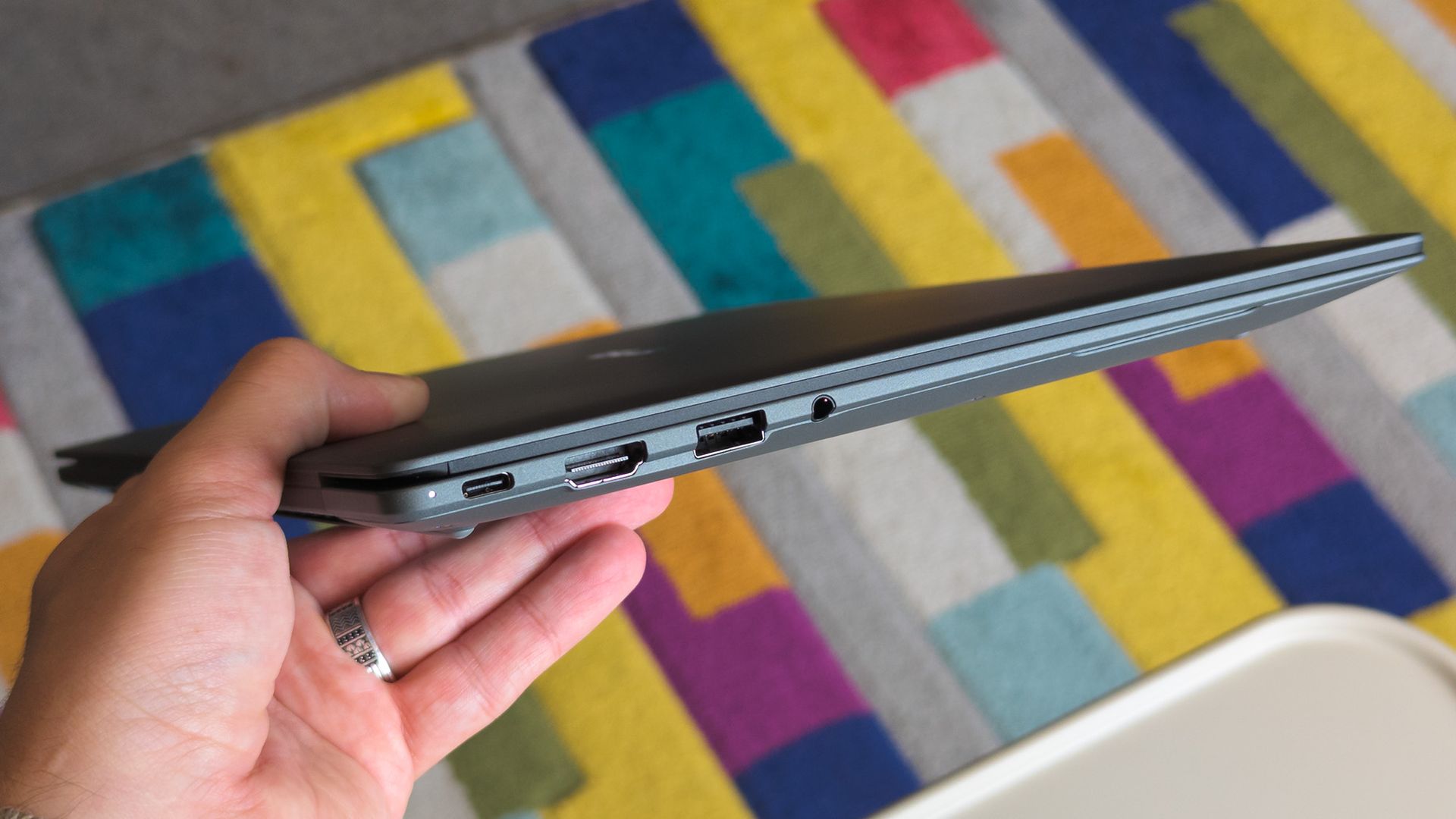
ASUS Googlebook 14 held in hand showing side ports

Lightweight 14-inch laptops are my absolute favorite, but I'll always prefer Windows. (Image credit: Ben Wilson | Windows Central)

The ASUS Googlebook 14 looks (and feels) great, which didn't surprise me, given how much I've enjoyed the company's recent design evolutions. Its chassis is coated in a magnesium-aluminum alloy, which explicitly avoids being labeled as the same Ceraluminum as its Zenbooks, but it's extremely similar.

Perhaps most impressive is its weight; ASUS claims the Googlebook 14 starts at 0.99 kg (2.18 lbs), but my scales place it closer to 0.97 kg (2.13 lbs). I'm a big fan of this emerging trend, having adored the Zenbook A14 at 2.18 lbs. Yes, it comes with extra screen flex, but I don't make a habit of bending my laptops.

ASUS claims the Googlebook 14 starts at 0.99 kg (2.18 lbs), but my scales place it closer to 0.97 kg (2.13 lbs)

OLED displays rarely disappoint either, and sure enough, this 16:10 panel also looks great. I'm still getting used to matte screens, and frankly, I almost want to avoid touching it to prevent fingerprints. Nevertheless, it's rated for up to 450 nits of brightness and 100% DCI-P3 color gamut coverage. Good for creators.

Finally, the chiclet keyboard has a 1.5mm key travel, which is relatively deep and feels good enough. The 6-inch haptic touchpad, however, is immediately fantastic. Left-clicking works anywhere, and it responds convincingly when pressed. I'll even commend the I/O for keeping USB-A ports around.

ASUS Googlebook 14: What I don't like

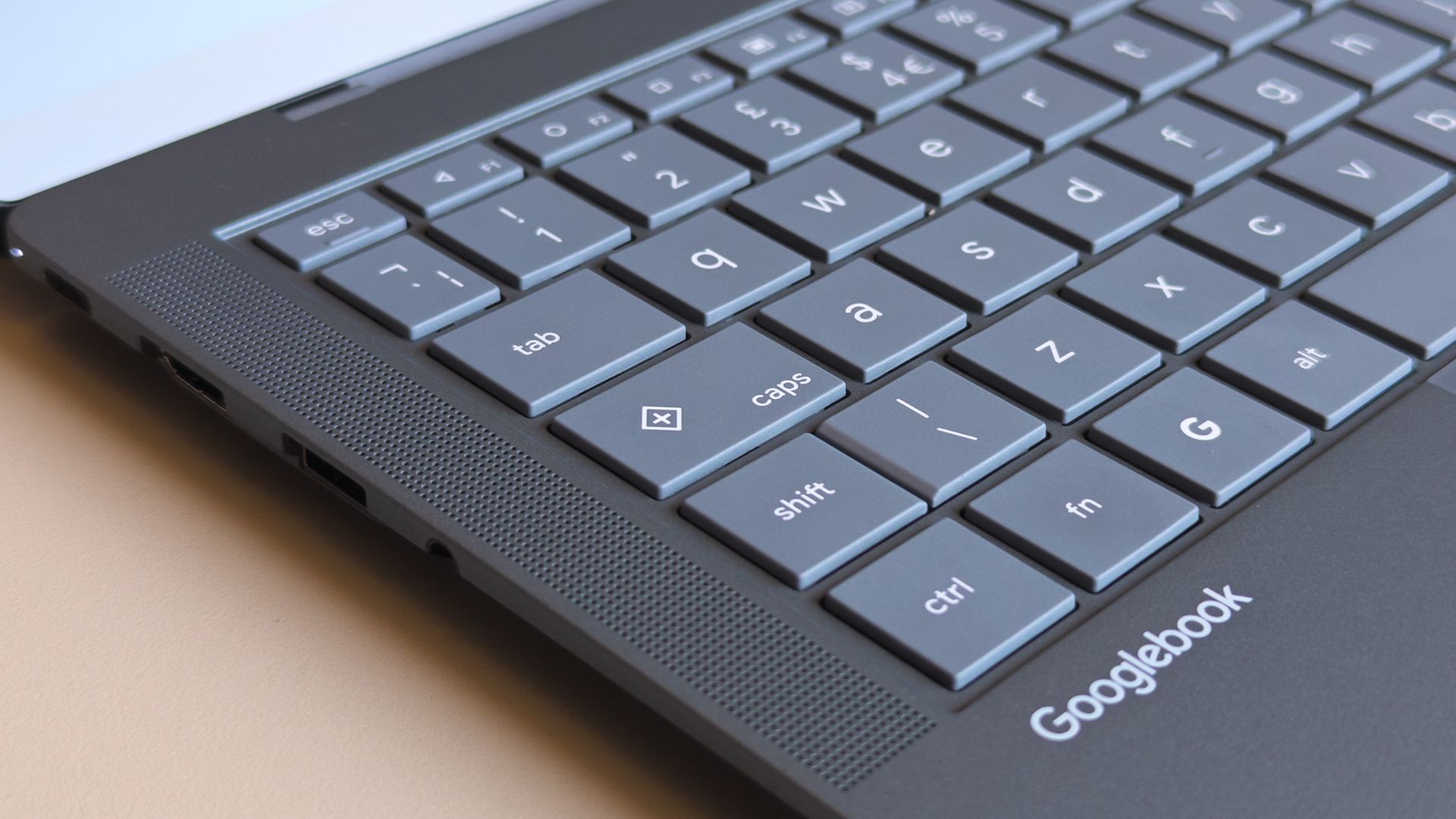
ASUS Googlebook 14 keyboard close up showing caps key with plus symbol

Caps Lock doesn't work without the Fn key, opening a quick context menu if pressed by itself. (Image credit: Ben Wilson | Windows Central)

Before I had a chance to experience much of Googlebook OS (which can refer to itself as ChromeOS during setup), I was irked by a few user experience oddities. Granted, these are primarily related to my expectations as a Windows user, but when I pressed the Caps Lock button, I expected capital letters.

Instead, Caps Lock defaults to activating a context menu indicated by a plus (+) icon, a sort of one-size-fits-all window that resembles Microsoft's 'Emoji and more' picker. Pressing Fn + Caps Lock delivers what I really wanted, which should be no big deal, just a learning curve. But it keeps going.

Even with increased hardware prices you can just buy a full Windows laptop or a MacBook Air for that much. Only a fool would buy one of these.

Fozzy_Bear, Windows Central Community

There's no delete key, so I need Fn + Backspace for that, which I wouldn't mind if double-tapping the touchpad would drag to select multiple words, but it doesn't work that way; I can only double-tap one word at a time. I suppose I might get used to that, too. Shift + arrow keys still select full lines, after all.

Some aren't as drastic; a single haptic click at the top of an app with maintained contact allows me to drag it around, while double-tapping restores or maximizes as I'd expect. On the other hand, there's no right-click area by default, instead requiring a two-finger tap unless I toggle that touchpad tweak in Settings.

Finding apps that work best on a laptop screen is made easier with Google's app ratings.Google | Windows Central
Slack in the Google Play Store on an ASUS Googlebook 14
Unfortunately, some apps fall back on their web versions, keeping you in the browser.Google | Windows Central
Googlebook OS Files app with AI prompt on ASUS Googlebook 14
Expect to see an AI consent prompt when you open almost every app or feature for the first time.Google | Windows Central

Again, most of these gripes can be so easily dismissed as nothingburger preferences carried over from decades of habits formed on Windows, which is fair, but trying to carry out my daily workflow on the ASUS Googlebook 14 soon had me wondering how much broad appeal this platform will have.

Like an Android smartphone, Google supplies your apps from the Play Store. Starting with Slack shows how a Googlebook handles compatibility by dividing apps into categories ranked from best to worst: Made for desktop, Optimized for desktop, Compatible with desktop, Better on the website, and Built for mobile.

Chrome OS was already able to run android apps; it just looks like they have decided to build it on top of android instead of chrome and its only on premium apps.

Tony Holness, Windows Central Community

Slack feels like an unlucky starting place for my Googlebook adventure since it lands in the 'Better on the website' category, made worse by a message that says, "This app cannot be installed" as a PWA (Progressive Web App). Installing it anyway is, indeed, a lesser experience than using it in Chrome.

Opening the 'Compatible with desktop' Microsoft Edge brings the entire Googlebook to a strange halt, preventing even Task Manager from opening until I restart, and my chosen video editing suite, DaVinci Resolve, isn't available at all. I know it's in its infancy, but Google's OS isn't thrilling me so far.

ASUS Googlebook 14: What happens next?

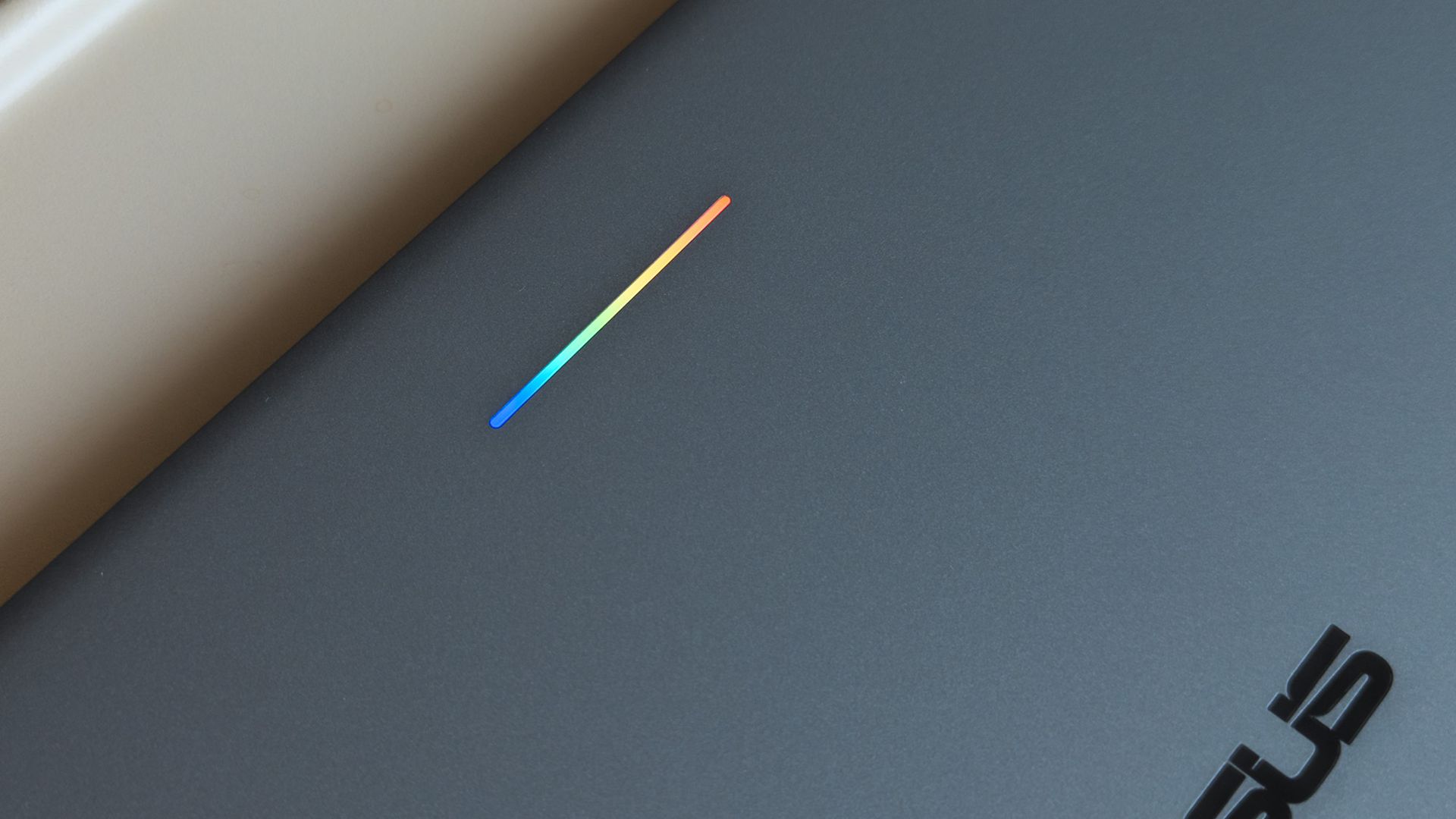
ASUS Googlebook 14 glowbar with rainbow lighting seen on lid

A small 'Glowbar' on Googlebook lids illuminates with RGB colors, but you'll almost never see it. (Image credit: Ben Wilson | Windows Central)

All of these impressions came in the first 24 hours of having my hands on this interesting, AI-centric laptop, and there's more to see. Gemini begs me to use it at every turn, but my next step is syncing my Pixel 7 Pro or Galaxy Z Flip 7 to see how features like 'Cast my apps' actually perform.

I'm not writing it off yet, but my first impressions aren't exactly stellar. Even the RGB Glowbar gimmick offers little more than battery-life visibility; almost as frivolous as the illuminated "look what I have" logos on gaming laptop lids. On the software side, OS updates will likely fix many of my complaints.

Still, I won't ignore the outspoken Windows users who have pushed back on Copilot AI integrations in Microsoft's leading OS for the past few years, and I can only wonder who would adopt something fundamentally the same, except built by Google. Are Googlebooks perhaps only appealing to developers?

Either way, I'm impressed with ASUS but unconvinced by Googlebook. The hardware is fantastic, but it comes from the same people who built the Zenbook, so that's hardly a revelation. I'll keep using Googlebook OS for a few more days and see how it feels once the launch hype dies down.

Click to join us on r/WindowsCentral

Join us on Reddit at r/WindowsCentral to share your insights and discuss our latest news, reviews, and more.
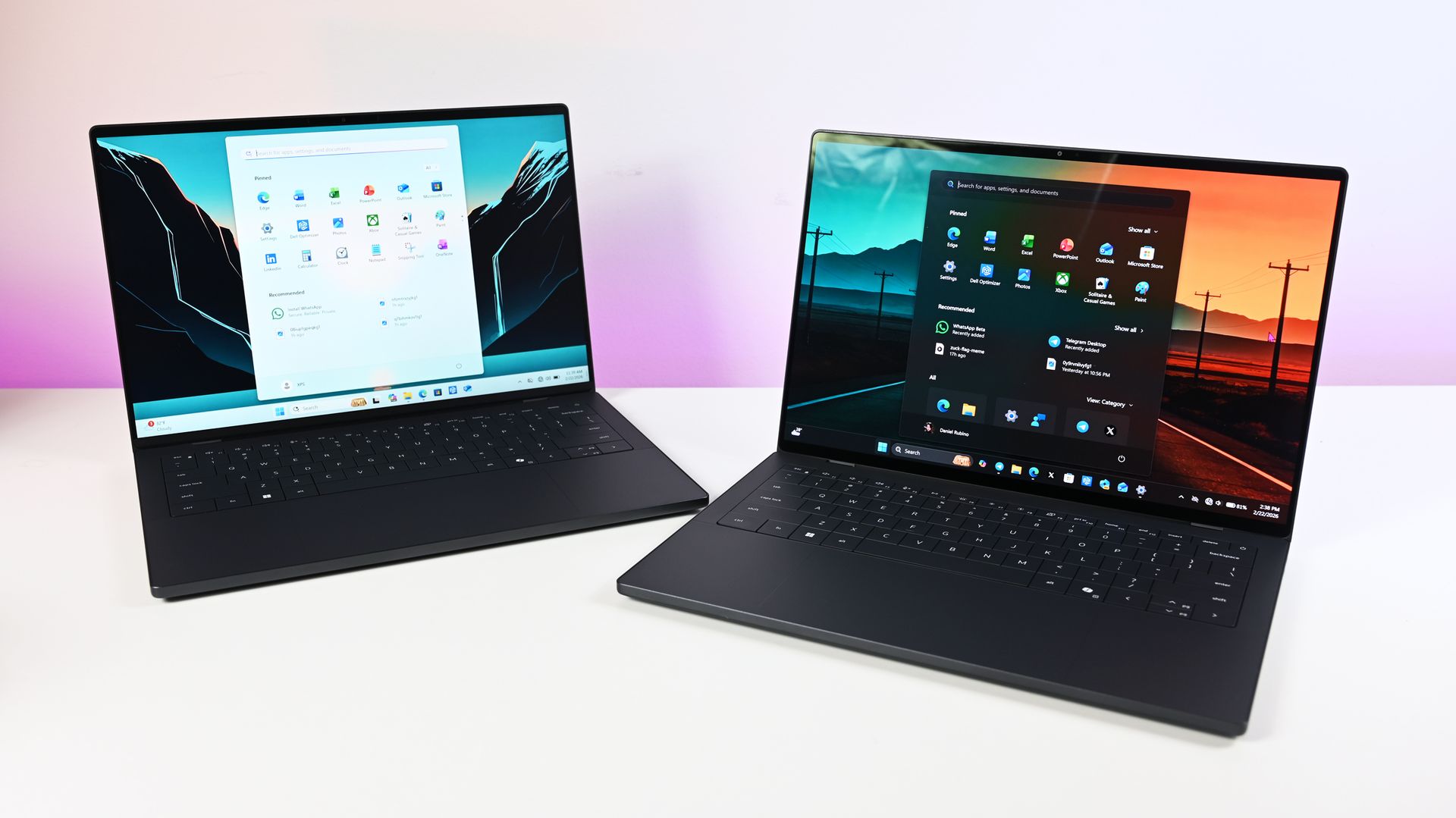
HelixSR mod brings NVIDIA's DLSS 3.7 to AMD-based gaming handhelds

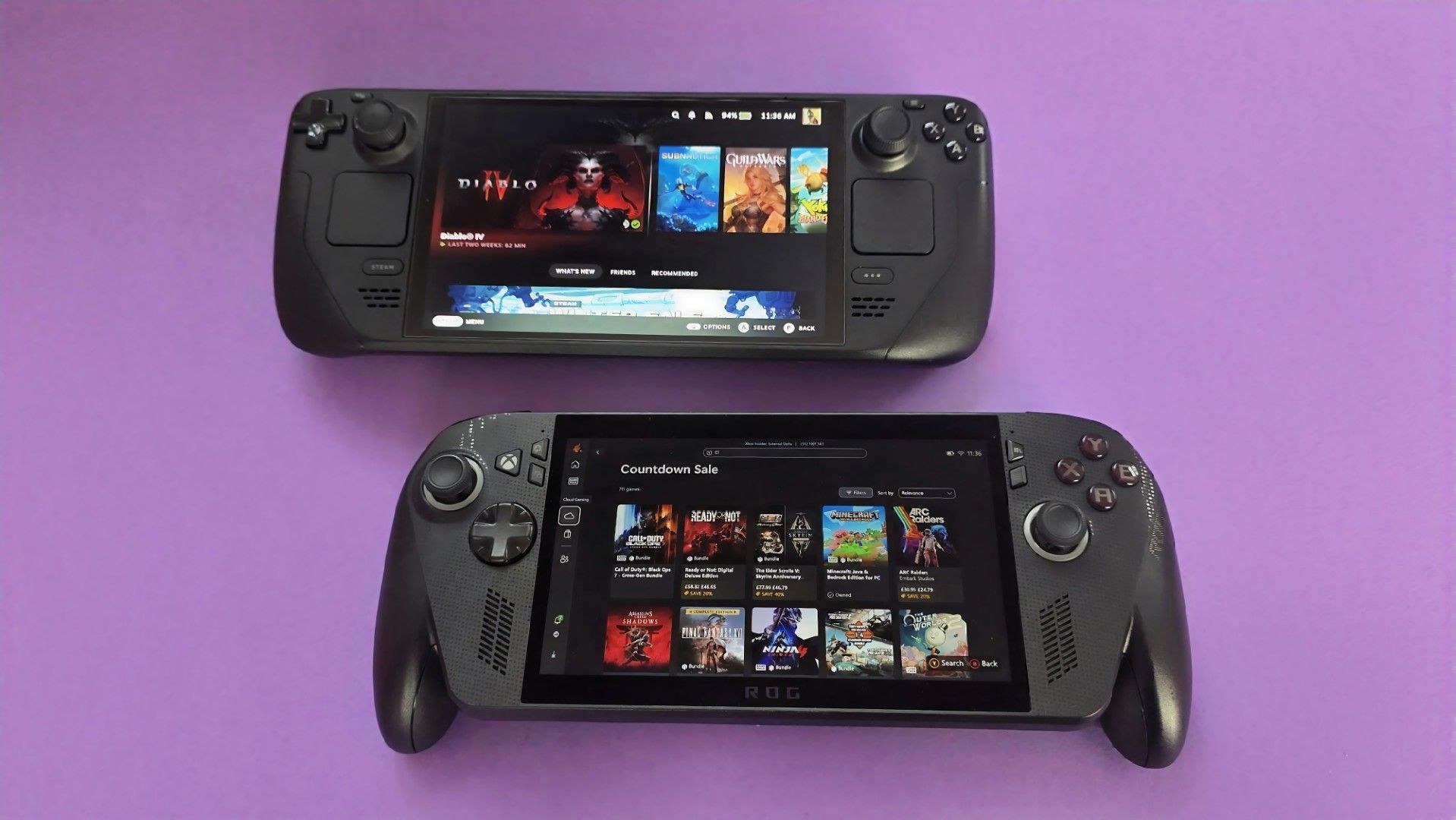
Recently, it was revealed that fans can expect FSR4 on the likes of the Xbox Ally X, something my colleague Jez Corden covered. But now, thanks to god-knows-what-kind-of wizardry, a new mod developed by lonewolf0622 has managed to get Nvidia’s own DLSS 3.7 working on AMD’s hardware, including the ROG Ally X and Steam Deck.

For those unfamiliar with what DLSS and FSR do, they basically let hardware render games at lower resolutions to improve performance, then upscale that image without tanking visual quality. Think of it as a game rendering at 720p and upscaling to 1080p for a much sharper image.

The mod, called HelixSR, is quite clever in how it achieves this. Rather than requiring NVIDIA hardware, it effectively tricks the hardware in believing it's AMD's FSR 3.1, allowing games to use DLSS's image reconstruction instead.

In testing from various creators, we actually know whether the mod is good or not. And early testing says, yes, it is. Over on ResetEra, users have been comparing HelixSR against FSR 4. One test showed that upscaling at 1080p took around 7 milliseconds with HelixSR, compared to 11 milliseconds using FSR 4.

It's not an insignificant difference, particularly for handhelds where performance is already rather limited. Of course, there's more to upscaling than raw performance, and whether the resulting image looks better is up for debate.

YouTuber BlackHeart909 has also been experimenting with the mod, reportedly achieving between 35 and 40 FPS in CONTROL Resonant on the ROG Ally X at 1080p. Dropping the output to 720p apparently allowed the game to maintain a locked 60 FPS, which is rather impressive.

There are some catches, though. HelixSR currently only works with DirectX 12 games, and those without FSR 3.1 support need an additional tool called OptiScaler.

Still, I find this whole thing fascinating. NVIDIA has spent years making DLSS a major selling point for its graphics cards, and now we're seeing people bring the technology to AMD-powered handhelds, which is just something I never thought we'd see.

Do let me know your thoughts on this in the comments. Shoutout to wccftech for originally reporting on this; it’s a great mod and hopefully can be more refined in the future.

Click to join us on r/WindowsCentral

Join us on Reddit at r/WindowsCentral to share your insights and discuss our latest news, reviews, and more.
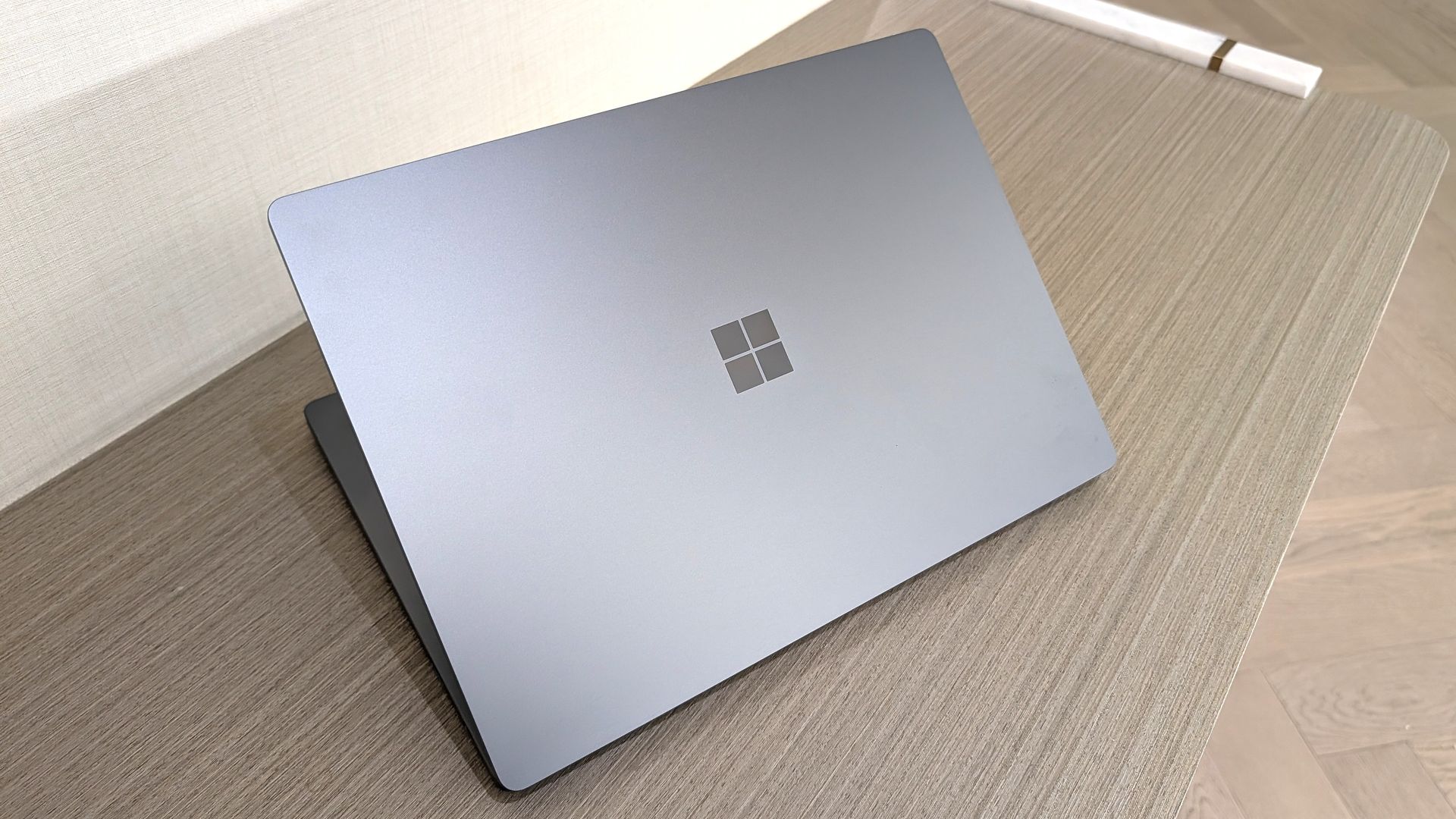
Global PC shipments fell by about 20% in Q3 2026

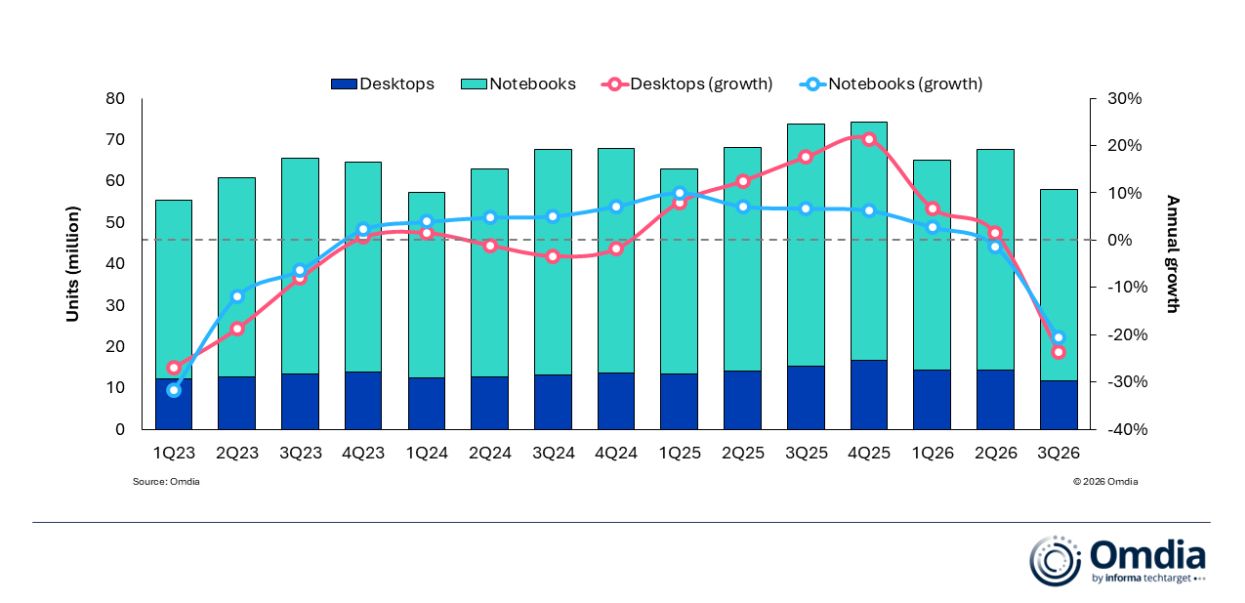
IDC and Omdia, two major analyst firms, recently released independent reports showing massive year-over-year drops in global PC shipments in Q3 2026. IDC shows a slightly rosier 20.1% decline compared to Q3 2025, whereas Omdia reports a 21.2% decline.

Breaking that down, Omdia notes that desktop shipments dropped 23.5% and laptops 20.6% to arrive at the average.

This decline is not normal. As IDC notes, Q3 almost always beats Q2, but this year, it's dropped by 9.1% sequentially.

Is there a need to panic? Probably not, at least not more than the new normal, as RAM and storage shortages have pushed prices beyond what many users are willing to pay. Let me explain.

Why did global PC shipments fall off a cliff in Q3 2026?

Omdia chart compares desktop and notebook shipments with annual growth by quarter from 1Q23 to 3Q26; notebook bars dominate, while growth lines peak in 4Q25 then fall.

Omdia's chart shows a more detailed breakdown of the year-over-year PC shipment decline in Q3 2026. (Image credit: Omdia)

Both analysts agree that the sharp drop in global PC shipments is due to vendors and supply channels buying up stock earlier in the year. IDC's Jitesh Ubrani says it's the result of "strong first half pull-in" which has "thrown off the usual seasonality".

Despite the RAM and storage crisis already digging its claws into the market in Q1 2026, global PC shipments actually rose by 3.2% on the back of panic buyers, Windows 10 upgraders, and advance vendor stockpiling.

It wasn't until Q2 2026 that global shipments finally dropped year-over-year, this time by 4%. Again, much of the PC market was kept afloat by vendors and supply channels padding out their inventories before prices went any higher.

That momentum has finally tailed off in a major way. Ubrani remarks:

Channels are now worried about carrying too much inventory into a market where high prices are suppressing demand. That could translate into promotions and some short-term relief for consumers, but we don’t expect pricing anywhere near what it was a year ago.

Jitesh Ubrani for IDC

Omdia's Research Director Ishan Dutt agrees, noting that "pull-forward activity buoyed the PC market in the first half of the year" and that the sharp drop in Q3 2026 "comes as no surprise."

Which PC brand got hit the hardest in Q3 2026?

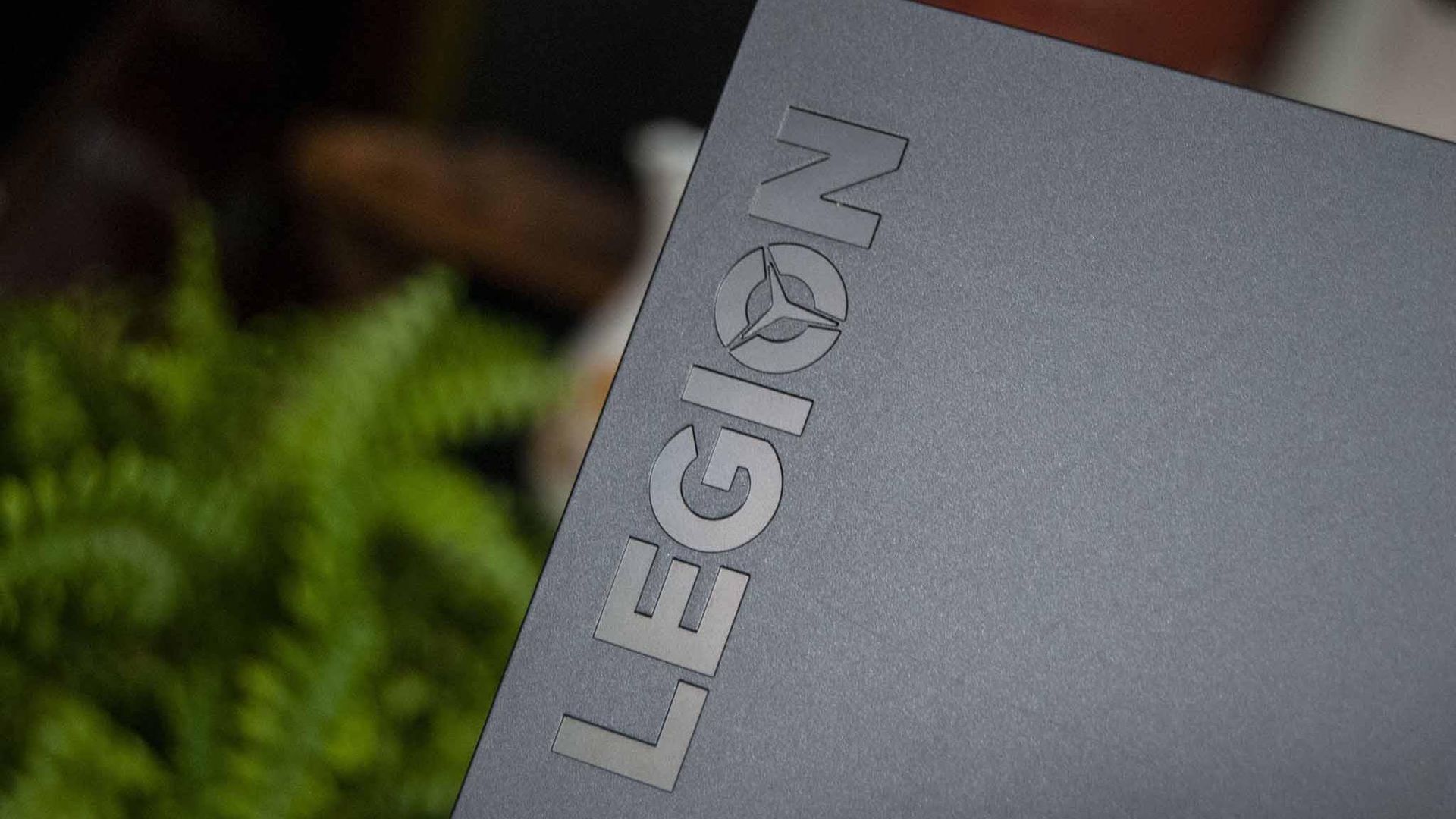
Lenovo Legion 5i 15

Lenovo is one of the PC brands that got hit hardest in Q3 2026. (Image credit: Windows Central)

Omdia and IDC both provide detailed numbers as to how many shipments each major PC brand was able to send out in Q3 2026.

According to IDC, HP saw the biggest year-over-year decline at 30.9%, with Lenovo coming in second at a 22.6% decline. Omdia's numbers put HP at -31% and Lenovo at -22.9%, so not much difference.

Moving down IDC's list, Dell was hit by a 25% decline, ASUS by 8.6%, and other brands together by 14%. Despite Apple growing strongly in Q2 2026 thanks to the launch of its MacBook Neo, it also dropped off by 11.3% in Q3.

What does the drop in global PC shipments mean for regular buyers?

Windows Central Senior Editor Ben Wilson holding two laptops in an electronics store, looking puzzled.

It's not easy shopping for a new laptop in 2026. (Image credit: Getty / Ben Wilson | Windows Central)

Basically, this sharp drop in shipments doesn't mean that you should suddenly see a return to more regular prices.

Vendors and suppliers had to buy their PCs in the first half of 2026 at a much higher price than usual, and they're not likely keen on losing money as they get rid of stock in Q4.

RAM and storage costs have not improved, and IDC's Ubrani notes that "with macro conditions worsening, the risk is that the outlook for the next few quarters gets worse before it gets better."

Offering buying advice here sort of feels futile. On one hand, yes, some vendors might realize they need to offload stock and will offer some tasty discounts that bring prices back into the realm of reality. Unfortunately, I can't guarantee that will happen any time in the near future.

On the other hand, laptops might be at their most affordable right now, and waiting for a great deal will only end up making you pay more later this year or next year. It's a frustrating predicament, to be sure.

It will be interesting to see what Q4 2026 has in store for the global PC market.

Click to join us on r/WindowsCentral

Join us on Reddit at r/WindowsCentral to share your insights and discuss our latest news, reviews, and more.
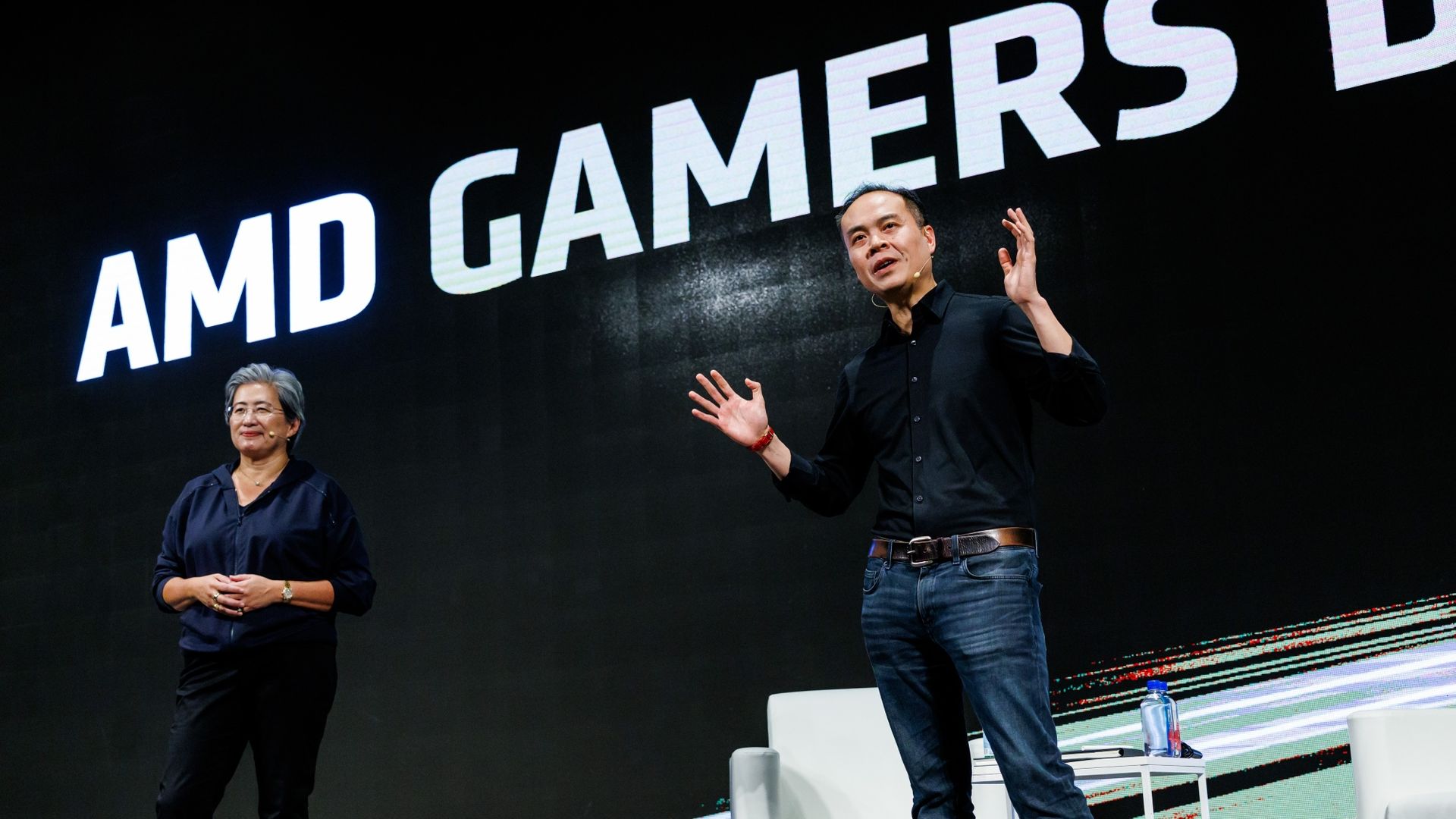
Microsoft offers MacBook owners up to $1,000 to ditch Apple for a Surface Laptop Ultra

Microsoft's new Surface Laptop Ultra is here. Preorders are live and shipments start next week. The PC packs an RTX Spark processor and has a mini-LED display and a nice range of ports, including the special magnetic USB-C port.

Surprisingly, the Surface Laptop Ultra has the lowest starting price of all the RTX Spark laptops. But Microsoft is pushing to compete with more than just Windows laptops. The tech giant will give you up to $1,000 cash back when you trade in a MacBook Pro and buy a Surface Laptop Ultra.

The cash back you receive would be on top of the trade-in value, not in place of it. Rather than the funds being dispensed at checkout, Microsoft will pay the cash back after receiving and evaluating your device.

"A promotional offer is extra value added to your trade-in when your device and purchase qualify," says Microsoft. "For example, you may receive a promotional bonus in addition to your device's standard trade-in value. The total amount is paid after your device is received and evaluated, not applied at checkout."


Built around the NVIDIA RTX Spark platform with an N1X CPU, RTX GPU, and up to 128GB of unified memory, the Surface Laptop Ultra hits new performance heights for power users. It's all contained in a gorgeous chassis with a mini-LED display and tons of ports. Prices start at $2,599.99, and units will begin shipping on October 16, 2026.

👉 Preorder at BestBuy.com

👉 Preorder at Microsoft.com

Microsoft Surface Laptop Ultra trade-in promotion offering up to $1,000 cash back for MacBook Pro owners.

(Image credit: Microsoft)

If you stack trade-in value with cash back, you can effectively save thousands of dollars on a Surface Laptop Ultra. Of course, that would require you to have a MacBook Pro in excellent condition that has incredibly high specs, all while wanting a Surface instead. I'm not sure how many people will check all those boxes.

Perhaps the bigger news here is that Microsoft specifically made a cash back offer targeting MacBook Pro owners. That's a clear shot at Apple and a sign that Microsoft wants to compete with what are often considered the best laptops on the market.

As you'd expect, the value of your device trade-in depends greatly on the model you're trading in and the condition that device is in. The highest trade-in value I was able to get through Microsoft's website was $2,115 for a MacBook Pro 16-inch (2025) with 128GB of RAM and 4TB of storage.

Interest in the Surface Laptop Ultra has been strong from our readers. It will be interesting to see if that sentiment is widespread and translates to sales.

Click to join us on r/WindowsCentral

Join us on Reddit at r/WindowsCentral to share your insights and discuss our latest news, reviews, and more.
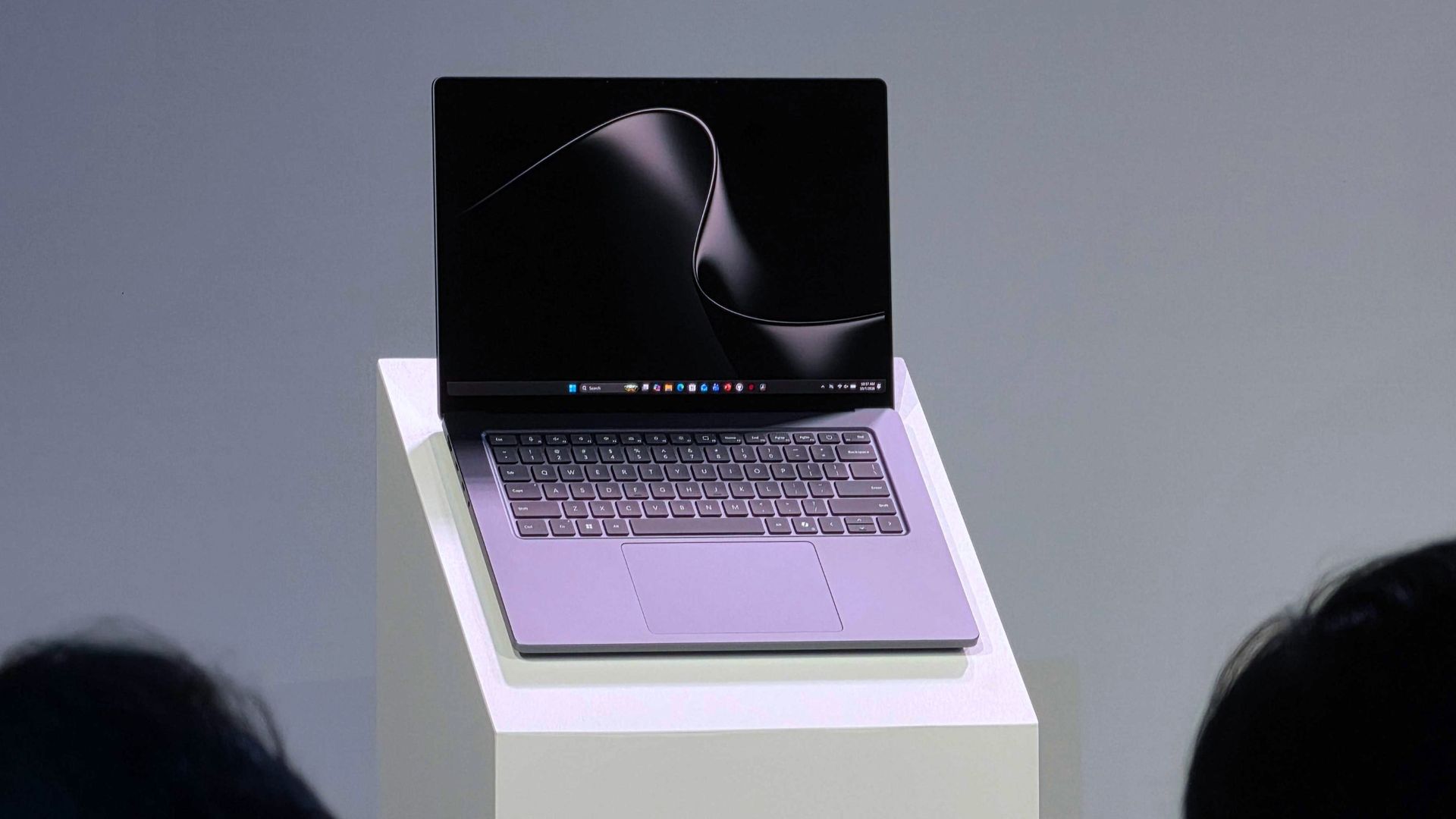
AMD says it's bringing FSR 4 to gaming handhelds before 2027

AMD's Senior VP and GM of Computing and Graphics, Jack Huynh, recently revealed to Korean tech outlet TheElec that the company intends to launch FidelityFX Super Resolution 4 (aka FSR 4) on more than just its Radeon RX 9000 and RX 7000 discrete graphics cards before 2027.

Huynh notes that the FSR 4 saturation will not only cover new APU hardware, but also existing APUs, gaming handhelds, and gaming laptops.

We will expand the machine learning and AI-based FSR 4 technology, which was preemptively introduced in existing external graphics cards, to the entire product lineup by the end of this year, including APUs, gaming laptops, and handheld devices. We plan to respond in two directions: existing APUs and launching new product lines."

Jack Huynh, AMD Senior VP and GM of Computing and Graphics (Translated from TheElec)

For us here at Windows Central, this is big news. Many of our favorite gaming handhelds, including the ROG Xbox Ally X and Legion Go, use an AMD Ryzen APU, which, to this point (and until AMD flips the switch), has only had official access to FSR 3.

I say official, because savvy enthusiasts have actually been able to get a leaked version of FSR 4 running on hardware suitable only for FSR 3 and 3.5, like the APUs used in gaming handhelds.

This hack delivered the change from FSR 3's manually tuned upscaling to FSR 4's machine learning approach, but it didn't come without some performance drawbacks.

According to Huynh, the secret to bringing FSR 4 to such a wide range of AMD GPUs is a new custom model.

We have newly developed a dedicated model of FSR 4 that is lightweight and tailored for APU environments. We are focusing on delivering excellent game graphics and low latency.

Jack Huynh, AMD Senior VP and GM of Computing and Graphics (Translated from TheElec)

AMD teased this advancement earlier this year when it unveiled FSR 4.1 for its Radeon RX 7000 GPUs, saying it needed more time to develop the lightweight alternative. About four months later, we now have confirmation that it's arriving before 2026 is through.

Is this what AMD needs to compete with Intel?

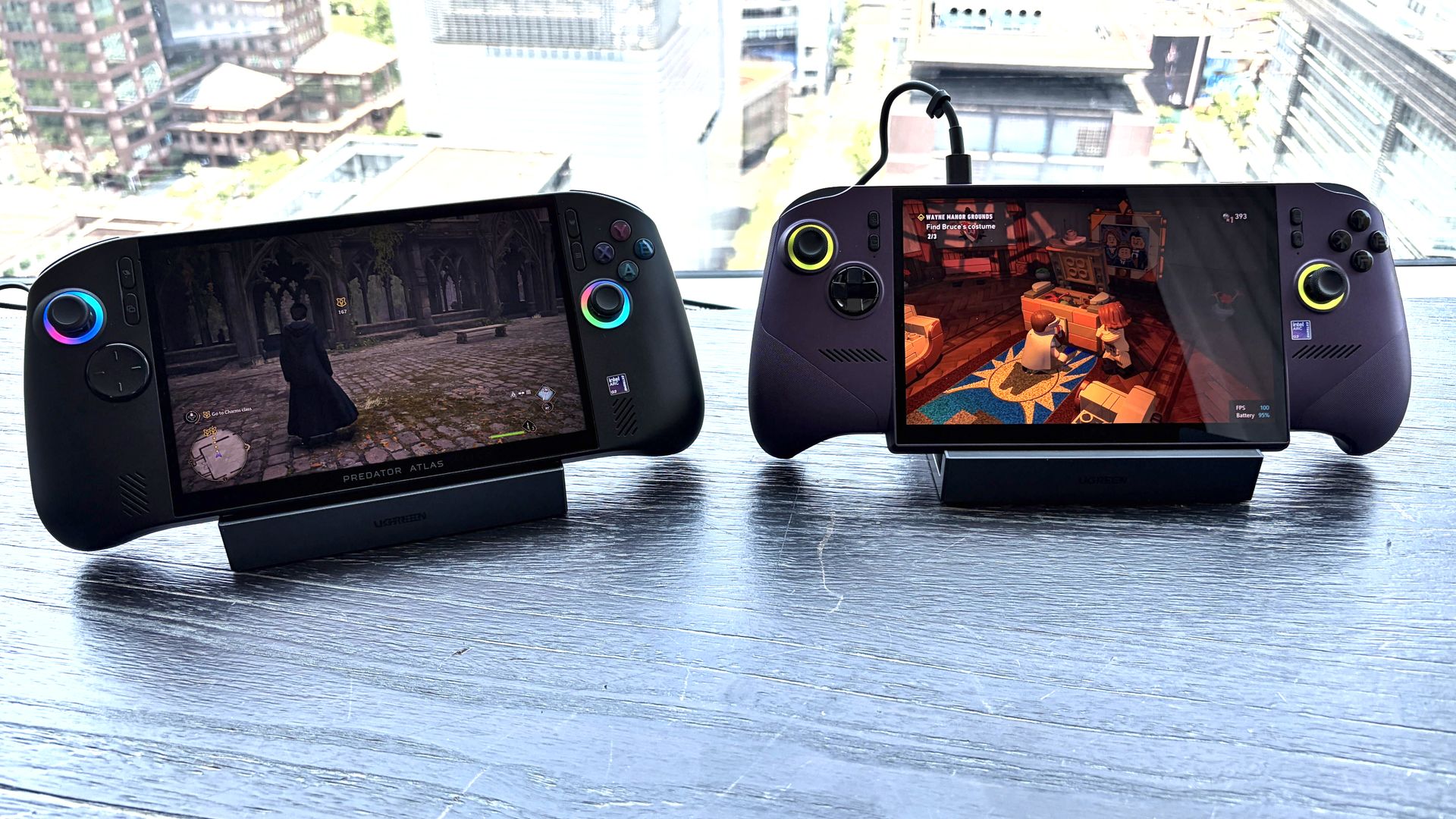
Two handheld gaming devices (Acer Predator Atlas 8 and MSI Claw 8 EX AI+) on a table, showing different video games with a cityscape in the background.

The Acer Predator Atlas 8 and MSI Claw 8 EX AI+ at Computex 2026. (Image credit: Future)

When I attended Computex this year, I had a chance to test out new gaming handhelds featuring Intel G3 and G3 Extreme chipsets.

The MSI Claw 8 EX AI+, the Acer Predator Atlas 8, and the OneXPlayer 3 were all available, and I was blown away by their performance and efficiency.

👉 "The upgrade I've been waiting for": Intel's new Arc G-Series gaming handheld chips are taking the fight straight to AMD Ryzen

My first thought, as I was enjoying some smooth gameplay on MSI's handheld, was that AMD had better cook something up quickly to compete with Intel.

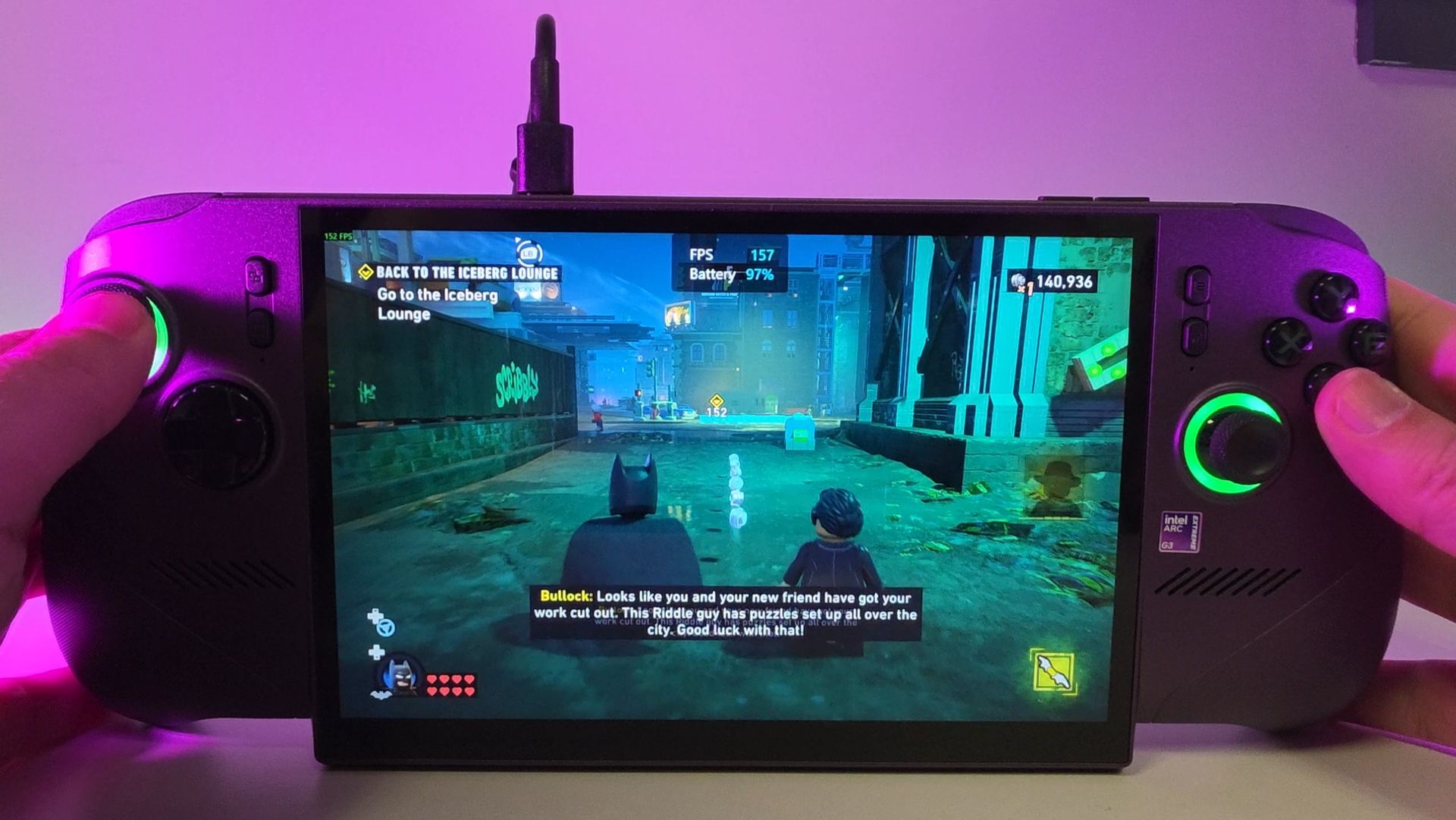
LEGO Batman running on the MSI Claw 8 EX AI+ with Intel XeSS enabled, resulting in 157 FPS thanks to frame-gen.

My Steam Deck can barely run LEGO Batman, but it's no trouble hitting 155+ FPS with the Intel-powered MSI Claw 8 EX AI+. (Image credit: Daniel Rubino)

Intel's package is all about superb performance with XeSS 3 multi-frame generation and low latency, with Team Blue claiming roughly 42% better performance than AMD's Ryzen Z2 Extreme at 35W.

If you've also had a chance to try out this latest wave of Intel handhelds, you know exactly what I'm getting at.

Part of the problem with AMD's existing handhelds is that they don't have access to machine learning upscaling, and the gap between FSR 3's hand-tuned abilities and FSR 4's AI-based approach is noticeable.

That will change whenever AMD actually drops FSR 4 down to its existing APUs. The real upshot here is that countless handheld gamers are going to suddenly get a boost without paying anything extra.

With Intel's G3/G3 Extreme handhelds generally costing significantly more than AMD alternatives, this should also help keep Ryzen-powered devices in the mix.

The bottom line here is that it's great to see AMD catching up to its competition, no matter how late it arrives. And I'll be keeping my eye on whatever next-gen APUs AMD is working on next.

Click to join us on r/WindowsCentral

Join us on Reddit at r/WindowsCentral to share your insights and discuss our latest news, reviews, and more.
  • ✇Windows Central - News, Forums, Reviews, Help for Windows 10 and all things Microsoft.
  • Surface Laptop Ultra
    Microsoft's Surface Laptop Ultra is part of a new wave of Windows laptops running on NVIDIA's RTX Spark platform. It was first revealed at Computex 2026, and Microsoft followed up with pricing, release date, and more feature details at a special event on October 7, 2026. Prices are confirmed to start at $2,599.99, and models are expected to begin shipping on October 16.The Surface Laptop Ultra is the most powerful Surface device yet thanks to its ARM-based NVIDIA
     

Surface Laptop Ultra

Microsoft's Surface Laptop Ultra is part of a new wave of Windows laptops running on NVIDIA's RTX Spark platform. It was first revealed at Computex 2026, and Microsoft followed up with pricing, release date, and more feature details at a special event on October 7, 2026. Prices are confirmed to start at $2,599.99, and models are expected to begin shipping on October 16.

The Surface Laptop Ultra is the most powerful Surface device yet thanks to its ARM-based NVIDIA System-on-Chip (SoC) with up to 20 CPU cores, 6,144 Blackwell RTX GPU cores, and 128GB of unified memory. Microsoft built the Surface Laptop Ultra for "world makers," also known as developers, scientists, engineers, and creators, who need a fresh take on performance and portability in the age of AI.

PC Prices Could Stay High Through 2027: What Buyers Should Know

12 octobre 2026 à 14:27

PC prices could stay high through 2027 as IDC forecasts an 18.3% increase in average selling prices. Here's what PC buyers and IT teams should know.

The post PC Prices Could Stay High Through 2027: What Buyers Should Know appeared first on TechRepublic.

Elon Musk’s Tesla Optimus Timeline: Robots Targeted for 2027 Launch

12 octobre 2026 à 04:15

Tesla's Optimus robot production reportedly increased in 2026. Here's what to know about Elon Musk's 2027 sales target, manufacturing challenges, and rollout.

The post Elon Musk’s Tesla Optimus Timeline: Robots Targeted for 2027 Launch appeared first on TechRepublic.

The Windows community reacts to Surface Laptop Ultra pricing and features

Microsoft finally gave us more information about the Surface Laptop Ultra, including price, release date, and features, at a special event on October 7.

It's confirmed that the RTX Spark-powered PC will begin shipping on October 16, and preorders are live now, starting at $2,599.

The reactions to this announcement have been interesting. It seems like a fair number of people were expecting a higher baseline price, while others are just happy that Surface now has a true MacBook Pro competitor for the age of AI.

Here's what people are saying about the new Surface Laptop Ultra and its RTX Spark platform.

The Windows community reacts to the Surface Laptop Ultra's pricing

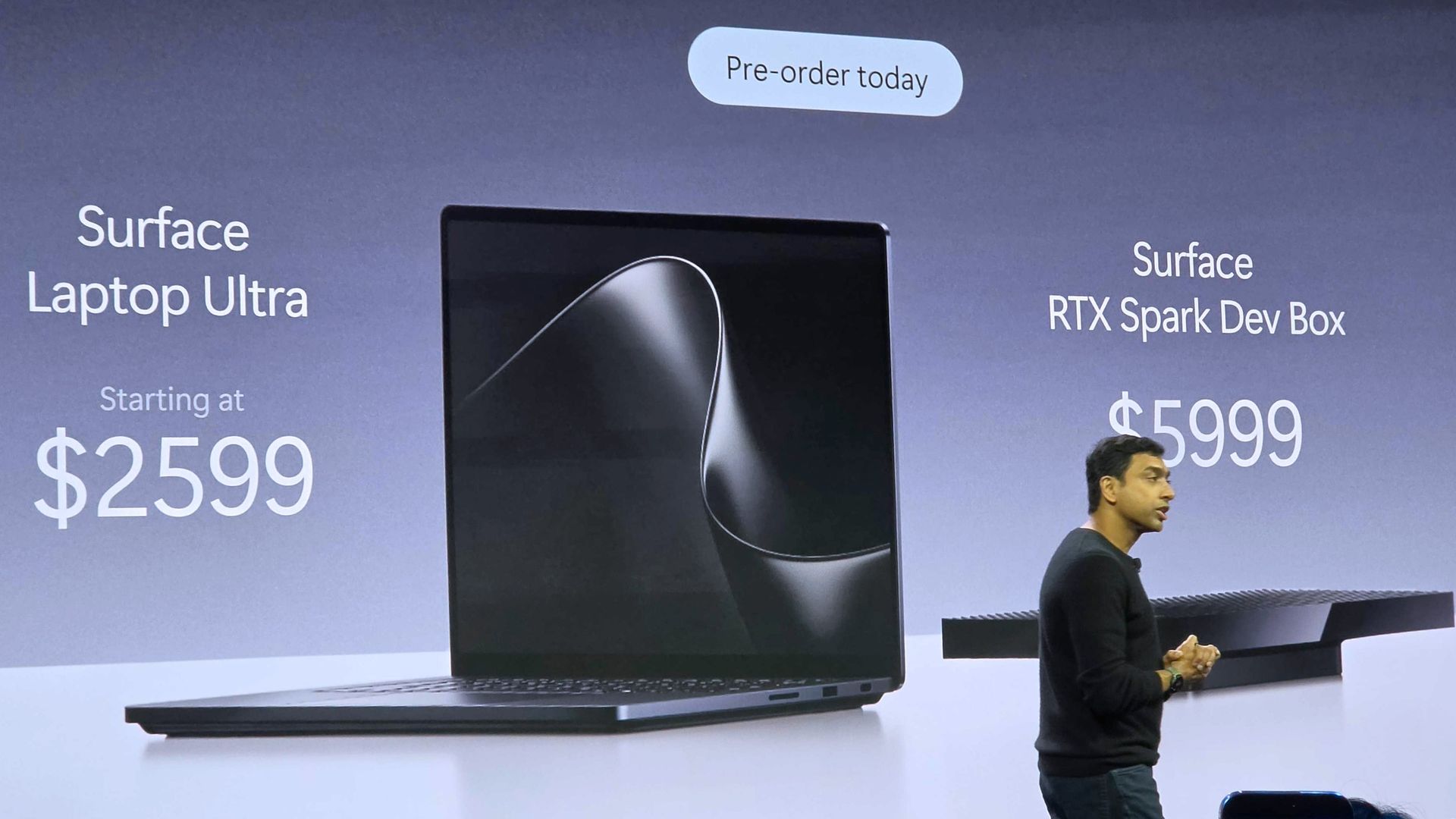
Pavan Davuluri reveals the price of the Surface Laptop Ultra and the RTX Spark Dev Box

The Surface Laptop Ultra's price reveal at the October 7 Microsoft event. (Image credit: Daniel Rubino | Windows Central)

Starting at $2,599, the Surface Laptop Ultra is actually the most affordable RTX Spark laptop you can buy right now. You can have a look for yourself in my roundup of Spark devices available for preorder today.

Many of us here at Windows Central expected the price to kick off at $2,999, and that seems to be a common thread in the community as well.

@zacbowden Quite cheap tbh I expected it to start at $2999October 7, 2026

Responding to Zac's post, X user @janekknaf said, "Quite cheap tbh I expected it to start at $2999."

Over on Reddit, the sentiment seems to be largely the same.

Comment
 from r/windowscentral
Comment
 from r/Surface

Responding to a Windows Central subreddit thread regarding other RTX Spark laptops and their pricing, user Icybubba noted, "And somehow the Surface seems to be the cheapest out of all those."

Another redditor, Valterri_Its_James, remarked, "Lowkey the pricing isn't absolutely horrendous. 32GB costs $3300 which is about the same as the ROG Zephyrus G14."

Not everyone is loving the Surface Laptop Ultra's pricing

Surface Laptop Ultra

The Surface Laptop Ultra from our hands-on time at Computex. (Image credit: Windows Central / Zac Bowden)

Others aren't so sure that the Surface Laptop Ultra is a reasonable price, especially once they dig into the configuration options and see what's available for each chip.

For reference, the Laptop Ultra has two RTX Spark options available: a more affordable option with an 18-core CPU and 5120-core GPU, or a more expensive option with a 20-core CPU and 6144-core GPU.

The price difference between these two models is roughly $1,100, though the more powerful Spark defaults to at least 32GB of RAM (compared to 24GB) and a 1TB SSD (compared to 512GB).

Comment
 from r/Surface

Do you think the price hike for 32GB RAM and 1TB SSD is too extreme? Let me know in the comments below.

How's everyone feeling about the breakaway USB-C Port?

First look at Surface Laptop Ultra's special magnetic USB-C port. Pretty neat! https://t.co/TuShoRastROctober 7, 2026

The announced feature that seems to be getting a lot of attention alongside pricing is the Surface Laptop Ultra's breakaway USB-C port.

It's sort of a mashup between Apple MagSafe and Surface Connect, designed to pull out of the laptop rather than ripping it off a desk should you trip on the cable. It's designed to work with any USB-C cable, and the port offers full functionality.

Reddit user Oliver-Pearce called it a "Welcome feature!" and X user Psalter said, "Anyone who's ever tripped over a charging cable will appreciate this."

There are, of course, plenty of detractors noting that it took Microsoft this long to finally copy Apple MagSafe. That's not exactly true; Surface Connect was always magnetic and would break away if jarred. The move to the more ubiquitous USB-C form factor erased that failsafe, and Microsoft has now reintroduced it.

It's also worth pointing out that MagSafe does not handle any data and is for power only. The Surface Laptop Ultra's USB-C port handles both.

I want to know what you think!

We're a community here at Windows Central, and I'm always interested in your opinions. I want to know what you think about the Surface Laptop Ultra's pricing, configuration options, and features in more detail, so please be sure to leave a comment below!


Built around the NVIDIA RTX Spark platform with an N1X CPU, RTX GPU, and up to 128GB of unified memory, the Surface Laptop Ultra hits new performance heights for power users. It's all contained in a gorgeous chassis with a mini-LED display and tons of ports.

👉 Preorder at BestBuy.com

👉 Preorder at Microsoft.com

Click to join us on r/WindowsCentral

Join us on Reddit at r/WindowsCentral to share your insights and discuss our latest news, reviews, and more.
Apple Watch Ultra 4 vs Garmin Fenix 9 Pro: The Hidden Costs of Going Phone-Free

8 octobre 2026 à 08:26

Apple Watch Ultra 4 and Garmin Fenix 9 Pro offer phone-free connectivity, but subscription fees, satellite coverage, and battery life change the equation.

The post Apple Watch Ultra 4 vs Garmin Fenix 9 Pro: The Hidden Costs of Going Phone-Free appeared first on TechRepublic.

Ryzen 7 9850X3D vs Core Ultra 7 270K Plus: Which CPU Is Better in 2026?

8 octobre 2026 à 07:05

AMD's Ryzen 7 9850X3D leads in gaming, while Intel's Core Ultra 7 270K Plus delivers much stronger multi-threaded performance for less.

The post Ryzen 7 9850X3D vs Core Ultra 7 270K Plus: Which CPU Is Better in 2026? appeared first on TechRepublic.

Samsung 9100 Pro vs WD Black SN8100: Which Is Better?

8 octobre 2026 à 06:13

Samsung's 9100 Pro and WD Black SN8100 are flagship PCIe 5.0 SSDs, but independent tests reveal meaningful differences in sustained writes, thermals, and value.

The post Samsung 9100 Pro vs WD Black SN8100: Which Is Better? appeared first on TechRepublic.

Samsung S95H vs LG G6 OLED: Which TV Is Better?

8 octobre 2026 à 04:53

Samsung's S95H and LG's G6 share a $2,499.99 55-inch MSRP but differ on brightness, reflections, HDR formats, gaming latency, and warranty.

The post Samsung S95H vs LG G6 OLED: Which TV Is Better? appeared first on TechRepublic.

Microsoft’s $2,599 Surface Laptop Ultra Puts Nvidia RTX Spark Inside a Windows Laptop

7 octobre 2026 à 17:02

Microsoft’s Surface Laptop Ultra starts at $2,599 with an Nvidia RTX Spark GPU, up to 128GB of memory, and support for running large AI models locally.

The post Microsoft’s $2,599 Surface Laptop Ultra Puts Nvidia RTX Spark Inside a Windows Laptop appeared first on TechRepublic.

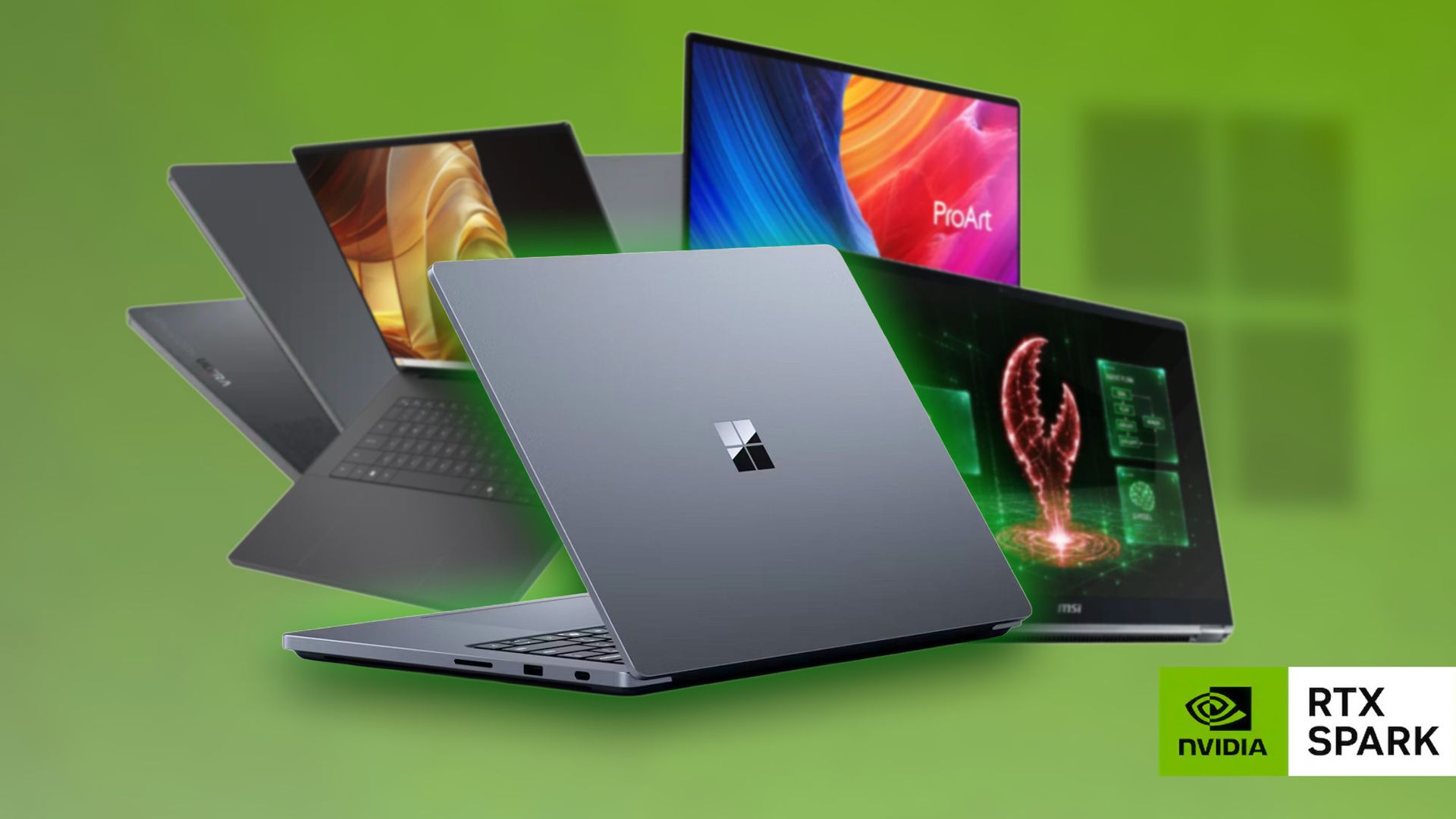
Here are all the RTX Spark laptops you can preorder now

Microsoft finally revealed exactly how much its new Surface Laptop Ultra costs (starting at $2,599!), and preorders are now live for anyone who wants to get in on the first wave of PCs expected to ship on October 16.

While Microsoft was busy revealing new information about its most powerful Surface yet at the event, other laptop makers were busy setting their own prices and opening up preorders.

We now have a wide selection of RTX Spark laptops from the likes of ASUS, Dell, HP, Lenovo, and MSI, and I'm expecting there to be more arriving in the near future. Until then, here's what you can preorder today.

RTX Spark laptops with confirmed pricing and release date (so far)

To make it easier for anyone hoping to land a new RTX Spark-powered PC, I've put together this list of laptops that you can now preorder.


Built around the NVIDIA RTX Spark platform with an N1X CPU, RTX GPU, and up to 128GB of unified memory, the Surface Laptop Ultra hits new performance heights for power users. It's all contained in a gorgeous chassis with a mini-LED display and tons of ports. Prices start at $2,599.99, and units will begin shipping on October 16, 2026.

👉 Preorder at BestBuy.com

👉 Preorder at Microsoft.com

ProArt P14/P16:

The new ASUS ProArt P14 and P16 duo gives users more size options while retaining the same great RTX Spark performance. The P14 is the lightest ProArt laptop ever, while the P16 is the way to go for a larger OLED display. Prices start at $2,599.99 for the P14 and $2,799.99 for the P16. They're expected to begin shipping on October 16, 2026.

👉 Preorder ProArt P14 at BestBuy.com

👉 Preorder ProArt P16 at BestBuy.com


Dell's new XPS 16 with RTX Spark features a 3.2K OLED display, lattice-free keyboard, and the usual premium XPS styling. Prices start at $3,799.99 and units are expected to begin shipping on October 16, 2026.

👉 Preorder Dell XPS 16 at BestBuy.com


The OmniBook X 14 is the smaller of the two new PCs, but it features the same RTX Spark options for maximum performance. Models start at $2,999.99 and are expected to ship beginning November 4, 2026.

👉 Preorder HP OmniBook X 14 at HP.com

OmniBook Ultra 16":

The larger of the two new HP RTX Spark laptops delivers a gorgeous 16-inch OLED display with 3K resolution and, of course, your choice of RTX Spark chips. Prices start at $3,199.99, and shipments are expected to begin on November 4, 2026.

👉 Preorder HP OmniBook Ultra 16 at HP.com


Lenovo's Yoga 9n should be the right choice for those who value a versatile convertible design and premium build quality. Prices start at $3,099.99, and models are expected to begin shipping on October 16, 2026.

👉 Preorder Lenovo Yoga 9n at BestBuy.com


MSI's Prestige N16 Flip AI+ is another versatile convertible featuring the RTX Spark platform and a Tandem OLED display. It appears that preorders might kick off on October 8 for this laptop, with prices starting at $3,299.99.

👉 Preorder MSI Prestige N16 Flip AI+ at MSI.com

Did I miss any RTX Spark laptops?

Microsoft Surface Laptop Ultra on stage in San Francisco

Microsoft's Surface Laptop Ultra with NVIDIA RTX Spark inside. (Image credit: Daniel Rubino | Windows Central)

Did you spot a live preorder I missed? Let me know about it in the comments section below. I'd also love to hear your opinions regarding pricing on these models. Do you think it's too high? Too low? Just right? Tell me about it!

Click to join us on r/WindowsCentral

Join us on Reddit at r/WindowsCentral to share your insights and discuss our latest news, reviews, and more.
Is the Surface Laptop Ultra a gaming PC? Let me explain.

The Surface Laptop Ultra with NVIDIA RTX Spark is now available to preorder following the October 7 Surface event in San Francisco. It arrives as a suped-up Surface Laptop 8 with a 15-inch mini-LED display, tons of ports, a sleek design, and, of course, NVIDIA's N1x chip with support for up to 128GB of unified memory.

It's a laptop that's marketed as the ultimate PC for creators, AI specialists, engineers, scientists, and developers who don't want to be tied down to a bulky workstation on a desk.

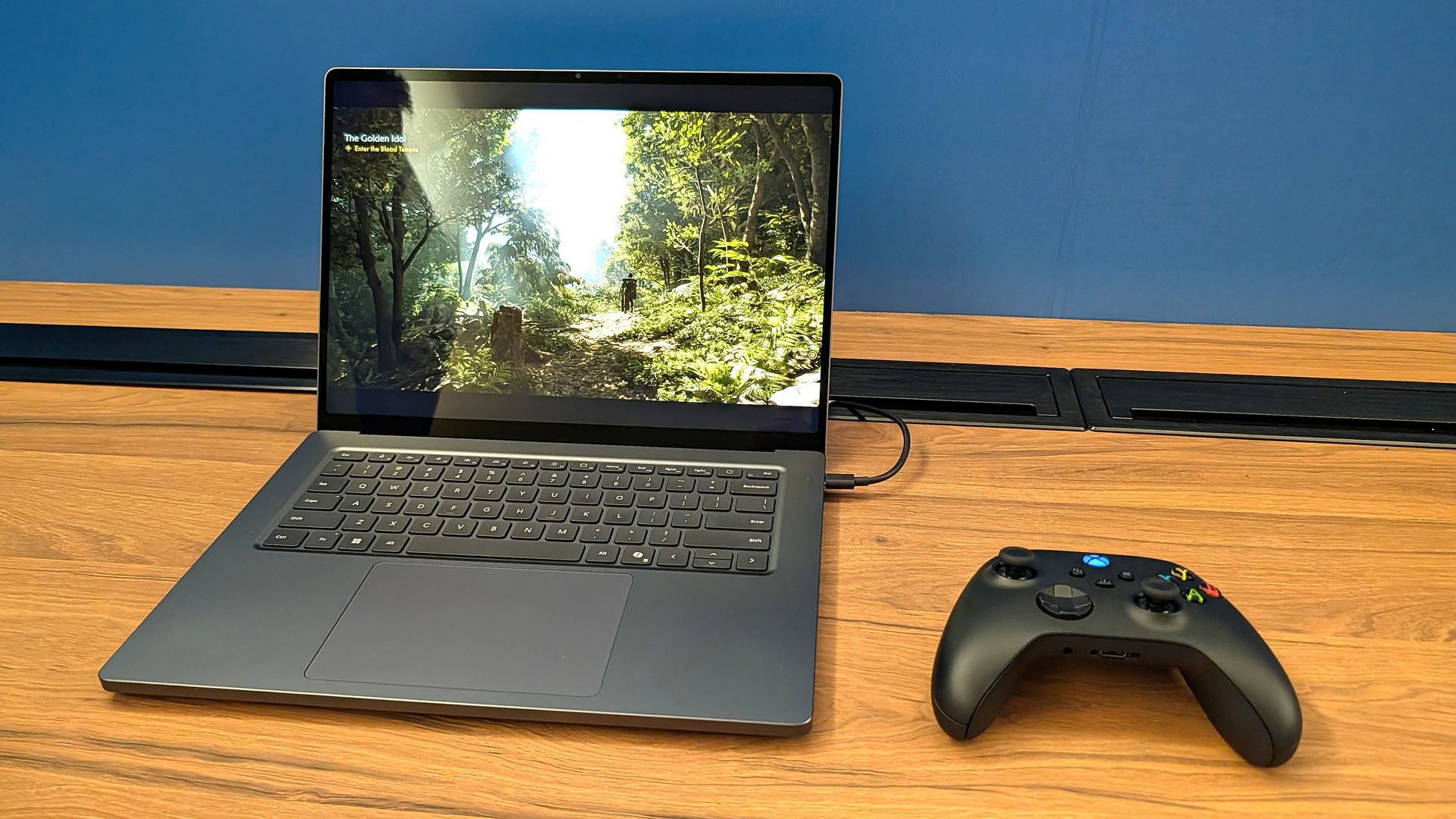
That's all fine and good, but having had the opportunity alongside my colleague Zac Bowden to use the Surface Laptop Ultra a couple of times, I can say that NVIDIA was not shy about showing off the PC's gaming prowess in closed demos.

I can also say that the gaming experience was super smooth, even in games with ray tracing, path tracing, and DLSS support. Indiana Jones and the Great Circle ran flawlessly when I tried it, and every other title seemed to be an easy task for the Laptop Ultra.

What's more impressive is that many of these demo games were run through Microsoft's Prism emulation layer due to the RTX Spark's ARM architecture (the same used by Qualcomm's Snapdragon X and X2 chips).

That begs the question: Is the Surface Laptop Ultra the ultimate laptop for PC gaming?

At the risk of breaking some pixelated hearts, I'll say that dedicated PC gamers should look elsewhere. Here's why.


Built around the NVIDIA RTX Spark platform with an N1X CPU, RTX GPU, and up to 128GB of unified memory, the Surface Laptop Ultra hits new performance heights for power users. It's all contained in a gorgeous chassis with a mini-LED display and tons of ports.

👉 Preorder at BestBuy.com

👉 Preorder at Microsoft.com

The Surface Laptop Ultra's specs look ideal for gaming ... what gives?

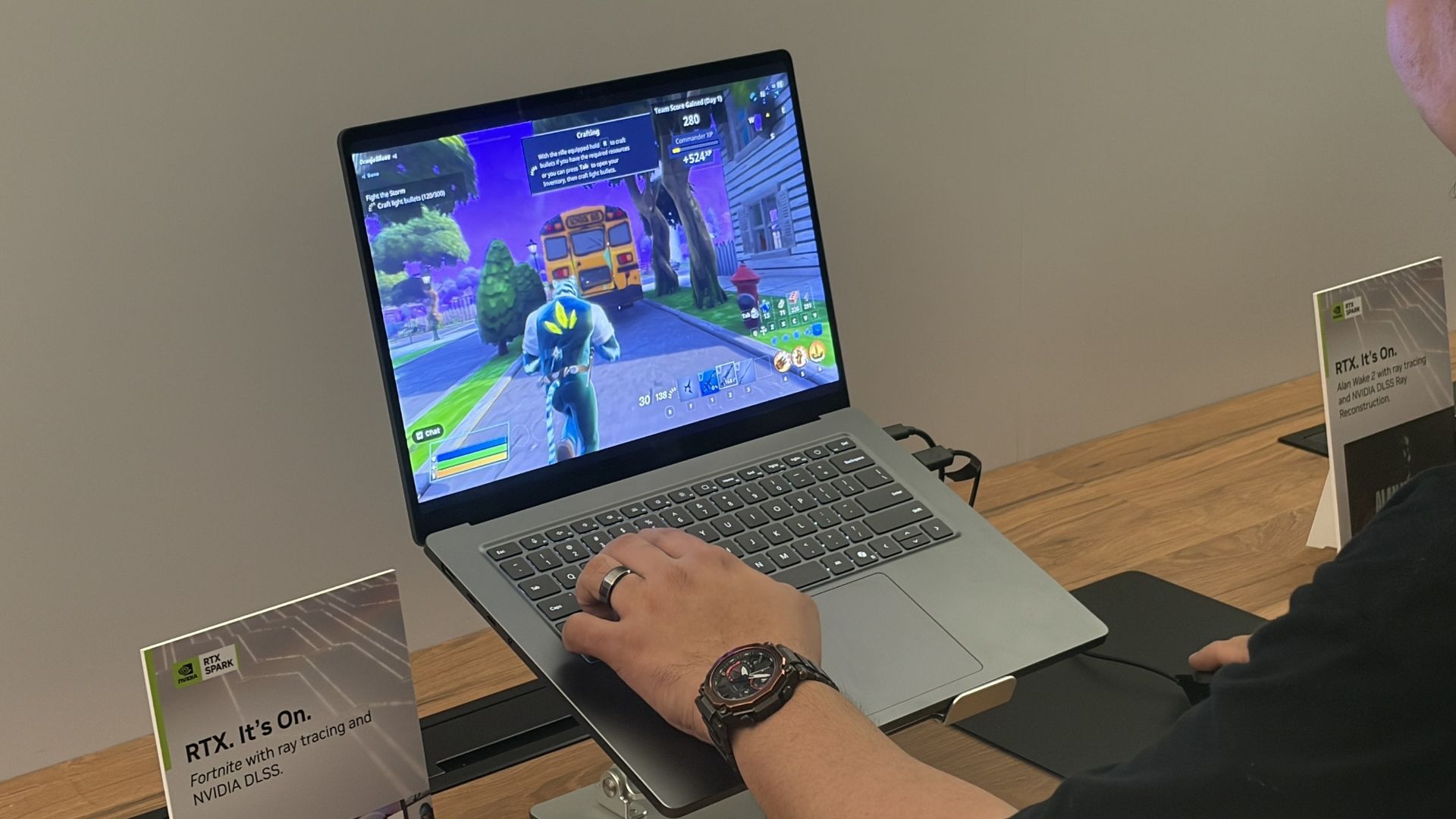
A person plays Fortnite on a Surface Laptop UItra at a display table, with NVIDIA RTX signs nearby; the colorful game scene feels lively and immersive.

I saw the Surface Laptop Ultra smoothly run Fortnite, Alan Wake 2, Indiana Jones and the Great Circle, and more. (Image credit: Future)

It's well established that NVIDIA's RTX platform is the preferred way to play on PC for most gamers, mainly due to the excellent performance and additional support for features like ray tracing, path tracing, and DLSS.

Considering the Surface Laptop Ultra's RTX Blackwell GPU supports all of the latest features, wouldn't that make it a capable PC for gaming?

Well, yes. But there's more to the story.

The Surface Laptop Ultra was not designed to be a gaming PC. It was made to handle intricate AI workloads locally and to be the centerpiece of a professional's arsenal, and the fact that it can run plenty of games smoothly is simply a convenient effect of using NVIDIA's technology. Its starting price of $2,599 reflects that reality.

Sure, that cost is inflated due to the ongoing RAM and storage crisis, but in any case, you can buy a quality laptop made specifically for gaming purposes (suffering from the same RAM and memory squeeze) for considerably less money.

For my PC gaming money, I'd much rather buy a PC running standard Windows 11 rather than Windows on ARM (despite serious advancements in emulation and support). That way, you're guaranteed not to experience any compatibility issues with the games or their anti-cheat methods.

Gaming laptops also come tuned for gaming right out of the box, and their hardware is designed to support that initiative. Sure, you could tune the Surface Laptop Ultra to focus more on gaming, but that's really not what it was meant for.

The bottom line regarding the Surface Laptop Ultra and PC gaming

Surface Laptop Ultra

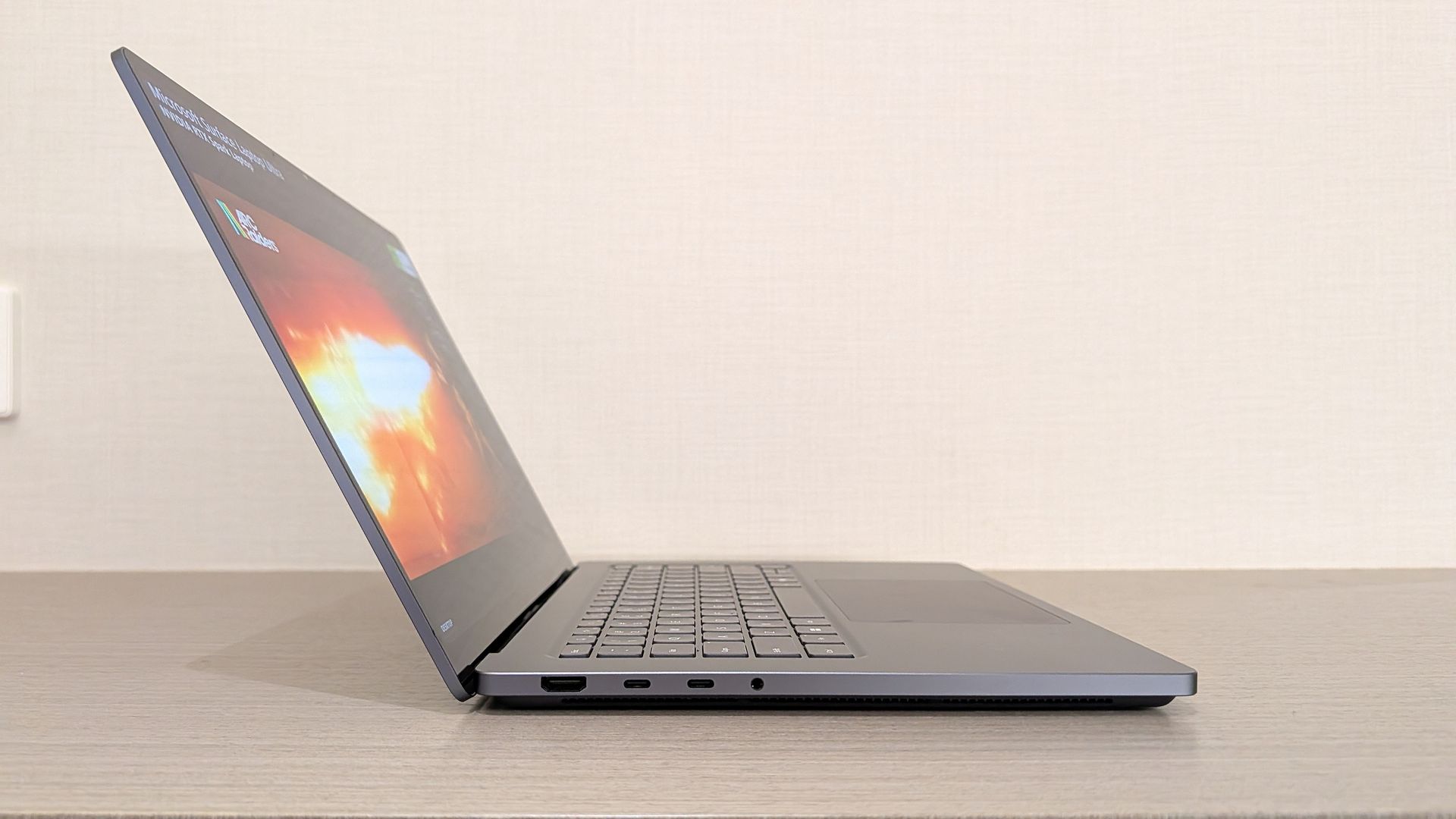
The Surface Laptop Ultra is one sleek laptop no matter the angle. (Image credit: Windows Central / Zac Bowden)

The Surface Laptop Ultra should be treated as a pro-grade laptop that happens to have some more-than-decent gaming chops.

I know there are plenty of pros out there who love the idea of tackling AI workloads during the day and gaming at night, all from the same machine, and the Surface Laptop Ultra should be a hot ticket for those users.

For gamers at heart, however, I recommend taking a look at the host of quality dedicated gaming laptops before ever considering the Surface Laptop Ultra.

Click to join us on r/WindowsCentral

Join us on Reddit at r/WindowsCentral to share your insights and discuss our latest news, reviews, and more.
Surface Laptop Ultra preorders are live!

Microsoft's Surface event today, October 7, revealed a lot more about the Surface Laptop Ultra with an NVIDIA RTX Spark chip inside.

For those who can't fathom missing out on the first wave of new laptops, I have good news. The Surface Laptop Ultra is now available to preorder starting at $2,599, with shipments expected to begin going out on October 16.


Built around the NVIDIA RTX Spark platform with an N1X CPU, RTX GPU, and up to 128GB of unified memory, the Surface Laptop Ultra hits new performance heights for power users. It's all contained in a gorgeous chassis with a mini-LED display and tons of ports.

👉 Preorder at BestBuy.com

👉 Preorder at Microsoft.com

Surface Laptop Ultra — What configurations are available, and which one is best for me?

Surface Laptop Ultra

The Surface Laptop Ultra we used at Computex 2026. (Image credit: Windows Central / Zac Bowden)

The Surface Laptop Ultra is set up so that configurations really only affect the performance hardware inside. Each model comes with a 15-inch mini-LED display, the same port selection, and the same killer design.

The baseline $2,599 model includes the RTX Spark platform with NVIDIA's 18-core N1X CPU and 5120-core RTX Blackwell GPU, 24GB of unified RAM, and 512GB of storage.

This is a decent option for those who need to balance price and performance, or for those who simply want to get their hands on this new hardware without overspending.

There's also a model with a 20-core CPU and 6144-core GPU for those who need utmost power. Configuring with 32GB of unified RAM (the lowest option) and a 1TB SSD (also the lowest option), you're looking at $3,699.99. This model is where I'd recommend most advanced users start.

Moving up from there, you can essentially trick out your PC with as much RAM and storage as you want. This is where things begin to get very expensive for pro users. The top-of-the-line model with the more powerful Spark, 128GB of unified RAM, and a 1TB SSD runs up to $5,899.99, reserving it for a select few.

Both models are available in Nightfall or Platinum colors.

Is the Surface Laptop Ultra's price too high?

Microsoft Surface Laptop Ultra on stage in San Francisco

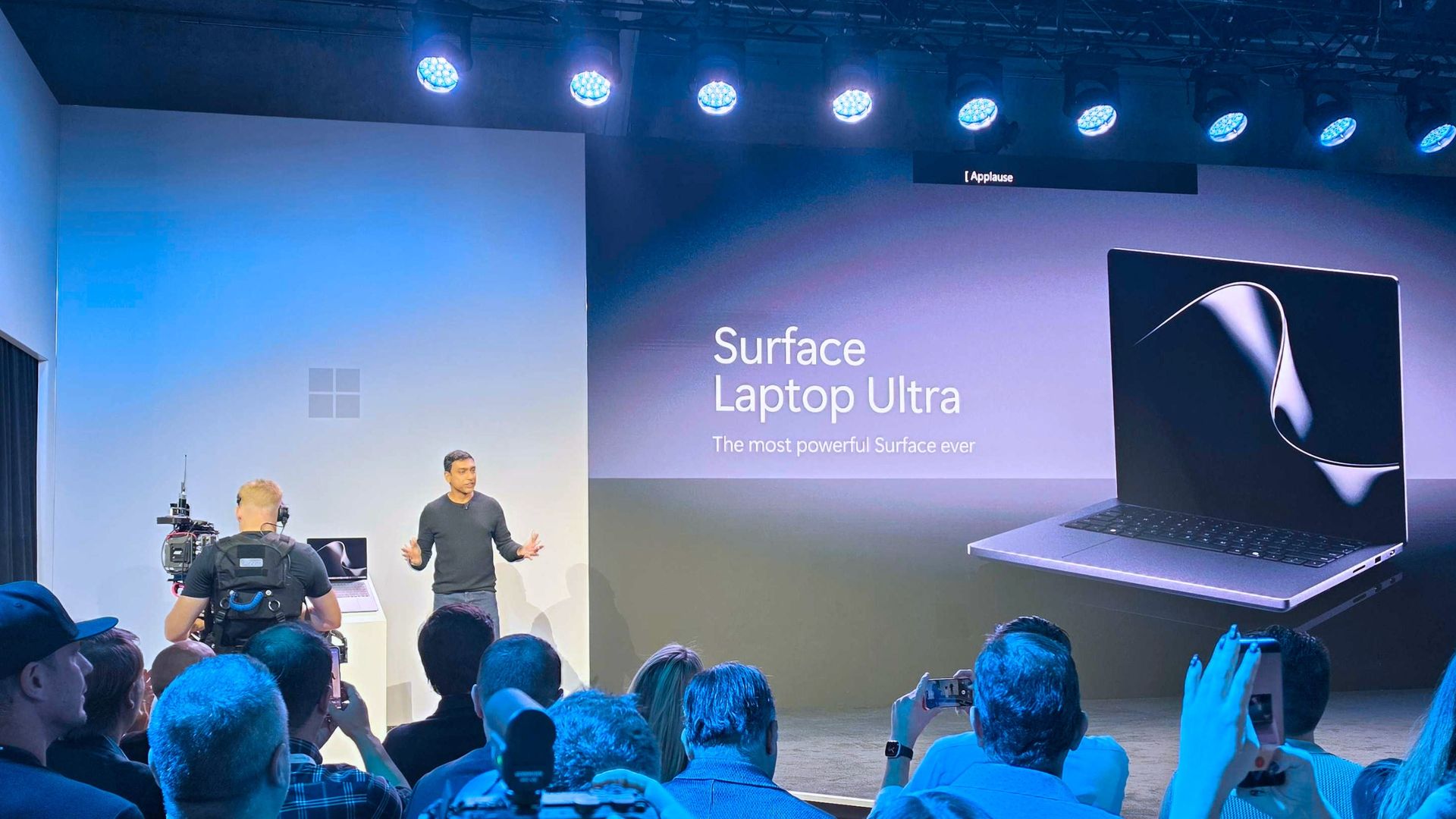
The Surface Laptop Ultra on stage at the October 7 event. (Image credit: Daniel Rubino | Windows Central)

I wasn't expecting the laptop Microsoft calls "Not Standard Issue" to be reasonably priced for most users.

It's a flagship PC with monster internals, and Microsoft clearly states that it's intended for creators, AI builders, scientists, engineers, and other power users who need an ultimate device to handle everything.

Those users are generally used to paying more for high-end hardware, but that doesn't make the price sting any less.

Take this high-end approach and tack on the macroeconomics of the ongoing RAM and storage crisis, and you get set prices much higher than I'm sure Microsoft ever intended.

Starting at $2,599 for a "baseline" model, you'll want to be sure this is the PC for you before you buy it.

As for the gaming angle, I've covered it in more detail in a separate post. Bottom line? You shouldn't buy the Surface Laptop Ultra as a dedicated gaming machine, but its NVIDIA Blackwell GPU will indeed power many games with ray tracing, path tracing, and DLSS in tow.

Are you preordering the new Surface Laptop Ultra today? If so, which configuration did you get? If not, what made you skip it? Let me know in the comments section below!

Click to join us on r/WindowsCentral

Join us on Reddit at r/WindowsCentral to share your insights and discuss our latest news, reviews, and more.
Surface Laptop Ultra price, release date, and special USB-C port finally revealed

Microsoft has finally given us the all-important pricing and availability details for its flagship Surface Laptop Ultra device, which it first unveiled back in June. During its October 7th keynote in San Francisco, Microsoft confirmed that Surface Laptop Ultra would begin shipping on October 16, with pre-orders going live today starting at $2,599.

That entry-level price is on the more expensive side, but it's not as bad as many were expecting it to be. That entry-level price nets you the Surface Laptop Ultra with a 15-inch mini-LED screen, a large haptic trackpad, three USB-C ports (one of which is very unique), and the 18-core RTX Spark with 5120 GPU cores and 24GB RAM.

While the entry-level model isn't for high-end local AI development and agent work, it should be more than capable for video editing, photo creation, data crunching, light gaming, and 3D modeling work.

Surface Laptop Ultra on stage in San Francisco

It's all happening in San Francisco. (Image credit: Daniel Rubino | Windows Central)

Alongside pricing and availability, Microsoft also revealed that the Surface Laptop Ultra is the world's first laptop to feature a breakaway USB-C port, similar to Apple's MagSafe and its own Surface Connect. Breakaway cable design means if you ever trip over the cable while the laptop is plugged in, it won't yank the entire laptop off your desk.

Breakaway ports have only ever really been possible on proprietary ports, as they use magnets to ensure the cable remains attached when in use. It's never been attempted on a universal standard before, which is what makes the Surface Laptop Ultra's breakaway port so special. It's a standard USB-C port, capable of taking any USB-C peripheral you can throw at it.

Surface Laptop Ultra is Microsoft's most expensive and most powerful Surface PC ever made. The high-end configs are designed for intensive AI developer workloads such as running large 120B parameter models locally, enabling complex agentic AI workloads and experiences.

Click to join us on r/WindowsCentral

Join us on Reddit at r/WindowsCentral to share your insights and discuss our latest news, reviews, and more.

Best CPU Coolers for 2026: Arctic, Noctua, Thermalright, Corsair and be quiet!

7 octobre 2026 à 12:31

Five CPU coolers from Arctic, Thermalright, Noctua, Corsair, and be quiet! stand out for cooling, noise, compatibility, and value in 2026.

The post Best CPU Coolers for 2026: Arctic, Noctua, Thermalright, Corsair and be quiet! appeared first on TechRepublic.

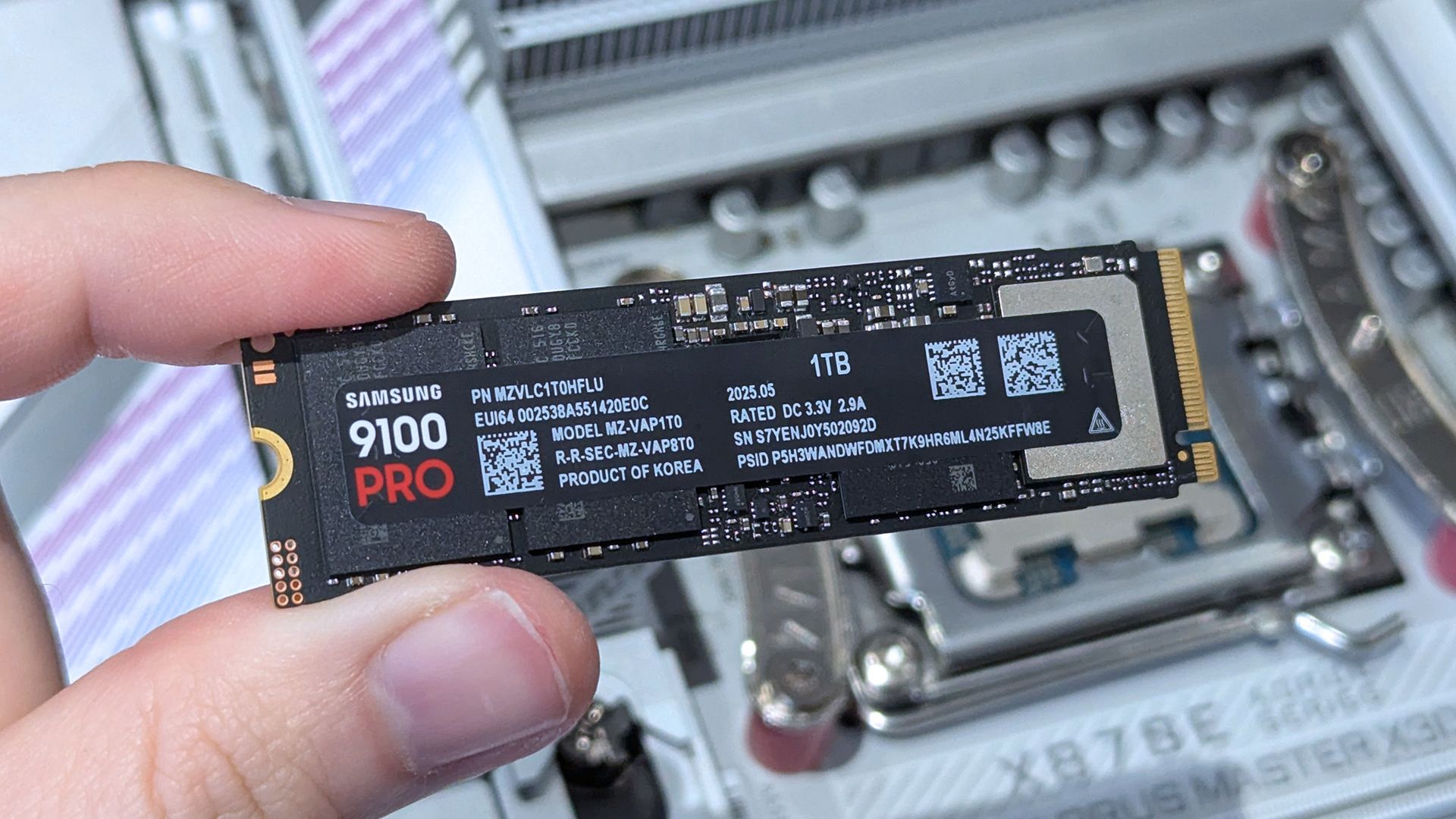
Samsung's fastest PCIe 5.0 SSD dropped below $199 for 1TB, with more sizes on sale

For 48 hours during Amazon's Big Deal Days event (don't call it Prime Day), Samsung's fastest-ever (up to 14,700MB/s) 9100 PRO M.2 solid-state storage drives had dropped in price twice. The 1TB 9100 PRO was down to $196.64 $243.27, edging somewhat closer to the lower prices I preferred before the memory crisis, so it was actually a great time to buy.

These are PCIe Gen 5 drives, which provide the fastest read and write speeds for commercial storage drives, as long as you have a compatible motherboard. If not, they'll fall back to PCIe 4.0 and can be transplanted into an upgraded rig later. Similarly, the 2TB 9100 PRO (had) dropped to $334.99 $399.99, which seems like it would sting, but was a relatively decent price for double the space.

9100 PRO 1TB M.2 2280: was $339.99 now $243.27

"Tackle massive files and power up your gaming with Gen5 — twice as fast as the 990 PRO SSD."View Deal

9100 PRO 1TB M.2 2280: was $339.99 now $196.64

"Tackle massive files and power up your gaming with Gen5 — twice as fast as the 990 PRO SSD."View Deal

9100 PRO 2TB M.2 2280: was $679.97 now $399

"With random read/write speeds up to 1,850K/2,600K IOPS, enjoy fast game loads, seamless AI apps, and efficient multitasking."View Deal

9100 PRO 2TB M.2 2280: was $679.97 now $334.99

"With random read/write speeds up to 1,850K/2,600K IOPS, enjoy fast game loads, seamless AI apps, and efficient multitasking."View Deal

For those with more of a stretchy budget, you could have also sprung for more space, since the 4TB 9100 PRO was 'down' to $734.99 (now, even further to $712.49). You can see where the value multiplier starts to slip, but it's still slightly better than it has been in the past. If you're lucky enough to own one of the rarer motherboards with two PCIe 5.0 slots, you'd perhaps consider picking up two 2TB drives instead.

On the other hand, you could go completely overboard and grab the 8TB 9100 PRO for.. $2,279.50. That's not a typo. It might be listed as a deal, but that's still within the realms of fantasy for most, especially when the dollars-per-gigabyte metric falls off so hard.

Then again, I know people with these kinds of drives. They're usually in massive home server units, powering self-made servers, but these things do sell. Either way, I have a couple of the 1TB 9100 PRO drives in mine and my wife's desktop PCs, and they've been running strong since day one. It was an expensive adoption, but I've had no regrets. This price was much more like it.

9100 PRO 4TB M.2 2280: $712.49

"Perfect for video editing, gaming, and creative tasks, with the compatibility to match your device."View Deal

9100 PRO 4TB M.2 2280: was $1359.99 now $734.99

"Perfect for video editing, gaming, and creative tasks, with the compatibility to match your device."View Deal

9100 PRO 8TB M.2 2280: was $2719.99 now $2279.5

"Enjoy vast space to grow your game library, save every title, and keep all your favorites without compromise."View Deal

9100 PRO 8TB M.2 2280: was $2719.99 now $2279.5

"Enjoy vast space to grow your game library, save every title, and keep all your favorites without compromise."View Deal

Do I need Prime membership for Big Deal Days?

Amazon Prime: Free 30-day trial

New members can enjoy exclusive Prime Day discounts for free and cancel anytime. After the trial, membership is $14.99/month plus tax. Includes access to games via Prime Gaming alongside Prime Video and Prime Music.

How long does Amazon Prime Big Deal Days last?

Amazon has launched this year's Prime Big Deal Days event with 48 hours of more exclusive deals, which started on Tuesday, October 6, and ran until Wednesday, October 7, 2026

Click to join us on r/WindowsCentral

Join us on Reddit at r/WindowsCentral to share your insights and discuss our latest news, reviews, and more.
❌