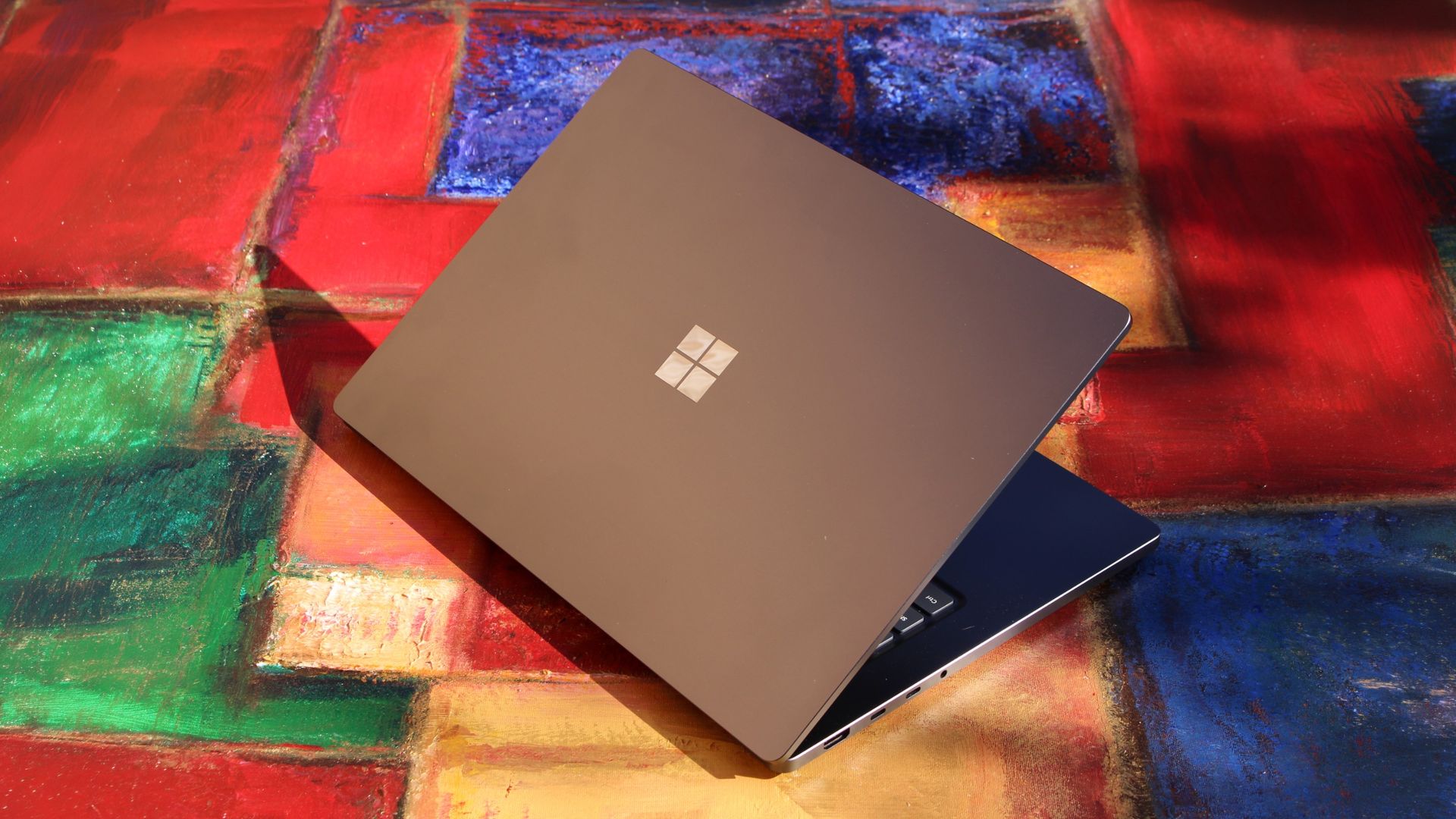
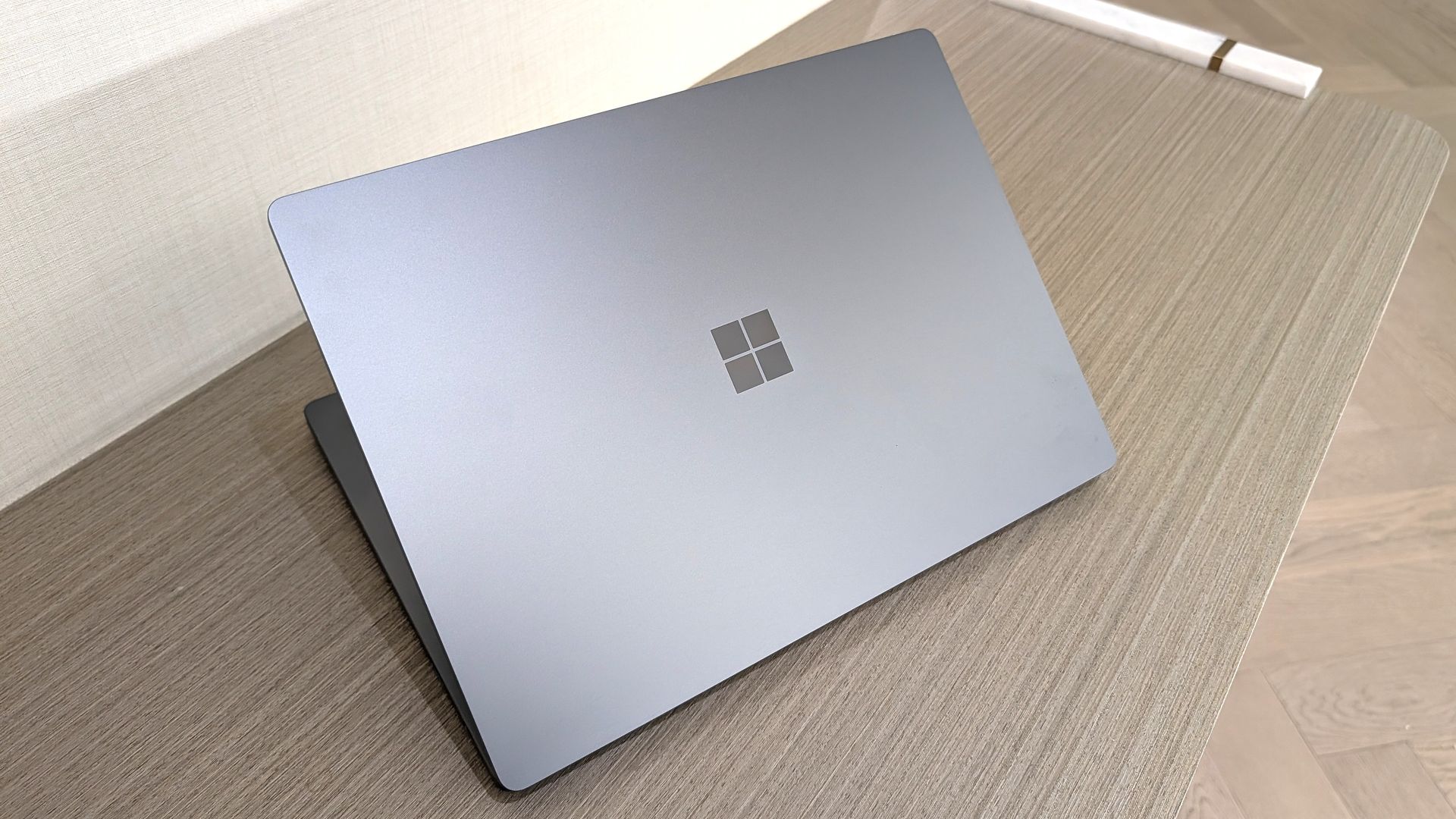
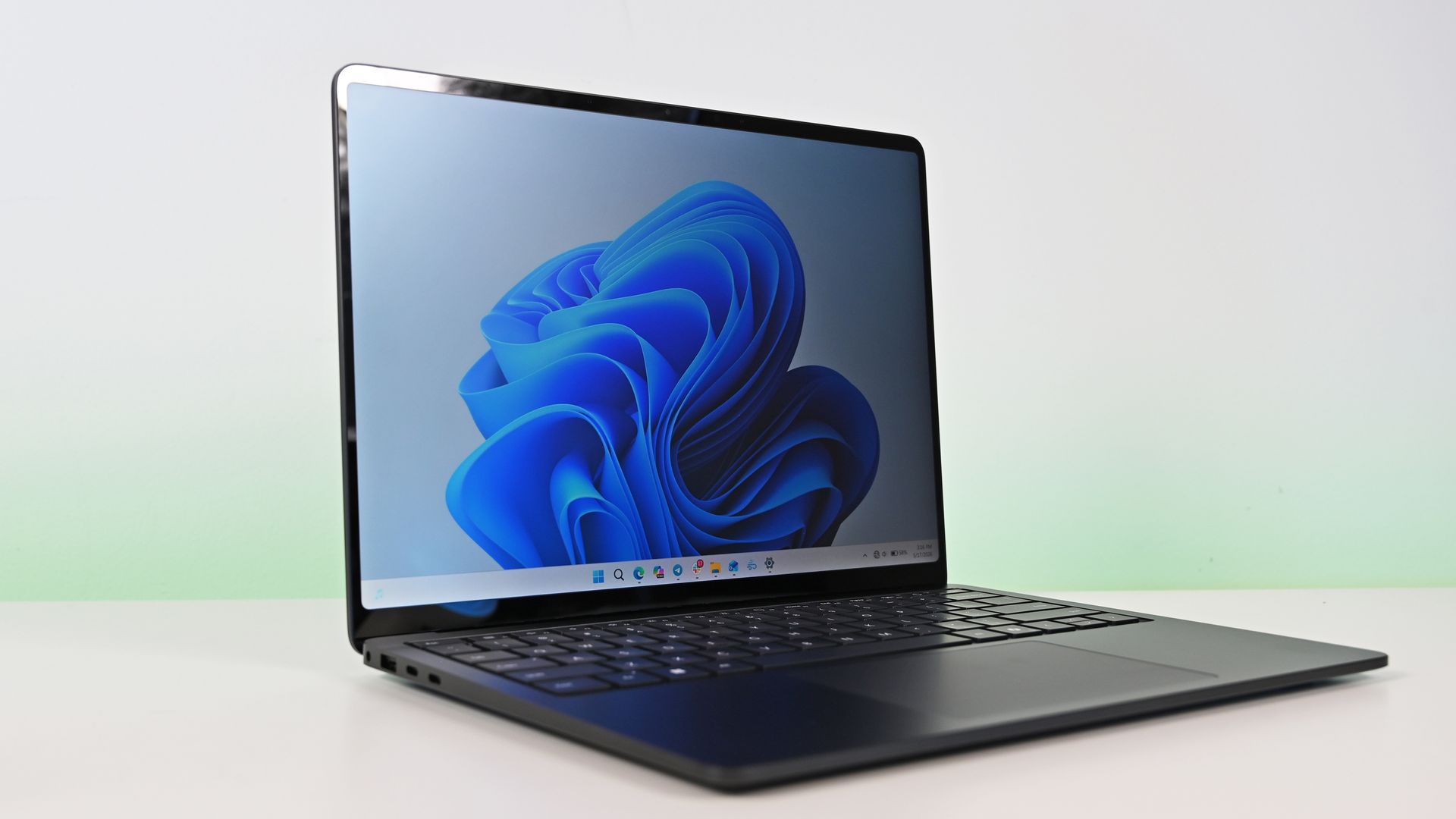
The Surface Laptop Ultra just started shipping, so Microsoft is busy updating its support documents to make sure buyers have all the information they need about the PC. Microsoft's support document about Surface driver and firmware lifecycles was just updated to include the Surface Laptop Ultra.That document outlines how long each Surface device will receive driver and firmware updates.The support window for the Surface Laptop Ultra is not surprising. In fact, it
That document outlines how long each Surface device will receive driver and firmware updates.
The support window for the Surface Laptop Ultra is not surprising. In fact, it's perfectly in line with other Surface devices. Microsoft splits its driver and firmware lifecycle into two different categories: devices released before January 1, 2021 and devices released on or after January 1, 2021.
Devices that shipped before 2021 receive at least four years of driver and firmware updates. All Surface PCs in that category have already reached the end of the driver and firmware lifecycle.
The Surface Laptop Ultra will continue to receive driver and firmware updates until October 16, 2032. Microsoft is quite specific about its lifecycles. For context, the newly launched Surface Pro 12-inch and Surface Laptop 13-inch will only receive driver and firmware updates until October 13, 2032.
Surface Laptop Ultra owners will need to make sure their PC is running a version of Windows 11 from the prior 30 months to continue to receive driver and firmware updates.
Even when a device reaches the end of its driver and firmware lifecycle, it will continue to receive Windows 11 updates.
Firmware is low-level software built into hardware components, while drivers allow Windows to communicate with those parts. Driver and firmware updates keep everything running smoothly. They can fix hardware bugs, battery drain, and security flaws behind the scenes.
Six years is a fair time for a PC to receive driver and firmware updates. Generally, the biggest bugs and issues should be sorted by the end of the Surface Laptop Ultra's driver and firmware lifecycle.
Built around the NVIDIA RTX Spark platform with an N1X CPU, RTX GPU, and up to 128GB of unified memory, the Surface Laptop Ultra hits new performance heights for power users. It's all contained in a gorgeous chassis with a mini-LED display and tons of ports.
Join us on Reddit at r/WindowsCentral to share your insights and discuss our latest news, reviews, and more.
Microsoft is finally ready to take on the MacBook Pro with the new Surface Laptop Ultra. From pricing to specs and design, Surface Laptop Ultra was inspired by MacBook Pro, and that's not necessarily a bad thing. Unlike most Surface PCs we see ship these days, the Surface Laptop Ultra is a lot of firsts for Microsoft. It's the first ultra-class Surface Laptop, designed from the ground up to compete squarely with high-end professional creator or developer mobile w
Microsoft is finally ready to take on the MacBook Pro with the new Surface Laptop Ultra. From pricing to specs and design, Surface Laptop Ultra was inspired by MacBook Pro, and that's not necessarily a bad thing.
Unlike most Surface PCs we see ship these days, the Surface Laptop Ultra is a lot of firsts for Microsoft. It's the first ultra-class Surface Laptop, designed from the ground up to compete squarely with high-end professional creator or developer mobile workstations.
What I find fascinating about Surface Laptop Ultra however is that it exists because Microsoft's own developers and engineers wanted it. They built this laptop for themselves. It feels like the company got tired of looking over the fence at the MacBook Pro, and decided "why don't we just make our own version of that?"
It really is Microsoft's most powerful and most capable Surface PC ever, and a great stage for Windows. But that doesn't necessarily mean it's the best Surface PC for everyone. I've been testing the laptop over the last 8 days, and here are my thoughts on Microsoft's new flagship computer.
This review was made possible thanks to a review unit supplied by NVIDIA & Microsoft. Neither company had editorial input and did not see the contents of this review prior to publication.
Price & Availability
Microsoft
Surface Laptop Ultra
Surface Laptop Ultra is Microsoft's flagship and most powerful Windows PC. It can be configured with up to 128GB RAM, and ships with NVIDIA's new RTX Spark SoC. It's great for creative workflows and software development, and those who want to run local AI and LLMs directly on their device.
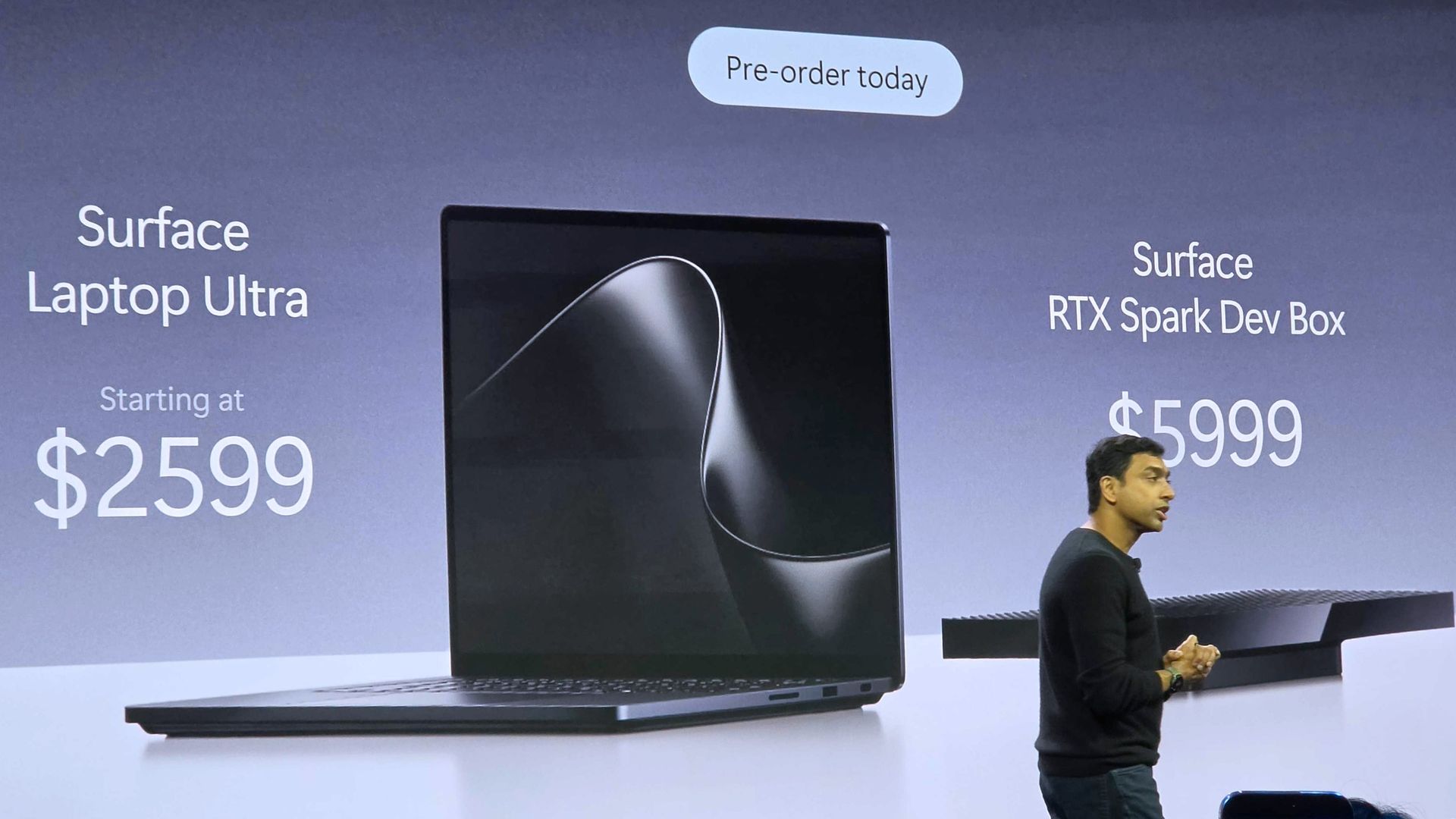
Surface Laptop Ultra is Microsoft's most expensive Surface Laptop to date. It starts at an eyewatering $2,599 for the entry-level configuration with 24GB of RAM, 512GB SSD storage, and an 18-core RTX Spark with 5,120 GPU cores. That's an expensive laptop, and it only gets worse the higher you climb up the specs ladder.
The model I've reviewed is the very top end configuration, with a crazy 128GB RAM, 1TB SSD, and a 20-core RTX Spark with 6,144 GPU cores. That model will set you back $5,899, which at these prices basically makes this a $6,000 laptop. That's an insane amount of money to spend on a laptop, but this configuration only really exists for professionals who need the extra power to run local agents and data crunching.
For video creators, gamers, and prosumers, you'll be more than well served with the lower tier models with 24-32GB RAM. All models come with the same mini LED screen, speaker setup, ports, keyboard, and trackpad. It's also available in Platinum or Nightfall colorways (aka, silver and black.)
Brightness: SDR up to 1,000 nits (typical), HDR up to 2,000 nits peak luminance
Optimised for touch interaction
Operating System
Windows 11 Home (24 GB unified memory models)
Windows 11 Pro (32 GB, 64 GB, and 128 GB models)
Ports & Connectivity
2 × USB-C® / USB4®
1 × USB-C® / USB4® with Magnetic Connect
1 × HDMI 2.1b
1 × USB-A 3.1
1 × Full-size SD card reader
1 × 3.5 mm headphone jack
Wireless
Wi-Fi 7, Bluetooth 5.4
Camera & Audio
1080p Full HD front-facing camera
Battery Life
Up to 15 hours of local video playback
Up to 12 hours of active web usage
Power Supply
Requires USB PD 115W–140W charging
Weight & Dimensions
Weight: 2.0 kg (4.41 lbs)
Chassis: Sub-18 mm thickness
Colours
Platinum, Nightfall
Base Price
Starting at $2,599
Design & Ports
MacBook Pro? (Image credit: Zac Bowden / Windows Central)
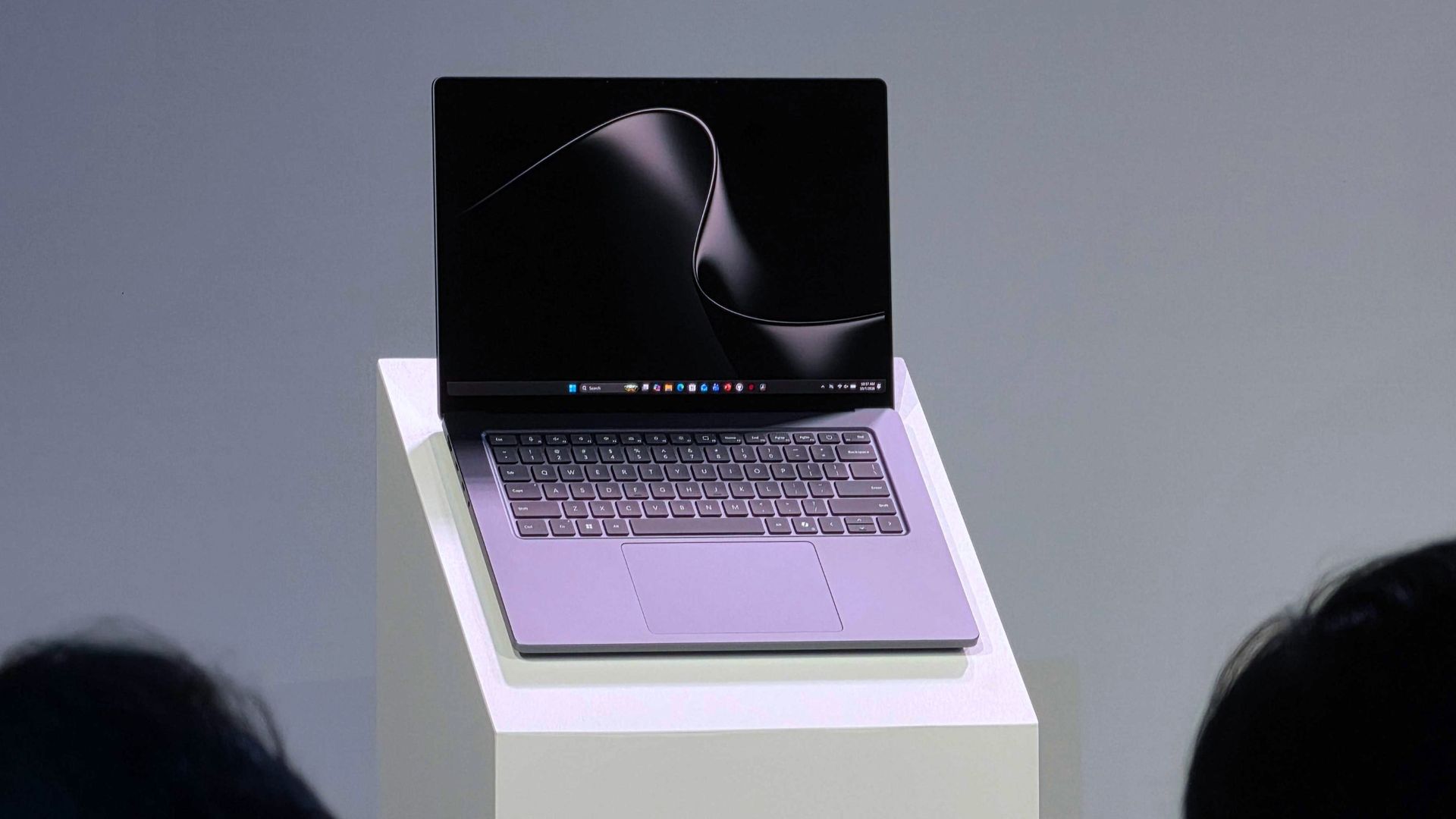
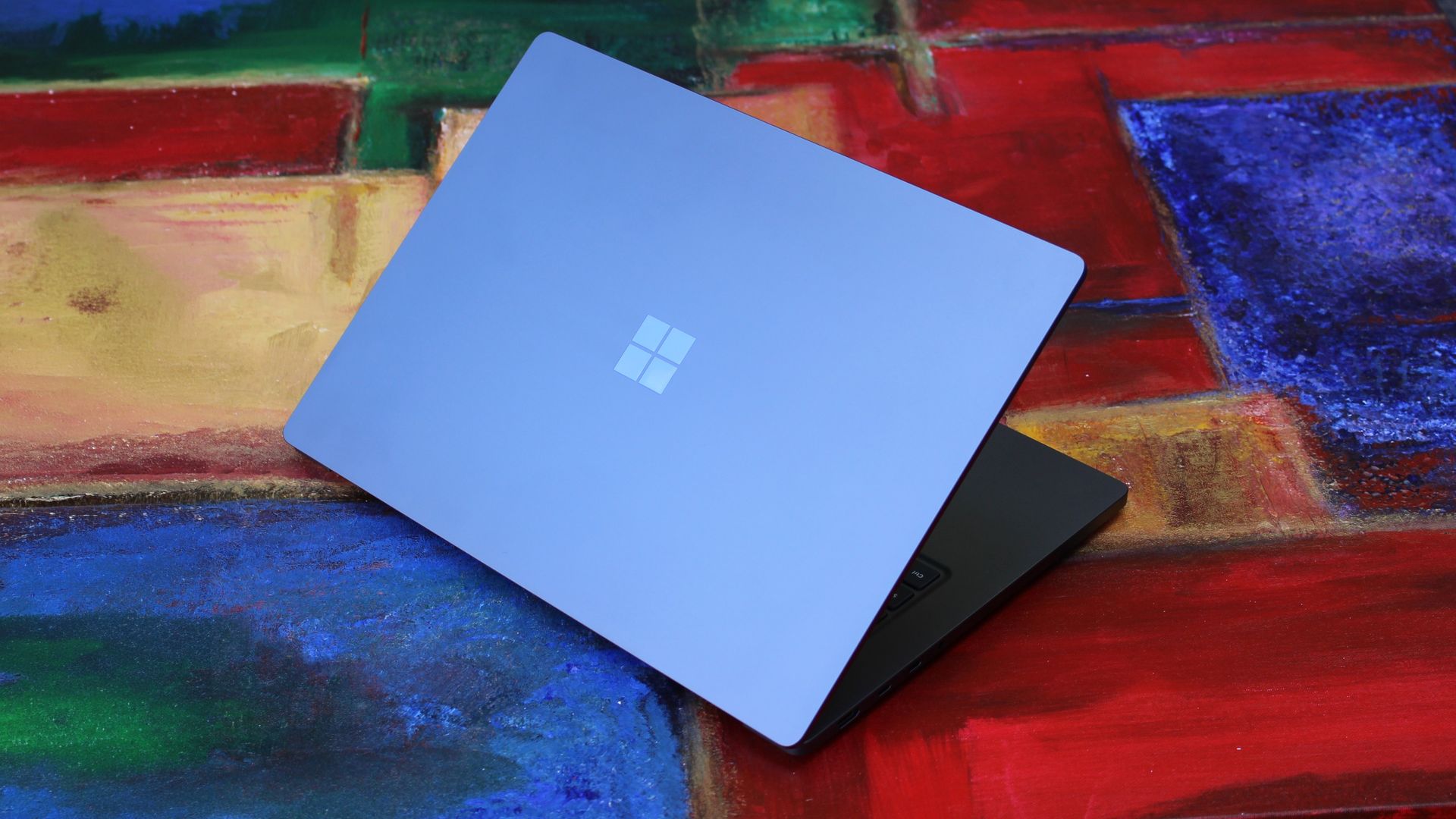
We have to start with how this thing looks, and we do need to address the fruit-shaped elephant in the room. Yes, Surface Laptop Ultra looks an awful lot like a MacBook Pro. I wouldn't blame the layman for even thinking it was a MacBook Pro from a distance. The square edges, large trackpad, and minimalist design echo the MacBook Pro from pretty much every angle.
But I'm not here to tell you that's a bad thing. The MacBook Pro is a beautiful device, which is to say Surface Laptop Ultra is also very beautiful. In fact, I think it even improves upon the MacBook Pro's design in subtle ways. The keyboard deck isn't surrounded by a plastic bezel like on MacBook Pro, instead it's softly indented into the metal keyboard deck which looks lush and seamless.
The corners on Surface Laptop Ultra are also a little rounder than the MacBook Pro, a design choice that trickles down from the corners of the chassis to the keys on the keyboard, and corners on the trackpad. It's an entirely consistent and well thought out design, which I highly appreciate.
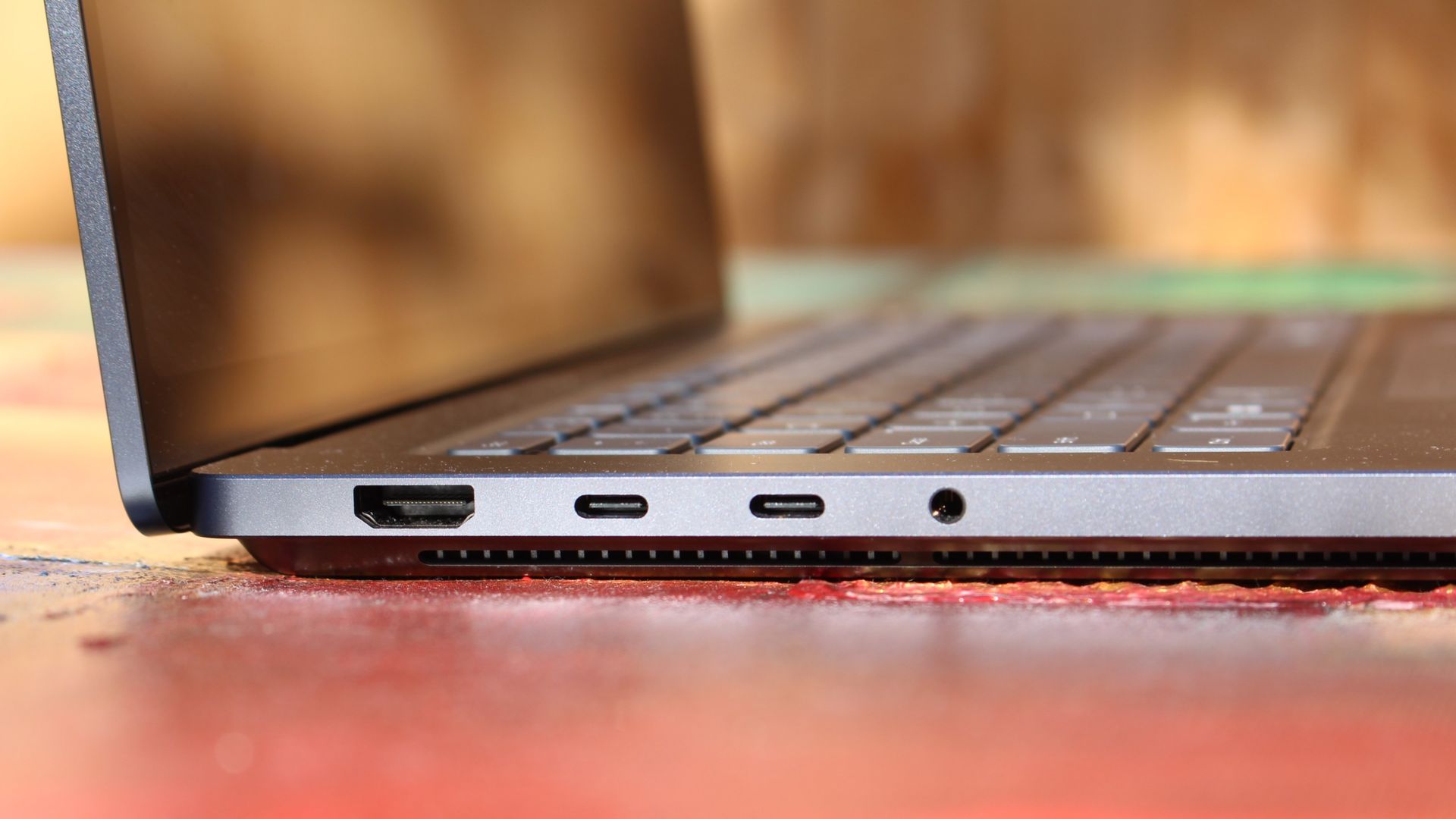
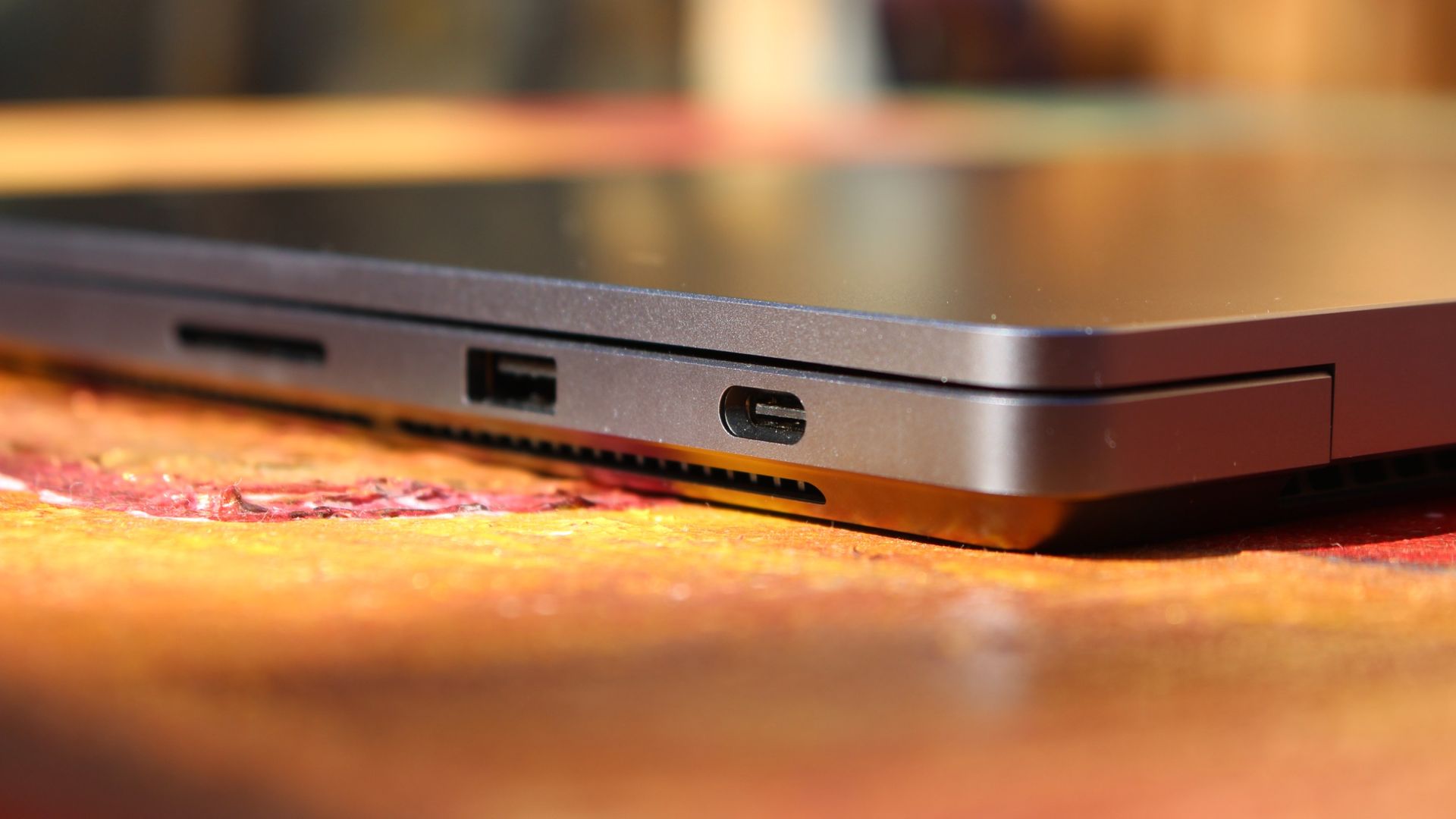
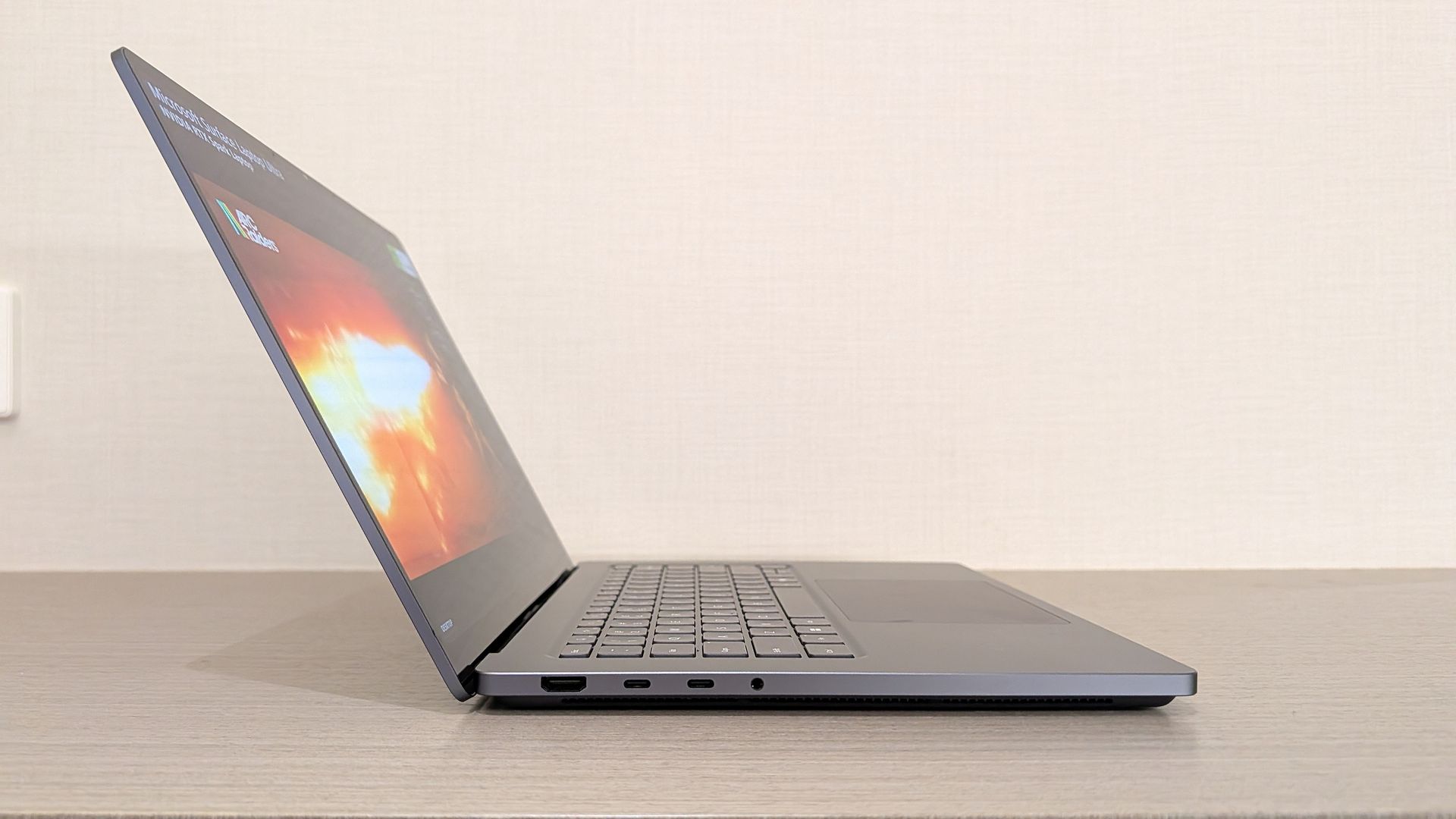
The left-side ports are good enough. (Image credit: Zac Bowden / Windows Central)
Microsoft also doesn't suffer from the godawful notch that you'll find on a MacBook Pro. Surface Laptop Ultra's display bezels are uniform along the left and right, and slightly thicker on the top to accommodate the Windows Hello IR face unlock sensors, which are much better than a fingerprint reader.
I should also mention that the display hinge on this laptop is perfectly tuned. It opens with one finger, and is perfectly balanced to provide a satisfying level of friction as you open and close it. It's also rock solid when typing, meaning it doesn't wobble around at all when on a desk.
The port selection is good enough. It features three USB-C ports, a USB-A port, a 3.5mm audio jack, HDMI 2.1, and a full-sized SD card reader. Of course, the star of the show in the ports department is Microsoft's clever magnetic USB-C port, which replaces the proprietary Surface Connect charge port found on older Surface Laptops.
The special USB-C port is truly great. (Image credit: Zac Bowden / Windows Central)
It's great to see a laptop manufacturer attempting to innovate and improve on the universal USB-C standard. Here, we have a USB-C port that is compatible with all your USB-C peripherals, but it's also magnetized, and with the included charging cable, magnetically snaps to the device just like Apple MagSafe, while using the same universal USB-C port.
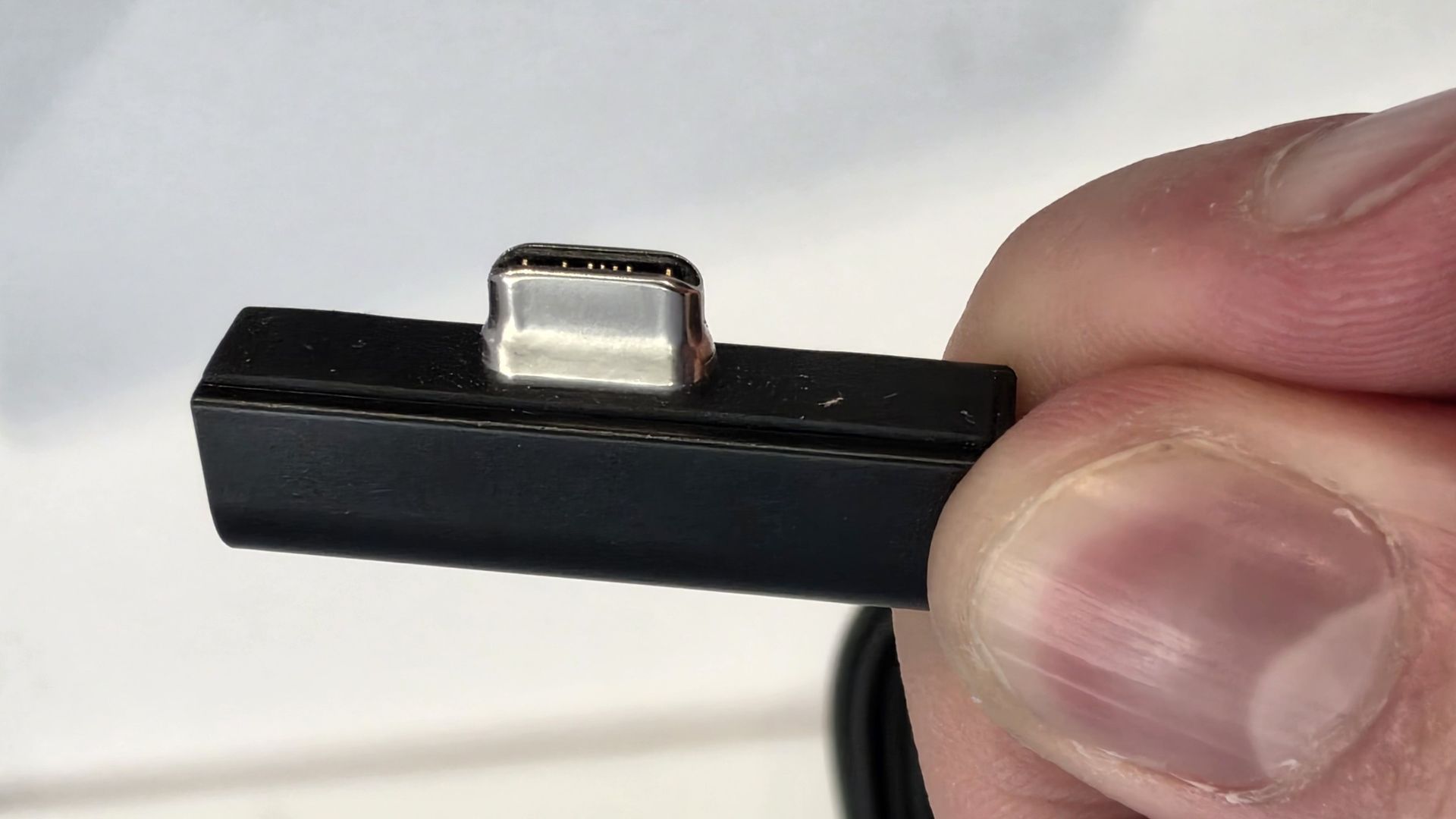
How did Microsoft do this? Well, most of the innovation is actually on the cable side. On the laptop itself, the only real change is that the USB-C port is slightly wider at its opening, but the rest of the USB-C port itself is typical in its design. Microsoft placed magnets on either side of the port, and redesigned the USB-C connector that's attached to the cable to allow for the magnetic connection to be seamless.
The cable's male USB-C end is shallower than a normal USB-C connection. This allows for it to connect to the USB-C port without clicking in, which is what locks a cable to a USB-C port normally. Instead, the magnets hold it in place, which enables the breakaway design that differentiates this USB-C port from the rest.
The USB-C connector is unique. (Image credit: Zac Bowden / Windows Central)
That does mean the USB-C cable that comes included only works with Surface Laptop Ultra, and only in this particular port. Microsoft realized this would be a problem, and designed the power brick that comes with Surface Laptop Ultra in a way that allows the magnetic cable to attach to the brick instead. The other end of the charging cable is a normal male USB-C end, which connects to any USB-C port you want.
So you can still use the Surface Laptop Ultra's power brick and cable on any device or any port you like, you just have to plug the magnetic end into the power brick first. It's a genius design, and proves that Microsoft really thought of everything when it comes to this unique magnetic USB-C experience. I love it, and I hope to see it on more laptops in the future.
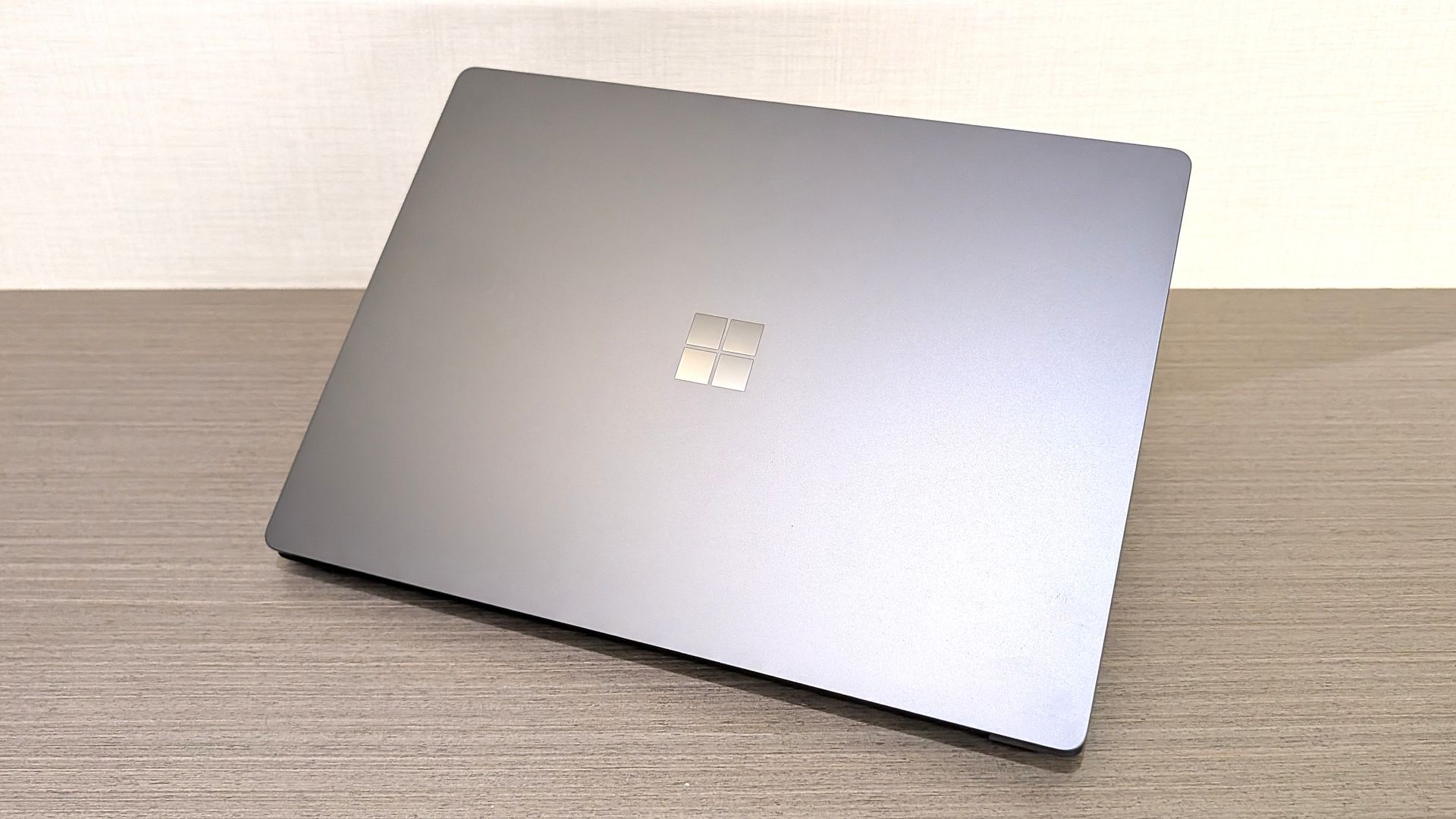
Surface Laptop Ultra is available in just two colorways: Platinum and Nightfall. To me, I think the Platinum version looks the nicest, but the Nightfall version looks clean too. The good news is the dark color does a relatively good job at fending off fingerprints thanks to an anti-fingerprint coating that has been applied to the chassis.
Display & Features
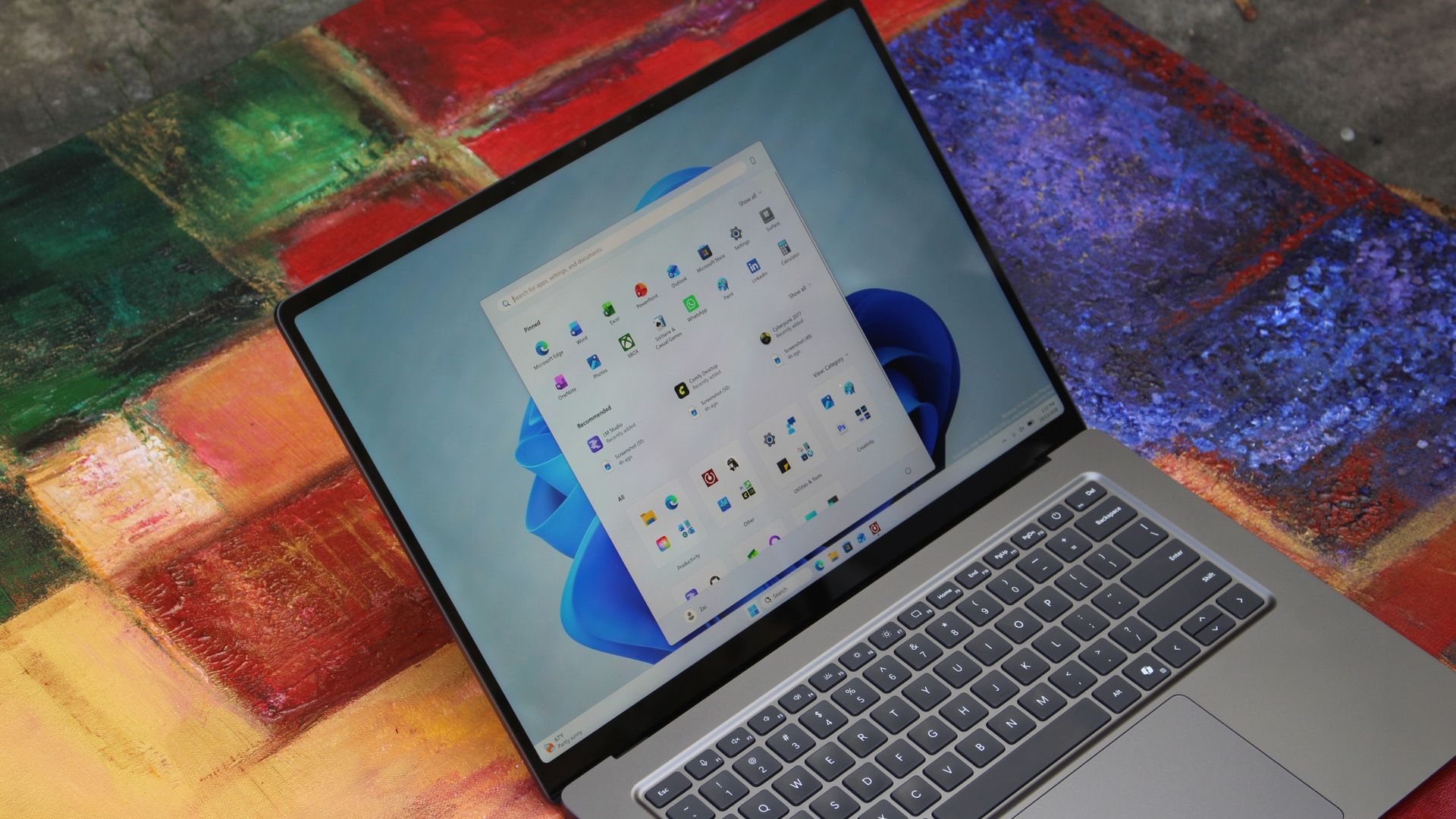
The Mini LED display in all its glory. (Image credit: Zac Bowden / Windows Central)
Surface Laptop Ultra ships with Microsoft's first ever mini-LED display, which delivers better contrast and brighter peak brightness over your standard LCD that has been found in all other Surface Laptops to date. Unlike an LCD, the Surface Laptop Ultra's mini-LED screen packs 1,344 local dimming zones, which allows the laptop to dim darker areas of the screen that don't need as much light.
This number is not as high as the mini-LED screen on the MacBook Pro, and this results in a bit of blooming around bright elements on a dark background. If you use Windows in light mode, this will almost never bother you. But in dark mode, in a dimly lit environment, it becomes quite a bit more apparent.
The backlight also takes a fraction of a second to keep up with what's going on on your screen. If you move a bright window around on a dark background, you'll notice the backlight brightening and dimming around the edges of the window. This gives off a slight ghosting effect which degrades the 120Hz refresh rate somewhat. It isn't noticeable at all in light mode, however.
This all leads me to say I wish Microsoft had opted for an OLED panel on the Surface Laptop Ultra. I've been daily driving OLED displays for the better part of a year now, and a mini-LED panel just isn't a vibrant or contrasty as an OLED display can be. The mini LED display is good, but not the best on the market, and it's certainly no OLED.
Microsoft tells me it opted for mini LED over OLED primarily for the brightness and efficiency gains. At 2,000 nits peak brightness, it is the brightest screen ever put on a Surface. But Tandem OLED displays are also very capable of reaching similar peak brightness levels these days, and so I feel the benefits of a mini LED screen don't carry much weight here.
If you're coming from a standard LCD, the mini LED screen will be nothing but an upgrade to you. It's color accurate, very bright, and its high resolution and 120Hz make reading text and scrolling webpages look and feel great. But if you're coming from a MacBook Pro mini LED screen, or an OLED display, you will notice the downgrade in contrast and more noticeable blooming.
The display is also a touch screen, which is the case on pretty much all Surface PCs since the line began in 2012. Microsoft truly believes that touch has a place on the laptop form factor, and I agree with it. Being able to reach out to tap on a notification or hit OK on a window prompt is really nice, even if I don't use it all the time.
For pen lovers, sadly the Surface Laptop Ultra does not support pen input. Microsoft dropped pen input from the Surface Laptop with Surface Laptop 7, and the Surface Laptop Ultra has not restored it. This makes sense however, as the screen does not lay flat so drawing on it would be uncomfortable.
I also want to mention the fact that Surface Laptop Ultra features a user upgradeable SSD drive. That means you don't have to splash out on the most storage at the checkout screen. You can opt for a lower amount, and when you finally fill it, upgrade the SSD to something larger later down the line. You can't say that about the MacBook Pro.
That large trackpad is something else... (Image credit: Zac Bowden / Windows Central)
Unfortunately, Surface Laptop Ultra is missing a key quality of life feature that I have come to enjoy on other flagship Windows laptops over the last year: presence sensing capabilities. My daily driver is able to wake up and go to sleep whenever I approach it or walk away, and Surface Laptop Ultra is missing this functionality entirely. A crying shame.
It's also missing all Copilot+ PC features currently. Microsoft tells me that RTX Spark is a Copilot+ PC capable chip, but that the suite of Copilot+ PC features aren't yet ready for the platform, and to expect them to show up in the coming months. The RTX Spark has a 50 TOPS NPU that will power these experiences when they finally do arrive.
Keyboard & Trackpad
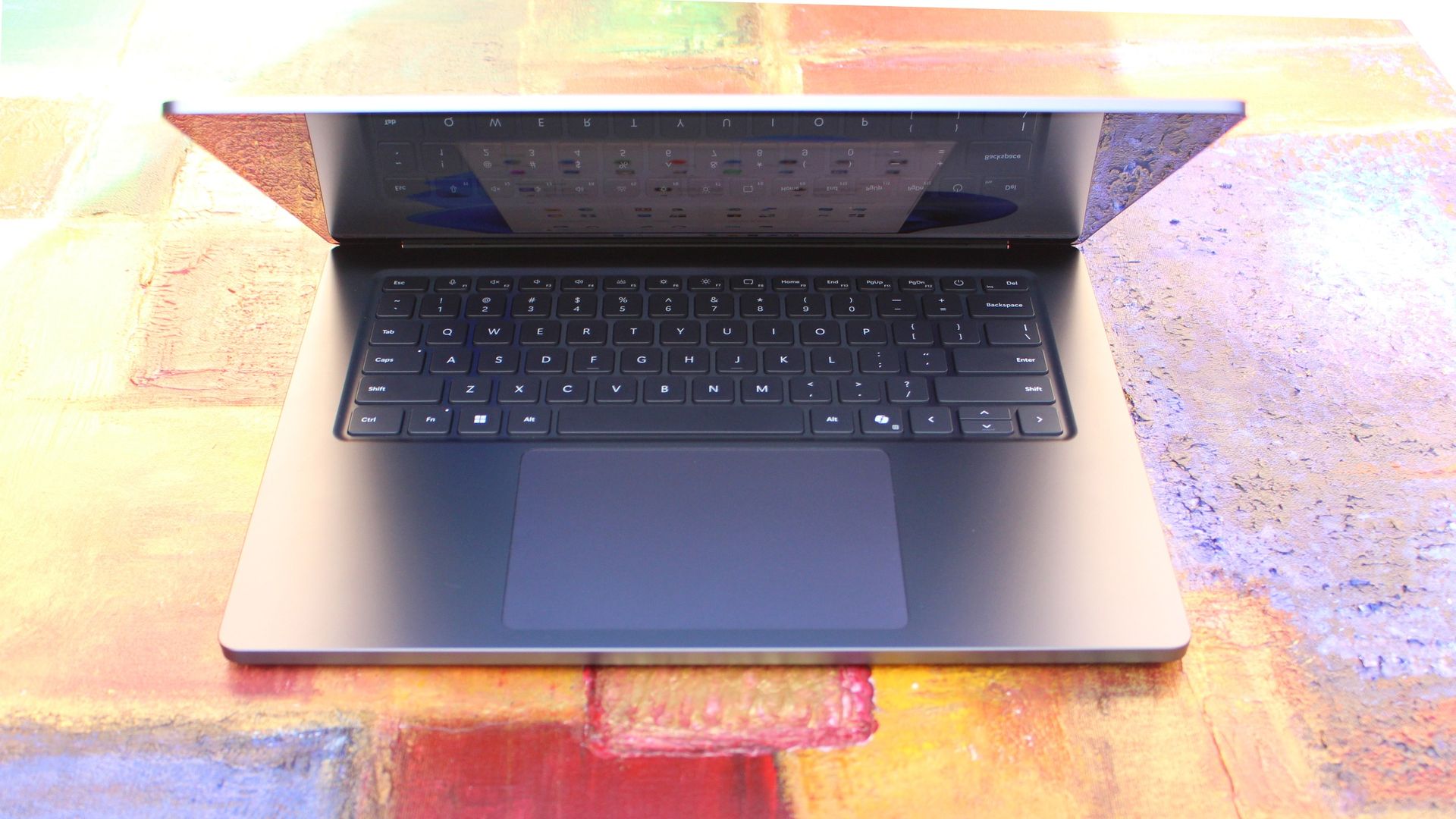
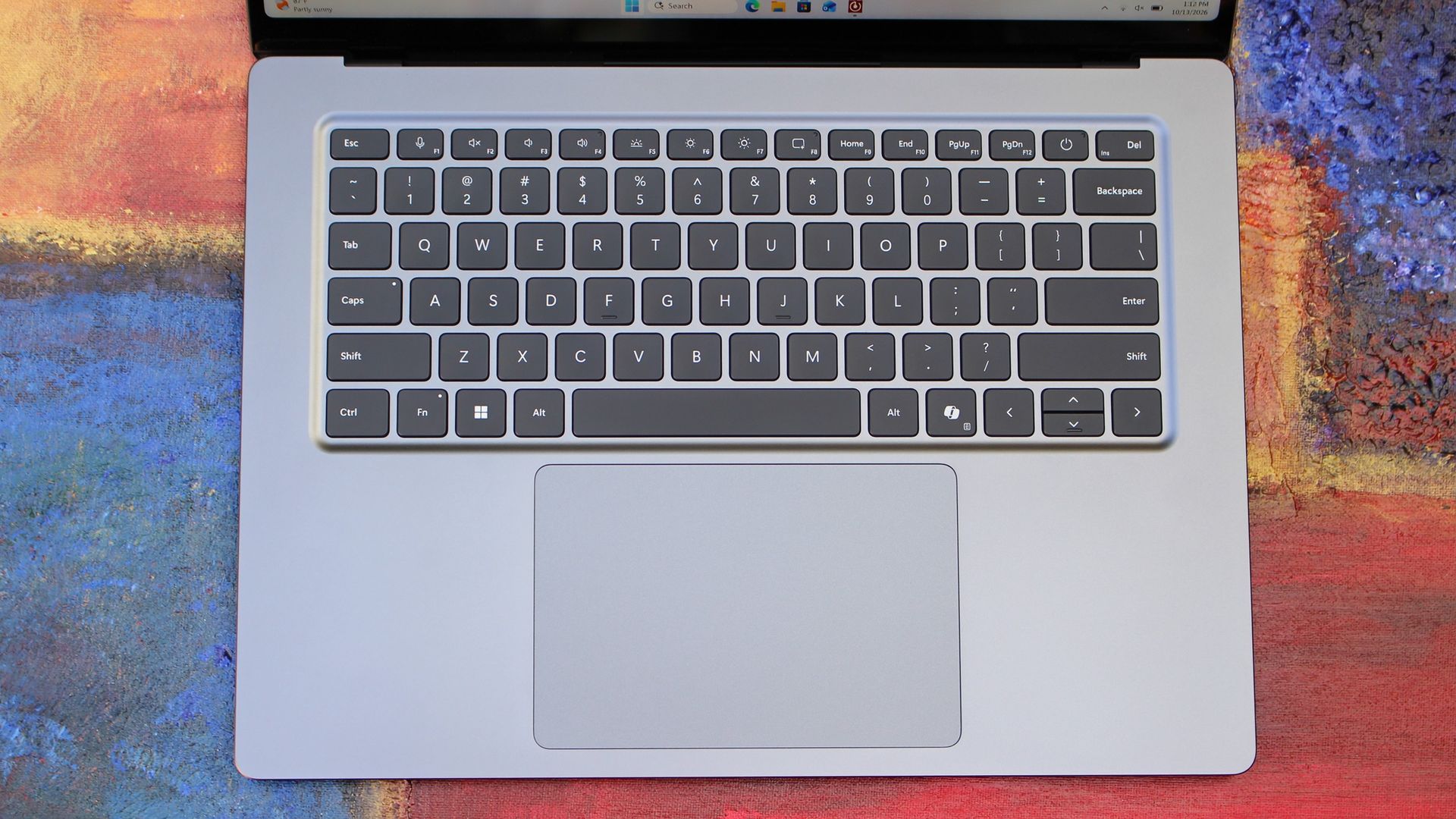
The best keyboard and trackpad I've ever used. (Image credit: Zac Bowden / Windows Central)
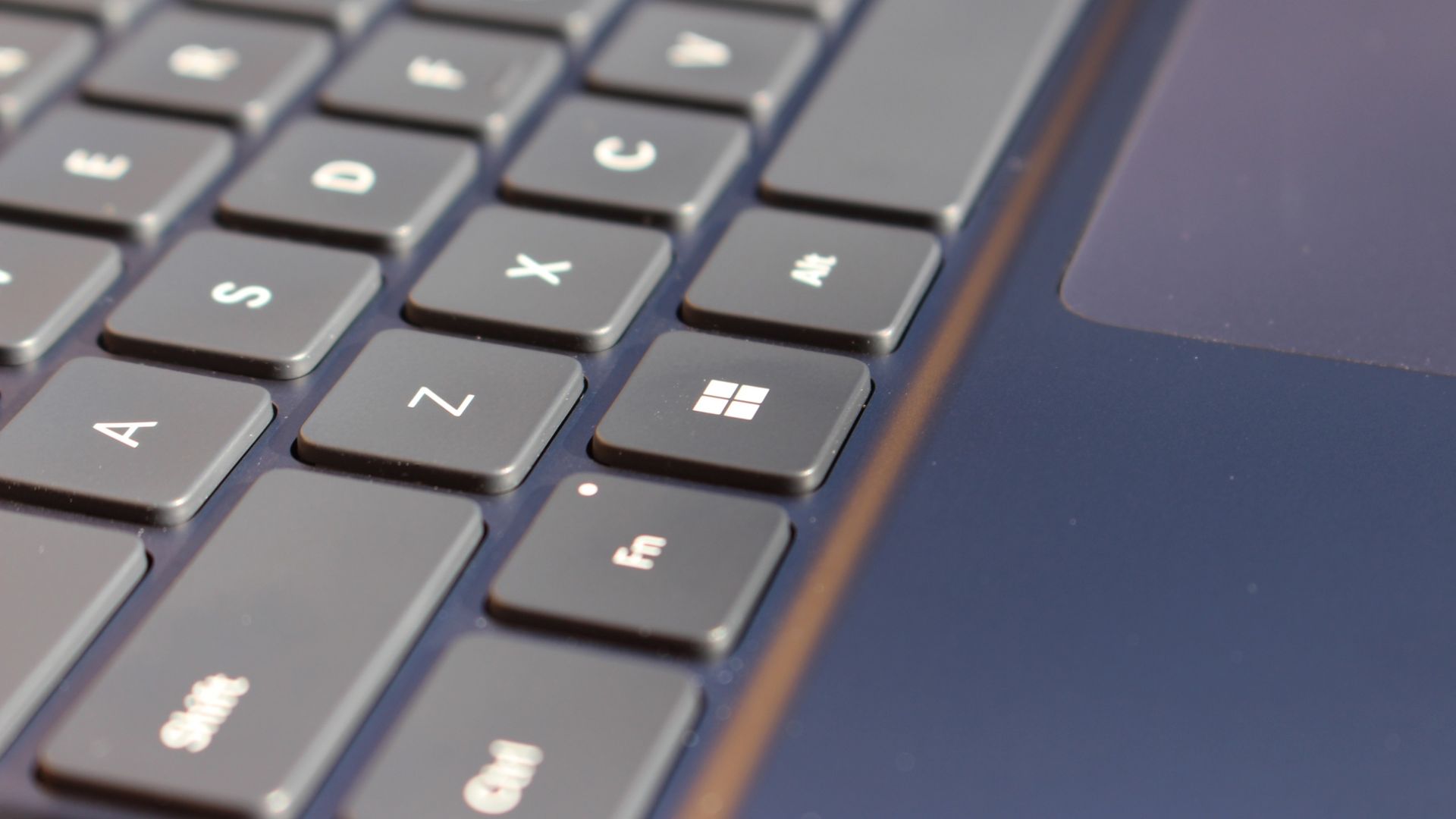
Surface has always delivered excellent keyboard and trackpad experiences, but Surface Laptop Ultra might be on a whole other level. This is probably the best keyboard and trackpad experience I've ever had on a Windows laptop to date. The keyboard is comfortable, tactile, and quiet, with 1.4mm key travel which is incredibly satisfying and not at all fatiguing.
The keys themselves are slightly rounder than the keys found on Surface Laptop 8, which I think is more comfortable and looks nicer as a result. It features a three-stage backlight, a Copilot key (which can be changed,) and a dedicated microphone mute key. It's pretty much perfect in every way.
But what I really want to talk about is the trackpad. It's the largest trackpad ever fitted to a Surface, and that makes a huge difference in how easy it is to use. There's so much room for activities, and you'll never find yourself at the edge of the trackpad because you needed to drag a file and ran out of room.
The keys are so nice to type on. (Image credit: Zac Bowden / Windows Central)
Palm rejection is also very good. I never once had an issue with the trackpad being in the way when typing, which means Microsoft has done a good job at ensuring the trackpad's side isn't impeding the typing experience. The trackpad itself is haptic, and feels great to click on, with strength adjustability in Windows Settings so you can really dial in just how strong that haptic feedback is.
But the new trackpad also supports Windows 11's new haptic system, which introduces subtle haptic feedback when interacting with different UI elements across Windows. When you snap an app window, or drag files across folders, you'll feel haptic bumps under your finger in the trackpad that are different from the usual click down sensation it provides. It's genuinely great.
Camera & Audio
It's a Surface, so you can and should expect great cameras and microphones on Surface Laptop Ultra. The webcam is a 1080p shooter that looks more than fine for video calls, Teams meetings, and recorded presentations. In low light, the image does get a little noisy, but not any more than any other high-end webcams on the market.
The shining star in this department are the built-in studio mics, which are very very good. They sound studio quality, with rich bass and far-field mics that do a very good job at tuning out background noise to ensure the things that you are saying are captured clearly and well.
I also need to take a moment to talk about the built-in speakers on this laptop. They are superb. Again, probably the best I've tried in a Windows laptop to date, and give the MacBook Pro 14-inch a run for its money. There's a clear sound stage, highs are crisp and bass is rich.
Performance & Battery
It's a looker for sure. (Image credit: Zac Bowden / Windows Central)
I've already published an in-depth look at the performance of RTX Spark on Surface Laptop Ultra, which you can read here if you're interested, so there won't be raw performance benchmark numbers in this review.
The TL:DR for that however is that the RTX Spark is a powerful chip, with okay CPU performance but great GPU performance. It's capable of playing most games at 1440p high settings above 60fps, and top end configs can fit large AI models directly onto the GPU for faster processing. But it trails behind the latest high-end Apple Silicon, and is more in-line with current-gen Snapdragon X2 Elite or last-gen Apple M4 Pro in overall performance.
By default, the 128GB Surface Laptop Ultra ships with its unified memory in a 50/50 split configuration. Users are free to adjust this in the NVIDIA app, which is good for when you need to give either the system or your GPU more RAM for whatever task it is you're completing. It requires a restart to apply, which frustratingly takes a long time on the Surface Laptop Ultra.
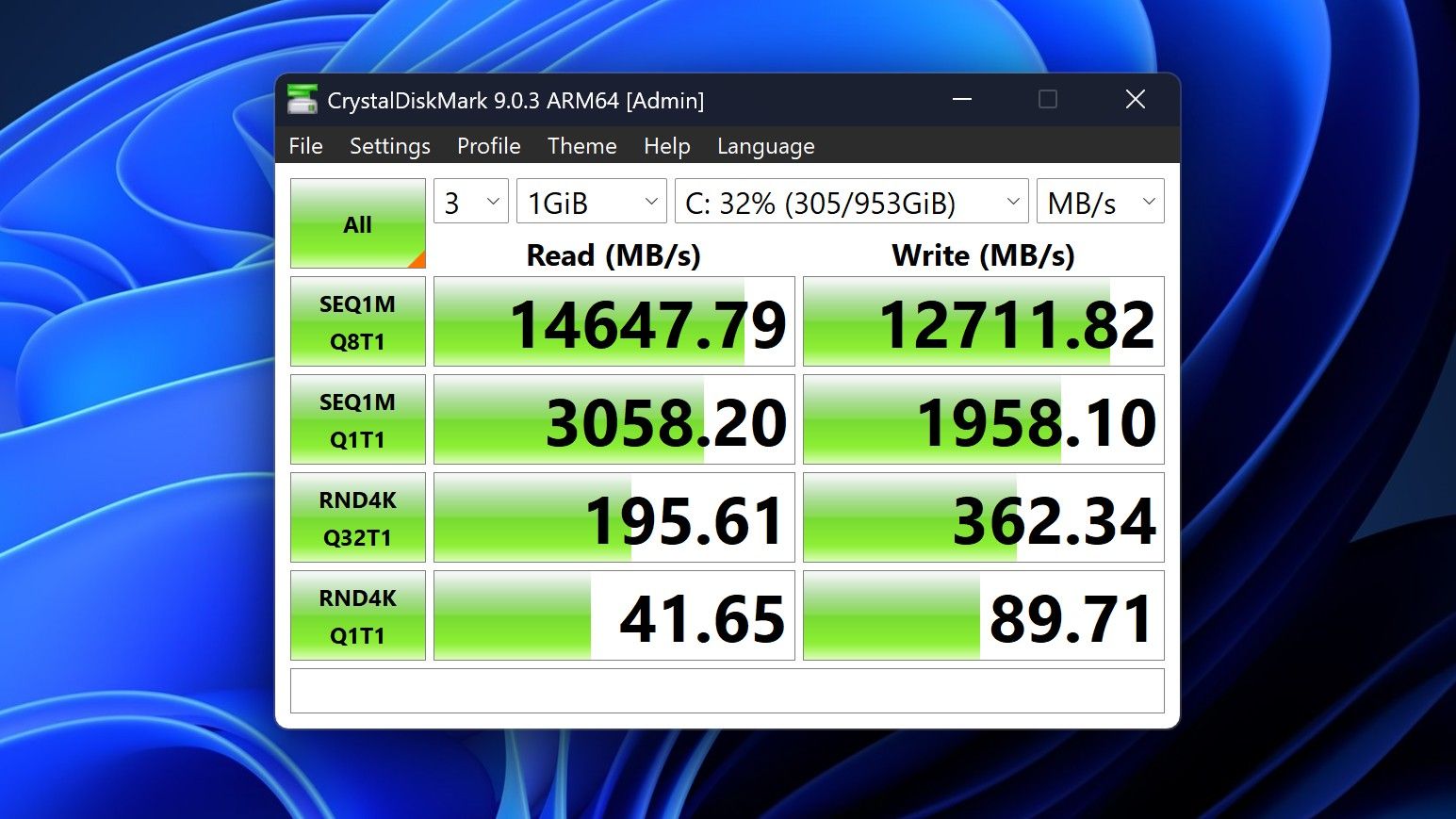
You can expect very fast read and write speeds on 1TB models. (Image credit: Zac Bowden / Windows Central)
Performance is great for the most part. In day to day usage, it's blazing fast and is able to crunch through pretty much any workload I'd want to throw at a mobile workstation such as this. With that said, there are a couple of oddities related to performance that I feel I should mention.
Compared to other devices I have on hand, the Surface Laptop Ultra sometimes takes twice as long to restart. I'm talking over 2 minutes from hitting restart to being back on the lock screen, which is about double the amount of time it takes all the other laptops in my possession. Microsoft says they are investigating.
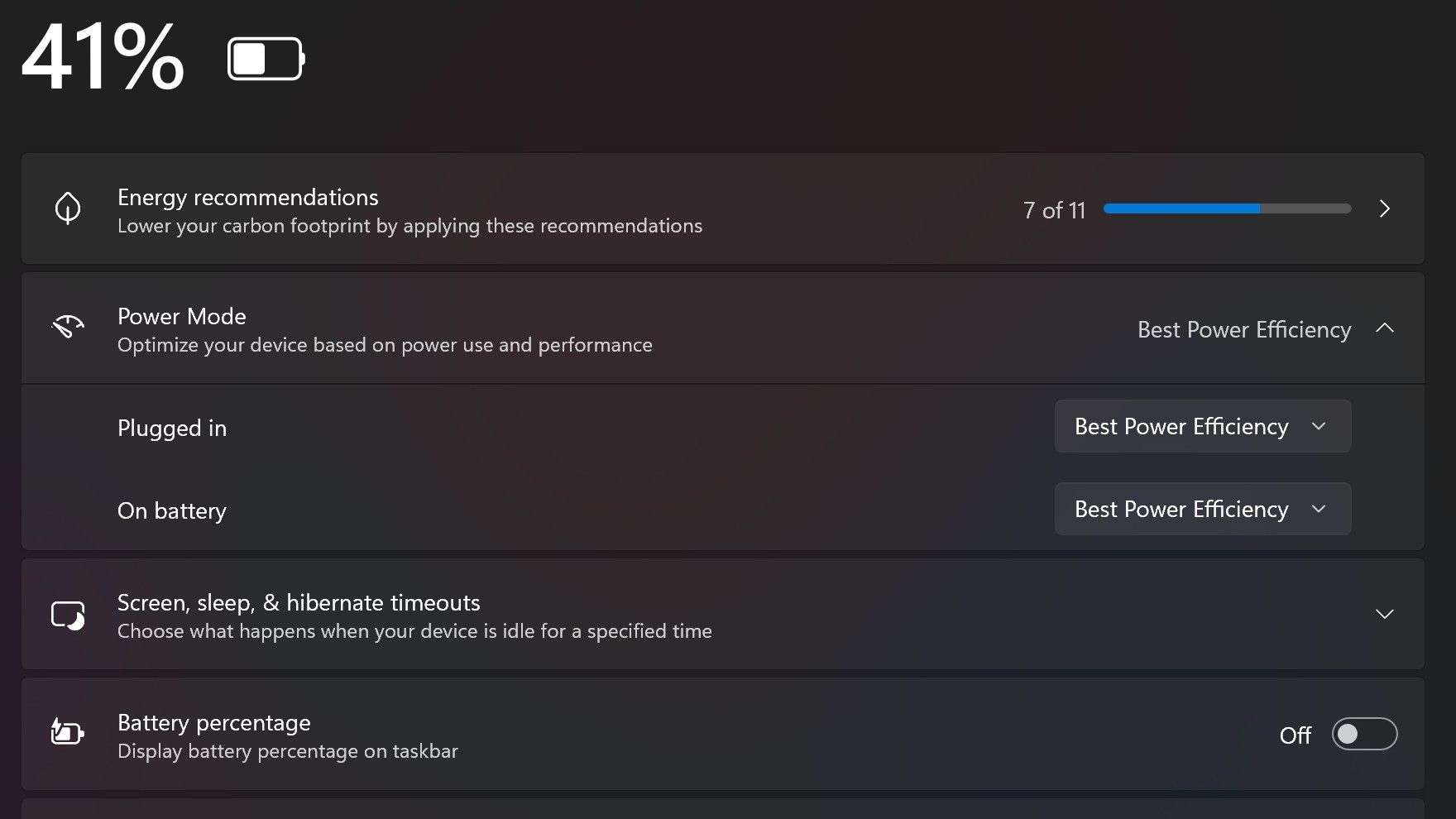
Surface Laptop Ultra also ships with the "Best Power Efficiency" profile set by default. This is unusual, as most Surface PCs ship with their power profile set to balanced. Microsoft says it does this to maximize battery life, but that does come at the cost of performance.
Make sure you change these to Best Performance for plugged in, and Balanced for battery life. (Image credit: Zac Bowden / Windows Central)
I've found that overall performance can be slashed by up to a quarter or even half when in this default mode. So if you want to make the most of your RTX Spark PC, be sure to change the power mode in Windows Settings to either Balanced or Best Performance. I usually set the on-battery mode to Balanced, and the plugged in state to Best Performance.
On the subject of battery life, the Surface Laptop Ultra's endurance is just fine. It's not class leading by any stretch, but I can definitely get through the work day without much fuss, though this will depend on your workload. Our Procyon battery life benchmark test lasted around 14 hours, and in real world use I was getting close to about 10.
But if your workload heavily leans on the GPU, you can expect to halve that number. The GPU is quite efficient for the power it outputs, but it's still a GPU and it's still hungry. So if you know you'll be using the GPU a lot throughout the day, you'll want to bring the charger with you.
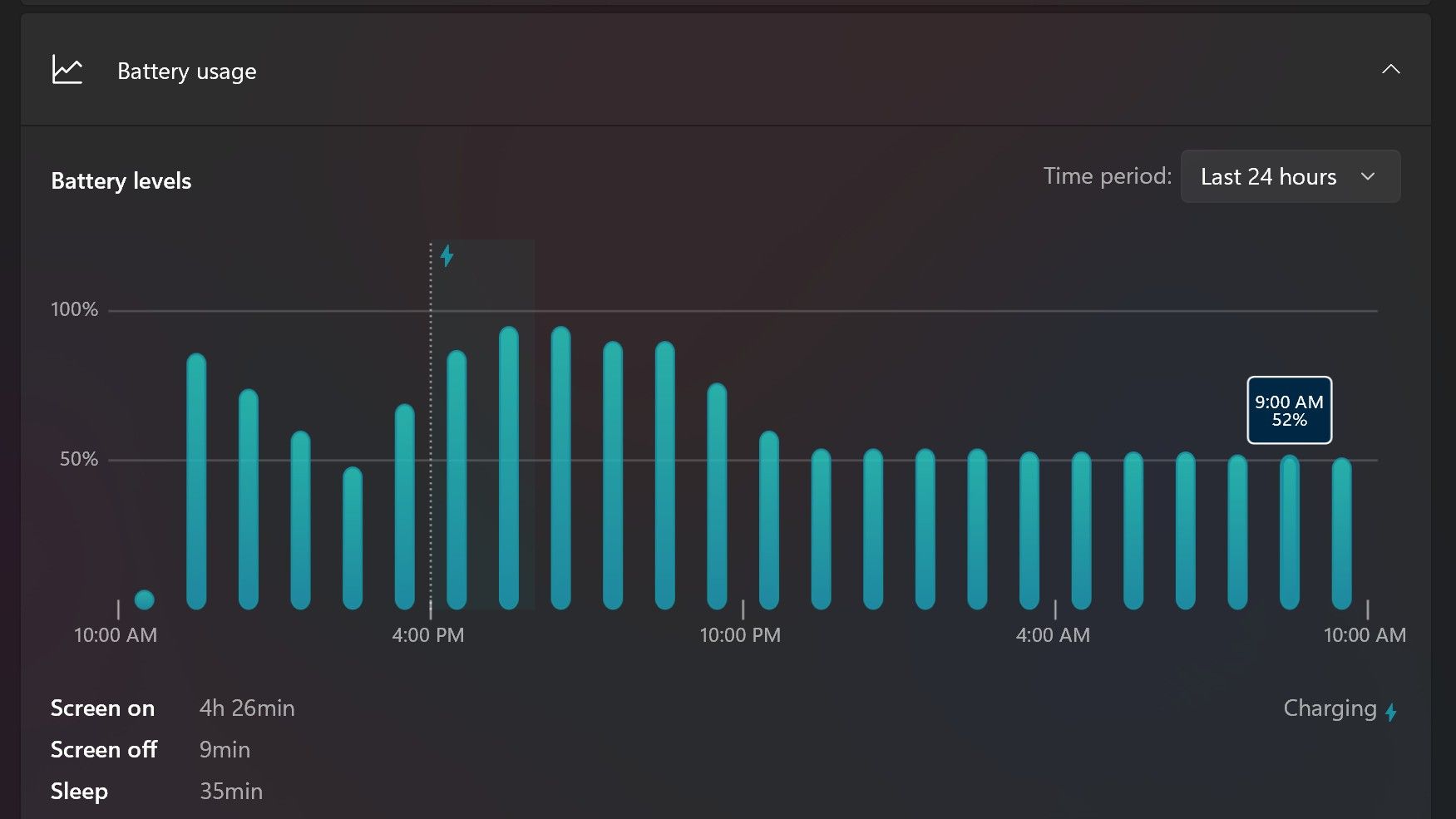
Surface Laptop Ultra only sipped power during sleep between midnight and 9AM. (Image credit: Zac Bowden / Windows Central)
With that said, sleep endurance is very good for the level of power this laptop outputs. I put the laptop to sleep at about midnight, and open the lid 10 hours later, and it's only drained one, maybe two percent from the battery. Very good on that front!
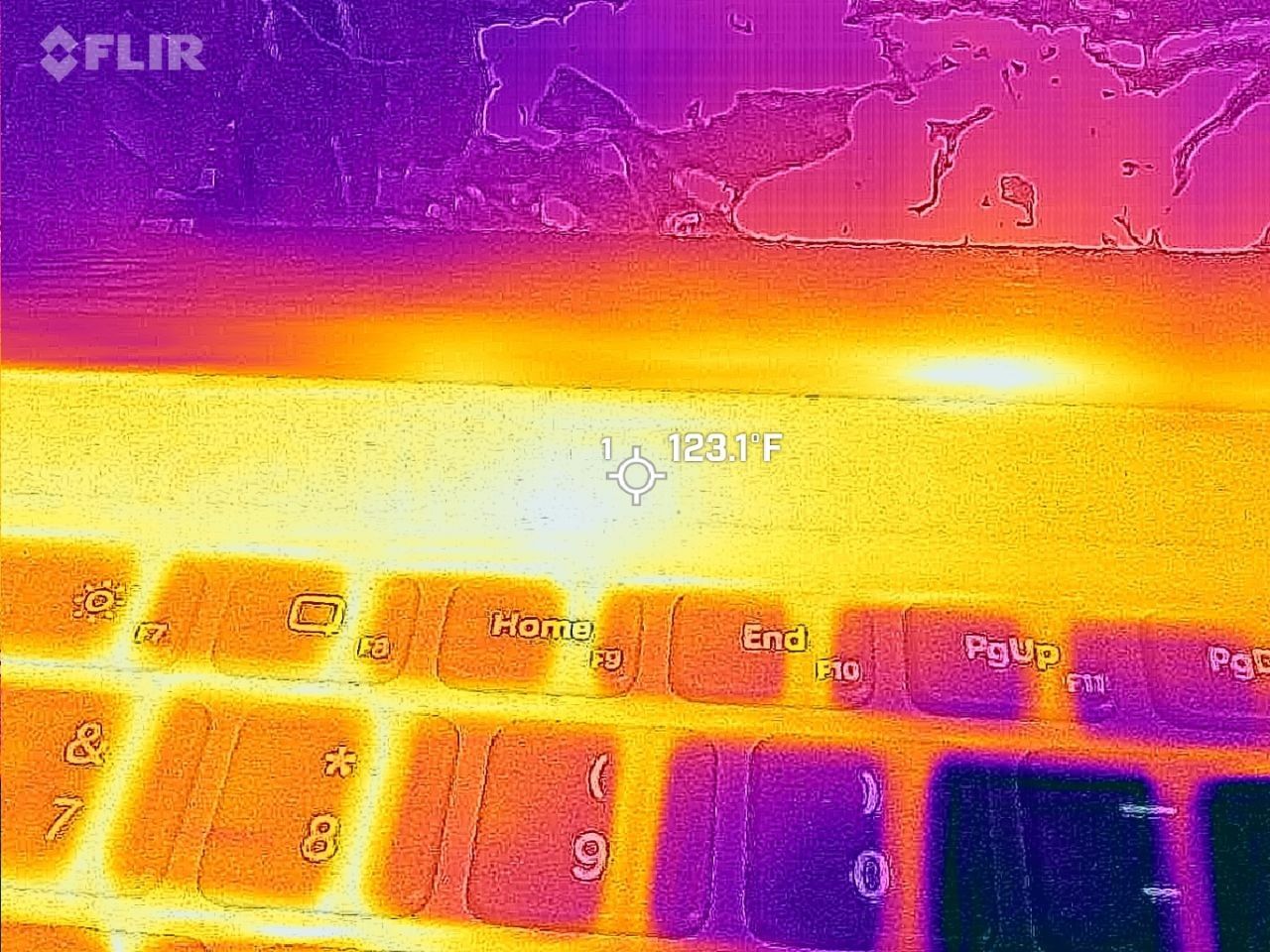
Under max load, the Surface Laptop Ultra gets quite warm. While the keys themselves remain at an okay temperature, the top part of the keyboard deck gets very toasty. I measured 123 F at its hottest under max load, which is approaching "oh that's hot" territory.
Surface Laptop Ultra gets toasty, but doesn't seem to thermal throttle. (Image credit: Zac Bowden / Windows Central)
I also noticed quite audible coil whine when under max load on my Surface Laptop Ultra. This isn't a problem in day to day use, but whenever the GPU is being used, I can hear buzzing coming from inside the keyboard chassis. If you're sensitive to that kind of thing, it will annoy you.
Fan noise is acceptable even at max load. I measure around 42 decibels at its loudest, and that was after running a benchmark for 10 minutes. In normal use, the fans rarely come on, though it does run slightly warm on your lap as a result.
Conclusion
Surface Laptop Ultra is ultra-premium. (Image credit: Zac Bowden / Windows Central)
✅ You should buy this if ...
You are a software developer utilizing on-device AI
You live and breathe large language models and agentic workflows
You need a beefy GPU in a portable and efficient package
You need lots of RAM
❎ You should not buy this if ...
You aren't interested in AI or agentic workflows
You only need a PC for standard productivity tasks
You occasionally game or edit video (get something cheaper)
You want something thin and light
Surface Laptop Ultra is great, but it's not something I can comfortably recommend everyone go out and buy, especially at these high prices. At the base level, it doesn't offer enough to justify the added cost over a Surface Laptop 8 with 24GB RAM. You do get the more beefy GPU and "better" display, but that comes at the cost of portability and battery life.
The Mini LED screen isn't the upgrade I was hoping it would be. For those who have only ever used a standard LCD their whole life, I'm sure you will appreciate the added brightness. But the ghosting issue is annoying and I think most people will notice it. I would have much preferred an OLED on a laptop this expensive.
Battery life is also just okay, which, again, for a laptop of this size and weight, leaves something to be desired. You can get longer day to day use out of a thinner and lighter Surface Laptop 8, which I think most people would prefer over the raw power that Surface Laptop Ultra offers.
And that brings me back to my original point. This isn't a laptop for everyone. It's a laptop for those who know they need it, and it's mainly for AI developers and high-end content creators. If you find yourself leaning on local agents to complete tasks for you, or enjoy generating images and videos using AI models, this is the laptop for you.
If you're someone who just needs a laptop for productivity tasks that includes a little bit of photo and video editing, and sometimes some gaming, there are cheaper laptops out there that will do that job very well.
Is this the MacBook Pro for Windows? I think it is. But it's not the perfect MacBook Pro alternative just yet. RTX Spark isn't at the same level as high-end MacBook Pro silicon, the Mini LED screen isn't best in class, and battery life could use some improvement.
Microsoft
Surface Laptop Ultra
Surface Laptop Ultra is Microsoft's flagship and most powerful Windows PC. It can be configured with up to 128GB RAM, and ships with NVIDIA's new RTX Spark SoC. It's great for creative workflows and software development, and those who want to run local AI and LLMs directly on their device.
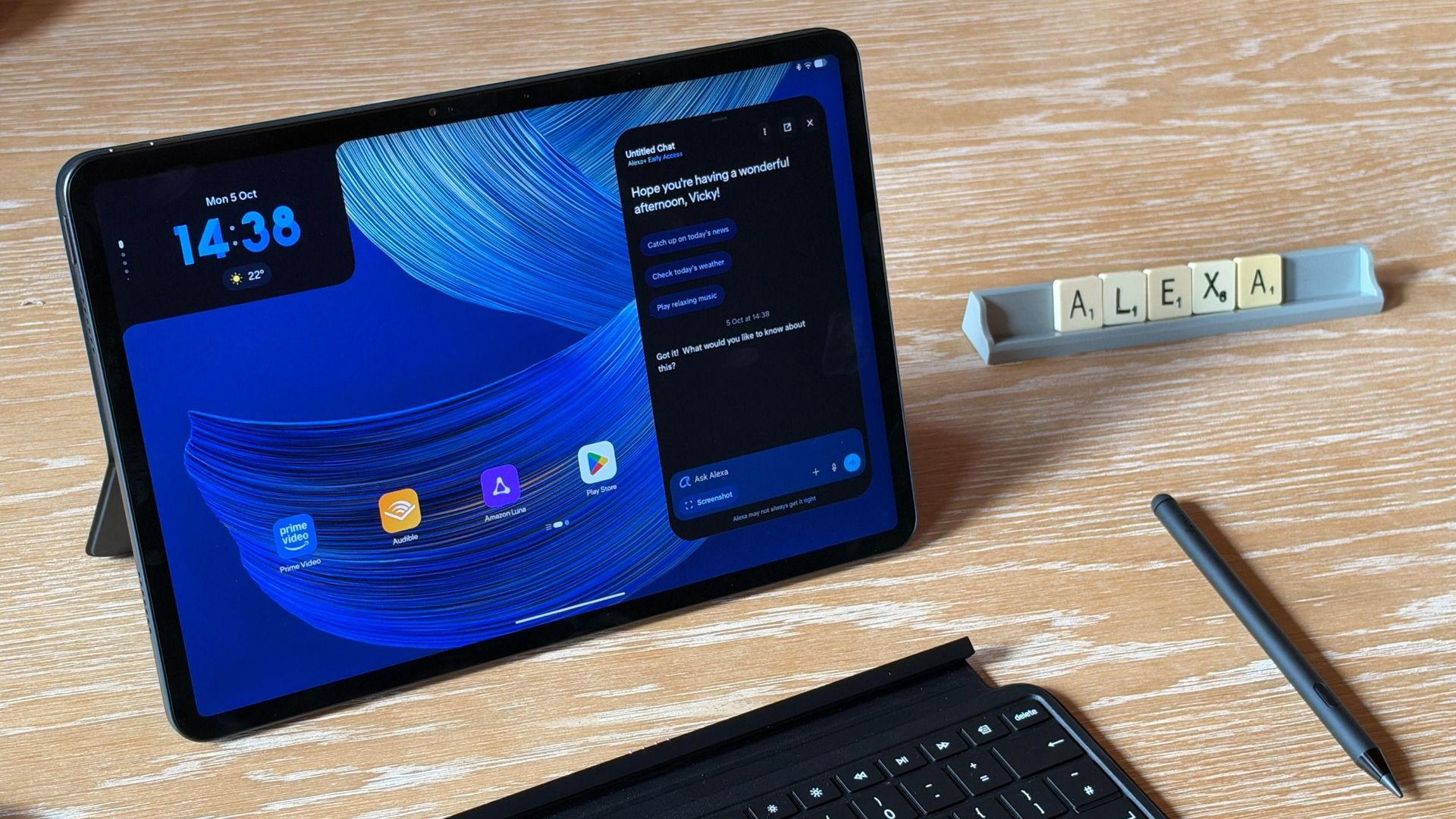
Microsoft held a Windows and Surface event last week that focused heavily on the Surface Laptop Ultra. Coincidentally, Panos Panay announced a new device on the same day. Panay, who led Microsoft's hardware division for years, now works for Amazon and unveiled a new range of Amazon Alexa tablets.Those tablets aren't really direct competition to the Surface Pro, but they do have a feature I'm envious of. The nanomatte screen on one of those Amazon Alexa tablets wo
Those tablets aren't really direct competition to the Surface Pro, but they do have a feature I'm envious of. The nanomatte screen on one of those Amazon Alexa tablets would be perfect on a Surface Pro.
Matte displays reduce glare by diffusing light. Because the screens bounce light in different directions, the image can appear grainy. An extreme example of this is if you get a cheap matte screen protector for your phone, but even a premium PC with a matte finish can look a bit grainy.
The nanomatte display Amazon uses in its new tablets etches the screen in a way that aligns with the pixels of the display. Amazon praises the displays for providing "a first-of-its-kind cinematic viewing experience, with incredible contrast retention in bright conditions and text that feels like it’s sitting on top of the glass."
I'm not sure I agree with the claim that it's a world first. Apple's nano-texture technology is similar to what Amazon unveiled. But even if Amazon is not a pioneer in the space, it has a device with a screen I'm envious of.
Many Surface devices, including the Surface Pro 8, are glossy, making them hard to use in well-lit environments. (Image credit: Future)
Microsoft has been oddly resistant to anti-glare displays. Surface was late to the party on adding them to any device and has been selective with where it offers the screens.
Microsoft has yet to fully embrace anti-glare screens and it holds back Surface hardware.
The anti-glare display of the Amazon Alexa Tablet 12 Pro also has a texture that makes pen usage feel more natural. The screen is meant to make it feel like you're writing on paper, not a perfectly smooth piece of glass.
It's not surprising that a device made by Panay has features that would fit perfectly on a Surface. He shaped the Surface brand as much as anyone, and he took his expertise over to Amazon.
But as I mentioned earlier, the Alexa tablets are not competitors to the Surface Pro, so they can't serve as replacements either. The Alexa tablets run on Android and have access to the Google Play Store. That's a welcome change to the locked-down Fire Tablets of the past, but it's a far cry from a Windows-powered 2-in-1.
I'd love to see Microsoft replicate the nanomatte finish of the Amazon Alexa Tablet 12 Pro on a Surface Pro in the future. The finish would help those using the Surface Pro in bright settings and also improve the feel of using a stylus.
The Amazon Alexa Tablet 12 Pro features a Nanomatte anti-glare display designed to reduce reflections while maintaining detail and color accuracy. It runs Android and can access the Google Play Store.View Deal
Join us on Reddit at r/WindowsCentral to share your insights and discuss our latest news, reviews, and more.
Microsoft's new Surface Laptop Ultra is here. Preorders are live and shipments start next week. The PC packs an RTX Spark processor and has a mini-LED display and a nice range of ports, including the special magnetic USB-C port.Surprisingly, the Surface Laptop Ultra has the lowest starting price of all the RTX Spark laptops. But Microsoft is pushing to compete with more than just Windows laptops. The tech giant will give you up to $1,000 cash back when you trade
Microsoft's new Surface Laptop Ultra is here. Preorders are live and shipments start next week. The PC packs an RTX Spark processor and has a mini-LED display and a nice range of ports, including the special magnetic USB-C port.
Surprisingly, the Surface Laptop Ultra has the lowest starting price of all the RTX Spark laptops. But Microsoft is pushing to compete with more than just Windows laptops. The tech giant will give you up to $1,000 cash back when you trade in a MacBook Pro and buy a Surface Laptop Ultra.
The cash back you receive would be on top of the trade-in value, not in place of it. Rather than the funds being dispensed at checkout, Microsoft will pay the cash back after receiving and evaluating your device.
"A promotional offer is extra value added to your trade-in when your device and purchase qualify," says Microsoft. "For example, you may receive a promotional bonus in addition to your device's standard trade-in value. The total amount is paid after your device is received and evaluated, not applied at checkout."
Built around the NVIDIA RTX Spark platform with an N1X CPU, RTX GPU, and up to 128GB of unified memory, the Surface Laptop Ultra hits new performance heights for power users. It's all contained in a gorgeous chassis with a mini-LED display and tons of ports. Prices start at $2,599.99, and units will begin shipping on October 16, 2026.
If you stack trade-in value with cash back, you can effectively save thousands of dollars on a Surface Laptop Ultra. Of course, that would require you to have a MacBook Pro in excellent condition that has incredibly high specs, all while wanting a Surface instead. I'm not sure how many people will check all those boxes.
Perhaps the bigger news here is that Microsoft specifically made a cash back offer targeting MacBook Pro owners. That's a clear shot at Apple and a sign that Microsoft wants to compete with what are often considered the best laptops on the market.
As you'd expect, the value of your device trade-in depends greatly on the model you're trading in and the condition that device is in. The highest trade-in value I was able to get through Microsoft's website was $2,115 for a MacBook Pro 16-inch (2025) with 128GB of RAM and 4TB of storage.
Interest in the Surface Laptop Ultra has been strong from our readers. It will be interesting to see if that sentiment is widespread and translates to sales.
Join us on Reddit at r/WindowsCentral to share your insights and discuss our latest news, reviews, and more.
Microsoft's Surface Laptop Ultra is part of a new wave of Windows laptops running on NVIDIA's RTX Spark platform. It was first revealed at Computex 2026, and Microsoft followed up with pricing, release date, and more feature details at a special event on October 7, 2026. Prices are confirmed to start at $2,599.99, and models are expected to begin shipping on October 16.The Surface Laptop Ultra is the most powerful Surface device yet thanks to its ARM-based NVIDIA
Microsoft's Surface Laptop Ultra is part of a new wave of Windows laptops running on NVIDIA's RTX Spark platform. It was first revealed at Computex 2026, and Microsoft followed up with pricing, release date, and more feature details at a special event on October 7, 2026. Prices are confirmed to start at $2,599.99, and models are expected to begin shipping on October 16.
The Surface Laptop Ultra is the most powerful Surface device yet thanks to its ARM-based NVIDIA System-on-Chip (SoC) with up to 20 CPU cores, 6,144 Blackwell RTX GPU cores, and 128GB of unified memory. Microsoft built the Surface Laptop Ultra for "world makers," also known as developers, scientists, engineers, and creators, who need a fresh take on performance and portability in the age of AI.
Microsoft finally gave us more information about the Surface Laptop Ultra, including price, release date, and features, at a special event on October 7. It's confirmed that the RTX Spark-powered PC will begin shipping on October 16, and preorders are live now, starting at $2,599.The reactions to this announcement have been interesting. It seems like a fair number of people were expecting a higher baseline price, while others are just happy that Surface now has a
The reactions to this announcement have been interesting. It seems like a fair number of people were expecting a higher baseline price, while others are just happy that Surface now has a true MacBook Pro competitor for the age of AI.
Here's what people are saying about the new Surface Laptop Ultra and its RTX Spark platform.
The Windows community reacts to the Surface Laptop Ultra's pricing
The Surface Laptop Ultra's price reveal at the October 7 Microsoft event. (Image credit: Daniel Rubino | Windows Central)
Responding to a Windows Central subreddit thread regarding other RTX Spark laptops and their pricing, user Icybubba noted, "And somehow the Surface seems to be the cheapest out of all those."
Another redditor, Valterri_Its_James, remarked, "Lowkey the pricing isn't absolutely horrendous. 32GB costs $3300 which is about the same as the ROG Zephyrus G14."
Not everyone is loving the Surface Laptop Ultra's pricing
The Surface Laptop Ultra from our hands-on time at Computex. (Image credit: Windows Central / Zac Bowden)
Others aren't so sure that the Surface Laptop Ultra is a reasonable price, especially once they dig into the configuration options and see what's available for each chip.
For reference, the Laptop Ultra has two RTX Spark options available: a more affordable option with an 18-core CPU and 5120-core GPU, or a more expensive option with a 20-core CPU and 6144-core GPU.
The price difference between these two models is roughly $1,100, though the more powerful Spark defaults to at least 32GB of RAM (compared to 24GB) and a 1TB SSD (compared to 512GB).
The announced feature that seems to be getting a lot of attention alongside pricing is the Surface Laptop Ultra's breakaway USB-C port.
It's sort of a mashup between Apple MagSafe and Surface Connect, designed to pull out of the laptop rather than ripping it off a desk should you trip on the cable. It's designed to work with any USB-C cable, and the port offers full functionality.
There are, of course, plenty of detractors noting that it took Microsoft this long to finally copy Apple MagSafe. That's not exactly true; Surface Connect was always magnetic and would break away if jarred. The move to the more ubiquitous USB-C form factor erased that failsafe, and Microsoft has now reintroduced it.
It's also worth pointing out that MagSafe does not handle any data and is for power only. The Surface Laptop Ultra's USB-C port handles both.
I want to know what you think!
We're a community here at Windows Central, and I'm always interested in your opinions. I want to know what you think about the Surface Laptop Ultra's pricing, configuration options, and features in more detail, so please be sure to leave a comment below!
Built around the NVIDIA RTX Spark platform with an N1X CPU, RTX GPU, and up to 128GB of unified memory, the Surface Laptop Ultra hits new performance heights for power users. It's all contained in a gorgeous chassis with a mini-LED display and tons of ports.
Microsoft’s Surface Laptop Ultra starts at $2,599 with an Nvidia RTX Spark GPU, up to 128GB of memory, and support for running large AI models locally.
The post Microsoft’s $2,599 Surface Laptop Ultra Puts Nvidia RTX Spark Inside a Windows Laptop appeared first on TechRepublic.
Microsoft’s Surface Laptop Ultra starts at $2,599 with an Nvidia RTX Spark GPU, up to 128GB of memory, and support for running large AI models locally.
The Surface Laptop Ultra with NVIDIA RTX Spark is now available to preorder following the October 7 Surface event in San Francisco. It arrives as a suped-up Surface Laptop 8 with a 15-inch mini-LED display, tons of ports, a sleek design, and, of course, NVIDIA's N1x chip with support for up to 128GB of unified memory.It's a laptop that's marketed as the ultimate PC for creators, AI specialists, engineers, scientists, and developers who don't want to be tied down
The Surface Laptop Ultra with NVIDIA RTX Spark is now available to preorder following the October 7 Surface event in San Francisco. It arrives as a suped-up Surface Laptop 8 with a 15-inchmini-LED display, tons of ports, a sleek design, and, of course, NVIDIA's N1x chip with support for up to 128GB of unified memory.
It's a laptop that's marketed as the ultimate PC for creators, AI specialists, engineers, scientists, and developers who don't want to be tied down to a bulky workstation on a desk.
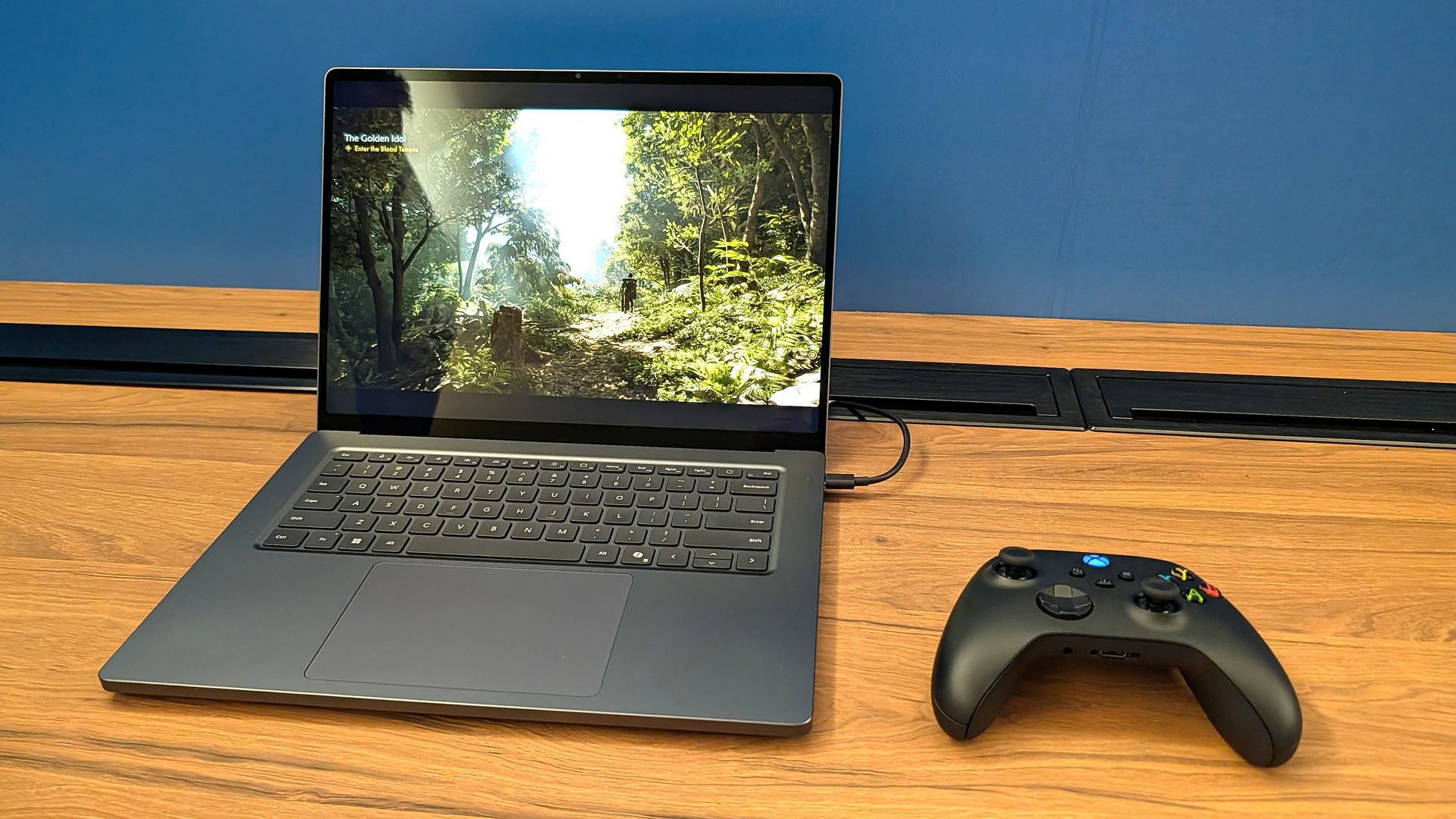
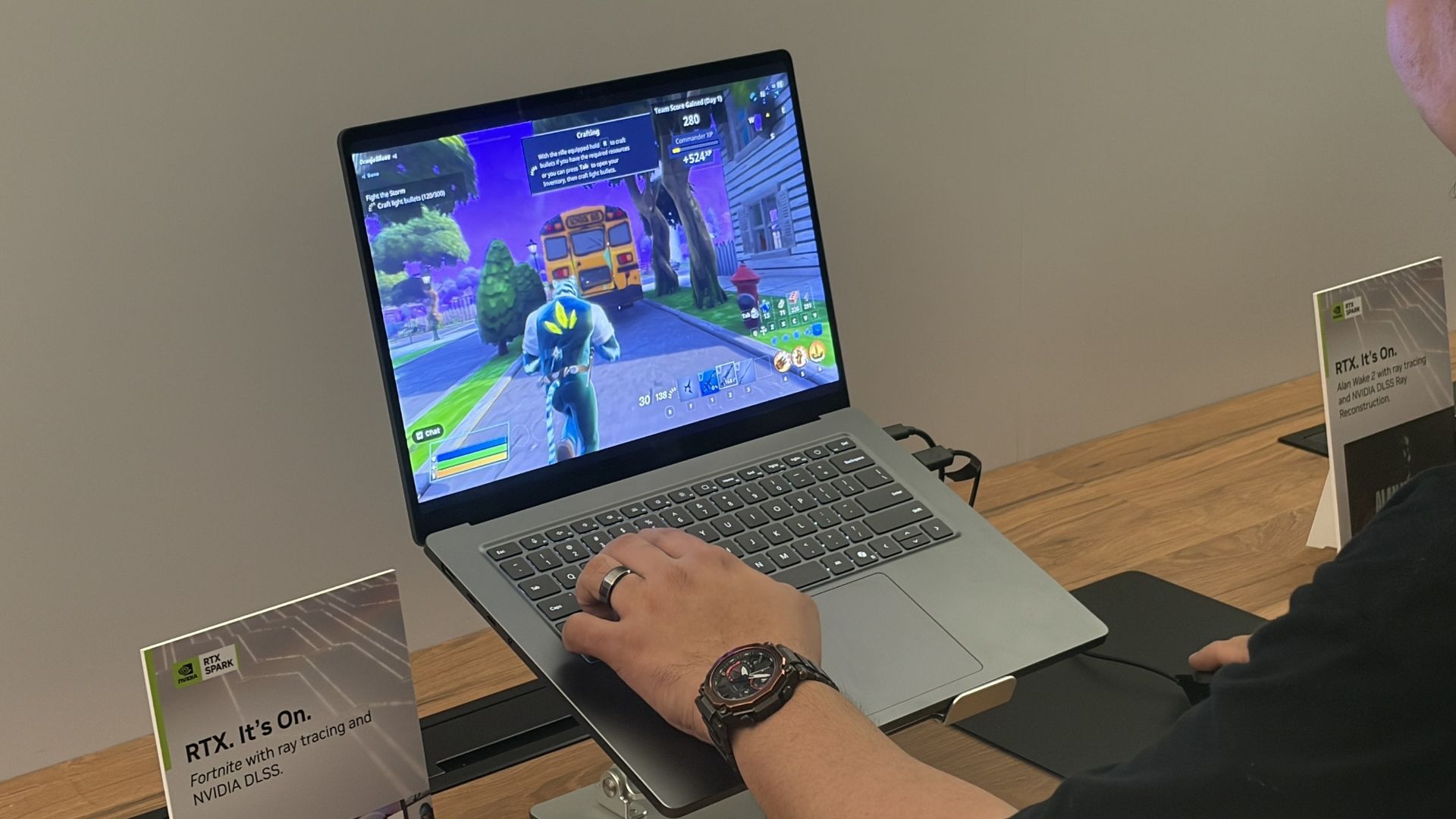
I can also say that the gaming experience was super smooth, even in games with ray tracing, path tracing, and DLSS support. Indiana Jones and the Great Circle ran flawlessly when I tried it, and every other title seemed to be an easy task for the Laptop Ultra.
That begs the question: Is the Surface Laptop Ultra the ultimate laptop for PC gaming?
At the risk of breaking some pixelated hearts, I'll say that dedicated PC gamers should look elsewhere. Here's why.
Built around the NVIDIA RTX Spark platform with an N1X CPU, RTX GPU, and up to 128GB of unified memory, the Surface Laptop Ultra hits new performance heights for power users. It's all contained in a gorgeous chassis with a mini-LED display and tons of ports.
The Surface Laptop Ultra's specs look ideal for gaming ... what gives?
I saw the Surface Laptop Ultra smoothly run Fortnite, Alan Wake 2, Indiana Jones and the Great Circle, and more. (Image credit: Future)
It's well established that NVIDIA's RTX platform is the preferred way to play on PC for most gamers, mainly due to the excellent performance and additional support for features like ray tracing, path tracing, and DLSS.
Considering the Surface Laptop Ultra's RTX Blackwell GPU supports all of the latest features, wouldn't that make it a capable PC for gaming?
Well, yes. But there's more to the story.
The Surface Laptop Ultra was not designed to be a gaming PC. It was made to handle intricate AI workloads locally and to be the centerpiece of a professional's arsenal, and the fact that it can run plenty of games smoothly is simply a convenient effect of using NVIDIA's technology. Its starting price of $2,599 reflects that reality.
Sure, that cost is inflated due to the ongoing RAM and storage crisis, but in any case, you can buy a quality laptop made specifically for gaming purposes (suffering from the same RAM and memory squeeze) for considerably less money.
For my PC gaming money, I'd much rather buy a PC running standard Windows 11 rather than Windows on ARM (despite serious advancements in emulation and support). That way, you're guaranteed not to experience any compatibility issues with the games or their anti-cheat methods.
Gaming laptops also come tuned for gaming right out of the box, and their hardware is designed to support that initiative. Sure, you could tune the Surface Laptop Ultra to focus more on gaming, but that's really not what it was meant for.
The bottom line regarding the Surface Laptop Ultra and PC gaming
The Surface Laptop Ultra is one sleek laptop no matter the angle. (Image credit: Windows Central / Zac Bowden)
The Surface Laptop Ultra should be treated as a pro-grade laptop that happens to have some more-than-decent gaming chops.
I know there are plenty of pros out there who love the idea of tackling AI workloads during the day and gaming at night, all from the same machine, and the Surface Laptop Ultra should be a hot ticket for those users.
For gamers at heart, however, I recommend taking a look at the host of quality dedicated gaming laptops before ever considering the Surface Laptop Ultra.
Join us on Reddit at r/WindowsCentral to share your insights and discuss our latest news, reviews, and more.
Microsoft's Surface event today, October 7, revealed a lot more about the Surface Laptop Ultra with an NVIDIA RTX Spark chip inside. For those who can't fathom missing out on the first wave of new laptops, I have good news. The Surface Laptop Ultra is now available to preorder starting at $2,599, with shipments expected to begin going out on October 16.Built around the NVIDIA RTX Spark platform with an N1X CPU, RTX GPU, and up to 128GB of unified memory, the Surf
For those who can't fathom missing out on the first wave of new laptops, I have good news. The Surface Laptop Ultra is now available to preorder starting at $2,599, with shipments expected to begin going out on October 16.
Built around the NVIDIA RTX Spark platform with an N1X CPU, RTX GPU, and up to 128GB of unified memory, the Surface Laptop Ultra hits new performance heights for power users. It's all contained in a gorgeous chassis with a mini-LED display and tons of ports.
Surface Laptop Ultra — What configurations are available, and which one is best for me?
The Surface Laptop Ultra we used at Computex 2026. (Image credit: Windows Central / Zac Bowden)
The Surface Laptop Ultra is set up so that configurations really only affect the performance hardware inside. Each model comes with a 15-inch mini-LED display, the same port selection, and the same killer design.
The baseline $2,599 model includes the RTX Spark platform with NVIDIA's 18-core N1X CPU and 5120-core RTX Blackwell GPU, 24GB of unified RAM, and 512GB of storage.
This is a decent option for those who need to balance price and performance, or for those who simply want to get their hands on this new hardware without overspending.
There's also a model with a 20-core CPU and 6144-core GPU for those who need utmost power. Configuring with 32GB of unified RAM (the lowest option) and a 1TB SSD (also the lowest option), you're looking at $3,699.99. This model is where I'd recommend most advanced users start.
Moving up from there, you can essentially trick out your PC with as much RAM and storage as you want. This is where things begin to get very expensive for pro users. The top-of-the-line model with the more powerful Spark, 128GB of unified RAM, and a 1TB SSD runs up to $5,899.99, reserving it for a select few.
Both models are available in Nightfall or Platinum colors.
Is the Surface Laptop Ultra's price too high?
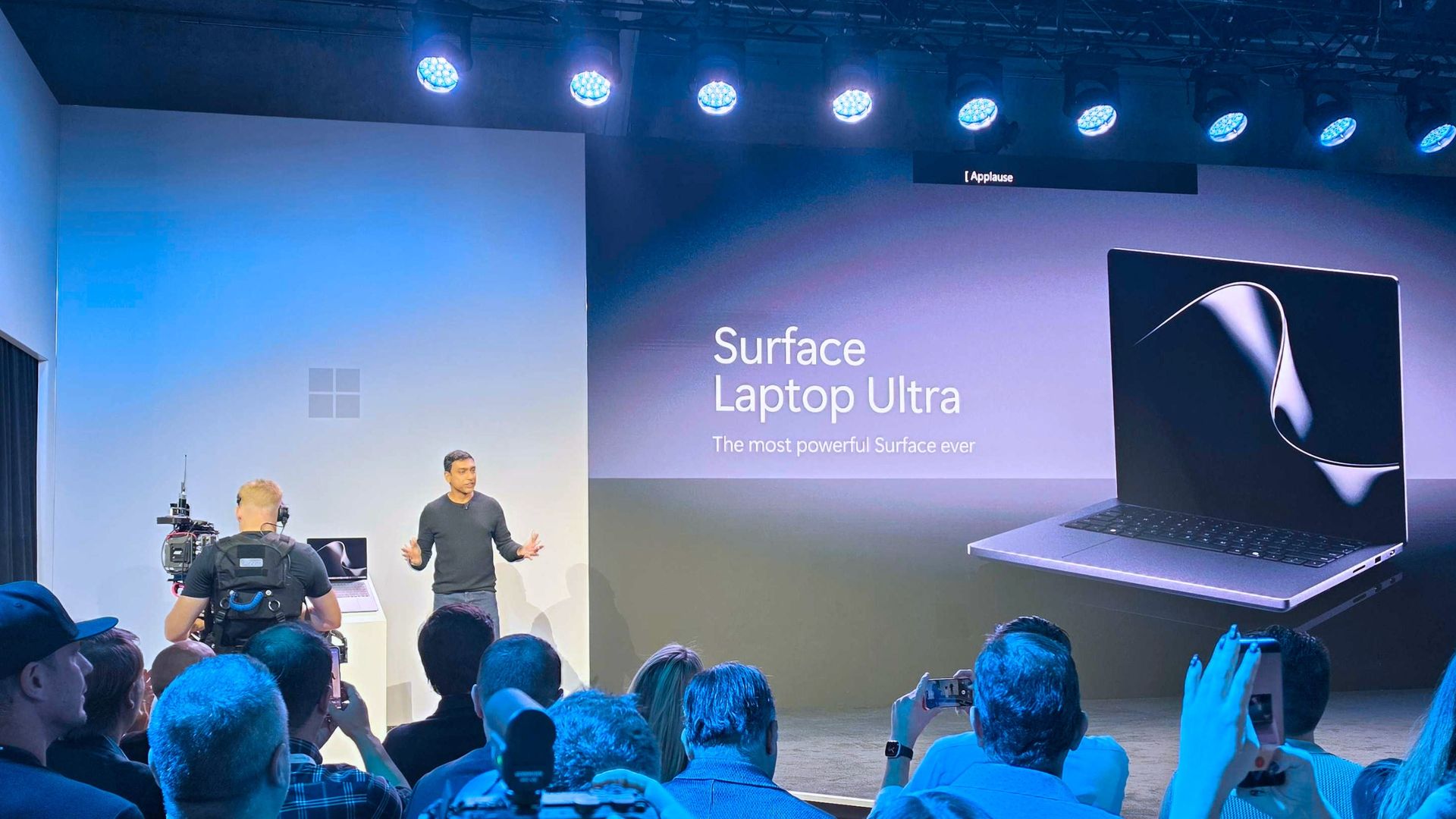
The Surface Laptop Ultra on stage at the October 7 event. (Image credit: Daniel Rubino | Windows Central)
I wasn't expecting the laptop Microsoft calls "Not Standard Issue" to be reasonably priced for most users.
It's a flagship PC with monster internals, and Microsoft clearly states that it's intended for creators, AI builders, scientists, engineers, and other power users who need an ultimate device to handle everything.
Those users are generally used to paying more for high-end hardware, but that doesn't make the price sting any less.
Take this high-end approach and tack on the macroeconomics of the ongoing RAM and storage crisis, and you get set prices much higher than I'm sure Microsoft ever intended.
Starting at $2,599 for a "baseline" model, you'll want to be sure this is the PC for you before you buy it.
As for the gaming angle, I've covered it in more detail in a separate post. Bottom line? You shouldn't buy the Surface Laptop Ultra as a dedicated gaming machine, but its NVIDIA Blackwell GPU will indeed power many games with ray tracing, path tracing, and DLSS in tow.
Are you preordering the new Surface Laptop Ultra today? If so, which configuration did you get? If not, what made you skip it? Let me know in the comments section below!
Join us on Reddit at r/WindowsCentral to share your insights and discuss our latest news, reviews, and more.
Microsoft has finally given us the all-important pricing and availability details for its flagship Surface Laptop Ultra device, which it first unveiled back in June. During its October 7th keynote in San Francisco, Microsoft confirmed that Surface Laptop Ultra would begin shipping on October 16, with pre-orders going live today starting at $2,599.That entry-level price is on the more expensive side, but it's not as bad as many were expecting it to be. That entry-
Microsoft has finally given us the all-important pricing and availability details for its flagship Surface Laptop Ultra device, which it first unveiled back in June. During its October 7th keynote in San Francisco, Microsoft confirmed that Surface Laptop Ultra would begin shipping on October 16, with pre-orders going live todaystarting at $2,599.
That entry-level price is on the more expensive side, but it's not as bad as many were expecting it to be. That entry-level price nets you the Surface Laptop Ultra with a 15-inch mini-LED screen, a large haptic trackpad, three USB-C ports (one of which is very unique), and the 18-core RTX Spark with 5120 GPU cores and 24GB RAM.
While the entry-level model isn't for high-end local AI development and agent work, it should be more than capable for video editing, photo creation, data crunching, light gaming, and 3D modeling work.
It's all happening in San Francisco. (Image credit: Daniel Rubino | Windows Central)
Alongside pricing and availability, Microsoft also revealed that the Surface Laptop Ultra is the world's first laptop to feature a breakaway USB-C port, similar to Apple's MagSafe and its own Surface Connect. Breakaway cable design means if you ever trip over the cable while the laptop is plugged in, it won't yank the entire laptop off your desk.
Breakaway ports have only ever really been possible on proprietary ports, as they use magnets to ensure the cable remains attached when in use. It's never been attempted on a universal standard before, which is what makes the Surface Laptop Ultra's breakaway port so special. It's a standard USB-C port, capable of taking any USB-C peripheral you can throw at it.
Surface Laptop Ultra is Microsoft's most expensive and most powerful Surface PC ever made. The high-end configs are designed for intensive AI developer workloads such as running large 120B parameter models locally, enabling complex agentic AI workloads and experiences.
Join us on Reddit at r/WindowsCentral to share your insights and discuss our latest news, reviews, and more.
Prime Big Deal Days are here, and that means big savings on the hottest tech. Microsoft Surface sales slash hundreds of dollars off the Surface Pro, Surface Laptop, and Surface accessories.Best Buy and other retailers are running competing sales alongside Prime Big Deal Days, so the best Surface deals are spread across the web. You'll also see prices fluctuate as stock runs out or sits for too long. I've scoured the web for the best Surface deals, and our team at
Prime Big Deal Days are here, and that means big savings on the hottest tech. Microsoft Surface sales slash hundreds of dollars off the Surface Pro, Surface Laptop, and Surface accessories.
Best Buy and other retailers are running competing sales alongside Prime Big Deal Days, so the best Surface deals are spread across the web. You'll also see prices fluctuate as stock runs out or sits for too long. I've scoured the web for the best Surface deals, and our team at Windows Central will keep this piece up to date with the best discounts.
You'll notice that I don't list the Surface Pro 12-inch or Surface Laptop 13-inch below. That's because those PCs have new versions with Snapdragon X2 processors launching next week. You can still buy older models with first-gen Snapdragon X chips, but I'd recommend waiting until the new generation ships to see where prices fall on older devices.
XX
Display: XX. CPU: XX. GPU: XX. NPU: XX. RAM: XX. Storage: XX. AI PC: ✅ Copilot+ PC: ✅
The Surface Pro 12-inch is a smaller and more affordable alternative to the full-size Surface Pro 11. Battery life is decent, but the PC really shines thanks to the performant Snapdragon X Plus chip inside. If you want a compact and mobile 2-in-1, this is the way to go. This bundle includes a Type Cover.View Deal
Microsoft's latest Surface Laptop is a portable and lightweight productivity powerhouse with the latest Snapdragon X Plus chip, paired with 16GB RAM, 256GB storage, and the best keyboard and trackpad one the market.View Deal
This Surface Pro bundle comes with everything you need to get work done and create on the go, including a keyboard and Surface Slim Pen. The Surface Pro in this bundle is a premium 2-in-1 that can be used as a standalone tablet or like a laptop when the keyboard is attached. This model has 16GB of RAM and 256GB of storage, which should be enough for everyday productivity, though people working with large media files may want additional cloud or external storage.View Deal
If you just want the Surface Pro on its own or already have a keyboard, this is a great option. The Snapdragon X2 Plus processor helps deliver excellent battery life while providing plenty of performance for everyday productivity.View Deal
Refreshed with a Snapdragon X2 Elite processor, this Surface Laptop promises faster performance and better graphics than we've ever seen in this lineup. This model comes with 16GB of RAM and 512GB of storage, making it my top pick for everyday productivity and getting work done.View Deal
The Surface Laptop 8 with the biggest discount also happens to be one of the most beautiful models (at least in my opinion). This Surface Laptop with 16GB of RAM and 512GB of storage comes in Dune, making it stand out in a sea of silver and black laptops.View Deal
The Surface Pro Flex Keyboard can be used when connected physically to your Surface Pro or wirelessly. It's the most versatile keyboard you can get for the 2-in-1. This bundle also includes a Surface Slim Pen 2.View Deal
This is the same Surface Pro Flex Keyboard that can be used wirelessly or through a physical connection. This version does not include a Surface Slim Pen, helping keep the price lower.View Deal
This mouse can lie flat for easy storage in your bag or pocket.View Deal
Do I need Prime membership for Big Deal Days?
Yes. To get all Prime Big Deal Days discounts, you'll need a paid Prime membership or, if you haven't signed up before, a 30-day free trial. Some deals are available to shoppers without Prime, but many of the event's best discounts are reserved for Prime members.
New members can enjoy exclusive Prime Day discounts for free and cancel anytime. After the trial, membership is $14.99/month plus tax. Includes access to games via Prime Gaming alongside Prime Video and Prime Music.
Join us on Reddit at r/WindowsCentral to share your insights and discuss our latest news, reviews, and more.
A lot is happening this week in the world of Windows and Surface. Today is the fifth anniversary of Windows 11, a milestone that snuck up on me and plenty of other users. Perhaps it's because I dragged my feet while making the move permanently from Windows 10.On October 7, Microsoft is hosting a Surface event where it's expected that NVIDIA's RTX Spark chip and the Surface Laptop Ultra lineup will be further discussed (and hopefully better explained).This collisi
A lot is happening this week in the world of Windows and Surface. Today is the fifth anniversary of Windows 11, a milestone that snuck up on me and plenty of other users. Perhaps it's because I dragged my feet while making the move permanently from Windows 10.
On October 7, Microsoft is hosting a Surface event where it's expected that NVIDIA's RTX Spark chip and the Surface Laptop Ultra lineup will be further discussed (and hopefully better explained).
This collision of Microsoft-related software and hardware news got me thinking about a quote from the original architect of Microsoft's Surface lineup, Panos Panay:
To make a great product, you can't have great software without the hardware; you can't have great hardware without the software.
Panos Panay
The quote comes from an interview with TechCentral circa 2020, well before Panay departed Microsoft in 2023 to join Amazon's Devices and Services segment. The quote does a great job capturing the original reason why Surface exists at all.
Microsoft originally wanted hardware that showcased the best of Windows software, and it believed its goal could only be achieved with in-house development. Surface became the bridge between software and hardware that Panay alludes to with his quote, and it's had a (mostly) great run.
Where is Surface headed in 2026?
What has me most confused about the upcoming Surface event is that Microsoft already revealed its new Surface Pro 12-inch (Gen 2) and Surface Laptop 13-inch (Gen 2) devices.
My colleague Sean Endicott attempted to answer this question at the time of the Surface/Qualcomm reveal last month. As he stated, "we can now cross two more items off the list of potential things we will see at the Windows and Surface event," noting that the October 7 Surface event also "falls after many improvements have shipped to Windows 11 or entered testing with Windows Insiders."
Barring the surprise reveal of more new Surface hardware — the Surface Laptop 8 and Surface Pro 12 with Snapdragon X2 chips launched this summer, so I'm not expecting anything new there — the October 7 Surface event is shaping up to be a tad lopsided.
Is Surface drifting without Panay's anchoring presence?
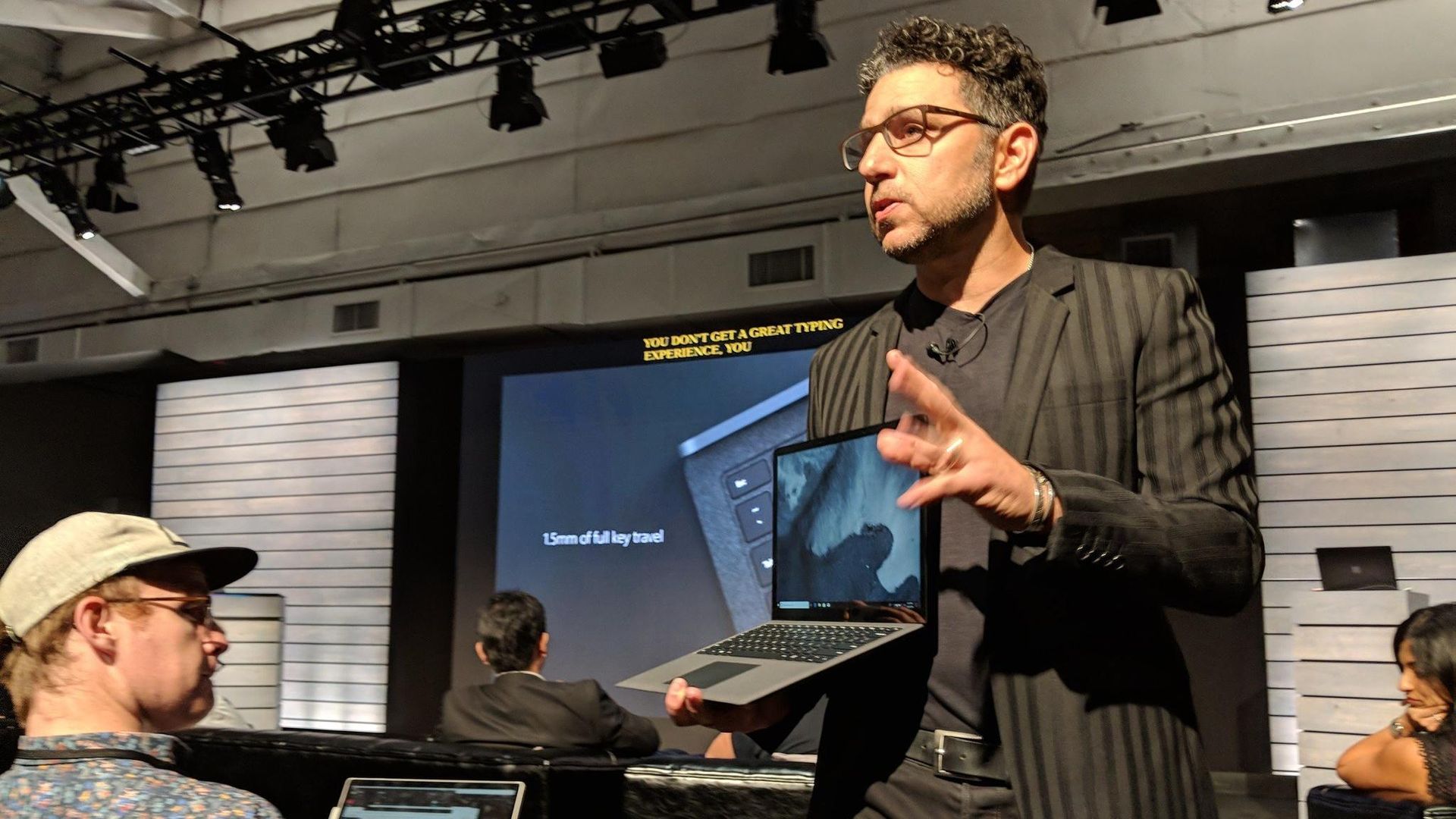
Panos Panay holding a Surface Laptop at the 2018 Surface event. Good times.
It's been six years since Panay dropped his famous Surface quote. It's been three years since he left Microsoft for Amazon. And since then, Surface really hasn't felt the same.
Rather than pushing OEMs to improve their own devices by providing a quality benchmark, Surface seems to be fairly stagnant, fragmented, and largely riding on its reputation.
For me, someone who agrees with Panay's sentiment, a successful Surface event should include software that really only makes sense on the Surface Laptop Ultra with RTX Spark. If it's just another laptop with the chip inside, well, I won't be very excited.
On that note, it'd be great to see some tuning choices that directly benefit Surface with RTX Spark. The hardware-software relationship often shows its cracks in this area, so some assurance will go a long way.
Ultimately, the upcoming Surface event should be a defining moment. Will Panay's original vision carry forward as partnerships become more complicated? Will the quote remain relevant?
Or will Surface become just another laptop brand alongside OEMs like Dell, HP, and Lenovo? Either way, you can tune in to the livestream on October 7 at 1 PM ET to check it out with the rest of us.
Join us on Reddit at r/WindowsCentral to share your insights and discuss our latest news, reviews, and more.
In 2026, you can find new Surface PCs from Microsoft for sale powered by almost all major chip makers. There are Surface PCs with Intel, Snapdragon, and very soon, even NVIDIA. But one chipmaker you won't see in a Surface PC today is AMD.This wasn't always the case however. In 2019, Microsoft released the Surface Laptop 3 with both Intel and AMD chip offerings, a first for the Surface line that lasted just two generations before being dropped entirely with the la
In 2026, you can find new Surface PCs from Microsoft for sale powered by almost all major chip makers. There are Surface PCs with Intel, Snapdragon, and very soon, even NVIDIA. But one chipmaker you won't see in a Surface PC today is AMD.
This wasn't always the case however. In 2019, Microsoft released the Surface Laptop 3 with both Intel and AMD chip offerings, a first for the Surface line that lasted just two generations before being dropped entirely with the launch of Surface Laptop 5.
Microsoft has never explained why it decided to drop AMD from the lineup, until now that is. In an interview with Windows Central, I asked Surface CVP Brett Ostrum why we don't see AMD in the Surface lineup in 2026.
"We love working with AMD. We have a limited portfolio, and so we have to make our choices pretty wisely in terms of what we're doing and where we're doing," Ostrum told me, before proclaiming "I love working with AMD."
So in short, it seems Microsoft doesn't sell any Surface PCs with an AMD chip right now because the portfolio is limited in size and the company has other partners and customers they need to appease first.
The only Surface PCs that have ever been available with AMD are the Surface Laptop 3 and 4. (Image credit: Microsoft)
I'm not sure I buy this explanation as Microsoft was clearly able to offer the same device with Intel or AMD in the past. Why can't Microsoft just do that today with the Surface Laptop 8 series, for example?
Microsoft has a close working relationship with AMD in the gaming space. AMD will power the next-gen Xbox, and is what you'll find in the currently manufactured Xbox consoles too. But for whatever reason, you just don't find it in a Surface.
If that chip ever does ship, we don't know where that might fit into Microsoft's limited portfolio as we have no real idea if the Sound Wave APU is a high-end one or not.
Either way, for now, Microsoft's official on-the-record stance as to why we don't see AMD in Surface PCs is because the portfolio is limited and they don't have the room for it right now.
Hopefully that rumored Surface powered by AMD's Sound Wave chip hasn't been totally canceled.
Join us on Reddit at r/WindowsCentral to share your insights and discuss our latest news, reviews, and more.
At this year's annual Snapdragon Summit, I had the opportunity to sit down and talk with Microsoft Surface CVP Brett Ostrum about all things Surface and Windows. One question I was eager to ask was about MacBook Neo, and whether or not Microsoft was interested in competing in that space. "Let me start this way: we have never shipped a gaming PC," Ostrum opened with. "The reason we've never shipped a gaming PC is because OEMs do just fine in that space. They've do
At this year's annual Snapdragon Summit, I had the opportunity to sit down and talk with Microsoft Surface CVP Brett Ostrum about all things Surface and Windows. One question I was eager to ask was about MacBook Neo, and whether or not Microsoft was interested in competing in that space.
"Let me start this way: we have never shipped a gaming PC," Ostrum opened with. "The reason we've never shipped a gaming PC is because OEMs do just fine in that space. They've done fine; they meet the customer needs; there's not a benefit for Surface to go into that space ... We knew Neo was coming long before it showed up. And so part of the question is, does Surface need to play a role relative to Neo? It wasn't a surprise. We chose to let the OEMs play in that space to deliver lower-priced devices."
His response confirms that Microsoft doesn't think it's necessary to use Surface to compete with MacBook Neo, because Windows OEMs have already stepped up to deliver truly good alternatives. The Dell XPS 13 and ASUS ZenBook 14 are two prime examples of Windows PCs that cost the same as a MacBook Neo, while beating it in a number of key ways.
The Dell XPS 13 at $799 is an incredible deal. (Image credit: Zac Bowden / Windows Central)
With that said, Microsoft is aware that customers are wondering why Surface isn't competing in this space. Ostrum tells me, "I've heard the feedback from press, I've heard the feedback from retailers, I've heard the feedback from partners to say Surface should be here. We will take that into consideration; we will certainly consider some options. But I would start with the gaming point. We do not have to play in every field."
That sounds like the door is open for the company to revisit this segment in the future, but for now it's clear that Microsoft isn't interested in building a low-cost Surface PC to compete head-to-head with MacBook Neo. Right now, Surface is more interested in competing at the very high end with devices like the Surface Laptop Ultra, which I tried earlier this year.
In fact, I've heard from sources that Microsoft now identifies its lineup of Surface PCs as three distinct categories of premium: Entry Premium, Premium, and Ultra Premium. Entry Premium are the most affordable Surface PCs, all of which start at above $1,000.
Of course, Surface used to build affordable PCs in the form of the Surface Go and Surface Laptop Go, both of which started at well under $600. But that was back before the component shortage forced price hikes, and under entirely different Surface leadership.
I've been a Manchester United fan for as long as I can remember (going on 37 years now), coming from a family of Manchester United fans. Watching games with my grandad as a young child remains some of my fondest memories. Sure it's been tough in recent years, but the passion never dies. Imagine my absolute delight when my club crosses over with my job. It's been happening for a couple of years already, since Snapdragon took over shirt sponsorship, and it's gone u
I've been a Manchester United fan for as long as I can remember (going on 37 years now), coming from a family of Manchester United fans. Watching games with my grandad as a young child remains some of my fondest memories.
Sure it's been tough in recent years, but the passion never dies. Imagine my absolute delight when my club crosses over with my job. It's been happening for a couple of years already, since Snapdragon took over shirt sponsorship, and it's gone up another notch this season.
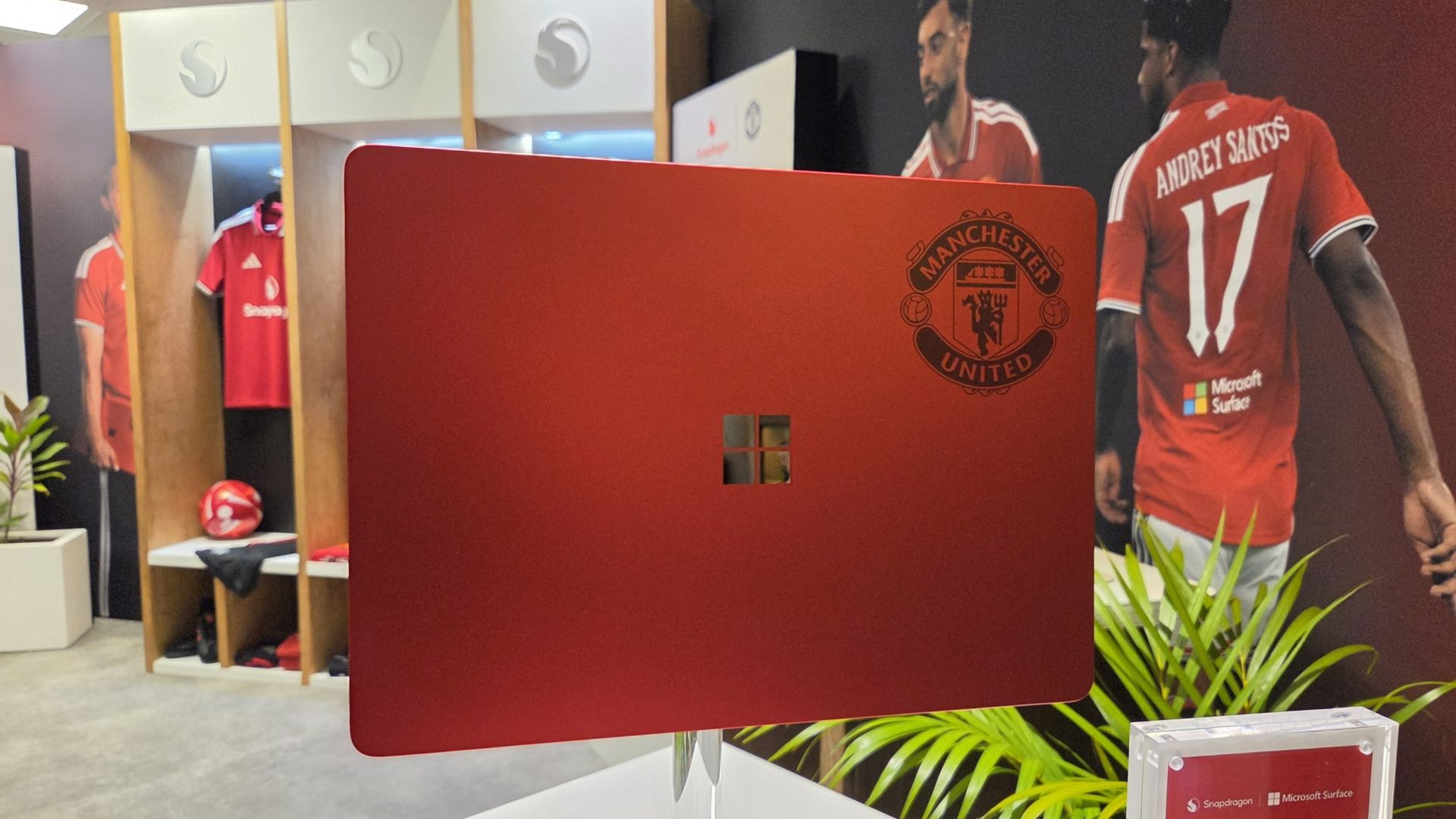
Alongside Microsoft Surface replacing Copilot+ PC (which it seems is now dead) as the rear shirt sponsor, Qualcomm and Microsoft have collaborated on the greatest laptop ever made: The Manchester United limited edition Surface Laptop.
The only downside is that it's not just going on general sale, because I would probably be first in line to buy one. Just because it's red and it has the Manchester United badge on it.
But here it is in all its glory, thanks to our man Zac Bowden, who's on the ground in Hawaii (this job is really tough at times) at the 2026 edition of the Snapdragon Summit.
GloryZac Bowden | Windows CentralGloryZac Bowden | Windows CentralMan UnitedZac Bowden | Windows CentralAnd the RedsZac Bowden | Windows CentralGo marchingZac Bowden | Windows CentralOn on on!Zac Bowden | Windows Central
I don't see an Arsenal laptop out there, do I? Manchester City? Liverpool? Chelsea? Spurs wouldn't even get a calculator these days.
If I had to criticize it at all, beyond the fact it's not going on general sale, it'd be that I don't think it goes far enough into the Manchester United branding. The badge being there is great, but I think they could have done more.
How about ghosting an image of Old Trafford, the Theatre of Dreams, onto the lid like the 1994-1996 home shirt? 30 years on that would have been incredible.
These are extremely limited, and Manchester United and Snapdragon are currently running a giveaway for fans to get their hands on one. You can find out how to enter here and get yourself in the pot to win something that is, frankly, priceless.
Join us on Reddit at r/WindowsCentral to share your insights and discuss our latest news, reviews, and more.
Microsoft just refreshed the Surface Pro 12-inch and Surface Laptop 13-inch with Snapdragon X2 processors. The company also announced the return of the Surface Mouse. In a couple of weeks, we'll get a closer look at the Surface Laptop Ultra during Microsoft's Windows and Surface event.The Surface family has undergone a lot of changes over the last year. Microsoft officially pulled the plug on the Surface Hub back in April. The Surface Go and Surface Laptop Go hav
Microsoft just refreshed the Surface Pro 12-inch and Surface Laptop 13-inch with Snapdragon X2 processors. The company also announced the return of the Surface Mouse. In a couple of weeks, we'll get a closer look at the Surface Laptop Ultra during Microsoft's Windows and Surface event.
The Surface family has undergone a lot of changes over the last year. Microsoft officially pulled the plug on the Surface Hub back in April. The Surface Go and Surface Laptop Go have also been cut from the portfolio. With the Surface Studio, Surface Laptop Studio, Surface Duo, Surface Book, Surface Headphones, and Surface Earbuds already discontinued, the remaining Surface lineup is rather streamlined.
But despite the relatively low number of Surface devices being made in 2026, Microsoft announced 12 Surface devices this year. To get to that number, you have to count some devices with similar chassis separately. I consider the consumer and business versions of the Surface PCs separate enough to stand on their own.
Microsoft even introduced a new type of Surface in the Surface Laptop Ultra and brought back the Surface Mouse.
It's a strange contrast. Microsoft has discontinued several Surface product lines and has one of the smallest Surface portfolios in the brand's history, yet the company has announced more Surface hardware in 2026 than in many years when the lineup was much larger.
I've voiced concerns about how Microsoft has unveiled its hardware this year. I think the company has spread things out so much that the Surface brand has been diluted. Case in point, Microsoft just announced new Surface devices two weeks before the company's Windows and Surface event.
Surface was never going to command the attention of an Apple hardware event or even Samsung presenting on stage, but trickling out announcements in press releases or at other companies' events is a bad way to draw interest in Surface.
While I would have preferred a couple of major Surface events that could create hype, Microsoft has unveiled a lot of hardware this year. I'm curious if there is one device that stands out to you.
As much as I am excited about some individual Surface devices, I still feel like the brand is fragmented and lost. What is Microsoft Surface in 2026?https://t.co/5QNvm1Uts6September 23, 2026
With 12 devices announced or launched, there's a good chance you're interested in more than one. Please hop into the comments and share your thoughts in addition to voting in the poll.
Join us on Reddit at r/WindowsCentral to share your insights and discuss our latest news, reviews, and more.
Microsoft's Surface team just can't help itself. Despite having a Windows and Surface event scheduled for October 7, 2026, Microsoft unveiled new Surface devices today. Microsoft just refreshed its Surface Pro 12-inch and Surface Laptop 13-inch with new chips from Qualcomm. Thanks to the Snapdragon X2 Plus chips inside the devices, we should see better performance and better graphics in the new Surface devices.Even local AI will run better thanks to the NPUs in t
Even local AI will run better thanks to the NPUs in the PCs. You may assume that improved local AI performance, being a highlight of the new Surface devices, would align them perfectly with the upcoming event. Microsoft's invite says that event will focus on "how local AI will shape the next chapter of the PC."
Why did Microsoft just announce a new Surface Pro and Surface Laptop?
Microsoft's unveiling of the refreshed Surface Pro 12-inch and Surface Laptop 13-inch is not an accident. The announcement happened at Qualcomm's Snapdragon Summit. Perhaps there's an agreement in place to feature Surface on stage in Hawaii. Or maybe Microsoft wanted to piggyback on any attention pointed at Snapdragon this week. But I still think it's a strange strategy.
It's not as if the Snapdragon X2 Plus was announced this week. We've known about the chip for ages. It is already available in other laptops, including the Surface Laptop 13.8-inch and Surface Pro 13-inch.
If Qualcomm first announced the Snapdragon X2 Plus this week, it would make sense to announce new Surface PCs powered by it. Alternatively, Microsoft could tease that it has more to share about the chips at the Windows and Surface event.
But instead, we can now cross two more items off the list of potential things we will see at the Windows and Surface event next month.
The Windows and Surface event also falls after many improvements have shipped to Windows 11 or entered testing with Windows Insiders. It seems unlikely that we'll see much new information on stage, but Microsoft could always surprise us.
Surface continues to be a lost brand with no clear identity. Worse, it's a fragmented one. Earlier this year, Microsoft launched Intel and Snapdragon versions of the same PCs separately (see our review of the Intel-based Surface Laptop for Business 8). It announced the Surface Laptop Ultra at one event and saved the details for another. Now it has refreshed two of the few remaining Surface lines just weeks before a Surface event in October. Rather than rebuilding momentum around Surface, Microsoft seems intent on making the brand even harder to follow.
Do you agree or disagree? Let me know in the comments.
Join us on Reddit at r/WindowsCentral to share your insights and discuss our latest news, reviews, and more.
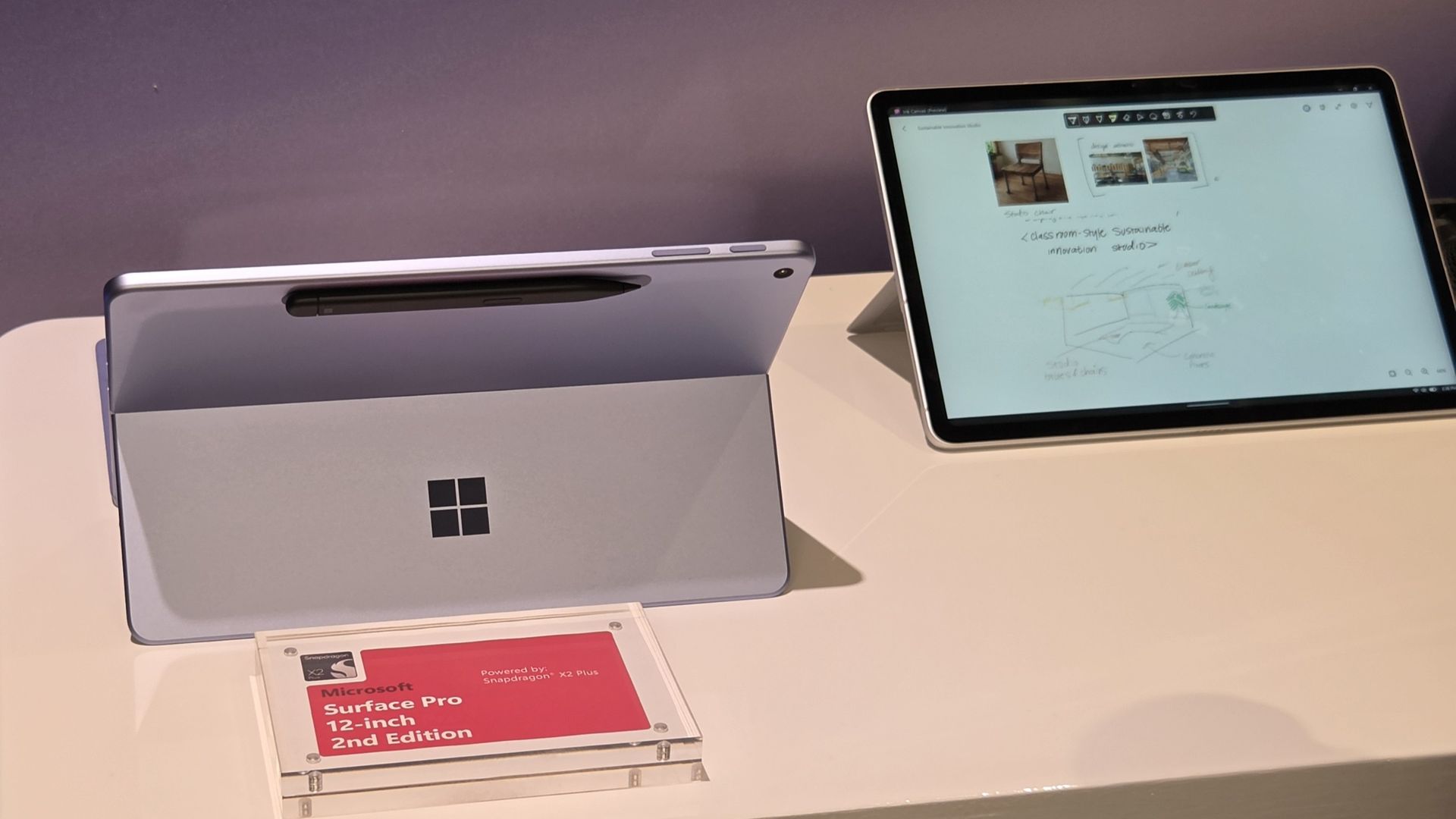
Microsoft just announced a refreshed Surface Pro 12-inch (2nd Edition), a Surface Laptop 13-inch (2nd Edition), and a new Surface Mouse. Those PCs run on Snapdragon X2 Plus processors and promise solid battery life and performance while maintaining portability. But Microsoft announced more than Surface refreshes this week. The tech giant also unveiled Microsoft Ink Canvas.Ink Canvas is a pen-first workspace that combines handwriting, sketches, annotations, and AI
Ink Canvas is a pen-first workspace that combines handwriting, sketches, annotations, and AI features on a single canvas. Microsoft says those inputs provide Copilot with additional context that can be used to generate documents and other content.
"Ink Canvas lets customers use Slim Pen to express intent visually, spatially, and in their own handwriting — giving Copilot richer context and helping rough thoughts become useful creations faster," explained Microsoft.
Ink Canvas will be pre-installed on new Surface Pro 12-inch devices and will be added to the Microsoft Store on October 13, 2026.
Inking, now with AI
Microsoft is no stranger to inking apps and experiences. Surface PCs have supported a pen since the very beginning of the brand. Over the years, Microsoft has tested a variety of ways to integrate inking with Windows.
Back in the days of Windows 10, Microsoft introduced an Ink Workspace that was connected to Microsoft Whiteboard and the Snipping Tool. A major update to Ink Workspace shipped to Windows 11 in 2021.
The improved Ink Workspace lets you pin different apps, making it easier to open inking experiences, such as Sticky Notes or even Microsoft Paint.
I prefer the third-party app Ink Workspace (not related to Microsoft's Ink Workspace) because it has more features. Inking has been at the heart of Surface for years through both first-party and third-party experiences.
Microsoft's new Ink Canvas is the latest attempt by the company to integrate AI into a general user experience. We've seen smartphones and tablets connect inking to AI already. Googlebooks have some tricks in the same area. It will be interesting to see how Microsoft's AI ink experience stands out from the competition.
Join us on Reddit at r/WindowsCentral to share your insights and discuss our latest news, reviews, and more.
Microsoft has announced a brand new version of the Surface Mouse, 10 years after the first one debuted alongside the Surface Studio in 2016 (and not be confused with the refreshed 2025 Microsoft Surface Arc Mouse or the 2018 Surface Precision Mouse). Many had likely assumed the peripheral was dead, as Microsoft hasn’t released any standalone Surface accessories in the last few years as the company refocused its efforts on Surface Pro and Surface Laptop.Well, toda
Microsoft has announced a brand new version of the Surface Mouse, 10 years after the first one debuted alongside the Surface Studio in 2016 (and not be confused with the refreshed 2025 Microsoft Surface Arc Mouse or the 2018 Surface Precision Mouse). Many had likely assumed the peripheral was dead, as Microsoft hasn’t released any standalone Surface accessories in the last few years as the company refocused its efforts on Surface Pro and Surface Laptop.
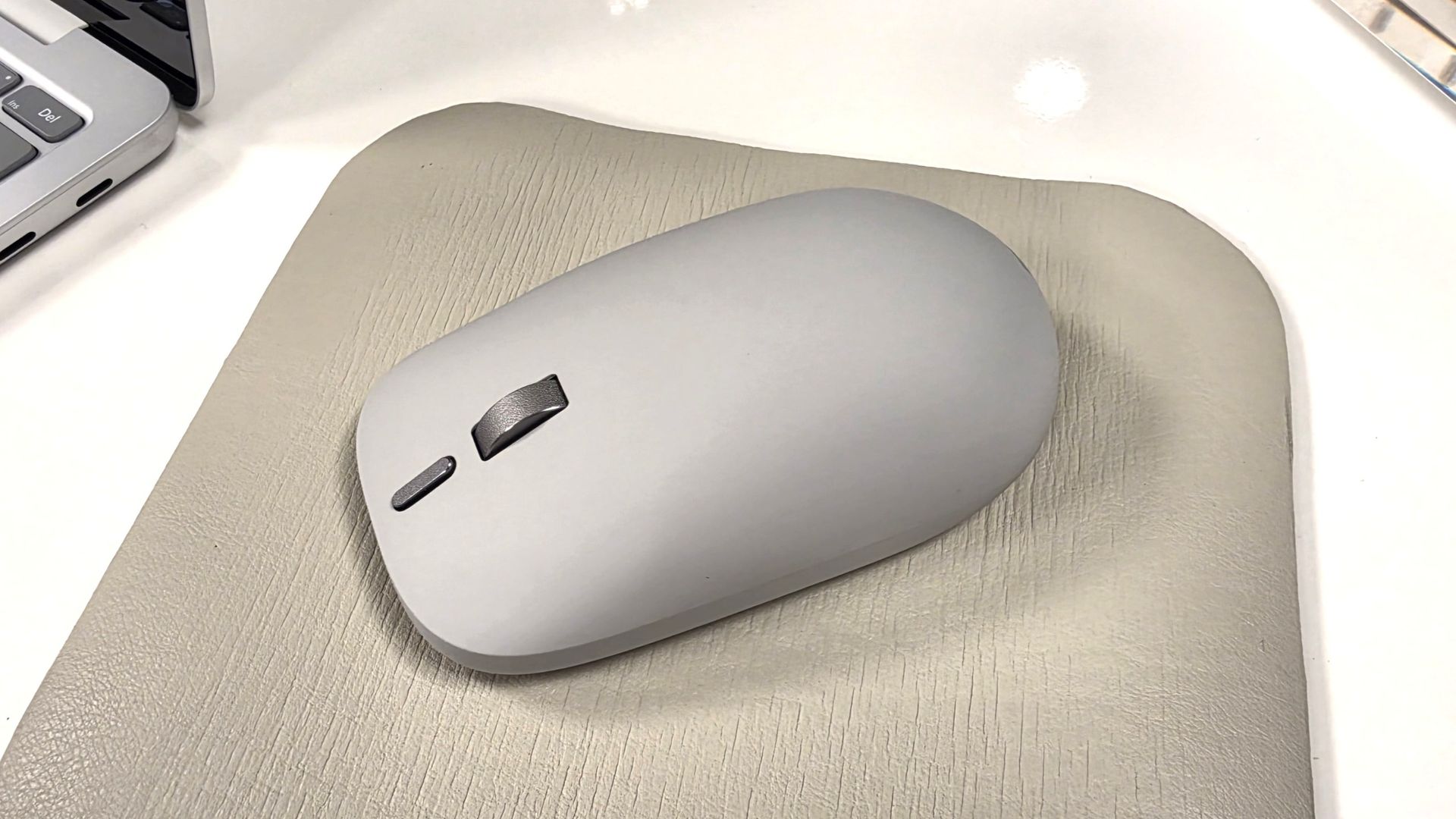
Well, today, the Redmond giant has a wonderful surprise for Surface Mouse diehards. Alongside the refreshed Gen 2 Surface Pro 12-inch and Surface Laptop 13-inch announced today at Snapdragon Summit, Microsoft announced a new Surface Mouse with an updated design, a new black color, built-in haptics, and a new customizable action button.
I got a chance to briefly play with the new mouse, and I was taken aback by how premium it feels. It features a lovely soft-touch material that coats the part of the mouse you grab, which feels amazing. The left and right click buttons are also super satisfying, offering tactility while remaining near-silent.
The new Surface Mouse in black looks sleek. (Image credit: Zac Bowden / Windows Central)
The star of the show, however, is the built-in haptics, which makes this the second mouse to support such a feature after the Logitech MX Master 4. Inside the mouse is a small vibration motor that buzzes when you interact with certain parts of Windows, such as snapping an app to the sides of your screen or dragging files between two windows.
It's a small but meaningful improvement that makes using Windows feel more responsive, and it's baked right in on the new Surface Mouse. Additionally, the new mouse now features an extra action button, which can be used to launch an app or shortcut of your choice, configured in the Microsoft Surface app.
Surface Mouse is available to buy on October 13 for $79.99, which is a great deal when you consider the only other mouse with haptics on the market is $120.
Join us on Reddit at r/WindowsCentral to share your insights and discuss our latest news, reviews, and more.
If you’re a fan of Microsoft’s smaller and lighter Surface PCs, we’ve got some good news! During Qualcomm’s annual Snapdragon Summit event in Hawaii, Microsoft announced new versions of the Surface Pro 12-inch and Surface Laptop 13-inch, now powered by the Snapdragon X2 Plus and featuring brighter screens, longer battery life, and even 5G on select models. We previously reviewed both the Surface Pro 12-inch (2025) and Surface Laptop 13-inch (2025), giving the for
If you’re a fan of Microsoft’s smaller and lighter Surface PCs, we’ve got some good news! During Qualcomm’s annual Snapdragon Summit event in Hawaii, Microsoft announced new versions of the Surface Pro 12-inch and Surface Laptop 13-inch, now powered by the Snapdragon X2 Plus and featuring brighter screens, longer battery life, and even 5G on select models.
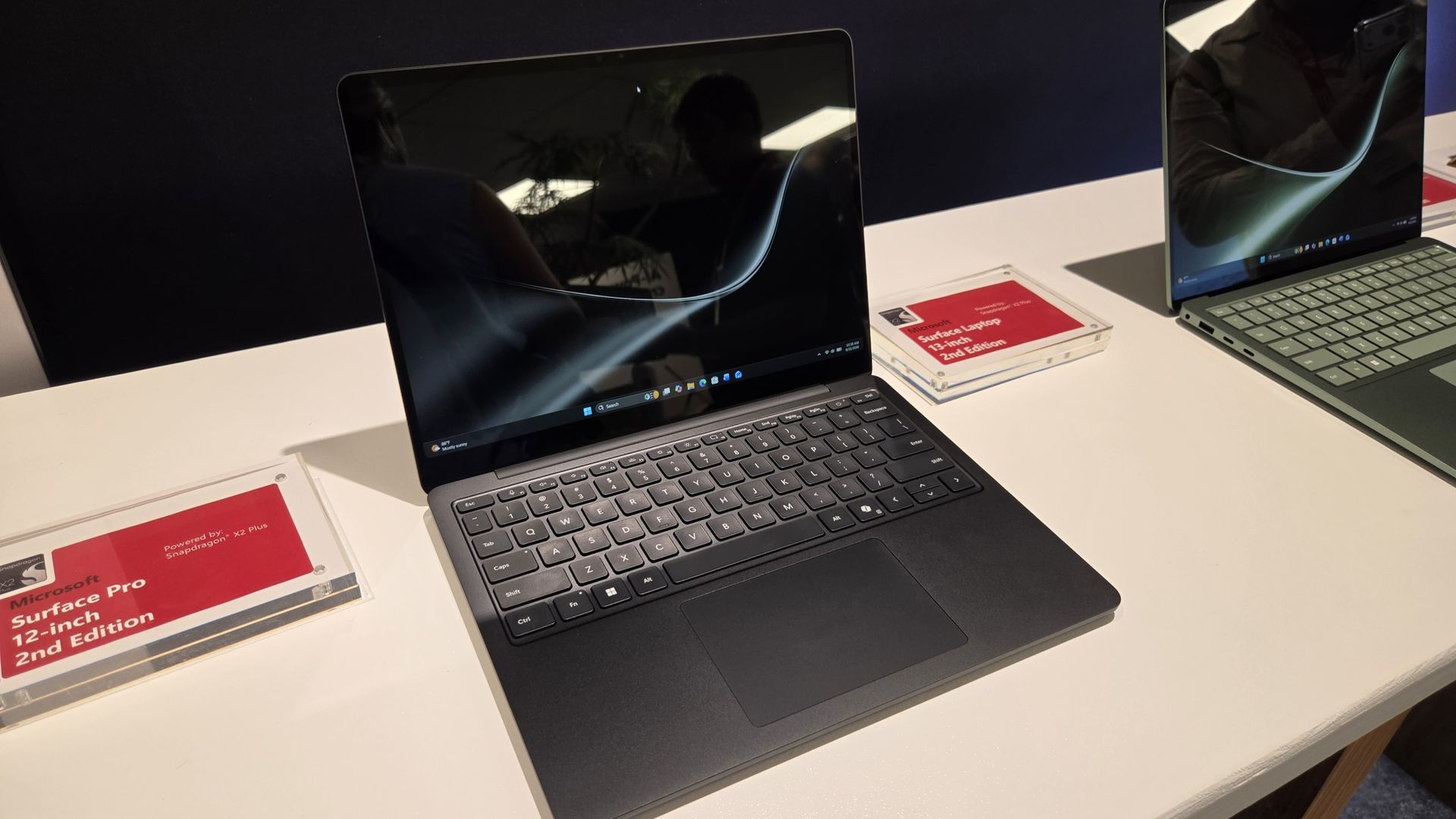
Both come in a new Black colorway (in addition to Platinum and Violet; Ocean Blue has sadly been retired) and feature screens that can now reach up to 500 nits of peak brightness, making them easier to view outdoors in direct sunlight.
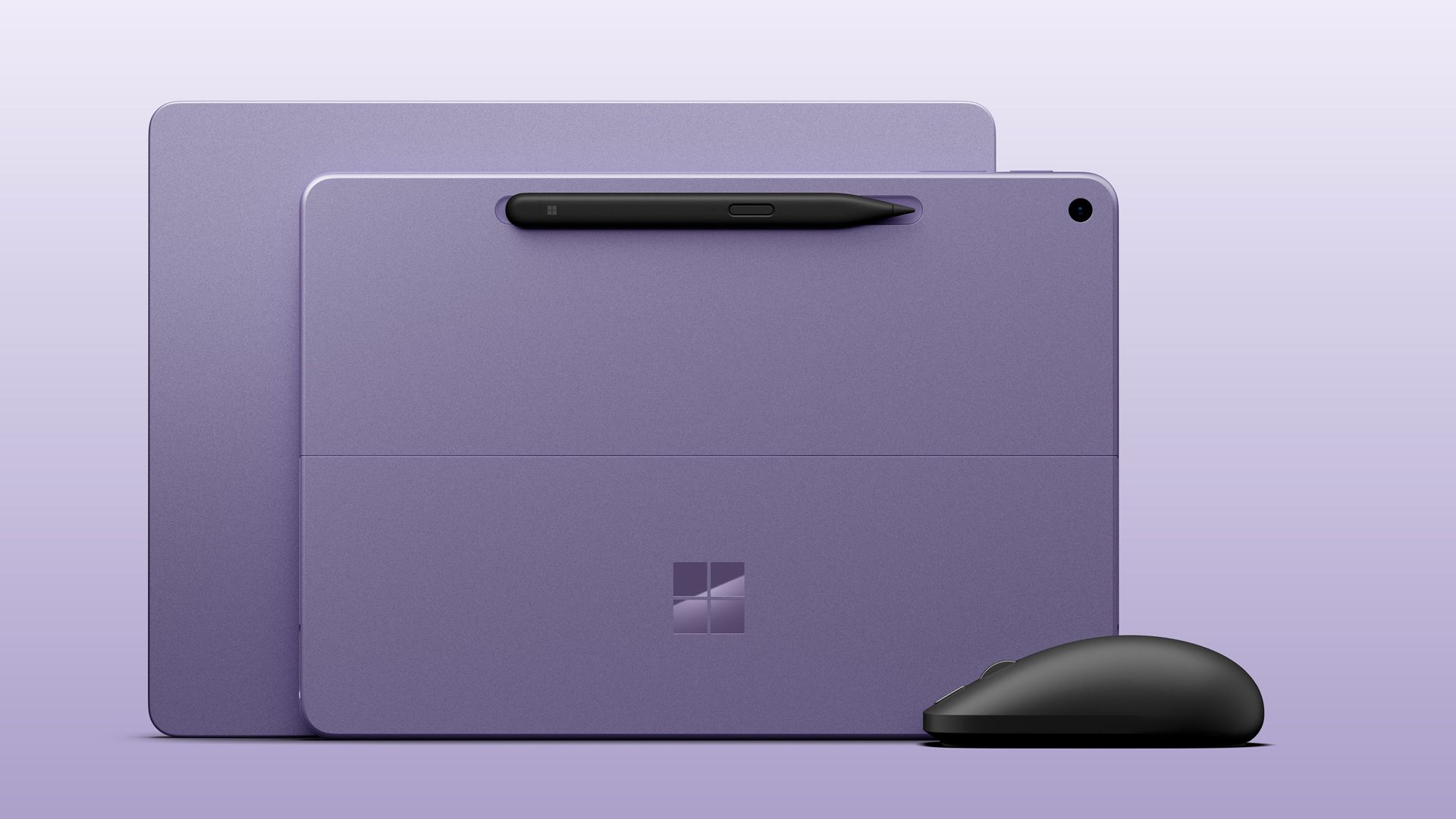
Both Surface Laptop 13-inch and Surface Pro 12-inch 2nd Editions come in the Violet colorway with the optional new Surface Mouse. (Image credit: Microsoft)
Category
Surface Pro 12" (Gen2)
Surface Laptop 13" (Gen2)
Processor
Qualcomm Snapdragon X2 Plus (6 Core)
Qualcomm Snapdragon X2 Plus (6 Core)
NPU
Qualcomm Hexagon with 80 TOPS
Qualcomm Hexagon with 80 TOPS
Graphics
Qualcomm Adreno GPU
Qualcomm Adreno GPU
Memory
16GB and 24GB LPDDR5x RAM
16GB and 24GB LPDDR5x RAM
Storage
256GB, 512GB (UFS)
Removable 256GB, 512GB (UFS)
Display
12" PixelSense LCD 2196 x 1464 (220 PPI) Up to 90Hz (60Hz default) Adaptive Color/Contrast Up to 500 nits
13" PIxelSense 1920 x 1280 (178 PPI) Up to 60Hz Adaptive Color/Contrast Up to 500 nits
Weight
1.5 lbs. (0.69kg)
2.7 lbs. (1.23 kg)
Battery life
Up to 15.5 hours of local video playback Up to 13 hours of active web usage
Up to 22.5 hours of local video playback Up to 18 hours of active web usage
Price
Starts $1,149
Starts $1,199
Release date
October 13 (Wi-Fi)
October 13
Surface Pro 12" (2nd Edition): $1149.00 Surface Pro 12‑inch is built for ideas on the move. At just 1.5 pounds, it delivers tablet flexibility with full Windows laptop power so you can sketch, create, stream, and work from almost anywhere. With fast performance and up to 15.5 hours of battery life, it stays productive from morning through night.View Deal
Surface Laptop 13" 2nd Edition: $1199.99 Surface Laptop 13‑inch is Microsoft's most portable model at just 2.7 pounds, built for people who work wherever life takes them. It combines a precision keyboard, premium design, a 13‑inch touchscreen, and up to 22.5 hours of battery life to stay productive on the go.View Deal
Both devices feature the same designs as last year, but with more power and battery life. Indeed, Microsoft claims the Surface Laptop 13-inch gets up to 22.5 hours of battery life, while Surface Pro 12-inch up to 15.5 hours.
Surface Pro 12-inch comes in violet, black, and platinum. Zac Bowden / Windows CentralSurface Laptop 13-inch comes in a new black color.Zac Bowden / Windows Central
Under the hood is Qualcomm’s Snapdragon X2 Plus SoC in a 6-core configuration, paired with 16GB RAM and 256GB storage in the baseline configuration. If you need more RAM or storage, you can customize memory up to 24GB RAM and 512GB storage for a higher price.
Notably, it seems Microsoft has removed the 8GB RAM option that was available on the last-gen Surface Pro 12-inch and Surface Laptop 13-inch, which allowed the company to price those models below $1,000. The new devices start at 16GB RAM, which explains why their starting prices are so high.
The new Surface Pro 12-inch will also be available with 5G as an optional configuration for commercial customers. No pricing or configuration details have been revealed as yet, but the company has confirmed that it’s coming soon.
The Surface Pro 12-inch also comes pre-loaded with a new Windows app called Microsoft Ink Canvas, which Microsoft describes as an “AI-powered, pen-first experience for sketching, annotating, generating images and summarizing text directly on the canvas.” The new app will be made available to download via the Microsoft Store on October 13.
The new Surface Mouse looks great.Zac Bowden / Windows CentralIt features a soft-touch material that feels great.Zac Bowden / Windows Central
Alongside the new PCs, Microsoft also unveiled a new Surface mouse, available in black or platinum colors, and featuring built-in haptics and a new action button that can be configured by the user. It’s the first update to the Surface mouse we’ve seen since it was first introduced 10 years ago.
All three new devices are expected to be made available starting October 13 at the Microsoft Store and third-party retailers like Best Buy and Amazon, though you can now preorder the Surface Pro 12" at Best Buy, as well as the new Surface Laptop 13".
Let us know in the comments your thoughts on the refreshed Surface lineup!
Join us on Reddit at r/WindowsCentral to share your insights and discuss our latest news, reviews, and more.

 Connexion