Xbox turns 25 this year, and if you're going to commemorate a quarter-century of one of gaming's most recognizable brands, slapping a green logo onto some existing hardware isn't going to cut it.Thankfully, Razer didn't phone it in.The new Razer | XBOX 25 Anniversary Collection (now available) takes three existing Razer products, the BlackWidow V4 75%, Basilisk V3 Pro 35K, and Hammerhead V3 X HyperSpeed, and transforms them with translucent green shells, Xbox det
Xbox turns 25 this year, and if you're going to commemorate a quarter-century of one of gaming's most recognizable brands, slapping a green logo onto some existing hardware isn't going to cut it.
Thankfully, Razer didn't phone it in.
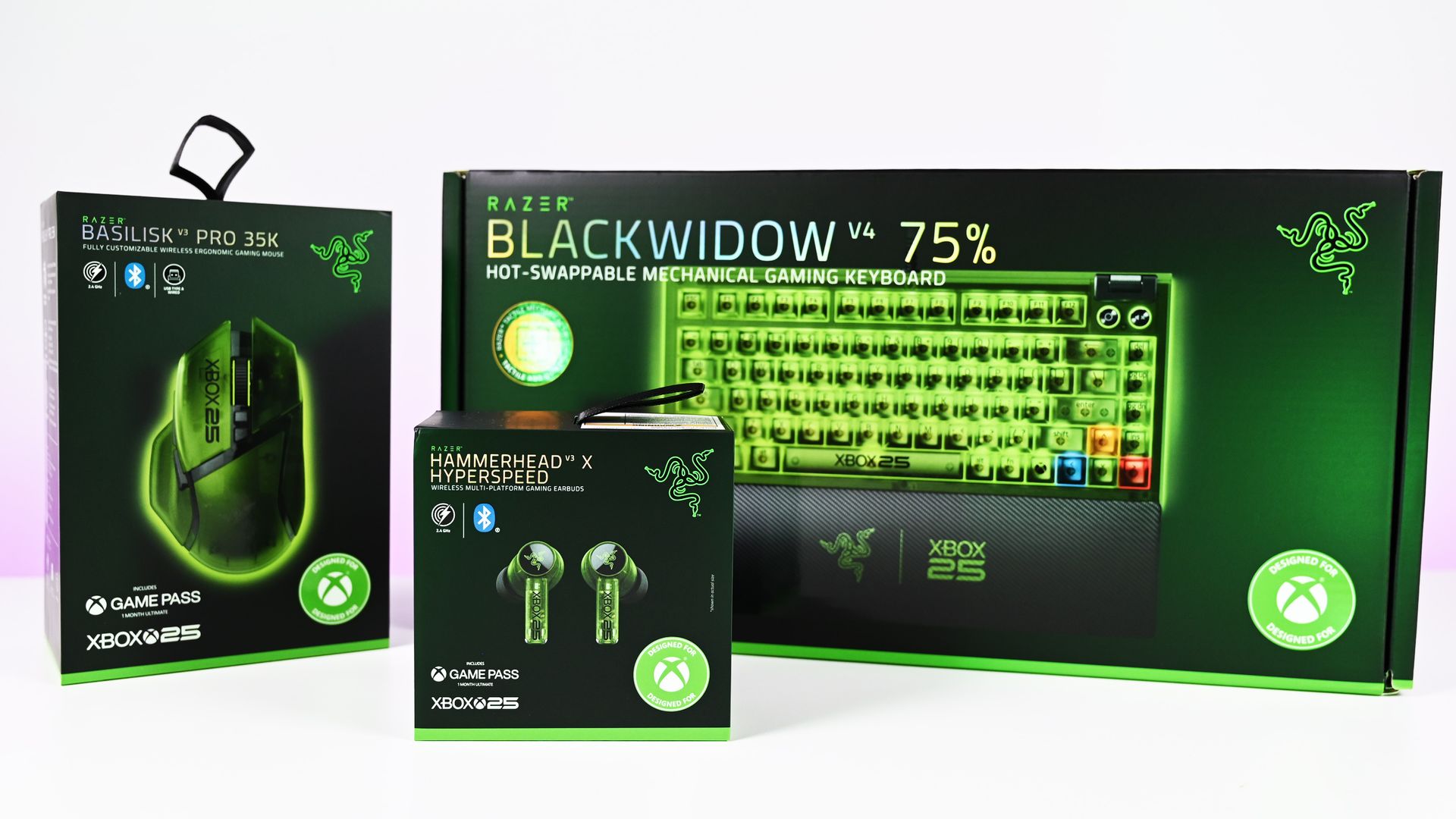
The new Razer | XBOX 25 Anniversary Collection (now available) takes three existing Razer products, the BlackWidow V4 75%, Basilisk V3 Pro 35K, and Hammerhead V3 X HyperSpeed, and transforms them with translucent green shells, Xbox detailing, and some fantastic use of RGB lighting. Razer officially announced the limited-edition collection in August, describing it as a collaboration with Xbox celebrating 25 years of the brand.
I've now spent some time with all three, and there's one product that immediately stands above the rest.
The keyboard is ridiculously good.
The BlackWidow V4 75% is the star of the show
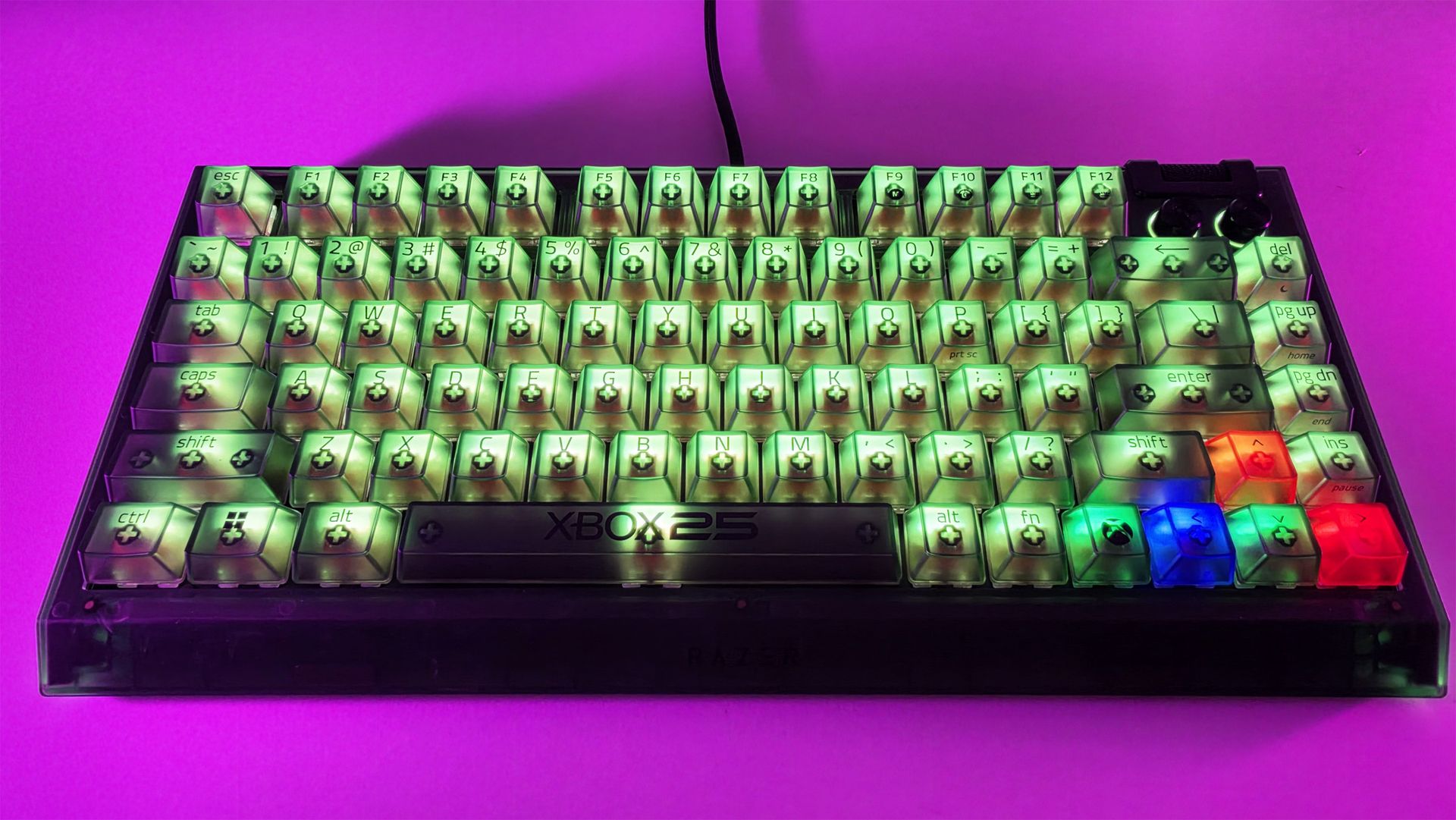
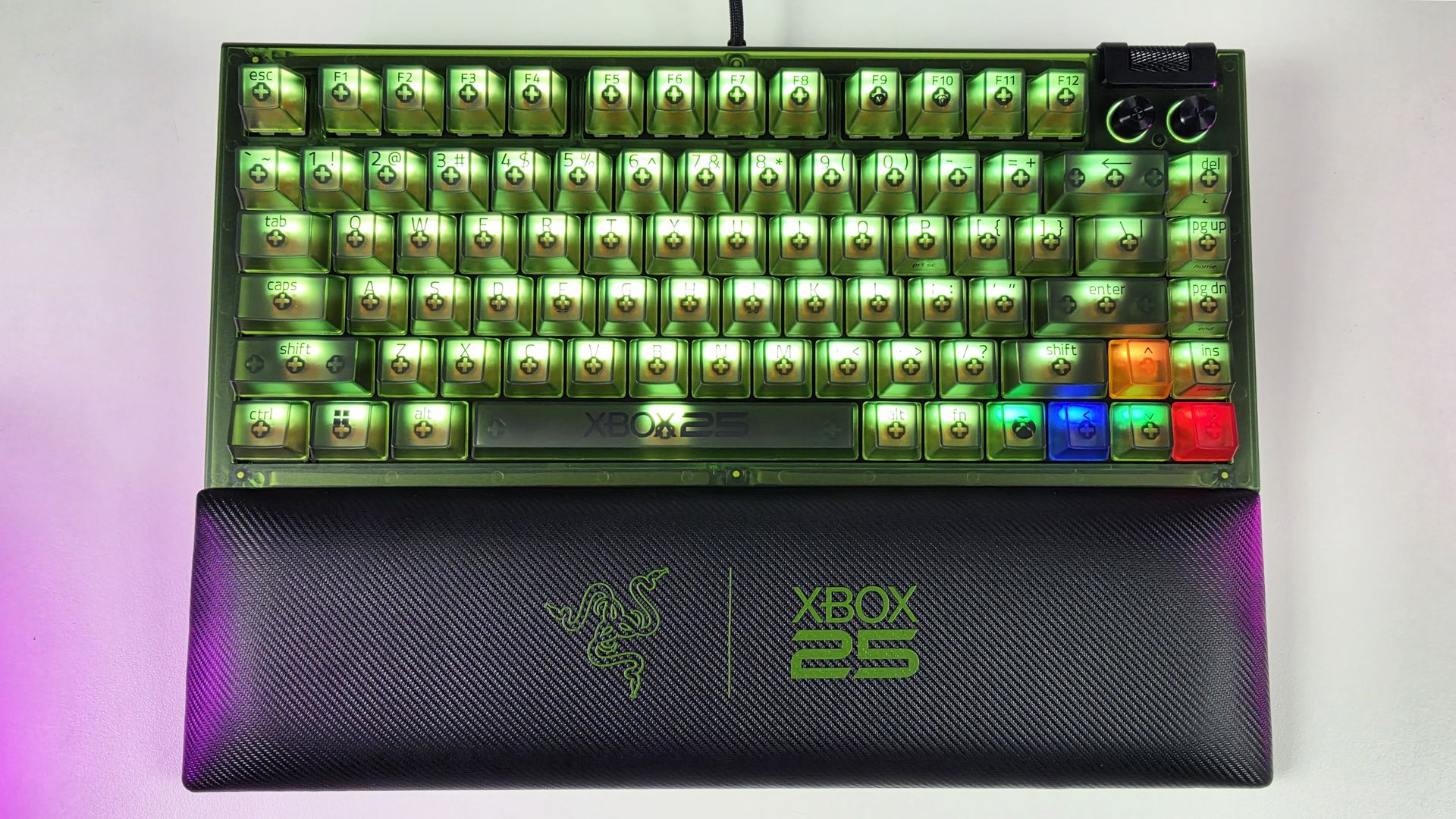
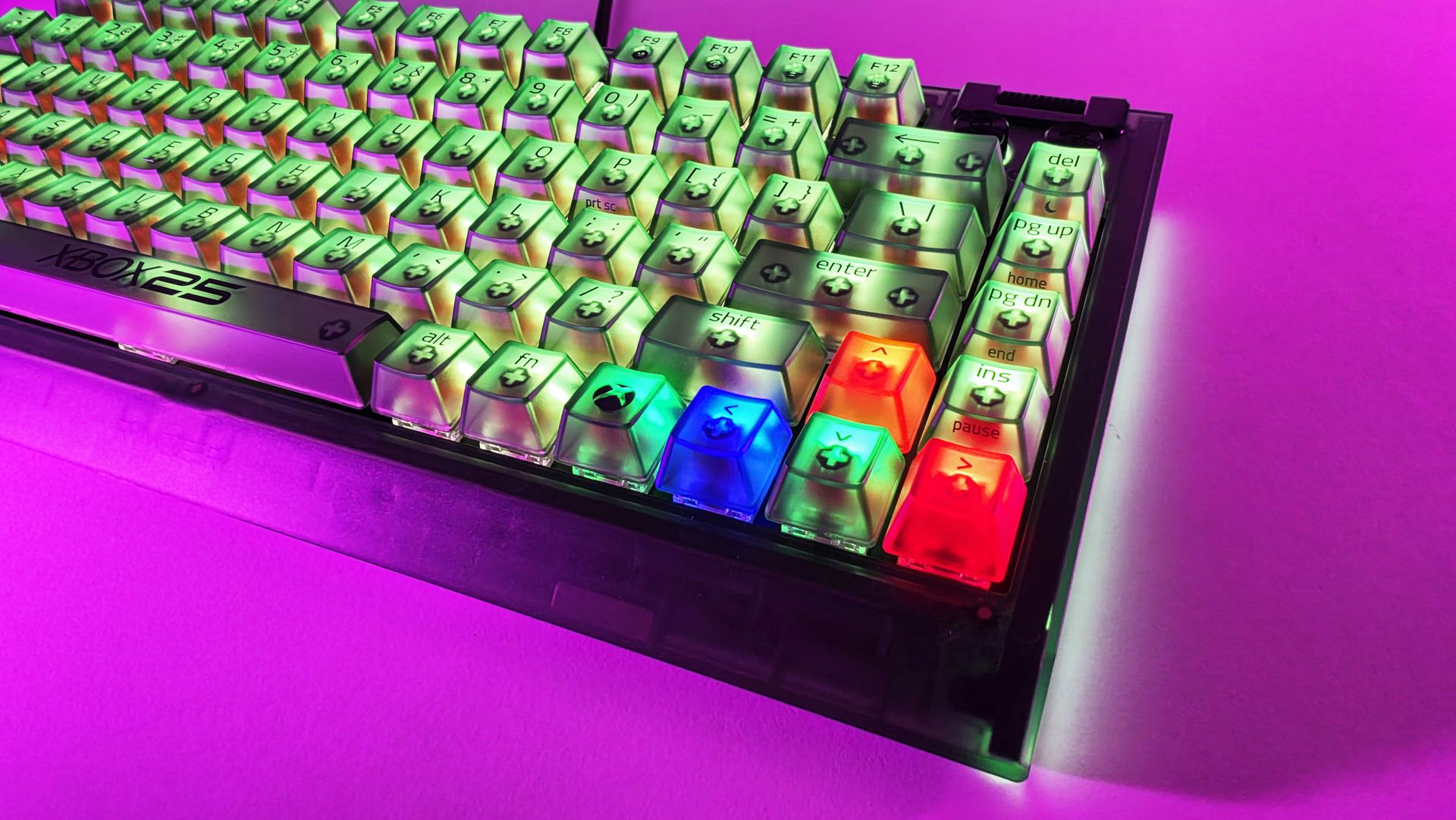
Top-down view of the Razer BlackWidow V4 75% Xbox 25th Anniversary keyboard and wrist rest. (Image credit: Daniel Rubino)
If I could only buy one thing from this collection, it would unquestionably be the BlackWidow V4 75%.
It's absolutely awesome-looking in person.
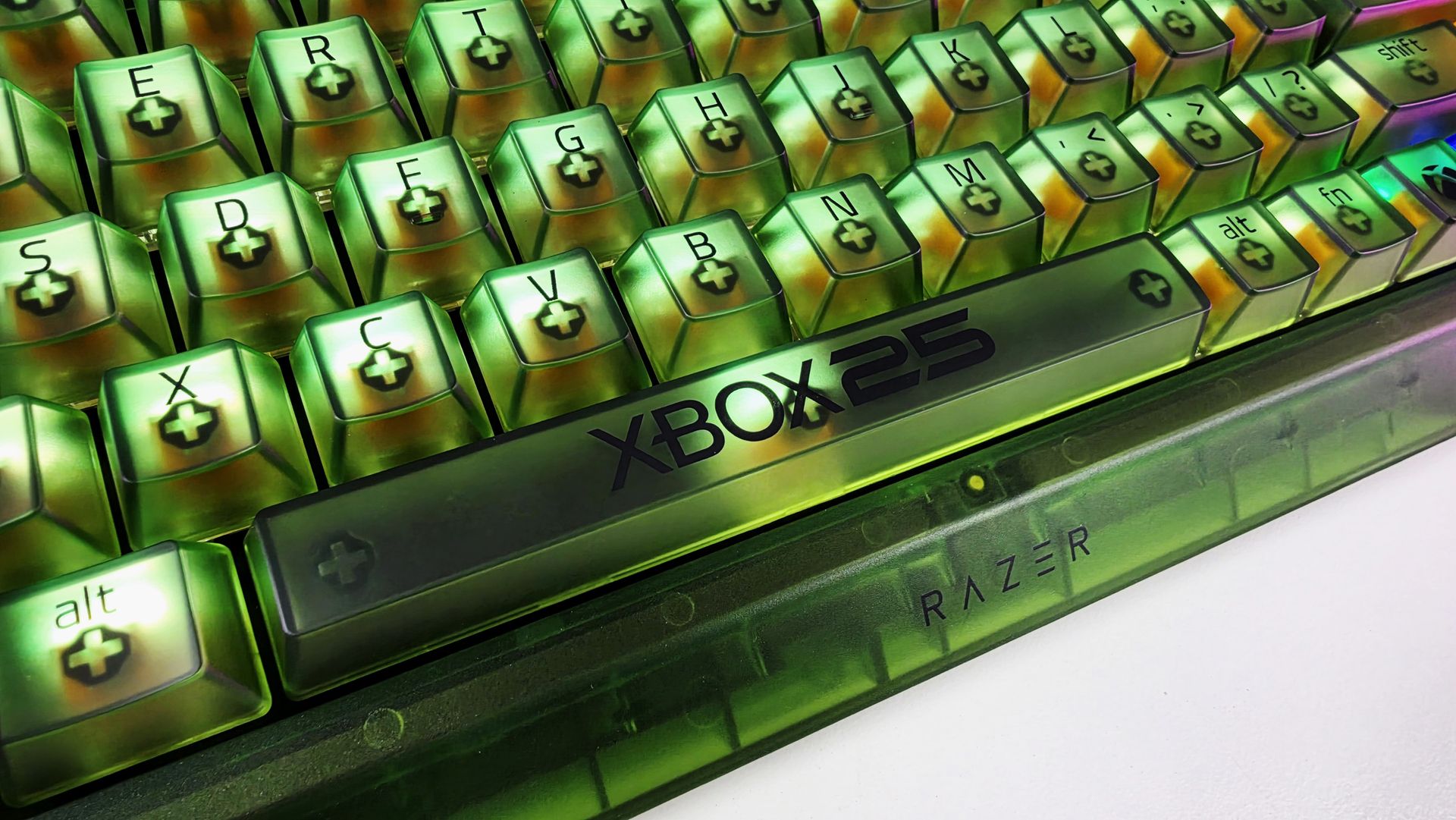
The translucent green chassis and keycaps make exceptionally good use of Razer's Chroma lighting because you're not simply seeing RGB through the legends. The light spills through the translucent structure of the keyboard itself, illuminating the switches and keys and giving the whole thing this glowing, almost radioactive Xbox-green appearance.
My photos don't really do it justice. I've generally kept mine predominantly green for obvious reasons, but you aren't locked into the Xbox color scheme. Razer Chroma gives you full RGB customization, including per-key lighting, while the keyboard also has two-sided underglow.
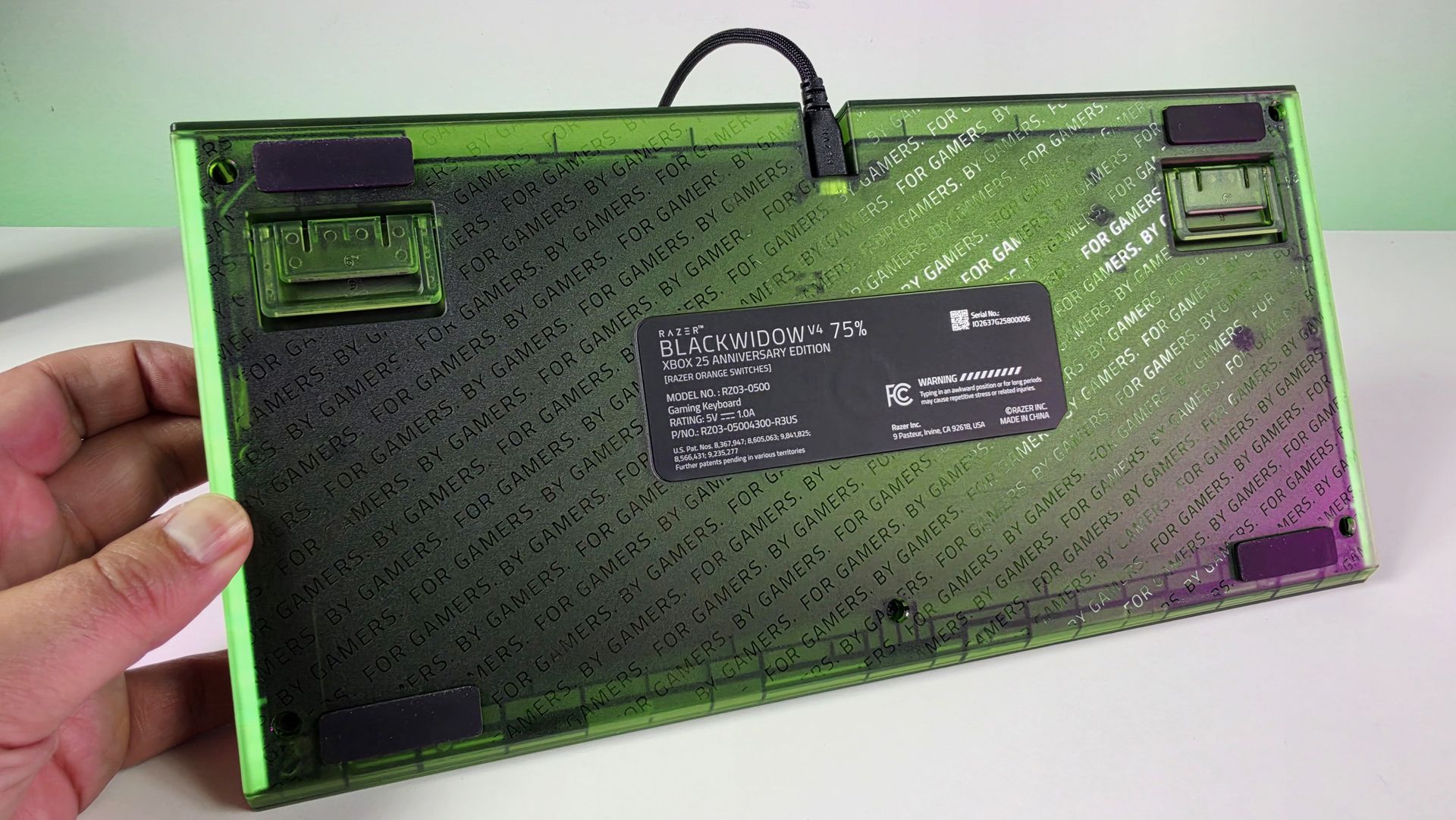
Even the bottom of this keyboard looks great. (Image credit: Daniel Rubino)
There are some lovely smaller touches, too. The spacebar carries the XBOX 25 branding; there are Xbox-inspired symbols scattered across the keycaps, and the familiar ABXY colors appear around the arrow cluster. Razer has even included a dedicated Xbox key for opening Game Bar.
But perhaps my favorite finishing touch is sitting in front of the keyboard.
Sure, you can customize the RGB using Synapse, but out of the box, I love the default color profile. (Image credit: Daniel Rubino)
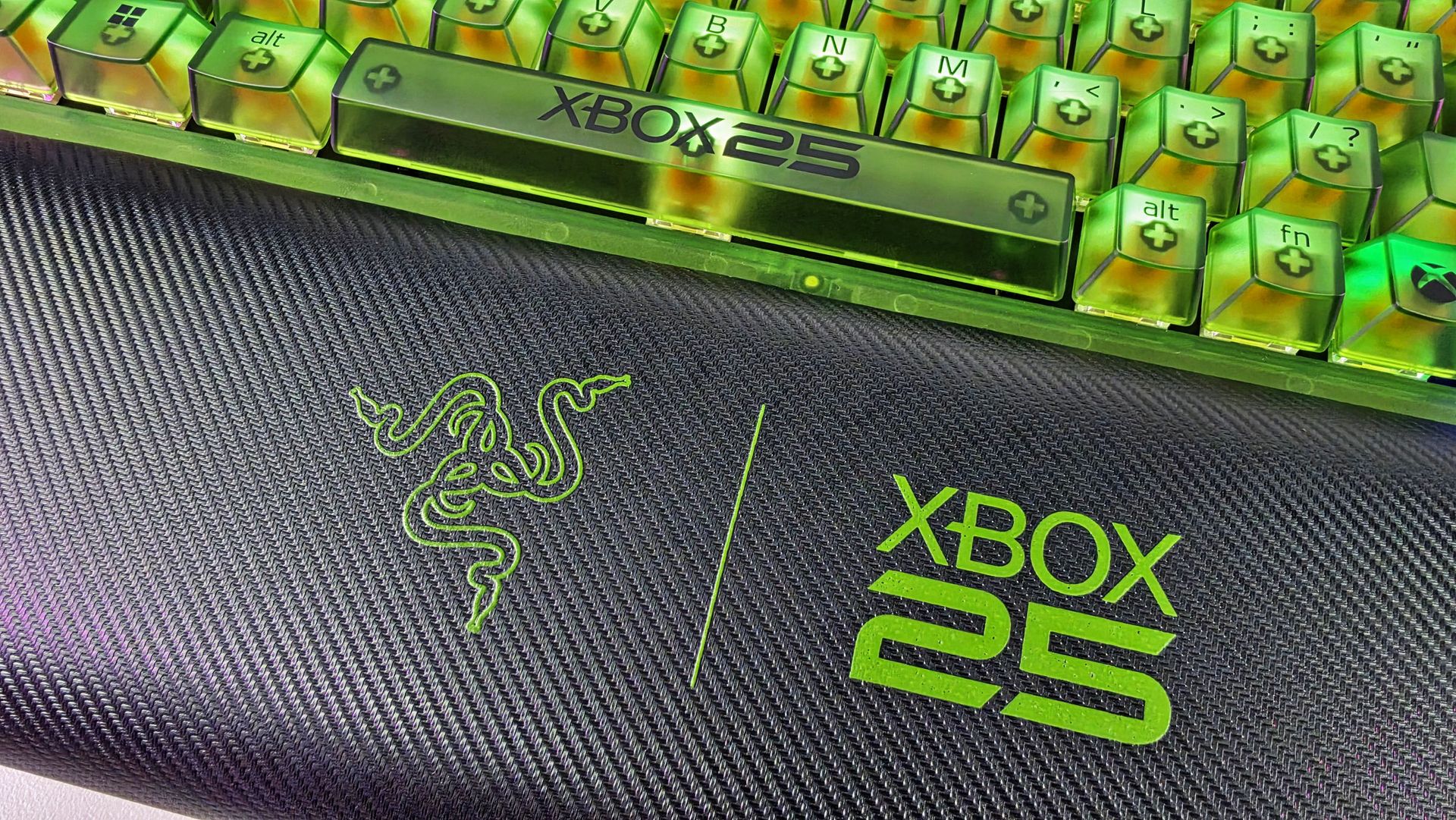
The included magnetic wrist rest has Razer and XBOX 25 branding prominently printed on it in green, and that's the type of detail that pushes this beyond feeling like a basic special-edition colorway. It completes the look.
Even the wrist rest gets some branding love. (Image credit: Daniel Rubino)
Razer uses its Orange Tactile Switches Gen-3 here, while retaining the BlackWidow V4 75%'s hot-swappable design.
At $209.99 on Razer.com, it's admittedly not cheap. But if I'm buying something specifically because it's a limited Xbox 25th-anniversary edition, I want it to actually feel special. This does.
BLACKWIDOW V4 75%: $209.99 If you’re looking for more customization and immersion, meet your XBOX enthusiast needs with a compact, hot-swappable mechanical keyboard featuring Razer Chroma RGB and Razer Orange Tactile Mechanical Switches Gen‑3.View Deal
The Basilisk V3 Pro 35K completes the look
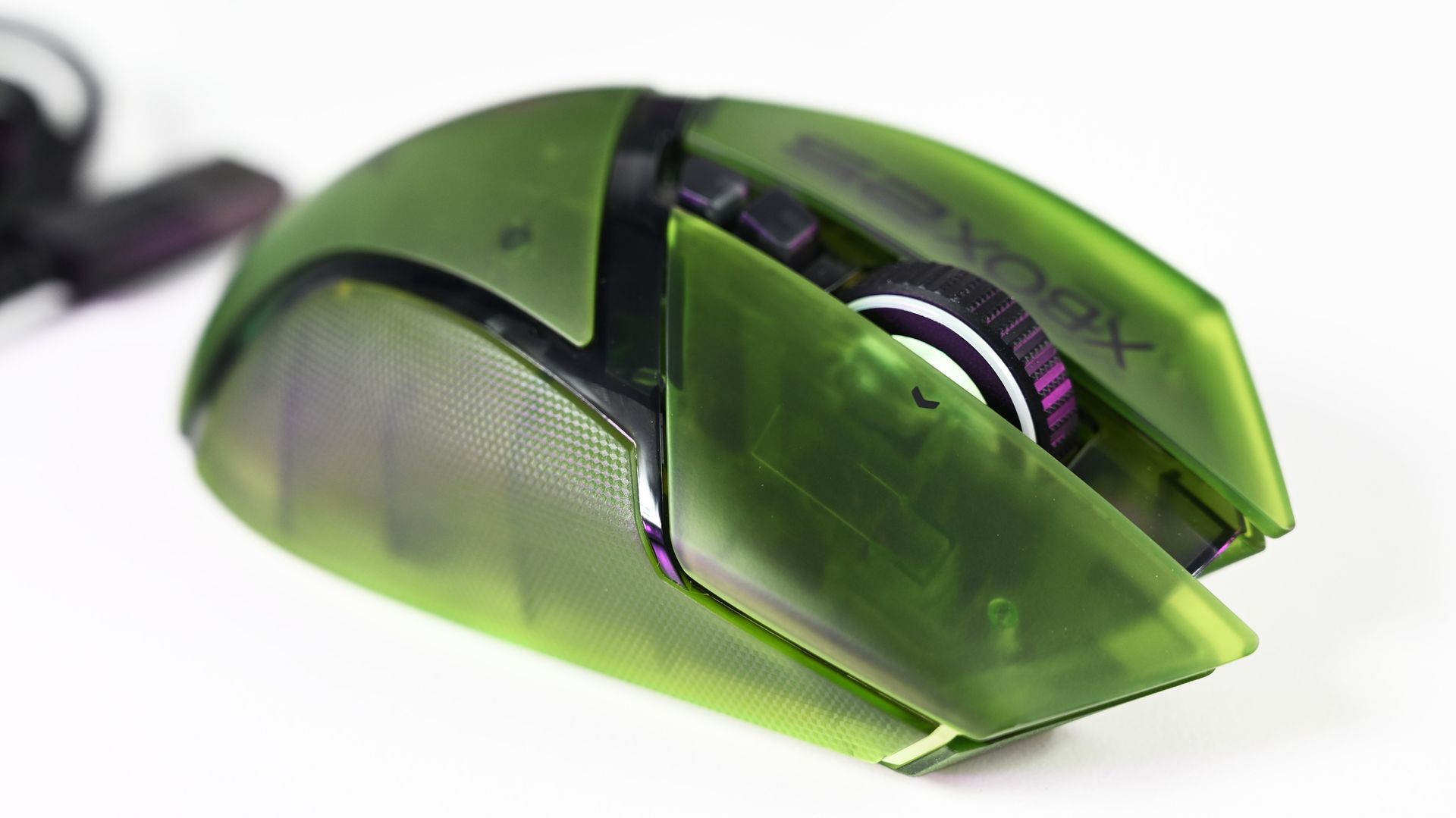
Arguably one of the best combo gaming and ergo mice around, the Basilisk V3 Pro 35K in translucent green looks superb. (Image credit: Daniel Rubino)
I'm already a fan of the Basilisk line, and underneath the translucent green makeover, this remains a very capable wireless gaming mouse. You get Razer's Focus Pro 35K Optical Sensor Gen-2, HyperScroll Tilt Wheel, 13 customizable controls, HyperSpeed Wireless connectivity, and Chroma RGB.
Razer lists up to 140 hours of battery life over HyperSpeed Wireless as well.
However, once again, it's the execution of the anniversary design that makes the difference.
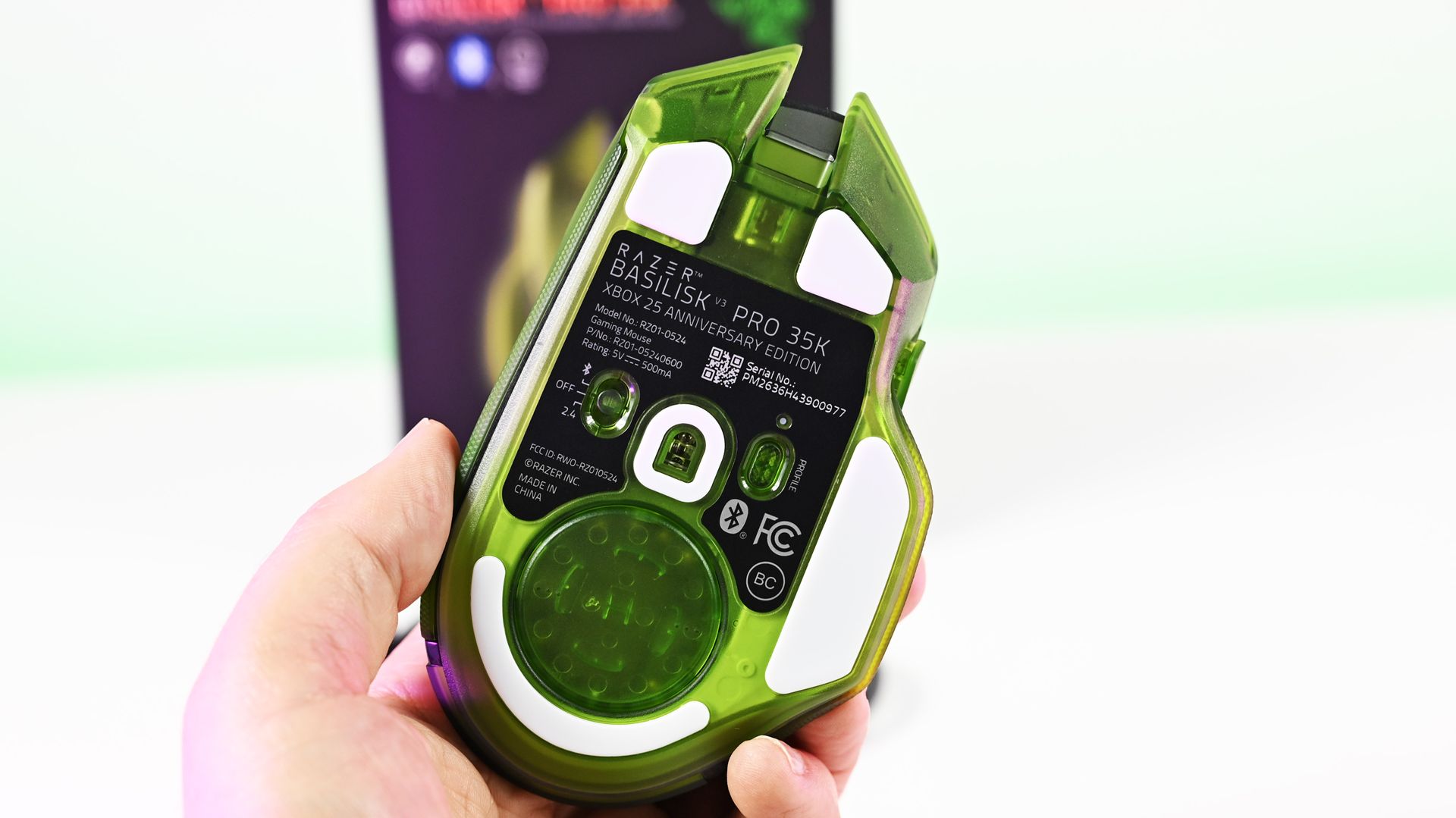
(Image credit: Future)
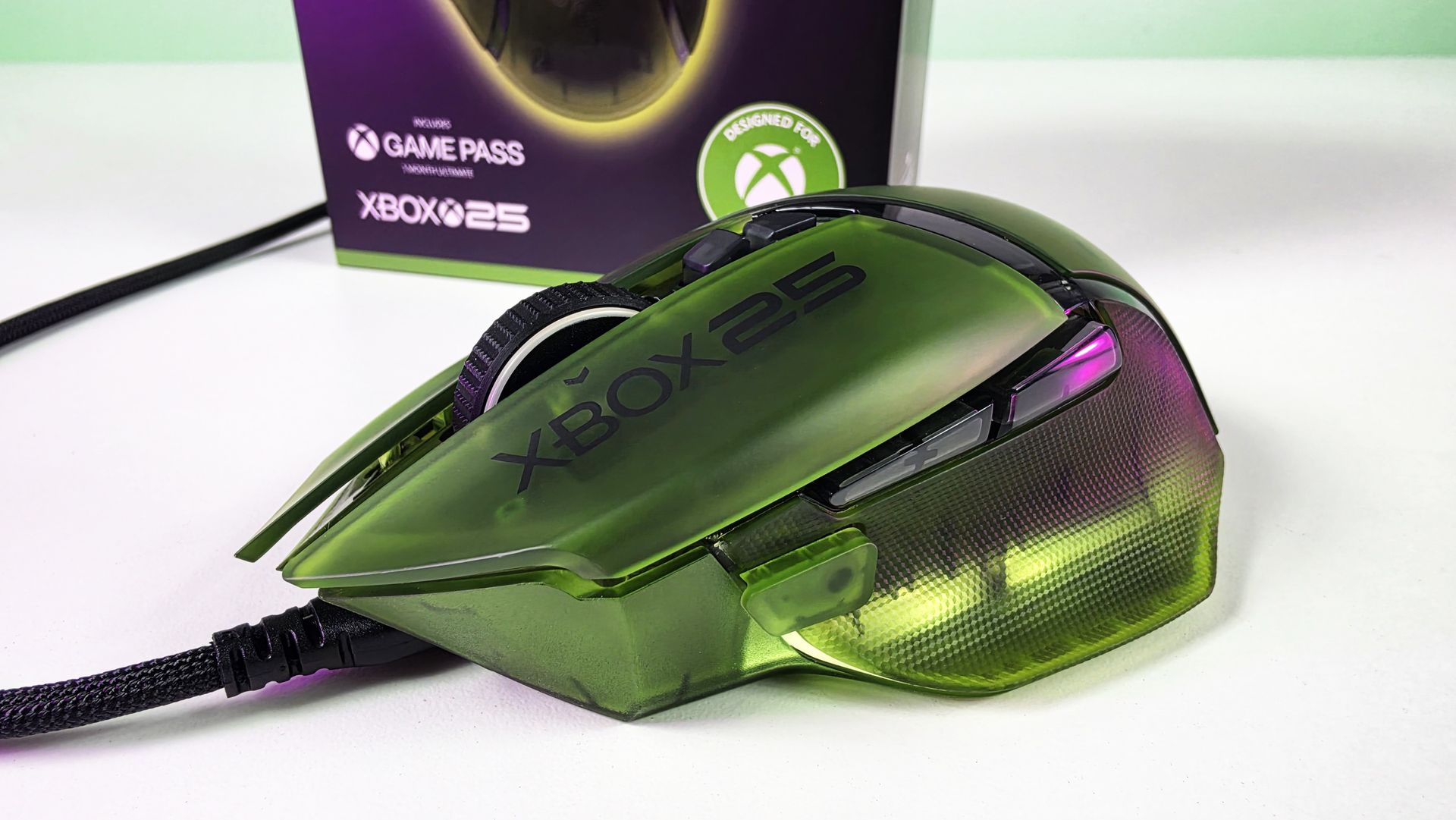
The translucent green upper shell lets you see hints of the mouse's internal structure, while XBOX 25 branding runs down the side. RGB lighting beneath the mouse creates a bright green glow that makes it look fantastic beside the BlackWidow.
Honestly, if you're getting the keyboard, you really should just get the mouse too (sorry about your wallet).
Close-up top view of the Razer Basilisk V3 Pro 35K Xbox 25th Anniversary gaming mouse featuring a translucent green shell and Xbox 25 branding. (Image credit: Future)
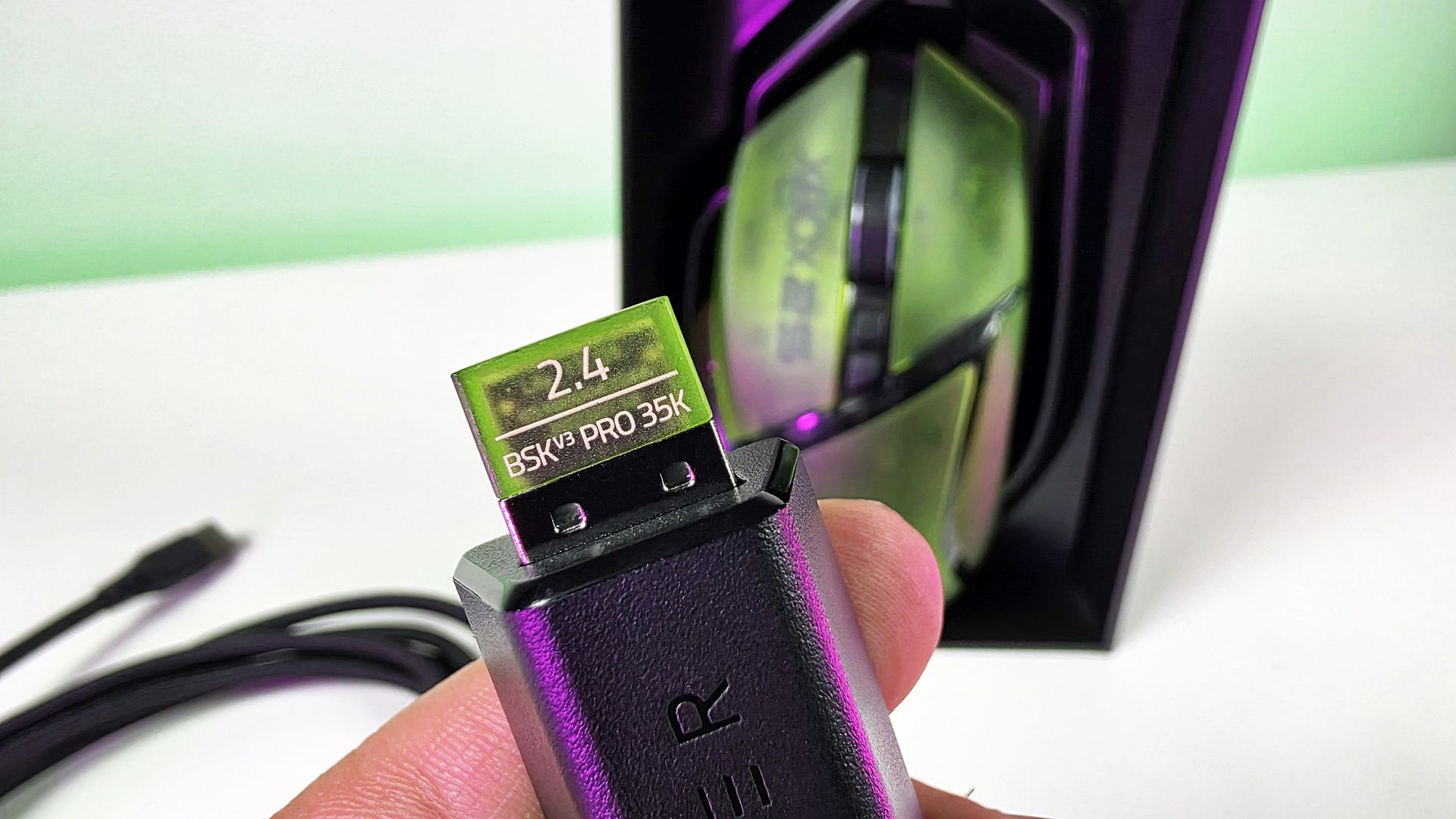
There's even a translucent green 2.4GHz wireless dongle! Nobody needed to do that. Razer did it anyway, and that's precisely my point about this collection. Everywhere I look, there's another little bit of attention to detail.
This was completely unecessary, but Razer really went all out for the theme here🫡. (Image credit: Daniel Rubino)
The Basilisk costs $179.99 on Razer.com. Yes, Razer has subsequently moved the Basilisk family forward, so you're not buying the newest generation simply because this is a new Xbox edition. But considering what you're really paying for here, namely an excellent mouse transformed into a collectible anniversary design, I'm not going to complain too much.
BASILISK V3 PRO 35K: $179.99 Packed with cutting-edge technology, unleash your full potential with an XBOX-themed RGB gaming mouse that redefines the boundaries of performance, customization, connectivity, and control.View Deal
The Hammerhead V3 X HyperSpeed does exactly what it needs to
(Image credit: Daniel Rubino)
Finally, there are the Hammerhead V3 X HyperSpeed earbuds.
I've been using these with my ASUS Xbox Ally X, where they've made a great little companion for handheld gaming. They sound great, and the transparent green design is wonderfully nostalgic without looking cheap.
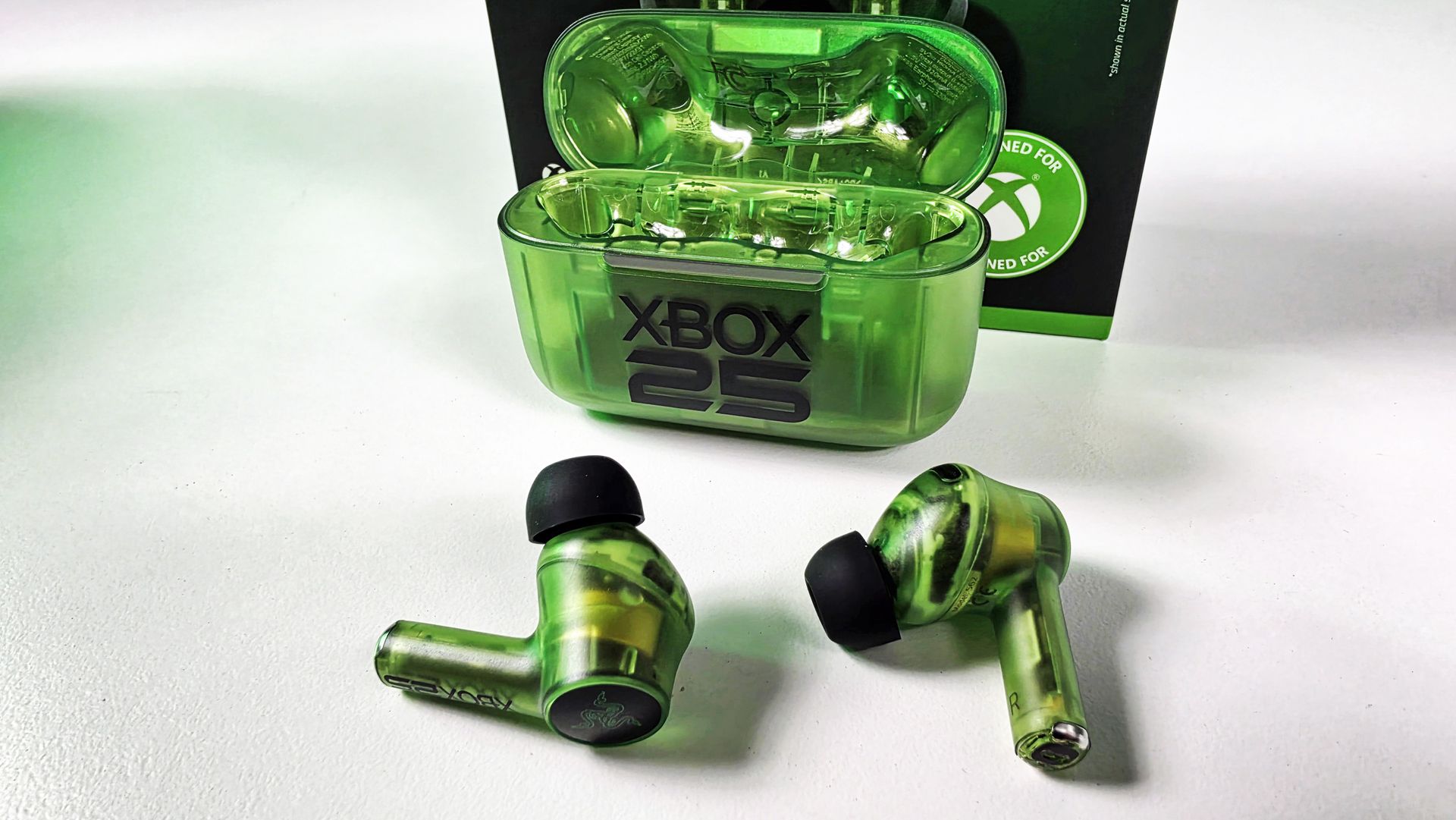
The earbuds themselves are translucent right down through the stems, while the charging case gets the same treatment with a large XBOX 25 logo across the front. It's distinctive without Razer needing to reinvent the product underneath.
(Image credit: Daniel Rubino)
To be clear, I'm not sure what else Razer could have done here.
These support both Razer HyperSpeed Wireless over 2.4GHz and Bluetooth 5.3, including Razer SmartSwitch, alongside up to 35 hours of total battery life. They're also IPX4-rated, and Razer lists surround-sound support across Xbox and PC.
At$119.99 on Razer.com, they're also the least expensive route into the collection.
HAMMERHEAD V3 X HYPERSPEED: $119.99 Experience seamless audio with the ultimate wireless gaming earbuds. Equipped with Razer HyperSpeed Wireless, Razer SmartSwitch Dual Wireless, and THX Spatial Audio, stay connected, competitive, and fully immersed on Xbox and beyond.View Deal
This is how you do an anniversary collection
(Image credit: Future)
The three anniversary models carry roughly a $10 to $20 premium over their standard counterparts, depending on the product. That's the sort of "special edition tax" I can live with when I'm actually getting something special in return.
And, in my opinion, Razer really went over the top here.
There's a consistency across all three products that makes them feel like an actual collection, rather than three unrelated products that happen to share a logo and color. Put the BlackWidow and Basilisk together on a desk, and they look fantastic.
The translucent green plastic immediately evokes Xbox, while the XBOX 25 logos, custom keycaps, ABXY colors, wrist-rest embroidery, RGB implementation, and even that ridiculous little green wireless dongle demonstrate that somebody cared about sweating the details.
🤌It's so cool looking! (Image credit: Daniel Rubino)
And that's ultimately why I like these so much.
Razer started with some of its best hardware rather than using Xbox's anniversary to dress up cheaper peripherals, and then went far enough with the aesthetic changes that they feel genuinely unique.
The Razer | XBOX 25 Anniversary Collection is available to order from October 20, with the BlackWidow V4 75% at $209.99, Basilisk V3 Pro 35K at $179.99, and Hammerhead V3 X HyperSpeed at $119.99.
These are limited edition, so don't be shocked if they sell out.
If I were choosing only one, I'd take the BlackWidow without hesitation. (But let's be honest: the keyboard and mouse belong together.)
A+ from me, Razer. This is how you do anniversary hardware.
Hit me up in the comments if you have any questions while I still have these on hand! And you can follow the rest of our XBOX 25 coverage as we round out 2026.
Join us on Reddit at r/WindowsCentral to share your insights and discuss our latest news, reviews, and more.
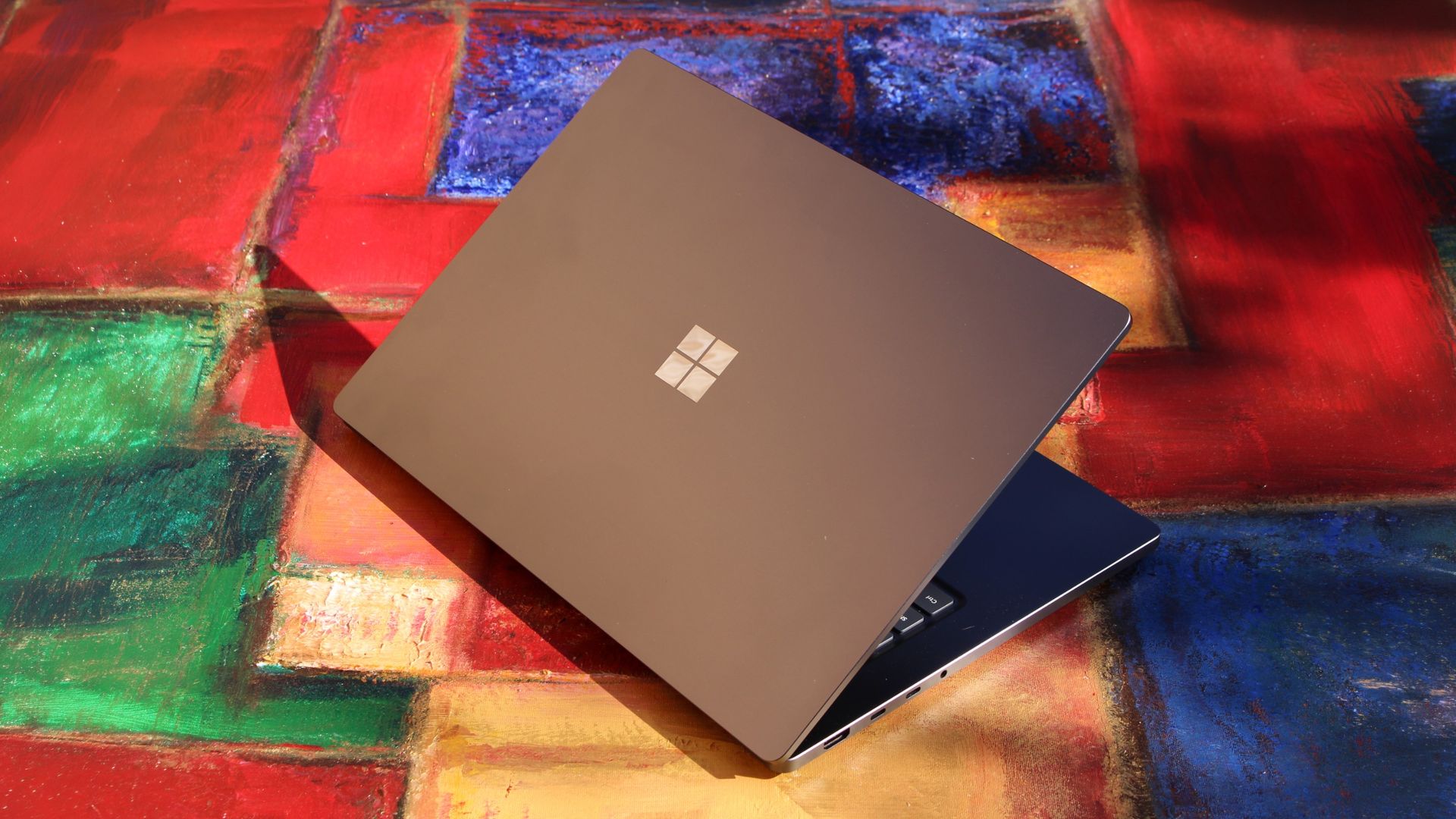
The Surface Laptop Ultra just started shipping, so Microsoft is busy updating its support documents to make sure buyers have all the information they need about the PC. Microsoft's support document about Surface driver and firmware lifecycles was just updated to include the Surface Laptop Ultra.That document outlines how long each Surface device will receive driver and firmware updates.The support window for the Surface Laptop Ultra is not surprising. In fact, it
That document outlines how long each Surface device will receive driver and firmware updates.
The support window for the Surface Laptop Ultra is not surprising. In fact, it's perfectly in line with other Surface devices. Microsoft splits its driver and firmware lifecycle into two different categories: devices released before January 1, 2021 and devices released on or after January 1, 2021.
Devices that shipped before 2021 receive at least four years of driver and firmware updates. All Surface PCs in that category have already reached the end of the driver and firmware lifecycle.
The Surface Laptop Ultra will continue to receive driver and firmware updates until October 16, 2032. Microsoft is quite specific about its lifecycles. For context, the newly launched Surface Pro 12-inch and Surface Laptop 13-inch will only receive driver and firmware updates until October 13, 2032.
Surface Laptop Ultra owners will need to make sure their PC is running a version of Windows 11 from the prior 30 months to continue to receive driver and firmware updates.
Even when a device reaches the end of its driver and firmware lifecycle, it will continue to receive Windows 11 updates.
Firmware is low-level software built into hardware components, while drivers allow Windows to communicate with those parts. Driver and firmware updates keep everything running smoothly. They can fix hardware bugs, battery drain, and security flaws behind the scenes.
Six years is a fair time for a PC to receive driver and firmware updates. Generally, the biggest bugs and issues should be sorted by the end of the Surface Laptop Ultra's driver and firmware lifecycle.
Built around the NVIDIA RTX Spark platform with an N1X CPU, RTX GPU, and up to 128GB of unified memory, the Surface Laptop Ultra hits new performance heights for power users. It's all contained in a gorgeous chassis with a mini-LED display and tons of ports.
Join us on Reddit at r/WindowsCentral to share your insights and discuss our latest news, reviews, and more.
Black Friday is right around the corner, but that doesn't mean you have to wait for a discount on laptops if you need one to clear last-minute deadlines at work or get caught up before heading to school.For example, the HP Omnibook X Flip 2-in-1, with its crisp 16-inch display, all-day battery, and next-gen performance, is currently on sale with a 25% discount for $1,199.99 at Best Buy.OmniBook X Flip 2-in-1 - 16" 2K OLED Touchscreen Laptop: was $1599.99 now $119
Black Friday is right around the corner, but that doesn't mean you have to wait for a discount on laptops if you need one to clear last-minute deadlines at work or get caught up before heading to school.
For example, the HP Omnibook X Flip 2-in-1, with its crisp 16-inch display, all-day battery, and next-gen performance, is currently on sale with a 25% discount for $1,199.99 at Best Buy.
"The OmniBook X Flip 16 is a great all-rounder. It's well built, lovely to use, and the balance of power and stamina make for a laptop that's as happy sitting on a desk as it is coming on your travels. And whether it's work or play, the OLED touchscreen is a delight." ~ Sashua Muller, freelance journalist,
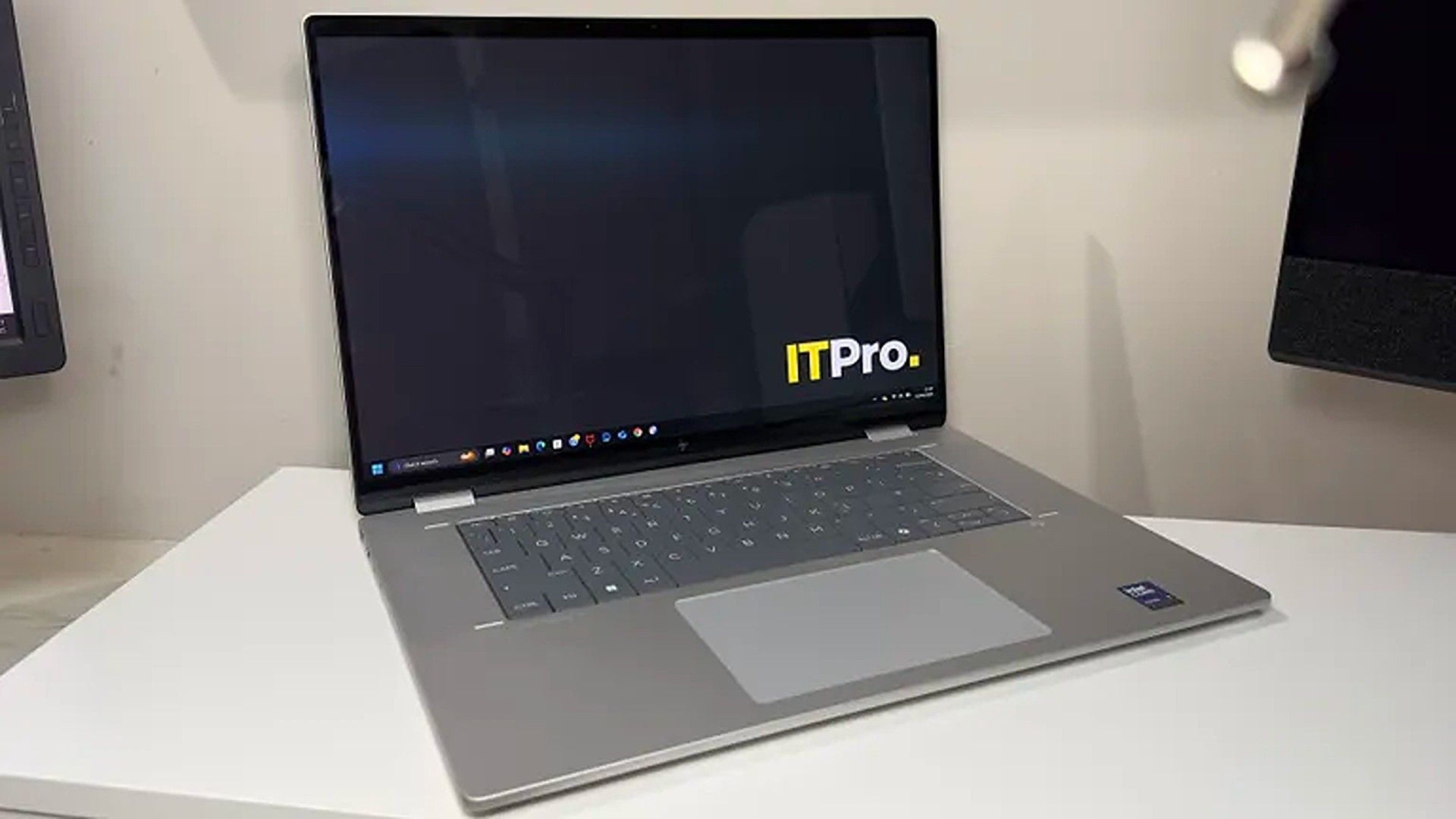
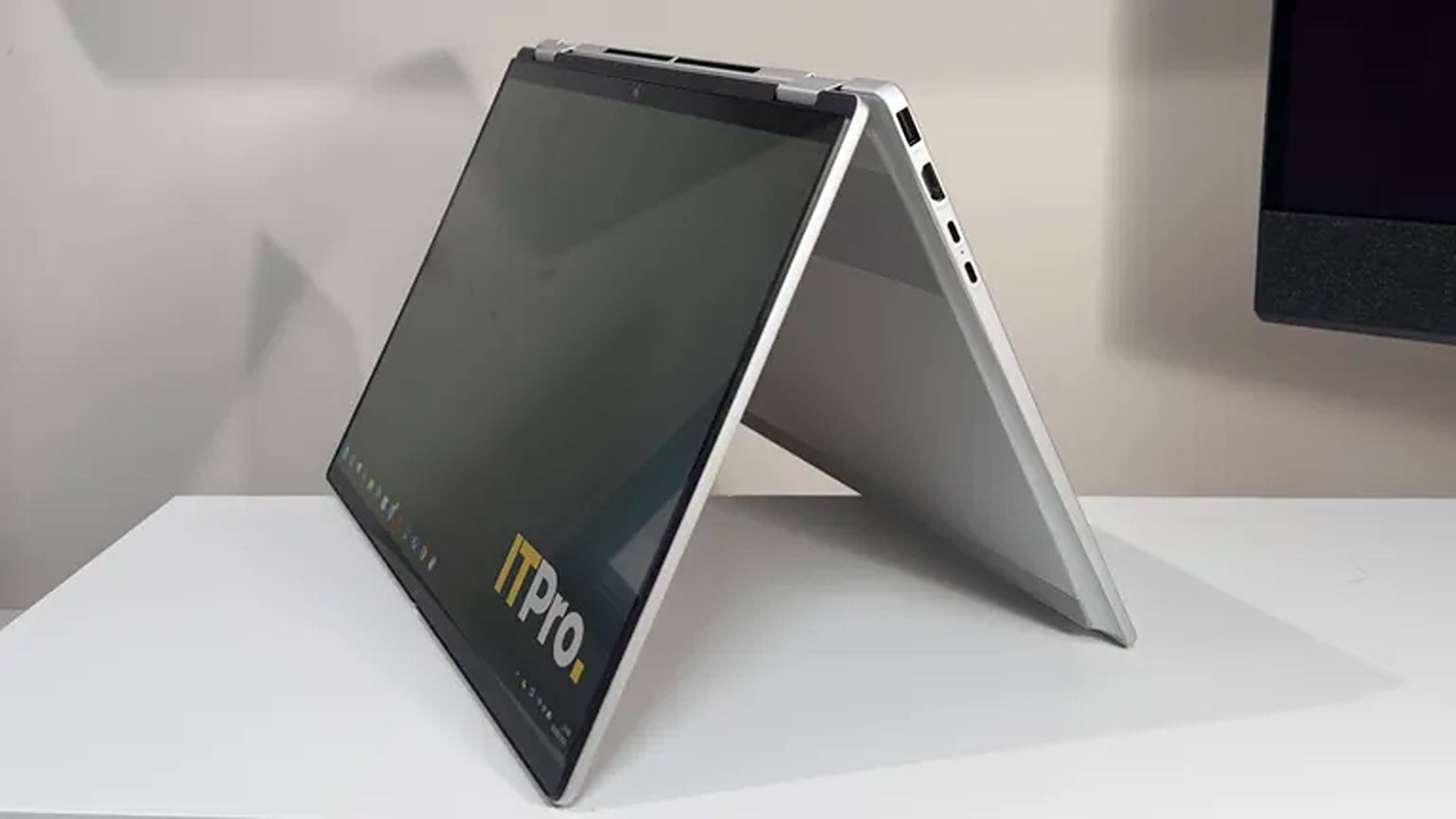
The HP Omnibook X Flip's Tent Mode (Image credit: ITPRO (Sashua Muller) | HP)
This configuration of the HP Omnibook X Flip 2-in-1 is the total package when it comes to casual use and productivity efficiency thanks to its AMD Ryzen AI 7 445 CPU, 16GB RAM, and 1TB SSD, offering fast performance when running programs, transferring files, or simply booting up.
It also features a 16" 2K OLED Touchscreen that delivers vibrant colors with 100% DCI-P3 coverage for accurate colors and 120Hz adaptive refresh rates to deliver smooth visuals.
On top of that, the HP Omnibook X Flip features an NPU with 50 TOPS to help perform local AI tasks, a smart hybrid build that can swap between laptop, tent, reverse, and tablet modes, and a massive battery life of 15 hours before needing a recharge.
Is it good for AAA gaming?
No, the HP Omnibook X Flip 2-in-1 laptop struggles to run intensive AAA games like Cyberpunk 2077 due to its limited integrated graphics card that was meant for workflow tasks rather than gaming. This isn't a gaming laptop.
Can I upgrade it's RAM?
No, the RAM is soldered into the HP Omnibook X Flip 2-in-1 laptop's motherboard so it can't be upgraded with a different one.
Should I wait until Black Friday for a better deal?
Often, I would suggest waiting until Black Friday for a chance at a bigger discount on laptops. However, with the RAM crisis constantly raising the prices of all things tech-related, there's a chance the HP Omnibook X Flip 2-in-1 laptop's price will rise so high that not even Black Friday discounts will make it affordable. With that in mind, it may be a good idea to take advantage of this discount while it lasts, if it suits your budget.
Join us on Reddit at r/WindowsCentral to share your insights and discuss our latest news, reviews, and more.
Lenovo's Pro 9n is the first RTX Spark laptop that I've been able to sit down and use as I normally would at work and at home, following several brief stints with the new class of PCs at Computex and IFA.What I need from you...Have some questions about the Lenovo Pro 9n not addressed in this early hands-on? Drop them in the comments section below, and I'll do my best to address them in my full review.Lenovo is aiming its 15.3-inch Pro 9n directly at creators hand
Lenovo's Pro 9n is the first RTX Spark laptop that I've been able to sit down and use as I normally would at work and at home, following several brief stints with the new class of PCs at Computex and IFA.
What I need from you...
Have some questions about the Lenovo Pro 9n not addressed in this early hands-on? Drop them in the comments section below, and I'll do my best to address them in my full review.
Lenovo is aiming its 15.3-inchPro 9n directly at creators handling demanding 3D rendering and video editing tasks. Its 2.5K OLED display with Pantone color validation, its four Dolby Atmos speakers, its pen-enabled haptic touchpad, and its newfound RTX performance all play into this direction.
Of course, thanks to NVIDIA's RTX Spark chip, it's also suited for local AI workflows, software development, and gaming.
I received the new RTX Spark-poweredLenovo Pro 9n laptop a couple of days ahead of the review embargo. I've been using it steadily since then to get some early first impressions before I start harassing it with benchmarking software. Here's what I've learned so far.
This hands-on was made possible by a review sample provided by Lenovo. The company had no input on the content of this article, nor did it see the article before it was published.
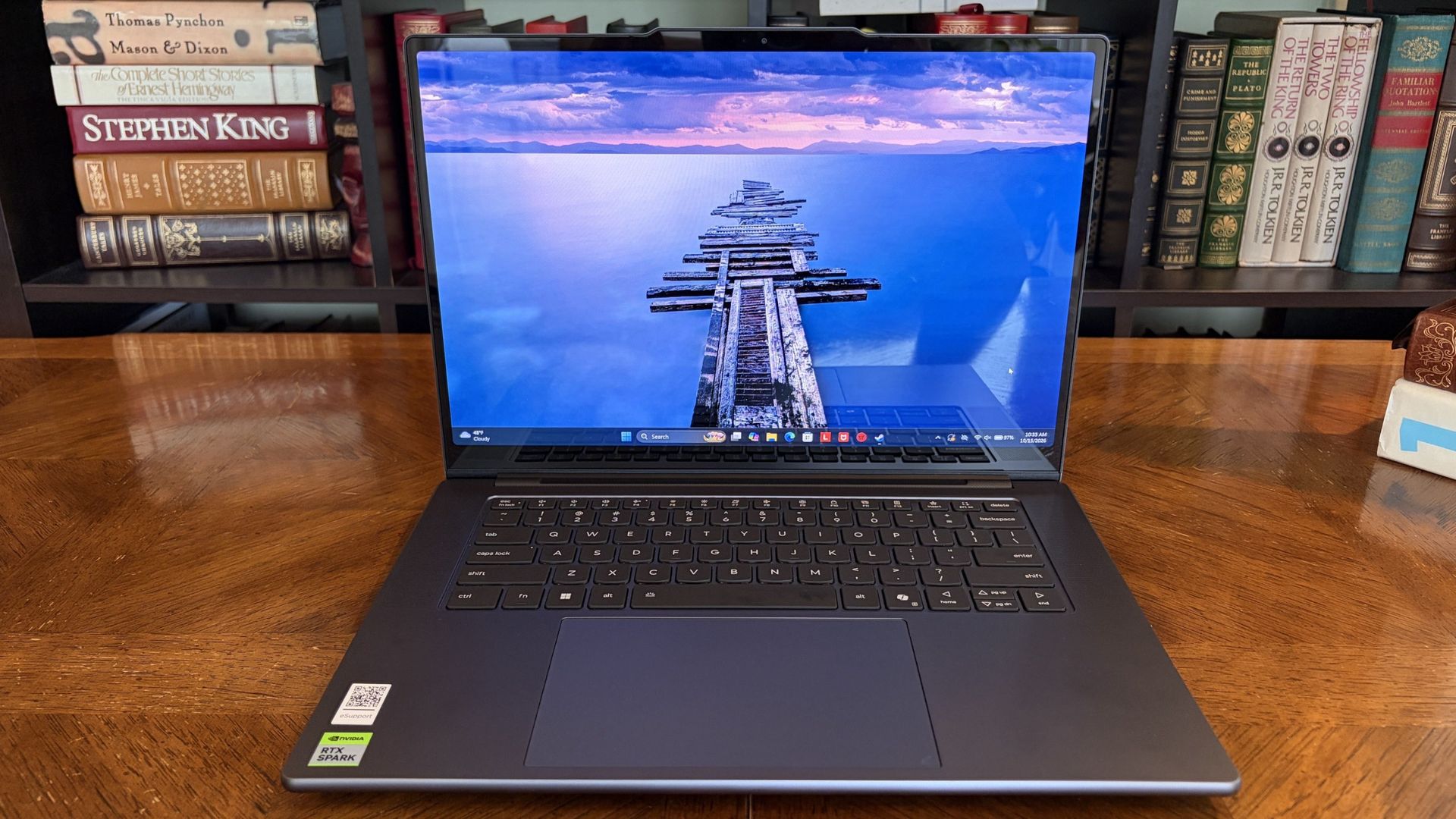
Lenovo's Pro 9n 15" is the company's non-convertible RTX Spark option, arriving with a host of premium features aimed at creators.
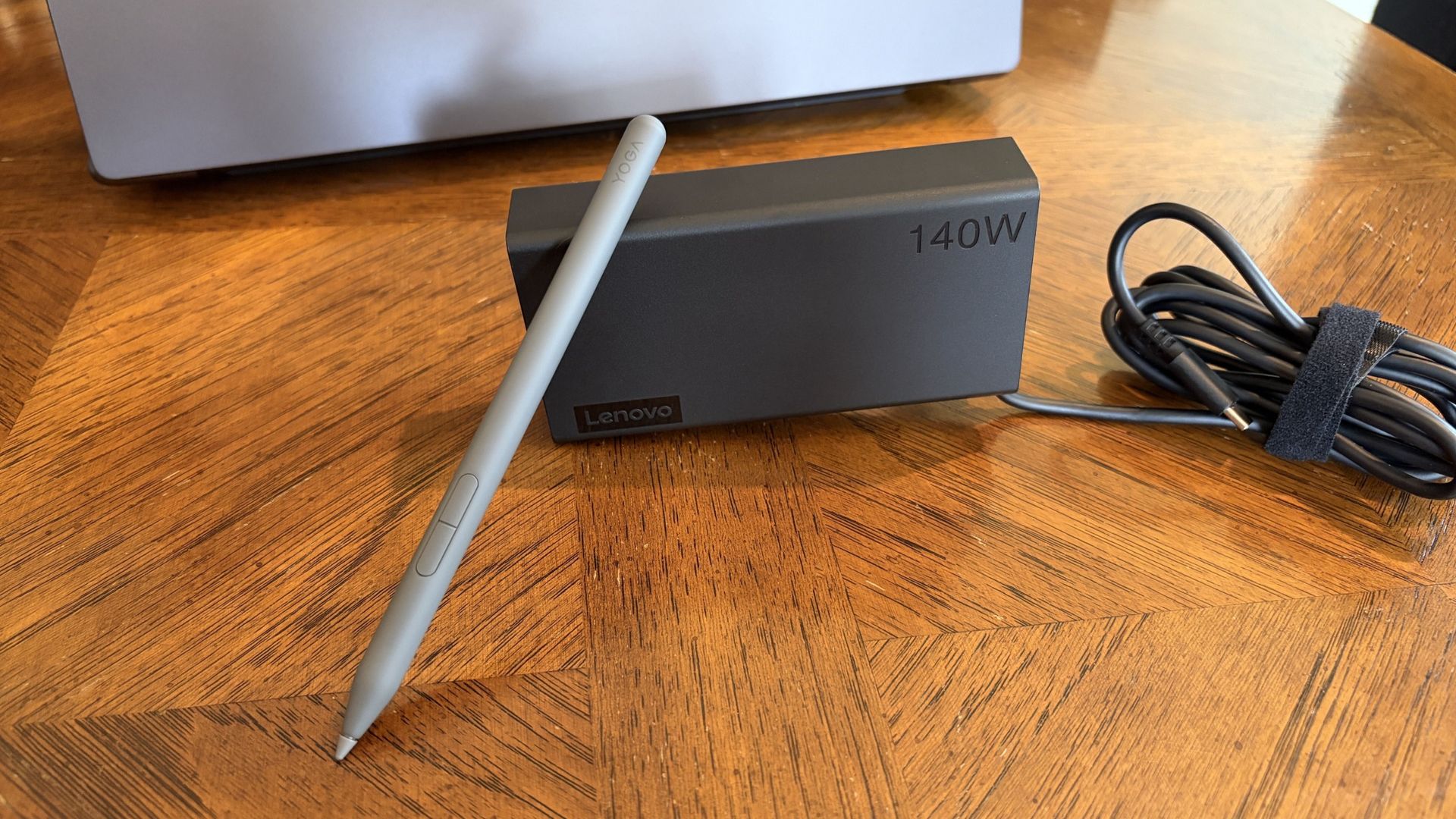
A compact 140W charger and a Yoga Pen Gen 2 come with each Lenovo Pro 9n laptop. (Image credit: Future)
The Yoga 9n laptop comes packaged — in a fully recyclable box — with a fairly compact 140W USB-C power adapter.
I haven't actually had to use it yet at the time of writing this portion, as all the downloads and puttering around I've done so far on the PC have only sapped the battery to about 35%. I talk about battery life, good and bad, in more detail below.
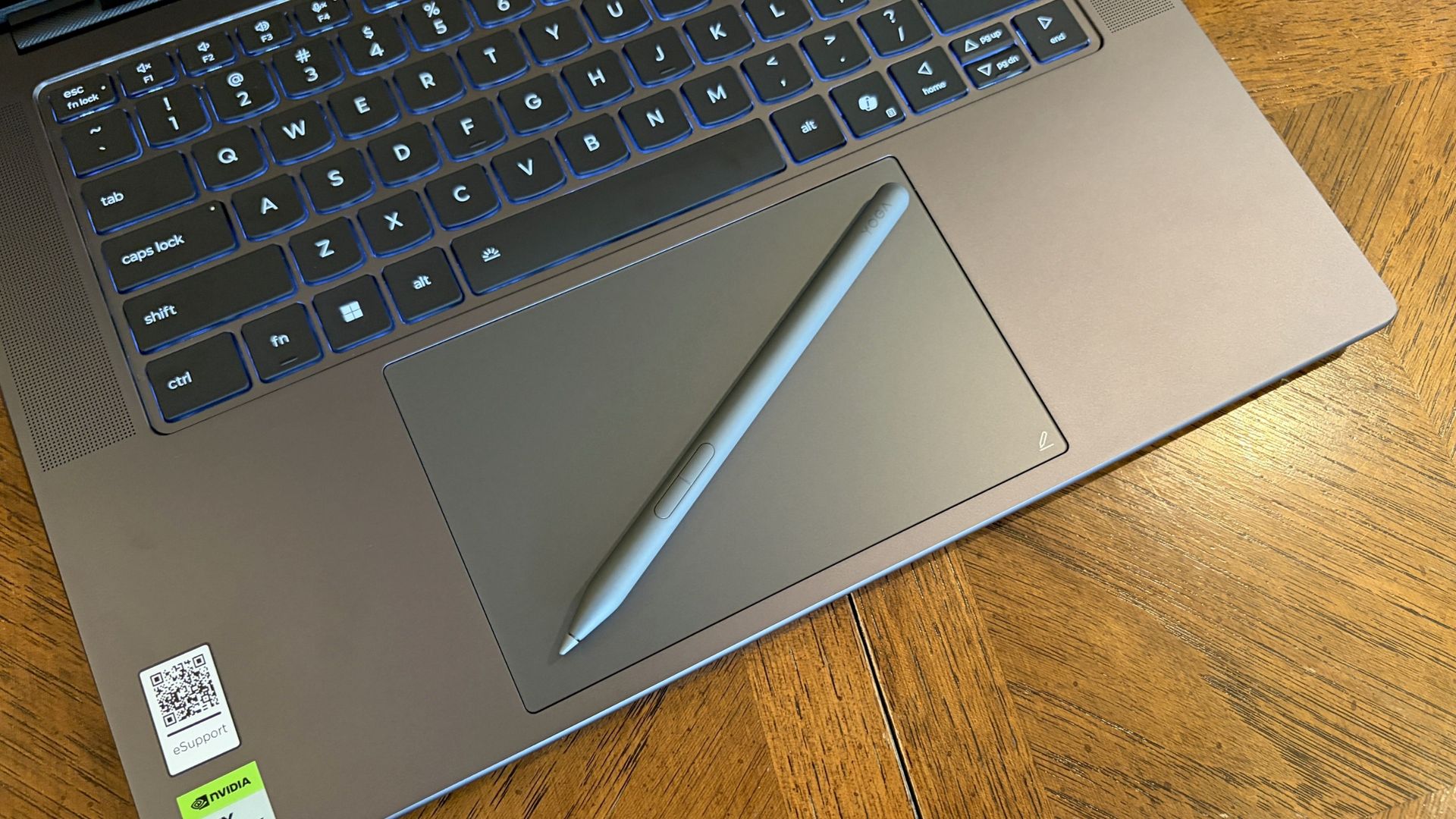
Lenovo also bundles the Yoga Pen (Gen 2) with each laptop. It's designed to work with the new pen-enabled haptic touchpad (which Lenovo calls a Force Pad), giving users plenty of space to sketch, draw, design, and write.
Lenovo Pro 9n early impressions — 3 things I already love
Lenovo's Pro 9n already has several features that stand out to me after a couple of days of use. I've rounded them up here to give you an idea of what we're working with.
I've also included some of the more concerning things I've noticed, which you'll definitely want to check out if you're thinking about buying this laptop.
Let's start with the good stuff.
Battery life seems solid ... most of the time
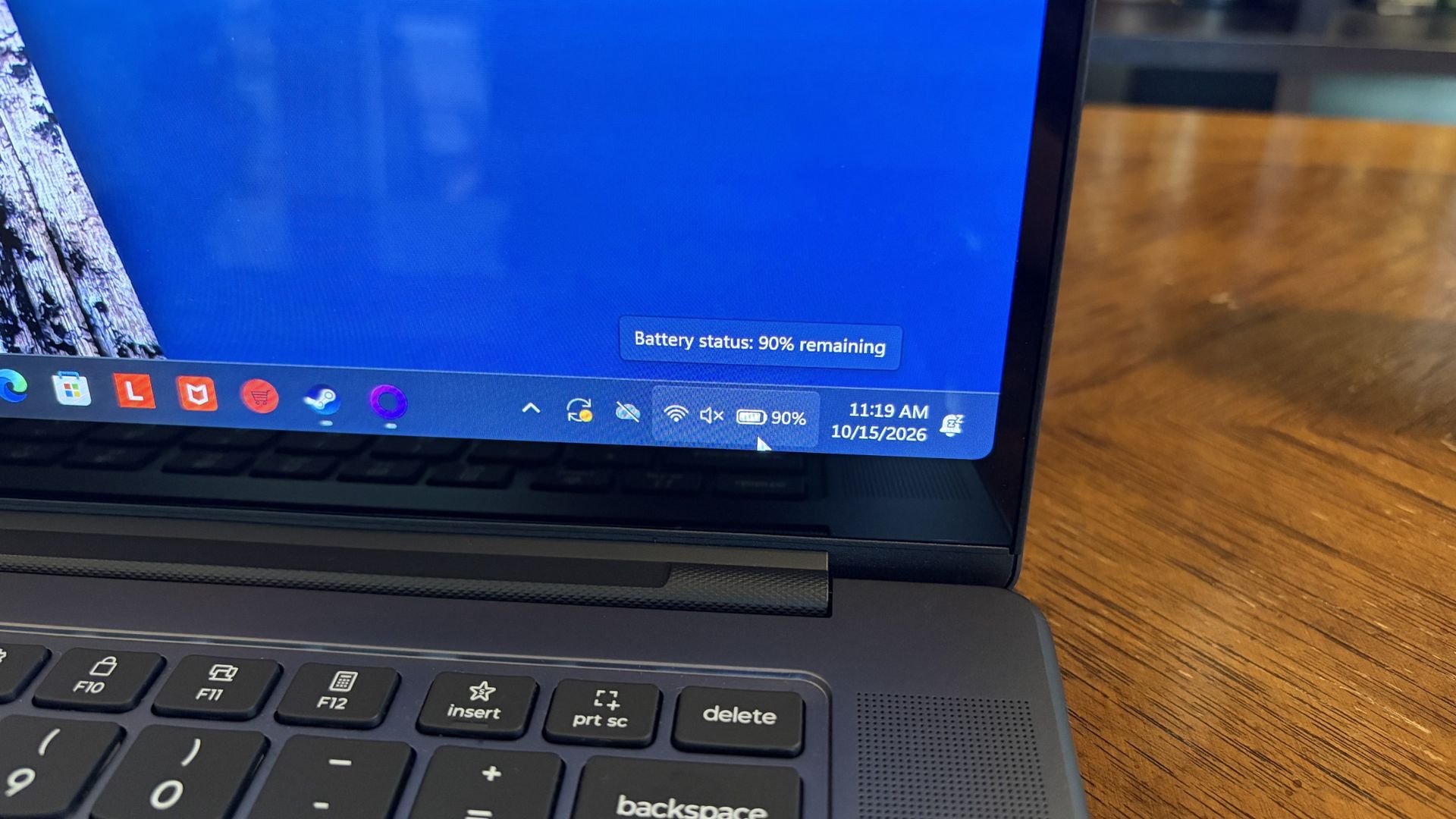
Battery life has been great so far for day-to-day use. (Image credit: Future)
Battery life falls into both categories: What I like and what I'm worried about.
First impressions are very good. As mentioned, the laptop is sitting at about 35% after a day of downloads and tinkering around. That's with the PC adjusting its own power profile depending on the task at hand.
If you aren't hammering the hardware and are instead browsing the web, streaming video, answering email, etc., I'm confident that the laptop will deliver awesome battery life for day-to-day tasks.
I explain the flipside to the battery segment below.
Inking on the haptic touchpad
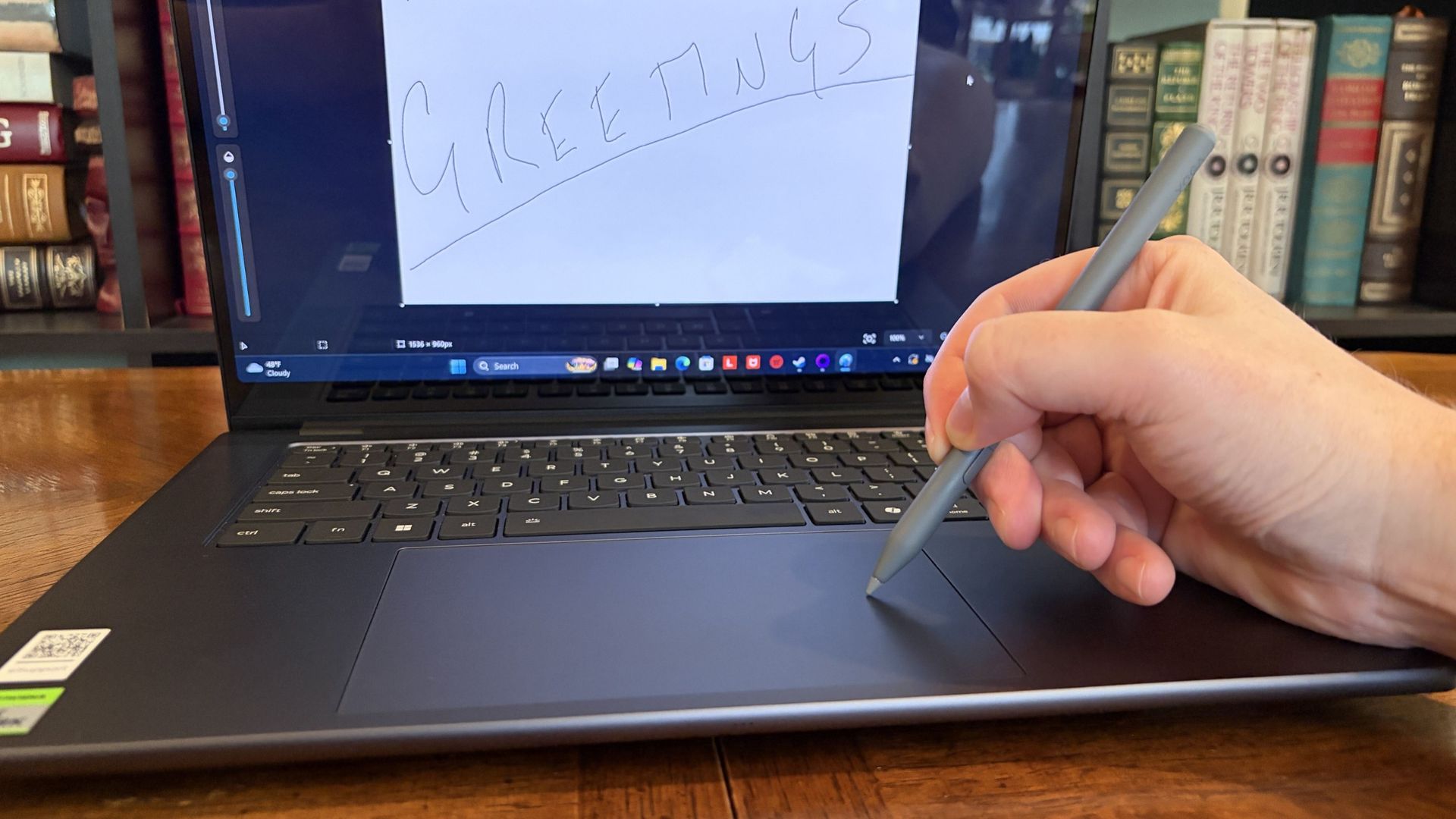
The massive touchpad has plenty of space for inking with the Yoga Pen Gen 2. (Image credit: Future)
The Pro 9n's display accepts touch input, but it does not work with the Yoga Pen (Gen 2). Instead, the Pro 9n's new haptic touchpad measuring about 3.74 x 5.9 inches (95mm x 150mm) is pen-enabled.
As someone who rarely uses an active pen on any laptop that's not at least a convertible (allowing me to rotate the display around for tablet mode), I love this change.
Writing feels natural and smooth. (Image credit: Future)
The oversized touchpad provides plenty of space to work, and the feel and sound of the pen nib on the surface come out natural. The pen has 8,192 levels of pressure sensitivity thanks to AES 3.0, far more than I'm used to.
Lining up the touchpad area and the on-screen canvas takes a bit of guesswork, but I'll try it in more apps between now and my full review.
Display quality is outstanding
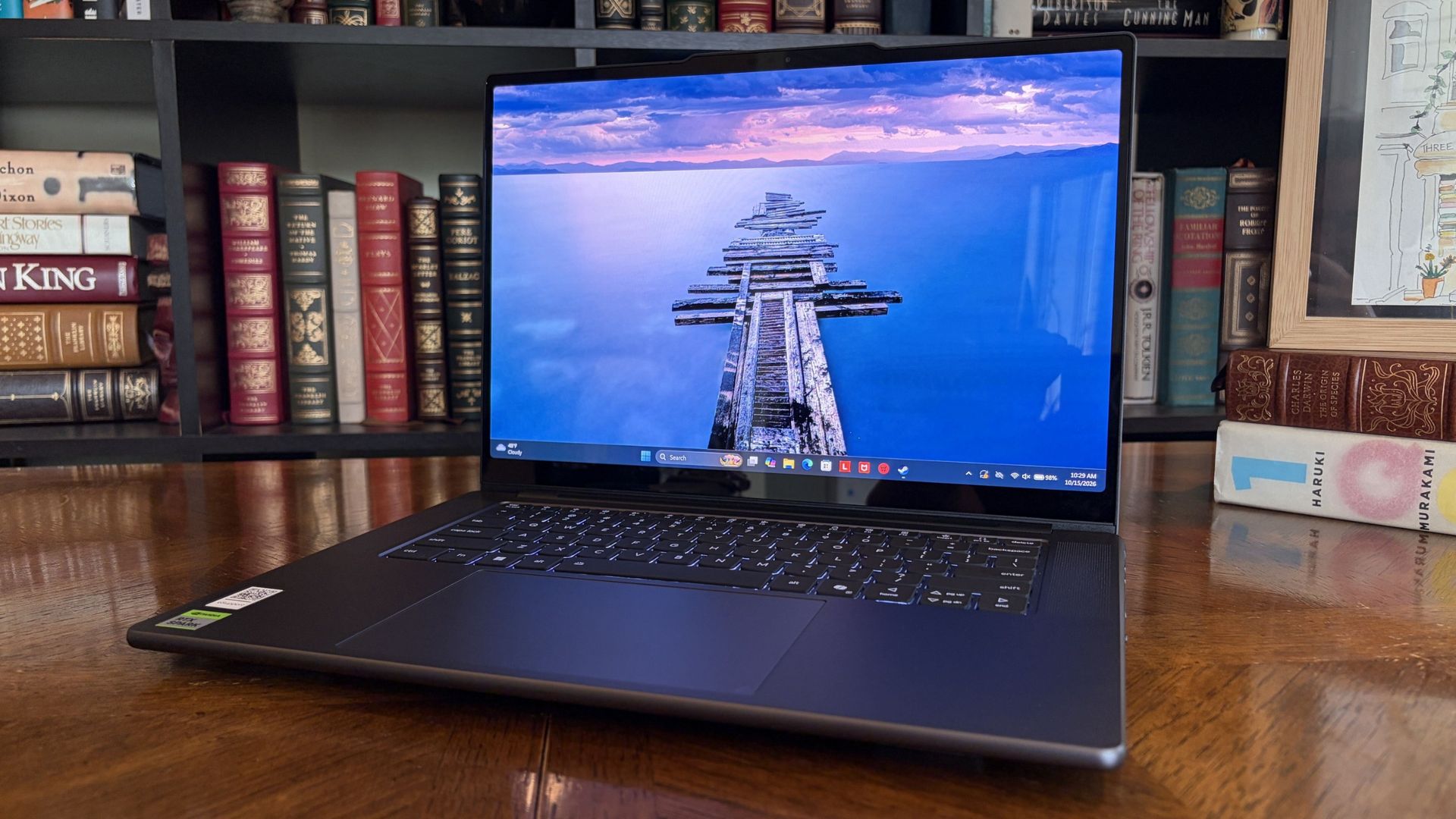
The OLED display offers a 2.5K resolution and brightness up to 1,100 nits. (Image credit: Future)
The Yoga 9n's 15.3-inch display uses a "PureSight Pro" OLED panel with X-Rite Pantone calibration, ensuring it's ready for specialized design work requiring accurate color reproduction.
It might be the slim bezels, or it might be the 2560x1600 resolution; in any case, it feels a lot larger than 15.3 inches.
Lenovo wanted to deliver a screen for creators, and it certainly seems like it achieved its goal.
I haven't tested it with a colorimeter yet, but Lenovo says the screen can hit 1,100 nits peak brightness with HDR enabled. I'd wager that's about right, because this thing gets very bright and I've had only minor issues with glare.
It's super smooth too, thanks to a 165Hz variable refresh rate that can automatically lower or raise depending on what you're doing. Lenovo wanted to deliver a screen for creators, and it certainly seems like it achieved its goal.
Lenovo Pro 9n early impressions — 3 things I like less
Admittedly, these three aspects I like less could turn out to be nothingburgers once I've spent more time with the PC. In any case, here they are, including more information about battery life.
A rather plain design
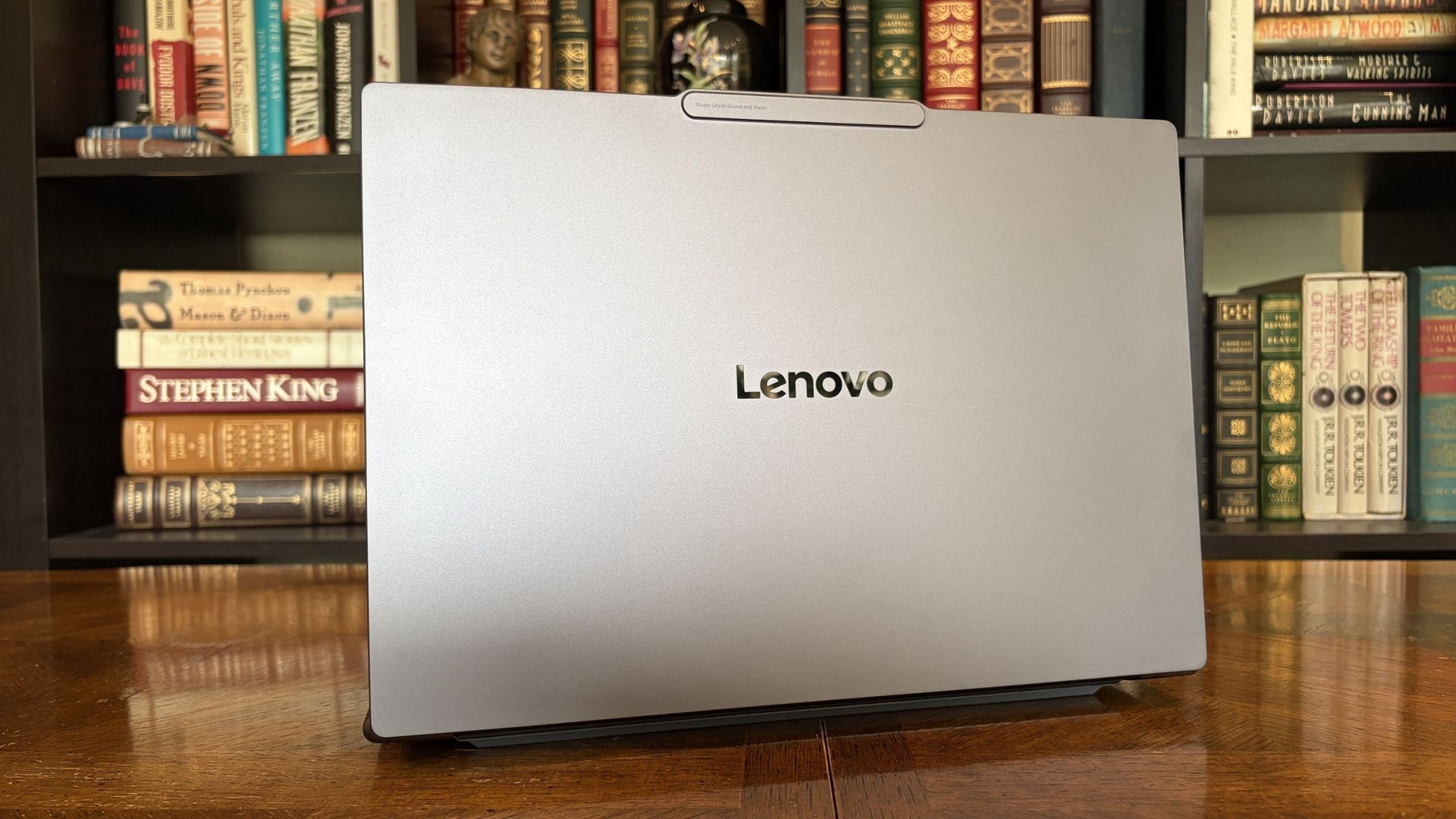
The Pro 9n isn't very flashy on the outside. Disagree? Let me know in the comments below. (Image credit: Future)
The Lenovo Pro 9n's design is not exactly inspiring.
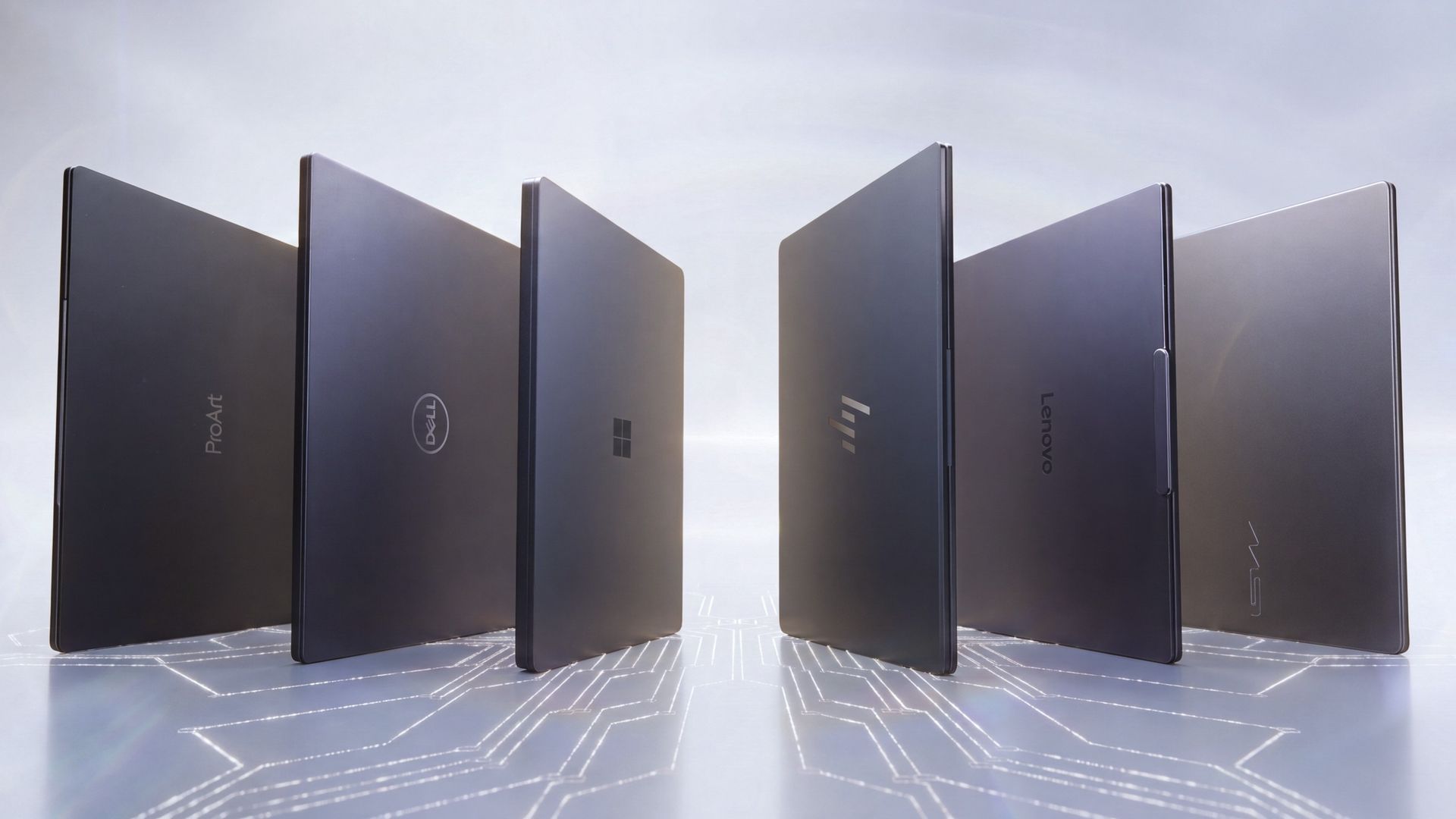
This isn't just an issue I have with Lenovo's RTX Spark PC; it's largely the same across the entire product catalog, including ASUS, Dell, HP, MSI, and Surface. I imagine second-gen devices will receive a bit more flair, especially as brands branch out into more focused approaches.
The laptop is super sleek and not nearly as heavy as I was expecting.
In Lenovo's case, with such an emphasis on modern creators, the plain design doesn't quite sit right. Let me know in the comments section below if you disagree with me or have more to add on the subject.
I will say that the laptop is super sleek and not nearly as heavy as I was expecting. It only weighs about 3.6 pounds (1.6kg), and it's well balanced. Port selection is also quite good, with dual Thunderbolt 4, dual USB-A, HDMI 2.1, SD card reader, and 3.5mm audio jack.
Will it overheat?
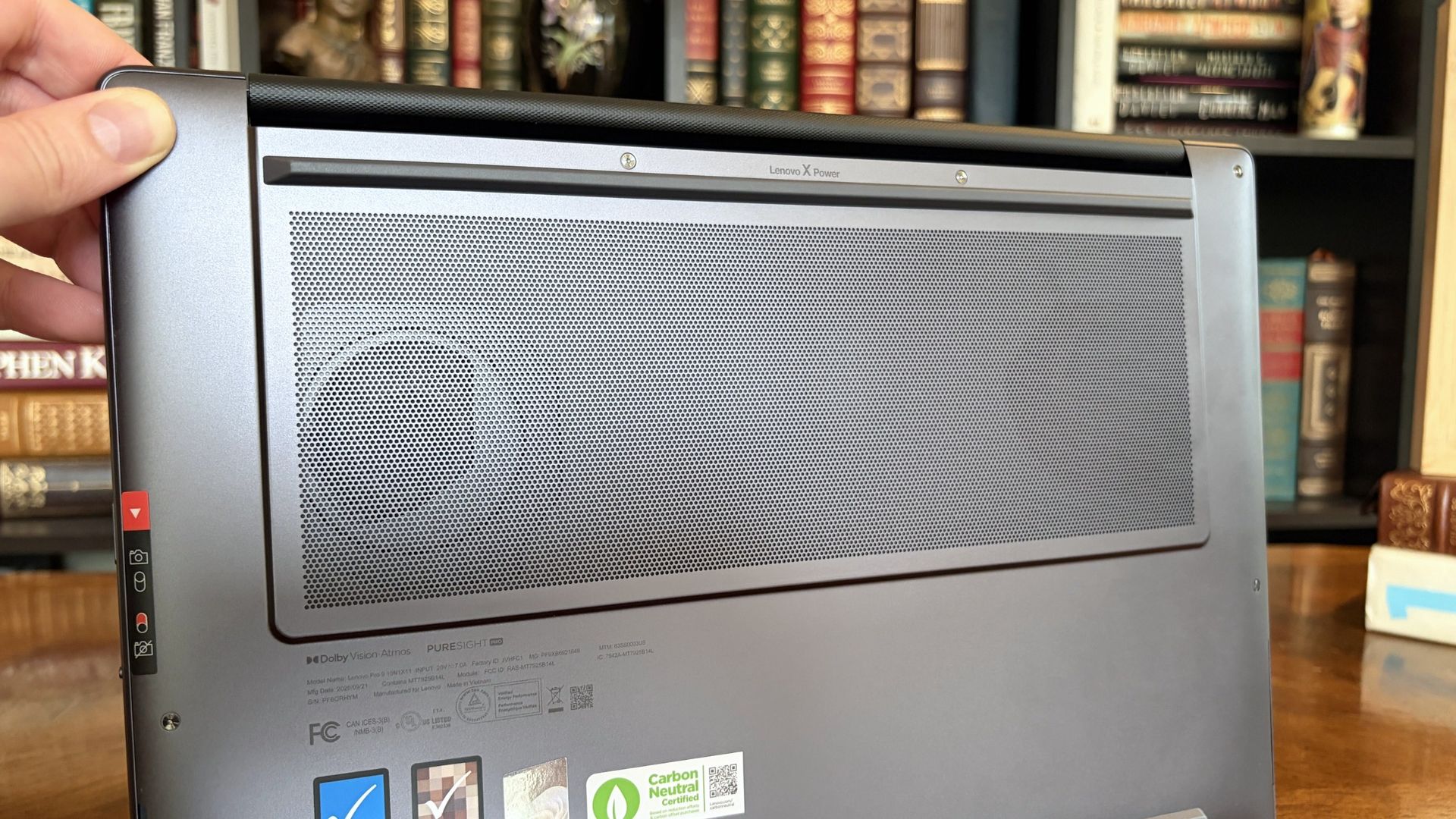
Two fans lie just beneath an oversized intake vent on the bottom of the Pro 9n. (Image credit: Future)
The first few hours with the Lenovo Pro 9n involved some noticeably hot surfaces, but that seems to have abated now that it's all set up and finished downloading/installing updates.
Playing games causes heat to rise, especially when the AC adapter is plugged in, and it will be interesting to monitor actual temperatures and whether or not the dual-fan system can keep up with sustained heavy loads.
Battery life ... again
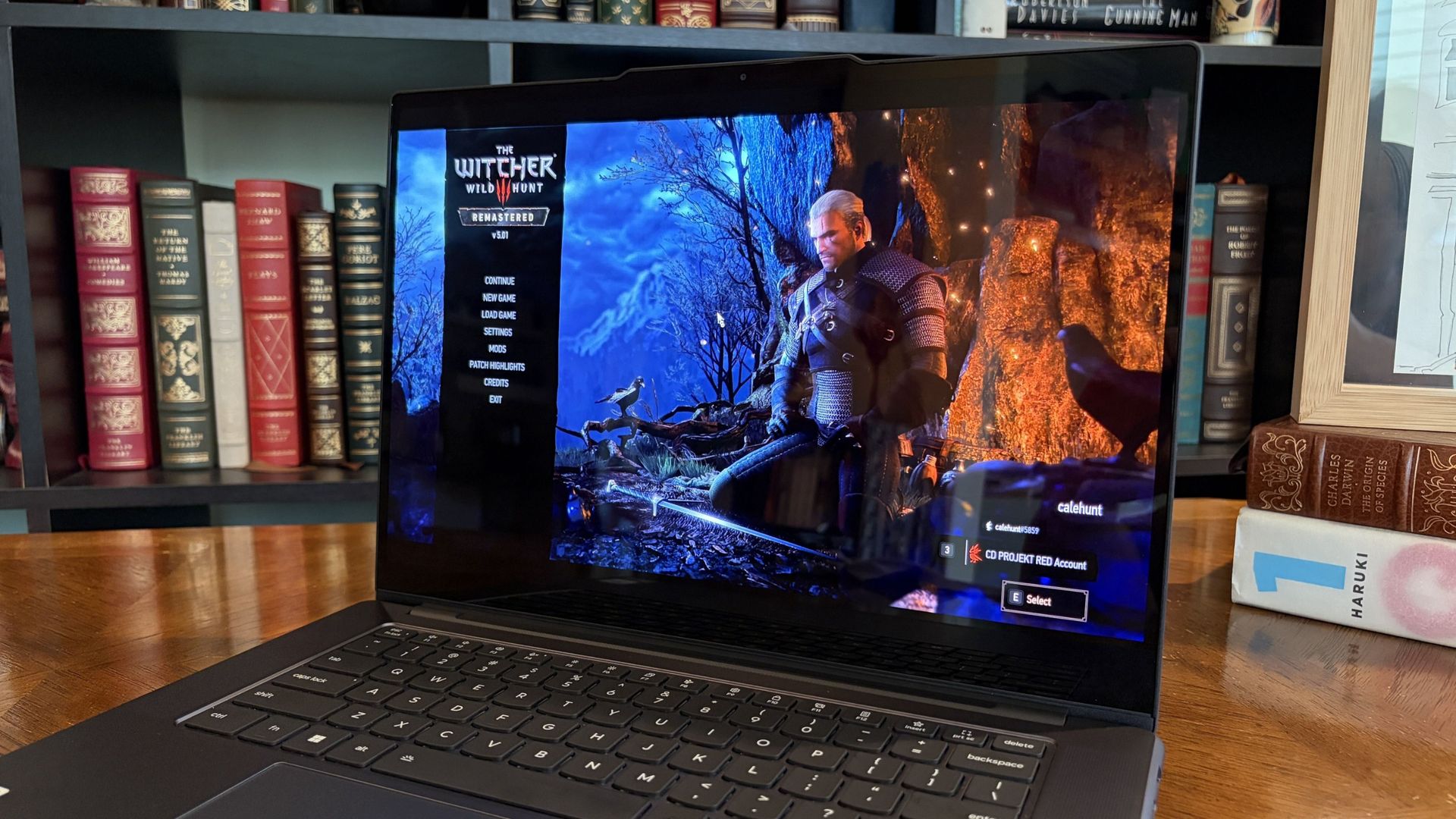
I enjoyed a bit of The Witcher 3: The Wild Hunt Remastered to get an early idea of battery life under load. (Image credit: Future)
As noted, battery life seems great when you aren't pushing the system with anything too demanding.
I need a lot more time with the laptop to get a better idea of how efficient it can be, and I am concerned about how long the battery will last when the PC is under heavy load, for AI work or for gaming.
Final thoughts on the Lenovo Pro 9n before a full review
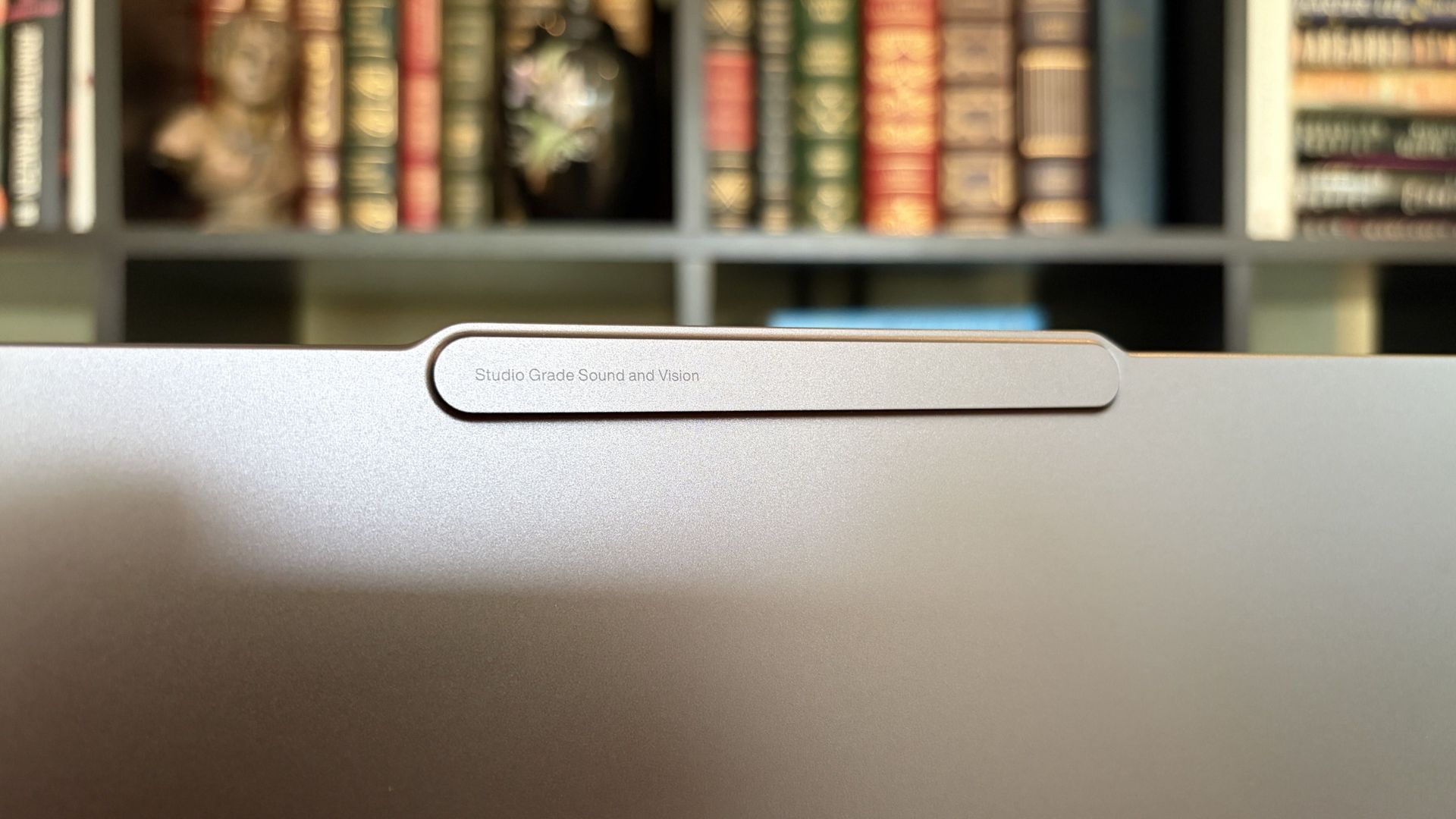
The raised comms bar at the top of the display houses the IR sensor and webcam. (Image credit: Future)
Lenovo's Pro 9n has a lot to unpack, and I feel like I've barely scratched the surface of what this new class of PC can do. First impressions are generally positive, although, as noted, there are some concerns about battery life and heat.
Do you have any questions that need answering regarding the Lenovo Pro 9n or the RTX Spark platform in general? Drop them in the comments section below, and I'll do my best to address them in my full review.
Join us on Reddit at r/WindowsCentral to share your insights and discuss our latest news, reviews, and more.
NVIDIA's RTX Spark has arrived, and tons of laptops are quickly equipping themselves with this superchip to take advantage of its NVIDIA AI, RTX graphics, and unified memory to improve their productivity and gaming performance.Antonline is getting in on the launch-day action by offering Microsoft Surface and Lenovo laptops packed with the RTX Spark, and we've rounded up Antonline's available RTX Spark offers for your perusal.Do note that some of Antonline's RTX S
NVIDIA's RTX Spark has arrived, and tons of laptops are quickly equipping themselves with this superchip to take advantage of its NVIDIA AI, RTX graphics, and unified memory to improve their productivity and gaming performance.
Antonline is getting in on the launch-day action by offering Microsoft Surface and Lenovo laptops packed with the RTX Spark, and we've rounded up Antonline's available RTX Spark offers for your perusal.
Do note that some of Antonline's RTX Spark laptop offers are only up for pre-order, while others are not in stock yet, so check back on its website frequently for stock updates.
This 15-inch PixelSense Touchscreen laptop comes with an NVIDIA RTX Spark N1X with a 5120-core GPU and 18-core CPU, an NVIDIA Blackwell RTX 5120-core Graphics card, 32GB of Unified Memory, and 1TB Storage.View Deal
This advanced Lenovo Pro 9n Notebook features a 15.3 WQXGA Touchscreen, 64GB RAM, 2TB Storage, and an NVIDIA RTX Spark N1X with a 6144-core GPU and 20-core CPU for improved productivity and gaming.View Deal
This configuration of the Lenovo Pro 9n laptop features its display with an OLED Touchscreen, 32GB RAM, 1TB Storage, and an NVIDIA RTX Spark with a 5120-core CPU and 18-Core CPU to help you master its Copilot+ features when conducting research, meetings, or content creation.View Deal
What is the RTX Spark?
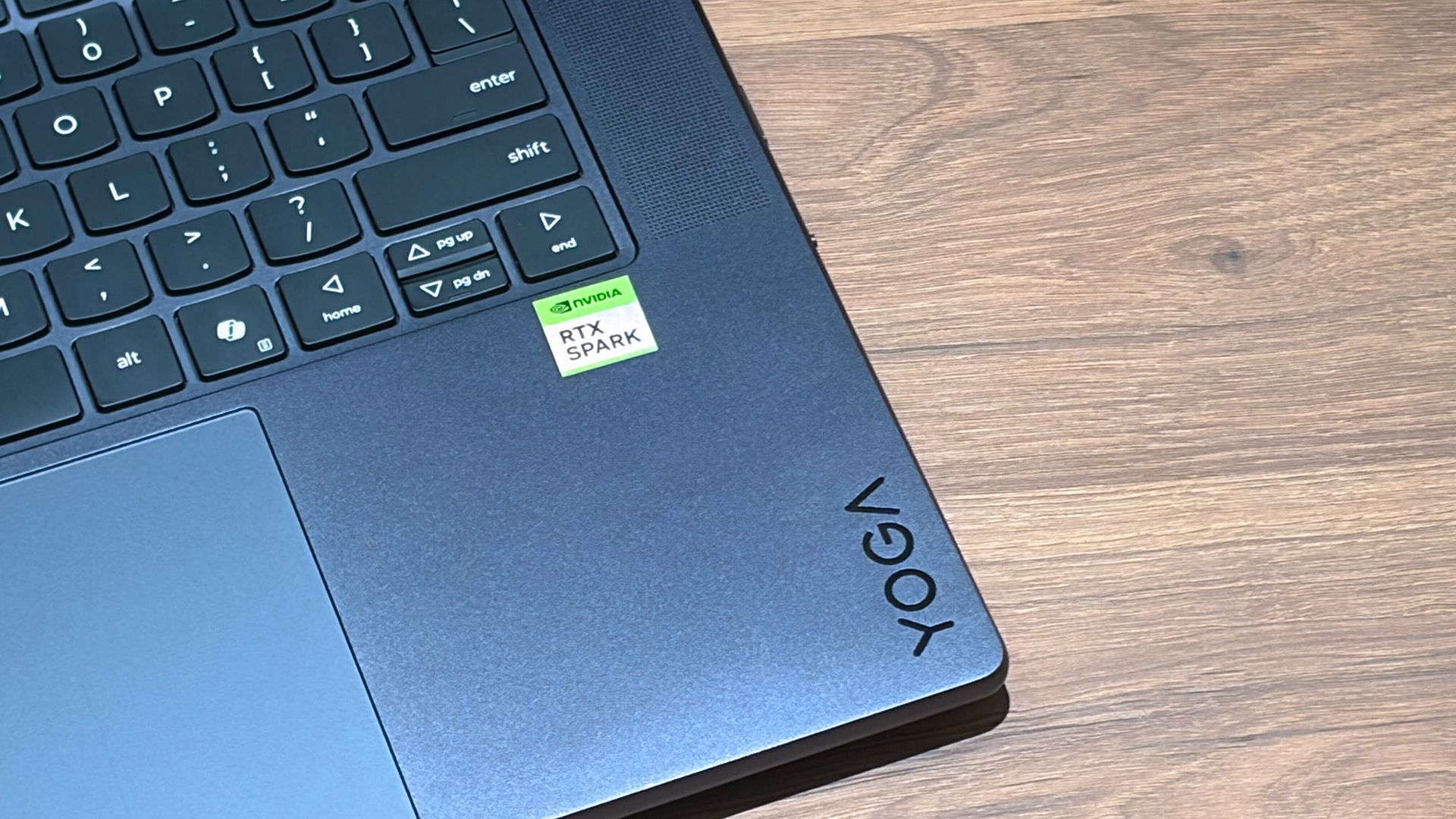
A Lenovo Yoga laptop equipped with the RTX Spark chip. (Image credit: Cale Hunt | Windows Central)
The RTX Spark is a brand-new ARM-based superchip platform designed by NVIDIA to make a PC more efficient when running high-end PC games and local AI-workflow tasks securely without compromising its performance.
The RTX Spark has an NVIDIA Grace CPU that can support up to 20 cores for boosted performance efficiency, and its Blackwell-generation RTX GPU has gaming performance rates on par with the RTX 5070 graphics card,
Additionally, the RTX Spark can support up to 128GB of unified RAM between its CPU and GPU, and it can generate up to 1,000 TOPS to boost its power when running local AI workflows.
RTX Spark selling points. (Image credit: NVIDIA)
One of our tech experts, Zac Bowden, recently benchmark-tested the RTX Spark and concluded that, and I quote, "RTX Spark is a super interesting chipset. It's forward leaning in a lot of ways, built on the Arm64 architecture that delivers serious performance and great efficiency. While its N1X CPU is just okay, its Blackwell RTX GPU really shines.
This is the first time we've seen RTX 4070-5070 level performance in an SoC that is this small and efficient. It's optimized for AI workloads, which is its strongest workflow by far. Quantized AI models run great, and with up to 128GB of unified memory, most mainstream models will fit entirely on the GPU without a hitch."
Zac also mentions that while it's great for content creators and gamers, the RTX Spark is best recommended for workers who run AI models locally all day, develop software, crunch complex data, and manage source code using thin laptops.
So, If you're one of those hard-working data crunchers in need of a powerful productivity laptop, then laptops built with the RTX Spark are for you.
Join us on Reddit at r/WindowsCentral to share your insights and discuss our latest news, reviews, and more.
Microsoft is finally ready to take on the MacBook Pro with the new Surface Laptop Ultra. From pricing to specs and design, Surface Laptop Ultra was inspired by MacBook Pro, and that's not necessarily a bad thing. Unlike most Surface PCs we see ship these days, the Surface Laptop Ultra is a lot of firsts for Microsoft. It's the first ultra-class Surface Laptop, designed from the ground up to compete squarely with high-end professional creator or developer mobile w
Microsoft is finally ready to take on the MacBook Pro with the new Surface Laptop Ultra. From pricing to specs and design, Surface Laptop Ultra was inspired by MacBook Pro, and that's not necessarily a bad thing.
Unlike most Surface PCs we see ship these days, the Surface Laptop Ultra is a lot of firsts for Microsoft. It's the first ultra-class Surface Laptop, designed from the ground up to compete squarely with high-end professional creator or developer mobile workstations.
What I find fascinating about Surface Laptop Ultra however is that it exists because Microsoft's own developers and engineers wanted it. They built this laptop for themselves. It feels like the company got tired of looking over the fence at the MacBook Pro, and decided "why don't we just make our own version of that?"
It really is Microsoft's most powerful and most capable Surface PC ever, and a great stage for Windows. But that doesn't necessarily mean it's the best Surface PC for everyone. I've been testing the laptop over the last 8 days, and here are my thoughts on Microsoft's new flagship computer.
This review was made possible thanks to a review unit supplied by NVIDIA & Microsoft. Neither company had editorial input and did not see the contents of this review prior to publication.
Price & Availability
Microsoft
Surface Laptop Ultra
Surface Laptop Ultra is Microsoft's flagship and most powerful Windows PC. It can be configured with up to 128GB RAM, and ships with NVIDIA's new RTX Spark SoC. It's great for creative workflows and software development, and those who want to run local AI and LLMs directly on their device.
Surface Laptop Ultra is Microsoft's most expensive Surface Laptop to date. It starts at an eyewatering $2,599 for the entry-level configuration with 24GB of RAM, 512GB SSD storage, and an 18-core RTX Spark with 5,120 GPU cores. That's an expensive laptop, and it only gets worse the higher you climb up the specs ladder.
The model I've reviewed is the very top end configuration, with a crazy 128GB RAM, 1TB SSD, and a 20-core RTX Spark with 6,144 GPU cores. That model will set you back $5,899, which at these prices basically makes this a $6,000 laptop. That's an insane amount of money to spend on a laptop, but this configuration only really exists for professionals who need the extra power to run local agents and data crunching.
For video creators, gamers, and prosumers, you'll be more than well served with the lower tier models with 24-32GB RAM. All models come with the same mini LED screen, speaker setup, ports, keyboard, and trackpad. It's also available in Platinum or Nightfall colorways (aka, silver and black.)
Brightness: SDR up to 1,000 nits (typical), HDR up to 2,000 nits peak luminance
Optimised for touch interaction
Operating System
Windows 11 Home (24 GB unified memory models)
Windows 11 Pro (32 GB, 64 GB, and 128 GB models)
Ports & Connectivity
2 × USB-C® / USB4®
1 × USB-C® / USB4® with Magnetic Connect
1 × HDMI 2.1b
1 × USB-A 3.1
1 × Full-size SD card reader
1 × 3.5 mm headphone jack
Wireless
Wi-Fi 7, Bluetooth 5.4
Camera & Audio
1080p Full HD front-facing camera
Battery Life
Up to 15 hours of local video playback
Up to 12 hours of active web usage
Power Supply
Requires USB PD 115W–140W charging
Weight & Dimensions
Weight: 2.0 kg (4.41 lbs)
Chassis: Sub-18 mm thickness
Colours
Platinum, Nightfall
Base Price
Starting at $2,599
Design & Ports
MacBook Pro? (Image credit: Zac Bowden / Windows Central)
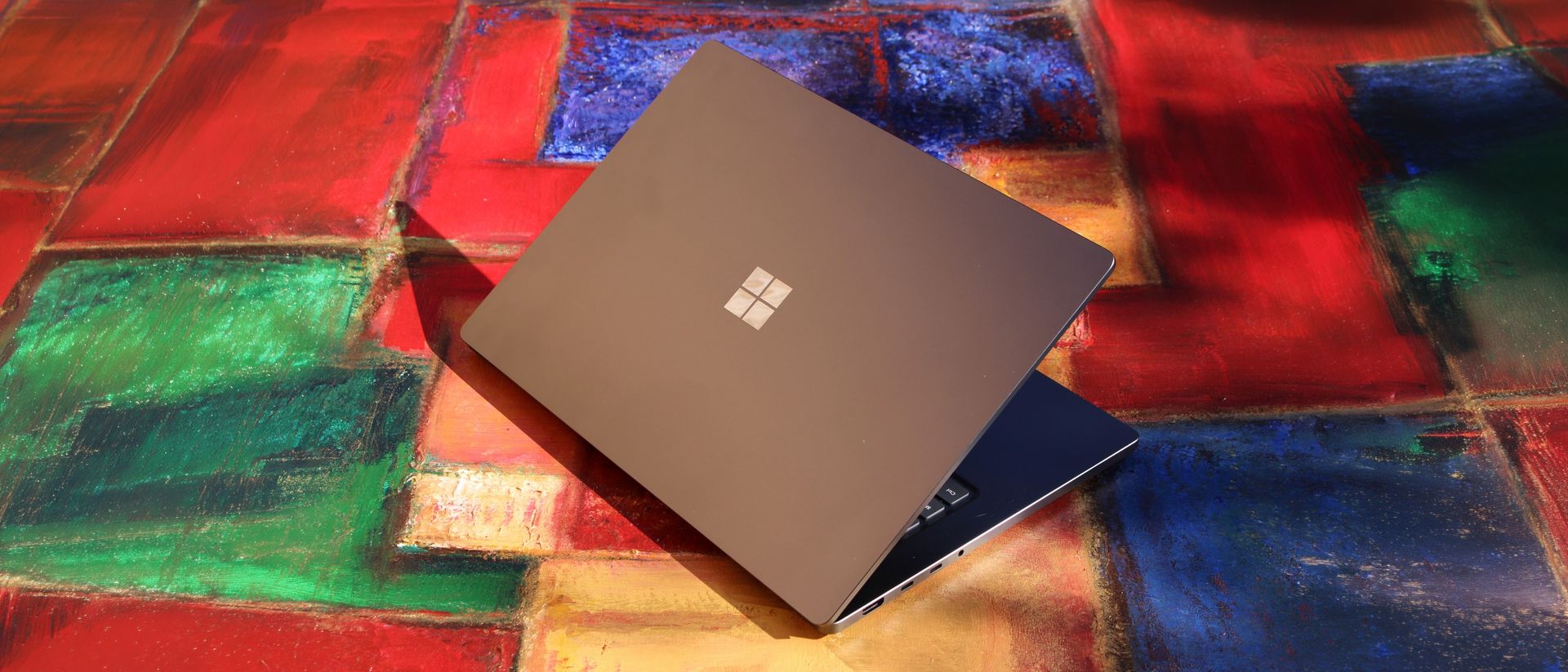
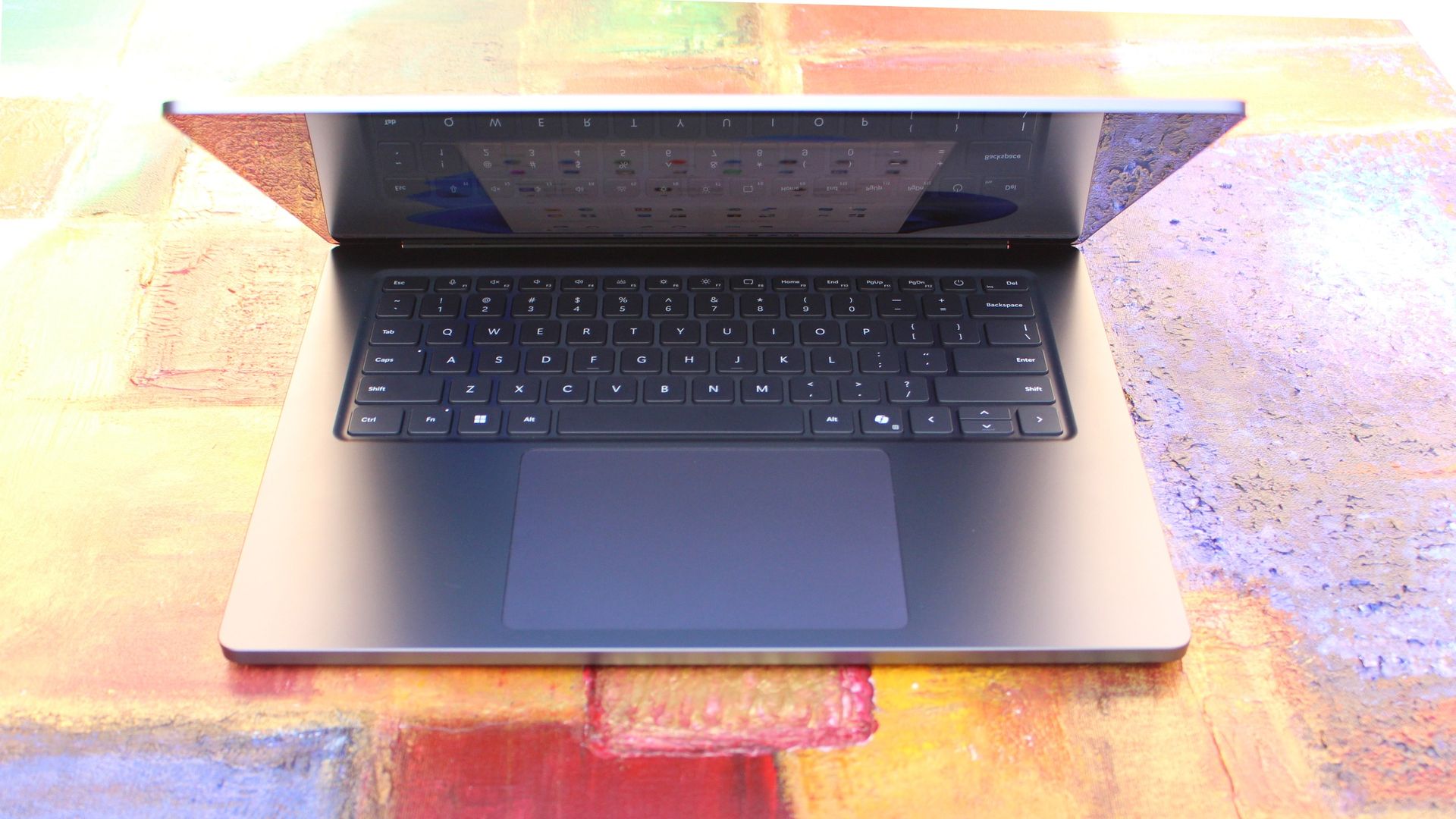
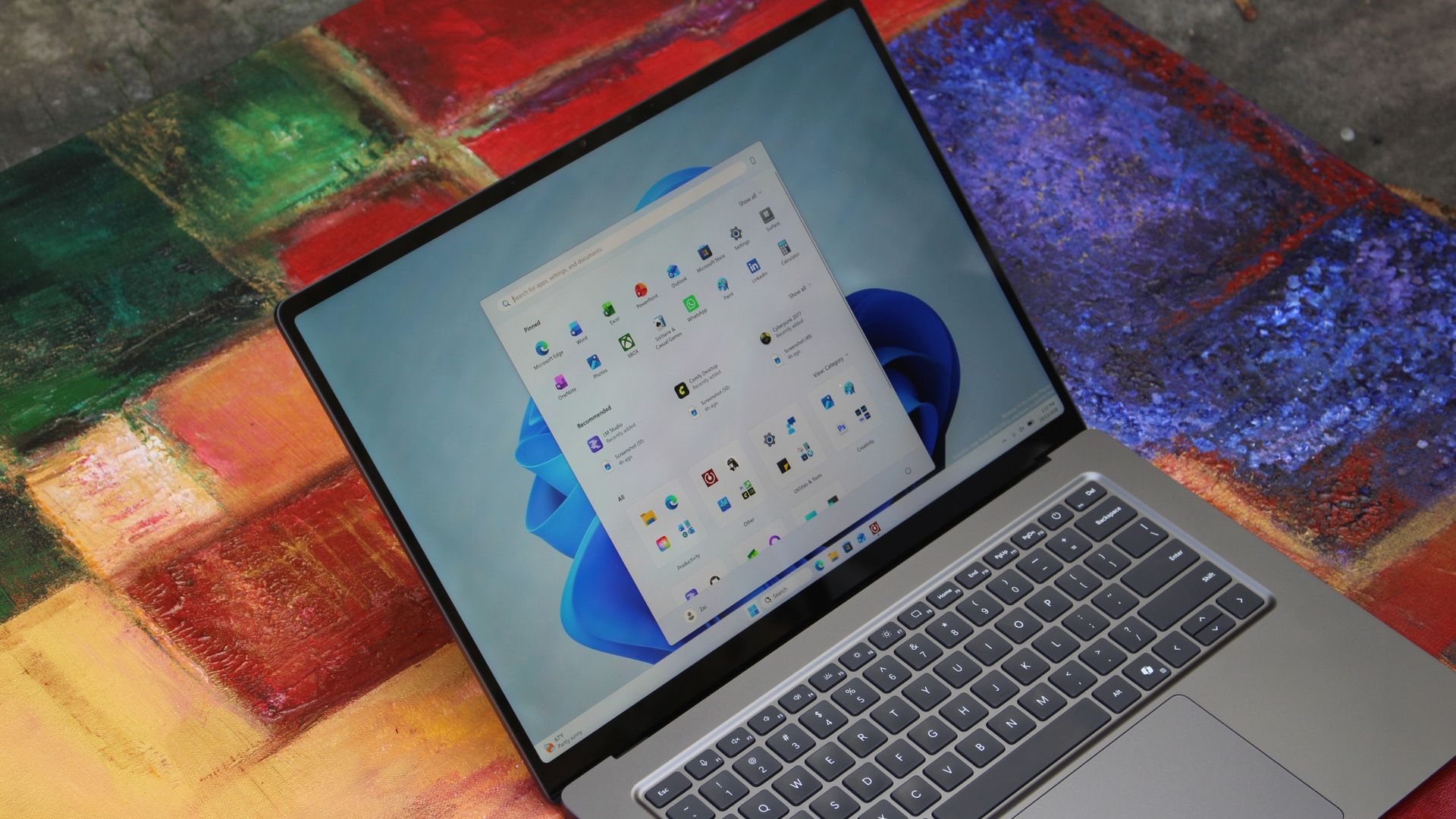
We have to start with how this thing looks, and we do need to address the fruit-shaped elephant in the room. Yes, Surface Laptop Ultra looks an awful lot like a MacBook Pro. I wouldn't blame the layman for even thinking it was a MacBook Pro from a distance. The square edges, large trackpad, and minimalist design echo the MacBook Pro from pretty much every angle.
But I'm not here to tell you that's a bad thing. The MacBook Pro is a beautiful device, which is to say Surface Laptop Ultra is also very beautiful. In fact, I think it even improves upon the MacBook Pro's design in subtle ways. The keyboard deck isn't surrounded by a plastic bezel like on MacBook Pro, instead it's softly indented into the metal keyboard deck which looks lush and seamless.
The corners on Surface Laptop Ultra are also a little rounder than the MacBook Pro, a design choice that trickles down from the corners of the chassis to the keys on the keyboard, and corners on the trackpad. It's an entirely consistent and well thought out design, which I highly appreciate.
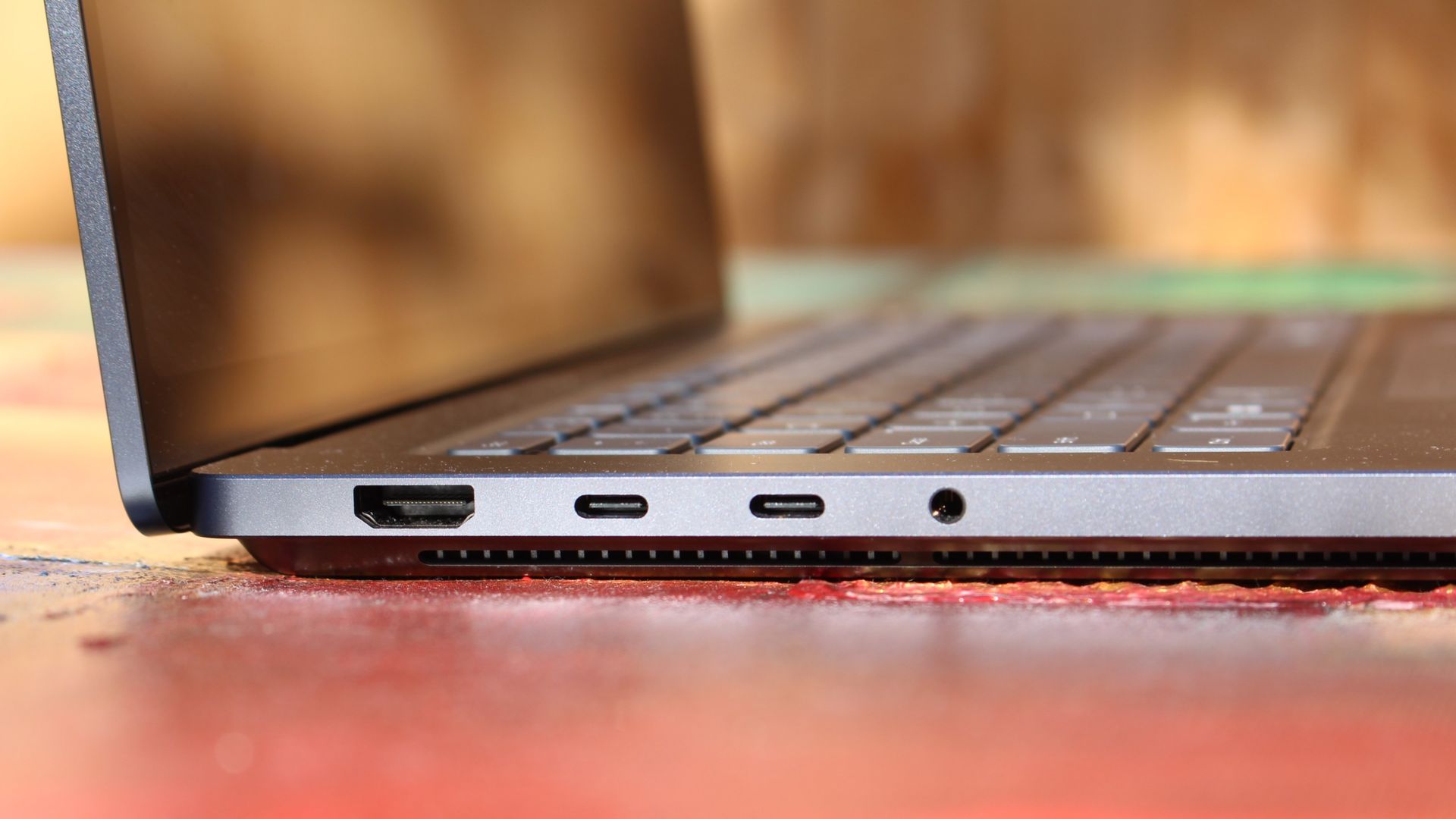
The left-side ports are good enough. (Image credit: Zac Bowden / Windows Central)
Microsoft also doesn't suffer from the godawful notch that you'll find on a MacBook Pro. Surface Laptop Ultra's display bezels are uniform along the left and right, and slightly thicker on the top to accommodate the Windows Hello IR face unlock sensors, which are much better than a fingerprint reader.
I should also mention that the display hinge on this laptop is perfectly tuned. It opens with one finger, and is perfectly balanced to provide a satisfying level of friction as you open and close it. It's also rock solid when typing, meaning it doesn't wobble around at all when on a desk.
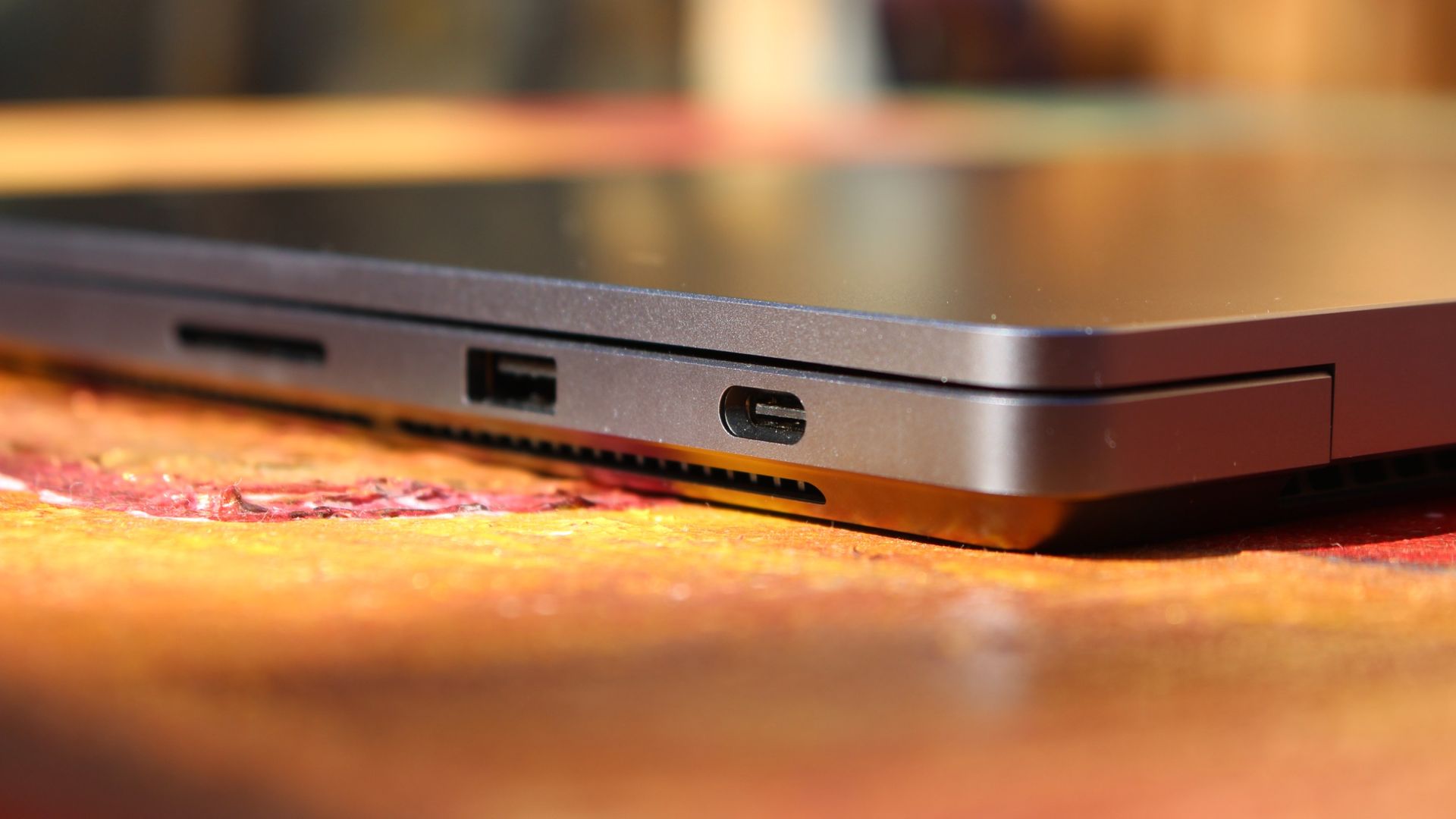
The port selection is good enough. It features three USB-C ports, a USB-A port, a 3.5mm audio jack, HDMI 2.1, and a full-sized SD card reader. Of course, the star of the show in the ports department is Microsoft's clever magnetic USB-C port, which replaces the proprietary Surface Connect charge port found on older Surface Laptops.
The special USB-C port is truly great. (Image credit: Zac Bowden / Windows Central)
It's great to see a laptop manufacturer attempting to innovate and improve on the universal USB-C standard. Here, we have a USB-C port that is compatible with all your USB-C peripherals, but it's also magnetized, and with the included charging cable, magnetically snaps to the device just like Apple MagSafe, while using the same universal USB-C port.
How did Microsoft do this? Well, most of the innovation is actually on the cable side. On the laptop itself, the only real change is that the USB-C port is slightly wider at its opening, but the rest of the USB-C port itself is typical in its design. Microsoft placed magnets on either side of the port, and redesigned the USB-C connector that's attached to the cable to allow for the magnetic connection to be seamless.
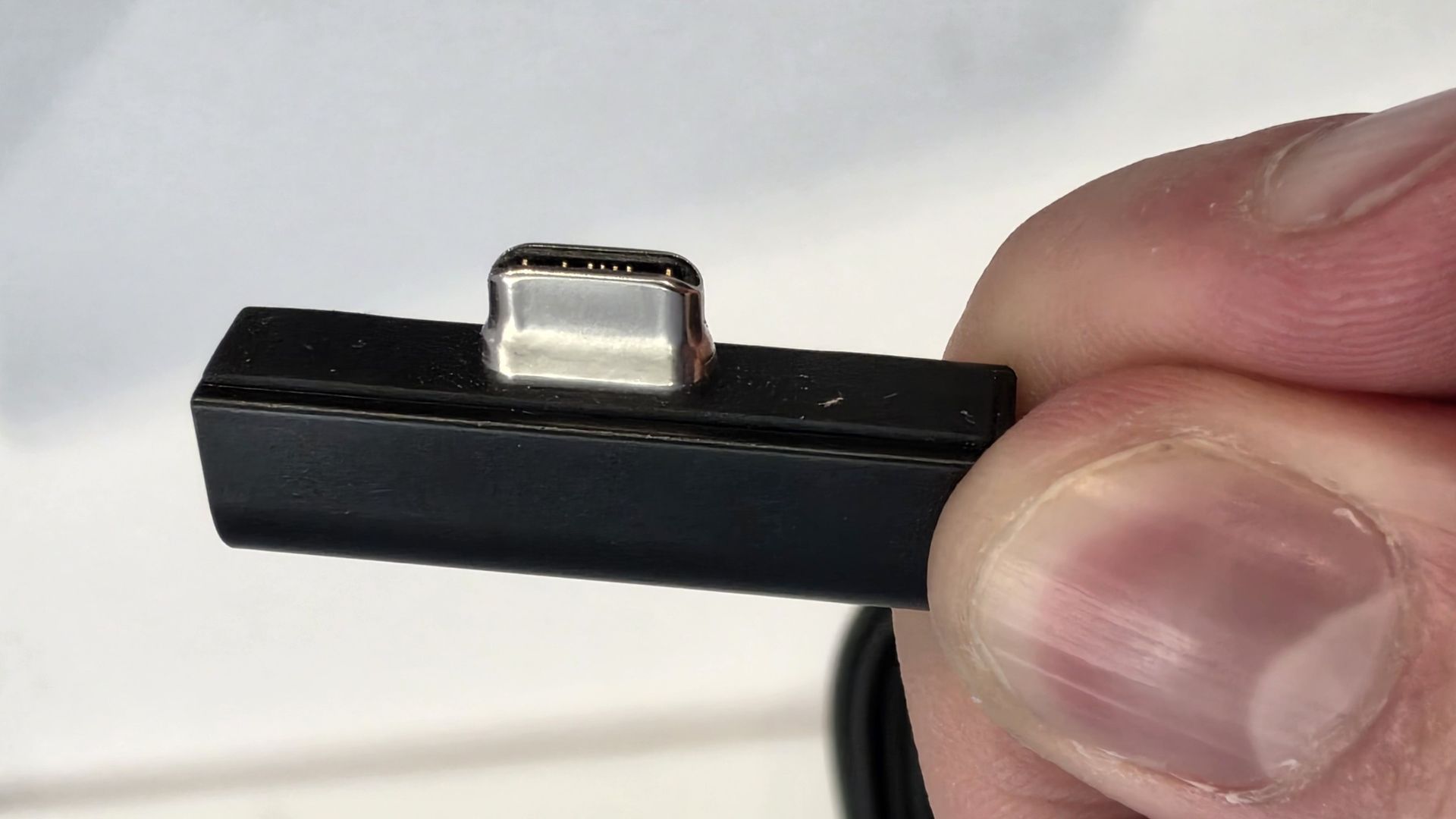
The cable's male USB-C end is shallower than a normal USB-C connection. This allows for it to connect to the USB-C port without clicking in, which is what locks a cable to a USB-C port normally. Instead, the magnets hold it in place, which enables the breakaway design that differentiates this USB-C port from the rest.
The USB-C connector is unique. (Image credit: Zac Bowden / Windows Central)
That does mean the USB-C cable that comes included only works with Surface Laptop Ultra, and only in this particular port. Microsoft realized this would be a problem, and designed the power brick that comes with Surface Laptop Ultra in a way that allows the magnetic cable to attach to the brick instead. The other end of the charging cable is a normal male USB-C end, which connects to any USB-C port you want.
So you can still use the Surface Laptop Ultra's power brick and cable on any device or any port you like, you just have to plug the magnetic end into the power brick first. It's a genius design, and proves that Microsoft really thought of everything when it comes to this unique magnetic USB-C experience. I love it, and I hope to see it on more laptops in the future.
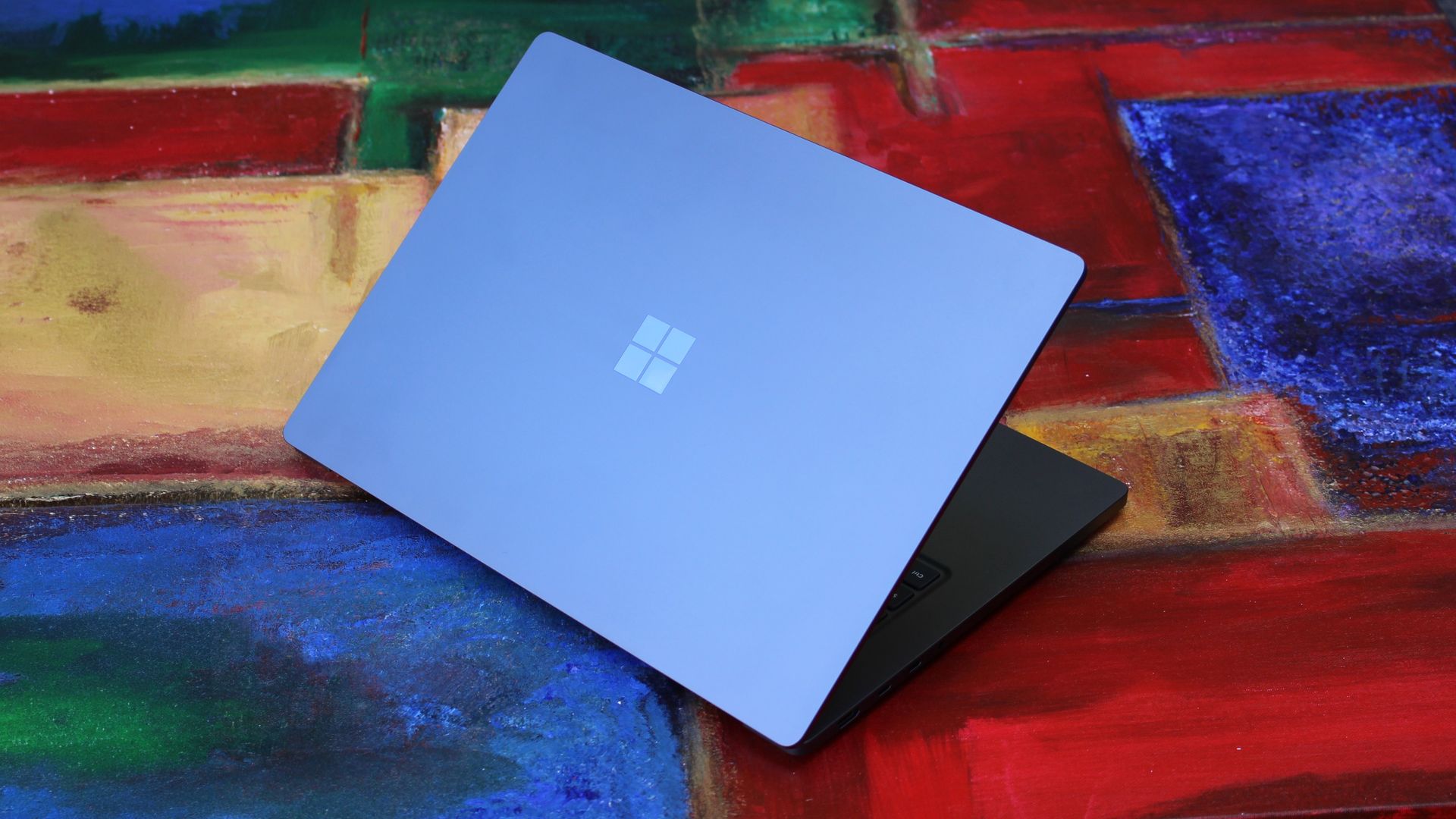
Surface Laptop Ultra is available in just two colorways: Platinum and Nightfall. To me, I think the Platinum version looks the nicest, but the Nightfall version looks clean too. The good news is the dark color does a relatively good job at fending off fingerprints thanks to an anti-fingerprint coating that has been applied to the chassis.
Display & Features
The Mini LED display in all its glory. (Image credit: Zac Bowden / Windows Central)
Surface Laptop Ultra ships with Microsoft's first ever mini-LED display, which delivers better contrast and brighter peak brightness over your standard LCD that has been found in all other Surface Laptops to date. Unlike an LCD, the Surface Laptop Ultra's mini-LED screen packs 1,344 local dimming zones, which allows the laptop to dim darker areas of the screen that don't need as much light.
This number is not as high as the mini-LED screen on the MacBook Pro, and this results in a bit of blooming around bright elements on a dark background. If you use Windows in light mode, this will almost never bother you. But in dark mode, in a dimly lit environment, it becomes quite a bit more apparent.
The backlight also takes a fraction of a second to keep up with what's going on on your screen. If you move a bright window around on a dark background, you'll notice the backlight brightening and dimming around the edges of the window. This gives off a slight ghosting effect which degrades the 120Hz refresh rate somewhat. It isn't noticeable at all in light mode, however.
This all leads me to say I wish Microsoft had opted for an OLED panel on the Surface Laptop Ultra. I've been daily driving OLED displays for the better part of a year now, and a mini-LED panel just isn't a vibrant or contrasty as an OLED display can be. The mini LED display is good, but not the best on the market, and it's certainly no OLED.
Microsoft tells me it opted for mini LED over OLED primarily for the brightness and efficiency gains. At 2,000 nits peak brightness, it is the brightest screen ever put on a Surface. But Tandem OLED displays are also very capable of reaching similar peak brightness levels these days, and so I feel the benefits of a mini LED screen don't carry much weight here.
If you're coming from a standard LCD, the mini LED screen will be nothing but an upgrade to you. It's color accurate, very bright, and its high resolution and 120Hz make reading text and scrolling webpages look and feel great. But if you're coming from a MacBook Pro mini LED screen, or an OLED display, you will notice the downgrade in contrast and more noticeable blooming.
The display is also a touch screen, which is the case on pretty much all Surface PCs since the line began in 2012. Microsoft truly believes that touch has a place on the laptop form factor, and I agree with it. Being able to reach out to tap on a notification or hit OK on a window prompt is really nice, even if I don't use it all the time.
For pen lovers, sadly the Surface Laptop Ultra does not support pen input. Microsoft dropped pen input from the Surface Laptop with Surface Laptop 7, and the Surface Laptop Ultra has not restored it. This makes sense however, as the screen does not lay flat so drawing on it would be uncomfortable.
I also want to mention the fact that Surface Laptop Ultra features a user upgradeable SSD drive. That means you don't have to splash out on the most storage at the checkout screen. You can opt for a lower amount, and when you finally fill it, upgrade the SSD to something larger later down the line. You can't say that about the MacBook Pro.
That large trackpad is something else... (Image credit: Zac Bowden / Windows Central)
Unfortunately, Surface Laptop Ultra is missing a key quality of life feature that I have come to enjoy on other flagship Windows laptops over the last year: presence sensing capabilities. My daily driver is able to wake up and go to sleep whenever I approach it or walk away, and Surface Laptop Ultra is missing this functionality entirely. A crying shame.
It's also missing all Copilot+ PC features currently. Microsoft tells me that RTX Spark is a Copilot+ PC capable chip, but that the suite of Copilot+ PC features aren't yet ready for the platform, and to expect them to show up in the coming months. The RTX Spark has a 50 TOPS NPU that will power these experiences when they finally do arrive.
Keyboard & Trackpad
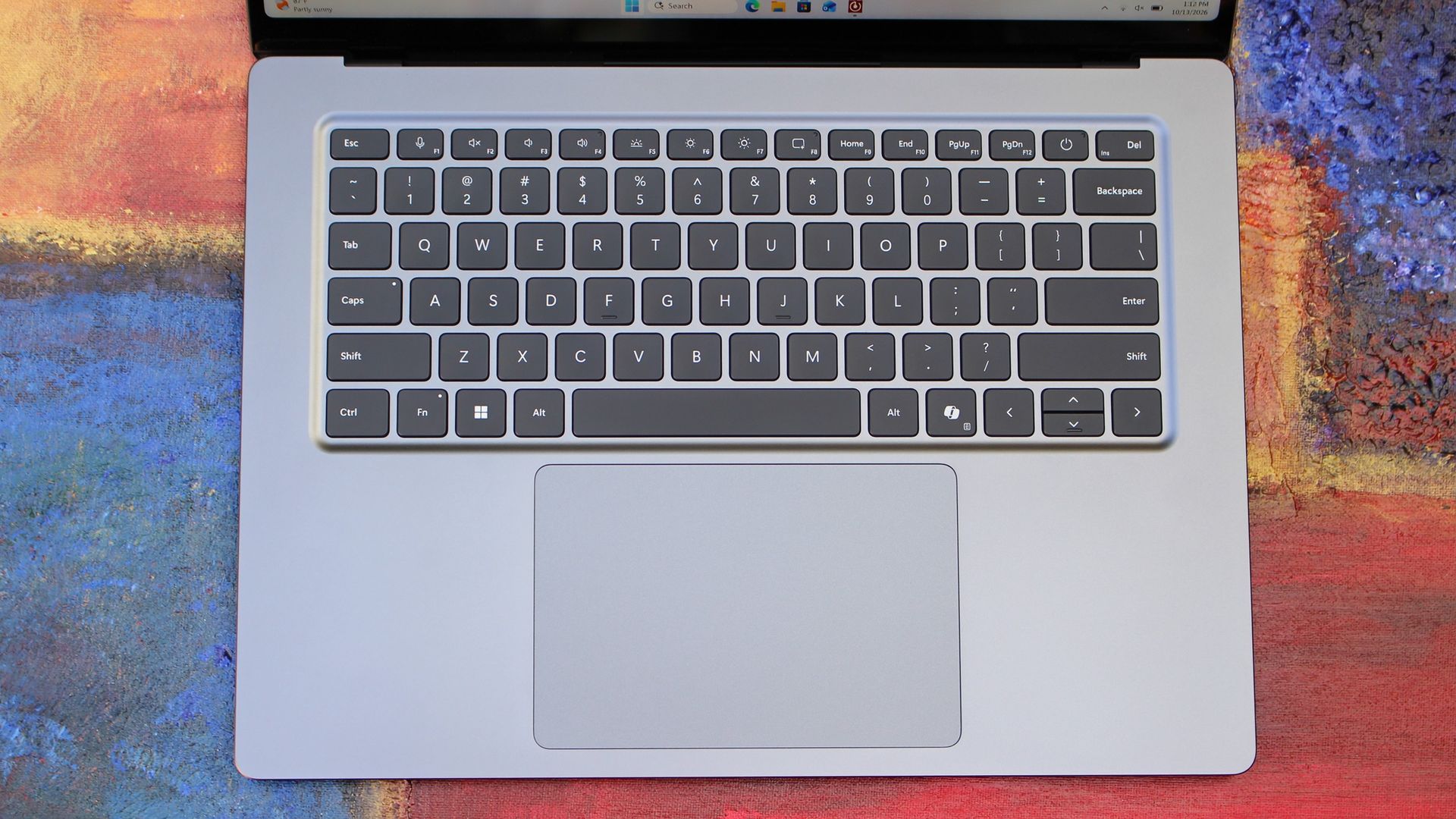
The best keyboard and trackpad I've ever used. (Image credit: Zac Bowden / Windows Central)
Surface has always delivered excellent keyboard and trackpad experiences, but Surface Laptop Ultra might be on a whole other level. This is probably the best keyboard and trackpad experience I've ever had on a Windows laptop to date. The keyboard is comfortable, tactile, and quiet, with 1.4mm key travel which is incredibly satisfying and not at all fatiguing.
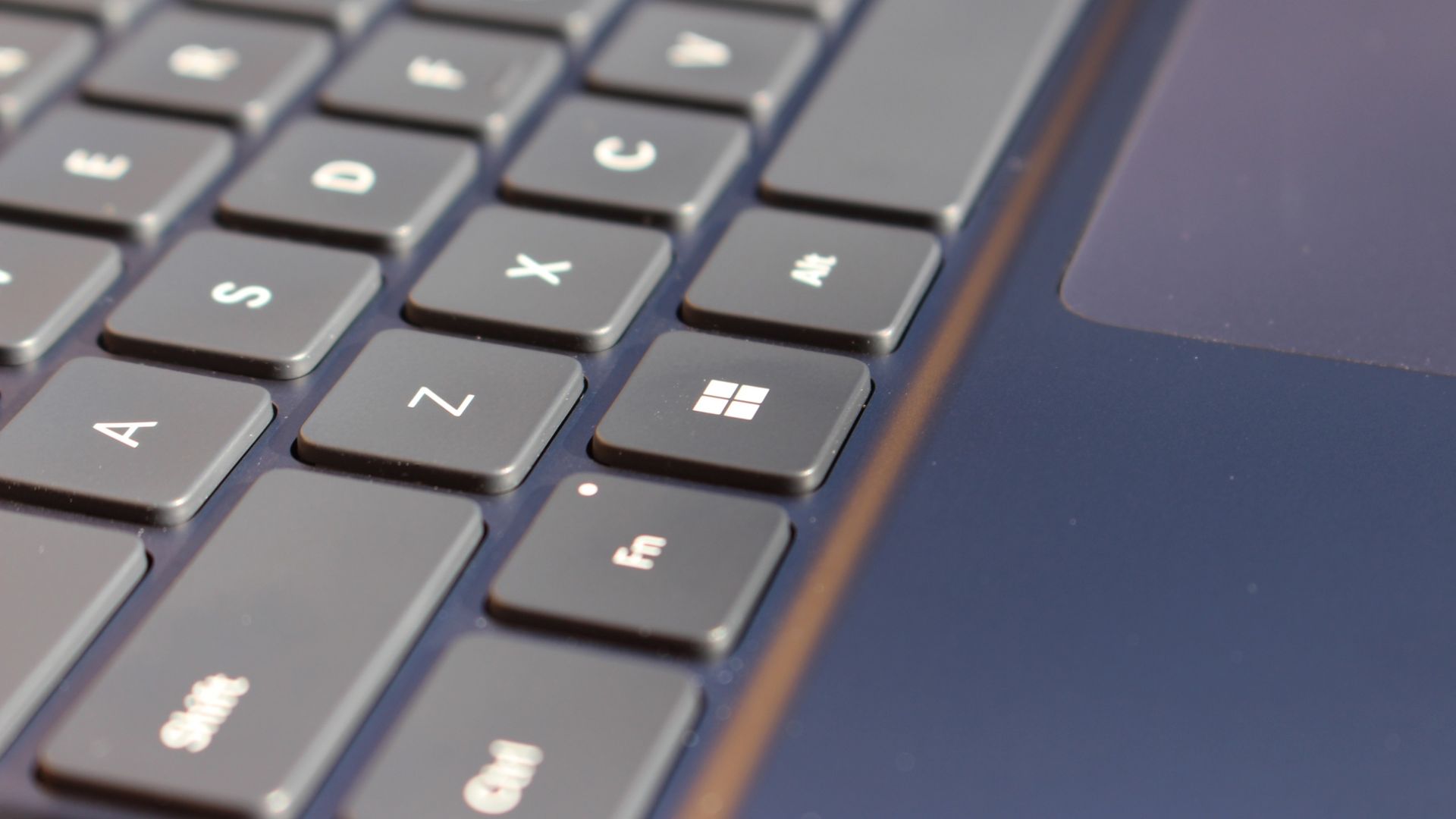
The keys themselves are slightly rounder than the keys found on Surface Laptop 8, which I think is more comfortable and looks nicer as a result. It features a three-stage backlight, a Copilot key (which can be changed,) and a dedicated microphone mute key. It's pretty much perfect in every way.
But what I really want to talk about is the trackpad. It's the largest trackpad ever fitted to a Surface, and that makes a huge difference in how easy it is to use. There's so much room for activities, and you'll never find yourself at the edge of the trackpad because you needed to drag a file and ran out of room.
The keys are so nice to type on. (Image credit: Zac Bowden / Windows Central)
Palm rejection is also very good. I never once had an issue with the trackpad being in the way when typing, which means Microsoft has done a good job at ensuring the trackpad's side isn't impeding the typing experience. The trackpad itself is haptic, and feels great to click on, with strength adjustability in Windows Settings so you can really dial in just how strong that haptic feedback is.
But the new trackpad also supports Windows 11's new haptic system, which introduces subtle haptic feedback when interacting with different UI elements across Windows. When you snap an app window, or drag files across folders, you'll feel haptic bumps under your finger in the trackpad that are different from the usual click down sensation it provides. It's genuinely great.
Camera & Audio
It's a Surface, so you can and should expect great cameras and microphones on Surface Laptop Ultra. The webcam is a 1080p shooter that looks more than fine for video calls, Teams meetings, and recorded presentations. In low light, the image does get a little noisy, but not any more than any other high-end webcams on the market.
The shining star in this department are the built-in studio mics, which are very very good. They sound studio quality, with rich bass and far-field mics that do a very good job at tuning out background noise to ensure the things that you are saying are captured clearly and well.
I also need to take a moment to talk about the built-in speakers on this laptop. They are superb. Again, probably the best I've tried in a Windows laptop to date, and give the MacBook Pro 14-inch a run for its money. There's a clear sound stage, highs are crisp and bass is rich.
Performance & Battery
It's a looker for sure. (Image credit: Zac Bowden / Windows Central)
I've already published an in-depth look at the performance of RTX Spark on Surface Laptop Ultra, which you can read here if you're interested, so there won't be raw performance benchmark numbers in this review.
The TL:DR for that however is that the RTX Spark is a powerful chip, with okay CPU performance but great GPU performance. It's capable of playing most games at 1440p high settings above 60fps, and top end configs can fit large AI models directly onto the GPU for faster processing. But it trails behind the latest high-end Apple Silicon, and is more in-line with current-gen Snapdragon X2 Elite or last-gen Apple M4 Pro in overall performance.
By default, the 128GB Surface Laptop Ultra ships with its unified memory in a 50/50 split configuration. Users are free to adjust this in the NVIDIA app, which is good for when you need to give either the system or your GPU more RAM for whatever task it is you're completing. It requires a restart to apply, which frustratingly takes a long time on the Surface Laptop Ultra.
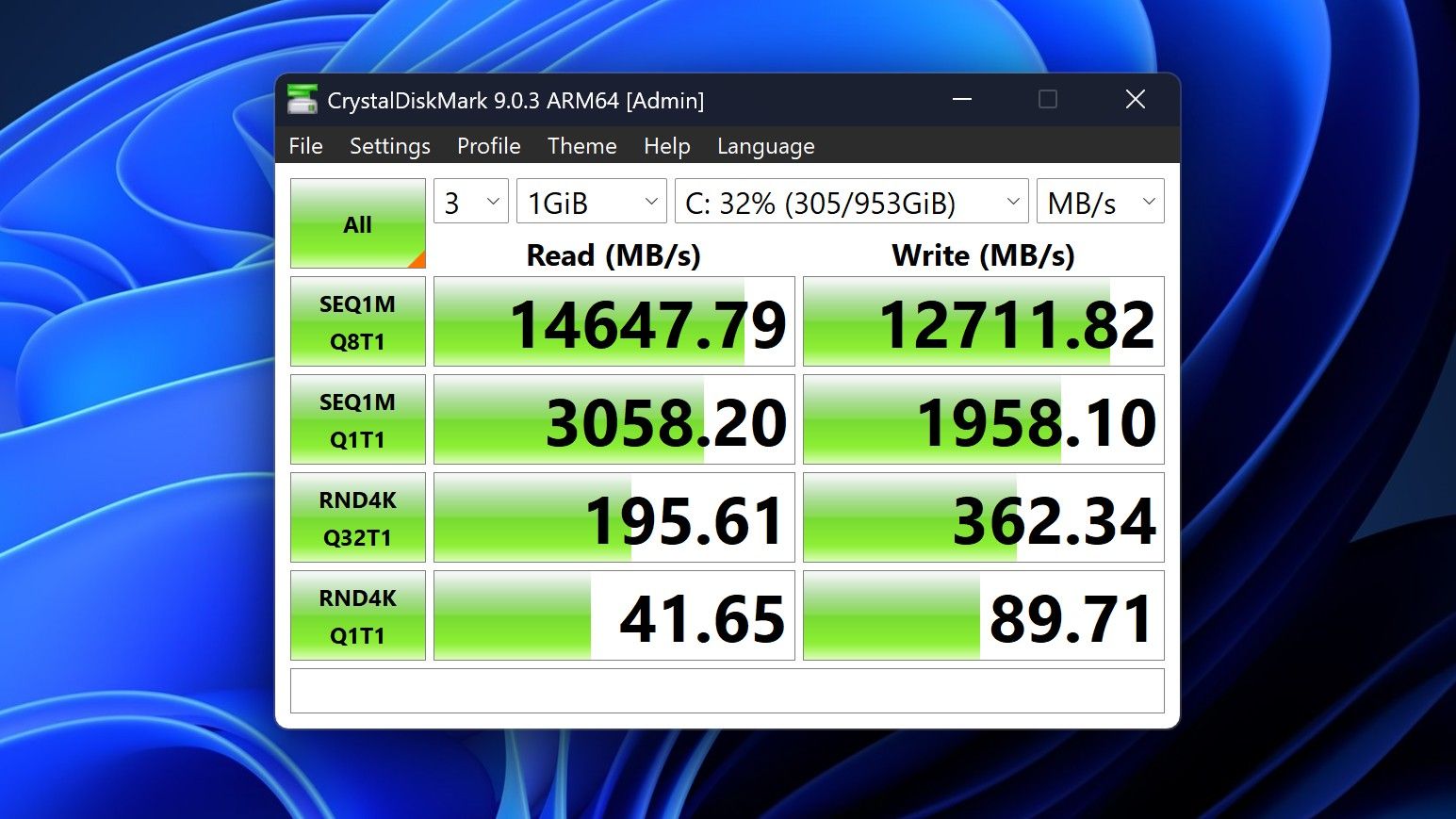
You can expect very fast read and write speeds on 1TB models. (Image credit: Zac Bowden / Windows Central)
Performance is great for the most part. In day to day usage, it's blazing fast and is able to crunch through pretty much any workload I'd want to throw at a mobile workstation such as this. With that said, there are a couple of oddities related to performance that I feel I should mention.
Compared to other devices I have on hand, the Surface Laptop Ultra sometimes takes twice as long to restart. I'm talking over 2 minutes from hitting restart to being back on the lock screen, which is about double the amount of time it takes all the other laptops in my possession. Microsoft says they are investigating.
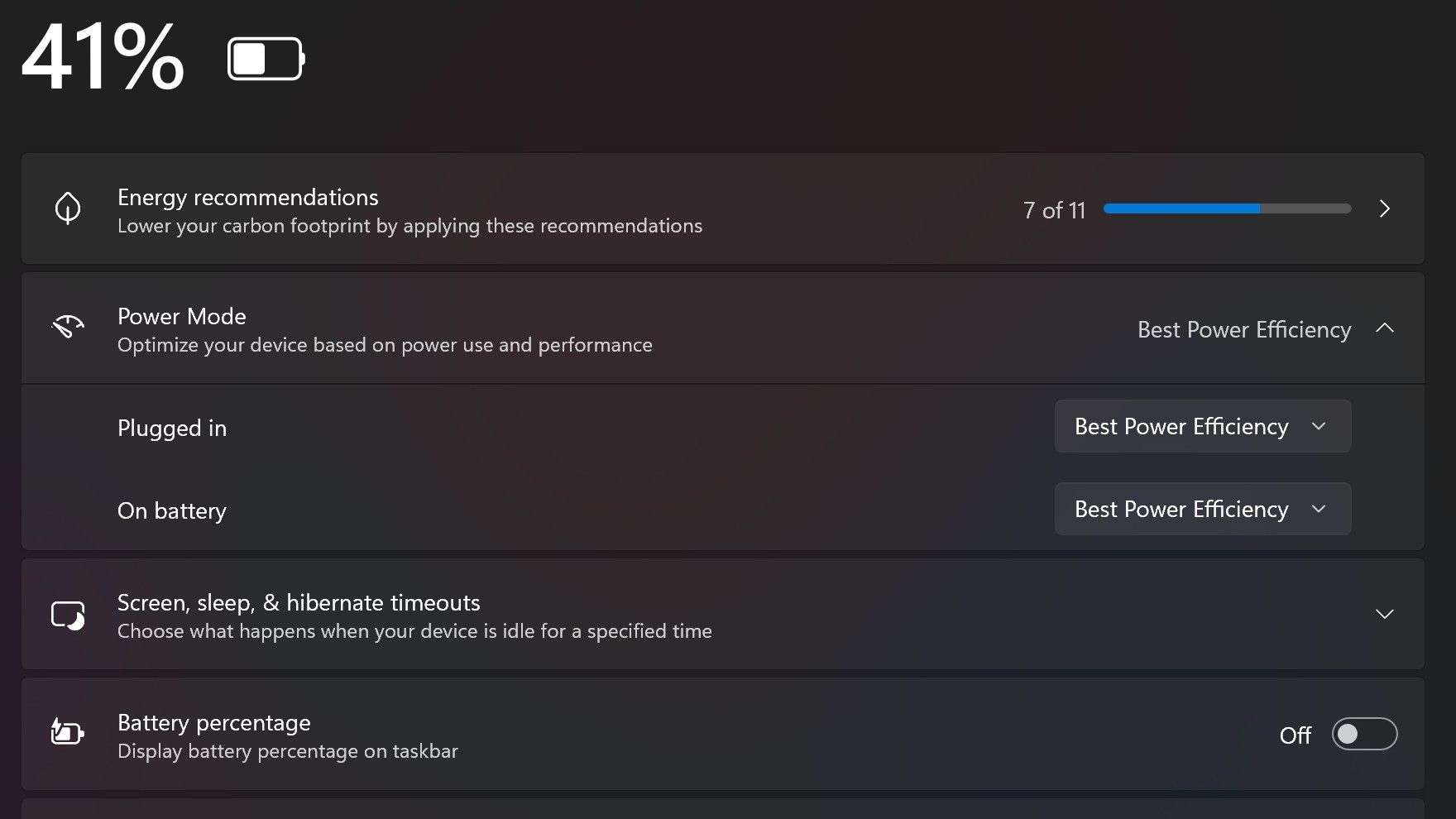
Surface Laptop Ultra also ships with the "Best Power Efficiency" profile set by default. This is unusual, as most Surface PCs ship with their power profile set to balanced. Microsoft says it does this to maximize battery life, but that does come at the cost of performance.
Make sure you change these to Best Performance for plugged in, and Balanced for battery life. (Image credit: Zac Bowden / Windows Central)
I've found that overall performance can be slashed by up to a quarter or even half when in this default mode. So if you want to make the most of your RTX Spark PC, be sure to change the power mode in Windows Settings to either Balanced or Best Performance. I usually set the on-battery mode to Balanced, and the plugged in state to Best Performance.
On the subject of battery life, the Surface Laptop Ultra's endurance is just fine. It's not class leading by any stretch, but I can definitely get through the work day without much fuss, though this will depend on your workload. Our Procyon battery life benchmark test lasted around 14 hours, and in real world use I was getting close to about 10.
But if your workload heavily leans on the GPU, you can expect to halve that number. The GPU is quite efficient for the power it outputs, but it's still a GPU and it's still hungry. So if you know you'll be using the GPU a lot throughout the day, you'll want to bring the charger with you.
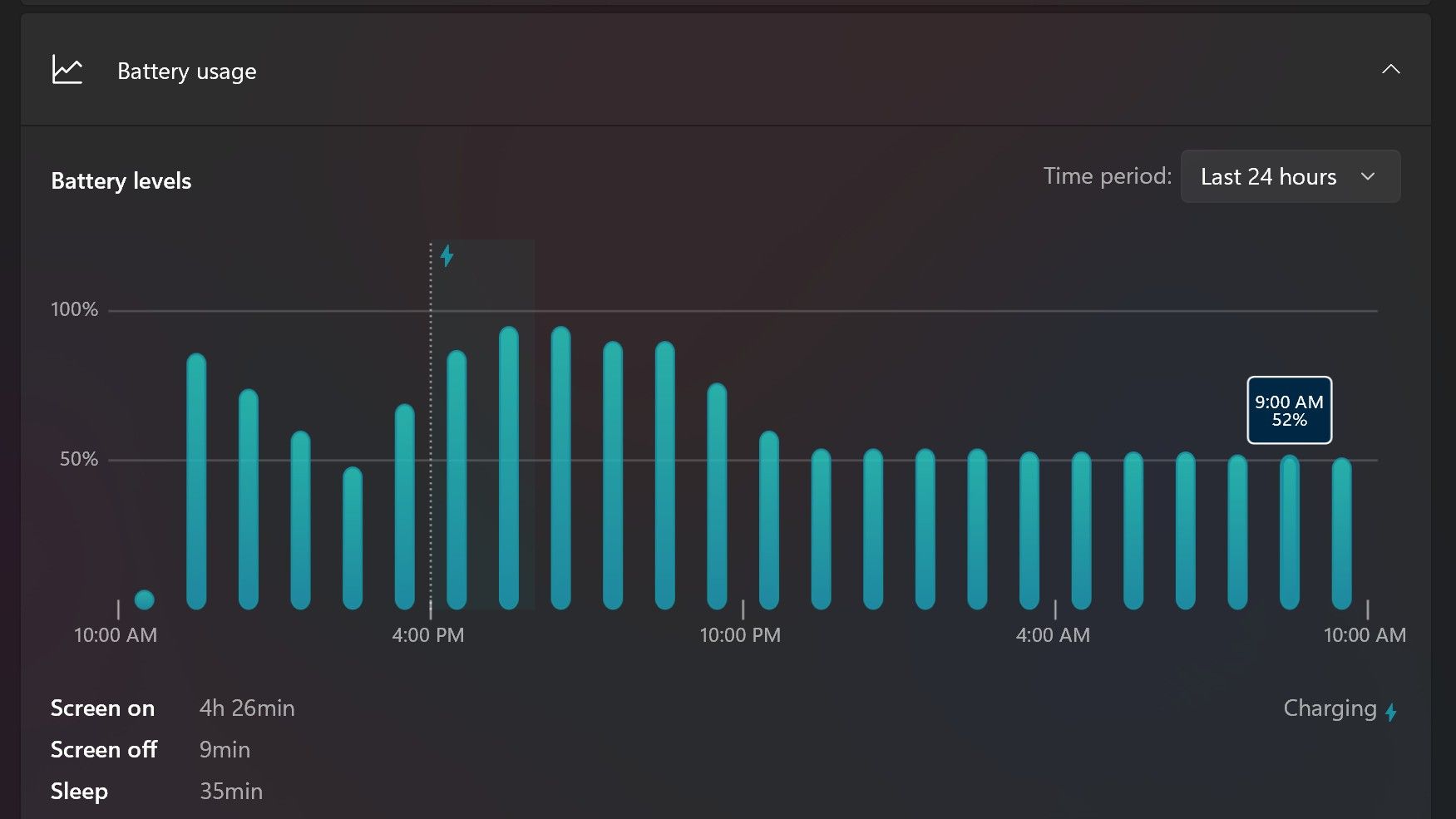
Surface Laptop Ultra only sipped power during sleep between midnight and 9AM. (Image credit: Zac Bowden / Windows Central)
With that said, sleep endurance is very good for the level of power this laptop outputs. I put the laptop to sleep at about midnight, and open the lid 10 hours later, and it's only drained one, maybe two percent from the battery. Very good on that front!
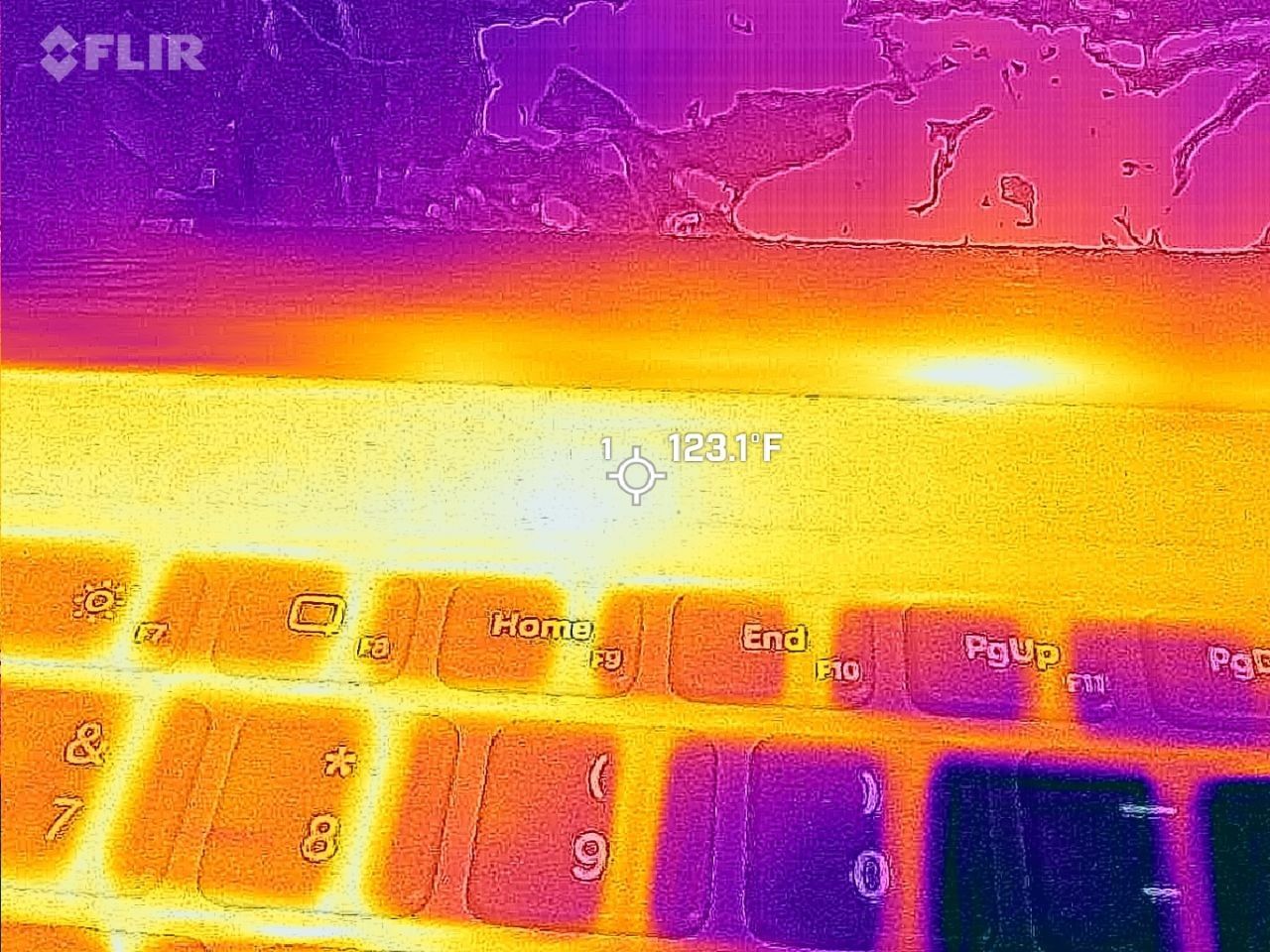
Under max load, the Surface Laptop Ultra gets quite warm. While the keys themselves remain at an okay temperature, the top part of the keyboard deck gets very toasty. I measured 123 F at its hottest under max load, which is approaching "oh that's hot" territory.
Surface Laptop Ultra gets toasty, but doesn't seem to thermal throttle. (Image credit: Zac Bowden / Windows Central)
I also noticed quite audible coil whine when under max load on my Surface Laptop Ultra. This isn't a problem in day to day use, but whenever the GPU is being used, I can hear buzzing coming from inside the keyboard chassis. If you're sensitive to that kind of thing, it will annoy you.
Fan noise is acceptable even at max load. I measure around 42 decibels at its loudest, and that was after running a benchmark for 10 minutes. In normal use, the fans rarely come on, though it does run slightly warm on your lap as a result.
Conclusion
Surface Laptop Ultra is ultra-premium. (Image credit: Zac Bowden / Windows Central)
✅ You should buy this if ...
You are a software developer utilizing on-device AI
You live and breathe large language models and agentic workflows
You need a beefy GPU in a portable and efficient package
You need lots of RAM
❎ You should not buy this if ...
You aren't interested in AI or agentic workflows
You only need a PC for standard productivity tasks
You occasionally game or edit video (get something cheaper)
You want something thin and light
Surface Laptop Ultra is great, but it's not something I can comfortably recommend everyone go out and buy, especially at these high prices. At the base level, it doesn't offer enough to justify the added cost over a Surface Laptop 8 with 24GB RAM. You do get the more beefy GPU and "better" display, but that comes at the cost of portability and battery life.
The Mini LED screen isn't the upgrade I was hoping it would be. For those who have only ever used a standard LCD their whole life, I'm sure you will appreciate the added brightness. But the ghosting issue is annoying and I think most people will notice it. I would have much preferred an OLED on a laptop this expensive.
Battery life is also just okay, which, again, for a laptop of this size and weight, leaves something to be desired. You can get longer day to day use out of a thinner and lighter Surface Laptop 8, which I think most people would prefer over the raw power that Surface Laptop Ultra offers.
And that brings me back to my original point. This isn't a laptop for everyone. It's a laptop for those who know they need it, and it's mainly for AI developers and high-end content creators. If you find yourself leaning on local agents to complete tasks for you, or enjoy generating images and videos using AI models, this is the laptop for you.
If you're someone who just needs a laptop for productivity tasks that includes a little bit of photo and video editing, and sometimes some gaming, there are cheaper laptops out there that will do that job very well.
Is this the MacBook Pro for Windows? I think it is. But it's not the perfect MacBook Pro alternative just yet. RTX Spark isn't at the same level as high-end MacBook Pro silicon, the Mini LED screen isn't best in class, and battery life could use some improvement.
Microsoft
Surface Laptop Ultra
Surface Laptop Ultra is Microsoft's flagship and most powerful Windows PC. It can be configured with up to 128GB RAM, and ships with NVIDIA's new RTX Spark SoC. It's great for creative workflows and software development, and those who want to run local AI and LLMs directly on their device.

 Connexion