Connexion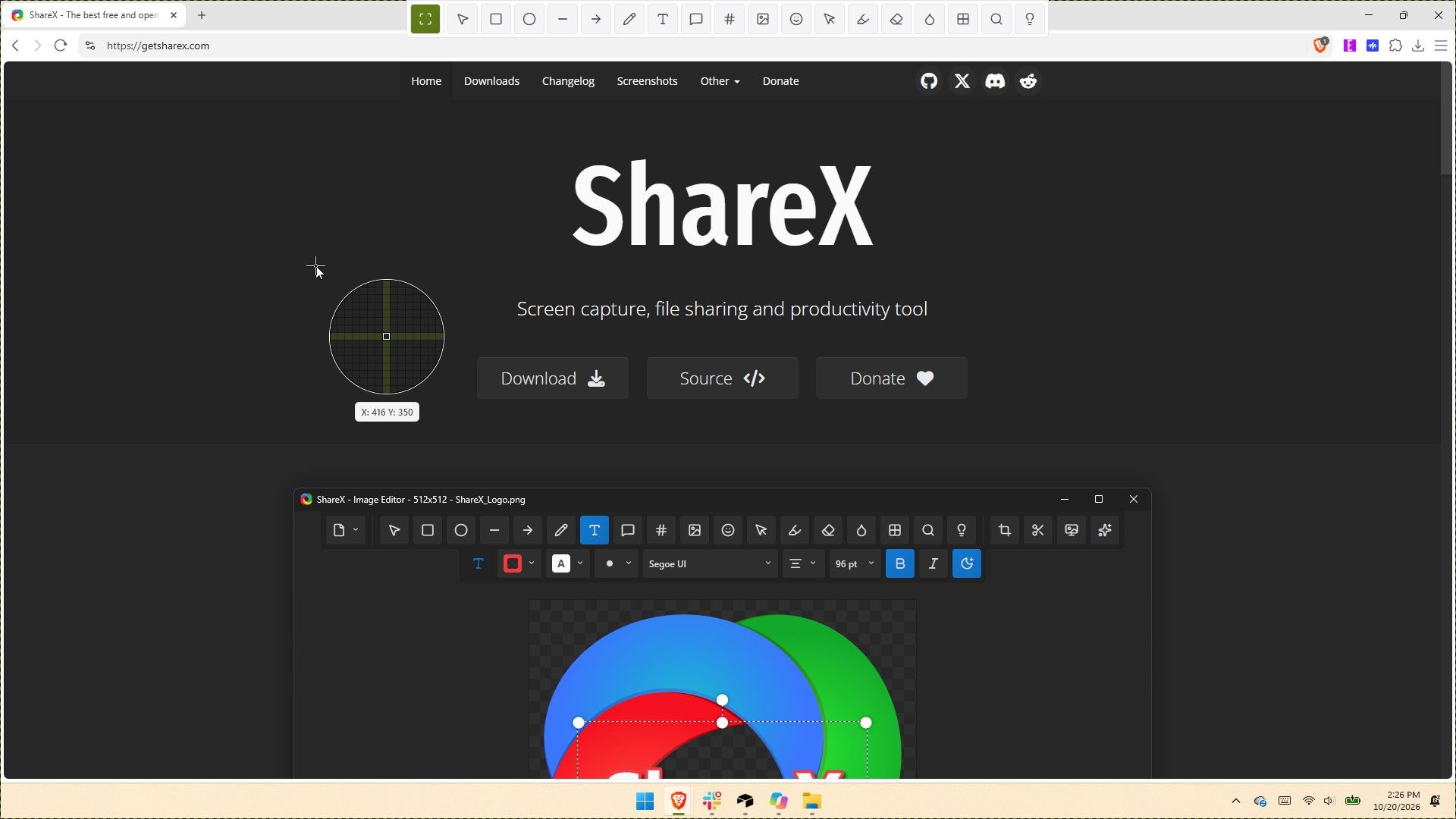

ShareX gets its biggest update ever with native screen recording, 120 FPS capture, and dozens of new tools
ShareX has been around for almost two decades, but in its 19 years as a screen capture app, it has never received an update as large as the one that just shipped to testers. ShareX version 22.0.0 brings a massive number of changes to a completely overhauled app.
The update adds native screen recording, a new screen recorder bar, and support for recording content at 120 FPS. It also brings a number of quality-of-life changes, such as a restart button for screen recordings and the option to show or hide the screen recorder timer and recording button labels.
Screenshot functionality has also expanded. Several preexisting tools have been redesigned, and new tools have been added as well.
Since the update changes so much, it is expected to be less stable than other releases. But if you'd like to give it a try, you can download the preview of ShareX version 22.0.0.
Here's the entire change log from ShareX:
- Screen recording changes:
- Added native screen recording support without relying on FFmpeg, enabled by default. ShareX
- Added support for recording system audio.
- Added support for recording microphone audio.
- Added support for recording camera overlays. ShareX
- Added a screen recorder bar that allows users to configure recording options before starting a recording: ShareX
- Start delay.
- System audio.
- Microphone.
- Camera.
- Cursor.
- Mouse highlighter.
- Increased the screen recording FPS limit to 120.
- Added an "Automatically start mouse highlighter" option for screen recording.
- Added a "Restart" button to the screen recorder bar and system tray menu.
- Added an option to show or hide the screen recording timer.
- Added an option to show or hide screen recording button labels.
- Recorder devices are no longer bundled.
- Added native screen recording support without relying on FFmpeg, enabled by default. ShareX
- Added HDR screenshot color corrector option (Task settings -> Capture).
- ShareX installer and assemblies are now code-signed using a certificate provided by Ember Swan. Xenthys
- Added a warning before running unsigned installers.
- Added a wide range of new tools and redesigned all existing tools from scratch:
- Screen & color:
- Images:
- Background remover
- Icon converter
- Image beautifier
- Image combiner
- Image comparer
- Image converter
- Image editor
- Image effects
- Image resizer ShareX
- Image splitter
- Image thumbnailer
- Image viewer
- Image watermark
- Video:
- Data & text:
- Analyze image
- Hash checker
- Index folder
- Metadata
- OCR
- QR code
- Remote storage browser (supports Amazon S3, SFTP, FTPS, and FTP) ShareX
- System:
- Borderless window
- Clipboard viewer
- Inspect window
- Monitor test
- Network monitor ShareX
- Added categorized grid layout for tools menu.
- Added edit button to tools menu to be able to hide or show tools. ShareX
- Include video files in image history window.
- Added "Trim video" context menu option to main window and history windows.
- Added "Trim animated GIF" context menu option to main window and history windows.
- Added drag-and-drop upload overlay to main window.
- Added customizable task buttons to bottom of notifications.
- Added notification button size option.
- Added search support to setting windows.
- Upgraded project to .NET 10.
- Update FFmpeg to 9.0.
- Added Czech language support.
- Added Swedish language support.
- Added Hindi language support.
- Added Thai language support.
- Added Danish language support.
- Translated all newly redesigned ShareX windows into 28 languages from scratch.
- Improve smart eraser with edge-matching fills.
- Added easter egg to about window.
- Added easter egg to image editor. ShareX
- Added support for Amazon S3 multi-part uploads.
- Added an option to upload Amazon S3 parts concurrently. CubityFirst
- Support remote deletion of Amazon S3 uploads.
- Added img.fish file uploader.
- Added Immich file uploader.
- Added MEGA file uploader.
- Migrate uPaste uploader to API v2.
- Removed Vault.ooo file uploader.
- Show start screen on first application run.
- Added an always on top toggle to the main window title bar.
- Added a theme toggle to the main window title bar. ShareX
- Added cursor centered zoom support to image viewer with Ctrl + Mouse wheel.
- Reset image viewer zoom with Middle click.
- Added PNG compression level option.
- Added PNG filter option.
- Added JPEG chroma subsampling option.
- Added adaptive quantizer GIF quality option.
- Added BMP bit depth option.
If you've only used the Snipping Tool on Windows 11, you may be a bit overwhelmed by all of the options within ShareX. But the defaults in ShareX make it easy to start using the app. I've been using CTRL+Print Screen all morning to grab screenshots.
The revamped ShareX is impressive, but the main reason I love the app is that it lets you save screenshots as a JPEG. That's a small feature that's been around for ages, but it still remains unavailable in Snipping Tool.
I've only had ShareX version 22.0.0 for a few hours, but in that time the app has performed quickly. It's so snappy that it feels native to Windows 11. If you take a few minutes to customize ShareX's settings and shortcuts, it can become a powerful tool that justifies running at startup.

ShareX is a free Windows app for screenshots, screen recording, and image editing. It packs dozens of tools for capturing, annotating, organizing, and sharing content from your PC.View Deal
Join us on Reddit at r/WindowsCentral to share your insights and discuss our latest news, reviews, and more.