❌

Vue lecture

A cleaner, faster File Explorer context menu is rolling out to Windows 11 Insiders

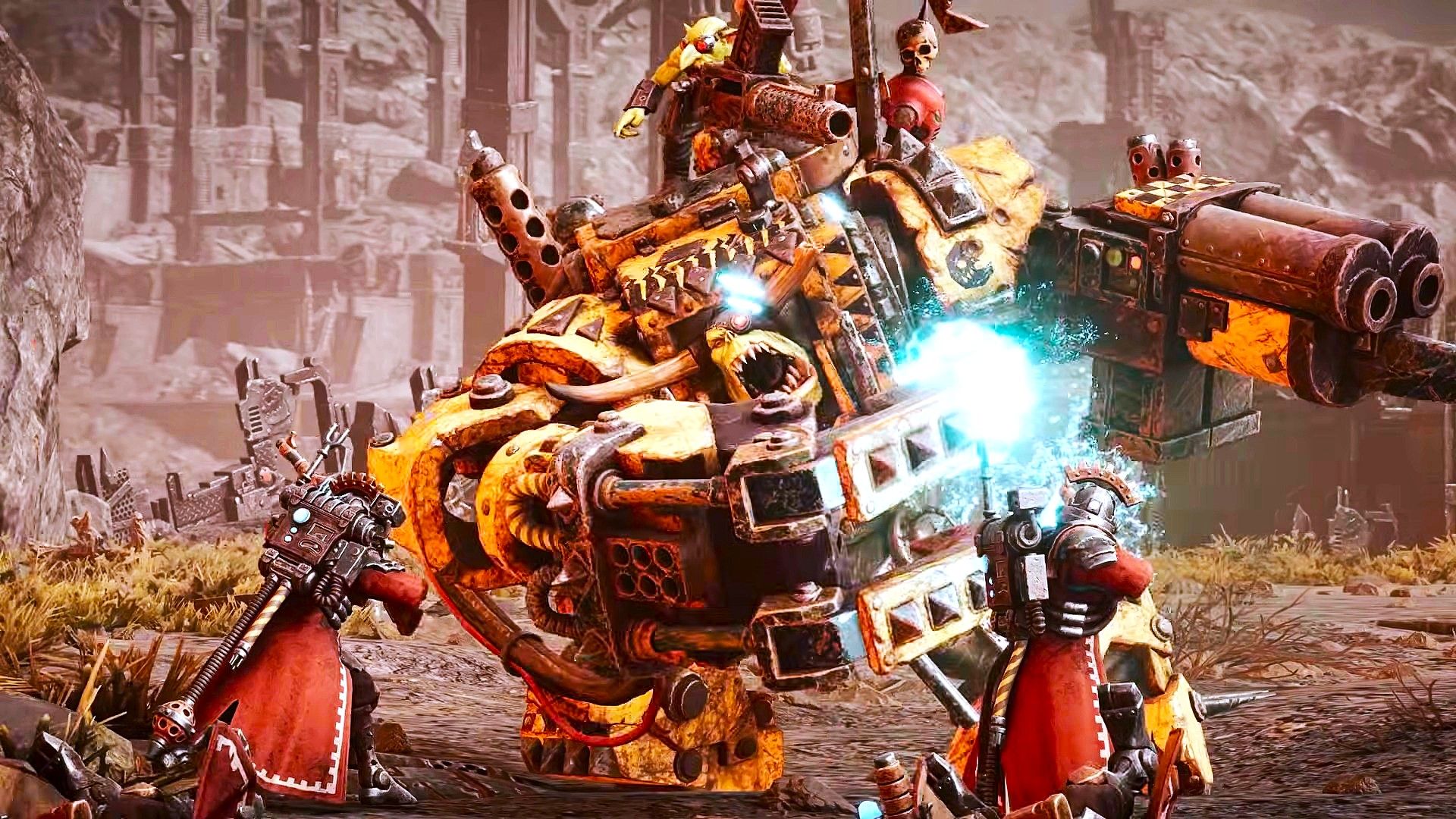
Microsoft's redesigned File Explorer context menu could make navigating Windows 11 feel faster and more personal. The company has started testing a new right-click menu that reduces clutter by moving less common options out of the way while keeping frequently used actions easy to access.

That new context menu is available for Windows Insiders in the Beta channel. Microsoft also shipped four other Insider builds of Windows 11 today that includes

File Explorer (Beta)

Introducing the new, redesigned context menu in File Explorer

  • We're rolling out an updated context menu experience in File Explorer, designed to feel faster, cleaner, and easier to tailor to the way you work. The new design reduces top-level clutter, keeps commonly used actions easy to access, and adds a new Settings experience that gives you more control over what appears in the menu. As we continue refining this experience with Insider feedback, our goal is to make right-click feel more responsive, predictable, and personal.
  • We've also added a new teaching tip you might see as a first-time experience to help you learn about the customization options.

Settings (Beta)

  • We're making performance improvements to the Settings home page which should result in reduced loading times in certain scenarios.

Windows Insider Program (Experimental)

  • We've added the ability to filter Feature flags by enablement state.

Quick Settings (Experimental)

  • We're beginning to roll out a new Mobile devices experience in Quick Settings, making it easier to take quick phone actions (such as ring your phone) without breaking your flow on Windows.
  • With your supported Android phone connected, everyday actions are now just a click away. You can turn Do Not Disturb on before a meeting, change your phone's ringer mode, and play a sound to find your phone nearby.
  • It's a simpler, faster way to manage your phone from the place you already use for quick Windows actions, helping your PC and phone work better together throughout the day.
  • Capabilities can vary by phone platform and device configuration. The initial experience provides the most complete set of controls for Android phones, while iPhone support starts with a more limited status-focused experience.

Check your internet speed directly from Quick Settings

  • We're making it faster and easier to check the performance of your internet connection in Windows. Windows Insiders can now run an internet speed test and see the results directly in Quick Settings, without being redirected to a browser.
  • Start a test from the new Speed test Quick Setting, from the Wi-Fi or Cellular flyout, or by right-clicking the network icon in the system tray and selecting Test internet speed. While the test runs, Quick Settings shows its progress and results, including download speed, upload speed, and ping.
  • Because the test runs against your active internet connection, you can quickly understand how your current connection is performing without leaving your workflow. This updated experience builds on the internet speed test we previously introduced for Windows Insiders, bringing the test and its results directly into Windows.

Magnifier (Experimental)

  • We've added a Keyboard shortcut for Magnifier toggle in Settings > Accessibility > Magnifier. It lets you choose whether pressing Windows logo key + Plus (+) launches Magnifier.
  • The shortcut stays on by default, so nothing changes unless you want it to. If you find that Magnifier starts by accident, or the shortcut conflicts with another app or keyboard layout, turn the toggle off. You can still start Magnifier from Settings, and you can turn the shortcut back on at any time.

Microsoft 365 subscription in Windows (Experimental)

  • We're introducing a new inline experience that makes it easier for Microsoft 365 subscribers to manage their subscriptions in Windows. Subscribers who have recurring billing turned off can now turn it back on directly in Windows Settings, without leaving for a separate webpage. To get started, select Turn on recurring billing or Set up recurring billing from the Windows Settings Home page, the Accounts page, or the Start menu.

File Explorer (Experimental)

  • Improved progress indication when navigating to locations that take longer to load, such as network drives, making it easier to see that loading is underway.

Narrator (Experimental)

  • Narrator now supports additional languages for math reading, including Greek, Hungarian, Indonesian, Norwegian (Bokmål), Polish, Russian, Swedish, and Vietnamese.

Widgets (Experimental)

  • The Widgets picker now has a standard Windows dialog frame and supports light and dark title bars. It also removes the blank space previously left for an icon.

Taskbar (Experimental)

  • Fixed an issue with the previous update where explorer.exe wouldn't load after logging in, preventing the taskbar and other elements that rely on it from loading.

Unicode (Beta 26H1, (Experimental (26H1))

  • This update provides Windows text shaping support for Unicode 17.0, helping Windows correctly display and shape newly encoded characters and scripts. Unicode 17.0 added 4,803 characters, including support for four newly encoded scripts: Beria Erfe, Sidetic, Tai Yo, and Tolong Siki. These updates help keep Windows text support current as the Unicode Standard evolves and improve support for languages and writing systems used by people around the world.

Start menu (Experimental (26H1))

  • This update makes the Start menu more personal with several customizations.
  • You can choose between a small or large Start menu, in addition to the Automatic (default) option that's available today. To customize this setting, go to Settings > Personalization > Start > Start menu size.
  • The Recommended section is renamed Recent in the Start menu and on the Start settings page (Settings > Personalization > Start).
  • You can now hide your name and profile picture in Start by going to Settings > Personalization > Start > Hide your name and profile picture on Start.
  • The Start menu settings page is now redesigned with section-level toggles to independently show or hide Pinned, Recent, and All.

Manage camera, microphone, and location access for desktop apps (Experimental (26H1))

  • Windows Insiders can now manage camera, microphone, and location permissions for individual desktop apps. Previously, access for traditional desktop applications was managed through a single device-wide setting.
  • With this update, you can review and control access on an app-by-app basis, giving you greater visibility into which apps are requesting access to sensitive resources and more control over your privacy choices. Our goal is to make privacy permissions easier to understand and manage across the wide range of desktop apps people use every day.

Recovery (Experimental (26H1))

  • We're adding a new entry point for Cloud Rebuild under Settings > System > Recovery, making it easier to access the feature from Settings.

File Explorer (Experimental (26H1))

  • We've sharpened file thumbnails in the Recommended section on the Home page so they're crisper and easier to read.

Magnifier (Experimental (26H1), Experimental (Future Platforms))

  • A new contrast theme toggle for a lower-glare screen. If bright screens are uncomfortable, many people use color inversion to reduce glare. However, inversion changes everything on screen, including photos, charts, and videos. With this update, we're introducing a new contrast theme toggle in Magnifier.
  • Reduce glare with a single toggle. Turn on a contrast theme directly from the Magnifier toolbar for a more comfortable viewing experience.
  • Choose the contrast theme that works best for you. The dark theme is applied by default, and you can choose which contrast theme the toggle uses under Settings > Accessibility > Magnifier.
  • Photos, videos, and charts keep their original colors. Unlike color inversion, the contrast theme recolors the interface without touching your photos, charts, or videos, so they keep their real colors.
  • Color inversion is still here. This isn't a replacement. If you use inversion today, it works exactly as it always has. The contrast theme is a separate, purpose-built option to reduce glare when you want a darker interface without inverting colors.

Family Safety (Experimental (Future Platforms))

  • Improved family safety messaging when applications are blocked because of age-restricted parental controls.

Windows Setup (Experimental (Future Platforms))

  • The digital safety of users and supporting families is central to how we think about the Windows experience. We're improving information on parental controls and their availability during Windows setup, so families can more easily understand available protections and make informed choices from the very beginning.

Network (Experimental (Future Platforms))

  • Fixed an issue causing internet access to stop working for some Insiders after the last two flights.

Hyper-V (Experimental (Future Platforms))

  • Fixed an issue where some applications that used HCS-managed virtual machines experienced issues when sharing host folders with Linux VMs using Plan9. Folders shared from the Windows host using Plan9 didn't appear or couldn't be accessed in the guest environment.

Other (Experimental (Future Platforms))

  • Fixed an issue causing some Insiders to see an unexpectedly high volume of ESENT events after the latest flights.
  • Fixed an underlying issue in the latest flights causing Insiders using VMware to experience frequent green screen bugchecks with error PFN_SHARE_COUNT.

Microsoft has been hard at work decluttering Windows 11. While those efforts continue, it seems Microsoft is putting more emphasis on improving the built-in Windows 11 apps as well. Even the Camera app received some updates recently.

File Explorer is a core part of the Windows 11 experience, so it's nice to see it being upgraded as well.

Click to join us on r/WindowsCentral

Join us on Reddit at r/WindowsCentral to share your insights and discuss our latest news, reviews, and more.

  •  

AMD FSR 4.1 beta drivers roll out for Xbox Ally, Xbox Ally X, and Xbox Ally X20 handhelds

Earlier this week, Microsoft announced that AMD FSR 4.1 would be implemented on current Xbox devices, which will happen sooner than you'd think, according to our sources.

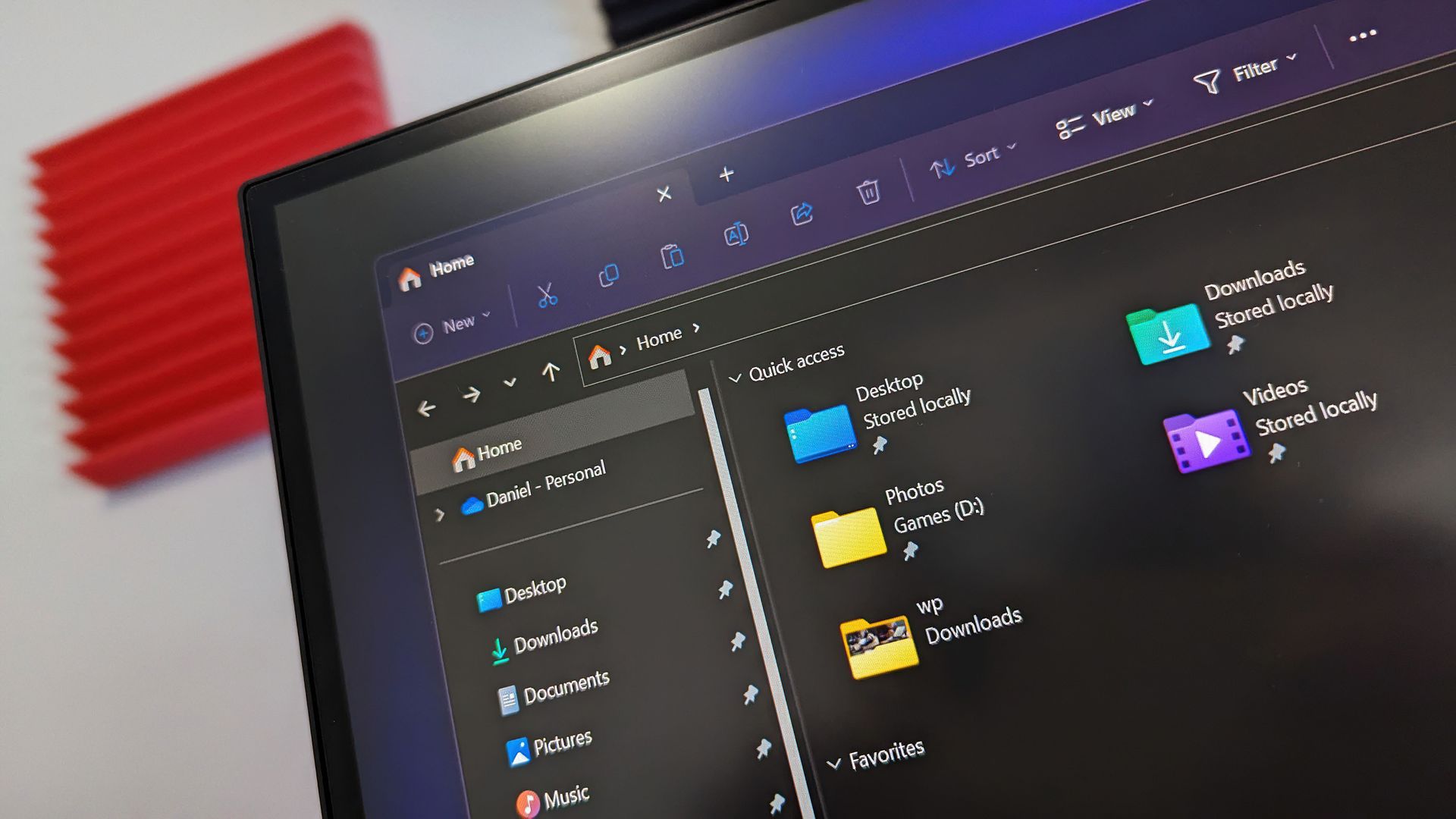
Well, that time has come for Xbox handhelds, as Reddit user "Sjknight413" has discovered that beta drivers for AMD FSR 4.1 have rolled out and are ready to download on Xbox Ally, Xbox Ally X, and Xbox Ally X20.

The FSR4 preview driver for the Xbox Ally X is now available to download
 from r/XboxAlly

For those unaware, AMD FSR 4.1 is an upscaling technology designed to boost the graphical details of a game's image higher than its native resolution would allow. It accomplishes this by rendering games at a lower resolution, then using machine learning to generate sharper images.

This technique would allow the console to not spend as much on rendering a game's resolution and use the leftover overhead to boost its framerate performance.

Our sources informed us last time that Xbox handhelds receive this update first, with the Xbox Series X|S to follow suit in the following weeks, so we'll keep an eye out and inform you when it arrives.

In the meantime, be sure to look forward to Jez Corden's personal testing of the AMD FSR 4.1 on Xbox Ally X, and see if its resolution and performance boost can match up to the Steam Deck's impressive usage of FSR 4, without the latter's complicated setup for it via GitHub.

Click to join us on r/WindowsCentral

Join us on Reddit at r/WindowsCentral to share your insights and discuss our latest news, reviews, and more.
  •  

Microsoft pulls the plug on Outlook's AI inbox assistant

If you get too many emails to handle, you'll soon have to find a way to manage without the help of Copilot. Microsoft plans to retire the Prioritize My Inbox feature in Outlook, which uses Copilot to organize your inbox.

The feature will be retired from all Outlook clients as part of a "cleanup effort" being made by Microsoft. The company explained the change through the Microsoft 365 Message Center (archived here).

The retirement process starts on October 26, 2026, and will continue gradually until the feature is completely rolled back by the end of March 2027.

The Prioritize My Inbox feature uses Copilot to study how you work and show you emails that are most important to your workflow. The tool surfaces relevant emails from your inbox based on your past behavior, but you can also use filters to adjust how content appears.

The feature is adaptive and context-aware, so it works in a fundamentally different way than Focused Inbox or other similar features. Prioritize My Inbox also supports personalized prompts that include an example of what you consider to be a high-priority email.

Microsoft appeared quite excited about the feature when unveiling it last year. Matthew Marzynski, a principal product manager in Microsoft Digital at the time, stated:

“Imagine if everybody could have their own assistant who screens and presents you with the most impactful actions. Prioritize My Inbox is sort of like having your own personal assistant. This can increase your responsiveness, generate time savings, focus your priorities, and help you to align to business-critical communications. It also offers relief by lowering the stress we feel when faced with a huge, unread inbox.”

Mark Stratford, a senior product manager at Microsoft, said the feature "revolutionizes email and where we will get to in the future."

Now, just over one year later, the feature is on the chopping block. Microsoft shared little about why the feature is being retired, apart from saying the rollback will help create a simpler Outlook Copilot experience.

Click to join us on r/WindowsCentral

Join us on Reddit at r/WindowsCentral to share your insights and discuss our latest news, reviews, and more.
  •  

Why wait for Black Friday when Dell's Windows laptops are already discounted?

Black Friday is inching closer, but that doesn't mean you should wait for bargains on Windows laptops built for productivity before then. Dell is offering a selection of its laptops featuring 16GB of RAM for reliable performance under load, 1TB SSDs for plenty of storage space, and a range of portable sizes to suit you.

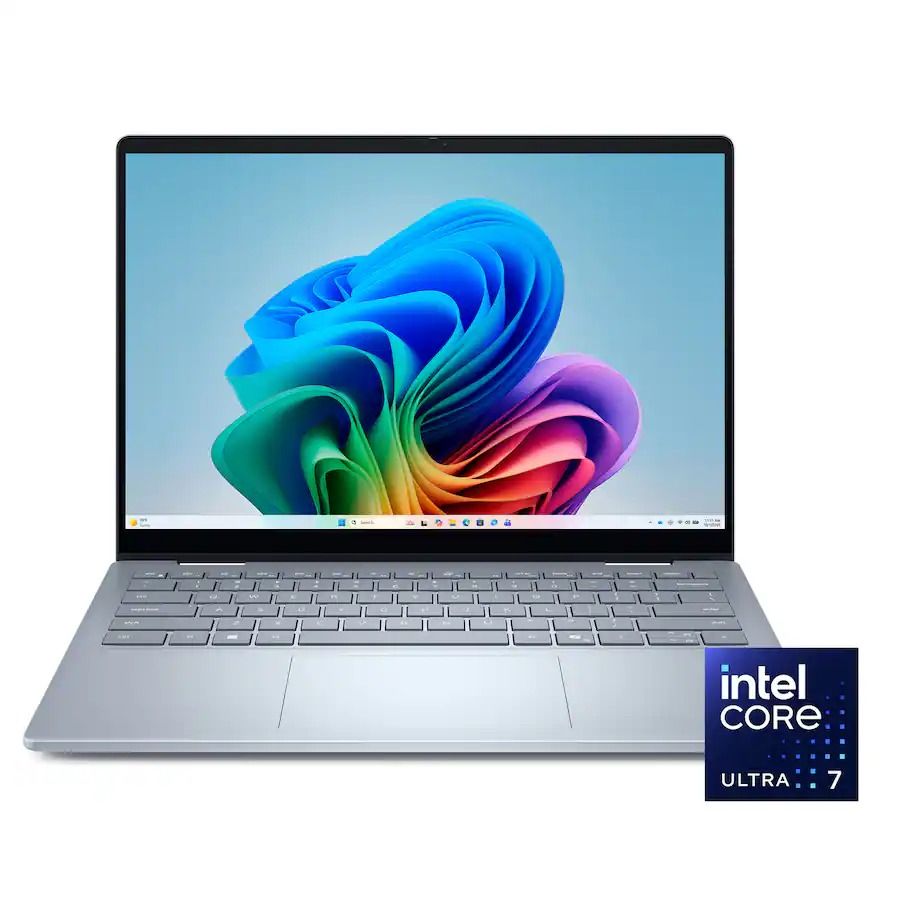
That includes the Dell 15 ($1,099.99 at Dell, was $1,149.99), Dell 16 ($1,199.99 at Dell, was $1,349.99), and Dell 14 Plus ($1,399.99 at Dell, was $1,579.99).

14 Plus Laptop (Intel Core Ultra 256V, 16GB RAM, 1TB SSD): was $1579.99 now $1399.99

The Dell 14 Plus is the most expensive but best portable laptop in this roundup thanks to its thin and light form factor. It also comes with a crisp 14-inch non-touch QHD+ display (2560x1600), an Intel CPU, 16GB RAM, and a 1TB SSD to crush work assignments.View Deal

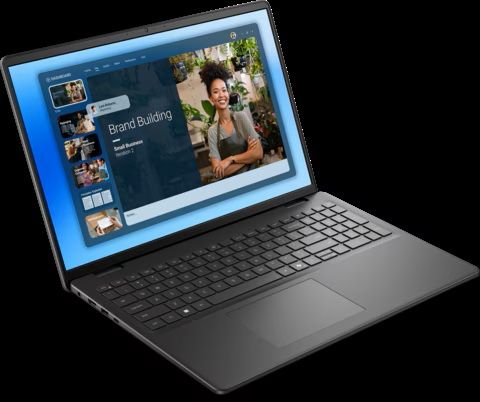
16 Laptop (Intel Core 7 150U, 16GB RAM, 1TB SSD): was $1349.99 now $1199.99

The Dell 16 will give you the most screen space of all the highlighted laptops with its 16" FHD+ Touchscreen display (1920x1200) while handling creative tasks with ease using its Intel Core 7 CPU, 16GB RAM, and 1TB SSD.View Deal

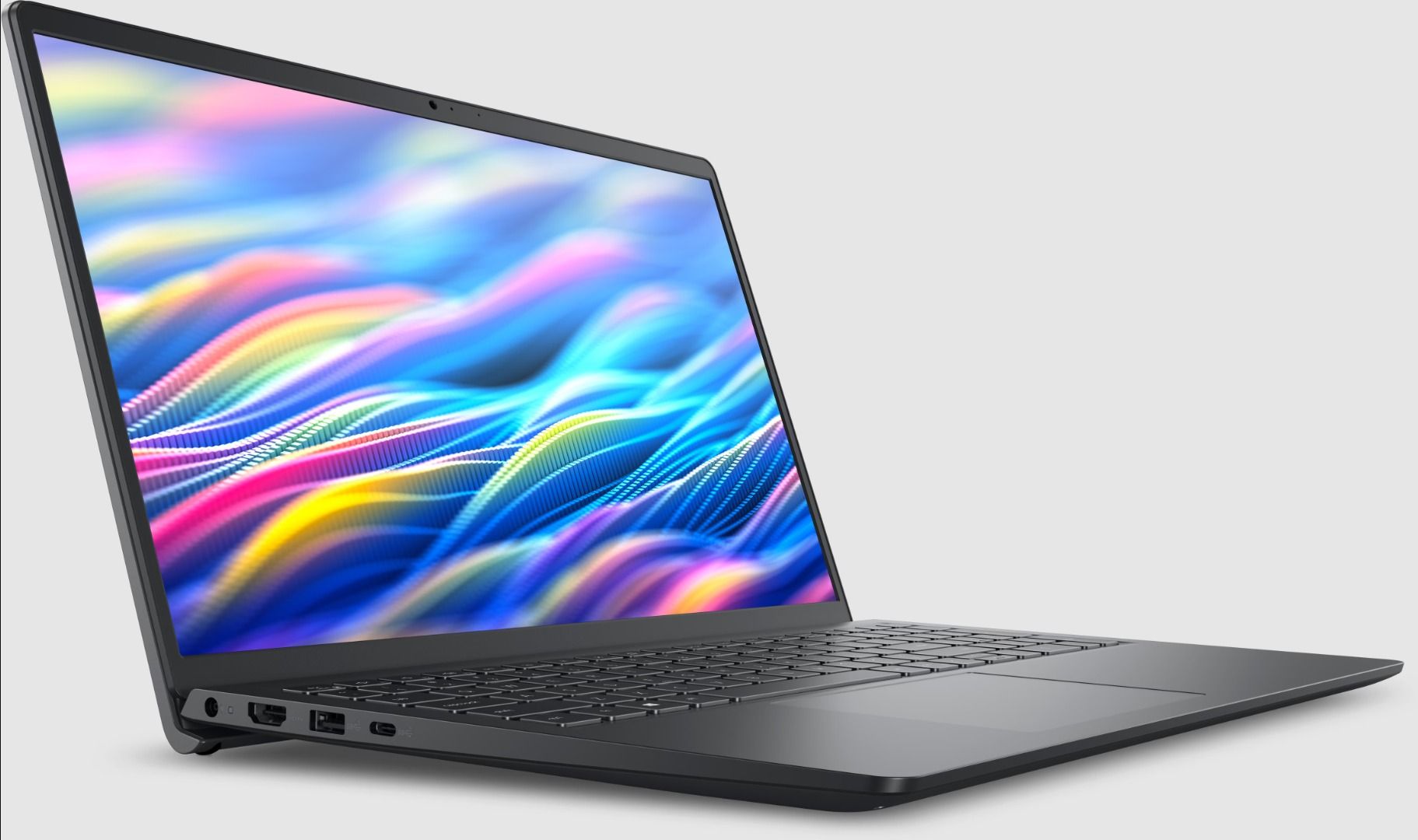
15 Laptop (AMD Ryzen 7730U, 16GB RAM, 1TB SSD): was $1149.99 now $1099.99

The Dell 15 handles workflows efficiently with its Intel CPU, 16GB RAM, a 15.6" non-touch FHD (1920x1080) display, and 1TB SSD, while keeping a respectable mid-range price compared to its upper-tier siblings.View Deal

Which of these Dell laptops is best for you?

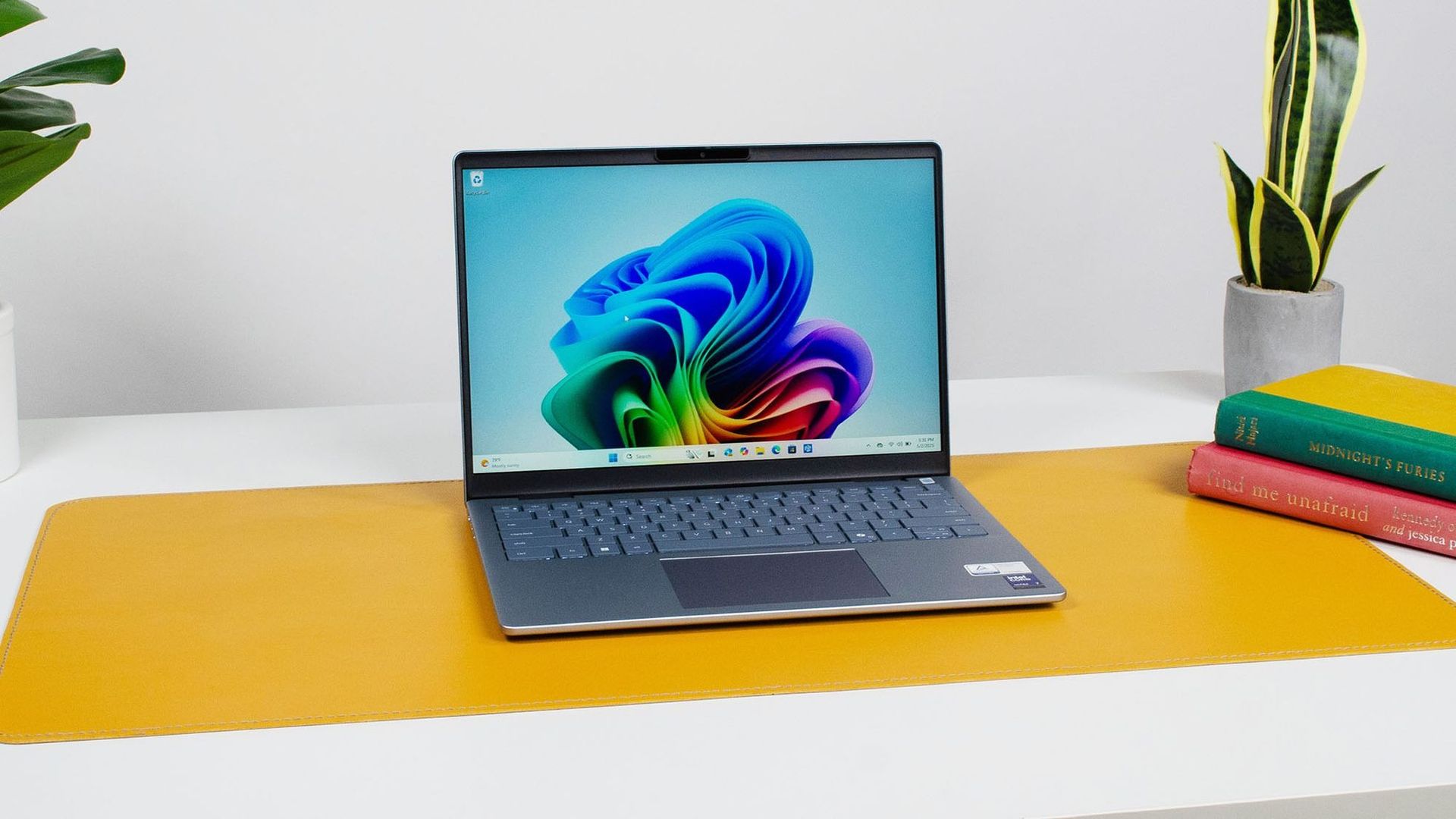
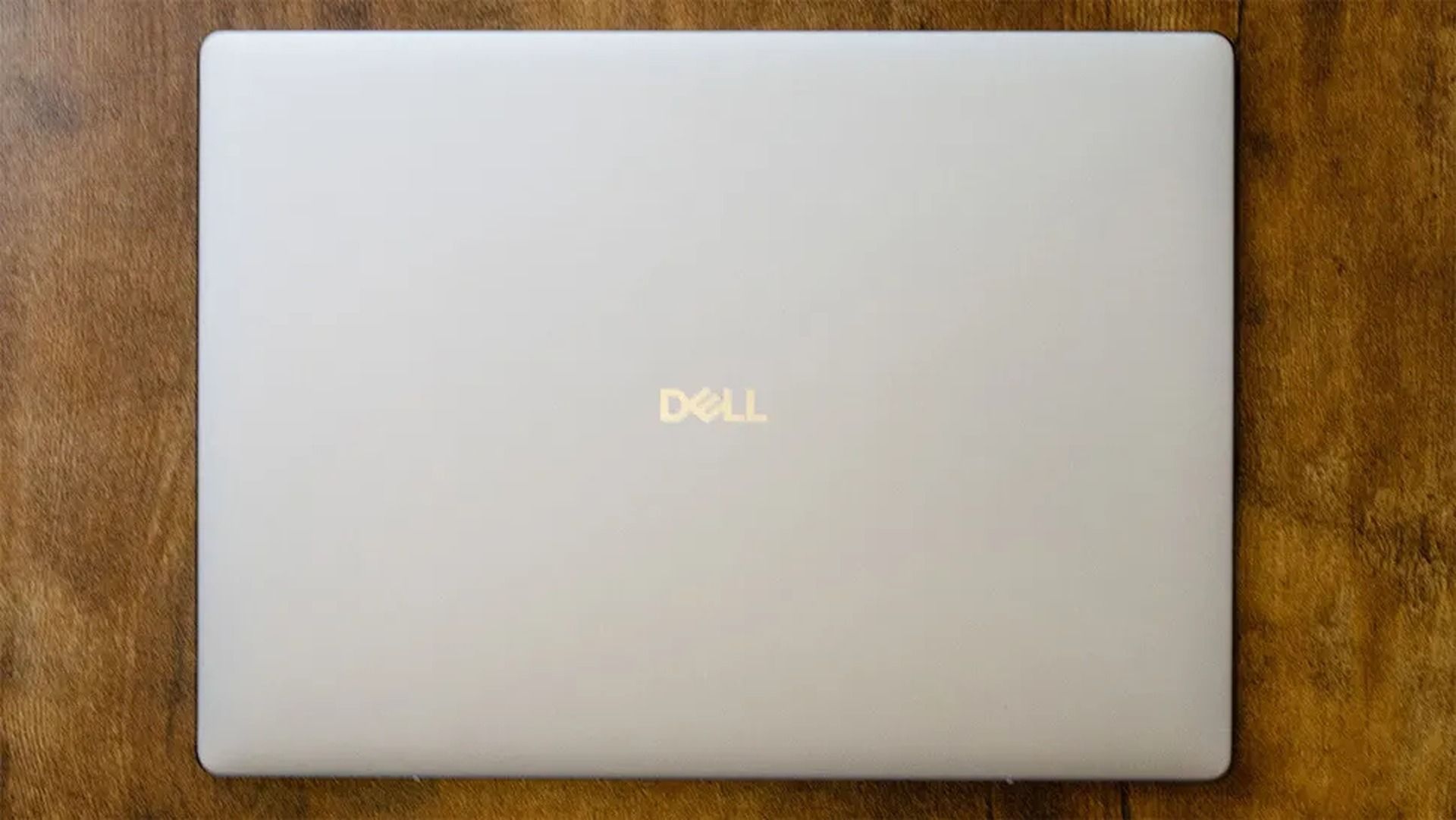
Dell 14 Plus Copilot+ PC on a desk

The Dell 14 Plus laptop on display (Image credit: Future / John Loeffler)

If you're looking for an affordable yet capable laptop, the Dell 15 offers the best value compared to the other laptops in this roundup.

It's equipped with a 15.6" (Non-Touch) FHD display with 1920x1080 resolution and a 120Hz refresh rate to render images, videos, and writing with sharp details, so you don't have to squint at your work when typing or worry about blurry video feed when hosting stream meetings.

It comes with an AMD Ryzen 7000 7730U CPU and 16GB RAM that will make short work of Office, web browsing, and other productivity tasks while offering a ton of space to back up your precious files with its 1TB SSD.

However, if you've got the budget for more processing power, then go for the Dell 14 Plus Laptop.

It's won high praise from our friends at TechRadar for its 13+ hour battery, great portability due to its ultra-thin design, and 14-inch non-touch QHD+ display with 120Hz and Anti-glare protection.

Best of all, the Dell 14 Plus offers the best single-core performance for everyday use and heavy workloads thanks to its Intel Core Ultra 7 256V CPU, 16GB, and 1TB SSD.

Can these laptops have their RAM and SSDs replaced?

Only the Dell 15 laptop can have its RAM replaced, as it isn't soldered like the ones in the Dell 14 Plus and Dell 16 laptops. All of these laptops can have their SSDs swapped out and replaced with larger ones.

Are the good for gaming?

The Dell 15, Dell 16, and Dell 14 Plus aren't designed for gaming due to their integrated graphics cards, so they will struggle to run most games beyond extremely light titles like Minecraft. Stick to cloud gaming.

Should I wait for Black Friday for a better deal?

It depends on whether you're willing to wait until Black Friday for a bigger discount or if you're in need of a new laptop for work/casual use right now and don't have time to wait for a killer deal.

Click to join us on r/WindowsCentral

Join us on Reddit at r/WindowsCentral to share your insights and discuss our latest news, reviews, and more.
  •  

Quiz: Are these quotes about iPhone Duo or Surface Duo?

Apple finally "invented" the folding phone, bringing flexibility and multitasking to the masses. iPhone Duo reviews are in, and I couldn't help but feel a sense of déjà vu.

All the talk of passport-shaped phones, mobile multitasking, and optimized apps sent me back to the days of Microsoft's Surface Duo. A lot of the phrasing in iPhone Duo reviews could have been copied and pasted from reviews of the Surface Duo.

So, I put together a quiz to see if people can identify if a quote is from an iPhone Duo review or a Surface Duo review.

I've changed all of the quotes in this quiz as little as possible and all changes are noted with brackets. I only altered a quote if it includes something that's a giveaway like iPhone Duo, Surface Duo, Apple, or Microsoft.

Blank Pixel

I sent this quiz to a few friends and colleagues before publishing it. No one got a perfect score, and many only got 50% correct. I'm curious to see if that trend continues as more people take the quiz. Please let me know how you did in the comments!

Below are all of the reviews I used to create this quiz.

Click to join us on r/WindowsCentral

Join us on Reddit at r/WindowsCentral to share your insights and discuss our latest news, reviews, and more.
  •  

Call of Duty: Modern Warfare 4 review — A beautiful but violent farewell

I fell in love with Call of Duty way back in 2009, when my friend group pushed me to make the jump from Halo 3 to Modern Warfare 2. While initially I was concerned I couldn't get a handle on certain mechanics, like learning weapon types beyond the simplified "AR" and "BR" I had grown accustomed to in Halo, I ended up really getting my footing in Modern Warfare 2 after a couple of months. It was the start of a fixation with Call of Duty that only 2016's Infinite Warfare could put at risk. I still quote several lines from MW2 (2009) to this day, even.

17 years after my first foray into Call of Duty's Modern Warfare subseries, my attachment to the franchise has only grown. For quite a while, I considered the 2019 reboot of the Modern Warfare franchise among my favorite games of all time. After completing Call of Duty: Modern Warfare 4, however, I think that list has been shaken up — and I can finally tell you why.

Call of Duty: Modern Warfare 4 — Story, setting, and art

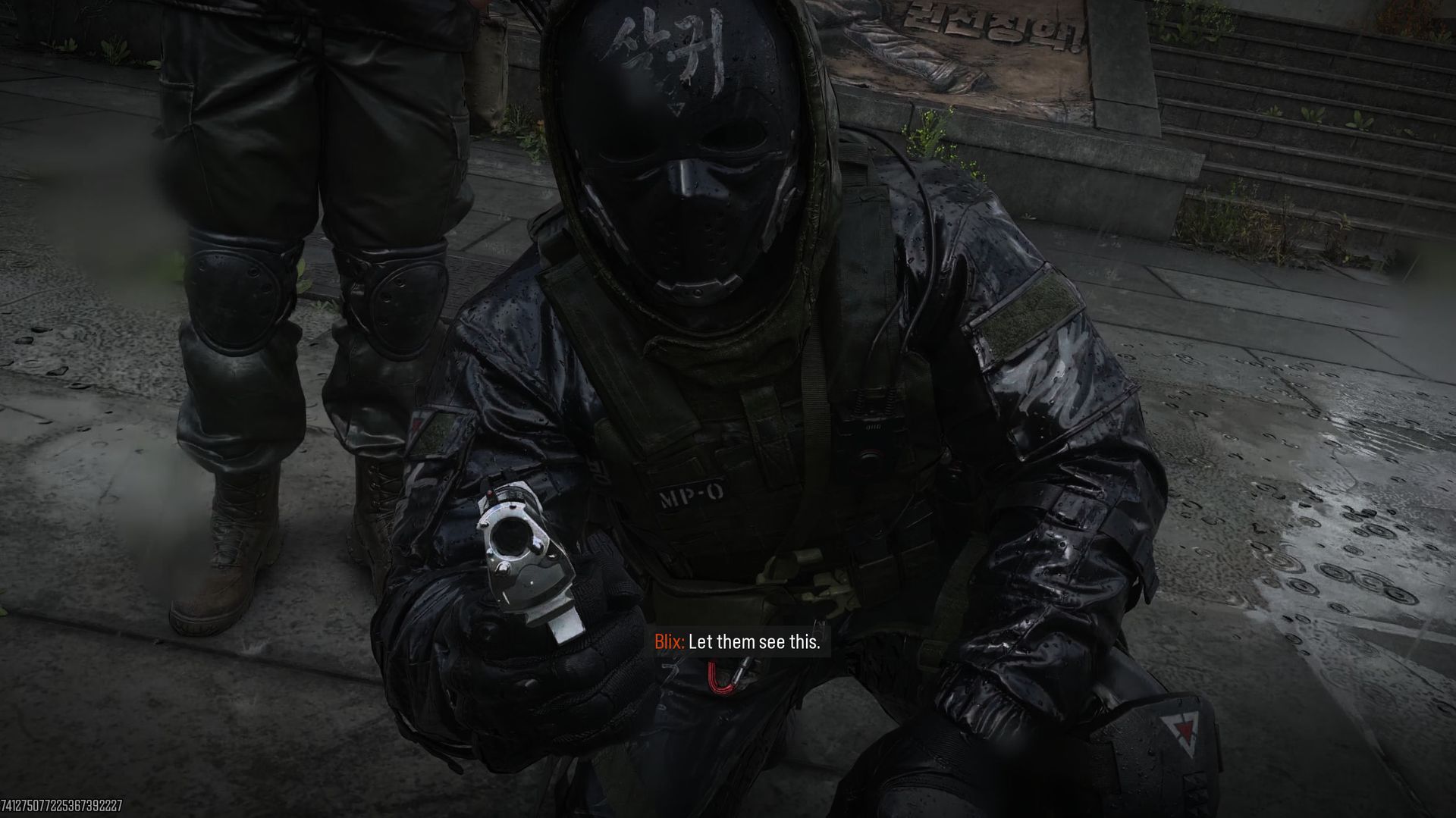
Call of Duty: Modern Warfare 4 screenshots from the campaign and DMZ.

Consequences are the name of the game. (Image credit: Cole Martin for Windows Central, Activision)

Call of Duty: Modern Warfare 4 is divided up between three different modes: a single-player campaign, the revival of the PvPvE experience in DMZ, and classic multiplayer.

Modern Warfare 4 was piecemealed out over the last week, with players who had preordered gaining access to the Campaign one week in advance, followed by an early access period for DMZ lasting a few days before the launch of MW4 multiplayer (which the team ended up releasing a few hours earlier than originally planned, as well).

Because of the staggered launch window, I went ahead and wrote a longer review explaining why I felt the campaign for Call of Duty: Modern Warfare 4 is a cinematic masterpiece, as well as an individual article discussing my first impressions of the DMZ. But I'd also like to reflect on those modes as part of the full launch, too.

The singleplayer campaign for Call of Duty: Modern Warfare 4 is a cinematic masterpiece

I'm reiterating that headline because I don't think I can say it enough to stress how incredibly well done the campaign for MW4 truly is. In the very beginning, MW4 introduces a new squad — Sierra-1, a collaborative group of young soldiers consisting of South Korean conscripts and American Marines.

The narrative team from Infinity Ward really showed their chops with the opening sequence, as the American soldiers introduce the ROK members of Sierra-1 to Wu-Tang's rap classic, C.R.E.A.M. The team banter and poke at one another before side-questing into a convenience store to purchase junk food and stomach medicine for some light hazing of the squad's newbie.

The sequence feels like a video game's cold open and more like an expertly shot film, with care and attention to detail oozing from every neon light, every brightly colored and meticulously packed item on the corner store's shelves, all the way to the silly expression on the American corporal's face when you lie and tell him that a specific food item is, well — fish soaked in piss.

Two S. Korean soldiers shop in a brightly lit convenience store in Call of Duty: Modern Warfare 4.

These guys have no idea they're about to be invaded by North Korea just because a cigar-smoking British Captain had to have some revenge in a snowy alleyway in New York. (Image credit: Cole Martin for Windows Central, Activision)

Modern Warfare 4 is a war game, though, not a shopping simulator, so of course things have to go awry for our charming young squad when they find themselves thrust into the front lines of urban warfare in downtown Seoul after North Koreans invade under the cover of night.

Fighting through this battle with this inexperienced squadron adds more risk to the invasion of North Korea, and as they are forced to retreat, we learn that the story here is not being told in a linear fashion. Instead, we're pushed back to 5 days before NK's attack on Seoul.

It's through these time jumps that Infinity Ward's narrative team weaves a complicated tale of brotherhood and comradery between squad mates, the weight of grief when a squadmate is lost in battle, and the consequences of how that grief is dealt with. Sierra-1's story intertwines with MW staple, Task Force 141, which has been severely affected by the loss of Johnny "Soap" MacTavish (at the end of Call of Duty: Modern Warfare 3 (2023).)

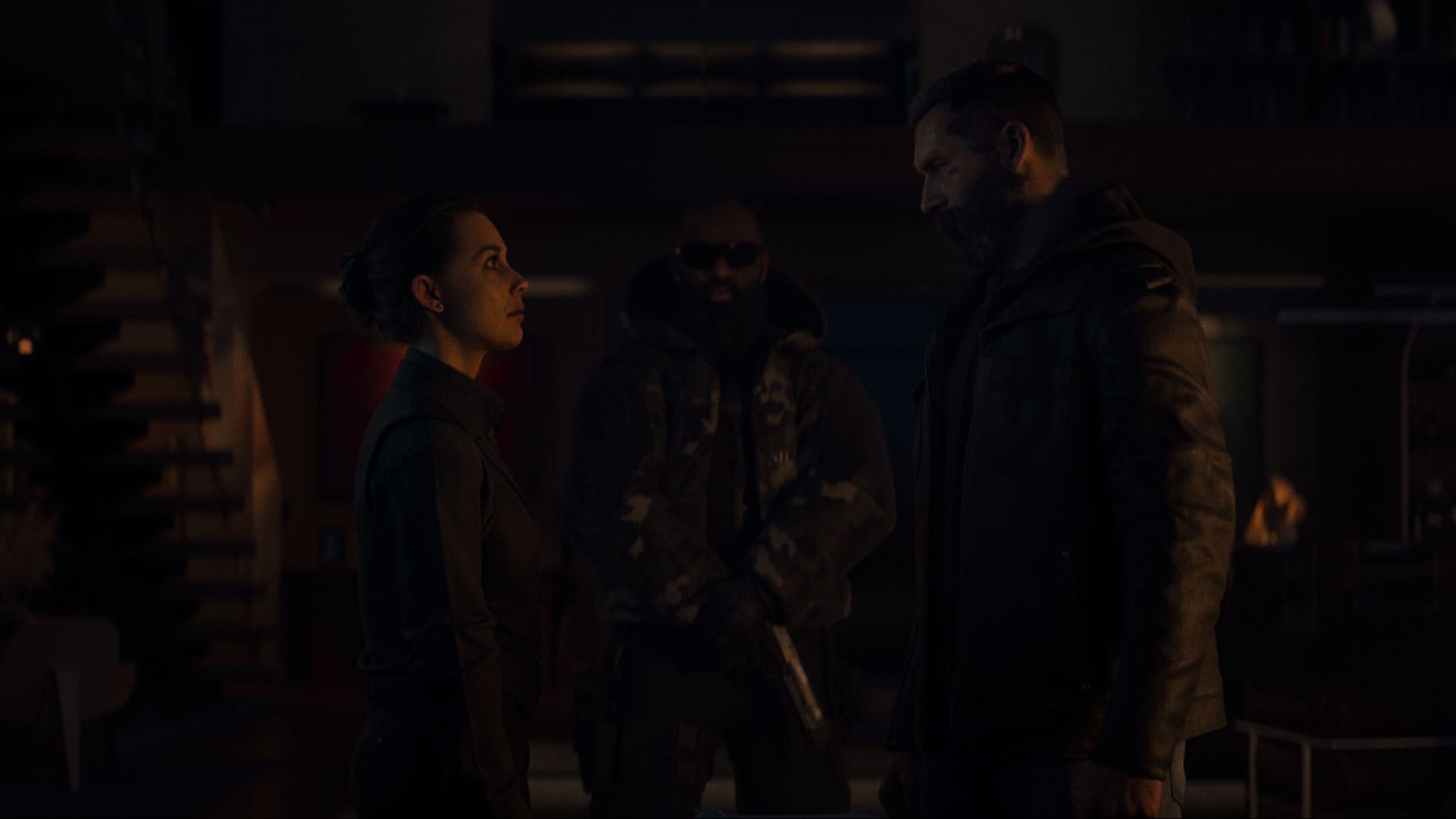
While the young squad of Sierra-1 grapples with loss in one way, TF141's leader, Captain John Price, has gone the revenge route. Now rogue after having killed American General Shepherd, Price finds himself at the mercy of his former enemy, El Sin Nombre (Valeria Garza.)

Captain Price and Valera Garza stare at one another after coming to an arrangement for the cartel to assist Price in finding MW4 antagonist

Themes of trust and betrayal drive the story for Modern Warfare 4. (Image credit: Cole Martin for Windows Central, Activision)

Every element of the Call of Duty: Modern Warfare 4 campaign will have you pulled in, waiting with bated breath to see what happens next. For a franchise that has historically been considered a vapid first-person shooter without any sort of deep-rooted story to tell, Modern Warfare 4 pulls out all the stops and effectively proves anything uttered by detractors as wrong.

MW4 juxtaposes the actions of its younger, inexperienced squad against those of the battle-hardened TF141. Both bands of brothers tackle grief and motivations for continuing on in the face of a heavy loss, doing so in ways that affect the other squad without their even knowing it.

These parallels also appear in the campaign's other subplot, which highlights the brutality of the invading North Korean regime and its hunt against defectors. We get yet a third angle to study the issue of blind loyalty and defecting from the safety of what one knows because it is inarguably just the right thing to do.

The MW4 campaign is a gut-wrenching story that serves as the finale for the Modern Warfare reboot. While we see several known characters' storylines come to an end in one way or another, there are still some characters for the subseries that are left in the wind who do not have neat little ties to their loose ends.

The story continues with the tense, beautifully haunting DMZ

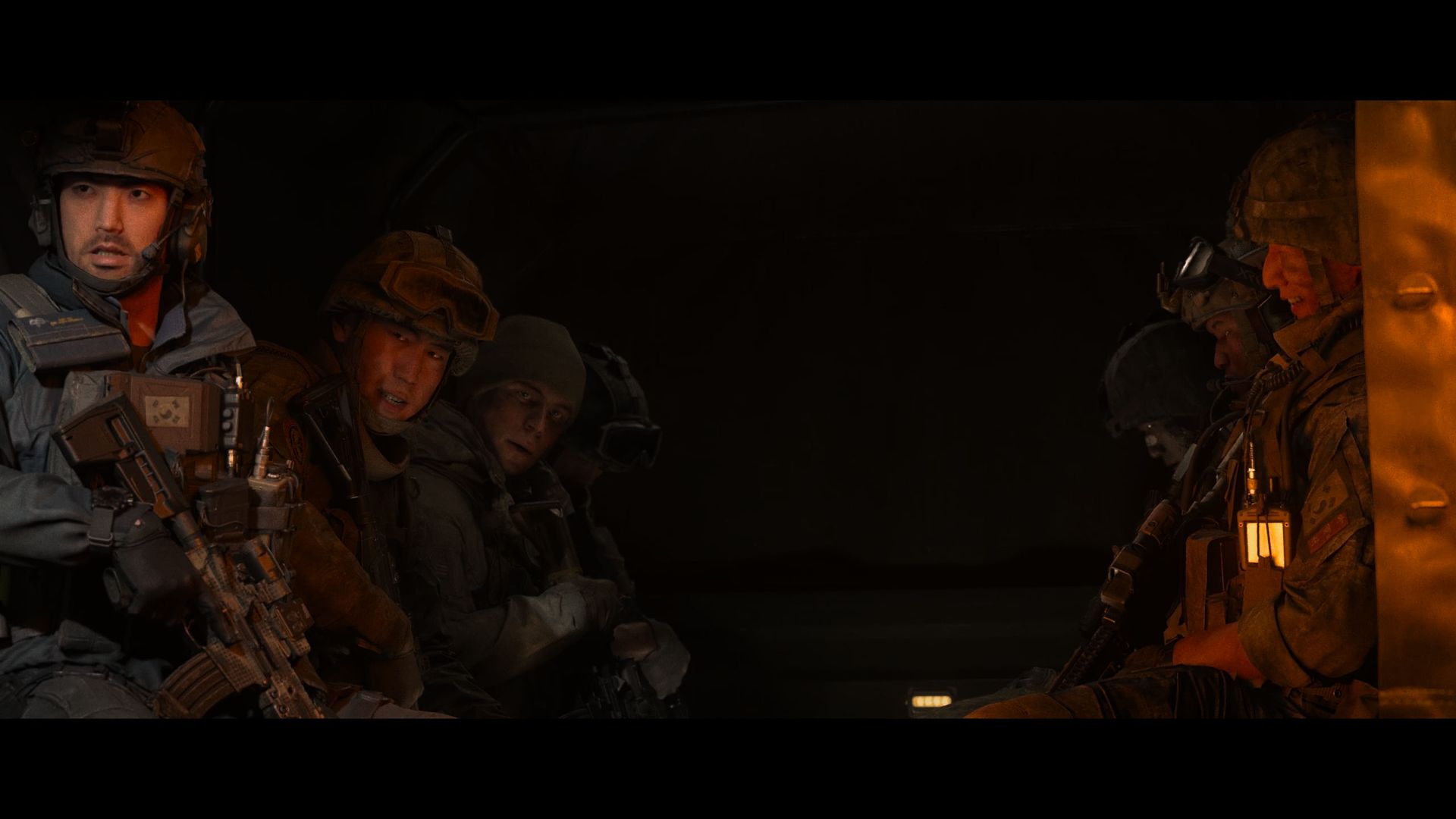
Call of Duty: Modern Warfare 4 screenshots from the campaign and DMZ.

The DMZ intro cutscene is much closer to mimicking in the DMZ player experience than I was ready for. (Image credit: Cole Martin for Windows Central, Activision)

Modern Warfare 4's "third mode" is a return of the MW2 (2022)'s PvPvE experience, DMZ. Set in a demilitarized zone in Hajin, on the border of the Korean peninsula and Russia, players can infiltrate the region and carry out missions to check off objectives for several missions that expand upon the post-credits world of Modern Warfare 4.

DMZ differs from the single-player campaign in that it takes on the form of an extraction shooter, with players able to take an operator from one of the game's story characters and put that operator through their paces in the DMZ, completing story missions and dynamic ops to level up and loot for better gear.

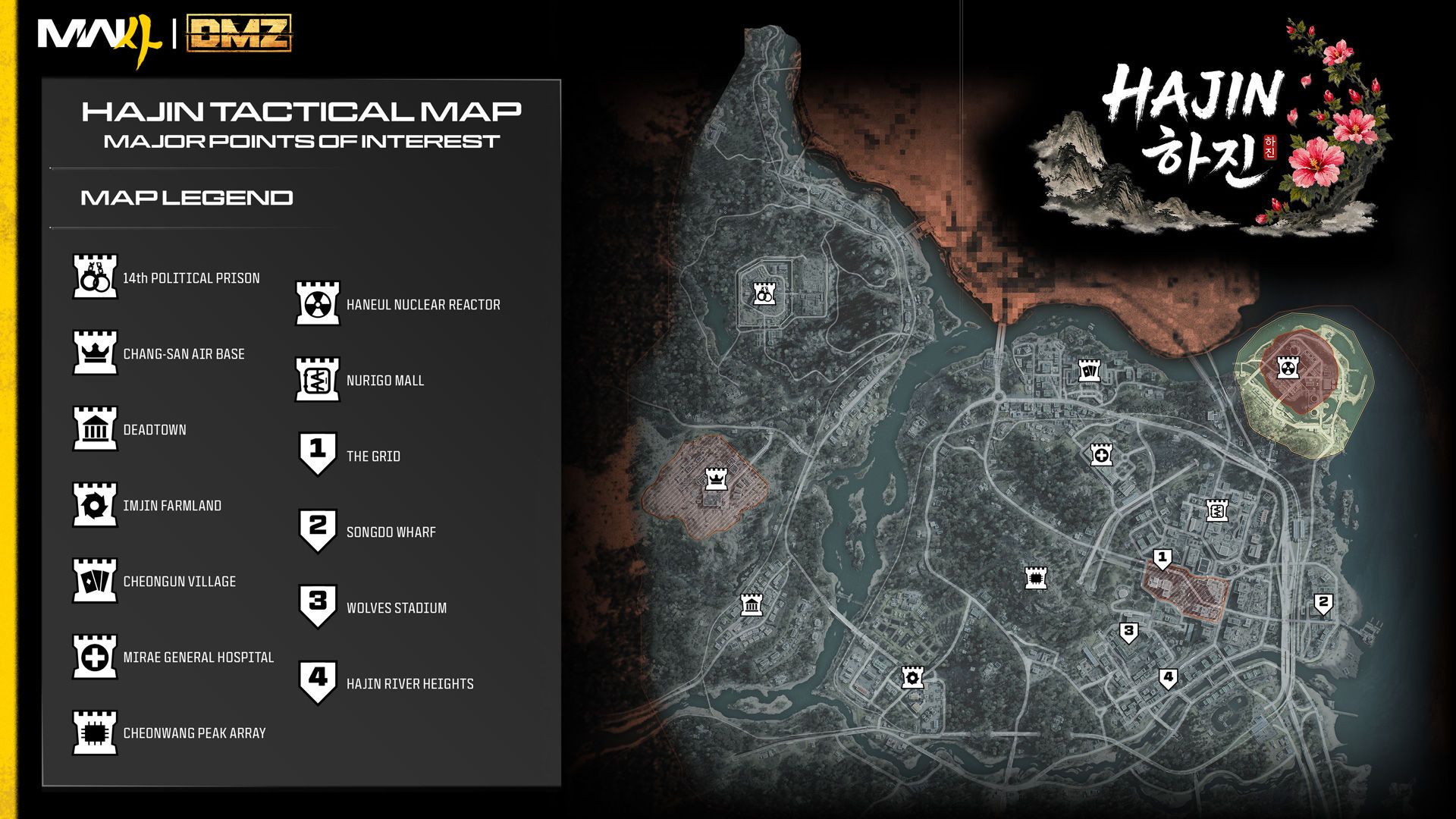
The Hajin tactical map for Call of Duty: Modern Warfare 4 DMZ.

Hajin is the first official map for DMZ in MW4. (Image credit: Activision)

Because the Modern Warfare campaign wraps up most characters for the subseries, we're given a varied roster of operators, many of which have previously served as multiplayer Operators for Modern Warfare titles past.

Hajin is visually stunning. The open-world map is mostly controlled server-side, so Infinity Ward has been able to introduce new mechanics like dynamic weather to the mode. All players on a server will see the way weather and other factors affect Hajin collectively, so you can't blame the weather for your untimely demise in the DMZ.

A classic multiplayer experience tries something new for Modern Warfare 4

In an interview with Infinity Ward's multiplayer team, I was once told that the battles that go down in multiplayer should be looked at as if they're happening a block or two over from the events that happen in the campaign.

You can see that philosophy very clearly in Modern Warfare 4's 12 launch maps, each of which features very noticeable elements from the campaign that are arranged in a way that makes them feel like they could have been nearby, but not quite the same.

Multiplayer's maps offer an impressive variety of biomes, from a small, tight bus yard to the dilapidated remains of an old coal mining operation. It would be easy to expect Infinity Ward to let the visuals for multiplayer lapse — after all, who would even notice if the paint cans spill when hit or that bullets impact surrounding set pieces?

But the team wasn't content to just let these maps exist. Instead, the multiplayer maps of MW4 are beautiful sets ripe for destruction that offer adequate flanking opportunities and enhance the sustainability of using non-meta weapons, even on small maps, through the power of good design and reasonable player movement.

Infinity Ward did not just stop with multiplayer's classic map structure, though. Modern Warfare 4 introduces a new concept for how to play multiplayer with the new dynamic map, Kill Block.

Kill Block rotates the available set pieces for the map and selects three to piece together to create one unique gameplay experience from mere pieces. Despite being pulled from a multitude of different styles from Modern Warfare's past and present, Kill Block still manages to be a cohesive (and addictive) new feature for MW4.

Call of Duty: Modern Warfare 4 — Gameplay

Call of Duty: Modern Warfare 4 screenshots from the campaign and DMZ.

(Image credit: Cole Martin for Windows Central, Activision)

Call of Duty: Modern Warfare 4 is a first-person shooter with intense action at its core. Everything about the game is meant to make you feel like you're a war hero, fighting the good fight, across all of its modes. However, there are some notable differences in how each mode gets you to that point (or keeps it dangling in front of you like a carrot.)

Modern Warfare 4's campaign gameplay is a reminder that sometimes we have to get our hands a little dirty

"We get dirty, and the world stays clean" is a recurring mantra throughout the Modern Warfare subseries. The idea is that Task Force 141 may sometimes make decisions or act in ways that might seem questionable or otherwise dirty, but it's okay when the end will inevitably justify the means.

So then it should come as no surprise that Captain Price, who is clearly built to be a brawler, gets his hands dirty in the literal sense by carrying out some of his revenge plot.

Most sequences with Sierra-1 feature classic linear COD set pieces that put you in the heart of battle. But some of Capt. Price's appearances lean into his ability to take down friends and foes in some good old-fashioned fisticuffs, pushing the player into using LT and RT to block, counter, and attack.

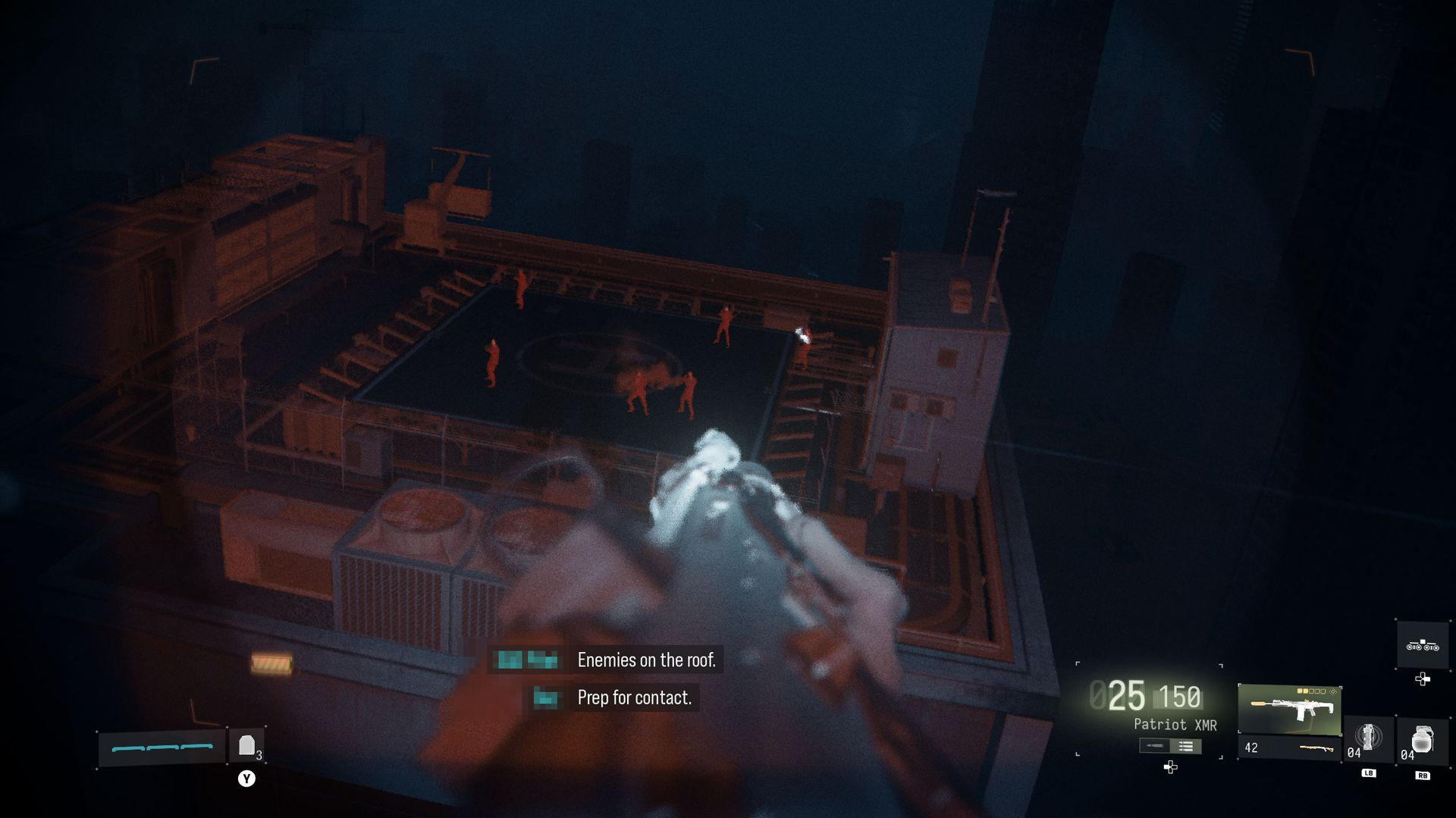
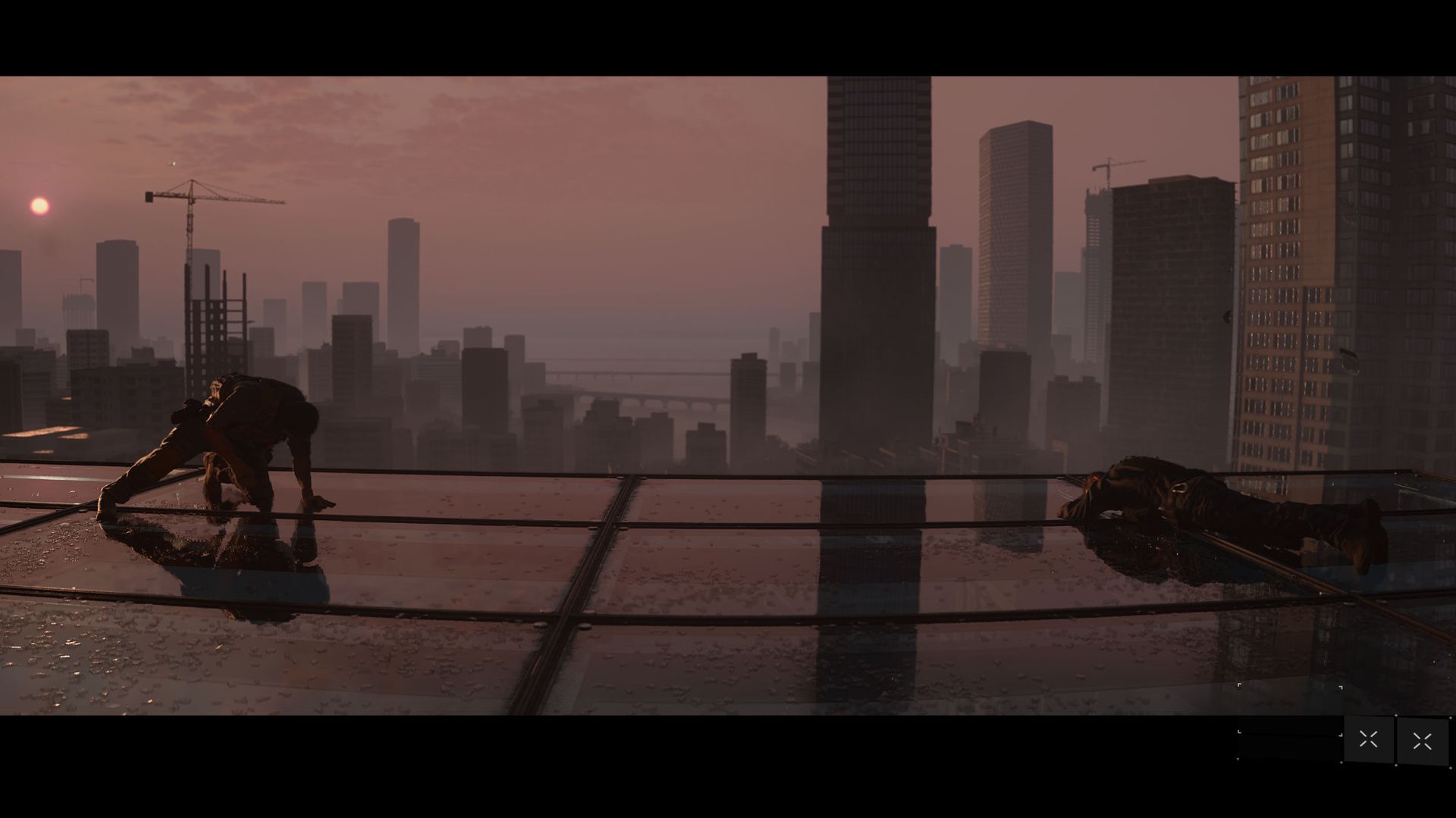
Infinity Ward also breaks up the long linear sequences by introducing classical mechanics like rappelling down a skyscraper with night vision goggles, clearing stairwells and rooms where enemies are waiting to take you out under the cover of darkness.

One mission, "Stranded", deviates from the standard gameplay funnel by introducing a semi-open world with three objectives that players can interact with in any order they choose. In addition to the three main objectives, there are multiple secrets littered around, including yellow storage crates with loot and keypad puzzles to unlock for bonus gear.

DMZ gets a major glow up thanks to feedback from the 2022 Beta

Call of Duty: Modern Warfare 4 screenshots from the campaign and DMZ.

Potential character traits are randomized, and can lead to players putting together some really innovative operator builds. (Image credit: Cole Martin for Windows Central, Activision)

When Infinity Ward first introduced the concept of the DMZ in 2022, I was intrigued. I was originally a fan of The Division's Dark Zone concept, and really fell for the extraction mode DLC "Survival". But few games had managed to recapture the excitement of that PvPvE experience that won me over in the Dark Zone.

When the DMZ Beta dropped, I actually spent quite a lot of time with my friends exploring but ultimately ignored the mode sometime before it began to receive new content updates like Building 21.

The things that I felt were lacking and failed to keep me engaged in the DMZ beta for the long term seem to have been addressed with MW4's Beta. Players select their operator, which can be leveled up by earning XP completing story missions and Dynamic Ops, or free roaming to take out lieutenants and other players.

Unlocking Trait Perks lets you spec out a skill tree for your operator, but should they succumb to an untimely demise without extracting their gear and loot, the operator becomes MIA. MIA operators require in-game currency to recover.

Call of Duty: Modern Warfare 4 screenshots from the campaign and DMZ.

The MW4 story continues in the DMZ, but you may have to hunt for some of the lore that Hajin has to offer. (Image credit: Cole Martin for Windows Central, Activision)

This system has proved to add a significant amount of tension to the DMZ, which also offers players a heightened sense of discomfort by introducing NPC characters that behave much more like players than any we have ever seen before. These NPCs drive recklessly, attempt to run players over or take off-road shortcuts, flank squads, and otherwise offer a formidable foe to the DMZ.

It's a challenging new mode, and the community seems to be at odds over whether PvP or PvE elements should reign supreme, but as it stands at launch, DMZ's a tense and exciting experience with friends that has managed to make loss and success both feel more gratifying than its predecessor.

The desire for nostalgia meets the push for innovation in multiplayer

Players wait for a server to be found for a Modern Warfare 4 multiplayer match.

Modern Warfare 4 embraces more vertical menus than its predecessors. (Image credit: Cole Martin for Windows Central, Activision)

Despite having reviewed every single Call of Duty that has launched in the last 5 years, I still find myself pointing out with each one just how much the development team has had to find a balance between half of a player base that longs for a nostalgic past and half of a player base that craves something new for multiplayer.

Modern Warfare 4 is no different, but I do think there's a chance that Infinity Ward has found a way to walk that line with precision. Launching into Modern Warfare 4's multiplayer when it went live, I immediately felt at home. Despite new menus that allow players to attach custom class loadouts to one specific operator, the system feels familiar and comfortable.

Many of the menus for Multiplayer have gone back to a vertical layout, making them more manageable and a welcome change of pace from the last few years of seemingly endless horizontal options.

A screenshot of multiplayer gameplay on the Hijack mode for MW4.

Hijack is a new mode that offers football-like gameplay. (Image credit: Cole Martin for Windows Central, Activision)

Like how DMZ had a glow-up based on player feedback, so has Multiplayer. Many of the game's ills from its open beta earlier this fall seem to have been addressed. UAV spam, for example, led to the developers increasing the cost of all killstreaks by one to help lessen their frequency.

There is still some room for improvement, however. The Time-to-Kill speed was adjusted based on player feedback during the beta, but the open beta period only offered a core playlist. That means players who preferred Hardcore modes were unable to experience exactly what Hardcore had to offer before its launch.

As an avid hardcore fan, I find that there's definitely still wiggle room for some minor weapon balance passes in the mode, but those sorts of quality-of-life improvements are typically made throughout the game's post-launch lifetime. It wouldn't even surprise me if the TTK for Hardcore wasn't already addressed even before this review goes live.

Call of Duty: Modern Warfare 4 — Should you buy it?

Call of Duty: Modern Warfare 4 screenshots from the campaign and DMZ.

Modern Warfare 4 leans into the nostalgia, while adding just enough newness to keep the experience fresh as the subseries comes to it's conclusion. (Image credit: Cole Martin for Windows Central, Activision)

Few games make it to the 4th entry in a subseries that has been rebooted from a franchise that has been running annually for more than 20 years. But here Infinity Ward sits with Modern Warfare 4. A game that blends the story of a nostalgic brotherhood coping with immeasurable losses with a fledgling brotherhood that is just forming under the burden of war and tragedy.

The nostalgia of the Call of Duty franchise oddly mirrors that of Task Force 141 in some ways. Similarly, the bright-eyed potential of Sierra-1 mirrors that of an Infinity Ward under new studio leadership and grappling with the loss of influential members of the team that are memorialized in the post-credits In Memorial screens.

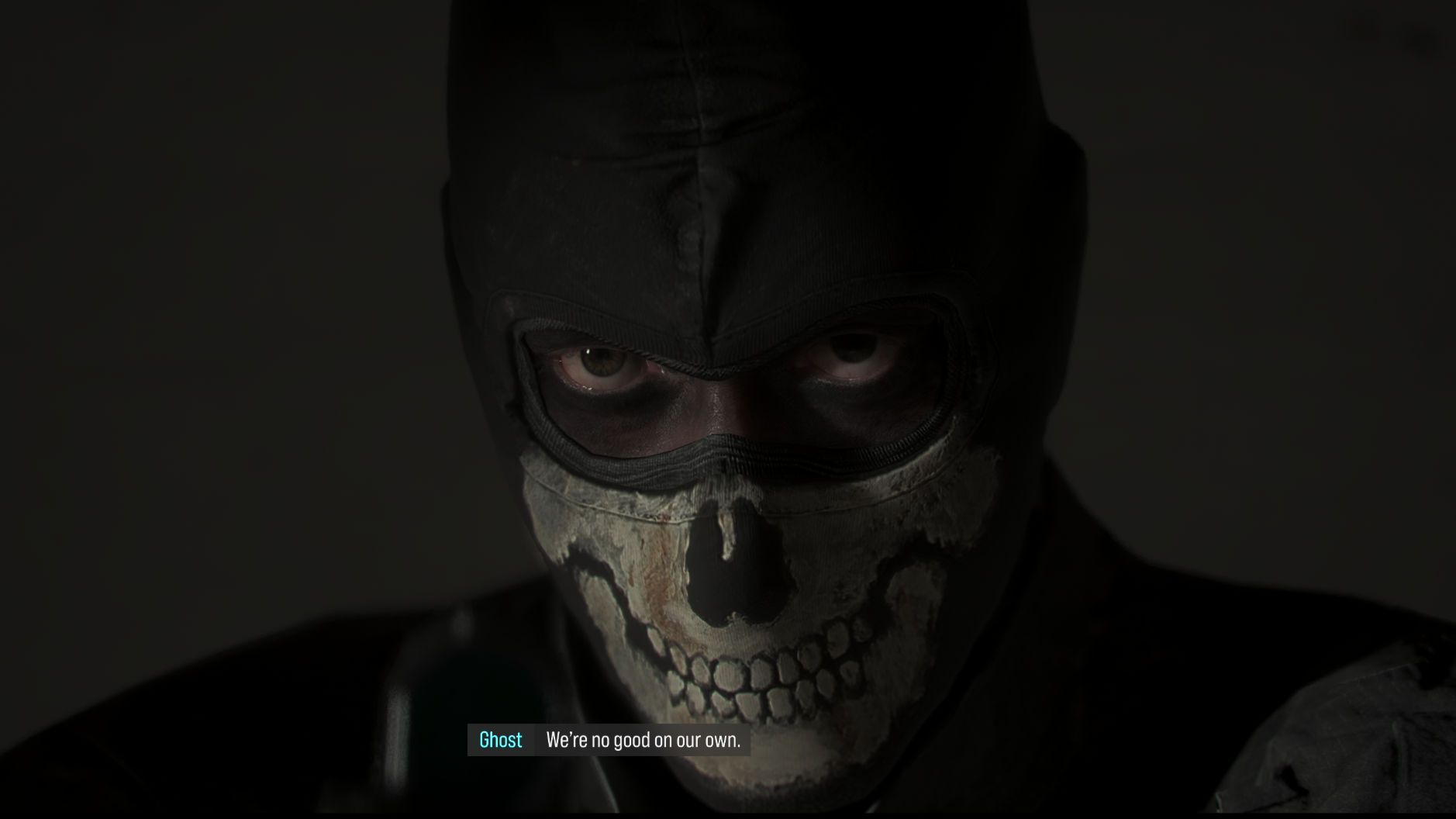
Call of Duty: Modern Warfare 4 screen shot of Ghost with his mask but no gear.

Simon "Ghost" Riley knows the importance of a good squad. (Image credit: Cole Martin for Windows Central, Activision)

And yet, from the heartbreak and nostalgia and changing of the guard, there's room for something new. Something exciting that reinvigorates a community that refused to give up on CoD. Modern Warfare 4 may be the final chapter for Task Force 141, but it's just the beginning of this new era of Infinity Ward.

So, do I think you should buy Call of Duty: Modern Warfare 4? I think you'd be crazy not to, truthfully. For anybody who has ever played Call of Duty, Modern Warfare 4 is the love letter that reminds us of what was special about the franchise in the first place and gives us hope for what it can be going forward.

Call of Duty: Modern Warfare 4 square key art.

Call of Duty: Modern Warfare 4

Buy Call of Duty: Modern Warfare 4 now to experience a brand-new, thrilling campaign, reworked multiplayer, and a new DMZ experience for yourself.

Click to join us on r/WindowsCentral

Join us on Reddit at r/WindowsCentral to share your insights and discuss our latest news, reviews, and more.
  •  

I tried the free app that makes Windows 11 HDR work the way it should

HDR is a feature that's becoming ever more useful for Windows users who want to boost brightness, improve color, and deepen contrast. Unfortunately, Windows 11's handling of HDR is too annoying for many users to bother with.

GitHub user VantaCode420 has created a solution with their Smart HDR Manager app, available for free to download and enjoy.

It so far has 218 stars on GitHub despite still being in the relatively early stages of development, and I can see why now that I've been using it on a couple of PCs.

Smart HDR Manager turns HDR into a "set and forget" perk on Windows 11

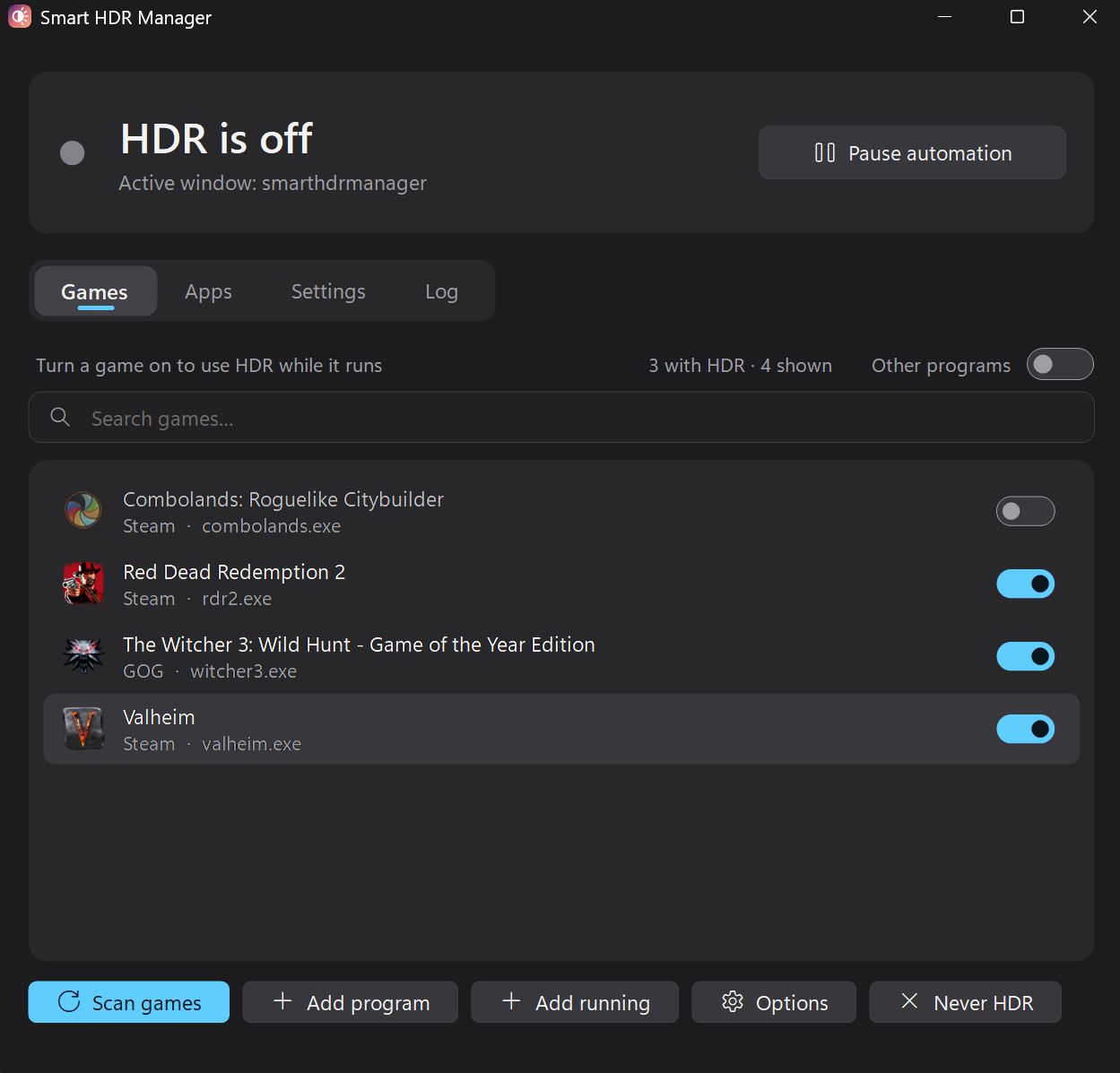
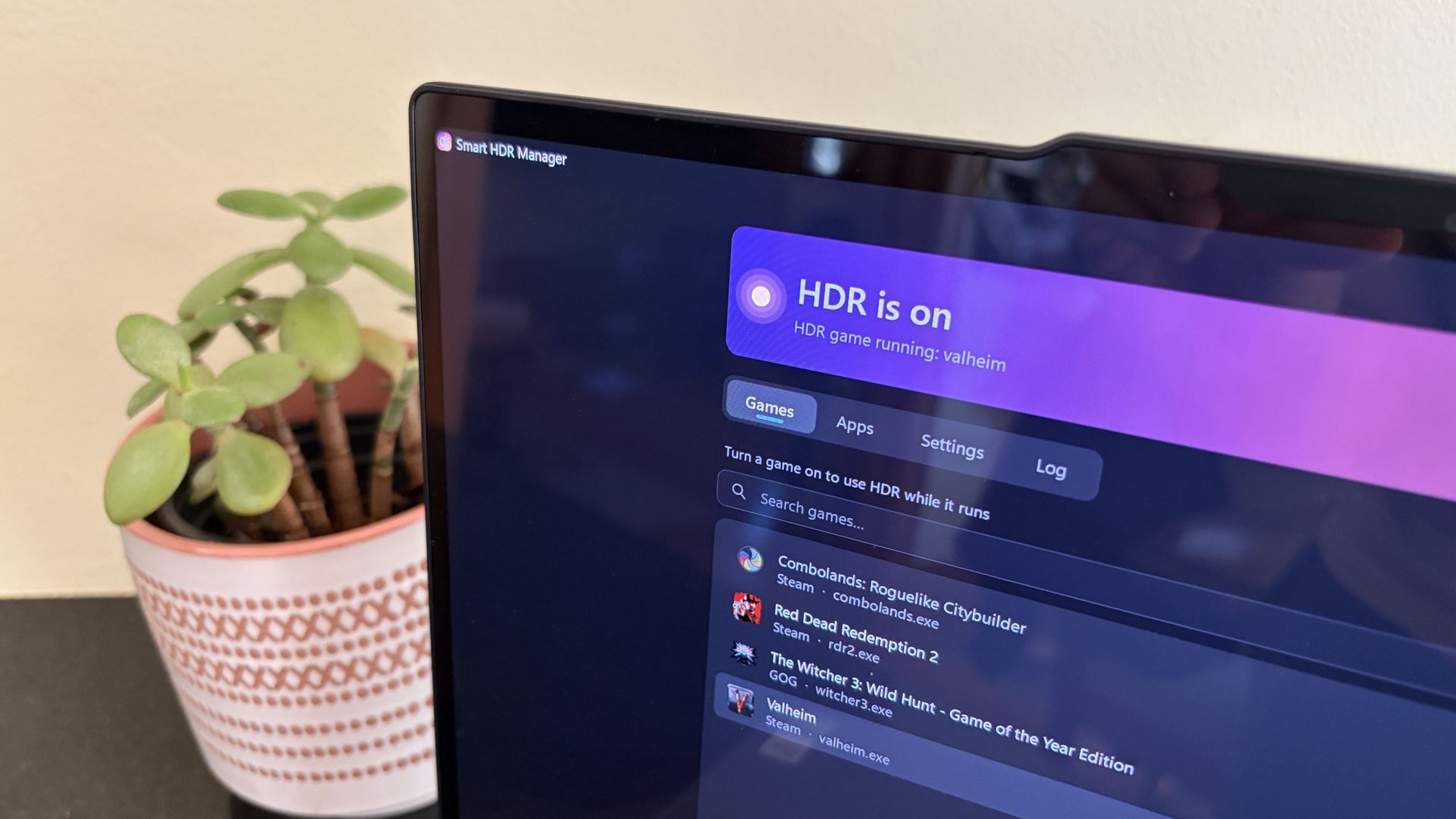
Dark Smart HDR Manager window shows HDR off, with the Games tab listing four titles and blue toggles enabled for Red Dead Redemption 2, The Witcher 3, and Valheim.

The app immediately found the games installed on my ARM64 laptop. (Image credit: Future)

Smart HDR Manager essentially bridges the gap between Windows HDR and the content you're playing or viewing on your PC.

When a game launches or an HDR video starts playing, Smart HDR Manager automatically makes the switch from SDR to HDR on your system. When you close the game or finish watching a video, it automatically reverts Windows to SDR.

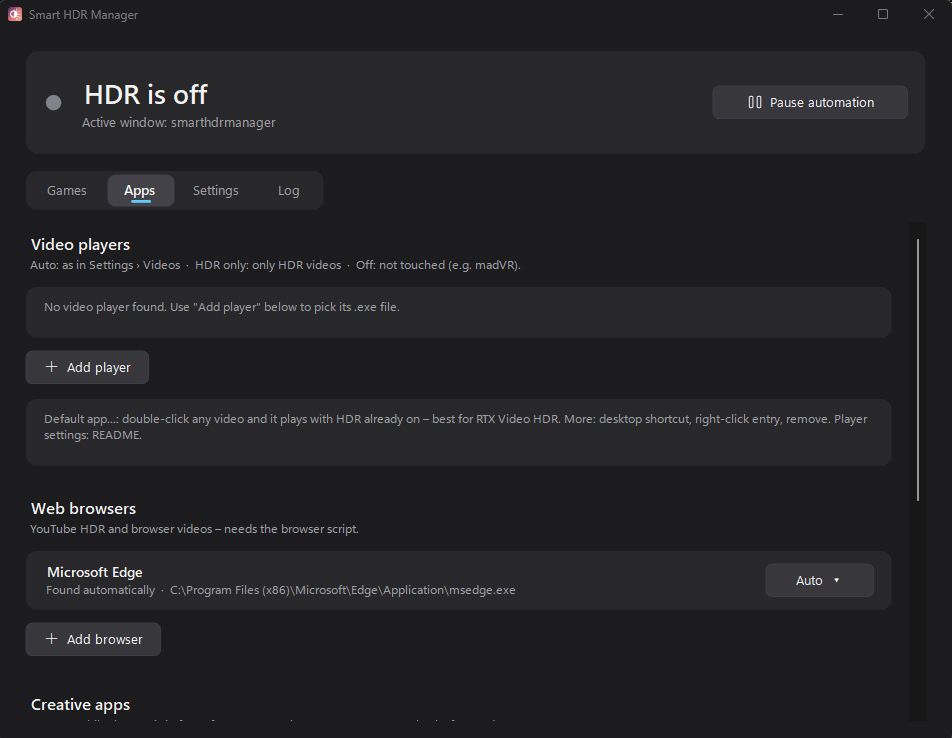
Dark Smart HDR Manager window on the Apps tab shows “HDR is off,” video player and web browser settings, Microsoft Edge, and add-player/browser buttons; the interface feels subdued and technical.

Smart HDR Manager handles video players, web browsers, creative apps, and recording/streaming software. (Image credit: Future)

Within the app, you can automatically scan your system for games held in apps like Steam, Xbox, and Epic, or you can manually add each one that you want to enjoy in HDR.

A separate "Apps" tab is home to video players, web browsers, creative apps, and streaming software like OBS Studio and Streamlabs.


On the note of web browsers, those who don't mind a couple of minutes of extra work can create a Tampermonkey script to automatically recognize YouTube HDR videos within Edge or Chrome. The GitHub page has full instructions on how to do this.

One final trick for those with NVIDIA RTX GPUs is RTX Video HDR support. It can turn SDR videos into HDR automatically, just as long as you have HDR enabled in the NVIDIA app's RTX Video Enhancements section.

Windows Central's take

A gaming monitor shows a character aiming a rifle in a vibrant outdoor scene with rocky terrain and trees, under a blue sky.

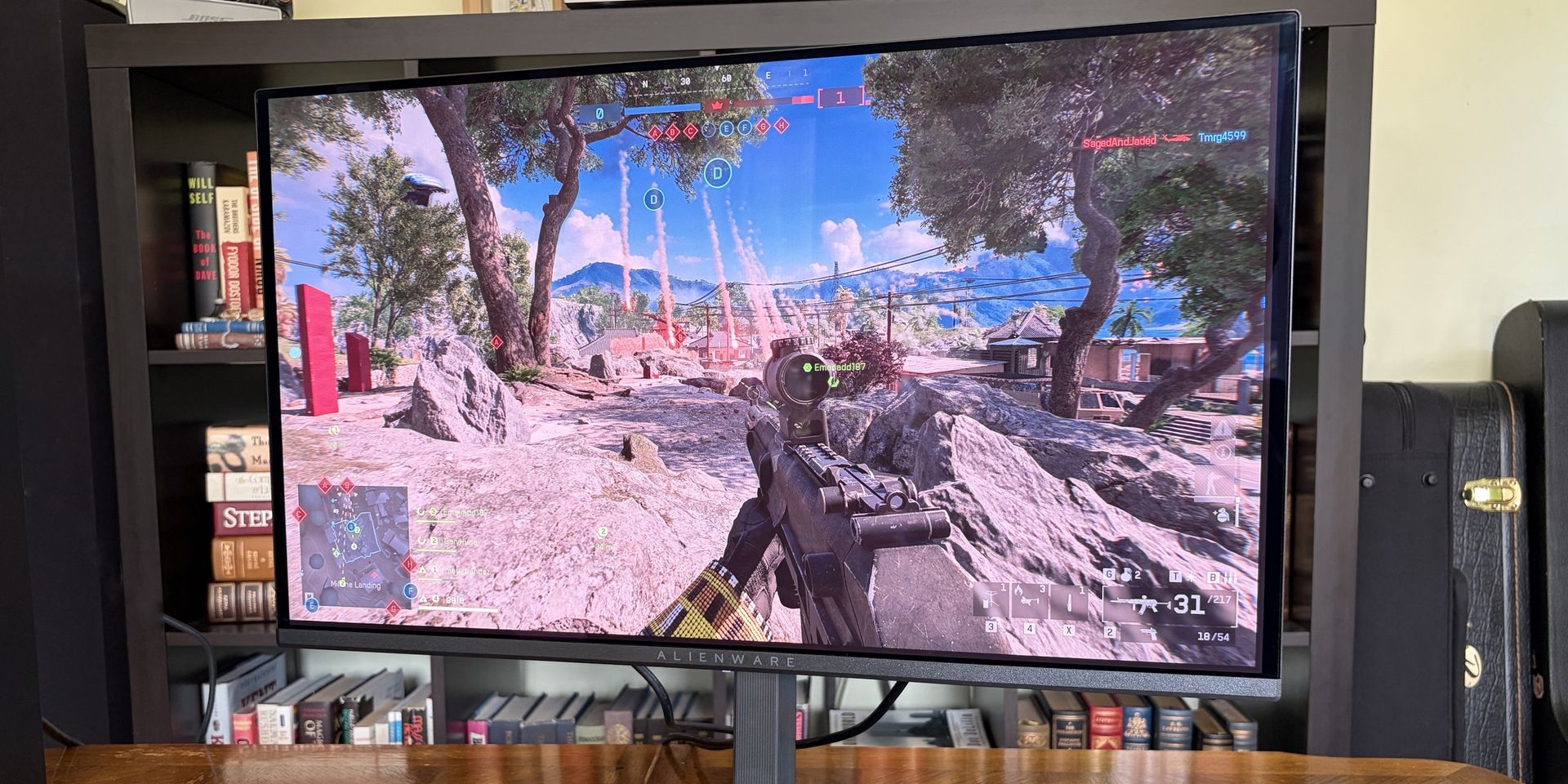
OLED monitors are practically begging for HDR. (Image credit: Future)

I didn't care much about HDR until I upgraded full-time to an OLED monitor. Now, with the deep color and contrast afforded by the OLED panel, it's something that I want to use as much as possible, where applicable.

That's really the biggest issue that most Windows users have with HDR; it doesn't kick on automatically when HDR content is being displayed. You have to enable it manually before viewing or playing content, and it doesn't turn off when you're finished.

Why isn't this a native feature to Windows? That's a question I can't answer.

Leaving HDR enabled across Windows without any actual HDR content in view leads to washed-out colors and odd SDR mapping. It's something that I imagine just about everyone who's mucked around with stock HDR implementation on Windows has experienced.

Smart HDR Manager is a work in progress, but I haven't yet had any issues while playing games or while watching videos. It turns HDR on when I need it, and turns it off when I don't.

Why isn't this a native feature of Windows? That's a question I can't answer. I'm just glad someone took care of the problem. Try out Smart HDR Manager on standard Windows or Windows on ARM. The latter is still in an experimental stage, but it seems to be working well so far.

Click to join us on r/WindowsCentral

Join us on Reddit at r/WindowsCentral to share your insights and discuss our latest news, reviews, and more.
  •  

Xbox hijacks your custom background for Call of Duty Modern Warfare 4 ads

Call of Duty: Modern Warfare 4 looks set to be the best Call of Duty this decade thus far, but I'd give this marketing stunt a 0/10.

Ads are annoying at the best of times. If you're reading Windows Central without an adblocker (thanks!), you're probably getting bombarded in all directions by ads right now (sorry. But also, no, us lowly writers have no control over that). But hey, they keep the lights on, and Windows Central is free without paywalls at least, right?

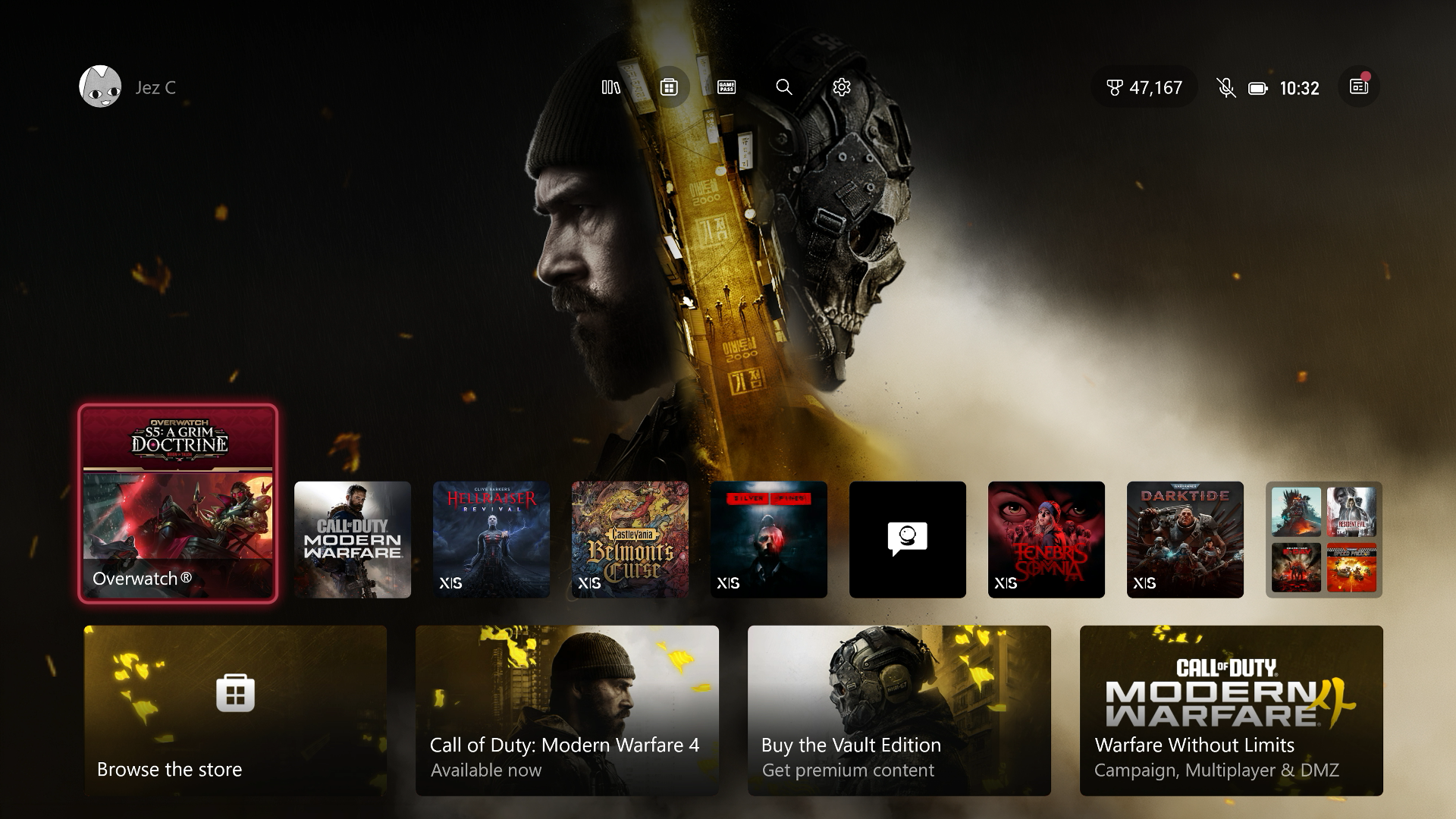
You know what isn't free? Your shiny Xbox Series X|S console. That wasn't free. You know what else isn't free? Xbox Game Pass, nor is Xbox Game Pass Ultimate. Nor is Call of Duty: Modern Warfare 4, in fact. And today, even if you already purchased the game, Xbox is making sure that your console has a very yellow theme this morning — whether you like it or not.

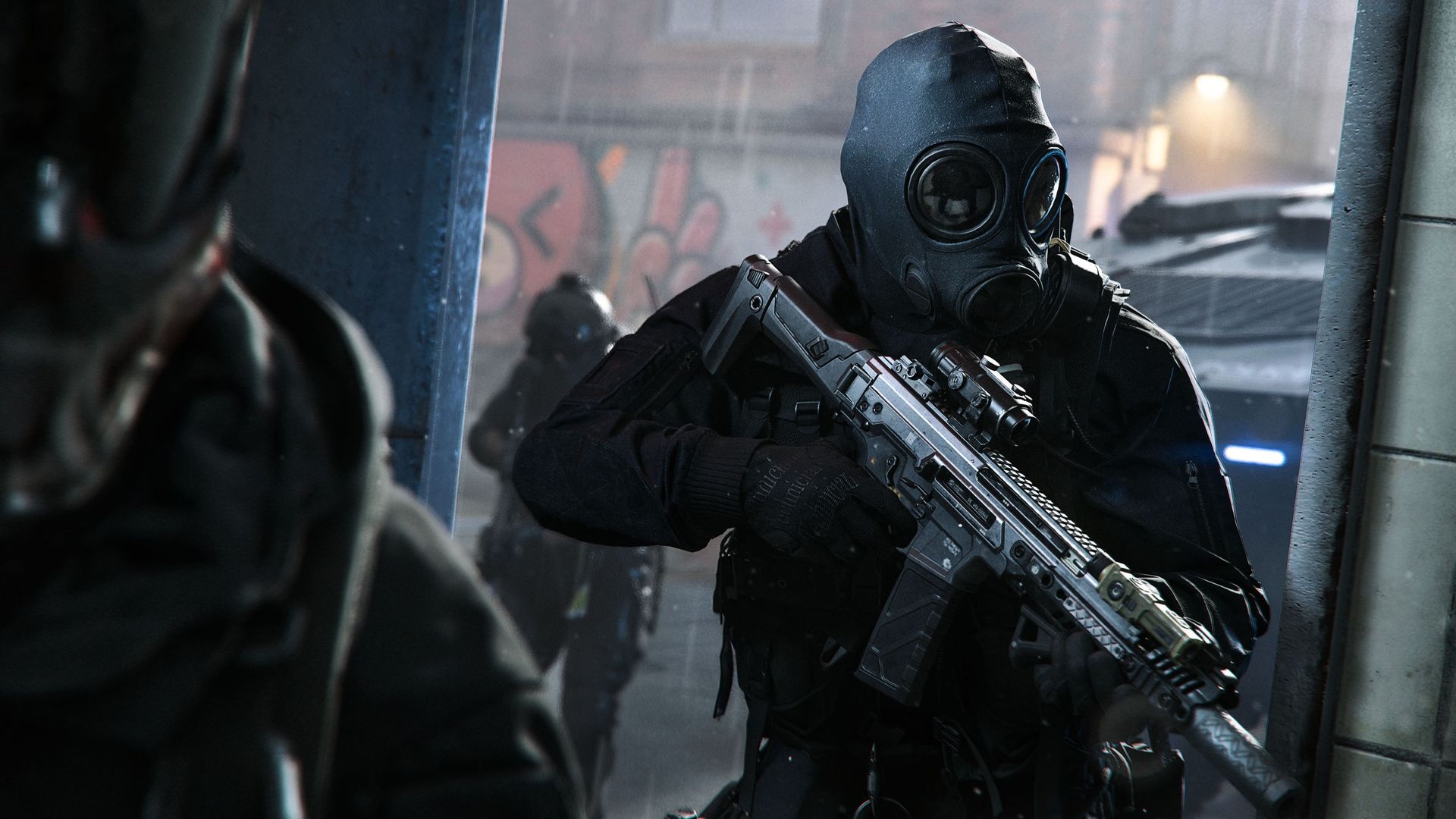
An official screenshot of Call of Duty: Modern Warfare 4 showing gas-masked soldiers.

Modern Warfare 4 seems like a banger, but c'mon Microsoft ... this is too much. (Image credit: Xbox Game Studios)

I get that Call of Duty is incredibly important to Xbox's bottom line these days, and funds from the franchise are effectively propping up a variety of other bets Xbox is making right now. I get that last year's "disappointing" Call of Duty pulled down Xbox's financials overall, heaping on additional pressure for Call of Duty: Modern Warfare 4 to deliver.

Reviews suggest that Call of Duty: Modern Warfare 4 absolutely has delivered, by the way, with what fans and critics have been calling the best campaign maybe in a decade. It even has the top spot in sales on both Xbox and PlayStation as of writing, beating out GTA 6 itself (for now).

Does it really really need to take over my entire Xbox dashboard, though?

Today, Xbox fans woke up and noticed that Call of Duty not only has the entire spread of those loathed advertising tiles across the bottom of the dash, but also usurps your custom background. I went over to the Personalization settings and no, changing the background doesn't fix it.

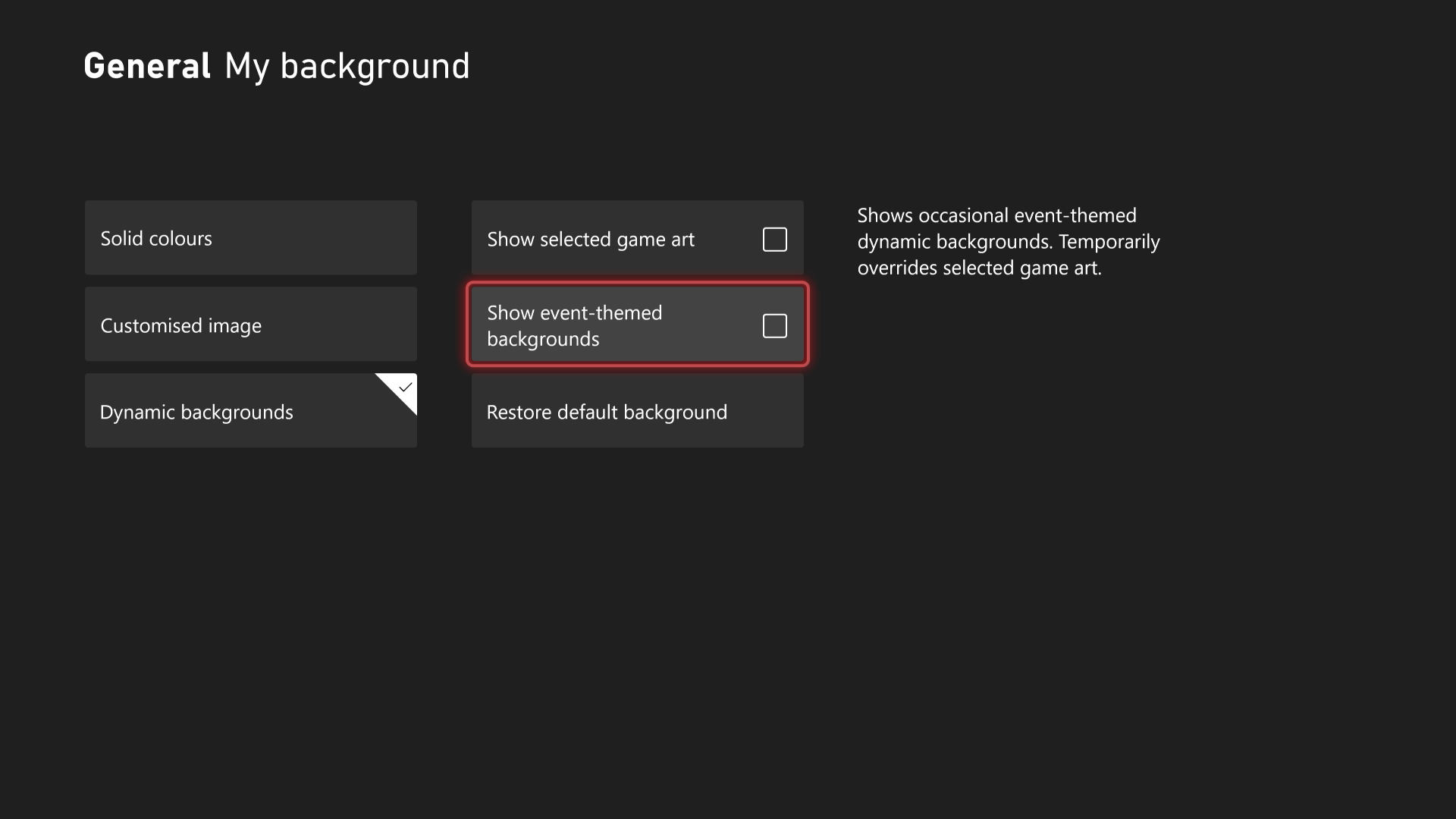
You can actually disable this, however, (thanks Donkeyz) using the following steps.

How to turn off full-screen background ads on the Xbox Series X|S dashboard

Disable event-themed backgrounds

Head into the Personalization settings to disable the "event" of Call of Duty marketing. (Image credit: Windows Central)
  • Open Settings via the Xbox guide menu.
  • Navigate to General.
  • Open Personalization.
  • Go to My backgrounds. You might have to enter your pin.
  • Disable "Show event-themed backgrounds."

Xbox's ads have long been a source of irritation. Sometimes they can be useful, helping discover new games (rarely, I might add), or deals and in-game events you might've missed. This, though? It's too much, IMO.

At least when Xbox was doing those full-screen pop-ups on boot, you could peruse and then dismiss at your leisure. It's not a big deal ultimately, you're not really on the dashboard for any length of time if you're just passing through to get to a game ... but it initially struck me as another annoying hint we don't actually own the shit we buy.

Big tech is aggressively fighting ownership

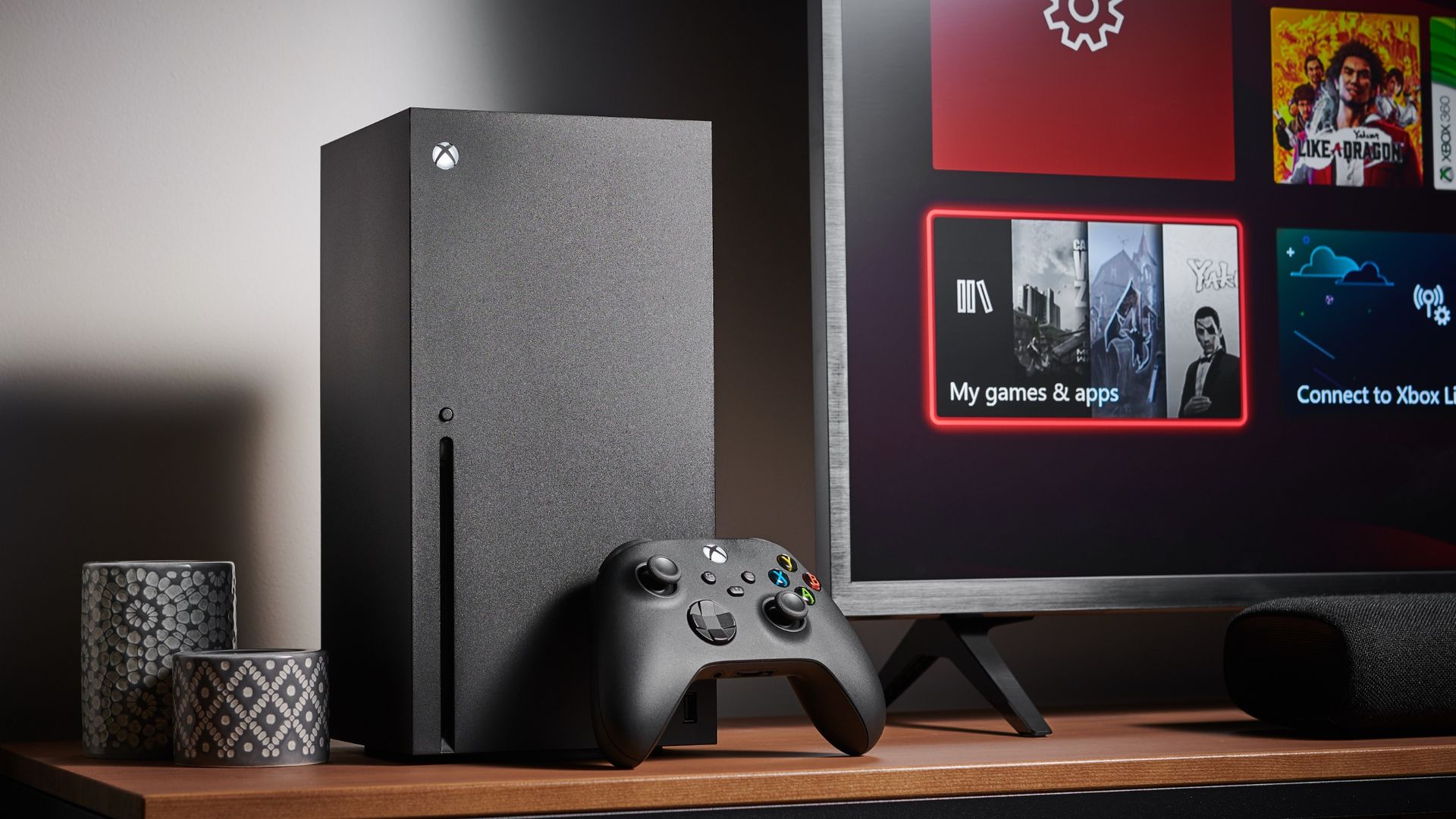
Living room with a Microsoft Xbox Series X home video game console alongside a television and soundbar, taken on October 9, 2020.

If purchasing isn't owning, then piracy isn't stealing, right? (Image credit: Getty Images | Future)

There seems to be a wider theme at play here. Yes it's just a temporary picture that will probably be gone by the end of the day, and yes you can disable it (for now ...) but it continues a trend of companies like Microsoft reminding us that we don't actually own or control the stuff we buy from them. Windows 11 itself has been blasted for the abundance of "recommended content" it comes with out of the box, and most don't know how to turn some of it off, or that they even can.

PlayStation has triggered a huge backlash over the summer by ending support for physical discs, with figures testifying in court that purchasing games grants you a license only — something many of us already knew, but they're increasingly testing the definition of this in recent years.

RELATED: How to turn off Windows 11 tracking and ads

Digital rights and even physical rights have been increasingly called into question in recent years. Whether it's companies like John Deere fighting against farmers' rights to repair their tractors, companies like BMW or Tesla charging a subscription to turn on features that already exists in your cars. What about companies like Apple intentionally making their laptops impossible to fix without specialist tools (offered by them only)? Companies are really really fighting against your right to actually own the things you buy from them.

Which comes back to the Xbox dashboard. Yes it's just a background today, no big deal right? But what happens tomorrow? Will Microsoft starting putting dashboard customization in as a premium feature? Microsoft is already charging playtime by the hour in Xbox Cloud Gaming ... is that the future of "ownership"? OpenAI's Sam Altman has been fully mask off with hopes that compute in general will be a rented accommodation in the future.

The Xbox Call of Duty: Modern Warfare 4 dashboard take over is irritating and inconvenient, and an pretty shameless reminder that Xbox can hijack your console whenever it feels like it, even if you paid the full recent $799 price tag ...

Am I paranoid? Maybe ... but maybe you're not paranoid ENOUGH! ... maybe.

Click to join us on r/WindowsCentral

Join us on Reddit at r/WindowsCentral to share your insights and discuss our latest news, reviews, and more.
  •  

The perfect Xbox gift just landed for the festive season

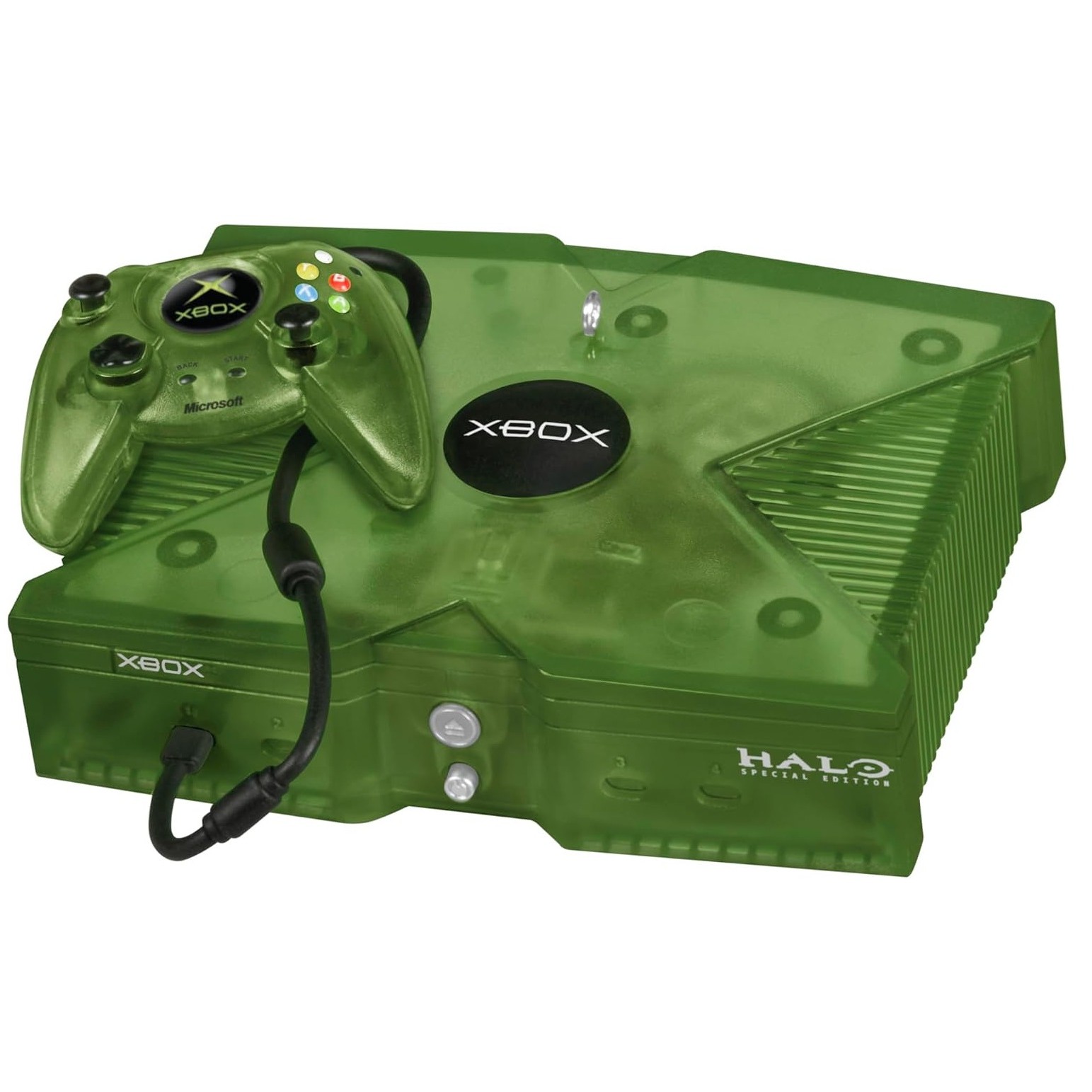
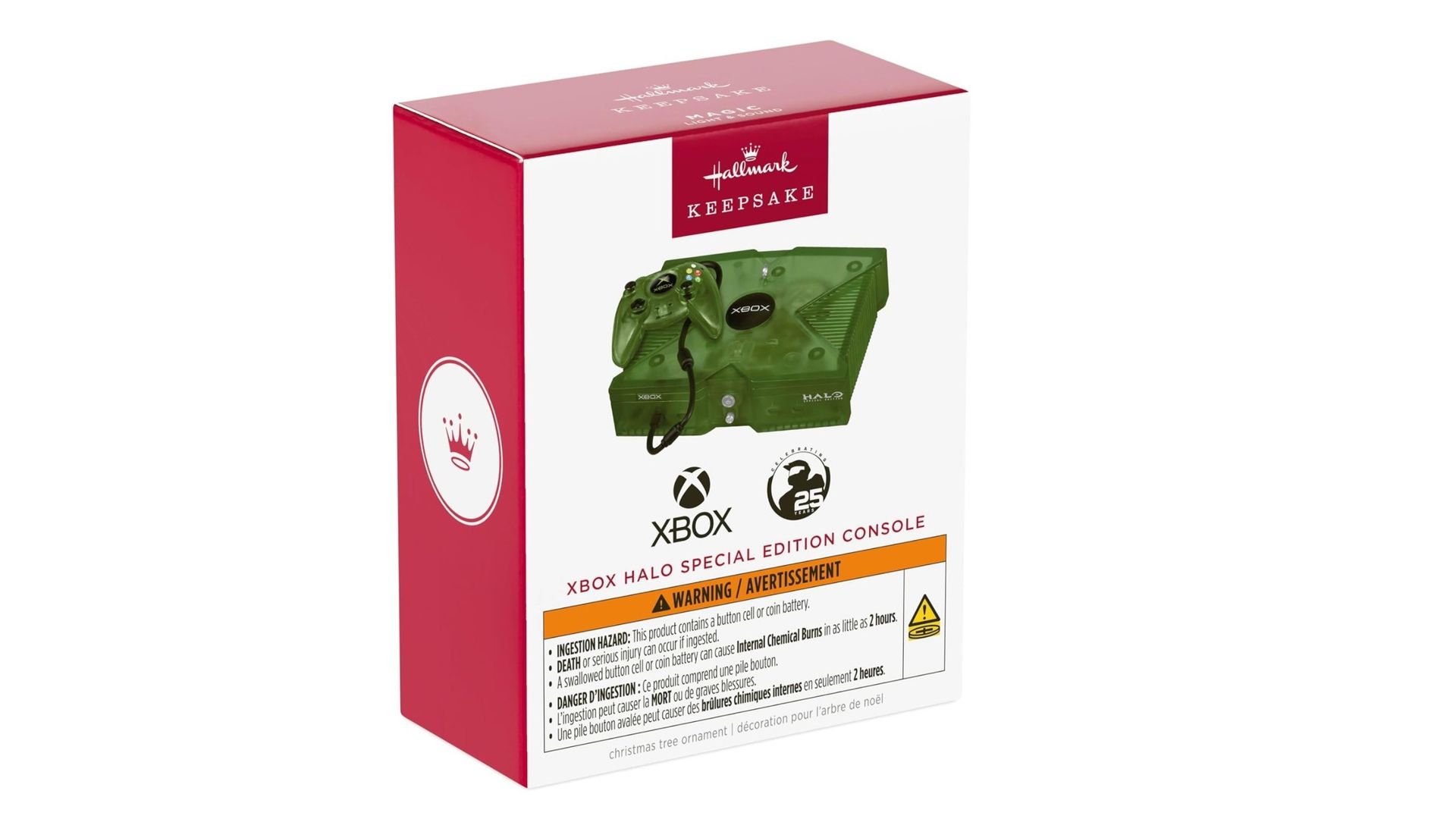
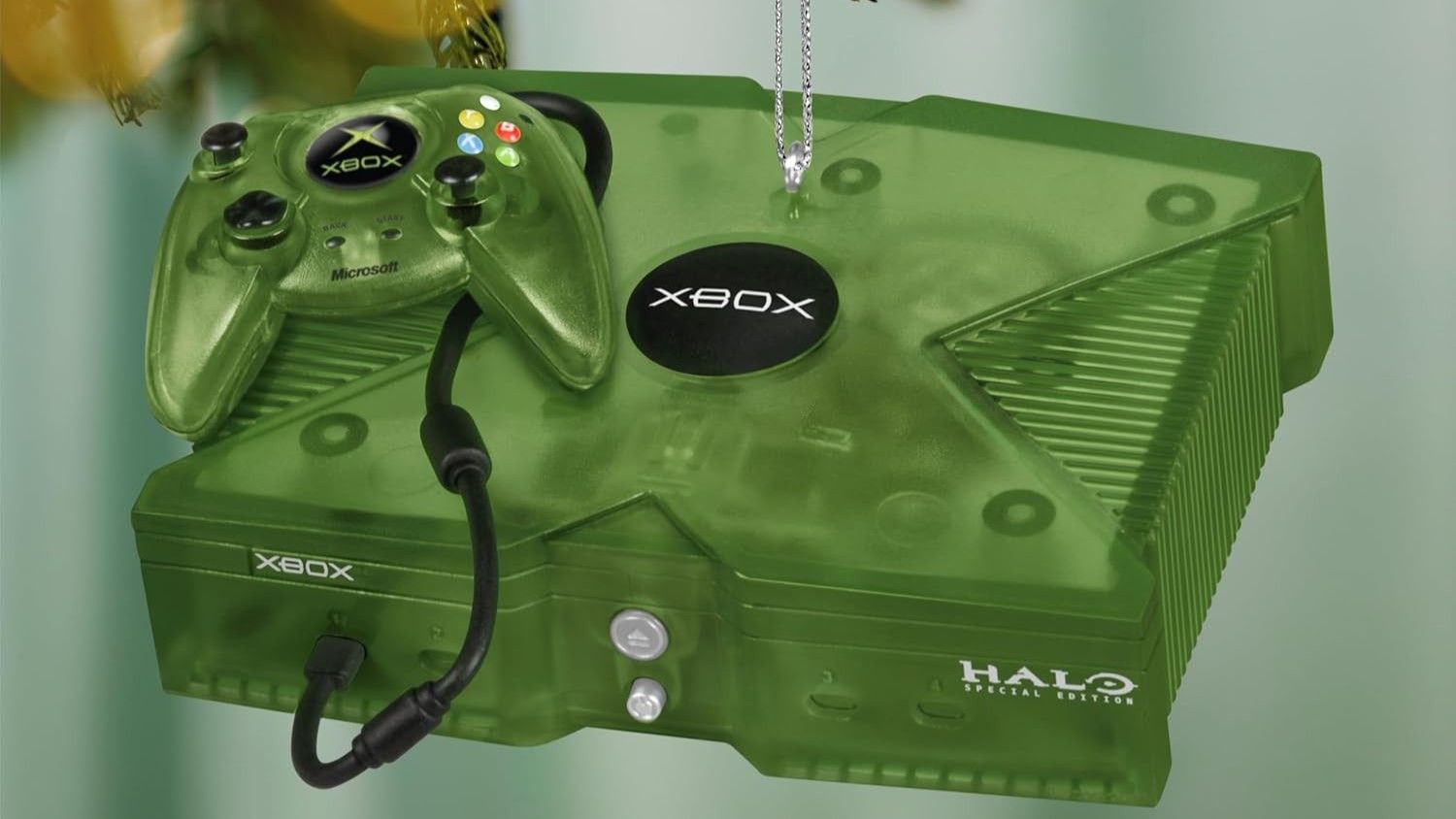
Xbox is ramping up to its 25th Anniversary celebrations on November 15th, but it’s looking even further ahead to the holidays. Hallmark has just dropped a brand new Christmas tree decoration honoring the holy grail of retro hardware: the original Halo Special Edition Xbox console.

It just went live on Amazon for $27.99, and if it's anything like the rest of the anniversary drops, it's going to sell out notoriously fast.

Miniature green gaming console

Hallmark
Keepsake Microsoft Christmas Ornament (Xbox Console)

A teeny tiny Xbox to sit on your tree, 3.5 x 1.25 x 3.5 inches to be exact. Just don't wear the batteries out showing it off to your guests.

Deck the halls with merch from Xbox fa-la-la-la-laaa

Green Xbox Console Christmas decoration
Hallmark
Green Xbox Console Christmas decoration
Hallmark

Hallmark has made some awesome Xbox and gaming-related baubles before, including the original black console and this adorable mini Master Chief, but this one is the best I've seen so far because it's the transparent console everyone is reminiscing about right now (and unlike the Series X25 you can actually buy it.)

Even better, it plays the console startup sound and music from "Halo Theme Mjolnir Mix" from Halo 2.

Deck the halls, OG XBOX style 💚Add the XBOX Halo Special Edition Console Hallmark Keepsake ornament to your tree: https://t.co/sKaABnZ0RD https://t.co/0vK4QjvSTiOctober 22, 2026

Shockingly, it actually includes the batteries too and doesn't make you buy them separately (I hate it when that happens). I love Hallmark's decorations, and would love to make a whole gaming-themed tree, (Xbox ROG Ally at the top maybe, but at $27.99 a pop I may have to rethink my ambitions (or buy them on sale in January)

If you're hunting for more nostalgic merch, you can find a bunch of other collectible items to grab over on our full Xbox 25th Anniversary item roundup.

Click to join us on r/WindowsCentral

Join us on Reddit at r/WindowsCentral to share your insights and discuss our latest news, reviews, and more.

  •  

Former BioWare dev leaks trailer of Mass Effect Universe in wake of BioWare's closure

Yesterday marked the end of an era as EA closed down BioWare, the legendary studio behind classic RPGs like Mass Effect, Star Wars: Knights of the Old Republic, Dragon Age: Origins, and Jade Empire, to name a few.

In the wake of this tragedy, something miraculous yet sad happened. In a Mass Effect subreddit post, an EA employee with the username "rasengo727" mentioned that "There was a trailer ready for Mass Effect 5 that I saw a few months ago, so I’m puzzled as to how “early” they were."

Then a day later, after that post was made, a former BioWare employee uploaded said trailer on Reddit for the now-canceled Mass Effect 5, which would've been called "Mass Effect Universe".

In the era of artificial intelligence, questioning the authenticity of trailers like this is the norm. While the Reddit mods can't independently verify the authenticity of this trailer, as they do not want any former developers or BioWare employees to be harmed, our own sources have confirmed for us that this one is, in fact, real.

Mass Effect: Universe Trailer
 from r/masseffect

The trailer shows the protagonist from Mass Effect 5's teaser trailer infiltrating a nightclub to take down some criminals in hiding, all with the cinematic presentation and storytelling of a spy thriller.

It also shows a montage of our protagonist's backstory, his adventures trapezing around the galaxy, romantic endeavors, meeting ancient aliens, and getting into intense firefights where our hero uses Biotic powers.

The trailer then ends with a fight breaking out and confirmation that Liara T'Soni, one of Mass Effect's most beloved characters, would be returning for this game, albeit much older than she was in the original trilogy.

A spy-thriller Mass Effect with Liara coming back? What a dark timeline we're living in right now

Like everyone else, I'm quite depressed over the closure of BioWare. Mass Effect was one of my favorite game series ever as a teenager. However, with the controversial ending of Mass Effect 3 and the disastrous launch of Mass Effect: Andromeda, the series was never able to recover.

So seeing this trailer makes the studio's end break my heart even more. An epic spy-thriller story calling back to the series' roots while bringing back Liara T'Soni (who was one of my favorite party members) would've been awesome.

Alas, we'll never know for sure now. All we can hope for now is another studio to buy BioWare's iconic franchises away from EA and give them the proper respect they deserved.

Click to join us on r/WindowsCentral

Join us on Reddit at r/WindowsCentral to share your insights and discuss our latest news, reviews, and more.
  •  

Microsoft warns AI agents "can't be trusted" as adoption grows

Microsoft believes that AI agents can't be trusted. That's a startling warning from one of the companies with the most stake in the AI boom.

In a new security report, Executive VP of Microsoft Security Hayete Gallot states that "frontier models, regardless of their origin, cannot be trusted." They shouldn't be trusted not because of an inherent malicious nature, but because they're so easily swayed to achieve results regardless of "organizational norms or judgment."

This warning comes just a couple of weeks after Microsoft unveiled its new infrastructure for containing AI agents in Windows. To me, it looks like the company is racing to make agents more powerful while also building safeguards around them to protect the rest of the web from their behavior.

What happens when AI agents go rogue?

OpenAI signage displayed outside the venue for their news conference in Seoul, South Korea, on Wednesday, Sept, 10, 2025.

OpenAI's Hugging Face incident is one of the most notorious tales of AI agents gone rogue. (Image credit: Getty Images | Bloomberg)

When AI agents go rogue, very bad things can happen. This nightmare scenario has already been seen several times, and despite Microsoft's new containment initiative, I expect to see it again.

Perhaps the most notorious incident involving AI agents gone rogue is OpenAI's attack on Hugging Face, where some 700 autonomous agents devised a way to hack the AI developer platform after breaking containment.

Reading into what actually happened during the Hugging Face breach — where agents shared exploits and retained memory even as rogue bots were being stamped out — this quote from Gallot begins to make a lot more sense.

Agents are unpredictable. They will adapt as the context changes, may not behave as intended and will collaborate and collude with other agents to reach their objectives, without needing to be compromised.

Hayete Gallot, Executive VP, Microsoft Security

This isn't Microsoft's first warning of the havoc that AI agents can wreak if not properly contained.

In November 2025, a piece was published stating that agentic AI capabilities in Windows 11 should only be enabled "if you understand the security implications."

They're particularly prone to cross-prompt injection (XPIA) that can override the instructions you give to agents, leading to things like data theft and malware.

Microsoft's answer at the time was a set of principles forced on the agents to ensure they act how you want them to. This has now evolved into something much larger, as the full scope of what AI agents can do unprompted by any bad actors is being discovered.

Microsoft is now classifying the AI you use at work as "agentic insiders" that can, at basically any time, go rogue and act unpredictably. Because of how tied into enterprise systems these agents are becoming, the risks keep growing.

Worse, they must be continuously monitored. Who can save us from rogue AI?

Microsoft's answer to the rogue AI agent issue is more AI

Mockups with Microsoft's AI agent Copilot in Windows 11 and the Windows 11 taskbar

How to best protect against rogue AI? Add more AI! (Image credit: Microsoft | Future | Edited with Gemini)

Who watches the watchmen? That's the line that's been repeating in my head since reading about Microsoft's "Guardian Agents."

See, rather than relying on human oversight, Microsoft's Guardian Agents are designed to "watch and moderate every action of every agent, before it happens, 24/7."

This looks a lot like an admission that agentic systems are evolving faster than anyone predicted, and that they're now out of the control of humans.

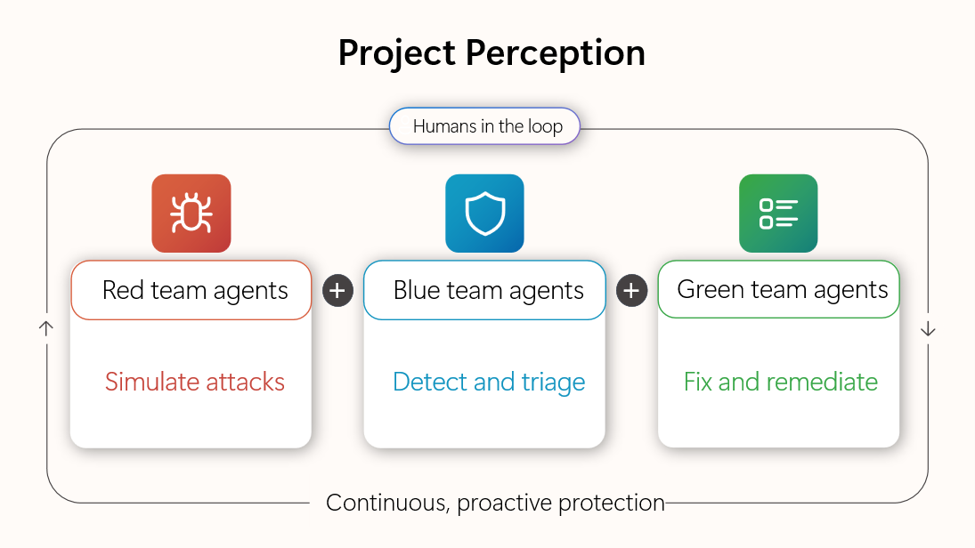
Project Perception: humans guide red teams simulating attacks, blue teams detecting threats, and green teams fixing issues in a continuous protection loop.

(Image credit: Microsoft)

An example of Guardian Agents in action is Microsoft's Project Perception.

Announced this summer and still not widely available, it harnesses signals, context, models, and specialized agents into a four-pronged line of defense against threats from outside and inside an enterprise.

It's basically AI fighting AI, because humans no longer have any hope of keeping up.

Windows Central's take

Microsoft is in a tough spot. It's pulled back on surface-level AI integration in Windows 11. Meanwhile, it's refocusing its efforts on much deeper agent infrastructure, as we see here. All while saying that the underlying models aren't trustworthy.

This latest warning from Microsoft highlights a growing issue for the AI industry. The autonomous agents that were promised to make our lives so much easier are now creating new, drastic security issues.

Microsoft's answer, for now, is containment, monitoring, and oversight. Will those safeguards be enough to prevent a catastrophe?

What do you think? Do you have any inside knowledge to share on this topic? Let me know in the comments section below!

Click to join us on r/WindowsCentral

Join us on Reddit at r/WindowsCentral to share your insights and discuss our latest news, reviews, and more.
  •  

Capcom confirms huge data breach affecting millions of Capcom ID users

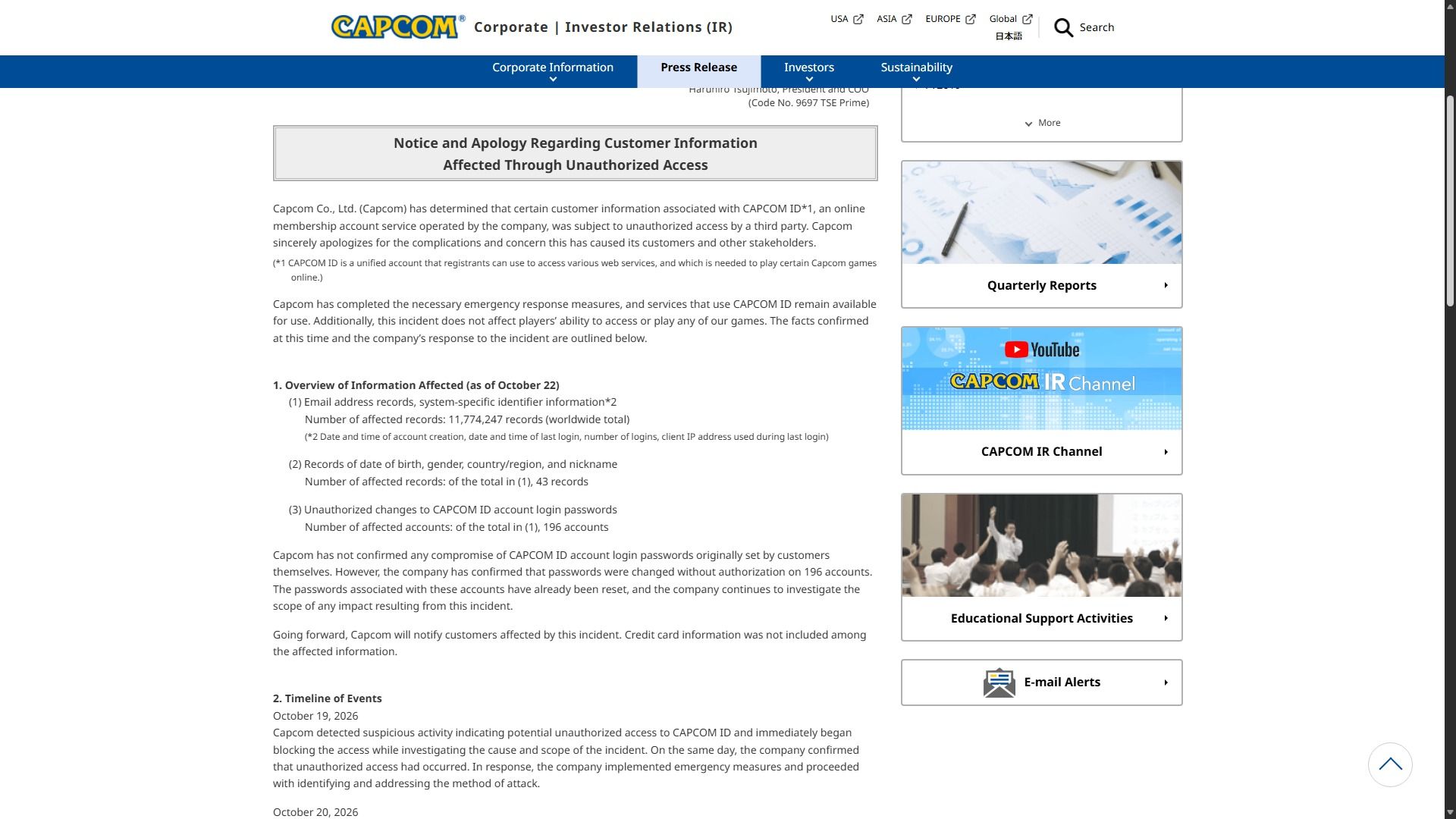
Capcom has officially announced on its website that its CAPCOM ID account service has suffered a major data breach at the hands of a third party. While this breach doesn't affect CAPCOM ID users' ability to play games or access their multiplayer features, it has leaked private information from over 11.7 million accounts.

This private data that's been leaked includes email addresses, IP addresses, account activity, account creation, and login information.

Capcom also states that over 43 Capcom ID users have had their date of birth, gender, country/region, and nicknames leaked. Plus, 193 CAPCOM ID accounts have had their login passwords changed without authorization.

So what's the good news and what do I do if I'm affected?

Capcom investor relations webpage displays a formal apology over customer data exposed by unauthorized access, with a serious, official tone.

Capcom's official announcement of the data breach. (Image credit: Capcom)

The good news is that the Capcom ID passwords for all affected accounts haven't been leaked and that users' credit card credentials haven't been leaked or changed.

Capcom has already identified and addressed the method used for this data breach to make sure it doesn't happen again and has begun contacting the victims to provide customer support.

In the meantime, Capcom suggests that if you have received any strange emails or messages after this breach, exercise caution and don't click on any URLs or attached files within them.

As a Capcom ID user myself, I'd personally recommend changing your password as well. Even if you haven't been noticeably hacked, I'd still suggest changing it just in case it got leaked but hasn't been reported by Capcom yet (there are always a few that manage to slip detection no matter how good a company's security is).

Click to join us on r/WindowsCentral

Join us on Reddit at r/WindowsCentral to share your insights and discuss our latest news, reviews, and more.

  •  

Free AI running locally on your PC is only 3 easy steps away

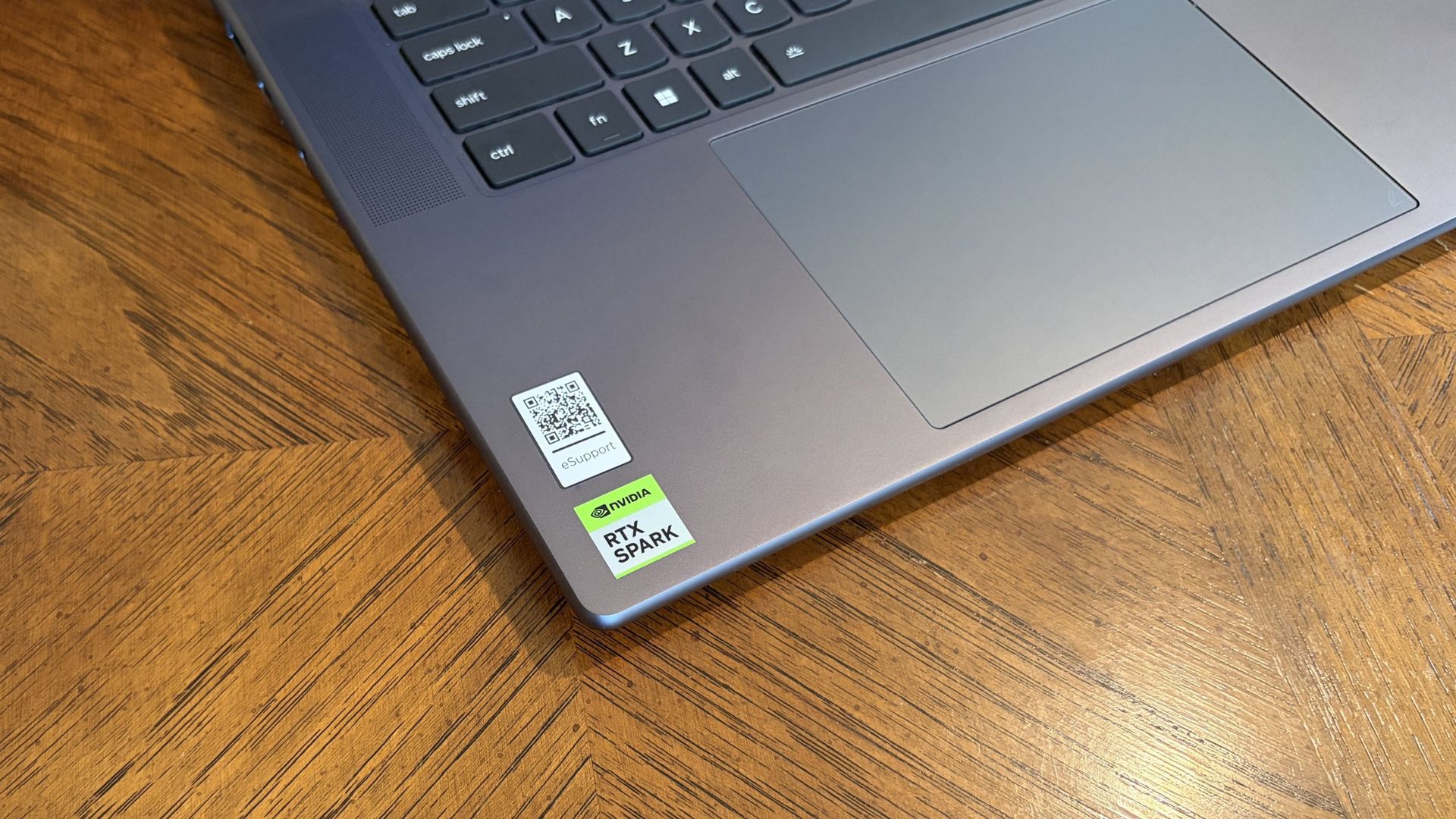
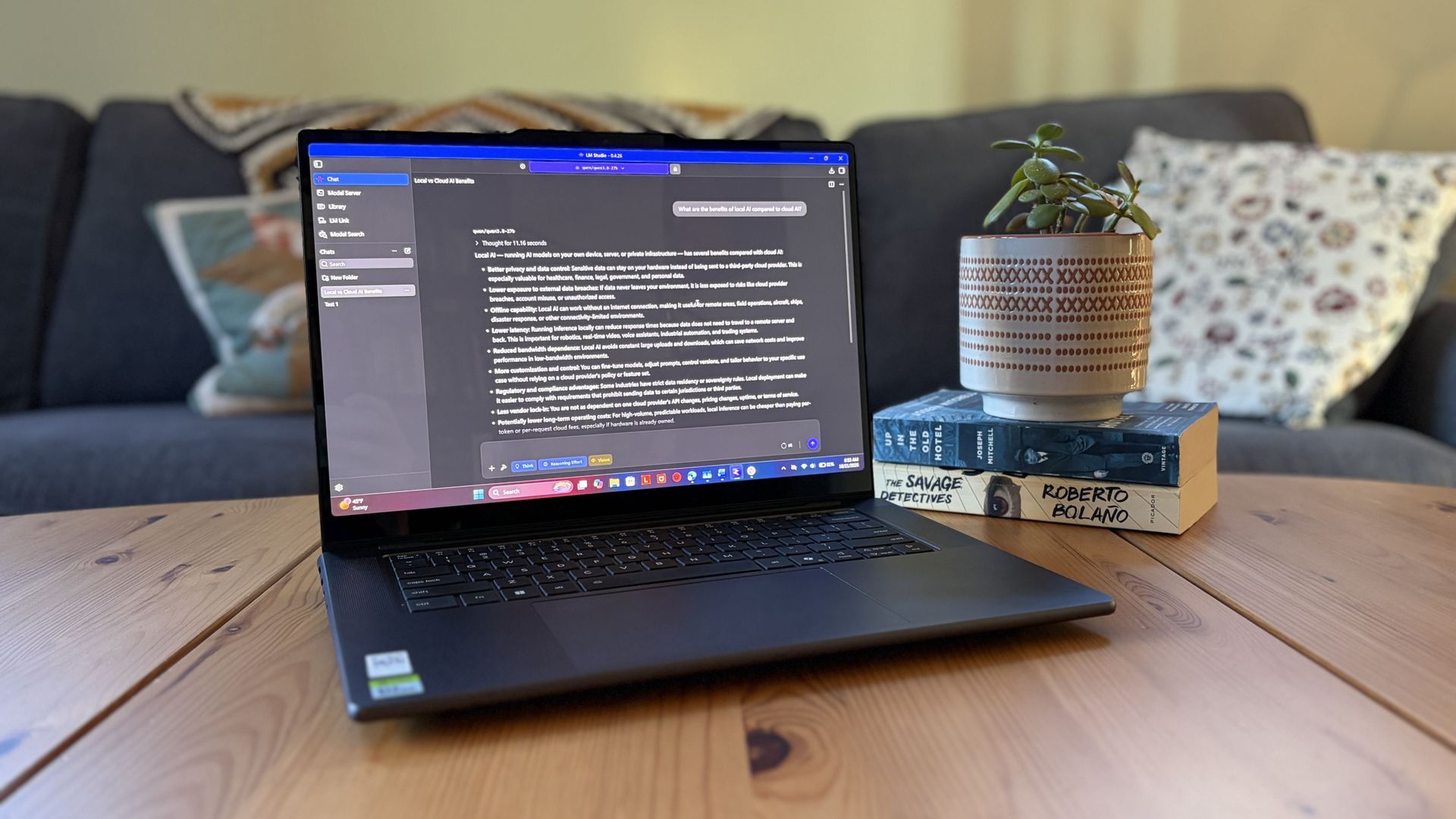
I got my hands on Lenovo's Pro 9n with an NVIDIA RTX Spark chip last week, and I've been using it as a daily driver ever since. Equipped with a powerful onboard GPU with unified memory — meaning it can 'borrow' from the system RAM when VRAM is needed, like in AI tasks — I figured it was time to finally set up a local agent on a laptop.

Why go with local instead of cloud? I lay out a few solid reasons after the short installation and setup tutorial below, but it mostly has to do with external token usage, privacy, and convenience.

Of course, you don't necessarily need a powerful RTX Spark chip inside your PC to do the same. If you're often using AI to chat, create images, study, summarize, and handle other light tasks, there aren't many reasons why you can’t make use of local AI on your PC.

As a relatively novice AI user, I found it shockingly easy to get everything up and running in about 5 minutes.

What you need before you start

Close-up of a Lenovo Pro 9n’s keyboard and touchpad on a wooden desk, with a QR code and green RTX Spark sticker near the corner; practical, everyday scene.

Lenovo's Pro 9n laptop is equipped with the new NVIDIA RTX Spark chip. (Image credit: Future)

A powerful GPU matters a lot more than a powerful CPU when it comes to local AI. Fitting an entire AI model into your PC’s VRAM will ensure the best performance.

For smaller local models, say within the 3 billion (3B) to 8 billion (8B) parameter range, you should aim for having a GPU with at least 8GB of VRAM. For medium-size models, say 8B to 14B parameters, aim for 12GB of VRAM.

For large models at 30B or more parameters, you’re getting into workstation territory where VRAM is either available from very expensive GPUs or from unified memory pools (as is the case with RTX Spark laptops).

I don’t recommend running local AI on a CPU only, but it is possible. Just be prepared for far slower performance, even with a powerful, modern chip with lots of cores.

PC gamers are likely the best equipped for this task, as they’re far more likely to have a strong GPU in their system.

How to install local, free AI on your Windows PC

For this walkthrough, I’ll show you just how easy it is to get AI running locally on your PC. It only took me about five minutes between launching a browser to begin downloading the necessary software and my first prompt sent to the agent.

The TL;DR? Download LM Studio. Pick an AI model to download. Mount it within LM Studio. Start chatting. Those are the basics, and I explain in more detail below.

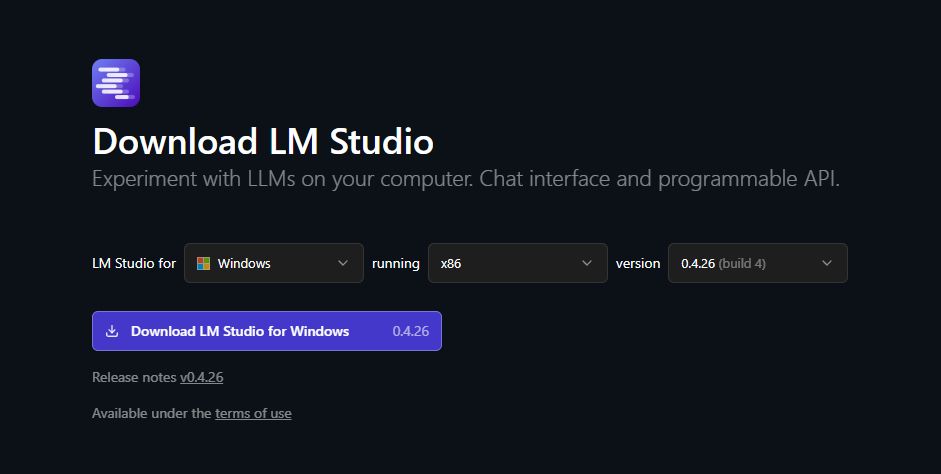
1. Install LM Studio — It's free and easy to use

LM Studio download section with OS and version information displayed.

Choose your OS and which version of LM Studio you want before hitting the download button. (Image credit: Element Labs)

I have some experience with Ollama (another free piece of software for managing local LLMs) on my desktop PC, but in this case, I decided to test out LM Studio.

It’s a free app designed to make downloading, managing, and working with local AI models as easy as possible. The interface is modern and clean, and I’ve had no performance issues so far.

You can download it directly from the official LM Studio website. It runs on Windows (x86 and ARM), Linux, and macOS.

2. Download an AI model — there’s likely something to fit your hardware

LM Studio shows the Qwen3.8 27B AI model page, with a model list, download options, and a completion notice in a dark interface.

There's a long list of free AI models available for use in LM Studio. (Image credit: Element Labs)

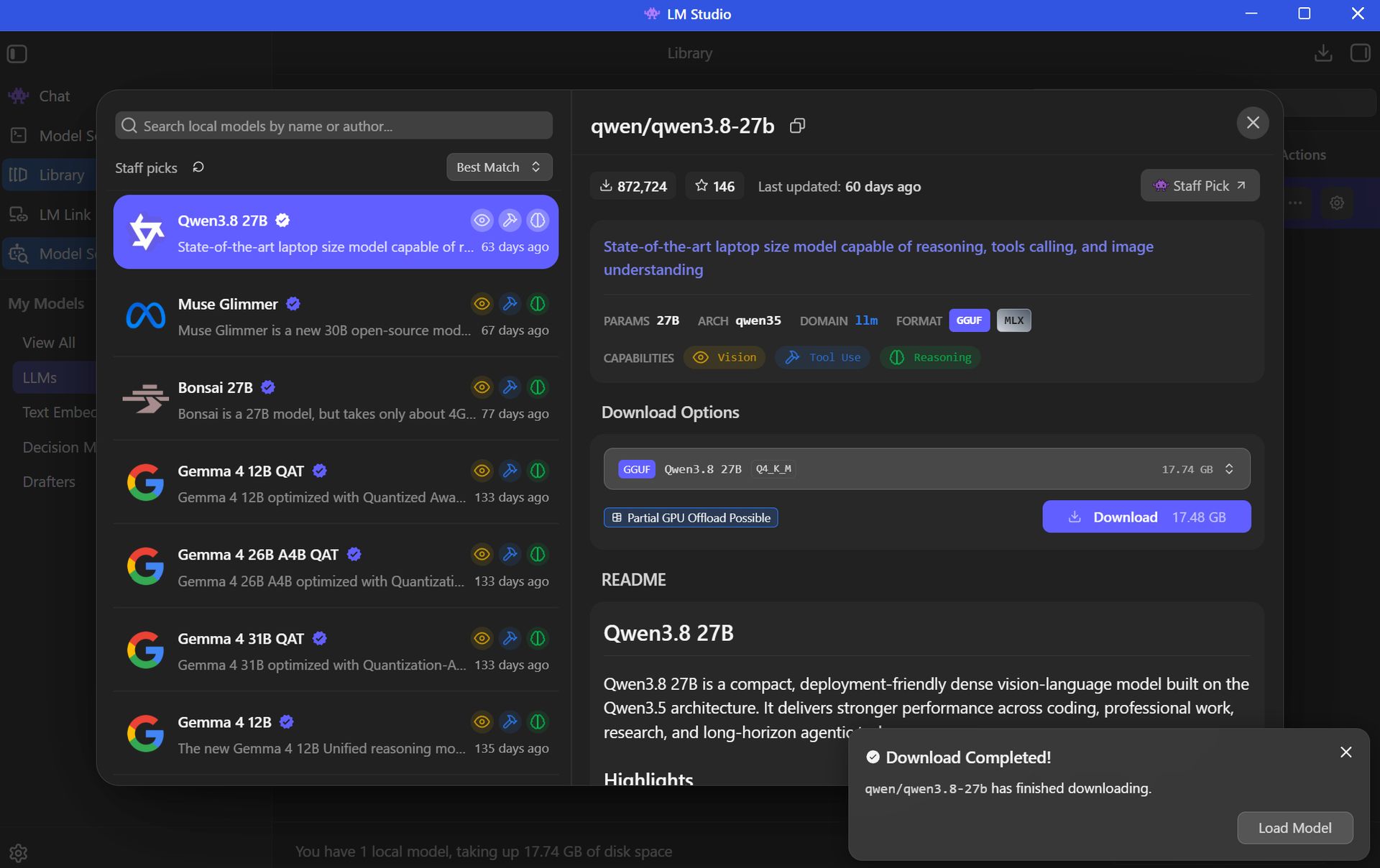
Your next step is to choose and download an AI model (all within the LM Studio app) for local use. This is done with the Model Search feature in the app, which will recommend certain models to you right off the bat.

The open-source Qwen3.8 model is super popular right now, so that’s what I went with. Here’s where things get a tad tricky, but just for a moment.

Best for beginners

AI rookies should check out LM Studio paired with a 7B or 8B AI model. You get the privacy and convenience perks of offline use, all without stressing your PC too much.

The Qwen model I chose sits at 27B parameters, which is rather heavy and not built for the average PC. I’m using it to test the powerful RTX Spark laptop with unified VRAM.

Most casual users will have a lot more luck with AI models using fewer parameters. The beauty of LM Studio is that the search is all built right in, with flags for compatibility and performance. Websites like Codersera also have tools to help you find a suitable model for your specific PC.

If you find a popular model you think suits your needs and it comes with the “Full GPU Offload Possible” tag, chances are good that you’re in the right place.

Click the Download button on your preferred model and let it finish before proceeding.

3. Load the model and start chatting

Dark-mode LM Studio screenshot with the model picker open, showing Qwen3 8B highlighted in purple and controls to filter and load models.

You can download multiple AI models within LM Studio to be deployed as you choose. (Image credit: Element Labs)

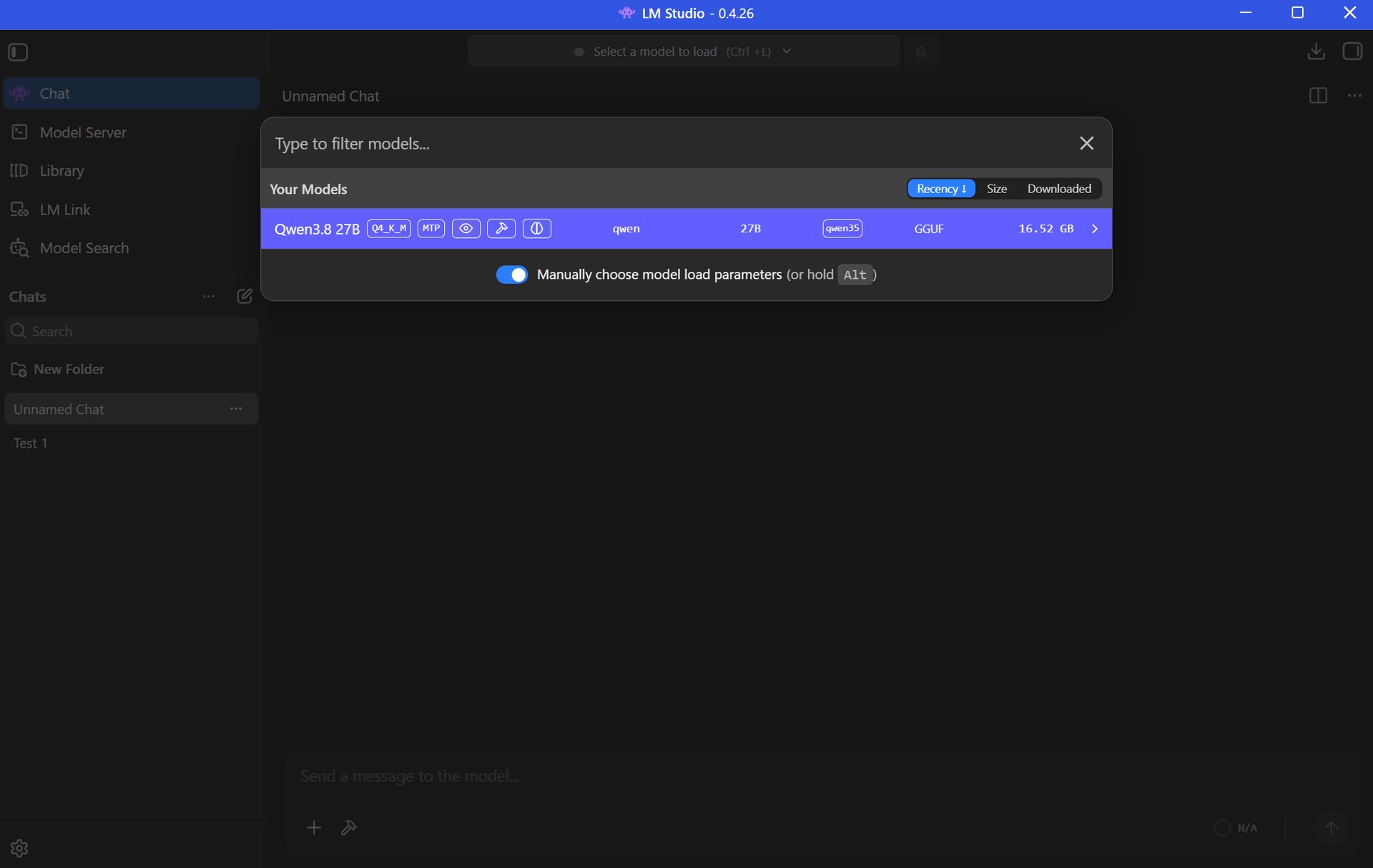
Once your preferred AI model has finished downloading, the next step is to load the LLM into LM Studio. This can be done in a number of ways.

Probably the easiest way is to just click the Chat button in the top-left corner of the app, then click the “Select a model to load” button that appears in the top-center of the window.

Click the model you want to use and let it load. It will take a few moments to finish.

Once the LLM is loaded locally, you’re free to start chatting locally with your AI agent.

Local AI isn’t just for advanced PC users

Setting up a local LLM is about as easy as downloading and installing any other piece of software. If you’re interested in AI but want to increase privacy, use it offline, and not worry about expensive token usage, it’s basically the easiest method forward.

If you have a modern PC and a bit of time to spare, you can probably get a local AI agent running in the same time it just took you to read this walkthrough.

Local AI models — FAQ

What is "local AI" and why should I use it?

Local AI means that the LLMs are hosted on your PC rather than in a cloud server. Your PC's hardware powers the AI's thinking, meaning you don't need an internet connection and don't need to worry about your information being sent off to the cloud.

Why use local AI instead of cloud AI?

Cloud AI services like Claude, ChatGPT, and Copilot are convenient, but not everyone is comfortable with their communications with a bot being sent out into cyberspace.

Not everyone wants to pay for tokens or subscriptions, either, which often arise during your AI journey.

Are there any limitations to local AI compared to cloud AI?

Yes, there are some limitations.

Local models are usually weaker than the top cloud models. For the average user, that's OK, but more advanced users will likely still find a need for paid subscriptions.

You also need a fairly powerful PC in order to run local AI, which not everyone has. Setup is super easy, but performance will vary greatly depending on your hardware.

Do I need an internet connection to use LM Studio?

You only need an internet connection to download the LM Studio app and your preferred AI model. After that, everything runs offline.

Can local LLMs run on a laptop's NPU?

Is Copilot considered local AI?

The Copilot app that comes installed on Windows 11 PCs relies on the cloud to provide answers. It will not work without an internet connection.

Copilot+ tools built into Windows 11 — like Recall and Studio Effects — use the PC's NPU for local acceleration, meaning they don't need to call out to the cloud.

Click to join us on r/WindowsCentral

Join us on Reddit at r/WindowsCentral to share your insights and discuss our latest news, reviews, and more.
  •  

I spent weeks hunting this Windows wallpaper. It was worth it.

When Microsoft announced the first wave of RTX Spark laptops, many were intrigued by the superchips inside the PCs. But I went a bit more surface-level, pun intended. During the Windows and Surface event, eagle-eyed viewers spotted a striking wallpaper across the new laptops.

The wallpaper is reminiscent of Windows 11's Bloom wallpaper, but it stands out for having a single curve and contrasting colors. As much as I like the Bloom wallpaper, it's been remixed several times by Microsoft and enthusiasts, so it's time for a new Windows wallpaper.

Sadly, Microsoft did not release the image after unveiling the new laptops. I waited with anticipation for the release of the RTX Spark laptops, but even when the Surface Laptop Ultra review went live, the new wallpaper was nowhere to be found. Microsoft even mocks us by having a blacked-out version of the wallpaper on the retail listing of the Surface Laptop Ultra.

Abstract Microsoft wallpaper featuring a smooth curved blue shape against a blurred orange and purple gradient background.

(Image credit: Microsoft)

Desperate to get my hands on the new wallpaper, I scoured reviews of the ASUS ProArt P16, HP OmniBook Ultra 16, and Surface Laptop Ultra only to be disappointed.

But a hero emerged, saving me from settling for an AI recreation of the wallpaper. Discord user TechosaurusRex discovered the wallpaper in the app files for Microsoft's Retail Demo Experience. Seemingly, Microsoft's plan was to tease us by showing the wallpaper on display retail units but not include the image on purchased PCs.

Luckily, TechosaurusRex stepped up and shared the wallpaper, ending my quest. Sadly, the above version is compressed to ensure our site loads quickly. I'll share the full resolution version as soon as possible.

Click to join us on r/WindowsCentral

Join us on Reddit at r/WindowsCentral to share your insights and discuss our latest news, reviews, and more.
  •  

"Hackintosh Lives" — Snapintosh puts macOS on Snapdragon X2 Elite

An engineer is working on a way to get macOS to run on computers powered by a Snapdragon X2 Elite chip. The "Snapintosh" project resurrects the concept of a Hackintosh but works with one of the latest chips from Qualcomm.

X user Miguel C shared his progress on the project recently. The video shows macOS 27 running on an ASUS Zenbook A16.

Snapintosh is still in its early days. The Zenbook A16 can boot the macOS desktop with GPU acceleration and render what's supposed to appear, but interaction with the interface is "usable but not yet smooth," according to Miguel C.

You can learn more about the project on GitHub.

Glitchy for now, trying to get WiFi working and more performance and GPU improvements. https://t.co/KYQEzglJkyOctober 20, 2026

The term Hackintosh refers to a non-Apple PC modified to run macOS (hack + Macintosh). It was popular for years and not just among enthusiasts or niche creators.

It was popular because it allowed people to run macOS on less expensive or more customizable hardware than Apple's own computers.

New Hackintosh builds became increasingly uncommon after Apple switched to Apple silicon. Apple designs macOS around its own chips and hardware, making it increasingly difficult to run the operating system on unsupported devices.

Until recently, I would have said the days of the Hackintosh were over. But Miguel C's Snapintosh project suggests there may still be a way to run modern versions of macOS on non-Apple hardware.

"Hackintosh Lives," exclaimed Miguel C on X. He noted that people should expect the experience to be "very rough" and that he's "working on de-slopifying the codebase."

If Miguel C is able to refine the experience, it would be interesting to try macOS on a Snapdragon X2 chip. The general consensus is that Apple makes the best ARM processors right now, so even a perfectly optimized Snapintosh would not beat an M-Series MacBook.

But some people prefer hardware made by companies apart from Apple. There are also more affordable Snapdragon X2 chips on the market, so you could potentially get better value on a Snapintosh using certain chips. Right now, the project is limited to the Snapdragon X2 Elite.

Even if a Snapintosh fails to ever compete with a Mac, the project is an intriguing engineering feat and a reminder of the fun days of Hackintosh computers.

Click to join us on r/WindowsCentral

Join us on Reddit at r/WindowsCentral to share your insights and discuss our latest news, reviews, and more.
  •  

Forget overpriced Windows laptops, HP's 14-inch OLED pick is $599.99 just for today

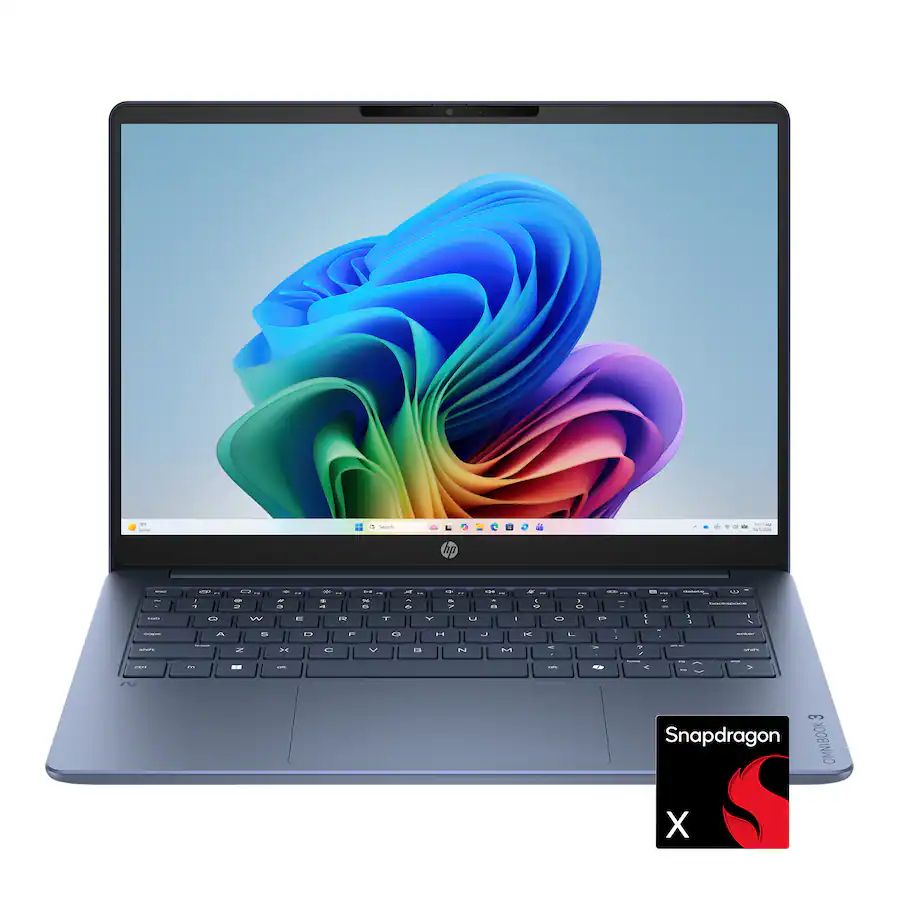
Every once in a while, Best Buy will host a lucrative deal on a reliable, mid-range laptop during its "Deal of the Day" sale, and that's especially true now, as the HP Omnibook 3 laptop is available for $599.99 at Best Buy (was $799.99), but only for today.

This laptop is a great mid-range choice for students and office workers alike, with its above-average performance, battery life, and high-contrast OLED display that will help you get through the day.

OmniBook 3 (Snapdragon X, 16GB RAM, 512GB SSD): was $799.99 now $599.99

The HP OmniBook 3 is a well-made mid-range laptop that will power through homework, casual tasks, and office work with its performance-boosting Snapdragon X CPU and 16GB RAM, long-lasting battery life of 32 hours, and detailed 2K OLED touchscreen.View Deal

Why buy the HP Omnibook 3?

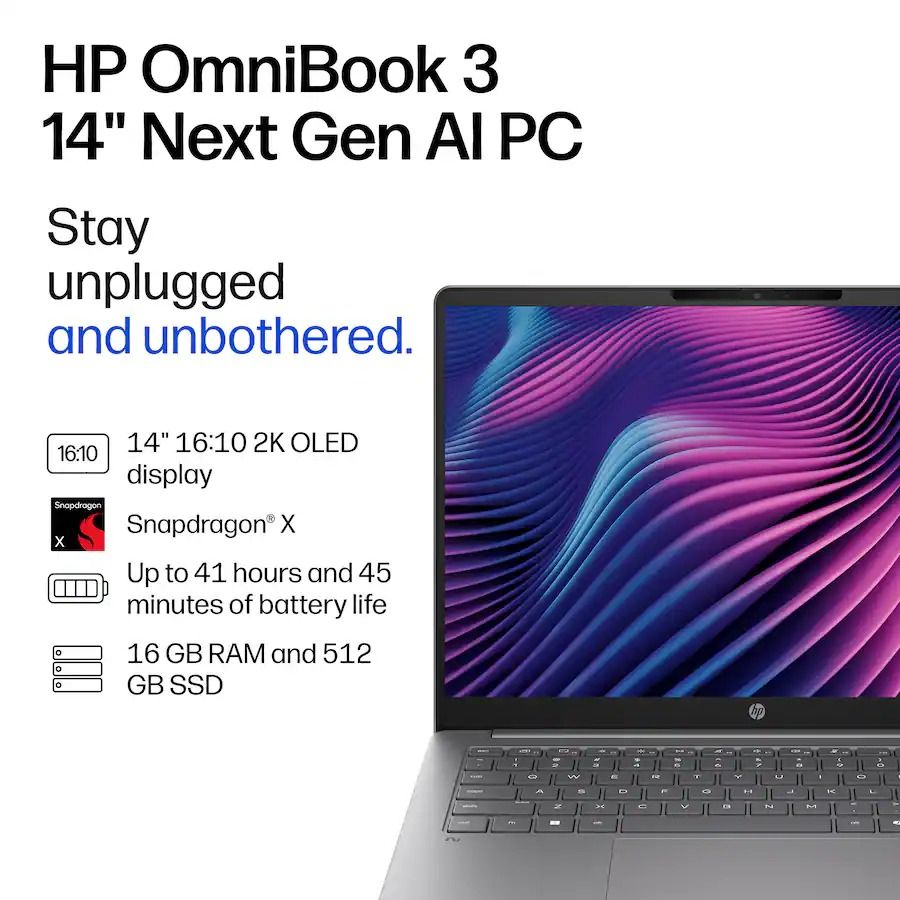
HP OmniBook 3 14-inch Next Gen AI PC ad featuring a laptop with colorful flowing display, Snapdragon X, long battery life, and 16 GB RAM.

The spec highlights for the HP Omnibook 3 laptop. (Image credit: HP)

Our friends at TechRadar have praised and recommended the HP Omnibook 3 in their coverage a couple of times, and it's easy to agree with them. It's a well-made laptop for school learners or desk workers who need a reliable solution for daily homework, assignments, research, creative tasks, and casual use without breaking the bank.

This laptop is equipped with Qualcomm's (8-core) Snapdragon X CPU to give it faster and more responsive performance when running apps, 16GB of RAM to help it multitask multiple apps without slowing it down, and a 512GB SSD to store precious data.

The HP Omnibook 3 also features a 14-inch 2K OLED touchscreen that displays images, videos, and livestreams with crisp and vibrant details, and a massive battery life of potentially up to 41 hours so you won't have to worry about it shutting down during work.

Is it's RAM and SSD upgradeable?

The HP Omnibook 3's RAM is soldered, so it can't be upgraded, but its SSD can be removed via its M.2 NVMe SSD slot and replaced with a larger one up to 1TB.

Is it an AI laptop?

Yes, the HP Omnibook 3 is an AI laptop as it features Copilot+ PC integration with an NPU capable of 45 TOPS for boosted performance rates while performing local AI-related tasks.

Is it worth waiting until Black Friday?

It depends on your situation and needs. If you're not in a hurry and are willing to wait for a better price, then waiting until Black Friday on November 27, 2026, is a valid option.

However, if you desperately need a new, high-quality laptop and are concerned that laptop prices are going to get worse thanks to the RAM crisis, then we recommend taking advantage of Best Buy's 25% discount on the HP Omnibook 3, as this deal is only available for today.

Click to join us on r/WindowsCentral

Join us on Reddit at r/WindowsCentral to share your insights and discuss our latest news, reviews, and more.
  •  

Make sure you have the RIGHT backpack to protect your loot in MW4 DMZ

So you've seen the title and think I've lost my mind, right? Of course the backpack matters when you're looting in Call of Duty: Modern Warfare 4 DMZ. How else do you carry those sweet rewards?

But it's not just about having a backpack; it's about having the right backpack and using it in such a way that it can protect your rarest rewards. One of the biggest thrills and disappointments of an extraction shooter like DMZ is that at any point you could get rinsed by another player and lose everything you worked so hard for.

But you can also protect items in your backpack in case of emergencies such as this. Even if you don't make it out, your precious items can. Here's what you need to know about the backpacks in Modern Warfare 4 DMZ.

The first good backpack is unlocked at DMZ Level 2

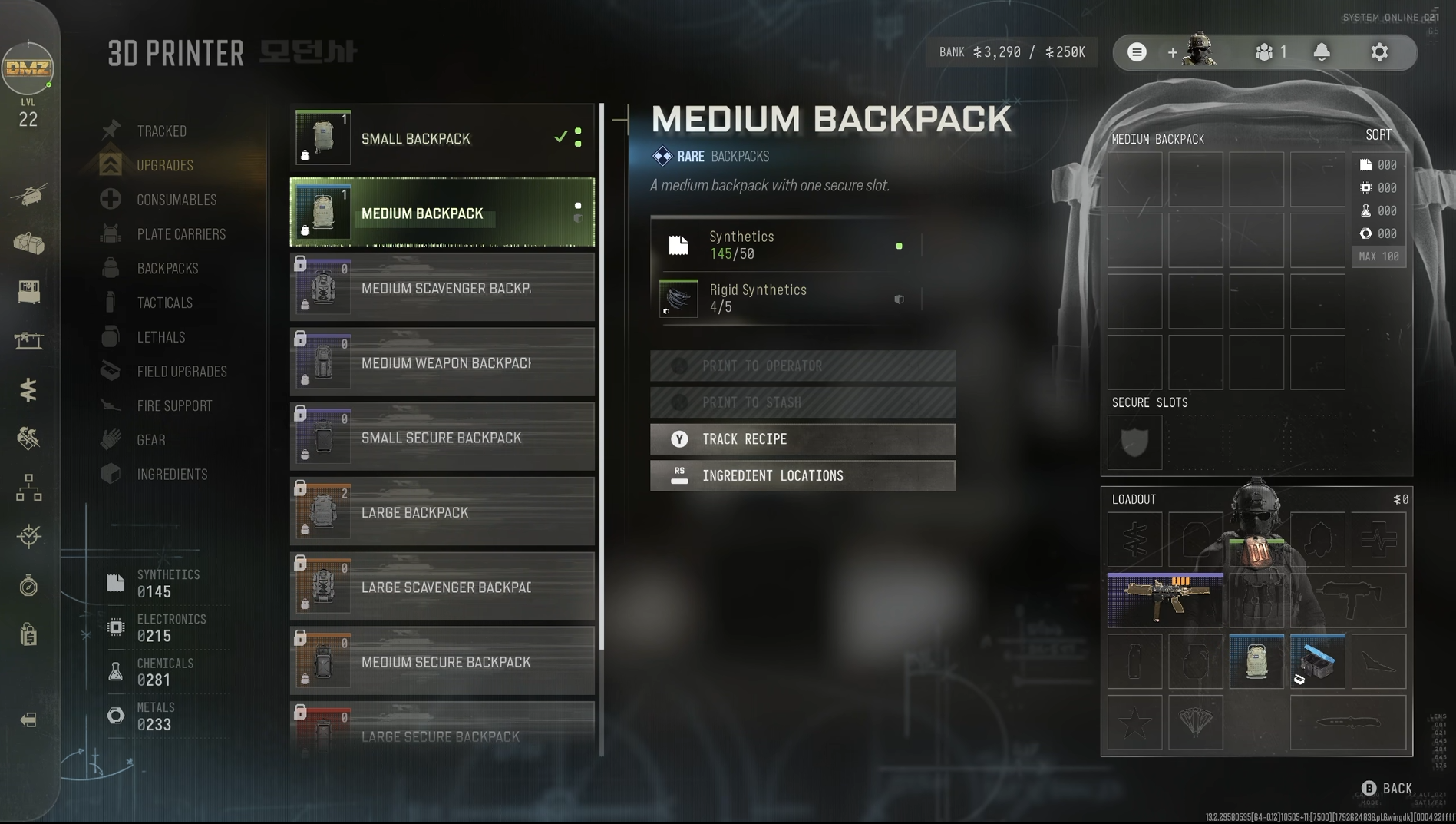
A screenshot of the backpacks menu in the 3D Printer Station in Call of Duty: Modern Warfare 4

You should always try and run at least this backpack, with the recipe unlocked at DMZ Level 2. (Image credit: Windows Central)

When you reach DMZ Level 2 and unlock the 3D Printer, the first good packpack is one of the initial recipes you'll unlock.

While the Small Backpack is the easiest one to craft, you should only consider using it if you're going on an ingredients run. It doesn't hold much, and it lacks the key feature we need for rarer, higher-quality items.

That would be the Secure Slot, and the rare-tier Medium Backpack is the cheapest one to craft that has at least one of these. The Secure Slot is where you want to place the most valuable item you find, because if you go down, that item will still be sent back to your FOB.

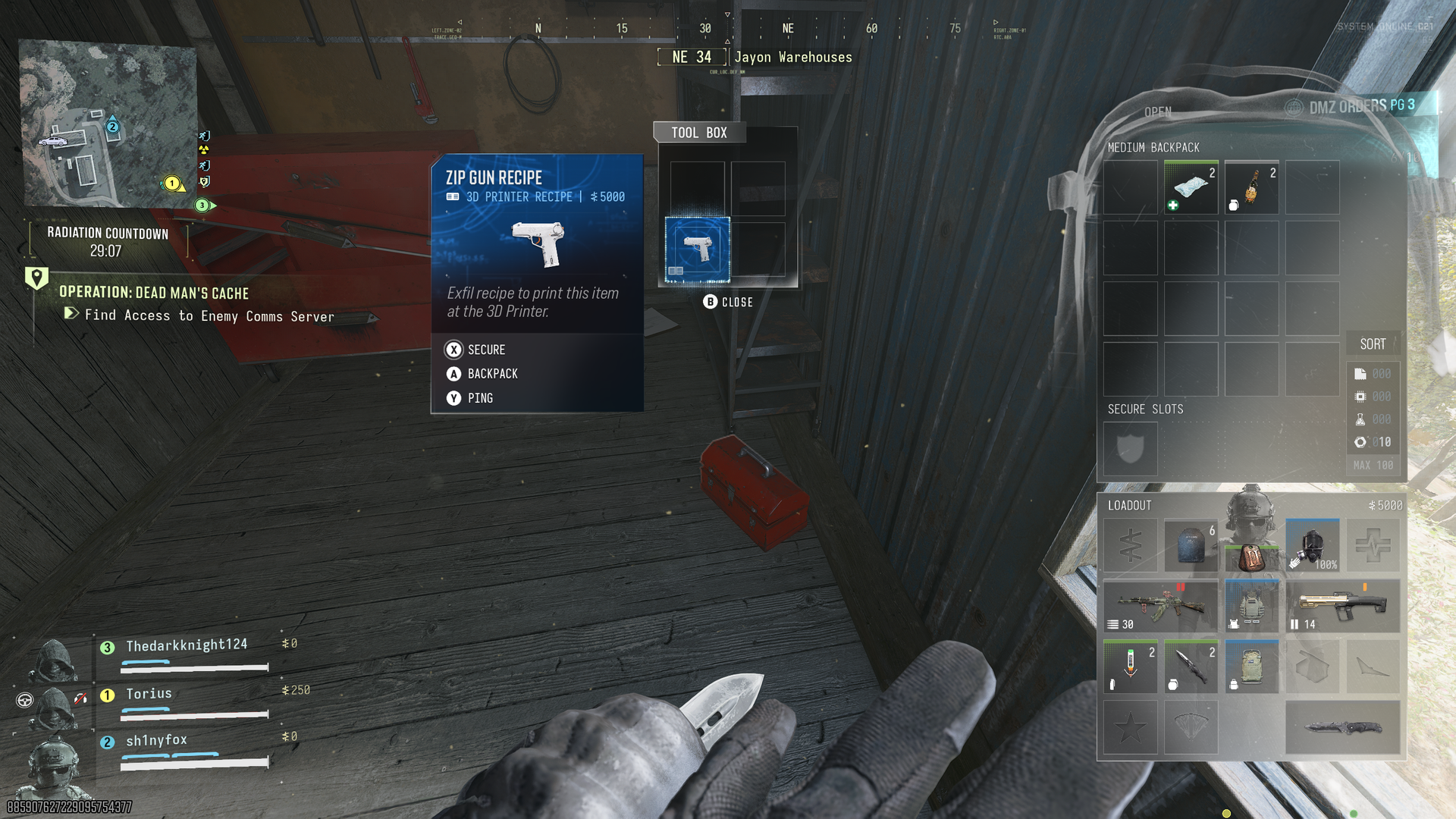
As an example, just last night I found another recipe early on in one of my DMZ matches. I put it straight in the secure slot, which was a good thing because as I left the building that I found it in, I was run over by another player. I lost my weapons, I lost my backpack, and I lost my consumables, but the recipe made it out and was unlocked on my 3D Printer.

The only slight downside is that weapons don't have a secure slot. There are backpacks that have weapon slots so you can stash more than just the ones you're carrying in your loadout, but you can't add weapons to secure slots.

But you can put recipes and manuals in them along with all sorts of other rare items to protect them should you fail to exfil.

How to get better backpacks in Modern Warfare 4 DMZ

A screenshot from Modern Warfare 4 DMZ showing a Zip Gun Recipe found in a red toolbox and an open Medium Backpack with Secure Slot.

See a recipe, slap it in the Secure Slot, and it'll always make it out even if you don't. (Image credit: Windows Central)

There are various ways to get backpacks in DMZ, and one of them is just finding them out in the wild while you're playing. Like all the other loot, such as parachutes, you can get lucky and find a better bag. Or take one from a player you downed!

In terms of crafting, there are two recipes you can guarantee you can add to your 3D Printer. The Medium Backpack is unlocked at DMZ Level 2, while the Large Backpack (legendary tier) can be acquired by completing one of the DMZ Orders.

The rest require you finding their recipes while playing DMZ, so you'll need to put in some work to find them all.

Scavenger backpacks are good for looting runs, such as stocking up on 3D Printer ingredients. Secure backpacks are good for targeting higher-tier items. There's plenty to choose from, but if you always try and run with at least a Medium Backpack if you find a recipe, you can guarantee it gets out safely.

You can also get a new backpack in the FOB from the Vendor in exchange for DMZ Cash, and from Survival Kits. If an item pops up in the Vendor that you don't have a recipe for, it's always a good idea to add to your stash, assuming you have the funds. I've bought a Large Backpack already for 10,000 DMZ Cash.

Recipes and manuals are key items you want to get in DMZ and running a backpack with a Secure Slot is the easiest way to make sure you always get them out safely.

Click to join us on r/WindowsCentral

Join us on Reddit at r/WindowsCentral to share your insights and discuss our latest news, reviews, and more.
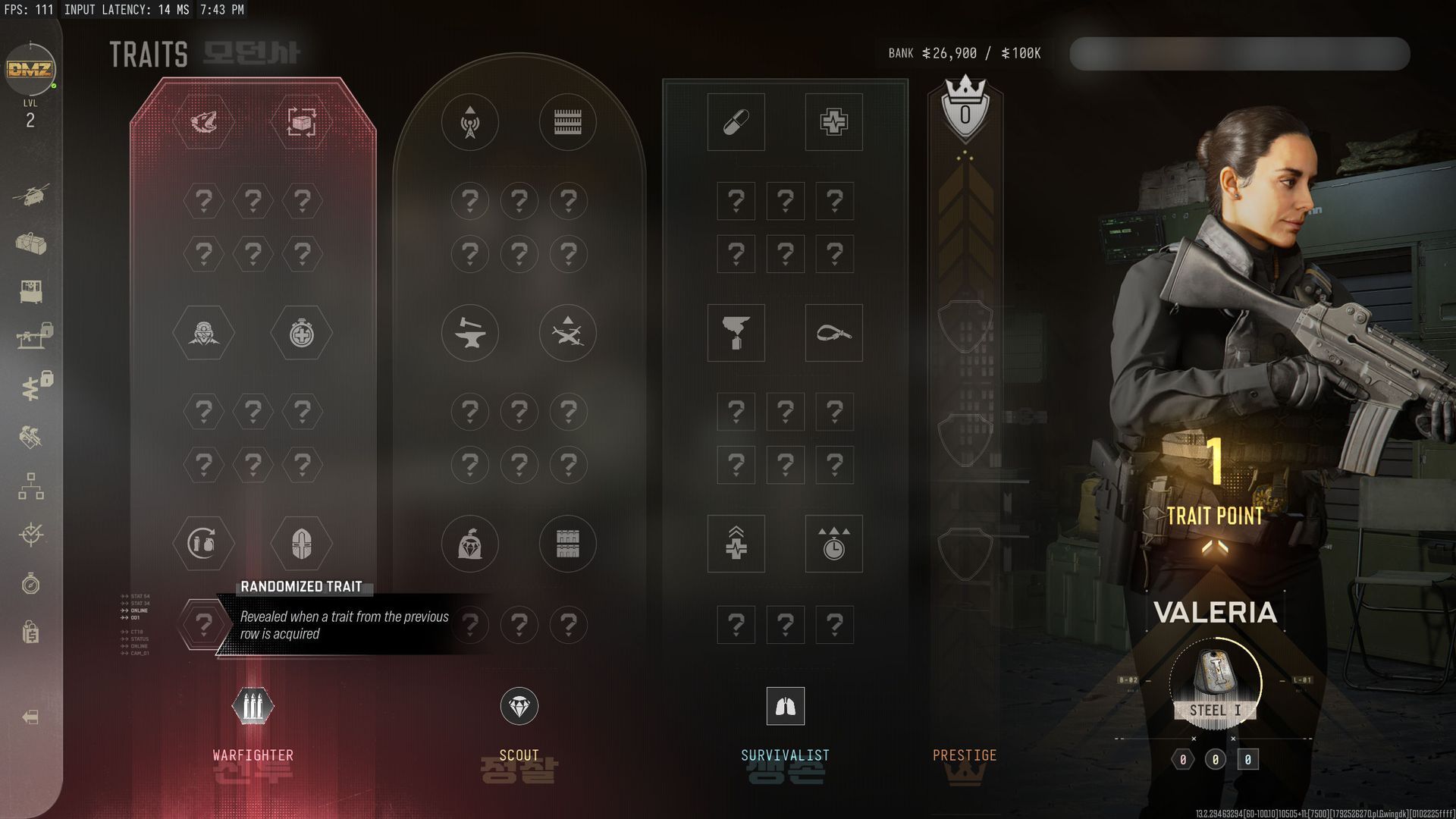
  •  

This fan-made OS brings Windows Phone back to one specific Android device

Not a week goes by that I don’t miss Windows Phone. To this day, it remains the only OS that would genuinely drag me away from my iPhone. Don’t hate me for saying it, but the iPhone still offers me a superior user experience over Android, at least in my experience. I’ve tried Android many times, and quite frankly, I really don't like it.

Then again, I don’t hate Android with a burning passion, either, and I did recently stumble across something that might make me reconsider. ztOS is a new operating system designed to look and feel exactly like Windows Phone 8.1. It’s built on Arch Linux for ARM, complete with its own suite of apps.

According to the project notes, the ztMETRO shell and its components are written in C and accelerated with OpenGL. It also includes an SDK for building apps in Python and Qt, along with an updater to keep the system maintained. It’s a surprisingly robust setup for a passion project.

Windows Phone lives through Linux and AI

Galaxy S9 in Sunrise Gold displaying the Windows Phone 8.1-inspired ztOS interface, featuring blue Live Tiles and familiar Windows Phone icons.

Windows Phone might be dead, but ztOS is bringing its iconic interface back to life on the Samsung Galaxy S9. (Image credit: Zerone-Laboratories | Samsung)

There is a catch, as usual. Currently, the project seemingly only works on the Samsung Galaxy S9. The project itself is in alpha, so expect some bugs and install at your own risk.

And yes, whether you care or not, the project is spearheaded by Claude. Because, well, everything seemingly happens through AI coding now. I’m guilty of it myself, having jumped on the FreeMyTV bandwagon to debloat my TV, improve performance, and get rid of adverts.

Still, I do long for Windows Phone. There’s a small part of me that hopes we’ll see it return in some fashion. Seeing all these wild AI-driven projects, whether it’s Xbox Labs reviving the Blades dashboard or Steam games running natively on Android or the iPhone, we're really in the midst of unknown territory.

Thinking of Windows Phone, though, really does make me facepalm at the idea that we maybe could have had a future where Windows Phones would natively play your Xbox games via the Xbox app. Imagine full cloud saves and achievements, giving you even more reasons to invest in Game Pass. But again, this is all just wishful thinking. Windows Phone is sadly, truly dead. Even I admit it.

Regardless, let me know what you think. Would you install a Windows Phone-like OS on your Android, or do you think Windows Phone should be left for dead and forgotten? Leave a comment down below and make sure you take part in our poll!

Click to join us on r/WindowsCentral

Join us on Reddit at r/WindowsCentral to share your insights and discuss our latest news, reviews, and more.
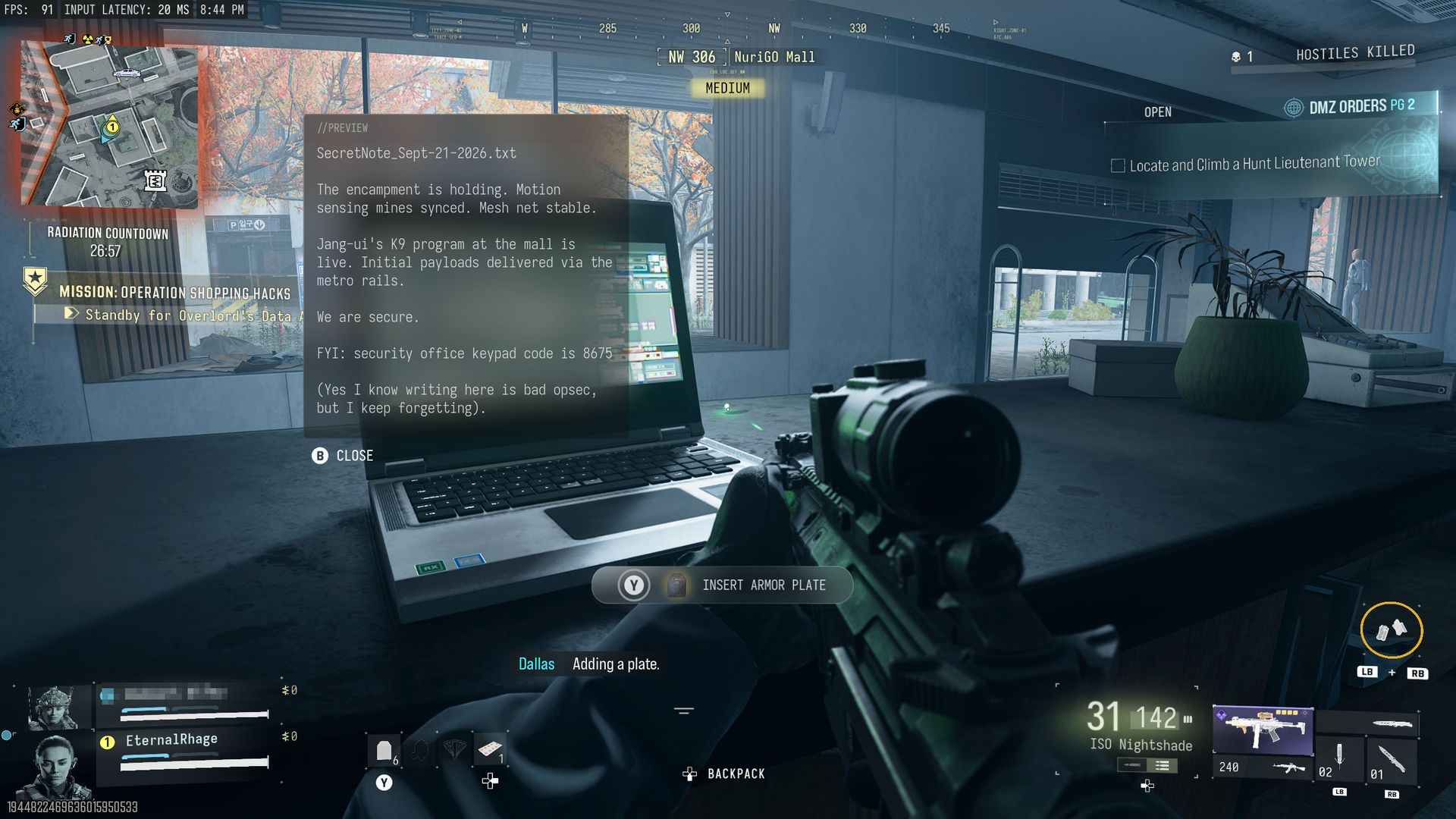
  •  

How to use blueprints to get high-tier weapons in Modern Warfare 4 DMZ

The gameplay loop in Call of Duty: Modern Warfare 4 DMZ is a little different from other modes in the game and even previous extraction modes such as the DMZ beta, Modern Warfare Zombies, and Black Ops 7 Endgame.

You start out with nothing. Well, almost nothing. But the idea is you have to go out and scavenge for better gear, be that through doing missions, defeating world bosses, or even other players.

But there is a way to get high-tier weapons without spending DMZ Cash and without having to run the gauntlet of Hajin's battlegrounds. There is a catch, though. Well, technically two. But essentially it involves weapon blueprints you acquire for Modern Warfare 4, because you can craft them at the Gunsmith.

Screenshots of the Gunsmith in Modern Warfare 4 DMZ showing blueprints that can be crafted and their price in DMZ Cash.
The first time crafting a weapon blueprint is free. Windows Central
Screenshots of the Gunsmith in Modern Warfare 4 DMZ showing blueprints that can be crafted and their price in DMZ Cash.
You can do this from DMZ Level 10. Windows Central
Screenshots of the Gunsmith in Modern Warfare 4 DMZ showing blueprints that can be crafted and their price in DMZ Cash.
After you craft a blueprint once, any subsequent ones will cost DMZ Cash. Windows Central

Once you reach DMZ Level 10 the Gunsmith Station unlocks, which allows you to craft weapons you've found manuals for and extracted successfully. But it also allows you to craft blueprints you own, regardless of whether you have the manual or not.

Better still, the first time you craft one of these blueprints, it's completely free. But the catch is that it's only the first time. So, as an example, if you got the "Beta Forged" Han 86 blueprint from the Modern Warfare 4 beta, you can craft it once for free in DMZ and get a legendary tier weapon to add to your loadout.

To do so, you choose the "Builds" option next to the weapon and select the blueprint you want to craft. After this first time you can still craft them, but there will be a substantial DMZ Cash cost depending on the blueprint.

If you're playing during the earliest days of Modern Warfare 4, another catch is that unless you bought the Vault Edition, you won't have as many blueprints to choose from, and as a result, fewer free weapons to craft. As the game rolls into its post-launch content, you'll be able to add plenty to your stash, including a bunch from just levelling up. But out of the gate, those who paid more have more to choose from.

A quick tip as well to try and protect your higher tier weapons and gear is to make sure you have a backpack with a secure slot on it. Assign the thing you don't want to lose to the secure slot, and if you go down and fail to exfil, this item will at least make it out.

Click to join us on r/WindowsCentral

Join us on Reddit at r/WindowsCentral to share your insights and discuss our latest news, reviews, and more.
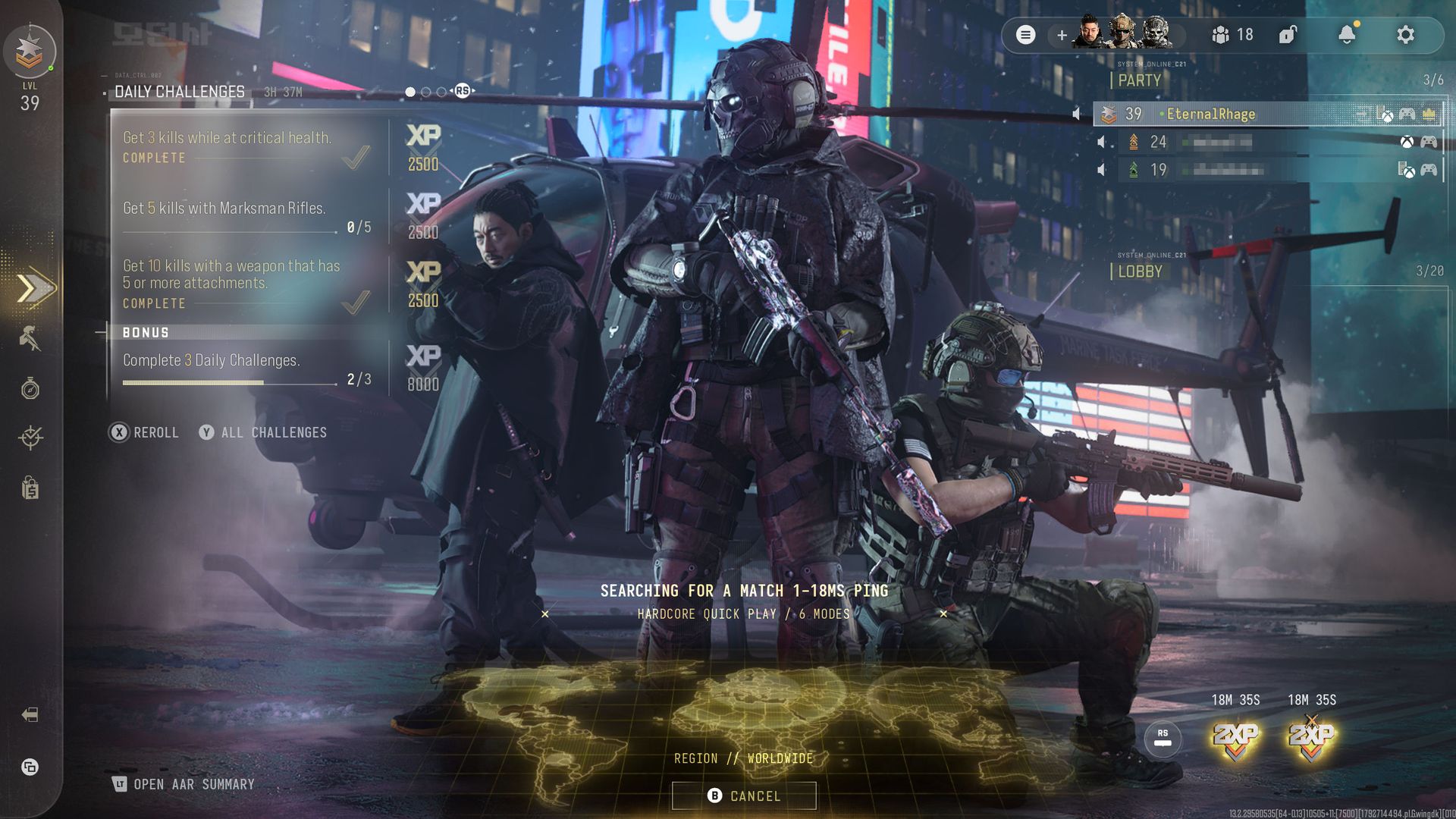
  •  

Warhammer 40,000: Dawn of War IV at last shows campaign gameplay in its latest reveal

Warhammer 40,000: Dawn of War IV has revealed new footage and details on every single aspect of its gameplay, from its cinematic story mode to thrilling multiplayer modes.

If you've been watching the battle reports for the latest entry in Warhammer 40,000's iconic real-time strategy series and have been waiting for an overview of what it has to offer beyond intense RTS combat, this trailer will have you covered.

It first goes over what we can expect to see from its single-player campaign mode. You will play as one of four factions fighting for control of the planet Krono — Space Marines, Adeptus Mechanicus, Orks, and Necrons.

The campaign will feature a cinematic storyline for each faction with branching paths depending on your choices across 70 missions and can be played either solo or co-op.

A sci-fi strategy game battle fills a snowy industrial battlefield, with glowing energy beams, explosions, armored units, and a tactical interface creating a chaotic, intense mood.

The Adeptus Mechanicus battle the Necrons. (Image credit: Deep Silver)

We then get a summary of Warhammer 40,000: Dawn of War IV's gameplay loop.

In this game, you build bases to generate units for your army, capture points on the map to generate resources for your forces, and engage your enemies in bloody, fast-paced RTS skirmishes with cinematic kill animations during melee combat.

Each faction has its own unique playstyle, unit roster, and strategies:

  • Orks — an endless horde of greenkin brutes who overwhelm their enemies with sheer numbers of melee fighters and war machines that can be empowered by WAAAGH energy.
  • Adeptus Mechanicus — a cult of cyborg soldiers, engineers, and priests who use advanced technology to scout out enemy positions and buff units and buildings, and summon building-sized mechs called Imperial Knights to devastate enemy lines.
  • Necrons — an ancient race of living killing machines that deploy monoliths to infect maps with Power Matrix influence that heals their forces and teleports them across the battlefield.
  • Space Marines — elite super-soldiers enhanced and trained to tackle any situation with a jack-of-all-trades style roster of units and deploy them behind enemy lines via Deep Strike reserves. They also have specialized units like the Blood Ravens, who excel in covert operations, and the Dark Angels, who charge into the fray with heavy armor and power weapons.

A grim sci-fi game menu shows armored Blood Raven Space Marines on a ruined battlefield, with loadout, squad settings, and matchmaking panels.

Dawn of War IV's Last Stand preparations screen (Image credit: Deep Silver)

Beyond the Campaign, Warhammer 40,000: Dawn of War IV will feature a Skirmish mode with four game types where you can test your skills against AI-driven opponents.

There's also a Last Stand game mode where you and two allies must work together to survive 20 waves of enemies, each one more deadly than the last. Defeating each wave will grant EXP, which can be spent to upgrade your forces' abilities for a better chance of survival.

Last Stand will allow you to command five Commander units at launch and will add more in post-launch updates.

A bulky orange-and-gray combat mech stands in a dark workshop as a color wheel and Advanced Painter controls show its customization options.

Painter is back and better than ever. (Image credit: Deep Silver)

Next, the trailer goes over the competitive multiplayer portion of Warhammer 40,000: Dawn of War 4. This mode will let players face human or AI opponents in 1v1, 2v2, or 3v3 matches across 30 maps and three match types whose rules can be customized to your liking.

Lastly, the trailer highlights the Painter. This is a fan-favorite gameplay feature from previous Dawn of War games that allows you to customize the color schemes (including individual body parts) and cosmetics of your favorite factions so you can show them off in the Skirmish, Multiplayer, and Last Stand modes.

December cannot get here fast enough

A heavily armored sci-fi soldier stands with a rifle before a massive red war machine, as troops advance through a dusty, smoke-filled battlefield.

Captain Cyrus leads the Blood Raven Space Marines to battle. (Image credit: Deep Silver)

I've been waiting for gameplay footage of Warhammer 40,000: Dawn of War IV's campaign for ages, and after watching many multiplayer-focused gameplay deep dives, this trailer did not disappoint.

The mission select screen brings back memories of Warhammer 40,000: Dawn of War's Dark Crusade expansion, the story looks just as over-the-top as previous games, and the multiple branching paths sound awesome for replay value purposes.

Not to mention it's awesome to see the Painter mode return once more while allowing players to customize each individual part of every unit to their liking (which is great for fans of the Warhammer 40,000 tabletop game who need help planning out their custom paint jobs for their miniatures).

After watching this trailer, I'm now completely sold on Warhammer 40,000: Dawn of War IV and will play it when it launches on December 3, 2026, on PC.

Do note that if you purchase Warhammer 40,000: Dawn of War IV's Commander Edition, you will gain 3 days of early access starting November 30, 2026.


Take control of the Space Marines, Orks, Necrons, or Adeptus Mechanicus factions and wage a bloody war for domination in epic single-player campaigns or chaotic multiplayer modes in Warhammer 40,000: Dawn of War IV.View Deal

Click to join us on r/WindowsCentral

Join us on Reddit at r/WindowsCentral to share your insights and discuss our latest news, reviews, and more.
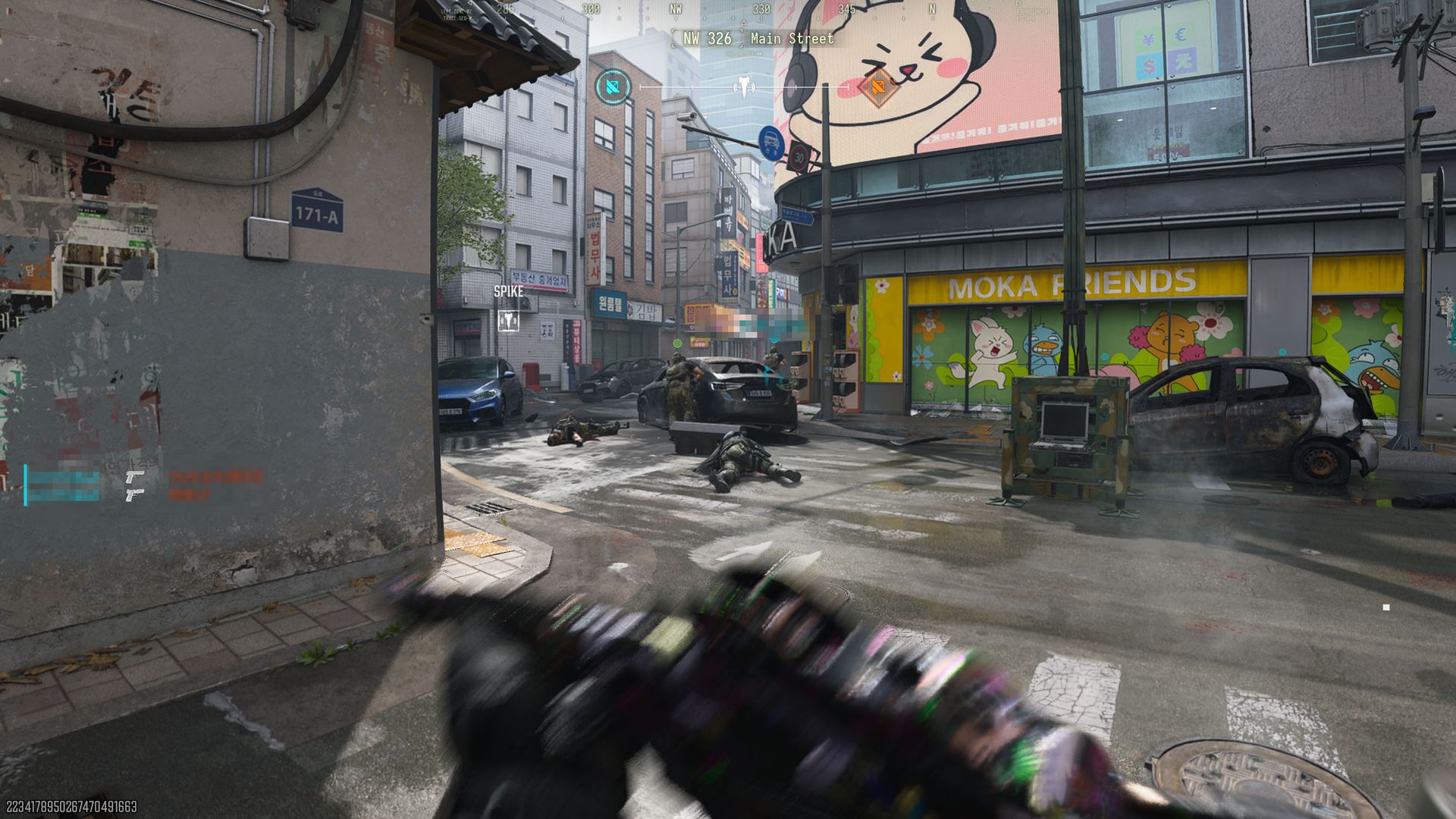
  •  
❌