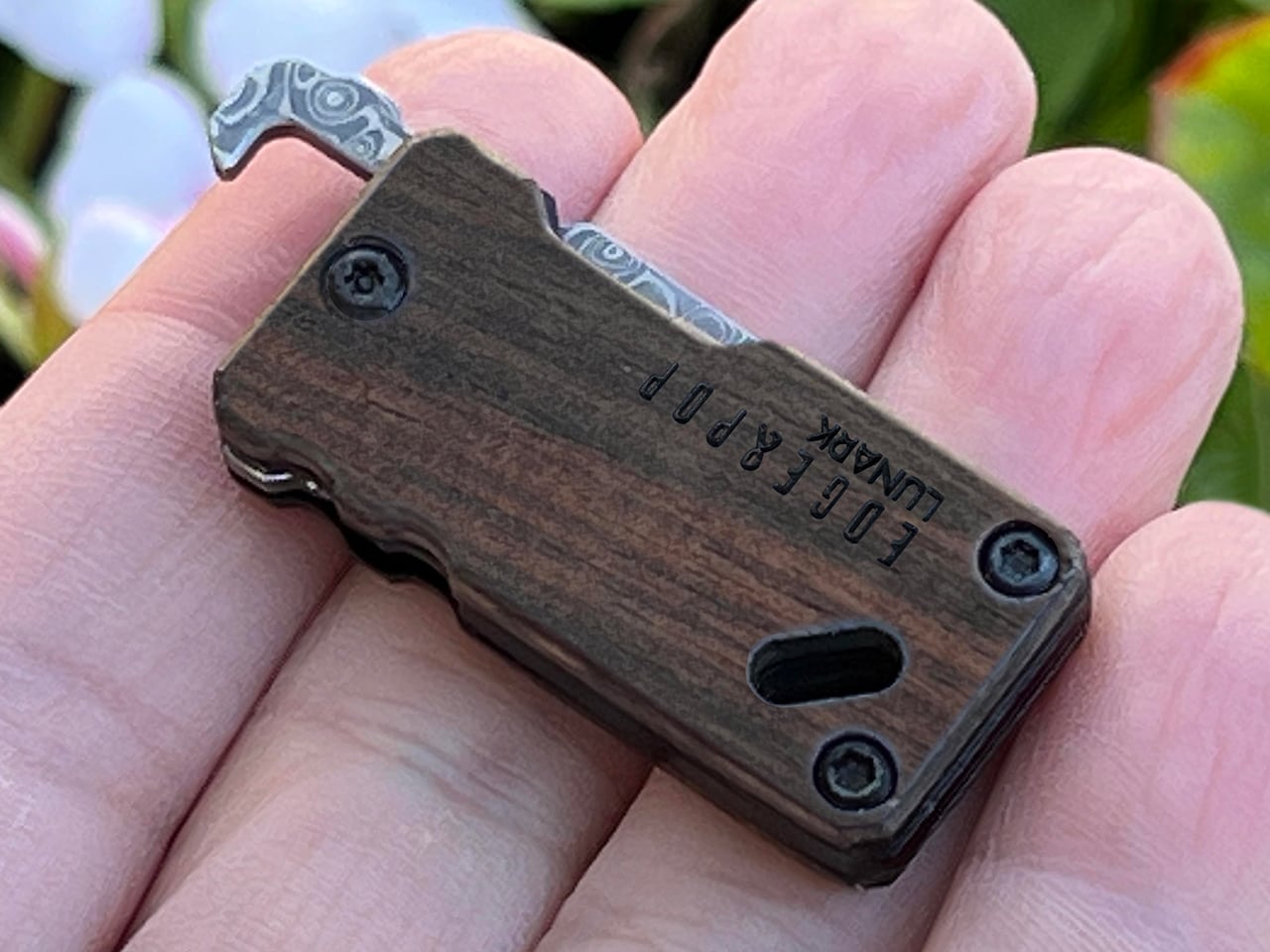
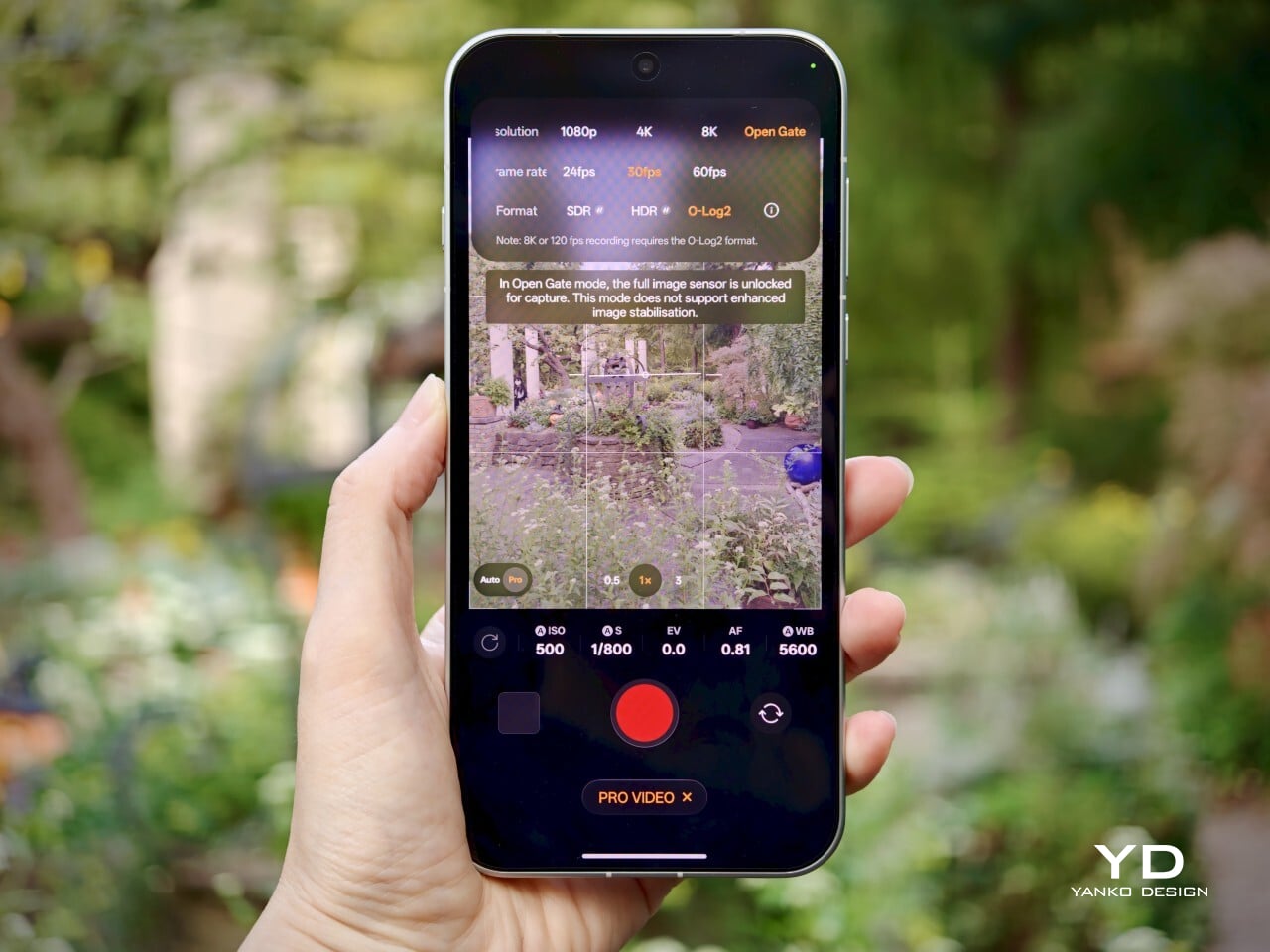
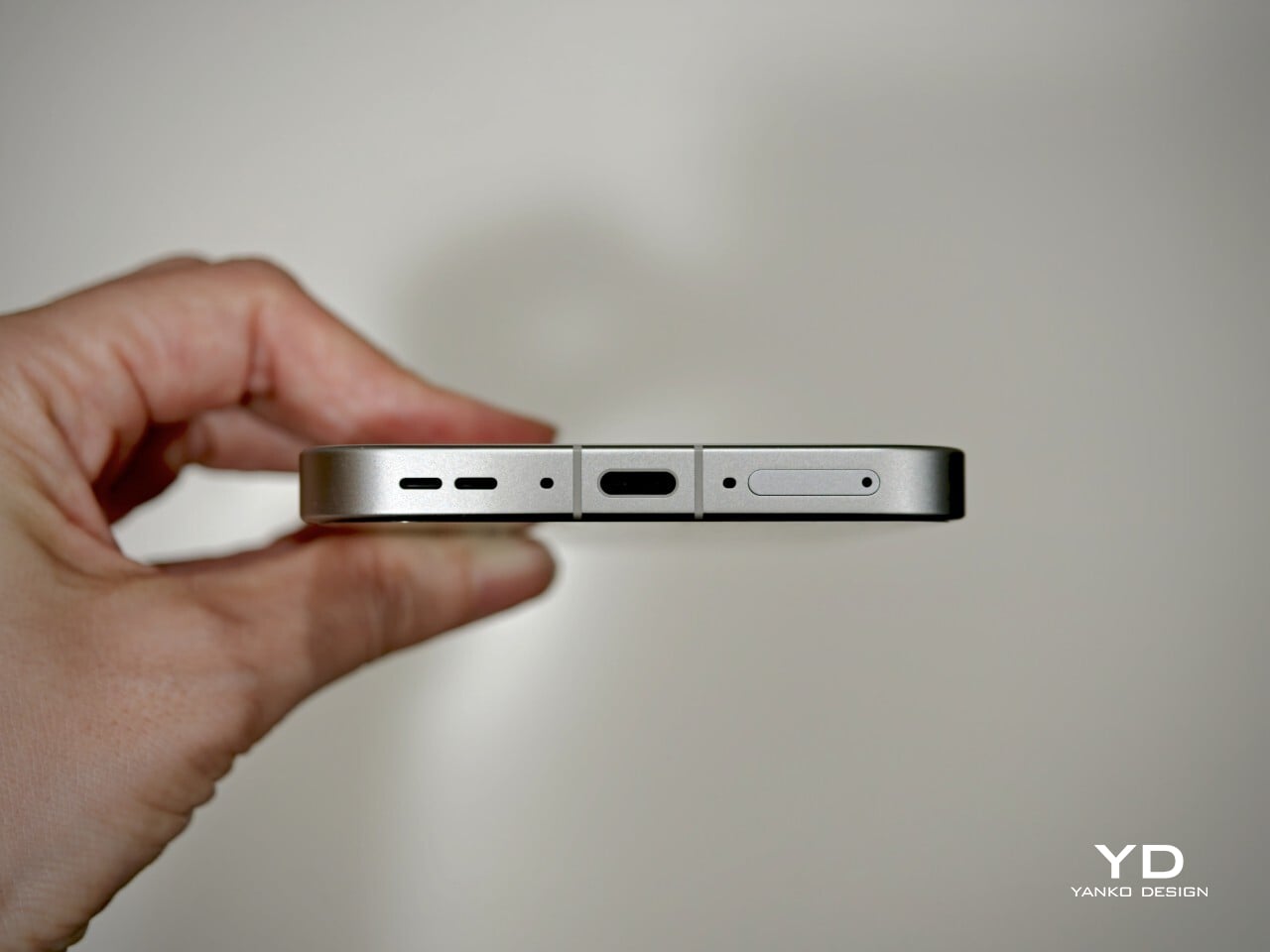
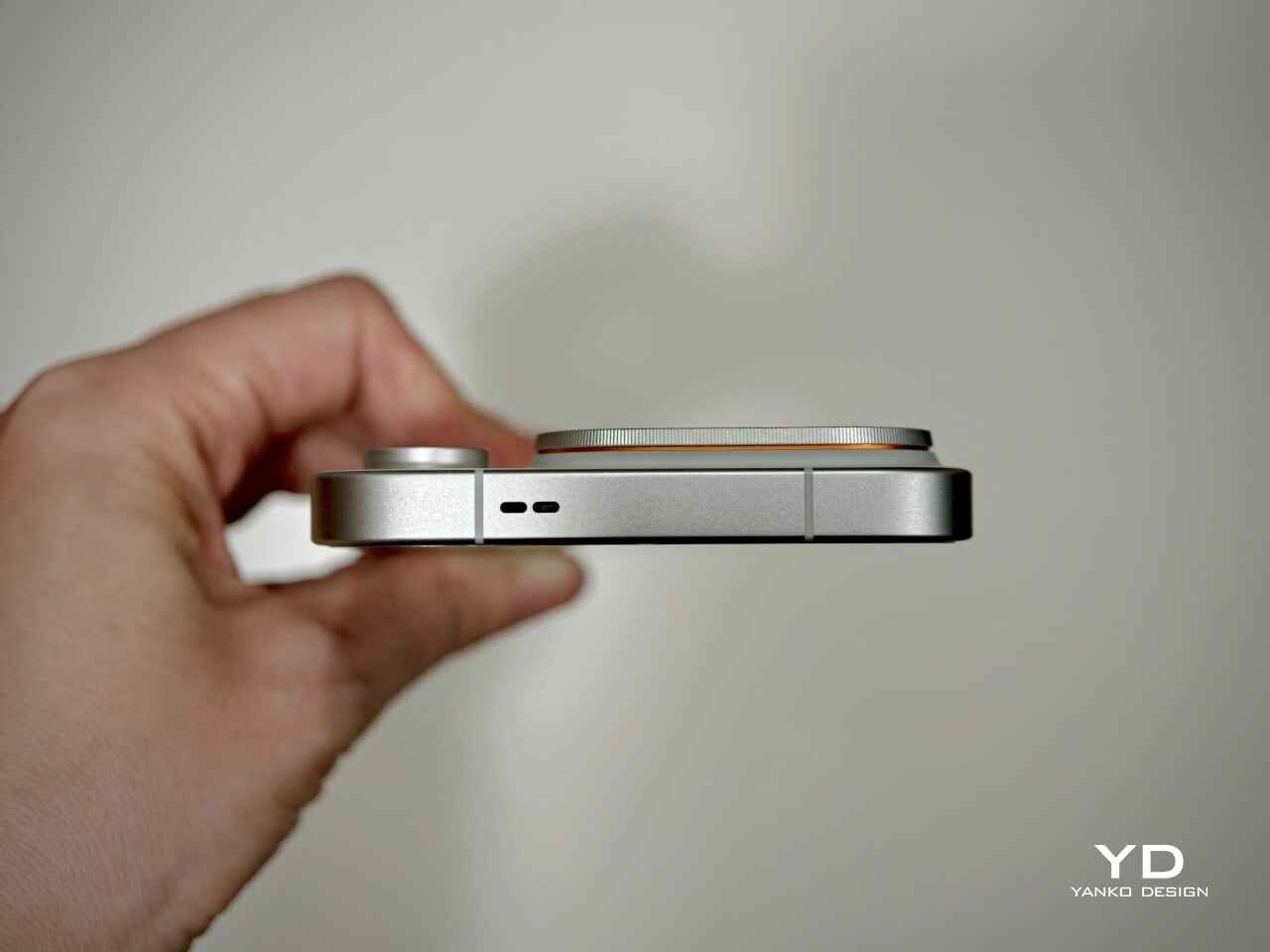
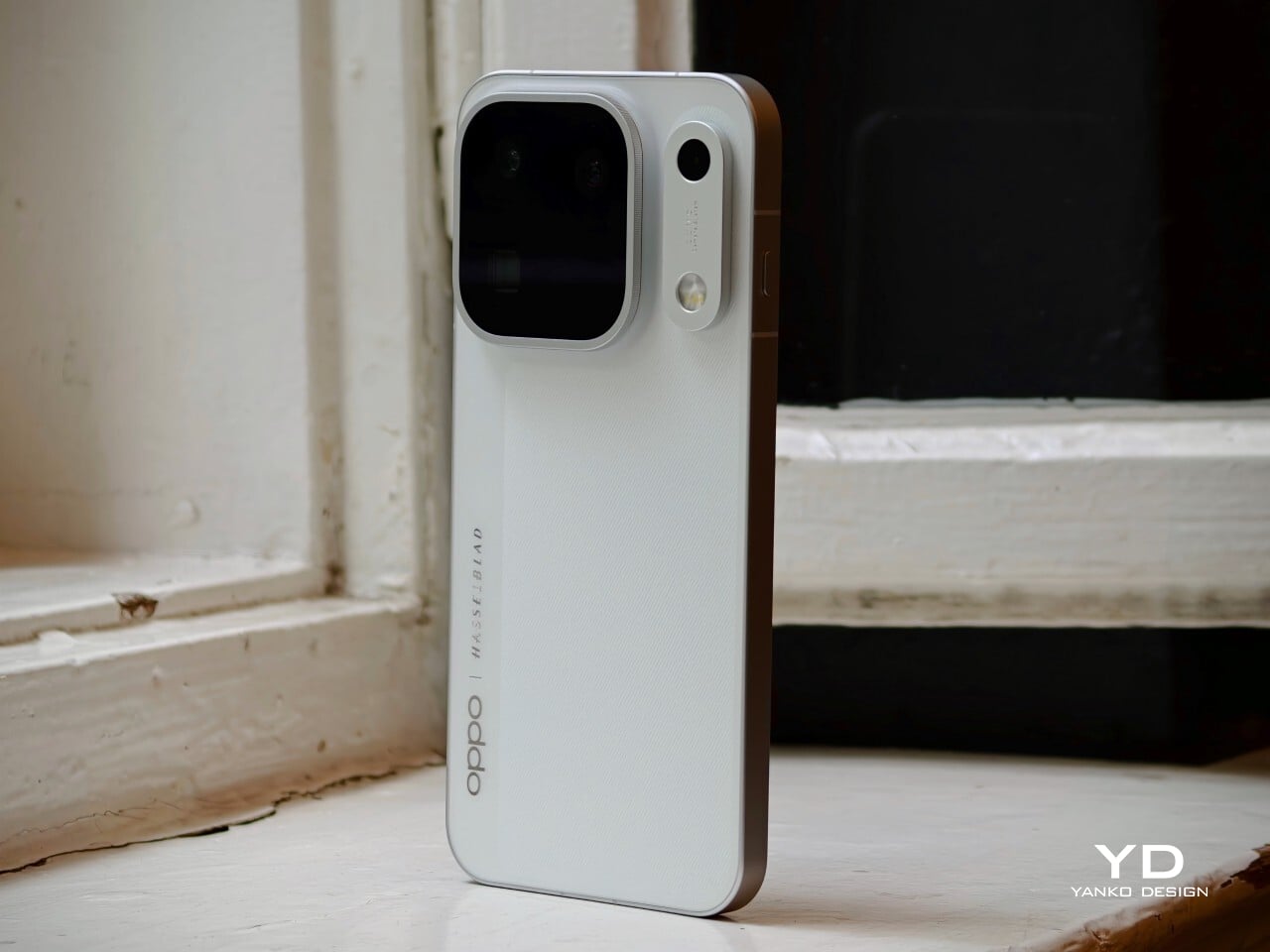
Small jobs have a habit of sending us looking for bigger tools. A package arrives, the tape won’t budge, and suddenly you’re searching a drawer for something sharp. Carrying a large knife for these little interruptions feels a bit excessive, though. Lunark’s Edge & Pop takes a more modest approach, combining a folding pocket knife and bottle opener in one compact, wood-handled design.
At 2.7 inches long when open, with a 1.6-inch handle and a 1.1-inch blade, Edge & Pop keeps its ambitions fairly small. And at one ounce, it’s quite lightweight, too. That’s useful when your pockets already have a phone, wallet, and keys competing for space. There’s little reason for a tool meant for occasional cutting to take over the rest of your everyday carry.
The drop-point blade brings a curved cutting edge and a tip that slopes down from the spine. It’s intended for modest tasks, such as opening envelopes, slicing packing tape, or trimming cord. You don’t need to invent a camping trip to find a reason to carry it. A delivery on the doorstep or a stubborn bit of packaging is a less dramatic place to start.
Of course, a tiny knife doesn’t have to look like anonymous hardware. The blade is made of Damascus steel with 67 layers of high-carbon 9Cr18MoV, while the winding patterns give its surface a character of its own. The lines resemble the contours on a map, bringing detail to a small area. That pattern is an aesthetic attraction that makes the knife feel more considered than your typical cutting tools.
The ebony handle gives that patterned steel a quieter companion. Dark wood grain sits alongside black fasteners and softened corners, keeping the shape simple without making it plain. It’s an appealing departure from tools that turn every surface into exposed metal. The grain varies between pieces, so some of the object’s personality comes from the material rather than an added color scheme.
The bottle opener, meanwhile, becomes useful when a capped drink calls for something better than an improvised trick. It sits at the rear of the blade and becomes accessible when the cutting edge folds into the handle. There’s no separate implement to swing out first. Moving between the two jobs means changing the blade’s position, keeping the arrangement compact without adding another folding tool.
That little opener has another job as well. Pressing its end helps rotate the blade outward, making it part of the opening mechanism rather than a feature sitting idle between drinks. A liner lock holds the blade in its extended position, so you won’t have to worry about the blade folding back in accidentally. It’s a small but critical detail you’ll be thankful for when facing a stubborn box.
An attachment opening in the handle provides another way to keep the tool nearby. Paired with the included mini carabiner, it can join a keychain or hang from a bag rather than occupy a pocket. Whether in a pocket or hanging from a belt or bag, having a choice of carry arrangements is useful for an object meant to tag along.
Beneath the ebony handle, a heat-treated 420 stainless steel frame gives the tool a neatly defined outline. The exposed metal traces the wood’s edges, while black fasteners keep the assembly visually restrained. It’s a considered way to bring several materials into such a small object. There’s detail to appreciate up close, yet the overall shape stays simple enough to read at a glance.
A taped box on the kitchen counter and a capped drink at the end of the day make a good case for keeping these two functions together. Edge & Pop answers both with a compact shape and materials that reward a closer look. The pleasure is in that combination, having something useful within reach that feels as thoughtfully designed as the objects you choose to display.
Valve raised the price of the 512GB Steam Deck OLED to $789 this May, a number that makes anyone want to close the browser tab out of spite. Blame the AI boom, which has data centers swallowing memory chips faster than factories can make them, leaving handhelds to fight over the scraps. Now look at the phone in your hand. It runs native console ports like Resident Evil, streams entire Xbox and PlayStation libraries, and emulates most of the consoles a millennial grew up with. All it lacks is a pair of real thumbsticks and triggers, which is a far cheaper problem to solve.
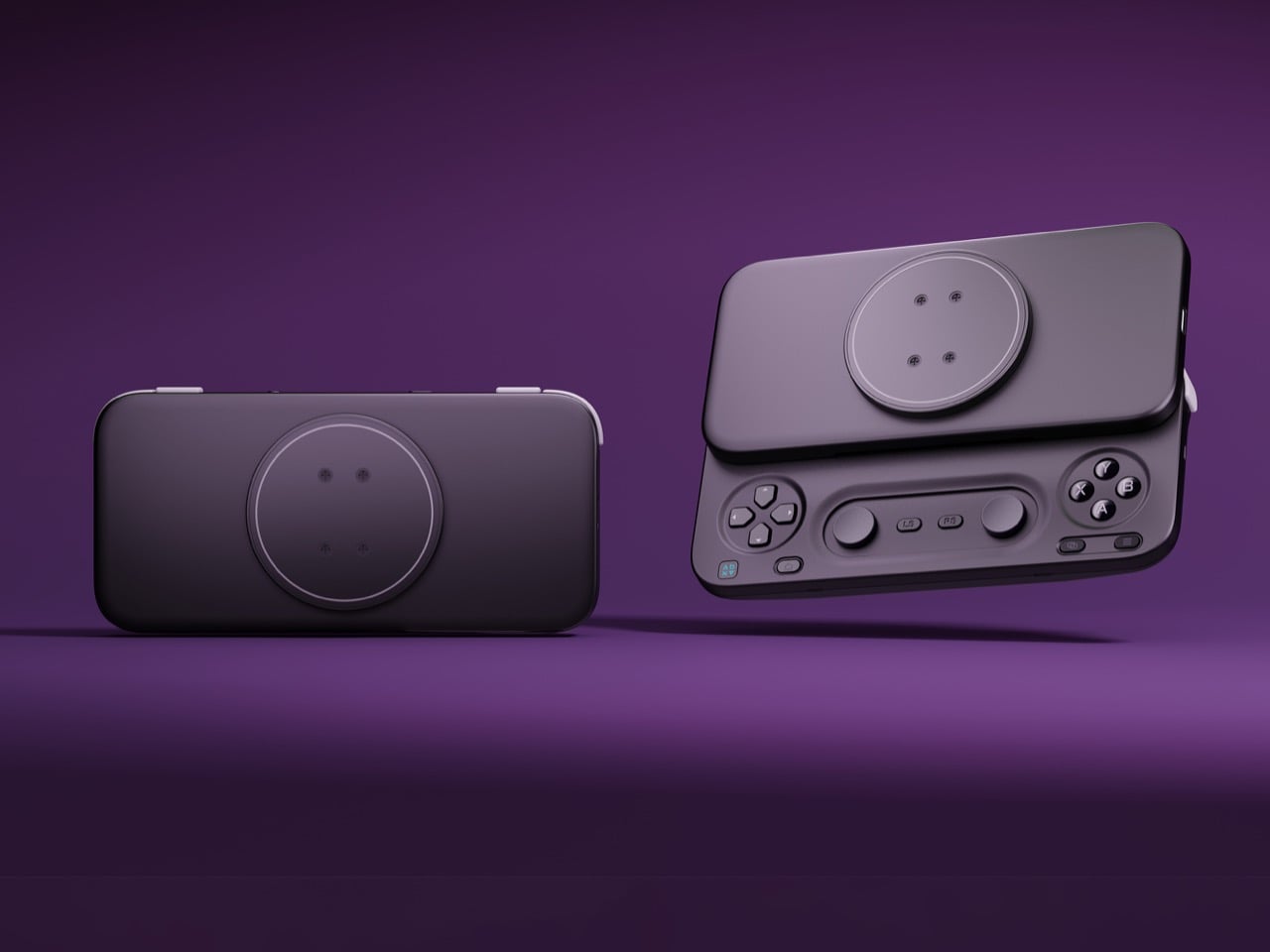
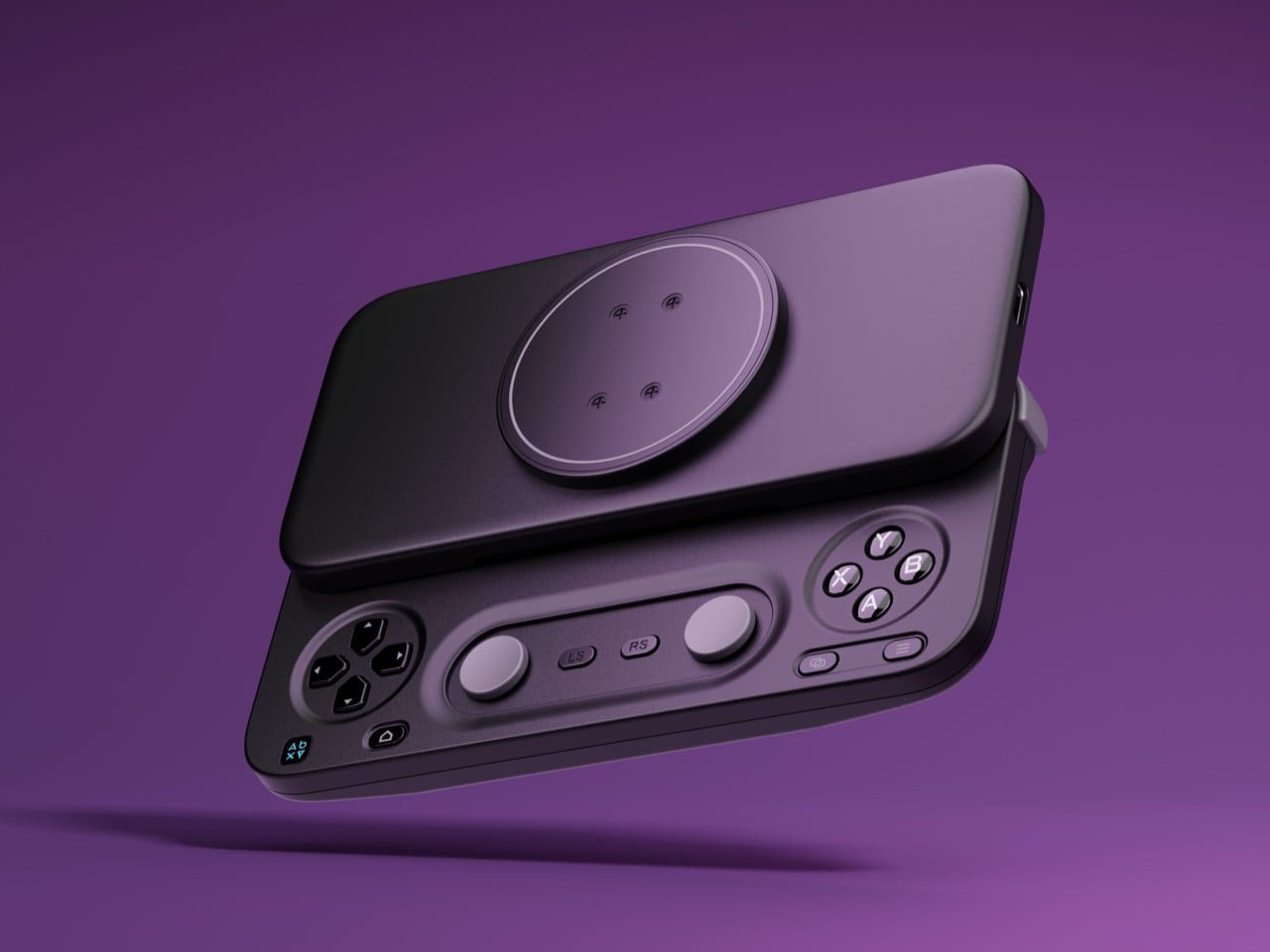
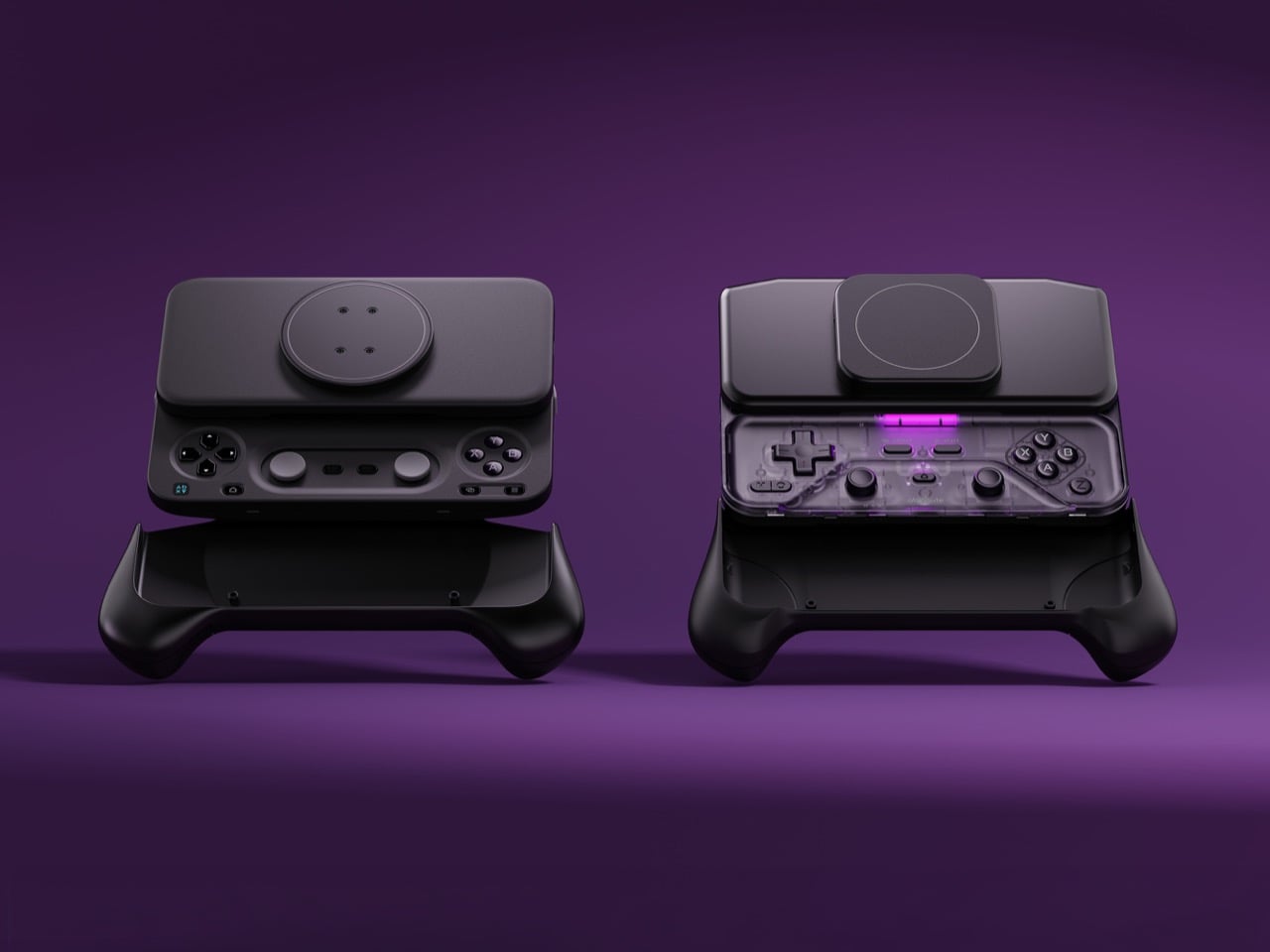
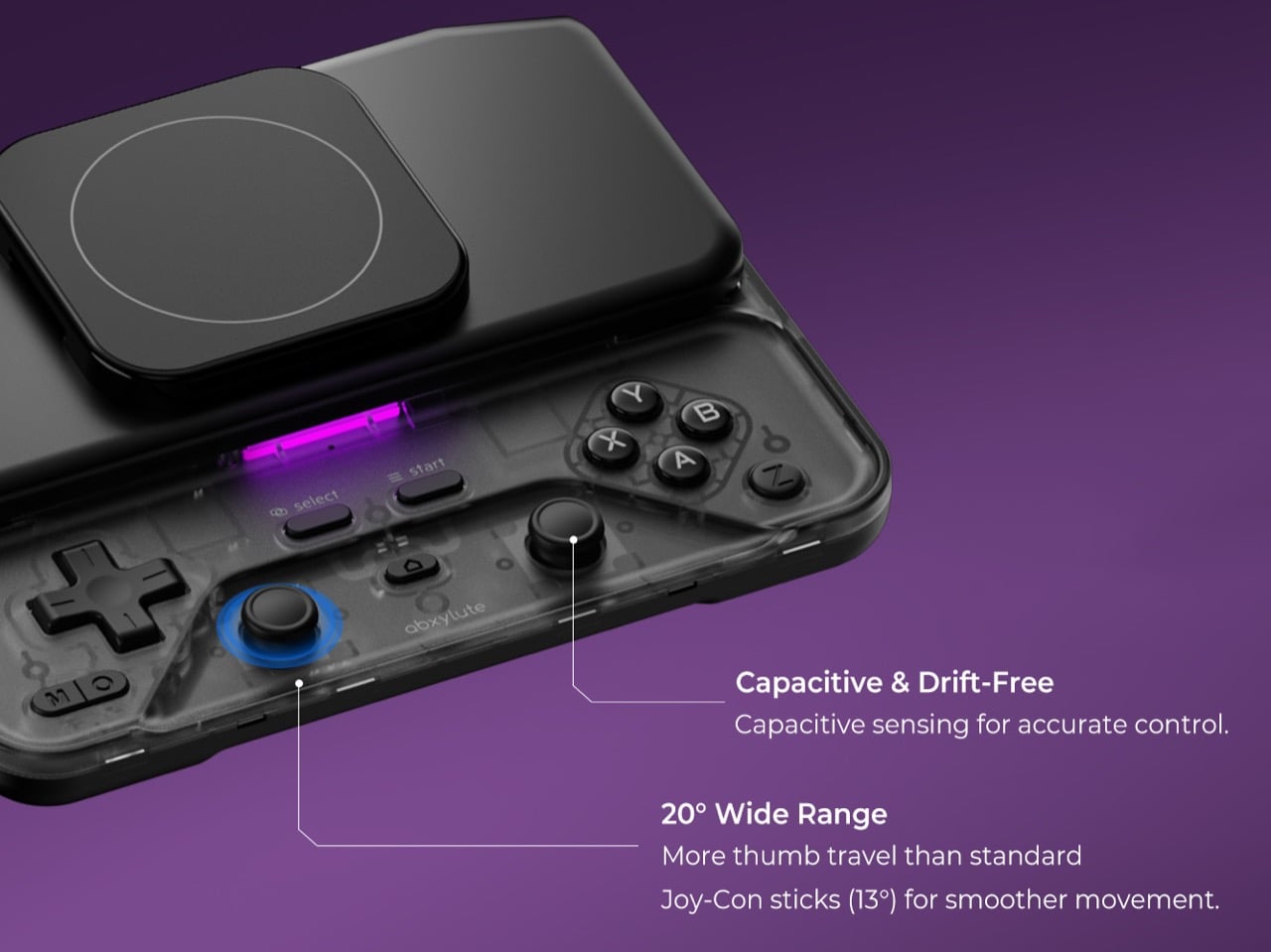
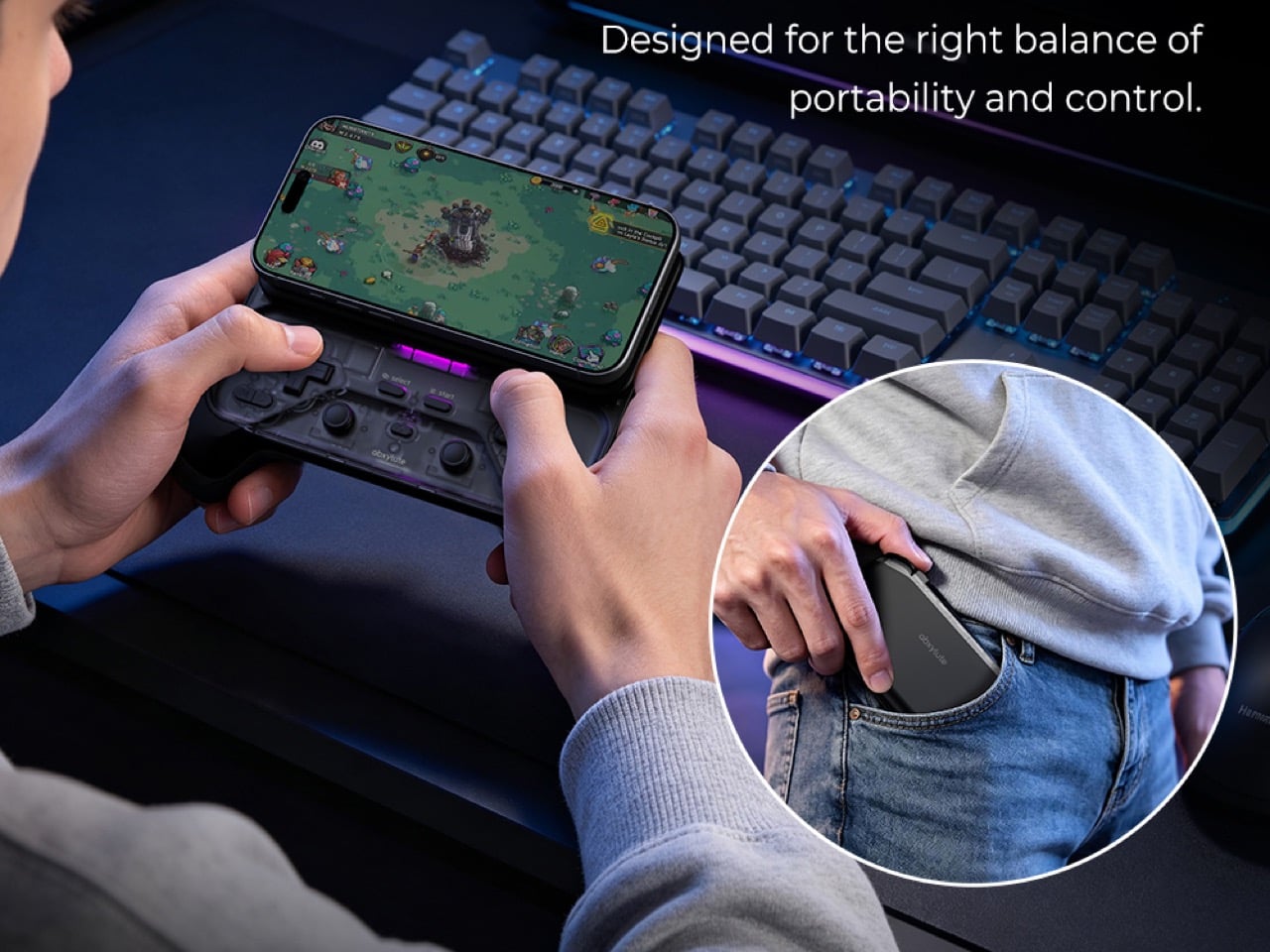
Hong Kong-based abxylute solves that problem with the M5 and M6, two sliding controllers that magnetically snap to the back of your phone. Closed, they sit behind it like a chunky case. Slide the phone up and a full gamepad appears underneath, Xperia Play style, with sticks, triggers, and rumble. The M5 is the slim one, plugging in over USB-C with zero pairing and pass-through charging. The M6 goes wireless over Bluetooth, adding clickable capacitive sticks, Hall Effect triggers, gyro aiming, and a 10-hour battery. Both retail under $90, roughly one-ninth of a Steam Deck these days, and for anyone whose gaming happens on commutes and couches, that math is hard to argue with.
A slider rail from the Nokia era, rebuilt for modern phones
Sliding rails nearly went extinct when touchscreen slabs replaced slider phones, and so did most of the factories that made them. abxylute eventually tracked down a manufacturer that once built rails for Nokia and Sony, then asked it to do something those phones never needed. A slider from 2010 only had to carry a lightweight screen half, while the M5 and M6 have to hold a phone and case weighing up to around 10.6 ounces (300g). The resulting bidirectional damped rail glides smoothly both ways, with magnets snapping it into the fully open and closed positions. That makes for a calmer motion than the spring-loaded slide on the OhSnap MCON, which fires the phone open at a button press.
The phone attaches through an adjustable magnetic mount rated at 4,098 gf, roughly 9 pounds of pull and comfortably above the 2,500 to 3,500 gf abxylute quotes for Apple’s MagSafe. Both mounts clear camera bumps up to 0.28 inches (7mm), and the plate shifts to suit different phone sizes. Supported phones include the iPhone 18 series, Galaxy S26, Pixel 11, OnePlus 15, and Xiaomi 17, with a magnetic adhesive ring in the box for anything lacking MagSafe. Thick cases will sap some of that grip, so slimmer cases make the safer pairing. Lightning iPhones sit out the M5 entirely, since that model needs a USB-C port to work.
The M5 goes wired and thin for pocket duty
The M5 began life as a DIY build by Jinjiang, an independent maker who handled the 3D modeling, PCB design, and programming himself before abxylute partnered with him to engineer it for mass production. Its connection is wired USB-C, which means no Bluetooth pairing, no battery to charge, and pass-through charging so your phone can top up mid-session. The sticks are low-profile carbon-film sliders modeled on the PSP, PSP Go, and Nintendo 3DS, recessed nearly flat to keep the controller slim. Because sliders can’t click, abxylute added dedicated LS and RS buttons that double as programmable macro keys. Micro-switch triggers with short travel and a crisp click round out the inputs.
Those choices produce a controller that weighs about 6 ounces (170g) and measures 0.91 inches (23mm) thick with the mount, thinning to 0.45 inches (11.5mm) at the grip area. It spans 5.9 inches (149.5mm) wide, about the width of a large phone, so it slips into a jacket pocket easily. I appreciate a product that commits this fully to one idea, and the M5 commits to portability. Slider sticks offer less throw than full-size ones, so they favor retro titles and platformers over twitchy shooters. A limited M5 Founder’s Edition, capped at 1,000 units, comes in translucent retro green with a customizable two-letter badge replacing the abxylute logo.
The M6 packs full-size controller features into the slide
The M6 took nearly three years to develop, long enough to earn the internal nickname “little Nezha,” and most of that effort went into the controls. Its capacitive sticks, developed with component maker K-Silver, tilt 20 degrees against the roughly 23 degrees of a full-size controller stick, and they click for L3 and R3. abxylute also built them to resist magnetic interference, a smart call given the strong magnet array sliding a few millimeters above them. Instead of sinking the sticks into deep wells, a stepped surface around each one frees up room for your thumbs. Stick output switches between circular and square modes, handy for racing games and emulators.
Hall Effect linear triggers with 0.22 inches (5.5mm) of travel handle racing games, and a Fast Trigger Mode shortens actuation for shooters. A face-mounted Z button takes remaps and multi-button macros, so a fighting game special move or a jump-and-shoot combo fits under one thumb. There’s also a 6-axis gyroscope for motion aiming, and Bluetooth 5.3 backed by a 500mAh battery rated for up to 10 hours. The lighting is diffused, bouncing off the controller’s surface instead of shining at your eyes, and its color changes with each mode. All this comes in at 6.7 ounces (191g) and 1.02 inches (26mm) thick, a modest premium over the M5.
Shared features, the abxy app, and what each model costs
Both controllers share a physical mode switch that flips between NS, XInput, and PS layouts, covering Switch emulators, Android and cloud gaming, and iPhone titles respectively. Each gets dual Z-axis linear vibration motors with four intensity levels, plus a Turbo function paired to the M button. The free abxy Game App doubles as a launcher for emulators and cloud services, and it handles remapping, dead zones, macros, lighting, and vibration. Virtual touch mapping lets you assign on-screen controls to physical buttons for games that never bothered with controller support. Detachable magnetic grips, held by magnets plus a mechanical shear lock, add full-size handles for longer sessions, though they aren’t listed among the box contents.
Kickstarter pricing currently sits at $65 for the M5 and $69 for the M6, against retail prices of $84.99 and $89.99, both well under the $169.99 Backbone Pro. A bundle with one of each costs $119, down from $174.98. The M6 is estimated to ship in November 2026 and the M5 in December 2026, with worldwide delivery. The M5 box adds a USB-C cable to the controller, adhesive ring, and manual that both models share. Valve wants $789 for a handheld. abxylute wants $69 to upgrade the one you already own.
A substantial brick chimney rises through the center of Carl Maston’s Ventura beach house, giving the oceanfront home a surprisingly grounded heart. Completed in 1984, the Susman House sits above a sandy cove at Faria Beach, with views toward the Channel Islands. Its original brief was appealingly specific: preserve the spirit of a traditional California cabin within a contemporary home.
That request came from Tracy “Babs” Susman, who commissioned the house with her partner on land previously owned by her sister and brother-in-law. Maston answered with cedar siding, brick floors, generous glazing, and a roofline that creates a distinctive silhouette. The materials carry the cabin connection without making the house feel like an exercise in rustic nostalgia.
Design: Carl Maston
Across 2,640 square feet, the layout gives shared spaces a clear relationship to both the fireplace and the coastline. An informal lounge connects with the dining area and kitchen, while a double-sided fireplace also serves a den. A full bathroom sits behind a cedar wall. These divisions give the lower floor distinct places to settle without separating every activity into an enclosed room.
The living-room photographs reveal how much work the material palette does. Exposed timber beams establish a steady rhythm overhead, while brick flooring extends around the broad hearth. Wood paneling and shelving reinforce the sense of enclosure. Against that textured interior, the glazed openings become especially legible: they frame the coast while leaving plenty of solid, tactile surfaces around the seating area.
Floor-to-ceiling sliding doors open toward the ocean, and the brick paving continues onto the patio. Carrying the floor material outside gives the terrace a direct visual relationship with the rooms behind it. The kitchen keeps its own character through an original wood-slat ceiling, with a view of the bay available from the sink. Even the more ordinary household tasks have a place along the waterfront.
Upstairs, three bedrooms and a separate sitting area occupy the spaces beneath the sloping roof. A central atrium and landing wrap around the brick chimney, with internal glazing allowing light to reach deeper into the house. Rather than treating circulation as leftover space, Maston makes the route between rooms part of the architectural experience, linking the upper level visually with the living area below.
Photographs show timber-framed internal windows beside the chimney, their angular tops following the roof. That arrangement makes the building’s geometry readable from within. The house is currently listed for $5.1 million, and its selling appeal extends beyond the waterfront address. Maston gave the interior enough substance to hold attention even when the ocean is outside the frame.
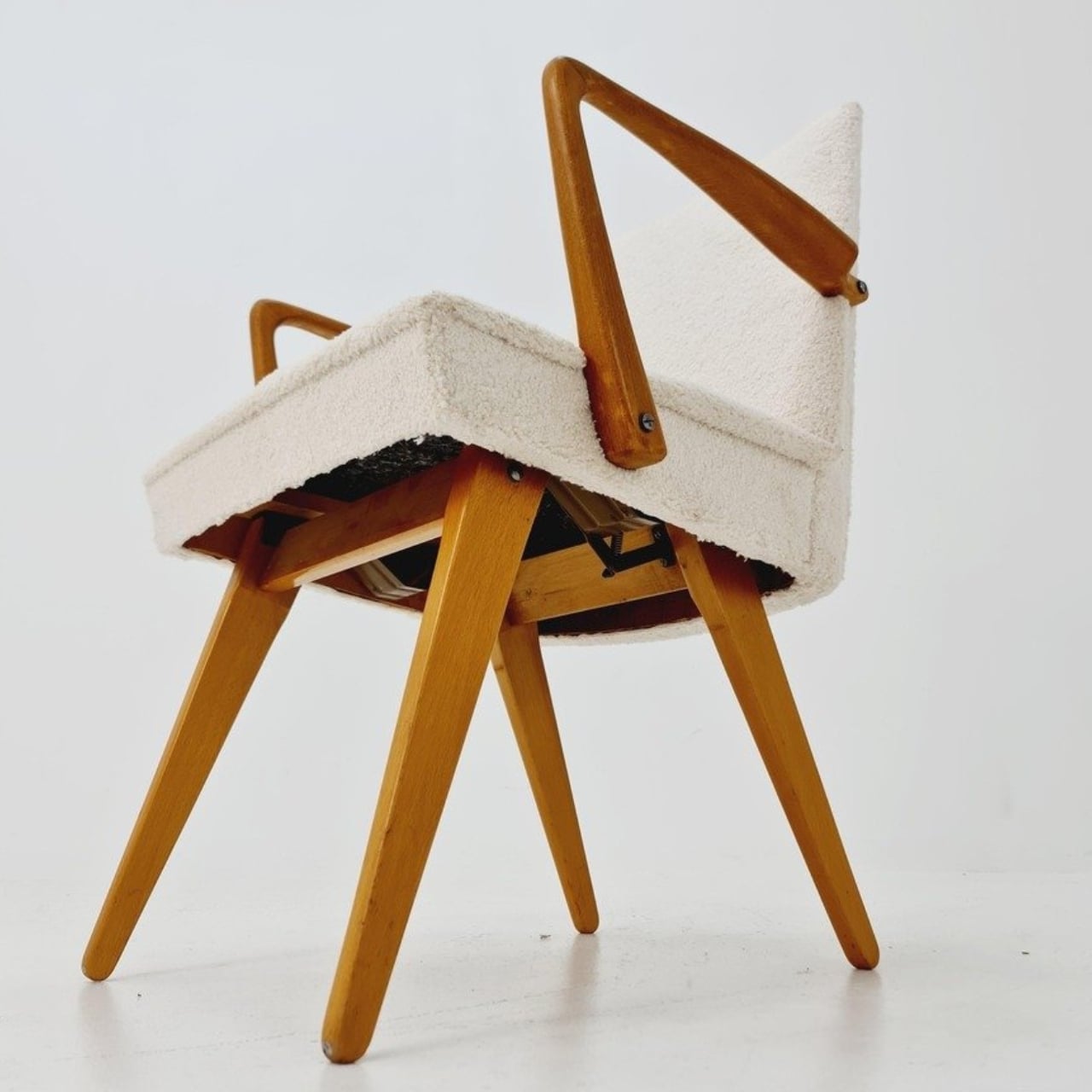
Buying a chair for conversation and buying one for an evening with a book can feel like two separate furniture decisions. One asks you to sit up; the other invites you to sink back. If your living room doesn’t have space for both, the Scissor Chair offers an appealing compromise. Produced by the German company Wilhelm Knoll, this mid-century design changes its sitting position while keeping the appearance of an ordinary upholstered armchair. Its designer remains unknown, but the problem it addresses is familiar.
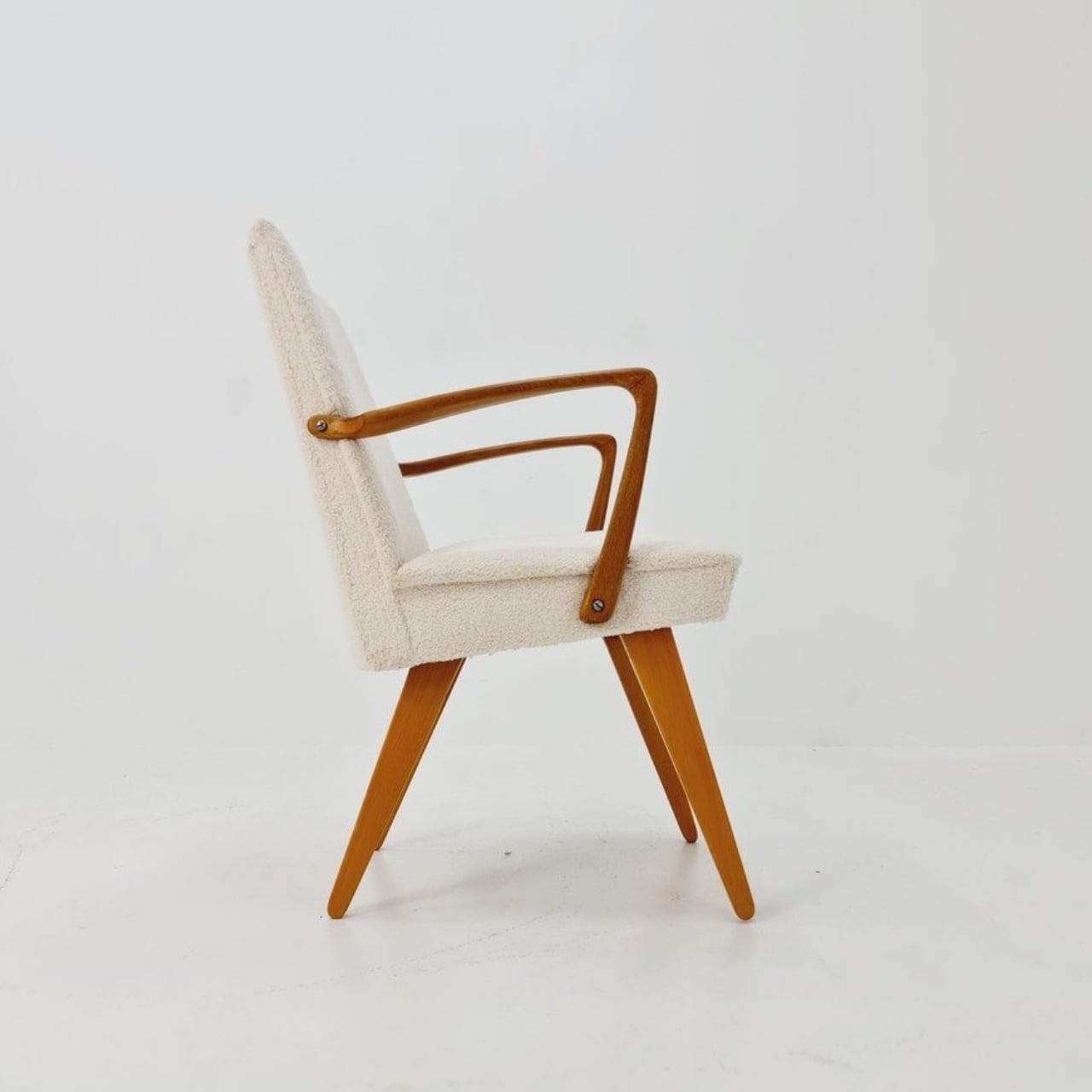
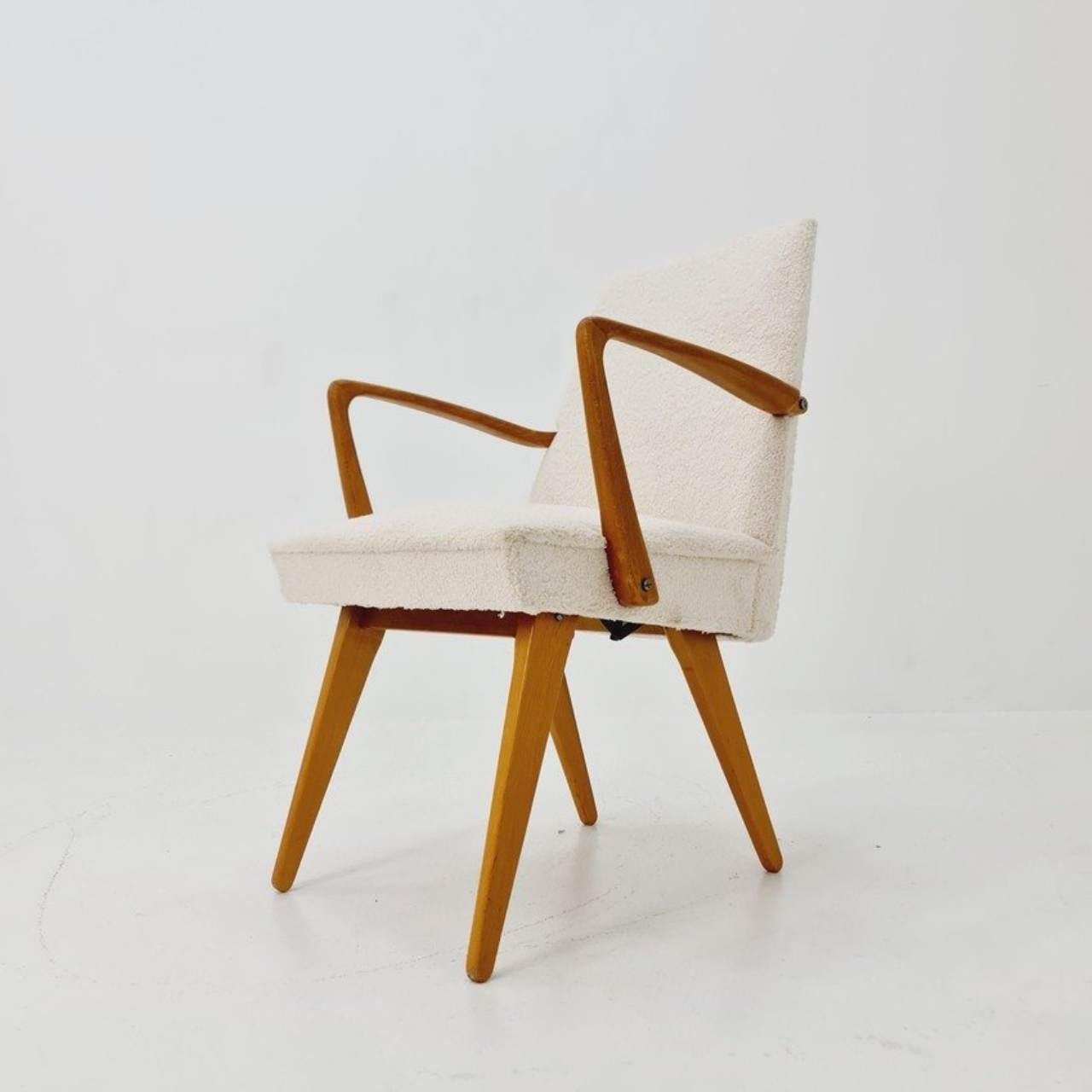
The name gives away the basic geometry. According to a vintage dealer’s description, lifting the armrests allows the crossed legs to unfold. The chair moves between a taller, more upright configuration and a lower lounging position. Instead of leaving the legs stationary while only the backrest moves, the transformation changes the stance of the chair itself. I like that the supporting structure participates in the adjustment. Those wooden legs have a job beyond providing a handsome silhouette.
Designer: Unknown (produced by Wilhelm Knoll)
In photographs of a cream-upholstered example, the narrow wooden arms trace an open shape around the seat and back. There’s plenty of air beneath the upholstery, and the legs remain visually separate rather than disappearing inside a boxy base. In the upright position, it looks quite composed. Lowered, the crossed supports become more obvious, and the chair takes on a relaxed, backward-leaning posture. The useful surprise is how little visual fuss accompanies that change.
The adjustment is more substantial than a slight tilt. One dealer lists seat heights of 45 and 36 centimeters for an example, roughly 18 and 14 inches. That’s a difference of about three and a half inches, enough to make these visibly different seating arrangements. Those are seller-provided measurements for a vintage piece, rather than a universal specification, but they help explain the appeal. You’re choosing between two distinct positions, with different relationships to the floor and surrounding furniture.
Underneath, the mechanism is considerably busier than the silhouette suggests. A dealer’s underside photograph reveals pivoting metal links, brackets, and a coil spring tucked between the wooden supports. I’d happily leave that view to someone servicing it. From a design perspective, though, the separation makes sense: the mechanical assembly sits beneath the upholstered seat, where it can do its work without dictating the appearance of every surface above it. The chair doesn’t need to look like workshop equipment to have moving parts.
For a smaller living room, I see the attraction as flexibility rather than some miraculous recovery of square footage. A chair that changes posture still needs room around it, especially when its stance changes. The more convincing benefit is having one seat that can suit a conversation and then offer a lower position for unwinding. That’s a modest promise, and a useful one. I’d rather have two clearly differentiated options than an elaborate transformation with no obvious purpose.
The Knoll name deserves a little care here. Wilhelm Knoll was a German business whose roots go back to a Stuttgart leather shop founded in 1865. It shouldn’t be casually confused with the American company Hans Knoll established in 1938, although the businesses share family history. Vintage dealers date Scissor Chair examples to the 1950s. Keeping the manufacturer credit separate from the unidentified designer matters, particularly with an object whose mechanism deserves more attention than a famous surname alone.
Of course, photographs can’t tell me how smoothly a surviving example adjusts or how supportive it feels after an hour. With a vintage moving chair, I’d want the mechanism demonstrated and its condition checked before buying. That practical reservation doesn’t diminish the idea. The Scissor Chair appeals to me because its cleverness is so specific: lift the arms, alter the stance, settle into a different position. A living room doesn’t always need another chair. Sometimes the chair already there could simply offer another way to sit.
Even though I already have drawers and boxes of various stationery items, I’m always on the lookout for things that are cute and unique but still useful for work and my hobbies. Scissors are one of those things you can never have too many of, especially if they serve different functions. There are pairs for everyday cutting, for journaling, for cutting things into cute shapes, and some that are just highly decorative.
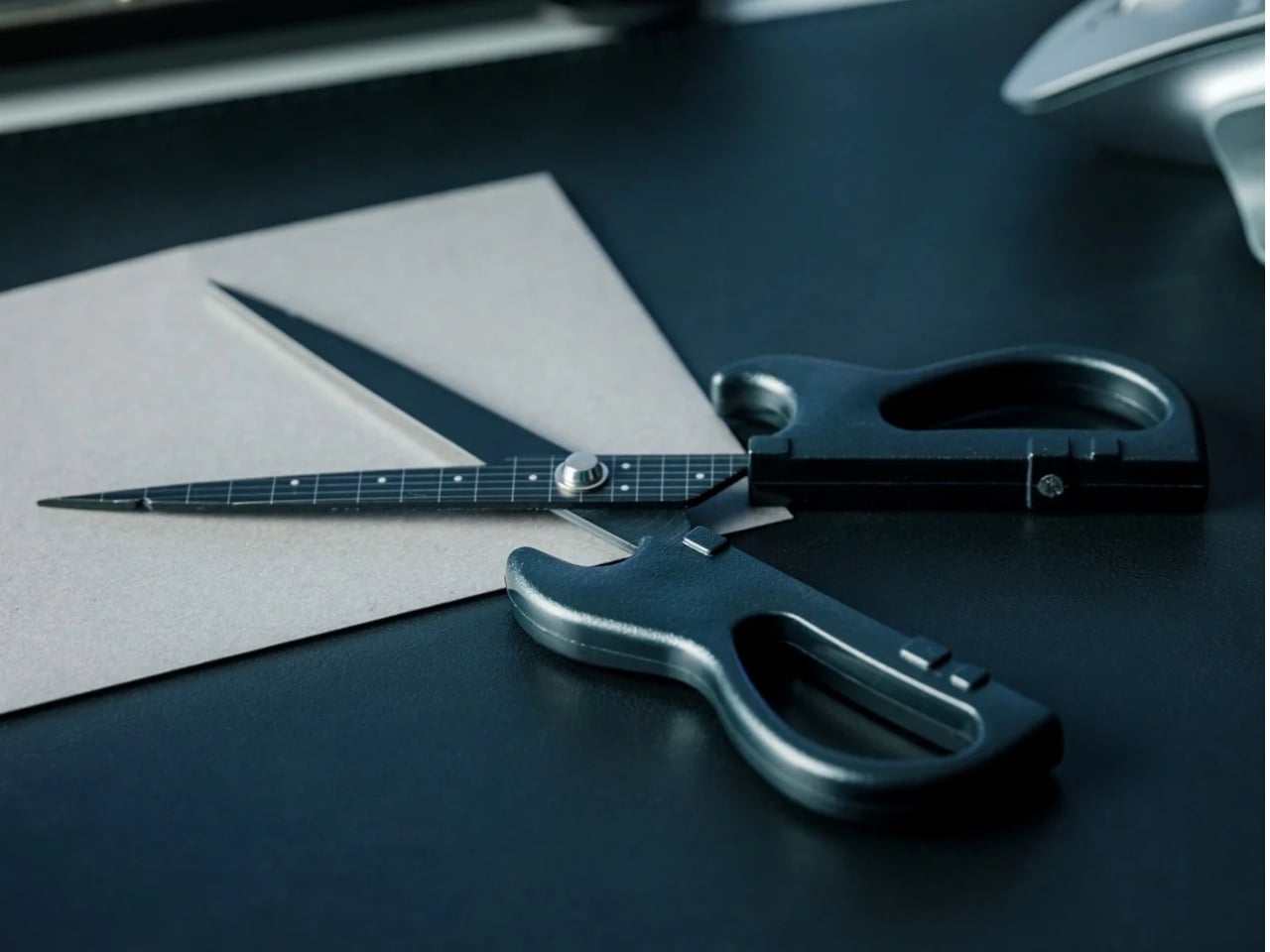
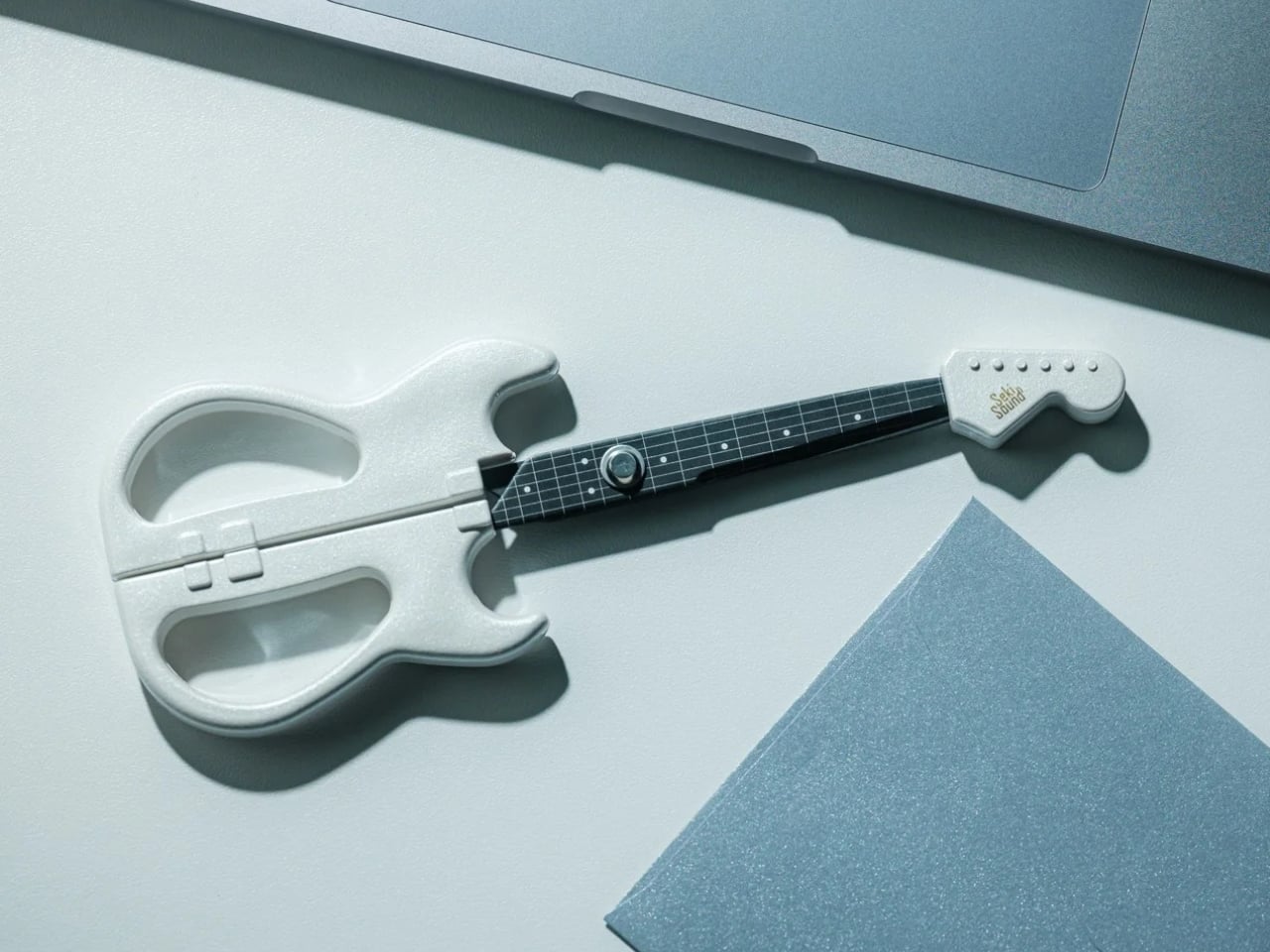
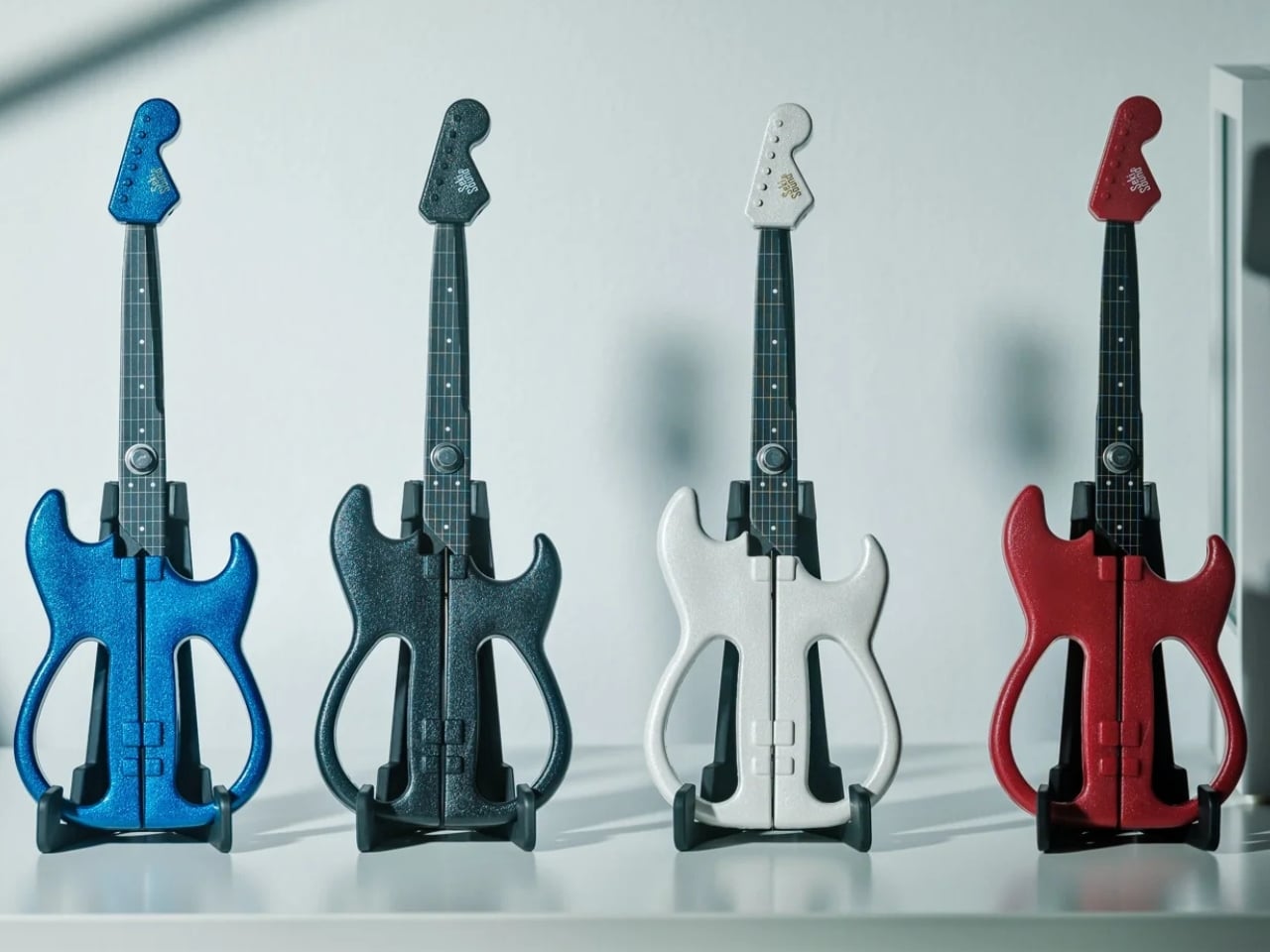
If you love stationery and music, the Rockstar Guitar Scissors may be your next tiny purchase. As the name suggests, it’s a pair of scissors shaped like an electric guitar. But more than just being uniquely shaped, the design itself has a role in storing and using the scissors. It’s the kind of item you might want to keep out of your office drawer, and it could also make a small gift or stocking stuffer this upcoming holiday season.
A lot of differently shaped stationery items can just be novelty things that are good to display on your desk. This one, though, has parts that were thought out to match the theme while making it a functional piece for everyday use. So forget about guitar graphics slapped onto a pair of conventional scissors. This one takes the idea further. Well, it still can’t play actual music, of course.
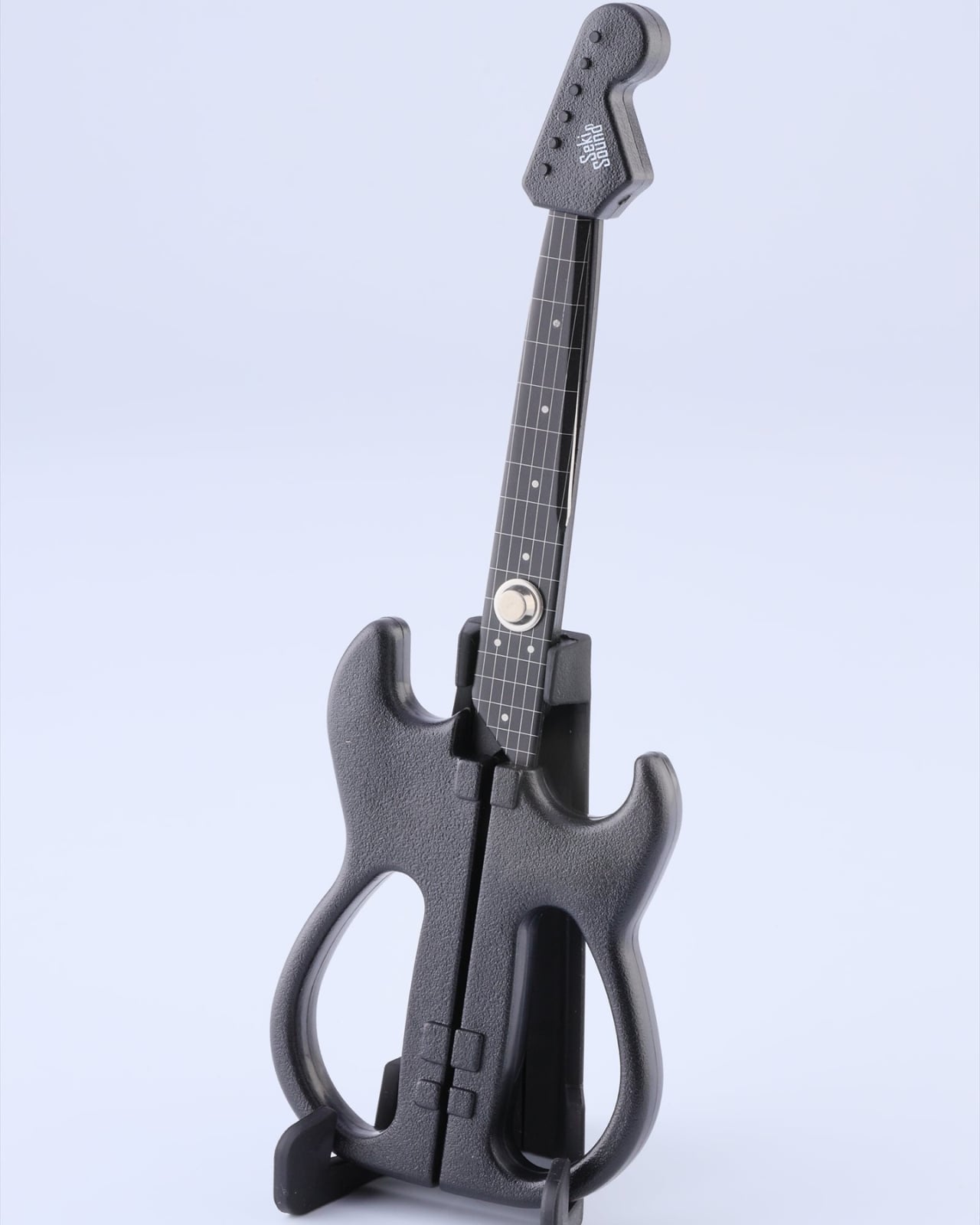
The guitar body separates into the handles, with the finger openings as part of the lower body of the instrument it’s imitating. The narrow neck of the “guitar” separates into the cutting blades. It even has a removable ABS cap that completes the headstock when the scissors are closed. According to the store’s description, the cap also covers the sharp point and prevents the scissors from opening while it’s in place. That gives a decorative detail a useful job when you’re putting the scissors away.
The scissors have stainless steel blades, while the handles and cap use ABS plastic and the stand is made from elastomer. You can choose from three color options: black, metallic blue, and pearl white. They measure about 7.8 inches overall, and the YD Select lists black at US$30; metallic blue and pearl white at US$40 each.
They even come with a stand that holds up your closed scissors like an actual guitar at rest on an instrument stand. For anyone who tends to lose smaller tools among notebooks and pen cases, having a dedicated spot could make them easier to find. Of course, the stand takes up some desk space, so this isn’t really a space-saving solution. It’s more about giving a useful item a place where you’ll actually notice it.
Made in Japan by Nikken Cutlery, the scissors are also known as Seki Sound. Nikken says craftspeople in Seki individually sharpen the blades, and it describes a fluorine-coated finish intended to reduce adhesive sticking when cutting tape. That’s a relevant feature if your stationery projects involve tape, although it shouldn’t be read as a promise that the blades will never need cleaning. The guitar detailing also includes six strings and frets, rather than relying only on the outline.
Compared with options from a big brand like Fiskars, the Rockstar Guitar Scissors put more emphasis on their display-ready shape. Fiskars offers SoftGrip handles, Easy Action spring-assisted opening, and nonstick models, while its MoMA collection puts artwork on familiar scissor handles. The Rockstar design instead turns the whole tool into a miniature instrument, complete with a cap and stand. There isn’t enough evidence to say it cuts better or feels more comfortable than those alternatives; its clearest distinction is how the guitar shape carries through to storage.
I wouldn’t expect the Rockstar Guitar Scissors to replace every specialty scissor in my drawers. What appeals to me is having something with a recognizable personality that still has a reason to be on my desk. For a stationery lover who also loves music, it could make a good holiday gift or stocking stuffer, especially if you’d rather give something useful than another ornament that just sits there. At least this little guitar has a job between its imaginary performances.
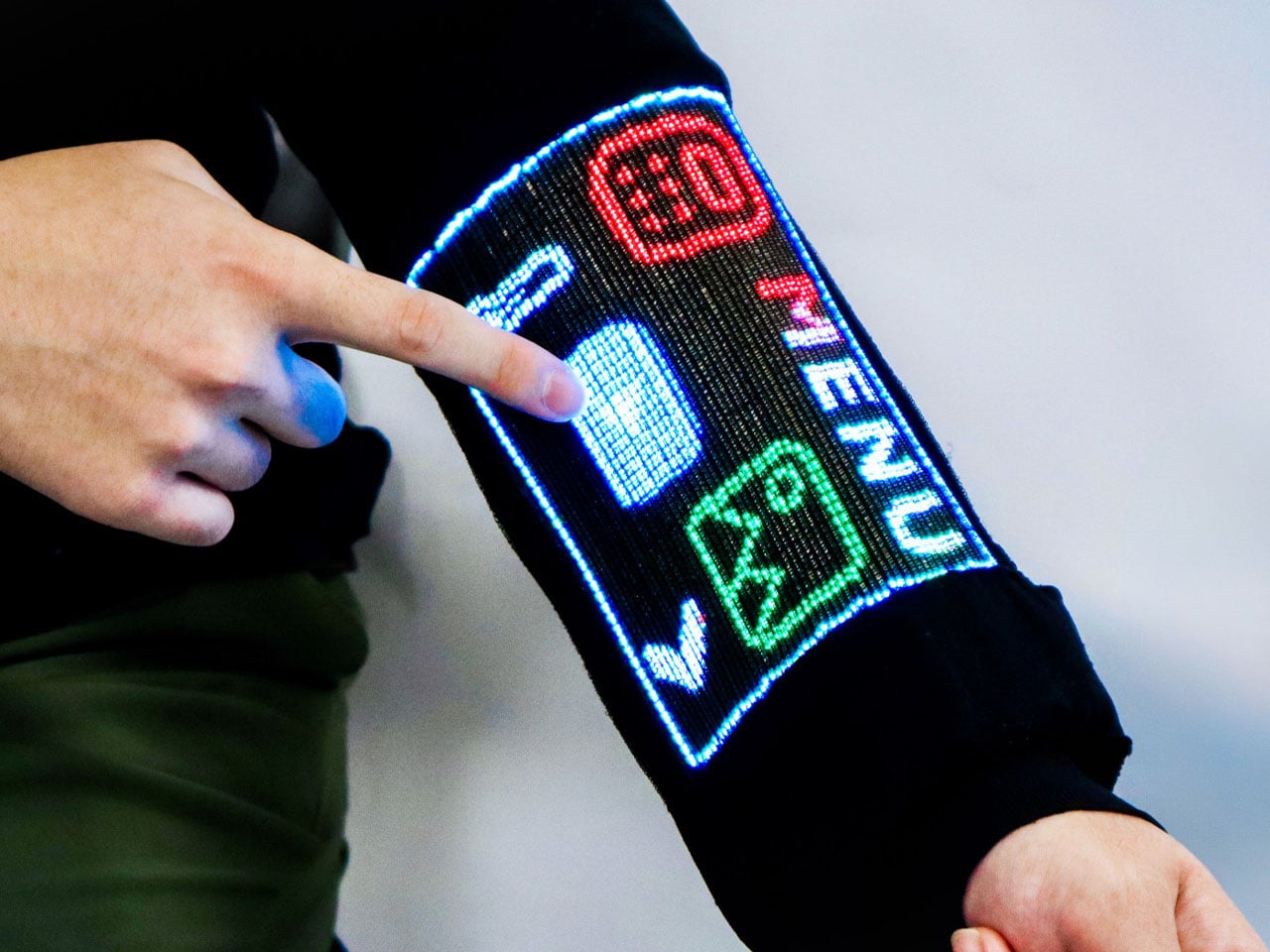
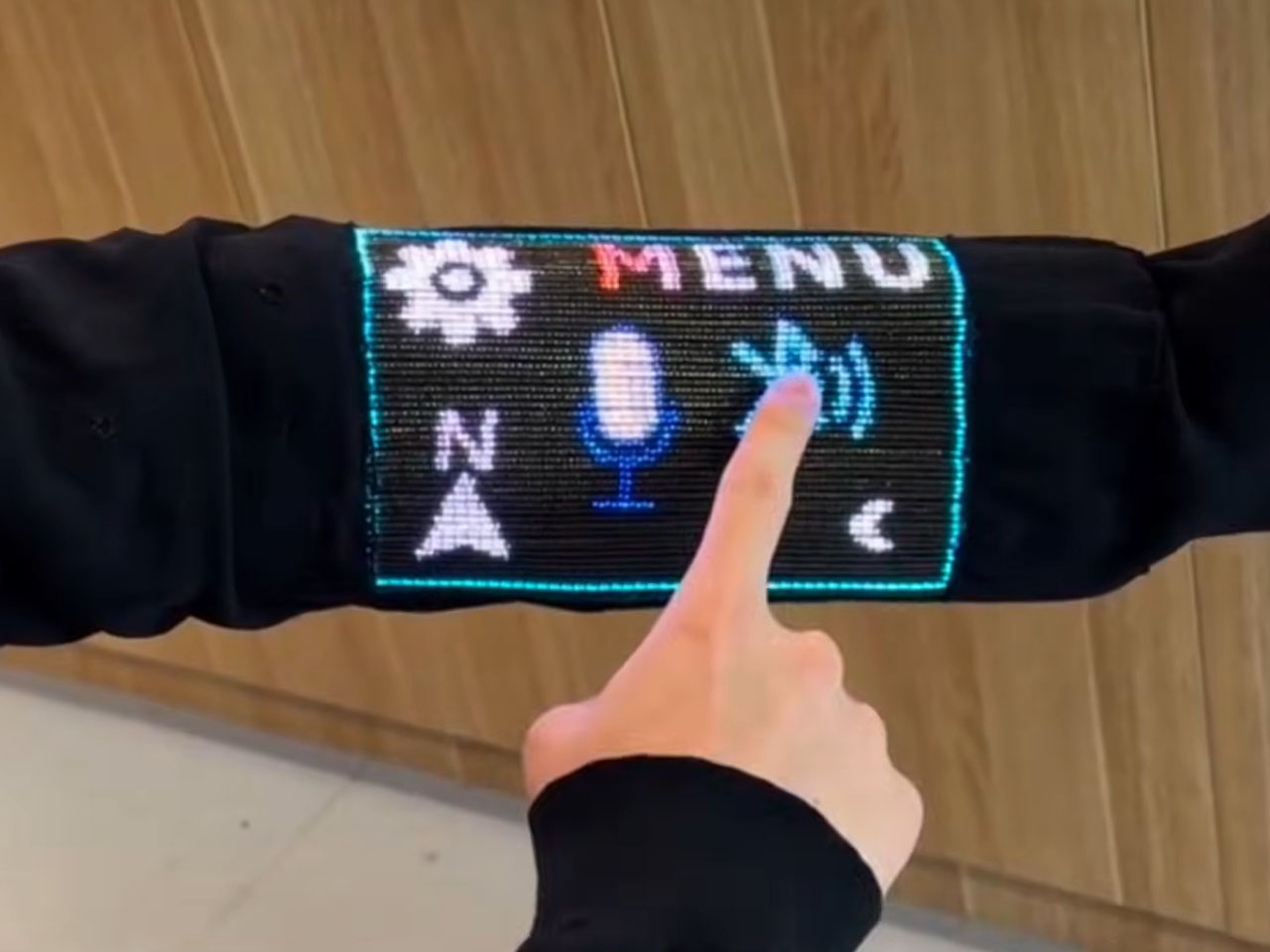
We are already wearing clothing with heaters and Bluetooth speakers built in. But tech-infused clothing to do more than that still feels ugly and nerd chic. Changing that perspective for good and giving us a reason to believe that the next touchscreen interactive device will not be made from plastic- it will be woven into the sleeves- researchers at the National University of Singapore (NUS) have developed a touchscreen sewn into clothing.
The team of scientists led by Assistant Professor Tural Khudiyev from the Department of Materials Science and Engineering at CDE, has created fiber that functions as pixels and senses touch at the same time. They have integrated 54 specialized fibers into a sleeve, which they described as the world’s first touchscreen built into a garment. The findings of their research were published in Nature on 21 October 2026.
Opening doors for tech-integrated clothing that does more than the usual heating and playing music features, it has a 96 x 54-pixel display on the sleeve, which can show images, play videos, and respond to touch. For the real-world mathematicians, it can also do some calculations. While the techier have the option of pairing the touch-sensitive layer on their sleeve with another Bluetooth device, or interact with it over voice commands.
The scientists inform that this is not a screen integrated into the fabric, instead, it features electronics that are built right into the fibers themselves, ensuring that in addition to carrying out some of the functions on the mobile device in your pocket, it can also display body temperature readings when required. The fiber comprises a display and sensing capability, while an integrated touch-sensitive layer helps detect finger inputs and helps activate the corresponding pixels.
Talking about their creation, Asst Prof Khudiyev said, “What made this possible was our ability to construct the GUI system from electronic building blocks in fibre form — similar to traditional yarn, but with the sophisticated electronic functionality built directly into the fibres.” The display that has been created is for now a pretty low-resolution interface, so you cannot expect to play high-res videos on it just yet, but from what we are seeing, it can have a range of applications, such as health monitoring. Imagine a display on your garments that displays your physiological readings?
One concern that instantly comes to mind is how safe a garment GUI system like this one. According to the scientist behind the innovation have found that the display and touch sensitivity of the fabric remains almost unchanged after “50 machine-washing cycles and 1,000 bending cycles.” Also, the garment embedded with the electronics and the touch display remains flexible and breathable, making it usable for everyday wear. The team has not yet announced any possible release date for such a technology, but we already sense that the possibility of its release in the very near future is immense.
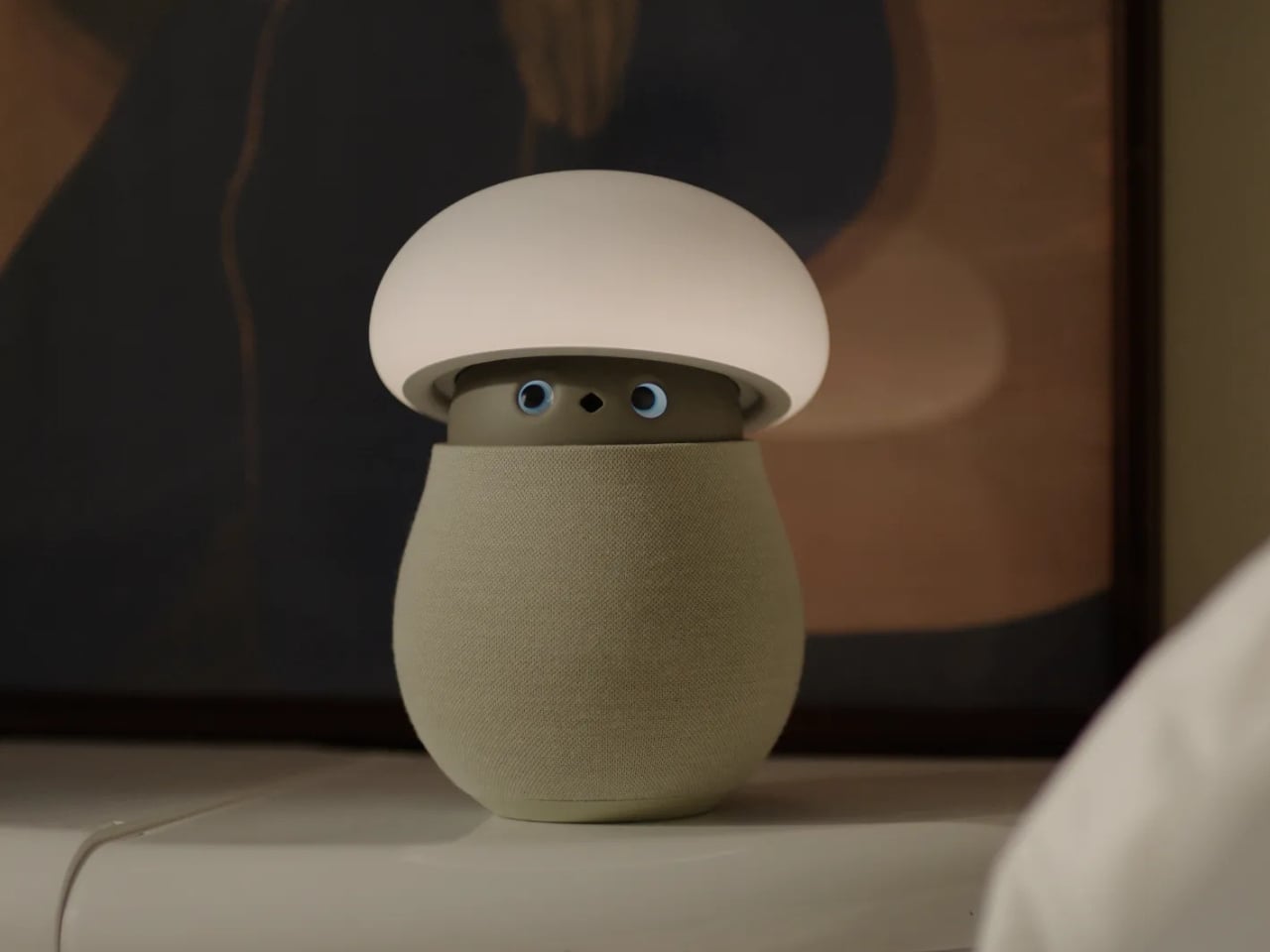
A mushroom with glowing eyes is an easier sell for my nightstand than a miniature humanoid. OKA’s Mori takes that approachable shape and gives it a specific job: offering a little company and a reason to pause, without making another screen the center of attention. Currently offered through an early-purchase program, the companion robot uses light, sound, and movement to bring some presence to a quiet room. The ambition is modest enough to feel appealing.
For anyone who wants to unwind without reaching for their phone, the physical design makes a good opening argument. Mori stands just under 12 inches tall at its maximum height, with a broad illuminated cap above a rounded, fabric-covered body. Two eyes peek out from underneath and the fabric contains 25 percent real wool. In the supplied photographs, the proportions suggest a small table lamp that wandered into an animated movie, then decided to stay. I’d happily make room for that silhouette.
Designer: OKA
The backstory gives that friendliness some purpose. OKA cofounder Hua Wang said he spent a decade designing mechanisms that brought people back to their phones. With Mori, he wanted a robot that belonged in a home rather than a large, intrusive machine. That’s a useful starting point. A domestic robot has to earn its place among your furniture before its intelligence becomes particularly interesting.
Mori’s controls lean into that furniture-friendly character. According to OKA, placing both hands on its base starts a guided breathing session, while patting its head makes the cap retract and turns it into a lamp. Light and natural soundscapes provide the setting for those breaks. I like the directness of those gestures. Touching an object to change its behavior feels appropriate here, especially when the proposed activity is stepping away from the usual sequence of opening an app, choosing a menu, and adjusting settings.
Importantly, Mori doesn’t speak in words. Its vocabulary consists of sounds, expressions, light, and movement. That limitation might be its most attractive feature. I don’t particularly want a bedside object to become another conversational obligation. A glance or a small movement leaves more room for interpretation, much like an animated character whose personality comes through before it says anything. The lamp setting also gives its owner a way to dial that personality down, with most companion reactions reduced. Cute still needs an off-ramp.
Of course, those expressive eyes come with a less whimsical consideration: sensing people inside their homes. OKA’s privacy policy says Mori’s core AI runs locally, with camera and microphone inputs processed on the device. Raw audio and image frames are discarded after processing, while recognition information can remain locally to distinguish users. The policy separately allows collection of account, device, and diagnostic information. That distinction matters. Local processing is a welcome design decision, but I’d still read the permissions before inviting a camera-equipped companion onto the dresser.
OKA also says Mori learns and becomes more individual through repeated interaction. That’s the promise I’d reserve judgment on until longer-term use establishes what actually changes. A familiar gesture could become endearing, or simply predictable. The interesting design challenge is giving Mori enough variation to sustain affection without making it demand attention. Its quiet role sets a higher bar than the adorable appearance initially suggests: it needs to remain pleasant when the novelty has worn off.
At $649 before taxes and shipping for First Access orders, Mori is an expensive experiment in companionship. That purchase includes two years of its Nature Time subscription; OKA says basic functions won’t require a paid plan, and the included subscription won’t automatically become a paid one. I’m drawn to the object, but the price makes its everyday behavior more important than its introductory charm. The real payoff would be a robot you enjoy having nearby even when you aren’t actively playing with it. A mushroom-shaped lamp already has a place in a home. Mori has to make the eyes worth paying for.
The relationship between technology and craftsmanship is evolving rapidly, and 3D-printed lighting sits at the center of this transformation. What once belonged purely to industrial manufacturing has now become a creative medium for designers, artists, and architects. Through digital modeling, parametric experimentation, and sustainable fabrication, 3D-printed lamps are redefining how ambient light interacts with interiors.
These sculptural objects are more than functional fixtures. They merge precision engineering with artistic expression, creating lighting that feels organic, customizable, and emotionally engaging. As digital craft evolves, here is how 3D-printed lamps are shaping a future where light becomes both atmosphere and architecture.
1. Parametric Light Sculptures
Traditional lighting design often begins with hand sketches and material studies, but digital craft introduces a more fluid design process. Using parametric software, designers can manipulate patterns, geometries, and textures in real time. This allows lighting forms to evolve naturally through algorithms and experimentation.
The result is a new language of illumination where every curve, perforation, and layer influences the diffusion of light. Designers can create highly detailed structures that would be difficult or impossible to produce through conventional manufacturing. Digital precision transforms lamps into immersive visual experiences.
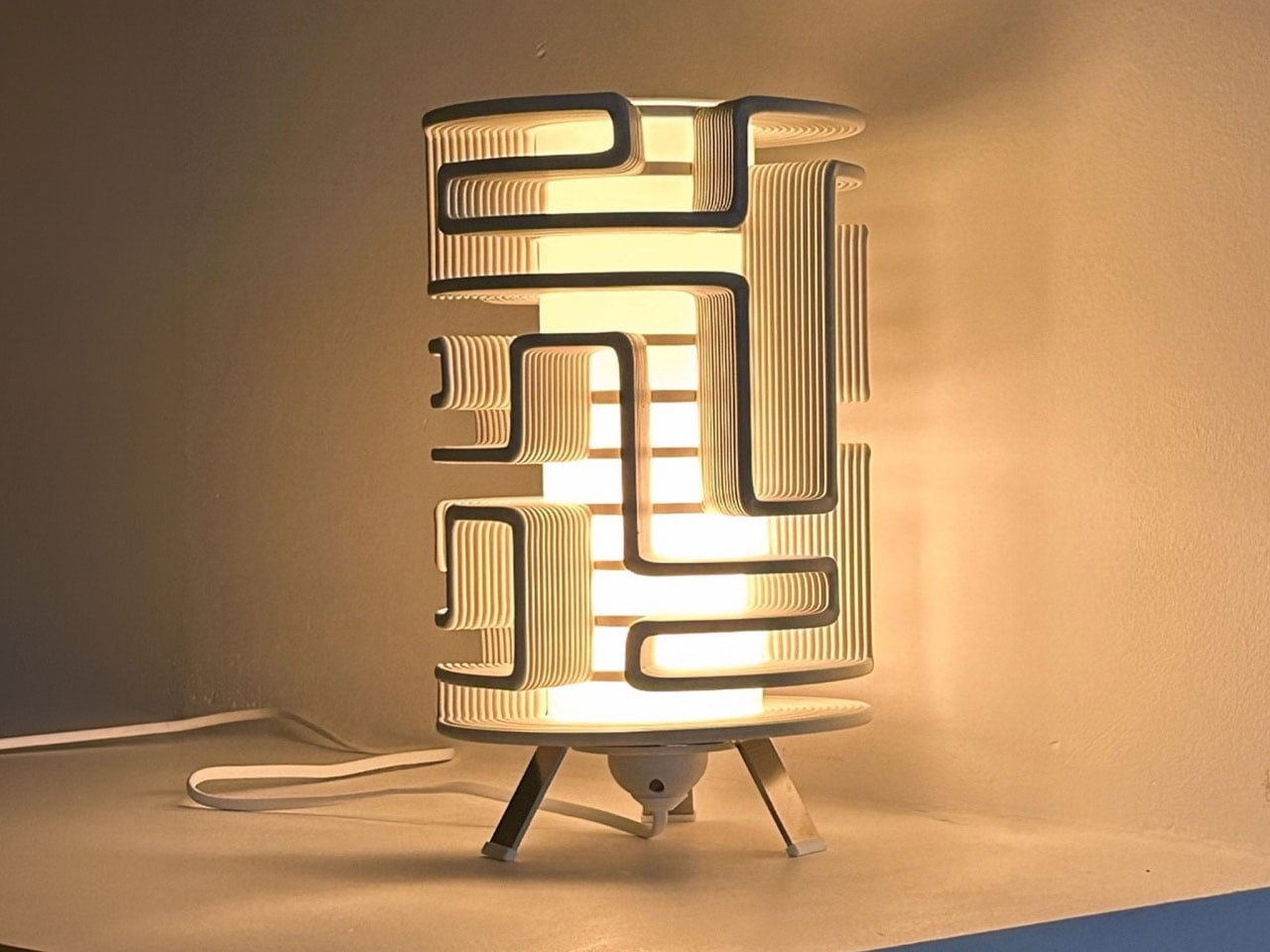
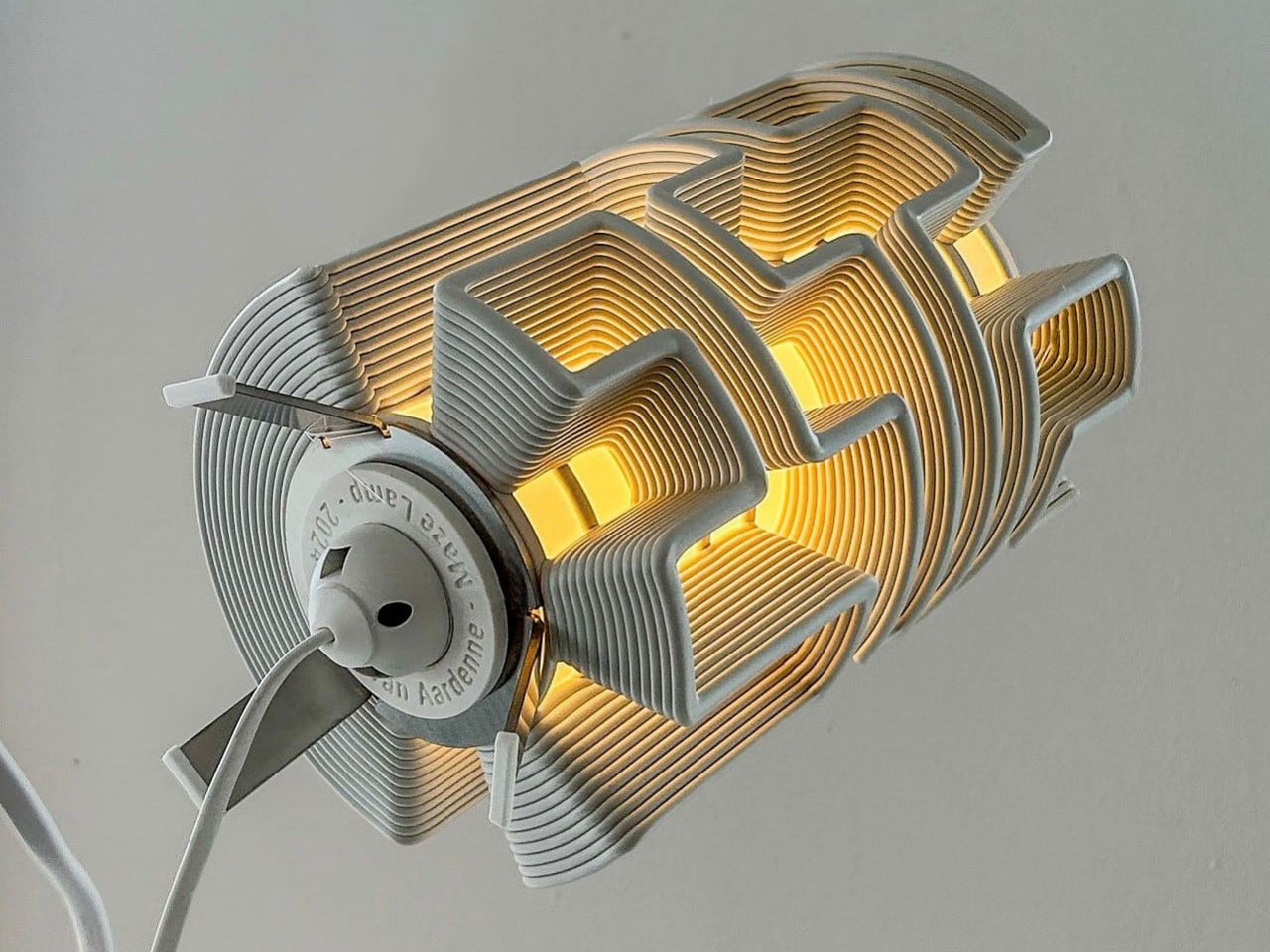
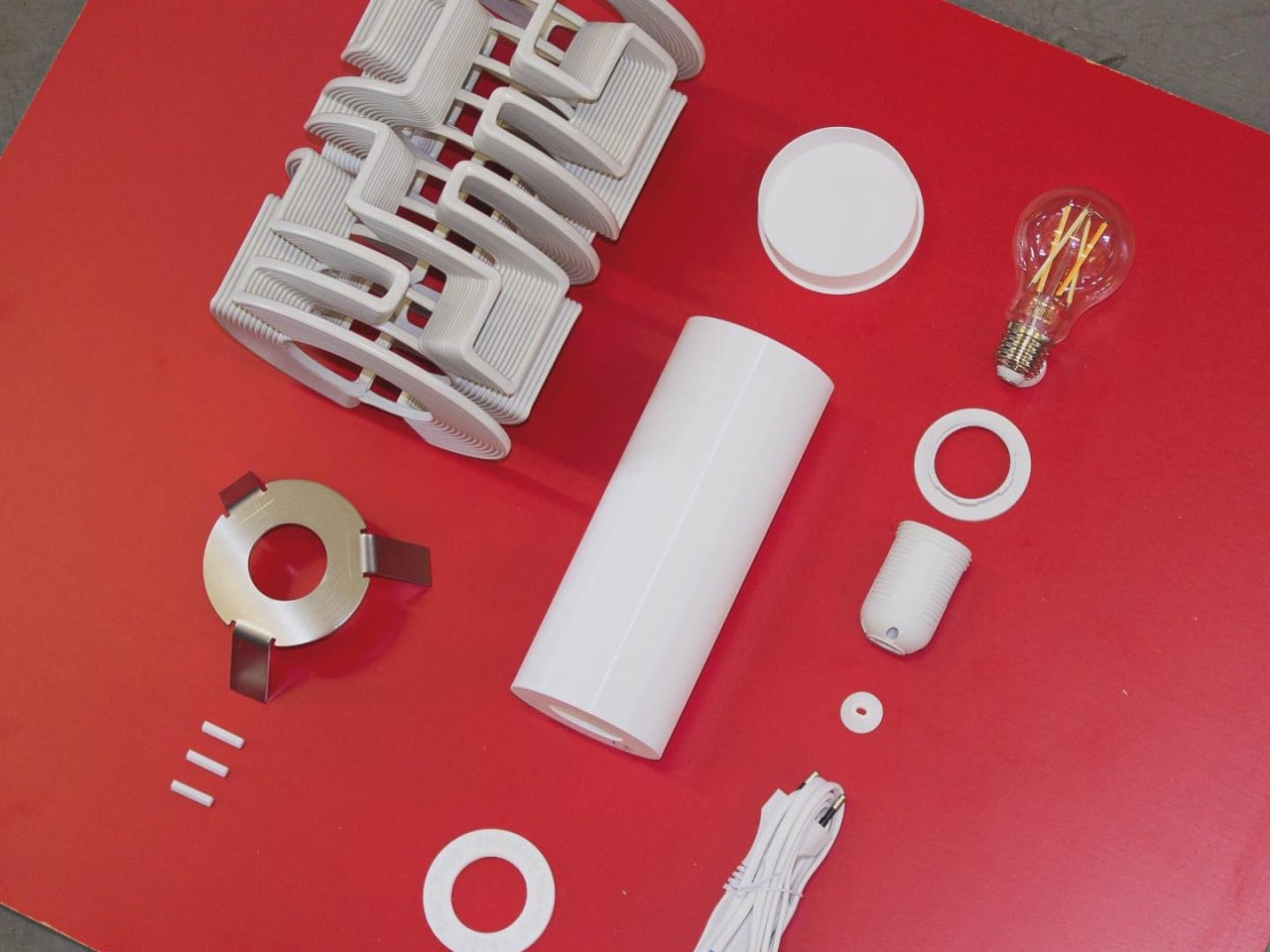
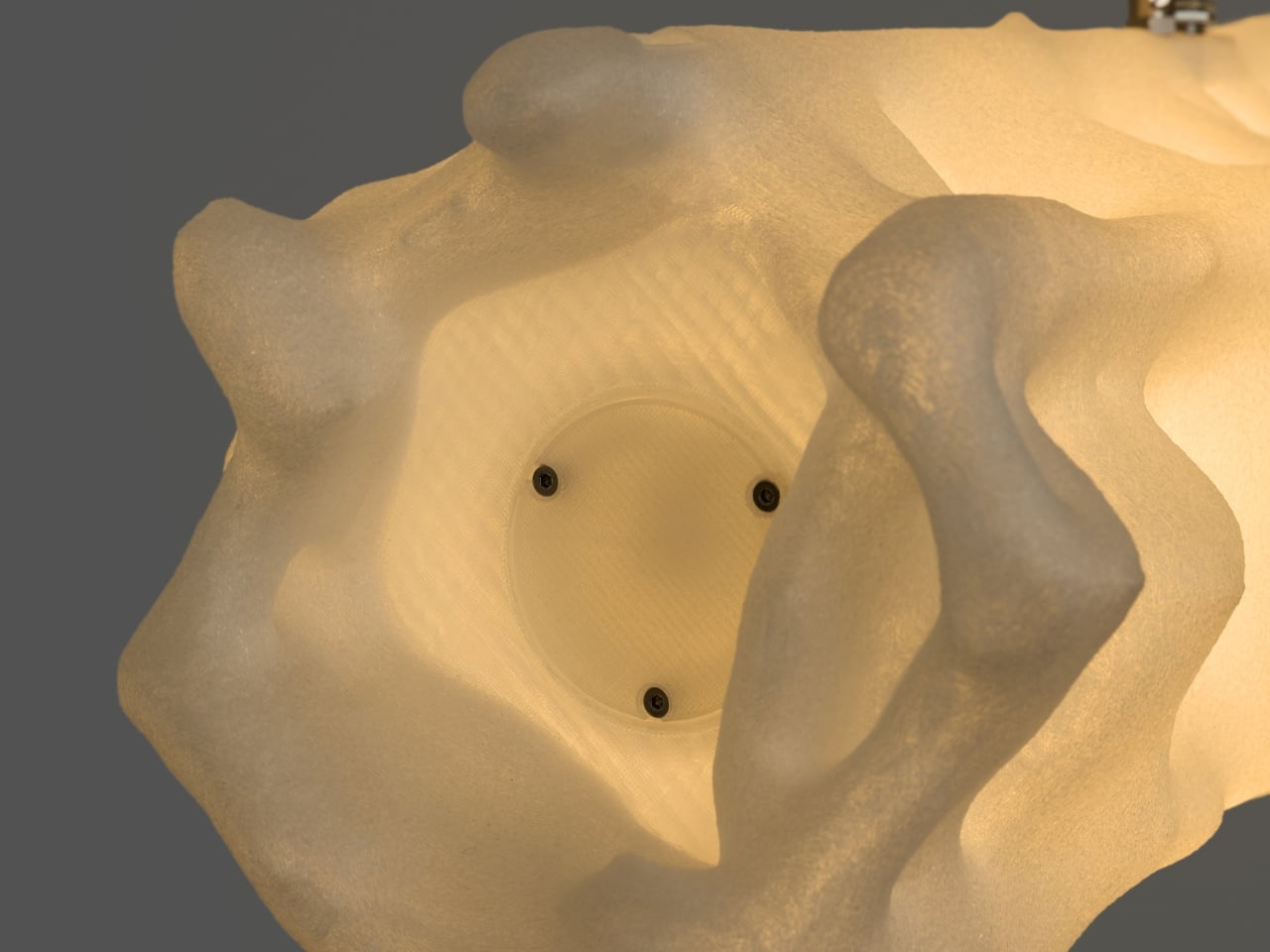
The Maze Lamp transforms experimental 3D printing into a sculptural lighting piece filled with movement, texture, and individuality. Created by designer Stijn van Aardenne, the lamp features intricate winding lines produced through an industrial 3D printing process that moves across a rotating axis. This technique creates mesmerizing maze-like patterns that wrap around the cylindrical form, casting dramatic shadows and ambient light throughout the space. Even when switched off, the lamp stands as a striking decorative object with an artistic and futuristic presence.
Each Maze Lamp is unique, as the flowing patterns are generated through a randomized printing process, ensuring no two pieces are ever identical. Crafted using recycled plastic sourced from discarded refrigerator doors, the design also embraces sustainability while celebrating digital craftsmanship. The layered structure creates a glowing effect that feels both mysterious and architectural, turning the lamp into a functional work of art.
2. Layered Printing Creates Soft Illumination
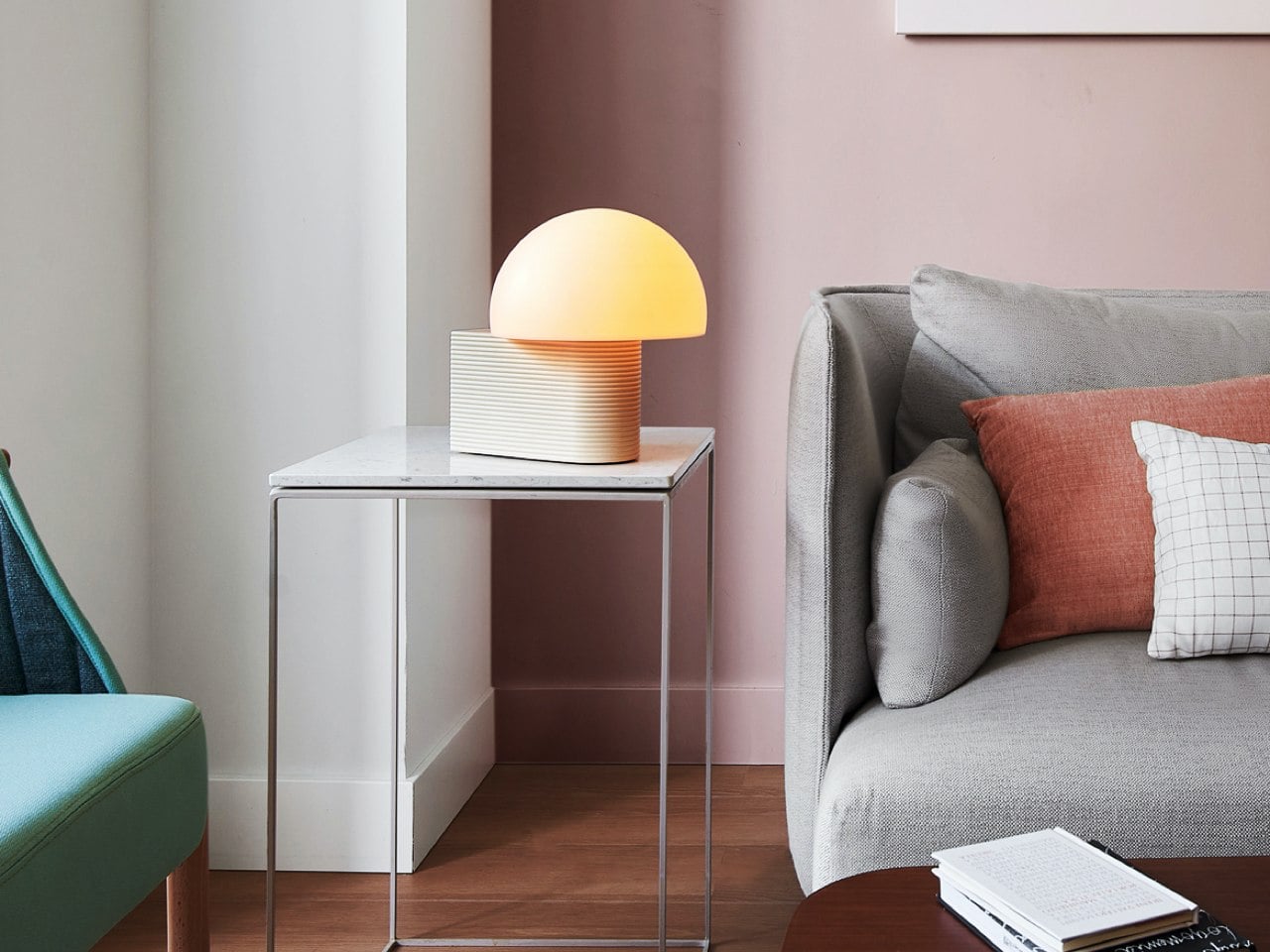
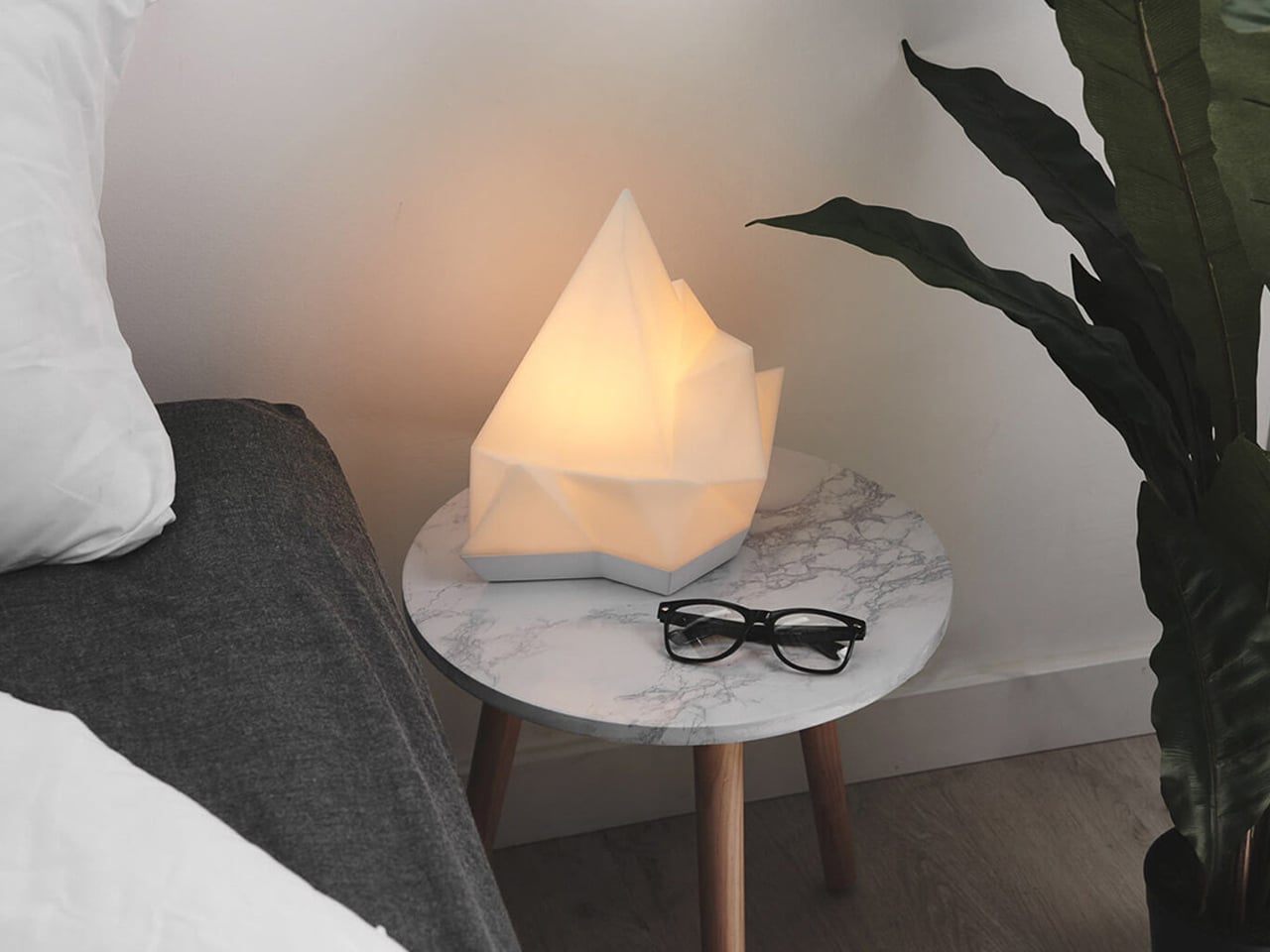
One of the most fascinating aspects of 3D-printed lamps is how layered fabrication affects light quality. During the printing process, thin material layers form subtle textures that interact beautifully with illumination. These ridges scatter light softly, creating a warm and ambient glow within interiors.
Instead of harsh brightness, the lamp becomes a medium for atmosphere. The printed patterns generate shadows and gradients that shift depending on viewing angles and light intensity. This blend of texture and luminosity turns ordinary lighting into a sensory and sculptural feature.
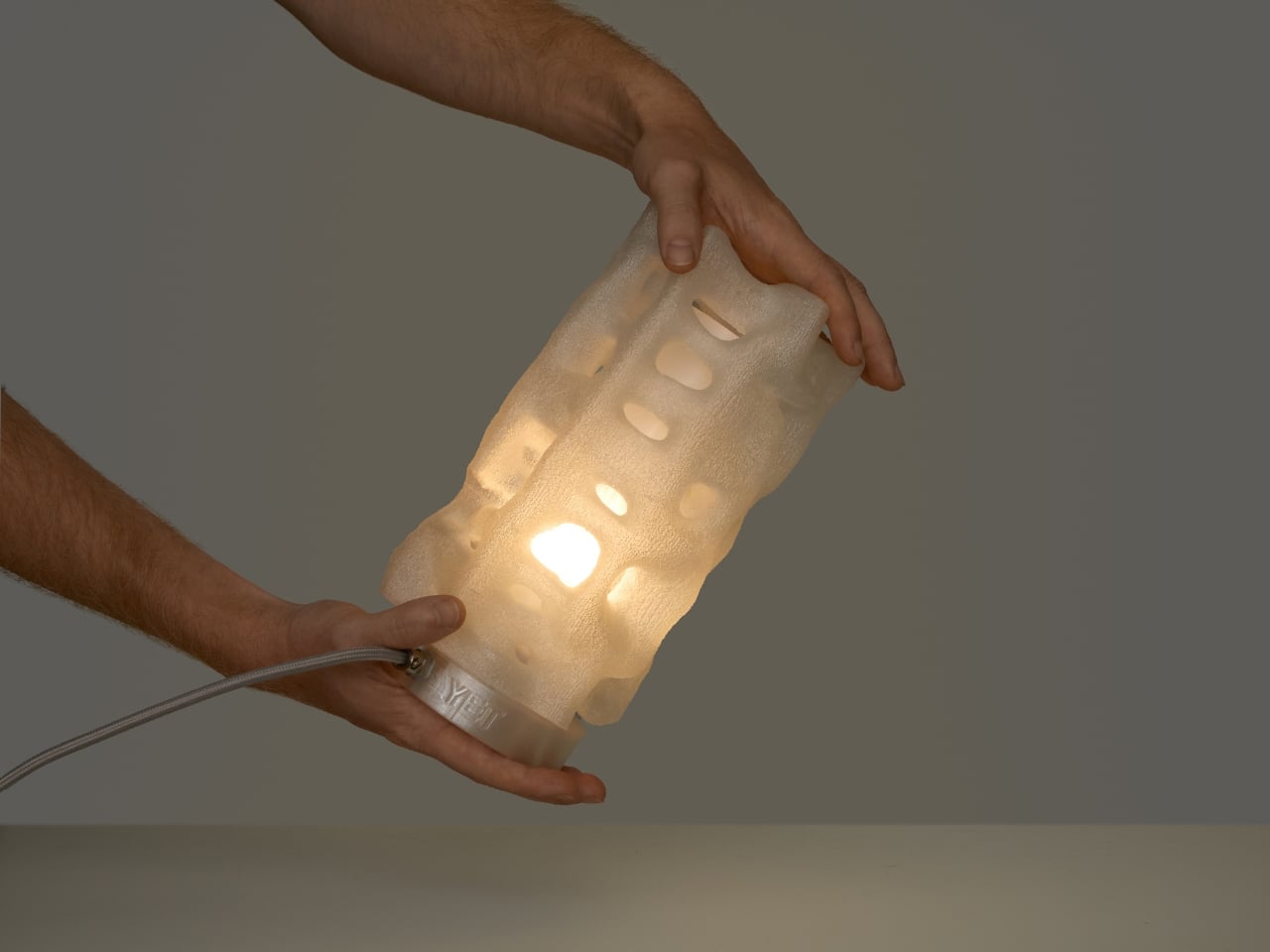
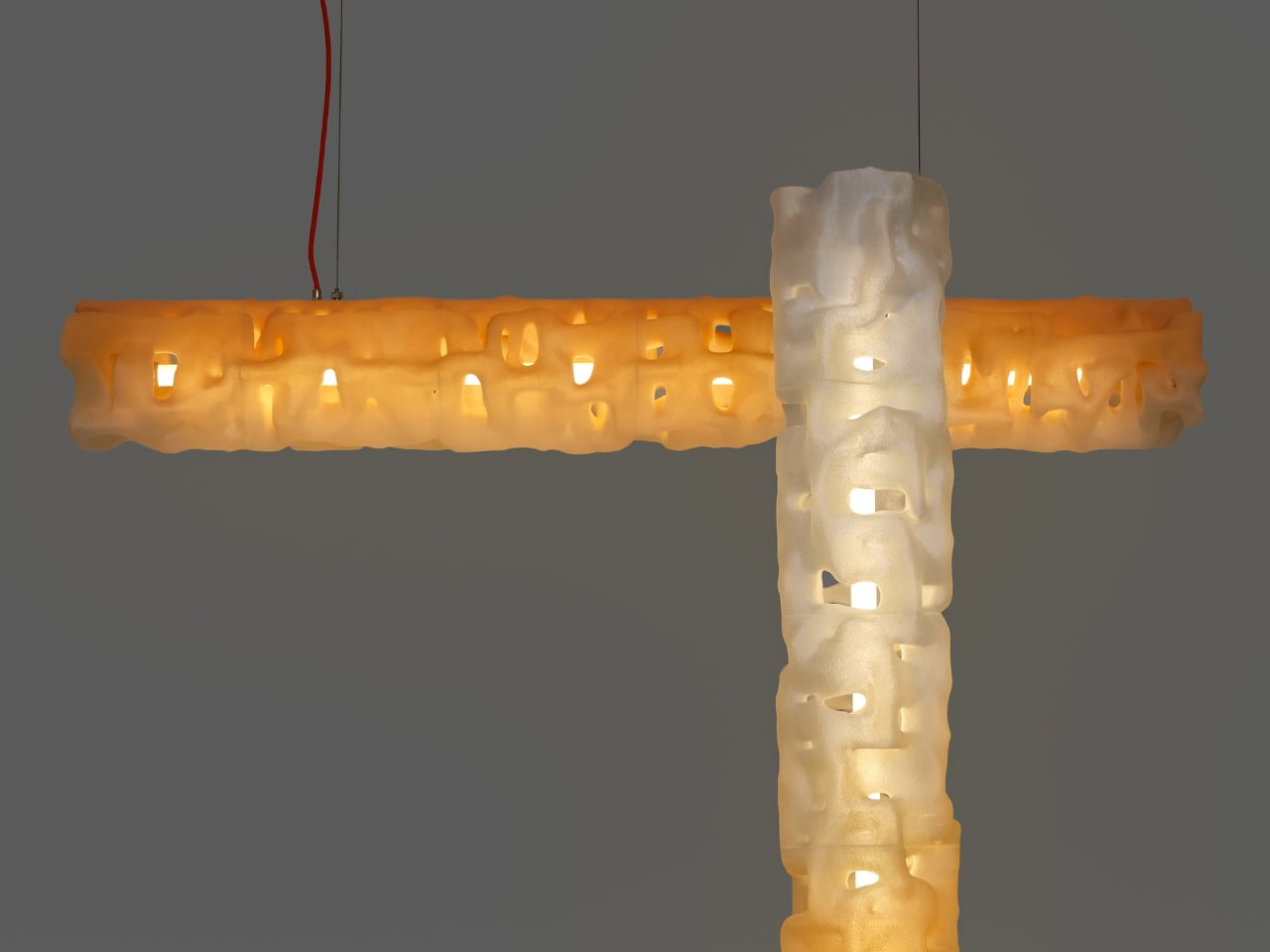
The Alherd Collection by YET FAB transforms lighting into a sculptural exploration of nature, technology, and atmosphere. Inspired by the organic growth of coral formations and the erosion of natural stone, the collection features porous, cellular structures created through advanced computational design and custom 3D printing. Founded by Ilya Kotler, Anastasiya Kotler, and Rael Kaymer, the studio blends biomimicry with digital fabrication to create lamps that glow like living forms while adding a soft ambient presence to contemporary interiors.
The collection includes table, floor, and pendant lamps, all sharing a unified visual language that adapts beautifully across different scales. Crafted from recyclable plastic, each lamp is made to order and can be customized in various finishes and colors. Integrated LED lighting softly illuminates the textured surfaces, producing a warm, atmospheric glow that feels both futuristic and organic.
3. Sustainable Materials Shape Modern Lighting
Sustainability has become a defining factor in contemporary product design, and 3D-printed lighting responds directly to this shift. Many designers now use biodegradable plastics, recycled polymers, and plant-based materials to produce environmentally conscious lamps. Digital fabrication also reduces material waste compared to traditional manufacturing methods.
Since objects are printed only where material is required, excess production is minimized. Designers can also manufacture locally, reducing transportation emissions and unnecessary inventory. This approach reflects a future where digital craft aligns aesthetics with responsible production practices.
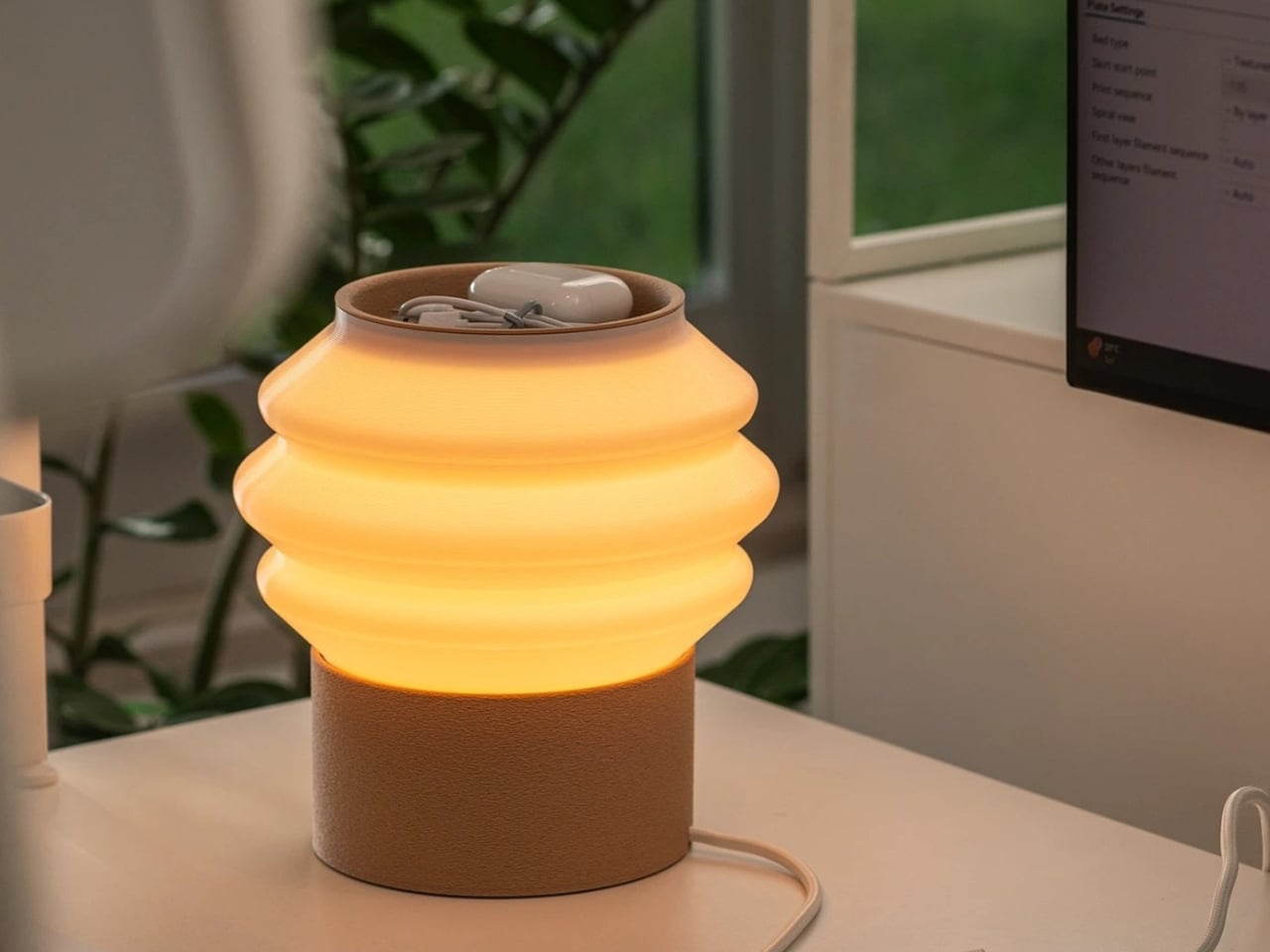
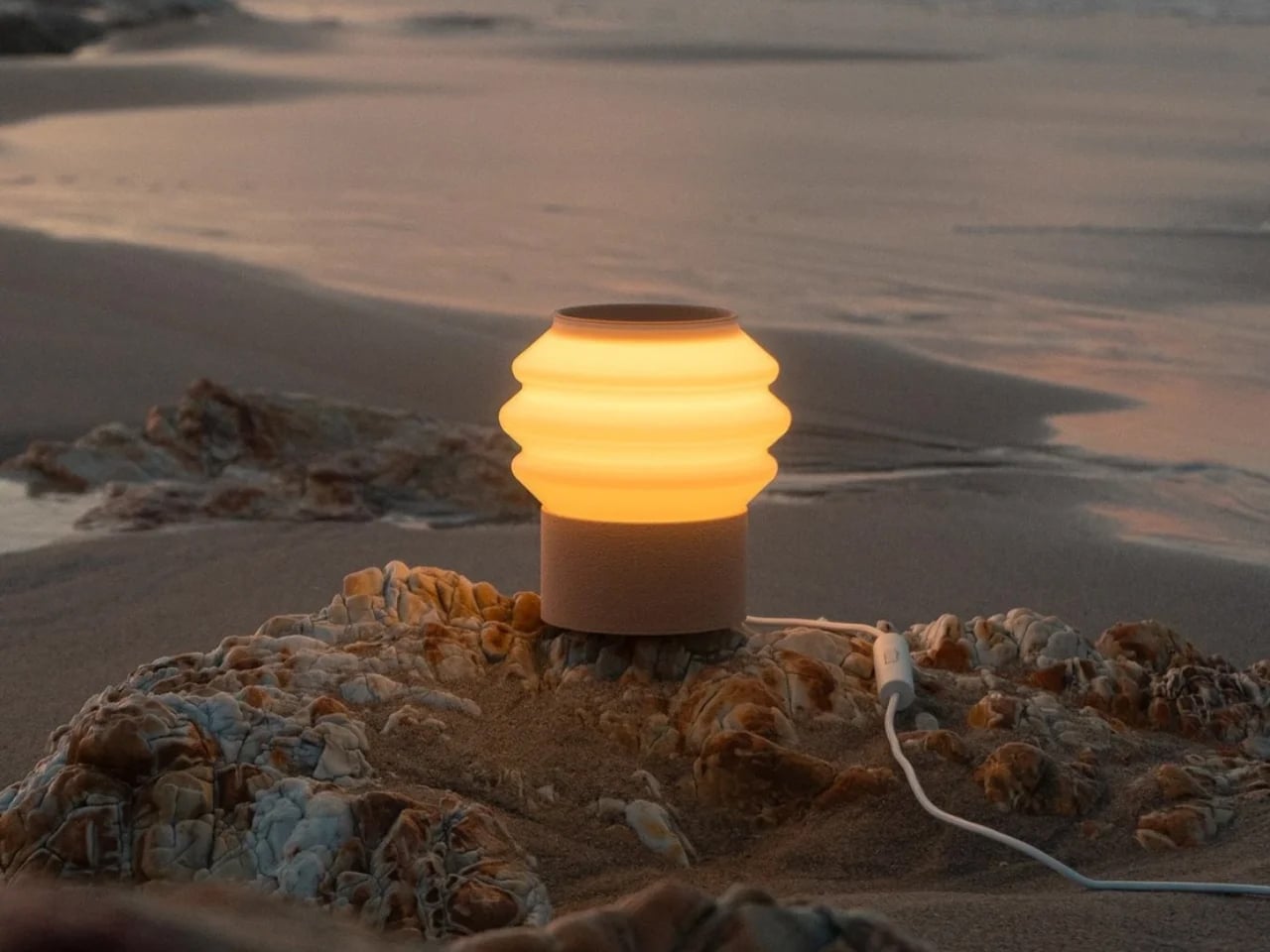
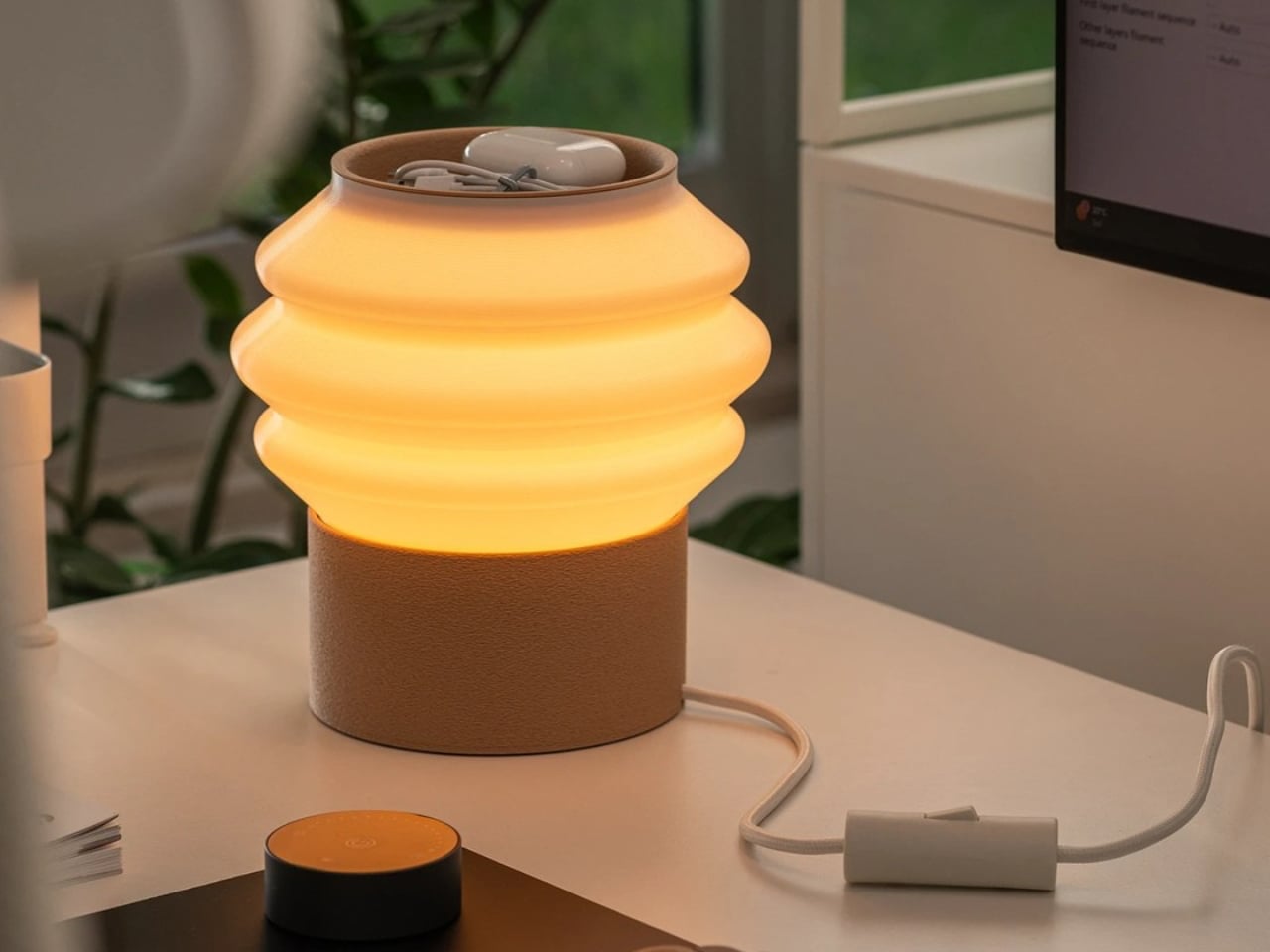
The Drop Light by Teixeira Design Studio redefines everyday desk lighting through a thoughtful blend of functionality, sustainability, and minimalist design. Created in collaboration with Oftwise Studio, the lamp is 3D printed entirely from recycled plant-based PLA and features an integrated storage tray within its sculptural base. Designed to organize essentials like charging cables, earphones, and small accessories, the lamp transforms clutter into a seamless part of the design while maintaining a clean and contemporary aesthetic suited for modern interiors and workspaces.
The design highlights the versatility of 3D printing through contrasting textures and finishes. Its matte, tactile base offers durability and warmth, while the smooth, semi-translucent shade softly diffuses light to create a calm, ambient glow. The layered printing details feel intentional rather than industrial, emphasizing craftsmanship and precision. Combining sustainable materials with intelligent functionality, the Drop Light stands as a refined example of modern lighting design where utility, environmental consciousness, and understated elegance exist in perfect balance.
4. Customization Redefines Personal Spaces
3D printing allows lighting design to move beyond mass production toward personalization. Lamps can now be customized in size, texture, color, and form according to the needs of individual users or specific interiors. This flexibility creates stronger emotional connections between objects and spaces.
For homeowners and designers, customization means lighting can adapt to modern lifestyles. Organic forms inspired by nature, futuristic geometric structures, or minimal sculptural silhouettes can all be produced with ease. The result is lighting that feels unique rather than standardized.
The lighting collection from Gantri focuses on sustainable, design-led lamps made using plant-based, sugar-derived PLA materials. Each product is 3D printed to achieve precise forms, soft textures, and environmentally responsible construction. The designs combine modern aesthetics with functional lighting solutions suited for compact and contemporary interiors. The material choice ensures durability while maintaining a low environmental impact, making the lamps both practical and sustainable for everyday use.
The collection includes table, desk, and ambient lighting designed to enhance workspace and home environments. Products like sculptural desk lamps, multi-functional tray lights, and ambient mood lighting solutions offer features such as diffused illumination, space-saving bases, and integrated utility functions. Many designs emphasize minimal silhouettes, warm LED lighting, and ergonomic light distribution to reduce eye strain. Across the range, the focus remains on combining functionality, clean design, and eco-conscious production through advanced 3D printing technology, resulting in versatile lighting objects that suit modern living spaces.
5. The Fusion of Art, Technology, and Atmosphere
3D-printed lamps exist at the intersection of digital innovation and artistic craft. Designers are no longer limited by traditional tools or manufacturing constraints. Instead, they can experiment freely with fluid geometries, intricate lattices, and biomorphic forms that transform illumination into art.
As these lamps glow, they create immersive environments where technology feels human-centered rather than mechanical. Ambient lighting becomes an emotional experience shaped by texture, transparency, and shadow. This fusion of craft and computation reflects the future of contemporary design culture.
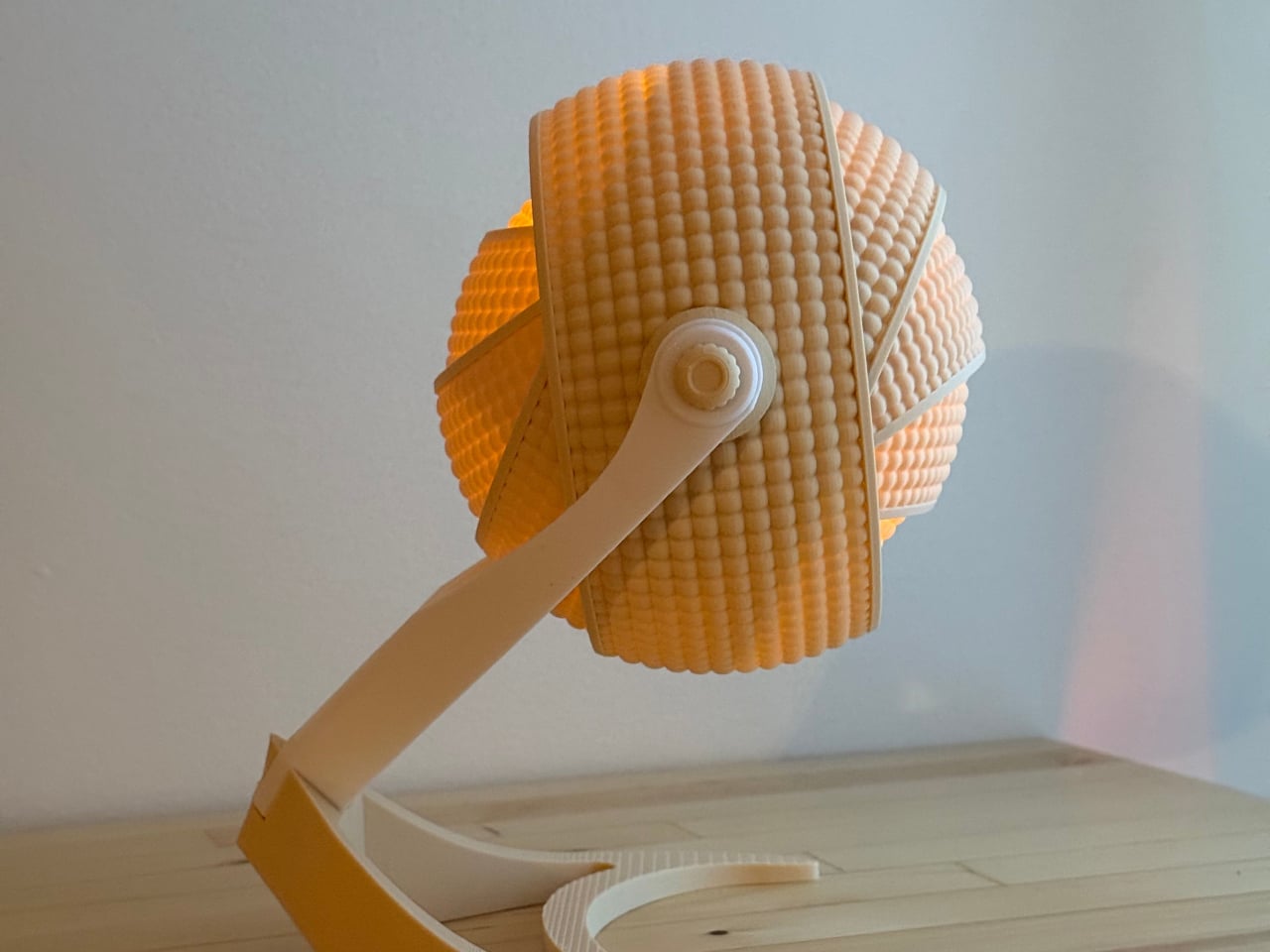
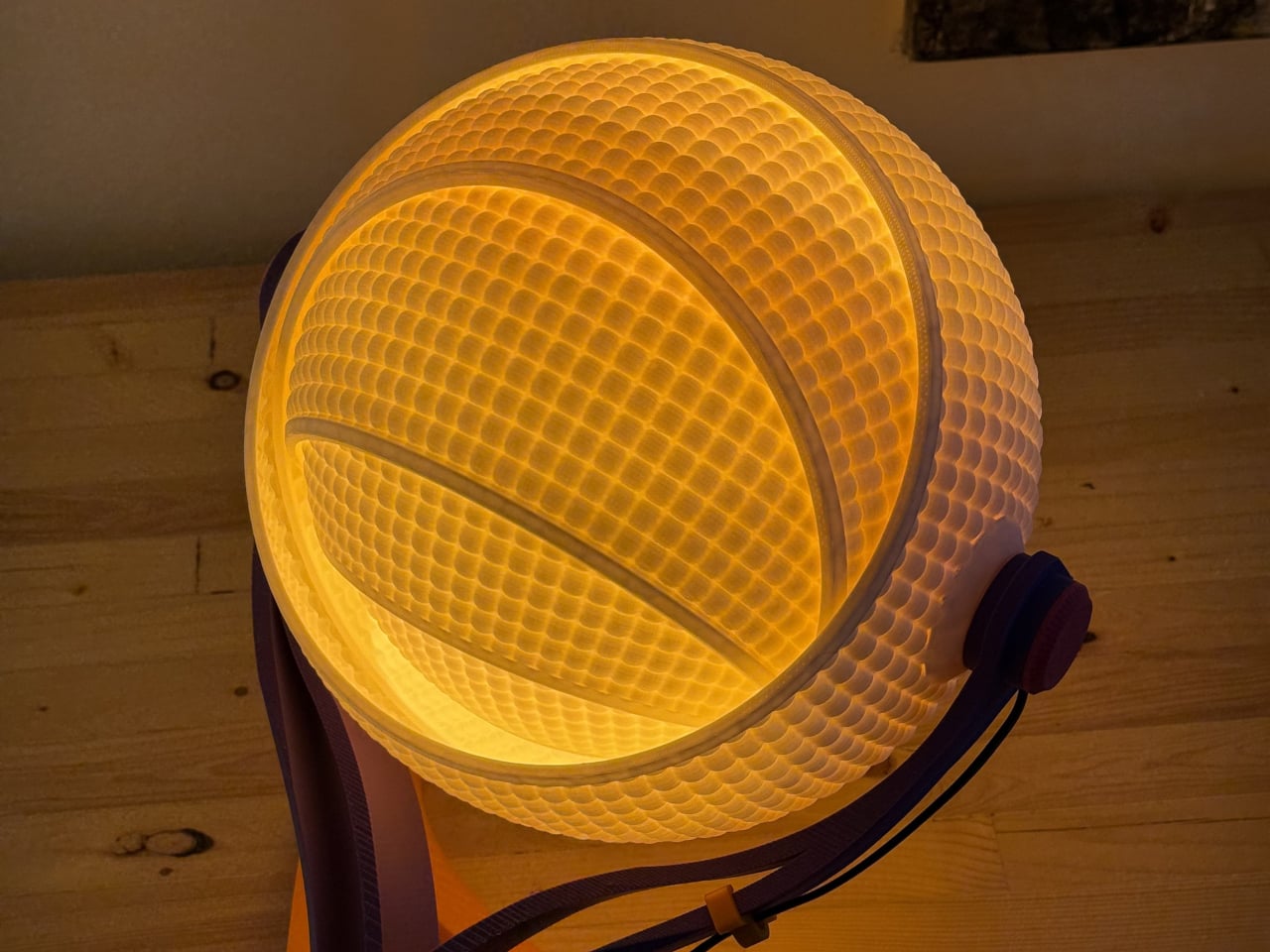
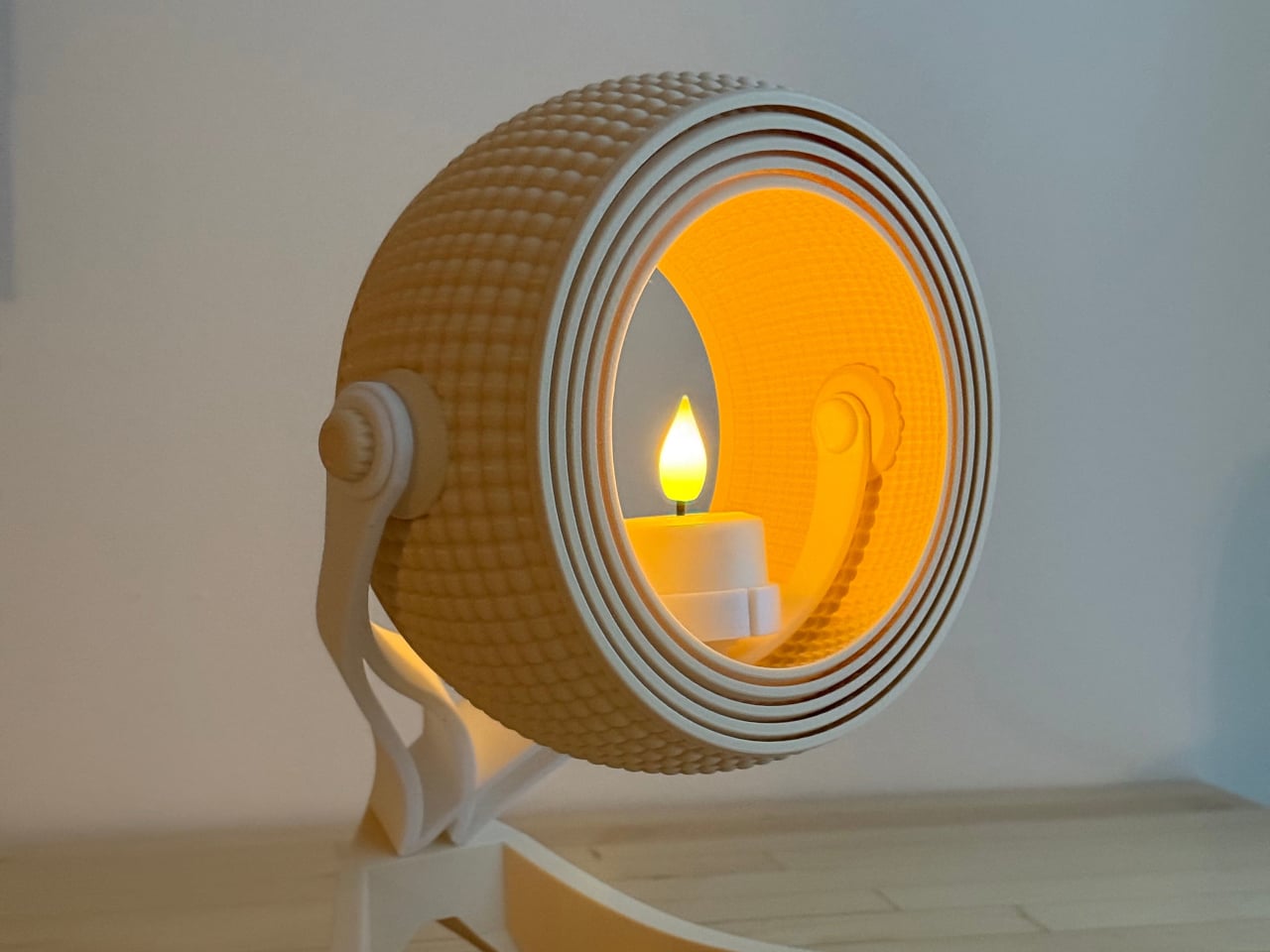
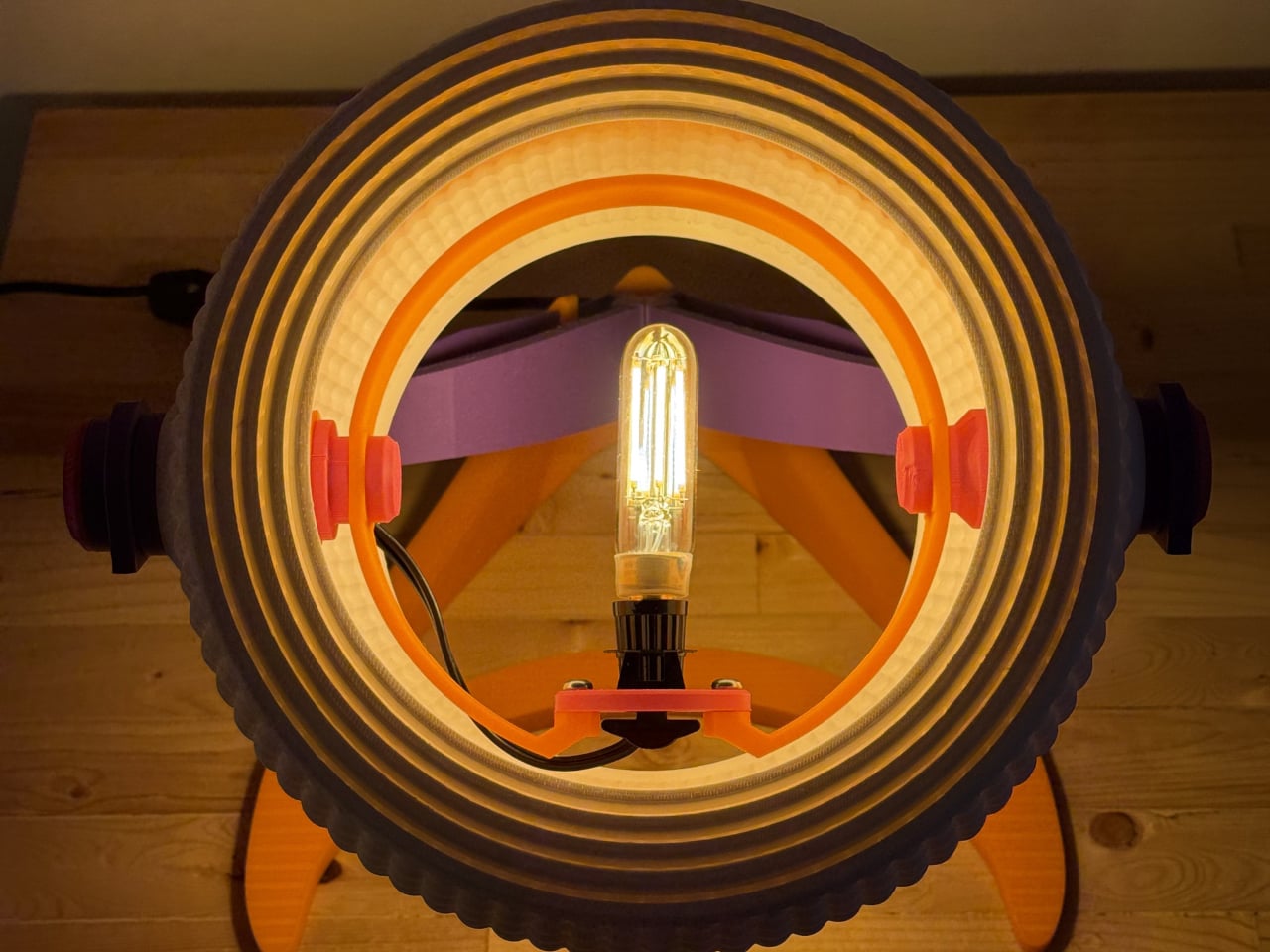
The Armadillo series by OHR Design explores how 3D printing can move beyond novelty objects into functional lighting systems. Inspired by the layered armor of the armadillo, the design transforms a simple shade into a kinetic, adjustable structure made of concentric printed rings. Originally developed from the OHRB tea light holder, the Armadillo introduces a flexible lighting concept where form directly controls illumination. The compact version stands at 240 mm and works as a bedside or accent light, while maintaining a sculptural presence even when unlit.
The Armadillo XL expands the concept into a full-scale desk lamp at 373.8 mm tall, designed for standard light bulbs and stronger everyday use. Its adjustable ring system allows users to open or close the shade, shifting light from a soft ambient glow to a focused beam depending on the need. Instead of being a fixed object, the lamp becomes interactive, letting the user physically shape lighting conditions.
These 3D-printed lamps transform digital craft into atmospheric experiences, blending technology, sustainability, and artistry. Through innovative fabrication and customizable forms, ambient lighting evolves into a sculptural expression that reshapes modern interior design.
Only a few come close to Bandit9 when it comes to avant-garde custom motorcycle creations. We’ve seen some eye-popping designs from the Vietnam-based studio that lean into a sci-fi theme, with alien-inspired forms that stay within the desirable two-wheeler limits. This time around, the custom builder is back with a hand-built motorcycle crafted in collaboration with RED, an organization helping fight AIDS and other preventable diseases.
Dubbed the (RED)800, this bike is a sight to behold with its raw form fused into a modern aesthetic, as the hand-brushed aluminum fades gradually into the sparkly red form. Only 9 units of this bike will ever be made, so that puts it firmly in the ultra-limited-edition category. More importantly, every single penny earned from the sales will go to RED’s mission for life-saving healthcare programs to communities most in need.
According to the makers, the bike’s bodywork is sculpted from scratch, with the attention to detail that’s worthy of a sculpture. As RED puts it, the bike is “an unexpected meeting of color and raw metal, executed by hand. It’s this kind of unconventional thinking and meticulous execution that defines a Bandit9 motorcycle.” Underneath that drool-worthy bodywork is the Ducati 821cc Testastretta V-twin producing 110 bhp. That takes the handsome machine from 0–60 mph in 3.3 seconds, and capable of hitting top speed of 201 km/h.
Coming back to that magnetic bodywork shaped in one continuous form, the hand-painted gradient transitions from the Racing Red to the raw hand-brushed aluminum with no apparent separating lines. Each one of the bikes will be hand-painted, so they’ll have a unique personality of their own. The finish of the bodywork is the talking point here, as the raw metal is turned into something organic while still feeling modern.
The mechanical components of the bike are left exposed underneath the aluminum shell for that muscular feel. Especially on the rear of the monocoque body, the metal surfaces are left exposed – showing off the steel trellis frame. The red strip light running from the saddle, all the way down to the suspension joint, gives the bike a sci-fi character. To complement the unibody design, the (RED)800 rides on spoked wheels and low-profile tires. For an aerodynamic riding posture, the bike gets rear-set foot controls and low-slung handlebars.
Bandit9 (RED)800 carries a price tag of $49,000 (plus shipping), and each one is made to order, with shipping taking anywhere from eight months to a year. So, you’ll have to be ultra-patient to get hands on one, even if you are lucky enough to order one of the only nine units.
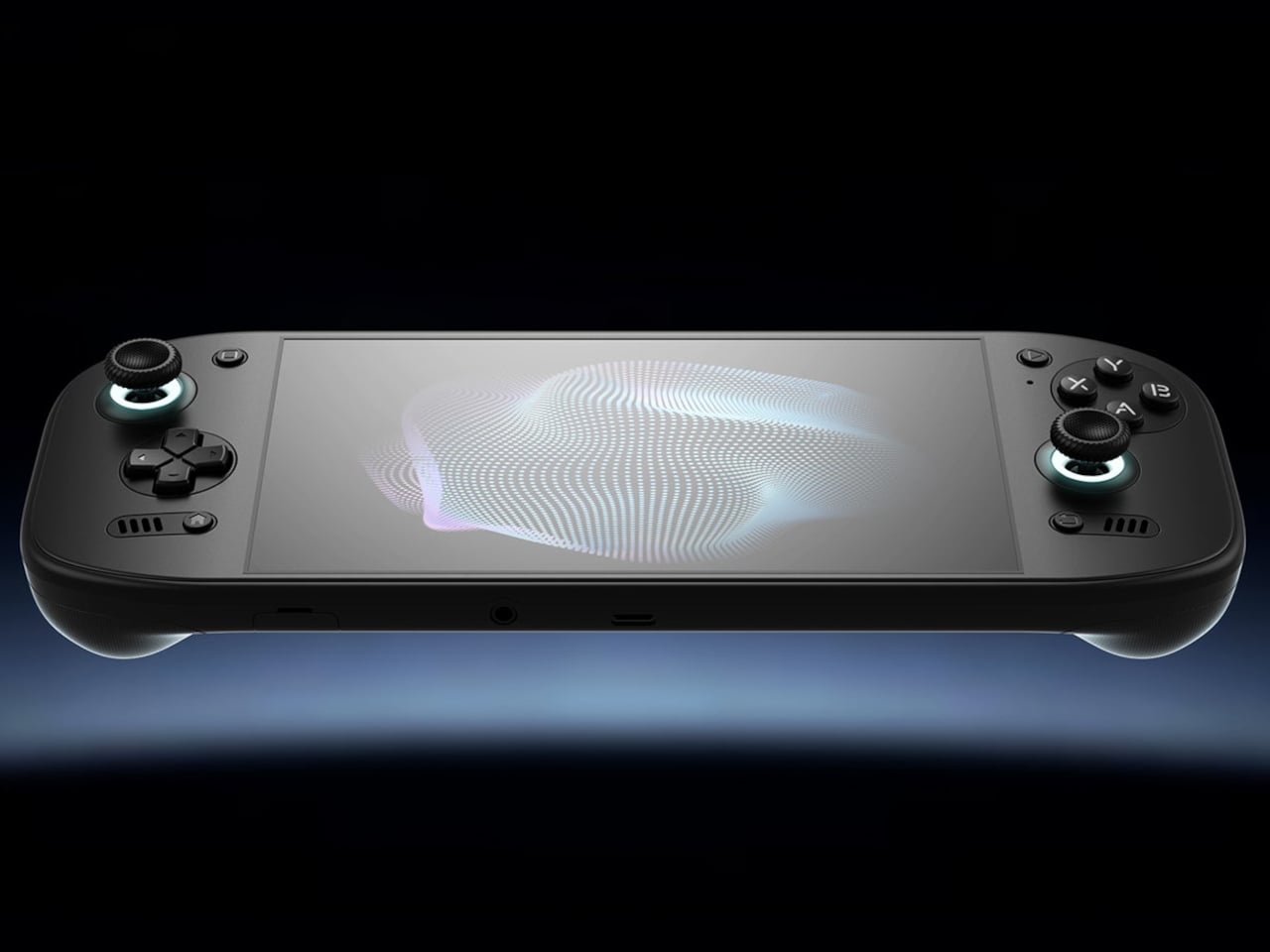
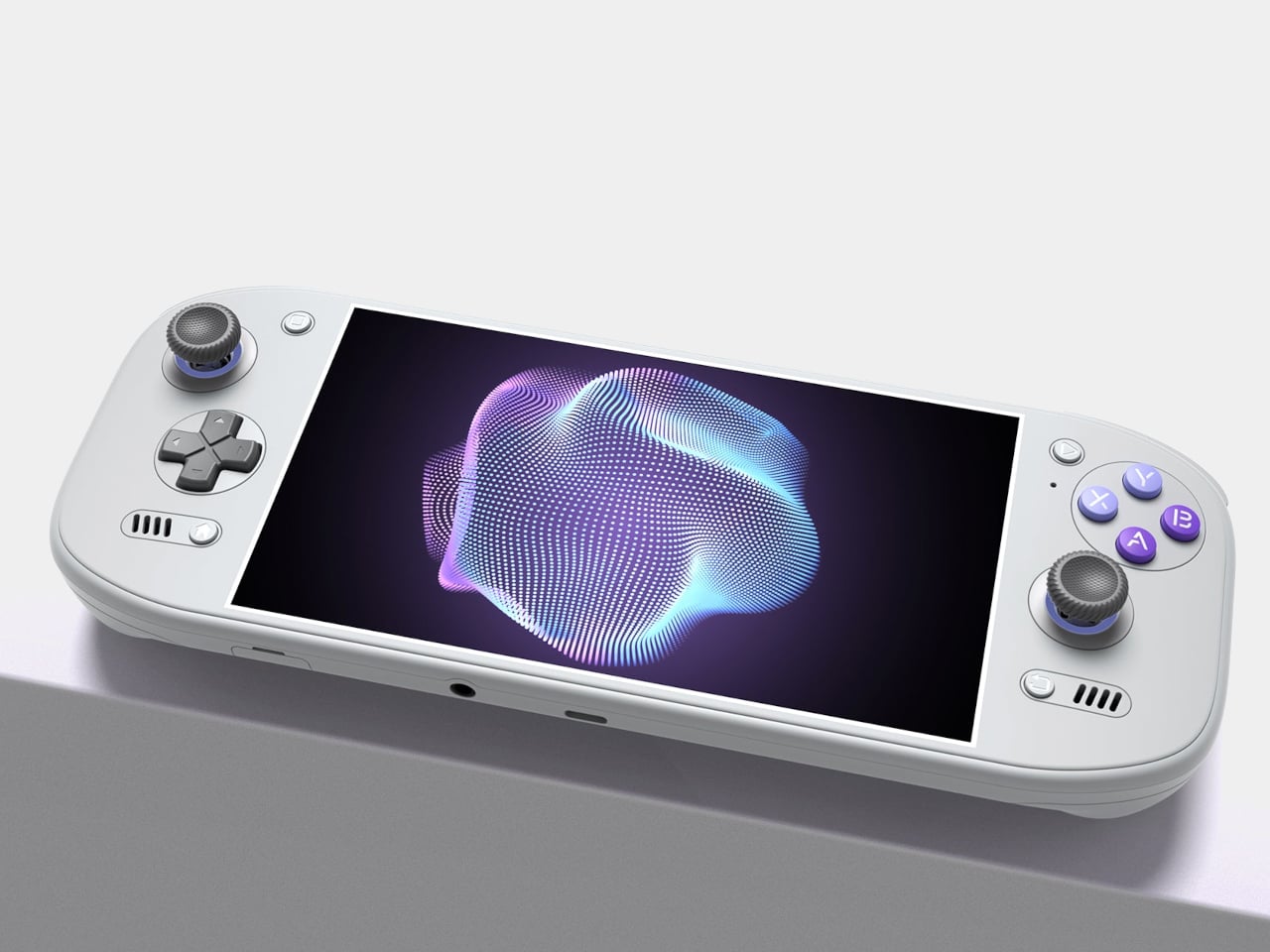
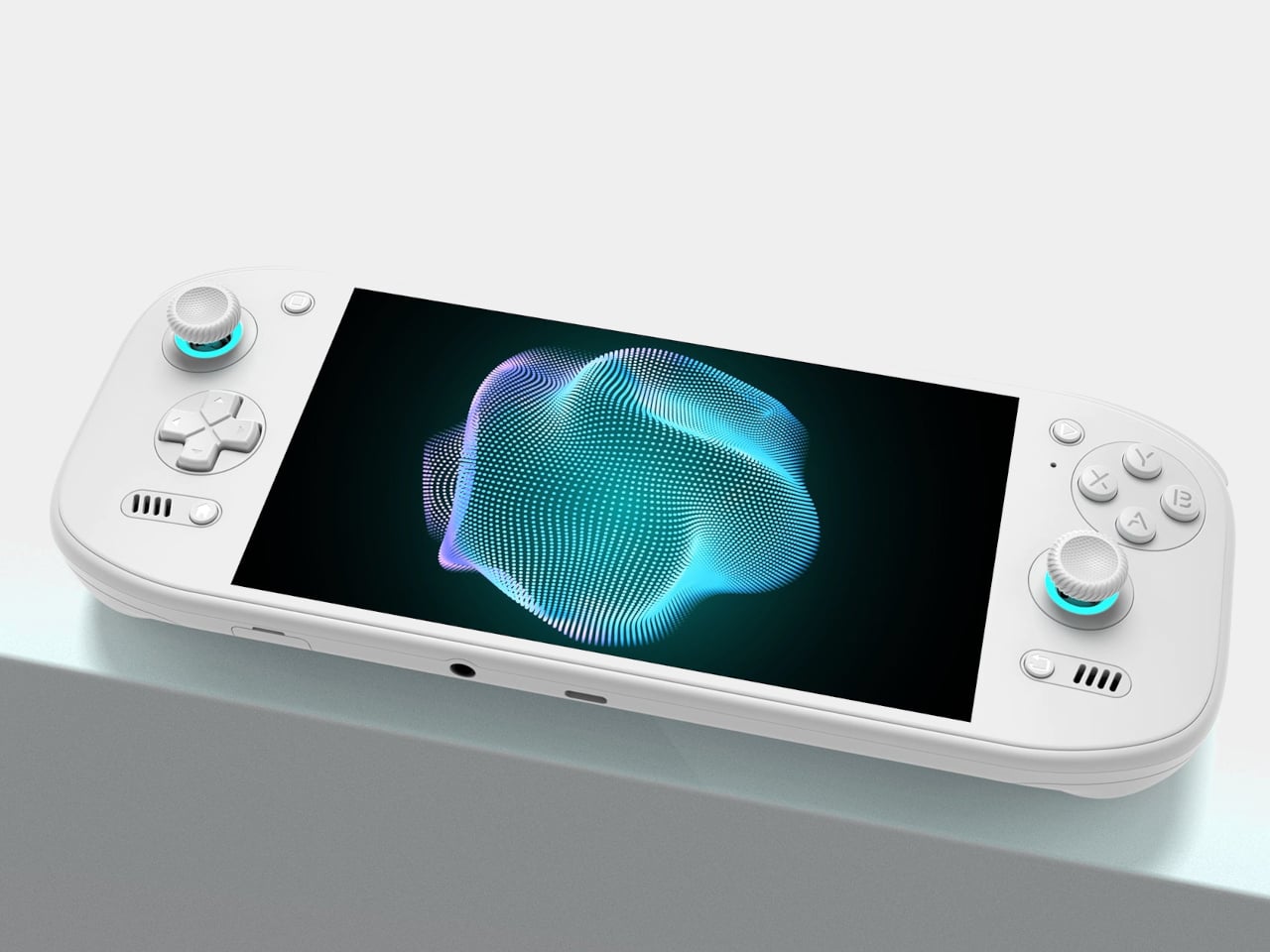
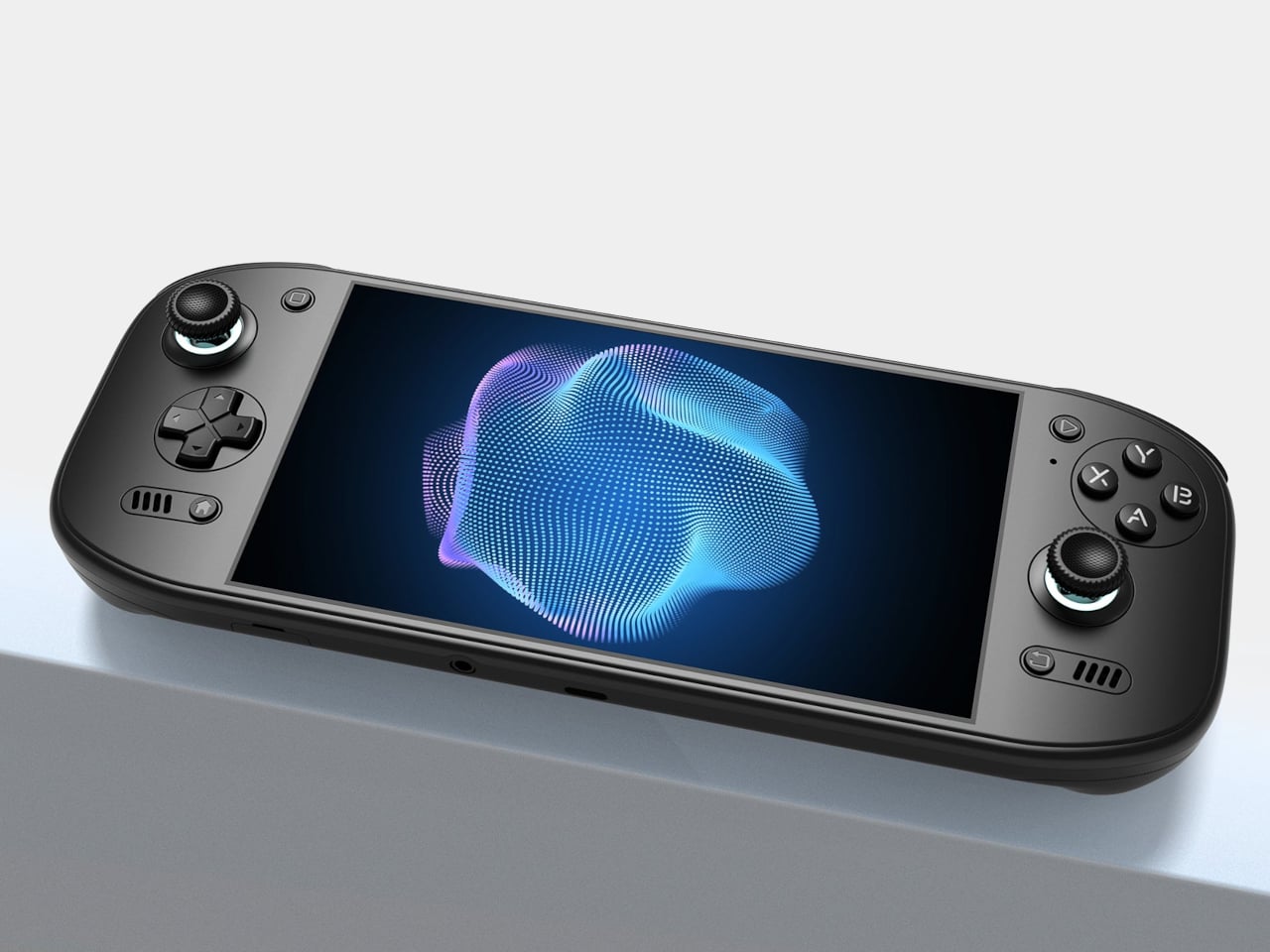
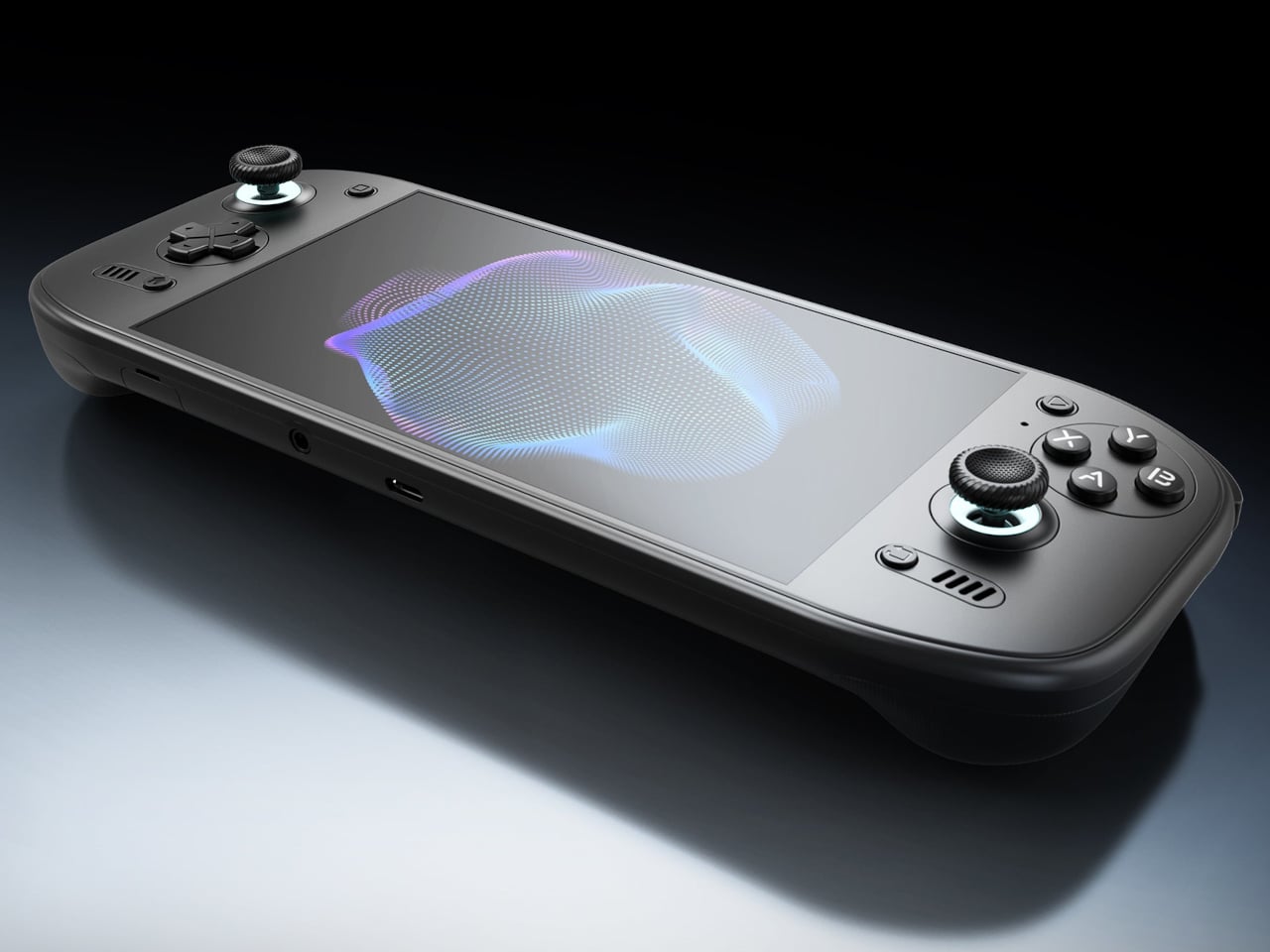
Putting a large screen on a gaming handheld is easy compared with making the whole thing comfortable to hold. AYN’s Odin 3 Portal approaches that problem with a 7-inch OLED up front and sculpted grips behind it. Now available for preorder, the Android handheld combines a broad, glass-covered face with physical controls that give your fingers somewhere other than the screen to go.
That front surface stretches across the display and surrounding control areas, giving the device a flatter, more unified appearance than a screen dropped into a chunky frame. Black keeps the boundary between panel and housing less conspicuous, while White and Cold Grey emphasize it. The latter’s purple buttons add retro flavor without turning the machine into a tribute to another console.
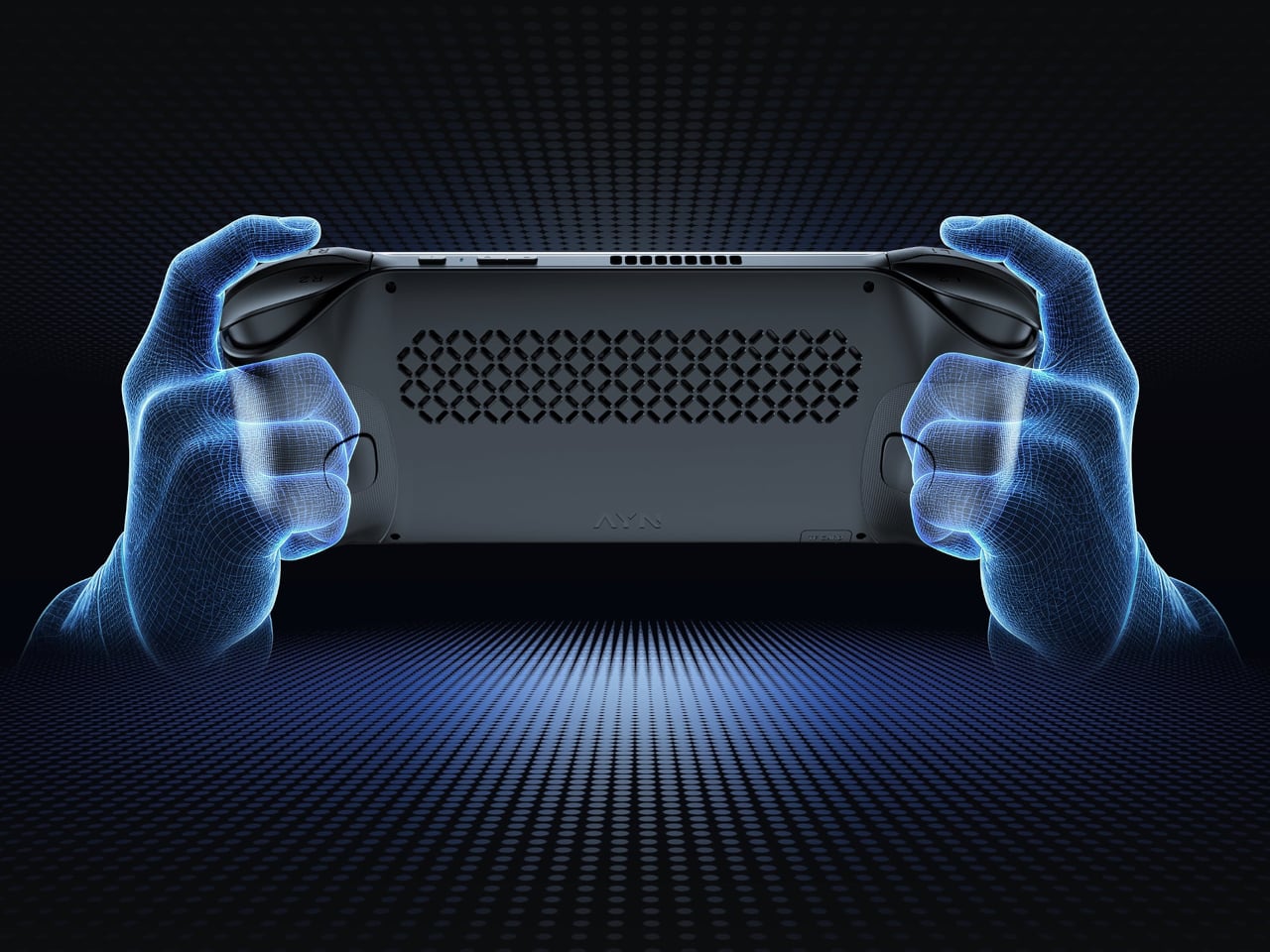
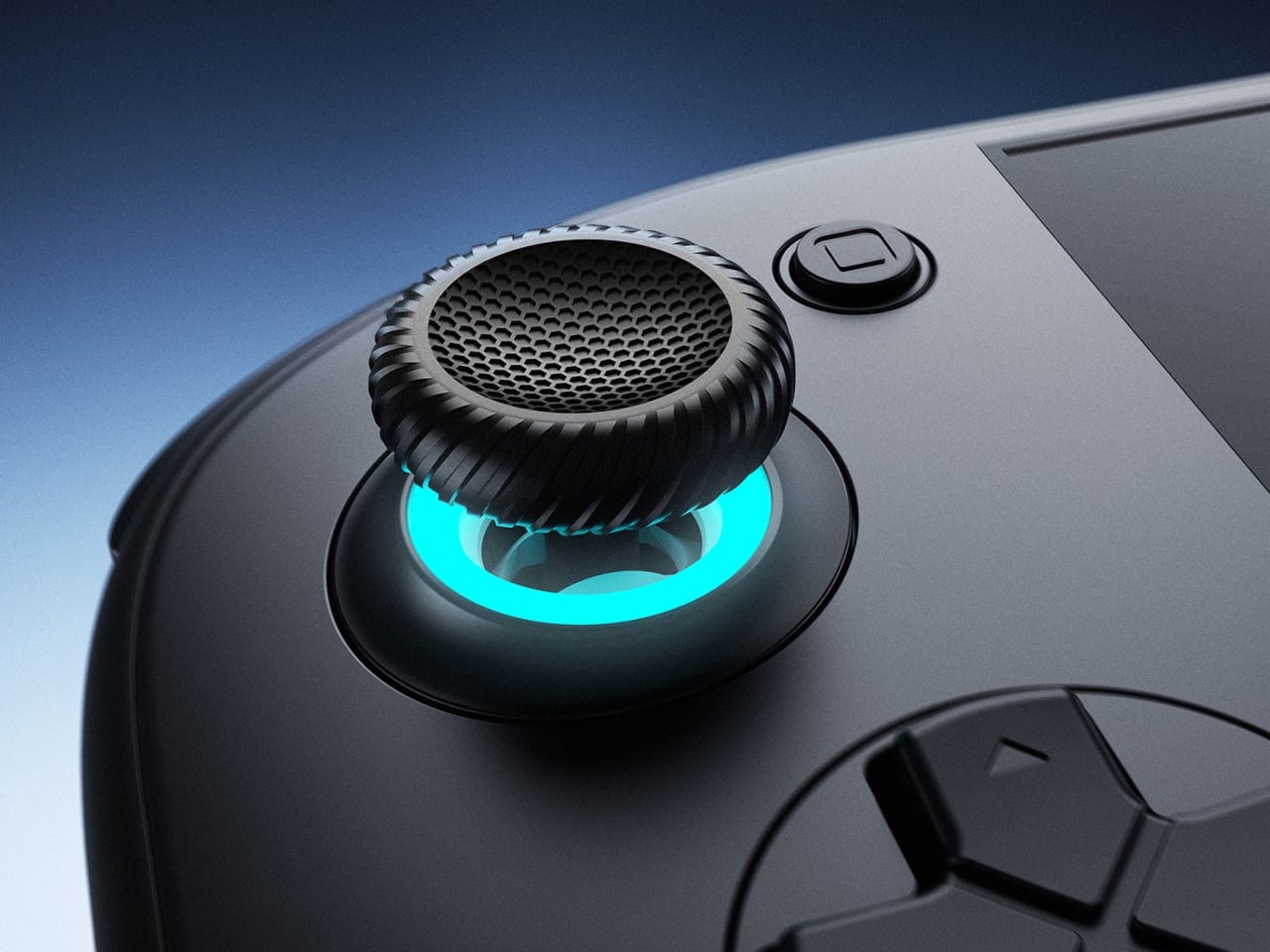
Turn it over, and the shape becomes less concerned with looking flat. Rounded bulges give your palms somewhere to settle, while textured shoulder buttons meet your index fingers above. The full-size Hall-effect sticks have ridged edges, and a dome D-pad sits below the left stick. These details aim to improve control, though actual comfort will depend on your hands and how you play.
The screen is a 1920×1080 OLED with a 120Hz refresh rate, giving supported games room to show smoother motion without asking you to peer at a tiny display. That doesn’t mean every game will run at 120 frames per second, of course, nor should you always crank it up. It depends on the game, settings, and your remaining battery.
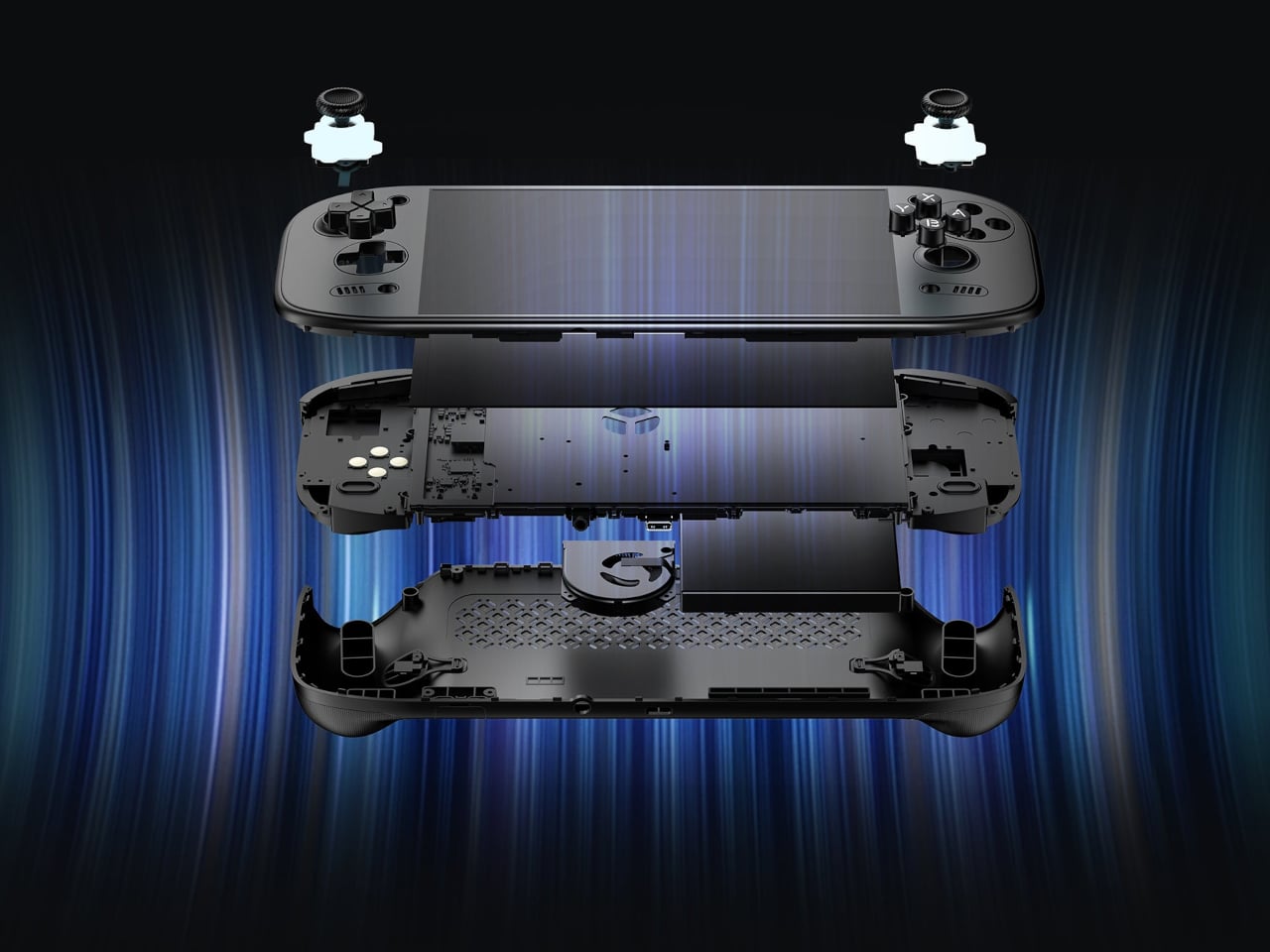
Behind that screen is Qualcomm’s Dragonwing Q8 processor, paired with Android 15 and active cooling. A broad rear grille gives the internal fan room to draw air, making ventilation part of the exterior rather than hiding it completely. That’s worth remembering when you settle in with the handheld against a cushion, since the cooling system still needs an unobstructed path to breathe.
Power comes from a 9,000mAh battery, with support for 60W charging when you need to plug back in. Actual playtime will depend on the game and screen settings, so that capacity doesn’t translate into a guaranteed afternoon away from an outlet. At about 15.9 ounces, the handheld puts weight behind that screen, especially when a quick session somehow becomes an entire evening.
Storage starts at 128GB with 12GB of RAM, while the top model offers 1TB and 16GB of RAM. There’s also a microSD slot, so choosing less built-in storage doesn’t close off future expansion. AYN specifies that no games come preinstalled, however. You’re buying the hardware for your own library and setup, not a ready-made collection of nostalgic favorites waiting behind the power button.
Launch pricing starts at $399, with the 1TB version reaching $669 and shipping expected to begin in early November 2026. The pricier configuration doesn’t buy a different screen or processor, just more memory and storage than the base model. That leaves a practical choice between keeping a larger library installed and keeping the price down, particularly when a memory card remains an option.
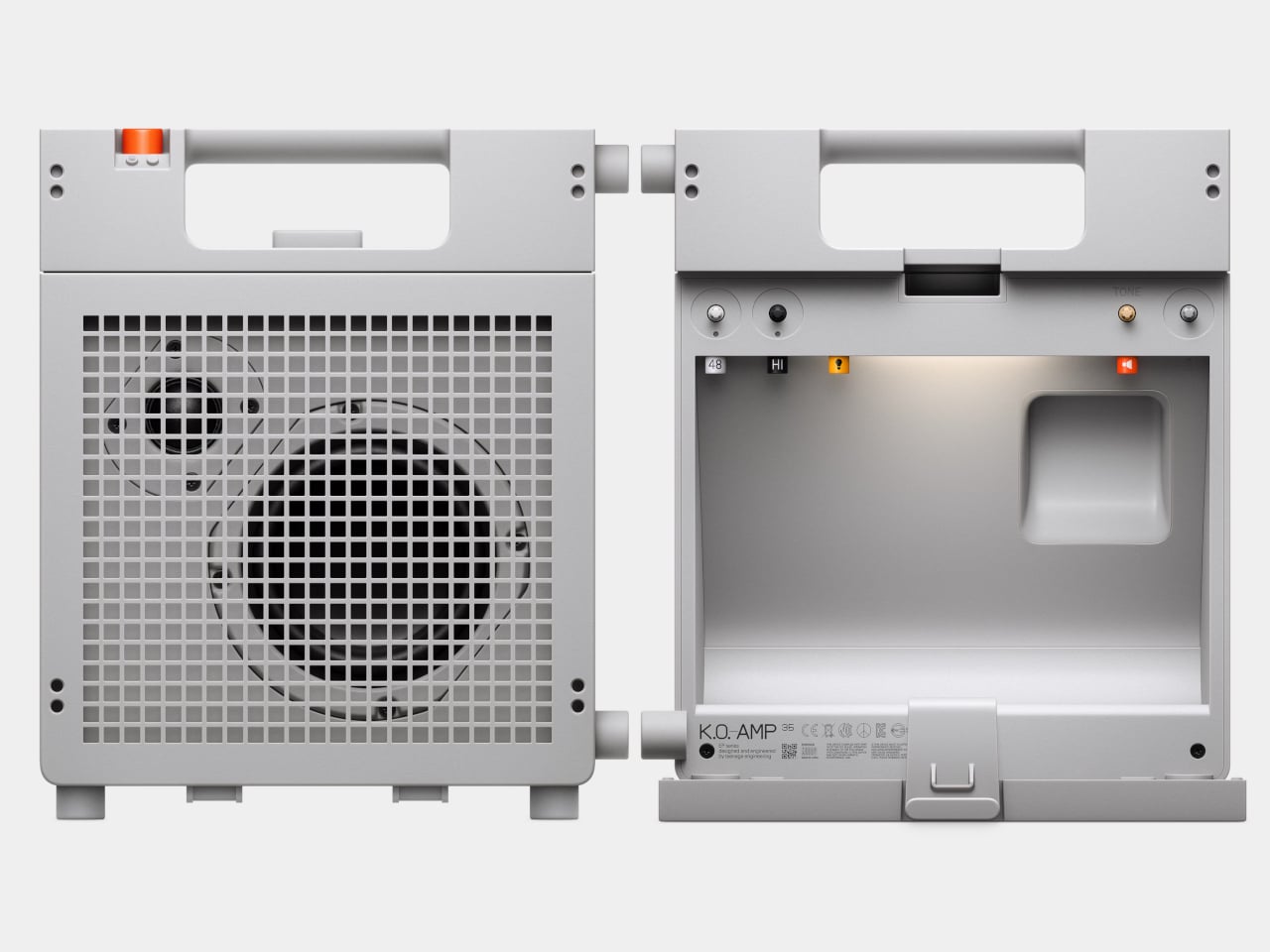
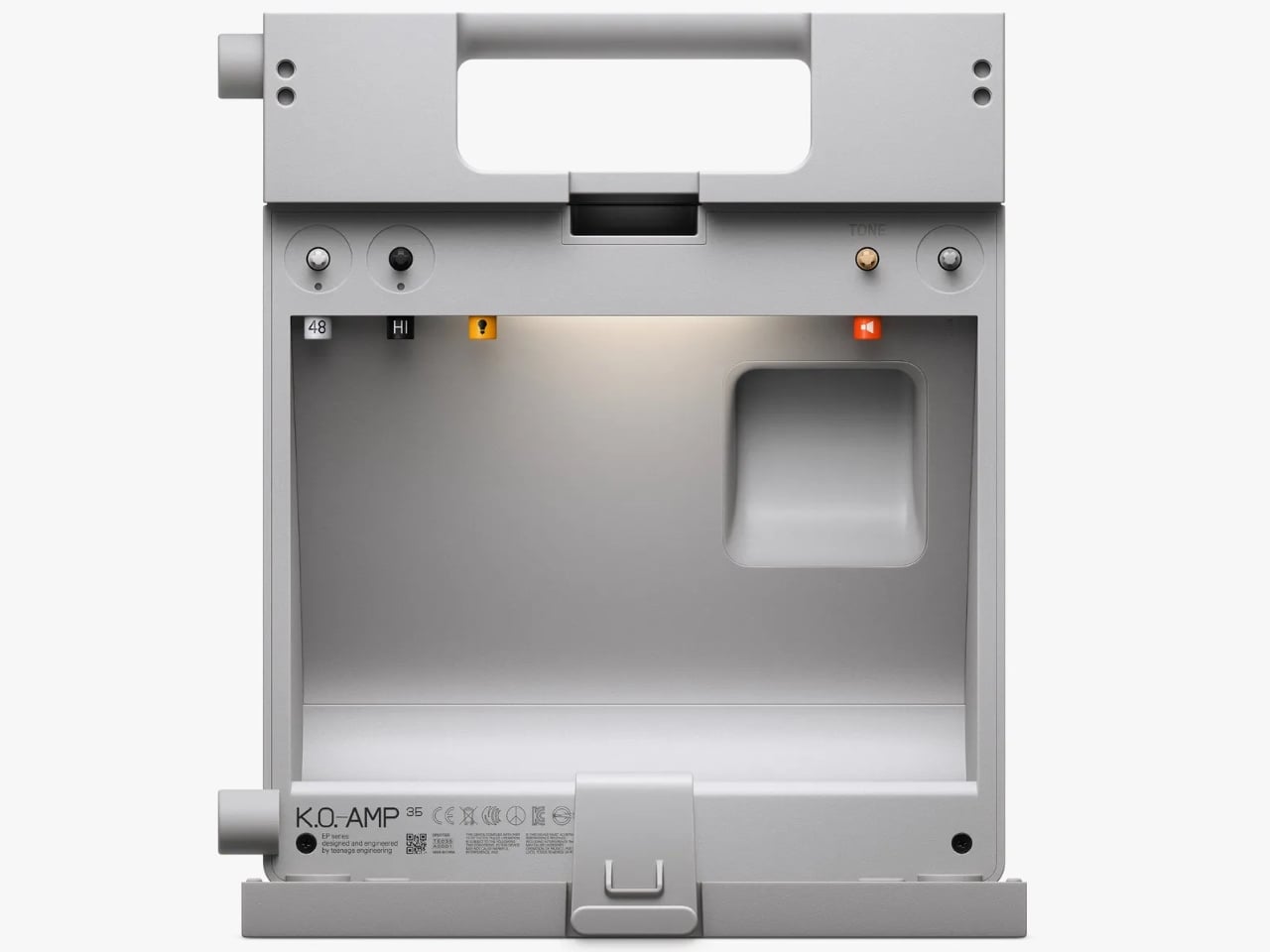
The back of Teenage Engineering’s EP-35 opens to reveal a compartment for cables and accessories. It’s a wonderfully unglamorous feature to put on a music gadget. An amp can look perfectly composed in a product photo, but taking it anywhere means figuring out where the supporting cast goes. Giving those loose pieces a home inside the speaker feels like an acknowledgment of how people actually use their equipment.
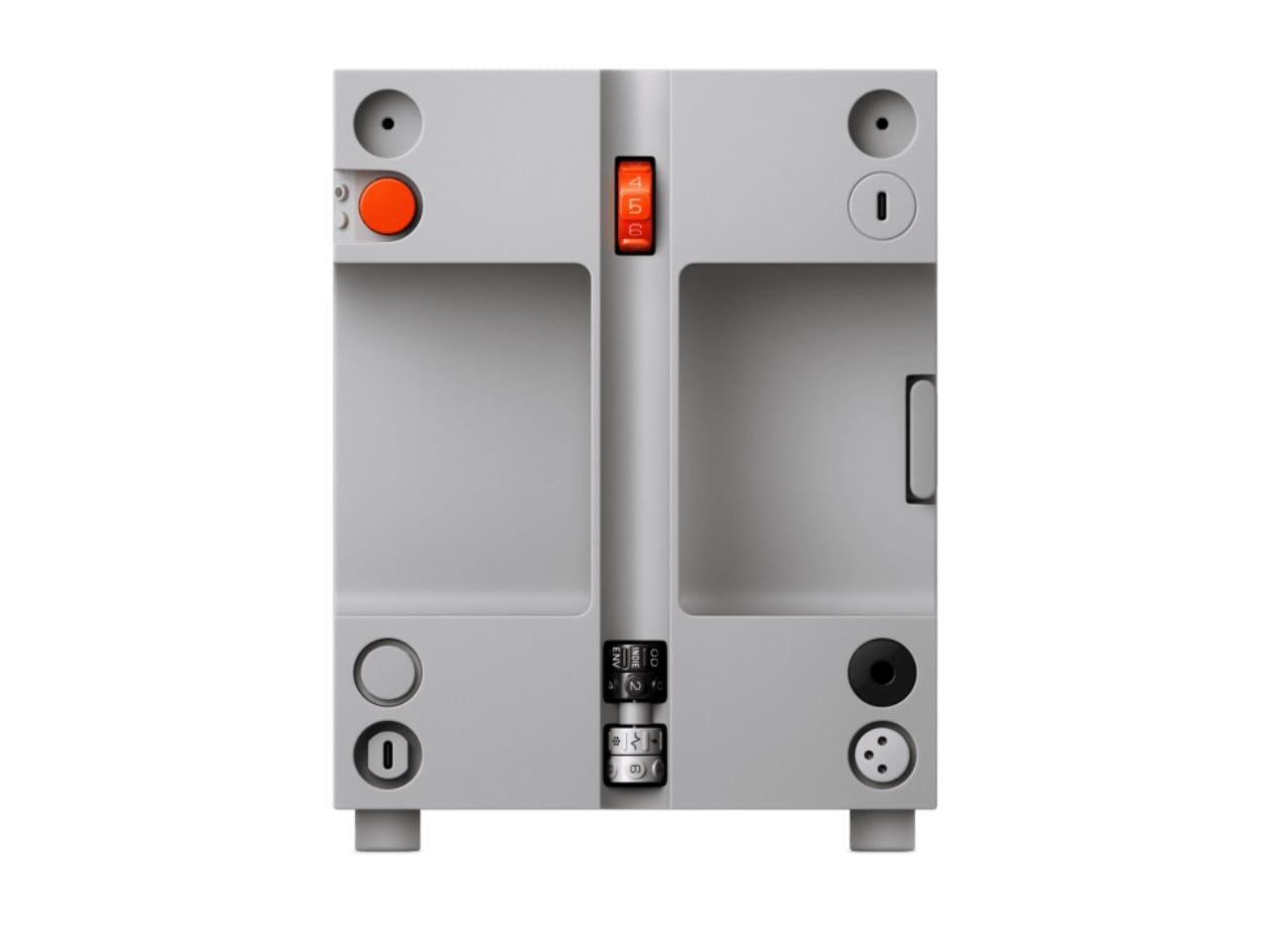
That practical streak extends beyond storage. Listed for sale at $399, the EP-35 combines a portable speaker, an instrument amplifier, and a USB audio interface. It accepts guitar, microphone, line-level, Bluetooth, and USB audio, with multiple sources able to play together. The problem it addresses is straightforward: playing guitar over a backing track, or adding vocals, shouldn’t require assembling a small equipment department. Here, those connections meet in one box.
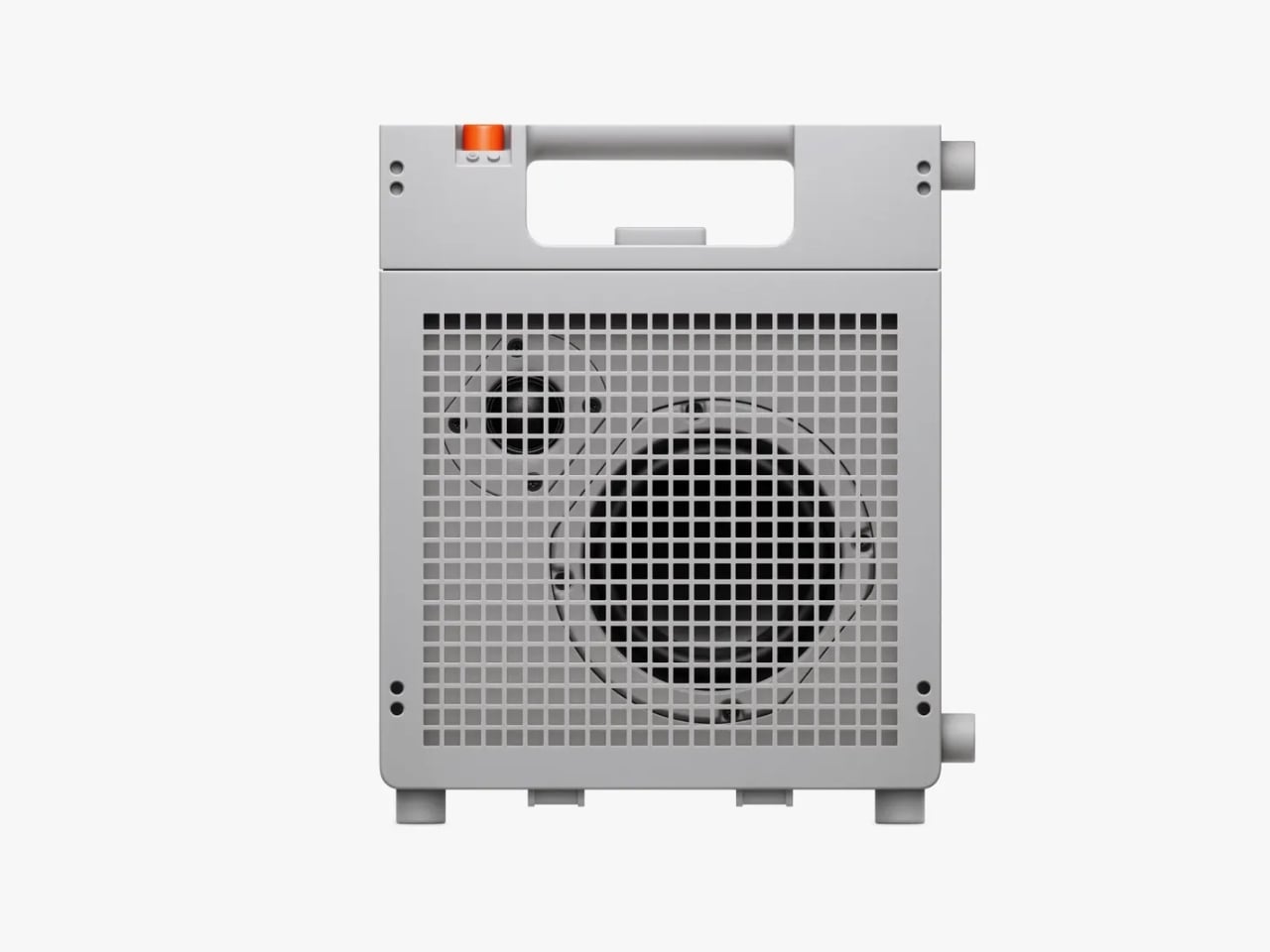
Visually, the EP-35 has the charm of equipment that might belong in a very stylish school science lab. Its gray body, square grille, integrated handle, and orange accents are deliberately matter-of-fact. I like that the speaker drivers remain visible behind the grid. They give the front a slightly awkward, almost characterful expression. Nothing about the proportions suggests an object desperate to disappear into your decor, which is part of its appeal.
The controls make a similar impression. There are physical dials for choosing effects and adjusting their intensity, with eight presets each for guitar and microphone. That’s an approachable arrangement: select a sound, turn a control, hear what changes. I’d rather see that direct relationship on something intended for casual playing than a screen full of options. The microphone effects even include presets called “robo choir” and “frog,” which gives you a fair idea of the intended mood.
The USB audio interface is less visually entertaining but potentially more useful. Connect the EP-35 to a computer and it can serve as a recording interface, giving the same object a role at a desk after it comes home. That continuity makes sense to me. A portable device earns its shelf space more easily when it doesn’t become redundant the moment you’re near a power outlet and a laptop.
Inside the storage compartment, Teenage Engineering has also included a small camp light. It can illuminate the compartment automatically when opened, stay on, or react to incoming audio in disco mode. Tilting the speaker backward makes those LEDs display the battery level. Some of this is useful, some is cheerfully unnecessary. I’m happy with that balance. Checking a battery through a small physical gesture is a more memorable interaction than another tiny percentage readout.
Portability does need a little perspective, though. At about seven pounds, the EP-35 is something you carry by its handle, not casually toss into a small shoulder bag. Teenage Engineering rates battery life at 12 hours with the volume set to five, so that figure shouldn’t be treated as an all-day guarantee at any loudness. It’s also splash-resistant rather than waterproof. Those distinctions matter if the appealing camp light has you mentally packing it for a weekend outdoors.
There’s room to expand the setup, too. Two EP-35s can play Bluetooth audio in stereo through broadcast mode. Teenage Engineering’s instructions let you assign left and right channels by tilting each speaker before starting that mode. Connected instruments take a different route: linking their sound between speakers requires a line-out-to-line-in cable. That’s worth understanding before imagining a completely wireless mini stage. The wireless convenience applies specifically to Bluetooth playback.
For me, the $399 price makes the most sense if those musical connections will get regular use. Someone who only wants background listening would be paying for considerable capability they might never touch. Sound quality still needs a listening test; clever packaging can’t settle that question. But I appreciate the attention paid to what happens between sessions. The music stops, the cables come out, and the EP-35 gives you somewhere to put them. That’s a modest design decision with a very recognizable payoff.
An album can be a folder you keep, a disc you lend, or a cassette you record yourself. That is a useful starting point for choosing audio equipment: what happens to the music after you press stop? The most interesting designs here give a collection a place to live, a way to travel, or a reason to come off the shelf. Their appeal starts with what you want to play.
These eight picks approach ownership from different directions, from carrying digital files to displaying album artwork and making recordings. You don’t need to abandon streaming to appreciate any of them. The selection includes an upcoming player alongside established products, chosen for their documented features and design decisions rather than hands-on sound testing. The question throughout is simple: what does this object let you do with the music you have chosen to keep?
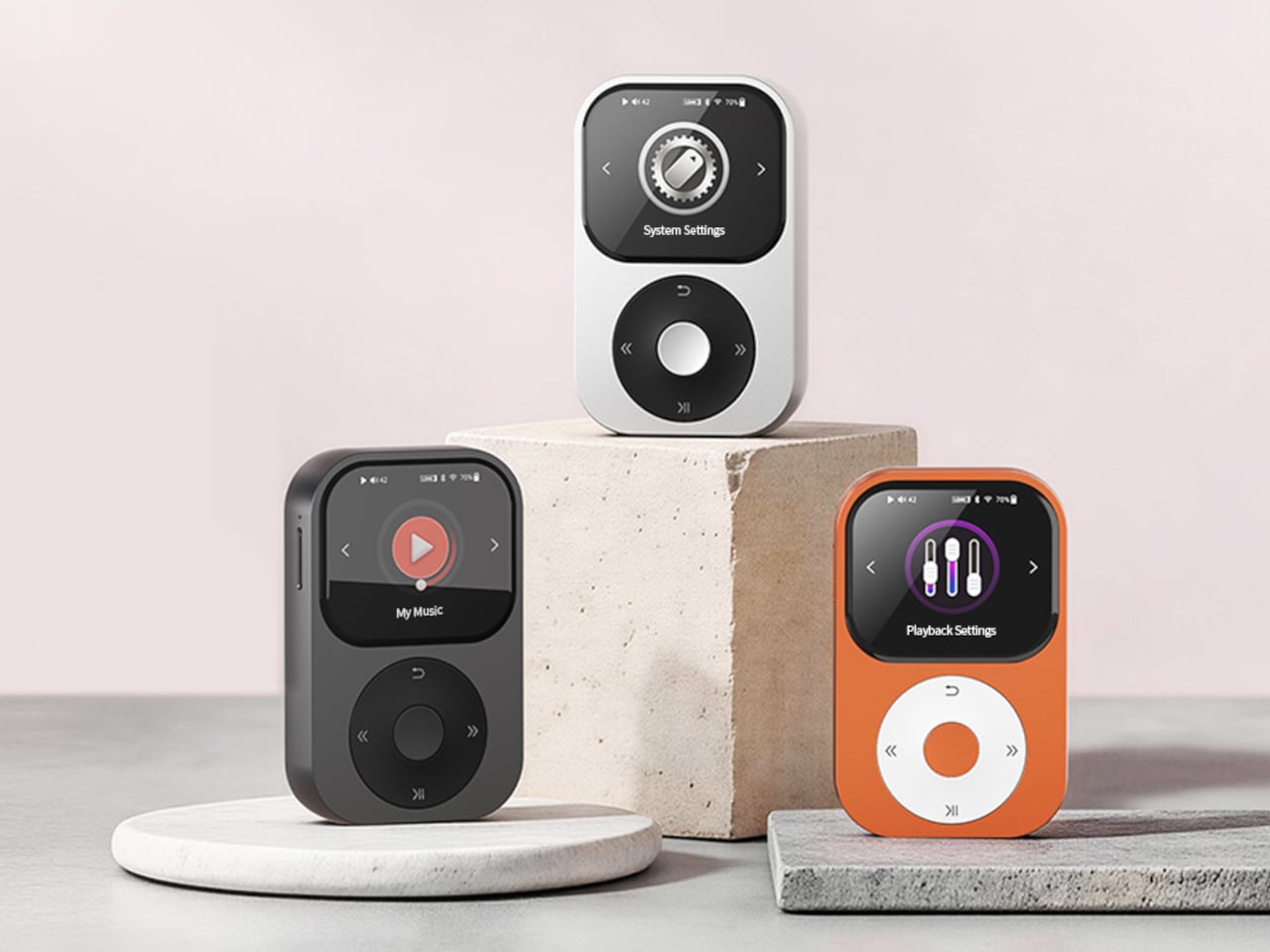
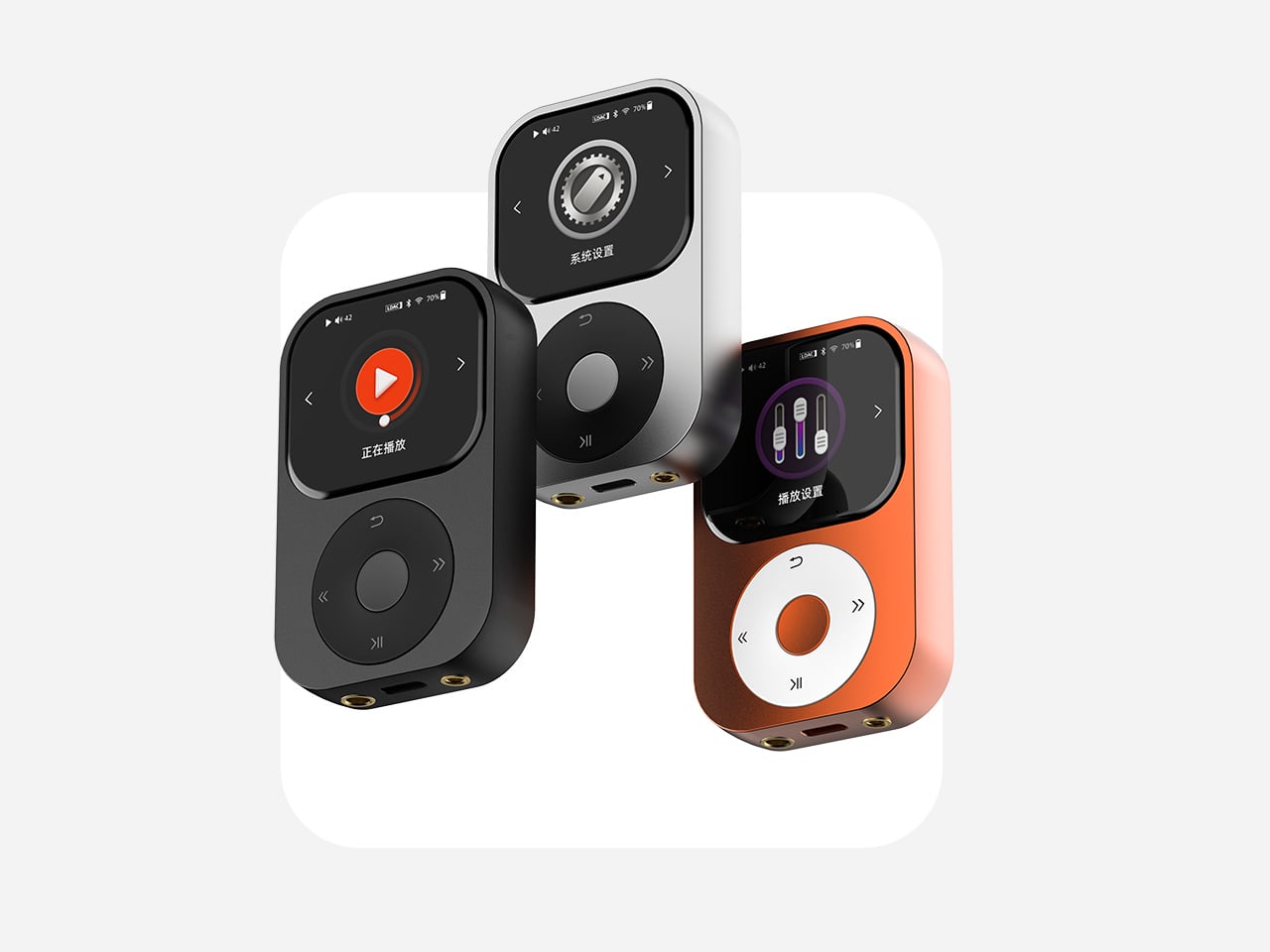
1. Sudo Music Player
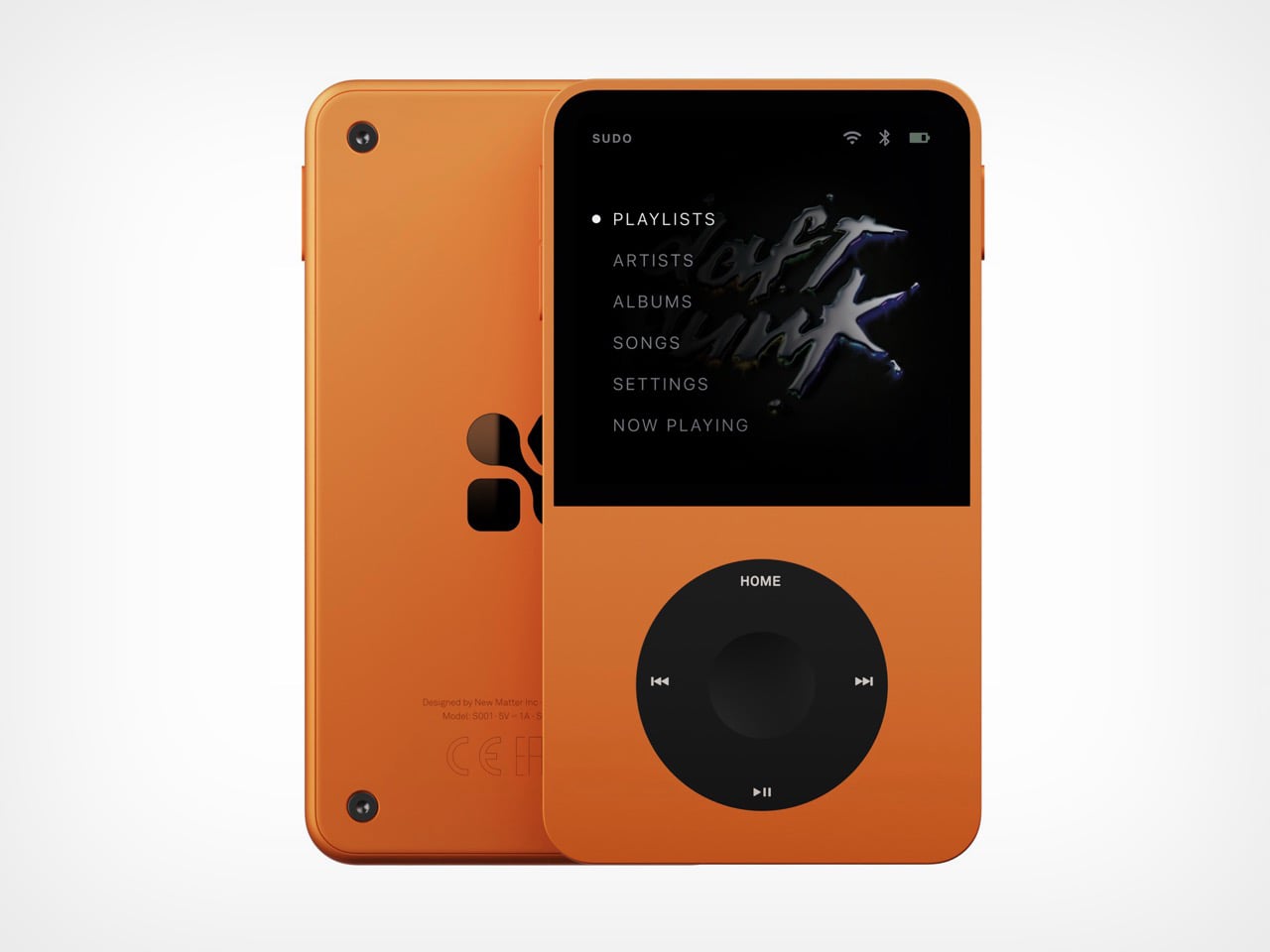
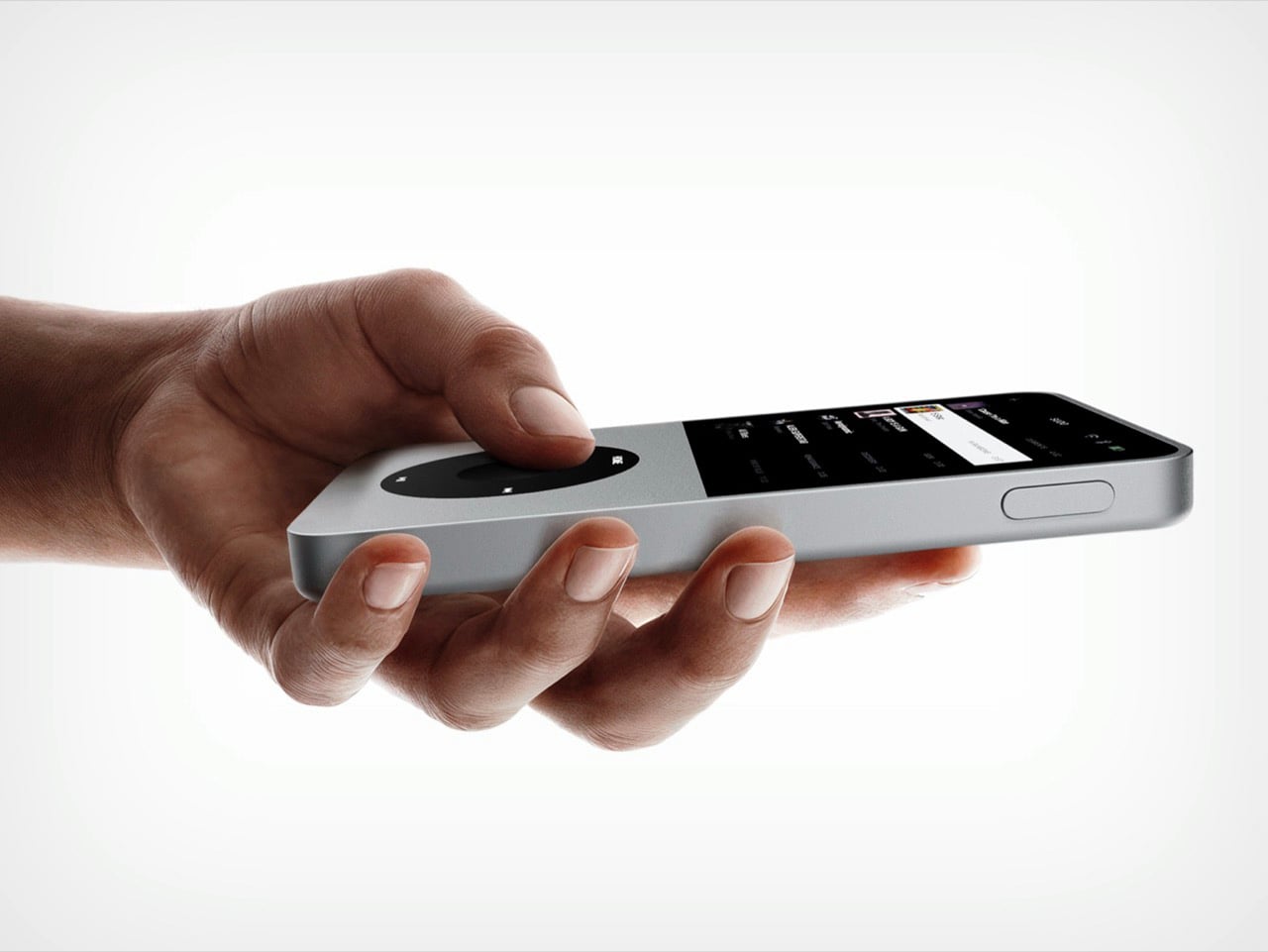
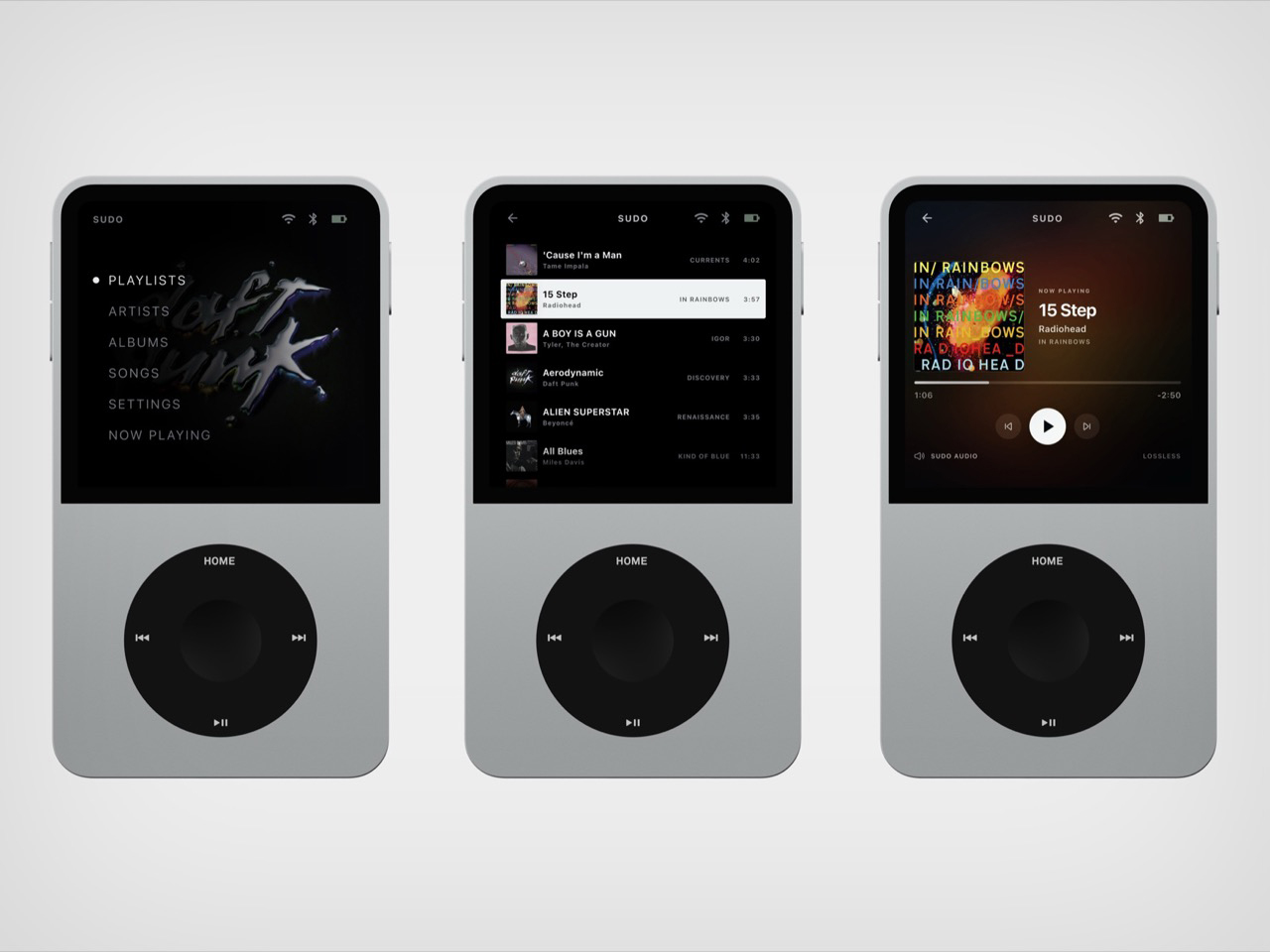
New Matter’s Sudo puts an iPod wheel beneath a small touchscreen, giving a familiar interaction a contemporary home. The upcoming player has an expected price of $ 249 and a straightforward appeal: carry your library on an object dedicated to listening. In the Tangerine version, black controls interrupt the orange body, making the wheel the obvious focal point. The layout gives playback its own physical territory, rather than asking a touchscreen to handle every interaction. It’s a promising starting point for a pocket music player.
New Matter lists 64GB of storage, microSD expansion up to 1TB, a 3.5mm jack, Bluetooth, and USB-C charging. It also lists streaming, so this isn’t a strictly offline machine. The reservation terms deserve equal attention: a refundable $50 deposit goes toward the expected purchase price, with shipping projected for the beginning of Q4 2027. Sudo leads this collection because of its design proposition, not proven performance. It remains something to watch, rather than a player to buy for immediate listening.
What we like
A dedicated wheel gives playback a clear physical interface.
Expandable storage accommodates a growing personal library.
What we dislike
Shipping is still projected for Q4 2027.
The $249 price is an estimate, not final pricing.
2. CD Jacket Player
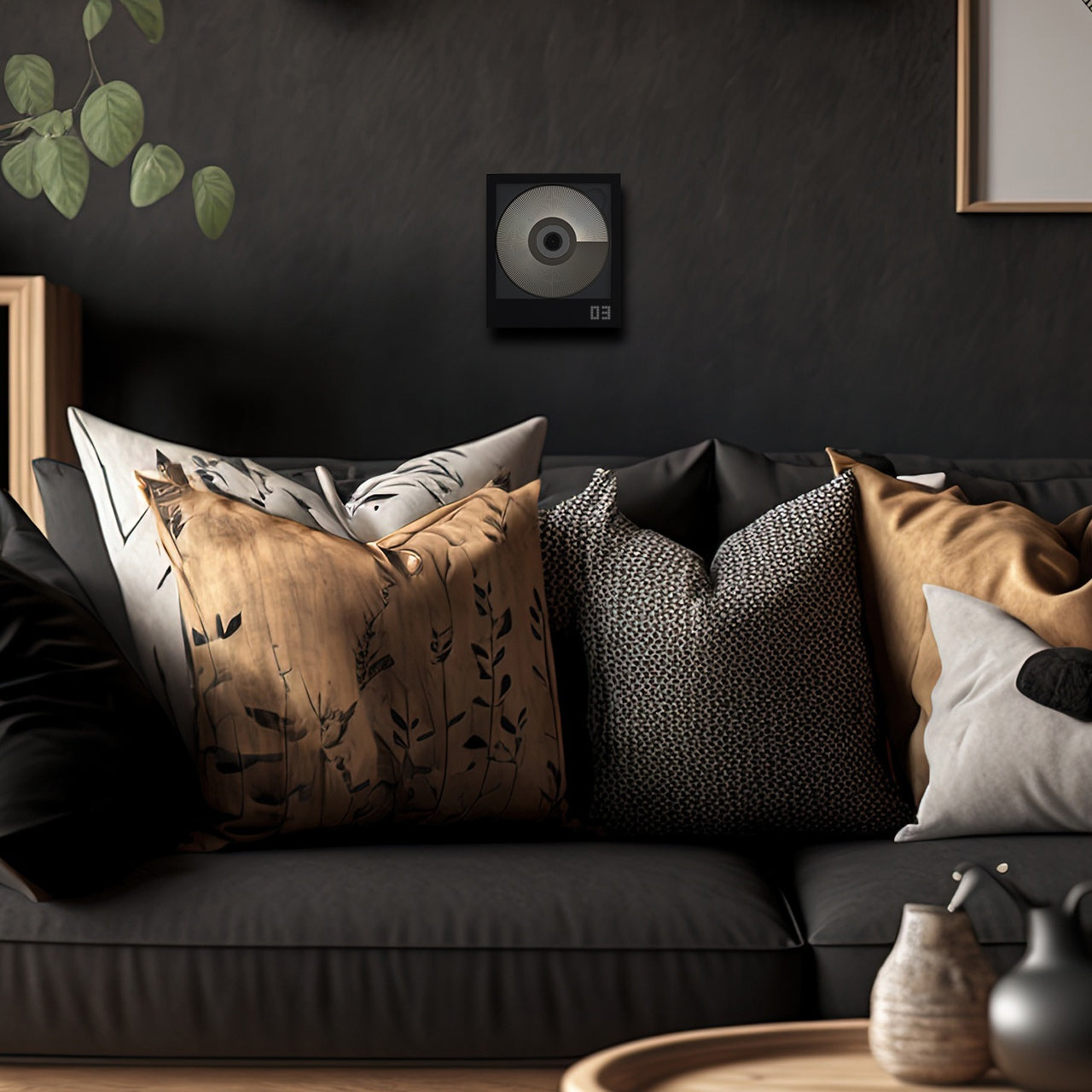
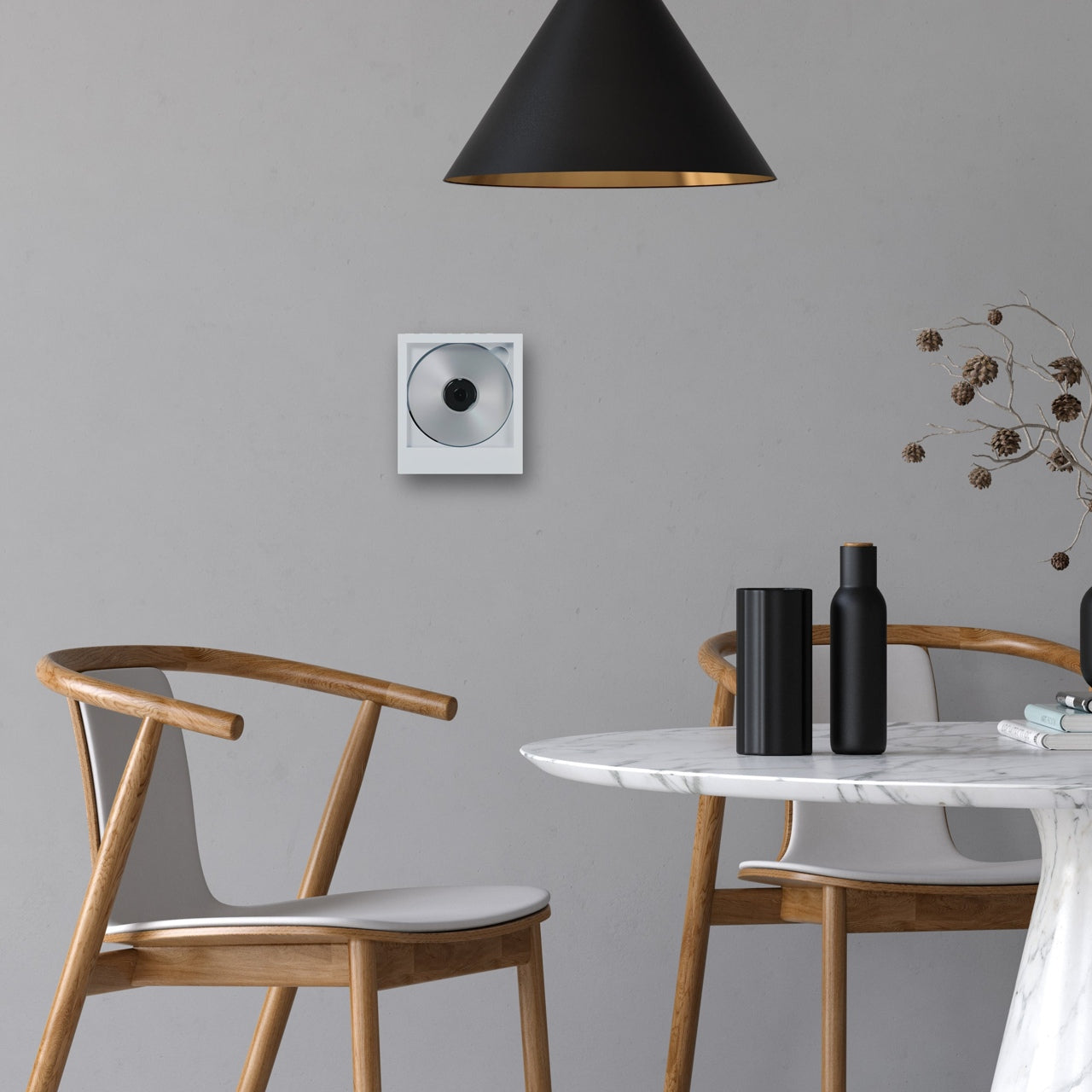
The CD Jacket Player gives album packaging a job after you’ve removed the disc. Its frame accommodates the jacket artwork, letting the record you’re listening to become the player’s face. That makes particular sense for a collection assembled with some affection for sleeves, typography, and photography. Instead of letting those details disappear into a storage rack, the design brings one album forward. It turns choosing what to hear into choosing what to display, without requiring a separate picture frame.
The player offers Bluetooth output for wireless speakers or headphones and a 3.5mm jack for wired listening. A rechargeable battery and USB-C charging let it move between listening spots, while the shop includes a wall bracket. You’ll still need headphones or a speaker, and the display stand is sold separately. For someone who already owns a suitable listening setup, the attraction is the frame itself: the player gives an existing CD collection a visible place in the room.
Album artwork becomes part of the player’s appearance.
Wired and Bluetooth outputs provide listening flexibility.
What we dislike
It requires separate headphones or speakers.
The display stand costs extra.
3. FiiO DM15 R2R
FiiO’s DM15 R2R has a useful answer to the divide between collecting CDs and carrying digital files: it can rip tracks to external storage in WAV format while you listen. That makes it more than a destination for a disc. It can also be a step toward building a portable library from albums already on your shelf. For a collector who wants both formats, this is a more consequential feature than simply giving an old playback format a new enclosure.
Physical buttons and a volume knob keep the main operations accessible, with 3.5mm and balanced 4.4mm headphone outputs accommodating different wired setups. The copying workflow has boundaries worth knowing before buying. FiiO specifies FAT32 storage, recommends a USB-C flash drive of 32GB or smaller, and requires external power for ripping. Its support documentation also excludes Enhanced CDs from that function. Think of it as a disc player with a specific copying facility, rather than a replacement for every part of managing a digital collection.
What we like
WAV ripping connects a CD collection with digital playback.
Physical controls and two headphone outputs broaden its usefulness.
What we dislike
Ripping requires external power and compatible storage.
Enhanced CDs aren’t supported for ripping.
4. Side A Cassette Speaker
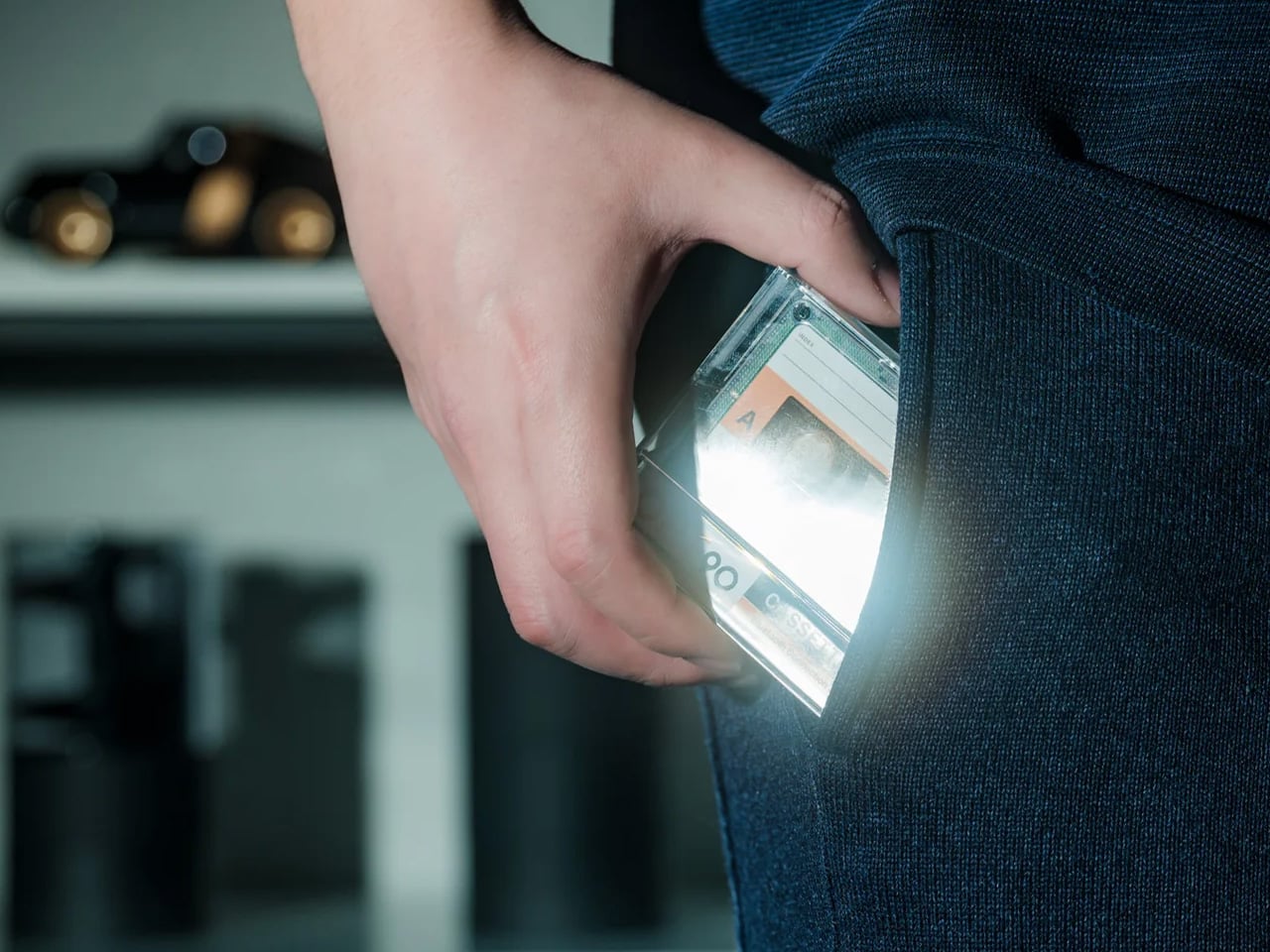
The Side A Cassette Speaker borrows the appearance of a mixtape, but its place here comes from a less conspicuous feature: microSD playback. Put MP3 files on a card, and the speaker can play your selection without using a phone as the source. The transparent shell and Side A graphics supply the visual joke, while the included clear case doubles as a stand. At $49, it’s an approachable way to give a small, personally assembled collection its own playback object.
Its limits are worth stating plainly. This is a cassette-shaped digital speaker, not a machine that plays tapes, and card playback supports MP3 files only. Bluetooth offers another source option when you want it. The case becoming a stand is the more thoughtful detail: something needed for storage also supports the speaker on a desk. It suits a deliberately edited selection of tracks, although the format restriction makes it less appropriate for someone hoping to play an existing library of lossless files unchanged.
microSD playback gives personal files a phone-free route.
The protective case doubles as a display stand.
What we dislike
Card playback is limited to MP3.
Despite its appearance, it cannot play cassettes.
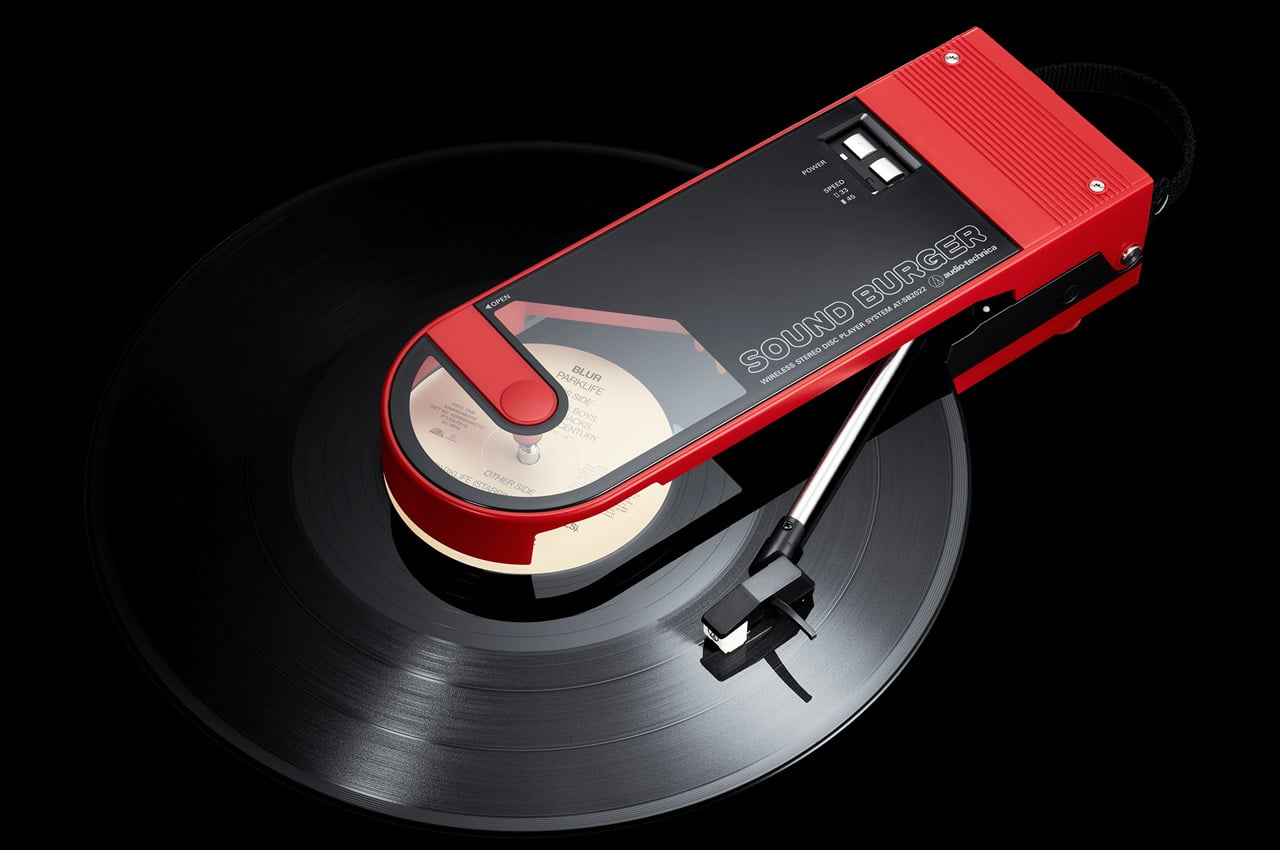
5. Audio-Technica Sound Burger AT-SB727
Audio-Technica’s Sound Burger makes a compelling case for keeping a record player small without pretending records themselves are small. Its narrow clamshell body leaves much of the disc exposed during playback, creating an unmistakable silhouette. The regular-line AT-SB727 follows the limited anniversary model, bringing the design into the company’s continuing lineup. A belt-driven platter plays 33⅓ and 45 RPM records, while a spring applies stylus pressure through the tonearm. The compact mechanism is the story here, not merely the retro colors.
Bluetooth and a wired line output let it connect to suitable listening equipment, and Audio-Technica rates the rechargeable battery for up to 12 hours of playback. Portability needs a little interpretation: you can carry it between places, but the manual requires a level surface and warns against moving it while playing. You’ll also need an external listening device. For a smaller home, that tradeoff can make sense. The player is compact enough to put away, while your record collection remains the substantial part of the arrangement.
What we like
A distinctive compact mechanism accommodates full-size records.
Bluetooth and line output support different listening setups.
What we dislike
It needs external audio equipment.
Portable doesn’t mean usable while moving.
6. Shanling Q2
Shanling’s Q2 concentrates the personal-library argument into an 83g player measuring 80 by 50 by 13.5mm. Its microSD slot supports cards up to 2TB, giving a substantial collection somewhere to travel without requiring a phone. The rounded body, small touchscreen, and circular control make it visually approachable, but the interaction deserves clarification. Shanling identifies the touchscreen as the navigation interface and the touch wheel as a volume control. That distinction matters if its appearance has you expecting the full browsing behavior of an old iPod.
The Q2 includes both 3.5mm and balanced 4.4mm headphone outputs, making it relevant to listeners who already own wired headphones. It also supports network features, including Tidal streaming, so owning files and accessing a service aren’t mutually exclusive here. Shanling specifies that Tidal playback is online only, without offline downloads. For this collection, the microSD slot remains the reason to choose it: the player provides a compact home for music files you manage yourself, with streaming sitting alongside that function rather than replacing it.
What we like
Up to 2TB of card storage suits large libraries.
Two headphone outputs accommodate different wired connections.
What we dislike
The wheel controls volume rather than full menu navigation.
The 2.09-inch screen gives browsing limited space.
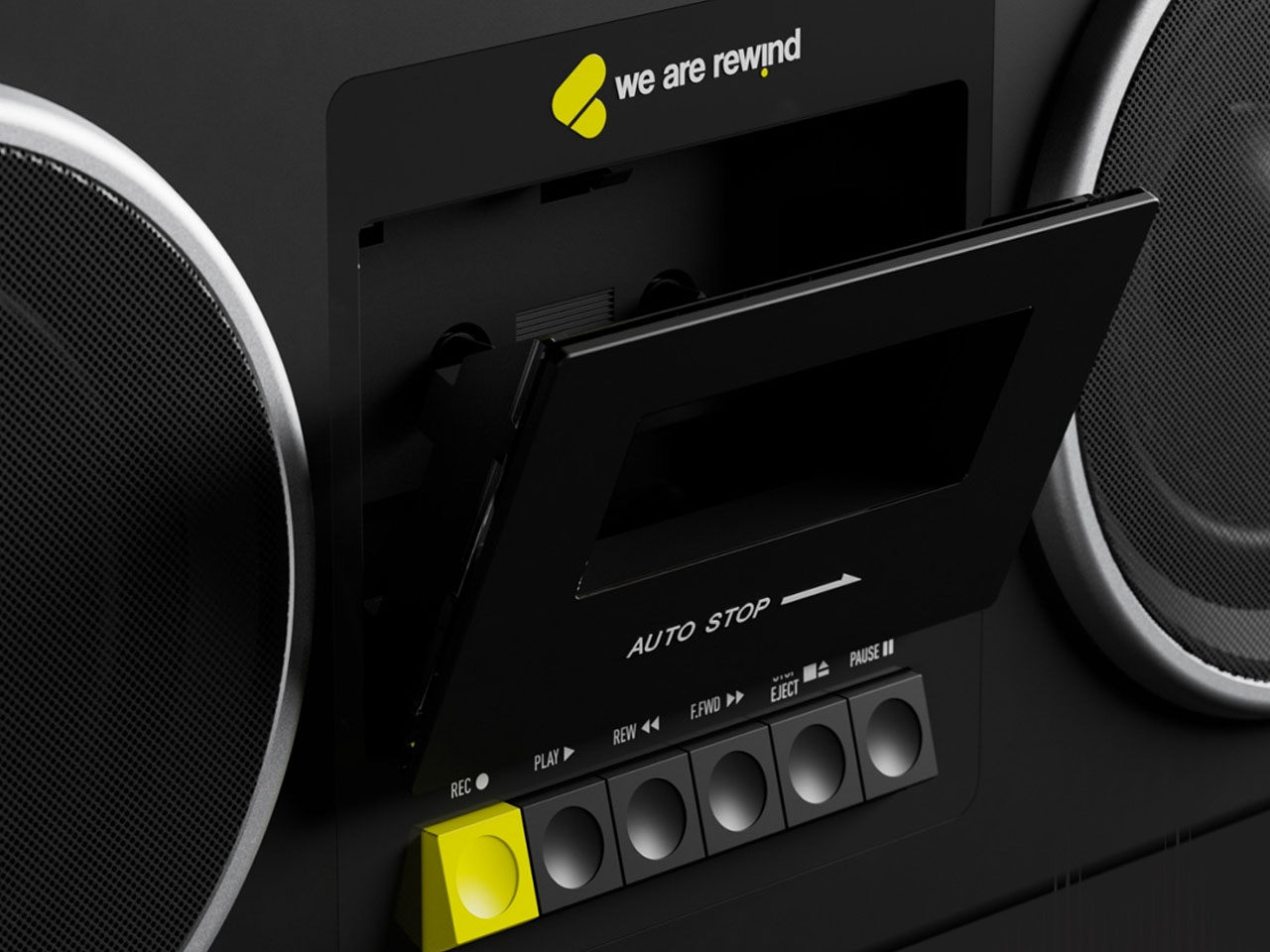
7. We Are Rewind GB-001 Blaster Curtis
The GB-001 Blaster Curtis brings recording into a collection otherwise dominated by playback. We Are Rewind’s boombox plays and records Type I and Type II cassettes, with backlit VU meters helping you monitor levels. The design puts the cassette mechanism between substantial speaker sections and adds dedicated controls for volume, bass, treble, and balance. It gives tape an appropriately physical interface. For someone interested in making recordings as well as collecting releases, the deck has a purpose that its retro appearance alone couldn’t supply.
A stereo line input and microphone input provide routes for recording, while Bluetooth allows the unit to work as a speaker for another source. The rechargeable battery is replaceable, a worthwhile provision in such a substantial object. And substantial it is: the manufacturer lists 6.81kg, or roughly 15 pounds. At $579, this is a deliberate commitment to cassette listening and recording. The carrying handle makes it transportable, but the weight suggests choosing its everyday home with more care than you would a pocket player.
What we like
Recording makes it useful beyond playing purchased tapes.
The rechargeable battery is replaceable.
What we dislike
Roughly 15 pounds limits casual portability.
The $579 price demands a serious interest in tape.
8. ClearFrame Speaker CD Player
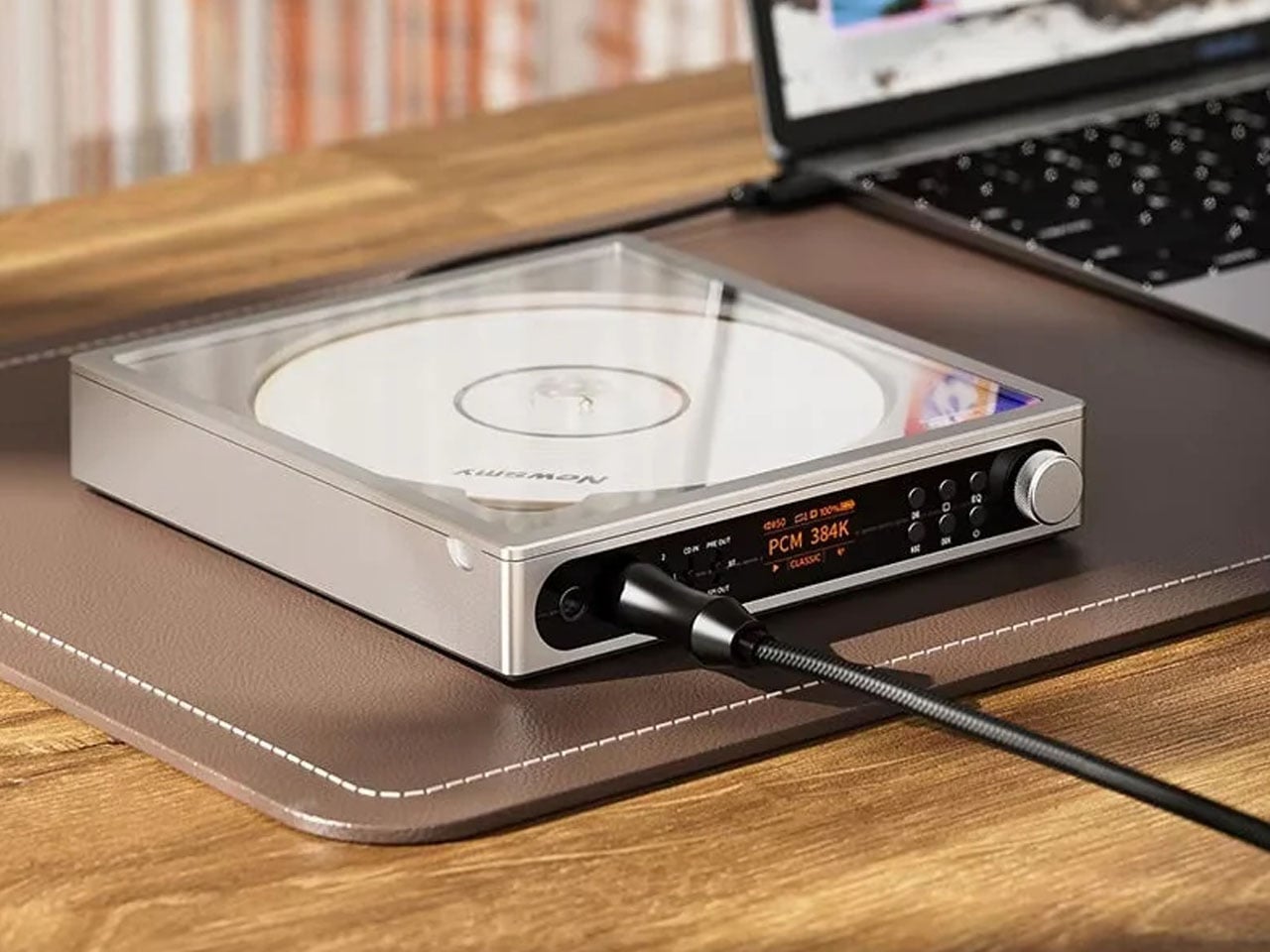
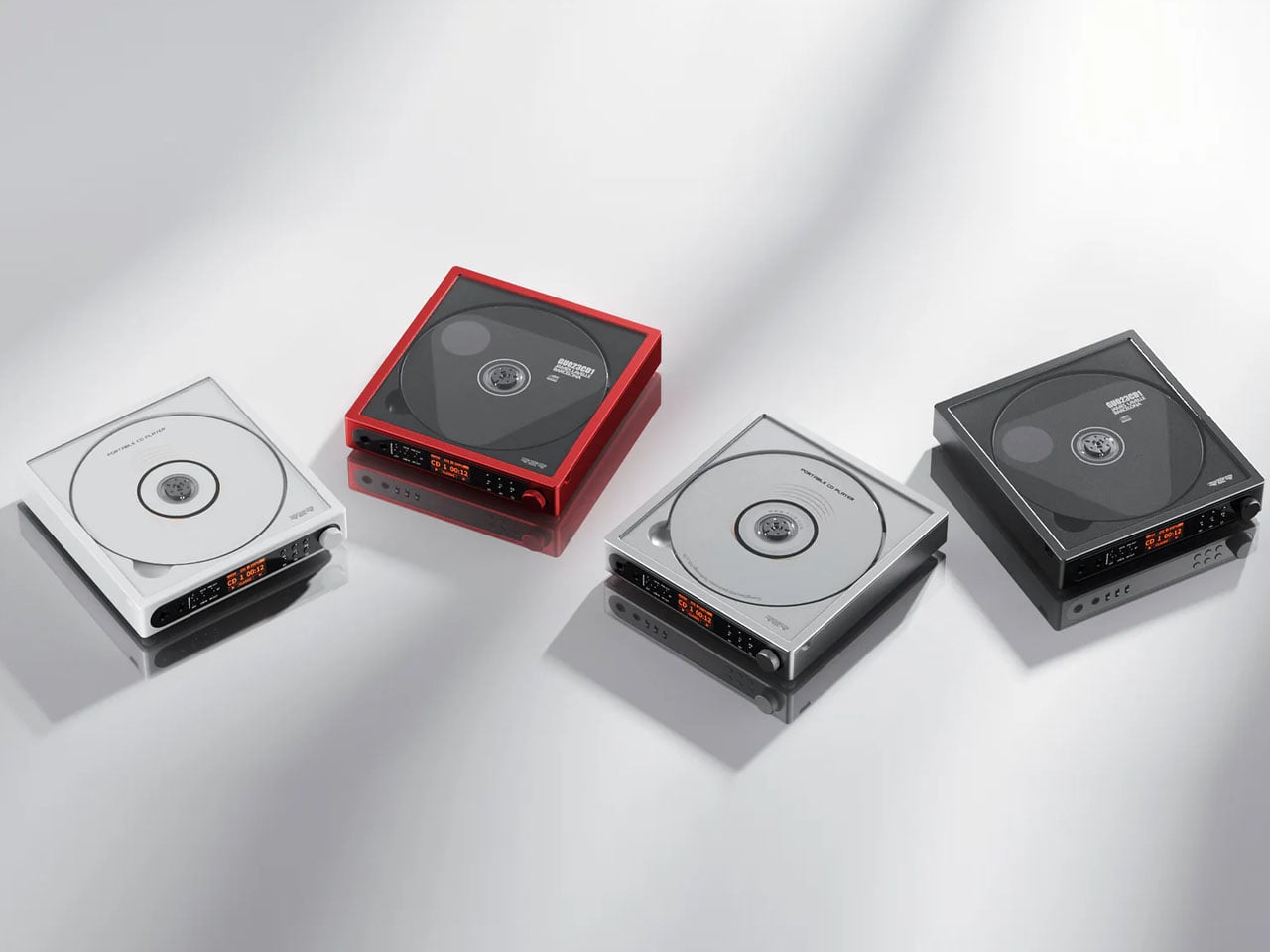
ClearFrame lets the owner decide how much of the player to reveal. Insert album artwork into its included tray and the sleeve becomes its face; leave it out, and the clear body exposes the disc, circuitry, and mechanism. That choice gives it a different emphasis from the CD Jacket Player earlier in this list. The artwork can take center stage, but the hardware is also allowed to be interesting. At 27mm thick, the player makes those layers visible within a relatively shallow enclosure.
The built-in speaker is the practical distinction, allowing CD playback without a separate audio setup. It lists a 40mm driver with a bass diaphragm and up to 3W output, alongside a headphone jack and Bluetooth transmission. That last word matters: ClearFrame sends CD audio to compatible headphones or speakers but cannot receive music from a phone. Starting at $240, it offers a self-contained place to play and display discs, although the upright stand and wall-mount hardware are optional purchases rather than standard equipment.
Artwork and exposed mechanics offer two distinct appearances.
What we dislike
Bluetooth cannot receive audio from a phone.
The display stand and wall mount cost extra.
Choose for the Music You Already Own
Start with the collection you actually have, rather than the format you feel you ought to love. A drawer of CDs calls for a different purchase from a carefully tagged folder of downloads. Think about where listening happens, too. Headphones on a train, a shelf beside a desk, and a shared living room ask different things of an object. Choose for the place where you’ll actually press play most often.
Leave room for the less photogenic parts of the decision: organizing files, keeping backups, finding suitable headphones, or making space for the media itself. Those tasks are part of maintaining a collection, and no attractive enclosure removes them. Good audio design should make that effort feel worthwhile by keeping the music within reach. Buy the object that helps you use your collection, rather than one that merely matches its aesthetic.
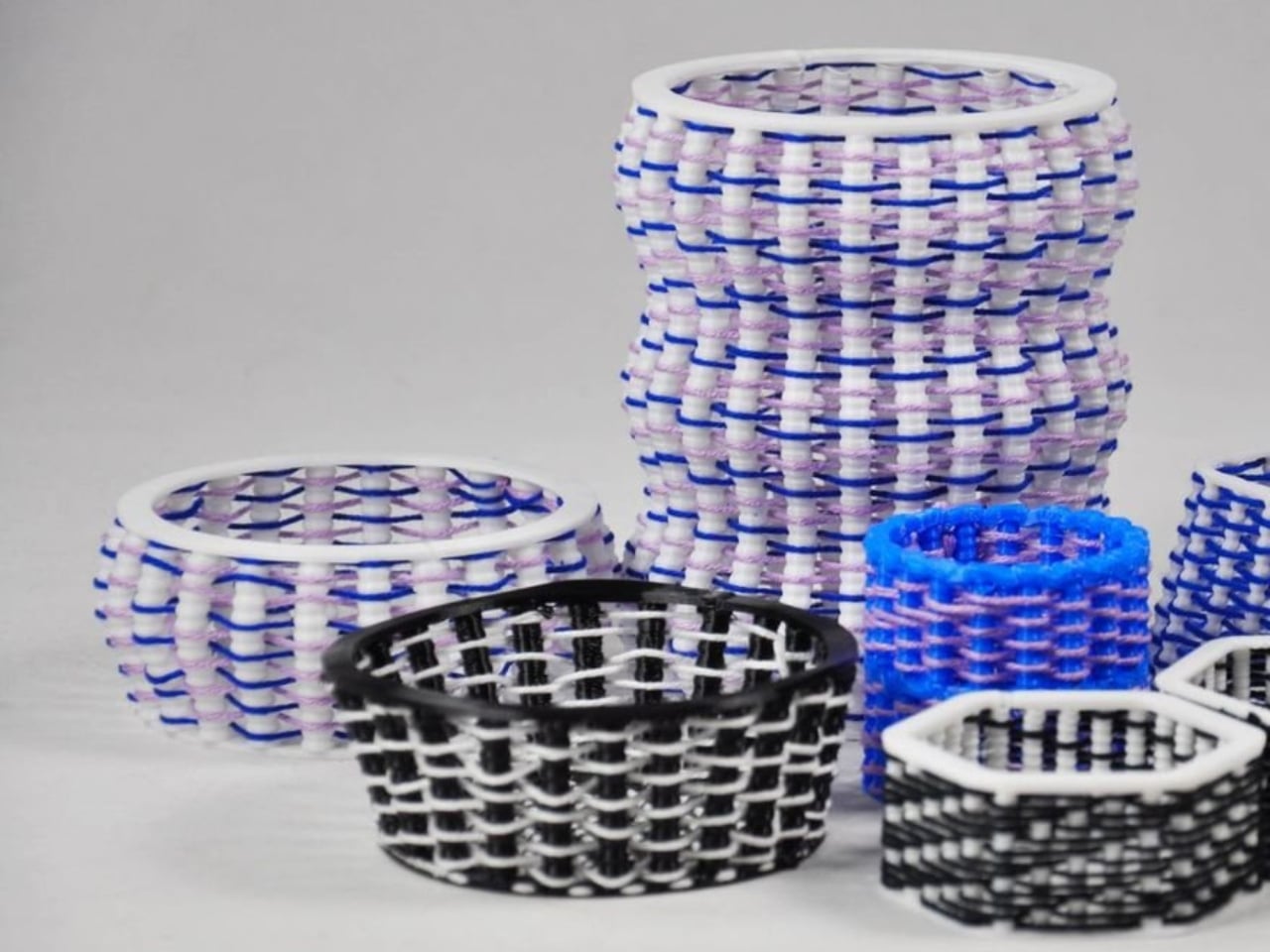
Blue and lilac yarn snakes through white plastic ribs in one of FilaLoom’s samples, giving the object a basketlike appearance that makes me want to pick it up. The appeal is easy to understand: intricate geometry only gets you so far when you want an object with a textile character. FilaLoom brings actual yarn into the process, letting the fibers remain visibly, unapologetically themselves.
Developed by industrial and computational designer Joram de Haas for his master’s thesis in Integrated Product Design at TU Delft, FilaLoom lets a desktop 3D printer automatically weave yarn into printed objects. It addresses a practical fabrication problem: combining printed structures with thread without making yarn placement a separate manual task. It’s a working research project, with DIY files available, rather than a finished consumer accessory.
Designer: Joram de Haas
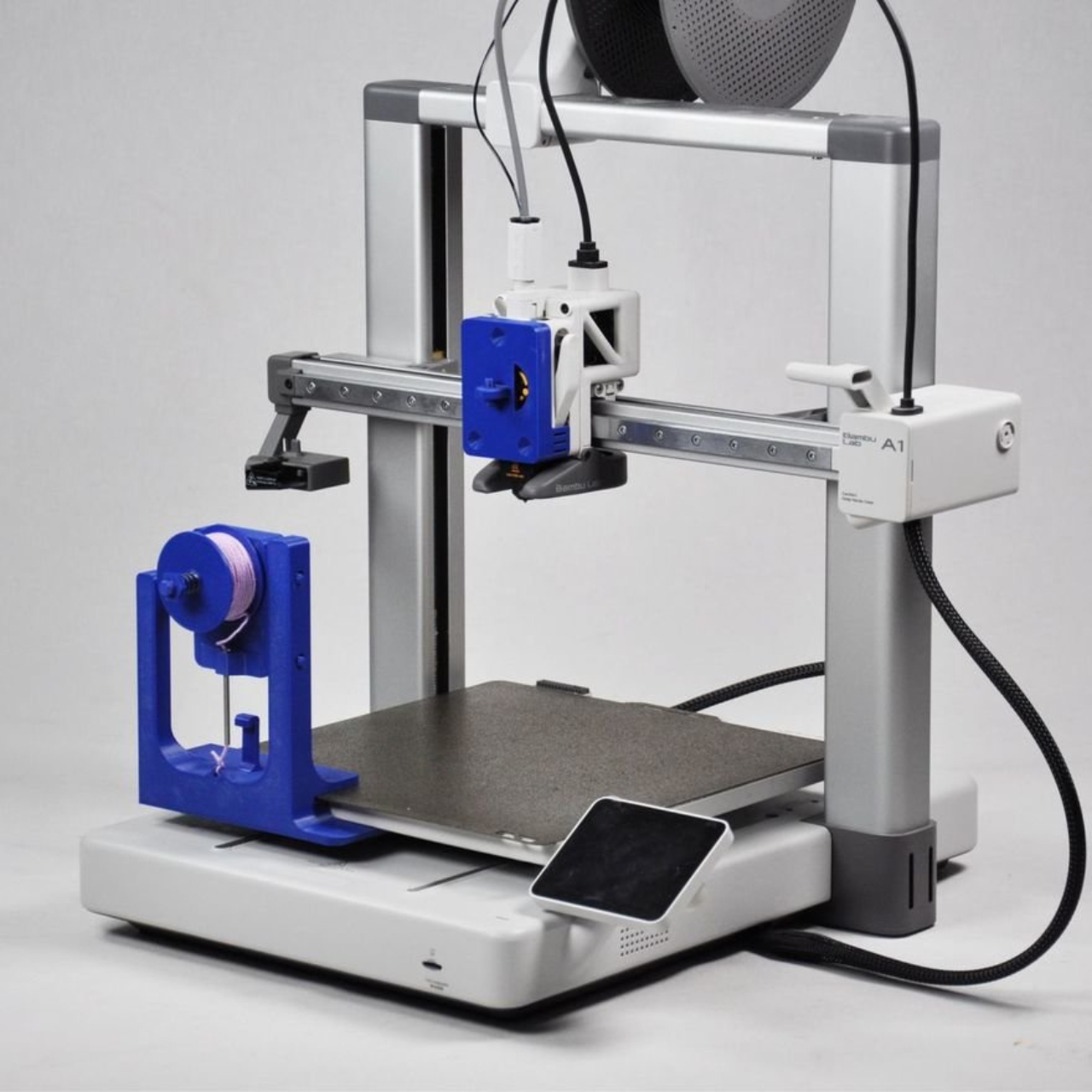
The prototype uses a Bambu Lab A1 fitted with a yarn-depositing tool and a parking station. The printer builds plastic anchor points, picks up the tool, and guides yarn between them. It then parks the tool and resumes printing, securing the yarn where needed. That alternating sequence allows the structure and its textile elements to develop together, rather than requiring someone to thread a completed plastic skeleton afterward.
I like the restraint in the mechanism. FilaLoom uses the printer’s existing movement system, with no additional electronics. A mechanical coupling handles tool changes, while a spring-loaded spool provides adjustable yarn tension. The machine already knows how to move precisely; this attachment gives that movement another useful job.
Visually, the blue-and-lilac sample is a persuasive introduction. Its white vertical elements remain clearly legible, while the colored yarn establishes a contrasting horizontal rhythm. Neither material disappears into the other. To my eye, that makes the construction more interesting than a uniformly textured surface. You can follow the relationship between the ribs and the thread, which gives the pattern a purpose beyond decoration. It looks assembled through its own making.
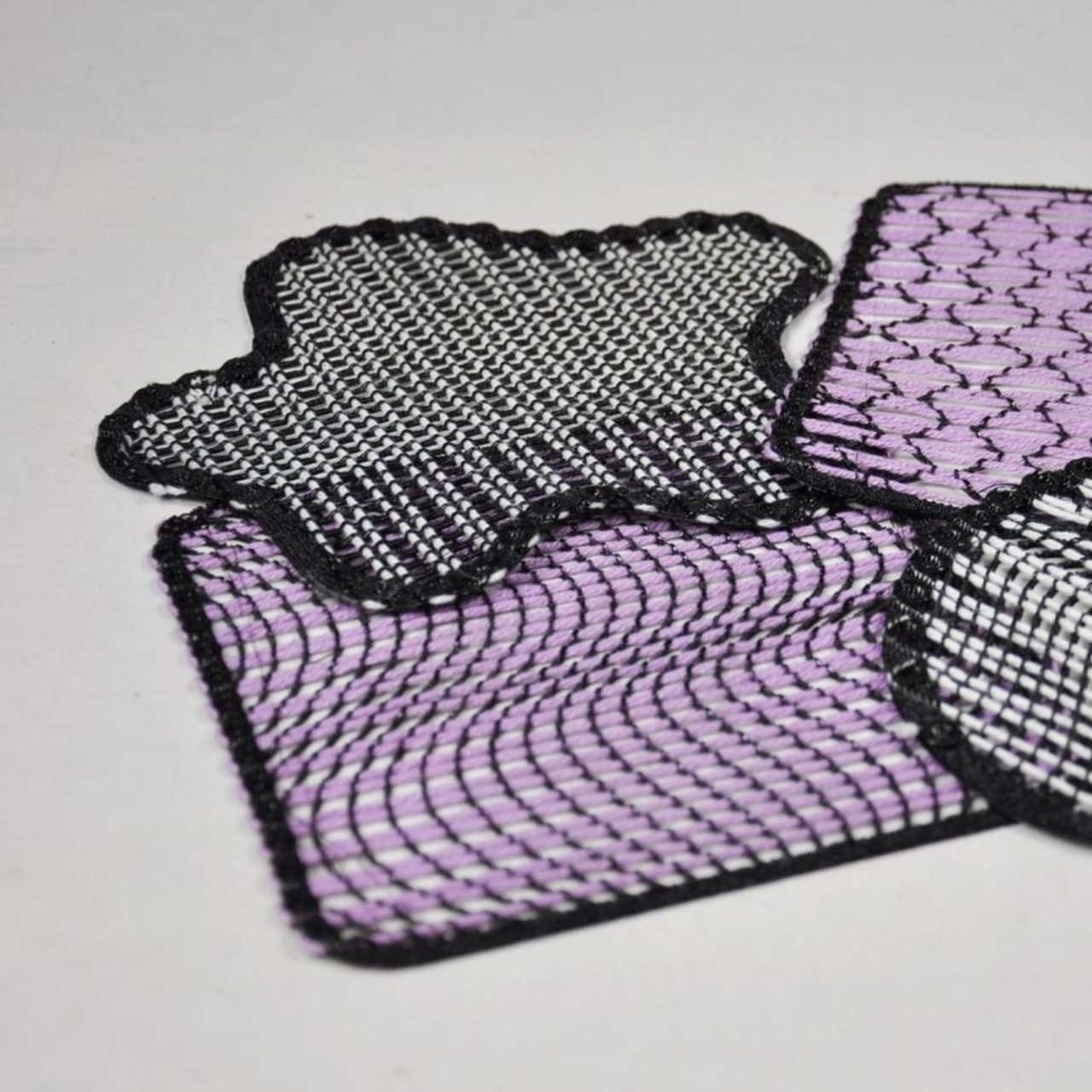
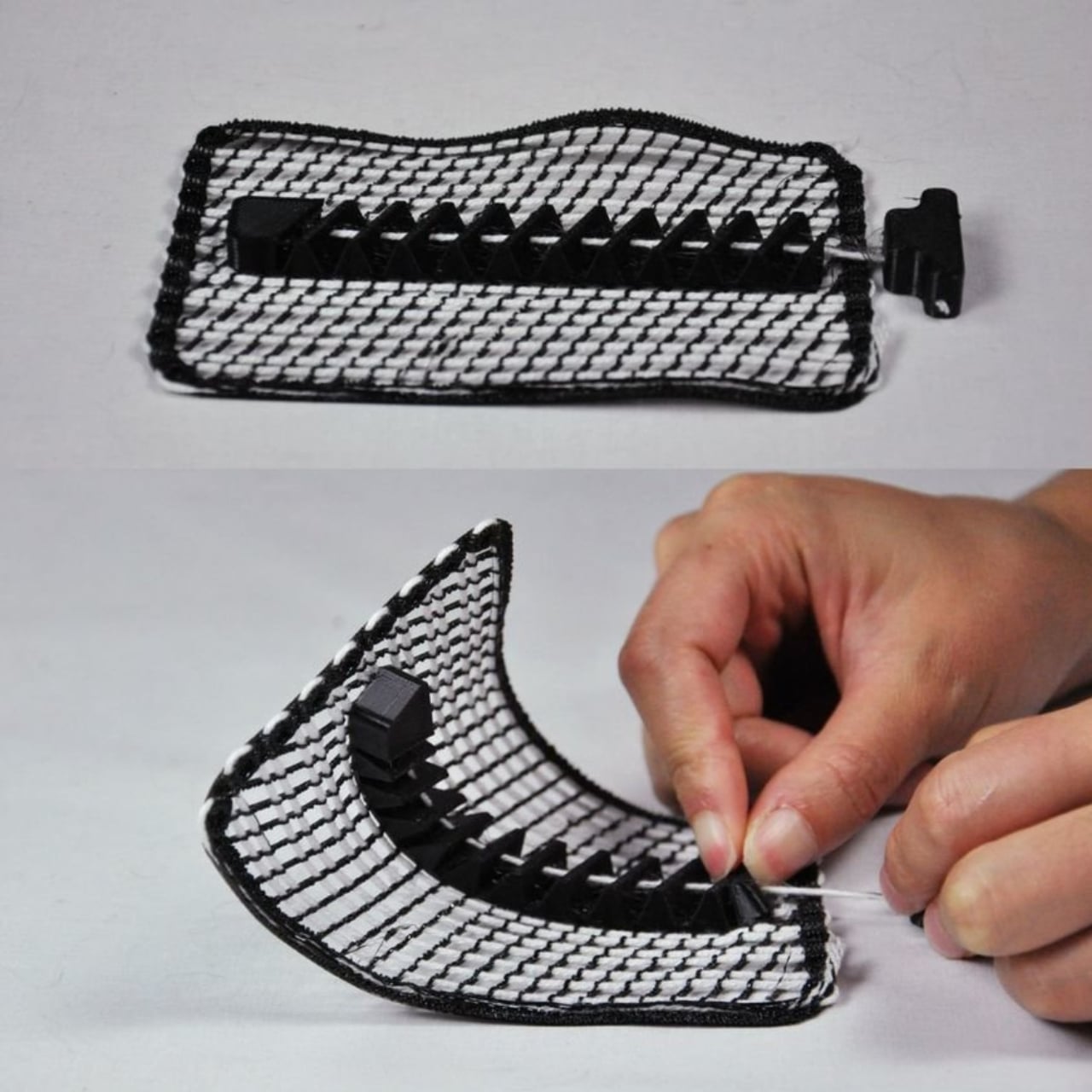
The thesis also explores soft yarn textures and cable-driven interactions, extending the idea beyond basketlike objects. That range matters because a recognizable woven pattern could easily become the project’s entire identity. I’d be more interested in seeing designers use the process to decide where an object should bend, where it needs structure, or where a different surface character would be welcome. Those are design questions worth experimenting with.
The DIY format gives curious makers somewhere to start. De Haas’s GitHub repository provides printable component files and Grasshopper scripts for generating compatible GCode, the instructions that direct the printer’s movements. Still, that’s a more involved proposition than downloading a decorative planter file and pressing print. For a general audience, the useful distinction is that FilaLoom is an invitation to experiment with a fabrication method, not a ready-made home gadget.
There are physical compromises, too. The researchers report that the attachment reduces the A1’s usable combined printing-and-weaving volume to 54% of its original build volume. Yarn tension also needs care: too much can deform a print or pull it off the build plate. These constraints make the prototype more convincing to me, because its expanded capabilities come with clearly described boundaries.
I wouldn’t judge this project by how quickly it might replace a familiar manufacturing process. Its more immediate value is giving designers a way to test combinations they might otherwise have to assemble by hand. Even a small sample can help answer whether a pattern deserves to become a larger object. That feels like an appropriately useful ambition for a research tool.
For me, the strongest outcome would be an object whose form genuinely needs both materials. The yarn shouldn’t have to justify itself as a decorative flourish, and the plastic shouldn’t merely serve as a bulky substitute for thread. FilaLoom makes that relationship available for exploration. I’d happily trade another perfectly smooth printed vase for an experiment that leaves a little more to discover under your fingertips.
A desk setup can look perfect and still feel wrong by lunch. The monitor is aligned, the cables are hidden, and the chair matches the room, yet you’re shuffling around trying to get comfortable. That gap between a workspace that photographs well and one that fits the person using it is the more interesting design problem to me. It’s where EFFYDESK’s Aery Ergonomic Chair makes its case.
For anyone whose office occupies a bedroom corner or shares space with the living room, choosing a chair involves a negotiation. You want something you can spend time in, but you also have to look at it after closing the laptop. The Aery approaches that compromise with a mesh back, a cushioned seat, and adjustments that let its proportions work around the person sitting in it.
Designer: effydesk
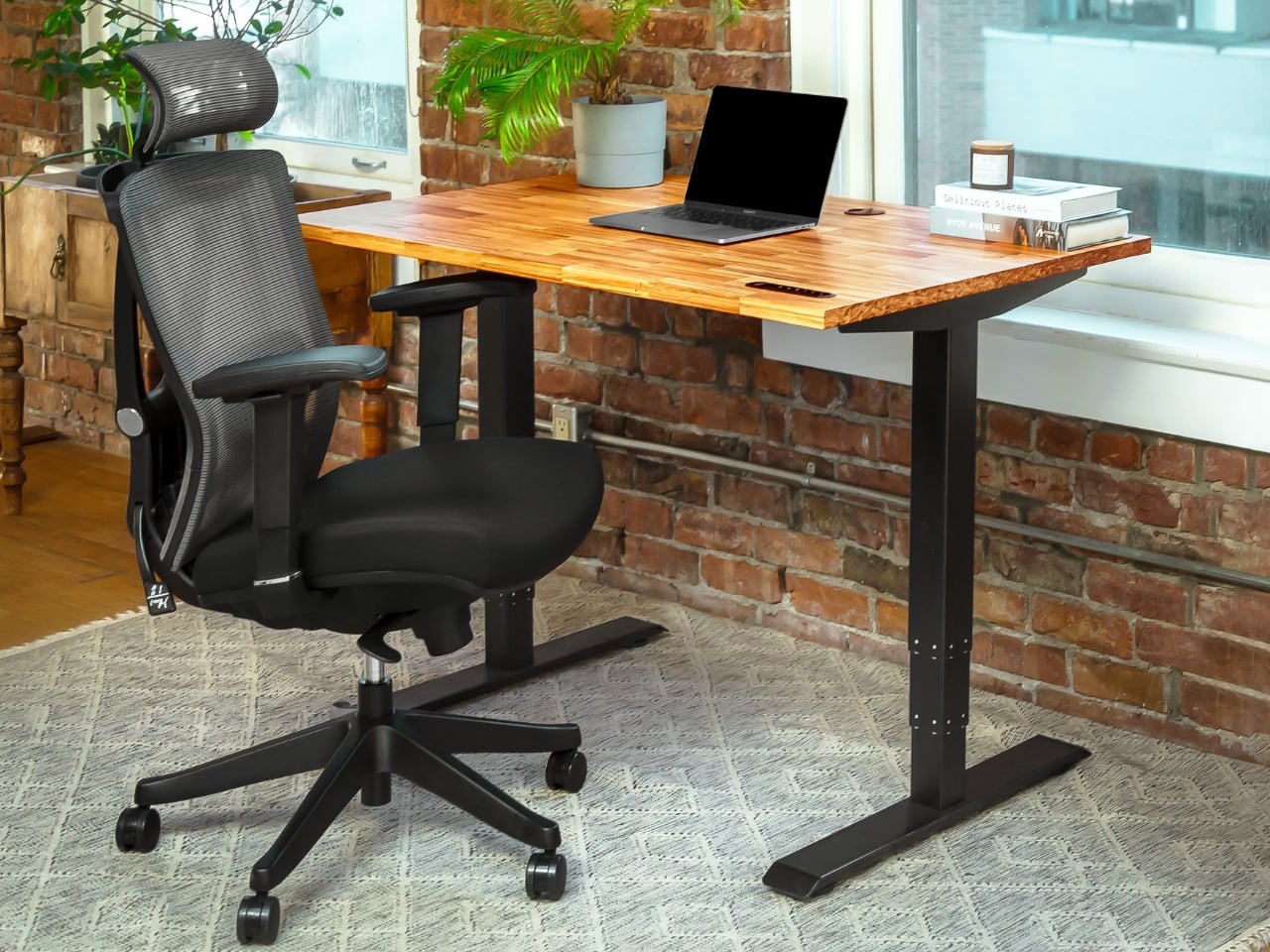
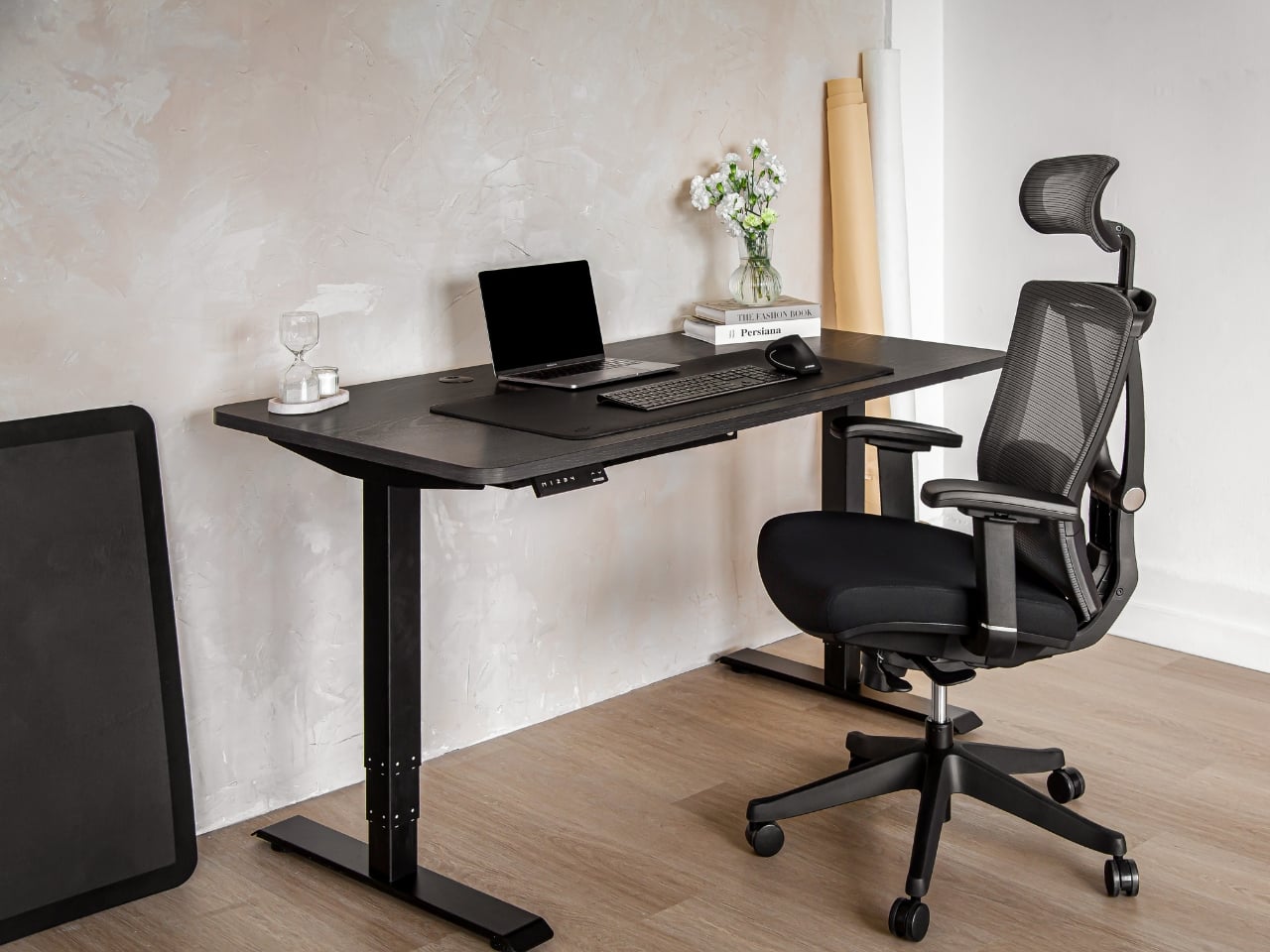
The mesh is doing some of the visual work here. A tall upholstered back can become a fairly imposing presence beside a small desk. With the Aery, the open surface allows the supporting structure to remain visible, breaking up what could otherwise read as one large block. It still looks like an office chair, especially with that separate headrest, but its outline has a little breathing room.
I appreciate that it doesn’t try to disguise its purpose. In black, the frame, armrests, and cushion form a straightforward piece of working furniture. It isn’t pretending to be a dining chair you could drag into a meeting. That distinction matters in a home office, where choosing something purely for the room’s aesthetic can leave you making compromises every time you sit down.
The fabric-covered cushion gives the design a softer counterpoint to the mesh back. It also offers a combination that may appeal to people who prefer padding beneath them without wanting an upholstered surface behind their entire torso. I like the visual balance between the two. The seat gives the chair some substance, while the open back keeps that substance from extending all the way upward.
The most useful adjustment is also one of the least visually dramatic: the seat slides forward and backward. Rather than changing the chair’s appearance in any meaningful way, it changes how the cushion sits beneath your legs. That’s worth paying attention to if you’ve ever loved the look of a chair but found yourself perched near its edge because sitting all the way back didn’t feel right.
The movable armrests follow the same thinking. They adjust in height, slide in different directions, and rotate, giving you some freedom to place the supports where your arms naturally rest. The appeal is less about collecting adjustment options than avoiding a fixed position that doesn’t suit you. A chair’s silhouette can look perfectly balanced while its armrests feel entirely wrong for the person using it.
The headrest and reclining back introduce a more relaxed posture into the design. I see the appeal for reading through a document or leaning back between tasks, particularly when the desk is where several parts of your day happen. Still, the headrest feels secondary to getting the seat and arms right. Those are the relationships you live with while doing the work.
I haven’t sat in the Aery, so its cushion comfort and the feel of its controls remain open questions. Images and adjustment lists can explain the design, but they can’t tell me whether an armrest stays put when I want it to. That’s what I’d want to check in person, along with how naturally the chair fits beneath my desk.
What appeals to me is how much of the Aery’s design can be put to an everyday use. The mesh changes its visual presence; the cushion changes the sitting surface; the adjustments offer room to work out a better fit. It gives a home-office buyer reasons to look beyond the styled photograph, while still acknowledging that the chair has to live in the room.
Interchangeable batteries offer near-uninterrupted use
Familiar frame styling keeps the design approachable
Adjustable temples and nose pads help personalize the fit
In-view translation into 98 languages reduces the need to check a phone
CONS:
Swapping batteries require a 5-second reboot
Optional prescription lenses don't support hyperopia (farsightedness)
RATINGS:
AESTHETICS
ERGONOMICS
PERFORMANCE
SUSTAINABILITY / REPAIRABILITY
VALUE FOR MONEY
EDITOR'S QUOTE:
The INMO GO3 AI Glasses pair familiar eyewear styling with practical translation tools and the convenience of swappable batteries.
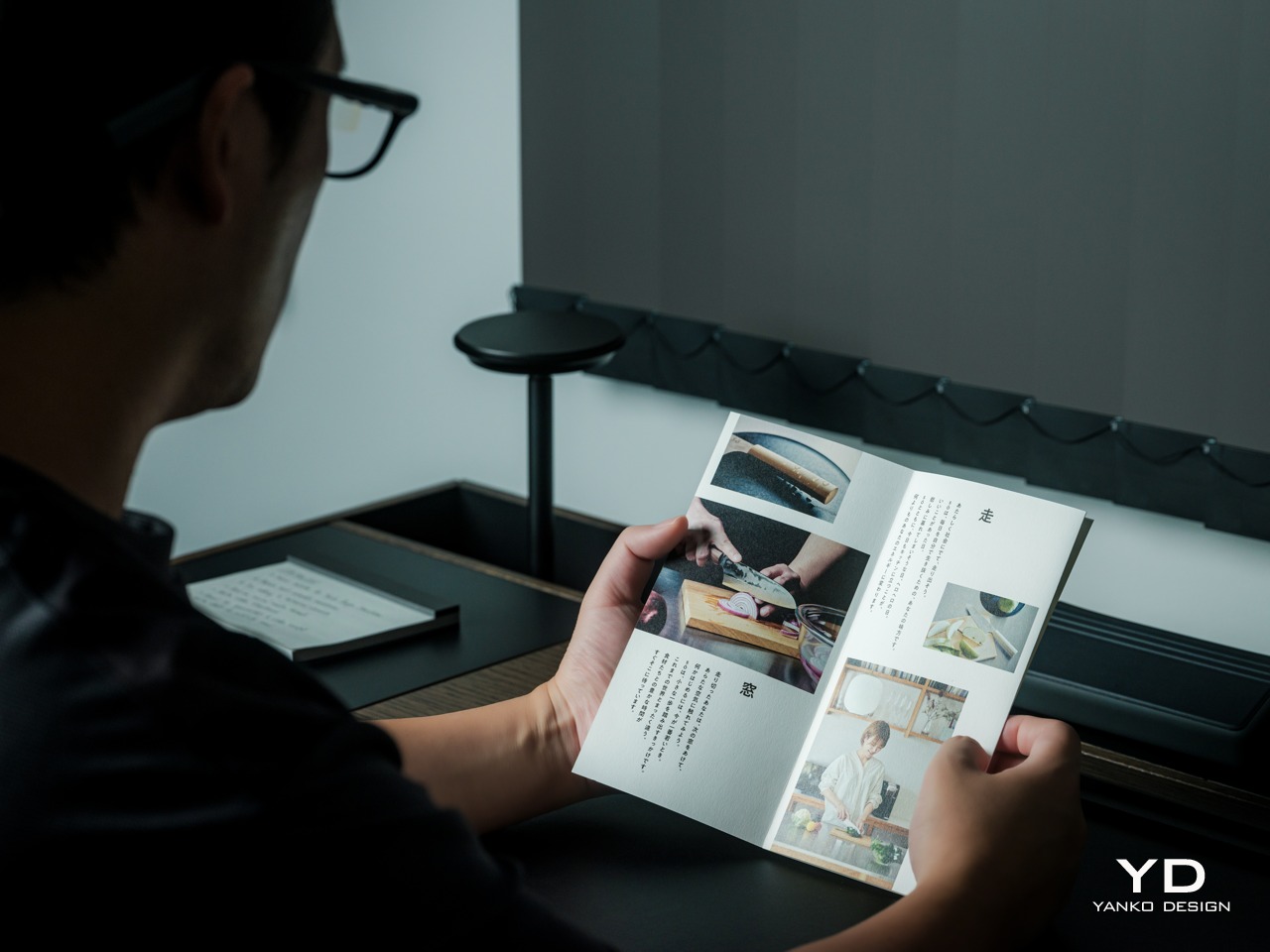
Looking down at a phone to translate a conversation can interrupt the exchange it’s supposed to help. Reading presentation notes creates a similar problem, pulling attention away from the people in front of you. The INMO GO3 AI Glasses bring those words into view instead, putting translation and presentation tools inside a familiar rectangular frame that doesn’t require a dramatic change in personal style.
That familiar shape is only part of the appeal, though. Adjustable contact points, discreet controls, and, most importantly, a replaceable battery give the GO3 a practical foundation beyond its display. Together, they suggest an approach to smart glasses that puts everyday wear on equal footing with software features. How convincingly the GO3 brings those priorities together comes down to a few details, starting with the frame itself.
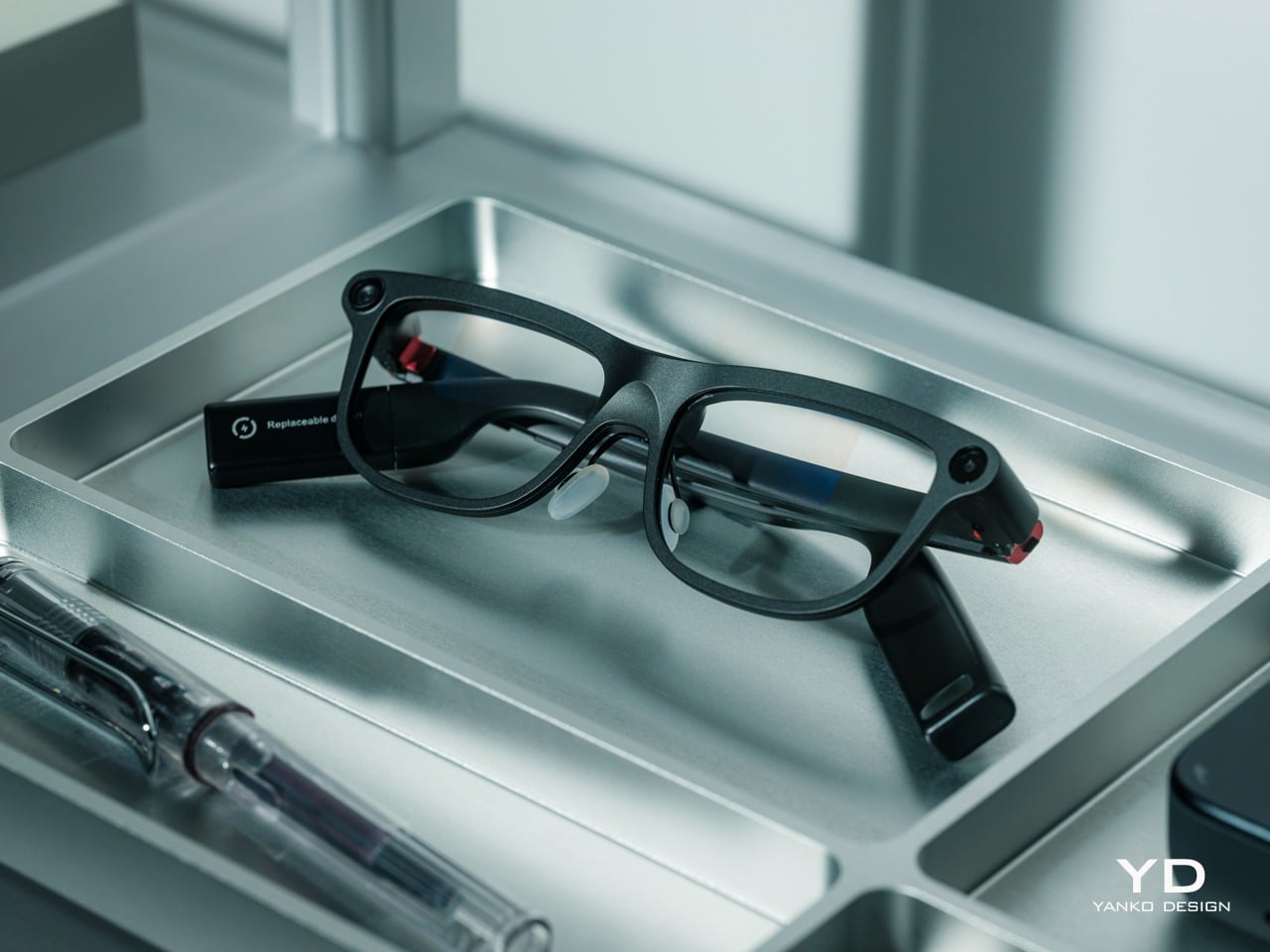
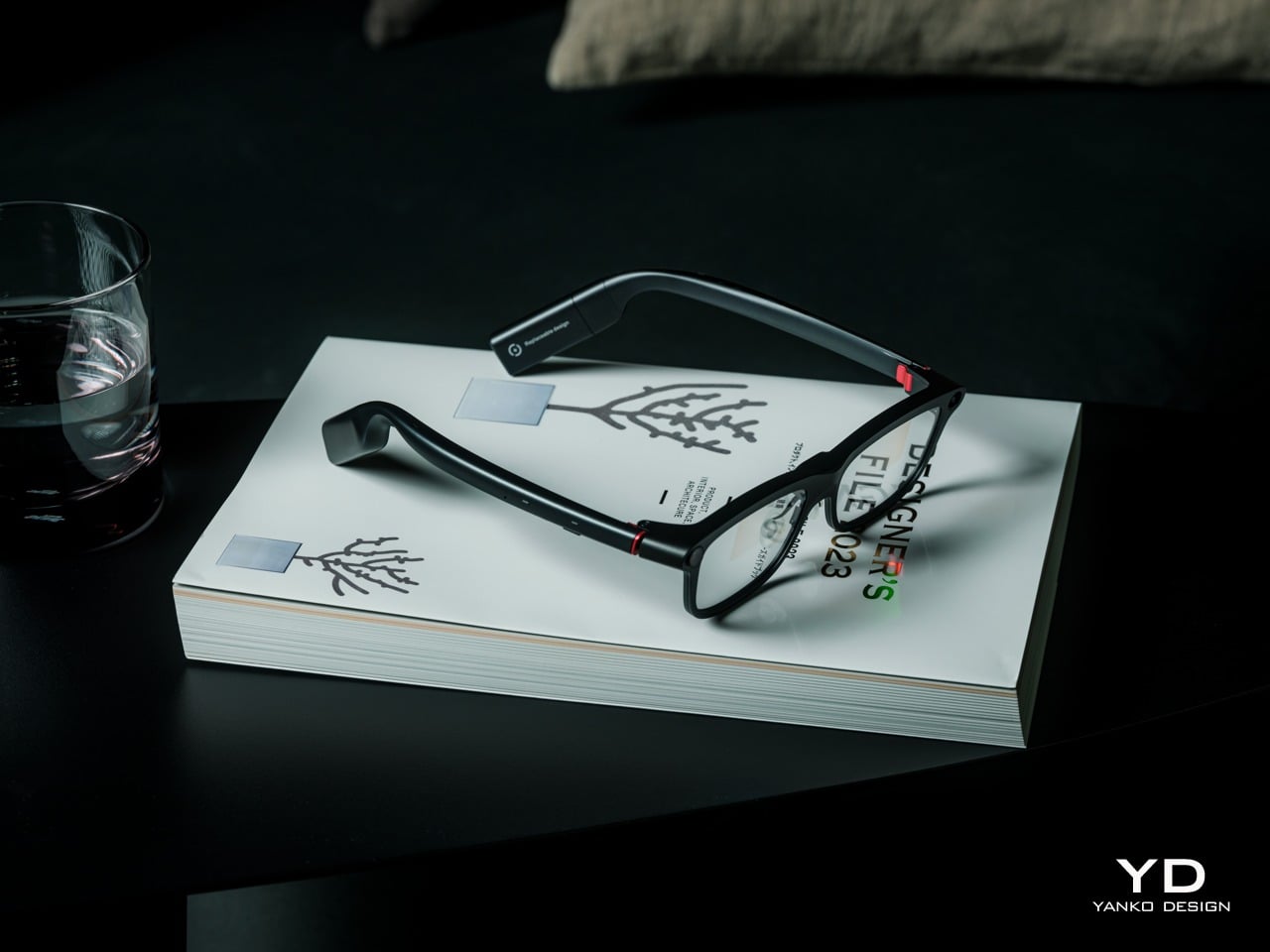
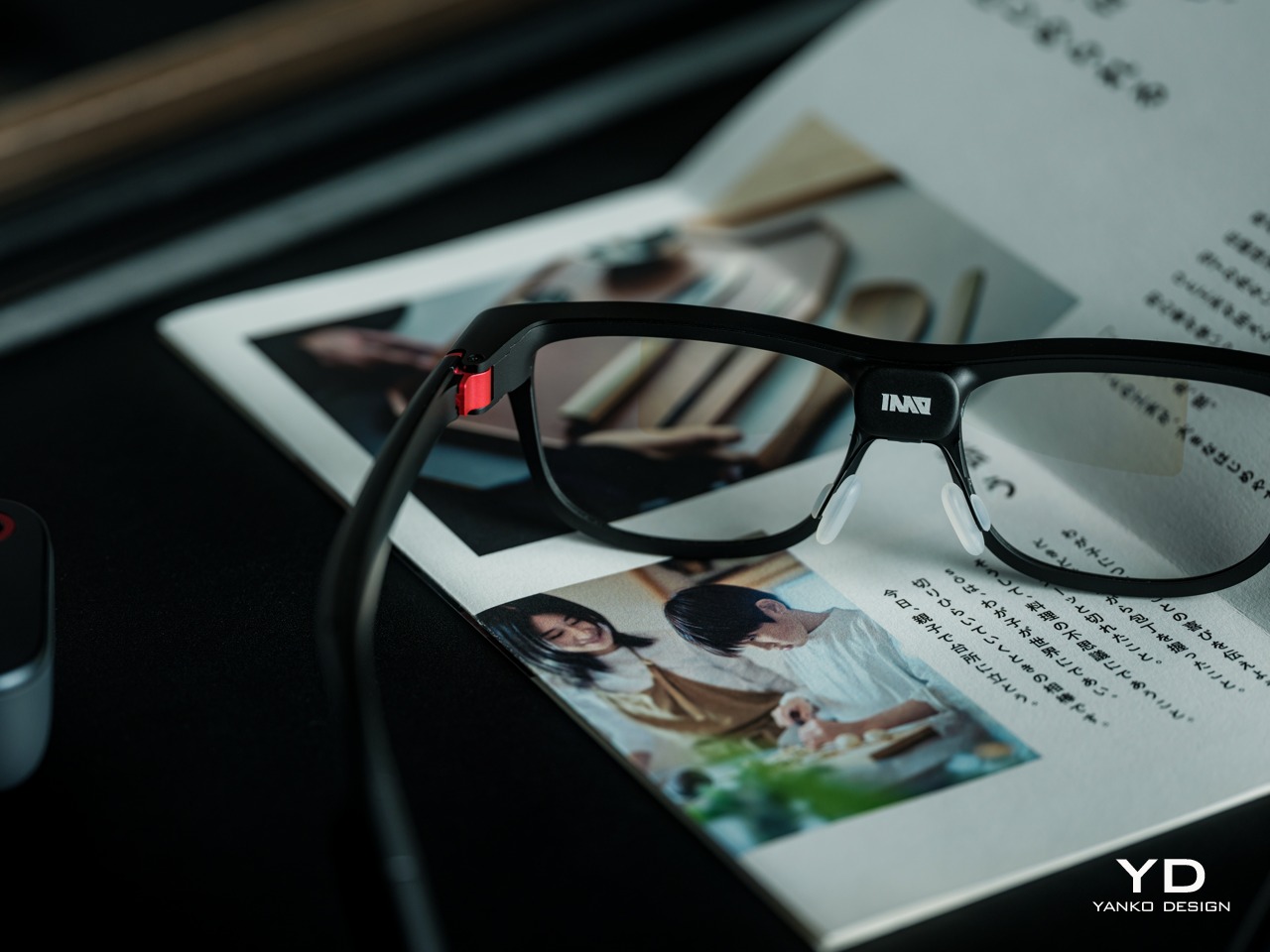
The INMO GO3’s rectangular lenses and softened corners give it the outline of conventional eyewear, although the frame has more substance than a pair of reading glasses. That’s a reasonable visual compromise, of course, given what it packs inside. The thicker brow provides room for the display hardware while giving the front a confident shape, rather than leaving its components looking like something awkwardly attached afterward.
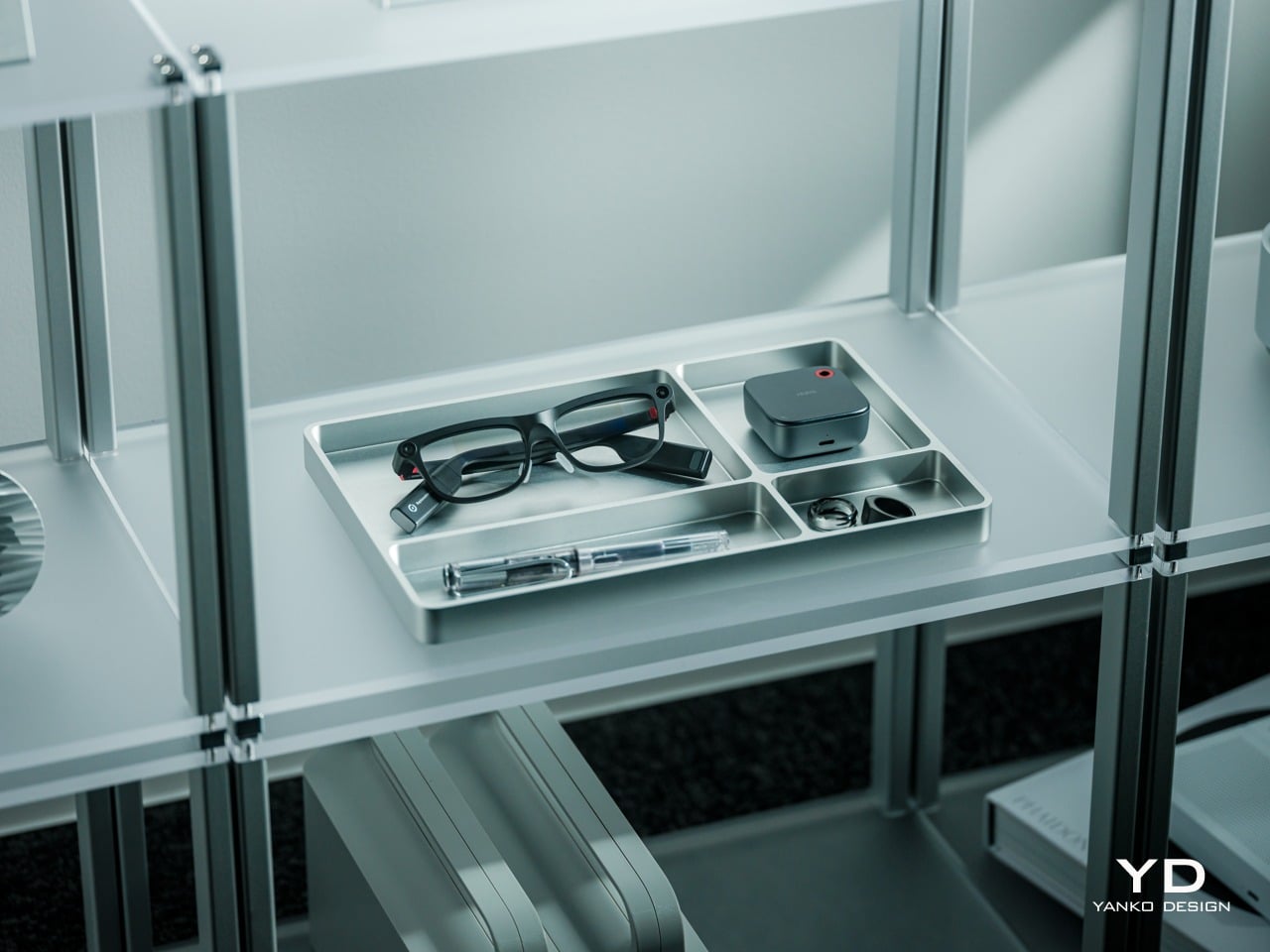
The dark matte finish does much of the visual work. It gives the broad surfaces a quieter presence than glossy plastic would, while the small red accents around the hinges add a bit of personality. Thankfully, the color doesn’t spread across the frame. There’s enough contrast to make the details interesting without making the glasses look like equipment borrowed from a gaming setup.
The GO3 utilizes aluminum alloy and polyamide for the construction with a CNC-finished, fingerprint-resistant surface. It’s not an entirely metal object, which makes sense when you consider that the electronics also add their own weight to the equation. The frame and temples share a restrained finish instead of competing for attention through contrasting textures.
The slim temples measure around 8mm, keeping the side profile from becoming an oversized box. The curved ends retain the familiar outline of glasses, even with additional hardware inside. It isn’t dainty eyewear, admittedly, but the shape avoids the visor treatment that would make a business lunch feel like a technology demonstration.
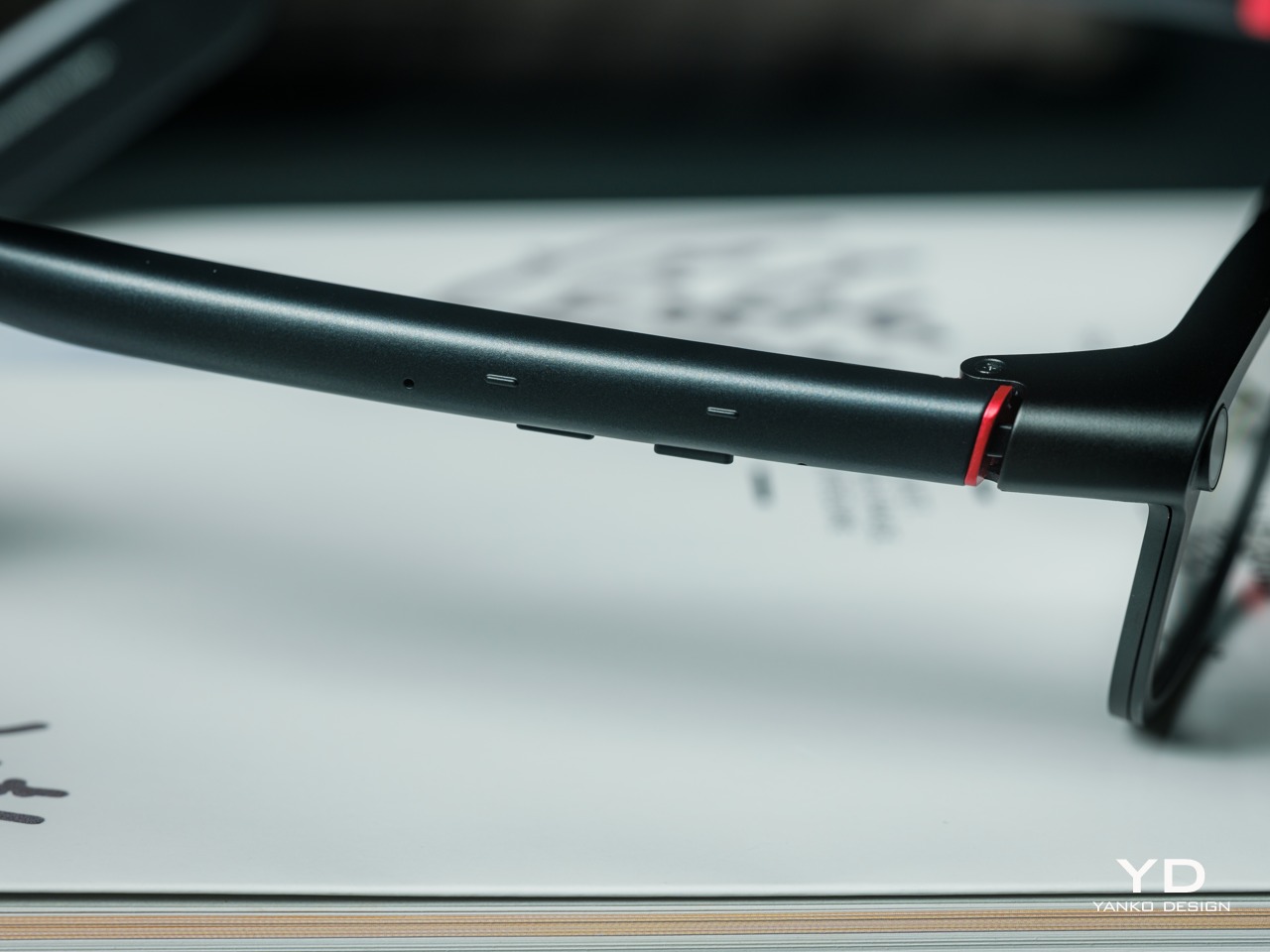
The camera is integrated into the front rather than perched above it, and the controls follow the temples. These details help the INMO GO3 read as a somewhat fashionable object instead of gadgets sharing a frame. A supplied camera cover also provides a way to obscure the lens when recording isn’t appropriate, especially given the current conversations around smart glasses.
Ergonomics
At approximately 58 grams, the INMO GO3 has the weight of electronics to accommodate as well as the frame itself. Comfort depends on more than the number on the specification sheet. The relationship between the nose pads, temples, and ears matters as much. There’s a focus on those contact points, rather than relying on a lightweight label to explain away the fitting process.
Air-cushion nose pads support the front, while the temples offer 15 degrees of adaptive movement, at least on paper. That flexibility gives the frame room to accommodate differences in head shape. Naturally, there will be cases when the head shape just won’t fit, but INMO has tried to accommodate as many head sizes as possible.
Given we’re talking about glasses, prescription support is another important piece of that everyday equation. The GO3 uses an insert system, with INMO’s current lenses supporting nearsightedness and astigmatism, though not farsightedness. That won’t cover every prescription, but it gives supported wearers a way to combine vision correction and the display.
Operating the glasses doesn’t have to depend on talking to them. Temple touch controls and physical power and GO buttons provide alternatives, while the companion app handles setup and settings. When you’re around people or somewhere that requires a degree of silence, a discreet gesture is often preferable to a spoken command, and familiar controls help make the wearable format a little less foreign.
Performance
Two-Way Dialogue Translation – Read translations directly through the glasses, while the other person sees or hears your translated response on the phone.
The INMO GO3’s binocular green Micro-LED display uses optical waveguides, with a 640×480 resolution and a 30-degree field of view. Adjustable brightness is listed up to 1,500 nits, which is plenty even for the bright outdoors. That said, those specs clearly mark it as something more for text and guidance rather than a miniature cinema. Green lettering has a slightly retro character, but a translation or the next line of a speech doesn’t need a full-color backdrop to be useful.
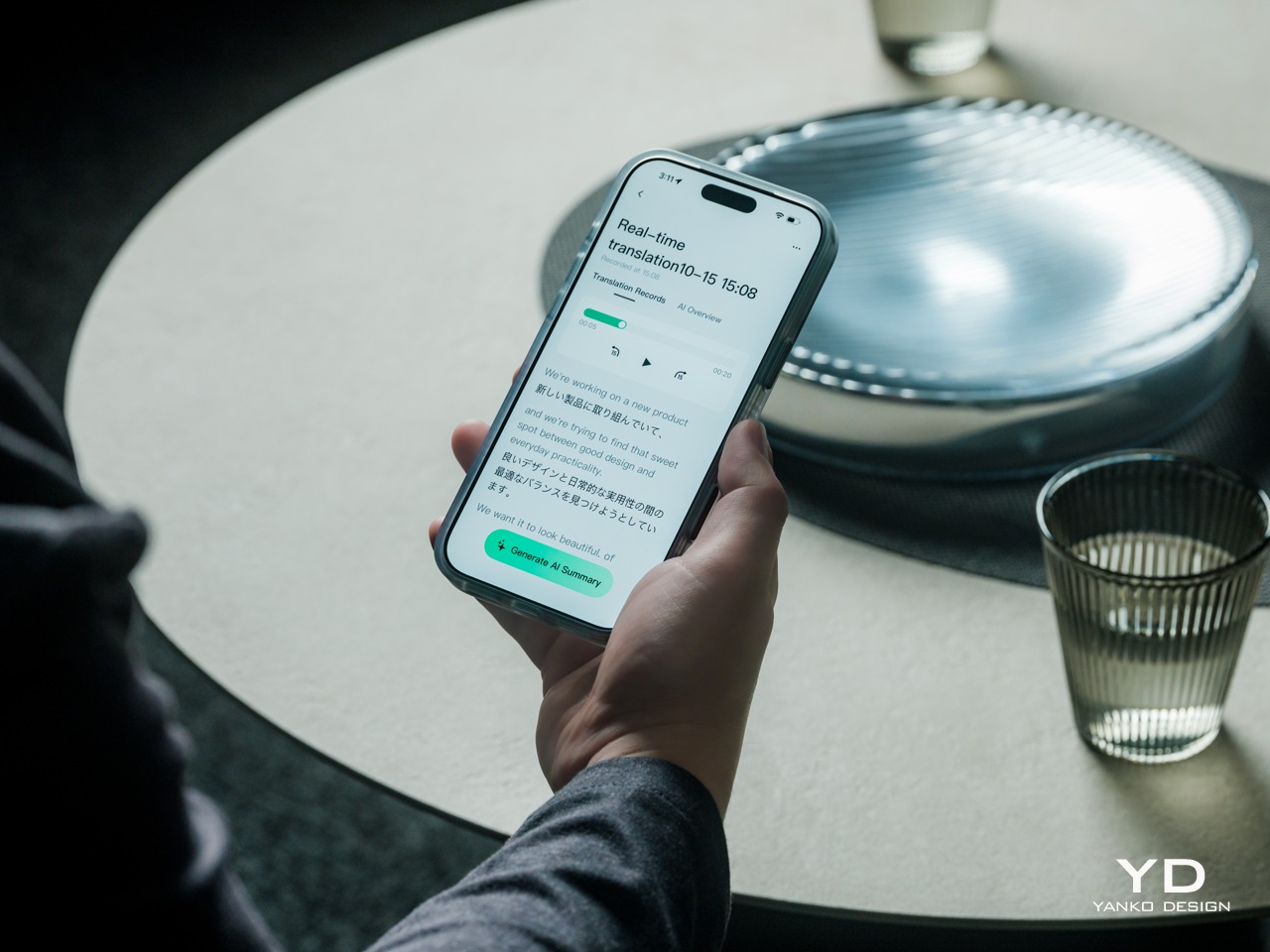
Translation, of course, is the primary use case for these glasses, and the numbers are admittedly impressive. INMO lists 78 source languages and 98 target languages online, with subtitles appearing in view rather than on a phone held between speakers. Offline support covers nine languages on Android and 13 on iOS, and future updates promise even more. The phone still needs to stay paired to a phone, of course, but a missing internet connection needn’t end every supported conversation.
Built-In Teleprompter – Follow your script directly through the glasses.
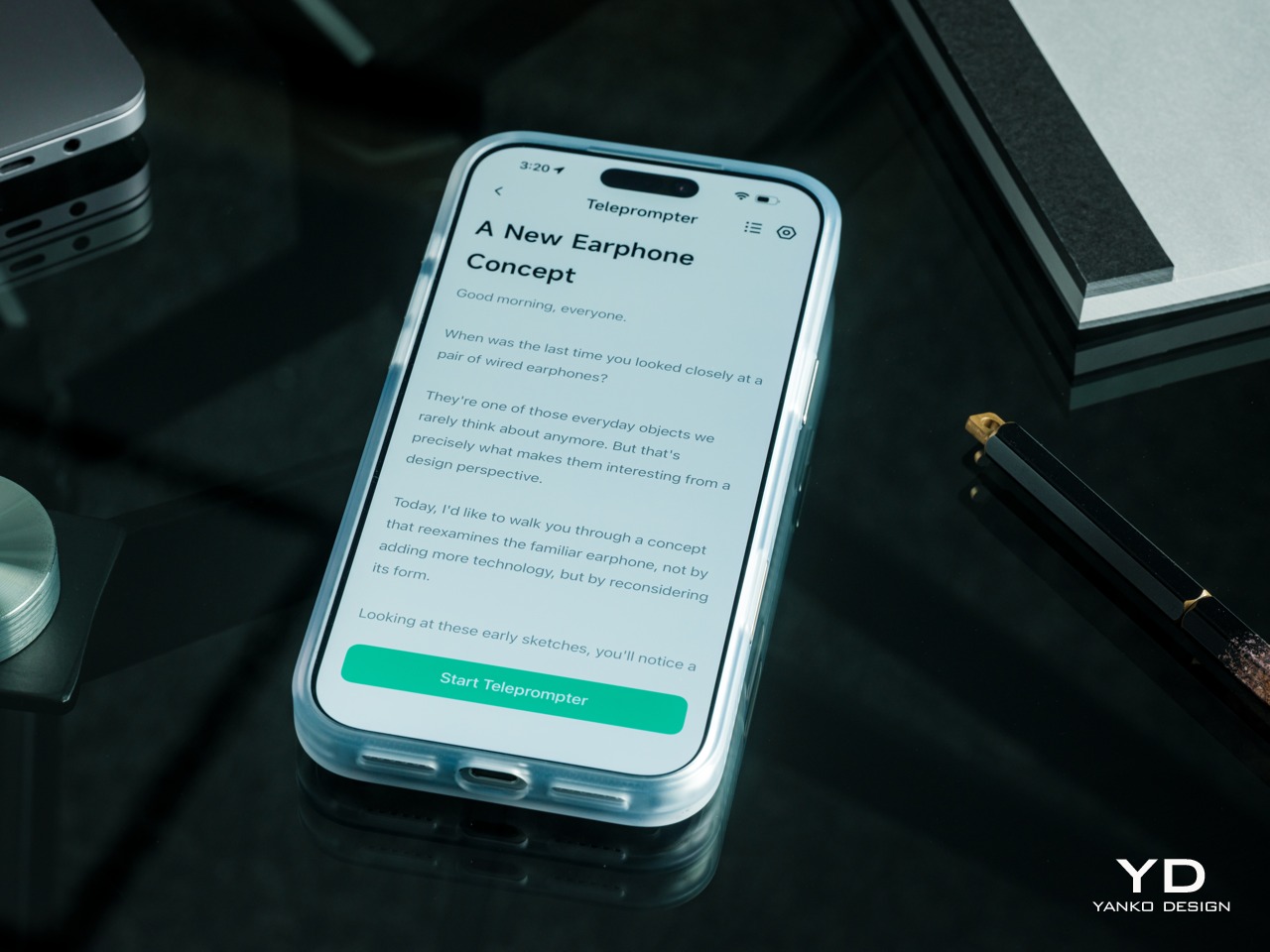
For presentations, the teleprompter moves the script from a desk into the speaker’s field of view, allowing for a more natural-looking stage presence. There’s automatic voice-following advancement in 17 languages (including English, Mandarin, Cantonese, Japanese, Korean, German, French, Thai, Russian, Spanish, Portuguese, Polish, Arabic, Indonesian, Vietnamese, Dutch, and Italian), alongside manual scrolling from the temple. Other languages will be displayed, depending on the document uploaded by the user, but the pages for unsupported languages can’t be automatically turned by voice. Very few will be sitting close enough to realize you’re not exactly looking at them, but at least you won’t be spending half of the presentation staring down at your notes.
Photo Translation – Point the camera at written text and read its translation directly through the glasses.
The GO3 also offers features better used in meetings, such as recording, transcription, and AI summaries for later review. Walking and cycling directions, an AI assistant powered by ChatGPT and Gemini, and photo translation extend the same idea beyond work scenarios: put a useful answer nearby without making a phone screen the center of every activity.
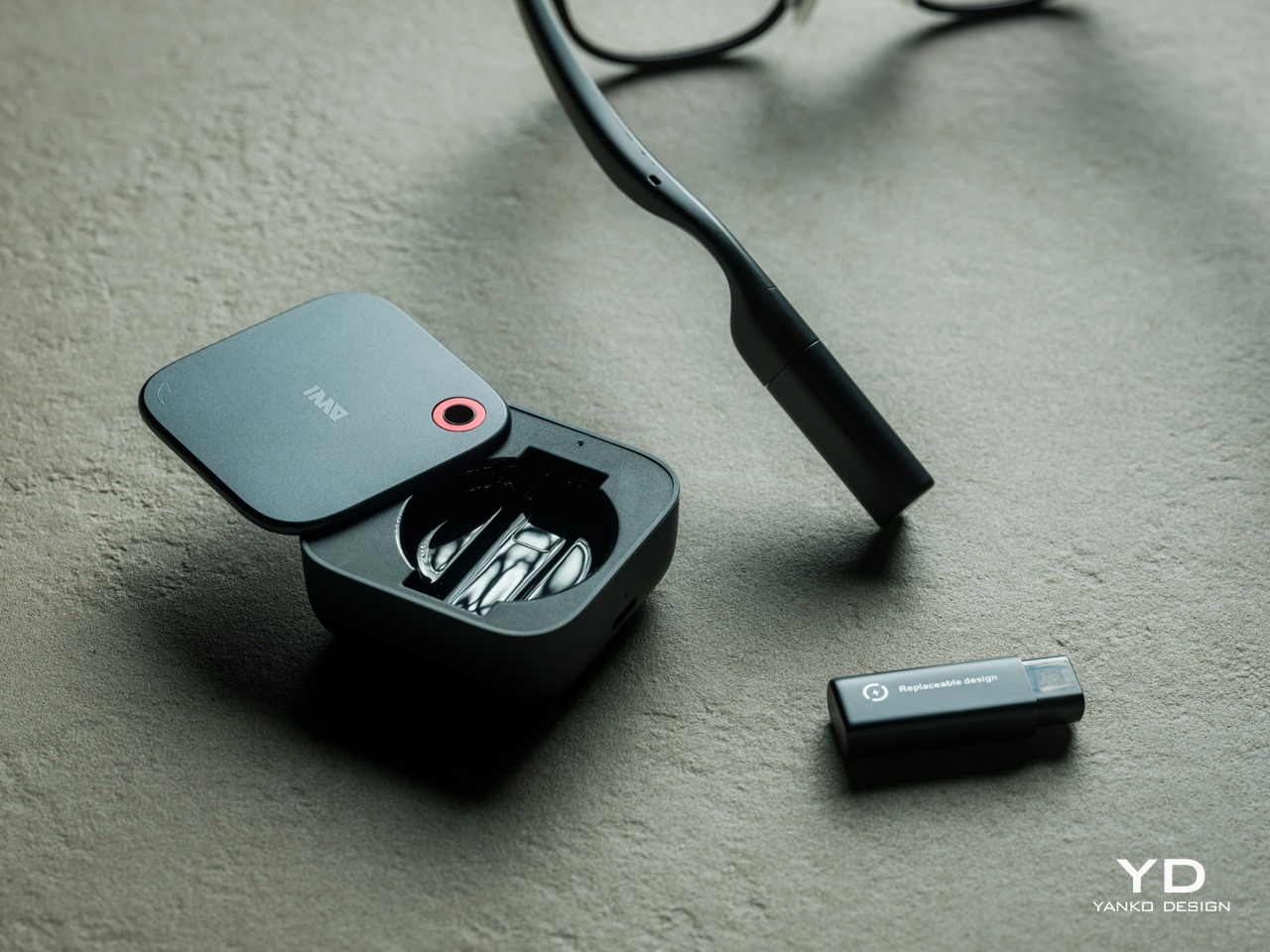
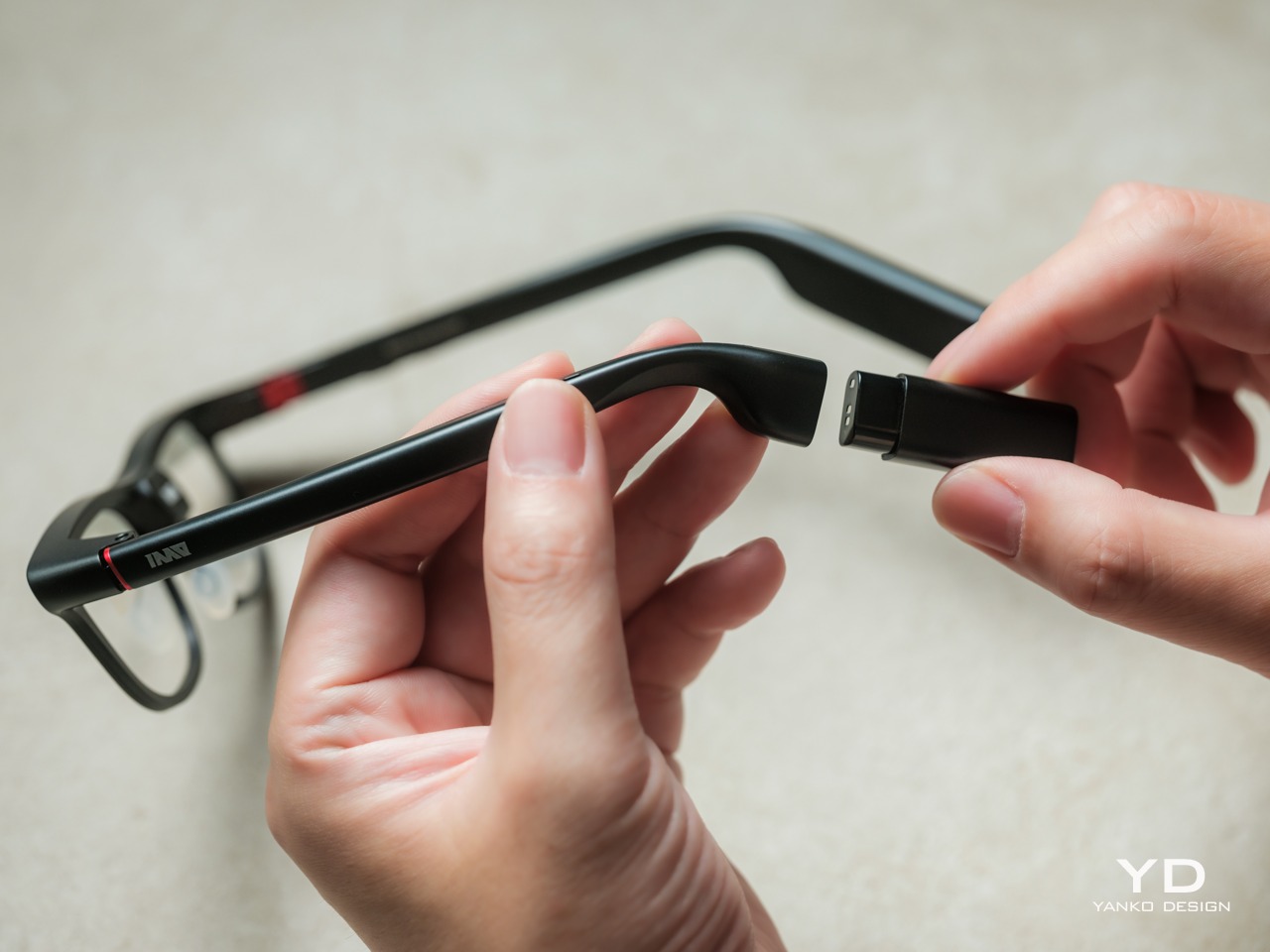
Admittedly, many AI smart glasses offer similar features, but the INMO GO3’s killer feature is its interchangeable battery system. One 270mAh battery is installed in the glasses, with one spare included. Continuous use yields around 3 hours on a full charge, which is probably more than enough for most use cases. The 1,300mAh battery charging case offers three to four more charges, so you practically get a full day’s worth in total.
Where it gets interesting is how you can swap out the dead battery on the tip of the GO3 with the spare in the charging case. It’s quick and convenient, but not entirely seamless. The glasses will shut down when you pull out the battery, but plugging a fresh one in boots it up in just a few seconds. It does mean you have to briefly stop what you’re doing or make sure you’re not in the middle of something critical, but it’s better than waiting for minutes for the glasses to charge up.
Sustainability
The replaceable battery has a longer-term benefit beyond getting through a busy afternoon. An aging power cell doesn’t automatically have to take the entire pair of glasses out of service. INMO lists a replacement battery at $49, making that component a separate ownership expense. That’s a useful piece of product design: the part expected to wear with repeated charging doesn’t have to remain permanently sealed inside.
That doesn’t establish a complete sustainability story, and there’s no need to pretend otherwise. The reviewed specifications don’t establish recycled material content, comprehensive component repairability, or an end-of-life program. The more defensible advantage is the ability to keep the same frame in service when its battery needs replacing. Thoughtful care still matters, particularly for the lenses and hinges, but accessible power replacement is a concrete place to start.
Value
At $699, currently discounted to $509, the INMO GO3 asks for a commitment beyond casual curiosity. The standard package includes the glasses, installed battery, single spare, and battery charging case. That’s a coherent starting point, with the power system already accounted for. The value comes from using the display repeatedly, rather than paying for a collection of functions that remain untouched save for a few presentations or travels abroad.
The useful comparison is between priorities, rather than a contest over the longest feature list. Camera-and-audio glasses answer a different need from eyewear that puts text in view, while entertainment-focused displays serve another purpose again. For someone moving between multilingual conversations and presentations, the GO3’s combination is easier to justify. That it can also be your travel companion and AI assistant brings added value to the table, especially when you don’t look like a walking technology advertisement.
Verdict
The INMO GO3’s most appealing quality is how its design keeps returning to recognizable habits. Wear glasses, follow a conversation, glance at a script, and change a battery when necessary. The technology adds steps of its own, of course, but the physical form doesn’t ask for an entirely new routine. Its familiar outline and adaptable contact points give the translation and presentation tools a sensible place to live.
Travelers, presenters, and people working across languages have the clearest reasons to appreciate that combination. A paired phone remains part of most workflows, and battery changes belong between tasks, but neither qualification takes away the appeal of information placed closer to the conversation. There’s something refreshingly practical about glasses that leave room for ordinary interactions, even when a little green text is helping them along.
A blue king sticks straight out from a checkerboard cylinder, looking remarkably composed for a piece that should be falling onto the table. That sideways stance explains Turner, a rotating magnetic chess concept by Joffey, faster than a technical diagram could. The immediate problem is gravity: a vertical playing surface needs a way to keep its pieces attached. Magnets provide the proposed answer, letting the familiar chessboard curl upright without leaving its army in a heap.
Created for Day 04 of #productober, under the prompt “magnetic,” Turner explores what happens when a board loops back into itself. It’s a concept rather than a finished product, and I like that its ambition is playful rather than pretending chess needs fixing. The appeal is seeing a familiar game become an object you might want to leave out, even between matches.
The supplied images show a blue-and-white grid wrapped around a tall cylinder, capped by dark blue circular ends and supported by a flared pedestal. The base gives it the presence of a small tabletop sculpture. From some angles, it resembles an unusually elaborate trophy. From others, the pieces projecting around its circumference make it look like a tiny planet populated entirely by royalty and horses.
The color does a lot of work here. Deep blue replaces the expected black, giving the set a softer domestic character without sacrificing the contrast with white. I’d happily take that over another aggressively futuristic chess redesign. The pieces retain recognizable silhouettes, so the unfamiliar board has familiar companions. You can still pick out a knight or a king without learning a whole new visual language.
Magnetism also earns its place in the design. Remove it, and the central idea stops working. The pieces are intended to cling to the curved surface while the board rotates, bringing different areas into view. That makes turning the board part of the interaction. Instead of simply surveying a flat field, players would need to reveal portions of the position as they go.
That’s also where my enthusiasm meets a practical reservation. A flat chessboard lets both players inspect the entire position at once. Turner’s cylinder necessarily conceals part of the grid from any single viewpoint. Rotation offers a way to look around it, but remembering what’s on the far side could become another demand on your attention. I can imagine enjoying that extra spatial puzzle. I can also imagine wanting my ordinary board back during a particularly complicated game.
The looping surface raises another question: what happens at the point where opposite edges meet? Joffey’s description suggests a changed way of playing, but the supplied material doesn’t establish a complete rule set. It would be a stretch to assign new movement rules to the pieces. Still, the possibility is intriguing. Joining edges could have consequences beyond appearance if the designer chooses to make that continuity part of play.
I appreciate that Turner doesn’t disguise every familiar feature in pursuit of novelty. The pedestal, restrained palette, and recognizable pieces give your eye enough to understand before the curved grid complicates things. Even the pieces set beside the base in the images help establish scale and context, although no dimensions are provided. You understand that this belongs on a table, within reach, rather than behind glass.
For a developed version, I’d care as much about the feel of removing a pawn as the appearance of the cylinder. Magnetic attachment would need to resist slipping while allowing deliberate moves without an awkward tug. The rotation would need similar care: easy enough to use, controlled enough not to become a distraction. Those are unresolved details, but they’re also where an appealing rendering could become a satisfying physical object.
Turner makes me curious enough to want a game, provided someone explains the rules first. Its appeal lies in having to look around a chessboard that usually gives you everything at once. That could be an entertaining complication, even if it never replaces the flat board in the closet.
A solo traveler needs a compact camping solution on his bike. To satiate this adventure group, a new league of bike RVs/campers is coming of age. After having already seen the likes of a wooden camper behind a bike to this hard-walled bike camper with a slide-out component to increase the compact living space for two people, it’s time now to spare some thought for this new bike RV built from scratch (quite literally) by Attoparsec YouTube channel.
The YouTuber has put out a detailed video illustrating and talking us through the entire build. You can see the complete video embedded above. If you want an idea of what’s been done and how he has created a pedal-powered bicycle RV or camper, as you may, read on.
Designer: Attoparsec
Attoparsec starts off with getting a home and industrial cargo trike, which he wasn’t able to use right away for the base. After addressing significant design and mechanical flaws (we’ll try and detail a few of them below), the custom bike was readied, and then the living solution was installed atop.
Constructed to be taken to Burning Man, Attoparsec restructured the donor trike’s mechanical flaw of a single brake cable splitting into a Y to trigger the two rear brakes. Since this caused uneven pulling, which could have been dangerous with the eventual load onboard, the YouTuber created a dual-cable brake lever that worked as a linkage mechanism to create an ideal balance at the rear wheels to brake together. custom mechanical solution also included retrofitting a new differential in addition to the brake system.
This wasn’t the only thing that required tweaking. The cargo bed on this standard trike also needed some expansion. The bed was custom extended toward the rear using round aluminum tubing for structural rigidity and to make it spacious enough to fit one sleeping adult. The compact 8-foot-long, 4-foot-wide living compartment to go on it would ensure comfort for a solo traveler. But extending the frame without moving the rear axle caused problems. The DIYer had to fine-tune it with the use of two heavy-duty trailer jacks with wheels to safeguard the camping structure from tipping over in a wheelie.
The sleeping enclosure sits on raised, reinforced frame risers and is built with rigid foam insulation. The structure is taped together to ensure the sun and the playa dust remain outside when the bike RV is stationed at the Burning Man. The bicycle camper is provided with a solar-powered refrigerator and draws its energy from a Jackery backup battery bank. According to the DIYer, the mobile home on a bike features a transformable interior that adjusts between lounging and sleeping easily. It fared well weathering storms and rain on the dry lake bed of the Black Rock Desert in Nevada.
Natural, consistent photo colors across all cameras
Strong video capability
Bright, immersive AMOLED display with thin bezel
Excellent battery life
CONS:
High price
Optional teleconverter kit limits lens options while in use
RATINGS:
AESTHETICS
ERGONOMICS
PERFORMANCE
SUSTAINABILITY / REPAIRABILITY
VALUE FOR MONEY
EDITOR'S QUOTE:
With standout cameras and top-tier hardware, the Find X10 Pro Max nails nearly every mark. Just be ready to pay for the privilege
In 2026, nearly every major phone maker is eager to add “Pro Max” to their flagship lineups. Oppo is now joining this trend with its Find X10 Pro Max. Whether you see the naming as bold or just another industry move, one thing is hard to ignore. Even when manufacturers like Oppo pack their phones with leading-edge hardware and arguably superior imaging, they still face the ongoing challenge of measuring up to Apple’s influence at the top of the market.
This device brings a massive 6.78-inch AMOLED display and debuts the industry’s first trio of 200-megapixel cameras. Its battery is also among the largest found in any mainstream smartphone. Oppo claims this phone stands out for both design and capability. After spending time with the Find X10 Pro Max, I set out to discover if this “Pro Max” truly lives up to its name or simply chases a label.
Designer: OPPO
Aesthetics
The Oppo Find X10 Pro Max carries forward some of the Find X9 Pro’s most recognizable design elements, including its signature square camera bump, now paired with an oval accent for the color sensor and LED. Oppo offers this flagship in two finishes. The Titanium Grey edition features a single sculpted piece of glass with contours that flow seamlessly into the camera area, softening the visual impact and giving the phone an understated, professional vibe. The grey itself is subtle, with hints of mauve appearing under certain lighting conditions.
For this review, I received the Luna White edition, which channels inspiration from classic cameras and reimagines the look for a contemporary audience. The camera island sports a matte silver metallic finish with knurled detailing, highlighted by Hasselblad’s signature orange accent ring. The back showcases a subtle fabric-inspired pattern, with Oppo and Hasselblad branding on the side. While both colors exude sophistication, those who prefer darker tones or bolder shades may find themselves wishing for greater variety in the color lineup.
Ergonomics
Despite its impressive size and powerful hardware, the Oppo Find X10 Pro Max manages to feel thoughtfully balanced in hand. My review unit is the global version, which comes with a substantial 8000mAh battery and weighs 235 grams (about 8.29 ounces) in Titanium Grey or 233 grams (about 8.22 ounces) in Luna White. The EU version features a slightly smaller 7150mAh battery and is a bit lighter at 228 grams (about 8.04 ounces) for Titanium Grey and 226 grams (about 7.97 ounces) for Luna White. Measuring 161.32 x 76.57 x 8.40 mm, or approximately 6.35 x 3.02 x 0.33 inches, this phone clearly fits into the large flagship category, yet its slim profile keeps it manageable.
The weight of the Find X10 Pro Max is certainly noticeable each time you pick it up, although the distribution helps maintain comfort during longer use. Both color options have a matte back and frame that do an excellent job resisting fingerprints and smudges, while also offering a velvety texture that is genuinely pleasant to touch. The device maintains a clean look throughout the day and feels luxurious with every interaction. The edges are only slightly curved, almost flat and straighter than on many other flagships, so they do not dig into your hand but may affect comfort depending on how you hold the phone over time.
Performance
The Oppo Find X10 Pro Max delivers the kind of fluid, responsive experience you expect from a flagship. Powered by the Dimensity 9600 Pro, the phone handles daily tasks, multitasking, and demanding apps without any noticeable lag or slowdowns. ColorOS 17 brings a polished feel with more refinement than revolution, ensuring that every interaction is smooth and intuitive. Everything from app launches to switching between tasks happens with impressive speed and reliability.
The large 6.78-inch LTPO AMOLED display stands out with a sharp 2772 × 1272 resolution and vibrant colors, thanks to BT.2020 coverage and 10-bit color support. Bezels measure just 1.15mm and are perfectly symmetrical, which makes the screen feel even more expansive. With up to 3,600 nits peak HDR brightness, visibility outdoors is excellent. The adaptive refresh rate ranges from 1 to 120Hz for smooth scrolling, while 144Hz is available in select gaming scenarios for extra fluidity. The speakers provide plenty of volume, though sound quality does not really stand out.
Hasselblad Hi-Res (50MP) mode, main camera, 1x
Main Camera, 1x
Over the past few years, smartphone cameras have leaned heavily on computational processing to overcome the limitations of small lenses. Sometimes the results are impressive, but too much digital magic can leave photos looking punchy or even artificial. With the Find X10 Pro Max, Oppo takes a different route by aiming for images that genuinely match what you saw in real life. The brand continues its collaboration with Hasselblad to fine-tune color science, and this generation introduces the LUMO True Image Engine, which keeps colors believable and resists the urge to overdo sharpening or saturation.
Oppo debuts the industry’s first triple 200-megapixel camera system in the Find X10 Pro Max. You get a 200MP main camera (Samsung ISOCELL HPC, 1/1.3″, f/1.5 with OIS), a 200MP ultra-wide (Samsung ISOCELL HP5, 1/1.56″, f/2.2 with autofocus), and a 200MP periscope telephoto (Samsung ISOCELL HP5, 1/1.56″, f/2.1 with OIS). Flip the phone around and you’ll find a 50MP front camera (Samsung ISOCELL JN5, 1/2.75”, autofocus, 100° FOV).
Ultrawide, 0.5x
Telephoto, 3x
Telephoto, 6x
The headline megapixel count is only part of the story. The main sensor leverages DeepPix technology, redesigning each pixel to improve light-gathering efficiency and preserve detail even in challenging conditions. It delivers up to 17 stops of dynamic range for images full of nuance from shadow to highlight. Daylight photos are crisp and vibrant, and low-light shots stay clear and accurate.
Most flagships treat ultra-wide cameras as a weak spot, but Oppo breaks that trend by using the same large sensor in both its ultra-wide and telephoto modules as in the main camera. The ultra-wide’s 13mm-equivalent focal length provides an expansive 124-degree field of view and captures sharp images across the frame. There is still some noticeable lens distortion at the edges, which is common for lenses this wide, but overall image quality remains impressively crisp. Color consistency is another area where Oppo truly excels. Tones stay remarkably uniform across all three lenses, so your shots always look cohesive.
Ultrawide, 0.5x
Main Camera, 1x
Main Camera, 1x
Telephoto, 3x
Personally, I love shooting with the telephoto camera on the X10 Pro Max. It is genuinely a treat for anyone who enjoys zoom photography. Hasselblad Master mode is another highlight because it delivers a more natural, less processed look that gives images a classic photographic character rather than an overdone “smartphone” feel. For those who want total control, Pro mode within Hasselblad Master mode allows for granular manual adjustments.
For users seeking more flexibility, Oppo offers a Hasselblad Teleconverter Kit in Luna White that includes a MagSafe-compatible case, lens adapter plate, teleconverter lens, lens bracket, shoulder strap, and pouch, all in silver or white with orange accents to match the Luna White phone version. While I love how visually unified the kit appears, attaching the lens adapter plate blocks both the main and ultra-wide lenses at once, just like on the Find X9 Pro teleconverter. This can limit your photo options when using the kit.
Telephoto Converter, 20x
Telephoto Converter, 40x
Oppo’s camera app supplies a nice set of filters. The selection is not as broad as Vivo’s catalog but still offers plenty of creative and customizable choices. Each filter lets you tweak tonality, saturation, and intensity to match your style preferences. My main gripe is with how OPPO lays out these filters: instead of small thumbnails along the bottom edge like most brands use, you only see one filter preview filling the UI at a time. This makes it tougher to quickly browse options and can slow down creative experimentation.
Filter UI
Open Gate Mode
Video performance keeps pace with stills. All three rear cameras support up to 8K at 30fps, 4K at 60fps, and even 4K at 120fps for dramatic slow motion. The front camera supports up to 4K at 60fps for sharp selfies and vlogs. If you apply creative filters during recording, output is capped at 1080p at 30fps. Open Gate recording is available on all rear cameras as well, so creators can leverage every pixel for flexible cropping in post-production.
My global review unit features a massive 8000mAh battery, while the EU version is equipped with a still-impressive 7150mAh cell. Both models support fast charging, with 80W SUPERVOOC wired charging making it easy to top up quickly and 50W AIRVOOC wireless charging for added convenience. Battery life is outstanding. It easily lasts more than a full day of heavy use and can reach two days with moderate usage.
Main Camera, 1x, Night
Sustainability
Oppo positions the Find X10 Pro Max as a durable and future-proof flagship, but most of its claims align with what’s now expected at the high end. The phone comes with IP66, IP68, and IP69 ratings, so it stands up well to dust and water in a wide range of scenarios. Both the front and back are protected by OPPO Crystal Guard Glass, co-developed with Corning, promising solid scratch and drop resistance. SGS Five-Star Drop Resistance Certification adds further reassurance, though these certifications have become standard for premium smartphones.
Oppo also states that the battery should retain over 80% of its original capacity after five years of typical use, which is consistent with leading brands but does not set a new bar. The promise of five years of major Android OS updates and six years of security patches is definitely good news for long-term owners and matches current flagship expectations. That said, it would be great to see Oppo take additional steps in sustainability, such as using more recycled materials in construction and offering easier repair options, to truly stand out in this space.
Value
Official pricing was unavailable at the time of writing this review, but the Oppo Find X10 Pro Max is rumored to launch at €1,799 (about $1,900) for the 16GB+512GB EU version. This firmly places it among the highest-priced flagships on the market and marks a clear jump from last year’s Find X9 Pro (€1,299, or around $1,370) and even the Find X9 Ultra (€1,699, or about $1,790). A significant part of this price hike likely comes from soaring RAM and storage costs, driven by increased demand from the AI boom and broader tech trends.
If these figures are correct, Oppo will face an uphill battle. Even with top-of-the-line hardware and some of the best mobile imaging features available, nearly two thousand dollars is a serious investment, especially as many consumers are feeling economic pressure. The EU version of the Find X10 Pro Max is even more expensive than both the iPhone 18 Pro Max with 512GB of storage and the Samsung Galaxy S26 Ultra 512GB model in the U.S. For Oppo to justify this price point, buyers will need to be truly convinced by its unique camera system and design philosophy. Otherwise, many may find more value in established alternatives from Apple or Samsung.
Verdict
The Oppo Find X10 Pro Max stands out as a well-balanced flagship that gets almost everything right and, at times, feels nearly flawless. What really sets it apart is its excellent mobile photography, from the industry-first triple 200-megapixel camera system to the natural color science developed in partnership with Hasselblad. Everyday performance is smooth, build quality is unquestionably premium, and battery life ranks among the best available in any flagship.
On the flip side, the high price tag puts the Find X10 Pro Max in direct competition with industry giants. While it delivers top-tier hardware and leading imaging capability, buyers must be willing to stretch both their expectations and their budgets. For those who put a premium on cutting-edge camera features and want an alternative to Apple or Samsung, Oppo’s latest is a compelling choice. For everyone else, especially those mindful of budget, there are several strong alternatives on the market that may offer a more accessible fit.
We’ve gotten used to bringing along power banks when we’re out and about since we don’t want our smartphones to run low on battery during crucial moments. But now we also have to worry about other devices, like smartwatches. Some need less frequent charging than our phones, but there are still times when we forget to charge them before leaving the house. Before you know it, you find yourself needing some extra juice for your wearable.
miniduct has found a very cute solution to your problem, if you’re rocking a compatible Apple Watch or Samsung Galaxy Watch, that is. Its Kisses Smart Watch Power Bank is shaped like an actual Hershey’s Kiss. Instead of satisfying your sweet cravings, though, this one will power up your smartwatch while you’re on the go. According to its product information, it has a system that aligns with your watch, but there’s also an option to charge other compatible devices through a USB-C port.
Aside from giving your smartwatch extra life when it’s about to run out of charge, this is a cleverly designed accessory that you can carry around with you. It takes the iconic silhouette of a Hershey’s Kiss and its silver-wrapper look and turns it into something other than a snack. It even comes with the tiny white ribbon bearing the word “Kisses,” which doubles as a strap for attaching the device to your bag or pouch. That’s probably the nicest design detail here: a familiar part of the candy packaging gets a practical purpose.
According to the published specifications, the power bank measures approximately 41 millimeters in diameter and 45 millimeters tall, excluding the ribbon. It weighs 40.2 grams, or about 1.4 ounces, and contains a 700mAh battery. That makes it a small backup for your wearable rather than a replacement for the larger power bank you might already carry for your phone.
The charging system is called Auto Fit, and miniduct describes an internal mechanism that automatically aligns with the watch being charged. Its product information explains that the magnets rotate rather than remain fixed to accommodate Apple and Galaxy watches. You’ll still want to check compatibility with your particular model before buying, rather than assume every watch generation is supported.
The chocolate shape also has a job when you put the charger down. miniduct says it positions the watch at a 20-degree viewing angle on a desk, allowing you to check the screen while it charges. You’ll need to take the watch off your wrist, so a break at your desk is a more practical charging opportunity than a workout.
Of course, the small battery comes with limitations. miniduct estimates that it can provide approximately 40% to 120% of a watch battery’s capacity, depending on the model. Some watches therefore won’t get a complete recharge. The brand also notes that features such as GPS, Bluetooth, and an always-on display can reduce the net charge gained. Think of it as an emergency reserve, not a promise of several days away from an outlet.
The product materials also advertise charging support for compatible earbud cases, including wireless charging for supported AirPods cases. USB-C output provides another option for compatible earbuds or an emergency phone top-up. With only 700mAh available, though, charging a phone is a secondary use rather than the main reason to buy it.
The appeal here is having a backup charger that feels like an accessory you’d actually want to bring along. The ribbon gives it a place on your bag, while the familiar shape gives it some personality when it’s sitting on your desk. You’ll still have to remember to charge the power bank itself, but at least this little reminder looks sweeter than another loose cable.
Smartphones have become the focal point of everyday carry, but their slim profiles leave little room for the small essentials people take everywhere. Ninja Labs, a Los Angeles-based company, offers a simple alternative with the MagSafe Flex Pouch. The accessory is a detachable silicone pocket that turns the back of a MagSafe-compatible smartphone into expandable storage for everyday items.
Unlike conventional magnetic wallets designed primarily for cards, the Flex Pouch uses a flexible, stretchy compartment to accommodate objects of different shapes and sizes. It can hold credit cards, IDs, cash, coins, wireless earbuds, and even a car key fob. According to Ninja Labs, the pocket can accommodate anything from a single card to a stack of 20, making it a versatile option for people who want to carry fewer accessories.
The design is centered on a proprietary memory silicone blend that expands to roughly twice its original size before contracting again. Rather than relying on zippers, buttons, or rigid compartments, the material stretches around its contents. Its naturally grippy surface helps keep items in place, while the open-top construction allows quick access. When emptied, the pouch returns to its original compact form.
Ninja Labs says the material retained more than 90 percent of its original stretch after 10,000 stretching cycles, offering an indication of its intended durability. However, the company advises against carrying regular house keys or other sharp-edged objects that could puncture the silicone.
The MagSafe version introduces a refreshing change to the original Flex Pouch concept. Earlier versions integrated the pocket directly into an iPhone case, making it a permanent part of the phone’s exterior. The new accessory is a standalone unit that attaches magnetically to a MagSafe-compatible iPhone or case and can be removed whenever it is no longer needed. Android users can also use it with a suitable magnetic case, although the pouch does not provide phone protection of its own.
This detachable format makes the accessory adaptable to different situations. It can carry cards and cash for a quick errand, earbuds and a car fob while travelling, or small personal-care items during a night out. The flexible construction also allows it to accommodate bulkier objects than a traditional flat wallet, although adding more contents inevitably creates a pronounced bulge at the back of the phone.
The MagSafe Flex Pouch is priced at $59 and is available in pink, baby blue, lavender, and black, with transparent silicone and a sparkling pink finish among the options. Ninja Labs offers worldwide shipping, with international delivery listed at $10, so you can try it out right away. You can also go for their case cover version if MagSafe is not your thing.

 Connexion