Connexion

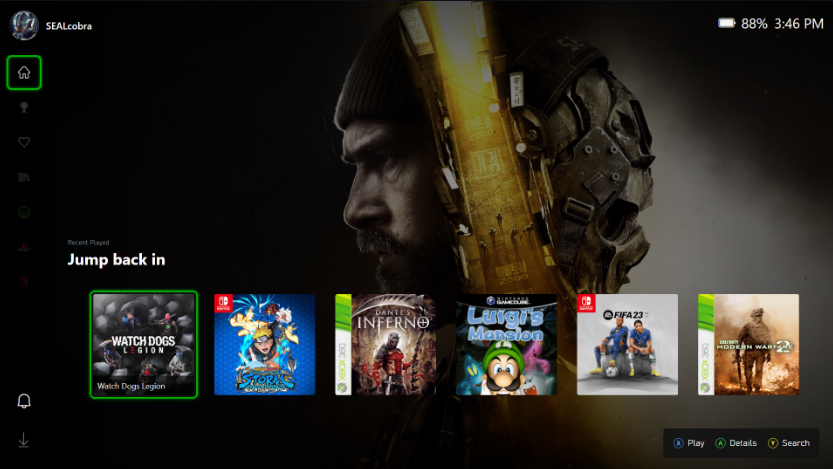
A custom 'Playnite' theme recreates the Xbox Series X|S experience on Windows
I've had my Xbox Ally X for almost a year now, and there's still one thing I genuinely hate about it: the Xbox app. Yes, I know Microsoft's recent refresh claims to have made the app 60% faster, but it's still the same general experience, and I've always disliked how it looks and feels.
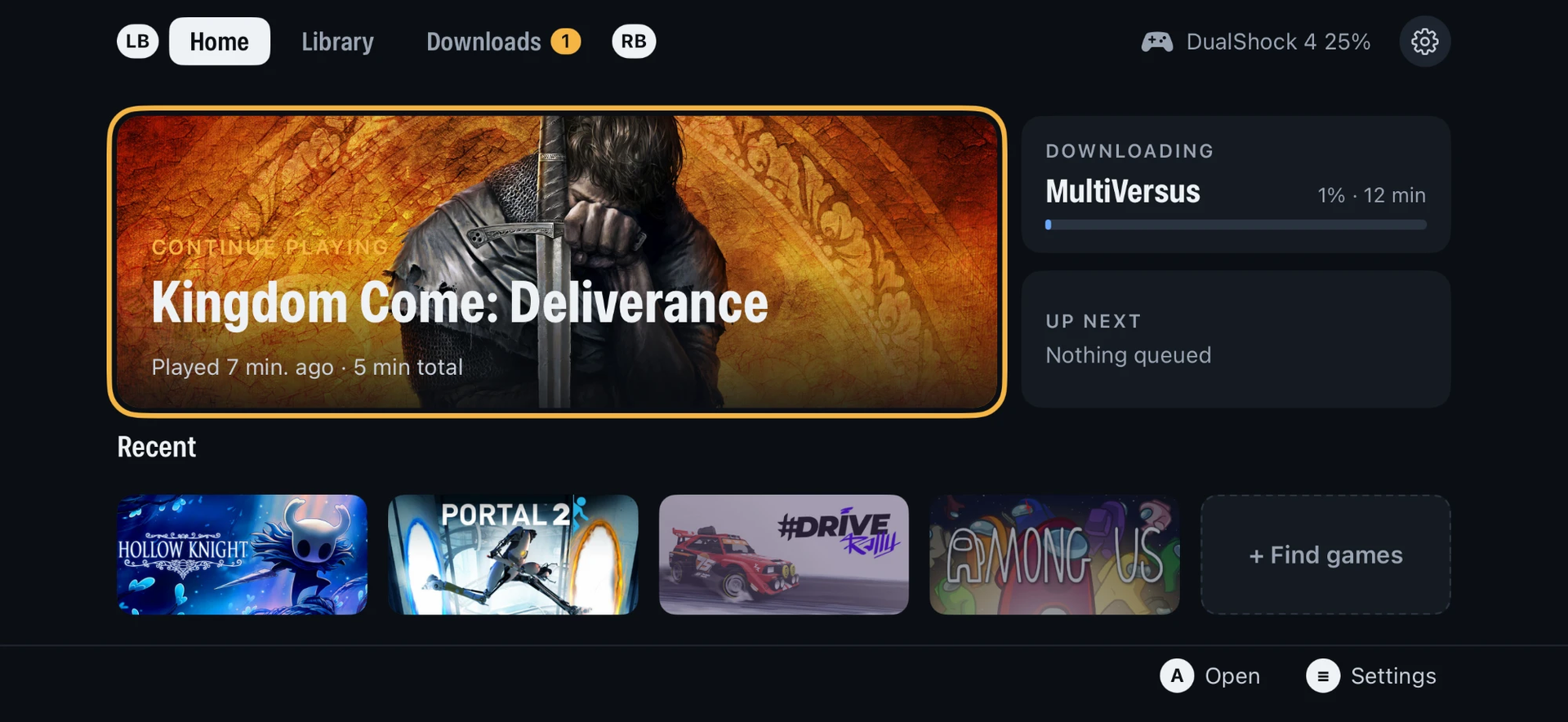
Microsoft's official app makes the Xbox Ally X feel less like a portable console and more like a Windows PC with a controller attached (which, of course, it is). Still, I don't want it to feel like a PC; I want it to feel like an Xbox. Well, if you use Playnite, a popular third-party launcher, you actually can.
While I usually stick to Winhanced, Playnite is a popular option that does much of the same job. For those unfamiliar, it's a replacement launcher that lets you browse and launch your games from a single interface. Whether that’s Xbox, Steam, Epic, GOG, emulators, or more, it all pretty much lives in one place.
It's gained such a following thanks in part to its community, which develops custom add-ons. There's one for pretty much anything, and if you couldn’t have guessed, there are custom themes, too. That brings us to XFSE-Compact, created by 'mufflerexoz'.
XFSE-Compact brings the Series X|S experience
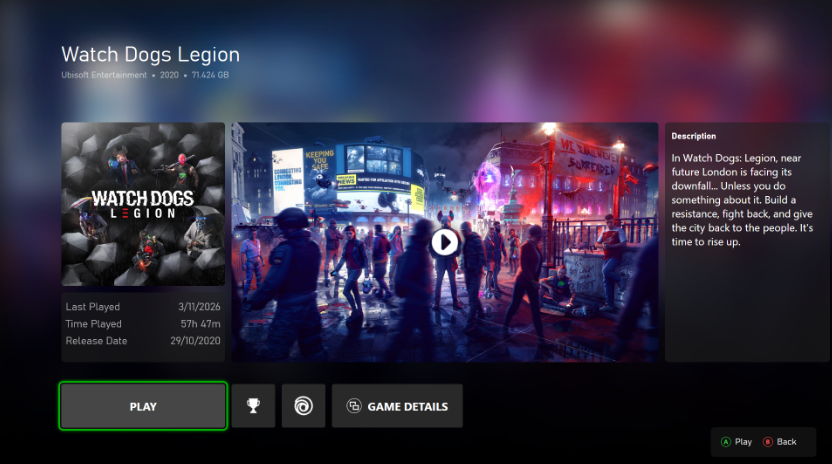
The theme aims to bring the UI from Xbox Series X and S consoles straight to Playnite, and it is pretty impressive. It comes complete with an Xbox-style Guide, something I wish replaced Xbox Game Bar on PC, because I loathe it, but I digress.
If you want to try out the launcher, you can download it from the official Playnite website. Then, to install the theme, you can visit the XFSE-Compact GitHub to grab it.
It's all very cool. I have longed for my handheld to actually feel like it belonged alongside my Xbox consoles. While Winhanced gets the job done, I do appreciate consistency across my devices. Picking up a handheld that feels exactly like my actual console really goes a long way.
Am I wrong? Let me know your thoughts in the comments below, and be sure to take part in our poll!

Join us on Reddit at r/WindowsCentral to share your insights and discuss our latest news, reviews, and more.