Vue lecture

I tried Windows 11's new customizable context menus, and they're a major improvement: Microsoft will let you restore Windows 10 style vertical layout for primary actions and more

Last month, I revealed that Microsoft was hard at work on a redesigned context menu system for Windows 11 that's designed to make them faster and more customizable. Now, we've got our first look at the new context menu customization features, discovered hidden in the latest Windows 11 preview builds, and I've been trying them out!

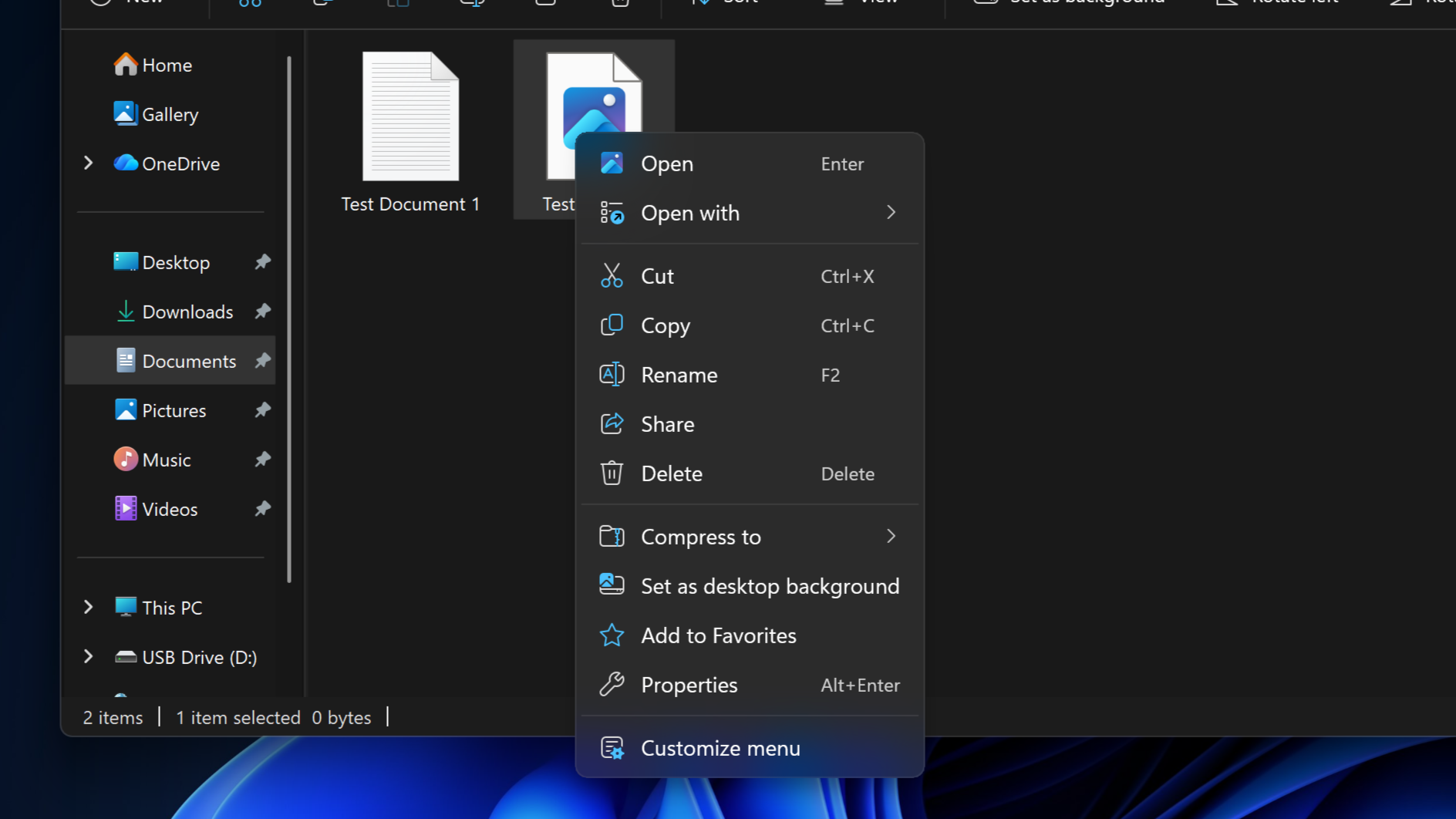
Soon, you'll see a new customize menu option appear at the bottom of the context menu. When selected, you'll be taken into the Windows Settings app where you'll see a wide array of new options that allow you to configure the layout and actions that appear within the context menu.

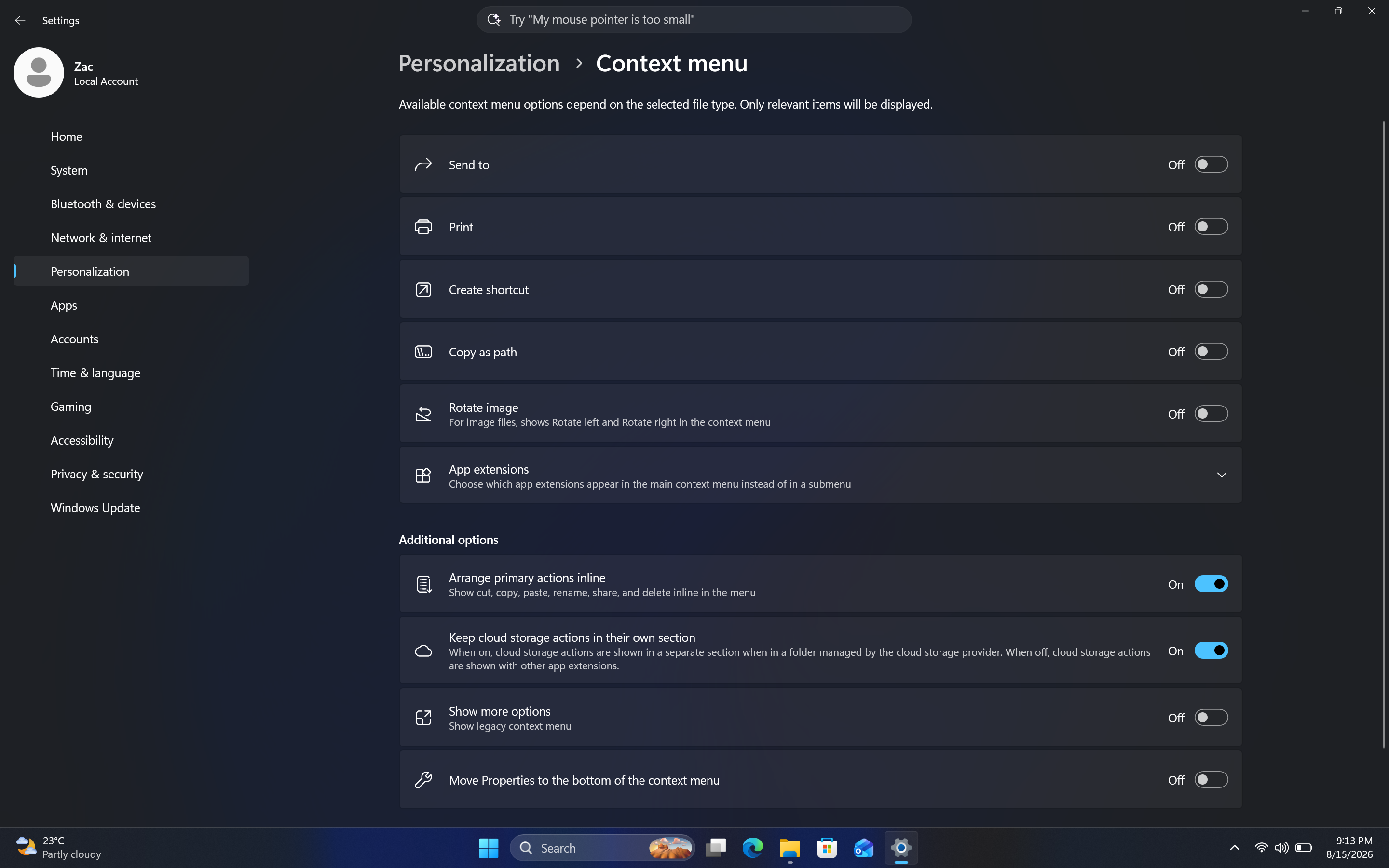
The toggleable actions presented to the user are:

  • Send to
  • Prin
  • Create shortcut
  • Copy as path
  • Rotate image
  • App extensions
  • Arrange primary actions inline
  • Keep cloud storage actions in their own section

These options allow users to hide certain actions that they might not often use, speeding up the context menu in the process. Additionally, Microsoft is adding an option that lets you change how actions like cut, copy, and paste appear within the menu.

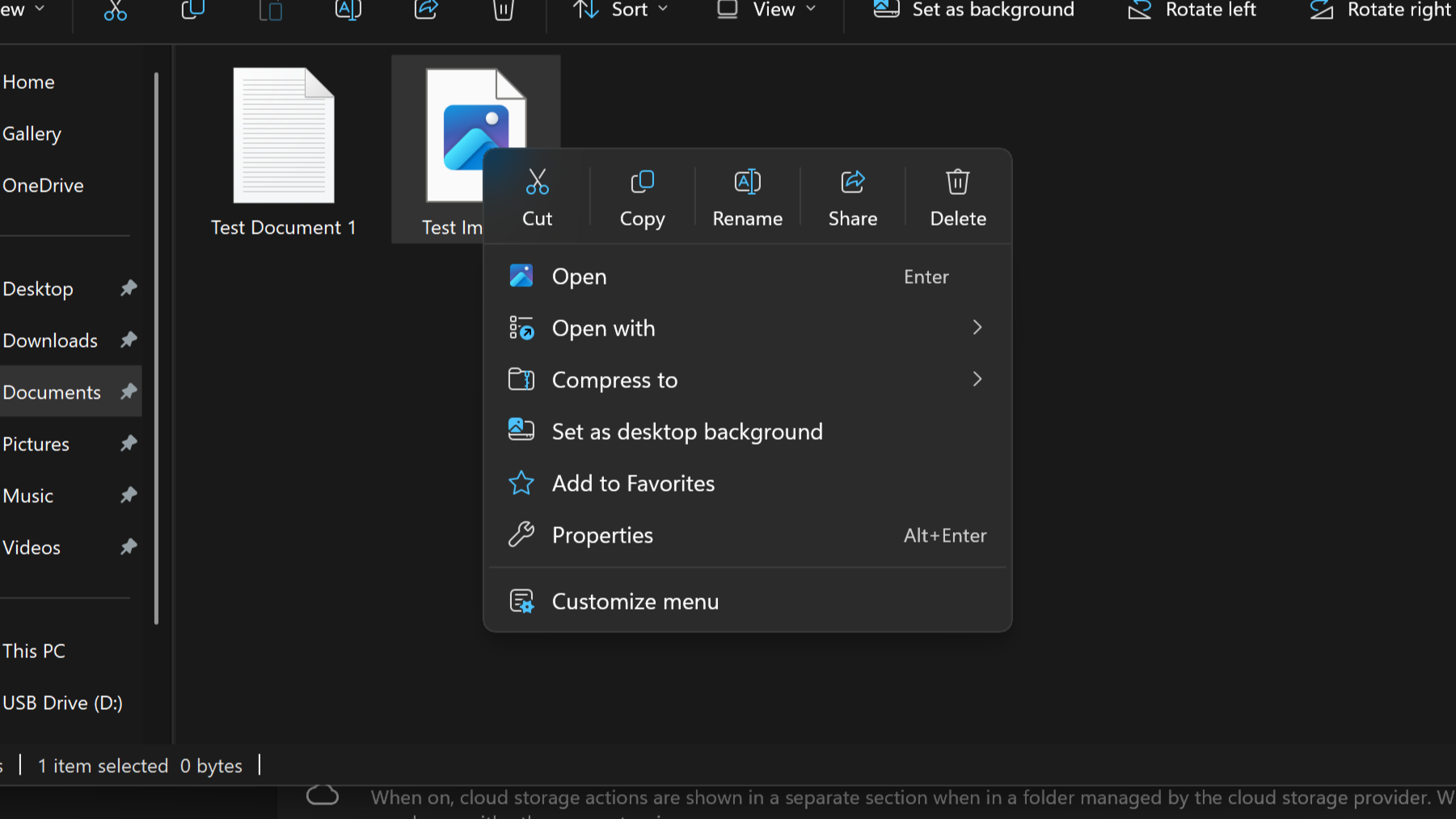
By default, these primary actions appear at the top of the menu in a horizontal layout. This new option will let users restore how they used to appear on Windows 10 and older, where they are listed vertically alongside the other actions within the menu.

It's also worth noting that by default, the context menu has most actions disabled automatically. That means the context menu will be fast for users automatically when these changes roll out, and you'll have to head into the customization options to add back any actions you find useful.
Customizable Context Menu
The new customization options for the context menu are quite in-depth.Windows Central
Customizable Context Menu
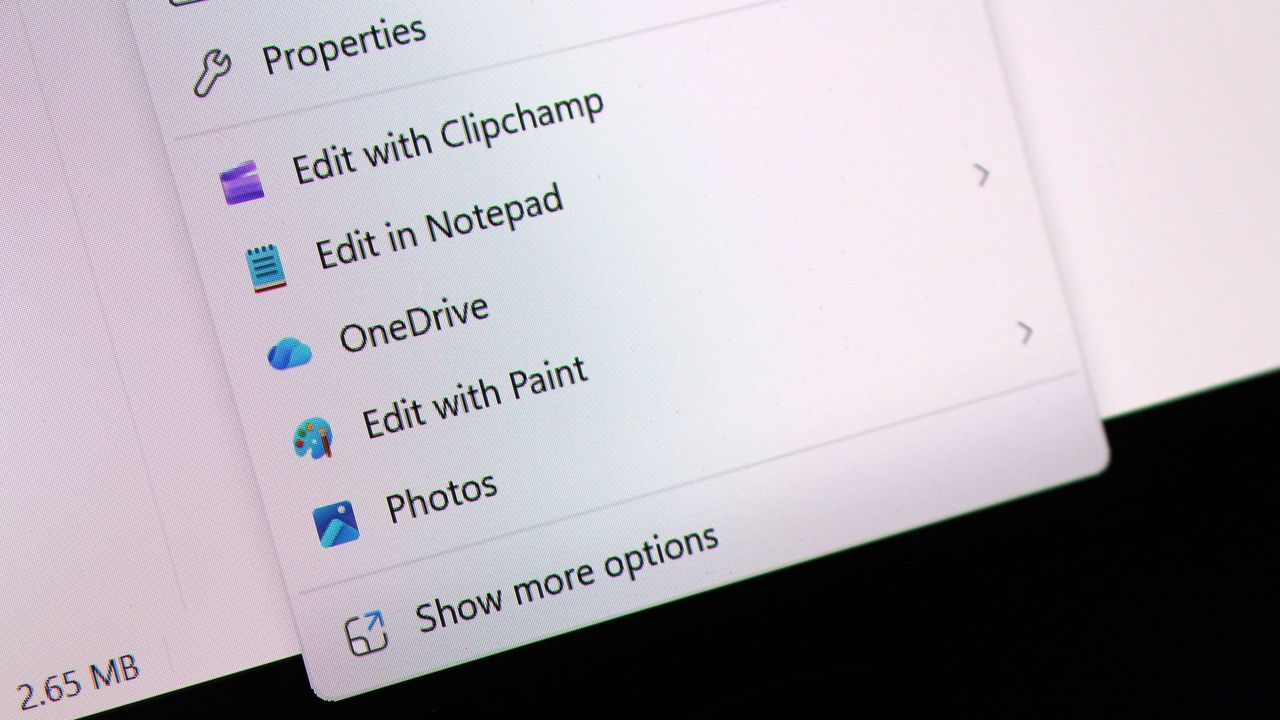
This is the new default layout for context menus.Windows Central
Customizable Context Menu
And here's what it looks like when you set primary actions to appear vertically. Just like old times!Windows Central

These new customization options are really great to see, and show that Microsoft is finally listening to feedback when it comes to common UI surface such as the context menu.

The legacy Windows context menu is also still present, and while it no longer appears as an option in the context menu by default, you can still go in and enable that action if that's something you find yourself using. Notably, there's still no option to set the legacy context menu to be the default experience.

In the meantime, we know the new customizable context menu options are imminent, with an announcement from Microsoft expected in the next week or two.

Thanks to phantomofearth for discovering and helping me enable the feature to try out!

Click to join us on r/WindowsCentral

Join us on Reddit at r/WindowsCentral to share your insights and discuss our latest news, reviews, and more.

Windows 11 context menu
Windows 11 context menu
  •  

Microsoft confirms that it will begin shipping major Windows 11 Taskbar and Start menu updates very soon: Big OS update enters final preview phase before public rollout begins

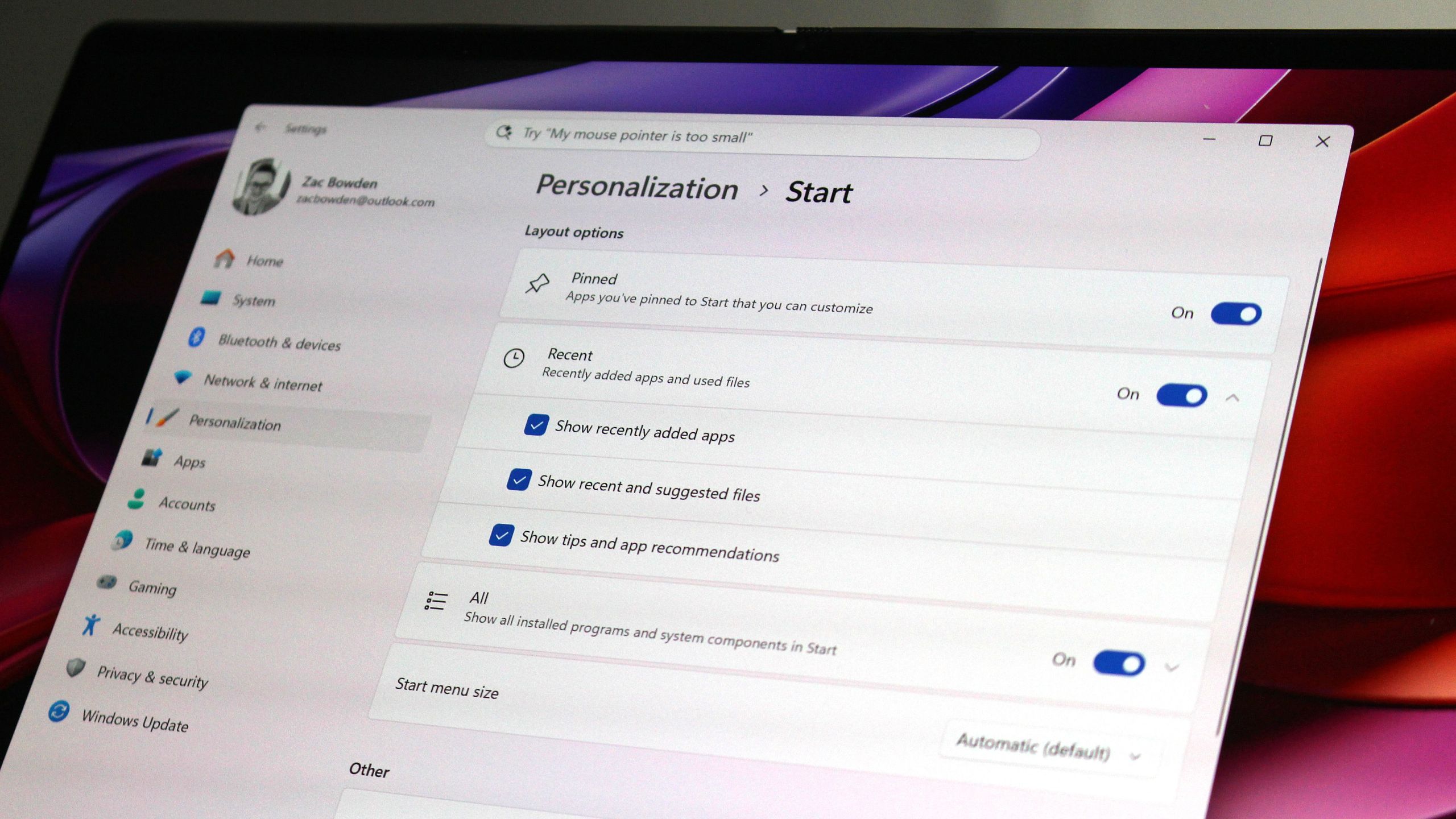
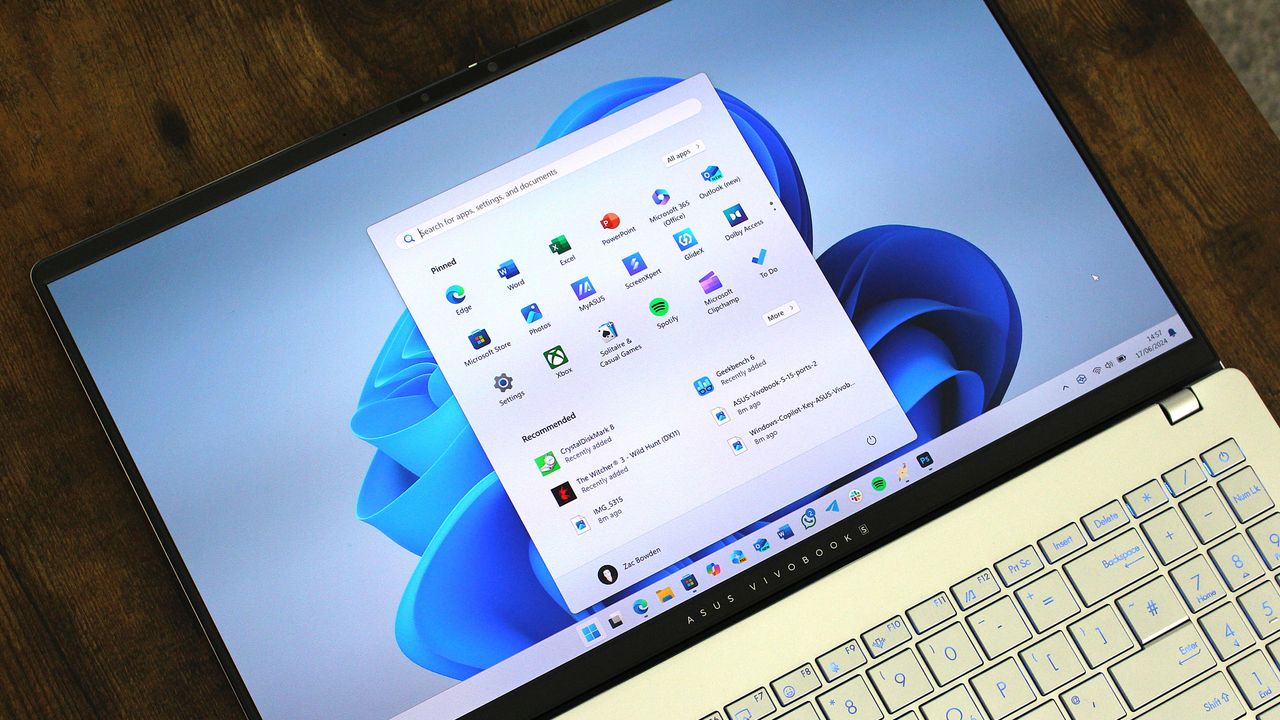
Earlier this year, Microsoft announced big updates for the Start menu and Taskbar on Windows 11 that would address users biggest complaints and bring highly requested features and functionality to the OS. Those changes include the ability to move and resize the Taskbar, as well as customize the size and different sections that appear within the Start menu.

Those features have been in public preview ever since, but those outside of the Windows Insider Program are yet to experience these new features. Now however, Microsoft has confirmed that it's now gearing up to ship the updated Taskbar and Start menu to everyone next month, as the features are now in the final Windows Preview Channel before public rollout.

As of yesterday, the movable and resizable Taskbar, along with the customizable Start menu, and other polish and quality of life improvements, made their way to the Windows 11 Release Preview Channel. This is the last stop before features begin shipping in public, non-Insider updates.

Mockup of Taskbar at top of screen.

You can finally move the Taskbar to the top (and sides) of the screen! (Image credit: Screenshot: Mockup by Windows Central / PC: Edited with Gemini)

Usually, when a feature lands in the Release Preview Channel, it's no more than two or three weeks away from appearing in a public update. Usually, that's with the non-security feature preview update that drops at the end of every month, followed by the security-focused Patch Tuesday which is released on the second Tuesday of every month.

That means if everything goes according to plan, the new Taskbar and Start menu updates will begin rolling out later this month for users with the "Get the latest updates as soon as they're available" toggle in Windows Update switched on, and next month for everyone else.

This is the big user experience update people have been waiting for on Windows 11 this year. The ability to move and resize the Taskbar made headlines when it was announced that it was coming to Windows 11 earlier this year, with a lot of Windows 10 holdouts claiming that the lack of this feature was one reason why they hadn't yet moved to Windows 11.

Microsoft is slowly but surely ensuring that Windows 10 users feel comfortable with the move to Windows 11, and ensuring that functionality that Windows 10 already has is also available on Windows 11 is one way of doing that. Being able to turn off entire sections of Start, as well as resize the menu itself, will be useful for those who enjoyed tweaking the Windows 10 Start menu too.

Windows 11 Start menu options in Settings

The new customizable Start menu options. (Image credit: Zac Bowden / Windows Central)

If you don't want to wait any longer, you can join the Windows Insider Release Preview Channel today to get access to the new features as soon as possible. The quality of code in the Release Preview Channel is usually representative of the final product, meaning the code being previewed in the Release Preview channel now is what will begin shipping in the next handful of weeks.

If you do choose to enroll in the Release Preview channel, be warned that Microsoft is rolling out the new Start menu and Taskbar in waves, so you may not see it right away. This will likely also be the case when the update is released generally, as Microsoft utilized a phased and measured rollout approach to ensure the new features aren't breaking things.

Microsoft has many more quality of life improvements in the works for Windows 11, many of which are expected to begin shipping towards the end of this year and into 2027. Improvements such as better performance and responsiveness in apps and UI surfaces like the Start menu are still to come, as the OS begins adopting WinUI across more areas of the interface.

Click to join us on r/WindowsCentral

Join us on Reddit at r/WindowsCentral to share your insights and discuss our latest news, reviews, and more.

Windows 11

Windows 11

  •  

Did the Surface Phone FINALLY leak? The Windows Central Podcast breaks down what we know about the mysterious Windows Phone prototype, plus a recap of the latest news from Windows and Xbox

Join Zac Bowden and Jez Corden on this week’s Windows Central Podcast as they dive deep into unreleased Microsoft hardware, AI developments, and big Xbox announcements!

  • The Lost "Surface Phone" Prototype: Zach and Jez dissect newly leaked images and video of an unreleased 2013-era Microsoft-built Windows Phone prototype, reminiscing about the Lumia era, Nokia’s acquisition, and what could have been.
  • Microsoft Copilot’s Super App & AI Disillusionment: A look at the rollout of the new unified Copilot experience (merging consumer and Microsoft 365 features), dropped functionalities (Group Chat, Podcast mode, Deep Research), and a frank discussion on AI hype, practical workflows, and "AI psychosis".
  • Xbox Backward Compatibility Coming to Windows PC: The hosts break down the official announcement of original Xbox/Xbox 360 emulation on Windows, potential licensing hurdles, Play Anywhere integration, and upcoming achievement support.
  • Gaming Rumors & Franchise Future: Updates on The Elder Scrolls VI codename rumors (Sentinel), long development cycles across Bethesda/Obsidian, and a candid critique of the state of the Halo franchise following Halo Campaign Evolved and project cancellations.
  • New Xbox Console Features & Live Q&A: A discussion of the upcoming "Platinum Trophy" achievement equivalent, party/mic audio in Game DVR captures, and a live Q&A touching on Windows K2 progress, mobile shells for Windows on ARM, MSN's automation, and modern foldable vs. slab phones.

This episode of the Windows Central Podcast is sponsored by Surfshark VPN. Unlimited devices, access your content from anywhere, and auto-block malware on Windows, Edge, and other platforms from $2.50/mo, with 3 months extra FREE. Sign up today!

Have a question you want us to answer on the podcast? Send it to us at [email protected]

Hosts:

Subscribe to the Windows Central Podcast

If you like the show, please let us know by give us a rating on your podcast platform of choice. It really helps us!

LIVE Video Podcast

You can watch the live, uncut version of the Windows Central Podcast on our YouTube channel!

Click to join us on r/WindowsCentral

Join us on Reddit at r/WindowsCentral to share your insights and discuss our latest news, reviews, and more.

Zac and Jez on the Windows Central Podcast

Zac and Jez on the Windows Central Podcast

  •  

Microsoft begins unified Copilot app rollout: Reveals major plan to merge Copilot and Microsoft 365 Copilot across all platforms, along with updated branding

Back in May, Microsoft confirmed that it was working on a Copilot super app that would merge the different consumer Copilot and productivity Copilot experiences under one app. Until now, Copilot and Microsoft 365 Copilot have been targeted at different users, but starting today those apps are being merged into one.

"We're updating Copilot to create a simpler, more cohesive experience for everyone," a new Microsoft Support document says. "Depending on the account and device you use, you will see changes to the Copilot app including changes to appearance and functionality, such as navigation, feature availability, or sign-in experience."

The unified Copilot experience begins its rollout today, but not everyone will see it right away. Microsoft says the experience will land on mobile first, with the unified Copilot on Windows and macOS being an opt-in experience at first, made available over the coming weeks.

The rollout should make it easier to move between using Copilot as an AI assistant for personal matters and using Copilot for productivity based tasks. For most people, not much will change with the unified app, which will simply appear as "Copilot" now. With that said, Microsoft does say that some features are going away with the unification. Those features include:

  • Group Chat
    • All group chat threads, messages, and images will not carry forward after August 18, 2026.
    • Users must manually copy or download anything they want to keep.
  • Podcasts
    • The Podcasts feature is being fully retired on August 18, 2026.
    • Users will no longer be able to create or access podcasts in Copilot after this date.
    • Individual podcast files can still be downloaded before retirement.
  • Deep Research
    • Deep Research is being retired for consumer users starting August 18, 2026.
    • Existing Deep Research content will remain accessible, but the feature itself will no longer be available.

For those using Copilot with a work or school account, Microsoft says the unified Copilot app is also coming to those accounts too. The personal and commercial accounts will be separated within the app, meaning data from your work or school account won't be shared with your personal account, and vice versa. "Work and personal accounts remain separate. Your organization's security, privacy, compliance, and administrative controls continue to apply when you use Copilot with your work or school account."

For those using the personal consumer Copilot app, you will notice an updated UI that more similarly matches the Microsoft 365 Copilot app. Those who use the Microsoft 365 Copilot app likely won't notice much of a difference, outside of the rebranded app to just "Copilot," along with a slightly updated logo.

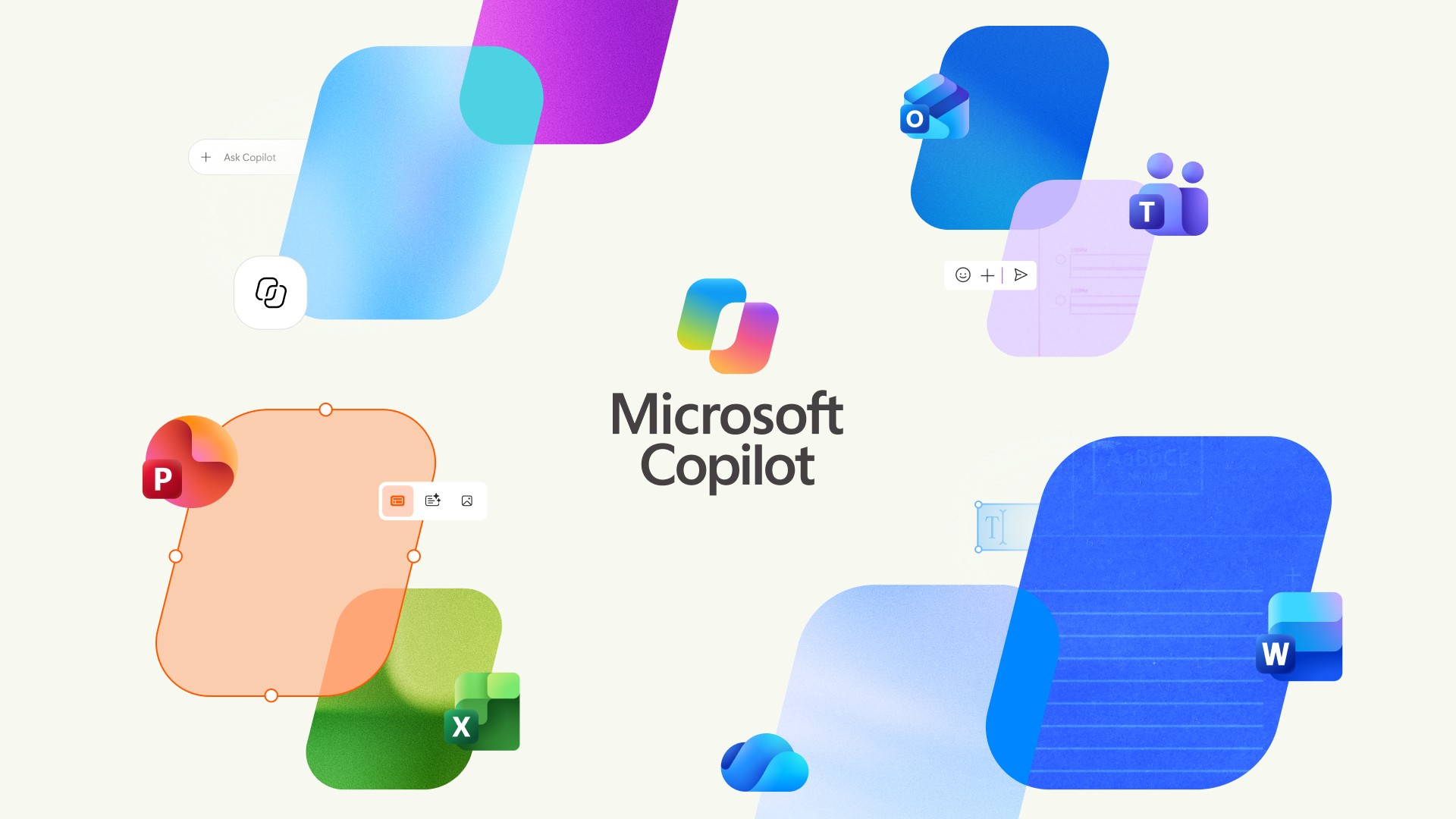
For those curious, this is the new Microsoft Copilot icon and branding. Can you tell the difference? No, us neither.

New Microsoft Copilot Logo for 2026

The new Copilot logo is very similar to the old one. (Image credit: Microsoft)

Lastly, Microsoft has confirmed that all your Copilot data (except for the features that are being taken away) will migrate automatically to the new experience, meaning users won't need to do anything to ensure their chats and data are carried forward. All of that will happen automatically when the unified app lands on your device.

The unified Copilot experience begins its rollout today, though it's happening in waves so most users won't see the changes right away. Worldwide rollout for the mobile starts today, with rollout for Windows and macOS expected to start in mid September. Here's the full rollout schedule:

  • Mid‑August 2026 — Worldwide rollout begins for mobile and web apps; early‑access opt‑in opens for Windows and Mac apps; copilot.cloud.microsoft URL available in Frontier for testing.
  • Late August 2026Standard rollout of the URL redirect begins.
  • Mid‑September 2026 — Worldwide rollout begins for Windows and Mac apps.
  • Late September 2026Deferred rollout of the URL redirect begins for the web app.

Microsoft's unification of Copilot is a long time coming, and one that is setting the company up to deliver a Copilot super app experience that can do everything across Microsoft's platforms and services. It never made sense for Microsoft to split Copilot up between consumer- and productivity-based use cases, especially since users commonly want to do both.

Click to join us on r/WindowsCentral

Join us on Reddit at r/WindowsCentral to share your insights and discuss our latest news, reviews, and more.

Microsoft CEO Satya Nadella in front of the Microsoft Copilot AI logo.

The new Copilot begins rolling out today.

  •  
❌