❌

Vue lecture

Cyberpunk 2077 2.5 update details revealed as it gets Xbox Play Anywhere support

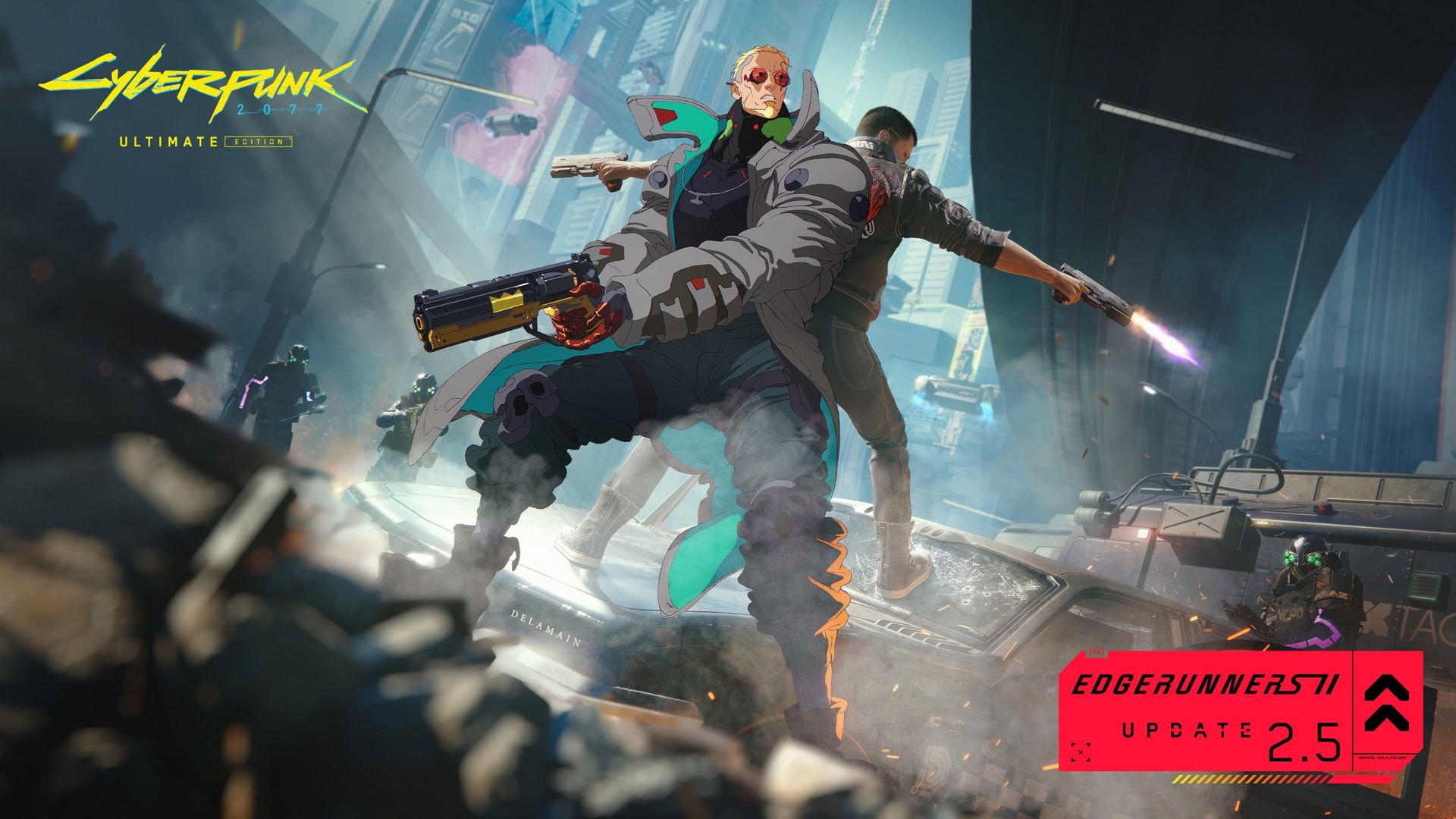
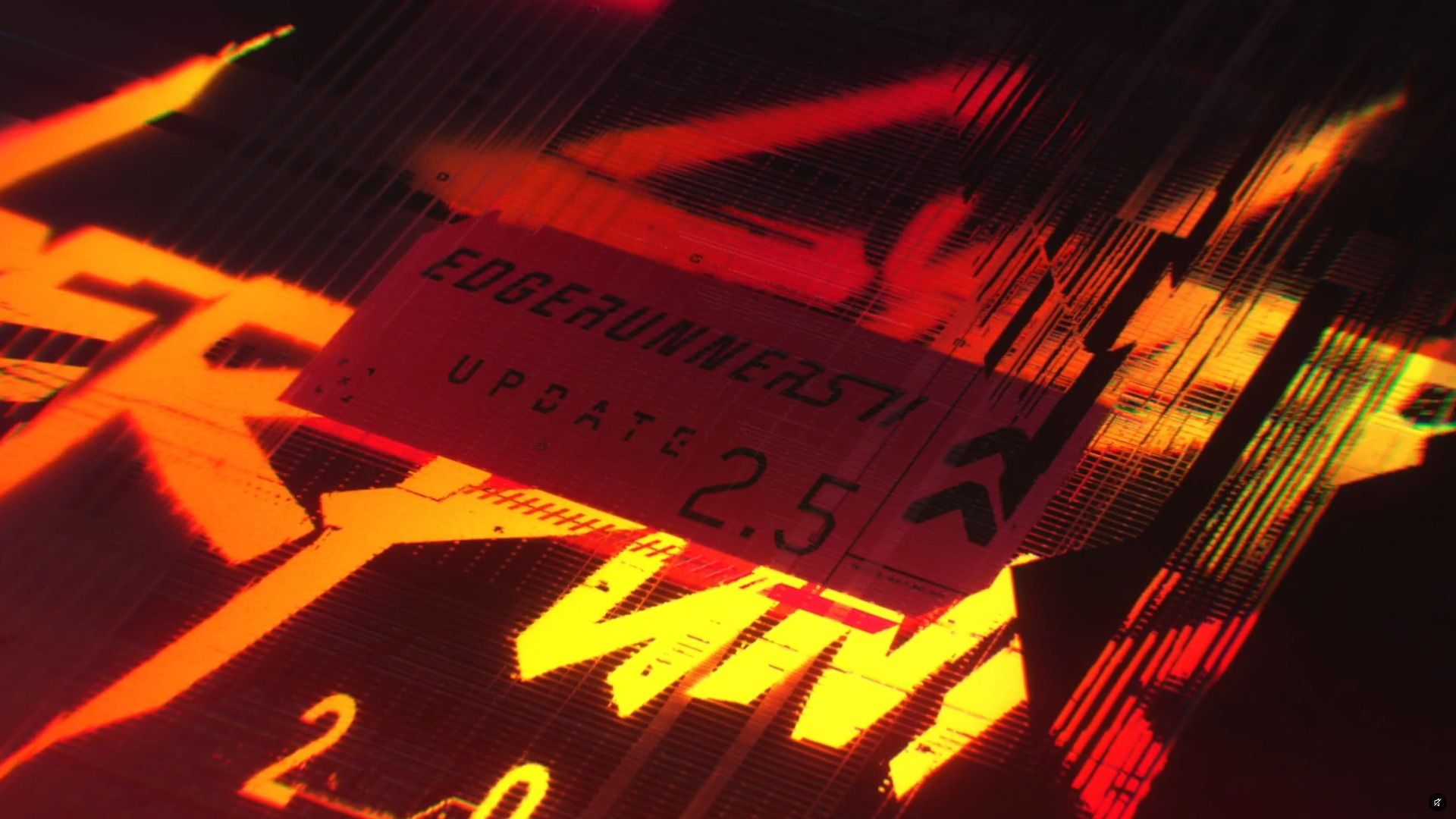
CD Projekt Red has finished divulging the full details of Cyberpunk 2077's 2.5 update coming to home consoles and PC on October 22, 2026.

The update will feature a new questline that acts as a prologue to Cyberpunk: Edgerunners season 2, dual-wielding pistols, new Cyberware and cosmetic customization options, FOV sliders on consoles, mod support on consoles, and more.

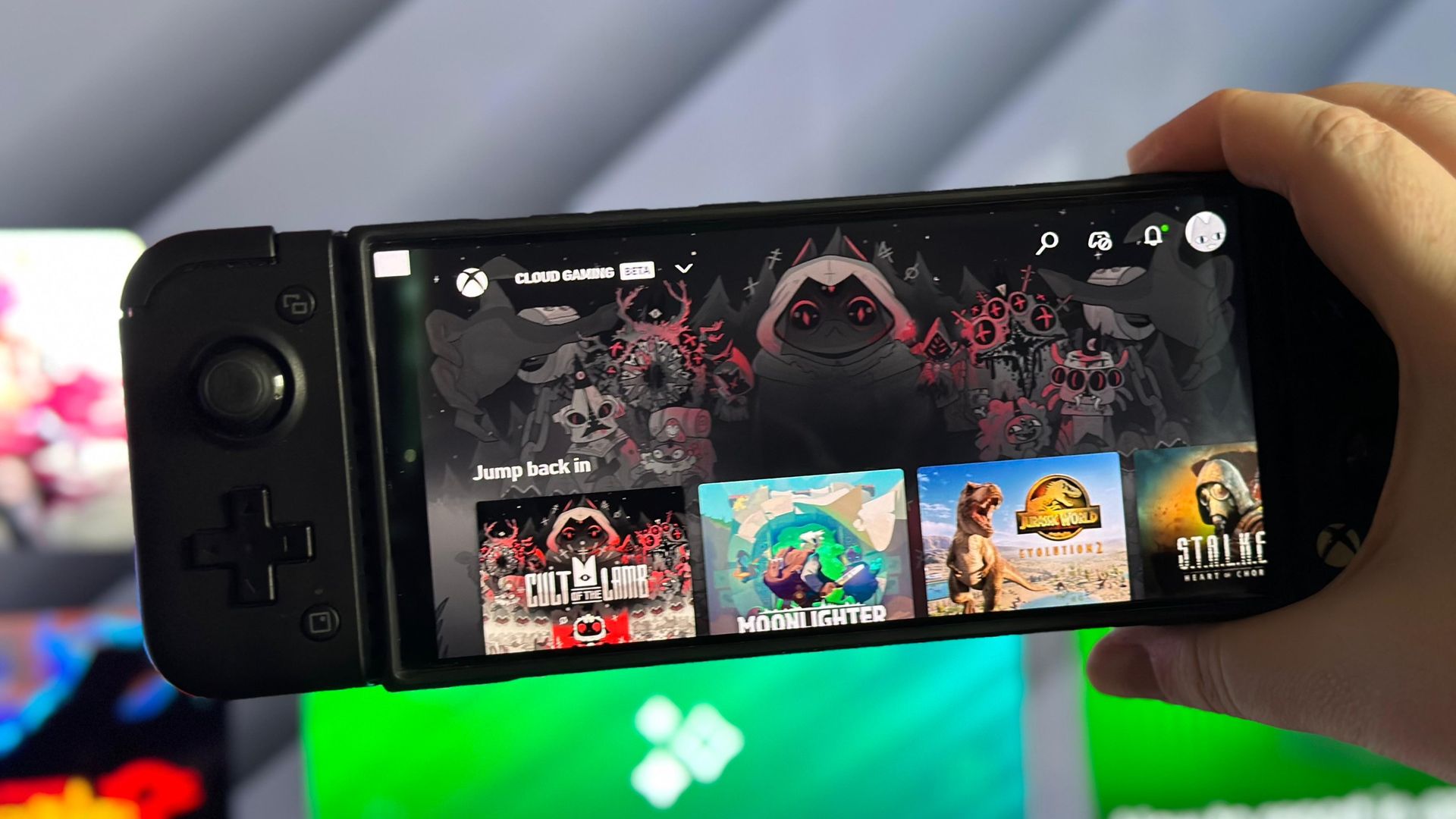
Additionally, Cyberpunk 2077 has just received Xbox Play Anywhere support, so it can be played on all platforms within the Xbox ecosystem, like Xbox Series X|S, Windows PC, and compatible handhelds like the Xbox Ally via Xbox Cloud Gaming.

Here are all the full details and patch notes for Cyberpunk 2077's 2.5 update.

Click here to expand the full list ↴

Cyberpunk 2077 2.5 update — patch notes

  • Edgerunners Content
    • Added a new side quest, Clampdown, set before the events of Cyberpunk: Edgerunners 2. To unlock it, complete The Heist and two gigs for Wakako, then wait for a message from her.
    • Added a new 5-piece gear set based on the character King, which can be obtained during the Clampdown side quest.
    • Added a new radio station, HKGN 102.0 FM, featuring a selection of tracks from the Cyberpunk: Edgerunners series.
  • Show Off
    • A brand-new clothing collection has arrived in Night City! 5 new outfit sets can now be purchased from certain clothing vendors:
    • Maxiwear: available in Heywood, Arroyo, Little China
    • Jinguji: available in City Center
    • NetWatch: available in Kabuki, Japantown
    • IconAmerica: available in Pacifica, Badlands, Northside
    • And one more set that will hit Night City shelves just a little later...
    • The NUS Infiltrator clothing set can be now purchased from clothing vendors in Kabuki and Japantown.
    • 4 new TWINTONE skins for Quadra Turbo-R V-Tech are now available via Twitch Drops.
    • Some of the hairstyles that were previously exclusive to NPCs are now available for V. Please note that some hairstyles are available only to feminine or masculine body types.
    • Show off your chrome! You can now customize your hand cyberware. Equip your Mantis Blades, Gorilla Arms, Monowire or Projectile Launch System, and visit one of 5 Glamdocs (marked with a spray paint icon on the map) to give your implants a fresh, new look. Each Glamdoc is located in a unique shop, along with their own intro scene with voiceover and animations, and offers a unique catalog of cyberware skins with customizable colors.
    • Sometimes one gun just isn't enough. The new Double Trouble perk in the Cool tree (along with four auxiliary perks) introduces an entirely new playstyle, allowing you to dual-wield Pistols and Revolvers from the Power category.
    • Added frames from the Cyberpunk Trading Card Game to Photo Mode, allowing you to make your preem shots look like custom cards.
    • Added new poses in Photo Mode to show off your dual-wielding prowess.
  • Mod the World
    • Added Cross-Platform Mod Support, powered by mod.io, a first step into cross-platform modding that allows you to easily browse and install a selection of player-created mods directly from the in-game menu. More mods will become available over time. The feature is available on PC, Mac, PlayStation 5, PlayStation 5 Pro and Xbox Series X|S.
  • Upgrading the World
    • Welcome to Paradise! Added a new side quest that takes you on a journey to uncover a mystery and explore Night City on a guided tour narrated by Richard Night. It unlocks after completing The Heist and reaching level 15 Street Cred.
    • Added 12 new Minor Arcana Tarot Cards to discover across Night City. The Tarot menu now has separate sections for Major and Minor Arcana. The new tarot cards are part of a new side quest, an extension of Fool on the Hill, which activates after scanning any of the new cards. Collect them all to get a special reward.
  • Quality of Life
    • Saves in the “Load Game” menu are now grouped by separate playthroughs.
    • Added item filters to apartment and vehicle stashes.
    • Modded saves in the "Load Game" menu are now marked with a dedicated icon. Please note that achievements and trophies cannot be earned while playing on console from a modded save file.
    • Added an FOV (Field Of View) slider on consoles.
    • Updated the selection of AMD FSR options. FSR 3 upscaling is no longer included, while FSR 2.1, FSR 4, and FSR 3.1 Frame Generation remain available.
    • Updated the CD PROJEKT RED Account connection, My Rewards and telemetry consent menus.
  • Technology
    • Added support for DLSS 4.5, including up to 6X Multi Frame Generation or Dynamic Multi Frame Generation, and the 2nd Generation Transformer Model.
    • Added support for glasses-free 3D effects on compatible Samsung Odyssey 3D monitors, along with a Motion Comfort setting that lets you balance 3D depth and viewing comfort.
    • Added support for MetalFX Frame Interpolation and Denoising on Mac.
    • Added a toggle in settings for FSR Anti-Lag 2.
    • Introduced various performance optimizations, including improvements specifically for Ray Tracing and for PlayStation 5 Pro.
    • Improved HDR rendering to provide more accurate colors, brightness, and contrast on compatible displays.
  • Fixes
    • Fixed an issue on Nintendo Switch 2 where saving the game could result in a "Save failed - insufficient space" error.
    • Fixed an issue where adjusting HDR settings on PlayStation 5 had no effect.
    • Things Done Changed - Fixed an issue where the Delamain cab could get stuck after crashing into another vehicle, blocking quest progression.
    • Fixed an issue where enabling Film Grain had no effect.
    • Fixed an issue where tagging enemies while scanning could also cause V to crouch or stand up when using certain control schemes.
    • Fixed an issue where controller settings for the Third-Person Camera were missing.
    • Fixed several typos in various languages.
    • Added various other fixes for features and content introduced since Patch 2.1.

Dual-wielding pistols and FOV sliders on consoles? Sign me up!

Thought you were done with Night City? Well, Night City isn't quite done with you.Patch notes for Cyberpunk 2077’s Edgerunners 2 Update (2.5) are now available for you to ready up and review before going live on the streets tomorrow.Jack in: https://t.co/pae5wylOdP https://t.co/QOcX5VljR2October 21, 2026

Overall, all these new features sound cool. My favorite aspects of this update are mowing down enemies while dual-wielding guns and the FOV slider that will allow me to adjust the game's first-person view so it won't feel so cramped and claustrophobic on Xbox anymore.

Of course, mod support so we can customize Cyberpunk 2077 however we like, and customizing my cybernetic upgrades' looks is pretty awesome too.

But what do you think? Is this update worth another playthrough of Cyberpunk 2077? Will it motivate you to play it for the first time if you haven't already, or have you decided to move on and wait for Cyberpunk 2077's sequel?

If you have any thoughts on the subject, please let us know in the comments, on Reddit, or in the poll.
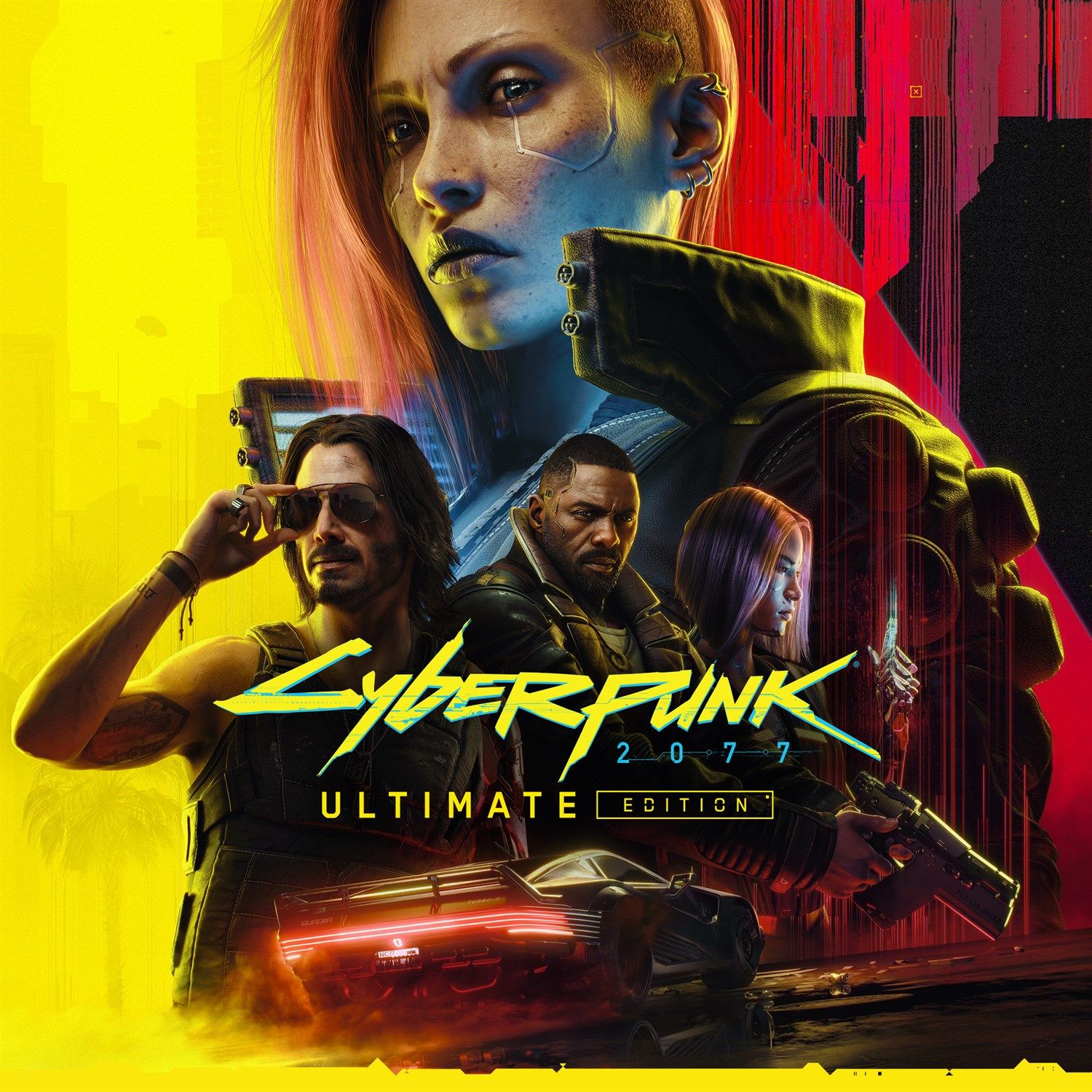
Cyberpunk 2077: Ultimate Edition (PC, GOG): was $59.99 now $22.99

Fight, kill, and survive the dystopian nightmare of Night City and become a legend in the hit open-world RPG, Cyberpunk 2077. The Ultimate Edition combines the base game with its Phantom Liberty DLC into one definitive package.

• Xbox Store Page
• Steam Store PageView Deal

Click to join us on r/WindowsCentral

Join us on Reddit at r/WindowsCentral to share your insights and discuss our latest news, reviews, and more.
  •  

Microsoft’s new playtime pass brings hourly access to Xbox Cloud Gaming

A few weeks ago, Microsoft unveiled pretty huge limits on Xbox Cloud Gaming, which up until now has been unlimited for Xbox Game Pass Ultimate users.

Starting in November, Xbox Cloud Gaming via Xbox Game Pass Ultimate will be limited to 15 hours, with Premium users getting 10, and basic users getting 5. The breakdown of the limitations can be seen below.

However, Microsoft just revealed that users will be able to move beyond these limits with new cloud playtime passes — which don't require Xbox Game Pass at all.

Xbox Cloud Gaming access via playtime passes

Xbox Cloud Gaming access in hours

Resolution and bitrate

Price

10 hours

Up to ~1080p

$3.99

25 hours

Up to ~1080p

$7.99

50 hours

Up to ~1080p

$11.99

30 minutes per session

Up to ~1080p

Free with ads

In a blog post, Microsoft says, "Cloud playtime packs provide an ad-free cloud gaming experience, including shorter wait times, high-quality streaming, and playtime that remains available until it's used."

Unlike some other providers, these playtime passes don't expire until they're actually fully used. You could buy the 50-hour pass and just keep it rolling throughout the year, for example, using it when needed. Some other services put a limit on when the passes can be used, i.e., they expire within the month.

For those on Xbox Game Pass, these are the current limits you get with Xbox Cloud Gaming.

Xbox Game Pass Tier

Features

Resolution

Price (US)

Essential

5 hours per month, with 50+ games

Up to ~1080p

$9.99/mo

Premium

10 hours per month, with 200+ games

Up to ~1080p

$14.99/mo

Ultimate

15 hours per month, with 400+ games, and day-one Xbox titles

Up to 1440p

$22.99/mo

Microsoft says that these new passes will go live for Xbox Insider Program members today, as well as a new free ad-supported tier. I'm told it comes with a 30-minute session limit for the Xbox Insider Program test run.

After 30 minutes, an ad will play, and then users will have to re-queue to resume their session. The ad-based option is, indeed, an option, and probably designed to on-ramp players to a more premium offering.

Is this all in preparation for Grand Theft Auto 6?

Xbox Cloud Gaming

Xbox Cloud Gaming is quite good, but it'll be interesting to see how well this token-based playtime system is received. (Image credit: Windows Central | Jez Corden)

Recently, Tom Warren at The Verge reported that Microsoft has landed Xbox Cloud Gaming rights for Grand Theft Auto 6, although it led to a very curiously worded denial from Xbox. Microsoft said specifically that they won't be streaming GTA 6 on PC, nor exclusively ... but left the door open for console streaming. Perhaps Microsoft has landed some form of access for streaming GTA 6 via Xbox Cloud Gaming, specifically to Xbox consoles.

The Xbox One console range can stream Xbox Cloud titles, and there are still hundreds of thousands of users on the previous-gen console platform, given that games like Fortnite, Roblox, Minecraft, and others are still fully updated on PS4 and Xbox One.

RELATED: Best Xbox Cloud Gaming controllers

It's entirely possible that Microsoft has landed some form of cloud streaming deal specifically for Xbox consoles, offering Xbox One players a chance to join in on the GTA 6 fun without having to upgrade to one of the more expensive modern systems. Microsoft also has a few PC games on Xbox Cloud Gaming too ... perhaps World of Warcraft: Forever could jump on this bandwagon as well, given that WoW:F won't be native on consoles for now.

This is speculation for the time being, though. I'm also curious how well received the pricing tiers will be for users who are active on Xbox Cloud Gaming. As an Ultimate subscriber, 15 hours is already way more than I use cloud these days (since getting an Xbox Ally ... which will get even better with FSR 4.1 soon).

But Xbox consoles have become prohibitively expensive in some regions. Xbox Cloud Gaming has been a useful bridge for some, but perhaps not at these new prices. I'm curious what you think?

Click to join us on r/WindowsCentral

Join us on Reddit at r/WindowsCentral to share your insights and discuss our latest news, reviews, and more.

  •  

EA lays off 400 staff and closes Bioware

Electronic Arts (EA) is officially closing the doors of BioWare, creators of Dragon Age and Mass Effect, as reported by Jason Schreier at Bloomberg. This comes as part of a corporate restructuring that will cut 400 jobs. The lay offs representing about 3% of EAs total workforce and include roughly 50 jobs at BioWare.

Rest in peace Bioware :(

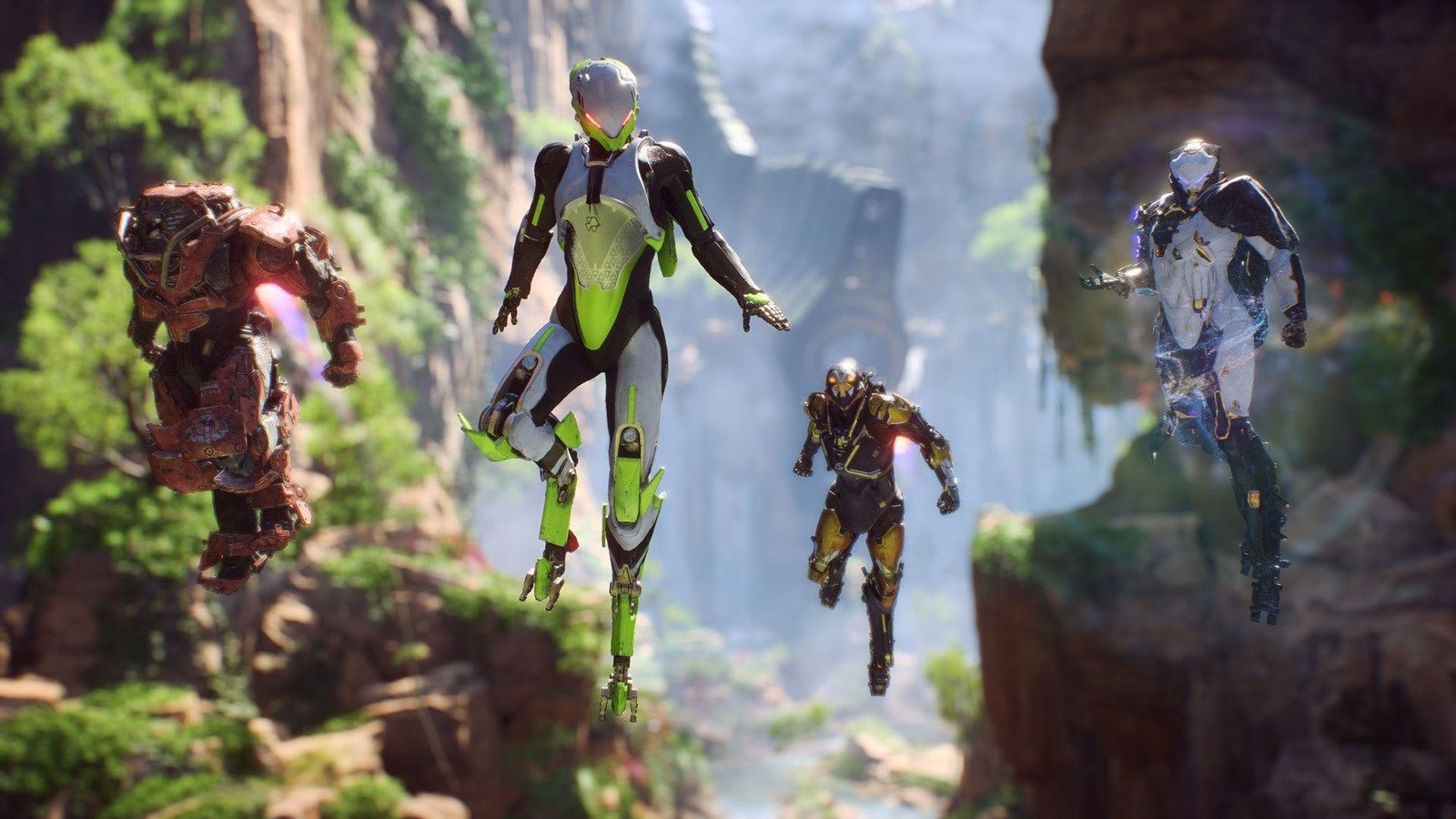
The javelins from Electronic Arts' Anthem.

Anthem had great promise but ultimately failed to deliver (Image credit: Electronic Arts (EA))

BioWare, founded in 1995 and acquired by EA in 2007 leaves behind a profound legacy in the role-playing genre. Its future has been on shaky ground given the reception and well-reported behind-the-scenes issues surrounding its most recent title, Dragon Age: The Veilguard, which missed sales expectations. This followed the failure of the overhyped Anthem. However, I was one of many hoping for redemption with the promise of an upcoming Mass Effect 5 that was in early development. Unfortunately, that has now been cancelled.

According to an internal letter from EA Chief Operating Officer David Tinson and Chief Studios Officer Cam Weber, the publisher is taking a "hard look" at its operations. The cancellation of Mass Effect 5 is included in a bunch of cancelled projects, as well as a planned The Sims game code-named Project Lotus, shifting focus instead to a venture called Project Evergreen.


These sweeping cuts follow EA's transition to a private company in August, prompted by a $55 billion leveraged buyout led by Saudi Arabia’s investment fund. The acquisition placed nearly $18 billion in debt on the publisher's books, triggering a directive to slash up to $700 million in research and development costs.

Despite the closures, EA reaffirmed its commitment to its sports portfolio, Apex Legends, and upcoming action-adventure titles, including the next Star Wars Jedi game and Marvel’s Iron Man. EA will also continue developing Skate, though the team behind it will be downsized.

Additionally, the Battlefield franchise will continue, with Respawn and DICE collaborating on a new project rumored to be another entry in the Star Wars: Battlefront series.

"These games became so much more because you played them."

BioWare have put out a heartfelt statement on social media reminding us of all the great games they've worked on, from Baldur's Gate to Star Wars: Knights of the Old Republic. BioWare were truly legendary and this loss will be felt acutely across the community.

Click to join us on r/WindowsCentral

Join us on Reddit at r/WindowsCentral to share your insights and discuss our latest news, reviews, and more.
  •  

How to get the parachute in Modern Warfare 4 DMZ

One of the first things you may notice dropping into Call of Duty: Modern Warfare 4 DMZ is that you don't have a parachute automatically equipped. I definitely didn't forget and die to fall damage early on and learn the hard way.

In fact, a parachute is one of the items that players must acquire, and even when you do, you may not be able to use it for long, and of course, if you fail to exfil, you'll lose it along with any of your other gear (I've definitely done this already).

There are a couple of methods to get a parachute in Modern Warfare 4 DMZ, but neither is particularly easy, at least in the early days of the game. But here's how you can go about finding yourself one.

How to find a parachute in-game in Modern Warfare 4 DMZ

The good news is that like pretty much everything else in DMZ, you can loot parachutes during a game. The bad news is that they're pretty hard to find. I've only found one so far as I write this, and I've played about 7 hours.

But you can find one as ground loot, and you can find one without having to go to any of the higher difficulty locations. While the more difficult the location, the better the quality of loot you'll find, it is still possible to find them just by searching.

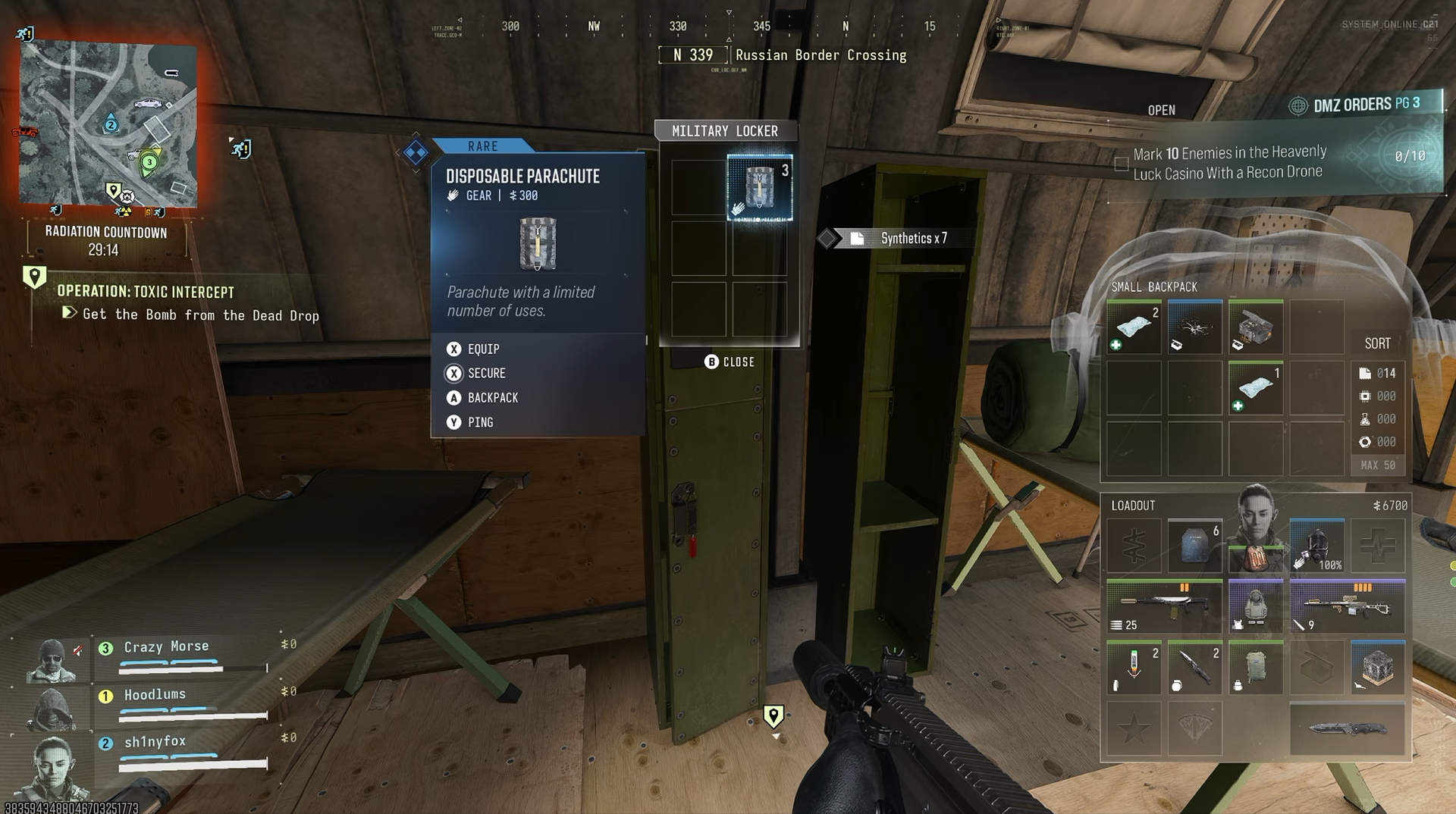
For example, I found one in the first building I looted at the Russian Border Crossing part of the map in the far top left corner. A disposable parachute was just there inside one of the lockers. The rare tier parachute only has three uses, though, so use it sparingly.

Given the military nature of the item, it stands to reason that your best chance of finding one will be from locations like these. I was in a military outpost looking inside a locker, so it's likely you'll have a better chance here. I wouldn't expect to find a parachute inside a bag in a random residential building, for example. So hit the military locations often.

A screenshot from Call of Duty: Modern Warfare 4 DMZ showing a disposable parachute being looted from a locker.

Looting military locations is a way to increase chances of finding one. (Image credit: Windows Central)

Loot in Modern Warfare 4 DMZ has a theme and locations that have a better chance of dropping it. You can see this if you track ingredients for 3D Printer recipes in the FOB. Not always specific locations, but a type of location.

You can possibly find the legendary tier parachute around the map, too, though I haven't seen one. Higher-tier loot is rarer and usually requires being in higher-threat zones, but if you see something you can check for loot; don't run past it. Loot everything.

Also make sure you check the supply drops at the end of a Dynamic Ops mission. These drop various types of gear, and there's always a chance a parachute is inside one of them.

How to craft a parachute in DMZ at the 3D Printer in the FOB

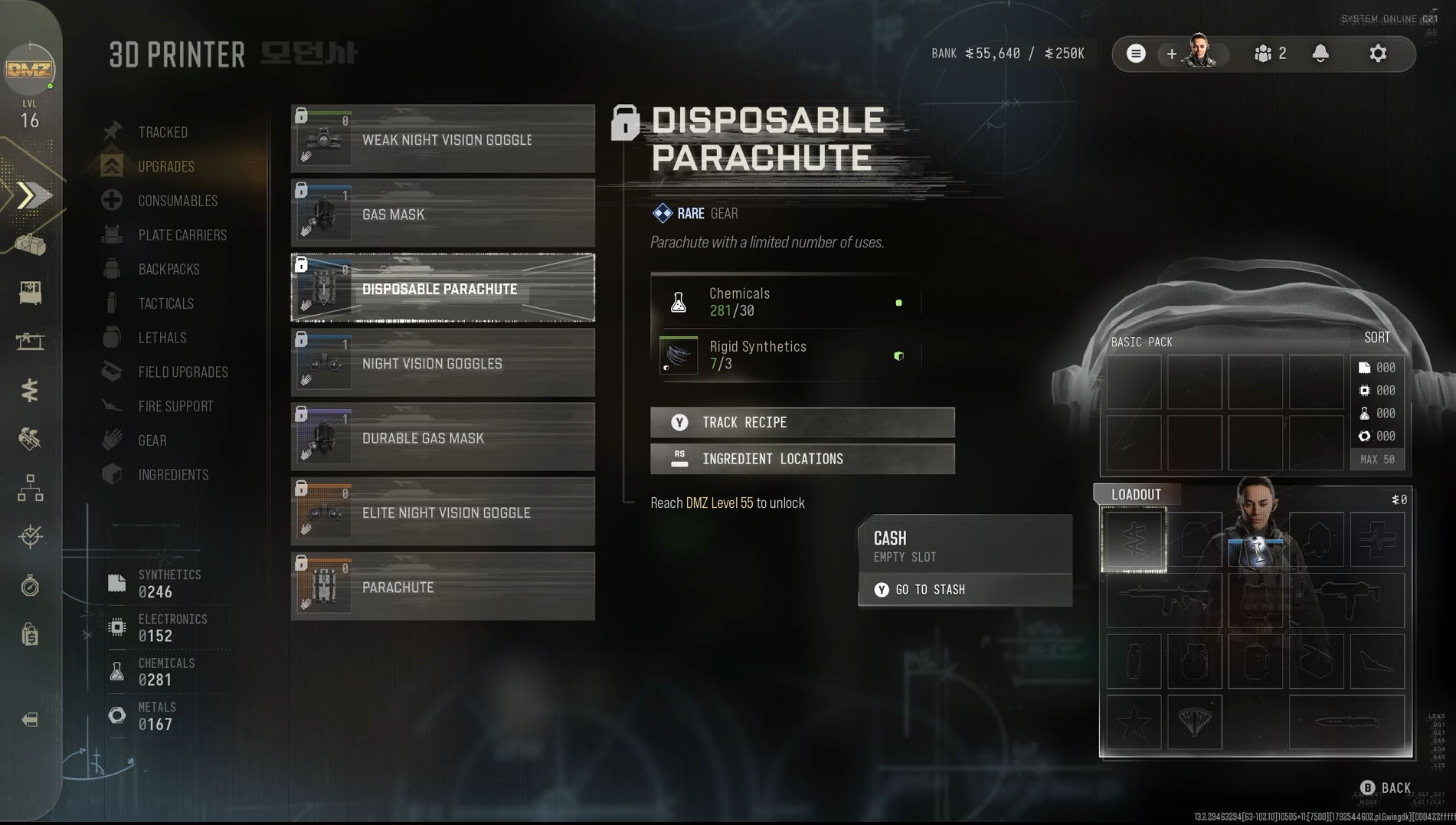
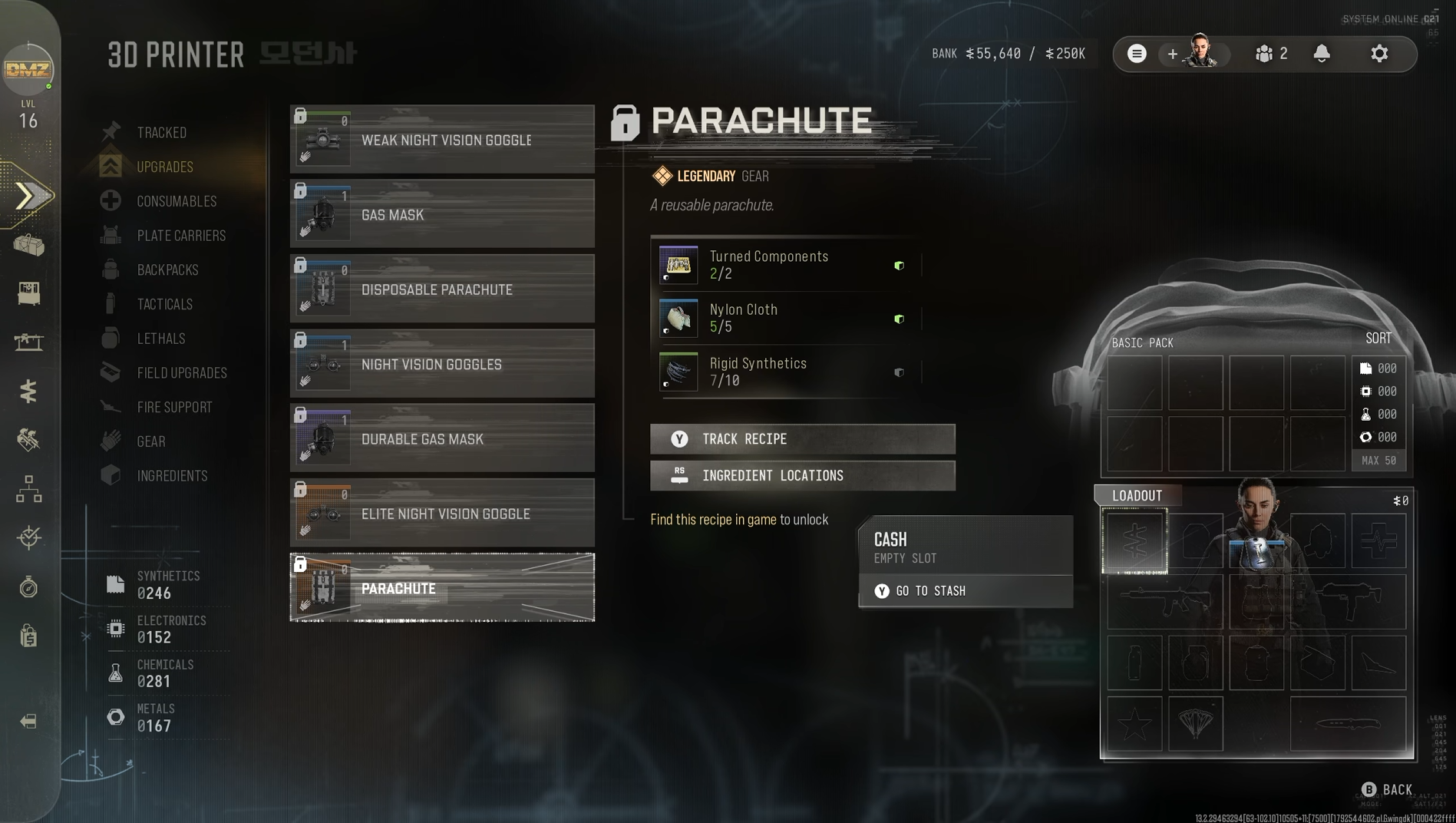
Screenshot of crafting parachutes in Call of Duty: Modern Warfare 4 DMZ and the ingredients required to do so.
The ingredients for the disposable parachute recipe. Windows Central
Screenshot of crafting parachutes in Call of Duty: Modern Warfare 4 DMZ and the ingredients required to do so.
The incredients for the legendary parachute recipe. Windows Central

You can also craft parachutes to take into the DMZ with you at the 3D Printer Station in the FOB rather than relying on finding one.

That's the good news. The bad news is that you can't do it right away.

To craft a rare-tier disposable parachute, you first need to increase your DMZ Level up to 55. This unlocks the recipe at the 3D Printer. Once unlocked, you can craft one for 30 Chemicals and 3 Rigid Synthetics. To get your level up as fast as possible, make sure you're actually doing missions inside DMZ. The more you do, the more XP you'll get. And don't forget to stick on a 2XP token if you have one available.

To craft a legendary tier reusable parachute, things are a little harder. To do that, you first have to find the recipe during one of your runs in DMZ. Then you have to exfil with that recipe in order to unlock it. So if you find it, get out of there as quickly as possible before someone else has a chance to steal it from you.

Once you have the recipe unlocked, you can craft one for 2 Turned Components, 5 Nylon Cloth, and 10 Rigid Synthetics. Again, though, it's not permanently applied to your Operator. If you don't manage to exfil, it's gone.

For crafting, finding the ingredients isn't too difficult. By the time you unlock either of these, you've probably found a good stash just through naturally playing. But all 3D Printer recipes will tell you where you can find the ingredients you need. So check it out before you deploy and make sure you target the right areas.

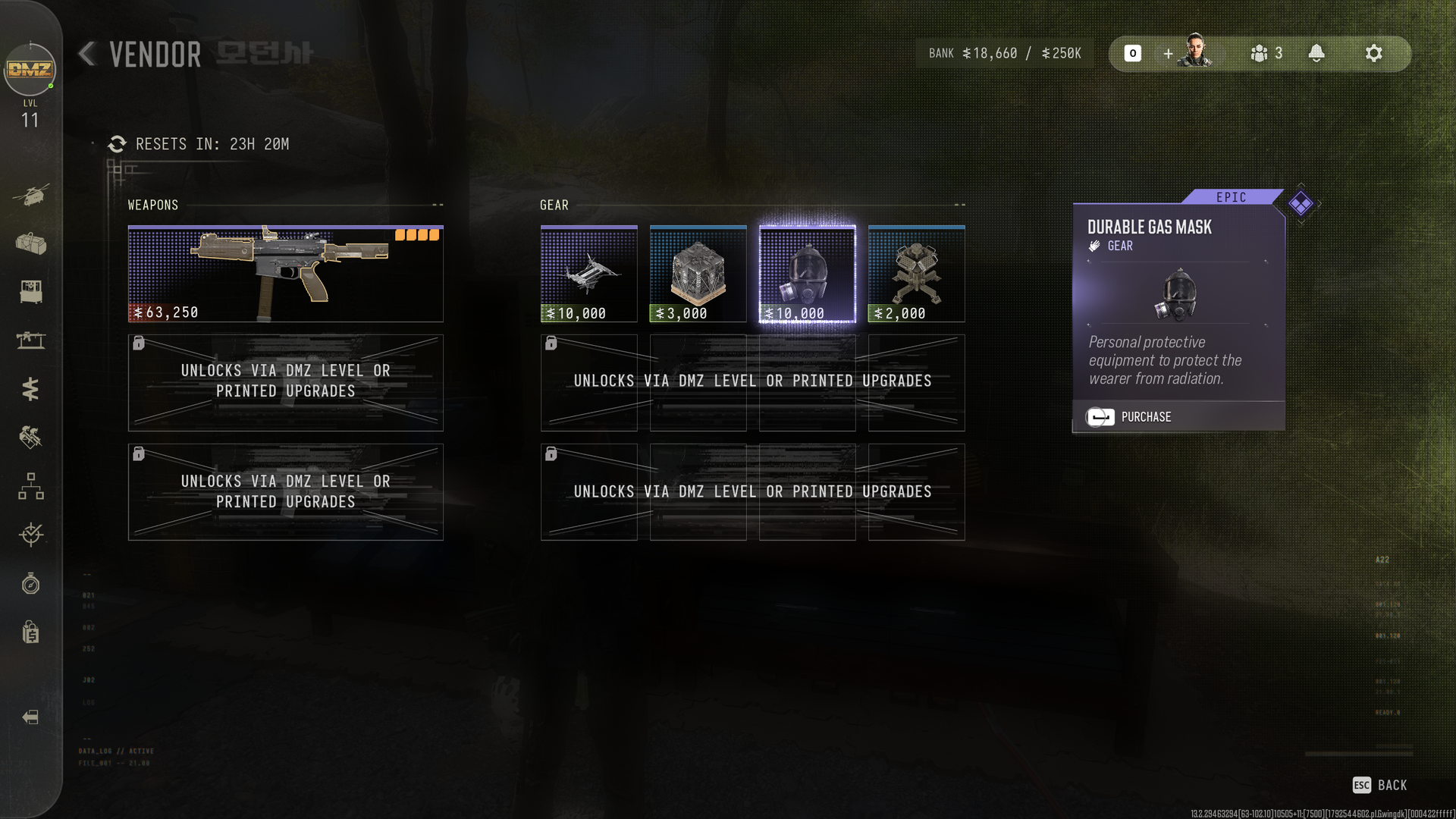
Don't forget to check the Vendor Station

A screenshot of the Vendor Station in Call of Duty: Modern Warfare 4 DMZ

The Vendor sells some great gear, but it's on a rotating basis. (Image credit: Windows Central)

The last thing to do is always keep checking the Vendor Station in the FOB. This offers a rotating cycle of weapons and gear, so you might well see a parachute pop up in there.

You'll need to keep a good stash of DMZ Cash, but I've already been able to buy a legendary backpack and a durable gas mask from there inside the first full day of early access. So don't ignore it.

The pace of DMZ feels like it was designed without using a parachute, and that's OK with me. You shouldn't just be able to glide across the map for free. DMZ makes you earn your gear.

It means you just have to be a little more careful, because you could lose it at any time. But there's no denying having one will make some areas easier to navigate.

Click to join us on r/WindowsCentral

Join us on Reddit at r/WindowsCentral to share your insights and discuss our latest news, reviews, and more.
  •  

Zooming in Windows 11's Camera app is about to get another upgrade

Microsoft just announced an overhauled Photos app for Windows 11, but that's for viewing images and videos. If you're interested in capturing content, you'll want to catch up on everything new in the Camera app.

A wave of changes to the Camera app recently shipped to Windows Insiders. They include several small improvements as well as some quality-of-life changes.

The Camera app can now zoom digitally when hardware zoom is unavailable. Microsoft has focused on the zoom experience in several updates this year. In June, the company started testing expanded support for more cameras.

Microsoft lists all the changes that are available for Windows Insiders:

  • Improved the camera zoom experience and added support for software zoom when hardware zoom is unavailable. Software zoom isn't available for Living Images, scanning, panorama, spherical preview, or other specialized modes.
  • Improved support for copying to your clipboard with Ctrl+C after capture.
  • Added a new Copy path action after capturing a photo or video, allowing you to easily copy the file path.
  • Delayed capture now shows the remaining seconds inside the timer ring.
  • Recorded video playback now shows the remaining time beside the seek bar.
  • Camera is more responsive and accurate when starting video.
  • Fixed an issue where a white flash would sometimes appear when opening the app with Windows in light theme.

While changes to software zoom are the headline additions, some users may appreciate the new Copy path option and improved clipboard support more. Both features make it easier to move captured images and videos into apps and documents.

Those improvements first entered testing for Insiders in the Experimental, Experimental (26H1), and Experimental (Future Platforms) channels on October 2. They have since shipped to Beta and Release Preview Insiders as well.

With the feature progressing through Windows Insider channels, it should make its way to general users in the near future.

The Camera app improvements arrive for Windows Insiders shortly after Microsoft announced a major redesign of the Photos app. Together, the updates show Microsoft's commitment to improving Windows 11's built-in apps.

Click to join us on r/WindowsCentral

Join us on Reddit at r/WindowsCentral to share your insights and discuss our latest news, reviews, and more.

  •  

Xbox Labs Revives the Classic Xbox 360 Dashboard

Not long ago, Xbox unveiled Xbox Labs, an initiative created by CEO Asha Sharma to research and explore new and emerging technologies across gaming. It is, of course, a direct response to the wave of AI modding and game mashups we’ve been seeing online, whether it’s Minecraft in Elden Ring, Halo in Fallout, or Skate in Call of Duty. Xbox has clearly seen these projects and is wondering how they could benefit the platform.

While nothing major has happened on that front yet, Xbox Labs is still in its infancy. Scott Van Vliet, who has been tasked with leading the initiative, recently took to X (formerly Twitter) to show off what he’s been cooking, and boy, does it tickle my nostalgia bone.

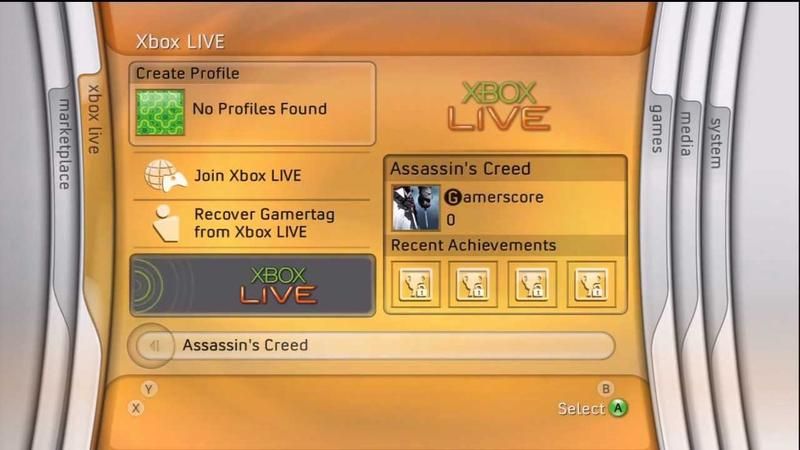
Van Vliet has shared footage of the original Xbox 360 Blades dashboard running in a web browser on his PC, alongside the NXE dashboard from 2008 and the Metro dashboard from 2011.

On X, Van Vliet stated: “I've been cooking up retro vibes in XBOX LABS. Tell @asha_shar and I your favorite era!”

I've been cooking up retro vibes in XBOX LABS. Tell @asha_shar and I your favorite era! pic.twitter.com/GOEUJzF6sWOctober 20, 2026

This actually prompted a response from Sharma, who quote replied: “Blades on web. Do we like this experiment?”

Could the Xbox 360 Blades dashboard actually return?

Xbox 360 Blades Dashboard

360 blades dashboard (Image credit: TechnoBuffalo)

This isn’t the first time Sharma has mentioned the Blades dashboard, either. When she was first appointed as CEO, one of her earliest tweets asked fans if they “should bring the blade dashboard?” back, and yes, her wording was rather weird.

At the time, it seemed like just good PR, a way of letting fans know she was aware of the older days of Xbox. Now, however, this new Xbox Labs experiment is giving me, and many others, hope that maybe, next generation, we could get a more customizable dashboard experience.

Personally, I think dropping a retro Blades dashboard in honor of Xbox turning 25 years old would be pretty amazing. It’s probably a big ask, though, and I’m not sure how Xbox would fit the seemingly required ad spot onto a Blades dashboard.

That said, let me know: would you like to see the return of Blades, or do you have fond memories of a different dashboard? Let me know in the comments!

Click to join us on r/WindowsCentral

(Image credit: Future)

Join us on Reddit at r/WindowsCentral to share your insights and discuss our latest news, reviews, and more.
  •  

Xbox’s reported $150B valuation highlights the scale of Microsoft’s gaming empire

Rumors that Microsoft was willing to sell off its entire Xbox division have been swirling for a while. While those reports never came to fruition, a new report from The Information reveals that there was indeed interest from private equity firms.

According to the outlet, Xbox was valued between $100 billion and $150 billion. The report does say that the discussions were short-lived and strictly exploratory, with no formal negotiations ever taking place. It remains unclear which specific firms were involved in the talks.

Fortunately for fans, this never happened. It’s hard to imagine private equity firms managing Xbox any better than the disastrous past few years have been. In fact, I'd go as far as to say that Xbox seems to be back on track under CEO Asha Sharma, who recently dispelled concerns about the business shuttering during an interview with Fortune.

I think that we’re going to be an important part of Microsoft for a very long time

Asha Sharma - CEO of XBOX

That comment feels like a direct jab at online folk who have long claimed Microsoft is exiting the gaming space. But I digress.

A $100 Billion Xbox Buyout Would Have Changed Everything

The Xbox 360's infamous Red Ring of Death.

Xbox Red ring of death (Image credit: Jeff the Trojan / Flickr)

A future where Xbox was purchased for over $100 billion would have been a wild timeline. It’s also interesting to compare that valuation to what Microsoft paid for Activision Blizzard King in 2022, which was nearly $70 billion. If you subtract that acquisition cost from the current valuation, it suggests Xbox without Activision is worth somewhere between $30 billion and $80 billion. That is a massive figure, regardless of where on that spectrum you land.

It’s no secret that Xbox has been struggling these past few years. I’m glad Microsoft stuck it out and has seemingly started making positive changes. It really boggles my mind what was going on within the division during the Phil Spencer era. As much as I believe he did amazing work for the brand, the direction Xbox was heading felt like a recipe for disaster.

Let me know your thoughts. Would you have been happier seeing Xbox purchased by a private equity firm, or are you glad Microsoft stuck to its guns and appointed Asha Sharma?

Leave a comment down below and be sure to take part in our poll too!

Click to join us on r/WindowsCentral

Join us on Reddit at r/WindowsCentral to share your insights and discuss our latest news, reviews, and more.
  •  

Call of Duty: MW4 demands VRR on Xbox for the best experience

Call of Duty: Modern Warfare 4's full launch is imminent, but it's suddenly hit a technical roadblock that may hurt its chances of success with console gamers.

The developers of Call of Duty: Modern Warfare 4 have announced on X that its Xbox Series X|S and PlayStation 5 versions must run on monitors with Variable Refresh Rate (VRR) enabled for Performance Mode support while players engage with its campaign and DMZ modes.

This requirement for VRR monitors will also be in effect for Call of Duty: Warzone with Season 1. If you do not have a monitor with VRR enabled and with least 120Hz refresh rates, the game's framerates in Performance Mode will be locked at 60Hz.

📢 Call of Duty: #ModernWarfare4 | #DMZ Early AccessPlayers on PS5 and XBOX Series X|S must have Variable Refresh Rate (VRR) enabled for Performance Mode support in #MW4 Campaign and DMZ. This will also be required for Performance Mode in Call of Duty: Warzone with Season 1.If you're encountering issues being locked at 60 Hz in these modes, make sure your display supports 120 Hz and VRR, and check your settings to ensure VRR is enabled.October 20, 2026

Asking players to get a different monitor days before launching your AAA game is certainly a "choice", and a very wrong one at that

This last-minute change won't affect you as much if you don't mind playing the single-player campaign at 60fps in Performance Mode or Resolution Mode for 4K resolutions to achieve greater cinematic immersion.

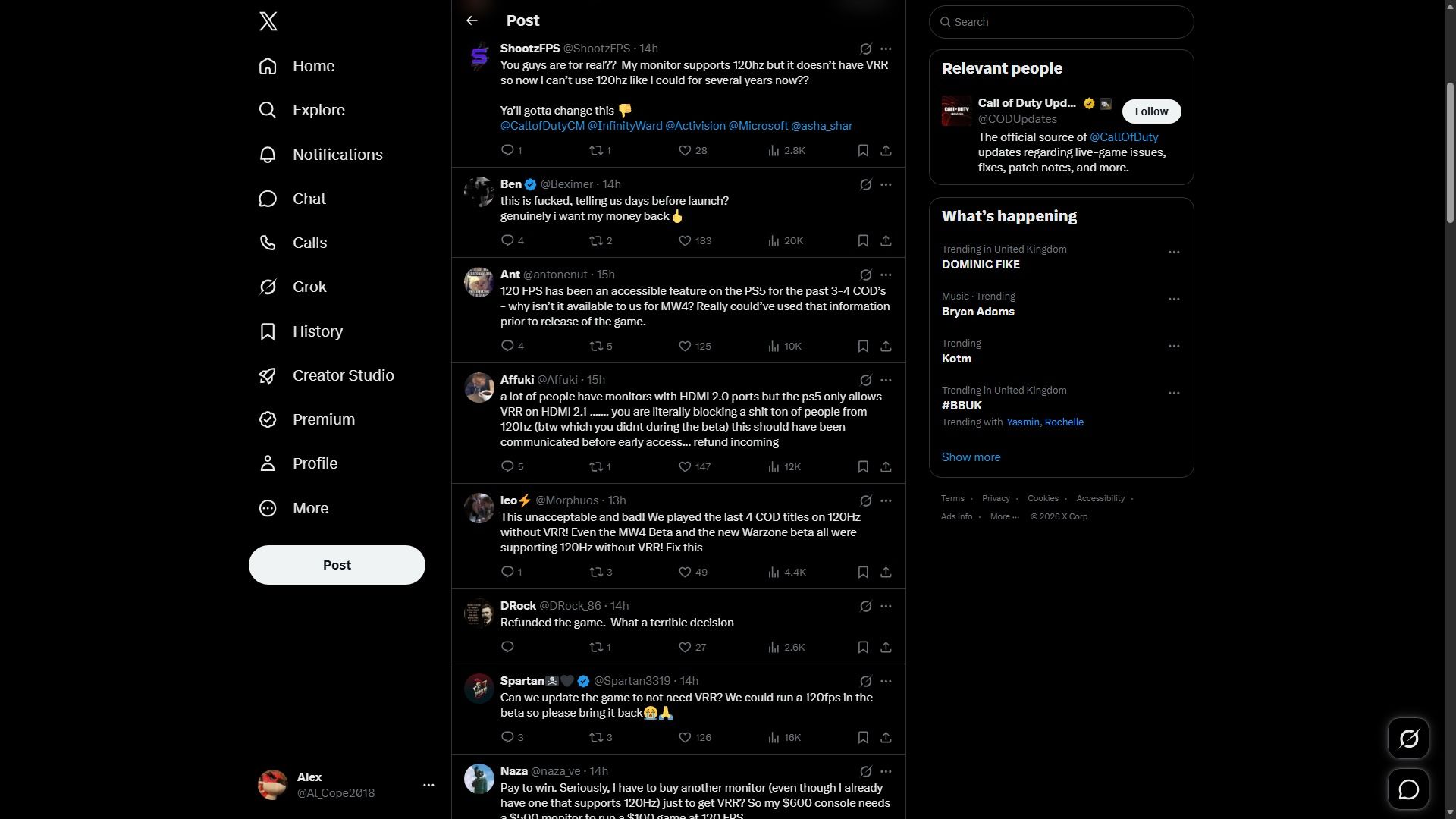
However, hardcore competitive Call of Duty fans who need as many frames as possible to reduce input lag during intense multiplayer matches or just smoother gameplay in general are beyond angry in the replies to this announcement on X.

Dark-mode X feed showing a post and a thread of replies in the center, with navigation on the left and “Relevant people” and “What’s happening” panels on the right; the tone is informational.

Fans are angry at this last-minute warning. (Image credit: X)

I can hardly blame them for getting angry. Asking console players to get a different and expensive monitor if their current one (even if it has a 240Hz refresh rate) doesn't have VRR to achieve optimal performance just days before Call of Duty: Modern Warfare 4 launches on October 23, 2026, is just ridiculous, and they should've warned people months in advance.

What makes this worse is that gaming monitors have become more costly and rarer to find for gamers on a tight budget these days thanks to the worsening RAM Crisis.

Nonetheless, we're not going to leave our fellow console players hanging. So we've scoured the internet for some of the best gaming monitors with VRR to help you circumvent this last-minute requirement and enjoy this AAA blockbuster at its best on Xbox.

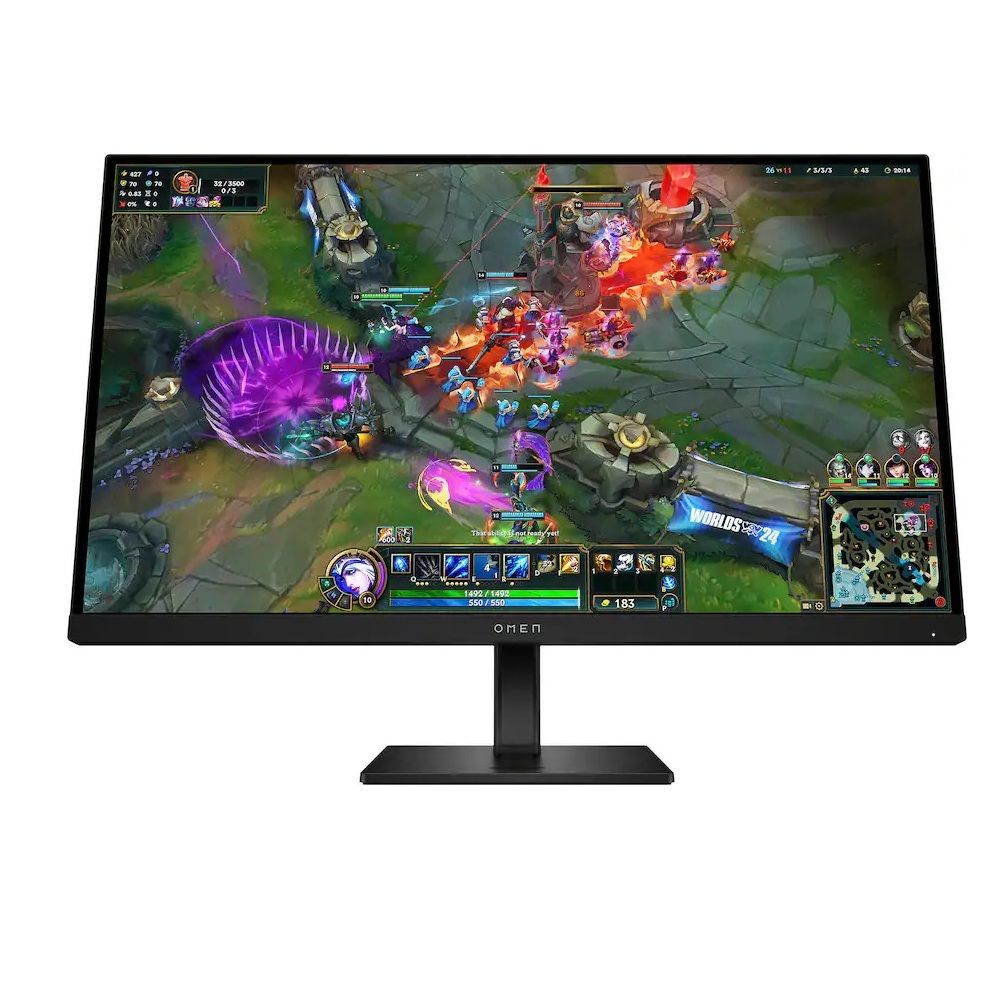
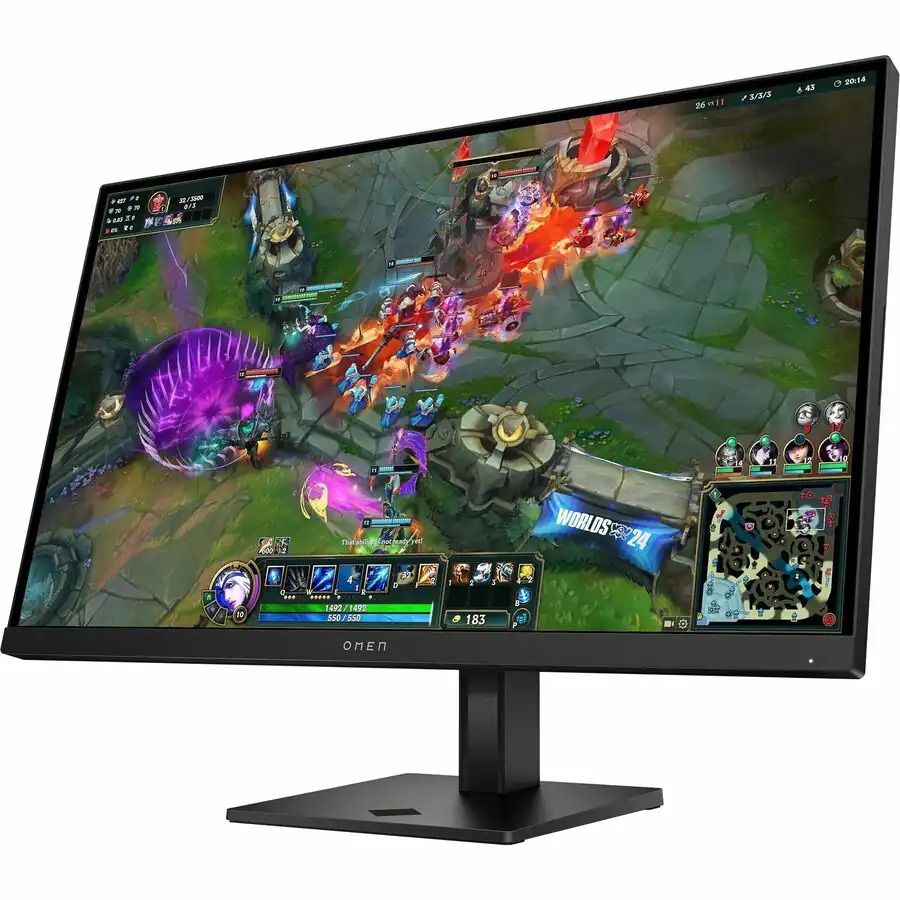
Omen 27: $609.99

"With its HDMI 2.1 port, 144Hz refresh rate, 1ms response time, VSync technology, and great color gamut, this gaming monitor was already a great option. Still, including a KVM switch propels it into being a fantastic choice for multi-system gamers." ~ Rebecca Spear, former Gaming and News Editor

Windows Central Review: ⭐⭐⭐⭐½View Deal

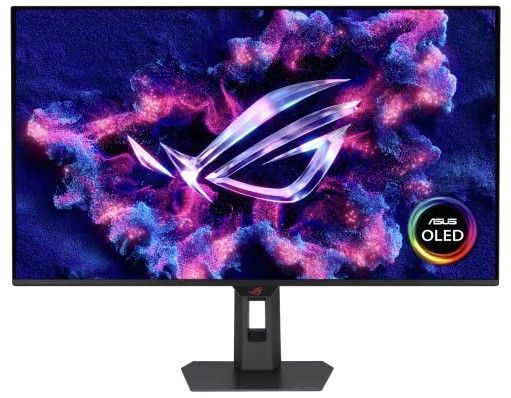
ROG Strix 32" 4K OLED Gaming Monitor (XG32UQWMS): was $971.99 now $755.99

"ASUS eased my OLED fears with this ROG Strix monitor, thanks to its built-in proximity sensor and other sensible settings in its straightforward OSD menu. It's bright enough, looks incredible at 4K with tremendous motion clarity at 240Hz, and you can push for more if you can handle 1080p." ~ Ben Wilson, Senior Editor

Windows Central Review: ⭐⭐⭐⭐½View Deal


This monitor is an upgraded refresh of the HP Omen 27qs we reviewed in 2023, with a higher 280Hz refresh rates and AMD FreeSync Premium tech for VRR support while keeping the same high-quality ergonimic design, and 1440p resolution at 120Hz for improved Xbox gaming.View Deal

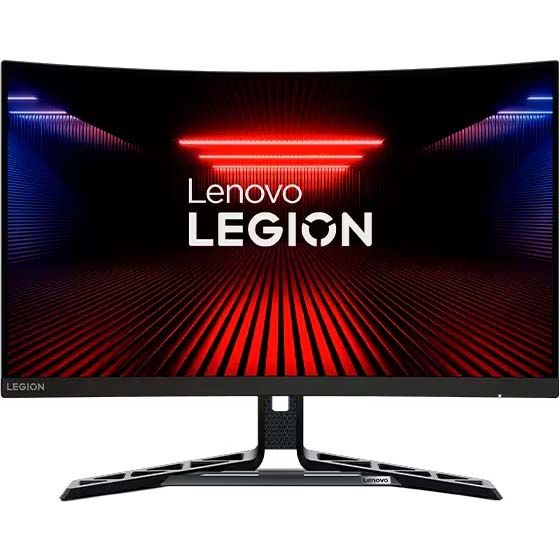
Legion R27fc-30 Gaming Monitor: $218.54

"The Lenovo Legion R27fc-30 is one of the very best curved gaming monitors on the market today. It offers great motion clarity thanks to its fantastic 240Hz (280Hz when overclocked) refresh rate, speedy 0.5ms response time, and AMD FreeSync support." ~ Rebecca Spear, former Gaming and News Editor

Windows Central Review: ⭐⭐⭐⭐½View Deal


Experience the dark, climactic finale of Captain Price's personal war from the shadows as long-running storylines reach their heart-pounding breaking point in Call of Duty: Modern Warfare 4. In addition to an epic campaign, Call of Duty: Modern Warfare 4 offers thrilling multiplayer modes such as the DMZ mode.

• Xbox Store (GreenManGaming)
• Best Buy
• Walmart
• NeweggView Deal

Click to join us on r/WindowsCentral

Join us on Reddit at r/WindowsCentral to share your insights and discuss our latest news, reviews, and more.
  •  

Xbox Series S owners are probably feeling pretty good about FSR 4.1 right now

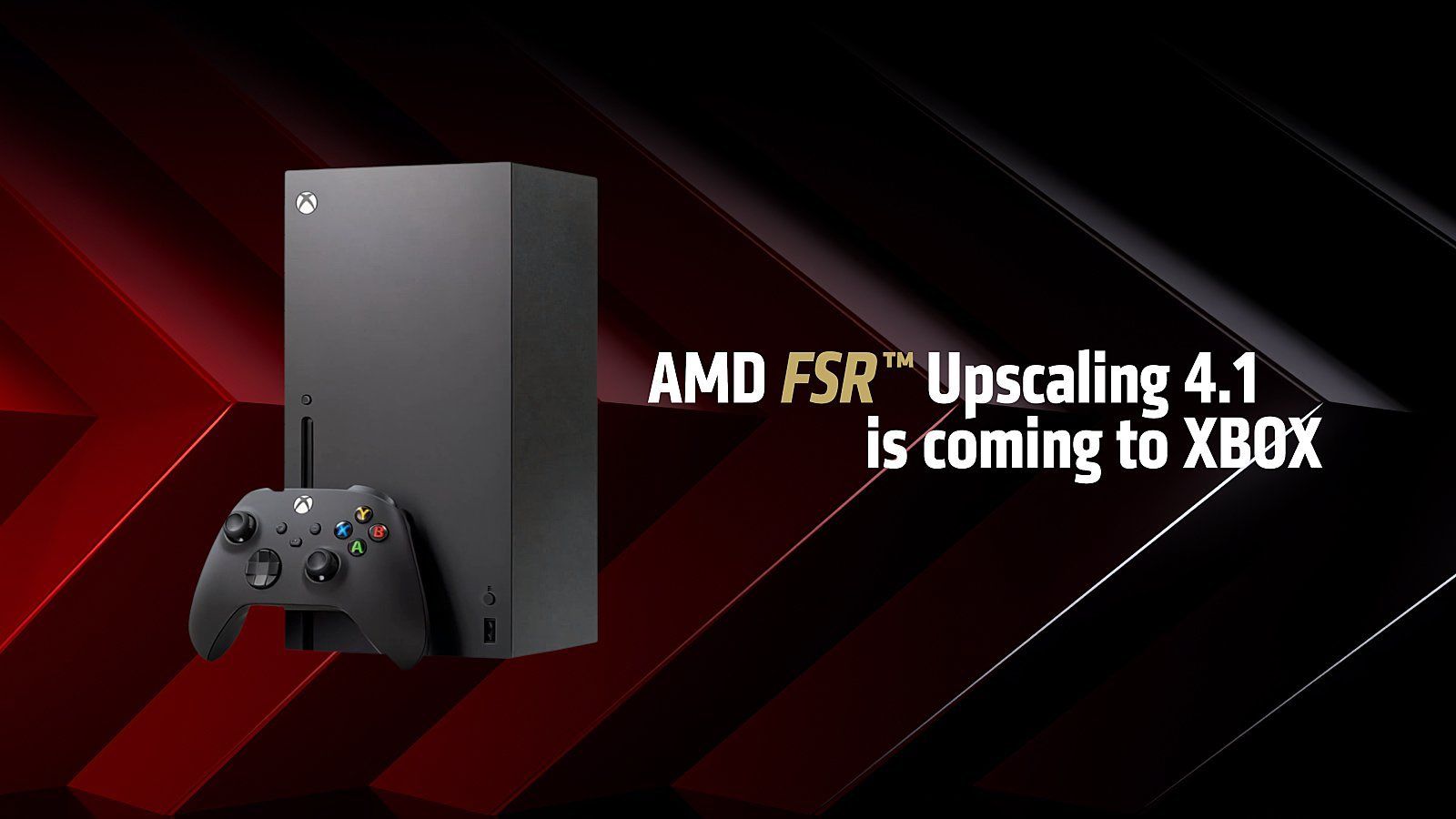
AMD and Microsoft this week took the lid off plans for expanding FSR 4.1 tech to Xbox Series X|S, AMD Ryzen gaming handhelds (like the Xbox Ally X), Ryzen APUs, and older Radeon RX 6000 GPUs.

The official announcement comes after teasing the move earlier this month.

I can't help but see this as one of the most important things that Microsoft could possibly do for current-gen Xbox owners who likely just found out that their consoles will need to last longer than expected.

A longer life for your gaming devices? No better time than now.

To say I'm relieved about FSR 4.1 coming to Xbox Series X|S and Xbox gaming handhelds is an understatement, and I don't think the news could have come at a better time.

Xbox's next-gen Helix device has reportedly been pushed to 2028. That puts the current generation, which launched in 2020, at roughly eight years of required service before it "retires."

That's a long time to ask the flagship Xbox Series X to remain relevant, and the situation only worsens for the weaker (but more affordable) Xbox Series S.

In our new world of inflated hardware prices, caused by AI-fueled memory and storage shortages, landing a free performance upgrade of this caliber is an outright life preserver for the entire Xbox lineup, including consoles and gaming handhelds.

With so many gamers already feeling the burn of high prices within (and outside) their favorite hobby, improved upscaling is basically the cheapest hardware upgrade I can think of.

The Xbox Series S has the most to gain

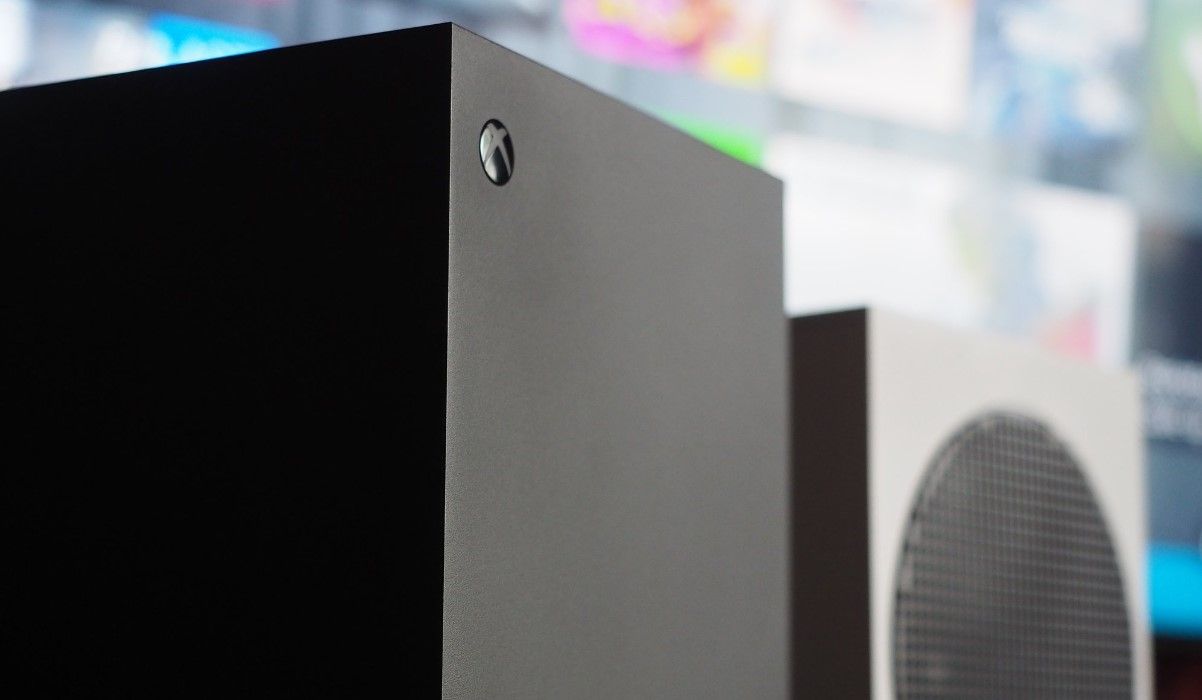
Xbox Series X, Series S

The Xbox Series X and Series S will each receive the FSR 4.1 update, but the latter should stand to gain the most. (Image credit: Windows Central | Jez Corden)

Where I live, the Xbox Series S is essentially the only console I can buy for less than $1,000.

It's great for plenty of people, but it has undoubtedly always been living in the shadow of compromise compared to its Series X sibling. Less performance, lower resolutions ... you get the idea.

This is where an improved upscaler like FSR 4.1 that can work better with fewer pixels should make the most difference. But it's not going to be a magic bullet that solves every issue.

The reality of what to expect from the FSR 4.1 upgrade

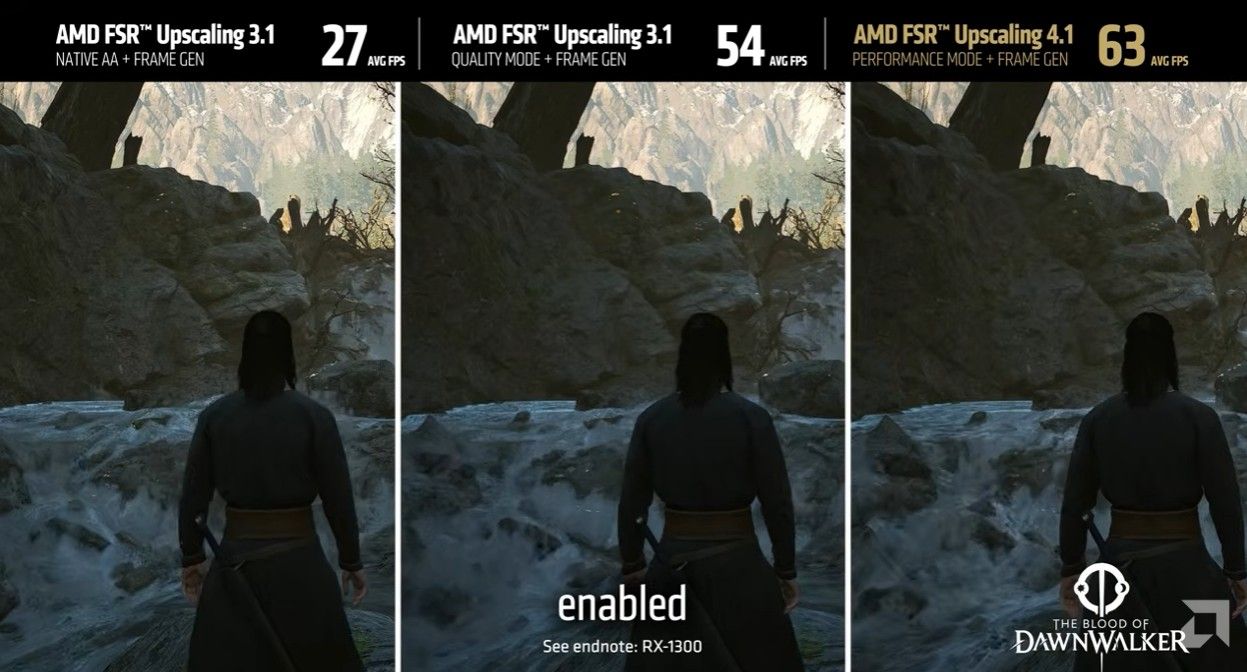
Blood of Dawnwalker with FSR 4.1

An example showing Blood of Dawnwalker with FSR 3.1 and FSR 4.1. (Image credit: AMD)

I'm not looking to oversell FSR 4.1. It's not just going to suddenly arrive for every game. Developers need to patch the update into their games, and the timeline for that is still muddy.

My colleague Jez Corden believes it will be "sooner than you think," with FSR 4.1 becoming available for Xbox game developers "in the next couple of weeks."

The first wave of Xbox games with FSR 4.1 is expected to be small, with a "handful" of titles ready for the 2026 holiday season. More will then trickle out through 2027 (and beyond).

It's not going to be a magic bullet that solves every issue.

There's also the performance factor. Yes, FSR 4.1 is going to boost framerates on Xbox, but the Series S likely won't see the same boost as the Series X due to its weaker hardware that uses INT8 shaders.

We won't know just how well this change affects the Xbox devices until it arrives, but don't expect your Series S to suddenly feel like a Series X.

Xbox's future is becoming clearer

Xbox Helix logos

Xbox Helix isn't expected to arrive until 2028. (Image credit: Windows Central)

There's an overarching ecosystem theme here that I think many are overlooking.

With this update, Xbox Series X|S, Xbox Ally handhelds, and PCs will all sit at the same upscaling table, making it easier for developers to implement.

Add this to the news that FSR Diamond will arrive as an upgraded upscaling technique for Xbox Helix, and it certainly feels to me like Microsoft is laying a strong foundation for developers who want to create across the entire Xbox ecosystem, now and in the future.

If that actually pans out as I imagine, Xbox Series S owners will continue to benefit from upgrades and updates intended for other devices, which is a great place to be.

What I'm keeping an eye on

The biggest hurdle now? Developers going back and adding FSR 4.1 support to their Xbox games. Once a steady stream begins, this will all start to feel a lot more real. Especially if they're games that already require performance mode to run at an acceptable framerate.

I'm not rushing out to buy an Xbox Series S with this news, but it is certainly heartening. If you're already a Series S owner, you should be feeling pretty good about your device.

Do you plan to stick with your Xbox Series S until Helix arrives? Are you no longer on the fence about buying a Series S in 2026? Let me know in the comments section below!

Click to join us on r/WindowsCentral

Join us on Reddit at r/WindowsCentral to share your insights and discuss our latest news, reviews, and more.
  •  

Microsoft PowerToys 0.102 Released: New Mouse Utilities, Command Palette Upgrades, and CLI Automation

Microsoft’s popular suite of productivity tools for Windows, PowerToys, is back with a massive update. PowerToys version 0.102 lands with a host of powerhouse additions designed to streamline workflows, enhance accessibility, and supercharge automation. From brand-new mouse helpers and an upgraded Command Palette to terminal automation features and modernized UI components, this release packs plenty […]

  •  

This new PowerToys feature can hold your mouse button down for you

PowerToys just added several new utilities and added new features for existing tools.

Two of the new utilities improve mouse use. Mouse Button Lock allows you to press and hold your mouse button down for a moment and then have your PC treat the input as if you've kept that button down. The tool improves accessibility for those who struggle to hold a mouse button down as they drag an item across the screen.

CursorHide is a smaller utility that hides the mouse pointer on your screen after a brief period of inactivity.

The quick-access shelf in Command Palette is an optional feature that shows pins below the search box.

PowerToys | Free at GitHub | Free at Microsoft Store

This collection of utilities includes a large library of features to enhance the Windows experience. PowerToys is designed with power users in mind, but it has handy features for people who just use their PC for everyday computing too.

Here are the highlights from the latest build of PowerToys, as shared by Microsoft:

Mouse Button Lock and CursorHide

  • Holding a mouse button down during a long drag or selection can be tiring. With Mouse Button Lock, press and hold a button for a moment, then let go. Windows keeps treating it as held, so you can continue dragging or selecting until you click any button. This is especially useful for gaming, working in professional applications that require extensive dragging and selection, and improving accessibility for users who find it difficult to hold down a mouse button for extended periods.
  • CursorHide is the second new mouse utility. It hides the mouse pointer while you type, after a period of inactivity, or both, and shows it again as soon as you move the mouse.

Command Palette gets a quick-access shelf

Compact mode in 0.101 kept Command Palette out of the way until you needed results. Now your favorite commands can be one keystroke away too. Turn on the quick-access shelf in Settings > Appearance > Compact mode to show your pins below the search box while the palette is collapsed. Press Alt+1 through Alt+9 to launch them, or Alt+Shift+number to select one without running it. Drag to reorder, right-click for more actions, and optionally show recent commands and apps next to your pins.

The shelf is just one part of a big Command Palette update:

  • Settings search: Fuzzy search finds options, extensions, commands, aliases, and assigned shortcuts, then takes you straight to them.
  • Keyboard-first Dock: Press Win+Alt+J to focus the dock and move between its items from the keyboard.
  • Copilot key support: Choose Command Palette as the Copilot key app in Windows Settings, and press the key again to toggle the palette.
  • Multiple clocks: Pin several dock clocks, each with its own time zone and format.
  • Language and links: Pick an app language for Command Palette, and copy links that open a page, run a command, or jump to a specific setting.
  • Polish: Sharper app icons, faster grid and gallery browsing, results that keep loading at the end of a list, and clearer nested menus.

ZoomIt adds snip dictation

ZoomIt can now capture what you say along with what you snip. Turn on Snip with dictation in the ZoomIt settings, then press Space while you drag out a snip and describe what you're capturing. ZoomIt transcribes your speech on your device, and a single paste delivers both the screenshot and your text. Dictation uses the microphone selected under Record.

ZoomIt also gets smooth zoom transitions, better audio pacing in recordings, and a fix for silent recordings on multichannel and spatial-audio devices.

New command-line tools

More of PowerToys can now be scripted from the terminal:

  • Advanced Paste: Run built-in and custom actions without opening the UI, using files, stdin/stdout, or the clipboard. AI actions use your configured providers and policies.
  • Light Switch: Check status, set or toggle the theme, and manage schedules, with JSON output.
  • Settings: See which utilities are enabled, and turn them on or off even while PowerToys isn't running.
  • Peek: Preview multiple files and folders from the command line.
  • PowerDisplay: JSON Lines output makes results and errors easy to consume from scripts.
  • On your PATH: FancyZones, Image Resizer, File Locksmith, and PowerDisplay commands now work from any terminal folder.

Keyboard Manager adds tap-alone remaps and easier editing

Keyboard Manager now supports tap-alone remaps. Tap a key by itself to trigger a different action, while the key keeps working normally in shortcuts and mouse combinations. Large remapping lists are easier to manage too, with search, modifier and app filters, and bulk deletion.

The new editor also gets a searchable key picker, so you can select any key, including media keys or keys your keyboard doesn't have, and build a full shortcut with just the mouse. Recording now only listens while the editor is in focus, and Tab moves you out of the recording field. IT admins can also deploy and export remapping profiles with DSC v3.

Other notable changes

  • Color Picker and Text Extractor: Both move to WinUI 3, with a new overlay, editor, and magnifier for Color Picker. Your existing shortcuts and settings carry over.
  • FancyZones: Scroll the mouse wheel while dragging a window to switch layouts, with an optional indicator showing the selected layout's name.
  • Peek: Added read-only SQLite previews, file and subfolder counts with scanning progress for folders, a plain-text fallback, and Alt+Left/Alt+Right navigation between files.
  • Screen Ruler: Measure in device-independent pixels to account for each monitor's scaling, with improved edge detection.
  • Environment Variables: A new Remove duplicates action cleans up PATH while keeping the original order.
  • Quick Accent: A searchable character reference in Settings lets you browse language sets and copy characters directly.
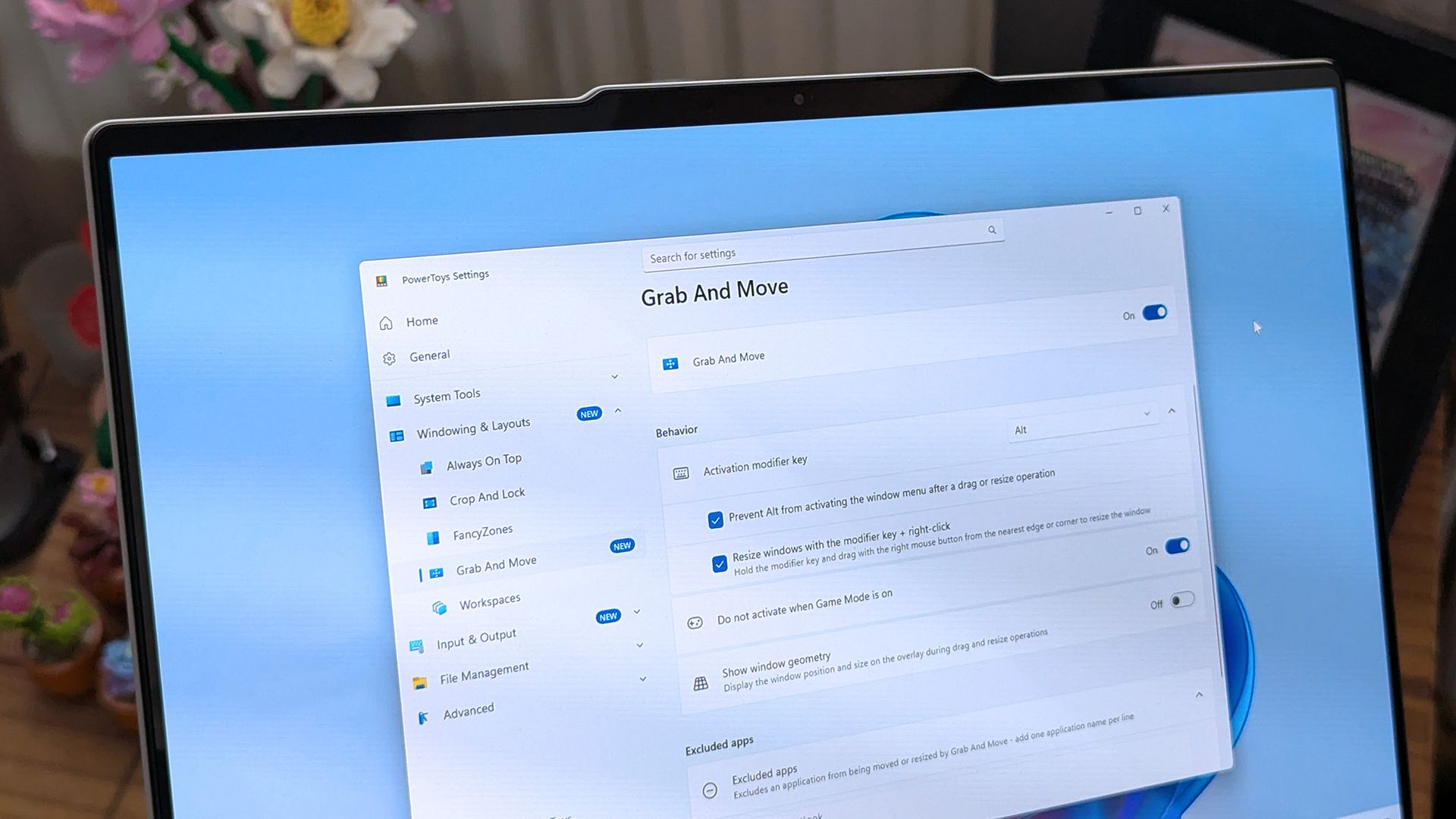
  • Grab and Move: Exclude specific apps so they keep their normal modifier-key behavior.
  • Shortcut Guide: Added shortcuts for Claude Desktop and Ableton Live, and made indexing more resilient to malformed manifests.
  • Workspaces: Now asks for confirmation before launching an unverified app configured to run as administrator.
  • Awake: Windows can now turn off the display while the PC is locked, without ending your keep-awake session.
  • New+: Fixed a File Explorer memory leak and improved long-path handling.
  • Settings: Added an interactive animated welcome scene, fixed a memory leak when switching pages, and kept module on/off preferences when a utility fails to load.

PowerToys has been one of my favorite Windows apps for a long time, and it is also a favorite of several members of our team at Windows Central. The app has a massive library of utilities that can be enabled or disabled, making it a great choice for casual PC users and power users.

PowerToys is also interesting to follow because it inspires the development of Windows 11. The newly announced Search experience for Windows 11 clearly takes some cues from PowerToys run and Command Palette.

Click to join us on r/WindowsCentral

Join us on Reddit at r/WindowsCentral to share your insights and discuss our latest news, reviews, and more.

  •  

Microsoft is streamlining Windows 11's sign-in experience, here's how

Microsoft is working on a small yet meaningful change to the lock screen and sign-in experience on Windows 11 that will streamline the authentication process that users must go through to log into their desktop.

The current Windows sign-in flow requires the user to manually select the method of authentication they wish to use to login. If you've set up a PIN, face unlock, and fingerprint unlock, the only method of authentication that is active is the one you manually click on to use on the lock screen.

This is a huge gripe of mine, and it's super frustrating when you want to login using your face, but Windows has selected PIN or fingerprint. It means your webcam isn't looking for you in that moment, and you have to manually switch to face unlock to force Windows into checking for your face and logging in.

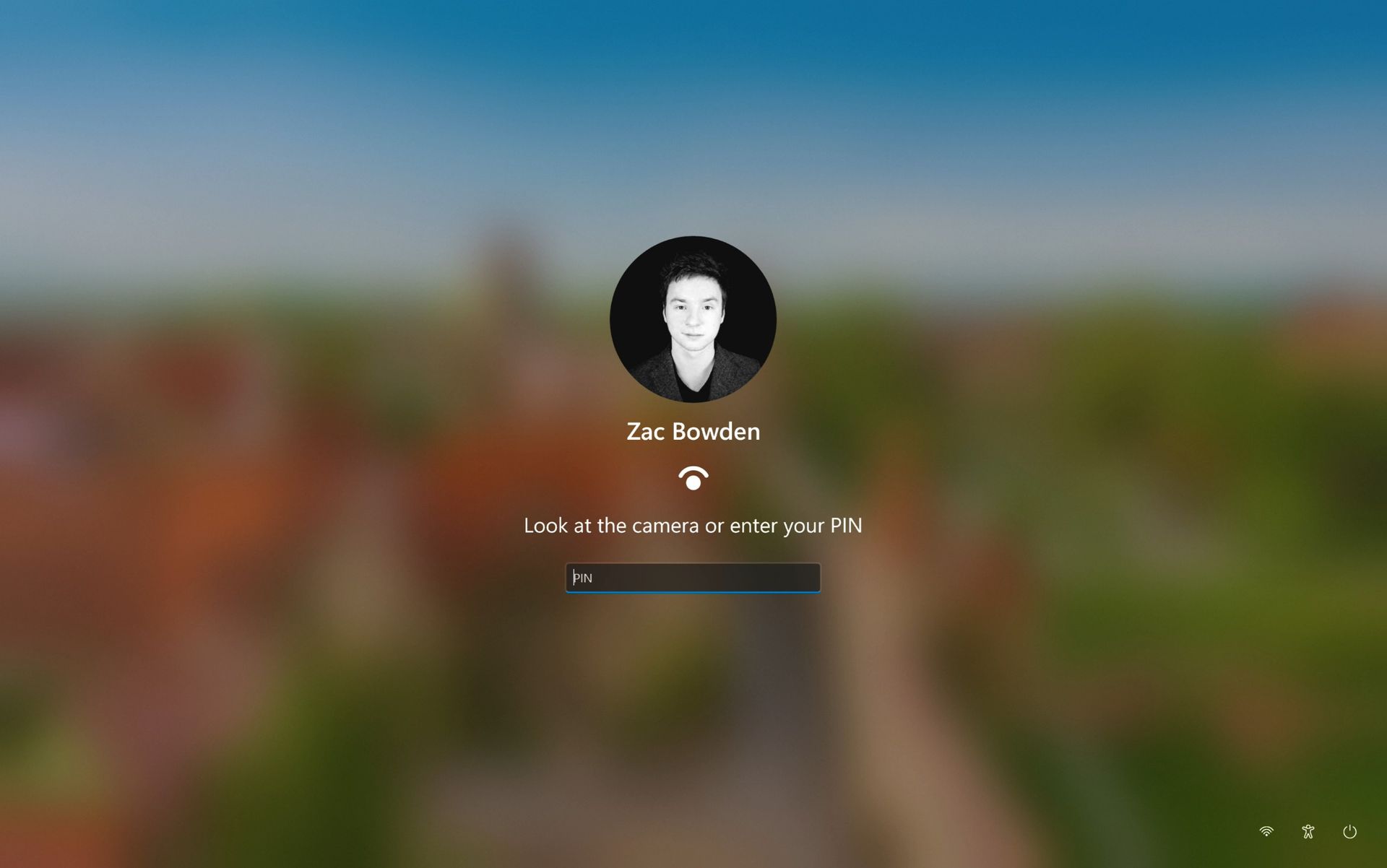
Well, it looks like this is finally changing. In the latest Windows 11 preview builds, a hidden feature ID enables a new experience that automates this. Now, by default, the PIN box is always on show, but face unlock and fingerprint unlock are also active and ready to authenticate at the same time.

The new sign-in flow on Windows 11

No longer does the user need to manually choose their login method. (Image credit: Zac Bowden / Windows Central)

This means users no longer need to manually select the login method of their choice. Windows will automatically capture whichever biometric authentication method is set up, even when the PIN box is on screen. This also means the lock screen looks cleaner as a result, as the options to choose which authentication method you want to use is no longer displays as it's not necessary. It's also faster for those with biometric authentication enabled.

I really like this change, as it encourages Windows to keep trying my face unlock even if it fails the first time. Of course, there's an eventual timeout if it fails too many times, but I find it is able to log me in before it ever reaches that point. Also, being able to just type my PIN without having to manually select the PIN option first is also great.

Microsoft is yet to announce this new sign-in flow, but I suspect it won't be long until it's officially put into testing as it's already very polished and has been in the works for a number of months now. What do you think? Is this a good change for the Windows lock screen? Let us know in the comments.

Click to join us on r/WindowsCentral

Join us on Reddit at r/WindowsCentral to share your insights and discuss our latest news, reviews, and more.
  •  

OneDrive's new hero links should put an end to file-sharing chaos

During its OneDrive and Copilot event, Microsoft announced a massive number of changes to its cloud storage platform. Many of the improvements center around using Copilot to find items and generate new content, but there is also a feature for sharing OneDrive links.

Now, when you share a file in OneDrive, you can continue to use the same link even after you change access or permissions to that file. Previously, you'd need to create a new link after changing those settings. Old links would continue to work, but over time you'd accumulate a bunch of different links to the same file.

With so many different links to the same file, it would be easy to accidentally share one with the wrong permissions. The new method of sharing, which relies on "hero links," can update access and permission settings while retaining the same link.

Support for hero links is rolling out now. In the future, Microsoft will add support for expiring hero links. With those, you can set an organization's hero links to expire automatically on a schedule.

Copilot and OneDrive

It may not have received the fanfare of the Windows and Surface event held earlier this month, Microsoft just held a OneDrive and Copilot event. The event highlighted several new capabilities to Copilot, such as analyzing files, organizing projects, and turning files into interactive HTML reports.

Custom skills in Copilot let you capture a process and save that process as a Markdown file, which helps ensure Copilot runs the same way every time when performing that process.

Copilot also makes it possible to use natural language to find a photo in OneDrive.

Microsoft also highlighted its refreshed Photos app for Windows. That app shocked me due to its responsiveness and quick loading times. It also has several new features, such as Map View that lets you browse photos based on their geographic location.

Microsoft's blog post about Copilot and OneDrive is almost 3,500 words, so I won't rehash all of it here. The change that I'm most excited about is the addition of hero links. I share a lot of files through OneDrive and send links across several group chats. Reducing that clutter will reduce my stress immensely when it comes to sorting access and permissions.

Click to join us on r/WindowsCentral

Join us on Reddit at r/WindowsCentral to share your insights and discuss our latest news, reviews, and more.
  •  

Call of Duty: Modern Warfare 2 now supports cross-play without any console mods

I honestly wasn't sure where to begin, or even how this is remotely possible, but here we are in 2026: Call of Duty: Modern Warfare 2, a 17-year-old game, now has full cross-play between PlayStation 3, Xbox 360, and PC with absolutely zero modding required.

Developed by @ClassicsGG on X (formerly Twitter), the project is now live. For more details, you can join their Discord. It hasn’t been all smooth sailing, though. The original clip was taken down due to a copyright claim; whether that claim was legitimate or not, it's worth mentioning.

Modern Warfare 2 cross-play sounds impossible, but it works

I find this whole endeavor incredibly ambitious. There’s a full page dedicated to explaining how it works. For example, if you’re on Xbox 360 and want to join a cross-play lobby, you need to:

  • Search for the Team Tactical Playlist.
  • Or find the host’s gamertag (classicsgg) on Xbox Live and join their session.
  • Or send Classicsgg an Xbox Live message or game invite, and they’ll send one back.

That said, joining their Discord seems like the best bet to get things working. Still, it’s incredible that this is even possible. I have fond memories of the older Call of Duty titles; they definitely helped shape my early years of online gaming.

I remember when cross-play between consoles was first being introduced during the Xbox One and PS4 era for Fortnite. It was rather exciting. Being able to play across platforms was pretty cool, even though Sony threw a fit at the thought of it, complete with its mandatory cross-platform revenue share system.

Now, whether this project was pushed through thanks to AI or not, I really don't know for sure, but AI is often the propelling factor with things like this these days. That said, seeing cross-play without the need for mods on a nearly two-decade-old game is a use case I can get behind. Fair warning, though: PC players are a bit out of luck and will require a subscription to the Classics Discord server to help deter and prevent cheating.

Let me know whether you find this as cool as I do by leaving a comment and taking part in our poll below:

Click to join us on r/WindowsCentral

Join us on Reddit at r/WindowsCentral to share your insights and discuss our latest news, reviews, and more.
  •  

Final Fantasy VII Remake is finally coming to Xbox Game Pass in October's wave

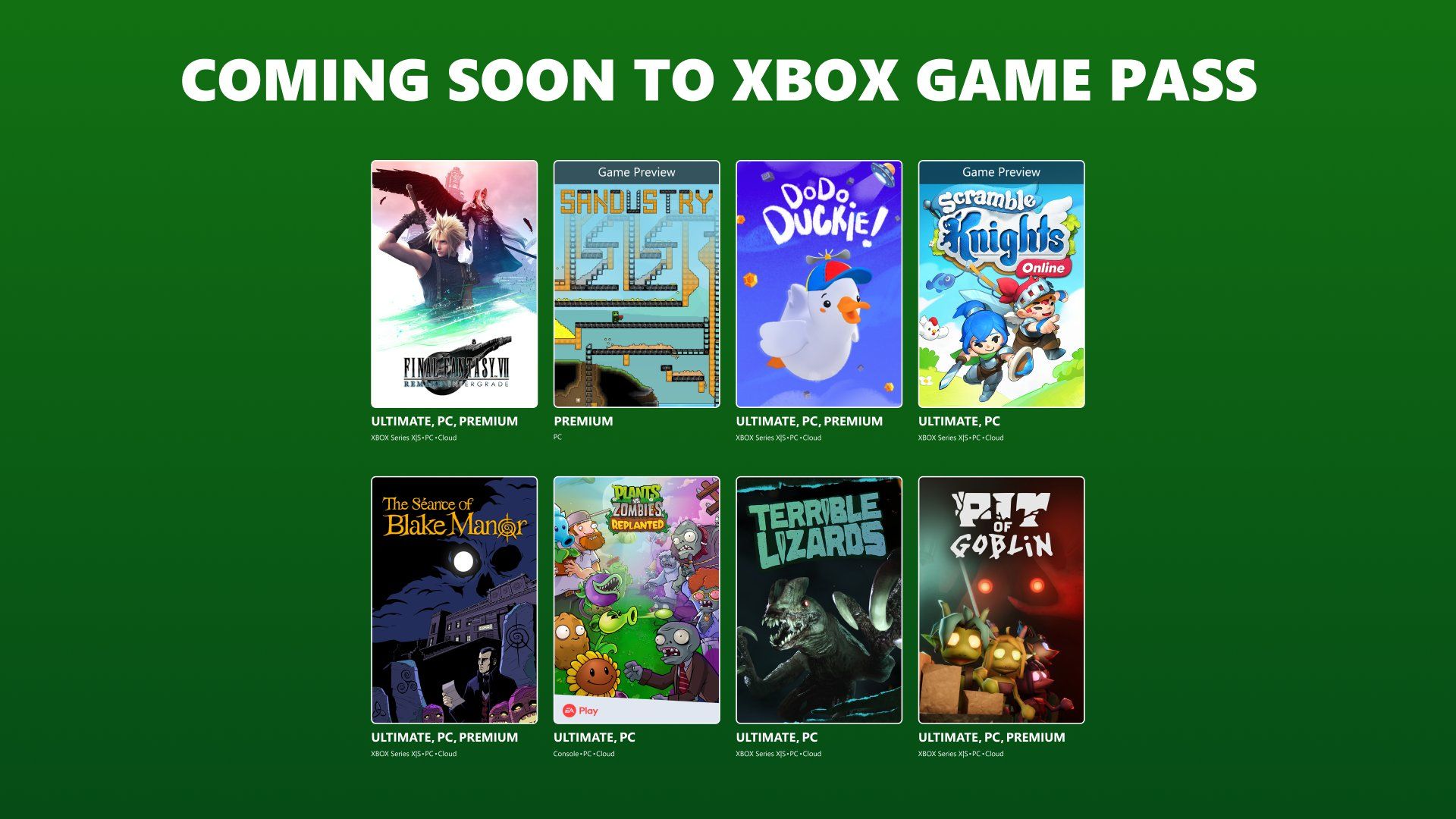
Final Fantasy fans on Xbox are eating good this month. Not only do we have the Final Fantasy Resonance (which I personally found to be amazing) coming out this week, but Microsoft has announced (via Xbox Wire) that Final Fantasy VII Remake Intergrade is finally coming to Xbox Game Pass as part of its latest batch of new games.

The batch also includes some more niche titles like Planets Vs. Zombies: Replanted and The Séance of Blake Manor, but Final Fantasy VII Remake Intergrade is the star of the show.

Here's the full list of games coming and leaving Xbox Game Pass for the second half of October 2026.

Game

Date Available

Available on (Game Pass versions)

Sandustry (Game Preview)

October 21, 2026

PC (Ultimate, Premium, PC Game Pass)

Dodo Duckie

October 22, 2026

Cloud, Xbox Series X|S, and PC (Premium, Ultimate and PC Game Pass)

Scramble Knights Online (Game Preview)

October 22, 2026

Cloud, Xbox Series X|S, and PC (Ultimate and PC Game Pass)

The Séance of Blake Manor

October 27, 2026

Cloud, Xbox Series X|S, and PC (Premium, Ultimate and PC Game Pass)

Final Fantasy VII Remake Intergrade

October 29, 2026

Cloud, Xbox Series X|S, and PC (Premium, Ultimate and PC Game Pass)

Plants vs. Zombies: Replanted

October 29, 2026

Cloud, Console, and PC (Ultimate and PC Game Pass)

Terrible Lizards 

October 29, 2026

Cloud, Xbox Series X|S, and PC (Ultimate and PC Game Pass)

Pit of Goblin

November 3, 2026

Cloud, Xbox Series X|S, and PC (Ultimate and PC Game Pass)

Games leaving Xbox Game Pass (October 31)

  • Day of the Tentacle Remastered (Cloud, Console, and PC)
  • Dead Static Drive (Cloud, Console, and PC)
  • Deep Rock Galactic (Cloud, Console, and PC)
  • Full Throttle Remastered (Cloud, Console, and PC)
  • Grim Fandango Remastered (Cloud, Console, and PC)
  • Lara Croft and the Temple of Osiris (Cloud, Console, and PC)
  • Lego Star Wars: The Skywalker Saga (Cloud, Console, and PC)
  • Wartales (Cloud, Console, and PC)
  • Wildgate (Cloud, Console, and PC)

Games leaving Xbox Game Pass (November 10)

  • Football Manager 26 (PC)
  • Football Manager 26 – Console Edition (Cloud, Console, and PC)

Windows Central's take

Final Fantasy VII Remake Intergrade is an action-RPG reimagining of the classic 1990s JRPG, Final Fantasy VII, that tells the beginning of Cloud's journey to save his planet from destruction at the hands of the evil megacorp Shinra and the megalomaniacal Sephiroth.

While I prefer the PC version of Final Fantasy VII Remake Intergrade for its hilarious mods featuring Darth Vader, I can't deny that it coming to Xbox Game Pass finally feels like a satisfying full-circle moment.

DEAL: Get Surfshark VPN 86% OFF with Windows Central 🦈

We've gone from speculating about rumors of an Xbox version for years, to Square Enix announcing Final Fantasy VII Remake Intergrade's Xbox port while shadow-dropping Final Fantasy XVI's Xbox port, to making the entire Final Fantasy VII Remake trilogy available on Xbox, and now this.

With its inclusion in Xbox Game Pass, Xbox fans will now have more ways to enjoy Final Fantasy VII Remake Intergrade's thrilling combat, complex characters, and in-depth story.

Plus, it will serve as a great appetizer for Final Fantasy VII Rebirth's eventual inclusion in Xbox Game Pass and the epic finale of the FF7 Remake trilogy, Final Fantasy VII: Revelations, which will drop on April 8, 2027, for Xbox Series X|S (with Xbox Play Anywhere support), PlayStation 5, Nintendo Switch 2, and PC via Steam.

FINAL FANTASY VII Remake Series Trilogy Edition (Xbox): $84.99

Embark on an epic journey through the entire reimagining of one of the greatest JRPGs of all time with the FINAL FANTASY VII Remake Series Trilogy Edition, which features Final Fantasy VII Remake Intergrade, Final Fantasy VII Rebirth, and Final Fantasy VII Revelation.

• Xbox Store
• SteamView Deal

Click to join us on r/WindowsCentral

Join us on Reddit at r/WindowsCentral to share your insights and discuss our latest news, reviews, and more.

  •  

When will Xbox Series X|S and Xbox Ally get FSR 4.1? Sooner than you think!

Xbox Ally and Xbox Series X|S consoles are about to get a big AMD-shaped boost.

Yesterday, AMD and Microsoft revealed that FSR 4.1 is coming to the entire suite of current-gen Xbox devices. That includes Xbox Ally (base model), Xbox Ally X, and Xbox Series X|S consoles.

FSR 4.1 is an upscaling technology that allows games to render images at a lower resolution, passing overhead to performance. Then, FSR 4.1 upscales the image to create a sharper image, granting the appearance of higher native resolution. Technologies like FSR and DLSS have been boosting the lifespan of older and less-powerful hardware for some time now, and given the on-going RAMpocalypse and component crisis, anything that extends the usability of more affordable hardware is a win in my book.

But, when can we expect to get our hands (and eyes) on it? Here's what our sources are telling us so far.

FSR 4.1 will become available to Xbox Series X|S game developers in the next couple of weeks. Some partner developers have already had early access in preview builds, and will enable FSR 4.1 earlier than others. In the AMD video above, the firm used Blood of Dawnwalker to demonstrates FSR 4.1 boosts on Xbox Ally devices, so you can probably expect that to be among the first batch.

For Xbox Ally X and the Xbox Ally base model, AMD and ASUS will ship updated drives to the Armoury Crate's new "Preview Update" segment by Friday, Oct 23. The new preview segment which lets users test out early builds if they don't mind risking some bugs and polish, similar to the Xbox and Windows Insider programs.

AMD confirms FSR upscaling 4.1 is coming to Xbox Series X|S and both Xbox Ally models.

(Image credit: AMD)

Developers that have enabled FSR 4.1 on existing PC games will automatically get enhanced when the drivers go live on Xbox Ally devices.

On Xbox Series X|S console, FSR 4.1 won't be retroactively injected into existing games. Developers will have to implement it into their existing games via updates, or support it out of the box in future games.

Sources tell me that there is a "handful" of FSR 4.1-enhanced titles slated for the holiday season on Xbox Series X|S, with a steady feed of new games gaining FSR 4.1 throughout 2027 and beyond.

Blood of Dawnwalker with FSR 4.1

FSR 4.1 upscaling is a big leap over previous versions. (Image credit: AMD)

FSR 4.1 should provide a meaningful quality bump for all sorts of games across Xbox Series X|S and Xbox Ally X and the base model, but perhaps more so on the lower-end devices. The Xbox Series S has been notorious for performance trade offs, with developers struggling with the irregular RAM allocation.

Games on Xbox Series X|S that presently trade resolution down for frame rates should get noticeably sharper even in performance mode when implemented.

People have been using apps like Optiscaler on Github to inject FSR 4 on devices like the Steam Deck, and the results have been impressive, but setting it up can be a chore. Native, official support should bring a ton of performance benefits for the Xbox range across the board without the headaches of using workarounds.

As soon as it's available, I'll be demonstrating how it all works in practice right here on Windows Central.

The big question is ... will GTA 6 support it? Time will tell.

Click to join us on r/WindowsCentral

Join us on Reddit at r/WindowsCentral to share your insights and discuss our latest news, reviews, and more.
  •  

Windows PC games are running natively on iPhone — without any jailbreak

I’ve already seen Windows games running on Android, and while I found that impressive, it wasn’t entirely out of the realm of possibility. Android is a relatively open ecosystem, and it’s technically Linux underneath, so given that modern hardware is more than capable, the leap wasn’t as massive as it first appeared.

Running Windows games on an iPhone, however, is a different story. Apple’s ecosystem has opened its door a notch or two over the past few years, but I never imagined it had opened enough to allow Windows gaming to run directly on the hardware.

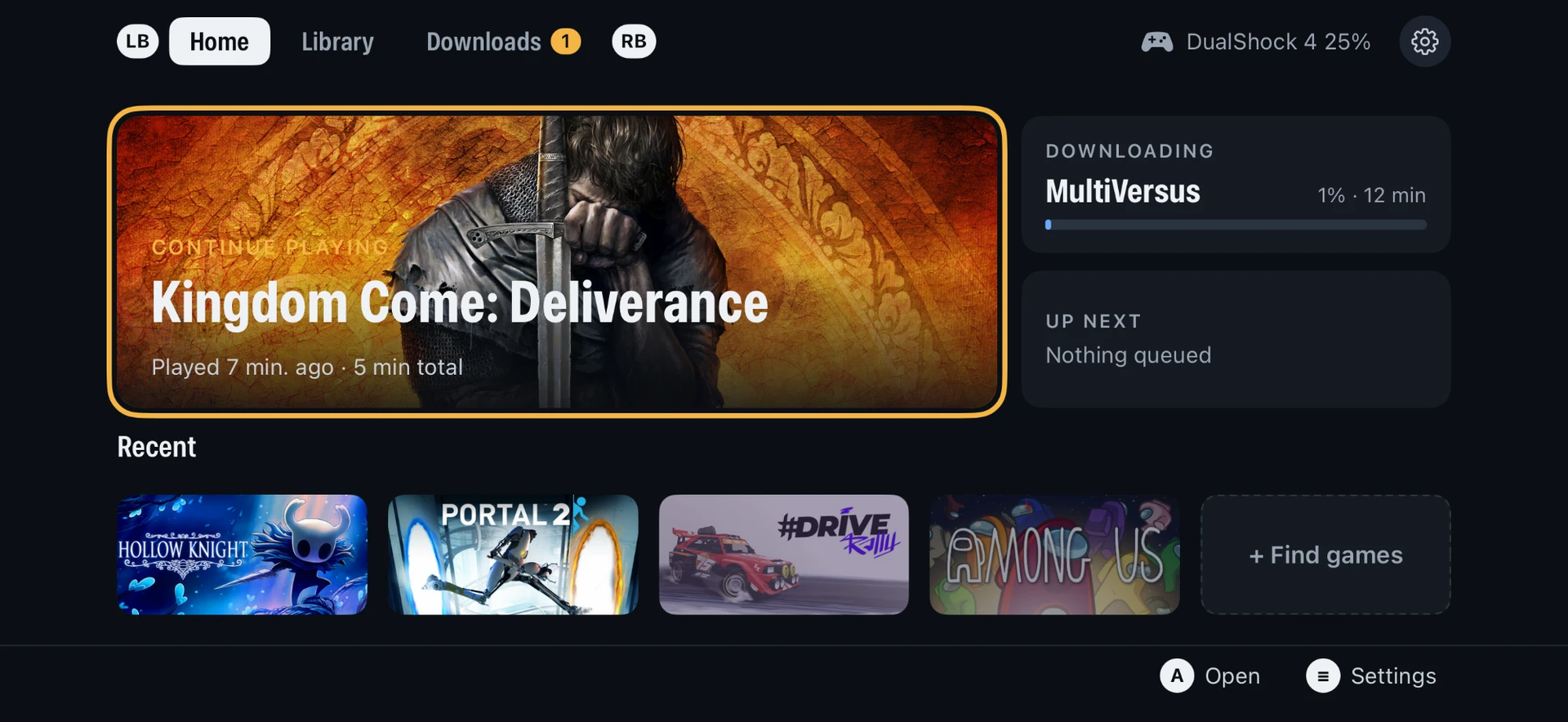
Fortunately, I just so happened to stumble across a GitHub repository, PlayPort. Created by playportdev with contributions from Claude — because of course, everything uses AI now, but regardless — PlayPort is able to run Steam, GOG, or Epic Games titles directly on your iPhone.

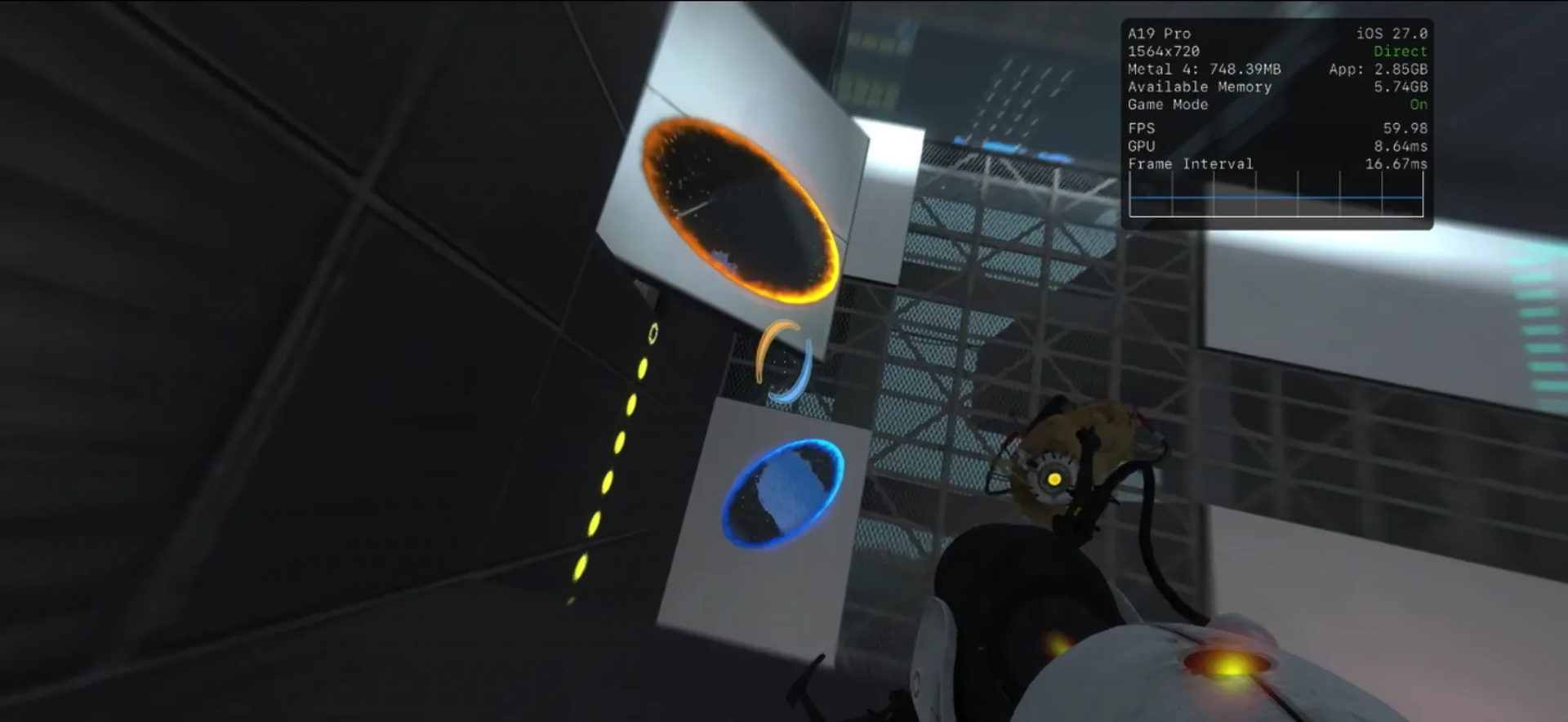
So far, Portal 2, Hollow Knight, and even The Witcher 3 are all working at relatively playable framerates. According to the project’s documentation, Portal 2 specifically hits about 60 FPS at 720p, with each 32-bit game getting its own 4 GB memory window to work with.

Playing Windows games on an iPhone isn't exactly straightforward

Portal 2 running at nearly 60 FPS on an iPhone using PlayPort, with performance statistics displayed in the top-right corner.

Portal 2 running at 720p and nearly 60 FPS on an iPhone through PlayPort. (Image credit: PlayPort)

Installation is not the simplest process. You have to sideload the PlayPort app onto your device, enable Developer Mode, and be familiar with JIT to get it enabled. There’s also a catch: If you use a free Apple ID to sign the app, it only lasts for seven days. You’ll need to re-sign it once a week, though your games and saves remain on the phone.

Honestly, I am impressed. I was just as impressed to see Game Pass games working on a Steam Deck, which gives me hope that, who knows, maybe one day we’ll see Game Pass running on an iPhone with the ability to install and play games directly off the service. Heck, I doubt we’ll have to wait too long before something like that exists for Android at the rate things are progressing.

If all that eventually comes to pass, I’ll be sure to shed a tear, as I often do over what could have been for Windows Phone, but alas. Projects like these are super cool, brute-forced by AI or not. I’m all for more ways for people to play and access their library of games.

Let me know how you feel about this. Would you try it, or is it more so just cool to see? Let me know in the comments, and be sure to take part in our poll!

Click to join us on r/WindowsCentral

Join us on Reddit at r/WindowsCentral to share your insights and discuss our latest news, reviews, and more.
  •  

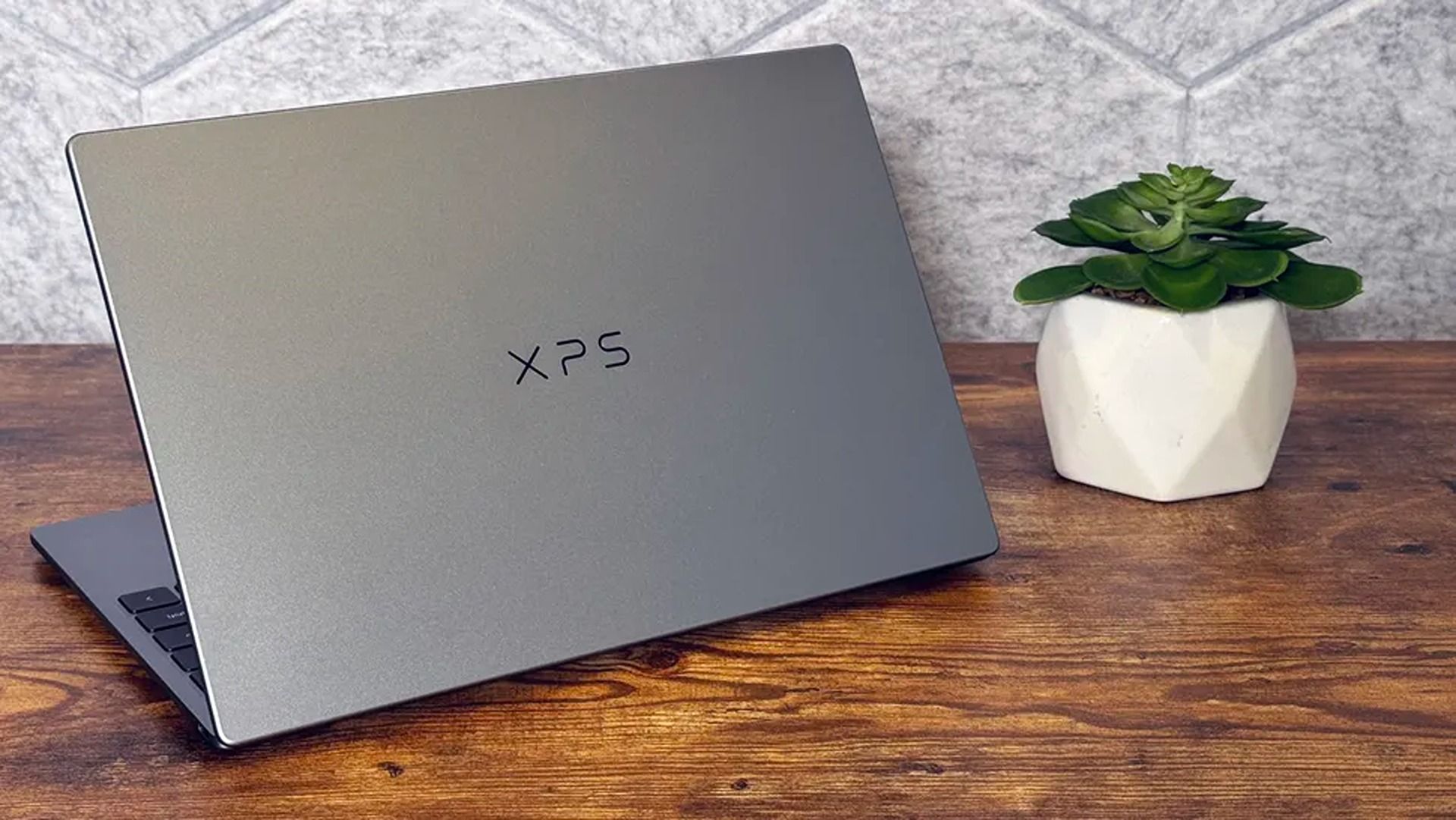
Dell's XPS 13 redefined entry level laptops, and this deal for 16GB RAM is even better

2026 saw the release of the familiar Dell XPS 13, a 'new' laptop designed to be the ultimate, affordable gateway for first-time PC users thanks to its respectable performance, long-lasting battery life, high-quality build, and general reliability.

The XPS 13's work-focused 16GB configuration normally sells for $999.99 at Dell, but Best Buy now has a cheaper alternative for $799.99, thanks to a limited-time 20% discount.

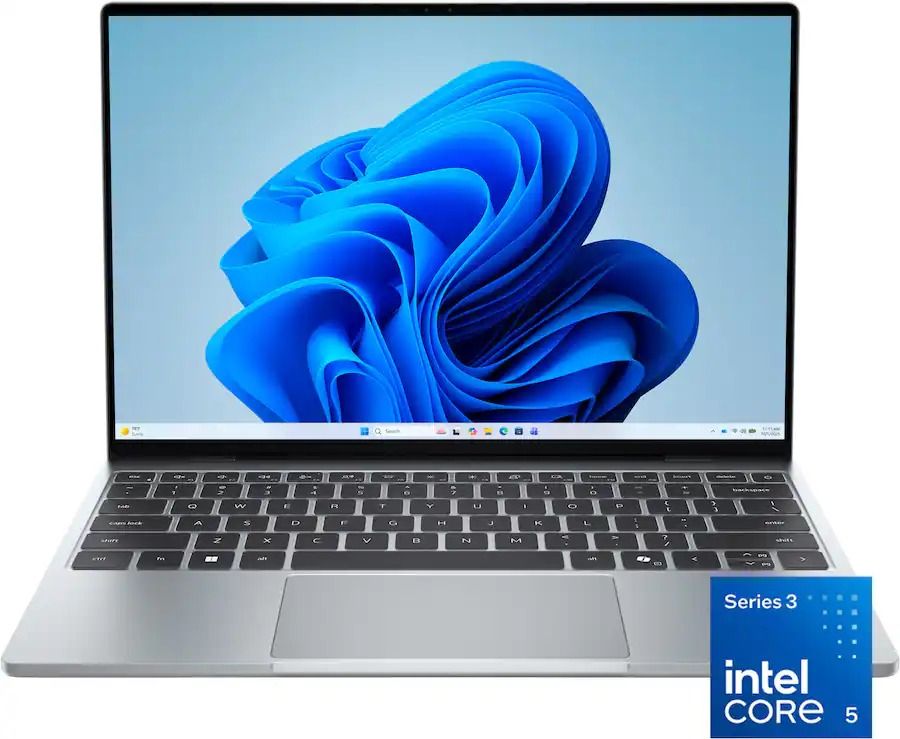
XPS 13 (Intel Core 5 Series 3 320, 16GB RAM, 512GB SSD): was $999.99 now $799.99

"The Dell XPS 13 returns as an excellent Windows-based answer to the MacBook Neo. It’s an excellent option for students or mainstream users who don’t need more CPU or GPU muscle." — Matt Safford, Managing Editor, Tom's Hardware

Tom's Hardware review: ⭐⭐⭐⭐½View Deal

Why buy Dell XPS 13 laptop?

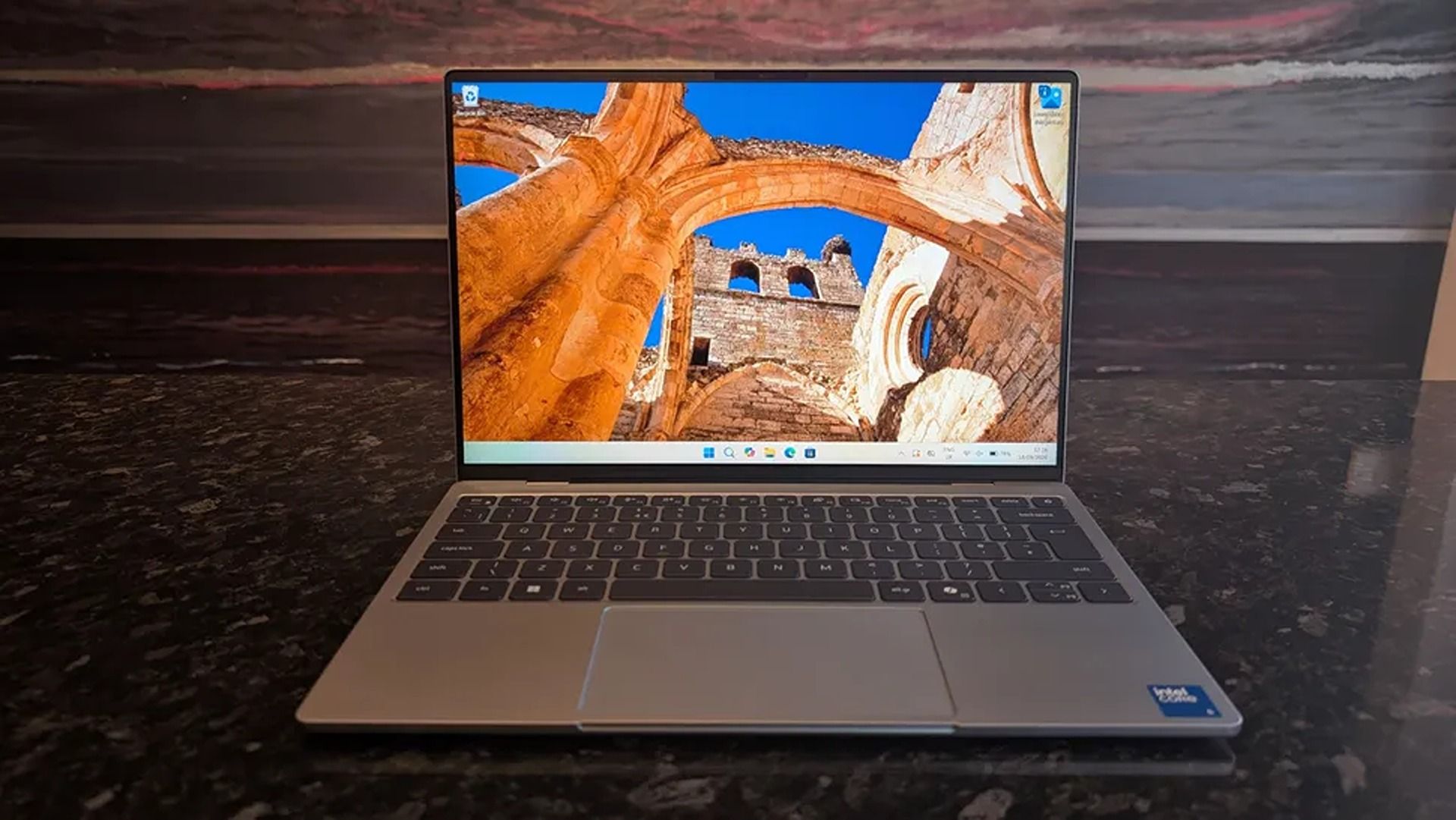
A silver laptop sits on a dark reflective surface, displaying vivid orange sandstone arches and ancient ruins against a blue sky, evoking travel and discovery.

The Dell XPS 13 in action. (Image credit: TechRadar (Christian Guyton) | Dell)

The new Dell XPS 13 has been making waves in the PC market for its shockingly high quality for an entry-level laptop.

Even our Windows laptop connoisseurs Zac Bowden and Cale Hunt were blown away by this laptop, with Cale calling it the "perfect starter PC" and Zac saying, "MacBook Neo's reign as the best deal in computing is well and truly over, all thanks to Dell".

They don't make those comments lightly because the Dell XPS 13 has plenty of features to help it live up to the hype and make it an easy recommendation for beginner PC users, students, and workers.

These include a strong battery life of nearly 15 hours per charge, a 13.4" 3K Touchscreen with 2560x1600 resolution and a 120Hz refresh rate to provide crisp and detailed images and videos, and a solid, thin 0.5 inches thick chassis weighing in at 2.2lb for easy portability.

On top of that, the Dell XPS 13 has a solid and responsive keyboard, a pair of Thunderbolt 4 ports to plug in useful accessories, an IR sensor for facial recognition, great-sounding speakers, Wi-Fi 7 support for faster and more stable internet connections, and decent performance for casual use and mid-level intensive workflows thanks to its Intel Core 5 Series 3 320 CPU and 16GB of RAM.

Can it's RAM and SSD be swapped with different ones?

The Dell XPS 13 laptop's RAM can't be removed and swapped for a different one due to being soldered, so you will need to decide how much RAM it gets during checkout.

Its SSD, however, can be swapped out with a different one, and the Dell XPS 13 supports up to 4TB of storage.

Is it worth waiting until Black Friday?

In the past, we'd recommend waiting until Black Friday for a chance at a better discount, as laptops are usually discounted to their lowest by then.

However, with the ongoing RAM crisis hiking the prices of laptops further and further, who's to say that the Dell XPS 13 won't have a good price by then, even with a Black Friday discount?

With that in mind, it's still worth using Best Buy's 26% discount for the Dell XPS 13 now in case things get worse, especially if you're in a hurry for a high-quality, beginner-friendly laptop.

Click to join us on r/WindowsCentral

Join us on Reddit at r/WindowsCentral to share your insights and discuss our latest news, reviews, and more.
  •  

Cyberpunk 2077 finally gets dual-wielding weapon and more in a new update this week

The long-awaited second season of Cyberpunk: Edgerunners has arrived on Netflix, ready to take viewers on another dark journey through Night City filled with violence, introspection, and vengeance.

To celebrate, CD Projekt Red has announced that it will update Cyberpunk 2077 this week, on October 22, 2026, with a new patch called the "Cyberpunk: Edgerunners 2 Update (2.5)".

New Edgerunners, new chrome, new playstyle? Sounds like we need another REDstreams!Join us this Wednesday, October 21st at 5 PM CEST for a closer look at Cyberpunk: Edgerunners 2 Update (2.5) and some of the features coming to Cyberpunk 2077. We're talking cyberware customization, a new dual-wielding playstyle, and more!Tune in on Twitch, YouTube or Steam:📺 https://t.co/crpXzrC6VR 📺 https://t.co/gQnOGLaa0IOctober 20, 2026

All CD Projekt Red has revealed about the 2.5 update thus far is that it will bring new gameplay features like Cyberware customization and a dual-wielding playstyle to Cyberpunk 2077.

As for the rest of the update's content, you will tune in to CD Projekt Red's REDStream via their official Twitch and YouTube channels and Steam on October 21, 2026, where the developers will unload more details regarding the "Cyberpunk: Edgerunners 2 Update (2.5)."

Are you ready for one more journey into Night City with this update?

Honestly, it's kind of shocking that the player couldn't dual-wield weapons in Cyberpunk 2077 until this update got announced, especially when many characters in the game (including our good old pal, Jackie Wells) are able to.

The closest approximation we had for dual-wielding weapons until now was the Mantis Blade Cyberware upgrade that granted the use of robot Mantis arms to stab people with.

Hopefully this update means I can finally get to gun down enemies while dual-wielding submachine guns or bash Adam Smasher's head in while dual-wielding hammers.

Either way, I'm curious to see what Cyberpunk 2077's update will bring and how it will tie into Cyberpunk: Edgerunners Season 2.

Cyberpunk 2077: Ultimate Edition (PC, GOG): was $59.99 now $22.99

Fight, kill, and survive the dystopian nightmare of Night City and become a legend in the hit open-world RPG, Cyberpunk 2077. The Ultimate Edition combines the base game with its Phantom Liberty DLC into one definitive package.

• Xbox Store Page
• Steam Store PageView Deal

Click to join us on r/WindowsCentral

Join us on Reddit at r/WindowsCentral to share your insights and discuss our latest news, reviews, and more.
  •  

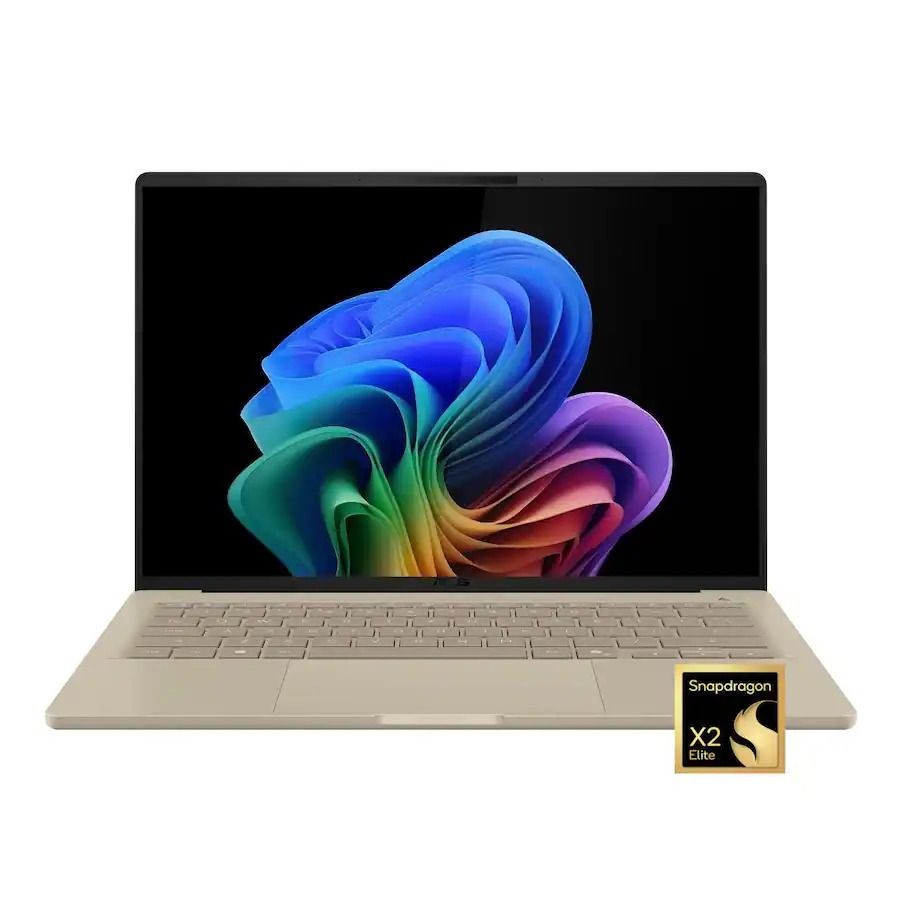
ASUS' Zenbook A14 is still so easy to recommend, especially at this price

There have been few laptops that have completely blown us away with exceptional design, long battery life, and a smooth Windows experience quite like ASUS' Zenbook A14, and it saw a massive upgrade this year with a refresh outfitted with Qualcomm's Snapdragon X2 Elite processor.

Normally, the ASUS Zenbook A14 with its $1,349.99 price tag can seem like a hard sell compared to its cheaper (yet very capable) Snapdragon X Plus predecessor (usually $939.00 — $969.99), and its premium-grade Zenbook A16 sibling with its powerful X2 Elite Extreme CPU ($1,599.99 — $1,899.99).

Thankfully, with this 26% discount, the Zenbook A14 with Snapdragon X2 Elite is now at a smarter price of $999.99 at Best Buy, compared its siblings.

Zenbook A14 laptop (Snapdragon X2 Elite, 16GB RAM, 512GB SSD): was $1349.99 now $999.99

"At a glance, it might feel like the Zenbook A14 didn't change at all, but upgrading to the Snapdragon X2 Elite gave it a massive CPU performance bump." — Ben Wilson, Senior Editor

Windows Central review (32GB RAM): ⭐⭐⭐⭐½View Deal

Why buy the ASUS Zenbook A14?

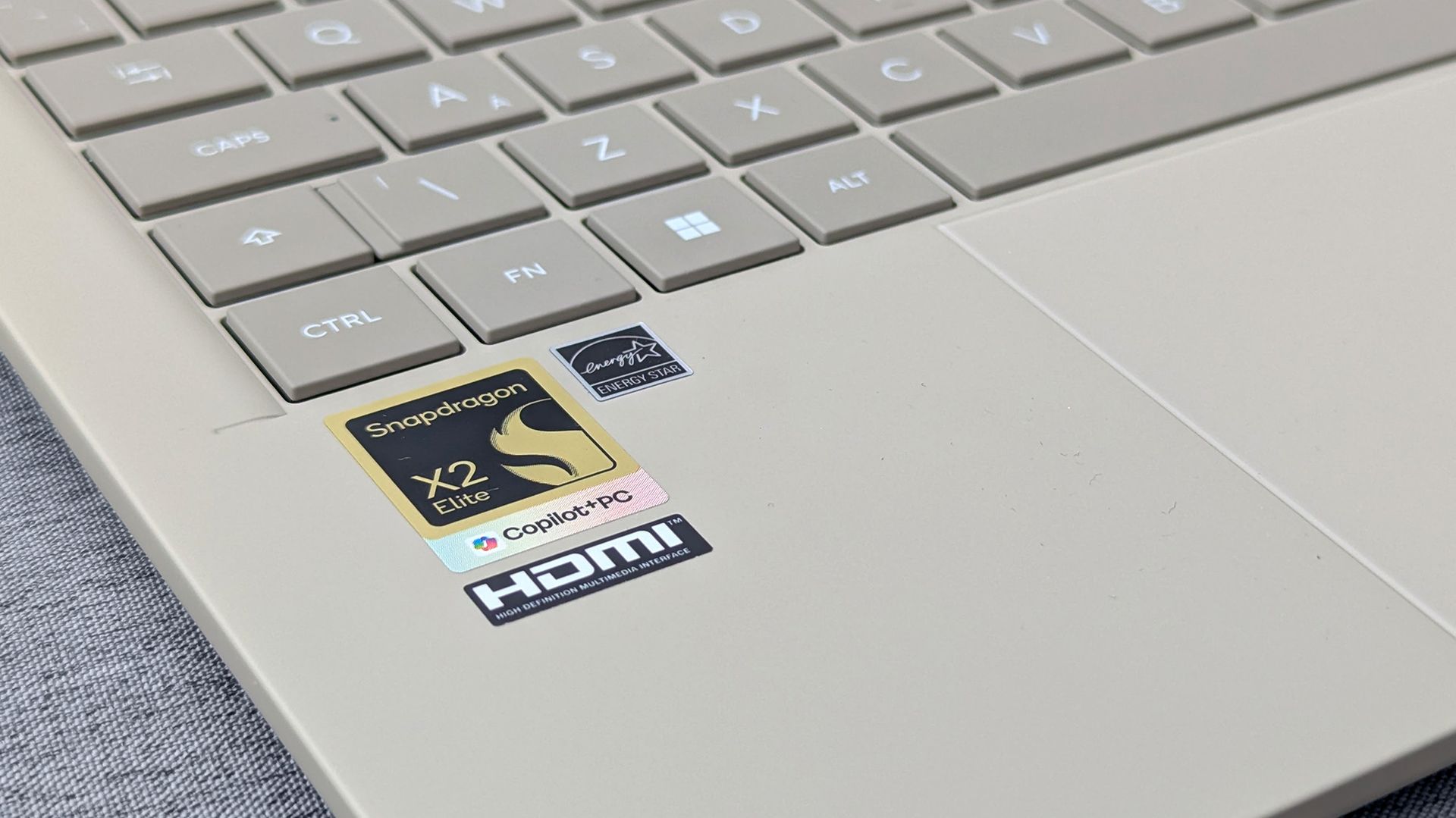
Close-up of Zenbook A14 palm rest with Snapdragon X2 Elite, Copilot+ PC, HDMI, and Energy Star stickers beside light-colored keys.

The Snapdragon X2 Elite logo on the ASUS Zenbook A14. (Image credit: Ben Wilson | Windows Central)

For starters, ASUS' Zenbook A14 laptop with Snapdragon X2 Elite offers vastly superior performance for casual use and heavy workloads compared to its 2025 Snapdragon X Plus predecessor, while also outperforming Apple's M5 chip.

Additionally, this laptop also earned high praise from us for its exceptional battery life of 17 hours per charge, crisp 14-inch OLED display that runs at 1920x1200 resolution with a max refresh rate of 60Hz, and vast selection of USB4, HDMI 2.1, and USB-A ports.

Plus, this version of the ASUS Zenbook A14 laptop also has Wi-Fi 7 support for faster and more stable wireless internet connections.

So, if you're looking for a lightweight, compact Windows laptop that will make mincemeat out of CPU-heavy apps and workflows, then the ASUS Zenbook A14 laptop with the Snapdragon X2 Elite CPU will serve you well in the office or school.

Will my everyday apps and old devices work with it?

Most everyday apps will function on the ASUS Zenbook A14, but older devices like legacy printers or scanners may have compatibility issues with the laptop's Qualcomm Snapdragon ARM-based processor. So make sure you check these older devices before using them on the ASUS Zenbook A14.

Is the RAM and SSD upgradeable?

The ASUS Zenbook A14's 16GB RAM is soldered, so it can't be removed and swapped with a larger one. You will need to select how much RAM it will have during checkout (16GB or 32GB). Its 512GB SSD, on the other hand, can be swapped out with a larger one up to 4TB of space.

Is it worth waiting until Black Friday for a better deal on this laptop?

It depends on your situation and wants. If you can hold out for a few weeks for a chance at a better discount, I'd recommend waiting until Black Friday.

However, if you're in a hurry for a new premium-level laptop for work and are afraid the ongoing RAM crisis will drive the price of this laptop to unaffordable levels in the future, then I'd say take the Asus Zenbook A14 now while its 26% discount is hot (and making its price slightly more on par with the 2025 model).

Click to join us on r/WindowsCentral

Join us on Reddit at r/WindowsCentral to share your insights and discuss our latest news, reviews, and more.
  •  
❌