The long wait for Cronos: The New Dawn's DLC expansion, Cronos: Lazarus, is almost over, as Bloober Team has revealed its release date and price tag.
The expansion will be released on December 3, 2026, for Xbox Series X|S, PC, and PlayStation 5, and will cost $9.99. Additionally, a Nintendo Switch 2 version of this DLC will be released sometime in the first quarter of 2027.
Witness the origins of the Warden in Cronos: Lazarus
Cronos: Lazarus will have players step into the role of the Warden, a mysterious character from the base of Cronos: The New Dawn. In this DLC expansion, you will witness the Warden's story from his beginnings as the Pathfinder to how he became who he is now.
Throughout this adventure, you will uncover dark secrets of the Collective, fight hordes of monsters using new weapons and abilities like teleportation and decoy holograms, and fend off the pursuit of a new enemy called the Tracker.
If you haven't played Cronos: The New Dawn yet, now's the best time to jump in, as Bloober Team is offering the game at a 50% discount on all digital storefronts for the Halloween season.
Step into a grim world where time and space have been twisted beyond repair, humanity has mostly turned into ravenous monsters, and the only way to survive is by travelling to the past to extract souls of the living.
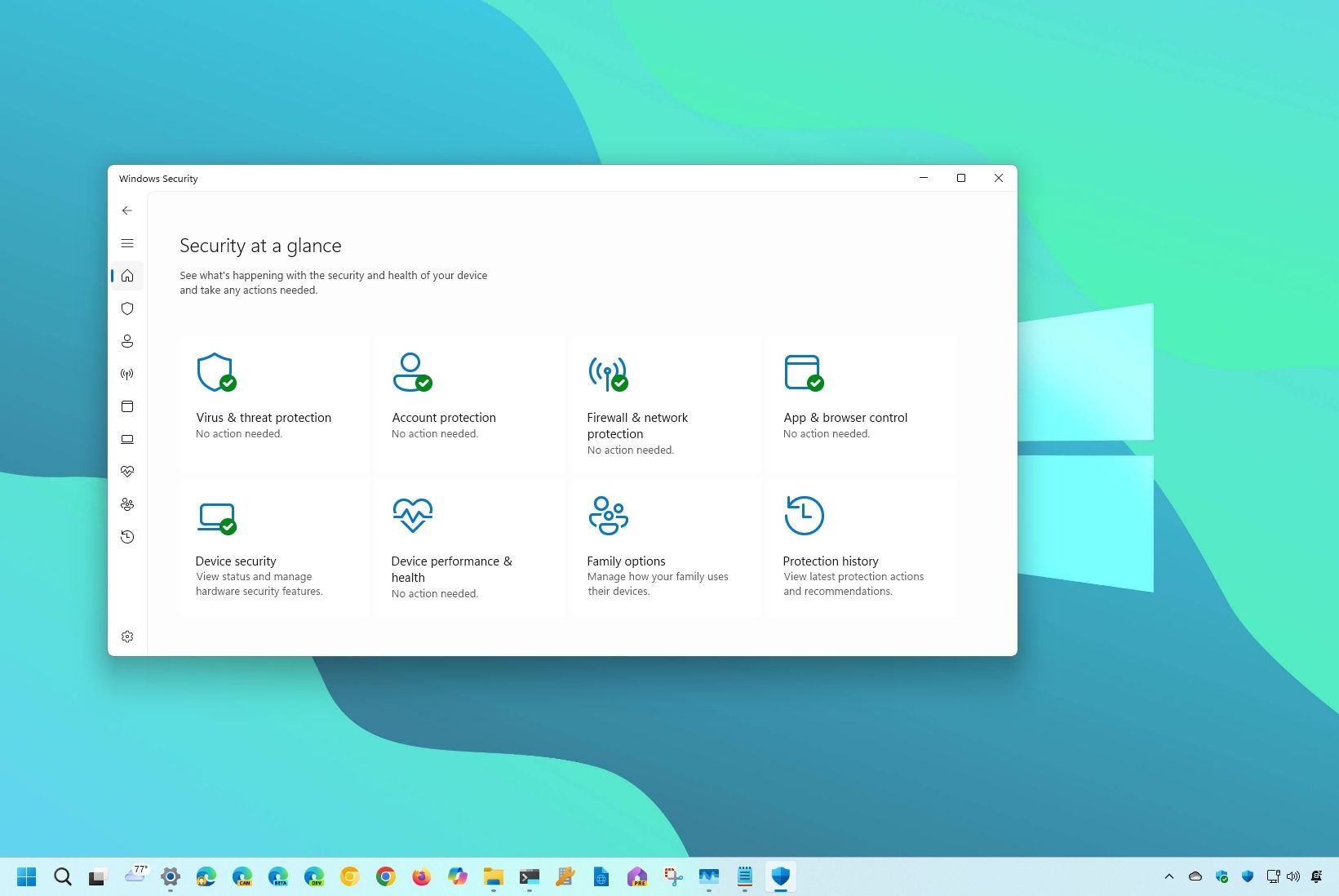
The Windows Security app is about to be redesigned to align with Windows 11. Soon, you will no longer feel like you've booted up a PC from a decade ago when managing the security features on your computer.
Microsoft discussed several changes that are on the way to the app in its latest release notes. The company started sharing Insider release notes for apps earlier this year, including Calculator, Camera, and Windows Security.
The change log describes several updates to the design and user interface of Windows Security. The app already protects PCs through a collection of tools including Microsoft Defender Antivirus, Windows Firewall, and Smart App Control.
The Windows Security app is already functional and does a good job of protecting PCs. Its security tools are also updated regularly, so it's not as if the app needs to be overhauled from a security perspective.
The current version of Windows Security still relies on navigation, layouts, and visual elements that feel noticeably older than Microsoft's modern Windows 11 apps.
Here's what Microsoft plans to do with the Windows Security app, as outlined by the company:
Updated navigation and layouts: Pages throughout Windows Security now use more consistent layouts and navigation, with improved behavior across different window sizes.
Modernized controls and dialogs: Controls, status indicators, typography, spacing, colors, and other visual elements have been refreshed to provide a more consistent experience throughout the app.
Clearer status and actions: We’ve made improvements to how status information and available actions are presented throughout Windows Security.
Improved device security information: On supported managed devices, device security details now load progressively so available information can appear sooner, along with improvements to progress, error, refresh, and performance-monitoring experiences.
Those changes are already available to Windows Insiders as long as they're running version 1000.29680.0.1000 of Windows Security.
The refresh should make Windows Security feel far more at home within Windows 11, bringing one of the operating system's oldest-looking built-in apps in line with modern experiences such as Settings.
Join us on Reddit at r/WindowsCentral to share your insights and discuss our latest news, reviews, and more.
I want to say I’m surprised, but every time something like this happens, I’m reminded of all the other wild developments in the space. I just shrug my shoulders because, yes, of course Halo: Combat Evolved has been ported to Roblox. Why wouldn’t it?
Seriously, though, I have no idea what’s going on under the hood here. If I had to hazard a guess, it starts with Claude and ends with AI. It’s a lot like what’s happening with the Nintendo Switch 2 after a jailbreak was found, allowing Mario Kart World to run on Mac. Or how the PS5 got jailbroken, enabling users to play almost every console game bar the Xbox Series on the device. There are valid concerns with both of those scenarios, but Roblox adds another layer to the mix.
Halo on Roblox is impressive, but it raises some concerns
As a platform, Roblox is often synonymous with predators, shady business practices, and user-generated content that mimics other games, sometimes before they even release. So, you can imagine that Halo: Combat Evolved not just being mimicked, but straight-up ported, sets a worrying precedent. And Halo isn’t the only thing making the jump.
Over the past 24 hours, I’ve seen Left 4 Dead, Counter-Strike, and even a PlayStation 4 emulator running within Roblox. I’m sure all of these will eventually lead to copyright strikes from Xbox, Valve, and Sony, though.
Given the current cost of games, if people have the opportunity to play something for free in Roblox instead of buying it on Steam, there will definitely be those who take that route. But that’s just my take on things.
Let me know in the comments whether you’re worried or excited about what this opens up, and be sure to take part in our poll!
Join us on Reddit at r/WindowsCentral to share your insights and discuss our latest news, reviews, and more.
Call of Duty has revealed Season 1 for Modern Warfare 4, slated to go live on November 6 at midnight ET. That breaks usual tradition for new seasons, and indeed, it's a 5am launch here in the UK. I won't be getting up that early, that's for sure.
While the intel drop is full of information on what DMZ and multiplayer fans can expect, for those still waiting on knowing more about what's coming to Warzone, there's still a wait to be had.
We know that there will be two new maps joining the rotation. Hajin, the DMZ map, will be joining the battle royale mode alongside the returning Verdansk. Whether it's an exact copy or will be tweaked in some way, we'll have to wait and see. Zodiac, the new Resurgence map we already saw during the beta, and it will join the (sigh) returning Rebirth Island.
Warzone fans will have to wait, though, to find out the full details on what the first integration with Modern Warfare 4 will look like, though.
"Play across two new maps in Call of Duty®: Warzone™ as the Season 1 update brings both Hajin and Zodiac, plus the return of Verdansk and Rebirth Island, additional game modes, gameplay features, and more as Modern Warfare 4 becomes fully integrated with the free-to-play game. Keep your eyes on the Call of Duty blog this Monday, November 2, for a separate post and Roadmapfully covering everything coming to Call of Duty: Warzone in Season 1."
We already got a first look at the new Resurgence map, Zodiac, during the Modern Warfare 4 beta. (Image credit: Activision)
It was already confirmed earlier this year that due to Modern Warfare 4 not being available on last-gen consoles, those platforms would not be able to play Warzone once the integration happened.
Players who want to continue can, of course, still use Xbox Cloud Gaming or alternatives such as NVIDIA GeForce Now, and all their previous purchases in Warzone will be permanently applied to their Activision ID.
It'll be interesting to see what the player reaction to Warzone under Modern Warfare 4 is. DMZ has been received pretty positively, though the PvP elements still feel a little unbalanced in my opinion. But the new movement that came with Modern Warfare 4 definitely rewards a slower, more tactical style of play (for better or worse) but then, we all know that Warzone players love to fly around the map. So who knows?
Nevertheless, we'll know a lot more on November 2.
Join us on Reddit at r/WindowsCentral to share your insights and discuss our latest news, reviews, and more.
Call of Duty has announced Season 1 for Modern Warfare 4 will begin on November 6 at midnight ET, and DMZ is already getting a new map.
Future locations have already been teased for DMZ before the launch of the game, but the first one is already arriving a mere two weeks post-launch.
But it's not just a new map; it's quite different to Hajin and is more reminiscent of Building 21 from the original DMZ.
"A previously undiscovered weapons facility — codenamed X01 — has recently been seized by enemy forces. Recent reconnaissance along the northern border of North Korea has determined an infiltration point, allowing for deployment through Hajin. Current data suggests this facility was a GRANIT Arms black site. It appears comprised of a dimly lit, labyrinthian network of passageways, tunnels, and linking chambers surrounding a clandestine weapons assembly line and other, more surprising locations. Appearing to be fully enclosed from the outside world, ground-penetrating radar has revealed multi-floored vertical traversals, where the only reliable edge you may have is the back-up of your squadmates."
I don't know about you but this doesn't look like a very inviting place. (Image credit: Activision)
Expect a fairly strong PvP experience, though apparently that's not the worst thing you'll encounter. We're told it "may be unwise to engage them in head-to-head combat" referring not to players, but to the 100 Spirits NK Faction that is active in the vicinity.
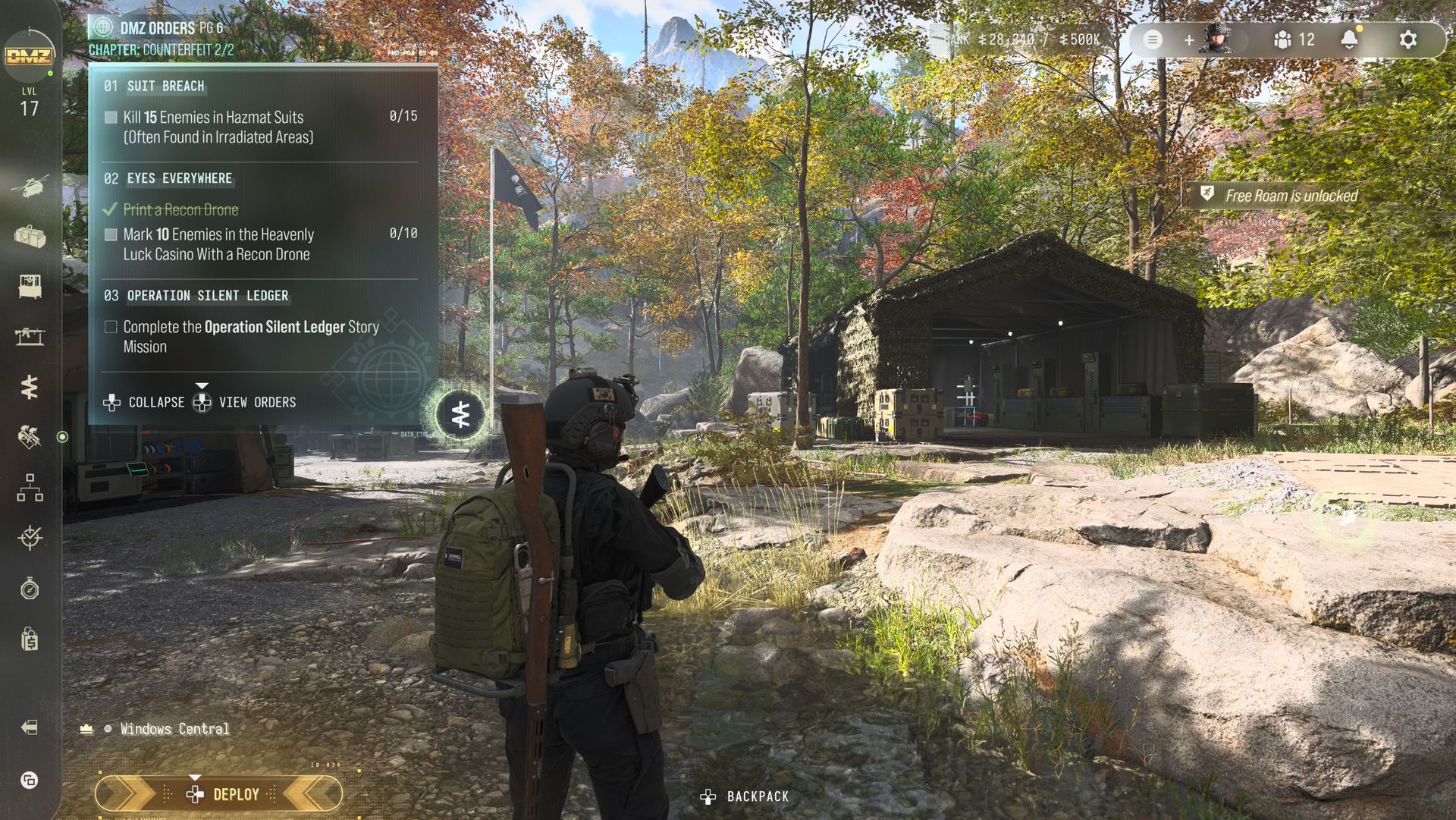
Ghost will act as our Watcher for infils into X01, and alongside the map will be new pages of DMZ Orders for players to complete.
X01 will also be home to a bunch of new enemy types, items, and equipment, though the first two are labelled as [CLASSIFIED]. So you'll need to take the plunge and go see for yourself. But it sounds like the best way to dominate X01 will be to plunder the loot within its walls.
Elsewhere, the FOB will be getting some upgrades, with something new and [CLASSIFIED] for the 3D Printer Station, new weapons and gear at the Vendor which apparently are linked to the BlackCell pass from Season 1 (which you also have if you bought the Vault Edition) and new Lieutenants and Commanders added to the Boss Board.
DMZ has got off to a roaring start in Modern Warfare 4. (Image credit: Cole Martin for Windows Central, Activision)
Season 1 for DMZ also promises two events: Threat Briefing and Resupply Run. The former will see you engaging with either The Captain or a Battle Tank, and in each case extracting parts of their respective armor. The more parts you get, the better the rewards.
Resupply Run is a bit like a trolley dash, but in Hajin, with enemies shooting at you. You'll be tasked with finding specific items to trade in for high-value gear such as Self Revive Kits and 3-Plate Armor Vests.
More events are promised throughout Season 1, but it's definitely a positive to see DMZ frontloaded with content so early on. It requires a decent investment of your time, but so far, it looks like it's well worth it.
Join us on Reddit at r/WindowsCentral to share your insights and discuss our latest news, reviews, and more.
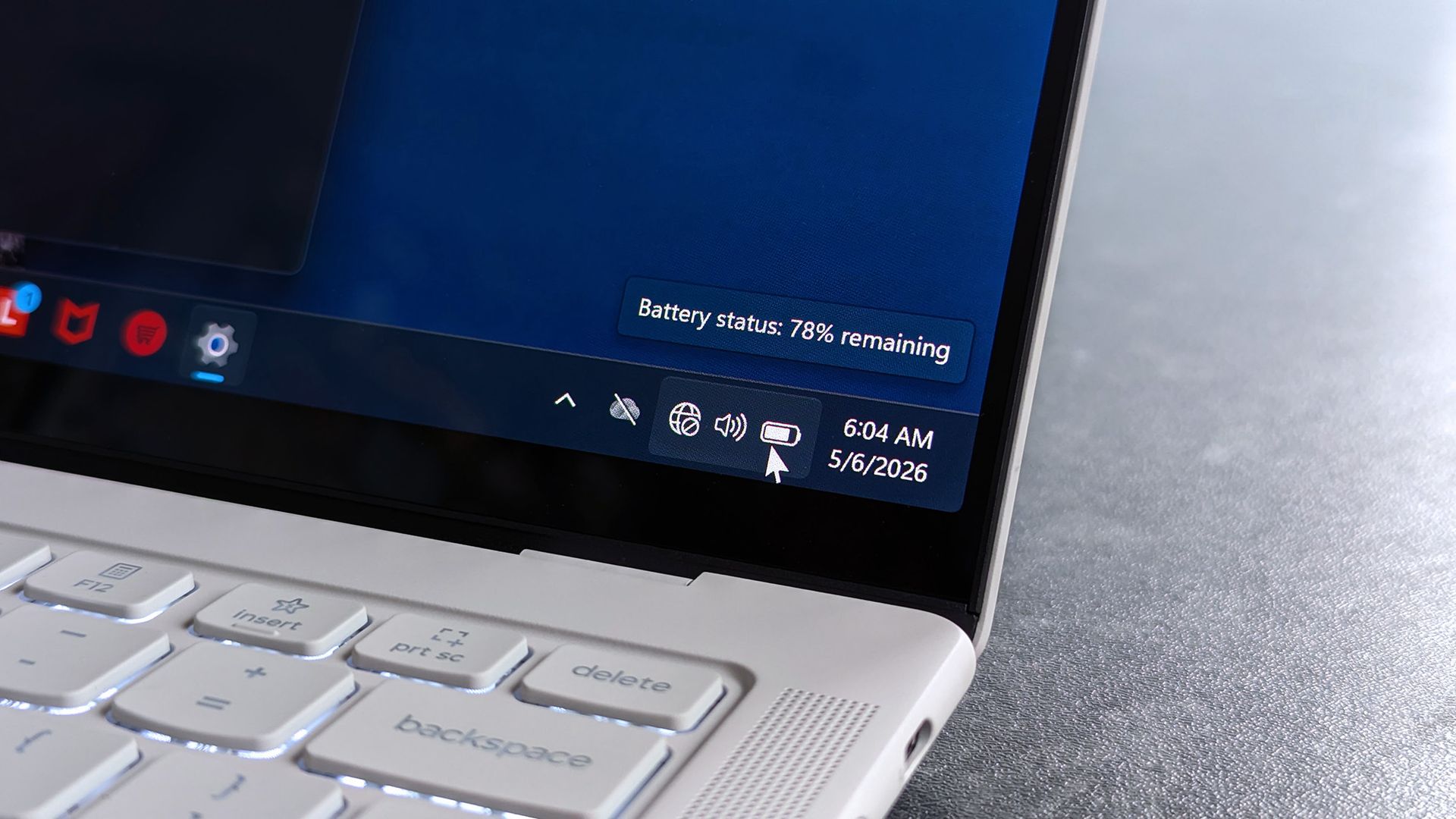
October is the spookiest time of the year, but there are ways to celebrate apart from dressing up or going to haunts. Developer Joe Finney has turned October into "Tray-tober" by releasing a system tray utility each day throughout the month. All of the projects are on GitHub and available to try for free.
Rather than linking 28 separate utilities, I'll just point you to the Tray-tober page managed by Finney. It has a calendar with links to each tool.
It's easy to overlook parts of Windows 11, such as the taskbar, quick settings area, and system tray. Many people leave them set to their system defaults and only interact with them occasionally. But much like a bag on Halloween, Windows 11's system tray can be filled with goodies.
The tools shared by Finney live in the system tray, though they aren't all focused solely on productivity. For example, Tray Battleship, which brings the classic board game to the system tray, shipped on October 3.
If you agree and like small cool apps in Windows, check out my project where I launched a new Windows tray utility every day in October!https://t.co/I2LKSk1hCGOctober 28, 2026
Other tools from Finney include Tray Converter for converting units, Trayulator (a calculator), and Tray Nudge, which reminds you to complete tasks.
TrayRadar shows you a weather forecast from NOAA, and Traysky lets you scroll through Bluesky right from the system tray. Finney has created quite the library of tools to try.
Since we're close to the end of October, almost all of the system tray tools have shipped. Only three more remain, and I'm curious to see what they are. Perhaps Tray Connect 4 is on the way?
One of my favorite tools is PowerDisplay, which is part of PowerToys. It allows you to adjust the brightness of your external monitor without reaching around for physical buttons. I keep it pinned to the system tray for quick access. Now, I can sneak in a quick game of battleship after adjusting the brightness of my monitor.
Join us on Reddit at r/WindowsCentral to share your insights and discuss our latest news, reviews, and more.
World of Warcraft: Forever, the stand-alone, Classic+ take on World of Warcraft, releases next week on November 4, 2026, on PC. To celebrate, Blizzard Entertainment is releasing a series of videos called ‘World of Warcraft: Planet Azeroth’.
It's a Planet Earth-style documentary with a comedic tone that gives viewers a grand tour of Azeroth's many locales that have been reimagined in World of Warcraft: Forever's new lighting and graphical effects.
Along the way, viewers will encounter iconic monsters like Murlocs, Kobolds, and Boars, while taking in vast vistas like the Elwynn Forest, Durotar, and Tirisfal Glades, to name a few.
British comedian/musician Bill Bailey will host World of Warcraft: Planet Azeroth, which will run for three videos (with episodes 2 and 3 releasing on October 30, 2026, and November 1, 2026, respectively) as we get closer to World of Warcraft: Forever's release.
Will World of Warcraft: Forever provide more fun than the Retail version of WoW?
I'm personally intrigued by the existence of WoW: Forever and interested in playing it when it comes out, as I never got to experience the early days of World of Warcraft before all the expansions came out.
This week, the popular gaming chat platform Discord sailed back into the bad books of many users after it announced official plans to make what you say in discoverable servers searchable on Google.
The age verification situation was finally cemented in September when Discord made it official. There wasn't a ton of outcry, whether because users accepted their fate or already ditched Discord for an alternative.
Is it time to raise the pitchforks again? Not quite. Let me explain.
Is Discord's Google search move really that bad?
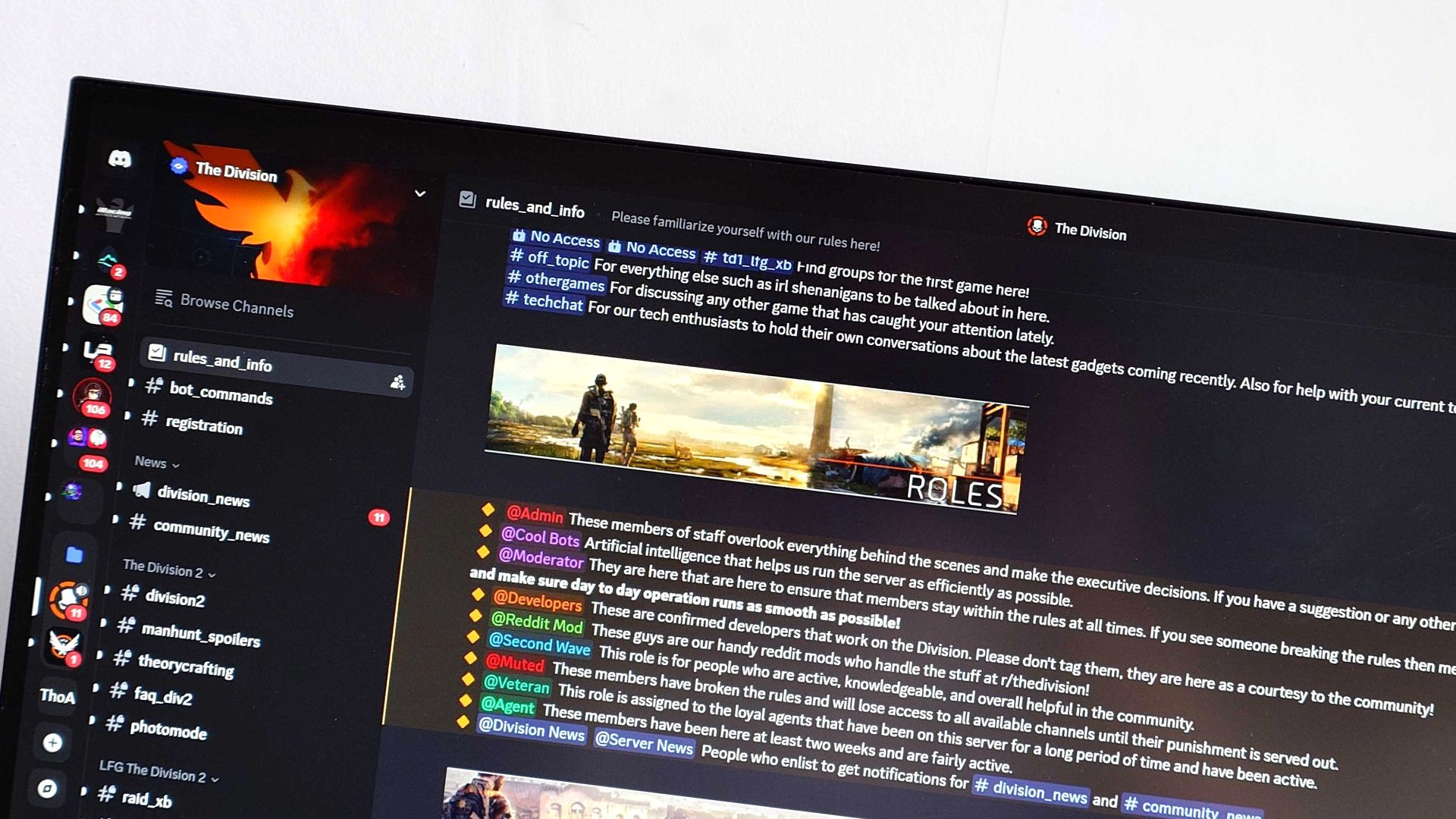
Discord will soon make content from discoverable servers indexable by Google. (Image credit: Future | Discord | Google | Edited with Gemini)
Discord's planned change begins rolling out on November 16, when every discoverable server will receive a server web page. This page is expected to be populated with AI summaries of what users are talking about.
Privacy?
Usernames and avatars will not be included with any text pulled by Google from Discord's discoverable servers.
Discord plans to drop the full change, where your publicly posted words will be discoverable by Google, in mid-December.
This isn't as bad as you think, but it's certainly still invasive. Discord's discoverable servers are not the same as private servers you and your friends use. They're not the DMs you send to other Discord users.
They are the Discord servers that don't require an invite to join and that must have at least 1,000 members. Discord says there are about 63,000 of these servers currently on the go.
Messages you've sent in these servers before the mid-December switch flip won't appear in Google. However, anything sent after the deadline will indeed be searchable.
If you frequent these types of servers and don't want your words appearing in the world's most popular search engine, you can opt out.
How to opt out of Discord's discoverable server Google search changes
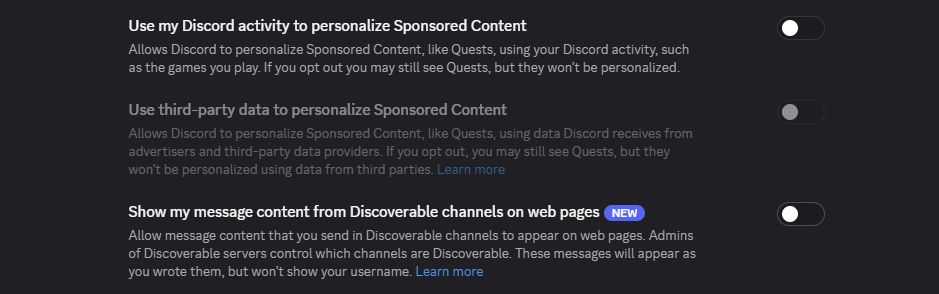
Users can hit this one toggle to negate the changes. (Image credit: Future)
Don't want what you type in certain Discord servers to show up in Google? Here's how to opt out.
Click the User Settings button in the Discord app. It's a gear located in the bottom-left corner.
Click Data and Privacy.
Ensure the toggle next to "Show my message content from Discoverable channels on web pages" is turned off.
As far as I can tell, that should do the trick. Keep in mind that your messages from before the switch won't be indexed, so there's not much reason to go back and delete posts you've made in the past.
If you run a server and are not sure if it's discoverable, Discord has a full guide on how to enable, disable, and configure the setting.
Windows Central's take
Is Discord's upcoming change really that bad? No. (Image credit: Windows Central)
Discord's angle here is that it wants valuable content created in discoverable servers to be found by a much larger audience.
It imagines a richer collection of game guides, tips, and tricks in Google now that it's opening up its content, and for that I don't blame the company.
The fact that this change comes with so much heads-up time, as well as easy-to-find toggles to disable, makes it easy to negate. Just be sure to hit the right toggles before Discord makes the switch mid-December.
Join us on Reddit at r/WindowsCentral to share your insights and discuss our latest news, reviews, and more.
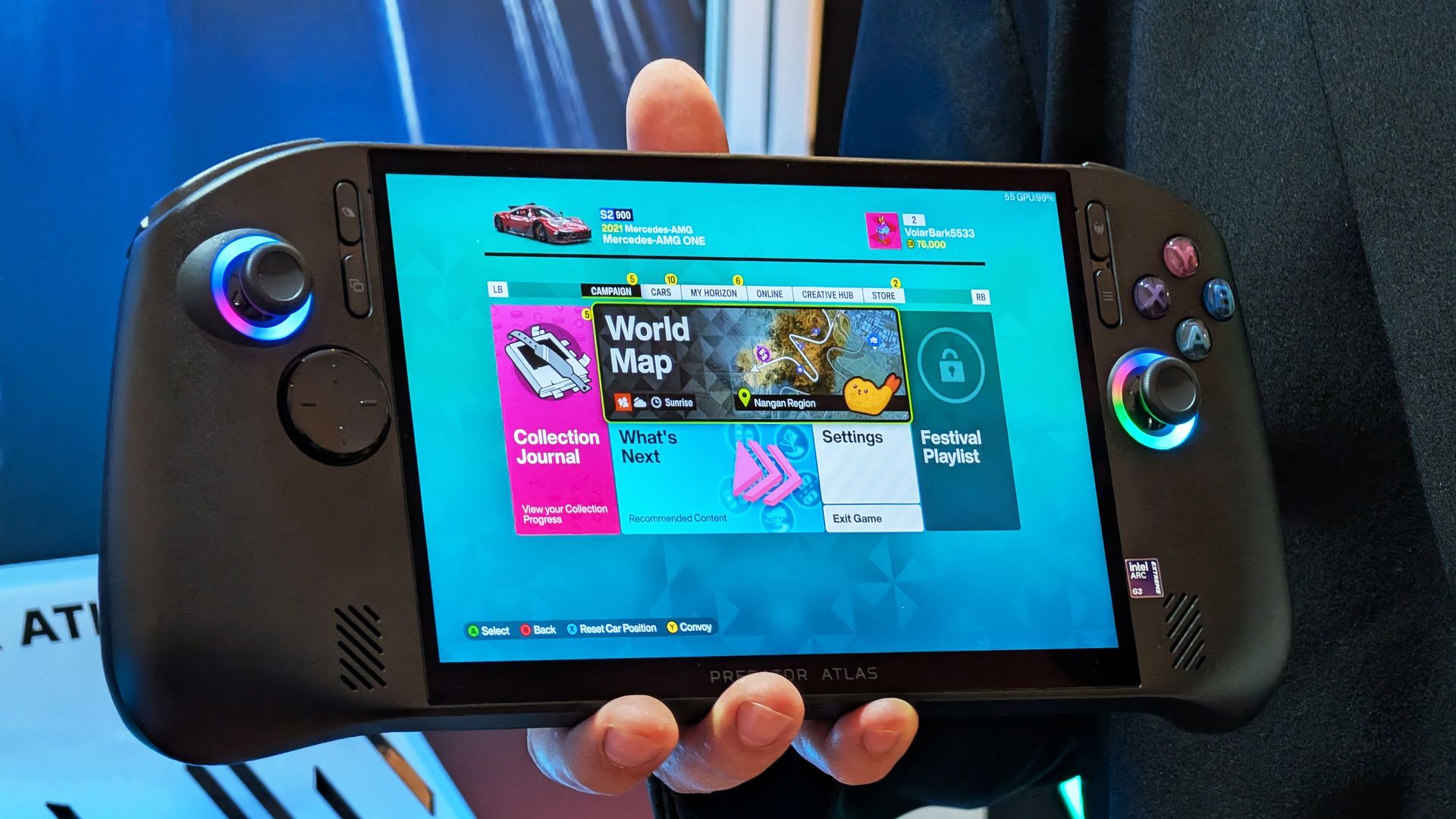
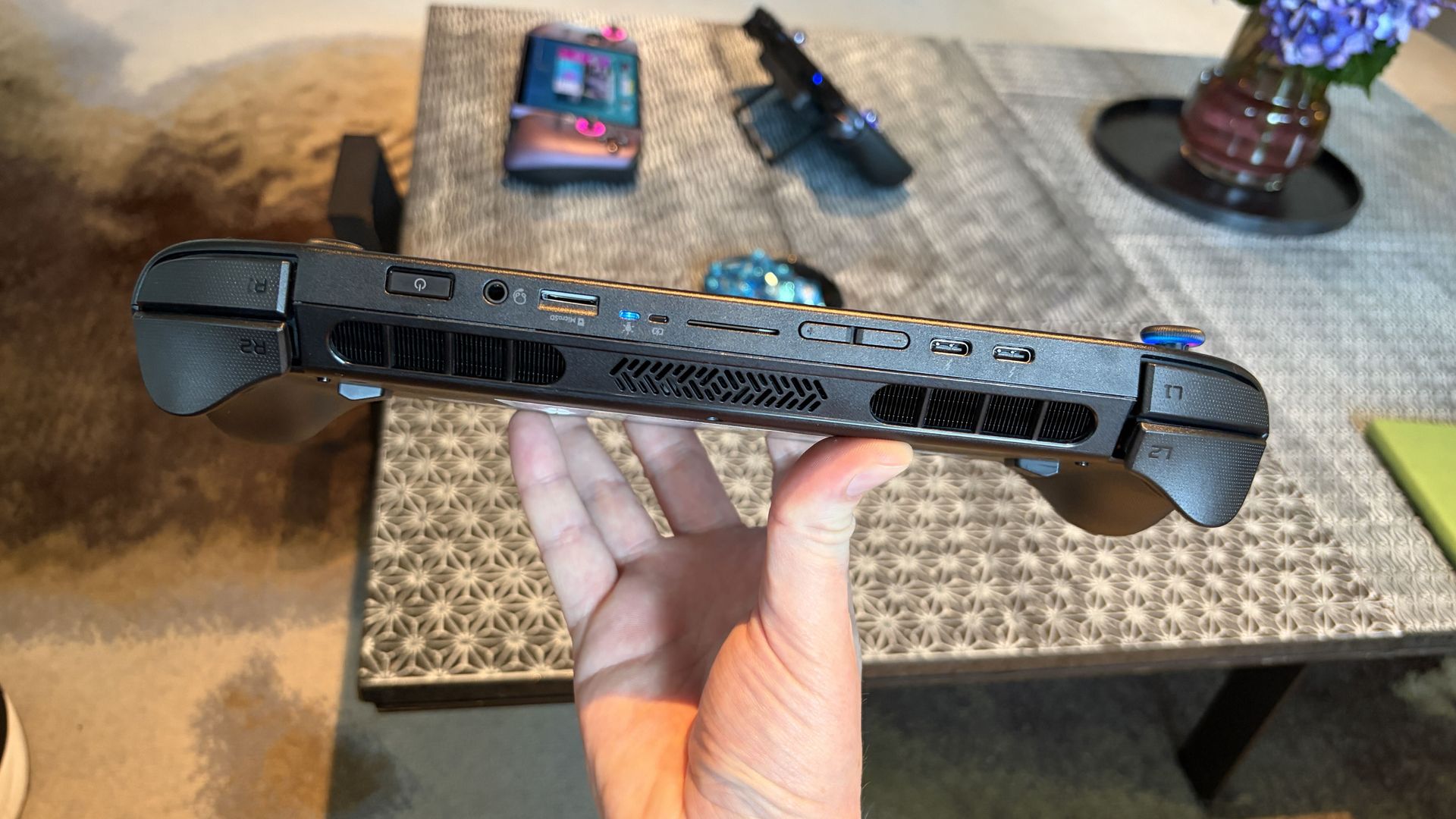
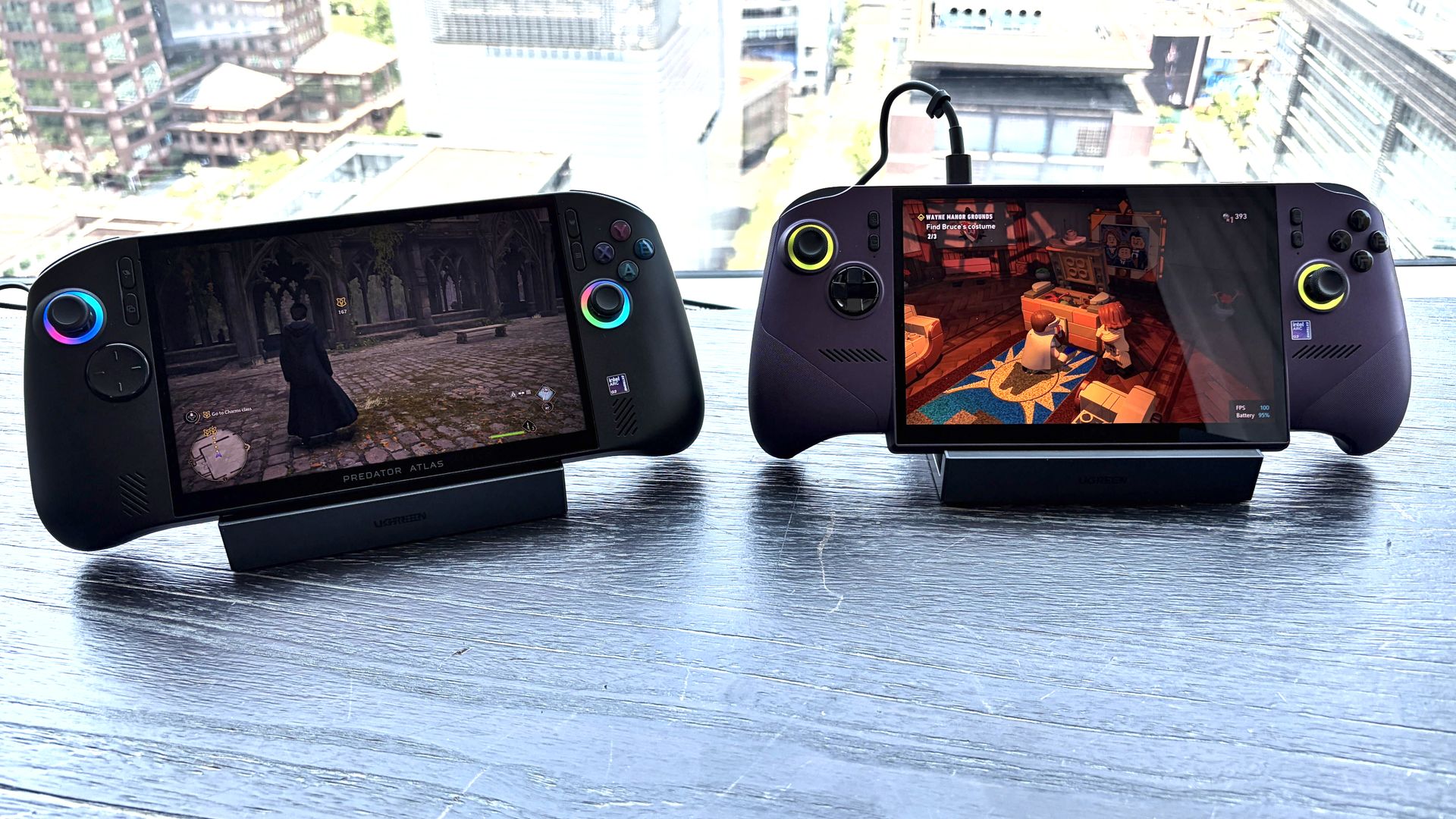
The new Acer Predator Atlas 8 gaming handheld, featuring Intel's latest G Series chips, finally went up for pre-sale in the US on October 23, with full launch slated for November 1.
Here's where Acer's new handheld packing the same Intel G3 Extreme chip offers a big surprise for shoppers. It's priced at $1,299.99 at Best Buy. Or at least it was, for the Best Buy page preorder has since been removed. I'm not exactly sure why — maybe Acer is reconsidering the post-launch price now that preorders are in.
In any case, seeing a handheld with the same powerful mobile chip inside as the MSI Claw 8 EX AI+ launch for $500 less should be on every gamer's radar. But how is Acer undercutting the competition by so much?
How does Acer charge $500 less for its Intel Arc G3 Extreme gaming handheld?
Intel's new mobile chips are designed specifically for handhelds, delivering considerably improved performance and efficiency compared to the AMD Ryzen Z2 Extreme chips so common to the form factor.
On paper, the Acer and MSI devices are quite similar. Both feature the flagship Intel Arc G3 Extreme chip, with 14 cores, a 4.7GHz top clock speed, and a faster Arc B390 integrated GPU compared to the standard Arc G3 chip.
Both devices use an 8-inch IPS display with 1920x1200 resolution, 120Hz variable refresh rate, 500 nits brightness, and 100% sRGB color reproduction.
Both have Thunderbolt 4 ports and Wi-Fi 7. Both have Hall Effect triggers and joysticks. Both use an 80Wh battery. So what's the deal?
Based on my (limited) time with the Predator Atlas 8, it looks like the big price difference comes down to build quality and configuration specs.
Let me get the biggest difference out of the way first: the $1,799.99 MSI Claw 8 EX AI+ ships with 32GB of RAM and a 1TB SSD. The Acer Predator Atlas 8 pares that back to 24GB of RAM and a 512GB SSD.
Considering the price of storage and memory these days, this difference likely helps make up a huge chunk of the difference.
Otherwise, as I noted in my Intel Arc G3 Extreme hands-on piece, Acer's device has triggers that don't feel quite as snappy as MSI. The reverse can be said for the joysticks, where I believe Acer has MSI beat.
Audio from both devices was good, and although Acer's Predator Atlas 8 is smaller and ultimately more portable, I found both handhelds to be comfortable to hold.
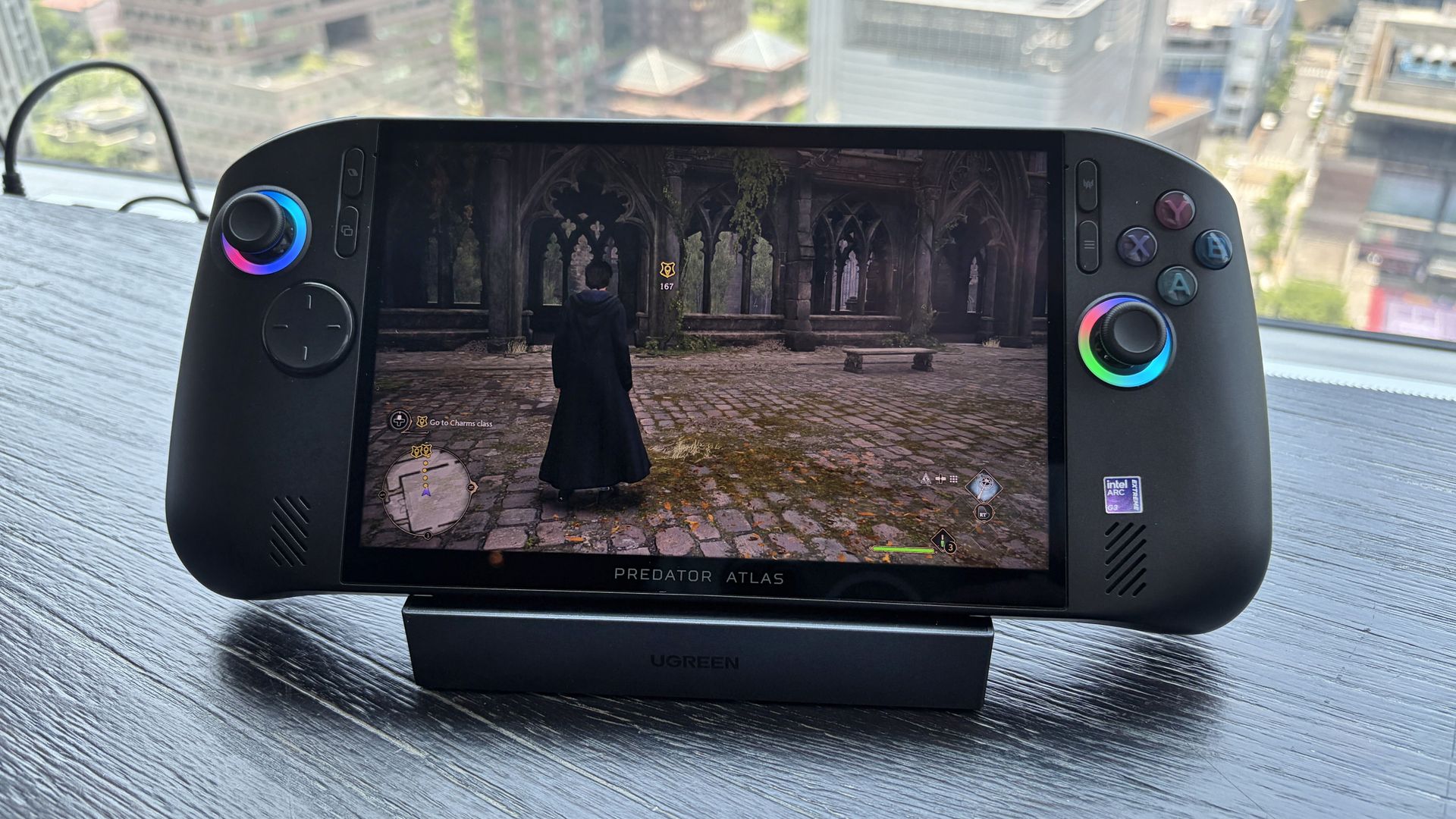
In terms of performance, the Predator Atlas 8 was running demanding games like Hogwarts Legacy and LEGO Batman: Legacy of the Dark Knight at a cool, smooth clip.
I'll have to do more testing once Acer's handheld actually arrives here for testing, but I don't expect it to perform any worse than MSI's new Claw.
Bottom line? It's the disparity in RAM and SSD configurations at launch that's helping keep Acer's gaming handheld at a much more reasonable price.
Is Acer's $1,299.99 Predator Atlas 8 actually cheap?
The Predator Atlas 8 feels good to hold and features many similar high-end features as the MSI Claw 8 EX AI+. (Image credit: Future)
That's not quite the case for Acer's Predator Atlas 8, especially with console prices on the rise, but that doesn't make it affordable.
Keep in mind that the Steam Deck, which kicked off the gaming handheld craze, launched at just $399 in 2022.
No, the Steam Deck isn't nearly as powerful as the new Arc G3 devices, but it was priced to sell. Is Acer's Predator Atlas 8 affordable relative to today's overall market? Absolutely.
As mentioned, the Predator Atlas 8 Best Buy preorder page is down at the time of writing this piece. Check back soon, especially after November 1, when the handheld actually launches, to see if prices have changed.
Join us on Reddit at r/WindowsCentral to share your insights and discuss our latest news, reviews, and more.
Xbox's Year in Review feature, which lets players look back on their favorite games and greatest achievements, has been missing for over 2 years; the last one was in 2024, and in 2025, players had to turn to fan-made alternatives.
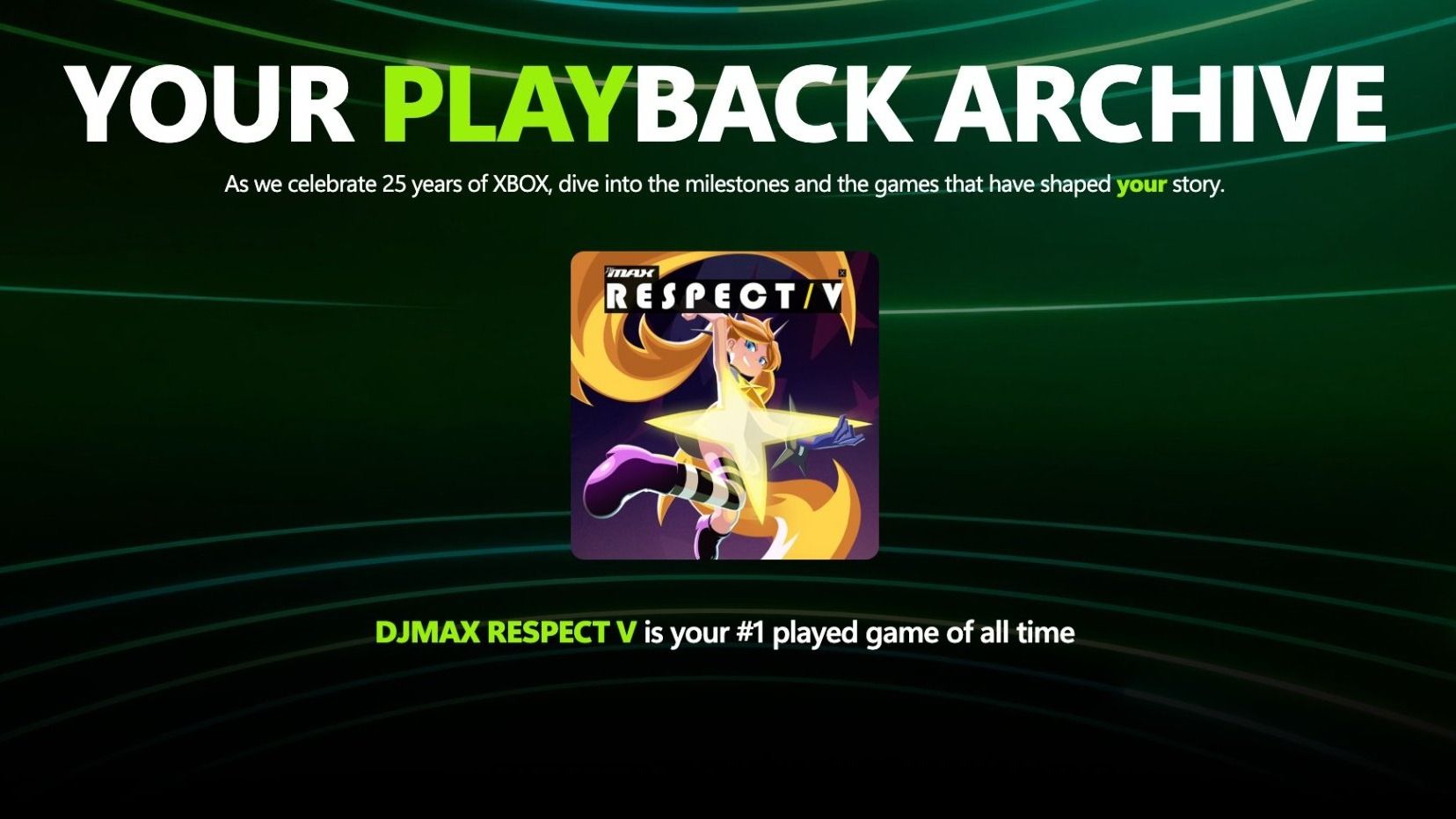
However, it appears Microsoft is finally looking to bring back Xbox Year in Review, but it will be reborn as a new feature called "Xbox Playback" in honor of Xbox's 25th anniversary.
This discovery comes from X user @redphx, who has uploaded images of this system in action (and we can confirm with our sources that it is real). It lists his most-played game of all time, total playtime across all platforms, total number of games played, rarest achievement, and much more.
However, @redphx notes Xbox Playback is bugged right now, as it listed the Xbox One as their first console despite never seeing or owning it, and mentions the Xbox Series X was their first console.
@redphx mentions Xbox's "Year in Review" tab page will be replaced with "Playback" at https://xbox.com/playback, but the link is currently not publicly available.
Not that I'm complaining, of course. It's cool to see Xbox Year-in-Review coming back, but this time detailing your entire Xbox career instead of just the past year. So I'm looking forward to seeing the final product in action when Xbox Playback gets officially announced.
Could these be part of a series of more updates coming to Xbox platforms when the brand's 25th anniversary lands on November 15, 2026? We'll have to wait to find out.
Join us on Reddit at r/WindowsCentral to share your insights and discuss our latest news, reviews, and more.
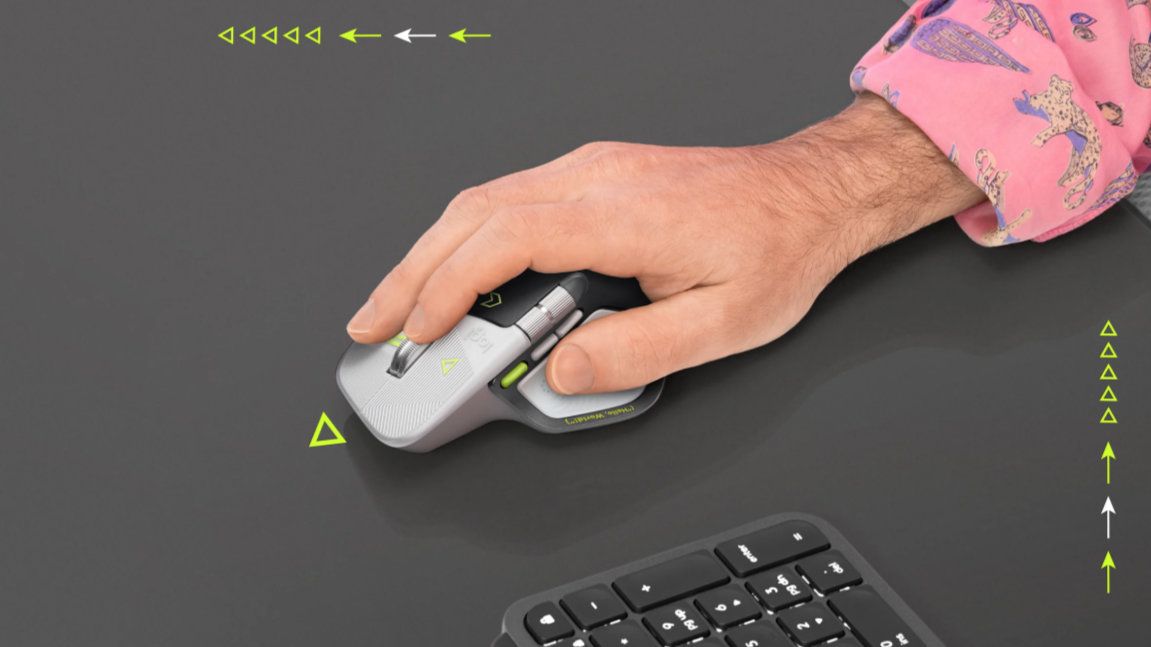
One of the most talked-about mice of 2026 now has a developer edition. The Logitech MX Master 4 earned a near-perfect score from our colleagues at Tom's Guide back in February. The mouse then received a significant upgrade that allows its haptics to work with Windows 11.
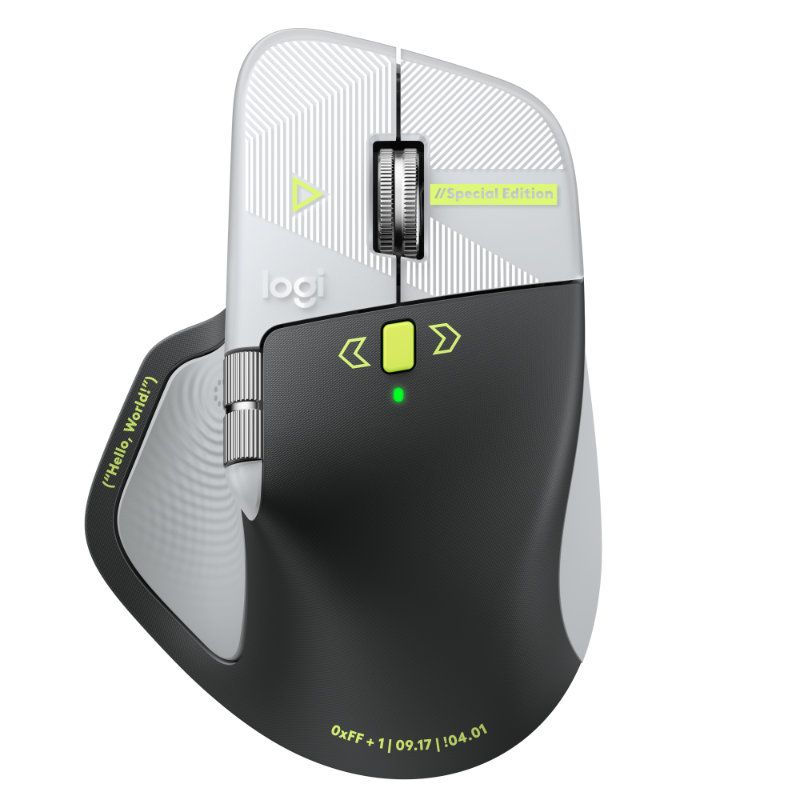
The Logitech MX Master 4 Developer Edition has several Easter eggs and nods to developers, such as syntax annotations and markup tags that are laser-etched onto the mouse. It also features some important dates along the bottom of the mouse, including 09.17 (Linux kernel release date) and !04.01 (World Backup Day).
The mouse went live on Logitech's website this week, but it's currently only available for pre-order. The Logitech MX Master 4 Developer Edition is expected to start shipping on October 31, 2026.
As for the mouse itself, it has the same feature set as the regular Logitech MX Master 4. It's a premium mouse with a bunch of customization options and a DPI that can be set from 2,000 to 8,000. It's the successor to the Logitech MX Master 3S, which Tom's Guide called the king of mice.
The mouse has a plethora of buttons and wheels that can be customized, including setting commands on a per-app basis.
The side of the Logitech MX Master 4 has a touchpad for gesture controls and a button that opens Logitech's control ring (which can be used to perform commands).
The Logitech MX Master 4 was one of the first devices to support haptics on Windows 11. The new haptic system sends feedback signals when you perform certain actions on a PC. For example, toggling a setting on or off in the Windows Settings app makes supported hardware give a little bump.
Logitech's flagship mouse has a wide range of buttons and wheels that can be customized to different commands, as well as a gesture pad on the side. The developer edition of the mouse has nods to coding and development as well as a unique colorway.View Deal
What are haptics on Windows 11?
The new haptics in Windows 11 are a subtle addition that improves the overall experience of using a PC. Our Senior Editor Zac Bowden discussed the feature right after it launched:
"This is the kind of quality of life upgrade that I love to see. Windows has sorely lacked niceties like this in its UI and UX design over the last couple of years, so it's great to see Microsoft back on the horse and taking pride in the overall Windows experience like this. It's not a necessary addition, but it's an addition I'm so glad they've added regardless."
The new haptic system requires supported hardware. The Logitech MX Master 4 was among the first wave of supported devices, alongside the Surface Laptop 8. The new Surface Mouse also supports haptics.
Logitech is sending over a Logitech MX Master 4 for us to take a closer look at. I'm excited to have a mouse that adds a bit of color to my mostly black accessory setup.
Join us on Reddit at r/WindowsCentral to share your insights and discuss our latest news, reviews, and more.
Not everyone needs a premium Windows laptop with flagship performance. Sometimes, all it takes is a PC to handle email, Office apps, web browsing, and video calls with strong battery life and a crisp display to get the job done.
Some modern mid-range laptops have become a tougher sell as prices continue to climb from the ongoing memory crisis. Thankfully, Amazon's time-limited deal has dropped HP's OmniBook 5 laptop to $789.99 after its price has fluctuated over the past year. While it isn't a lowest-ever drop, it's certainly a fairer price.
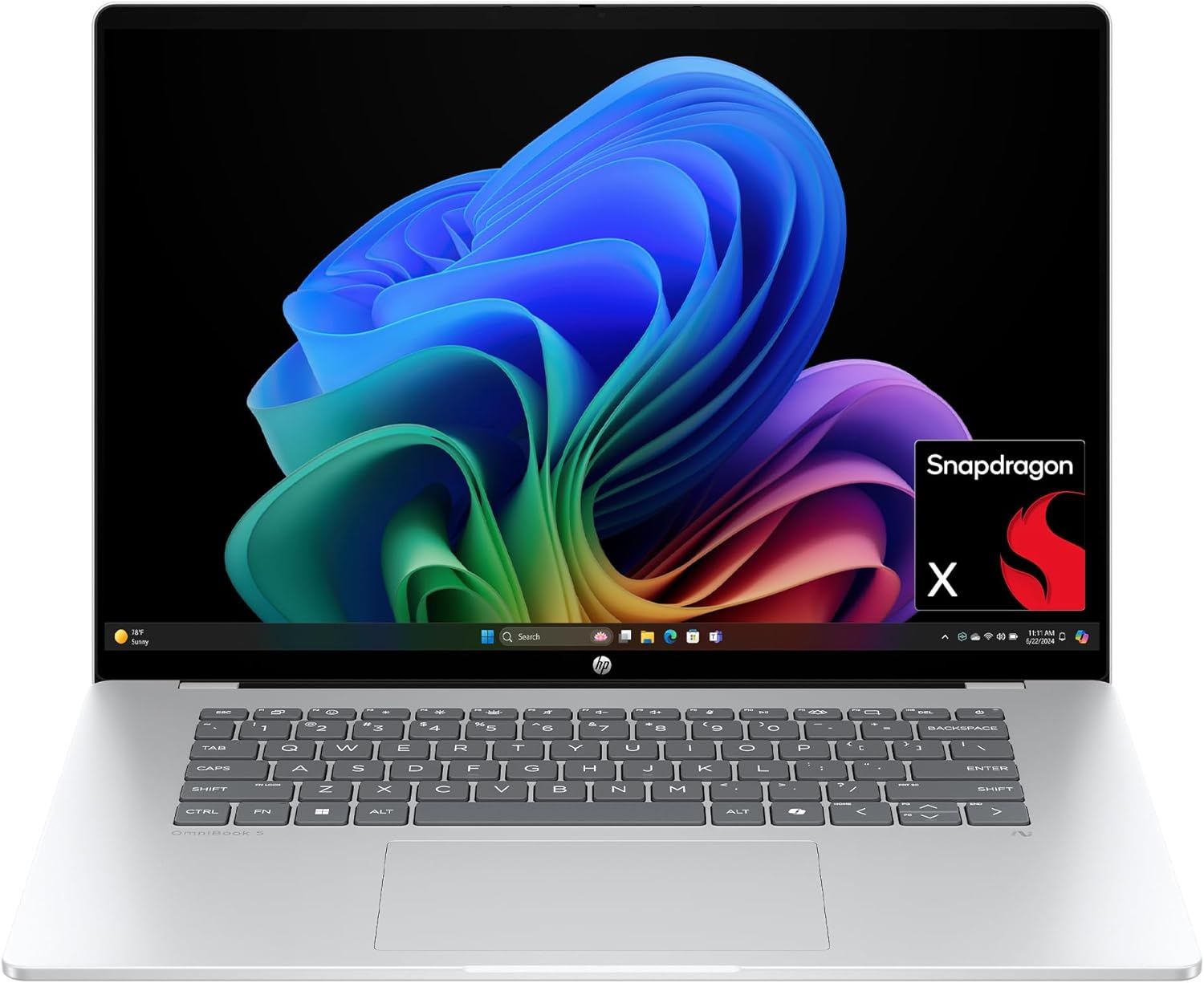
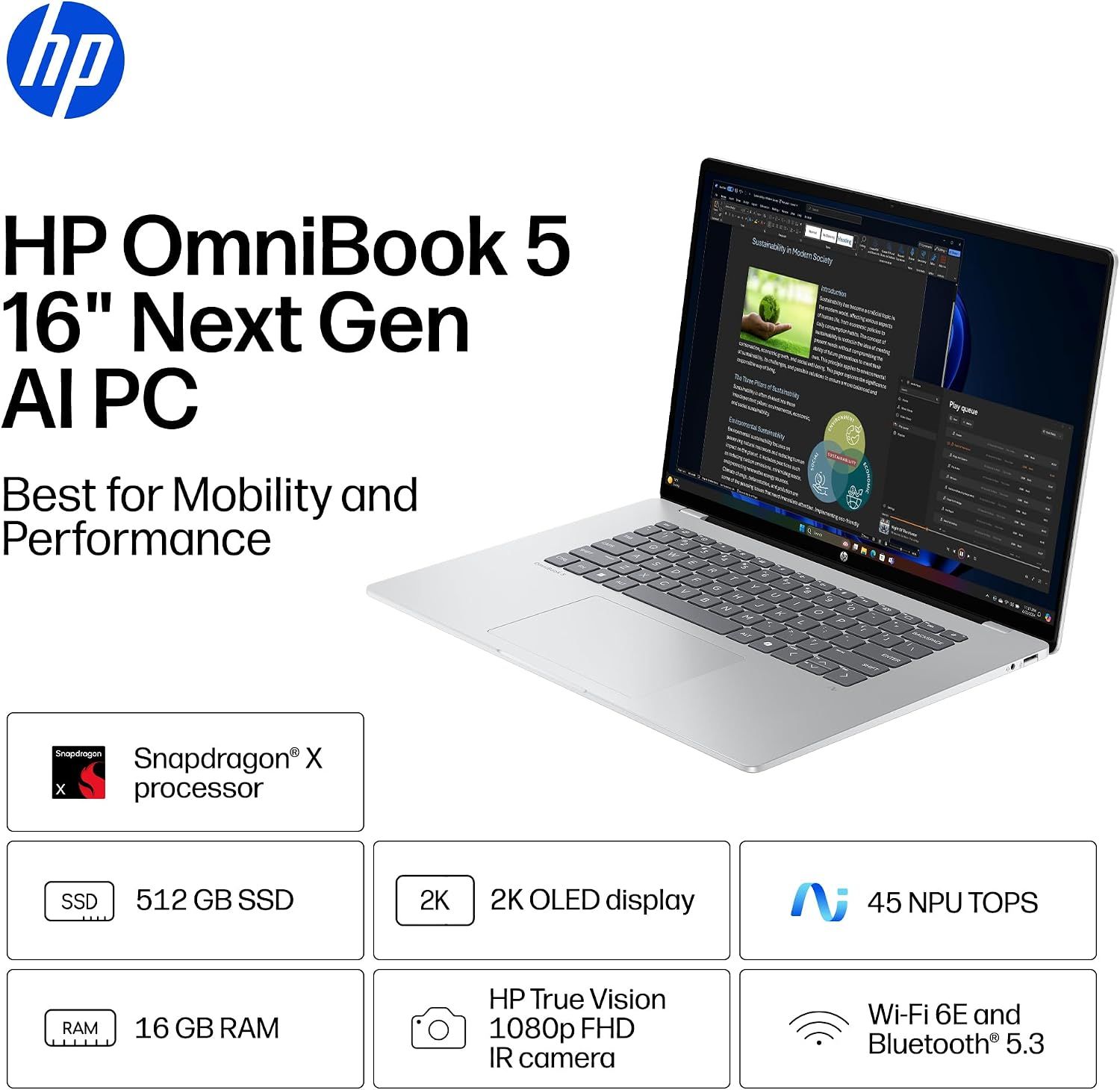
The HP OmniBook 5 is a commendable laptop for everyday and work-heavy use with its 16-inch 2K OLED display, Snapdragon X CPU, 16GB of RAM, 512GB SSD, and Qualcomm Wi-Fi 6E and Bluetooth 5.3 connectivity.View Deal
Why buy this laptop?
Spec highlights for the HP OmniBook 5 16-inch laptop. (Image credit: HP)
This laptop features Qualcomm's Snapdragon X processor and 16GB of RAM. Pair that with an NPU capable of 45 TOPS, and the HP OmniBook 5 can handle web browsing, mid-level productivity tasks like typing reports, and local AI-empowered tasks.
It also features a 512GB SSD to store data, a thin design that's able to keep itself cool, a 2K OLED display capable of rendering images with sharp images and vibrant colors to give your work greater clarity, and best of all, a massive battery life of up to 34 hours and 45 minutes before needing a recharge.
So if you need a laptop that will last you all day at the office and doesn't require heavy-duty engineering, the HP OmniBook 5 should be on your list for your next choice.
Can I upgrade its RAM?
No, you can't upgrade the HP OmniBook 5 16-inch laptop's RAM as it's soldered in place.
Can I run everyday apps on it?
Mainstream apps like Microsoft Office, Google Chrome, and Zoom will run on the Windows on ARM-based HP OmniBook 5 with no issues. However, advanced Adobe apps like Premiere Pro and After Effects, legacy printer drivers, and older, niche enterprise software or corporate-specific VPN clients may need extra effort.
Should I wait for Black Friday for a better deal?
It depends on whether you're willing to wait until Black Friday for a bigger discount or if you're in need of a new laptop for work/casual use right now and don't have time to wait for a killer deal. Nevertheless, this is a fair price for its specs.
Join us on Reddit at r/WindowsCentral to share your insights and discuss our latest news, reviews, and more.
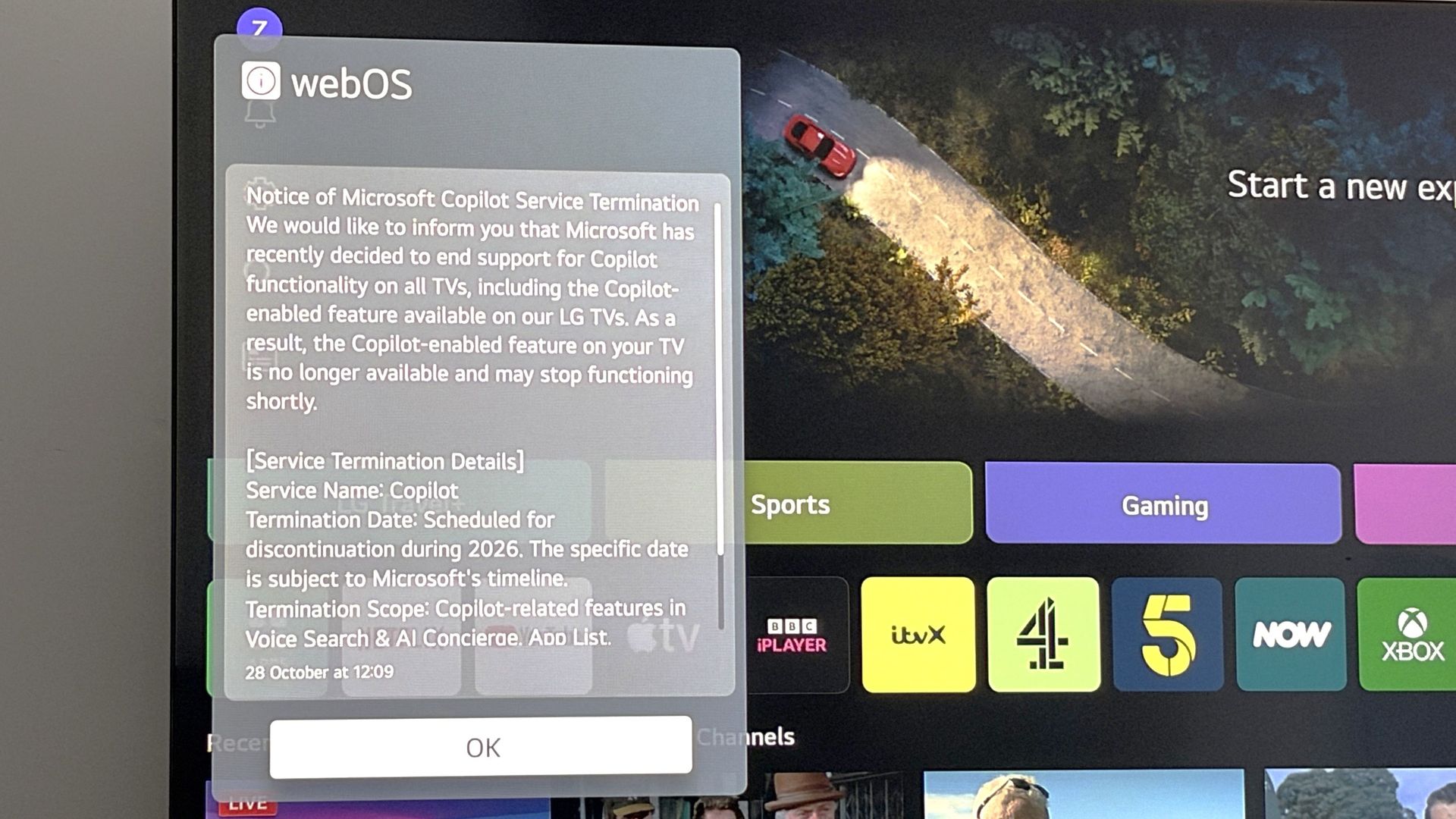
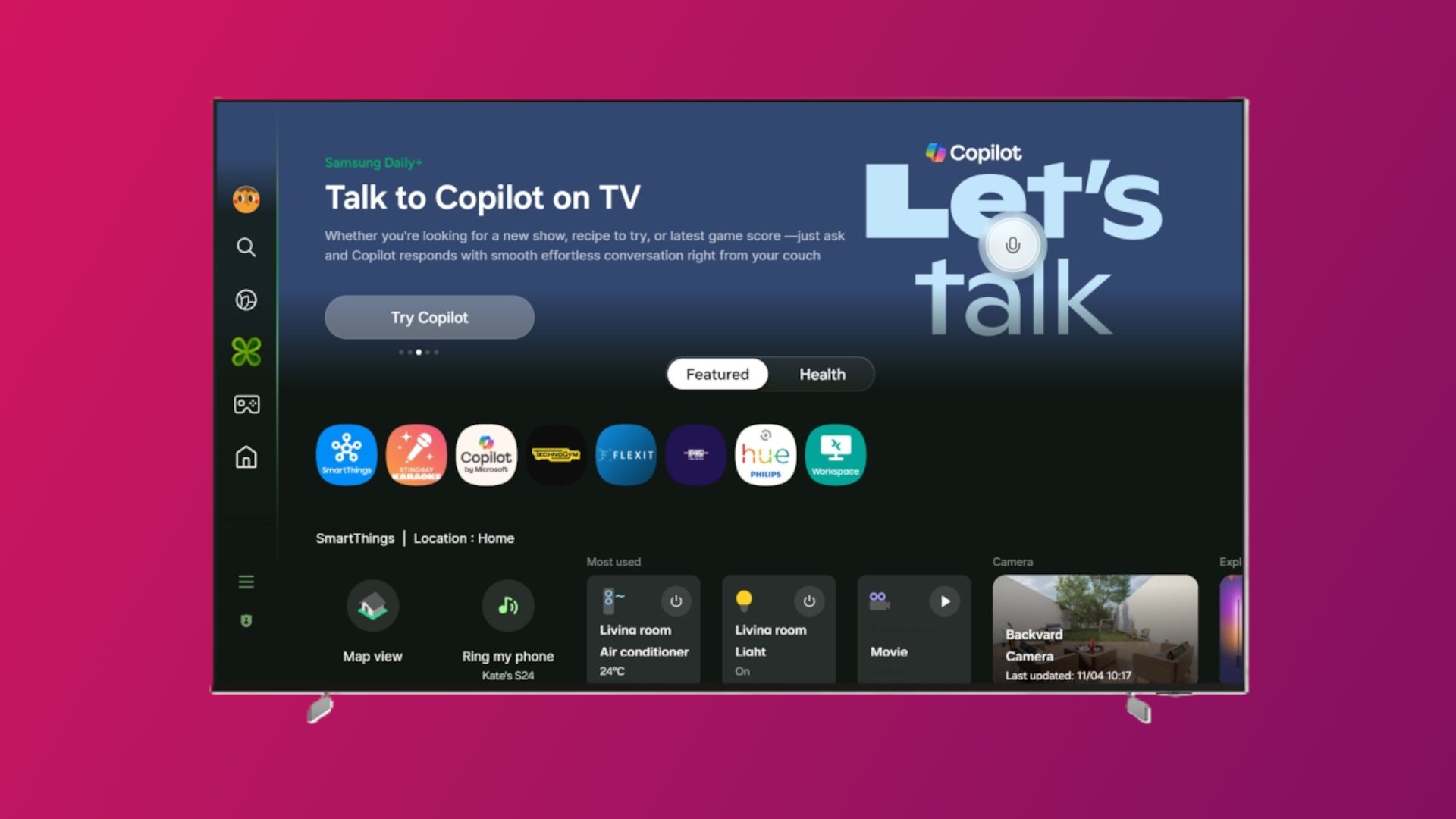
LG has announced that Microsoft is ending support for Copilot on smart TVs at some point between now and the end of this year. In a popup that appeared on my webOS-powered LG TV this morning, LG confirmed that Microsoft is ending support for Copilot on all smart TVs.
The notice reads:
"We would like to inform you that Microsoft has recently decided to end support for Copilot functionality on all TVs, including the Copilot-enabled feature available on our LG TVs. As a result, the Copilot-enabled feature on your TV is no longer available and may stop functioning shortly."
LG says Microsoft is yet to confirm which date Copilot support will end on smart TVs, but that it's expected to happen before the end of 2026. This move doesn't come as much of a surprise as I don't think I know anyone who has ever actively used Copilot on their TV.
The popup that confirmed Copilot is saying bye-bye to TVs. (Image credit: Zac Bowden / Windows Central)
Copilot acted as an AI powered companion that could answer questions based on content on your screen. You could also use it to recommend TV shows and movies, and chat to it generally like you can on other devices. The app was forcibly installed on LG and Samsung TVs in the last year, which caused big pushback from customers online.
Microsoft has also changed course with Copilot since. It's no longer interested in positioning Copilot as a digital friend for personal use. Instead, it's actively targeting productivity and business use cases for Copilot, which means Copilot on TV no longer makes sense for Microsoft.
The company recently merged its Microsoft 365 Copilot and consumer Copilot under the same app, meaning there's no longer a dedicated personal Copilot app for users who wanted to make a digital friend. Copilot on TV is the latest consumer facing version of Copilot to kick the bucket.
We'll be sure to update this article once Microsoft confirms an exact end of support date for Copilot on TVs. For now, what do you think about the current state of Copilot? Let us kow in the comments.
Join us on Reddit at r/WindowsCentral to share your insights and discuss our latest news, reviews, and more.
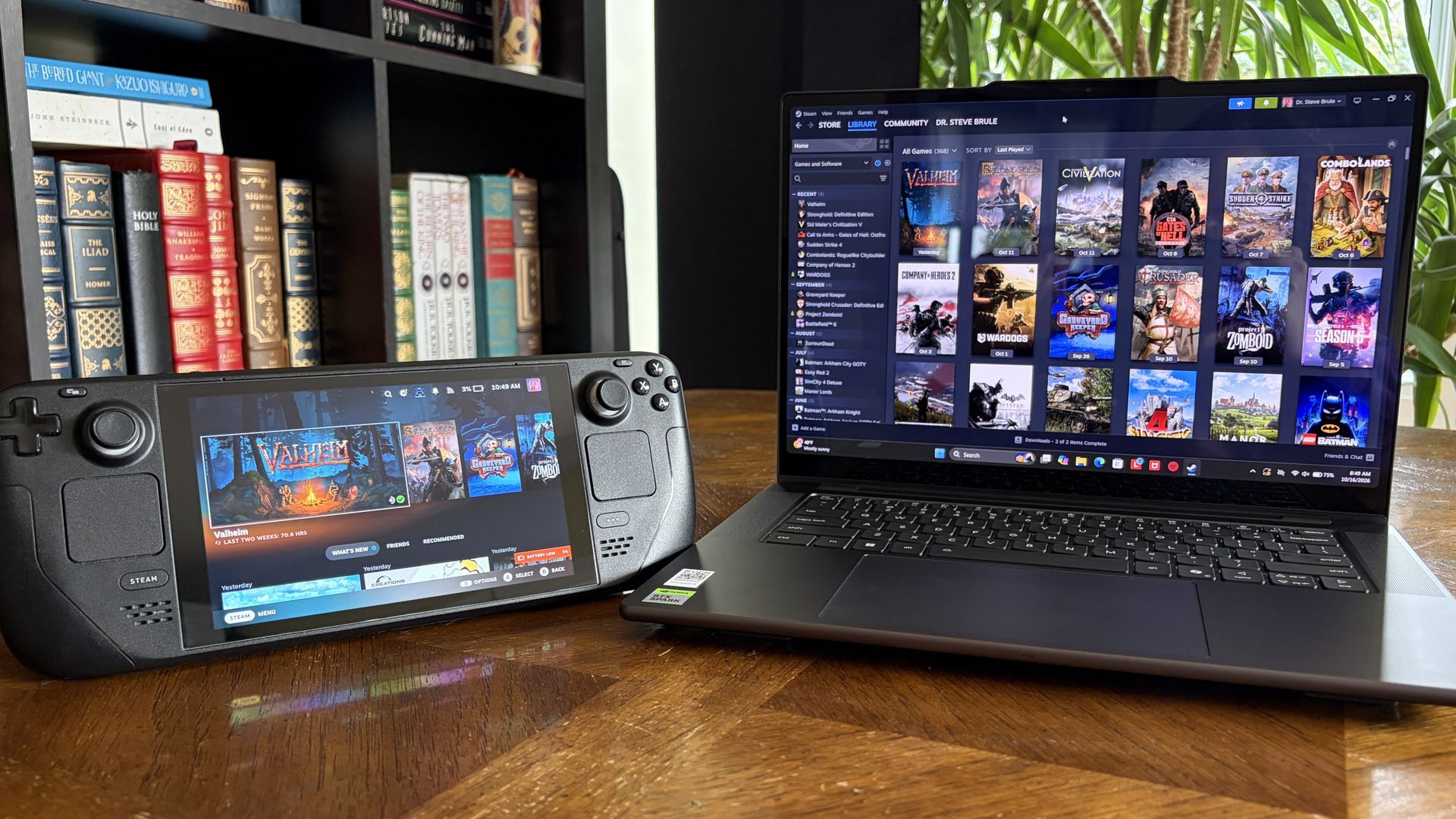
It's also been my gaming handheld replacement, my home base for local AI testing, my sketchpad to practice digital drawing, and my entertainment hub.
This pricey Lenovo Pro 9n isn't for everyone despite its broad versatility. That's true about any of the new RTX Spark laptops.
I'm looking to see how Lenovo's offering differs from the others — including the Surface Laptop Ultra and ASUS ProArt P16 we reviewed — in terms of features, design, and performance.
Lenovo sent Windows Central a review unit on loan for testing. It had no input, nor saw the contents of this review, prior to publication.
Lenovo Pro 9n: Price and specifications
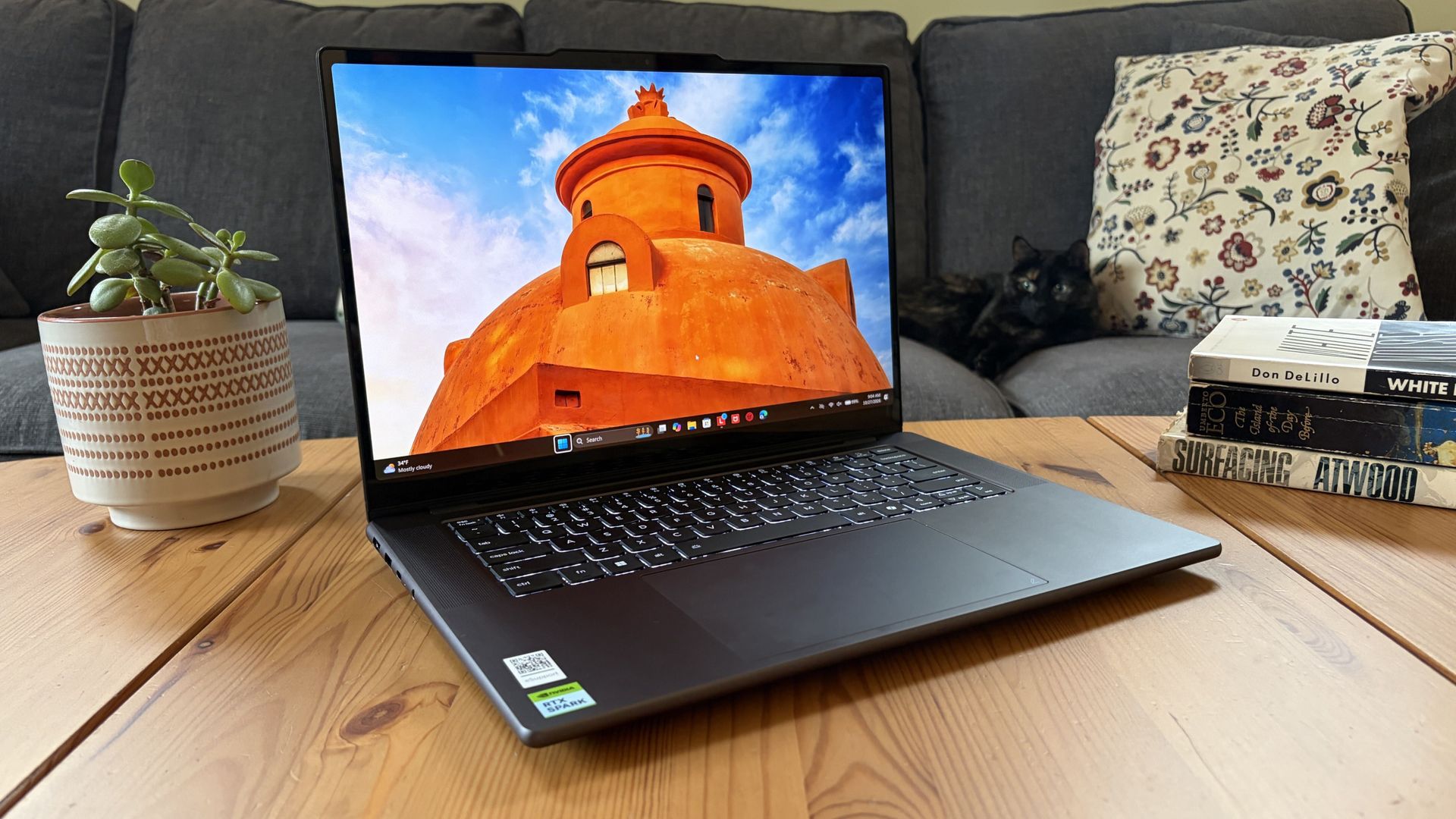
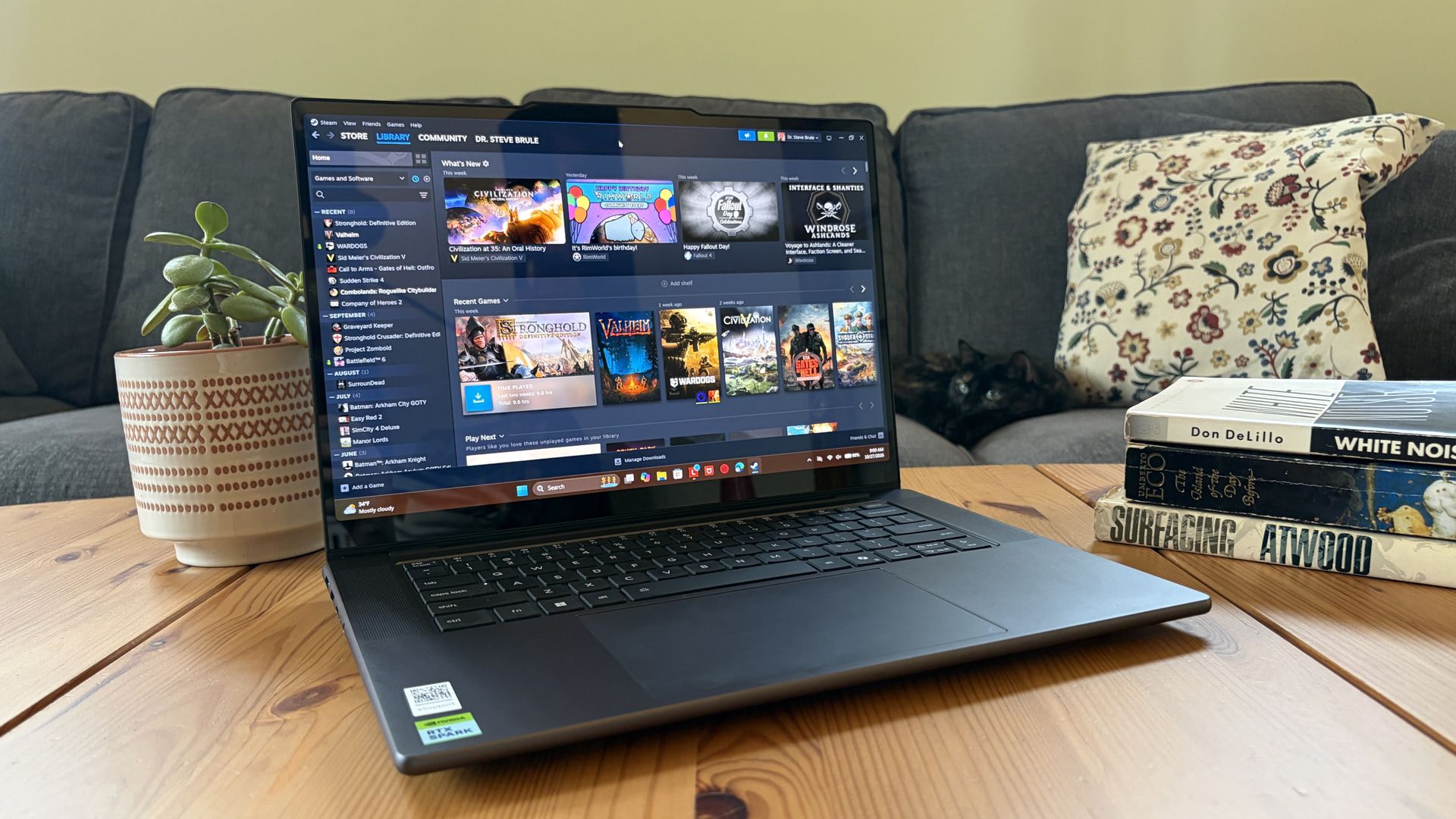
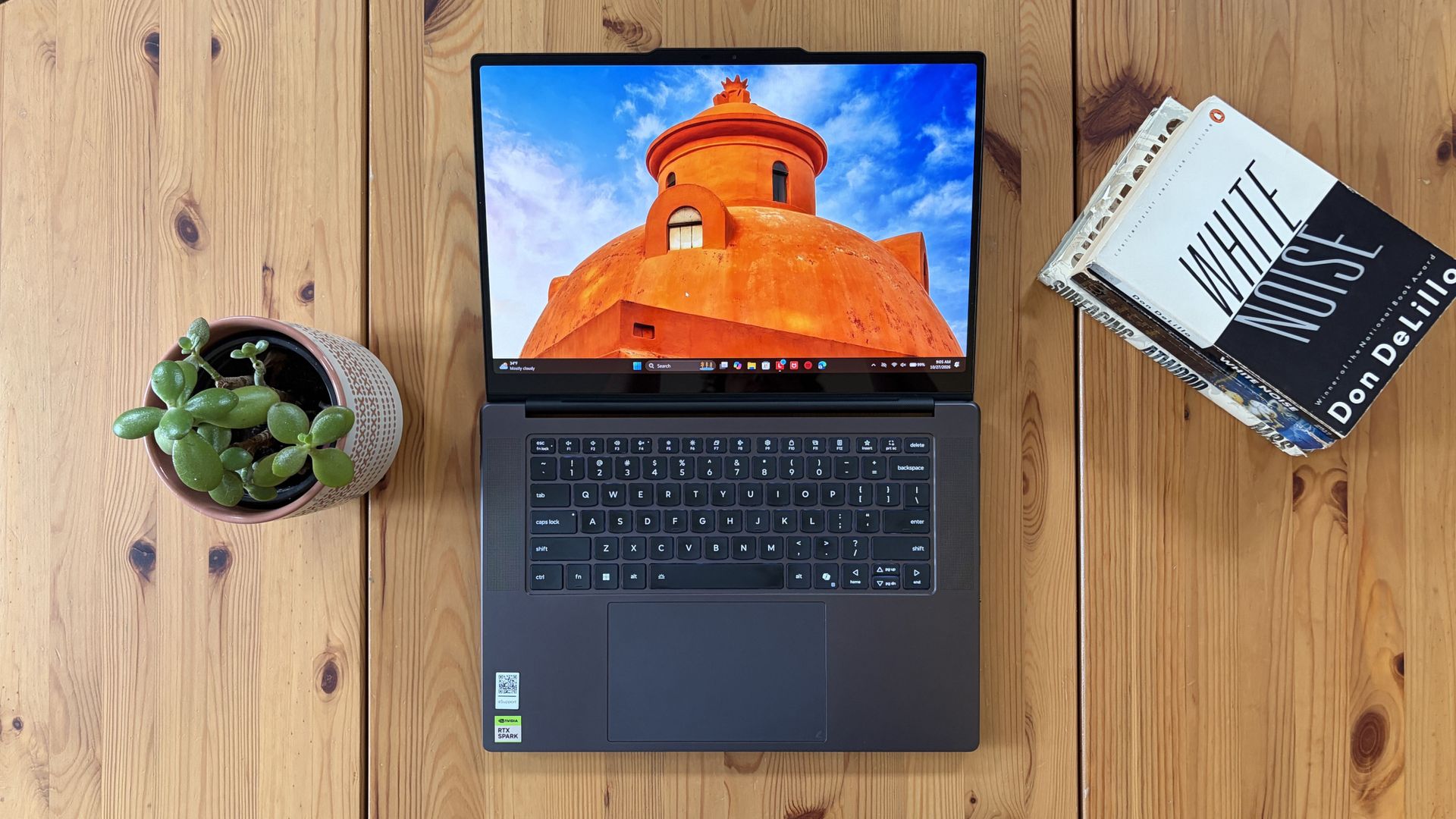
You'd never know the level of power contained within this sleek chassis. (Image credit: Future)
Lenovo's Pro 9n starts at $2,999.99, putting it near the middle of the RTX Spark lineup.
For this price, you get an 18-core NVIDIA N1X CPU, integrated RTX Blackwell GPU with 5,120 cores, 32GB of LPDDR5x unified RAM, a 512GB M.2PCIe 4.0 NVMe SSD, and a 15.3-inch OLED touch display at a 2560x1600 resolution.
Lenovo offers configuration options for CPU, RAM, and storage. The top spec with a 20-core N1X CPU, 6144-core GPU, 128GB RAM, and 2TB PCIe 5.0 SSD balloons to $6,099.99, with several stops along the way.
13.66 x 9.53 x 0.66 inches (347mm x 242mm x 16.7mm)
Weight
From 3.64 pounds (1.65kg)
New designs and updated features for the RTX Spark platform
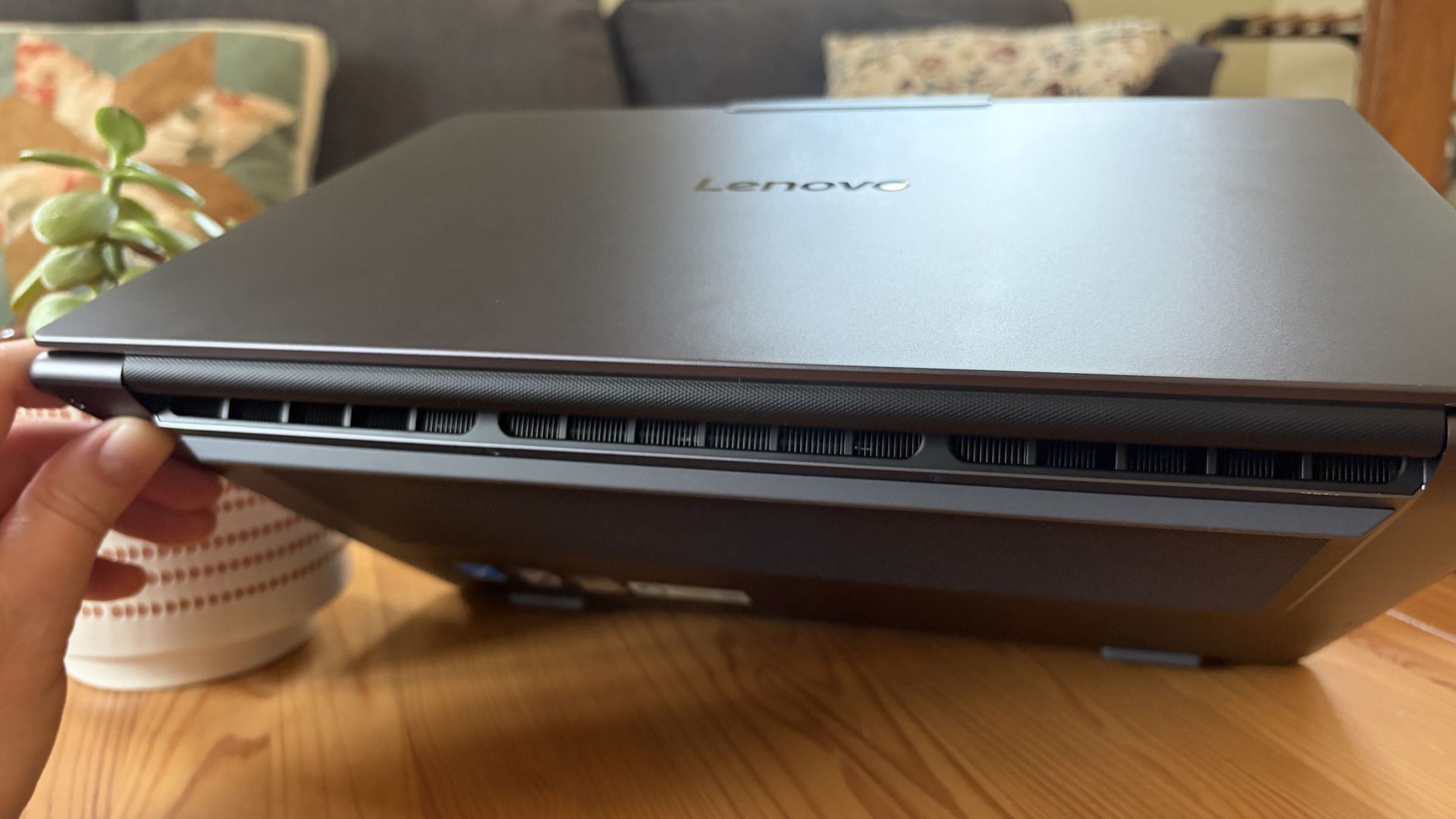
A look at the rear exhaust behind the lid hinge. (Image credit: Future)
The design of Lenovo's Pro 9n has grown on me over the weeks. What I first saw as uninspired has morphed into something that's sleek, relatively lightweight, and ultimately perfect for a professional setting.
With an aluminum top and bottom that add rigidity and a more premium feel than plastic, the PC still manages to slide in at 3.64 pounds (1.65kg) while measuring just 0.66 inches (1.67cm) thin.
The 15.3-inch display translates to a smaller footprint than a full 16-inch PC, and I found it to be an apt size for working in the passenger seat of a car. It should also translate well to airplane trays or train seats.
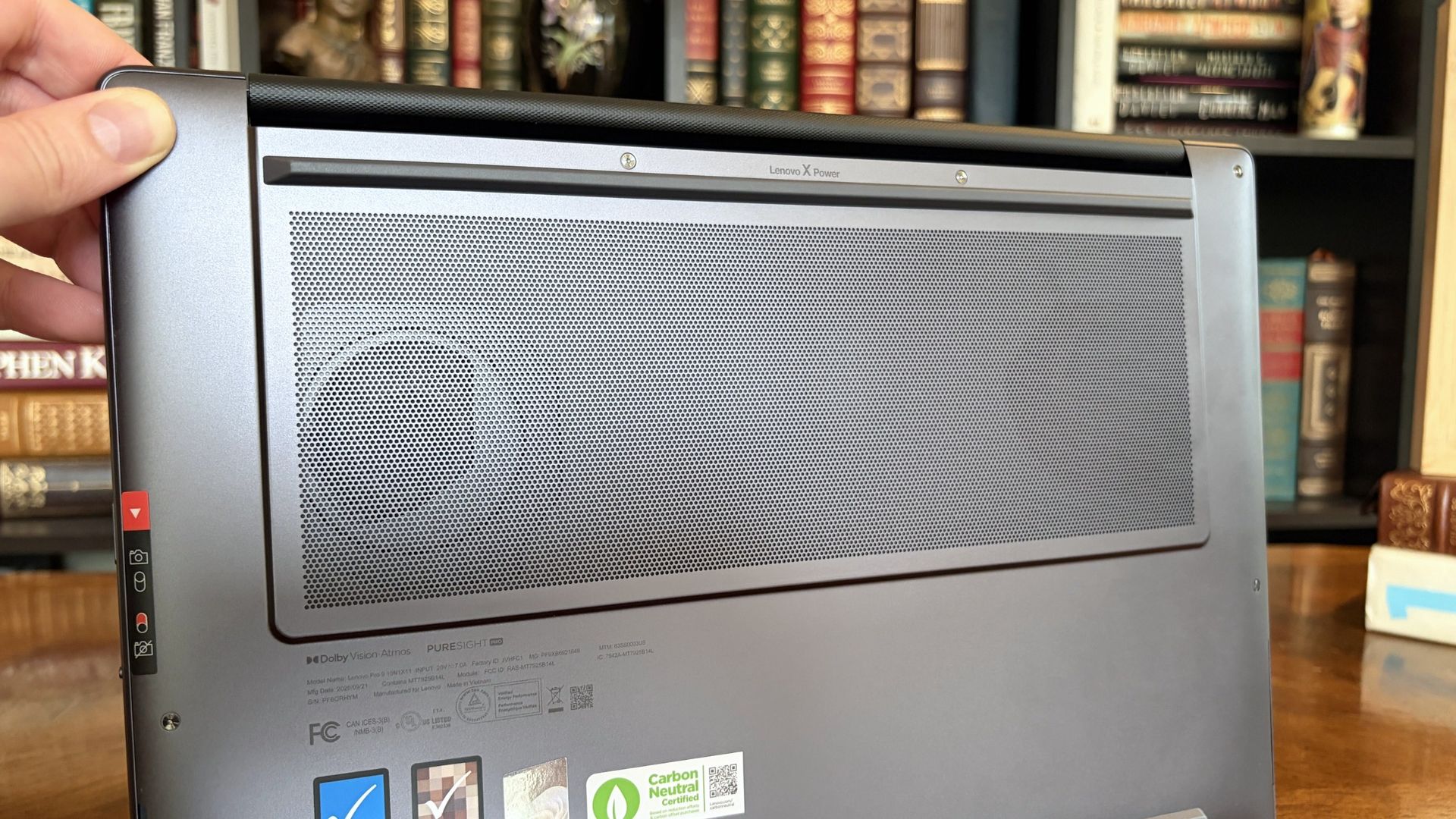
The bottom of the Pro 9n has a massive air intake to feed the two fans. (Image credit: Future)
The thermal layout has been redesigned for the new RTX Spark chip (which I explore below), resulting in a massive air intake on the bottom of the PC and larger vents on the rear edge for exhaust.
This setup keeps hot air directed away from the user and, as you'll see below, it does a decent job of keeping the PC cool under load.
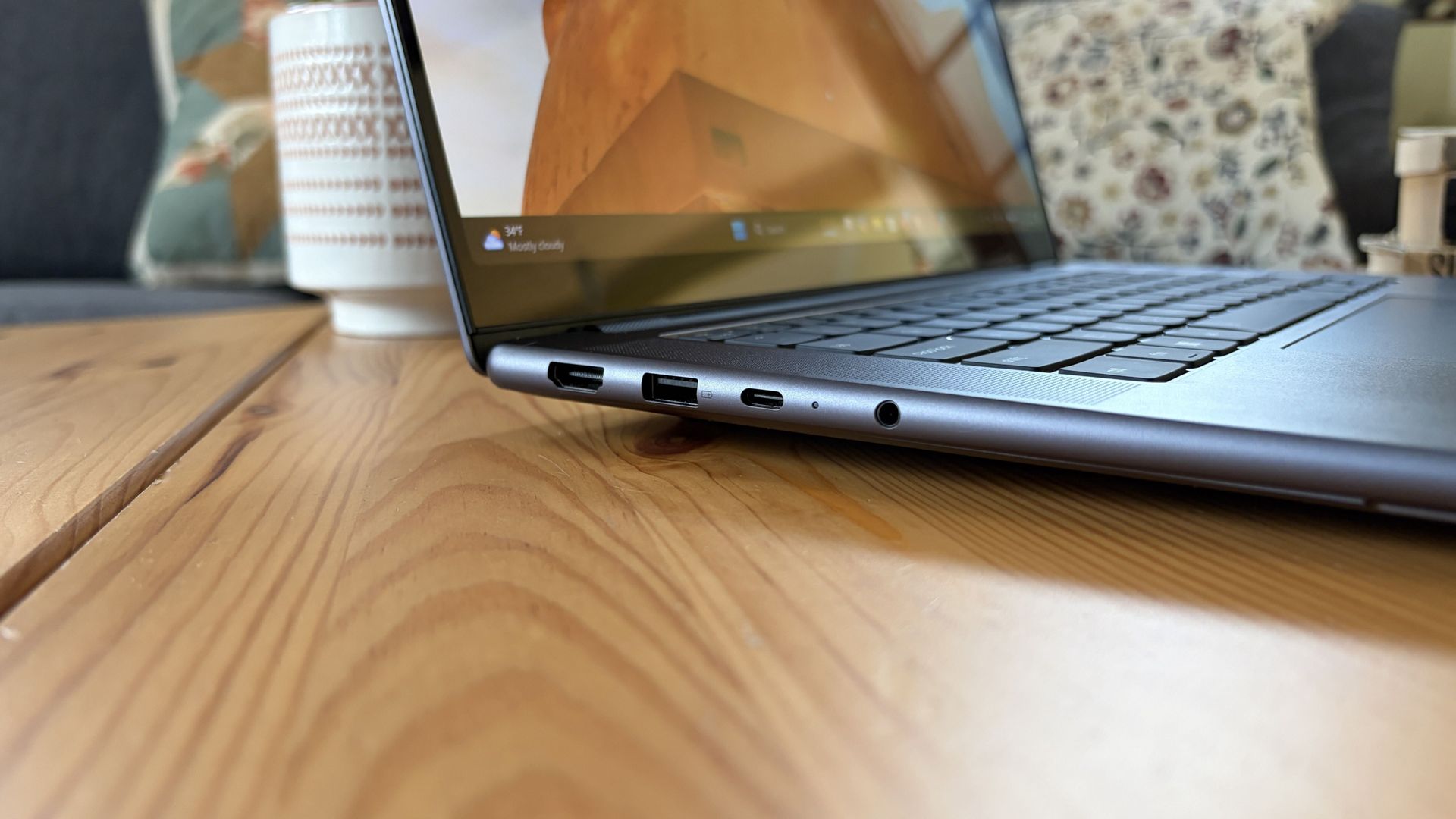
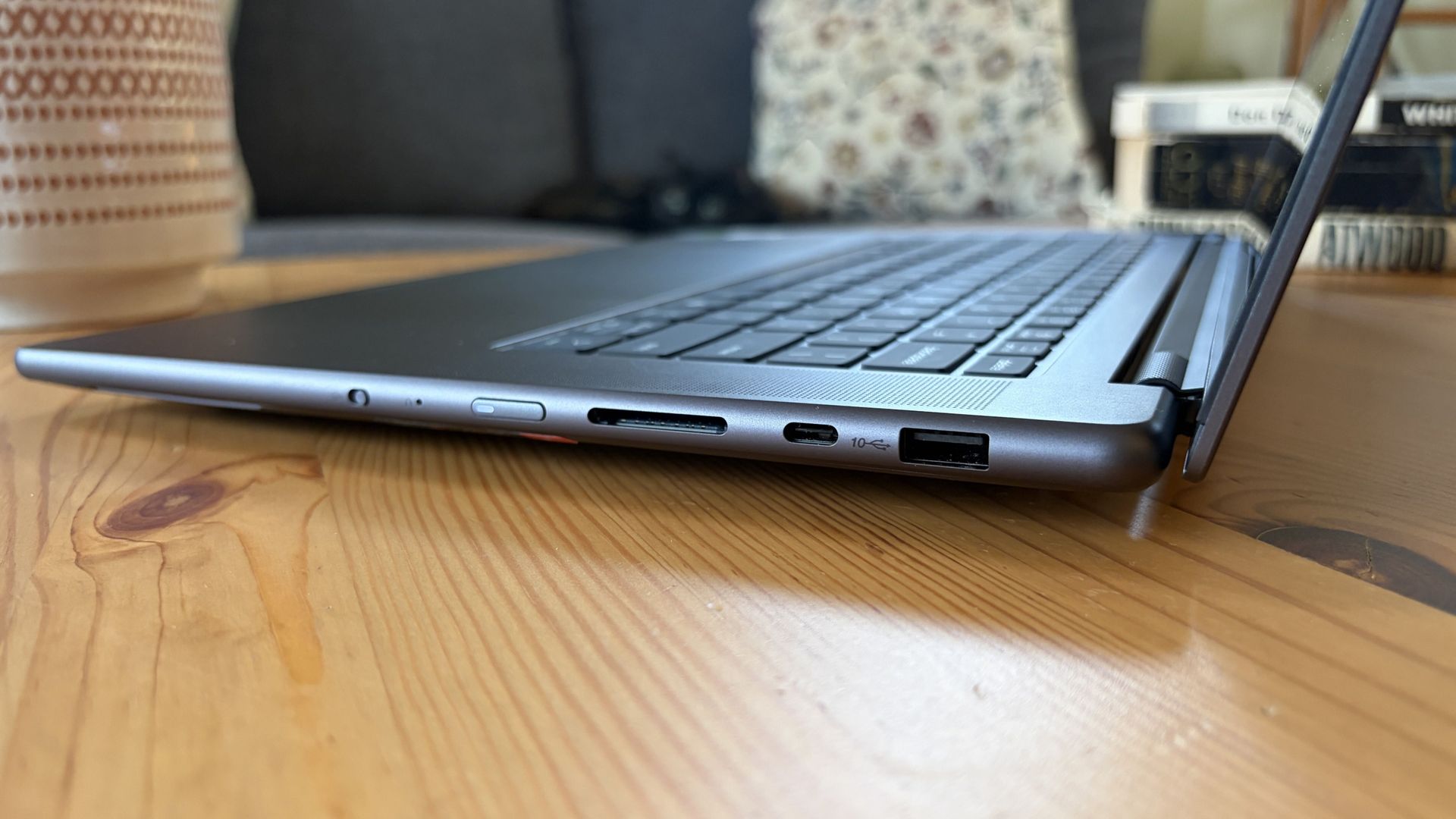
Ports on the left include HDMI, USB-A, USB4, and 3.5mm audio.FuturePorts on the right include USB-A, USB4, and UHS-II SD card reader.Future
This leaves plenty of space along the sides for ports. On the left are HDMI 2.1, USB-A 3.2 (always on), USB4, and a 3.5mm audio jack. On the right side are another USB-A 3.2, USB4, and a UHS-II SD card reader.
At no time did I feel the need to grab a dongle for an accessory, especially with Bluetooth 5.4 on board, and the native HDMI port makes it easy to plug into an external display without a docking station.
On the note of wireless, cutting-edge Wi-Fi 7 is on board for excellent throughput and future-proofing.
Lenovo's keyboard and haptic touchpad are among the best
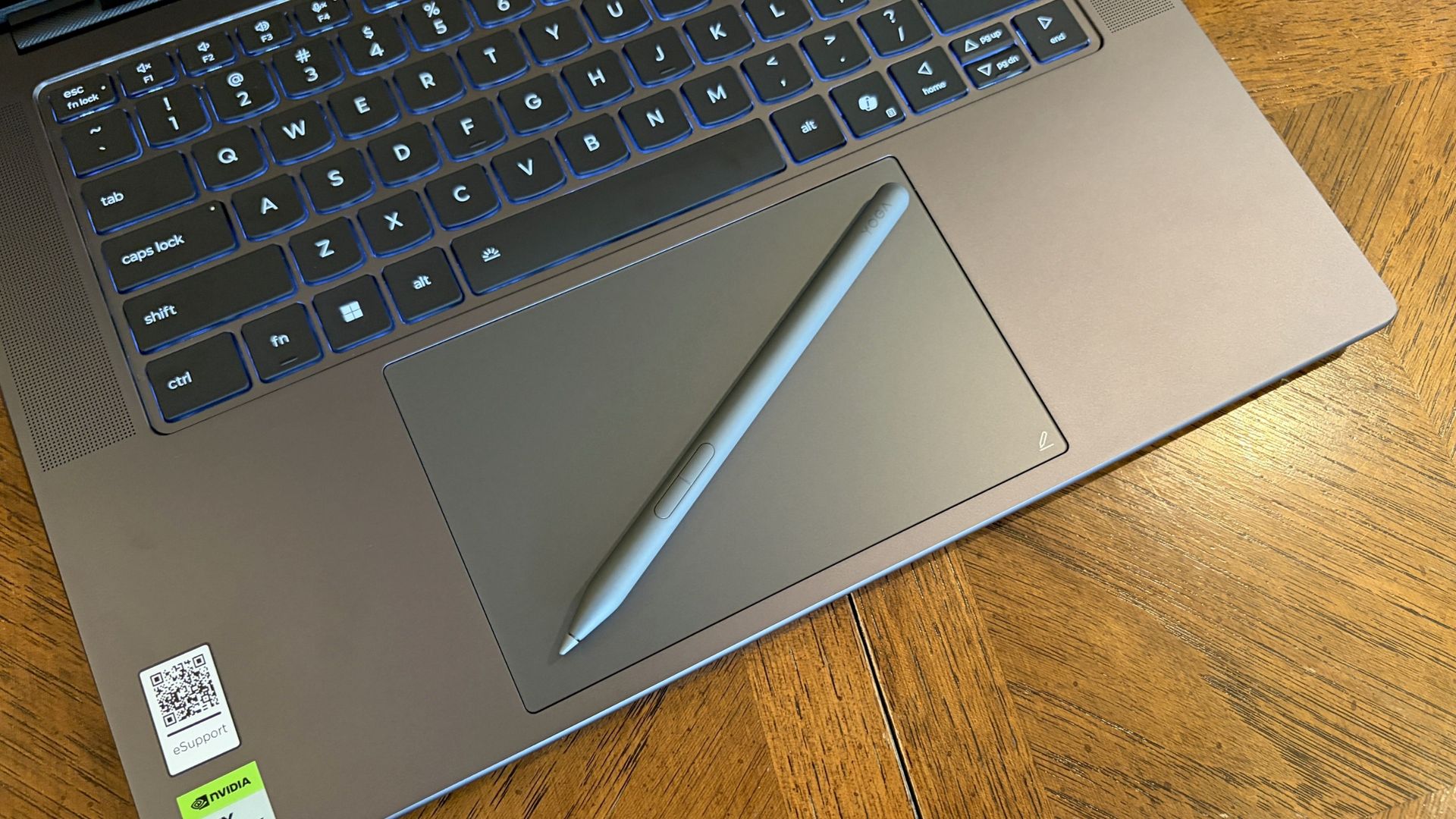
The Lenovo Pro 9n's oversized haptic touchpad and active pen turn the laptop into a makeshift drawing tablet. (Image credit: Future)
The Pro 9n is the first Lenovo laptop to receive its new haptic touchpad with inking compatibility. Paired with the bundled Yoga Pen (Gen 2), it turns the PC into a creative tablet of sorts.
I'm no artist, but I was able to get down some rough sketches using the awesome Krita drawing app. I found the touchpad's 3.74 x 3.94-inch dimensions were large enough to comfortably write and draw, and the inking feel is outstanding.
My only gripes are likely from me reading too much into the feature. Drawing on the pad often left my hand hanging off the edge (not comfortable), and it was sometimes difficult to line up my pen on the touchpad with where I wanted it on my screen.
Approach it from a rough sketch viewpoint, and you should find it to be quite useful. As for actual pointing and clicking, I had no issues. The haptics underpinning the pad are spot on.
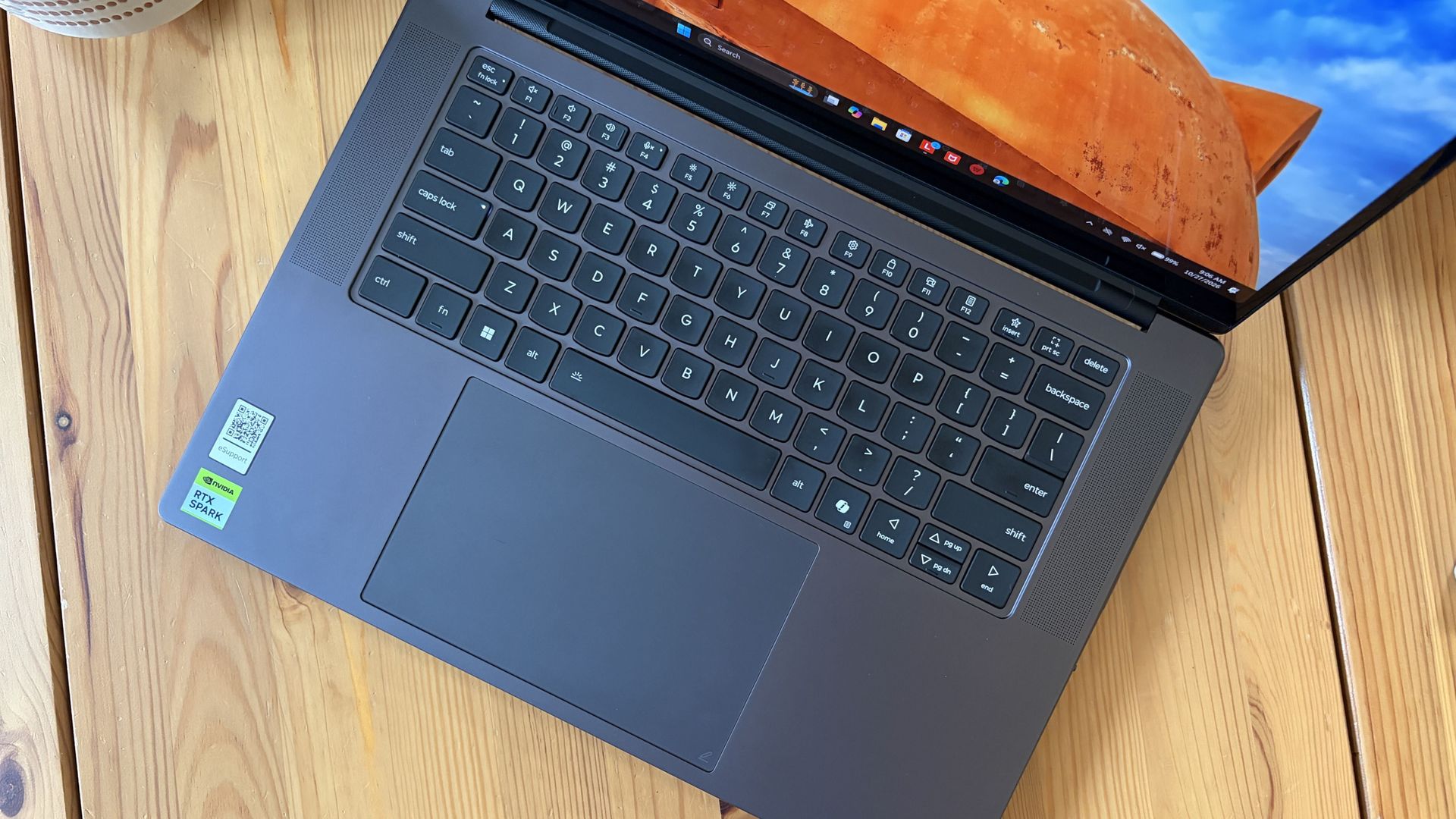
1.5mm key travel makes for comfy typing no matter what. (Image credit: Future)
The keyboard, which arrives flanked by a couple of speakers, offers deep 1.5mmkey travel, three-stage backlight, and perfect spacing. This might be the best keyboard that Lenovo's non-ThinkPads have ever received, and I enjoyed every word I typed on it.
Circling back to the speakers, the two that flank the keys are each 2W tweeters, and they're accompanied by two 2W woofers on the bottom of the PC.
Sound gets loud without breaking. There's lots of bass. The highs are clean, even before adding any onboard Dolby Atmos tuning. The laptop is just as good for watching TV and movies as it is for handling creative work or jumping into video meetings.
A crisp webcam handles meetings on the move
The raised comms bar has space for a 9.2MP camera and IR sensor. (Image credit: Future)
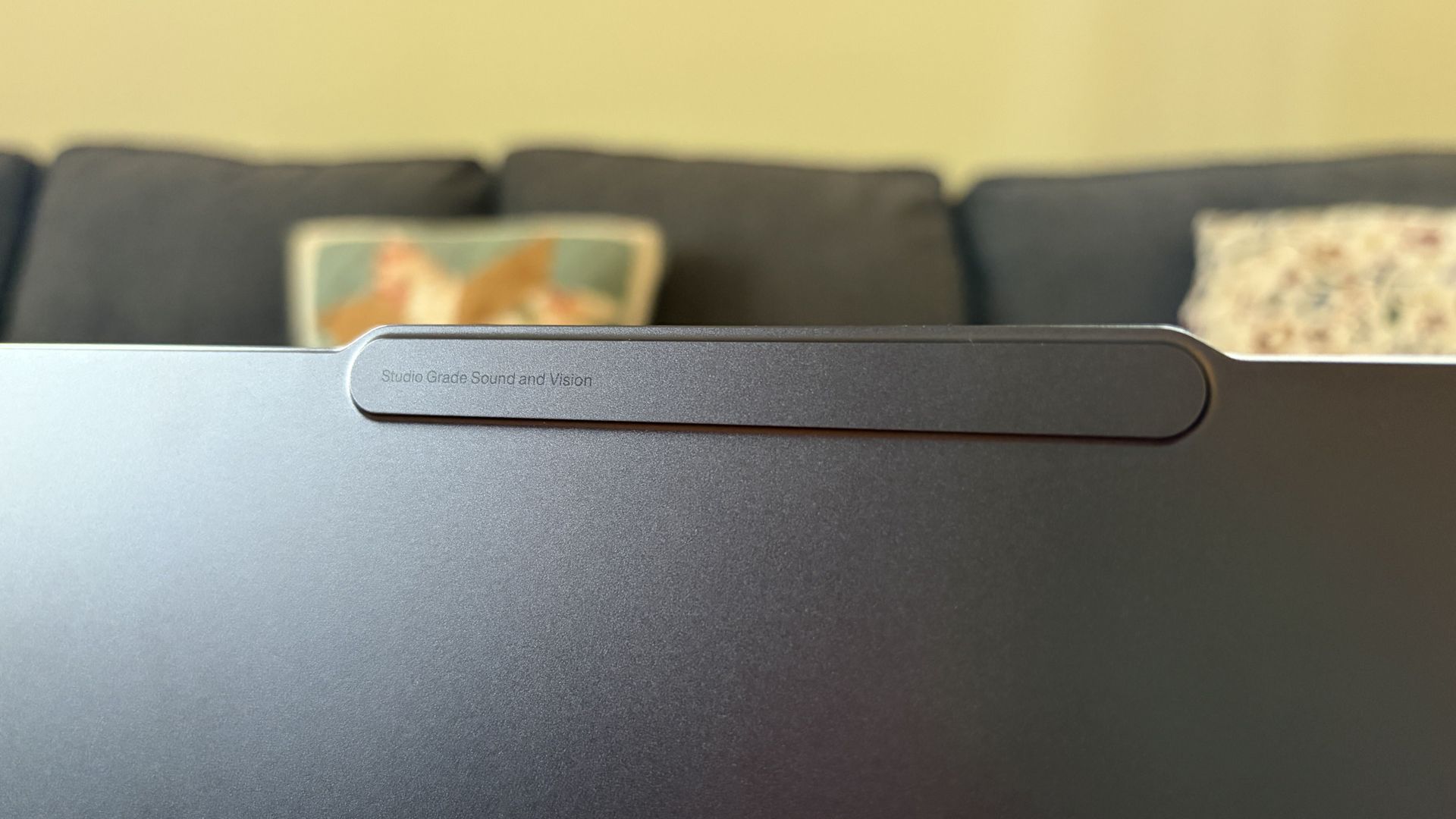
Lenovo's raised communications bar located above the display adds a bit of space for camera hardware, and the company made good use of it here.
The Pro 9n comes with a 9.2MP camera, easily trumping the ASUS ProArt P16's 2.1MP and the Surface Laptop Ultra's 1.6MP cameras.
It's crisp and handles lighting quite well even without any Windows Studio Effects in play, and I'd say it's a definite upgrade for anyone who often finds themselves in video meetings and collaborations.
The IR sensor built into the camera handles facial recognition via Windows Hello. Unfortunately, it doesn't appear to go the extra step to offer human presence detection. This doesn't seem to be a lock for the new RTX Spark PCs — the Surface Laptop Ultra doesn't have it either, but the ProArt P16 does.
An OLED display with color profiles for any job
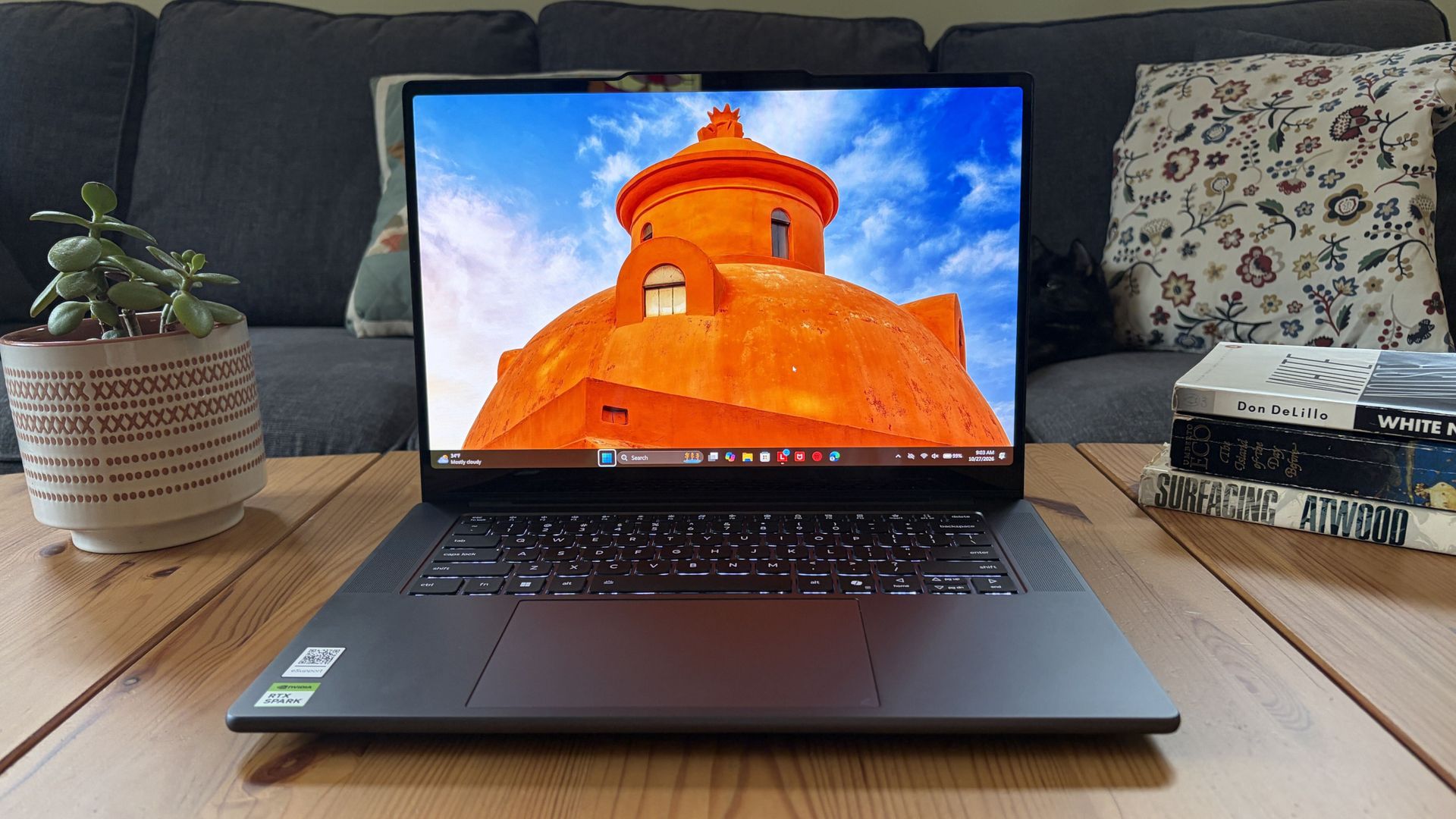
The OLED display delivers color for specialized work and speed for gaming. (Image credit: Future)
Lenovo ships the Pro 9n with a 15.3-inch PureSight Pro OLED display. This is basically Lenovo's top-of-the-line screen for creators and pros, coming at you with X-Rite Pantone calibration and X-Rite SkinTone validation out of the box.
It hits Delta E, tops out at a 165Hz refresh rate (which can be set to variable for better battery life and eye comfort), and has Dolby Vision support.
Something I learned quickly was that the display presets in Lenovo's Vantage app are actually important. The Default mode in which the laptop ships favors sRGB reproduction. There are presets for AdobeRGB and sRGB (which pump up those sections), as well as P3-D65, REC709, and DCI-P3.
I was able to hit 100% across all color gamuts in my testing, but not all at once. You'll just have to be sure that you select the right config depending on the work you're doing.
I was able to hit 100% across all color gamuts in my testing, but not all at once.
I also measured 476 nits of peak brightness in SDR content, which pushes past 1,000 nits when HDR is enabled. I was able to work in a brightly lit room with only a bit of glare, but I imagine an anti-reflective instead of glossy finish would have gone a long way to eliminating glare entirely.
The screen is available in touch or non-touch, and the specs are otherwise the same. Note that the pen only works on the laptop's touchpad, whether or not the screen is touch-enabled.
The Pro 9n's OLED display is vivid and bright. (Image credit: Future)
The inclusion of NVIDIA G-Sync tech really props up the gaming aspect, reducing screen tearing and ultimately making everything feel much smoother, as you'd expect from a premium laptop that can game.
My only complaint is that Lenovo doesn't offer a higher-res panel. The 2.5K default is great for everyday work and gaming, but 4K would probably go a long way for some creators.
Comparing the 18-core and 20-core RTX Spark chips
I gave the Pro 9n some games to chew on to see if it can replace my gaming handheld. Short answer: it can. (Image credit: Future)
Power tip
Lenovo allows for up to 80W of overall power for the chip, putting it in line with the other RTX Spark laptops we've tested.
As it turns out, quite well. You get the same pool of unified LPDDR5x memory to pull from for the system and GPU, albeit in smaller quantities (32GB for my review unit).
You get the coveted CUDA cores (with 5120 in my unit compared to 6144 in the premier chip) to handle local AI inference. And you still get about 26 TFLOPs of graphics performance.
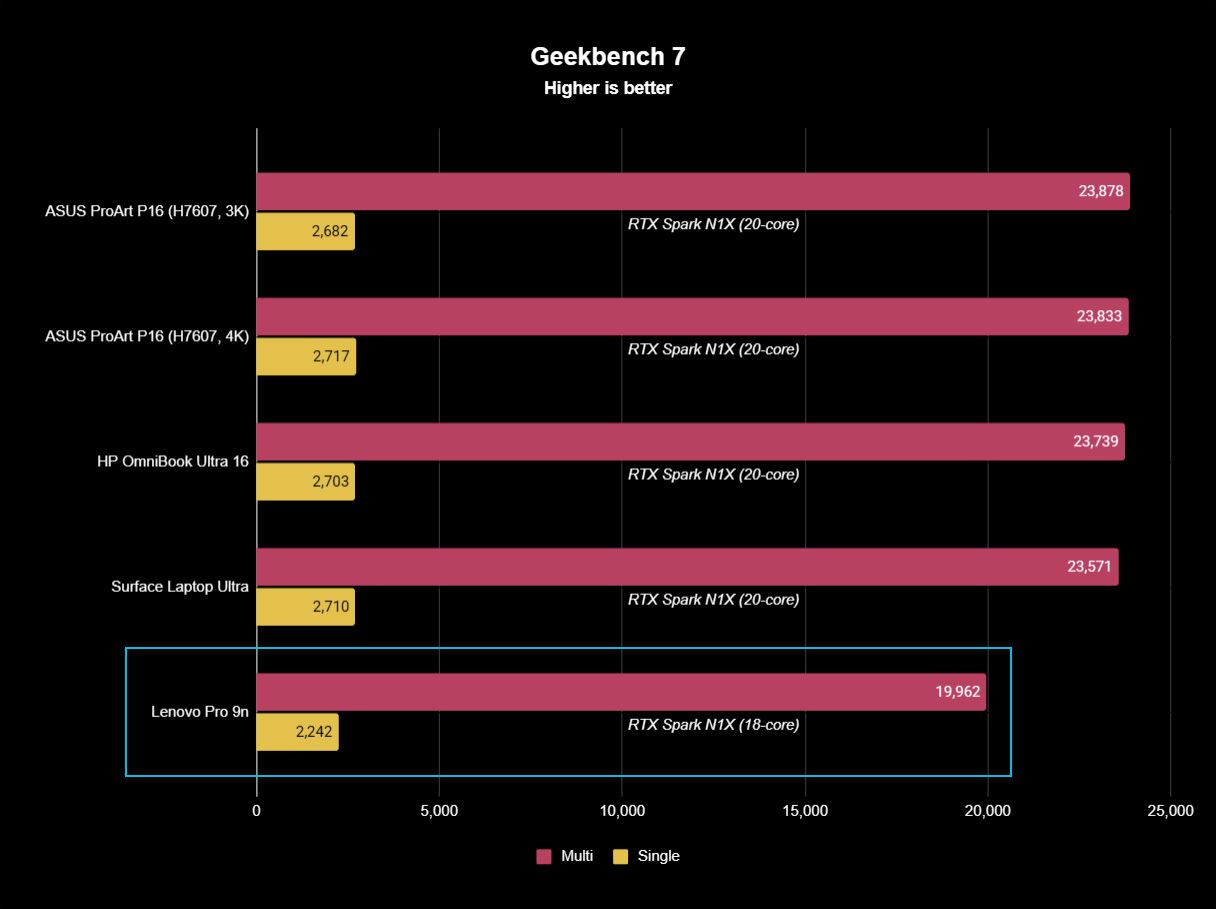
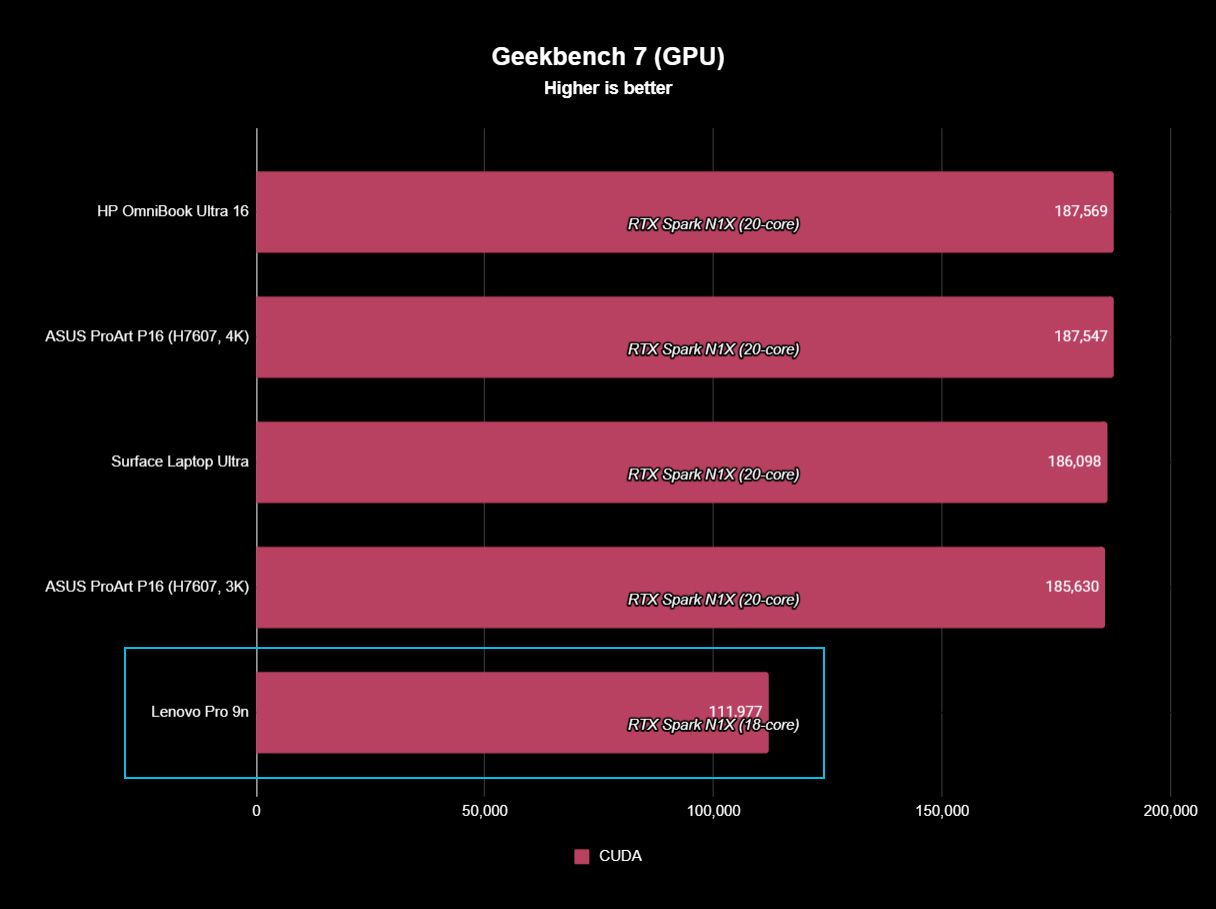
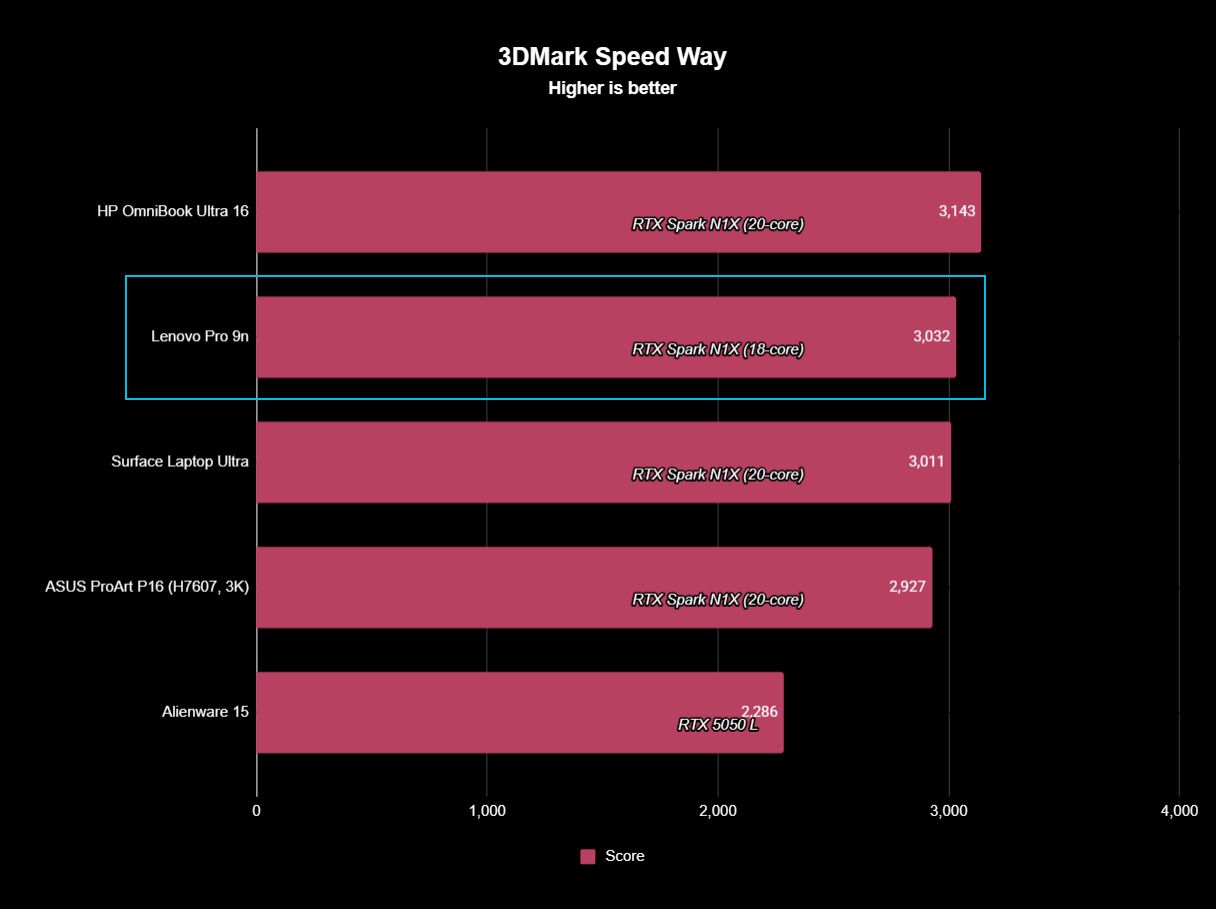
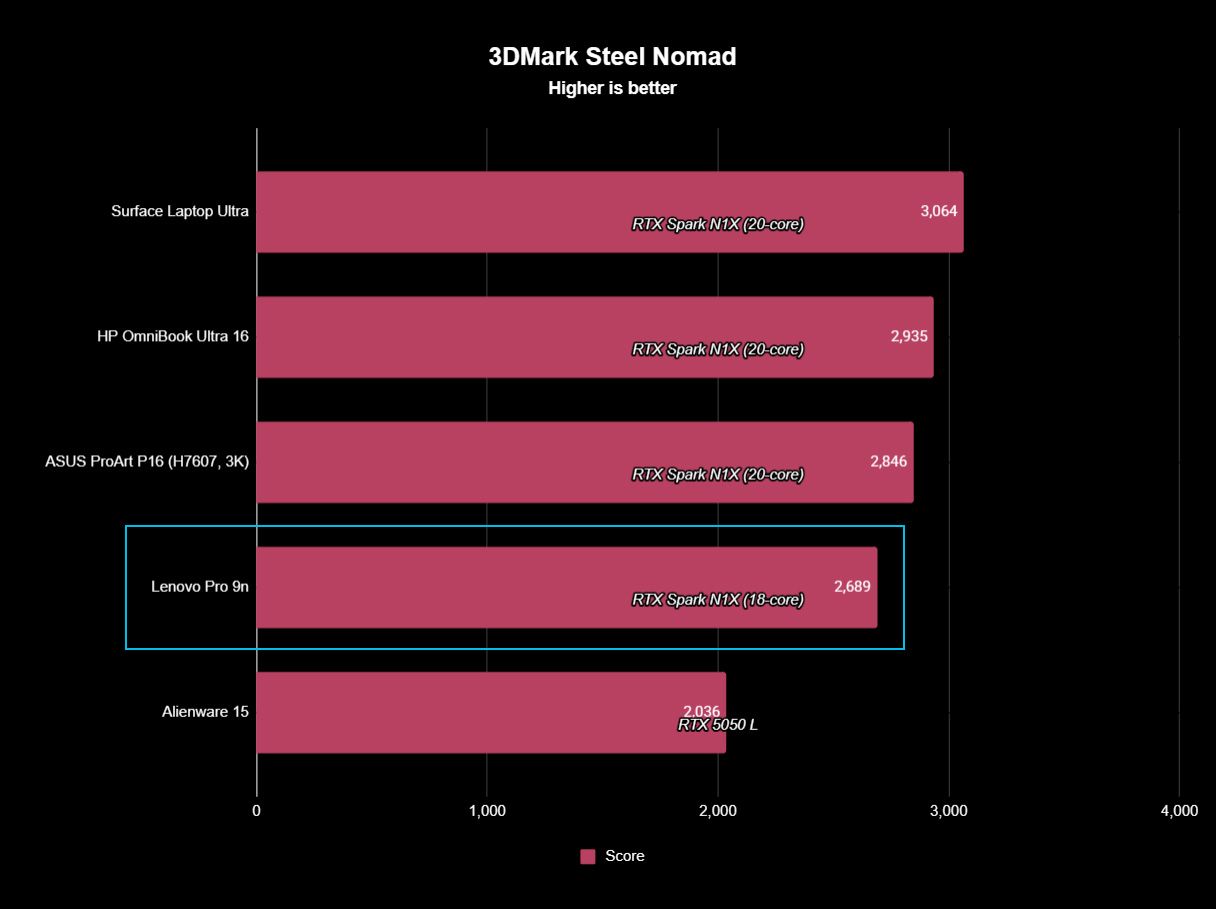
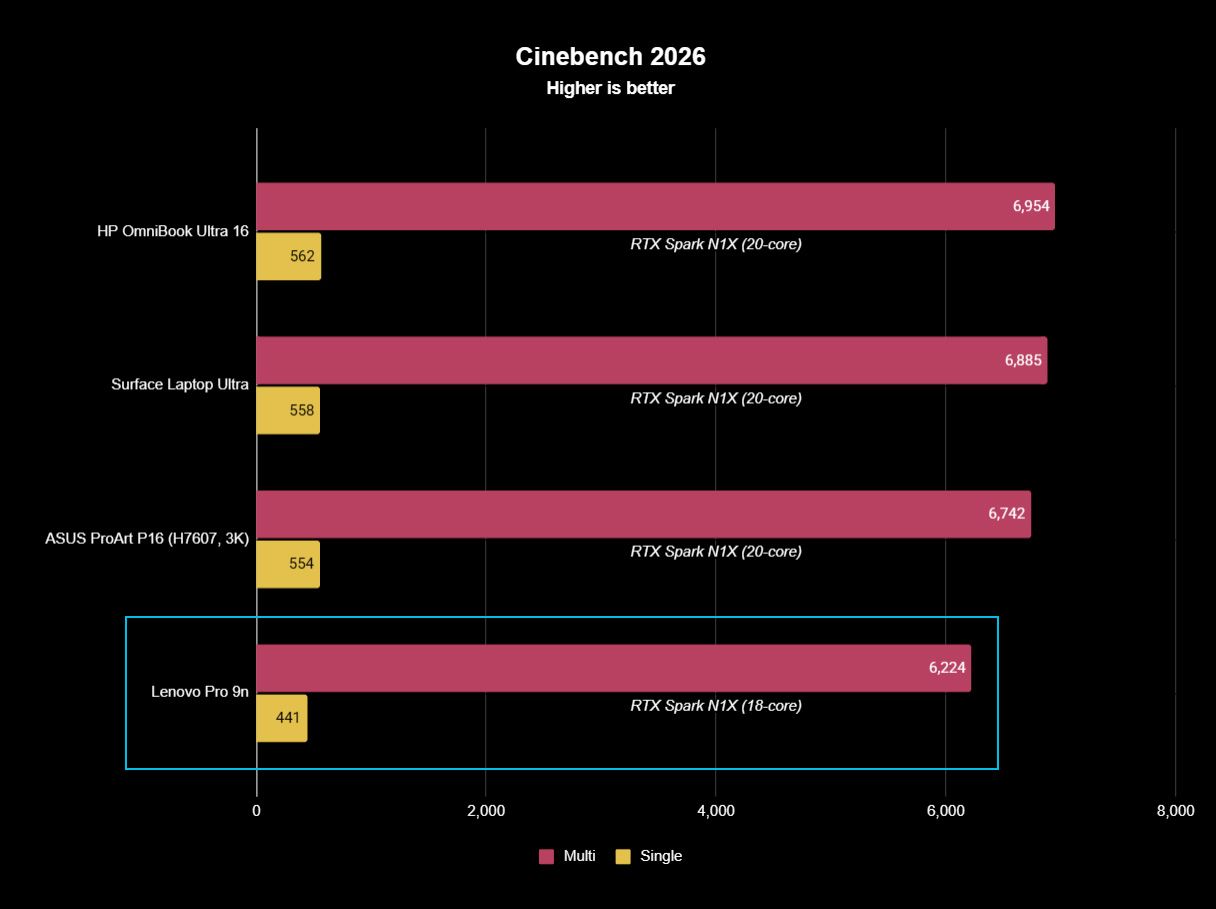
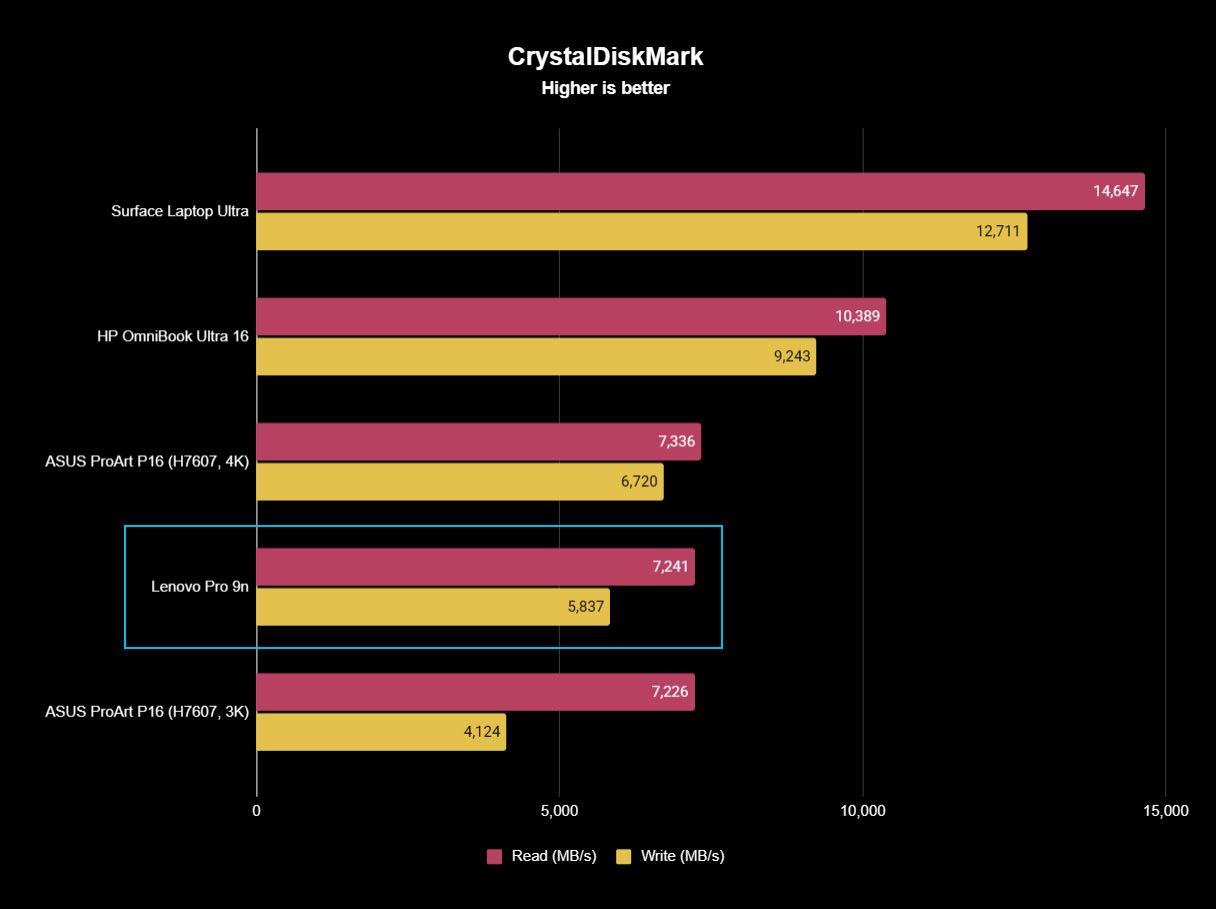
The following graphs show how the 18-core RTX Spark in the Lenovo Pro 9n compares to the 20-core RTX Spark chips we've already tested in other laptops.
FutureFutureFutureFutureFutureFuture
As you can see, synthetic Geekbench 7 and Cinebench 2026 CPU scores fall accordingly compared to the 20-core Spark. Not by a lot, but it is noticeable.
The SSD looks comparatively slow, but keep in mind that most of these laptops have a mix of PCIe 4.0 and PCIe 5.0. In my test case, it's the former, but you can get the latter, faster drive in a 2TB config.
FutureFutureFuture
The weaker RTX GPU also showed a drop-off in Geekbench 7's GPU test, but it put up a strong fight in 3DMark's Steel Nomad and Speed Way tests.
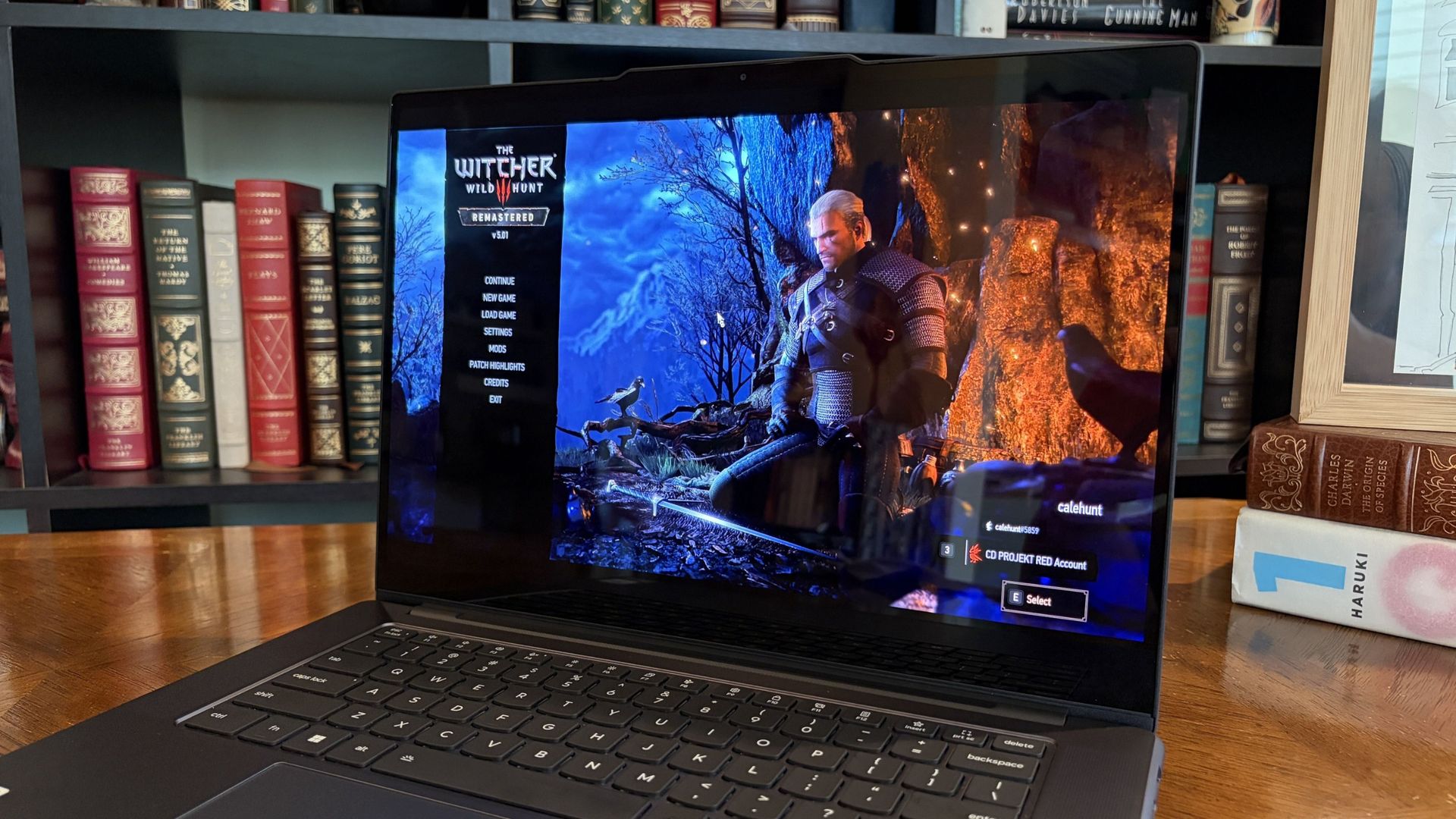
Considering I was playing The Witcher 3: The Wild Hunt Remastered at a smooth frame rate with ray tracing cranked up, there should be no denying the Pro 9n can game. Just don't buy it if that's all you want from your laptop.
There should be no denying the Pro 9n can game.
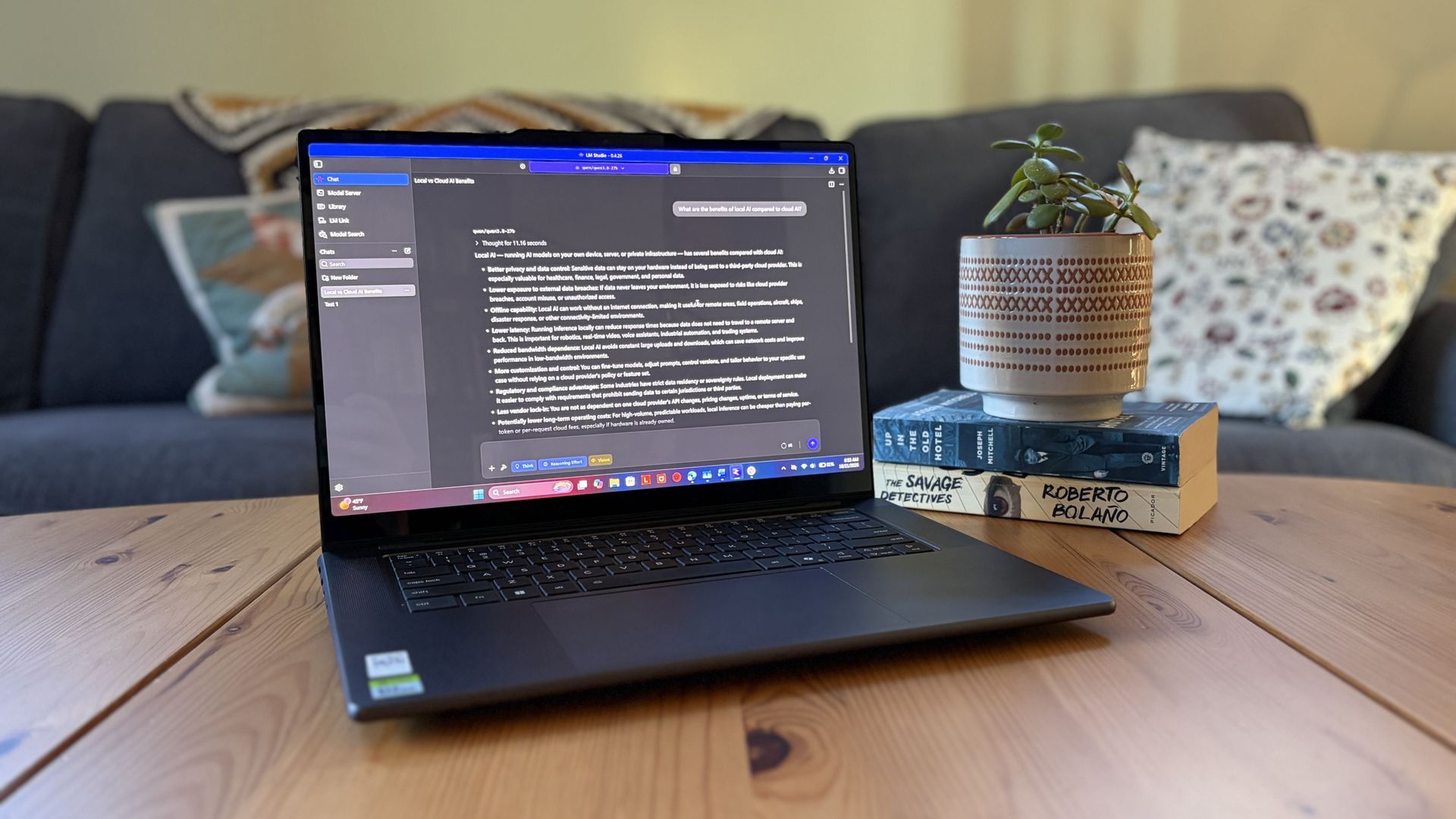
I also began a journey with local AI agents on the Lenovo Pro 9n. I set up LM Studio on it and downloaded a hefty Qwen model, which runs surprisingly well on the system despite only having 32GB of unified RAM.
Lenovo's Pro 9n running LM Studio, allowing me to chat locally with AI agents. (Image credit: Future)
The unit I was sent to test is more geared toward creators who don't need the ultimate 20-core CPU and 128GB of RAM coveted by AI specialists, so I'm pleased that it's proving to be a capable local AI base.
I ran a few AI-focused tests in Procyon to see how the weaker RTX Spark chip in my Lenovo Pro 9n compares to the 20-core option we already reviewed.
Procyon Image Generation
RTX Spark (18-core)
RTX Spark (20-core)
Stable Diffusion 1.5 score (FP16, higher is better)
1,430
1,380
Seconds / Image (lower is better)
4.36
4.22
Total duration (lower is better)
69.9
67.5
Procyon Text Generation
RTX Spark (18-core)
RTX Spark (20-core)
Phi-3.5-mini (higher is better)
2,383
2,615
Seconds to first token (lower is better)
0.31
0.27
Tokens / Second (higher is better)
68.31
72.21
Load time / Seconds (lower is better)
0.73
0.66
Procyon AI Computer Vision 2.0
RTX Spark (18-core)
RTX Spark (20-core)
Score (higher is better)
3,658
3,997
There's clearly a drop-off with the 18-core Spark chip in terms of AI performance, and I'd recommend that any AI specialists out there opt for the 20-core option.
For creators, part-time gamers, and professionals without a direct focus on AI, I think the 18-core chip should do just fine.
Does Lenovo's Pro 9n get too hot?
Playing demanding games on the Lenovo Pro 9n is entirely possible. Just expect there to be a little heat. (Image credit: Future)
The Lenovo Pro 9n's upgraded cooling system does a good job of managing thermal limits, and fan noise isn't bad, either. This is all with the system managing power automatically, which I found quite convenient.
During a lengthy system stress test, I never clocked the fan noise any higher than 43dB. They're audible in a quiet room, but they'd go unnoticed in a busy office.
My trusty FLIR camera is in the shop, but I did a surface temp test with my lap. During the stress run, it remained comfortable to hold. The keyboard side got a bit hotter, but nothing that gave me pause.
How is the Pro 9n's battery life?
Battery life has been quite good, especially for everyday tasks, but Snapdragon X2 is still the champ. (Image credit: Future)
Battery life is not as good as I was hoping, and Qualcomm's Snapdragon chips are not in any threat of being dethroned in terms of efficiency.
My Windows Battery report shows roughly 8 to 10 hours of real-world life on a charge. Keep in mind that I was doing a decent amount of gaming on battery life, which brought that number down. Still, that's in line with the other RTX Spark laptops we've tested.
If you are gaming on battery power and have settings cranked up with ray tracing enabled, know that I was seeing about 10 minutes of runtime for every 10% of battery life.
Indie titles that aren't as demanding don't sap the battery nearly as much, and you can enjoy a few hours of gaming without worrying about power.
Should you buy Lenovo's Pro 9n?
The Lenovo Pro 9n's lid pulls back to about a 180-degree flex. (Image credit: Future)
You should buy this if ...
✅ You want an RTX Spark laptop with a 15.3-inch OLED display at 2.5K.
✅ You dabble in drawing, sketching, and writing with a pen.
✅ You're a professional or a creator who wants one PC to handle local AI, demanding apps, and gaming.
You should not buy this if ...
❌ You want the most affordable RTX Spark laptop possible.
❌ You prefer a mini-LED display (go with the Surface Laptop Ultra).
Lenovo's first notebook RTX Spark laptop has been a ton of fun to use over the past few weeks, and admittedly, I regret that I soon have to give it up.
It's not perfect. I wish there were human presence detection. I wish there were an extra high-res display option. I wish battery life were a lot better. And I wish it didn't cost as much (which is an effect of the ongoing RAM and storage crisis, not some Lenovo decision).
But for what it is — a specialized portable AI workstation using the first generation of a new NVIDIA computing platform — it's among the most exciting and promising Windows PCs I've used in recent memory.
If you're a general creator who just wants to see the latest chip technology in an ultra-premium package, the 32GB model could be ideal for you, just as long as you can stomach the price.
Otherwise, it's mainly going to appeal to a fairly small set of users, but those who can take full advantage of the RTX Spark chip should love what Lenovo has put together here.
RTX Spark
Lenovo
Pro 9n
Lenovo's Pro 9n delivers high-end features and cutting-edge AI performance for the Windows ecosystem. It's a great PC for creators with deeper pockets, but its true usefulness is seen in the hands of AI pros who need a ton of unified memory and a beefy RTX Blackwell GPU. It's all wrapped up in a sleek, portable package.
For Apple users who rely on iCloud to manage daily schedules, communications, and reminders, managing everything manually can quickly become a juggling act. OpenAI has introduced native iCloud Mail and iCloud Calendar plugins for ChatGPT. This update brings the power of conversational AI directly into the Apple cloud ecosystem. Following ChatGPT’s existing integrations for Google […]
The enterprise AI landscape is shifting fast toward agentic productivity and conversational development. Whether you are building pro-code solutions or low-code business automation, staying plugged into the Microsoft ecosystem’s bi-weekly community syncs is essential for staying ahead of the curve. The upcoming Copilot, Microsoft 365 & Power Platform Community Call on October 29 brings together […]
The software engineering ecosystem is undergoing a fundamental shift. As enterprise AI adoption matures, developers and DevOps leaders are realizing that routing every single line of code, syntax check, and minor script edit through top-tier, frontier-level LLMs is computationally wasteful and financially unsustainable. Instead of relying on a single monolithic model to handle every tier […]
It takes a lot for me to get excited at the prospect of playing Shipment in Call of Duty again, but here we are. The original brainrot map has now landed in Modern Warfare 4.
And I am excited for it. But that's only because the first weekend of multiplayer has been hard. The launch maps are OK at best, the matchmaking makes every game feel like the Call of Duty League finals, and it just feels like hard work. Video games shouldn't feel like hard work.
While Infinity Ward can certainly fix it, for now, we turn to Shipment for some good old-fashioned brainless run and gun. For those chasing the mastery camos, it's definitely a welcome sight to speed up the process a little.
Even so, it's not perfect. The TTK feels too long for Shipment (in my opinion), and there's clear weapon balancing that needs to be done that will presumably not have a chance to happen until Season 1 starts next week.
But whether it's nostalgia or just the fact that the launch weekend has been absolutely mollywhopping you, Shipment 24/7 is live, and most of the game modes are available on rotation on the now smallest map in Modern Warfare 4.
After an incredible campaign, the debut of DMZ which mostly has been a great time (exfil campers aside), multiplayer has been a very mixed bag. Compared to the beta earlier this year, it just doesn't feel as, well, fun.
The maps are definitely not some of Call of Duty's best, though I have been enjoying Mumbai especially, and Cachette is pretty fun, too. But I also think the movement needs to be updated, because while being slower is fine, it feels too clunky and like you have to work hard just to get into and out of a gunfight.
But the gunplay, as in the beta, is really good, even if I think the TTK is still too high. Or maybe it's the weapon balancing that's off, as some, even on Shipment, feel like you're slapping someone in the face with a napkin from a little kid's birthday party.
But if you're camo grinding, go forth and rot thy brain in the name of Orion Reforged. May the shipping containers make your journey take a more profitable path.
Join us on Reddit at r/WindowsCentral to share your insights and discuss our latest news, reviews, and more.
The passionate community fighting to rescue the Mass Effect franchise shows no signs of slowing down. Following a massive digital billboard activation in Times Square, the @WeAreMassEffect organizing team launched a GoFundMe campaign to fund further advertising efforts, and completely shattered their target in under 20 minutes.
The rapid success even took the organizers by surprise, and has made them temporarily pause donations as they plan their next move.
"We're raising funds for more billboards near EA HQ and The Game Awards!"
(Image credit: Provided by We Are Mass Effect )
The crowdfunding campaign was set up to purchase additional billboards located near Electronic Arts' headquarters and at the upcoming Game Awards.
The fundraiser has pulled in $5,715 from just 89 donations, easily clearing its initial $5,200 goal before organizers officially hit the pause button on contributions. Beyond funding the physical protests, We Are Mass Effect have promised that any excess money raised over the target will be directed to the UVW-CWA Game Worker Hardship Fund to directly support the developers laid off during BioWare's recent closure.
@kalaelizabeth We reached our goal in less than 20 minutes. We're incredibly proud of this community 😭October 27, 2026
The decision to halt donations so quickly was a sensible one, as the community plan their next move. The organizers over on the community Discord have stressed the need to take the campaign "one step at a time" to ensure transparency and guarantee that no one's money is put at risk. Apparently fraudulent accounts and copycat links are already appearing to pocket money from eager fans. Now that the goal has been met, the team is ensuring the funds are handled responsibly while they execute the promised billboards.
To keep the momentum going without soliciting more cash, the movement has established a dedicated home at SaveMassEffect.com. Organizers are also issuing a rallying cry to the community's creatives, urging YouTubers, podcasters, artists, and journalists to continue making content utilizing the #SaveMassEffect hashtag to maintain visibility. Fans have also been flooding EA social posts with #SaveMassEffect not unlike in the PlayStation physical disc debacle where anything PlayStation posted was met with fury.
With their petition still climbing and funding locked in for their next massive real-world stunts, the team promises they have "plenty more things in the works" as they continue to hold the line for Mass Effect and the BioWare studio.
Join us on Reddit at r/WindowsCentral to share your insights and discuss our latest news, reviews, and more.
World of Warcraft's new housing system has provided a segment of the player base with things to do, collect, and create beyong the typical raiding gameplay loop, but already it is becoming egregious for its monetization layers.
World of Warcraft's Housing gameplay feature has acquired some decor items for sale for real money, which isn't a first.
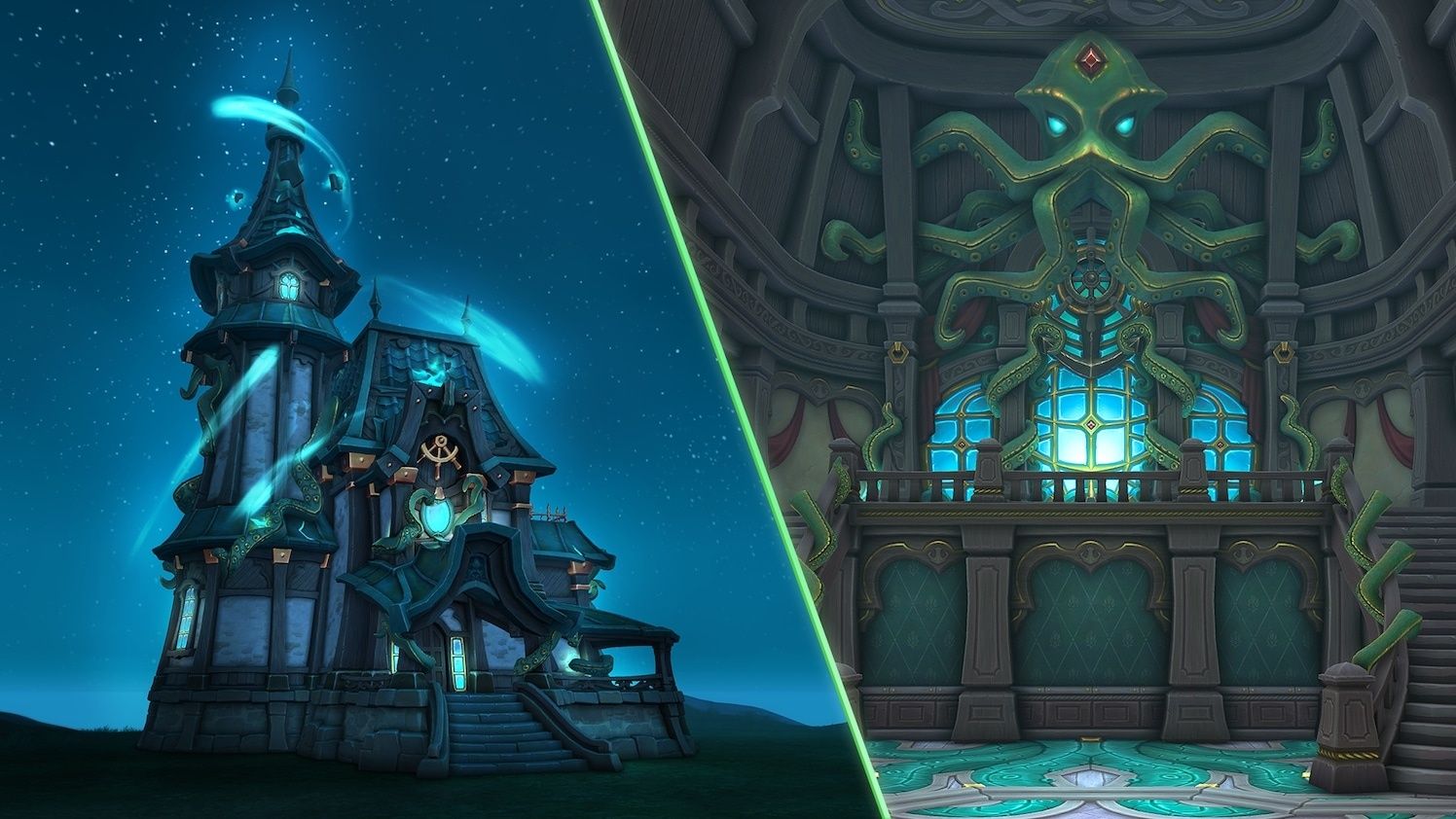
The items within these bundles are spooky furniture and decorations themed after the Kul Tiran player race, as these items have a pirate and Lovecraftian aesthetic. However, players are not happy about this arrangement, owing to Blizzard's previous promises about its microtransaction practices for housing.
@Wowhead Kul Tiran housing decor in the shop directly contradicts Blizzard's housing principles from less than a year ago.It was literally principle #2. https://t.co/UOkELnupW3October 27, 2026
X users and even famed content creators like @BellularGaming responded to this, pointing out that Blizzard Entertainment is contradicting itself, reminding us that the company swore never to sell housing decor tied to player races for real money.
The promise in question came from a developer blog post Blizzard made on November 6, 2025, where it said, and I quote, "Housing items tied to core fantasies of a player’s race or class, or that already exist in Azeroth, won’t be sold in the shop. Thematically important decor that players know and love will also not appear in the shop."
We've reached out to Blizzard for further comment regarding this situation.
We finally got player house after two decades, but at what cost?
Suddenly, our homes don't feel so homely anymore in Azeroth. (Image credit: Blizzard Entertainment)
Housing was one of the most requested gameplay features ever since the 2000s, as players wanted a place for their characters and guilds to call home.
Unfortunately, while the actual gameplay of Housing was good, it was marred by controversial housing cosmetic DLC items that cost just as much as an expansion. Add this betrayal of trust on Blizzard's part, and much of the hype and goodwill surrounding this long-awaited feature has been sucked away, much like the rest of this expansion.
So far, the vast majority of playable races in WoW don't have exterior decor options; some don't even have interior decor options in abundance. Getting items can be an absolutely monstrous grind, and unlike other similar games with housing systems like Fallout 76, you need to buy each individual piece, limiting creativity.
Here's hoping the prices drop on these cosmetics (or better yet, make them free and earnable in-game), and that the next expansion, World of Warcraft: The Last Titan, as well as World of Warcraft: Forever, turn out to be much better experiences.
Join us on Reddit at r/WindowsCentral to share your insights and discuss our latest news, reviews, and more.

 Connexion