For more than two decades, paying a monthly subscription just to play online multiplayer games has been a standard expectation for console owners. However, new reporting reveals that Microsoft originally planned to tear down that paywall entirely with its upcoming next-generation console, codenamed Project Helix, before executive leadership changes and rising hardware costs complicated the […]
Apple appears ready to close out its fall hardware calendar with a charitable twist. According to reliable supply chain and retail reports, Apple is preparing to release four special-edition (PRODUCT)RED devices and accessories next week, timed right around World AIDS Day on Tuesday, December 1, 2026. After stepping back from special-edition red hardware over the […]
Apple has officially entered the foldable market with a splash. After much anticipation, the Apple iPhone Duo was announced in September and hit store shelves on October 23. Despite a steep starting price of $1,999, the device saw immense launch-day demand, quickly pushing shipping estimates for new orders well into early 2027. However, now that […]
Microsoft has officially begun rolling out OpenAI’s newest frontier models, GPT-6.2 Sol and GPT-6.2 Astra, across the Microsoft Copilot ecosystem. Arriving just days after OpenAI introduced the GPT-6.2 lineup, this integration brings faster everyday reasoning and heavy-duty multi-step task execution directly into the productivity apps millions of professionals rely on every day. Rather than forcing […]
After a multi-year hiatus from special-edition red hardware, Apple is bringing back its iconic (PRODUCT)RED lineup just in time for the holiday shopping rush. According to fresh reports, the Cupertino tech giant is preparing special editions of the HomePod mini 2 and AirPods Max 2, alongside matching red accessories, scheduled to arrive around December 1. […]
Less than a week after debuting its latest generation of models inside Work and Codex, OpenAI is bringing that same intelligence directly to everyday ChatGPT conversations. OpenAI has announced a new version of GPT-6.2 Sol specifically tuned for the standard Chat tab, giving paid subscribers a noticeably sharper assistant for daily tasks, visual questions, and […]
If you have managed Windows endpoints long enough, you likely remember the classic maintenance window feature in Microsoft Configuration Manager. For years, sysadmins relied on it to guarantee that mission-critical machines only installed patches and rebooted during strictly approved off-hours. As organizations shifted toward cloud-native management with Microsoft Intune, replicating that exact predictability on specialized […]
Alongside its regular preview cumulative builds, Microsoft has quietly shipped two critical behind-the-scenes maintenance packages for Windows 11 versions 26H2 and 25H2. Listed under the Dynamic Update catalog as KB5135609 and KB5133853, these releases do not add new taskbar icons or visual tweaks to your desktop. Instead, they harden the underlying installation binaries and recovery […]
Checking whether your Windows PC is genuinely locked down has always felt harder than it should be. Over the years, Microsoft has packed Windows 11 with powerful hardware and kernel defenses, yet figuring out whether they are actually turned on often means digging through legacy Control Panel windows, checking firmware menus, or hunting down buried […]
For more than a decade, buying an iPhone followed a predictable rhythm. Every September, Apple took the stage, unveiled four models at once, and sent shoppers scrambling to pick between standard and Pro tiers. That familiar calendar is officially breaking apart. Following the September 2026 debut of the iPhone 18 Pro lineup and Apple’s first […]
Spring 2027 is shaping up to be a busy stretch for Apple fans, and the iPhone 18 is far from the only headline grabbing attention. Fresh leaks pointing to iPhone Air 2 dummy units suggest Apple is preparing a much broader wave of hardware and software for early next year. Alongside the standard iPhone 18, […]
Apple has a well-documented habit of rewriting its hardware playbook when a major milestone rolls around. Back in 2017, the company skipped the iPhone 9 entirely to launch the iPhone X—a bold leap that ditched the iconic Home button and kicked off the era of edge-to-edge OLED screens and Face ID. Now, as the tech […]
Sony's "Plays best on PS5" tagline for GTA 6 is a lie, it turns out.
Grand Theft Auto 6 has proven to be the biggest entertainment launch in history, beating the entire box office run of The Avengers' biggest hits in a few days. The game will doubtless go on to make Take-Two even more money when it hits PC and gets its inevitable online version too, blowing through online boycotts and culture war drama with consummate ease.
It has also been a huge success story for its primary platforms, Xbox and PlayStation. It has been particularly successful on PS5 too, owing to Sony's larger install base, which has been far more effectively managed than Xbox over the past decade as we all know at this point.
Xbox fans have some cause to celebrate though, as it seems "their" version of the game is actually performing far better during actual gameplay, marketing guff aside.
Digital Foundry analyses video game performance across a variety of platforms, and with GTA 6 only available on current-gen console systems and Sony's marketing claims, interest in this comparison has been more pervasive than usual.
And indeed, Digital Foundry's analysis seems to suggest in no uncertain terms that the Xbox Series X version is generally superior to the PS5. Digital Foundry says that the PS5 version suffers from frame rate issues far more frequently than the Xbox Series X. Given GTA 6's action-oriented gameplay, having smooth frames is pretty crucial.
The Xbox Series X version supports VRR, which with a compatible display helps offset frame drops and smooth out performance perception. GTA 6's sandbox is among the most complex in history, so it's an impressive feat that it runs as well as it does in general on both PS5 and Xbox Series X systems.
The Xbox Series X is more powerful than the PS5 on paper already anyway, so you would expect it to run slightly better there in general. The contention comes from the marketing tagline Sony paid for "plays best on PS5," which is now effectively false.
GTA 6 performs better on Xbox Series X than the base PS5, despite Sony's "plays best on PS5" marketing. Digital Foundry says the "PS5 suffers substantially more frequent frame-rate drops than Series X" and that Xbox's VRR support helps out a lot, too https://t.co/jEClqGw5teNovember 24, 2026
Of course, the internet is reacting as reasonably as you would expect from this empirical analysis. This is without Xbox Series X leveraging FSR 4.1 either, which in theory, could push the visuals on Xbox Series X beyond even that of the extremely expensive PS5 Pro. I've been investigating whether or not PlayStation's marketing deal is effectively artificially hindering the Xbox Series X version here by arbitrarily blocking FSR 4.1, but that's for another day. At least the Xbox Series S has FSR 4.1 for GTA 6, and the results are incredibly impressive.
It's no secret that Xbox has more than dropped the ball this gen. Microsoft didn't secure long-term contracts for its hardware footprint. Instead, it opted for a strategy that leaned heavily into multi-platform software delivery for maximum margins, over the complexity of competing for its own ecosystem on the global stage. Xbox users naturally reacted poorly to this strategy, and incoming Xbox CEO Asha Sharma has pledged to return Xbox to an eco-system first paradigm, complete with exclusive games an investment in first-party hardware and systems.
The AI-induced component crisis is preventing Xbox from finding hardware supplies to meet demand outside of the U.S., which likely informed Microsoft's decision to pass on GTA 6 marketing. At least existing Xbox Series X users can rest easy knowing they likely have the best version of the game for a good while to come.
In truth, the best place to play GTA 6 is wherever you can. The differences are negligible in reality, and when you're hands on you're not going to be pixel counting. PS5, Xbox Series X|S, PS5 Pro, and even GTA 6 users on Xbox Cloud Gaming are all eating well this holiday season, I think.
Join us on Reddit at r/WindowsCentral to share your insights and discuss our latest news, reviews, and more.
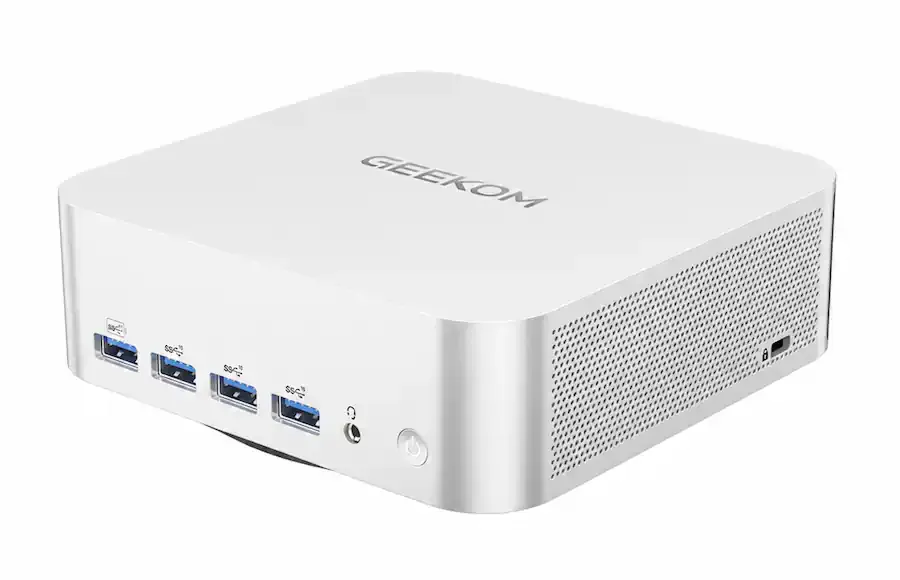
GEEKOM has several mini PCs discounted ahead of Black Friday, but you don't need to sort through all of them. We've picked out four models worth considering, covering everything from affordable home-office PCs to much more powerful systems capable of heavier workloads and some 1080p gaming.
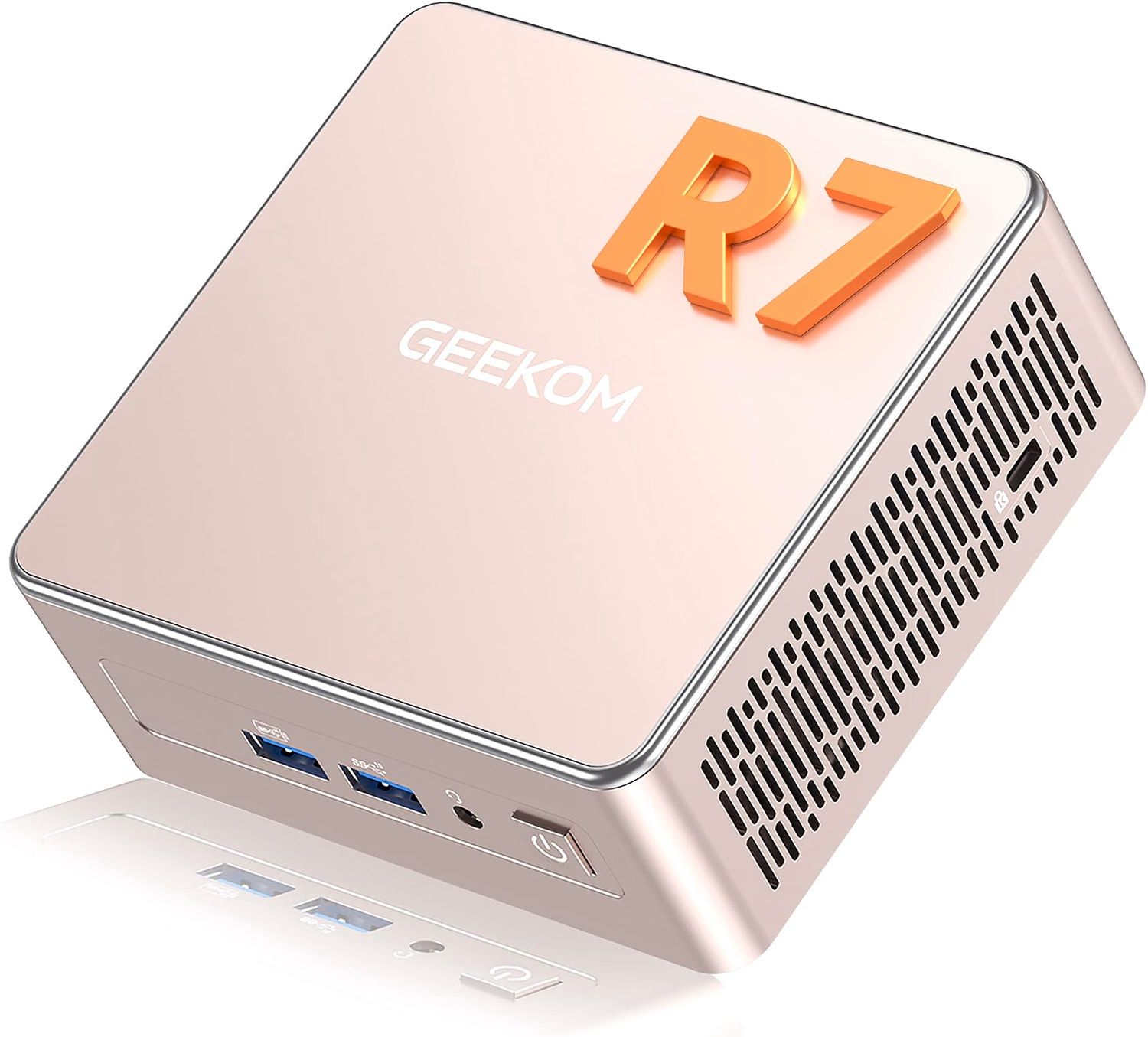
The standout is the GEEKOM A8 Max, a Ryzen 7-powered mini PC that our Managing Editor Ben Wilson continues to use regularly despite having a full gaming desktop nearby. It's dropping from $799.00 to $679.15 on Amazon, provided you use the promo code "WCGMBD8M" during checkout.
"I've had the A8 Max on my desk for ages now, and I'm still opting for it over my gaming desktop on regular occasions. It's just a massively capable box, and yes, it runs games if you really want it to." — Ben Wilson, Senior EditorView Deal
What makes the Geekom A8 MAX special?
Diagonal view of the Geekom IT13 Max. (Image credit: Ben Wilson | Windows Central)
The Geekom A8 MAX is one of the best mini-PCs on the market that will demolish your daily Excel spreadsheet quotas, open up a million web browser tabs for research, and has the capability to run casual and mid-level 1080p games while you're on breaks.
This is because this configuration comes with an AMD Ryzen 7 8745HS CPU paired with an AMD Radeon 780M GPU to help boost its performance for such tasks.
Other notable features include dual DDR SO-DIMM slots to fit more RAM up to 128GB for faster processing speed, a big 1TB SSD so you can fit tons of vital documents, videos, and photos for work, and an advanced IceBlast 2.0 cooling system to keep it nice and cool during long working hours to prevent throttling.
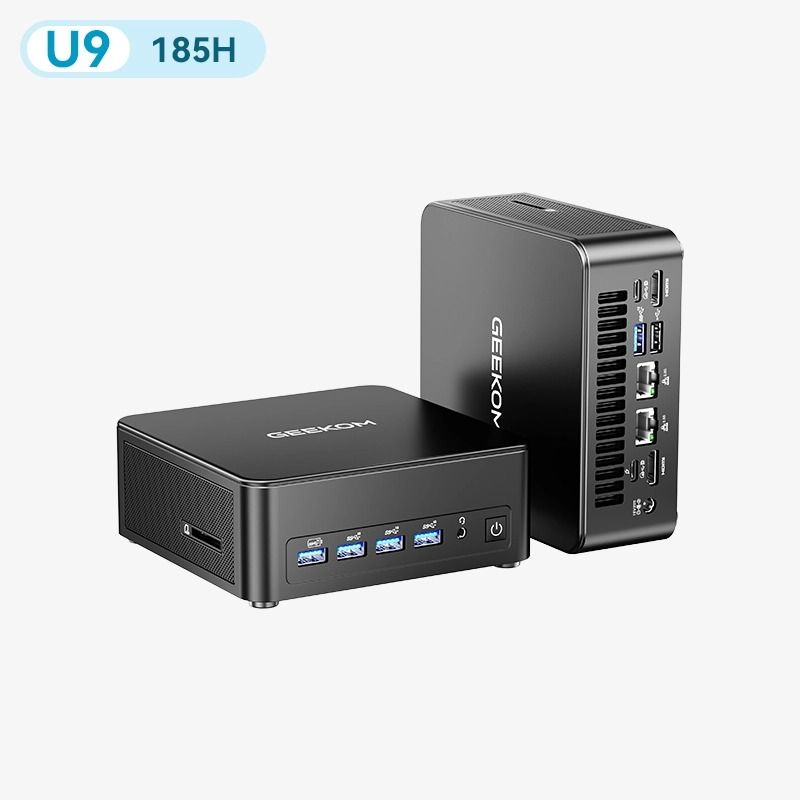
On top of that, the Geekom IT13 MAX has a massive plethora of ports, including: two 40Gbps USB4 ports, two HDMI 2.0 ports, dual 2.5GbE LAN ports, an SD card reader, and eight USB ports.
Alternative mini-PCs
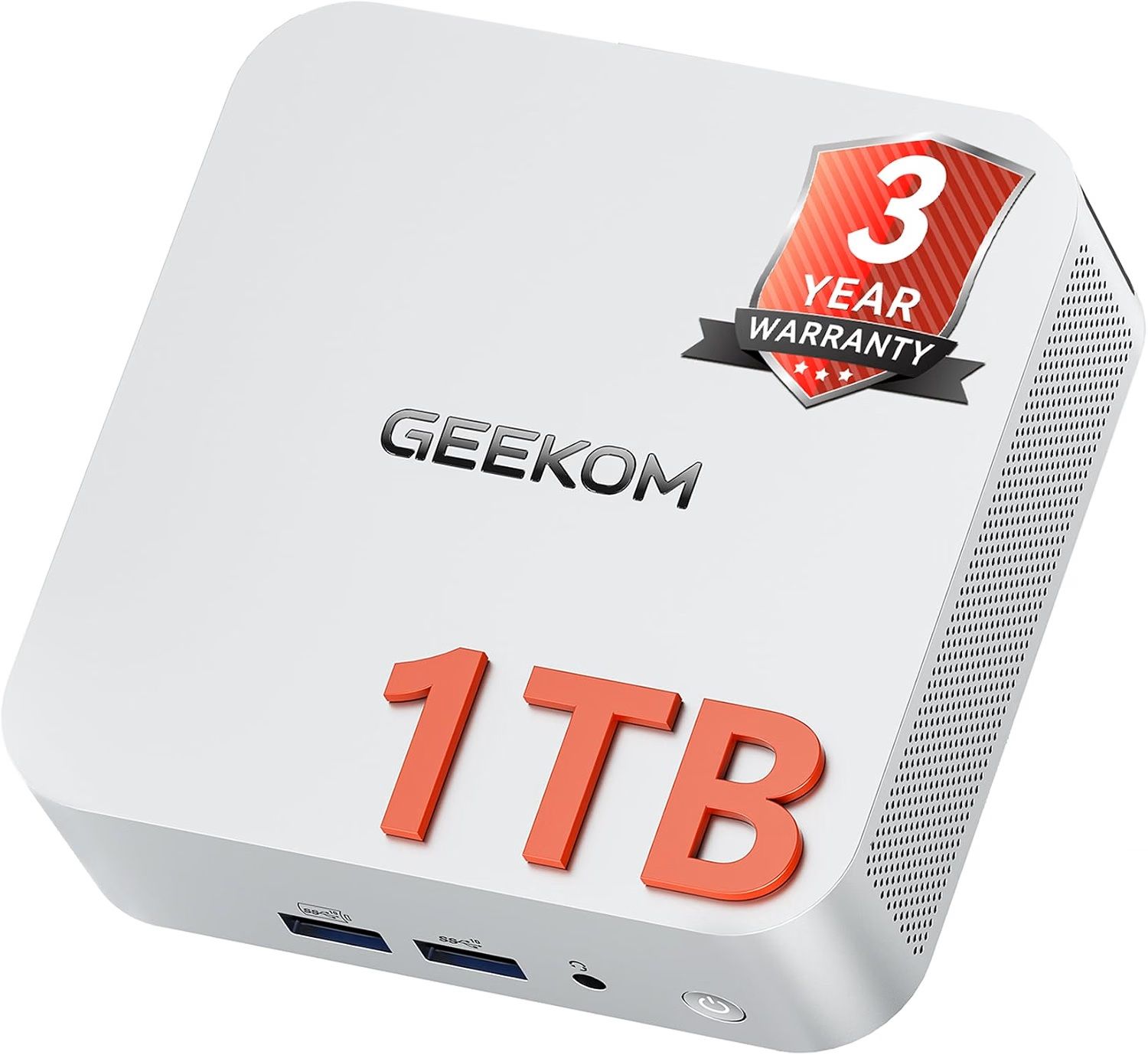
The other alternative mini-PCs on sale include the less expensive and extremely quiet Geekom A5 2027 Edition Mini PC for $499 at Amazon, and the business-focused, premium Geekom IT13 MAX for $699.99 at Amazon, for example.
"With its 15-watt chip and IceBlast 3.0 cooling, the A5 2027 Edition is aimed squarely at desks, reception areas and back offices where a quiet machine matters more than outright speed." ~ Mark Pickavance, tech writer at TechRadar
"The A5 Pro handles everything the home office demands quietly and without fuss. The premium aluminium build, dual-channel RAM, and connectivity options make it a compact and well-equipped machine for the size and price." ~ Alastair Jennings, tech writer at TechRadar
"This is a very capable and solidly built mini PC (..) The Ultra 9 185H performs as expected, and for office and light creative work, the IT13 Max is an excellent option." — Alastair Jennings, Tech Writer at TechRadar
Is it worth waiting until Black Friday for a killer deal?
With Black Friday starting a few days from now, on November 27, 2026, it's recommended to take advantage of these deals now, as they're unlikely to get any lower unless they persist and change on Cyber Monday, November 30, 2026.
When does Cyber Monday start?
Cyber Monday starts on November 30, 2026, following Black Friday, with its promotional messaging usually shifting quickly away from Black Friday in the early hours of Saturday morning, November 29. It's expected to last only for a single day, but we've seen discounts extend further into the week in previous years.
Join us on Reddit at r/WindowsCentral to share your insights and discuss our latest news, reviews, and more.
A caller claiming to be IT support might not need to send you a malicious link to steal information. Sometimes, convincing you to hand it over is enough.
Microsoft wants Teams to recognize that kind of social engineering while it's happening. The company is developing AI-powered voice phishing detection that analyzes one-to-one calls with people outside your organization and warns you when suspicious activity is detected.
Voice phishing attacks often rely on impersonation. A scammer may pretend to be a client, IT administrator, or another trusted contact. If attackers gain access to meetings or organizational information, they can use those details to make impersonation attempts more convincing.
Teams will use AI to look for signs of social engineering and alert users when suspicious activity is detected, though Microsoft has not yet explained exactly what signals will trigger a warning.
Teams already uses AI in a variety of ways to protect users. Recently, the communication platform gained an option to block external bots automatically.
Voice phishing attacks can be more difficult to identify than phishing emails. When a scammer sends an email, suspicious links or attachments can often be flagged by security tools or spotted by a user. During a call, however, a scammer can adapt in real time and use personal tactics to pressure someone into sharing credentials or other sensitive information.
The Microsoft Copilot Roadmap outlines the feature:
"Voice phishing detection helps protect Microsoft Teams users from potential scams during one-to-one calls with people outside their organization. Using AI, Teams analyzes conversations for signs of social engineering and alerts recipients when suspicious activity is detected, helping them recognize potential threats and decide how to proceed."
Microsoft is set to preview the feature in December and roll it out to everyone in January.
Teams already flags suspicious links and messages in chats. This new feature extends similar protections to voice conversations, where scammers can use social engineering tactics to pressure someone into sharing sensitive information.
Join us on Reddit at r/WindowsCentral to share your insights and discuss our latest news, reviews, and more.
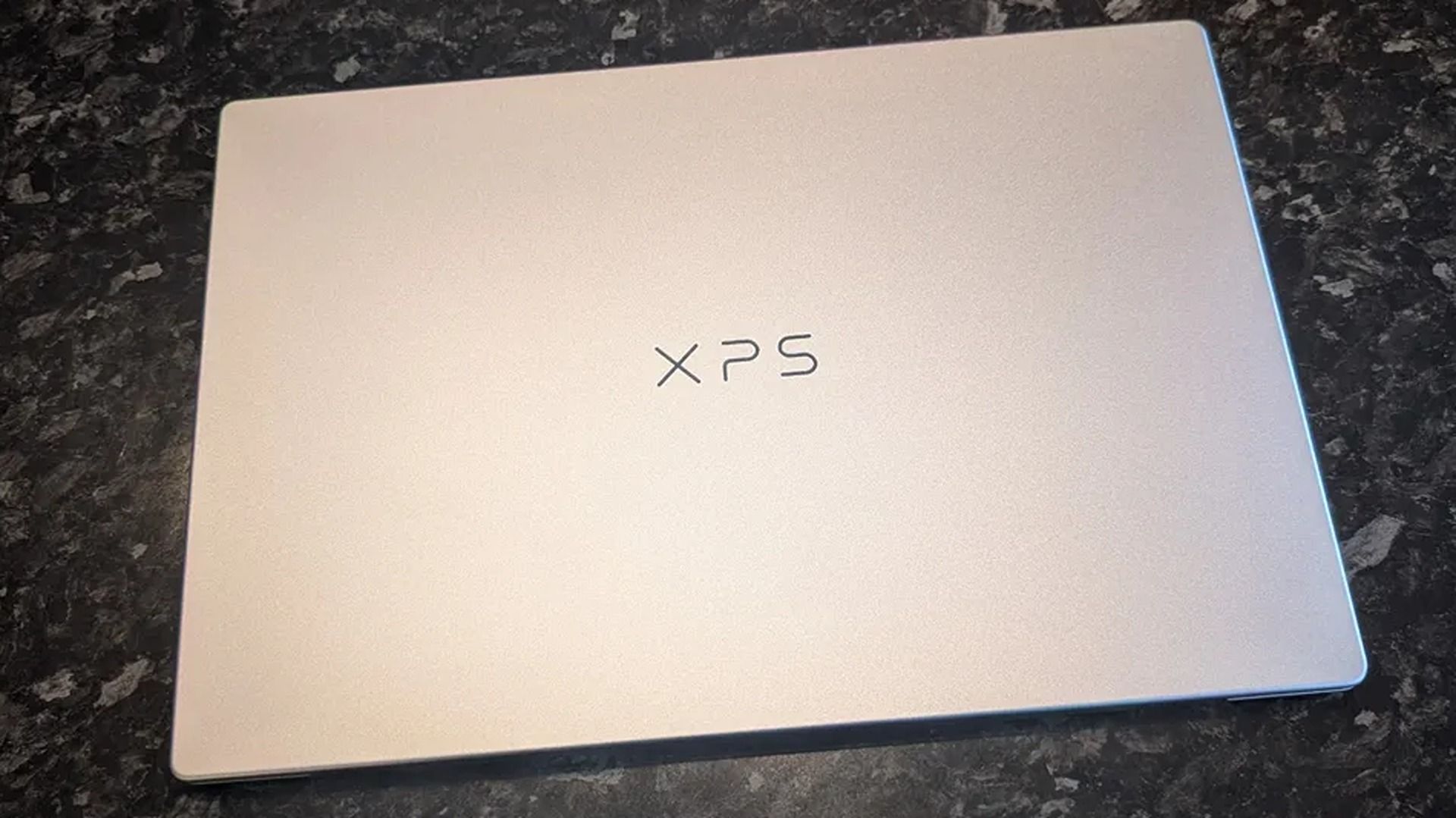
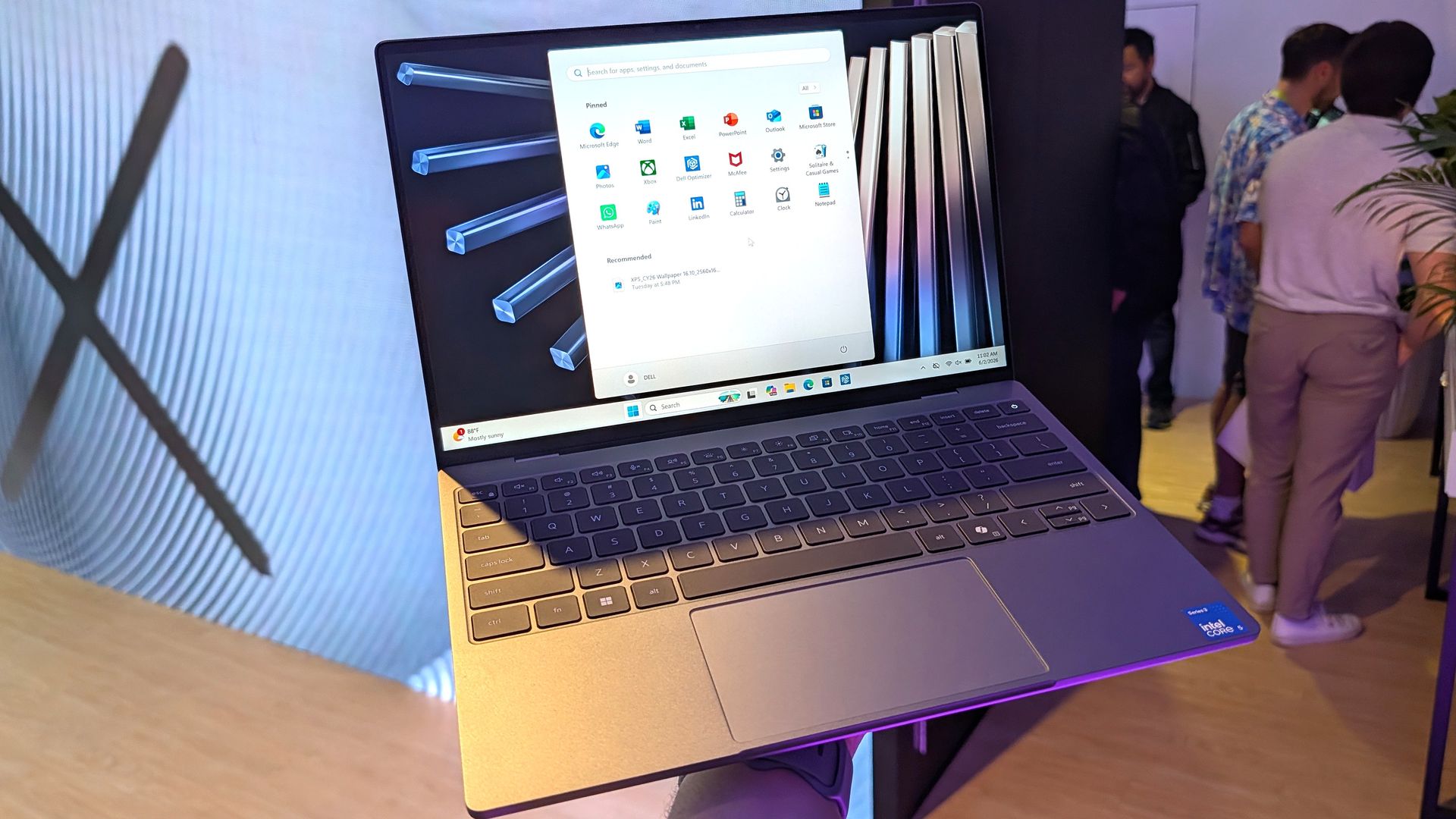
The modern Dell XPS 13 has been one of the easiest laptops we recommend to first-time buyers since its announcement. It's thin, lightweight, delivers excellent battery life, and handles everyday Windows 11 computing without the premium price tag of larger XPS variants.
Now it's even more appealing since Dell has cut the XPS 13 to $549.99 (was $749.99) ahead of Black Friday for a $200 saving, and Microsoft's recent Windows OS optimizations have given 8GB RAM systems a noticeable boost in day-to-day responsiveness.
"The impressively slim design, one-kilo total weight, and sturdy aluminum chassis all work together to make the XPS 13 an eminently portable laptop for taking on the go." — Christian Guyton, Editor, TechRadar Review
We tested this update and confirmed it makes 8GB laptops perform better and use less memory for everyday tasks than before (though they can still struggle under heavy workloads, hence pushing power users to higher-end specs).
Combine this with the Dell XPS 13's already reliable performance, and you've got a machine that's perfectly comfortable handling web browsing, Office documents, Teams calls, and day-to-day computing.
Of course, that's not all there is to it. The XPS 13 also offers roughly 16 hours of battery life, an extremely thin yet durable design that makes it easy to carry for traveling students or workers, and a high-quality 2.5K, 120Hz display that ensures your work looks bright, smooth, and detailed.
So, if you're new to computing and just need a dependable Windows laptop without spending four figures, then it's an easy recommendation. It's the new best deal in laptops.
Should I wait until Black Friday for a better deal?
Probably not. We're close enough to Black Friday on November 27 that there isn't much room for a dramatic price drop, and $549 is already one of the lowest prices we've seen for this XPS 13. If this is the laptop you want, we'd be comfortable buying at this price rather than waiting for a potentially small additional saving.
Can I upgrade its RAM?
No. The 8GB of RAM is fixed in place, so it can't be upgraded later. That's one reason we'd usually recommend 16GB when budget allows, but Microsoft's recent Windows 11 memory-management improvements make this model more viable than older 8GB systems.
Join us on Reddit at r/WindowsCentral to share your insights and discuss our latest news, reviews, and more.
Grand Theft Auto 6 is the game fans have been waiting 13 years for, and it finally launched on Xbox Series X|S and PlayStation 5 on November 19, 2026. Additionally, Xbox owners can buy the game and stream it using Xbox Cloud Gaming which also means those still on an Xbox One can enjoy GTA 6.
Critics reviews were almost unanimously glowing, and GTA 6 broke all kinds of records at its long-awaited launch. It introduces for the first time a relationship as the central character pairing, with a number of new mechanics that affect the gameplay.
At this time no PC launch of GTA 6 has been confirmed, though it's almost certain there will be one, following Rockstar's tradition of launching these big titles first on console. GTA Online is also not yet available for GTA 6, though, again, it's extremely likely this will follow in the future.
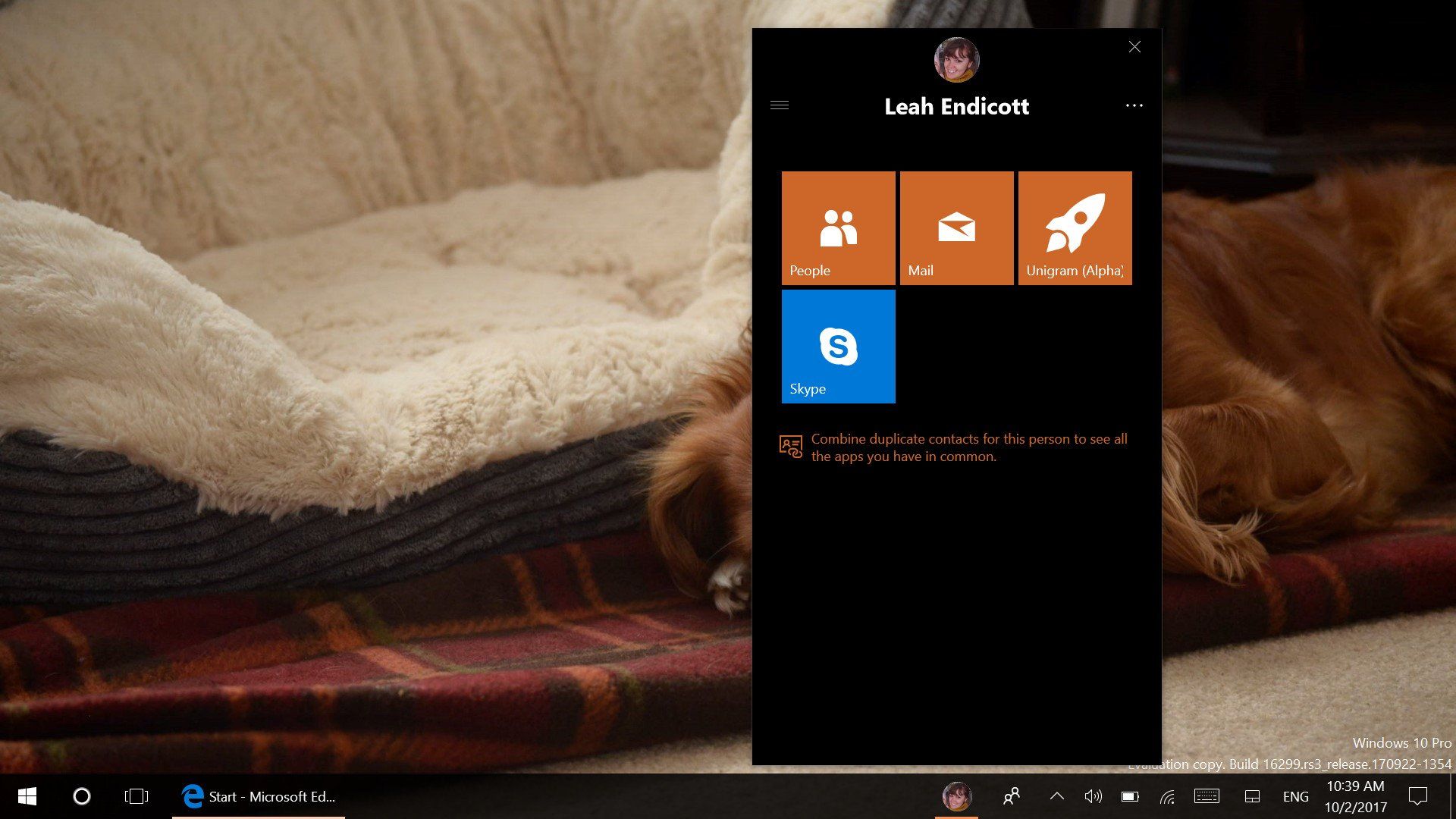
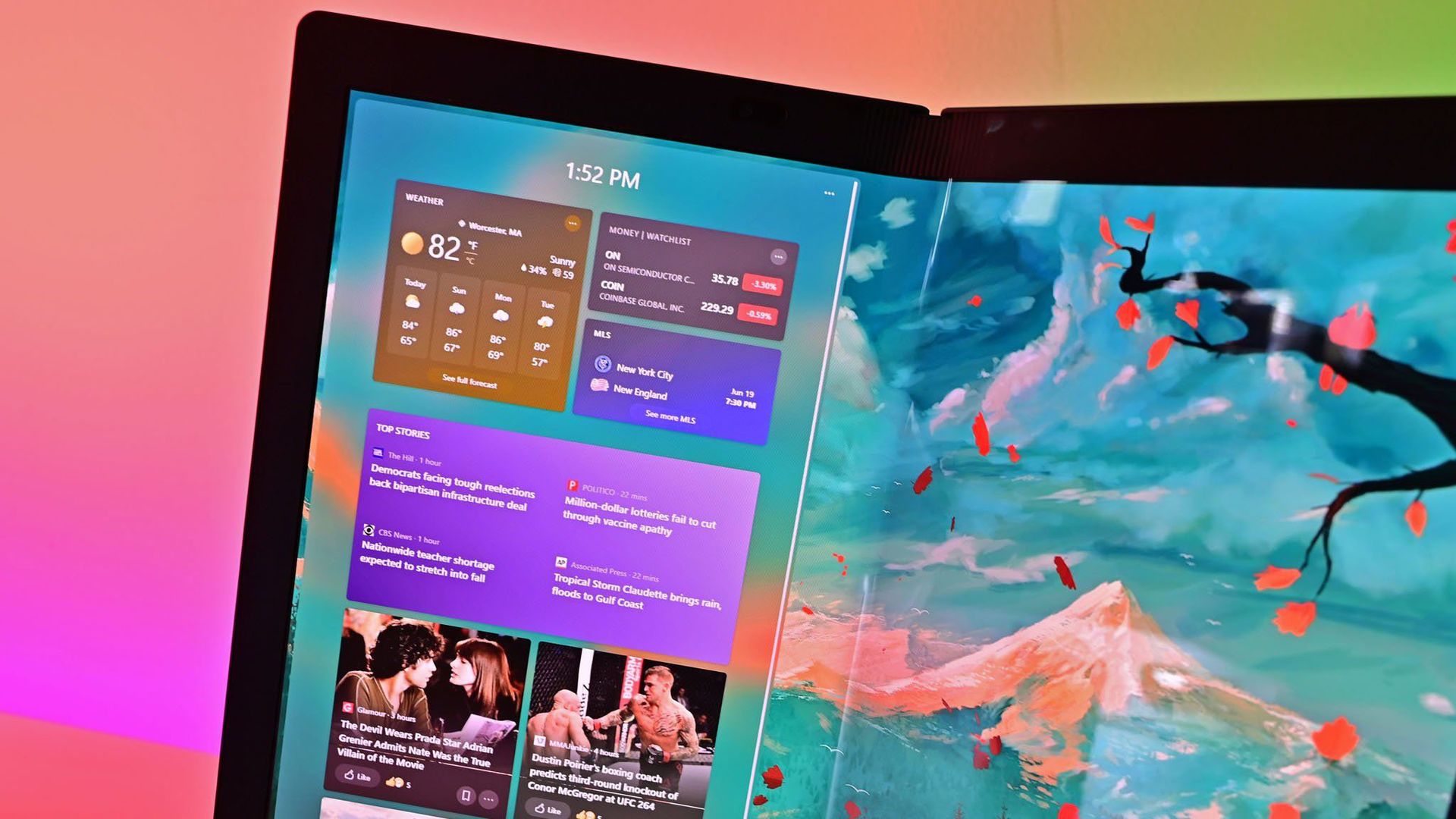
Windows 8 had the People app. Windows 10 had the People Bar. Soon, Windows 11 will have the People widget. The latest Windows Insider build includes a People widget that provides quick access to your contacts.
The new widget brings in your contacts from supported apps, including Phone Link, Outlook, and WhatsApp. Clicking a contact opens the relevant communication app.
The feature looks like a great way to make the Windows Widgets board useful. At the moment, there aren't many useful widgets available on Windows 11.
You can test the new People widget if you're a Windows Insider enrolled in the Experimental Channel. The feature first shipped with Windows 11 Build 26340.10032.
Avoiding the mistakes of the past
The People Bar from Windows 10 failed in part due to a lack of app integration. Microsoft needs to avoid the same issue with its new People widget. (Image credit: Future)
For the People widget to be useful, it needs to support the most popular services people use to communicate. The People Bar lacked support from some of the biggest messaging apps. Microsoft needs to overcome that gap to make its latest "People" concept stick.
At the moment, the People widget supports Phone Link and WhatsApp. That's a strong start considering the feature is in preview and was just announced.
WhatsApp is a notable inclusion because the People Bar lacked integration with WhatsApp. The service has over a billion users and serves as the primary messaging app in many countries.
As much as I love third-party apps, I'd love to see full-fledged and official support for Facebook Messenger, Discord, and Telegram.
The People widget is another attempt to make Windows more social, but unlike earlier efforts, it arrives with support for services people actually use. We'll have to wait and see if more apps gain support, but the feature looks more promising than previous attempts.
Join us on Reddit at r/WindowsCentral to share your insights and discuss our latest news, reviews, and more.
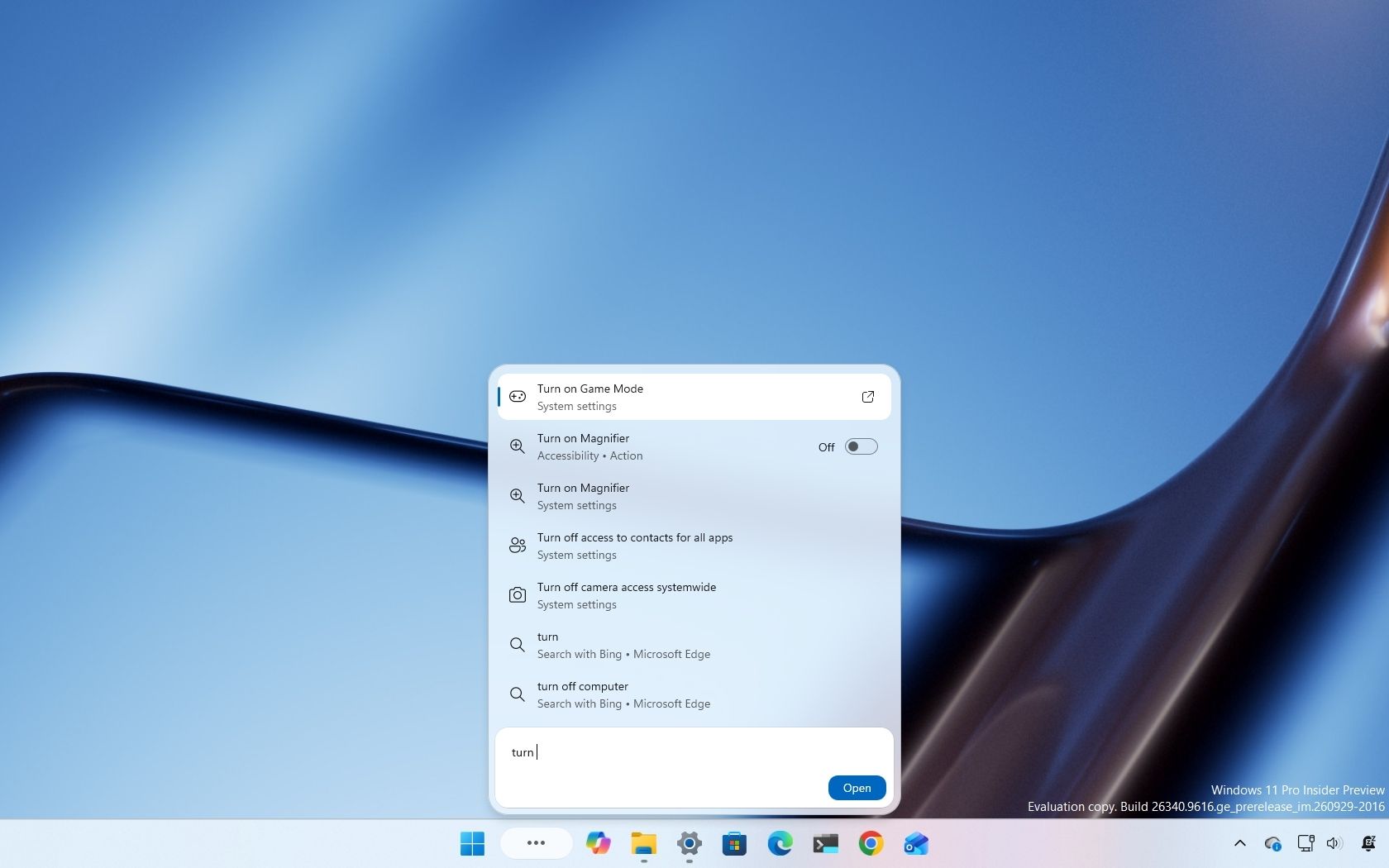
Windows 11 has a new Search experience that's faster and full of new features. That experience comes with the latest update to Windows 11, but it has a limitation. At the moment, Search only opens along the bottom of your screen.
Windows 11 supports placing the taskbar on the bottom, side, or top of your display, but the Search experience was clearly designed with the bottom-placed taskbar in mind. You can still open Search if your taskbar is somewhere other than the bottom, but the experience looks awkward.
When opened without a taskbar beneath it, Search shifts down toward the bottom of the screen. There's a small space below the interface, but it's not like Windows 11 assumes there's a taskbar there and leaves a massive gap.
Still, it would be nice if Search appeared based on where you place the taskbar. That functionality is in the works.
Baca simply said that Microsoft is working on it and to stay tuned. Hopefully we'll get to test a version of Search that works better with vertical taskbars soon. Microsoft could also take the opportunity to optimize Search for the few people who choose to have the taskbar along the top of their screen.
The new Search is a sizeable improvement over one of the major pain points of Windows 11. It performs better, looks better, and yields better search results. Search now supports inline actions as well, allowing you to alter settings or perform certain tasks on your PC.
Considering how big of an improvement the new Search is, I understand why Microsoft shipped it before optimizing it for other taskbar positions. I was happy to see the option to place the taskbar on the side or top of the screen added to Windows 11, but the standard layout is to have the taskbar along the bottom.
Join us on Reddit at r/WindowsCentral to share your insights and discuss our latest news, reviews, and more.
Microsoft has announced that support for MTP over Bluetooth and the dedicated Family Safety app on Windows 11 are being deprecated this year, and may be removed from future versions of the operating system. This follows 3D Viewer and PowerShell 5.1, which was also deprecated earlier this year.
2026 has been pretty light in the way of deprecated Windows features, with just four confirmed deprecations so far. The latest additions were added just this month, and are luckily not very widely used parts of the OS. Here are the latest entries on the deprecation table:
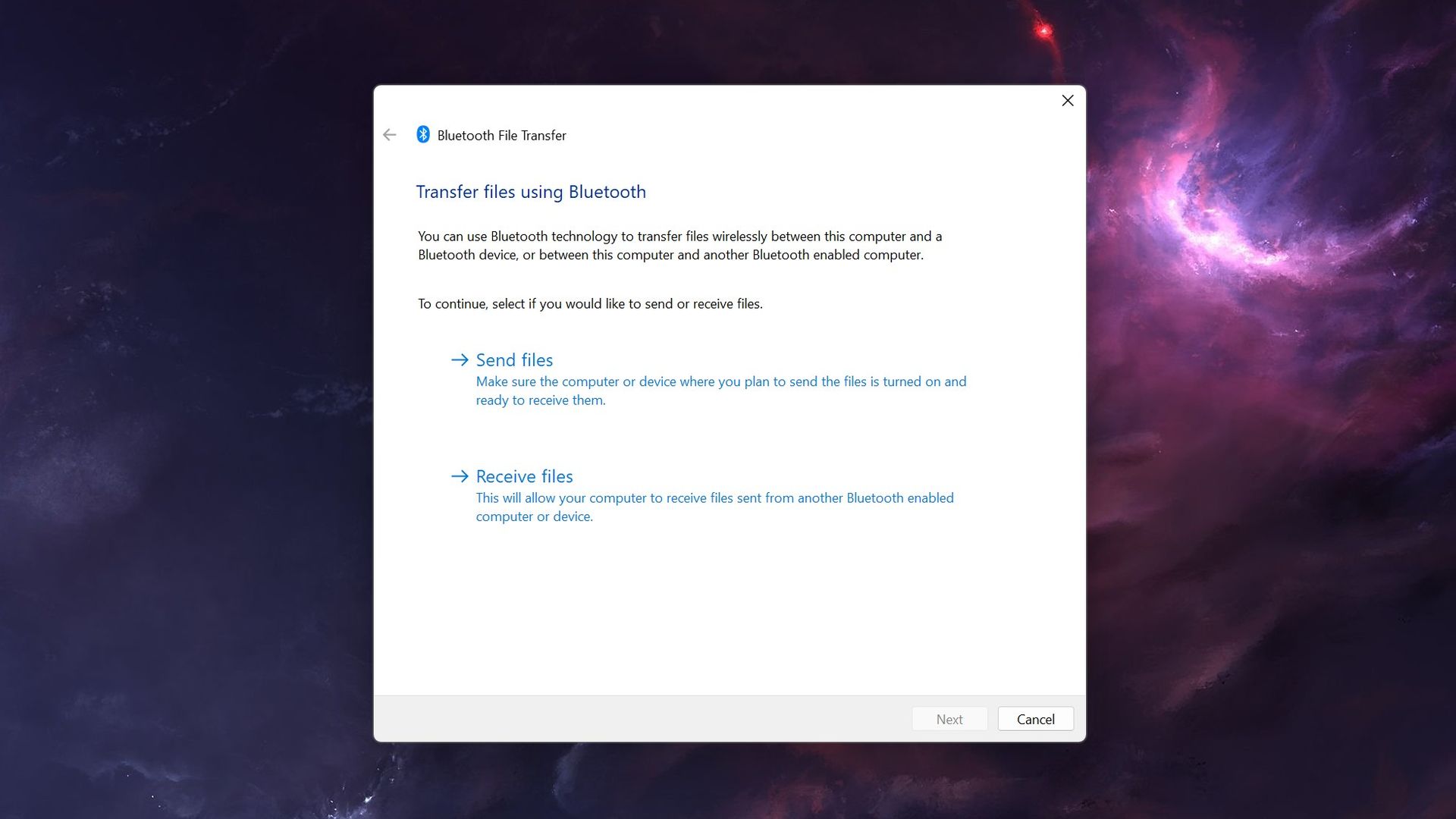
MTP over Bluetooth is deprecated and might be removed in a future release of Windows. You can continue using MTP over USB to manage files on connected devices.
The Microsoft Family Safety app for Windows is deprecated and is planned for removal from Windows in a future OS release. Customers can continue to access and manage Family Safety features through the Microsoft Family Safety mobile app or the Family Safety web portal.
MTP over Bluetooth is a Media Transfer Protocol feature that allows you to send or receive files to and from an external device via Bluetooth. It's handy for when you don't have a USB cable, but isn't commonly used these days as Bluetooth is much slower than a hard-wired connection or internet services like Phone Link.
This feature is being deprecated and may be removed in the future. (Image credit: Zac Bowden / Windows Central)
The Family Safety app is another in-box Windows app that not many people use, though it is surprising to see this app being deprecated given the company has announced plans to beef up family safety experiences on Windows 11 over the coming months.
For the Family Safety app, Microsoft recommends users switch to managing their family settings via the Microsoft Family Safety website, or the mobile app. It's a shame that Microsoft isn't able to maintain a Windows app for this, especially given the Family Safety app is just a web app already.
Deprecation doesn't mean the feature has been removed from the OS, at least not immediately. Deprecated simply means the feature is no longer being actively developed and maintained, and may be removed from future versions of the OS, though this is not always the case.
So, if you are one of the few people using the Family Safety app or MTP over Bluetooth, you'll be able to continue to do so for the foreseeable future. But don't get too comfortable, as they may be removed at any time going forward.
Join us on Reddit at r/WindowsCentral to share your insights and discuss our latest news, reviews, and more.

 Connexion