❌

Vue lecture

NUS Researchers Turn Electronic Threads Into a Touchscreen Sleeve

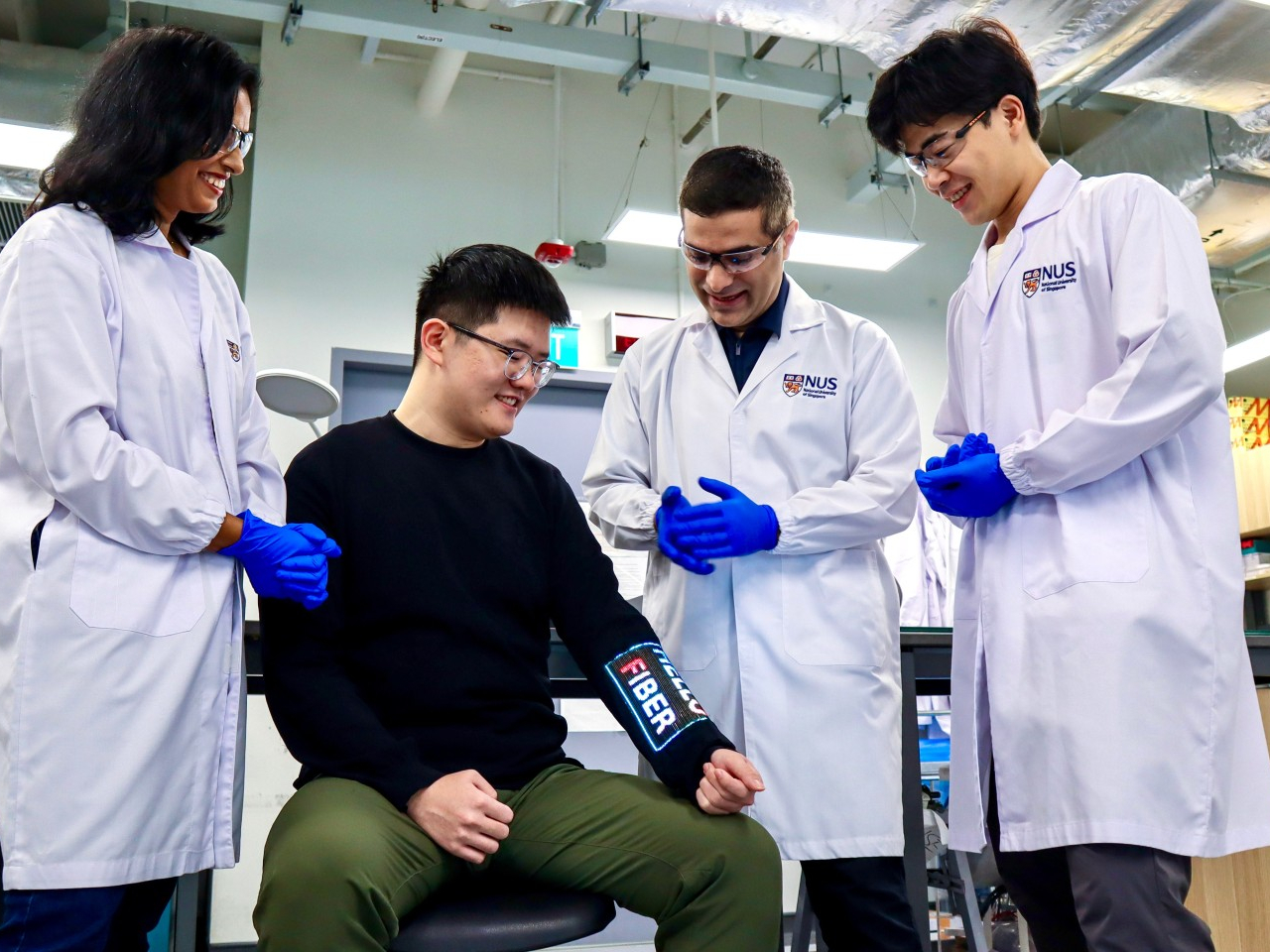
Checking your sleeve usually means looking for a stain, not opening a calculator. Researchers at the National University of Singapore have given that familiar piece of clothing a rather different purpose, threading a working touchscreen into its fabric. The research prototype displays images, responds to presses, and bends around the forearm without relying on a rigid panel strapped on top of it.

The interesting part is how the screen becomes part of the garment. Each electronic fiber carries a row of LEDs and a touch-sensitive layer beneath them, all within a thread about 0.04 inches thick. Pressing the fiber closes a circuit, allowing the system to locate your finger. You aren’t poking through fabric at a hidden glass screen; the thread itself detects the press.

Designers: Heng Fu, Ziang Li, Swetika Chaturvedi, Xiaoyu Zhang, Xiaolong Li, Qianyi Li & Tural Khudiyev (National University of Singapore)
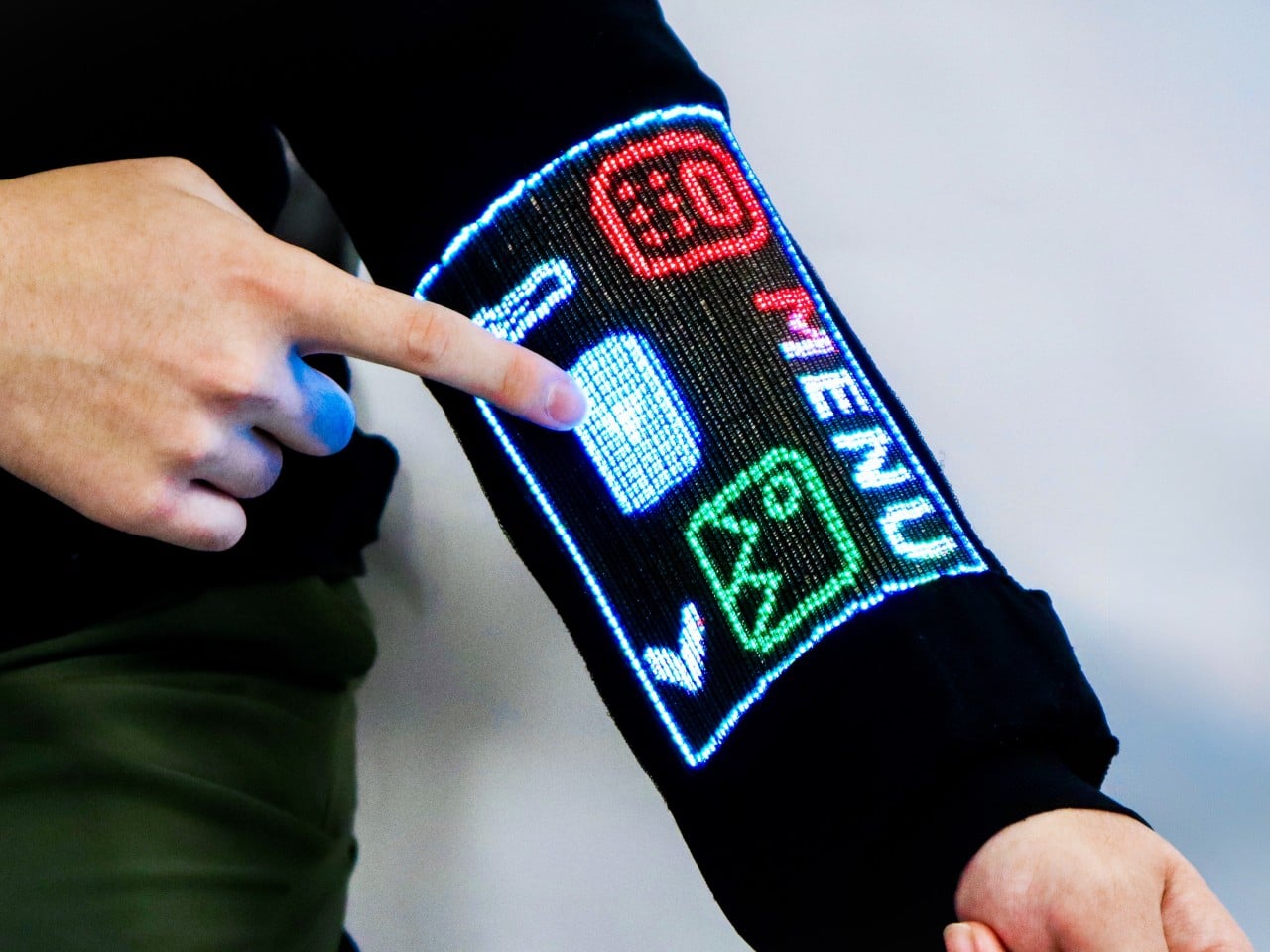
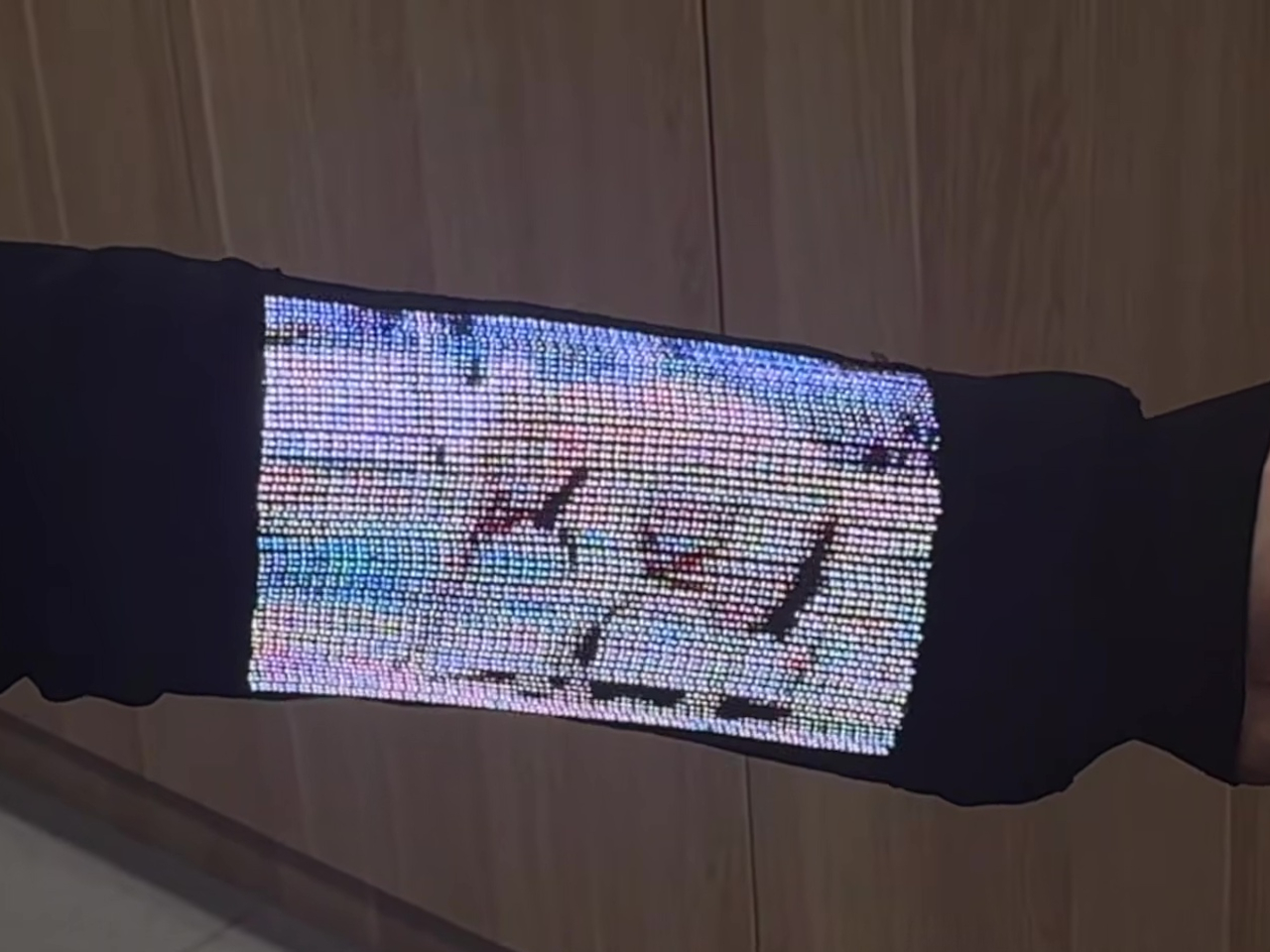
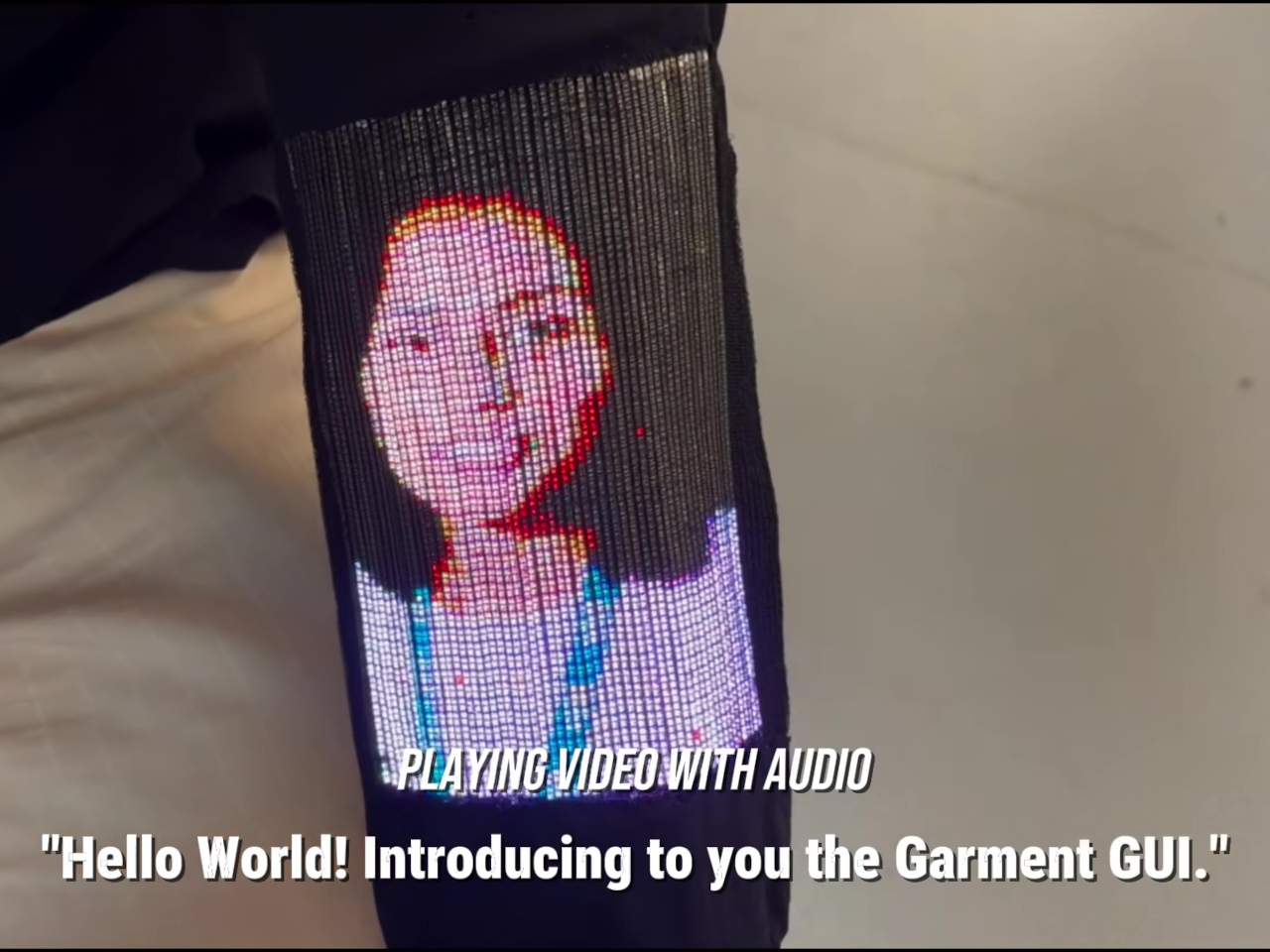
The sleeve combines 54 of those fibers, each carrying 96 LEDs, into a display roughly 6.6 inches by 4.1 inches. Its 96-by-54-pixel resolution isn’t going to replace your phone’s display, although the prototype can show pictures and play video. Large icons make more sense here than tiny menus, giving the interface a chunky character that suits a screen wrapped around a moving arm.

That placement puts simple tools within reach without fishing through a pocket. The team demonstrated a calculator, compass, photo viewer, and voice commands, along with Bluetooth image transfers. Video runs at 30 frames per second, dropping to 25 with synchronized audio. Those aren’t smartphone specifications to brag about, of course, but checking a direction doesn’t demand a miniature movie theater on your sleeve.


Other fibers carry a microphone, speaker, and sensors for movement, light, direction, and temperature. That lets the interface rotate with the arm and adjust its brightness automatically. A temperature-sensing fiber positioned under the arm can send a reading to the sleeve, suggesting how clothing might eventually make personal measurements easier to check. That doesn’t mean it’s ready to replace your thermometer, though.

Of course, clothing has to survive more than a few demonstrations. NUS reports that light output and touch response barely changed after 50 detergent washes and 1,000 bends. The washing procedure used a laundry bag and a gentle cycle, rather than treating the electronics like gym socks. That’s encouraging, though a laundry test isn’t a promise of surviving years of careless washing.
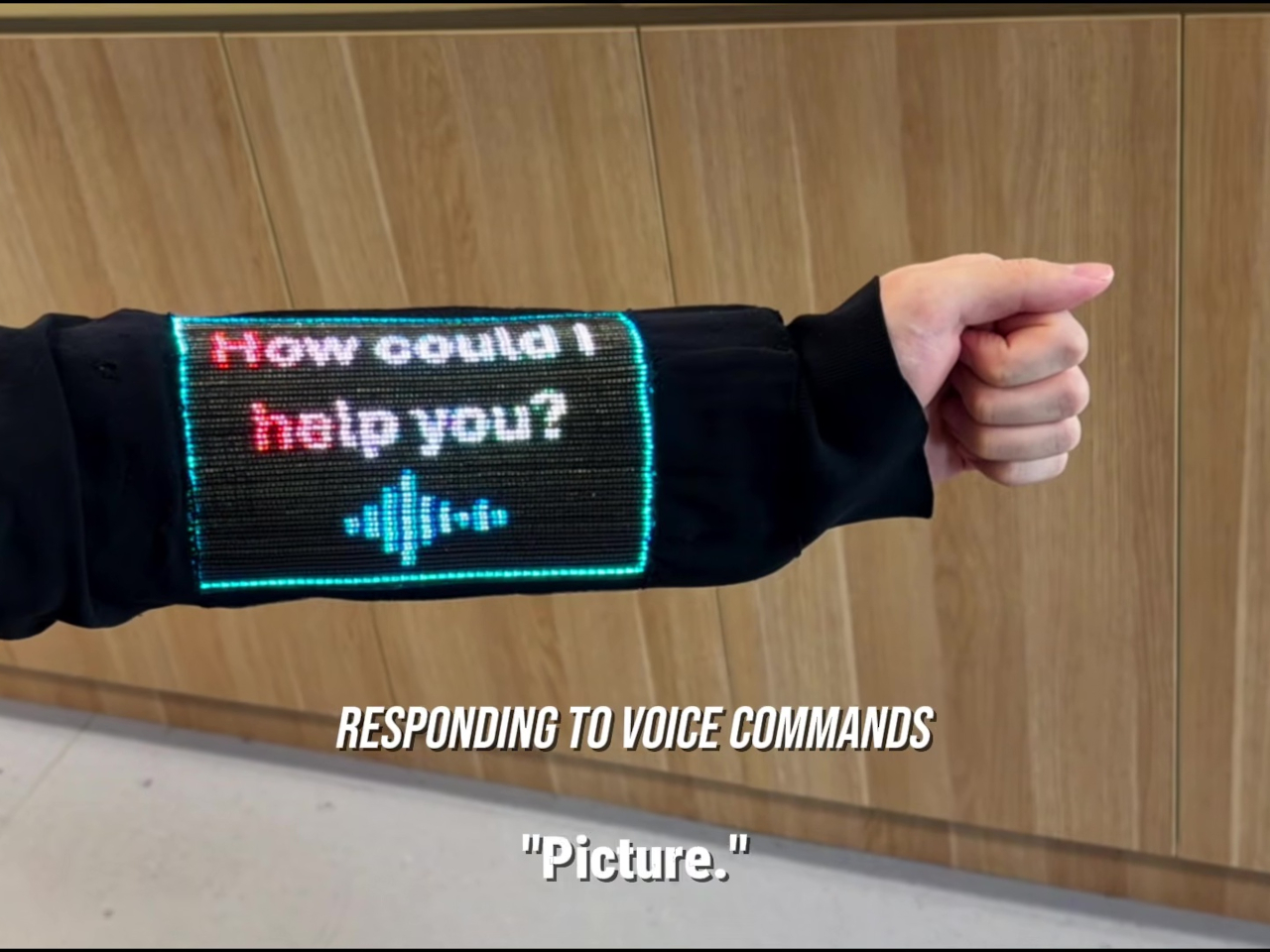
There’s also a difference between making the display flexible and making the entire computer disappear. Separate controller circuits and battery packs still support this prototype, so the electronics haven’t all become yarn. The researchers report breathability comparable to common fabrics, including cotton and denim, but a wearable system also has to account for where its power supply and other hardware sit during use.

For now, this remains a laboratory garment, with no announced retail price or release date. Higher resolution and more integrated electronics are among the challenges ahead. There’s a practical design question underneath the glowing sleeve, too. If the interface lives in your clothes, charging, repairing, and eventually replacing it become wardrobe decisions, alongside the ordinary matter of choosing something that fits comfortably.
The post NUS Researchers Turn Electronic Threads Into a Touchscreen Sleeve first appeared on Yanko Design.
  •  

Statik PowerStand turns a USB-C cable into a folding phone stand

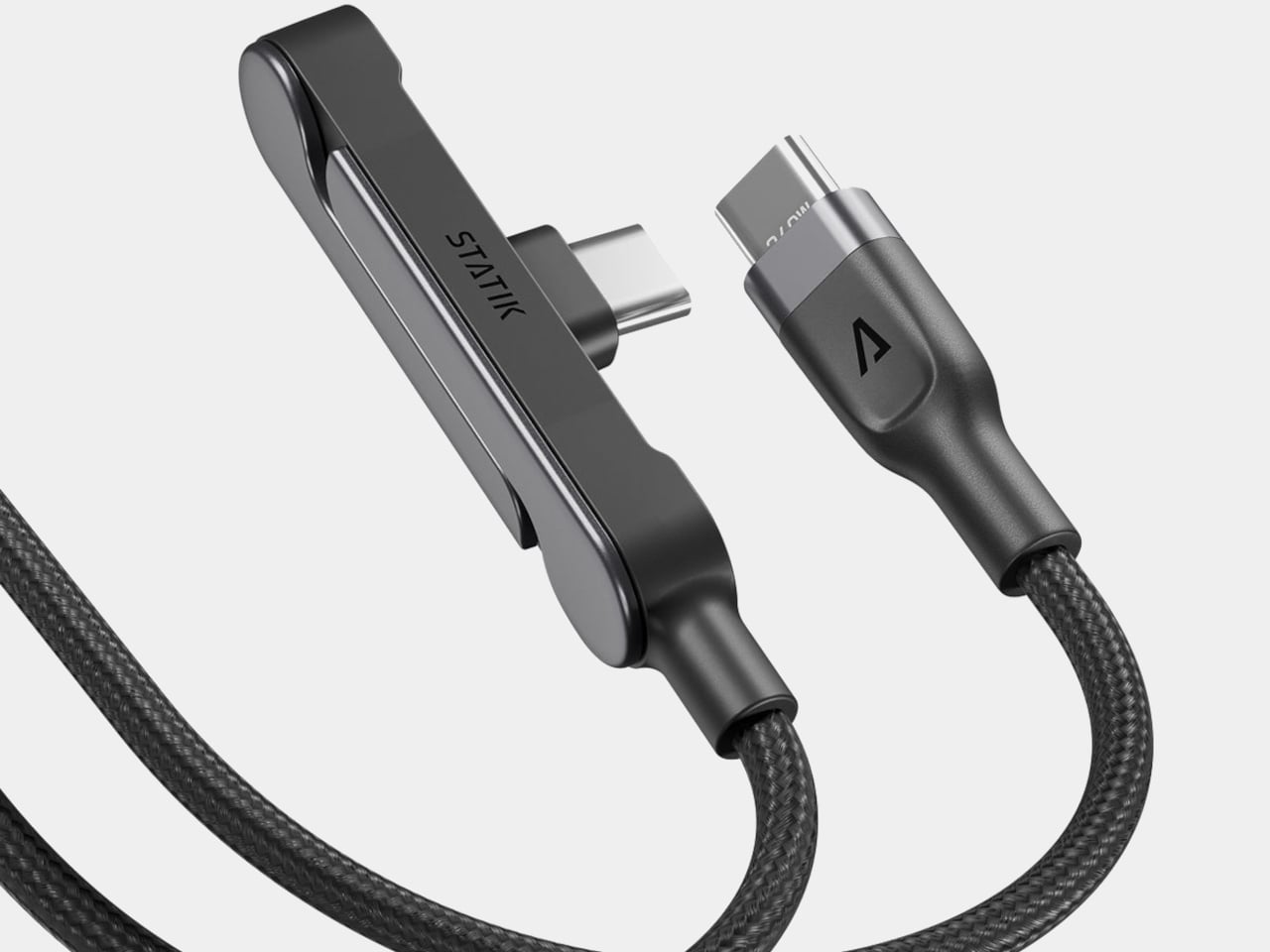
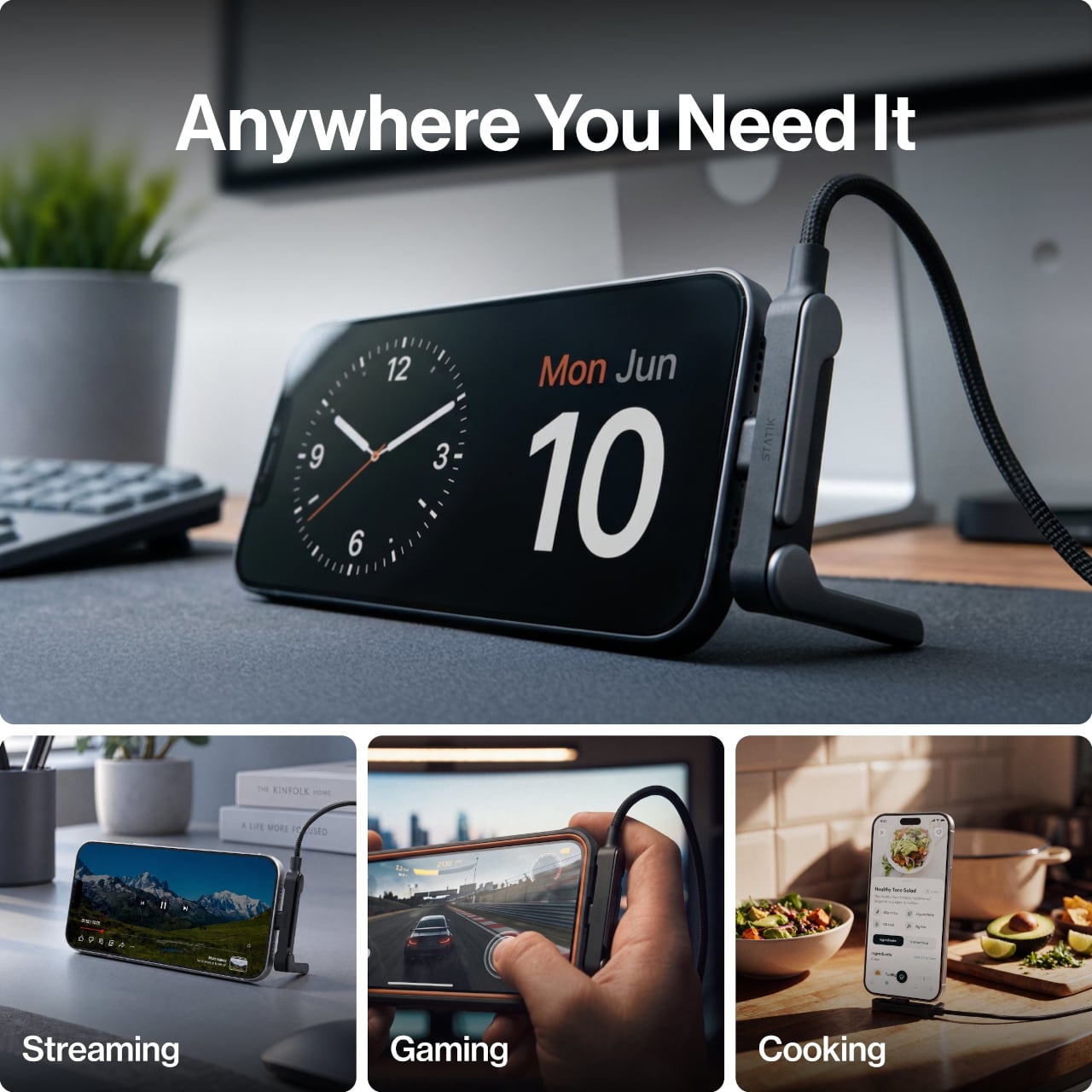
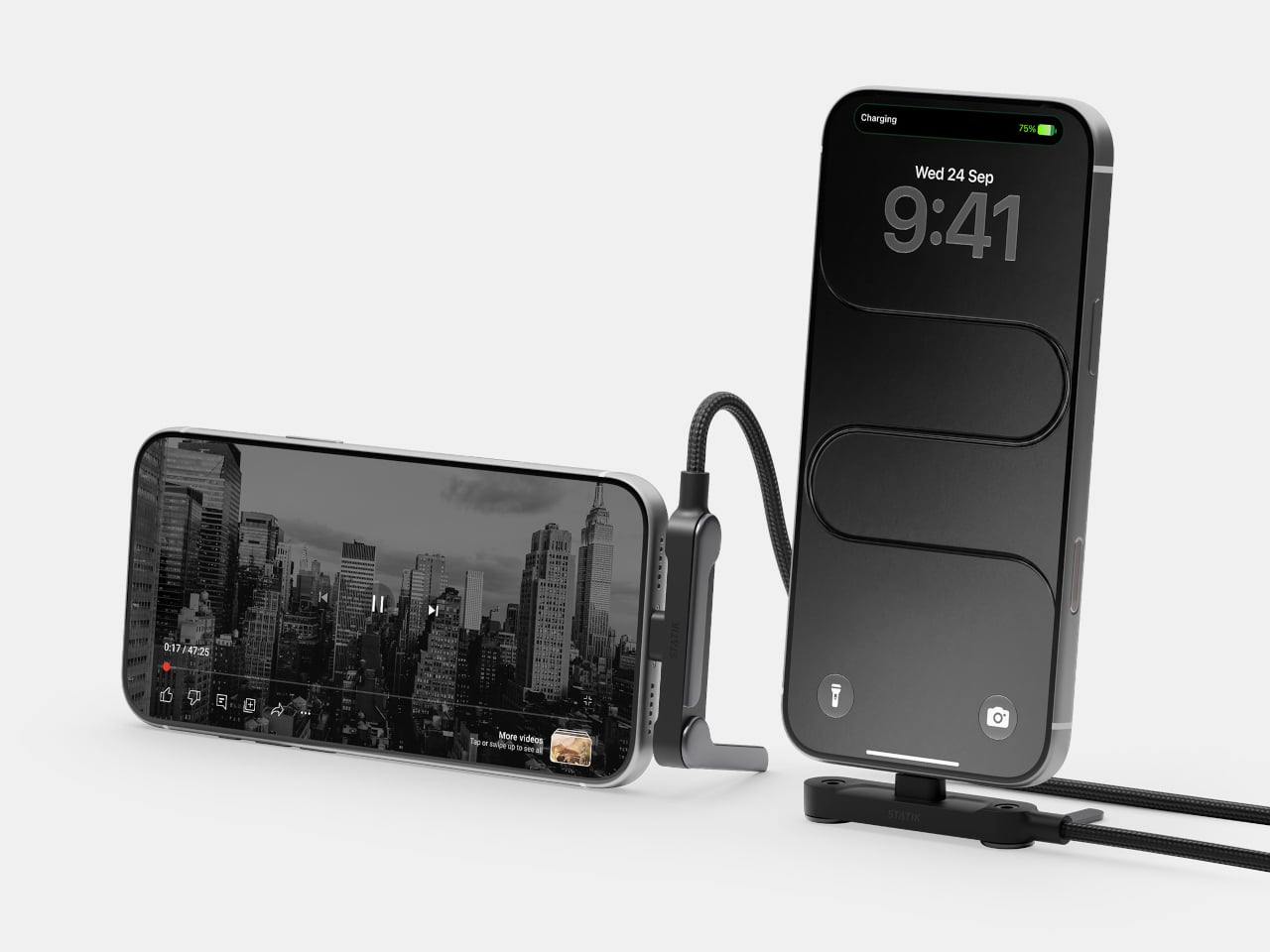
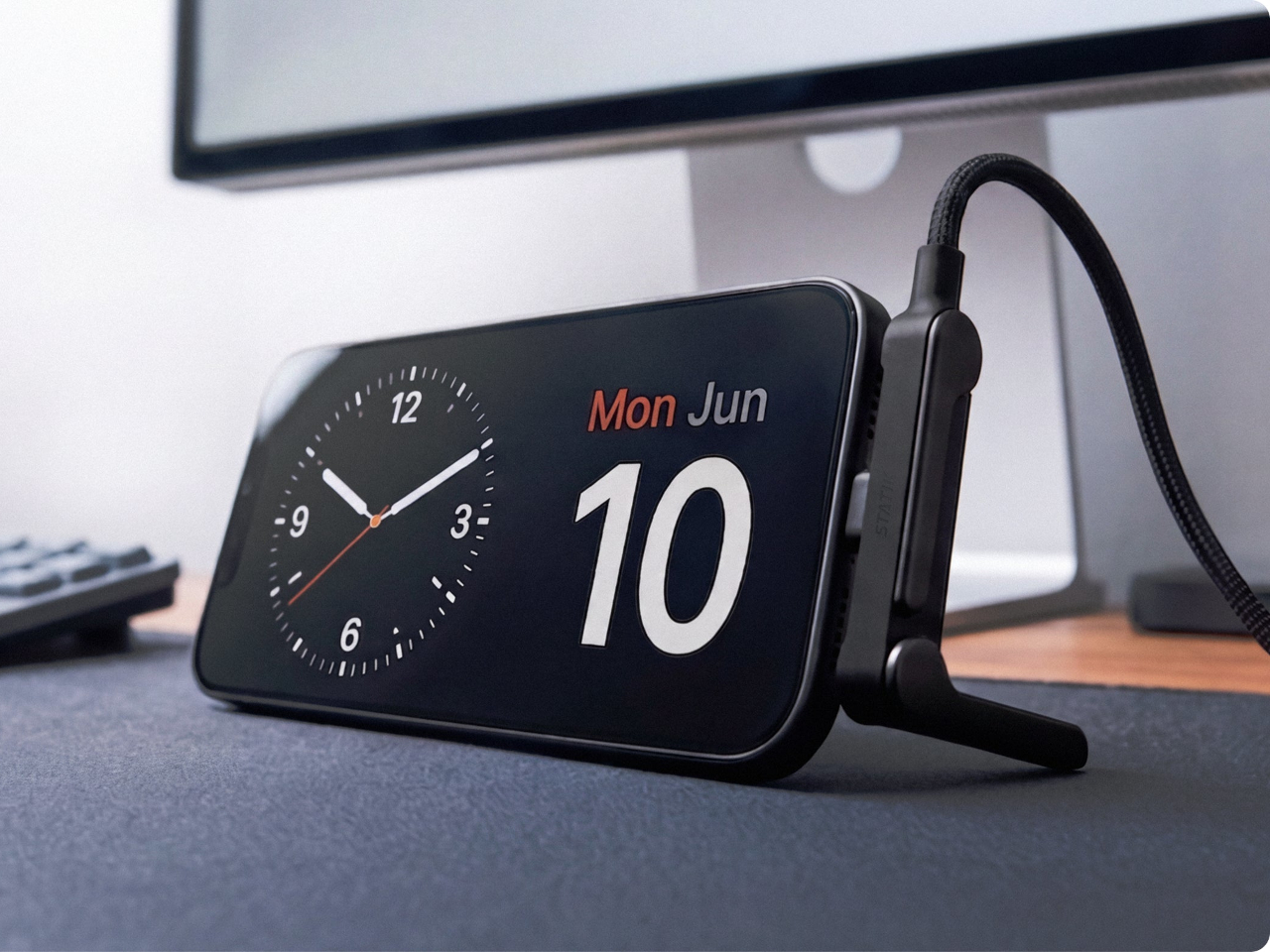
A phone charging flat on a desk isn’t particularly useful when you want to follow a recipe or join a video call. Statik’s PowerStand gives that familiar cable an extra job, building a folding stand directly into its USB-C connector. The $19.99 retail accessory lets your phone stay propped up while plugged in, without adding a separate cradle to the table.

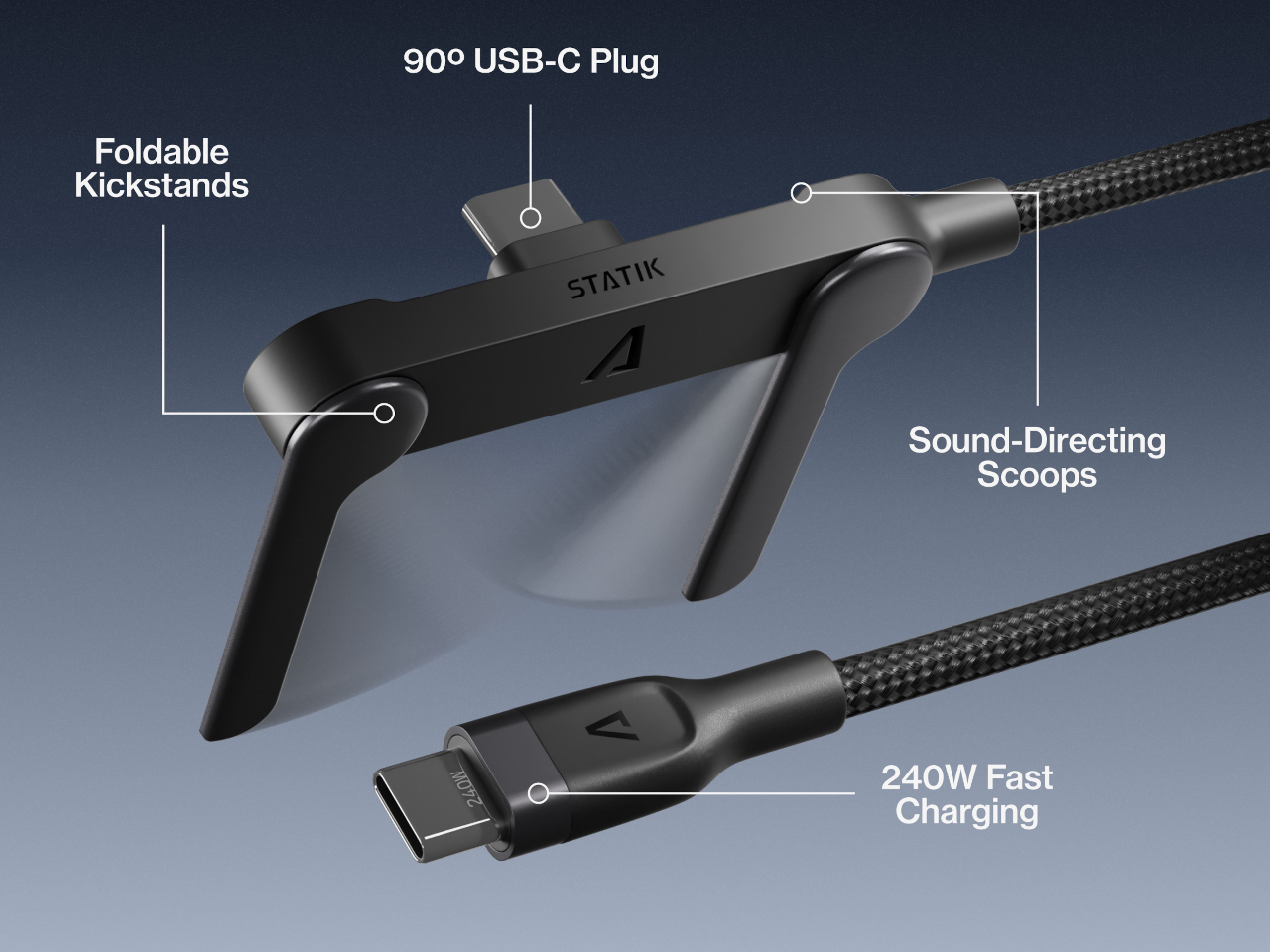
Most of the work happens in a broad connector housing that sits across the phone’s bottom edge. Two legs pivot out from its ends, turning the plug into a little support structure for portrait or landscape viewing. Fold those legs back against the housing when you’re finished, and the stand travels with the cable rather than becoming another loose accessory to forget.

Designer: Statik

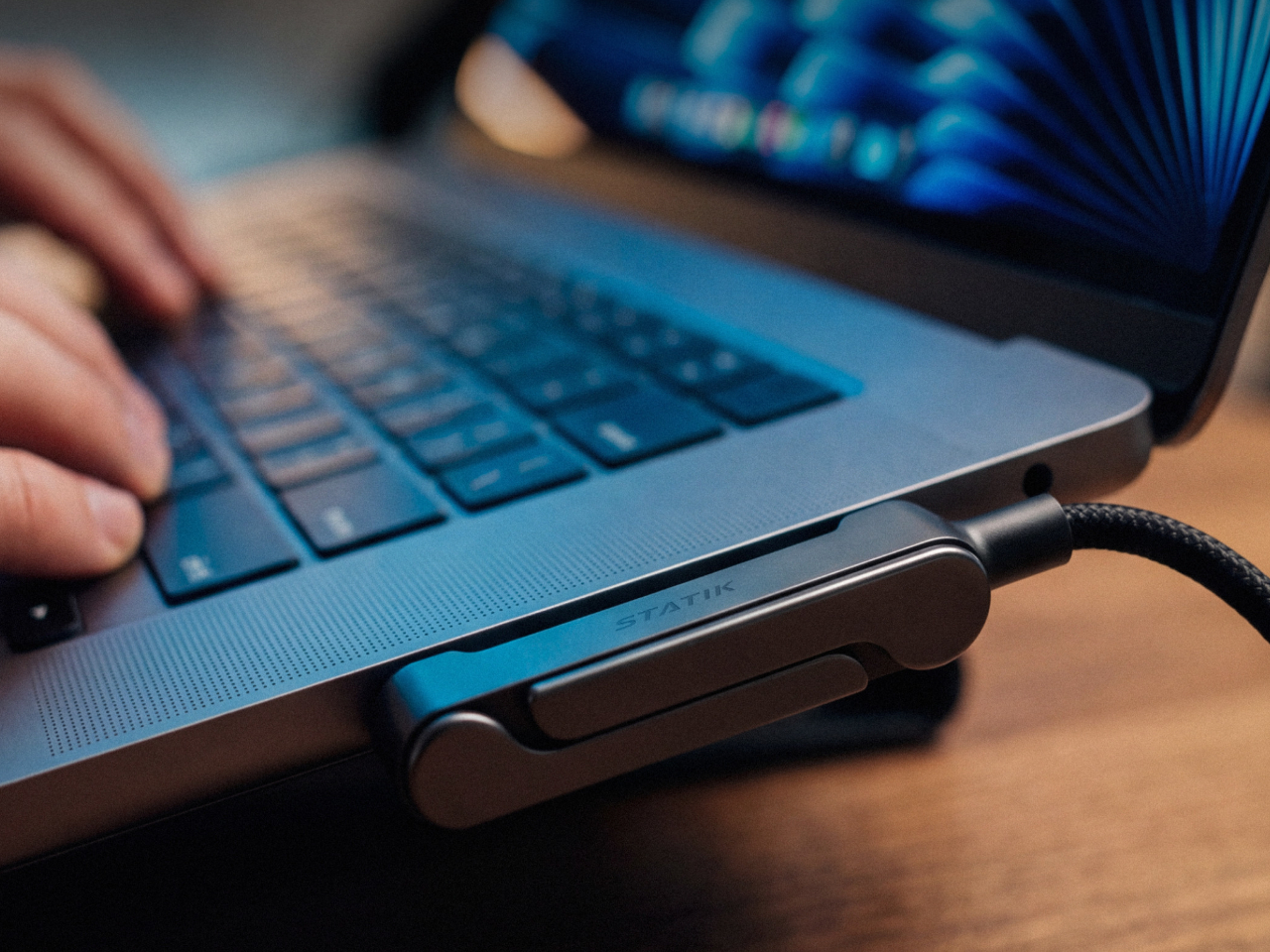
That arrangement makes particular sense beside a laptop, where a phone can sit upright for calls while the computer handles everything else. Turn it sideways, and the same support becomes useful for watching a video over lunch. There’s no magnetic ring or special case to attach first, although you do have to plug the stand end into the phone to use it.

The connector’s shape matters even when you aren’t using the stand. Its right-angle layout sends the cord along the phone’s edge instead of straight out into your hand, a useful distinction when holding it horizontally for a game. Statik also extends the plug’s shaft to reach through most cases, though that isn’t a promise that every bulky protective cover will fit.

Putting a wide piece of hardware underneath a phone creates another problem, since that space often contains speakers and microphones. PowerStand’s housing includes molded channels that Statik says direct sound toward the listener while keeping those openings clear. It’s a thoughtful response to the connector’s added width, although the available evidence doesn’t establish a measurable improvement in volume or call quality.

Statik rates the cable for up to 240W using USB Power Delivery 3.1, allowing it to serve compatible laptops when paired with an appropriate charger. That figure describes the cable’s capacity, not what every connected device will receive. Data transfers are limited to USB 2.0’s 480Mbps, making this a charging-first accessory rather than a particularly speedy file-transfer cable for large video projects and backups.

At 6.6 feet, the cord gives you some room between the outlet and whatever patch of desk or kitchen counter you’re using. It has a braided nylon jacket and reinforced strain relief, while the connector combines TPE plastic and aluminum. The rest of the lead remains a conventional cable, with a standard USB-C plug at the opposite end rather than another folding mechanism.

Of course, putting a stand inside a connector means accepting a much wider plug, even on days when you only want to charge. There’s no getting around that tradeoff by folding the feet away. But for someone who regularly props a phone beside a keyboard or hotel bed, though, that extra width buys a more useful resting place than the nearest coffee mug on the nightstand.

The post Statik PowerStand turns a USB-C cable into a folding phone stand first appeared on Yanko Design.

  •  

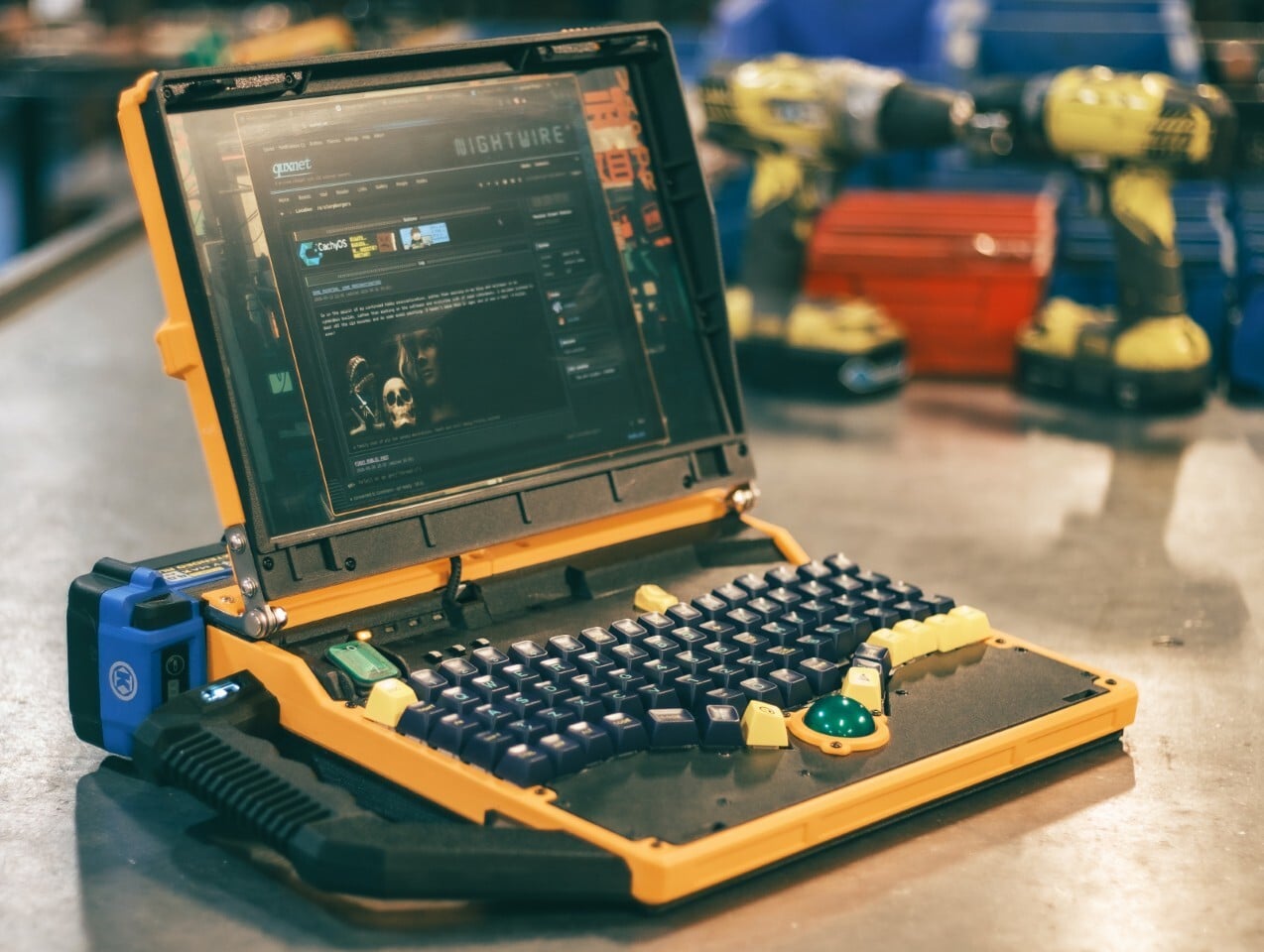
The Slurptop DIY Laptop Pairs Power-Tool Styling With a Swappable Battery

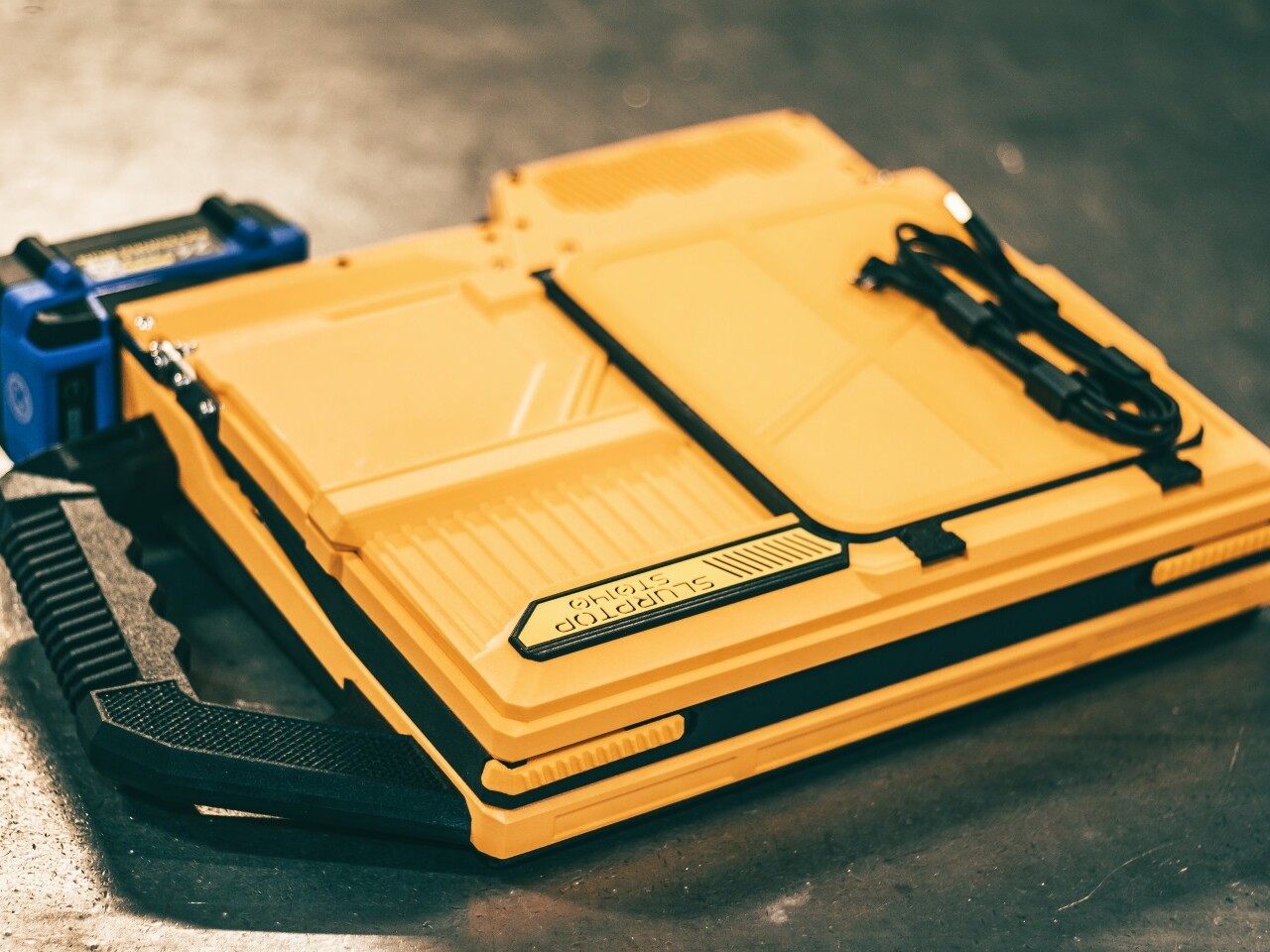
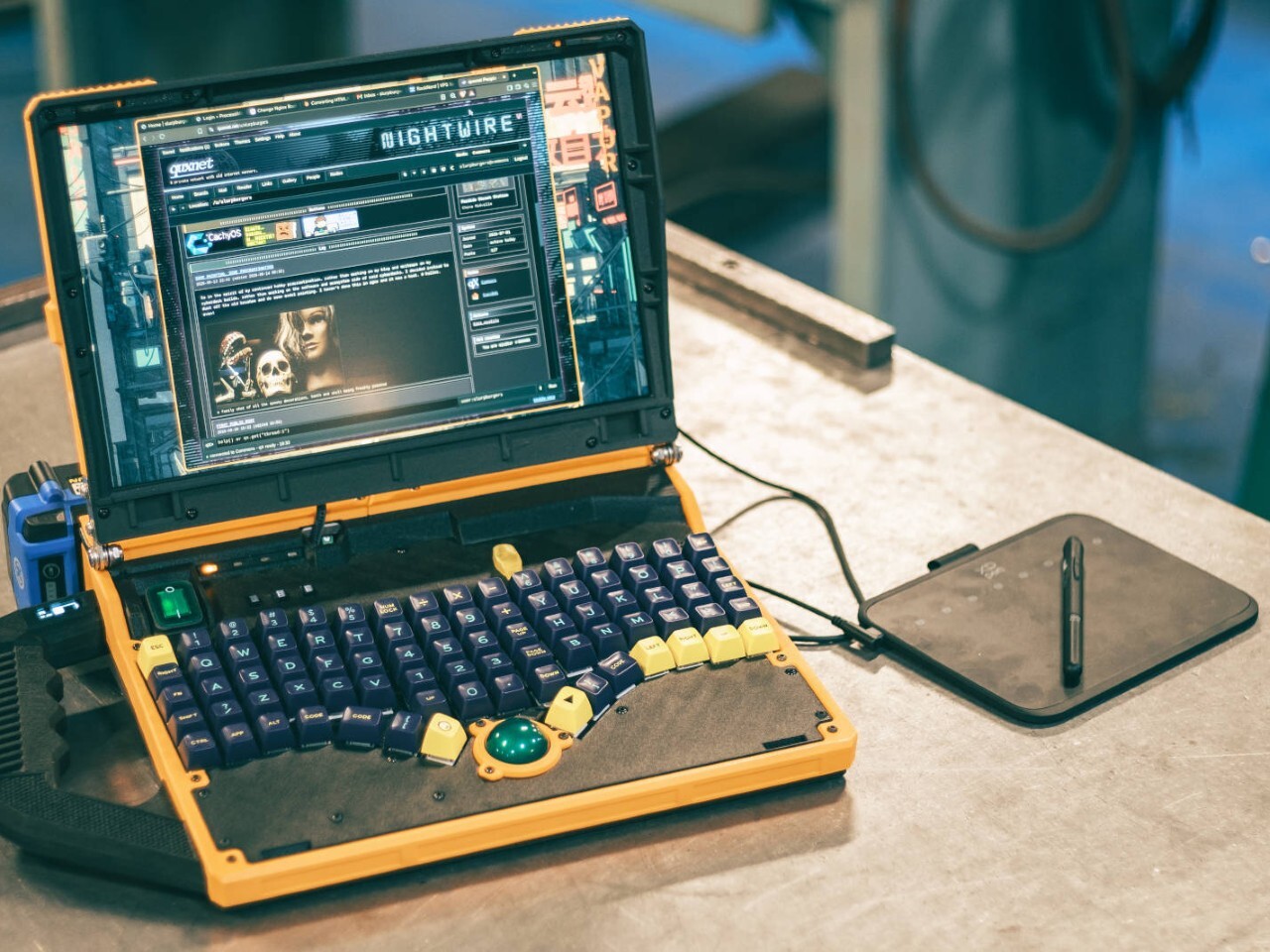
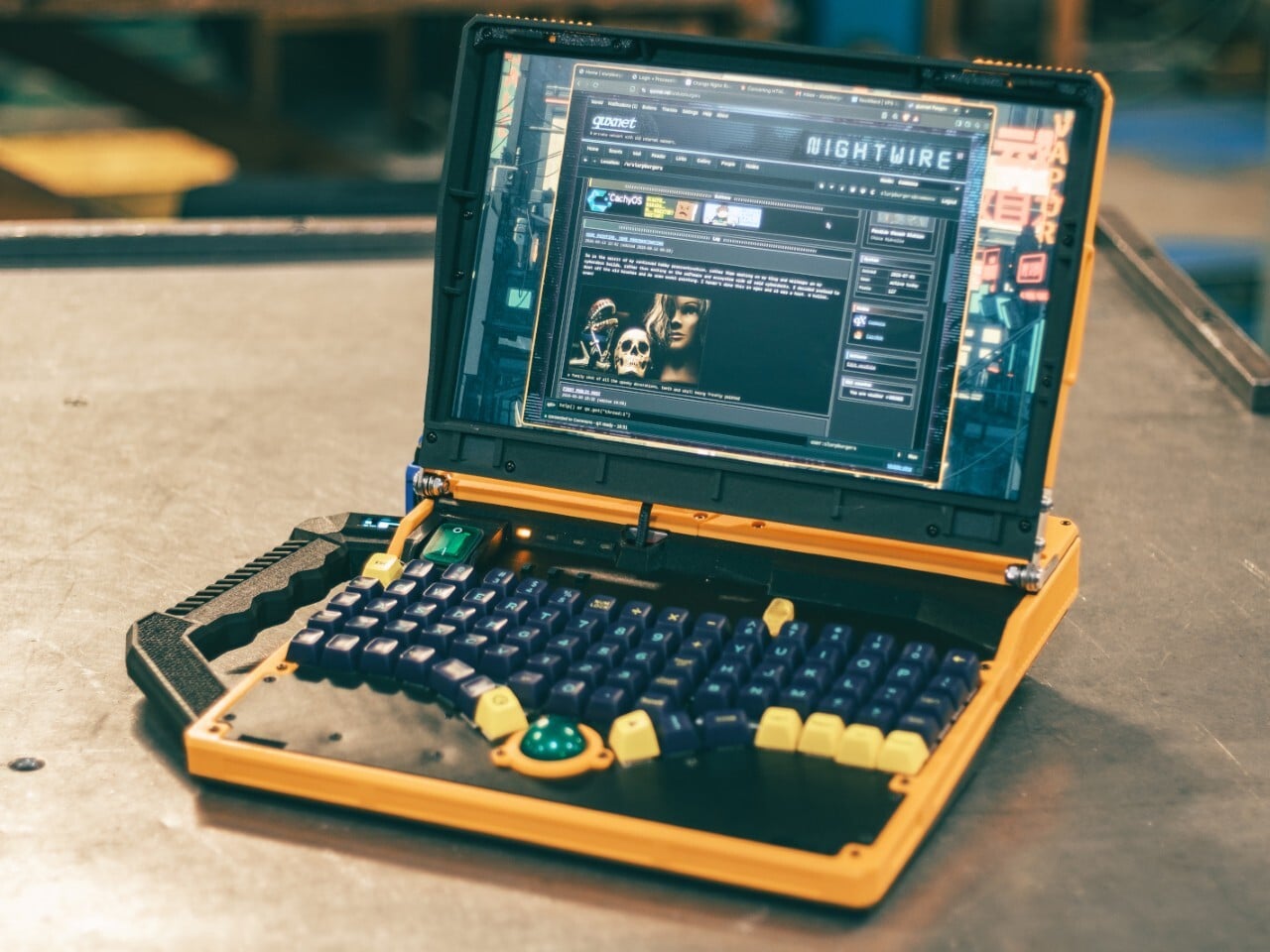
The Slurptop borrows its battery from the toolbox, and its body doesn’t bother pretending otherwise. This homemade cyberdeck wraps mini PC hardware in a chunky yellow-and-black clamshell, complete with an integrated carry handle and mechanical keys. It’s a completed personal project rather than a retail laptop, designed around coding, light design work, and controls that don’t apologize for taking up some extra space.

The angular, 3D-printed enclosure takes its cues from power tools, with similarly conspicuous controls. The yellow frame uses glass-fiber-filled plastic, while black components use carbon-fiber-filled filaments. An aluminum bar reinforces the hinge area, with shared bolts securing several structural layers. The handle fits between sections of the case, so assembling the housing locks it into position before its own mounting screws are added.

Designer: Slurpburgers

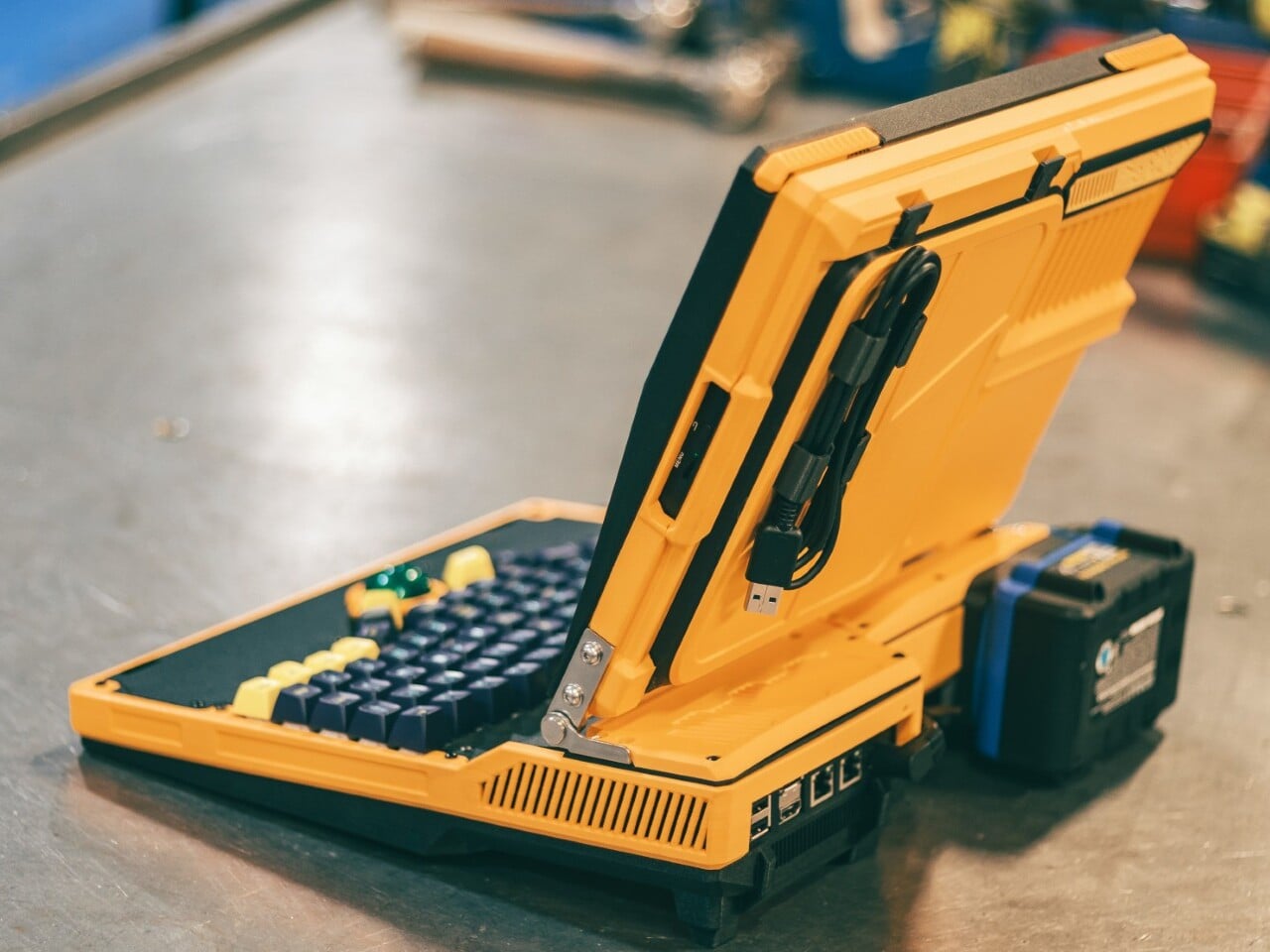
Open the lid, and the keyboard immediately takes over. Its 82 mechanical keys sit in angled groups rather than the straight rows you’d expect on a laptop, leaving a green trackball near the front center. That ball runs on three ceramic bearings above a sensor salvaged from a gaming mouse. You can move the pointer without clearing desk space for a separate mouse.

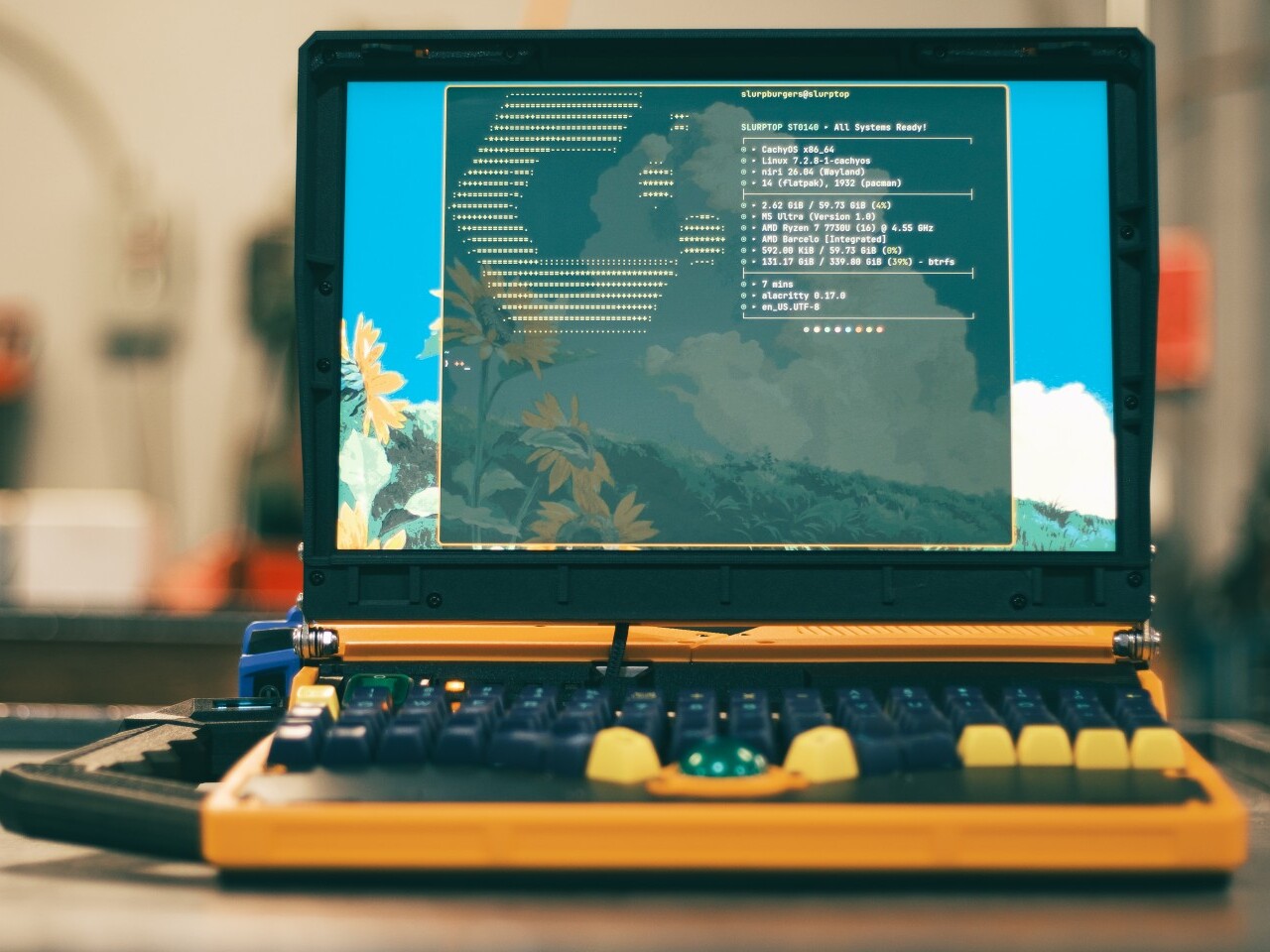
The display keeps things relatively conventional, pairing a 14-inch panel with a 1920-by-1200 resolution and a 16:10 aspect ratio. Behind the custom shell is hardware from a GMKtec M5 Ultra mini PC, including an AMD Ryzen 7 7730U processor, 64GB of RAM, and a 500GB SSD. CachyOS supplies the familiar Linux desktop, so there’s a recognizable computing environment beneath all that workshop character.

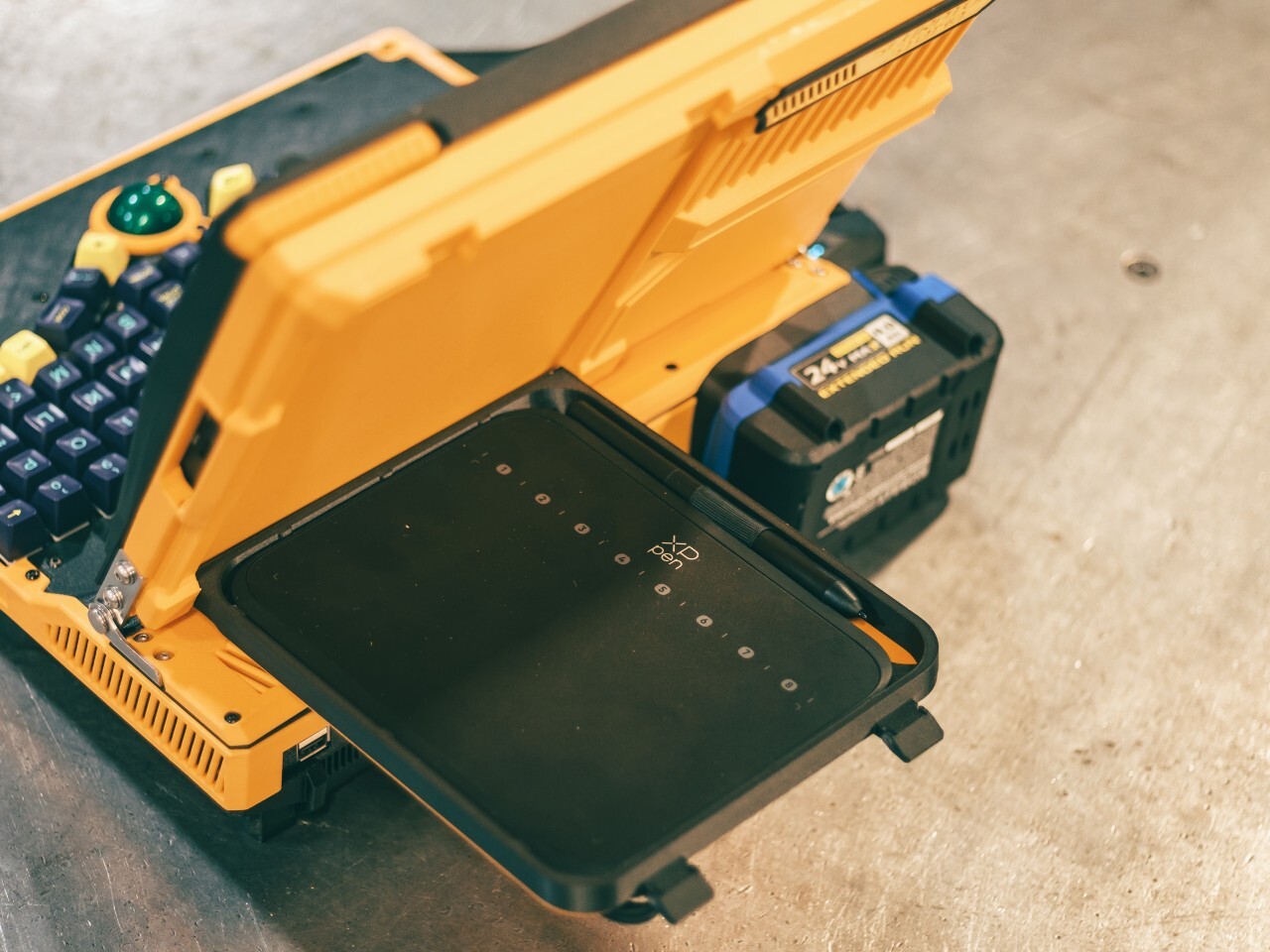
An XP-Pen drawing tablet also gets its own holder behind the display, adding pen input without displacing the keyboard or trackball. Connected beside the laptop, it provides a separate surface for sketching or editing artwork, leaving the main display free to show what you’re working on. That keeps everything together for travel, although actually drawing still calls for some extra desk space.

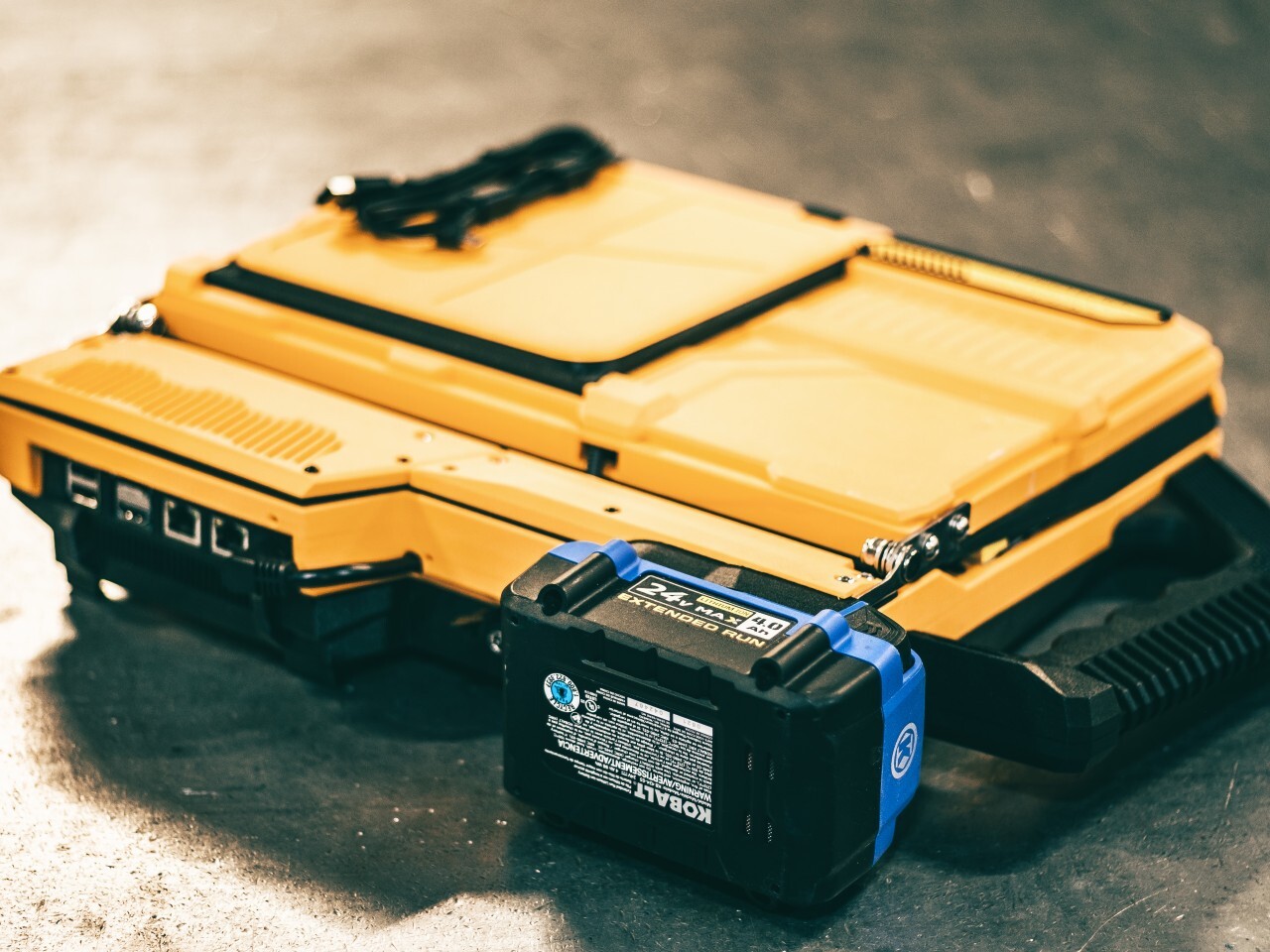
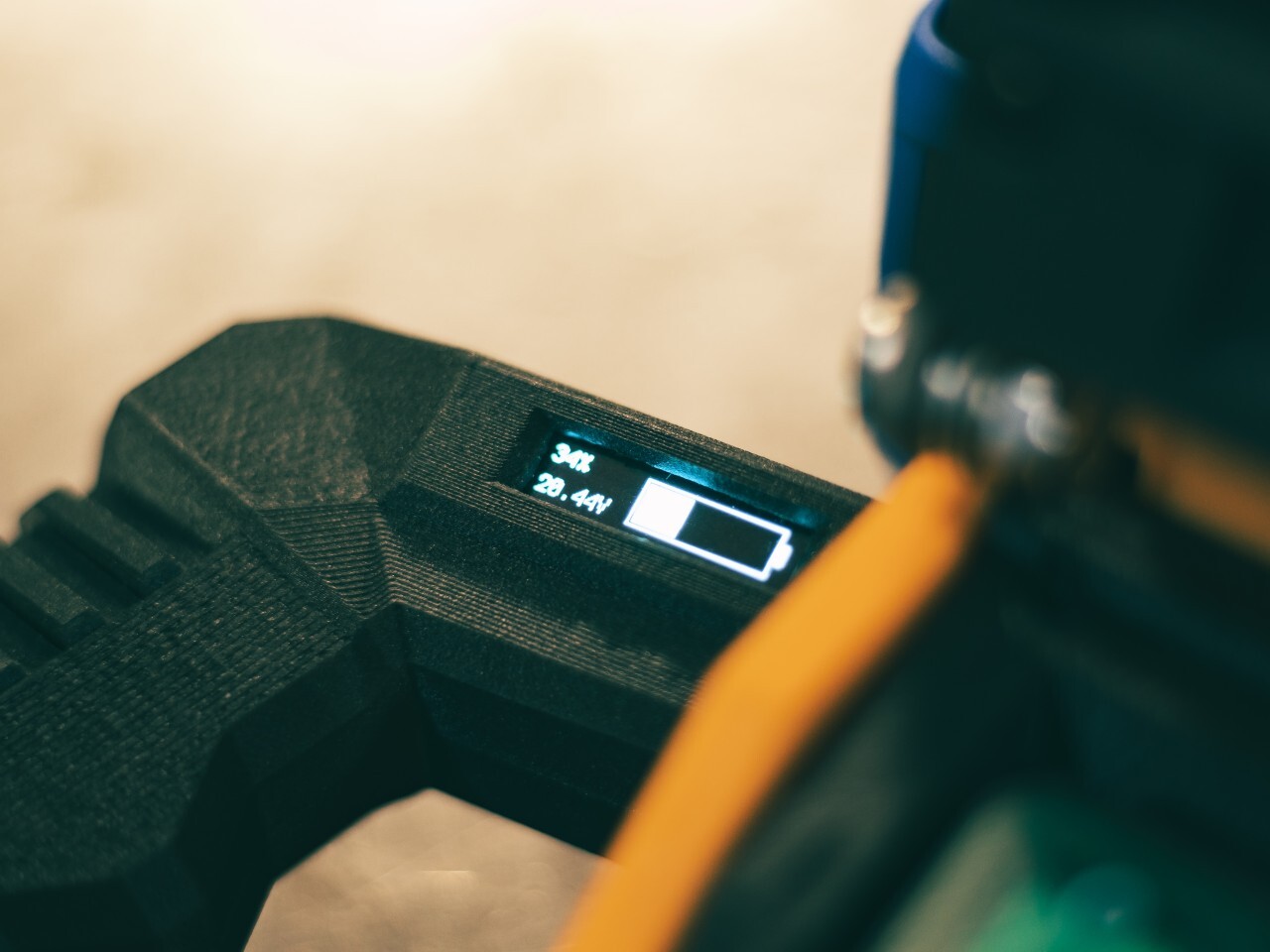
The power arrangement follows the same willingness to borrow useful parts. A 24V Kobalt tool battery supplies the machine through a converter that adjusts its output to the PC’s required 19V. A separate cutoff board guards against draining the pack too far. The battery remains an obvious external attachment, making its removal part of the operating routine instead of a repair procedure.

That decision comes with a catch, naturally. The Slurptop doesn’t charge the battery itself, so the pack has to visit its tool charger. Wall power can run the computer independently, and a switching module transfers between the adapter and battery. Keeping it plugged in lets the owner change packs without shutting down, but there’s no uninterrupted battery swap away from an outlet.

The builder reports more than four hours of writing and coding on a 4Ah battery, with some charge remaining. That’s a useful reference, not an independently measured endurance rating. The power-tool styling doesn’t come with a documented weatherproofing or drop rating, either. You can carry this homemade workstation by its handle, but treating it like a drill would be an unfortunate misunderstanding.

The post The Slurptop DIY Laptop Pairs Power-Tool Styling With a Swappable Battery first appeared on Yanko Design.

  •  

HMD 2660 Flip Senior Edition Brings AI Conversations to an Old-School Phone

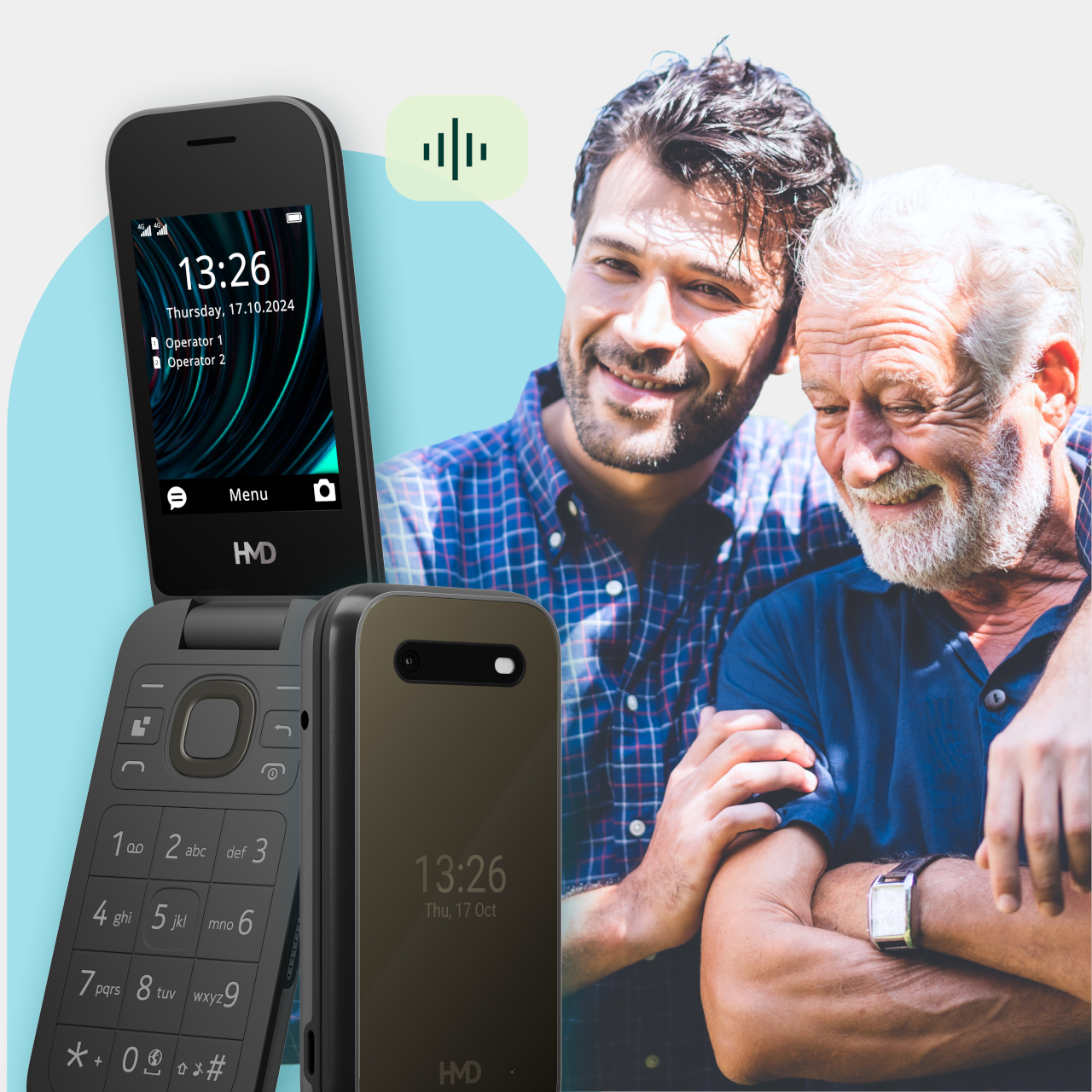
Making a phone call shouldn’t feel like learning a new piece of software. The HMD 2660 Flip Senior Edition responds to that familiar frustration with big buttons, a folding body, and an unexpected addition called Mary. This AI companion from inTouch brings conversation to a basic phone, letting older adults try the technology without trading their keypad for a touchscreen full of apps.

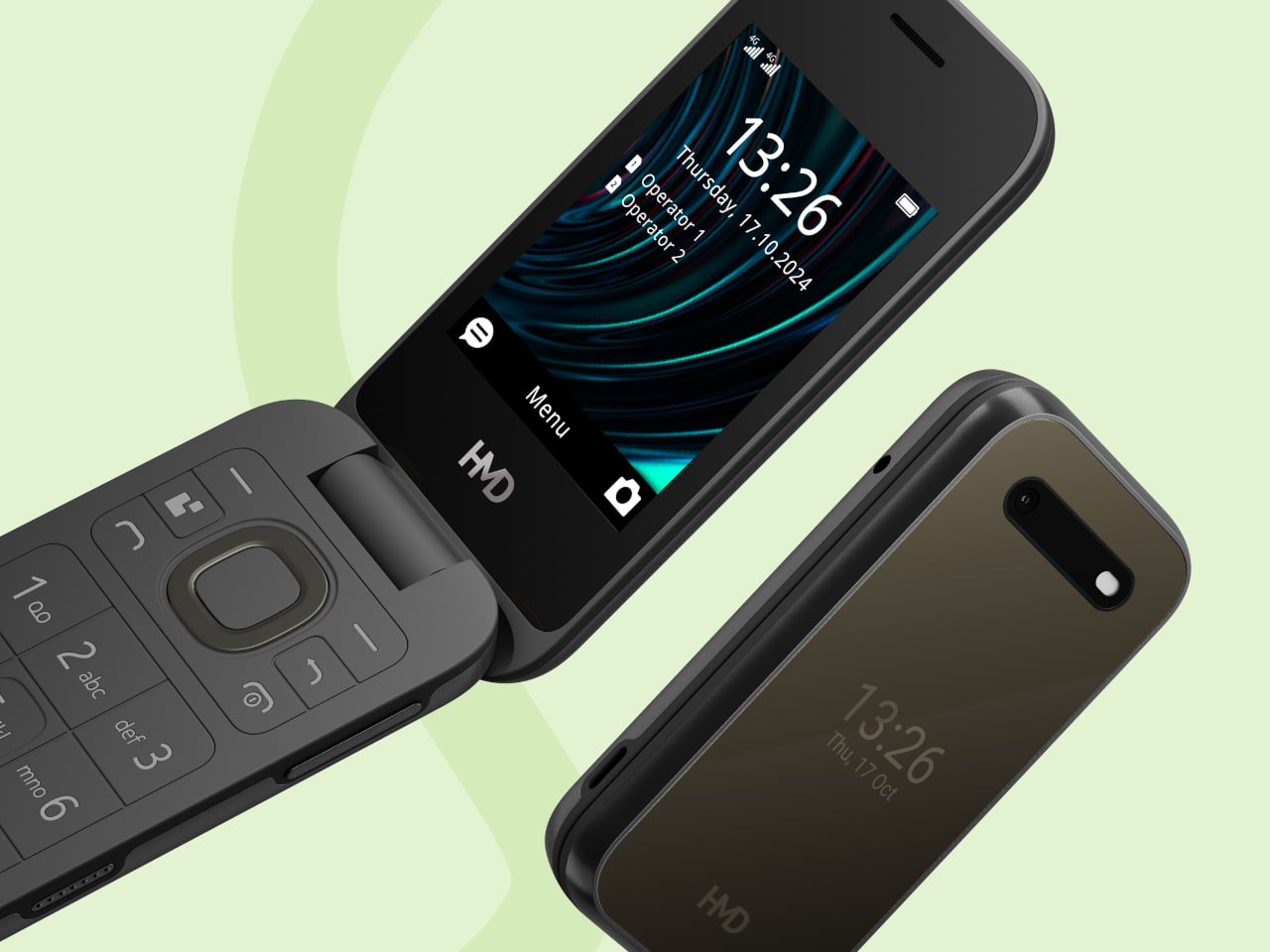
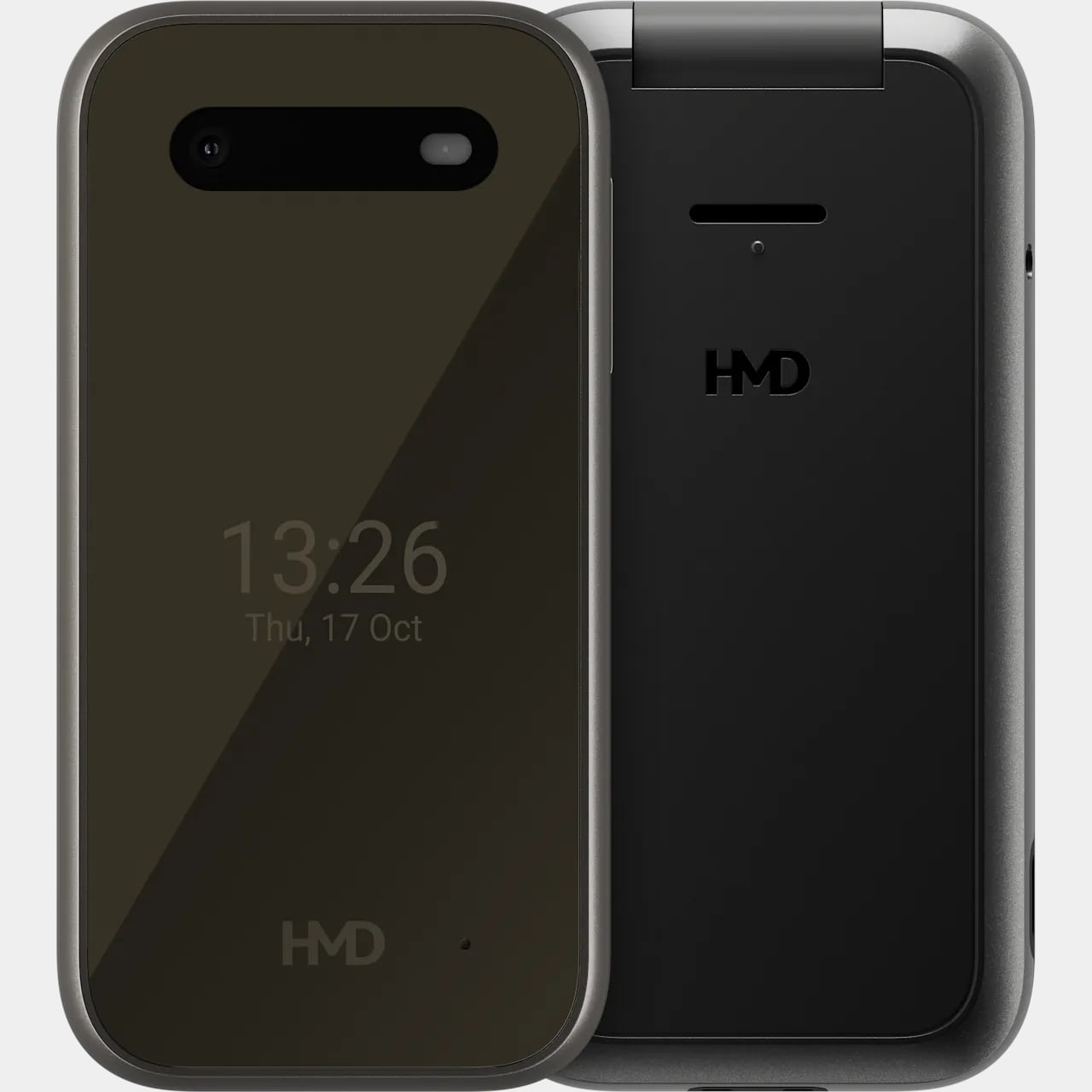
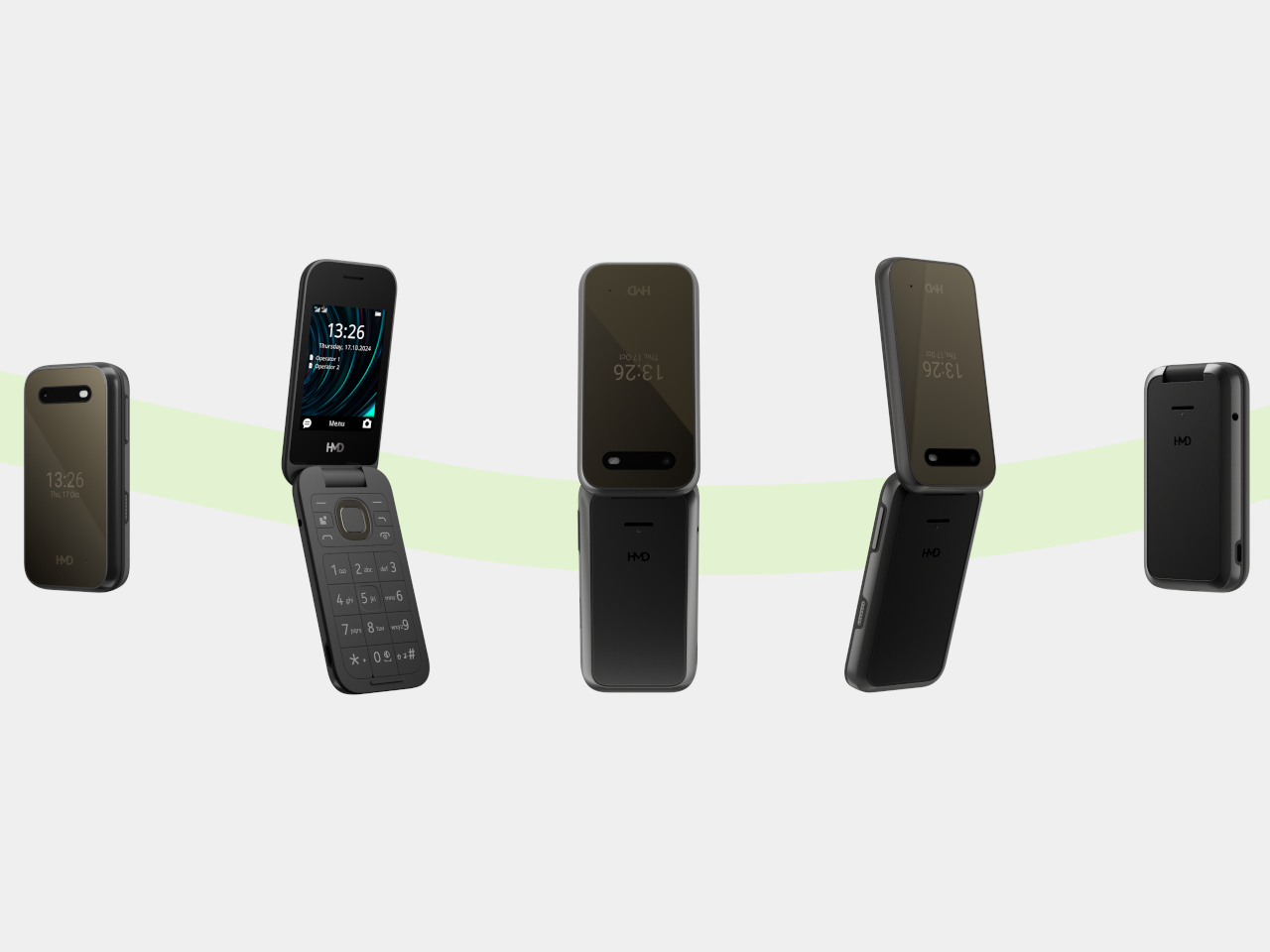
The hardware doesn’t stray far from the regular HMD 2660 Flip introduced in 2025. Open the clamshell, and there’s a 2.8-inch screen above a generously sized number pad, with a navigation control separating the two. Answering or ending a call can be tied to opening or closing the phone, giving those actions a physical beginning and end that a touchscreen doesn’t quite offer.

Designer: HMD Global

The outside gets its own smaller display, so checking the time doesn’t require unfolding the whole thing. Its dark body and rounded corners stick to the recognizable flip-phone formula rather than dressing the device up as medical equipment. That restraint matters here. The phone offers an alternative way to stay in touch, without announcing that its owner needs an entirely different category of gadget.

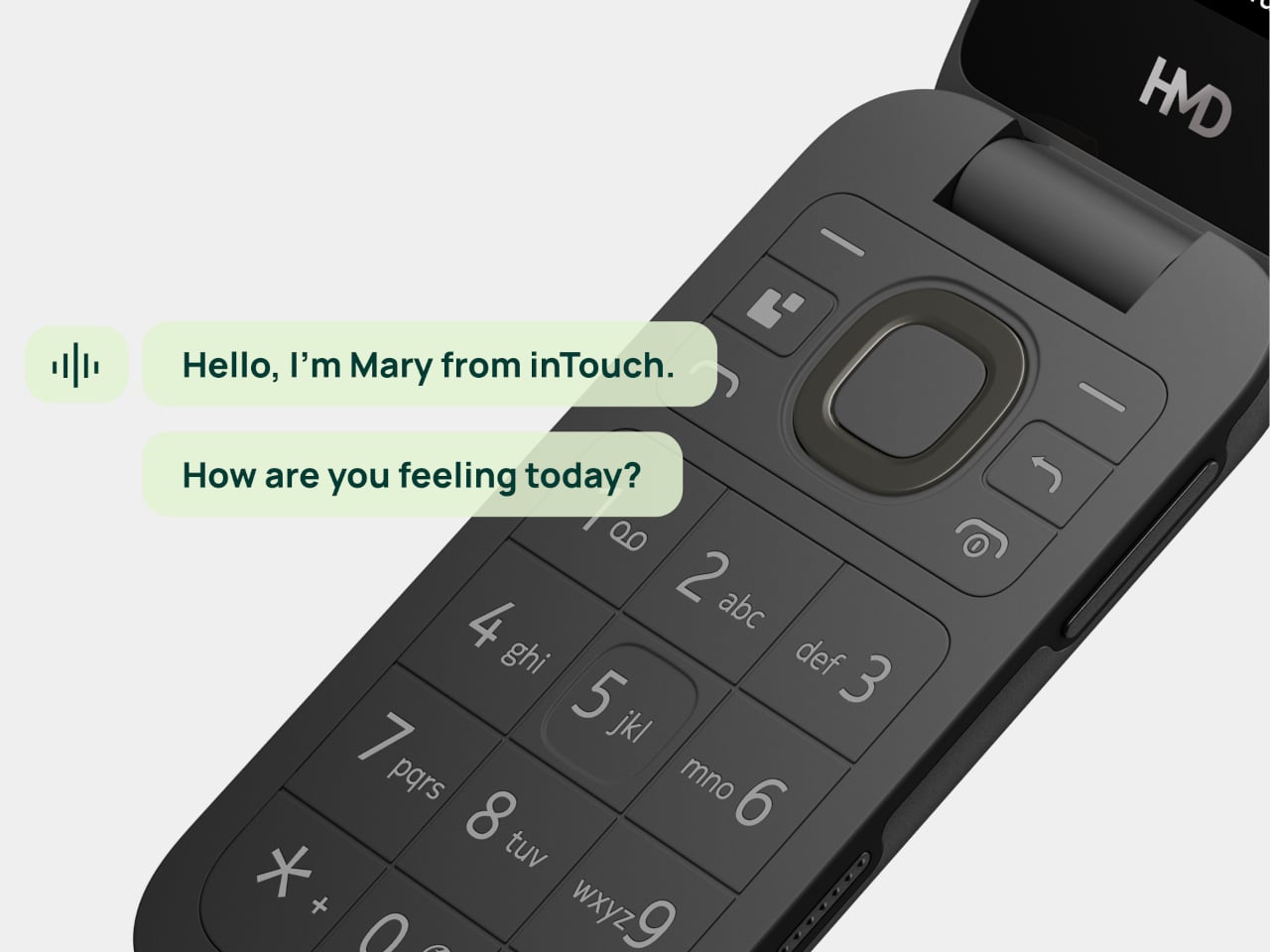
Mary adds a different kind of contact to the phone, one that’s available for a casual conversation around the clock. HMD says the companion speaks slowly, leaves room for replies, and remembers earlier conversations. A chat might involve history, a favorite memory, or a game. The interesting choice is delivering those interactions through speech, instead of asking someone to type their thoughts.

Of course, an AI feature can easily complicate a supposedly simple phone. Here, Mary appears in the main menu, and selecting her icon before pressing the call button starts the conversation. There’s no separate app to install or number to memorize. Activation still involves a website or QR code, though, so the simplest experience comes after someone has handled that initial setup.

The less glamorous details haven’t disappeared beneath the AI pitch. A removable 1,450mAh battery and USB-C charging keep the basics familiar, while HMD rates the body IP54 for protection against dust and splashes. A replaceable battery also means you can swap a worn component, rather than treating the whole phone as something that has reached retirement age.

The UK listing puts the phone at £79.99 (about $107), including a five-hour trial of Mary. Continuing the service costs £16.90 (about $23) monthly, with carrier charges potentially adding to that. The trial doesn’t automatically become a paid plan, but inTouch’s general terms say paid subscriptions renew automatically. It can be canceled, but ongoing conversations introduce another expense alongside ordinary phone service.

There’s an important distinction between making conversation easier to access and replacing human company. Mary is software, and her availability shouldn’t be confused with evidence that she reduces loneliness. The change here is how someone reaches that software. They can keep the familiar ritual of opening a phone and making a call, and still use their handset after the AI subscription ends.

The post HMD 2660 Flip Senior Edition Brings AI Conversations to an Old-School Phone first appeared on Yanko Design.
  •  

This AI Assistant Looks Like a Tiny Monitor but Actually Operates Your Computer

Copying customer details from a message into a spreadsheet probably isn’t anyone’s idea of a good afternoon. Unfortunately, even a perfectly capable computer still leaves plenty of that work to you. Bvio’s Violoop is a plug-in AI operator designed to handle those repetitive steps, giving your existing computer an assistant without asking you to replace the machine you’re already comfortable using.

You can tell Violoop what you need in ordinary language, such as finding customer information in a WhatsApp conversation and entering it into a customer relationship management (CRM) system. That might sound like a small convenience, until you’ve spent an afternoon repeating the same routine. The aim is to let you explain the task instead of manually carrying every detail from one window to another.

Designer: Team Violoop

Click Here to Buy Now: $399 $699 (43% off). Hurry, only a few left! Raised over $2.8 million.

To do that, Violoop interprets what’s on the screen and interacts with applications through keyboard and mouse controls. Its companion software supports Windows, macOS, and Linux, while the screen-based approach means it doesn’t need a dedicated integration for each application. You’re still working with familiar programs, only with assistance intended to bridge the gaps between them, and without the need to learn programming to give it instructions.

Of course, customer records are only part of the paperwork that follows a small business around. Invoice details need entering into spreadsheets, documents need organizing, and files rarely end up where they belong without some encouragement. Violoop is designed to help with that preparation, taking on the repetitive handling while leaving you to check the information and decide what to do with it.

Email offers another familiar example. Having something sensible to edit can be easier than staring at an empty reply box, especially when several messages need similar responses. Violoop can prepare replies as drafts for review, giving you a starting point while keeping the final wording in your hands. You can add the context that a customer relationship or a delicate conversation actually needs.

There’s also a reason this assistant takes up physical space on your desk. Its compact enclosure and angled touchscreen give ongoing tasks a place of their own, rather than burying everything in another software window. Inside, the tiny device packs a punch of up to 26 trillion operations per second (TOPS) of AI processing. That hardware is intended to support local screen understanding and other AI work on Violoop itself.

That local processing also supports a more personal approach to recurring work. Violoop keeps personal memory on the device, retaining preferences and context so you don’t have to explain the same habits every time. Local memory doesn’t mean every task stays offline, however. Depending on the selected mode, Violoop can also connect to cloud services or larger AI models when additional help is needed.

The most interesting control might be the button on top. Violoop separates AI processing from a dedicated security controller, with an approval step for sensitive actions. The physical confirmation button gives that pause a tangible form. Preparing information and committing to an action are different responsibilities, after all, and the design puts a deliberate checkpoint between what the AI proposes and what happens next.

You don’t have to stay beside it to keep an eye on progress, either. Phone access lets you check tasks, send further instructions, and approve sensitive actions while you’re away from the desk, provided the computer remains on and connected. That’s useful when you need to step out but still want to see how things are going, without returning to the keyboard for every update.

An organized spreadsheet won’t decide which project you should take on next, and a drafted reply doesn’t know everything about the person receiving it. Those parts still belong to you. Violoop’s role is to help get the surrounding work ready, using a device that keeps progress visible and approval close at hand. That leaves the final email waiting for something decidedly familiar: your own words.

Click Here to Buy Now: $399 $699 (43% off). Hurry, only a few left! Raised over $2.8 million.

The post This AI Assistant Looks Like a Tiny Monitor but Actually Operates Your Computer first appeared on Yanko Design.
  •  
❌