❌

Vue lecture

This Zippo case now hides a full DIY micro-toolkit inside

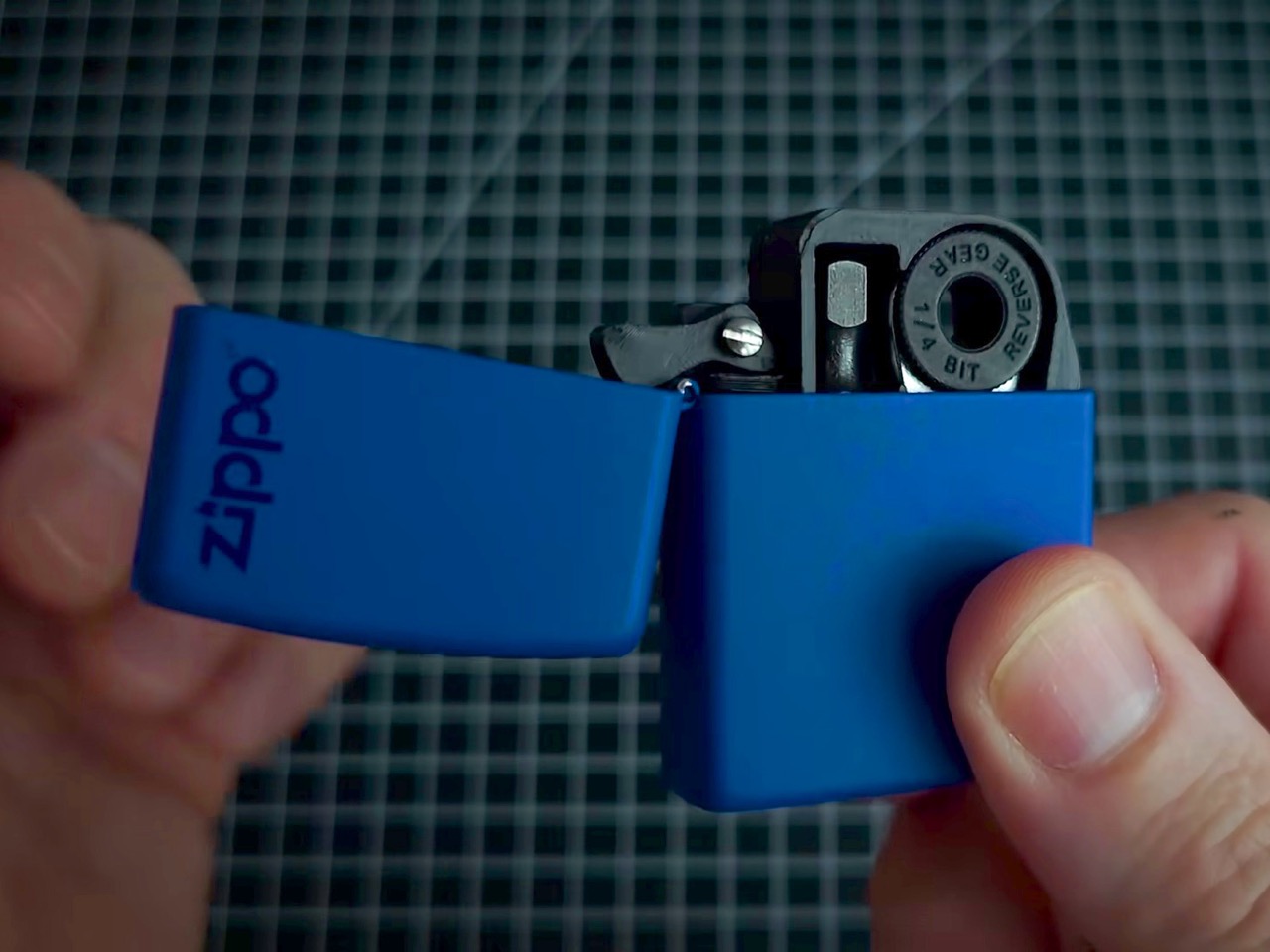
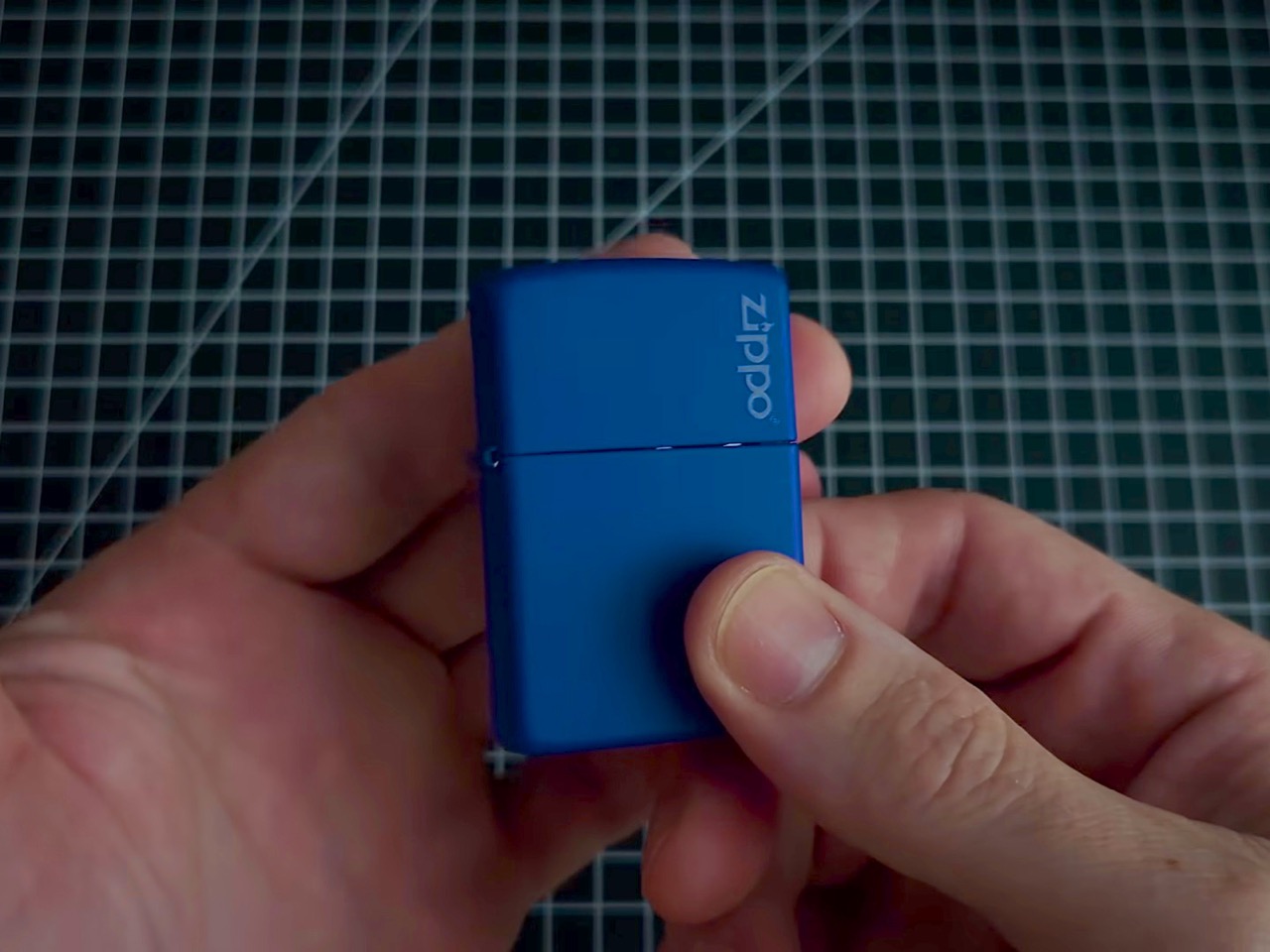
The Zippo lighter has been in pockets since 1932, surviving wars, road trips, and at least a few questionable life decisions. The iconic snap of that hinged lid is the kind of sound permanently lodged in pop culture. But here’s the thing about that stamped steel shell: pull the guts out and what you’re left with is a surprisingly well-engineered little box. It’s the right size, the right heft, and it already has a hinge that clicks with satisfying authority. Someone on the internet finally noticed, and decided to give it a better job.

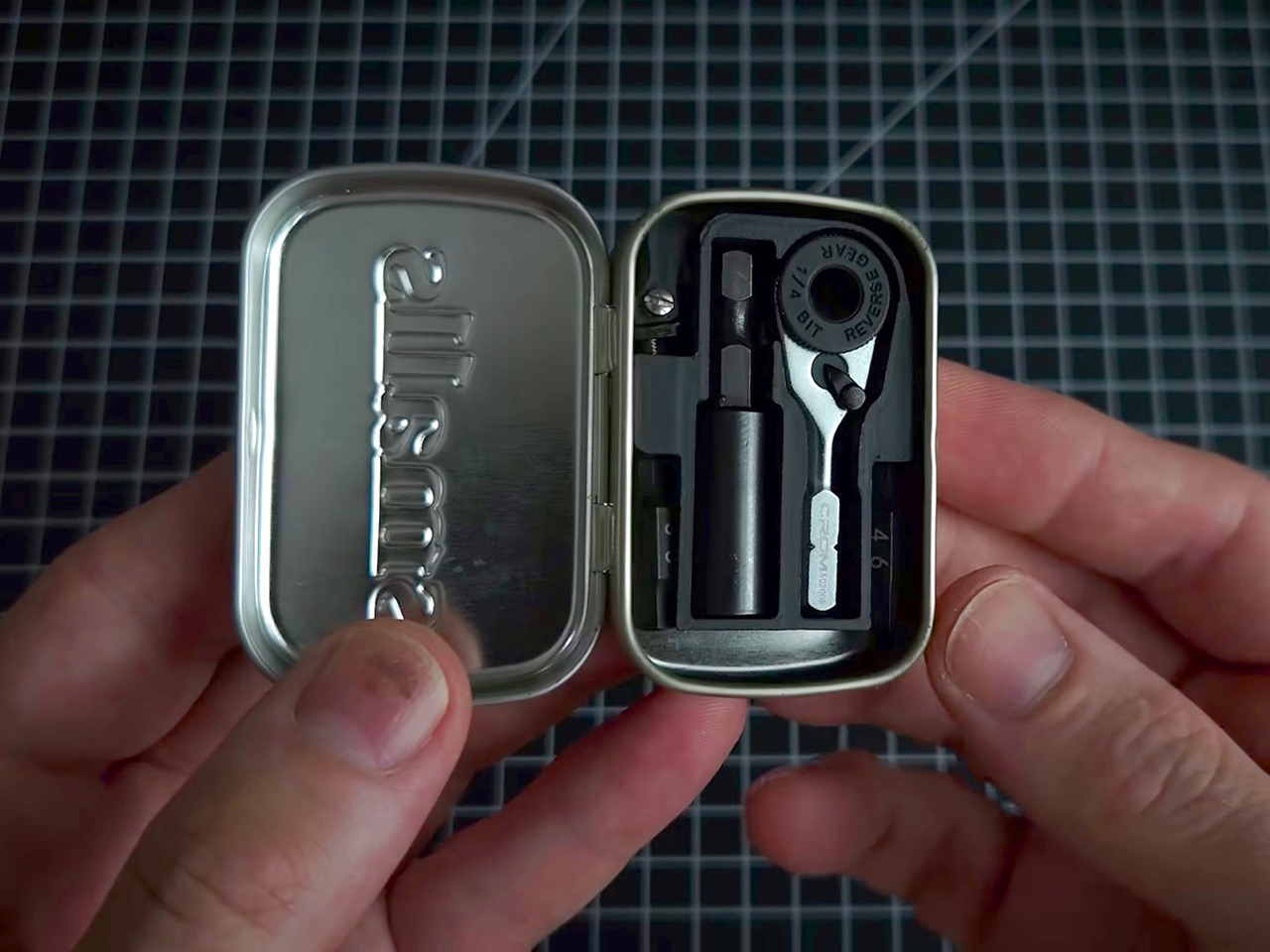
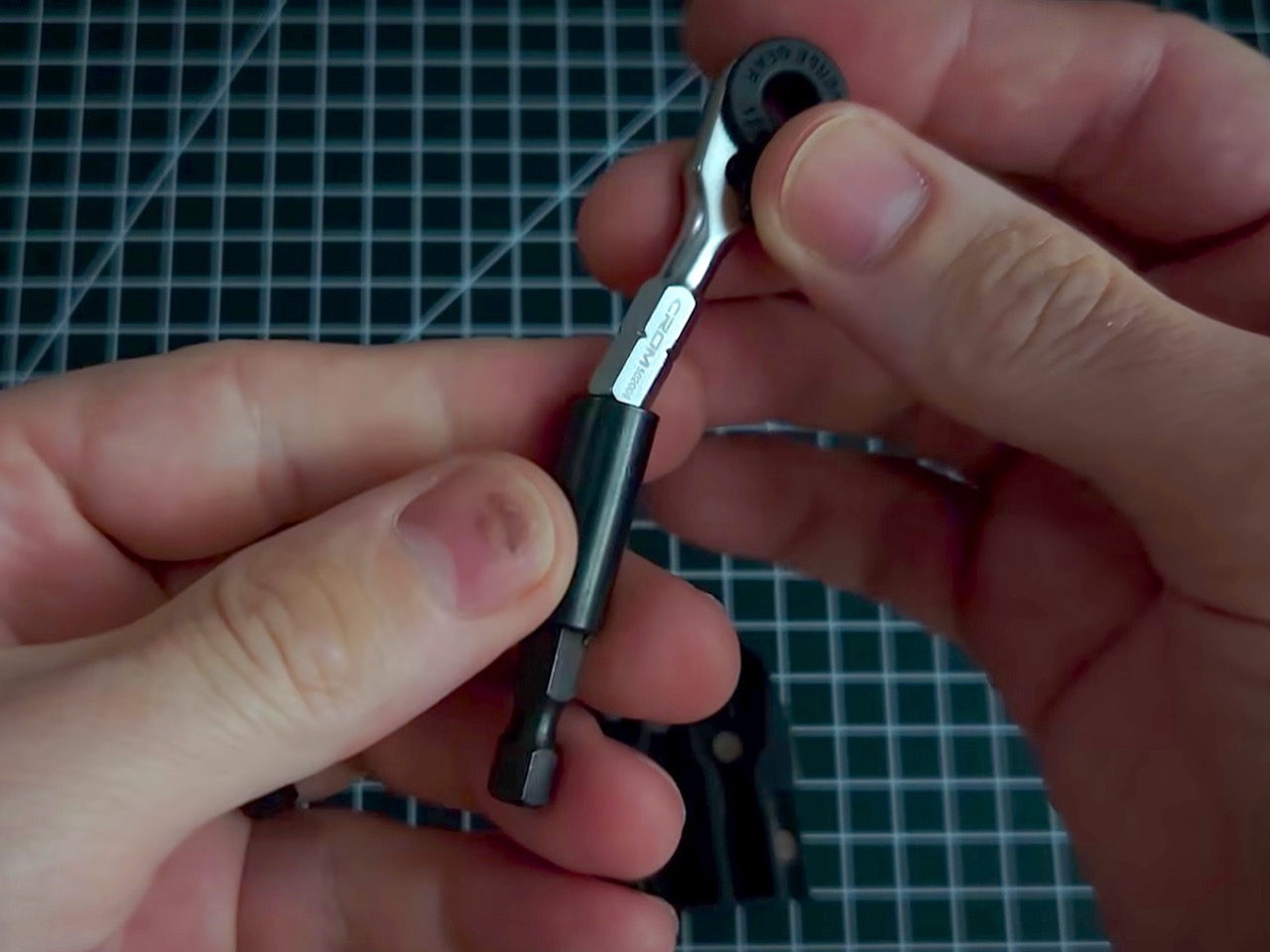
That job is housing a chrome micro ratchet, one of the smallest 1/4-inch bit drivers in the EDC world, nested inside a custom 3D-printed platform. Two Steinwhale precision bits and a Klein utility knife extension fill out the rest of the space, held in place with eyeglass screws. A spring salvaged from a disposable Bic lighter gives the ratchet its push-out action, popping it through a small hole in the back of the case. Embedded magnets make the whole kit stick to any metal surface, which is a genuinely thoughtful touch. It’s scrappy, it’s clever, and the photos of it sitting open in a palm are almost unfairly satisfying.

Designer: Tiny Tool Shop
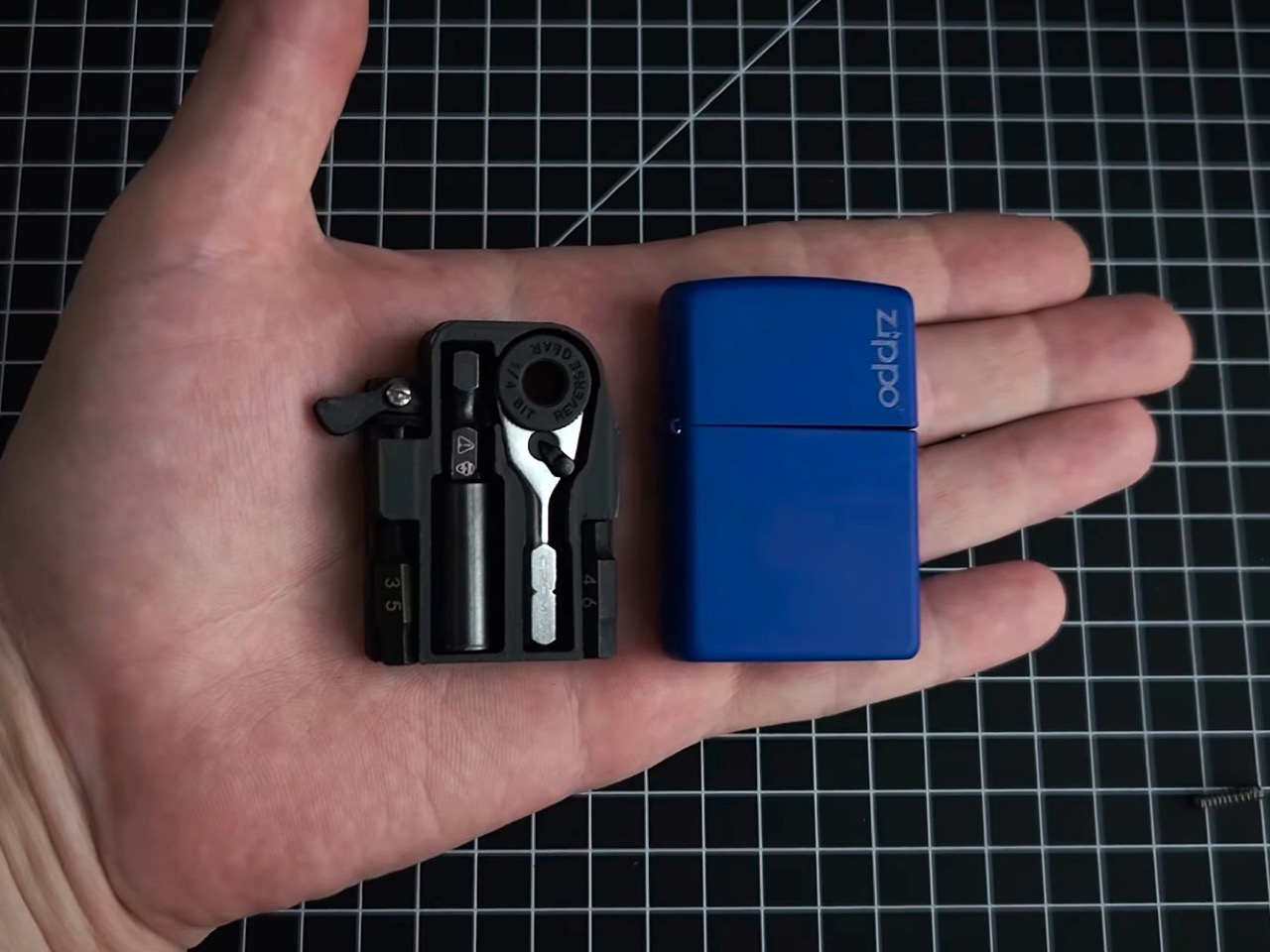
The 3D-printed platform is a custom insert that drops straight into the Zippo shell, locked down with eyeglass screws, the kind normally reserved for fixing a bent hinge on your reading glasses. Those same tiny screws appear in two spots across the build, which tells you something about how the maker approaches sourcing. Each component gets its own dedicated slot, keeping the ratchet, bits, and extension snug and rattle-free inside the case. The lid snaps shut over the top, and the result feels tighter than it has any right to be for a DIY project. It’s the kind of thing that makes you instinctively look for a price tag.
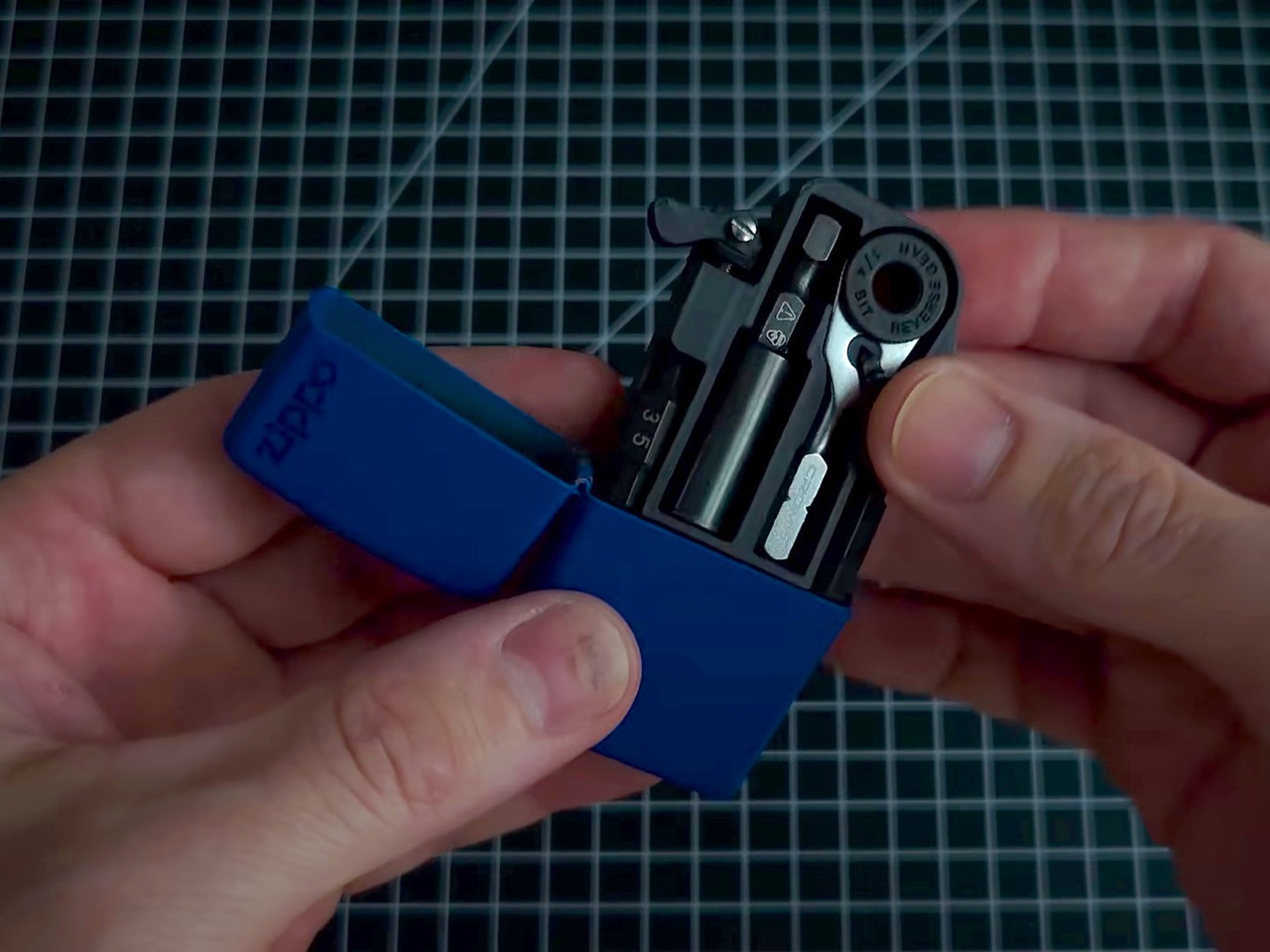
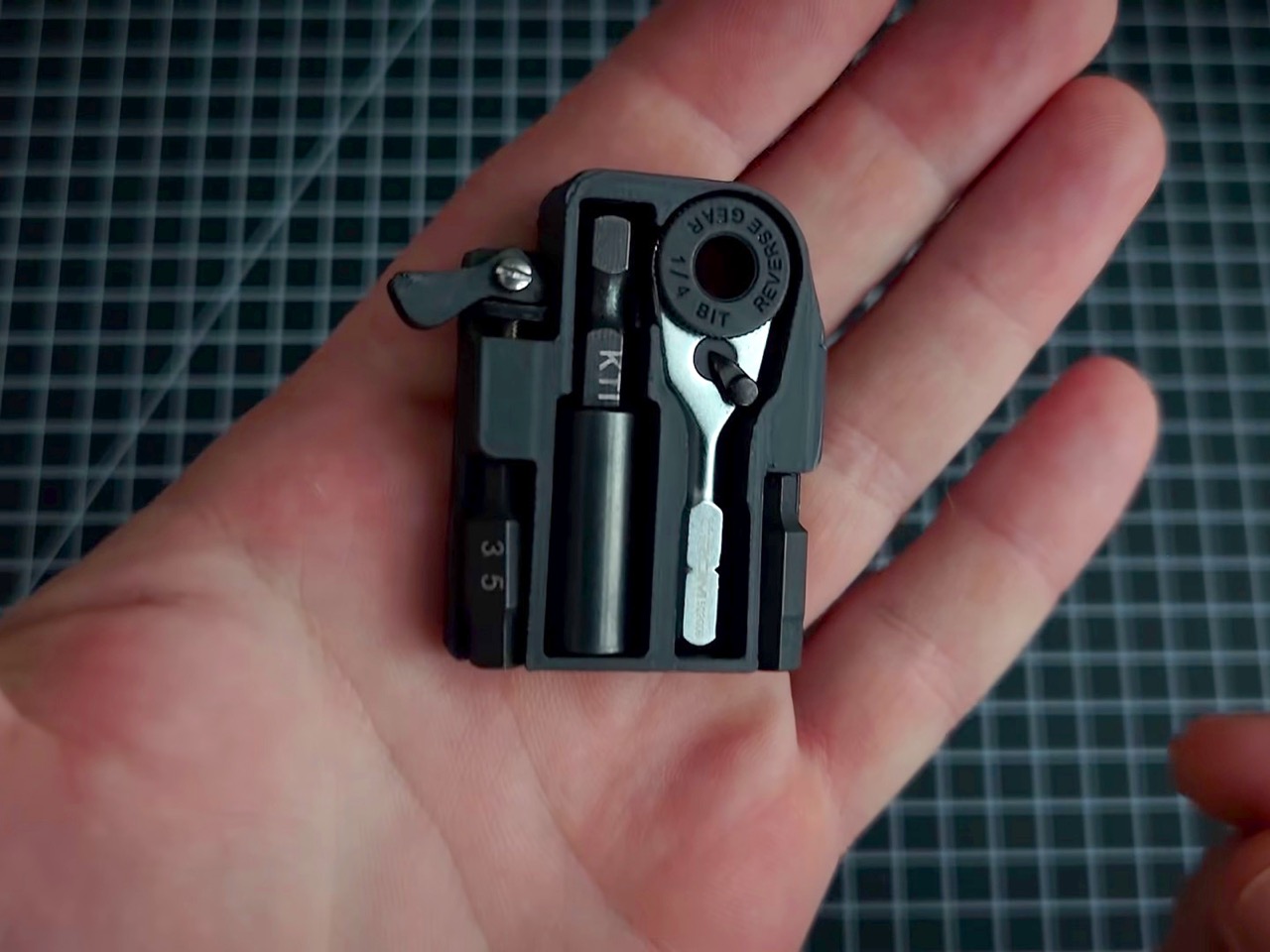
The chrome micro ratchet itself ranks among the smallest 1/4-inch drivers you can actually buy, and its scale is genuinely surprising next to almost anything else in a standard tool drawer. It accepts regular hex bits, so it plays well across the broader EDC and hardware ecosystem without needing proprietary accessories. A Bic lighter spring, salvaged presumably from a spent one on the maker’s desk, sits behind the ratchet and pushes it through a small hole in the Zippo’s back panel with just enough resistance to feel intentional. A Klein utility knife extension threads onto the ratchet for added reach in tight spaces, and when it’s not needed, the ratchet stores directly in the Klein knife’s handle instead. Both configurations tuck away cleanly, and the cross-compatibility means the kit pairs naturally with a knife you might already be carrying.
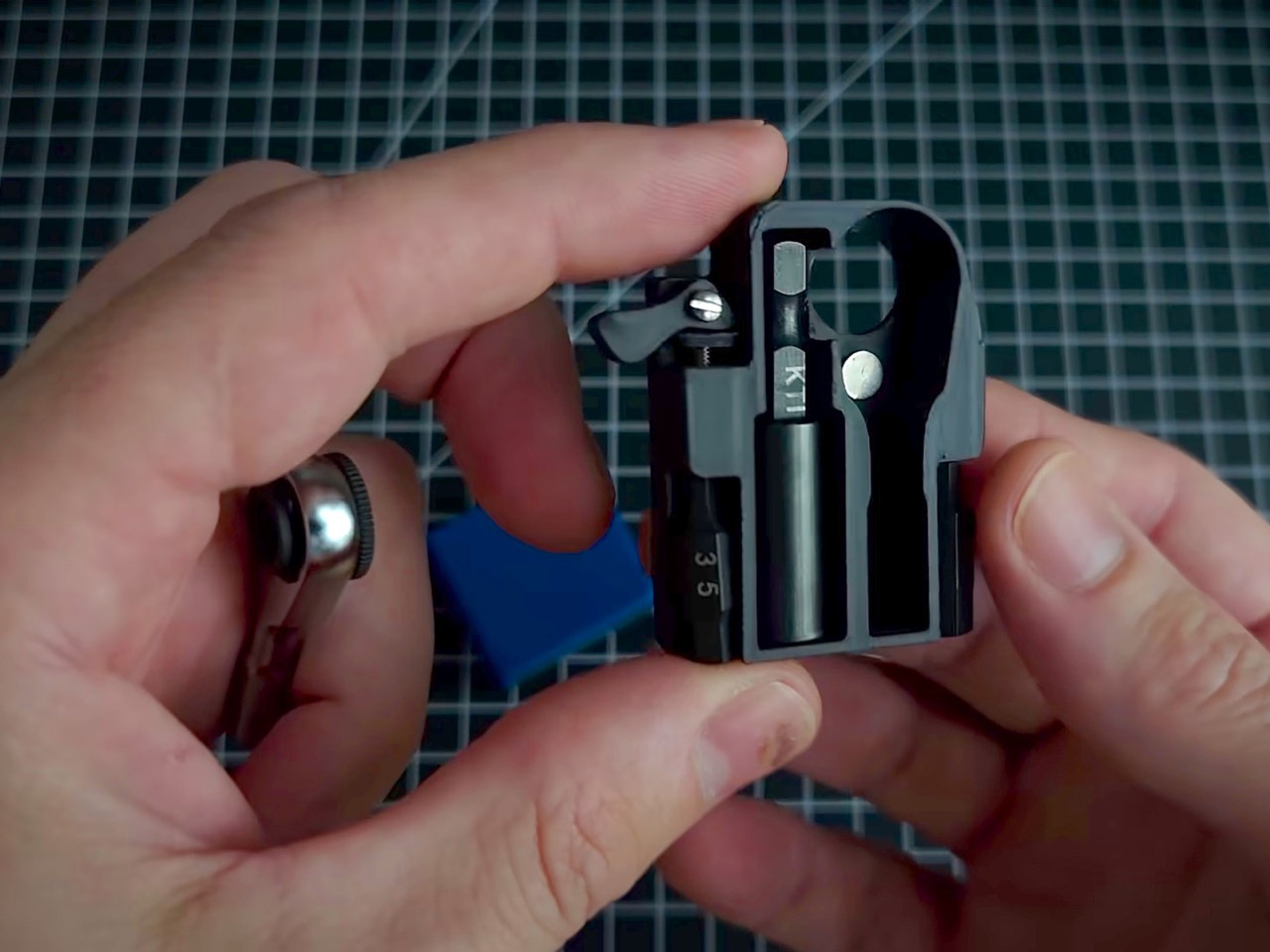
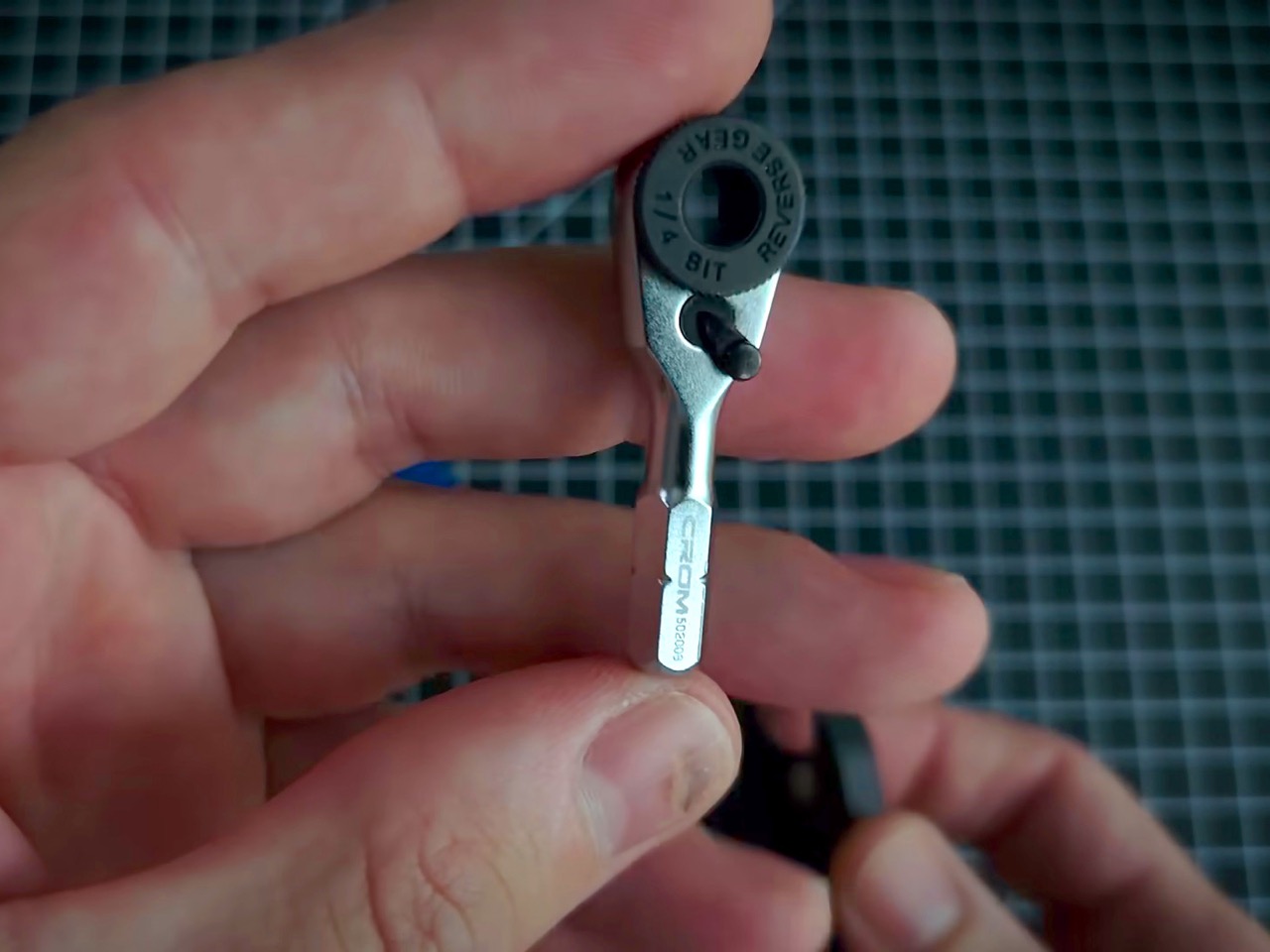
Steinwhale’s micro bits, built from S2 steel and sized specifically for micro ratchets, fill the two bit slots in the platform. The embedded magnets running through the build let the whole kit park on any nearby metal surface, a quality-of-life detail you’d genuinely appreciate halfway through assembling flatpack furniture with both hands occupied. The kit also fits inside a mini Altoids tin if that’s your preferred housing, though the magnets matter a lot more there since there’s no rear hole to push the ratchet out from. In practice, the Zippo remains the better vessel, slimmer, pocketable, and already equipped with a hinge that feels like it belongs. The Altoids option is a nice backup but the Zippo is clearly the intended home.
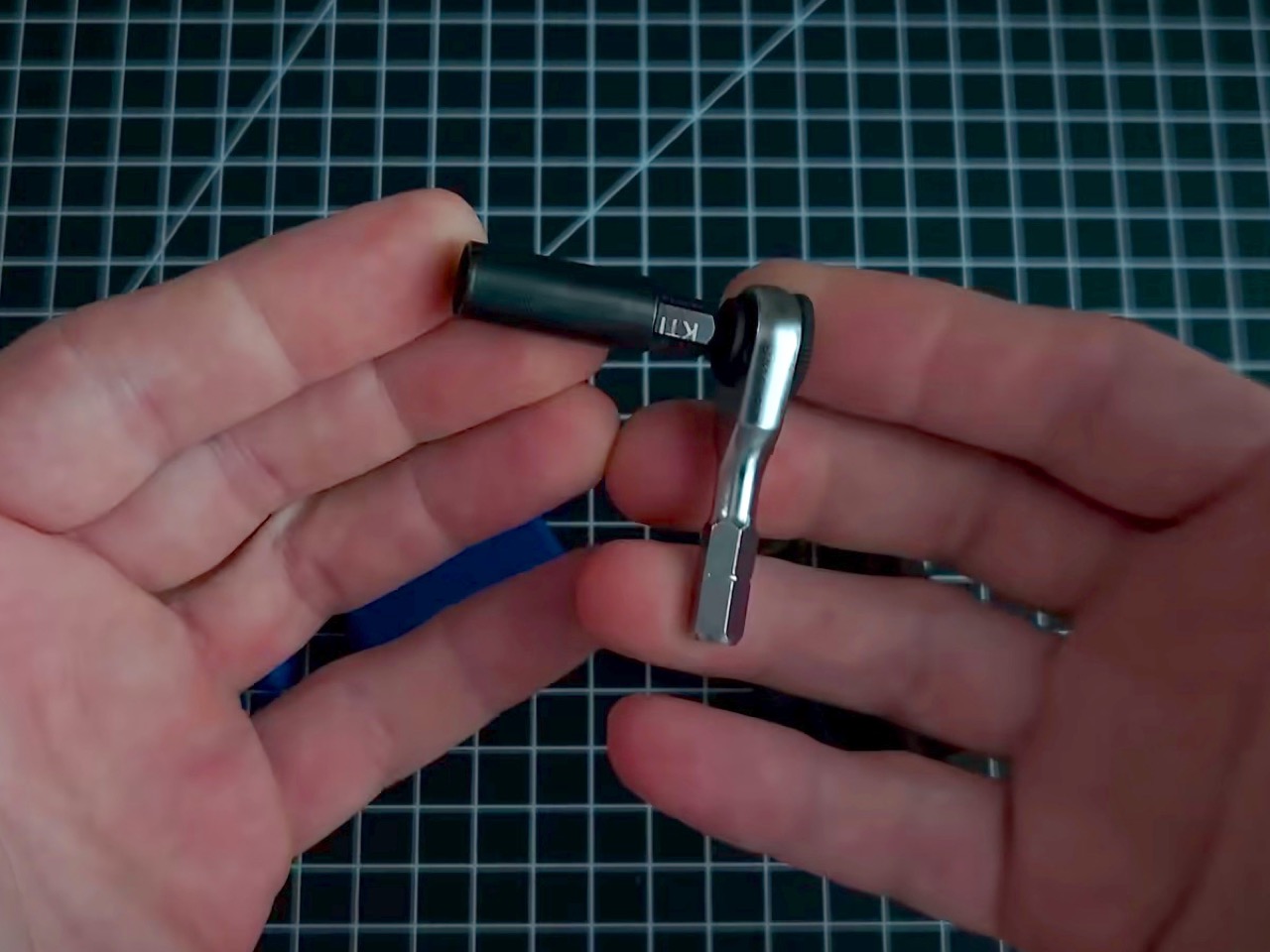
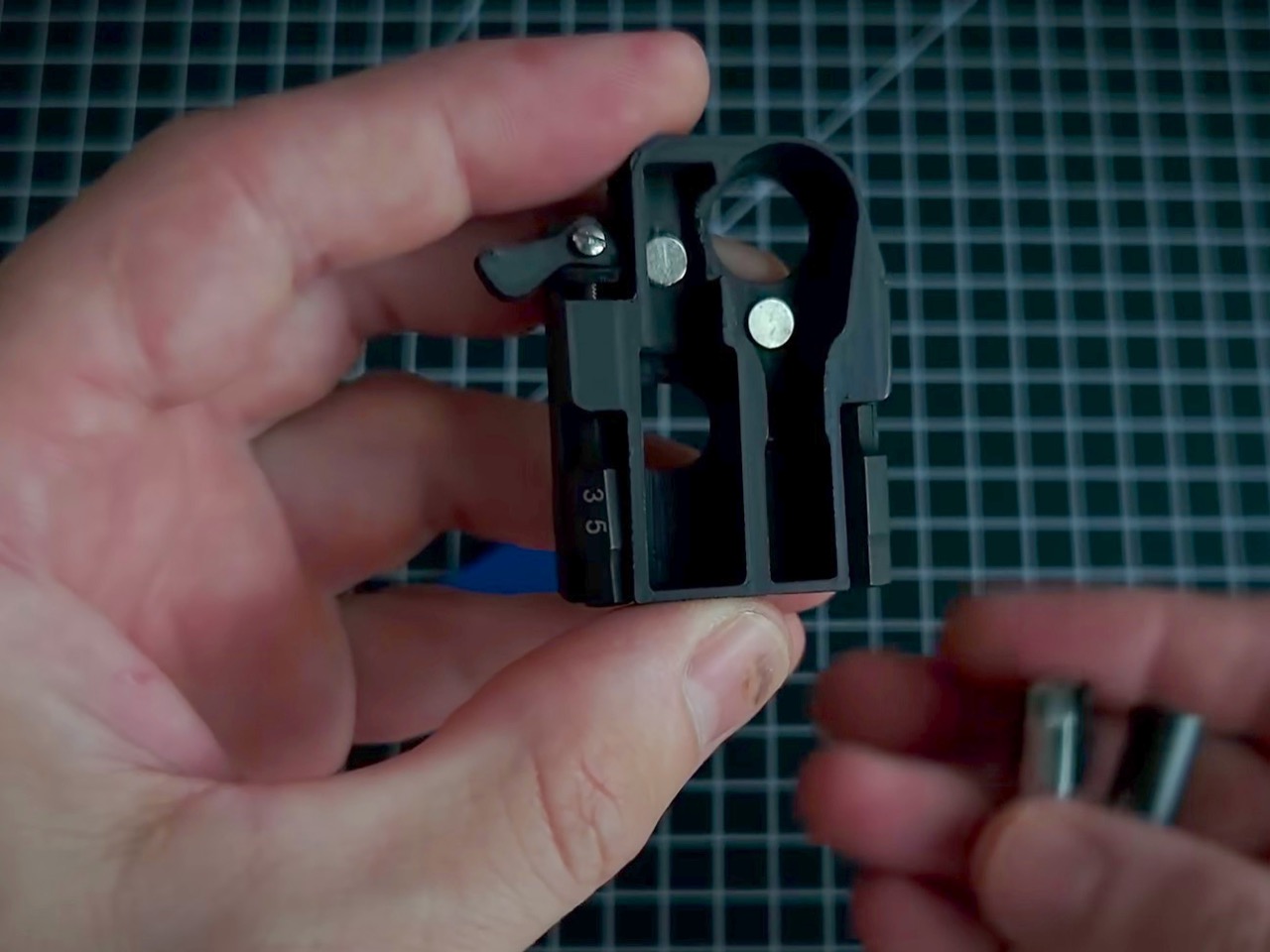
The whole build likely comes together for under $30 in parts, assuming you have a 3D printer and a spent Zippo shell on hand. The micro ratchet alone runs around $20, which makes this cheaper than most entry-level multitools with considerably less utility for light daily tasks. A Leatherman Skeletool brings pliers, a blade, and a bit driver for around $65 but also weighs 5 ounces and demands real pocket real estate. This kit trades tool variety for pure pocketability, and if your carry already includes a knife, that trade starts looking very reasonable. The one upgrade worth adding is some tactile labeling on the platform slots, so repacking everything in low light doesn’t become a small-scale puzzle.
The post This Zippo case now hides a full DIY micro-toolkit inside first appeared on Yanko Design.
  •  

Genius ‘Tilted’ Apple Watch Band Makes The Entire Experience 10x More Ergonomic

Have you noticed tilting always makes things ‘ergonomic’? A laptop stand tilts the keyboard towards you – ergonomic. A vertical mouse tilts your hands into a more natural position – ergonomic. A split keyboard often breaks and tilts the layout in two different directions for your hands – very ergonomic. It’s almost stupidly simple that the human body isn’t designed around perfect right angles. We’re filled with curves, joints, and limitations to how we move – so a simple tilt can often make life a lot easier. The Apple Watch apparently just got the memo.

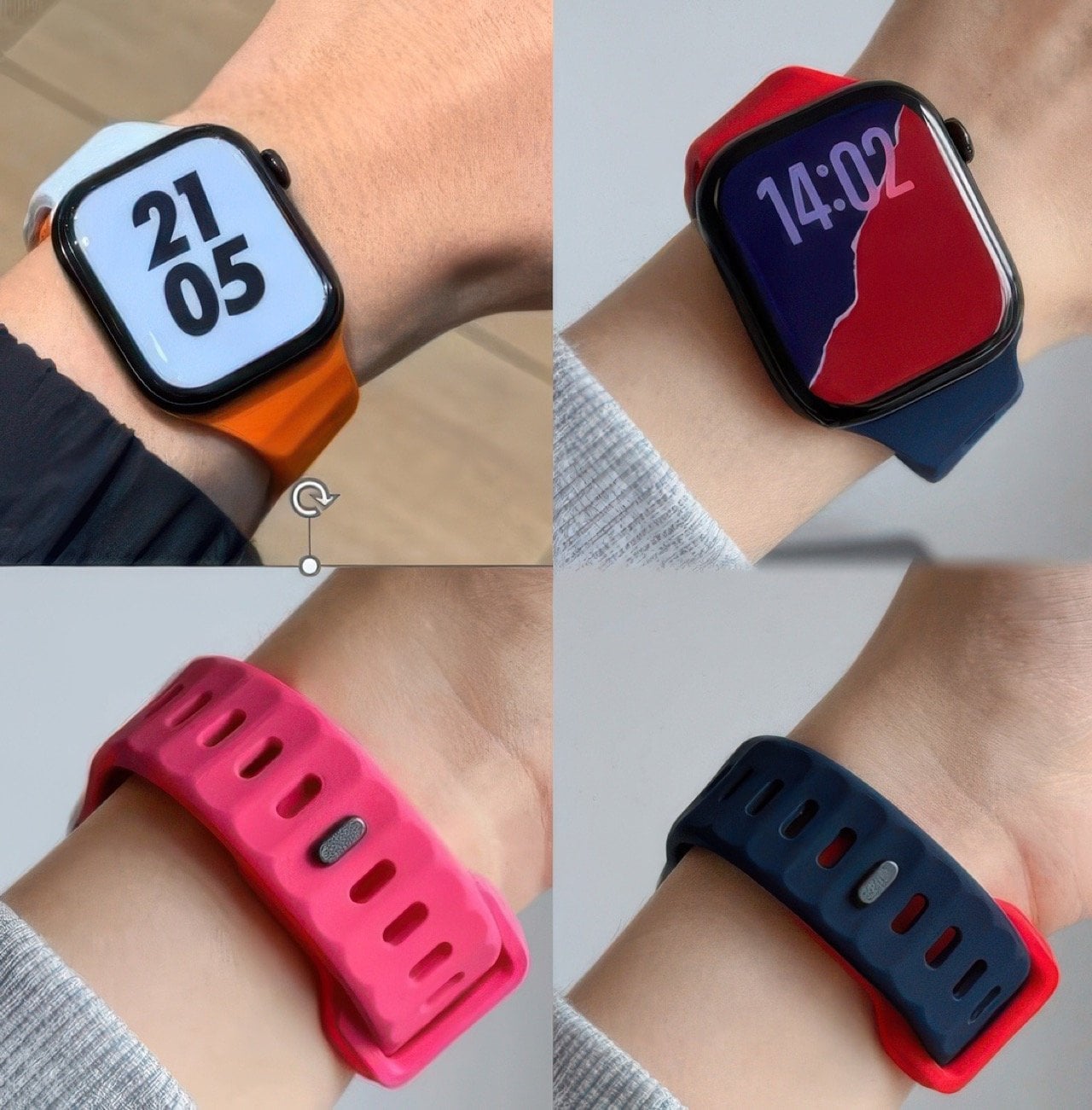
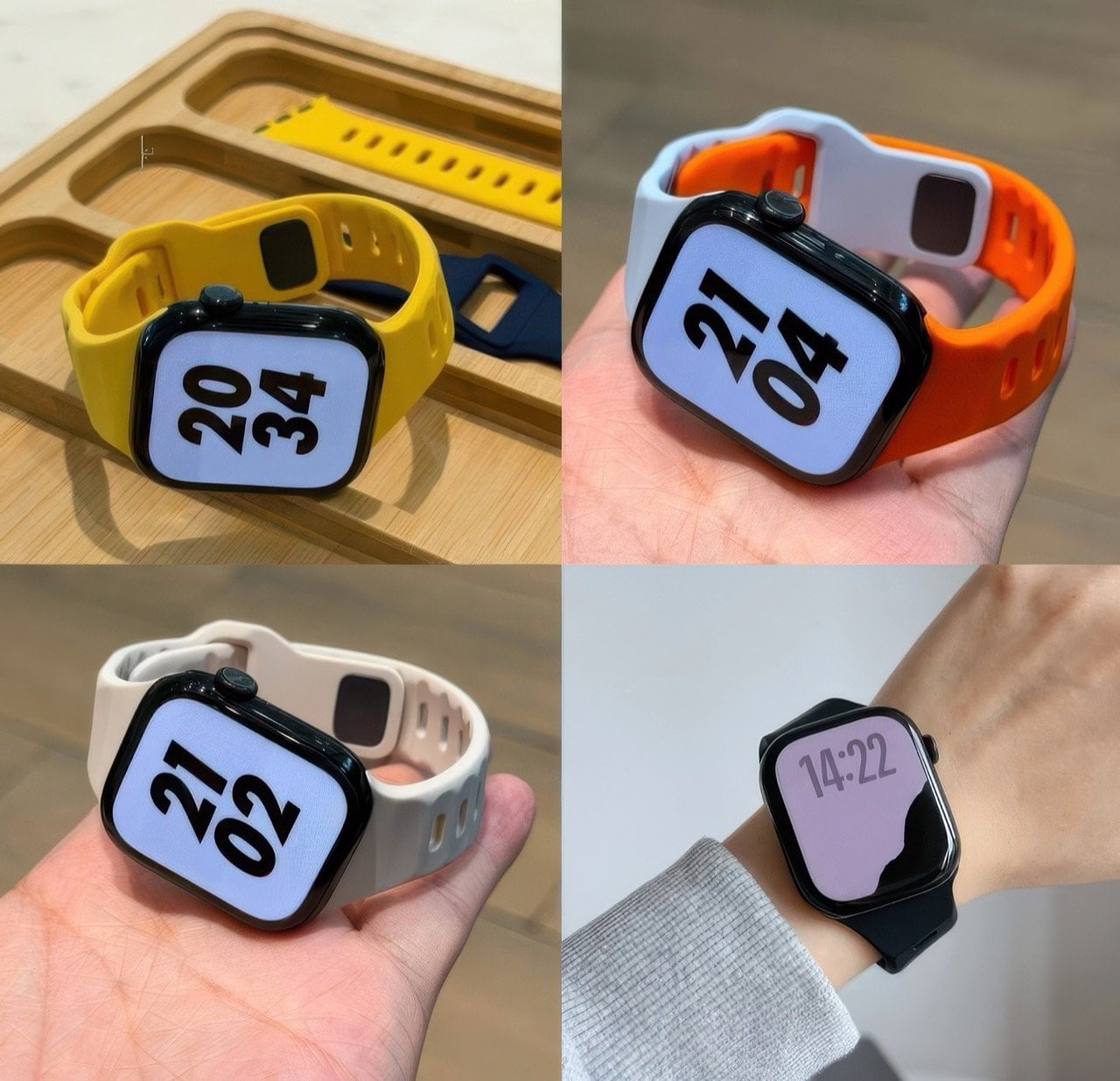
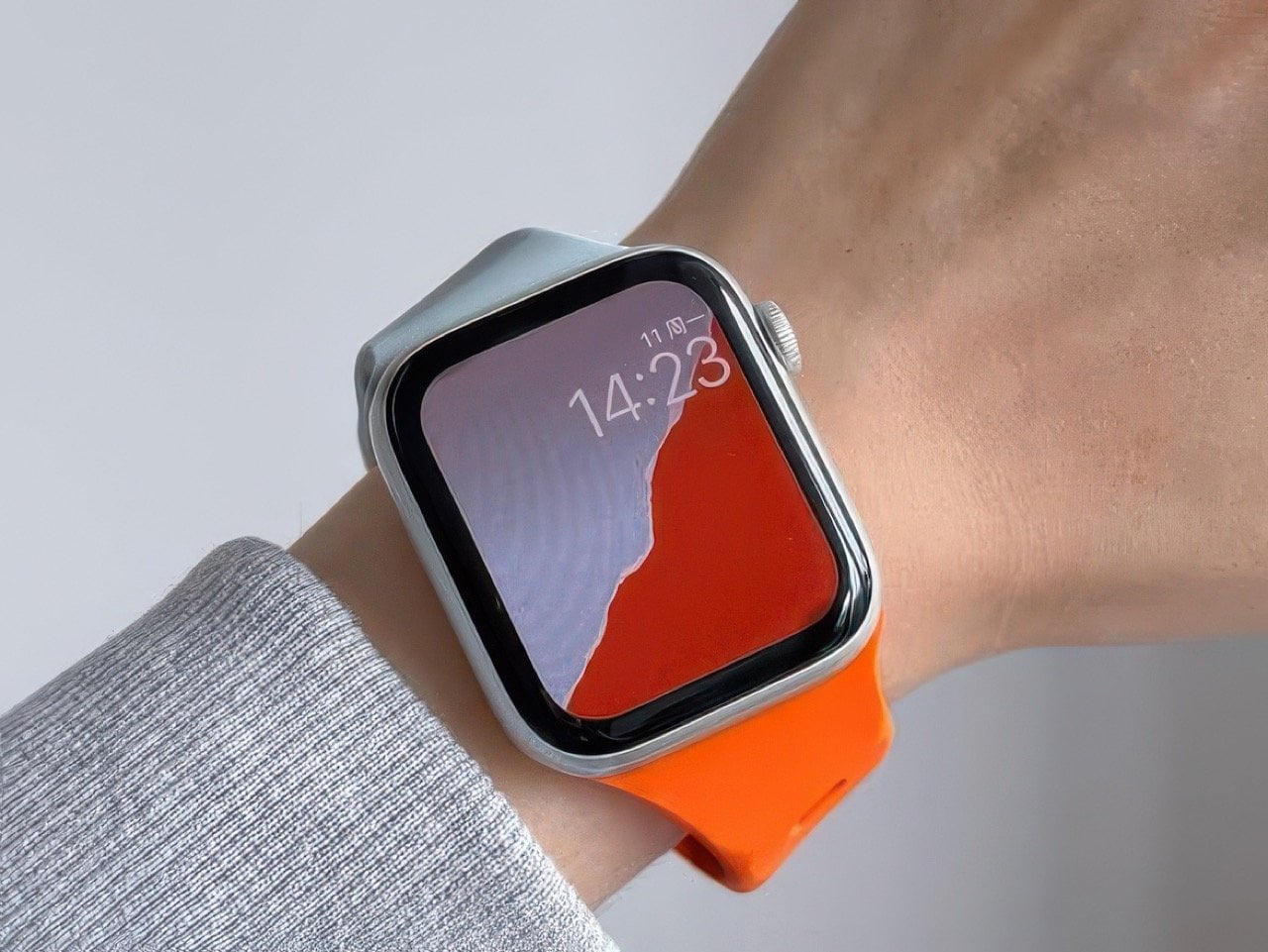
Designed around a very clever 30° tilt, this Tilted Watch Band puts the Apple Watch at a slight slant, so it’s facing you even when your wrist isn’t. Normal protocol is to lift your wrist up perfectly horizontal, so the screen faces you in the right orientation. Tilt the band and you don’t have to make your wrist horizontal anymore – just hold it at a comfortable angle and the Watch screen faces you a lot more naturally, letting you read the time without flexing your hand or your neck too much… perfect for joggers or bikers who don’t have the luxury to orient their hands while mid-activity.

Designer: MXU

Click Here to Buy Now

As ergonomically obsessed as Apple is, I’m surprised nobody from Cupertino thought of building a band like this. Does it mess with the symmetry? Absolutely. Could Apple still elegantly work around it? I have no doubt they could. They did such a brilliant job with the iPhone Duo’s folding animation, a tilted screen feels like child’s play.

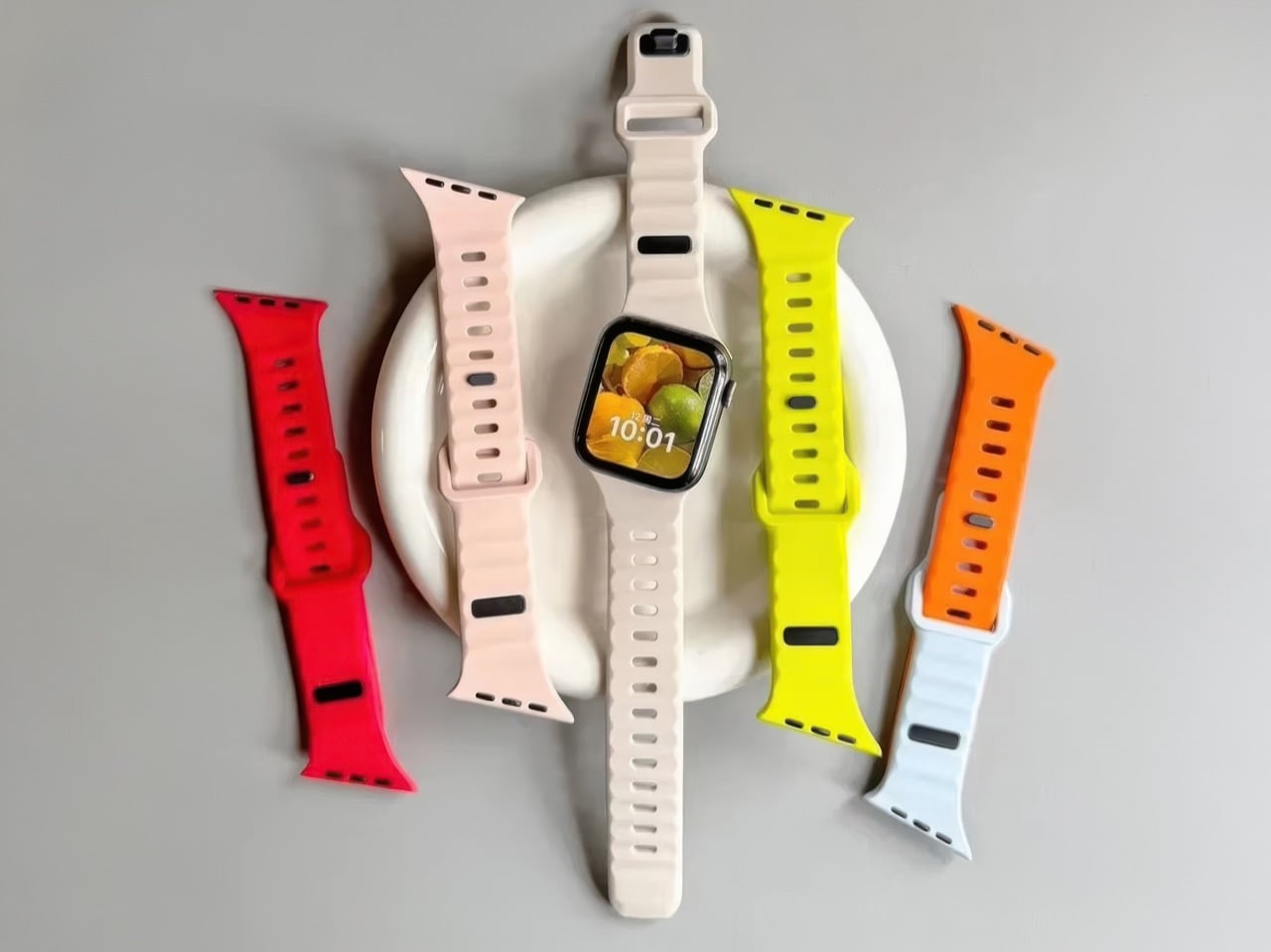
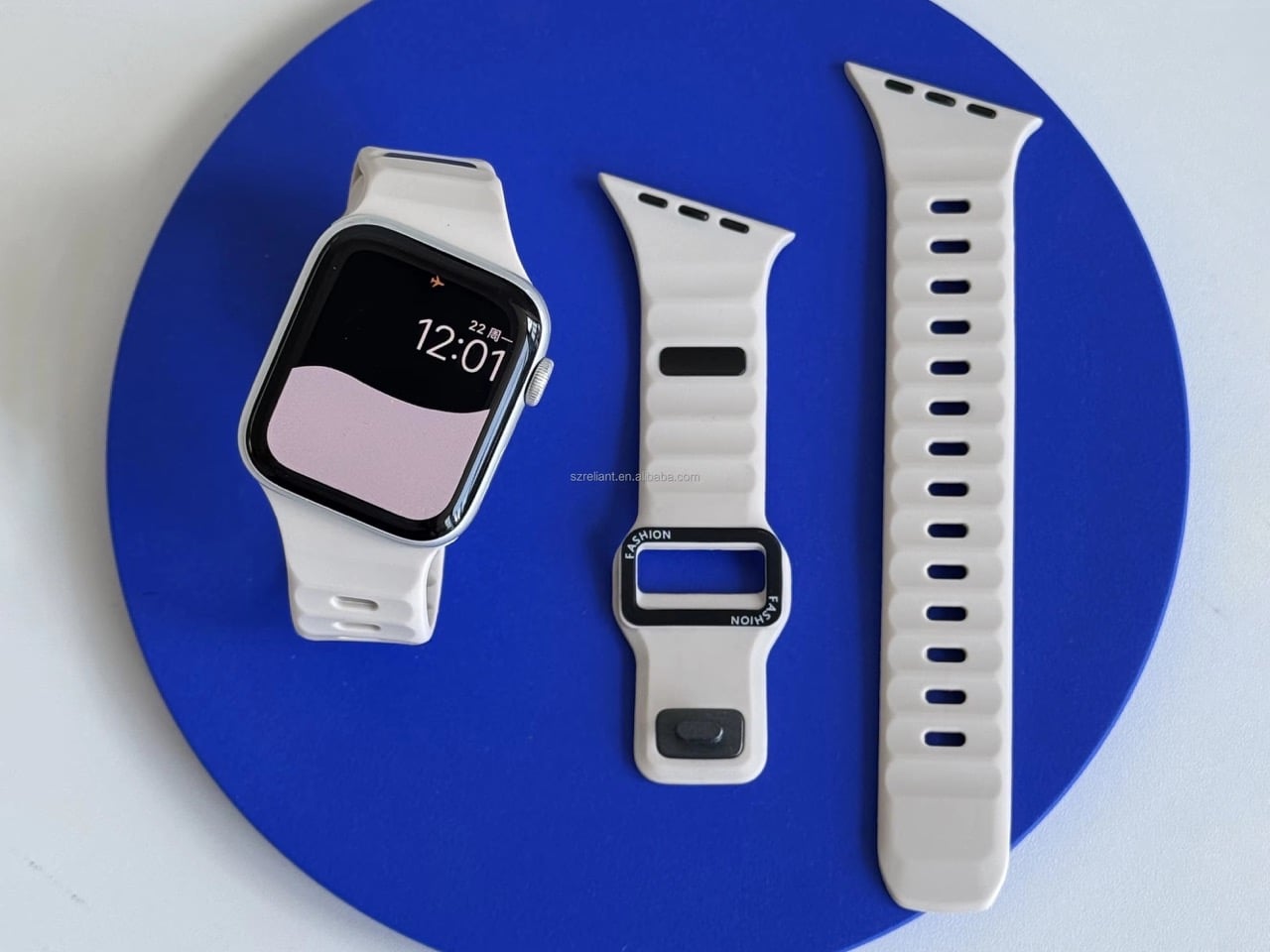
The band comes in a variety of colors, although the best thing you could do is buy a bunch of them and mix and match pairs to create a dual-tone design. The silicone construction makes the band perfect for any kinds of sports, or for people with hypoallergenic requirements. One caveat, however, is that this watch’s tilt makes it so that it only works on the left hand. The clockwise tilt means if you wore the watch on the right hand, the tilt would work against you, requiring you to crane your neck even further than you originally would. Also, the crown would press into your forearm a lot more, which isn’t particularly fun considering you’d have to deal with constantly awakening Siri every few minutes.

The solution, however, is elegantly simple, and works better for smartwatches than it does for watches. You see, reading an analog watch at any tilt or angle is fairly easy – reading a notification on a screen while it’s tilted can be a chore. That specific detail makes the Tilted Watch Band pretty useful, as it reduces the strain on your wrist and neck while you glance down at your wearable.

The Tilted Watch Band is available online through retailers like Amazon, and works with all Watch series and sizes, even with the Ultra. So you can buy and keep the band even through all your watch upgrades over the years!

Click Here to Buy Now

The post Genius ‘Tilted’ Apple Watch Band Makes The Entire Experience 10x More Ergonomic first appeared on Yanko Design.

  •  

MetMo turned a 1912 mechanism into the perfect hands-free tweezers for hobbyists and craftsmen

If the name MetMo rings a bell, that’s because this small Leeds outfit has built its reputation out of taking old mechanical ideas nobody else bothered reviving and turning them into objects people genuinely want to own. We’ve covered the MetMo Driver reworking the mid-century ratchet screwdriver, the Fractal Vise shrinking industrial clamping logic down to desktop scale, and the Pocket Grip channeling a century-old patent into nearly half a million dollars of Kickstarter support. The catalog reads like a museum of mechanisms reimagined with modern metallurgy and CNC precision. Now they’re circling back to something smaller, more delicate, and more universally frustrating than anything they’ve tackled before. Their next target is the humble tweezer.

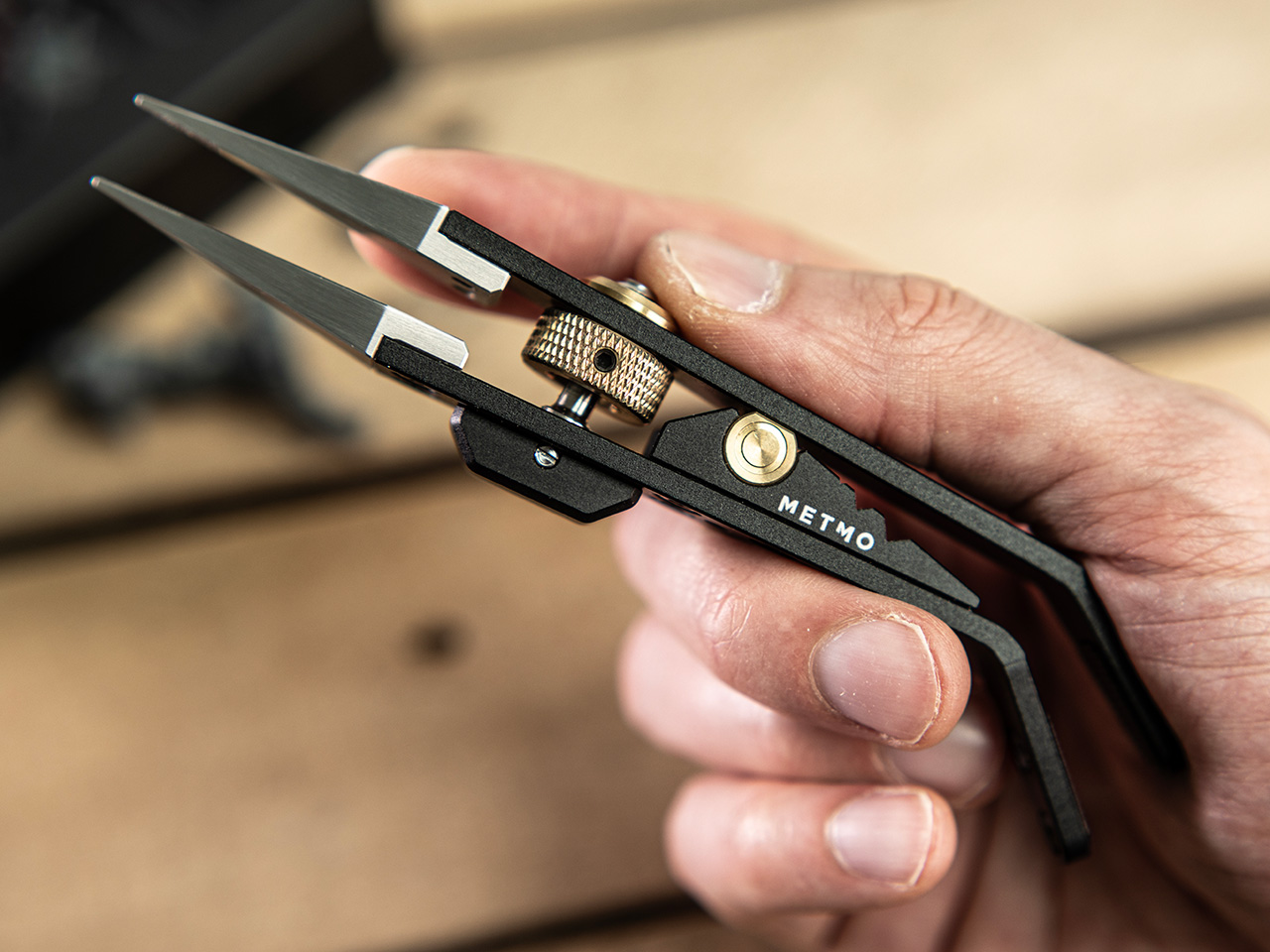
The Precision Grip is calibrated for a different job than MetMo’s earlier clamping tools, the kind of featherlight, controlled pressure needed to hold a model part without crushing it. Where the Pocket Grip chased 21kg of clamping force for daily carry tasks, this one maxes out at 5kg, by design. It runs on a miniaturized drive screw borrowed from precision machining equipment, so you set your grip force once and the jaws hold that position without assistance. That’s the core limitation tweezers can never escape: they hold via sustained finger pressure, and the moment that wavers, the part is gone. For anyone who has ever sacrificed a miniature to the carpet gods, that last sentence is the whole pitch.

Designer: Sean Sykes & James Whitfield (MetMo)

Click Here to Buy Now: $129 $143.33 (10% off). Hurry, only 19/1050 left! Raised over $579,000.

For decades, precision hobbyists have been improvising with tools from completely different disciplines. Jewelers raid surgical supply catalogs. Electronics hobbyists use soldering tongs that launch parts across the room the moment grip pressure drops. Model painters hold tiny figures between their fingers and simply hope for the best. MetMo’s position is that these people deserve something built specifically for the job, and the Precision Grip’s lightly textured jaw tips are designed to grip without marking or damaging delicate surfaces, a distinction that no repurposed dental or electrical tool reliably delivers.

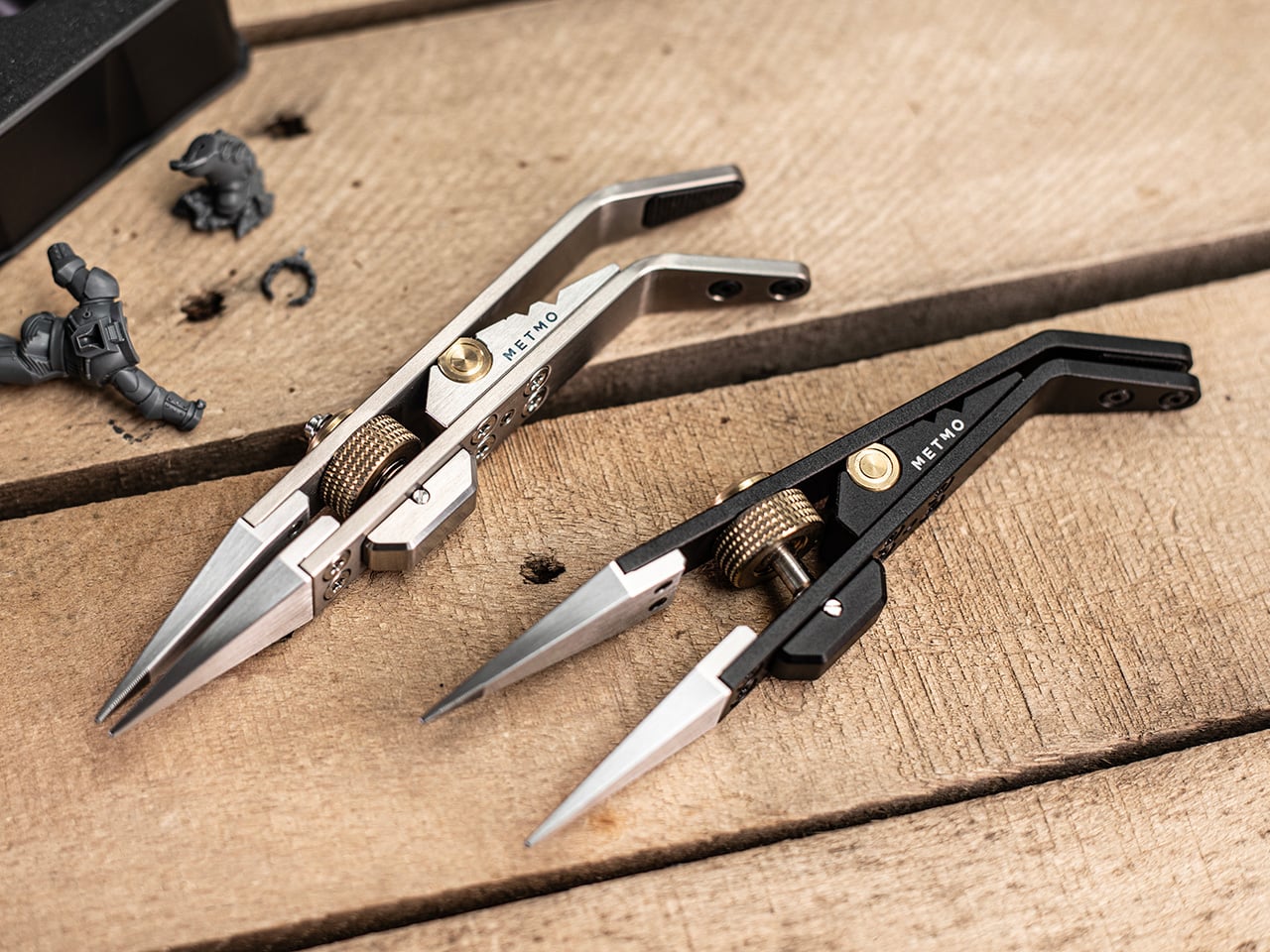
The mechanism at the center of all this is a miniaturized version of the drive screw used in high-precision machining equipment, a category of hardware that lives and dies by tolerance accuracy. A solid barrel hinge keeps both jaws in perfect alignment during clamping, preventing the sideways drift and tip-twist you’d get from a conventional pivot, and that dimensional stability is what makes the needle-nose tips usable for genuinely pinpoint work rather than approximations of it. Turn the knurled screw, the jaws close to exactly where you set them, and they hold there with up to 5kg of clamping force. The underlying mechanism traces back to 1912, which MetMo has made into a design tagline for a reason. It’s a genuinely good mechanism.

The jaw tips carry a patent-pending micro-grip texture that MetMo calls “The Gecko’s Finger,” a name that is slightly ridiculous and also completely on point. Small smooth parts get just enough extra friction at the contact surface to stay put without the jaws needing to clamp any harder, which is the right problem to solve when you’re working on something fragile. Beyond the standard needle-nose stainless steel nibs, the system accepts silicone soft inserts for delicate surfaces, round clamp heads for gripping a part’s inner cavity rather than its outer face, and even custom 3D-printed nippers for shapes no off-the-shelf tip could reach. Individual nibs swap out independently when damaged, without touching the body.

Set the jaws slightly open and a spring-loaded mechanism activates, giving you conventional tweezer behavior for quick sorting tasks without engaging the screw-drive lock every time. When you need both hands free, the Precision Grip clamps into a quick-release mount and becomes a miniature desk vice, holding your part steady while you solder, file, or paint. Three V-grooves machined into the body let you form wire or prop the tool as a makeshift stand, keeping parts right where you left them when you step away. The whole setup is fully ambidextrous, which sounds minor until you’re a lefty who has spent years buying tools that don’t think about you. All of that function lives in a body that measures 134mm (5.3 inches) long, 29mm wide, and 16mm deep.

Aerospace-grade hard-anodized aluminum (70.3g), Grade 5 titanium (83.3g), and surgical stainless steel (114.5g) are the three material variants, and each one maps to a different kind of user. The aluminum is the nimble everyday choice, the titanium balances weight savings and durability for more demanding environments, and the surgical stainless is autoclave-rated and built from high-chromium steel throughout, making it viable for medical and laboratory settings. All three are fully user-serviceable, strippable to individual components for maintenance or repair, with high-tensile screws throughout rather than whatever was cheapest to source. MetMo talks about a 200-year product goal, and the fully serviceable construction is what gives that ambition actual credibility.

Pricing for the Precision Grip runs at £89 ($118 USD) for the Aluminum version, while the Stainless Steel variant is priced at £119 or $157 USD. For serious hobbyists and EDC collectors, the Titanium Precision Grip is priced at £179 or $237 USD. The Precision Grip ships worldwide from the UK and comes with the 200-year repairability guarantee that you could possibly only expect from a company as obsessed with detail and quality as MetMo. MetMo balanced the weight distribution around fine writing instrument ergonomics, giving the body a contour that doesn’t tire your hand across long sessions. It also looks genuinely purposeful doing nothing, like an intricate ornament that earns questions from people passing your desk, which MetMo treats as part of the design brief rather than a happy byproduct.

Click Here to Buy Now: $129 $143.33 (10% off). Hurry, only 19/1050 left! Raised over $579,000.

The post MetMo turned a 1912 mechanism into the perfect hands-free tweezers for hobbyists and craftsmen first appeared on Yanko Design.

  •  

This $899 golf launch monitor tracks your swing in 3D and tells you how to fix it

A decent golf lesson can cost anywhere from $80 to $200 an hour, but the bigger issue usually kicks in after the lesson ends. You leave with a fix, spend the next two weeks practicing on your own, and somehow manage to rehearse the exact mistake you were trying to get rid of. Golf has a funny way of doing that. More practice does not always mean better practice. Launch monitors helped by giving everyday golfers access to shot data that used to live in pro fittings, but numbers alone can still feel like homework. NeoPace’s G10 Pro tries to close that gap by pairing launch monitor stats with an AI coaching layer that explains what happened and what to work on next.

NeoPace, based in Irvine, California, built the G10 Pro around a triple-camera system and a 24 GHz Doppler radar. Two cameras capture the impact zone at up to 480 frames per second, while a third records the full swing at 120fps. The setup feeds into what NeoPace calls TrainerIQ™, an AI system that traces a bad shot through a Body to Club to Ball chain, connecting ball flight to club delivery and then back to the body movement that caused it. That matters because most golfers do not need more raw data, they need help turning data into action. The G10 Pro also rebuilds each swing in 3D, so you can replay it from multiple angles instead of squinting at a flat video and pretending you know what your hips are doing.

Designer: Neopace

Click Here to Buy Now: $899 $1499.99 (40% off). Hurry, only 875/1000 left! Raised over $286,000.

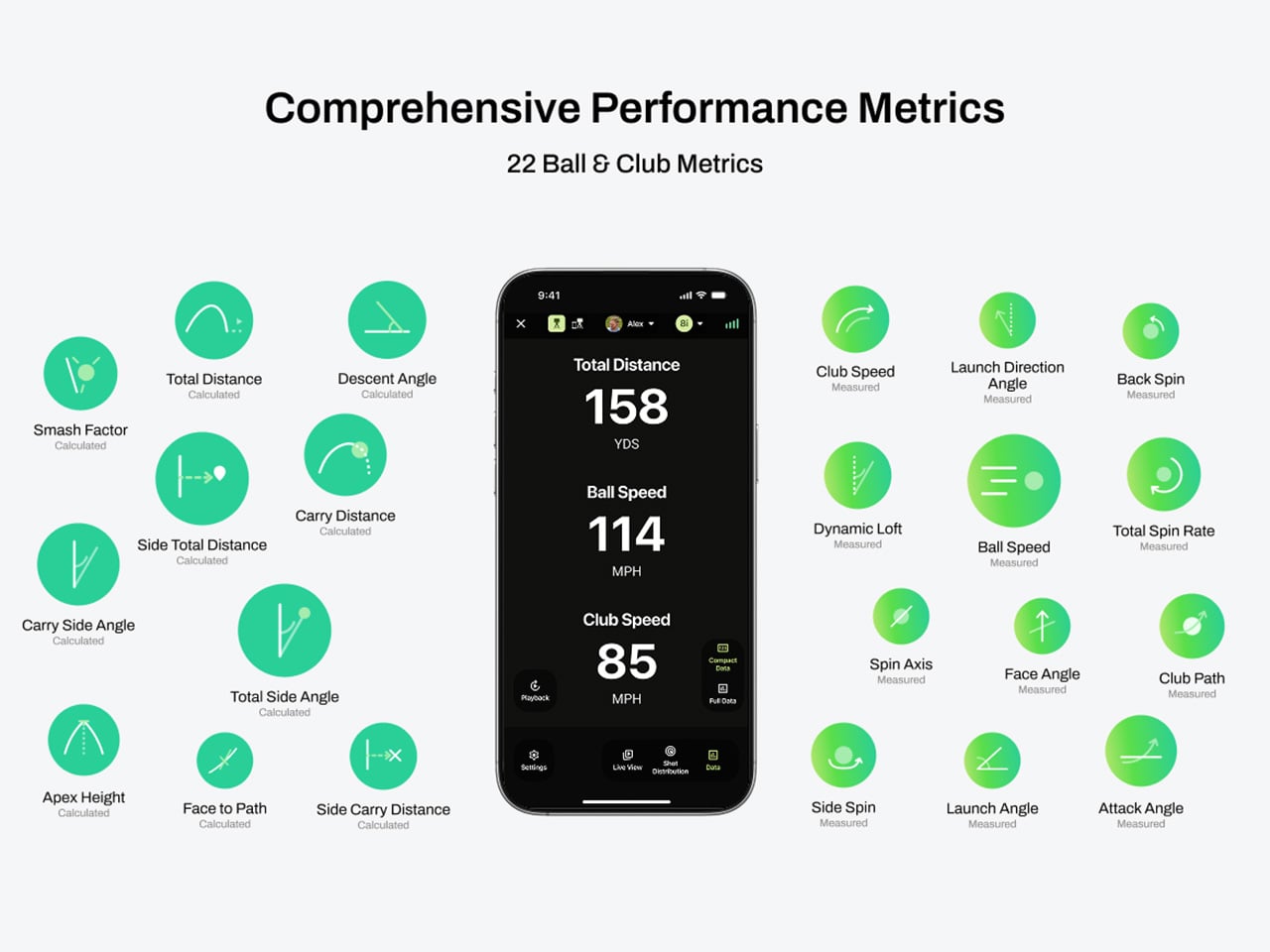
The G10 Pro tracks 22 ball and club metrics, plus 27 body-related metrics covering chest rotation, pelvis movement, wrist angles, elbow flexion, knee sway, and more. That is a pretty wild amount of information for a portable unit that costs $899, especially when most devices in this range focus mainly on ball flight and club numbers. NeoPace also made setup refreshingly simple, with auto alignment and support for both face-on and down-the-line placement. So whether you’re practicing at home, on the range, in the backyard, or sneaking in some swing diagnostics before a round, the G10 Pro feels built for golfers who want coaching-grade feedback without hauling around a tour van full of gear.

Every swing gets captured and rebuilt in full 3D, replayable from any angle, at any moment, from face-on, top-down, and down-the-line, all from a single device you placed once before you started. Most launch monitors give you flat video from a single fixed angle. The stereo camera pair locks the ball at 480 frames per second while the third follows the swing at 120fps, double the impact capture rate of most competing devices. Seeing your own swing from directly above mid-follow-through is the kind of analysis angle instructors have always wanted to show students but rarely had a clean portable way to deliver. NeoPace claims the 3D Replay™ is a first in portable consumer launch monitors at any price, and from everything visible in the current market, that claim holds up.

TrainerIQ™ analyzes your swing and body movement, identifies the likely cause of a miss, and suggests a targeted drill to help you improve. It does not just flag that the face was open at impact and leave you to figure out why. The analysis goes deeper: face 2 degrees open, heel contact, smash factor 1.35, and the root cause is that the body stopped rotating so the hands stepped in to carry the load. That kind of layered breakdown is exactly what a teaching pro walks you through after watching your swing, and the G10 Pro compresses it into automated real-time output after each shot. Golfers can also directly ask TrainerIQ™ questions about their swing and receive personalized, actionable guidance on what to work on next, which makes the system feel less like a stat engine and more like an interactive training partner. TrainerIQ™ then prescribes specific drills based on the diagnosis, closing the loop between data, understanding, and actual practice.

Twenty-seven body-related metrics track how your body moves through every swing, turning posture, timing, and rotation into data you can act on. The tracked parameters span the chest and pelvis in five axes each, lead and trail knee sway and flexion, mid-hands sway and lift, head movement, X-Factor and Sway Gap, lead and trail elbow flexion, wrist angle, shaft angle, and kinetic sequencing factors: Core Gain, Shoulder Gain, Wrist Gain, and Release Factor. Any coach reading that list will recognize it as the full biomechanical picture that motion capture setups in pro training facilities chase. Inside TrainerIQ™, it becomes the evidence base connecting a ball that lands 13 yards short and right to a chest that stopped rotating halfway through the downswing. That translation from raw biomechanics to actionable coaching is where the G10 Pro genuinely earns its price.

Getting the G10 Pro into a session takes three steps: set it down, auto align, and take your shot. That might sound like marketing language, but auto-alignment is a genuine quality-of-life upgrade over monitors that require precise manual positioning every single time. The pan-and-tilt gimbal covers a 120-degree pan range and a 40-degree tilt range, so near-correct placement is close enough. The unit itself measures 217.5 × 47.25 × 44.5 mm without the tripod, compact enough to slide into a range bag without reorganizing everything else in it. The 3,300mAh/7.2V battery runs for four hours with a 1.5-hour fast charge at 15W, which covers a full morning session with room to spare. For golfers who want to practice or play indoors, the G10 Pro is compatible with GSPro and Creative Golf, with additional major simulator platforms currently in development.

NeoPace also says there is no unlock fee or subscription required for simulator connectivity itself, though third-party simulator software fees may still apply. The companion app works with iOS (14.0 and above) and Android (10.0 and above) smartphones and tablets. NeoPace also says the core feature set does not require a subscription. D Swing Analysis and TrainerIQ™ Analysis share an allowance of up to 5 AI-analyzed shots per month, while Premium AI increases the shared allowance to up to 1,000 shots per month and adds features such as Ask TrainerIQ™, Performance Insights, Personalized Drills, Practice Goals, and Cloud Storage.

At $899, the G10 Pro goes toe to toe with the Rapsodo MLM2PRO, its most direct camera-based competitor at the same price. The MLM2PRO does solid work on ball flight data and video, but offers no body tracking, no 3D reconstruction, no AI coaching chain, and face-on-only placement. Stepping further up the market, ball/club/body motion analysis at this depth typically lives in systems costing several times more, usually requiring separate wearables or dedicated motion capture rigs. Honestly, the fact that NeoPace has packed 3D reconstruction, 27 body metrics, and an AI coaching brain into a $899 portable device feels like it should be harder to pull off than it apparently is, and that is the most compelling thing about the G10 Pro.

Click Here to Buy Now: $899 $1499.99 (40% off). Hurry, only 875/1000 left! Raised over $286,000.

The post This $899 golf launch monitor tracks your swing in 3D and tells you how to fix it first appeared on Yanko Design.

  •  

iPod Classic emulator for the Samsung Galaxy Z Fold8 finally gets the size and aspect ratio right

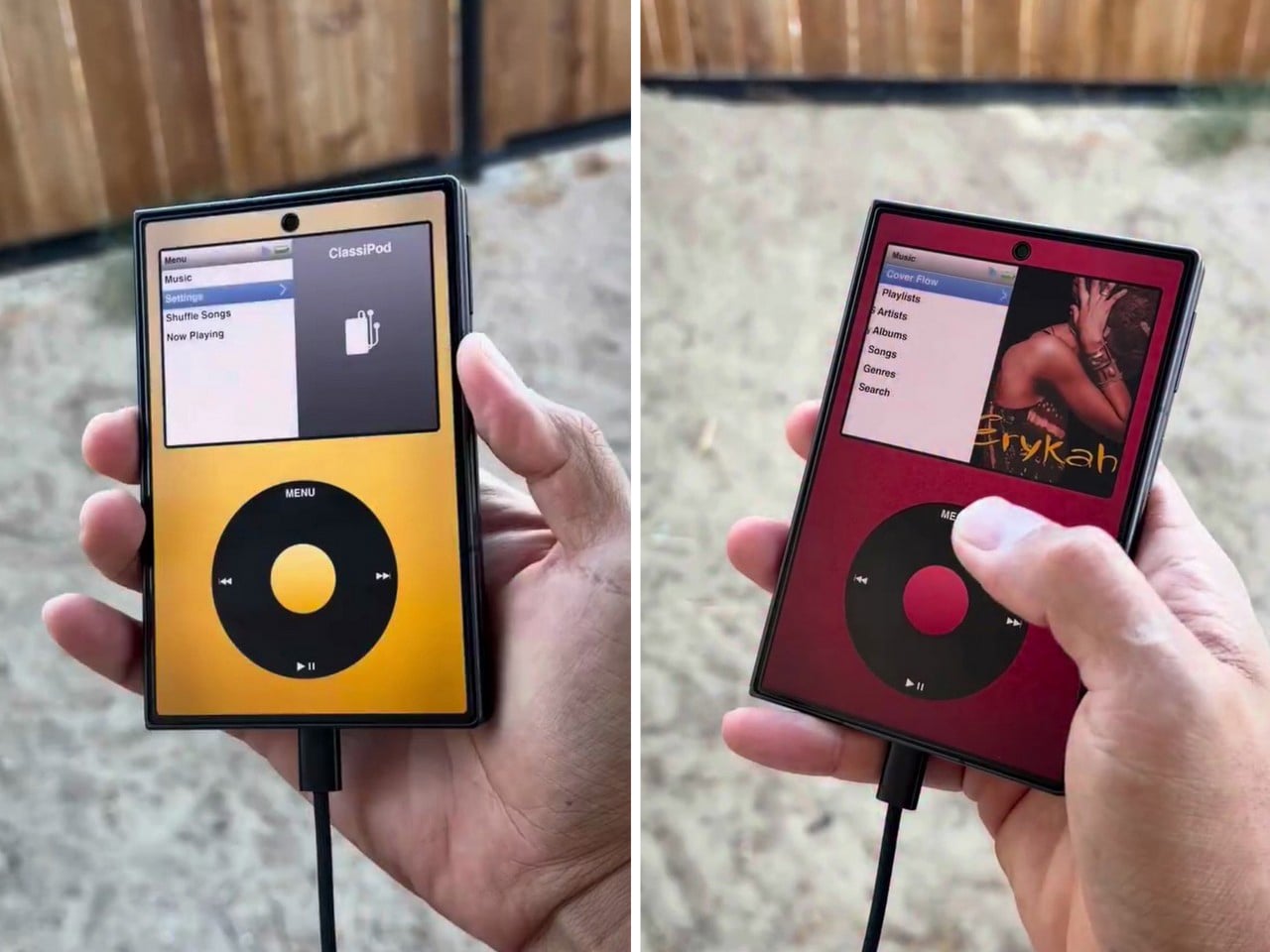
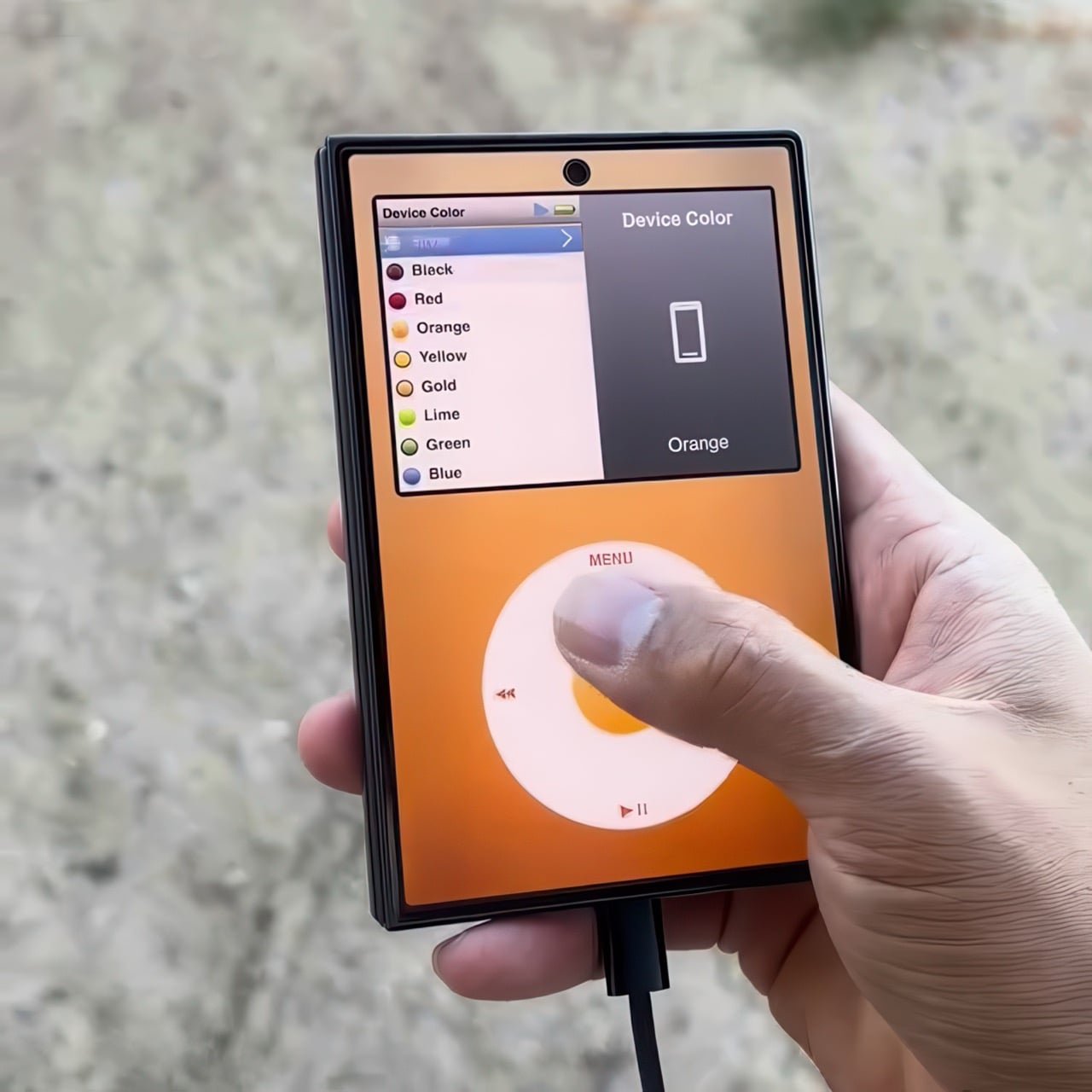
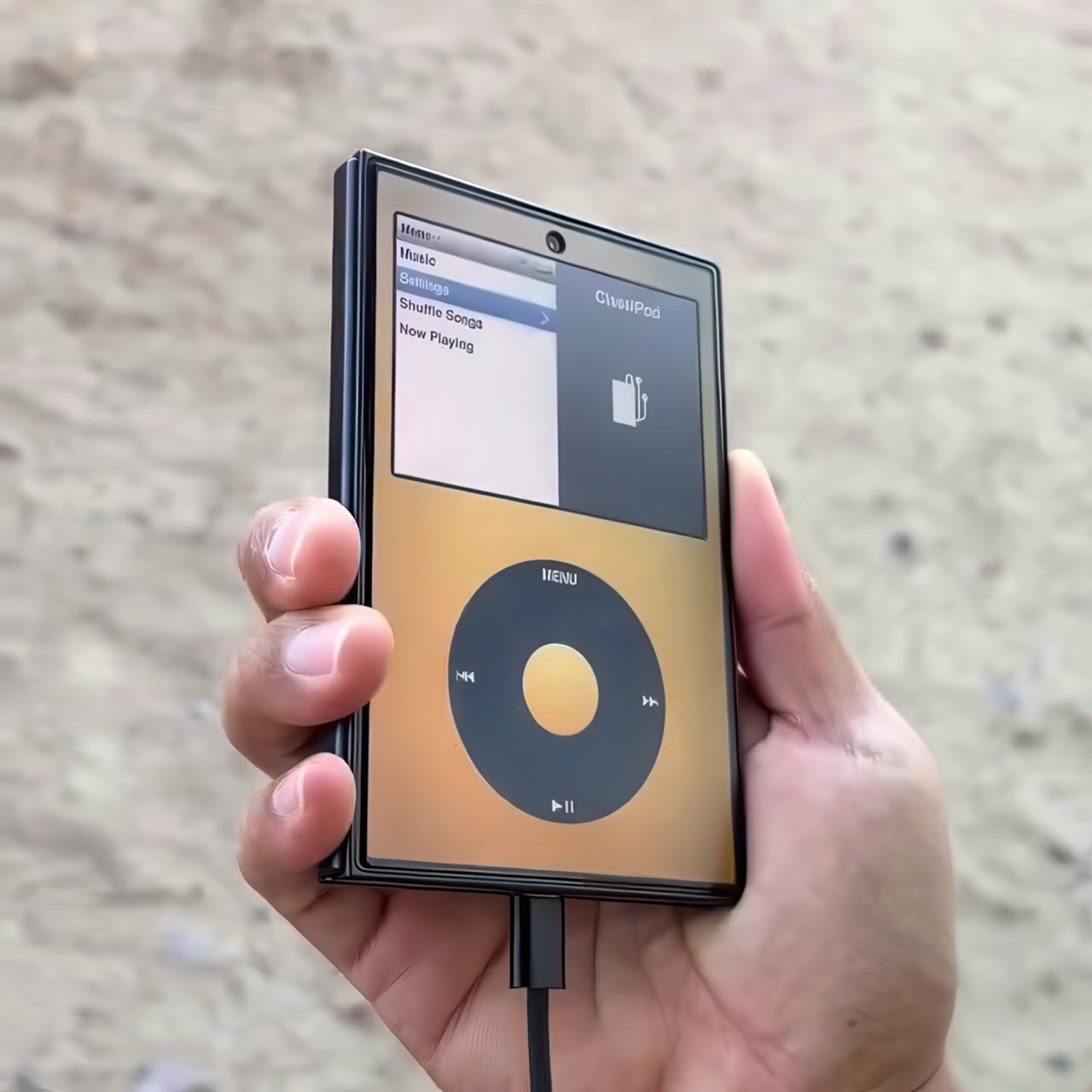
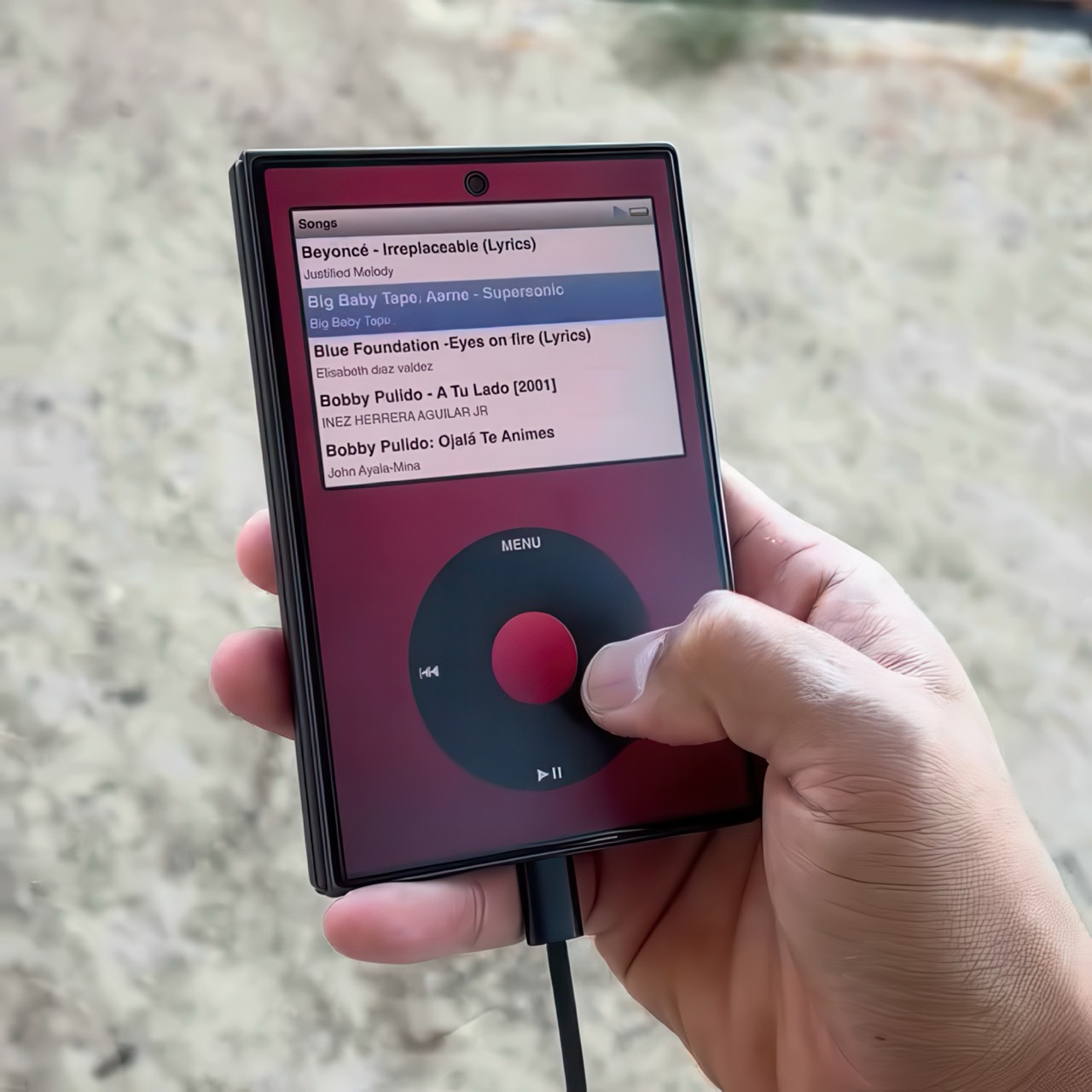
Apple has the opportunity to do something really cool here! An emulator going by the name of Classipod has been doing the rounds on the Google Play Store, letting you run an iPod Classic style interface on any Android phone of your choosing. The only problem is that Apple never really made a 9:20 iPod Classic. Every iPod Classic had a short, stout design and as it stands, there are only two Android phones that currently fit this bill, and both fold.

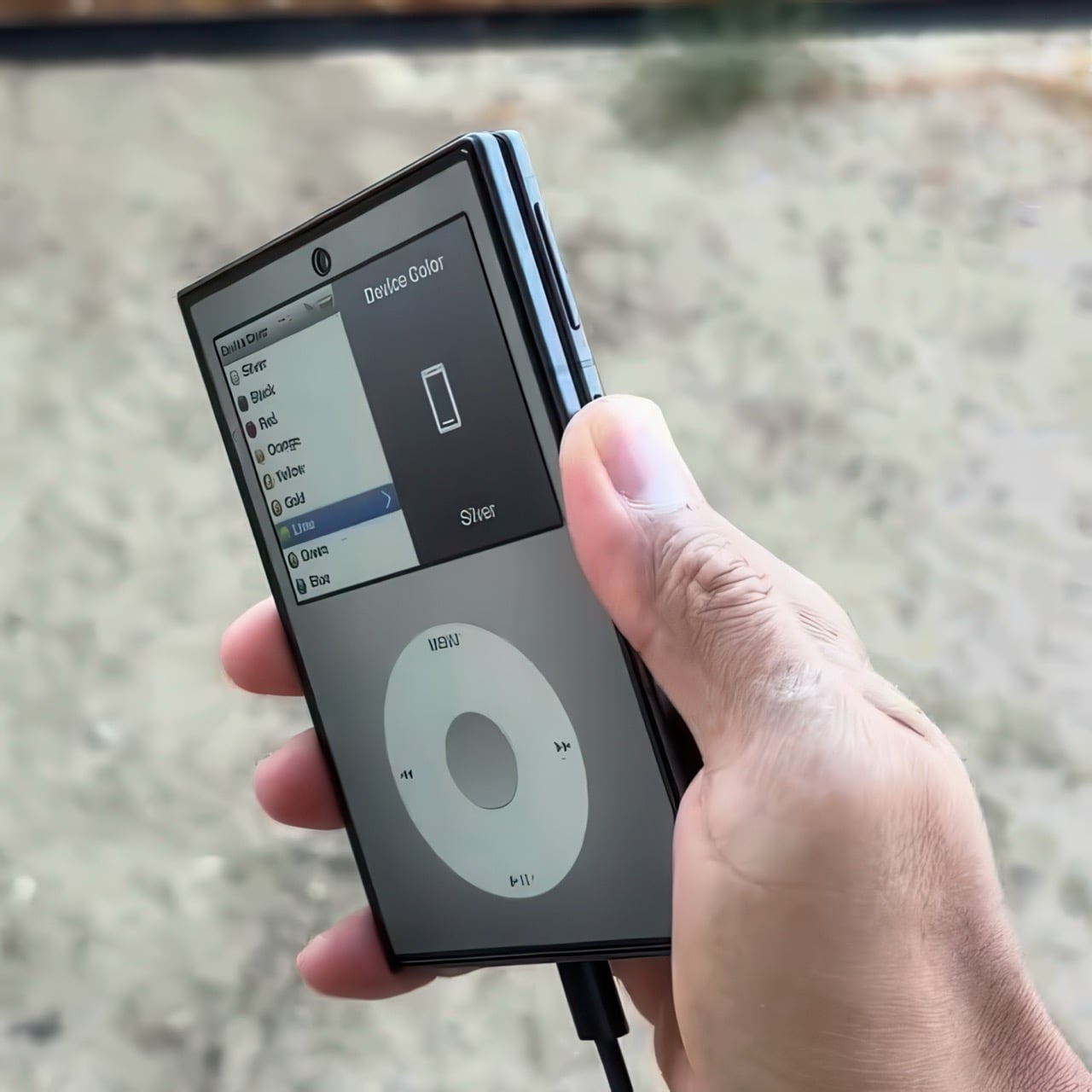
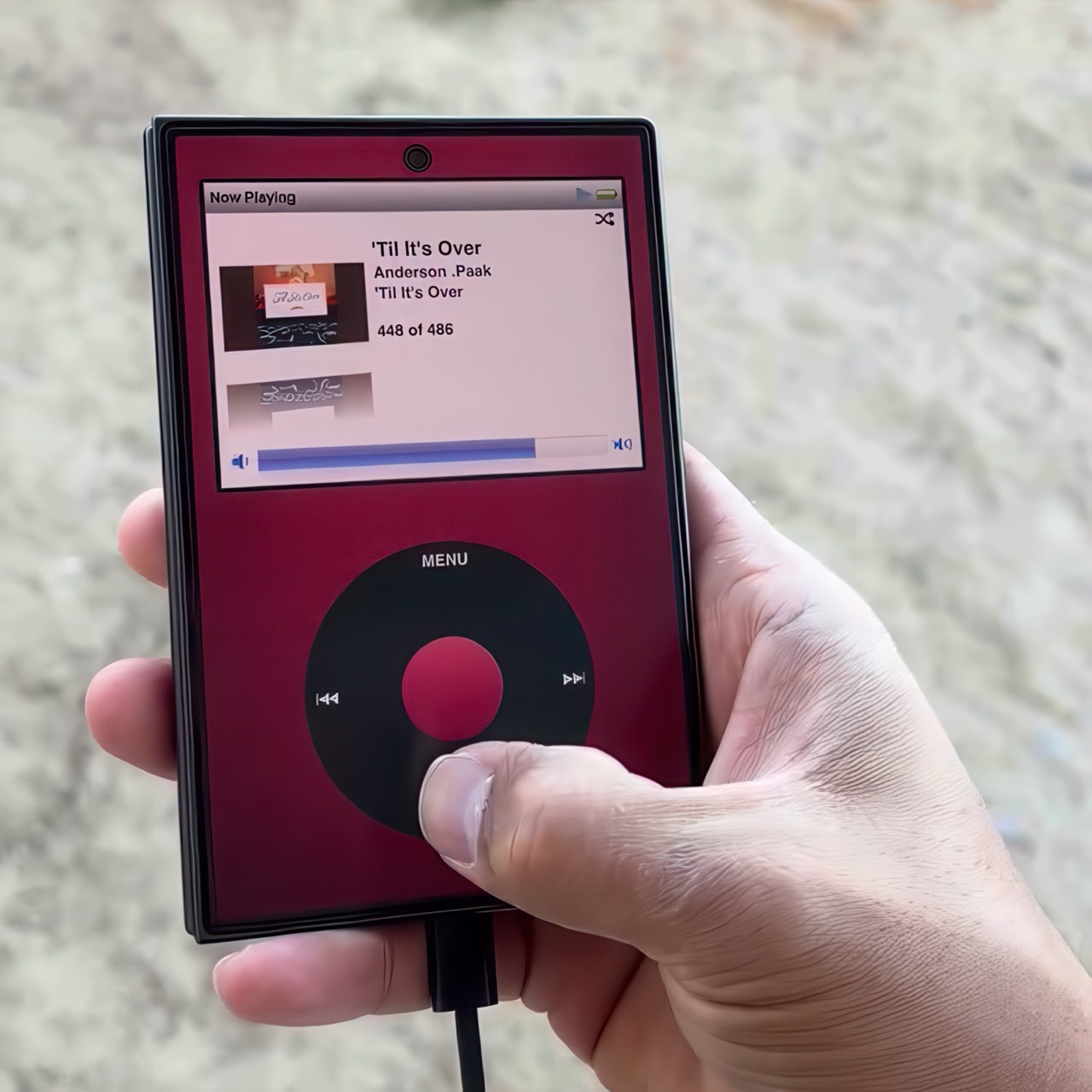
A video on Instagram showed the Classipod interface on a Galaxy Z Fold8 and I can’t help but feel like this almost exactly looks like the classic iPod. The proportions are damn near perfect, the interface still makes me nostalgic, and those color options absolutely slap! The only real problem is that, like all good things, Classipod came to Android before it did to the iPhone Duo… but if someone from Apple’s software team is reading this (hey Craig!), just go ahead and give us an Apple Music skin that brings back the iPod Classic! Pretty please??

Designer: Adeeteya

Here’s what I find so funny about running Classipod on a Z Fold8 – sure, it almost matches the iPod Classic’s form factor, but even when folded shut, it’s still thinner than the iPod! I’m talking hinge, two sets of screens, two batteries, an entire processor, cameras galore, all that packed into something that measures 9.7mm thick while the iPod Classic, which is just a tiny screen, battery, SoC, and a massive flash drive, measures 10.5mm in thickness. Then again, the iPod Classic packs an aux input too, which you’ll never see on a foldable phone.

But hold the Z Fold8 in your hand and the Classipod definitely scratches the itch of owning vintage Apple gear. The weight and heft, the analog interface, and that gorgeous jogwheel that is sure to get your muscle memory kicking in instantly. You sideload music so it plays locally (no streaming), and you can do everything, from searching for artists to making playlists. And yes, if you’re asking, the jogwheel has haptic feedback so it actually does feel like the iPod of yesteryears.

There are a few iPod emulators on the App Store, but none as good as the Classipod. I guess someone could vibecode one overnight and run it on an iPhone Duo soon, but until then, turns out the most faithful recreation of an iPod Classic exists… just on an Android device!

The post iPod Classic emulator for the Samsung Galaxy Z Fold8 finally gets the size and aspect ratio right first appeared on Yanko Design.

  •  

Gorgeous LEGO Book Nook Has a Steam Train Blasting Straight Through Its Snowy Pages

Every kid who grew up with Chris Van Allsburg’s The Polar Express remembers that moment where the story stops behaving like a story. A train just shows up, chugging straight out of the snow and into a kid’s actual bedroom, and suddenly bedtime reading feels a little bit dangerous in the best way. That’s the exact energy LEGO builder CrazyInventor is chasing with Winter Express, and yes, I see what you did there with that title, very smart way to dodge a certain mouse-shaped legal team while still getting the reference across loud and clear. Except here the train doesn’t stop at bursting out of the pages. It runs straight through the whole book, cover to cover, like the story just wasn’t big enough to hold it.

The result looks like someone left a hardback open on a shelf and a Victorian steam engine decided to use it as a shortcut. Gold trim, a red ribbon bookmark, snow dusted across the back cover like a sky full of stars, this thing reads more like a diorama that happens to be shaped like a book than a book that happens to have a train in it. And once you spot the tiny second train hiding inside the pages, you’ll understand why this project cracked 1,000 supporters in about three days flat.

Designer: CrazyInventor

The book itself steals the show before the train even enters the conversation. It’s a navy blue hardback with rounded gold corner guards and matching gold bands running down a curved spine, the kind of cover treatment you’d expect on a leather-bound classic rather than a pile of ABS plastic. A gold plaque on the front reads “Winter Express” in a wood-grain frame, and a red ribbon bookmark hangs off the top edge like someone set the book down mid-chapter and wandered off to make tea. Flip to the back cover and it’s scattered with pale blue round studs, doing double duty as either falling snow or a starry winter sky, depending on how you’re feeling that day.

A black and gold Victorian locomotive takes over from there, complete with a glowing headlamp, a cowcatcher up front, and Technic side rod detailing, coming straight out of a snow-capped rock tunnel carved into the front cover. A matching passenger coach trails out the other side through the spine, decked out in scrollwork trim with its own lit lanterns and a roof stacked with skis and sleds. Snowy pine trees, cobblestone tiles, and two working lampposts fill out the base, along with a frozen little pond built from trans-blue tiles.

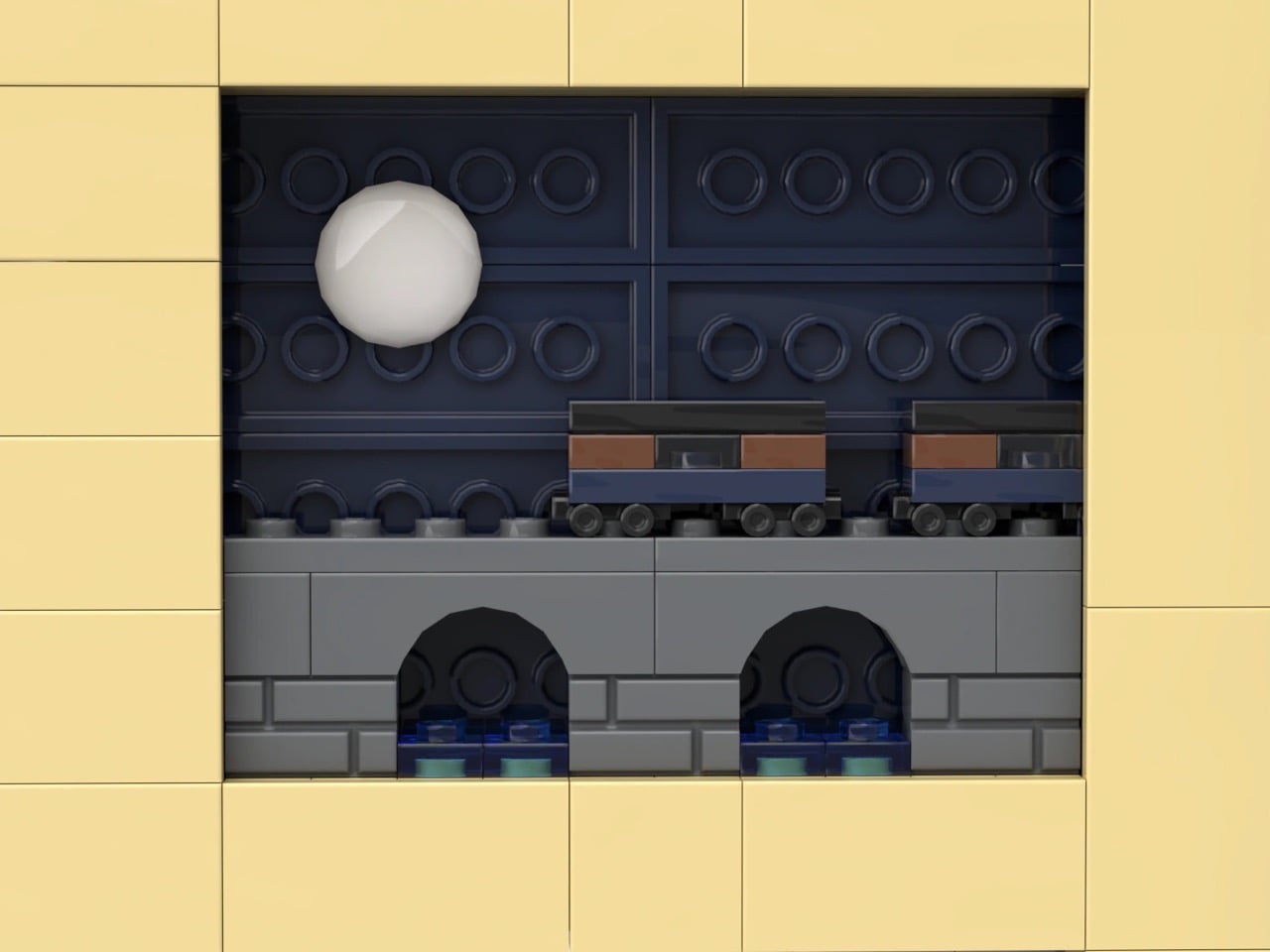
My favorite detail is buried in the pages themselves. Look closely at the tan interior spread and there are cutout windows revealing a second, micro-scale train crossing a tiny stone viaduct, a whole miniature railway hiding inside the book that the big train is currently smashing its way through. It’s a small touch, but it’s the kind of layered thinking that separates a fun MOC from a genuinely great one.

Winter Express landed on LEGO Ideas on September 15 and has already pulled in 1,291 supporters, cruising well past the first 1,000-vote milestone toward the 5,000 mark it needs next. If cozy winter dioramas with a little bit of chaos baked in are your thing, go to the LEGO Ideas page and add your support and watch this one keep climbing.

The post Gorgeous LEGO Book Nook Has a Steam Train Blasting Straight Through Its Snowy Pages first appeared on Yanko Design.

  •  

A Designer turned Xiaomi’s Logo into a Multi-Utility Vehicle Concept

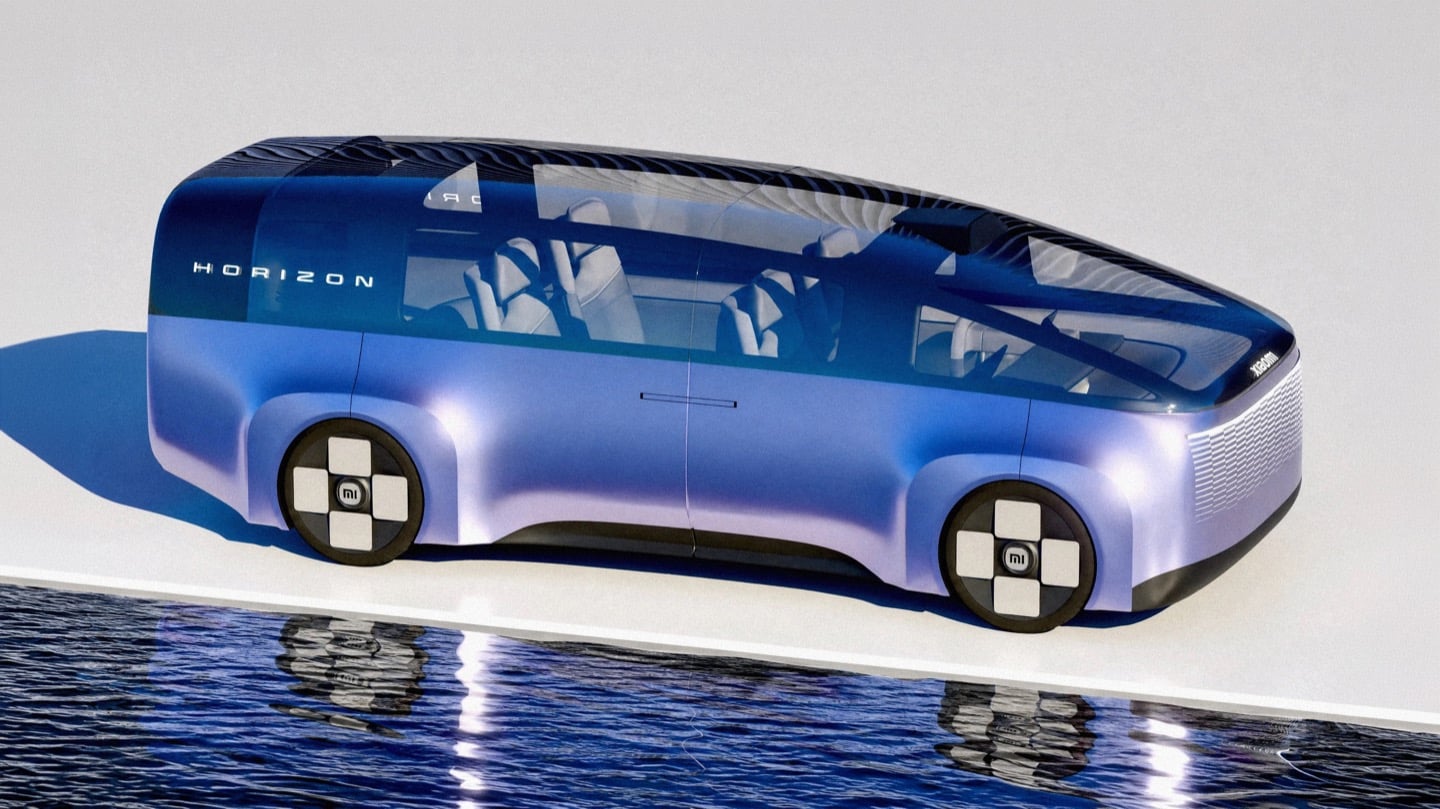
Side profile of the Xiaomi Horizon concept MPV in blue-to-lavender paint, parked on a white platform above still water.

You know that little rounded square Xiaomi uses as its logo? The one a Japanese design legend spent actual months tuning with a math equation just to get the curve right? Lucas Angelo looked at that shape and thought, sure, why not build a car out of it. The result is the Xiaomi Horizon, and I mean that almost literally. The tailgate is one giant glowing squircle. The wheels are squircles. The whole rear end reads like someone blew up an app icon to the size of a minivan.

It sounds like a gimmick until you remember Xiaomi’s entire EV strategy is basically “make our products feel like they all came from the same brain,” and a car shaped logo is honestly not the dumbest way to pull that off. Whether it should be a Multi Purpose Vehicle or something else entirely is a separate question, and we will get to it. But credit where it is due, this thing has more brand DNA baked into its sheet metal than most concepts manage with an entire mood board of heritage references.

Designer: Lucas Angelo

Front three-quarter view of the Horizon against a tall black louvered wall, with mountains visible in the background.

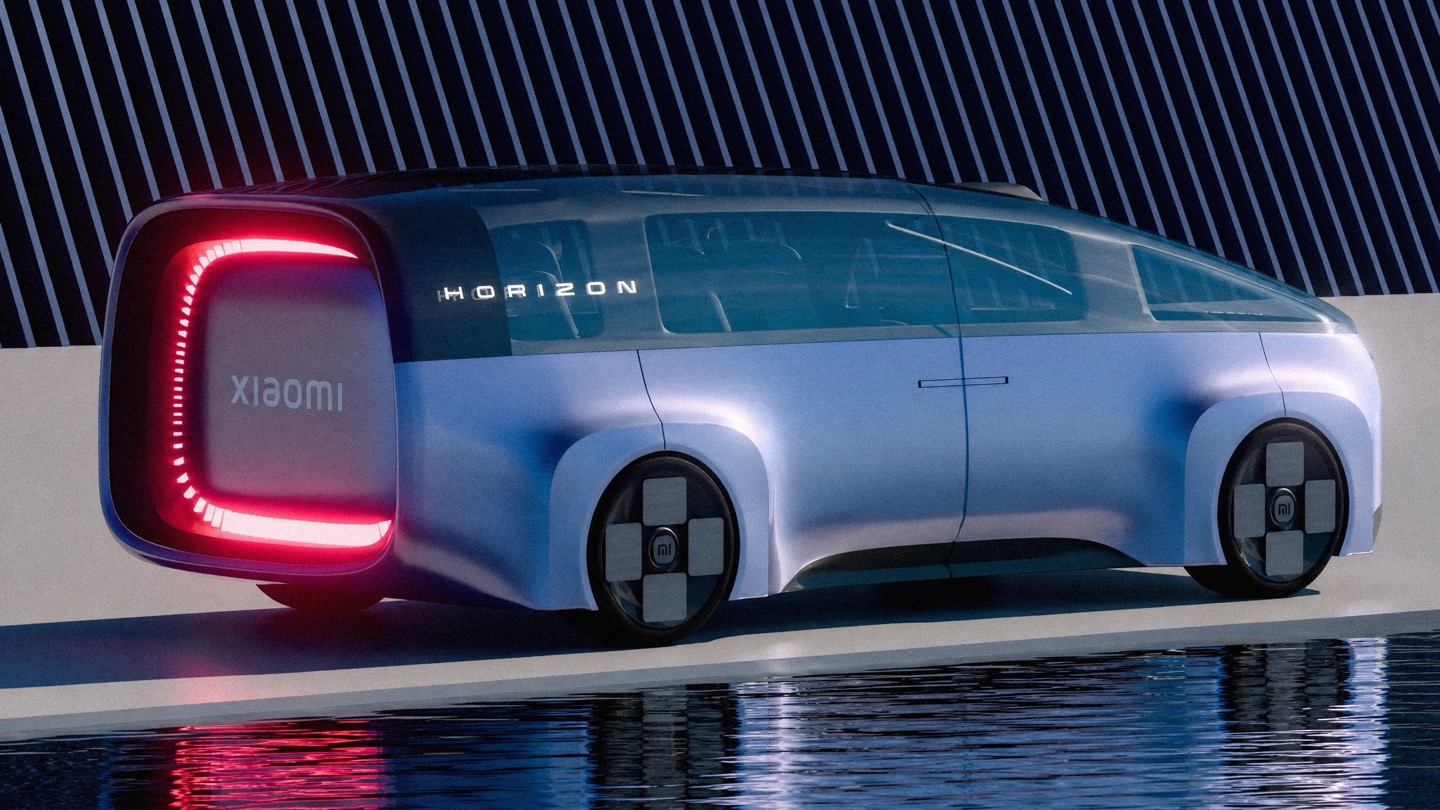
Rear three-quarter view of the Horizon at dusk, showing its illuminated red squircle taillight and the Xiaomi wordmark.

That squircle obsession is not Angelo inventing a bit for fun. Back in 2021, Xiaomi hired Kenya Hara, the design legend behind MUJI’s whole visual identity, to redraw its logo. He landed on a superellipse formula, dialed to a value called n equals 3, which is the mathematically precise sweet spot between a perfect square and a perfect circle. People online mocked it as three hundred grand for rounded corners. Angelo apparently took it a lot more seriously than the internet did, because Horizon’s entire rear fascia is basically that formula rendered at automotive scale, ringed in individually lit LEDs so it glows like a screensaver whenever the car is parked.

Front three-quarter view of the Horizon showing its illuminated Cascade Grille and squircle wheel hubs.

Straight-on rear view of the Horizon on a salt-flat-like surface, with its glowing red squircle taillight centered.

The front end plays a similar game with something Xiaomi calls the Cascade Grille, a full width lattice of tiny illuminated squares that fade in a stepped pattern across the nose. It is not a functional intake so much as a light show, which tracks for a brand that made its name on phones and smart speakers before it ever touched a chassis. Xiaomi’s actual head of automotive design, Li Tianyuan, cut his teeth on the BMW iX and the i Vision Circular, a concept that turned BMW’s kidney grille into a digital display. Angelo landing in almost the same conceptual neighborhood, independently, says his instincts are pointed in a direction the real design team already validated once.

Side view of the Horizon parked in front of a spiked black wall, taillight lit, with snowy peaks behind it.

Here is where things get spicy. China’s premium electric MPV segment has a body count, and the most famous casualty is the Li Auto Mega, a smooth, curvy one box people mover that the internet immediately nicknamed the hearse. One owner slapped high speed train decals on his because the jokes wrote themselves, and Li Auto’s own design chief was still publicly defending the car more than two years later. A big blank slab of a rear end on an MPV is basically an invitation for the internet to decide what it looks like for you, and it is never flattering.

The Horizon driving down a city street past a billboard

This is exactly the trap Horizon’s illuminated tailgate sidesteps. Instead of a flat dark void back there, you get a glowing signature the size of a barn door, something to actually look at instead of squint at. Whether Xiaomi ever builds anything like this is unlikely, especially now that the real Xiaomi has already picked its answer to the family hauler question with the SkyNomad, an EREV SUV with a fridge and a bed mode rather than a sliding door MPV. But Horizon is a fun reminder that sometimes the best way to honor a brand is to take its smallest, most mocked design decision and blow it up until everyone has to take it seriously.

The post A Designer turned Xiaomi’s Logo into a Multi-Utility Vehicle Concept first appeared on Yanko Design.

  •  

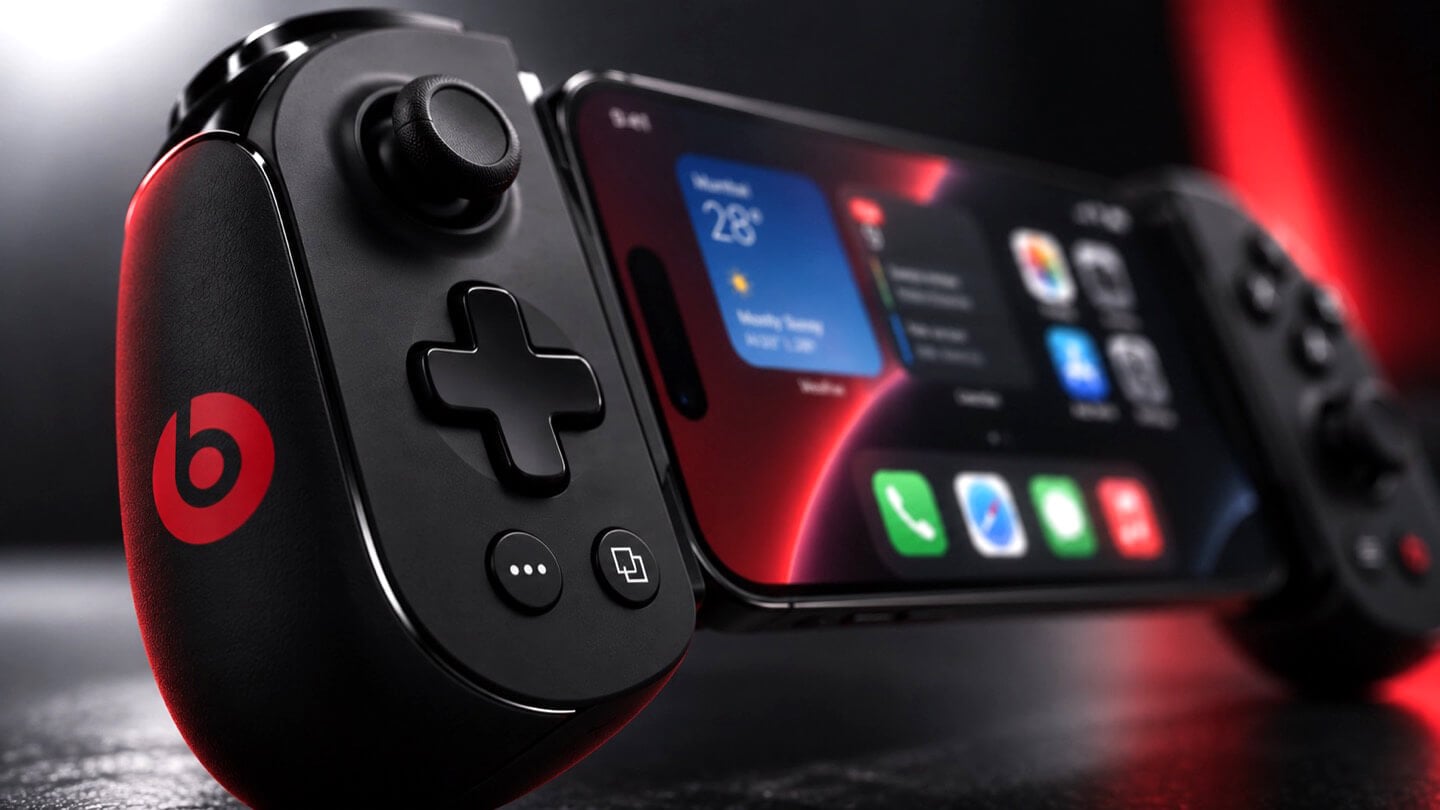
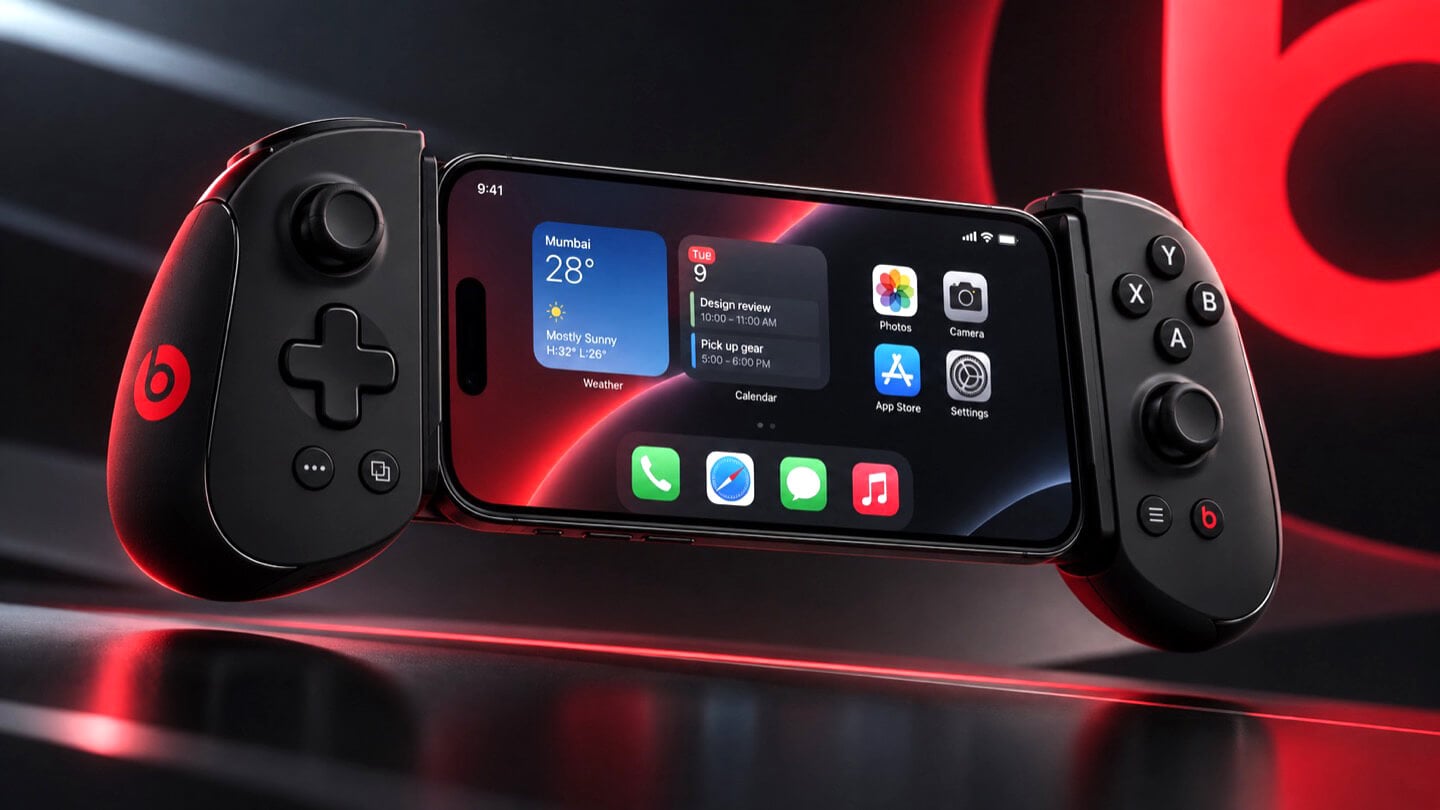
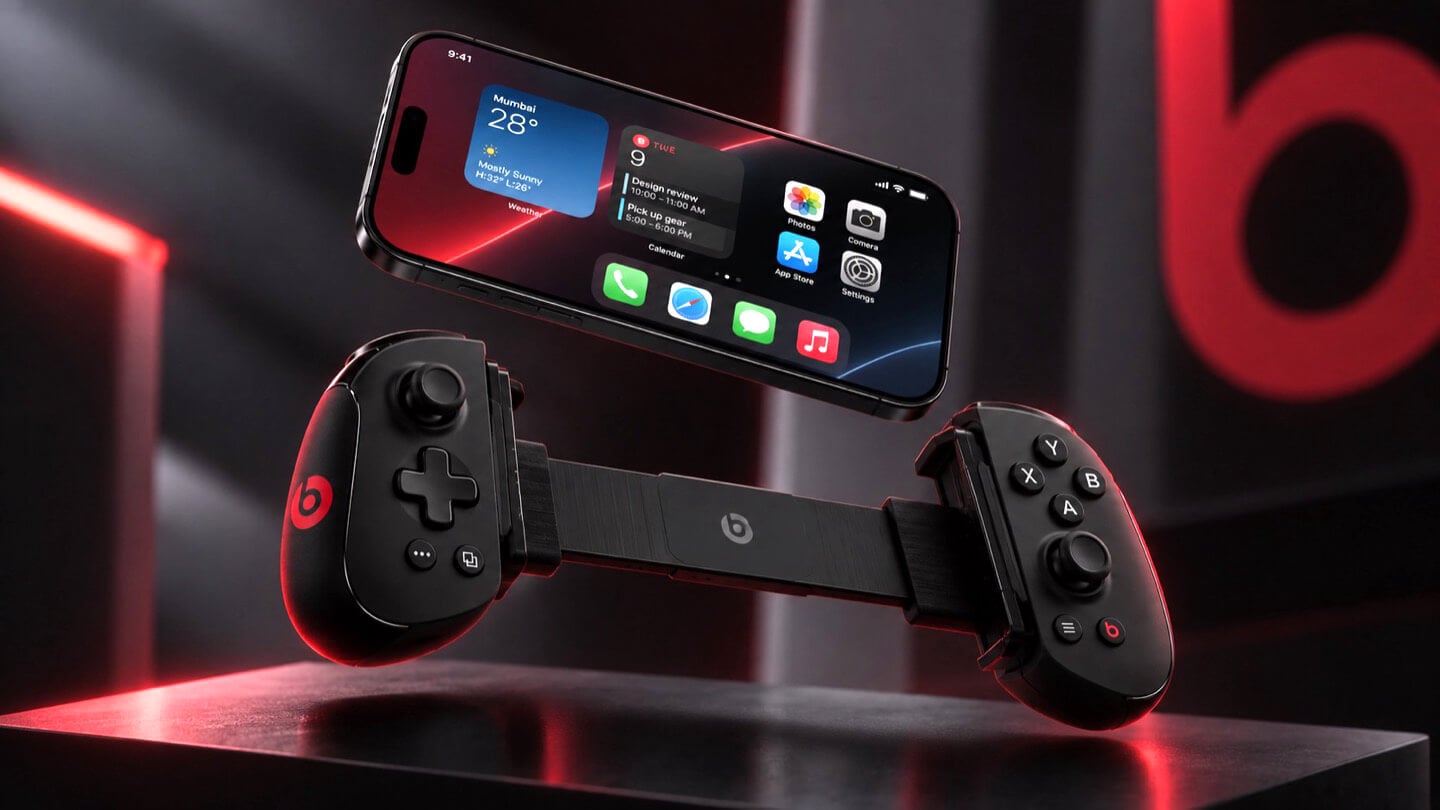
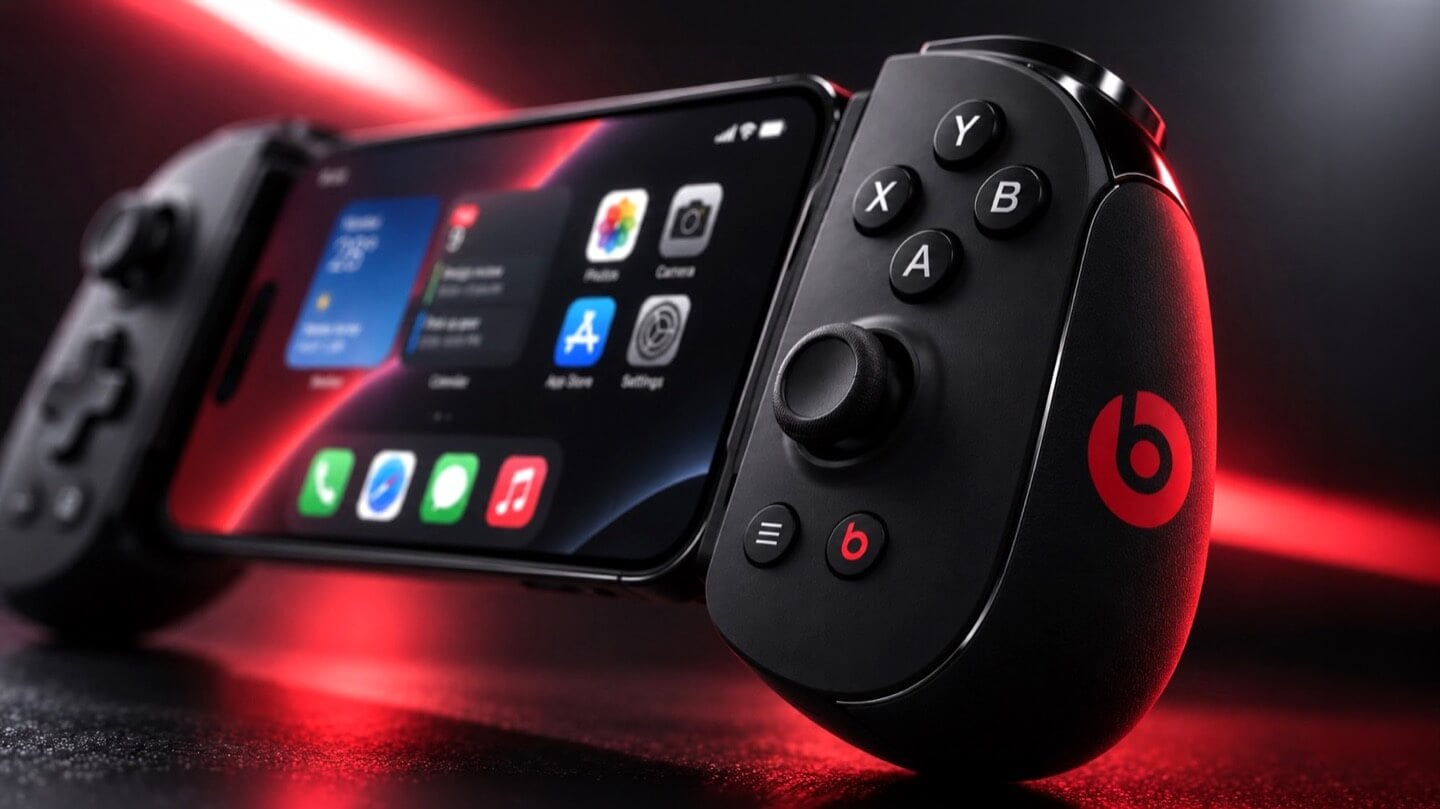
Apple is Working on Two iPhone Game Controllers Under its Beats Brand

Concept Beats branded iPhone game controller, close-up on the right grip showing X, Y, A, B face buttons, thumbstick, and red Beats logo, with the clamped iPhone home screen visible at left, lit in red.

Concept Image

Apple and the gaming crowd have always had one of those relationships where you nod at each other across a party and never actually walk over. Apple makes the chips, brags about them beating a PS5 in some benchmark slide, then goes right back to talking about spreadsheets and stargazing apps. Gamers, meanwhile, buy a Steam Deck or a Switch and never think about the iPhone in their pocket as a gaming device at all. Bloomberg’s Mark Gurman just reported that Apple wants to finally cross the room, having spent over a year quietly developing its own gaming controllers for the iPhone. The bigger twist is who gets to wear the name tag. Rather than an Apple logo, the hardware is reportedly launching under Beats, the audio label Apple has been slowly turning into its lifestyle catch-all since buying it in 2014.

Code unearthed in a leaked macOS 26.7 build gives the rumor real teeth, naming two unreleased devices, T6502 and T1057, each carrying its own dedicated controller profile instead of placeholder code. Both come with the standard gamepad vocabulary, sticks, triggers, a D-pad, face buttons, the stuff every controller on the planet already has. T6502 keeps things simple and wired. T1057 adds Bluetooth, motion sensors, and a noticeably different haptic engine, suggesting more than one idea is being tested at once. Nothing is priced, dated, or confirmed, but the code alone says this has moved well past a mood board.

Designer: Apple

Concept Beats branded iPhone game controller shown fully assembled with an iPhone clamped in the center, both grips visible with D-pad, thumbsticks, and red Beats logos, set against a dark background with a large red Beats logo behind it.

Gurman’s sourcing on the branding is the part I keep chewing on. He says Beats executives are leading both the engineering and the product concept, not just slapping a logo on something Apple’s industrial design team already finished. His reasoning is that the culture and lifestyle around gaming controllers fits Beats better than it fits Apple, and that the sub-brand gives the company room to use cheaper materials and a louder design without dragging down the premium finish people expect from anything wearing the actual Apple logo. Read between the lines and that is Apple admitting its own aesthetic has a ceiling. Titanium and glass photograph beautifully, but nobody wants to grip a cold slab for a three-hour Genshin Impact session. Beats, with its glossy plastics and its very unserious relationship with color, is a far more honest home for an object designed to be squeezed, dropped, and thrown in a backpack pocket.

Concept Beats branded iPhone game controller in two separated halves with the iPhone floating above, left grip showing D-pad and right grip showing face buttons, both with red Beats logos, resting on a dark reflective surface.

There is a decent trade-off lurking here too, and it is worth naming before anyone gets too excited. T6502, the wired one, is basic by design, which means it will likely be the cheaper, more disposable option with none of the motion sensing or richer haptics that make a controller feel alive. T1057 sounds like the one worth wanting, but Bluetooth controllers introduce pairing friction and battery anxiety that a simple USB-C plug-in never has to deal with. Apple will have to pick a lane, or price the two far enough apart that the choice makes sense, and so far there is no signal on either price or release window. History also isn’t fully on Apple’s side. The company has floated controller ideas for years without shipping one, and it once required developers to support the Siri Remote’s accelerometer as a de facto gaming input before quietly dropping that mandate. A leaked profile in a beta build is not a keynote slide.

Close-up of the left grip of a concept Beats branded iPhone game controller, showing the D-pad, thumbstick, and red Beats logo, with the clamped iPhone visible in soft focus behind it.

Where this actually matters long term is the software Apple has already built around it. iOS 26 shipped a dedicated Games app that pulls your library, your Game Center friends, and Apple Arcade into one hub across iPhone, iPad, Mac, and Apple TV, and Arcade itself has quietly grown past 250 titles for $6.99 a month. A first-party controller, even a scrappy Beats-branded one, gives all of that infrastructure something physical to plug into, which is a very different goal from just selling more hardware. It also puts Apple in the odd position of competing with its own shelf space, since the Apple Store already sells the Backbone One and the SteelSeries Nimbus, and we covered how Backbone’s own Pro model already chases full-size ALPS sticks and forty-hour battery life at a premium price. Razer’s brand new Prio takes the opposite approach entirely, folding down to credit card size for people who would rather not carry a controller-shaped commitment at all. Apple showing up now, later than everyone, wearing someone else’s logo, says less about gaming and more about how Apple treats every category it enters late. Quietly, sideways, and only once it has found a version of itself that does not feel like Apple at all.

The post Apple is Working on Two iPhone Game Controllers Under its Beats Brand first appeared on Yanko Design.

  •  

This Supercharged Grand Tourer Was Built Using a 90-Year-Old Metal-Shaping Tool

The GTX in Riviera blue, all splitter, vents, and a rear wing that towers over the roofline.

There is a tool called an English wheel that has been shaping aluminum car panels since roughly the 1930s. It is a big metal hoop with a roller in the middle, and you push sheet metal through it by hand until it curves the way you want. It sounds like something you would find in a blacksmith’s shed, not in the workshop of a car aiming for 1,200 horsepower. Yet that is exactly the tool Coventry Metalcraft used to hand-form the body of the new Jensen Interceptor GTX, alongside laptops running computational fluid dynamics software. Old-world muscle meets new-world math, and somehow both sides showed up to the same car without arguing.

Jensen International Automotive unveiled the GTX in early September, and it is a strange beast by design. It is Jensen’s first ever clean-sheet car, built to preview a whole new Interceptor lineup, and it gets there using ten English wheels worked by more than 30 artisans, alongside digital design data from studio Avant Design and mixed-reality checks nobody in 1966 could have dreamed of. The result is a 960 bhp supercharged V8 grand tourer wearing hand-beaten aluminum panels shaped partly by algorithms. Britain’s oldest car-forming trick just got a very modern wingman.

Designer: Avant Design

Under the hood: a 6.8-liter supercharged V8 from Late Model Engines, wrapped in carbon and gold foil.

Long bonnet, fastback roofline, and a wing that ruins the original Interceptor's silhouette on purpose.

Avant Design, based out of Royal Leamington Spa, is the studio responsible for translating the original 1966 Interceptor’s proportions into something that reads as contemporary rather than costume. The long bonnet survives, the tightly drawn greenhouse survives, and the wraparound rear glass that made the original such a distinctive shape is still there, even if a towering rear wing now partially blocks the view of it. What is new is the front end, with slim horizontal LED lighting and enormous carbon intakes replacing the old car’s chrome-heavy face. Interestingly, this is not Avant’s first crack at reimagining this exact silhouette. Back in 2023, the studio quietly published a concept called the E-Ceptor, an electric take on the Interceptor with reworked rear glazing and a fresh grille graphic. The GTX effectively took that speculative sketch and gave it a supercharged V8 instead of a battery pack.

Diffuser, quad exhausts, and a wing built for lap times.

A full-width taillight and a wing pulled straight from GT3 territory.

The aluminum decision, both for the chassis and the body, was not driven by sentiment. David Duerden, Jensen International’s managing director, put it plainly when explaining why the GTX skipped carbon fiber entirely. He does not want the car riding like “a skateboard,” which is a fair concern given how punishing a stiff carbon tub can feel on a road built for a Sixties grand tourer, not a modern track special. Aluminum chassis structures are also considerably cheaper to produce in small batches, since they avoid the expensive tooling that carbon fiber demands before a single panel gets made. For a car expected to sell in the dozens rather than the thousands, that economic math matters more than bragging rights about carbon weave.

No screen, just a MoTeC dash, roll cage, and switchgear built for business.

That economic logic is exactly why the English wheel earns its keep here. Hand-forming panels sidesteps the tooling costs that would sink a low-volume carbon fiber program before it ever reached a customer. Coventry Metalcraft’s artisans still shape every piece the old-fashioned way, but they are working from digital surfaces that Avant Design refined using CFD modeling, chasing the 350 kilograms of downforce the GTX needs to behave itself at speed. It is a genuinely odd combination of a seventy-year-old forming technique and simulation software that did not exist when the original Interceptor left the Kelvin Way factory. Jensen is betting its entire comeback on that combination holding together, and so far, from what we have seen, it seems to be working rather beautifully.

The post This Supercharged Grand Tourer Was Built Using a 90-Year-Old Metal-Shaping Tool first appeared on Yanko Design.

  •  

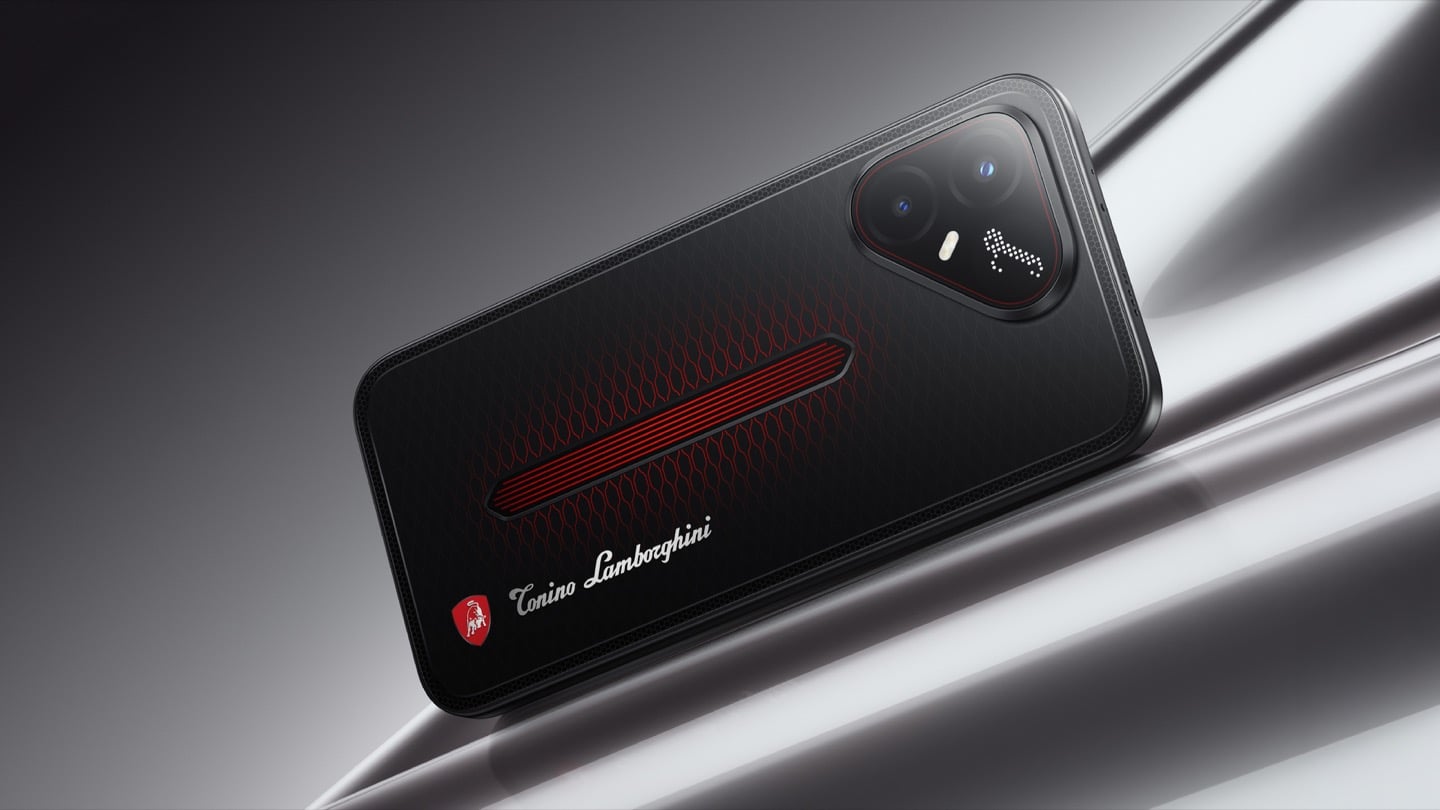
TECNO’s Lamborghini Phone Draws Its Logo in Light Using 177 Mini LEDs

TECNO POVA 8 Pro 5G Tonino Lamborghini Limited Edition

The most expensive Lamborghini phone ever made was a $6,000 slab of hand-stitched leather and gold plating called the 88 Tauri, and it ran Android KitKat on a Snapdragon 801. That was CES 2015, peak era for buying two-year-old silicon at four times the price because someone put a bull on it. Tonino Lamborghini made three of those phones between 2013 and 2017, then went away. The name has now resurfaced on the back of a TECNO POVA that costs about $490, and the badge is finally earning its position. It gets drawn in light instead of stamped in metal.

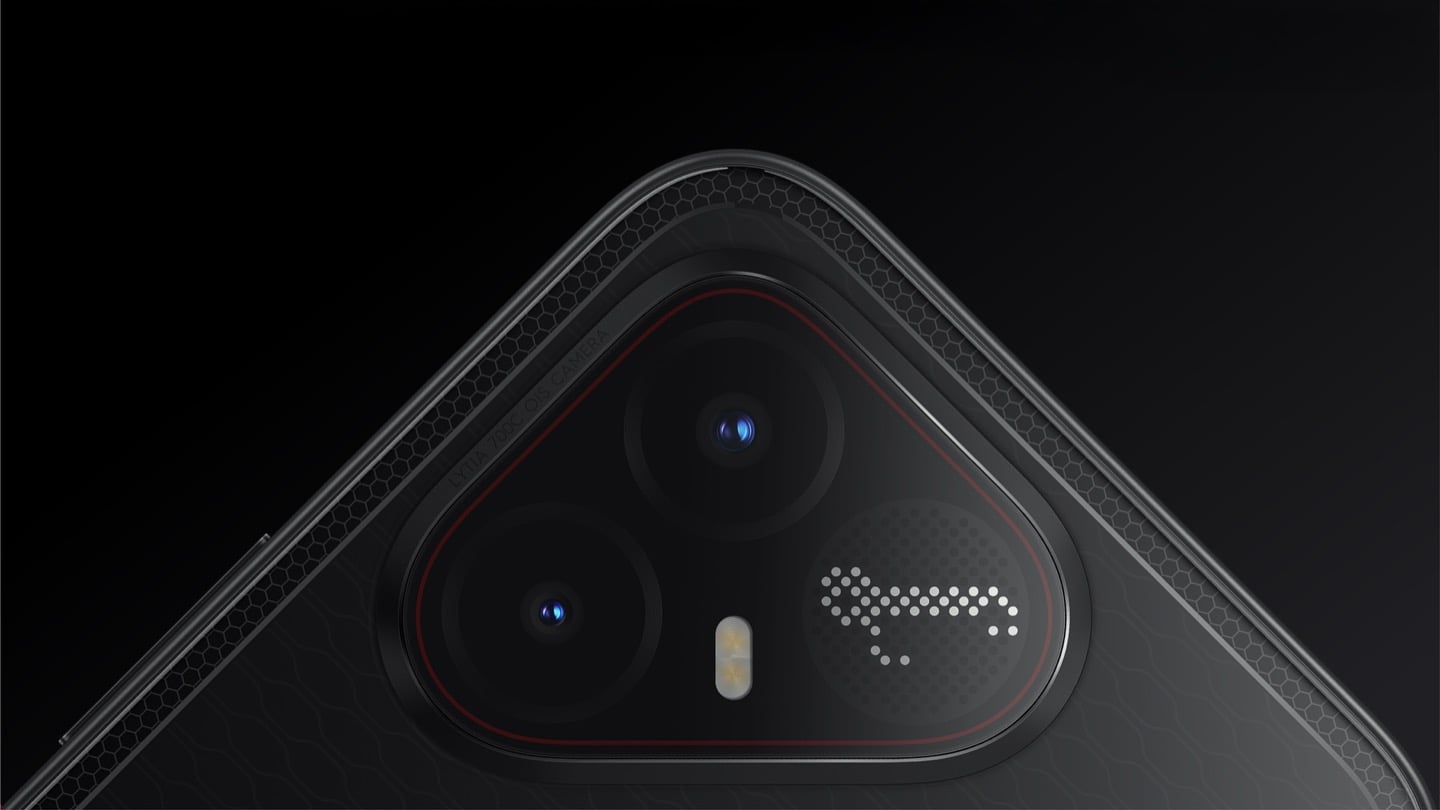
On the POVA 8 Pro 5G Tonino Lamborghini Limited Edition, the Italian brand’s “L” is rendered by 177 individually controlled mini-LEDs in TECNO’s Alive Matrix panel, and the red Pulse Line down the center of the back is a passive optical effect built from internal mirror structures sandwiched between two coating layers at different physical heights. Rotate it and the red rises out of the black, then drops back in. The phone is spec-identical to the standard POVA 8 Pro, so every difference you are paying for is a surface decision. Thai prices start at 15,999 baht for 8GB and 256GB, topping out at 19,999 baht for 12GB and 512GB. There is no US release and no US carrier certification.

Designer: TECNO Design Team, in collaboration with Tonino Lamborghini S.p.A.

Mechanical Grammar, Translated

The brief TECNO gave itself was to take a vocabulary that belongs to cars and make it belong to a slab of glass and aluminum, and the way in usually decides whether that kind of project reads as clever or as a paste job. The team started with the visual codes of mechanical design rather than the logo itself: body lines, cooling grilles, honeycomb patterns, exhaust-inspired detailing. That’s the right instinct. A shield pasted onto a black rectangle says nothing. A shield built from the same geometric logic as an engine bay at least has a reason to exist there. The result is the Signature Shield pattern ringing the Pulse Line, a hexagonal structure lifted from Tonino Lamborghini’s own emblem and mechanical detailing rather than invented fresh for the phone. It gives the back of the device an actual sense of depth and structure instead of a flat decal sitting on top of a chassis that was never designed with it in mind.

The Manufacturing Problem Nobody Sees

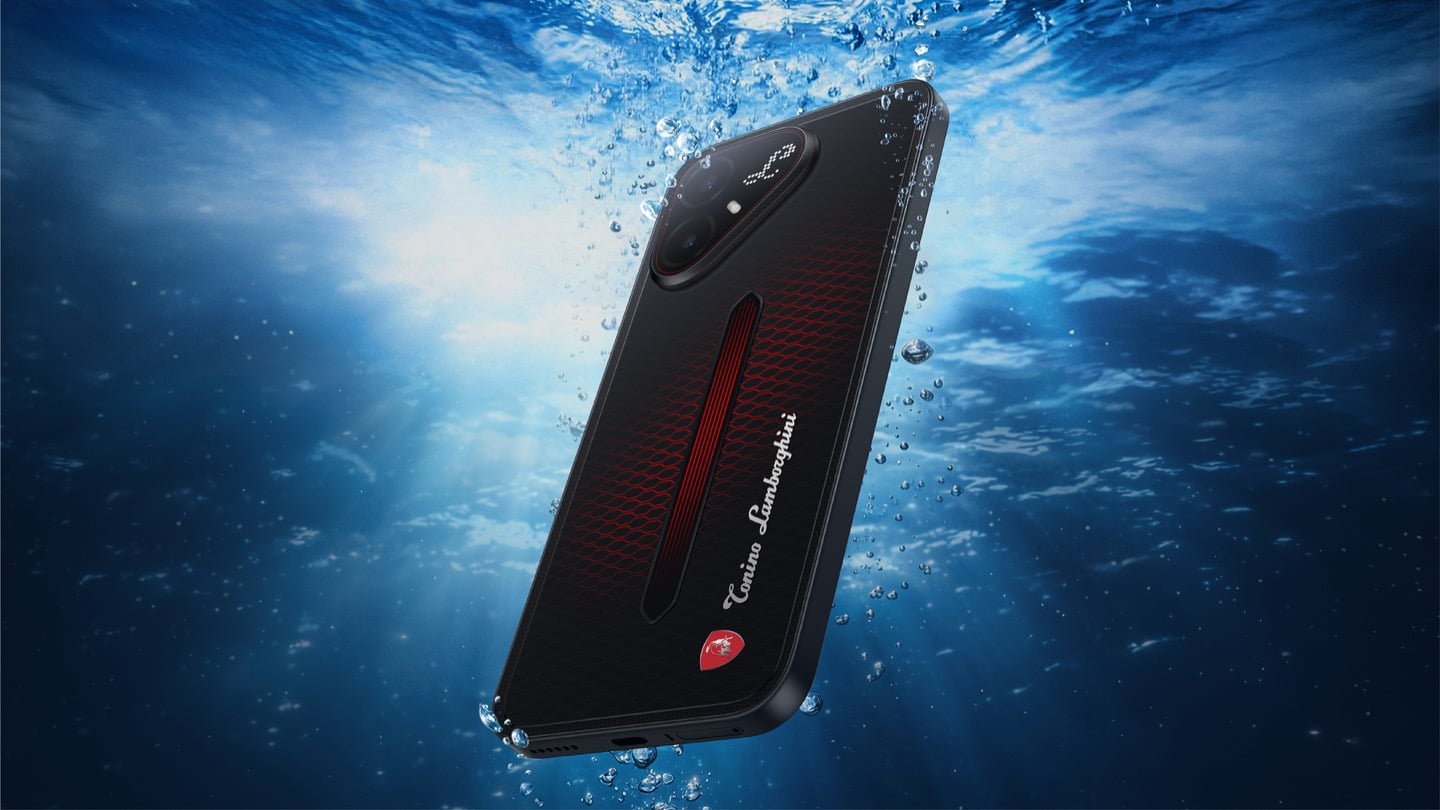
The interesting part isn’t the pattern, it’s how TECNO built it. Getting that Pulse Line to shift color under different lighting angles required internal mirror structures processed to redirect light the way a curved mirror does, stacked underneath a brightness-enhancing first layer that behaves closer to a lacquer finish than a printed graphic. Between the two layers sits a real, physical height difference, which is what gives the effect actual depth rather than the flat printed texture you get on most co-branded rear panels. TECNO describes this as one of the most complex rear-cover processes it has run on a POVA product, and the harder problem wasn’t making one unit look right, it was getting thousands of units to look right consistently. That’s a legitimate manufacturing achievement on a phone priced well under $500, and it’s the kind of detail that gets lost entirely once a press release compresses it down to “premium finish.”

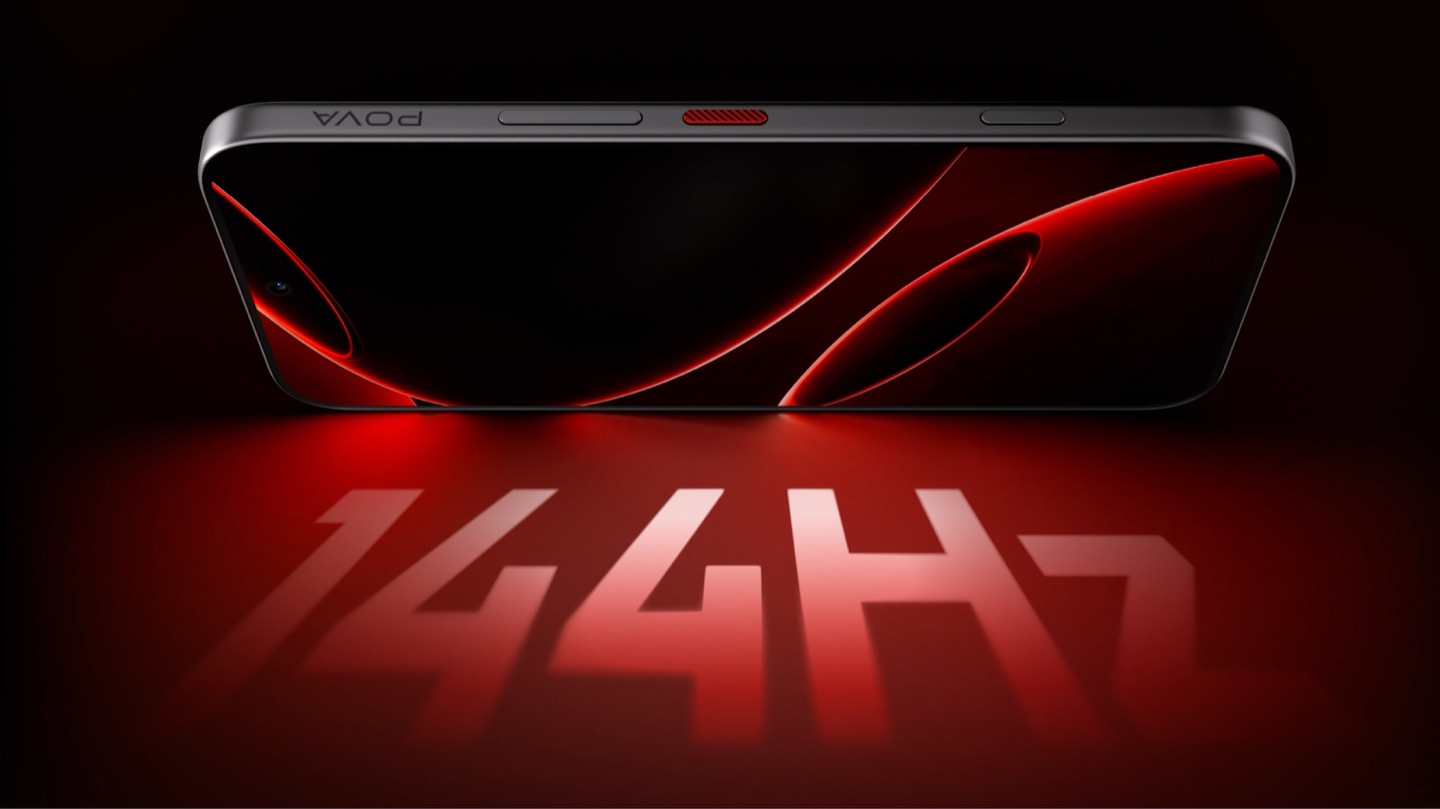
POVA 8 Pro 5G Tonino Lamborghini Limited Edition with a 144Hz Display

A Skin That Goes All the Way Through

TECNO didn’t stop at the shell, which is the part most co-branded phones treat as optional. The software carries the same black-and-red system with reworked icon outlines, nudging soft rounded shapes toward hexagon and shield silhouettes so the interface reads as an extension of the hardware rather than a wallpaper slapped over stock Android. TECNO says the software work alone took close to four months, covering the boot animation, dynamic wallpapers, ringtones, and the Alive Matrix “L” effect. The accessories continue the bit: a braided black-and-red cable, a case built from TPU and polycarbonate carved with a Kevlar-inspired carbon fiber texture. None of it is essential to how the phone functions, but all of it is the difference between a badge and a bit that someone actually thought through.

What a Tonino Lamborghini Badge Used to Cost

Worth sitting with how far this pulls the brand from its own history. This partnership started back in March at MWC, where TECNO and Tonino Lamborghini unveiled the POVA Metal Tonino Lamborghini Limited Edition alongside a water-cooled mini gaming PC concept carrying the same red-and-gunmetal language into laptops, tablets, and earphones. That first phone felt closer to the old playbook than this one does. The 88 Tauri and its 2014 sibling, the Antares, were built around leather, gold plating, and price tags that assumed the badge alone justified the markup. The 2017 Alpha One dialed the ornamentation down but kept the price near $2,100. Automobili Lamborghini’s own collaborations, including the Oppo Find X Automobili Lamborghini Edition at €1,700 against a €1,000 base phone, followed the same math: better materials, a visible badge, a premium that tracked the logo rather than the manufacturing. This is the first Lamborghini phone where the badge shows up as a production process instead of a price justification, and it happens to be the cheapest one the family has ever put its name on. For the full spec rundown on the rear panel construction, we’ve covered the hardware side of this phone in detail already.

Close-up of the TECNO POVA 8 Pro 5G Tonino Lamborghini Limited Edition phone's camera bump

Price, Availability, and the Fine Print

Thailand has this now, sold through BaNANA, IT CITY, Jaymart, and other retailers since August 21, with early buyers getting a Tonino Lamborghini backpack and a Tecno Watch 3 Active thrown in. Pricing for India and other markets hasn’t landed yet as of this writing. If you’re reading from the US, this one isn’t coming your way in any official form. TECNO has no FCC certification and no carrier partnerships stateside, so anything that turns up on a resale site is a gray-market import with no warranty support behind it. Worth knowing before anyone gets attached to a color they’ll never see in a carrier store.

The Badge, Recalibrated

TECNO didn’t need Tonino Lamborghini’s name to sell a $490 phone with a good screen and a big battery, which makes the choice to spend four months on software and reinvent the rear-cover process for a mid-ranger feel almost backward by traditional luxury-licensing logic. Usually the name does the selling and the hardware coasts. Here the hardware earns the attention and the name rides along for once. Whether that model survives past a limited run is a separate question, since Tonino Lamborghini’s own history with phones has always run in short bursts before going quiet for years. For now, the badge looks better on a light source than it ever did on leather.

The post TECNO’s Lamborghini Phone Draws Its Logo in Light Using 177 Mini LEDs first appeared on Yanko Design.

  •  

Foam Earplugs Haven’t Changed Since the 1970s — This Spiral Design Just Made Them Obsolete

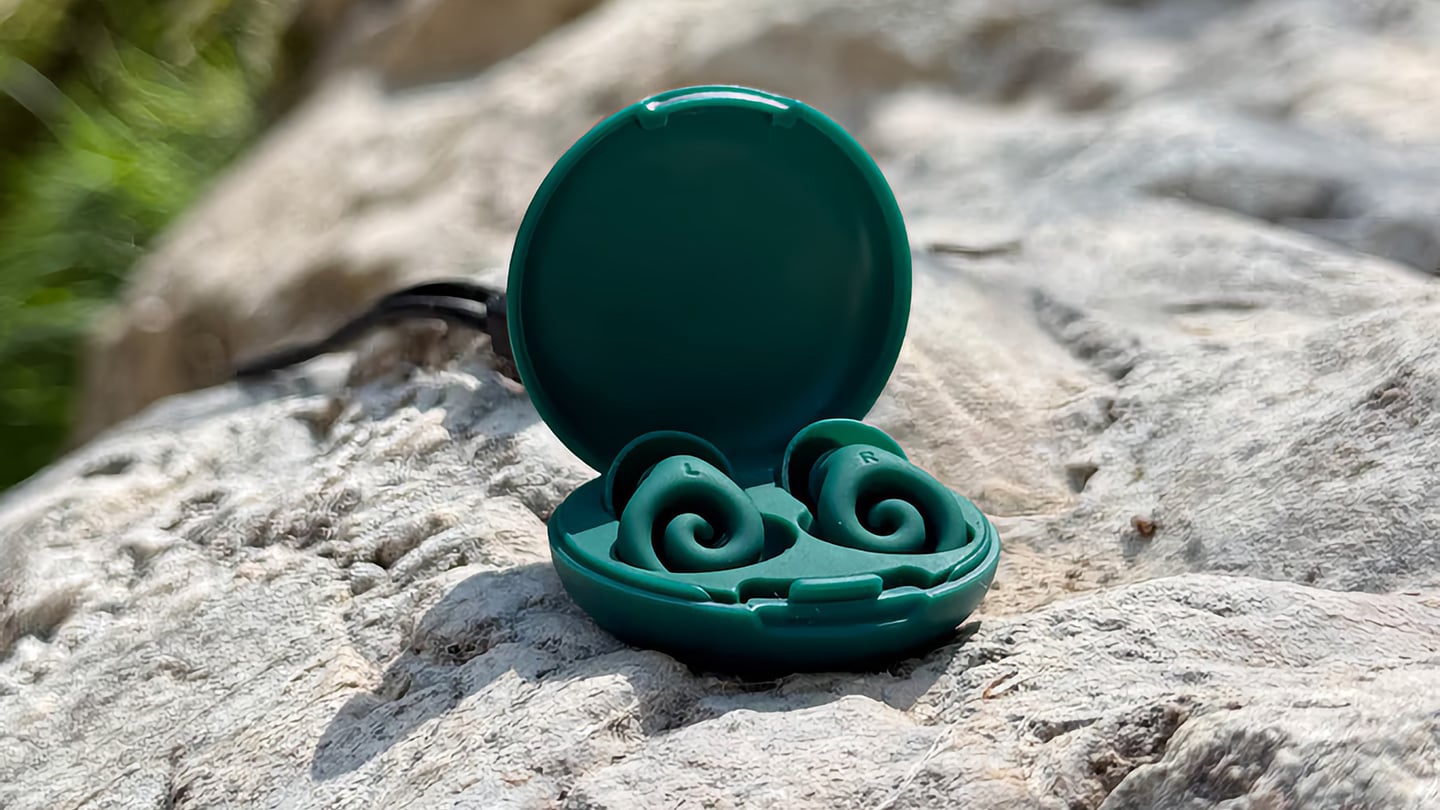
The humble foam earplug has been functionally unchanged since the 1970s: roll it down, jam it in, hope it expands to a seal, and find it somewhere in the sheets by 2 AM. It’s one of the few everyday objects that design culture has genuinely never come for, maybe because the attenuation numbers technically work, or maybe because nobody with enough resources was annoyed enough to fix it. The Ears 360 Silence, a CE-certified soft silicone earplug from Paris, is a structural redesign of that whole idea. Its retractable spiral wraps into the outer ear’s helix rather than anchoring in the canal, locking the plug flat and flush against the head with 24 dB SNR measured to EN 352-2:2020 and a peak of 29.9 dB at the frequency range where snoring and human voices live. The foam never had a chance.

Youcef Abdaoui runs a studio near Paris and started prototyping the Silence in 2024 with a bent wire and a bit of putty, just to test whether a helix-anchoring spiral could hold in an ear. It did, and the dozens of iterations that followed produced a product France voted Product of the Year 2026, consumer-elected rather than jury-awarded, which tells you something about how it performs in actual ears. Ears 360 has since shipped to more than 120,000 customers through their store, 500+ pharmacies and B2B partners before going international. The Silence is not a prototype; it is certified to EN 352-2:2020, mass-produced, and more than 14,000 units are already in stock. I got to see a pair in person, and the silicone finish reads as serious product, not a health-aisle impulse buy.

Designer: Youcef Abdaoui

Click Here to Buy Now: $21 $35 (40% off). Hurry, only 57/300 left!

The ear is already a spiral. The outer rim of the pinna is anatomically called the helix, a curved ridge that traces a partial revolution around the auricle, and deeper inside, the cochlea completes that geometry: a full spiral chamber, coiled like a snail shell, that converts sound pressure into neural signal. Nature returns to the spiral for the same reason architects do: it distributes force without concentration points, the same logic behind a nautilus shell or the tight coil of a fern fiddlehead before it unfurls. The Ears 360 Silence works with that architecture: the spiral holds, not the tip. The spiral wraps laterally into the helix and locks through geometry, bearing almost no canal pressure, which is the whole reason the plug sits flush against the head rather than protrudes from it.

Loop-style reusable earplugs have made a design virtue of their visibility, with a circular protrusion sitting outside the ear canal as a deliberate aesthetic statement. That works at a concert, but it becomes a pressure point the moment you roll onto your side in bed, which is the situation most people are buying earplugs for in the first place. The Silence’s spiral body measures 18.44 mm by 15.49 mm, slim enough that there’s nothing significant pressing against a pillow. The profile looks almost deceitfully small for what it’s actually doing inside the helix. Side sleepers have been the quiet losers in every previous generation of earplug design, and this is the first form factor that treats their use case as the primary constraint rather than an afterthought.

One spiral body, two levels of silence, switchable in seconds from 24 dB to 29 dB. The standard configuration ships with four tip sizes across diameters of 9.9, 10.9, 11.9, and 12.9 mm, covering a genuinely wide range of ear canal openings, and delivers 24 dB SNR in filter mode, enough to take a busy street down to library territory without muffling conversation entirely. The Swim & Work Kit clips on triple-flange tips that push attenuation up to 29 dB, entering genuine worksite and industrial territory. User satisfaction data from Ears 360 puts concert approval at 91% and commute approval at 97%, and the founder confirmed to me directly that concert use is a genuine design intention, not a marketing add-on. The IPX7 waterproof rating keeps the spiral pool-ready alongside the kit’s triple-flange seal.

One Silence replaces hundreds of disposable foam earplugs, full stop. The body is made to last for years, the silicone tips are replaceable instead of throwing the product away, and the packaging is compact by design so every shipment travels as a slim letter, not a parcel. There’s no offset scheme or carbon language layered on top to make it sound more considered than it is. The Silence is reusable by nature: wash it, swap the tips, keep the body. Replacement tip sets extend the product’s life instead of replacing it, and the compact packaging uses a fraction of the material of a standard box.

Pricing starts at €18 (roughly $21) for a single unit with carry case and tip set, with the Silence and Swim & Work Kit bundle at €27, a Duo Pack at €39, a Duo plus Kit at €49, and the new ALL COLORS pack at €59, which includes one pair in each of the three current colorways. Black, Pink, and Green are all available now. Every unit carries the 2-year EU legal warranty of conformity, which is meaningful for a product whose longevity pitch depends on actually outlasting the disposable foam it replaces. Delivery is November 2026, and the Ears 360 Silence is also available at ears-360.com.

Click Here to Buy Now: $21 $35 (40% off). Hurry, only 57/300 left!

The post Foam Earplugs Haven’t Changed Since the 1970s — This Spiral Design Just Made Them Obsolete first appeared on Yanko Design.

  •  

No Switches Needed. Just Press, Pull, or Bop These Silicone Lamps: Behind The Design with YD

Here is a fun little contradiction to chew on before we get into the actual lamps. The whole point of Call It a Day, Tongqi Design’s new lighting collection, is that you barely have to try. You bop it, you tug it, you flop your hand near it, and it turns on. Zero precision required, zero thinking involved, which is exactly the pitch when you have just walked through the door after a day that emptied you out. But get this. The less effort the lamp asks of you, the more effort someone else clearly put into making that possible. That is the trade we are here to unpack.

Shanghai-based designer Tongqi Lu built the collection, a table lamp, floor lamp, and pendant, around soft silicone shades with zero switches anywhere on them. Every gesture works because the material itself is doing the sensing, not a button hunting for your finger. It sounds simple sitting in your living room. It is not simple to make, and that gap between the two is basically our whole story today.

Designer: Tongqi Lu

Click Here to Know More

The Design

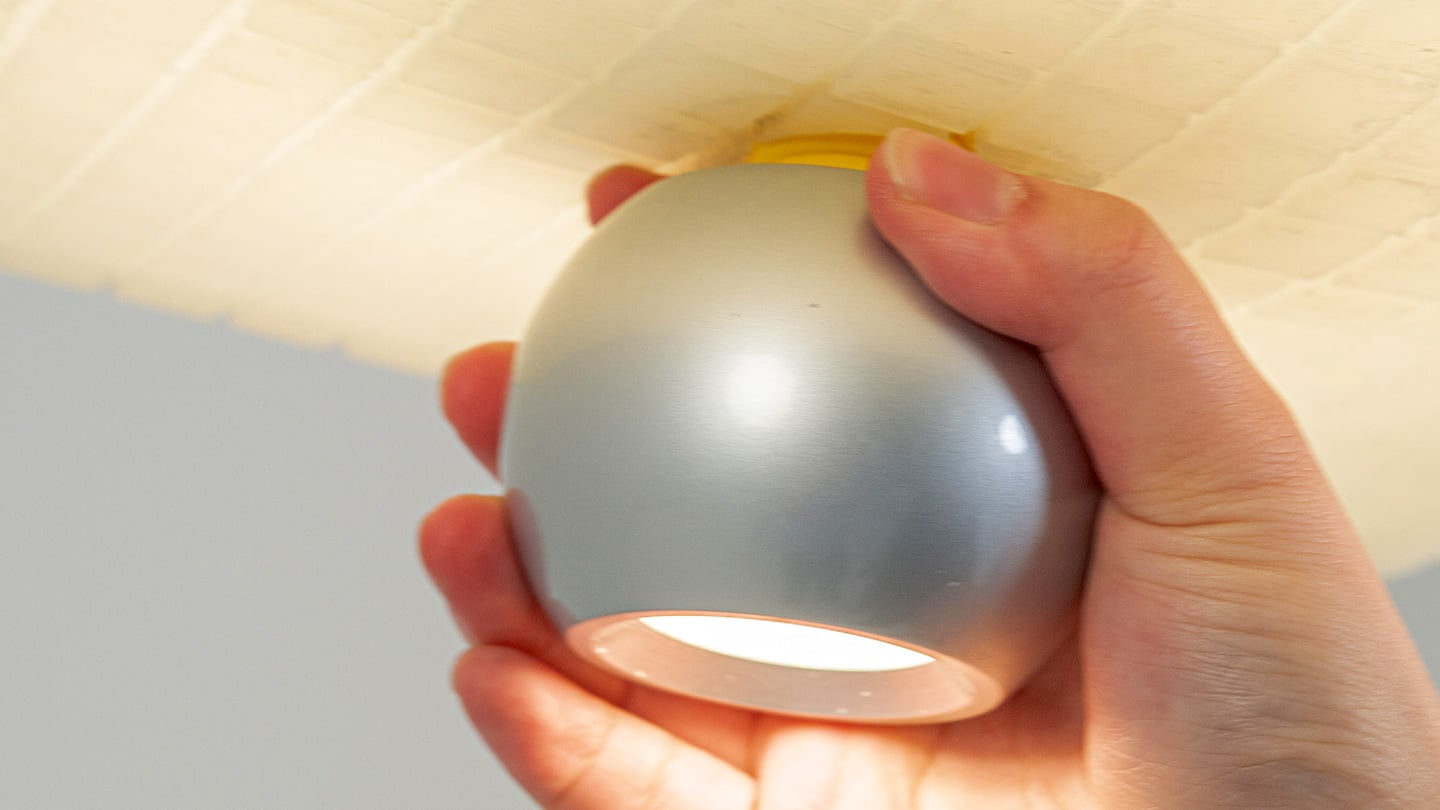
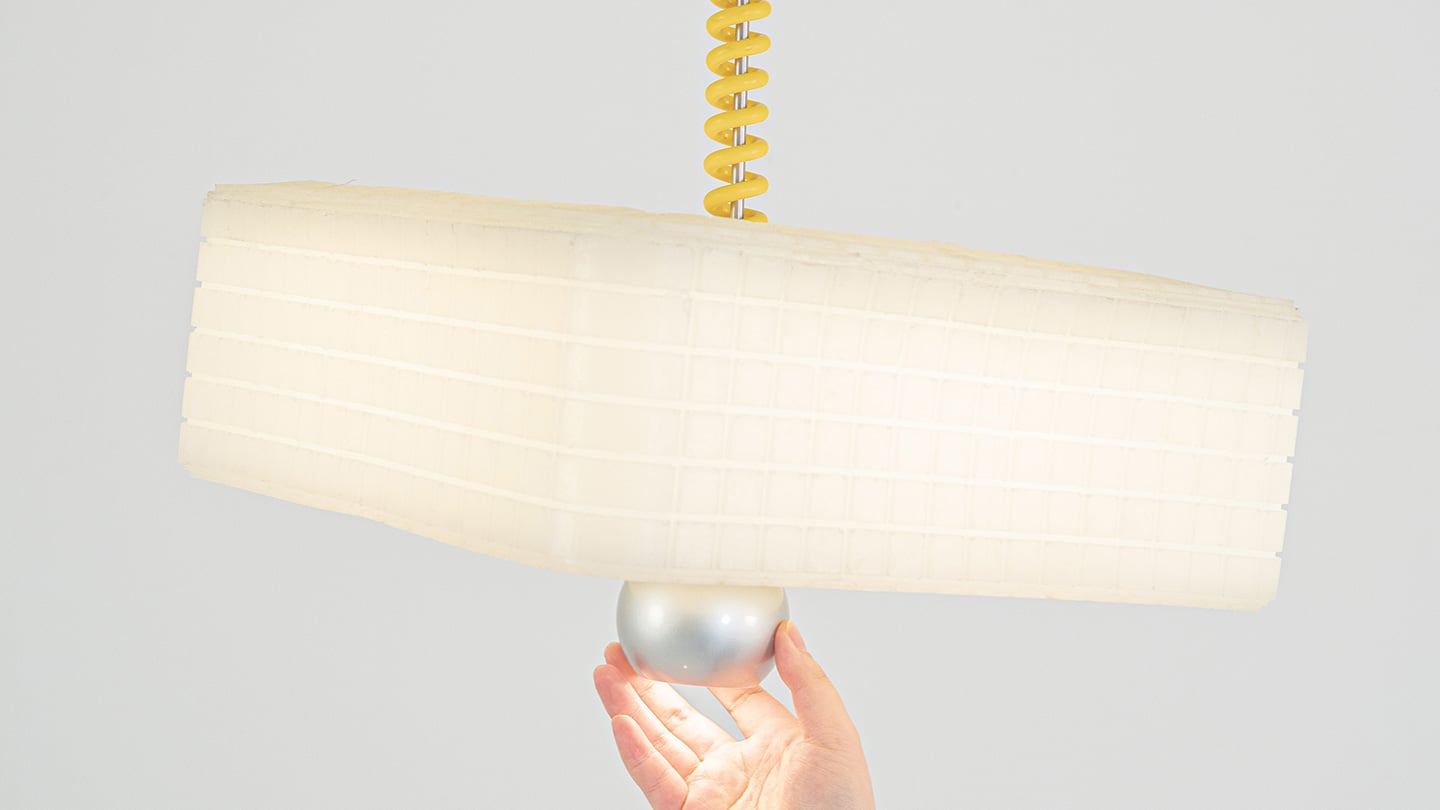
Call It a Day is a three piece lighting collection, a table lamp, a floor lamp, and a pendant, and every one of them is dressed in soft, translucent silicone instead of glass or fabric. That alone is a break from convention, since silicone shades are usually reserved for LED strip diffusers rather than the whole visible body of a lamp. But the real departure is that none of these lamps have a switch. You bop the table lamp, you tug the pendant by its cord, you press the floor lamp wherever feels natural, and the light responds. There is no correct spot to find in the dark. The entire shade is the input, which sounds like a small shift until you realize how much of lamp design has always been built around finding one tiny precise point.

Lu frames the whole thing around the moment you get home and your body checks out before your brain does. She has talked about dropping onto the sofa and reaching out to press, pull, or tap without really thinking about it, and the light turning on not because she followed a rule but because she did not. That is a genuinely sharp way to think about interaction design. Most lighting asks you to be at your most coordinated right when you are at your least. Call It a Day flips that expectation, and the coiled yellow cable running through the collection is a nice touch too, borrowing the old pull chain gesture without being precious about it.

The Process

Here is where things get interesting, because the studio itself is not some slick production facility. It is an office in Shanghai with a plastic sheeted folding table, jerrycans of liquid silicone lined up against the wall, and a window looking out over the skyline. Before any of it was cast, the whole collection existed as full scale cardboard mockups, a pendant hung from a coiled cord and a table lamp balanced on a paper cone, sitting in the corner of the room like a rough draft nobody threw away. That is a genuinely useful thing to see, because it shows the gesture and the proportions were locked in long before the material was.

The shades themselves come out of large block molds with a fine grid texture cut into the cavity, which shows up on the finished silicone as a soft woven pattern once the lamp is lit. Getting silicone out of a mold cleanly is trickier than it sounds, since silicone tends to bond to itself, so getting a cast shade out of a cast mold without either tearing or fusing takes real care with release agents and material choice. Pouring it clean adds another layer of difficulty, since bubbles trapped in a translucent material show up as visible flaws once the light hits them. In the photos, you can see two people pouring together, one holding the bucket steady, the other running a palette knife across the lip so the silicone comes down in a thin ribbon instead of glugging out in one shot, which is a simple trick for keeping air out of the pour. It is not a factory process. It is a hand process, done carefully, on a folding table, gallon by gallon.

The Perspective

What I like most about Call It a Day is that the ease on the user’s end is clearly paid for somewhere upstream, and that upstream cost is visible if you know where to look. A switchless lamp sounds like a simple idea until you have to actually engineer a material that can be grabbed, twisted, and mistreated without breaking or losing its shape, and then cast that material cleanly at scale in a small studio. That gap between the lived experience and the labor behind it is exactly what a lot of good product design tries to hide, and here it is sitting right out in the open in the process photos.

It also helps that the whole thing traces back to something real. Lu’s early work, the lemon shaped Citron lamp, her furniture line built around trees and water lilies, all of it circles the same idea of pulling people back into their bodies after a long day in a city that does not really let them slow down. Call It a Day feels like the most literal version of that idea yet, a lamp built entirely around the ninety seconds when you have officially given up on being careful. Whether or not the gesture control holds up over years of actual use is a question only time and daily wear will answer, but as a piece of intent, this one lands.

Click Here to Know More

The post No Switches Needed. Just Press, Pull, or Bop These Silicone Lamps: Behind The Design with YD first appeared on Yanko Design.

  •  

This Color E-Ink Art Frame Lets You Talk to Your Wall and Watch It Paint New Art

There’s something wonderfully strange about walking up to a framed picture on your wall and telling it what to paint next. Say “paint my dog as a Japanese ink painting,” and the frame generates and displays a new piece. No file transfers, no app navigation, no creative software required. Jitrainno’s Smart Canvas runs on this premise: a voice and text-prompted AI art frame built around an E-Ink Spectra 6 color display, the matte, paper-like panel technology that draws zero power in static mode and reads under ambient light the way a canvas does. It comes in three solid-wood sizes, 7.5, 13.3, and 31.5 inches (named the Echo-7, Echo-13, and Echo-31 respectively), all with built-in batteries and Wi-Fi.

Jitrainno is a Hong Kong-based multidisciplinary team with in-house expertise spanning hardware R&D, E-Ink engineering, AI integration, firmware, and cloud services. They developed a proprietary color rendering layer on top of the Spectra 6 panel, tuned specifically for skin tone accuracy, landscape depth, and smooth gradient transitions. That kind of layered engineering, building custom display algorithms rather than shipping a panel with factory defaults, is what separates a team that genuinely understands display science from one that simply sourced a good component. The project moved from inception and industrial design in June 2025 to a production validation run by May 2026, a fast but not reckless pace for hardware at this scale. Global fulfillment is estimated for November 2026.

Designer: Jitrainno

Click Here to Buy Now: $289 $469 (38% off). Hurry, only 157/250 left! Raised over $132,000.

E-Ink Spectra 6 is the most capable color e-paper panel currently available to consumer product makers, using six primary pigments: black, white, red, yellow, blue, and green. It achieves up to 200 pixels per inch and draws zero power in static display mode, meaning the canvas can stay on your wall for days between charges. The paper-like surface reflects ambient light rather than projecting it, eliminating the glowing-rectangle problem that has defined every LCD-based digital art frame since the Kodak EasyShare era. Jitrainno’s self-developed rendering and color optimization layer is designed to preserve the subtle details that make an image feel closer to paper art. Based on early reviews, it reads more like a framed print than a screen, which is the bar the whole product needs to clear.

Speaking a prompt aloud and watching a new image materialize on the wall is a genuinely new behavioral ritual, and I think it’s the feature that will hook most people. Users can create images from text or voice prompts, explore different visual styles, and generate variations of their ideas, with AI used as a creative tool within the artwork creation experience. The product page demos a prompt like “a cute green dinosaur in a sunny prehistoric scene, soft watercolor and colored-pencil storybook style,” which apparently renders accurately enough to land on a kid’s wall. The AI side routes through third-party commercial image generation services via official APIs, supporting text-to-image and image-based creative generation within the experience. They also confirm they do not use user content to train their own foundation models, a meaningful distinction in a market where that commitment is far from universal.

AI generation is only one of several ways to populate the canvas. The app supports content from AI-generated art, a free art gallery called Daily Drops, the phone camera, the user’s photo library, and personal collections. Daily Drops streams a rotating selection of curated artwork that users can filter by mood or scene type and push directly to the display. The phone camera connection opens the obvious use case of photographing a physical painting, a landscape, or a face and sending it to the frame instantly. That breadth of sourcing makes the Smart Canvas a capable display platform in its own right, with AI generation sitting as a feature rather than a crutch.

Gallery proportions, tactile materials, and Auto-Rotation are deliberate choices to help the Jitrainno Echo series belong in the room like framed art. From the product photography, the proportions are gallery-standard, the profile slim enough to recede into a wall, and the matte panel surface does the visual work of making it belong. A built-in sensor detects whether the frame is in portrait or landscape and automatically switches the artwork’s aspect ratio, with no manual setting required. Connectivity runs in two modes: full cloud-connected (remote upload, AI creation, gallery sync, multi-user sharing) or completely offline (no account, no internet, direct phone-to-frame transfer). The offline option is a genuine design stance in a category where “smart” has almost universally meant always routing through someone else’s server.

The Jitrainno Echo-7 at 7.5 inches (1024×600, 170x236mm) is the tabletop model. The Jitrainno Echo-13 at 13.3 inches (1200×1600, 316.3×416.3mm) works both on a desktop stand and wall-mounted, making it the most flexible of the three. The Jitrainno Echo-31 at 31.5 inches (2560×1440, 603x903mm) is wall-only, the model that reads as a proper statement artwork rather than a gadget trying to pass itself off as one. All three run on E-Ink Spectra 6 full-color panels in solid wood frames, with built-in batteries and USB-C charging. The Jitrainno Echo-13 retails at $469 and the Jitrainno Echo-31 at $1,499, both covered by a one-year manufacturer’s warranty, with global fulfillment estimated to begin November 2026.

Click Here to Buy Now: $289 $469 (38% off). Hurry, only 157/250 left! Raised over $132,000.

The post This Color E-Ink Art Frame Lets You Talk to Your Wall and Watch It Paint New Art first appeared on Yanko Design.

  •  

Nomad’s Leather Folio Turns Your iPhone Duo Into A $1999 Bifold Wallet

The folio case for smartphones remains an entirely boomer product offering. Having a case with a flap that covers your screen and needs to be folded open like a book to answer calls or use your phone is an innately ‘old-soul’ experience. The flap protects your screen but it also obscures it. Fold the flap to the back and it reveals your screen but blocks your camera. It isn’t for millennials or Gen-Z phone owners, but for anyone who wears reading glasses, this folio style case is as addictive as their generation’s Candy Crush habit. With Apple launching the iPhone Duo just yesterday, Nomad developed a similar folio style case for the Apple foldable.

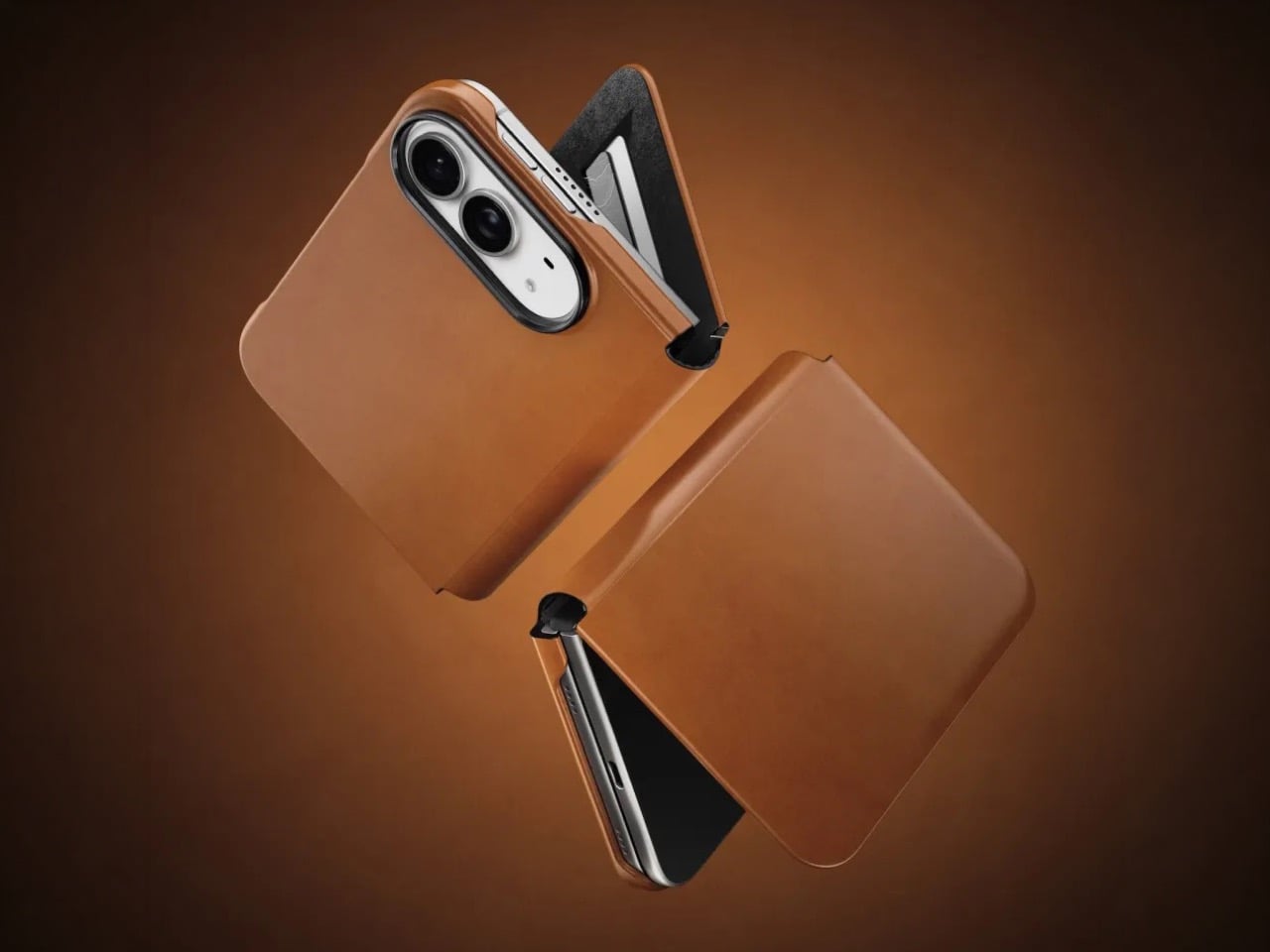
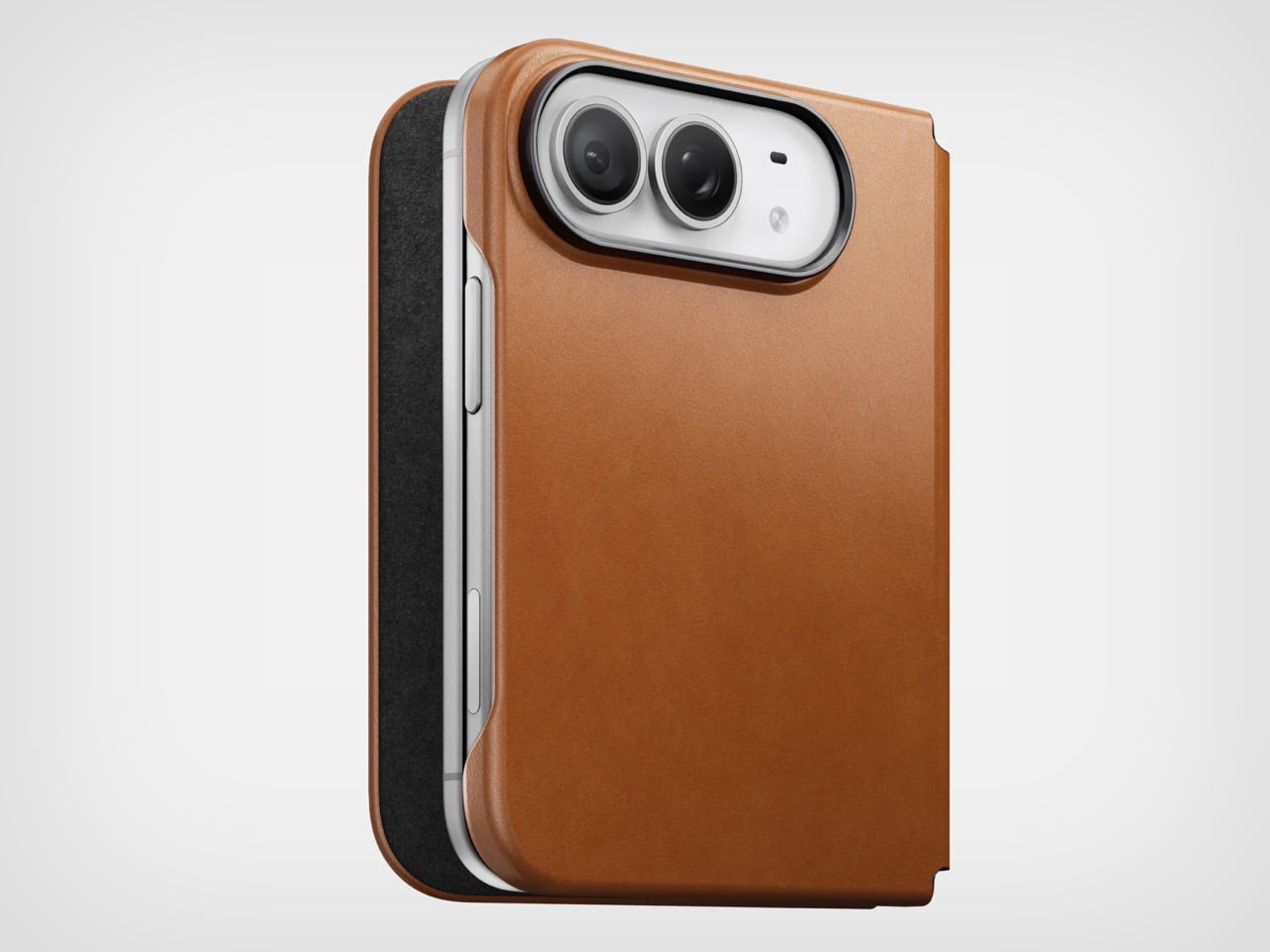
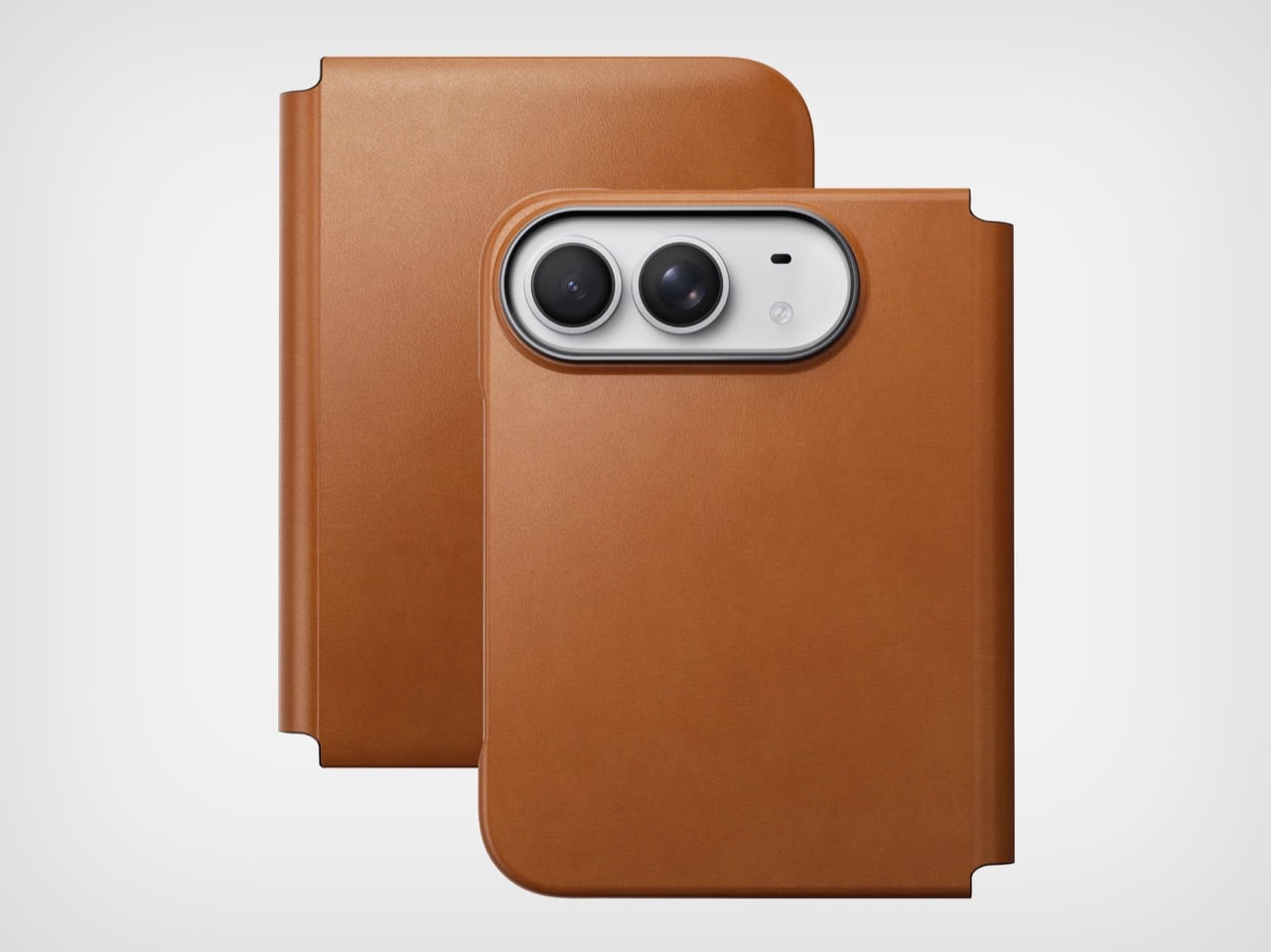
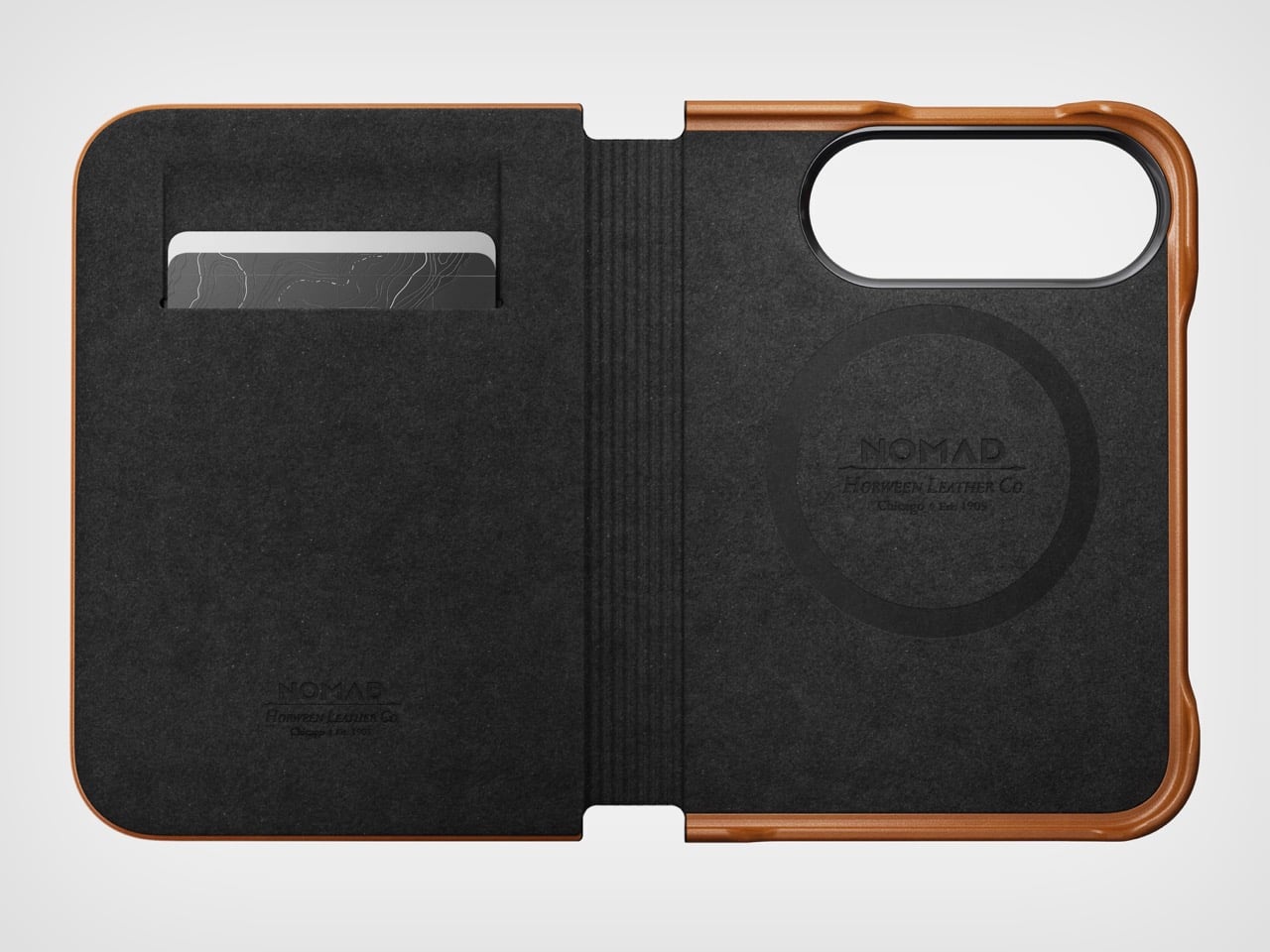
Nomad’s Folio case for the Duo is a strange little thing. While most folio cases turn candybar phones into bifolds, Nomad’s case sort of turns it into a trifold, if you will… or a bifold with a partition. The case is a single-piece leather and plastic design, created to wrap your phone not just from the back but also the front. The front flap magnetically snaps to your phone’s outer display, and lets you open your phone in two ways – firstly, by just disengaging the flap to see the outer screen, but also by disengaging the flap and outer screen together to see the inner screen… and like any good folio case, the flap’s inside packs a card-holder for your payment, ID, and access cards so you don’t need a MagSafe wallet ruining your iPhone Duo’s design.

Designer: Nomad

Like all of Nomad’s leather cases, this one’s made from Horween leather, crafted from a single piece of hide that’s been tanned, bent, crimped, and buffed to absolute beauty. The leather gracefully wraps around the edges, keeping the buttons exposed and accessible, while also covering the hinge in a way that creates that bifold feeling. The leather then transitions upwards ever so slightly before cutting off to a plastic lip around the camera bump, cushioning your phone’s precious shooters from accidental drops and bumps.

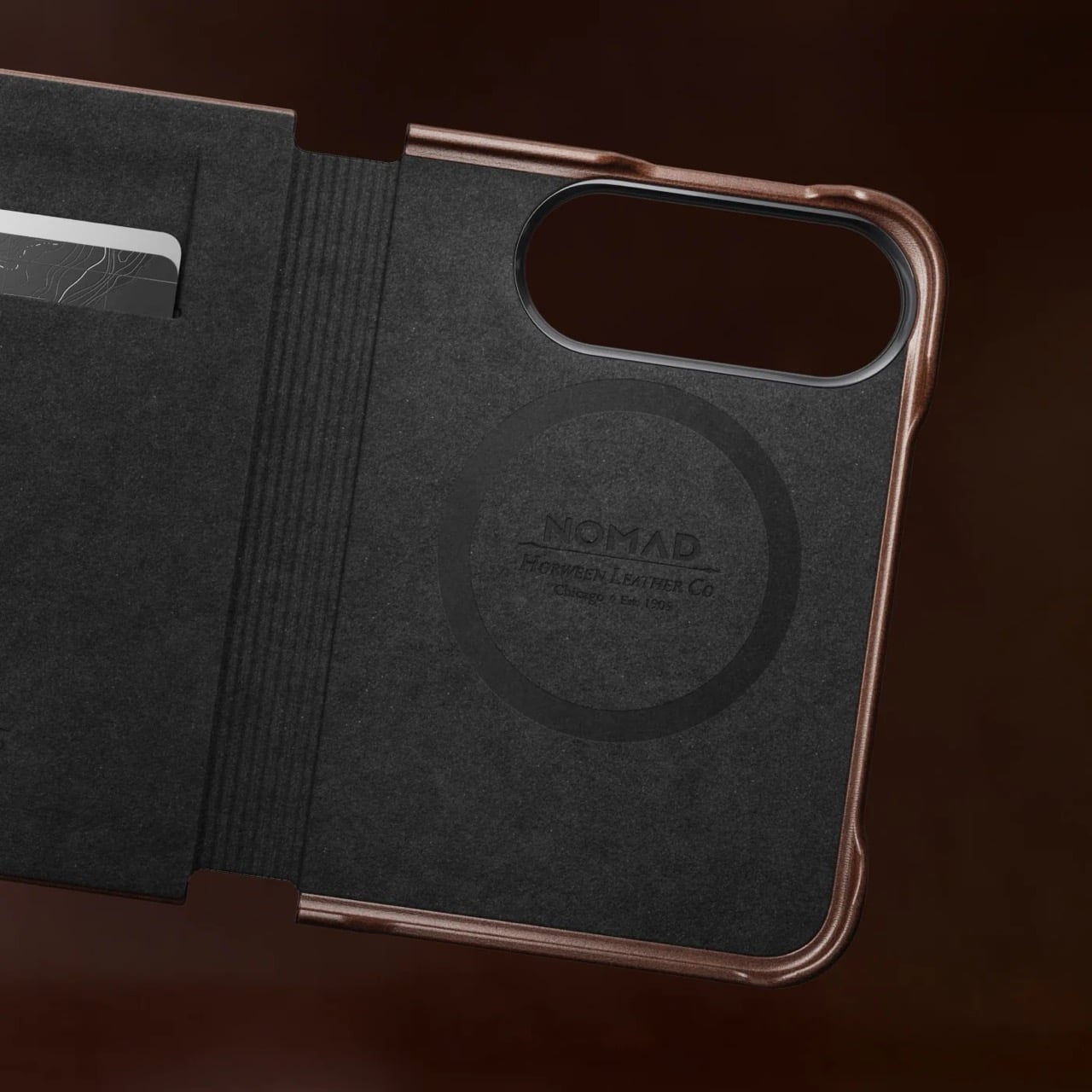
On the inside, the leather’s reinforced by a microfiber layer that protects the iPhone’s glass panels from damage. Sure, Apple touts Ceramic Shield on both the front and back, but nothing breaks your heart faster than seeing a cut or a scratch running down the glass body from abrasive action caused by objects in your pocket or even your table. Meanwhile, a slot on the front stores two cards from the looks of it, so your iPhone Duo doubles as a card holder beyond what Apple Pay already lets you do.

Like all good leather cases, this one’s designed to age gracefully with time. Chances are, if you’re an iPhone Duo buyer, you will probably use this phone as your ride or die for another 2 years. In that time, Nomad says the case will patina gorgeously with time, aging uniquely based on how you use the phone. Luckily, the case isn’t too expensive. Priced at $129, you can grab the Nomad iPhone Duo Traditional Folio in one of three colors – Saddle, Rustic Brown, and Black, with global shipping starting November 14th.

The post Nomad’s Leather Folio Turns Your iPhone Duo Into A $1999 Bifold Wallet first appeared on Yanko Design.

  •  

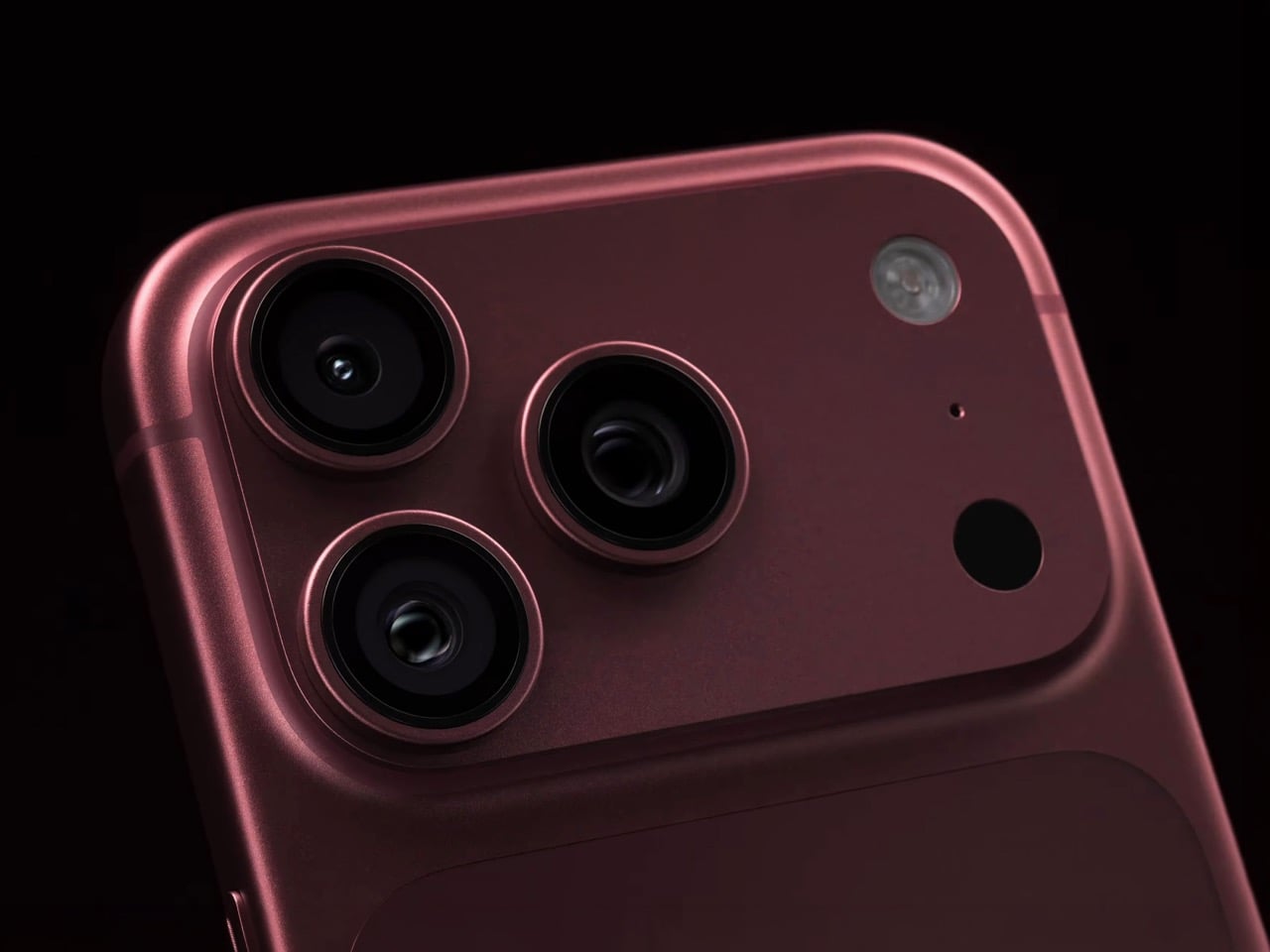
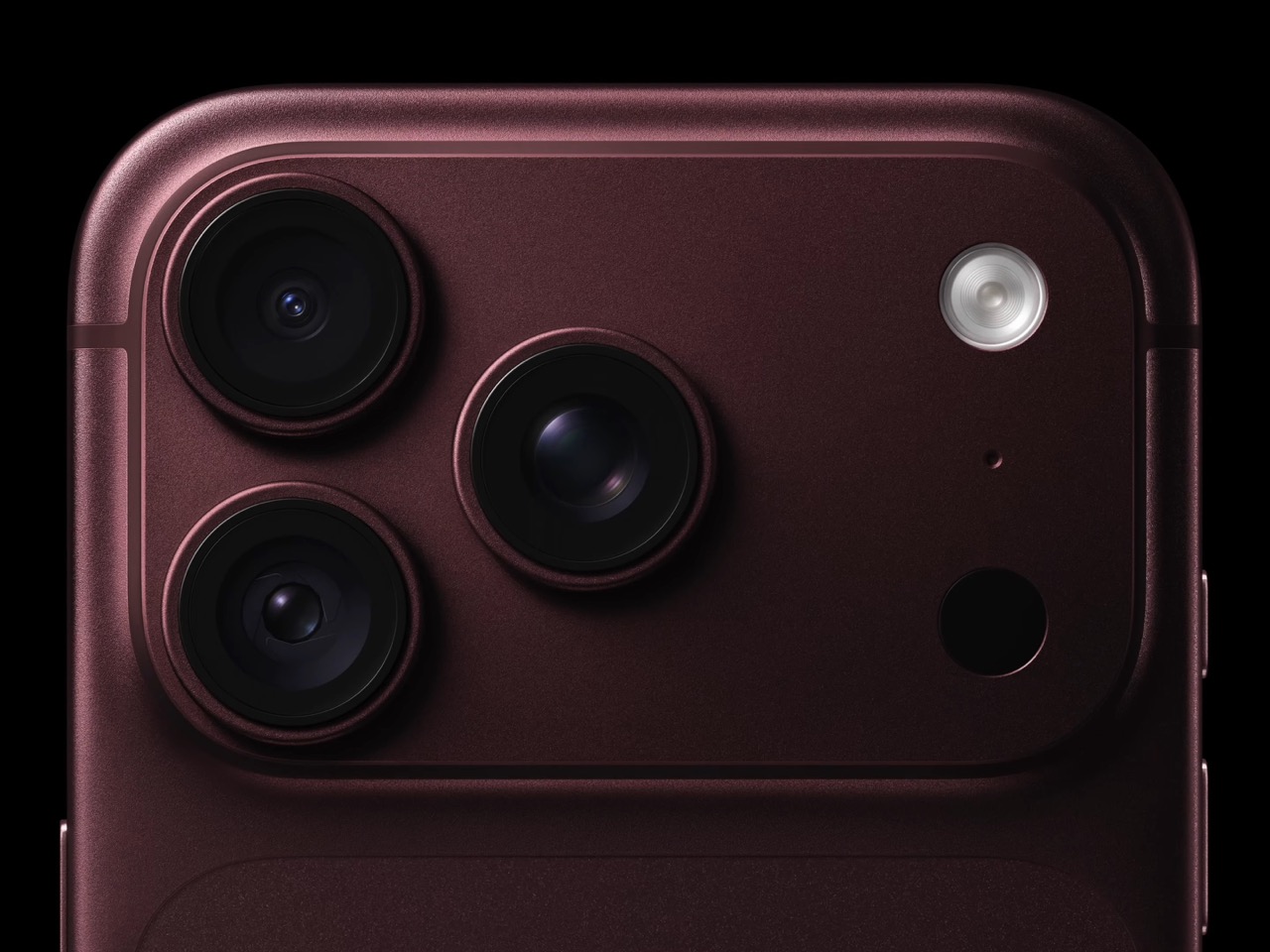
Your iPhone’s Portrait Mode Was Fake for a Decade – The iPhone 18 Pro Changes That With A Real Aperture

Would you be shocked to hear that the “Portrait Mode” on your iPhone all these years was ‘fake’? Well, it’s real as in the background is actually blurred, but it isn’t blurred because the camera captured it that way, it’s all been software trickery for the past decade… until now. Six laser cut blades, each thinner than a human hair, are about to change that. The iPhone 18 Pro’s new main camera can physically open and close its lens for the first time in iPhone history, and that single mechanical change rewrites how the blur behind your subject actually gets made.

Here’s the quick version of how Portrait Mode has worked since 2016. Your iPhone takes the shot, uses a second lens or depth data to figure out roughly where you end and the background begins, then runs software over the image to blur everything behind that outline. It’s a clever guess dressed up as photography, and it’s why hair strands sometimes disappear into a smudge or a stray earring gets blurred along with the wall behind it. The new aperture system skips the guessing entirely. The lens itself controls how much of the scene stays sharp, the same way it’s always worked on a real camera.

Designer: Apple

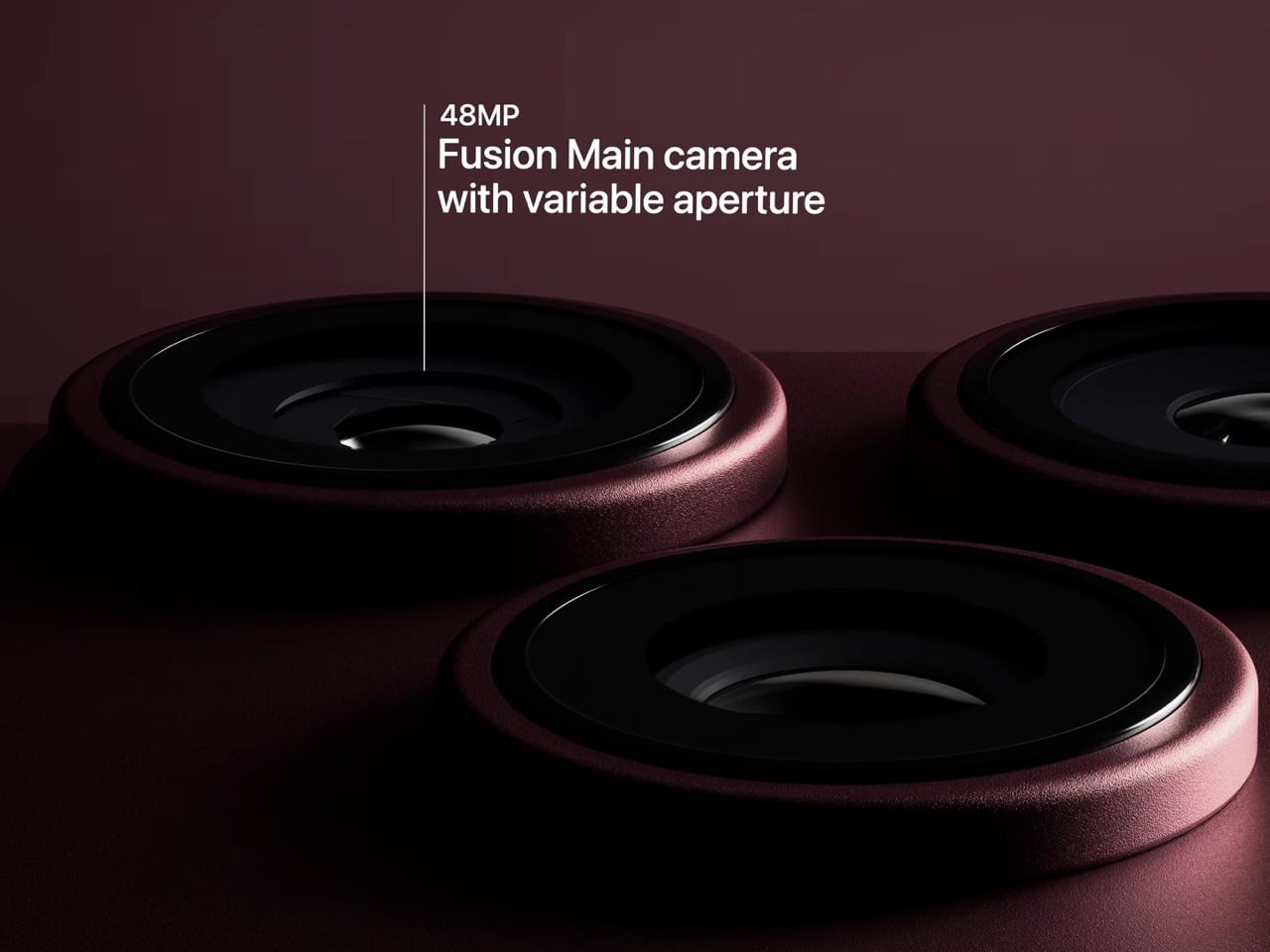
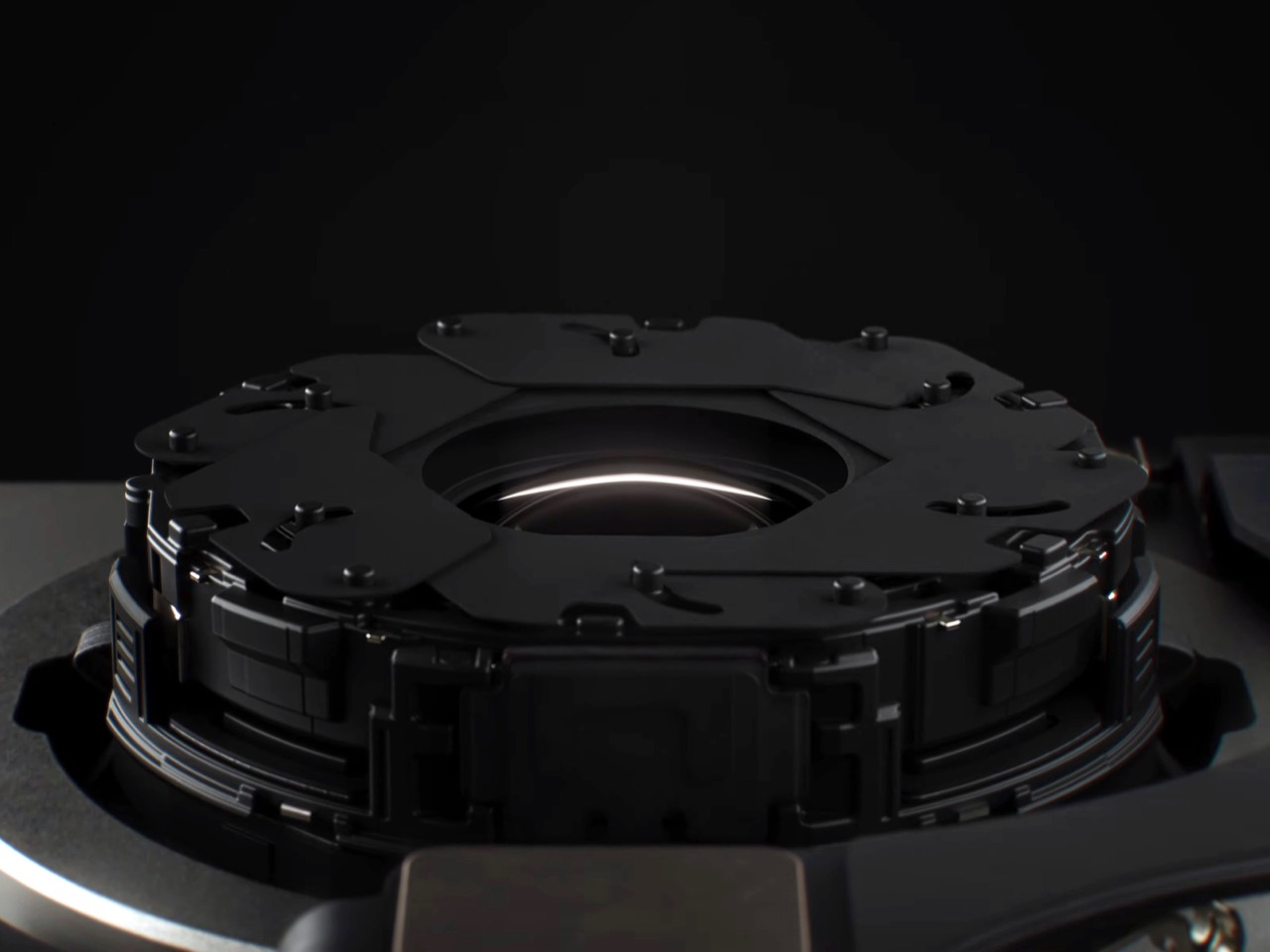
So how does a phone this thin pull off something that usually needs a chunky lens barrel? Apple built a system of six laser cut blades, each one thinner than a strand of hair, arranged around the main lens and moved by a tiny rotor mechanism. Together they shift the aperture through four stops, all the way down to f/1.48, with the camera defaulting to a f/1.8 for everyday portraits and opening or closing automatically depending on what it’s looking at. In low light it opens wider to pull in around 50 percent more light, which should mean cleaner night shots and sharper astrophotography without cranking up the ISO and adding grain.

Because this is optical now instead of computational, the depth falls off the way it would on an actual camera lens. Hair, glasses, jewelry, the fine stuff that always tripped up the old software blur, should render properly instead of getting smeared into the background by accident. Close the aperture down and you get more of the scene in focus for group shots, which is the same tradeoff photographers have been making with real cameras for a century. It’s just that now your phone gets to make that tradeoff too.

Apple didn’t stop at making the hardware smarter, it also handed a lot of that control directly to you. The redesigned camera app now includes Pro Controls, letting you manually pick one of the four aperture settings yourself, check exposure with an actual histogram, dial in white balance, and adjust shutter speed for motion blur or freeze frame shots. Third party camera apps are getting access to the same aperture system through an updated API, so this isn’t going to stay locked inside Apple’s own app for long. Photography folks who like getting hands on with their settings finally have a real reason to poke around the camera app instead of leaving everything on auto.

The upgrade carries over into video too. Cinematic mode effects can now be applied after you’ve already shot the footage, and it supports 60fps for smoother half speed slow motion. Time-lapse jumps to 4K with Dolby Vision HDR. None of that depends directly on the aperture blades, but it’s part of the same larger push this year to hand serious creative control to people who just want to point their phone and shoot something that looks intentional.

All of this sits inside a redesigned Pro body that now uses color matched aluminum and back glass, available in Black, Silver, the new Glacier, and a genuinely gorgeous Burgundy that photographs beautifully next to the camera module. The iPhone 18 Pro starts at $1,199 and the Pro Max at $1,299, both up for preorder September 12 and shipping September 18. For a feature that lives entirely inside a few hair thin blades you’ll never actually see moving, it might end up being the most noticeable camera change Apple has made in years.

The post Your iPhone’s Portrait Mode Was Fake for a Decade – The iPhone 18 Pro Changes That With A Real Aperture first appeared on Yanko Design.

  •  

Apple’s Coolest Watch Feature Has Nothing To Do With Health… It Lets You Rewind Time.

“Could you come again?” “Pardon?” “Huh?” “Wait, say that one more time?” These are examples of phrases that make you seem dumber than you really are. Nothing destroys aura more than unironically asking someone to repeat something they said because A. you weren’t listening, or B. you were but just didn’t happen to comprehend what they were saying. Apple has a solution for that, and it’s wrapped up in their latest smartwatch. The new Live Rewind feature, powered by Apple’s new S11 chip, allows you to instantly transcribe the past 15 seconds of any conversation and read its chat logs. Press the digital crown on the new Watch twice, and you pretty much get ‘subtitles’ for the past 15 seconds, so you don’t have to “excuse me” your way into a repetition.

Your watch, just like your phone, earbuds, smart speaker, and smart home hub, is always listening. It’s waiting for the magic words “Hey Siri” or Alexa, or Google depending on which ecosystem you’re tied into. The point is, it’s always listening, so Apple simply created a way to package that into a feature that feels impressive rather than invasive. Think of how a dashcam can auto-log the past 3 minutes of video AFTER an accident occurs (using a feature called loop recording), Apple just brought that to your watch, packaged as a part of its new Audio Intelligence suite of features. Impressive, no?

Designer: Apple

Once you’ve got the transcript, you can ask Siri about it directly, or save it into the new Siri app to dig up later. Say your coworker rattles off a Wi-Fi password or a colleague mentions a book recommendation mid-hallway chat. Instead of fumbling for your phone, you catch it on your wrist and move on. Apple says none of this gets recorded in the traditional sense. Audio flows into a secure buffer inside the S11’s Secure Exclave, a hardware compartment isolated from the rest of the system, and once the transcript is generated, the raw audio is gone. No file, no clip, nothing to subpoena, because nothing exists.

Sitting next to Live Rewind is Siri Recap, which does the same basic trick but for an entire conversation instead of a 15 second clip. Turn it on before a meeting or a parent teacher conference, and Apple Intelligence quietly builds a title, a summary, and a list of key points you can review afterward in the Siri app. You control the boundaries here more than you’d expect. Leave it running all day, schedule it for work hours only, or flip it off entirely from Control Center whenever the conversation turns private. Summaries auto delete after seven days unless you save them, and saved ones sync end to end encrypted, so not even Apple can read them back.

Audio Intelligence isn’t just built for eavesdropping on your own life. Sound Recognition listens for sirens, alarms, doorbells, and crying babies, then buzzes your wrist even when your phone is nowhere nearby, which makes it a genuinely useful accessibility tool for anyone who is deaf or hard of hearing. Shazam gets folded in too, sitting in the Smart Stack and naming whatever song is playing around you without you having to pull out a phone. Four features, one microphone, and one chip doing the quiet work behind all of them.

Both Live Rewind and Siri Recap need Siri AI to function, and Siri AI is still in beta, so expect this to roll out gradually starting in English before other languages follow. You’ll also need an iPhone 16 or newer paired to the Watch, so the 16e and anything older is out of luck. Apple Watch Series 12 itself starts at $399, is available for preorder today, and ships September 18. The health sensors got a real upgrade this generation too, but for once, that isn’t the headline. The mic is.

The post Apple’s Coolest Watch Feature Has Nothing To Do With Health… It Lets You Rewind Time. first appeared on Yanko Design.
  •  

The iPhone Duo just killed the Dynamic Island, the SIM tray, and the demand for an iPad Mini

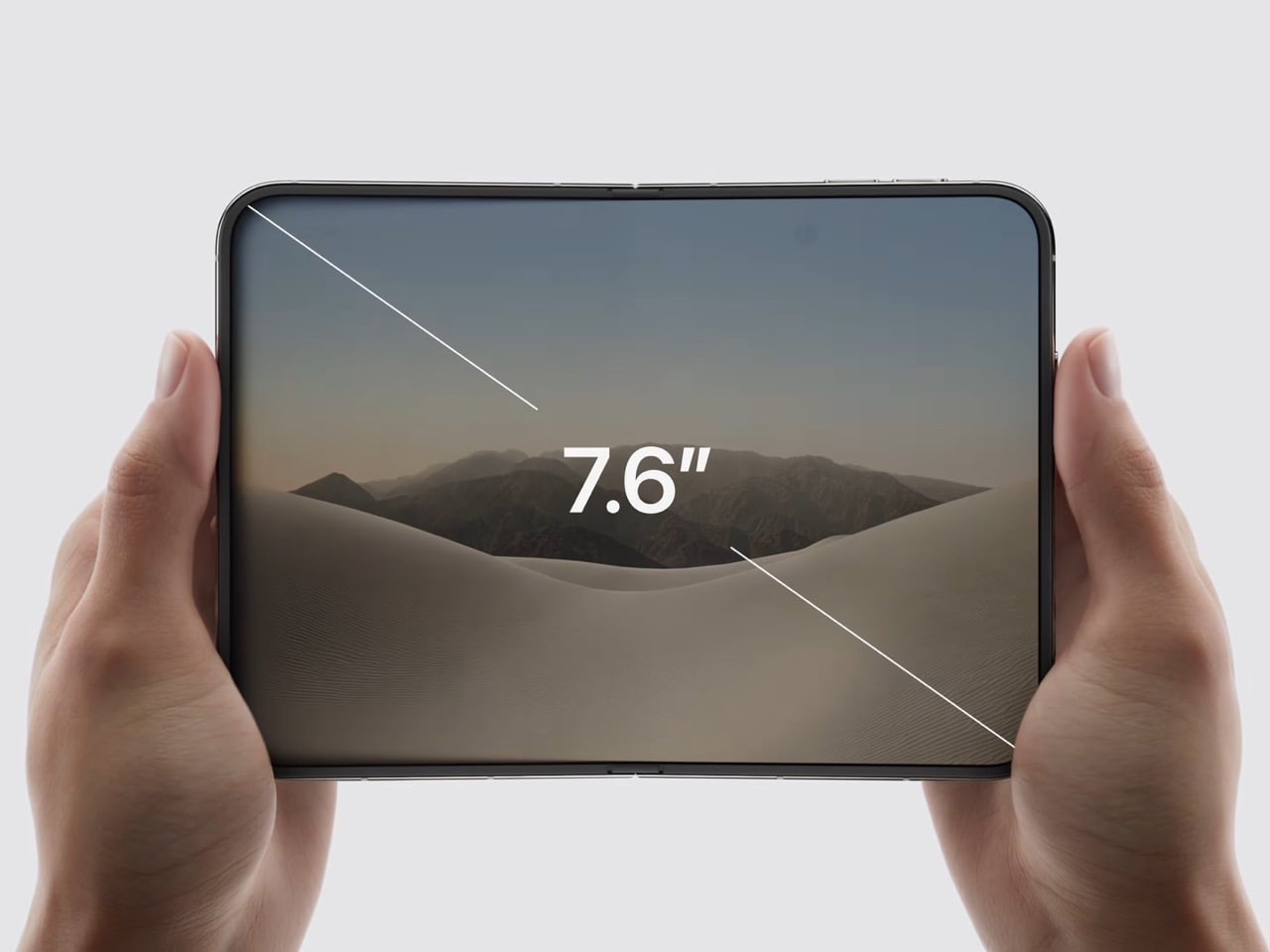
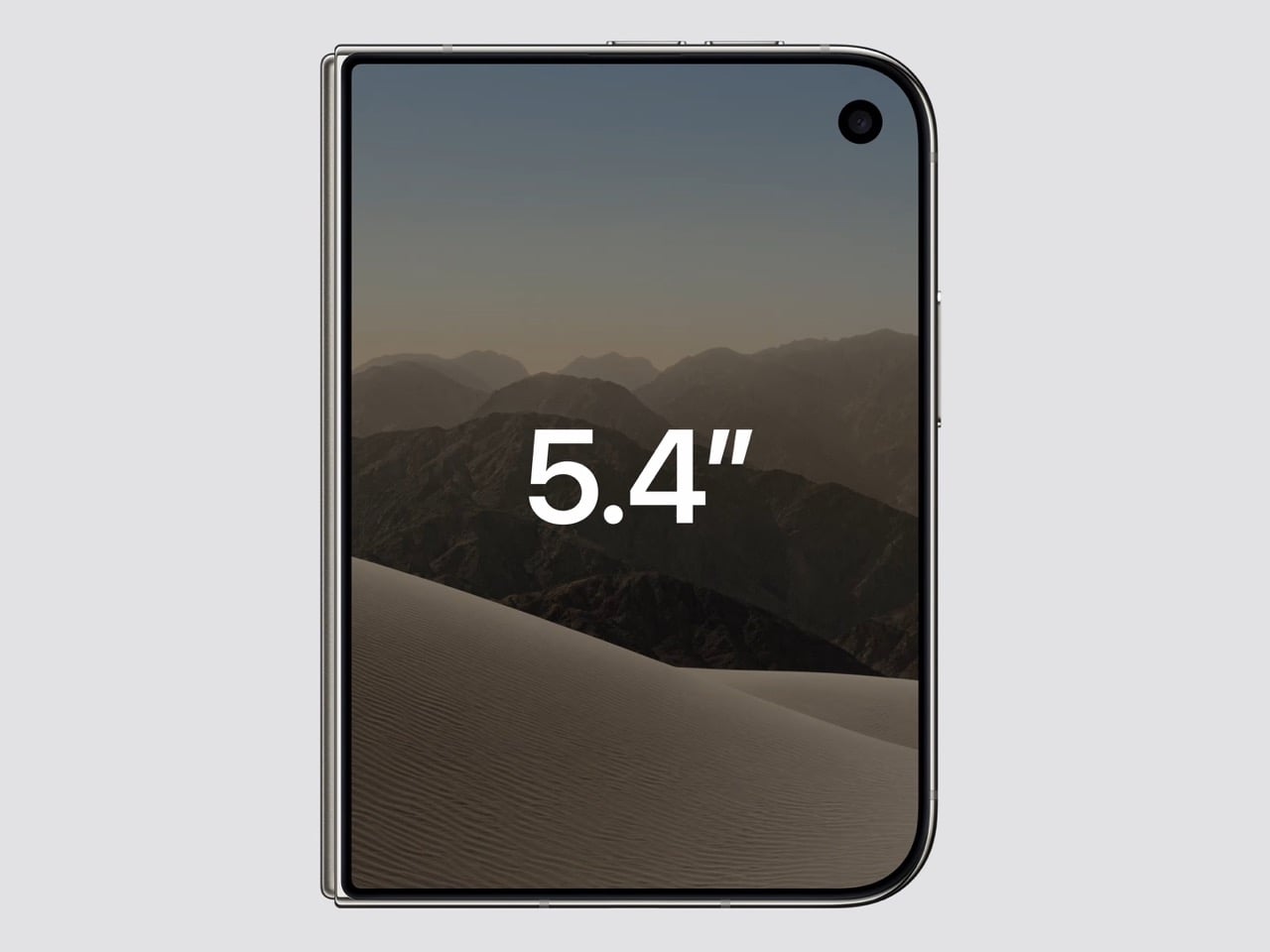
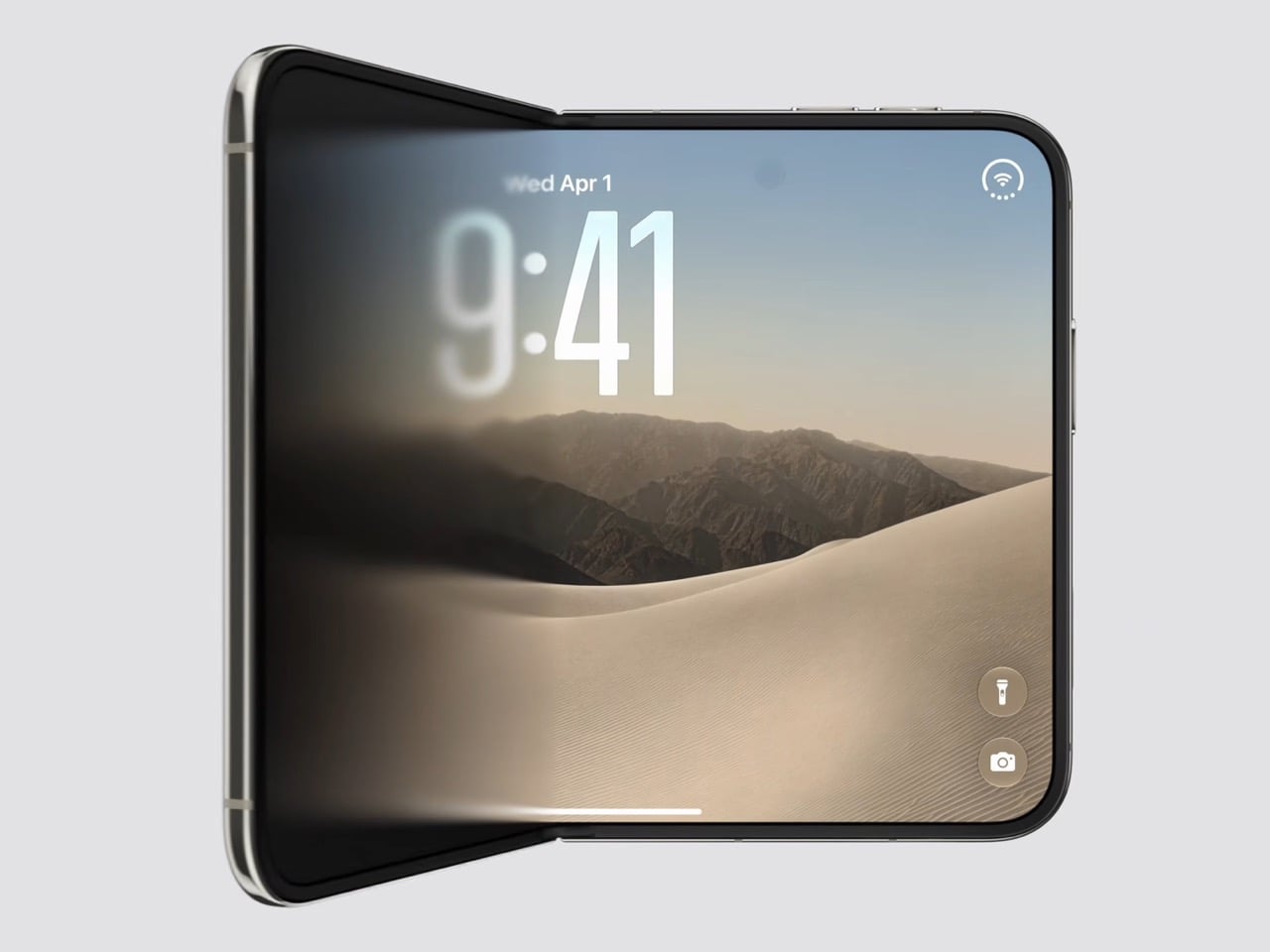
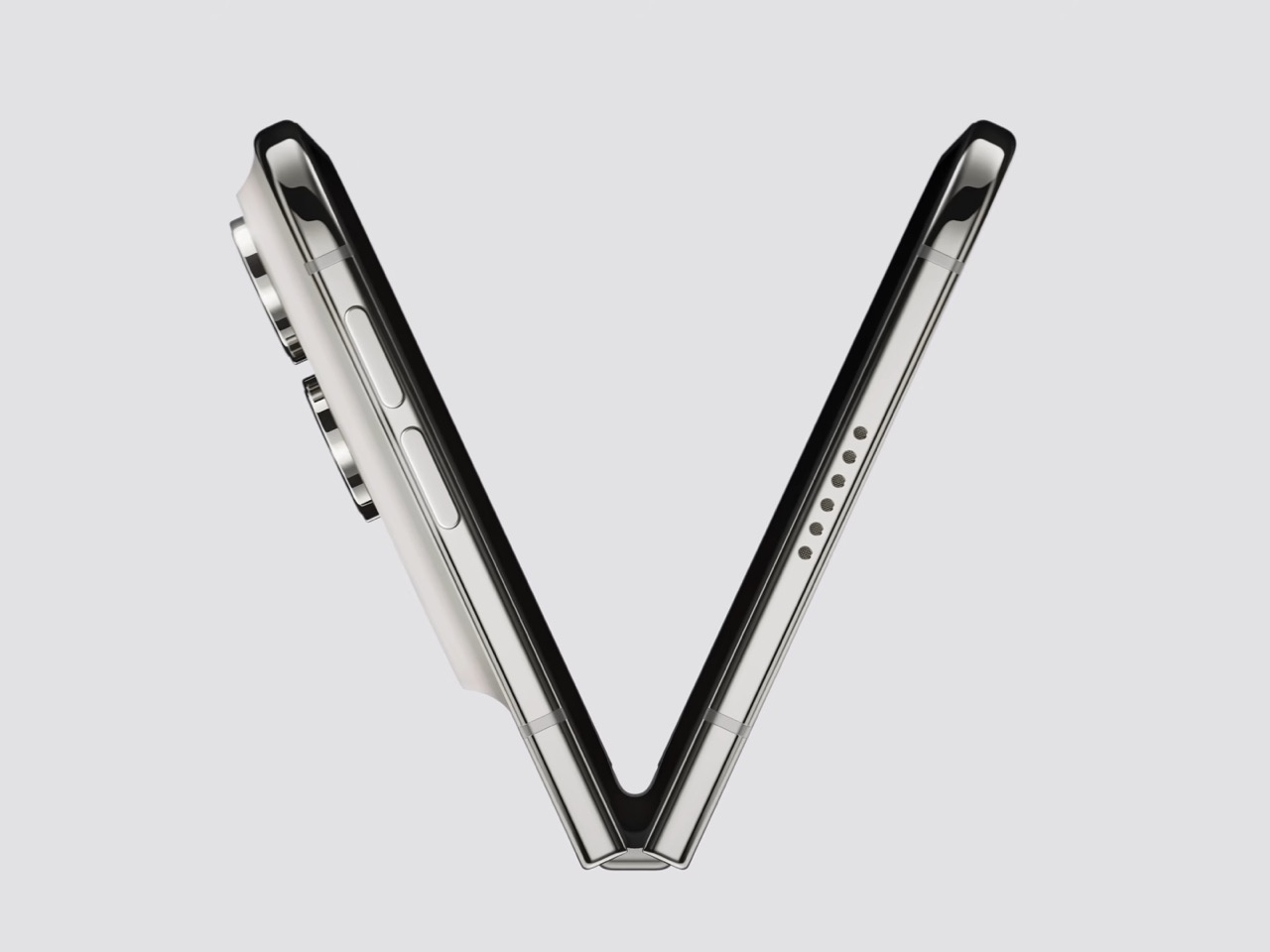
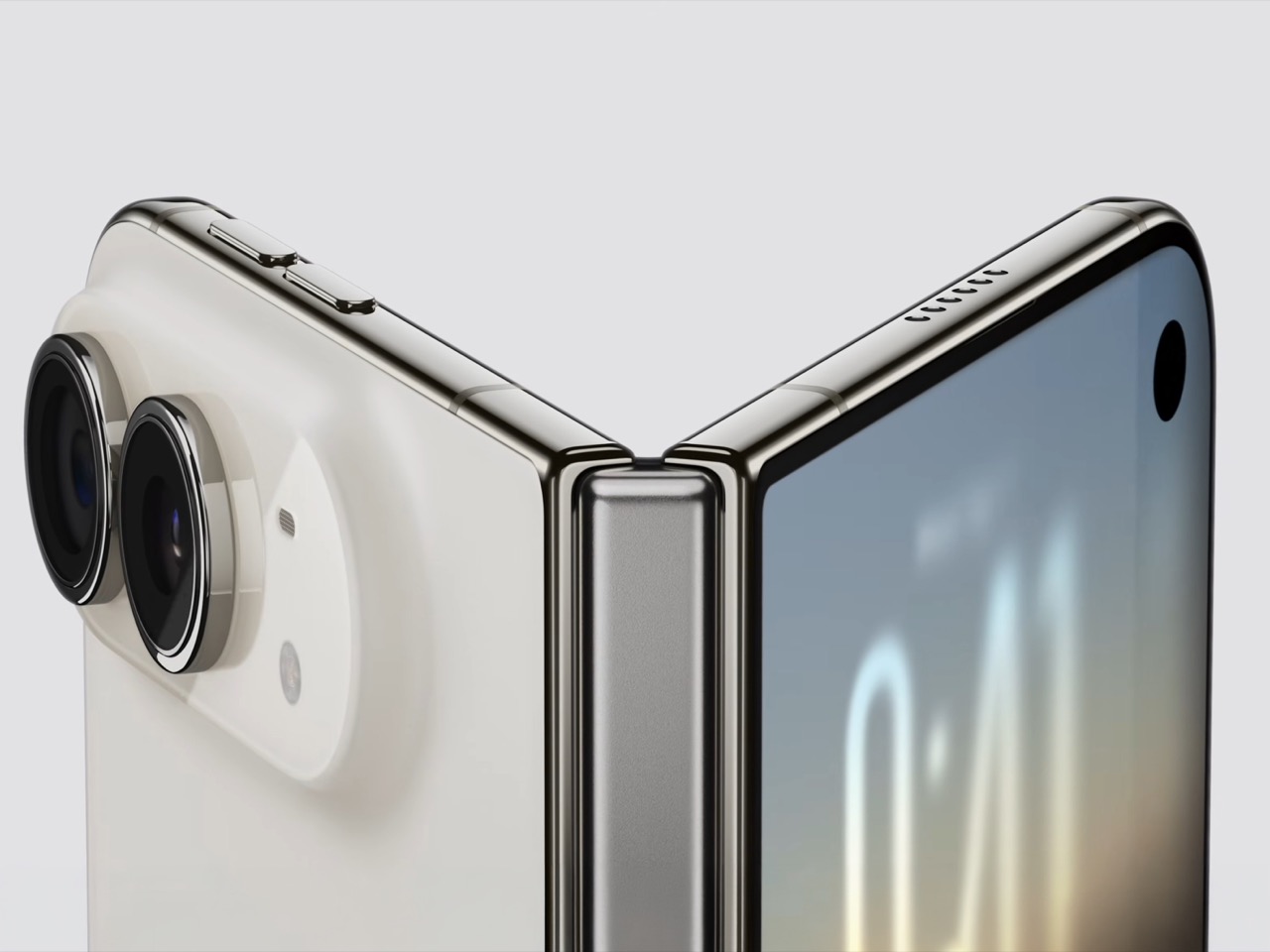
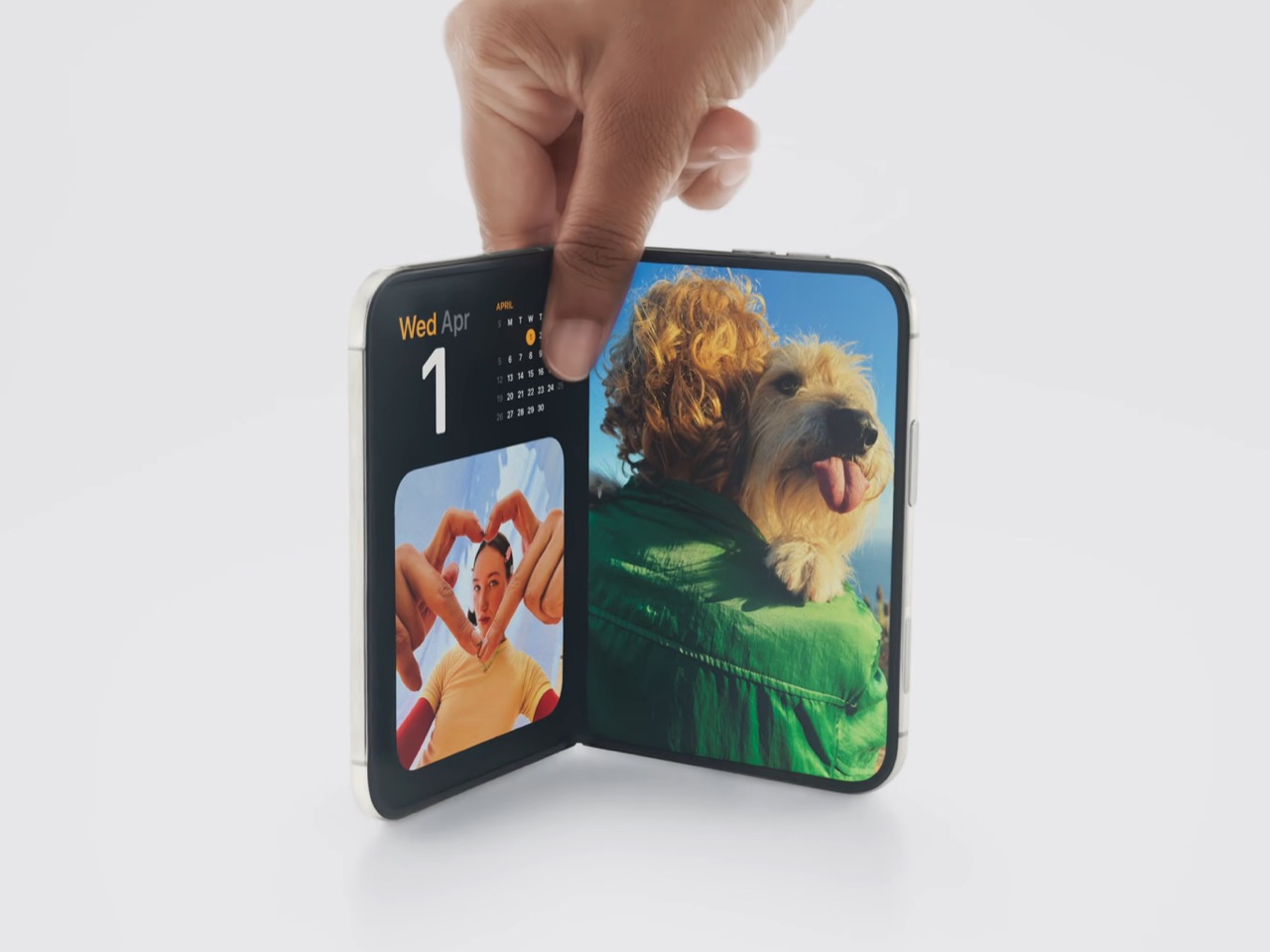
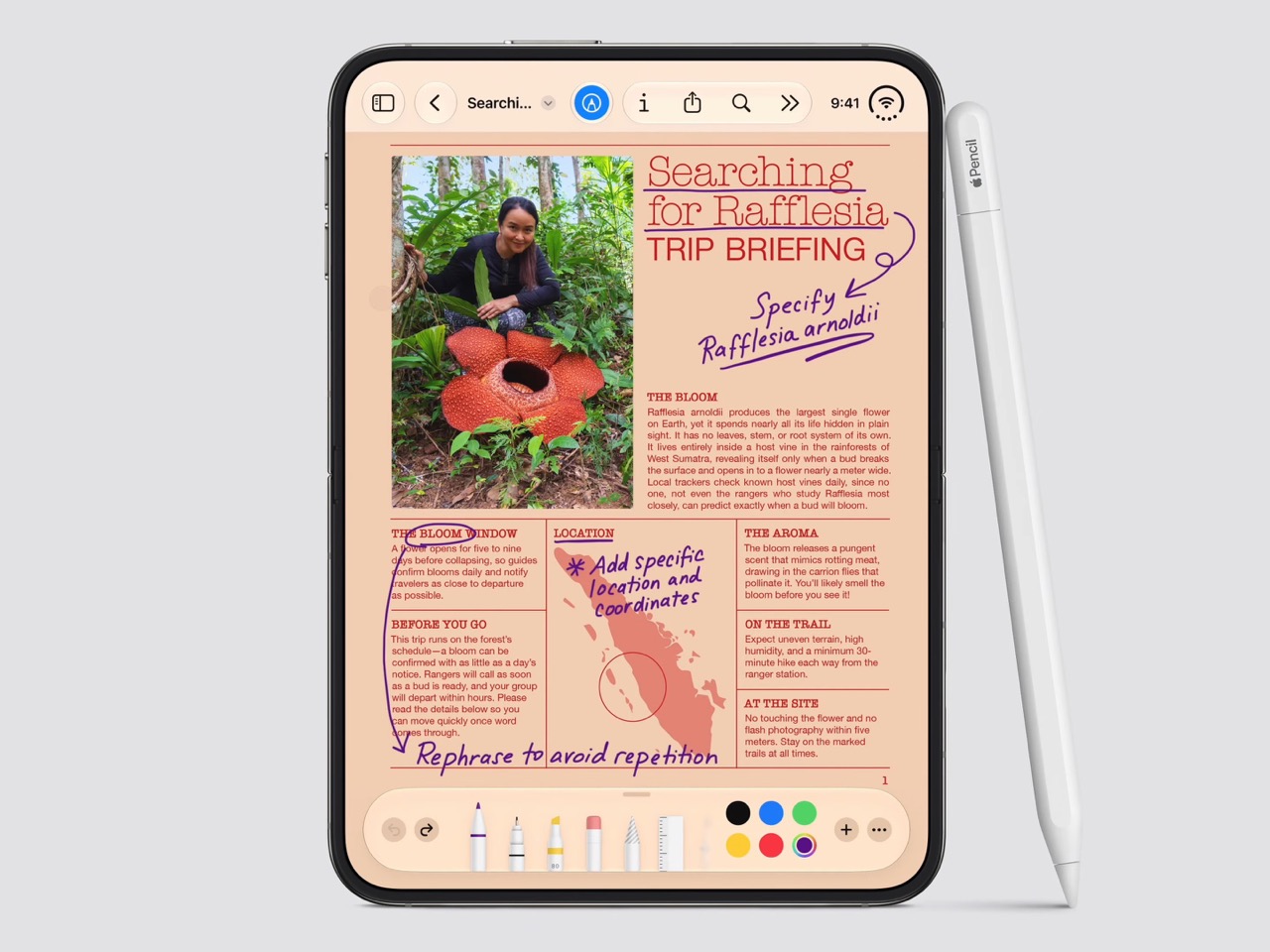
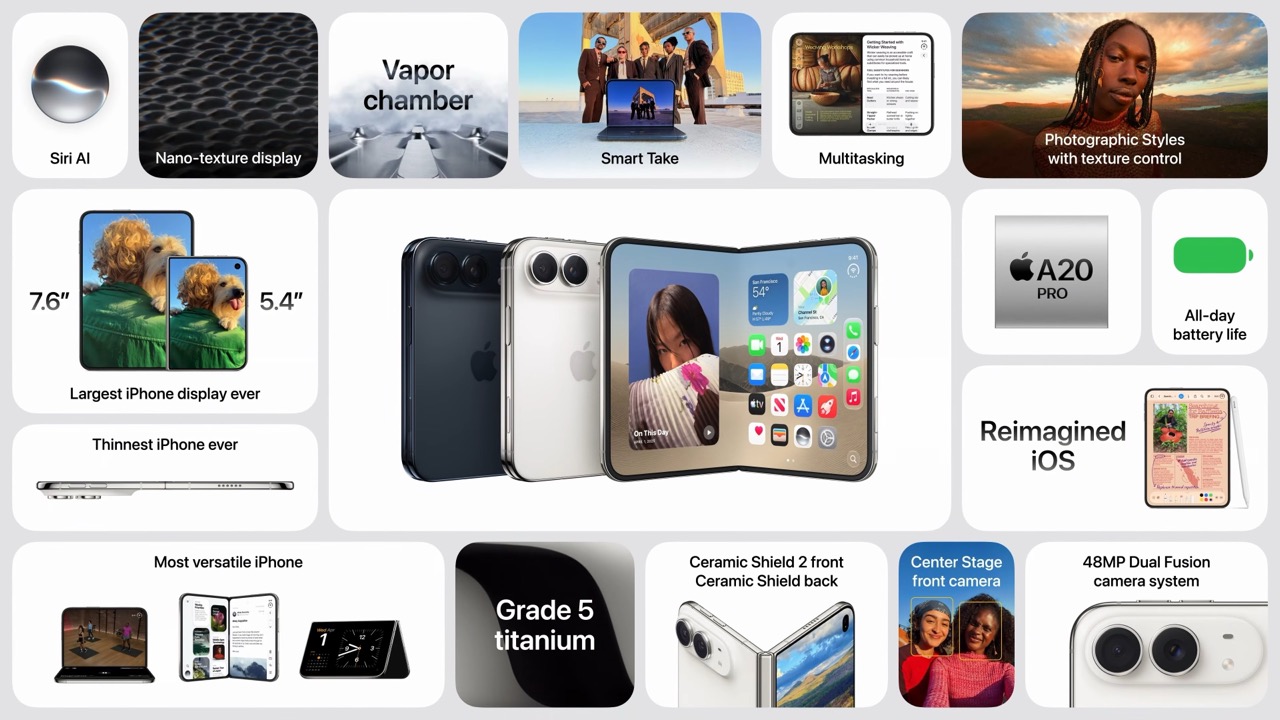
Spare a thought for the iPad Mini, which had a perfectly good career until this morning. Apple’s $1,999 iPhone Duo arrives October 23 with a 7.6-inch inner display that takes Apple Pencil with USB-C later this year and runs two apps side by side, which covers roughly everything the Mini was for, except the Mini does not fit in your jeans. It also killed the dynamic island, swapping it for a punch hole outside and a FaceTime camera tucked under the inner screen. And it killed the SIM tray worldwide, because the thinnest iPhone ever made had no room left for sentiment.

Apple never announces any of this. It ships the replacement and lets the old thing stop making sense on its own schedule. The Duo is a whole product built out of things Apple decided to stop carrying, and the interesting part is how little you miss any of them once you see what moved into the empty space. John Ternus called it the most transformational change to iPhone since the original, which I not only agree with, I think I’d take it a step further by saying – this is such a dramatic leap for the iPhone that it stops being an iPhone. It isn’t an iPad either. It’s something completely different.

Designer: Apple

Apple refused to build a squarish slab that happens to close, and said so from the stage, calling out rivals whose square inner screens box movies into oversized black bars. The Duo lands at roughly passport size, with an asymmetric profile: two rounded corners on the right, squared geometry at the hinge. That asymmetry does something clever, because it tells your hand which edge to open before your brain gets involved. It reads like a small hardcover you want to crack open, which is a strange compliment to pay a phone. Somebody fought for that shape in a review meeting, and I am glad they won.

Both displays share a single aspect ratio, which is the decision the whole product rests on. Closed, the 5.4-inch outer panel delivers 90 percent of an iPhone 18 Pro’s screen area, so it works as a complete phone rather than a notification window. Open, the 7.6-inch inner canvas runs 50 percent larger than an 18 Pro Max. Because the proportions match, content scales between the two instead of reflowing awkwardly every time you fold, and the movie you started on the cover screen simply gets bigger. Every foldable before this one asked you to accept a jarring transition, and Apple designed the jarring part out.

Content flows between the two displays as the phone opens, expanding out of the cover screen and settling into the larger canvas without a stutter. I would put that transition ahead of anything Samsung, Google or Oppo has shipped on a folding device, and it is the single most beautiful piece of UI in the category right now. The matched aspect ratio is what makes it possible, because there is no reflow to disguise, only a scale. Controls stay locked in place along the side while the content grows around them. Watching it happen is the closest a phone has come to feeling like sleight of hand.

The crease is the thing people notice first on a foldable, and Apple has more or less made it disappear. A matte nano-texture finish across the inner display cuts glare and flattens how the fold reads, so the eye stops finding the seam. It also solves the other foldable complaint nobody talks about, which is the cheap plastic feel of a folding panel under your fingertip. Real glass sits above and below the display, and the whole stack is built to stop the panel distorting after a few thousand folds. Nine years of waiting bought Apple a fold you have to hunt for.

Grade 5 titanium forms the frame, polished to a mirror finish and broken by a hinge cover in contrasting micro-blasted texture. That pairing is the sharpest visual detail on the object, a bright reflective body interrupted by one matte band at the spine, and it gives the closed device a piece of jewelry quality that photographs beautifully in star white. Ceramic Shield protects the back, Ceramic Shield 2 the front, and the whole thing carries an IP68 rating. Pulling that dust and water rating across a moving joint is genuinely difficult engineering. The night sky colorway, a deep navy, is the one I would actually buy.

The dock is vertical now. iOS 27 moved essential controls to the side of the screen, freeing vertical space for content and landing the buttons under your thumb, which rewrites a layout convention Apple has held since 2007. The status bar compresses into a corner and the Dynamic Island turns sideways along the edge of both displays. Every first-party app had to be relaid out to make this coherent, and the fact that it still reads unmistakably as iOS is the real achievement here. Nobody outside Apple would have been permitted to move that dock.

Fold it halfway and iOS slides content away from the crease, giving you a laptop-style prop for video calls, a hands-free camera rig, and a bedside alarm face that wakes you with a gentle glow. StandBy now runs even when the phone is off charge, turning it into a photo frame or widget hub the moment you set it down. The speakers retune themselves depending on how far apart the two halves are sitting. One device, half a dozen legible postures, all of them designed rather than discovered by users after launch. The alarm clock pose alone will sell a few thousand units.

The cameras take advantage of having a second screen. Duo Preview throws a live feed onto the outer display so your subject can see themselves and fix their own framing, which ends a decade of “can you take it again.” Kid Cue plays Peanuts animations to make toddlers look at the lens. Smart Take watches the scene and fires the shutter once everyone is finally posed, killing the timer scramble. A 48MP Fusion Main with a 2x telephoto handles the actual imaging, alongside the same 48MP Ultra Wide found on the iPhone 18 Pro.

Going eSIM only across every market freed the internal volume for one battery per side, managed so the pair behaves as a single cell, delivering 31 hours of video on the inner display and 44 on the outer. I will miss the tray as a traveler, and I also suspect Apple has wanted it gone for years, because a physical port punched through the frame is a liability on a device chasing IP68 across a hinge. A20 Pro drives both panels, and fast charging reaches 50 percent in around 20 minutes. Some deletions are grief. This one is mostly relief.

Touch ID in the side button is a real step back from Face ID on a two thousand dollar phone, and it exists because a TrueDepth array had nowhere to live. Apple Pencil support arrives later this year rather than at launch, which softens the iPad Mini argument for a few months. The bezels look chunky beside a Galaxy Z Fold 8, and the folded body still reads thick in the hands-on shots. At $1,999, a hundred dollars over the Fold 8 and five hundred under what everyone predicted, Apple showed up nine years late and priced like it was early. Pre-orders open October 16.

The post The iPhone Duo just killed the Dynamic Island, the SIM tray, and the demand for an iPad Mini first appeared on Yanko Design.

  •  

Keycap-shaped Perfume Bottle Bridges Nerd Culture and Fashion Fragrances

Somebody who has strong opinions about Cherry MX switch actuation force is not, statistically speaking, somebody who wears cologne. I say this with love, having been both people at different points. Igor Mitin’s PUSHHH concept ignores that overlap problem entirely and builds a perfume around the keyboard key, putting a chunky square cap on the bottle that doubles as the plunger. Mitin runs with that mismatch instead of avoiding it, treating the cap less like hardware and more like a gesture everyone already knows from their phone. One push, and the bottle behaves like a message you just fired off to someone.

Mitin works out of Melbourne as an art director who has spent his career on fragrance and beauty packaging, picking up a Pentawards Gold in 2024 and a Red Dot Design Concept award in 2022, on top of a Best of the Best Red Dot Design Concept win back in 2011. PUSHHH is his own self initiated project, built without a client breathing over his shoulder, which probably explains why it gets to be this playful. Each scent carries a one word name you would actually type, CRUSH, XOXO, COOL, YAY, and OMG, printed straight across the face of the cap. The glass underneath is a squat rounded square in transparent red, pink, amber, and teal, sized closer to something you would clip onto a bag than something you would park on a dresser.

Designer: Igor Mitin

Keyboard people take their keycaps seriously, hunting down artisan sculpts through drops that sell out before the page finishes loading, and PUSHHH lifts that exact silhouette and plants it on a category that usually behaves nothing like that. Perfume branding loves hushed minimalism, black serif type, a name in French nobody can pronounce right. PUSHHH walks in the opposite direction entirely, leans all the way into the keyboard bit, and somehow the whole thing still reads as a coherent, good looking object rather than a gimmick bolted onto glass.

The system around the bottle keeps the joke going in the best way. Keychain minis, collectible colorways, and personalized gift editions all stretch the one push idea into things you would genuinely want to wear, and campaign lines like “Say it. Spray it. Wear it.” lean into the texting bit with a straight face. Mitin’s own flat lays stage the bottles next to headphones, sunglasses, a Casio, and keyring charms, and that styling choice tells you exactly what PUSHHH thinks it is. Not a fragrance counter object. A bag charm sitting proudly next to your Labubu.

What I like most is how specific the whole thing is. A lot of concept fragrance work chases a vague mood, some smoke and a moodboard and a name that sounds expensive. PUSHHH picked one clean idea, the keyboard key as plunger, and let every other decision follow from it, the colors, the words, the merch, the styling. That kind of discipline is rare even in briefed, paid work, let alone something Mitin built purely because the idea was fun enough to chase. I would buy the CRUSH bottle off a shelf the second it existed, and honestly, that is the whole review.

The post Keycap-shaped Perfume Bottle Bridges Nerd Culture and Fashion Fragrances first appeared on Yanko Design.

  •  

Reolink’s OMVI 2i Ultra Wireless Security Camera can look in two directions at once: Hands-on at IFA 2026

Picture a courier walking up your driveway while someone else quietly tries your side gate. A normal pan-tilt camera picks one of them and forgets the other exists. Reolink’s OMVI 2i Ultra handles it by carrying two cameras at once: a fixed 4K wide lens on top that never stops watching the full scene, and a 5MP pan-tilt ball below that spins 355 degrees to lock onto whatever the wide lens flags. Both feeds record at the same time, and you can tap anywhere on the wide view to slew the turret straight to that spot. It debuted at IFA 2026 in Berlin, ships late October, and costs between $200 and $250.

A detachable 10,000mAh pack claims six months per charge, and the 6W SolarEase panel says it needs about thirty minutes of daily sun to stay topped up, against the one to two hours Reolink quotes for rivals like Eufy’s S340 and the Tapo C675D. Those are Reolink’s own numbers, so hold them loosely until somebody leaves one on a north-facing wall through a British winter. The rest is easier to verify. Wi-Fi 6 across both bands, up to 512GB of local microSD with no subscription attached, colour night vision from twin spotlights, a siren, and IP65 sealing. At a kilogram with the bracket, it is a proper lump of hardware rather than something you tuck on a shelf.
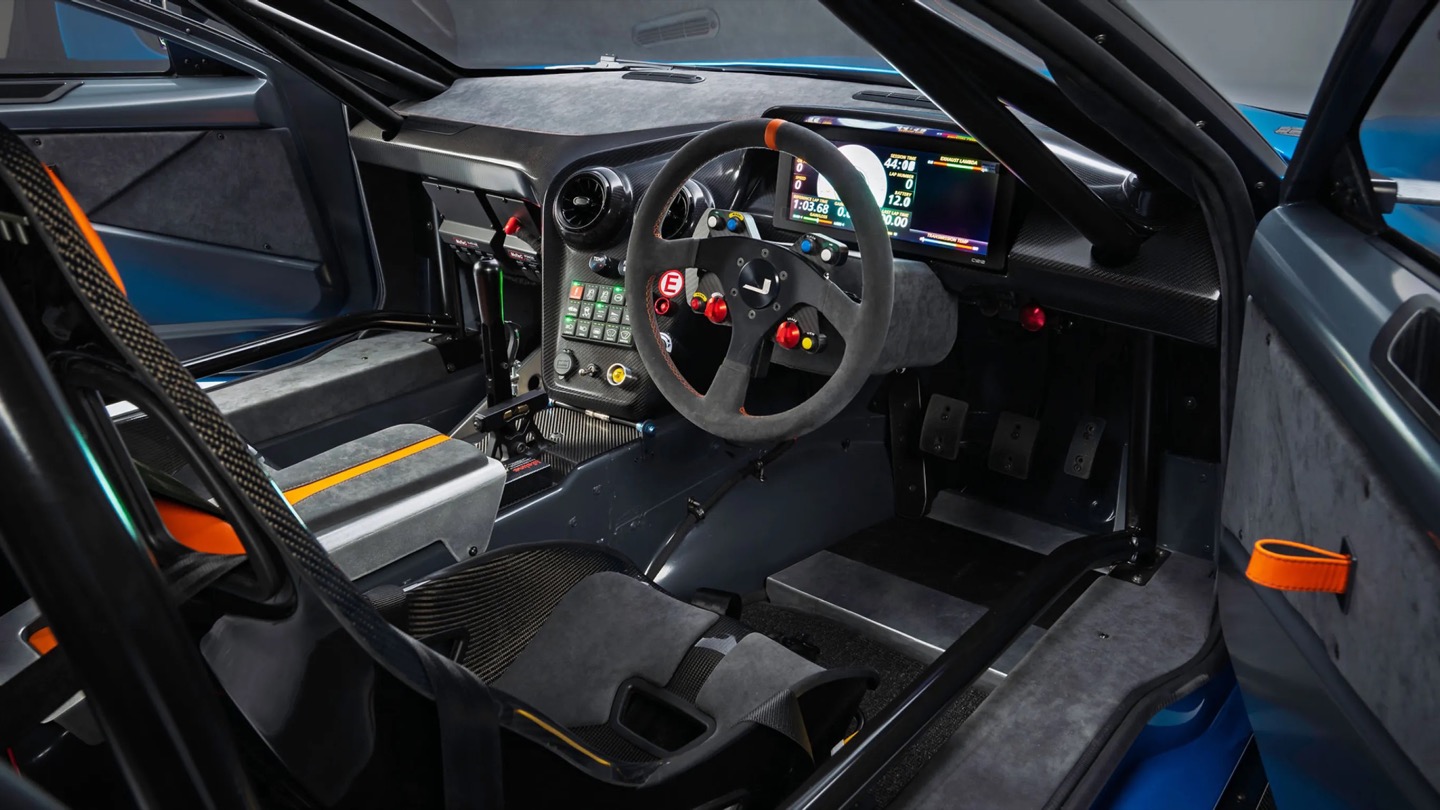
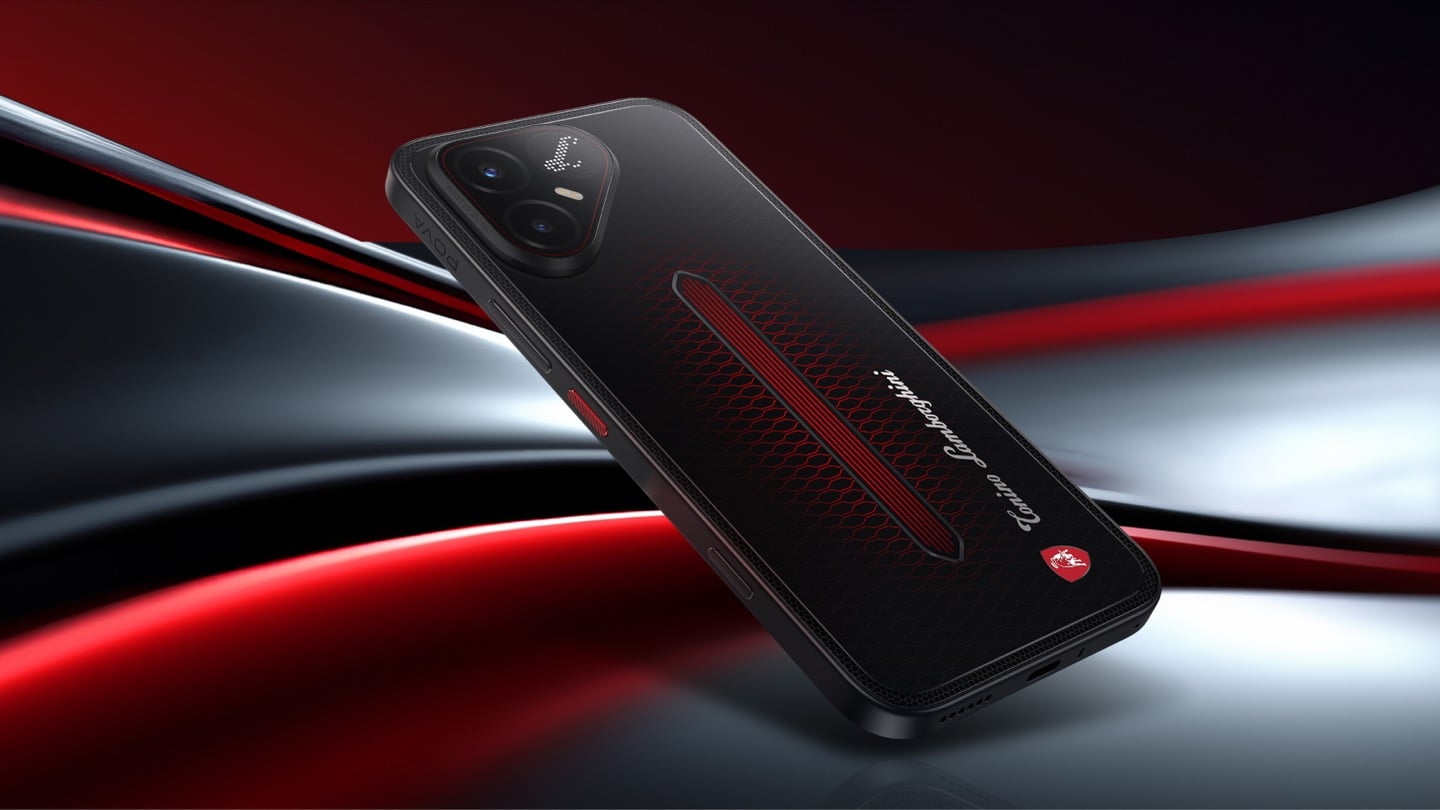
Designer: Reolink

Pan-tilt cameras have quietly lied to buyers since the format existed. Sell someone a camera that turns to follow motion and you have also sold them a camera that stops watching everywhere else the instant it does. Reolink’s fix is embarrassingly simple once you see it. Stop asking one lens to be both the guard and the chaser, and give it a second lens that only guards. The wide 4K unit up top runs at 110 degrees horizontal and never rotates, so the scene it opened on is the scene it keeps recording no matter where the PT ball below it wanders off to. Reolink calls this SyncTrack, but the actual idea is closer to division of labour than any clever algorithm. One camera commits to context, the other commits to pursuit, and neither has to compromise for the sake of the other.
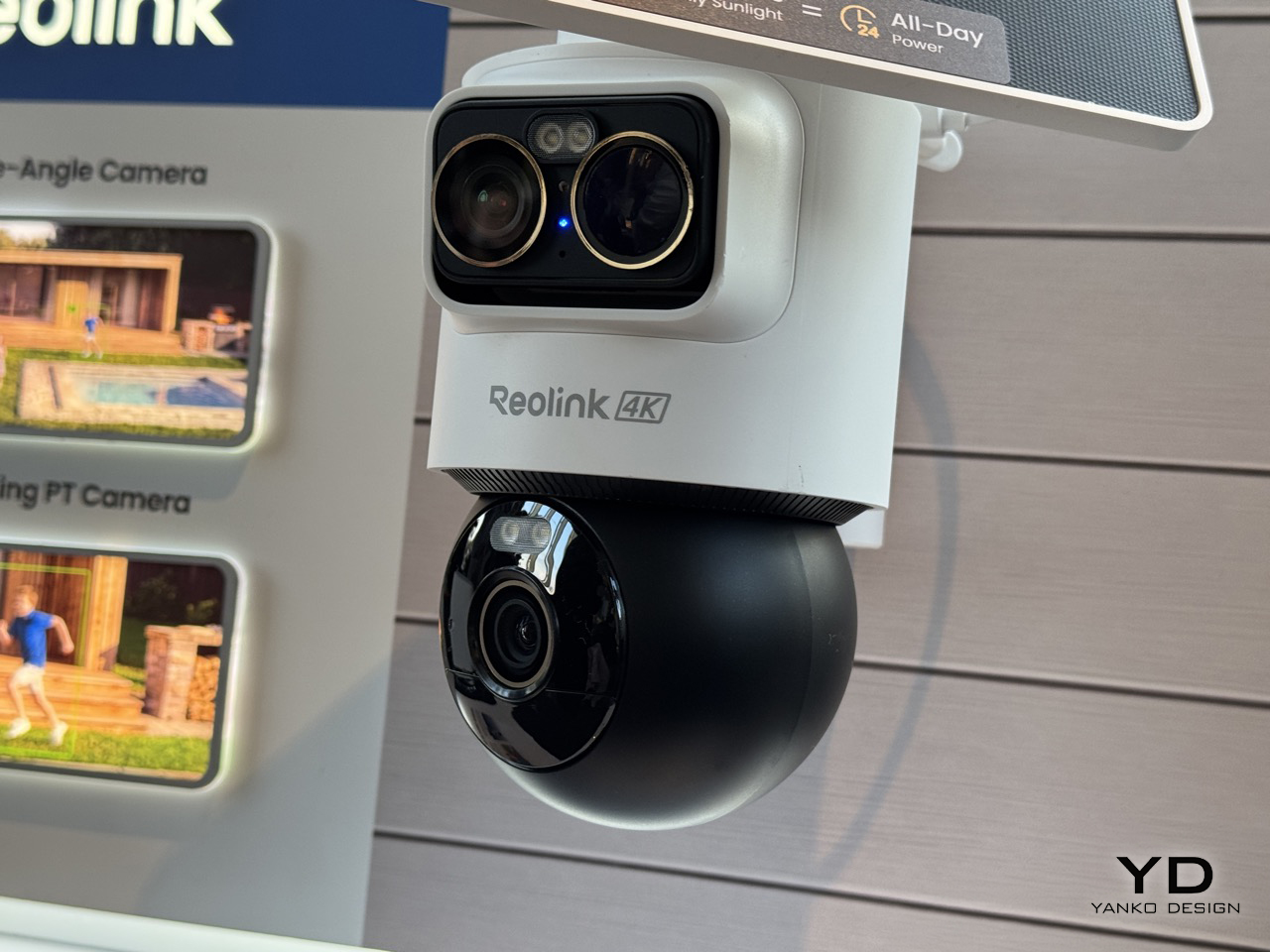
This is the third time Reolink has built this exact idea in 2026, and each version has been a slightly different argument about what matters most. The X16 landed at CES in January as a 24MP full metal flagship with 16x optical zoom, but it needs an ethernet run to function, which puts a hard ceiling on where it can live. The 3i followed in June with PoE and wired Wi-Fi options at $319.99, still asking for a nearby outlet even in its most flexible form. The 2i Ultra drops the combined resolution to 8MP plus 5MP and, in exchange, cuts the cord entirely. The trade-off is the clever bit, because being able to pop a camera on a fence or a backyard without worrying about wiring is much more convenient than haggling over megapixels.

A squared-off dual-lens head sits above a separate motorized ball, with a solar panel tilting on its own hinge overhead, and the whole assembly weighs a full kilogram once the bracket is attached. Compare that to Reolink’s own Argus MagiCam, a 108-gram cube you stick to a fridge with a magnet, and the difference in ambition is obvious at a glance. This is not a camera trying to disappear into a bookshelf. It reads more like a small piece of maritime equipment bolted under an eave, and that visible mechanical presence is doing some of the deterrence work before the siren ever gets involved.

That dual-lens design is quite literally baked into the name. OMVI reads like omni-vision, a camera built to watch in every direction at once instead of picking a lane. Arlo’s Ultra flagship still wants a wall plug or a proprietary base station to unlock its best tricks, and Nest’s outdoor cameras have quietly stayed wired-first for years now, which makes the 2i Ultra’s fully wire-free build feel like it is actually catching up to how people install things rather than how manufacturers wish they would. No drilled conduit, no hub tucked in a closet, just a battery, a solar panel, and a spot on the fence you actually wanted the camera to go.

That is the real flex against the flagships twice its price. You are not paying for a wall socket you have to plan your whole install around, and you are not paying for a bulky base station eating an outlet indoors either. You get two lenses doing genuinely different jobs, a battery that outlasts most of the category on paper, and a name that finally means something instead of just sounding techy. At $200 to $250, the OMVI 2i Ultra is the version of omni-vision security that shows up ready to mount anywhere the moment you take it out of the box.

The post Reolink’s OMVI 2i Ultra Wireless Security Camera can look in two directions at once: Hands-on at IFA 2026 first appeared on Yanko Design.

  •  

Reolink’s $65 Tiny Magnetic Security Camera Runs 9 Months on 2 AA Batteries: Hands-On at IFA 2026

The worst part of owning a security camera has never been the camera. It is the ladder, the drill, the wall plug, and the moment you realize you aimed the thing eight degrees too far left. Reolink’s Argus MagiCam deletes all of that with a magnet. The 68mm  GoPro-looking cube slaps onto any metal surface in about two seconds, or onto an included magnetic puck with a swivel arm for everything else, turning any surface into a security surveillance monitor (you can even mount it in your car as a dashcam)… and here’s the kicker. It runs up to nine months on two AA lithium batteries. Nine. Whole. Months. I repositioned it three times in under a minute at IFA 2026, which is three more times than I have ever moved a camera bolted to a wall.

Sixty-five dollars buys 1080p, IP67 weatherproofing, dual-band Wi-Fi, on-device person detection, and local microSD storage with no monthly fee attached. Flip the cube over and the back panel detaches to a bay holding two ordinary AAs, the SD slot and the reset button, all serviceable with a coin and a spare hand. Reolink built it around Qualcomm’s QCC730 micro-power Wi-Fi chip for its Power Efficient Series, shown in Hall 1.2 next to the OMVI 2i Ultra. A USB-C port hides under a rubber flap for 24/7 recording when you want it wired. Three colours: black, white, and a mint green that has no business looking this good.

Designer: Reolink

A matte PIR dome sits on the left, a glossy ringed lens sits on the right, and a pinhole mic hides between them, the whole cluster raised on a squared-off black module that reads more like a GoPro’s lens housing than anything borrowed from traditional security hardware. Security cameras have spent two decades pretending they belong on a parking structure, all bullet housings and matte black anonymity. This one borrows its language from action cameras instead, small, chunky, built to be picked up and repositioned rather than mounted once and forgotten, which is exactly why the mint colorway makes sense sitting on a bookshelf instead of bolted above a garage. That GoPro reference is not incidental either. It signals a camera meant to be handled, not just installed.

The battery bay is the real argument here. Somewhere along the way, the smart home industry decided sealed rechargeable packs looked cleaner on a spec sheet, and quietly handed every camera, doorbell, and earbud an expiry date measured in a couple of years. Reolink went the other direction, and the QCC730 chip is what makes that reversal viable rather than nostalgic, since its whole job is sipping power in standby instead of gulping it. Blink has claimed two years off two AA lithiums since its Outdoor 4 launched, though independent testing has repeatedly landed closer to a few months once real motion traffic gets involved. Nine months against a heavier five minutes of daily recording, verified in Reolink’s own side by side tests, reads like the more honest number in the room.

What you give up for all that convenience is resolution, and it barely registers as a cost. This is a 1080p sensor at a moment when 4K battery cameras exist, sure, but 1080p is still plenty sharp for spotting a face at the door or a raccoon in the bin, and the fixed bitrate keeps file sizes sane on a modest microSD card. Night vision runs through a single mono IR LED instead of anything approaching colour, which is standard fare at this tier, not a shortfall specific to Reolink. For a camera this cheap, this easy to place, and this forgiving on power, trading a few thousand pixels feels like a fair swap rather than a compromise. The MagiCam was never trying to be the sharpest eye on your property. It is trying to be the one you actually keep charged, and on that specific promise, the AA drawer you have been ignoring for a decade just became a legitimate accessory again.

The post Reolink’s $65 Tiny Magnetic Security Camera Runs 9 Months on 2 AA Batteries: Hands-On at IFA 2026 first appeared on Yanko Design.

  •  
❌