❌

Vue lecture

Huawei MatePad Pro 12” Review: Stunning Hardware, One Familiar Caveat
PROS:


  • Gorgeous PaperMatte display

  • Very thin and light formfactor

  • Big battery

  • Good speaker

CONS:


  • No built-in Google Play Store

  • Long-term software support remains unclear

RATINGS:

AESTHETICS
ERGONOMICS
PERFORMANCE
SUSTAINABILITY / REPAIRABILITY
VALUE FOR MONEY

EDITOR'S QUOTE:

The MatePad Pro 12" is stylish, light, and lovely to use, with a PaperMatte display that does a lot of the heavy lifting.

Huawei’s tablet lineup is not doing itself many favors right now. The names suggest one thing, the products suggest another, and if you are just a normal person trying to work out which model is which, the whole range can feel oddly muddled. The MatePad Air sounds like it should be the lighter, breezier option, yet the MatePad Pro 12″ is actually the one that feels lighter and more effortless in the hand.

The MatePad Pro Max, by contrast, is much easier to understand. It is the big brother in the family, and it looks the part too, with a very similar design language to the MatePad Pro 12″. That makes this tablet feel like the middle child in Huawei’s lineup, not in a bad way, but in the sense that it sits between the easy-to-place Max and the more confusingly named Air.

Designer: Huawei

The good news is that the product itself is much easier to understand than the naming. The MatePad Pro 12″ is a slim, striking tablet that clearly wants to be useful as well as beautiful. It aims to cover work, entertainment, note-taking, and creative play in one polished package, and for the most part, it succeeds by being pleasant to use rather than merely impressive on paper.

Aesthetics
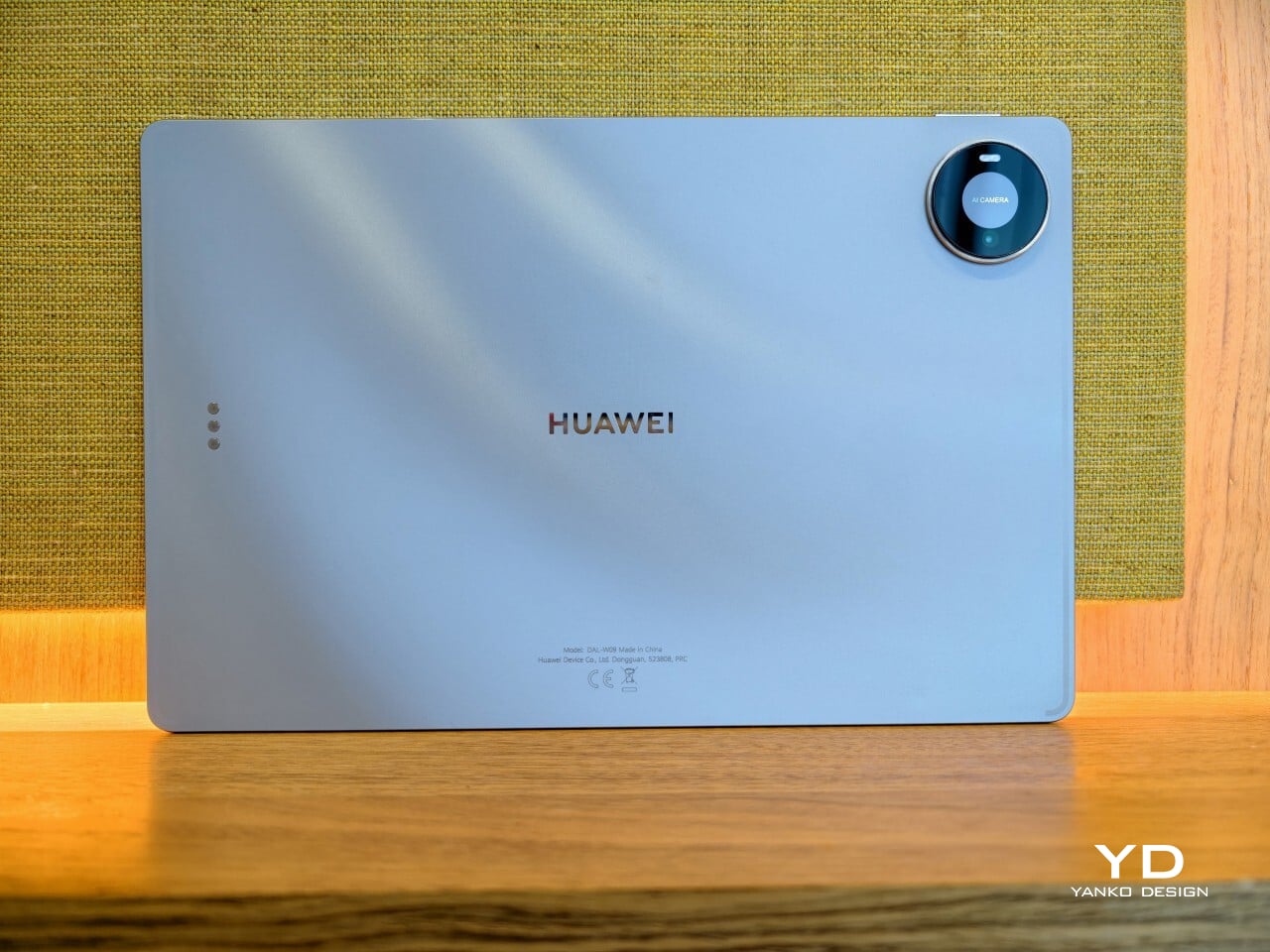
The MatePad Pro 12″ looks a lot like a smaller MatePad Pro Max, which is no bad thing. The two share the same slim, polished design language, and that gives the Pro 12″ an immediately premium feel. If anything, this size makes the look more approachable. It still has that high-end flagship polish, just in a form that feels a little less dramatic and easier to live with.

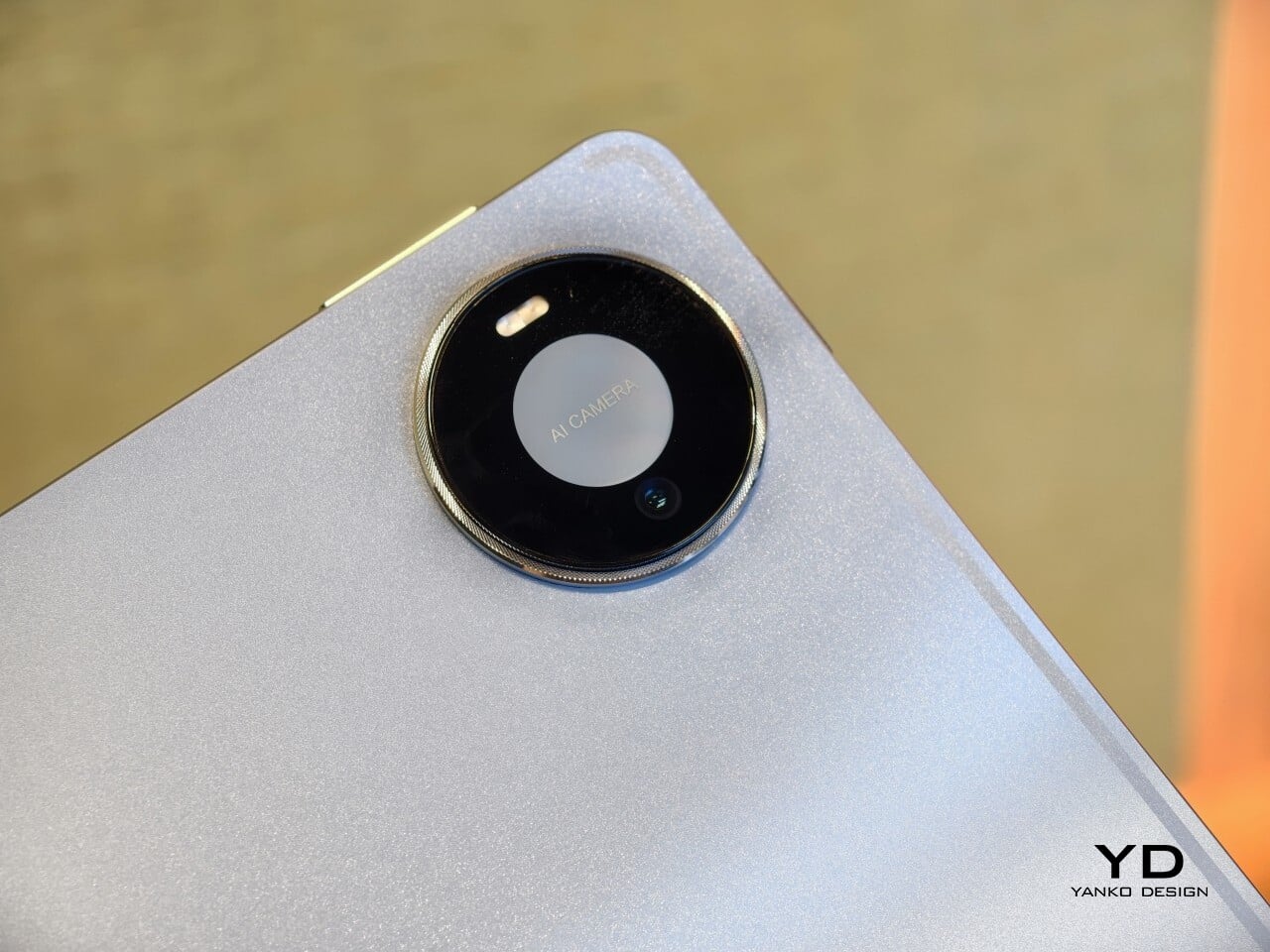
Both tablets come in Blue and Space Gray, and the Blue version I received is especially attractive. It has a soft shimmer finish that catches the light nicely without tipping into anything too flashy or fussy. There is also a nice contrast between the shimmer back panel and the glossy side frame, while the slightly rounded edges keep the tablet from feeling too sharp or severe. Together with the circular camera bump, these details give the design a bit more warmth and character without taking away from its clean, premium feel.

Ergonomics

For a 12-inch tablet, the MatePad Pro 12″ is impressively easy to handle. It measures about 10.4 x 6.8 inches (264.2 x 172.9 mm) and is just 0.19 inches thick (4.7 mm), but at 454g, or about 1 pound, it feels lighter in the hand than its size suggests. That makes a real difference in daily use. It is easy enough to hold one-handed for short stretches, and it never feels as cumbersome as some larger tablets do.

Just as importantly, it does not feel flimsy. Despite how thin and light it is, the MatePad Pro 12″ still feels solid and premium in the hand. That balance matters, because a tablet this slim could easily have tipped into feeling delicate. Instead, it feels refined without feeling fragile.
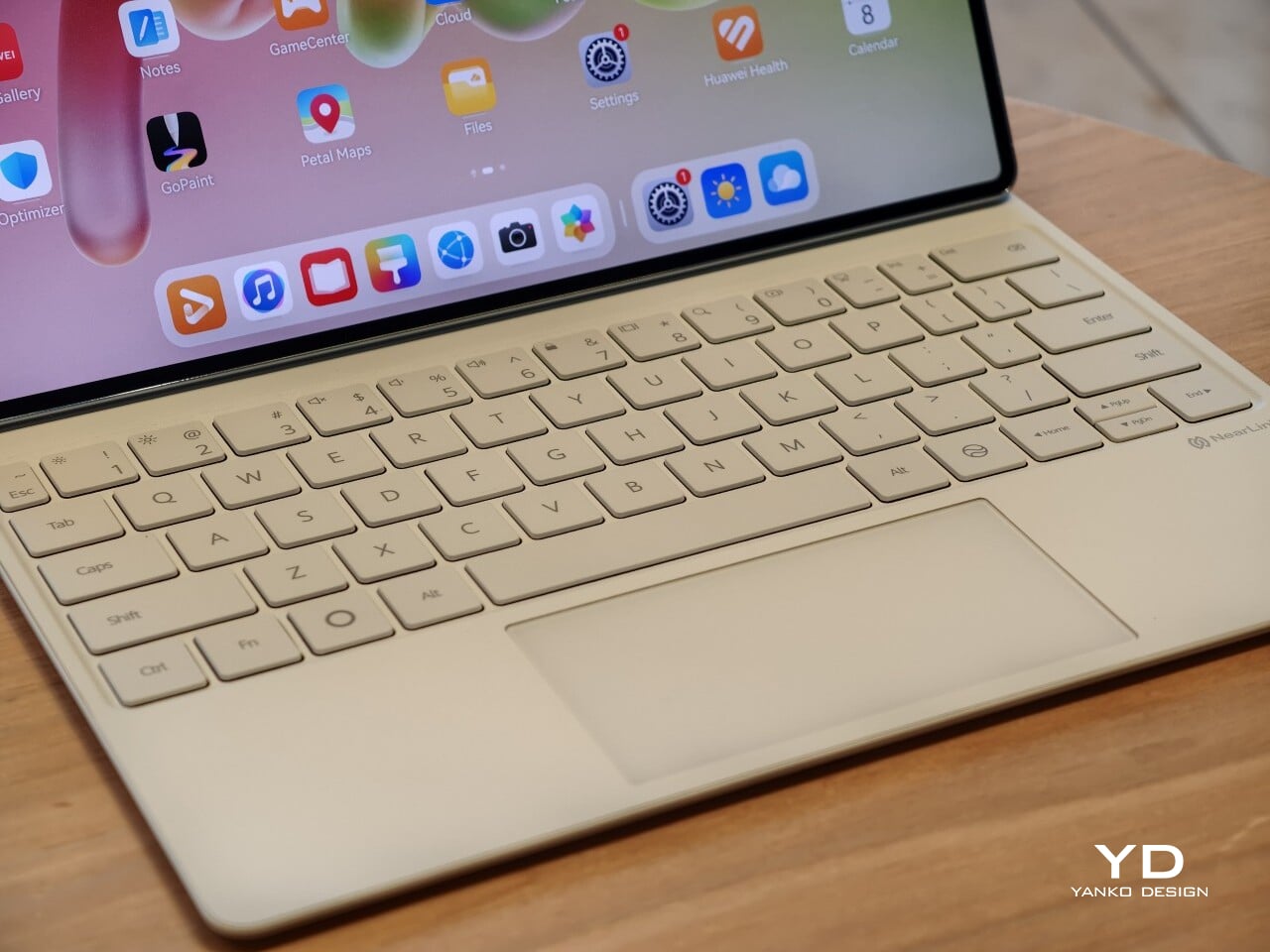
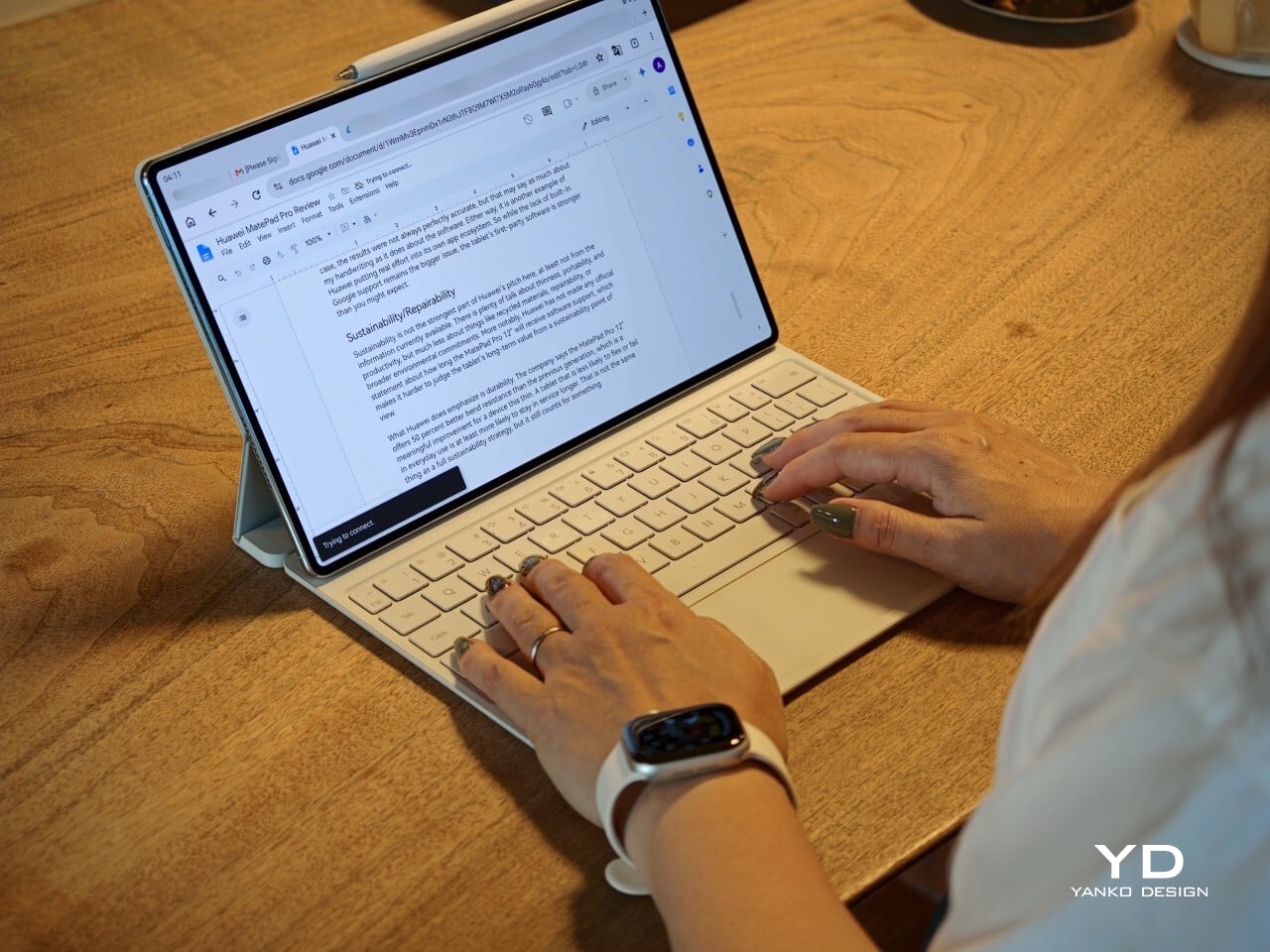
I also received the optional Huawei Glide Keyboard, which weighs 399g, or about 14.1 ounces, and turns the tablet into something much closer to a compact laptop. The typing experience is good, and one detail I especially appreciated is the way the keyboard neatly nests the stylus. It gives the pen a proper place to sit, which means there is less chance of it going missing while you are carrying the tablet around. Small touches like that make the whole setup feel more thought through.

That said, the keyboard is not perfect. The touchpad is a little too easy to trigger, and I often found myself accidentally brushing it while typing, so I ended up turning off Tap to Click. There is also only one viewing angle, which limits flexibility a bit, and the keyboard is not backlit. None of these issues are deal-breakers on their own, but together they make the accessory feel a little less polished than the tablet itself.

Performance
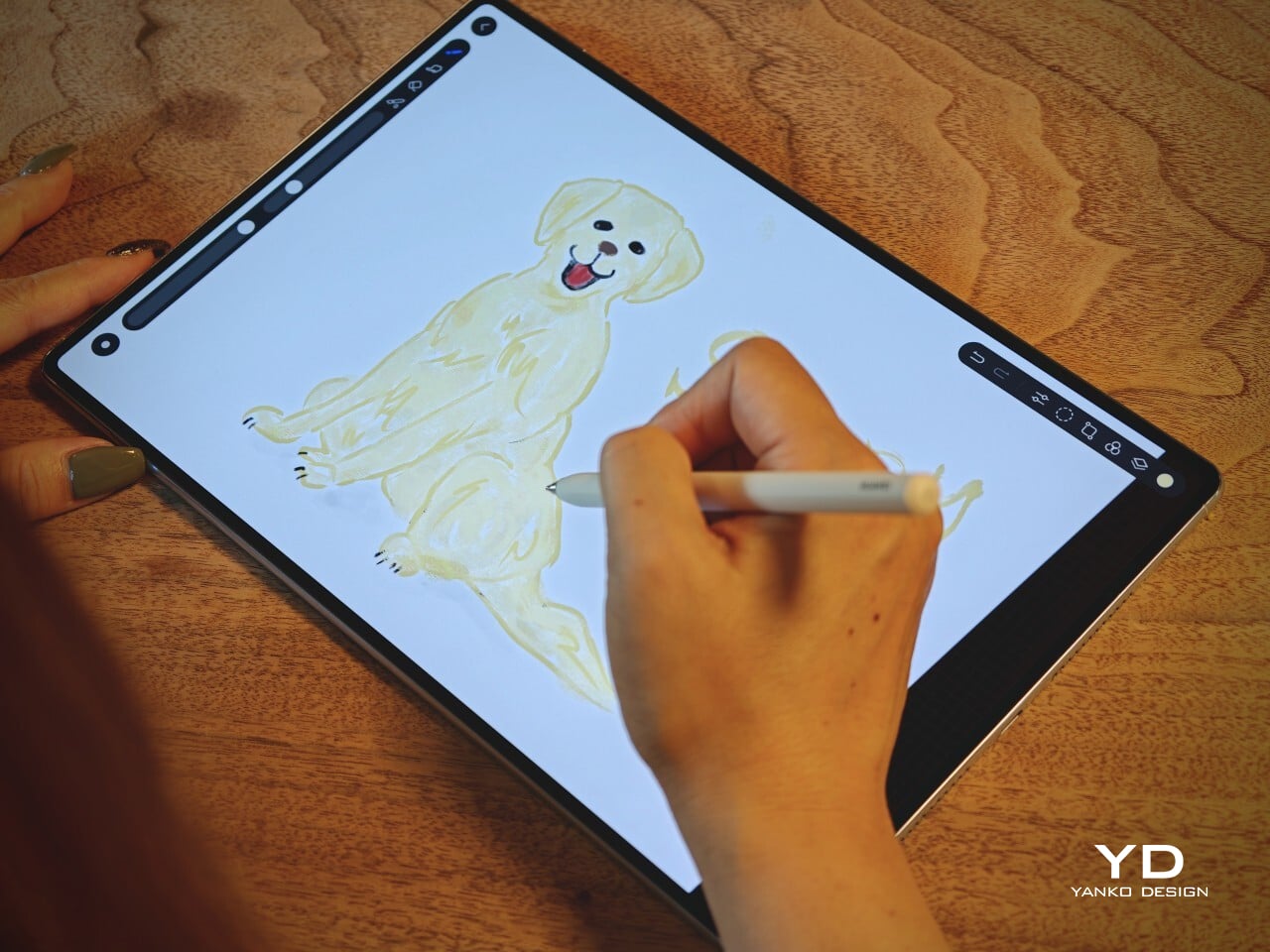
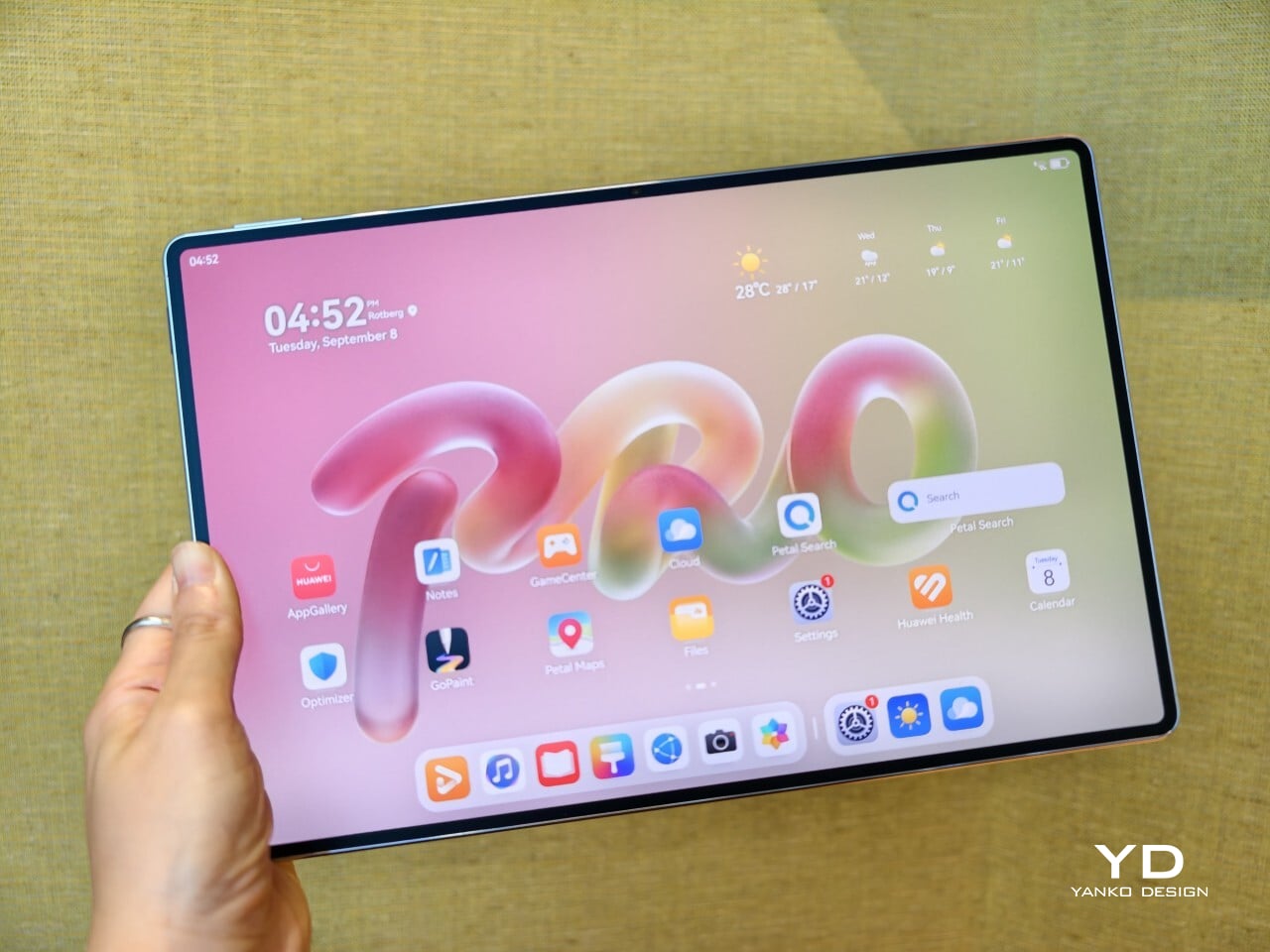
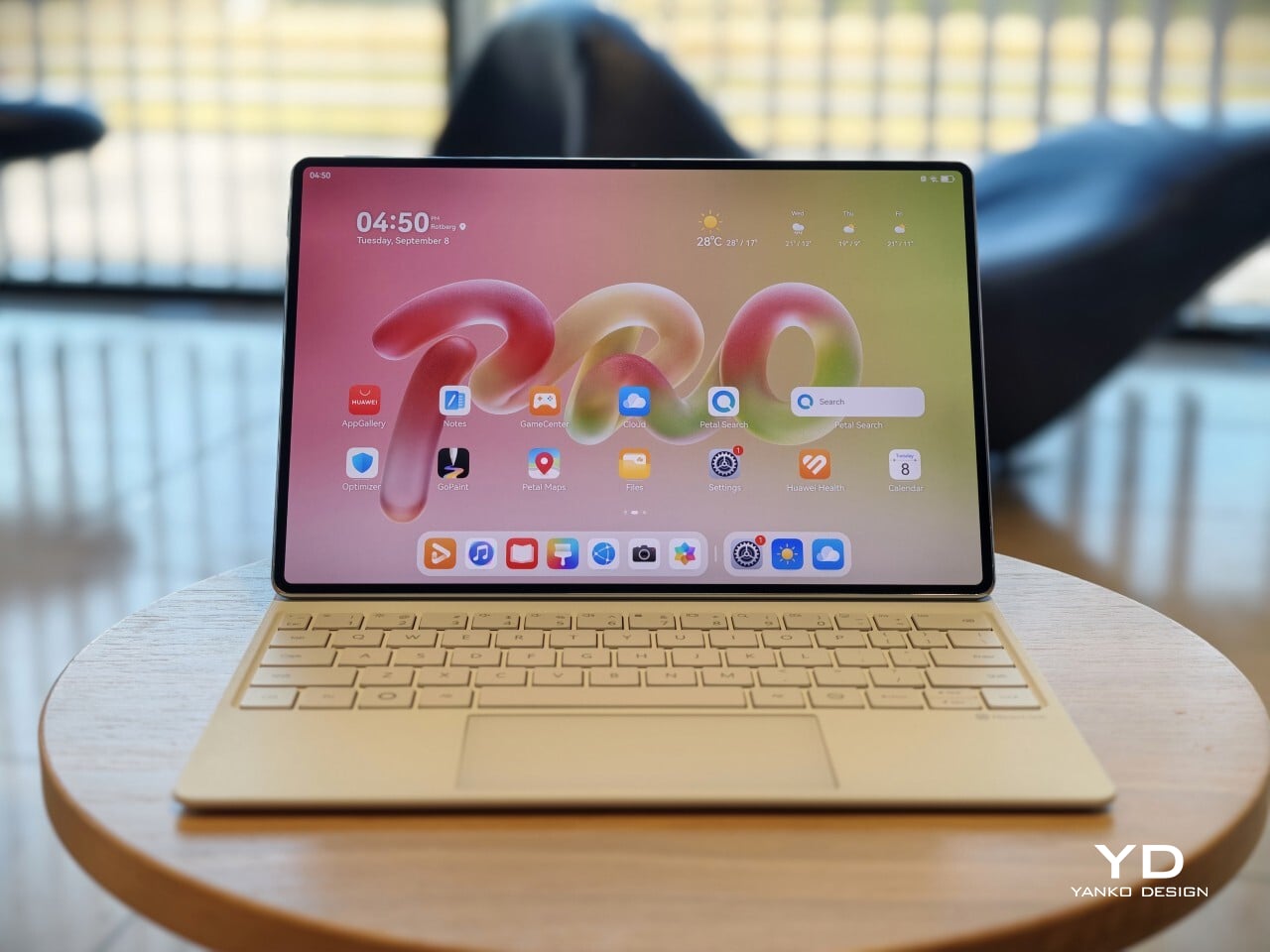
The display of the MatePad Pro 12″ is the obvious star. Huawei’s PaperMatte screens remain one of the company’s best ideas, and that is true here as well. The 12-inch OLED panel looks sharp, bright, and vibrant, while the slim 3.5mm bezels help give it a more immersive feel. Huawei has also embedded the front camera neatly into that thin border, which keeps the front looking clean and uninterrupted rather than broken up by a notch or thicker framing.

What really makes the screen stand out, though, is the PaperMatte finish. Huawei’s PaperMatte displays have impressed me before, and this one is no exception. The matte treatment cuts down on glare without making the panel look flat or dull, which is not always easy to pull off. Huawei says anti-reflection performance is 30 percent better than the previous generation, and that feels believable in everyday use. Even in bright environments, the screen comes remarkably close to reflection-free, and with up to 1600 nits of peak brightness, it stays comfortable for reading, browsing, and longer work sessions without constantly fighting the light.
The speakers are another pleasant surprise. The MatePad Pro 12″ uses a four-speaker setup, and for something this thin and light, it gets plenty loud and has more bass presence than you might expect, which gives music, dialogue, and video a bit more body than a device this slim really ought to manage. It never quite feels like the sound is coming from such a small and thin tablet. The audio can get a little sharp at times, especially at higher volume, but for casual listening and streaming, it still does a very good job.

Battery life has been solid in my use. The MatePad Pro 12″ packs a 10,400mAh battery, and in a fairly normal day of writing, emails, keeping up with my team on Slack, web browsing, and YouTube, it got through to the end of the day without me worrying too much about battery. Huawei rates it for up to 14.7 hours of local video playback, and there is also 40W reverse charging if you need to top up another device.
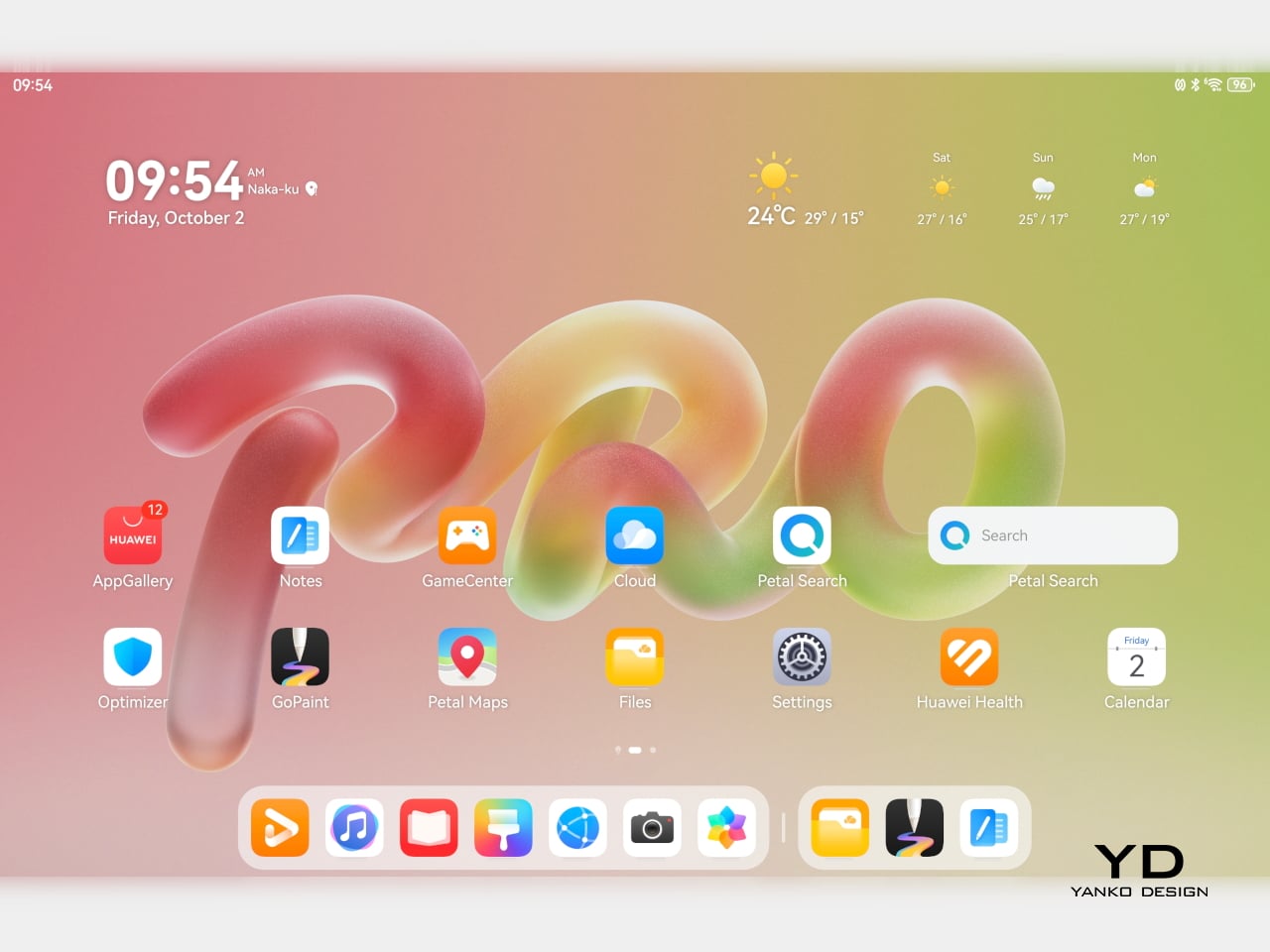
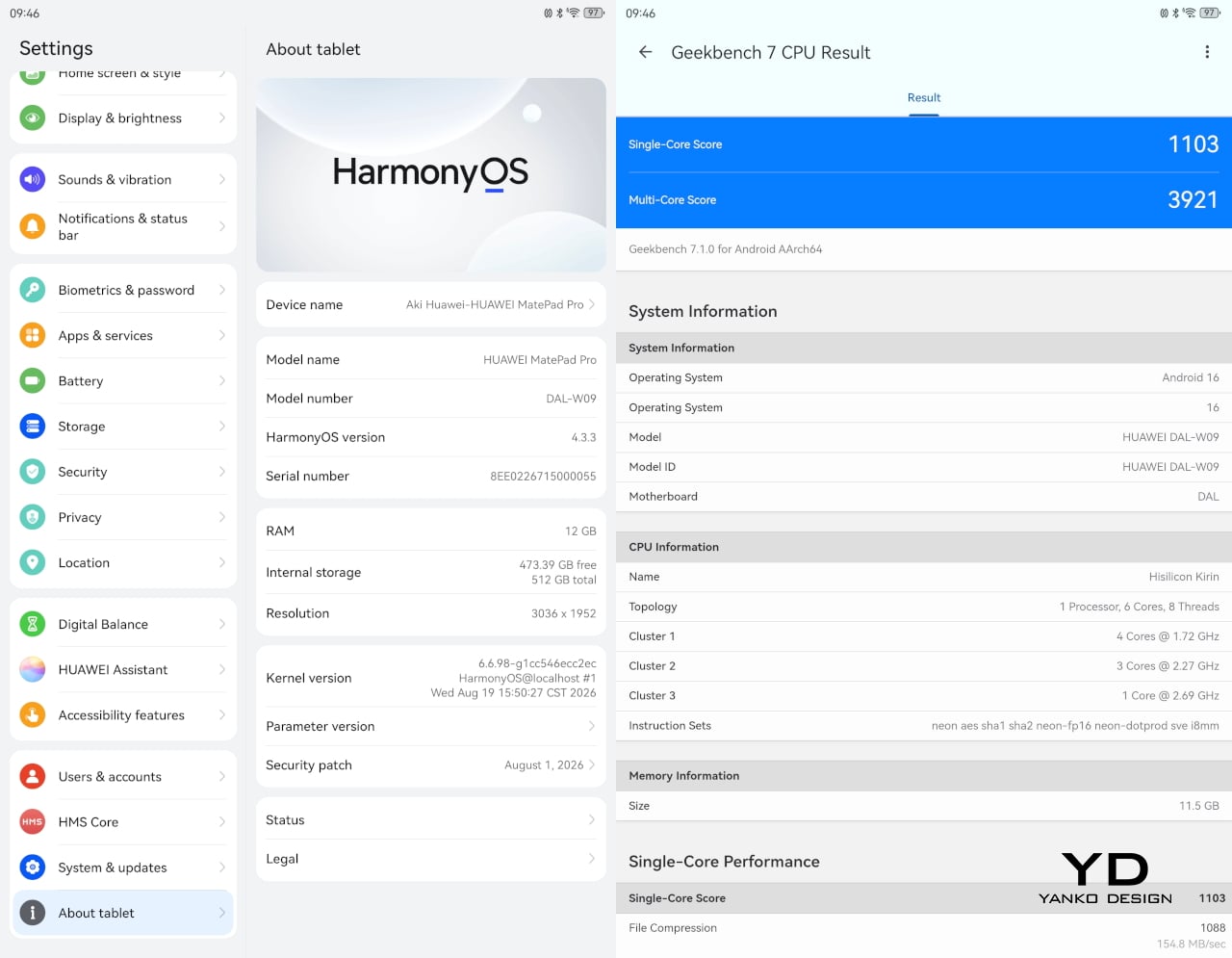
Software is where the MatePad Pro 12″ becomes a more conditional recommendation. The tablet runs Harmony OS 4.3 out of the box, and there is no built-in support for the Google Play Store or Google Mobile Services here, and while there are workarounds, there is no guarantee every app you rely on will work exactly as expected. That is the main thing potential buyers need to understand going in. The hardware is easy to appreciate straight away. The software side asks for a bit more patience and flexibility.

Huawei’s AppGallery does offer options like GBox, which can help you access apps that depend on Google services, but the experience is not always seamless. In my testing, GBox did not support split-screen, which felt limiting on a tablet that is otherwise clearly built for multitasking. I had better luck with apps downloaded through Aurora, which did work in split-screen, but that still leaves you deciding how comfortable you are relying on third-party app sources. For some people, that will be a manageable compromise. For others, it will be reason enough to hesitate.
On the plus side, Huawei’s own built-in apps for productivity and creativity are genuinely quite capable. GoPaint, in particular, feels feature-rich, with a wide variety of brushes and granular control over how they behave. There are also more ambitious tools like animation, which appears to build movement from your layers, and a timelapse feature that lets you replay a drawing from start to finish. Even if not everyone will use those tools seriously, they help the app feel more than just a token extra.

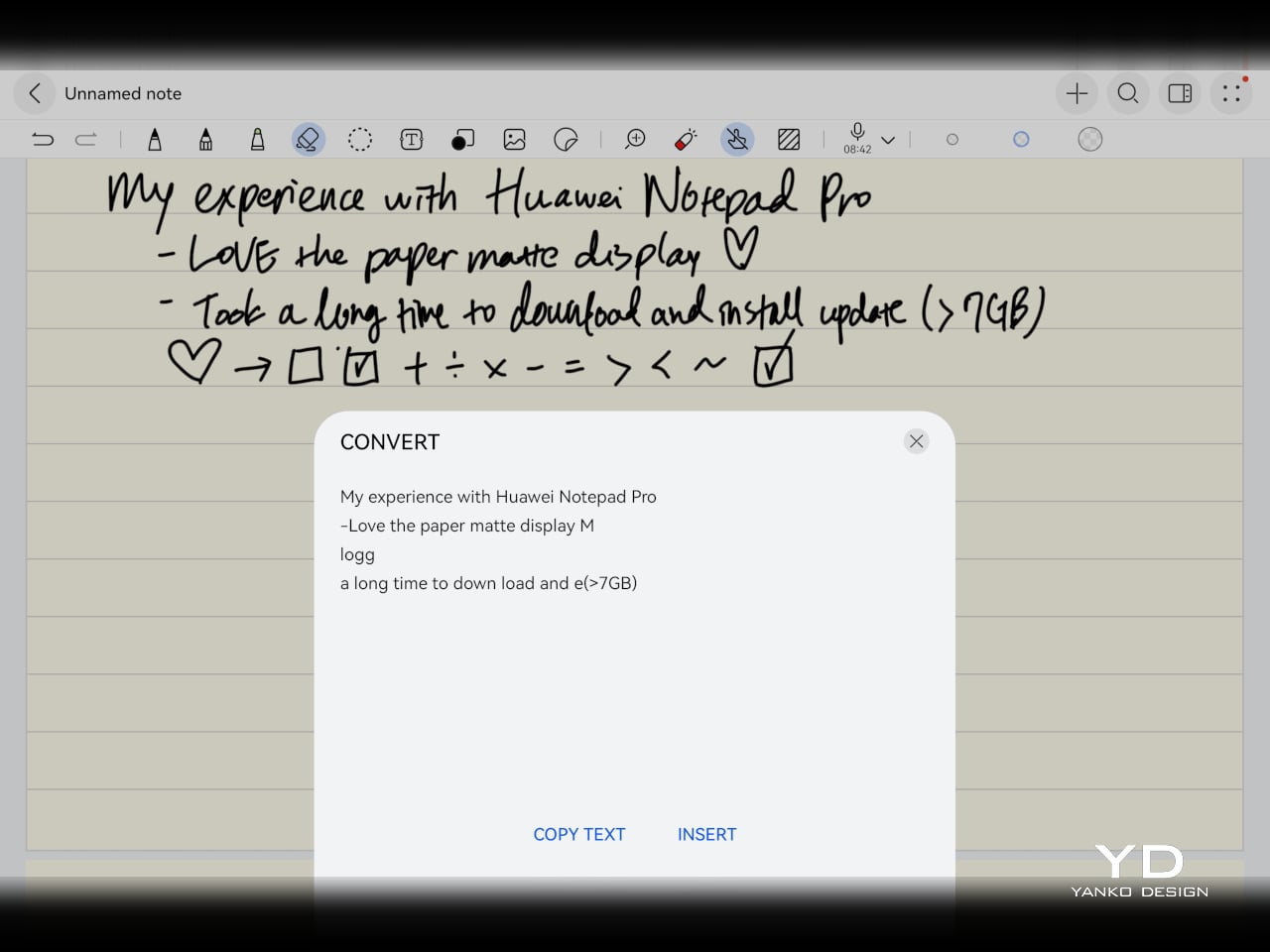
The Notes app is also packed with features, including AI handwriting-to-text. In my case, the results were not always perfectly accurate, but that may say as much about my handwriting as it does about the software. Either way, it is another example of Huawei putting real effort into its own app ecosystem. So while the lack of built-in Google support remains the bigger issue, the tablet’s first-party software is stronger than you might expect.

Sustainability
Sustainability is not the strongest part of Huawei’s pitch here, at least not from the information currently available. There is plenty of talk about thinness, portability, and productivity, but much less about things like recycled materials, repairability, or broader environmental commitments. More notably, Huawei has not made any official statement about how long the MatePad Pro 12″ will receive software support, which makes it harder to judge the tablet’s long-term value from a sustainability point of view.

What Huawei does emphasize is durability. The company says the MatePad Pro 12″ offers 50 percent better bend resistance than the previous generation, which is a meaningful improvement for a device this thin. A tablet that is less likely to flex or fail in everyday use is at least more likely to stay in service longer. That is not the same thing as a full sustainability strategy, but it still counts for something.

Value
Value is where the MatePad Pro 12″ becomes more complicated. Pricing starts at €1,199, or about $1,330, for the 12GB and 256GB model with a folio cover, rises to €1,299, or roughly $1,440, with the Glide Keyboard, and reaches €1,449, or around $1,610, for the 12GB and 512GB version with the keyboard. For context, Apple’s 11-inch iPad Pro with 256GB of storage starts at $1,199 in the U.S., so Huawei is clearly pricing this in direct flagship territory.

Judged purely on hardware, the MatePad Pro 12″ feels convincingly premium. It is slim, light, beautifully made, and fitted with an excellent display. The problem is that the software caveats do not disappear just because the hardware is this polished. The lack of built-in support for the Google Play Store or Google Mobile Services still makes this a more selective recommendation than the price might suggest. If you are already comfortable with Huawei’s ecosystem, the value makes more sense. If not, the asking price may feel harder to justify.

Verdict
The Huawei MatePad Pro 12″ makes its strongest case through hardware. It is slim, light, beautifully made, and fitted with a PaperMatte display that remains one of Huawei’s real strengths. The speakers are better than you might expect from something this thin, battery life has been solid in my use, and the overall experience feels properly premium. It is the kind of tablet that makes a strong first impression and, for the most part, keeps earning it.

What stops it from being an easy recommendation is software. There is no built-in support for the Google Play Store or Google Mobile Services, and while workarounds exist, they are still workarounds. For buyers already comfortable with Huawei’s ecosystem, that may be manageable. For everyone else, it adds friction to a tablet that is otherwise polished and appealing. The MatePad Pro 12″ is a very good piece of hardware, but it is not the most straightforward premium tablet to buy.

The post Huawei MatePad Pro 12” Review: Stunning Hardware, One Familiar Caveat first appeared on Yanko Design.
  •  

The 90-Year-Old Lamp Nobody Improved On — Until Now

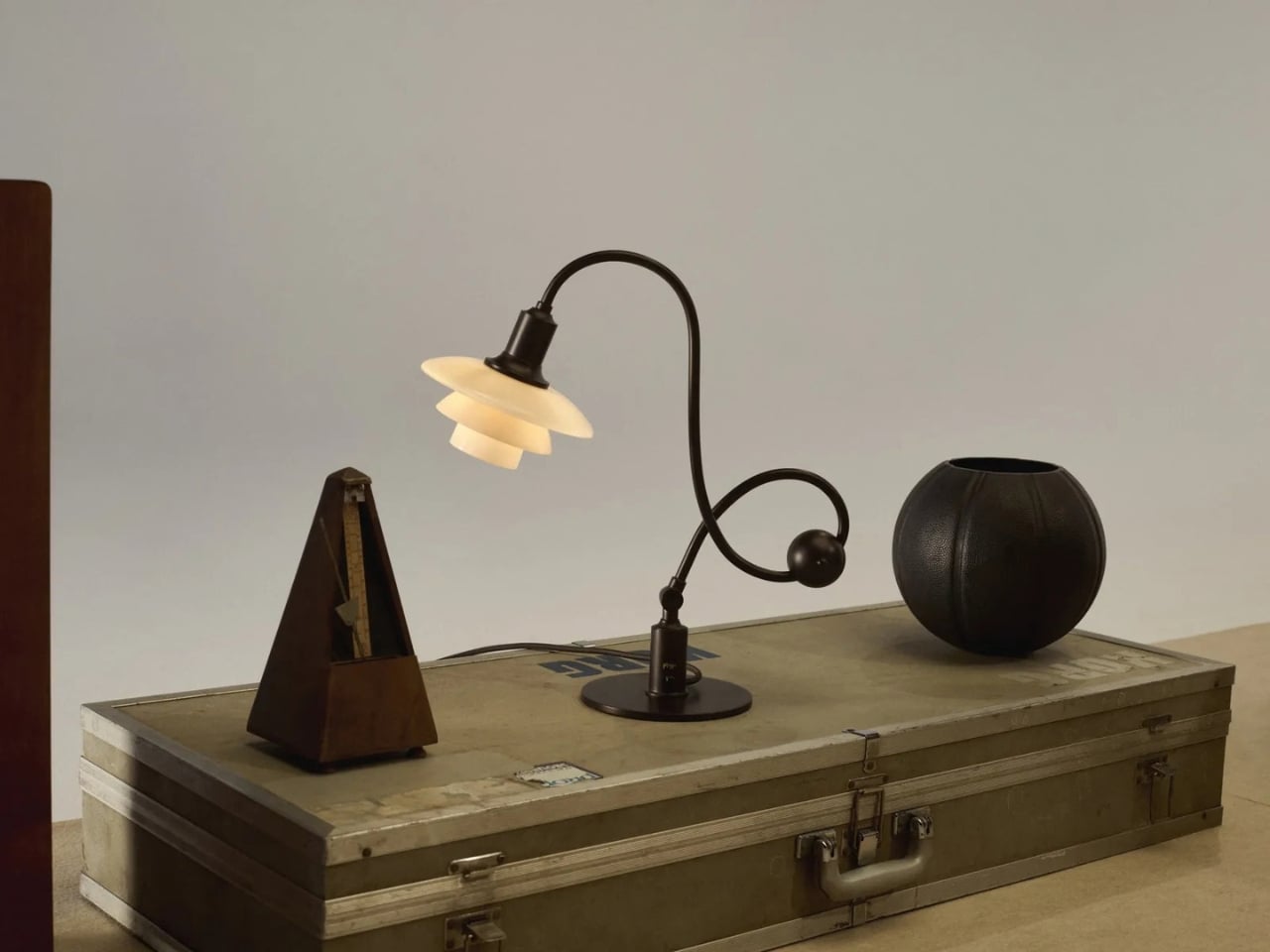
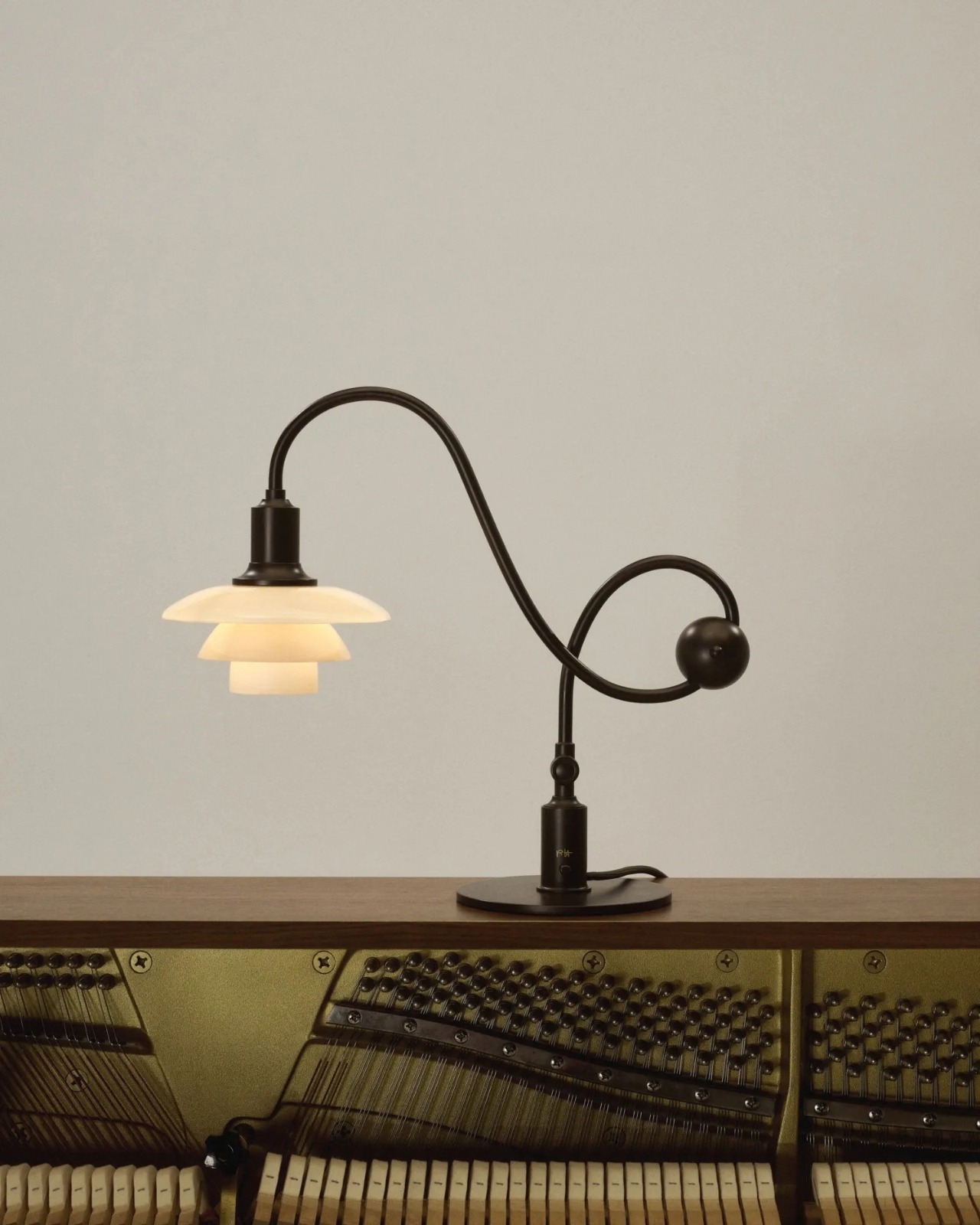
A lamp can look beautiful on a desk and still make it harder to work. The bulb catches your eye, the light lands everywhere except the page, or the fixture takes up the space you needed for a notebook. Louis Poulsen’s reissued PH Piano Lamp starts with a more useful question: How do you put light precisely where it’s needed without making the lamp itself a distraction? Poul Henningsen designed the original for pianists, who needed to see their sheet music without uncomfortable glare.

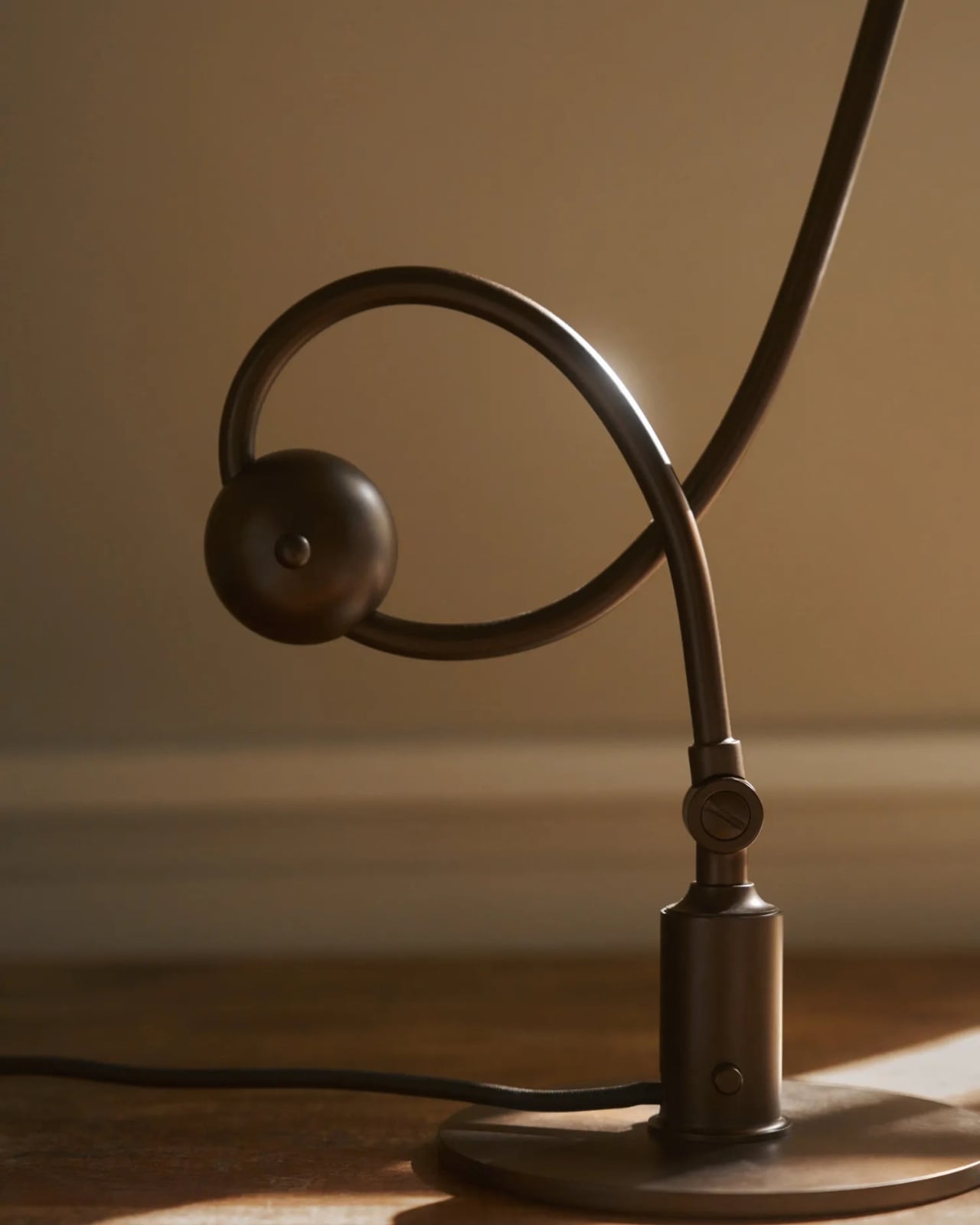
That problem reaches well beyond the piano. Anyone who has tried to read beside a bright table lamp or work under a harsh overhead light knows the difference between having enough light and having the right light. I like that this reissue hasn’t lost sight of its practical beginnings. Its curved, counterbalanced arm lets the shade move while the lamp stays stable, giving the design a sense of purpose you can read from across the room.

Designer: Poul Henningson for Louis Poulsen

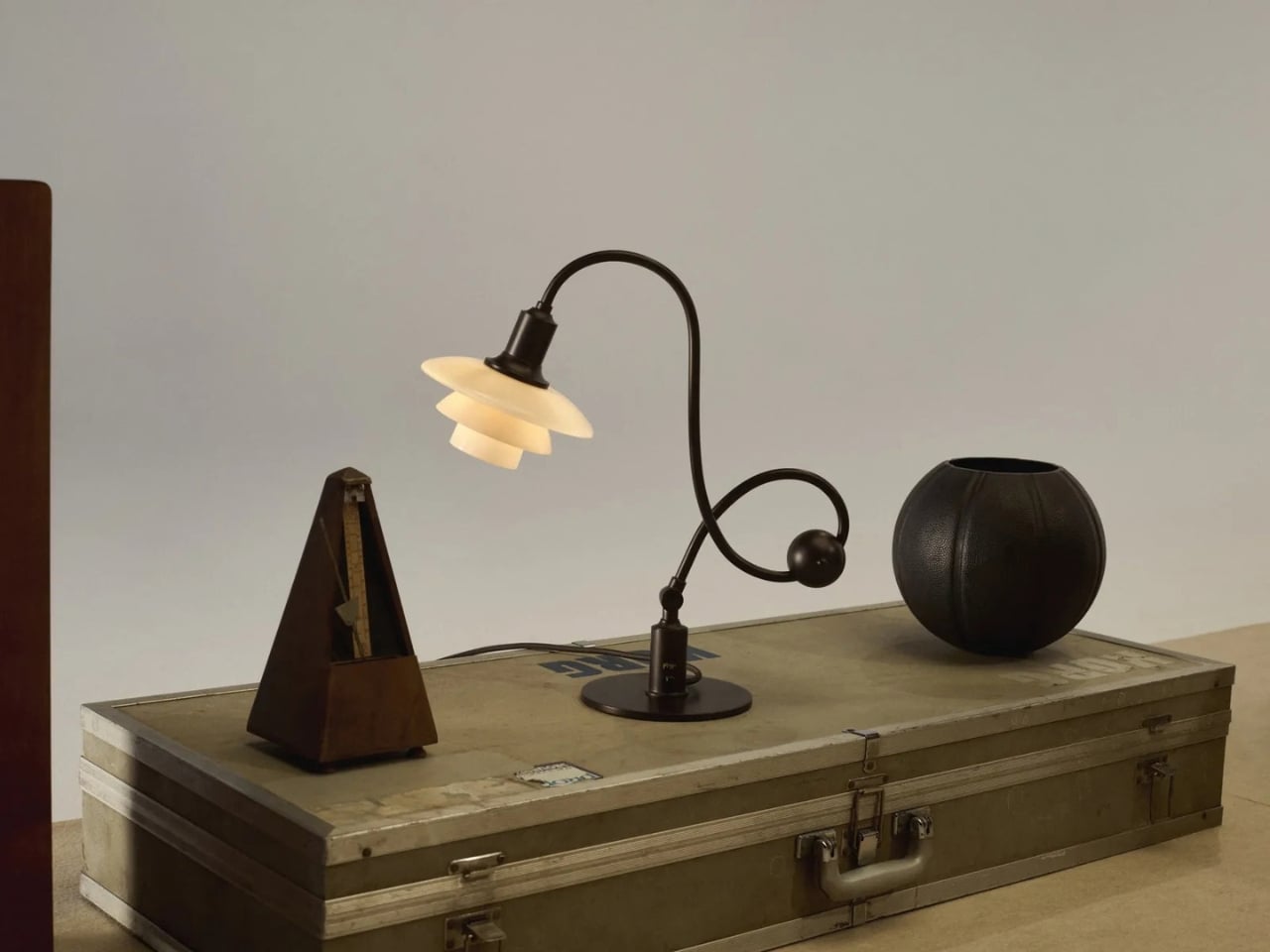
Henningsen first created the Piano Lamp in the early 1930s, building on his PH lighting system, which uses layered shades to manage how light reaches the eye. Louis Poulsen has brought it back as the PH 1/1 Piano Table Lamp Limited Edition 2026, with adjustments intended to make it useful beyond its original setting. It’s an appealing idea for a reissue: keep the reason the object existed, then give more people a reason to use it.

The new version pairs aged brass with glass shades in a color Louis Poulsen calls Dusty Terra Cotta. On paper, that combination sounds richly nostalgic. In practice, its appeal is more specific. The warm-toned glass gives the lamp a softer visual presence, while the long arm and compact shade keep it from feeling like a decorative lamp that has wandered onto a work surface by mistake. You could imagine it near a keyboard, but also beside a book, a sketchpad, or a late-night crossword.

That versatility matters because our rooms rarely serve just one purpose anymore. A dining table becomes a desk. A side table has to accommodate a drink, a charger, and whatever we’re currently reading. Good lighting can make those small shifts easier without demanding that we rearrange the room. The Piano Lamp feels suited to those spaces precisely because it was designed around a task. Its shape may be memorable, but the starting point was helping someone see what they were doing.

I’m also drawn to the fact that it looks a little unusual. The arm has a gentle, almost musical curve, while the shade sits low enough to suggest a conversation between the lamp and whatever is beneath it. Many contemporary lights aim to disappear into the background. This one has a clear silhouette, yet its job is to make the thing you’re doing more comfortable. That balance is harder to achieve than a striking shape alone.

Of course, a limited-edition design lamp isn’t an automatic solution for every desk or budget. If all you need is a cheap light for a spare room, this probably isn’t the practical choice. But it does offer a useful reminder that a lamp’s value isn’t measured only by how brightly it shines. Where the light goes, how it feels, and how easily the fixture fits into daily routines all count. Those are the details you notice after the novelty of a new object wears off.

Louis Poulsen says the PH 1/1 Piano Table Lamp Limited Edition 2026 will be available from October through December 2026. The short window gives it collectible appeal, but I hope that isn’t the only reason people pay attention. Its more interesting quality is how current its original problem still feels. We have plenty of ways to brighten a room. Finding light that helps us focus, without making us squint, remains a much better goal.

The post The 90-Year-Old Lamp Nobody Improved On — Until Now first appeared on Yanko Design.

  •  

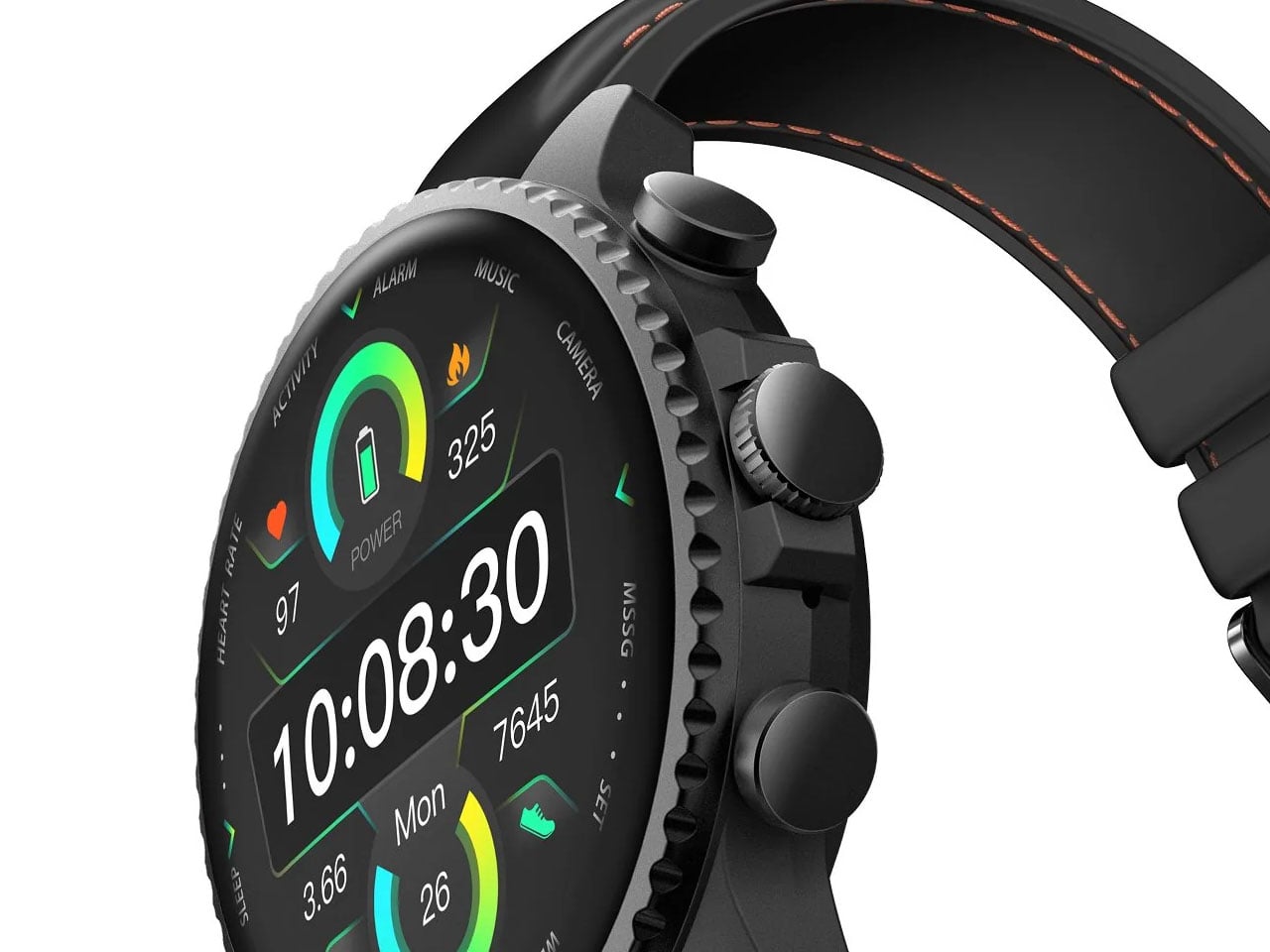
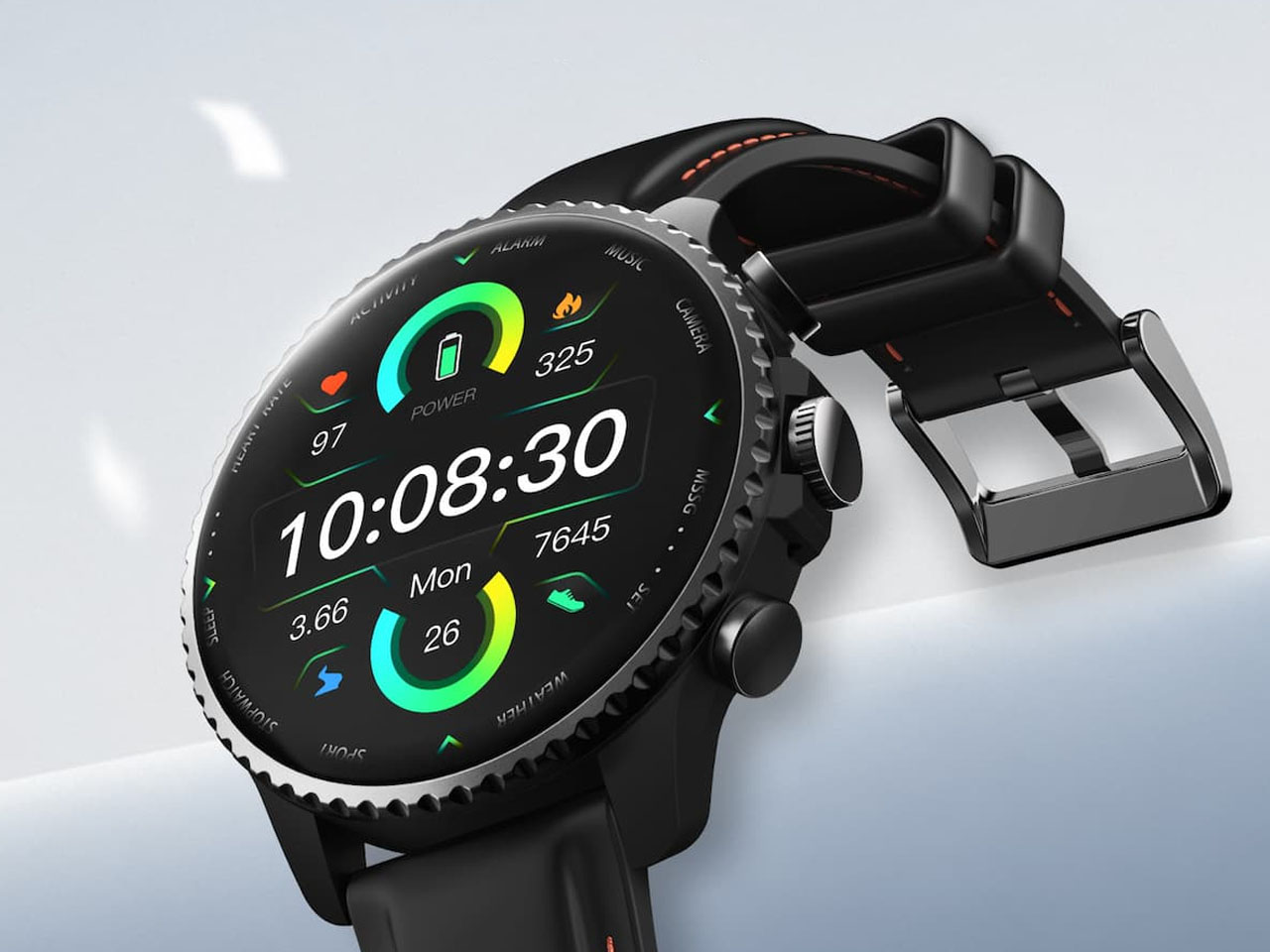
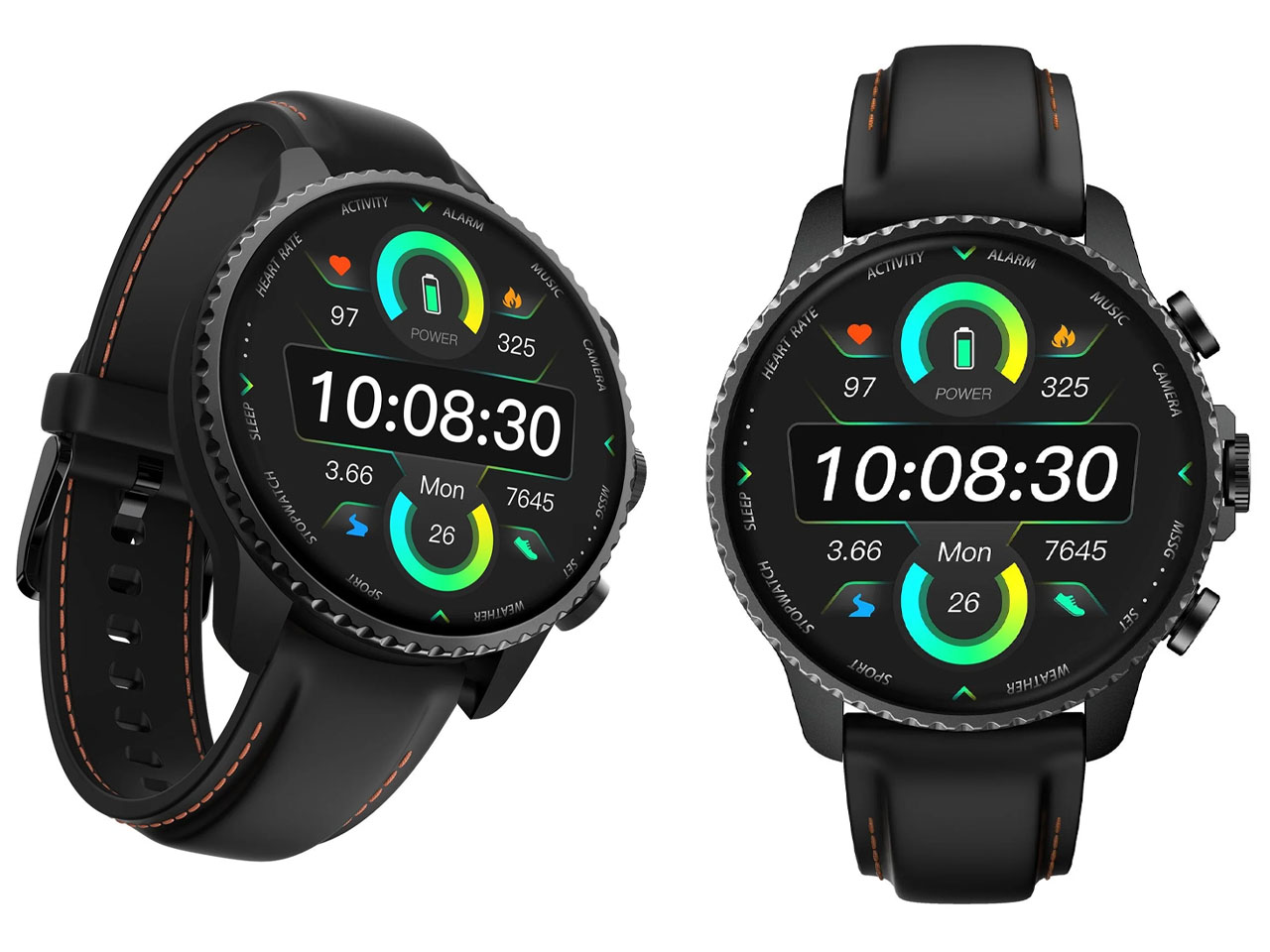
Mobvoi TicNote smartwatch has one button, and it’s built to remember what you often forget

I know you will relate to one of these telltale moments. A meeting ends, someone gives you three useful details, and by the time you reach your desk, only one remains. The same thing happens after an interview, a doctor’s appointment, a lecture, or when someone rattles off directions while you’re already trying to keep up. We like to think we remember conversations better than we actually do.

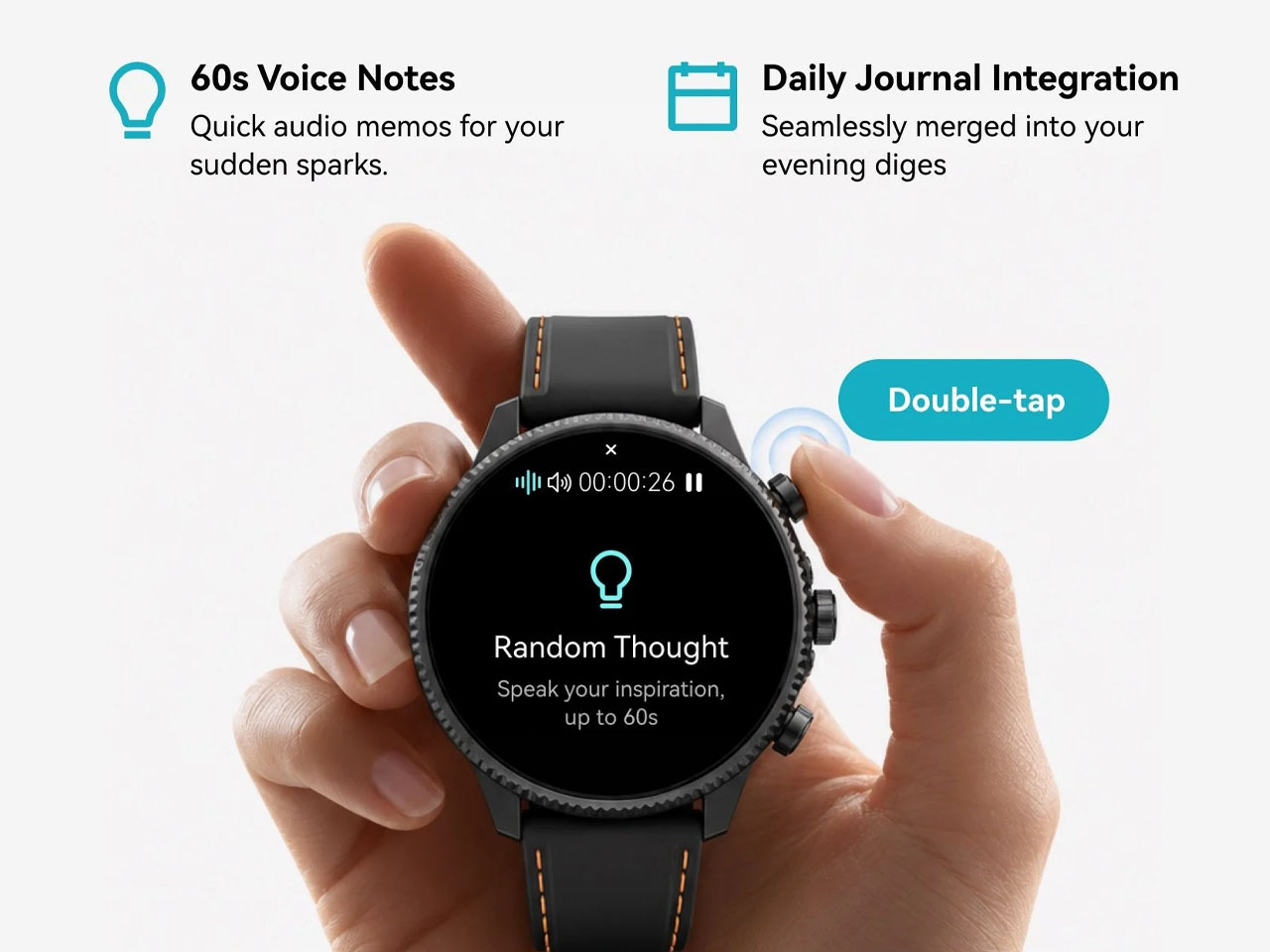
Mobvoi’s TicNote Watch is designed to cover that very human failure. Instead of asking you to open an app, find a recorder, or reach for your phone, it gives the watch a dedicated physical recording button. Press and hold it to start recording. The recording can happen without a phone and even works offline. To me, the idea seems pretty interesting for capturing my team’s briefing.

Designer: Mobvoi

Mobvoi TicNote does the heavy lifting for you


Most smartwatches are defined by everything they can do. Notifications, workouts, calls, apps, payments, music, health tracking – the list keeps getting longer. TicNote Watch is different though, as its most important interaction is deliberately narrow. Just press a button and remember what just happened. That makes the hardware control more interesting than it might initially seem. There is something satisfying about a product that behaves more like a lighter, a film camera’s shutter, or a staple gun than another miniature touchscreen computer. The action is physical and doesn’t require you to navigate an interface while somebody is still talking.

In a world where dedicated controls have increasingly disappeared behind glass, putting one back on the wrist becomes a design statement. This smartwatch isn’t trying to make every interaction smarter; rather, it aims to make one interaction nearly impossible to mess up. The double-press gesture adds a smaller version of the same idea, letting users capture a quick thought of up to 60 seconds.

Simple input, surprisingly busy output

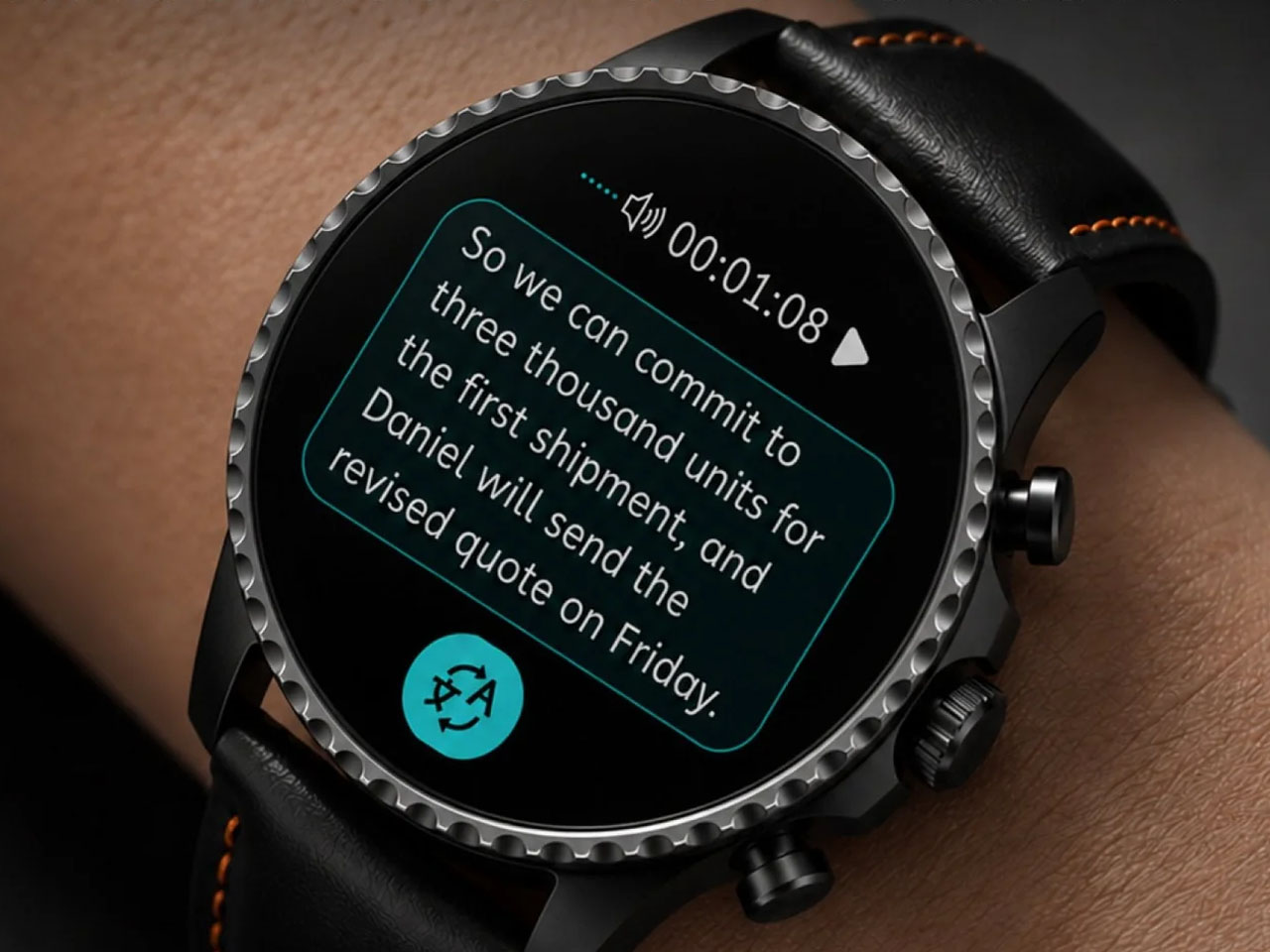
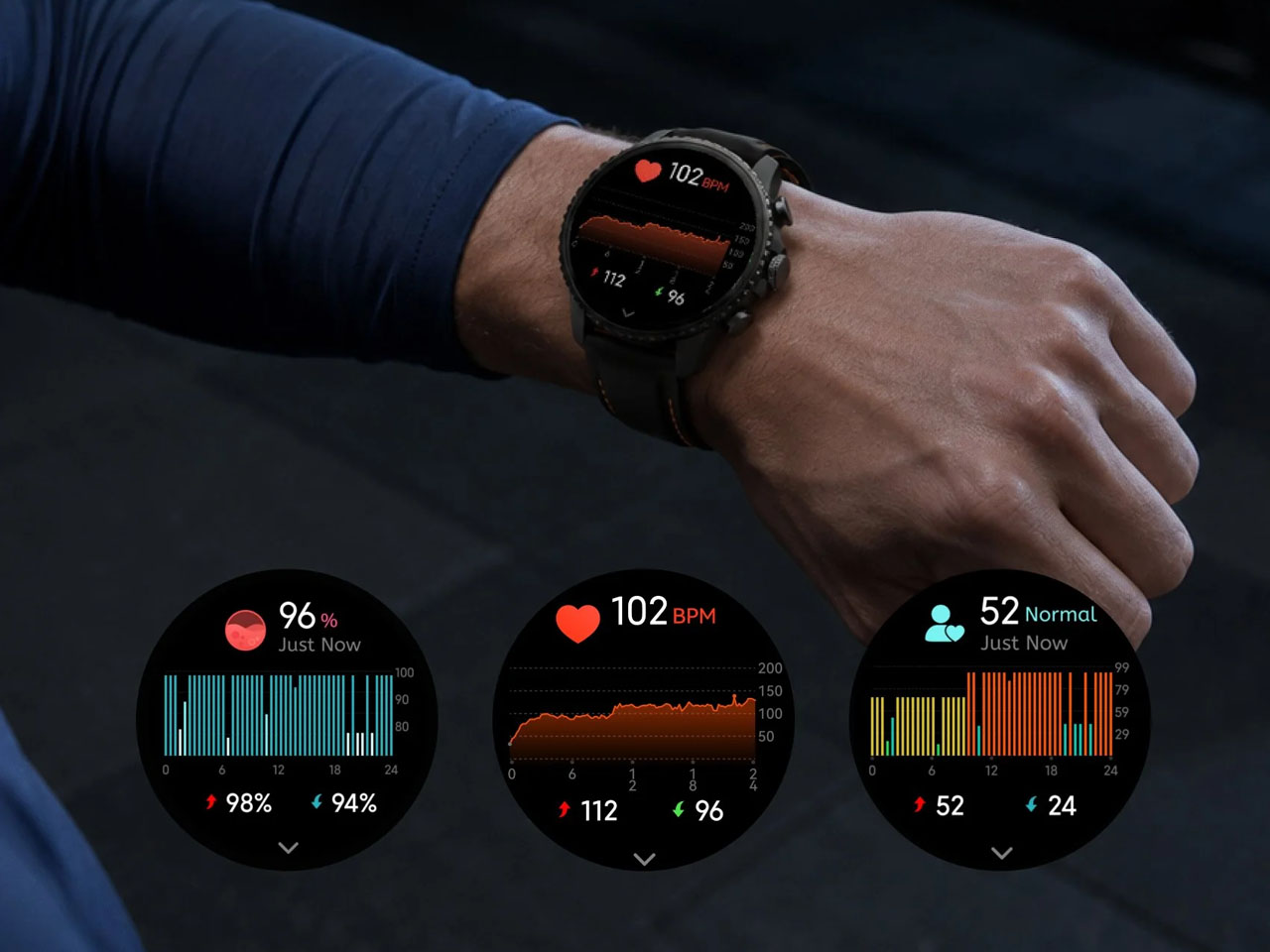
What happens after the button press is where the AI kicks in. TicNote Watch can transcribe conversations on the wrist, with live text supporting 17 languages, and users can tap to highlight important statements while a conversation is happening. Once the recording ends, the system can generate an AI summary and mind map. The intended audience for the wearable can be a journalist leaving an interview, a recruiter moving between candidates, a consultant bouncing between meetings, or a graduate student sitting through a campus lecture. For someone spending much of the day listening rather than typing, removing the act of note-taking can be genuinely useful.

There is, however, an obvious social wrinkle. A recorder that lives on your wrist is easy to reach for, but that doesn’t mean everyone around you will be comfortable being recorded. Consent and workplace etiquette matter, particularly in meetings or shared spaces. Mobvoi also claims more than 24 hours of continuous recording and up to 200 hours of local storage, so this isn’t unlimited memory in literal terms. At $249, with a limited-time introductory price of $199, TicNote Watch isn’t really competing on how many smartwatch features it can squeeze onto your wrist. It is built around a premise that doesn’t try to replace your phone, your notebook, and your entire day.


The post Mobvoi TicNote smartwatch has one button, and it’s built to remember what you often forget first appeared on Yanko Design.
  •  

9 Best Gifts for the Person Who Turned Their Living Room Into a Sports Bar

Some people watch the game. Others build a whole experience around it. The living room becomes the venue, the couch becomes the seat, and somehow the right gift makes the whole setup feel intentional rather than assembled over years of impulse buys. These nine picks span every corner of the room, from the screen to the sound to the table that keeps the energy going long after the final whistle blows and nobody is ready to leave just yet.

A great game-day room is not really about having the biggest TV. It is about having a room that works. Sound that fills the space without fighting for attention. A screen that earns its place on the wall even when the game is not on. A table that gives the energy somewhere to go at halftime. These gifts solve real problems in that space, and each one carries enough design thinking behind it to feel like a genuinely considered choice rather than a last-minute add to cart.

1. Portable CD Cover Player

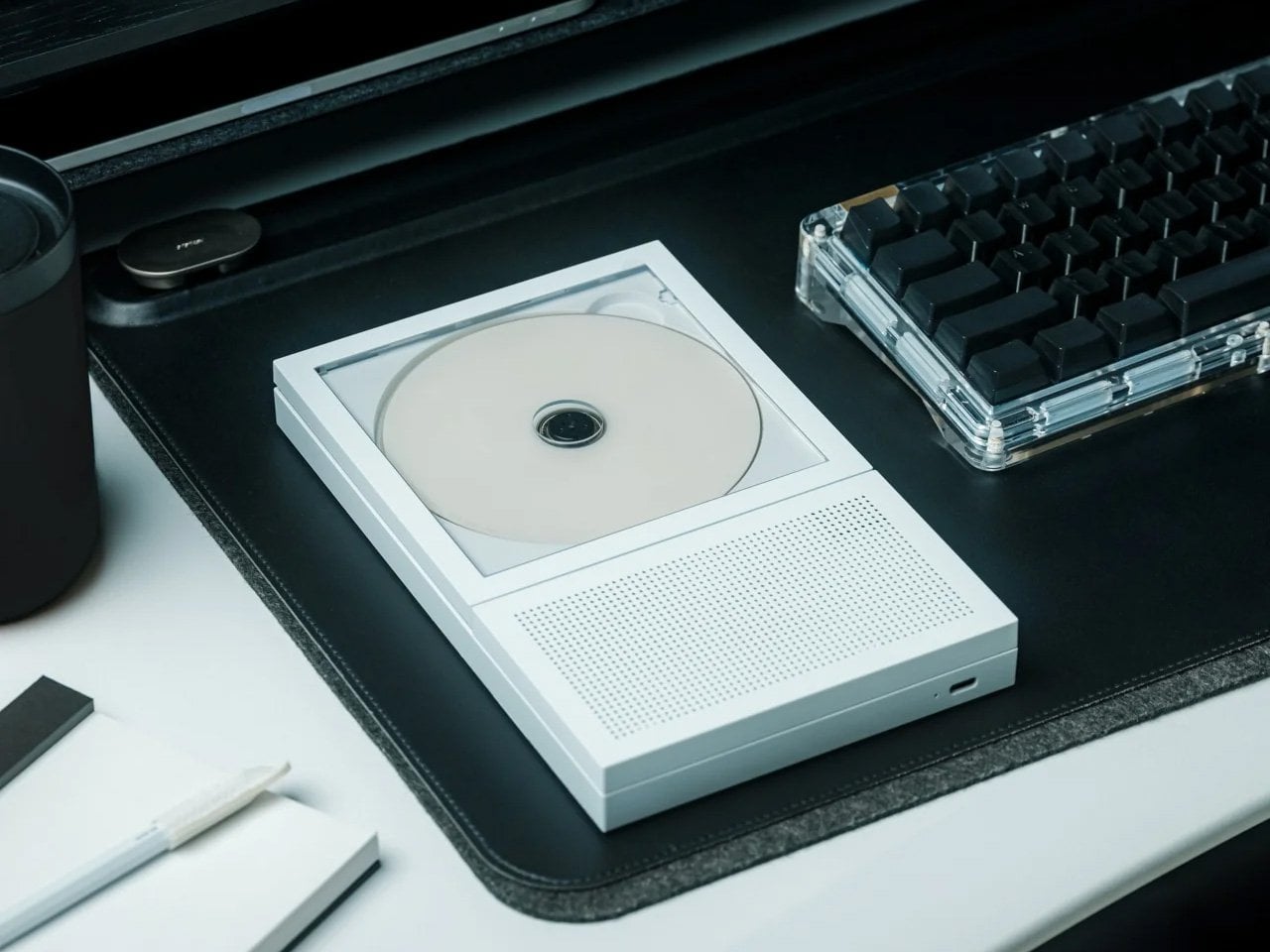
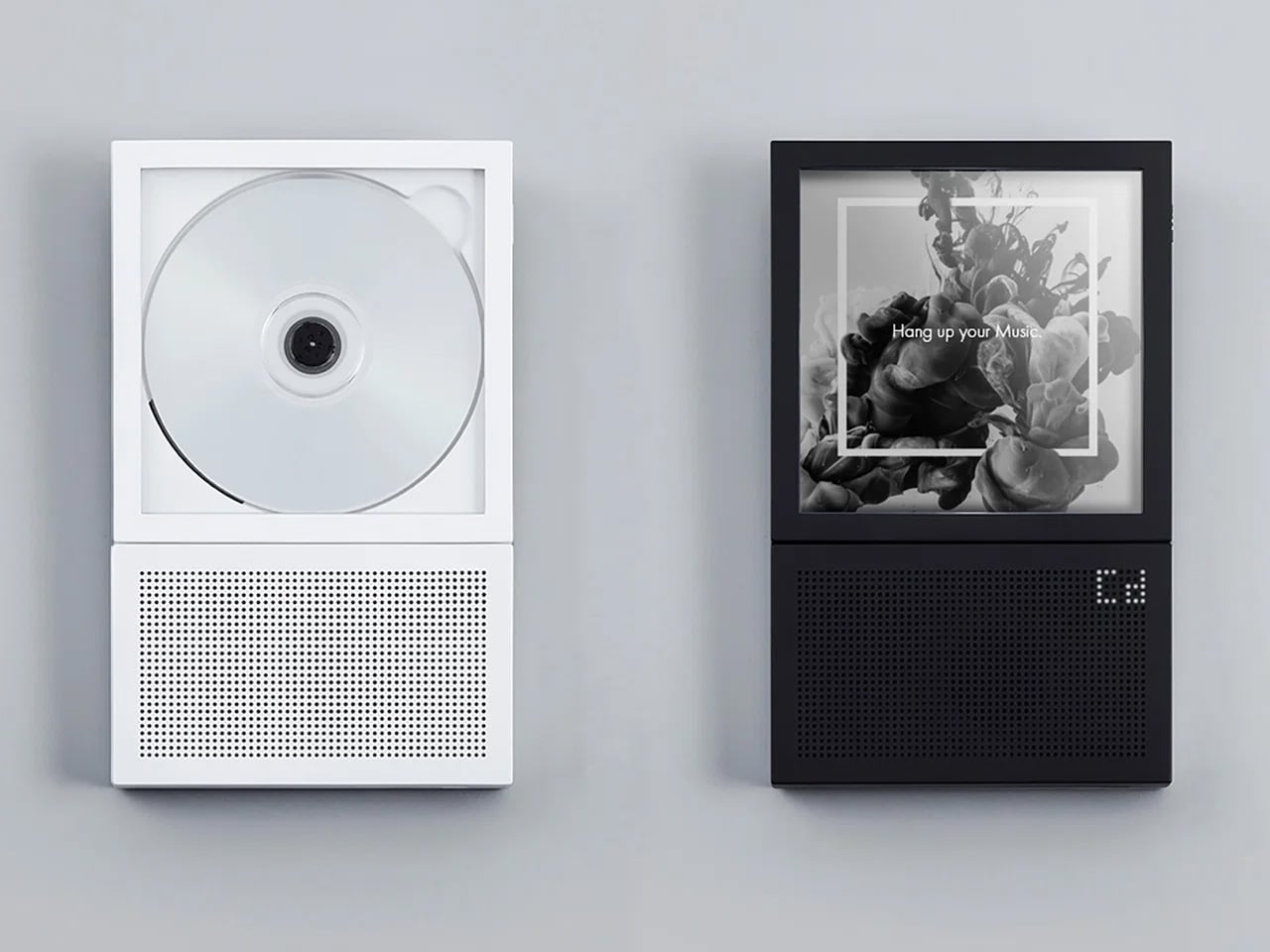
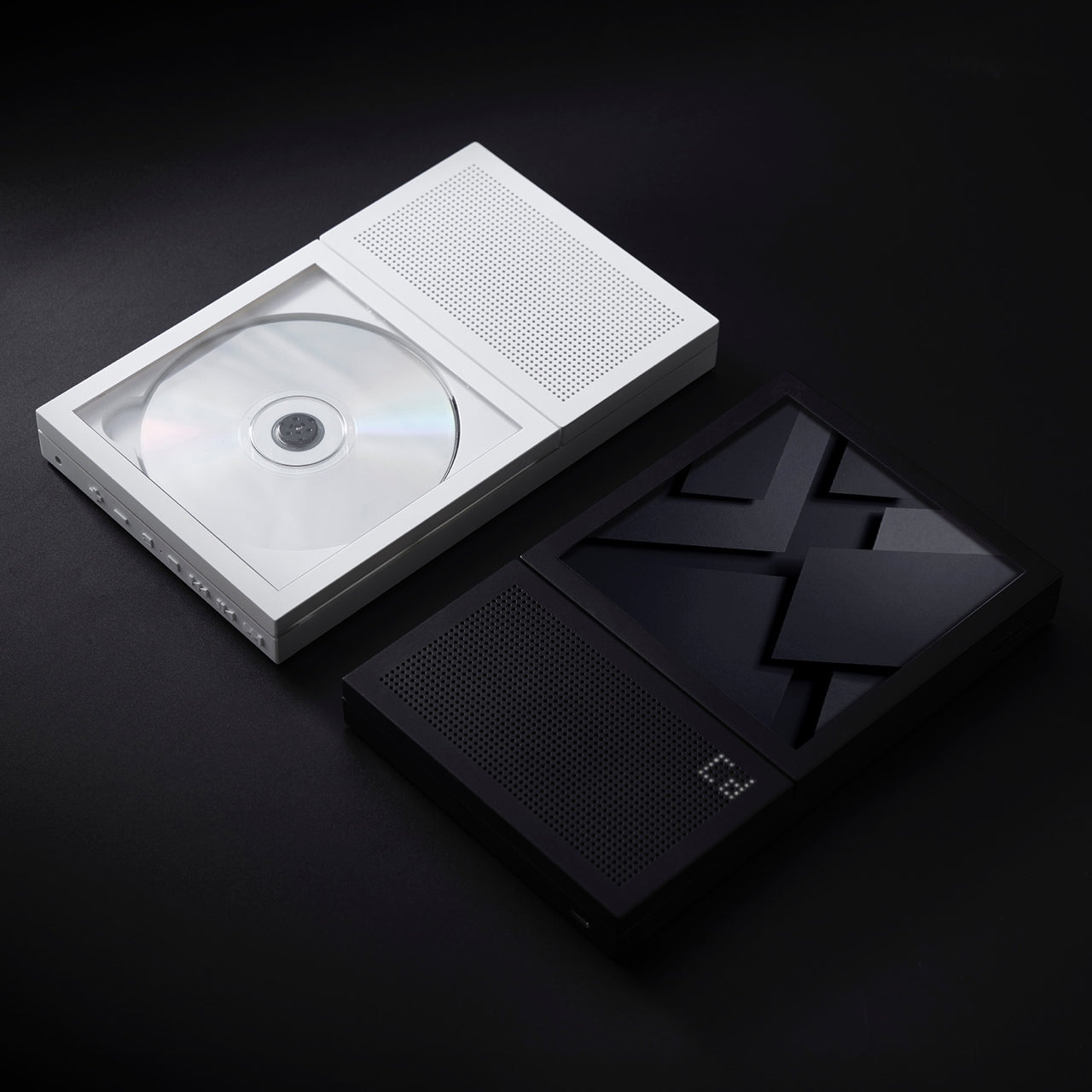
Most pregame rituals revolve around a playlist nobody agreed on. The Portable CD Cover Player changes the format entirely, looking exactly like a CD jewel case standing on edge, which means it earns its shelf spot before anyone presses play. For someone who has put real money into making their living room feel right, a music player that doubles as a sculptural object is the kind of gift that holds its ground in the room long after the season ends and the decorations come down for good.

Beyond the form, it delivers. Slot a disc in and the music plays back with the kind of warmth a streaming service on a phone speaker simply does not replicate. It reads as the pregame companion: the thing that sets the tone before the screen takes over and the broadcast audio fills the room. For the host who treats game day like an event rather than a habit, this is the detail that tells everyone in the room that the person running the setup actually thought it through from the first quarter to the last.

Click Here to Buy Now: $199.00

What We Like

  • The form is genuinely surprising without being gimmicky, earning a permanent shelf spot rather than a junk drawer after the novelty wears off in the first week.
  • At from $199 on YD Select, it sits in a gift tier that feels considered without crossing into impractical territory for most budgets.

What We Dislike

  • Physical media is a deliberate commitment, and someone who has moved entirely to streaming will need to rebuild a CD library, which is either a feature or a friction point depending entirely on who is receiving it.
  • Pricing for different color or finish variants beyond the base entry price is not confirmed on the current listing.

2. Hisense U6SF Pro

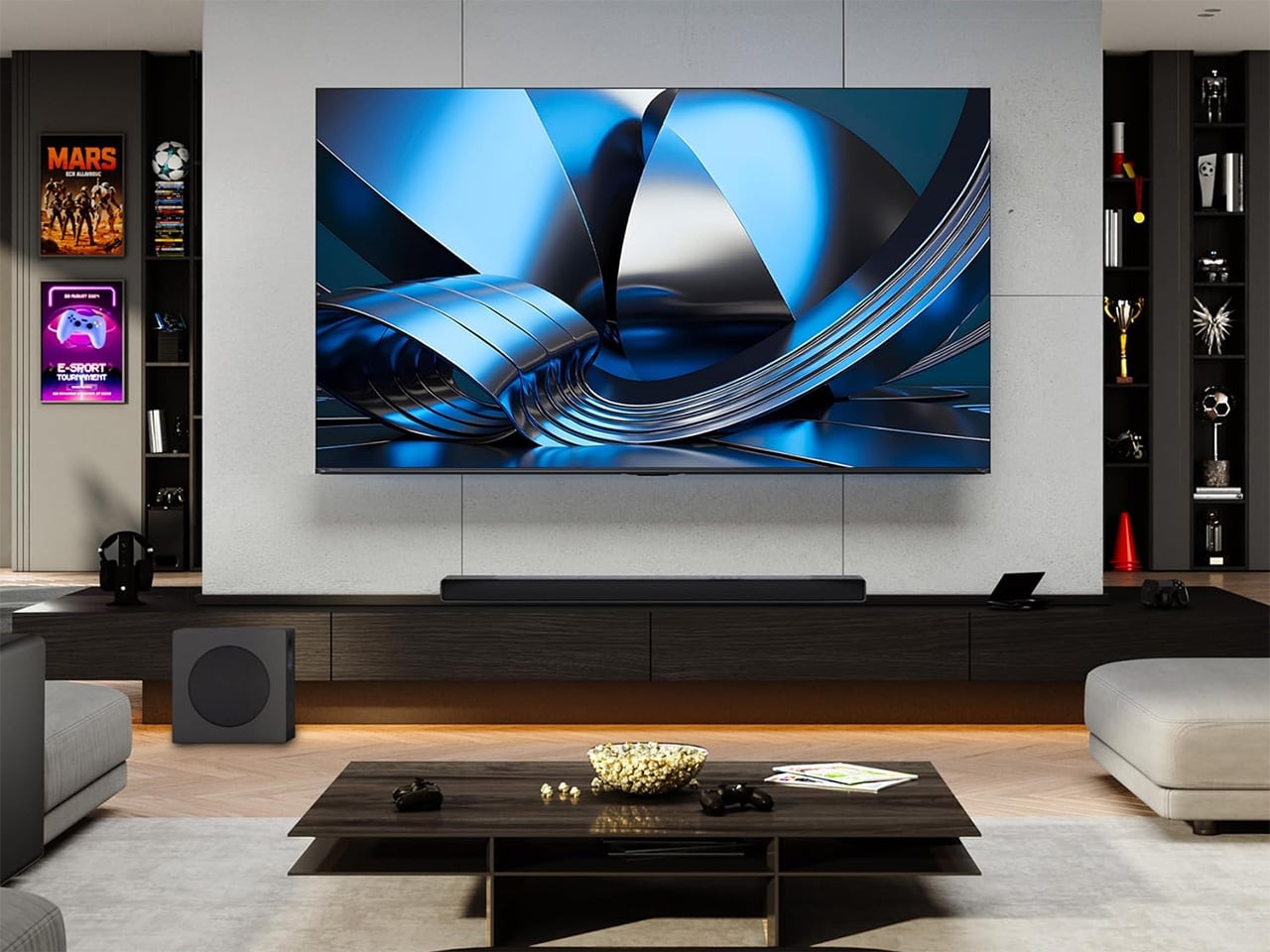
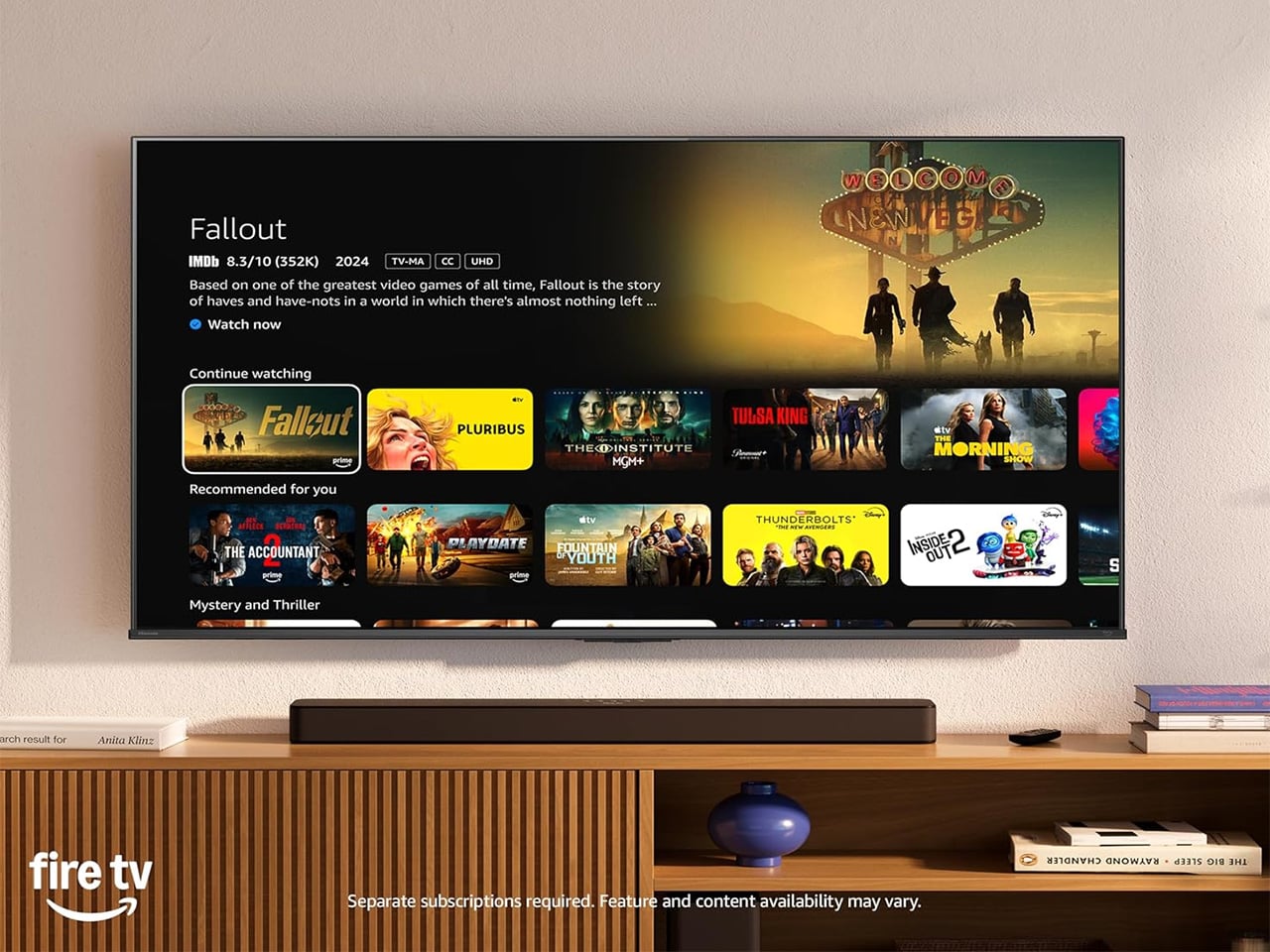
The U6SF Pro solves the problem most living rooms never fully address: glare. Sunlight through a window, a lamp left on during an afternoon game, the overhead light nobody turned off before kickoff. A standard panel washes out and flattens the image before halftime arrives, but Hisense’s anti-reflection, glare-free coating treats the room’s actual conditions as part of the design brief. Tom’s Guide’s reviewer noted they never once had to adjust the room lights during a full testing session with this panel in a real living room.

At $699, down from its original launch price of $1,099, the U6SF Pro puts a 1,200-nit Mini LED panel with a native 144Hz refresh rate and a built-in subwoofer into a price bracket that used to feel out of reach for this level of picture performance. That combination of brightness ceiling, motion handling, and built-in bass makes it the natural anchor for a game-day living room that is serious about the setup without being unreasonable about what the whole thing should realistically cost.

What We Like

  • The glare-free anti-reflection coating is a tested, real-world differentiator in rooms that are not dedicated dark home theaters, which describes most living rooms where the game actually gets watched.

What We Dislike

  • The built-in subwoofer is a convenient feature, but committed audio setups will likely still want a dedicated soundbar or speaker pair running alongside it for full-range coverage.
  • Available in larger screen sizes that may not suit every living room layout, so confirming dimensions before committing to this as a gift is worth the extra step.

3. XGIMI MoGo 4

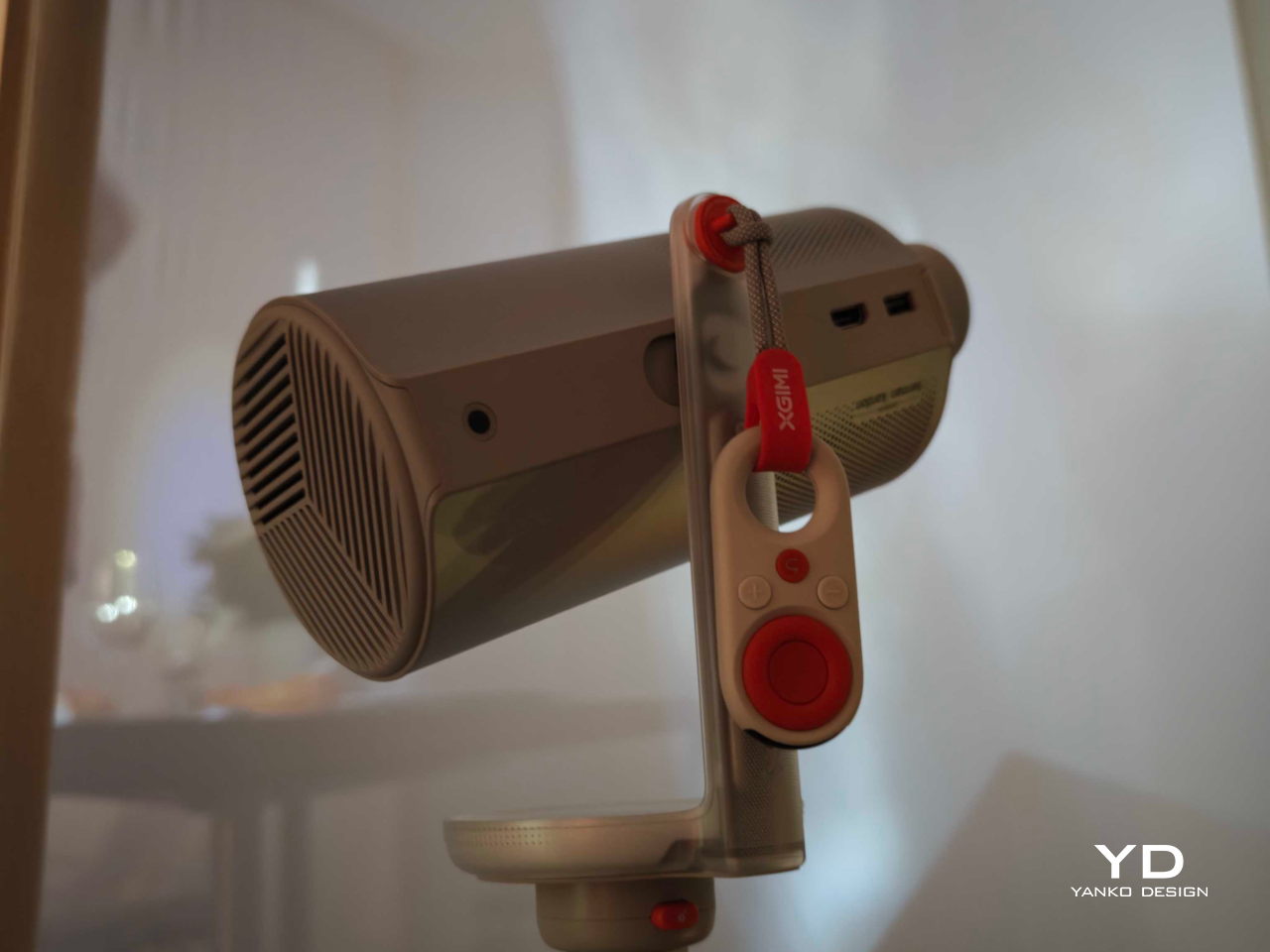
The second-screen problem- where does the overflow crowd watch when the main room fills up- never gets planned for until it is actively happening. The XGIMI MoGo 4 is the answer that does not require buying a second television. A 1080p portable projector with 450 ISO Lumens, a 360-degree adjustable stand, Google TV with licensed Netflix built in, and dual 6W Harman Kardon speakers, it throws up to a 200-inch image from a cylinder compact enough to sit on a coffee table without commanding the room.

The 71.28Wh built-in battery delivers up to 2.5 hours of playtime, covering most games without needing a wall outlet nearby. Running on Wi-Fi 5 and Bluetooth 5.1, the setup is entirely wireless from start to finish. For a host who wants a backyard overflow screen, a garage viewing option, or a second room covered on playoff day, this is the projector that pulls all of that off without a permanent installation, a ceiling mount, or a second cable subscription attached to the monthly bill.

What We Like

  • The 360-degree adjustable stand means it can project onto a ceiling, a garage door, or a blank wall with the same minimal setup effort every single time.
  • Google TV with licensed Netflix built in removes the need for an external streaming stick or any additional device running alongside it out of the box.

What We Dislike

  • At 450 ISO Lumens, bright-room performance has real limits, and this works best in a controlled-light environment rather than a fully sunlit afternoon kickoff.
  • 2.5 hours of battery life covers a standard game comfortably but falls short for overtime-heavy playoff marathons without a power source kept nearby.

4. Come Together

Come Together Adds Rolling Speaker and Mini Fridge to Your Couch

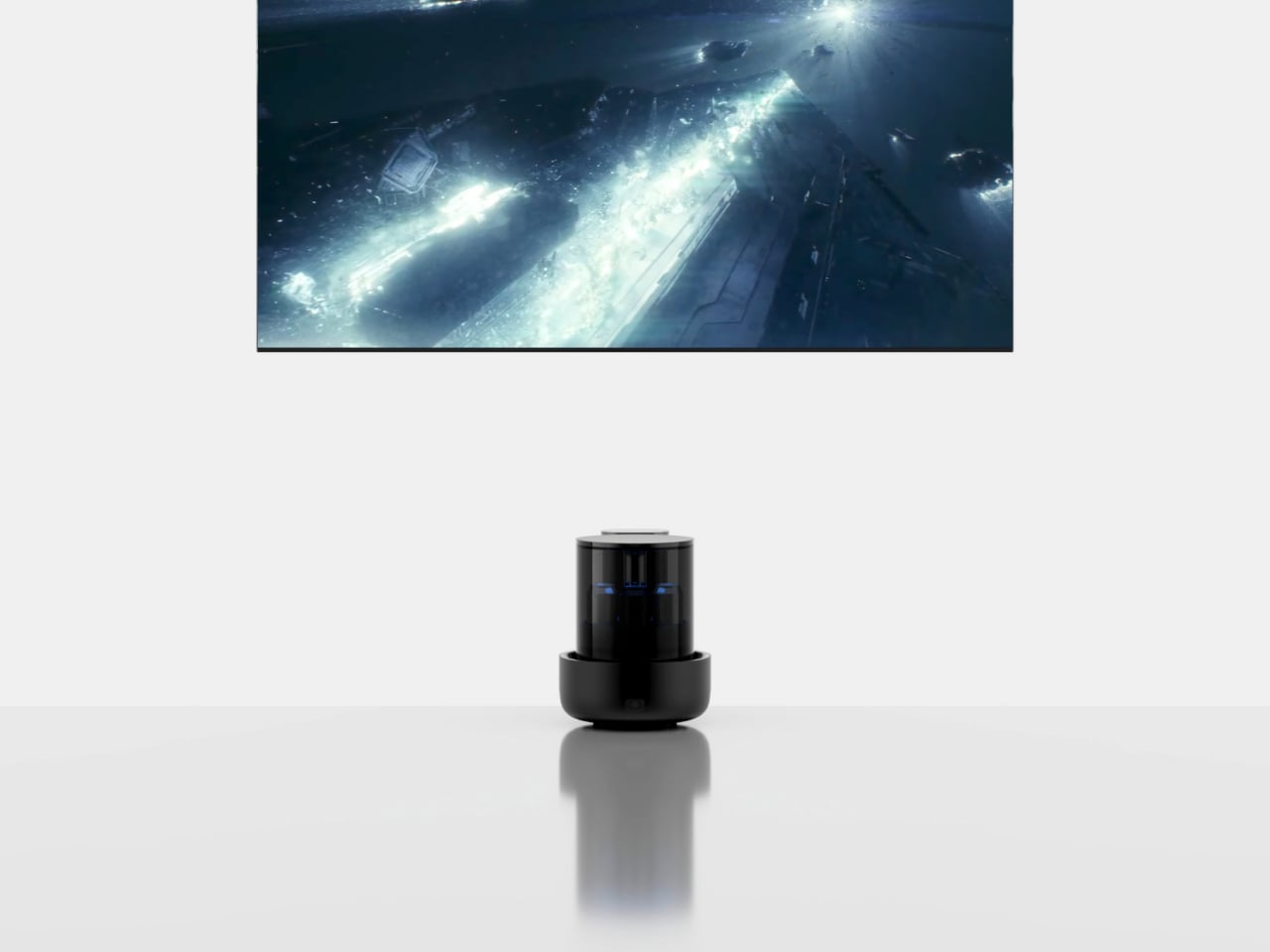
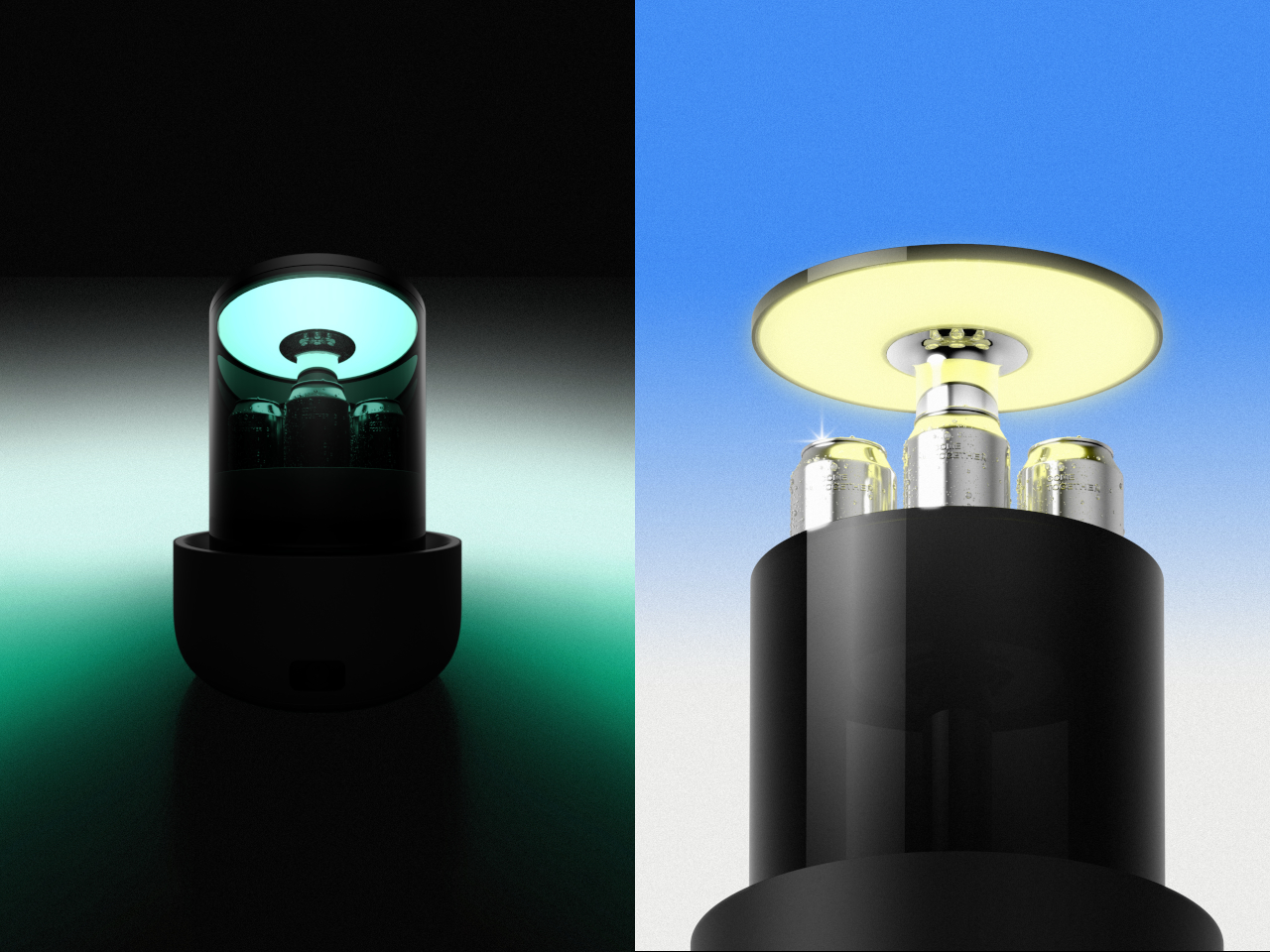
Most game-day setups eventually arrive at the same friction point: someone has to get up to restock the drinks, and that person misses the play everyone is going to be talking about for the next ten minutes. Come Together is a three-piece robotic system designed specifically around that problem. The Tower sits as a calm black cylinder until it is needed, then rises to reveal a built-in mini fridge capable of holding up to five cans, with a tray on top that swaps in for snacks when the cooling function is not the priority.

The Base handles the sound half of the equation. It is a circular spatial audio unit that maps the room, figures out where people are sitting, and positions itself for the best possible coverage without anyone adjusting a thing. A Qi2 wireless charging pad keeps phones topped off through a long game without anyone leaving the couch to find a cable. For the host who has optimized everything else and still loses someone to the kitchen every twenty minutes, this is the piece that quietly closes that gap.

What We Like

  • The Qi2 wireless charging integration solves the dead-phone problem during long games without adding another cable to a setup that is already managed tightly.
  • A spatial audio unit that actively repositions itself for the room’s seating layout is a genuinely considered detail for a couch-forward, game-first viewing environment.

What We Dislike

  • Five cans is comfortable for one or two people but runs short for a full game-day group without a refill run, which somewhat undercuts the core convenience premise.
  • Consumer purchase availability should be confirmed before gifting, as this was covered at the concept-design stage and current retail status should be verified against the original coverage.

5. RetroWave 7-in-1 Radio

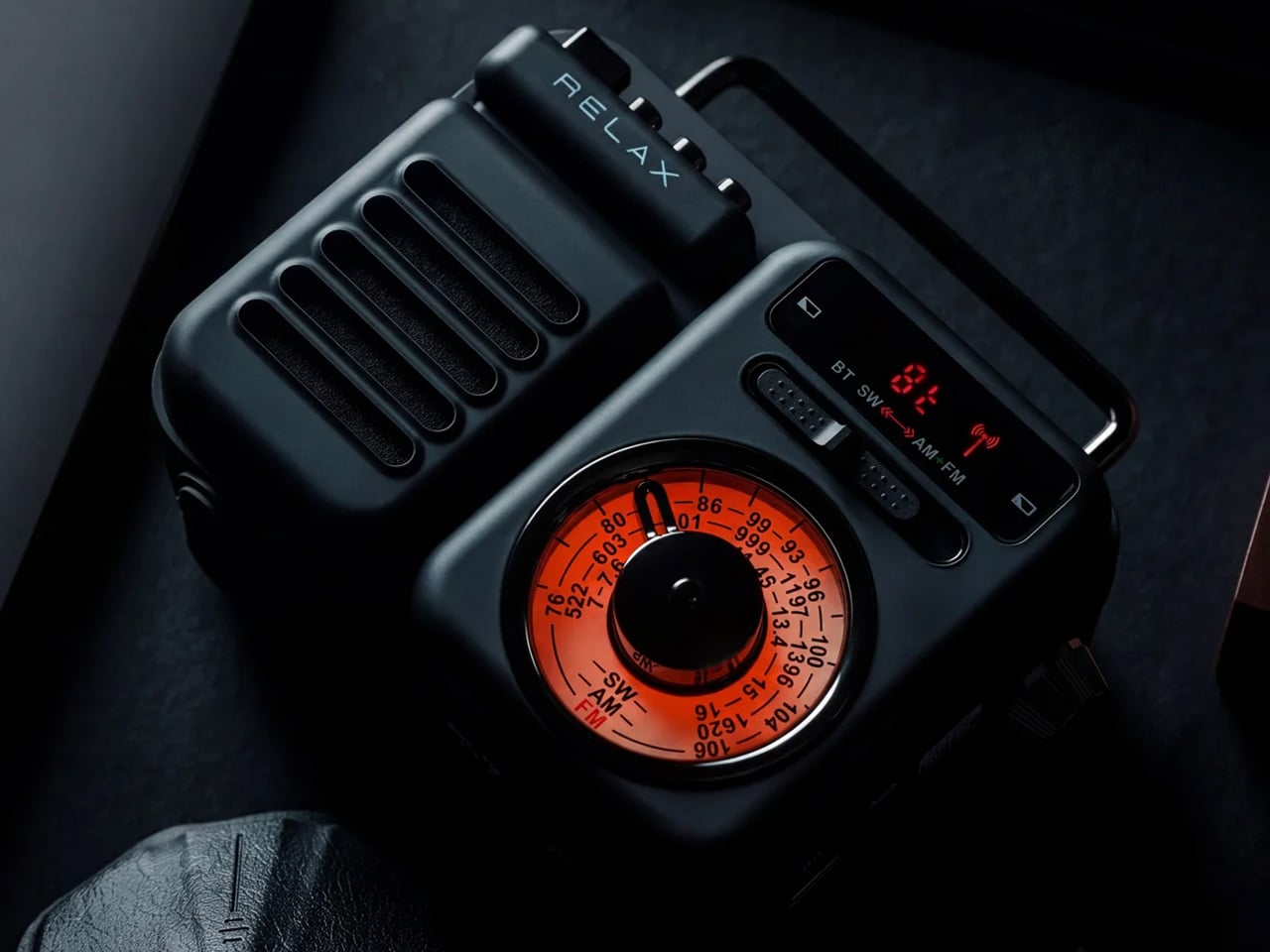
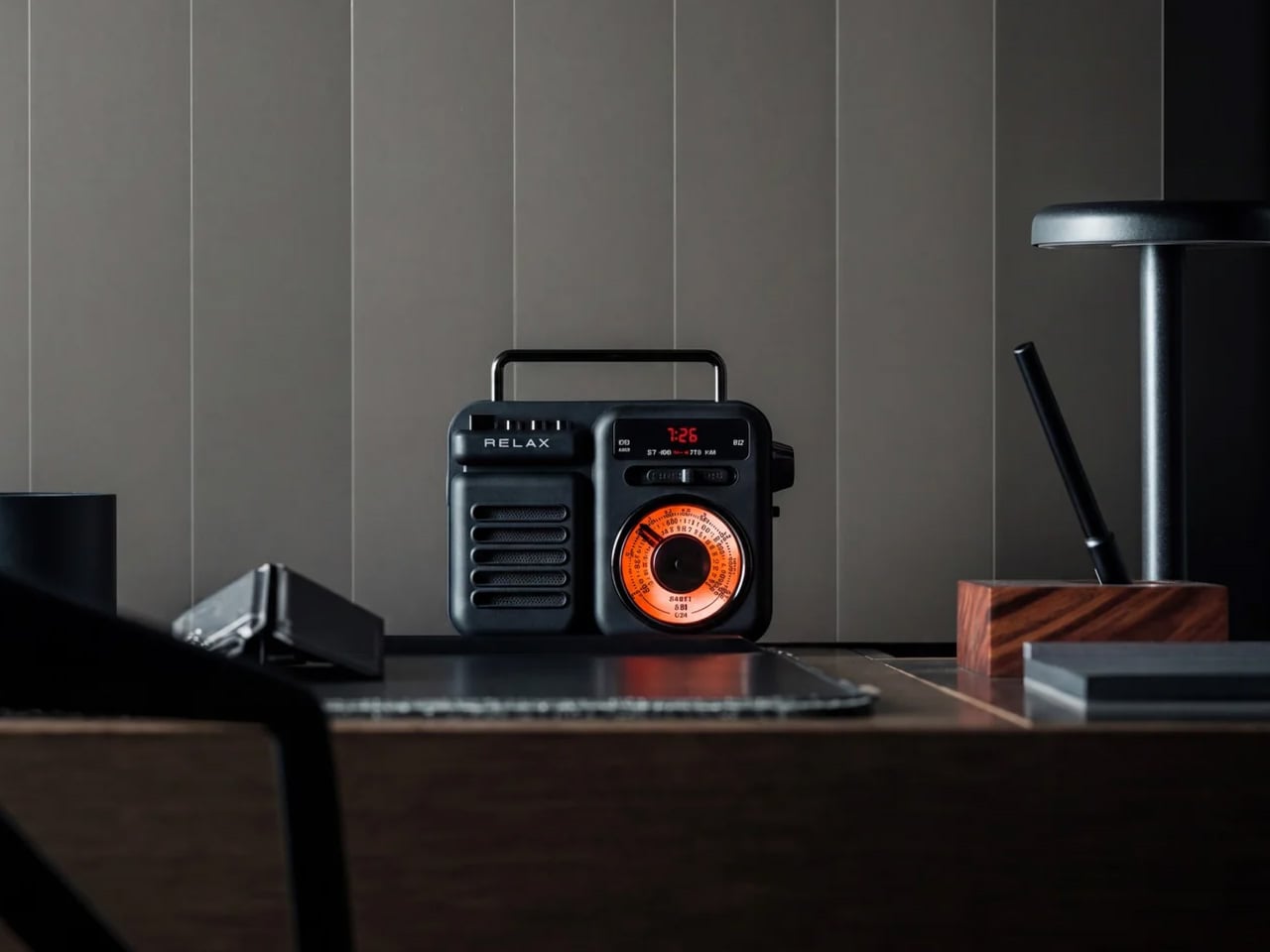
The RetroWave 7-in-1 Radio has the look of a vintage Japanese radio and the utility of something designed entirely for now. Behind the tactile tuning dial and compact body, measuring 5.04 inches wide and 3.86 inches tall in ABS resin and iron, it pulls in FM, AM, and shortwave stations, streams music over Bluetooth, plays MP3s via TF card, and carries a built-in flashlight and SOS alarm. For a game-day room, it earns its shelf spot the moment it arrives. Nobody in that room mistakes it for an afterthought.

During a game, its job is focused: fill the room with the pre-broadcast energy, the live radio commentary, or the kind of ambient music that does not demand a playlist decision before kickoff. When the power cuts out, and at some point it does, the radio keeps going in a way a smart speaker or a streaming device simply cannot promise without a signal. At $89, it is the gift that reads as a design object on the shelf and earns the label of genuine essential in the room and well beyond it.

Click Here to Buy Now: $89.00

What We Like

  • Seven real functions in one compact body, covering speaker, MP3, radio, flashlight, clock, power bank, and SOS alarm, with no redundancy in how each one actually gets used.
  • The retro Japanese design language means it lives on a shelf and looks like it belongs there rather than sitting out like a piece of tech that never found a proper home.

What We Dislike

  • The compact dimensions mean speaker output suits ambient listening and pregame music rather than filling a large room at full volume when the crowd gets loud.
  • Shortwave reception quality will vary by location and atmospheric conditions, meaning not every station is equally accessible in every US market throughout the season.

6. IKEA x Xbox YXSTABY Collection

IKEA and Xbox’s YXSTABY furniture collection makes gaming feel more at home

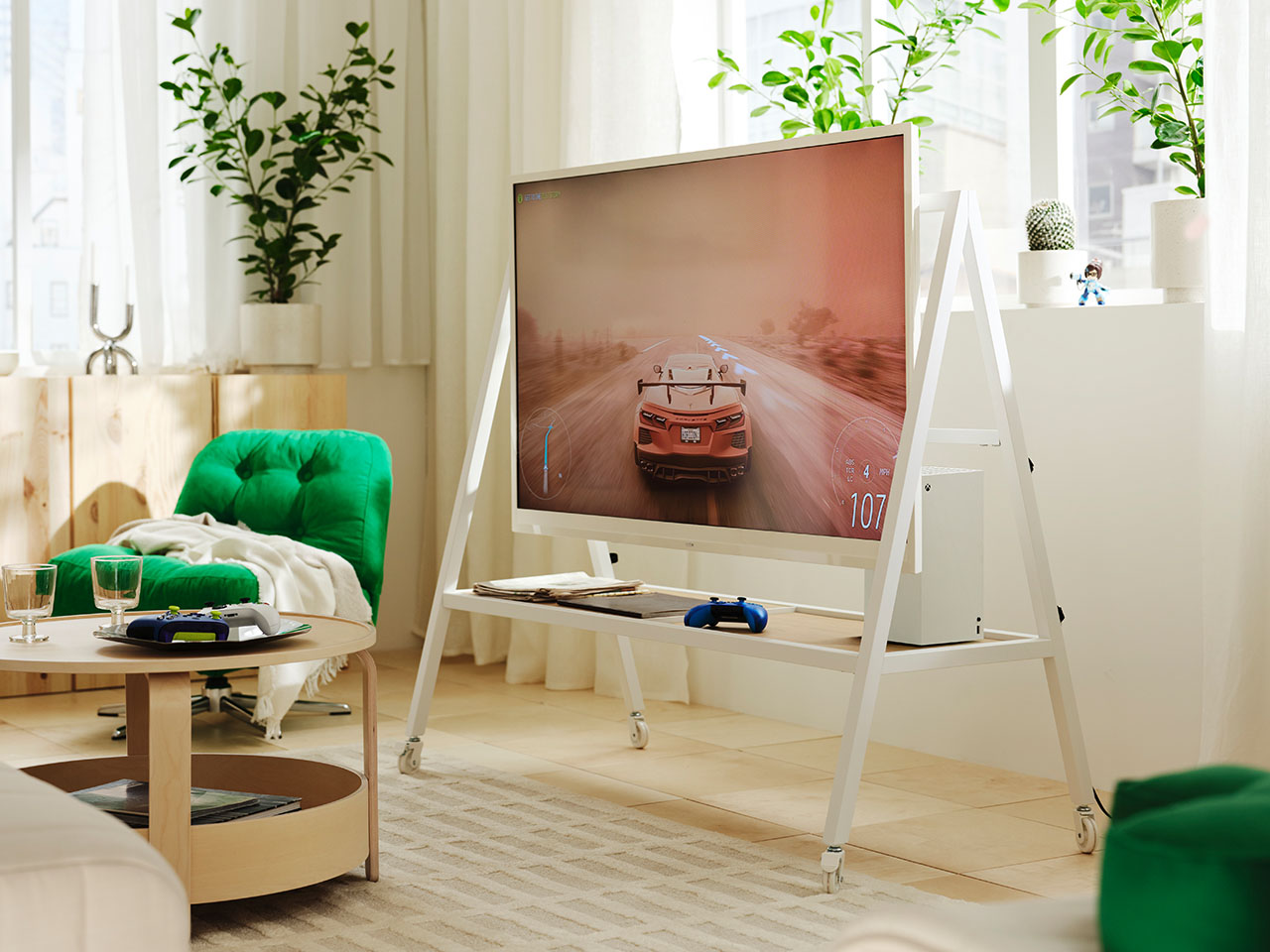
The IKEA and Xbox YXSTABY collection is nine pieces of furniture designed around the specific reality of a living room that doubles as a gaming and viewing setup. The rolling TV stand, the thumbstick-shaped stool, the D-pad cushion: each piece reads clearly as part of the same visual language while functioning as real, everyday furniture rather than themed décor that announces itself too loudly. It is the first time a gaming identity has been built into a living room collection at this level of design seriousness, and the craftsmanship reflects it.

For the person whose living room already functions as a game-day headquarters, these pieces solve the organizational and seating problems that quietly accumulate around a serious setup over time. The rolling TV stand keeps equipment mobile without the floor clutter of static furniture that never quite sits right. The stools double as extra seating the moment the couch fills up before kickoff. Launched in IKEA stores October 1, 2026, the collection ties the room together rather than adding another device to a pile that is already complicated enough.

What We Like

  • Nine coordinated pieces mean gifting one item or several works without the room looking inconsistent, since everything belongs to the same design system from day one.
  • The rolling TV stand solves the real logistical problem of rearranging a viewing setup without unplugging and re-routing every cable in the process.

What We Dislike

  • The gaming-identity aesthetic is deliberate and visible, which suits the target audience perfectly but narrows the appeal for someone who prefers a more neutral living room look throughout their space.
  • Availability in specific IKEA markets should be confirmed before purchasing, since not every location will carry the full nine-piece range at launch without advance stock checks.

7. Department of Play 3-in-1 Table

One Table, 3 Games, Nobody Needs a Game Room

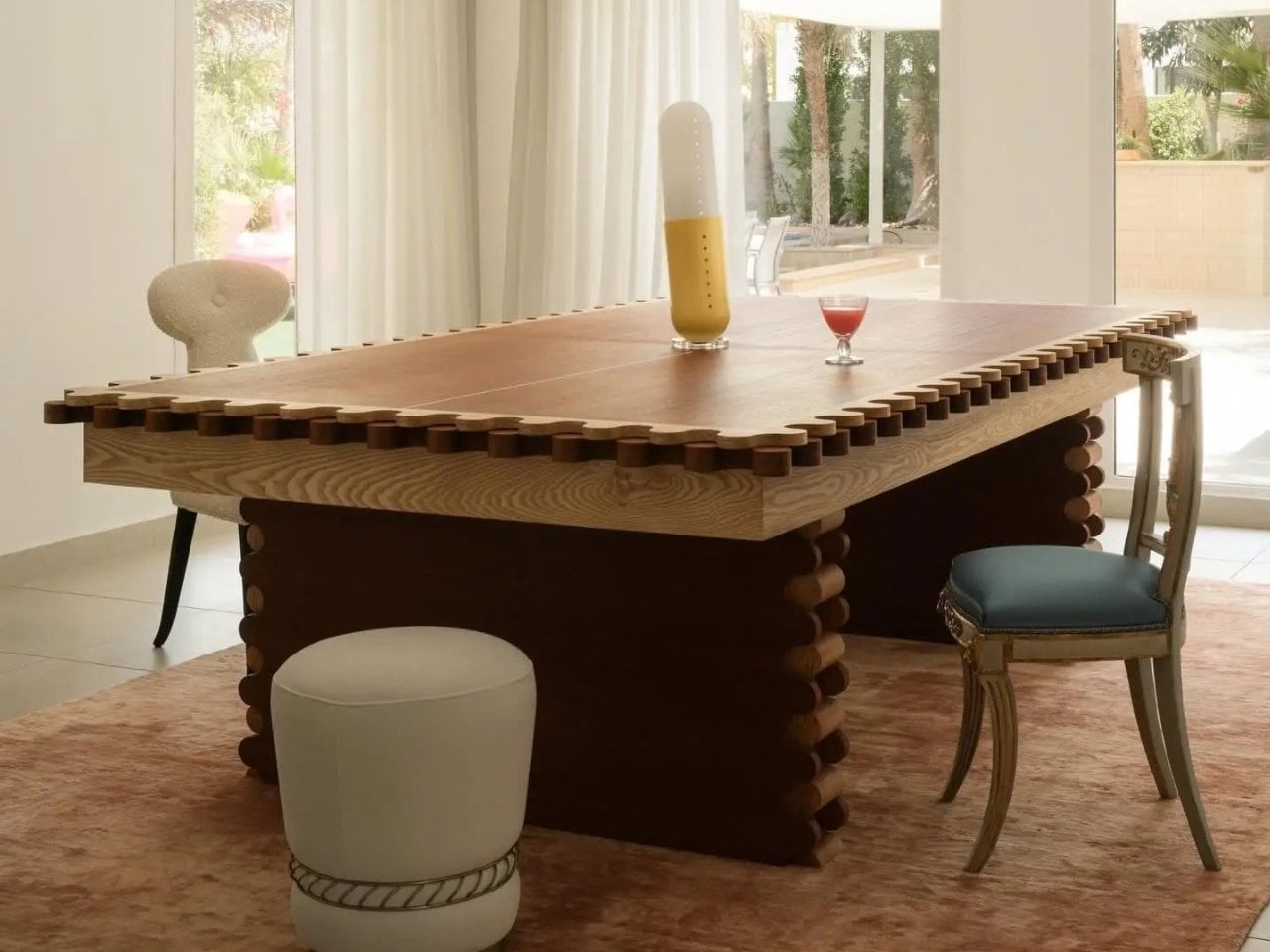
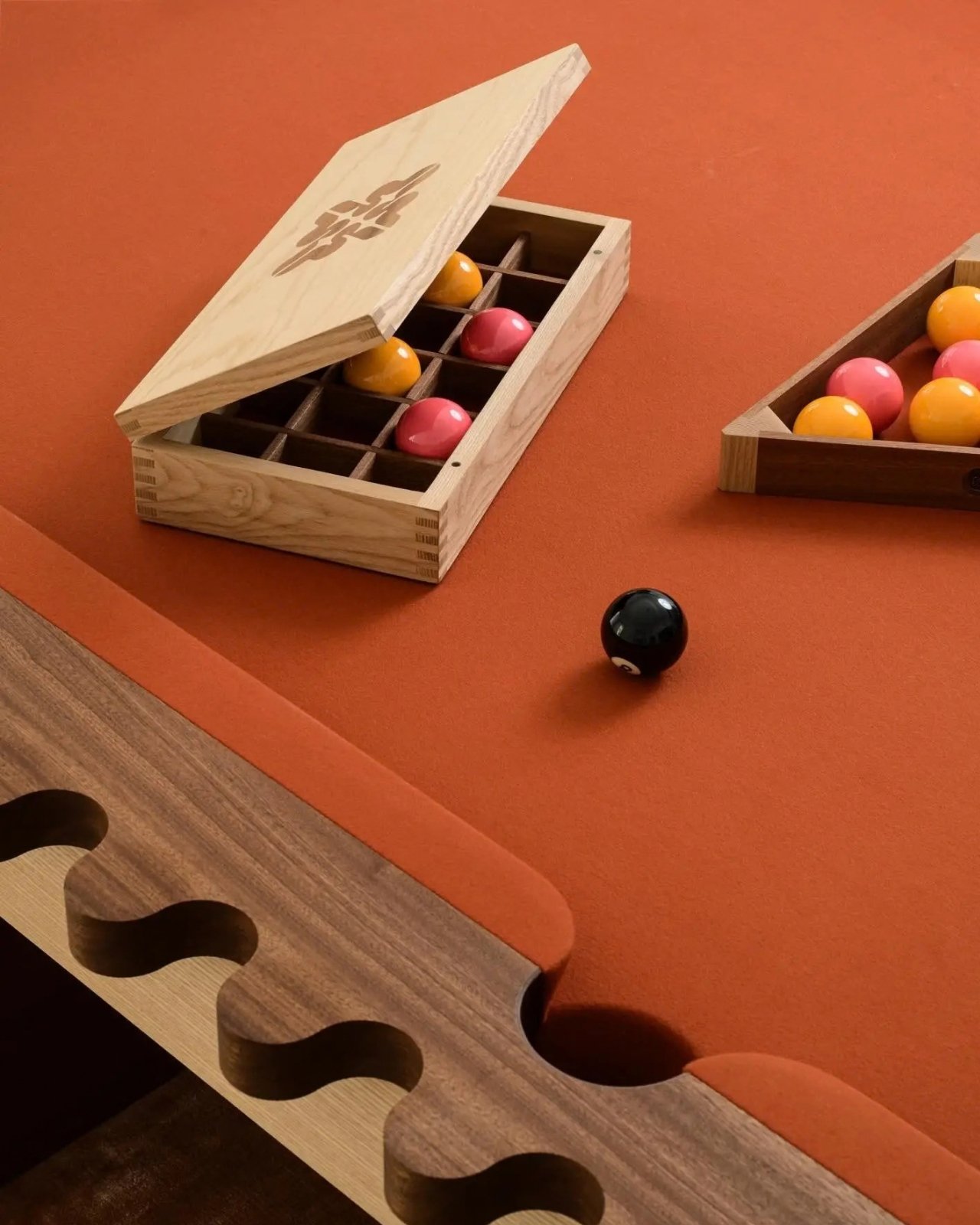
Sanne’s Department of Play table does the math that most game-room setups never quite solve: one table, three games, and no dedicated room required. It converts between pool, ping pong, and dining configurations, which means it earns its square footage in a normal-sized living room rather than demanding a basement or a spare room nobody actually has. For the person who has maxed out the screen and sound side of their setup, this is the piece that extends the experience past the final whistle into the rest of the evening.

Halftime has a specific energy problem. The game pauses, but the room does not settle with it. A table that converts to pool or ping pong in a few steps gives that energy somewhere productive to go rather than everyone drifting toward their phones and losing the thread of why they came over in the first place. It is also the one item on this list that earns equal weight during the offseason, which makes it the most defensible large-format gift in the group by a considerable margin.

What We Like

  • Three fully functional game configurations in one piece means it does not feel like a compromise on any of the three: pool, ping pong, and dining each hold up entirely on their own.
  • It earns its keep in the offseason in a way that purpose-built game-day furniture rarely manages once the season wraps up and the schedule clears.

What We Dislike

  • The footprint is significant, and the room should be measured carefully before committing, especially if the living room already has an established furniture layout that functions well as-is.
  • Converting between configurations takes time and some physical effort, which feels less appealing mid-game when a quick round between plays was the actual goal going in.

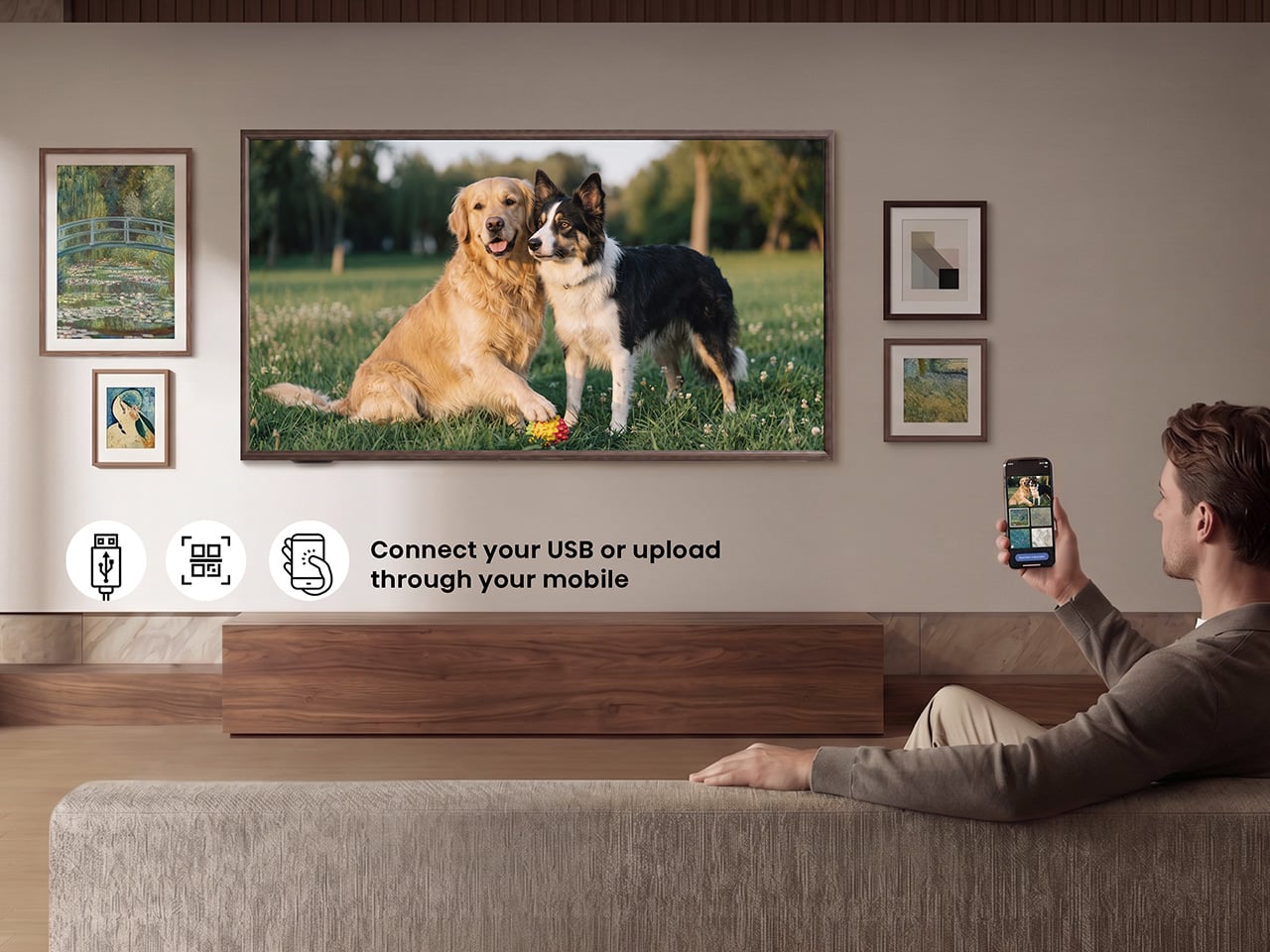
8. Hisense CanvasTV

The CanvasTV solves the problem most televisions ignore entirely: what the screen looks like when the game is not on. A 4K QLED Google TV wrapped in a teak frame, it ships with an UltraSlim wall mount already included in the box, letting the panel hug the wall closely enough to read as a framed painting rather than a floating screen. A Hi-Matte anti-glare panel and an RGB light sensor allow it to adapt to the room’s actual lighting conditions throughout the day without anyone touching a setting.

When no one is watching, the Motion Detector blanks the display, cutting to a neutral screen the moment the room empties and switching back to art the moment someone returns. Access to more than 1,000 curated artworks comes built in at no extra subscription cost. At $1,997.99, it is the top-of-list anchor gift for someone whose living room already performs during the game and deserves a screen that holds its own for the other twenty-two hours of the day when the broadcast is off, and the room still needs to look right.

What We Like

  • The UltraSlim wall mount included in the box removes the most common installation friction point and makes the all-in price considerably more honest than it first appears.
  • Over 1,000 curated artworks with no subscription fee attached is a genuine differentiator against competitors that charge a monthly rate for access to their art libraries.

What We Dislike

  • The teak frame aesthetic is specific and intentional, working beautifully in the right interior but unlikely to suit every room style with the same effortless ease.

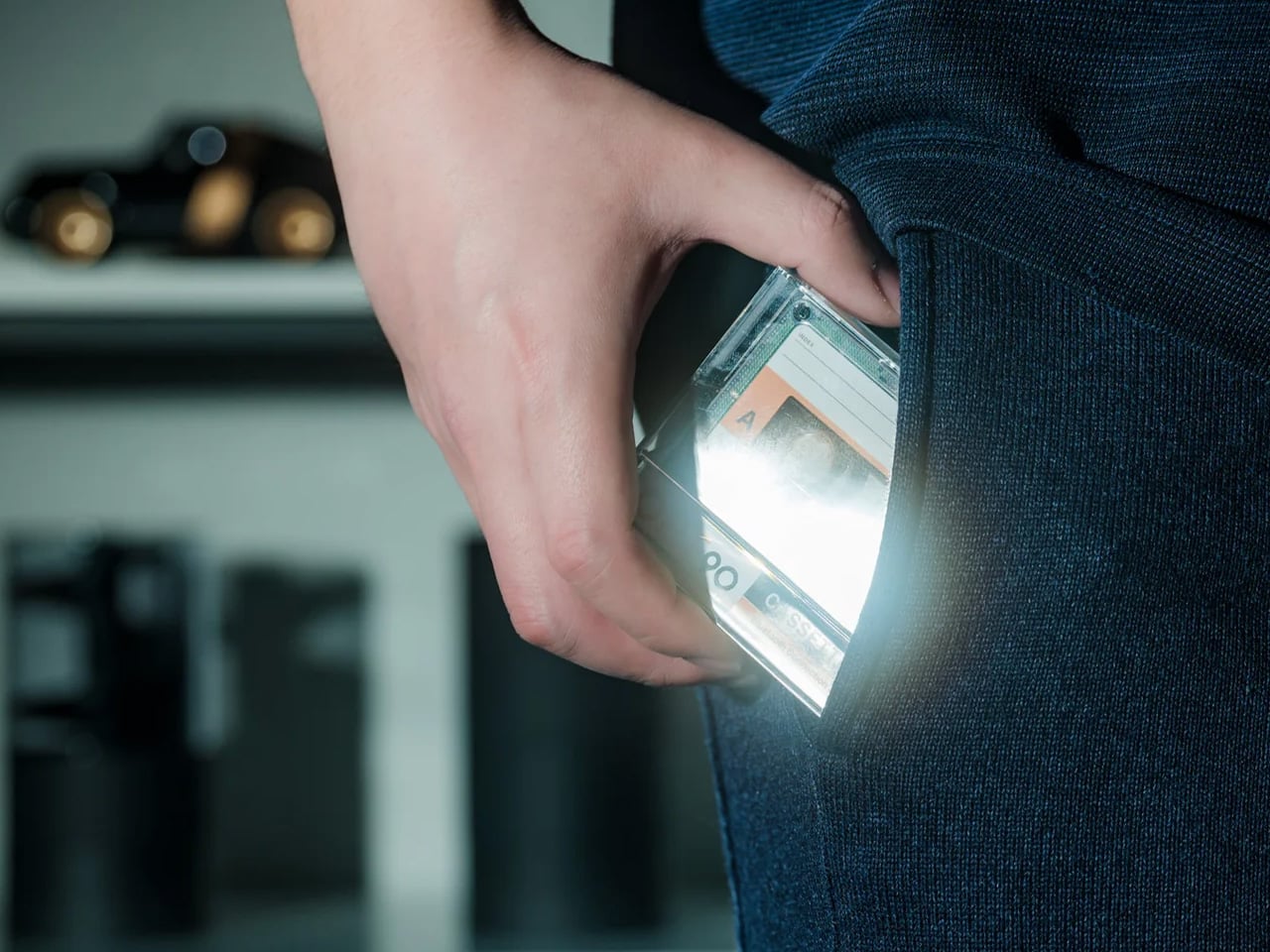
9. Side A Cassette Speaker

The Side A Cassette Speaker is the easiest item on this list to explain and the hardest to put down once it is in your hands. A Bluetooth speaker shaped and sized exactly like a cassette tape, it sits on a shelf, a coffee table, or a windowsill and reads as a found object rather than a piece of tech left out between uses. For a room that has been carefully assembled piece by piece, it is the kind of small detail that signals genuine taste without demanding any attention at all from the people in the room.

At $49 on YD Select, it functions as the natural lower-budget pick in this lineup: the item that rounds out a larger gift or works entirely on its own when the occasion calls for something thoughtful rather than extravagant. It plays music with enough clarity to carry the room before the main screen takes over, and it does so while looking like something that was always meant to be there rather than something plugged in and forgotten in the corner when the season gets busy and the setup expands.

Click Here to Buy Now: $49.00

What We Like

  • At $49, it sits comfortably in the easy-yes gift tier: specific enough to feel genuinely considered and affordable enough to give without second-guessing the price once it is wrapped.
  • The form is the function. It looks like a cassette, plays music clearly, and earns a permanent shelf spot in a room that has been put together with real care and intention over time.

What We Dislike

  • Speaker output is proportional to its size. It is a pregame and ambient-listening companion rather than a replacement for a dedicated Bluetooth speaker when volume becomes the actual priority of the room.
  • The cassette format is a deliberate nod to a specific era of nostalgia, which works well for the right recipient but may feel too referential for someone who prefers a forward-facing, minimal design language throughout their space.

The Room That Works All Season

A game-day room is really just a room with strong opinions about what it needs to do well. The right screen, the right sound, the right table for when the final whistle goes, and nobody is ready to pack up and head home. Every pick on this list earns its place by solving a real problem in that room rather than adding noise to a setup that is already working well enough on its own without it.

The best part of giving something to the person who has already built the room is that they will actually use it, week after week, throughout the season and past it. These are not conversation pieces or shelf fillers added for their own sake. They are objects that get switched on, picked up, sat in, and genuinely appreciated in real time during a game that matters to the people in that room, and that kind of usefulness is harder to gift than it looks.

The post 9 Best Gifts for the Person Who Turned Their Living Room Into a Sports Bar first appeared on Yanko Design.
  •  

HP’s $699 OmniBook 5 Has the One Thing the MacBook Neo Doesn’t

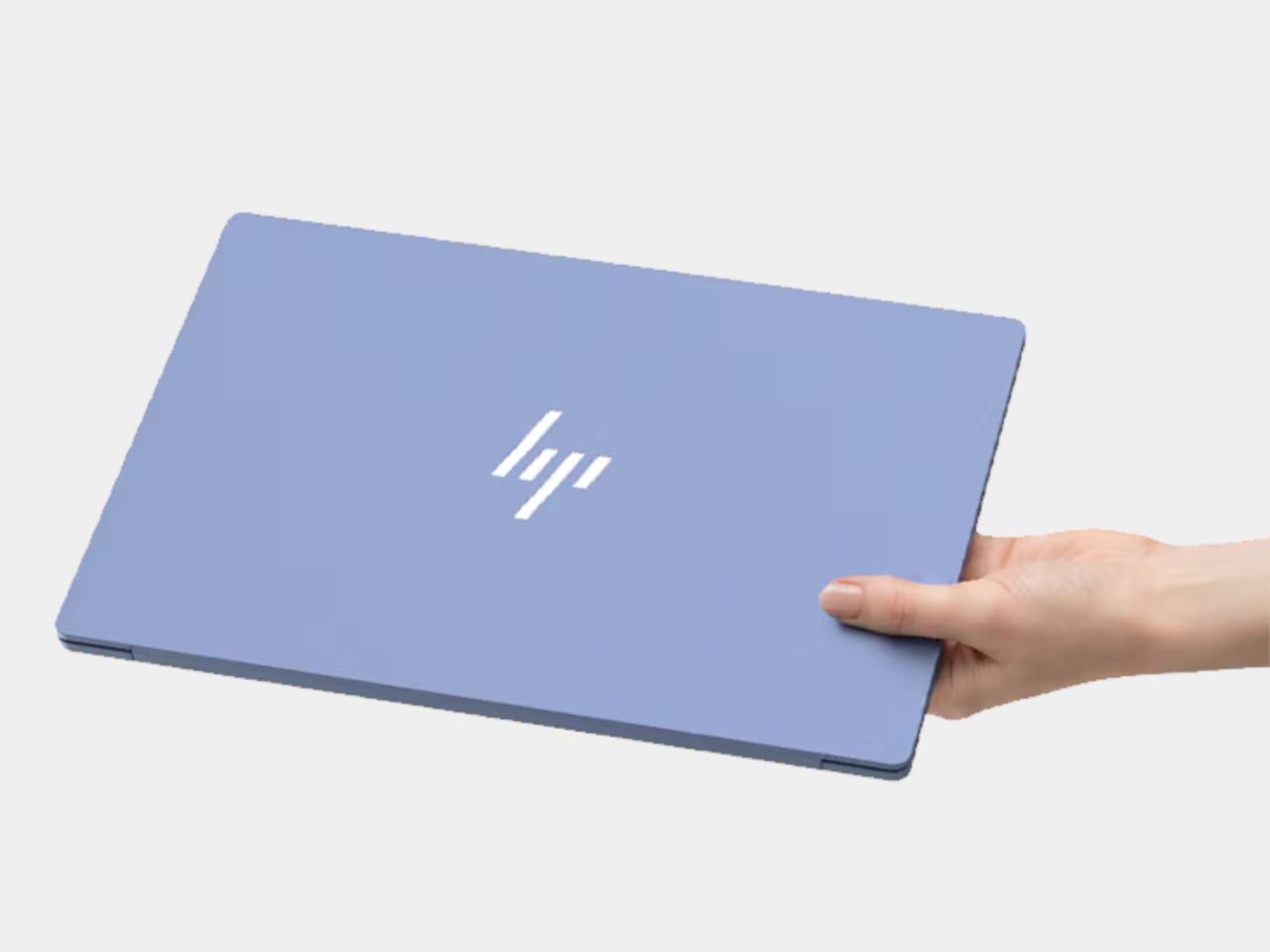
Affordable laptops often make you choose between a nice screen and a machine you’d want to carry. HP’s $699.99 OmniBook 5 14 makes a different pitch against Apple’s MacBook Neo: an OLED touchscreen wrapped in a slim, colorful aluminum body. It’s an appealing combination for someone moving between classes, work, and a movie, though the price doesn’t buy every specification HP advertises for the series.

HP treats color as part of the laptop, rather than something to add with a sticker. Starlit Blue, Peony Pink, Soft Honeydew, and Smoke Silver give the aluminum chassis some character, with a tone-on-tone keyboard to keep the look together. At 2.6 pounds and 0.46 inches thick, it could slip into a bag without looking like an anonymous office machine when it comes back out.

Designer: HP

Open the lid and the 14-inch OLED touchscreen becomes the reason to look twice. Its 16:10 proportions leave more vertical room for a document or editing tools, while touch makes a quick tap feel natural. But the $699.99 model has a 1920×1200 resolution and a 300-nit brightness rating, not the up-to-2.5K, 620-nit display mentioned in HP’s broader launch announcement.

The 180-degree hinge is a smaller detail, but it might be the one you appreciate when sharing a draft across a cafe table. Lay the laptop flat, turn it toward a friend, and neither of you has to hunch over the keyboard. The backlit keys make a difference when that conversation stretches into the evening, although this isn’t a tablet you can fold backward.

HP also makes room for an HDMI 2.1 port, two USB-C connections, and a headphone jack. If you need to show a presentation on a meeting room display or connect a monitor at work, you might not need to hunt for an adapter. The catch is that there’s no USB-A port listed, so an older mouse or flash drive could still send you looking.

Underneath the colorful shell, this configuration has an Intel Core 5 320 processor, 8GB of onboard memory, and a 256GB SSD. Those numbers should keep expectations in check if you juggle large creative files and a dozen browser tabs. There’s a 512GB storage option, but it shouldn’t be confused with what the starting price includes.

Battery life deserves careful reading. HP touts up to 42 hours for the series, but that figure comes from local video playback, not a day of calls, spreadsheets, and multitasking. The listed 60Wh battery and a claimed 50% charge in about 30 minutes are useful details when you’re planning a day out. Neither tells you when you’ll need an outlet.

The HP OmniBook 5’s challenge to the MacBook Neo isn’t about winning every specification. It offers a different set of priorities: a touchscreen, OLED contrast, cheerful colors, and ports that could save you from carrying an adapter. The modest memory and storage are harder to overlook. Still, it’s good to see an affordable laptop make its strongest argument the moment you open it.

The post HP’s $699 OmniBook 5 Has the One Thing the MacBook Neo Doesn’t first appeared on Yanko Design.

  •  

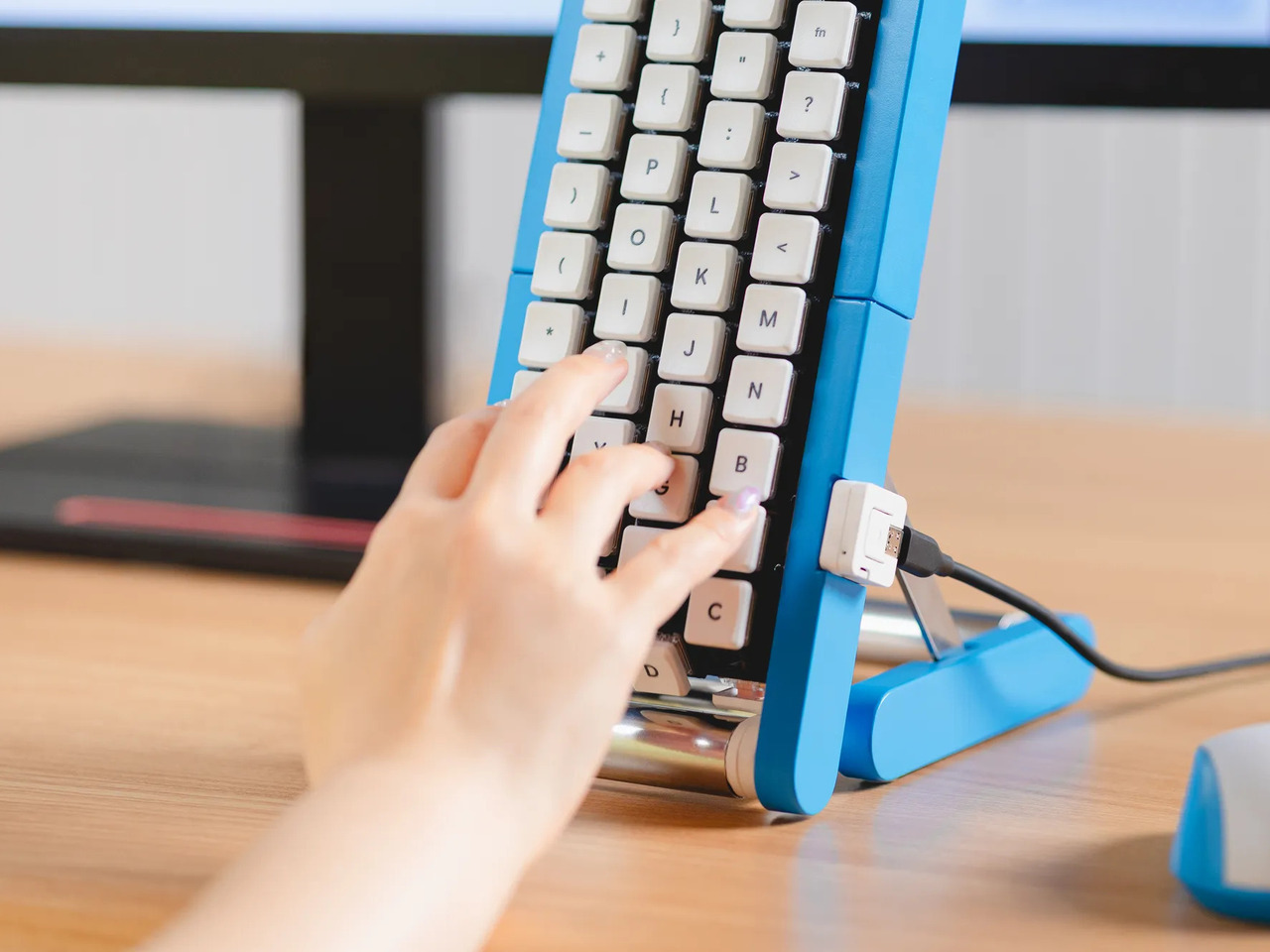
Google’s Fix for One-Handed Typing Is a Rolling Belt of Letters

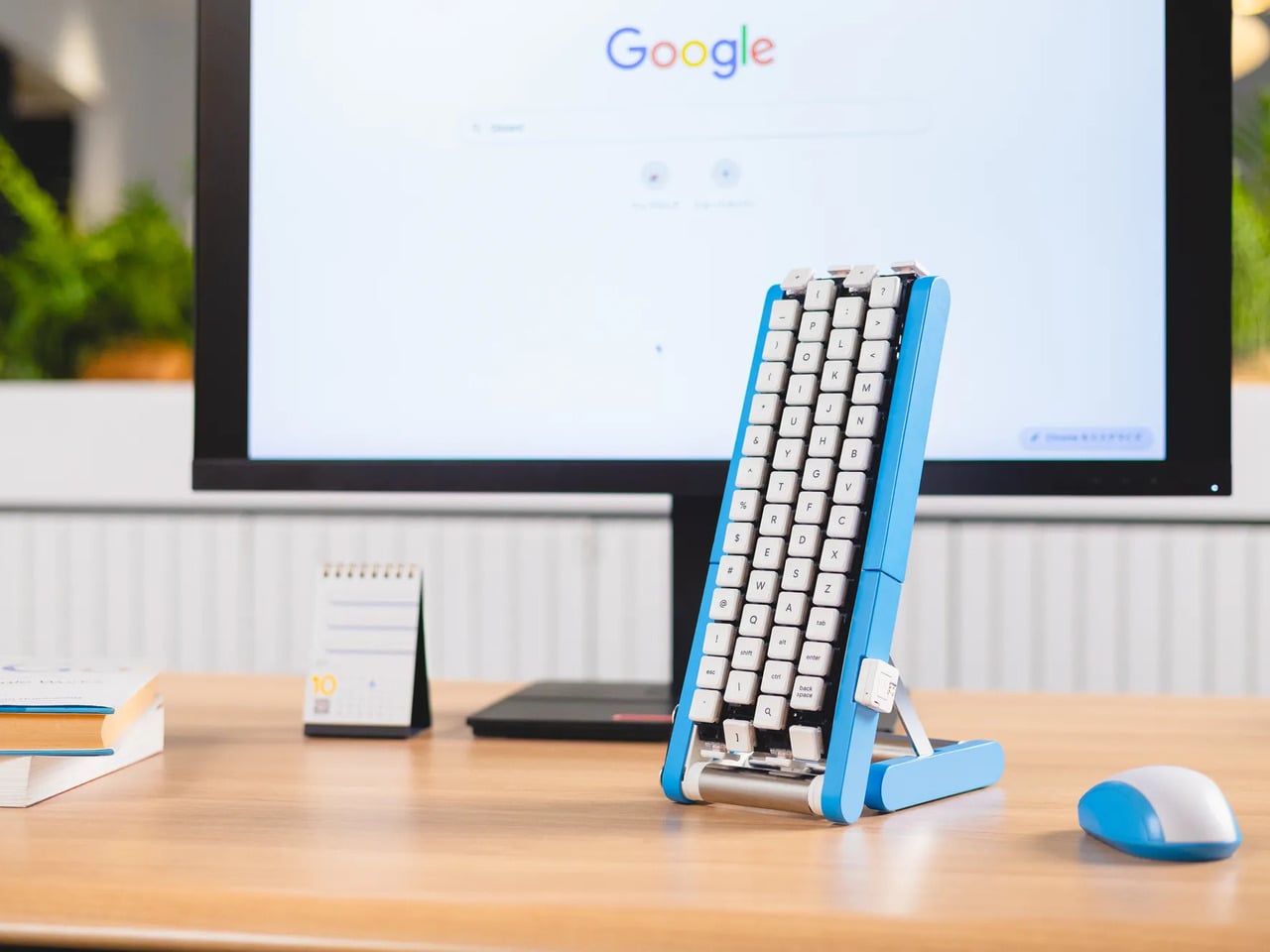
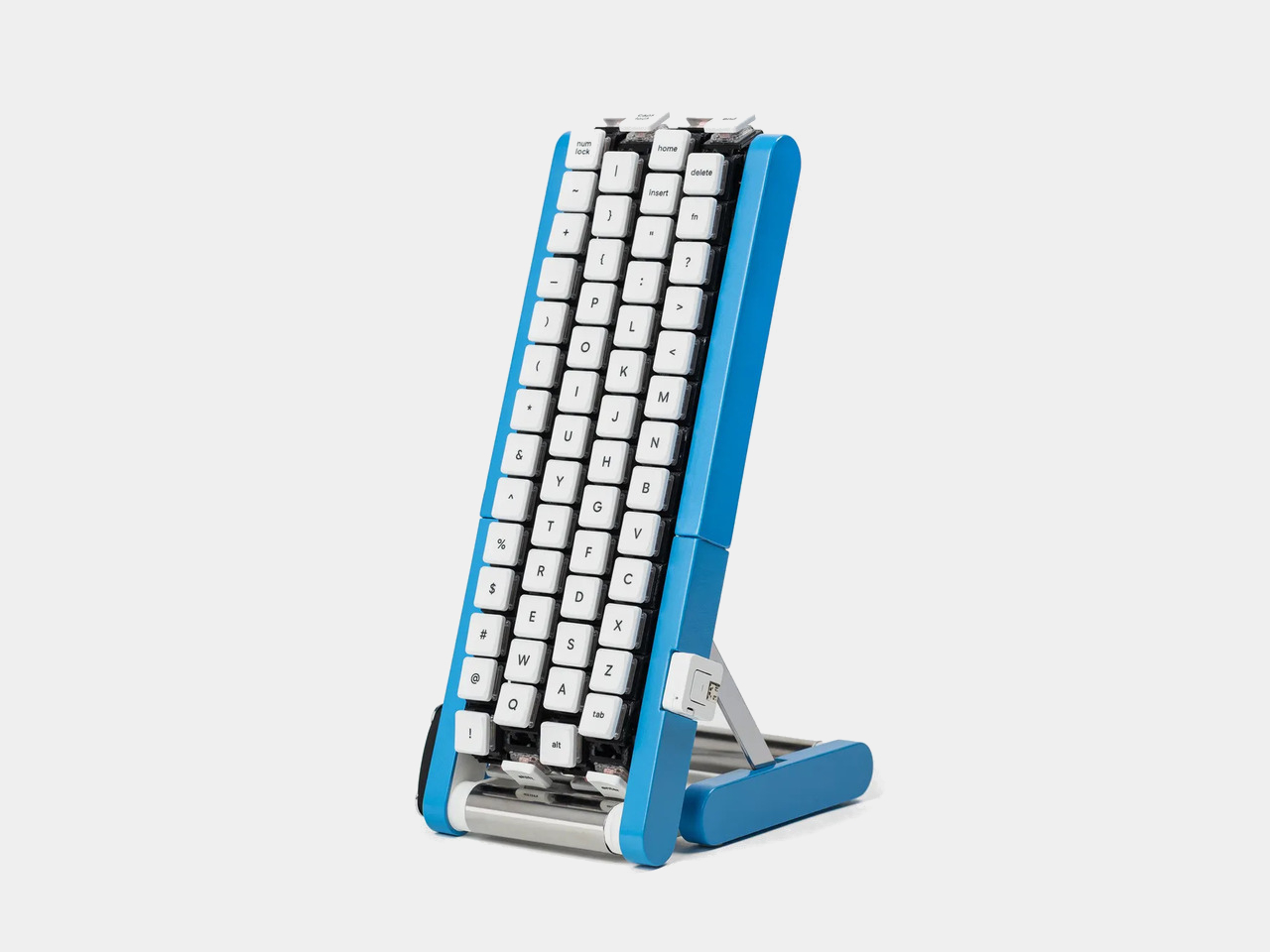
Typing with one hand usually means stretching a finger across a keyboard while the other hand holds a drink or works a mouse. Google’s Gboard team has a wonderfully impractical fix: put the keys on a conveyor belt and let them come to you. Its Rotating Keyboard stands upright on a desk, asking your finger to stay put while the letters keep moving.

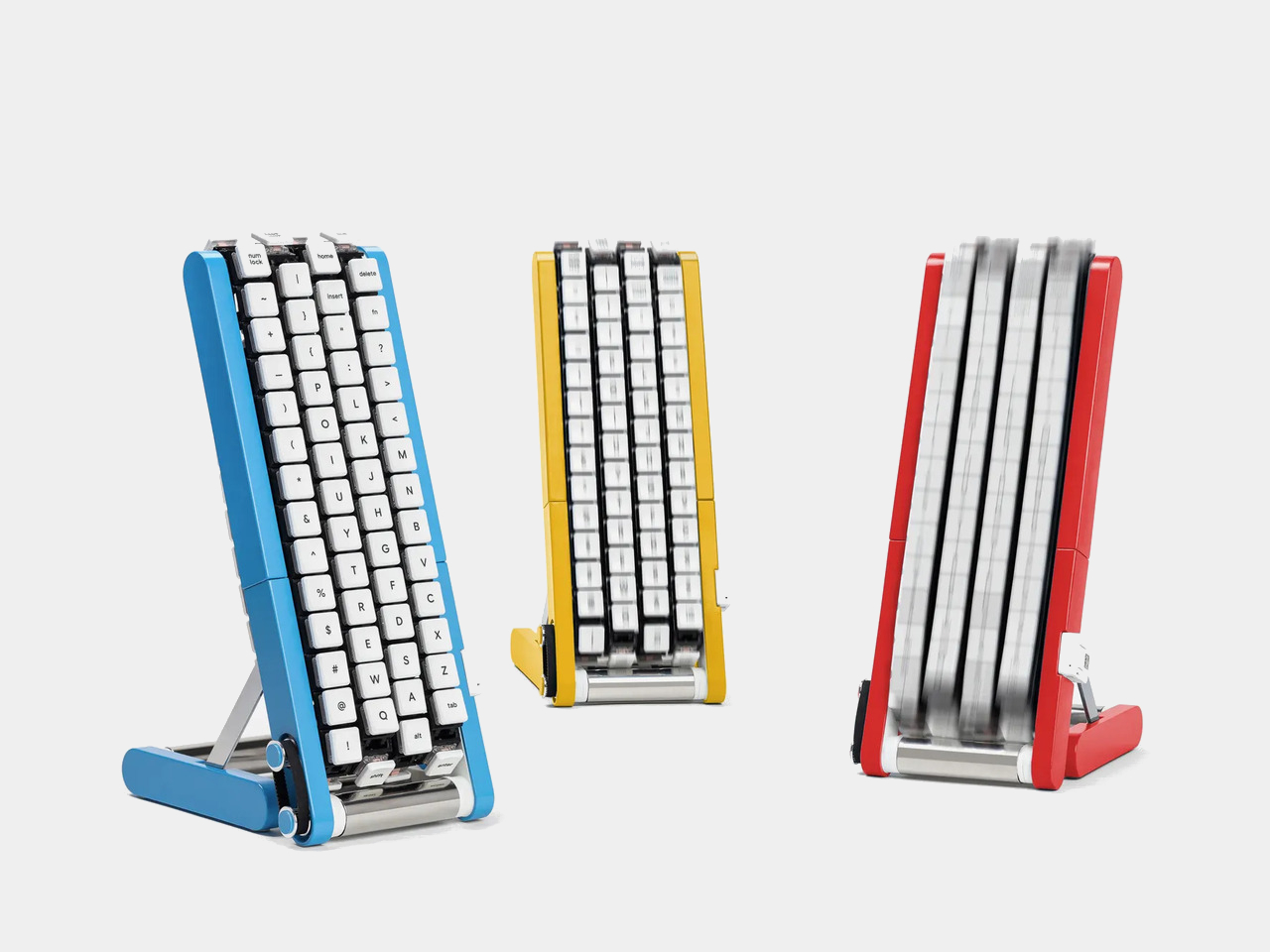
Regular keyboards assume your hands will travel between stationary keys, a reasonable arrangement that has survived decades of typing. Google reverses that relationship by mounting rows of keycaps on loops that travel around rollers. The tall blue frame and angled stand make the moving assembly feel closer to a miniature factory machine than a computer peripheral, which is probably part of the joke.

Designer: Google Japan

Instead of looking down for a letter, you watch for the right key to arrive and press it as it passes. Google says each belt carries 29 keys and can input both uppercase and lowercase letters. That might let one hand stay near the same spot, though it also turns typing into a timing exercise, especially when the next letter takes its time coming around.

Imagine answering an email with a cup of tea in your free hand. On a conventional keyboard, you’d either put the cup down or hunt for letters one finger at a time. Here, the moving keys do the traveling while you wait at the front of the machine. Google also suggests using your free hand on a mouse, which sounds suspiciously like extra work.

There’s an oddly earnest design lesson underneath the silliness. Questions about ergonomics often begin with who a familiar object was made for, and Google has taken that thought to a ridiculous extreme. The upright arrangement might use less horizontal desk space than a full keyboard, but it trades that footprint for height, moving parts, and the need to watch every passing key.

Google plays along with its own premise, floating ideas for faster movement, longer belts with more characters, shorter versions for phones, and different colors. None of those variations is a promised product. Even the keyboard itself isn’t headed for stores; the team has released open-source plans for a similar device instead. That keeps the joke open to anyone curious enough to build one.

The date is part of the gag, too. Google chose October 1 as a nod to the familiar 101-key keyboard, rather than waiting for April Fools’ Day. It’s the team’s 15th keyboard proposal, continuing a habit of treating ordinary typing as a problem that needs an absurdly elaborate solution. A conveyor belt is hardly the first thing most people would try.

You’re unlikely to write a novel by chasing letters around this contraption, and that isn’t really the point. Google has built a physical answer to a question no keyboard maker was asking: what if the keys did all the moving? It’s a ridiculous way to type an email, but an effective way to notice how much we expect our fingers to do.

The post Google’s Fix for One-Handed Typing Is a Rolling Belt of Letters first appeared on Yanko Design.

  •  

Amazon Gave Kindles Their Missing Buttons Back, as Accessories

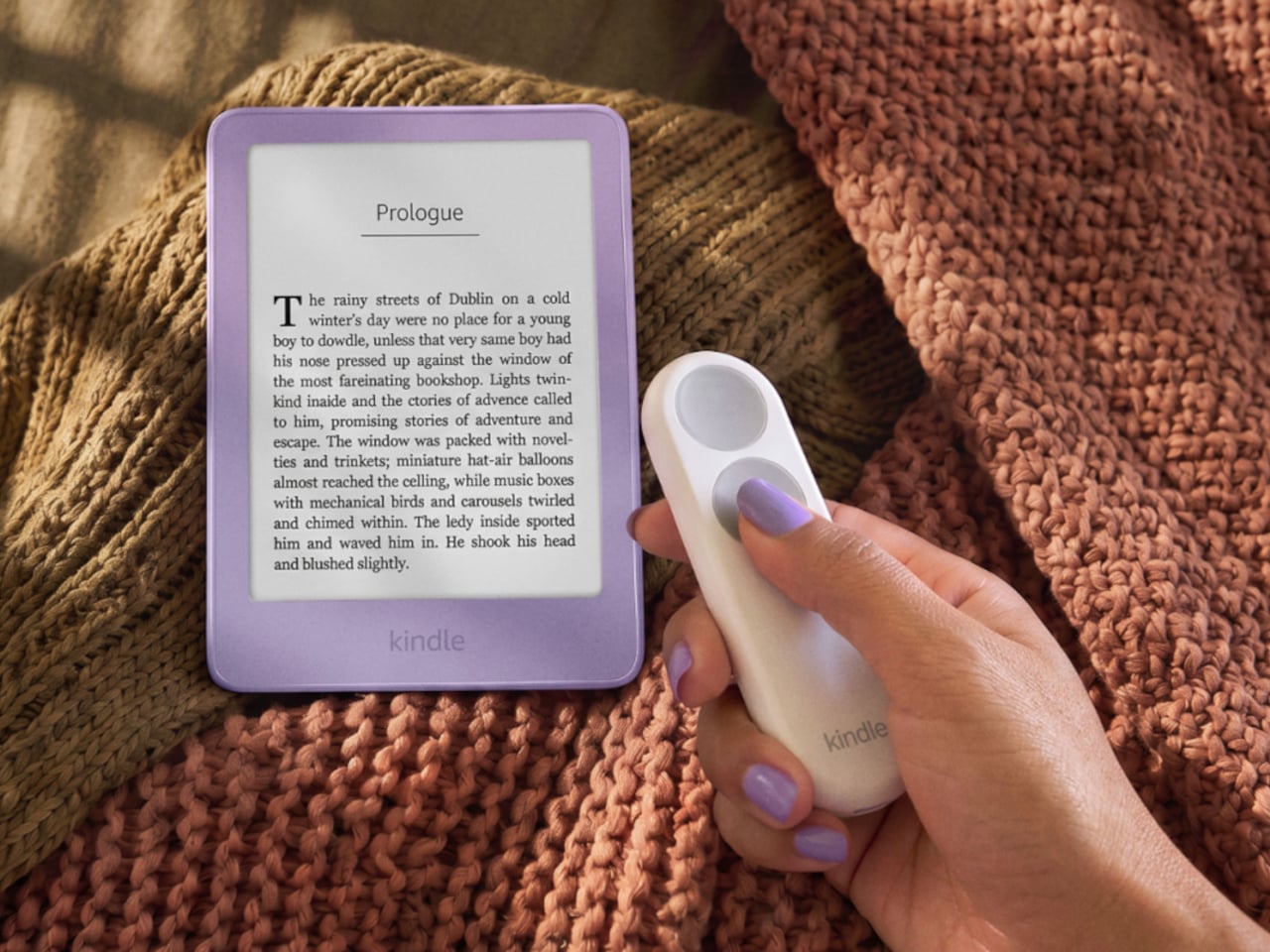
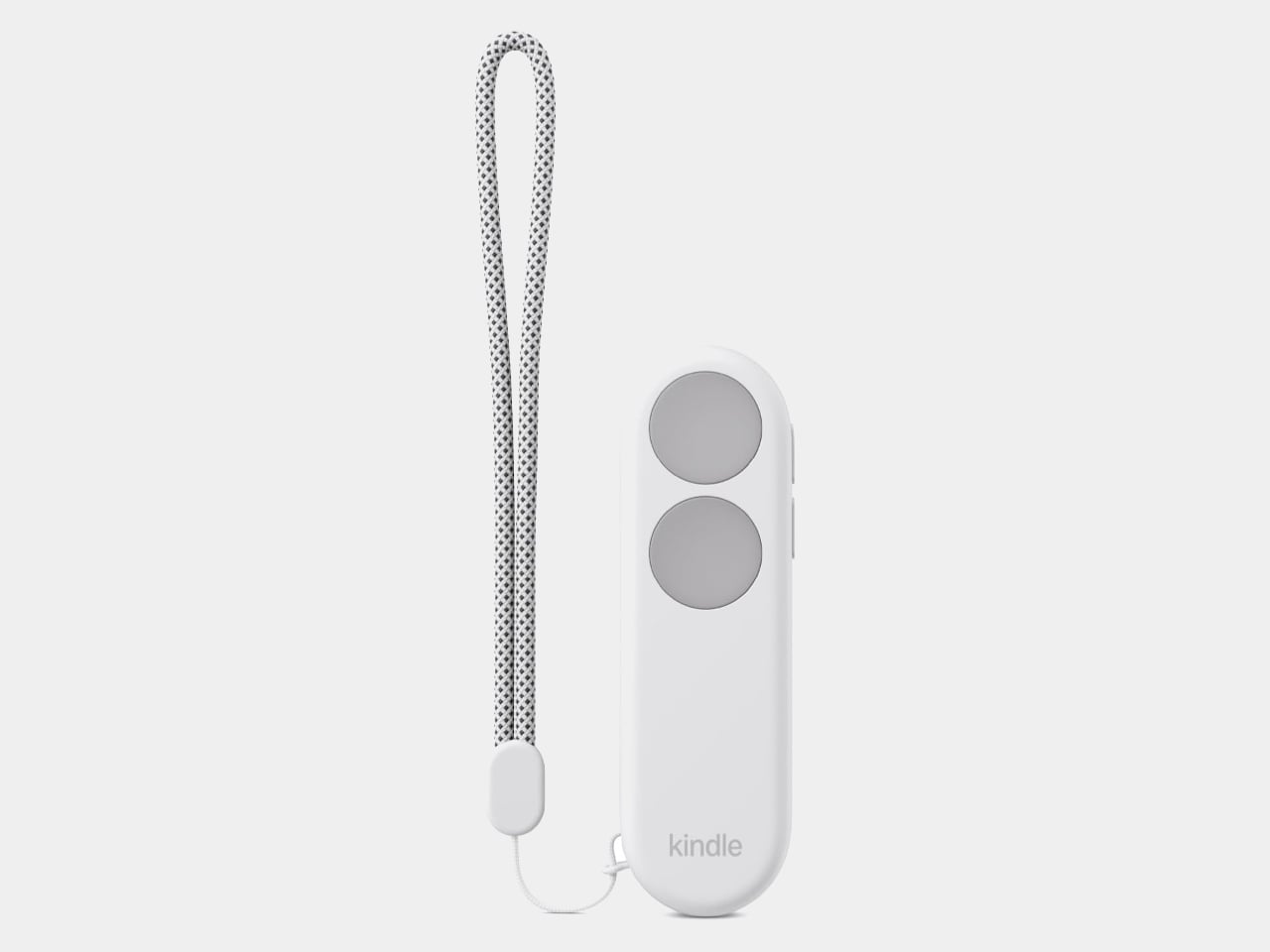
Kindles once let your thumb turn pages, but physical buttons disappeared from most of Amazon’s newer readers. That might not seem like a big loss until you’re holding a Kindle and trying not to disturb your comfortable grip. Amazon’s Kindle Click remote and Page Turn Cover offer two ways to bring that familiar press back, without adding buttons to the Kindle itself.

Of the two, Kindle Click makes the most sense when the device isn’t in your hands at all. Prop your Kindle on a pillow or a stand, pull a blanket over your shoulders, and the next page is a button press away. Other e-reader brands, including Boox, have already explored remotes, but Amazon’s Bluetooth version works without clipping a mechanical gadget onto the screen.

Designer: Amazon

The $34.99 Kindle Click has two large, tactile buttons for moving forward or back, with smaller controls on the side for changing the screen brightness. Press both side buttons to put the Kindle to sleep, or change which main button turns forward in the settings. Its rounded body fits either hand, and a woven wrist lanyard keeps it nearby when you get up.

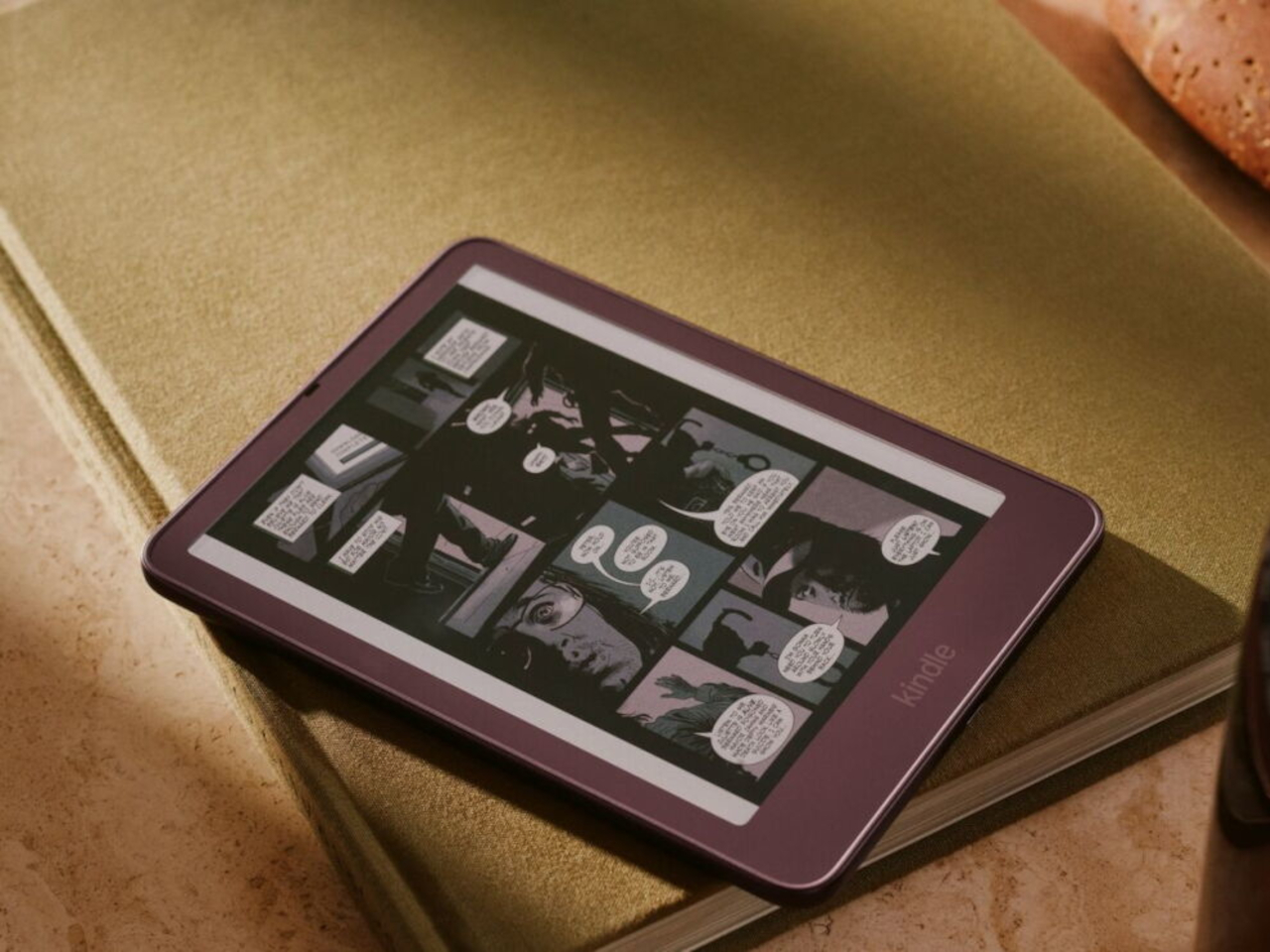
There’s still a little maintenance involved. Amazon says the rechargeable battery lasts for weeks, but the USB-C cable and adapter aren’t included. More importantly, Kindle Click only pairs with models released in 2024 or later. That leaves out plenty of readers who might want it most, including owners of the 2022 Kindle and 11th-generation Paperwhite. At least it doesn’t demand a particular cover.

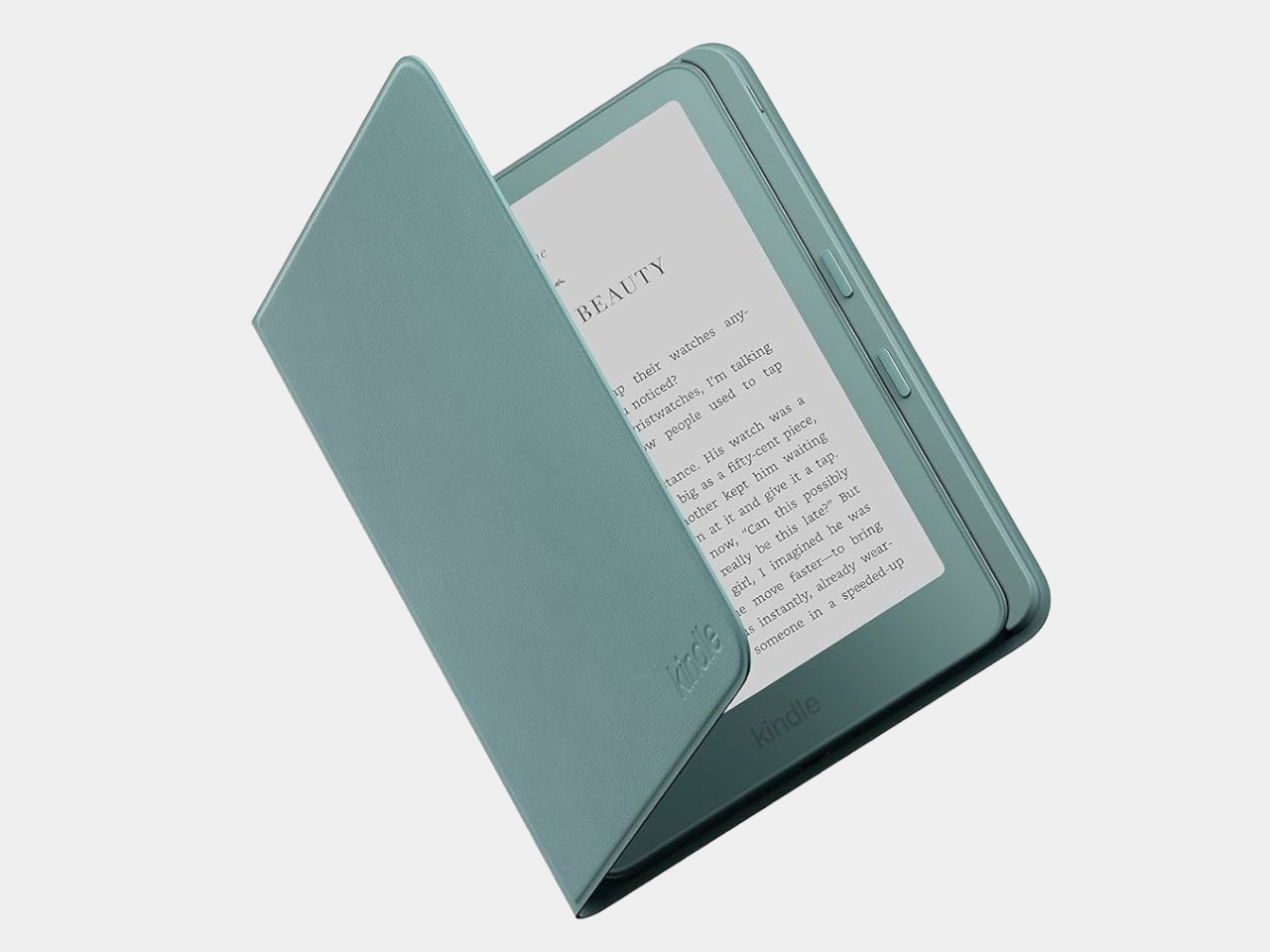
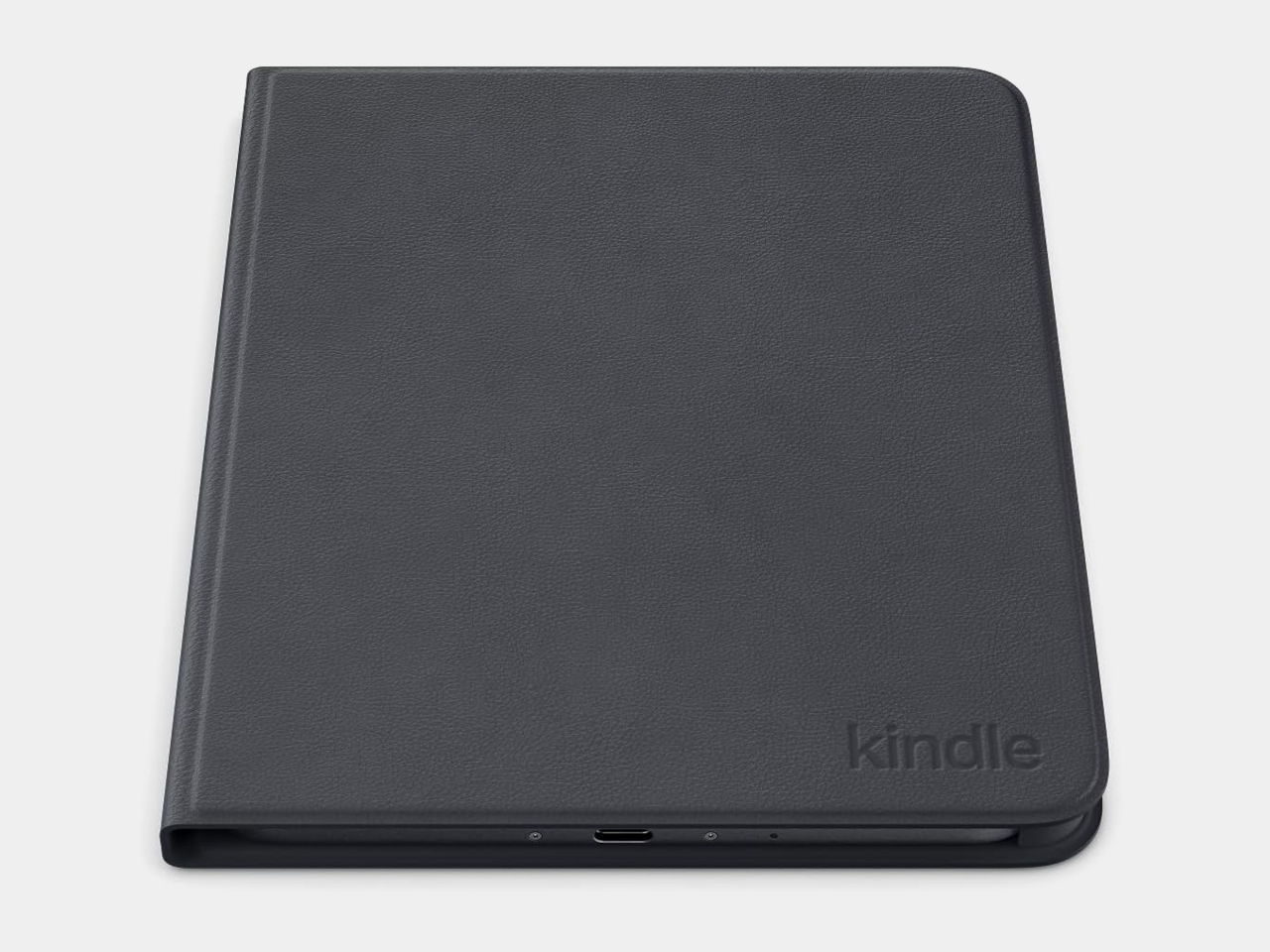
The Page Turn Cover takes the opposite approach. Instead of leaving the Kindle propped up, you hold it like any other folio-covered reader, with page-turn buttons built into the case. Fold the front back flat, and those controls remain part of your grip. The cover attaches magnetically and uses pogo pins to connect, so there’s no separate battery, Bluetooth pairing, or charging routine.

That simplicity carries through to the materials. The cover opens and closes to wake or sleep the Kindle, while a microfiber lining sits against the screen. Amazon says its plant-based leather contains more than 70% renewable biomaterials, with polyurethane making up the remainder. Graphite, Seaglass Green, and Fig offer three different looks, and both the cover and compatible Kindles carry an IPX8 water-resistance rating.

But the buttons come with a rather narrow invitation. The $79.99 cover fits only the 2026 Paperwhite Signature Edition and Colorsoft Signature Edition, so older Kindles and the standard models are out. That’s a considerable price for something that won’t fit most Kindles already in use. If you prefer reading without a case, the extra layer might also feel like an awkward trade.

Amazon hasn’t put physical page-turn buttons back on the readers themselves, and that distinction matters. The remote keeps your hand warm under the blanket while the Kindle stays put; the cover gives your thumb somewhere familiar to land when you’re holding it. Neither approach will suit every Kindle owner, but it’s nice to choose where the buttons belong instead of reaching for the screen again.

The post Amazon Gave Kindles Their Missing Buttons Back, as Accessories first appeared on Yanko Design.
  •  

The VIVIFoCAL S1 Glasses Focus Themselves So Your Eyes Don’t Have To

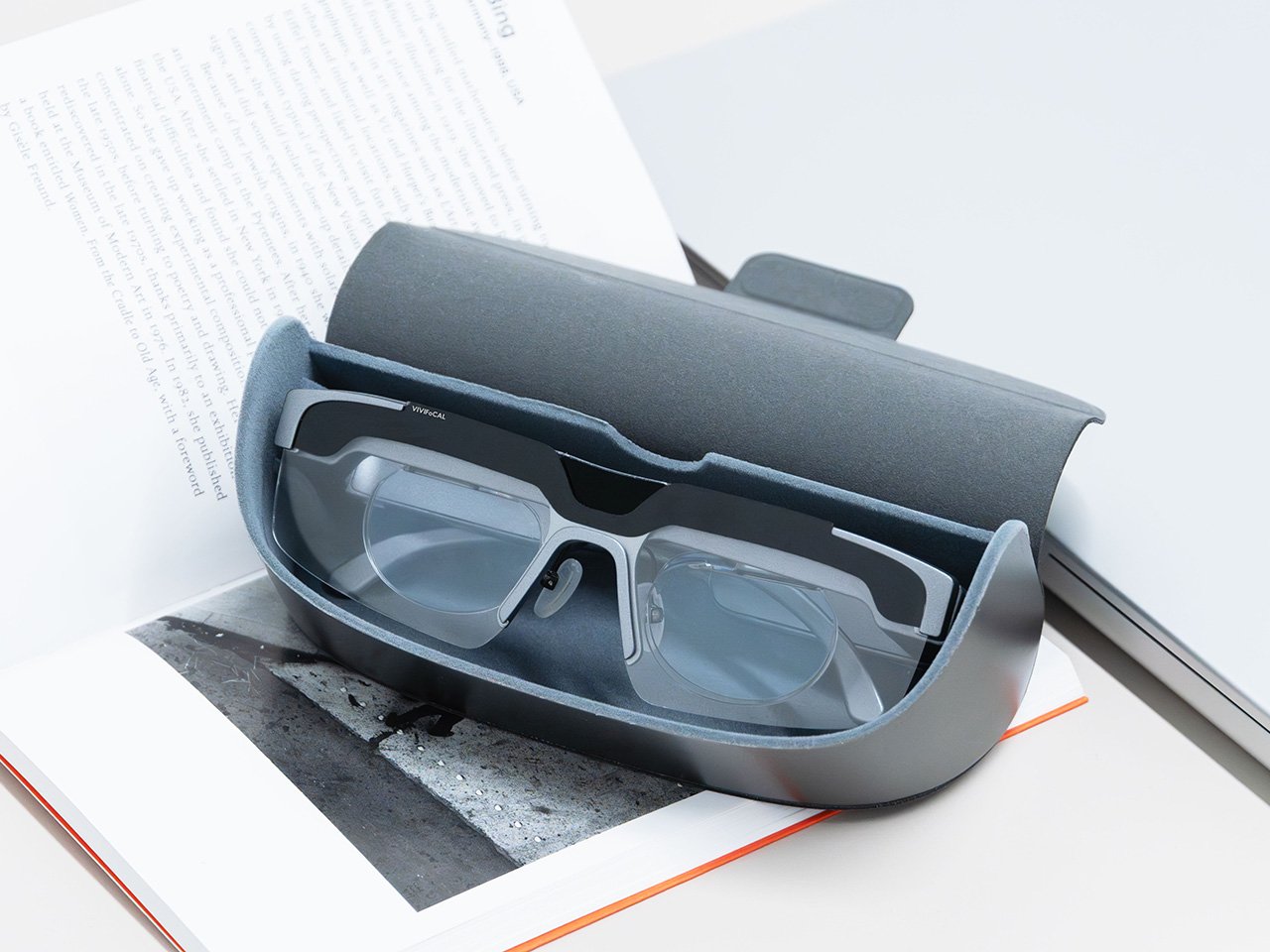
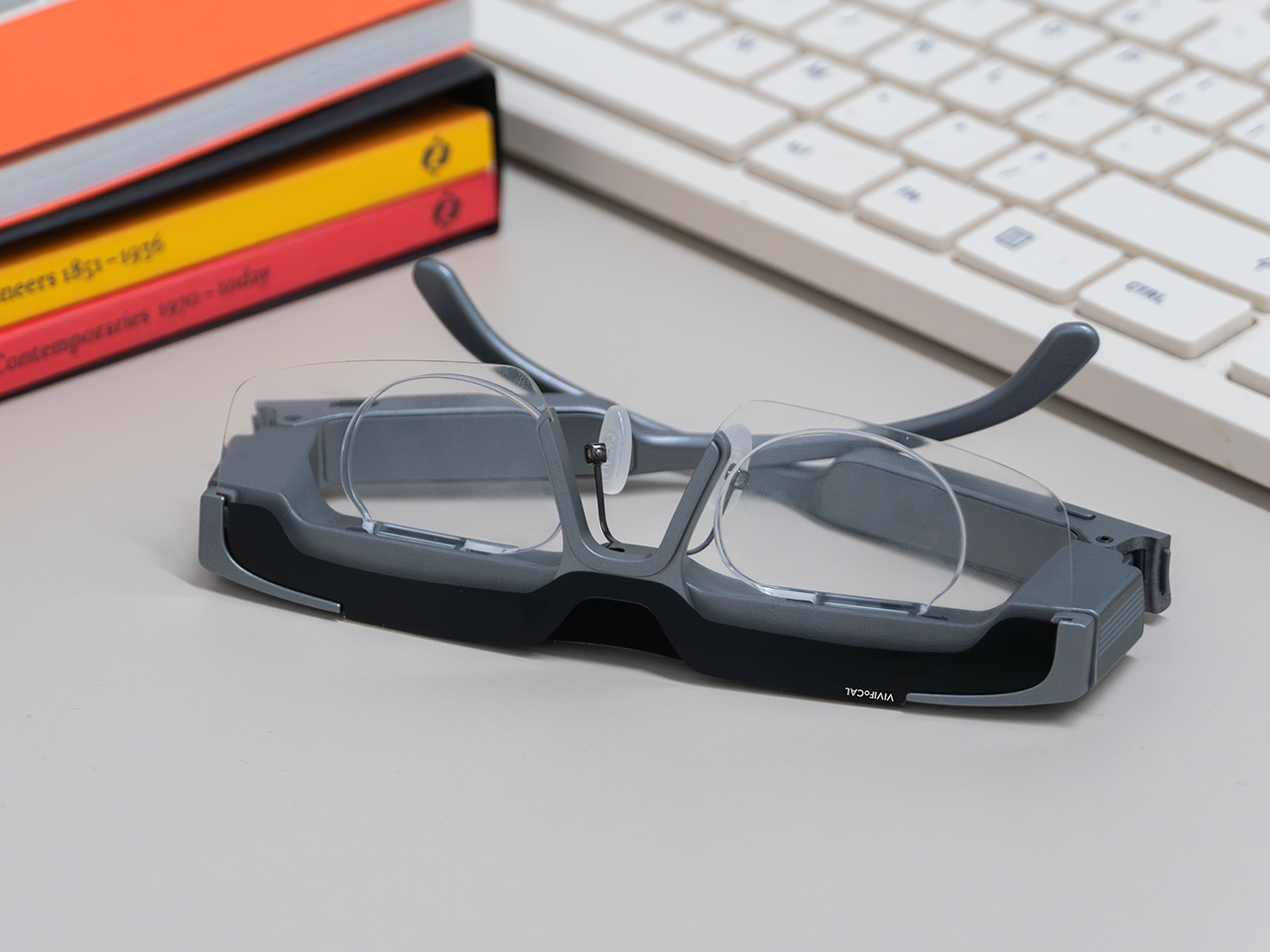
Your phone focuses by firing an invisible laser pulse at whatever you’re aiming it at, timing the bounce, and telling a tiny motor to move some glass. The whole loop finishes in a few hundredths of a second and nobody has thought about it since roughly 2017. VIVIFoCAL has taken that identical hardware recipe, a time of flight sensor, a microcontroller and an actuator, and bolted it onto a pair of glasses pointed at the world instead of at your brunch. The S1 measures how far away the thing you’re looking at is, works out the optical power your eyes need, and mechanically shifts the lenses into position in under 0.1 seconds. It’s autofocus, except the sensor is on your face.

Dr. Zhao, who earned his doctorate at a world-leading university and previously ran an optical R&D laboratory at a major optics company, built VIVIFoCAL around a piece of physics that has not yet been widely adopted by the general public. The S1 uses Alvarez lenses, two complementary freeform elements that change optical power when one slides sideways across the other. Nobel laureate Luis Alvarez patented the principle, and it was then stranded for decades because somebody had to do the sliding. A motor does it now. The result covers 8 inches to infinity in a 40 gram frame, and it launches with VIP pricing from $289.

Designer: VIVIFoCAL

Click here to Reserve Now: $10 (VIP pricing from $289).

A laser, a motor, and the 1967 patent working in the background

Three sensors do the work rather than one. A time of flight laser reads distance, a G-sensor tracks head posture, and an infrared wear detection sensor tells the glasses whether they’re on a face at all, which is how the battery survives being pushed up onto your head mid-conversation. The microcontroller sits between them, converting a distance reading into a lens position and commanding the motor in a single pass. The lenses simply change optical power to match whatever distance you’re looking at, the same job your eyes handle on their own before presbyopia kicks in. VIVIFoCAL calls that loop Instant Focus, and the same time of flight hardware we’ve watched migrate into phones, robot vacuums and door locks is what makes it affordable in eyewear.

Fitting a moving lens assembly, a rangefinder, a motion sensor, a microcontroller, a motor and a battery into something that still reads as eyewear is the harder half of this product. VIVIFoCAL has pushed the electronics into the brow bar and the temple arms, keeping the optical stack shallow enough that the frame sits on a face instead of announcing itself as hardware. The 160.5 x 160 x 43.5mm envelope is ordinary spectacle territory, which is the entire argument. Every packaging decision is downstream of one goal, helping the wearer see clearly across distances without thinking about the machine doing it.

Progressive lenses ask you to tilt your chin… this doesn’t

Presbyopia is projected to affect 2.1 billion people by 2030, and the standard answer for most of them is a progressive lens with three prescriptions blended into one lens, near at the bottom, distance at the top, intermediate smeared between. Finding the right part of the glass means tilting your chin, and the tradeoff is the narrow tunnel vision that progressive wearers describe, with softness creeping in toward the edges. VIVIFoCAL calls its answer Full-Lens Clarity, where the Alvarez lenses deliver one consistent optical power across the whole lens at every setting instead of splitting it into zones. There is nothing to hunt for and less peripheral distortion to work around. I’ve watched that chin-tilt dance play out for years, so the appeal is obvious.

Progressive glasses are generally built around everyday reading tasks, and for closer or more detailed work plenty of wearers still reach for a second pair or a magnifier. S1’s focusing range starts at 8 inches, which brings fine detail inside the same lens handling everything else. VIVIFoCAL demoed the glasses at WonderFest 2026 against a 1/35 scale miniature, the sort of precision hobby work that has kept optical visors and loupes in business for a century, and the testers who work with their hands responded the way you’d expect. One early tester shared that using S1 in a data center was a productivity gain and a huge plus, because he could walk past equipment and read tiny serial numbers without interrupting his workflow to take out extra readers, switch to other glasses, or use additional visual aids. He no longer carries multiple pairs when he leaves the house.

Forty grams, three nose pad sizes, and all-day power

VIVIFoCAL designed around the fact that head sizes and nose bridge heights vary far more than eyewear brands usually admit, which is why S1 ships with flexible spring hinges and three sizes of interchangeable nose pads to adapt across face shapes. The frame lands at 40 grams bare and 50 with the magnetic front clip, built on TR90 temples, the same material that has quietly taken over lightweight frames and wearable arms across the industry. Those numbers matter because forgetting you’re wearing them is the whole point of automating focus in the first place. A 250mAh battery holds up through 8 hours of constant refocusing and refills over USB-C in about an hour, with normal use stretching to a full day. Glasses that can run flat is still a new idea to make peace with.

A separate pair of lenses attaches behind the Alvarez elements, so one pair carries your prescription to see near and far. Magnetic polarized sunglass lenses snap onto the front for outdoor use with adaptive focus still running underneath. The polycarbonate lenses carry anti-reflective and anti-smudge coatings, transmit more than 90 percent of light, and sit inside a field of view above 110 degrees. The app adds a ±0.5D fine-tuning range on top of the automatic correction, which is how the glasses absorb the slow drift of a presbyopic prescription instead of being replaced. Presbyopia correction tops out at 3.5D, so the deepest cases fall outside what S1 can currently handle.

The bet VIVIFoCAL is making on moving glass

The company isn’t chasing this idea alone. Other teams are working on adaptive focus through liquid crystal lenses or eye tracking instead of a mechanical shift, and the category is young enough that the approaches are still diverging. VIVIFoCAL is betting on the refractive route, real glass moving to change optical power rather than a pixelated layer simulating it, and that bet buys the two things that matter most in eyewear you keep on your face all day. S1 holds above 90 percent light transmittance and a field of view past 110 degrees, which is why the image through it behaves like a lens instead of a screen.

Alvarez lenses have been a lab curiosity since 1967 for one reason, which is that the sliding had to be automated by something small enough to live inside a temple arm. Sensors, motors and microcontrollers have finally shrunk far enough to make that trivial, which makes S1 a triumph of packaging, and packaging is where most wearables actually get decided. Autofocus earned its invisibility in cameras by working so fast nobody noticed it, and 0.1 seconds across 8 inches to infinity puts the same disappearing act in front of your eyes. S1 ships with a 1-year warranty, and a refundable $10 deposit locks in VIP pricing at $289 ahead of the official launch, with either the prescription lens service or the sunglass lens bundle included depending on which one you need. Sixty years is a long time for a good idea to wait for its motor.

Click here to Reserve Now: $10 (VIP pricing from $289).

The post The VIVIFoCAL S1 Glasses Focus Themselves So Your Eyes Don’t Have To first appeared on Yanko Design.

  •  

Designers Already Prototype Hardware – Now They’re Prototyping Demand Too

Every product that finds its way onto these pages eventually meets the same crossroads: the moment a designer takes the thing public. For physical product creators chasing something original enough that established retailers won’t touch it, Kickstarter remains the most democratic proving ground available. The platform has hosted more than 654,000 campaigns since 2009, drawing over $8.5 billion in pledges from more than 23 million backers, with 2025 marking its strongest year on record. That momentum creates a seductive and specific trap: creators see the platform’s gravity and assume a beautiful product with a compelling story will naturally convert into backers. A crowdfunding agency called TCF (The Crowdfunding Formula), which holds Kickstarter Premier Partner status and has facilitated more than $520M raised across campaigns, has spent years watching that assumption fail in real time, and what they built to counter it is one of the more disciplined pre-launch processes in the business.

TCF’s methodology, recently published in full detail, centers on a single observation that most campaigns never act on: interest and purchase intent are not the same signal. Emails, follows, and comments cost nothing to give, which is why none of them predict whether a product sells. Validation asks for money, not opinions, and a small deposit on a product that does not exist yet is the closest available proxy for a real backer, because the act of paying is what carries the information, not the amount. The resulting data resolves three decisions most creators make by guesswork: the price, the positioning, and the audience, all settled before a campaign page exists, before ad spend, and before the outcome is locked in, because those are the three things most likely to break a launch and the three most often decided by assumption. It is a design methodology applied to the market, and it deserves the same respect that designers already extend to physical prototyping.

Circular Ring 2

How a $2 Deposit Separates the Buyers from the Browsers

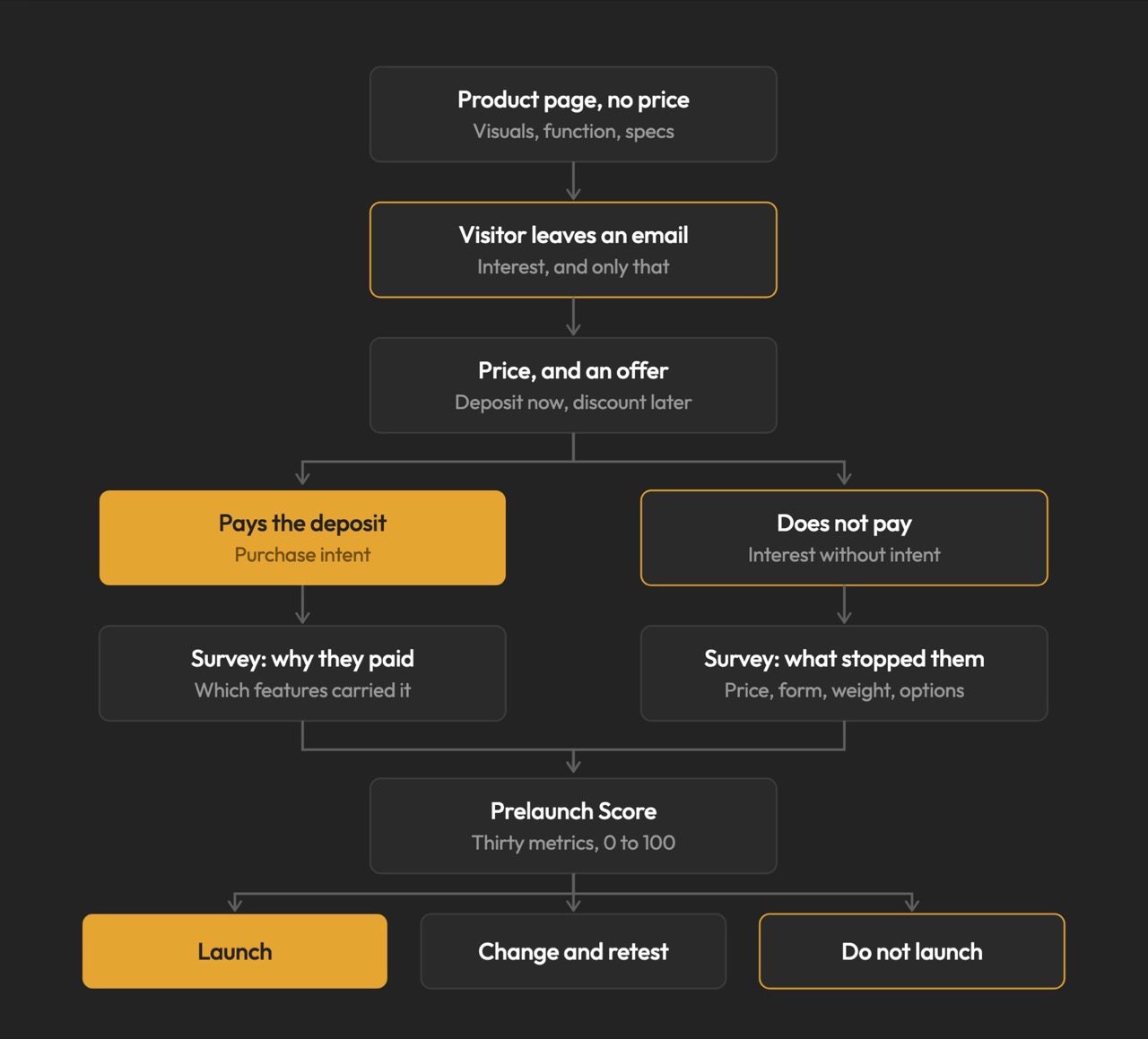
The process runs on Prelaunch.com. A product page goes live showing the product, the visuals, what it does, how it works, and the characteristics that make it different, with no price. Visitors who want to know more leave their email address, which is the interest signal and only that. A second page then opens, presenting the price alongside an offer: put down a deposit today and receive a discount when it launches. Someone who pays has moved from liking the product to paying for a product with no campaign page, no ship date, and no reviews. Someone who does not pay is interested but not convinced, and that is a result too.

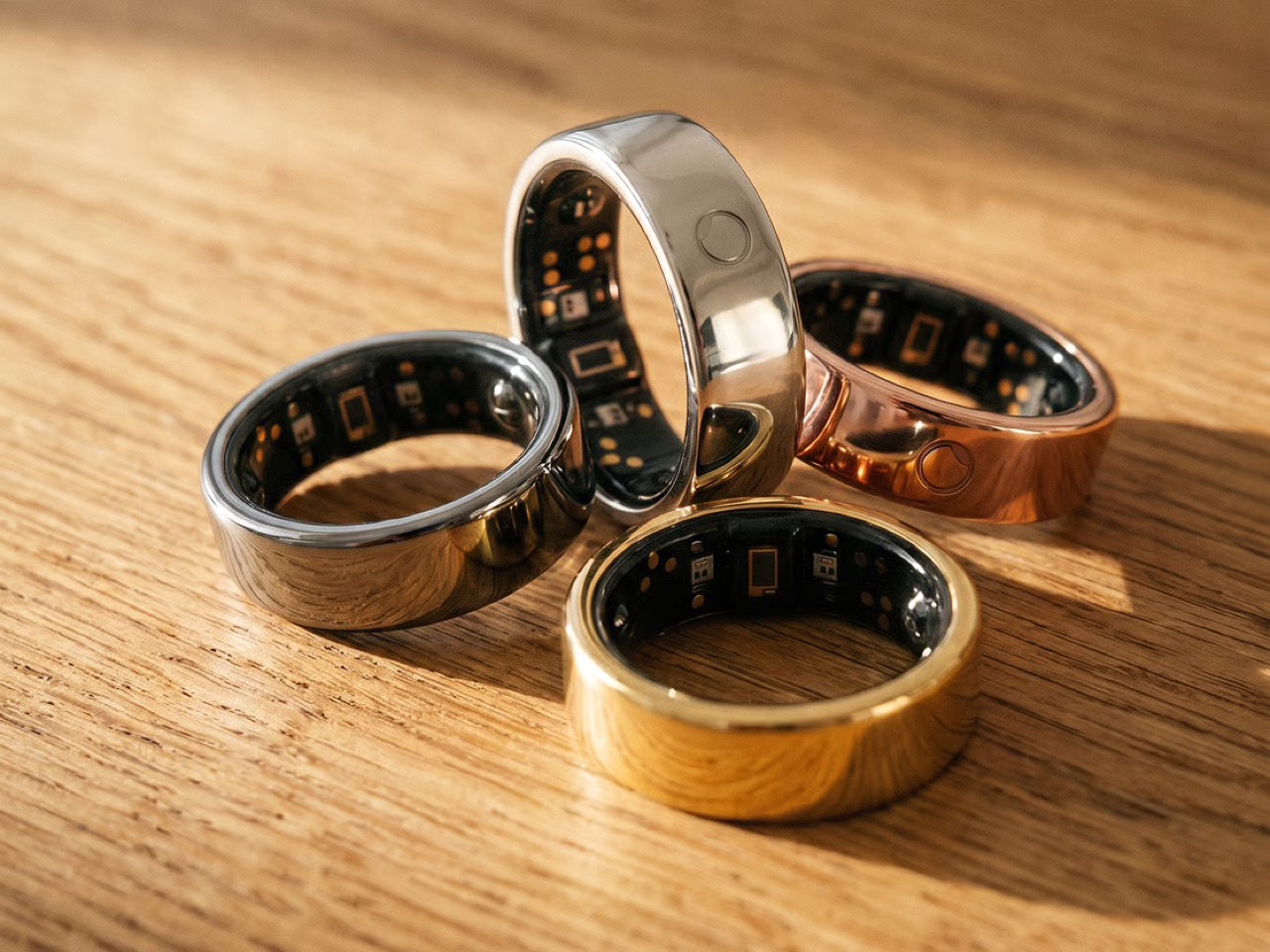
The pushback the deposit mechanism reliably attracts is predictable: does $2 actually prove anything about future purchase behavior? The deposit is the part people push back on, but the $2 is not the point. The act is the point. Getting up, finding a card, and typing the numbers in for something with no campaign page, no ship date, and no reviews is a different order of behavior from tapping a heart, and the people who do it are the closest thing to your future backers that exists before you have any. The Circular Ring 2, a smart health ring, funded in just four minutes and crossed $2.5 million in pledges in under 40 days. Products that open with that kind of velocity tend to do so because the audience already knows it wants the thing, and that certainty is built long before a campaign goes live.

Image Credits: TCF

The Rejection Data Is the Brief

The survey is where validation stops being a scoreboard and starts being useful. From the people who reserved, you learn what actually moved them: whether it was the color, the form, a specific function, the price, or the promise, and which features are carrying the product versus which ones you have been overselling. From the people who left an email and then did not pay, you learn something you cannot get anywhere else: exactly where you lost them, and what would change their mind. The color they wanted was not there. The shape was wrong. It looked too heavy. The price was too high. These are the people who were close enough to care and honest enough to walk away, and their answers are a list of things you can fix before the fix costs anything.

This is co-creation in the most literal sense: meeting your potential buyers before you launch, and letting them tell you what to build. A creator who learns that 60% of their non-converting subscribers balked at weight has a design brief, not a marketing problem. A creator who discovers that two colorways were widely expected but absent has a specification list, not a gap in their ad copy. The survey turns a theoretical audience into an actively contributing one, delivering feedback while the product can still absorb it. Kickstarter’s most successful campaigns tend to share that structure: they do not open to strangers, they open to people who were already consulted.

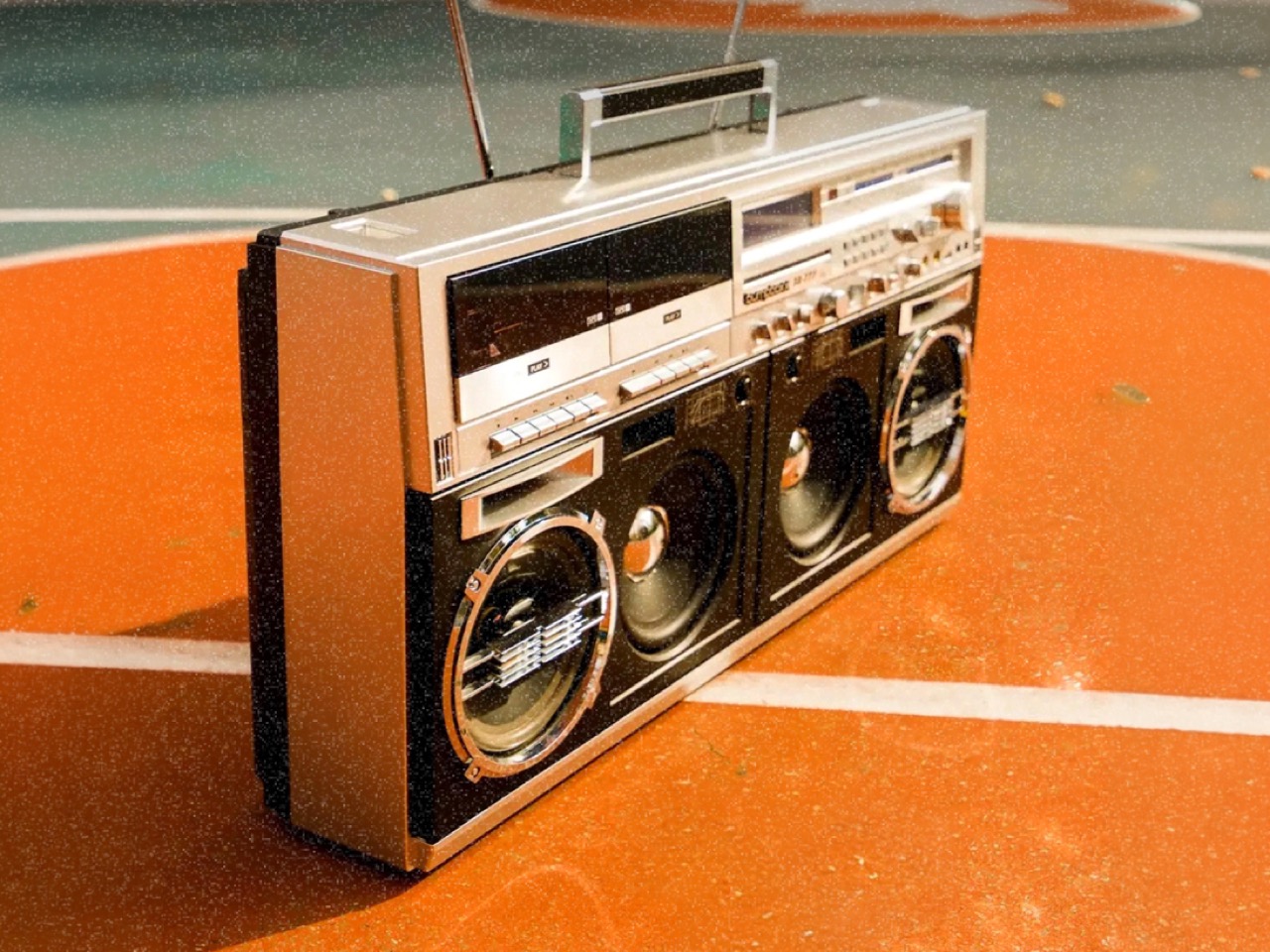
BB-777 Boombox

Why Validation Doesn’t Always Mean Lowering Your Price

Creators tend to assume validation exists to talk them down. It does not. One agency ran validation on a pet product priced at $30 a unit, and the data showed the right price was $40. The creator had been leaving money on the table, and no amount of instinct would have told them that, because instinct in that situation almost always argues for the safer, lower number. No stated-preference survey, no focus group, and no amount of social engagement would have surfaced it, because stated preference and paid behavior are different instruments measuring entirely different things. Validation is where you settle positioning and audience rather than guessing at them, running price variations, testing different messaging, and finding which audience responds before you have committed to a single frame of campaign video. The point is to find the price, the position, and the audience that let the product reach its full potential, and then launch into that.

The validated price sets reward tiers, and the early discount tested during validation is a trigger that has already been watched working, rather than one you hope will. The reserver surveys told you which characteristics did the persuading, which decides your headline, your hero shot, and the order of your video. You are not inventing arguments for the product; you are repeating the ones your buyers already made. Running price variations and messaging tests before a single production decision is committed changes the campaign from a bet into a brief. The learning does not expire when the campaign closes. A validated price, position, and audience are the same three things an e-commerce store runs on, which is what lets a product keep scaling after the campaign instead of peaking with it.

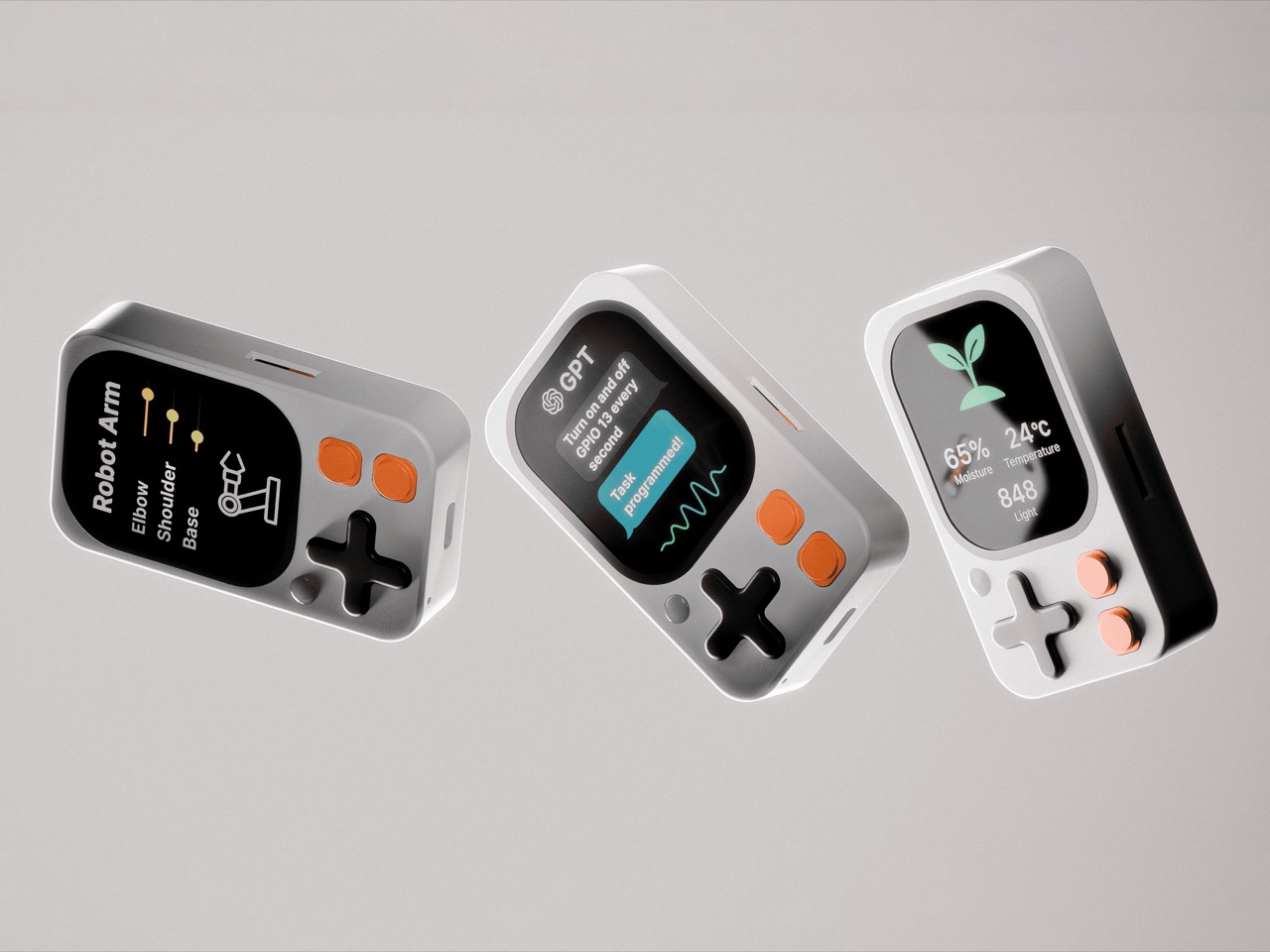
Kode Dot

The Designer’s Instinct Problem and Why Demand Needs Its Own Prototype

The design process and the validation process ask for decisions in different orders, and that difference matters more than it first appears. A designer who arrives at a product through material, form, and function is not naturally thinking about reservation rates. Validation is the design loop pointed at the three things a physical prototype cannot test: what people will pay, how the product should be framed, and who it is really for. Designers already accept this discipline everywhere else; nobody tools up an injection mold without a prototype. A “do not launch” result from this process is a success, saving a creator a year, a production run, and the damage of a public failure. A careful launch protects more than the person running it; it protects the shared resource of backer trust, which every quiet project erodes.

The question worth answering before a launch is not how big a campaign you can build. It is what you can prove before you build it. Whether that discipline becomes standard practice across the crowdfunding ecosystem or remains the habit of the more methodical subset of creators, the underlying argument is one any designer can recognize. You do not ship a mechanism you have not tested. Treating the market as the final untested component, rather than an assumption baked into launch day, is the shift the methodology is asking for. Across hundreds of millions of dollars raised in crowdfunding projects, the cases where testing these three things costs more than getting them wrong are functionally nonexistent.

The post Designers Already Prototype Hardware – Now They’re Prototyping Demand Too first appeared on Yanko Design.
  •  

London’s Coolest Capsule Hotel Proves Budget and Beautiful Aren’t Opposites

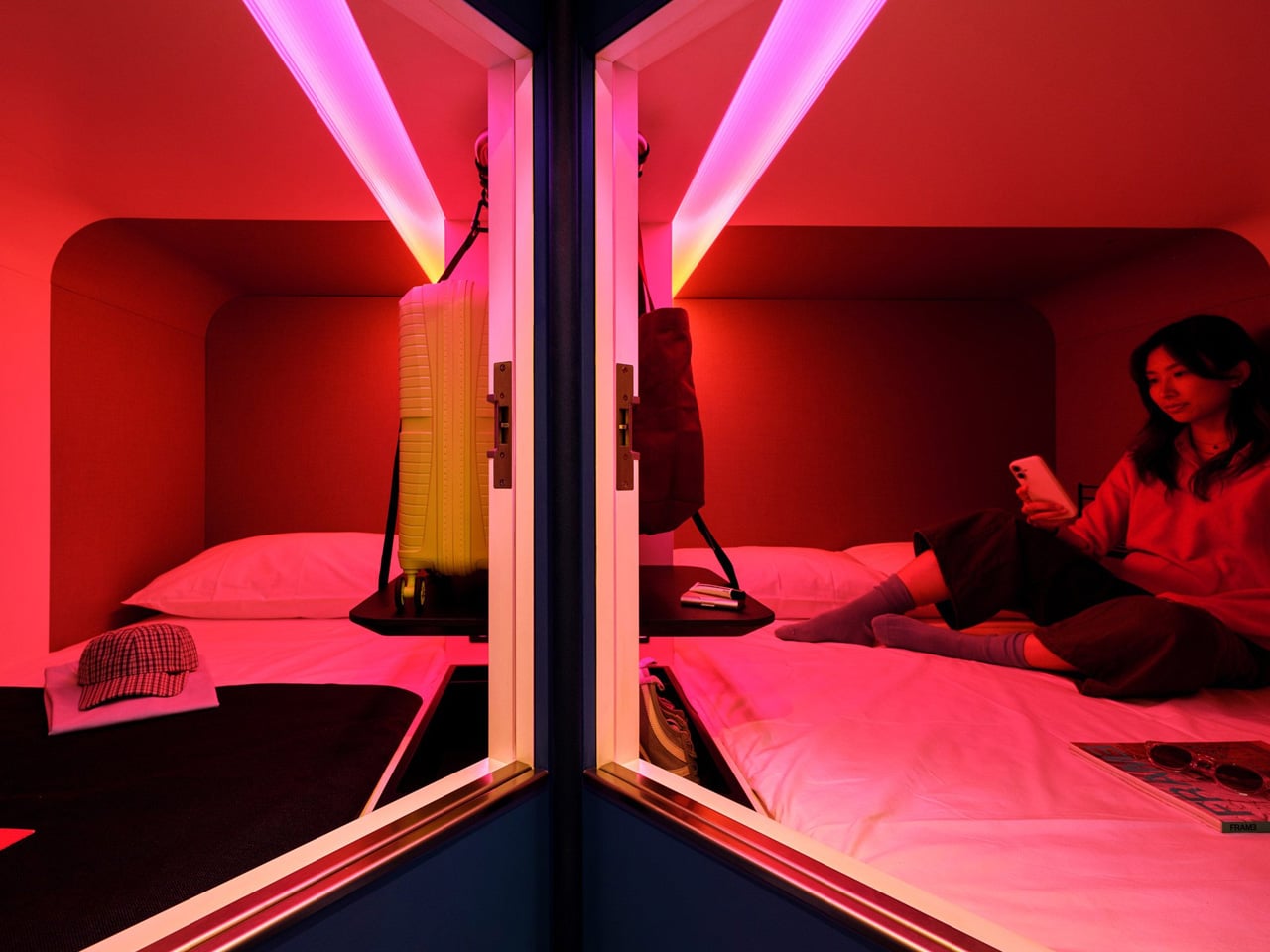
London has a new answer to affordable city-centre stays — and it looks nothing like the hostels that came before it. SODA, the London-based architecture studio, has transformed a former backpacker hostel near Oxford Street into Otherwander Soho, a high-density capsule hotel built around 566 sleeping pods the brand calls “nests.” The result is something closer to a boutique hotel than a budget bed, a place that takes the Japanese capsule typology and reframes it for a generation that refuses to choose between cost and quality.

The building itself carries history. Otherwander occupies a pair of early 20th-century structures close to Oxford Street, and SODA’s approach respects that lineage without being precious about it. The facade references the neighbourhood’s material vernacular — hand-laid arched brick details and corbelled window reveals draw from the surrounding Soho streetscape — while the interiors do not attempt to play it safe. Vibrantly coloured social spaces, curved lines, and warm strip lighting push back against the beige neutrality that defines most budget accommodation. A colourful staircase threads the floors together, giving the building a sense of vertical life.

Designer: SODA

SODA director Ryan Holland was clear about the brief from the start. “The aim was to provide affordable, high-density accommodation without compromising the guest experience,” he told Dezeen. The target guest is Gen Z and younger independent travellers — people who are design-literate, location-driven, and unwilling to trade aesthetics for a lower room rate. Each nest is private and soundproofed, with the entire guest journey — check-in, room control, checkout — managed through a phone. It’s a frictionless model designed for people who already live this way.

What SODA gets right here is the balance between compression and comfort. The pods are compact by necessity, but the shared spaces are generous in feeling — designed to do the social heavy lifting that a private nest cannot. It’s a deliberate split: retreat into the pod, expand into the communal. The vibrancy of the common areas makes the smallness of the sleeping space feel intentional rather than compromised.

Capsule hotels have existed at the fringes of Western hospitality for years, mostly as novelty or last resort. Otherwander Soho changes the conversation. Located at 92 Dean Street, it plants itself at the centre of one of London’s most culturally loaded postcodes and dares you to think of it as anything less than a destination. SODA hasn’t just renovated a hostel — they’ve made the case that density and design aren’t opposites.

The post London’s Coolest Capsule Hotel Proves Budget and Beautiful Aren’t Opposites first appeared on Yanko Design.
  •  

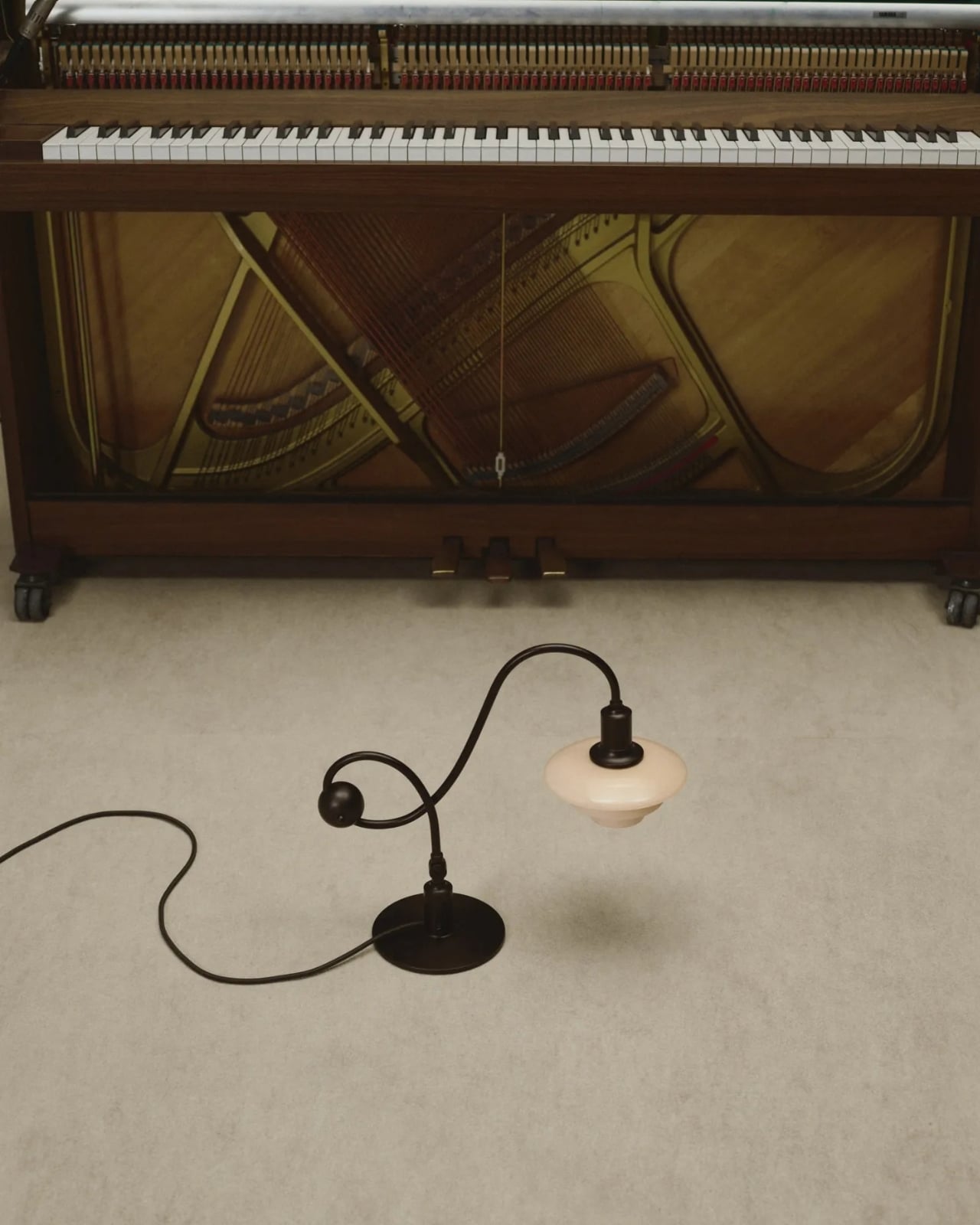
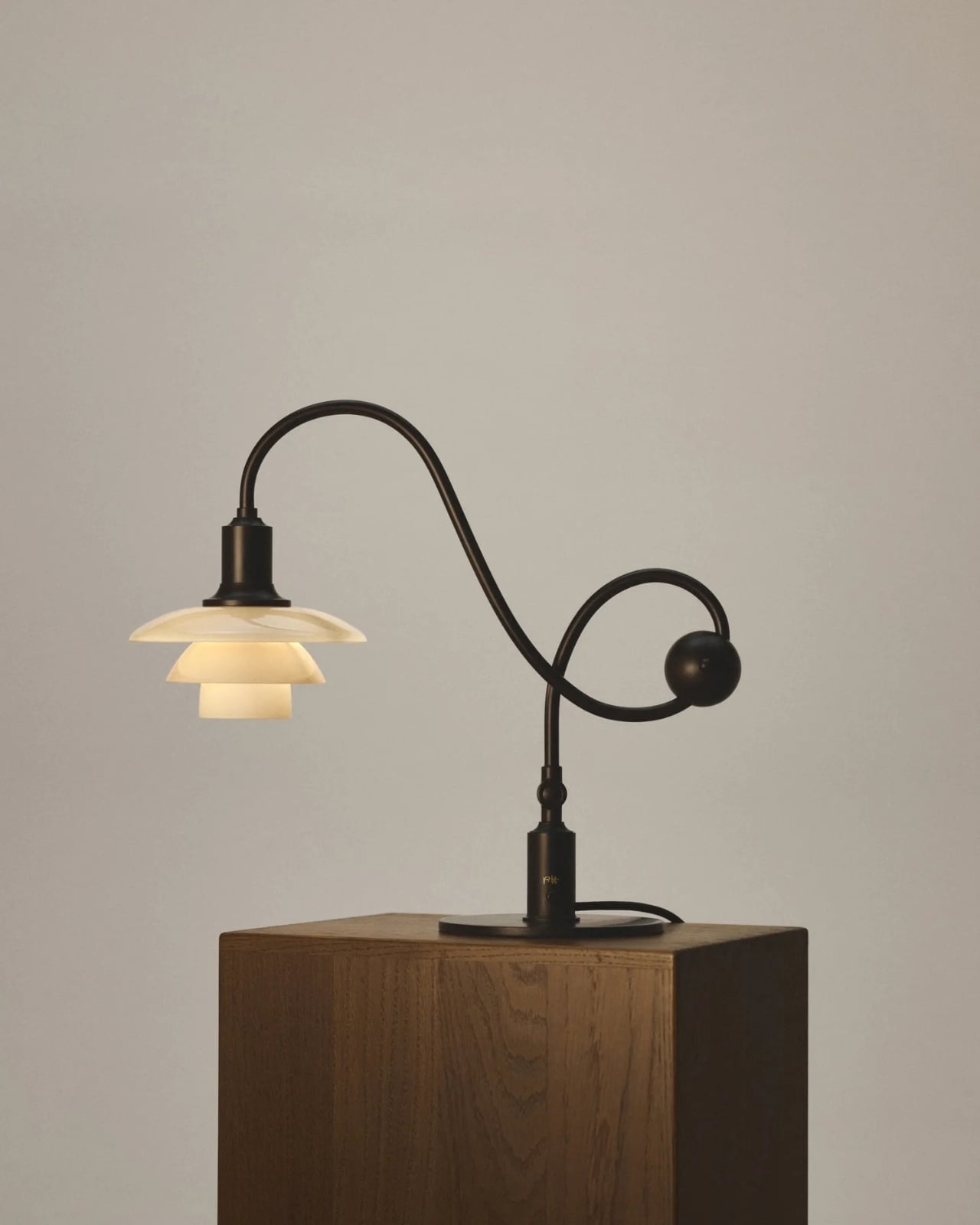
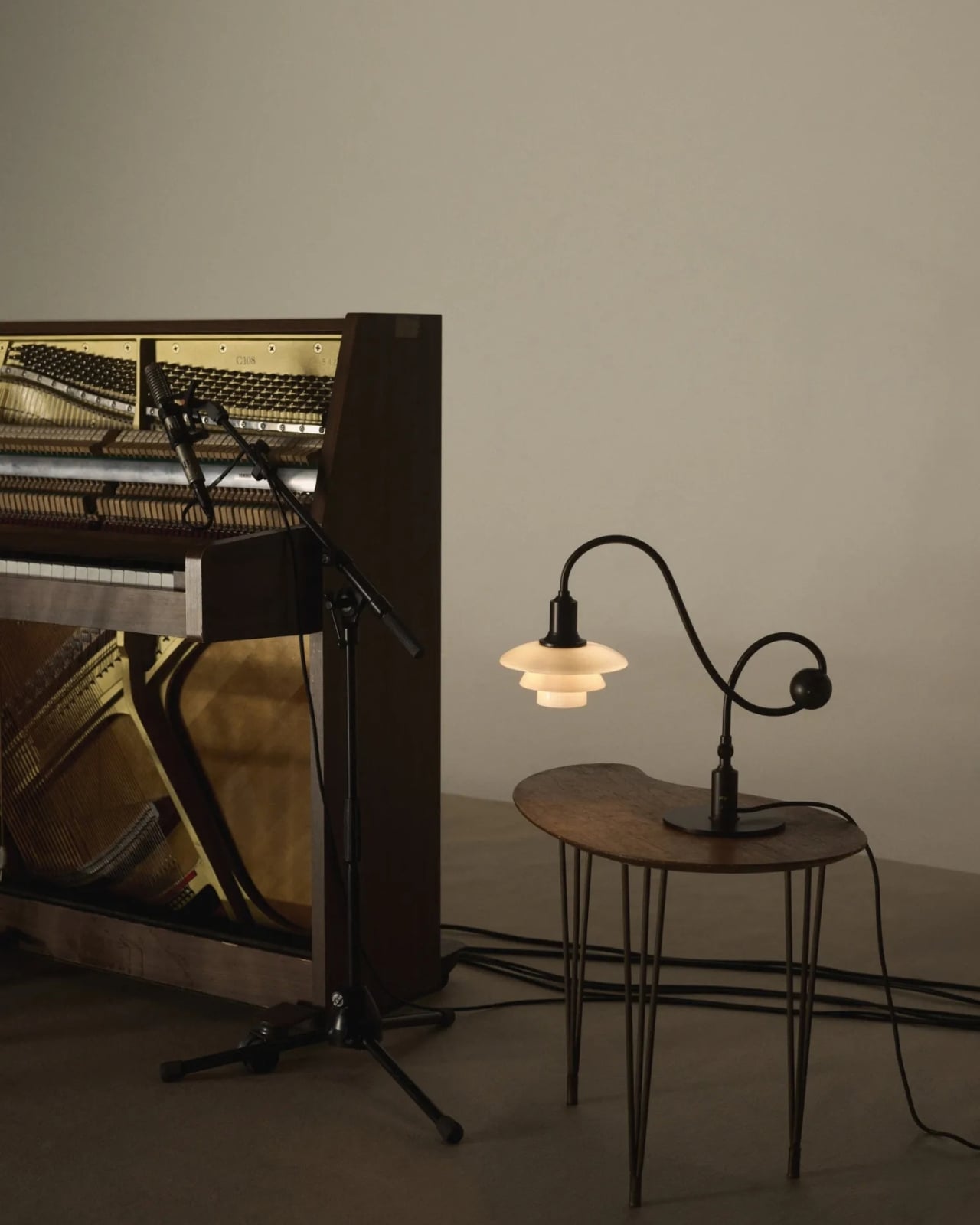
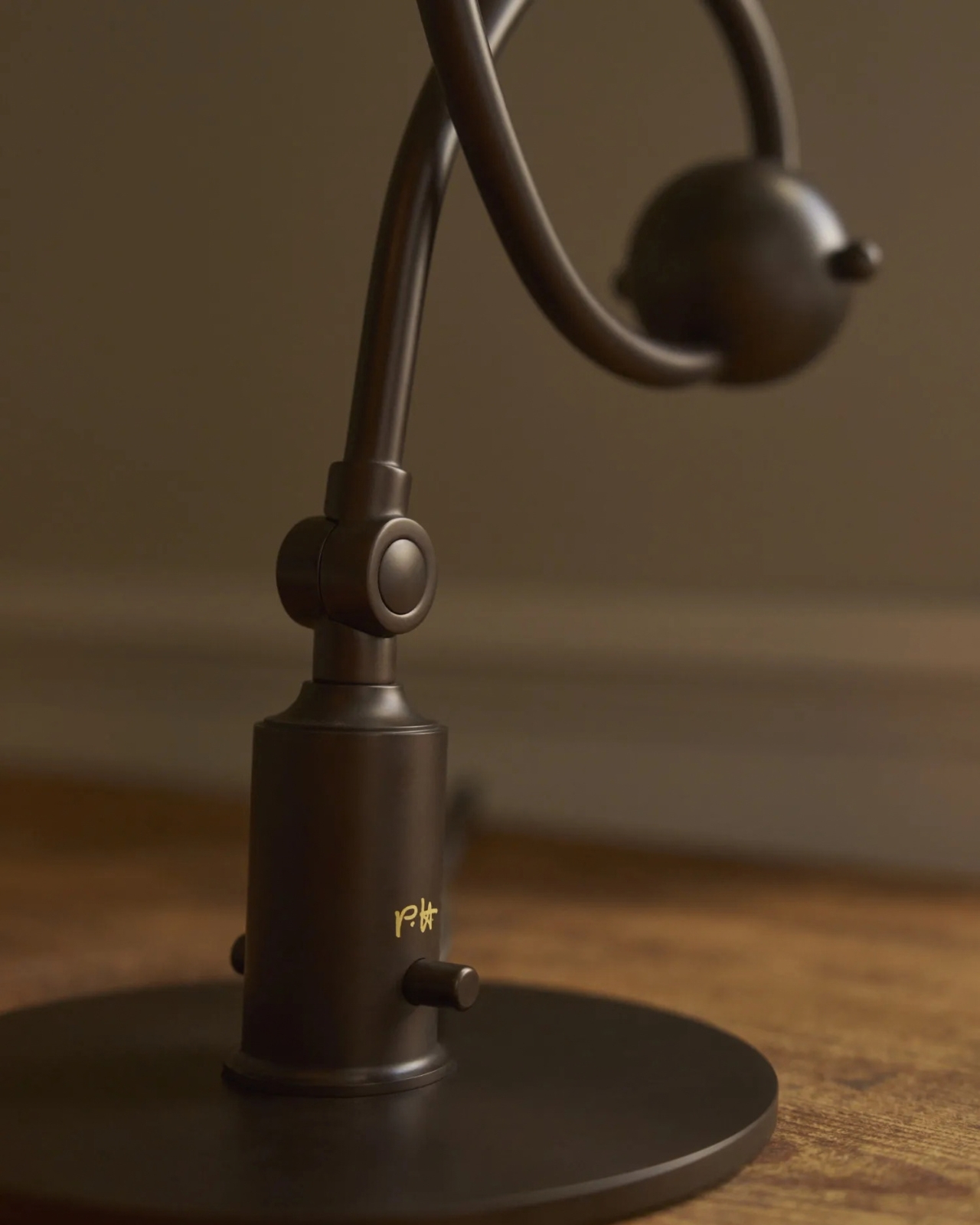
The 1969 Lamp Nobody Knew They Needed Is Back

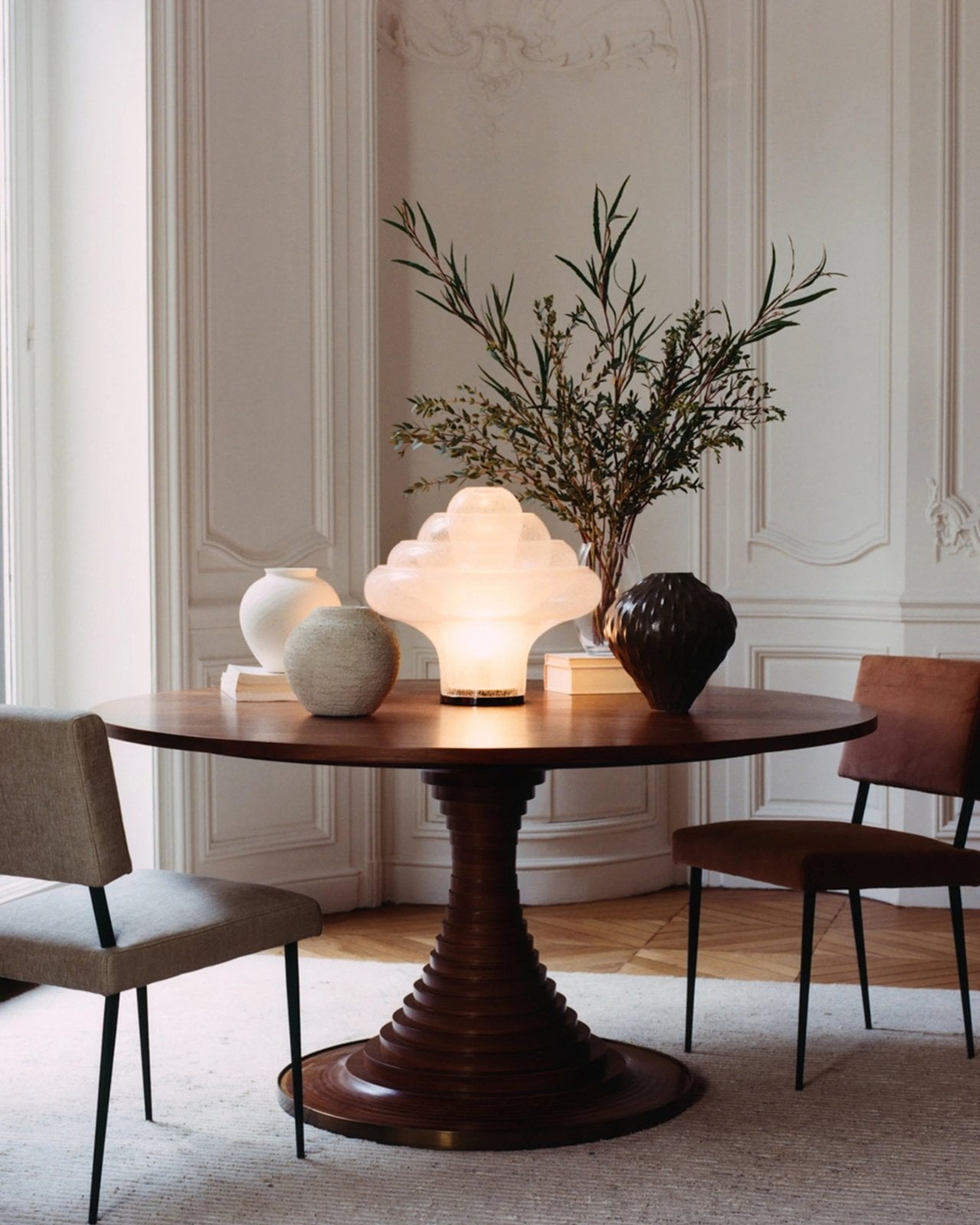
Most statement lighting presents a familiar dilemma. A lamp can give a room personality, but the more attention it demands, the harder it can be to live with everything around it. Furniture starts to feel like a supporting cast. Even the lamp’s glow can seem secondary to its silhouette. Gubi’s reissued Lotus lamp offers a more appealing proposition: a piece with enough presence to change the mood of a room, without making the room feel like a showroom.

Designed by Carlo Nason in 1969, the Lotus lamp belongs to a period when designers were willing to treat lighting as sculpture. Nason’s fluency with glass is central to its appeal, and Gubi’s reissue brings that idea back into view more than half a century later. It is easy to see why the design has returned now. Plenty of contemporary interiors look polished, yet oddly reluctant to have fun. A lamp with a little imagination can do more for them than another carefully chosen neutral.

Designer: Carlo Nason

What makes Lotus interesting to me is the difference between being distinctive and being loud. Its flower-inspired identity gives you a way into the design, but it does not require an entire room to follow the theme. You can appreciate the botanical reference without surrounding it with curved chairs, patterned wallpaper, and a vase of matching flowers. That restraint matters. The best objects leave space for the lives unfolding around them.

Glass also changes how we read a lamp. A metal shade tends to draw a firm outline; glass has a more elusive presence, especially when light enters the picture. It can feel substantial and delicate at once. Nason built a career around exploring what the material could do, and Lotus carries that curiosity into an everyday object. I like the idea of a lamp that rewards a second look when it is switched off, rather than disappearing until evening.

Of course, reissuing a decades-old design invites a fair question: Are we drawn to the lamp itself, or to the comforting idea of owning a piece of design history? Vintage references can become a shortcut to taste. A recognizable date and designer’s name do some of the work that the object should be doing on its own. Lotus earns more attention when you set that pedigree aside and imagine it in an actual home, beside the books you have not put away and the chair you sit in every night.

That is where its value as a design object becomes clearer. A good lamp changes a space twice: once as an object you notice during the day, and again when you turn it on. The Lotus makes a case for treating those experiences as connected rather than choosing one over the other. It asks to be seen, but the point of bringing a lamp home is still to live with its light.

There is a broader reason this reissue feels timely. So much shopping for the home now happens through images that reward instant impact. A dramatic silhouette can stop a scroll, even if it would be exhausting across the room from your couch. The more useful test is slower. Would you want to see it on a rainy Tuesday? Would it still hold your attention once you stopped photographing it? Lotus strikes me as the kind of design that could pass both tests.

It also offers an alternative to the notion that a room has to speak in one consistent style. An older Italian design can sit comfortably among newer pieces if you let it be a point of contrast rather than the start of a complete makeover. That is a more personal approach to decorating. Most homes accumulate meaning over time, through choices made for different reasons and at different moments.

Gubi did not need to invent a new kind of lamp to make lighting feel fresh. Reintroducing Nason’s 1969 design is a reminder that an object can have a strong point of view without turning the rest of your home into a backdrop. For anyone caught between the sensible lamp and the memorable one, Lotus makes a persuasive argument for wanting both.

The post The 1969 Lamp Nobody Knew They Needed Is Back first appeared on Yanko Design.
  •  

Nobody Expected a Dumpster to Be the Coolest Bag

Anyone who has seen me carry my huge tote bag probably wonders how I can find anything inside it. To be honest, it takes me a few seconds, and sometimes even a few minutes, to dig through the seemingly bottomless pit. The bag is deep, and I tend to carry a lot of stuff. Sure, bag organizers are available, but when I am in a hurry, it is easier to toss everything inside and sort through it later. You could say I sometimes go dumpster diving in my own bag when I need to find something.

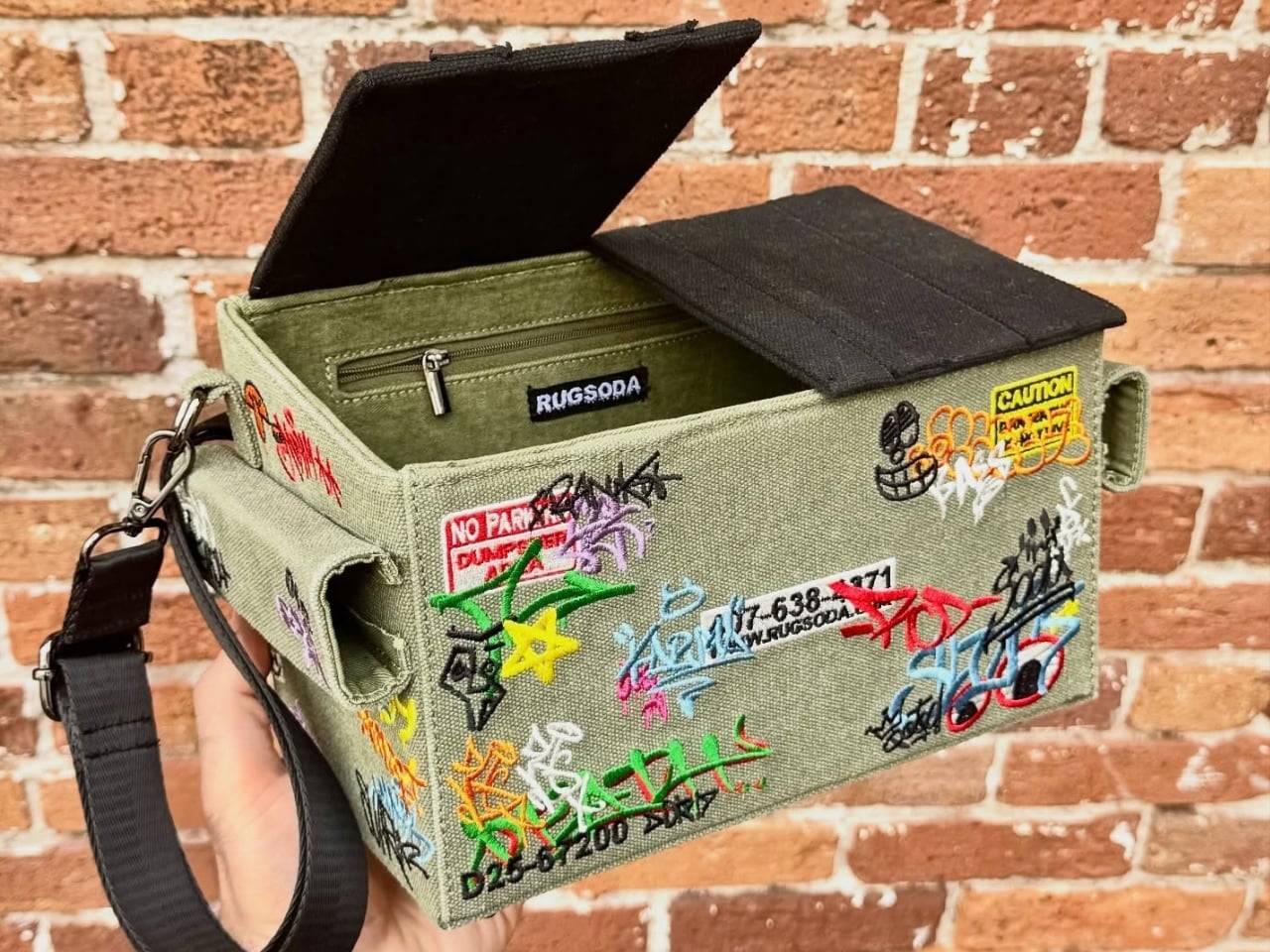
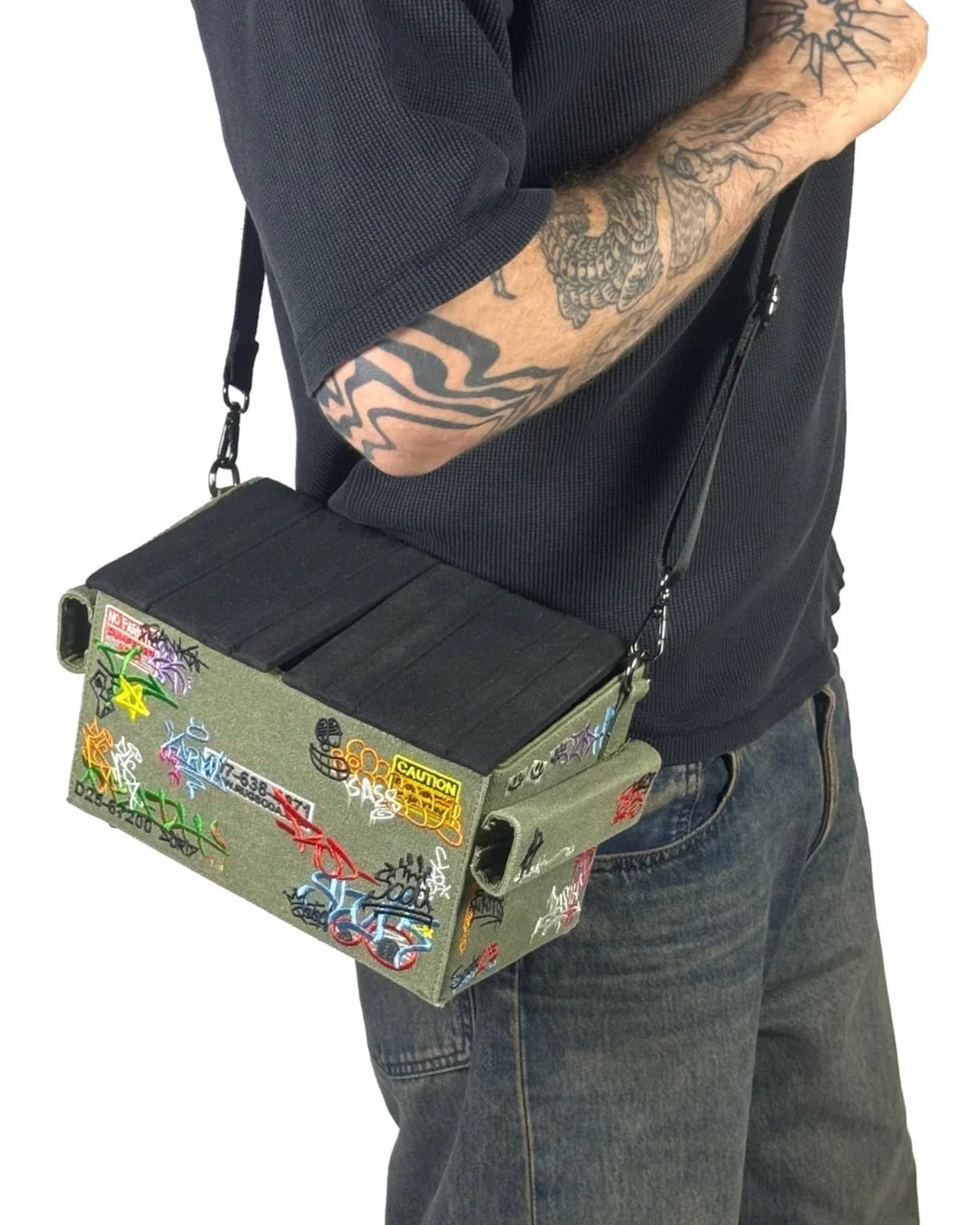
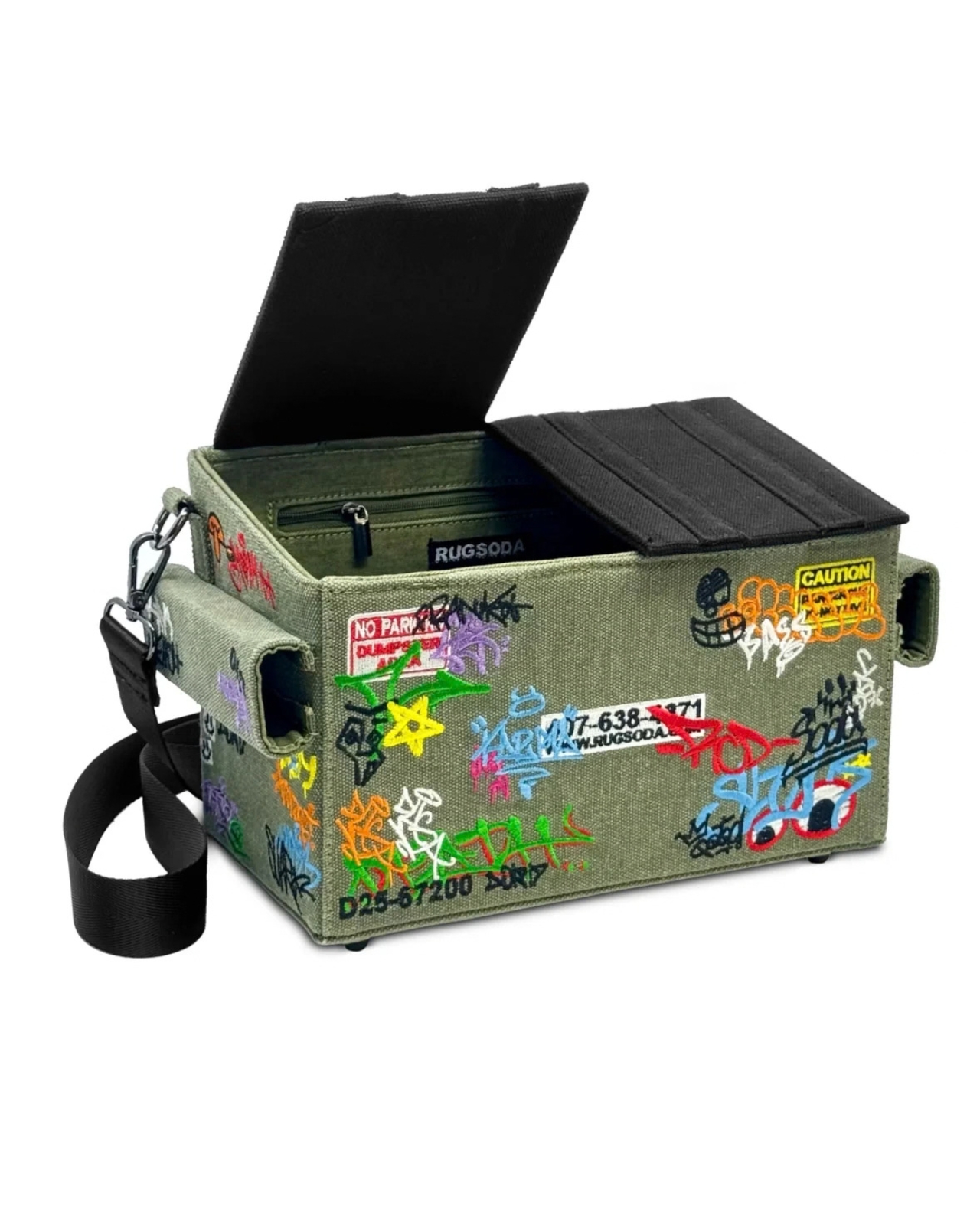
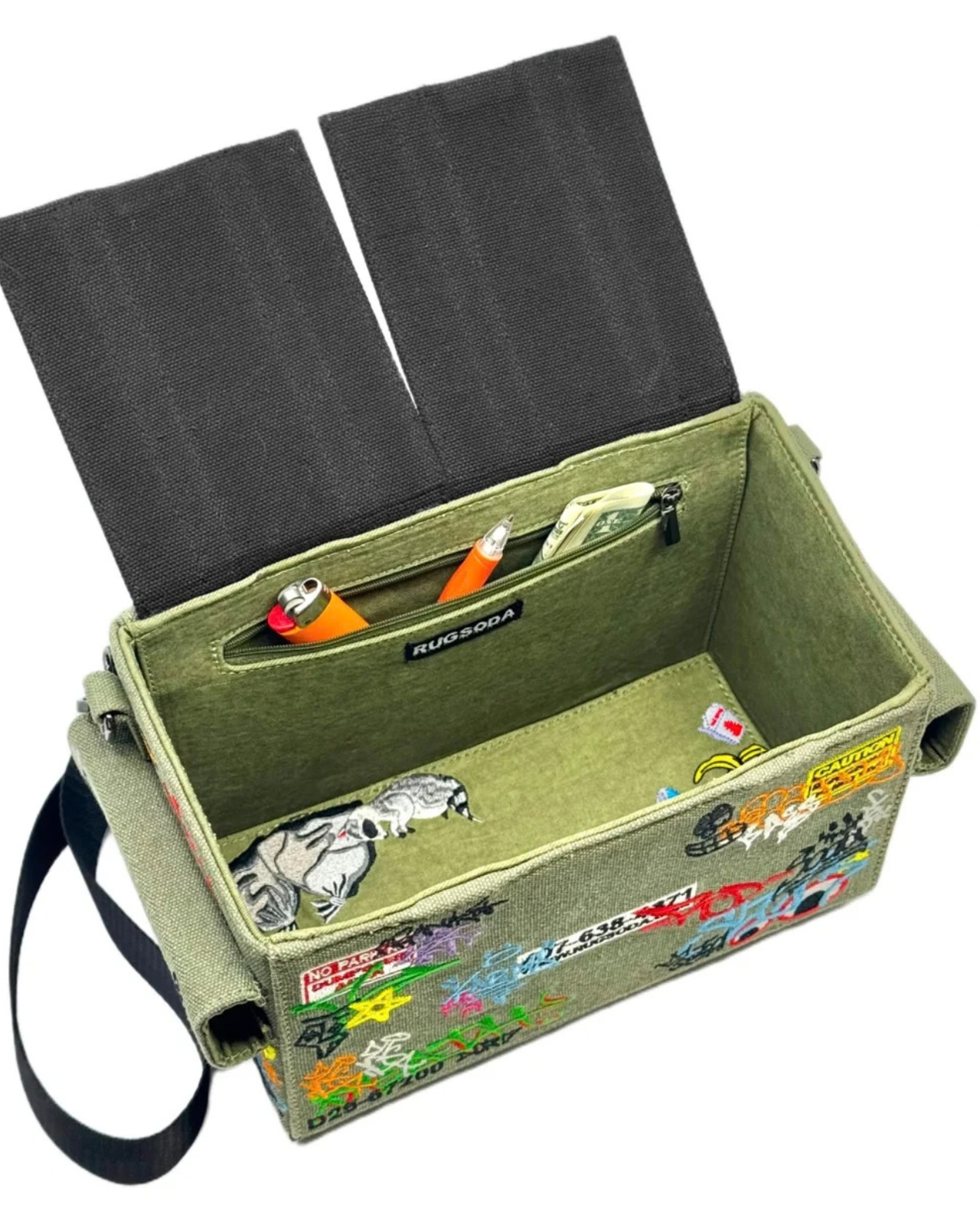
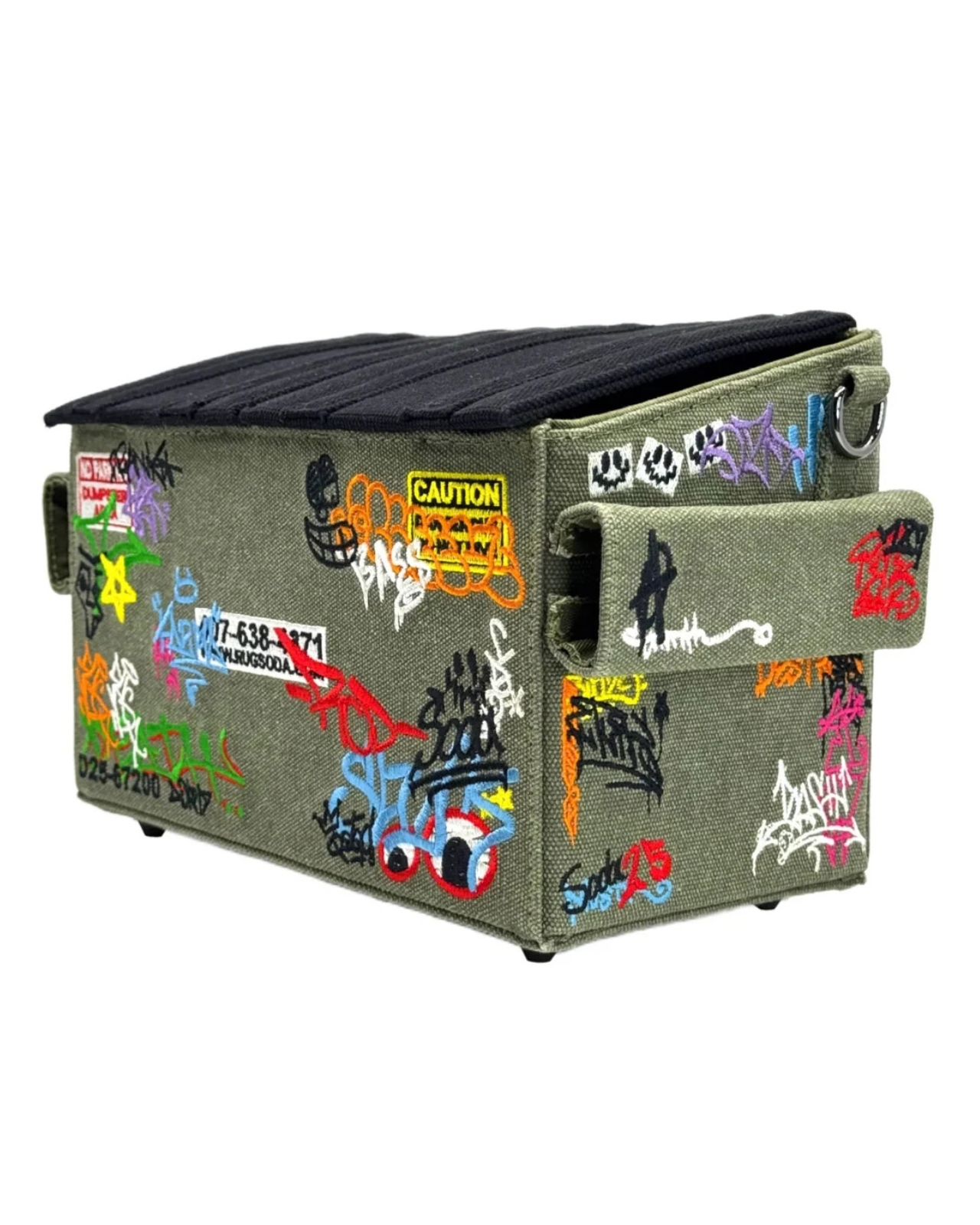
Rugsoda takes that idea literally with its unusual Dumpster Bag. The canvas shoulder bag is shaped like a miniature commercial dumpster, the kind you might see behind a restaurant, apartment building, or other business. Instead of holding garbage, however, it is designed to carry your everyday essentials. Its squared-off shape gives it a more structured appearance than a typical tote bag, while its relatively compact size makes it easier to search for your phone, wallet, keys, or other small items.

Designer: Rugsoda

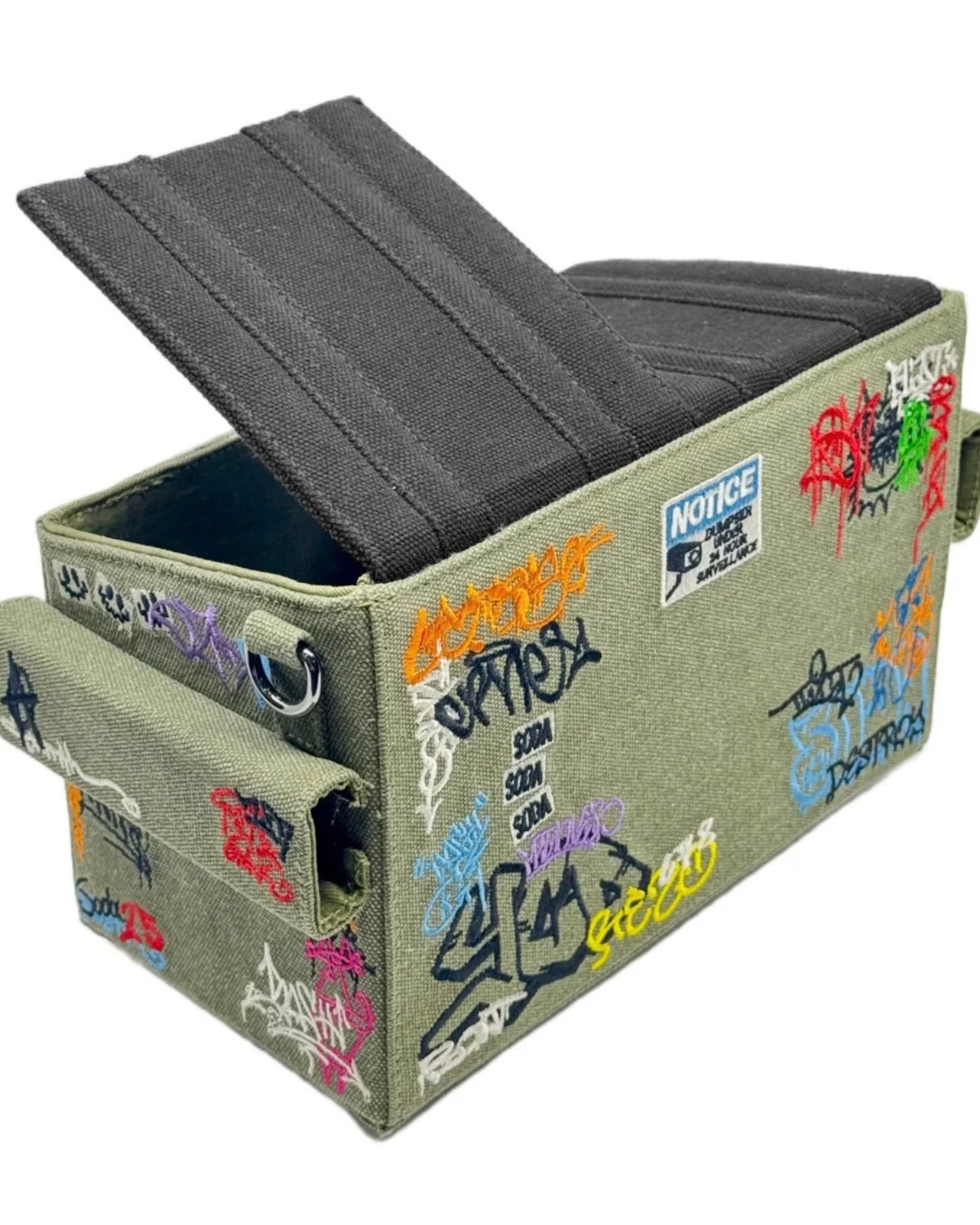
The Dumpster Bag is indeed designed for everyday use, but it also functions as a fashionable and sculptural conversation piece. Its recognizable three-dimensional form transforms an object associated with clutter, waste, and urban back alleys into a wearable accessory. The design is especially eye-catching because it does not simply feature a printed dumpster graphic. The entire bag is constructed to resemble one, complete with flip-up lids, a boxy profile, and urban-inspired embroidered graffiti.

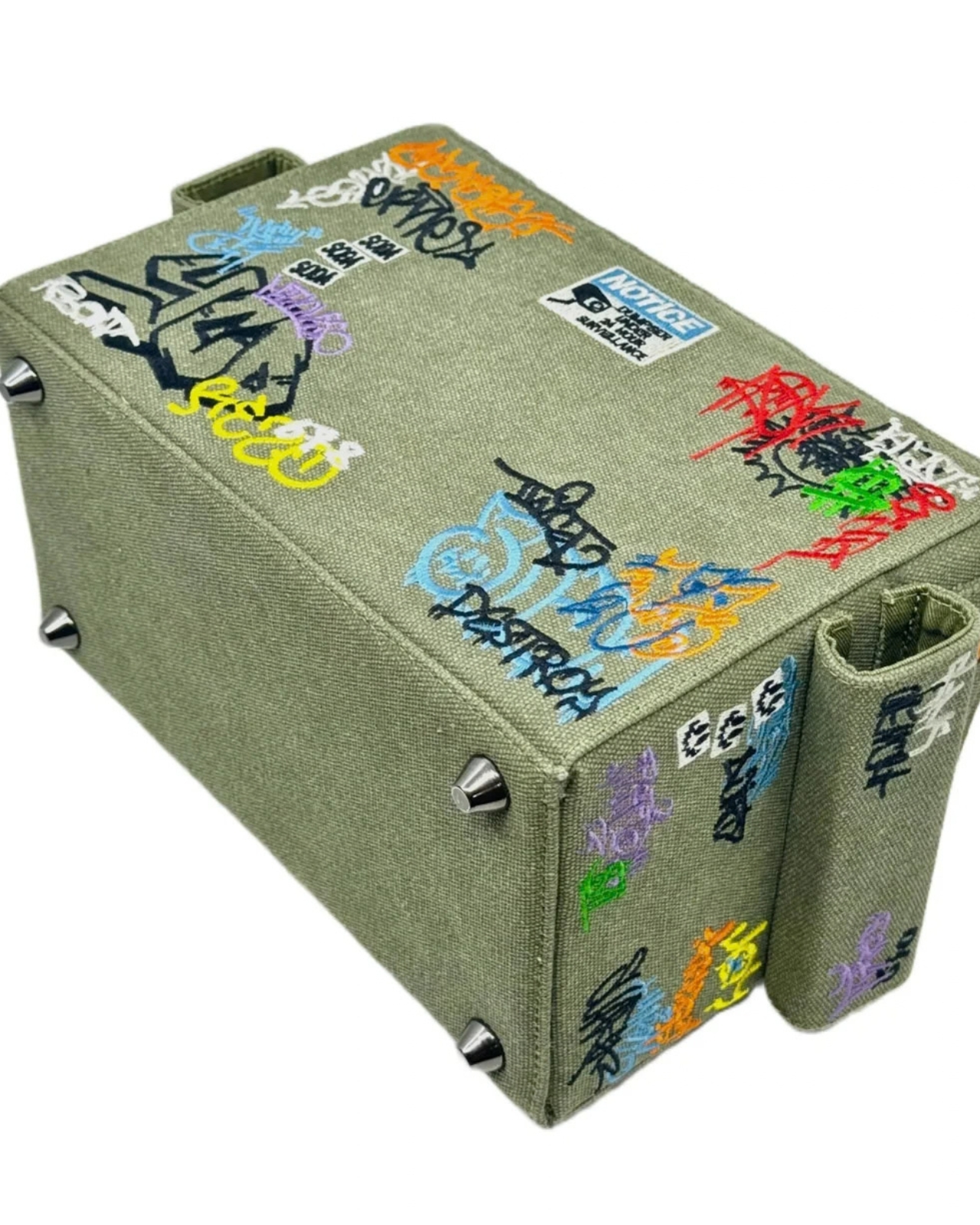
That graffiti treatment gives the bag a street-art sensibility and connects it to the real-world objects that inspired it. It also adds texture and visual interest to the canvas surface. The embroidery helps the design feel more like a crafted art piece than a novelty costume accessory, while the dumpster shape keeps its sense of humor intact. The flip-up lids feature magnetic closures that help keep your belongings secure while reinforcing the dumpster illusion. The magnetic fastening also allows for quick access when you need to reach inside. An adjustable shoulder strap gives you the option of carrying the bag over one shoulder or across your body, depending on how you want to wear it.

Several smaller details make the design even more enjoyable. Inside the bag, an embroidered raccoon serves as a hidden surprise, referencing the animals often associated with rummaging through trash. The bottom studs are more than decorative accents, too. They help keep the canvas base slightly elevated when you place the bag on a flat surface, which can reduce direct contact between the bottom of the bag and the ground.

Although the Dumpster Bag has a firm, boxy silhouette, its canvas construction gives it a softer, more tactile quality. The material keeps the bag from feeling like a rigid plastic container and contributes to its casual, handmade character. The canvas may also allow the shape to relax or lose some structure if the bag is heavily loaded, so it is better suited to everyday essentials than to carrying a large amount of gear.

Measuring 12 by 7 by 6 inches, the bag is compact enough for daily use while offering more room than a tiny evening bag. That size should accommodate items such as a smartphone, wallet, keys, sunglasses, cosmetics, and other small necessities. It is not intended to replace a roomy tote or a practical work bag, but it can be a useful alternative for people who want to carry less without sacrificing personality.

Rugsoda’s Dumpster Bag is also part of a broader design approach that turns familiar objects into functional textile pieces. The designer has created other bags inspired by playful, everyday forms, including dice and spray-paint cans. In each case, the object’s identity is preserved through its shape rather than reduced to a surface pattern.

Dumpsters are not usually considered glamorous objects, which is precisely what makes this bag such an entertaining fashion statement. It takes something associated with waste and gives it a new purpose as a wearable accessory. The result is a bag that offers practical storage, a memorable silhouette, and plenty of opportunities for conversation. For anyone tired of carrying a shapeless tote or looking for an accessory that does more than blend into an outfit, the Dumpster Bag offers a literal alternative to the usual carryall.

The post Nobody Expected a Dumpster to Be the Coolest Bag first appeared on Yanko Design.

  •  

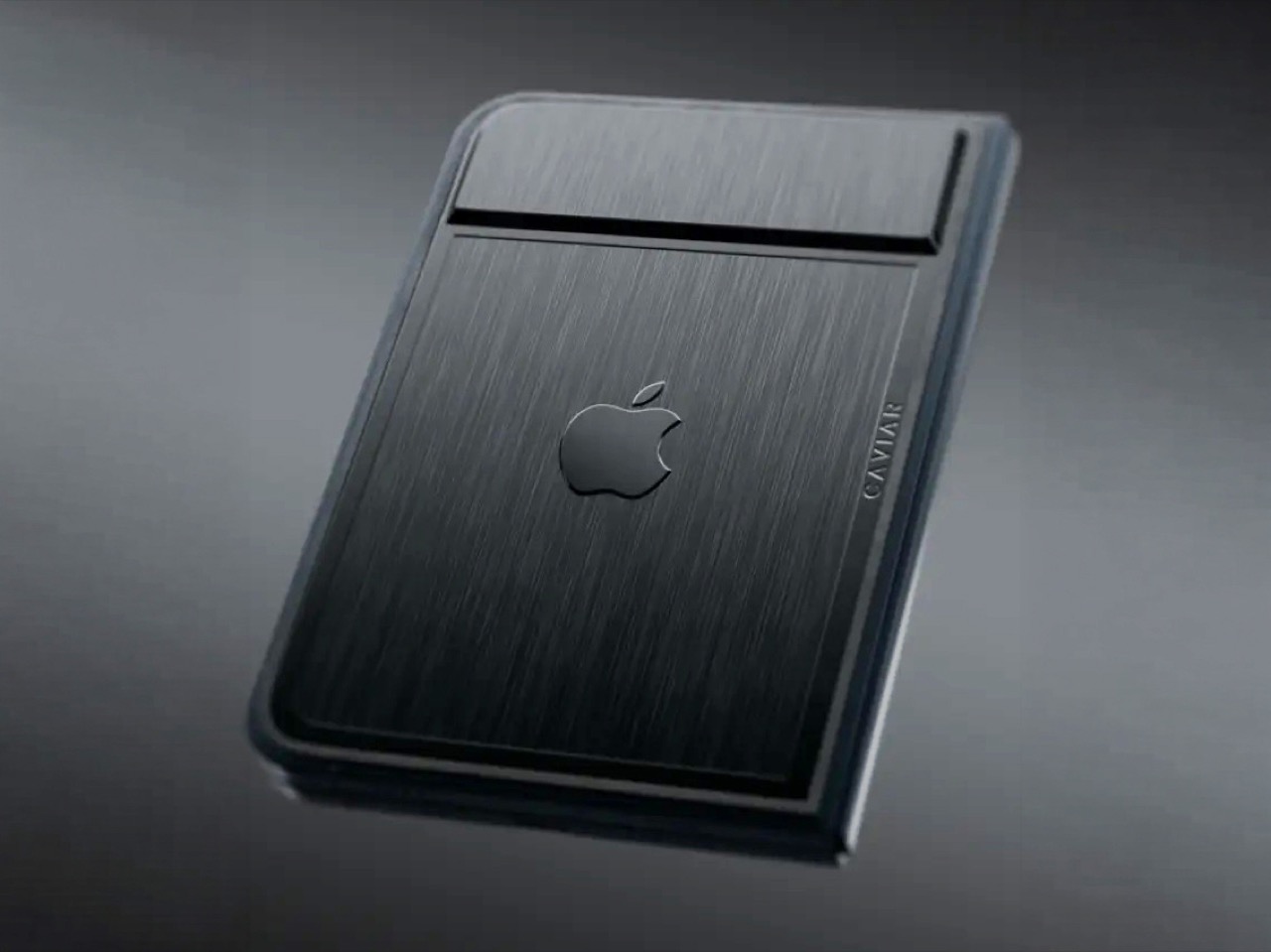
Would you pay $14,000 for an iPhone Duo without any cameras?

Imagine sitting at a table with friends and whipping your phone out. Your friends see it’s a foldable… then as you unfold it, the animation looks suspiciously like the iPhone Duo. Your friends are impressed, they designate you as the group photo taker… and you tell them regrettably that your iPhone Duo has no cameras. Then you add… not only does it not sport any cameras, it also costs fourteen grand.

To be honest, that scenario is entirely imaginary. Mainly for a bunch of key reasons. Caviar built this version of the iPhone Duo for privacy, championing what they call “Privacy, Minimalism, and a Refined Masculine Style.” Someone who sees truth in that ethos isn’t designated photographer material. And if they were, shelling 14k on a phone means you probably have a few extra grand to hire a photographer wherever you go. The only reason someone buys this hare-brained version of the iPhone Duo is because they can. Plain and simple.

Designer: Caviar Global

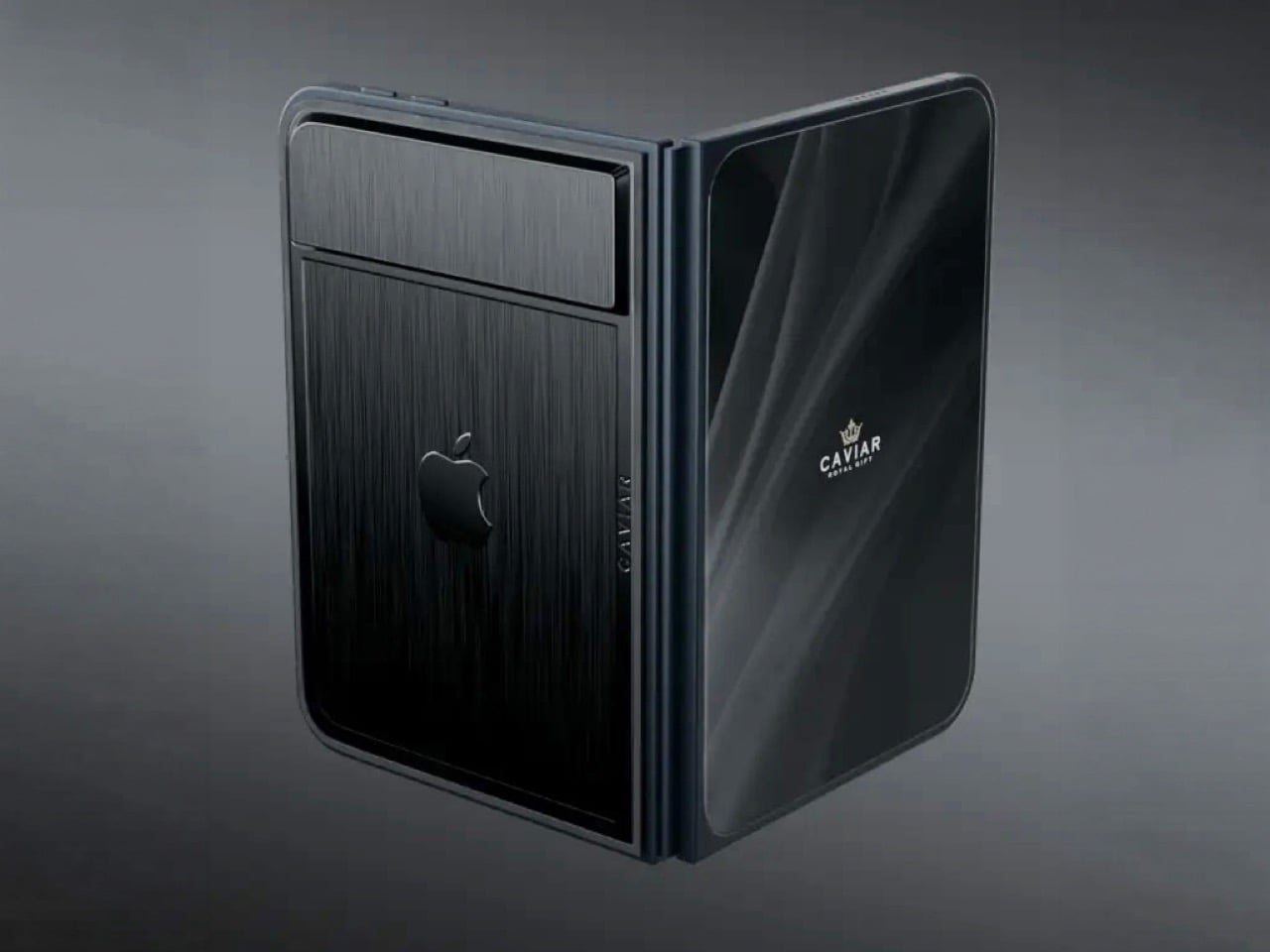
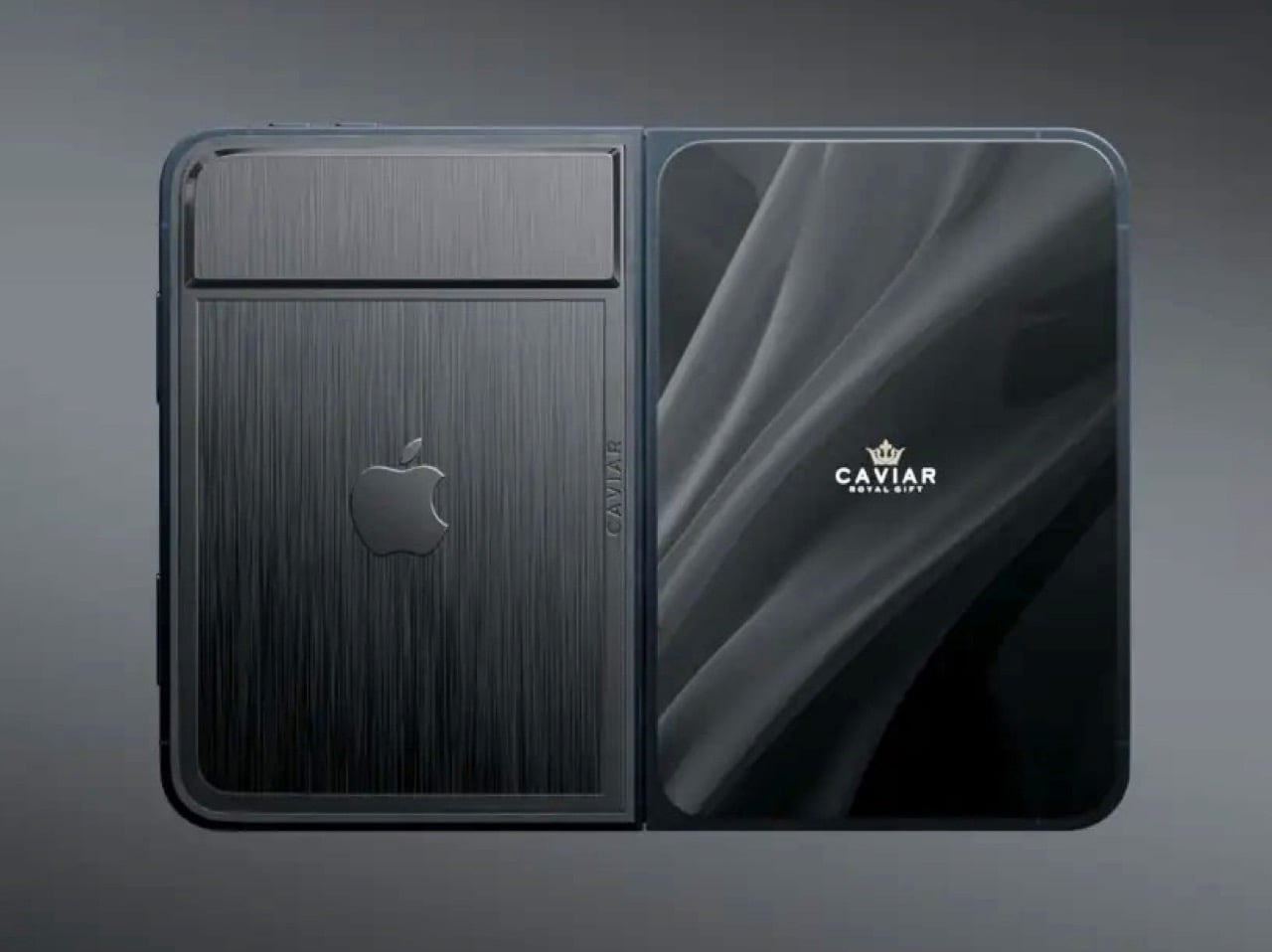
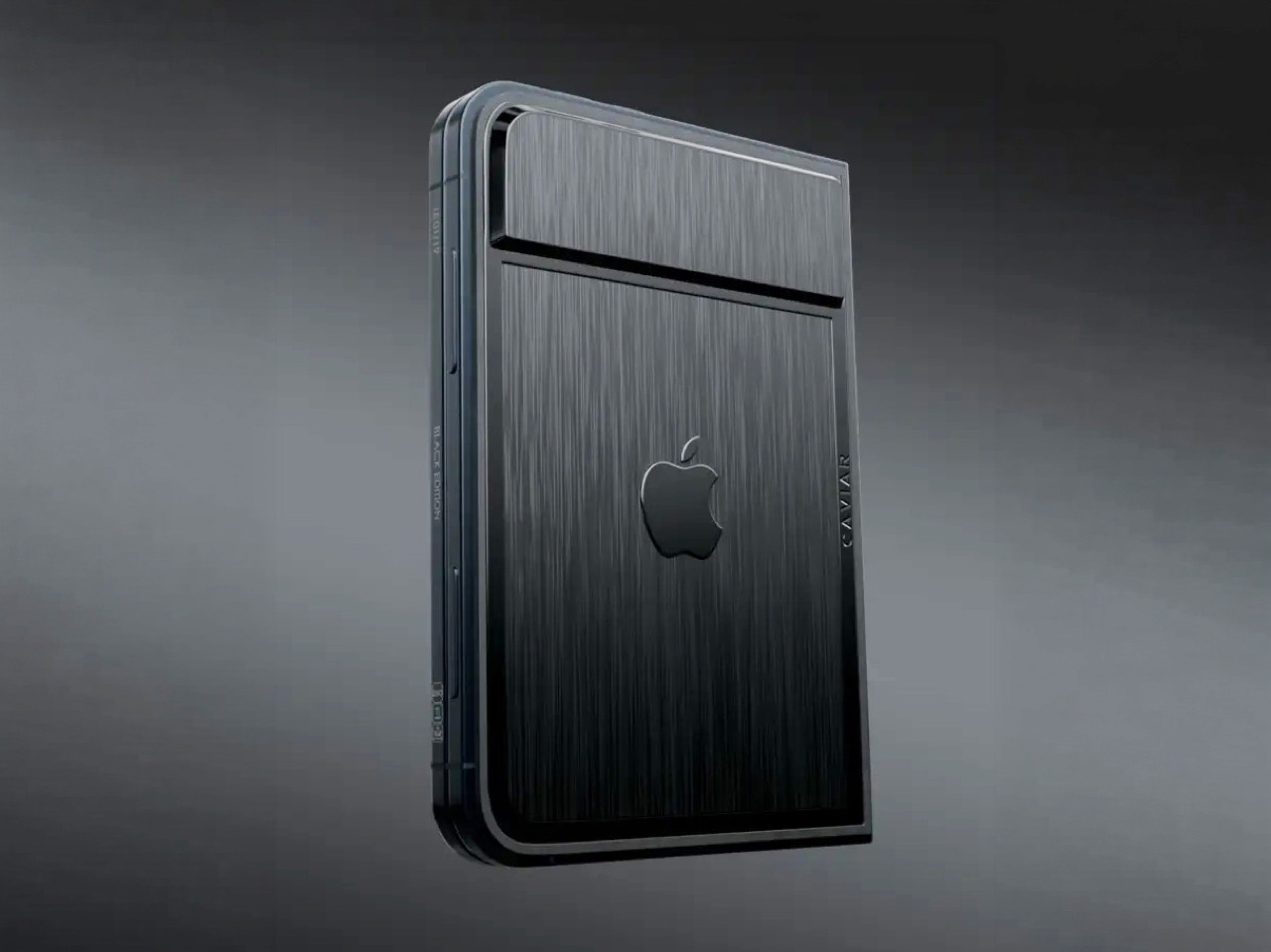
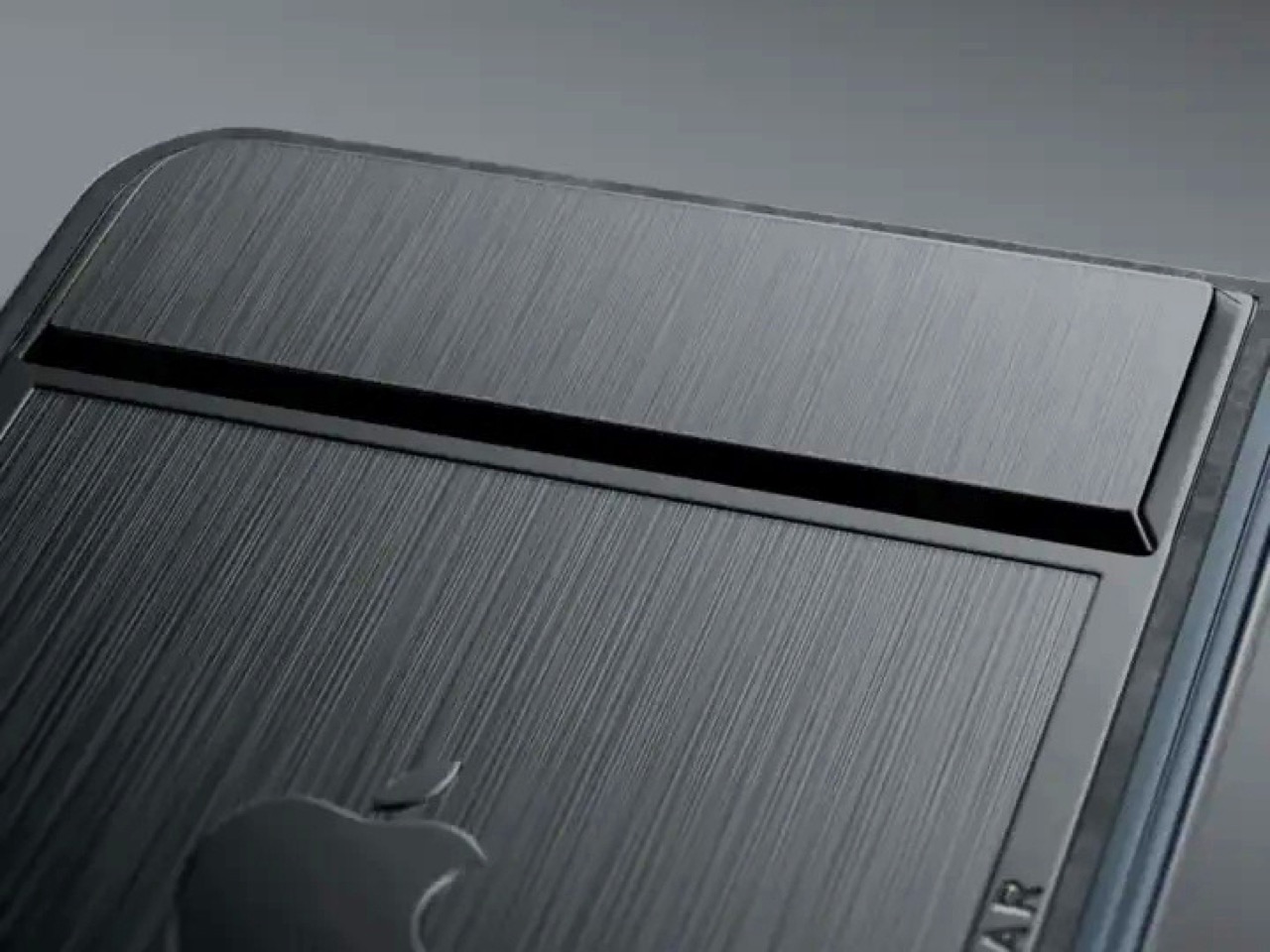
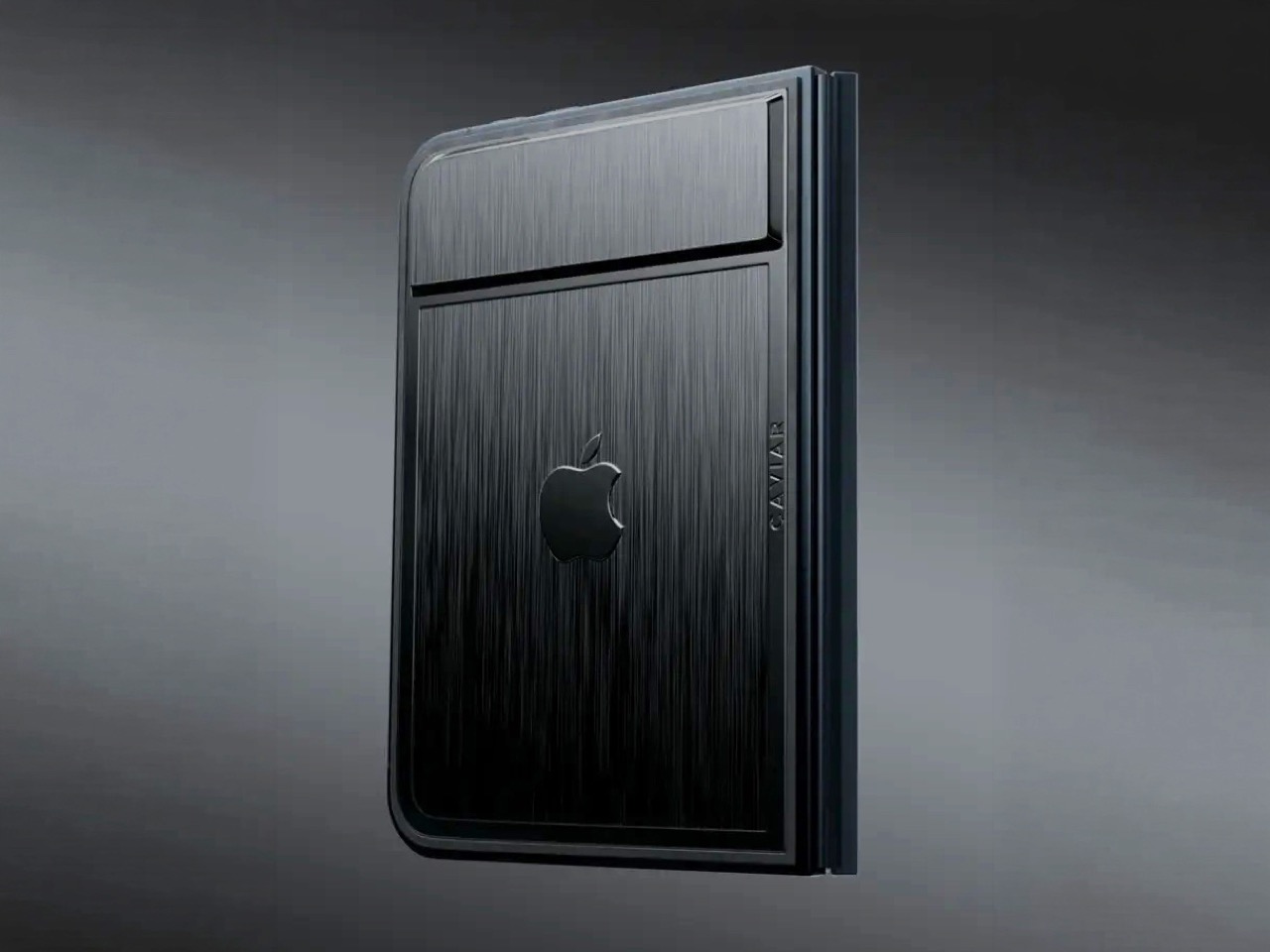
Removing the camera stack from the back of the iPhone Duo does something unexpected: the phone becomes genuinely beautiful. That rear panel, normally dominated by the triple-lens module, turns into a single flat sheet of satin-finished black titanium. No bumps, no rings, no glass circles competing for visual real estate, just one uninterrupted surface that shifts character depending on the light hitting it. Caviar calls the inspiration “supersonic aviation aesthetics,” which sounds like marketing speak until you actually look at the product photos. A blacked-out Apple logo sits flush in the titanium, the Caviar crown marks the opposite panel in a swept fabric-like texture, and the whole thing looks less like a phone and more like a prop from a very expensive spy film.

Apple’s decision to use Touch ID for the iPhone Duo, abandoning Face ID, turns out to be what makes Caviar’s camera-free execution actually hold up. A Face ID phone needs its front camera array to function as a biometric sensor, so pulling that out would mean a very pretty device that cannot unlock. Touch ID lives in the frame rather than behind the screen, so Caviar could strip the entire camera stack, front hole-punch and rear module both, without breaking anything fundamental. Based on product images, the inner display on the Ultimate appears completely clean, no hole-punch interrupting the screen, which makes the inside as seamless as the outside. Two separate design decisions from two separate companies ended up fitting together better than either could have planned.

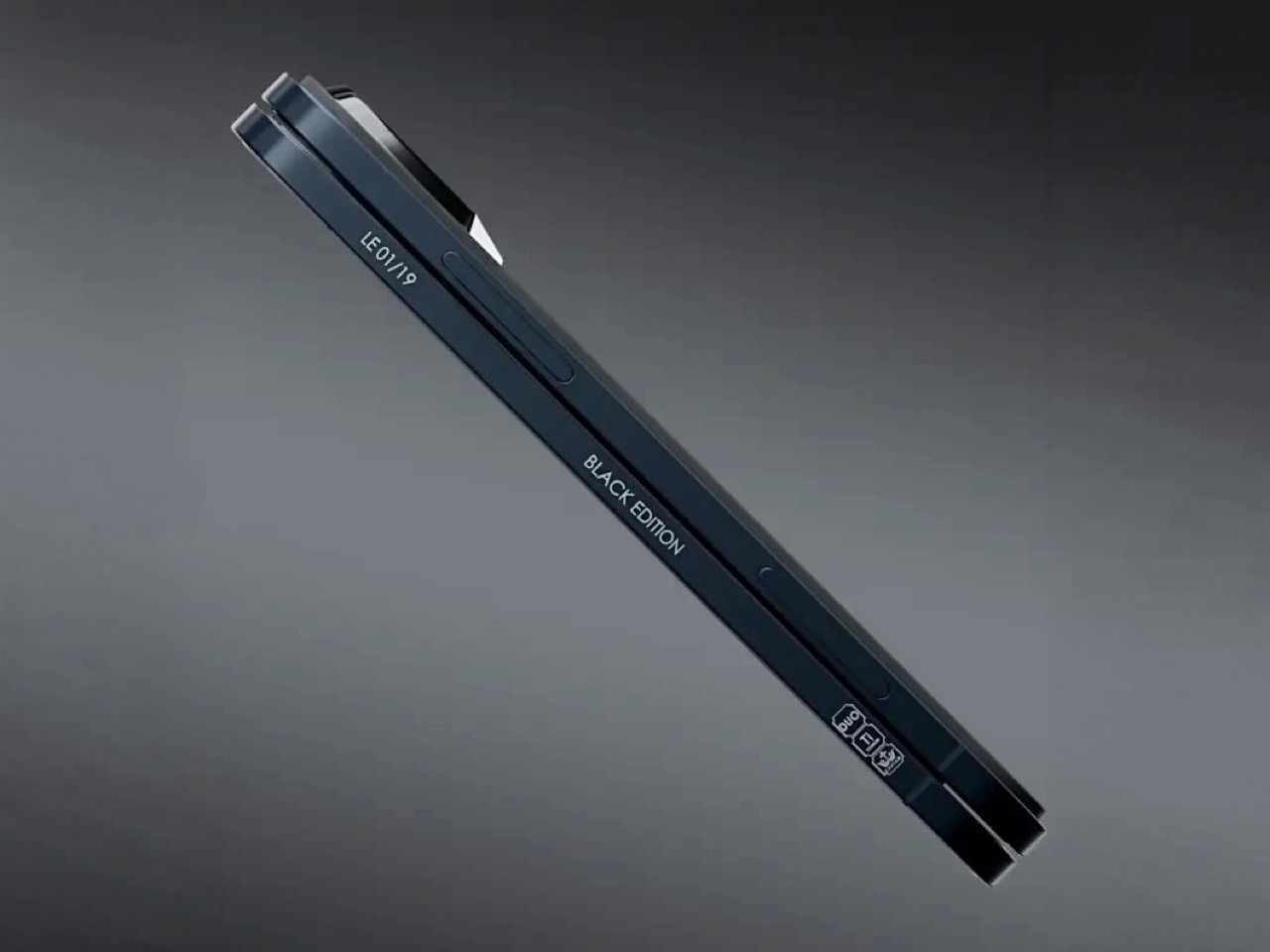
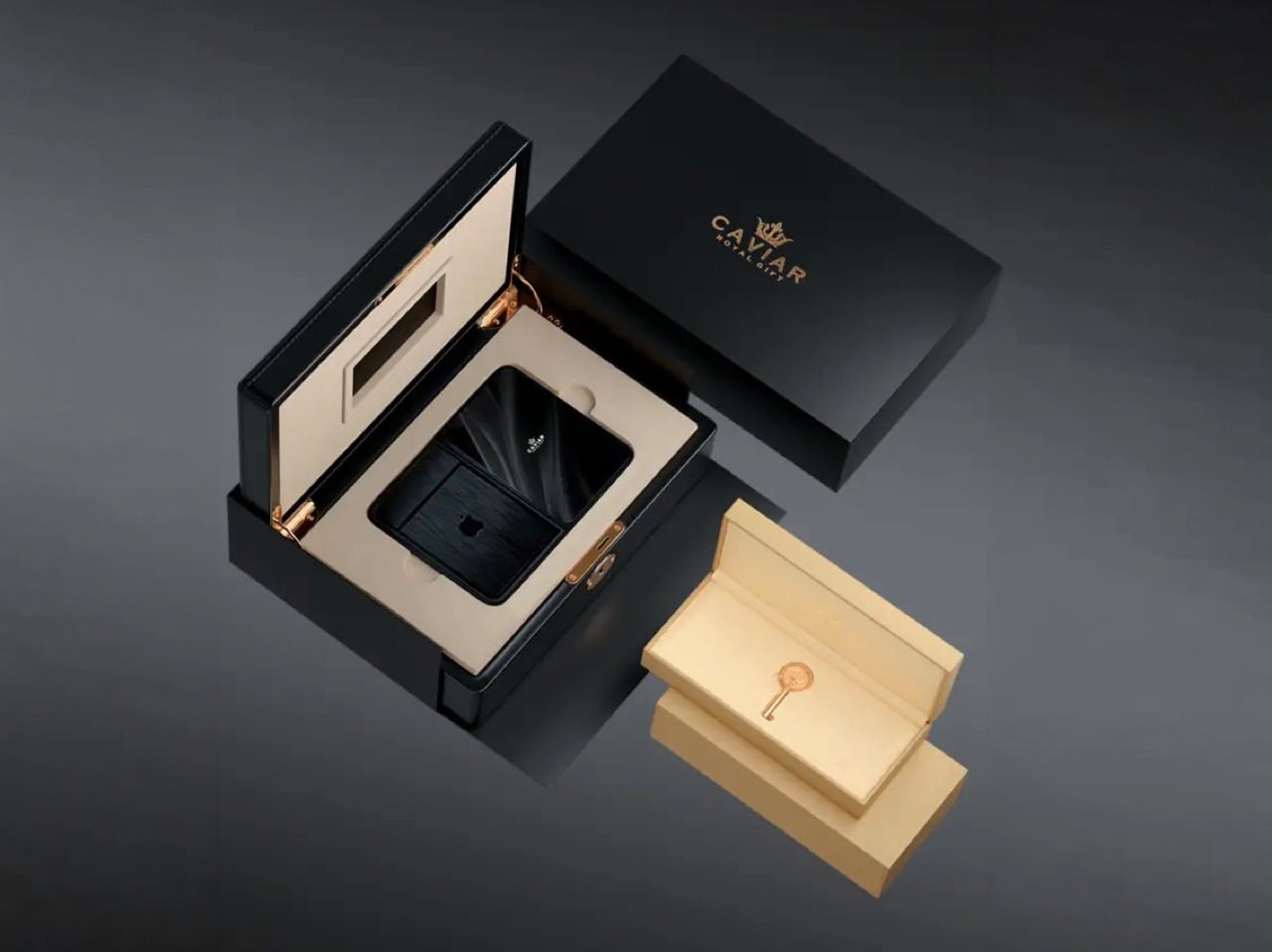
Caviar made 19 of these total. Each unit ships in a custom lockable black luxury box, presented the way a jeweler presents a watch rather than the way Apple ships a phone. A smaller gold-colored wooden case inside holds what appears to be a gold-plated commemorative coin, the kind of object that exists purely to make the unboxing feel like a ceremony. The side of the phone is engraved with a serial number too, for exclusivity. Caviar knows exactly who they are selling to, and made sure the packaging matches the energy.

Caviar has been doing this for years, taking flagship Apple hardware somewhere Apple would never go, for clients who appreciate the gesture. The formula is consistent: start with the most premium Apple product on the market, make it rarer, make it more dramatic, and let the price be the final statement. We have covered their gold-plated and titanium iPhone builds here before, and none of them committed this hard to stripping features as a form of self-expression. At $13,990 for 19 units (mind you, that’s just the 512GB variant), the Ultimate is the purest version of the Caviar argument: a phone that costs seven times its base price because it does less, and somehow makes that sound like the point.

The post Would you pay $14,000 for an iPhone Duo without any cameras? first appeared on Yanko Design.
  •  

Ressence Doesn’t Want Your Watch to Look Like a Watch

Design Mindset, Yanko Design’s weekly podcast, premieres every week with a new guest and a single animating question: what does it actually take to think differently about a design problem. The show is 23 episodes in, and this episode turns its attention to fine watchmaking via someone who arrived in the industry with no allegiance to its conventions. If a mechanical watch didn’t exist today, and a designer received the brief cold, would they give it hands, a crown, a flat dial? That question opens the conversation and also describes exactly what our guest spent 16 years answering in practice. The result is Ressence, a brand whose watches look like nothing else on the wrist.

Benoît Mintiens is a Belgian industrial designer who, before he ever touched a watch, designed high-speed trains, aircraft cabins, medical devices, leather goods, and even hunting guns. He founded Ressence in 2010, the name a contraction of Renaissance of the Essentials. The Type Three BB2 won the 2024 Red Dot Award Best of Best, and 2026 brought the same recognition to the TMN. His watches are designed in Antwerp, made in Switzerland, produced in limited editions each year, and worn by people who believe the future is brighter than the past. He is a designer who walked into one of the world’s most convention-bound industries and simply refused to accept what he found there.

Designing from the User Outward

When people ask Benoît how he designs a watch, the answer he gives is never the one they expect, because he starts with the relation between the user and the watch rather than with the movement itself. “Usually I start not with the watch. I start with the relation between you and the watch, and that is, I think, a very important step that very often is forgotten.” Most brands were created by watchmakers who always build from the inside out, from the movement to the wearer. As a designer, Benoît works in the opposite direction, from the user inward to the movement. That physical 180-degree reversal of process changes everything about what a watch ends up looking and feeling like.

Designing the relationship is, in Benoît’s view, fundamentally an ergonomic exercise, rooted in a deep study of physiology and how people interact with objects. The ultimate measure of success is disappearance: “The best product is the one you forget when you use it. Invisible. I’m using it, but I’m not even aware of it.” He tells customers who buy a Ressence that he hopes they forget quickly that they are wearing it, and that forgetting is the proof the design worked. In the rapid-fire round, he completes the sentence “the future belongs to designers who stop asking how to make things and start asking” with five words: “How do you want to feel.” That question is where every Ressence begins.

Challenging Industry Conventions

Until the quartz crisis of the 1970s, watchmaking was about precision, quality, and reliability. When quartz movements arrived at a fraction of the cost of mechanical ones, the industry had to reinvent itself to survive. “Watchmaking has found a way to survive by adding this emotional layer on top of their brands, on top of their physical products. It’s not so much about the physical product anymore. And that’s a pity, I think, as a designer.” Any product, Benoît argues, needs to pass through the survival-of-the-fittest logic of natural evolution to reach the next generation. Watchmaking’s functional evolution largely stopped at the quartz crossroads, and Ressence is attempting to pick it up from there.

A product is defined by multiple dimensions: aesthetics, ergonomics, technique, social context, and production. In watchmaking, only the aesthetic dimension has shifted from brand to brand, and the underlying system architecture has been frozen for two hundred years. Ressence repositions every dimension at once. “The way we show the time, the ergonomics, is actually what defines the aesthetics. Is actually the way we make them. Is actually the technique that lies behind. All these things are intertwined, and they all together create what I call this new paradigm.” The whole has to be logical and coherent, or as Benoît puts it, you end up with a Frankenstein.

The Human Connection to Mechanical Objects

Asked why people still choose to wear mechanical watches when a phone tells time more accurately and without winding, Benoît offers a concept he has been developing for years. “I call it the empathy for gears. We have, as humans, we have empathy for gears.” He builds toward the idea through a Titanic thought experiment: a survivor on floating debris must choose which of two strangers in the water to save, the one he spoke with during the voyage, or the one whose language he could never understand. “As a human, you pick the one you have a relation with.” Products operate by the same logic, and we form bonds most naturally with what we can understand and relate to.

A circuit board is opaque; the workings of a mechanical watch are graspable, even to someone with no technical knowledge. “That is the magic of mechanical watches, is that we feel close to them. Let’s not forget, they tick, they make a sound. They need care. You need to wind them. All these elements will generate a bond between you and the product. And that is why I’m a strong believer in mechanical watches.” Each quality that makes a mechanical watch demanding, the winding, the servicing, the ticking, deepens the relationship between wearer and object. That depth of feeling, Benoît argues, is a human need, and it deserves to be designed for.

Ressence’s Innovations and Design Philosophy

Ressence positions itself as a high-end brand, with Benoît drawing a specific distinction between high-end and luxury. Luxury is decorative and emotional, selling prestige and story; high-end means technically and functionally sophisticated, in service of the person using it. “We would believe that a product gets its relevance, its reason of existence, through the way or the quality the product is executing its function.” The most visible outcome of that philosophy is the Ressence Orbital Convex System, or ROCS, which replaces traditional hands with rotating discs requiring approximately 200 components where a standard watch uses four. The design brief Benoît imposed on himself back in 2008, years before the brand existed, made the mandate clear from the start: “Ressence needs to be original, but not marginal.”

The oil-filled dial, defining models from the Type 3 to the Type 7, has an origin in personal memory. Benoît traces it to childhood Mediterranean sailing trips, navigating overnight to Corsica guided only by an oil-filled ship’s compass in the days before GPS. “This image of the compass, an oil-filled system with inside a mechanical thing that turns around, showing the north. I’m pretty sure this has been the thing that has burned in my brains, and I believe the idea of the Type Three must have come from there.” Oil inside the Type 5 diver eliminates refractions between oil, sapphire, water, and dive mask, delivering a clear dial at any depth. The functional improvement is exactly the point: a diver watch you can actually read underwater.

Production, Materials, and the Future

Getting enough watches from suppliers is, after 16 years of operation, still the hardest thing Ressence faces as an organization. A single watch contains around 400 custom-made parts at extreme precision tolerances, and the Ressence dial is curved in three dimensions where almost every other watch is flat, requiring five-axis machining. Some parts pass through twelve different specialized companies before reaching a watchmaker’s desk. “If today I need more watches and I order them, I will only have them in between nine months and two years. There is no industry like that.” Those lead times explain the prices, the waiting, and the limited annual runs; the scarcity is structural, a consequence of producing something this technically complex as an independent brand.

Benoît is clear-eyed about products and unhurried about brand moving forward. Ressence has a product plan mapped for the next eight years, but brand recognition is the harder work and cannot be forced. “Stick to your vision, and move on and be coherent. I think that’s the central thing.” The reference brands held up as aspirational in watchmaking took fifty years to reach that position, and it was a consequence of what they did, not something they actively pursued. On materials, Benoît describes a fascination with mammoth ivory recovered from Siberia, finding its structure “very, very, very beautiful.” Ressence can be found at ressencewatches.com, on Instagram, and in Antwerp, where visitors are always welcome.

The post Ressence Doesn’t Want Your Watch to Look Like a Watch first appeared on Yanko Design.
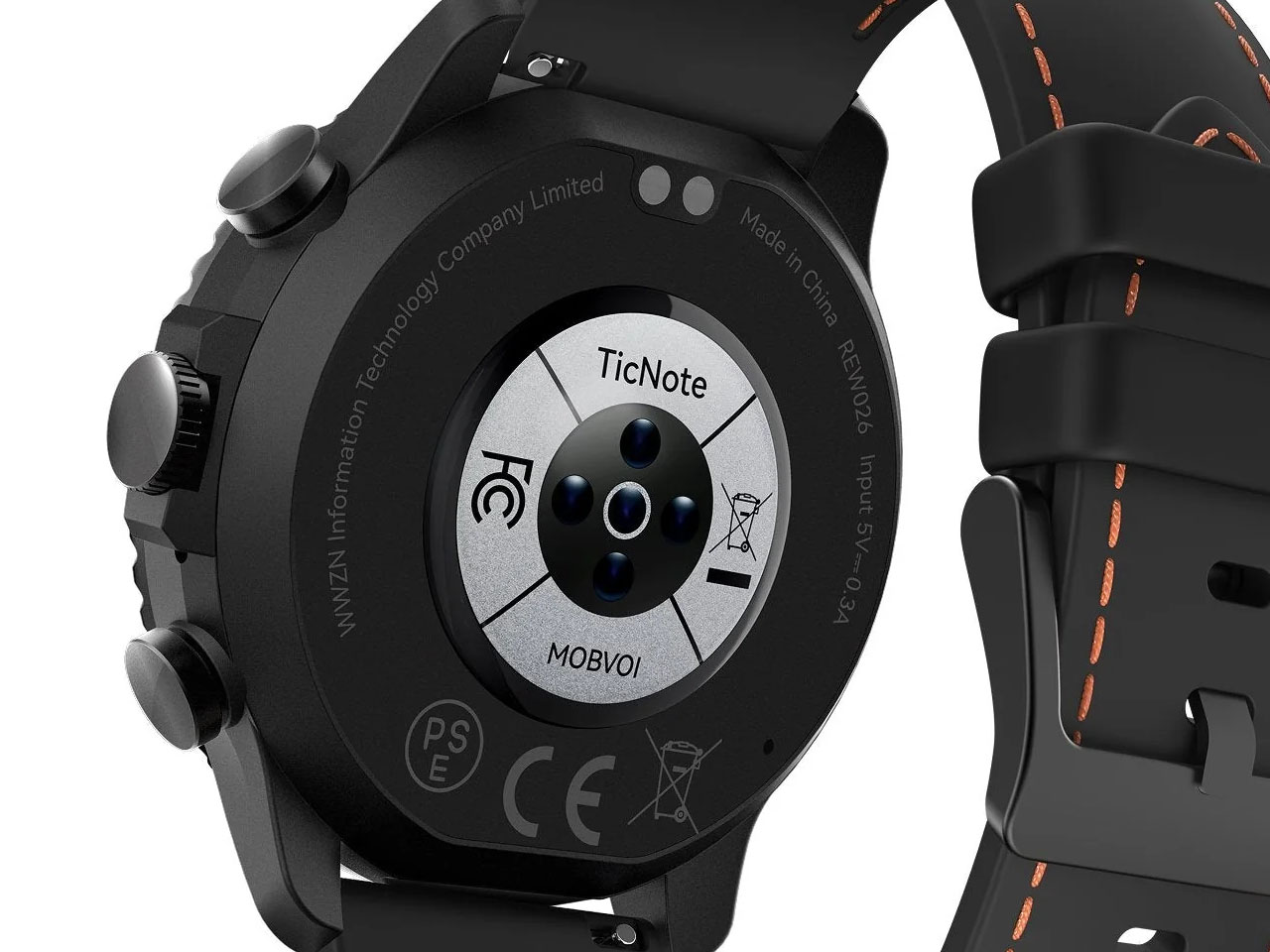
  •  

Samsung Galaxy Buds On let you listen to music without blocking your ears

Clip-on earbuds have arrived in a big way, giving another versatile way to enjoy music whether you’re in the gym or making your way to the busy metro station. Rather than shoving the eartips deep down the ear canal, these buds are more comfortable and keep you aware of the environment at all times.

Huawei FreeClip 2 arrived late last year to turn up music lovers’ interest in this form factor, followed by the swanky CMF Clip Pro’s. Sennheiser jumped on the bandwagon with the Accentum Clip, and recently Bose came up with their second generation clio-ons. Predictably, Samsung has pulled the trigger with its first-ever clip-on wireless earbuds dubbed Galaxy Buds On, and they look impressive.

Designer: Samsung

So how are the Galaxy Buds On different from the other flagship clip-on buds in the tightly contested market? Do they have what it takes to bring to the active audio community what they desire out of such open-ear earbuds?

Clip-on design that takes comfort seriously

Samsung’s approach for this form factor is focused on rethinking how the bud sits on the ear. The Galaxy Buds On use an open-ear clip design that leaves the ear canal unobstructed, allowing wearers to listen to music while staying connected to conversations, traffic, or other sounds around them.

Samsung says it studied different ear shapes and ran simulations to determine the positioning of the speakers and battery. A larger contact area helps distribute pressure, while the elasticity of the connecting band is tuned to keep the buds stable during movement. That makes the design particularly relevant for walking, commuting and workouts where awareness matters as much as audio.

Bass that packs a punch

The audio hardware is also more considered than the unusual silhouette might suggest. Samsung has fitted the Buds On with TwinBoost speakers designed to emphasize lower frequencies, addressing one of the perennial challenges of open-ear audio – producing convincing bass without sealing the ear canal. An Audio Leakage Reduction system is intended to keep music from spilling excessively into the surroundings.

In conjunction, the automatic volume control adjusts playback according to the environment. Samsung claims up to 9.5 hours of continuous music playback from the earbuds, which puts the focus firmly on everyday usability rather than making the clip form factor a novelty.

Galaxy AI adapted for the open-ear formula

The more interesting bit happens when the Buds On are paired with a compatible Galaxy device. Samsung has integrated several Galaxy AI features, turning the earbuds into something closer to a hands-free interface. Users can launch Gemini Live through a voice command, while Quick Voice Memo allows a long press on the earbud to start recording without reaching for the phone. Those recordings can subsequently be searched through Bixby, provided the required Galaxy AI-supported device, Voice Recorder, and Bixby setup is in place.

Head Gestures take the hands-free idea further. Nodding or shaking the head can be used for actions such as answering or ending calls, dismissing alarms, or interacting with message notifications. For calls, the Buds On use three microphones alongside a bone-conduction-based Voice Pickup Unit and machine learning to isolate the wearer’s voice from surrounding noise. They are powered by Qualcomm’s Snapdragon S7 Gen 1 Sound Platform and a Class-D amplifier.

Samsung will launch the Galaxy Buds On in South Korea on October 27 in black for 299,000 won (roughly $220). A wider international rollout is planned, although regional pricing and availability have not yet been announced.


The post Samsung Galaxy Buds On let you listen to music without blocking your ears first appeared on Yanko Design.
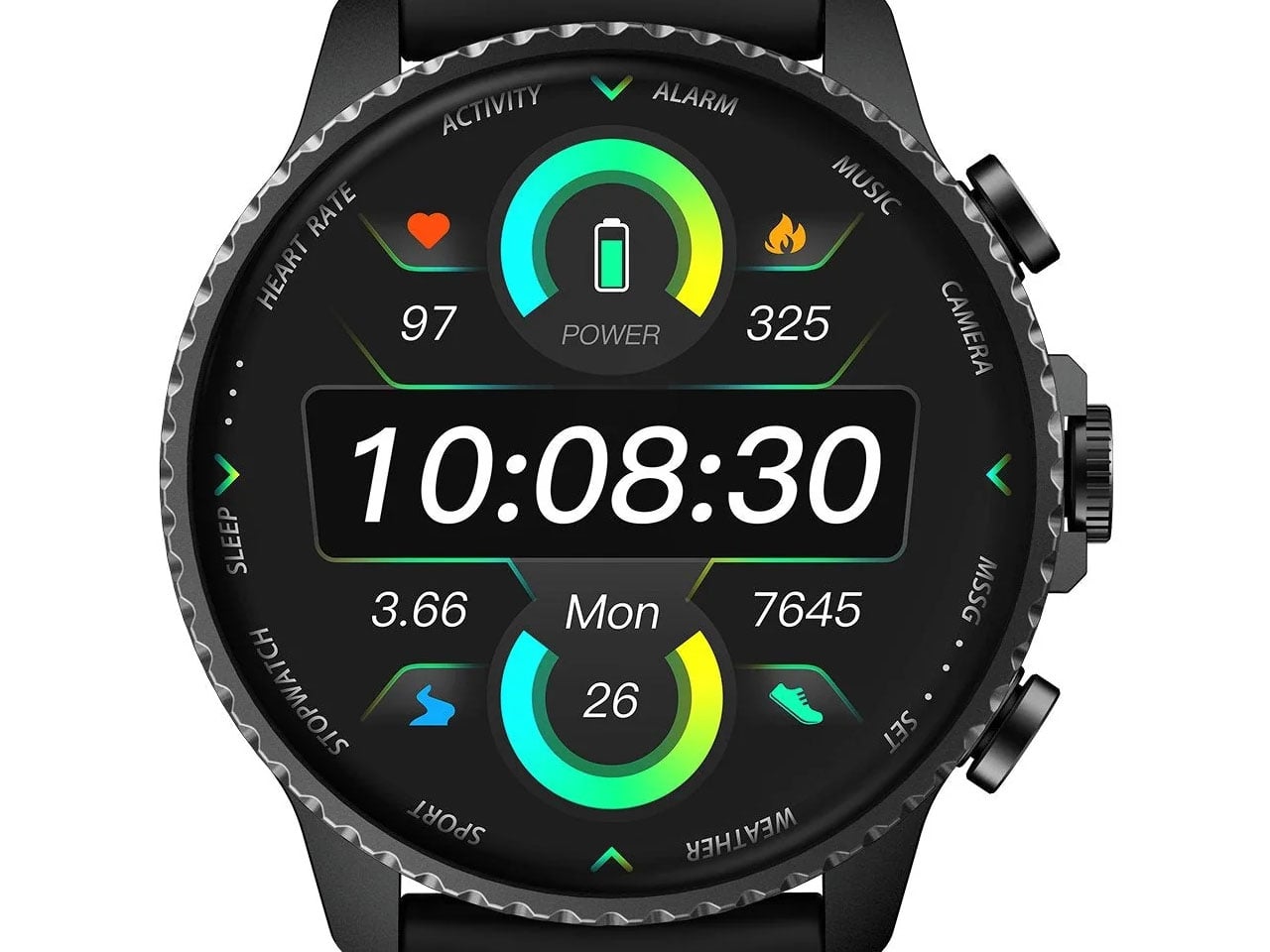
  •  

Samsung’s SmartTag3 Refuses to Die at 790 Days Battery Life

I’m the kind of person who can set down my keys, turn around, and immediately forget where they went. Wallets, earbuds, and bags have a way of disappearing at the least convenient moment, too. A smart tracker can spare you a frantic search, but only if its battery is working and its location can still be found. That makes battery life and the ability to locate an item beyond your phone’s immediate range just as important as a good-looking design.

Designed by Samsung, the Galaxy SmartTag3 aims to address those everyday frustrations in a smaller package. Its rounded, nearly square shape gives it a clean look, while its reduced size should make it less noticeable on the things you carry. That matters more than it might seem. A tracker attached to a set of keys needs to be easy to live with every day, not just useful on the rare occasion those keys go missing.

Design: Samsung

The change in shape also raises a practical question: how will you attach it to your belongings? Samsung offers a silicone case with an integrated keyring and a loop case, giving users different ways to secure the tracker to keys or a bag. The smoother outline may look better on its own, but anyone buying one for their keys should consider which attachment will work best.

Samsung says the SmartTag3 is 35% smaller by volume and 33% lighter than its predecessor. It also retains an IP67 rating, indicating resistance to dust and water under specified test conditions. That offers reassurance if the tag gets caught in the rain, though it does not mean the device is waterproof in every situation.

Battery life may be the more meaningful upgrade for anyone who has discovered a dead tracker while looking for a lost item. Samsung says the SmartTag3 can run for up to 550 days under standard usage or up to 790 days in Power Saving Mode. Those figures are based on Samsung’s testing, not a promise that every user will get the same result. Still, a tracker that needs attention less often is less likely to let you down because you forgot to check its battery.

Finding something nearby should be easier, too. Compass View uses Bluetooth 6.0 Channel Sounding to provide distance and directional guidance from up to 60 meters away, about three times farther than on the previous model, according to Samsung. It could help you narrow down where to look before you’re close enough to spot the missing item. Compass View is not available on iOS.

The other finding features are intended to help in different situations. If you leave a tagged bag behind, a Left Behind Alert could prompt you to go back for it, although that feature is also unavailable on iOS. Place Notification is designed to alert you when a tagged item enters or leaves an area you define. Location History and Movement Detection Alert may provide additional clues about where an item has been or whether it has moved. Together, these tools could help you notice a problem sooner and narrow down where to look.

Lost Mode addresses a different problem: helping someone return an item they find. With a compatible phone, a finder can scan the tag using NFC to see the contact information or short message you have registered. That could be useful for a bag left at a café or luggage separated from you during a trip. When an item is beyond your phone’s range, however, location updates depend on nearby participating Galaxy devices. The SmartTag3 should not be treated as a continuous, real-time GPS tracker.

The SmartTag3’s appeal is the combination of a compact design, long claimed battery life, and features that help at several stages of a search. It cannot prevent you from leaving your keys behind, and its alerts will not replace paying attention to your belongings. But if it helps you catch a forgotten bag before you get home, or gives you a useful clue when something disappears, it has done what a well-designed tracker should: made a small, stressful problem easier to manage.

The post Samsung’s SmartTag3 Refuses to Die at 790 Days Battery Life first appeared on Yanko Design.
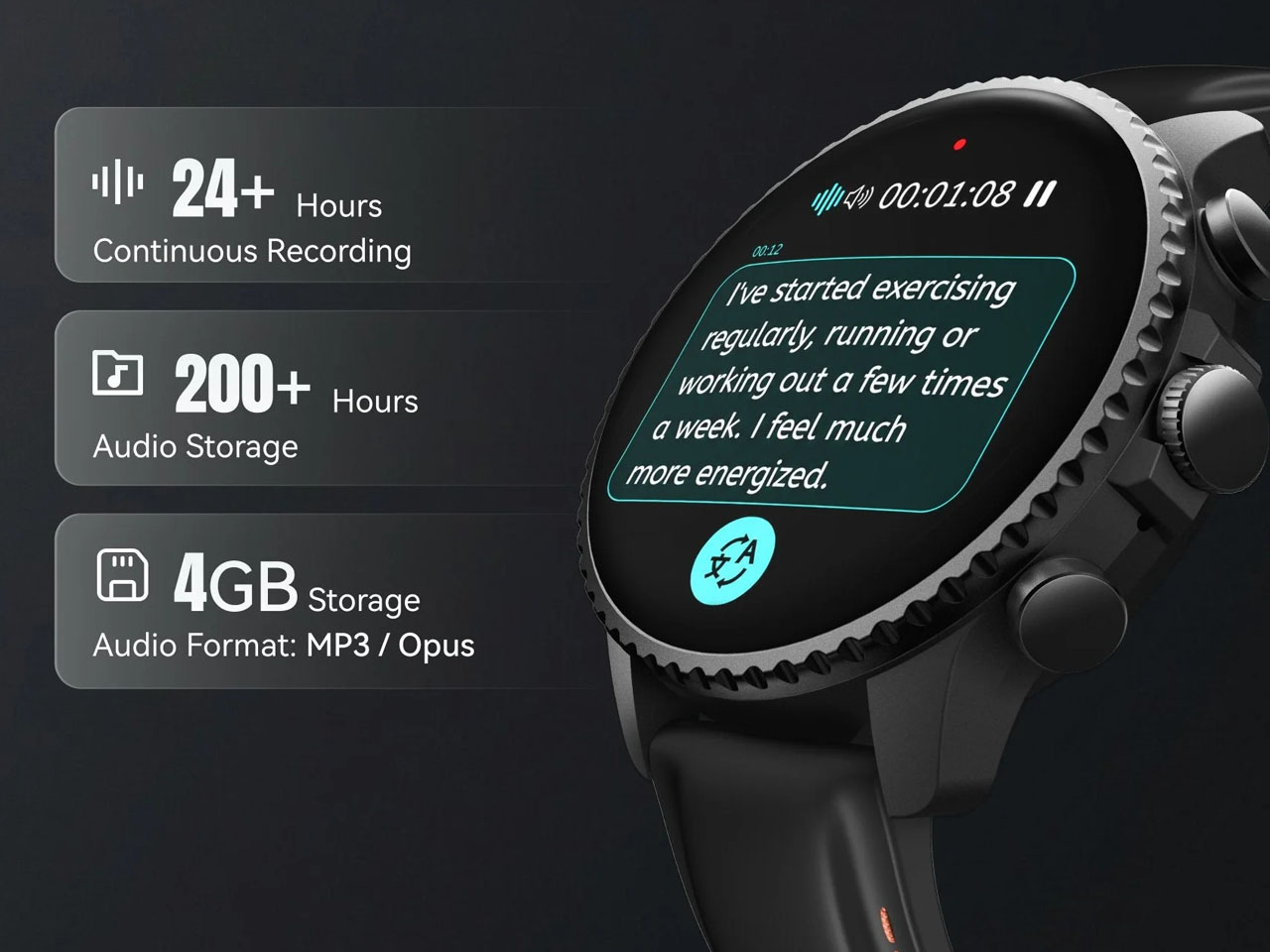
  •  
❌