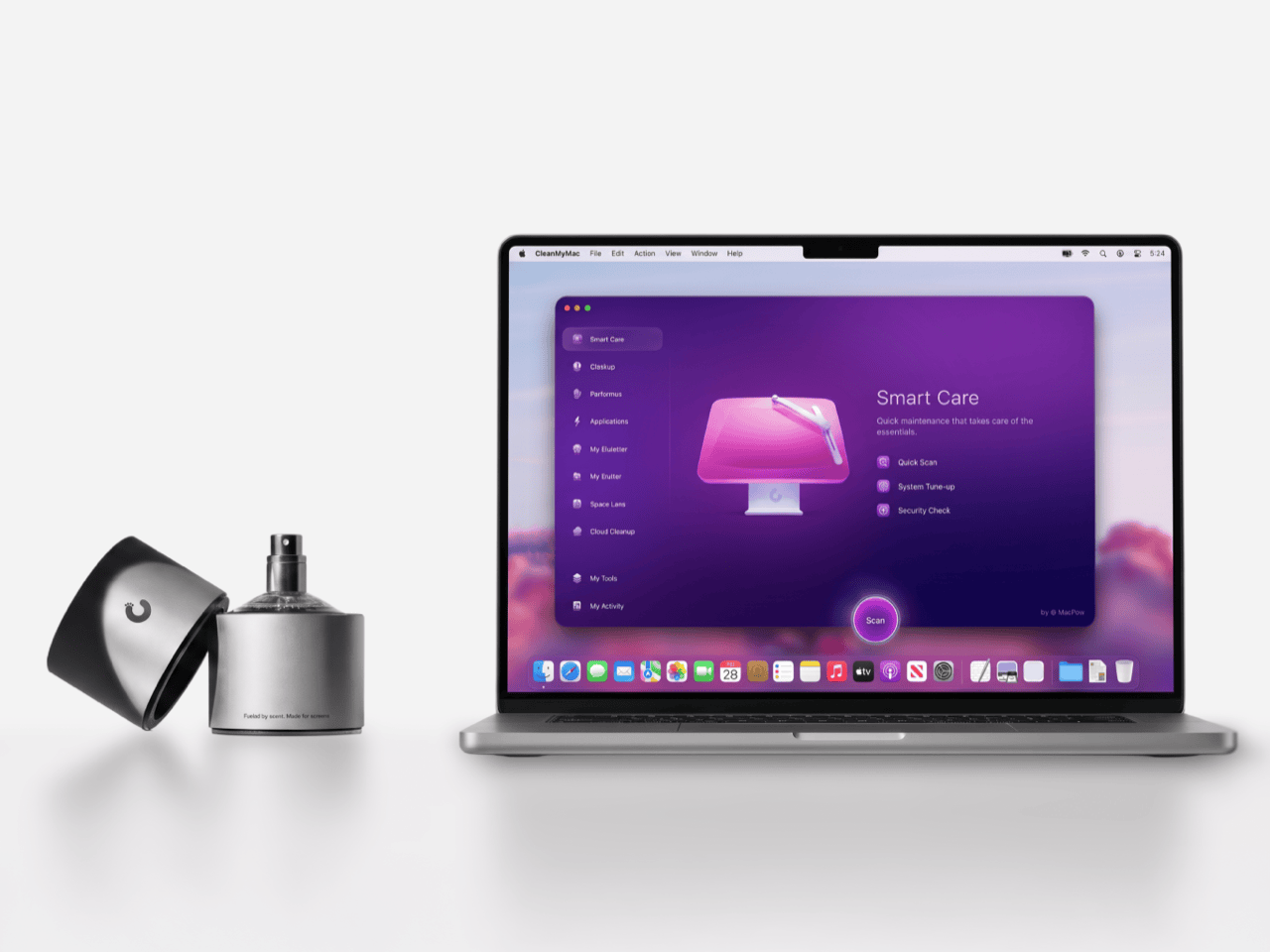
Apple’s official answer to a smudgy MacBook screen is a $9 Polishing Cloth, which, to be fair, is ten bucks cheaper than the version everyone roasted in 2021. MacPaw has a more extravagant answer. The Ukrainian company behind CleanMyMac just revealed CleanMyMac Mist, its first physical product, a screen and keyboard cleaner dressed up as a bottle of designer fragrance. One spritz on a microfiber cloth is meant to lift the fingerprints and leave your laptop smelling like a frosty pine forest. Your candles, your hand soap and your car already have signature scents, so honestly, the MacBook was overdue.
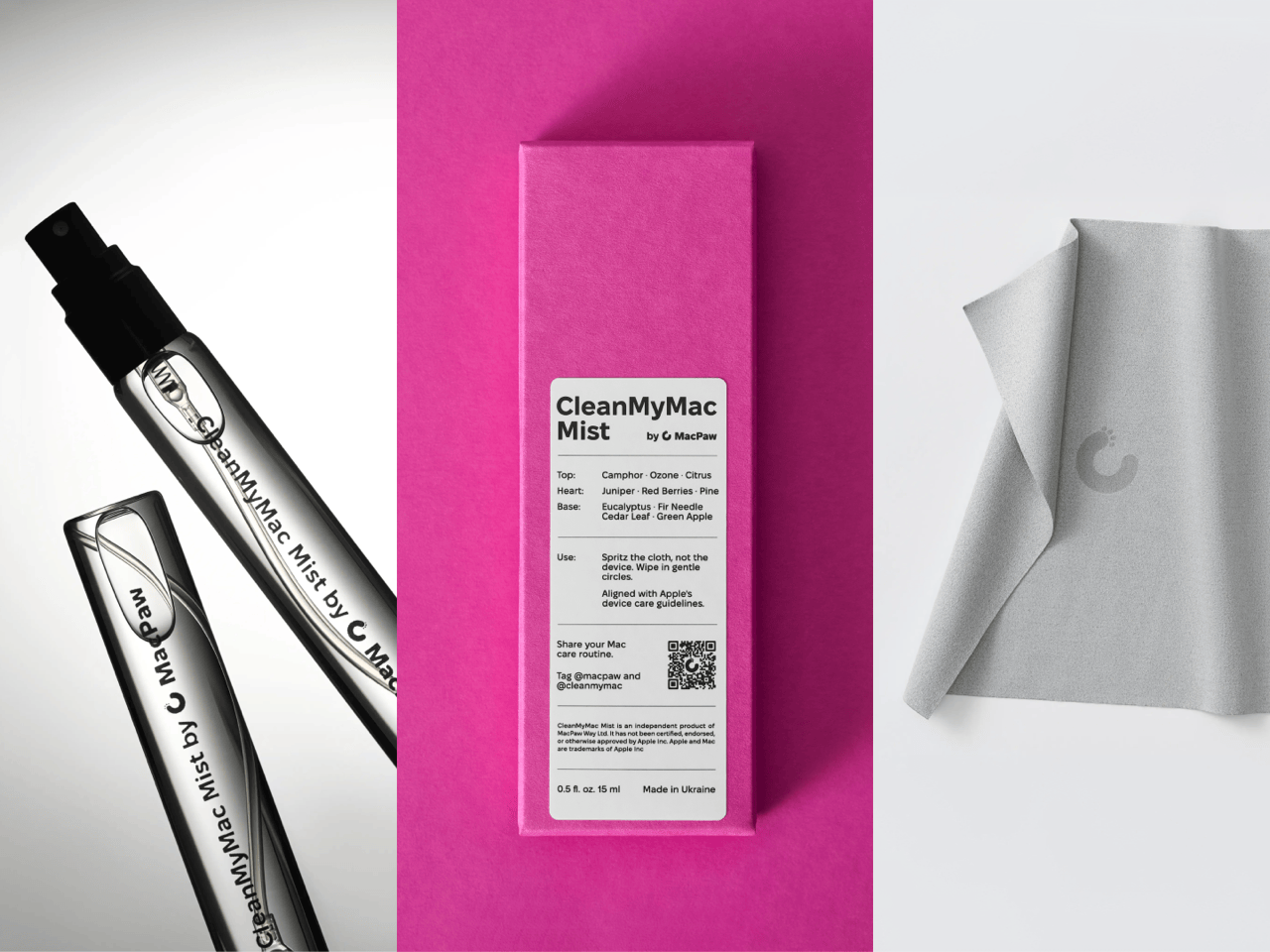
MacPaw calls the scent Frosted Juniper, picked because juniper grows both in Ukraine, where the company was founded, and in California, where the Mac was born. That’s a little sentimental, and I’m completely here for it. The notes run from camphor, ozone and citrus up top to fir needle, cedar leaf and green apple at the base, and the brief was to smell clean without smelling like a cleaning product. Pole, a design and small-batch production studio in Ivano-Frankivsk, made the glass atomizer, its metal case, and a pink box loud enough to see from across the office. Only 100 bottles exist, and they’re up for grabs via a CleanMyMac Instagram and TikTok giveaway until October 23, so don’t go hunting for a price tag.
Designers: MacPaw & Pole
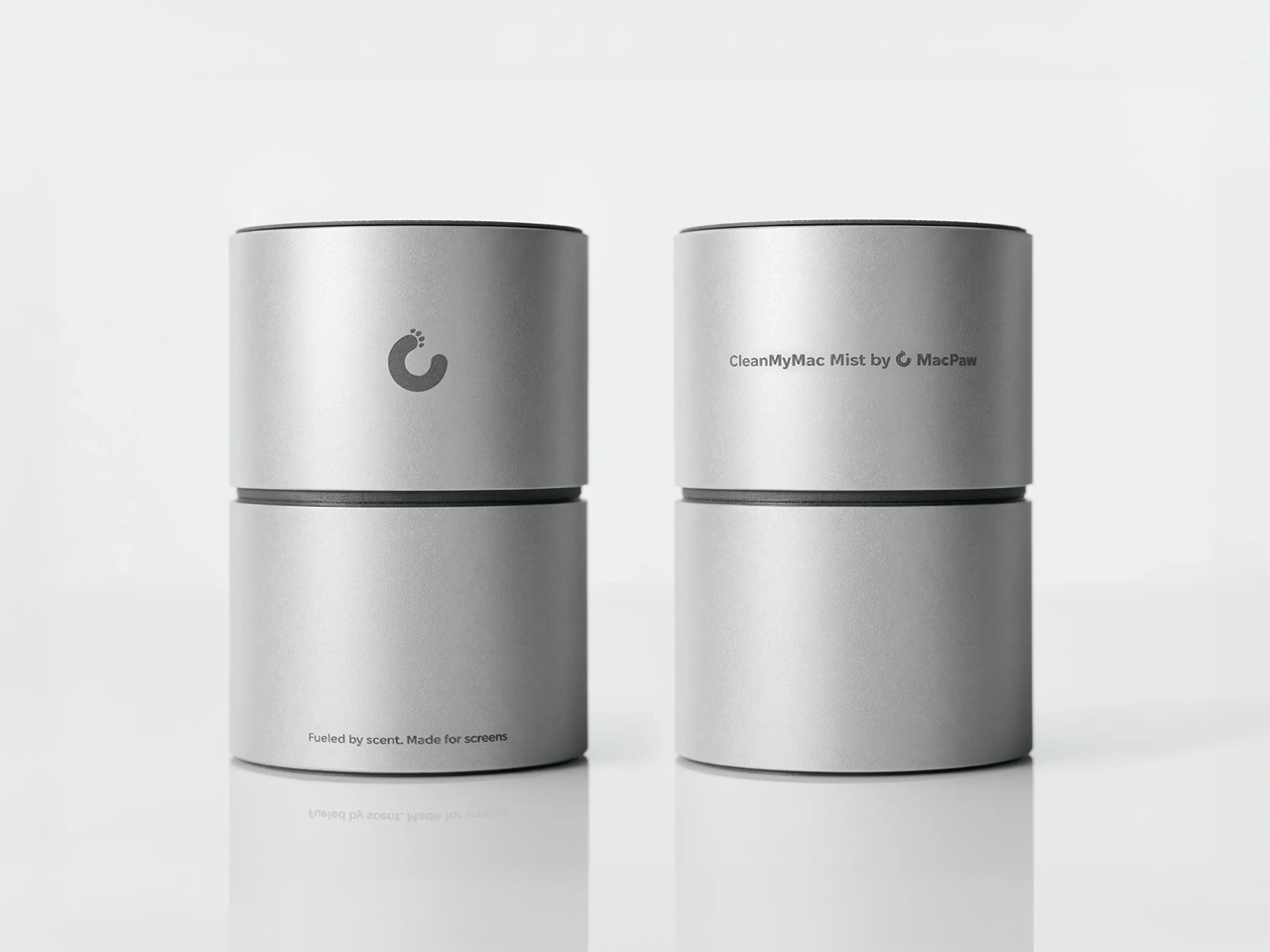
Every design choice here borrows from the perfume counter instead of the cleaning aisle. A slim glass atomizer sits inside a cylindrical metal case, and its silver-and-gray finish would sit happily next to any MacBook. The box flips the mood entirely, with a hot pink tray holding the Mist, a microfiber cloth, a small brush and a scent card, which is basically a perfume blotter for your laptop. The whole package is designed to live on your desk in plain view, far away from the Windex under the kitchen sink. Le Labo pulled a similar trick with its hand-cast concrete diffuser, treating a fragrance gadget as decor first.
Apple’s own cleaning guide warns against aerosol sprays, so the Mist uses a pump atomizer, and you spritz the cloth instead of the screen. That small habit change tackles a real problem, since one in three US Mac owners in MacPaw’s survey admitted to damaging their machine while cleaning it. The product site names the usual culprits: glass cleaners that strip anti-reflective coatings, paper towels that leave micro-scratches, and the hoodie sleeve that only feels like it’s doing something. Apple Stores reportedly keep their display units spotless with WHOOSH!, so dedicated screen formulas are nothing new. MacPaw’s twist is making the formula something you’d happily smell on your fingertips afterward, though nano-texture displays should still stick to Apple’s dry cloth.
As a longtime CleanMyMac user, I find the whole thing delightfully on the nose. The app launched in 2008, has racked up 29 million downloads sweeping caches, logs and leftover app files out of Macs, and MacPaw says it cleans a million machines a day. For 18 years, “clean” was a metaphor for digital housekeeping, and now the metaphor has a nozzle and a note pyramid. MacPaw handed the physical side to Pole, a design and production center in Ivano-Frankivsk with metal, wood, ceramics and biolab workshops under one roof. Pole specializes in runs of 1 to 500 units and built elements for Ukraine’s pavilion at Expo 2025 in Osaka, so a 100-bottle drop sits right in its comfort zone.
The Mist isn’t for sale, and the only way to get a bottle is a giveaway on CleanMyMac’s Instagram and TikTok that closes at 11:59 PM EST on October 23. MacPaw will pick 10 winners on Instagram and 5 on TikTok, so the odds are slim, but every entrant still gets a 20% CleanMyMac coupon. The full scent breakdown and entry details live at cleanmymacmist.com. Millions of Mac owners already trust MacPaw with the inside of their machines, and I suspect plenty of them would buy a refill to keep the outside smelling like a snowy forest. Frosted Juniper makes a great first edition, though I’m already lobbying for a cozy sandalwood one by December.
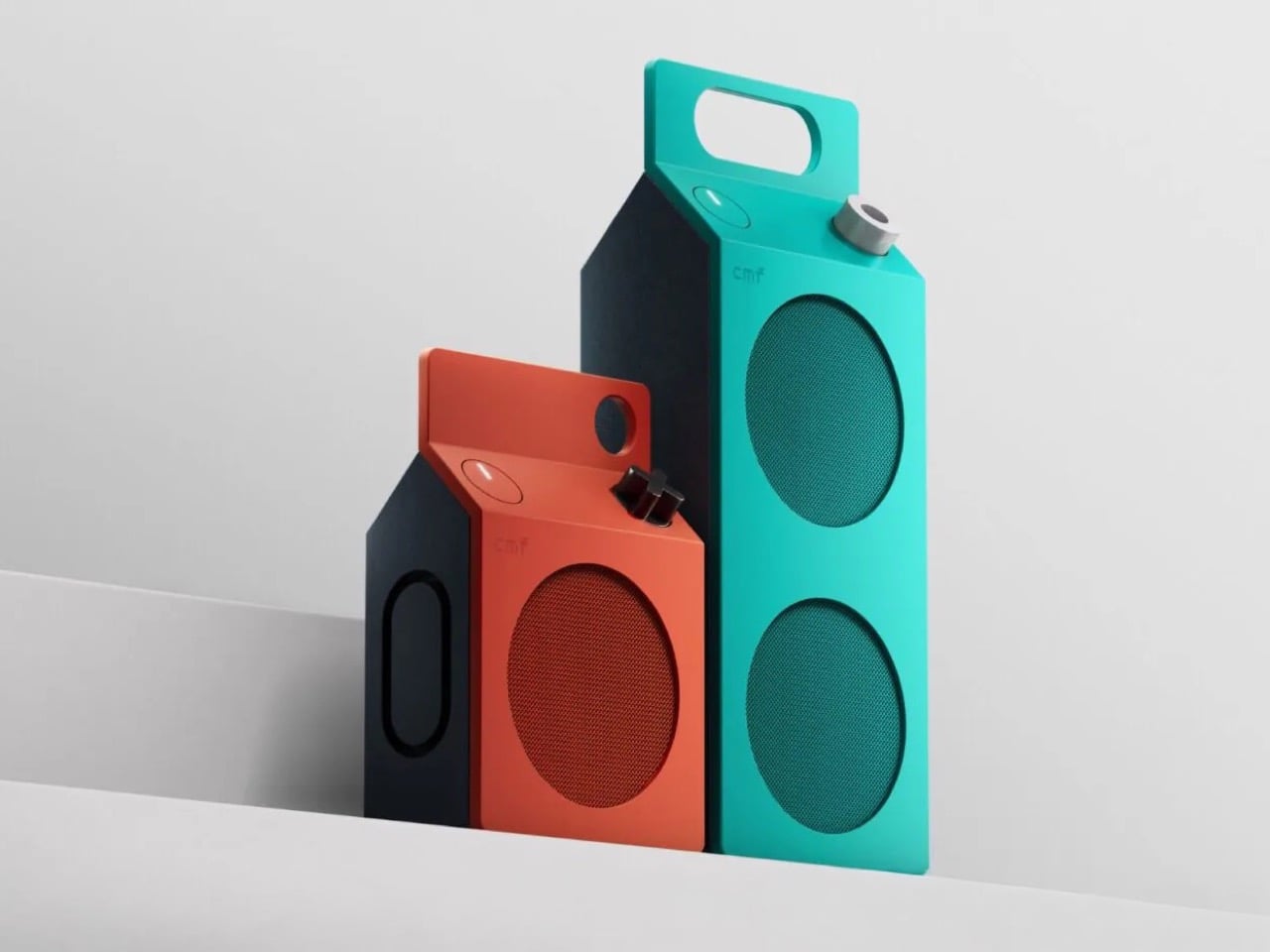
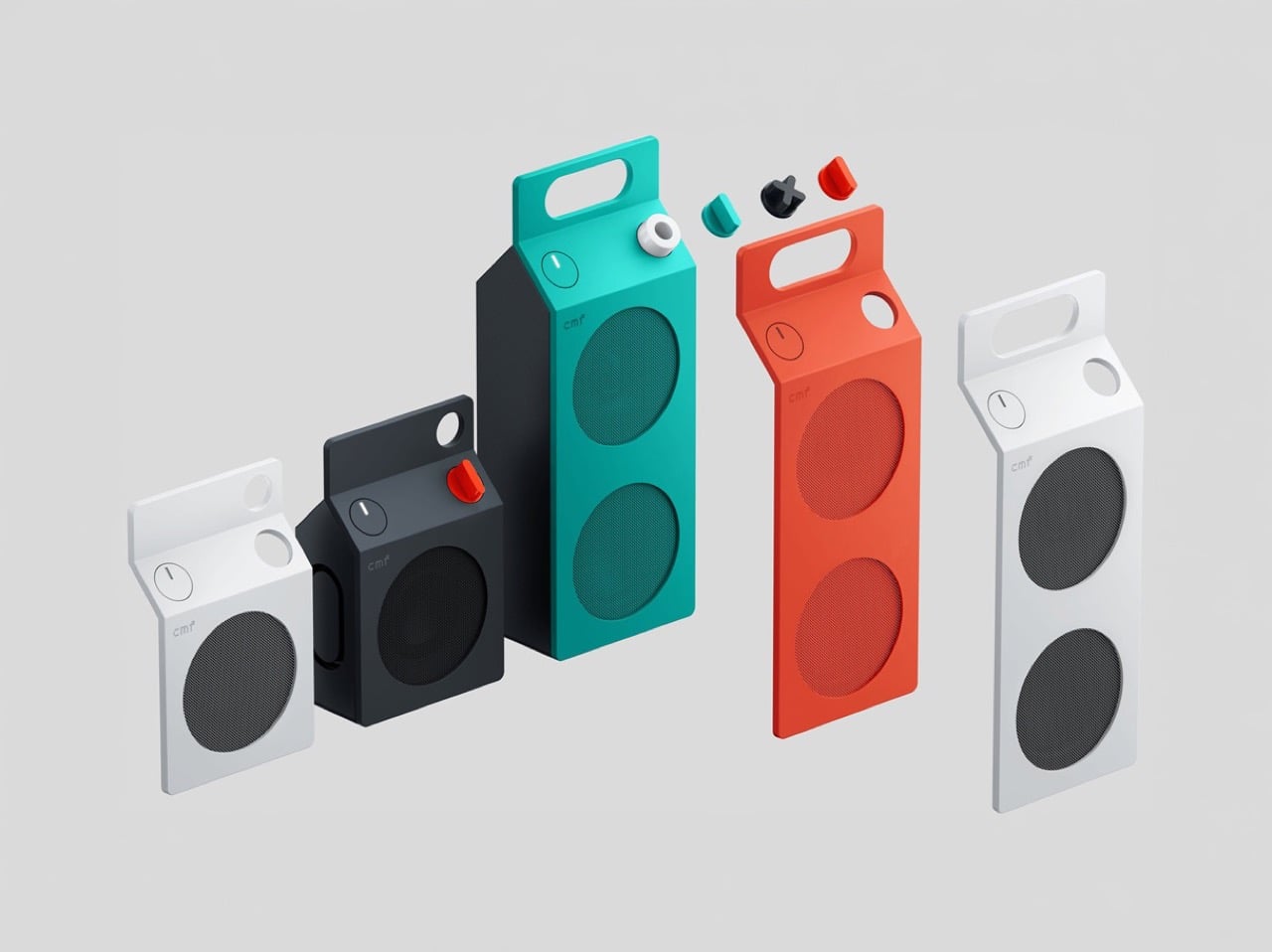
Everyone has held a milk carton, which is exactly why CMF’s new speakers are so hard to stop looking at. CMF, the budget sub-brand of Nothing, shaped its first Bluetooth speakers like gable-top cartons, a form that toy manufacturer John Van Wormer of Toledo, Ohio, patented in 1915 as the Pure-Pak. Your brain files that silhouette under breakfast, fridge door, and home before it even registers the grille. Then the colors and a deliberately mismatched knob finish the job. Black cylinders and bricks have run the speaker aisle for a decade, so a carton is practically a plot twist.
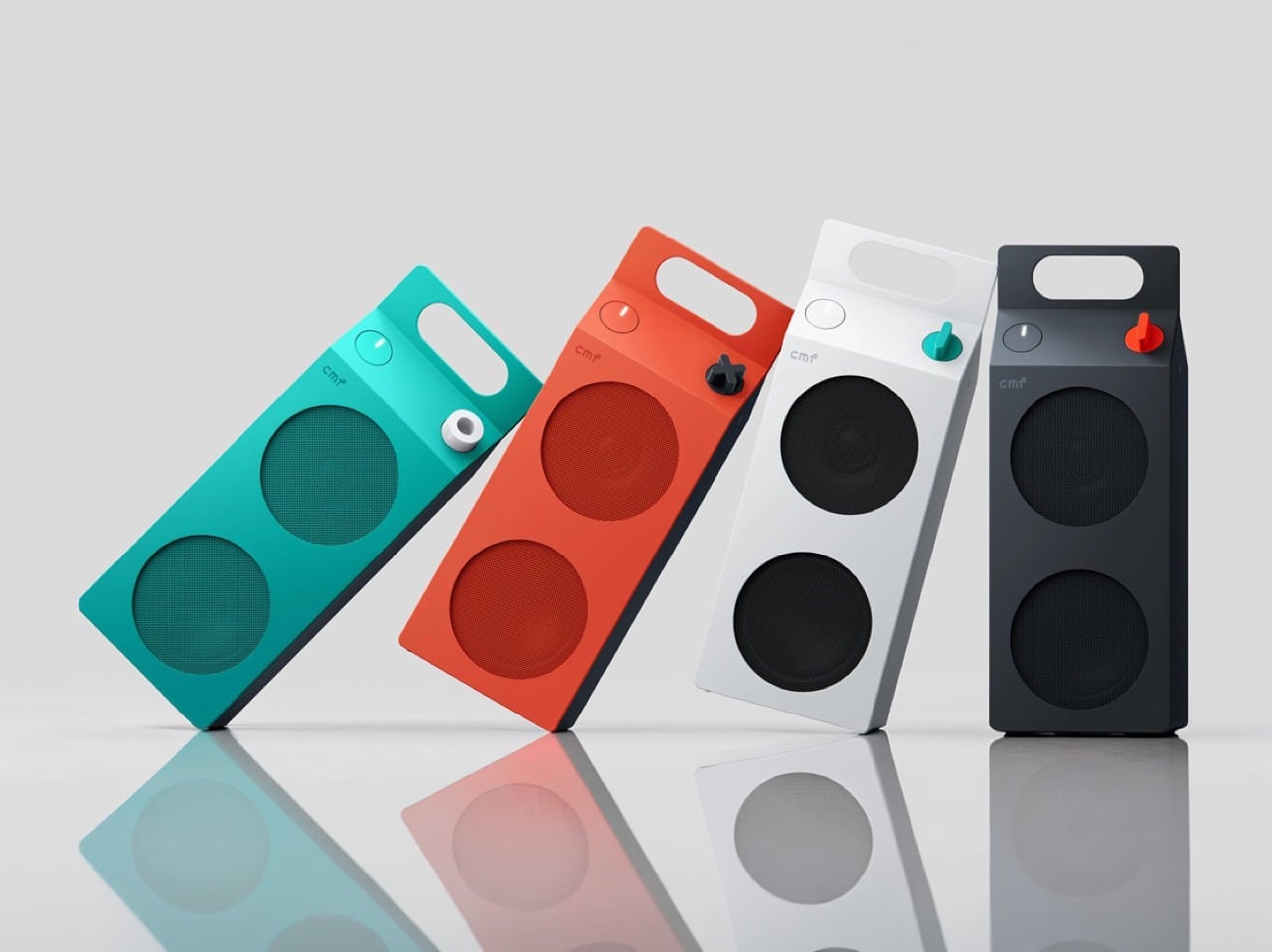
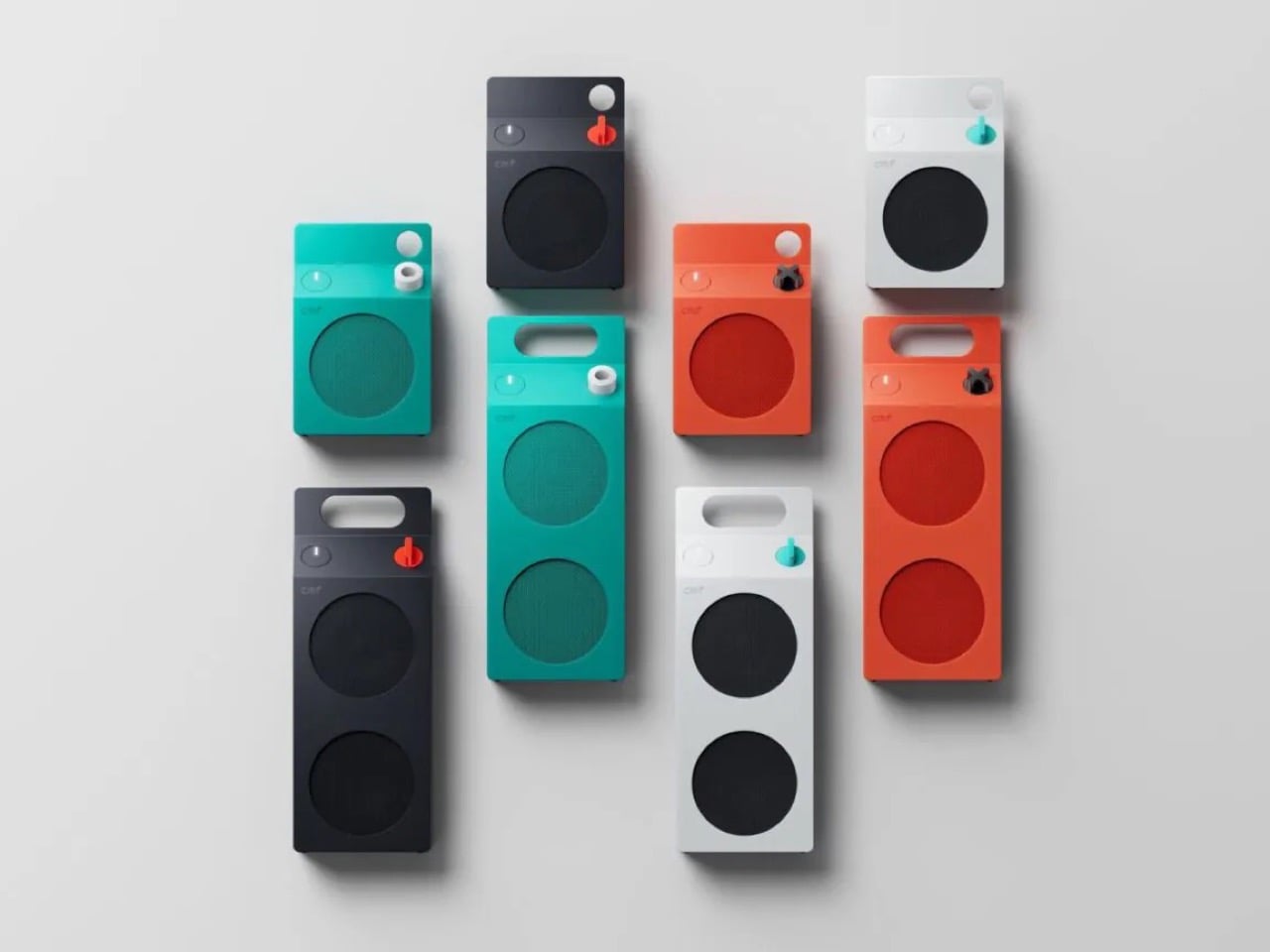
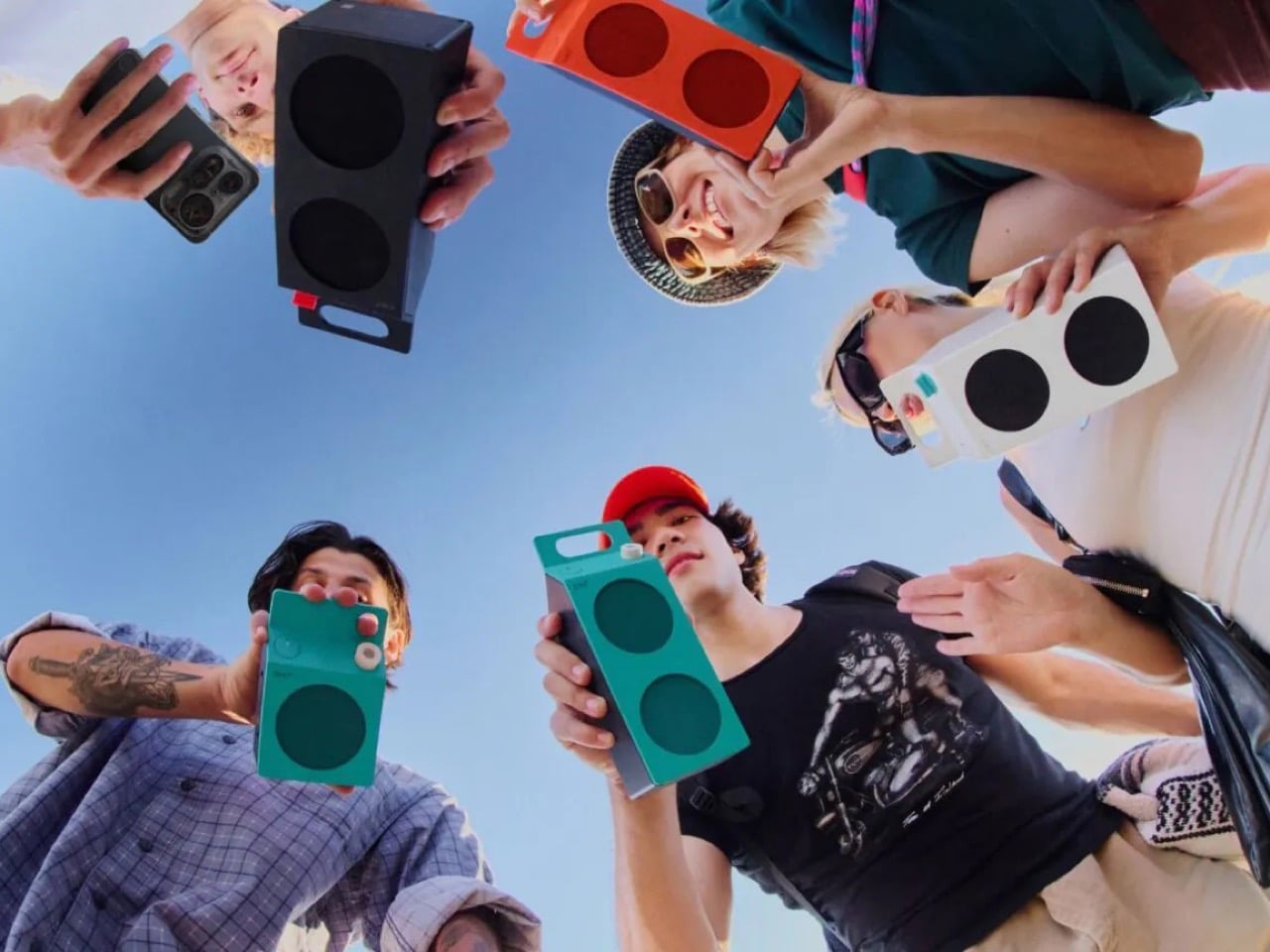
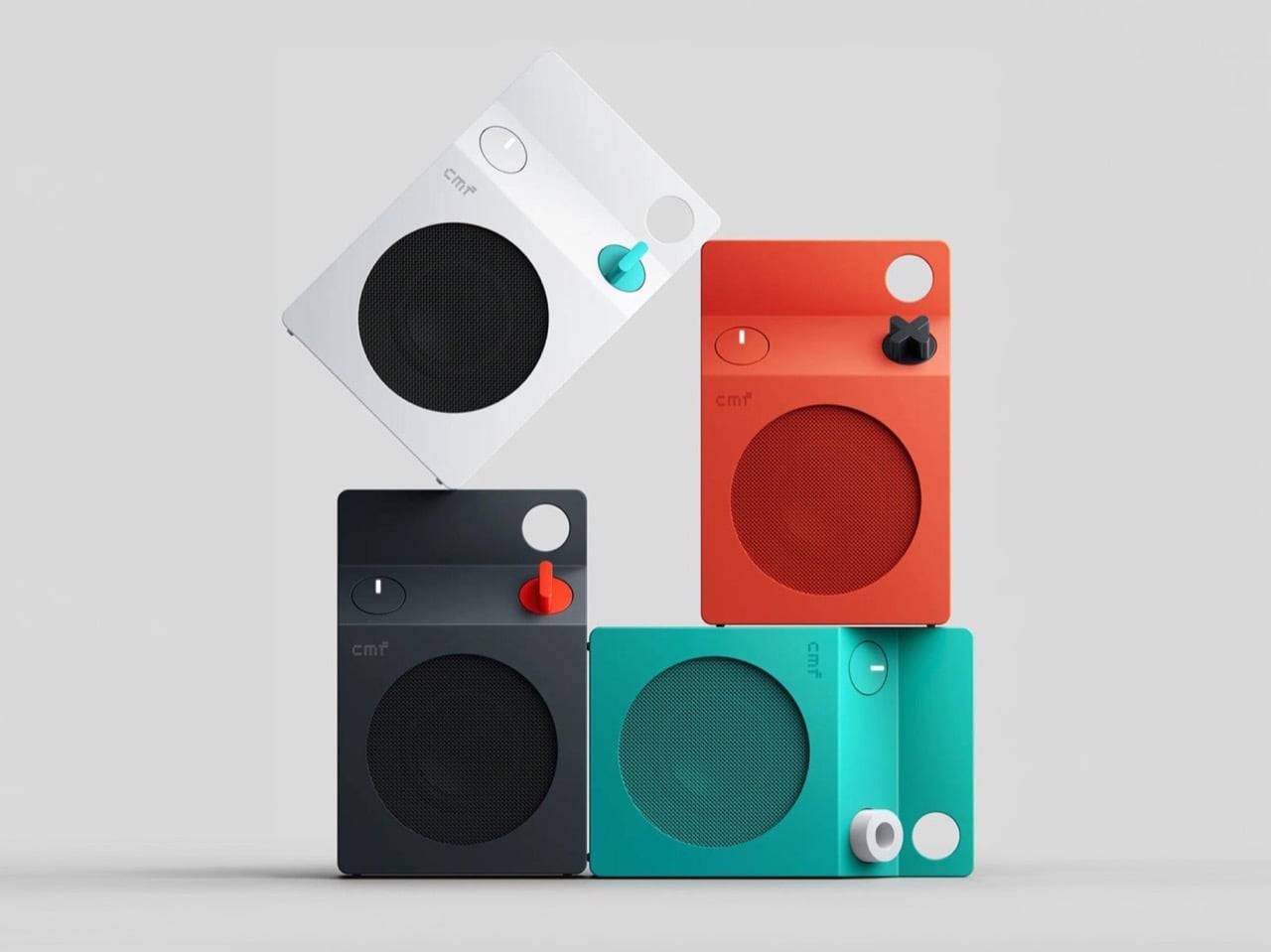
The CMF Speaker S ($59) and Speaker M ($109) launched October 12 at nothing.tech and select retailers, in white, dark grey, turquoise, and orange. CMF’s own product pages cite a carton’s sharp geometry as the inspiration, so the resemblance is deliberate. A sloped roof carries the knob where a carton’s screw cap would sit, and the M’s top fin doubles as a carry handle. The front panel and knob pop off, which turns each speaker into a base for swapping or 3D printing. Both are IP68 too, so the carton can sit on a patio table without a worry.
A carton has three recognizable parts, and CMF kept all three. The sloped gable roof becomes the top edge of a folded color panel that wraps over from the front face. The sealed top seam becomes the M’s raised fin with a handle cutout, while the S settles for a round cutout in the corner. The screw cap, a carton upgrade Elopak dates to 1991, becomes a knob you press and turn. On the orange and turquoise models, a dark grey body sits behind the panel, so the color reads like printed paperboard around a core.
The grilles do the decorating. On the turquoise model the mesh is a deeper teal, on the orange it turns brick red, and on white and dark grey it goes black, so each face is a flat field with big circles punched in. The M stacks two of them, the S gets one, and a small pixel-style cmf wordmark sits above like a tiny brand stamp. An oval button with a white light bar is the only other mark besides the knob. That is very few elements, all of them deliberate.
Pint-and-quart proportions and a color system with a mismatched knob
The S measures 5.1 by 3.3 by 1.7 inches (130.5 by 85 by 44mm). The M stretches to 8.7 inches (220mm) tall at the same 85mm width, so the pair reads like a pint and a quart of the same product. Helen Sanematsu’s 1999 AIGA Journal essay on milk packaging argued that cartons get their punch from standing in rows, with color separating the varieties. CMF’s launch imagery lines up four colors across two sizes, which plays that exact game. Put them on a shelf together and you get a dairy case designed by someone with great taste.
Each colorway gets its own knob: a black X on orange, a white ring on turquoise, a red paddle on dark grey, and a teal paddle on white. That deliberate mismatch gives every speaker a single accent, like a bright cap on a carton. Pop it off and you can mix freely or 3D print your own, a habit that follows the CMF Phone 1, whose community printed everything from Lego-friendly backs to a foam dart launcher. We once featured a fan concept for a CMF speaker that went retro radio. The carton is the braver call.
Drivers, battery life, and durability behind the carton
The S pairs a 1.8 inch (45mm) driver with two passive radiators, unpowered diaphragms that beef up bass, for 10W. The M adds a 2.8 inch (70mm) woofer and 0.6 inch (16mm) tweeter for 35W RMS, a continuous power rating. Both claim 18 hours at 50 percent volume with Ultra Bass on, enough for a workday and the commute. A 10 minute charge buys an hour while you hunt for your keys. They survive 30 minutes in nearly 5 feet (1.5 meters) of water and passed a 30 inch (0.76 meter) drop test.
The S costs $59 and the M $109, and both are on sale now at nothing.tech and select retailers. That puts a distinctive object within impulse-buy range, which is unusual for a design this committed. It is the rare budget speaker that makes you want to rearrange a shelf. Van Wormer’s carton survived a century by being easy to hold, stack, and carry, and a portable speaker wants the same three traits. Somebody finally noticed a great speaker shape was sitting in your fridge door all along.
Fiat’s Multiplay concept explores a practical alternative to owning separate vehicles for family travel and outdoor activities. Unveiled ahead of the 2026 Paris Motor Show, the 4.45-meter-long concept combines the space of a multi-purpose vehicle (MPV), the styling of an SUV, and the cargo-carrying ability of a pickup. Its USP is a movable rear body section that changes the vehicle’s layout depending on what the day demands.
Called C-Pillar Metamorfosi, the transformation system allows the Multiplay to switch from a six-seat family configuration with an additional flexible seating module to a four-seat pickup with an open cargo bed. The rear section slides along dedicated guides, creating space for bicycles, sports equipment, and bulky items without eliminating the front and rear passenger seating. A rotating rear spoiler also doubles as an integrated bicycle rack capable of carrying two bikes.
Inside, Fiat has designed the cabin around the changing needs of families. The additional unit, called the Petsenger seat, can accommodate a child seat, provide a dedicated place for a pet, or function as a small table or storage compartment. Part of its cushion can be detached and used as a leash, while a folding bowl is stored in a door compartment. Pockets, elastic straps, and other storage solutions help keep everyday essentials organized.
The concept also rethinks the conventional third row, which often offers limited comfort and space. Fiat says the Multiplay’s rear compartment can accommodate two children or an adult when necessary, while keeping younger passengers within view and reach of their parents. This arrangement wants to make the cabin more useful for family trips without requiring a larger vehicle.
Another multifunctional feature is the Sunseat. When the car is parked, the front passenger seat can turn toward the rear and use the dashboard as a backrest, creating a chaise longue beneath the panoramic roof. Large windows and generous glass surfaces bring more natural light into the cabin, reinforcing its connection to outdoor activities and leisure.
The exterior and interior follow a playful design theme inspired by watermelon. The green bodywork represents the rind, while red and pink cabin accents reference the fruit’s flesh. Inside, Fiat explores monomaterial textiles produced through a stitch-free 3D knitting process, which is intended to reduce material waste. Waterproof finishes in the children’s and pet areas address the practical demands of everyday family use.
Technology is integrated into the cabin without dominating its design. A hidden dashboard display disappears when the vehicle is switched off, leaving a cleaner surface. The dashboard’s horizontal form draws inspiration from the Mediterranean horizon, while its colors connect the exterior design with the interior.
The Multiplay continues Fiat’s longstanding interest in maximizing interior space within compact dimensions, recalling the six-seat Fiat 600 Multipla of 1956 and the original Multipla introduced in 1998. The Italian car maker describes the concept as a laboratory for future ideas, not a preview of a specific production vehicle. They’ve not announced a powertrain, performance figures, pricing, or a production timeline. So, we’ll keep our lens zoomed in on more details as they arrive.
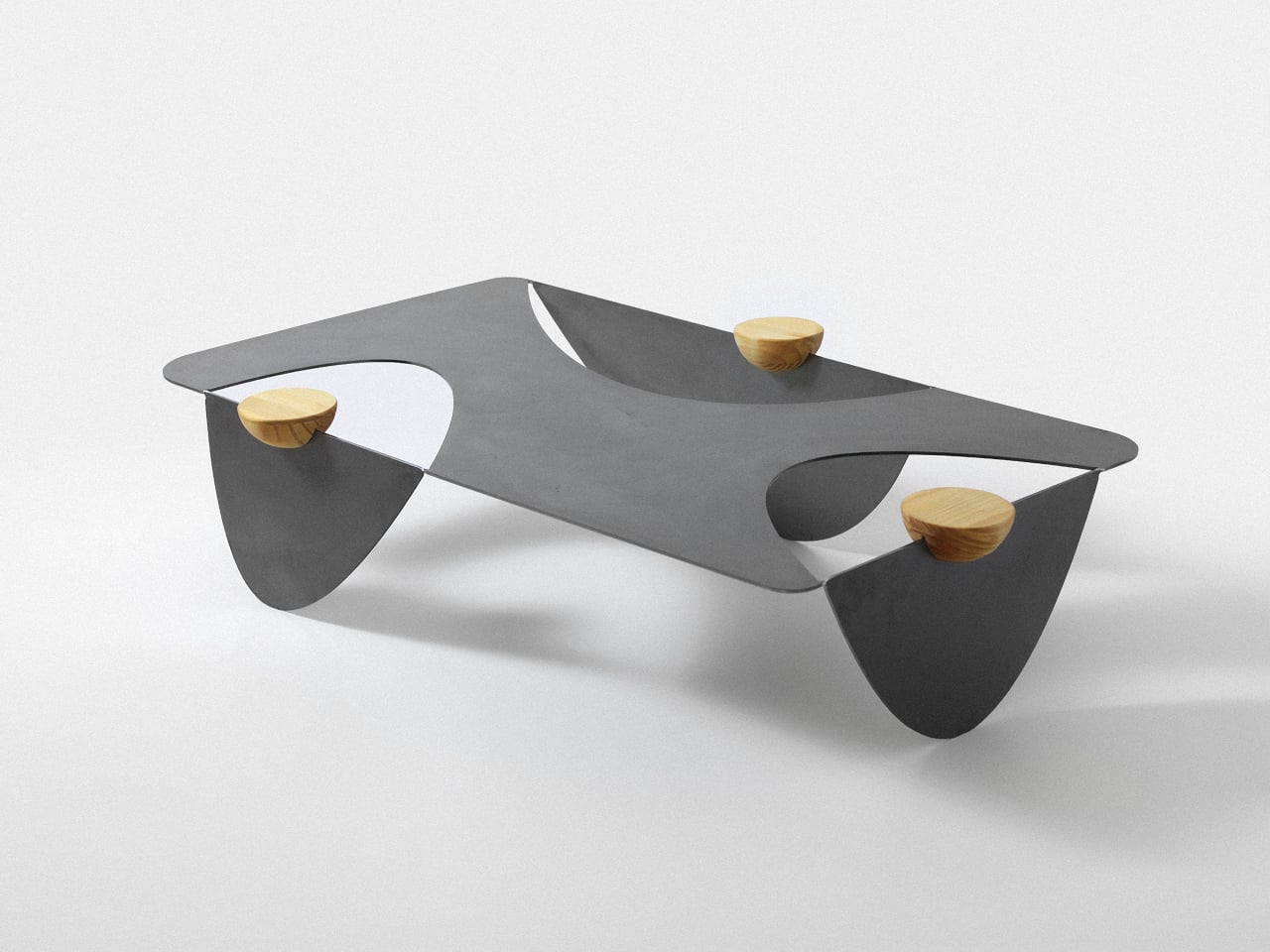
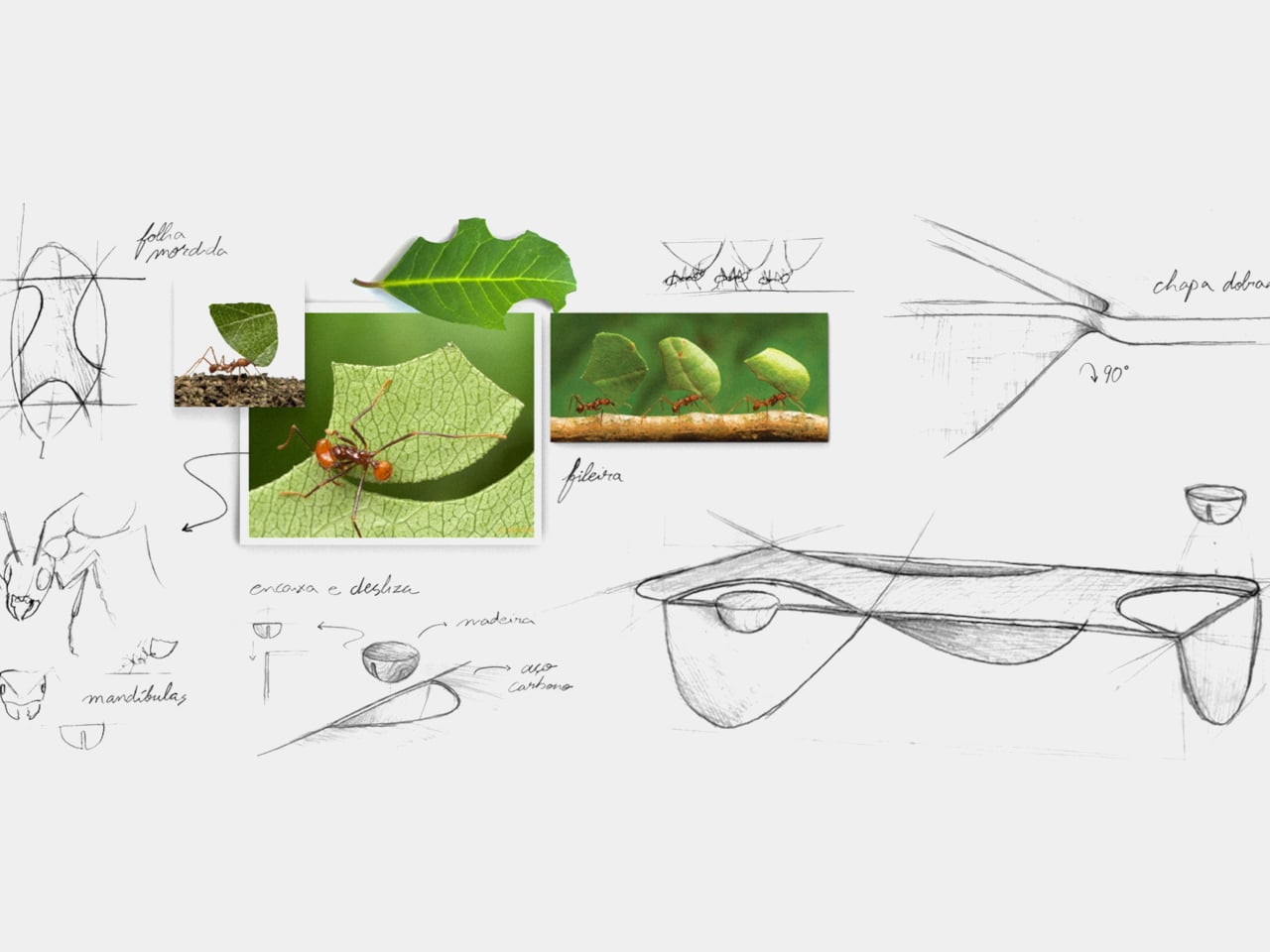
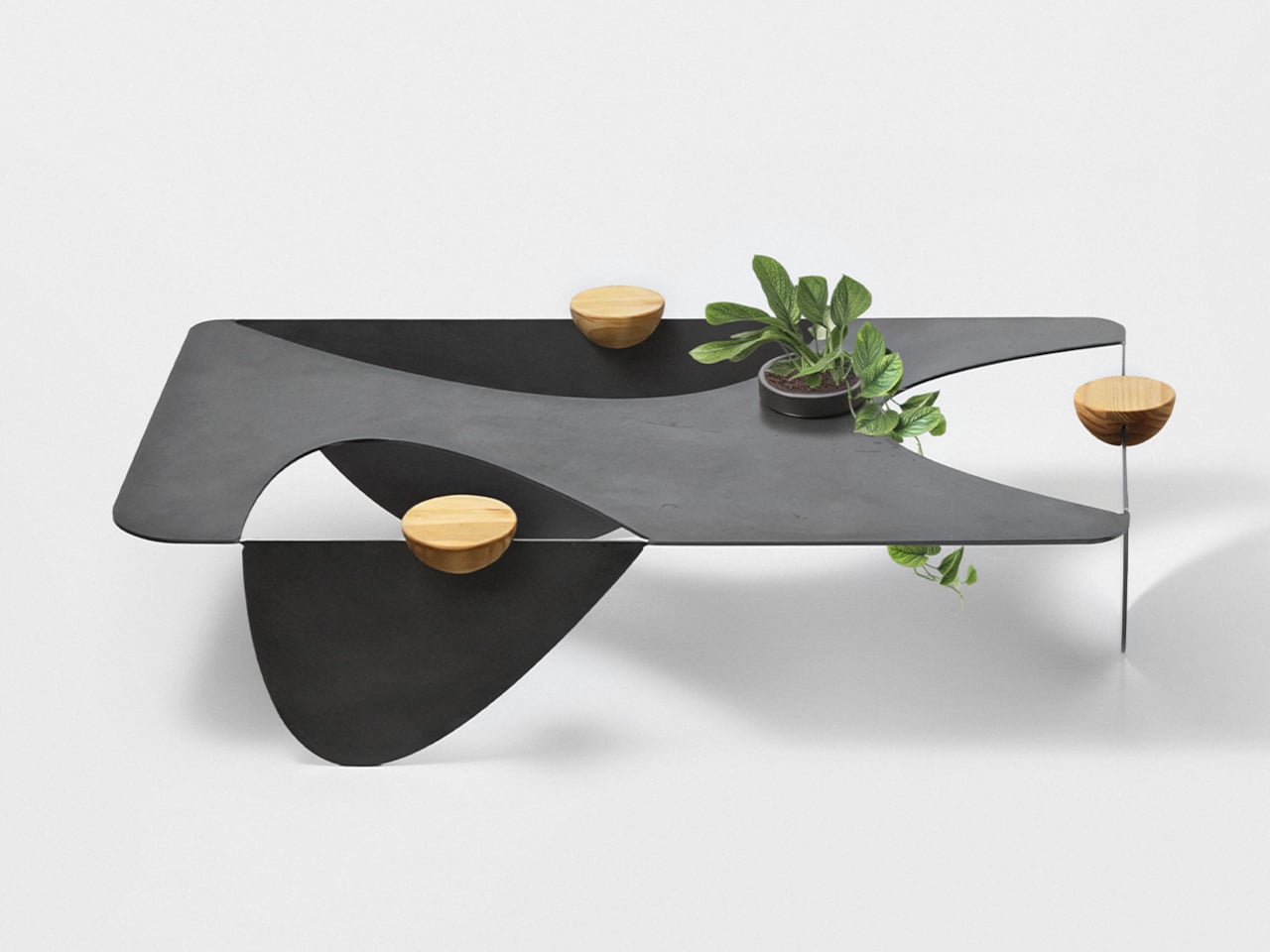
Ants aren’t usually welcome around a coffee table, especially when there are snacks involved. The Colheita Coffee Table concept, however, borrows something more useful from them: the curved cuts left by leafcutter ants. Its steel surface folds downward to become its own legs, while movable wooden supports provide places for drinks. The nature reference gives the table its construction logic, rather than simply decorating it.
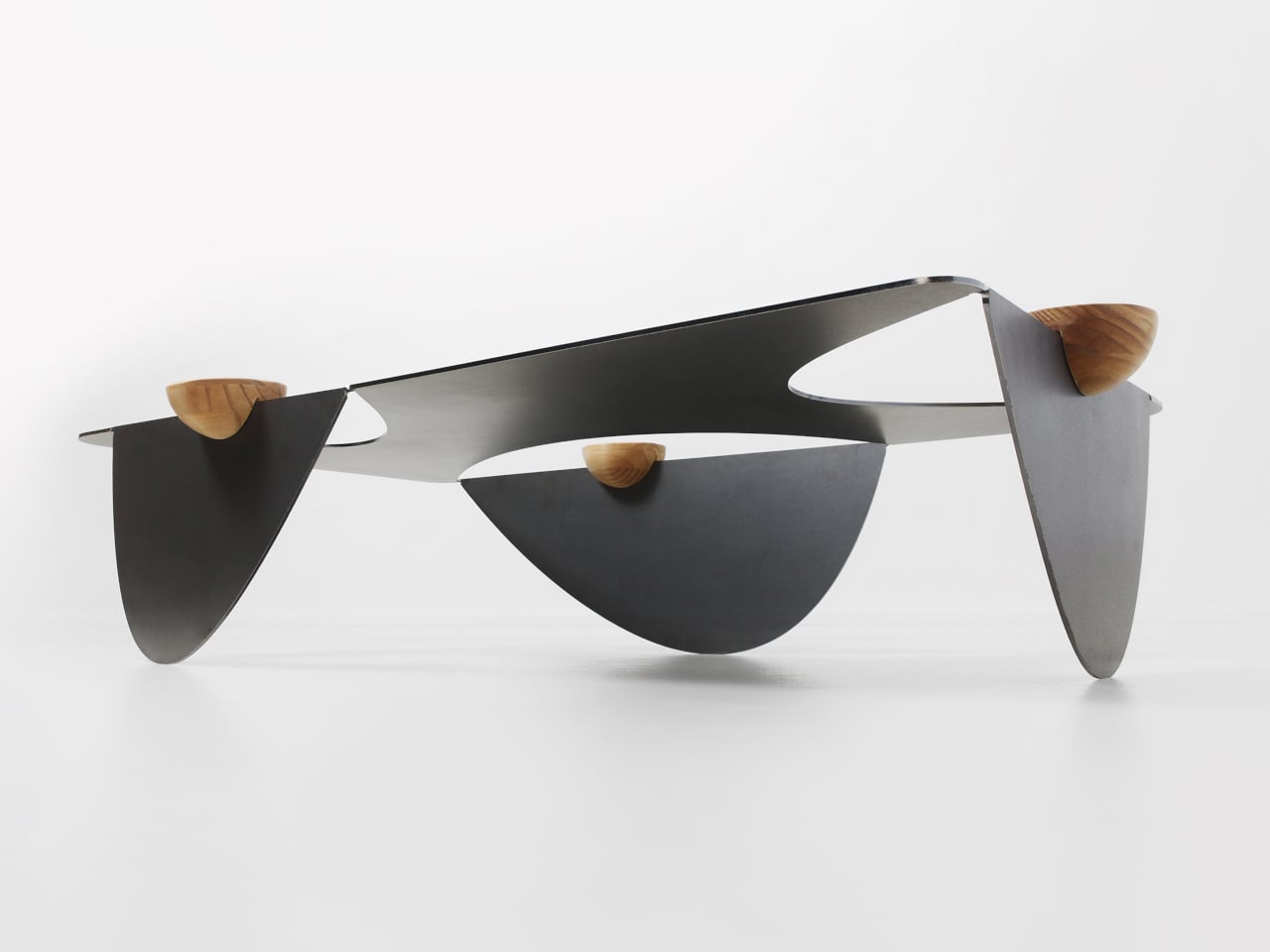
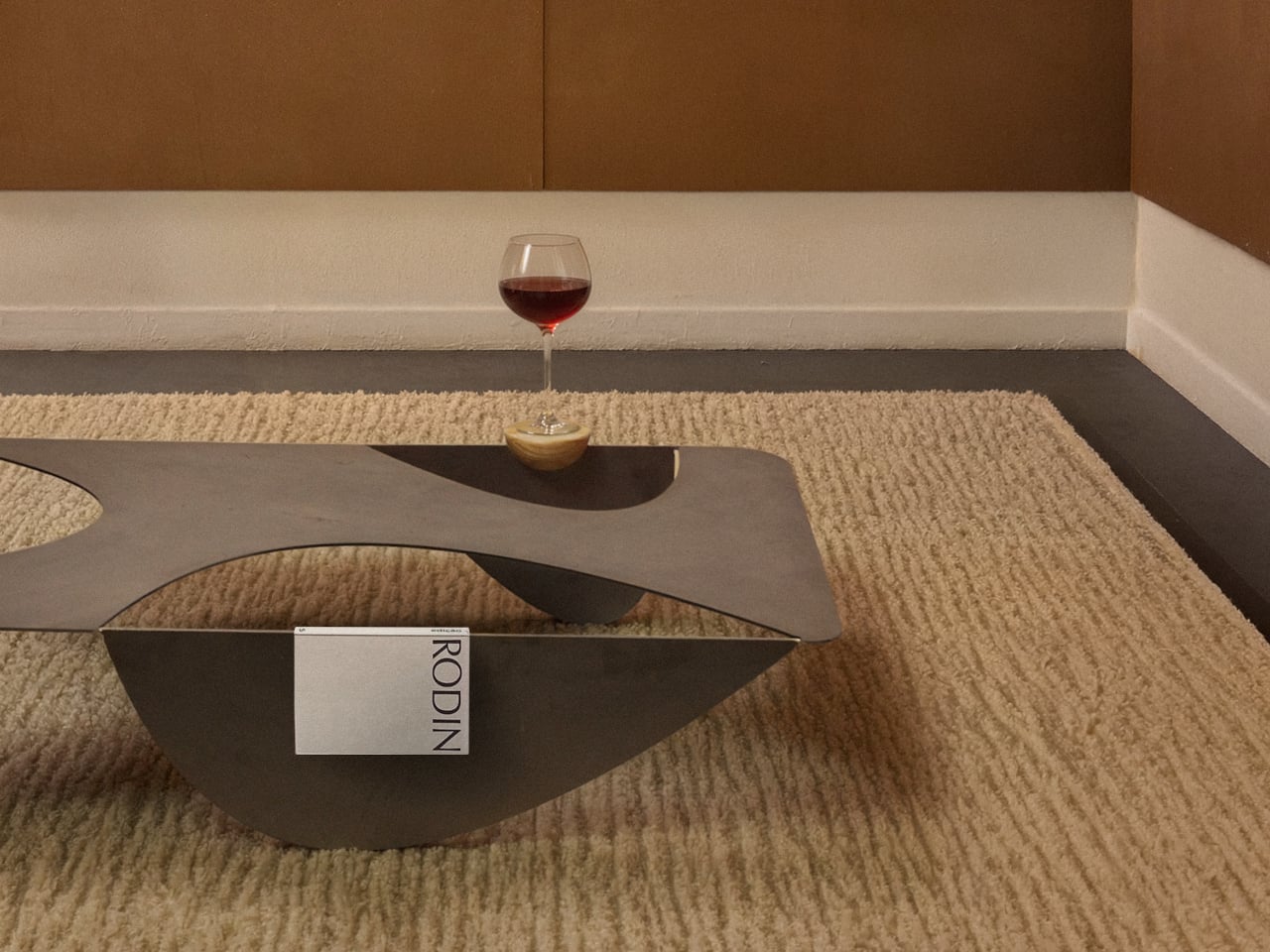
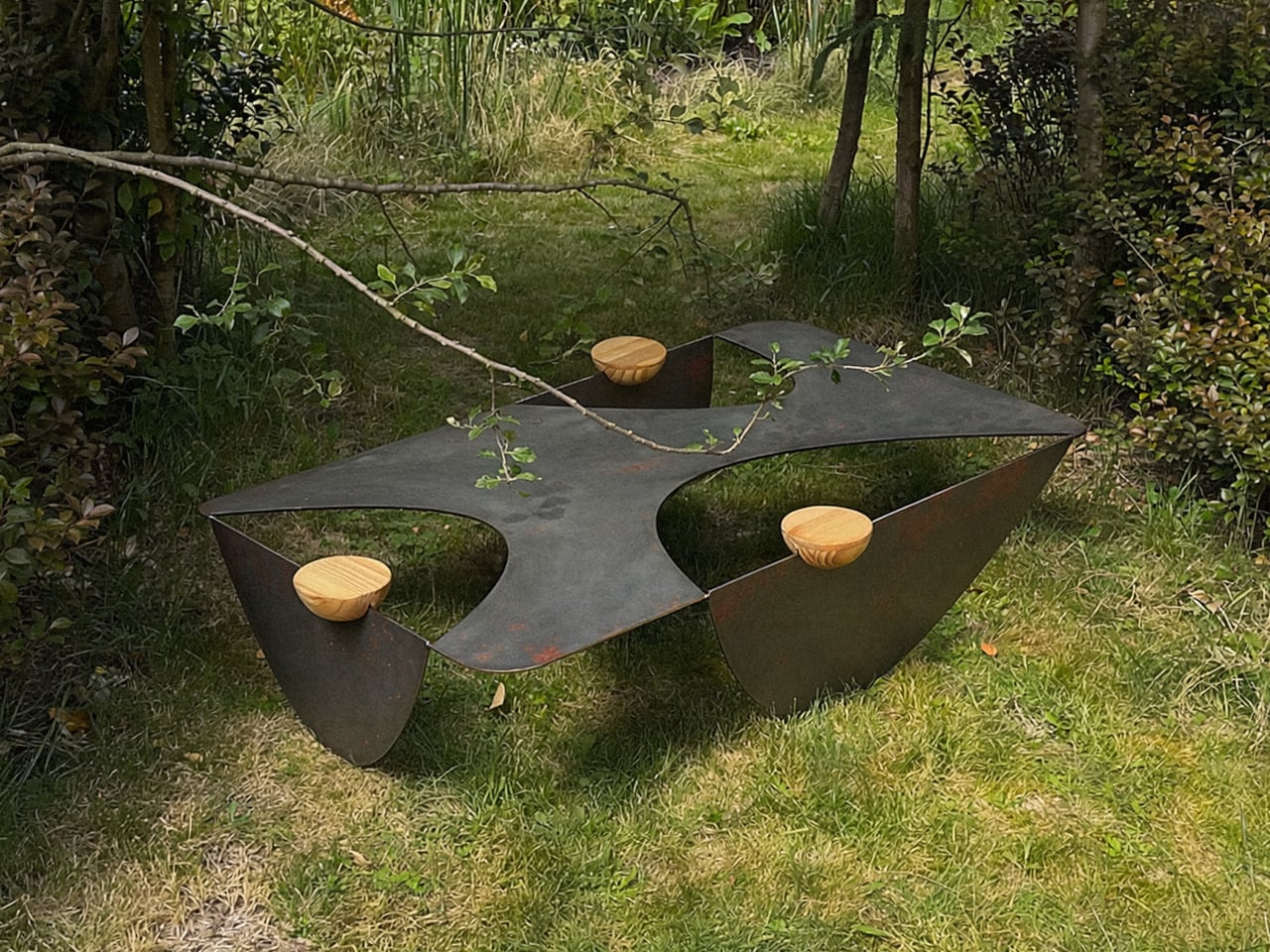
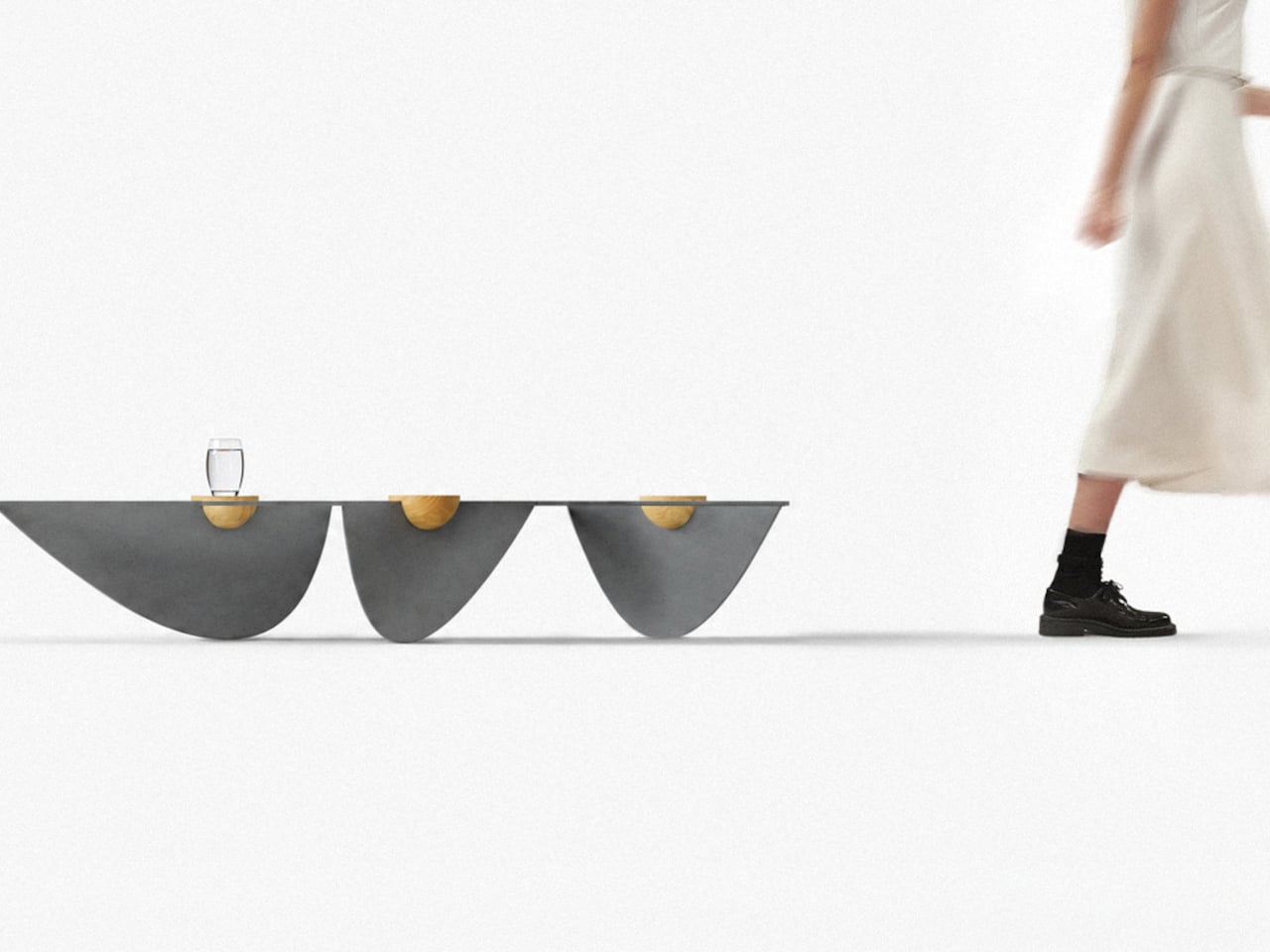
The body starts with a single steel sheet, cut by laser and bent so three broad sections reach the floor. Those sections remain attached, leaving openings where a conventional tabletop would be solid. Rather than adding separate legs underneath, Colheita carries the tabletop material through to its base. The relationship is easy to follow, even if the resulting silhouette is rather unusual.
That approach is intended to reduce component count and material waste, although it isn’t a claim of waste-free manufacturing. A smaller detail helps explain how the sheet takes shape: enlarged, rounded ends on the cuts provide relief during bending. They’re there to ease stress where flat metal becomes a leg. The graceful curves have a fabrication purpose alongside their resemblance to a harvested leaf.
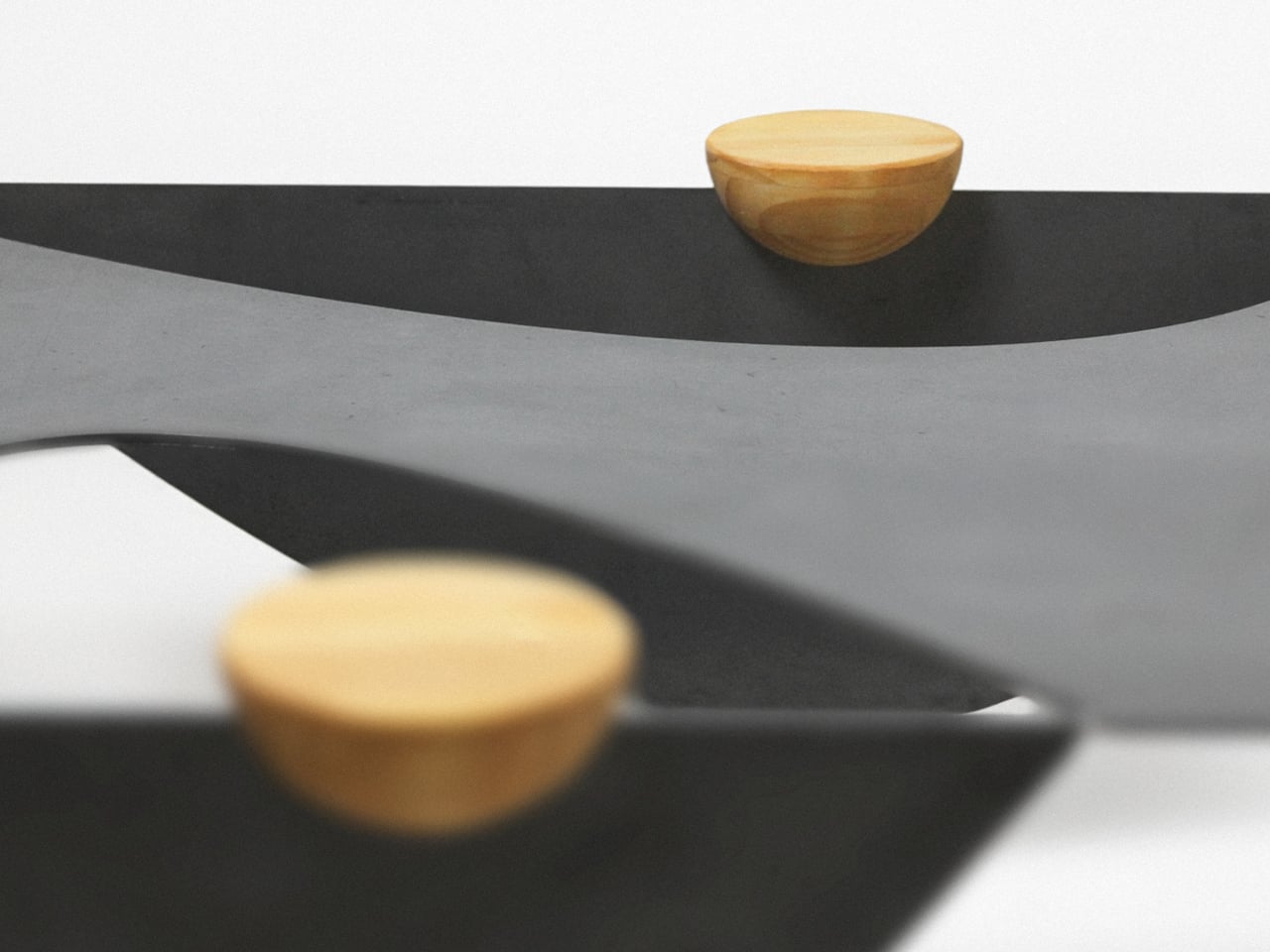
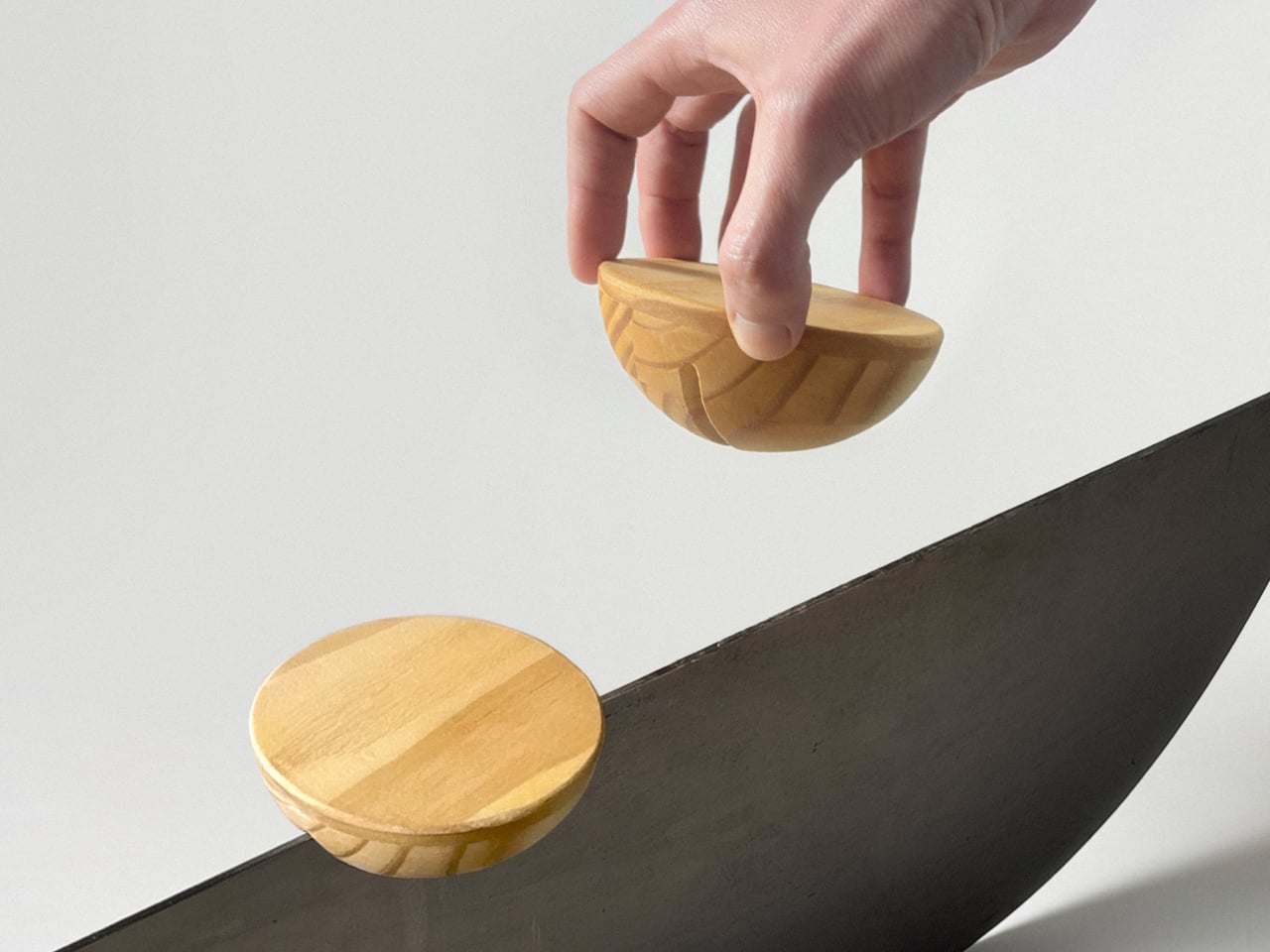
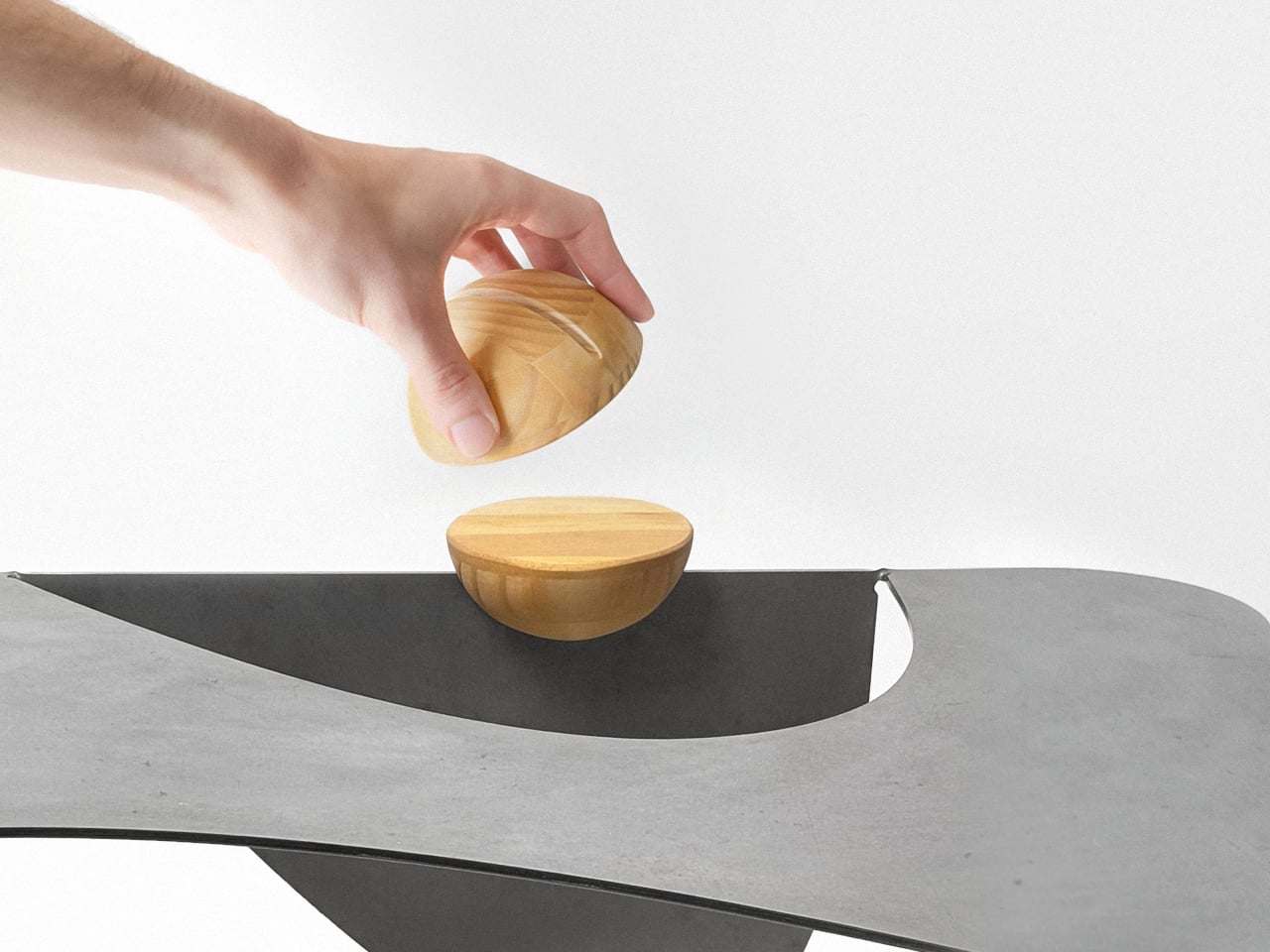
The wooden pieces might look like little bowls at first, but their flat tops serve as platforms rather than containers. Each hemisphere has a groove that slots onto the folded steel, allowing it to move along the edge. The wood adds a warmer color and visible grain to the dark metal, while giving a glass or small object its own resting place.
That means the arrangement doesn’t have to stay the same after you’ve chosen where the table goes. Move a wooden support closer to your seat, or spread them around when friends gather on different sides. The system is also intended to help stabilize the upper surface. These small additions therefore have a job beyond making the steel look a little less austere.
Of course, all those openings leave less uninterrupted space for whatever usually accumulates on a coffee table. A book or tray needs a solid patch beneath it, and a loose remote won’t forgive careless placement. The gaps do leave room for trailing plants and allow light through. Colheita invites you to arrange its contents more deliberately, which won’t appeal to everyone’s housekeeping habits.
The project also explores an unfinished carbon steel version, letting oxidation change the surface’s colors and patterns over time. That’s a different proposition from furniture meant to keep an immaculate, uniform finish. It gives the table a changing appearance rather than a permanent shade of gray. The project presentation doesn’t explain how to manage that aging around spilled drinks or routine household cleaning.
Colheita means “harvest” in Portuguese, a nod to the ants and to gathering around the table. It remains a concept project with fabrication work documented, rather than a verified retail offering. Dimensions and load capacity aren’t provided. Before trusting one of those platforms with hot coffee, you’d want to know how securely it stays put when someone nudges the table.
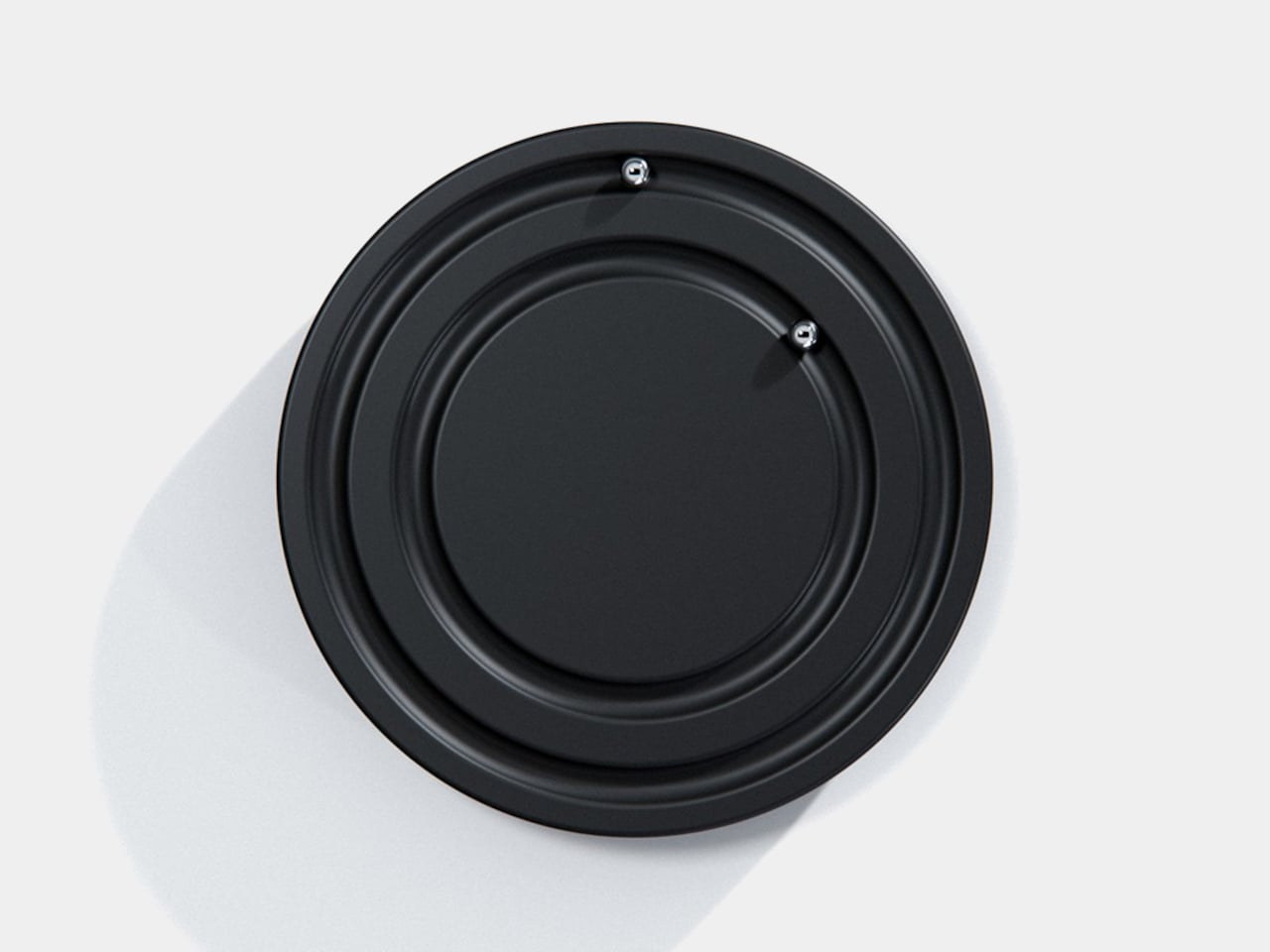
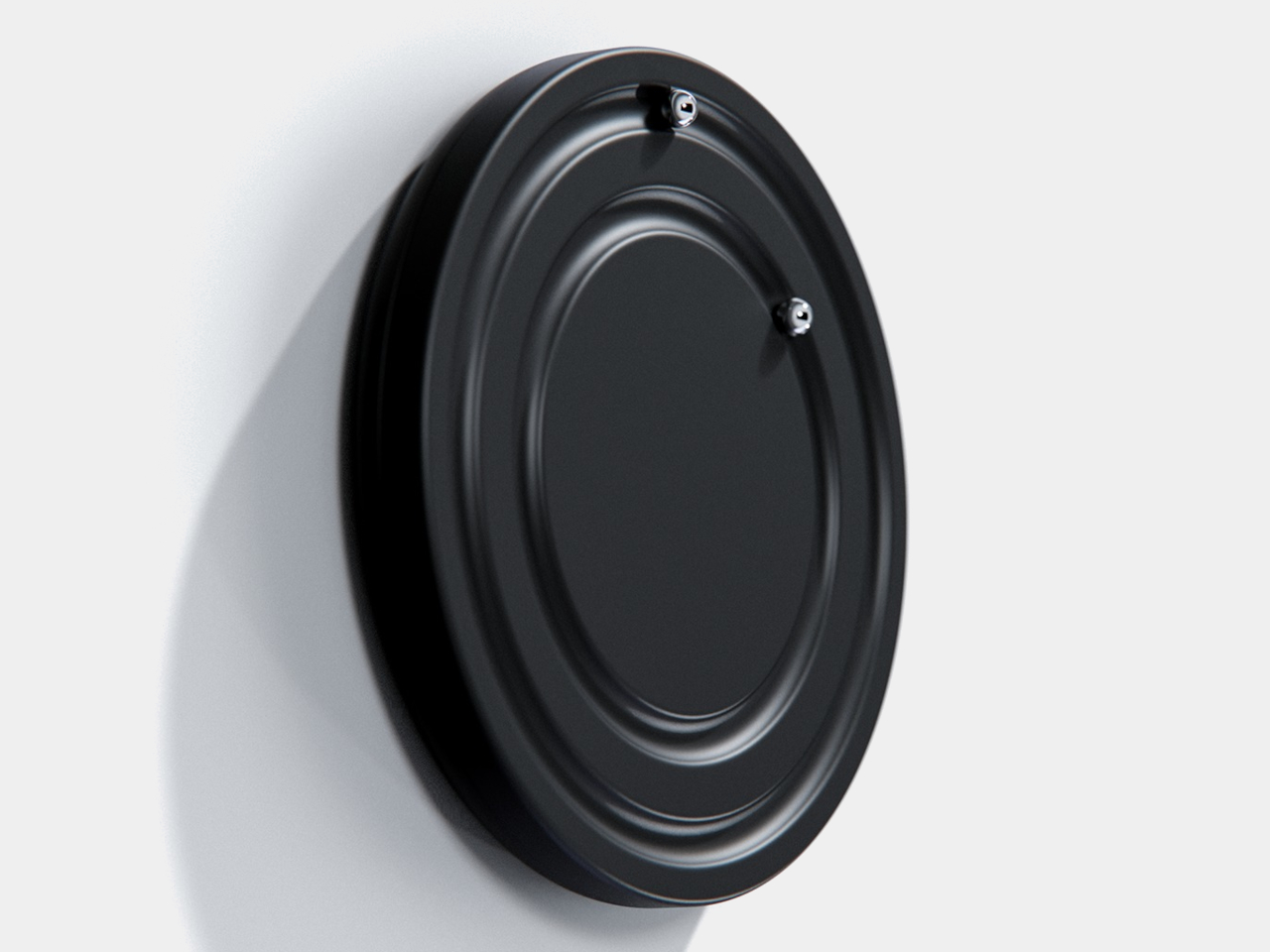
Clocks have become so familiar that we barely think about what their hands are doing. They point to positions around a circle, a habit that Orbit keeps while removing the hands themselves. This ultra-minimalist clock concept replaces them with two magnetically held metal spheres, giving time a physical presence you can reach and remove, instead of leaving it behind protective glass.
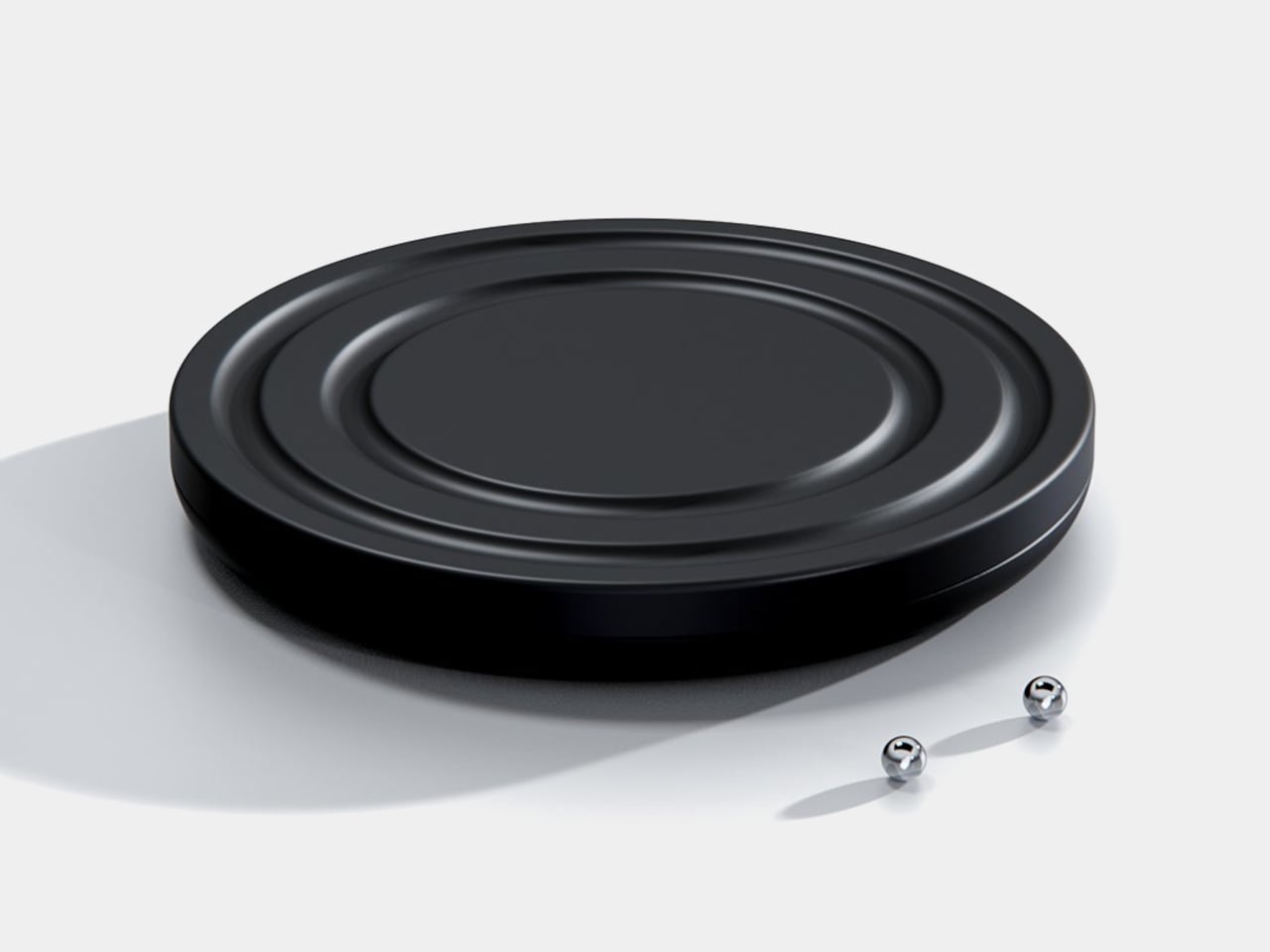
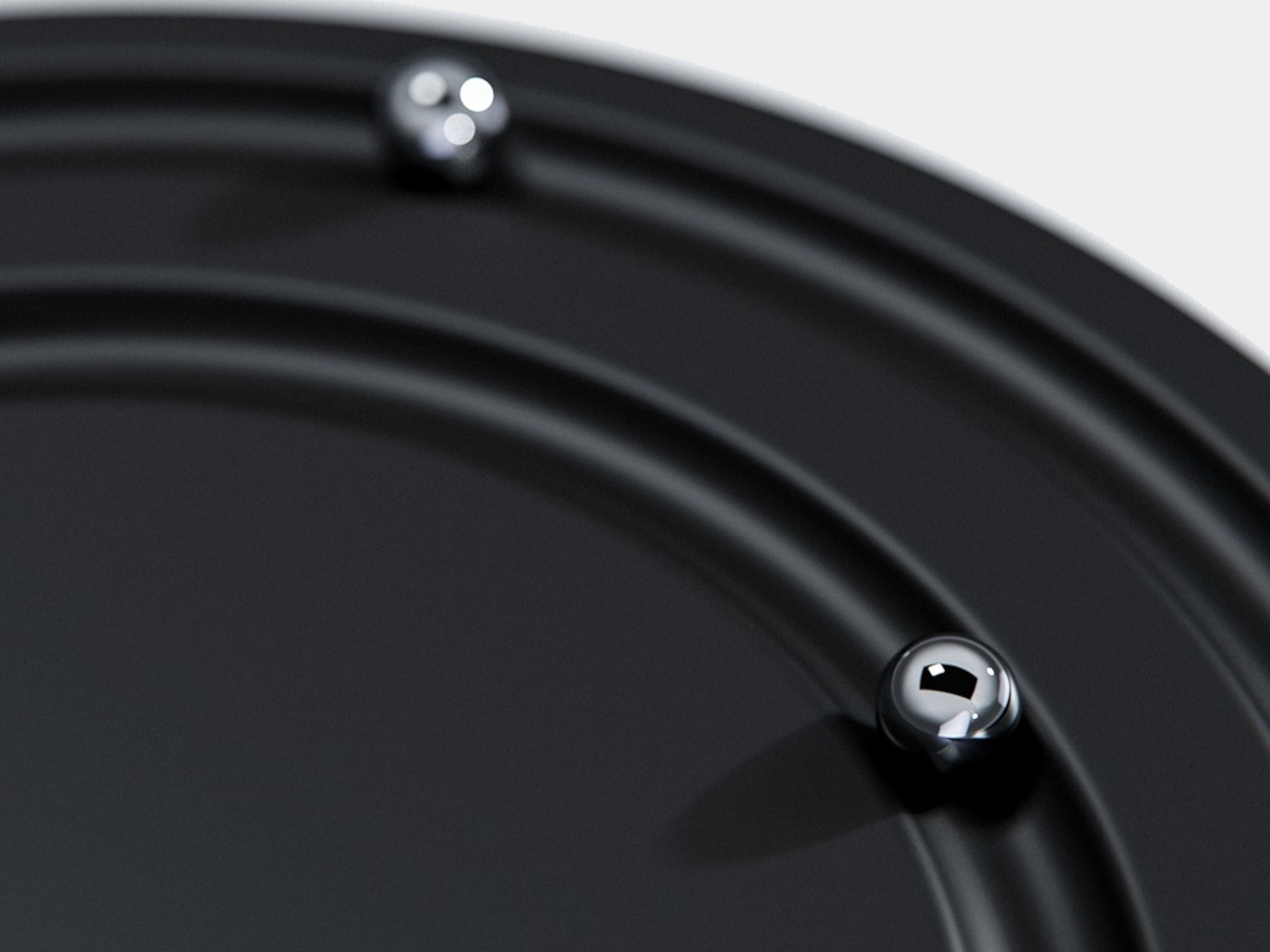
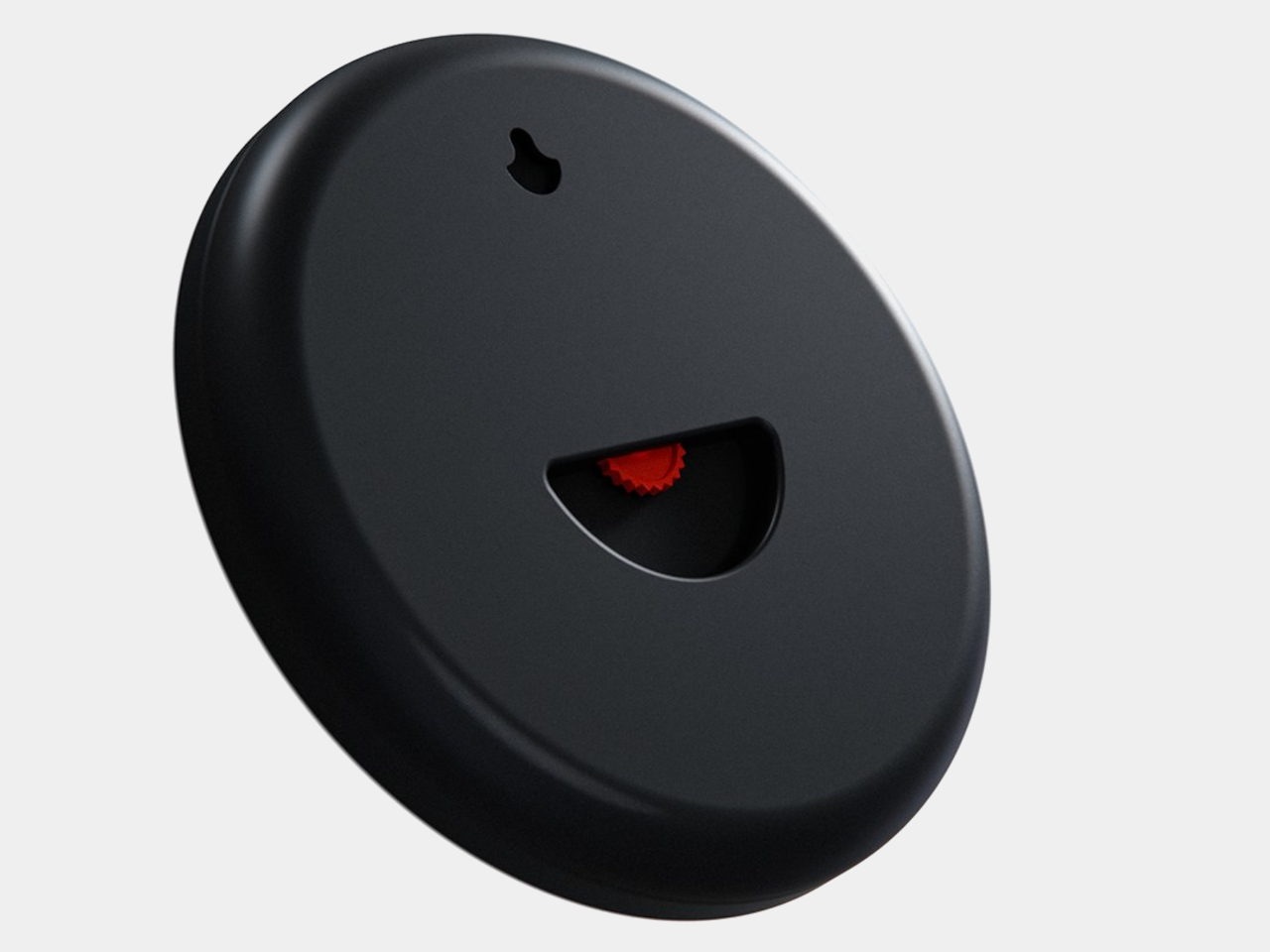
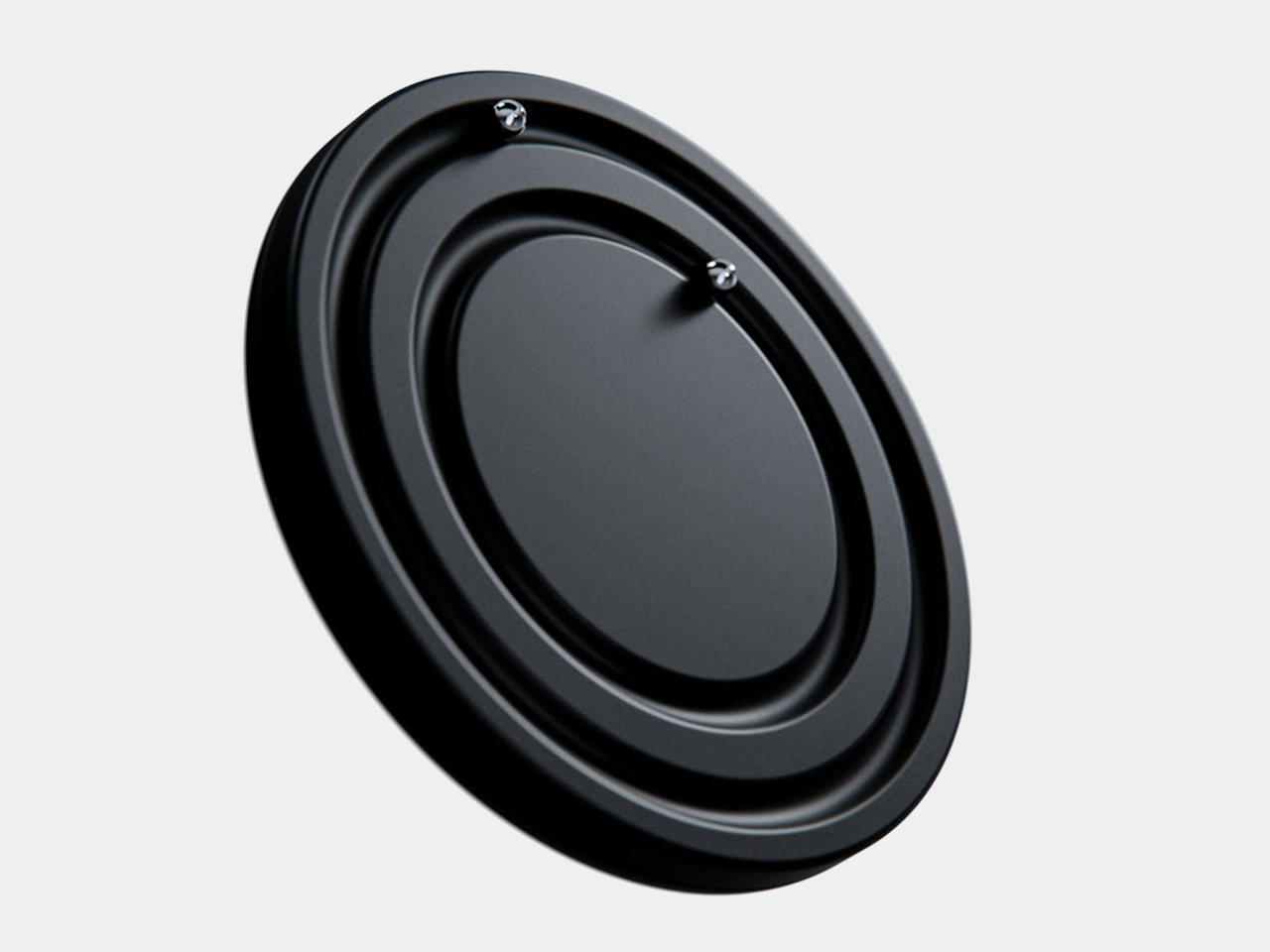
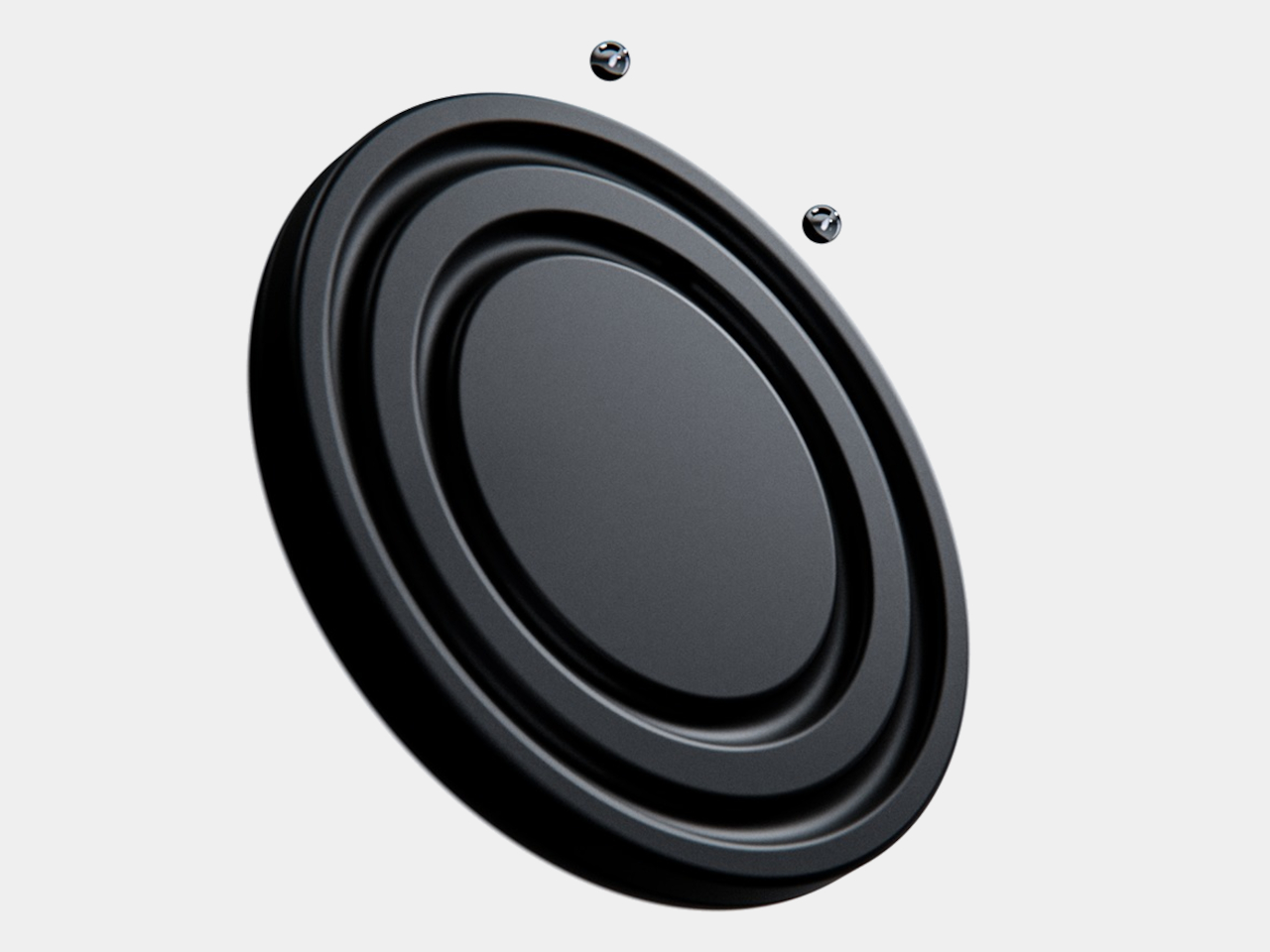
The face is a dark circular disk with two concentric recessed tracks, each carrying a polished sphere. There’s no cluster of numerals or central pin to interrupt the surface. Instead, the grooves give the small bearings separate paths, while their reflective finish contrasts with the darker background. The clock’s relief supplies the detail that printed markings would normally provide on a conventional dial.
One sphere represents the hours and the other the minutes, preserving the basic logic of an analog clock. You still look for positions around the face, only without a pair of hands connecting those positions to the center. That makes the idea less unfamiliar than it initially sounds. Reading it doesn’t call for learning an entirely new code, although some adjustment seems inevitable.
Of course, removing all those markings comes with a compromise. Estimating the hour should be simpler than judging an exact minute on an unmarked circle. Orbit could suit a living room where a glance is enough to keep track of the afternoon. Checking how many minutes remain before catching a train might make you rather grateful for the numbers on your phone.
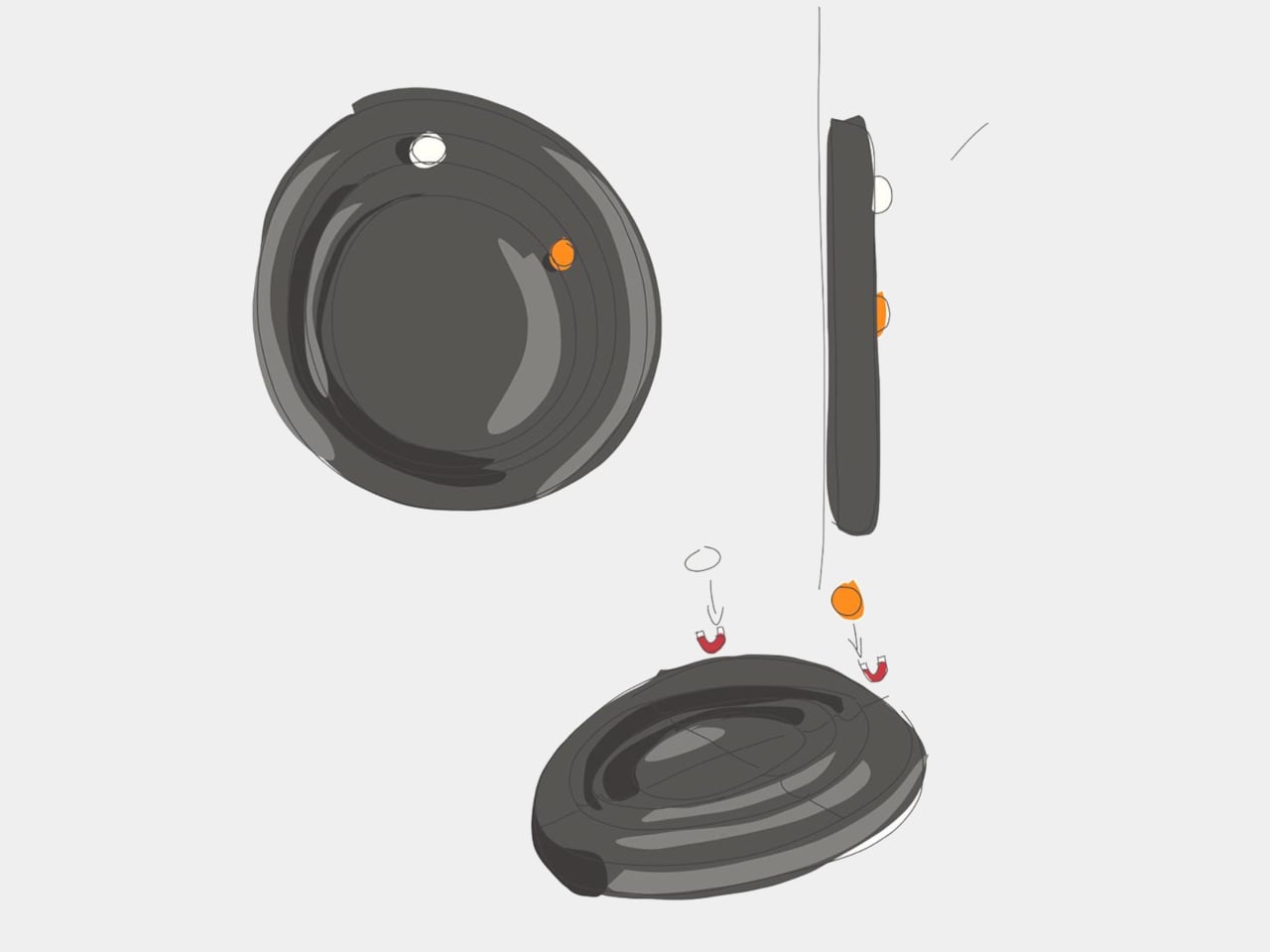
The more unusual part is that the spheres aren’t permanently trapped in their tracks. Magnetic attachment is intended to let you lift each one away and put it back, adding a tactile interaction to an object usually left alone. That’s a surprisingly playful detail for such a restrained design, especially when removing both markers would leave the clock with nothing to tell you.
There’s a sculptural quality to the body itself, with a rounded outer edge and circular channels that give the black surface depth. A rear keyhole slot provides for wall mounting, keeping that face upright without a separate stand. The name Orbit feels appropriate here, with two small spheres occupying rings around an empty center, rather than hands meeting at a shared pivot point.
Orbit remains a concept, so there’s no established price or availability to weigh against those compromises. Its detachable markers do suggest a rather different relationship with a wall clock, though. Reach for the face and you’re handling the things that tell the time. Just make sure those little spheres don’t end up somewhere less useful, such as behind the living room sofa.
Gaming soundbars became popular in the 2017s, but the trend faded; in the last couple of years, this category of audio accessories has seen renewed interest. Razer kicked off the new wave, with several mainstream brands and some offbeat makers releasing their own versions. Creative recently launched their B3 soundbar for gamers at a very affordable price, and now Edifier is upping the ante with an even sweeter deal.
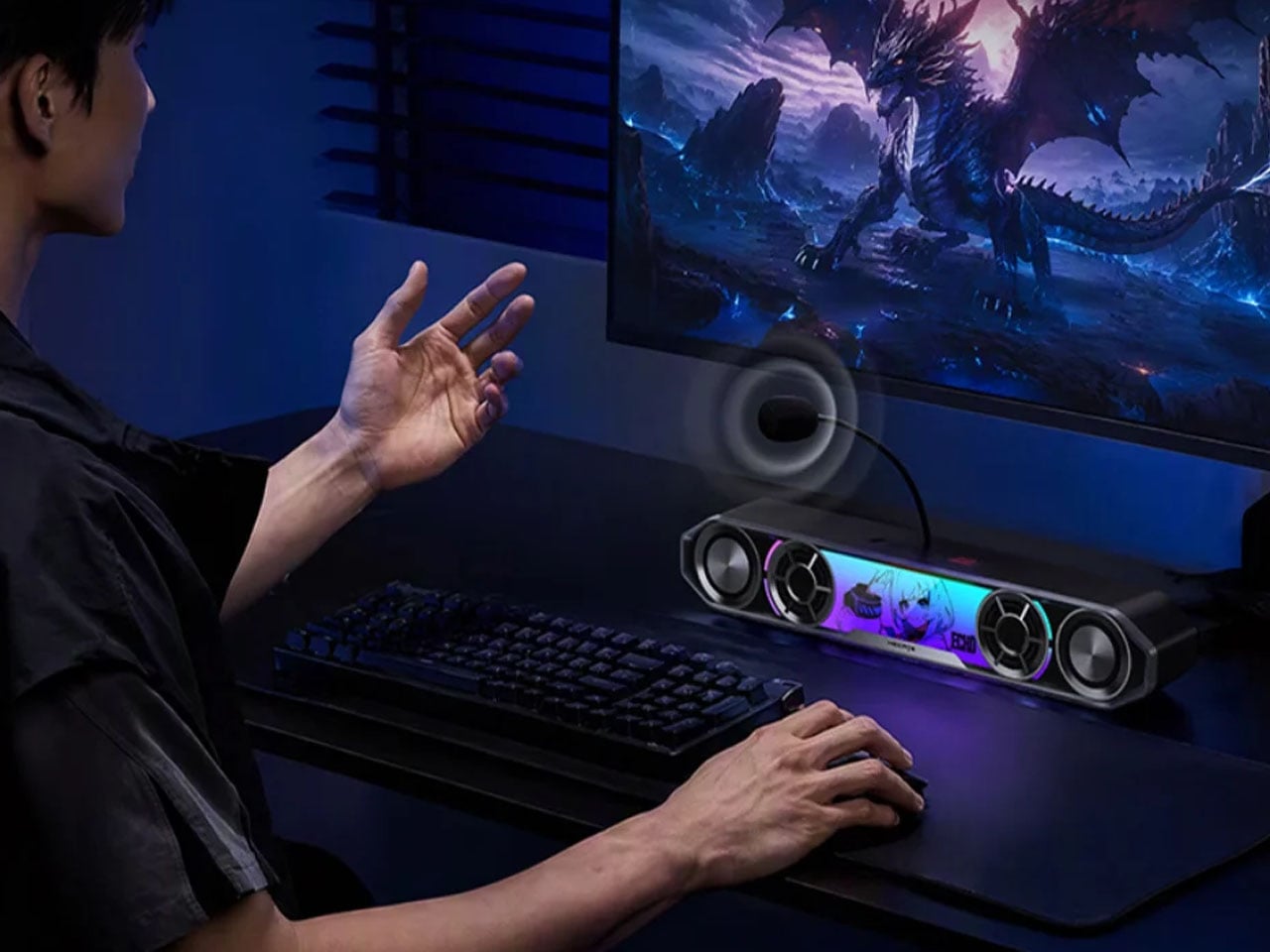
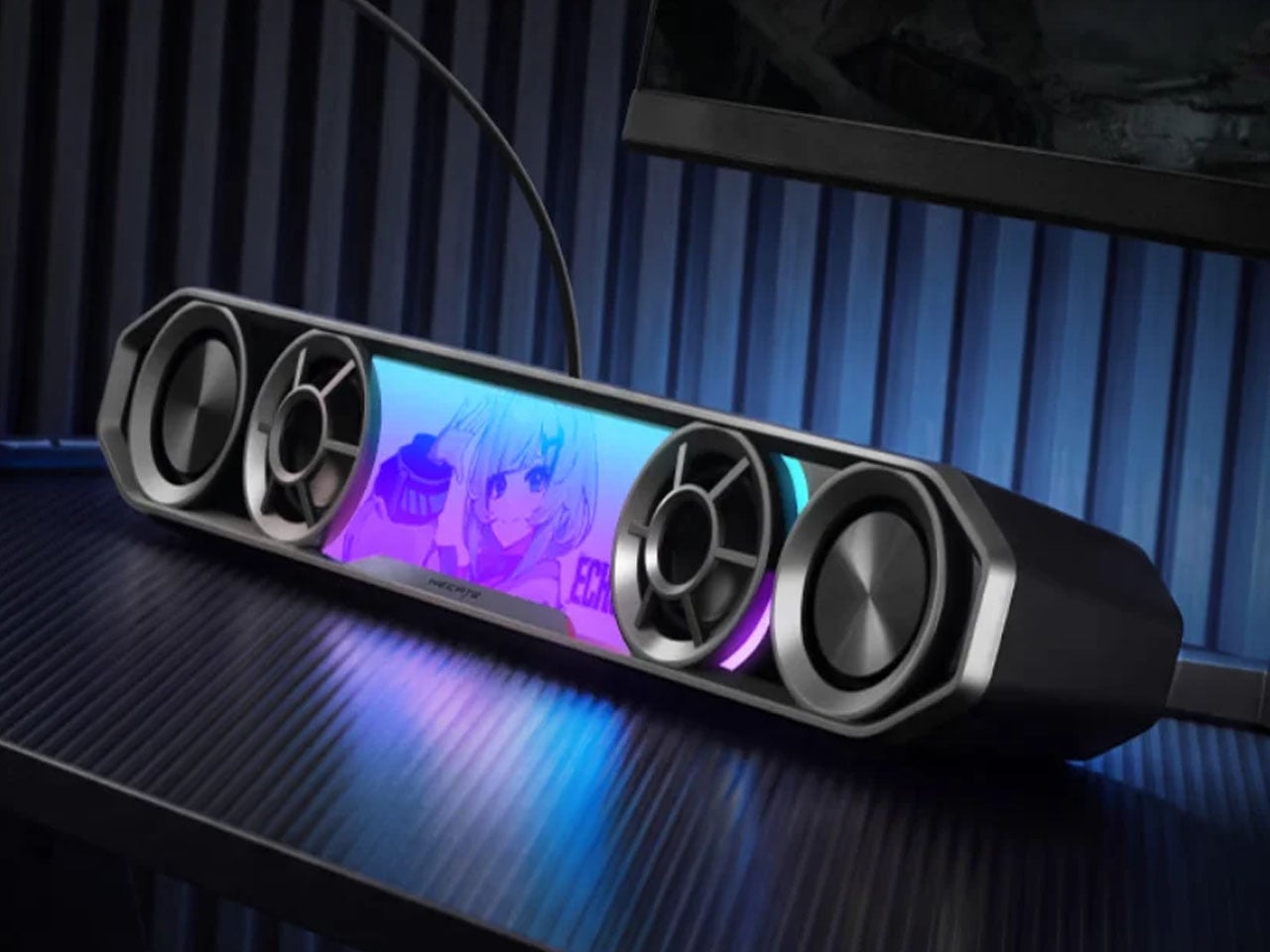
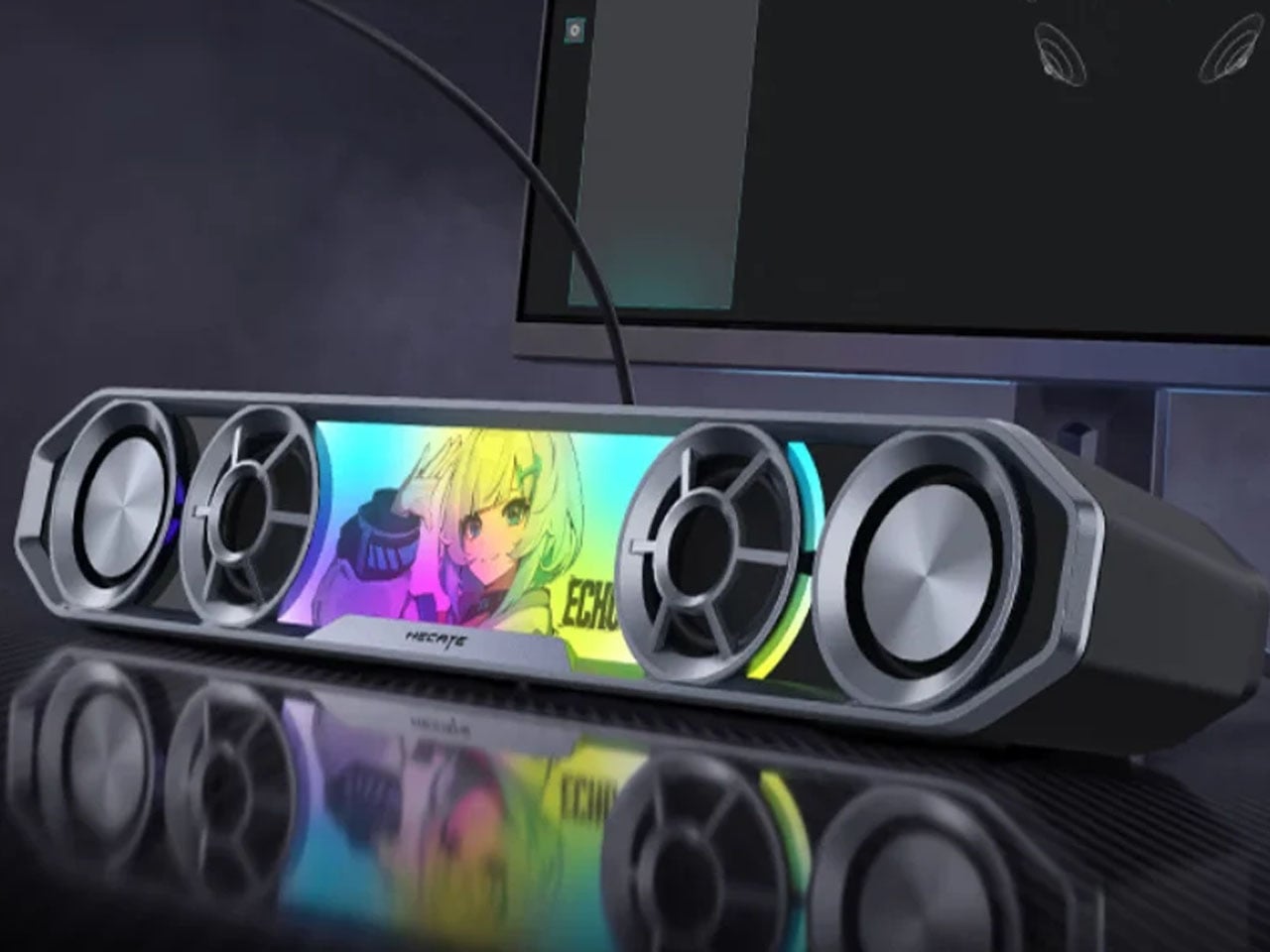
The China-based audio accessories maker, known for high-end bookshelf speakers, has come up with a very cool-looking soundbar for gamers. Dubbed the Hecate G2000 Bar, the desktop audio boomer is all set to be available from 16 October onwards for a price tag of 349 yuan ($52), which is an introductory price slashed from the normal price of 387 yuan ($58).
The G2000 Bar combines a compact footprint with an angular, mecha-inspired design intended to fit into a gaming setup without taking up much desk space. It will be available in black and white, with a built-in five-degree upward tilt that directs sound toward the listener rather than across the desktop. Five interchangeable themed stickers let users customize the front panel, while 12 RGB lighting effects, including rainbow and flowing-light patterns, add some visual flair. Lighting can be adjusted via the Edifier Connect mobile app or Hecate PC software.
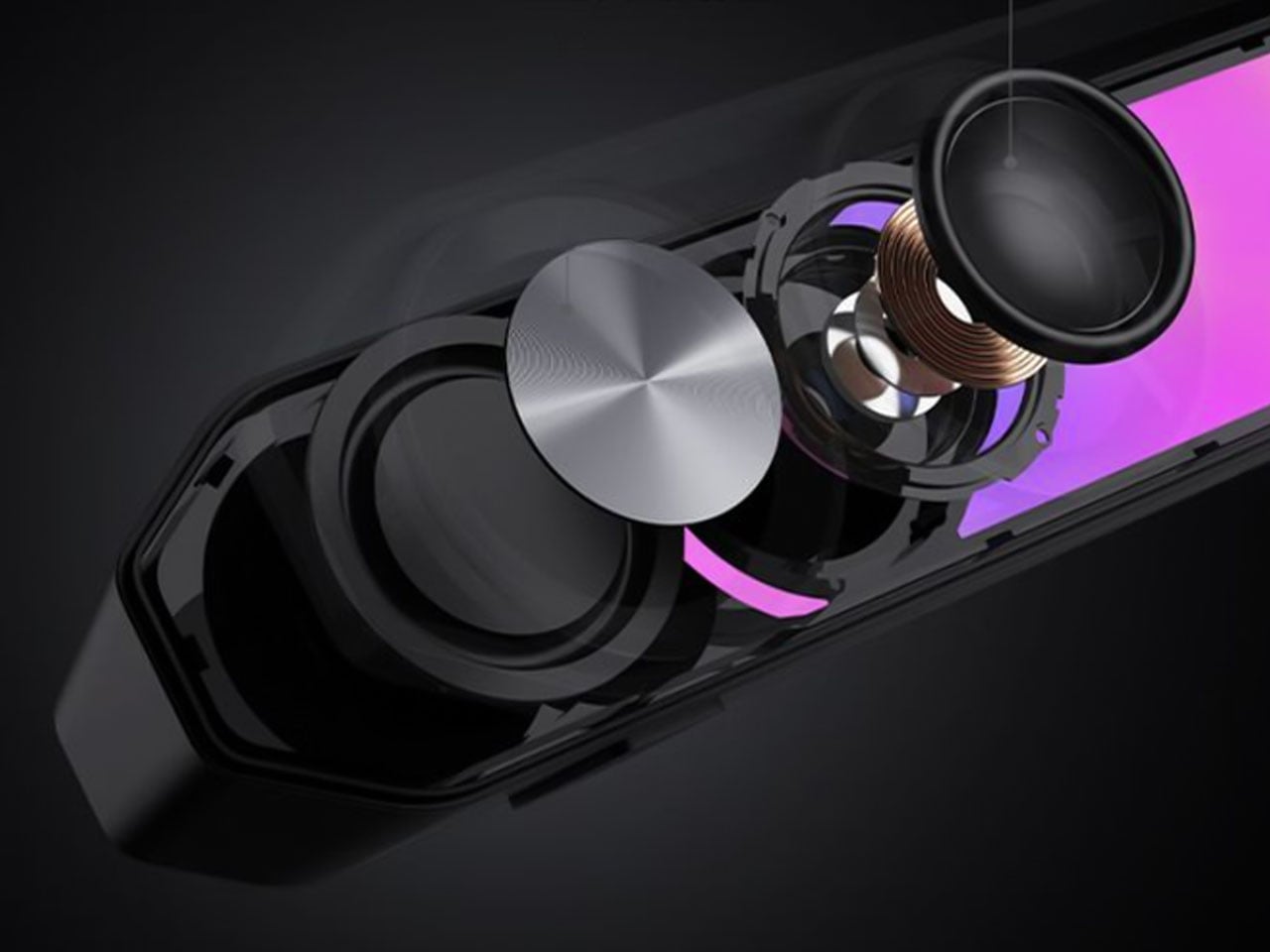
Under the hood, the soundbar uses two 56mm full-range drivers with copper-clad aluminum wire voice coils, paired with two 60mm passive radiators. The arrangement is designed to deliver fuller audio and reinforce low frequencies without requiring a separate subwoofer. Output is rated at 3W per channel, or 6W in total, with peak power reaching 12W. The stated frequency response spans 67Hz to 20kHz.
For gaming, the G2000 Bar supports THX 7.1.4 spatial audio processing, which aims to create a more immersive, surround-like listening experience from a desktop soundbar. Six dedicated audio presets cater to different gaming genres, including first-person shooters, role-playing games, and racing titles. These modes give players a way to tailor the sound to different types of gameplay without manually adjusting equalizer settings.
The other notable addition is a detachable microphone mounted on top. It uses AEC 2.0 acoustic echo cancellation, a dedicated digital signal processor, and AI-assisted noise reduction to limit background sounds and reduce audio feedback from the speakers. This could make voice chat more convenient for players who prefer open speakers to a gaming headset, although performance will depend on the surrounding environment.
Connectivity includes Bluetooth 6.0 and USB sound-card input, allowing the soundbar to work with compatible PCs, laptops, mobile devices, and consoles. An independent 9V DC power adapter supplies power, while physical controls on the top metallic panel provide access to volume adjustment, microphone muting, and audio-mode switching.
With its compact design, customizable lighting, spatial audio processing, and integrated voice-chat features, the Hecate G2000 Bar brings several gaming-focused conveniences to an affordable desktop soundbar. Its initial pricing makes it an interesting option for players looking to simplify their setup without committing to a separate speaker system and microphone.
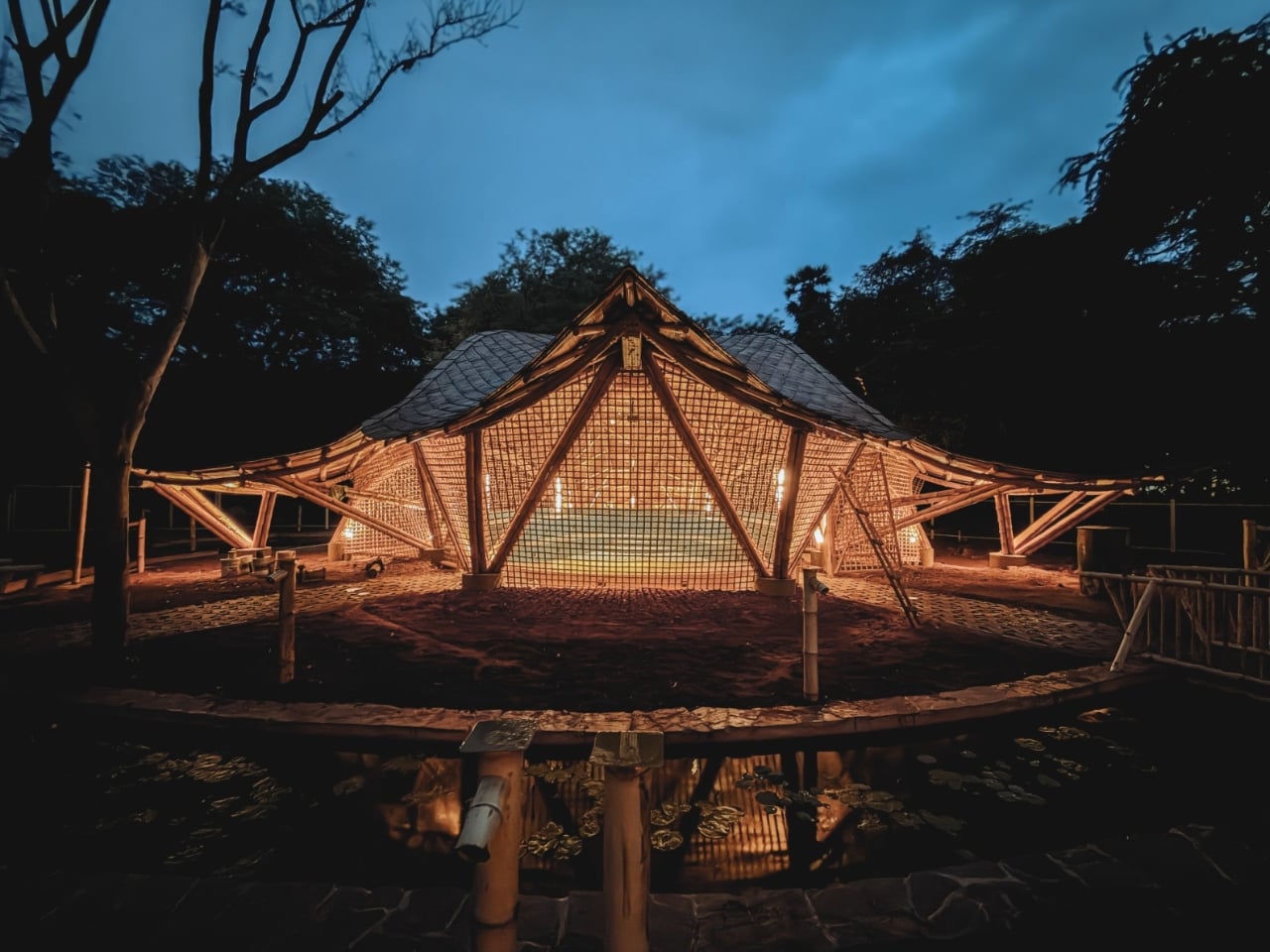
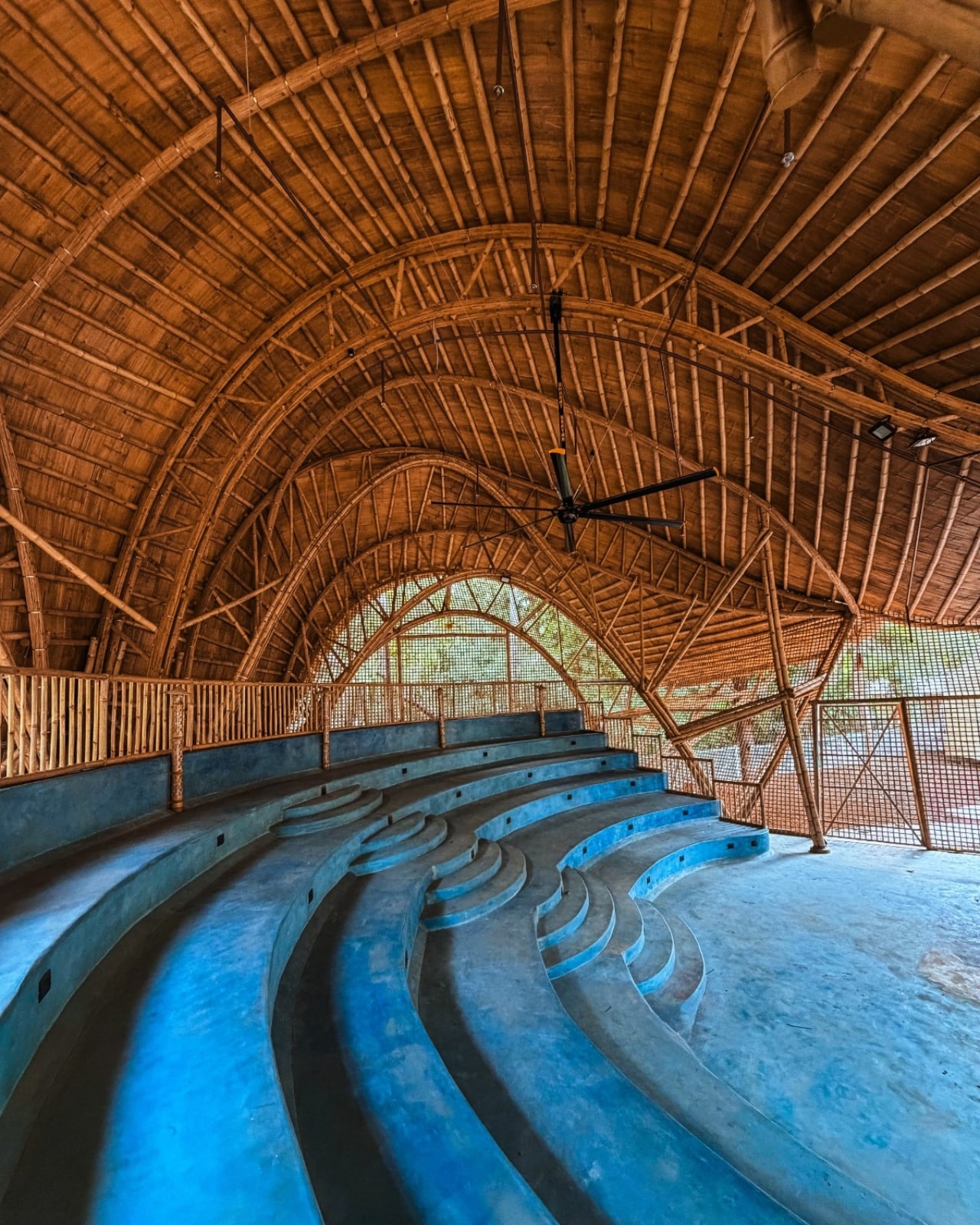
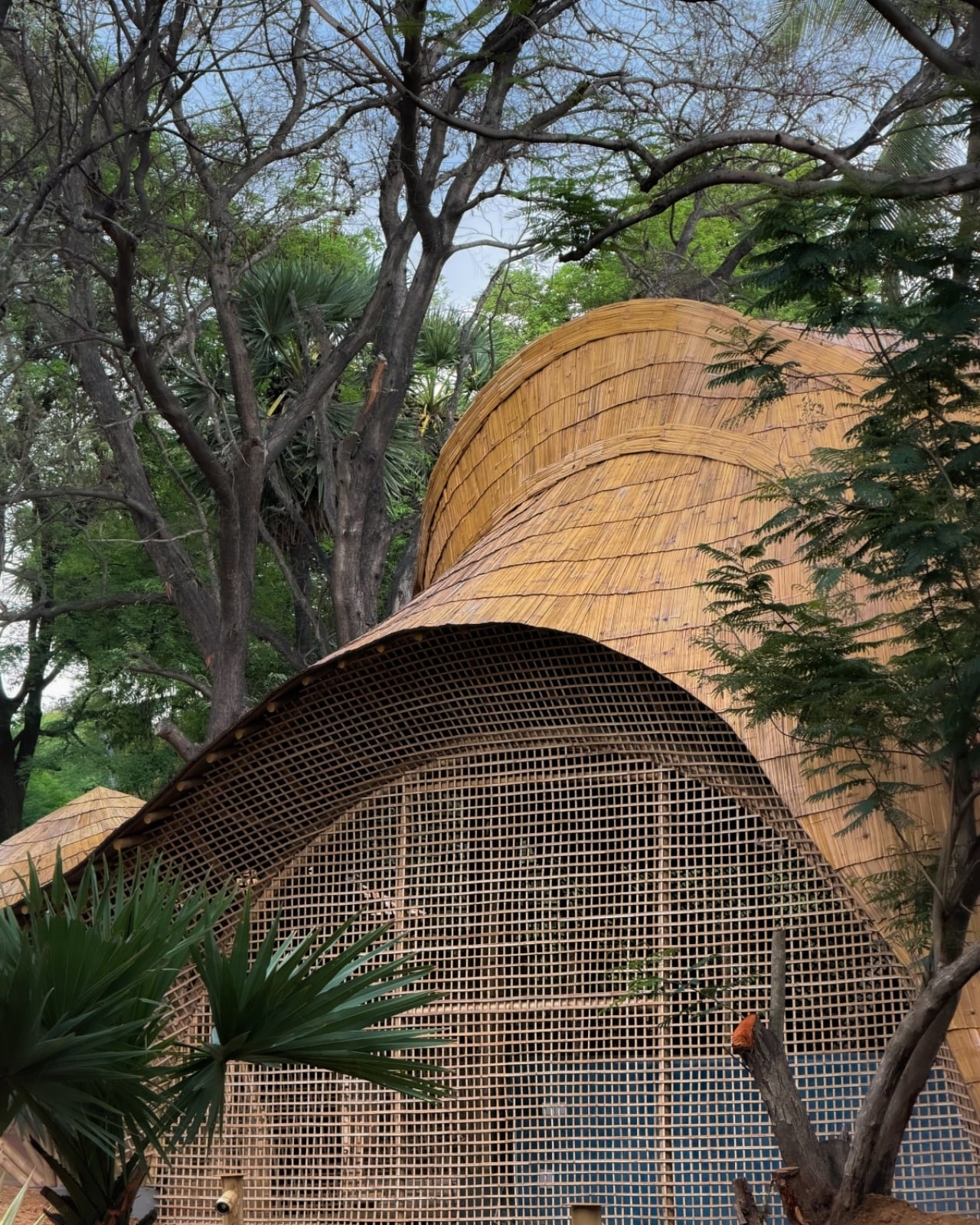
A column in the middle of a music hall means someone has to look around it. That’s a practical problem to solve before worrying about how dramatic the ceiling looks. At the Maestro Ilaiyaraaja Centre for Music Learning and Research in Chennai, India, Ekarth Studio uses bamboo vaults to create spans of up to 49 feet without interior columns. The structure makes room for people to gather, while giving them a roof worth looking up at.
The completed, 10,000-square-foot center at IIT Madras addresses another challenge: bringing music education, research, rehearsal, and recording into one setting. Named for composer Ilaiyaraaja, it belongs to the university’s “Music for All” initiative, whose research interests include acoustics, artificial intelligence, sound synthesis, and instrument design. That’s an unusually broad assignment for a music building. It needs places for focused work, but also room for different disciplines to meet without every encounter becoming a scheduled appointment.
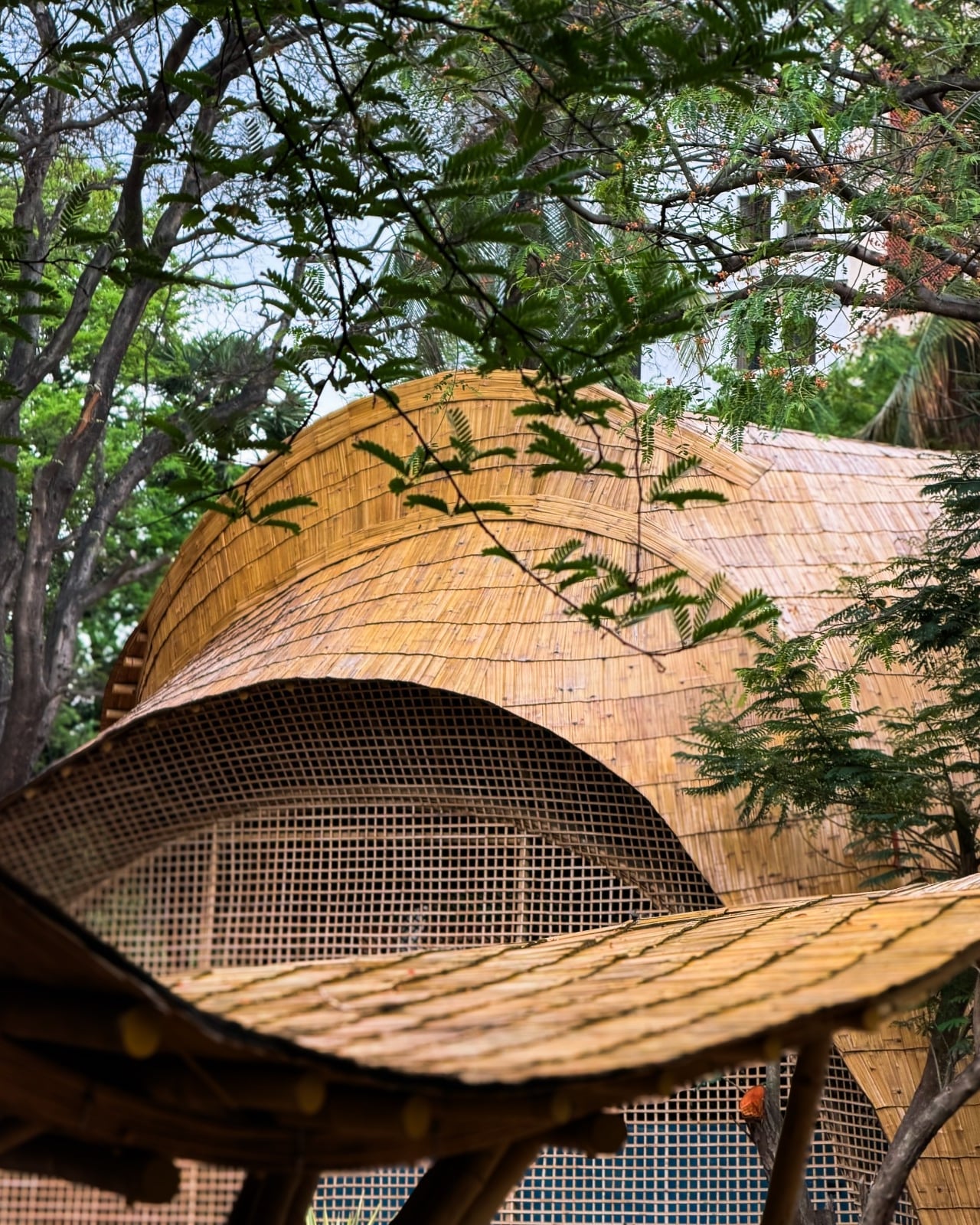
The roofs give those activities a recognizable home. Ekarth Studio drew their geometry from Bel Patra, the three-part leaf associated with Lord Shiva. Interconnected vaults translate that reference into canopies that rise, dip, and extend over the spaces below. I like that the inspiration has a specific cultural origin. A music center with a curving roof could easily attract a vague explanation about sound waves, but this one has a more deliberate starting point.
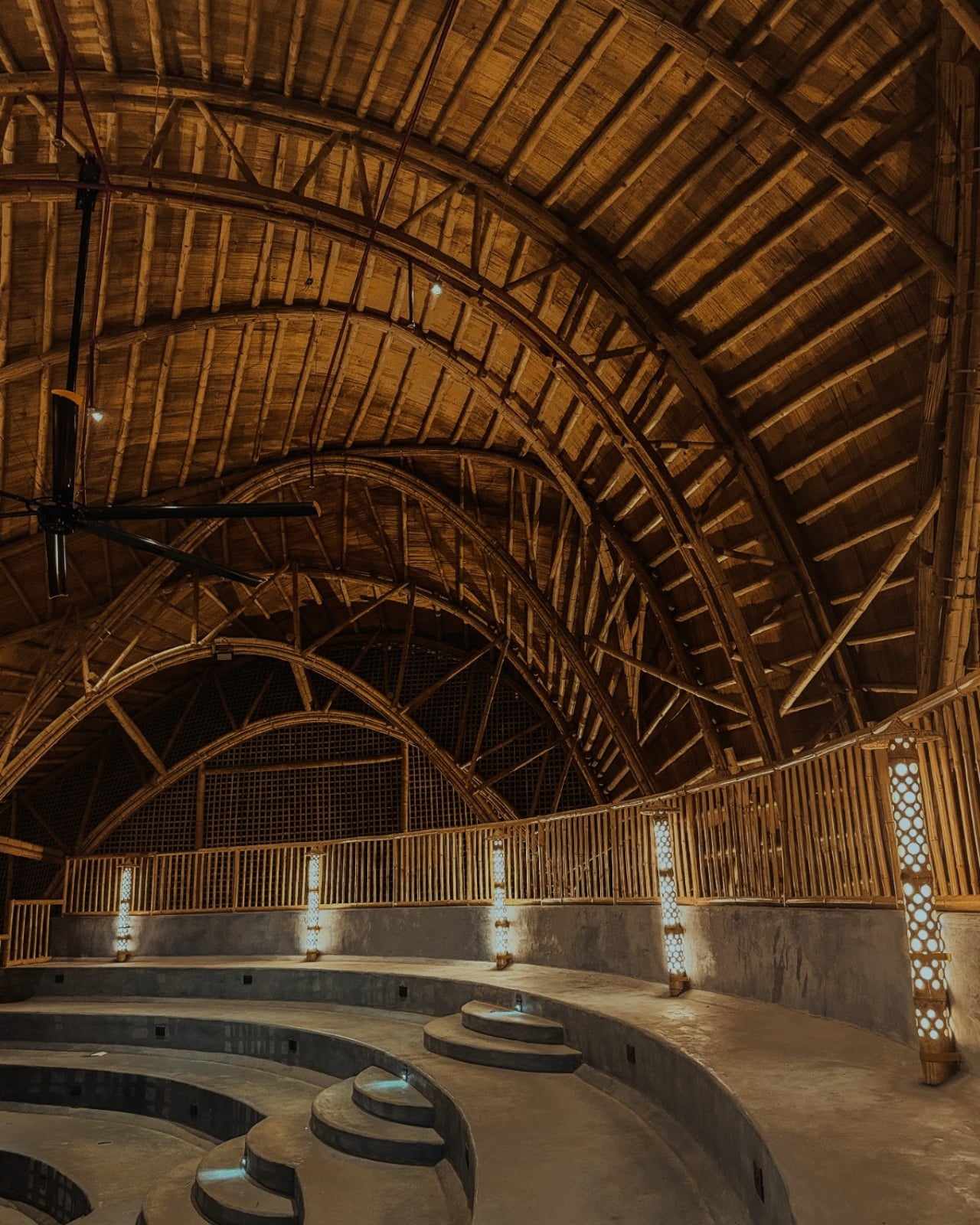
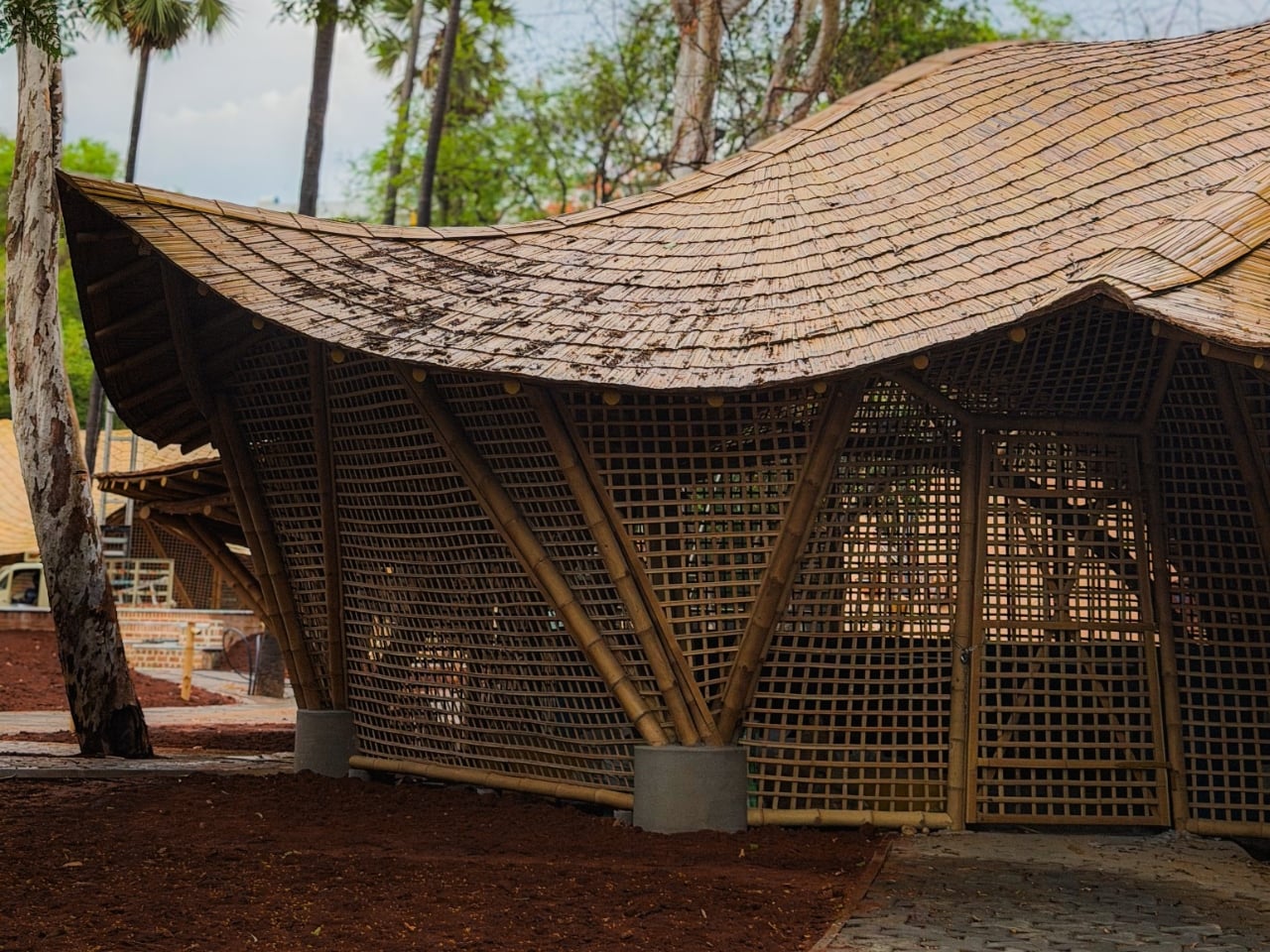
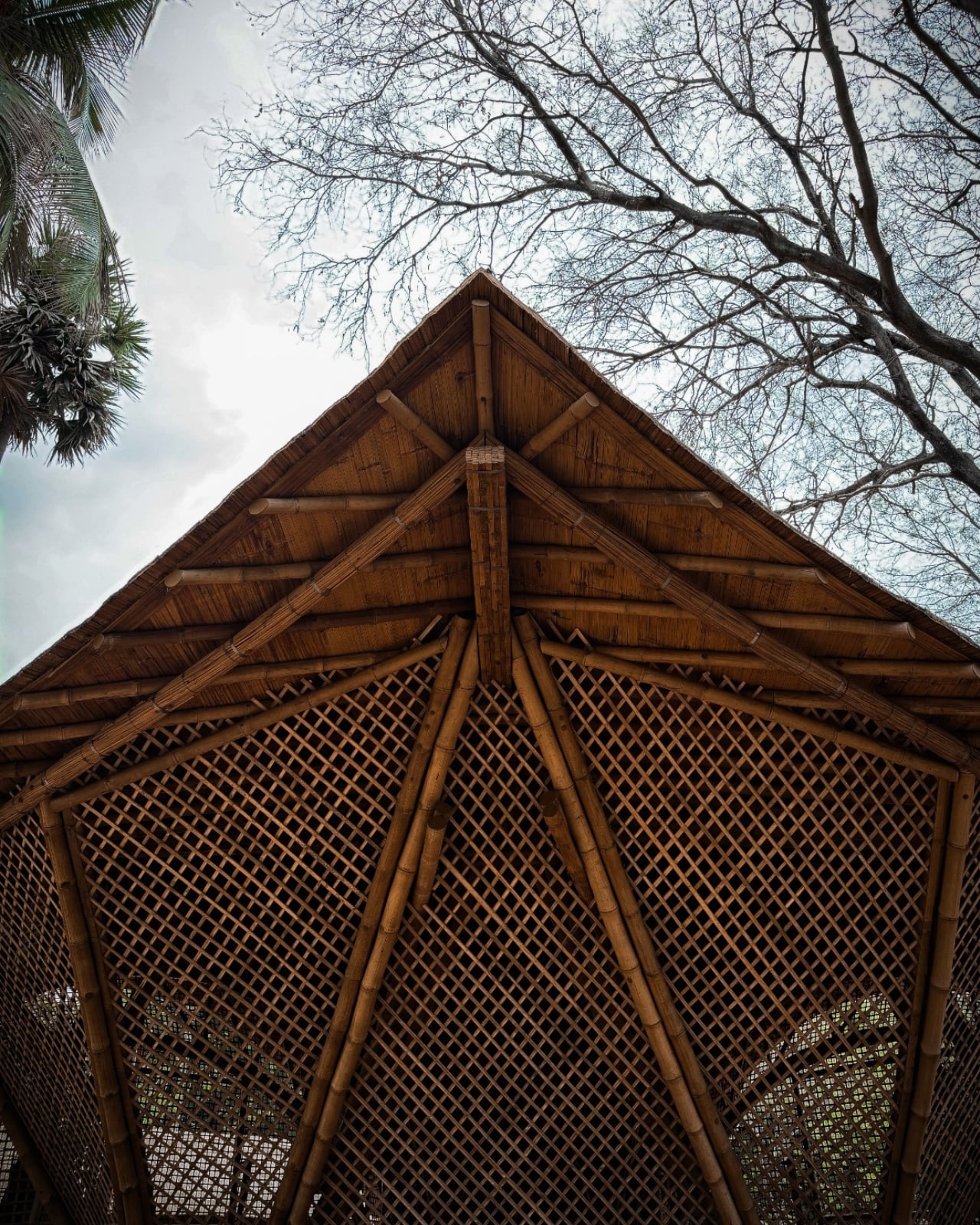
Those curves also involve some serious assembly. The studio describes a structural system combining round bamboo culms, bundled splits, and bundled sticks. Flat bamboo splits are gathered together to form the primary spine beams, rather than relying on a single solid member. Arches reach nearly 30 feet high. The useful distinction is that bamboo carries the roof and establishes its shape. Calling it a decorative finish would miss the most interesting decision in the project.
Leaving that construction exposed gives the interiors their character. Ekarth’s material palette includes treated bamboo, lime-based finishes, earthen surfaces, natural-fiber roofing, and handcrafted bamboo weaving. The studio also leaves the bamboo’s connections visible. I’m drawn to buildings that let you follow how they were assembled. Here, the repetition of individual pieces gives the large roof forms a finer scale, so the architecture offers more to examine than its outline from a distance.
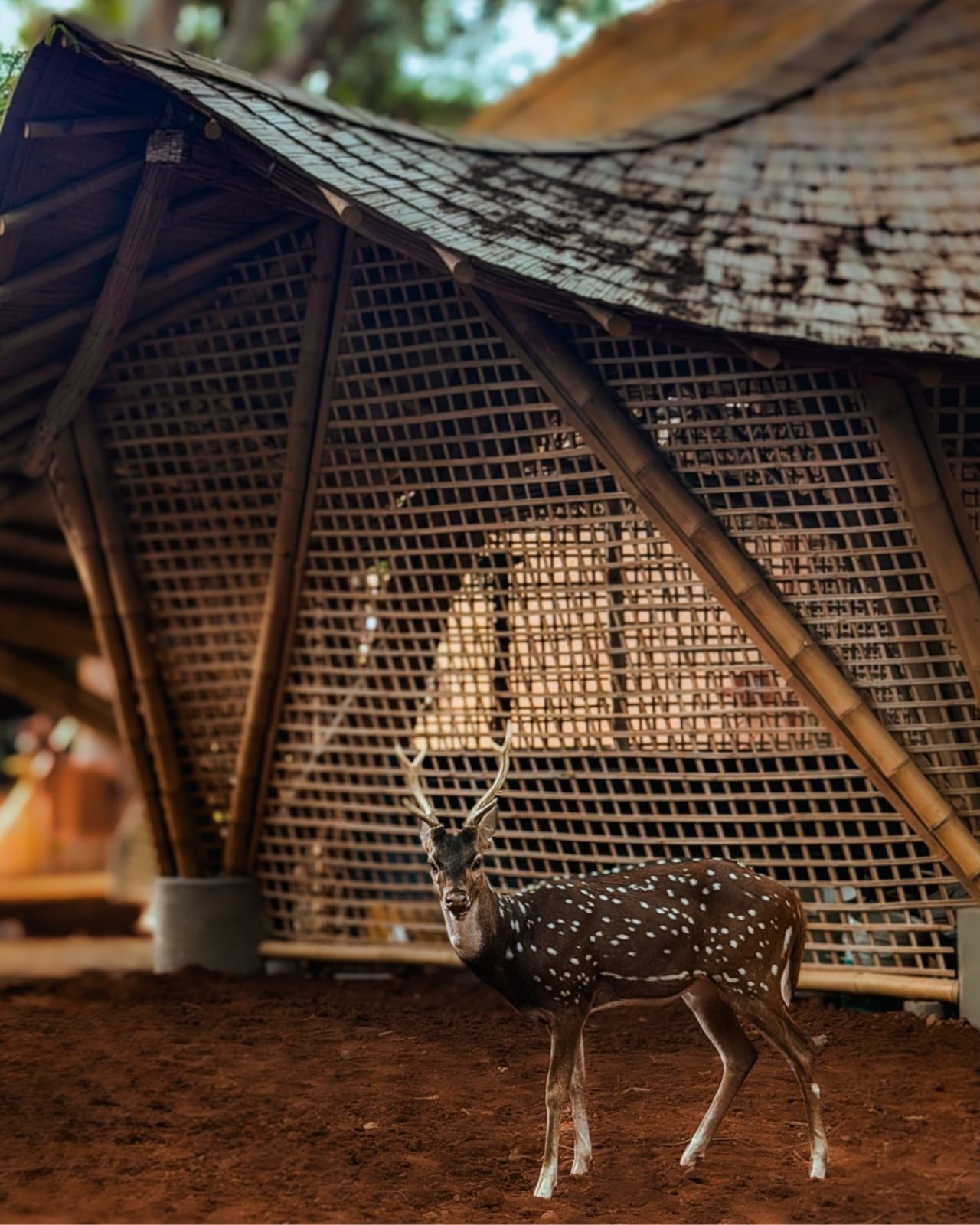
The exterior photographs show roof edges sweeping outward above bamboo lattice screens, with trees close to the pavilions. The small, regular openings in those screens contrast with the broad curves overhead. They make the enclosure look less abrupt than a blank wall would. Ekarth’s plan connects classrooms and other spaces with courtyards and shaded outdoor areas, giving the center an architectural relationship with its surroundings that goes beyond putting landscaping around a finished building.
The people who assembled it deserve attention, too. According to the studio’s account, artisans split, bent, bundled, and joined the bamboo primarily with basic carpentry tools, while structural engineering adapted those processes for an institutional building. Ekarth reports an 11-month construction period with limited use of heavy machinery. That timeline is noteworthy, but I’d give equal billing to the craft. Its contribution remains legible in the finished architecture rather than disappearing behind another surface.
A beautiful bamboo structure doesn’t, by itself, establish how well a recording room isolates sound or how comfortable the building stays throughout the year. Those are separate performance questions, and the published project descriptions don’t provide measurements that settle them. The same restraint applies to sustainability. Natural materials and a less machinery-intensive construction process are choices worth discussing, but they aren’t enough to calculate the building’s environmental footprint or long-term maintenance demands.
Even with those questions open, the design gives me a clear reason to pay attention. The central amphitheater-like gathering space puts rehearsal, performance, and collective learning beneath the same expressive structure. That feels like an appropriate investment for a music center: a memorable room whose defining gesture also keeps its floor open. The ceiling earns its visual complexity by leaving more usable space underneath, where the people and the music belong.
Putting a laptop away doesn’t solve every problem with working from home. A video call still needs some privacy, and recording a voiceover beside the dishwasher is a negotiation nobody particularly wants. I like furniture that helps a room do more, but a folding desk only addresses half the issue. Sometimes the missing piece is a door.
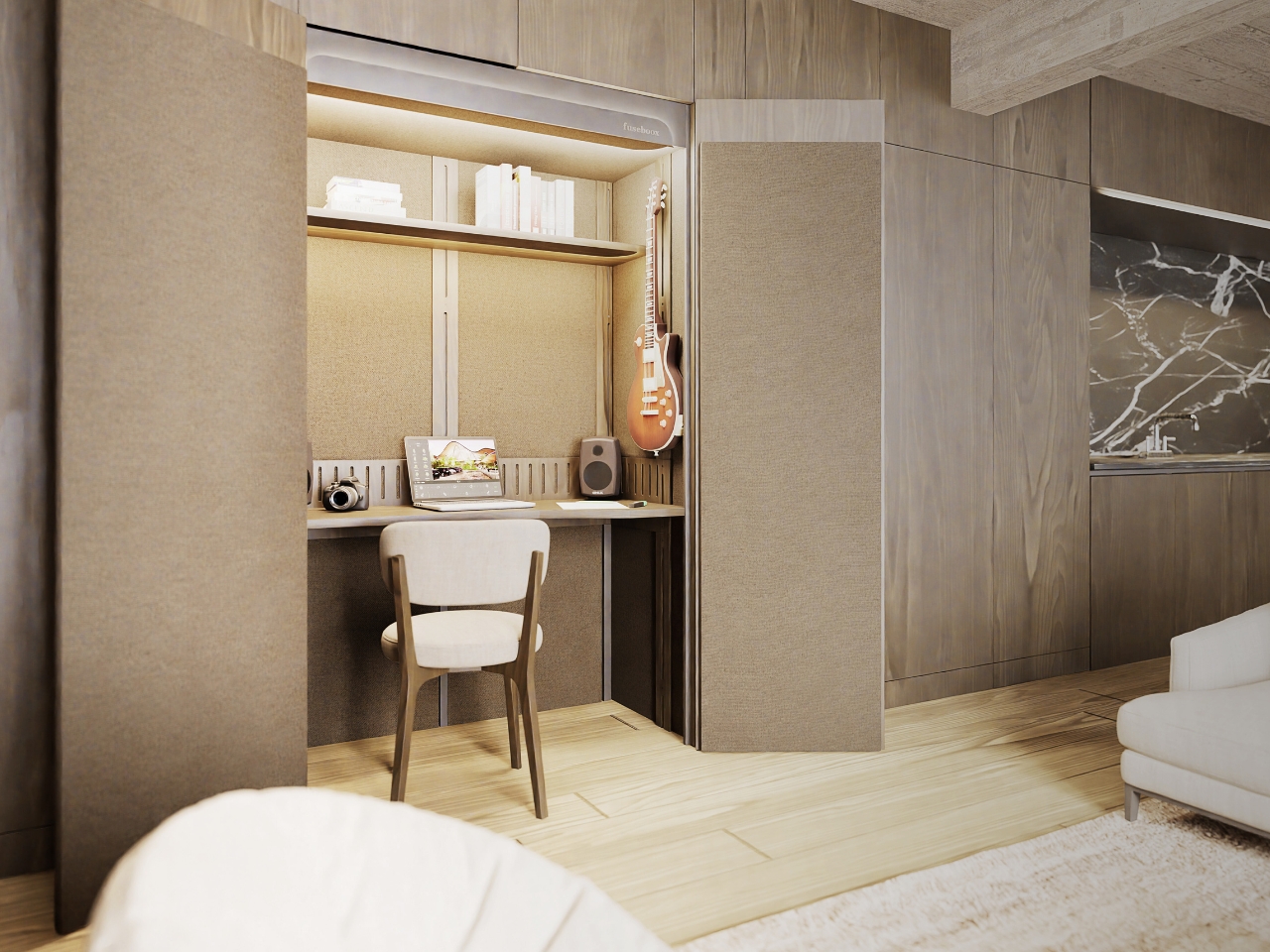
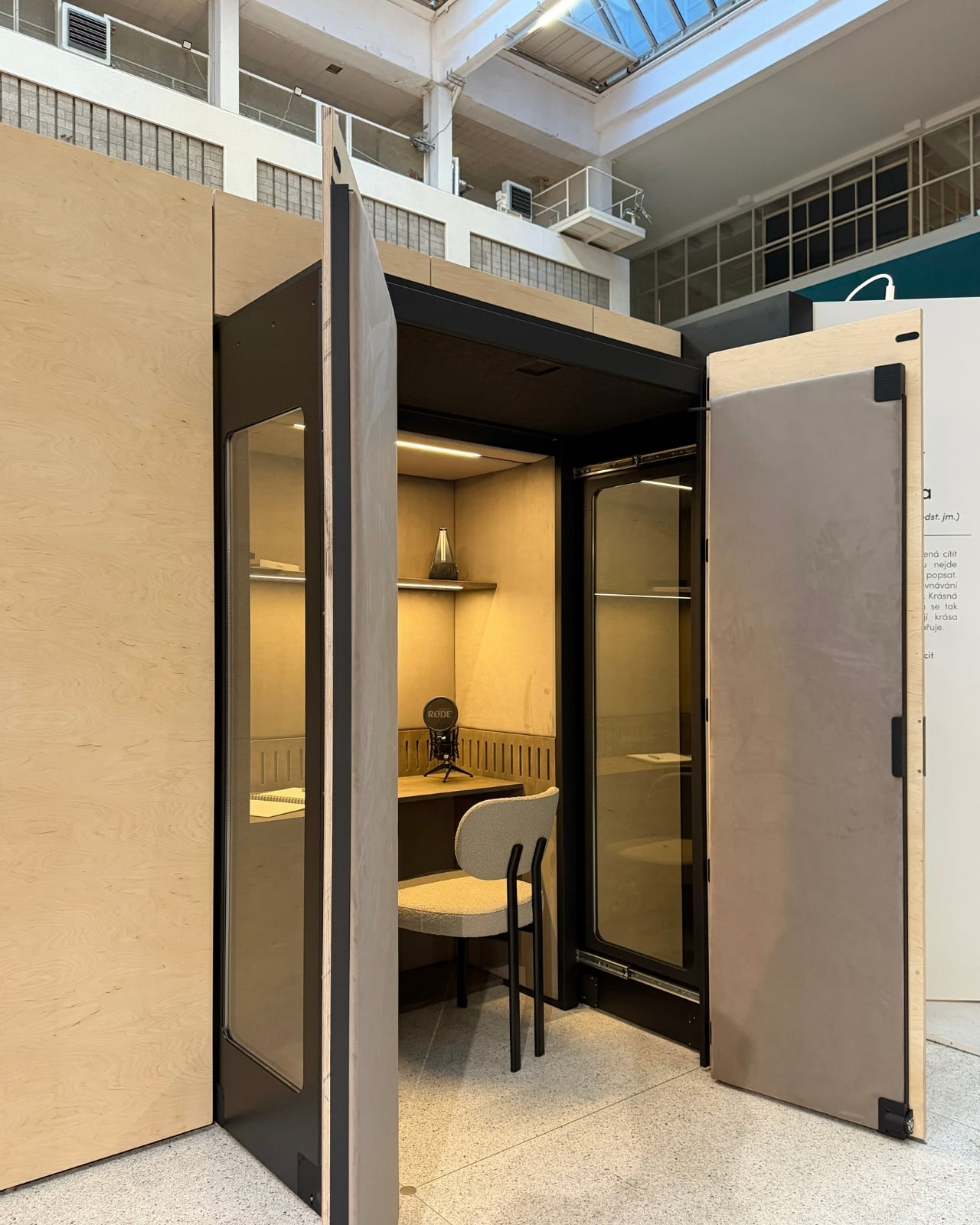
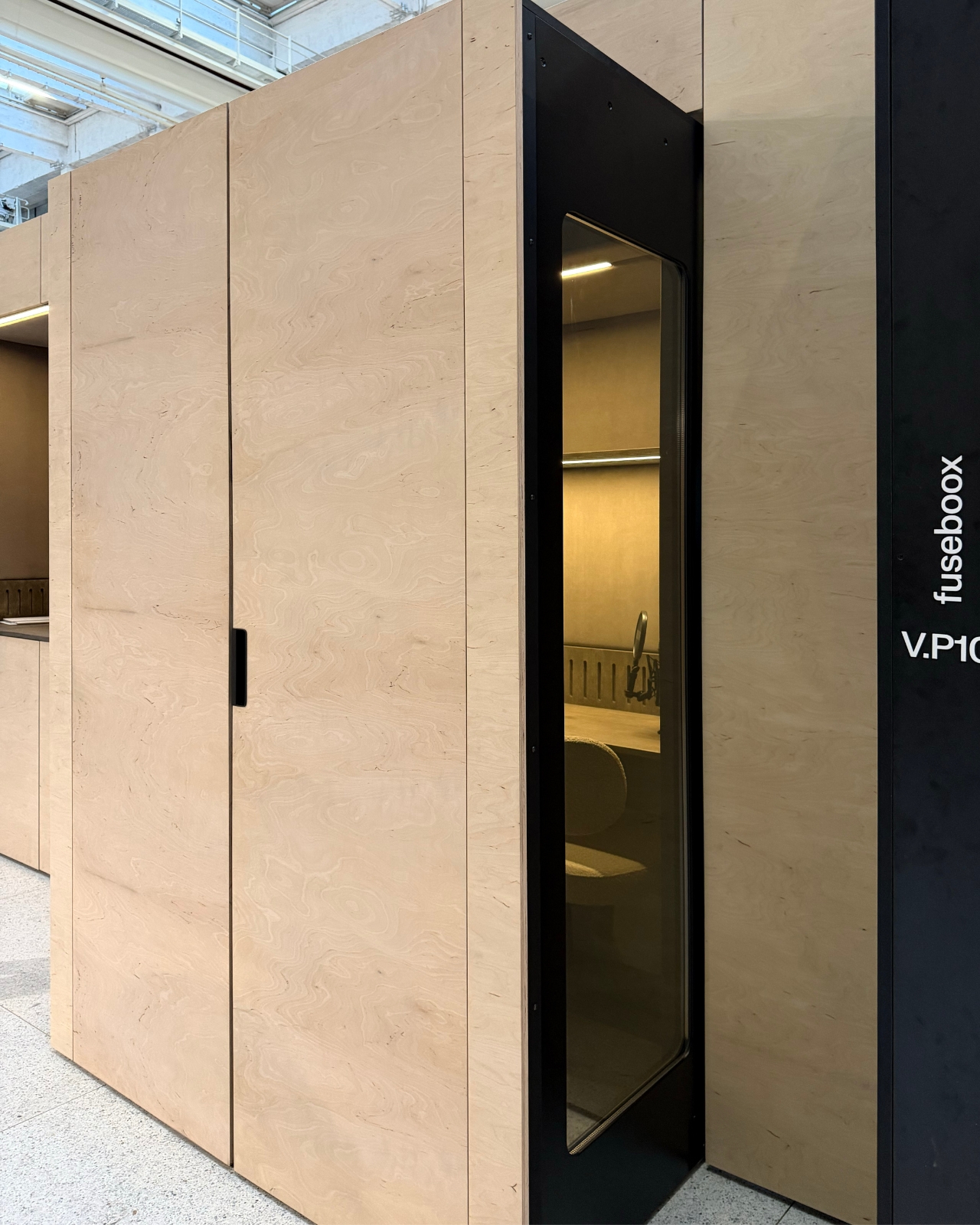
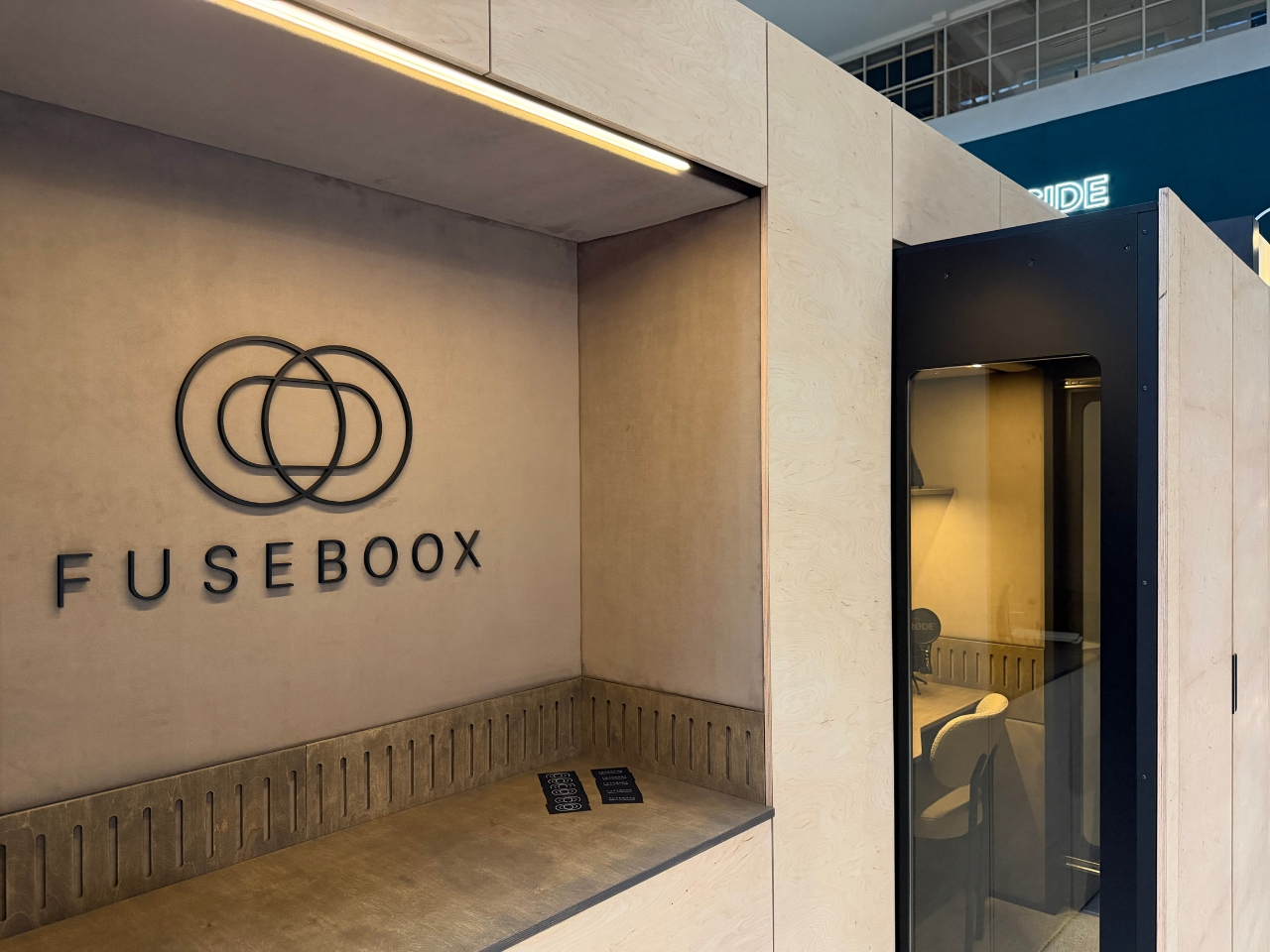
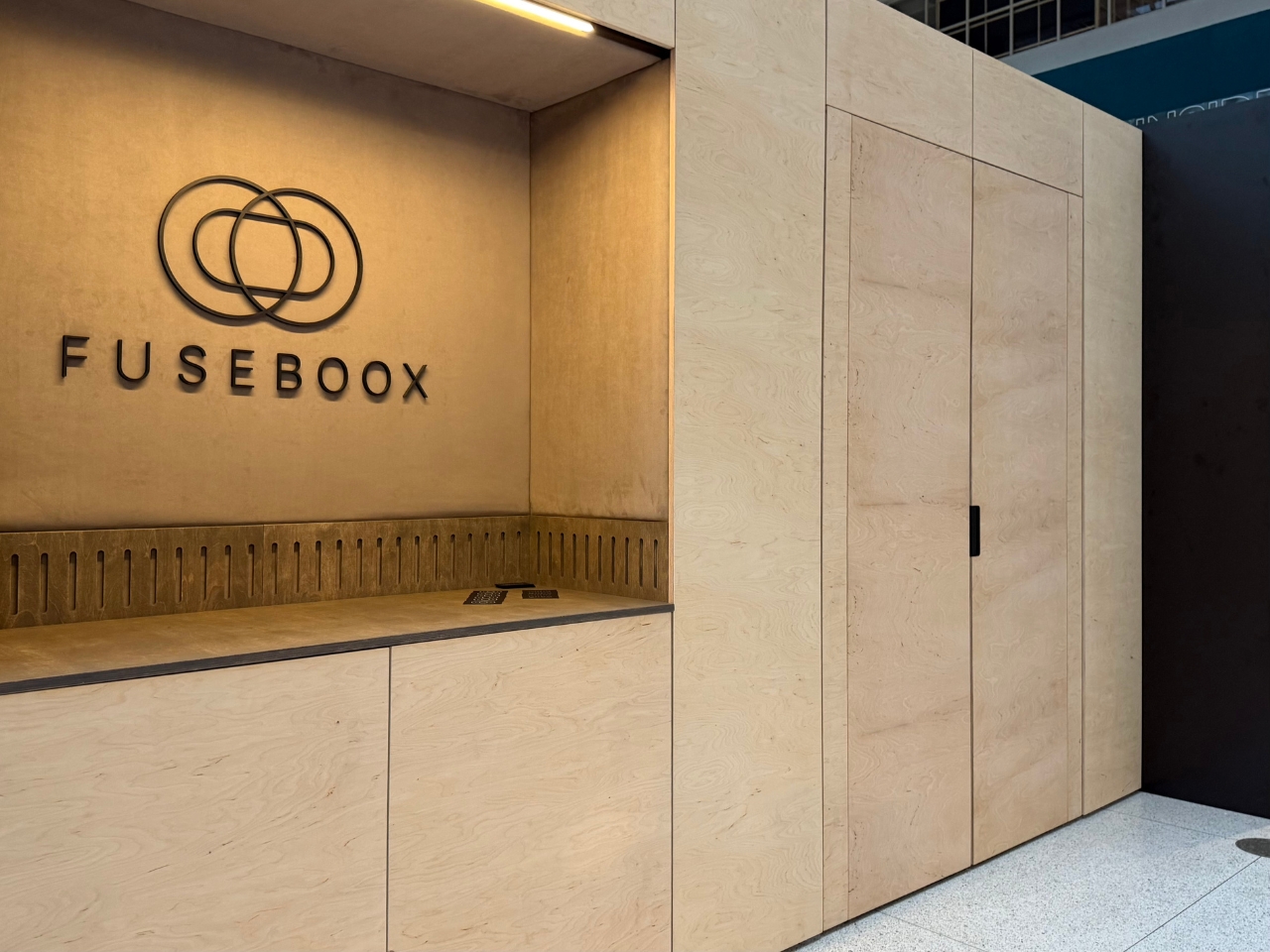
FUSEBOOX, designed by Czech architect Vojtěch Kolínský of Prague studio Indivizual, proposes a home office that slides out when needed and retracts into the surrounding interior afterward. It’s a built-in acoustic workspace, presented at DesignBlok 2026, rather than another freestanding booth asking for permanent floor space. The problem it tackles is straightforward: finding somewhere to concentrate without dedicating an entire room to it.
Designer: Vojtěch Kolínský
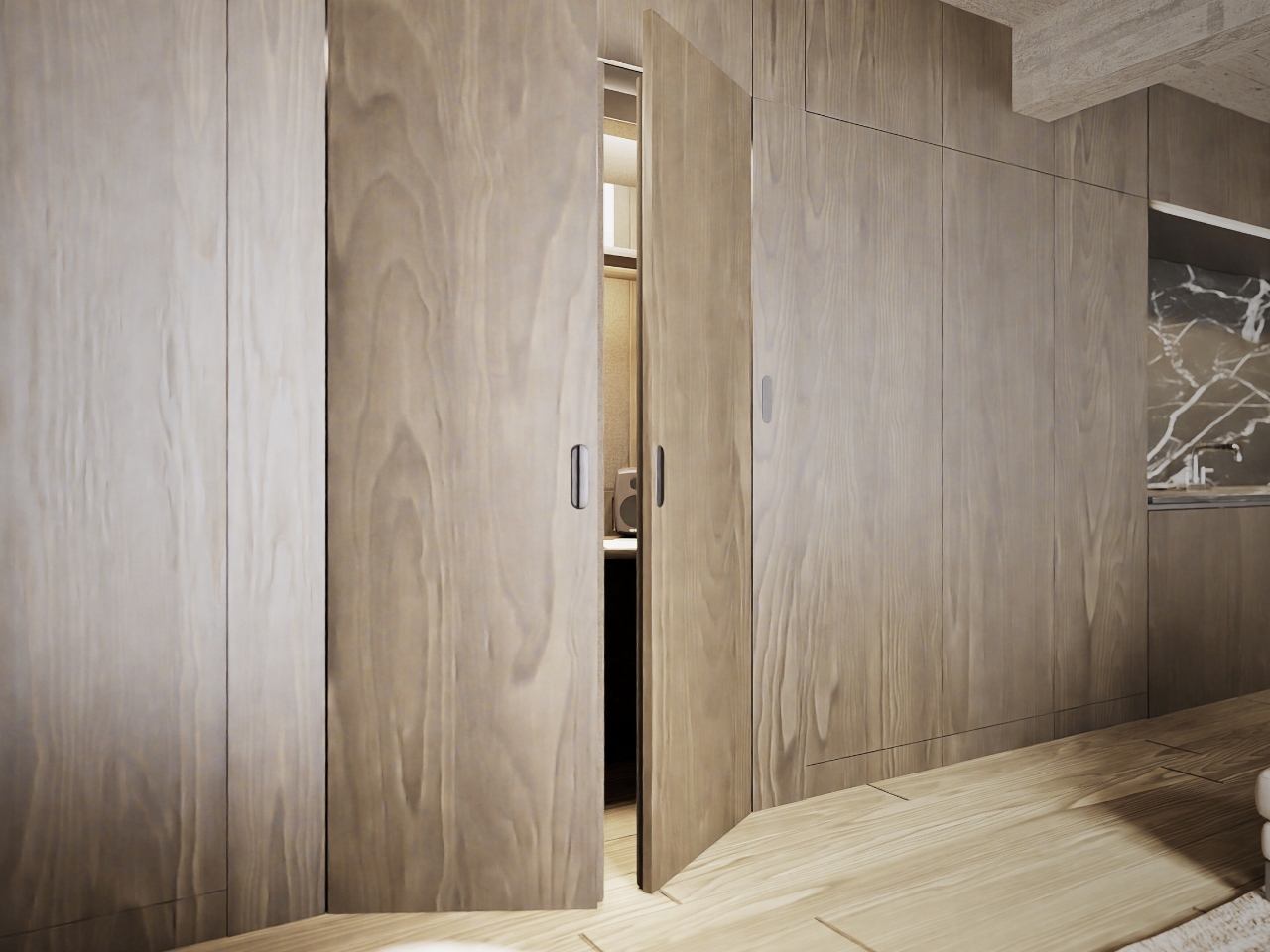
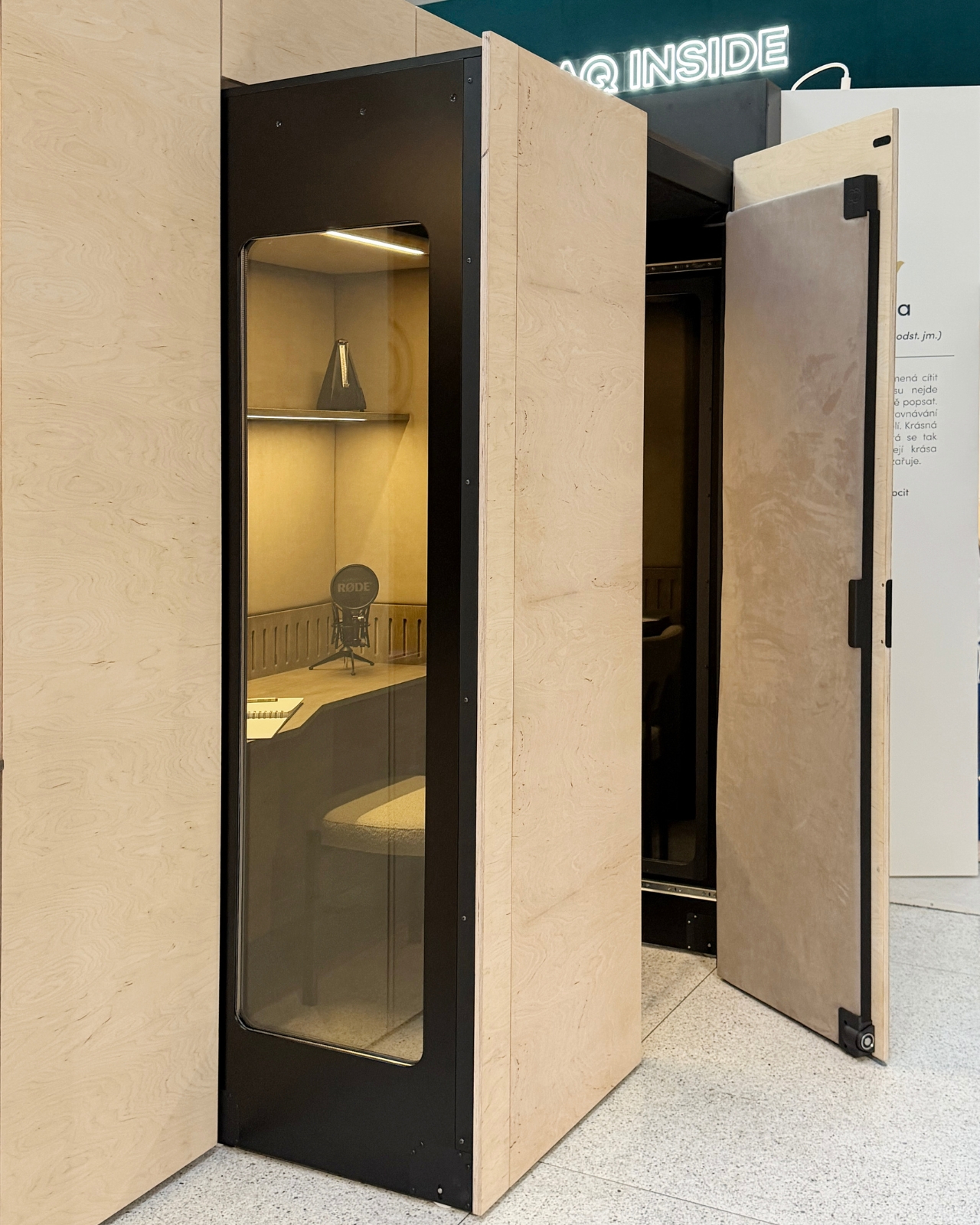
The module has three positions. Open, it works as a desk within the larger room, so you can stay connected to whatever’s happening around you. Extended and closed, it becomes a private enclosure intended to reduce noise traveling in and out. Retracted, the workspace disappears behind its exterior panels. A custom-developed mechanism handles extension and retraction automatically, according to the maker. That’s a more useful distinction than simply calling it a disappearing desk.
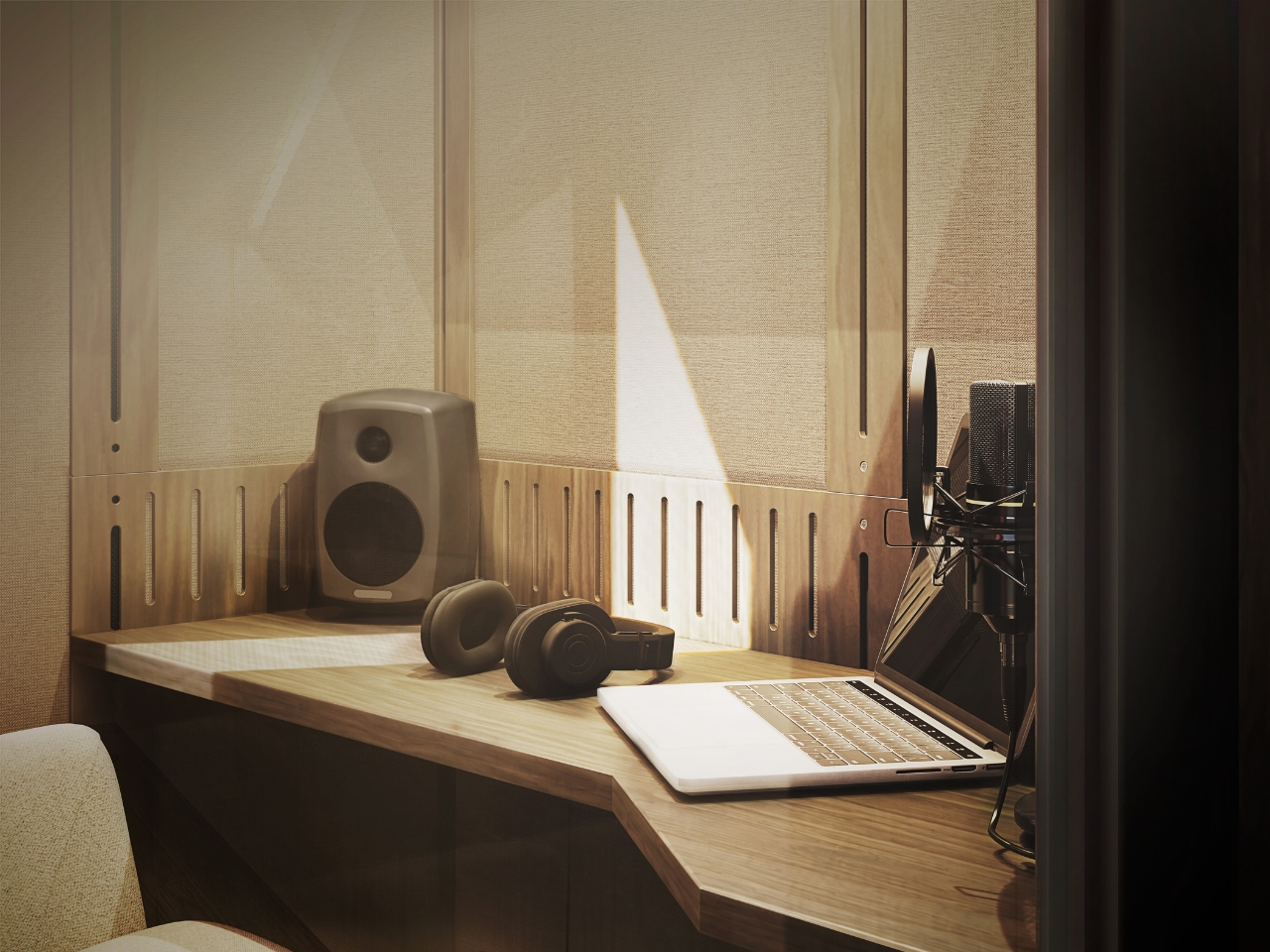
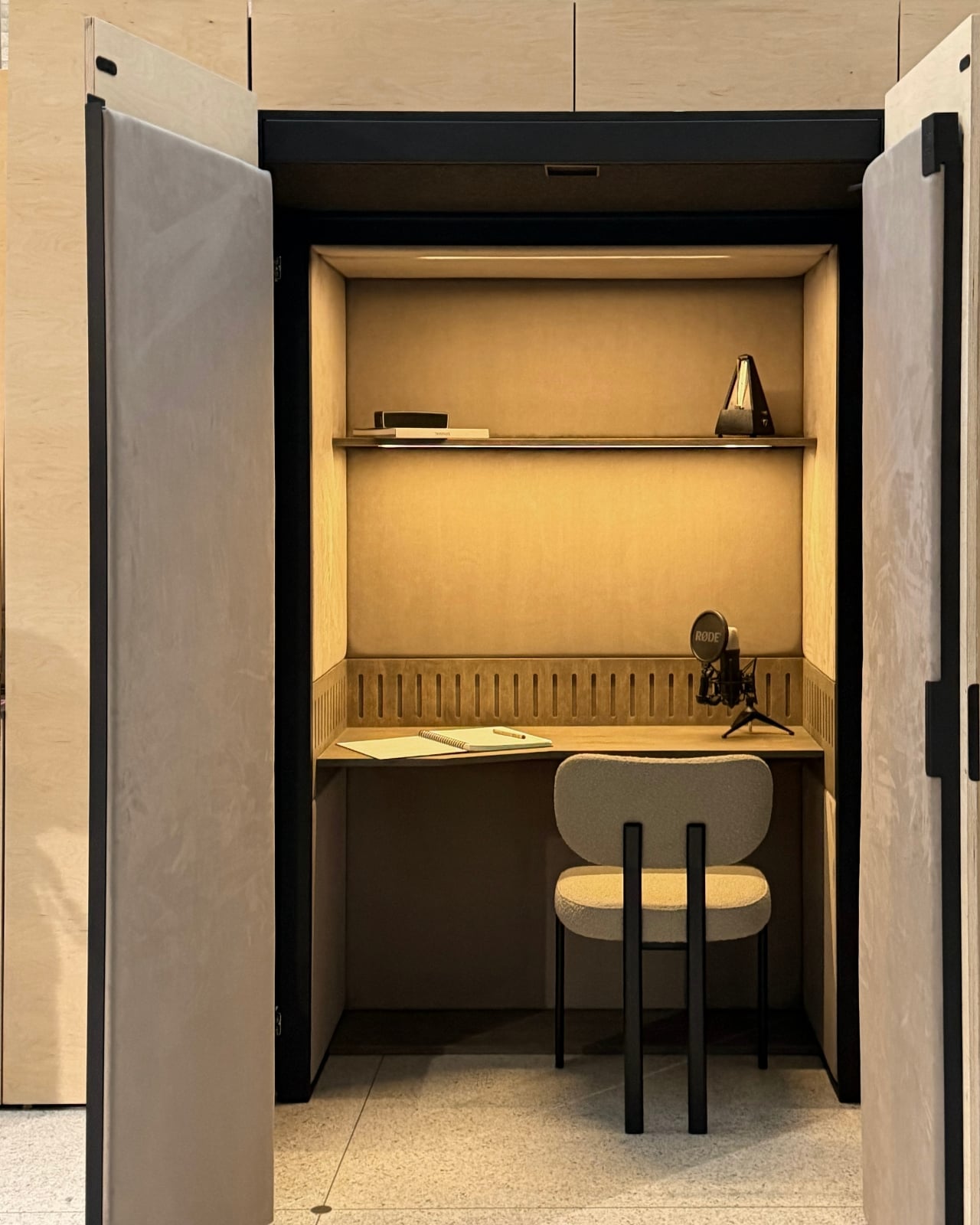
In the supplied images, the interior looks invitingly domestic. Pale wood-grain surfaces, textured wall panels, a narrow shelf, and warm lighting surround a compact desk. The exhibition setup includes a microphone and a metronome, while another image shows a guitar mounted above the worktop. Those details suggest a space for practicing and making things, not merely surviving the next calendar invitation. I’d rather see that than a miniature corporate meeting room.
The acoustic ambition deserves a closer look. FUSEBOOX describes a multilayer construction with sealed contact edges that limits sound transmission, alongside treatment intended to control reflections and reverberation inside. In practical terms, keeping household noise out and reducing echo around a microphone are separate jobs, and the design aims to address both. The supplied release promises studio-quality sound, but provides no measured isolation figures or independent testing to establish that claim.
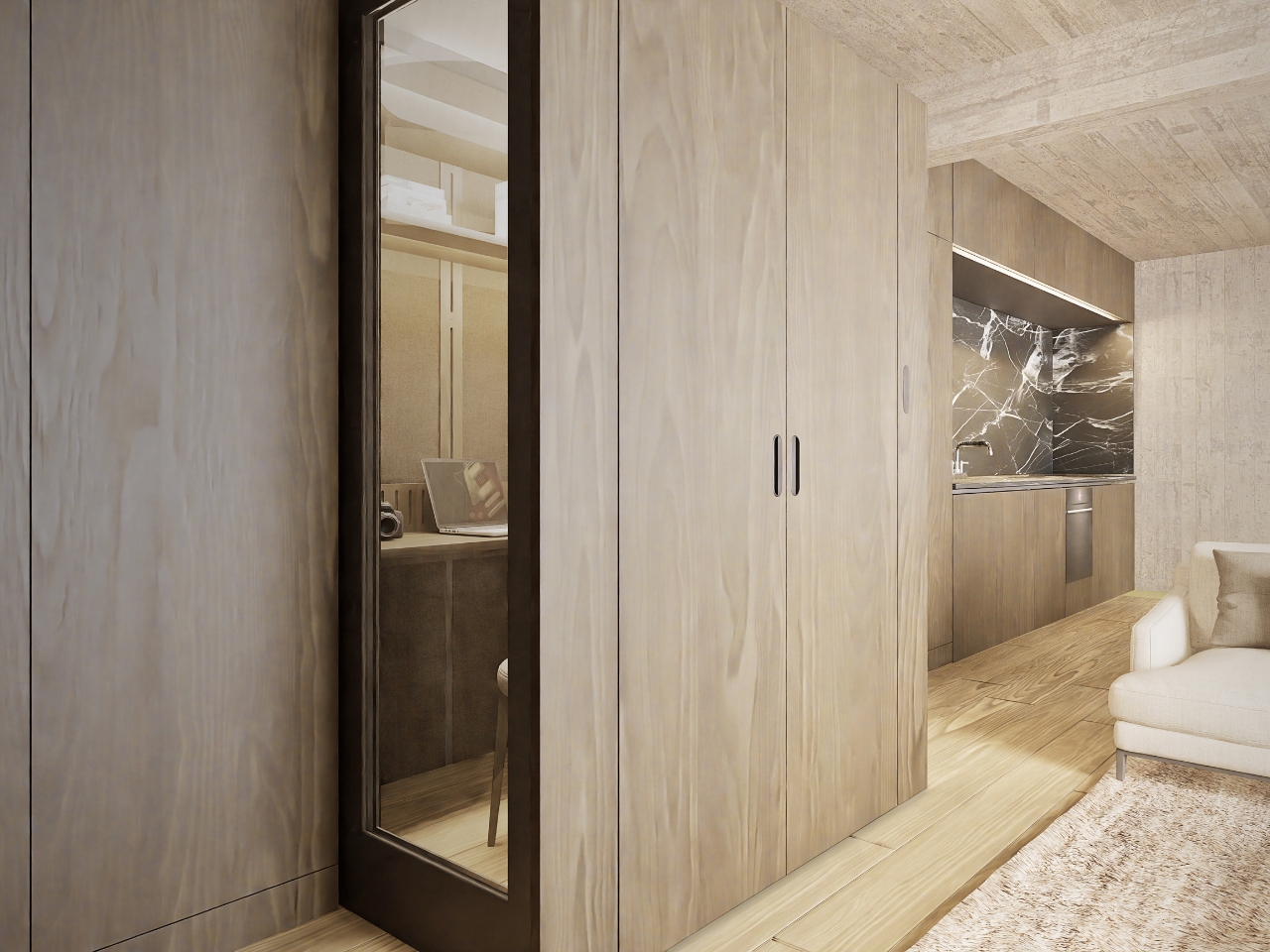
Ventilation and adjustable lighting are included, with the website specifying variable brightness and color temperature. These are sensible priorities for a small enclosed workspace. I’d want airflow and lighting considered alongside the moving panels, because a booth that looks good from the couch still has to make sense from the chair. The tall glazed side panels visible in the images also keep the enclosure from looking like an opaque cabinet.
The hidden position is the strongest part of the idea for me. Closing a laptop leaves the desk, cables, and unfinished work in view. Closing up an entire workspace could give the living room a more convincing end to the workday. That isn’t a promise of better productivity or instant relaxation. It’s a physical boundary you can see, which feels more useful than another reminder to log off.
Of course, the module doesn’t manufacture extra square footage. Its built-in portion still occupies space, and the extended enclosure needs clear floor area in front. A coffee table or an awkward circulation path could complicate the arrangement. I see it as borrowing space at different times, rather than making space disappear. That makes the surrounding room layout just as important as the mechanism.
FUSEBOOX is designed and made in the Czech Republic, with configurable layouts, materials, fittings, upholstery, and exterior finishes. The company plans to open preorders in January 2027; prices and detailed dimensions haven’t been published yet. Those omissions matter for anyone picturing it at home. A custom built-in belongs in a renovation conversation, and renters would need to discuss installation with their landlord.
I’m drawn to the restraint of the proposal. The images suggest you could finish the exterior to read as ordinary cabinetry, leaving the more elaborate engineering behind it. A home office doesn’t always need to announce itself from across the room. If the acoustics and installation prove convincing, FUSEBOOX could offer something genuinely useful: a place to work, followed by permission to stop looking at it.
Football season turns living rooms into something closer to a clubhouse for a few hours every weekend. The right gear makes that shift effortless, pulling together sound, screen, food, and drink into one setup that actually works for a full slate of games rather than falling apart by halftime.
None of these eight picks are trying to reinvent the sport itself. They’re solving the real logistics of hosting: the can that never pours right, the cooler that goes warm by the second quarter, the speaker setup that can’t keep up with a packed room full of noise.
1. DraftPro Top Can Opener
There’s a reason the first pour matters so much on game day. DraftPro removes the entire top of a can instead of just puncturing it, turning a beer or sparkling water into something closer to a glass pour, aroma included. Designed by Shu Kanno and built in Japan, the motion is smooth and controlled, with a clean edge that’s safe to drink from directly. For you, that means handing a guest a can that actually tastes like it was poured properly, without reaching for a single glass all game.
It works for more than beer too. Drop ice straight into the can for instant chilling when the cooler’s running warm, or mix a quick cocktail right inside it with zero cleanup. Compatible with domestic and international cans, it travels well between the kitchen and the couch, and the clean cut even lets you repurpose empties into planters or pen holders once the game’s over.
Removes the entire top for a smooth, glass-like drinking experience
Works as a makeshift cocktail shaker with no extra dishes to wash
What We Dislike
Only a handful of units were listed in stock at the time of writing
Limited to cans, so bottles need a separate opener nearby
2. PhaseTherma
A great drink setup falls apart the moment the ice turns to water. Freezill solves that with PhaseTherma, a phase-change cooling core that keeps ice solid for up to 150 hours without any external power source. For you, that means setting up the drink station once before kickoff and not thinking about it again until the final whistle of a doubleheader weekend, no refills, no plugging anything in.
At $149, it reads less like a cooler and more like premium travel gear that happens to double as game day equipment. The zero power draw also means it works just as well on a porch or in a garage as it does parked next to the couch, so the setup goes wherever the crowd ends up sitting.
What We Like
PhaseTherma core keeps ice solid for up to 150 hours
Needs zero external power to maintain its cooling performance
What We Dislike
$149 is a real investment for what is, at its core, a cooler
Premium design means it’s built for care, not for rough outdoor use
3. Battery-free Amplifying iSpeakers
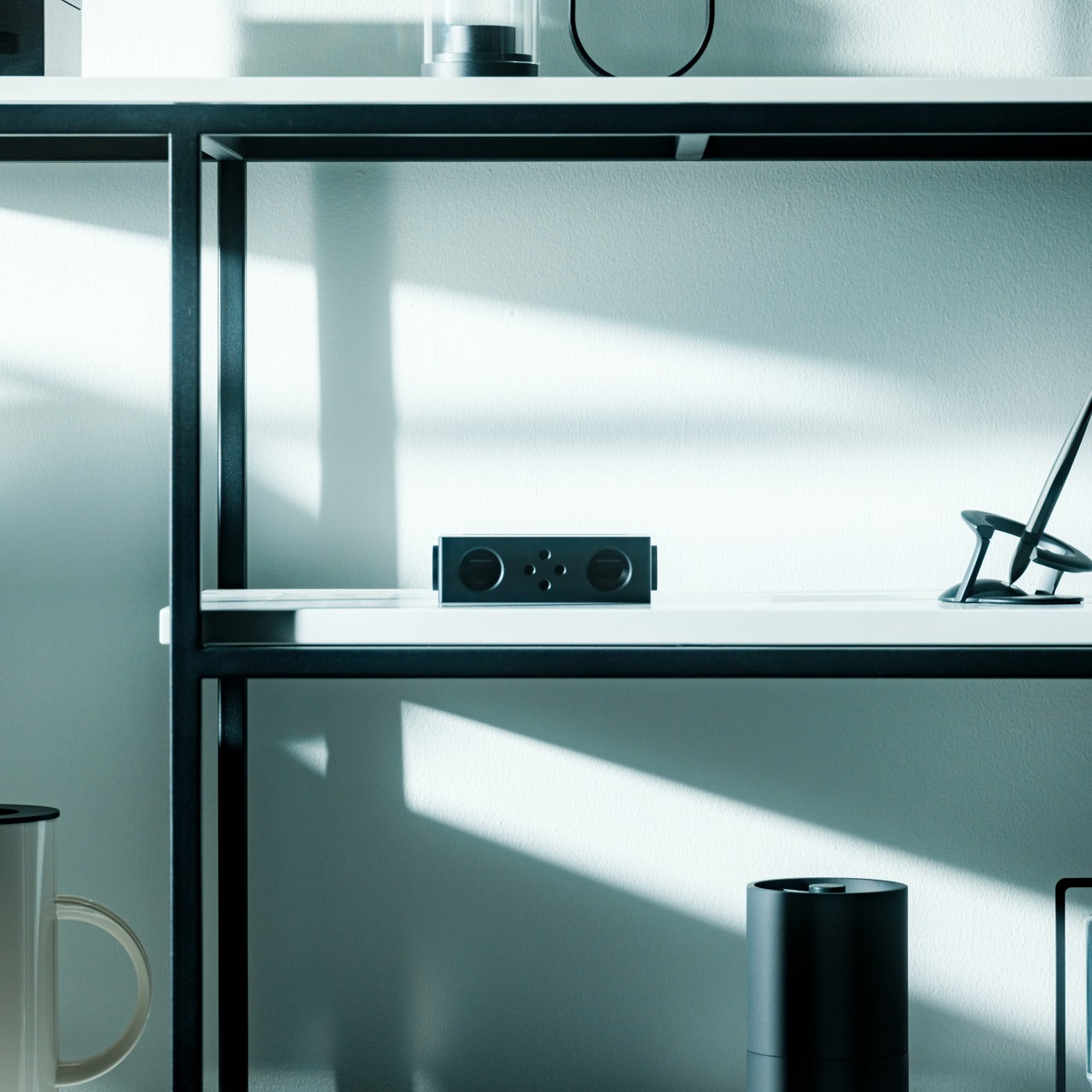
Every other speaker in the room needs something: a charge, a pairing sequence, a Wi-Fi password. This one needs nothing but your phone. Designed by Ooi Masato and machined from Duralumin, the same vibration-resistant aluminum alloy used in aircraft, it amplifies a smartphone’s built-in speaker purely through acoustic geometry. For you, that means setting it down on a side table and having sound fill the room without a single cable in sight.
The chamber’s proportions were shaped using the golden ratio, which is less a gimmick and more the reason the sound comes out as focused as it does. No app, no Bluetooth, no battery to die mid-game. Just a slot for the phone and a noticeably louder room a second later.
Golden ratio proportions make it as much a desk object as a speaker
What We Dislike
Volume ceiling is naturally lower than a powered Bluetooth speaker
Only works with a phone placed inside it, not as a standalone unit
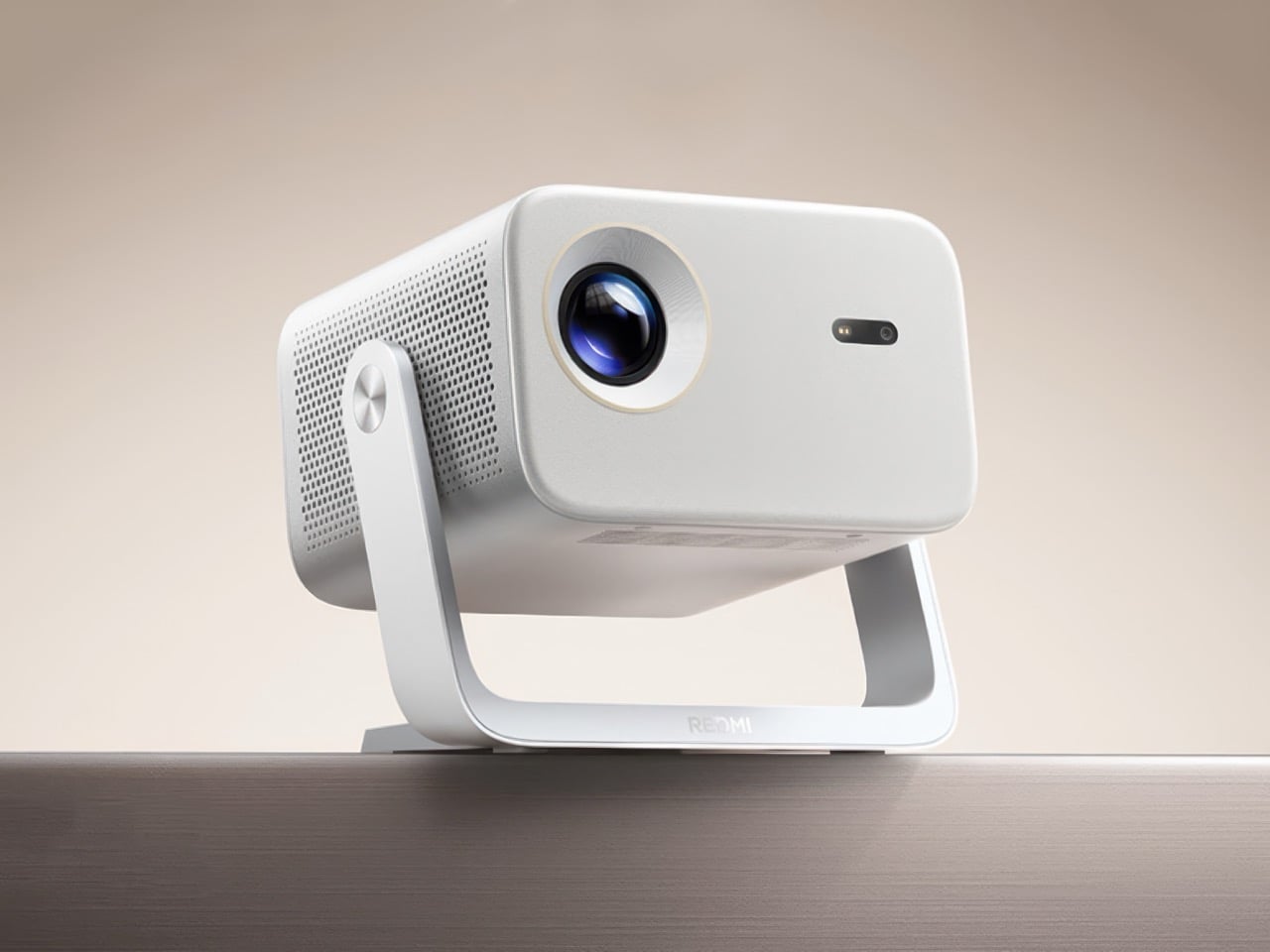
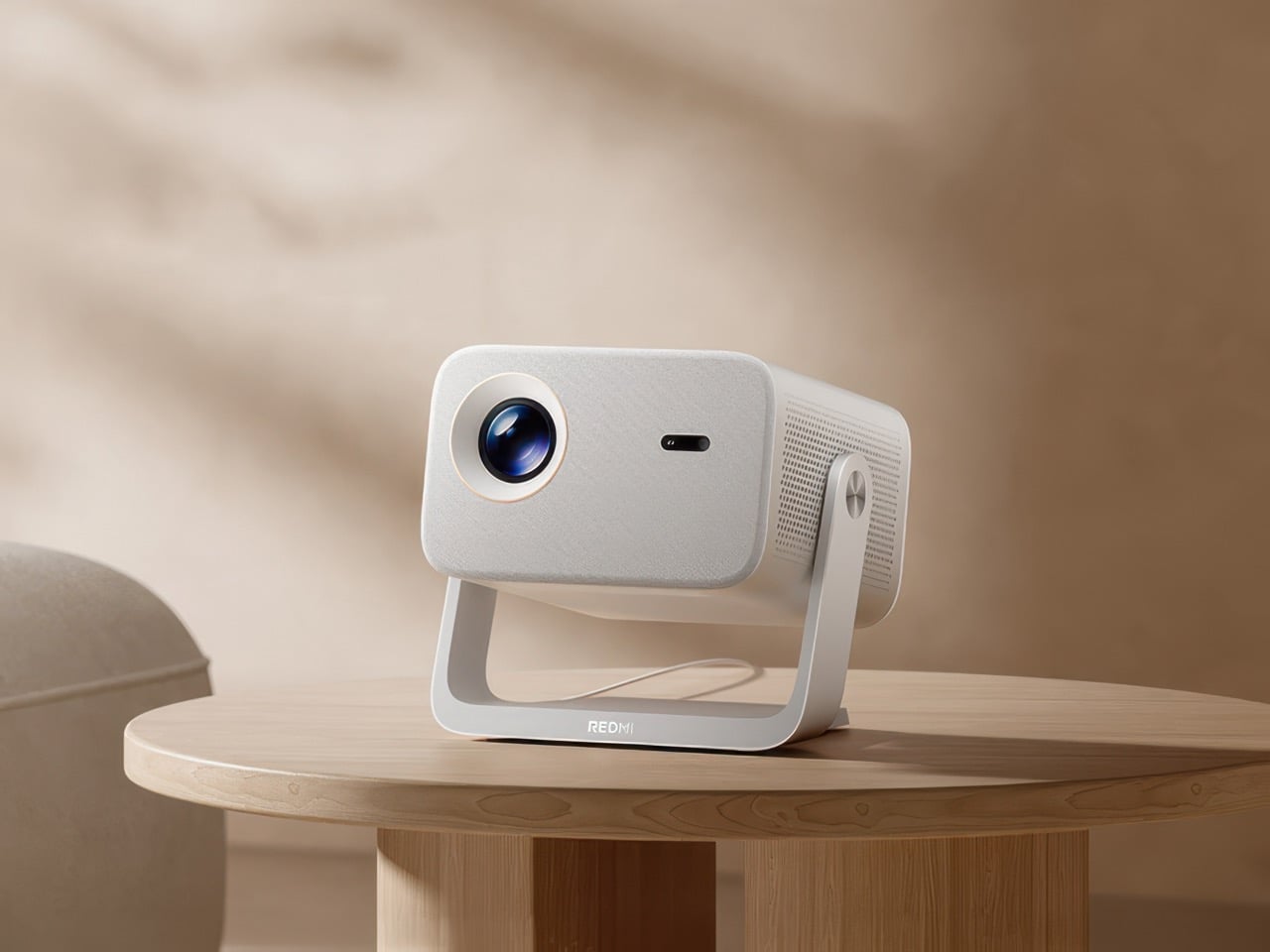
4. Xiaomi Redmi Projector 5 Pro
The screen is where game day actually lives, and this one makes a big one affordable. Native 1080p scales up to 120 inches, backed by 1,000 CVIA lumens, HDR10, and a 120Hz refresh rate running at just 5ms of latency. For you, that means a crisp, responsive picture that can fill an entire wall for less than the cost of a year of streaming subscriptions combined.
A metal gimbal arm swings 150 degrees, so the projector adjusts to whatever angle the room demands without needing a dedicated mount or stand. Dual HDMI and Wi-Fi 6 round out the connections, meaning a streaming box, a console, and a laptop can all stay hooked up at once without a single cable getting swapped out between games.
What We Like
120-inch scaling at $281 undercuts most home theater setups by a wide margin
Gimbal arm adjusts 150 degrees without needing a separate mount
What We Dislike
1080p native resolution means it’s not a true 4K experience
HDR10 support only goes so far without a properly darkened room
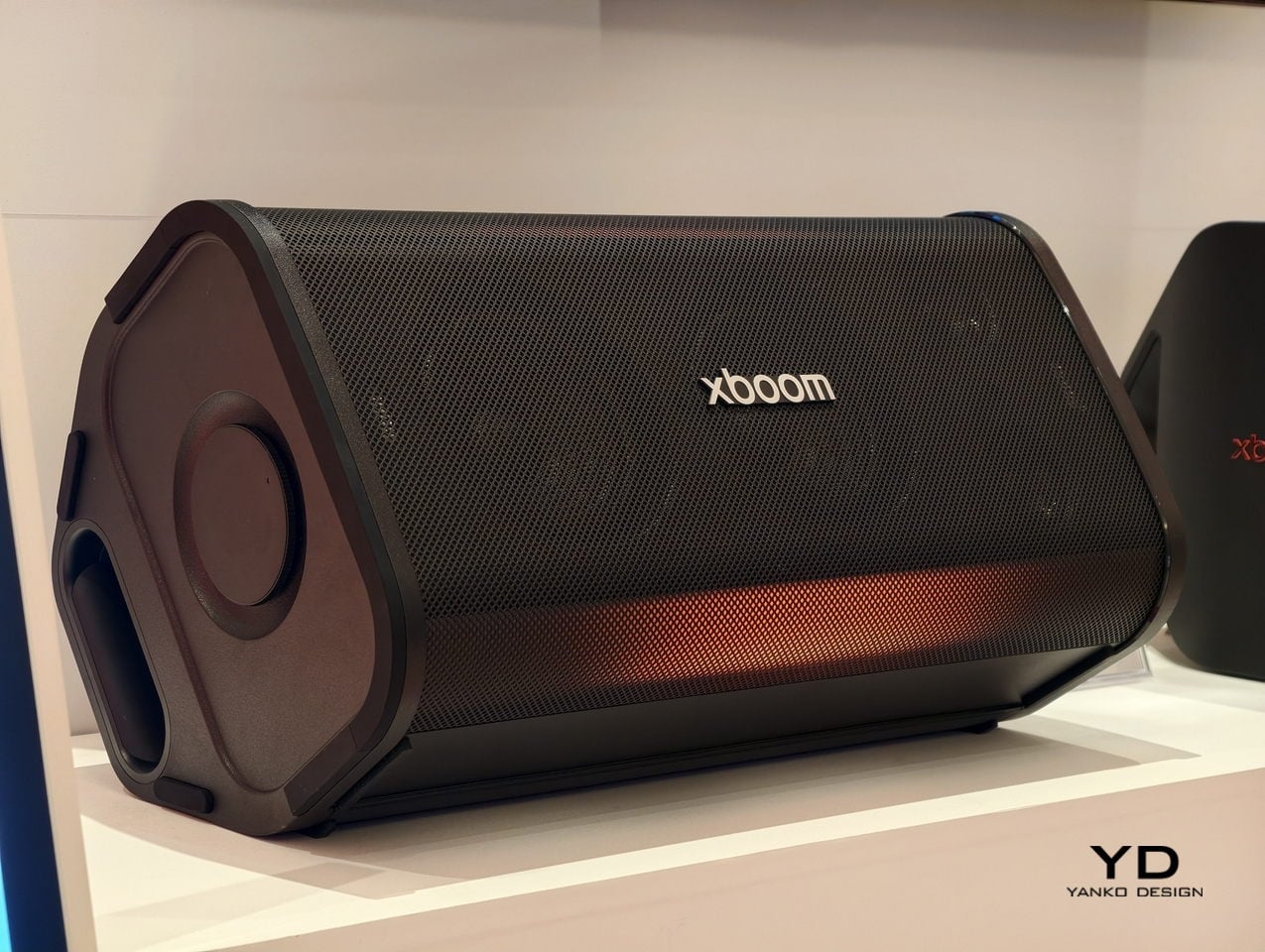
5. LG xBoom Stage 501
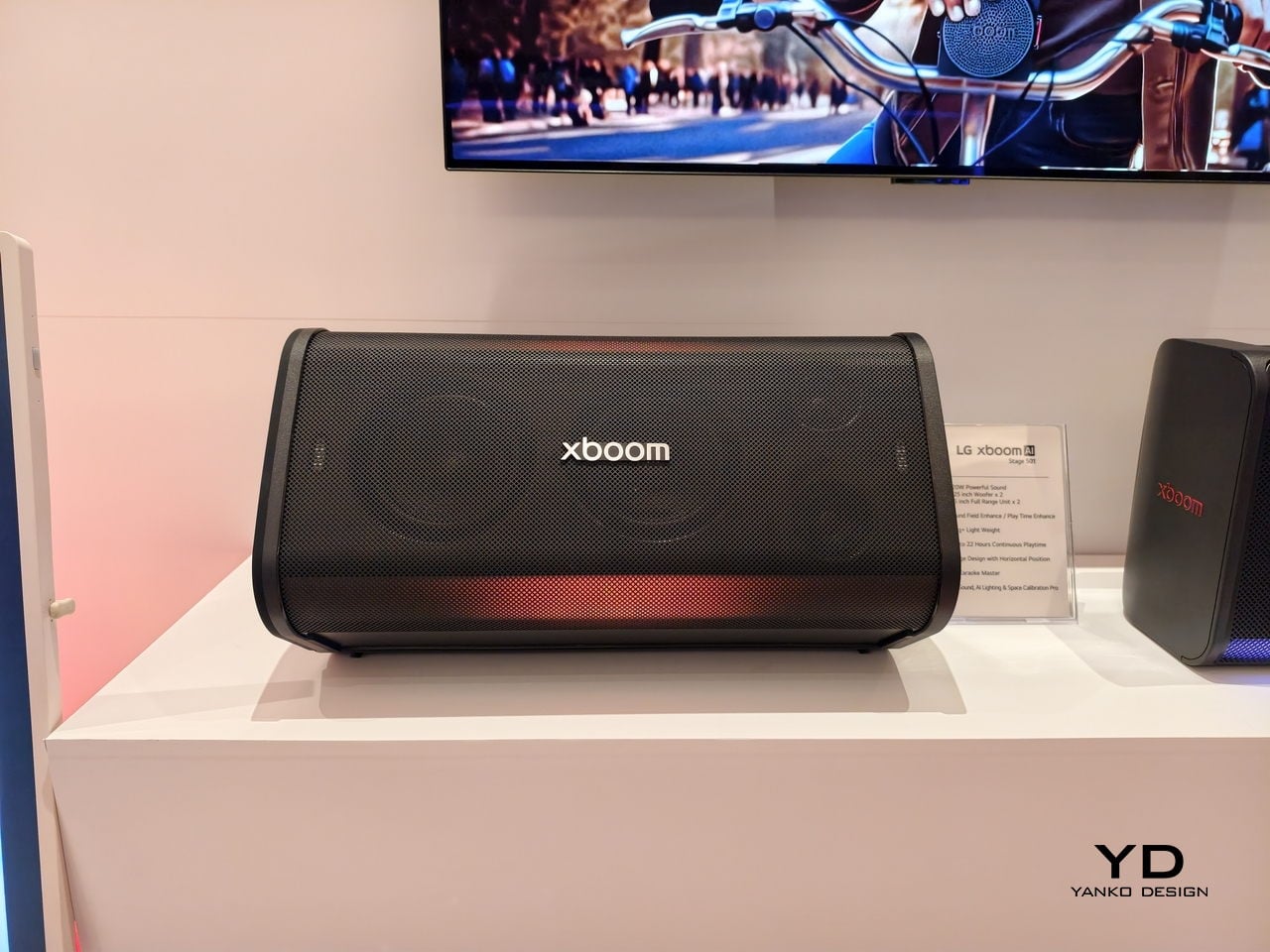
Halftime needs its own kind of energy, and this speaker is built specifically for that shift in mood. Up to 220W of output runs through dual 2.5-inch woofers and Peerless tweeters, loud enough to carry a packed room without distortion. For you, that means the moment the game pauses, the room doesn’t go quiet; it just changes gears.
The real party piece is AI Karaoke Master, which strips vocals from any song in real time using deep learning trained on more than 10,000 songs. Built around what LG calls late-night living-room chaos, it turns a halftime break into its own event, no separate karaoke machine or backing track search required.
What We Like
220W output with dedicated tweeters handles a full room without strain
AI Karaoke Master removes vocals from any song on the spot
What We Dislike
At $499.99, it’s a serious commitment for occasional halftime use
Karaoke feature works best with a crowd actually willing to sing
6. Death Star Popcorn Maker
Snacks are half of game day, and this one earns its spot by being genuinely good at the one thing it does. A hot air vortex pops corn with close to a 98 percent success rate, no oil or butter required, while the whole unit folds back into a Death Star display piece once the popping’s done. For you, that means a snack station that’s actually fun to look at sitting on the counter between rounds, not just a plastic appliance shoved in a cabinet.
It’s a lighter note in the lineup, a conversation starter as much as a kitchen tool, and a reminder that not every piece of game day gear needs to be purely functional to earn its place in the rotation.
What We Like
Close to a 98 percent popping success rate without oil or butter
Folds back into a display piece instead of looking like leftover kitchen clutter
What We Dislike
Novelty shape won’t appeal to everyone’s kitchen aesthetic
Limited to popcorn, so it’s a single-purpose appliance taking up cabinet space
7. Took Foldable Chair
Every host eventually runs out of couch space before they run out of guests. This chair collapses into a compact case about the size of a soundbar, with a strap handle and a one-touch hinge mechanism that opens it in seconds. For you, that means extra seating that lives in a closet the rest of the week and shows up the moment the guest list grows past what the furniture can hold.
It closes the lineup on a practical note: the kind of object that doesn’t need to be clever so much as ready, there when the room fills up and out of the way the second it empties back out.
What We Like
Folds to the footprint of a soundbar for easy storage
One-touch hinge means setup takes seconds, not a wrestling match
What We Dislike
A folding chair will never match a couch for comfort over a long game
Durability of the hinge mechanism depends on how often it gets folded and unfolded
8.WiiM Bar Soundbar
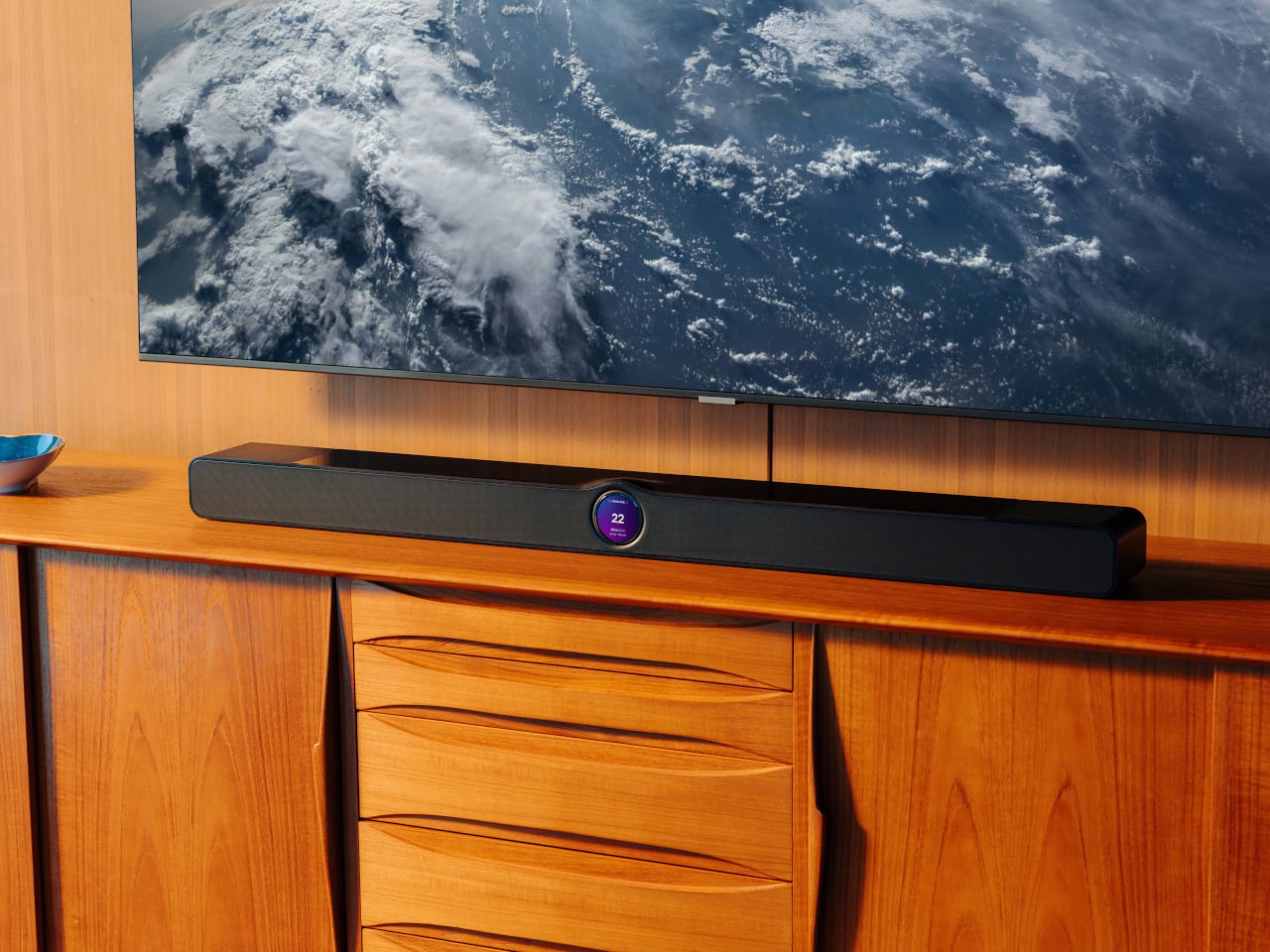
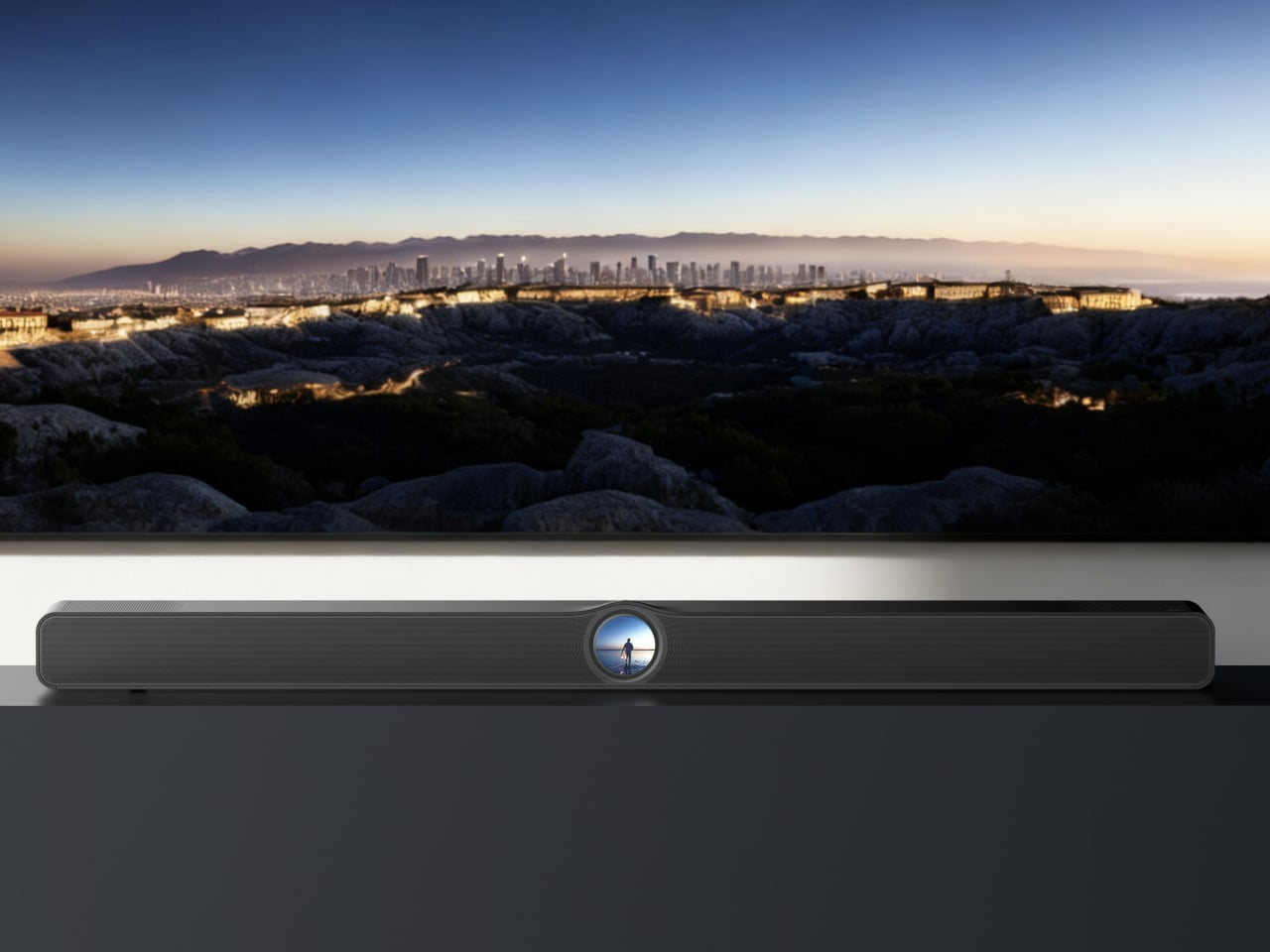
For the games that deserve real sound, not just loud sound, this soundbar fills that gap. True 3.0.2 Dolby Atmos runs through an eight-driver array, three front mid-woofers, three front tweeters, and two upward-firing full-range drivers, backed by four passive radiators for low end that doesn’t need a separate subwoofer. For you, that means commentary, crowd noise, and the snap of a tackle all land with the kind of separation a standard TV speaker can’t touch.
A 2.1-inch round touch display sits embedded in the bar’s front face, giving quick access to inputs and volume without digging for a remote between plays. It sits under the TV rather than competing for space, built for the room rather than announcing itself as the centerpiece.
What We Like
Eight-driver array delivers genuine Dolby Atmos without a subwoofer
Touch display built into the bar simplifies control mid-game
What We Dislike
A setup this capable asks for a TV and source worth the upgrade
Four passive radiators still can’t fully replace a dedicated subwoofer in a large room
The Setup That Covers the Whole Afternoon
None of these eight pieces are trying to be the loudest thing in the room. The projector and the two speaker options handle the screen and the sound, the cooler and the can opener handle the drinks, and the popcorn maker and the folding chair round out the food and seating without asking for much space in return.
What makes this lineup work isn’t novelty; it’s that each piece solves one real problem well. A host doesn’t need everything to be smart or connected. Sometimes the best upgrade is a can that pours like a glass, or a chair that disappears into a closet until the room needs it most.
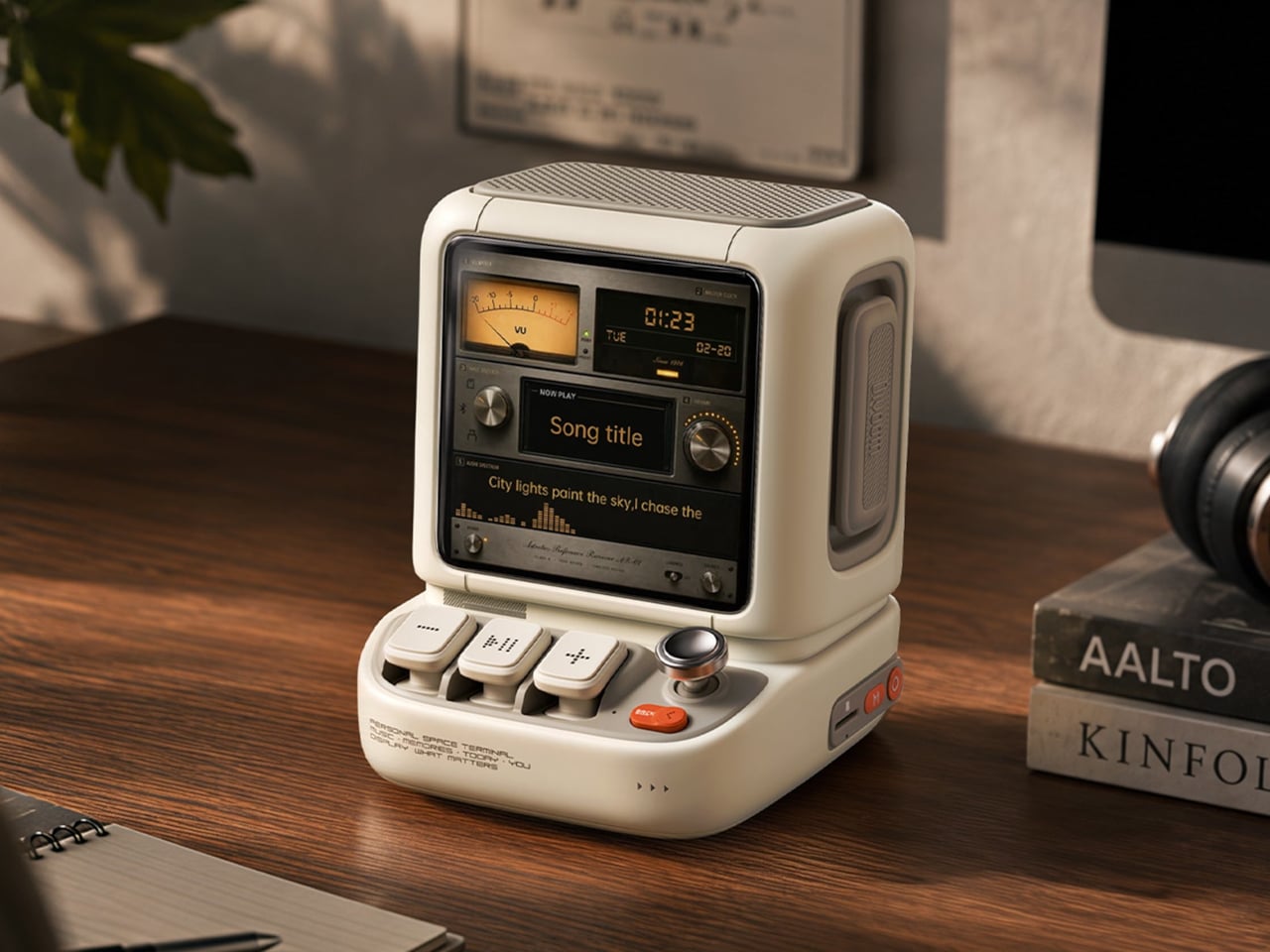
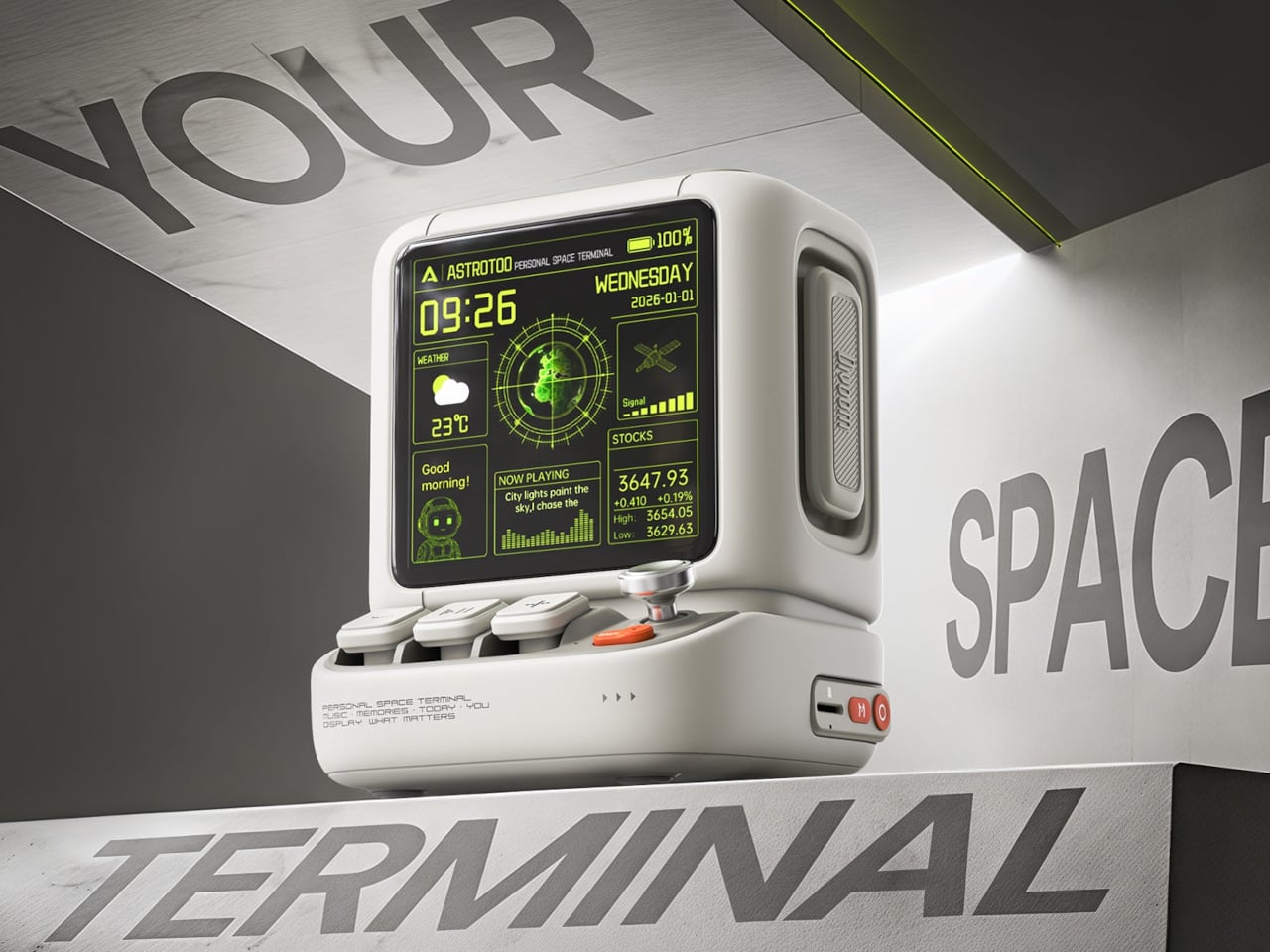
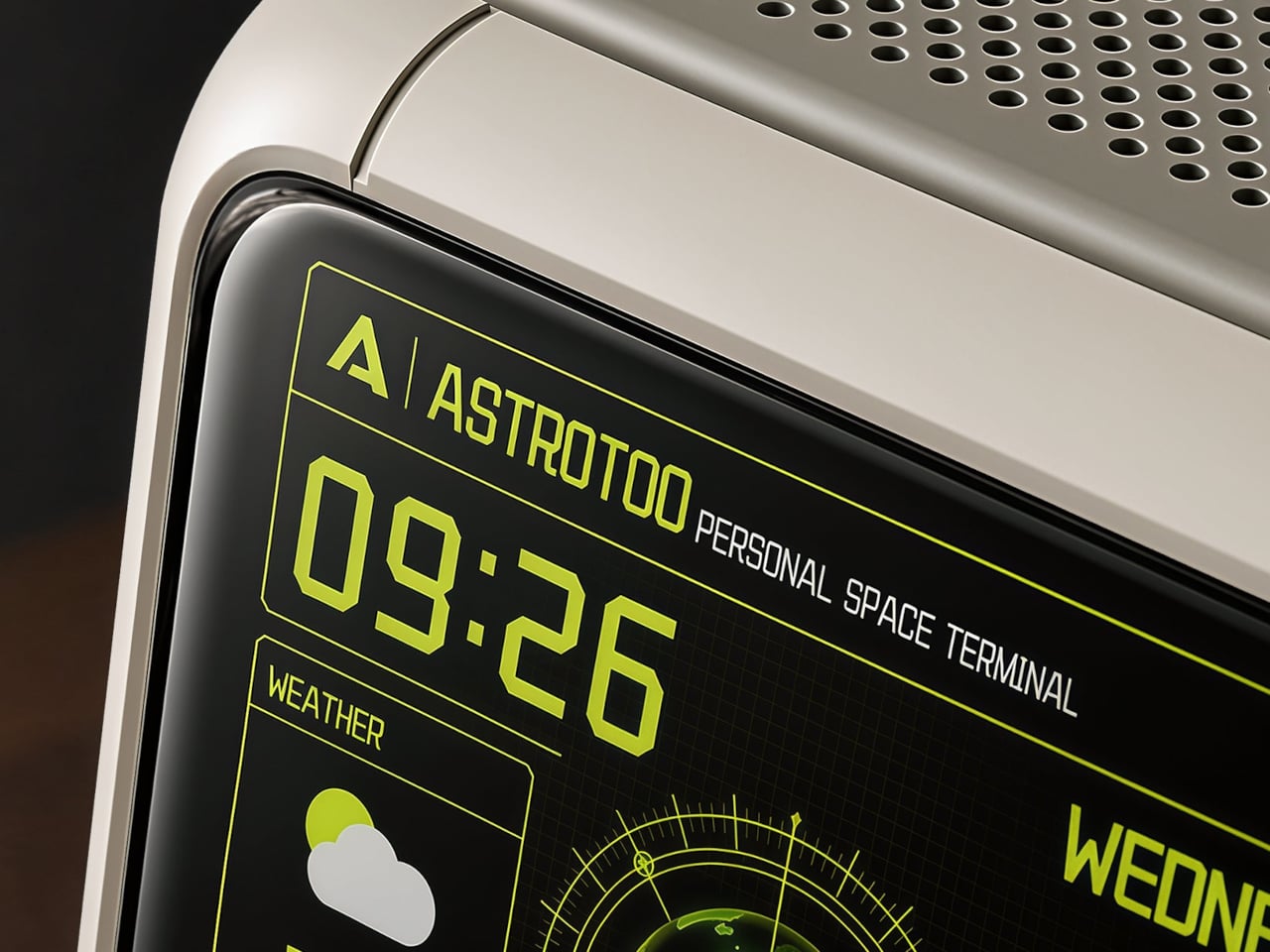
Desktop speakers usually have a pretty straightforward job and an equally straightforward appearance. That makes sense when all you want is music, but it doesn’t leave much room for personality. Divoom’s Astrotoo takes a different approach, putting a display and oversized physical controls into a speaker that looks like a tiny computer terminal. It definitely gives your desk something playful and personal, and your friends something to be jealous of.
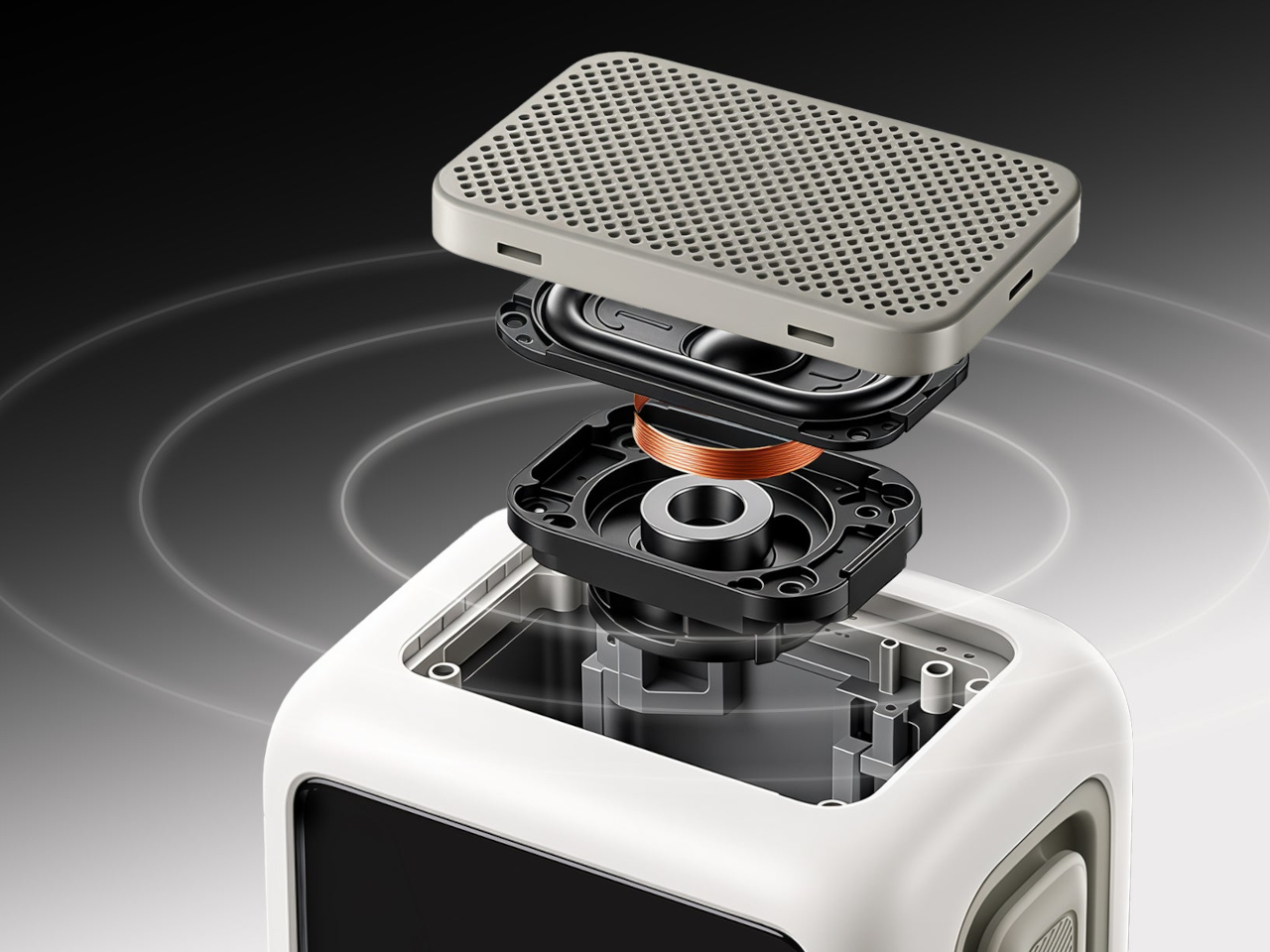
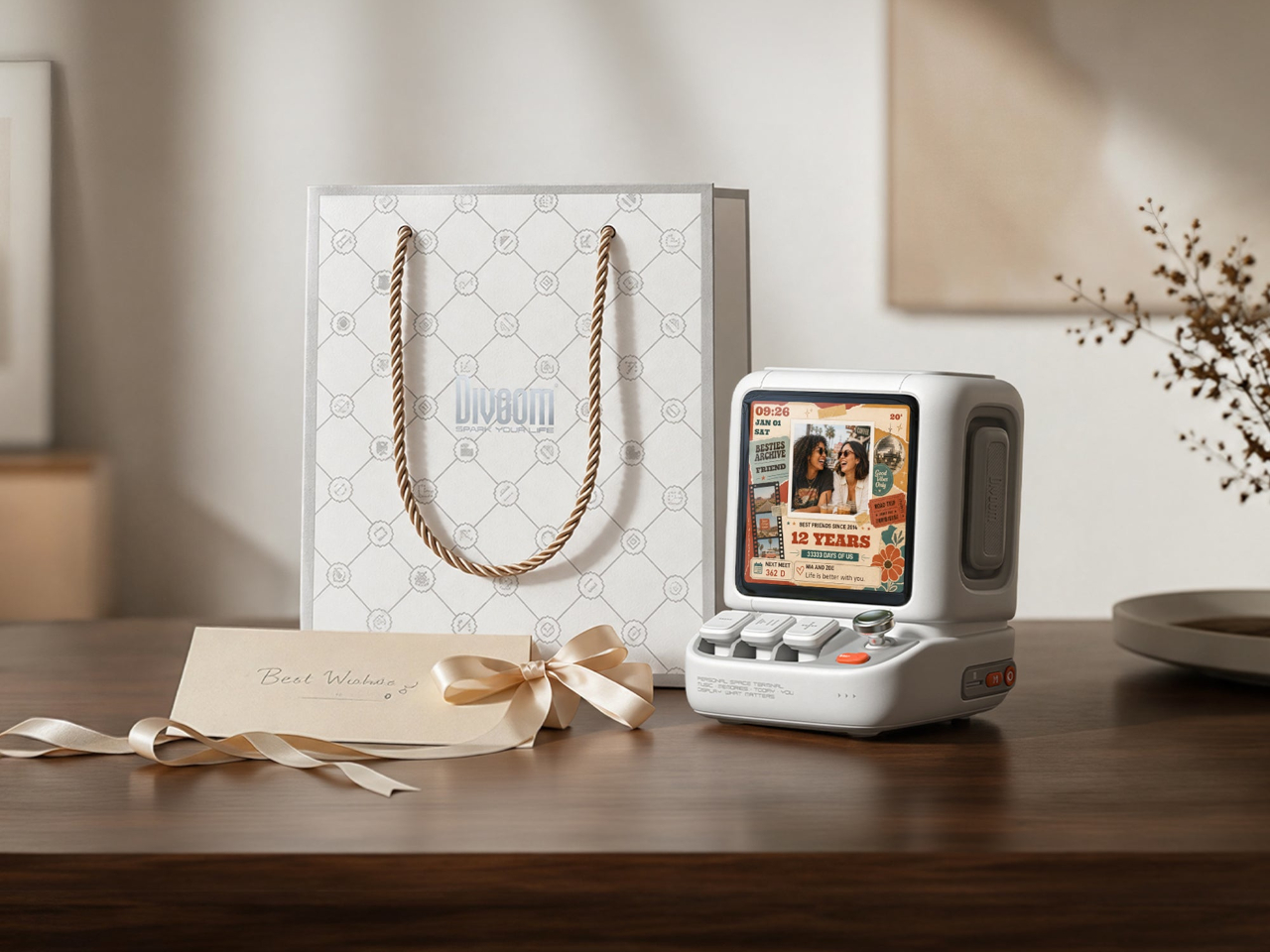
The rounded housing and recessed side panels give Astrotoo the appearance of equipment from an imagined future, albeit one with chunky buttons. White, pink, and green finishes offer different levels of restraint. At roughly 4.2 by 4.3 inches across its base, it won’t need the space of a computer, although its upright screen certainly makes it harder to overlook than a conventional speaker.
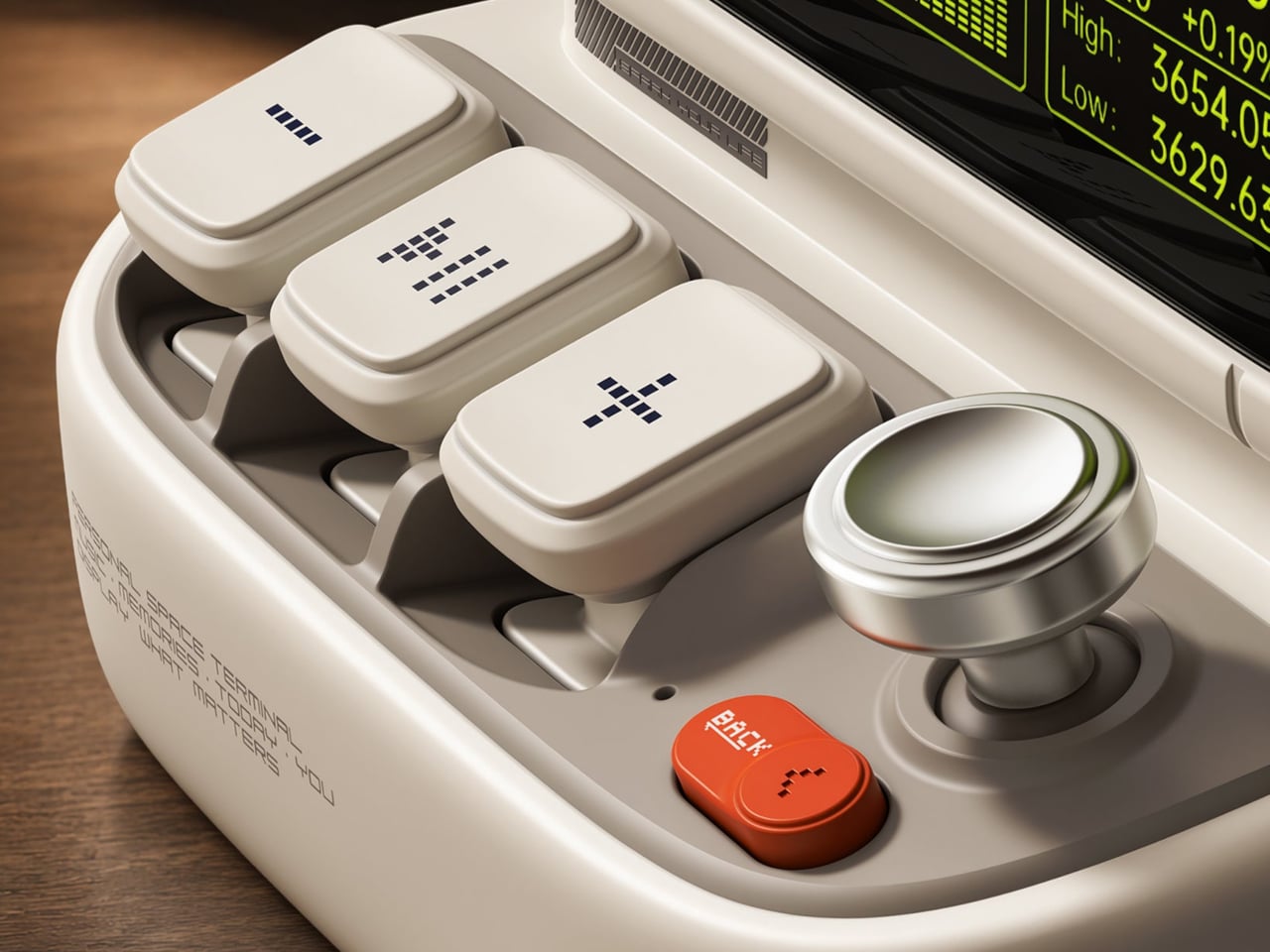
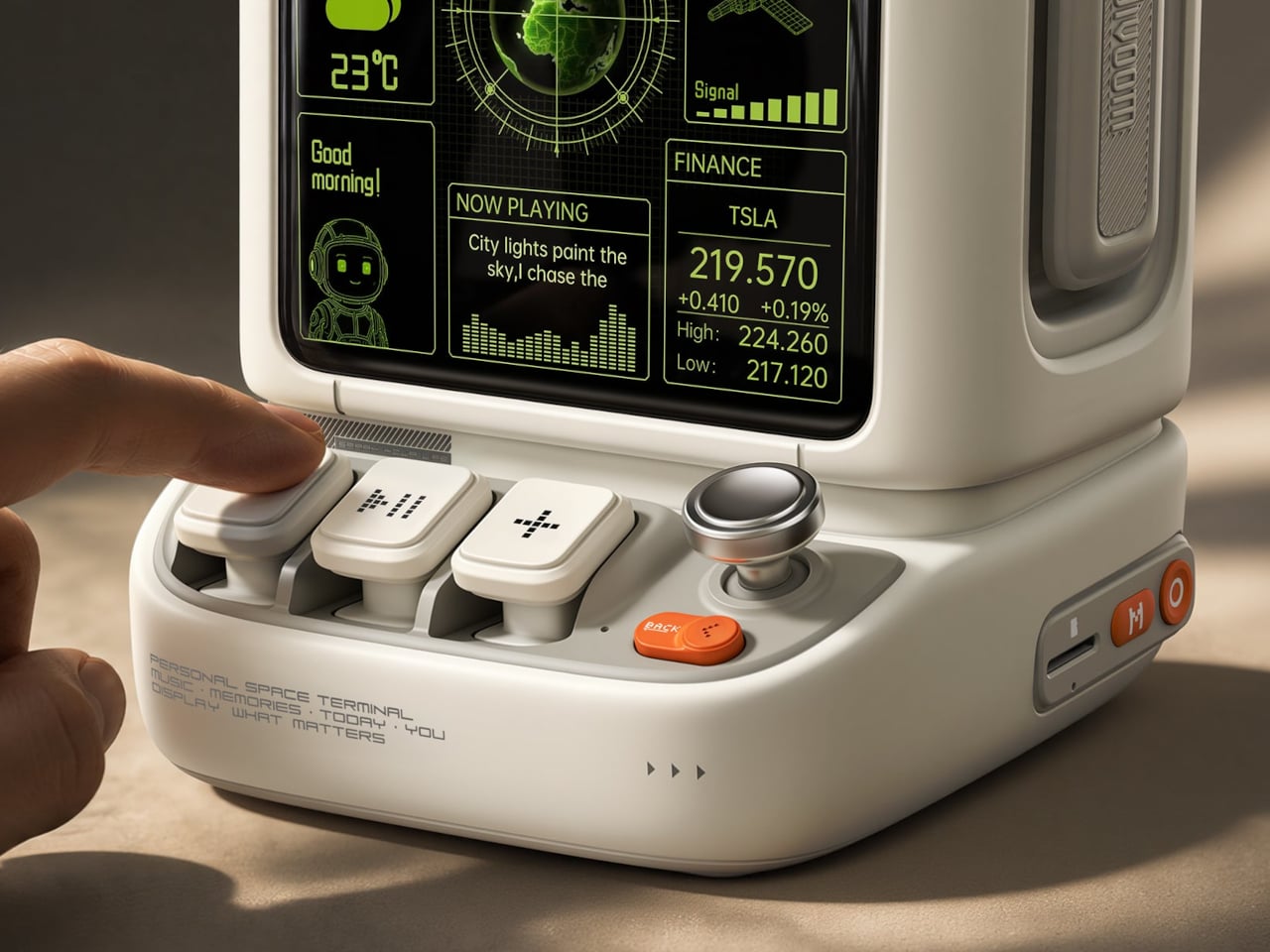
Of course, those buttons aren’t simply there to complete the retro disguise. Three raised mechanical keys, a joystick, and an orange Back button handle music and display functions. You can reach over to control playback without opening another app, though customizing the display still involves your phone. It’s a familiar division of labor, with physical controls for everyday actions and software for the changes.
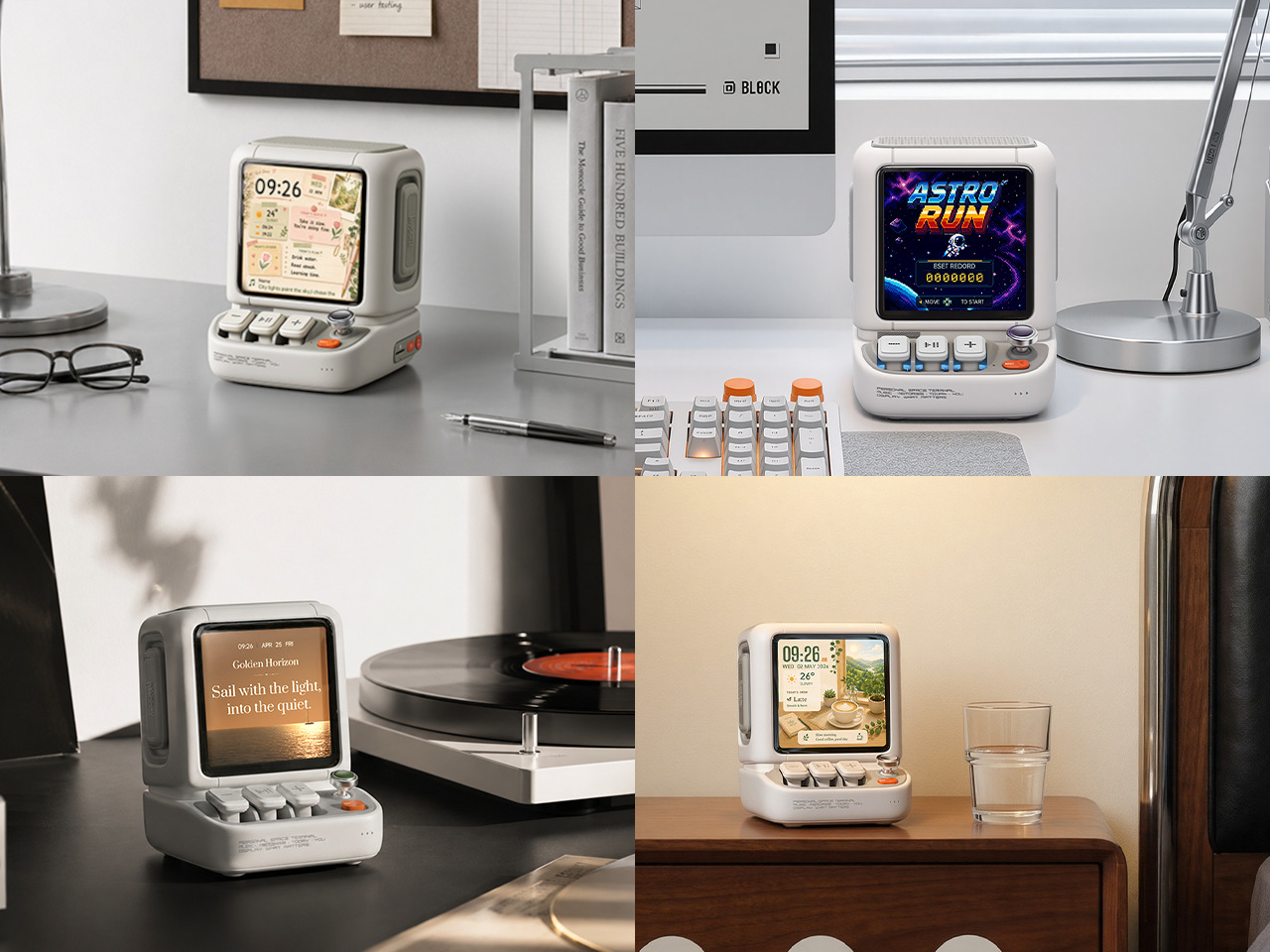
Despite the pixel art theme, Astrotoo doesn’t limit you to blocky characters and low-resolution graphics. Its 3.95-inch IPS display has a 480×480 pixel resolution, accommodating photographs and detailed clock faces as well. That means you can keep a family photo beside your monitor without making room for another frame. Music visualizations are also available, if you’d rather have your speaker put on a show.
The Divoom app lets you change visual content and clock faces, giving the device something to do when the music stops. Weather and stock information bring a more practical side to that small screen. That said, another dashboard isn’t necessarily what a busy desk needs. A favorite picture might be a better companion than financial numbers quietly competing for your attention all afternoon.
Divoom positions the 20W speaker for listening nearby, so the desktop proportions aren’t entirely about appearance. Playing music while answering emails or listening to a podcast during a break fits that purpose. Of course, the power rating doesn’t tell us how balanced the sound will be. The styling is easier to judge than the audio, which needs listening rather than a specification sheet.
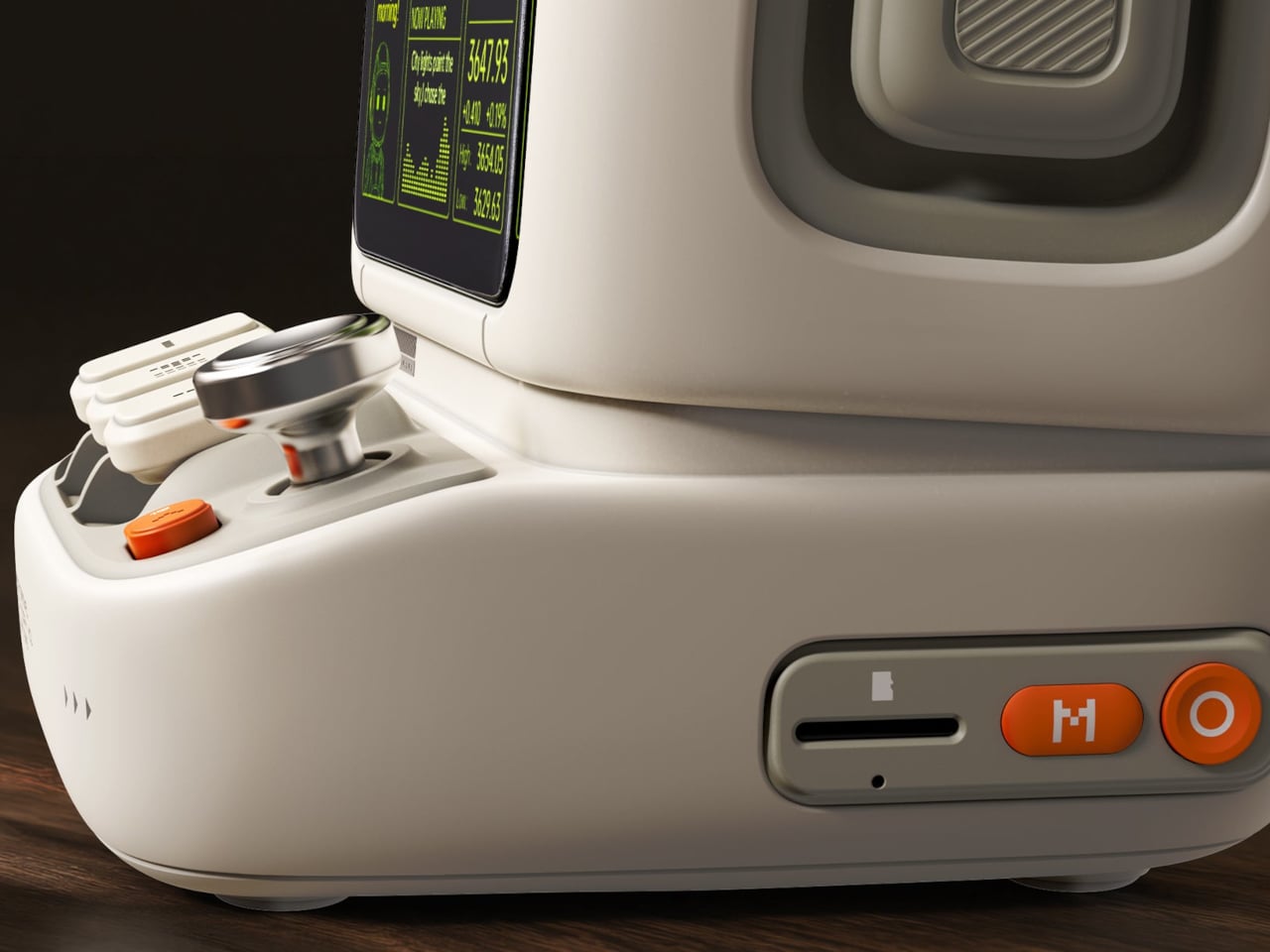
Bluetooth 6.0 handles wireless audio, while microSD playback lets you bring a collection of stored music along without keeping a phone connected. Wi-Fi supports the connected display features. There’s also a battery, with Divoom claiming up to six hours of operation. That’s enough to move it between rooms for a while, but don’t expect it to stay unplugged through an entire workday.
The $199.99 US price makes this a considered desk accessory rather than a casual decoration. Divoom lists approximately 3.5 hours for USB-C charging, so it probably makes sense to leave a cable nearby. You can dress the screen as a futuristic control panel, but there’s nothing futuristic about discovering that your tiny computer needs plugging in before the afternoon playlist.
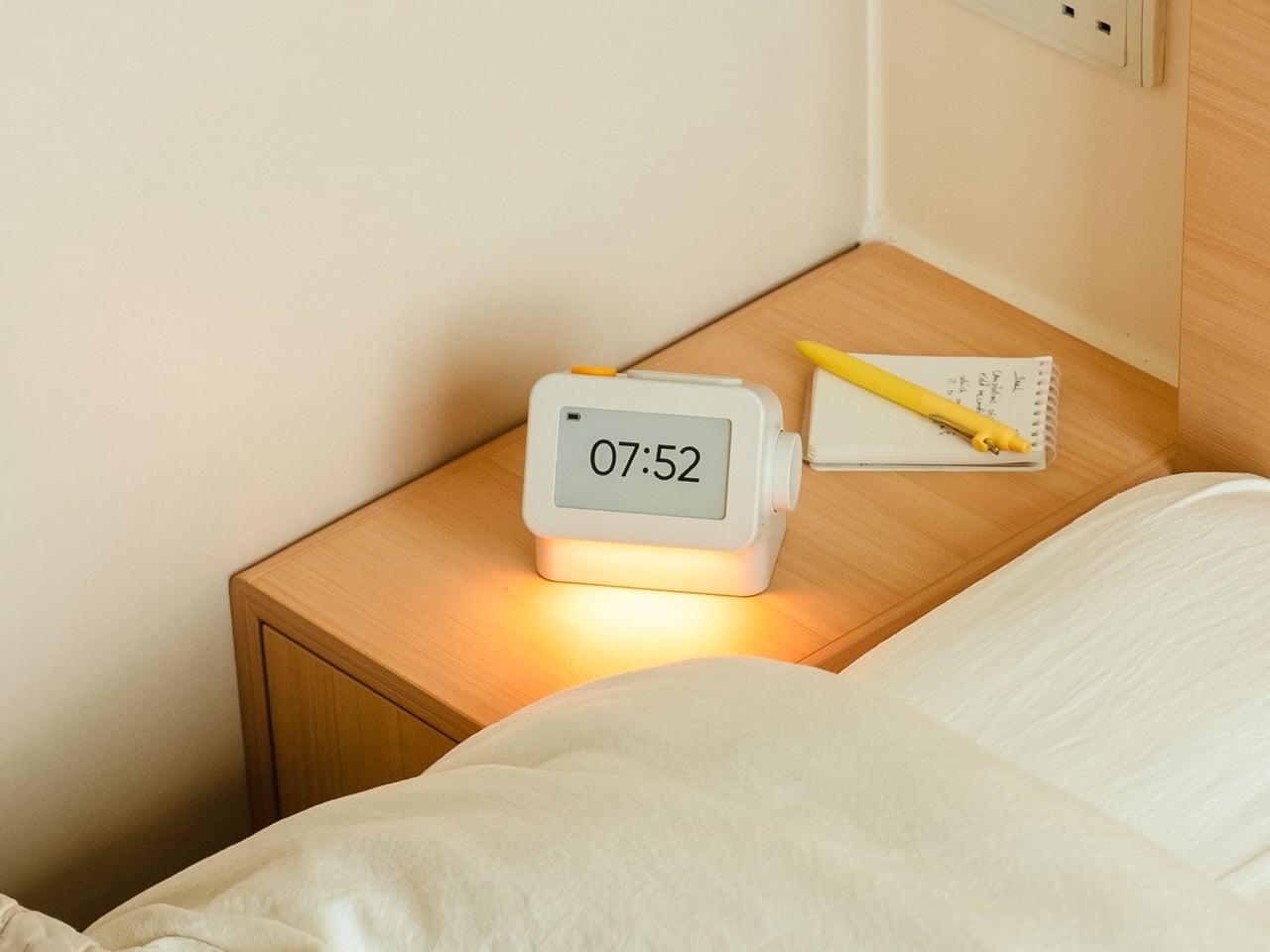
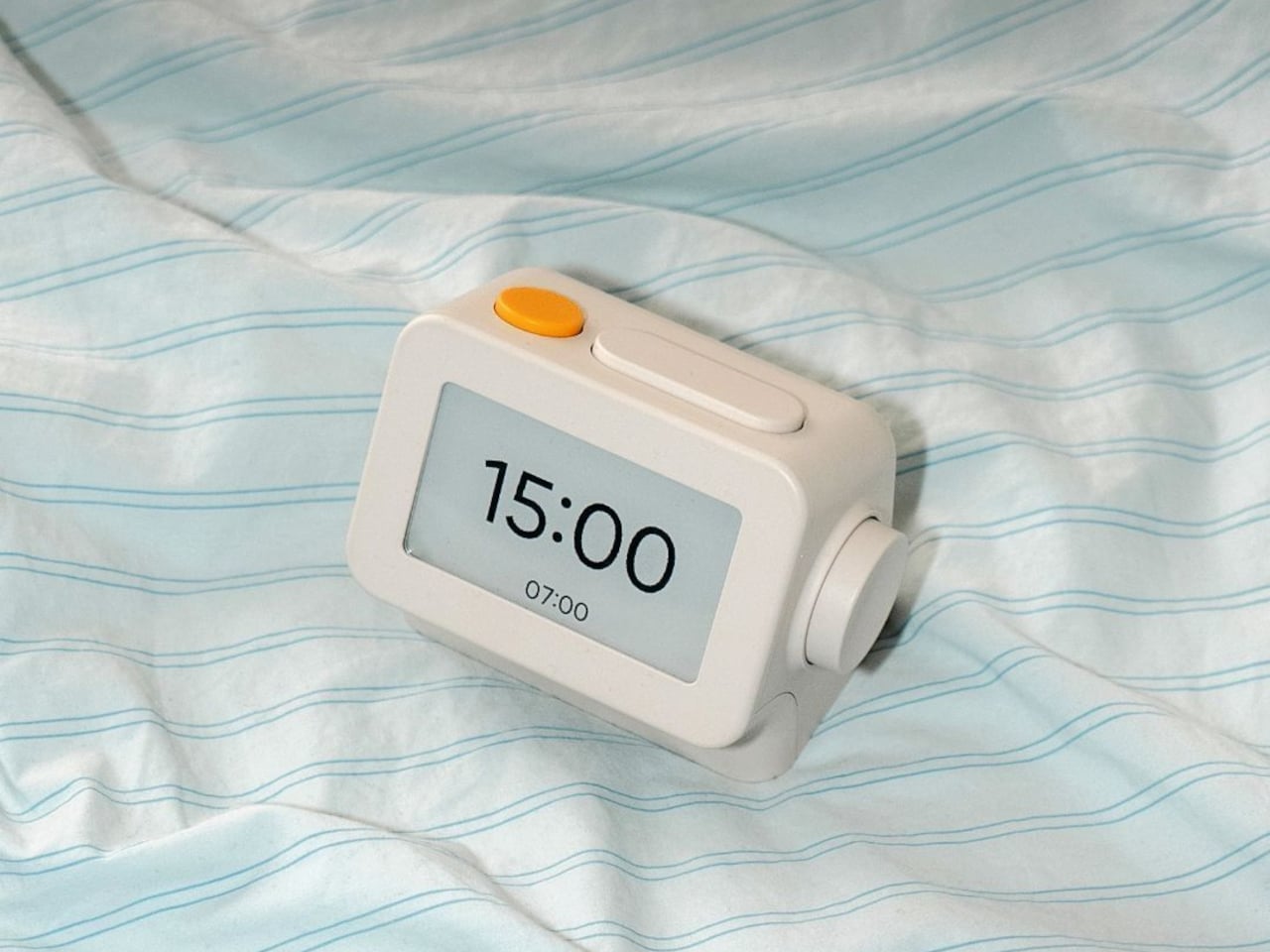
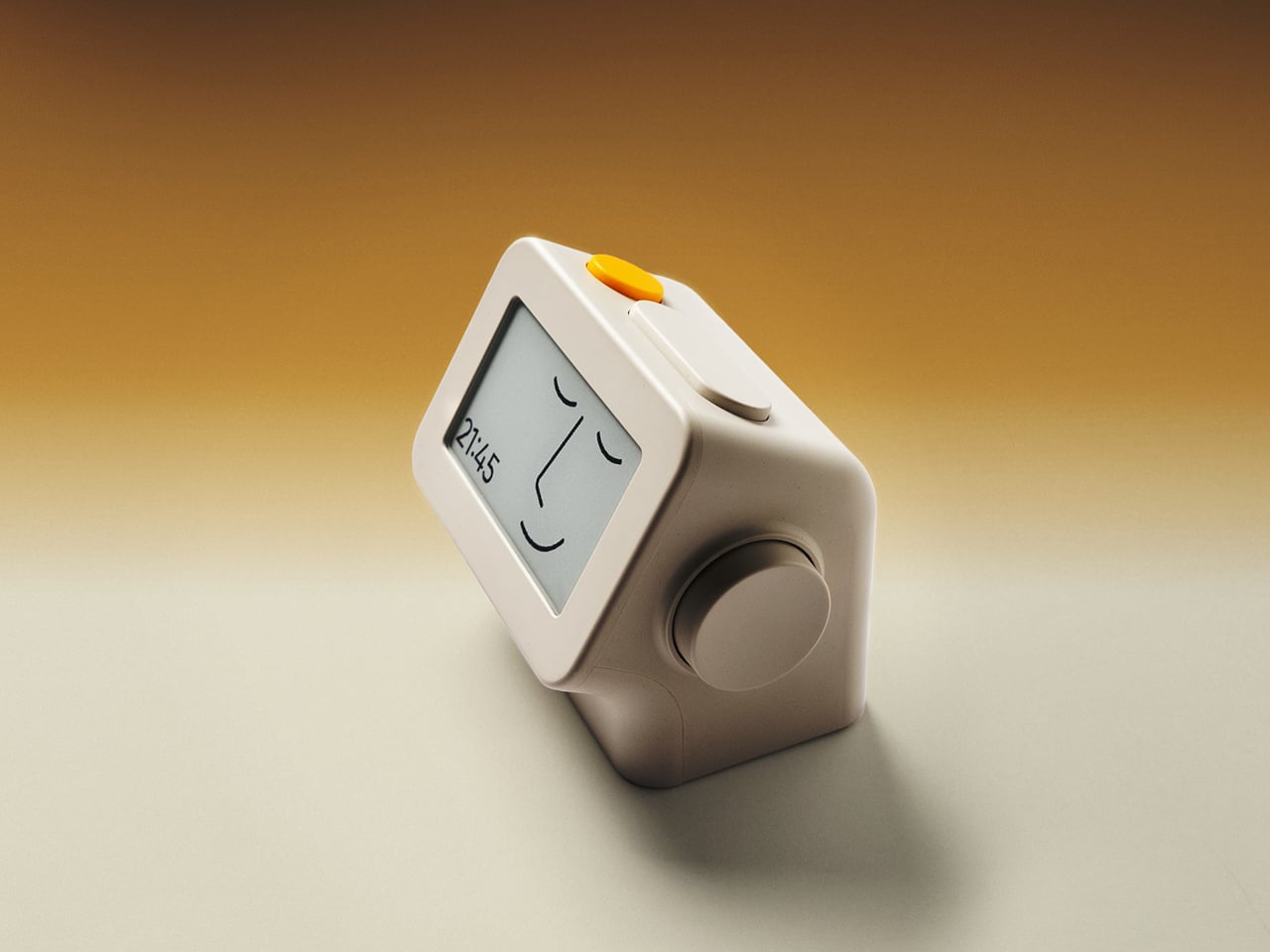
Smartphones have become rather good at convincing us they belong beside the bed, if only because we need an alarm in the morning. Unfortunately, that also puts every source of distraction within reach the moment you open your eyes. To fight that, Habity’s E-Paper Bedside Clock takes over the alarm, sleep sounds, and nightlight duties with physical controls and a display that doesn’t glow continuously, giving your phone fewer reasons to stay.
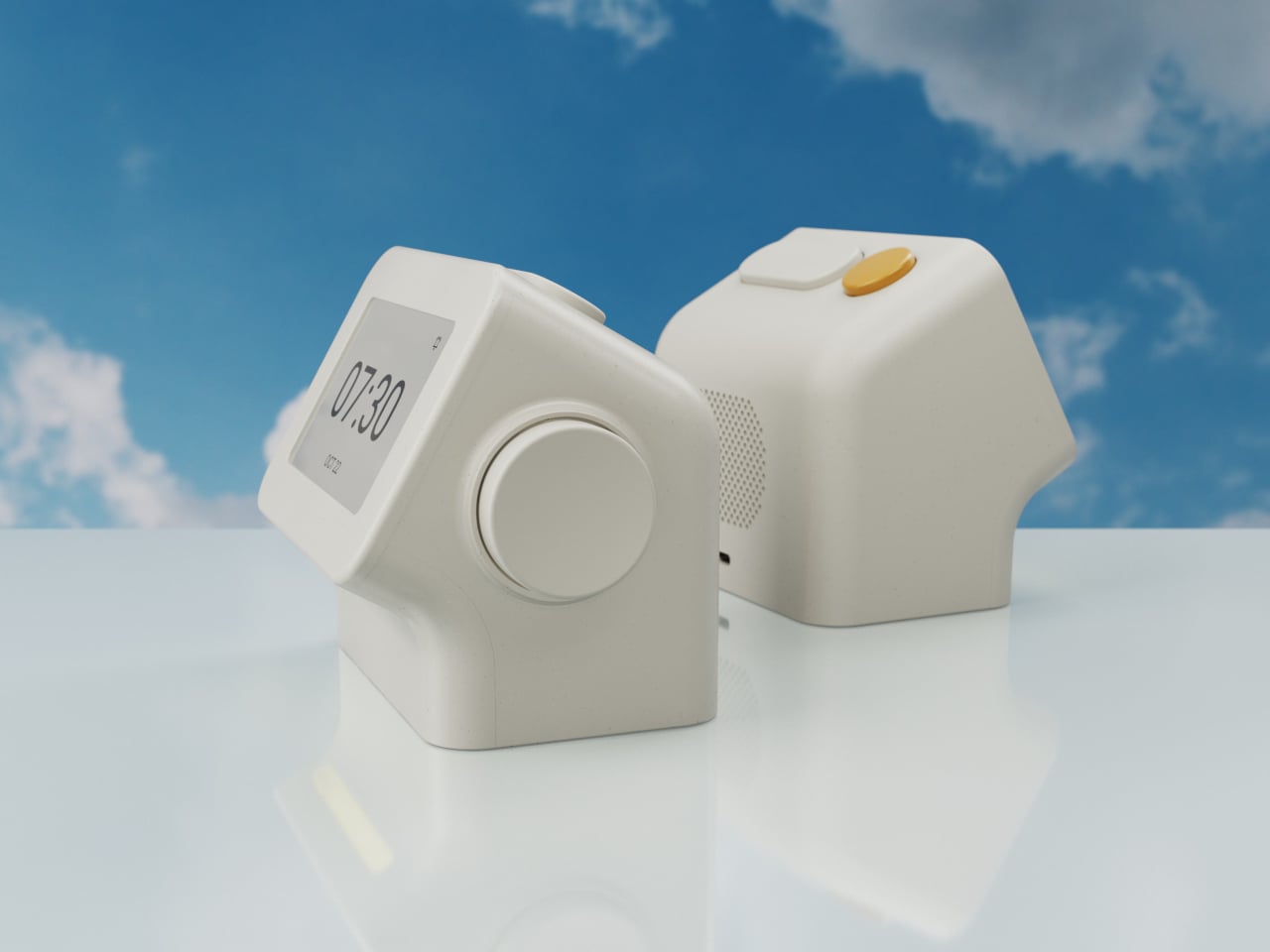
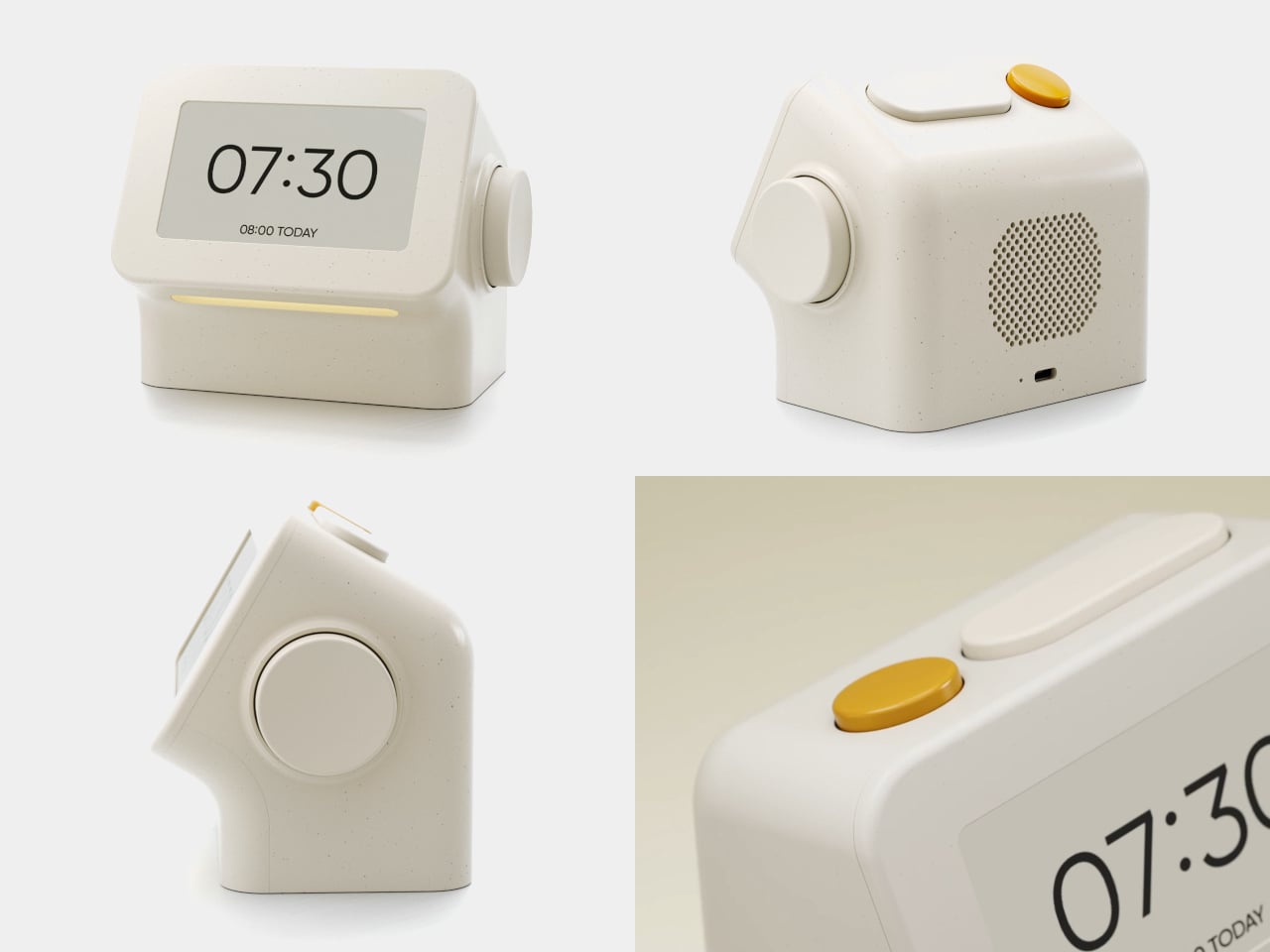
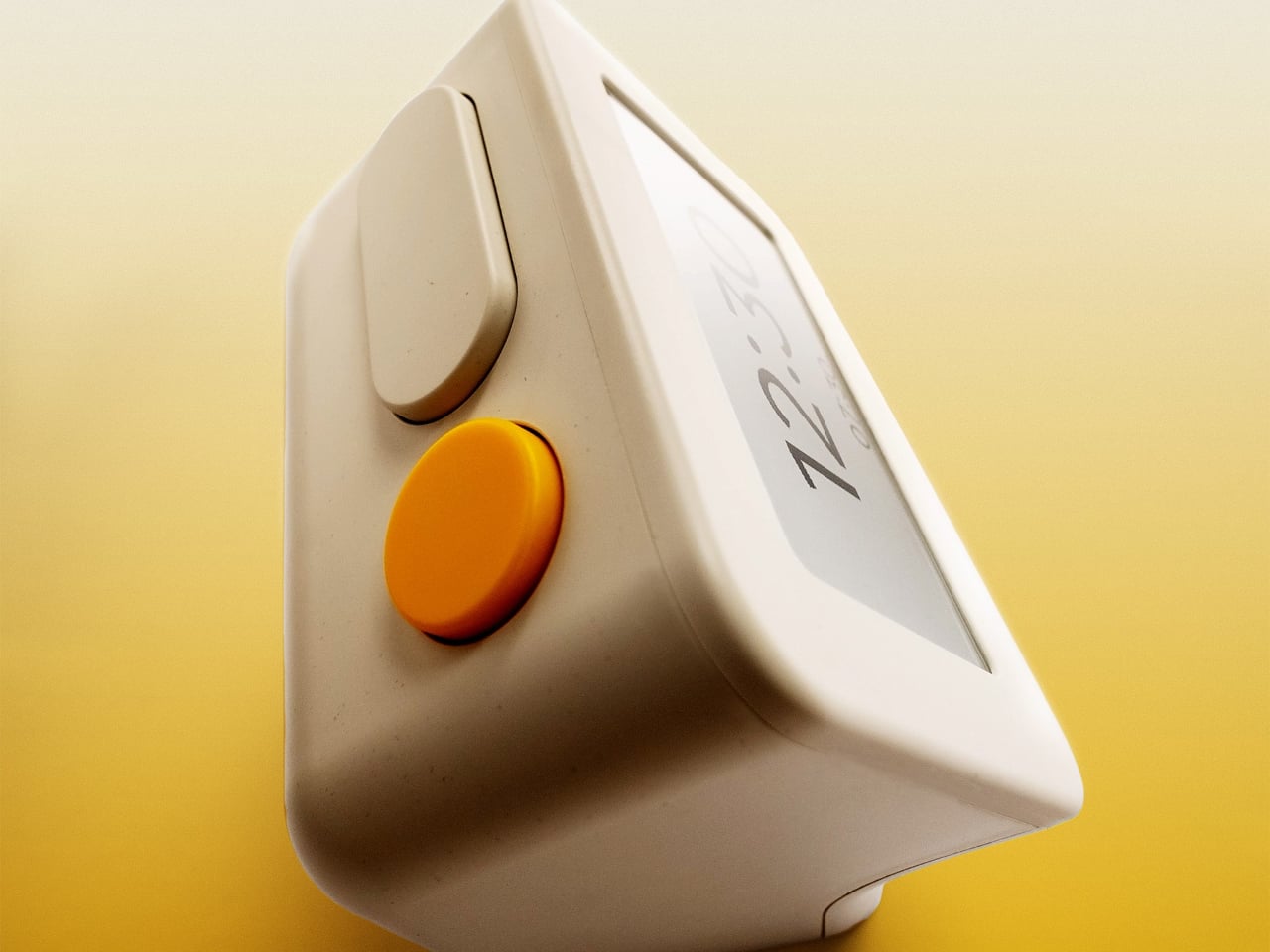
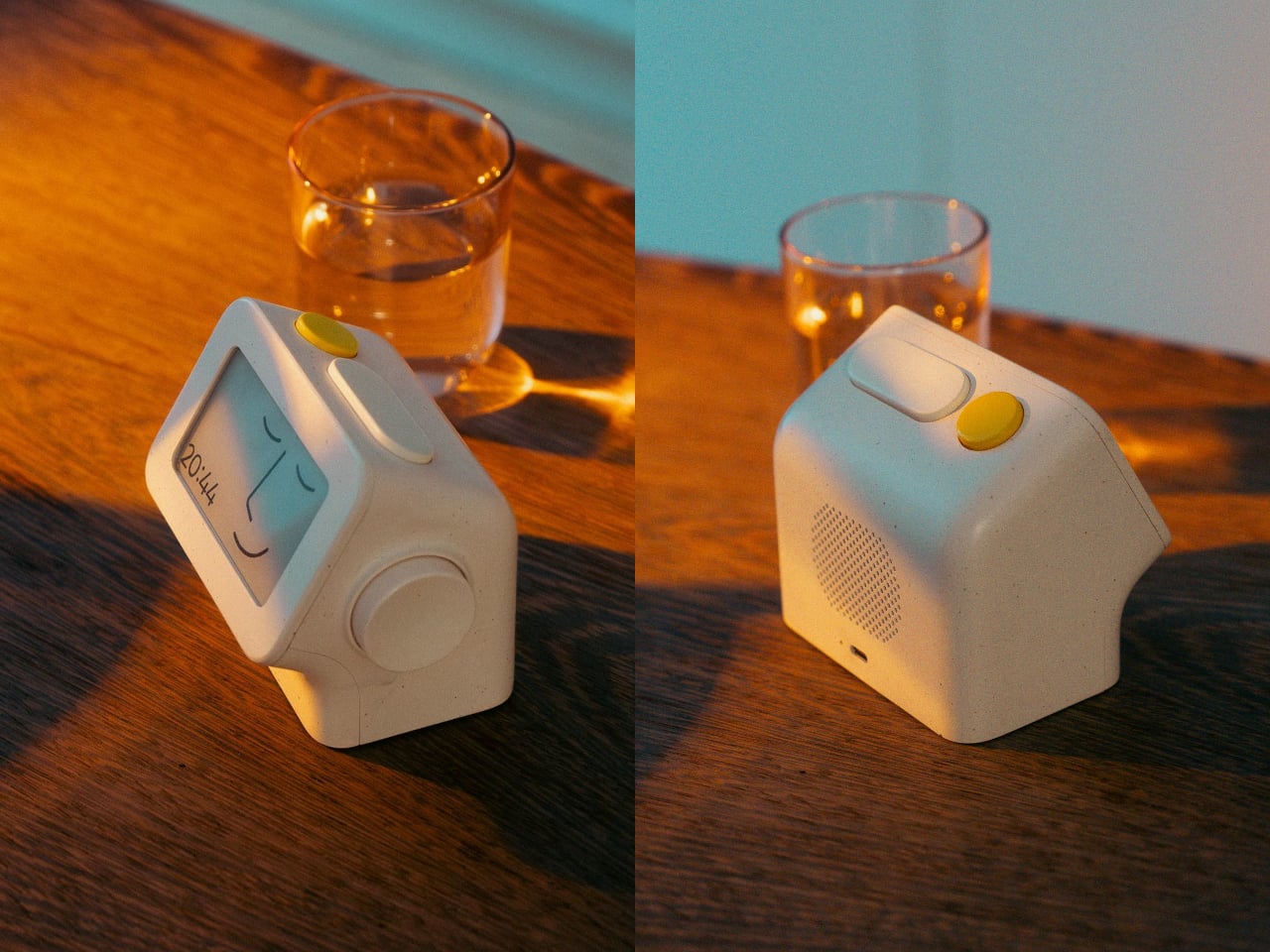
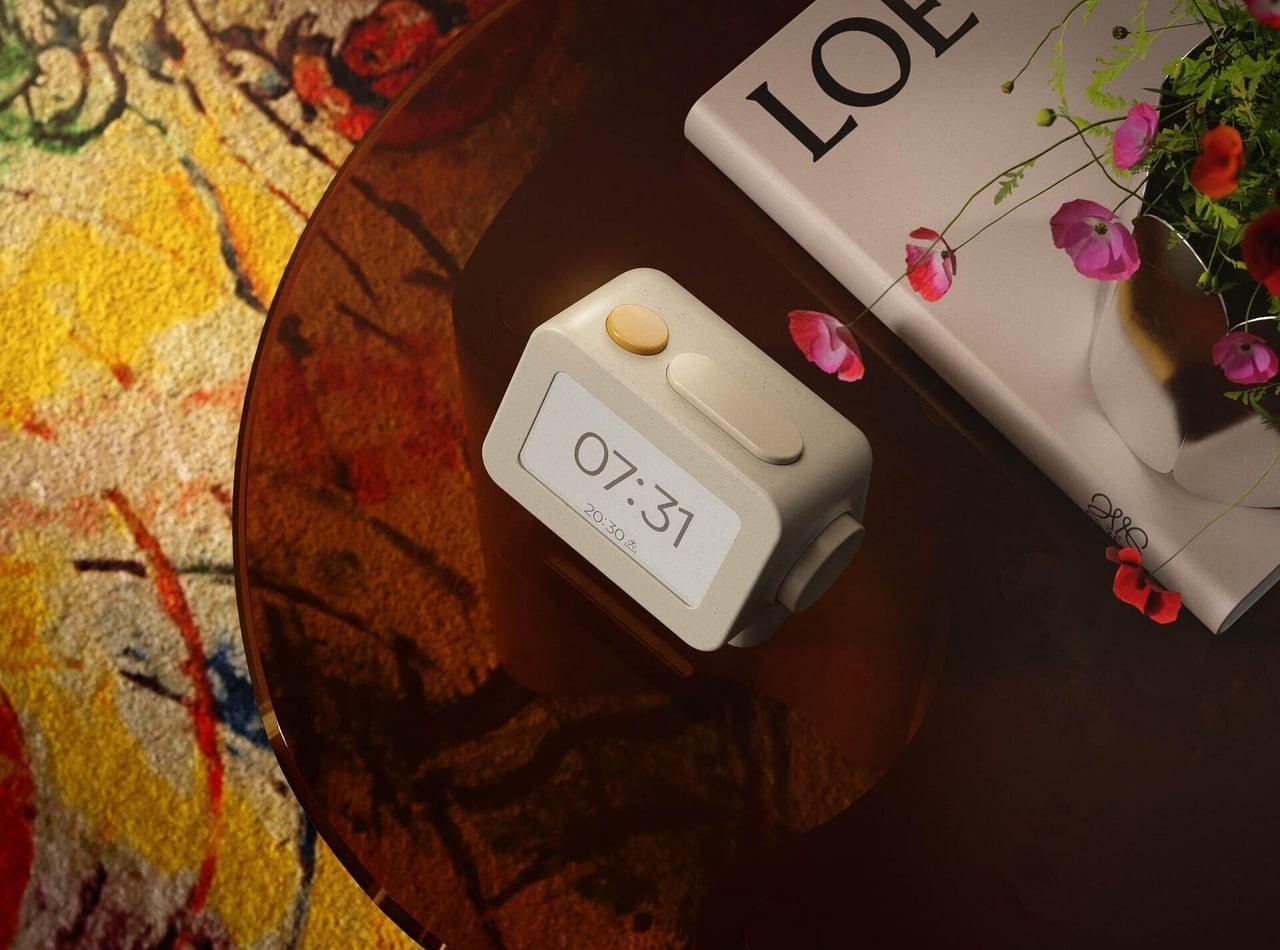
The clock has a rounded rectangular body and a slightly tilted face, but its most useful details are the ones your fingers encounter. A large side dial handles settings and volume through turning and pressing. On top, a yellow stop button sits beside a broad snooze key. Their different shapes separate two decisions you probably don’t want to confuse when you’re half asleep.
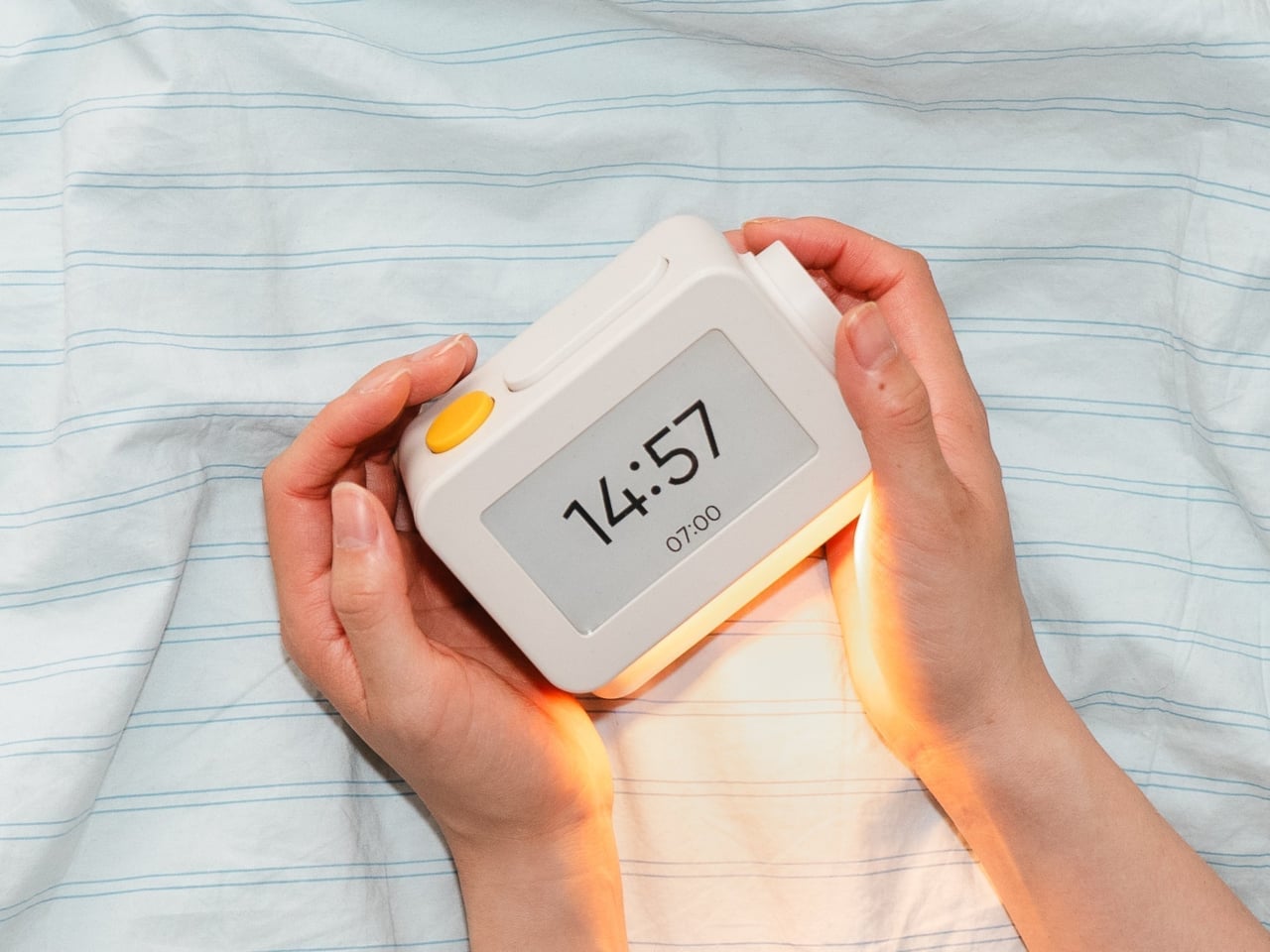
Of course, the screen is where Habity really parts ways with your phone. Its 3.7-inch e-paper display reflects ambient light rather than relying on continuous illumination. That means darkness calls for a little help. Interacting with the clock activates a warm frontlight for 10 seconds, enough for a quick check without leaving the time glowing beside your pillow all night long.
There’s also a built-in speaker for sleep sounds, which don’t need an app or subscription. Rain and ocean waves are familiar choices, but a sleeping dog and dishwasher bring a surprisingly domestic touch to the collection. Double-press the snooze button to start playback and turn the dial to change volume. Sessions can last up to eight hours, without borrowing your phone for the soundtrack.
Mornings get a little more flexibility than a single repeating alarm. Habity lets you choose weekday schedules or different wake-up times for individual days, although you’re limited to one wake-up alarm per day. The built-in light can gradually brighten up to 30 minutes beforehand. Once the alarm sounds, that broad snooze button grants another five minutes, as many times as you care to negotiate.
Perhaps the most curious detail is what happens when you stop touching the clock. After 10 minutes, an optional idle screen introduces an illustrated face and shrinks the time. The hour is still there, just less prominent. It’s a small concession for people who don’t want a constant reminder of how late it’s getting, and you can disable it if you’d rather keep watching the, er, watch.
Despite those straightforward controls, Habity hasn’t completely shut the door on connected features. Optional Wi-Fi provides automatic time setting and integrations with Philips Hue Bridge, Home Assistant, and Homey. That requires USB-C power, however. Leave it offline and the alarms and sounds still work, so your morning routine doesn’t need to depend on whether the router is having a good day.
Habity estimates two weeks of battery life, depending on use, but a full recharge can take up to 24 hours. You’ll want to plan that USB-C top-up rather than squeeze it in before bedtime if you’re using it unplugged. Getting one won’t move your phone to another room, of course, so you’ll still have to decide where it spends each night.
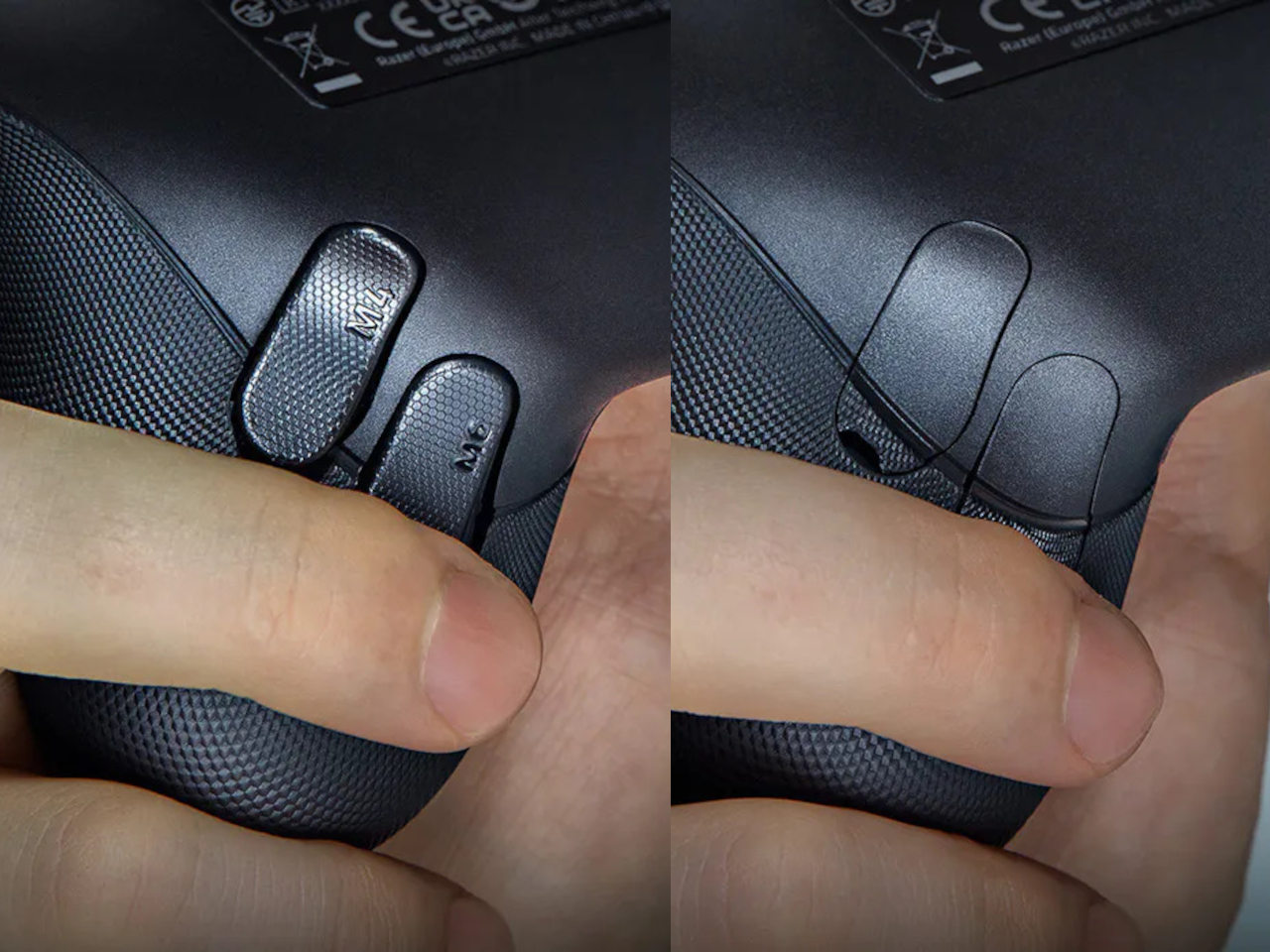
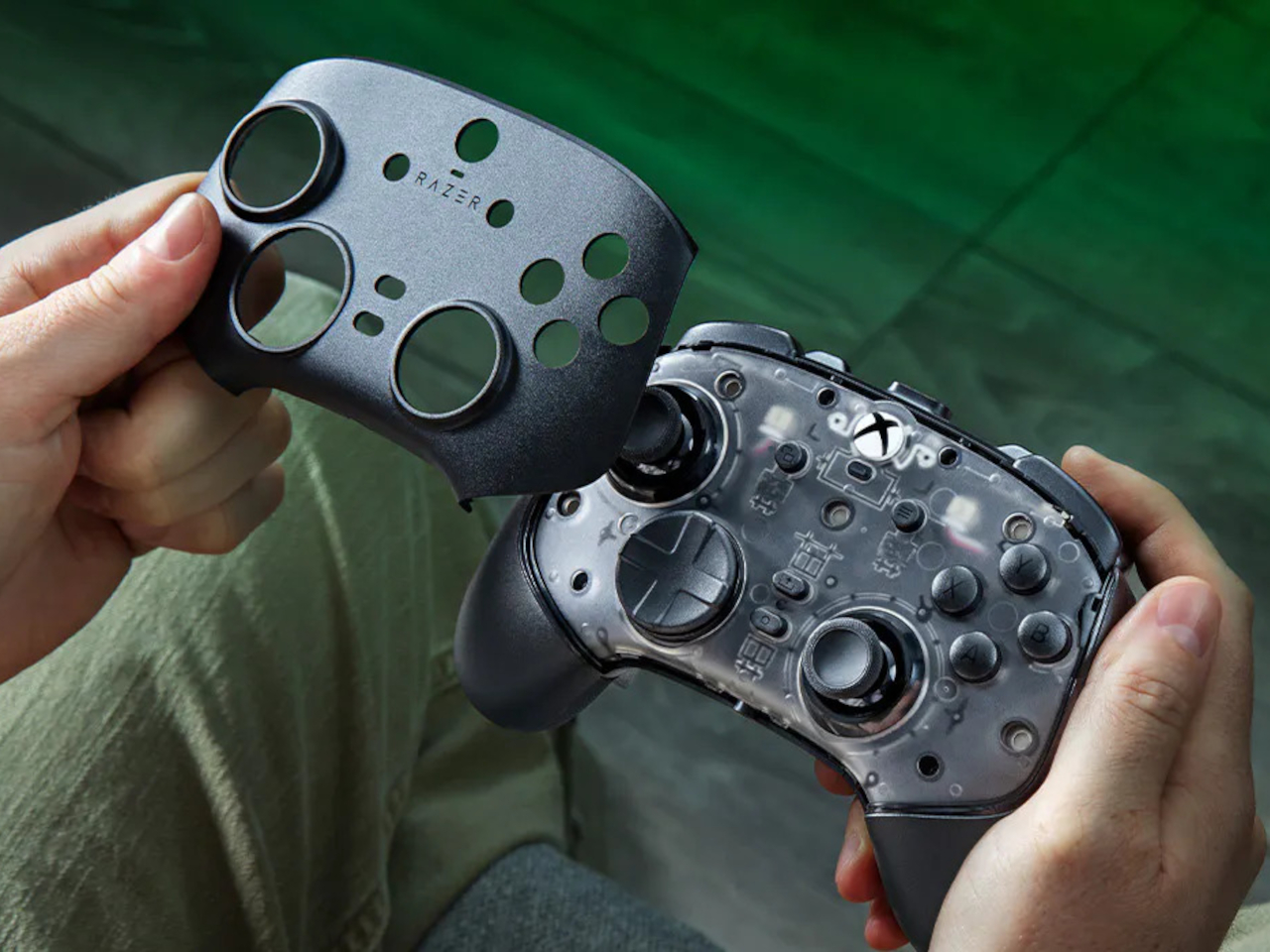
Extra buttons on a game controller can be handy, at least until they get in the way of holding it. Razer’s Wolverine V4 Pro gives players a little more say in that arrangement, with magnetic back buttons you can remove instead of simply ignoring them. Available for Xbox and PC, the wireless controller also lets you change its thumbstick caps and even take off its faceplate.
The four rear buttons come off without tools, making it possible to keep all of them, use only a pair, or clear the back entirely. Blank inserts replace the unwanted controls, following the controller’s contours rather than leaving little gaps behind. It’s a small detail, but an important one when that surface is where your fingers spend most of their time during a game.
Of course, keeping those buttons attached makes sense when you’re juggling several actions at once. Their mouse-click switches can handle commands such as jumping or reloading, letting your thumbs stay on the sticks while your other fingers do the work. Two additional shoulder buttons bring the total to six remappable inputs, giving frequently used actions somewhere to go besides the familiar face buttons.
The thumbsticks get their own set of options, changing both their height and the surface beneath your thumbs. Short convex caps provide a rounded surface, while tall concave versions give your thumb a recessed resting spot and more height to work with. Razer recommends the taller caps for precise aiming. You can mix the supplied options, but swapping caps doesn’t mean you’re replacing the sensors underneath.
That flexibility continues with the triggers, which can switch between a short mouse-click action and a full analog pull using rear-mounted locks. The shorter setting suits firing in a shooter, while the longer travel lets you ease onto the throttle in a racing game. Through Razer Synapse, you can also adjust each trigger’s activation point to suit how you play.
Even the exterior is open to a little tinkering, thanks to a magnetic faceplate that lifts off without tools. Personalize that panel, or leave it off entirely to reveal the translucent housing underneath. The working components remain enclosed, so you’re changing the controller’s outer appearance rather than exposing its electronics. It’s an option for people who prefer seeing a bit of machinery.
The software takes care of the changes you can’t make with magnets. Four onboard profiles hold different button assignments and sensitivity settings, so a racing setup doesn’t have to overwrite your shooter preferences. You can also adjust thumbstick dead zones, deciding how much movement registers as input. That said, greater sensitivity can pick up tiny thumb movements you didn’t intend.
At $199.99 in the US, this level of customization doesn’t come cheap, and there’s no included carrying case to keep the removable pieces together. You’ll have to find your own place for spare caps and unused buttons. After spending that much on a controller you can rearrange, a dedicated home for the bits you’ve removed would have been rather welcome.
I have a theory that the beach wagon was invented by someone who never actually took one to the beach. On pavement it’s a dream, then the sand starts and you’re dragging a shopping cart through oatmeal. BougeRV’s new DuneRover is an electric wagon built around that exact misery. It folds, it hauls up to 198 pounds while moving, and it rolls on wide airless wheels with two motors doing the work. Soft sand is the whole design brief, and every part of the machine answers to it.
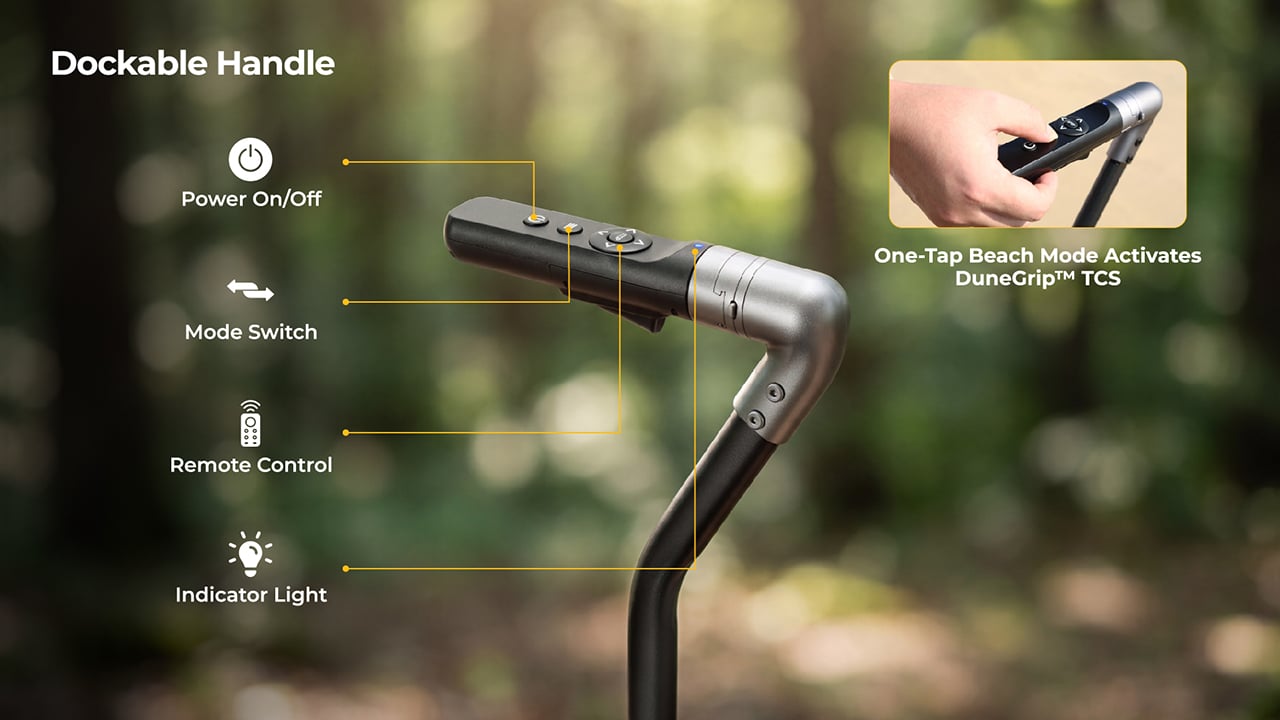
The handle is the smartest thing about it, and it responds to your walking instead of a throttle. Sensors measure how hard you pull and multiply that effort, so a gentle tug gets a gentle nudge and a brisk stride gets a brisk wagon. Head down a dune and it brakes for you, and the moment you let go, it holds its position. Detach the control unit and the wagon becomes a remote-controlled beach truck, rolling ahead from up to 328 feet away. BougeRV, the Houston outdoor brand known for portable fridges and solar panels, built the whole thing.
The rear drive wheels measure 12 by 4 inches and are made of low-density PU foam, with no air inside. That means no flats, no pressure checks, and no tire coming off the rim halfway across the beach. A patented tread spreads the load across a wide footprint, rolls smoothly, sheds water, and treats turf gently. The front pair are 10-inch airless wheels in the same material. Wide contact area is the old trick for staying on top of sand, and here it comes with motors attached.
Two brushless geared motors deliver 66 N·m of combined torque, fed by a battery with 880W of peak output. Raw power can be a problem on sand, because spinning wheels just dig a trench. DuneGrip TCS, the wagon’s traction control system, watches for wheel slip and trims torque within milliseconds to stop it. A one-tap beach mode on the handle switches it on. Top speed is 3.7 mph, a relaxed walking pace, and the range runs 5 miles or more with a 165-pound load.
A handle that multiplies your pull and brakes without being asked
BougeRV calls the system RoverDrive Dynamic Assist, and it runs on what the company calls a Multiplicative Assist Algorithm. The handle measures your pulling force in real time and scales the motors in proportion, which is why there is no throttle, no gear shifting, and no direction switch to think about. Accelerate and the wagon accelerates with you. The dockable handle houses a power button, a mode switch, and an indicator light. A trigger-release design lets you empty out the sand that inevitably works its way into the control unit.
Uphill, the wagon holds its speed without extra effort from you, and it is rated for 15-degree slopes (a 26.8% grade) even at full load. Downhill, it brakes on its own. Release the handle on a slope and fail-safe electronic braking engages instantly. That covers a toddler sprinting toward the surf, a dropped pair of sunglasses, and any moment you stop to snap a photo. I like that the safe state is also the default, so letting go is always the right move.
Remote steering from 328 feet and an app with underglow
Undocking the control unit takes one step, and it becomes a 2.4 GHz remote with a range of up to 328 feet. Point it where you want the wagon to go, which frees you to carry the surfboard while the wagon carries everything else. If the signal drops or the remote disconnects, the wagon brakes and holds itself in place. Docking the unit back onto the handle returns you to assisted pulling automatically. There is zero setup and zero menu toggling in either mode.
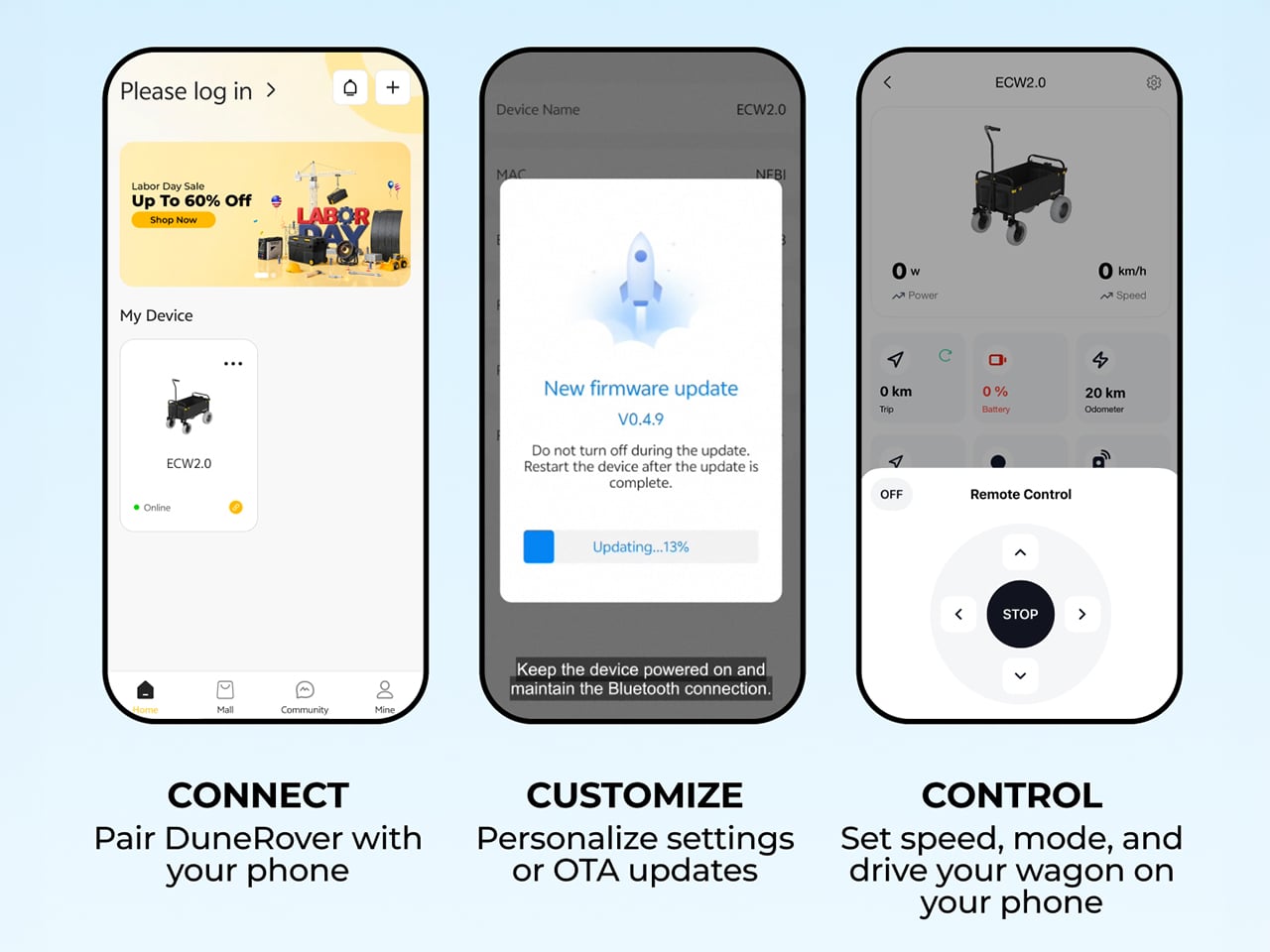
Through the BougeRV app, you get real-time wagon status, battery levels for both the wagon and the remote, a mileage tracker, and system health monitoring. Firmware updates arrive over the air, and you can pair the remote, set speed and mode, and drive the wagon from your phone. Then there is the underglow, a customizable ambient lighting setup. One tap switches between preset scene modes. A glowing wagon on the sand at sunset is a ridiculous feature, and I would still turn it on.
A 2-pound battery that also charges your phone
The detachable UPP-88 battery weighs 2.06 pounds and measures 7.68 by 3.58 by 1.57 inches, about the size of a large power bank. Capacity is 24,000mAh, or 88.8Wh, which keeps it under 100Wh and airline-approved, with no prior declaration needed. It can discharge at up to 10C, enough to feed the 880W peak output. Fast charging runs through USB-C or XT60 ports at up to 100W. A multi-stage vent and flame-arresting labyrinth are meant to keep a single failing cell from setting off the rest, and the pack carries an IP66 rating.
The battery doubles as a power bank. BougeRV’s figures list up to 4.2 phone charges, 3.4 gaming device charges, 2.2 tablet charges, or 1.1 laptop charges. USB-C output reaches 100W and there is a USB-A port too. A built-in MPPT solar regulator tops it up on the move through an XT60 input that accepts 11 to 28V at up to 100W. BougeRV’s flexible portable panels are compatible, but the panel is sold separately. So the same pack that hauls the cooler can keep the phones alive until sunset.
Storage, folding, and pricing
The bed holds 161.7 quarts (153 liters) inside 600D Oxford fabric, with a side frame that opens to take longer gear like surfboards, secured with an elastic cargo net. Pockets are covered too: a front pocket, inner front and back pockets, and utility hooks. The wagon weighs 50.7 pounds (23 kg) and opens to 41.5 by 23.7 by 47.5 inches. Folded, it shrinks to roughly 23.7 by 12.2 by 28.7 inches, small enough for an SUV cargo area. IPX6 protection covers the whole vehicle, motors and control hub included, so a hose-down ends the day.
BougeRV lists the DuneRover at an MSRP of $899, with launch pricing running from $396 to $539 depending on the offer. A bundle with an extra detachable battery runs $603 against a $1,097 MSRP. The box holds the wagon, battery, remote, charging cable, two wheels, and a manual. Shipping is planned for the US, EU, UK, Canada, Australia, Japan, and Hong Kong, with deliveries expected to start in February 2027. Nobody packs lighter for the beach, so a wagon that keeps your pace is the sensible fix.
Japan has a stationery obsession, and the rest of the world is finally catching on. The country treats writing tools and paper goods the way it treats everything else: with an almost unreasonable level of care, precision, and quiet restraint. What looks simple in the hand rarely is. These eight pieces are proof that back-to-school shopping has a ceiling, and most of us haven’t come anywhere close to hitting it.
Every item on this list earns its place for the same reason: it solves something. Not in a Swiss-Army-knife way, but in a quietly elegant way that makes you wonder why the version you’ve been using for years never worked this well. Stock up your stationery collection with these unique essentials, and feel the difference they make to your everyday routine.
1. MagBoard Clipboard
Most clipboards are an afterthought, a plastic spring hinge you buy simply because you had to. The MagBoard is different in the way that good Japanese design tends to be: the function is unchanged, but the thinking behind it is completely rebuilt. A magnet and lever mechanism holds up to 30 sheets of paper in place without the usual clip aggression, and the hardcover backing is stiff enough to write on comfortably while standing, no desk surface needed at all.
The surface is water-resistant and easy to wipe clean, which matters when it travels between meetings, job sites, or a classroom. At A5, it fits in most bags without crowding them, and the cover opens completely flat so there’s no awkward curl mid-note. For anyone who moves through their day between different spaces and needs to take legible notes rather than just keep a surface dry, this is the clipboard that actually earns a permanent spot in the bag.
The magnet-and-lever mechanism replaces spring clip tension without sacrificing hold, managing up to 30 sheets at once
Water-resistant surface makes it genuinely travel-ready, not just desk-ready
What we dislike
A5 format won’t accommodate US letter-size paper without folding, which won’t work for everyone
At $45, it’s a significant premium over what most people expect to spend on a clipboard
2. Sonic Kakusta Portable Pen Stand
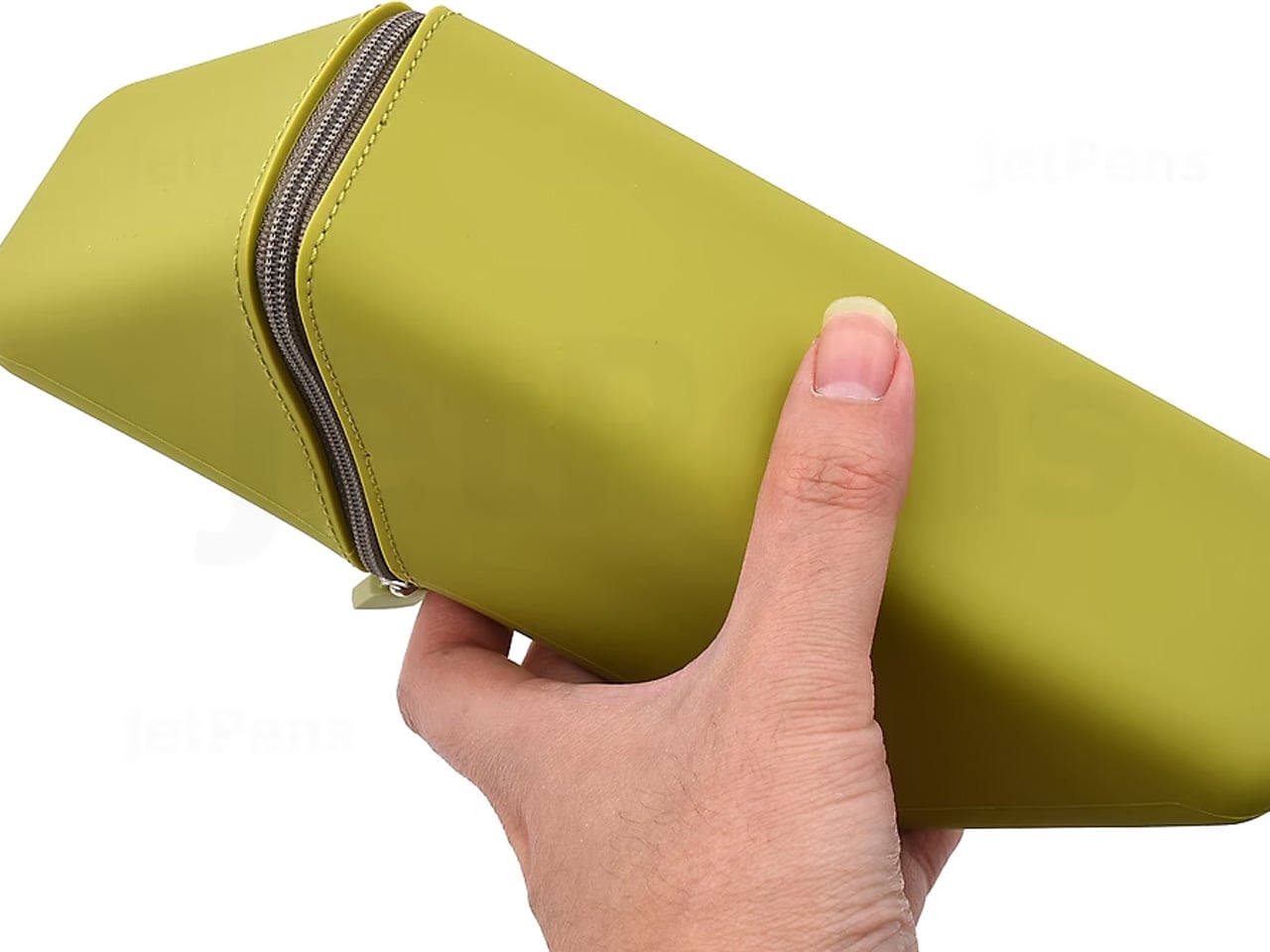
The Kakusta looks like a soft pencil case until you set it on a desk. Unzip it, fold the lid back, and the whole thing becomes a stand that props your pens at a 60-degree angle, everything visible, everything reachable in one motion. Sonic, the Japanese stationery brand behind it, didn’t add a separate stand component. The fold itself is the stand. That kind of thinking, where the packaging is the product, is what separates it from anything you’d find at Target.
The triangular cross-section when open isn’t accidental. It creates a stable base that doesn’t tip or slide even on slightly uneven surfaces, and when class or the workday ends, everything folds back into the case in seconds. For students who shift between desks, libraries, and coffee shop tables, not having to manage a separate pen holder is genuinely useful. The Kakusta doesn’t ask you to change how you work. It just eliminates one more thing to carry and set up.
What we like
Case-to-stand transformation happens in one fold, no extra components to lose
The 60-degree angle keeps every pen visible rather than buried at the bottom of a flat case
What we dislike
Capacity is on the smaller side, so larger pen collections won’t fit comfortably
The fabric exterior picks up lint faster than a hard-shell case would
3. Stalogy Editor’s Series 365 Days Notebook
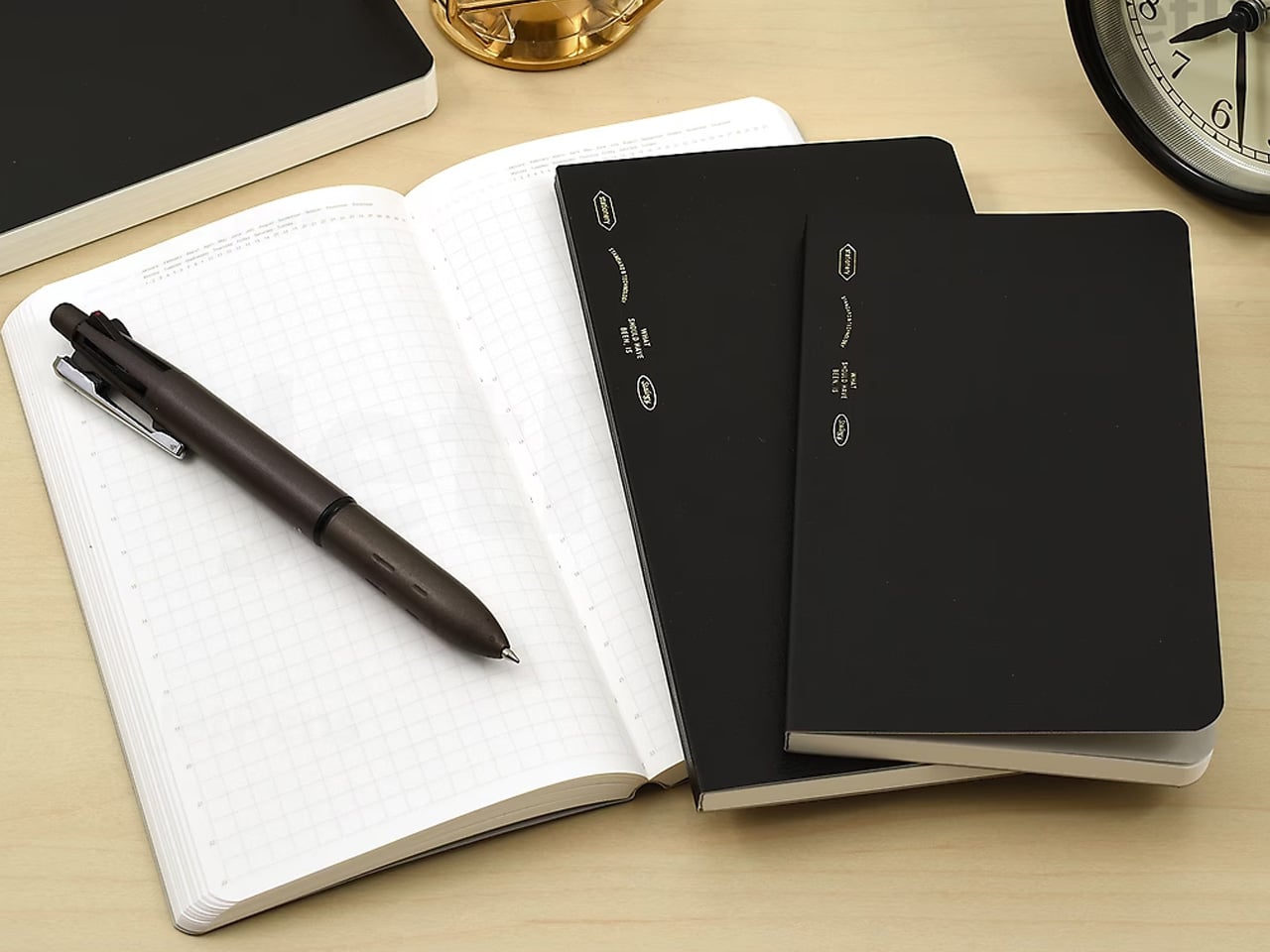
The 365 Days Notebook wasn’t designed for bullet journaling that requires stickers and color-coded spreads. It was designed for editors: people who use a notebook to capture ideas, track timelines, make lists, and sketch rough diagrams all in the same session, sometimes on the same page. The cream-toned dot grid is subtle enough that it doesn’t compete with what you’re writing, and at A6 the whole thing fits in a coat pocket without any compromise.
With 368 pages, it holds a full year of daily writing without exhausting itself by October. The binding opens completely flat without tension, which means pages stay where you put them rather than creeping closed between entries. For someone who writes in transit, between calls, or at lunch, a notebook that opens flat and stays flat is worth more than any feature list could describe. This one simply gets out of your way.
What we like
368 pages comfortably handle a full year of daily use across writing, planning, and sketching
Lays completely flat when open without needing a hand to hold the page in place
What we dislike
A6 is small for anyone who writes in long form or needs room to sketch at scale
Cream-toned paper, while easy on the eyes, shows ink colors less vividly than bright white
4. Levitating Pen
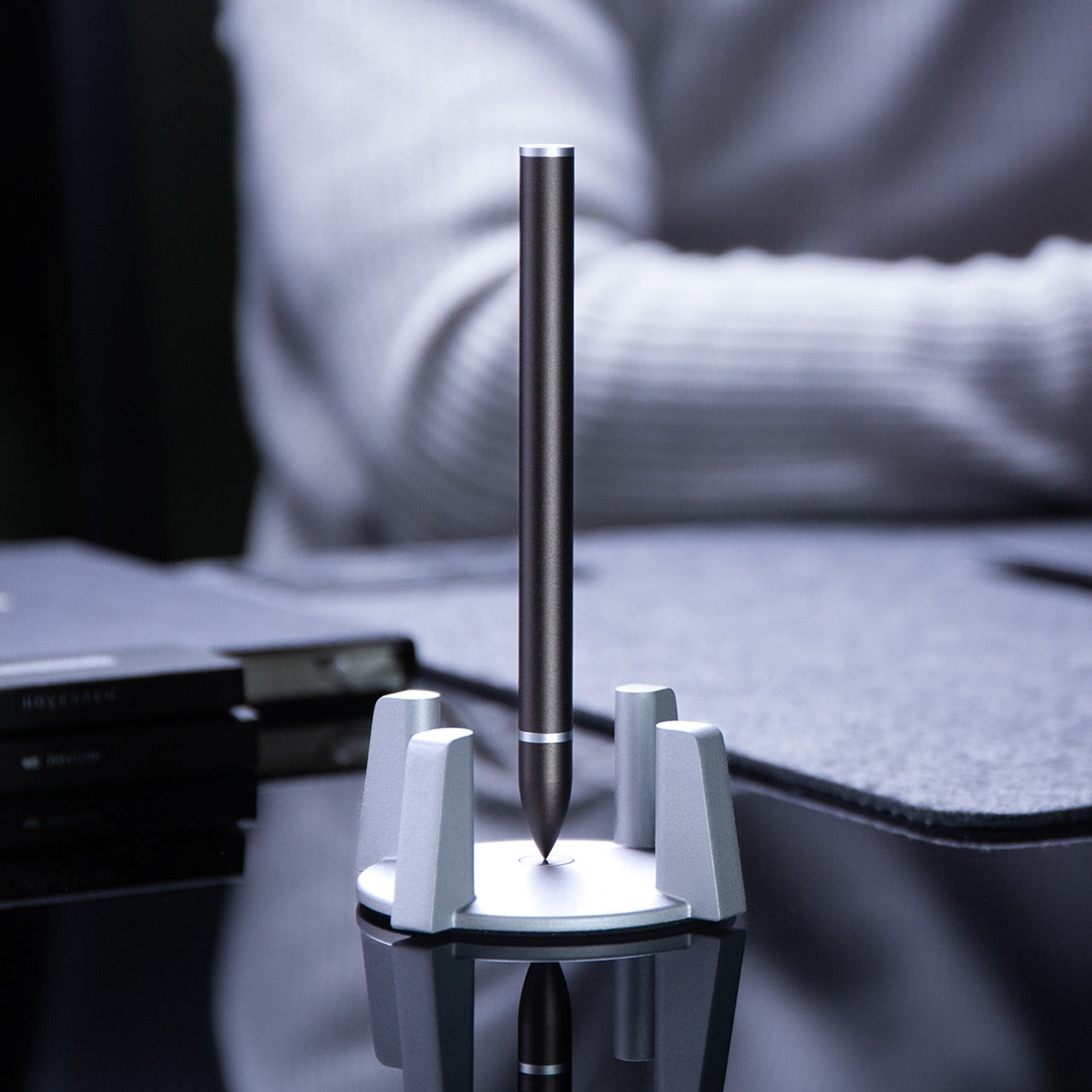
The Levitating Pen stands upright on its base without batteries, electronics, or tricks. It balances vertically through a precisely calibrated magnetic pedestal that holds the pen in a stable position, and the whole arrangement is quiet enough that it reads as a desk object rather than a gadget. Picking it up takes a half-second more than reaching for a pen lying flat on a desk, but that pause changes how you think about the act of writing. It feels deliberate in a way that cheap ballpoints never do.
Write with it, and the ballpoint performs exactly as expected: smooth, consistent, without drama. The benefit isn’t in the ink delivery. It’s in what the pen does to the space around it. A desk with a Levitating Pen on it looks considered, and that visual cue tends to set a tone for the work that follows. For someone who moves between focused writing sessions and longer thinking stretches, having a tool that signals “this is where the work happens” is worth more than most productivity hacks.
Balances upright through a magnetic pedestal with no electronics or batteries required
Functions as a smooth ballpoint and a distinctive desk object in equal measure
What we dislike
The base adds desk footprint that might not suit a minimal or already-crowded setup
The levitation effect can become a distraction in a shared or open-plan workspace
5. King Jim Visual Bar Timer (VBT10)
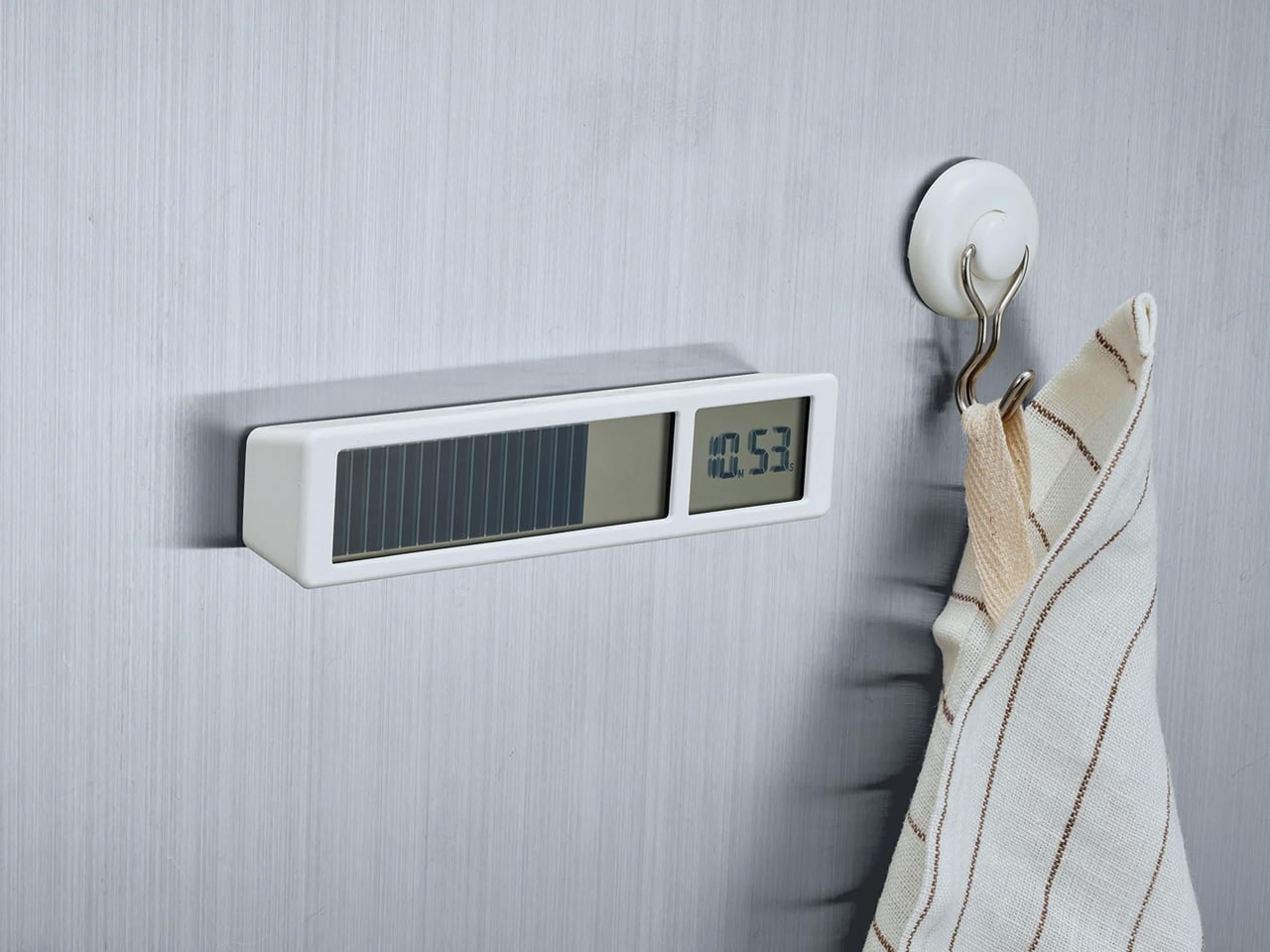
Most timers count up or display numerals. The King Jim VBT10 does something simpler and more useful: it shows a row of large LCD segments representing remaining time, and as the countdown progresses, segments disappear from right to left. No digits to read, no beeping at intervals, just a visual progress bar legible from across a room at a glance. It’s the kind of design decision that seems obvious once you see it, but that no Western manufacturer thought to build first.
For anyone who works in timed blocks, whether that’s the Pomodoro method, writing sessions, or class periods, having a physical timer rather than a phone or laptop notification means focus stays on the task rather than the device. The VBT10 sits on a desk without demanding attention, and the countdown is readable enough to track peripherally. For students and remote workers who need structure without constantly checking a screen, this is a more disciplined option than anything most productivity apps currently offer.
What we like
Visual bar display reads instantly from a distance without requiring you to parse numerals
Physical format keeps attention off screens during timed work or study sessions
What we dislike
Pricing and availability vary outside Japan, and shipping times can stretch considerably
LCD has limited visibility in direct sunlight or high-glare environments
6. Shachihata Consolidated Number Stamp
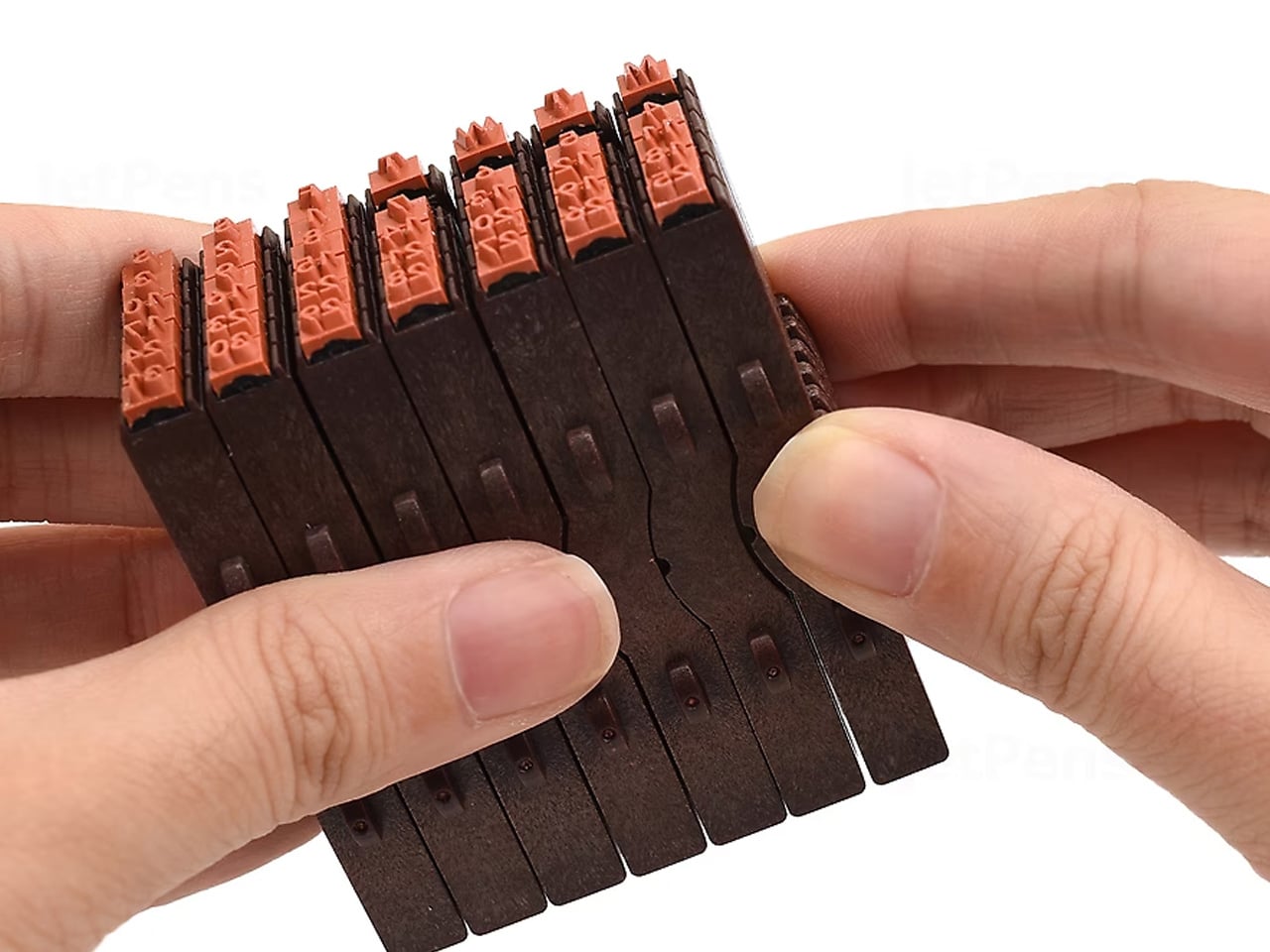
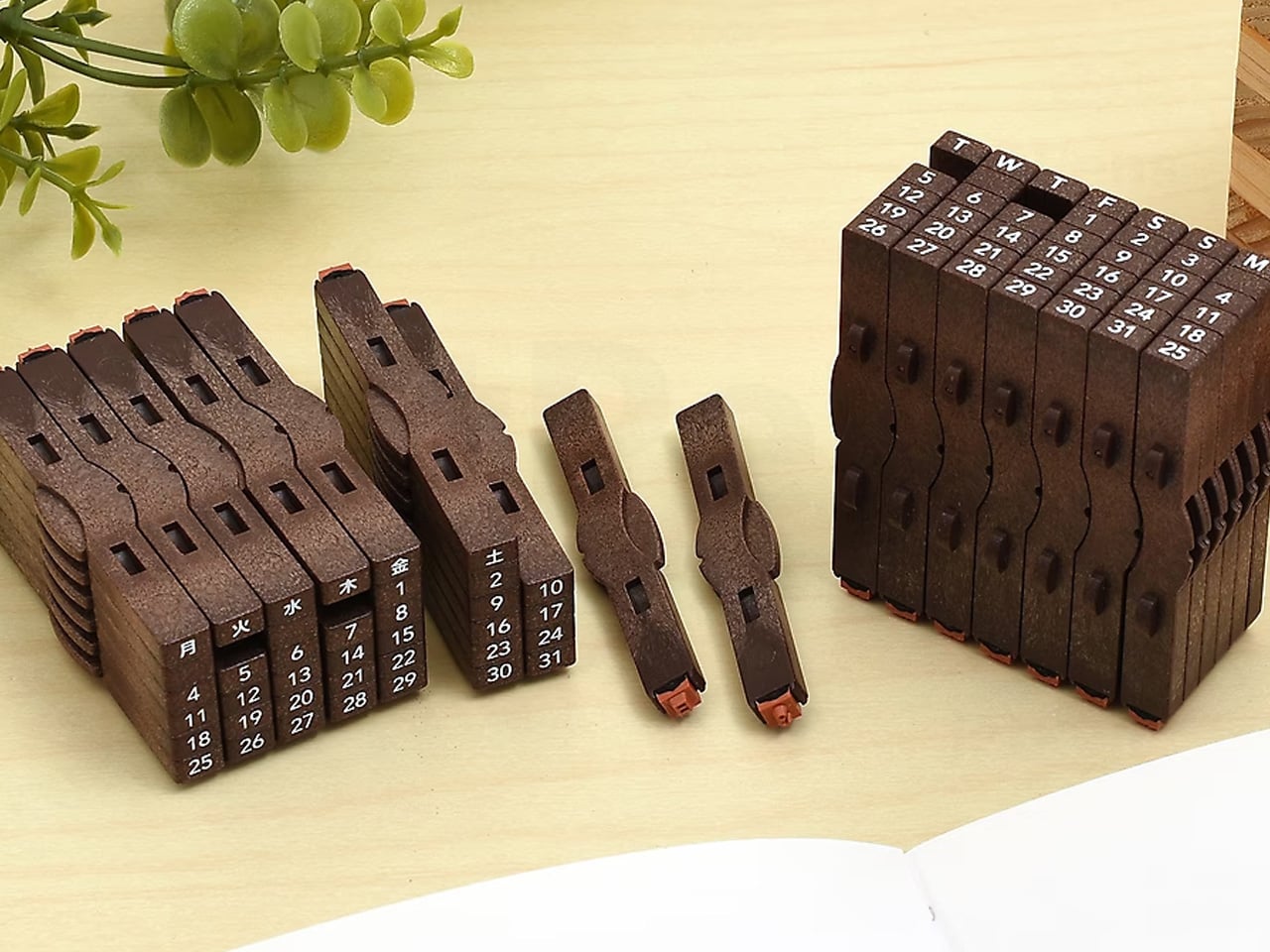
Shachihata makes the Consolidated Number Stamp as a set of individual pieces: 31 dates and 7 days of the week that snap together along two different axes to build any calendar configuration you need. The stamps connect cleanly, ink together evenly, and produce a compact, legible date block that a printed sticker or pre-made date stamp can’t match, because those are fixed and this one isn’t. You build the date you need, stamp it, then rearrange for the next entry.
It’s a genuinely analog solution to a problem most people solve with digital tools or pre-printed labels, and it’s more satisfying than either. For planners, journal keepers, and anyone who archives physical documents by date, having a stamp that adapts rather than repeating the same fixed format is a meaningful upgrade. The ink is self-contained in each piece, and the stamps align precisely enough that the resulting date block looks intentional rather than assembled. That precision is classic Shachihata, and it shows.
What we like
Modular design lets you configure any date on demand without a fixed preset format
Self-inking pieces snap together and align precisely, producing clean, legible date blocks every time
What we dislike
Keeping 38 individual stamp pieces organized requires more discipline than a single fixed stamp would
Not suited for high-volume stamping where speed matters more than customization
7. Lihit Lab Firm Book End
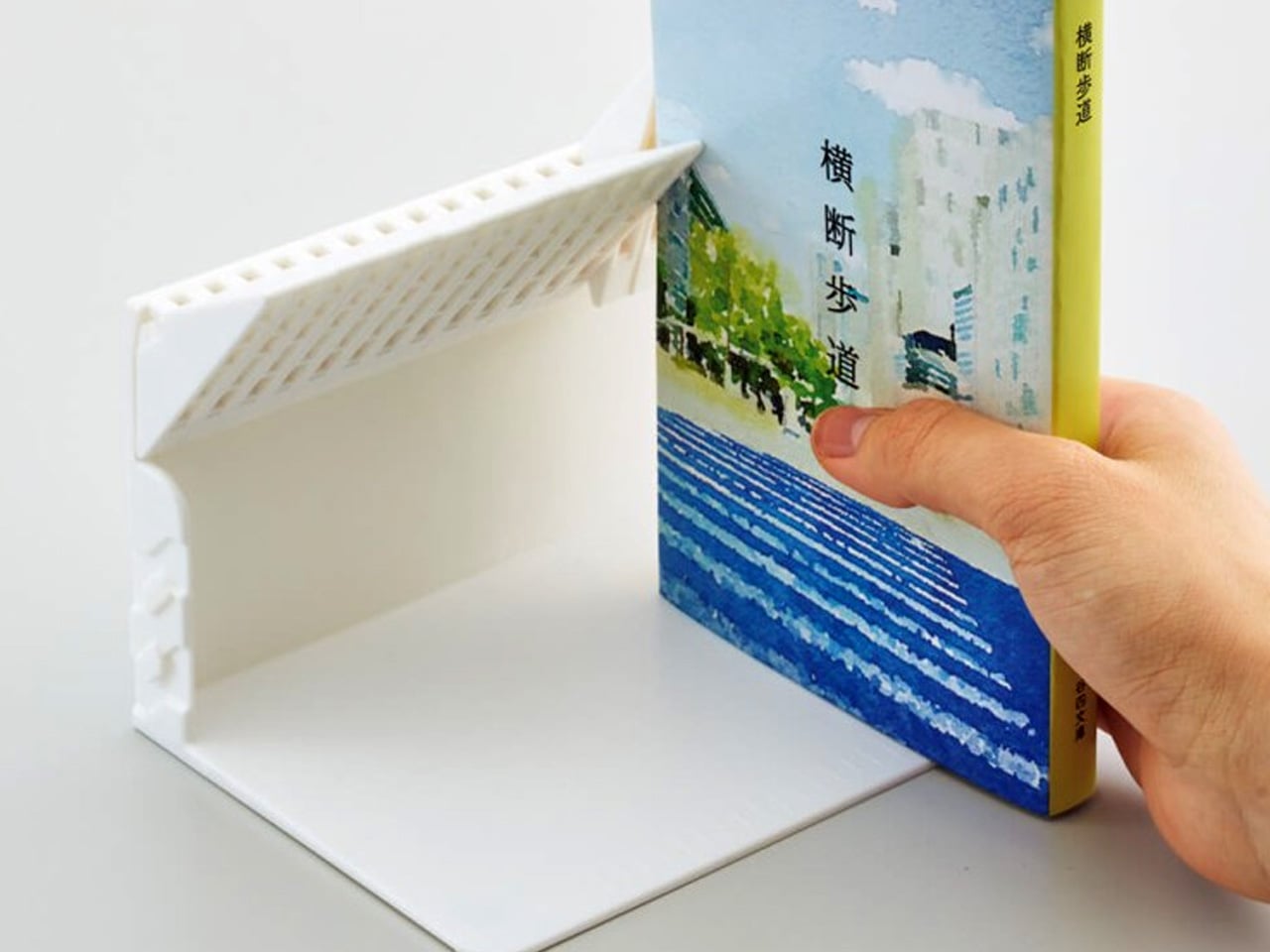
A book end that holds books upright when neighbors are present is not a remarkable product. One that lets a single book stand on its own without leaning against anything is. The Lihit Lab Firm Book End achieves this through a gravity-activated stopper that flips down when the book end is upright, supporting the book from behind. Remove the book and the stopper lifts back up, held out of the way by the book end’s own weight. Nothing to adjust manually.
The mechanism means you can remove a single book from a shelf without the rest collapsing, a small but real frustration that anyone who uses bookshelves regularly will recognize immediately. At A4 scale, it handles textbooks and binders as well as standard books, making it useful for student desks and office shelves alike. For people who work daily with physical reference materials and are tired of the toppling-book routine, this is one of those objects that solves a problem so quietly you forget it ever existed before it arrived.
What we like
Gravity-activated stopper lets a single book stand independently without any manual adjustment
Handles books, binders, and textbooks up to A4 scale across home, office, and student setups
What we dislike
Availability outside Japan is currently limited to the brand’s own site, adding shipping time and cost
The stopper mechanism can feel stiff during early use before it settles into regular operation
8. ITO BINDERY × YANKO DESIGN Drawing Pad
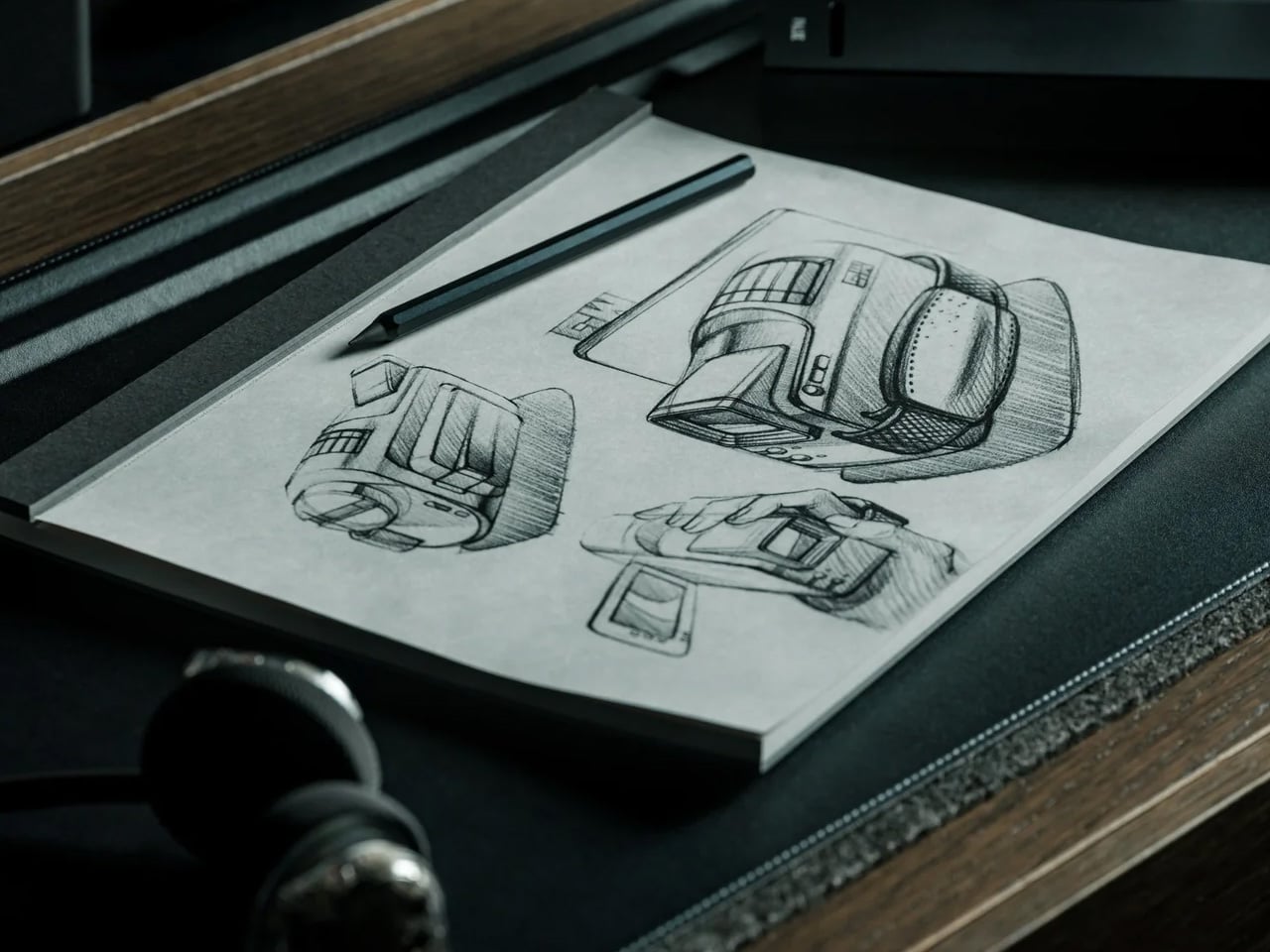
ITO Bindery has been making books by hand in Hachioji, Tokyo since 1938. The Drawing Pad that came out of its collaboration with Yanko Design carries that lineage in the details: binding glue applied by hand with a specialized brush, microperforations inspected sheet by sheet by experienced craftspeople, and a construction that holds through daily use without stiffening at the spine. Each size is limited to 100 individually numbered pads, available exclusively through YD Select, making it as much a document of craft as a writing surface.
Each sheet tears away cleanly along the microperforation, leaving the page intact and ready to pin up, share, or arrange alongside other work in progress. For designers, illustrators, or anyone who treats drawing as a thinking tool rather than a performance, a pad that separates cleanly and doesn’t fight the process is exactly the right kind of equipment. The paper handles pencil, pen, and light marker work without bleed-through. At this build quality and limited-edition scale, $40 is an argument for paying more attention to where your tools come from.
Hand-crafted by ITO Bindery, founded in 1938, with construction quality visible from the very first page
Microperforated sheets tear cleanly without damaging the sketch, making each page easy to display or share
What we dislike
Limited to 100 numbered pads per size means stock won’t last once the list picks up attention
Not suited for wet media or heavy-wash work; designed for dry and light-marker use only
Buy Less. Buy Better.
What makes Japanese stationery worth attention isn’t the aesthetic. It’s the reasoning. Every product here started with a specific problem and arrived at a solution that feels like it was always obvious, even when it clearly wasn’t. The attention to material, mechanism, and user behavior that goes into something as ordinary as a clipboard or pen stand reflects a standard of care that changes what you expect from your tools.
None of these require a lifestyle overhaul or a dedicated setup. They slot into how you already work and make that work feel slightly more resolved. Back-to-school season is usually about quantity: more notebooks, more pens, more highlighters. These eight argue for the opposite. One good clipboard beats five bad ones. One pad that holds together properly lasts longer than anything that falls apart by Thanksgiving. Buy less. Buy better.
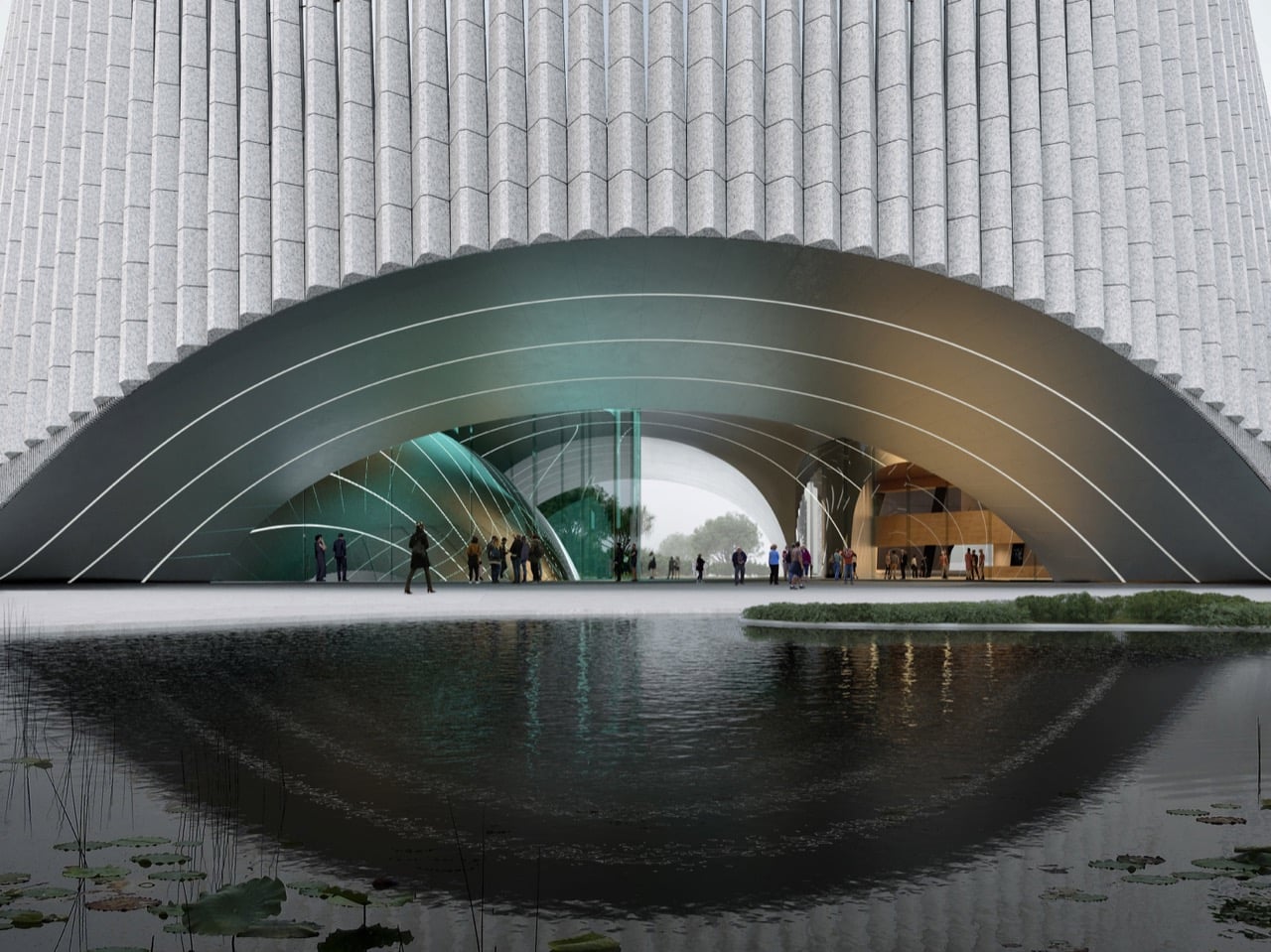
Most natural history museums look like banks. Big stone steps, columns out front, and a lobby so grand you feel underdressed for a trip to see a stuffed moose. 3XN’s Shenzhen Natural History Museum looks like a piece of riverbank that wandered into town and decided to stay. Its curving walls bend and loop like a river cutting oxbows across a floodplain, with gardens planted on top where the water should be. It’s easily the friendliest-looking museum I’ve seen in a while, and I mean that as a huge compliment.
The museum opened on July 28, 2026, beside Yanzi Lake in Shenzhen’s Pingshan District, six years after we first saw it as a set of competition renders. Danish studio 3XN led the design alongside B+H Architects and local firm Zhubo Design, calling the scheme Delta after the river landscapes that inspired it. It covers roughly 1.13 million square feet (105,300 square meters), making it South China’s largest natural history museum. The roof is a public park you can stroll across without a ticket, and the galleries sit inside five enormous cones. One of those interior spaces holds a spiral staircase so swoopy it could pass for a Frank Gehry sketch.
Seen from above, the building is pure river doodle. Its walls swing out in long, lazy bends and then curl back in, leaving crescents of lawn and trees tucked inside each loop like oxbow lakes that dried up and became parks. Five rounded volumes sit along the curve, a bit like smooth stones the current forgot to carry away. Paths trace the tops of the walls the way a riverside trail follows the water. The footprint was drawn from the bends of the nearby Pingshan River, so the building is basically doing an impression of its neighbor.
The walls are built from vertical fins of Shandong granite, packed so tightly they read like rock that rain has been scratching at for a few thousand years. Those fins shade the galleries while still letting daylight slip through, which counts for a lot in Shenzhen’s subtropical heat. At sunset the stone turns warm and peachy, and every ridge throws a thin stripe of shadow down the curve. Most of the panels are standardized, so a damaged one can be swapped out without anyone noticing. The overall effect is a cliff face, which feels about right for a building that stores fossils for a living.
Cut into that stone are wide arched openings that look like the mouths of sea caves. The main one sits on the south side, linking the busy street to the wetland park behind the museum, so the front door doubles as a shortcut into nature. Reflecting pools stretch out in front, giving the arches mirrored twins in the water. Walking in should feel like ducking under a rock overhang on a hike, minus the risk of bumping your head. 3XN describes these openings as fissures in the cliff, a fancy geology word for a crack that happens to look cool.
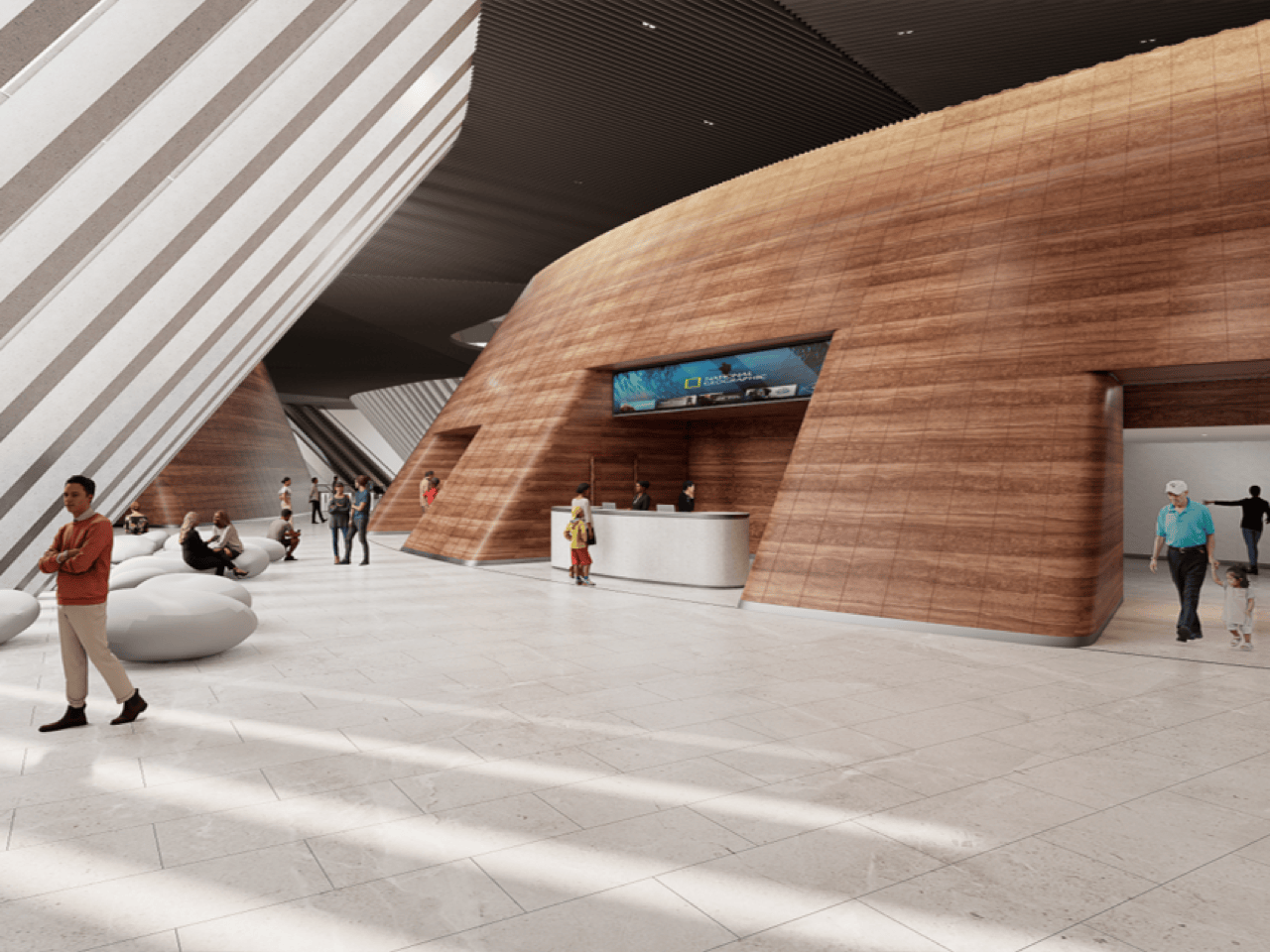
Inside, the gray granite gives way to golden marble. Each of the five cones is wrapped in wood-grain marble from Guangxi, with stripes that look like layers of sediment or, if you’re hungry, a really nice slice of tiramisu. Between the cones, a central atrium rises toward a big rooflight, and a staircase spirals up around the core in wavy, uneven rings. This is the Gehry moment, all ripples and swoops, like the Guggenheim’s spiral after a double espresso. The architects named the atrium the Tree of Life, and the stair really does seem to grow upward, branching off onto each floor.
The roof slopes up from the ground like a grassy hill, so getting onto it feels about as formal as climbing a park mound. It’s split into five garden zones, from succulents and tropical plants to species pulled from Chinese literature, which is a very poetic way to sort a lawn. At its tallest the building reaches 118 feet (36 meters), but about half of it stays low to match the school and convention center next door. That keeps the mountain views to the north open for everyone, rooftop picnickers included. The roof is also set up for nighttime stargazing, which might be the best use of a museum ceiling yet.
Shenzhen has a reputation for building fast and building big, and plenty of its megaprojects shout to get noticed. This one speaks in curves, warm stone, and a whole lot of grass, which makes a 1.13-million-square-foot building feel oddly approachable. It also suits the job, since the exhibits inside trace how water, rock, and time shaped everything on the planet. The architecture tells that same story from the outside before you read a single label. I’d bet plenty of kids leave remembering the dinosaurs, and just as many remember the afternoon they rolled down the museum.
A small room rarely gets to do just one thing. The table that holds your laptop during the day might host dinner a few hours later, while the chair beside it becomes your reading spot before bed. The problem is that lighting often stays fixed while everything else changes. An overhead fixture can feel harsh at dinner, and a decorative table lamp may be lovely but useless when you need to see what you’re doing.
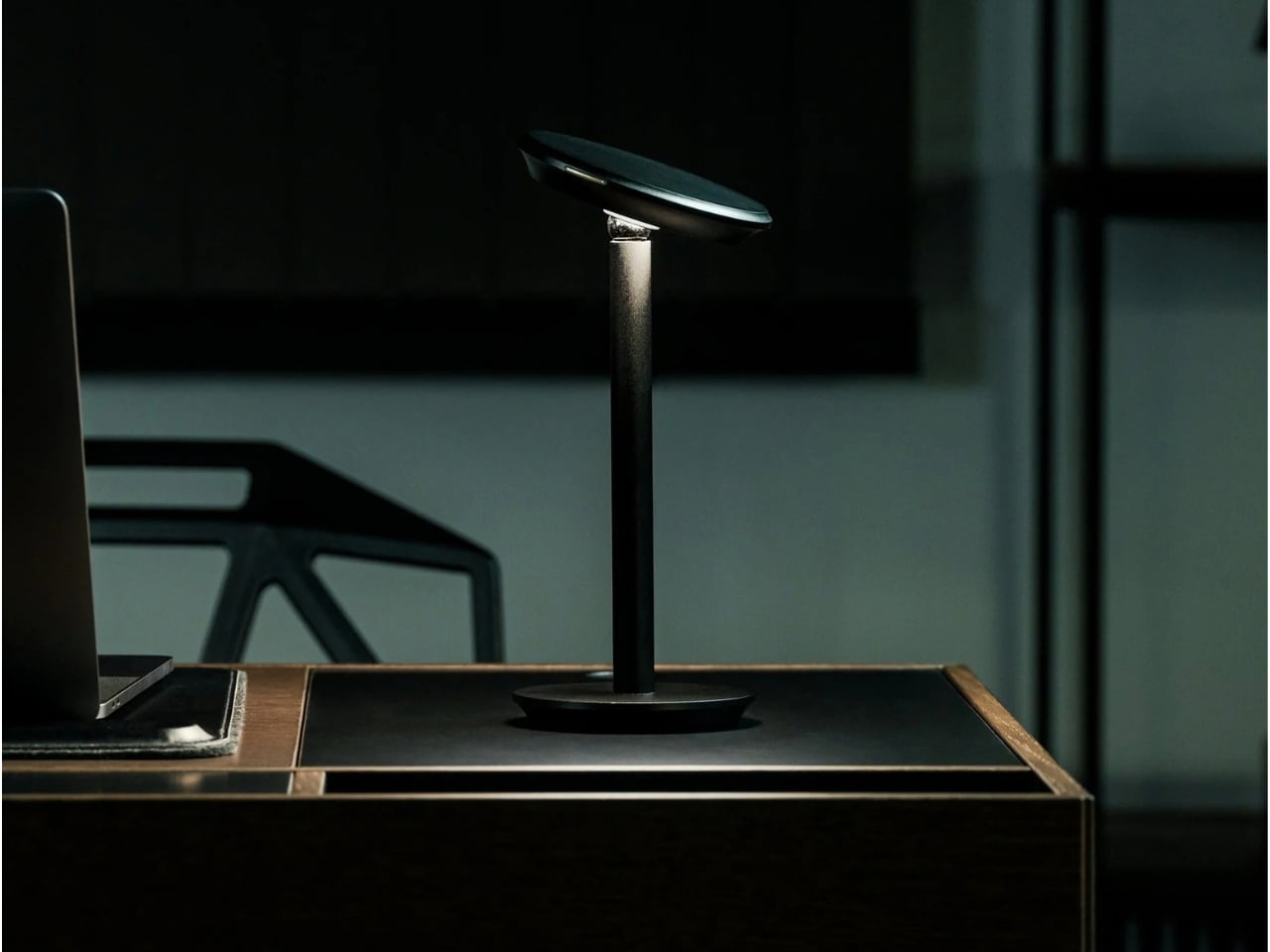
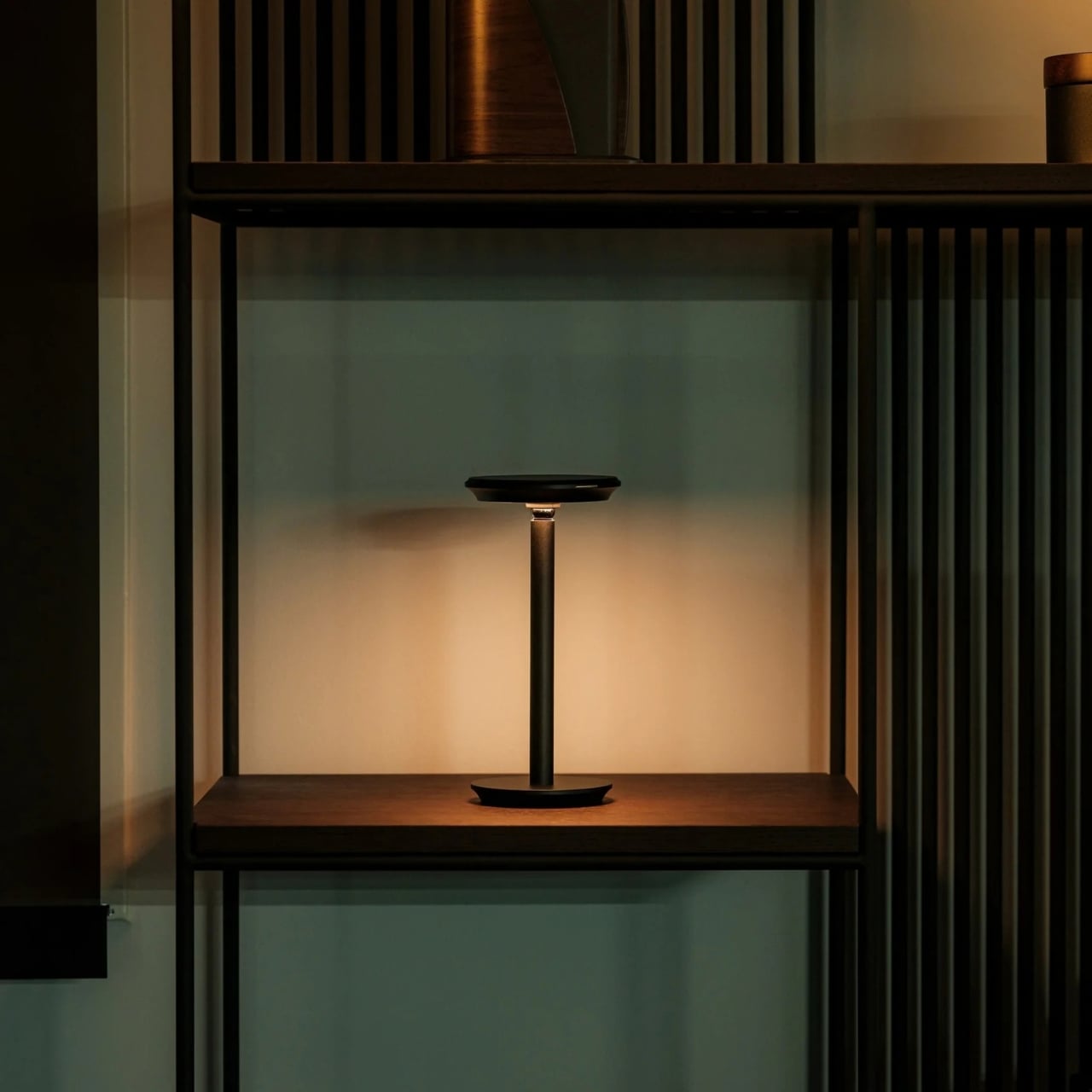
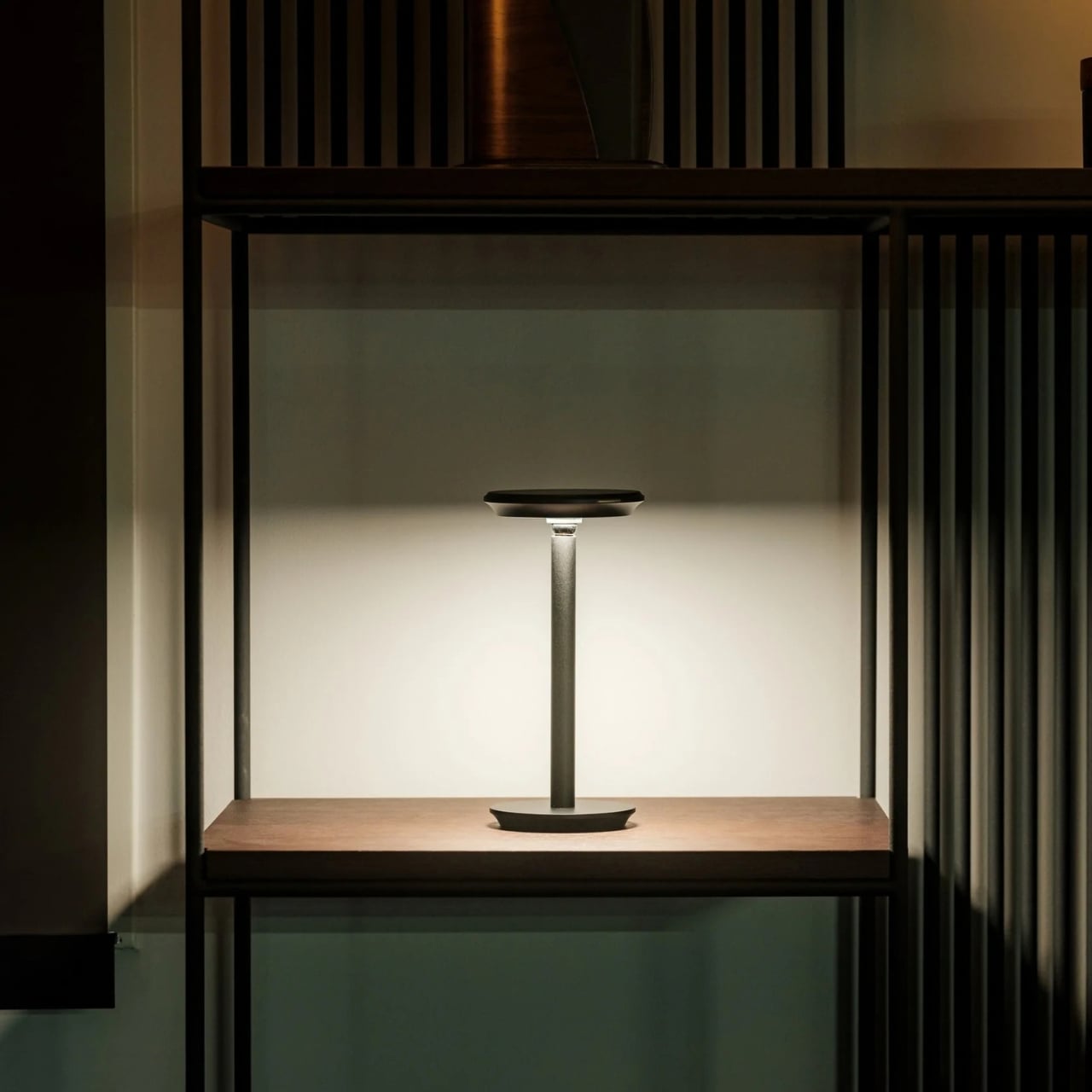
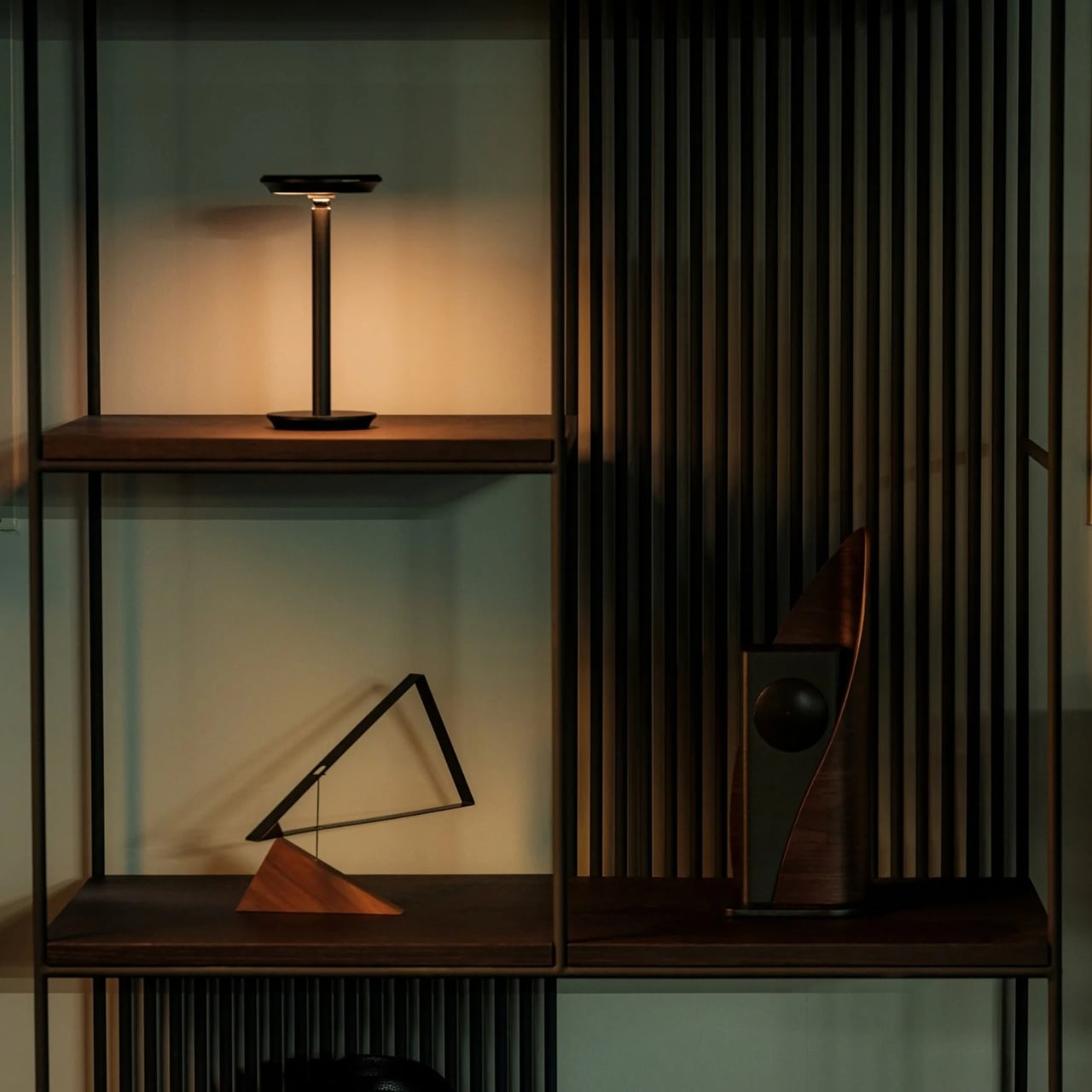
That is a more interesting way to look at the Infinite Solas Lamp than simply calling it a cordless desk lamp. Its height, direction, brightness, and color temperature are adjustable, so the same object can play different roles as a room changes throughout the day. I like the idea of a lamp that adapts to the space you have, rather than asking you to find space for another lamp.
Picture a table on a weekday morning. You pull the Solas taller and angle its head toward a notebook or the project in front of you. Later, you lower it and soften the light for dinner. By evening, it can move beside a chair and become a reading light. None of those uses is particularly dramatic on its own. Together, they make a persuasive case for a lighting object that doesn’t belong to one corner of the home.
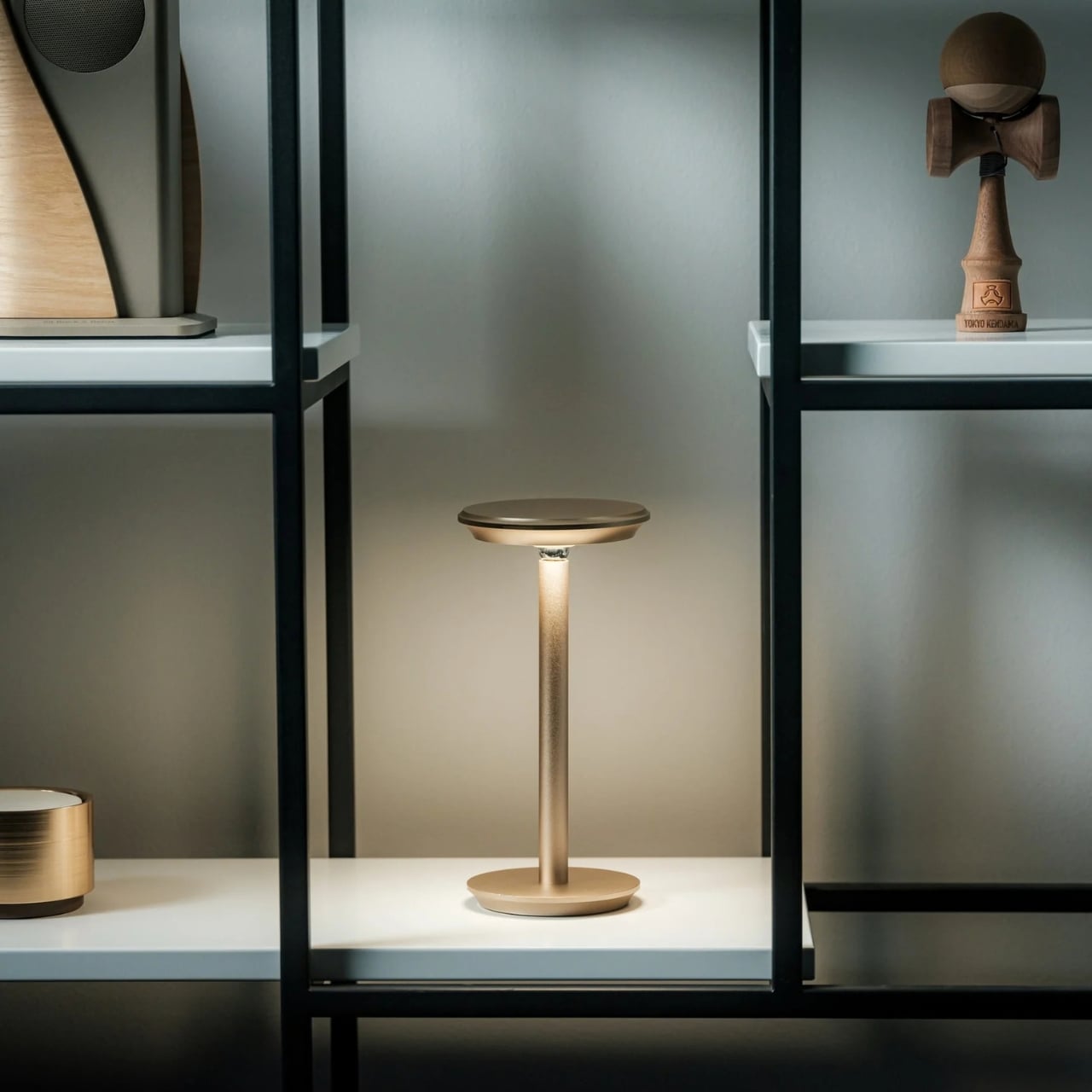
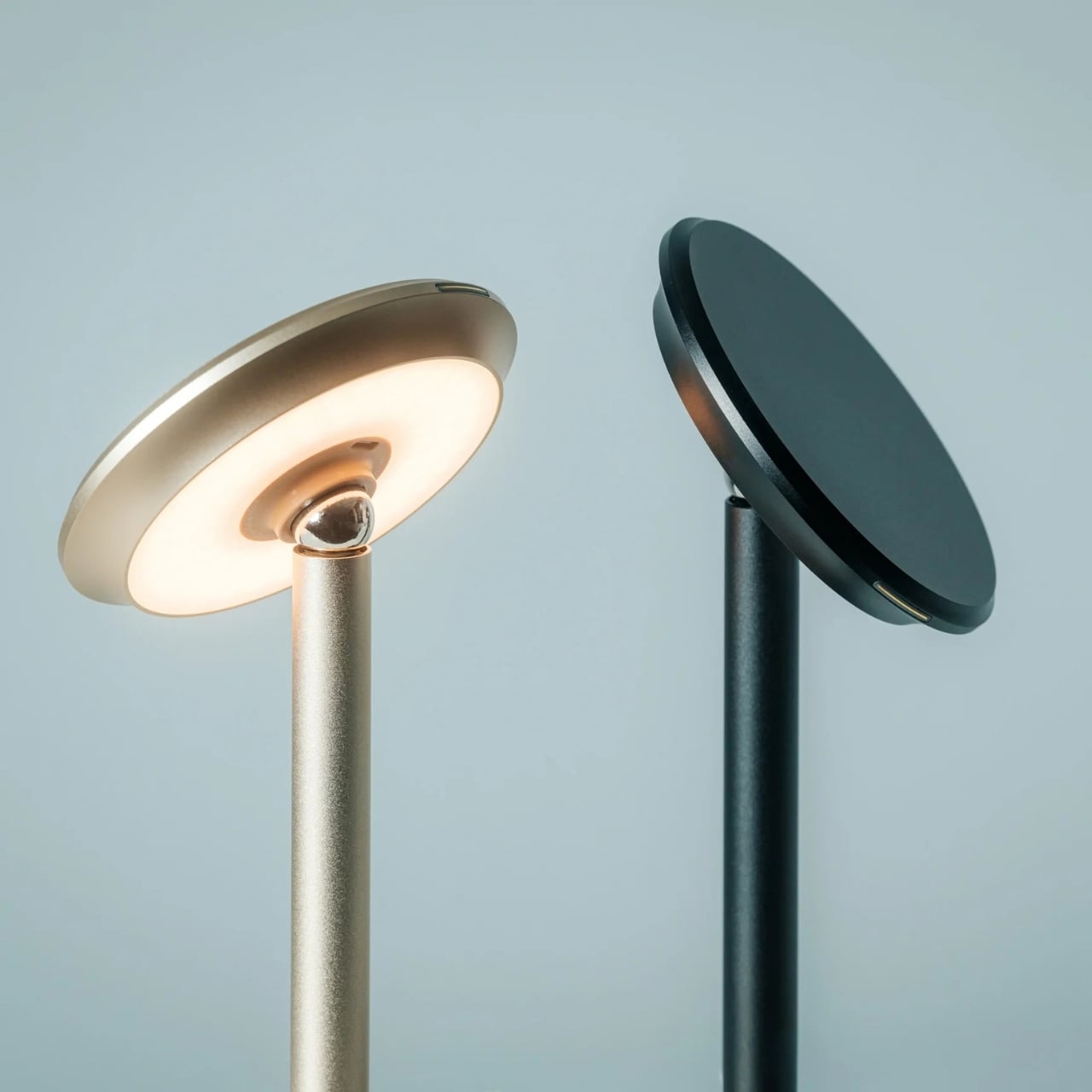
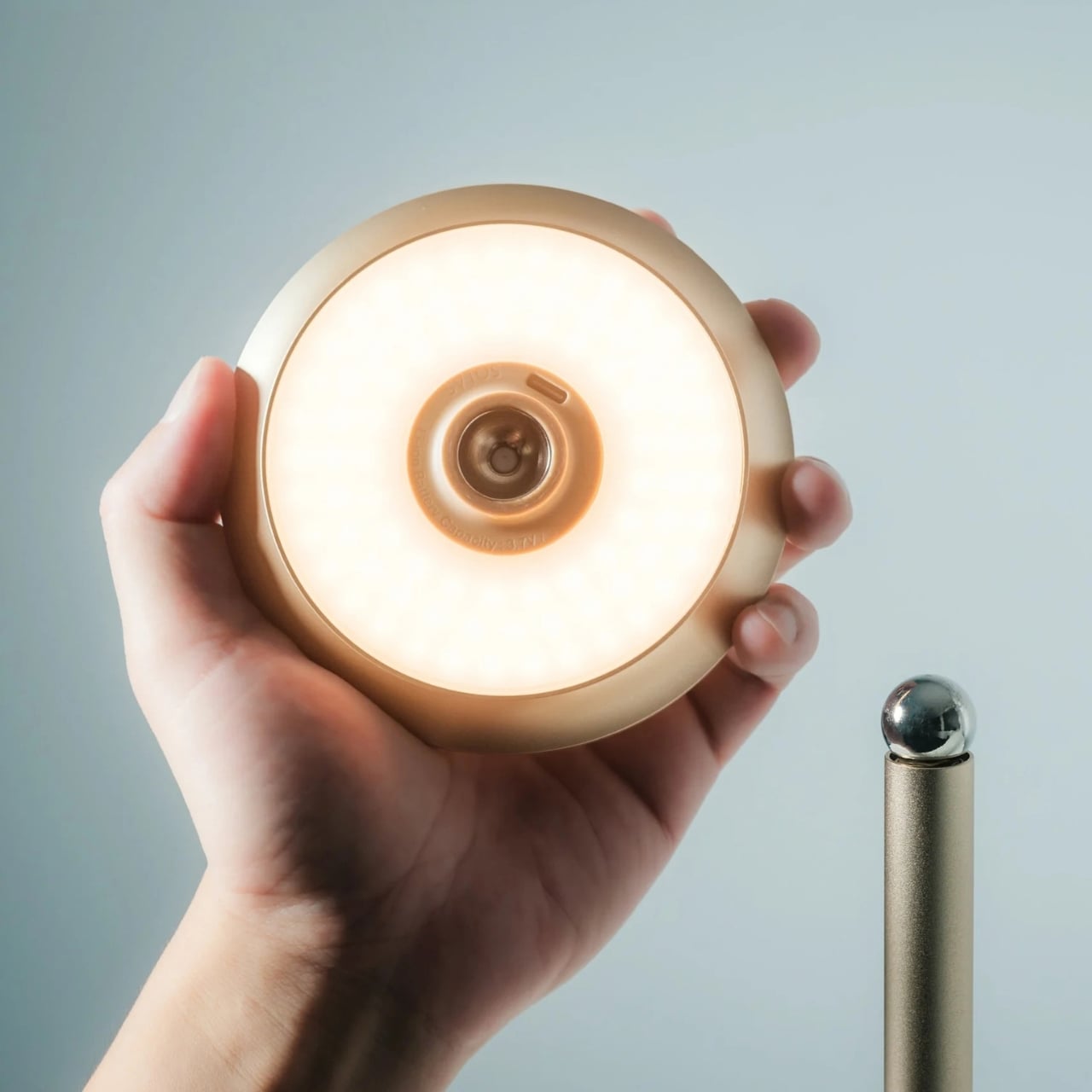
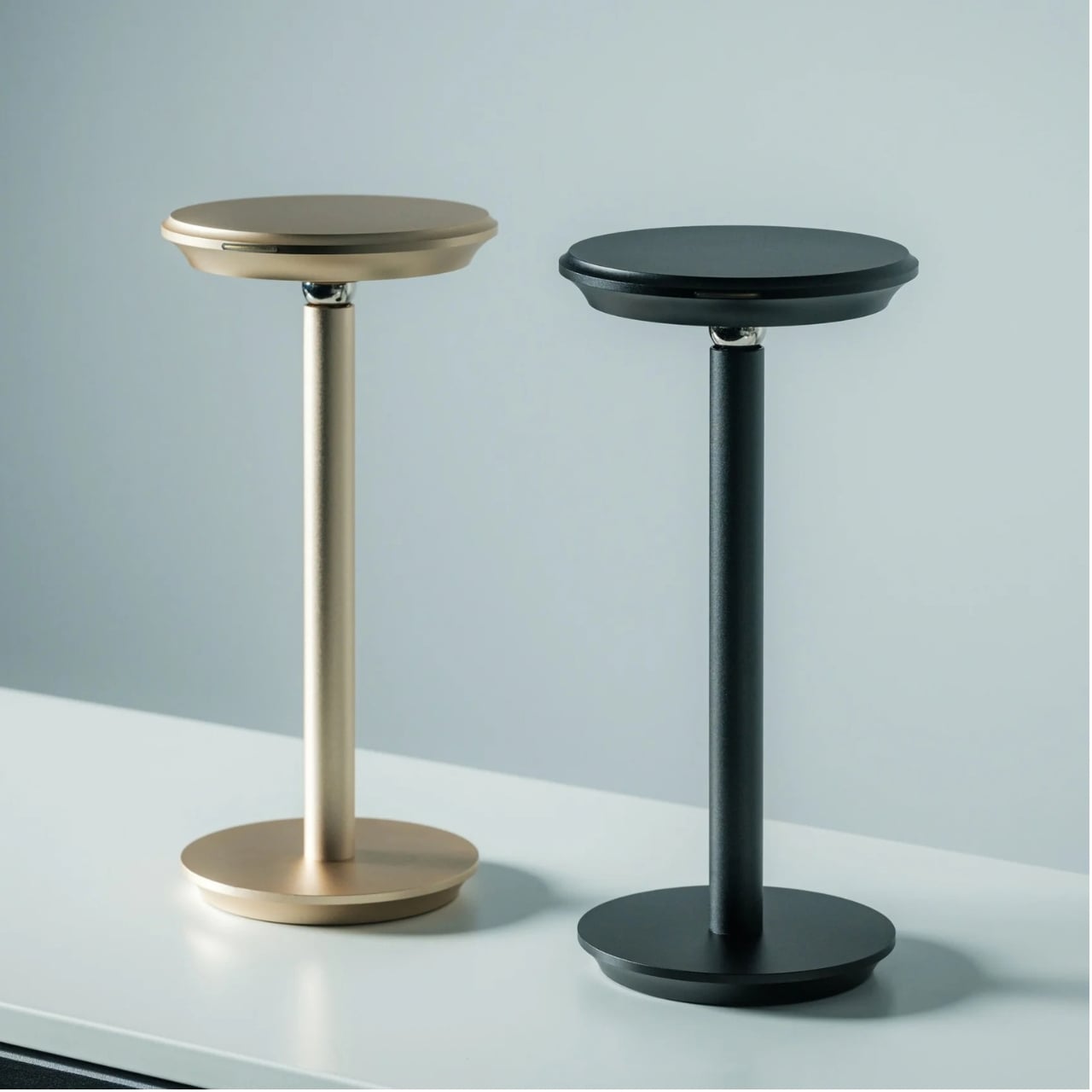
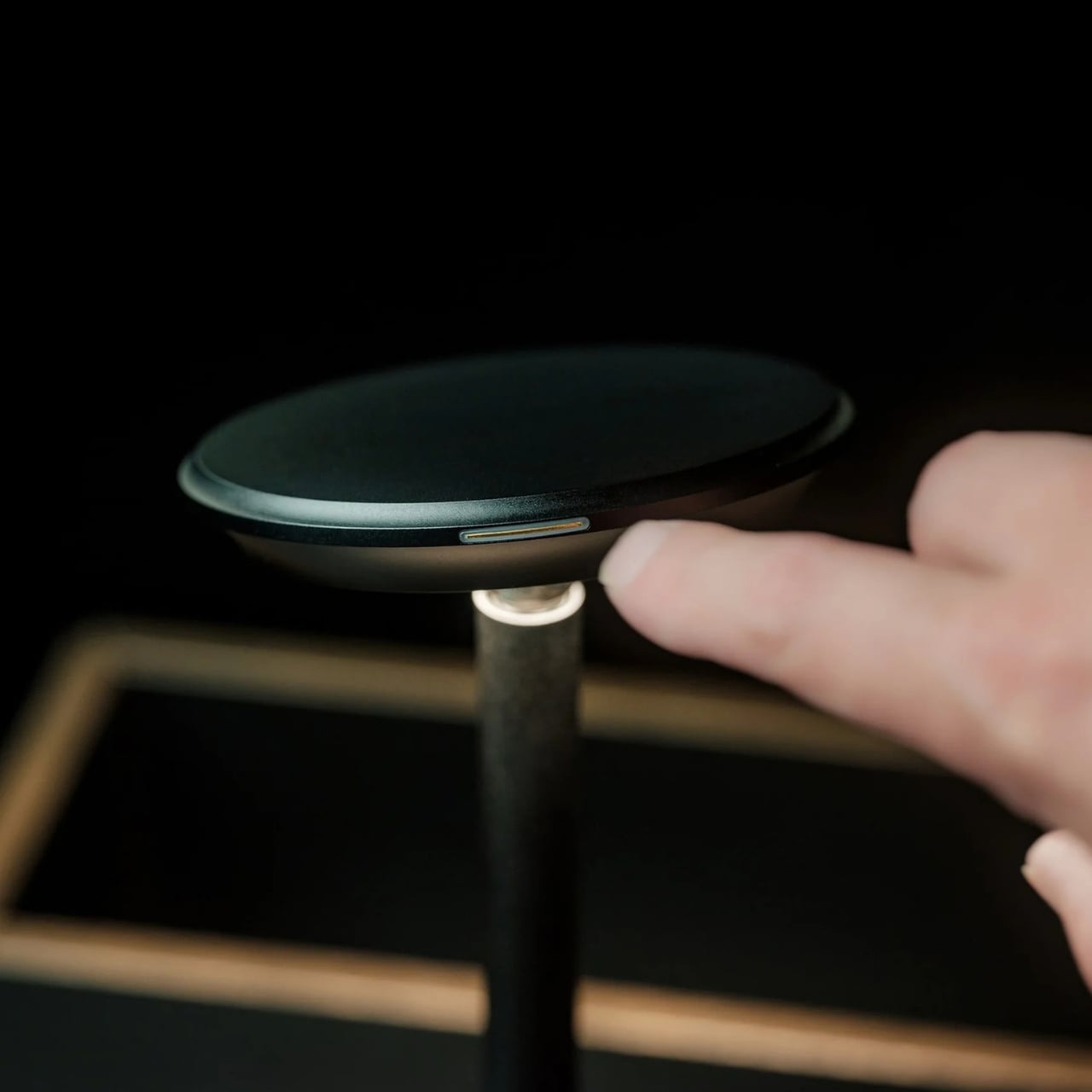
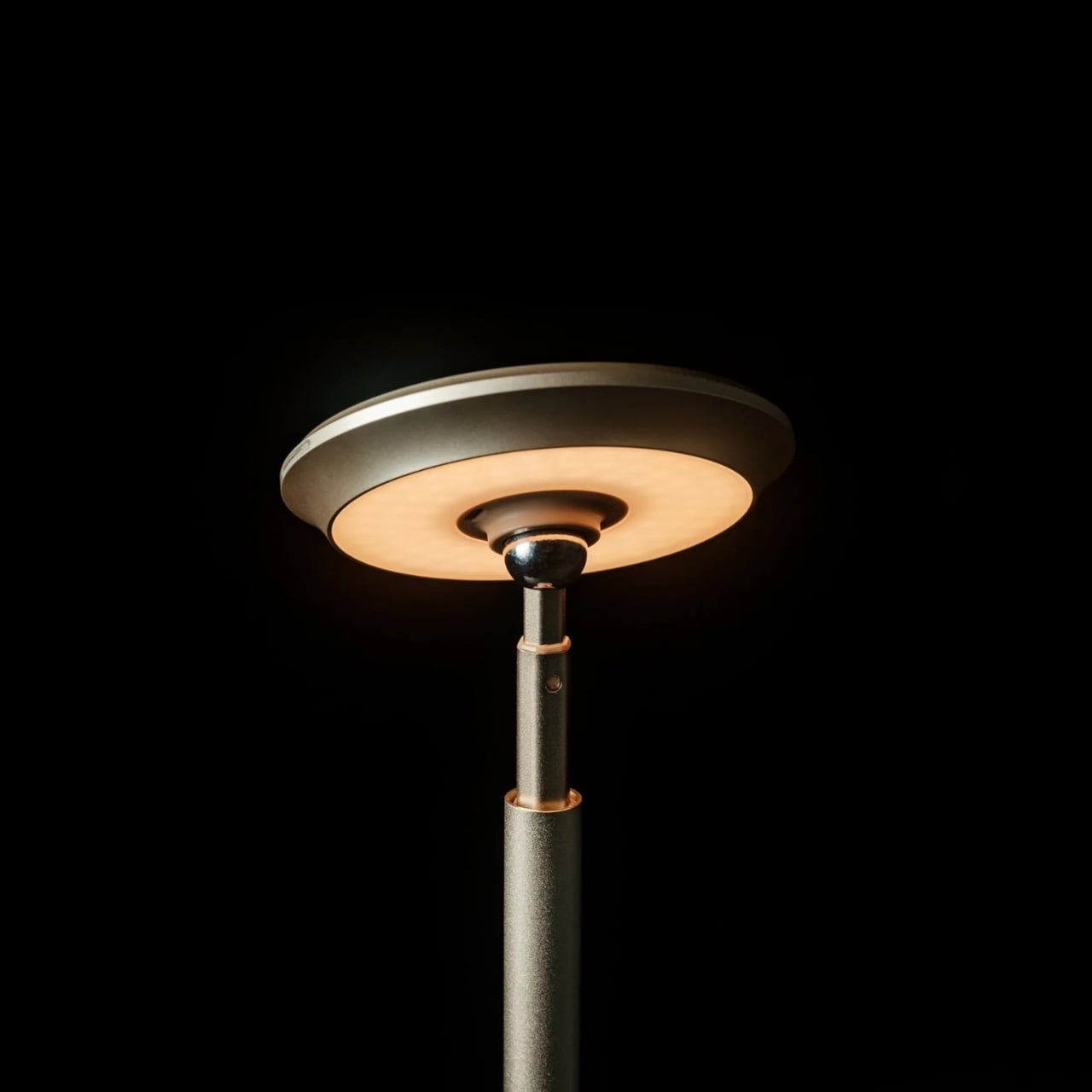
The mechanics behind that flexibility are pleasantly straightforward. The Solas adjusts from 8.9 to 19.7 inches tall, while a magnetic ball-joint head lets you redirect the beam without shifting the whole lamp. Its LED light can be dimmed, with color temperature adjustable from 2500K to 4000K. Those choices matter because a change in angle can be just as useful as a change in brightness. Sometimes you want to see the pages in front of you. Sometimes you want the room to feel a little softer.
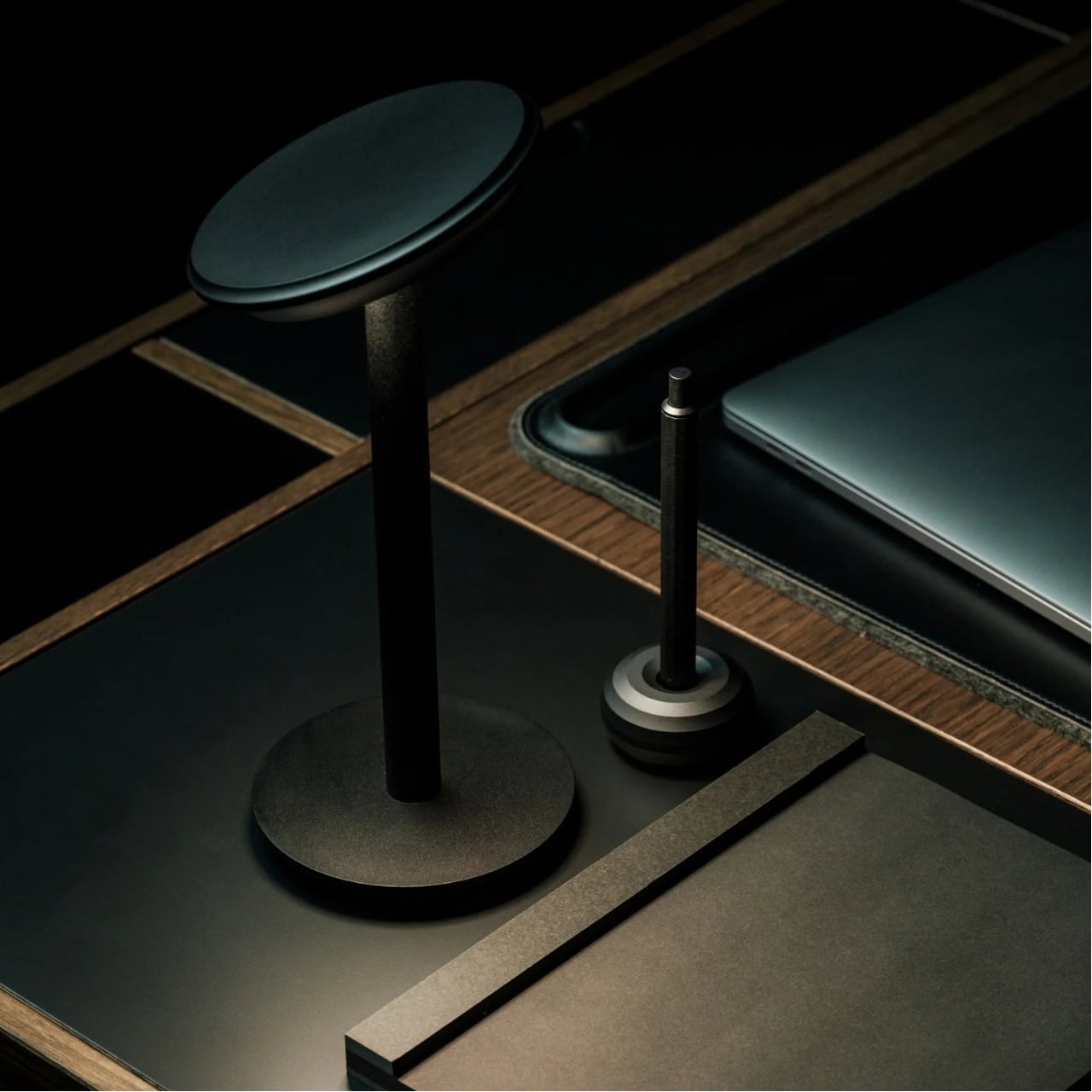
I also appreciate that the design doesn’t insist on looking like equipment. Machined aluminum with an anodized finish gives it a composed, minimal shape, and it comes in black or warm champagne. Either could sit on a shelf or side table without making the room feel like an office. That matters in a smaller home, where every object tends to be visible from almost everywhere else. A lamp can be useful, but you still have to enjoy looking at it when it’s off.
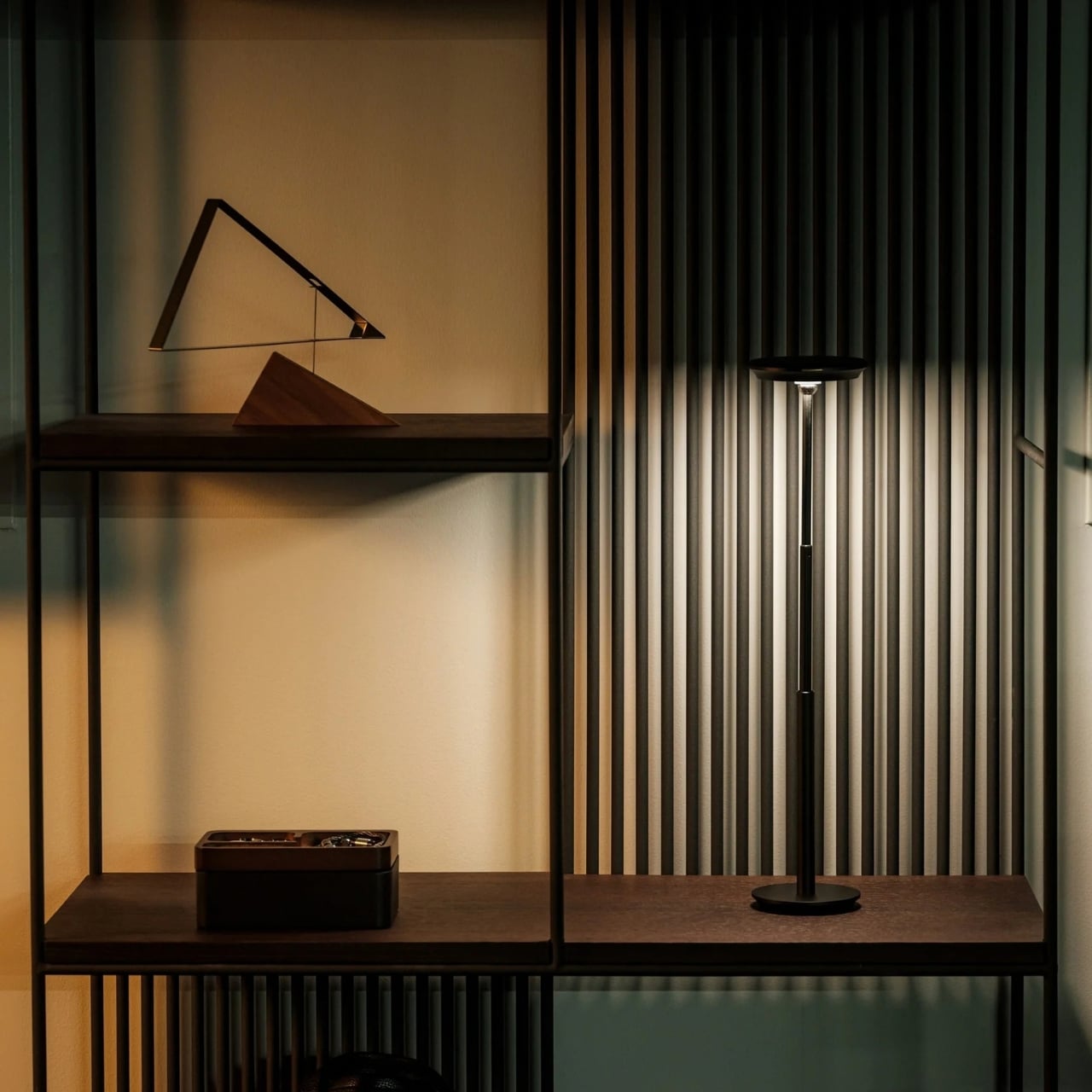
Of course, movable lighting is not a new idea. IKEA has helped make portable table lamps feel familiar as everyday home accessories. The Solas asks for a more specific kind of attention: not just where you can carry a lamp, but how much you can change its height, aim, and warmth once you set it down. I wouldn’t say that makes it the right choice for everyone. If all you want is a gentle glow on a shelf, a simpler lamp may do the job beautifully. The Solas makes more sense when one surface has several jobs.
That flexibility does come at a considered-object price. The Solas is listed at $325, which is a lot to spend on a lamp if you need light in only one place. It also still needs charging: the listed runtime is six to seven hours at full brightness, or up to 70 hours at its lowest setting, with a recharge taking approximately four hours via USB-C. Those numbers are worth knowing before imagining it as a fixture you can leave on indefinitely.
For me, the appeal isn’t the promise of owning one lamp and never buying another. It’s the smaller, more believable improvement of having one good lamp that can follow the way a room is actually used. When furniture has to work harder, lighting should be allowed to change its job too. The Infinite Solas Lamp understands that a home doesn’t hold still from morning to night. Its best trick is making those transitions feel a little easier.

 Connexion