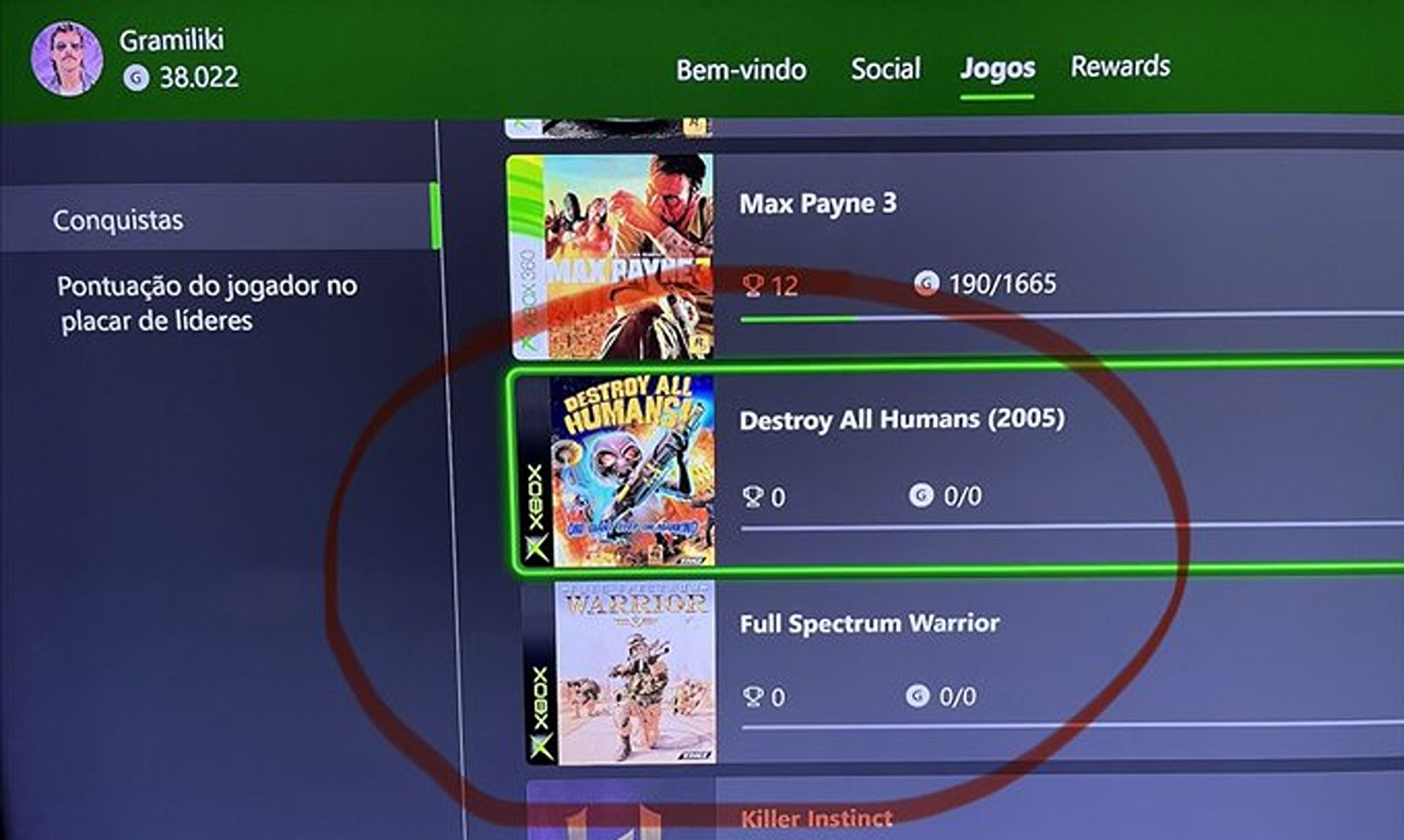
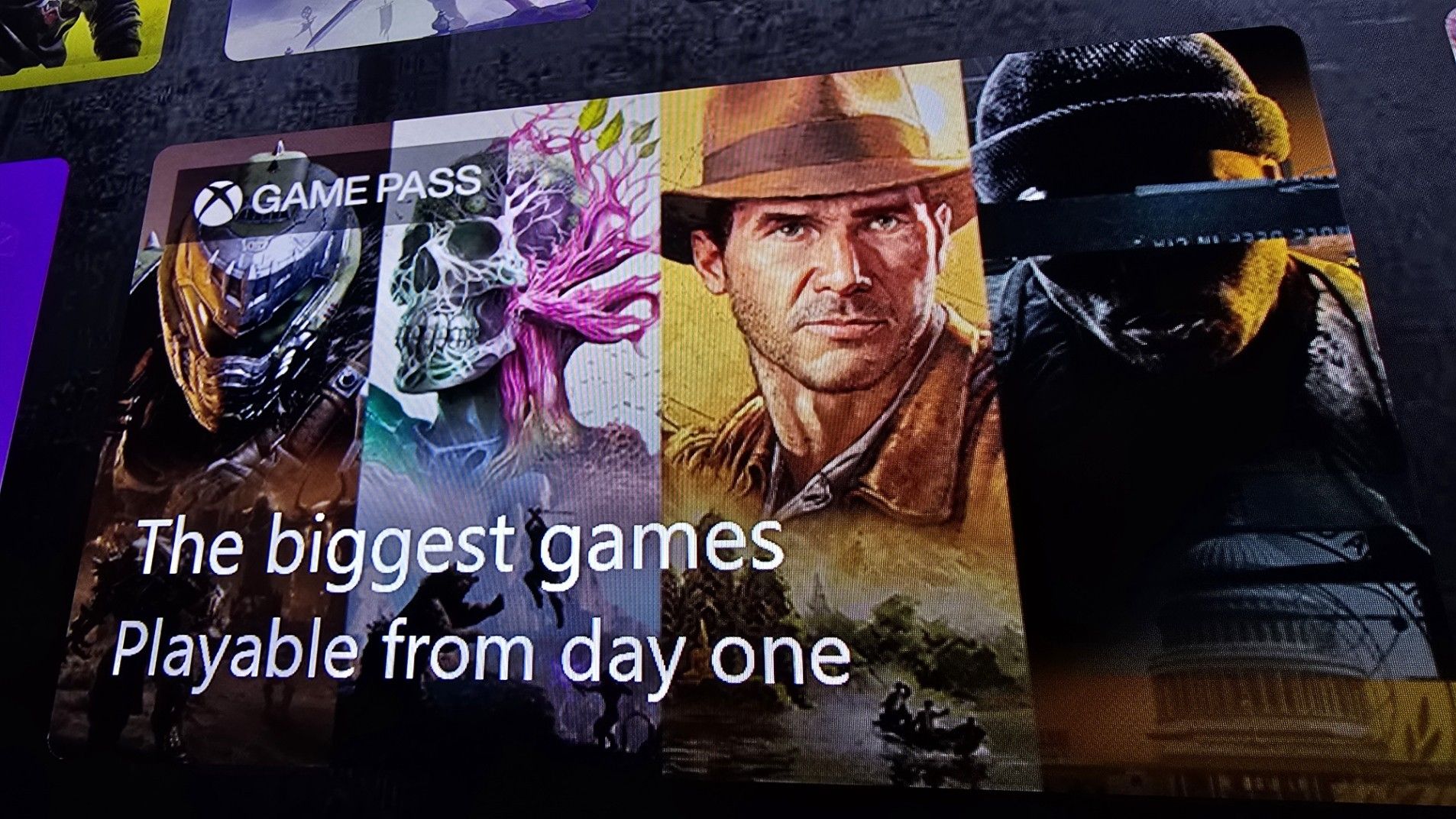
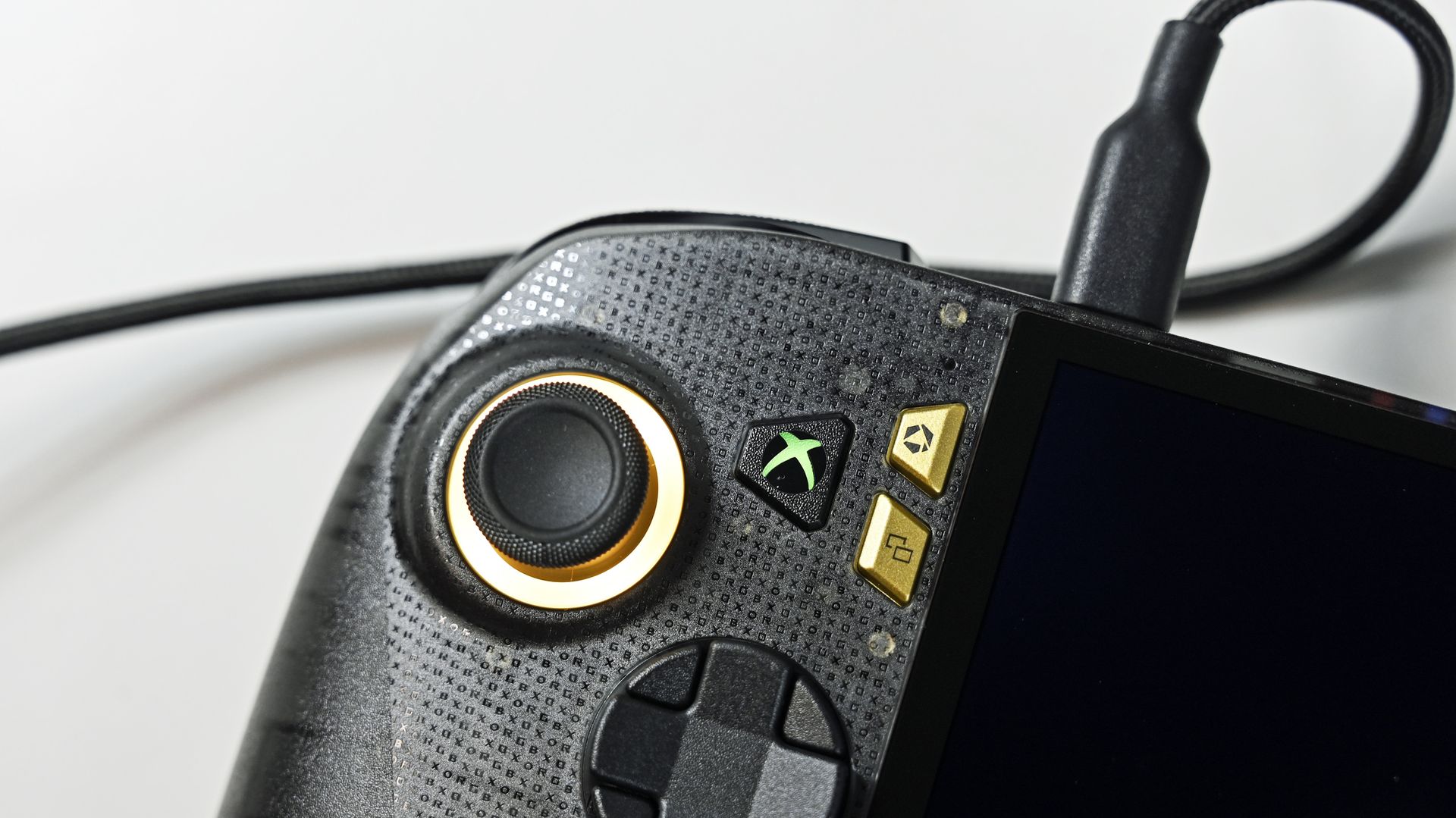
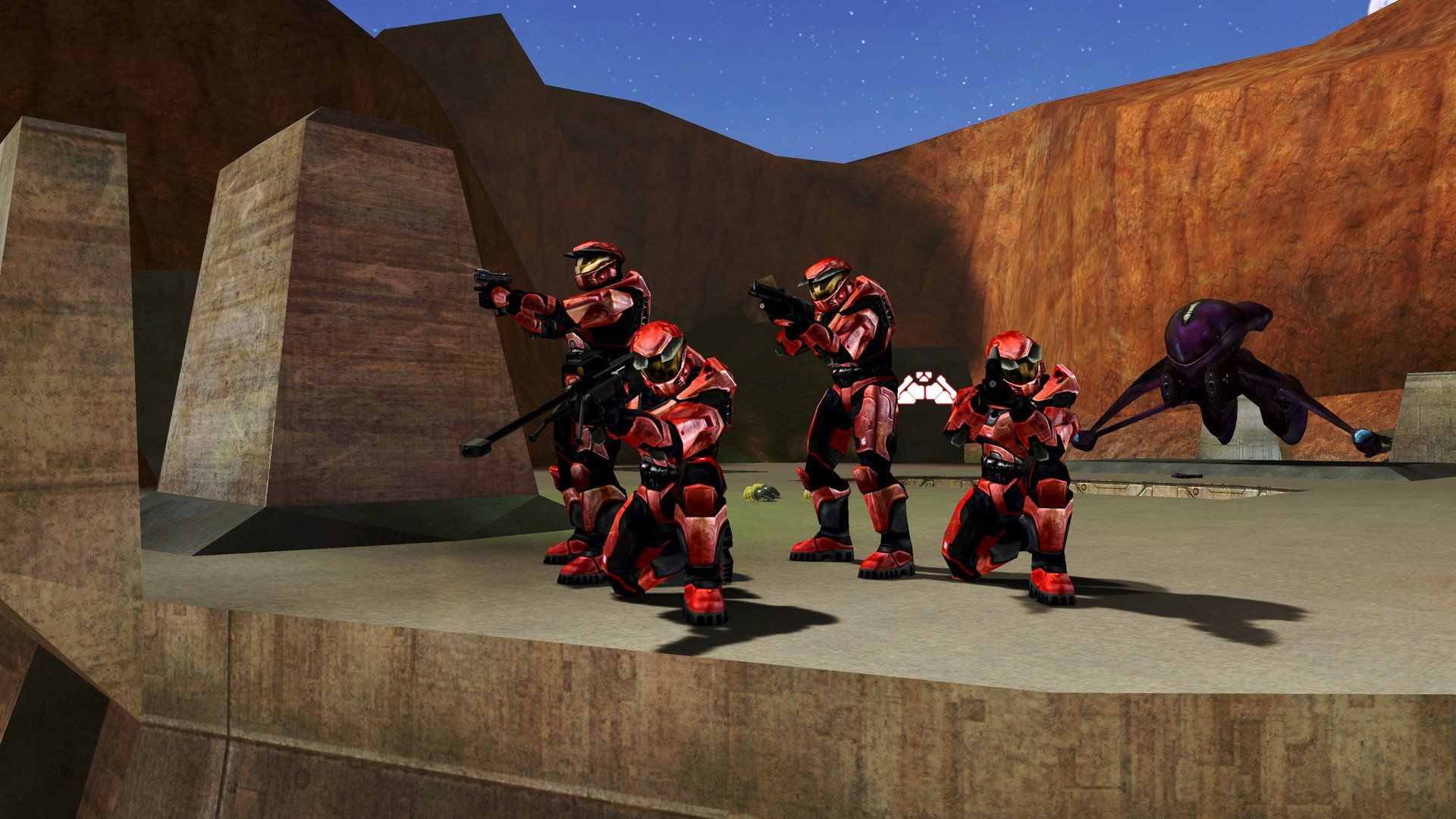
Back in July 2026, Microsoft announced via Xbox Wire that games from the original Xbox would get achievements implemented on modern consoles and PC. However, it seems that this long-requested feature has already been sneaking onto Xbox Series X|S for certain games without any official fanfare.
This has been confirmed by photographs taken by X users @xgramiliki and @PiquenoLoredo (via @CentralXBOX_) showing achievements for OG Xbox games like Destroy All Humans!, Full Spectrum Warrior, Star Wars: Republic Commando, Panzer Dragoon Orta, and KOF: Neowave.
🔥 BOMBA: ¡LOS LOGROS DE LOS JUEGOS DE XBOX ORIGINAL EMPIEZAN A APARECER EN LA LISTA DE JUEGOS!Los títulos de la XBOX original están dando un paso importante hacia una nueva etapa de retrocompatibilidad.Imágenes via @xgramiliki y @PiquenoLoredo https://t.co/6n1kmmPwzNOctober 26, 2026
However, it seems the update isn't finished, as each of the aforementioned games shows "0/0" achievements and zero Gamerscore earned. The possible explanation for this could be that these achievements have shown up on players' profiles by mistake due to a programming error before they were officially ready.
These achievements will probably be taken down shortly when Microsoft discovers this and brought back once they're fully ready so they can join the other OG Xbox titles that have achievements officially, like BLiNX: The Time Sweeper, Conker: Live and Reloaded, Crimson Skies: High Road to Revenge, Fuzion Frenzy.
Either way, this will be great news for Xbox Achievement hunters looking to get the prestige Xbox Mythic Achievement from their favorite OG Xbox titles and serve as the perfect excuse to replay them.
Join us on Reddit at r/WindowsCentral to share your insights and discuss our latest news, reviews, and more.
This is a breaking news story, and we will update it as more information becomes available.
Microsoft is offering roughly 60,000 employees the option to participate in a voluntary exit program. The new program allows eligible employees to leave Microsoft with financial support and career planning resources.
An internal memo from Chief People Officer Amy Coleman was sent yesterday. That memo has since been edited slightly and shared publicly by Microsoft. CNBC shared additional information on the program, including the fact that around 60,000 Microsoft employees are eligible.
The offer has been extended to eligible employees in Canada, India, the United States, and the United Kingdom. The offer applies to employees who are level 70 or below.
"This offer gives eligible employees who may be considering a future outside the company a new choice to make that transition now with support. It also gives participating organizations another way to adapt their workforce to changing needs," said Microsoft.
The offer comes just six months after Microsoft announced a voluntary retirement program.
As of June 30, Microsoft had roughly 223,000 employees (per the company's 10-K form for 2026). That figure means the offer has been extended to about 27% of the company's workforce. It is unlikely that all 60,000 eligible employees will take the offer, however.
While Microsoft did not mention layoffs in its post about the voluntary exit program, those could be on the way. Microsoft announced its early retirement program in April and then announced layoffs in July. It is common for companies the size of Microsoft to give employees a voluntary exit ramp before layoffs.
Full Microsoft statement
Today, we’re introducing a new Voluntary Exit Offer (VEO) to eligible employees within participating organizations. This offer gives eligible employees who may be considering a future outside the company a new choice to make that transition now with support. It also gives participating organizations another way to adapt their workforce to changing needs.
The Voluntary Exit Offer reflects an important part of how we’re evolving our approach to change: creating greater flexibility and, where possible, more ways for employees to shape their next chapter. This builds on what we learned earlier this year through the Voluntary Retirement Program.
What employees should know
This offer will be available to eligible employees in participating teams in Canada, India, the United Kingdom and the United States at level 70 and below. This is a time-limited, voluntary program that gives those who are eligible the opportunity to leave Microsoft with financial support and career planning resources. Some organizations are providing the Voluntary Exit Offer, and some are not. Participation varies based on each business’s priorities, customer commitments and workforce needs.
Eligible employees will receive an email with a link to their Voluntary Exit Offer details within the next few hours.
Looking ahead
The Voluntary Exit Offer is new for us. We’ll learn from it. At the same time, we’ll keep helping people focus on the work that matters most, build new skills and, where it makes sense, find new opportunities across Microsoft. There is no one-size-fits-all approach for every team or every employee. These are a few of the ways we’re trying to meet different business needs while continuing to create opportunities for our own people to grow and contribute.
My promise is to continue to provide clarity, listen and learn and keep improving.
Thank you for everything you continue to do for our customers, Microsoft and for one another.
Amy
Join us on Reddit at r/WindowsCentral to share your insights and discuss our latest news, reviews, and more.
It was only yesterday I was writing about how the #SaveMassEffect petition had hit over 170k signatures ahead of plans for a billboard outside EA headquarters. Today I am elated to report that not only has the petition surpassed 216K signatures, but a billboard has officially reached the glowing screens of New York City.
Coordinated by the @WeAreMassEffect team and content creator Kala Elizabeth, the massive #SaveMassEffect billboard is now live in Times Square all day today.
🚨 WE'RE IN TIMES SQUARE!Together with @kalaelizabeth, we've managed to get a #SaveMassEffect billboard up in Times Square, NYC, all day today!📍 1560 Broadway, above the Pelé store (Duffy Square)⏰ 15 seconds every hour at :35HOLD THE LINE! ❤️ https://t.co/wNP9Ak9Vh8October 26, 2026
The digital display is prominently located at 1560 Broadway, situated directly above the Pelé store in Duffy Square. Fans currently in the area can catch the advertisement running for 15 seconds at 35 minutes past every hour.
// This was the best footage & image I could get of the billboard from the city cam view in Times Square! #SaveMassEffect #HoldTheLine #MassEffect #EA #Bioware https://t.co/YhMIOEKbjjOctober 26, 2026
The words "Keelah Si'yah" is actually amusingly a typo. Kala has admitted on social media that this was supposed to be the iconic Quarian phrase "Keelah Se'lai" ("by the homeworld I hope to see one day")
Kala explained that their original billboard design was rejected over copyright issues, forcing a frantic redesign where she had to learn to animate in 10 minutes, leading to the accidental misspelling. Despite the rushed typo, it serves as a fitting tribute for a game and studio that fans are desperate to rescue.
Mer from the We Are Mass Effect team was out to get pictures live from NYC (Image credit: Provided by We Are Mass Effect)
With their message now broadcasting to one of the busiest pedestrian intersections in the world, fans voices just got even louder. The WeAreMassEffect team have a Discord where they are discussing extending the billboard by way of crowdfunding, and perhaps expanding to other locations. Organisers have urged the community to "HOLD THE LINE!" as the grassroots campaign continues to gain remarkable momentum across social media.
If you want to pledge your support to the #SaveMassEffect campaign, don't forget to head to the Change.org petition here.
Join us on Reddit at r/WindowsCentral to share your insights and discuss our latest news, reviews, and more.
Some would be surprised to hear that Microsoft Edge has been available on macOS for years. The browser receives regular updates and gives users an easy way to extend their browsing experience across platforms. Soon, organizations that rely on Edge on macOS will have another option for which version of the browser is installed.
Selecting the Microsoft Edge Extended stable channel will soon be an option for organizations. That channel receives major feature updates every eight weeks, giving organizations more time to validate changes to the browser.
The Edge Extended stable channel is already available on Windows. Next year, it will roll out to macOS. An entry in the AI at Work Roadmap (previously known as the Microsoft 365 Roadmap), outlines Microsoft's plans:
"Organizations managing macOS devices will be able to select the Microsoft Edge Extended Stable channel, providing a slower 8-week major release cycle, compared to the two-week major release cycle for Stable."
Edge stable, which is commonly just referred to as "Edge," receives major feature updates every two weeks.
Notably, both Edge Stable and Edge Extended Stable receive security updates as needed. Organizations using the Extended Stable channel do not have to wait eight weeks to receive critical security fixes.
Join us on Reddit at r/WindowsCentral to share your insights and discuss our latest news, reviews, and more.
Xbox has officially announced that Game Pass is heading to eligible T-Mobile customers in the U.S. starting this November. Through T-Mobile's new "T-Mix" plan perks, eligible subscribers will be able to pick Xbox Game Pass Ultimate or Premium as an included benefit, granting access across Xbox consoles, PC, Smart TVs, and cloud devices.
If you’re based in the UK, this announcement might seem like something of a nothing burger. EE has offered Game Pass Ultimate as an "Inclusive Extra" or an easy mobile bill add-on over here for absolutely years now. But across the Atlantic, this is actually the very first time a major U.S. wireless carrier has integrated Xbox Game Pass directly into its mobile plans.
Here's how T-Mix works
(Image credit: T Mobile)
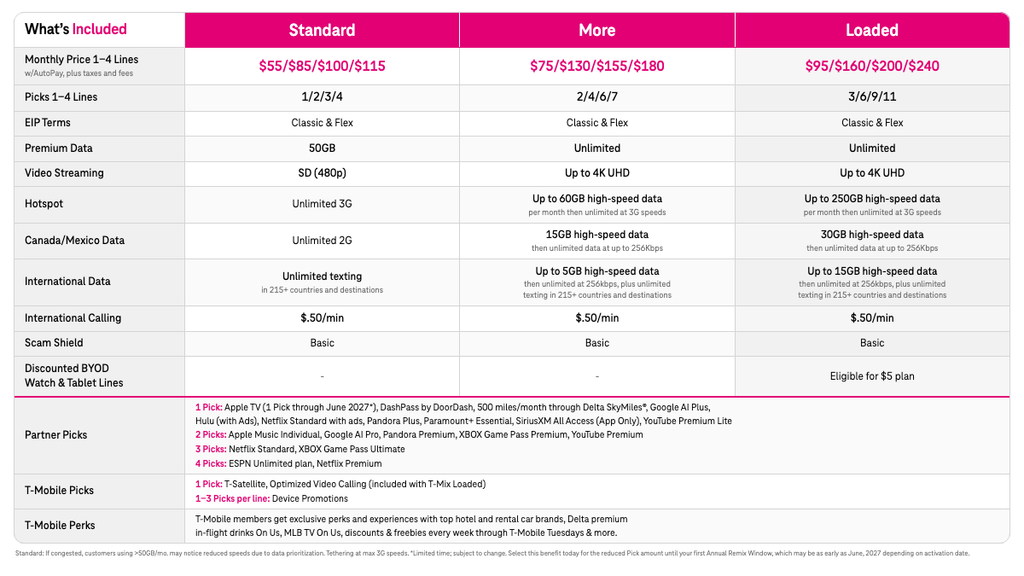
T-Mobile's new setup moves away from rigid pre-selected bundles and introduces a modular "Picks" system across three main plan tiers: Standard, More, and Loaded.
Depending on your plan tier and the number of lines on your account, you receive a bucket of monthly Picks to spend across partner streaming, tech, and gaming perks.
Xbox Game Pass Premium: Requires 2 Picks.
Xbox Game Pass Ultimate: Requires 3 Picks.
For single-line accounts, T-Mix More starts at $75/month and includes 2 Picks which is enough to cover Game Pass Premium. If you want full Game Pass Ultimate access, you'll need 3 Picks, which comes included with a single line on T-Mix Loaded starting at $95/month (or through multi-line account allotments).
T-Mobile is also letting subscribers "remix" and swap out their chosen partner perks four times a year, so you aren't permanently locked in if your gaming or streaming habits change.
Why is this a big deal? UK have had this for ages!
(Image credit: Windows Central | Jez Corden)
For years, U.S. mobile networks have thrown free Netflix, Disney+, Hulu, or Apple Music subscriptions at customers to push plan upgrades. Yet despite Xbox pushing cloud gaming so heavily on mobile devices, game subscription services haven't made it into the mix.
When I wrote earlier this year that the Xbox Game Pass problem could be fixed without dropping the price, my main argument was that Microsoft needed to tackle subscription fatigue by letting us consolidate our monthly bills. Bundling in with mobile contracts is a fantastic way to do that, but Xbox shouldn't stop there. Bringing that same modular approach to the subscription itself, by letting players swap out unused extras like Fortnite Crew or EA Play for perks they’ll actually use, would instantly soften the blow of that monthly fee. Yes the price hike was ultimately reversed, but my point still stands.
Either way, T-Mobile’s November rollout of T-Mix is a long overdue one for the US audience. If Microsoft wants Game Pass to keep expanding beyond traditional hardware, partnering with major telecom providers to absorb that out-of-pocket cost is easily one of the smartest moves they can make right now.
Join us on Reddit at r/WindowsCentral to share your insights and discuss our latest news, reviews, and more.
Monitors are a quintessential part of our lives as Windows users (and gamers), whether it's for achieving the best graphics and frame rates for our favorite titles or simply giving us better details and performance when going about our daily productivity tasks.
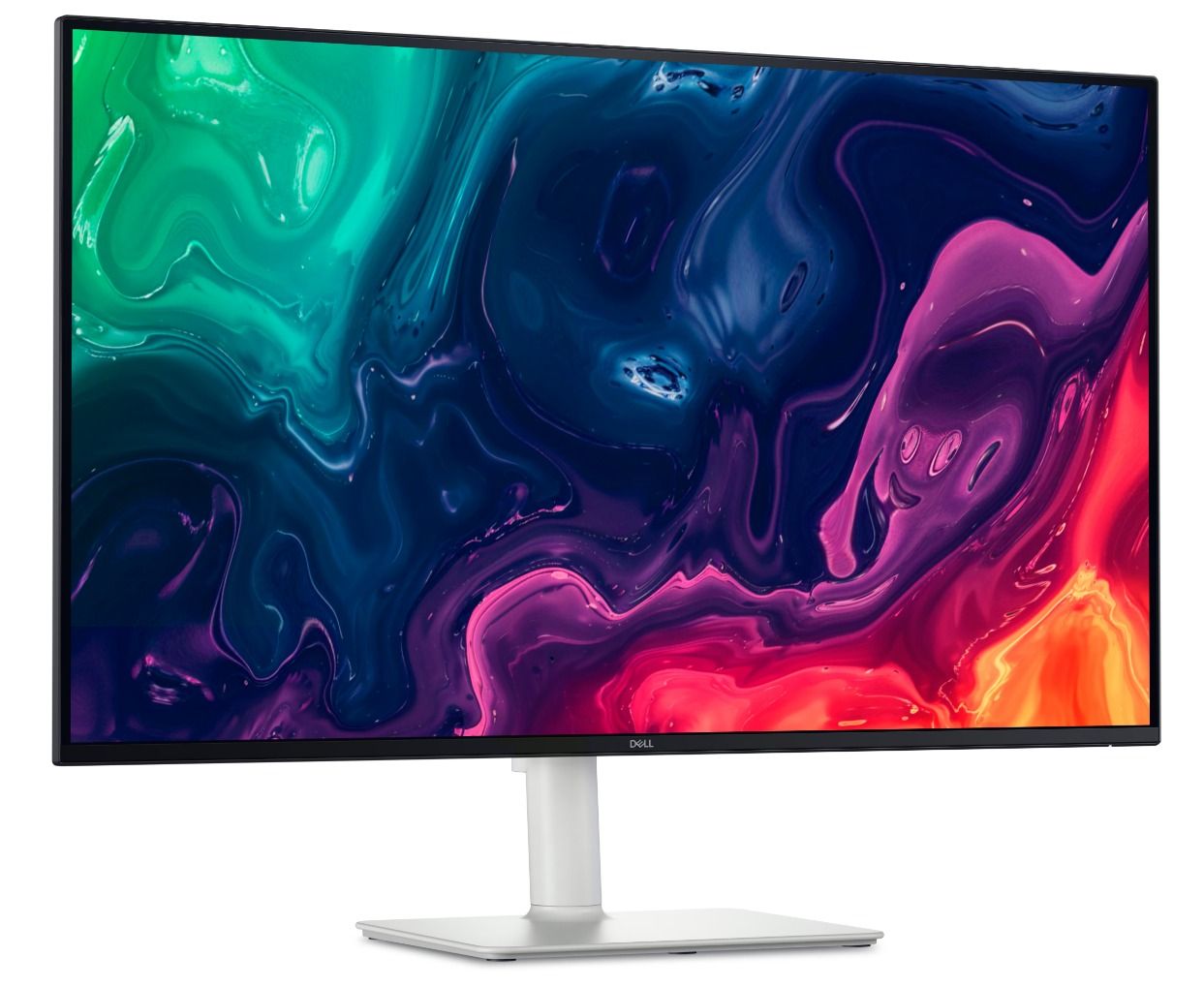
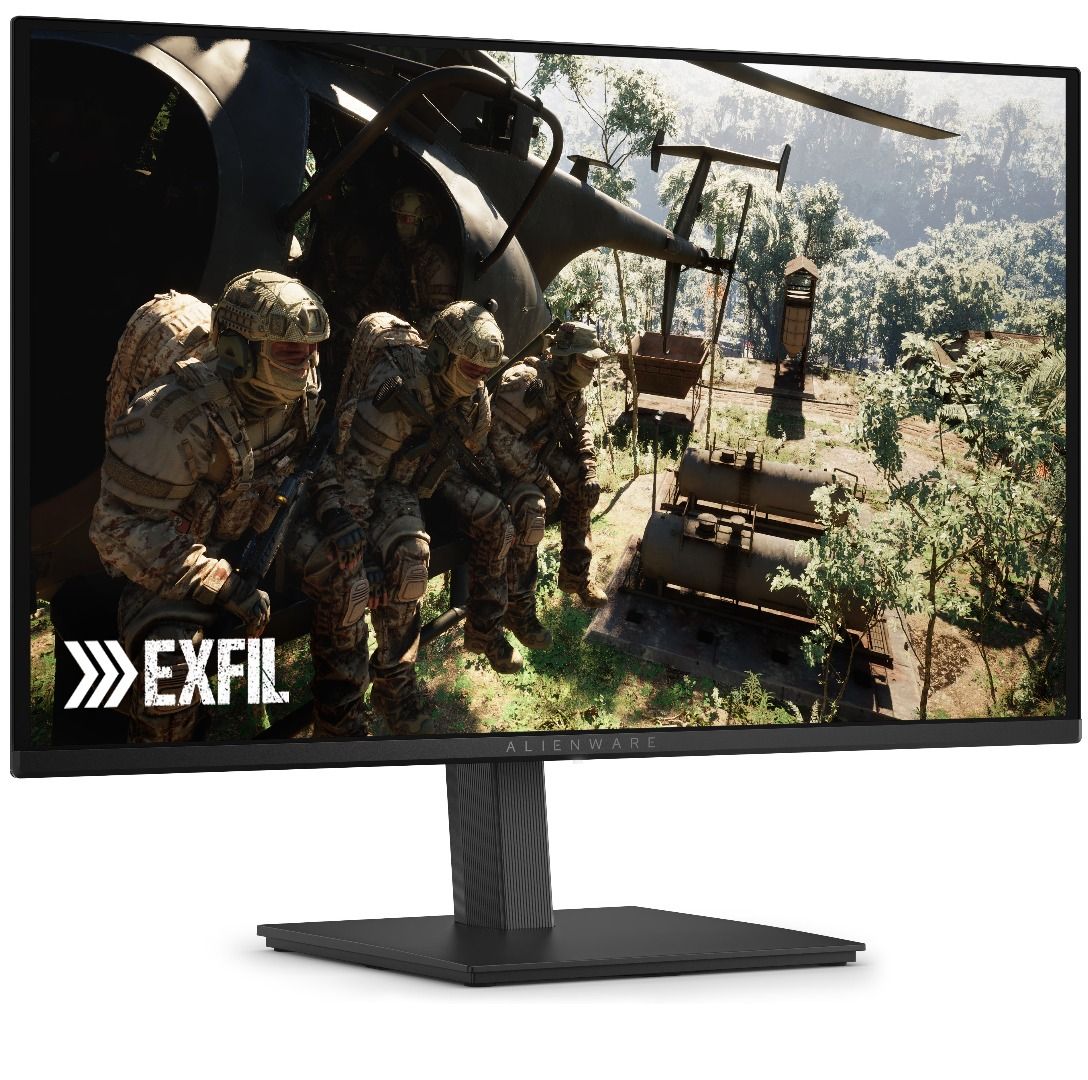
Dell's monitors fulfill this need with gusto, and several of them are now on sale if you need one to tackle the winter influx of games or workloads. That includes the productivity-focused Dell 32 Plus 4K S3225QS) for $329.99 at Dell (was $369.99), the gaming-focused Alienware 27 240Hz QD-OLED (AW2726DM) for $319.99 at Dell(was $349.99), and the budget-friendly Alienware 32 (AW3225DM) for $249.99(was $299.99).
"For around £300, the Dell 32 Plus S3225QS delivers a 4K VA panel with a 120Hz refresh rate and a typically smart, stylish design. If you're looking for a big, affordable screen to maximize your productivity, then this looks to be a very capable – and rather handsome-looking – option that won't break the bank." ~ Sasha Muller, freelancer journalist
"The Alienware AW2726DM doesn’t have USB ports or internal speakers, but it does have premium-level gaming performance and an image that goes toe-to-toe with any premium OLED, for a significantly lower admission price." ~ Christian Eberle, Contributing Editor
With its 32-inch Curved QD-OLED screen capable of rendering images and videos at 2560x1440 resolution and 180Hz refresh rates, the Alienware 32 (AW3225DM) is a great budget pick for gamers and content creators alike.View Deal
Which of these monitors is good for gaming?
Alienware's 27 240Hz QD-OLED (AW2726DM) and Alienware 32 (AW3225DM) are the best options for gaming in this round-up.
The Alienware 27 is a mid-range monitor great for gaming with its sharp and colorful images, low input lag for improved controller responsiveness, and a solid build for longer durability. Meanwhile, the Alienware 32 delivers decent frame rates and resolution at a much lower price and with a wider curved screen for greater cinematic immersion.
The Dell 32 Plus 4K (S3225QS) is the best choice for productivity among this monitor round-up.
It features a massive 32-inch display that render 4K resolutions, an sRGB mode to provide images, documents, and other digital assets with vibrant colors, built-in 10W speakers with decent sound quality, and a sideways HDMI port for quick and easy connections to laptops or PCs when swapping desktops.
Should I wait until Black Friday for better deals?
It depends on your situation. If you're willing to wait for Black Friday on November 27, 2026 for potentially greater discounts, then I'd recommend holding off until then.
However, if you're in desperate need of a new monitor or afraid these monitors will rise in price to the point that Black Friday deals won't be useful thanks to the RAM crisis, then I'd recommend taking advantage of Dell's discounts now.
Join us on Reddit at r/WindowsCentral to share your insights and discuss our latest news, reviews, and more.
You can vote for the winner of this coveted award right now at GamesRadar, and the ballot will remain open until October 30, 2026, 5:00 PM PT / 8:00 PM ET/ midnight GMT.
Here are the Golden Joystick Awards 2026 nominees for its Ultimate Game of the Year award:
Golden Joystick Awards — Ultimate Game of the Year nominees
Golden Joystick Awards — Where can we watch the show?
The winner of the Ultimate Game of the Year category and the winners of the 21 other categories will be announced at the Golden Joystick Awards ceremony on November 11, 2026, at Troxy, London, United Kingdom.
Viewers can tune in to watch the awards show (which will be hosted by actress Alix Wilton Regan and several guest presenters) live on YouTube, Twitch, X, Future Games Show, GamesRadar and PC Gamer.
Who do you want to win Ultimate Game of the Year?
My money's on Pragmata. (Image credit: Capcom)
The Golden Joystick has a pretty stacked selection of Ultimate Game of the Year contenders, from AAA titles like 007: First Light to viral indie hits like Big Walk.
Personally, I'm placing my vote on Pragmata to win. Its strange melding of fast-paced third-person gunplay with hacking puzzles to weaken enemies without pausing works surprisingly well, and its story is a heartwarming adventure that I'd dare not spoil for anyone who hasn't played it yet.
But will Pragmata manage to beat out the competition? Who are you personally voting for to win? Tune in on November 11, 2026, to find out when the Golden Joystick Awards reveal its Ultimate Game of the Year.
Join us on Reddit at r/WindowsCentral to share your insights and discuss our latest news, reviews, and more.
Microsoft has released its first firmware update for the new Surface Laptop Ultra that fixes a number of issues that users and reviewers have reported since launch day a few weeks ago. Namely, issues with the display and long reboot times are finally being addressed.
According to the changelog, this firmware update was released on October 22, 6 days after the Surface Laptop Ultra launched. It appears under the name "Microsoft Corporation System Hardware Update (200.0.7.0)" in Windows Update, and includes the following fixes:
Resolves an issue that could cause extended reboot times.
Resolves an issue that could cause screen flickering.
Resolves an issue that could cause unexpected restarts.
Includes additional bug fixes and general performance improvements.
Reviewers (myself included) had noted that the Surface Laptop Ultra's Mini-LED screen was disappointing as the display suffered from ghosting and flickering. Microsoft says the flickering issue should now be fixed with this latest update, though the ghosting issue is still present.
I also mentioned in my review that the Surface Laptop Ultra suffered from really long reboot times, which made installing Windows updates and drivers a pain as it made the process take twice as long. That issue is now also fixed as of this latest firmware update.
Other fixes include performance improvements and a reduction in unexpected restarts (BSODs,) something I am yet to encounter on Surface Laptop Ultra anyway. It's good to see Microsoft moving so quickly to improve the Surface Laptop Ultra, which is expected to get firmware updates for 6 years, until 2032.
Surface Laptop Ultra is on sale now starting at $2,599. It's Microsoft's first RTX Spark powered Surface PC, which explains why there have been some teething problems with the platform. I expect Microsoft to issue more bug fixes and improvements via firmware updates over the coming weeks.
Join us on Reddit at r/WindowsCentral to share your insights and discuss our latest news, reviews, and more.
Windows 11's speed test tool that's in testing opens from Quick Settings rather than opening a browser session of Bing. (Image credit: Microsoft)
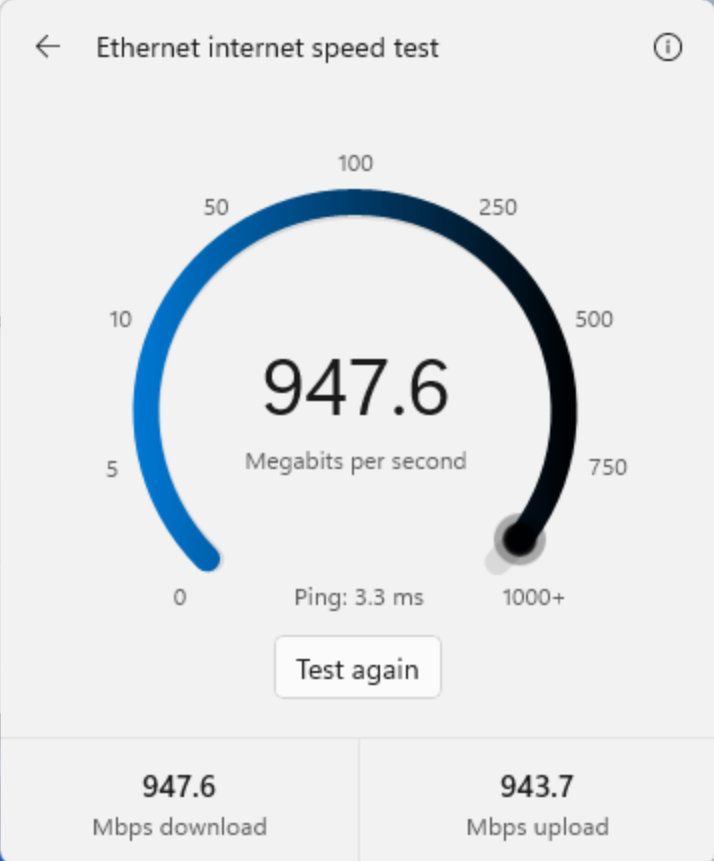
Windows 11 will no longer bump you to Bing when you try to test your internet speed. Microsoft is testing a new built-in speed test tool that opens directly from Quick Settings rather than opening your web browser.
The change just rolled out to Windows Insiders in the Experimental channel with Build 26340.9767. That was one of five builds to ship to Insiders recently. If you want to catch up on all the other changes, including the refreshed File Explorer context menu, check out my roundup of all the updates.
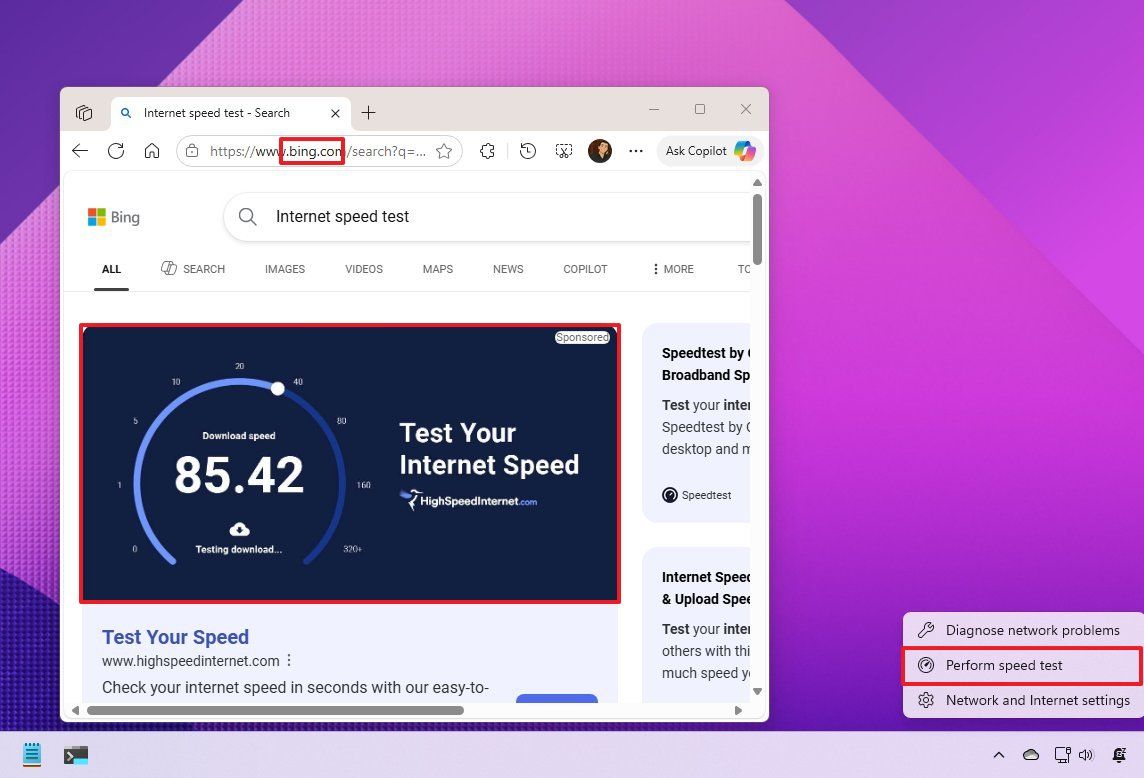
Microsoft first introduced a speed test to Quick Settings last year, but that feature was actually a shortcut to opening Bing. Even before that feature was announced, I said that it was a bad idea and that Microsoft should replace it with a built-in speed test tool within the taskbar.
Microsoft has since listened to feedback and designed a built-in speed test tool that opens directly from the Quick Settings.
The old speed test tool was actually a shortcut to open Bing in a browser. (Image credit: Mauro Huculak)
To access the speed test tool, you need to open the Wi-Fi or Cellular flyout within Quick Settings. Alternatively, you can right-click the network icon in the system tray and select "Test internet speed."
Microsoft is rebuilding several parts of Windows 11 as native or built-in tools. The new Start menu and the improved search experience are part of those efforts. While those larger elements make an immediate and sizeable impact on the Windows 11 experience, smaller changes like a built-in speed test tool help as well.
Internet Speed Test Release notes
We're making it faster and easier to check the performance of your internet connection in Windows. Windows Insiders can now run an internet speed test and see the results directly in Quick Settings, without being redirected to a browser.
Start a test from the new Speed test Quick Setting, from the Wi-Fi or Cellular flyout, or by right-clicking the network icon in the system tray and selecting Test internet speed. While the test runs, Quick Settings shows its progress and results, including download speed, upload speed, and ping.
Because the test runs against your active internet connection, you can quickly understand how your current connection is performing without leaving your workflow. This updated experience builds on the internet speed test we previously introduced for Windows Insiders, bringing the test and its results directly into Windows.
Join us on Reddit at r/WindowsCentral to share your insights and discuss our latest news, reviews, and more.
On this episode of the Windows Central Podcast, Daniel Rubino and Zac Bowden tackle behind-the-scenes reporting on internal tensions between Microsoft’s Windows and Xbox engineering divisions regarding the next-generation Project Helix hardware. Sparked by a detailed report in Fortune, we examine conflicting visions over whether future Xbox hardware—including a rumored 2027 handheld and 2028 home console—should run a streamlined desktop Windows build or iterate on the locked-down, hyper-optimized, containerized Xbox OS.
We also breaks down leaked Microsoft internal survey research investigating potential shifts in first-party exclusivity for blockbuster franchises like Fallout and Minecraft. Daniel then details his comprehensive review impressions of the ultralight 3.9 lb ASUS ProArt P16 and the HP OmniBook Ultra 16, followed by an overview of AMD FSR 4.1 rolling out to handhelds like the ROG Xbox Ally series to boost frame rates on constrained hardware.
This episode of the Windows Central Podcast is sponsored by Surfshark VPN. Unlimited devices, access your content from anywhere, and auto-block malware on Windows, Edge, and other platforms from $2.50/mo, with 3 months extra FREE. Sign up today!
[01:47] – Introduction & Episode Overview: Daniel and Zac kick off Episode 408, laying out the agenda: Windows vs. Xbox internal friction, Project Helix roadmaps, hardware reviews, and AMD FSR updates.
[04:35] – Project Helix & The Fortune Report: Analysis of reported tensions between Asha Sharma’s Xbox leadership and the Windows team over software architecture for next-gen hardware.
[06:49] – Updated Launch Timelines & Handheld Rumors: Dissecting expectations for a potential Xbox gaming handheld targeting late 2027 and the living room console shifting toward late 2028.
[08:20] – Xbox OS vs. Windows Desktop Shell: Comparing console-level security, sandboxing, and background stability against open PC desktop architecture, and examining official executive responses.
[15:08] – The Handheld Software Dilemma: Out-of-box user experience friction on Windows-based gaming handhelds (driver updates, launchers) compared to dedicated console environments.
[23:51] – Security, Containerization & Publishers: Why game publishers prefer isolated hypervisor environments over open desktop file systems to prevent tampering and day-one piracy.
[30:27] – Windows 12 & State Separation: History of Microsoft’s state-separated OS initiatives (Core OS, CorePC) and whether architectural isolation could arrive in future Windows releases.
[35:31] – Leaked Exclusivity Research Survey: Discussion of leaked internal questionnaires gauging consumer reaction if future releases in franchises like Fallout or Minecraft become Xbox console exclusives.
[46:00] – ASUS ProArt P16 In-Depth Review: Daniel breaks down the 3.9 lb RTX Spark laptop, evaluating 3K vs. 4K OLED panels, thermal cooling under 50 dB, and everyday 10-hour battery life.
[54:32] – HP OmniBook Ultra 16: Contrasting ASUS’s utility suite (OLED dimming, taskbar protection) with HP’s build weight and software support.
[55:55] – AMD FSR 4.1 Launch on Handhelds: What the new upscaling and frame generation driver update means for the ASUS ROG Xbox Ally family and constrained hardware.
[01:00:08] – Live Audience Q&A: Viewer questions addressing Windows on ARM anti-cheat progress, Xbox Play Anywhere adoption incentives, and high-end hardware expectations.
Have a question you want us to answer on the podcast? Send it to us at [email protected]
I can't believe I'm calling this a deal but at this point in 2026 with the current climate, it actually is the cheapest way to upgrade to current gen right now and I can't see stocks lasting much longer. In fact, I'd argue the even better deal is the 1TB model at £349.99, down from £519.99, as the extra storage is kind of essential nowadays.
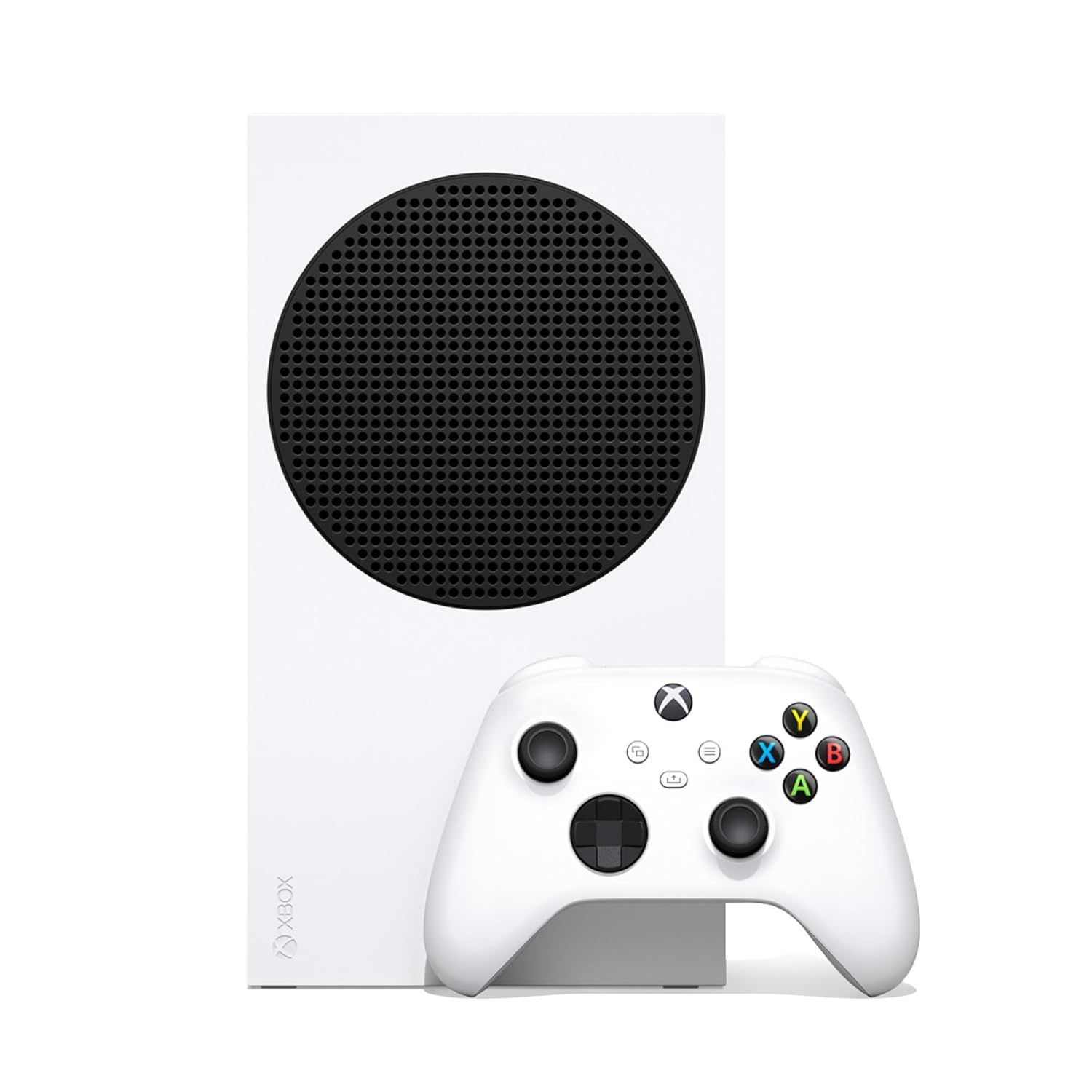
Series S (512GB): was £429.99 now £299.99 If you are still gaming on older hardware and looking for the absolute most cost effective way to get ready for GTA6 and the next wave of current-gen exclusives, this is officially the lowest barrier to entry. The Xbox Series S is fully digital, so no disc drive, but does play all the same games as the Xbox Series X. There is also a 1TB model on sale, for those who will easily fill up a 512GB SSD.
The Xbox Series S has always been the easiest and cheapest way to get into Xbox's eco system, and launched in November 2020 for £249.99 as an alternative to the beefier Xbox Series X, but it plays all of the same current generation games. I wrote a full Xbox Series S review if you want to read further, but I still love and use mine daily (and at current prices it will be a family heirloom.)
Those prices are now a thing of the past, and £299.99 is a bargain by current standards, with the price being recently hiked to a whopping £519.99. Thanks to Argos, we are now at a reasonable price point again, but that will be entirely dependent on your postcode and whether there are any in stock, so go fast!
Join us on Reddit at r/WindowsCentral to share your insights and discuss our latest news, reviews, and more.
XBOX is rarely the focus of the Windows Wrap, but when reports claim clashes happened between the Windows and XBOX teams at Microsoft, gaming pushes itself to the front.
Over the last few years, we've seen XBOX and Windows 11 grow closer together. The Windows 11 experience on gaming handhelds has improved drastically since day one, though it still has a ways to go. The XBOX app on Windows has been updated several times to align more with the console experience, which has a trickle-down effect on all gaming handhelds that run on Windows.
But despite the growth of Windows 11, the operating system still falls short of the requirements of the XBOX team, at least according to the latest reports.
Biggest News of the Week
There are some caveats to this entire discussion. Notably, Microsoft's Xbox CTO, Scott Van Vliet, refutes the claims made by Fortune.
@WinC_Gaming Helix OS is being built on Windows, and the XBOX and Windows teams are working closely together on the next generation of devices. The account cited here misrepresents both the technical work and the relationship between the teams.October 21, 2026
Van Vliet said that Helix OS is "being built on Windows." He did not say that Helix OS is Windows. For what it's worth, I don't think we'll ever see an operating system called "Helix OS." But his post makes it clear that the OS powering Project Helix is built on Windows. That's not the same as saying it is Windows. At minimum, it's highly unlikely the Xbox will run the traditional Windows desktop you see on laptops and desktops.
Microsoft has used a customized version of Windows for several generations of XBOX hardware. The Xbox One and Xbox Series X|S consoles already run an operating system that's built on Windows. Even the original XBOX ran an OS based on Windows, though the Xbox One ran an operating system much closer to Windows.
I asked Van Vliet if Project Helix is an evolution of the OS XBOX consoles already run or a freshly made custom OS, but he did not respond.
Microsoft has never specified that Project Helix will run Windows 11 and the Windows desktop, but several reports have suggested that was the plan for the console.
His post on X argues that the original report "misrepresents both the technical work and the relationship between the teams." For a moment, let's assume that's accurate and that the Windows and XBOX teams are working side-by-side in harmony. There's still a clear implication that Microsoft no longer views Windows 11 and the desktop as the right starting points for an operating system for Project Helix.
Earlier reports about Project Helix said the next generation of XBOX would run a customized version of Windows 11, much like the Xbox Ally and other gaming handhelds. It appears Microsoft has changed plans, though it's still not clear to what extent.
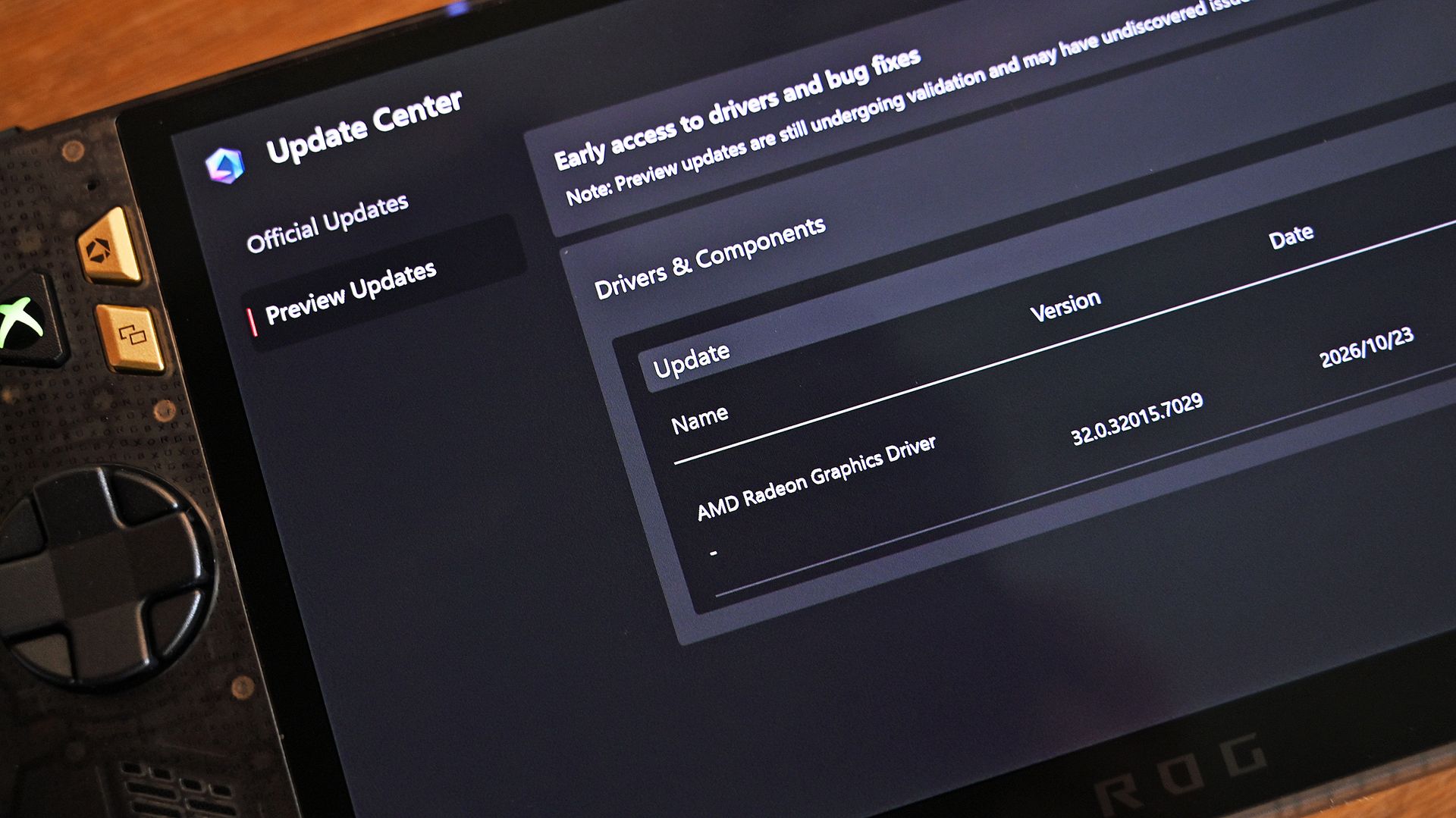
If you've used a gaming handheld running Windows 11, you may even agree with the sentiment that the OS is not the best starting point for a console gaming experience. Some of the best gaming handhelds are held back by Windows rather than boosted by it. For example, the out-of-the-box experience for the ROG XBOX Ally X20 is terrible because you have to go through three different sets of updates.
Shifting from Windows 11 powering XBOX consoles to those devices running an OS built on Windows is a massive change of plans. Though ironically, it's not much of a change from what Microsoft already does with XBOX.
Project Helix has reportedly slipped into 2028, so it may be a while before Microsoft explains exactly what changed.
Shopping with Sean
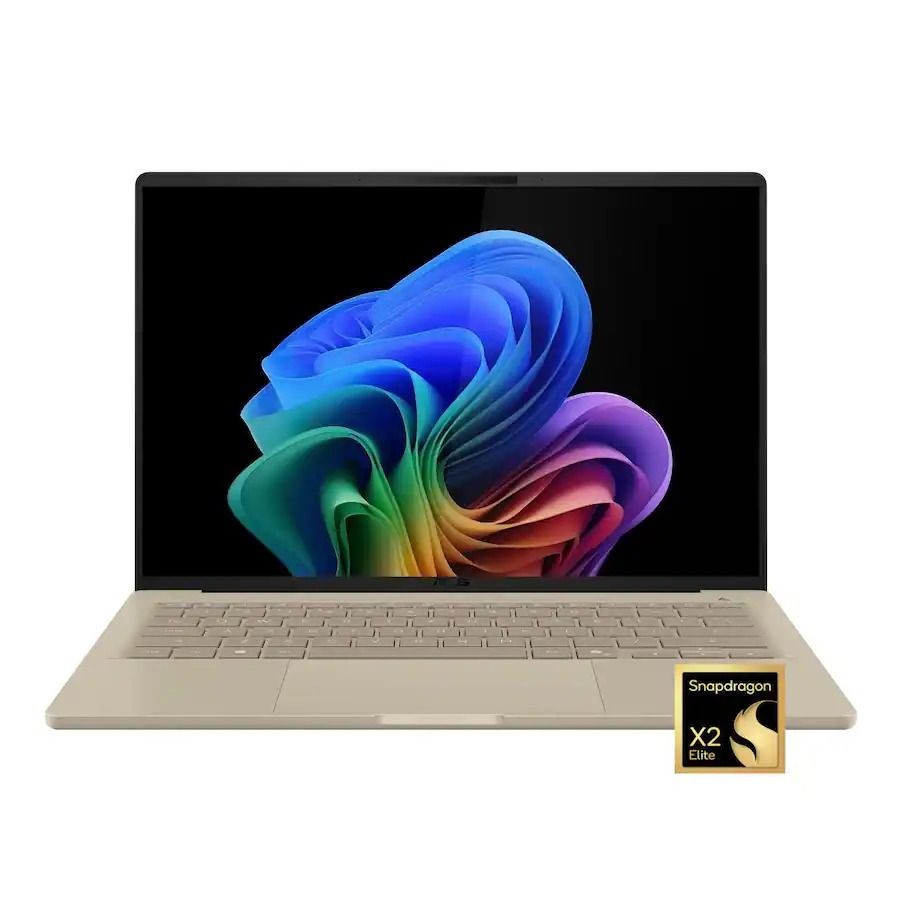
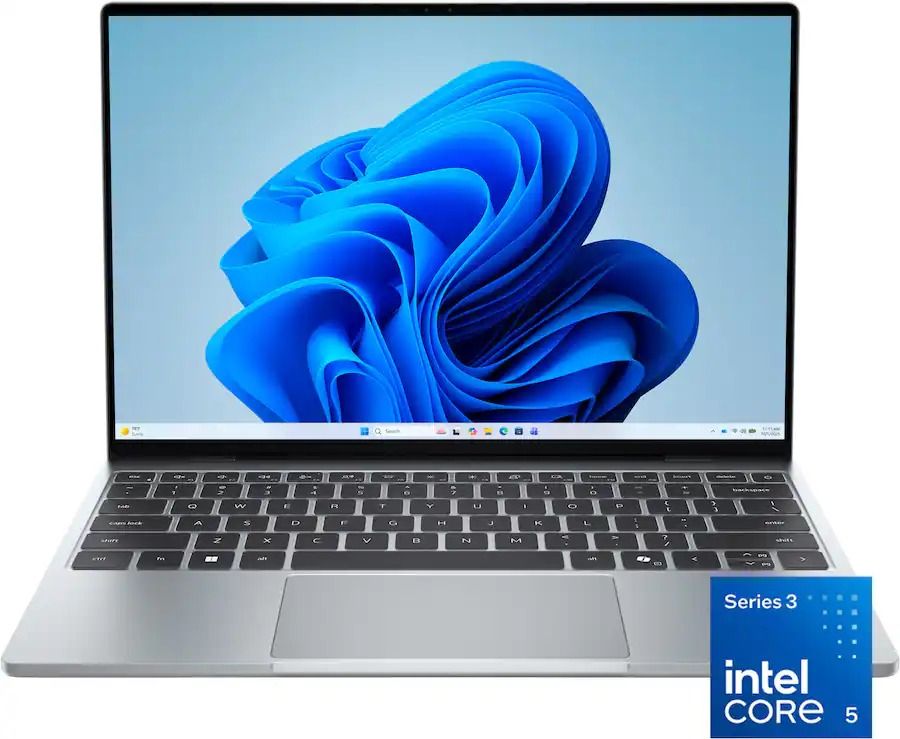
This week's biggest news may be about XBOX and gaming, but my top shopping recommendations of the week are laptops. Whether you want an Intel chip or a Snapdragon processor, there are great deals available.
"At a glance, it might feel like the Zenbook A14 didn't change at all, but upgrading to the Snapdragon X2 Elite gave it a massive CPU performance bump." — Ben Wilson, Senior Editor
"The Dell XPS 13 returns as an excellent Windows-based answer to the MacBook Neo. It’s an excellent option for students or mainstream users who don’t need more CPU or GPU muscle." — Matt Safford, Managing Editor, Tom's Hardware
On October 13, 2026, Microsoft made available its latest cumulative update (KB5127648) for Windows 11 with several new improvements, including an option to always launch apps maximized, the ability to remap the Copilot key with new options, a new "Tips" widget, and additional touchpad controls. However, the update also includes a smaller set of improvements that may have gone unnoticed.
While this month's features have already received plenty of attention, some less prominent changes could still make a difference. The October update improves Bluetooth reliability, fixes mouse stuttering in some games, restores fingerprint sign-in on affected devices, and addresses printing and Always On VPN connection issues.
Here are six improvements and fixes worth knowing about after installing the October 2026 Security Update for Windows 11.
1. Windows 11 improves Bluetooth reliability
This monthly update includes eight Bluetooth improvements designed to make connecting to and using Bluetooth devices more reliable.
During voice calls, the system now shows the volume flyout when you adjust the volume using the controls on a compatible Bluetooth Classic Audio accessory, giving you visual feedback on the new volume level.
The update also improves how the operating system reports the connection status of disconnected Bluetooth accessories. It fixes an issue where the Bluetooth radio could be turned off even though its toggle in the Bluetooth and devices page in Settings still appeared to be on. Microsoft has also improved the stability of this Settings page when managing Bluetooth and audio devices.
For audio, the update improves microphone compatibility with certain Bluetooth Classic Audio accessories and makes shared audio more reliable.
It also fixes a crash (error code 0x139) that could happen while streaming Bluetooth audio and improves the reliability and performance of Bluetooth Low Energy (LE Audio) accessories.
2. Fingerprint sign-in works again after a cold boot
This release also fixes an issue that could prevent Windows Hello fingerprint sign-in from working after a cold boot on some computers.
Fingerprint authentication is convenient because it lets you sign in quickly without entering a password or PIN. However, a problem that appears after a full shutdown can make the feature unreliable.
If fingerprint sign-in fails after you power on your computer from a full shutdown, installing the update may resolve the problem.
3. Microsoft fixes mouse stuttering in some games
The October update (KB5127648) fixes an issue that could cause mouse input to stutter in some games. This problem can make aiming, camera movement, and other actions feel inconsistent, particularly in games that require precise input.
Since this fix targets an specific bug, it doesn't guarantee a solution for every mouse stuttering or performance issue.
4. Windows 11 fixes printing problems with certain drivers
Microsoft has also addressed a printing problem that could affect some apps and devices using RAW or Generic Text Only printer drivers after installing the August 2026 Security Update.
These driver configurations are used in certain printing environments, and the issue could prevent some print jobs from completing successfully.
Users affected by this problem should install KB5127648, then test their apps and printers again to confirm the problem has been resolved.
5. Always On VPN connections become more reliable
In addition, this rollout fixes an Always On VPN issue introduced by the earlier KB5124008 update.
On affected systems, automatic protocol selection or protocol fallback could leave a VPN connection stuck on Connecting or cause the initial connection attempt to fail. Subsequent attempts could also show the "The specified port is already in use" error message.
These problems can prevent users from establishing a reliable VPN connection, especially in managed business environments where remote access is essential.
6. File Explorer no longer crashes in certain multi-user environments
The update also fixes a File Explorer problem affecting some multi-user environments, including Azure Virtual Desktop deployments that use FSLogix.
On affected systems, "explorer.exe" could fail to start after sign-in or repeatedly crash, potentially leaving users with a black screen.
How to install the October 2026 update
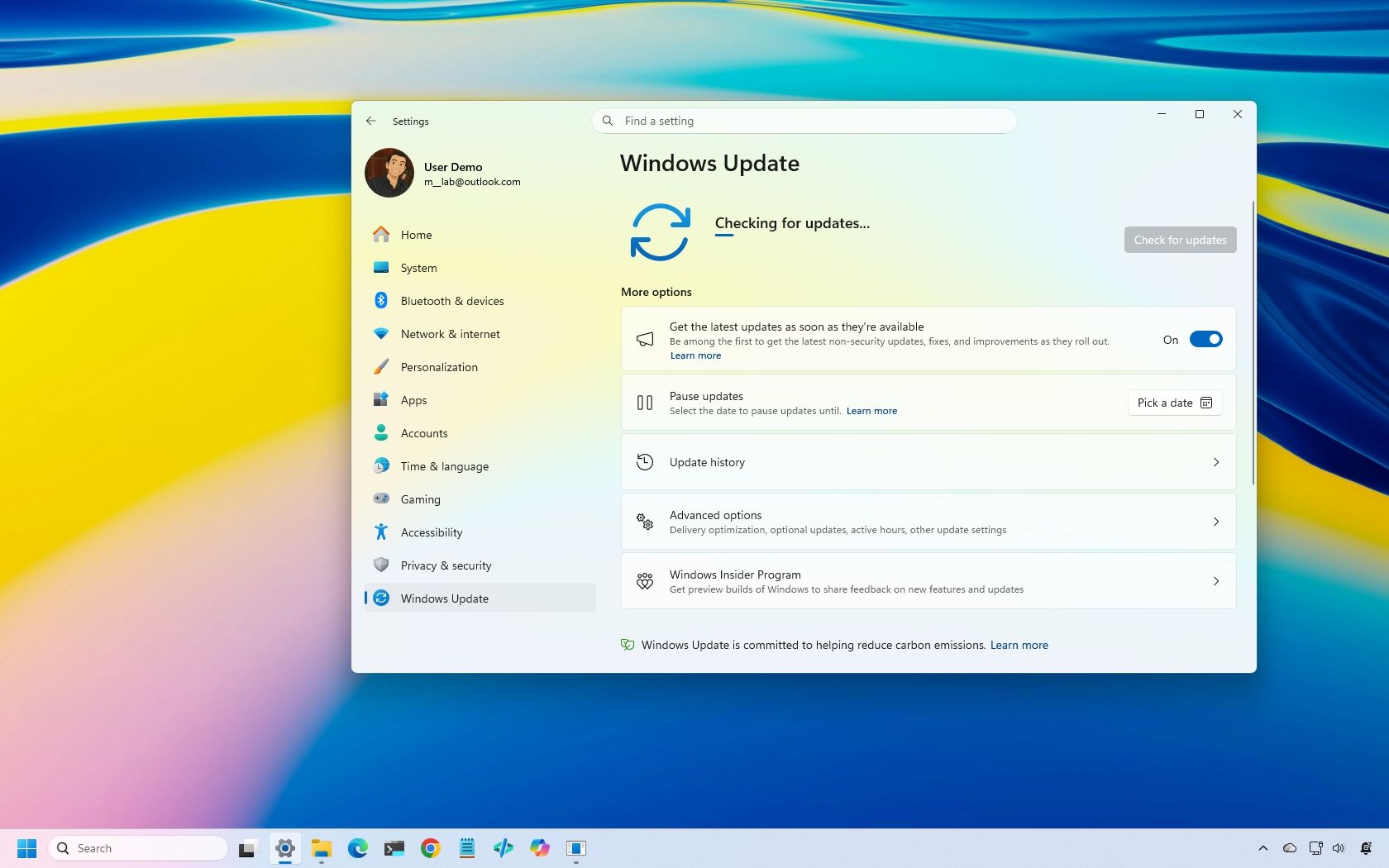
The October 2026 Security Update for Windows 11 should install automatically, but it can be installed from Settings > Windows Update by clicking the "Check for updates" button.
The update is available for versions 26H2, 25H2, and 24H2, with builds 26300.9711, 26200.9711, and 26100.9711, respectively.
However, keep in mind that Windows 11 24H2 Home and Pro reached the end of support with this security update released on October 13. This means that 24H2 will no longer receive security fixes and improvements, nor will the company continue offering support.
If you're still on version 24H2, I highly recommend upgrading to the latest version. Since versions 26H2, 25H2, and 24H2 share the same core system, switching versions only requires the latest updates for the current version and the enablement package, both of which should be available for download through Windows Update settings.
Windows Central's Take
Although the October update includes features and changes that are easier to notice, the smaller fixes can be just as useful when they address problems that disrupt your workflow. The Bluetooth improvements stand out because they cover several areas, from connection status and Settings reliability to audio compatibility and crashes.
The fixes for fingerprint sign-in, gaming, printing, and VPN connections are more specific, but they could make a difference to affected users. If you've experienced any of these problems, it's recommended to install this month's update as soon as possible.
Have you noticed any of these issues on your device? Let me know in the comments.
More resources
Explore more in-depth how-to guides, troubleshooting advice, and essential tips to get the most out of Windows 11 and 10. Start browsing here:
PowerToys, the "Swiss Army knife" of Windows 11, is now available in version 0.102, introducing several features designed to improve your desktop experience.
This release adds Mouse Button Lock to make dragging and selecting items easier, while CursorHide automatically hides the mouse pointer under specific conditions. Command Palette also gets an update with quick access to frequently used commands. In addition, PowerToys expands its command-line and automation features, and ZoomIt now lets you use voice input to set image descriptions.
In this guide, I'll highlight the five new features and improvements in PowerToys version 0.102 and explain how they can help you get more out of Windows 11.
1. Mouse Button Lock for easy dragging and selection
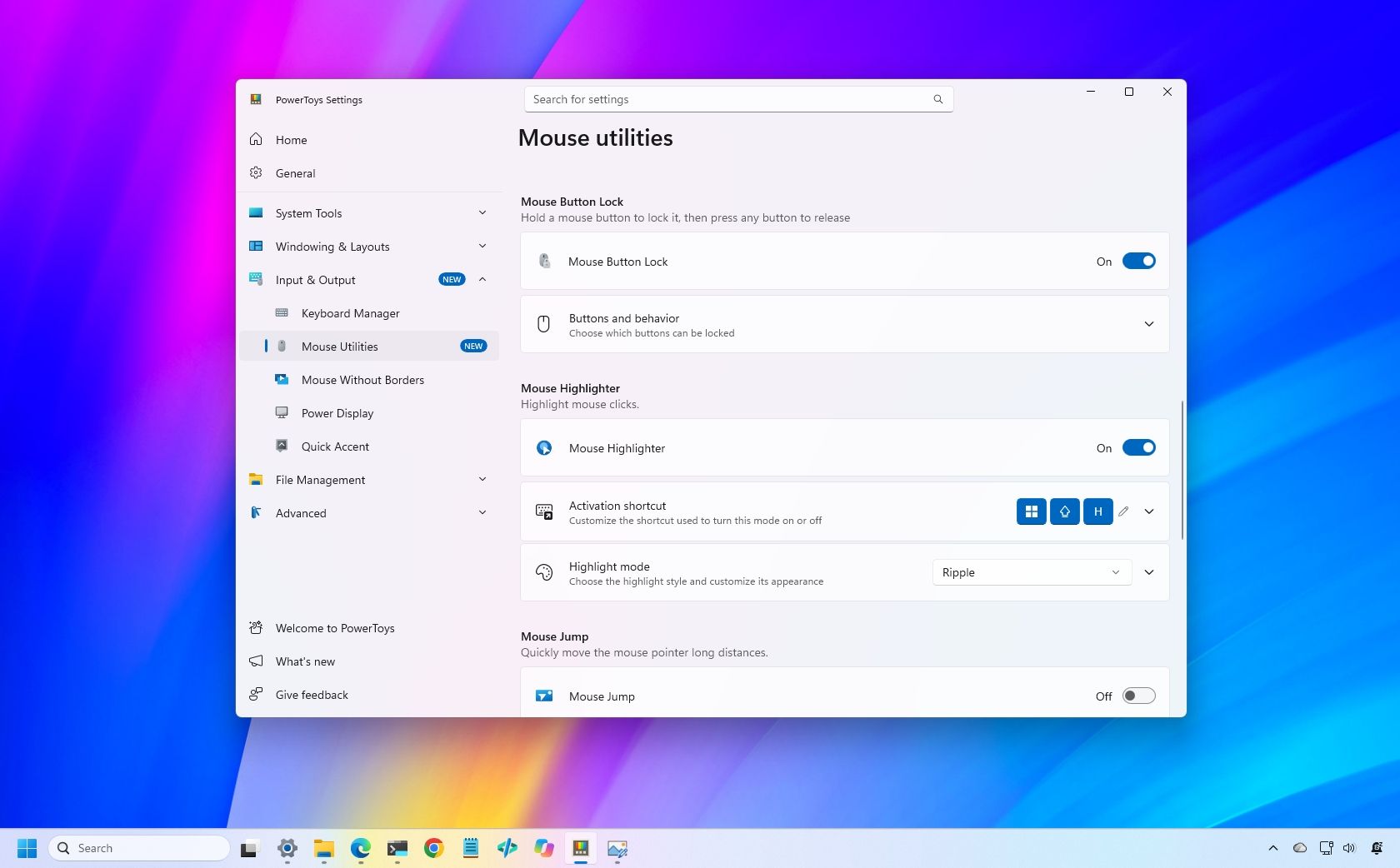
Selecting large groups of items or dragging files across the desktop can get tiring when you have to hold a mouse button down for an extended period. Starting with version 0.102, PowerToys introduced Mouse Button Lock to make these actions easier.
When this feature is enabled, you can press and hold a mouse button briefly, then release it. PowerToys keeps the button virtually held down, letting you keep selecting items or dragging files without physically holding the button. To release the hold, simply click any mouse button.
Mouse Button Lock can help when you're working with large file selections, moving items, or doing tasks that require extended dragging. It can also improve accessibility for people who have difficulty holding a mouse button down for long periods.
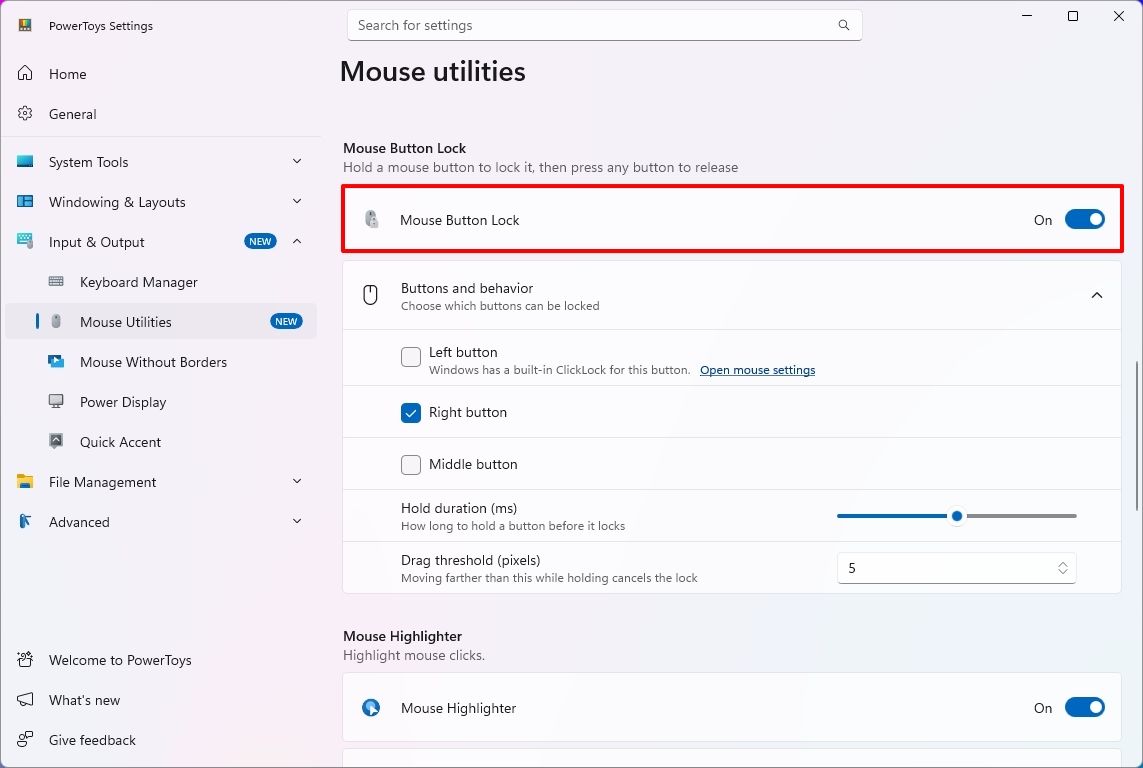
You can enable the feature in PowerToys > Input & Output > Mouse Utilities by turning on the "Mouse Button Lock" toggle switch.
(Image credit: Mauro Huculak)
From the "Buttons and behavior" settings, you can decide whether the left, middle, or right button should lock while pressed.
The settings also let you choose the hold duration before the button is locked as pressed, and the drag threshold allows you to specify how far you can move the mouse before PowerToys cancels the Mouse Button Lock.
2. CursorHide for fewer cursor interruptions
PowerToys also introduces a second mouse utility, CursorHide, which lets you hide the mouse pointer while you're typing, after a period of inactivity, or both.
CursorHide is useful when the mouse pointer gets in the way of what you're doing on the screen. For example, hiding the pointer while typing makes it easier to focus on text without the cursor covering words or other elements.
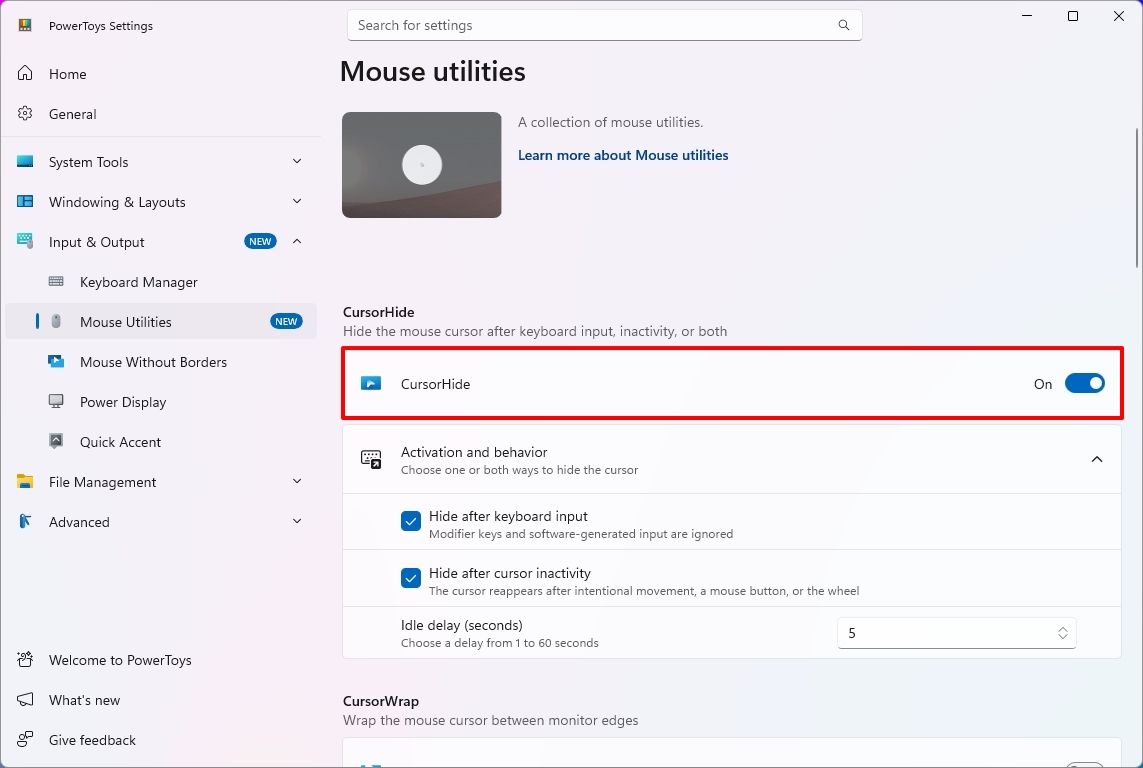
You can enable the feature in PowerToys > Input & Output > Mouse Utilities by turning on the "CursorHide" toggle switch.
(Image credit: Mauro Huculak)
In the "Activation and behavior" settings, you can choose to hide after keyboard input and set the cursor to hide after a period of inactivity.
3. Command Palette quick access to favorites
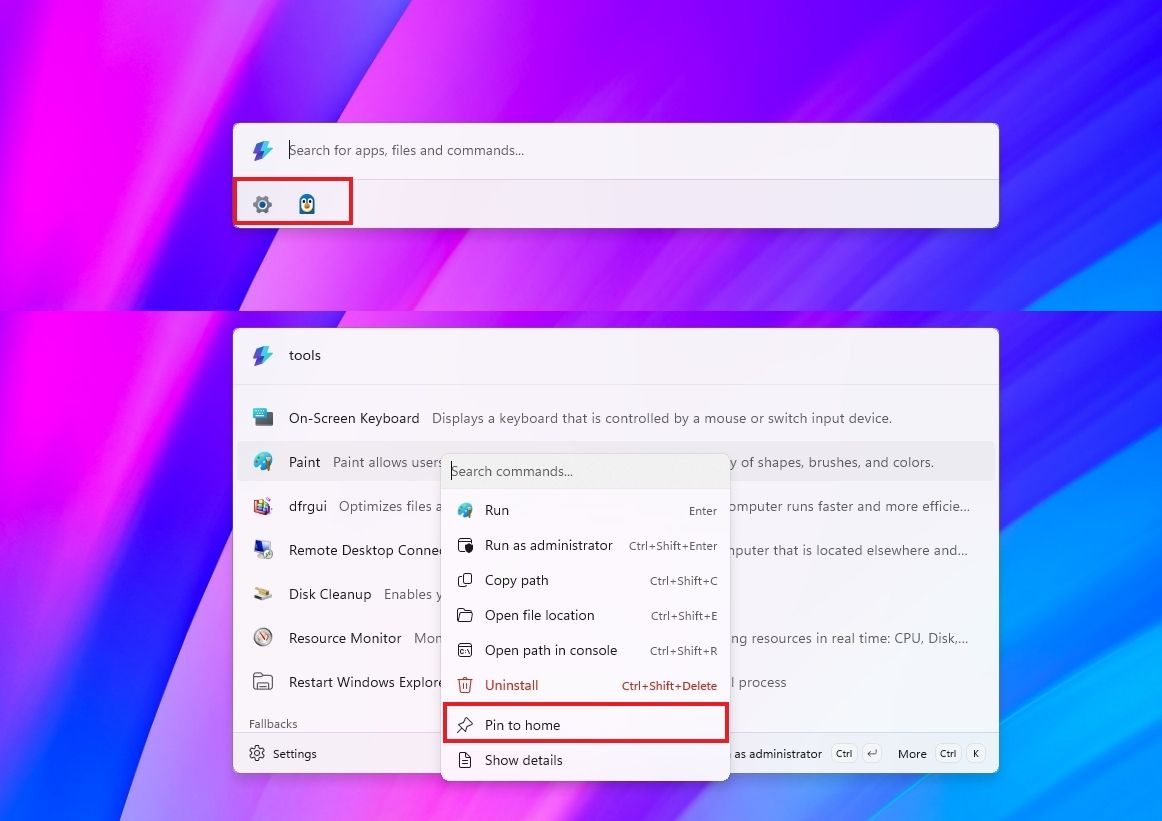
If you use Command Palette, this update rolls out an update to Compact mode that lets you pin frequently used commands under the search box.
Once you pin an item, you can launch it with the "Alt + 1" through "Alt + 9" shortcut or select it without running it with the "Alt + Shift + number" shortcut.
(Image credit: Mauro Huculak)
It's also possible to drag items to reorder them, right-click to access more options, and display recent apps and commands.
4. PowerToys expands command-line support
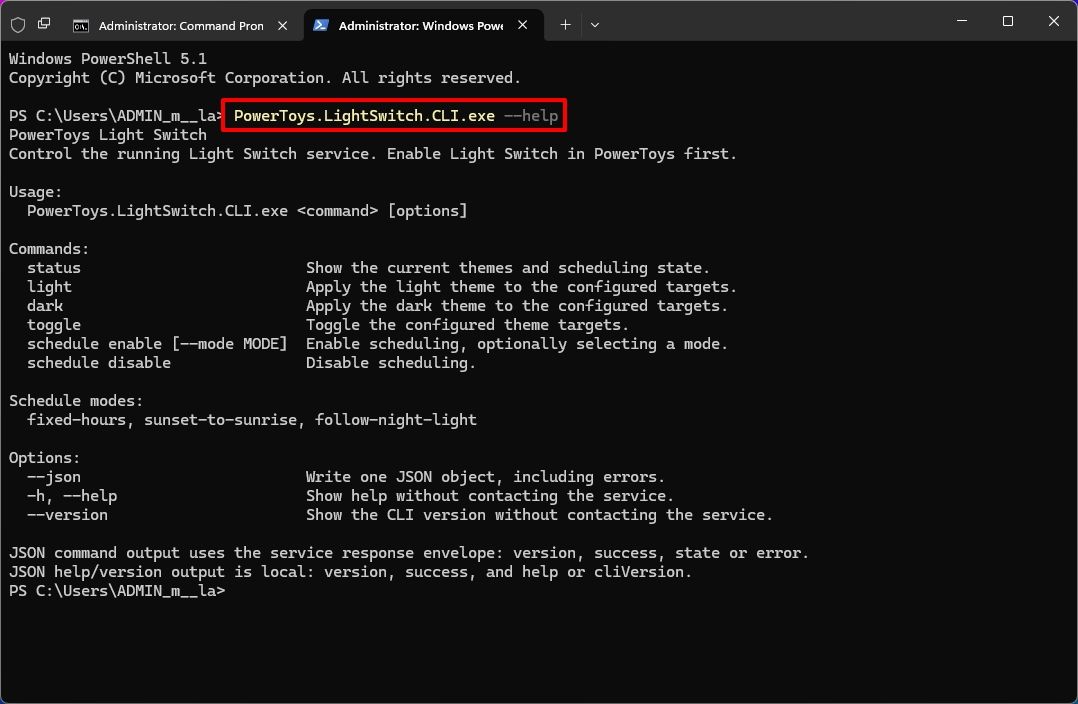
PowerToys version 0.102 expands its command-line capabilities, allowing you to control more utilities, automate tasks, and retrieve information directly from Command Prompt or PowerShell.
The update adds CLI commands for Advanced Paste, Light Switch, Settings, Peek, and PowerDisplay. These commands let you run actions, manage light and dark mode settings, turn utilities on or off, preview files and folders, and retrieve display information in script-friendly formats.
These additions are especially useful for automating repetitive tasks, creating scripts, or controlling PowerToys utilities without opening their graphical interfaces.
(Image credit: Mauro Huculak)
Here's a list of the new command-line support you can use with PowerShell:
Advanced Paste: PowerToys.AdvancedPaste.CLI.exe
Light Switch: PowerToys.LightSwitch.CLI.exe
Settings: PowerToys.Settings.CLI.exe
Peek: PowerToys.Peek.UI.exe
PowerDisplay: PowerToys.PowerDisplay.CLI.exe
To learn about the options for each command, use the "--help" command. For example, PowerToys.LightSwitch.CLI.exe -- help.
If, for example, LightSwitch is enabled, you can switch to dark mode with the PowerToys.LightSwitch.CLI.exe dark command.
You can use the command to manage it, but you must enable the utility in PowerToys settings first.
5. ZoomIt adds screenshot dictation
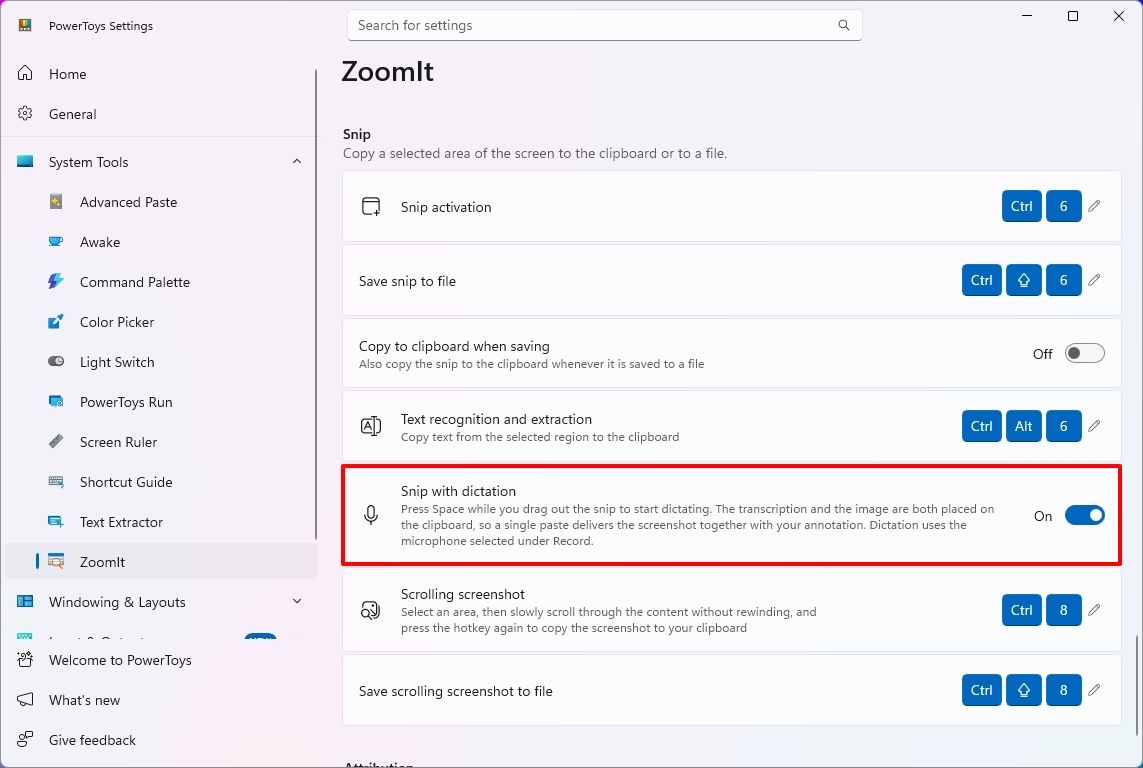
Finally, ZoomIt now lets you dictate a description while capturing a screenshot, making it easier to document what's on the screen without typing the text separately.
To use the feature, open PowerToys > System Tools > ZoomIt, turn on the feature, and then under the "Snip" section, turn on the "Snip with dictation" toggle.
(Image credit: Mauro Huculak)
Once you have done that, drag to select an area of the screen, press the "Space" key, and describe what you're capturing. ZoomIt transcribes your speech locally, allowing you to paste the screenshot and its accompanying text together.
The feature uses the microphone selected in the "Record" settings.
Wrap up
PowerToys 0.102 is a surprisingly and unusually interesting update, despite the simple version-number change. The popular app serves as a clear reminder of how much Windows 11 continues to evolve thanks to community-driven tools — these additions make everyday workflows smoother and show how Microsoft’s open‑source ecosystem continues to fill gaps the OS itself doesn’t yet cover.
Whether you’re a power user or just someone who loves small quality‑of‑life upgrades, this release proves that Windows can still surprise you with clever, genuinely useful features.
What’s the most interesting feature in this rollout? Let me know in the comments!
More resources
Explore more in-depth how-to guides, troubleshooting advice, and essential tips to get the most out of Windows 11 and 10. Start browsing here:
On October 23, 2026, the official X account of Stellar Blade revealed that the game is going to have a collaboration with Overwatch titled "Overwatch X Eve Protocol".
Like past collaborations with other franchises, Overwatch will no doubt create new cosmetic rewards based on Stellar Blade's main characters and pass them on to Overwatch's Heroes.
The date for this collaboration and its content have not been specified at this time.
For those unaware, Stellar Blade is a character action game where you play as EVE, a soldier dispatched to Earth to liberate it from monstrous alien invaders called the Naytiba.
With this expected collaboration with Overwatch, a first-party Xbox franchise, there might be a chance we could get an Xbox version of Stellar Blade down the pipeline.
Would you like to play Stellar Blade on Xbox?
I wouldn't mind giving Stellar Blade a chance if it lands on Xbox Series X|S, especially with Xbox Play Anywhere so I can play it while travelling on holiday.
Its gameplay looks fun and gives off the same over-the-top feel as classic combat-heavy titles like Nier: Automata and Bayonetta (it's even getting a crossover Bayonetta skin for EVE when the game lands on Nintendo Switch 2).
But what do you think? Could this Overwatch collaboration be hinting at an Xbox Series X|S port of Stellar Blade? Would you play it if it landed on Xbox? Do you think Stellar Blade's sequel, Stellar Blade: Blood Rain, will come to Xbox as well?
If you have any thoughts on the matter, please let us know in the comments, poll, or Reddit.
Join us on Reddit at r/WindowsCentral to share your insights and discuss our latest news, reviews, and more.
The fallout from Electronic Arts' (EA) decision to shut down BioWare continues to rage on as more about the planned Mass Effect Universe game has come to light in the passing days. The #SaveMassEffect petition has now surged past 170,000 signatures, and fans are escalating their efforts to get EA's attention, including talk of taking the message right to the publisher's doorstep.
Could fans manage to pitch a billboard outside EA HQ?
(Image credit: Bioware)
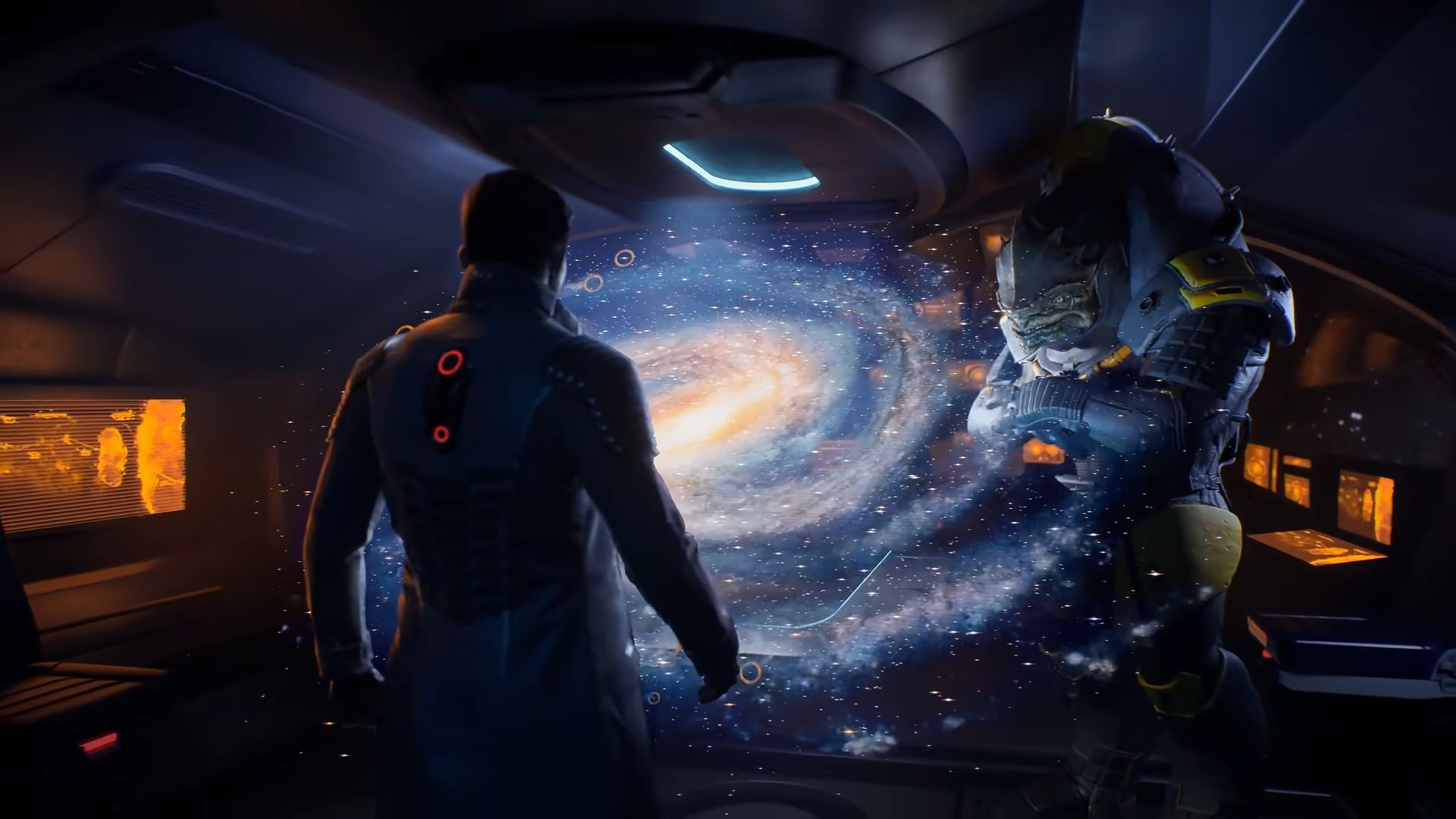
The push to "Save Mass Effect" has reached fever pitch following a devastating reveal that showed players exactly what they lost with the studio closure, a former developer released a pre-production trailer and gameplay details for the cancelled Mass Effect Universe, revealing a highly ambitious future for the franchise that will never see the light of day.
Channelling the community's frustration, passionate Mass Effect fan and lore content creator Kala Elizabeth took to X/Twitter to propose a fundraiser for a potential billboard outside EA's California headquarters to promote the #SaveMassEffect movement. The idea has quickly gained traction, with many prominent industry figures responding in support.
Soooo how are we feeling about purchasing a billboard outside of EA HQ? To spread the #SaveMassEffect movement but also to try to #SaveBioware? What about a little fundraiser to pool our money? Is that ridiculous? Crazy? Would anyone be interested?October 23, 2026
The movement shares a hashtag with the massive Change.org petition created by Joe Smith, but the billboard plans and additional upcoming initiatives are being coordinated exclusively by Kala Elizabeth and the @WeAreMassEffect team, completely separate from the petition's creator.
Kala confirmed that a coordinated effort is in the works, stating they are "working on a plan with multiple things for next week" and "won't let Mass Effect, Dragon Age and BioWare go down without a fight!"
Could Xbox #SaveMassEffect? Our sources say no.
Dear XBOXBuy the Mass Effect IP, Hire the Best of BioWare and reform it.You already have RPGs, but nothing like this.It’s one of the best franchises in all of Sci-Fi, and there’s no games like that Trilogy The Return Of Mass Effect needs to happen https://t.co/khl6a7c1K5October 22, 2026
A somewhat sour note has been added to the community's rallying cry by an unconfirmed rumour about BioWare's final days. According to a post by user @baundiesel, BioWare developers allegedly attempted to buy out the studio and the Mass Effect IP before the closure, but EA "showed no interest in a deal". While this claim should be taken with a heavy grain of salt, it wouldn't surprise me at all if the development team believed in the project they were building this much.
Whether a billboard in California, or whatever else the community plans, will be enough to sway fatcat executives remains to be seen, but Mass Effect fans are making it clear they won't go quietly. As the campaign grows momentum, many are discussing if another publisher could step in and save the day, earning infinite brownie points with the gaming community in the process. Theories are heavily circulating that Xbox could step up to the plate. A hope not too out of the realm of possibility, given they recently swooped in to save Hideo Kojima's Physint after it was unceremoniously dropped by PlayStation. Brownie points aside, acquiring and funding a new AAA entry would be a considerable financial risk for Xbox, and I'm not convinced they have the appetite for risk right now. Our sources at Windows Central suggest that Microsoft is not going to make a bid for BioWare or Mass Effect.
Alternatively, CD Projekt Red is being touted as the perfect replacement to help, with fans hoping the RPG masters could give the Mass Effect universe the meticulous treatment and attention to detail it deserves.
If another studio were to swoop in and save Mass Effect, who do you think would be the best choice? Let me know in the comments below, and don't forget to visit #SaveMassEffect and pledge your support if you care at all about this legendary IP.
Join us on Reddit at r/WindowsCentral to share your insights and discuss our latest news, reviews, and more.
"Helen Chiang is leaving Microsoft today. I’m grateful for her years of service and wish her well," Asha Sharma said in an internal email shared by The Verge. Sharma noted that an update on the COO post would arrive later. Indeed, it doesn't sound as though the COO post is going away, suggesting that this wasn't a redundancy departure. People immediately began to speculate that Chiang had been removed over a clash or disagreement of sorts.
In a statement to Windows Central, a Microsoft spokesperson said: "We don't discuss individual personnel matters. We are grateful for Helen's years of service and wish her well," echoing statements given to other outlets.
We now have more detail on what might've transpired from Eurogamer, who suggests that Chiang was "terminated for policy violations," via one of its sources, although it said it wasn't able to gain additional corroborative sources.
Helen Chiang was instrumental in growing Minecraft to the fiscal powerhouse it is today. (Image credit: Mojang Studios)
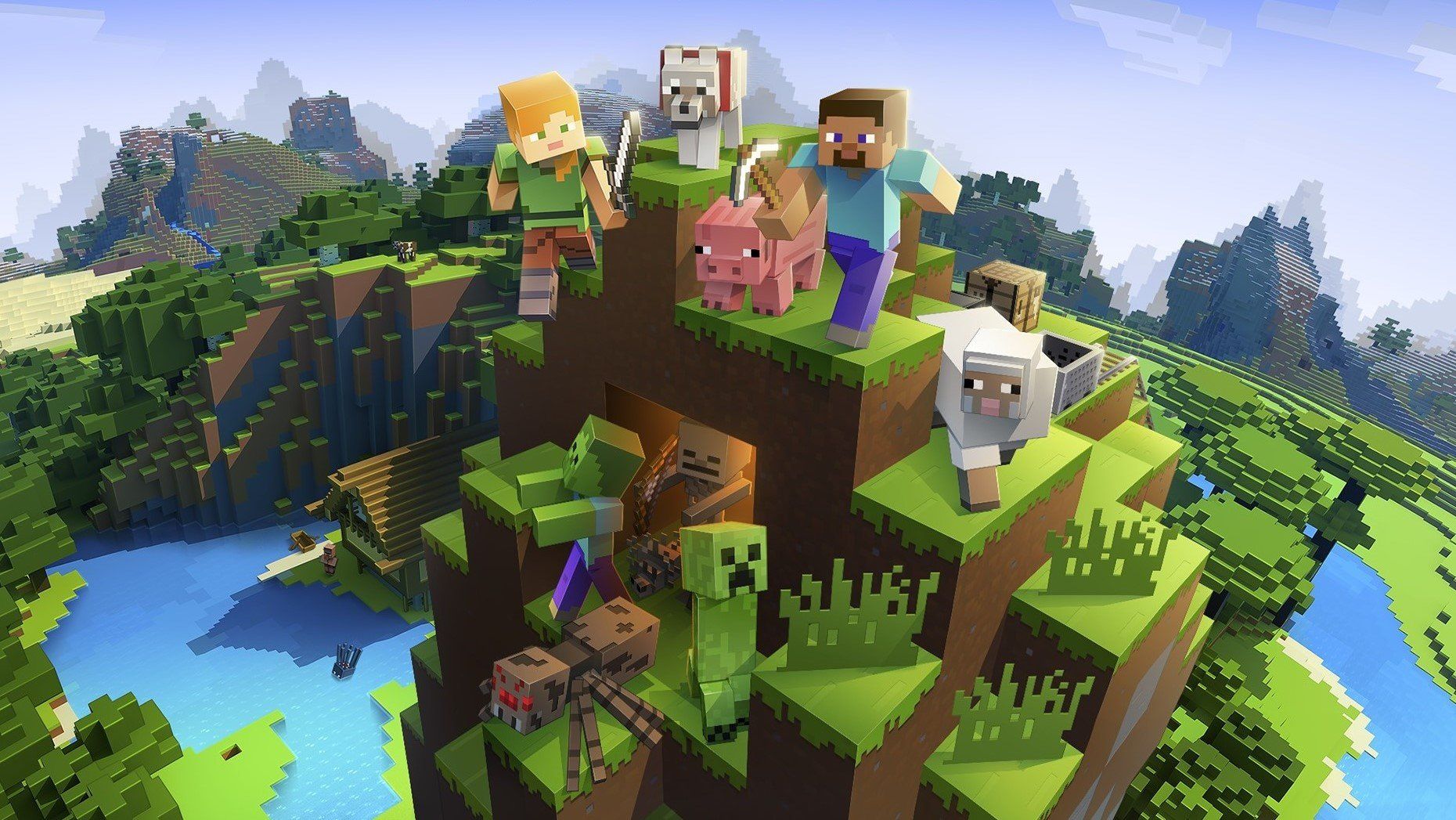
Chiang has had a large, storied career at Microsoft. She joined all the way back in 2005 working on mapping software, and then began rising through the ranks of Xbox back in 2007. She's been working on Minecraft since 2014, and led the game's expansion across consoles, mobile devices, education services, merchandising, and more recently, movies and other transmedia opportunities.
Chiang is incredibly well-liked and highly regarded within Microsoft by every employee I've spoken to. She's known as supportive and helpful, described to me as going above and beyond for employees at all levels.
She has been one of Xbox's longest-serving leaders and her promotion to COO was celebrated. Her purported termination immediately struck me as odd, and not exactly something that would've been done lightly.
I suspect this isn't the last we've heard of this story, and certainly not the last we've heard of Chiang, who by all accounts was excellent in her role.
Join us on Reddit at r/WindowsCentral to share your insights and discuss our latest news, reviews, and more.
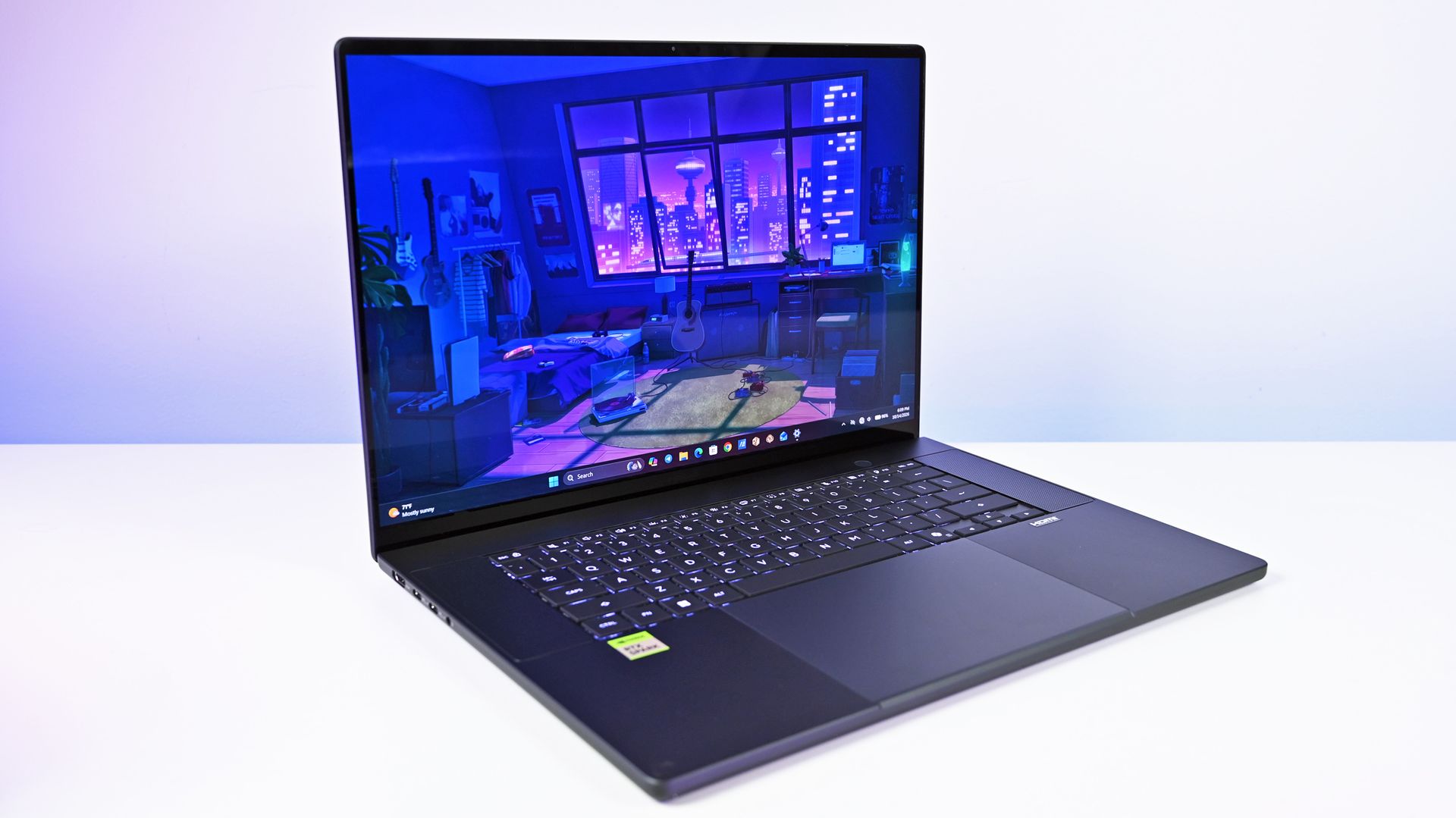
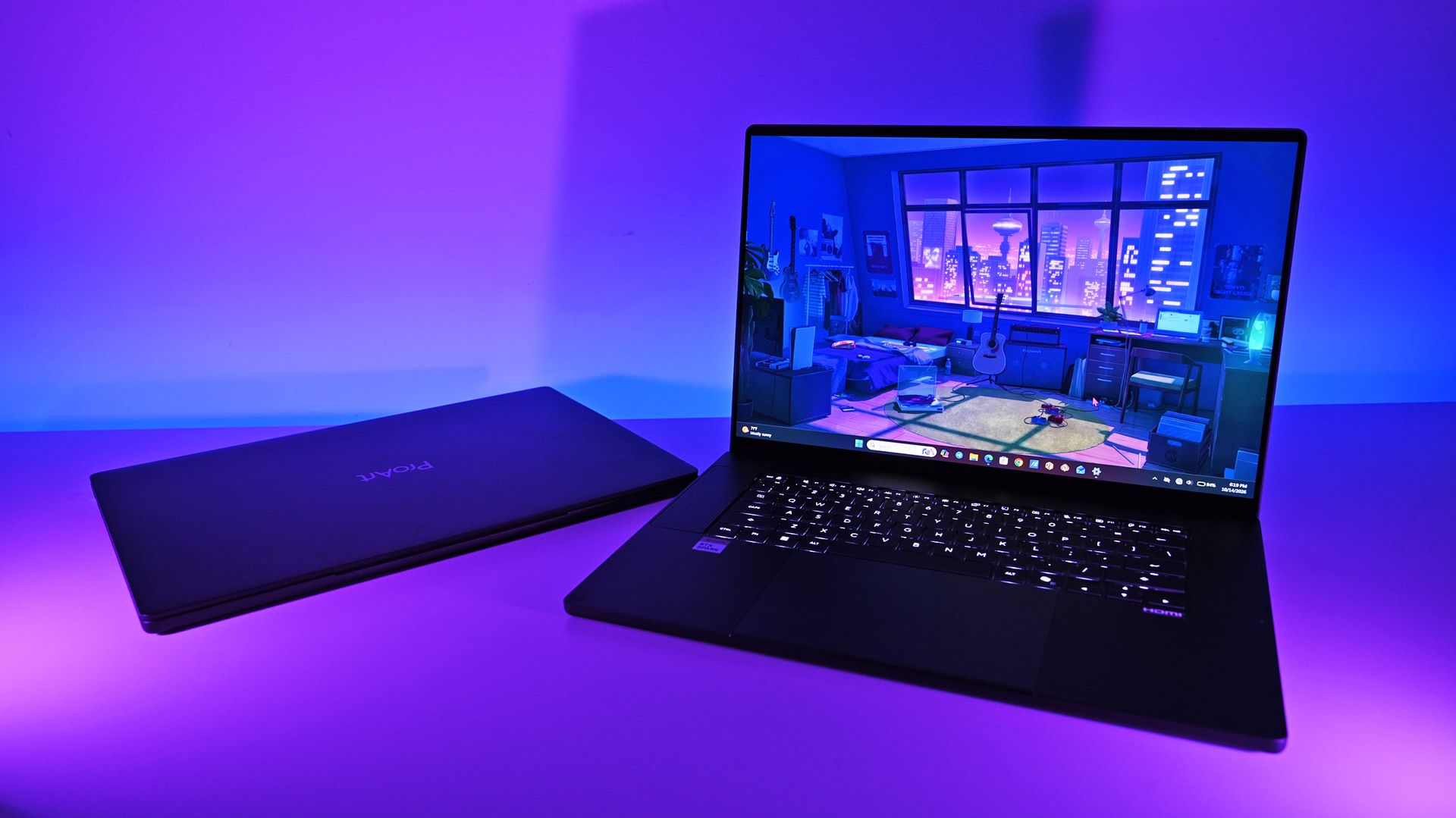
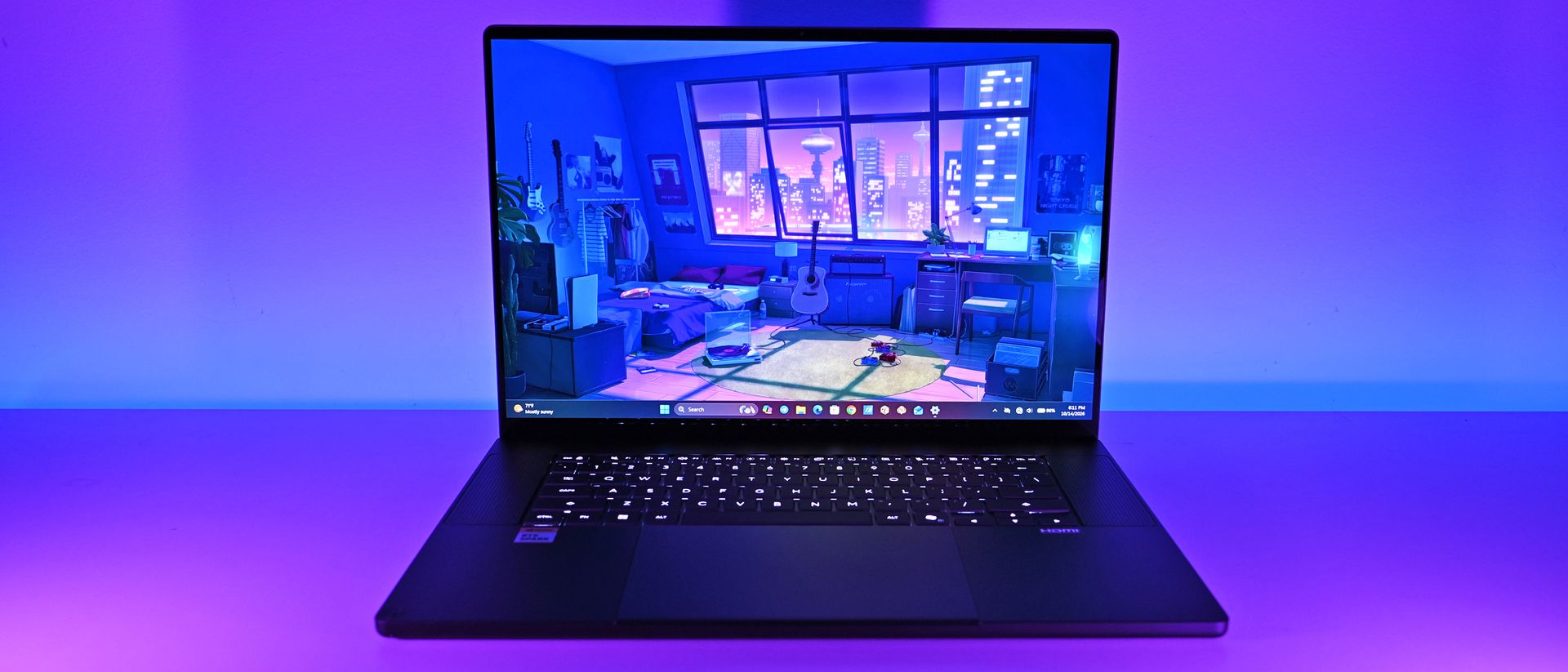
The ASUS ProArt P16 with RTX Spark is one of the best Windows laptops I've ever used. It's also one of the easiest to recommend to the wrong person.
That distinction matters when laptops start at $2,799.99 and go up to nearly $7,000, but I have a good reason for this caveat.
ASUS has designed this new ProArt P16 (H7607) primarily for people who create more than they consume: developers, engineers, AI enthusiasts, 3D artists, video editors, and professionals experimenting with increasingly sophisticated local AI and agentic workflows.
Indeed, NVIDIA's RTX Spark N1X combines a 20-core Grace CPU, 6,144-core Blackwell RTX GPU, native CUDA support, and up to 128GB of unified LPDDR5X memory. ASUS says the latter configuration can even run LLMs with up to 120 billion parameters.
If CUDA, local inference, LLMs, agentic workflows, GPU memory, or ComfyUI mean absolutely nothing to you, there are better laptops for your money.
If those terms interest you, even if you're just starting to learn about them, things get much more interesting, and you'll want to read on.
ASUS and NVIDIAhad no input, nor did it see the contents of this review, prior to publication.
ASUS ProArt P16: Price and specifications
(Image credit: Daniel Rubino)
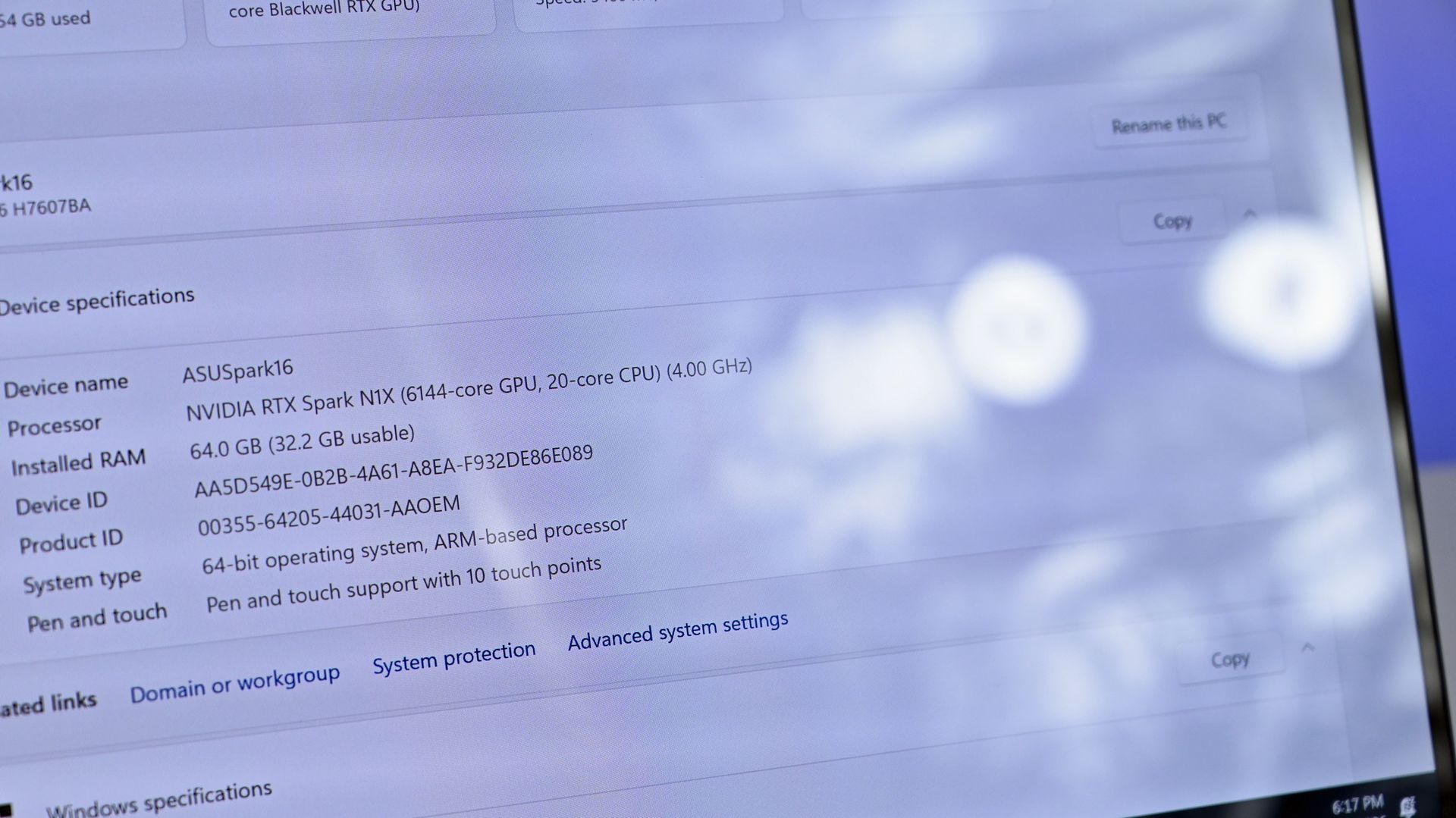
I focused on two configurations for this review. My 3K Nano Black unit packs 64GB RAM and a 1TB SSD for $4,399.99, while the top model jumps to 128GB RAM, 2TB storage, and a 4K OLED for $6,999.99.
ASUS also offers Nano Black and Neo White, although configuration choices are strangely interdependent. Changing color can alter the display and Windows edition, so pay attention when ordering. ASUS currently lists Windows 11 Home and Pro, 3K and 4K OLED options, and memory capacities reaching 128GB.
But you can go even lower, as Best Buy's $2,799 model still has that 4K OLED, but 512GB of storage (you can add more later) and 24GB of RAM (obviously, RAM is the cost multiplier here in late 2026).
And don't confuse this H7607 model with the existing (and slightly older) AMD-powered ProArt P16 H7606. RTX Spark makes the H7607 a fundamentally different computer.
ASUS ProArt P16: Design and hardware
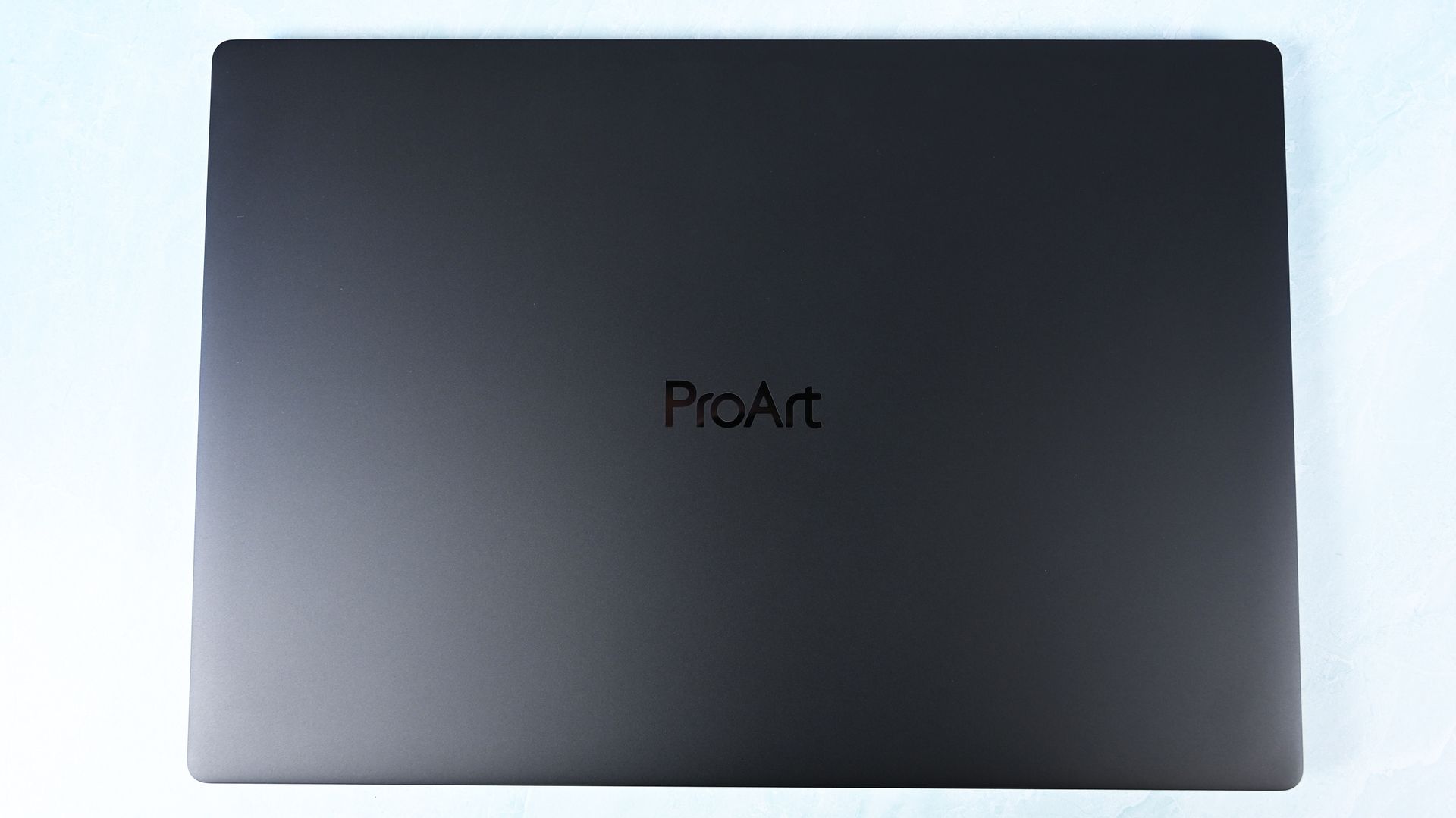
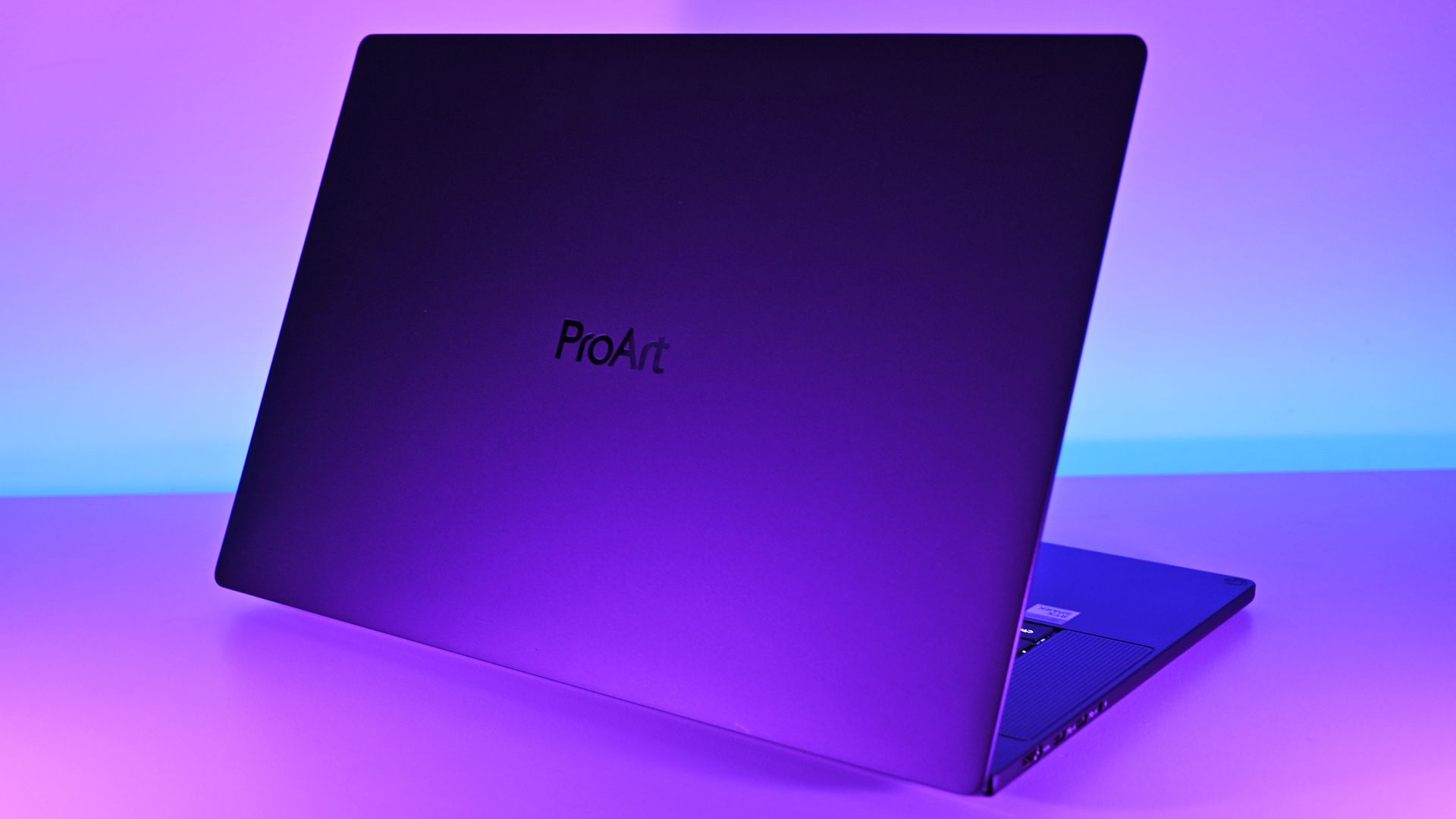
ASUS keeps it simple for the lid. (Image credit: Daniel Rubino)
This may be ASUS's greatest achievement with the ProArt P16.
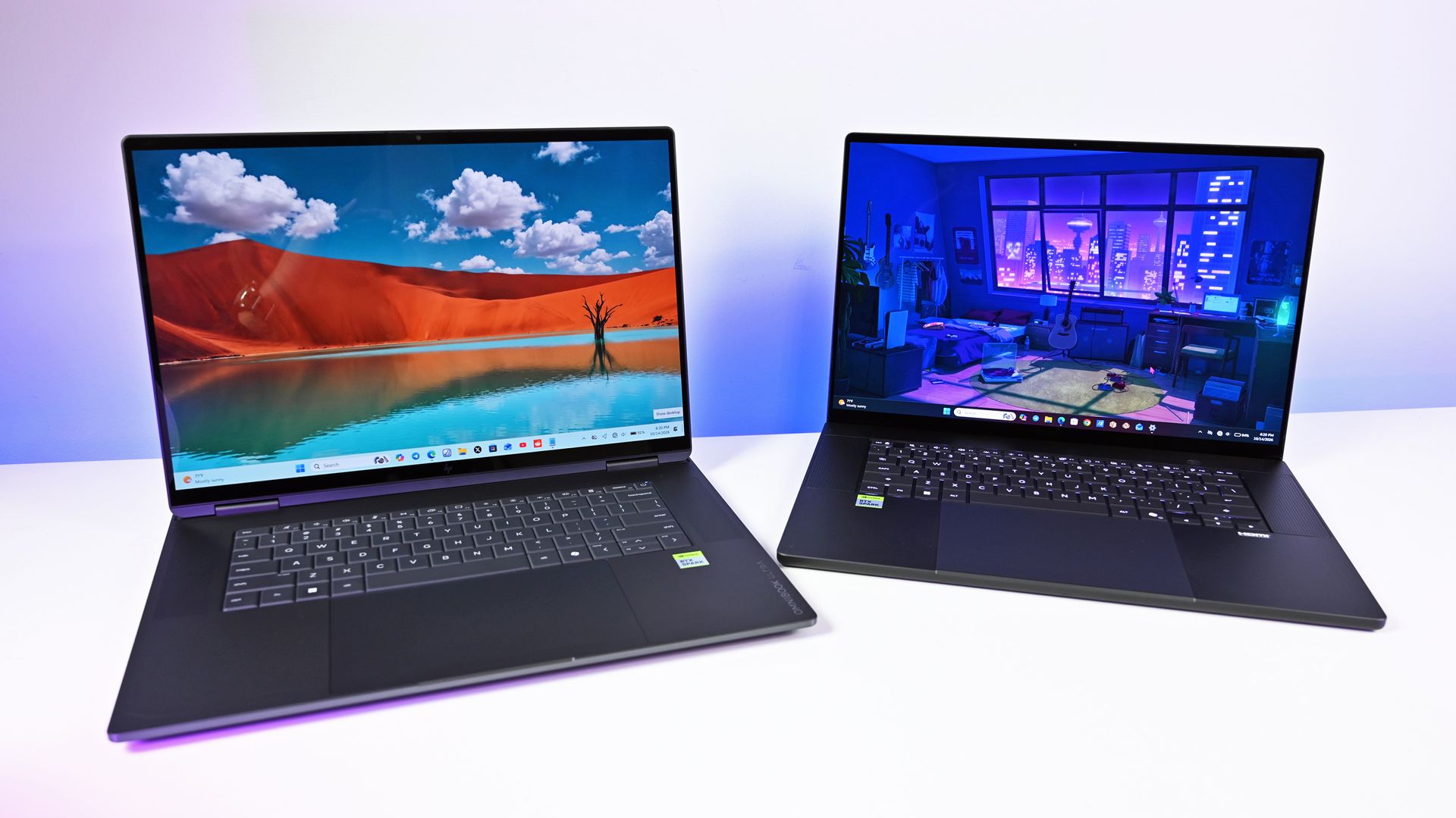
At just 3.9 pounds, it's remarkably light for a 16-inch workstation, undercutting the 4.5-pound Surface Laptop Ultra, 4.7-pound 16-inch MacBook Pro, and especially HP's surprisingly hefty 4.9-pound OmniBook Ultra 16 RTX Spark.
You absolutely feel the difference.
The ProArt measures just 0.51 to 0.63 inches thick, yet ASUS still squeezes in an enormous 99.9Wh battery.
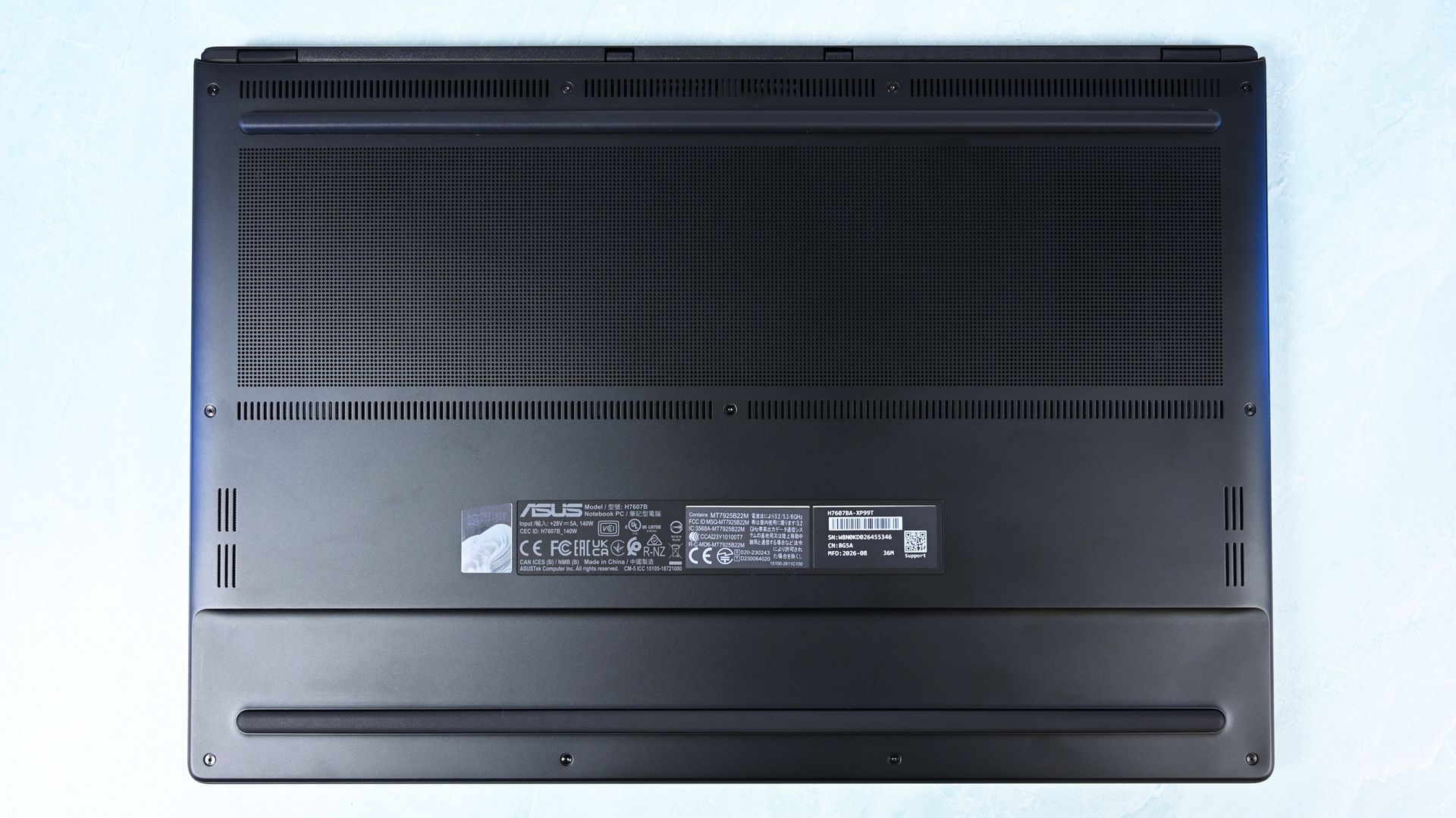
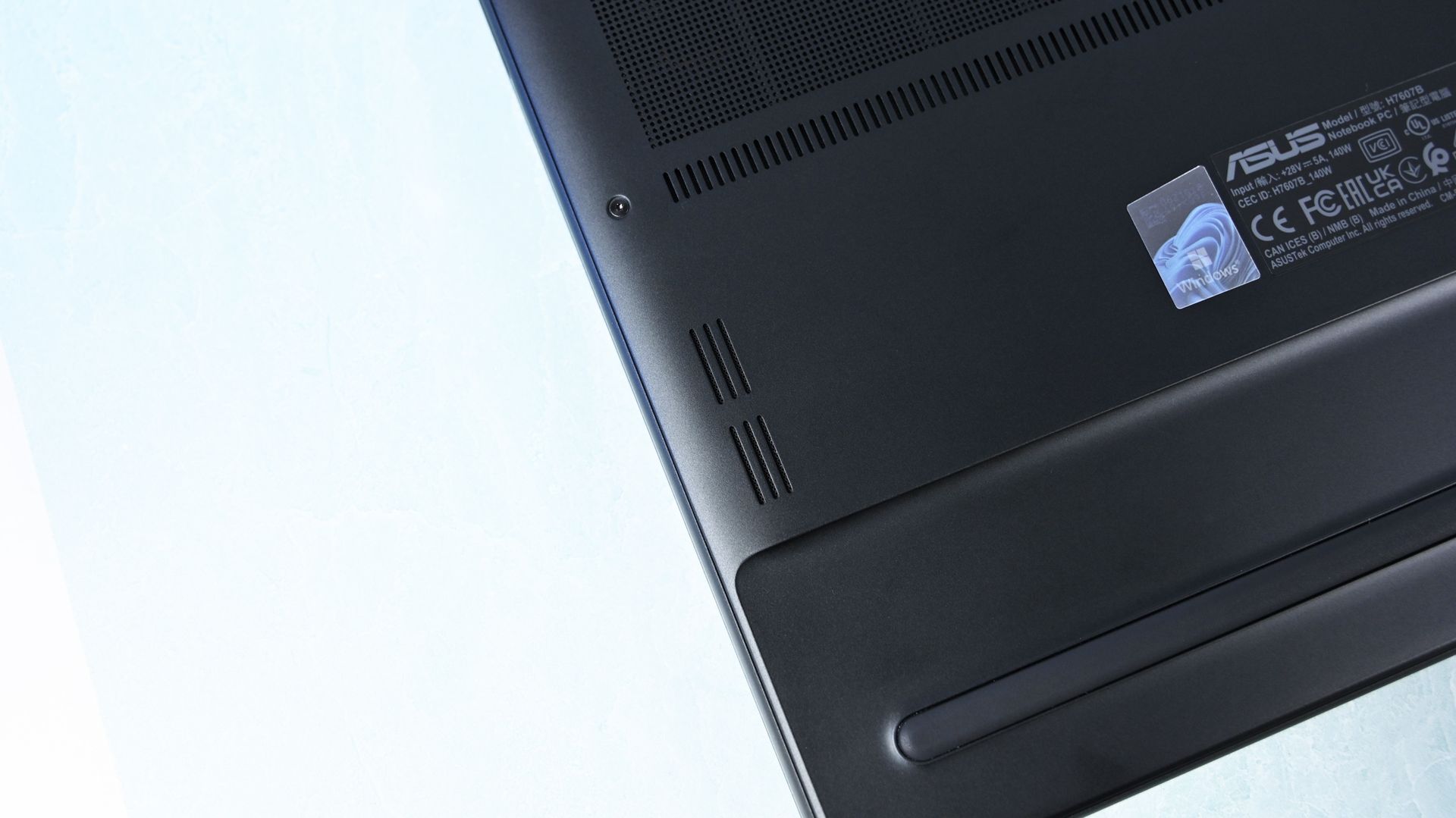
There's one giant grill on the bottom of the ProArt P16 for ventilation, followed by some smaller areas. (Image credit: Daniel Rubino)
Build quality is excellent. I'd give Microsoft and HP a very slight advantage for pure premium feel, but ASUS wins enough other categories that I hardly care. For instance, Nano Black's fingerprint-resistant coating also works surprisingly well. As someone who despises smudgy black laptops, I appreciate details like this.
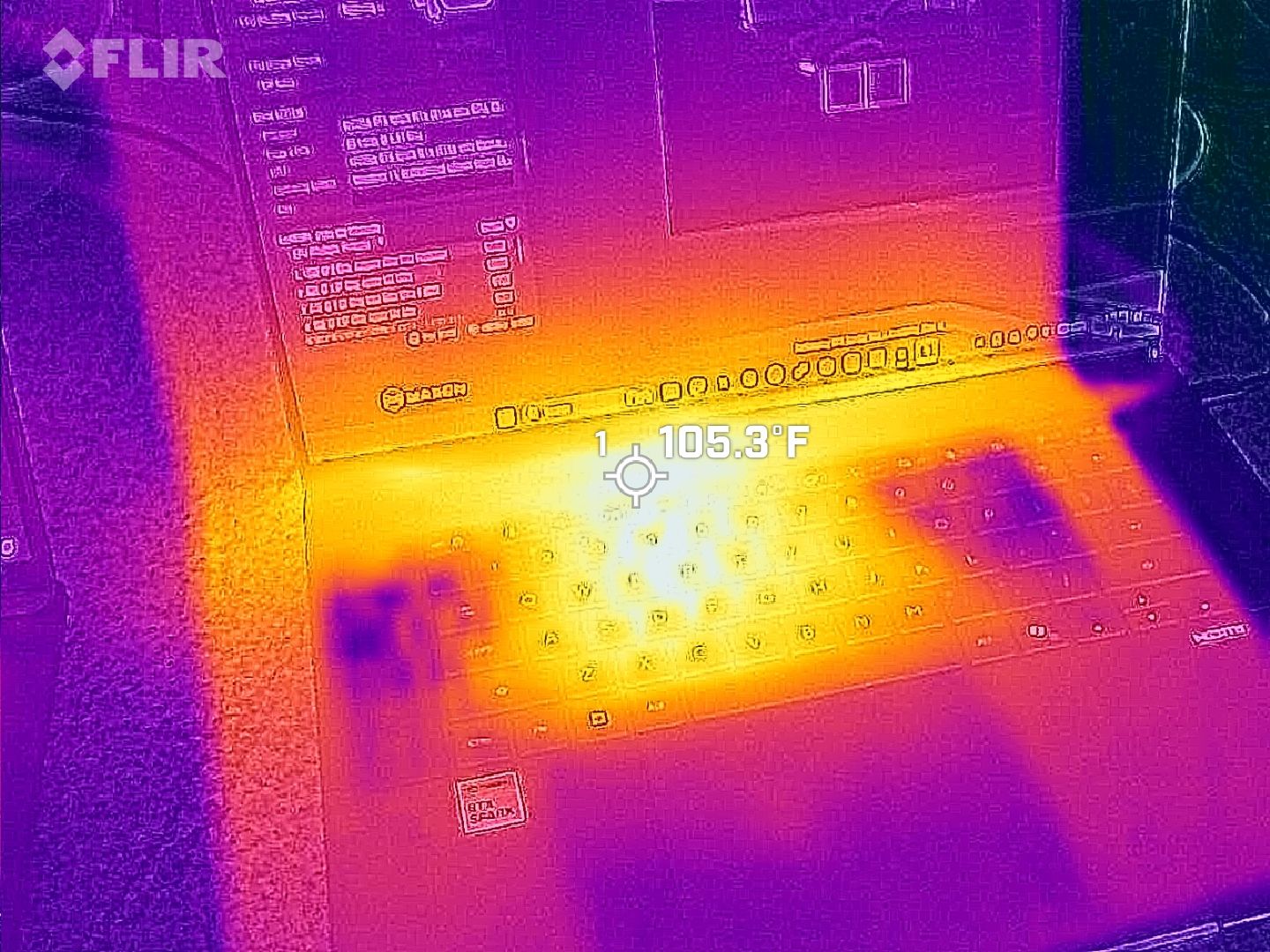
Thermals are even more impressive. Under sustained heavy workloads, my thermal camera recorded around 105°F across the keyboard deck and approximately 120°F near the rear exhaust. That's a few degrees cooler than both the Surface Laptop Ultra and HP OmniBook Ultra 16 RTX Spark in my testing. Fan noise never exceeded 50dB under extreme workloads.
For something this thin, that's outstanding, since I expected sacrifices in both areas, not the opposite.
Daniel RubinoDaniel Rubino
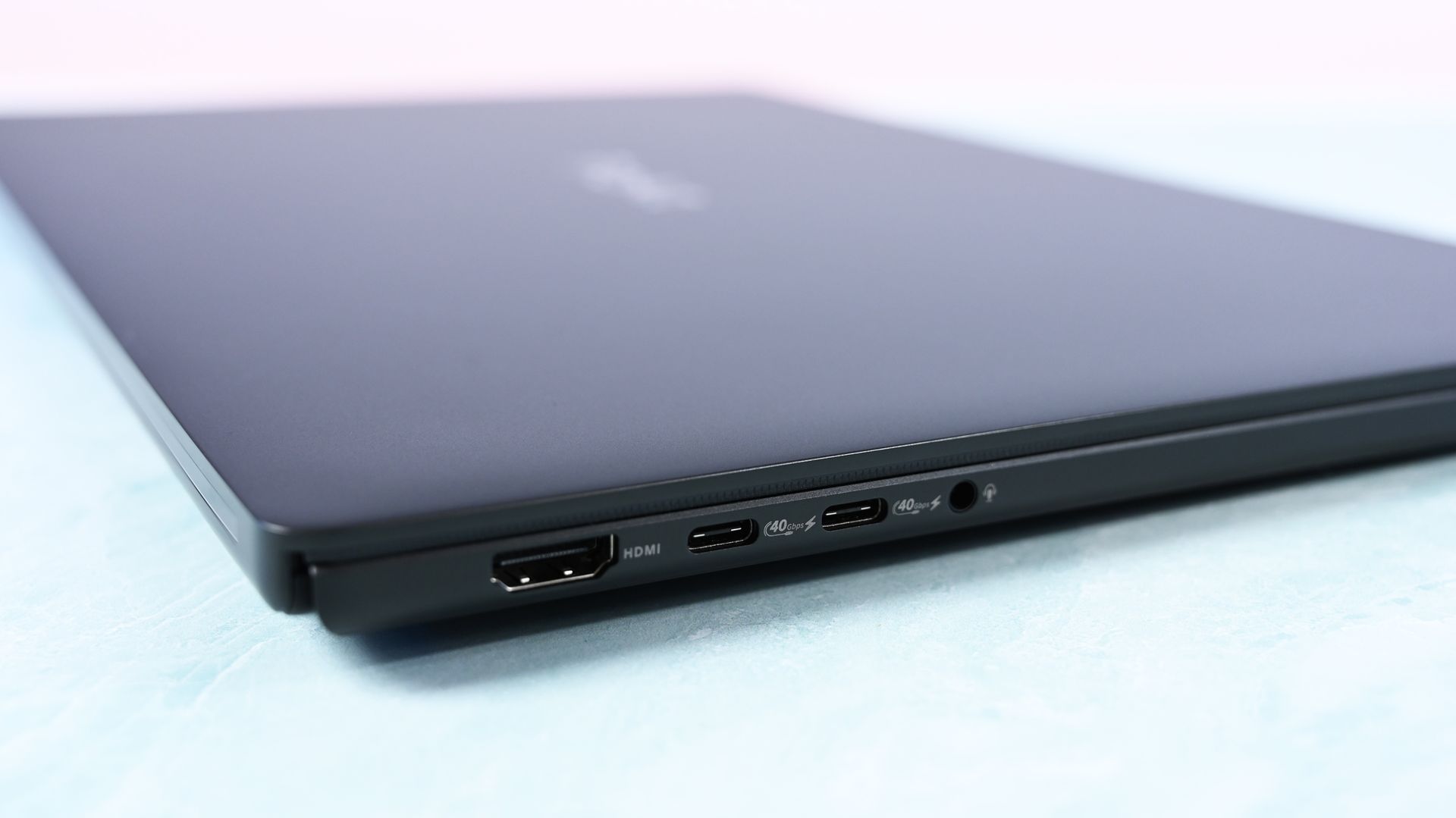
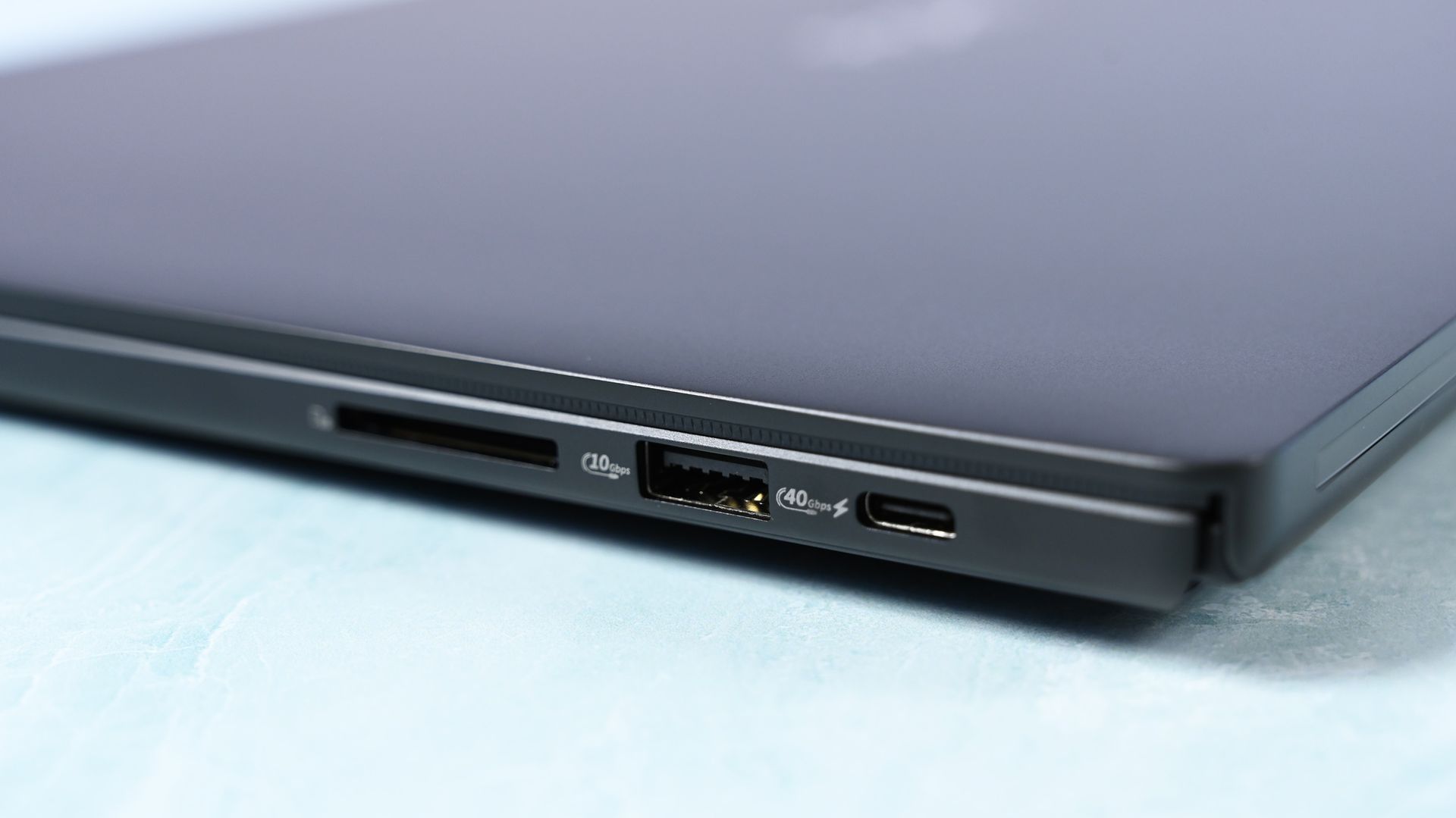
Connectivity is arguably best-in-class for RTX Spark laptops. It has three USB4 Type-C ports, with two on the left and one on the right, so I can charge from either direction, plus USB-A, HDMI 2.1b, a headphone jack, and a full-size SD card reader. To me, this is the right port configuration for this demographic on an RTX Spark laptop. I wish more companies would split Type-C ports on either side for easier charging, but some still don't.
All these small conveniences add up.
ASUS ProArt P16: Display, keyboard, touchpad, and audio
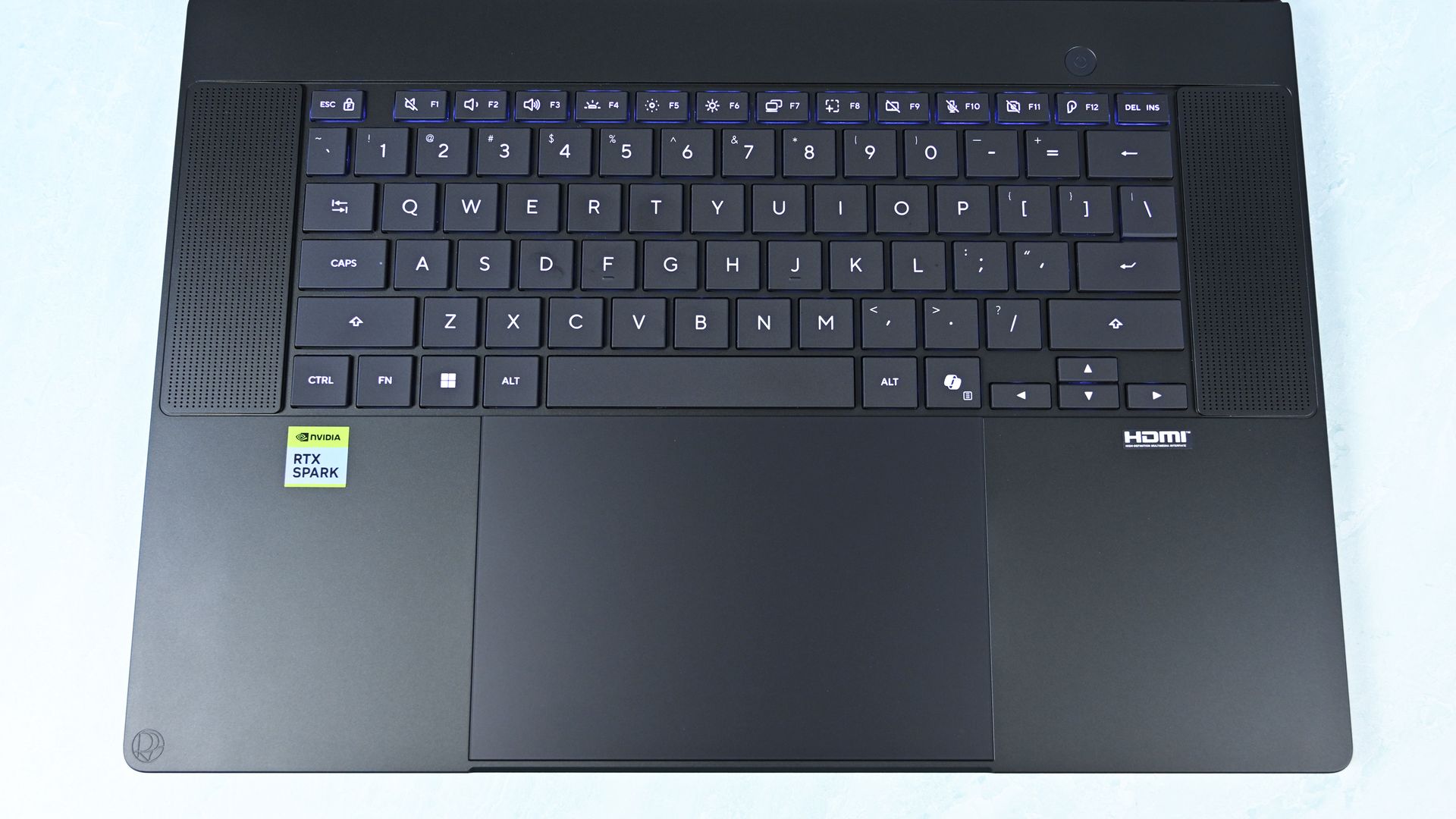
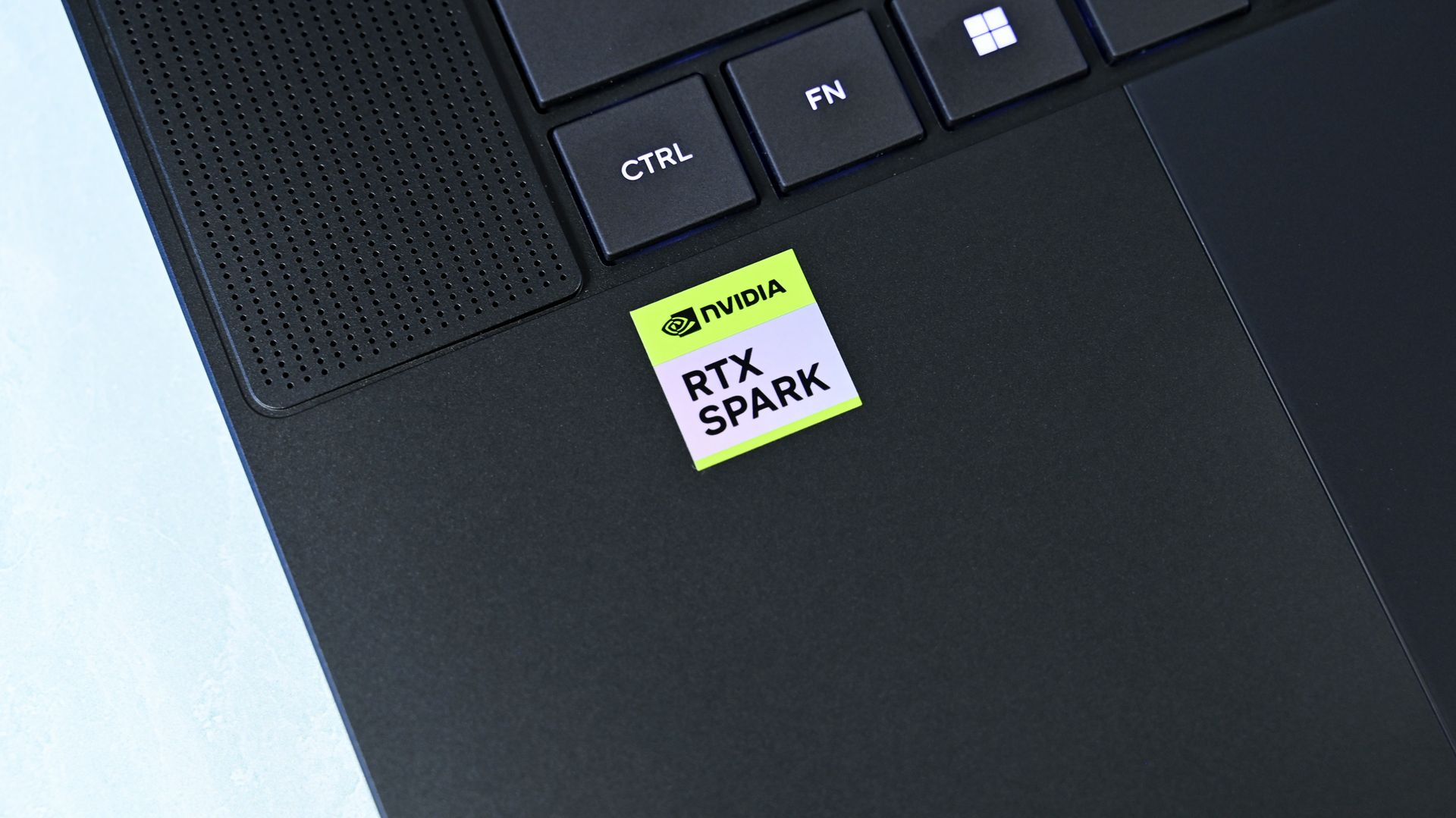
Top-down view of the ProArt 16's basic but solid keyboard deck showing flanking speaker grilles, power button, and huge touchpad. (Image credit: Daniel Rubino)
Both displays are gorgeous 16-inch OLED touchscreens with 100% DCI-P3 coverage, HDR support, and variable refresh rate from 30 to 120Hz. The 3K panel runs at 2880 x 1800 and peaks at 1,100 nits for HDR, while the 4K panel runs at 3840 x 2400, peaks at 1,600 nits for HDR, and adds ASUS's excellent anti-reflection treatment.
It's also worth noting that you get presence detection, an auto-brightness sensor, and adaptive (ambient) color, which are extra bonus display features I like to see at this price point.
Here's my controversial advice: I'd get the 3K display.
Placing both laptops together, I routinely guessed incorrectly when trying to identify them by resolution alone. Pixel peeping exposes the difference, but at normal viewing distances, 3K is plenty for 16 inches.
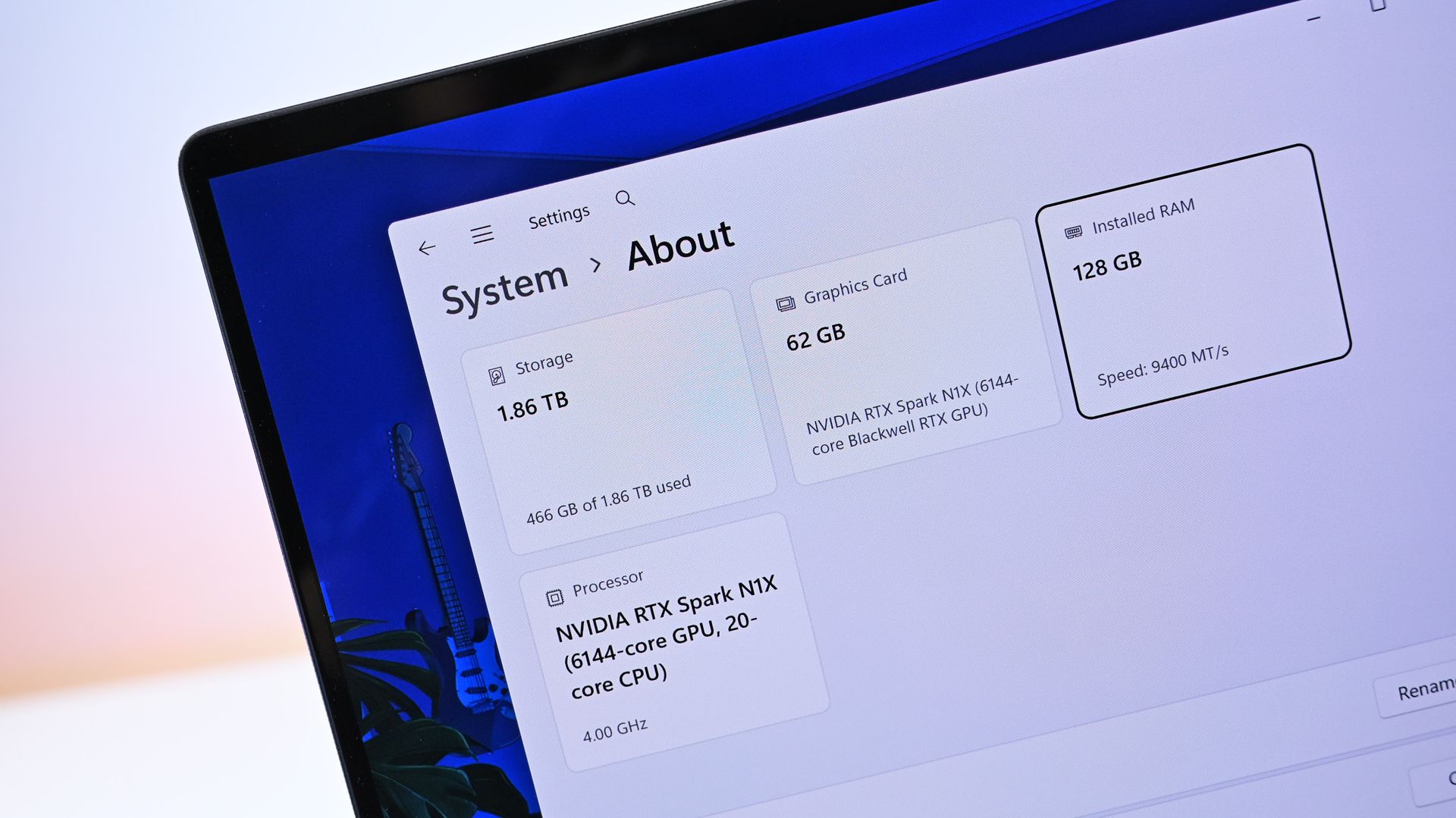
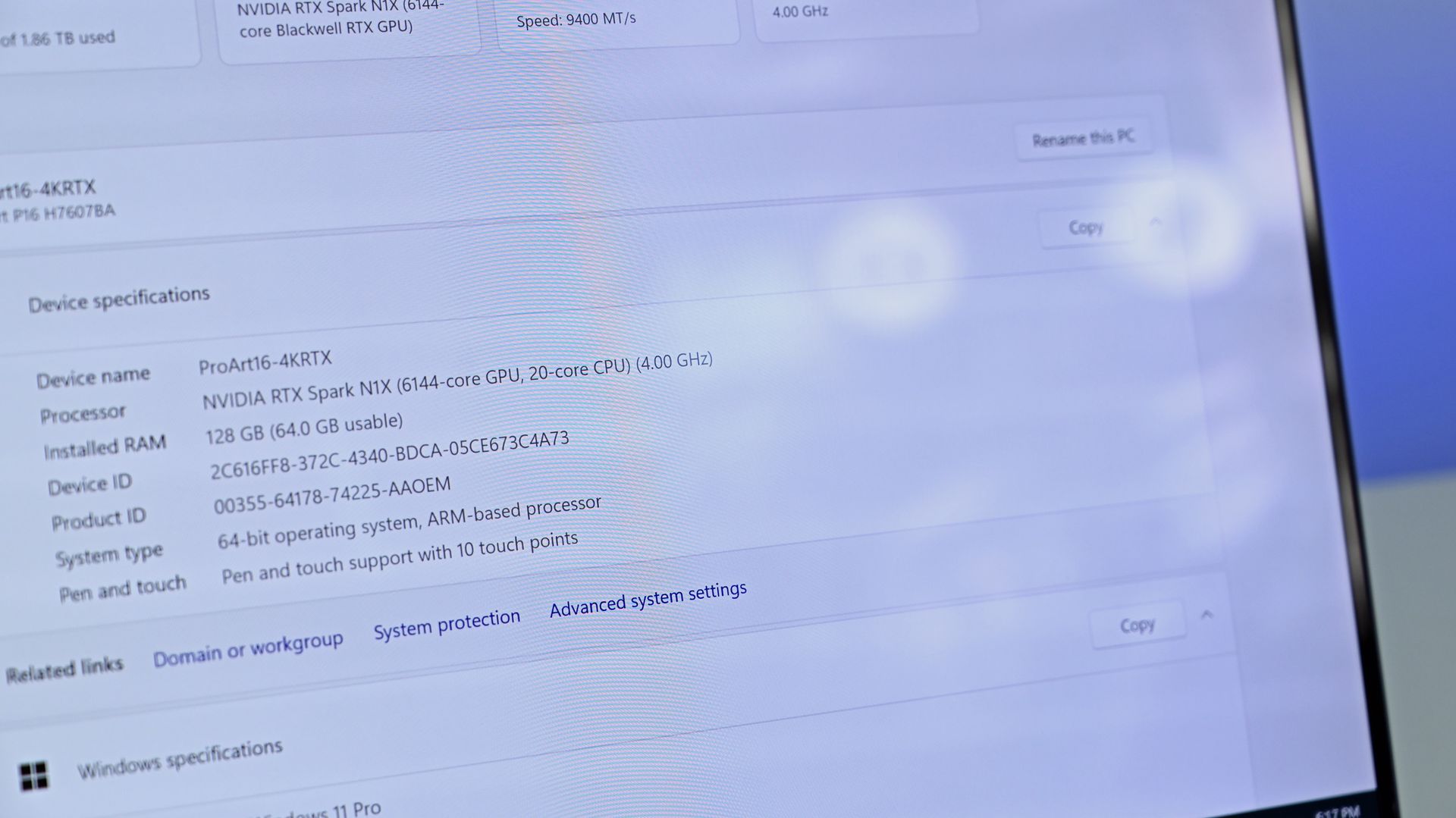
Close-up of Windows system specs showing 128 GB RAM in the $6,999 model. (Image credit: Daniel Rubino)
Unfortunately, ASUS forces the 4K configuration if you want 128GB RAM (unless you go through Best Buy, which has a 32GB model). I wish there were a 3K anti-reflective, 128GB option. That said, as someone who is a stickler for glossy displays, the 3K one is pretty good for glare, considering how much it bothers me.
I've also encountered extremely subtle flickering on my 4K unit. ASUS tells me a fix is coming, but I could also have a bum unit, so I have to have a chat with them about it.
Daniel RubinoDaniel Rubino
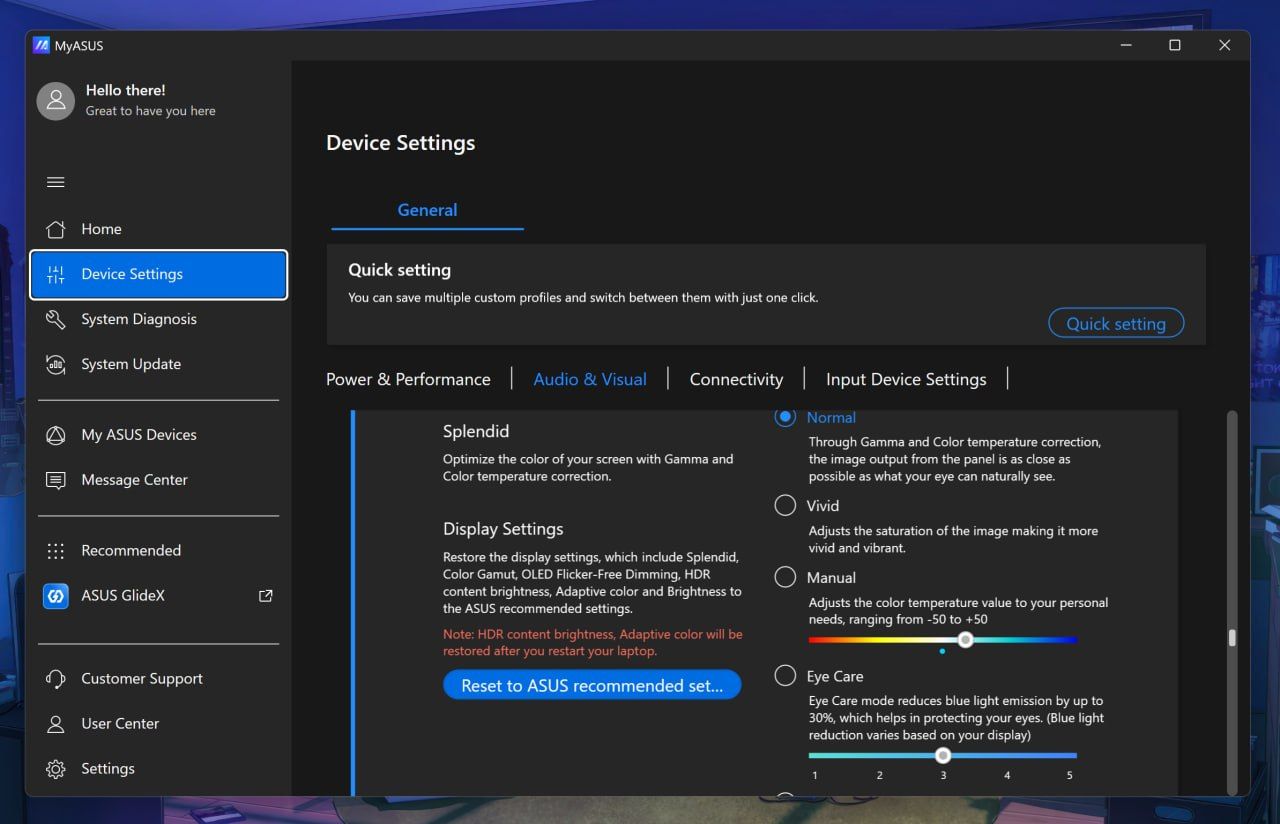
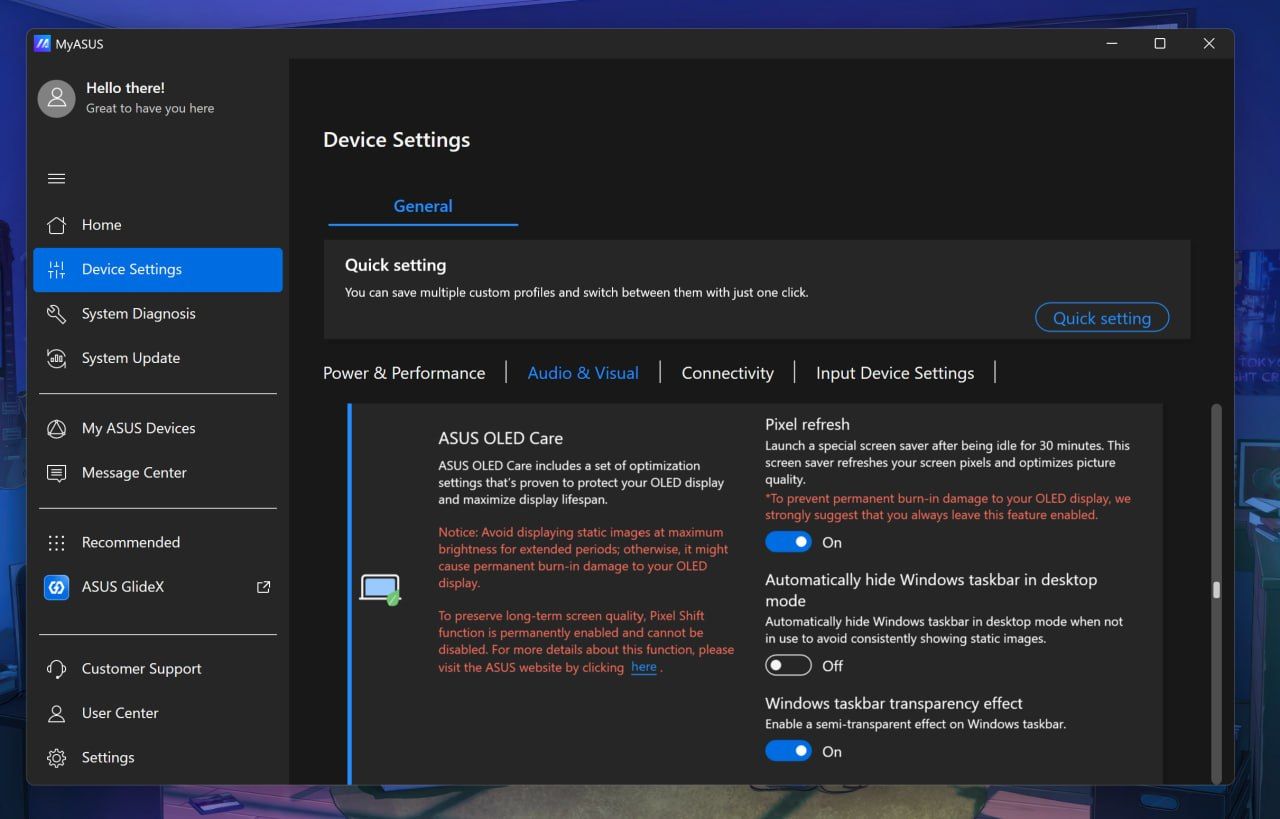
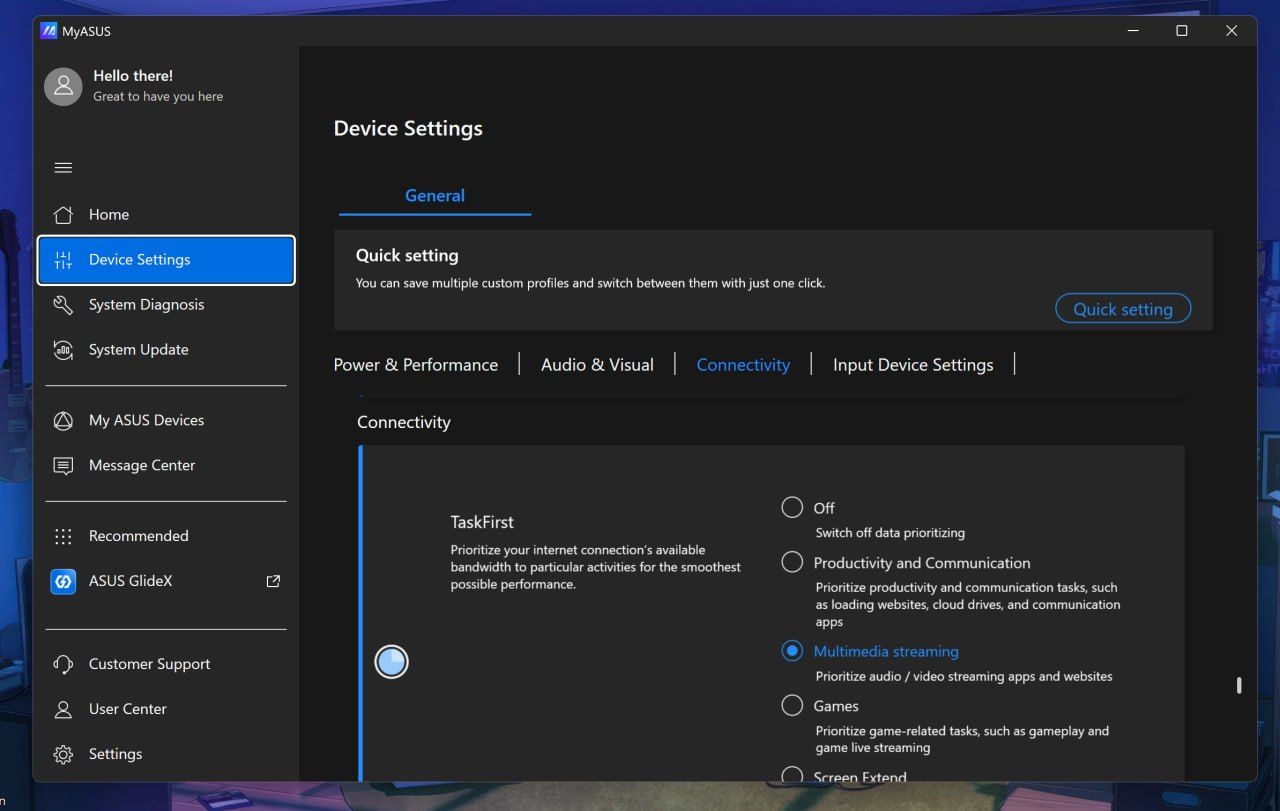
ASUS deserves enormous credit for its display controls, though. MyASUS (its main control and configuration app) provides profiles, color gamut controls, OLED flicker-free dimming, pixel refresh, burn-in mitigation, and other OLED Care options. You can even directly adjust memory allocation to the integrated GPU, which is particularly relevant on a unified-memory machine.
Daniel RubinoDaniel RubinoDaniel Rubino
Overall, I think ASUS has the best out-of-the-box software, at least compared to HP and Microsoft, with the most configuration options for audio, connectivity, display, gestures, and more, not to mention direct driver updates from ASUS, warranty info, etc. I rarely praise OEM apps, but this is the way to do it.
This is also the part where I lament some pre-installed junkware, except I didn't find any on either laptop. These are relatively clean installs (except for whatever you dislike about Microsoft's inbox apps).
3-stage, timed backlight for the keyboard is excellent. (Image credit: Daniel Rubino)
The keyboard is similarly excellent, with springy keys, 1.7mm travel, and a three-stage backlight with automatic sensing.
The enormous haptic touchpad might be even better. Haptic feedback feels superb; it supports Windows Haptic Signals, and ASUS adds gestures for brightness, volume, playback, and ScreenXpert. Those gestures are quirky, but also completely optional.
Close-up of the laptop underside corner showing downward-firing speaker cutouts. (Image credit: Daniel Rubino)
The four-speaker Dolby Atmos system is outstanding, and among the best I've heard from a Windows laptop. The 2.1MP webcam is less impressive on paper, particularly against HP's 5MP camera, but ASUS's processing produces a surprisingly sharp picture. Microsoft still wins this category with Surface.
There's even support for the optional $129 ASUS Pen 2.0. Using a pen on a traditional clamshell laptop remains awkward, but it's surprisingly handy for signing documents, marking up images, or quickly diagramming something.
ASUS ProArt P16: RTX Spark and performance
(Image credit: Daniel Rubino)
Unified memory allows the CPU and GPU to access the same large pool rather than dividing system RAM and dedicated GPU VRAM into much smaller fixed buckets. With up to 128GB available, that changes what can realistically be done locally with large AI models, complex 3D scenes, development workloads, high-resolution video, and anything else that can consume enormous amounts of GPU memory.
Then there's CUDA, NVIDIA's massively established parallel computing platform and ecosystem. For developers and creators, CUDA acceleration is fundamental to everything from AI frameworks and local inference to scientific computing and applications like Blender. Having massive unified memory alongside a CUDA-capable Blackwell RTX GPU is what makes RTX Spark particularly interesting.
I've already been experimenting with Osaurus and Hermes, combining models including Gemma 4 26B A4B, GPT-OSS-20B, Qwen3VL-8B, and Raptor 0.6 4B. I'm still learning local AI and agentic computing myself, and I'll be updating this review and writing more about that journey as I figure out what works, what doesn't, and what you can realistically accomplish locally.
FutureFuture
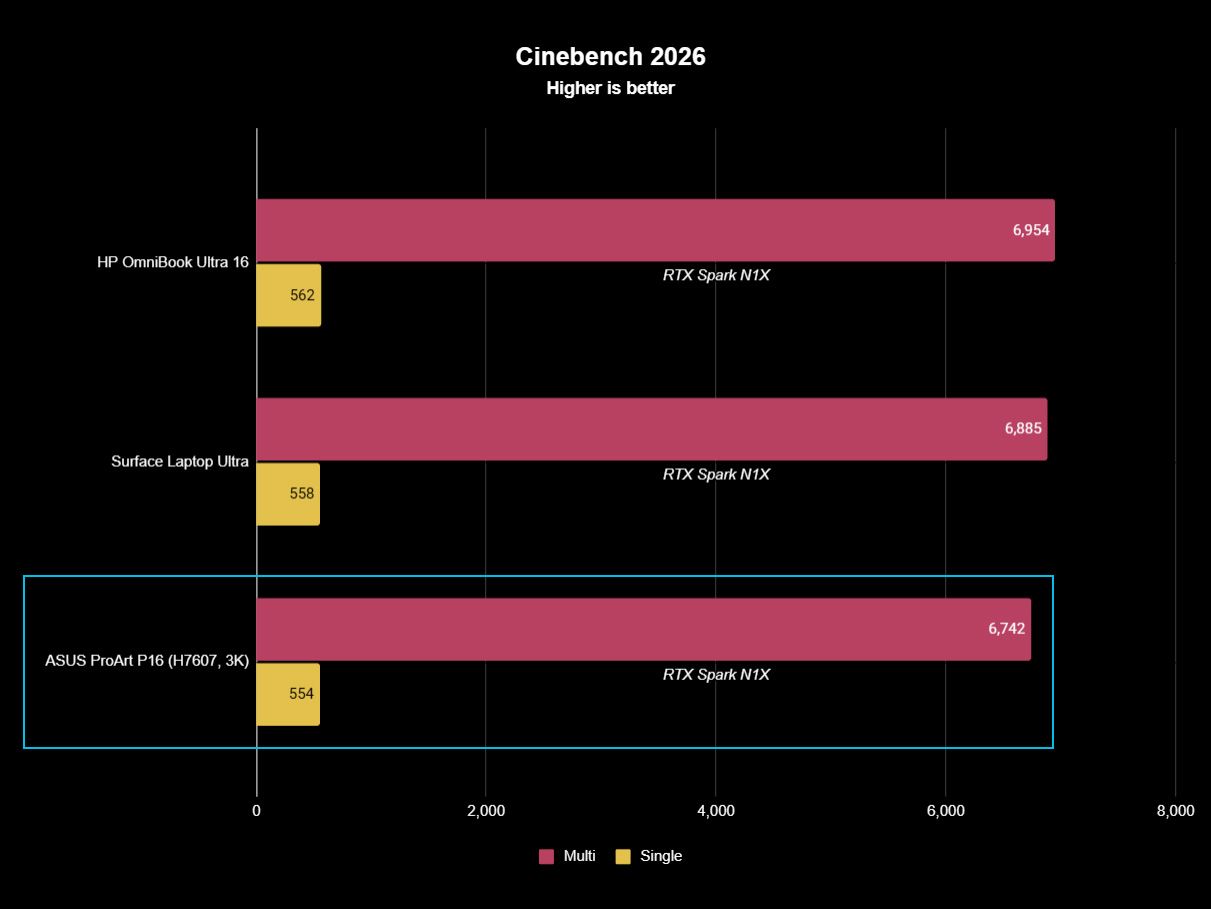
Looking across all my benchmarks, however, there's another interesting conclusion: which RTX Spark laptop you buy matters considerably less for raw performance than you might expect.
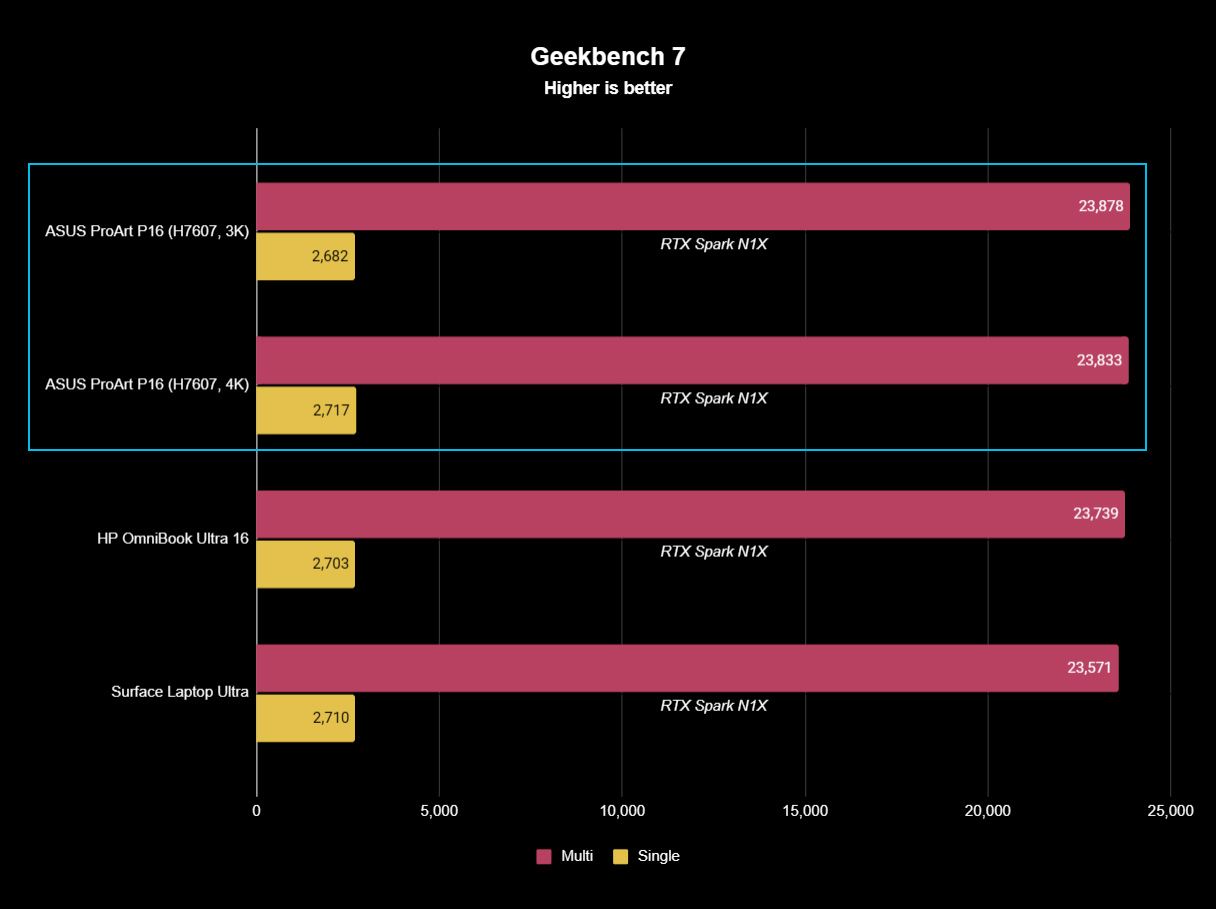
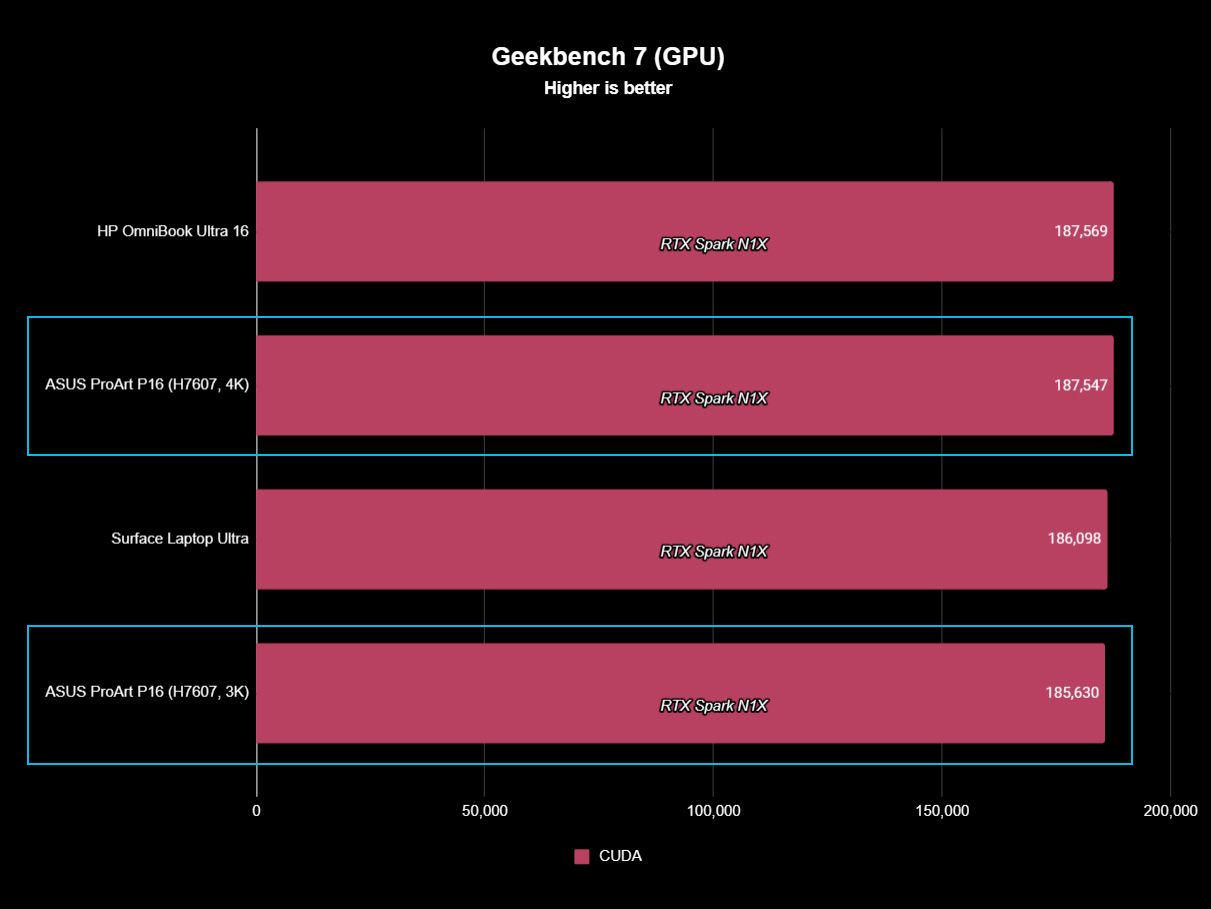
The ProArt P16, Surface Laptop Ultra, and HP OmniBook Ultra 16 (review forthcoming) trade places depending on the benchmark, but they're generally clustered surprisingly close together. In Geekbench 7, for instance, the ASUS actually posts the best multi-core result of the three, while single-core performance is separated by barely anything. CUDA testing is essentially a three-way tie. The 4K ASUS scored 187,547 against HP's 187,569, a difference so tiny it is meaningless.
That's good evidence of how consistent NVIDIA's N1X platform is between manufacturers.
FutureFutureFutureFutureFuture
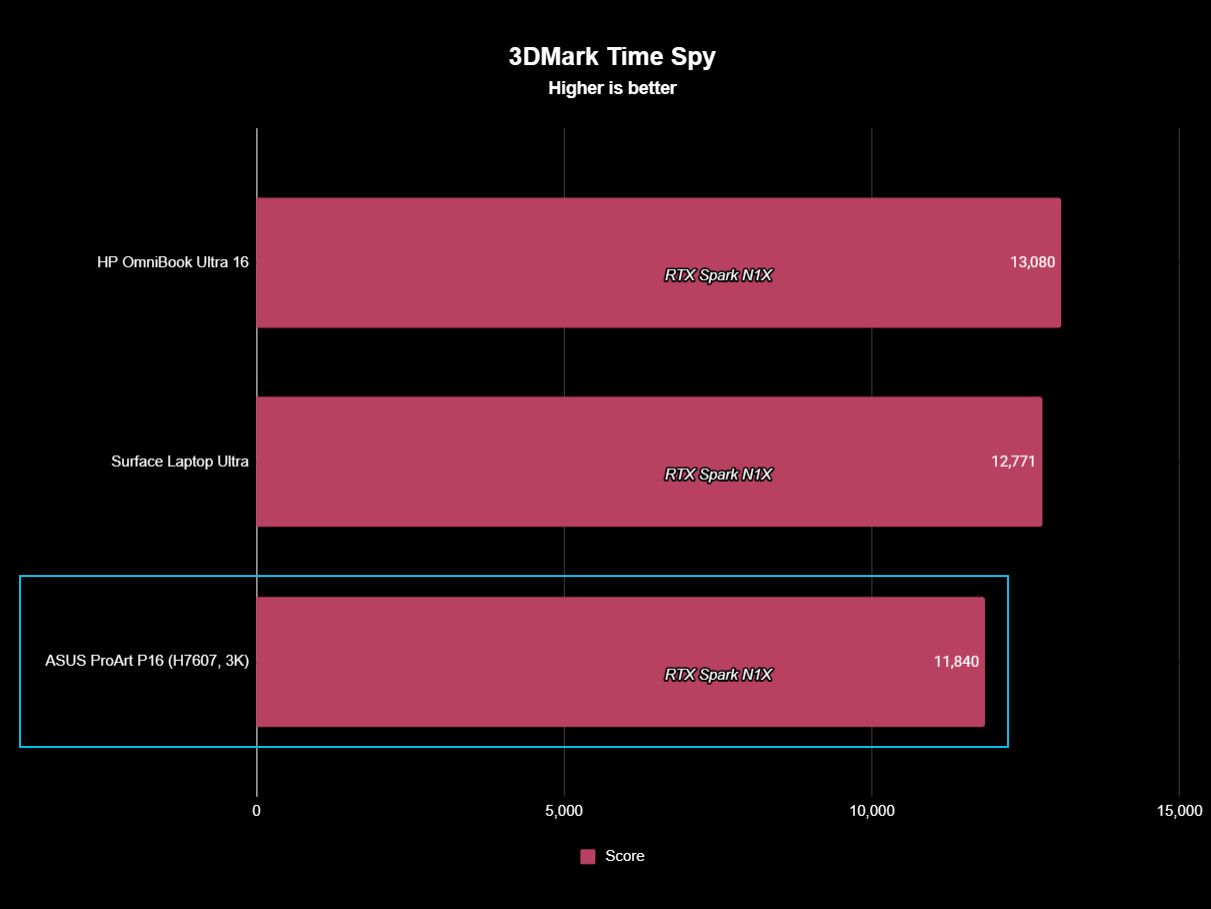
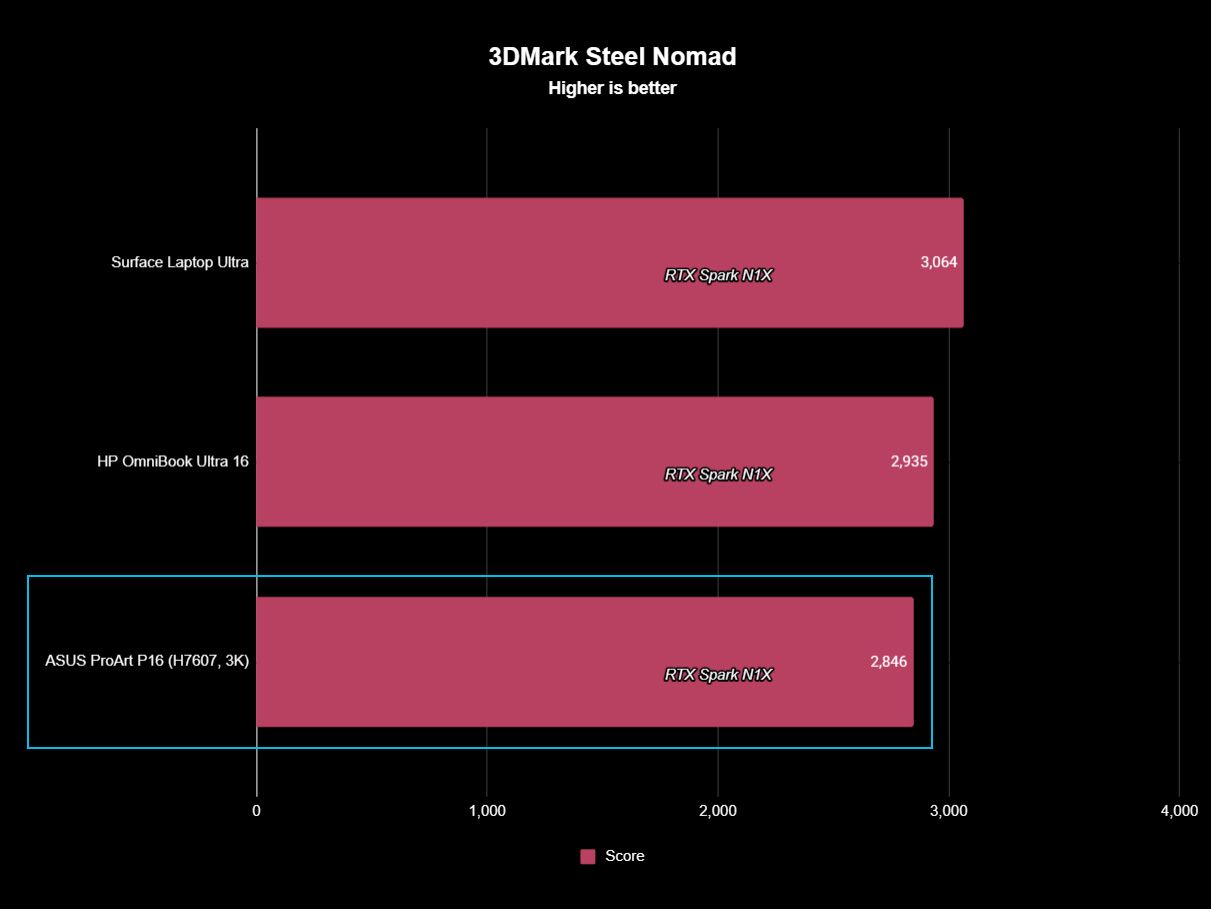
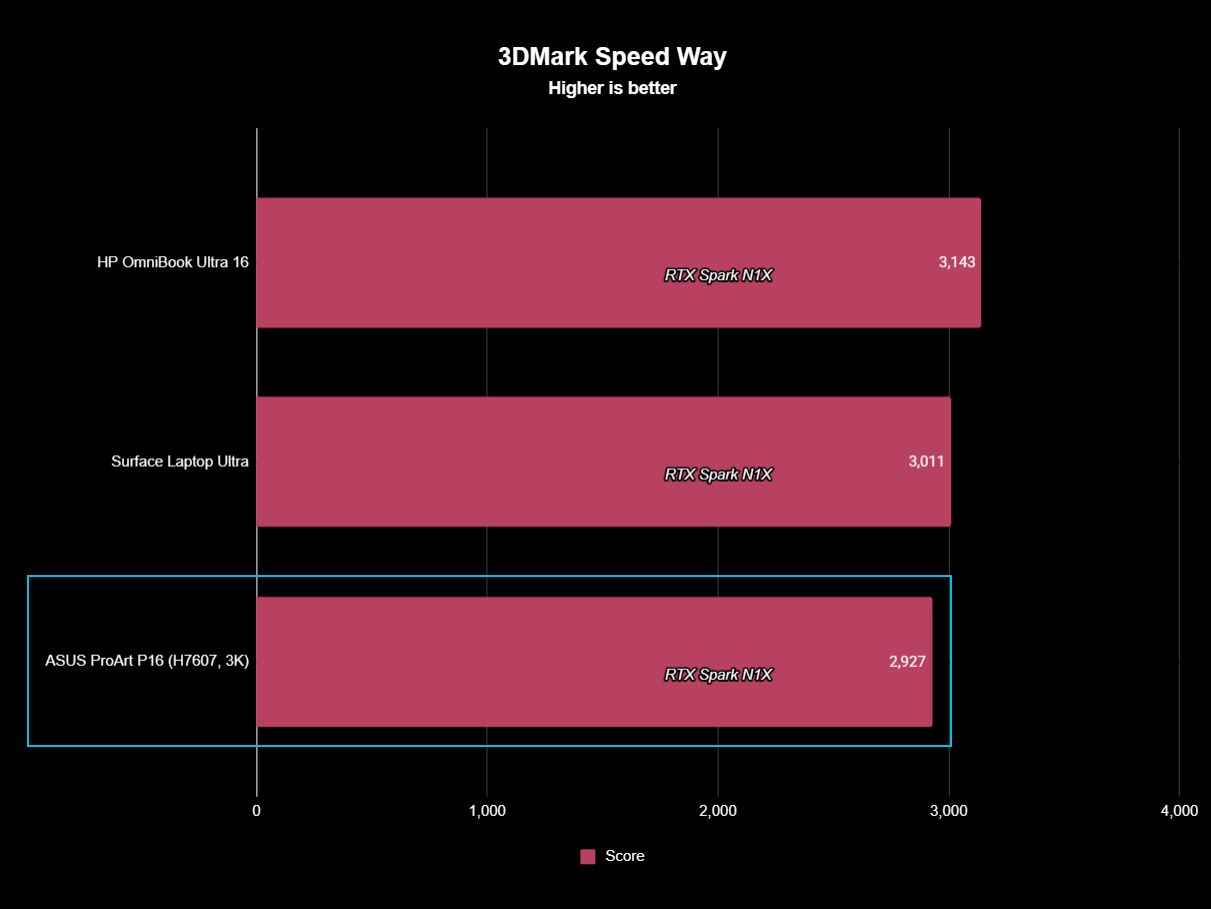
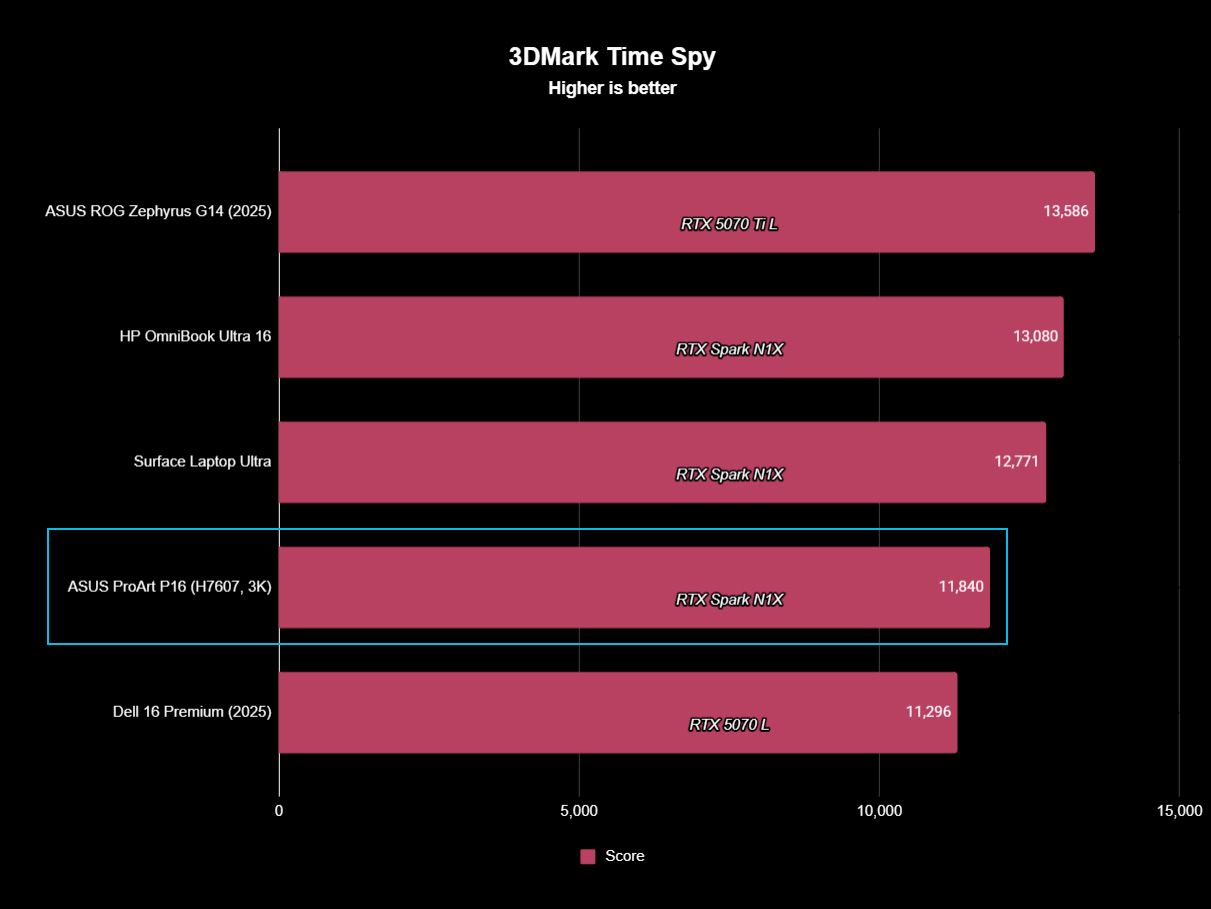
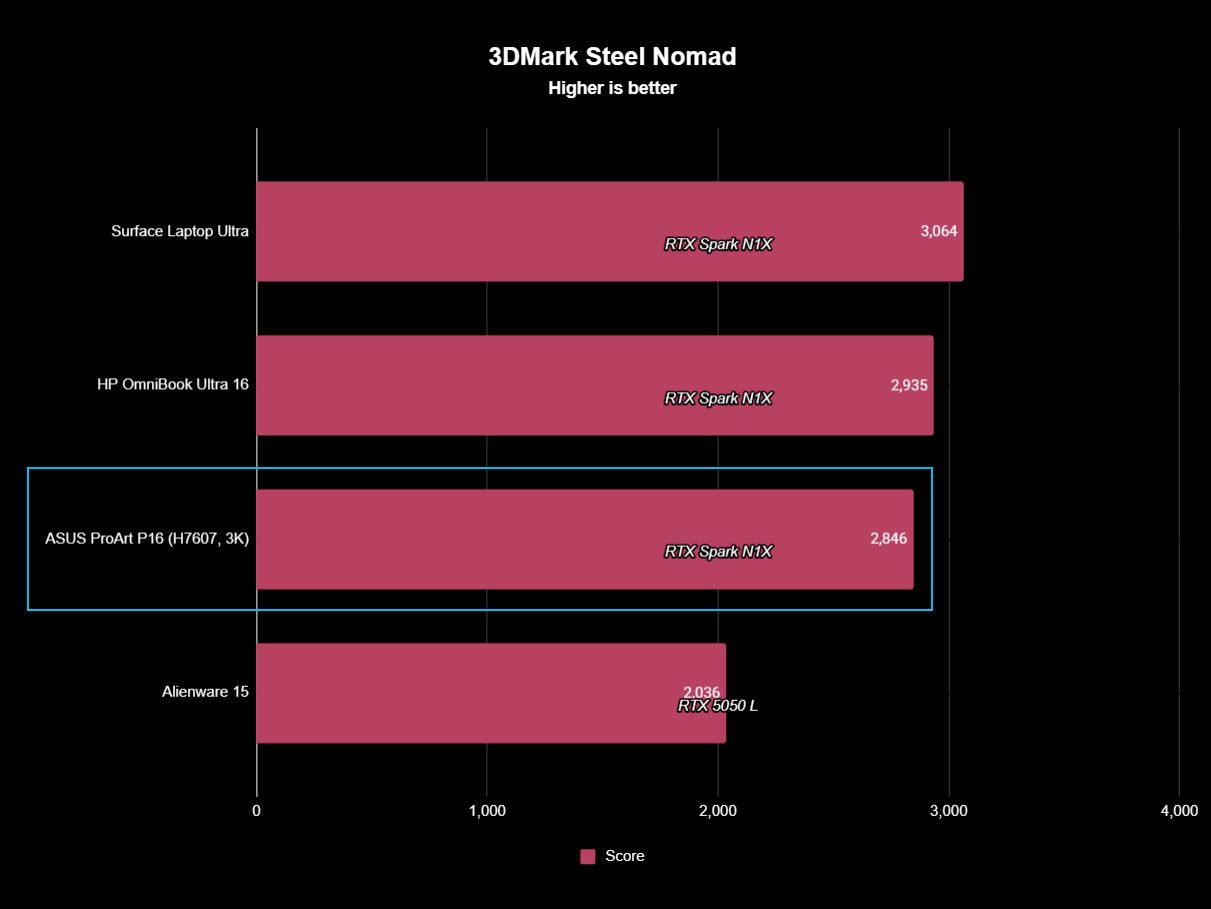
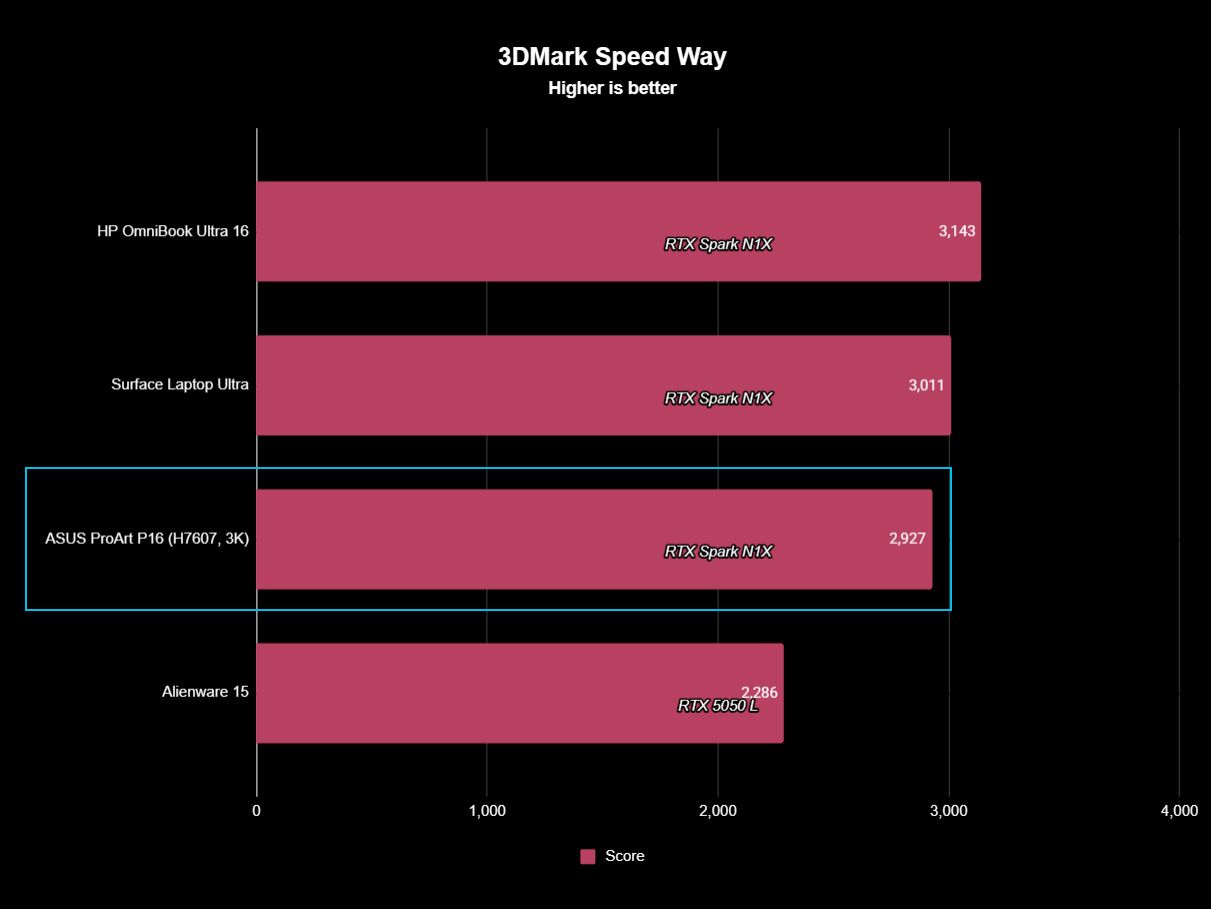
Graphics benchmarks reveal somewhat more variation. The ProArt P16's 11,840 result in 3DMark Time Spy trails the Surface Laptop Ultra's 12,771 and HP's 13,080 by around 7% and 9%, respectively. Speed Way and Steel Nomad tell roughly the same story, with ASUS usually sitting a few percentage points behind Microsoft and HP.
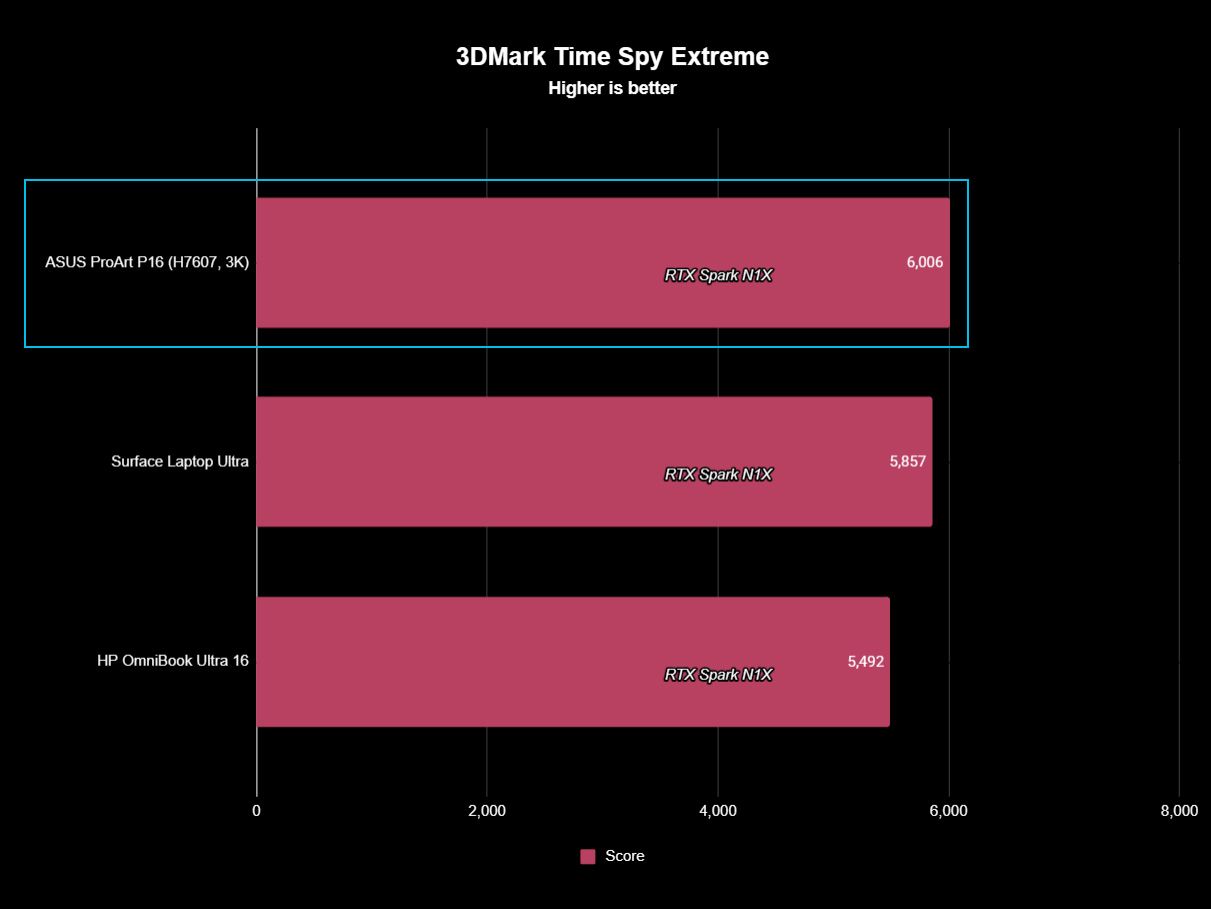
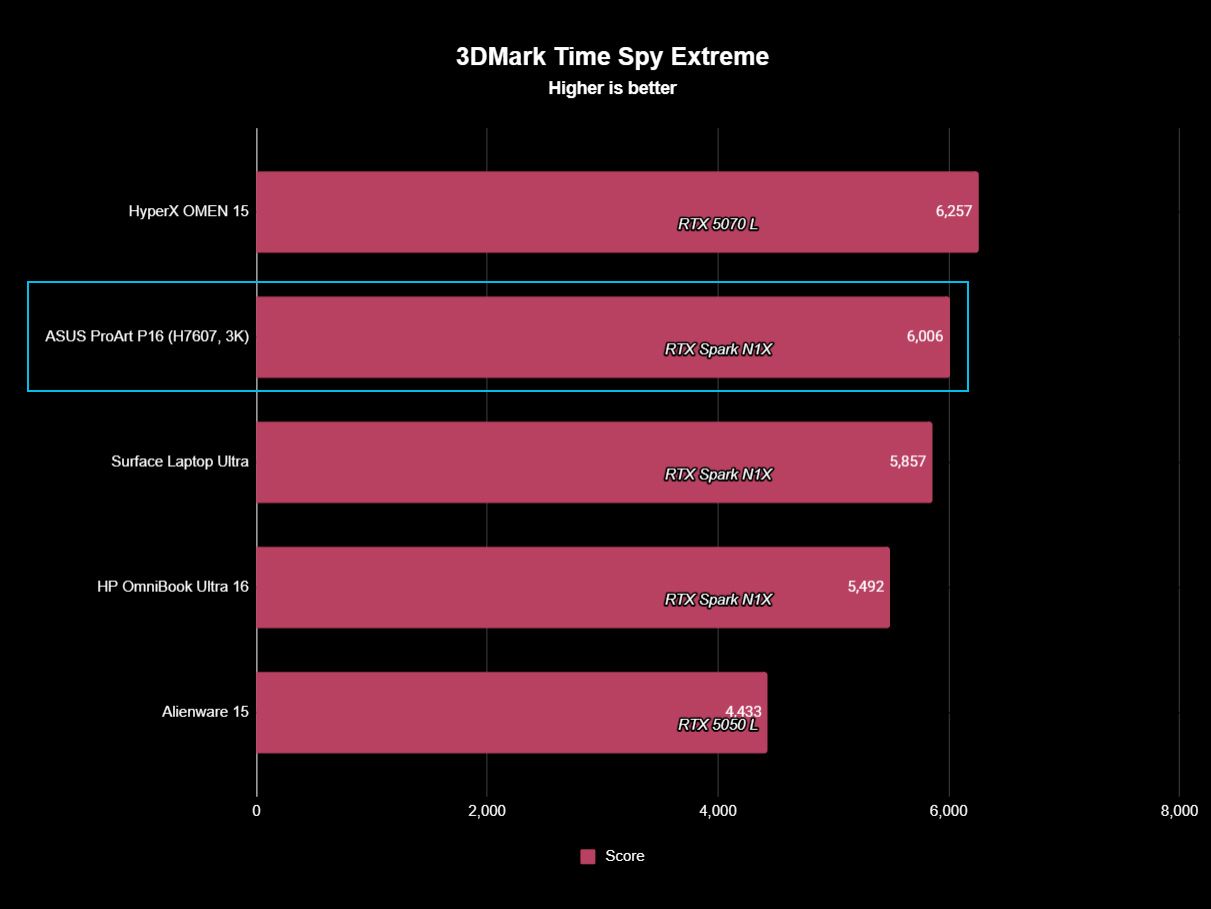
Yet even that isn't universal. In the heavier Time Spy Extreme test, the ProArt P16 actually beats both of them, scoring 6,006 compared to 5,857 for Surface and 5,492 for HP.
In other words, I wouldn't declare any of these RTX Spark laptops the definitive performance winner. We're talking about variations of the same extraordinarily powerful NVIDIA platform, and the rankings shift depending on the workload.
It's also worth remembering what ASUS has achieved physically. At 3.9 pounds and as little as 0.51 inches thick, the ProArt P16 is substantially lighter than its RTX Spark rivals while still maintaining excellent temperatures and relatively restrained fan noise. Some performance variation could plausibly be the consequence of fitting N1X into a thinner, lighter thermal envelope, but ASUS certainly hasn't compromised performance enough that I'd choose a much heavier laptop based on these benchmark differences alone.
(Image credit: Future)
The one performance result I would criticize is the SSD.
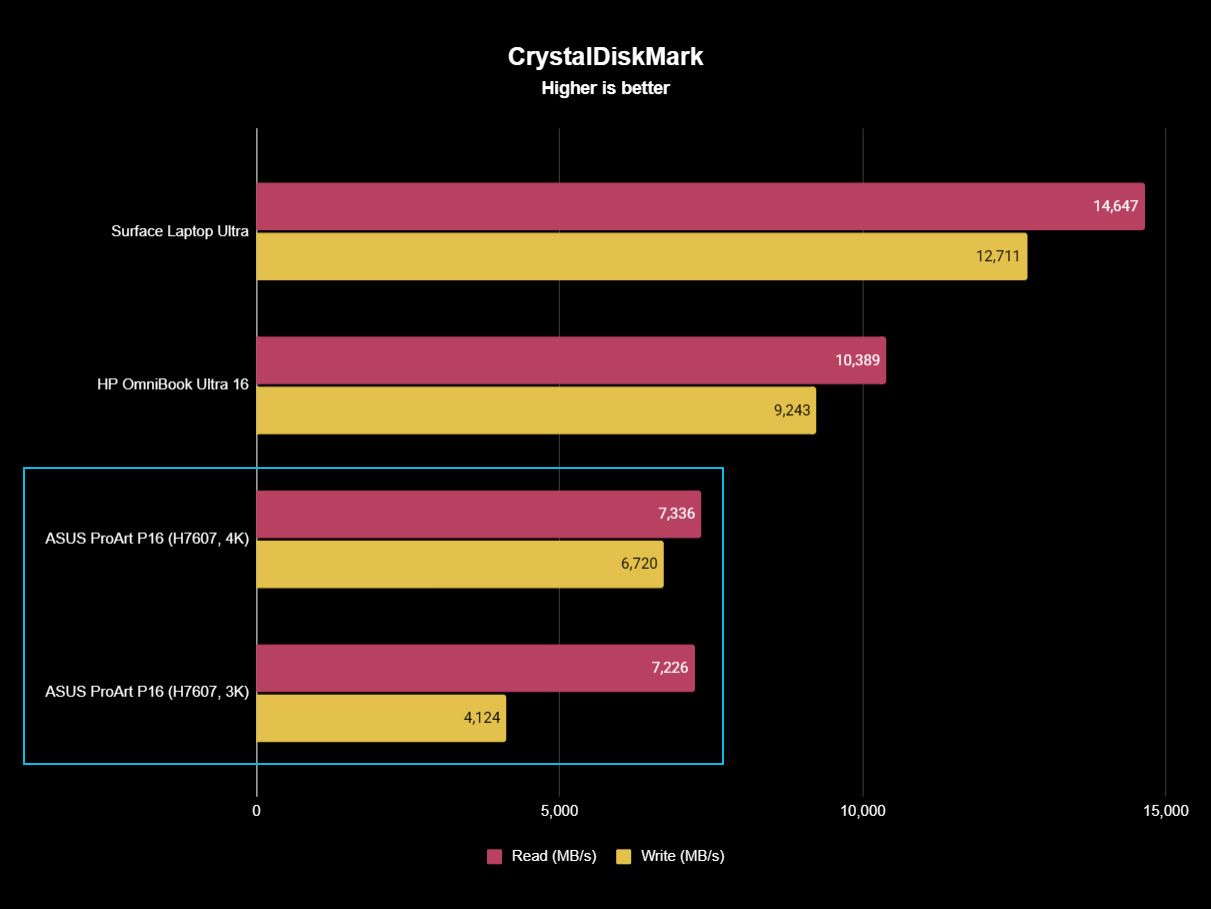
Both ASUS configurations are well behind the competition. Sequential reads hover around 7,300 MB/s, compared with 10,389 MB/s on the HP and a massive 14,647 MB/s on the Surface Laptop Ultra. Writes vary considerably between my ASUS configurations, too, from 4,124 MB/s on the 3K model to 6,720 MB/s on the 4K machine. Microsoft reached 12,711 MB/s.
Those ASUS numbers aren't slow in isolation, and Windows still feels exceptionally responsive, but this is a $2,800 to $7,000 workstation. Faster storage should come with the territory. At least ASUS provides a second PCIe 5.0 M.2 slot for expansion, so you can add a seriously fast SSD later.
Daniel RubinoDaniel Rubino
Gaming performance is also surprisingly good. I've played Gears of War: E-Day at maximum settings without issue, while Minecraft Dungeons II looked and played fantastic aside from occasional frustrating stutters. NVIDIA's latest Game Ready Driver appears to have fixed the latter on my machine, which suggests some of RTX Spark's early gaming quirks may improve as drivers mature.
And RTX Spark is legitimately fast here. Time Spy places the ProArt P16 ahead of the RTX 5070-equipped Dell 16 Premium, while Steel Nomad and Speed Way put it comfortably ahead of an RTX 5050 Laptop GPU. A conventional gaming laptop remains the smarter purchase if gaming is your priority, but RTX Spark owners certainly don't need a second computer just to play PC games.
FutureFutureFutureFuture
Ultimately, that's the performance story of the ProArt P16: ASUS gives up remarkably little despite building one of the lightest and thinnest RTX Spark laptops I've tested. Its N1X CPU and CUDA performance are right up there with Surface and HP; GPU performance is sometimes a little behind and sometimes ahead, and the only consistent disappointment is the SSD.
For a machine that's almost a full pound lighter than HP's OmniBook Ultra 16, I'll happily make that trade.
ASUS ProArt P16: Battery life
(Image credit: Daniel Rubino)
Battery life is good given what's inside (a 99.9 WHr battery, the legal limit), though Apple and Qualcomm still have an obvious efficiency advantage here, and I expect NVIDIA to improve over the coming years.
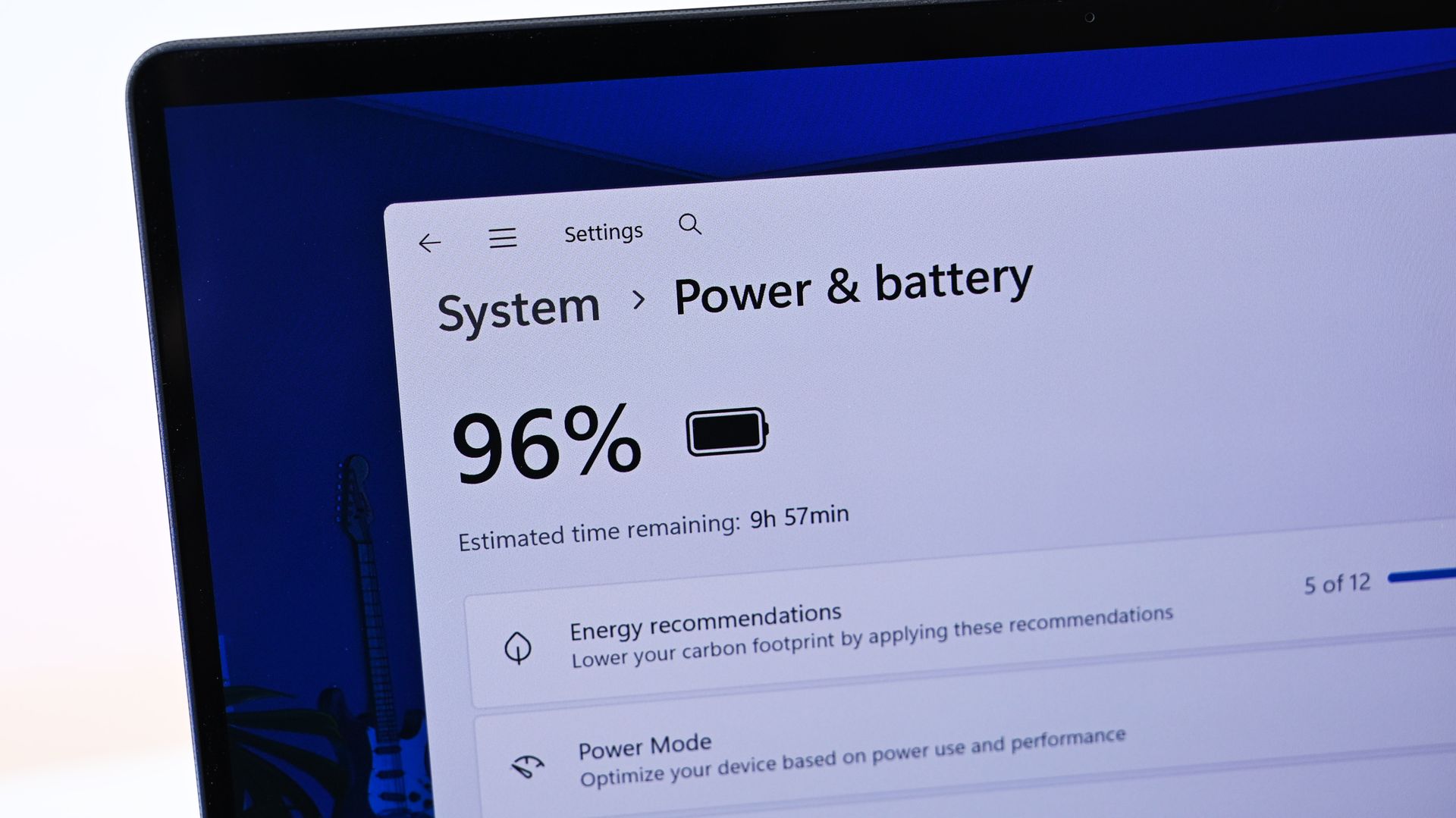
The Windows Battery Report recorded 9 hours and 58 minutes of real-world usage averaged over several weeks, including web browsing, video, messaging, and lighter creative work, basically standard laptop work with more focus on multimedia production and some lighter local AI work.
Hammer the GPU continuously with rendering, AI, or gaming and expect substantially less. Physics eventually wins.
Still, I can't say I've ever had a Windows laptop this powerful, this capable, and this thin/ligyht, and still get that kind of "regular" battery life.
Standby performance is exceptional. Leaving the ProArt P16 overnight resulted in less than 1% battery loss over 14 hours, finally making this Windows laptop behave the way I expect a modern premium portable PC to.
The included 140W USB-C charger is slightly bigger than HP's, though still compact, and ASUS gets bonus points for the excellent thick braided cable.
ASUS ProArt P16: Should you buy it?
(Image credit: Daniel Rubino)
✅You should buy this if ...
You know the benefits of unified memory and CUDA
You want the best RTX Spark laptop
You want to learn about cutting-edge agentic AI workflows
You need a light, very capable workstation for 3D creation, video editing, or coding
❌You should not buy this if ...
You think this is just a gaming laptop in disguise
You don't know what agentic AI is and don't care to learn about it
You spend most of your time consuming content instead of creating it
So, should you buy the ASUS ProArt P16 with RTX Spark? Probably not.
And I mean that as a compliment.
The ProArt P16 H7607 is a specialized workstation for people operating near the frontier of what portable Windows computers can do. Someone mainly browsing the web, writing documents, editing the occasional photo, or even gaming can get an excellent laptop for dramatically less money.
But developers, creators, 3D professionals, AI researchers, and people seriously experimenting with local models and agentic workflows finally have what Windows has desperately needed: a thin, premium laptop that combines massive unified memory with NVIDIA RTX graphics and CUDA.
That's a really big deal.
Both ASUS ProArt P16 models in 3K and 4K variations. (Image credit: Daniel Rubino)
ASUS then wraps that technology in what is arguably the best RTX Spark chassis on the market. And I mean that. ASUS has been killing it on design and features over the last 3 years.
At 3.9 pounds, the laptop almost feels impossibly light (for its class). The OLED display is beautiful, the keyboard and haptic touchpad are excellent, the speakers are outstanding, the ports are plentiful, the thermals are exceptional, and ASUS offers a level of hardware customization through MyASUS that competitors should copy.
Even the weird stuff is charming. My $4,399 3K review unit included ASUS's excellent $99 ProArt MD301 mouse and a protective sleeve, while the $6,999 128GB machine inexplicably included neither. ASUS notes that bundled accessories vary by country and territory, so your experience may differ.
Left: HP OmniBook Ultra 16. Right: ASUS ProArt P16. (Image credit: Daniel Rubino)
One caveat: Those 24GB and 32GB Best Buy models are, I think, perfect, more general laptops for creators whowant a premium Windows 11 experience with the latest technology. That's an easy recommendation if you can afford it.
The SSD should be faster, battery life can't match the best Snapdragon X2 or Apple Silicon laptops, and $7,000 is still an extraordinary amount of money for any laptop (though about $150 cheaper than a similarly spec'd MacBook Pro 16).
Yet none of those complaints change my overall impression.
The ASUS ProArt P16 is one of the best laptops I've ever used. For the relatively small group of people who can actually exploit everything RTX Spark offers, it may also be one of the most exciting Windows PCs in years.
And if you're simply curious about local AI and want to learn where personal computing may be heading next, the ProArt P16 deserves a spot very near the top of your shortlist.
RTX Spark
ASUS
ProArt P16 (h7607)
The ASUS ProArt P16 combines NVIDIA's powerful RTX Spark platform with up to 128GB of unified memory, outstanding OLED displays, superb thermals, and a remarkably thin 3.9-pound chassis. It's an extraordinary Windows workstation, but most people shouldn't buy one.
Join us on Reddit at r/WindowsCentral to share your insights and discuss our latest news, reviews, and more.
Xbox's 25th anniversary is here, and it's been a wild ride with plenty of ups and downs, to say the least.
To celebrate such a momentous occasion, I'm looking back on how I was introduced to the Xbox ecosystem, what convinced me to stick with it above all the other consoles, and how it shaped my most fond gaming memories.
My first memories of the Xbox ecosystem were during the early 2000s, when my brother came home with his friends to play some strange new sci-fi shooter called Halo on the original Xbox.
We all had a blast playing through the single campaign in co-op (despite my brother constantly getting us killed with his grenade obsession and bad Warthog driving skills) and even spent some time in the PvP modes fighting in the iconic 'Blood Gulch' map.
Admittedly, as a kid, I didn't play much of the OG Xbox's catalog, like Halo 1 and 2, as I was more obsessed with Sony's PlayStation 2 and Nintendo's GameCube at the time.
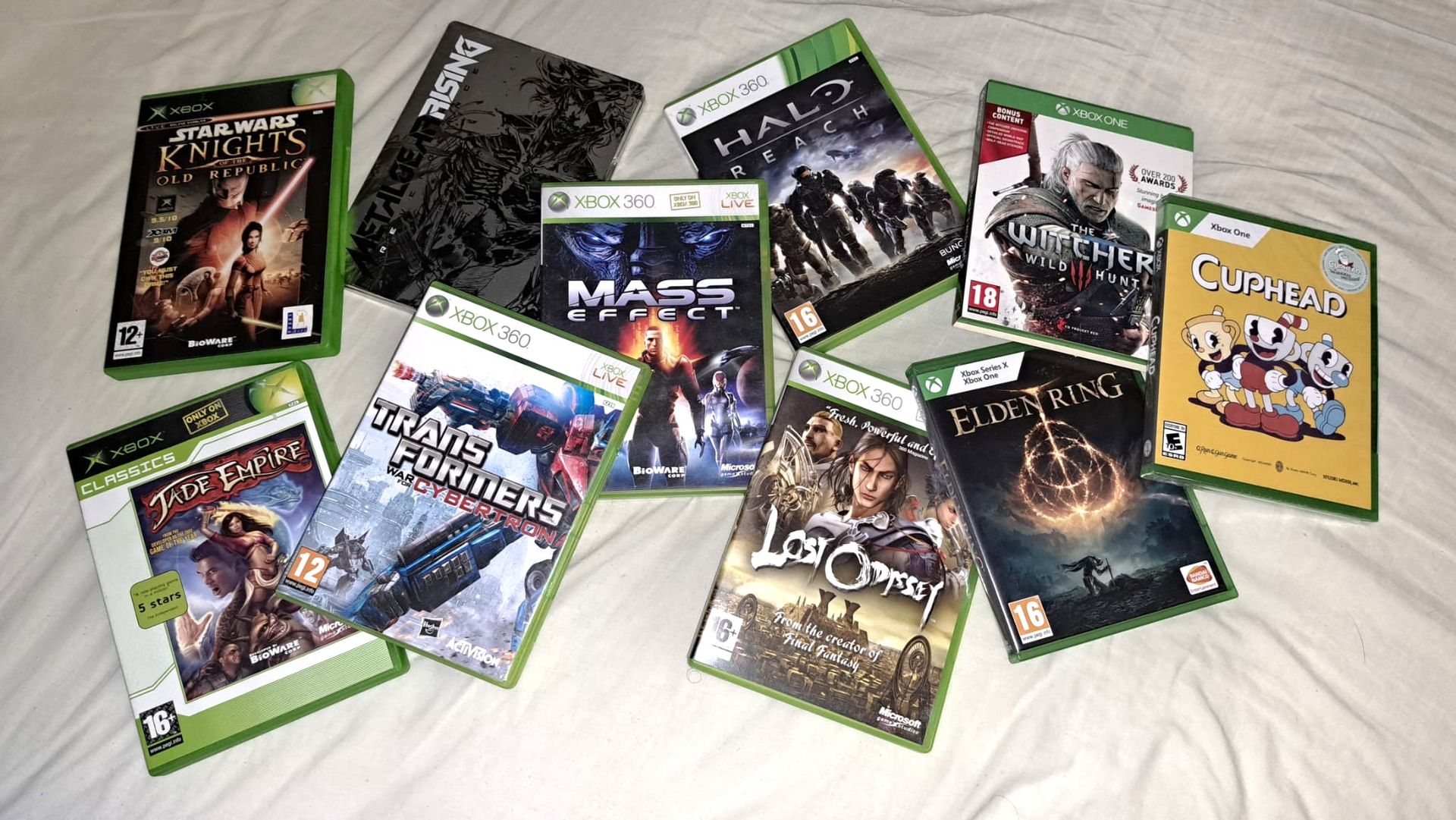
Sadly, that meant I missed out on classics like Psychonauts, Star Wars: Knights of the Old Republic, and Jade Empire when they were brand new, and I wouldn't get to play them until decades later.
I certainly can't say the same for the Xbox 360 when it came out in the mid-2000s, as I was obsessed with it as a teen.
Hooked by the Xbox 360
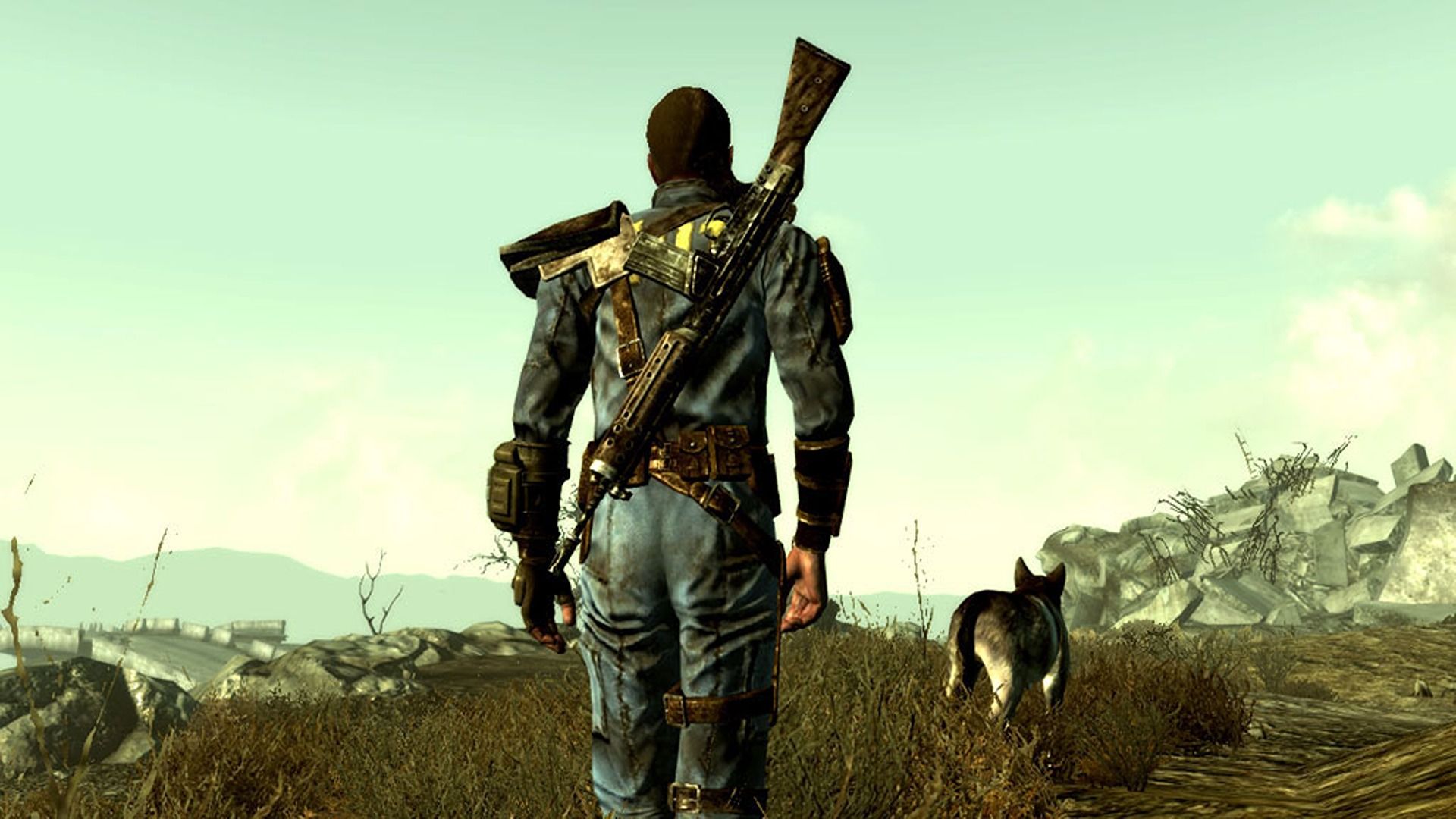
Fallout 3. (Image credit: Bethesda Softworks)
While I was still enjoying the amazing games on the PlayStation 3 and Nintendo Wii, I found myself spending more time with the Xbox 360 and its library of iconic games like Gears of War, Mass Effect, Fallout 3, and BioShock, and underrated gems like Kameo: Elements of Power and Lost Odyssey, just to name a few.
I got to the point where I played multi-platform games like Metal Gear Rising: Revengeance, Transformers: War for Cybertron, Batman: Arkham Asylum, the Saints Row series, and Devil May Cry 4 only on Xbox 360, as I enjoyed its controls more for 3D games than any other home console.
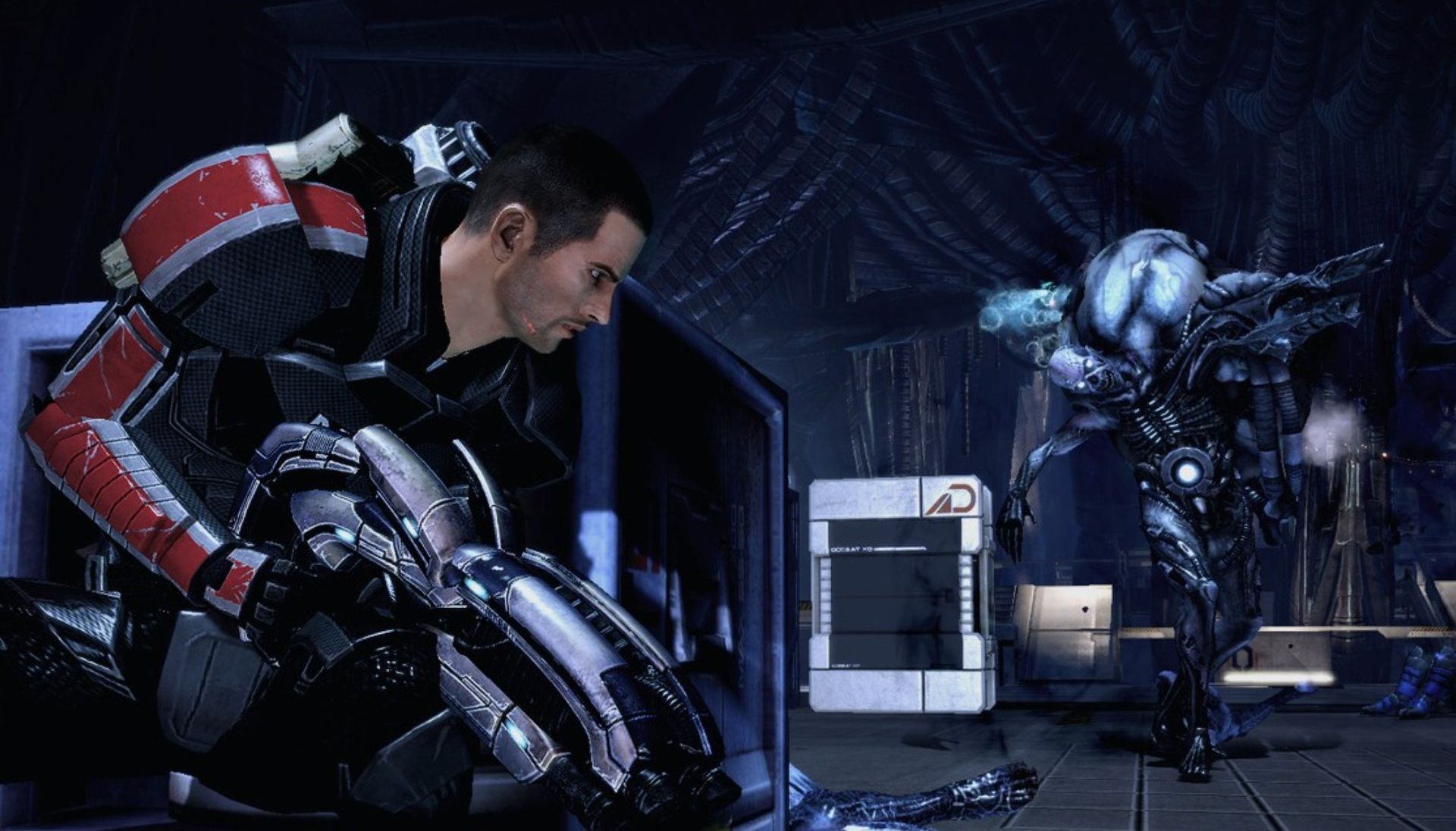
I'll never forget you Mass Effect. (Image credit: EA)
And, in case anyone's wondering, my Xbox 360 managed to escape the infamous "Red Ring of Death", but I remember having technical issues of my own to deal with, mostly of my own making.
I somehow jumbled several Microsoft accounts together due to my inexperience with email addresses as a teen, and it took my brother several months to fix. I owed him big time for that and repaid his service by doing the "Scan the Keeper" quest in Mass Effect for him whenever he played (which has sadly become a family tradition I'll never escape from).
Thriving on the Xbox One
Xbox One. (Image credit: Future)
When the 2010s rolled around, there came a huge turning point in my gaming career. I was starting to become bored of how stale Nintendo games had become and was tired of dealing with motion-control gimmicks.
Plus, I was sick of having to deal with Sony's poor cybersecurity, as it was getting hacked every few months, forcing me to constantly change my account details on my PlayStation consoles.
As a result, I found myself playing console games exclusively on the Xbox One despite its disastrous launch, which mandated always-online requirements while being forced to be bundled with the Kinect, which Microsoft quickly backpedaled on.
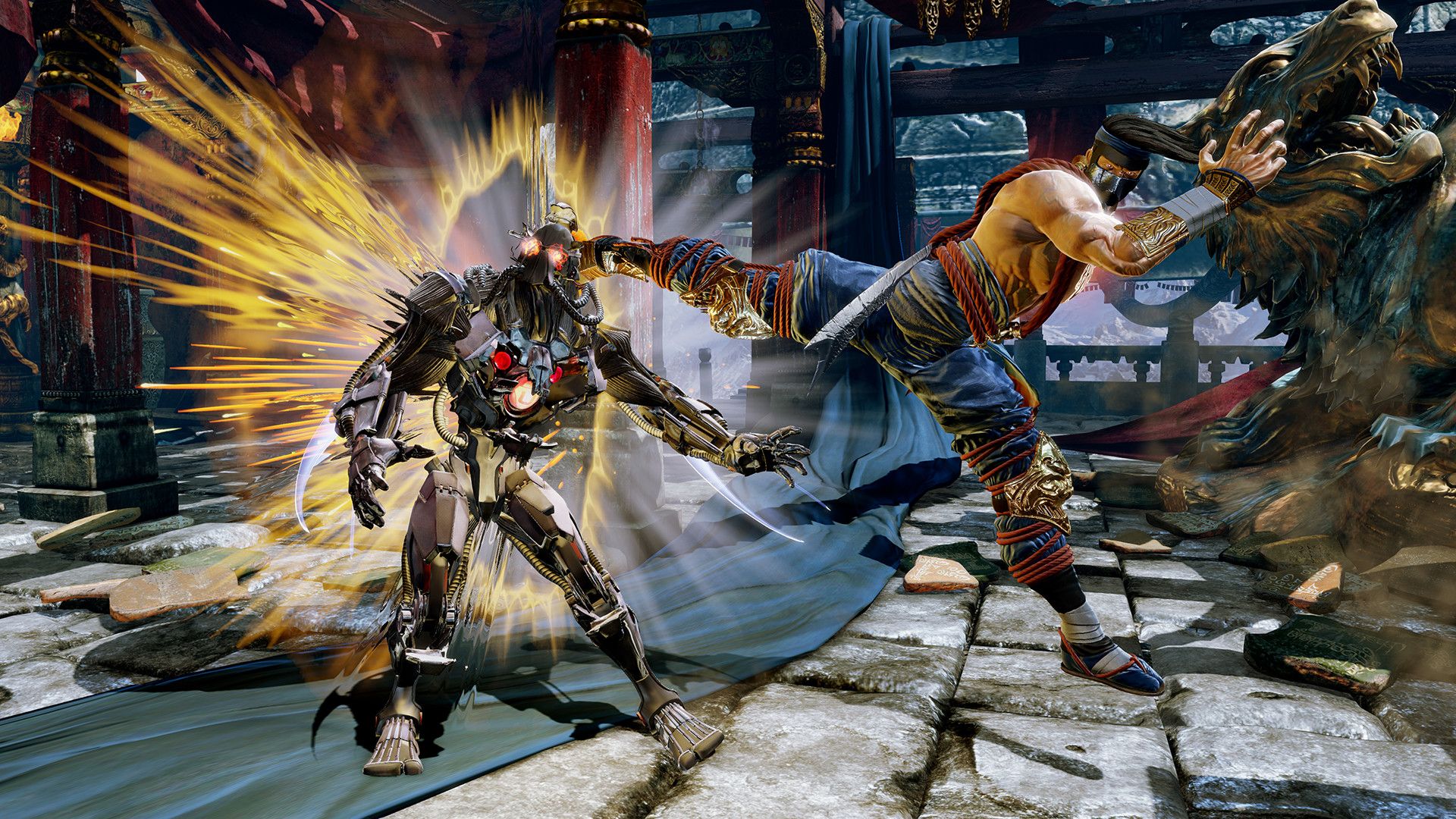
Killer Instinct (2013) is in my opinion, one of the greatest gaming reboots of all time. (Image credit: Xbox Game Studios)
While I didn't play the Xbox One as much as I did the Xbox 360 due to me getting into PC gaming during the mid-2010s, the Xbox One era held some of my fondest gaming memories and triumphs.
The Xbox One era held some of my fondest gaming memories and triumphs.
The Xbox One brought back one of the few fighting games I ever liked, Killer Instinct, with an amazing reboot that lasted for several years. It had amazing AAA titles like The Witcher 3: Wild Hunt, Devil May Cry V, and Resident Evil 7: Biohazard, and cool indie retro throwbacks like Cuphead.
However, all of those memories paled in comparison to when I was introduced to one of my favorite games of all time on the Xbox One (even though it's not an Xbox exclusive), Monster Hunter: World.
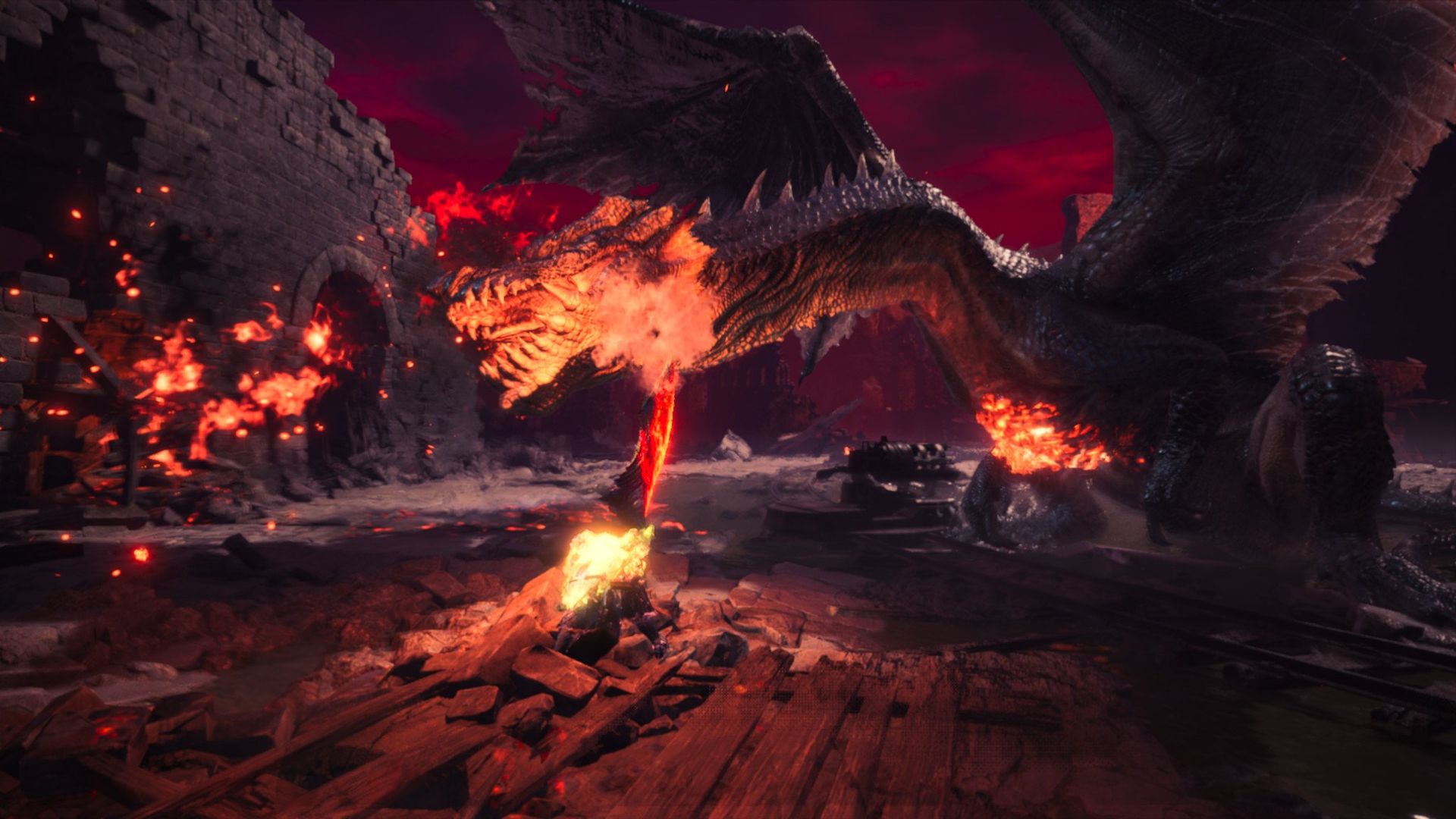
Fatalis from Monster Hunter World makes every boss in Elden Ring look like a complete joke. (Image credit: Windows Central)
With over 2,000 hours on my Xbox save file, I have never before (or since) been so maddeningly obsessed with a single game as I was with Monster Hunter World on the Xbox One. The in-depth combat system, the vibrant, interactable world laden with secrets, the cool and challenging monsters, the endless amount of gear to grind for — it was amazing.
Even dealing with Monster Hunter World's cumbersome multiplayer matchmaking system and story-locking was worth suffering through, as hunting giant monsters the size of buildings with my friends was some of the most fun I ever had, and no other multiplayer game has topped it since for me.
A shaky modern era and the unknown future
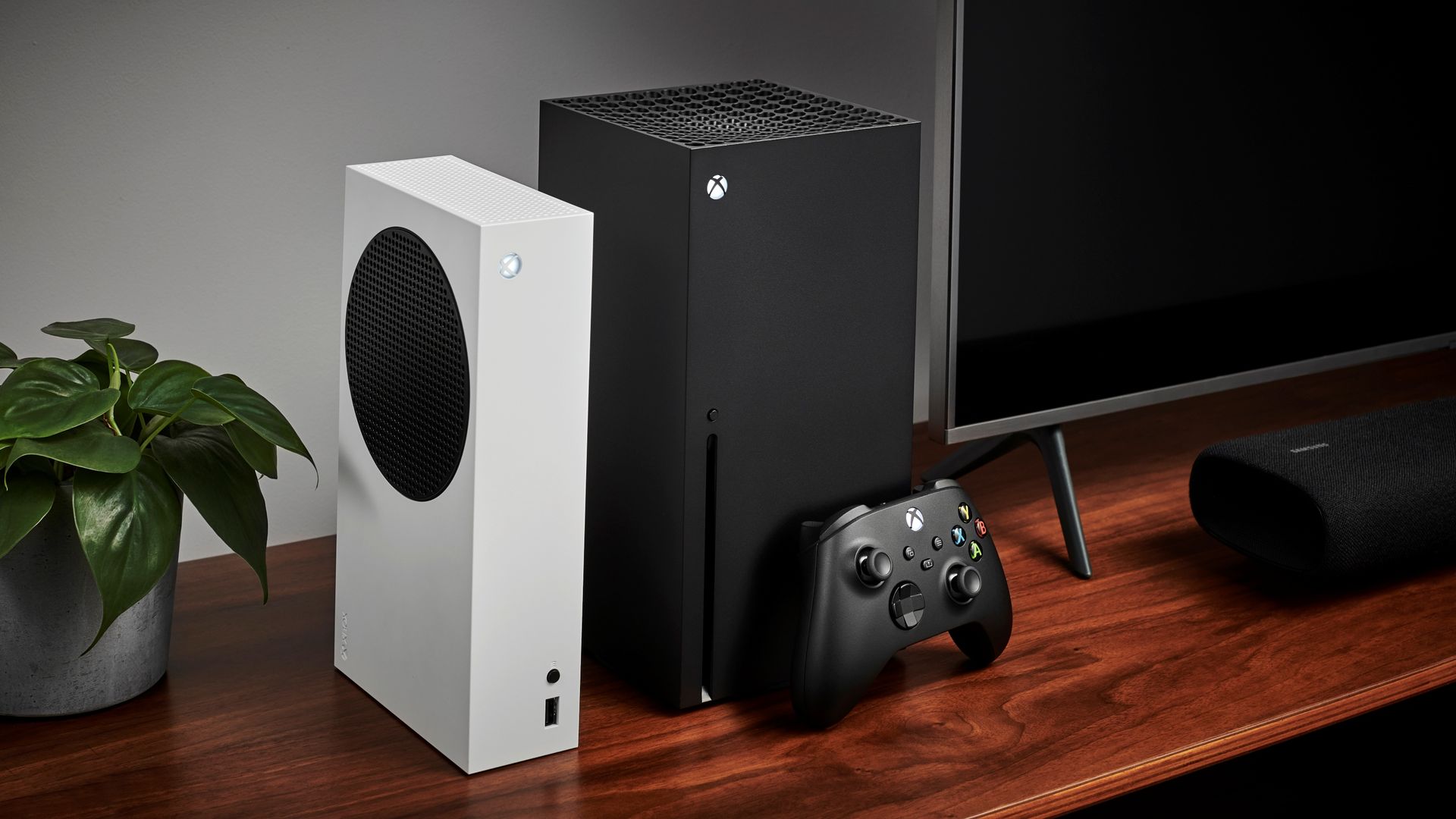
The Xbox Series X and Xbox Series X. (Image credit: Getty Images | Future)
And that brings us to the current Xbox Series X|S era, and it's been a mixed bag, to say the least. While it's brought us some amazing games like Elden Ring, Lies of P, Psychonauts 2, and Baldur's Gate 3, this era has brought about some depressing situations that made me almost consider quitting Xbox altogether.
Lies of P is one of my favorite Xbox games of this Xbox Series X generation thus far. (Image credit: NEOWIZ)
Yet despite this bleak era we're currently in, I'm not giving up. If Xbox was able to survive the global credit crisis of 2007 and the COVID-19 pandemic that lasted for several years, then I believe it will weather this cyber apocalypse as well.
So long as my friends keep playing Xbox games, I will stay the course so we can make more precious memories together as we ponder what the Xbox Series X|S's successor, Project Helix, will be like.
Happy anniversary, Xbox, and here's to another 25 years of gaming!
Join us on Reddit at r/WindowsCentral to share your insights and discuss our latest news, reviews, and more.
I try not to write too many doom-and-gloom cybersecurity stories, but this week's vulnerabilities involving PHP are too big to ignore.
With the help of AI, PHP flaws that had been lying dormant for years were dredged up and exploited, resulting in parts of the internet going dark as IT experts attempted to fix the problem.
Although your Windows PC isn't in the direct line of fire this time, the sheer speed and ability of AI when it comes to discovering (and exploiting) flaws shouldn't go unnoticed.
I've put together this guide to help you be proactive rather than reactive towards whatever security crisis comes next.
ELI5: What's actually happening with PHP and the internet?
PHP is a programming language that's been around for more than three decades, and it quietly runs a large portion of the internet. Nearly 70% of websites with a known server language use PHP, including WordPress, Yahoo, Etsy, and Wikipedia. To say it's important is an understatement.
This week, two serious PHP security flaws known as "PHP2Shell" were made public. The exploits essentially allowed bad actors to take over servers and steal data. Once this news was public, countless bad actors began directing AI at the vulnerabilities.
The reaction? Some governments pulled their websites down to wait for a fix. IT teams worked countless hours to patch holes. Cloudflare fended off thousands of attempts to exploit the bugs, even before they were publicly announced.
Some stats on #php2shell. In the 10 hours before it was publicly announced, across the @Cloudflare network we saw thousands of attempts to exploit it. That jumped to tens of thousands in the 45 minutes post announcement, hundreds of thousands within 2 hours, and millions now.October 22, 2026
The PHP Foundation released a patch on October 21, but it's only targeted at newer versions of PHP. There are countless millions of websites and servers running older versions of PHP that didn't get the fix (and may never be secure again).
Is PHP2Shell a one-time incident?
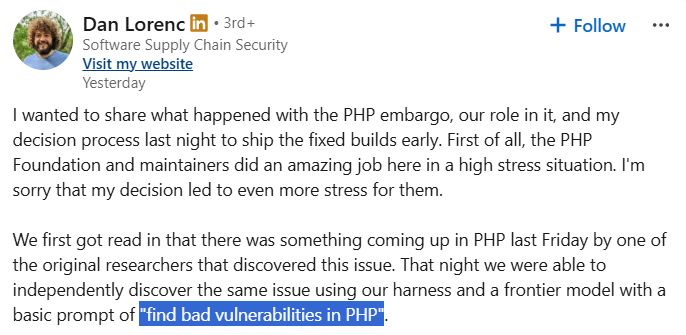
To give you an idea of what we're heading into (and not just in the middle of), Dan Lorenc, CEO of Chainguard, shared on LinkedIn a tale of his journey to find PHP vulnerabilities.
His team had the PHP news early, and it attempted to independently discover the vulnerability. All it took was a prompt for their frontier model to "find bad vulnerabilities in PHP" for this to happen.
A screenshot of the LinkedIn post from Dan Lorenc explaining how he used AI to find PHP vulnerabilities. (Image credit: Dan Lorenc (LinkedIn))
No special AI voodoo. No deep knowledge of security systems. Just a powerful AI with a simple command. As Lorenc points out, "This is unfortunately the new normal for the industry."
I hate to fearmonger, but I'd rather help get you ahead of the next security flaw than pretend everything will work out fine.
Should you be concerned about PHP vulnerabilities?
The average PC user shouldn't panic. But you should be aware of what's going on.
There's no reason for the average Windows PC user to panic, but you should be aware of what's going on. Being proactive is the best line of defense.
PHP runs on servers, not your desktop or laptop PC, so ordinary users don't need to rush to patch their apps or browsers. However, if you use a website that's now vulnerable, personal information could be exposed.
What to do right now to protect yourself
As seemingly the entire internet goes into high-alert mode, there are three quick tips every regular PC user should be using to protect themselves against attacks.
Don't enter your credentials on websites that appear to be broken.
Keep an eye on your email inbox. Vulnerabilities like this often lead to spam and phishing emails. Don't download shady files or visit links you didn't expect to see.
Keep an eye on your bank statements for any shady activity.
These three tips will get you started, but there's a lot more you should be doing in order to prepare for the next big vulnerability.
How to prepare for the next big vulnerability
It's time to start thinking about how you can mitigate the fallout of an attack. (Image credit: Getty Images)
We're now entering an era of cybersecurity where you can assume that at some point you will be attacked. Your goal isn't to fend off every attack, but to make the fallout as easy to deal with as possible.
Use a password manager. Give each account a unique, complicated password.
Use an authenticator app or passkeys wherever possible. Two-factor authentication via SMS is becoming increasingly risky.
Set up a new email address for anything financial.
Back up your data offline.
Update your Wi-Fi router's firmware.
Retire older hardware and devices that no longer receive security updates.
Remain vigilant.
The bottom line
AI is now able to find security flaws much faster than humans are able to fix them, and the PHP2Shell fallout from this week is very likely only the beginning of a wave of critical security issues that threaten the foundation of the internet.
It's not up to you or me to stop the next problem, but it is up to us to ensure that we mitigate risks.
Join us on Reddit at r/WindowsCentral to share your insights and discuss our latest news, reviews, and more.

 Connexion