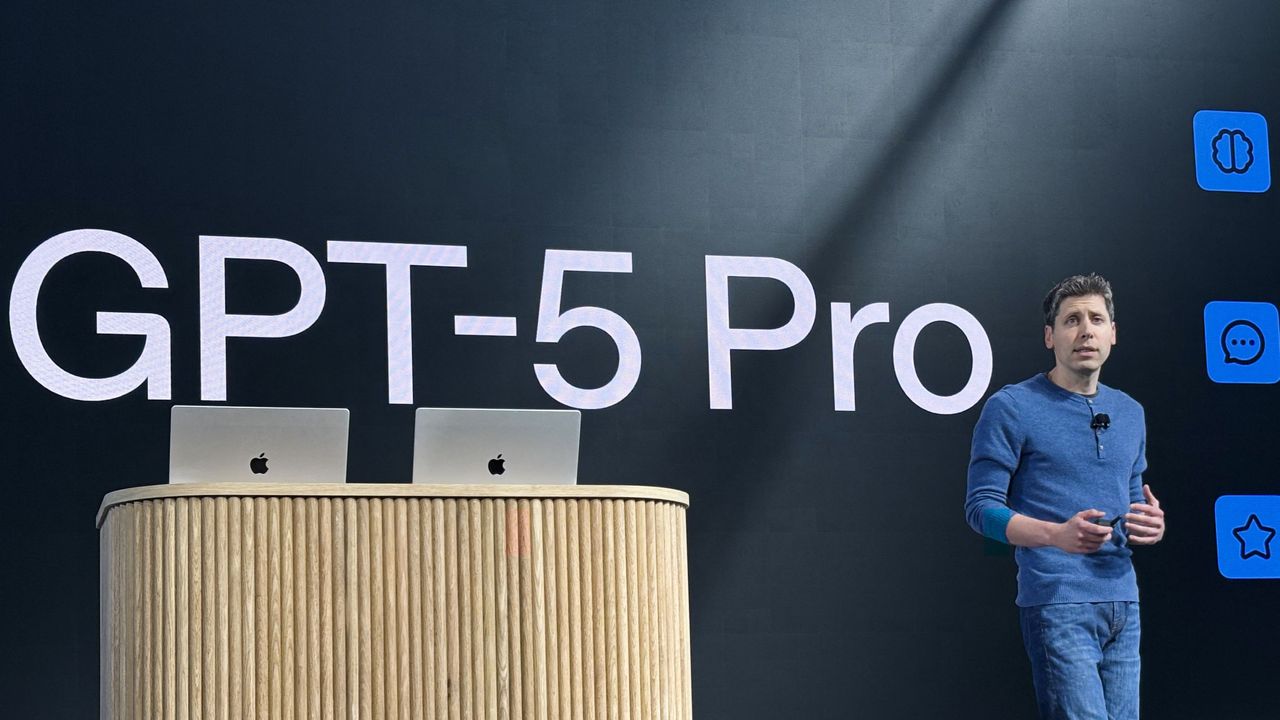
Elon Musk recently indicated that medical care might soon be augmented with artificial intelligence, further claiming that attending medical school will be pointless in three years.
Elon Musk attends 'Exploring the New Frontiers of Innovation: Mark Read in Conversation with Elon Musk' session during the Cannes Lions International Festival Of Creativity 2024.
Cybersecurity researchers have disclosed details of a new campaign dubbed SHADOW#REACTOR that employs an evasive multi-stage attack chain to deliver a commercially available remote administration tool called Remcos RAT and establish persistent, covert remote access.
"The infection chain follows a tightly orchestrated execution path: an obfuscated VBS launcher executed via wscript.exe invokes a
Most of 2026's line-up of new games is looking too rich for my blood, so I'm dedicating the next year to tackling some of the biggest or nostalgic Xbox and PC games in my backlog that I never got around to playing at their launches.
AI Generated collage of Baldur's Gate 3, Divinity: Original Sin 2, Hollow Knight: Silksong, and Control visualized.
Blizzard Entertainment president Johanna Faries says she wants the company to have one or two big launches a year, focusing on established games instead of new IP.
Promotional artwork featuring several of heroes from Blizzard Entertainment's games.
Windows Central readers, I'm curious if you're actively using Microsoft Copilot. If so, what are you using it for? If not, why not? Are you using an alternative AI? Let us know.
In this photo illustration, 'Microsoft Copilot' logo is displayed on mobile phone screen in front of a screen displaying the inscription of 'Copilot' in Ankara, Turkiye on March 14, 2025.
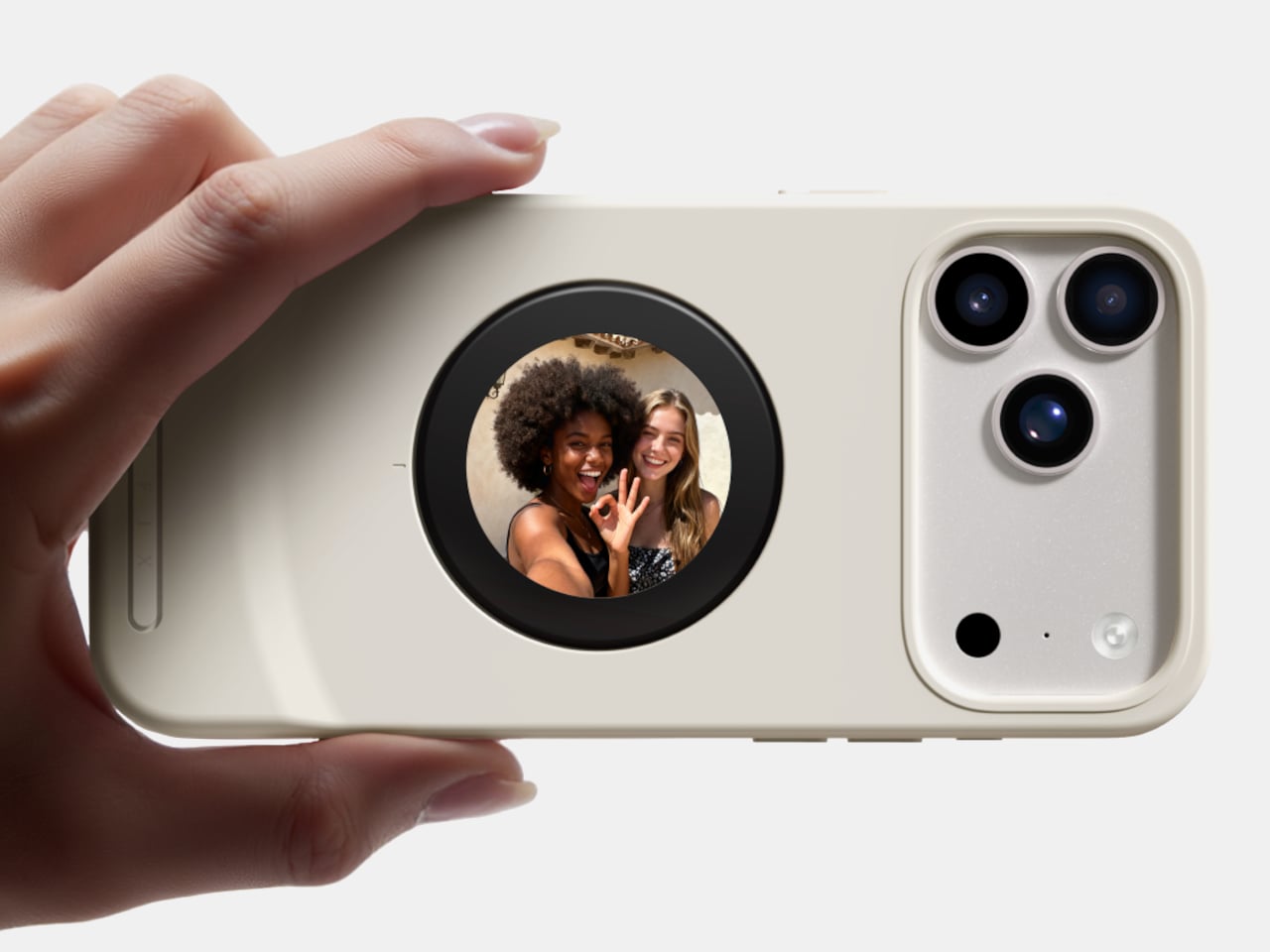
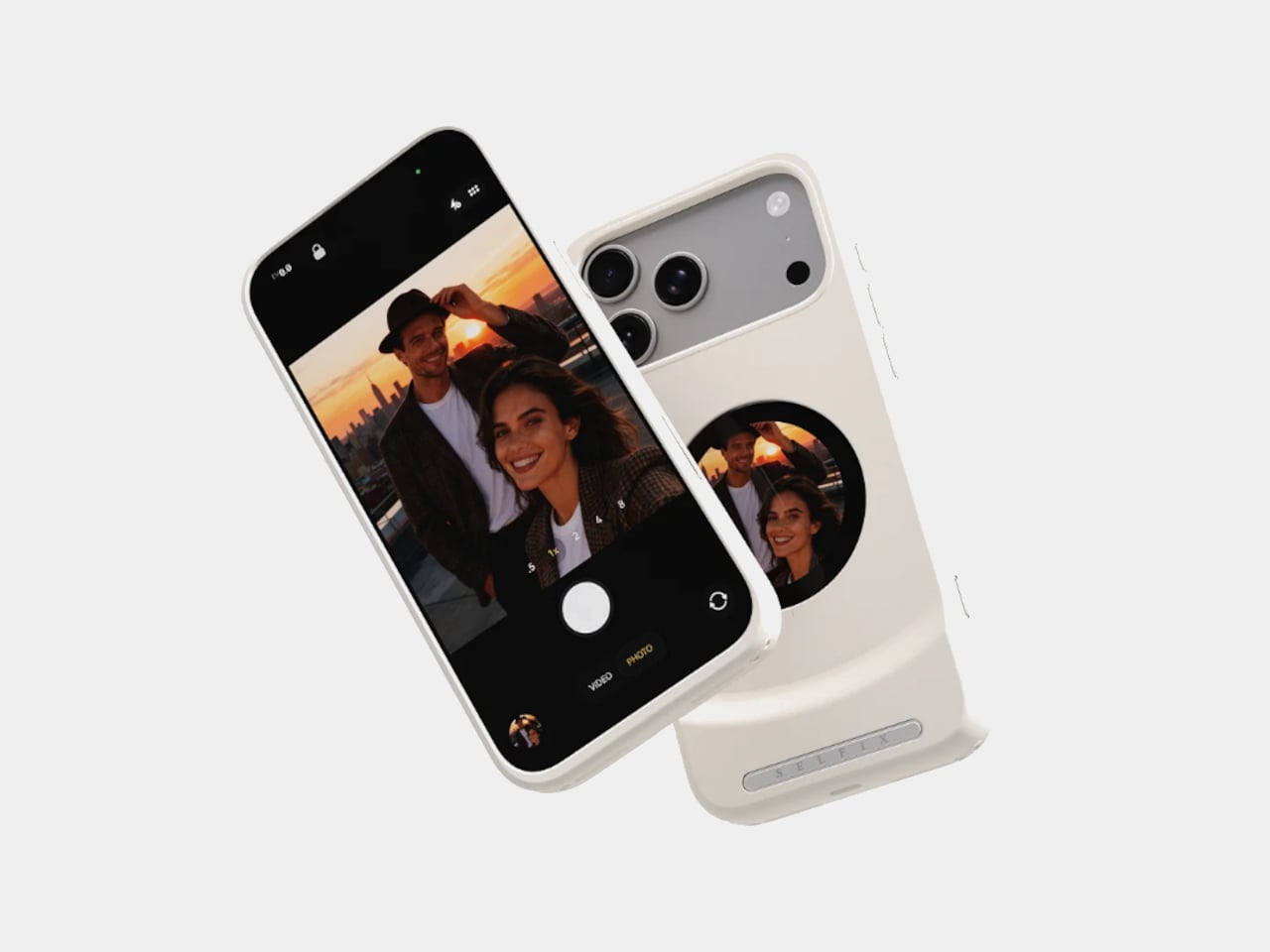
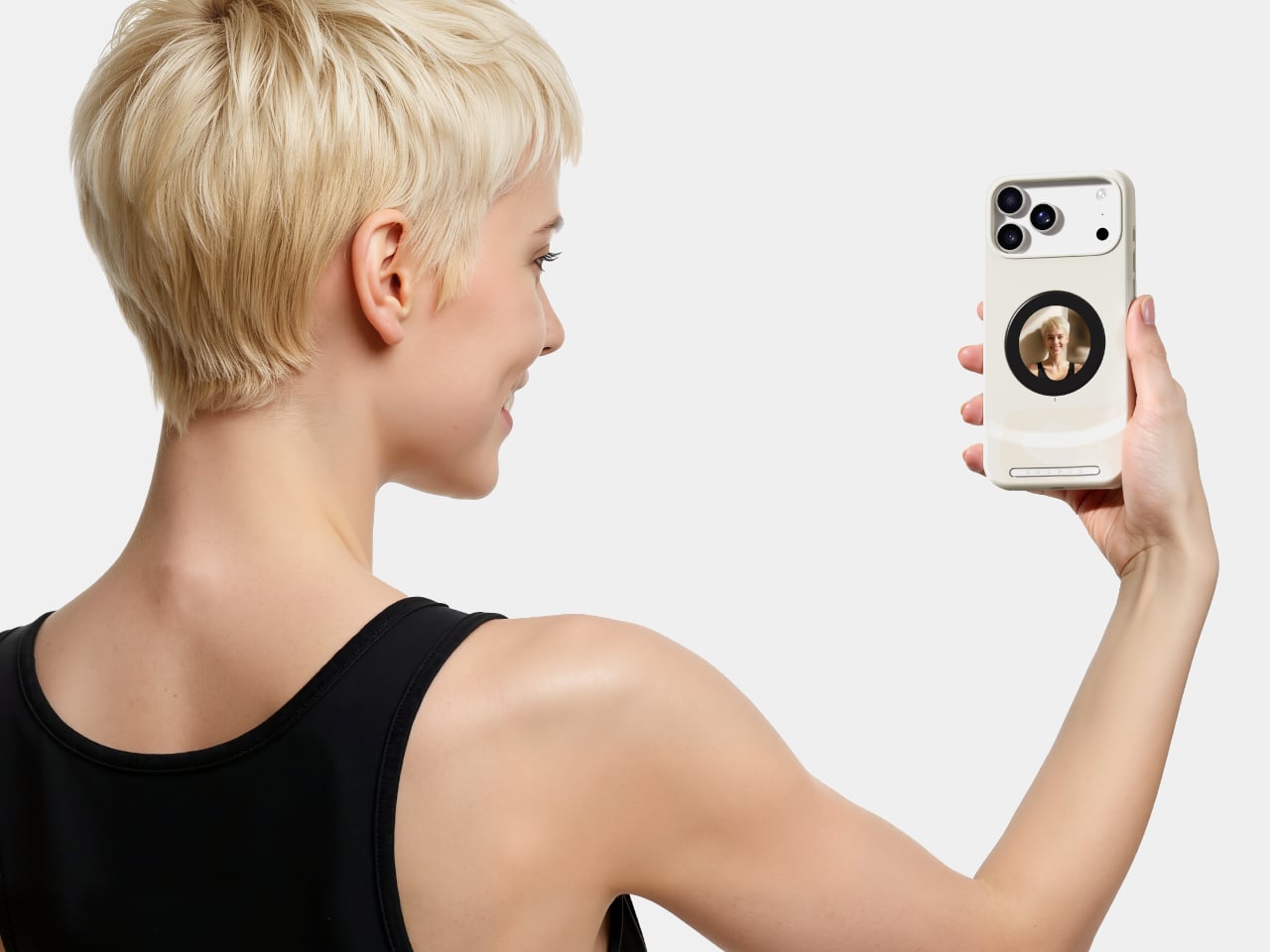
The iPhone’s rear cameras keep getting better, but selfies still rely on a smaller, lower-resolution front sensor, and storage upgrades cost considerably more than a microSD card. People who shoot a lot of photos and video feel squeezed on both fronts, choosing between spending hundreds on internal storage or dealing with blurry front-camera selfies. Selfix is a case for the iPhone 17 Pro that tackles both problems at once.
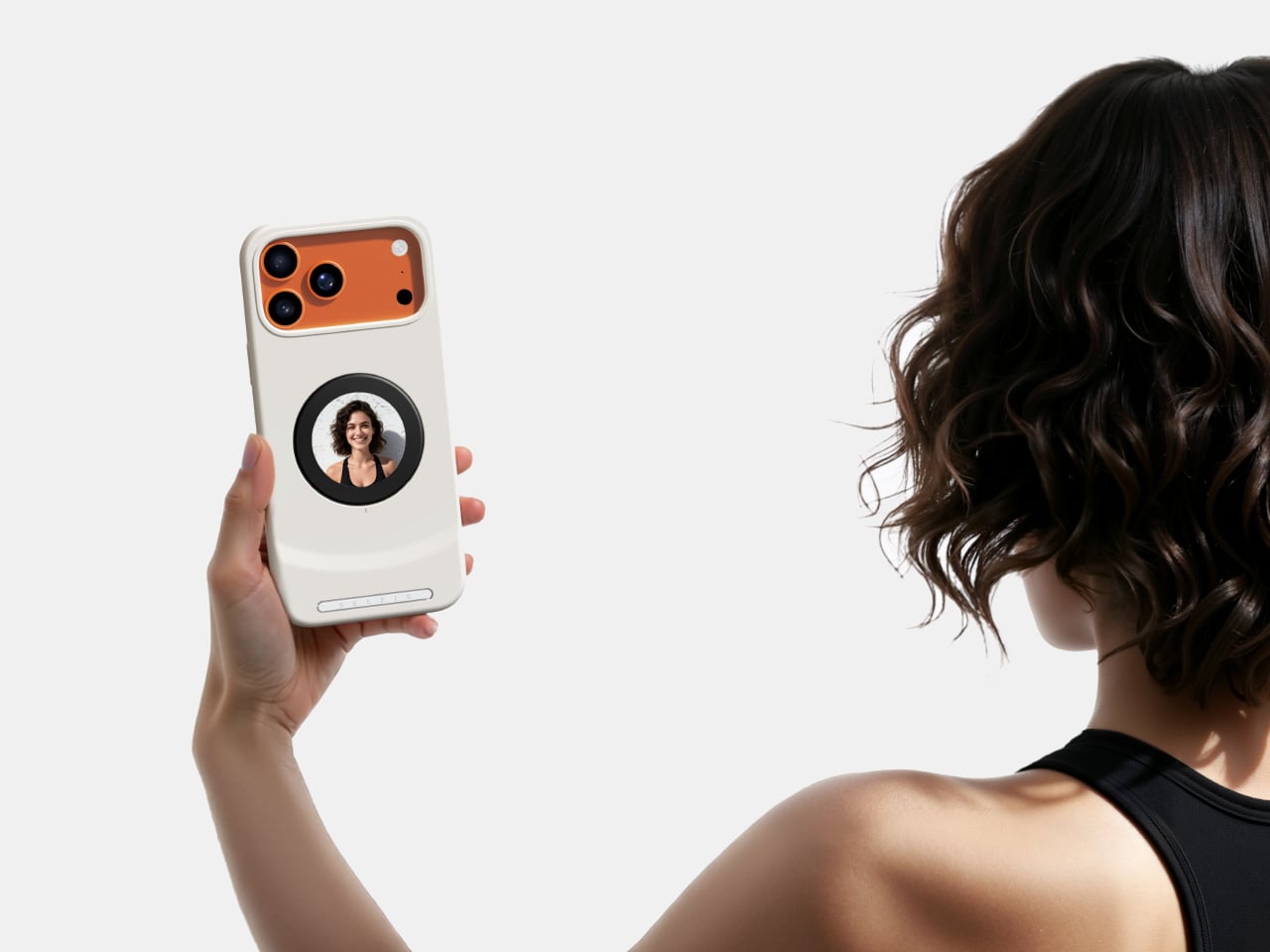
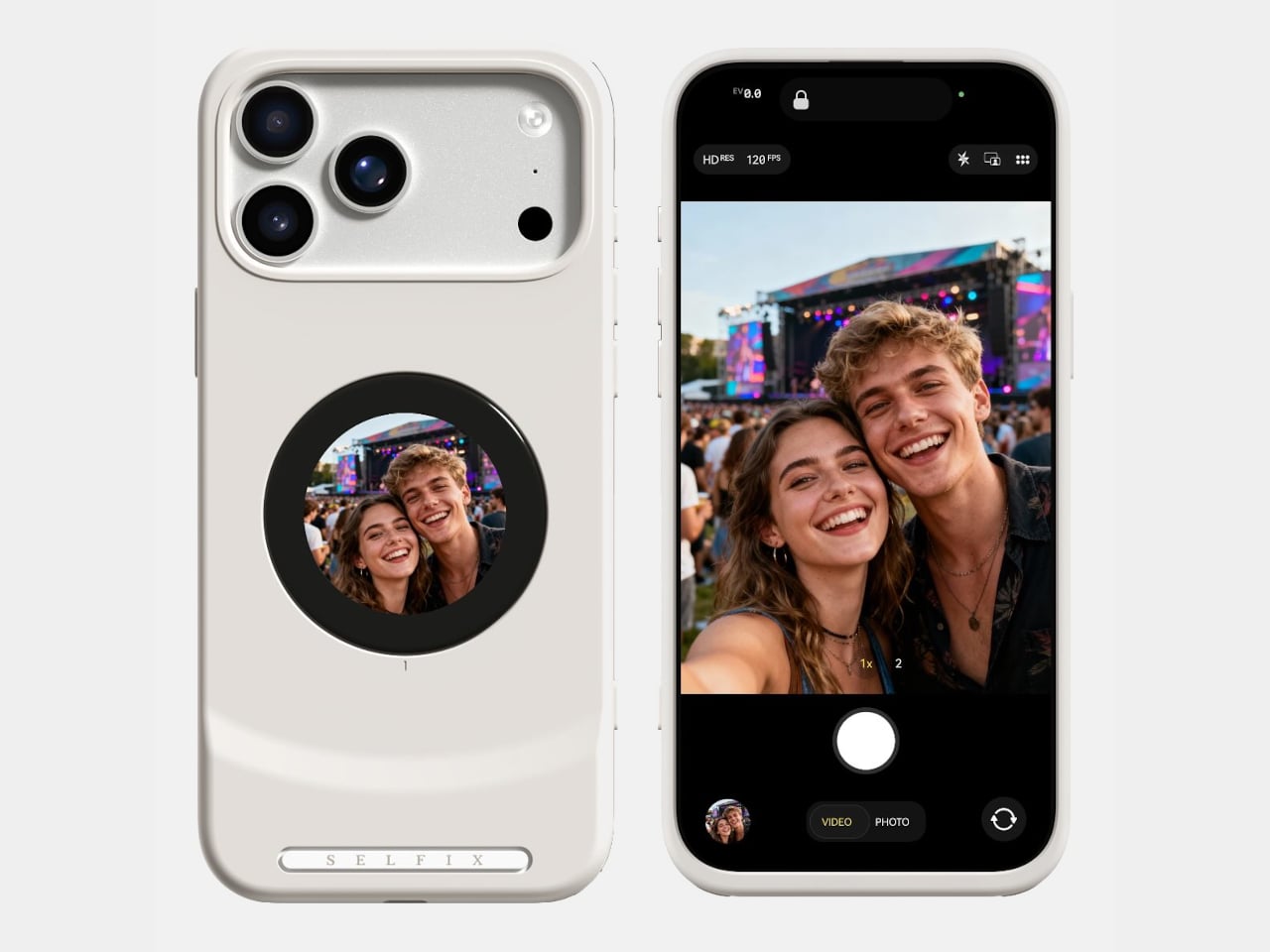
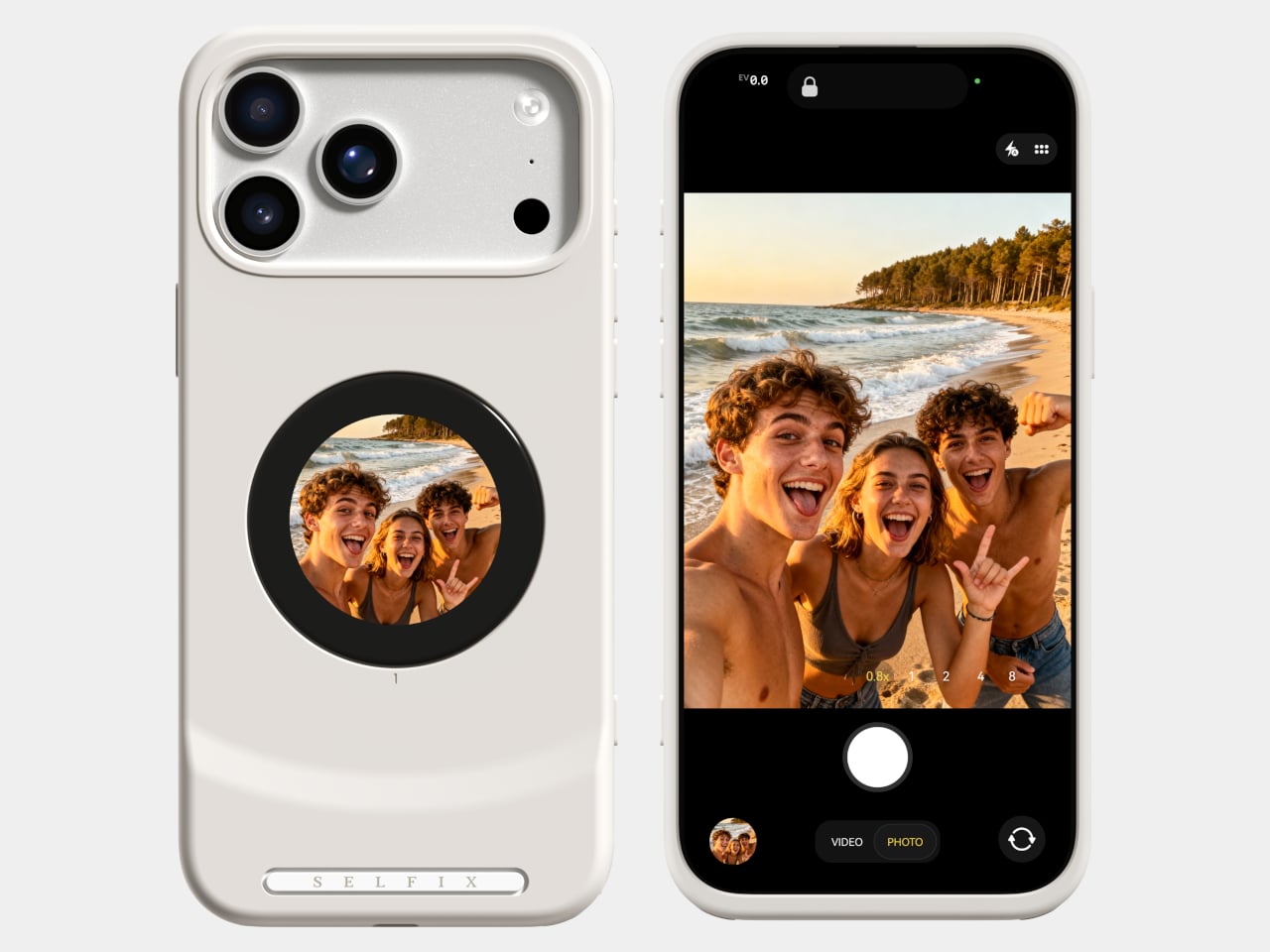
Selfix is a case for the iPhone 17 Pro and Pro Max that adds a circular 1.6-inch AMOLED screen to the back and hides a microSD slot inside. The rear screen acts as a tiny viewfinder so you can use the 48 MP rear cameras for selfies, while the card slot lets you add up to 2 TB of storage without touching Apple’s upgrade menu or monthly cloud fees.
The rear display mirrors the camera view so you can frame yourself, adjust in real time, and pick any of the rear lenses, from ultra-wide group shots to telephoto portraits. You get the main sensor’s larger 1/1.28-inch glass, Night Mode, and up to 8× optical zoom for selfies, instead of guessing with a cropped front camera and hoping everyone fits into the narrower field of view.
Selfix connects through the phone’s USB-C port and does not need a separate app. You snap the case on, open the camera, and the rear screen wakes up. A dedicated button on the case lets you turn the display off when you are not using it to save battery. The idea is to feel like a built-in second screen, not another gadget that needs pairing, permissions, and a drawer full of instructions.
The case includes a microSD slot that supports cards up to 2 TB, using the same USB-C connection to integrate with the phone. A 512 GB card costs around $50, while Apple’s $200 jump for the same capacity makes swappable storage a compelling alternative. Heavy shooters can archive trips or projects without paying monthly cloud fees or deleting older work to make room for new sessions.
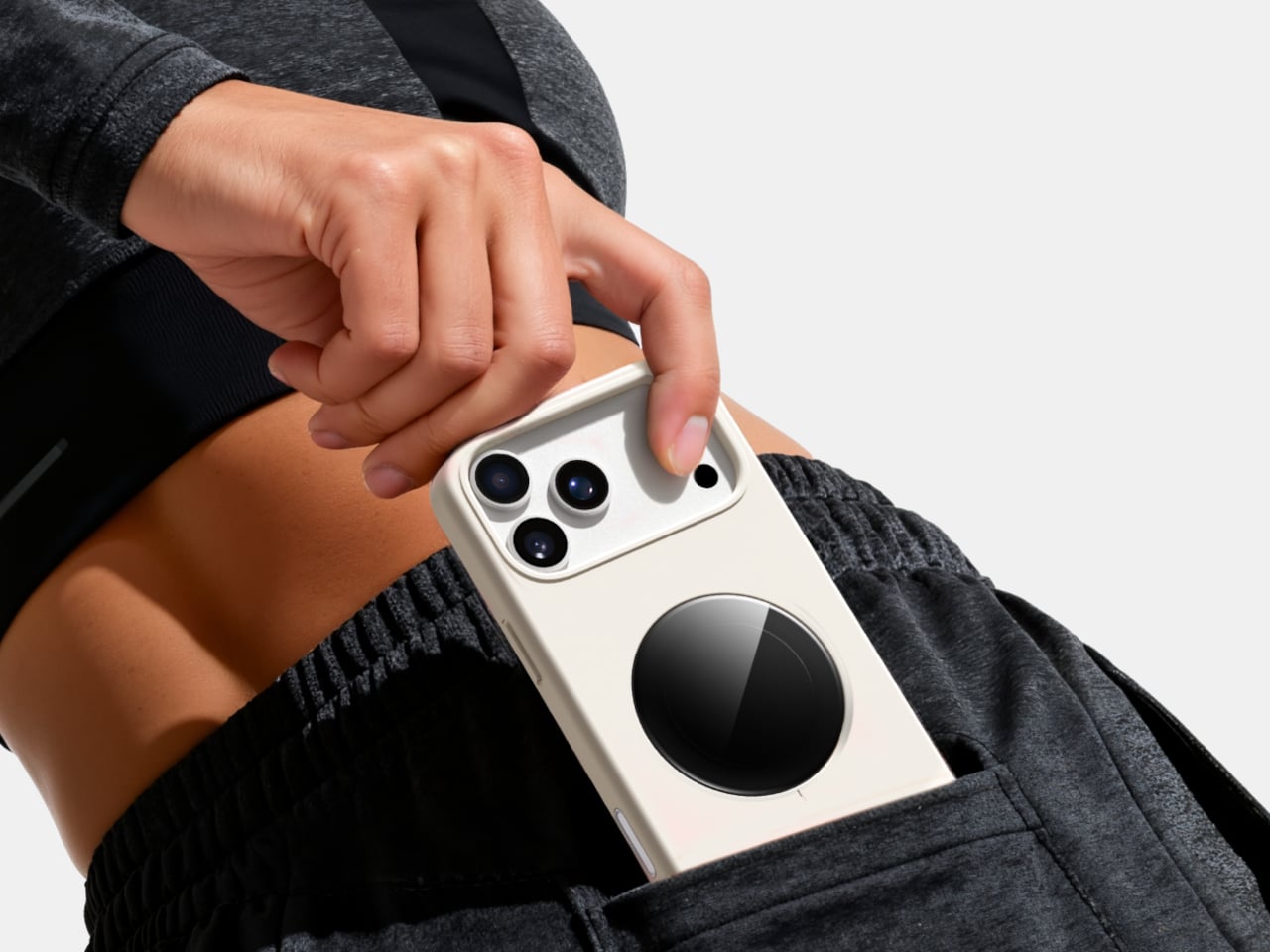
Selfix is made from high-quality TPU and comes in Oat White, Blush Pink, and Midnight Black, sized to match the 17 Pro and Pro Max. It adds some thickness, bringing the total to 17mm, but in return, you get a grippy shell, a second screen, and a hidden storage bay. The design aims to look like a natural extension of the phone rather than a bolt-on camera rig or accessory that screams afterthought.
Selfix is aimed at people who care enough about image quality to use the rear cameras for everything, and who are tired of juggling storage or paying the upgrade tax. A case that quietly turns the iPhone into a dual-screen shooter with expandable memory makes you wonder why the phone did not ship this way, especially when the rear cameras already outclass the front by a significant margin, and storage remains artificially expensive.
After being slightly delayed, Warhammer 40,000: Dark Heresy's Alpha Test is now available for players who pre-ordered the Developer's Digital Pack or Collector's Edition, and Owlcat Games has released a new gameplay trailer to celebrate.
Press Kit screenshot of the player's party meeting Laarthyr Cairnareth, the Eldar Corsair.
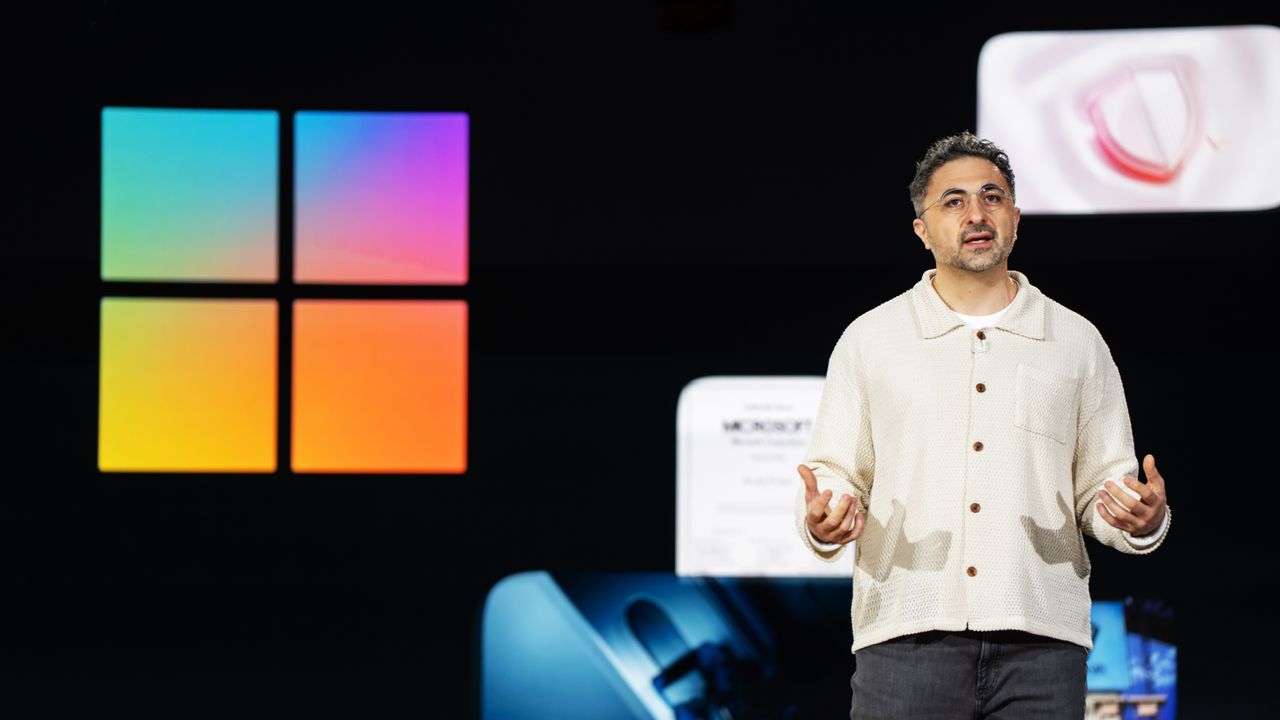
Microsoft AI CEO Mustafa Suleyman revealed that he keeps close tabs and is in frequent contact with his peers in the AI space, including OpenAI CEO Sam Altman, Anthropic CEO Dario Amodei, and Google DeepMind's AI Chief Demis Hassabis.
REDMOND, WASHINGTON - APRIL 4: Microsoft AI CEO Mustafa Suleyman speaks during an event highlighting Microsoft Copilot, the company's AI tool, on April 4, 2025 in Redmond, Washington. The company also celebrated its 50th Anniversary. (Photo by Stephen Brashear/Getty Images)
The Hyperkin Competitor, one of the best Xbox controllers I've played in years for its excellent performance and side-scroller-friendly control layout, is on sale at Amazon with a 15% discount.
Photographs of the Hyperkin 'Competitor' controller
Vous en avez marre de payer des licences pour des apps de nettoyage macOS qui font grosso modo la même chose ? CleanMyMac, AppCleaner, DaisyDisk, Sensei, iStat Menus... C'est pas les options qui manquent, mais le portefeuille finit par tirer la gueule, du coup, quand je suis tombé sur Mole, je me suis dit que j'allais vous en parler.
Mole
c'est un outil en ligne de commande (donc ça fait peuuuuur, ahaha mais c'est cool vous allez voir) qui regroupe toutes ces fonctionnalités dans un seul binaire. C'est open source, sous licence MIT, et ça pèse que dalle et en gros, l'idée c'est de taper la commande "mo" suivi d'un paramètre et hop, ça fait le taf.
mo # Interactive menu
mo clean # Deep cleanup
mo uninstall # Remove apps + leftovers
mo optimize # Refresh caches & services
mo analyze # Visual disk explorer
mo status # Live system health dashboard
mo purge # Clean project build artifacts

mo touchid # Configure Touch ID for sudo
mo update # Update Mole
mo remove # Remove Mole from system
mo --help # Show help
mo --version # Show installed version

mo clean --dry-run # Preview cleanup plan
mo clean --whitelist # Adjust protected caches
mo uninstall --force-rescan # Rescan apps and refresh cache
mo optimize --whitelist # Adjust protected optimization items
Par exemple, pour le nettoyage en profondeur, c'est mo clean. L'outil va scanner vos caches système, les logs, les données des navigateurs, et tout le bordel qui s'accumule avec le temps. Dans les exemples donnés par le développeur, il parle de récupérer jusqu'à 95 Go d'espace disque. Évidemment ça dépend de votre usage, mais ça donne une idée du potentiel.
Pour désinstaller proprement une app, mo uninstall fera le job. Et contrairement à la méthode du glisser-déposer dans la corbeille qui laisse traîner des fichiers de préférences partout, Mole traque tous les fichiers associés à l'application et les vire ensemble, comme ce que fait AppCleaner...
Côté monitoring système, mo status vous affiche un dashboard temps réel avec CPU, RAM, réseau, et métriques de santé. Un peu comme iStat Menus mais directement dans votre terminal. Et avec mo analyze, vous avez un explorateur visuel de l'espace disque avec des barres de progression ASCII. Très DaisyDisk vibes. Et mo analyze c'est pareil mais pour l'espace disque...
La commande mo optimize va rafraîchir les caches système et relancer certains services pour remettre de l'ordre. Et pour les devs, mo purge est une tuerie : ça nettoie les dossiers de build de vos projets (node_modules, target, build...) qui peuvent facilement bouffer des dizaines de gigas si vous bossez sur plusieurs projets.
Petit bonus sympa, mo touchid permet de configurer Touch ID avec sudo, ce qui vous évitera de taper votre mot de passe admin 15 fois par jour.
Voilà... Maintenant si ça vous chauffe, l'installation se fait soit via Homebrew avec brew install tw93/tap/mole, soit via curl directement. Le projet est écrit en Shell et Go, ce qui explique qu'il soit aussi léger et rapide. Seul bémol relevé par le développeur, évitez
iTerm2
qui a des soucis de compatibilité.
Alacritty
,
Kitty
, WezTerm ou
Ghostty
par contre fonctionnent nickel.
L'outil supporte aussi les options classiques genre --dry-run pour prévisualiser les changements sans rien supprimer, --whitelist pour protéger certains éléments, et --debug pour les curieux et la navigation se fait avec les flèches ou en mode Vim (hjkl) pour les puristes.
Bref, si vous êtes à l'aise avec le terminal et que vous en avez marre de multiplier les apps payantes pour faire des trucs basiques, Mole mérite un petit test !
Cybersecurity researchers are calling attention to a new campaign dubbed JS#SMUGGLER that has been observed leveraging compromised websites as a distribution vector for a remote access trojan named NetSupport RAT.
The attack chain, analyzed by Securonix, involves three main moving parts: An obfuscated JavaScript loader injected into a website, an HTML Application (HTA) that runs encrypted
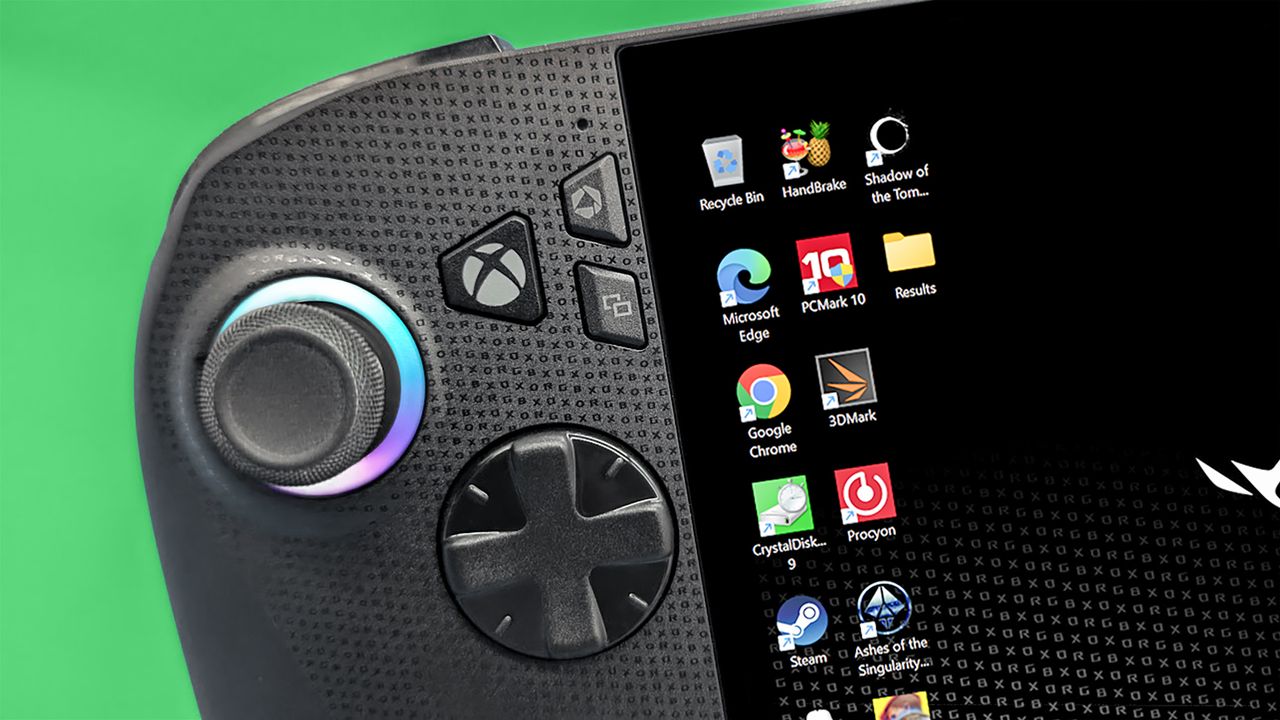
The Xbox Ally X offers powerful handheld gaming, yet early setup issues, software problems, and what I call "jank" show it needs serious refinement before it can shine.
A closeup of the ROG Xbox Ally X's D-Pad, Xbox button, and joystick.
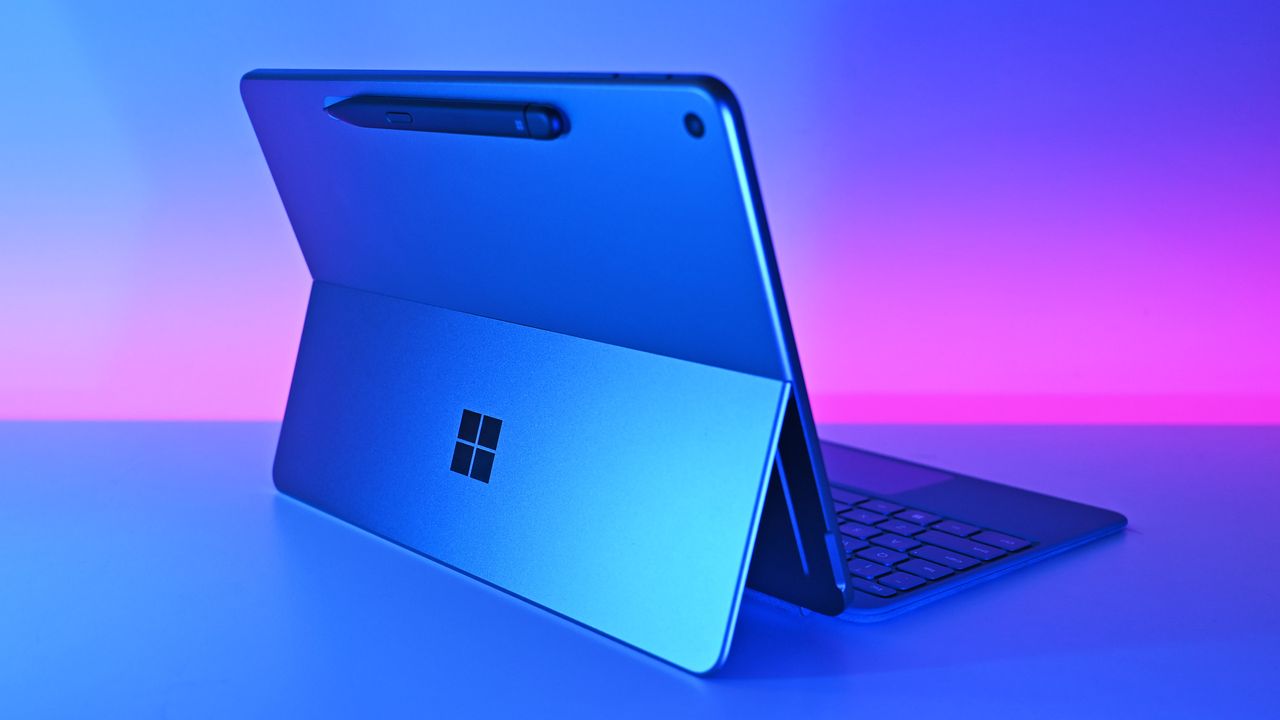
The latest entry in Microsoft's critically-acclaimed Surface Pro laptop series has gotten an early Christmas 31% discount for a limited time, just in time for professionals looking for an affordable laptop to take on 2026.
Microsoft's Surface Pro 12-inch 1st Edition (2025) powered by Qualcomm Snapdragon X Plus processor.
Vous avez un iPhone qui prend des photos 48 mégapixels, un écran Retina qui affiche 254 pixels par pouce, et des GPU qui font tourner des jeux en 4K mais ce que vous n’avez pas c’est Itoa, un outil web qui fait exactement l’inverse puisqu’il transforme vos images haute-définition en une grille de caractères ASCII monochrome / couleur de 10 symboles maximum (Par exemple : .:-=+*#%@).
Car l’ASCII art, c’est littéralement la mise à mort volontaire de l’image. Vous prenez quelque chose qui a besoin de millions de pixels pour exister et vous le réduisez à une poignée de caractères typographiques et en 2025, ça continue !
Sur que itoa (ça veut dire “image to ascii art”, au fait) fait ça très bien ! C’est donc, vous l’aurez compris, un convertisseur image-vers-ASCII codé en React et Vite qui tourne directement dans votre navigateur. Vous glissez dessus une image JPG, PNG ou GIF, et hop, l’outil vous la transforme en grille de caractères.
Deux modes sont dispo : monochrome pur et dur, ou couleur où chaque caractère hérite de la teinte du pixel d’origine. Vous pouvez aussi contrôler la taille de sortie (petit, moyen, grand) et exporter le résultat en PNG si vous voulez le partager ou l’imprimer.
Techniquement, itoa utilise l’API Canvas HTML5 pour analyser votre image. Ensuite, l’image est redimensionnée en gardant son ratio, puis chaque pixel est analysé. Pour le mode monochrome,
l’algorithme calcule la luminance
et ensuite l’outil mappe la valeur sur une échelle de caractères allant du plus clair (.) au plus foncé (@). Et pour le mode couleur, chaque pixel conserve sa couleur RGB d’origine via des balises HTML.
Bien sûr, itoa n’est pas le seul convertisseur ASCII du monde. Y’a pas exemple
ManyTools.org
qui fait le job depuis des années,
Folge.me
avec son interface moderne et ses options couleur, ou encore
ASCII-Art-Generator.org
qui peut exporter en SVG.
Bref, si vous aimez la nostalgie tech ou si vous voulez illustrer des .txt, c’est l’outil qu’il vous faut !

 Connexion