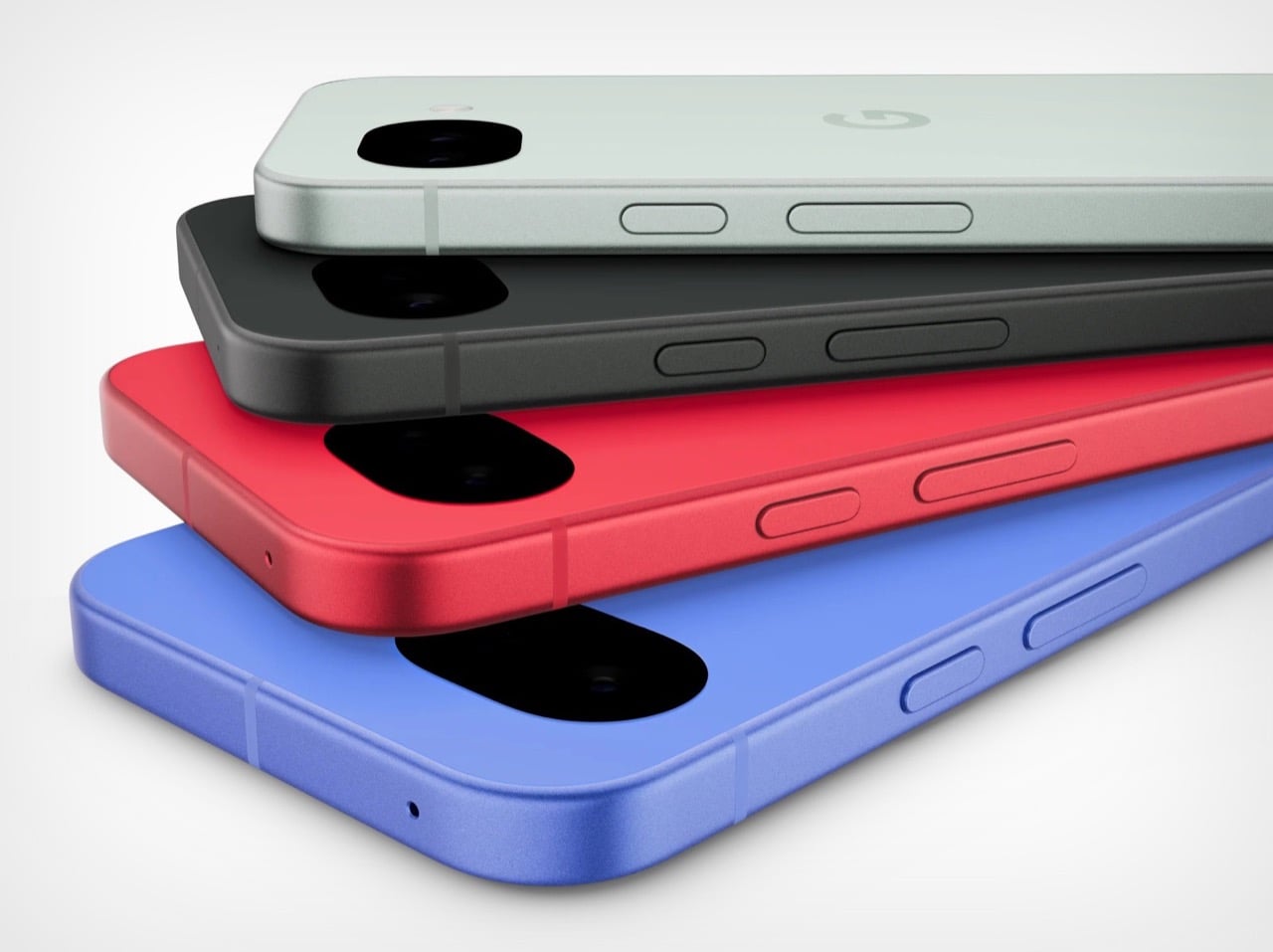
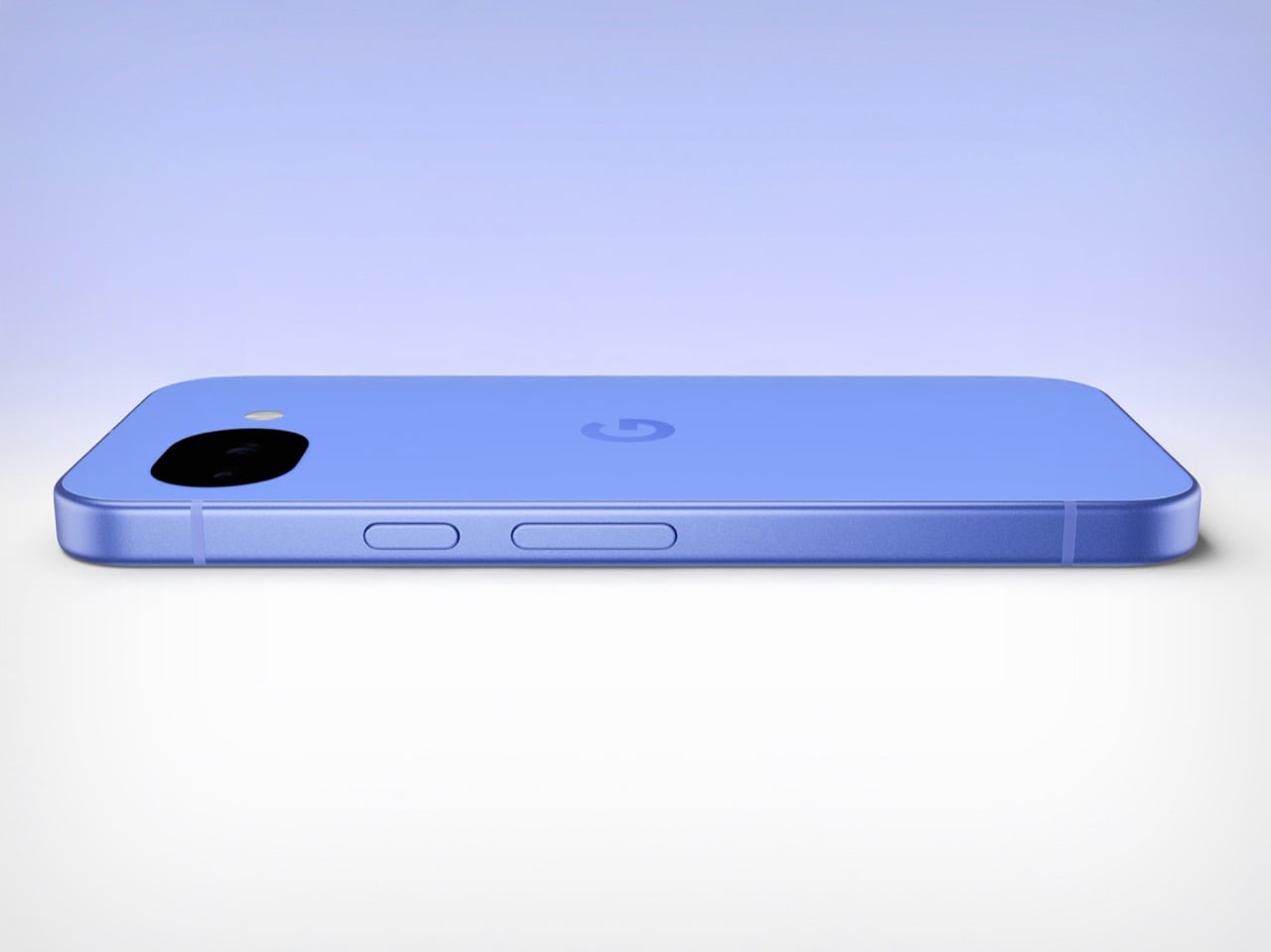
Google would like you to meet the Pixel 10A. It has a new name, new colors, and a press release that runs to several pages. It costs $499, which is exactly what the Pixel 9A cost. It weighs the same. It measures the same. It has the same cameras, the same battery, the same chip, and the same 6.3 inch display. There is a episode of The Office where Pam preoccupies Michael by presenting two identical photo printouts as a spot-the-difference puzzle. Google has essentially done that, except the printout costs five hundred dollars.
To be precise about what actually changed: the display is about 10% brighter, the glass protecting it moved from Gorilla Glass 3 to Gorilla Glass 7i, wired charging climbed from 23 watts to 30, and wireless charging went from 7.5 watts to 10. The camera bump, already barely perceptible on the 9A, is now completely flush. In some regions, satellite SOS is supported. That is the complete list. Google did not forget to send the rest of it.
Designer: Google
The Pixel 10 and Pixel 10 Pro both run on the Tensor G5. The Pixel 10A runs on the Tensor G4, the same chip from last year’s A-series, and the year before that in the Pixel 9 Pro. For years, buying the A-series meant getting the current flagship chip in a cheaper body. That was a genuinely good deal. Google has decided, apparently, that it was too good.
Best Take, Camera Coach, Call Screening, Clear Calling, Now Playing, Gemini as a built-in assistant, and seven years of updates add up to an experience that Android competitors at this price genuinely struggle to match. The Pixel ecosystem has real pull, and Google knows it. The 10A is banking on that pull being strong enough to carry a spec sheet that would embarrass a 2024 phone.
Google looked at the Pixel 9A, decided it had not been wrong about any of it, and shipped it again with brighter glass and a new colorway called Fog. In an industry that routinely invents problems to solve, there is something almost philosophical about a company that simply refuses to fix what it considers unbroken. The Pixel 10A does not have an identity crisis. It has its predecessor’s identity, and it is completely comfortable with that.
It will sell because the cameras are good, the battery lasts, the software support is unmatched at the price, and most people upgrading to it will be coming from something two or three generations older where the difference feels significant regardless of which Tensor chip is inside. Google understands its buyer perhaps better than its buyer understands the spec sheet. The Pixel 10A is a perfectly competent phone that knows exactly what it is. But also… this smartphone announcement could have been an email.
Google teases the Pixel 10a with a flat camera design, Feb. 18 pre-orders, and rumored Tensor G4 specs that point to a modest, budget-friendly upgrade.
Alors là les amis, c'est le moment de vous accrocher à vos vieux chargeurs Lightning de la guerre ! Parce que si vous avez un vieil iPhone 5s qui traîne dans un coin ou dans votre poche et que vous refusez catégoriquement de le foutre à la benne par pur respect pour le design de ce bon vieux Jony Ive, j'ai une nouvelle qui va vous redonner le smiiiiile.
Vous ne l'avez pas encore vu parce que la vie est un tourbillon qui vous emporte chaque jour loin de tout ça, mais sachez qu'Apple vient tout juste de sortir iOS 12.5.8. Hé oui, en 2026 la firme à la pomme a balancé un patch pour un téléphone sorti il y a plus de 12 ans. Je rappelle quand même que ce vieux machin a été déclaré officiellement « obsolète » par Cupertino en 2024.
Alors POURQUOI ?
Et bien c'est tout simple ! C'est en réalité une question de vie ou de mort pour les services de base sur le smartphone. En effet, sans cette mise à jour, vos certificats de sécurité allaient expirer et s'en était terminé de FaceTime, d'iMessage, et même de la possibilité d'activer le téléphone après une réinitialisation. En gros, votre iPhone 5s allait se transformer en cale porte.
Heureusement qu'ils ont réagi !
Grâce à ce patch (qui concerne aussi l'iPhone 6 et l'iPad Air 2 via iOS 15.8.6 et 16.7.13), les services essentiels vont donc continuer de ronronner jusqu'en janvier 2027 au moins. Même si ça devrait être la norme, c'est tellement rare de voir un constructeur s'occuper de son matériel si longtemps après la sortie qu'on est tous étonné ! Ça nous change de l'époque où on devait
braver l'obsolescence programmée avec du ruban adhésif
!
Après si vous sentez que
l'autonomie de votre vieux smartphone décline
, c'est peut-être le moment de lui offrir une petite batterie neuve pour fêter ça. Parce que faire tourner un OS de 2026 sur une puce A7, c'est un peu comme essayer de faire courir un marathon à votre grand-père... Faudra de la glace à l'arrivée !
Voilà, vous savez ce qu'il vous reste à faire concernant cet appareil !
D'ailleurs si vous voulez suivre mes découvertes tech au quotidien, je poste aussi des trucs sur
ma page Facebook
.
The stationery world has long looked to Japan for innovation, and planning enthusiasts know this better than anyone. Japanese design philosophy brings together minimalism, functionality, and thoughtful engineering to create tools that transform mundane tasks into moments of creative joy. These aren’t just accessories that sit pretty on your desk. They’re carefully crafted instruments that respect your workflow, elevate your planning rituals, and make every stroke of the pen feel intentional.
What separates Japanese stationery from the rest comes down to obsessive attention to detail and problem-solving that addresses friction you didn’t even know existed. The best pieces remove obstacles between your thoughts and the page, letting ideas flow without interruption. From clipboards that reinvent organization to pencils that never need sharpening, these ten items represent the pinnacle of accessible Japanese design. Each piece delivers exceptional value while staying comfortably under the $100 mark, proving that extraordinary craftsmanship doesn’t require a luxury price tag.
1. Inseparable Notebook Pen
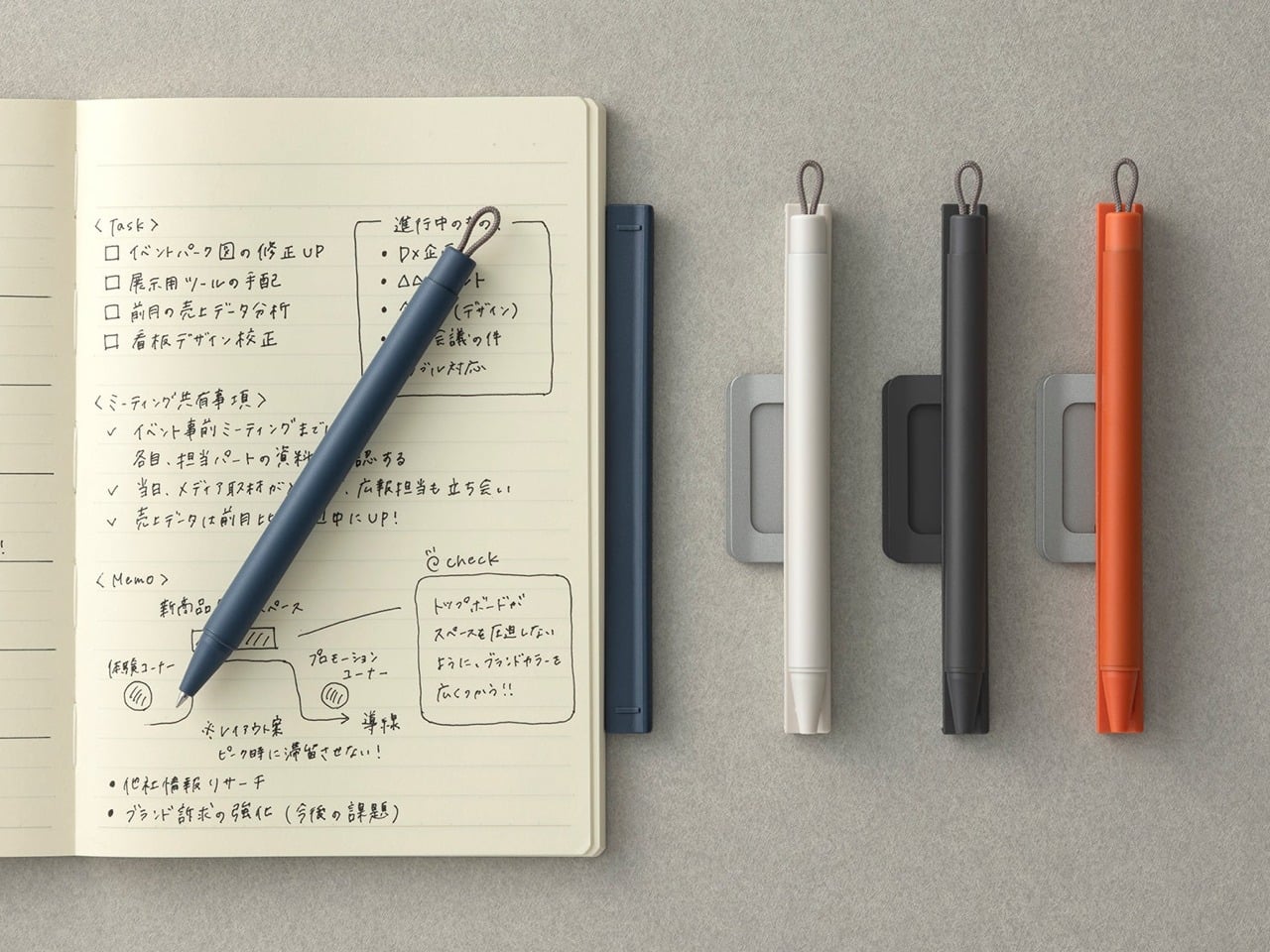
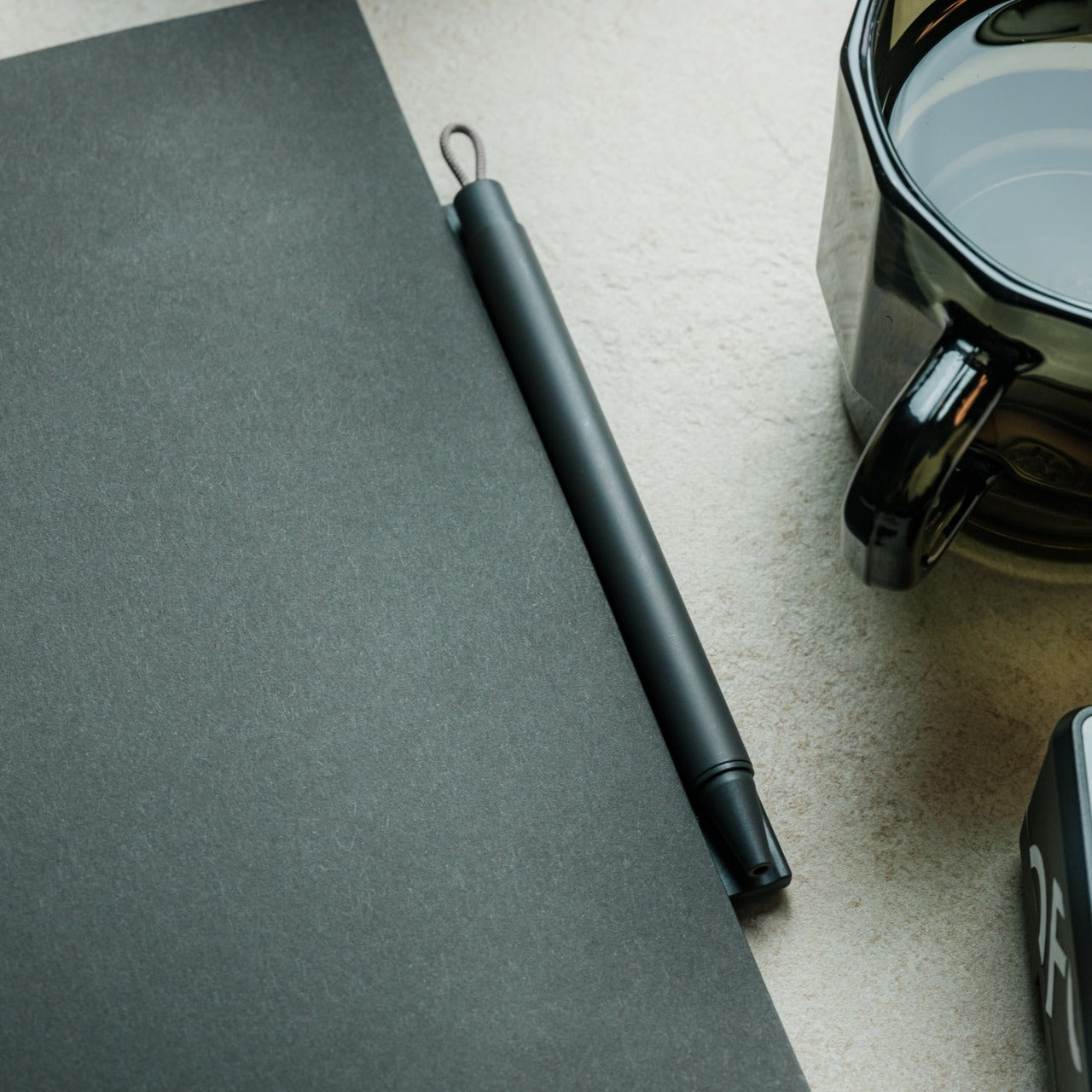
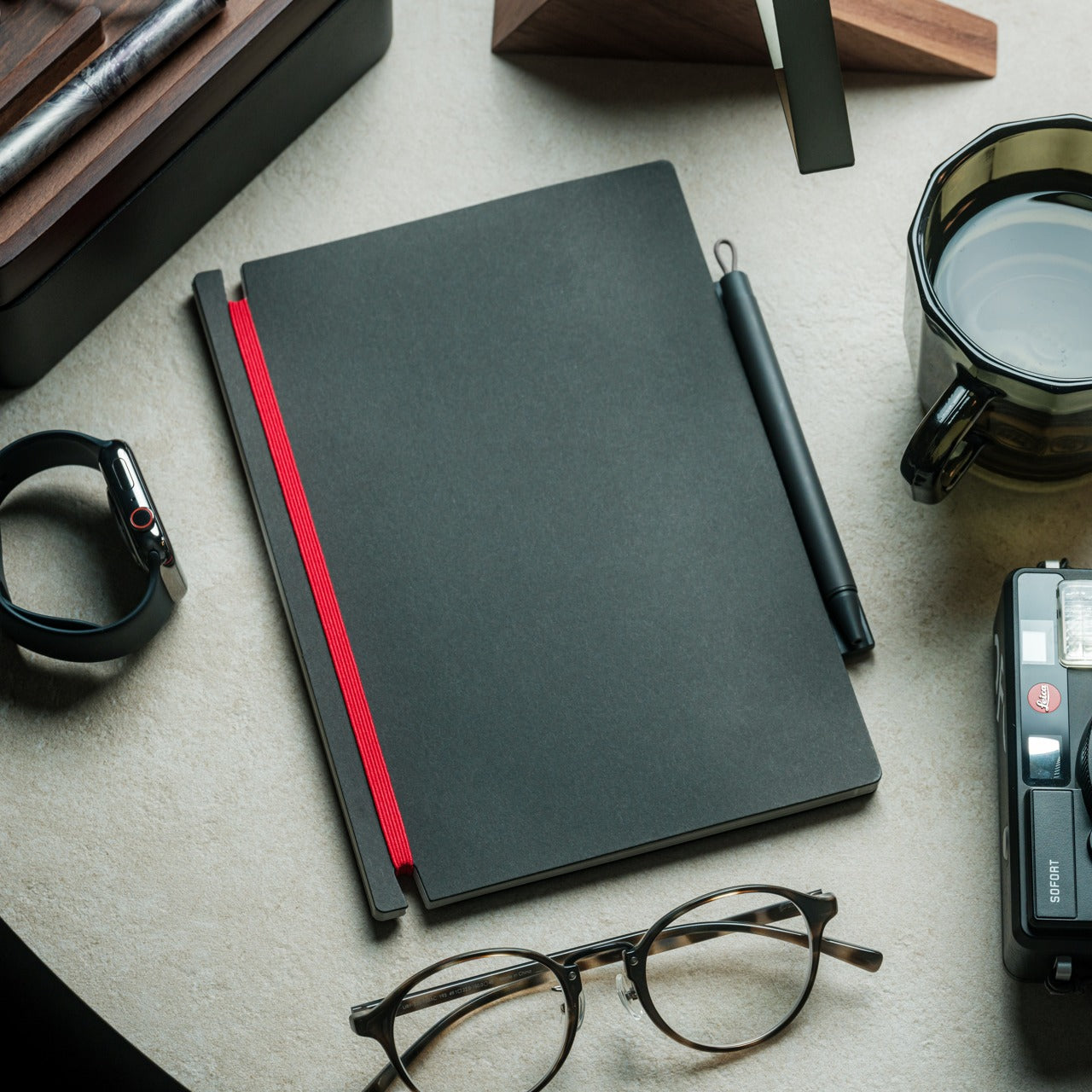
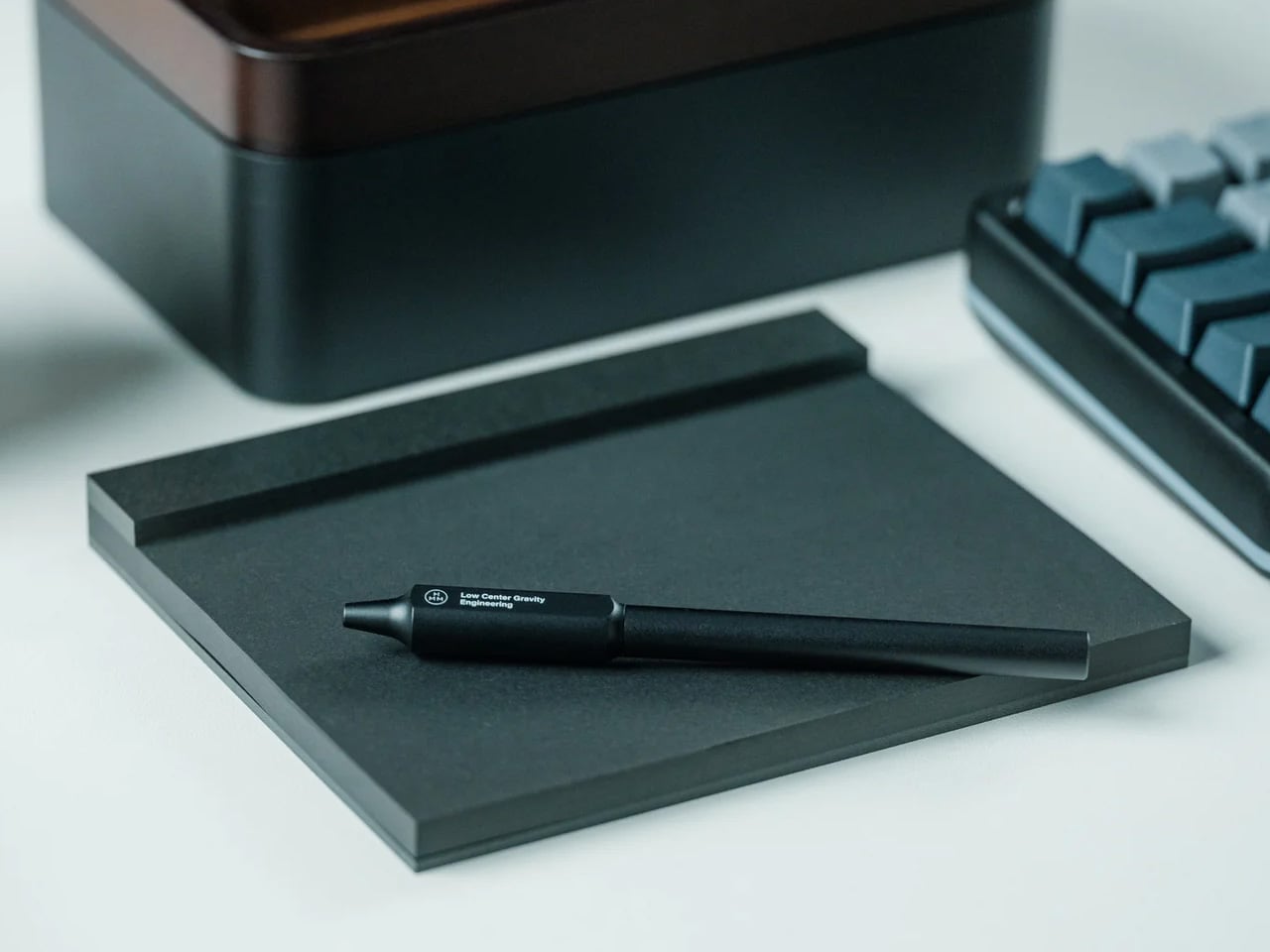
Pens have a frustrating tendency to disappear precisely when inspiration strikes. The Inseparable Notebook Pen addresses this through elegant magnetic integration, designed specifically to blend seamlessly with your planning system. The minimalist form feels natural in your hand, with comfortable grip proportions and smooth ink flow that removes any friction between thought and page. The magnetic clip securely attaches to your notebook cover, ensuring the pen travels with your planning system as a permanent extension rather than a separate item you might forget.
The built-in silencer demonstrates the obsessive attention to detail that defines Japanese design excellence. Instead of the harsh click or scrape of metal on metal, attaching and detaching the pen creates a quiet, satisfying sensation that respects your workspace and thinking process. The sleek aesthetic complements any notebook style without drawing attention to itself, allowing your planning system to maintain its visual coherence. For those who have developed specific pen preferences and rituals around their planning practice, this tool honors that relationship by creating reliable, constant access. The pen becomes as integral to your system as the notebook itself.
The magnetic clip system ensures the pen always stays with your notebook
The built-in silencer creates a refined, quiet attachment experience that respects workspace tranquility
Minimalist aesthetics blend seamlessly with any notebook style or planning system
The comfortable grip and smooth ink flow support extended writing sessions without hand fatigue
What We Dislike
The magnetic system requires your notebook to have a compatible cover material and thickness
The specialized design focuses on notebook integration rather than standalone versatility
2. Magboard Clipboard
Planning systems thrive on flexibility, and the Magboard Clipboard understands this at a fundamental level. This minimalist marvel replaces traditional clipboard mechanisms with an elegant magnet and lever system that secures up to thirty sheets without punching holes or creating permanent bindings. The hardcover construction means you can capture thoughts while standing at a gallery opening, jotting notes during a walking meeting, or sketching layouts at a coffee shop. The freedom to rearrange pages instantly transforms how you organize information, letting you shuffle priorities and reorder thoughts as your projects evolve.
The water-resistant surface adds a practical dimension that traditional clipboards simply can’t match. Spilled coffee becomes a minor inconvenience rather than a catastrophe, and the easy-to-clean material means your workspace aesthetic stays pristine. Planning enthusiasts particularly love how this design eliminates the commitment anxiety that comes with bound notebooks. Pages can migrate between projects, early drafts can be removed without tearing, and your organizational system can adapt as fluidly as your thinking process. The Magboard turns note-taking into a dynamic, modular experience.
The magnetic binding system offers unprecedented flexibility for reorganizing content on the fly
The hardcover design enables comfortable writing while standing or moving
Water resistance protects your work from common desk disasters
The minimalist aesthetic complements any planning system or workspace style
What We Dislike
The thirty-sheet capacity might feel limiting for those working on extensive projects
The hardcover adds weight compared to traditional clipboards, which may matter during long periods of handheld use
3. Everlasting All-Metal Pencil
The ritual of sharpening pencils carries a certain nostalgic charm, but it also breaks concentration and creates friction between thinking and writing. The Everlasting All-Metal Pencil eliminates this with a special alloy core that writes like traditional graphite yet refuses to wear down at any noticeable rate. The aluminum body feels substantial in your hand, grounding you in the physical act of writing, while the metal tip glides across paper with familiar smoothness. For planners who sketch layouts, draft bullet journal spreads, or map out monthly calendars, this tool becomes an extension of thought itself.
What makes this pencil genuinely revolutionary is how it erases cleanly with standard erasers despite its metal composition. The marks blend beautifully with watercolor and water-based markers, making it perfect for planners who incorporate artistic elements into their organizational systems. The pocket-sized variant now available means you can carry this innovation everywhere, always prepared to capture ideas without worrying about broken mechanical pencil leads or dull points. The permanence of the pencil itself creates a different relationship with your tools, transforming a disposable item into a lasting companion.
The alloy core eliminates sharpening completely while maintaining authentic pencil-like writing
Standard erasers work perfectly, preserving the familiar correction process
The metal construction ensures the pencil will outlast countless traditional alternatives
Compatibility with watercolor techniques expands creative possibilities for artistic planners
What We Dislike
The unfamiliar feel of metal may require an adjustment period for those accustomed to wooden pencils
The fixed line weight offers less variation than traditional pencils that develop different points through sharpening
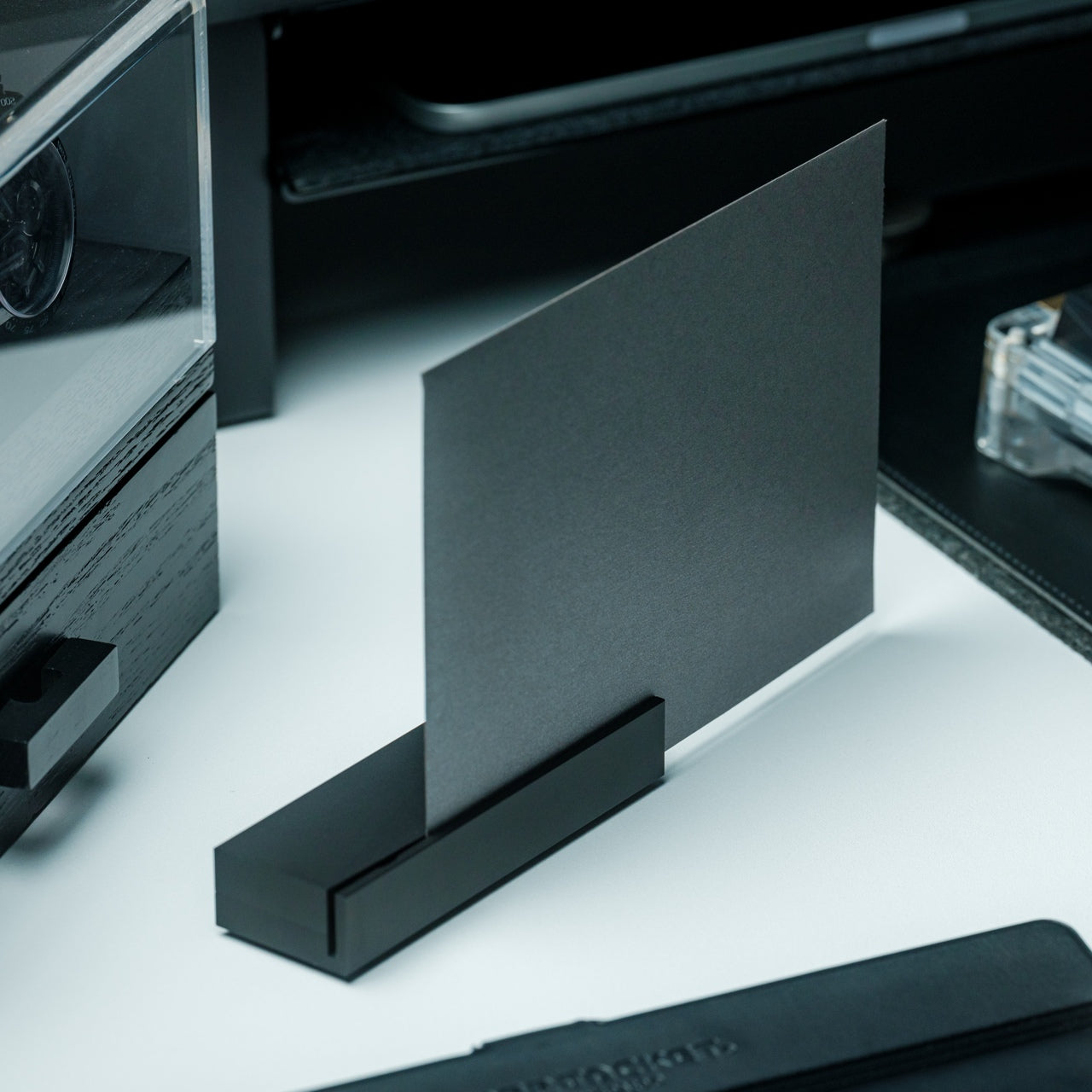
4. Heritage Craft Unboxing Knife
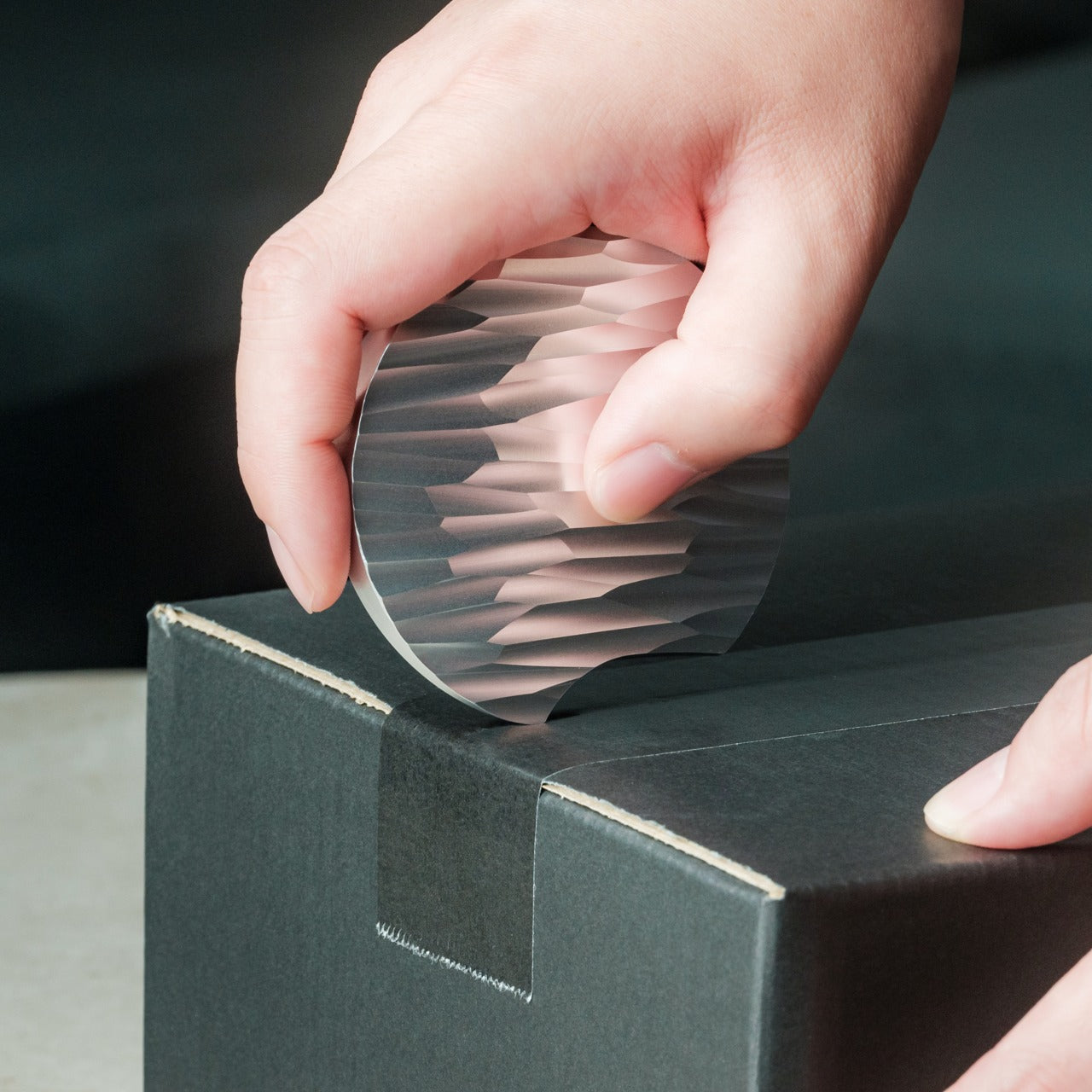
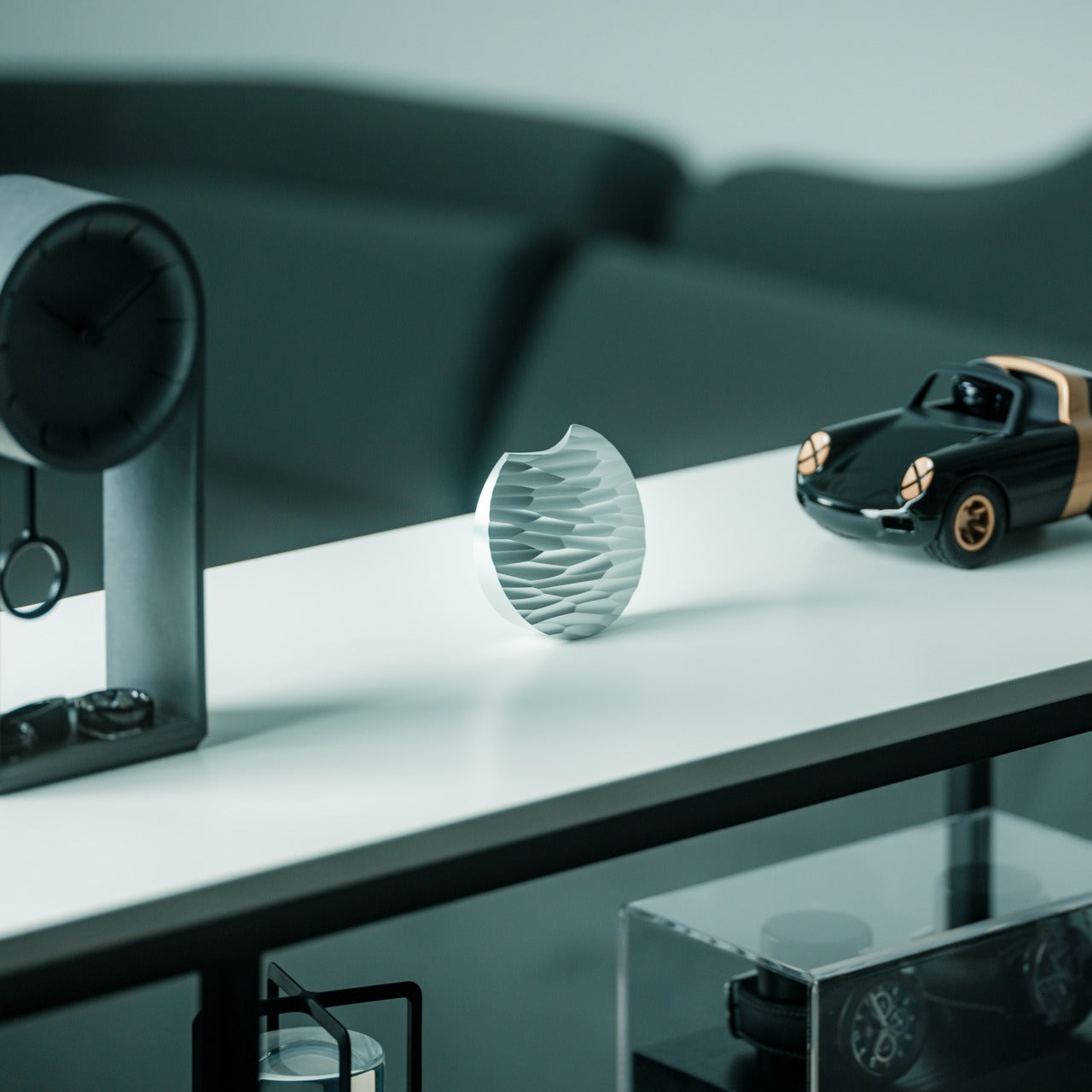
Opening packages becomes a small ceremony when you’re using a tool that looks like it belongs in a design museum. The Heritage Craft Unboxing Knife takes inspiration from Paleolithic hand axes, reimagining ancient stone tools through the lens of modern materials and precision machining. Carved from a single block of aluminum, the circular form fits naturally in your palm while the wave-like patterns created during manufacturing provide both visual interest and functional grip. This isn’t a utility blade you’ll hide in a drawer. The sculptural quality demands display, transforming a mundane task into an opportunity for tactile pleasure.
The tapered design adds practical benefits beyond aesthetics. The form naturally guides the blade through tape and packaging materials with minimal effort, while the substantial weight provides cutting control. Planning enthusiasts who regularly receive stationery hauls, subscription boxes, or online orders find genuine joy in the unboxing ritual this tool creates. The piece occupies that rare space where functional tool meets conversation starter, sitting proudly on your desk as both instrument and art object. The connection to human tool-making history adds a layer of meaning that elevates everyday tasks.
The ancient-tool-inspired design brings historical resonance to a modern implement
Wave-pattern machining marks create a natural, ergonomic grip texture
The sculptural form makes this a display-worthy desk object rather than a hidden utility
The substantial metal construction ensures durability and satisfying cutting control
What We Dislike
The circular form takes practice to master compared to conventional box cutter shapes
The artistic design comes at a higher price point than basic utility blades
5. Craftmaster EDC Utility Knife
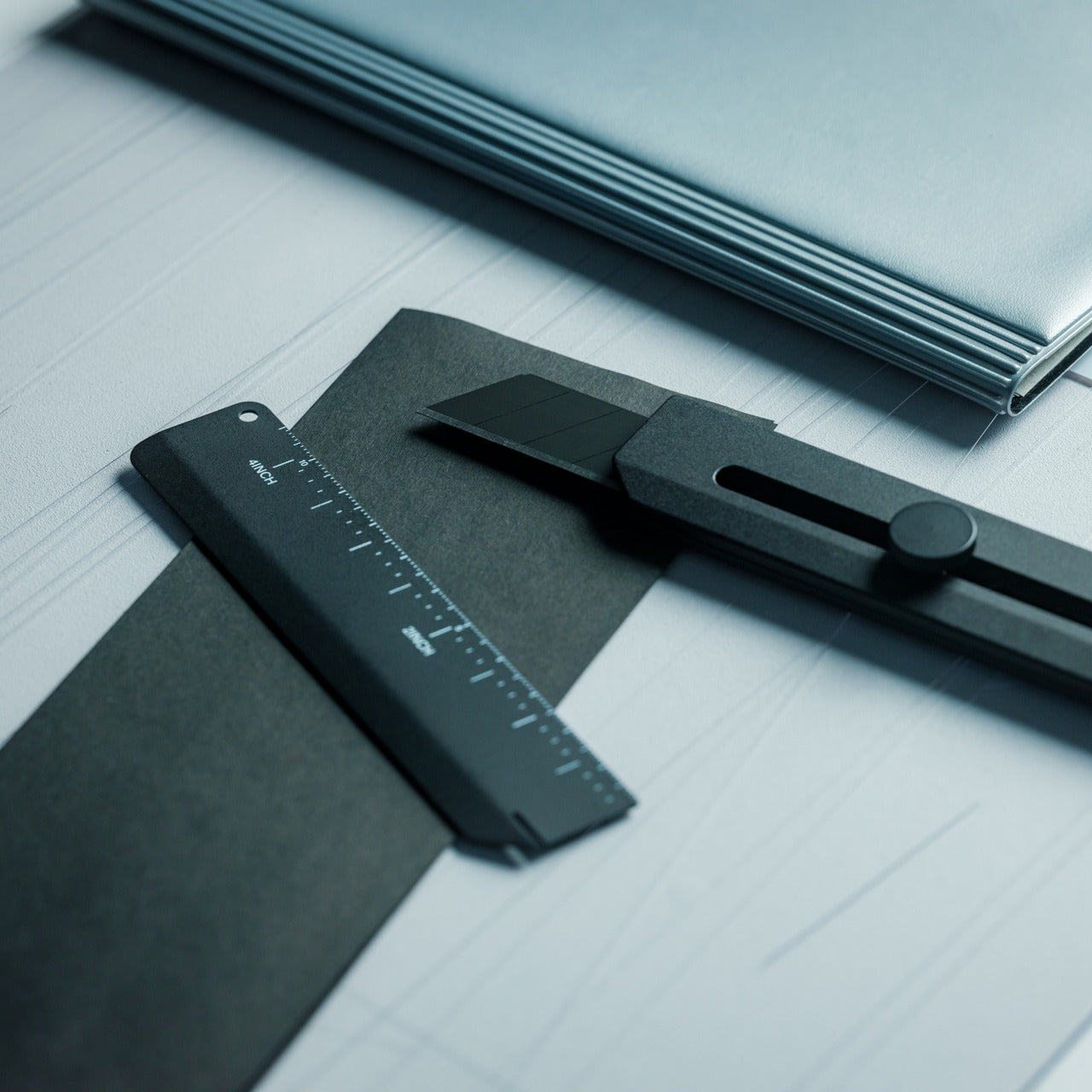
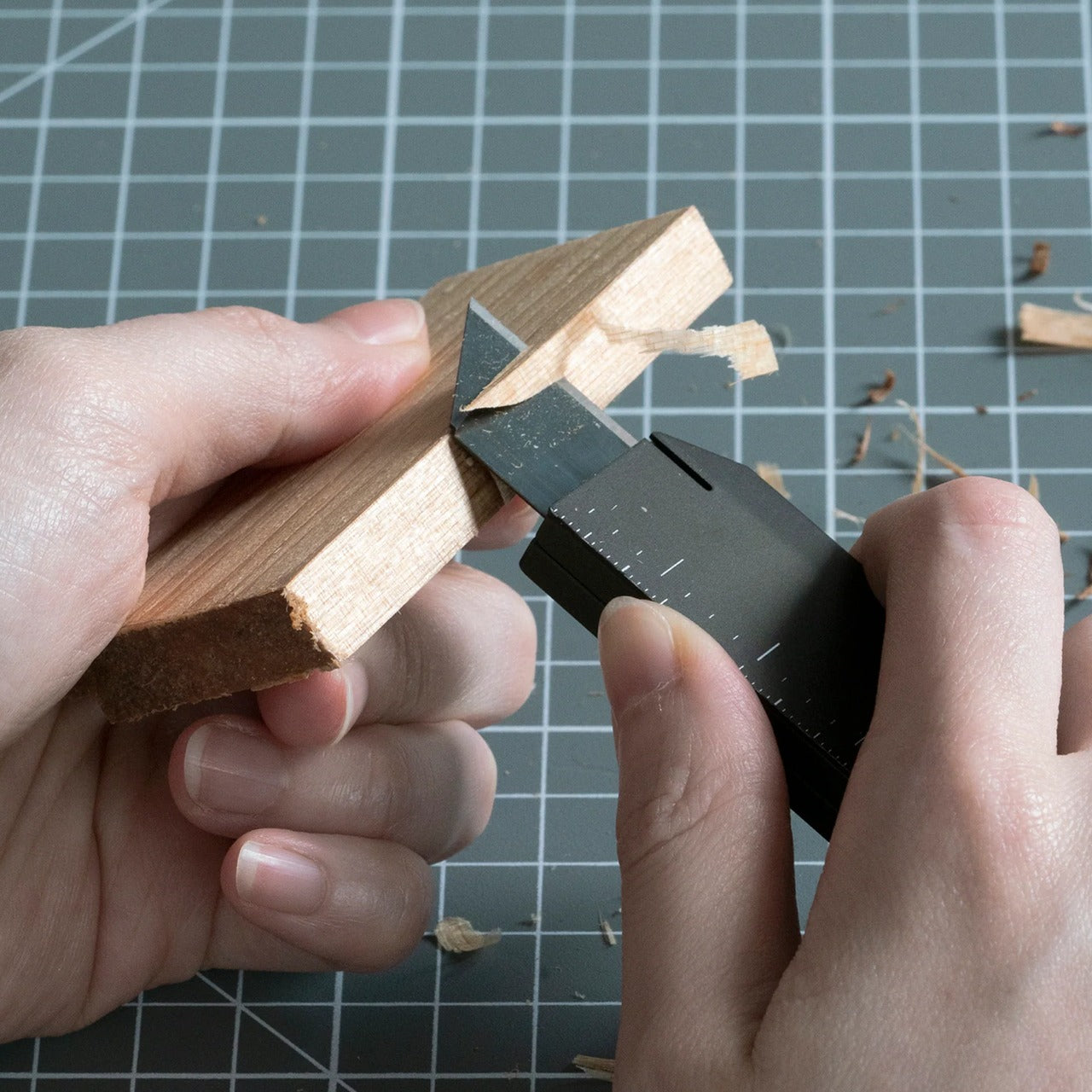
Precision tools appeal to planning enthusiasts because they respect the importance of exact measurements and clean cuts. The Craftmaster EDC Utility Knife combines minimalist aesthetics with thoughtful functionality, packaging an OLFA blade system in a sleek metal body just 0.3 inches thick. The tactile rotating knob for blade deployment feels satisfying in a way that cheap sliding mechanisms never match, turning tool use into a deliberate, mindful action. What sets this apart is the magnetic companion piece: a metal ruler with both metric and imperial markings that docks directly to the knife’s back.
The ruler itself demonstrates exceptional design thinking. The raised edge makes it easy to lift from flat surfaces, solving that frustrating fumbling moment when thin rulers refuse to cooperate. The built-in blade breaker lets you snap off dulled OLFA segments safely, extending blade life and maintaining cutting precision. The 15-degree curved edge protects your fingers during use, while the 45-degree inclination angle makes opening boxes cleaner and safer. For planners who craft custom inserts, trim printed materials, or create collage elements, this tool brings professional-level precision to personal projects without requiring a dedicated crafting space.
The magnetic ruler system keeps measurement and cutting tools together in one compact package
The rotating deployment knob offers tactile satisfaction and precise blade control
The raised ruler edge and integrated blade breaker demonstrate thoughtful problem-solving
The slim 0.3-inch profile makes this genuinely pocketable despite its metal construction
What We Dislike
The OLFA blade system requires purchasing specific replacement blades rather than universal options
The premium materials and mechanisms place this at the higher end of utility knife pricing
6. Personal Whiteboard
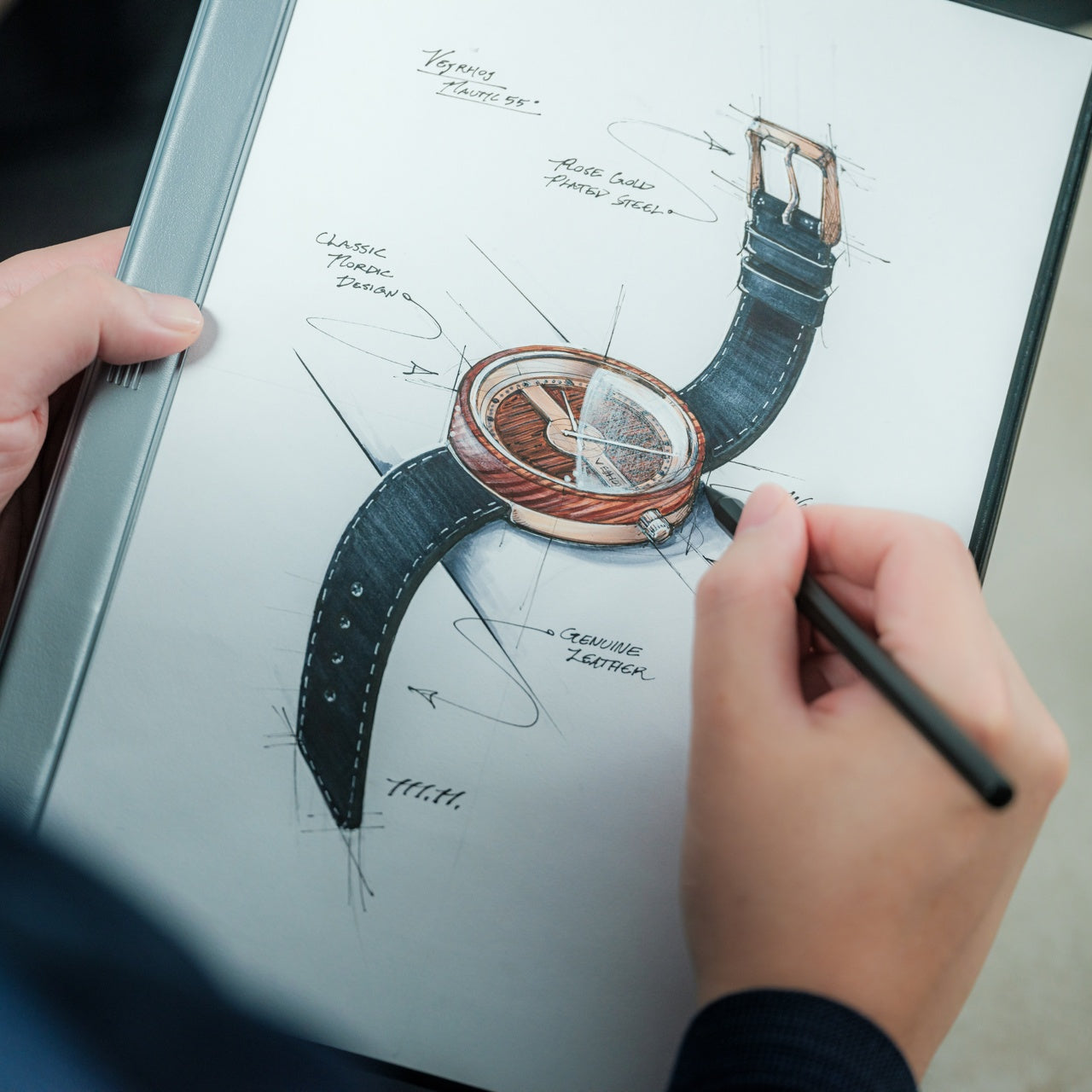
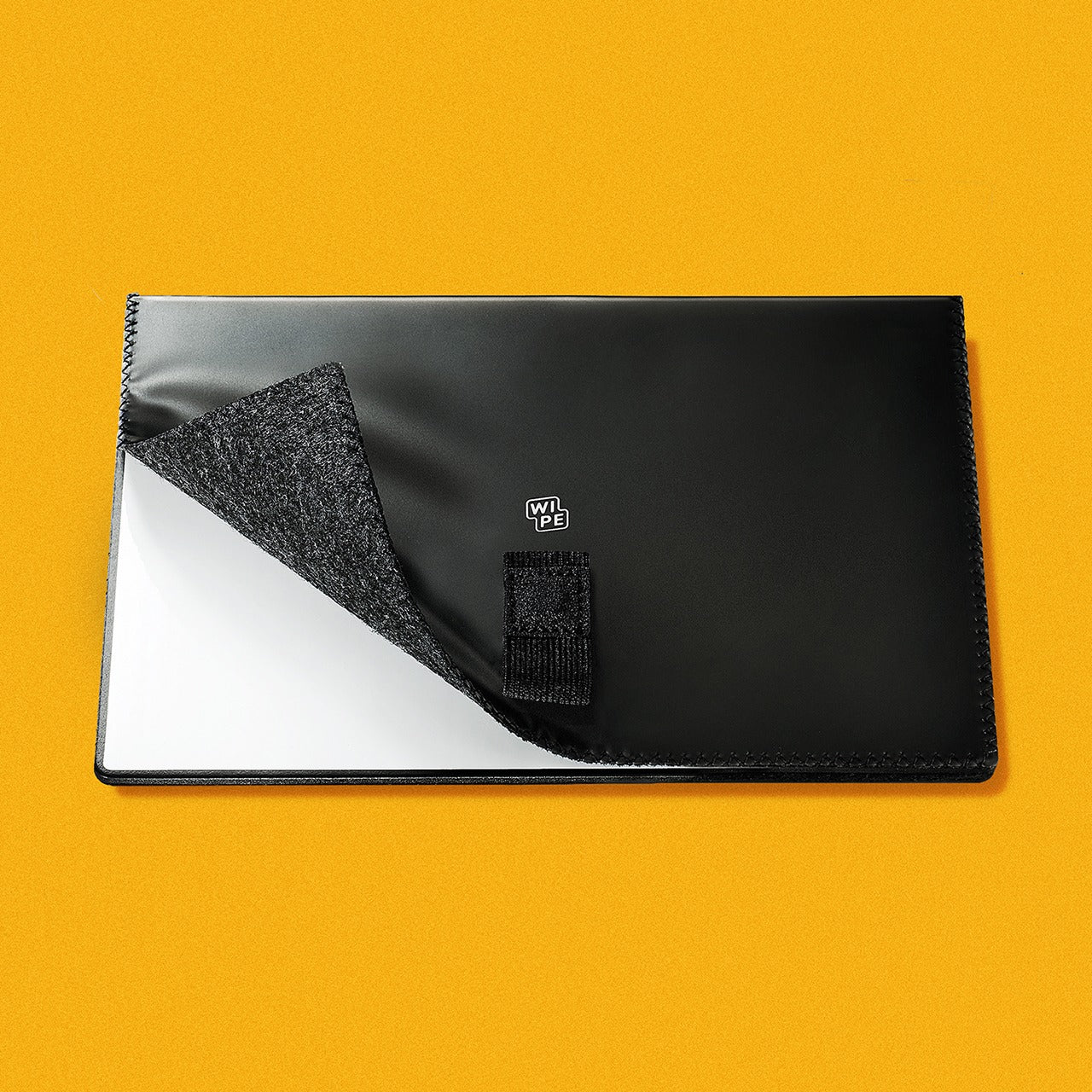
Digital planning tools promise endless flexibility, but they can’t match the cognitive benefits of writing by hand. The Personal Whiteboard offers the best of both worlds: the tactile satisfaction of marker on surface combined with instant digital capture and infinite reusability. This single-page whiteboard notebook transforms brainstorming and quick planning into a frictionless process. Jot down your daily priorities, sketch out a weekly layout, or map connections between projects, then simply photograph your work to preserve it before wiping it clean. The multi-functional cover serves as an eraser, a built-in stand, and a storage pocket.
The innovative Mag Force system exemplifies Japanese attention to small details that create big impacts. This mechanism functions as both a cover handle for comfortable carrying and a secure pen holder, ensuring your marker never goes missing. Compatible with any standard whiteboard marker, this removes the frustration of proprietary refills or special equipment. Planning enthusiasts particularly love this for morning brain dumps, temporary schedules that change frequently, and collaborative planning sessions where ideas need to flow without commitment. The ephemeral nature paradoxically encourages bolder thinking since nothing feels permanent until you decide to save it.
The reusable surface eliminates paper waste while maintaining the benefits of handwriting
Quick photography lets you preserve and share work before erasing for the next session
The Mag Force system keeps the pen and whiteboard together as an integrated tool
Standard marker compatibility means no proprietary supplies or special purchases required
What We Dislike
The single-page format limits how much information you can view simultaneously
Whiteboard markers can dry out faster than traditional pen options, requiring more frequent replacement
7. Effortless Standing Letter Cutter
The daily mail ritual deserves better than raggedly torn envelopes or dangerous knife work. The Effortless Standing Letter Cutter transforms this mundane task into a moment of satisfying precision. This elegant bar of anodized aluminum sits upright on your desk, functioning as both sculpture and tool until correspondence arrives. Simply slide an envelope across the blade and watch it create a clean incision along one edge, opening the letter without generating paper scraps that need disposal. The standing design means the cutter occupies minimal space while remaining constantly accessible.
What planners appreciate most is how this tool respects the correspondence they receive. Important documents, special cards, and treasured letters all deserve careful opening, and this cutter delivers that reverence. The substantial weight allows it to double as a paperweight when needed, pinning down reference materials or holding open your planner to a specific spread. The replaceable blade extends the product’s lifetime indefinitely, embodying sustainable design principles that Japanese manufacturers champion. This piece represents the Japanese design philosophy of finding extraordinary solutions for overlooked everyday moments.
The standing design keeps the cutter accessible while maintaining an elegant desk presence
Clean side incisions eliminate paper scraps and disposal frustration
The anodized aluminum construction offers both beauty and functional weight as a paperweight
Replaceable blades ensure this tool lasts indefinitely with minimal maintenance
What We Dislike
The specialized function means this serves one specific task rather than offering versatility
Those who receive minimal physical mail may find limited opportunities to use this tool
8. Japanese Drawing Pad
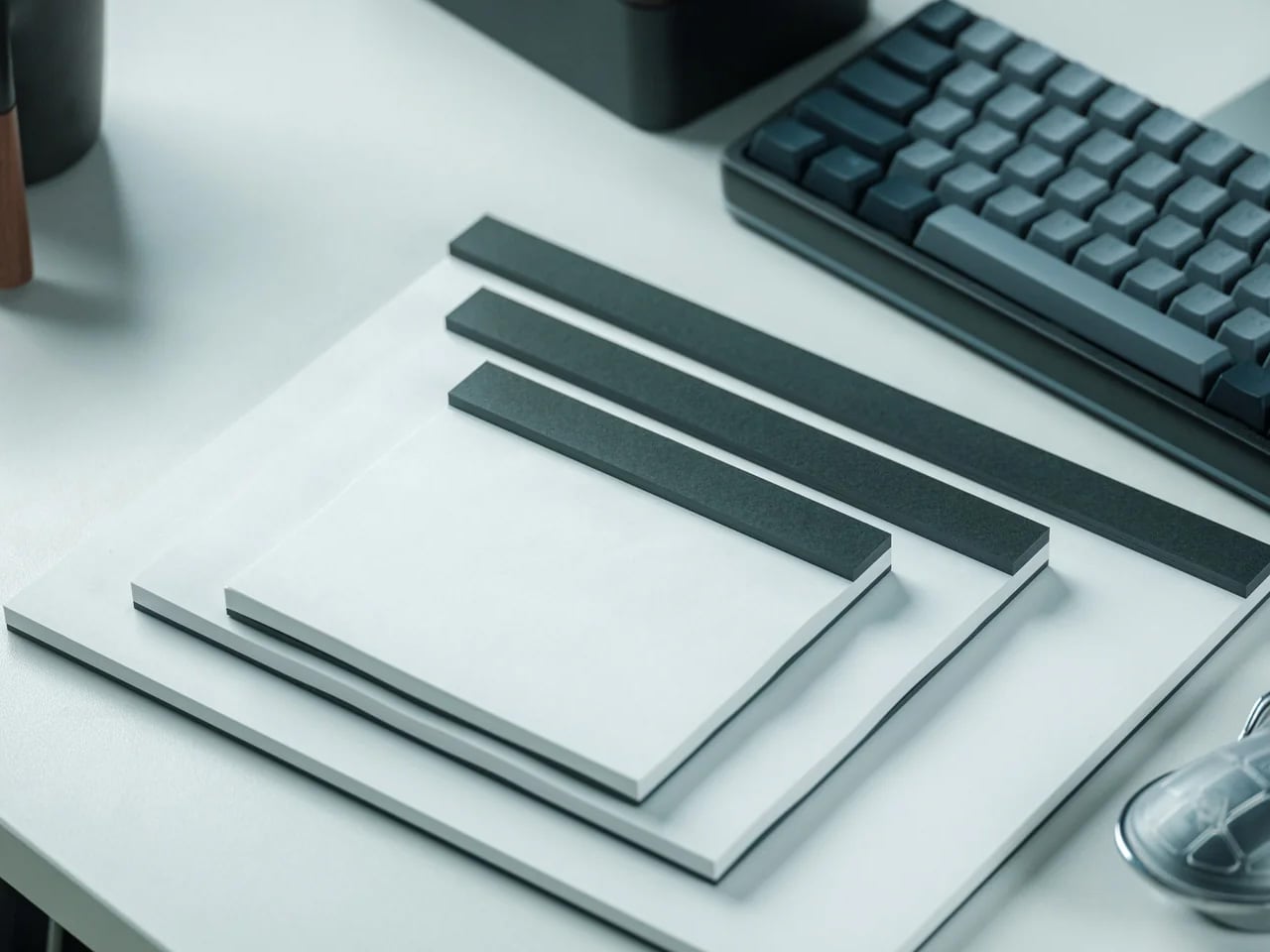
Paper quality fundamentally affects the planning experience, yet most people accept whatever their notebooks provide. The Japanese Drawing Pad elevates this foundational element, offering sheets that honor the centuries-old Japanese papermaking tradition. Available in traditional white or striking black, these pads let you choose the backdrop that best suits your planning style and creative vision. The durable paper fibers resist damage from erasing, marker bleed-through, and frequent handling, maintaining their integrity through intensive use. Microperforations allow effortless tearing when you need to extract a page.
The recycled cardboard base adds environmental consciousness without compromising quality, staying rigid enough to support writing and drawing when you’re away from a desk. Planning enthusiasts who incorporate illustration, calligraphy, or watercolor elements into their systems find that this paper transforms their results. The fiber quality creates the right amount of tooth for pencil work while remaining smooth enough for fine-line pens. Available in A6, A5, and A4 sizes, you can match the pad to your specific planning needs, whether you’re working on pocket-sized daily cards or full-page monthly spreads. The paper itself becomes a creative partner.
Traditional Japanese paper quality elevates the writing and drawing experience noticeably
The choice between white and black paper enables different aesthetic approaches and creative styles
Microperforations allow clean page removal without damaging the sheet or pad
Multiple size options let you match the paper to your specific planning system
What We Dislike
The premium paper quality comes at a higher cost than standard drawing pads
The cardboard base, while sturdy, lacks the portability of hardcover-bound alternatives
9. Scissors with Base
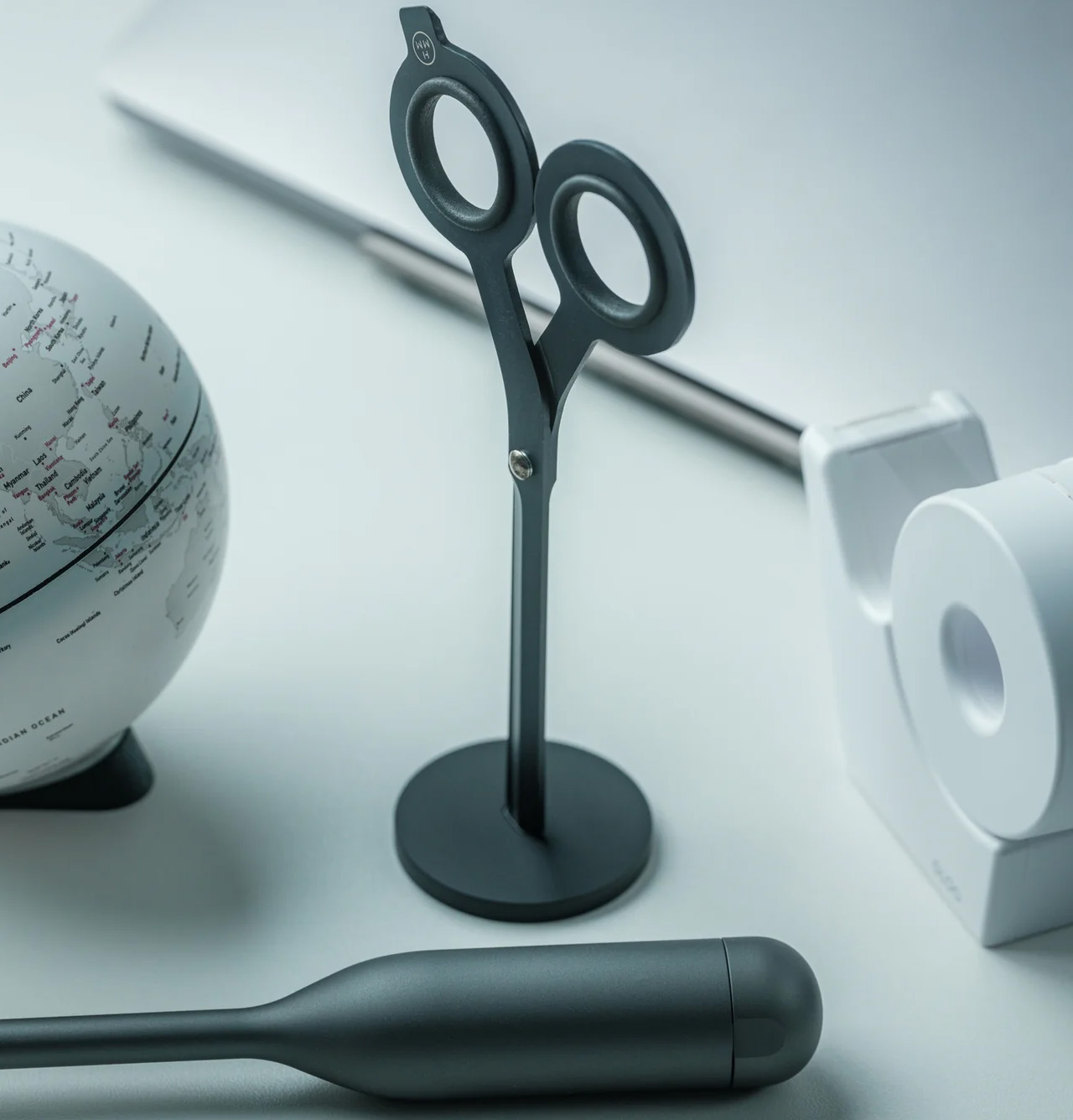
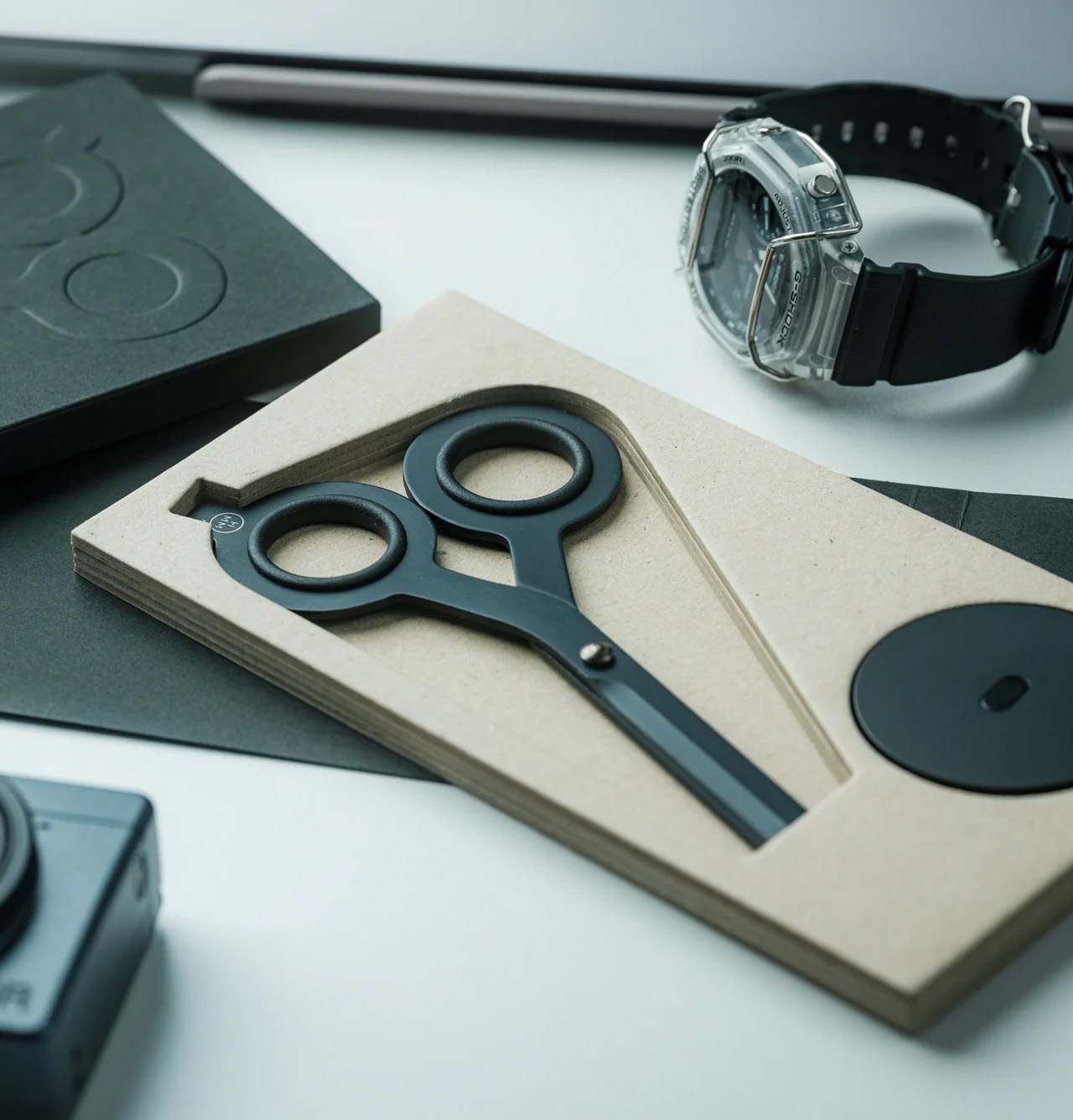
Scissors live an undignified life, scattered in drawers or lost in desk clutter, despite being essential tools. The Scissors with Base restores proper respect to this fundamental implement, providing a magnetic aluminum base that keeps the scissors upright, visible, and exactly where you need them. The Japanese stainless steel construction with Teflon coating delivers confident, precise cuts through paper, tape, fabric, and packaging materials. The solid weight creates stability during cutting, preventing the lightweight flimsiness that makes cheap scissors frustrating to use.
The innovative dual-function design adds unexpected versatility. One finger ring incorporates a box cutter blade, giving you two essential tools in a single elegant form. Planning enthusiasts who craft custom layouts, work with washi tape, or assemble collage elements find that this combines accessibility with performance. The upright storage means the scissors become a desk sculpture rather than a hidden tool, and the visual presence actually proves functional since you’ll never waste time searching. The magnetic base attachment feels satisfying in a way that transforms the simple act of returning scissors to their home into a small moment of order restored.
The magnetic base keeps scissors upright, accessible, and prevents the common problem of misplacement
Japanese stainless steel with Teflon coating ensures smooth, precise cutting performance
The integrated box cutter in the finger ring adds practical versatility
Substantial weight provides cutting stability and confidence compared to lightweight alternatives
What We Dislike
The base requires desk space dedicated to scissors rather than allowing drawer storage
The premium materials and engineering place these at a higher price point than standard scissors
10. Serenity Pen Stand
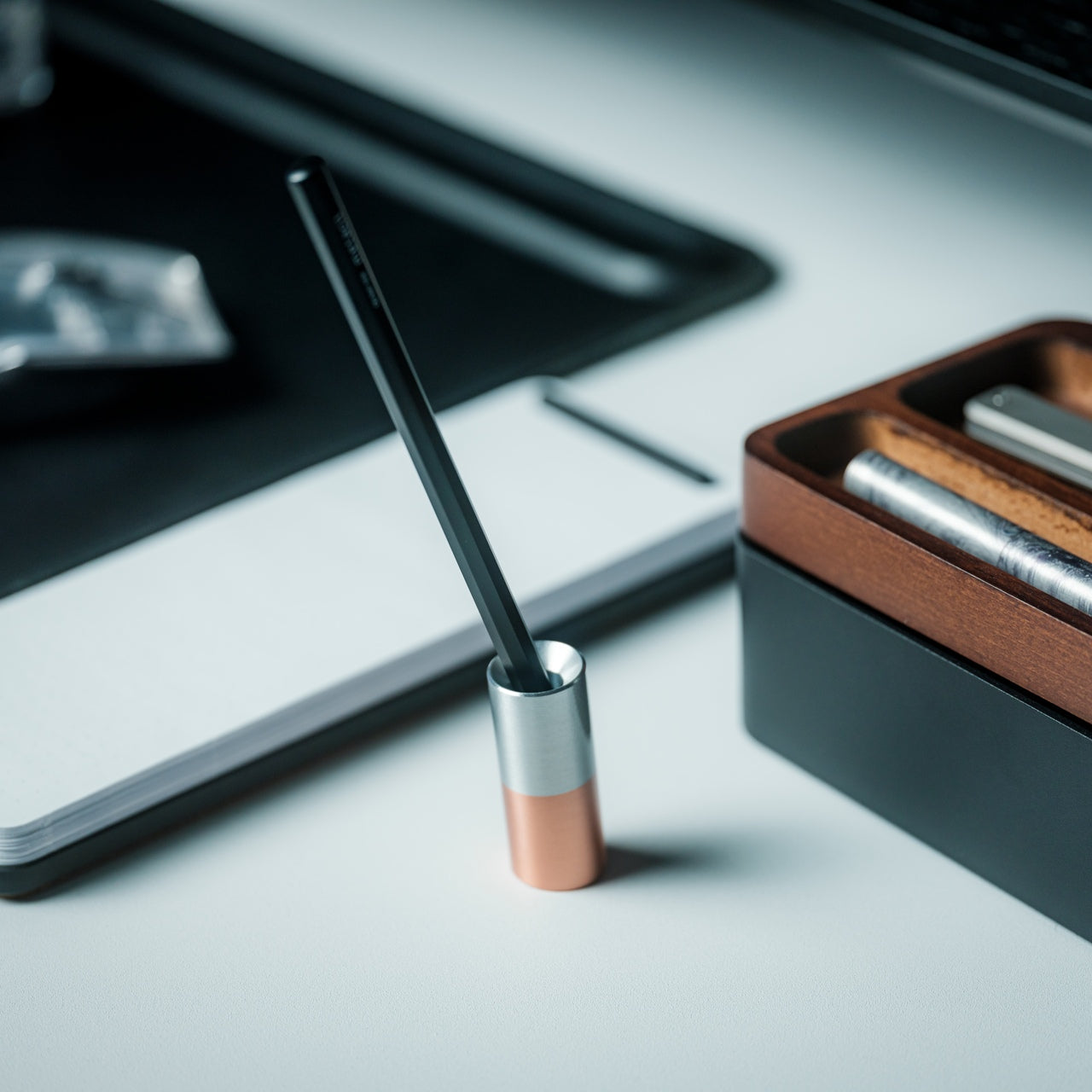
Most pen stands compete for attention, using elaborate designs that overshadow the writing instruments they’re meant to showcase. The Serenity Pen Stand takes the opposite approach, reducing itself to the absolute minimum: a small cylinder with a cavity for your pen’s tip, tilted slightly for easy access. Made from aluminum and copper with a dual-tone finish, the diminutive stand places complete focus on your pen while adding a subtle accent of visual interest. The heavy copper bottom creates a low center of gravity that prevents tipping despite the stand’s minimal footprint.
This represents quintessential Japanese design philosophy, finding beauty in reduction and celebrating the tools we use daily by giving them proper presentation. Planning enthusiasts who invest in quality pens, like the Everlasting All-Metal Pencil, finally have a display option that honors their instruments without dominating the desk landscape. The stand occupies minimal space, making it perfect for carefully curated workspaces where every object needs to earn its place. When the pen is in use, the stand remains an elegant small sculpture. The copper’s natural patina development means the piece evolves, gaining character and becoming uniquely yours.
The minimalist design ensures the pen remains the visual focus rather than the stand
The copper bottom creates exceptional stability despite its incredibly small size
The dual-tone metal finish adds subtle visual interest without overwhelming aesthetics
Perfect proportions work especially well with metal pens like the Everlasting All-Metal Pencil
What We Dislike
The tilted angle might not suit all desk arrangements or personal preferences
The stand accommodates only one pen, requiring multiple units for those who rotate between writing instruments
Finding Your Perfect Planning Tools
These ten items share a common philosophy that resonates deeply with planning enthusiasts: the belief that everyday tools deserve extraordinary design. Japanese manufacturers understand that the objects we interact with daily shape our experience, our thinking, and our creative output. These aren’t luxury goods positioned beyond reach. They’re accessible innovations that demonstrate how thoughtful design improves life in measurable ways. Each piece removes a small friction point, adds a moment of satisfaction, or solves a problem you might not have consciously identified.
Building a planning practice means surrounding yourself with tools that support your process rather than fighting against it. The best stationery becomes invisible in use, removing barriers between your thoughts and their physical expression. These Japanese designs achieve that goal while also bringing beauty into your daily rituals. Whether you’re reorganizing pages on a Magboard, gliding an Everlasting Pencil across premium paper, or placing your favorite pen on its minimalist stand, these tools transform planning from a task into a practice worth savoring. Your planning system deserves instruments this considered.
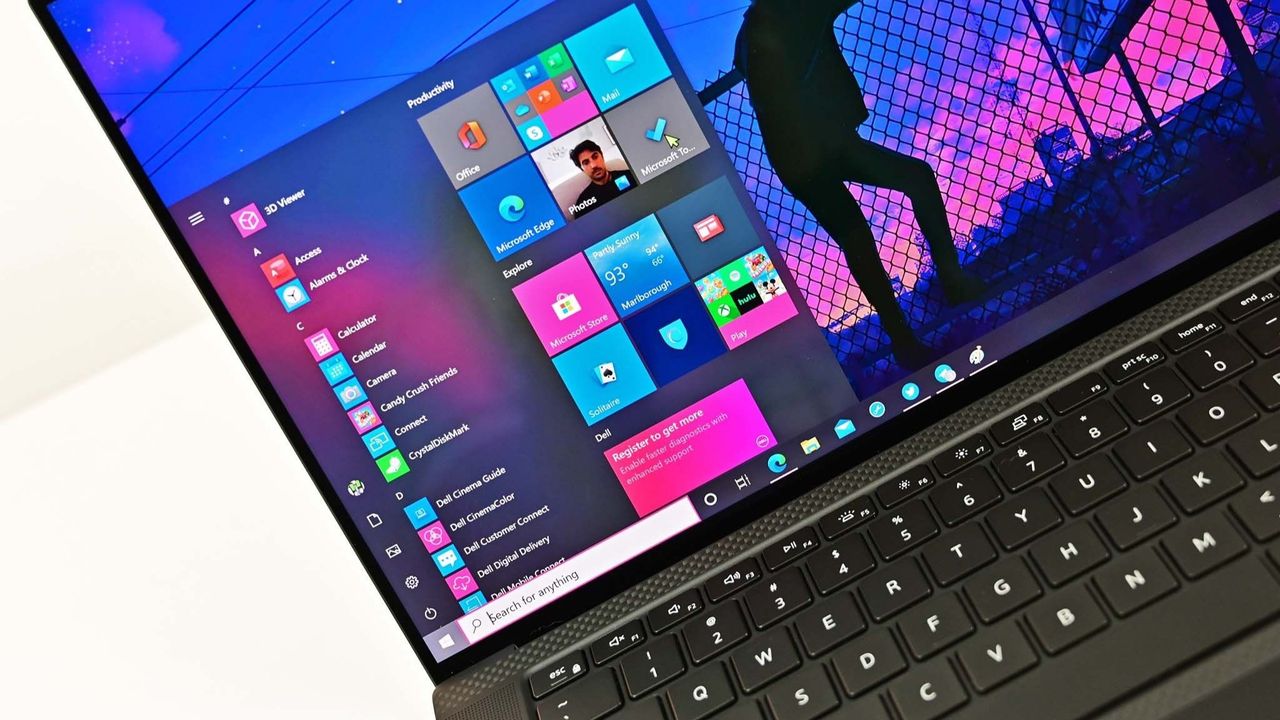
If your PC felt faster on Windows 10, you’re not imagining things. Since upgrading to Windows 11, many users have noticed slower animations, delayed clicks, and a system that just doesn’t feel as responsive—even on supported hardware. So what changed? The answer isn’t one big problem. It’s death by a thousand small changes. Windows 11 […]
Microsoft says Windows 11 is optional—but many Windows 10 users feel like they’re being slowly cornered. From repeated upgrade pop-ups to warning banners inside Windows Update, the pressure to move to Windows 11 is growing. If you’ve been clicking “Stay on Windows 10” and hoping nothing bad happens, you’re not alone. So what actually happens […]
The best stocking stuffers aren’t the ones that fill space—they’re the ones that get plucked out first, pocketed before breakfast, and quietly claimed before anyone else notices. These are the gifts that punch above their price tag, blending clever design with genuine utility in a package small enough to tuck into a sock but compelling enough to become someone’s new everyday carry. They’re the kinds of objects that spark conversations, solve real problems, and feel impossibly thoughtful for something that costs less than dinner.
This year’s lineup leans into tactile pleasure, unexpected innovation, and quiet luxury that doesn’t scream its price point. From gravity-defying desk sculptures to grooming tools engineered like precision instruments, these ten designs prove that small gifts can carry a serious impact. Each one clocks in under a hundred dollars, fits in the palm of your hand, and delivers the kind of daily delight that makes people wonder why they didn’t have one sooner.
1. Side A Cassette Speaker
Remember making mixtapes? This pocket-sized throwback reimagines that ritual for the Bluetooth era, disguising modern wireless tech inside an eerily accurate cassette shell. The transparent casing reveals inner mechanics that mirror the real thing, complete with side A labeling and that distinctive tape aesthetic that defined an entire generation’s music culture. Pop it into its crystal-clear protective case, and it transforms into a desk-worthy display piece that actually delivers sound.
The engineering surprises lie beneath the nostalgia. Bluetooth 5.3 ensures stable connections across devices, while microSD support allows for offline playback when streaming isn’t an option. The audio profile skews warm rather than tinny, deliberately echoing the softness of analog tape rather than chasing clinical clarity. At 80 grams with its case, it disappears into jacket pockets and backpacks, making it the kind of speaker people actually carry instead of leaving on a shelf collecting dust.
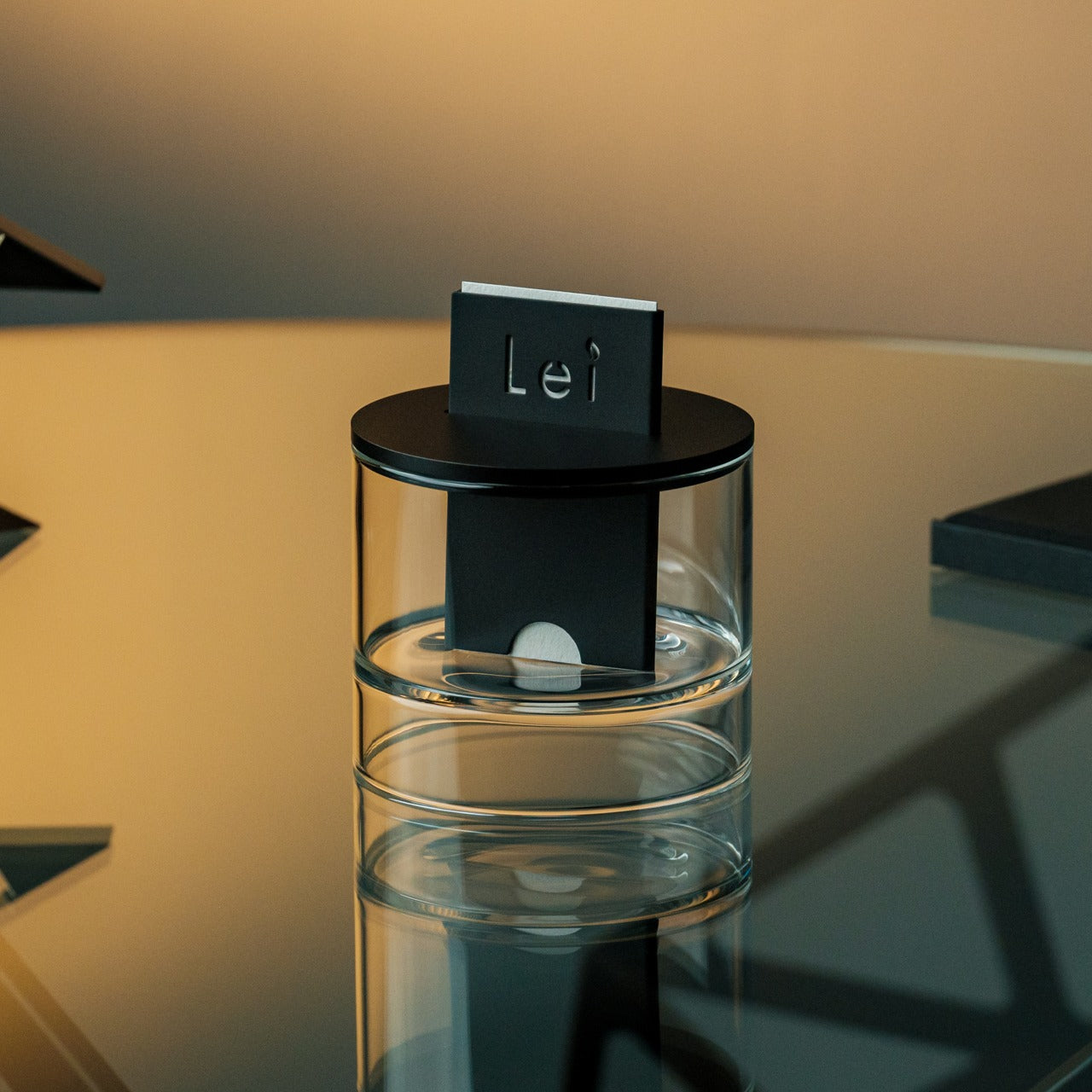
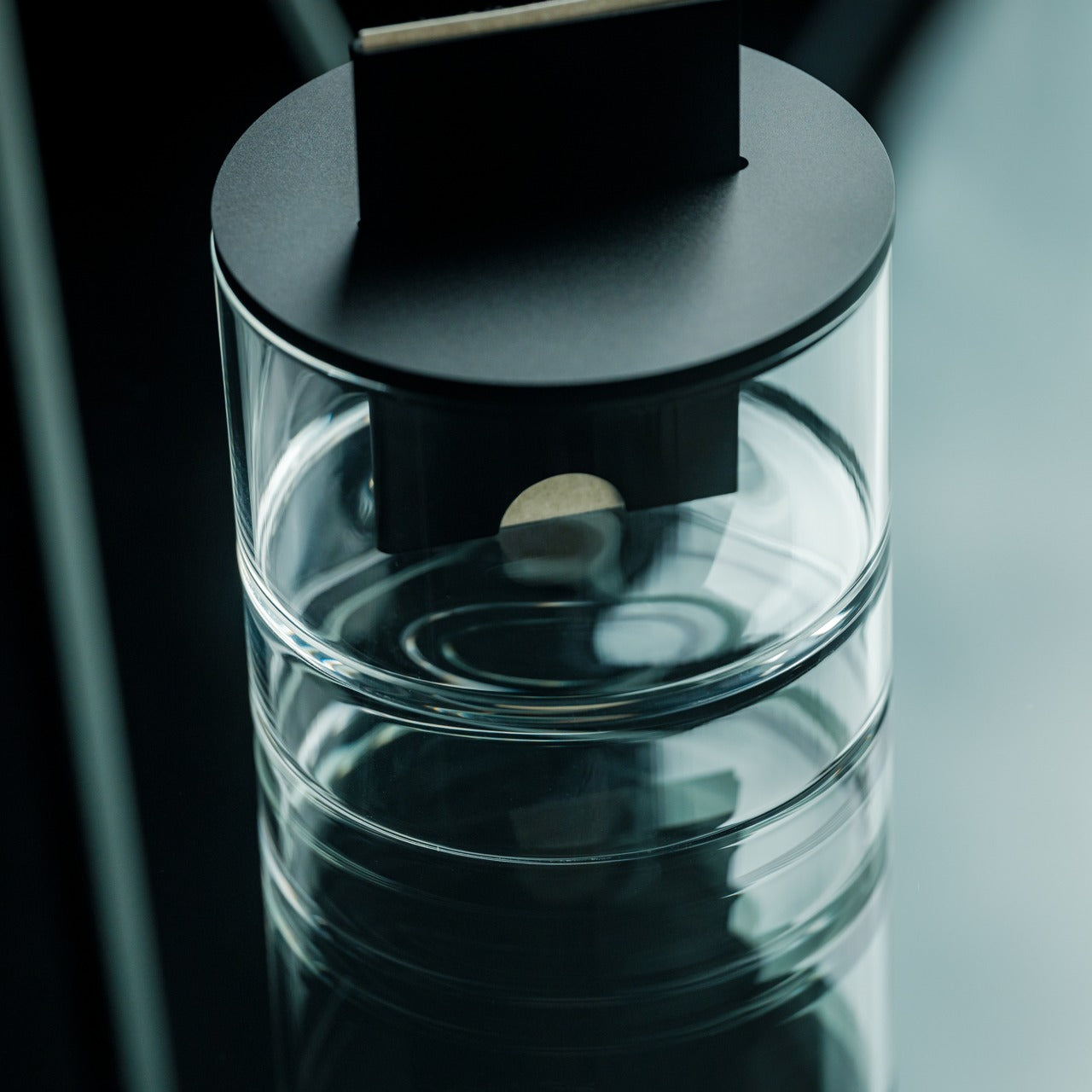
Scent diffusion gets stripped to its essence here—no mist clouds, no reed forests, just a simple card insertion that marks the beginning of a fragrance ritual. The mechanism borrows from Japanese train ticketing, where sliding a washi paper card into an anodized aluminum body initiates a slow, controlled release of alcohol-based fragrance oils. It’s diffusion as deliberate practice rather than background ambiance.
The design language stays minimal to the point of zen. Hand-poured oil bases pair with handcrafted Japanese washi paper that absorbs and disperses scent through capillary action alone. Layered glass creates visual lift while the aluminum housing grounds everything with industrial elegance. Fire-free and power-free operation means placement flexibility—nightstands, desks, shelves—anywhere stillness exists. When the oil runs low, refilling takes seconds without disassembly or mess.
Lost keys cause daily chaos. This magnetic key holder solves that problem by making the act of placing keys genuinely satisfying—so satisfying you’ll actively want to do it. The system combines a wooden base with a metal keyring, held together by a powerful neodymium magnet that releases with a crisp, surprisingly soothing tap when pulled apart. That sonic feedback creates instant habit reinforcement every single time.
Material choices elevate this beyond typical key storage. Choose between maple or walnut bases, each paired with a stainless steel, brass, and iron keyring that carries proper weight. The magnetic hold stays strong enough to prevent accidental drops yet releases smoothly with intentional pulling. Placed near an entryway, it becomes a calming transition point between outside chaos and home sanctuary—a small ritual that anchors your arrival routine with sensory pleasure instead of mindless muscle memory.
Multi-metal keyring construction adds premium tactile weight
Elegant desk or entryway presence doubles as decor
What we dislike
Limited to a single keyring capacity per base unit
The wood base requires occasional maintenance to preserve the finish
The magnetic field may interfere with certain proximity cards
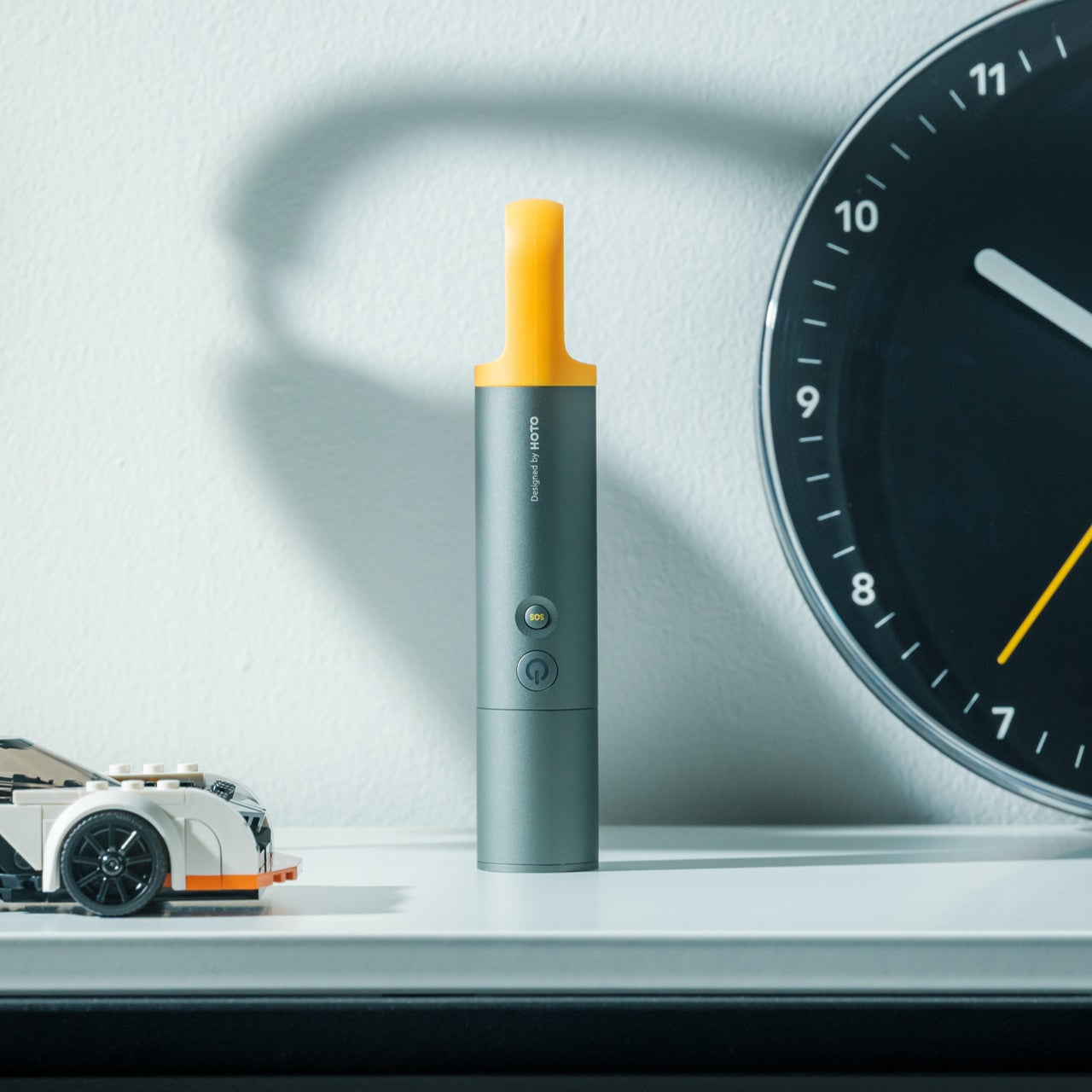
4. CasaBeam Everyday Flashlight
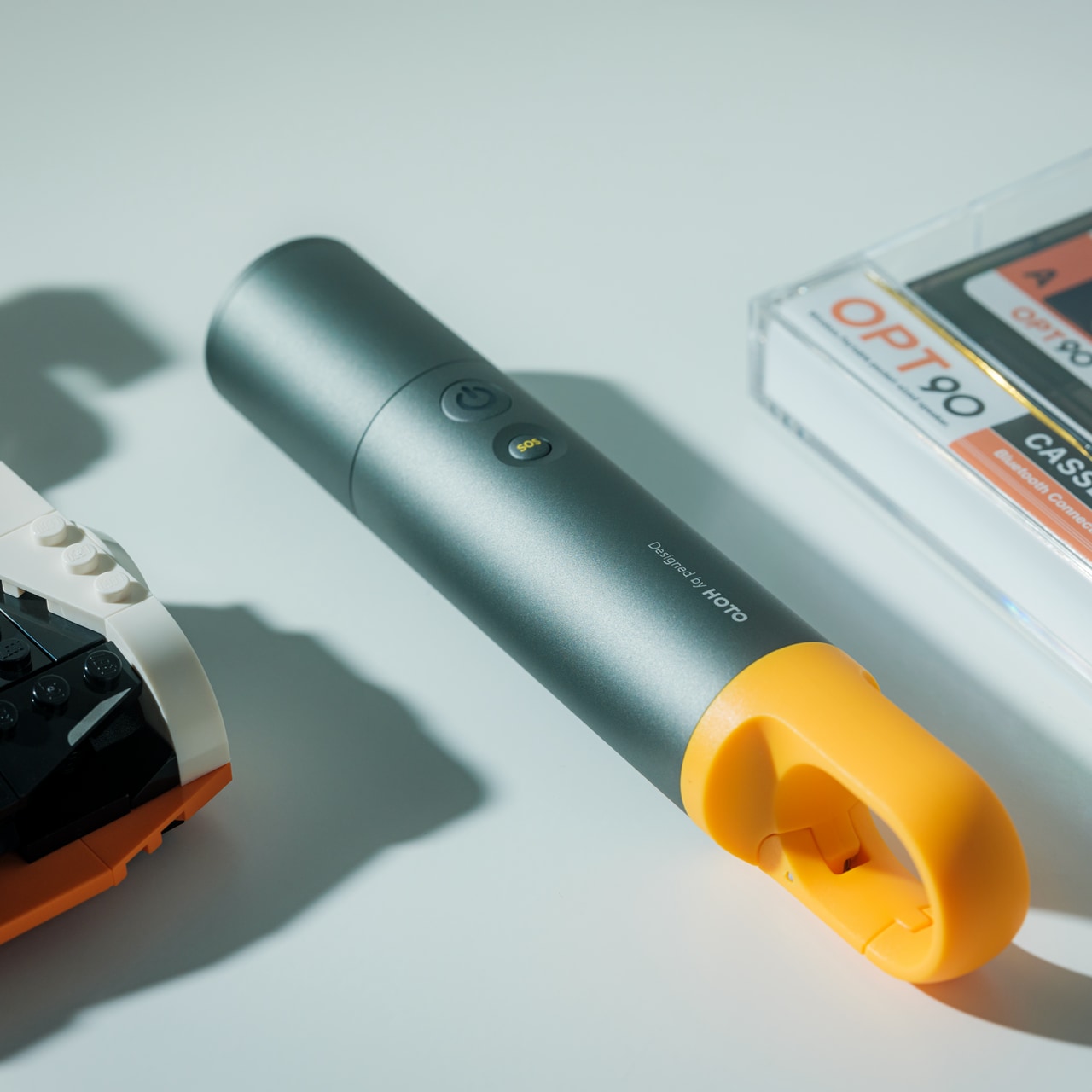
Most flashlights get buried in junk drawers until emergencies strike. This one stays visible because it actually deserves counter space, blending minimalist form with dual-mode versatility that works as both a handheld beam and a freestanding lantern. The 1000-lumen output reaches 200 meters in spotlight mode, while the adjustable zoom head twists to flood light across entire rooms when needed.
Stand it upright and watch it transform into ambient lighting for reading, dining, or a power outage calm. Five modes span three brightness levels plus two SOS settings, all controlled through an intuitive two-button operation that stays simple even when fumbling in darkness. The 2,600mAh battery delivers up to 24 hours on low settings, recharging via USB-C hidden beneath the zoom head to maintain clean visual lines. A bright yellow hanging loop adds practical mounting options while serving as the design’s only color accent.
Built-in battery means no field-swappable power options
The yellow loop may not suit all aesthetic preferences
The zoom mechanism requires periodic cleaning to maintain smooth operation
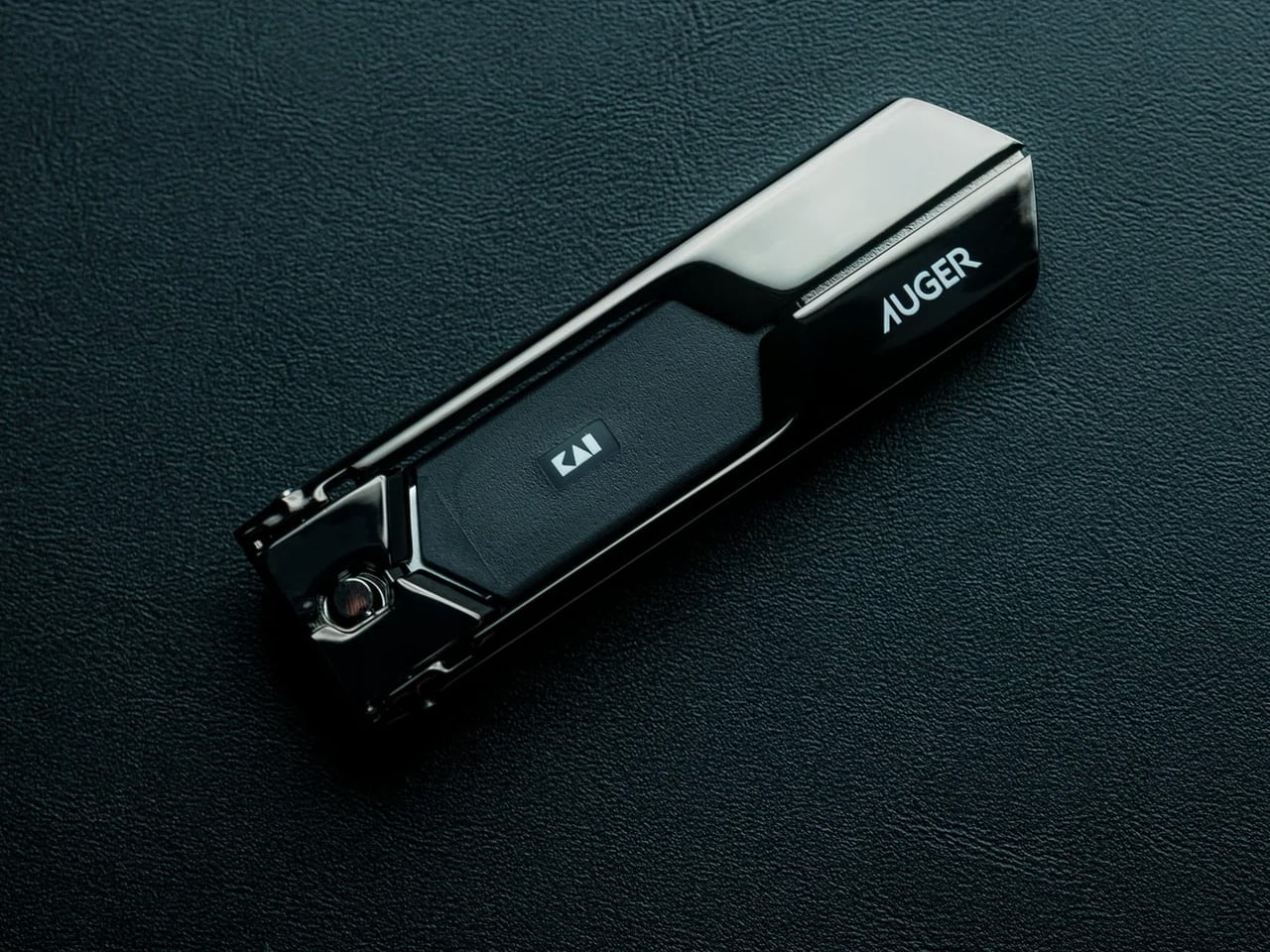
5. Auger PrecisionLever Nail Clipper
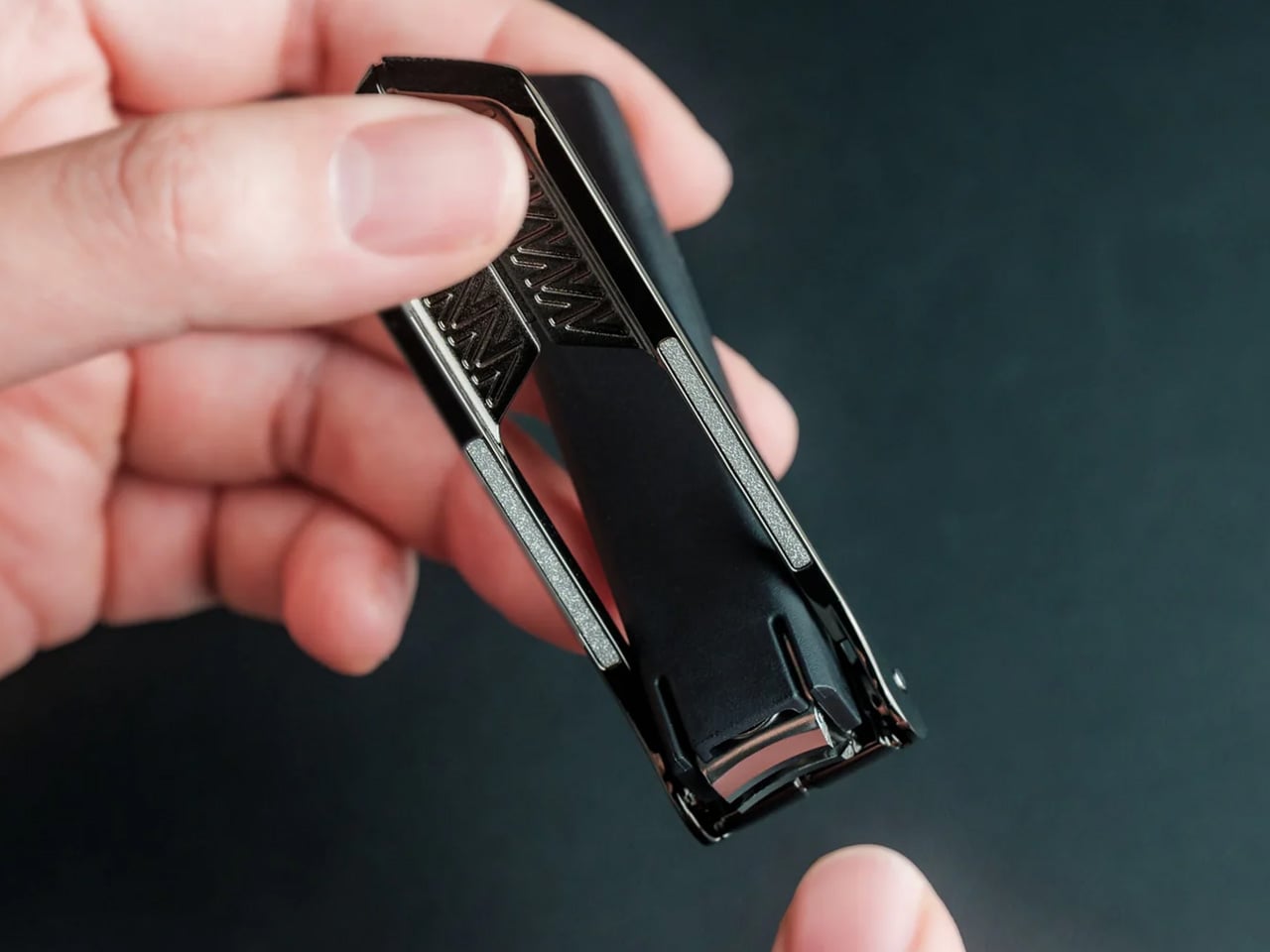
Grooming tools rarely warrant much attention until you encounter one engineered like actual equipment. Kai Corporation—Japan’s blade authority since 1908—designed this clipper around a patented rotating lever mechanism that shifts the pivot point closer to the cutting edge. The result delivers cleaner cuts through thicker nails using less hand pressure while maintaining surgical control throughout each clip.
At 67 grams, the clipper carries satisfying heft that signals quality without bulk. The 86mm compact form slips into dopp kits and desk drawers with equal ease. Stainless cutlery steel blades slice cleanly without tearing or splitting, producing smooth edges that rarely snag fabric afterward. Zinc die-cast lever components wear a sleek plated finish while the thermoplastic stopper and integrated filing surface round out the material story. The press-and-release action stays whisper-quiet and consistently smooth—precision you can feel with every trim.
Patented rotating lever optimizes cutting pressure distribution
Stainless cutlery steel blades deliver clean cuts without nail splitting
Weighted 67-gram feel provides stable control during use
Compact 86mm length fits grooming kits and drawers easily
Quiet operation maintains subtlety during use
Refined material selection ensures long-term performance consistency
What we dislike
Premium price point exceeds basic clipper budgets
The rotating mechanism requires occasional cleaning for optimal performance
Compact size may challenge users with larger hands
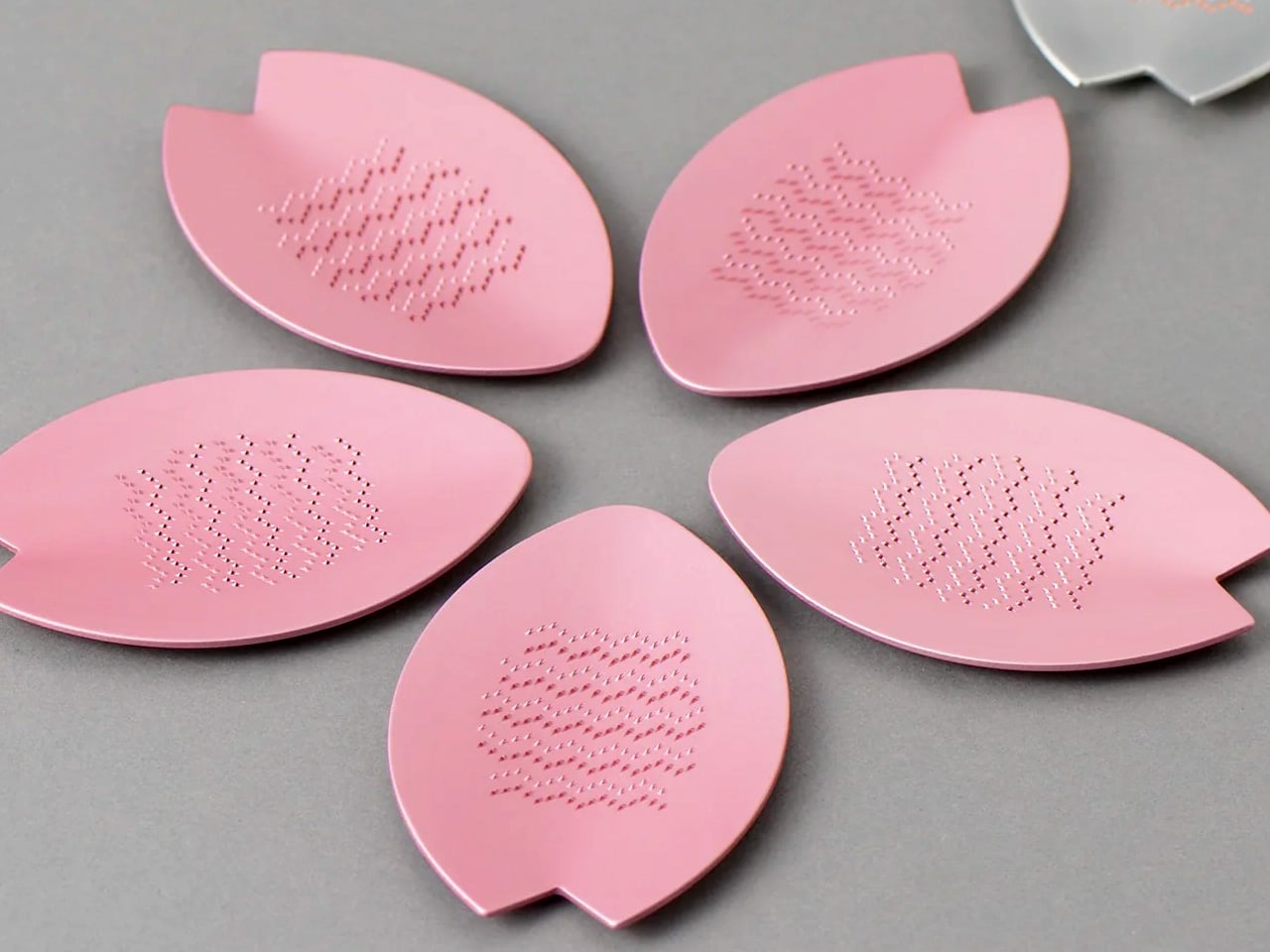
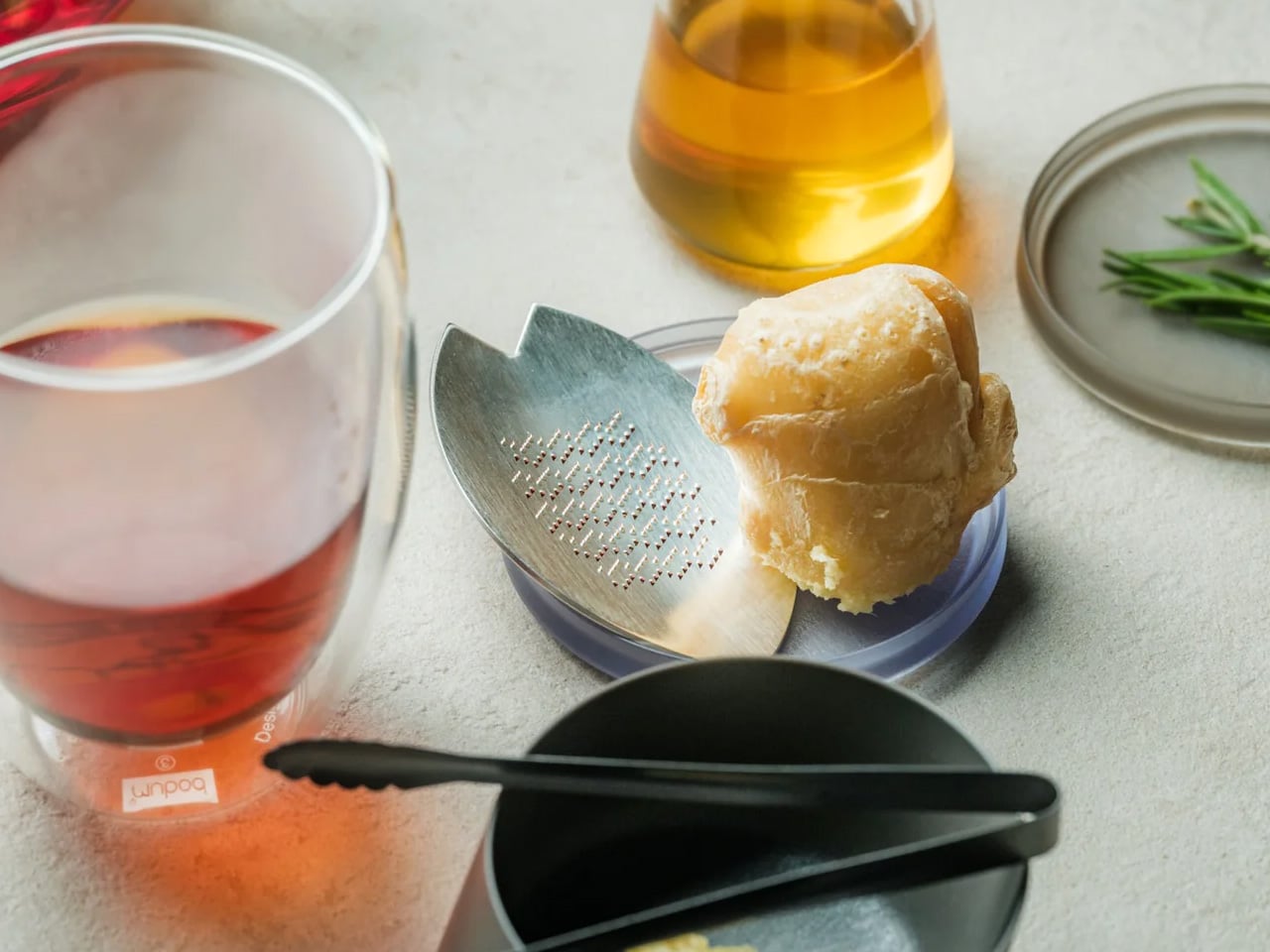
6. Sakura Petal Grater
Culinary tools become art objects when Japanese heritage meets functional design. Tsuboe created this sakura blossom-shaped grater to commemorate the Ōkōzu Diversion—a historic flood control project that transformed the Shinano River region—while delivering razor-sharp grating performance for ginger, wasabi, garlic, and citrus zest. The petal silhouette fits comfortably in your palm while adding genuine beauty to any kitchen environment.
Two material options define the aesthetic. The pink edition features lightweight aluminum alloy with a vibrant anodized finish inspired by cherry blossoms lining river levees. The silver edition showcases pure copper with tin plating that creates a luminous interplay between metals while adding substantial heft. Precision-raised blades crafted via custom NC machines maintain sharpness through countless uses. Commemorative packaging includes sakura motifs and story cards celebrating the cultural heritage behind each grater’s creation—transforming kitchen prep into a connection with Japanese craftsmanship traditions.
Heritage storytelling connects users to Japanese cultural history
What we dislike
Premium materials command a higher price versus standard graters
Small size limits large-volume grating tasks
The copper edition requires occasional polishing to maintain luster
7. DraftPro Top Can Opener
Cracking a cold can usually mean sipping through a narrow opening that traps aroma and limits taste. Award-winning designer Shu Kanno reimagined that moment, creating a precision opener that removes the entire top to deliver glass-like drinking experiences straight from the aluminum. The smooth-edged cut transforms canned beer, sparkling water, and premixed cocktails into proper vessels where you catch every aromatic note.
Beyond elevated sipping, practical advantages multiply quickly. Drop ice cubes directly into opened cans for instant chilling on hot days. Mix cocktails inside the can itself—no shaker, no cleanup, no glassware. Universal sizing works across domestic and international CAN standards, so you’re never caught without compatibility. The lightweight, portable build makes it easy to pack for camping, tailgates, or beach days. Used cans become mini planters or desk organizers thanks to the clean, safe edge. Japanese design discipline shows through every detail—smooth opening motion, comfortable grip, zero visual excess.
Universal fit works with domestic and international can sizes
Lightweight portability suits outdoor and travel use
Clean cut facilitates creative can reuse and recycling
What we dislike
Single-purpose tool adds to kitchen gadget collection
Opening motion requires a brief learning curve for the technique
Sharp cutting mechanism demands careful handling and storage
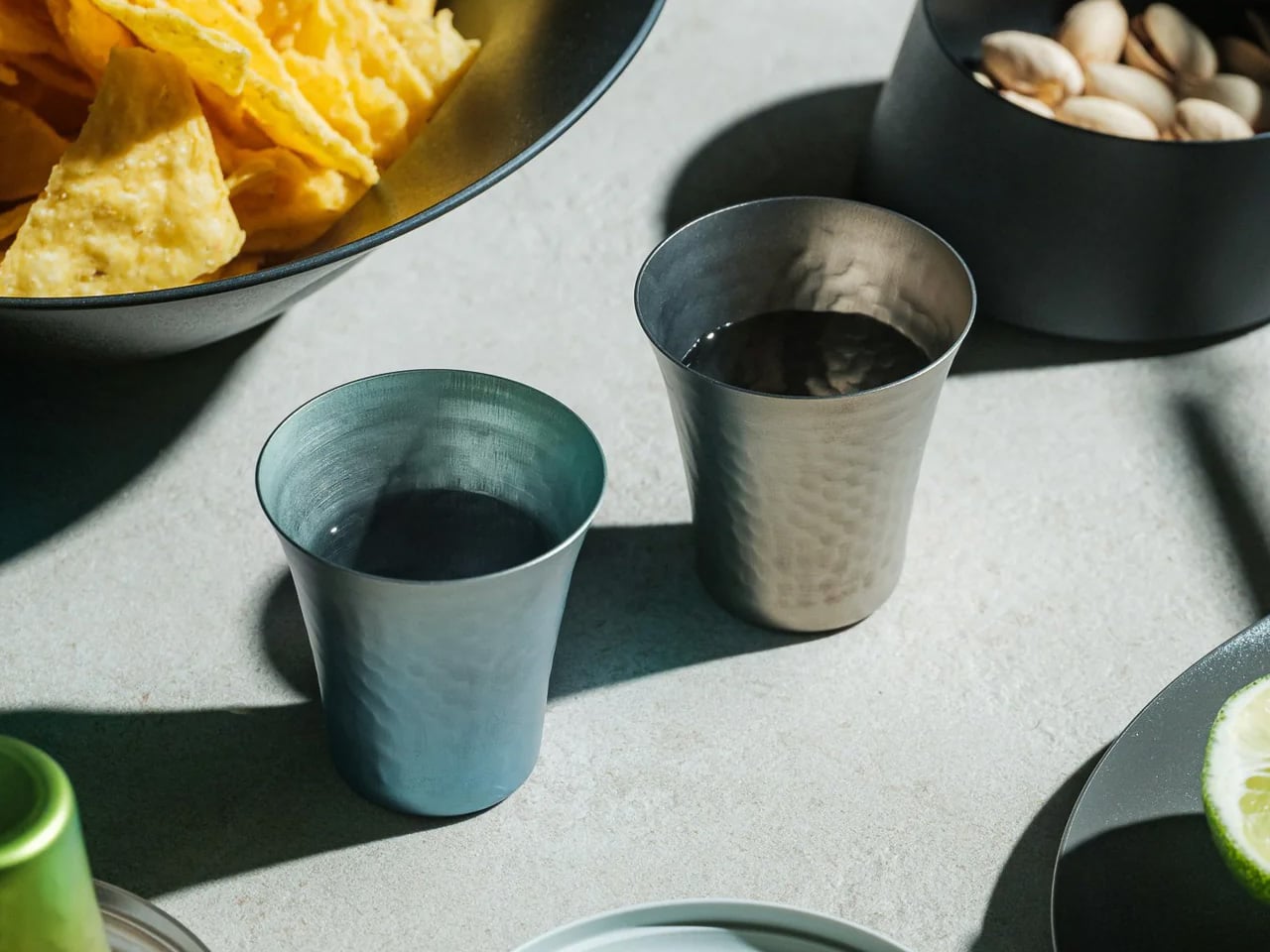
8. Titanium Artisan Spirits Cup
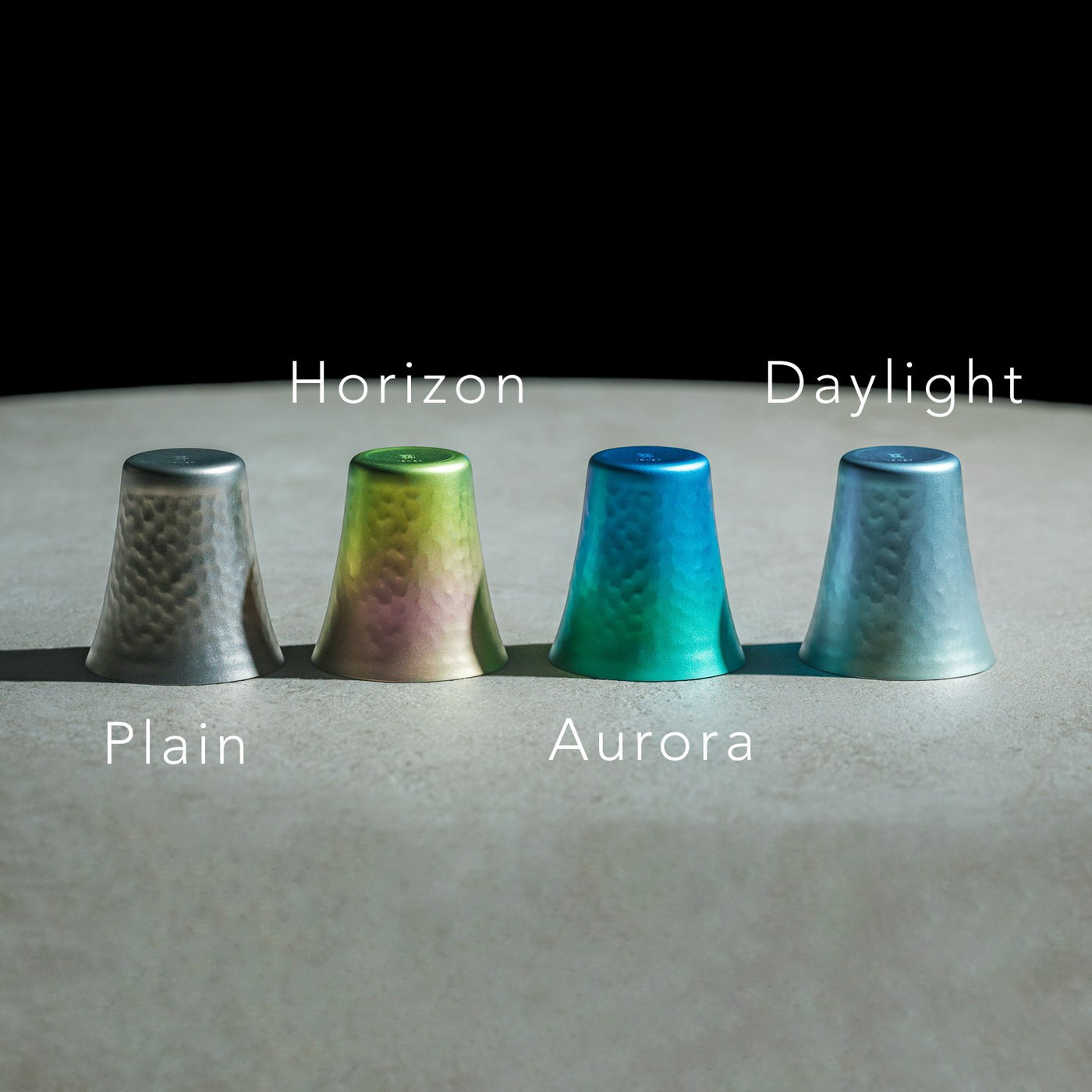
Spirits deserve glassware that enhances rather than distracts from their complexity. This titanium vessel weighs just 22 grams yet delivers sensory amplification through hammered texture that lifts aromatic compounds, while the ultra-thin rim ensures clean flavor contact. At 2.05 inches in diameter by 2.17 inches in height, it fits sake, tequila, and whiskey servings with equal grace.
Titanium construction brings unexpected benefits beyond durability. The metal maintains temperature without rapid heat transfer from your hand, keeping chilled spirits cold longer. Vibrant anodized finishes create unique color variations across each cup—no two look identical, adding bespoke character to any collection. The hammered surface provides subtle grip texture while refracting light beautifully. Compact dimensions suit modern interiors and outdoor settings alike, transitioning seamlessly from home bars to campfire toasts. Minimalist elegance meets practical performance in a cup engineered for connoisseurs who value both flavor clarity and design integrity.
Ultra-light 22-gram weight enhances portability and comfort
Hammered texture amplifies aromatic profiles during sipping
Thin rim ensures clean flavor contact without interference
Unique anodized finishes create individualized color variations
Titanium construction offers exceptional durability
Compact size suits diverse spirit types and settings
What we dislike
Hand-wash requirement adds care steps versus dishwasher convenience
Premium titanium pricing exceeds standard glassware budgets
Small capacity limits the use to spirits rather than mixed drinks
9. Levitating Pen
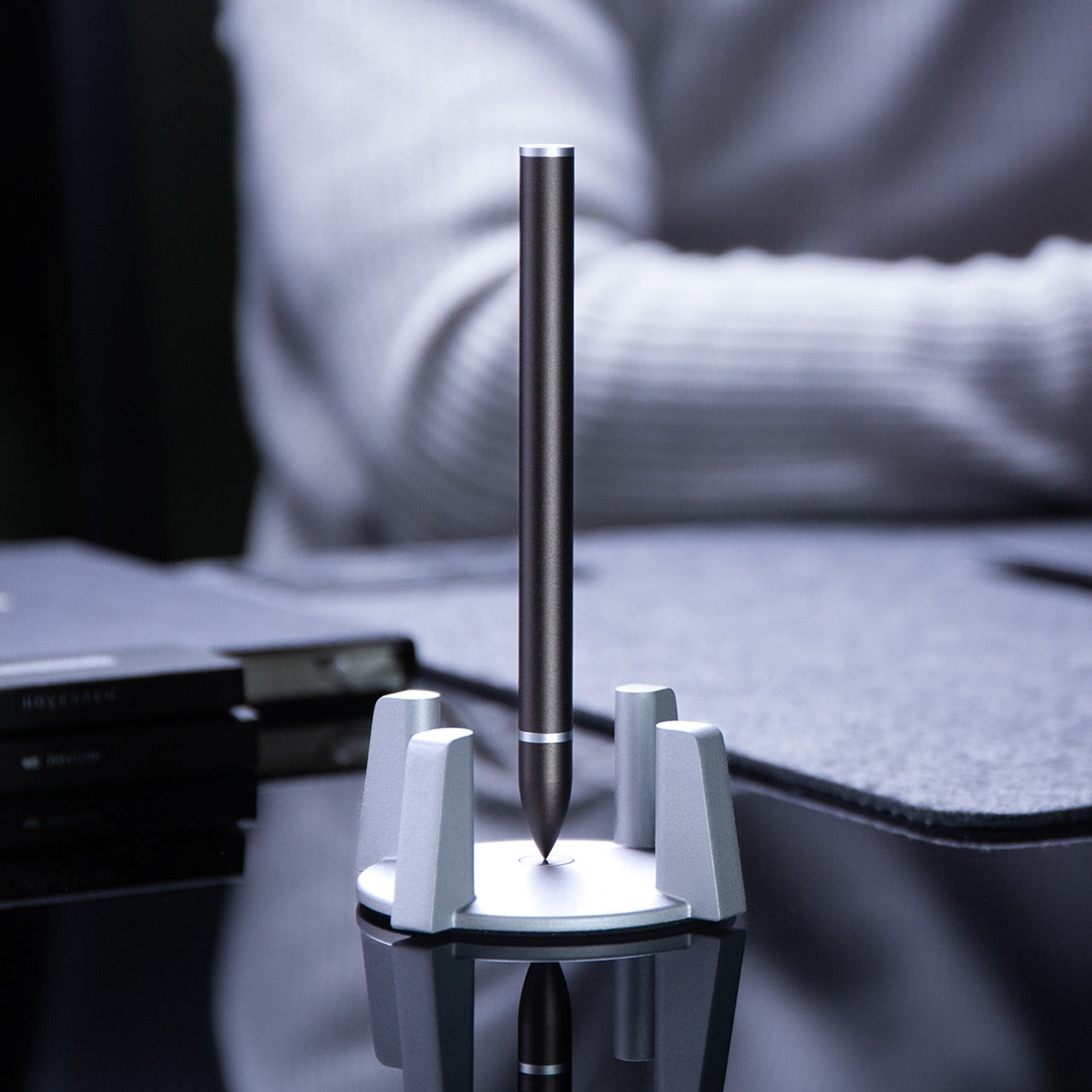
Most desk accessories serve function or form—rarely both with equal commitment. This gravity-defying pen floats vertically above its magnetic pedestal without batteries or electronics, transforming writing tools into kinetic sculpture. The invisible magnetic field holds the pen suspended and spinning with the gentlest touch, creating mesmerizing motion that offers mental breaks during intense work sessions.
Engineering precision makes the magic possible. High-precision CNC machining maintains tolerances under 0.1mm—the same manufacturing standards used for Apple products—enabling perfect hover balance and fluid rotation. Swiss-made ballpoint cartridges deliver smooth, reliable writing performance while Cross-brand refills ensure long-term usability. The magnetic cap provides instant access without fumbling. Whether spinning hypnotically during calls or standing elegantly between uses, the pen becomes a source of inspiration and relaxation. Sleek aesthetics meet practical function in a design that professionals, artists, and engineers appreciate equally for performance and presence.
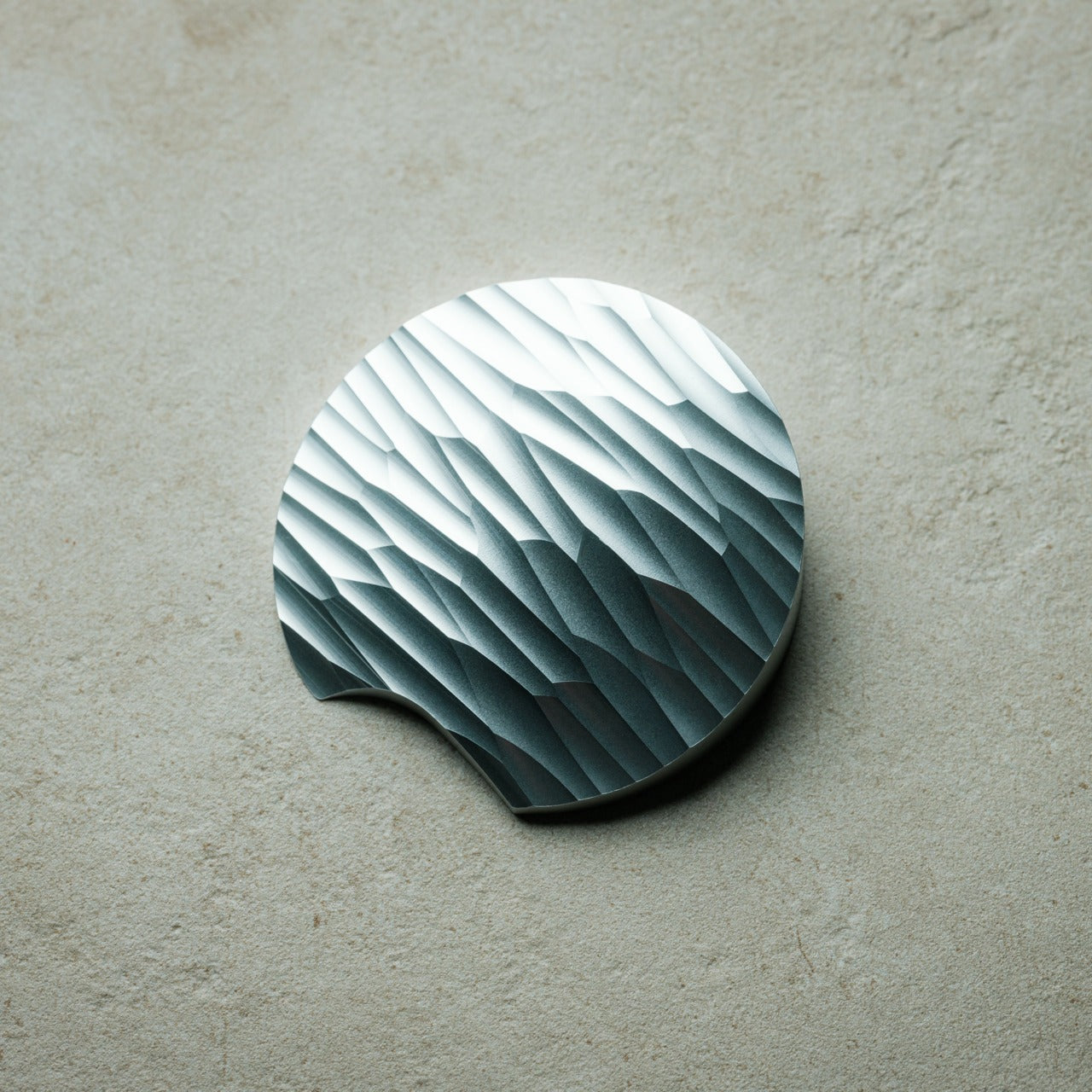
Box cutters typically hide in drawers because they look utilitarian at best. This one deserves prominent desk placement, carved from solid aluminum into a form inspired by Paleolithic hand axes—ancient tools reimagined through modern precision machining. Wave-like cutting patterns create visual intrigue while providing secure grip texture. The circular shape and tapered profile feel substantial in hand, while the raw metal aesthetic radiates both mystery and intentional design.
Aluminum once commanded prices higher than gold, and this knife showcases the material’s inherent luster and satisfying weight. Milling from a solid block rather than casting ensures structural integrity and refined surface quality. The blade slices through packing tape and cardboard with surgical ease, while the distinctive form starts conversations whenever someone spots it. Placing this on your desk signals appreciation for objects that blend utility with artistry—tools that inspire rather than just serve. Unboxing packages becomes a moment of tactile pleasure rather than a mindless routine.
Paleolithic hand axe inspiration creates a distinctive sculptural form
Solid aluminum construction showcases material luster and a premium feel
Precision machining produces wave patterns that enhance grip security
Tapered shape balances visual weight with handling comfort
Desk-worthy aesthetics encourage display rather than drawer storage
Sharp blade handles tape and cardboard efficiently
What we dislike
Exposed blade design requires careful handling and storage
Aluminum softness may show wear marks over extended use
Unconventional shape requires adjustment for traditional box cutter users
The Gift That Keeps Getting Stolen
Stocking stuffers reveal their true value in the days after unwrapping, when practical magic beats flashy excess every time. These ten designs prove that thoughtful gifts don’t require three-digit budgets or oversized boxes—just genuine utility wrapped in forms people actually want to touch, use, and keep within arm’s reach. They’re the presents that migrate from stockings to pockets to daily rotation faster than anyone expects.
Smart gifting means choosing objects that respect both giver and recipient through lasting quality and daily relevance. Each of these pieces delivers experiences beyond their physical size, turning mundane moments into small rituals worth savoring. Whether someone’s grating ginger, opening mail, or taking mental breaks with a spinning pen, these are the gifts that prove you paid attention to how people actually live rather than what they might politely accept.
Vous avez un PC qui tourne encore parfaitement sous Windows 10 mais Microsoft vous dit qu’il est comme vous, c’est à dire “trop vieux” pour Windows 11 ?
Et bien, bienvenue dans le club des 240 millions de machines destinées à la casse. Woohoo !
D’ailleurs selon cette étude
, si on empilait tous ces PC les uns sur les autres, la pile ferait 600 kilomètres de plus que le diamètre de la Lune. Sympa pour la planète.
Bref, face à ce gâchis monumental programmé pour le
14 octobre de cette année, date de fin du support de Windows 10
, un développeur connu sous le pseudo Belim (builtbybel sur GitHub) a créé FlyOOBE (prononcez “fly-oh-bee”, comme une petite abeille qui buzz). C’est un outil qui fait exactement ce que Microsoft ne veut pas à savoir installer Windows 11 sur n’importe quel PC, même sans TPM 2.0, sans Secure Boot, et avec un processeur de 2010. Et en bonus, il vire tous les bloatwares au passage.
FlyOOBE, c’est l’évolution de Bloatynosy devenu Flyby11, dont je vous ai déjà parlé en long, en large et en travers. C’était un simple patcher qui avait déjà permis à des milliers d’utilisateurs de contourner les restrictions matérielles de Windows 11.
Mais la version 2.2 qui vient de sortir
va beaucoup plus loin car au lieu de simplement bypasser les vérifications de compatibilité, FlyOOBE vous permet de personnaliser complètement l’expérience d’install et de post-install de Windows 11.
Comme ça, fini les écrans de configuration à rallonge, les applications préinstallées dont tout le monde se fout, et les paramètres de confidentialité douteux activés par défaut.
Mais avant de rentrer dans le détail, pour comprendre pourquoi FlyOOBE existe, il faut revenir sur les exigences matérielles de Windows 11. Microsoft demande actuellement pour Windows 11, un processeur de 8e génération Intel ou 2e génération AMD Ryzen minimum, 4 Go de RAM (8 Go pour une expérience correcte), le TPM 2.0, l’UEFI avec Secure Boot activé, et j’en passe.
Vous l’avez déjà compris, ce sont des exigences qui excluent automatiquement des millions de PC parfaitement fonctionnels.
Bien sûr, tout comme Retailleau ou Darmanin, Microsoft n’a qu’un seul mot à la bouche pour justifier ce massacre informatique : La sécurité. Hé oui car le TPM 2.0 est censé protéger vos données sensibles, et le Secure Boot quant à lui empêche le démarrage de malwares au niveau du bootloader.
Alors oui, Microsoft propose bien des
Extended Security Updates (ESU) pour 30 dollars par an
après octobre 2025, mais c’est juste repousser le problème. Et pour les entreprises, ces tarifs grimpent à 61 $ la première année, 122 $ la deuxième, et 244 $ la troisième. Ils abusent pas un peu là quand même ? Donc autant dire que pour beaucoup de boites, ces vieux PC ce sera direction la déchetterie.
Du coup, le principe de FlyOOBE est très malin, je trouve car au lieu de modifier Windows 11 directement,
il utilise une astuce découverte par la communauté
il y a quelques temps. Il lance en fait l’installation en mode “Windows Server”, qui n’a pas les mêmes restrictions que la version client. Une fois l’installation terminée, vous vous retrouvez alors avec un Windows 11 parfaitement fonctionnel, mais rassurez vous, pas une version serveur.
Selon le développeur de FlyOOBE, la méthode utilise exactement le même contournement que celui documenté par Microsoft pour les environnements virtuels sauf qu’au lieu de l’appliquer à une VM, FlyOOBE l’applique à votre vraie machine. Et il a fait un boulot de dingue car tout le processus est automatisé… L’outil télécharge l’ISO de Windows 11 via le script Fido (développé par
Pete Batard de Rufus
), applique les patchs nécessaires, et lance l’installation.
Pour ceux qui dormaient depuis 25 ans, OOBE signifie “Out-Of-Box Experience”. C’est cette série d’écrans à la con que vous voyez quand vous démarrez Windows pour la première fois : Création du compte, paramètres de confidentialité, connexion au Wi-Fi, tout ça. Microsoft en profite pour vous faire créer un compte Microsoft (obligatoire sur Windows 11 Home), activer la télémétrie, installer Office 365 en trial, et autres joyeusetés.
FlyOOBE vous permet donc de court-circuiter tout ça. Plus besoin de compte Microsoft, vous pouvez créer un compte local directement. Les paramètres de confidentialité sont configurés pour protéger vos données par défaut. Et surtout, l’outil peut automatiquement désinstaller toute une liste de bloatwares (traduction : logiciels à la con) comme Candy Crush, TikTok, les jeux Xbox que vous n’avez jamais demandés, Cortana, et même Teams si vous voulez.
Cette version 2.2 marque une vraie évolution puisque le développeur (qui avoue être “en guerre contre les choix de performance de Microsoft”) a bossé comme un fou pour transformer FlyOOBE en boite à outils pour Windows. Grâce à lui, on a maintenant une interface modernisée avec un mode compact élégant, des boutons qui passent en mode icônes seules quand ils sont actifs (comme les apps natives Windows 11, sauf que là ça marche bien). Le démarrage est plus rapide, la consommation mémoire réduite… Bref, c’est pas comme le menu Démarrer de Windows 11 ou l’Explorateur qui sont des monstres XAML/WinUI bourrés de bloat.
Le développeur a d’ailleurs un petit coup de gueule savoureux dans ses notes de version : “Peut-être qu’un jour Microsoft corrigera les vrais problèmes de performance au lieu d’ajouter un énième bouton Copilot lumineux. Honnêtement, ça fait mal de voir un OS qu’on a aimé être lentement ruiné par les mauvaises priorités.” On sent le mec qui en a ras-le-bol, et je le comprends…
FlyOOBE est donc passé d’un simple assistant OOBE à un véritable hub de contrôle Windows. Le moteur d’extensions a été complètement retravaillé, avec un système de catégories et de filtres. Certaines pages OOBE sont devenues de véritables mini-apps autonomes, comme Dumputer ou CoTweaker (des anciens outils standalone du même dev qui vivent maintenant leur meilleure vie à l’intérieur de FlyOOBE). Il y a aussi un nouveau tableau de bord Home qui catégorise et recommande intelligemment les options, un système de navigation avec historique complet (comme dans un navigateur), et un moniteur d’activité natif qui log les actions système en temps réel.
L’App Installer intégré propose aussi d’installer automatiquement des logiciels vraiment utiles tels que Firefox, VLC, 7-Zip, Notepad++, et autres essentiels. Pratique donc pour avoir une machine propre et fonctionnelle dès le départ, sans passer des heures à tout configurer manuellement.
Maintenant faut que je sois clair avec vous, utiliser FlyOOBE, c’est contourner les mesures de sécurité mises en place par Microsoft. Le développeur lui-même précise que les mises à jour futures ne sont pas garanties sur les machines “non supportées”. Donc si Microsoft décide de bloquer complètement les PC sans TPM 2.0 dans une future mise à jour, vous pourriez vous retrouver coincé.
Il y a aussi le cas du POPCNT, une instruction CPU que FlyOOBE ne peut pas contourner donc si votre processeur ne la supporte pas (généralement les CPU d’avant 2010), Windows 11 ne fonctionnera tout simplement pas, même avec FlyOOBE. L’outil intègre d’ailleurs un “compatibility checker” pour vérifier ce point avant l’installation.
Maintenant pour utiliser FlyOOBE, pas besoin d’un tuto à rallonge car c’est ultra simple. Vous téléchargez l’exécutable depuis
les releases GitHub
, vous le lancez, et vous avez quatre options :
Upgrade : Pour passer de Windows 10 à 11 sur une machine incompatible
Install Only : Pour une installation propre avec personnalisation OOBE
Experience : Pour configurer Windows après installation
Apps : Pour gérer les bloatwares et installer des apps utiles
Si vous choisissez l’upgrade, FlyOOBE téléchargera automatiquement l’ISO de Windows 11, appliquera les patchs, et lancera le processus. Comptez alors environ 30 minutes à 1 heure selon votre machine et votre connexion internet. Rassurez-vous, l’outil gardera vos fichiers et tous vos programmes car c’est une vraie mise à niveau, et pas une réinstallation. L’Autopilot intégré a d’ailleurs été amélioré pour vous guider de manière encore plus autonome pendant l’installation.
Petite note pour ceux qui cherchaient le script ConsumerESU (pour les mises à jour de sécurité étendues) : il a temporairement disparu de GitHub, probablement un faux positif qui a fait suspendre le repo, comme c’est déjà arrivé au profil de Belim lui-même. Les joies de la modération automatique…
Maintenant, pour ceux qui veulent aller plus loin, il y a même des builds “Nightly” mis à jour régulièrement avec les dernières fonctionnalités expérimentales. L’ancien Flyby11 3.0 “Classic” existe toujours mais est désormais marqué comme deprecated, donc le dev recommande de passer à FlyOOBE. Notez aussi que FlyOOBE n’est pas le seul outil pour contourner les restrictions de Windows 11.
Rufus permet aussi de créer une clé USB d’installation sans les checks TPM/Secure Boot
. Il y a aussi
les méthodes manuelles avec des modifications du registre
pendant l’installation. Ou carrément passer à Linux, comme le suggèrent certains barbus qui veulent entrainer encore plus de monde dans leur galère… Roooh, ça va, je rigole !
Mais FlyOOBE c’est mon préféré parce qu’il a plusieurs avantages. D’abord, c’est tout-en-un : bypass les restrictions, personnalisation OOBE, et debloating. Ensuite, c’est portable (moins de 400 Ko !), donc pas besoin d’installation et surtout, c’est maintenu activement avec des mises à jour régulières pour s’adapter aux changements de Microsoft. Le dev mentionne d’ailleurs son autre projet
CrapFixer
, une sorte de CCleaner 2.0 de l’époque dorée de Windows XP, si vous êtes nostalgiques.
Alors Microsoft va-t-il bloquer définitivement FlyOOBE et les outils similaires ? C’est possible car ils ont déjà resserré la vis plusieurs fois, mais les devs trouvent toujours de nouvelles méthodes de contournement.
Et c’est encore pire pour activer Windows…
Bref, si vous avez un PC sous Windows 10 qui ne passe pas les vérifications de compatibilité Windows 11, donnez une chance à FlyOOBE. Au pire, vous perdez une heure et au mieux, vous donnez une seconde vie à votre machine et vous évitez de participer à la montagne de déchets électroniques que ça va provoquer.
En novembre 2024,
je vous parlais d’un crack Windows
vieux de 17 ans qui fonctionnait encore. Et là, on est un an plus tard, et j’apprends que Microsoft l’a tué.
Mais c’est quoi ce bordel ??
En effet, selon plusieurs médias, Microsoft a bloqué KMS38, la méthode d’activation offline fournie par Massgrave. Le Patch Tuesday de novembre (KB5068861 pour Windows 11 24H2/25H2) a donc intégré ces changements apparus dans le build 26100.7019 qui ont déprécié gatherosstate.exe, l’outil que les entreprises utilisaient pour migrer leurs activations KMS lors des mises à jour. Mais cela permettait aux pirates de tricher avec la période d’activation KMS et de la prolonger jusqu’au 19 janvier 2038. Ah les brigands ! lol
Cette date, du 19/01/2038 à 03h 14m 07 UTC précisément, c’est la limite du timestamp Unix 32-bit, le fameux bug Y2K38 ! En gros, KMS38 ne crackait pas vraiment Windows mais repoussait le moment fatidique où une activation serait nécessaire… Bon et alors ? Est ce que c’est une nouvelle victoire de Microsoft contre le piratage ?
Nop, que dalle.
Car HWID et TSforge fonctionnent toujours pour activer Windows dans le dos de Microsoft. Massgrave a même sorti le 11 novembre dernier sa version 3.8 de MAS (Microsoft Activation Scripts) baptisée “R.I.P. KMS38”.
Alors c’est tout pareil ? Non, pas vraiment car KMS38 fonctionnait offline, ce qui permettait d’activer Windows sans jamais contacter Microsoft. Et malheureusement HWID et TSforge fonctionnent uniquement online. Ils nécessitent donc une connexion internet pour stocker votre licence sur les serveurs Microsoft.
Cela veut dire qu’avant, avec KMS38, vous pouviez activer Windows en mode avion, vous déconnectiez la machine du réseau, vous lanciez le script, et hop, c’était activé jusqu’en 2038 et Microsoft ne savait même pas que vous existiez ! Et aucun Hardware ID ni de télémétrie n’étaient envoyés !
Alors que maintenant, même pour pirater Windows, vous devez demander aux serveurs de Microsoft de vous accepter. Car HWID crée une licence numérique permanente liée à votre matériel et cette licence est stockée chez Microsoft. Vous devez donc vous connecter initialement à leurs serveurs pour l’activer et à chaque réinstallation, vous devez obligatoirement vous reconnecter.
Bref, votre Hardware ID et votre config matérielle sont donc enregistrés dans la base de données de Microsoft. Et pour TSforge, c’est pareil. Connexion obligatoire sur un serveur Microsoft !
Voilà, donc en gros, pour pirater Windows, il faut maintenant se déclarer à Microsoft. Les criminels que vous êtes esquivent ainsi les 145 euros de la licence, mais donnent leur Hardware ID en échange d’un Windows activé et d’une dépendance permanente aux serveurs de Redmond.
Voilà donc comment Microsoft a choisi délibérément de casser un outil utilisé par ses propres clients pour continuer à collecter de la data, même quand l’utilisateur est un “pirate”…
Microsoft pulling the plug on Windows 10 is poised to widen the digital divide gap with a huge spike in electronic waste and increased cybersecurity threats. This is despite being fully functional.
Smartwatches aren’t just wrist accessories anymore; they’re powerful, purpose-driven extensions of your lifestyle. Whether you’re an athlete, a gamer, a style enthusiast, or simply someone who wants to stay connected, the right wearable can elevate your daily routines. As October 2025 brings fresh innovation and daring new designs, the world of smartwatches is more diverse and exciting than ever.
From minimalist e-paper displays to rugged adventure companions and even a gaming PC for your wrist, this year’s lineup is packed with options that speak to every need and personality. Our list explores the best smartwatches available now, highlighting their unique strengths, standout features, and potential drawbacks. Dive in to find the perfect wearable for your wrist and your world.
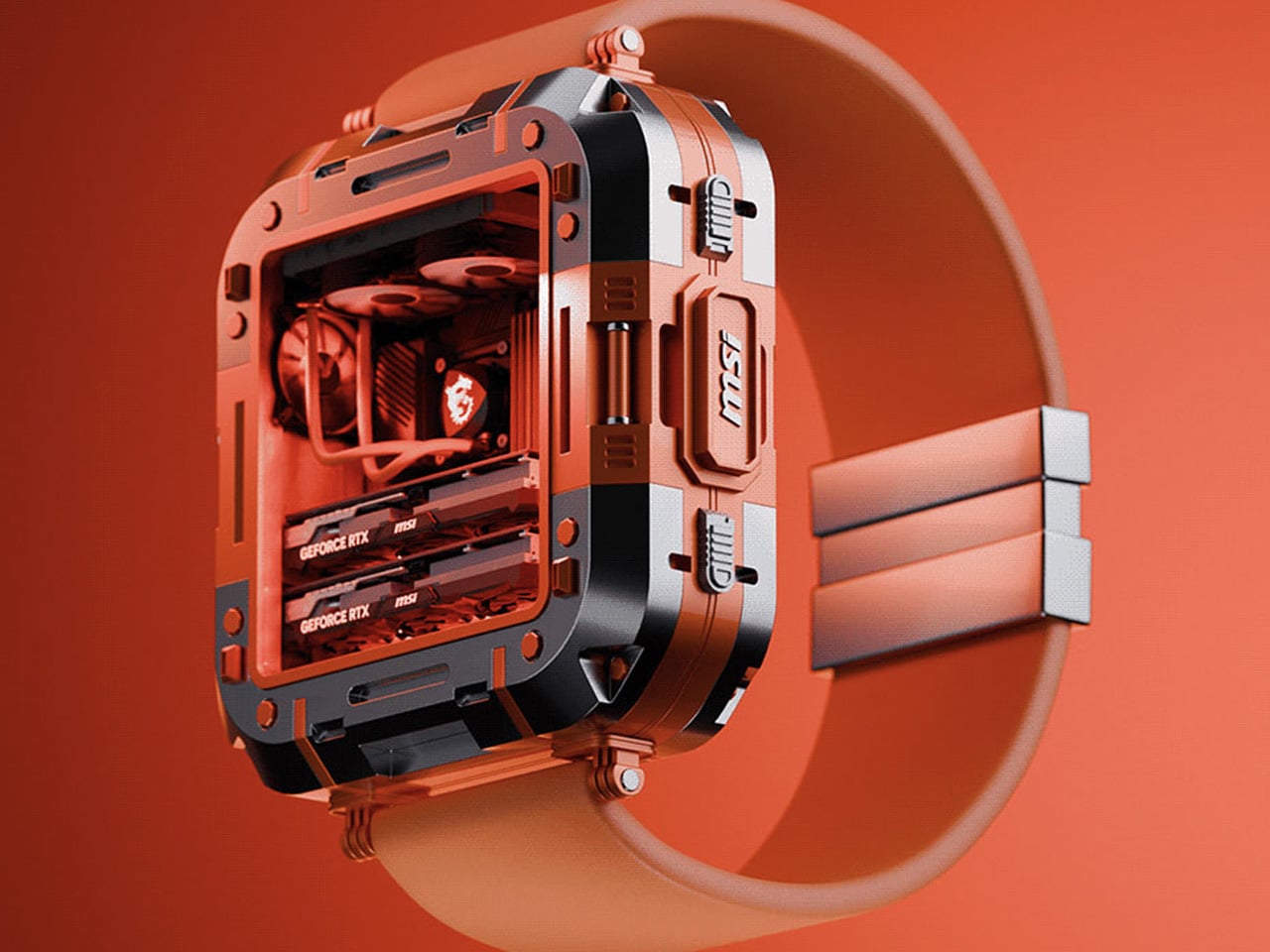
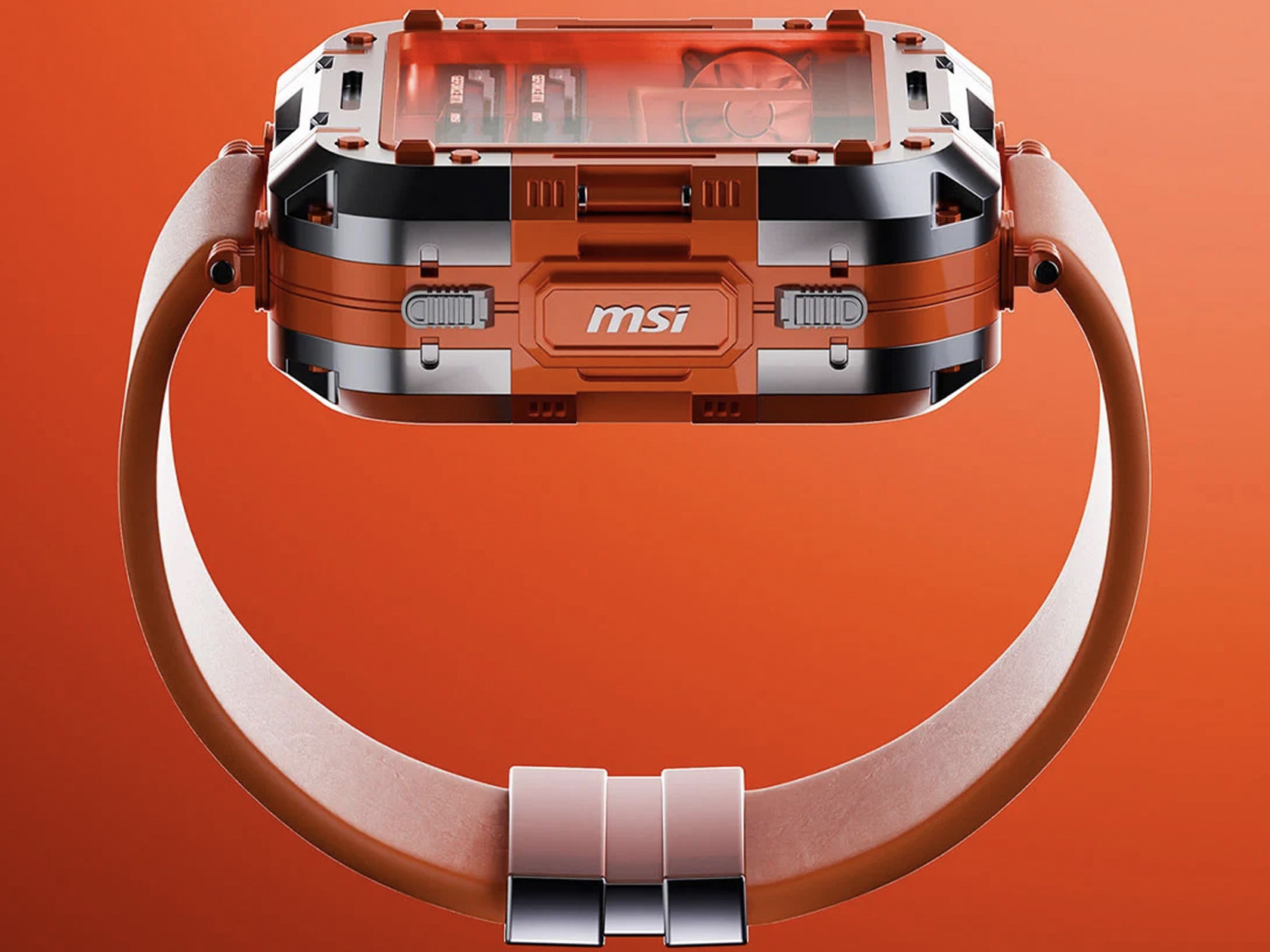
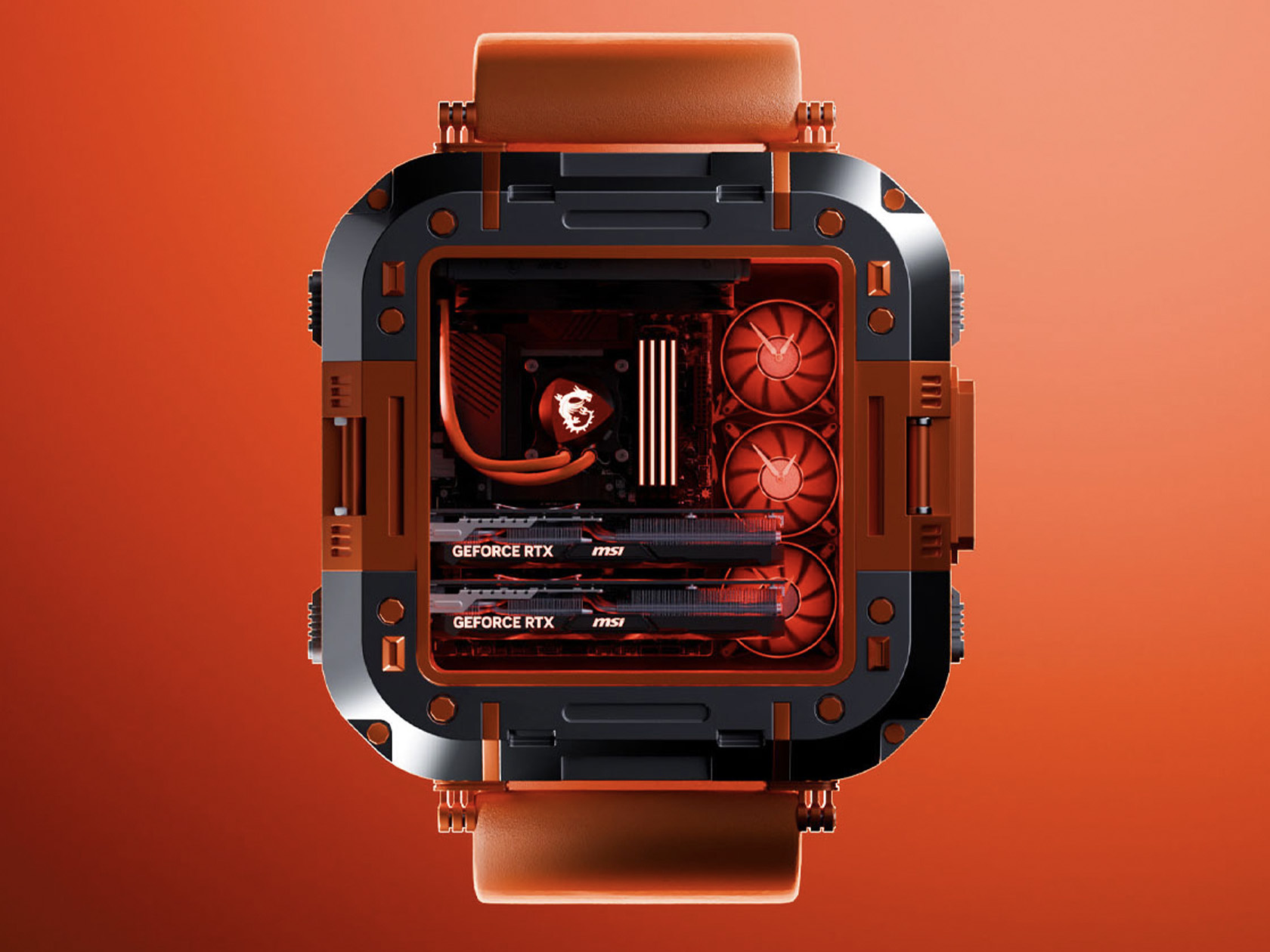
1. MSI Gaming PC Watch: A Gaming Rig For Your Wrist
The MSI Gaming PC Watch is a spectacle for anyone who lives and breathes gaming. With its MSI dragon-red theme, transparent façade, and visible hardware, it’s an unmistakable tribute to high-performance rigs. This wearable doesn’t just tell time—it showcases your passion, sparking conversations and envy alike. While it might look like a traditional watch at first glance, its true identity is a full-fledged mini PC strapped to your wrist.
Analog watch hands are visible but understated, hinting at its timekeeping function. Four side pushers let you toggle features, and the construction feels robust with a metal alloy case. Not everyone will need or want a wearable computer on their wrist, but for those who do, nothing else comes close to this level of commitment and flair.
What we like
Visually striking design that turns your wrist into a gaming showcase.
Unique concept that marries PC hardware and wearable tech in an unprecedented way.
What we dislike
Timekeeping is a secondary feature, not the main focus.
Likely to be bulkier and less comfortable for daily wear.
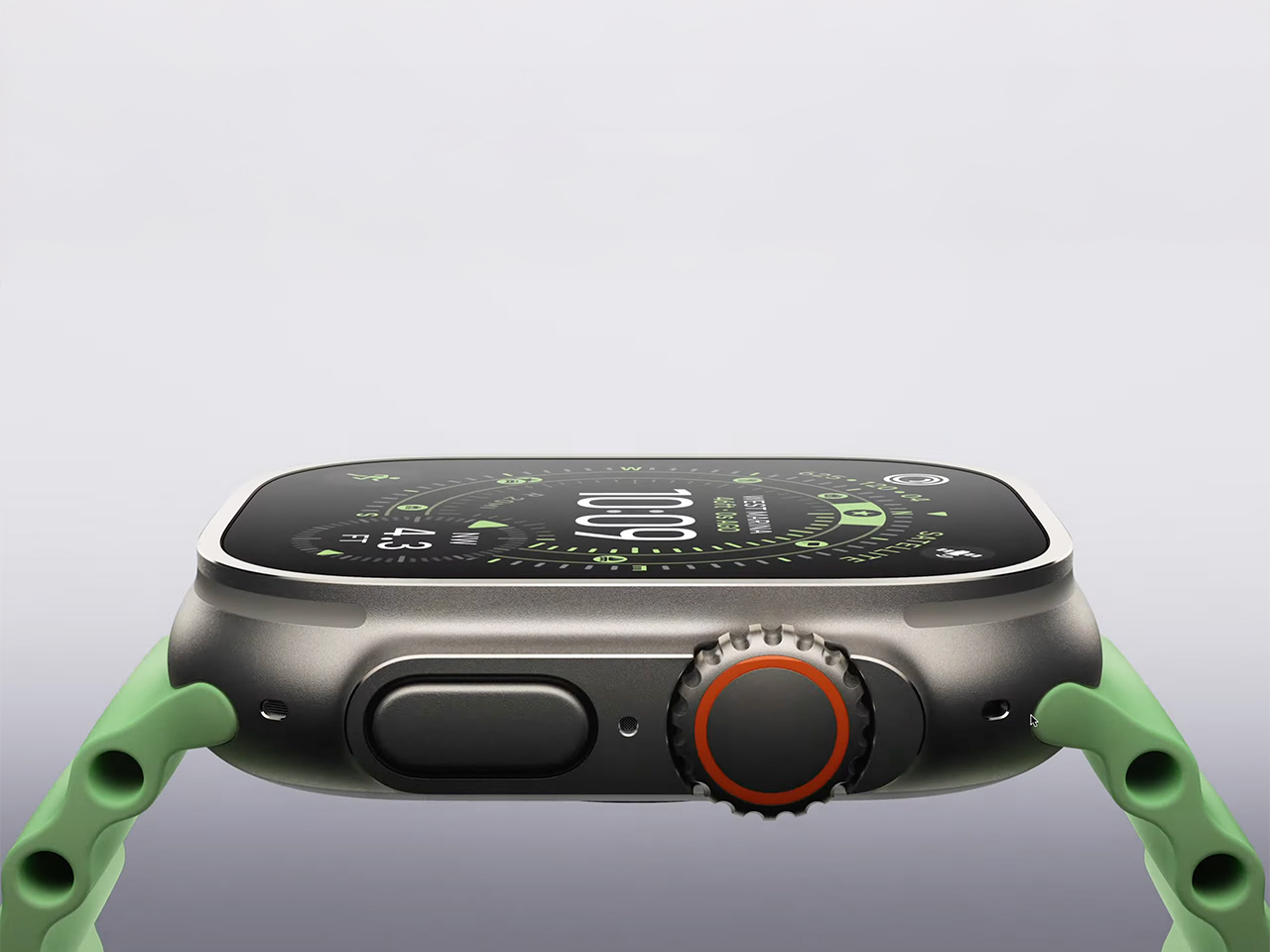
2. Apple Watch Ultra 3: The Pinnacle Of Display Technology
Apple’s Ultra 3 brings a new dimension to smartwatch displays, boasting the largest and most advanced screen ever fitted to an Apple Watch. With wide-angle OLEDs and LTPO3 technology, it’s readable at any angle—even in direct sunlight or underwater. Apple’s design team has maximized the display space by shrinking the borders, so you get a bigger, better canvas without a larger watch.
Always-on features are smarter and more efficient, staying visible without draining the battery. Real-time seconds and instant stats make it a must for athletes and adventure seekers. If clarity, screen quality, and high-tech durability are priorities, the Ultra 3 is at the head of the pack.
What we like
Expansive display with best-in-class readability in all conditions.
Always-on screen with high refresh and low power use.
What we dislike
Premium price puts it out of reach for some buyers.
Large size may not suit those with slimmer wrists.
3. Pebble Time 2: E-Paper Simplicity, Modern Craft
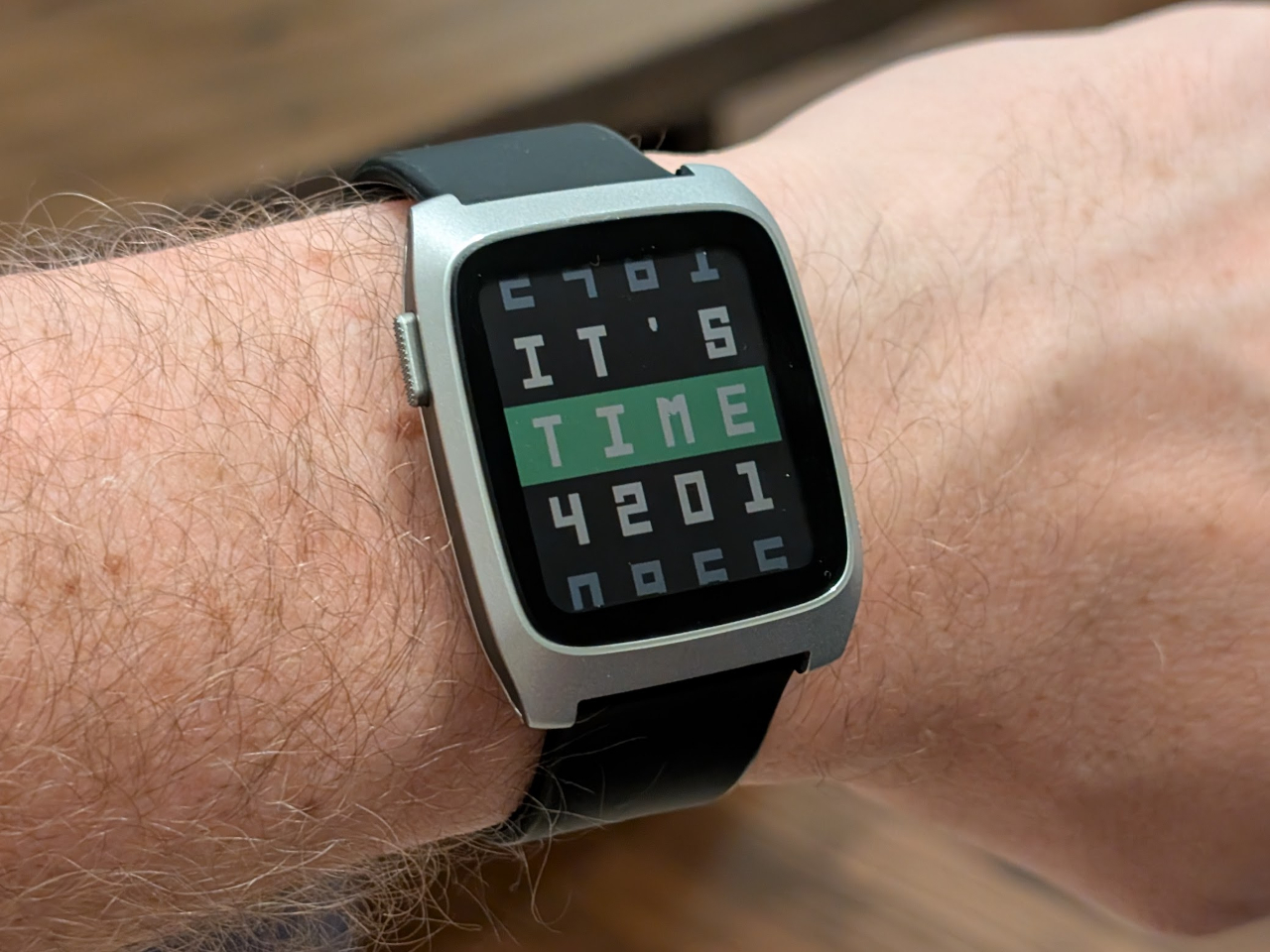
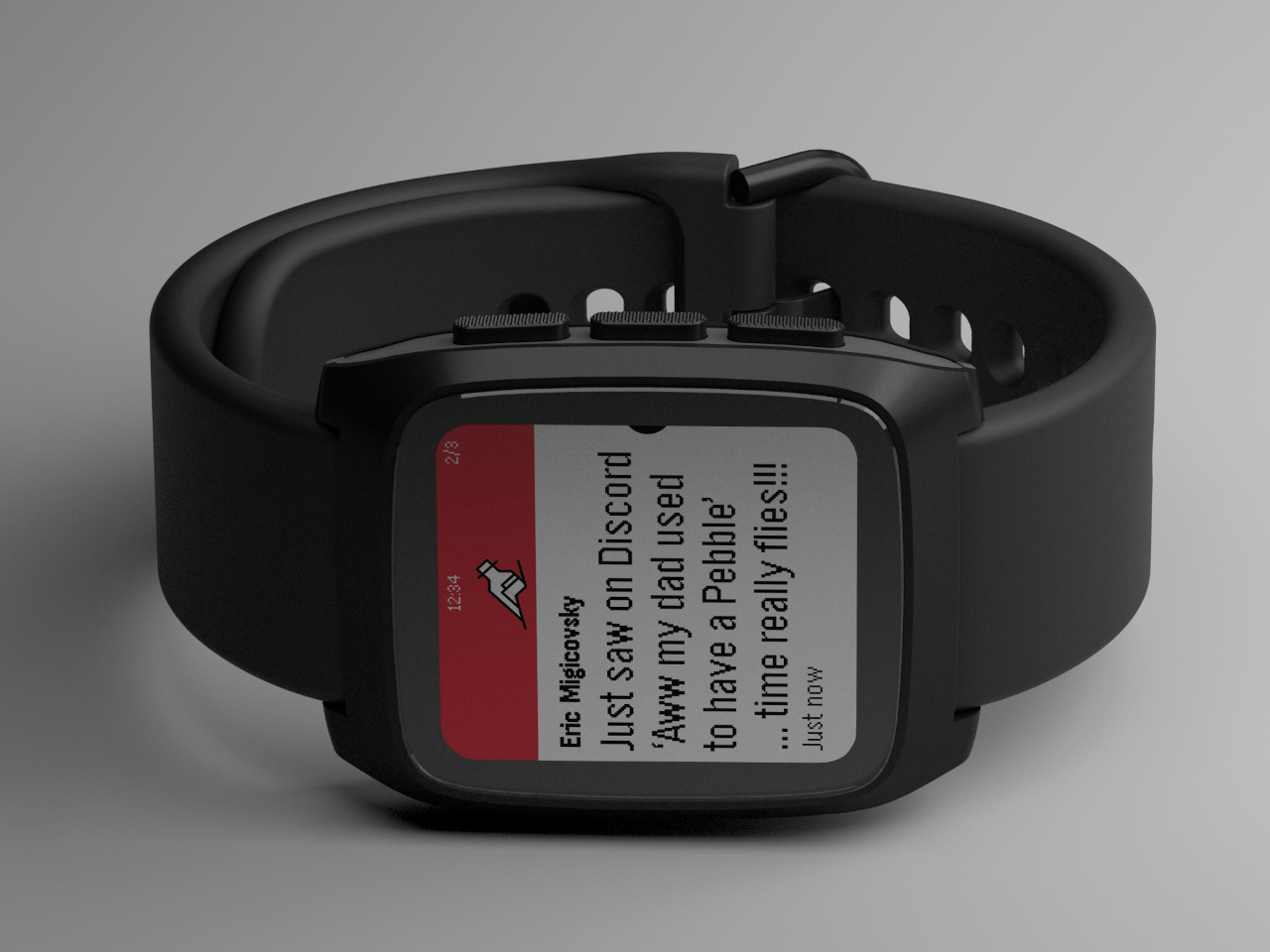
Pebble’s comeback is all about maturity and minimalism. The Time 2 features a stainless steel case and integrated lugs that create a seamless, intentional flow from the case to the strap. The nearly edge-to-edge 1.7-inch color e-paper display sits flush with the glass, inviting you to run your finger along its perfectly smooth edges. This is a smartwatch for those who crave simplicity and customization without sacrificing style.
Available in Silver, Black, and Champagne Gold, the Time 2 lets you swap out standard 22mm bands, making it adaptable for any look. It’s a refined, user-first foundation that feels both nostalgic and modern. The e-paper display also means longer battery life and easy outdoor readability.
What we like
Minimalist, sophisticated design with customizable bands.
E-paper display is gentle on the eyes and extends battery life.
What we dislike
Lacks the premium sensors and apps found on flagship smartwatches.
Refresh rate is slower than traditional OLED or LCD screens.
4. WearPods Hybrid Smartwatch: Earbuds On Your Wrist
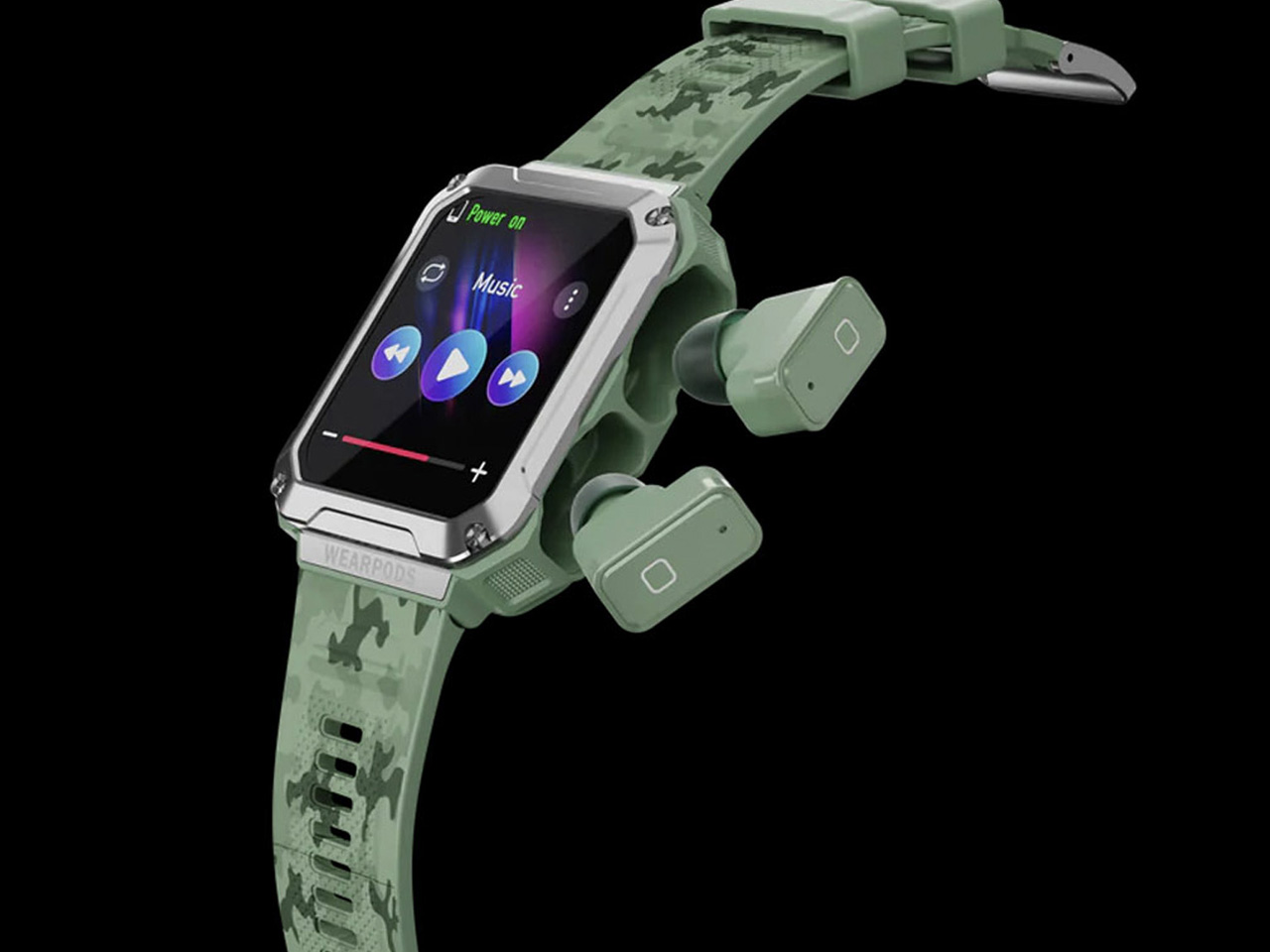
WearPods is a clever hybrid, hiding a pair of true-wireless earbuds within the body of a smartwatch. It’s designed for the forgetful and the futuristic, merging two essential devices into one. The 1.93-inch display and smart features are impressive, but the real magic happens when you pop out the earbuds with a satisfying click, ready for calls or your favorite playlist.
This all-in-one approach does come with some trade-offs. Packing both a smartwatch and earbuds into such a compact form means battery life isn’t stellar, and the ergonomics for both components might not suit everyone. Still, for tech lovers who want to reduce pocket clutter, it’s a novel solution.
What we like
Ingenious all-in-one design keeps your earbuds always accessible.
Appeals to gadget lovers and those prone to losing accessories.
What we dislike
Reduced battery life compared to single-function wearables.
Fit and comfort may not match dedicated smartwatches or earbuds.
5. Ollee Watch: A Classic Casio, Supercharged
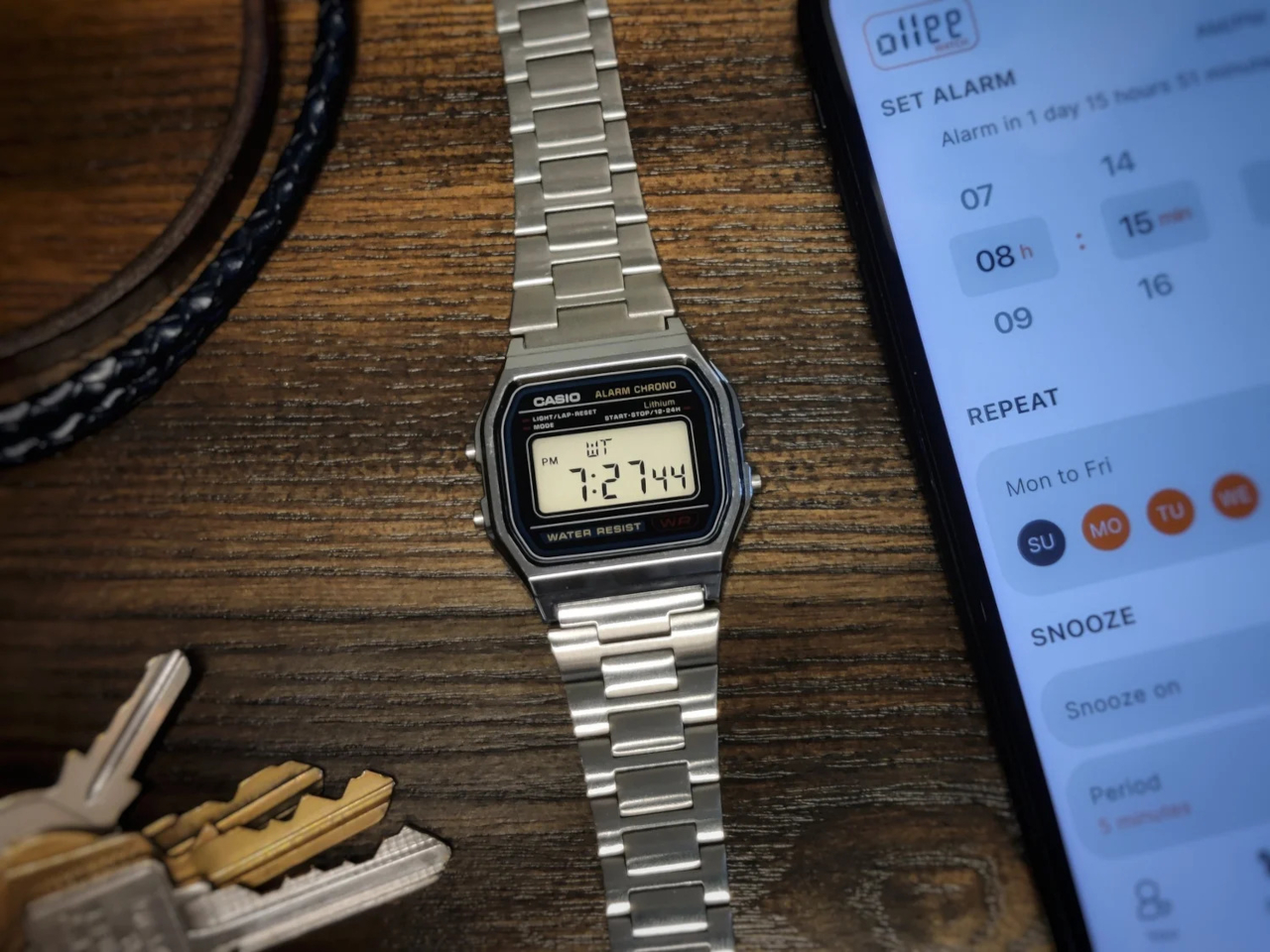
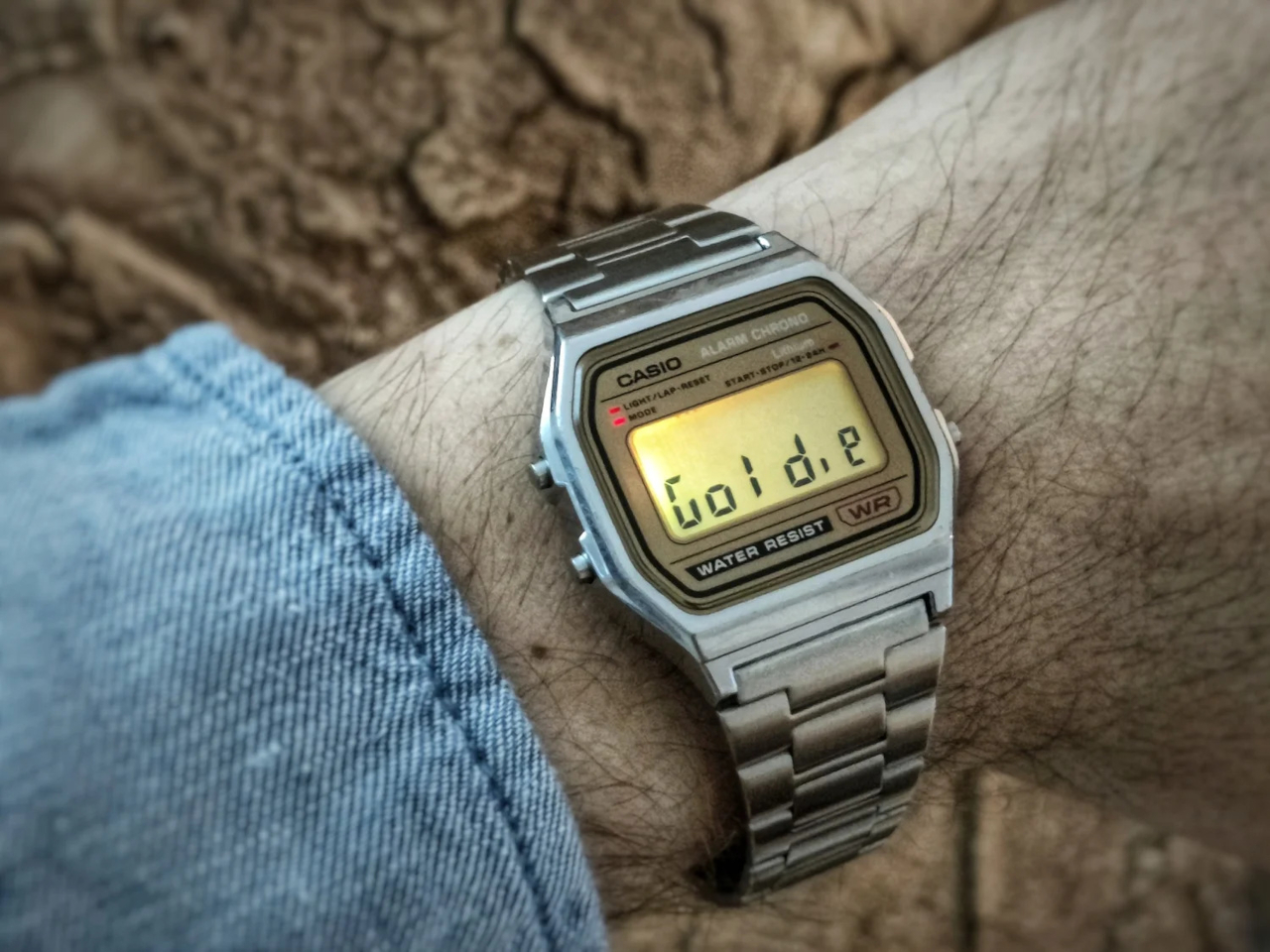
The Ollee Watch turns the classic Casio F-91W into a customizable smartwatch through a mainboard swap. You keep the retro resin case, LCD, and water resistance, while gaining step tracking, notifications, and Bluetooth. It’s a clever, open-source upgrade that bridges nostalgia and modern convenience.
DIY fans will appreciate the upgrade process, which doesn’t require advanced skills. The result is a connected, functional timepiece that feels both familiar and fresh—ideal for those who want to retain the original’s charm while adding new tech.
What we like
Maintains the beloved Casio design with modern smart features.
Open-source and DIY-friendly for personal customization.
What we dislike
Installation requires some technical ability and patience.
Not as feature-rich as premium smartwatches.
6. Garmin Instinct 3: AMOLED Or Solar For Every Adventure
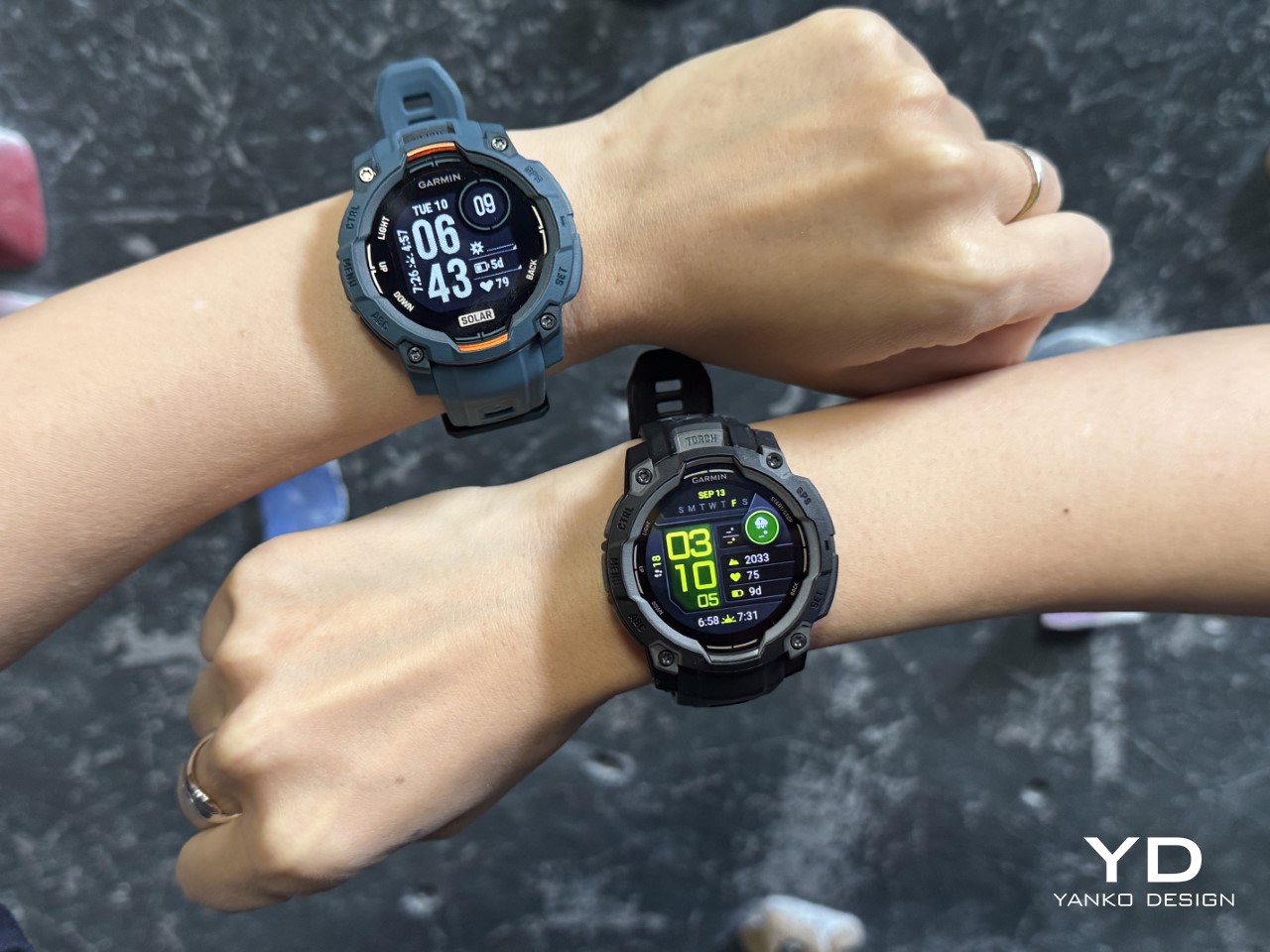
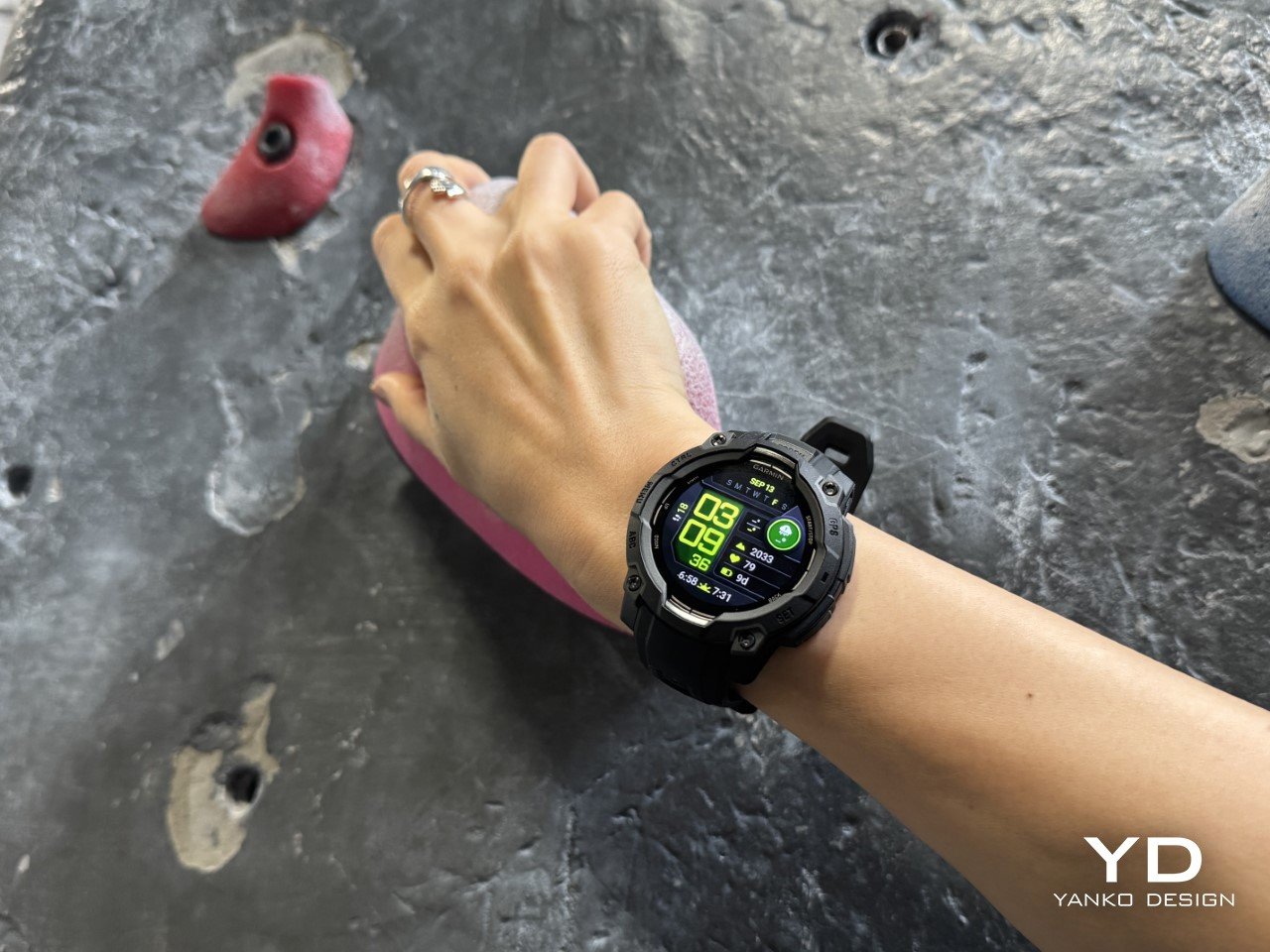
Garmin’s Instinct 3 offers versatility with AMOLED and solar-powered variants, each available in two sizes. The AMOLED model delivers vivid visuals for gym goers, while the solar model boasts unlimited battery life in sunlight—ideal for outdoor enthusiasts. Up to 24 days on a single charge sets a new standard for smartwatch endurance.
The Instinct 3 is built tough, with extensive fitness tracking and navigation features. While its rugged look won’t win fashion awards, its performance and battery options make it a reliable companion for any adventure.
What we like
Choice between super-bright AMOLED and solar-powered battery.
Outstanding battery life and rugged durability.
What we dislike
Solar models require regular sunlight for the best results.
Functional, utilitarian design isn’t for style seekers.
7. TAG Heuer Connected Calibre E4 45MM x Oracle Red Bull Racing
TAG Heuer’s collaboration with Oracle Red Bull Racing produces a standout luxury smartwatch. The 45mm DLC titanium case, bold racing-themed strap, and dial make it a collector’s item. It’s packed with features for health, fitness, and lifestyle, all wrapped in the prestige of Swiss watchmaking.
This is a watch for motorsport fans and those who appreciate both tradition and cutting-edge tech. While its price and look may not be for everyone, it’s a striking fusion of speed and sophistication.
What we like
Luxurious materials and exclusive Red Bull Racing design.
Offers comprehensive smart features with top-tier build quality.
What we dislike
High price limits its accessibility.
Bold styling may not suit everyday wear or all tastes.
8. Apple Watch Series 11: The Ultimate Health Monitoring Device
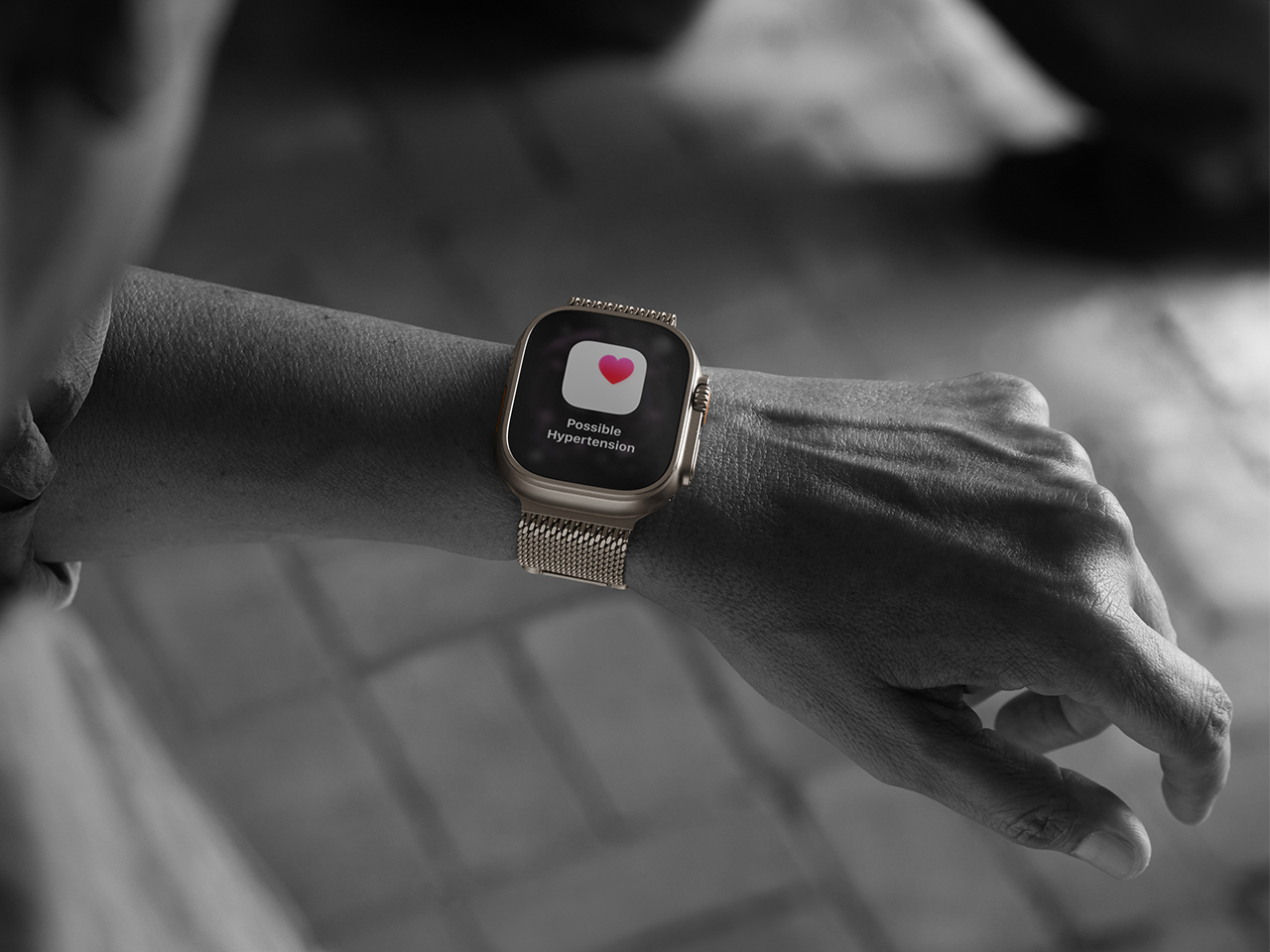
Apple’s Series 11 sets a new bar for health-focused smartwatches. With advanced sensors, silent killer detection, and always-on ECG, it’s the most feature-packed Apple Watch yet. Hardware upgrades ensure it’s more durable and connected than ever, while seamless integration into the Apple ecosystem makes it a natural choice for iPhone users.
It’s designed for those who want a blend of style, utility, and medical-grade monitoring on their wrist. The only major downside is its battery life, which still requires daily charging.
What we like
State-of-the-art health monitoring and medical features.
Refined design and perfect compatibility with iPhone.
What we dislike
Battery life is only average, requiring daily top-ups.
Works best only within the Apple ecosystem.
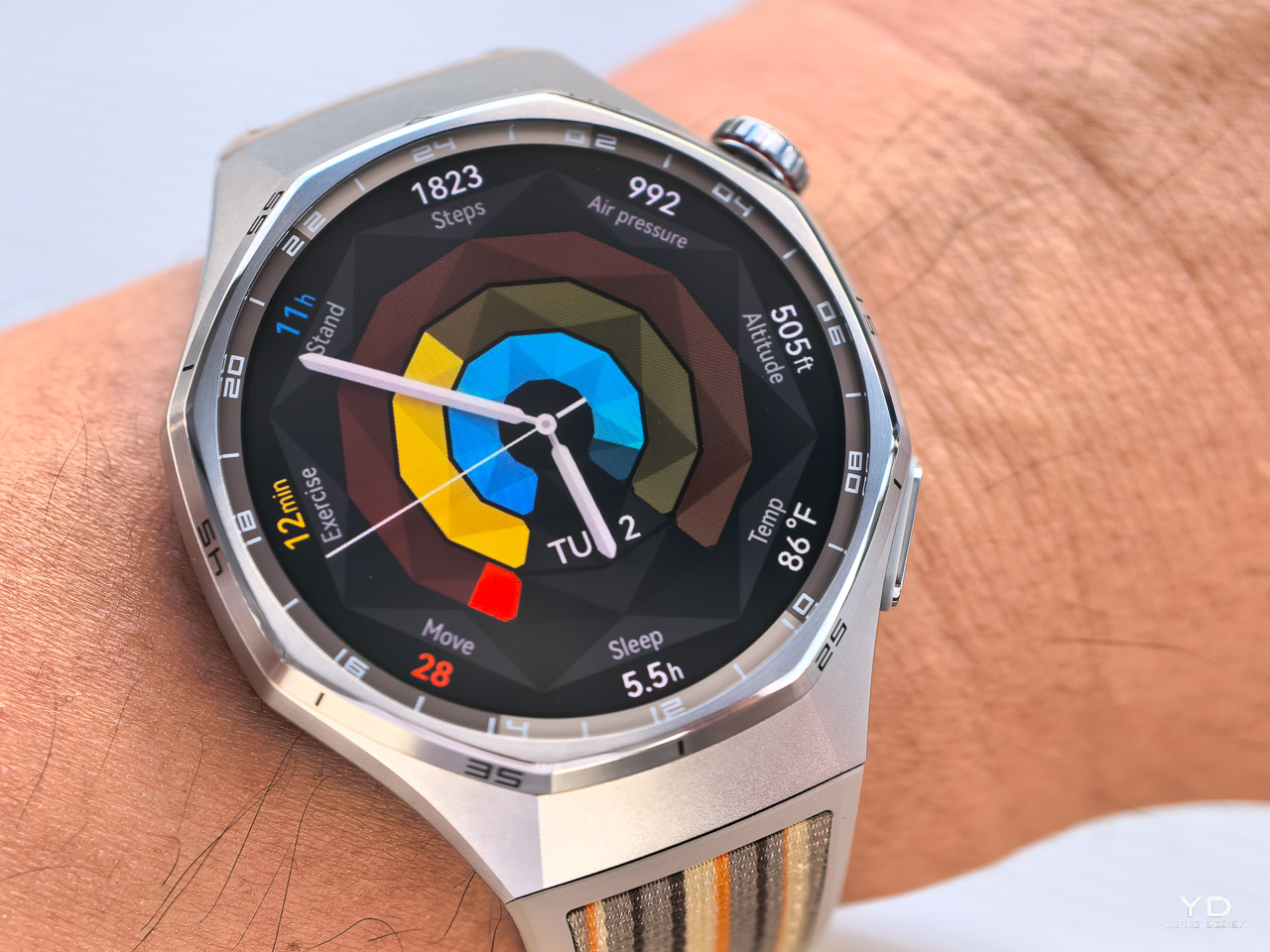
9. Huawei Watch GT 6 Pro: Built For Endurance
The Huawei Watch GT 6 Pro is built for athletes who need their gear to last. Its sapphire crystal display and titanium case shrug off scratches and impacts, while the 21-day battery life is a game-changer for training camps and expeditions. Peak brightness makes it easy to read outdoors, and pro-grade GPS and tracking features cater to serious runners and cyclists.
While its focus is on endurance and performance, it may not have the app ecosystem or lifestyle features of more mainstream smartwatches.
What we like
Ultra-durable with sapphire crystal and titanium construction.
Long-lasting battery ideal for extended use and adventures.
What we dislike
Limited app selection compared to Apple and Wear OS.
More fitness-focused, less suited for general lifestyle use.
Ksana’s hybrid smartwatch puts a small E Ink display at the center, overlaying an analog dial with glowing hands. This battery-saving approach means you get only the essential info, without distractions or frequent charging. The analog movement adds classic charm, while the display excels in any lighting.
It’s ideal for anyone who values simplicity and mindfulness over a barrage of notifications. The pared-back approach means you’ll miss out on richer app experiences, but for many, that’s a feature, not a bug.
What we like
E Ink display provides superb battery life and readability.
Analog-mechanical movement adds timeless appeal and night usability.
What we dislike
Limited information display and few smart features.
Not for those who want colorful screens or app-rich experiences.
Final Thoughts: Which Smartwatch Fits Your Life?
Choosing the right smartwatch in October 2025 is all about matching your personal style, needs, and habits. This year’s lineup is more diverse than ever, from the boldest gaming wrist rigs to the most subtle hybrid analogs. Whether you crave battery life, health tracking, luxury, or sheer uniqueness, there’s a wearable that aligns with your priorities.
The best smartwatch is the one that disappears into your day and amplifies what you value most, whether that’s adventure, connectivity, or simplicity. As innovation continues to redefine what’s possible on your wrist, you have more freedom than ever to choose a device that feels tailored just for you.
PIRG delivered a letter signed by hundreds of organizations asking Microsoft to reconsider cutting support for Windows 10 and extend support for the world's most popular OS.
Windows 10 logo on a clock close to striking midnight.
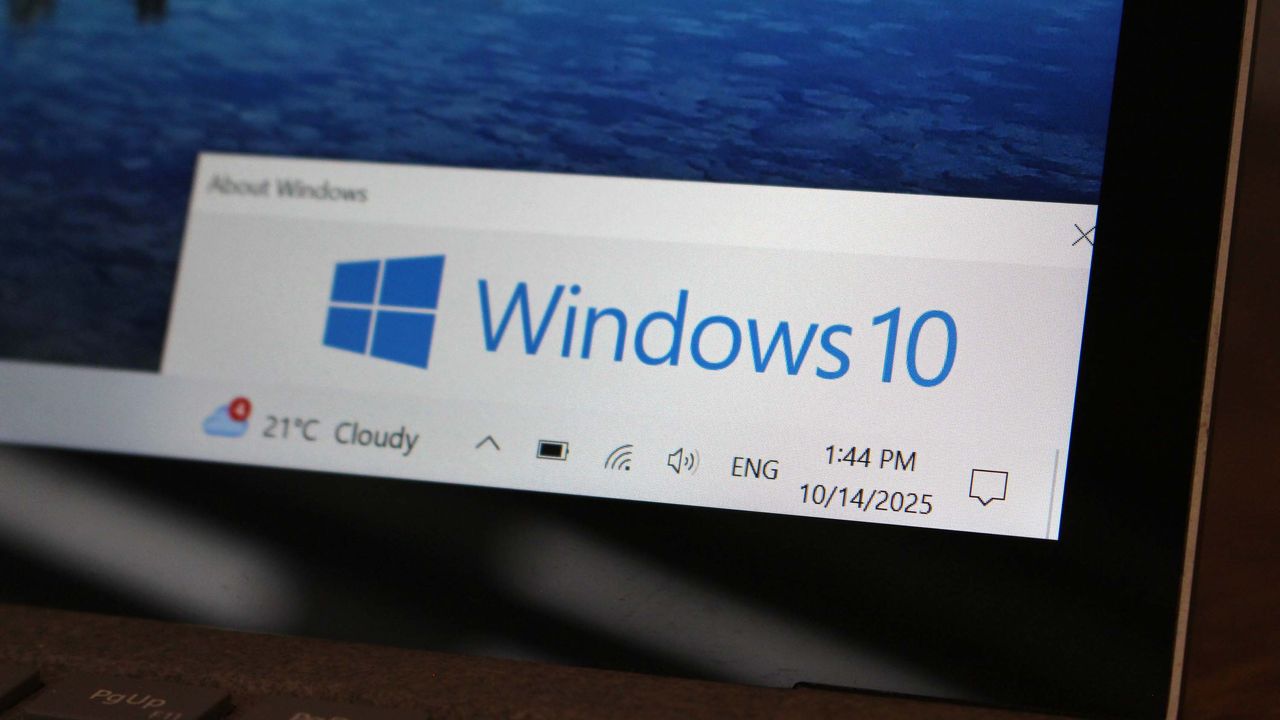
Windows 10 support ends October 14. That means you have just one week remaining before your PC becomes unsupported. Here's what that means and how you can ensure your PC remains secure.
Windows 10 running on a laptop with desktop elements displayed on its screen
Microsoft has now released the March 2025 update KB5068221 (OS Build 26100.6588) for PCs running Windows 11 24H2. The update KB5068221 brings fixes for problems with Office apps. Checkout the full changelog below: Improvements This Out-of-band (OOB) update includes quality improvements. This update is cumulative and includes security fixes and improvements from the September 9, 2025, […]

 Connexion