Vue lecture

Il y a de nouveaux articles disponibles, cliquez pour rafraîchir la page.

This classic 1979 LEGO computer brick hides a fully functional Mac mini workstation inside
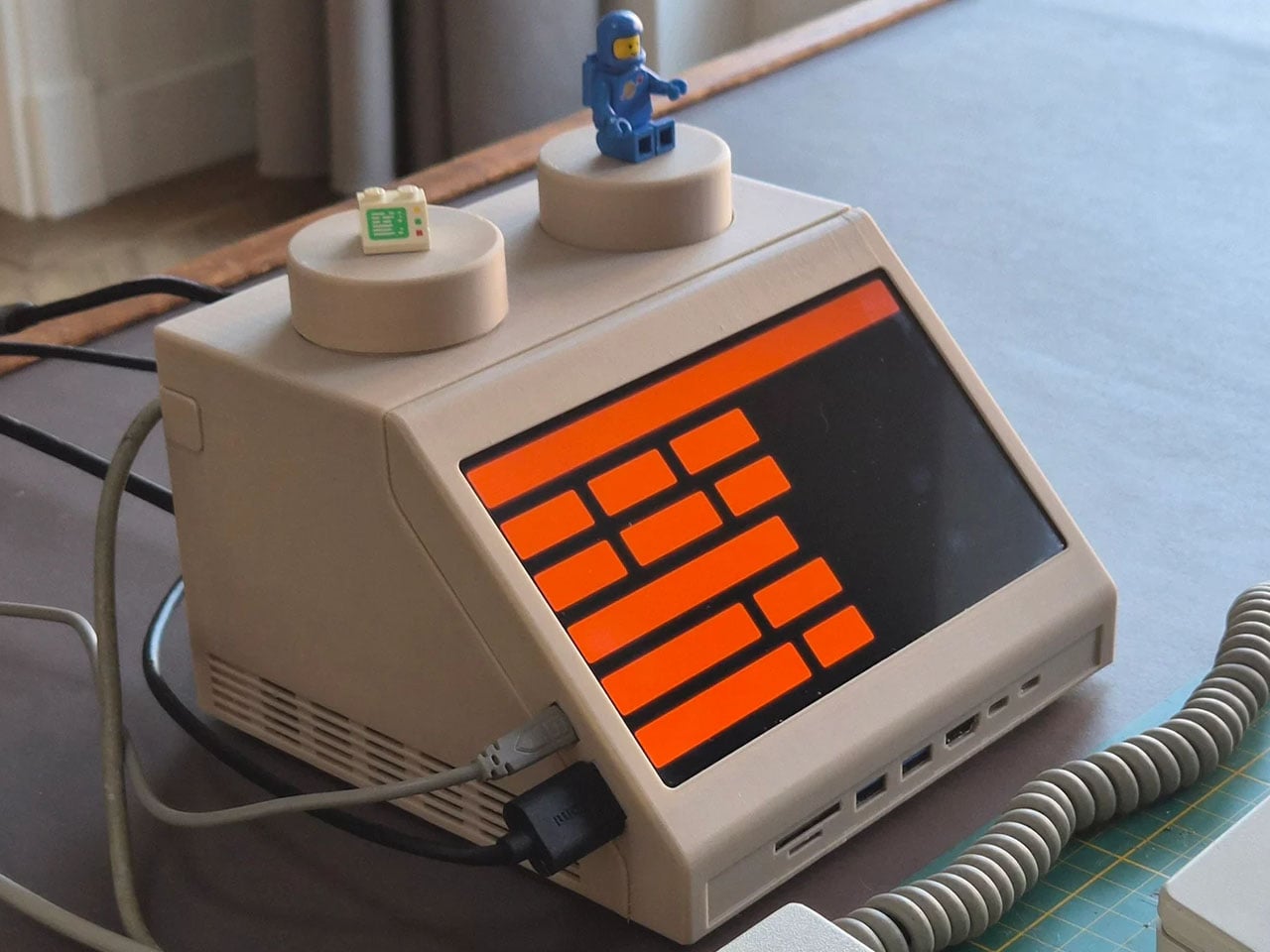
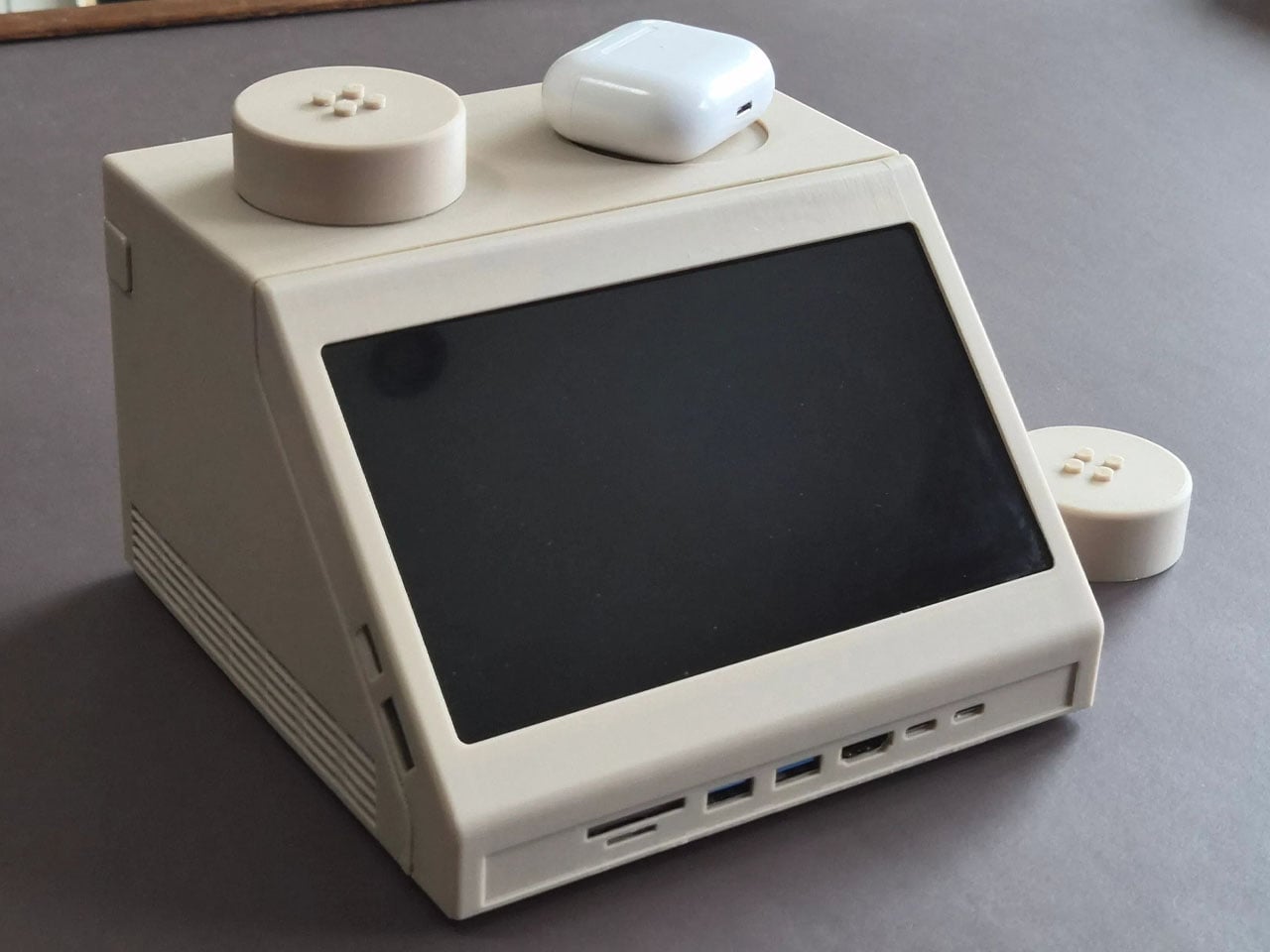
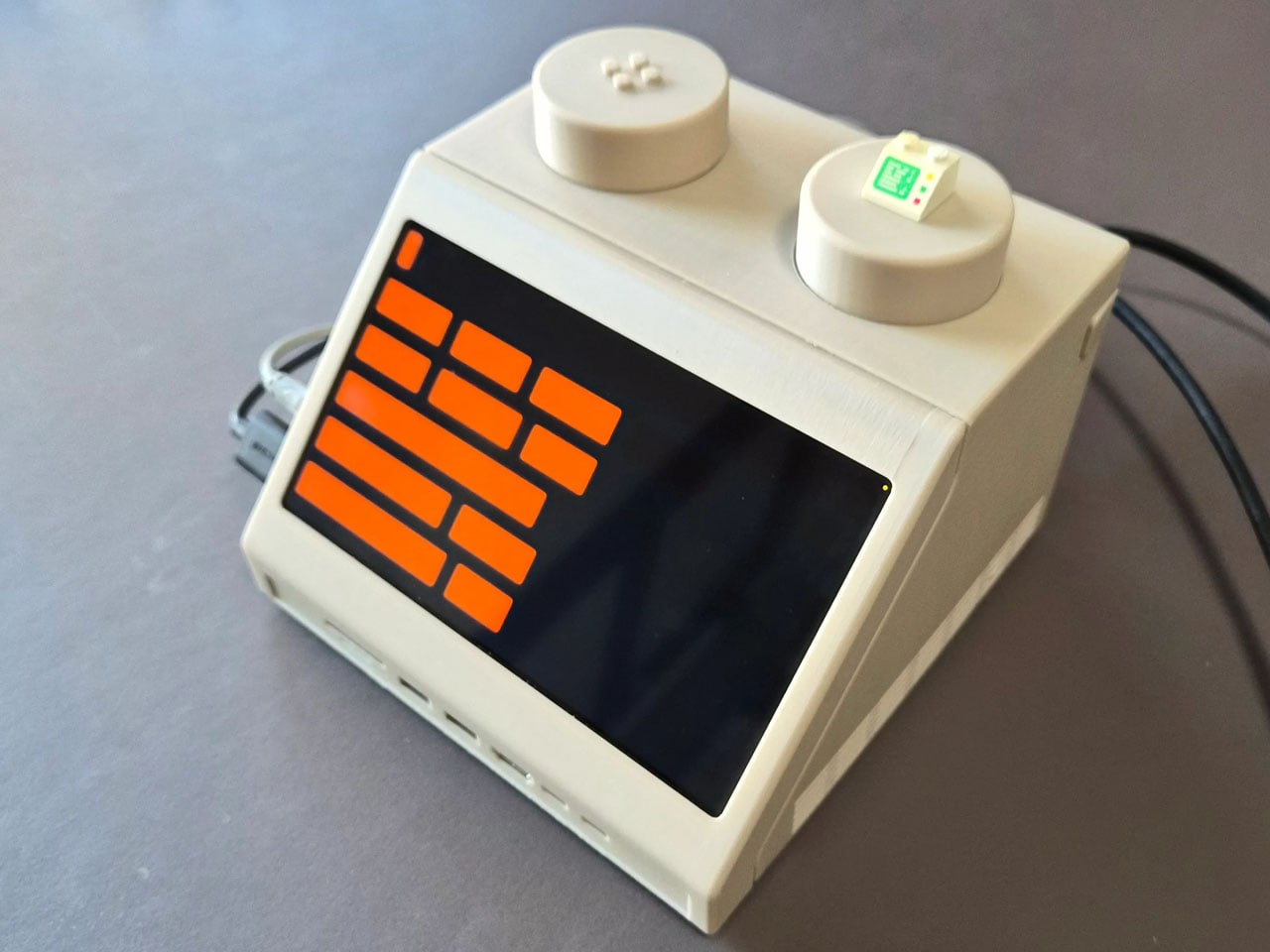

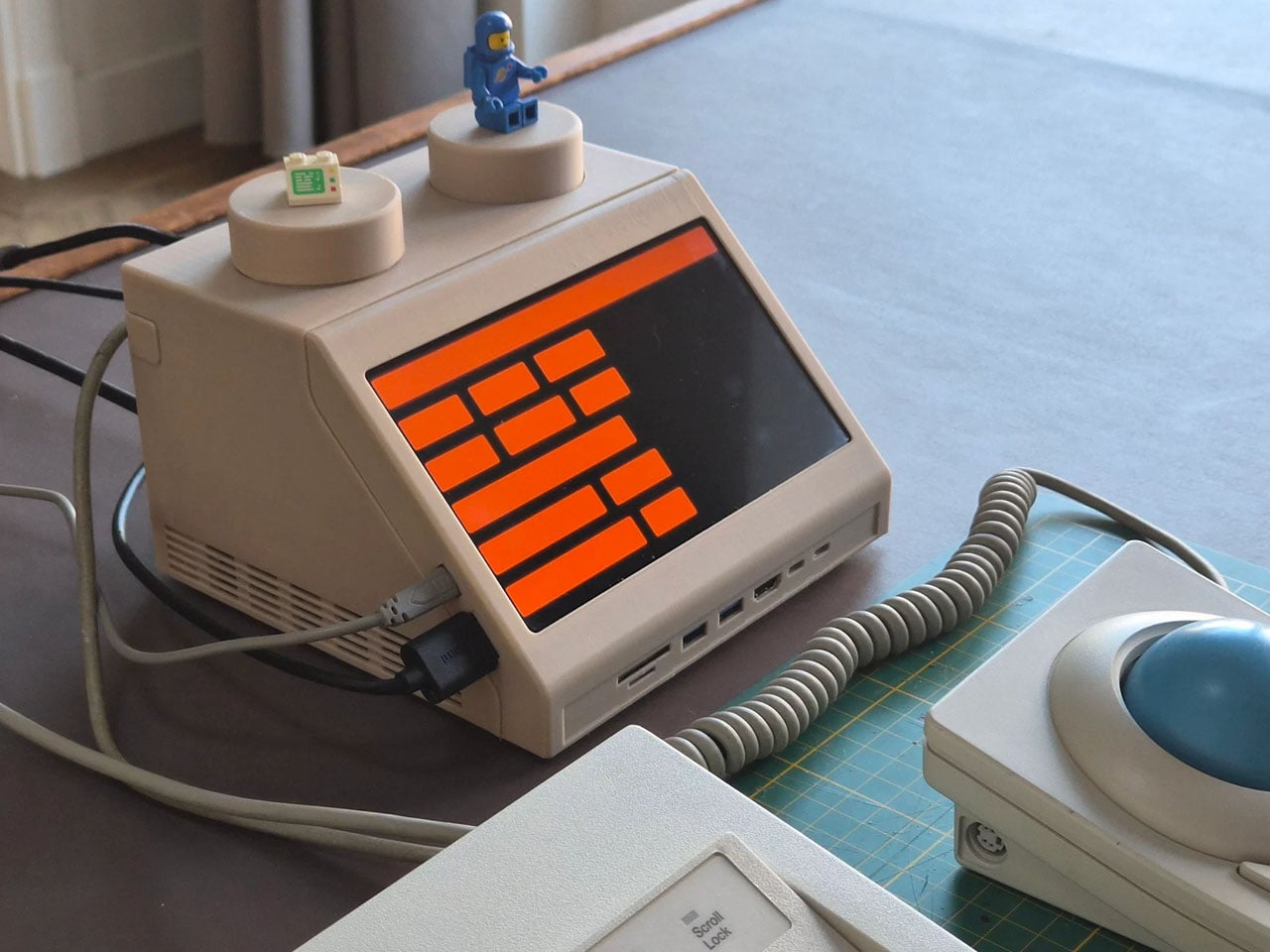

Retro designs often carry a sense of nostalgia, but occasionally they evolve into something more functional and imaginative. The M2x2 workstation by Watt IV is a good example with the inventive reinterpretation of a classic LEGO element transformed into a fully working desktop computer. Created by Dutch designer Paul Staal, the device takes inspiration from the iconic sloped LEGO computer brick introduced in 1979 and scales it up into a practical workstation powered by a modern Mac mini.

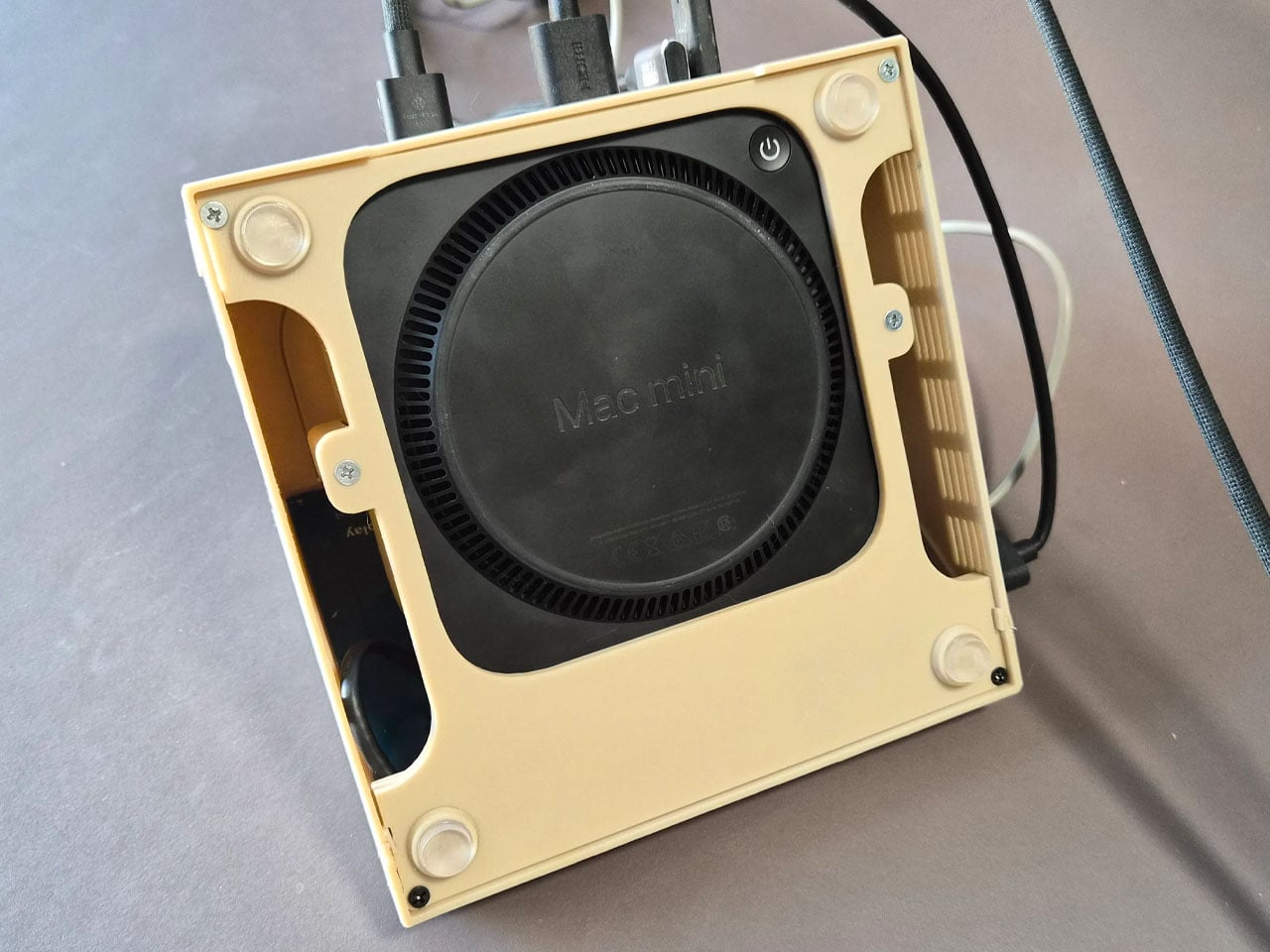
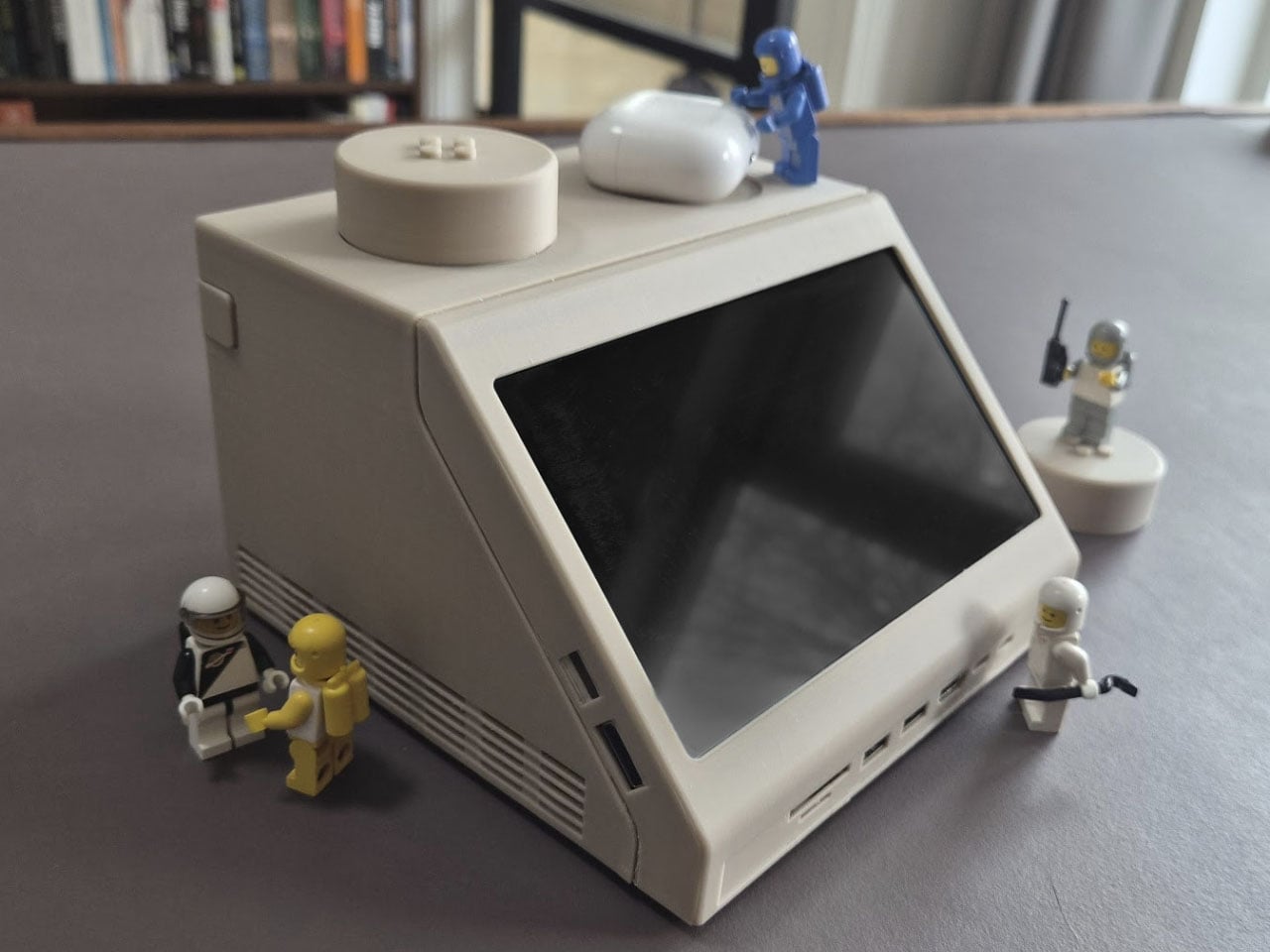
The DIY centers around the familiar wedge-shaped Slope 45 2×2 LEGO piece, a part historically used in LEGO space-themed sets as a representation of computer terminals inside spacecraft cockpits. Staal enlarged this element to roughly ten times its original size, turning it into a functional housing that blends retro toy aesthetics with contemporary computing power. Inside the oversized brick sits an Apple Mac mini equipped with Apple’s M4 chip, transforming the playful concept into a capable desktop system.

Designer: Paul Staal
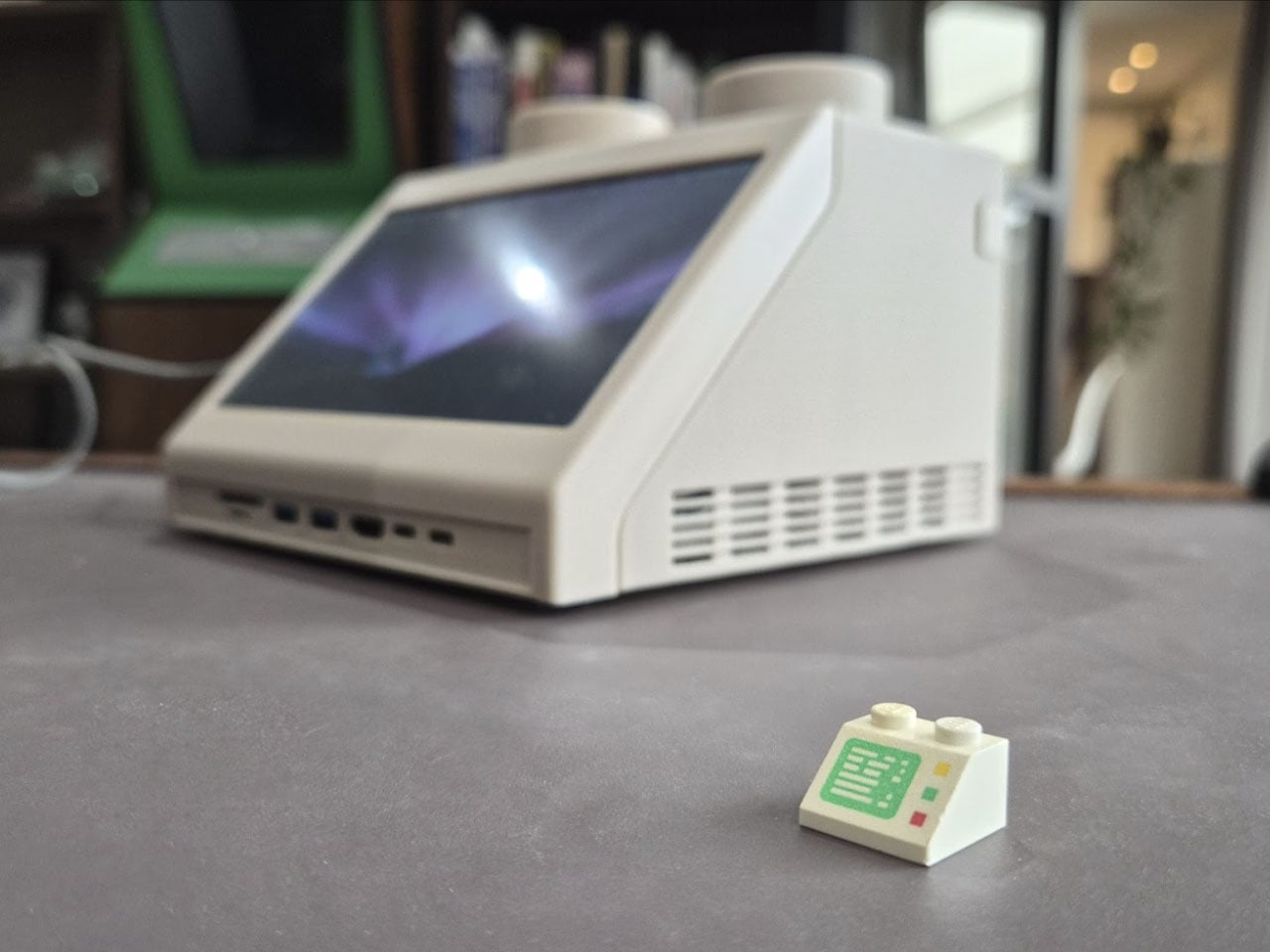
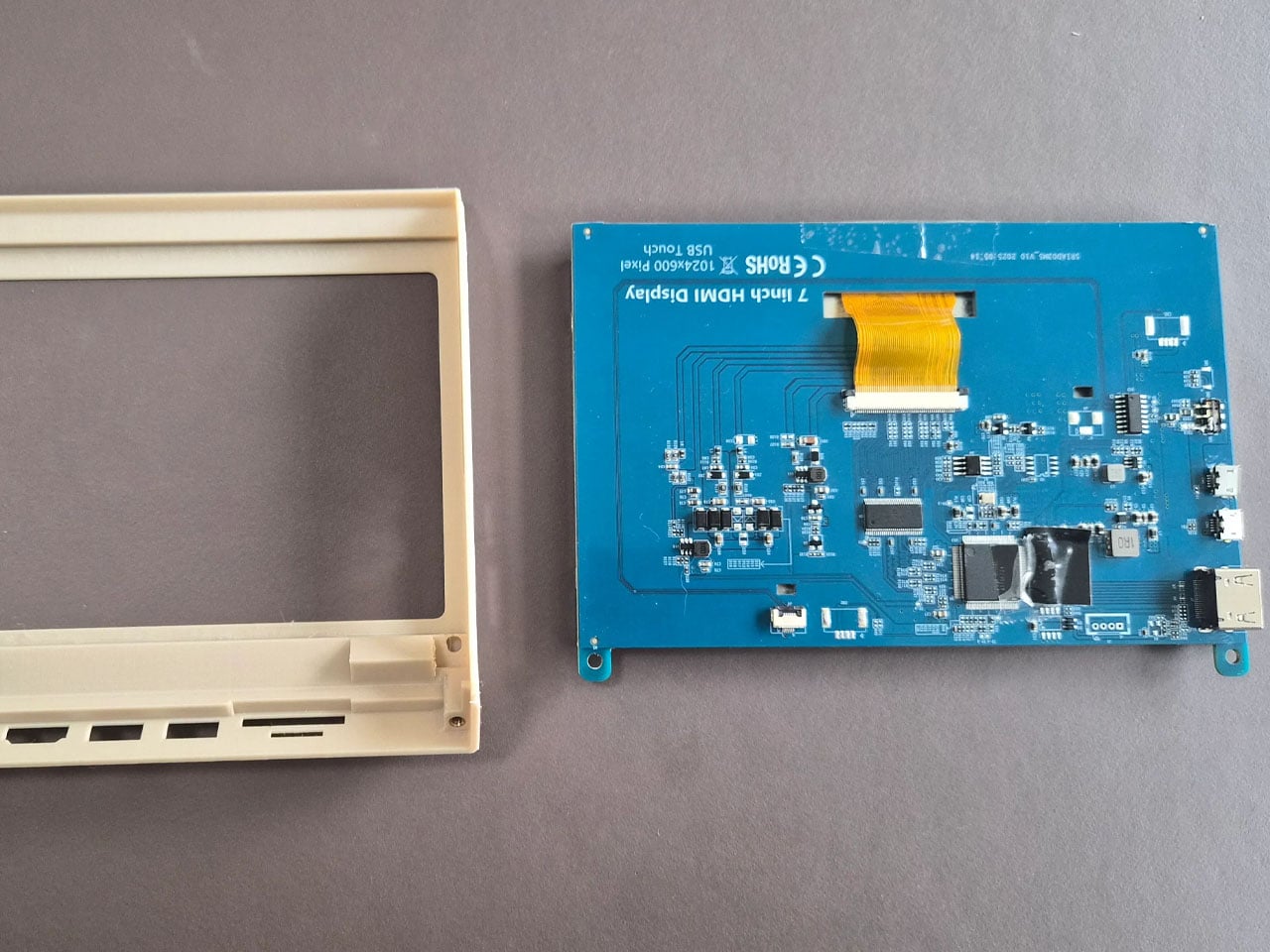
Rather than serving as a simple decorative shell, the M2x2 integrates several practical features that enhance its usability as a workstation. A slanted 7-inch IPS touchscreen is embedded in the front face of the structure, echoing the display graphic printed on the original LEGO piece while providing real functionality. The compact screen acts as a secondary interface, often used for quick system information or dashboards. Staal, for instance, uses it primarily to monitor and control his smart home through a Home Assistant interface while working on a larger external display.
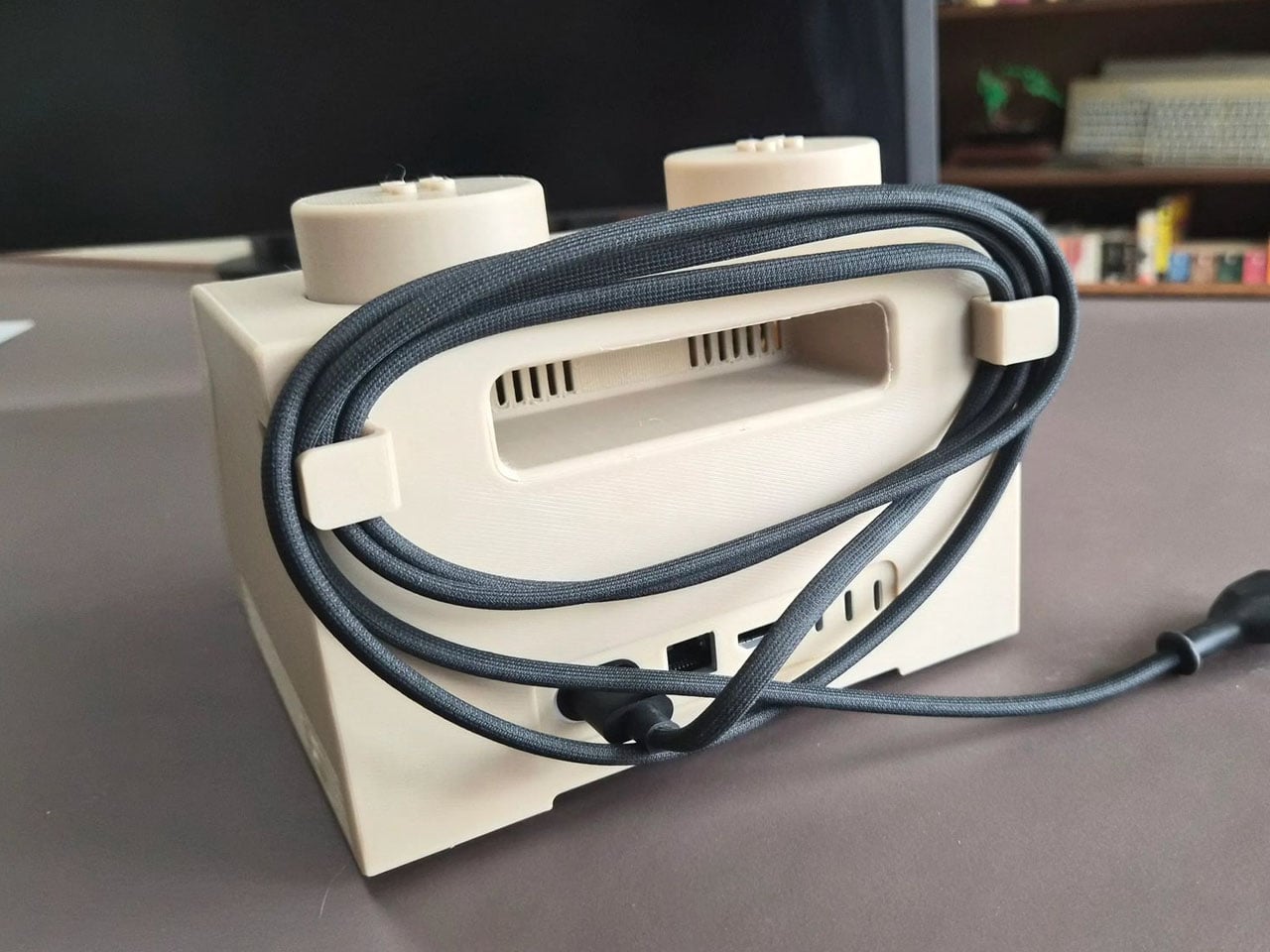

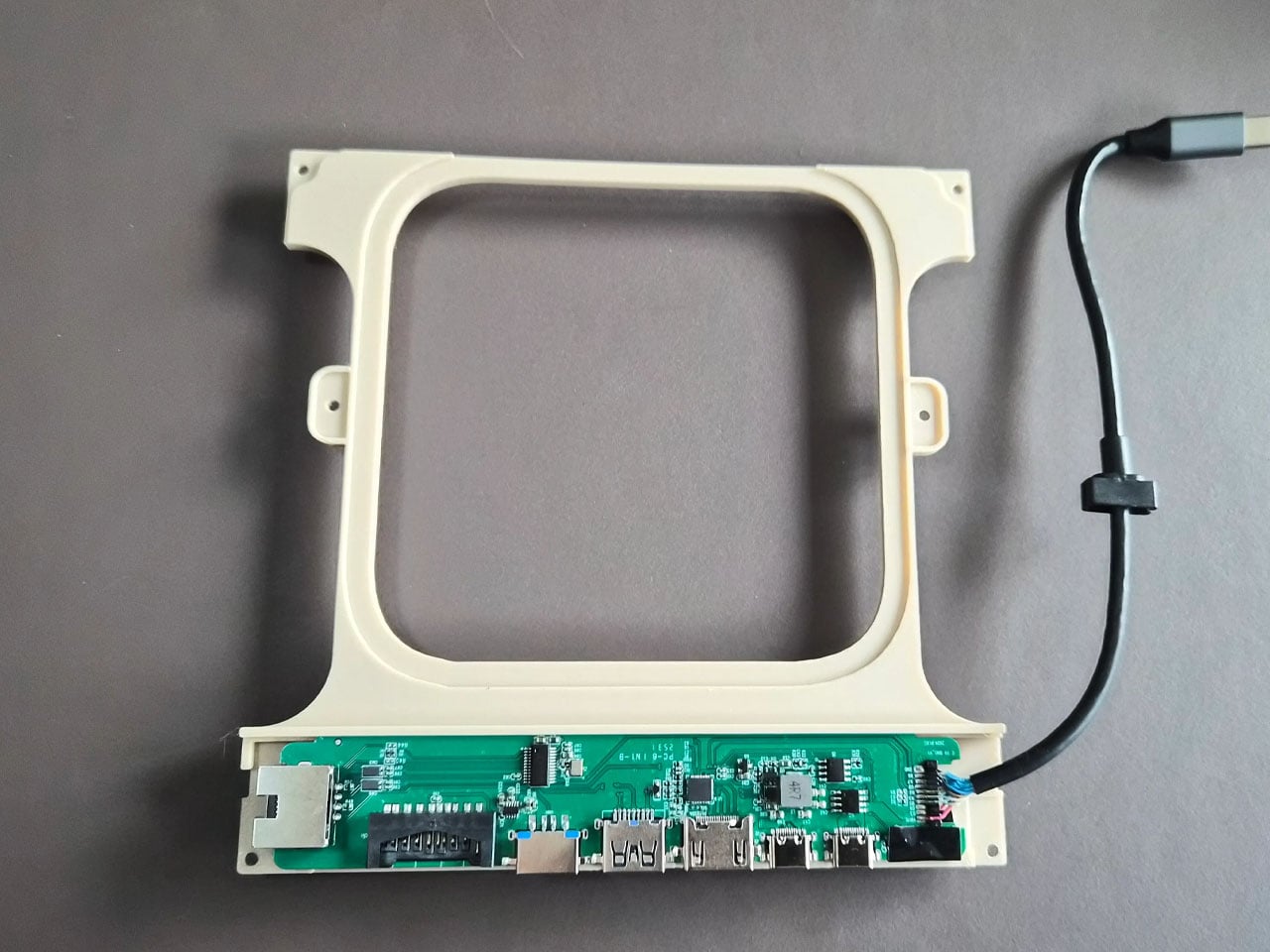
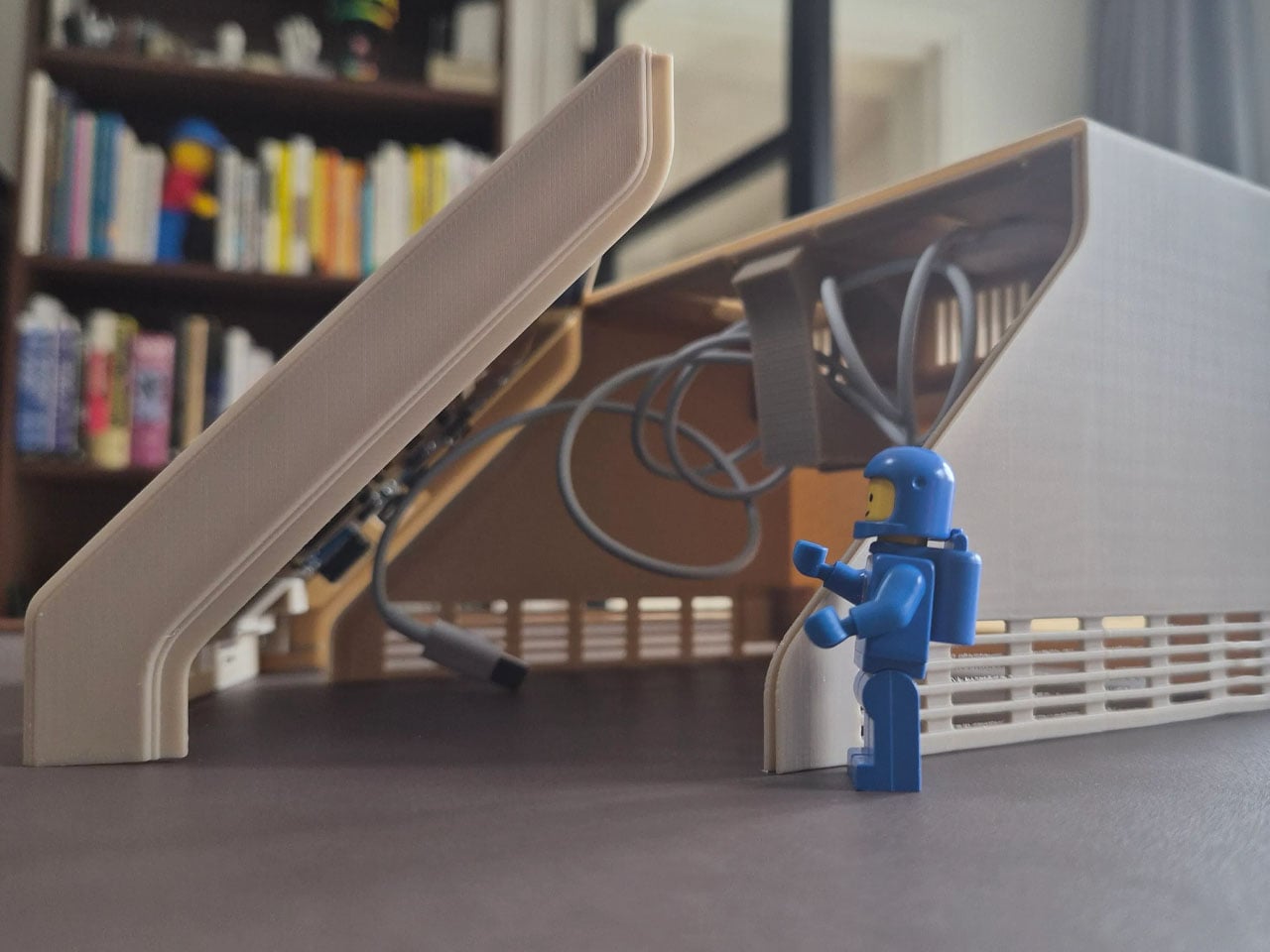
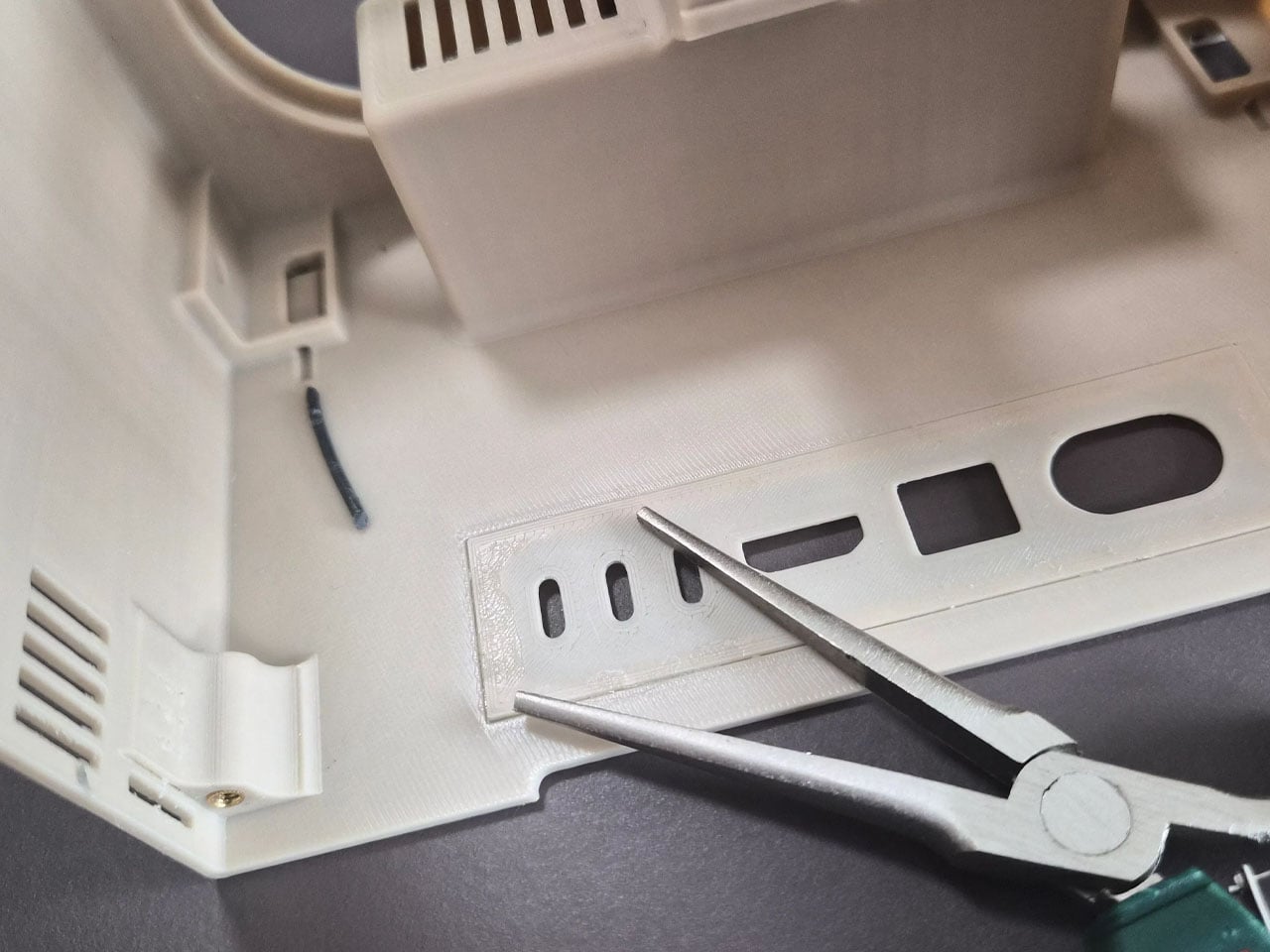
The case includes front-facing ports enabled through a USB-C hub, along with an SD card reader for easy access to external storage and accessories. This arrangement ensures the device remains practical for everyday use despite its playful form factor. The system also retains portability elements inspired by early Apple computers, including a built-in handle at the back that makes the unit easy to move around a desk or workspace. While the M2x2 works as a self-contained computer, it is typically paired with a larger external monitor for full productivity. In everyday use, the Mac mini handles the heavy computing tasks while the built-in display functions as a control panel or status screen.
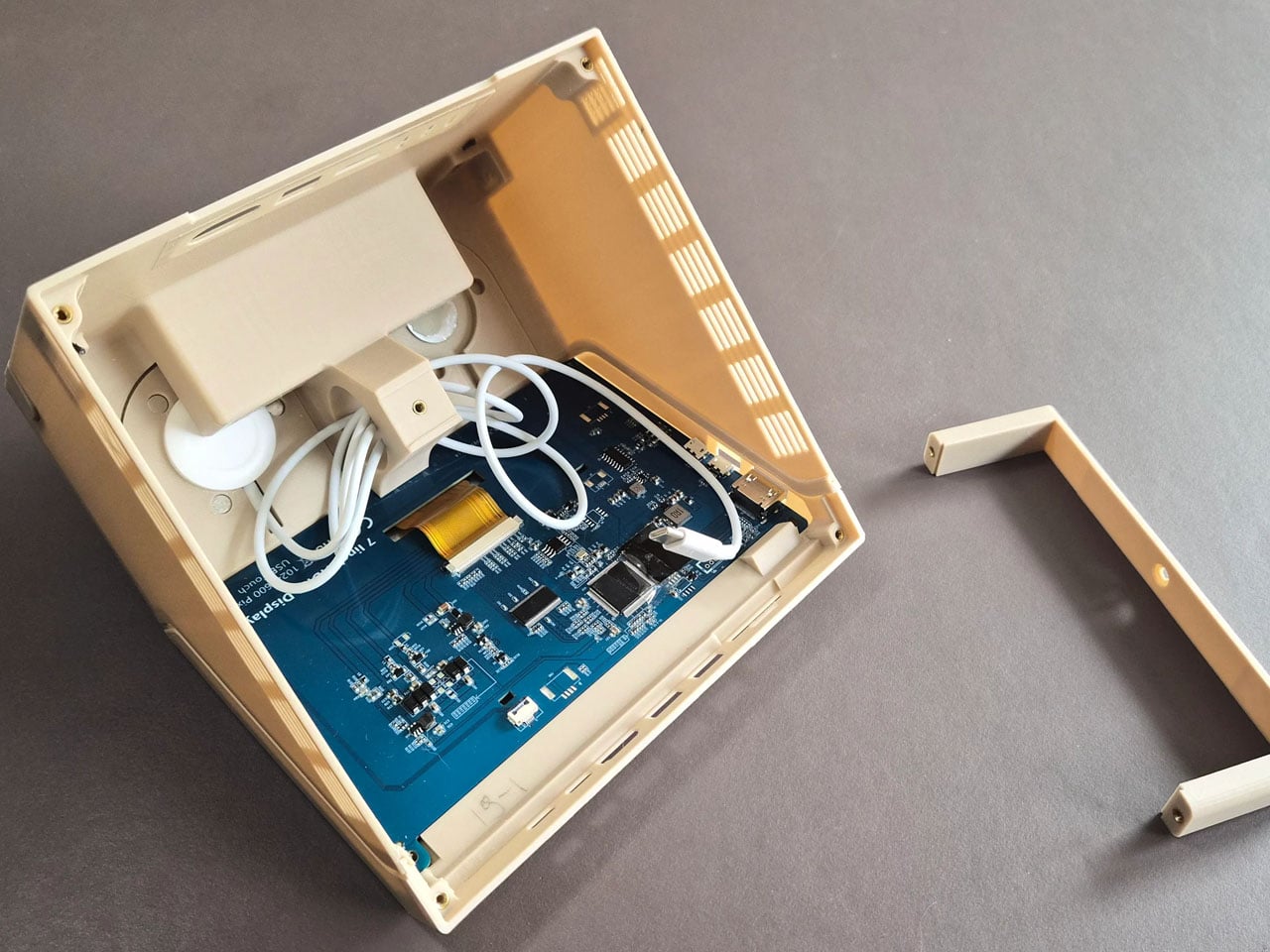
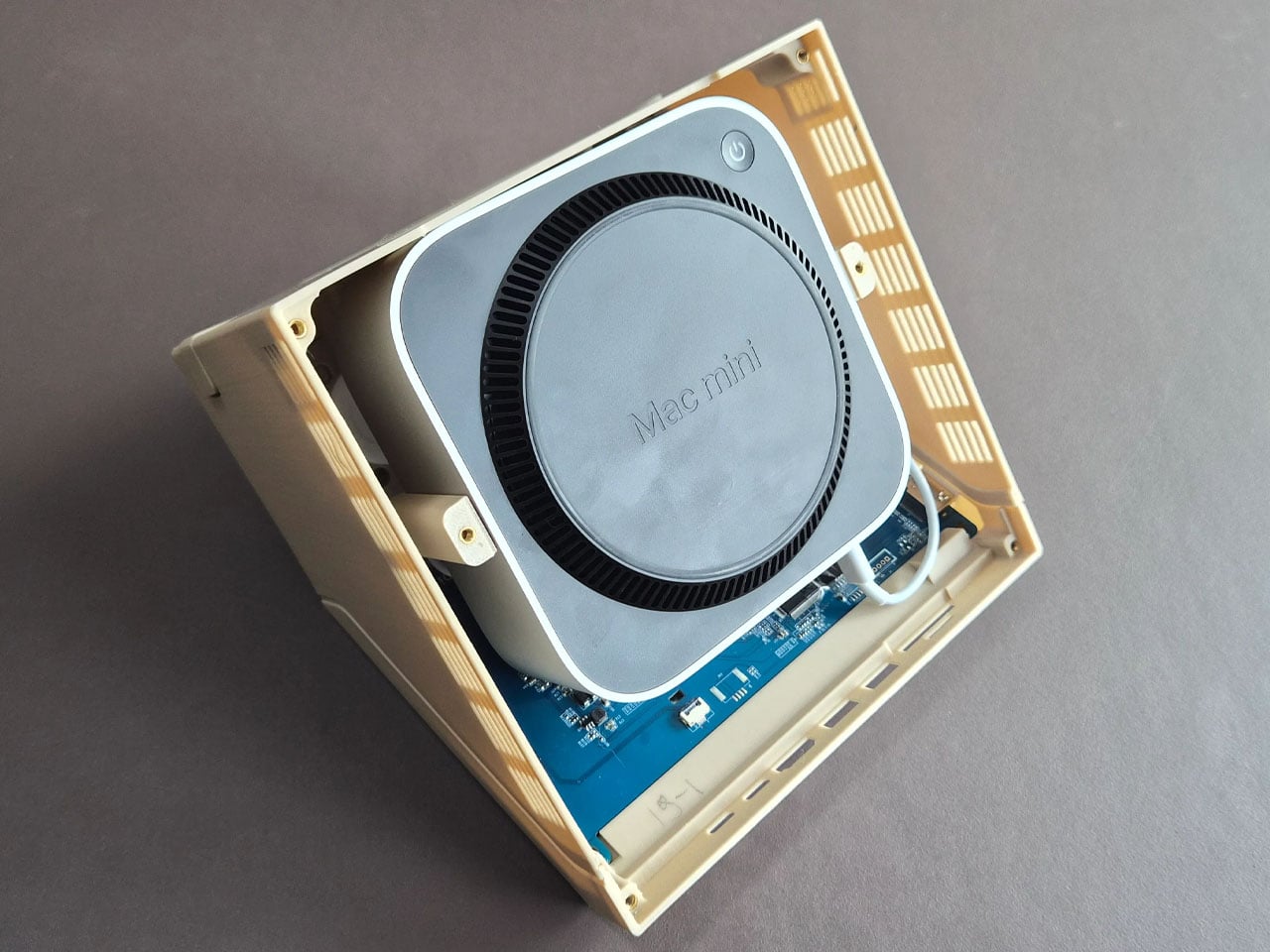
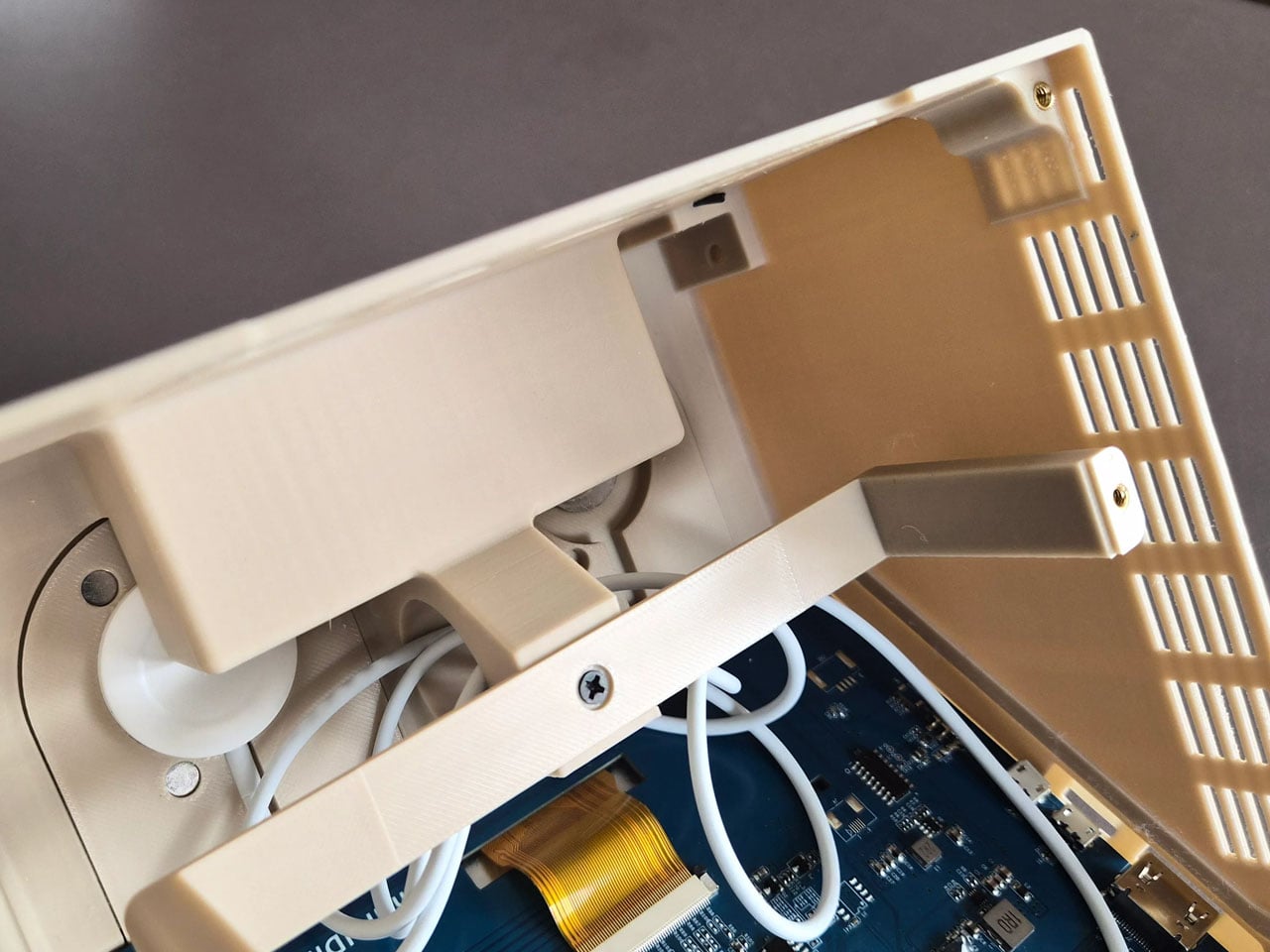
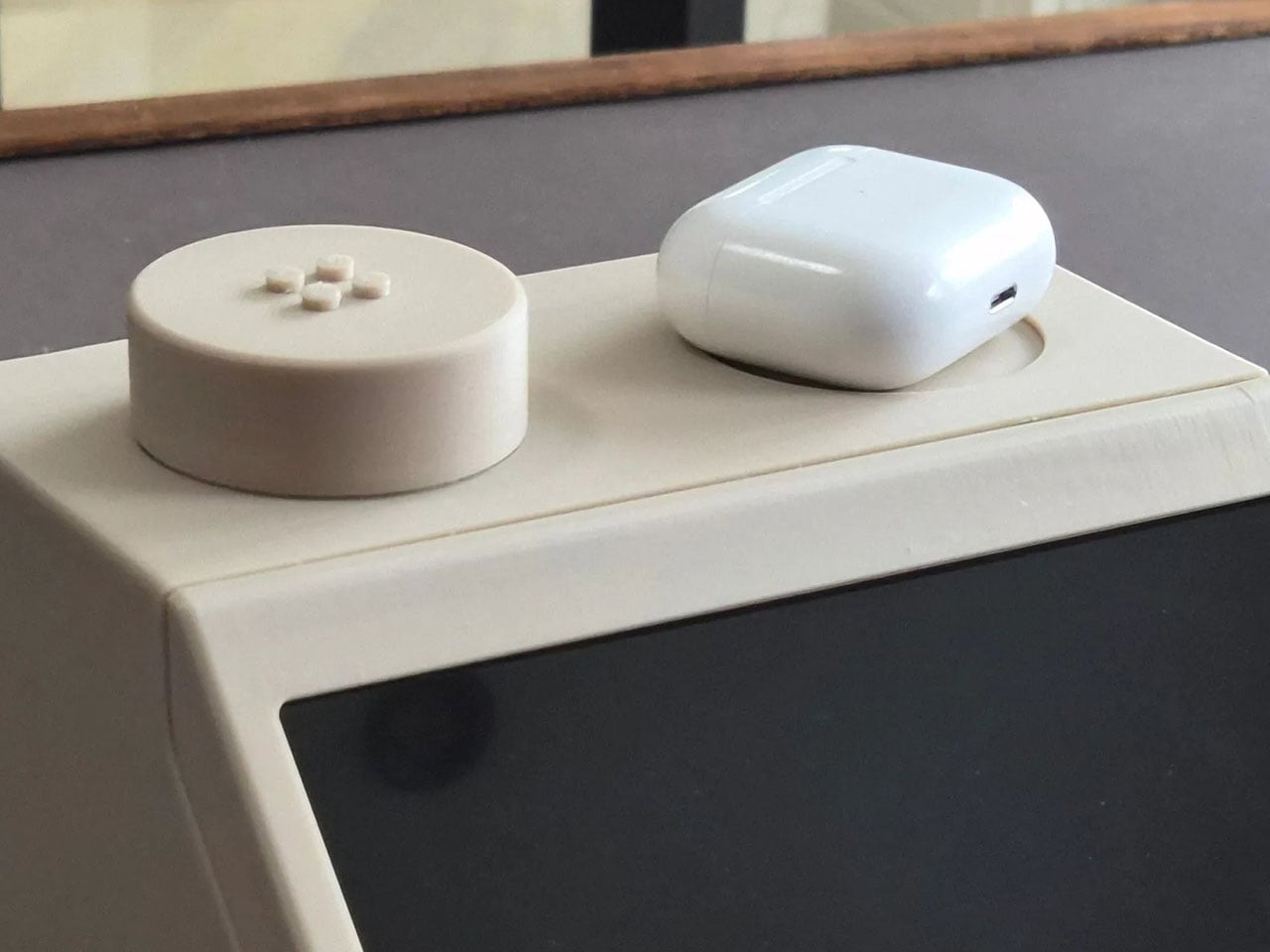
Perhaps the most creative detail lies in the oversized LEGO studs on top of the case. Instead of being purely decorative, these studs are designed to perform useful functions. One of them operates as a rotary control that can adjust volume or media playback, while the other conceals a wireless charging bay capable of powering devices such as AirPods or an Apple Watch. The studs themselves remain compatible with standard LEGO elements, allowing users to attach minifigures or bricks for a playful finishing touch.
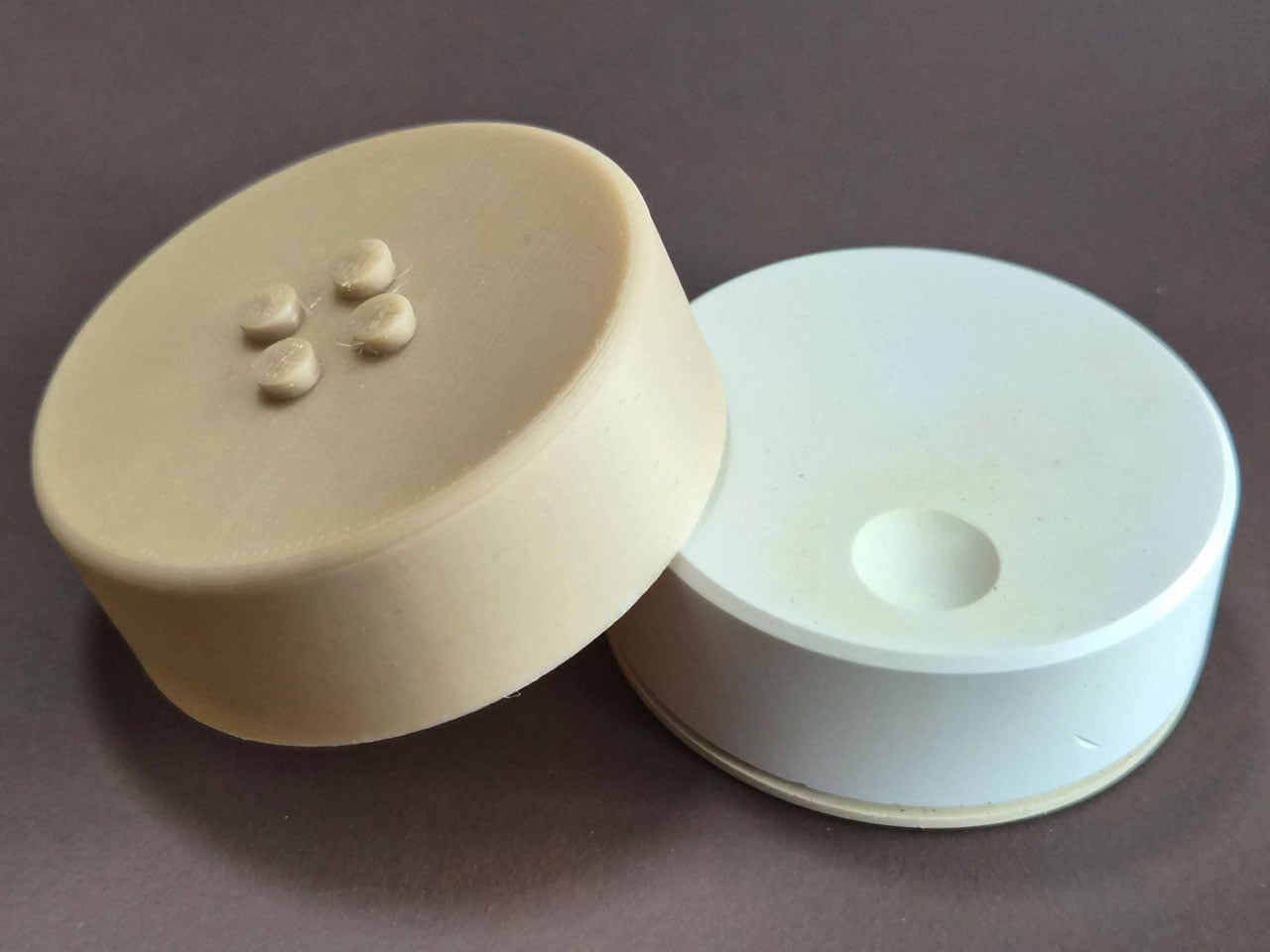
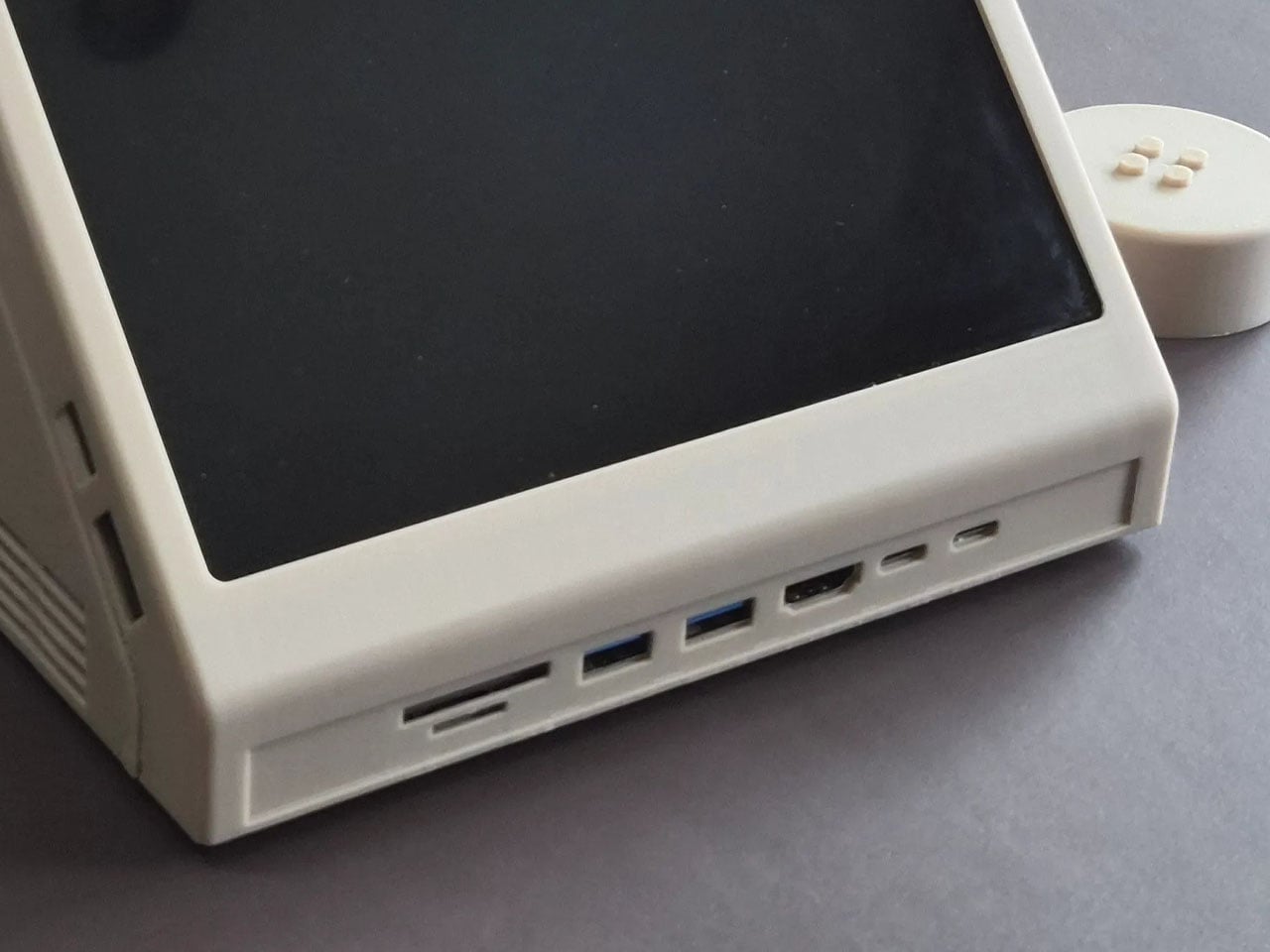
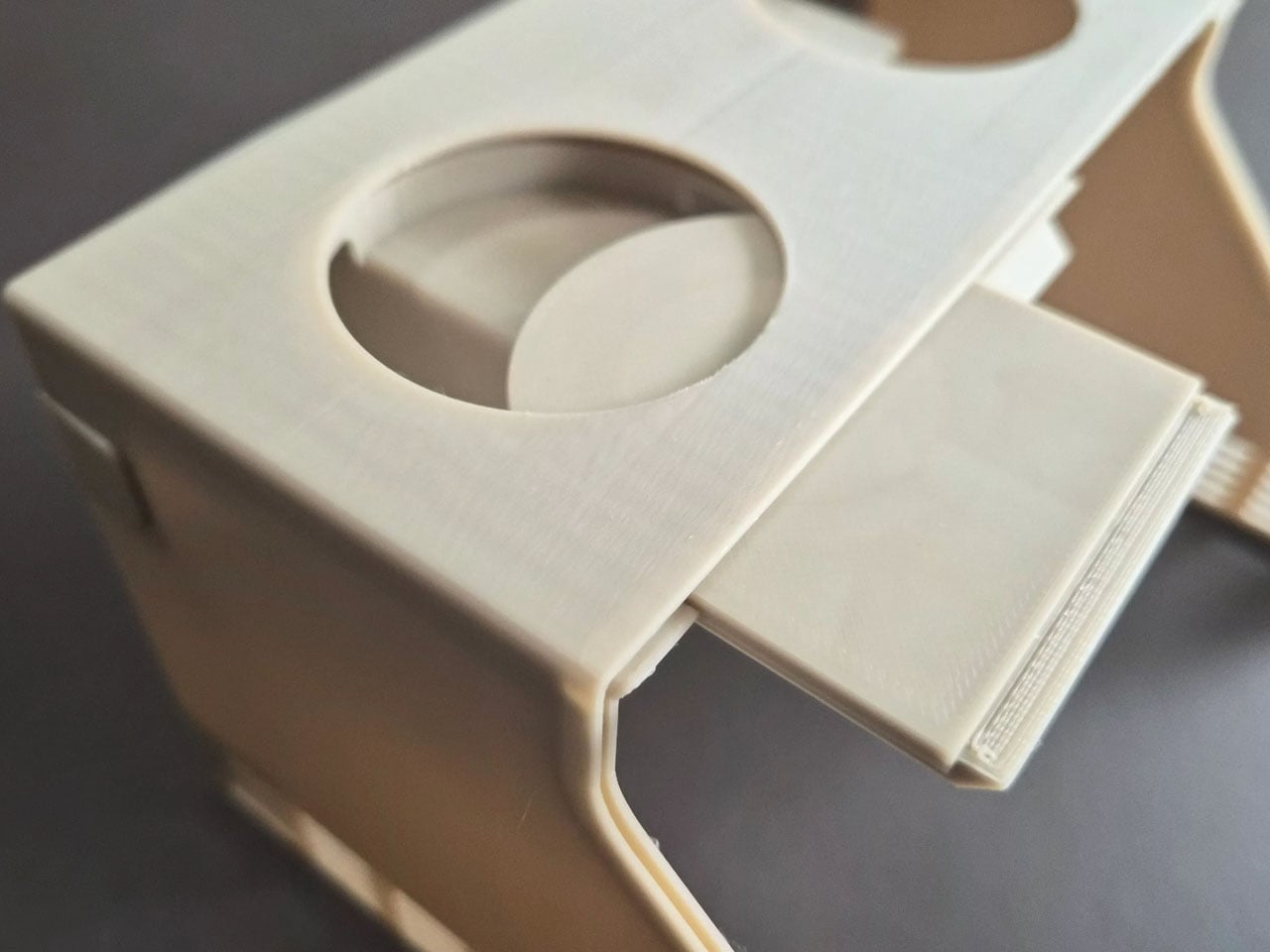
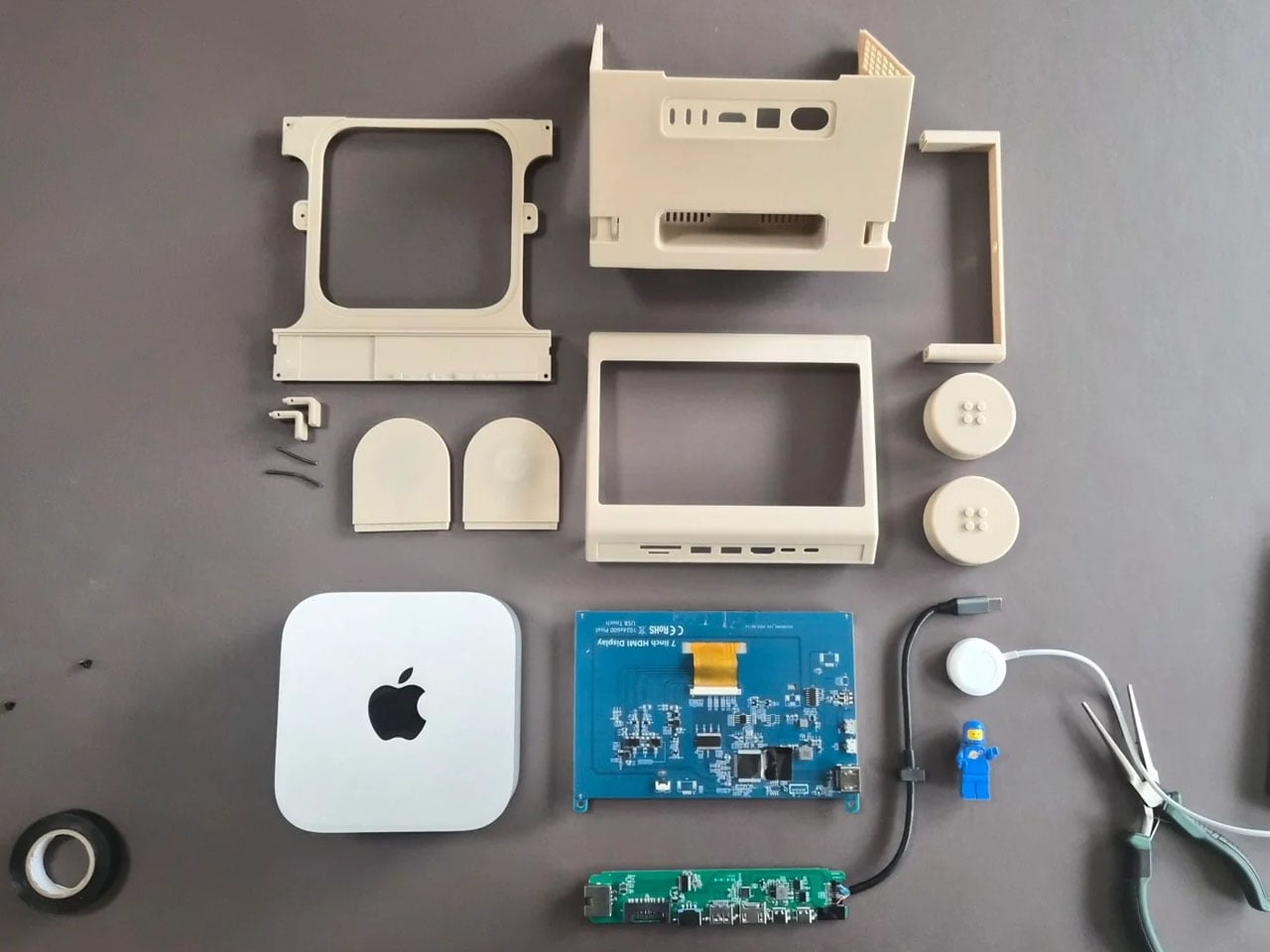
The M2x2 is largely built from 3D-printed components, making it accessible to enthusiasts who want to build their own version. Staal modeled the structure in CAD software and designed it as a modular system consisting of multiple printable parts. Aside from the Mac mini itself, the required materials are relatively simple, including PLA filament, a small touchscreen display, screws, and a USB-C hub. Assembly instructions and downloadable files are available, allowing makers to replicate or modify the design to suit their needs.
The post This classic 1979 LEGO computer brick hides a fully functional Mac mini workstation inside first appeared on Yanko Design.

Google veut vérifier l'identité de tous les développeurs Android, et ça menace F-Droid

Google va obliger tous les développeurs Android à s'enregistrer avec une pièce d'identité et à payer 25 dollars, même ceux qui distribuent leurs apps en dehors du Play Store. F-Droid, le dépôt d'applications open source qui existe depuis quinze ans, dit que c'est une menace pour sa survie.

Une inscription obligatoire dès septembre

L'été dernier, Google a annoncé que toutes les applications installées sur des appareils Android certifiés devront obligatoirement être liées à un compte développeur vérifié. Cette obligation entrera en vigueur dès le mois de septembre prochain au Brésil, en Indonésie, à Singapour et en Thaïlande. Le reste du monde suivra quatre mois plus tard.

Pour s'enregistrer, il faut fournir une pièce d'identité officielle, accepter les conditions de Google et payer 25 dollars. Et ça concerne tout le monde : les développeurs qui publient sur le Play Store, mais aussi ceux qui passent par des stores alternatifs, par F-Droid, ou qui proposent leurs apps en téléchargement direct depuis un site web.

F-Droid ne peut pas s'adapter

F-Droid héberge plus de 3 000 applications open source, sans pub et sans trackers. Le problème, c'est que F-Droid signe lui-même les apps qu'il distribue avec sa propre clé, et Google impose désormais une seule signature par application.

Ça casse tout le modèle : si l'app est déjà signée par le développeur sur le Play Store, la version F-Droid ne peut plus exister. Et F-Droid ne peut pas non plus forcer des centaines de contributeurs bénévoles à s'enregistrer chez Google et à fournir leurs papiers.

37 organisations ont signé une lettre ouverte contre ce projet, dont l'Electronic Frontier Foundation, la Free Software Foundation et Vivaldi. Une pétition sur Change.org a rassemblé 64 000 signatures de développeurs.

Le lien avec le procès Epic Games

Ce durcissement arrive juste après l'accord entre Google et Epic Games sur la distribution d'apps Android. Les deux entreprises ont annoncé un programme de stores enregistrés qui permet le sideloading, mais sans obliger Google à intégrer des stores tiers dans le Play Store. 

Certains y voient une manoeuvre : si les tribunaux n'obligent pas Google à ouvrir le Play Store, la vérification des développeurs lui donne quand même un contrôle indirect sur toute la distribution Android.

Google, de son côté, dit que c'est une question de sécurité et que ça permet de bloquer les développeurs malveillants plus rapidement. Les distributions Android alternatives comme LineageOS ou GrapheneOS ne sont pas concernées.

Google invoque la sécurité, mais le Play Store lui-même laisse régulièrement passer des apps malveillantes, donc l'argument ne tient pas tant que ça.

Obliger un développeur bénévole qui publie un petit outil open source à fournir ses papiers d'identité à Google, c'est quand même un peu naze. On verra si la mobilisation des 37 organisations et des 64 000 développeurs suffira à faire bouger les choses, mais pour l'instant le calendrier est maintenu.

Sources : Android Authority , F-Droid

CIGA Design Just Built the Most Interesting Tourbillon Watch of 2026

In Mandarin, the phrase 马上 (mǎ shàng) translates literally as “on horseback,” but its common meaning is “immediately” or “without delay.” It’s a concept of swiftness and forward momentum. For its Year of the Horse timepiece, CIGA Design has built an entire watch around this clever piece of wordplay. The design embodies that feeling of instant progress and unstoppable movement, creating a narrative woven directly into the mechanical and aesthetic choices. It is a watch about the philosophy of action.

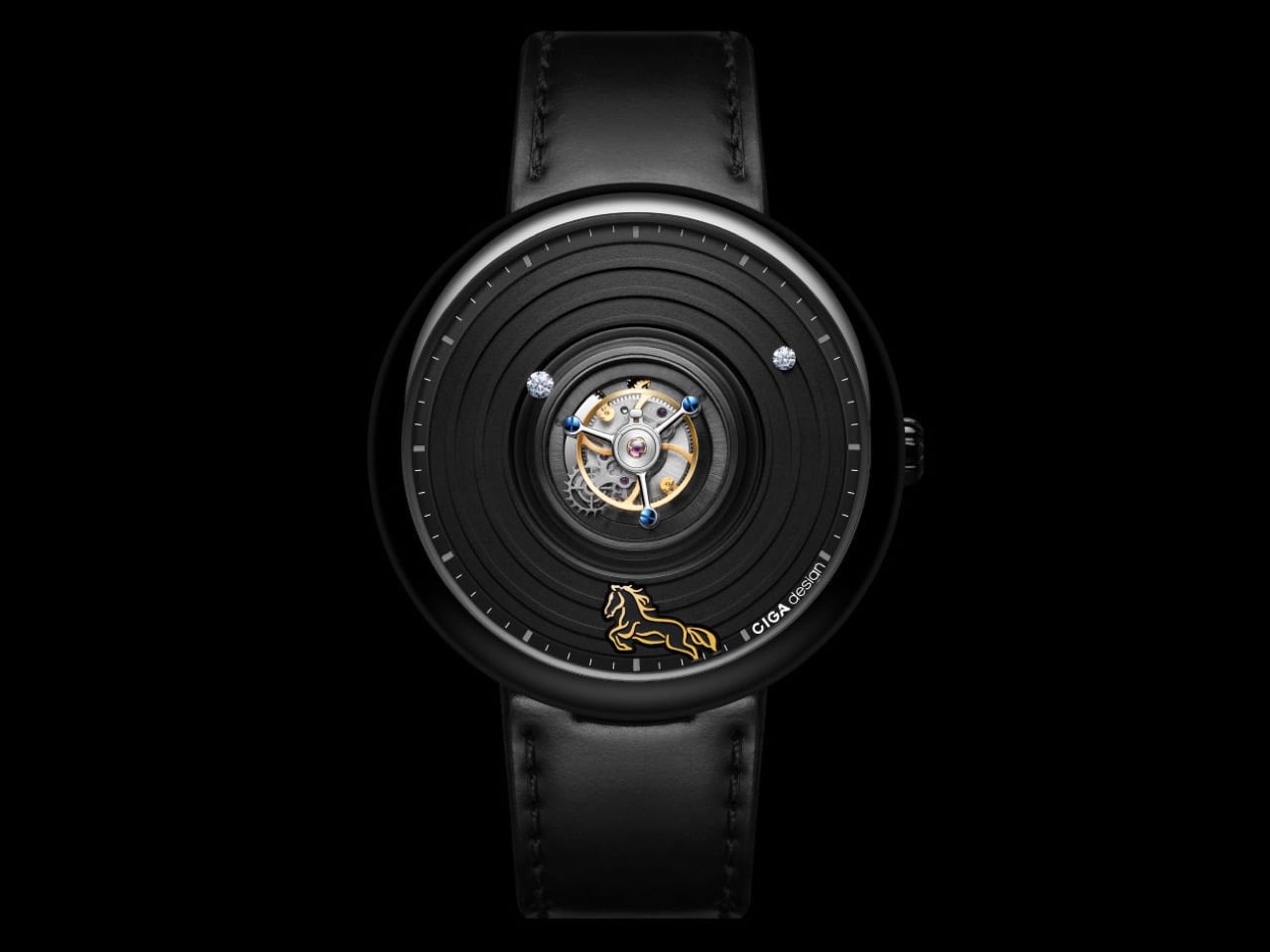
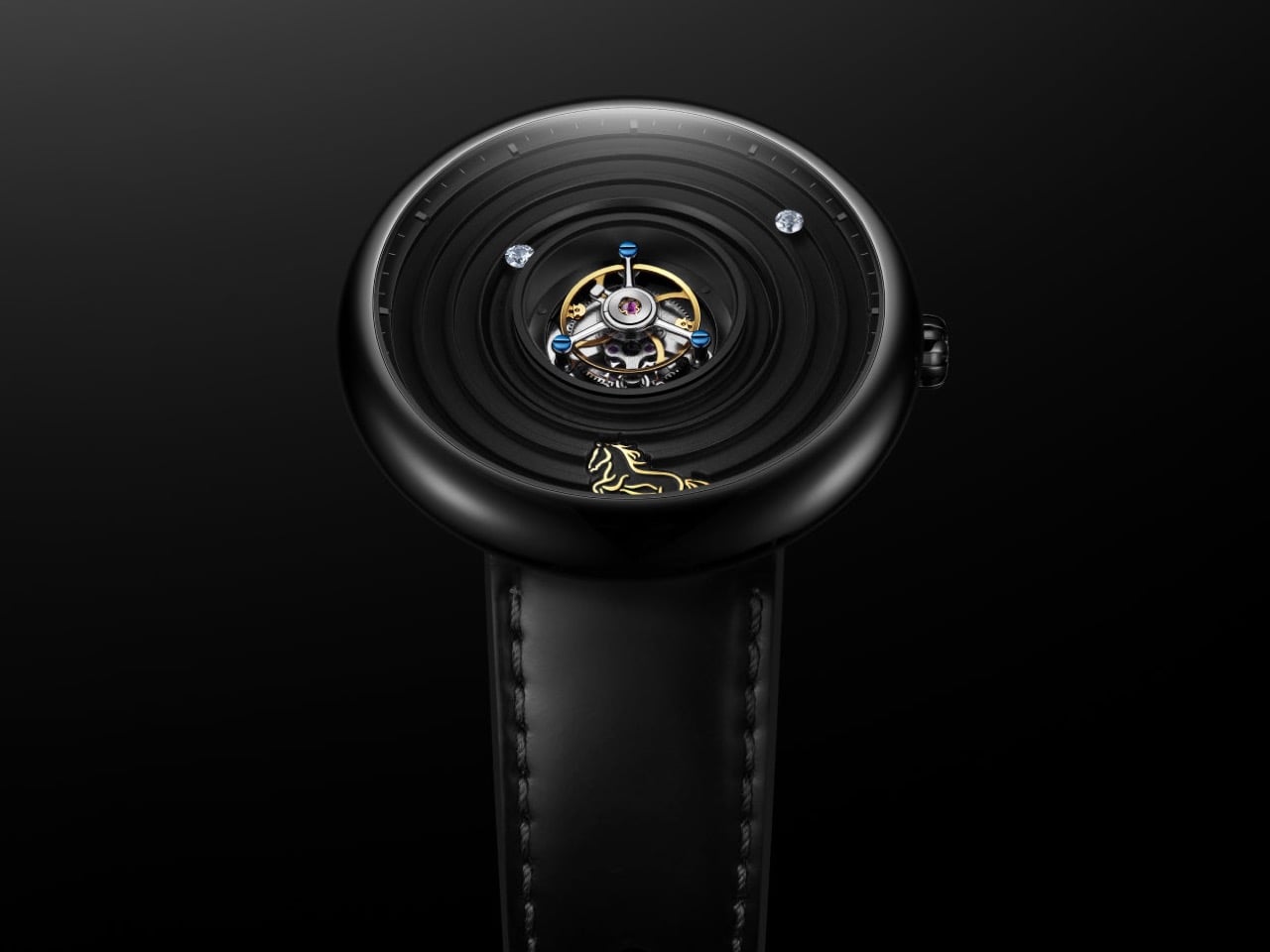
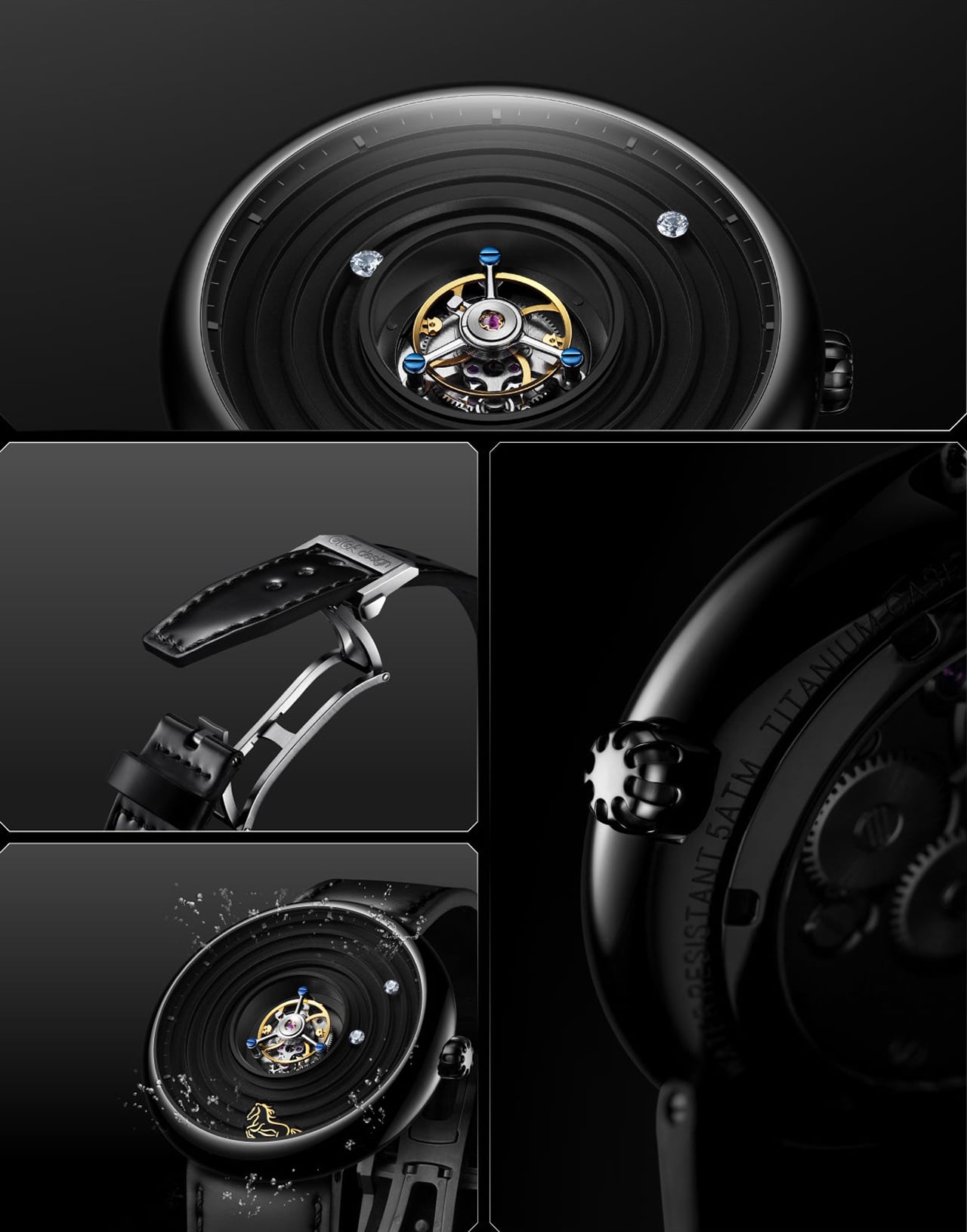
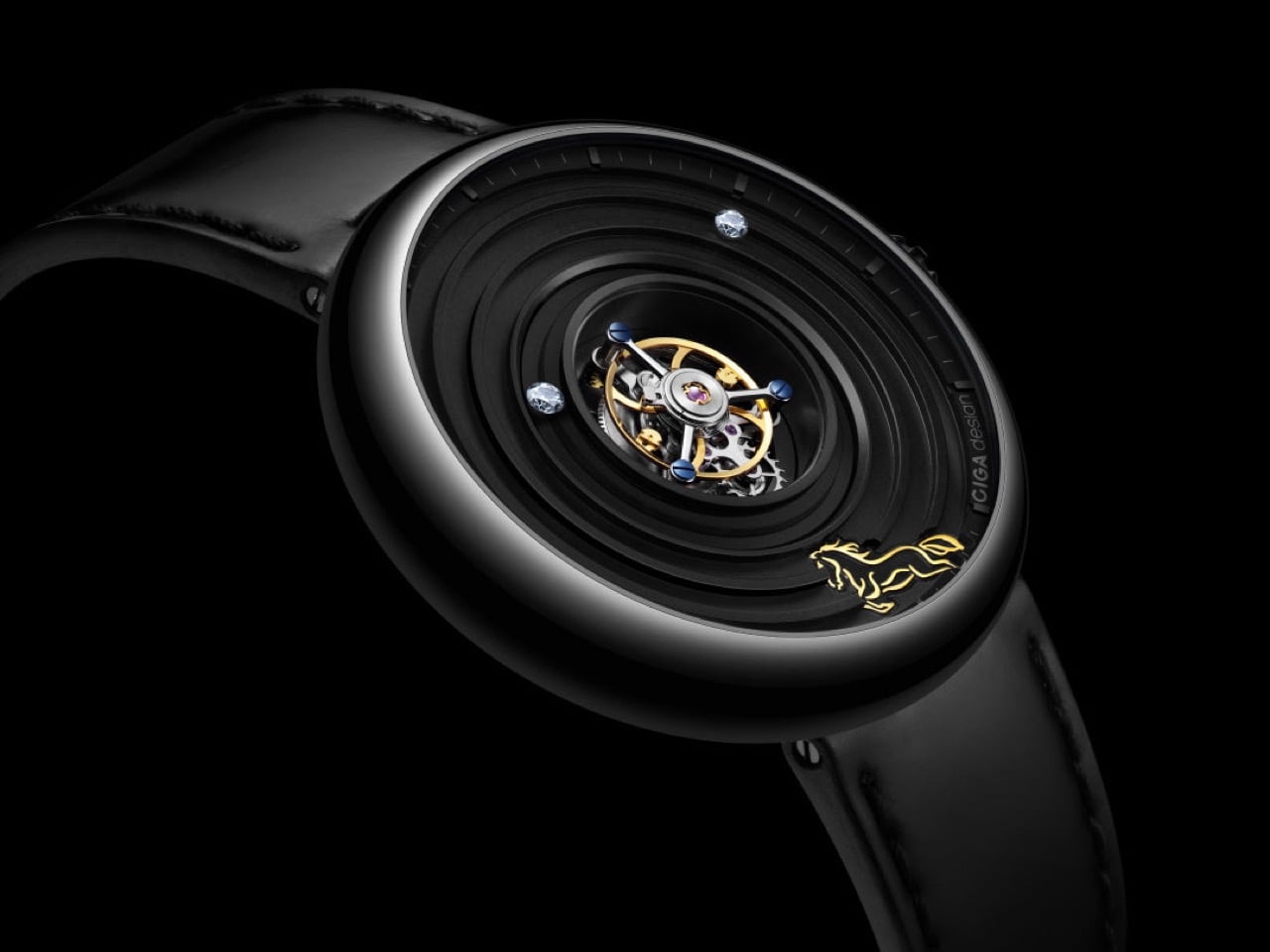
The central tourbillon is the engine of this idea, its constant rotation a visual metaphor for momentum that the wearer sees with every glance at the wrist. The dial’s concentric grooved rings radiate outward from this spinning core, amplifying the sense of energy in every direction. A 24K gilded horse at six o’clock connects the concept directly to its zodiac inspiration, rendered small and precise, more like a seal than a decoration. CIGA Design, the first Chinese watchmaker to win the Grand Prix d’Horlogerie de Genève, has a track record of treating mechanics as design language, and this is the clearest expression of that philosophy yet. The cultural reference and the engineering are telling the same story, which is rarer in theme watches than it should be.

Designer: CIGA Design

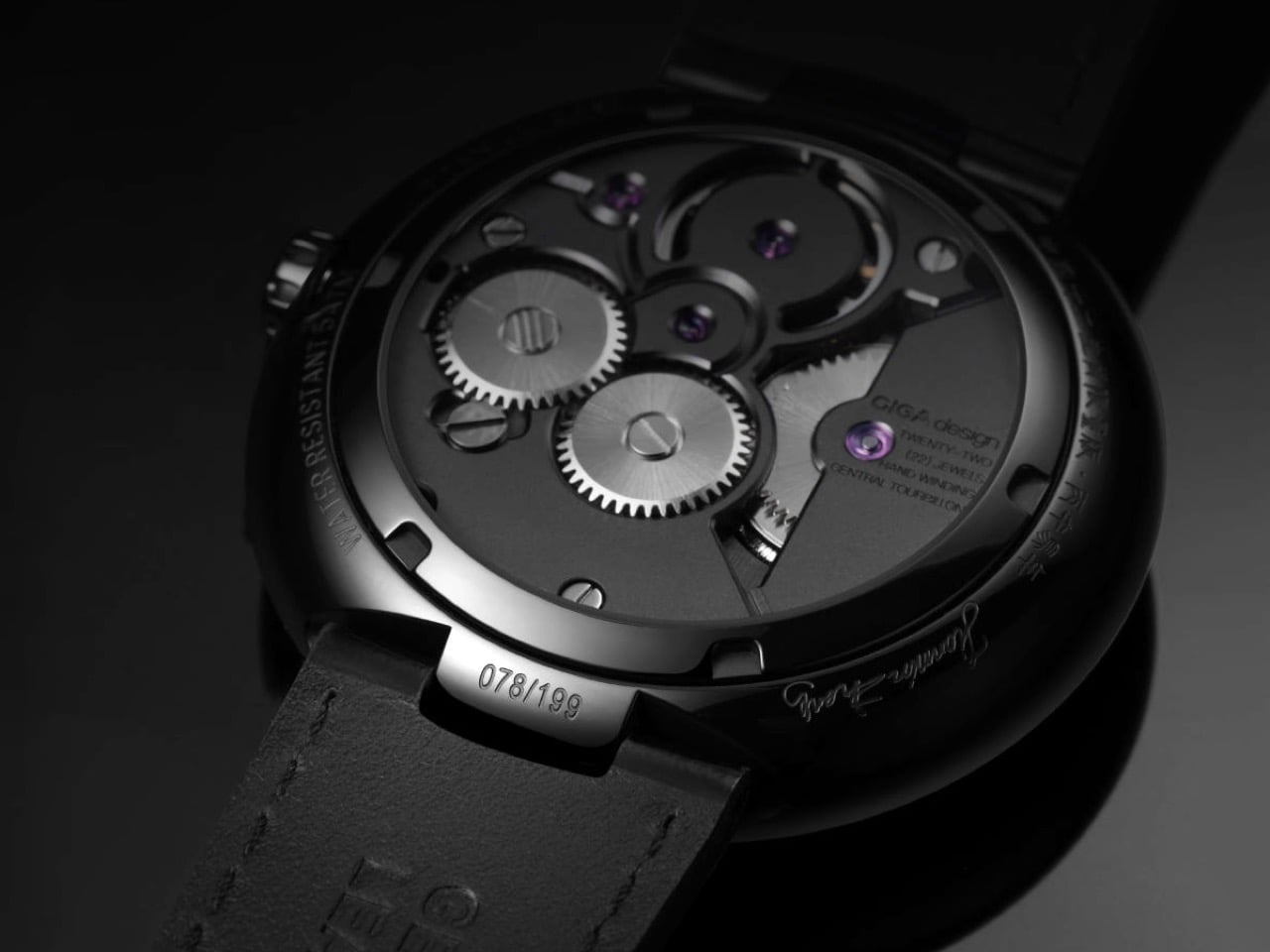
Putting a tourbillon front and center is a serious power move. Most watchmakers tuck it away at the six o’clock position, but CIGA’s in-house CD-12-SI caliber was clearly designed for the spotlight. The entire visual architecture of the watch is built to serve this mechanism. It runs at a modern 28,800 vibrations per hour, which gives the balance wheel a smooth, fluid sweep. A 38-hour power reserve is perfectly serviceable for a manual-wind piece, meaning you get to have that tactile interaction with it daily. It’s the kind of engineering that invites you to look closer, to appreciate the complexity instead of just accepting that it works.

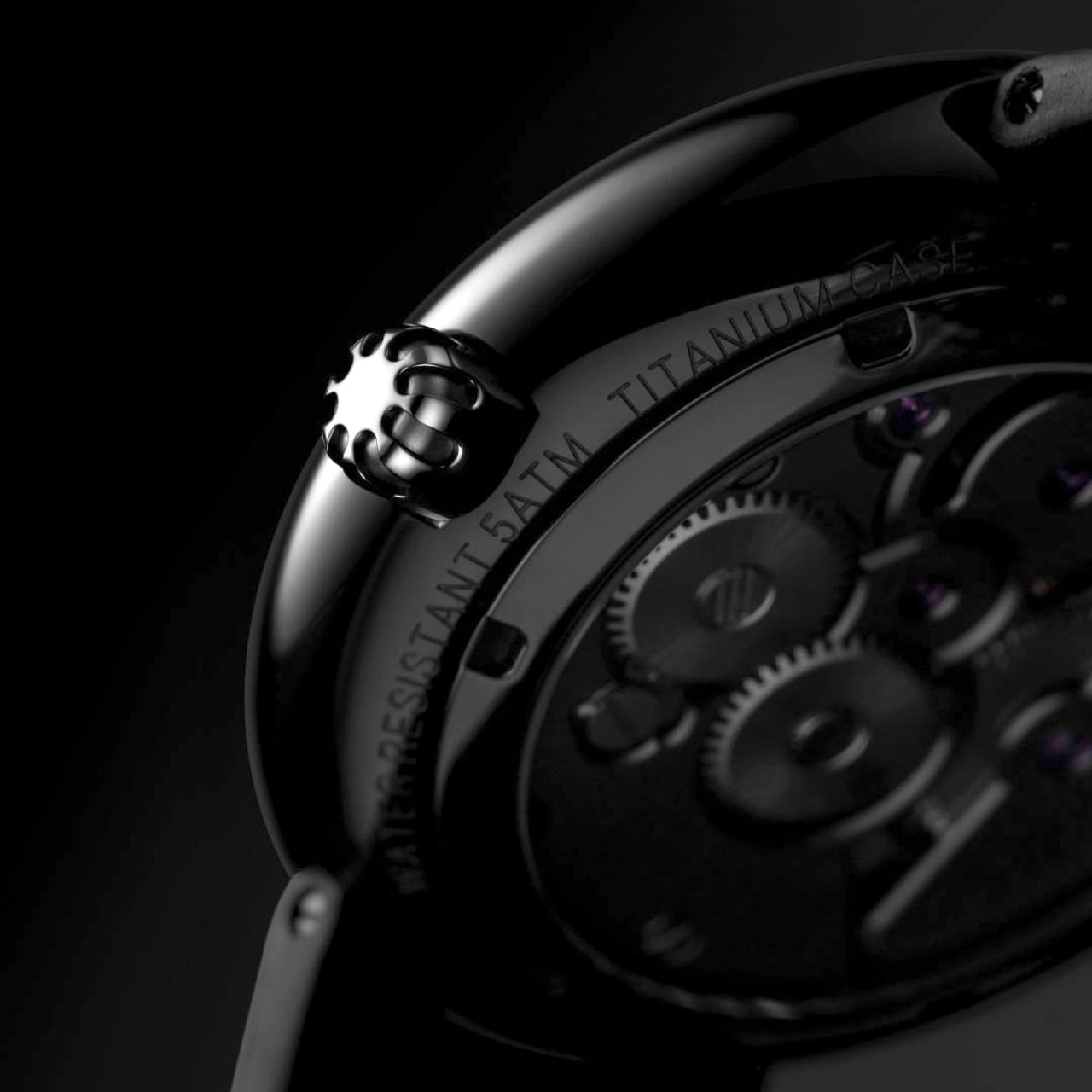
The case material, Grade 5 titanium, is a choice that speaks volumes. At 45.5mm, this watch could have been a heavy, unwieldy piece of metal in steel, but titanium makes it surprisingly light and comfortable on the wrist. The black DLC coating gives it a tough, scratch-resistant finish that feels both modern and understated. Those concentric grooves on the dial are the most impressive part of the case work. They give the flat black dial a sense of depth and texture that plays with light in interesting ways. It’s a very architectural approach that prevents the watch from feeling boring, which is a real risk with monochrome designs.

You solve the problem of telling time without cluttering the main event with a pair of floating diamonds for hands. It’s a brilliant, minimalist solution. Legibility might take a slight hit in certain lighting, but it’s a worthy trade-off for maintaining an unobstructed view of the tourbillon. The strap is shell cordovan, a fantastic, non-porous leather known for its durability and rich patina over time. Pairing it with a hidden butterfly clasp was the right call, preserving a clean, unbroken line around the wrist. These details show a design team that was thinking about the complete ownership experience, not just the initial wow factor.

The $2,699 price fundamentally challenges the idea that an in-house tourbillon must cost as much as a mid-size sedan. This watch appeals directly to the enthusiast buying the complication itself, not the logo on the dial. The 199-piece production run feels like a calculated appeal to a very specific customer who values the engineering over the emblem. With this move, CIGA methodically builds its credibility on accessible complexity and a design language that is unmistakably its own. They are carving out a space by delivering serious horology without the traditional five-figure barrier to entry.

The post CIGA Design Just Built the Most Interesting Tourbillon Watch of 2026 first appeared on Yanko Design.

Dorso - L'app Mac qui floute votre écran quand vous faites le dos rond

En ce moment, j'ai une sciatique qui me rend dingue ! Du coup, entre deux grimaces sur ma chaise de bureau ergonomique, je me suis retrouvé à chercher des trucs pour améliorer ma posture devant l'écran... et je suis tombé sur Dorso, une petite app macOS qui surveille votre posture en temps réel et qui floute progressivement l'écran quand vous commencez à vous avachir.

Ainsi, votre Mac vous punit si vous vous tenez mal ! Vous lancez l'app, vous vous asseyez bien droit devant votre clavier, vous cliquez sur le bouton de calibration (aïe, mes vertèbres), et ensuite Dorso surveille votre position via la webcam de votre MacBook ou iMac grâce au framework Vision d'Apple.

Dès que votre tête commence à piquer du nez, l'écran se floute. Plus vous "slouchez", plus c'est flou. Du coup, soit vous vous redressez, soit vous bossez dans le brouillard comme un moine copiste myope. En tout cas, c'est redoutablement efficace pour corriger sa posture.

Sauf que la webcam, c'est pas le seul mode de détection. Si vous avez des AirPods Pro, Max ou 3e génération, Dorso peut utiliser les capteurs de mouvement de vos écouteurs pour détecter l'inclinaison de votre tête. Pas besoin de caméra, pas besoin de lumière... vos AirPods deviennent votre "coach posture" et quand vous les retirez des oreilles, l'app se met en pause toute seule. Par contre, attention, le mode AirPods nécessite macOS 14 minimum et l'autorisation "Motion & Fitness Activity" dans les réglages Confidentialité.

Côté vie privée, tout se passe en local sur votre machine. Aucune image n'est enregistrée, aucune donnée ne quitte votre Mac. Le flux vidéo de la webcam est traité en temps réel puis immédiatement supprimé et pour le flou, l'app utilise une API privée de CoreGraphics pour agir au niveau système, ce qui permet de flouter tous vos écrans d'un coup si vous avez un setup multi-moniteurs.

L'installation, c'est un brew install --cask dorso et hop, c'est réglé. Au premier lancement, il faudra autoriser l'accès caméra (mode webcam) ou Motion & Fitness (mode AirPods) dans les Réglages Système.

L'app se loge ensuite dans la barre de menu à côté de l'icône Bluetooth et vous pouvez régler la sensibilité sur 5 niveaux via un petit panneau de préférences. Y'a même une "dead zone" configurable pour que ça ne se déclenche pas au moindre mouvement de tête (genre quand vous regardez votre téléphone 2 secondes). Sans cette dead zone, la moindre gorgée de café vous vaut un écran tout flou, donc c'est indispensable !!

L'app s'appelait "Posturr" à l'origine mais une app iOS portait déjà ce nom et comme c'est complétement FDP de voler le nom des autres, il a trouvé un autre nom en lançant 30 agents Claude en parallèle pendant une heure... mais pour rien puisque c'est finalement lui qui a trouvé "Dorso" (Claude avait suggéré "Posturn", bof quoi). Comme quoi, même avec 30 IA qui bossent pour vous, le cerveau humain a encore son mot à dire !!

Perso, vu l'état de mon dos en ce moment, mon bureau debout ne suffit plus. Si vous aussi vous passez vos journées courbé devant votre écran comme Gollum devant son précieux, Dorso pourrait bien vous éviter de finir chez le kiné à 60 balles la séance. L'app tourne sous macOS 13+ (Intel et Apple Silicon), c'est sous licence MIT, et c'est gratuit !

Bref, y'a plus qu'à se redresser. Enfin... à essayer.

notebooklm-py - L'API Python que Google refuse de sortir

Google n'a jamais sorti d'API publique pour NotebookLM , son outil qui transforme vos documents en podcasts, quiz et autres résumés grâce à l'IA. Pas de SDK, pas de CLI, y'a rien du tout alors on est tous triiiiiste. A peine juste une interface web avec ses boutons moches et ses menus déroulants, mais impossible à scripter ou à intégrer dans le moindre pipeline bash.

Mais un dev bien inspiré a reverse-engineeré les endpoints REST internes et a pondu notebooklm-py, une lib Python de 168 Ko qui fait tout ce que le web UI refuse de faire. Franchement, c'était pas trop tôt ! Vous en avez rêvé, lui l'a fait !

Un pip install notebooklm-py et voilà, vous avez accès à toute la machinerie Notebook LM à savoir : créer des notebooks, injecter des sources (URLs, PDF, vidéos YouTube, fichiers Google Drive, documents Word, images PNG), poser des questions à vos docs, et surtout générer du contenu... podcasts audio en MP3, vidéos explicatives en MP4, quiz, flashcards, slides en PPTX, infographies en PNG, mind maps en JSON.

Carrément dingue ! Et tout ça pilotable depuis votre terminal zsh ou en script Python async.

En fait, le vrai bonus c'est que la lib déverrouille des fonctionnalités que l'interface web ne propose même pas comme télécharger tous vos podcasts d'un coup en batch au lieu de cliquer un par un sur chaque fichier MP3, exporter vos 50 flashcards en JSON structuré au lieu de juste les afficher à l'écran ou encore récupérer vos slides en PPTX éditable plutôt que le PDF figé.

Ce genre de features, on avait fini par accepter que Google s'en fiche mais pourtant, extraire l'arbre complet d'une mind map en JSON pour la balancer dans D3.js ou Mermaid... clairement c'est un truc que Google aurait dû proposer depuis le début !

Côté CLI, c'est propre. Vous vous authentifiez une fois via notebooklm login (ça ouvre Chromium via Playwright pour choper les cookies de session Google), puis vous enchaînez les commandes.

notebooklm create "Ma Recherche" pour créer un notebook vide,

notebooklm source add ./mon-rapport.pdf pour balancer vos fichiers,

notebooklm generate audio "rends ça punchy" --wait pour lancer la génération de podcast,

et notebooklm download audio ./podcast.mp3 pour récupérer le MP3 sur votre disque.

On peut même éditer ses slides individuellement avec des prompts en langage naturel, du genre "ajoute un graphique sur cette slide-là" !

Pour ceux qui veulent brancher ça dans leurs pipelines, y'a comme je le disais l'API Python async complète. Vous pouvez donc monter un petit cron qui ingère vos derniers bookmarks le vendredi soir, et génèrer un résumé audio de 5 minutes, puis balancer le MP3 directement sur votre NAS Synology.

D'ailleurs, si vous avez déjà joué avec des outils pour booster votre productivité avec l'IA , c'est un peu dans la même veine... sauf qu'ici on tape directement dans les tripes des serveurs Google, sans intermédiaire. Ça tourne avec du Python, et y'a même un mode "agent" (un skill en fait) pour brancher ça dans Claude Code ou Codex. Pas mal, hein ?

Le fait que ça gère aussi la recherche web et Drive avec import automatique des résultats dans vos notebooks, c'est top, un peu comme Oboe qui génère des cours complets via IA , mais en version terminal. Et surtout, pas d'abonnement mensuel à payer, c'est votre propre compte Google qui fait tourner la machine.

Bien sûr, ça reste du reverse-engineering d'APIs non-documentées de Google, ce qui fait que les endpoints REST peuvent changer du jour au lendemain et tout péter. Le projet le dit clairement, c'est plutôt taillé pour du prototypage, de la recherche ou des projets perso et SURTOUT PAS pour de la prod sur un serveur Nginx en front avec 10 000 utilisateurs prêts à ruer dans les brancards en cas de panne.

Et puis faut quand même s'authentifier via un vrai compte Google avec Playwright et Chromium, donc pas question de faire tourner ça sur un serveur headless sans un minimum de config.

Bref, tant que Google ne coupe pas ses endpoints, c'est open bar.

Profitez-en !

LiberNovo Omni Just Won the iF Design Award 2026 for Wellness Design

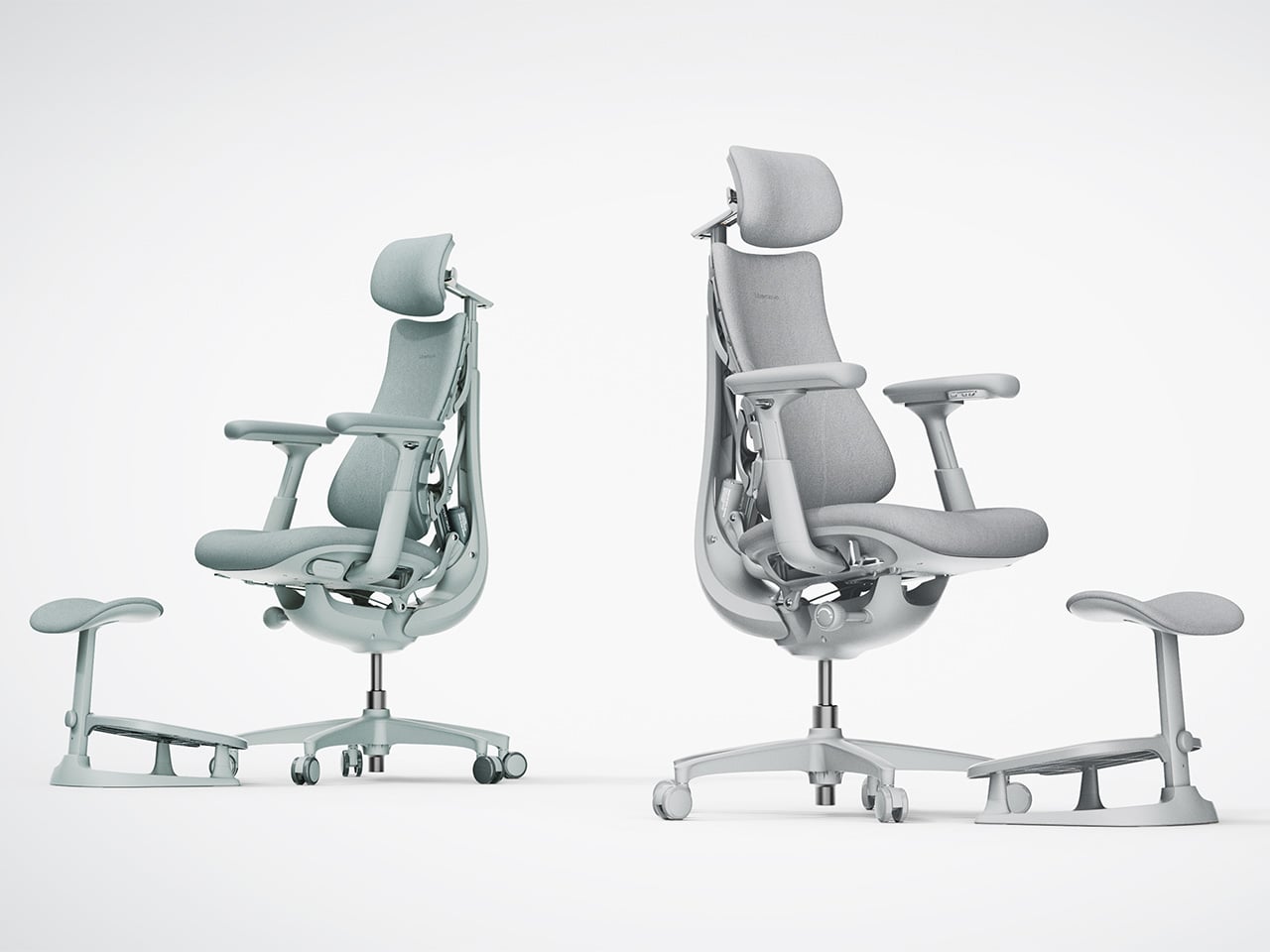
Most office chairs operate on a quiet assumption that sitting is something your body should adapt to, not the other way around. You adjust the height, nudge the lumbar support into roughly the right position, and then spend the rest of the day subtly fighting the chair anyway. The ache between your shoulders, the stiffness in your lower back by mid-afternoon, that’s just part of the deal, apparently, and most of us have accepted it without much argument.

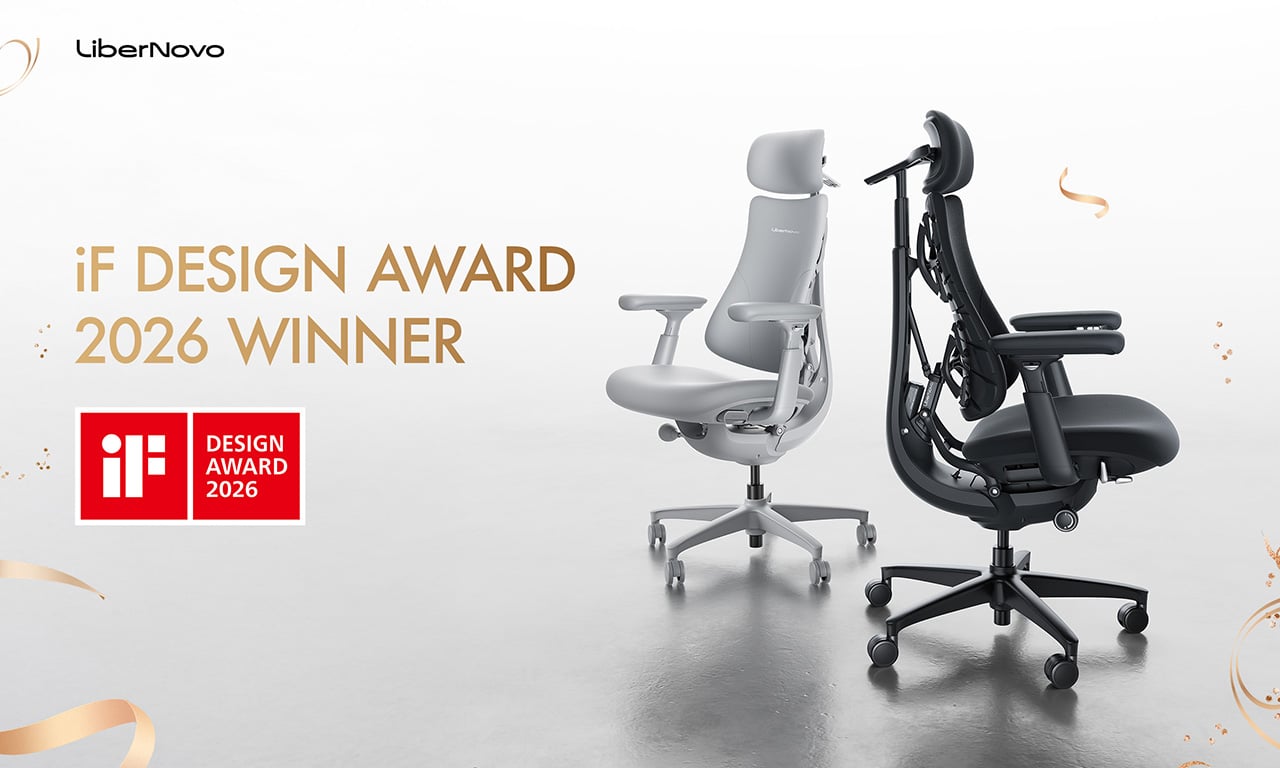
LiberNovo decided not to accept it. The result is the Omni, a chair the company calls a Dynamic Ergonomic Chair, and it just picked up the iF DESIGN AWARD 2026 in the Product Design – Beauty/Wellness category. The iF Design Award has been one of the most internationally respected design recognitions since 1954, with this year’s cycle drawing more than 10,000 entries from over 60 countries. That’s a serious field to stand out in

Designer: LiberNovo

Click Here to Buy Now: $929 $1099 (15% off). Hurry, deal ends in 48-hours!

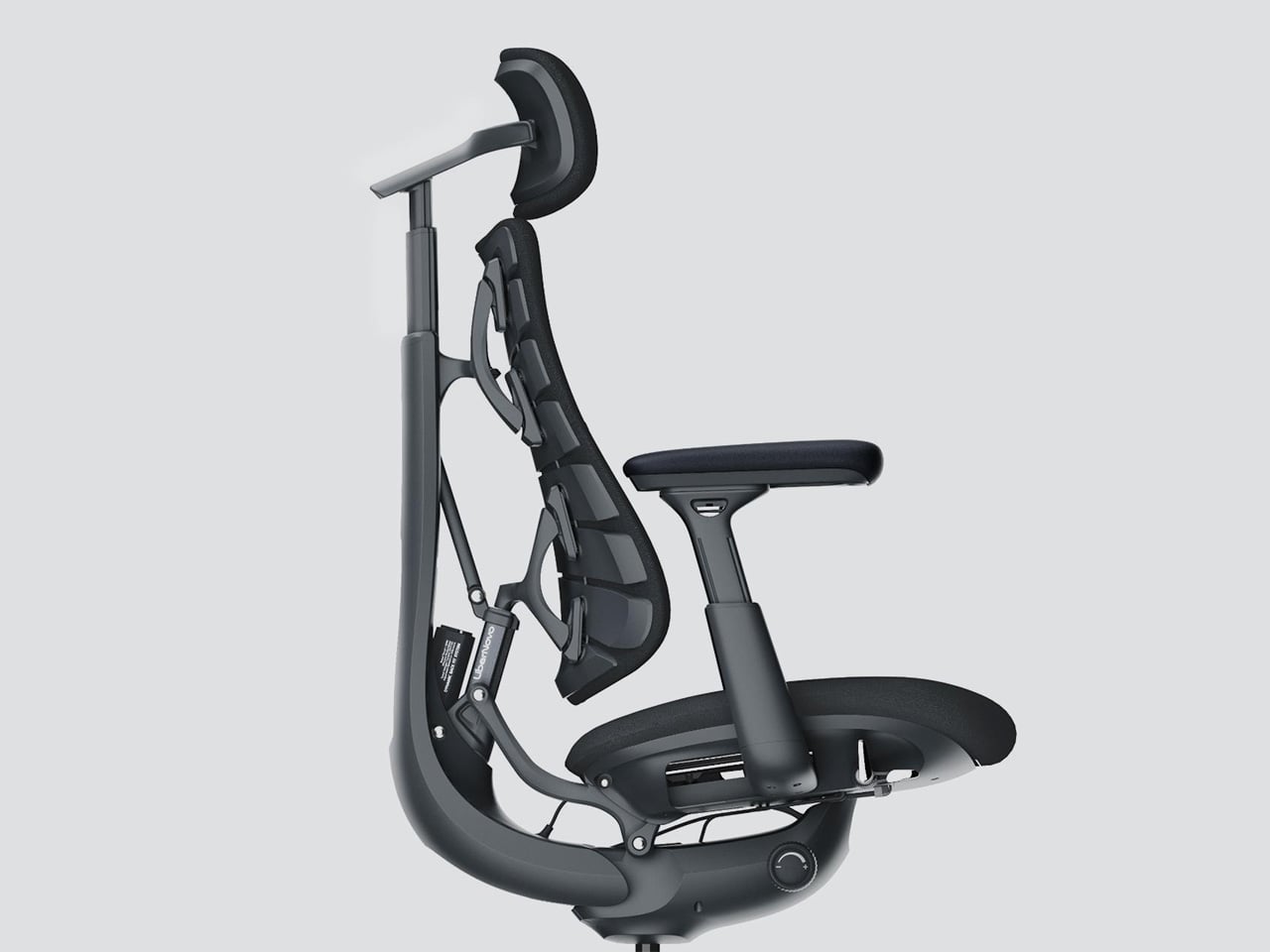
The core idea behind the Omni is that your posture doesn’t stay fixed throughout a workday, so your chair probably shouldn’t either. The Bionic FlexFit Backrest is built around that logic, using 16 spherical pivot points, 8 adaptive flexible panels, and 14 dual-connection points to follow the natural curve of your spine as it shifts. It covers you from the hips up through the shoulders, spreading pressure across the whole back rather than piling it onto one fixed lumbar point.

What makes this work in practice is the Dynamic Support system, which adjusts automatically to changes in your posture without you having to reach for anything. Lean forward during a focused stretch of work, sit back when you’re thinking something through, the chair tracks those shifts, and responds in real time. It’s the kind of feature that sounds modest until you realize how much of your day you’ve spent adjusting a chair that couldn’t do this.

Then there’s OmniStretch, which is where the Omni starts to feel like something genuinely different. Sitting for long hours compresses the lower spine gradually, and most chairs just let that happen. OmniStretch is a guided decompression feature that gently stretches the lower spine during the workday, designed to actively relieve pressure rather than simply tolerate it. It’s probably why the iF jury placed the Omni in the Beauty/Wellness category: this chair isn’t just holding you up, it’s doing a bit of recovery work along the way.

The Omni also offers four recline positions running from 105 to 160 degrees. The shallower end is built for focused, upright work, while the deep 160-degree Spine Flow position is designed for full spinal decompression between sessions. The two intermediate angles cover the range in between, which gives the chair a kind of daily rhythm that matches how most people actually move through their hours rather than sitting rigidly in one position all day.

The chair was developed by LiberNovo’s team in Shenzhen alongside industrial design firm Kairos Innovation, also based there. Winning an iF award is meaningful external confirmation that the design thinking behind the Omni translates beyond the product brief. For a chair that started from the premise that desk work doesn’t have to hurt, that’s a pretty good place to land.

Click Here to Buy Now: $929 $1099 (15% off). Hurry, deal ends in 48-hours!

The post LiberNovo Omni Just Won the iF Design Award 2026 for Wellness Design first appeared on Yanko Design.

❌