The handheld gaming PC market has a design problem. For every device that earns a second look, there are three more that look like they escaped from a toy aisle — chunky plastic grips, aggressive LED halos, fonts borrowed from energy drink cans. It adds up to a category that has historically rewarded specs over sensibility, power over the kind of quiet confidence that makes an object worth owning.
That’s starting to change. A new wave of devices is rethinking what portable gaming hardware should look and feel like: objects you’d carry without embarrassment, leave on a clean desk, or hand to someone who doesn’t play games, so they can appreciate the craft before they’ve touched a button. Some of these seven handhelds earn their place through industrial restraint. Others earn it through engineering honesty — upgradeability, connectivity, or a refusal to treat the buyer as someone who only needs to be impressed in the first five minutes. What they all share is an understanding that good design is a feature, not a finish.
1. AYANEO 3
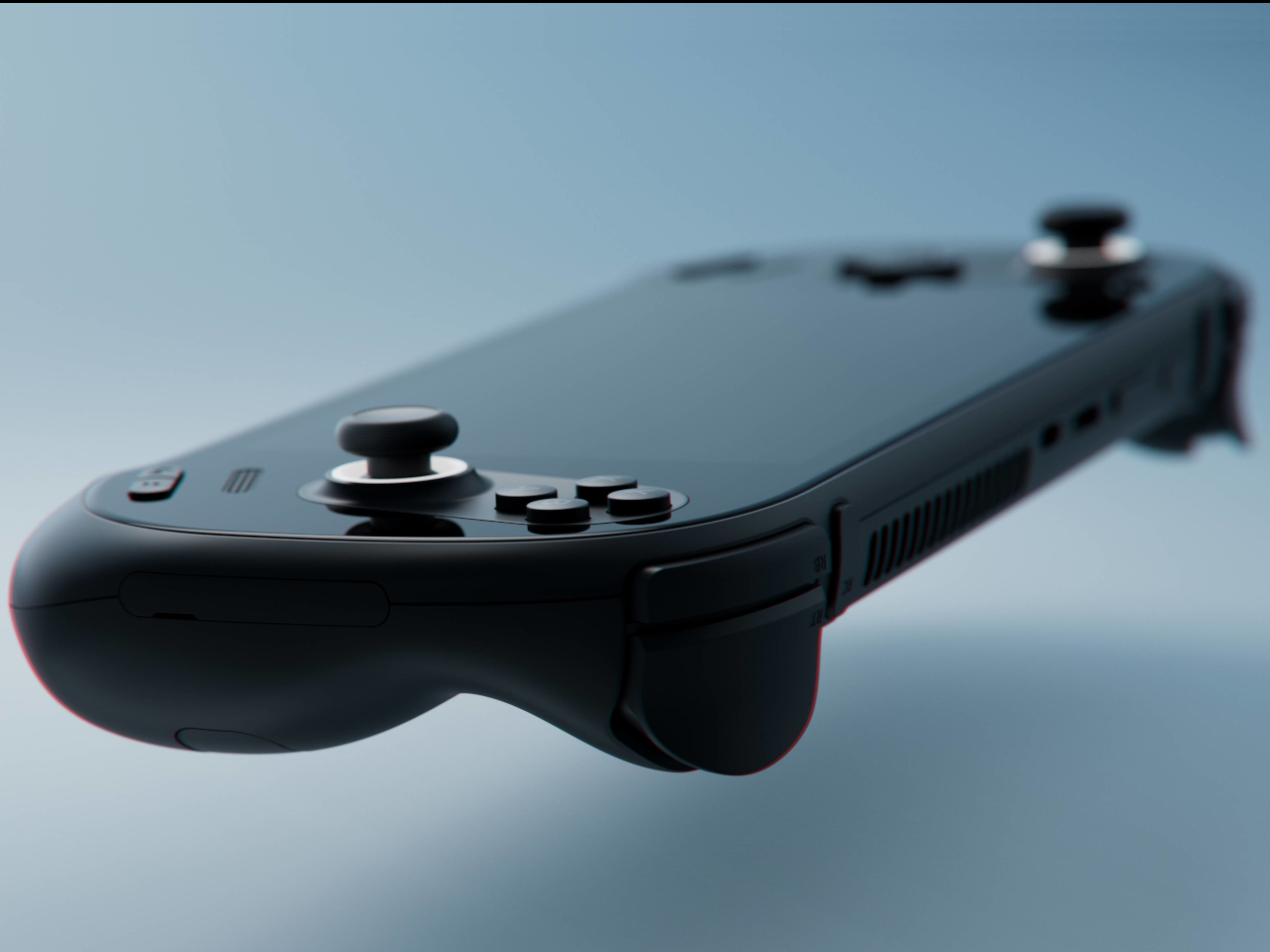
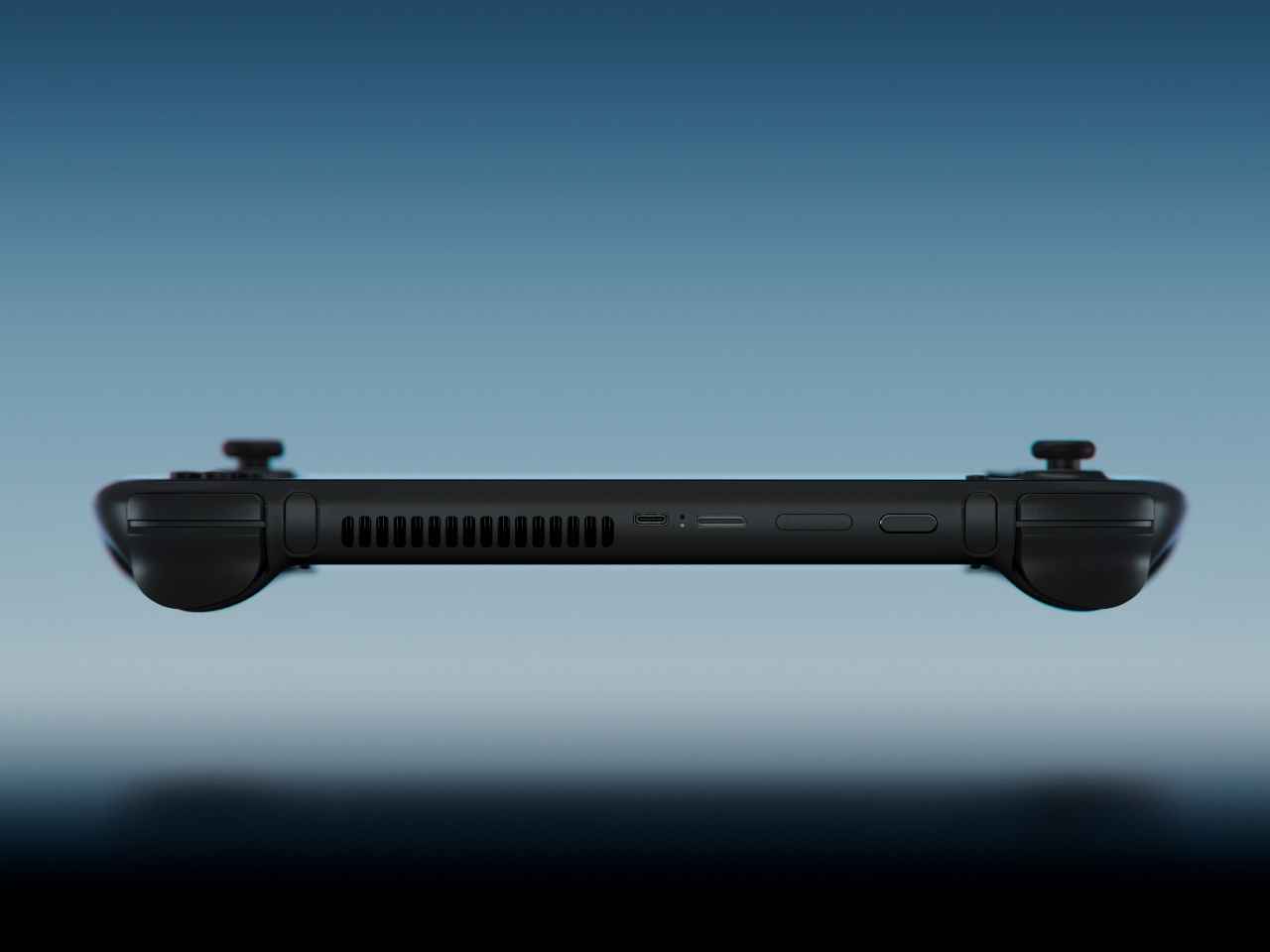
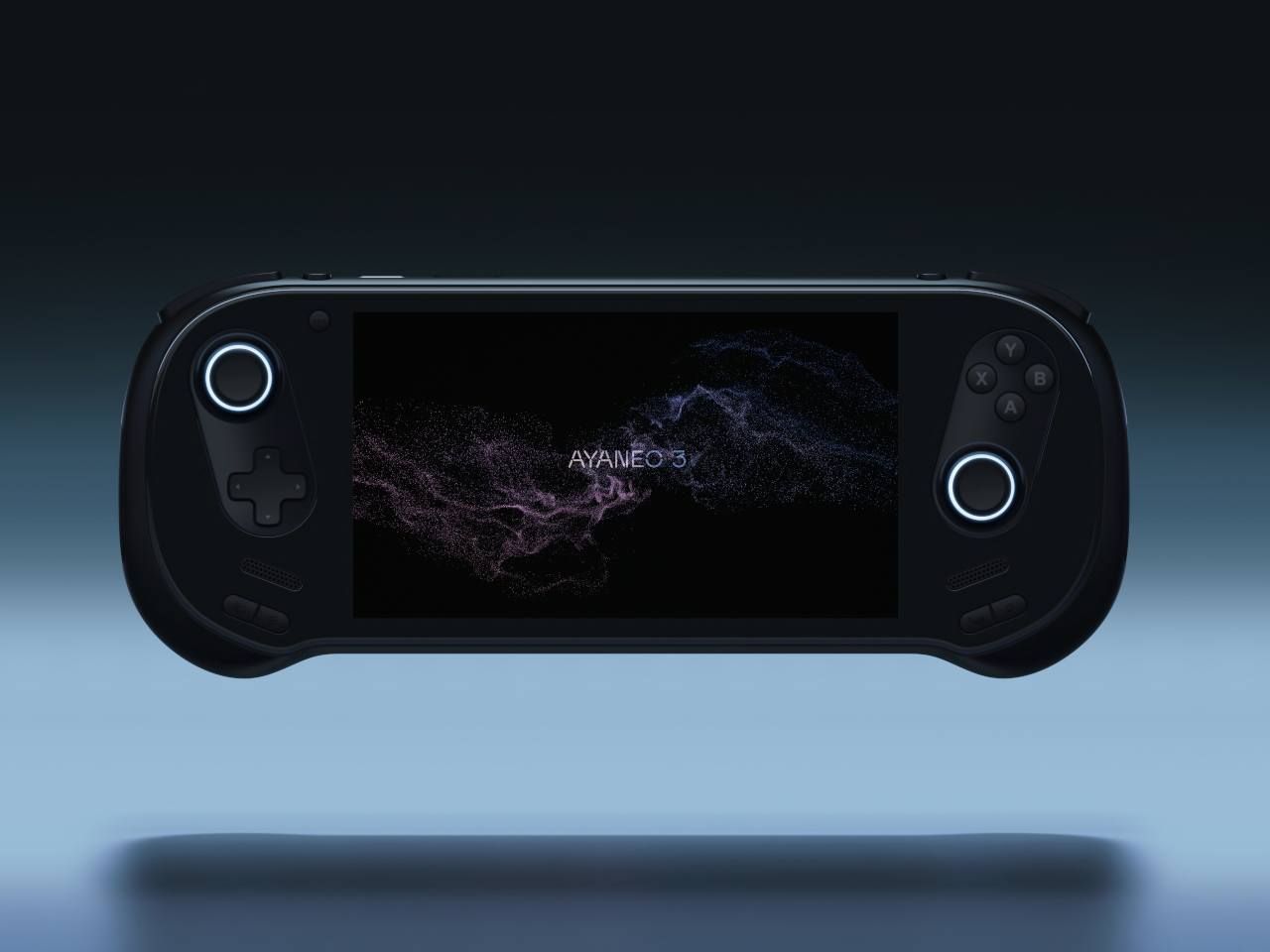
The curves are the story. AYANEO’s third flagship iteration takes a category that has historically prioritized power over personality and gives it something more interesting: softness. The smooth, pleasing curves on the AYANEO 3 extend beyond the ergonomic grip area on the back to the corners of the device itself, rounding off every edge that might otherwise make the hardware feel aggressive or alienating. It is a small visual distinction that makes an enormous tonal difference. The result is a device that looks like it was designed for people rather than exclusively for the kind of person who already knows what a TDP setting is and can tell you why it matters.
The diagonal orientation of the analog joysticks and D-Pad mirrors the Xbox controller arrangement, which is one of those invisible ergonomic improvements you only register when a device gets it wrong. The larger back buttons are a genuine upgrade in theory, giving players more surface area to work with during extended sessions. Their positioning, though, introduces the real possibility of accidental presses during intense gameplay. This trade-off will feel familiar to anyone who has tried to improve on a layout that was already functional. The AYANEO 3 makes the strongest argument for design as a feature in its own right. Whether that argument is worth the price is the question you’ll be asking yourself after you pick it up for the first time.
What We Like:
- Rounded, curve-forward chassis makes it the most approachable-looking handheld in its category
- Diagonal joystick and button orientation mirrors Xbox ergonomics for more natural long-session play
What We Dislike:
- Back button placement may result in accidental presses during fast-paced gameplay
- Softened design language may not satisfy players who want their hardware to read as purposeful and performance-oriented
2. Acer Nitro Blaze 7
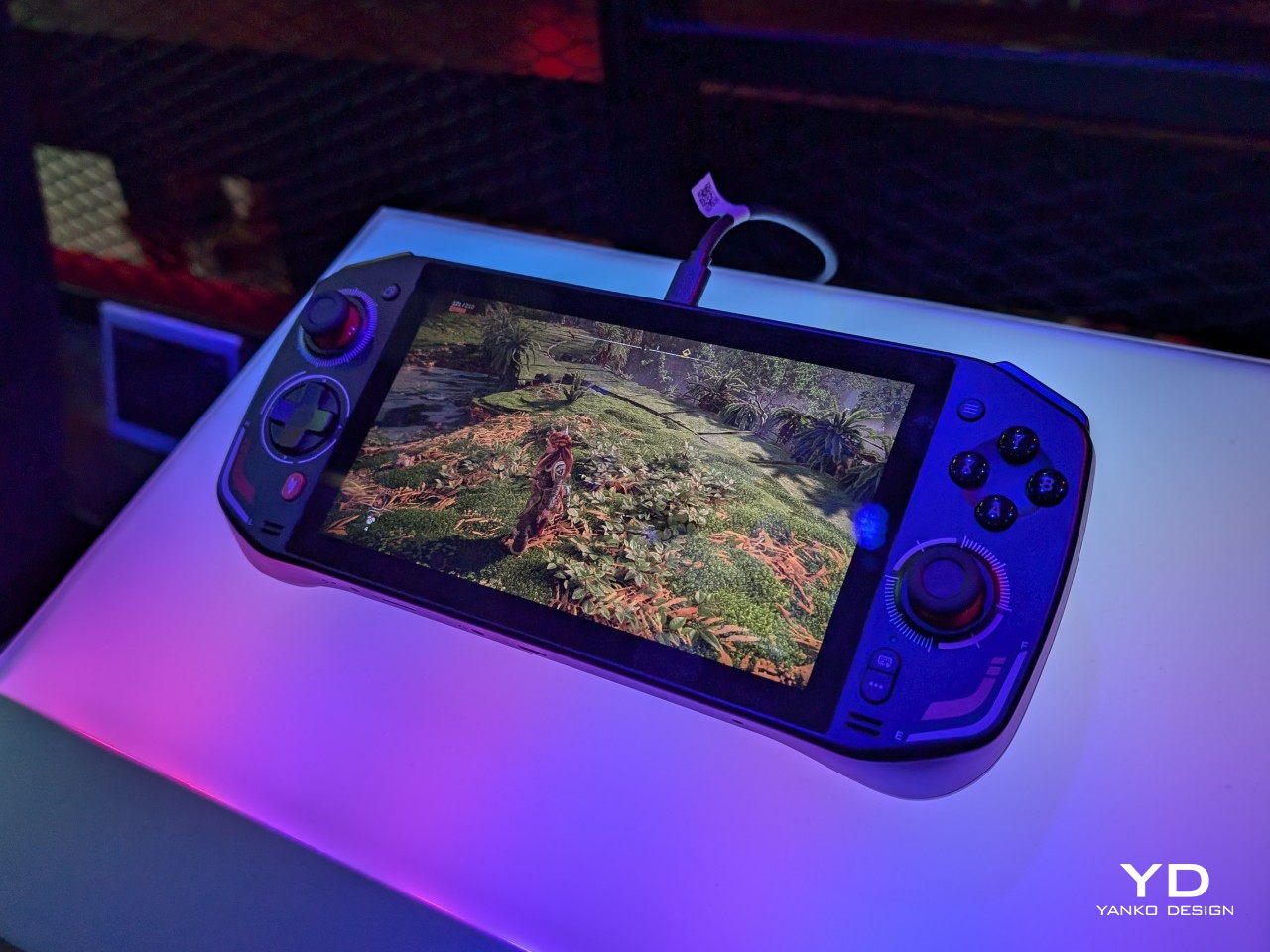
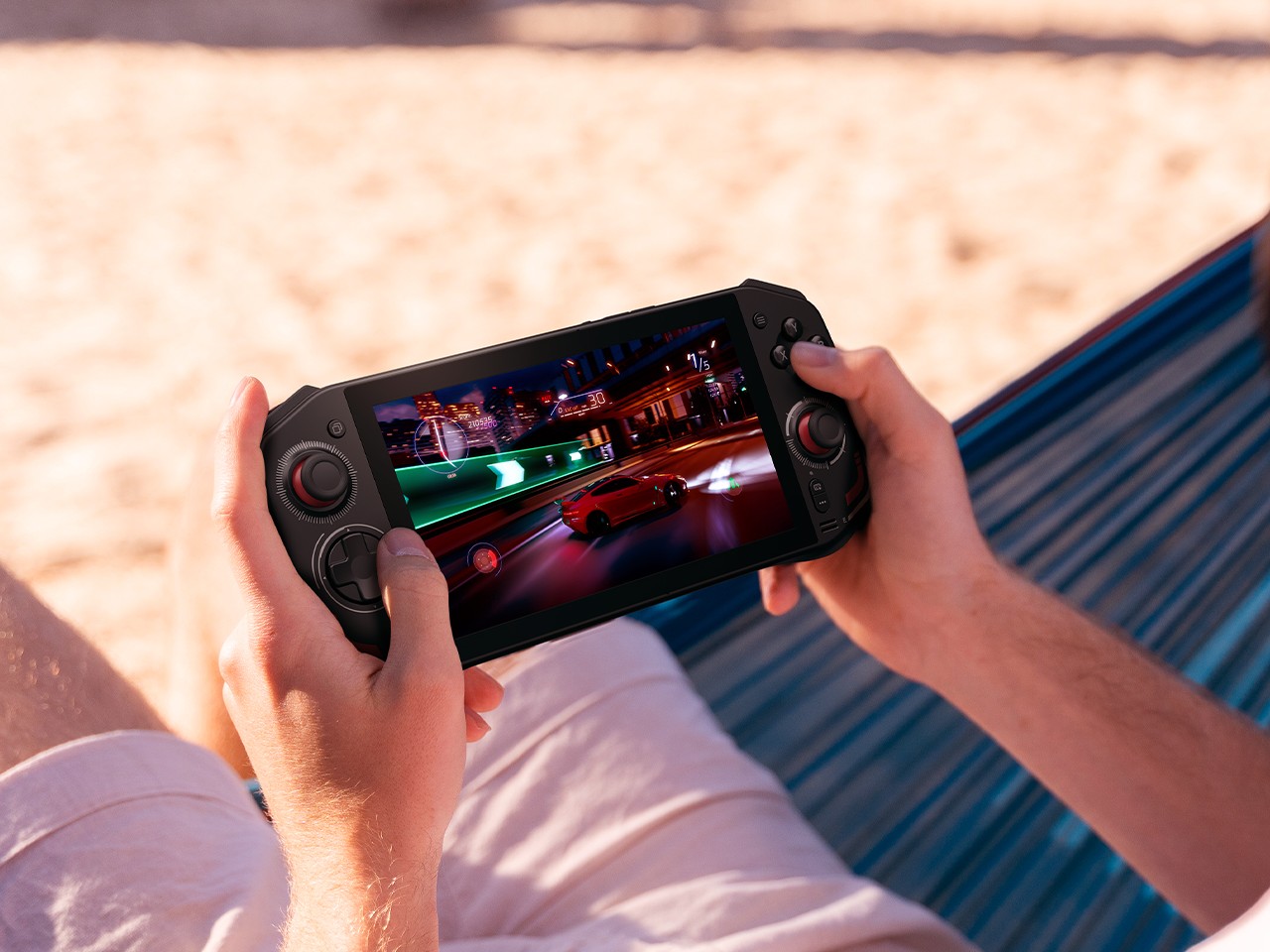
Acer enters the handheld arena with something the market actually needed: a device that solves Windows gaming’s most persistent pain point before you even load your first title. The AMD Ryzen 7 8840HS packs 39 AI TOPS, placing it on the same performance tier as many AI-powered laptops currently on the market. Paired with the AMD Radeon 780M and 16GB of RAM, the Nitro Blaze 7 arrives as serious hardware in a compact form. The 7-inch 1920×1080 144Hz IPS touchscreen with 100% sRGB color gamut coverage is the kind of display specification that makes comparable handhelds feel like compromises — vibrant and bright enough that even the darkest visual environments read clearly on screen.
What separates the Nitro Blaze 7 from the competition isn’t the chip — it’s the software thinking wrapped around it. The Acer Game Space feature consolidates titles from every platform and source into a single unified library, removing the multi-menu navigation friction that makes Windows gaming handhelds feel like a productivity task compared to SteamOS devices. Touchscreen support lets players interact directly with interface elements rather than routing everything through controller input, which matters more than it sounds when you are three minutes into a launch session and still navigating settings. The dedicated hotkey that drops you straight into your library is a small thing that solves a real and recurring problem, and that is exactly the kind of design thinking this category needs to normalize.
What We Like:
- Acer Game Space consolidates multi-platform libraries into one interface, fixing Windows gaming’s biggest UX friction point
- 144Hz IPS display with 100% sRGB delivers premium visual quality for a 7-inch handheld screen
What We Dislike:
- The IPS panel means the Blaze 7 lacks the contrast depth and blacks of OLED competitors
- At 7 inches, the display is smaller than the growing number of competitors now shipping with 8-inch screens
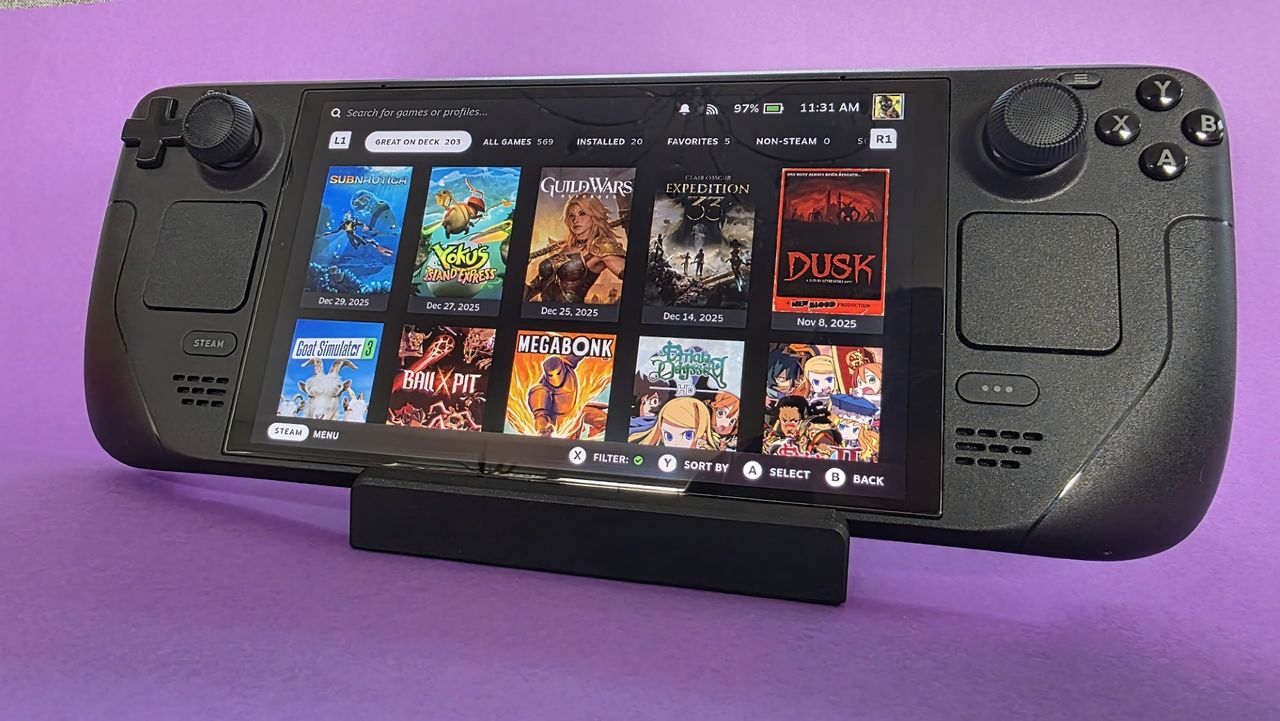
3. Steam Deck OLED Limited Edition White
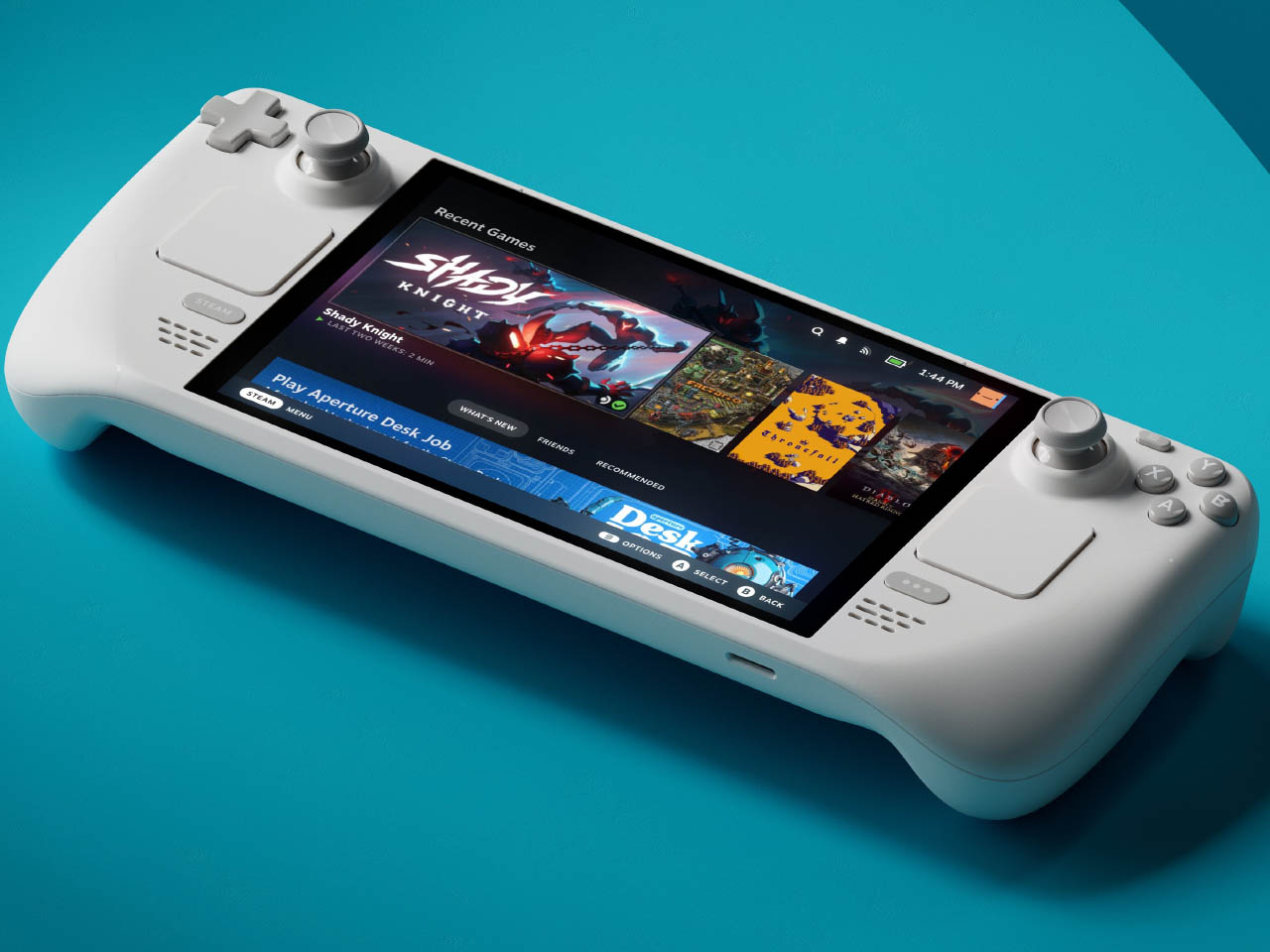
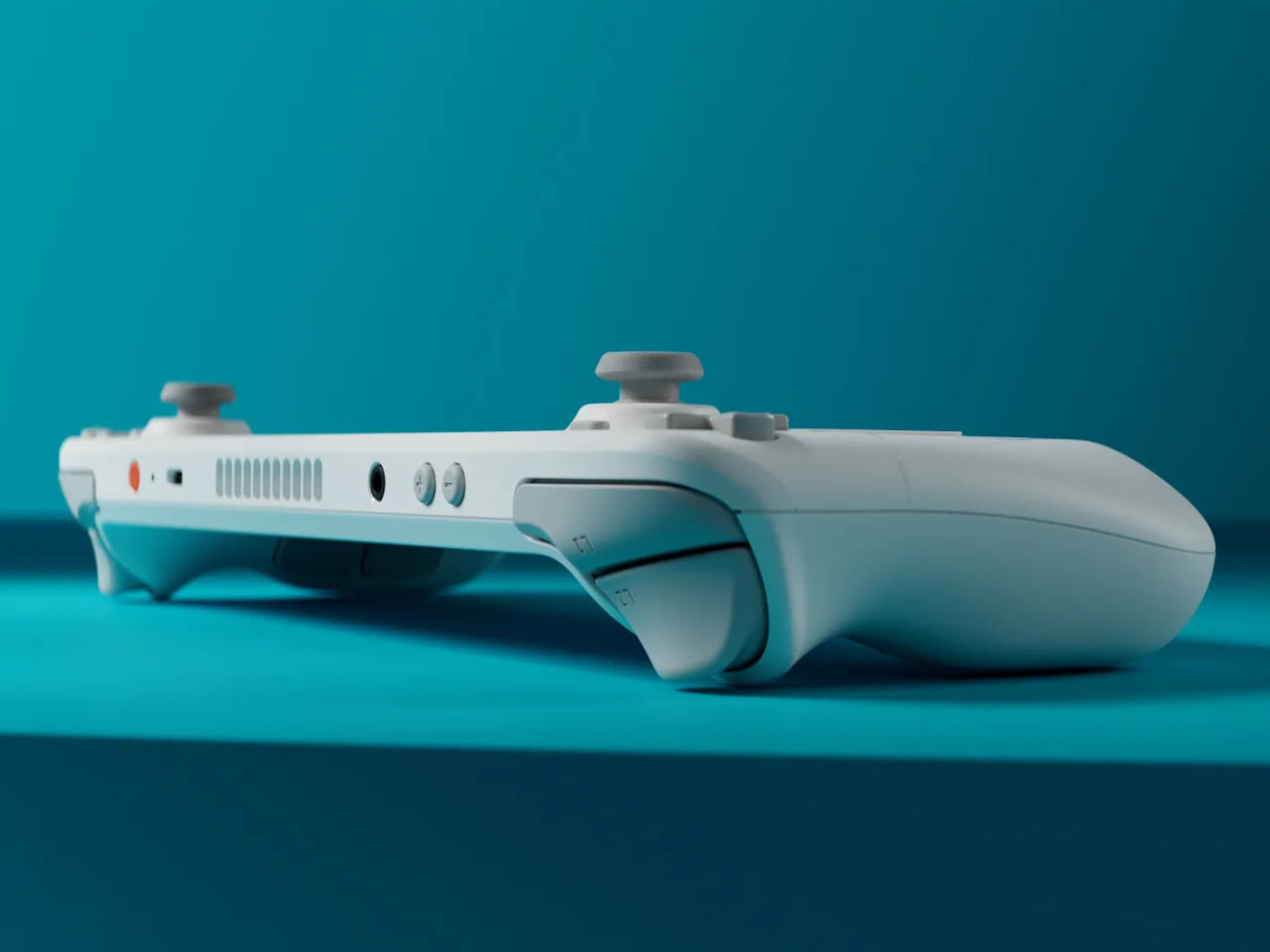
Valve’s limited edition white Steam Deck is the rare hardware release that justifies its price premium through object quality alone. The off-white shell with gray buttons and a single orange power button is a restrained, confident color story that most hardware brands spend years failing to tell. The OLED panel with HDR support already positioned the standard Steam Deck a visual step above the LCD models, and the white chassis makes that contrast even more vivid — display colors read differently against a lighter surround, and the overall effect is closer to a premium consumer electronics object than a gaming peripheral. Valve pairs the device with a matching white carrying case and a microfiber cloth, because they know exactly what that surface will attract daily.
Available only in the 1TB configuration, the limited edition white Steam Deck is not a casual purchase — it is priced above the standard black variant, and that premium is entirely about the colorway rather than any specification difference. Valve has been direct about the potential for further bold color options depending on how this version performs in the market, and the design language of this release suggests they genuinely understand that hardware can carry emotional weight beyond its spec sheet. Their stated commitment to continued software and hardware improvements also changes the calculus on what the purchase represents. You are not buying a device at its peak; you are buying into an object that the people who made it intend to keep improving.
What We Like:
- The off-white and orange colorway is the most considered visual design statement in the handheld gaming category
- 1TB OLED configuration with HDR support represents the best display quality available in a handheld gaming PC
What We Dislike:
- The white shell will show dirt and wear significantly faster than the black variant, demanding frequent cleaning
- Limited edition pricing premium is cosmetic rather than functional, which makes it a harder case to make to practical buyers
4. MSI Claw 8 AI+
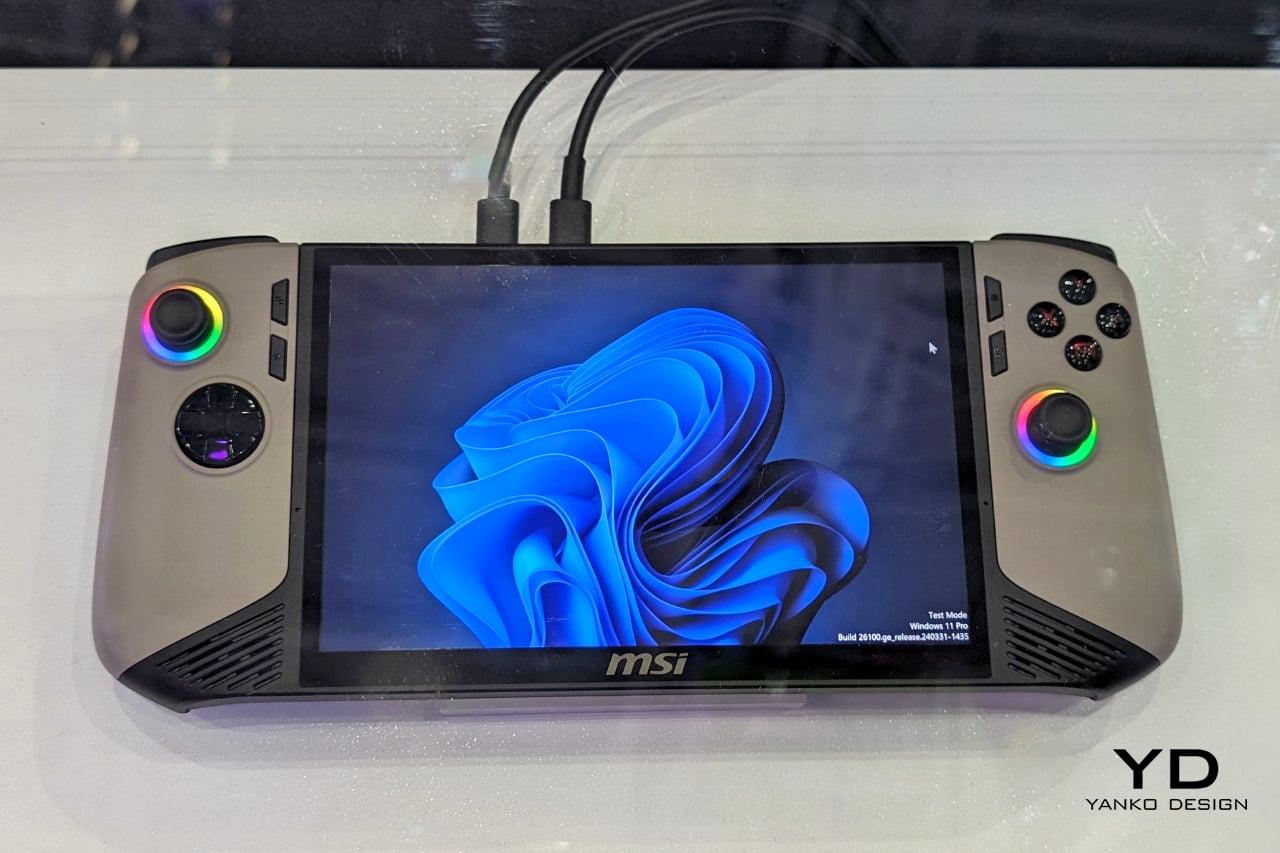
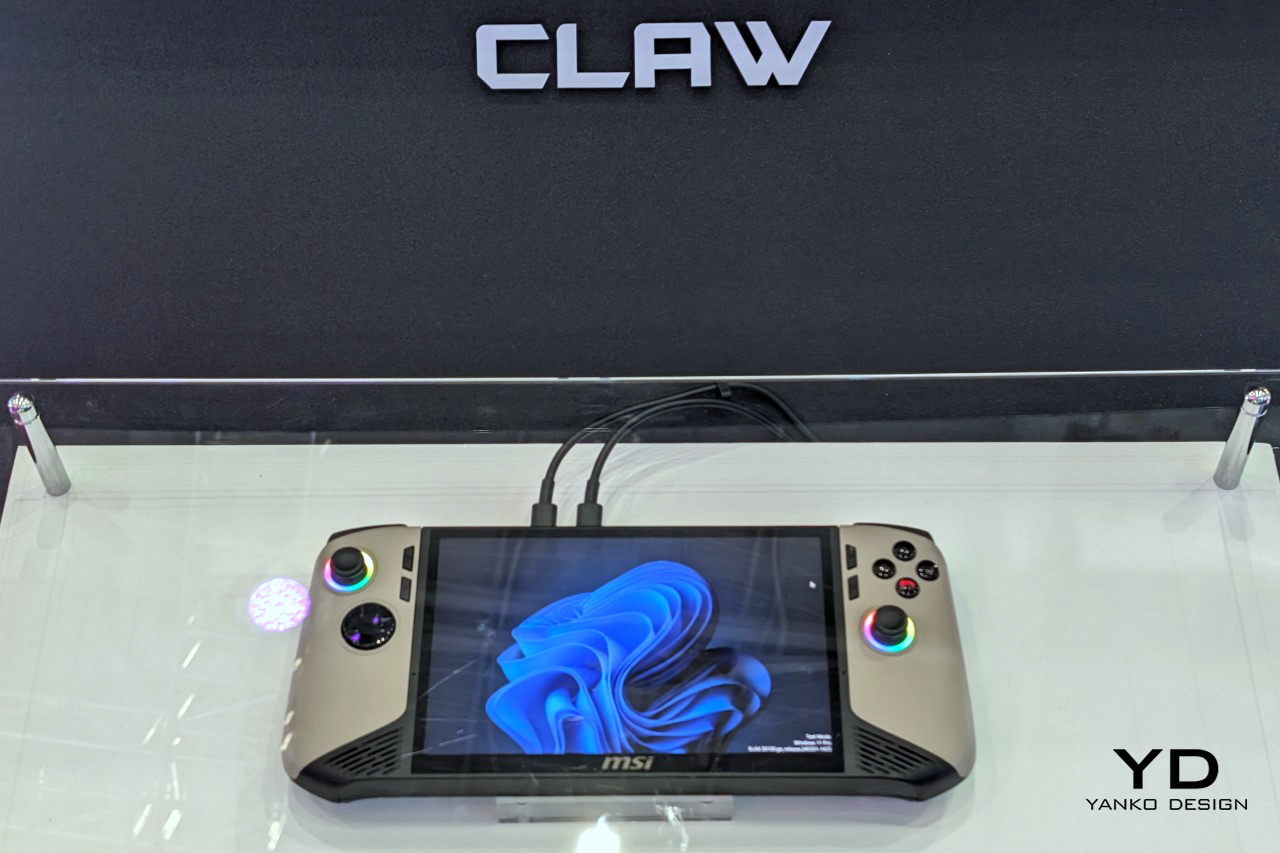
MSI’s second attempt at a handheld gaming PC makes a strong case for listening. The original Claw’s 53Wh battery was one of the most discussed disappointments in gaming hardware, and the Claw 8 AI+ responds with an 80Wh unit that matches the ROG Ally X — immediately removing that criticism from the conversation. The redesigned chassis is more comfortable to hold than the original, which sounds like a modest correction but represents the difference between a product you use and one you tolerate through a session. The 8-inch display at 1080p and 120Hz is the screen you can actually picture using across several hours without fatigue, and the overall hardware package reflects a manufacturer that took its first attempt as useful data rather than a finished result.
The dual Thunderbolt ports are the detail that separates the Claw 8 AI+ from most of its direct competition. In a category where connectivity has generally been an afterthought, Thunderbolt transforms the device into something more versatile than a dedicated gaming handheld. It can drive an external display, connect high-speed peripherals, and function as a desktop replacement when docked — a use case that justifies the form factor for people who travel and need their hardware to earn its carry weight across more than one context. MSI’s continued driver support for the original Claw also signals something about the relationship they want to build with buyers, which matters when you are deciding which ecosystem to invest in for the long term.
What We Like:
- 80Wh battery resolves the original Claw’s most criticized weakness, matching the ROG Ally X for endurance
- Dual Thunderbolt ports offer versatility that positions the device beyond pure gaming into broader portable computing
What We Dislike:
- 1080p resolution on an 8-inch screen sits at the market standard rather than pushing the category forward
- The redesigned chassis was not available for hands-on evaluation at launch, leaving the real-world grip feel unconfirmed
5. ADATA XPG Nia
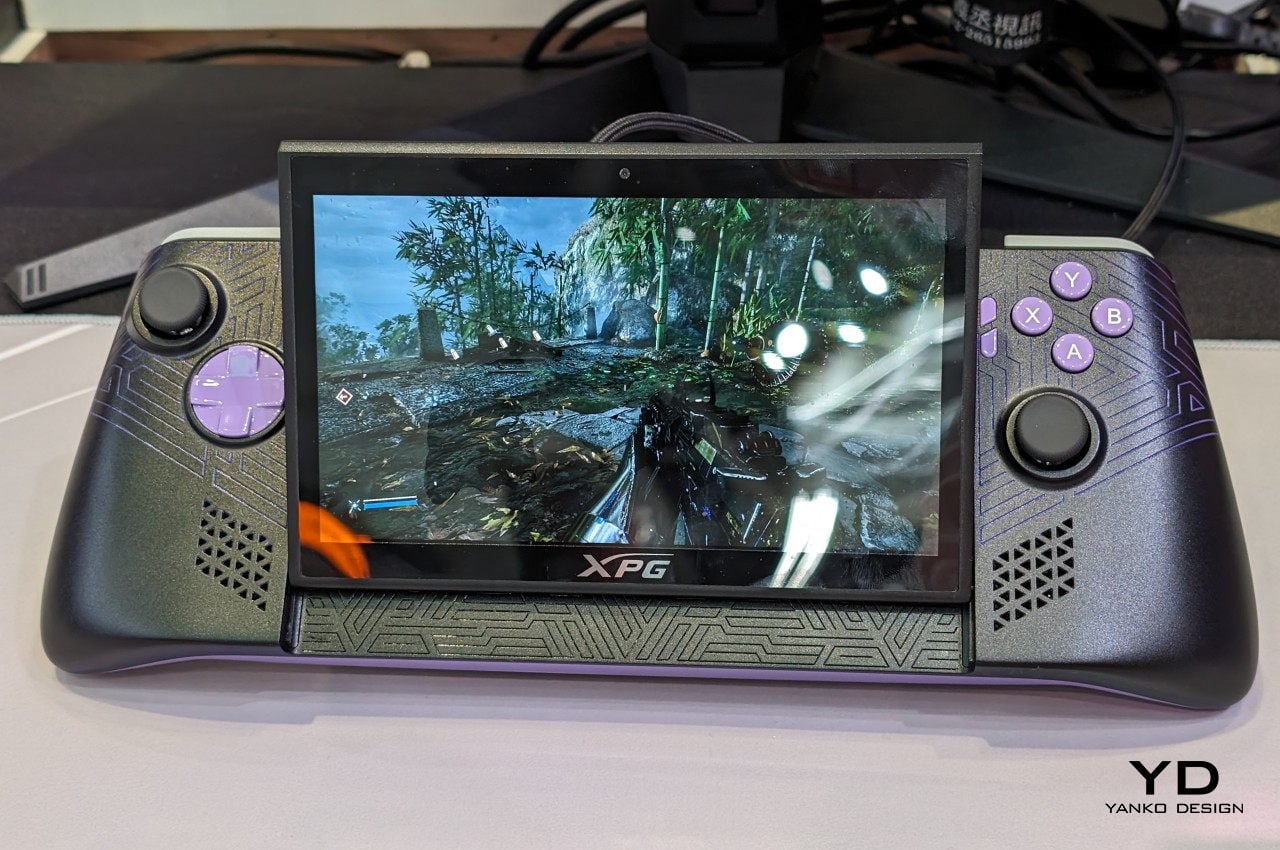
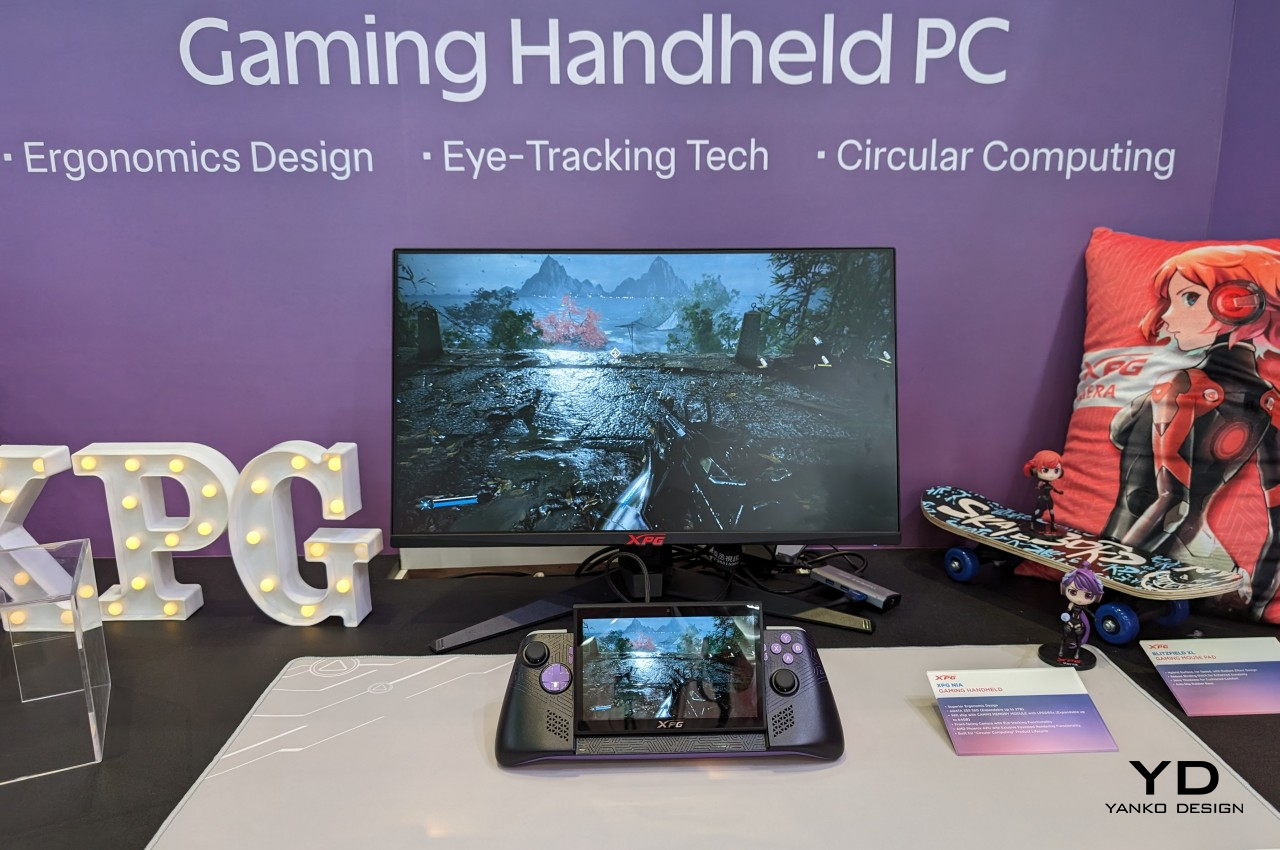
The XPG Nia arrives with a design philosophy that most handheld manufacturers have been too conservative to commit to: repairability as a genuine feature. The use of LPCAMM2 memory modules, which are not soldered to the motherboard, makes this one of the very few handheld gaming PCs where upgrading the RAM is a realistic possibility rather than a route to a voided warranty. The M.2 2230 SSD slot handles storage upgrades in the same way, borrowing the kind of upgrade-friendly architecture that better laptops have offered for years. ADATA, better known for its data storage solutions than gaming hardware, brings exactly the right technical background to a product that treats longevity as a design consideration rather than an inconvenience.
This matters more than it sounds in a category that has normalized the idea of buying new hardware every two years because your existing device can’t be updated. Handheld PCs are essentially miniature laptops running laptop-grade hardware with constrained cooling, which has traditionally meant buyers are locked into the specs they purchase on day one. The XPG Nia pushes back against that assumption. It may not carry the brand recognition of Valve or ASUS, but the decision to make memory and storage user-upgradable in a handheld gaming PC is genuinely forward-thinking hardware design. The category is full of devices optimized for the unboxing moment. The XPG Nia is designed for year three.
What We Like:
- Upgradable RAM via the LPCAMM2 module makes it one of the only handhelds built for long-term ownership
- Upgradable M.2 2230 SSD slot extends the device’s useful lifespan well beyond its launch-day specifications
What We Dislike:
- Real-world ease of RAM upgrades remains unproven, as LPCAMM2 is a relatively new memory format
- ADATA’s identity as a storage brand creates unanswered questions around long-term software support and gaming ecosystem depth
6. GPD Pocket 4
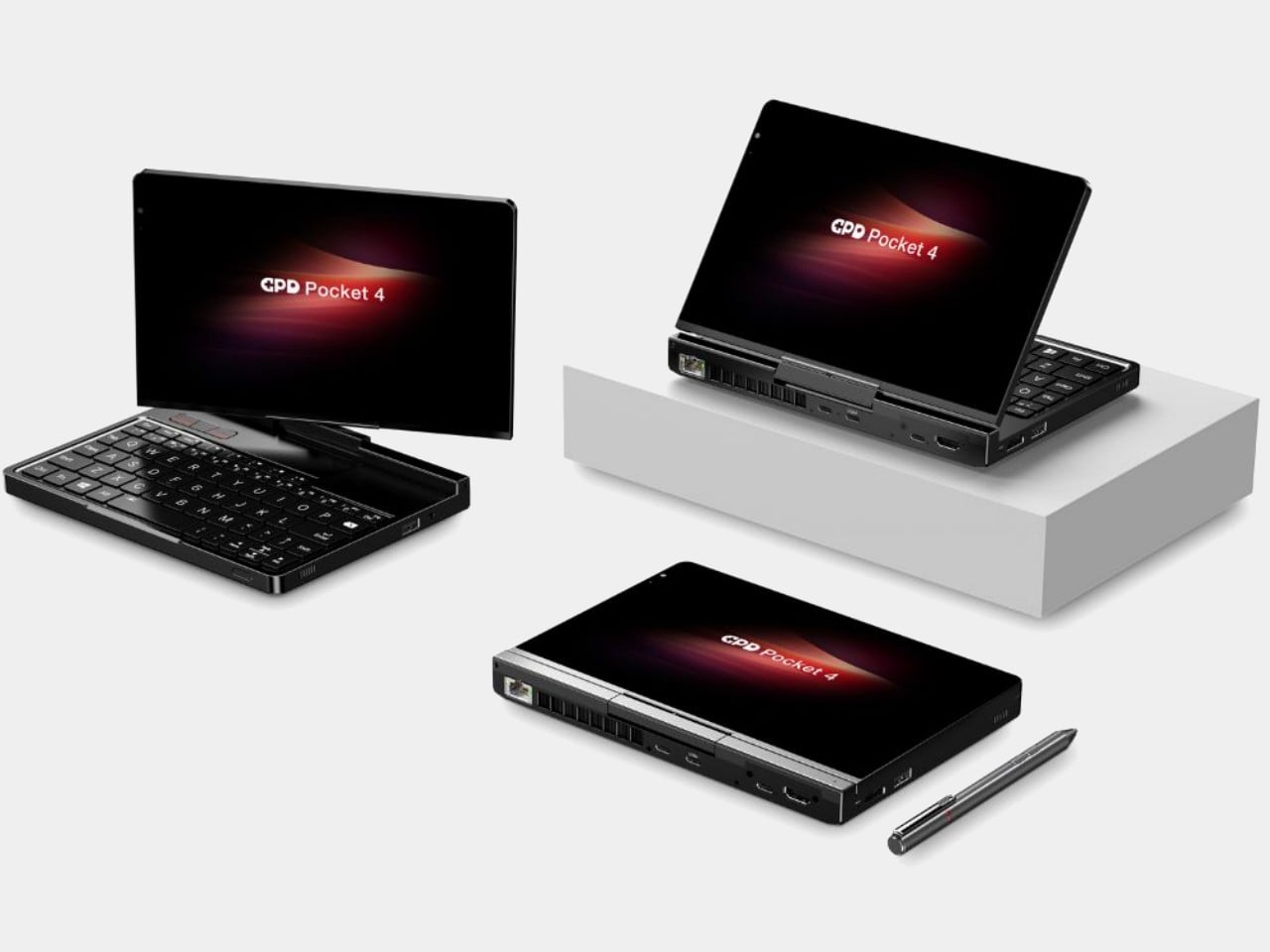
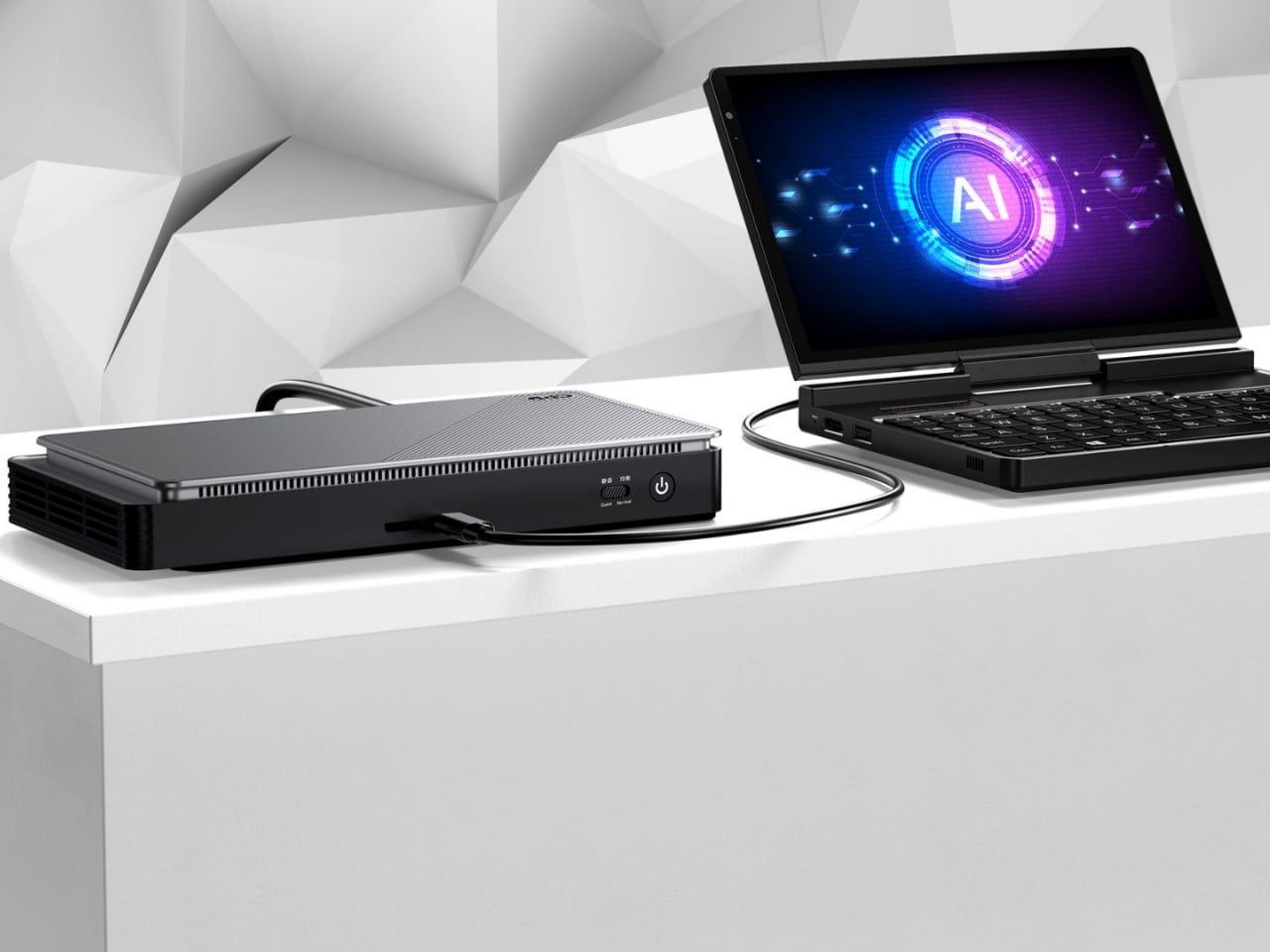
The GPD Pocket 4 does not belong in this list by conventional logic, and that is precisely why it does. There are no joysticks, no D-pad, no face buttons. What it has instead is a compact clamshell form factor built around a full QWERTY keyboard, a small touchpad in the upper right corner designed for right-thumb operation in a two-handed grip, and mouse buttons positioned on the opposing side for the left thumb. The AMD Ryzen AI 9 HX 370 with AMD Radeon 890M graphics, 64GB of RAM, and up to 4TB of upgradable NVMe SSD storage inside this chassis is a genuine statement about what a pocket-sized device can accomplish. It is a handheld PC for the person who refuses to separate productivity from portability.
Where most devices in this roundup are gaming handhelds that can also browse the web, the Pocket 4 is a legitimate laptop replacement that can also play games within certain limits. Content creation, entertainment, productivity, and travel computing are all addressed by hardware that fits in a jacket pocket. The 44.8Wh battery is the honest trade-off — you are carrying a compressed laptop, not an augmented gaming console, and the battery reflects that compromise directly. For the person who travels constantly and wants one device that handles most things well rather than two devices that each do one thing perfectly, the Pocket 4 makes more sense than almost anything else in this roundup. It is the most unusual recommendation here, and the most interesting.
What We Like:
- Full laptop-grade specifications, including up to 64GB RAM and 4TB upgradable storage in a genuinely pocketable form factor
- Functions as a true laptop replacement for content creation and productivity without requiring a second device
What We Dislike:
- No gaming controls confine its gaming capability to keyboard-compatible titles only
- The 44.8Wh battery is significantly smaller than competitors that prioritize gaming endurance over overall portability
7. ZOTAC ZONE
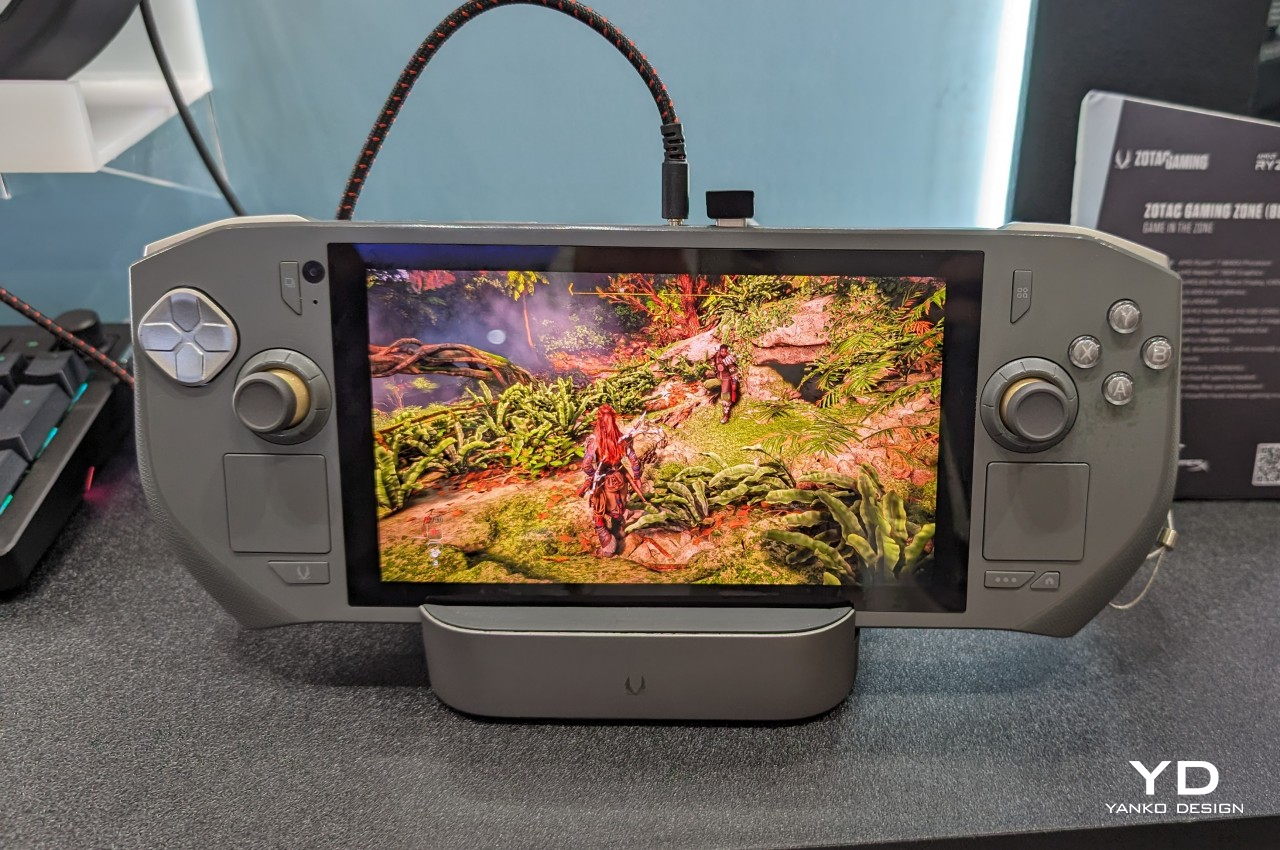
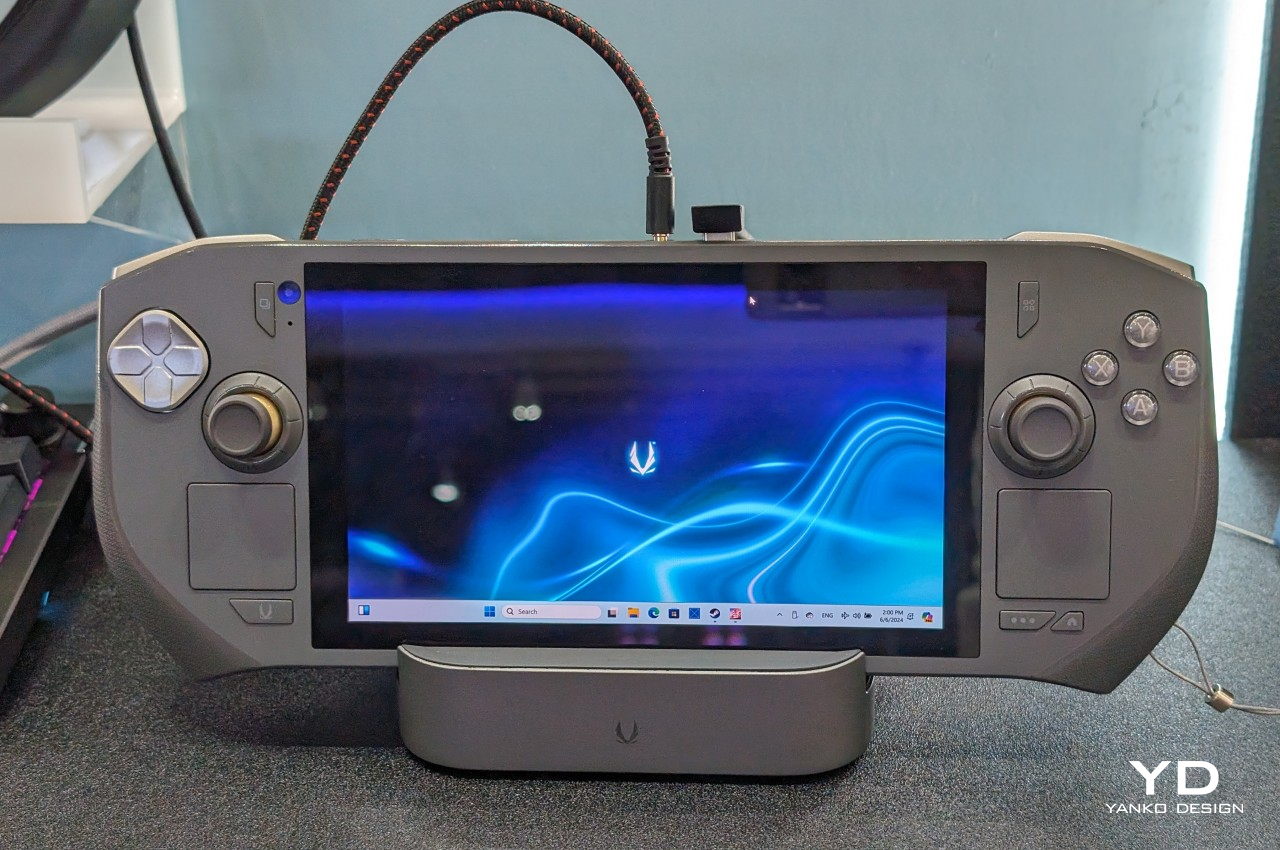
The ZOTAC ZONE wears its Steam Deck influence openly and then raises the conversation. The OLED display puts it in rare company — most handheld gaming PCs are still shipping IPS panels, and the presence of an OLED screen here is not incidental. The PlayStation-style button layout mirrors Valve’s device directly, setting it apart from the Xbox-influenced arrangement that the rest of the Windows handheld market has effectively standardized around. The built-in kickstand is the detail that reveals the ZONE’s genuine design thinking. It is an obvious feature that a surprising number of handheld PCs have decided to leave out, and its presence changes how the device lives in practice — on a plane tray table, a cafe counter, or a hotel room desk, where you’d rather not hold the thing for two hours straight.
The configurable controls are where the ZONE earns its premium positioning. Two-stage adjustable triggers and programmable dials around each joystick represent the most granular control customization available on any handheld gaming PC currently on the market. It runs more recent hardware than the Steam Deck, inside a chassis that clearly understands what it is trying to be. The steep price is a real barrier, and the ZONE will not make sense for every buyer. For the player who has worked through two or three handheld PCs already and knows precisely what they want from their next one — better controls, better display, a stand, and hardware that will not feel dated inside eighteen months — this is the device that was built with them specifically in mind.
What We Like:
- Built-in kickstand and OLED display address two genuine gaps in the Steam Deck’s design, both meaningfully improving day-to-day use
- Two-stage adjustable triggers and programmable joystick dials offer the deepest control customization in the handheld gaming PC category
What We Dislike:
- Premium pricing places the ZONE significantly above most competing devices, narrowing its realistic audience
- Strong visual and layout parallels to the Steam Deck make it a difficult upgrade pitch for buyers already in Valve’s ecosystem
The Category Grows Up
The seven devices above represent a category finally learning to want more from itself. Some of them get there through craft — the AYANEO 3’s considered curves, the ZOTAC ZONE’s OLED display and kickstand, the Steam Deck’s limited edition color story. Others earn their place through a harder kind of honesty: the XPG Nia’s upgradable RAM, the GPD Pocket 4’s refusal to be just one thing, the Claw 8 AI+’s willingness to publicly correct its own mistakes.
What unites all seven is a seriousness about the object itself — a sense that the person holding the device deserves hardware that respects their intelligence, their living space, and the money they are spending. The Fisher-Price era of handheld gaming PCs is not entirely over. But these seven devices are making a strong case for what comes after them.
The post 7 Handheld Gaming PCs That Actually Look Like the Future — Not a Fisher-Price Toy first appeared on Yanko Design.

 Connexion