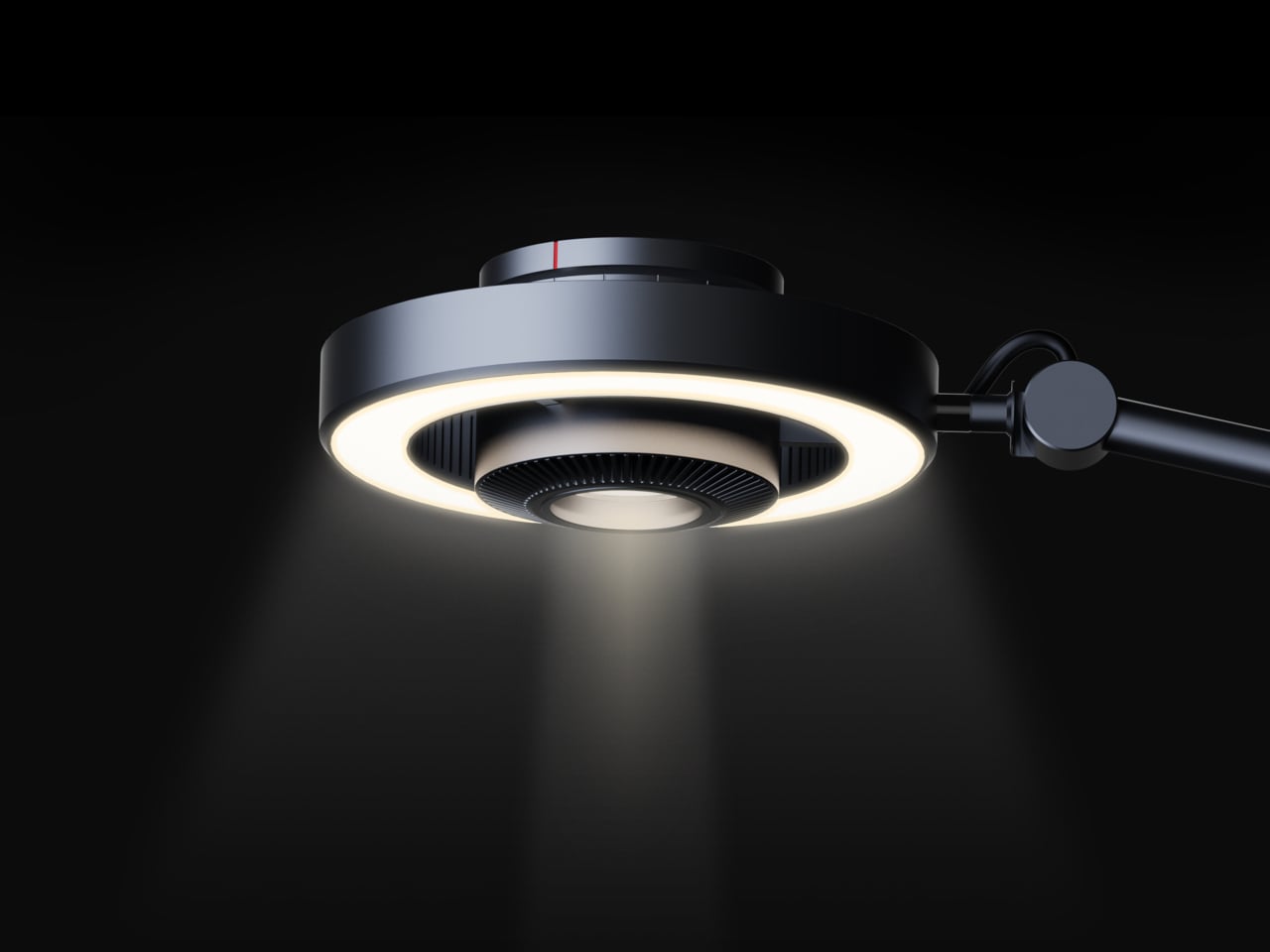
Desk lighting has long been a compromise between task and atmosphere. Professional lamps tend to lean one way or the other: too directional and harsh for extended use, or too diffuse to support fine detail work. A lamp that’s good for examining physical samples often isn’t comfortable over long stretches, and one that’s gentle on the eyes doesn’t always deliver when you need a hard, directed beam.
The Focus Light is a desktop lamp concept built around a different premise. Rather than committing to one kind of output, it combines two independent light sources into a single lamp head, giving the user the ability to shift between a precise, concentrated beam and a broad ambient glow, or run both at once. All of it’s controlled by a single rotary knob, and there aren’t any menus, apps, or extra switches involved.
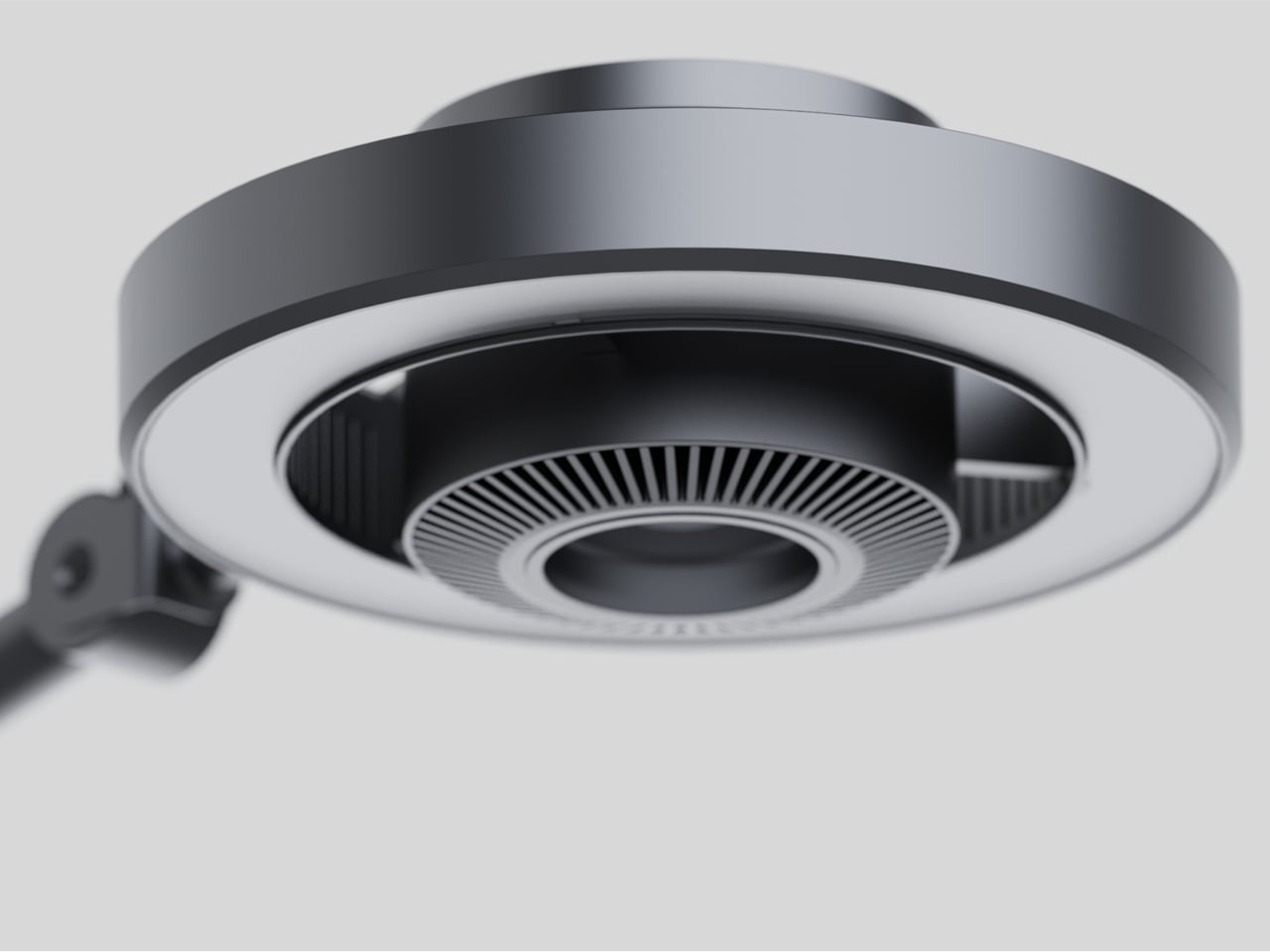
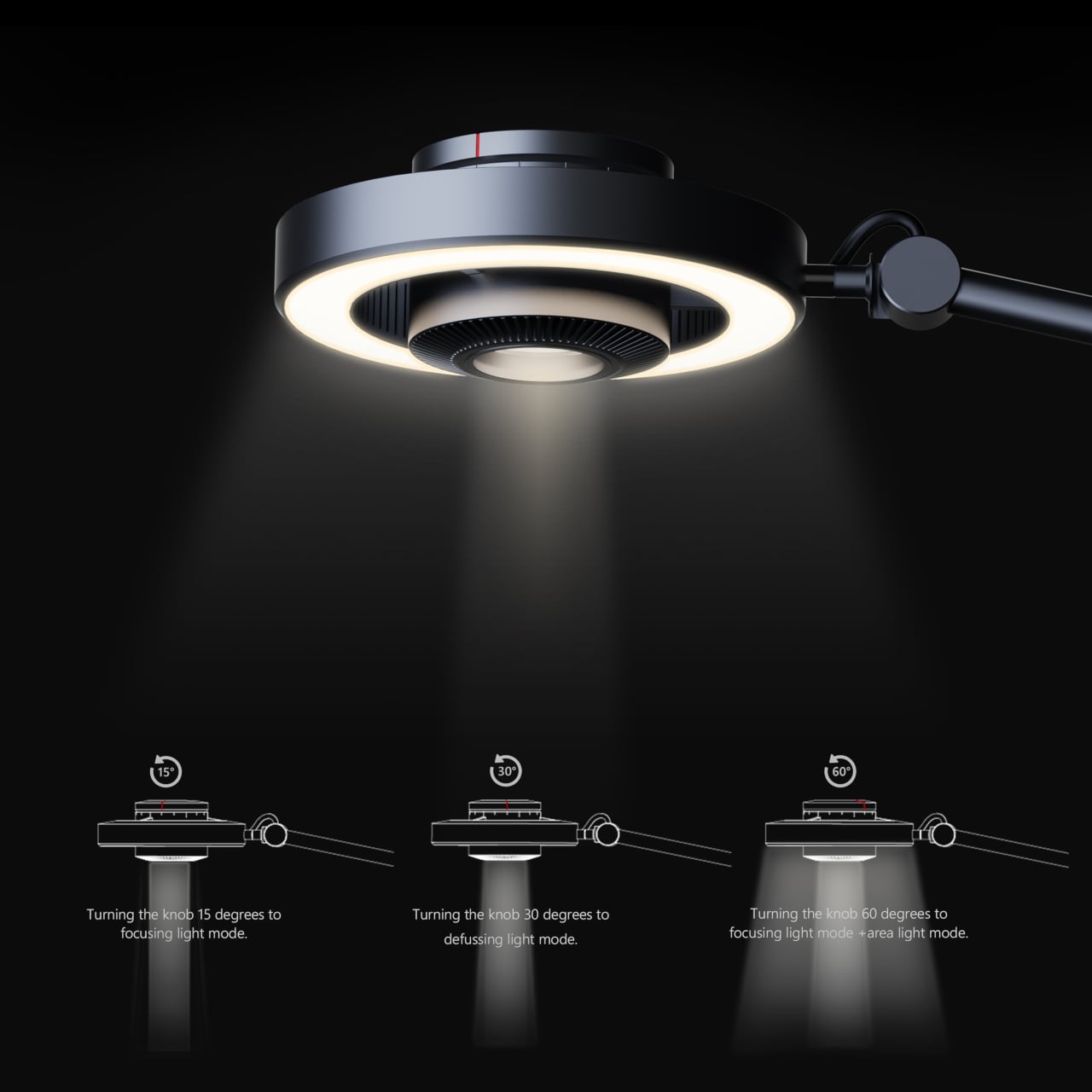
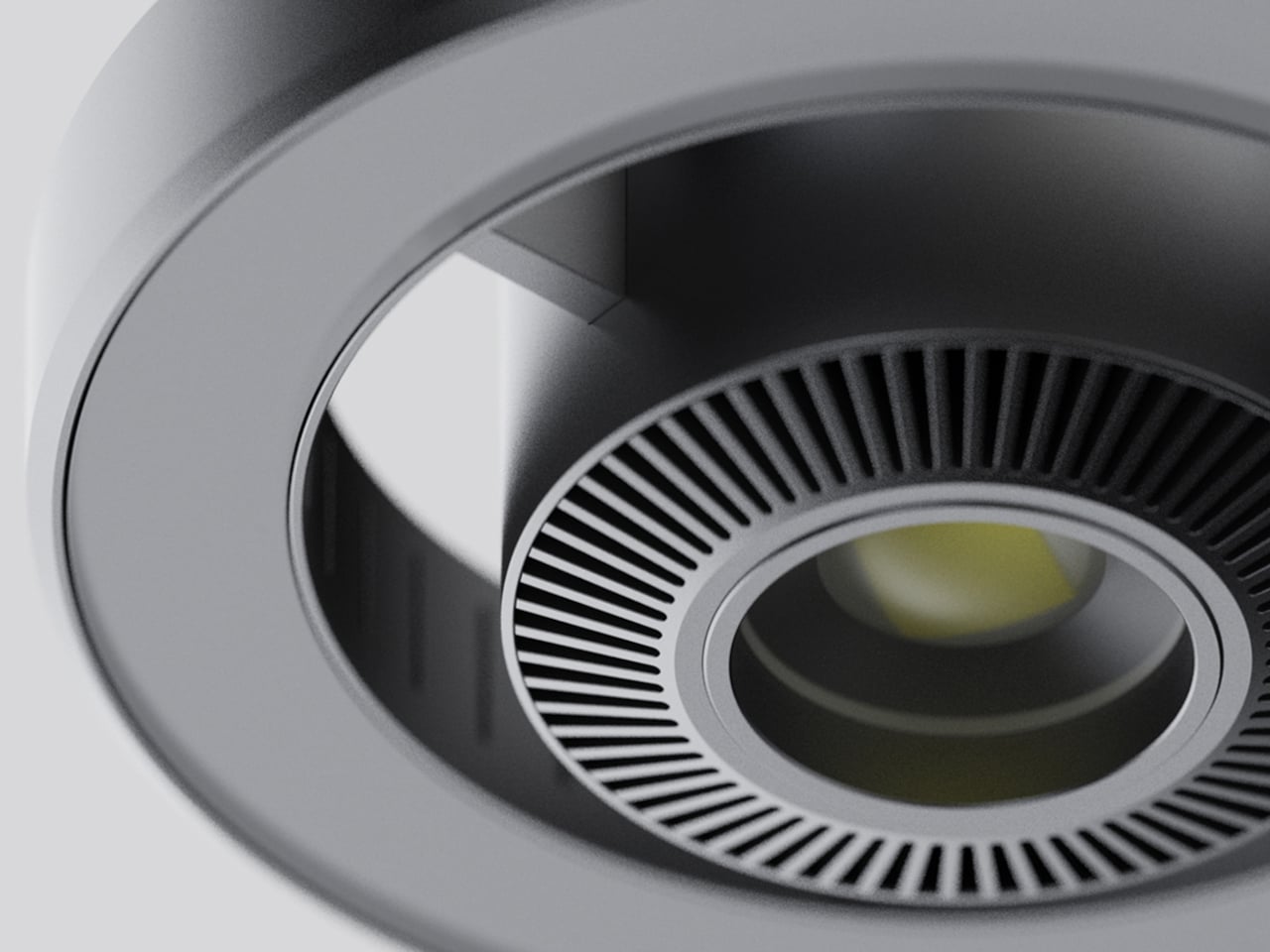
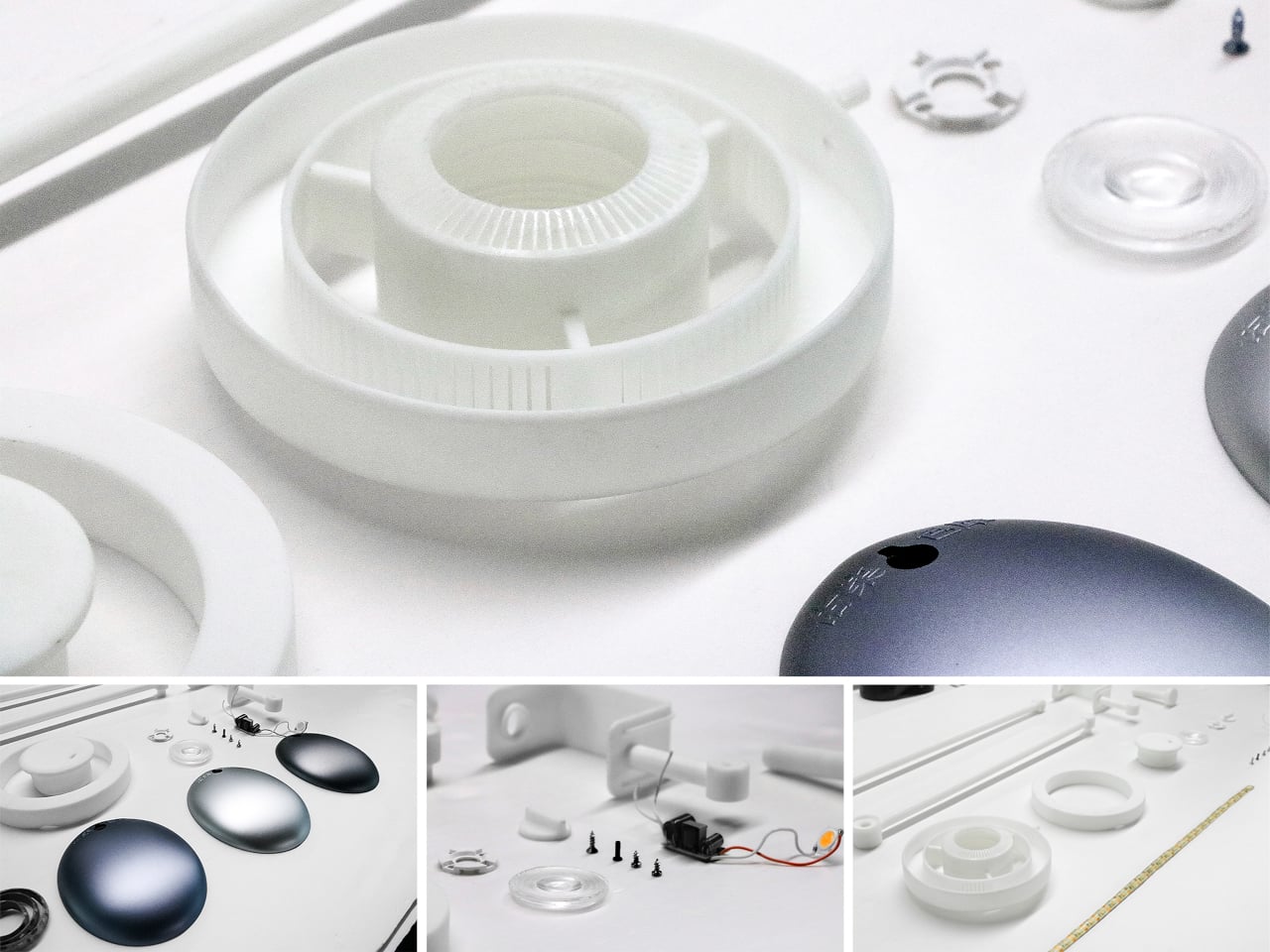
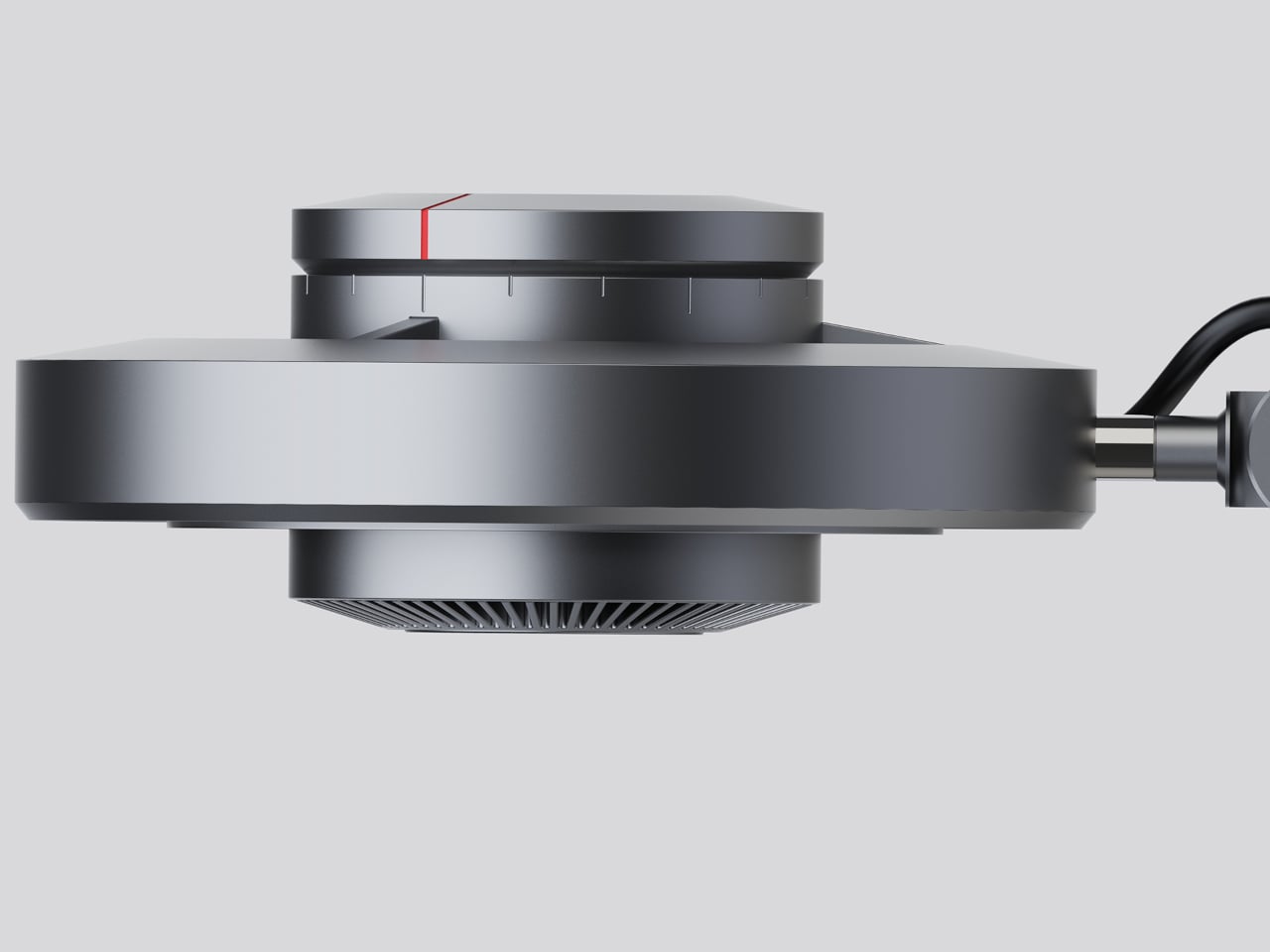
The lamp head is organized concentrically: an outer ring delivers ambient light while a central optical lens handles the focused beam. That layout has both functional and visual logic to it. Both sources sit in deliberate, concentric relation to each other, and the overall form looks as precise as it performs. The whole thing is finished in space gray metal, which lends it a professional, precision-tool character.
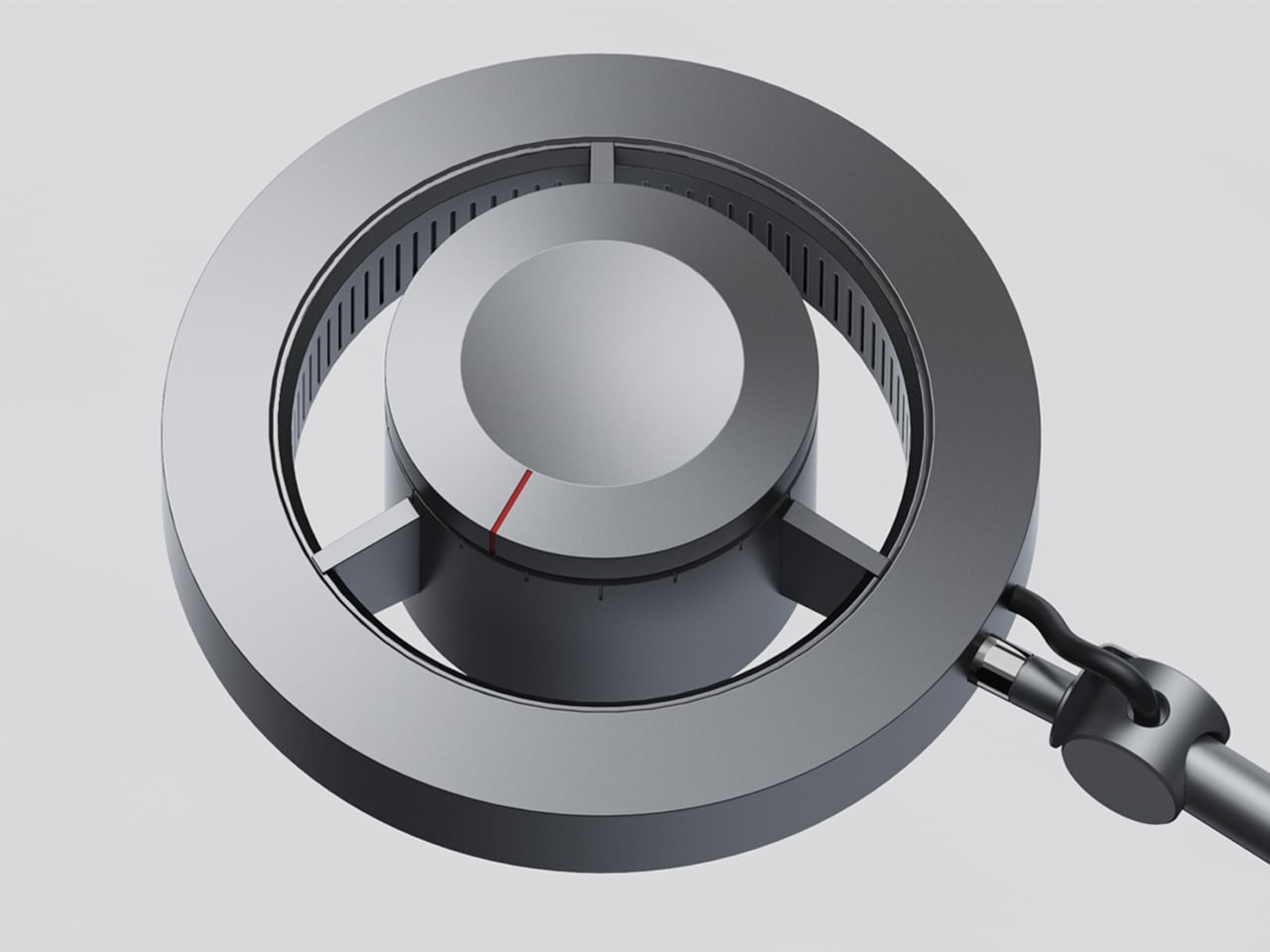
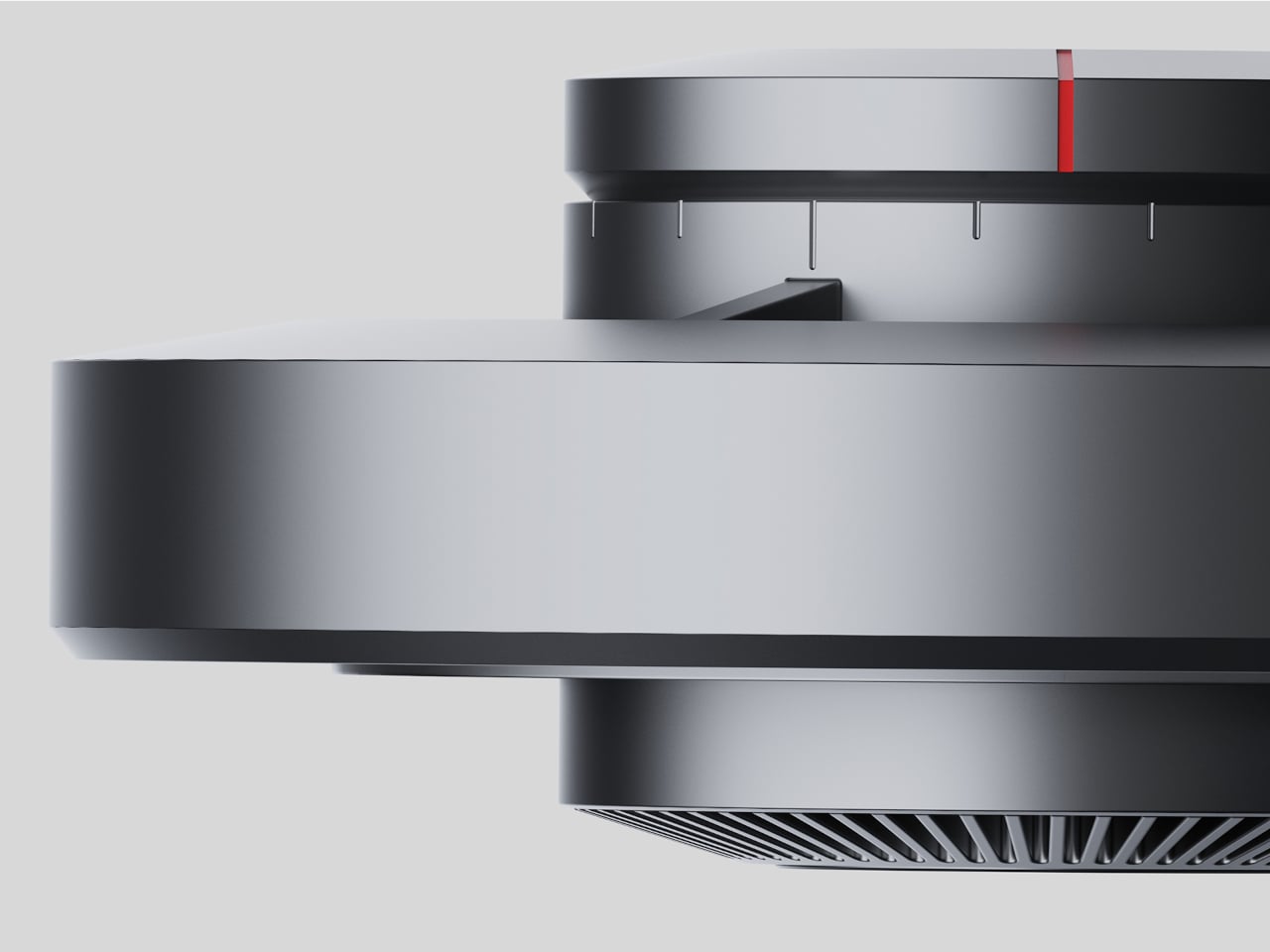
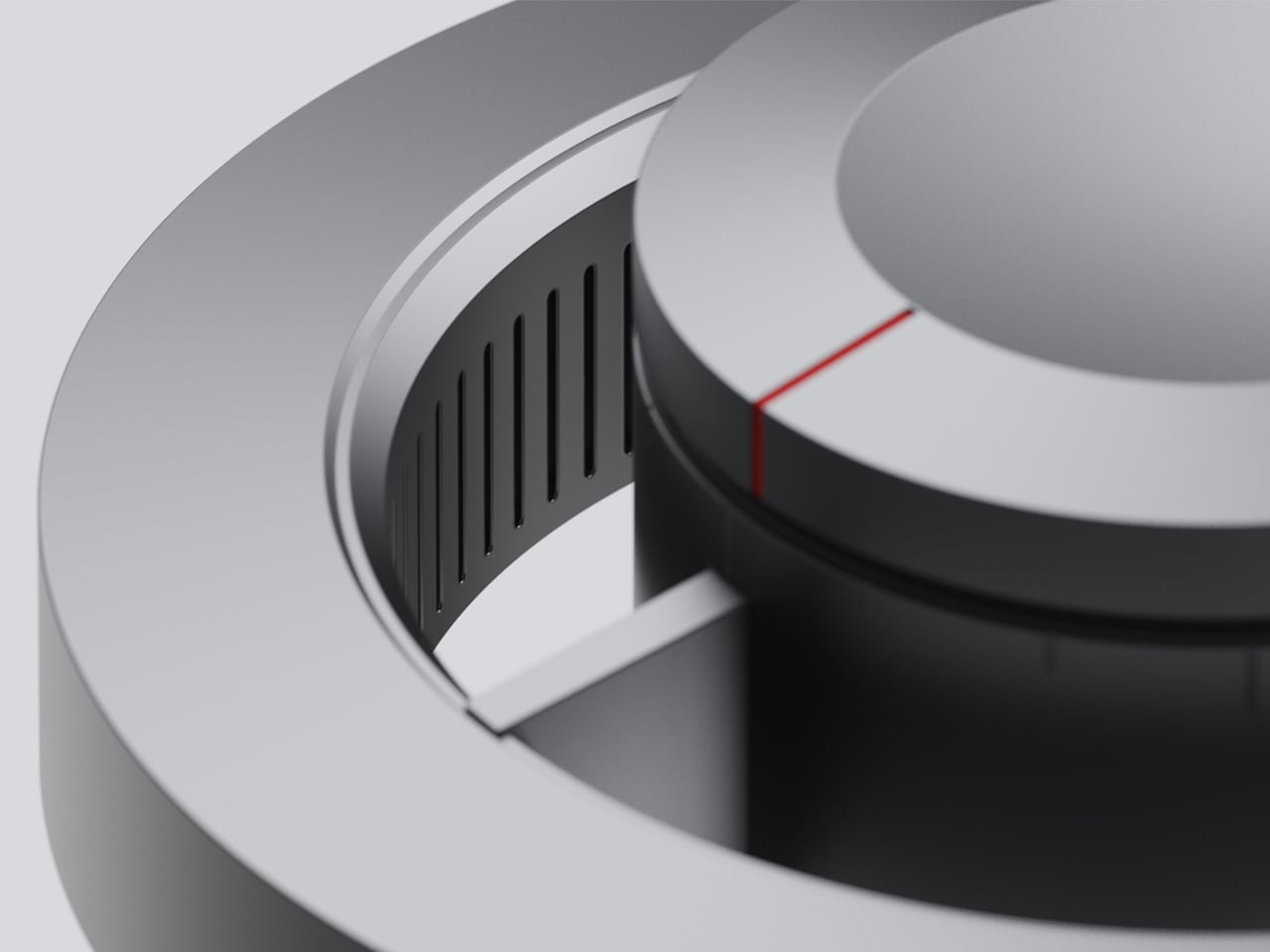
Control comes from a rotary knob on top, marked with a red indicator line. Rotating it 15 degrees activates focusing mode, sending a tight, concentrated beam straight down. At 30 degrees, the lamp shifts into diffusing mode, spreading the output into something closer to fill light. Push it to 60 degrees, and both sources run simultaneously, combining the central spot with the ambient ring for a layered workspace light.
For detailed hands-on tasks, being able to shift between modes without touching an app or dimmer panel makes a real difference. An illustrator tracing fine lines benefits from the precision of the focused beam, but that same beam creates harsh contrast against a dark surrounding surface. Bringing in the ambient ring softens that contrast, and having both running at once makes moving between close-up precision work and wider desk visibility much more seamless.
The same flexibility serves anyone who switches between different types of work at the same desk. Reading calls for something even and non-glare; marking up documents or working with small physical components benefits from a harder, more directed light. The Focus Light doesn’t ask the user to swap lamps or reposition the arm for each shift. The knob handles it, and the change is immediate.
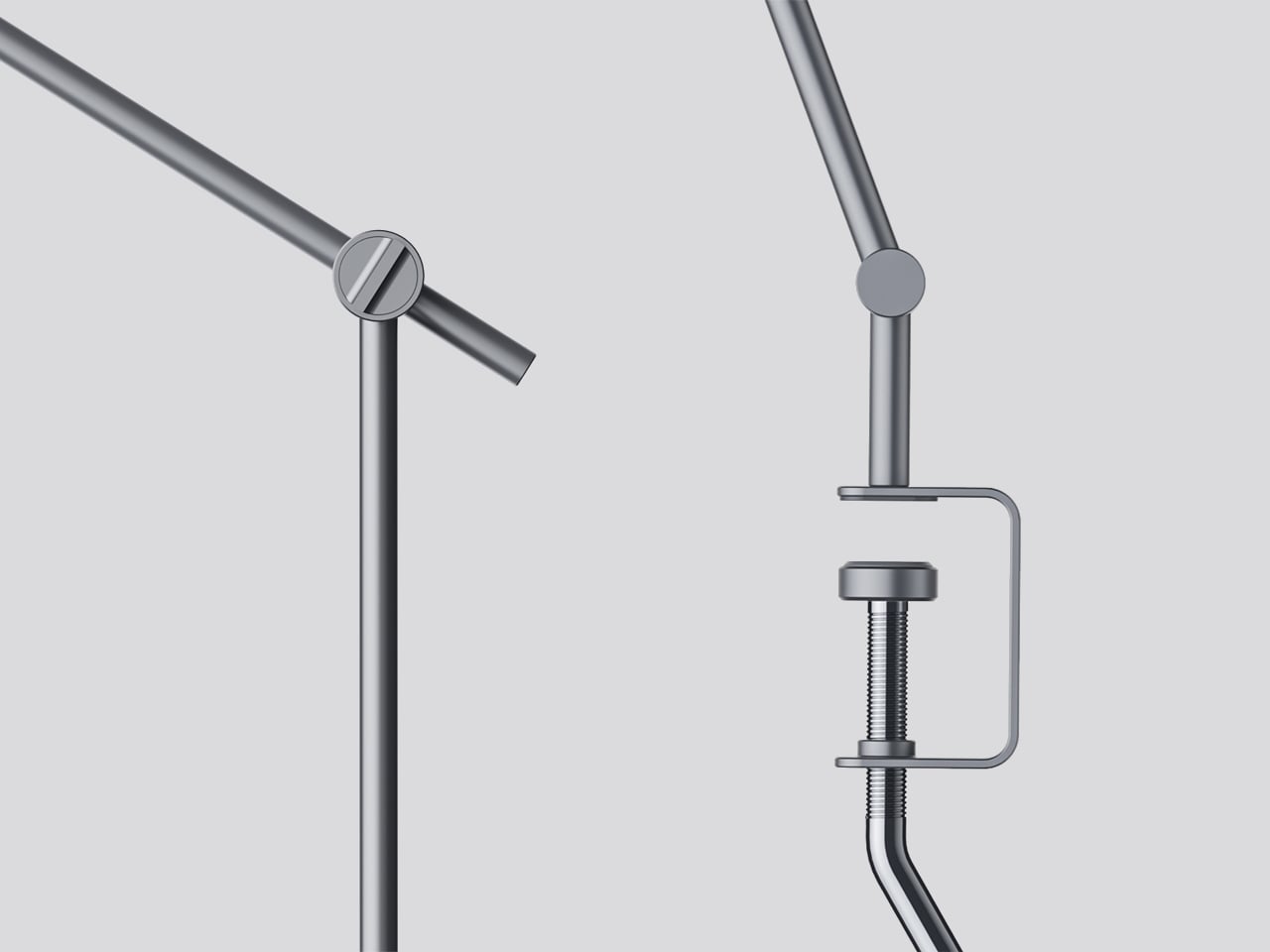
The physical form reflects the precision the lamp is meant to support. The lamp head is a clean disc with radiating heat fins arranged around the inner lens assembly, and the arm connects at a ball joint that allows repositioning without loosening a series of screws. A threaded desk clamp handles the mounting, so it doesn’t demand a grommet hole or take up surface area with a weighted base.
What stands out about the concept isn’t just the dual-source setup, but that a single physical control manages both. There’s no menu to scroll, no app to open. The red indicator on the knob tells you exactly where you are, and the three positions are distinct enough that you’d find your way back to any of them by feel after just a few days.
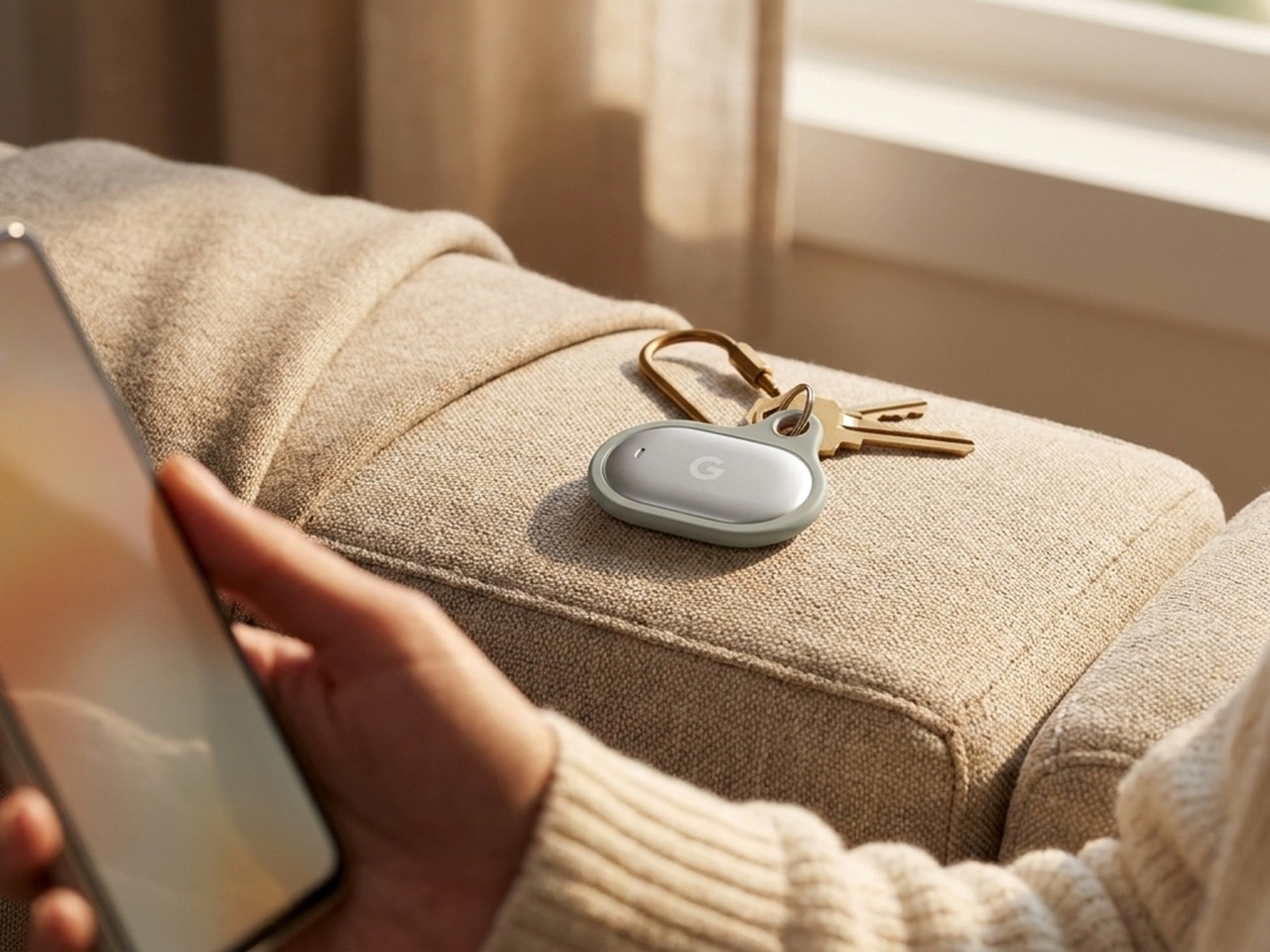
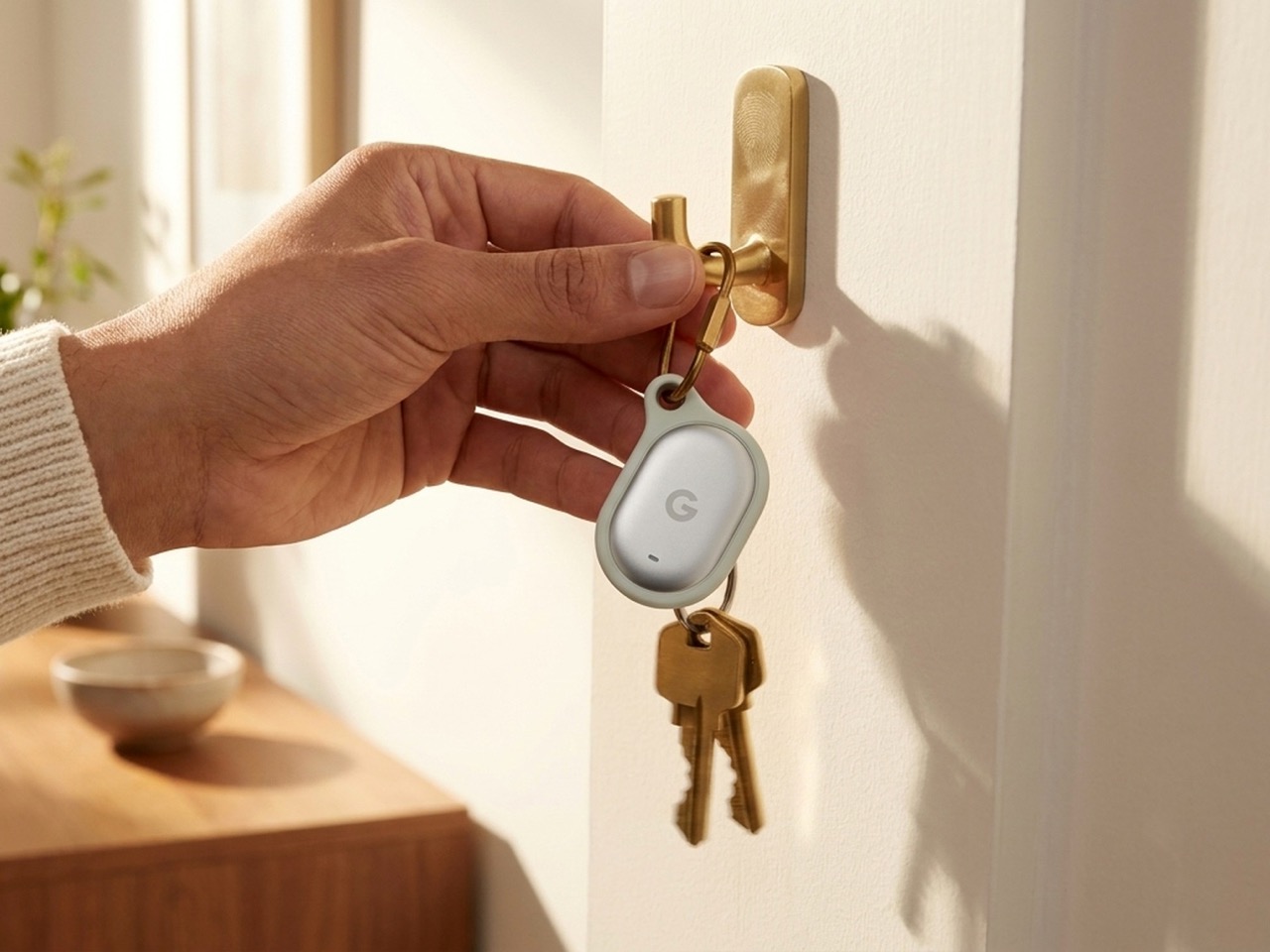
The Pixel Tag comes in exactly one color, a grey green called Fog, wrapped around stainless steel with a G logo stamped right on the front. It’s the same script Apple wrote with the AirTag and Samsung copied with the SmartTag2. A tracker spends its entire life clipped to your keys or your dog’s collar or tucked into a backpack pocket, which makes it one of the most personal objects you own. Google, of all companies, knows how to make hardware feel less like hardware. It just didn’t bother here.
Somebody at DJI figured out that a $60 microphone could come with snap-on decals, because apparently even a tiny accessory deserves a little personality. Motorola figured out something similar with the Moto Tag, which actually ships in sage green and a soft blue instead of the usual black or white default. So it’s not like nobody in tech has thought about this. It’s just that almost nobody applies it to trackers, and now Google has joined the long list of companies that had the chance and passed.
The excuse I keep hearing, and I use that word deliberately, is durability. Metal survives drops, fabric doesn’t, case closed. Except my phone survives daily abuse inside a woven case, and so does yours, and so does every rugged Kevlar sleeve sold by the millions for devices far more fragile than a coin sized tracker. Nobody worries their phone case is going to disintegrate because it has some texture on it. A tracker being too delicate for color or grip is not a real constraint. It’s a decision that got dressed up as one.
Underneath that decision is genuinely solid engineering, for what it’s worth. The Pixel Tag measures 1.8 by 1.1 inches and just 5.4mm thick, which makes it noticeably slimmer than the AirTag’s 8mm body. It runs on a replaceable CR2032 battery rated for about a year, carries an IP67 rating for dust and water, and pairs instantly over Fast Pair with any Android 9 device or newer. The headline feature is Ultra Wideband combined with Bluetooth Channel Sounding, which gives you a literal on-screen arrow and distance reading instead of a vague “getting warmer” signal, though that trick needs Android 16 and Bluetooth 6.0 to actually work. It taps into Find Hub, Google’s network of over a billion Android phones, so a lost item can get spotted even when it is nowhere near your own devices. You can share access with up to ten people, ring it from a Pixel Watch, or ask Gemini through your Pixel Buds to ring it for you. All of that ships November 11 for $29, or $99 for a four pack.
Google already knows how to wrap good engineering in an object people actually want to look at, because it solved the exact same brief years ago with its speakers. The Nest Mini gets a soft, woven top because Google understood people don’t want to display a hunk of bare plastic on their kitchen counter. The Nest Audio does the same thing, fabric front, rounded edges, an object designed to belong in a room rather than announce itself as a gadget in one. That instinct exists inside the same company that just shipped a keychain accessory in one shade of grey with a logo dead center, like it needed to remind you it’s tech.
A tracker’s entire job is to sit quietly on the stuff you actually care about. It should feel like something you chose, not something you tolerated because the tech underneath happened to be good. Find Hub integration, UWB precision finding, a battery that lasts a year, all of that is genuinely solid work. But solid engineering wrapped in a logo stamped on steel isn’t a finished product. It’s half of one, and Google, weirdly, is the company with the least excuse for stopping there.
Summer does a reliable job of exposing what is wrong with your carry. Thinner clothes mean shallower pockets, and whatever has been accumulating since January starts demanding justification it cannot provide. The wallet that has been stretching since February, the key ring that jingles through every meeting corridor, the flashlight that has been dead for three weeks – they all resurface together as you pack a bag and head back. The loadout that survived winter is not the one that deserves September.
The five upgrades here share a single argument: fewer objects doing more work, or one object doing something with enough precision that the supporting cast stops being necessary. None of them ask you to carry more. Each one consolidates something you were already carrying into a form that earns its pocket space so completely you stop thinking about it. That is the standard. That is what back-to-work EDC should actually look like.
1. Olight Baton 4 Premium Edition
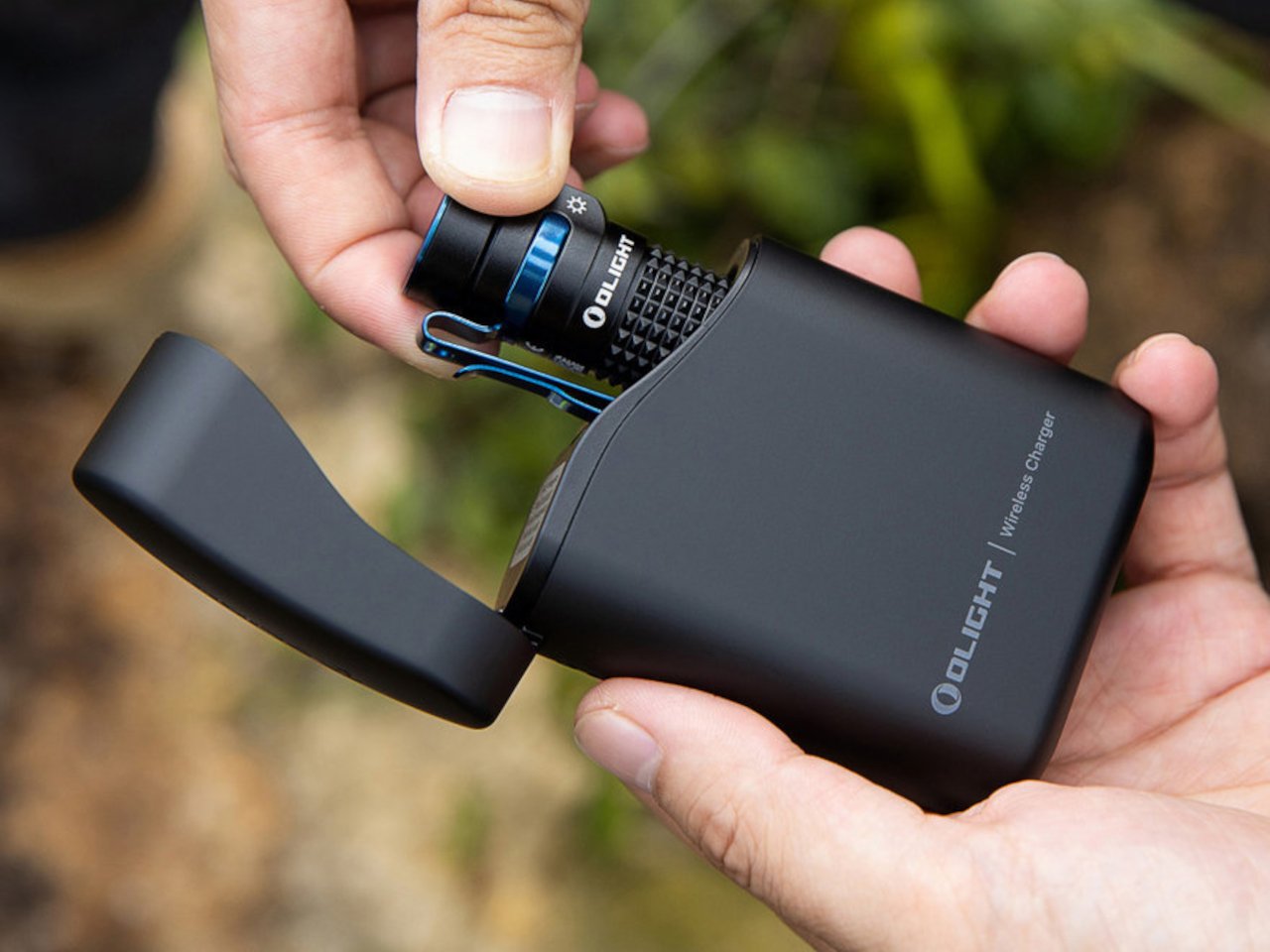
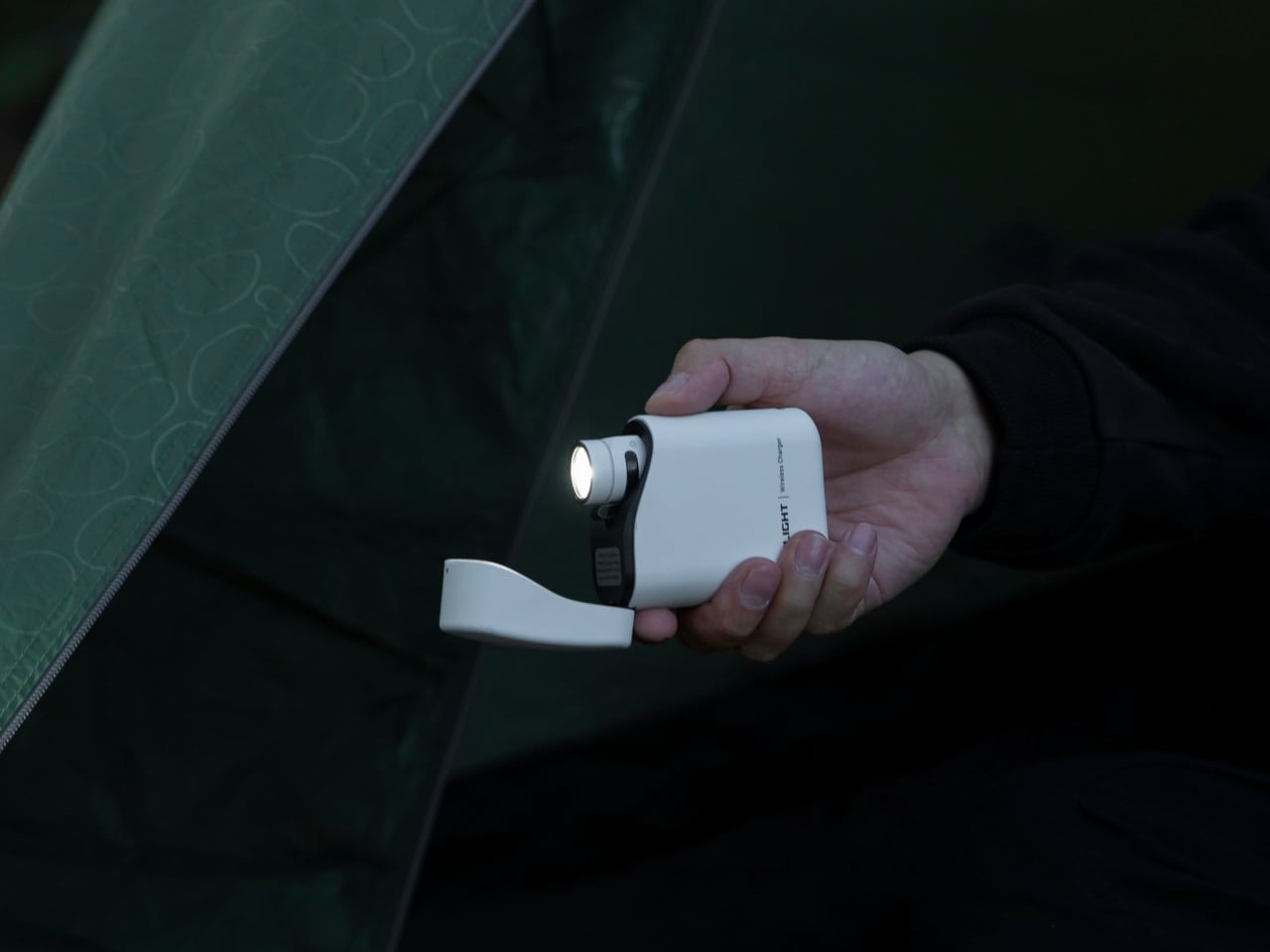
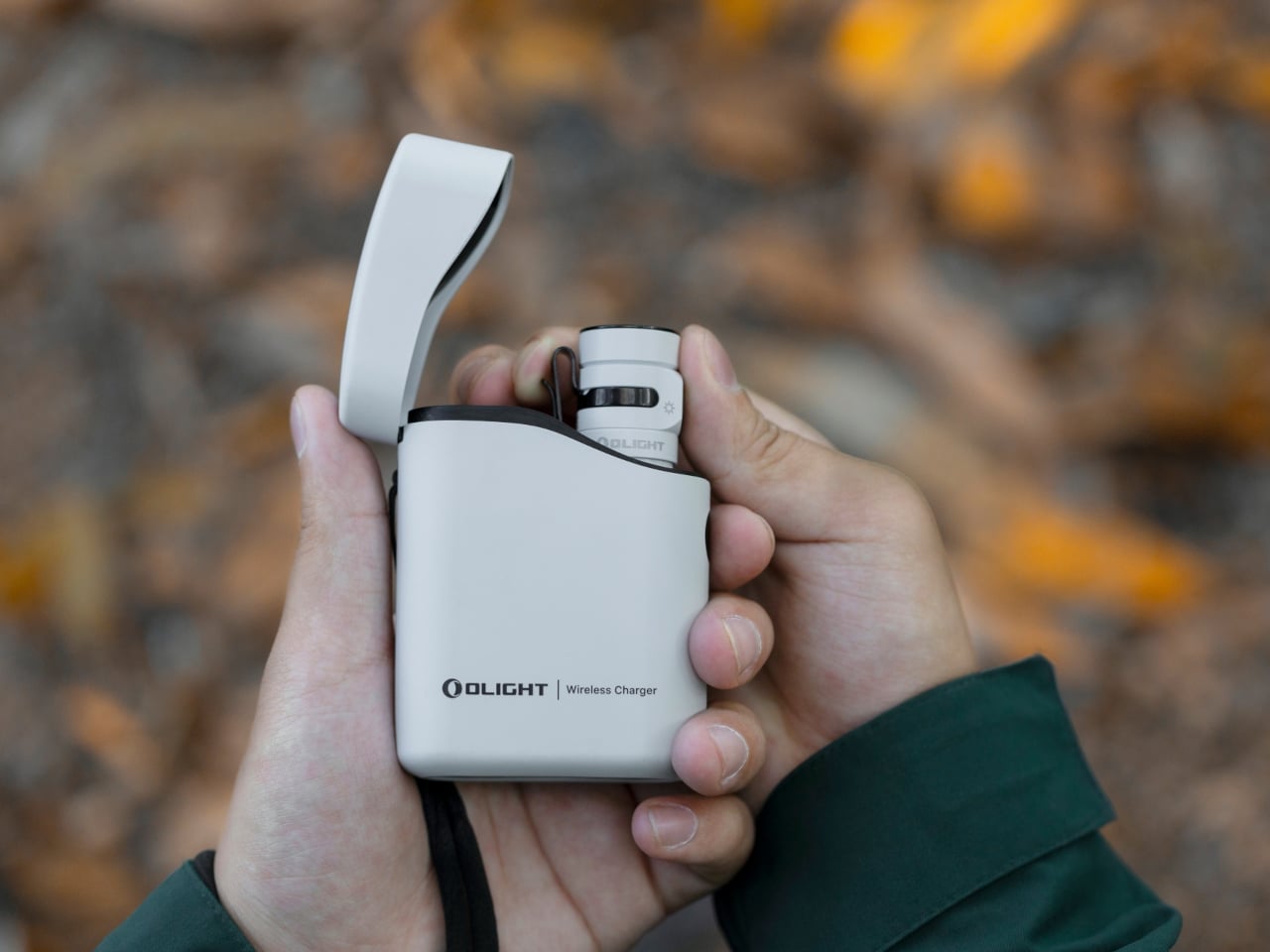
Most people heading back to work carry a flashlight and a power bank as two separate objects, in two separate compartments, with two separate charging cables neither of them can ever locate. The Baton 4 Premium settles that argument by making the charging case the second object, not the flashlight and the power bank as distinct things. The flip-top case carries 5,000mAh, recharges the Baton 4 up to five times, and allows you to activate the light without removing it from the case at all. Open the lid, press the side button, and the light fires. That single interaction collapses the gap between a flashlight that lives in a bag and one that is actually ready when something happens.
The 1,300-lumen output and IP68 waterproof rating handle the practical end of what a flashlight needs to do. The magnetic tail cap converts it into a freestanding lantern by sticking to any steel surface, removing the need for a separate camp light in most outdoor situations and proving genuinely useful in an office during a power outage. For a loadout returning to structure after a summer of loose carry habits, the Baton 4 Premium makes the case that two carry problems can be resolved by a single considered object. That is the only standard that matters right now.
What we like
The charging case serves as a functional 5,000mAh power bank and activates the flashlight without removing it – two carry problems resolved by one object instead of two
The magnetic tail cap frees both hands during stationary tasks without requiring any additional accessories, stands, or setup
What we dislike
Maximum brightness draws battery down faster than lower output modes, which means more frequent recharging on heavy-use days and more reliance on the case as a compensating mechanism
The case adds volume to the carry; users wanting the flashlight alone will need to leave the power bank function behind, which partially defeats the premise of carrying less
2. Fantom X Wallet
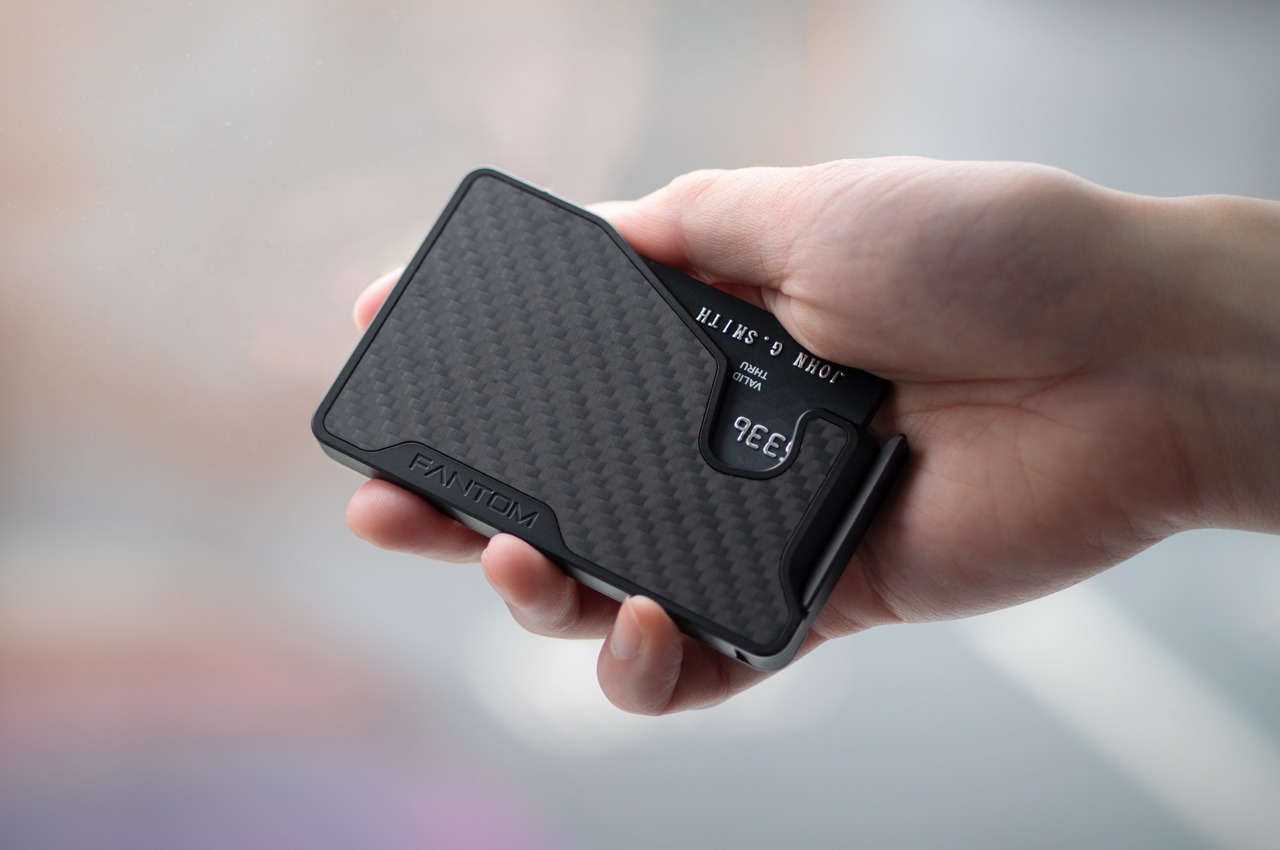
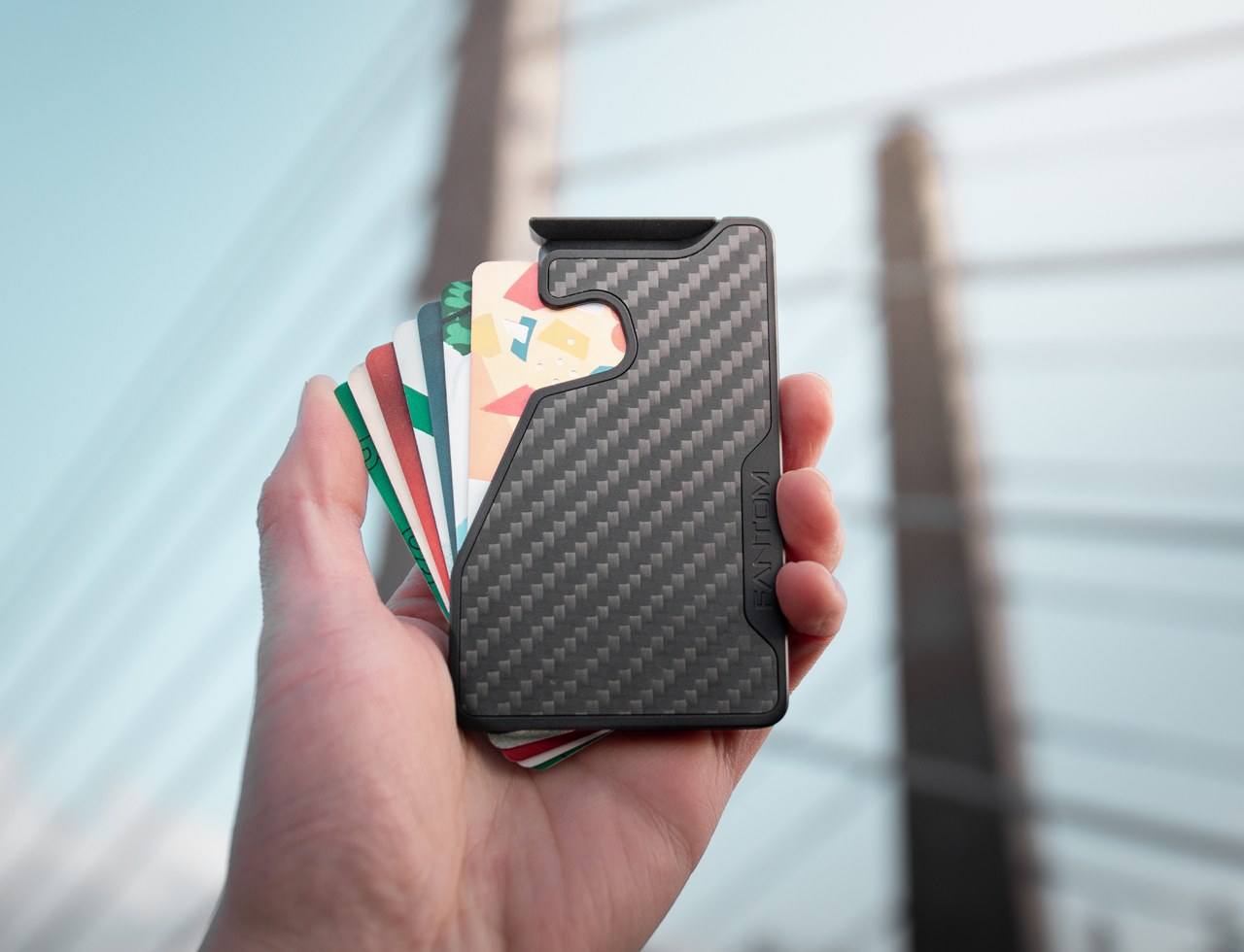
The wallet category has been failing quietly for decades. Leather stitching stretches, bifolds accumulate receipts nobody asked for, and elastic bands lose tension in months rather than years. The Fantom X approaches the problem as an engineering challenge rather than a craft one, building the chassis from machined aluminum, retaining cards mechanically, and adding a spring-loaded ejection system that fans your cards in sequence at the press of a button. Nothing in its construction is soft, which means nothing in this wallet degrades.
The design logic is borrowed from product categories where material failure is not tolerated. A bead-blasted aluminum body carries the same engineering rationale as the titanium tools that dominate the better end of the EDC market: fewer materials, one mechanism, no organic components that can rot or stretch under daily use. Cards are organized by ejection sequence rather than pocket habit, which introduces a useful kind of intentionality about what actually deserves a slot. Heading back to work with a wallet this considered makes the chaos of a stretched billfold feel like a problem you solved rather than one you are still living with.
What we like
Machined aluminum construction eliminates the stretching, cracking, and wear patterns that define the lifespan of leather and fabric wallets across every price bracket
The spring-loaded ejection fans cards in sequence, removing the fumbling that every other slim wallet format still requires at the checkout counter
What we dislike
The mechanical ejection system has a learning curve for anyone switching from a traditional bifold, and the first week of carry involves genuine reorientation
Cash carry is minimal depending on configuration, which limits practicality for anyone who still moves through the day with notes in their pocket
3. Orbitkey Key Organiser
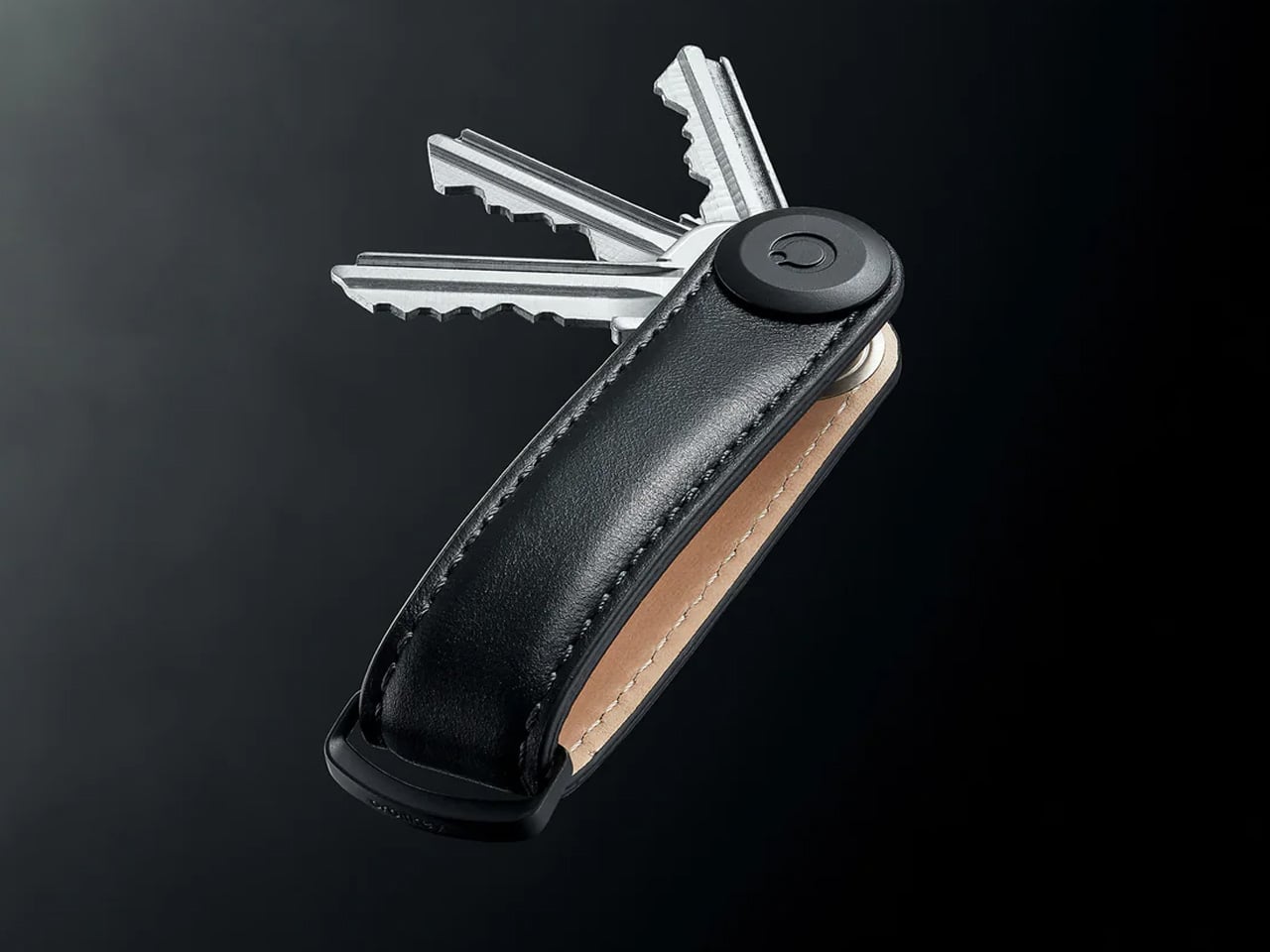
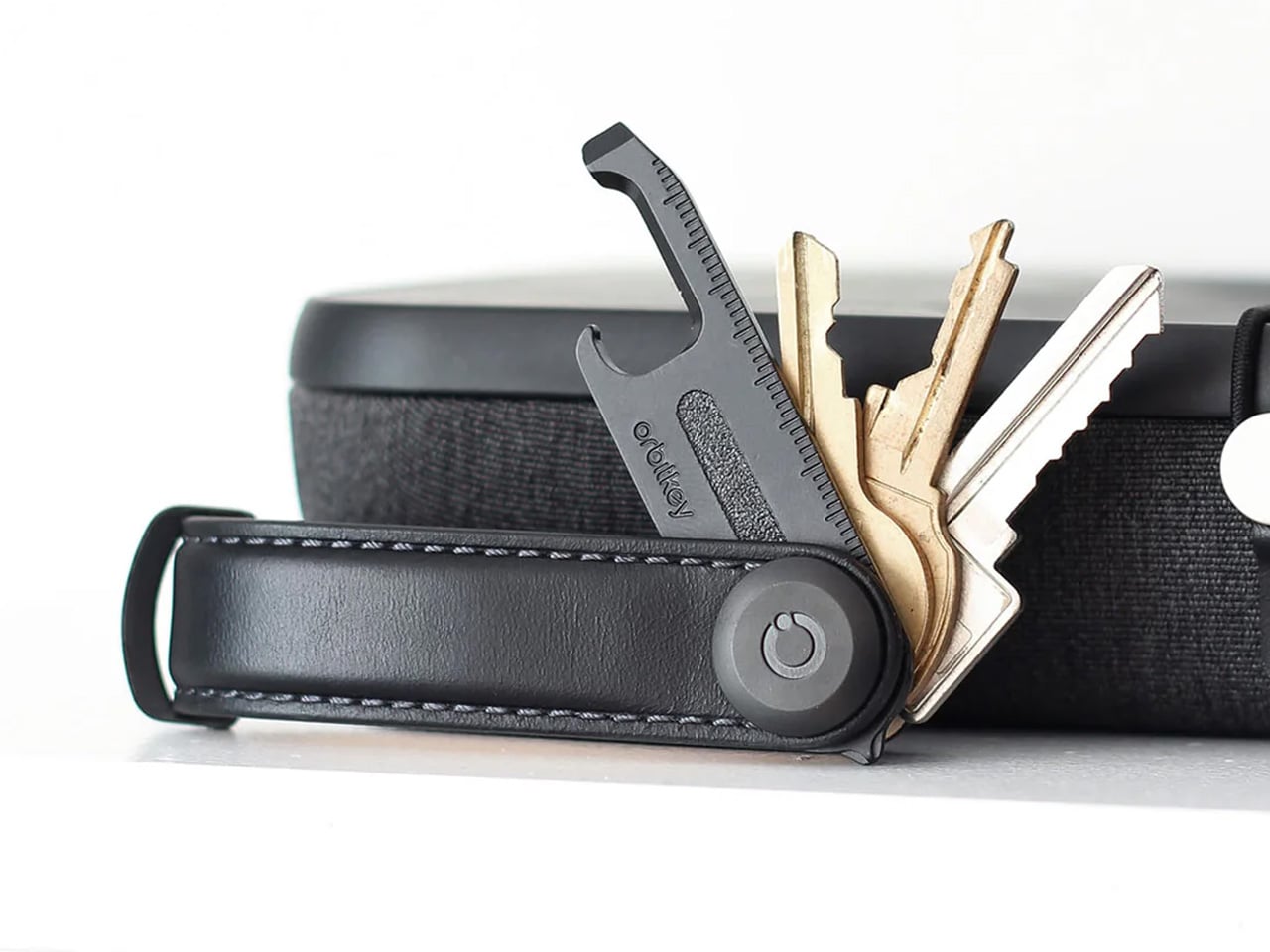
A standard key ring solves the organizational problem with the bluntness of something designed before pockets had size constraints. Keys stack against each other, jingle against everything nearby, and press ridges into the thigh pocket of work trousers for eight hours straight. The Orbitkey stacks two to seven keys flat inside a full-grain leather spine secured with stainless steel hardware, held under tension, producing no movement and no sound when the system is closed. In a pocket, it disappears entirely.
The leather exterior develops its own grain and wear pattern over years of daily use, an explicit design position about longevity that most keychain products never bother taking. The two-screw expansion system accommodates keys confidently up to its rated capacity, and a small ring attachment handles anything that does not stack flat inside the body. Five colorways run from black dress leather to warmer cognac tones, covering the full range of what a work bag demands. Heading to the office with the Orbitkey in your pocket for the first time, the first thing you notice is the absence of sound from your keys. Then you stop noticing it, and that is the point.
What we like
The tension stacking system eliminates key jingle, which sounds like a minor quality-of-life gain until you experience the cumulative quiet of a full working day without it
Full-grain leather construction ages into character rather than showing damage, signaling a product built to outlast the annual trend cycle by a significant margin
What we dislike
Initial key installation involves a screwdriver and careful threading – not difficult, but the setup time is a real first-use commitment that catches some buyers off guard
Oversized or irregularly headed keys may not stack cleanly within the system’s geometry, which is worth confirming before purchase rather than after
4. KeyUnity KK08 Titanium Carabiner Knife
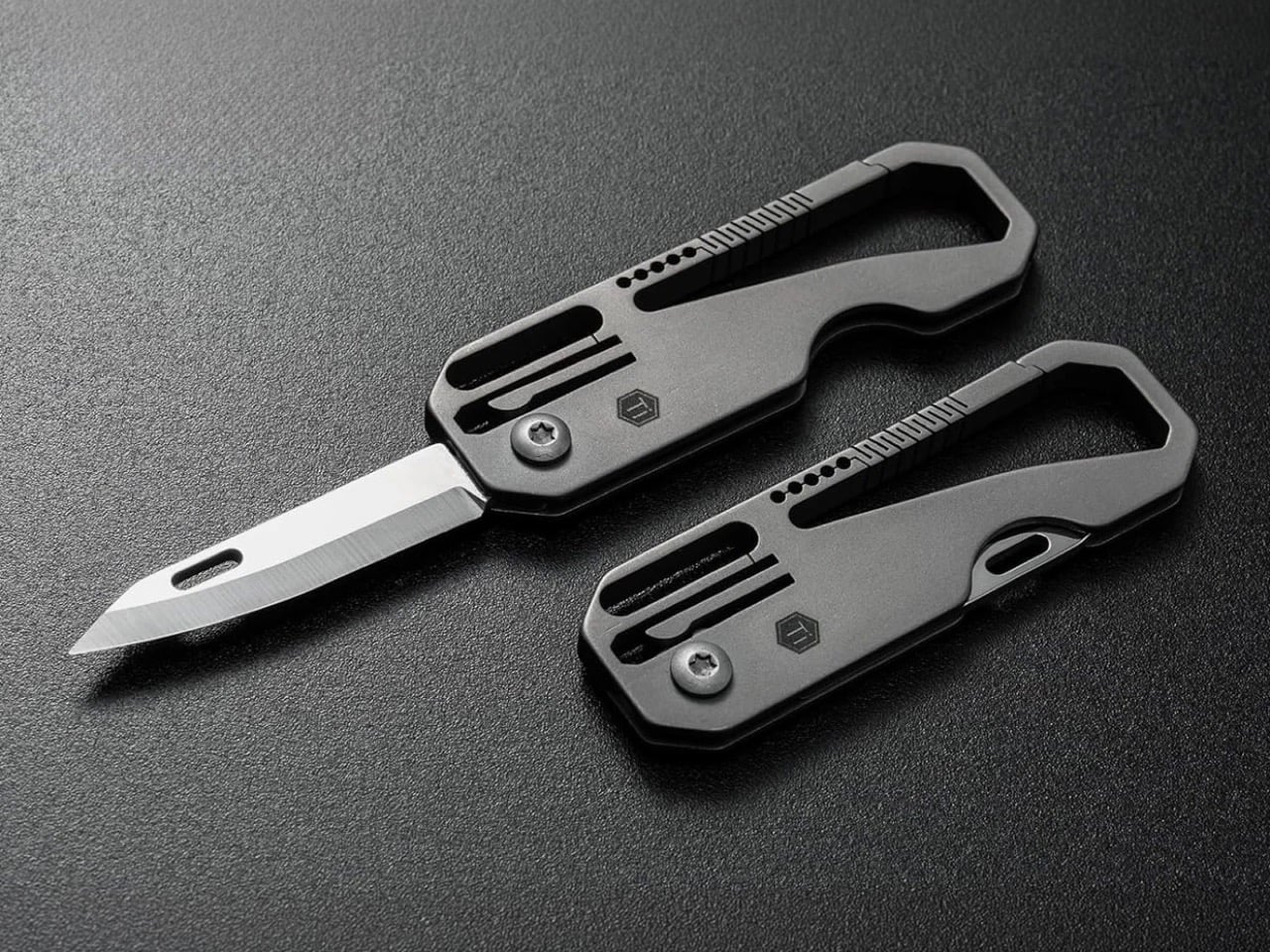
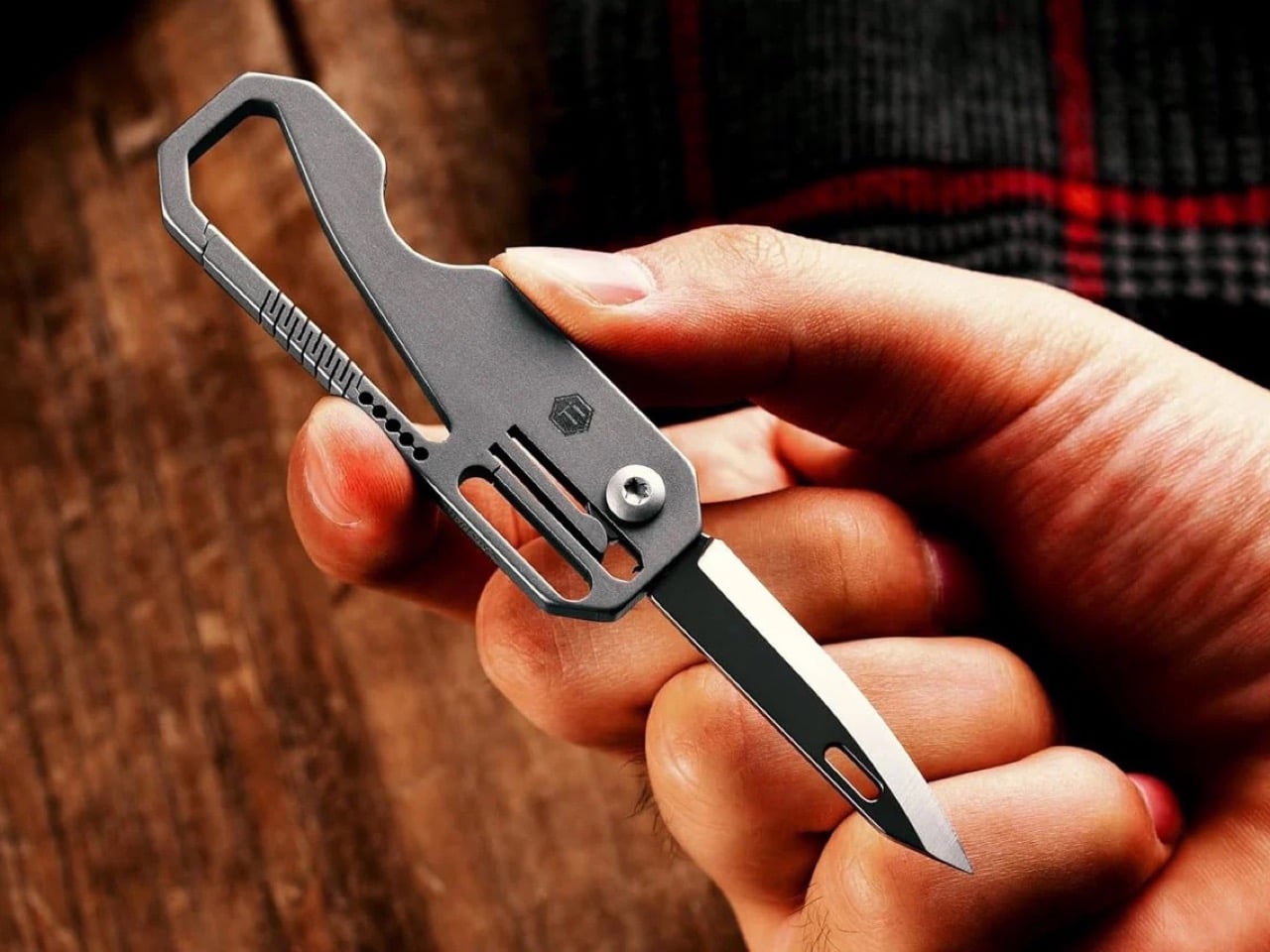
The carabiner is one of the most underutilized platforms in everyday carry. Most examples handle clipping and nothing else, occupying keychain real estate without justifying it with more than a single function. The KeyUnity KK08 corrects that by integrating a deployable blade directly into the gate of a TC4 Grade 5 titanium carabiner. One object handles clipping, carrying, and cutting without requiring any tool swap. The blade locking mechanism operates independently from the carabiner gate, keeping both functions discrete and deliberate rather than tangled.
TC4 titanium earns its place here for the same reason it appears throughout the better end of the EDC market. Corrosion-resistant, strong relative to its weight, and completely indifferent to the wear conditions that define outdoor carry. On a carabiner that lives clipped to the outside of a bag or attached to belt hardware, that resistance matters considerably more than it does for something sitting at the bottom of a pocket. The KK08 simplifies the question of what to clip things with by answering a second question at the same time – the most honest argument any carry tool can make.
What we like
Two functions in one form factor means the carabiner earns twice the keychain space it would otherwise occupy, which is the cleanest possible argument for carrying it daily
TC4 Grade 5 titanium construction handles outdoor exposure and weather without the corrosion concerns that affect steel alternatives over extended carry
What we dislike
The integrated blade deployment requires some familiarity with the gate mechanism before it feels genuinely intuitive in the moment you actually need it
Carabiner knives occupy a legal gray area in certain jurisdictions, so confirming local blade regulations before daily carry is worth the time it takes
5. Titaner Swing Ratchet System
A standard ratchet needs 15 to 30 degrees of swing arc to advance a single tooth. That is a workable trade-off in open space and a complete failure in the places where screws actually live: behind cables, inside recessed housings, angled into corners that no straight tool can reach. The Titaner Swing Ratchet compresses that arc to 4 degrees, which means it can cycle in gaps where conventional ratchets physically cannot complete a single turn. CNC-engraved directional markers on both sides of the core remove any guesswork from direction selection.
At 29.8 grams, it sits 40 percent lighter than a traditional ratchet while delivering full torque through a modular system that accepts different bit configurations. Back-to-work projects – tightening workstation hardware, adjusting studio furniture, building out a new desk setup – involve screws in confined locations far more often than they involve screws in clear, open space. A ratchet that reaches those positions at under 30 grams earns its pocket space across a full working season rather than waiting in a tool bag for a task large enough to justify the trip back to get it.
What we like
A 4-degree swing arc allows operation in spaces so confined that standard ratchets cannot cycle at all, solving the one problem no other tool in this roundup attempts to address
At 29.8 grams, it is genuinely light enough for daily carry rather than tool-bag-only use, which changes how often it actually gets reached for
What we dislike
The ultra-compact ratchet head can feel less assured under heavy torque loads compared to a full-sized alternative with more leverage to draw from
It earns its pocket space most clearly when fastener access is a regular part of your week; for purely occasional use, the weight-to-frequency ratio may not always close the argument
Editor’s Choice: ClearSlide Box Opener
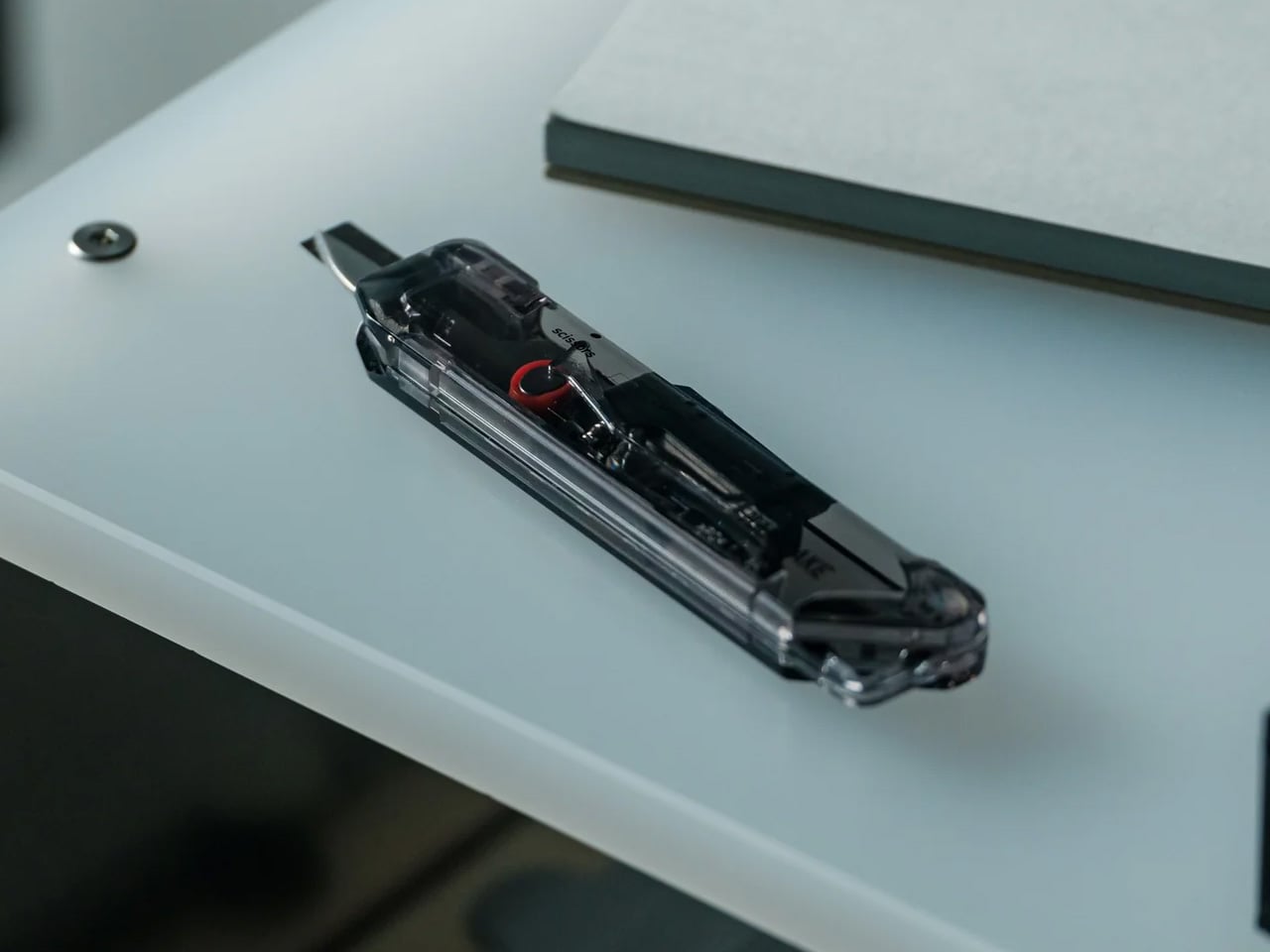
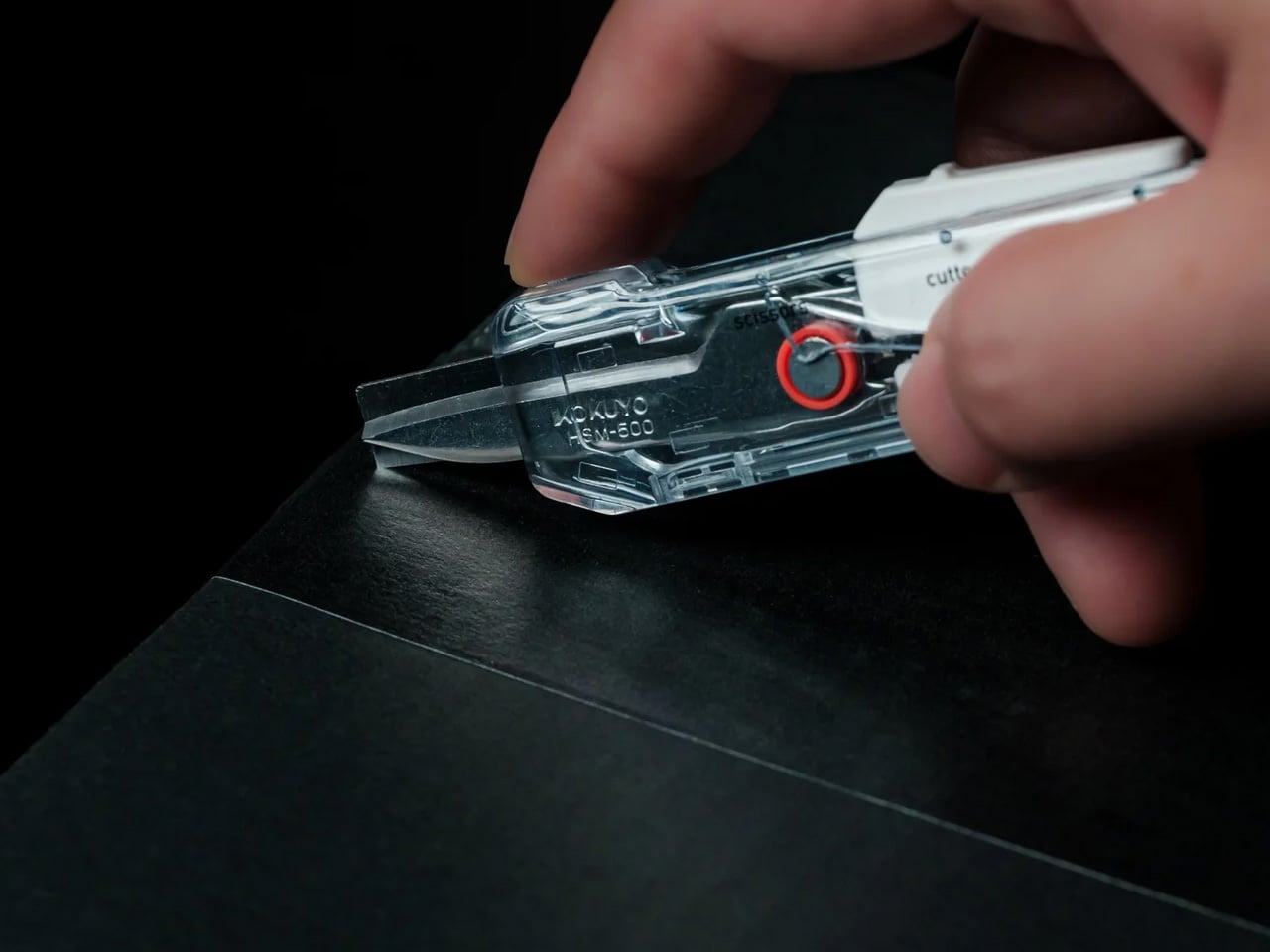
Every back-to-work loadout eventually faces the same moment: a delivery arrives, you reach for a box cutter, realize you also need scissors to deal with the tag inside, and end up setting the box down to find a second tool. The ClearSlide was designed specifically to end that exchange. A smooth sliding thumb mechanism switches between lock, cutter, and scissors in a single hand motion, then cuts with the same thumb – without ever putting the box down. It is a two-tool problem resolved by one object small enough to live on a desk or disappear into a pocket.
The 0.12-inch blade extension is deliberate rather than conservative. It slices through packaging tape cleanly while keeping enough distance from the contents that you are not second-guessing every cut. But the detail that earns it Editor’s Choice is the transparent body. The red slider and internal mechanism are fully visible through the shell as you cycle through positions, each one locking with a crisp click before releasing with a clean spring action. Instead of hiding the engineering, the ClearSlide makes watching it work part of using it – a small thing that changes the object from a utility purchase into something you actually want to keep on your desk. At $30, it is also the most straightforward decision on this entire list.
The single-hand sliding mechanism switches between box cutter and scissors without setting the package down – the exact problem it promises to solve, solved completely
The transparent body exposes every shift of the internal mechanism, turning a functional action into something worth noticing
What we dislike
The 0.12-inch blade is optimized for tape and packaging, not heavier cutting tasks that need more blade depth
Only a few units currently available, so if the ClearSlide catches your attention, the window to order without waiting is short
The Best Carry Is the One You Stop Thinking About
The best September loadout is not a longer list. It is five objects that between them cover a light, a wallet, keys, a clip, and a ratchet – each doing its job well enough that nothing else feels necessary – plus one desk tool that quietly removes a daily frustration you have been tolerating since the last time boxes started arriving. Nothing is left over. Nothing is missing. The edit is worth making now.
What changes when you get this right is not just the weight, though the weight does drop. What changes is the feeling of moving through the day without friction from the objects that are supposed to be helping you. The Baton 4 charges and illuminates from a single case. The Fantom X does not stretch. The Orbitkey does not jingle. The KK08 clips and cuts. The Titaner reaches where nothing else can. The ClearSlide handles the desk. That is the carry.
Razer, one of my favorite manufacturers that has produced some of the best PC gaming accessories I've ever used, has released a new mouse built to conquer any game you throw at it — the Razer Naga V3 Pro.
This gadget is the long-awaited evolution of the Razer Naga V2 Pro, which takes everything we loved about its predecessor (which we gave a near-perfect review score) and refines it to create the ultimate PC gamer mouse.
Here's what you need to know about the Razer Naga V3 Pro and where you can buy it.
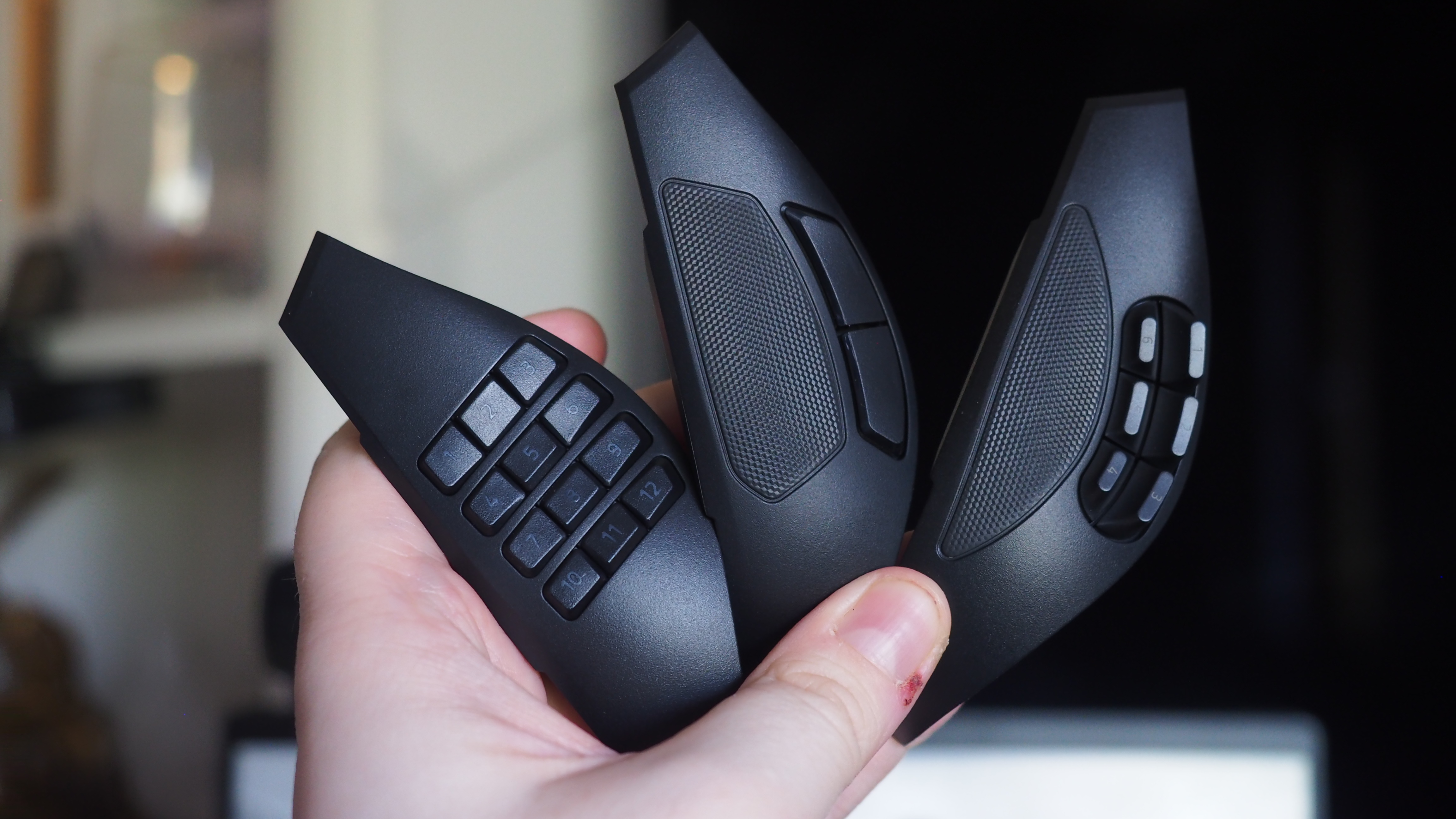
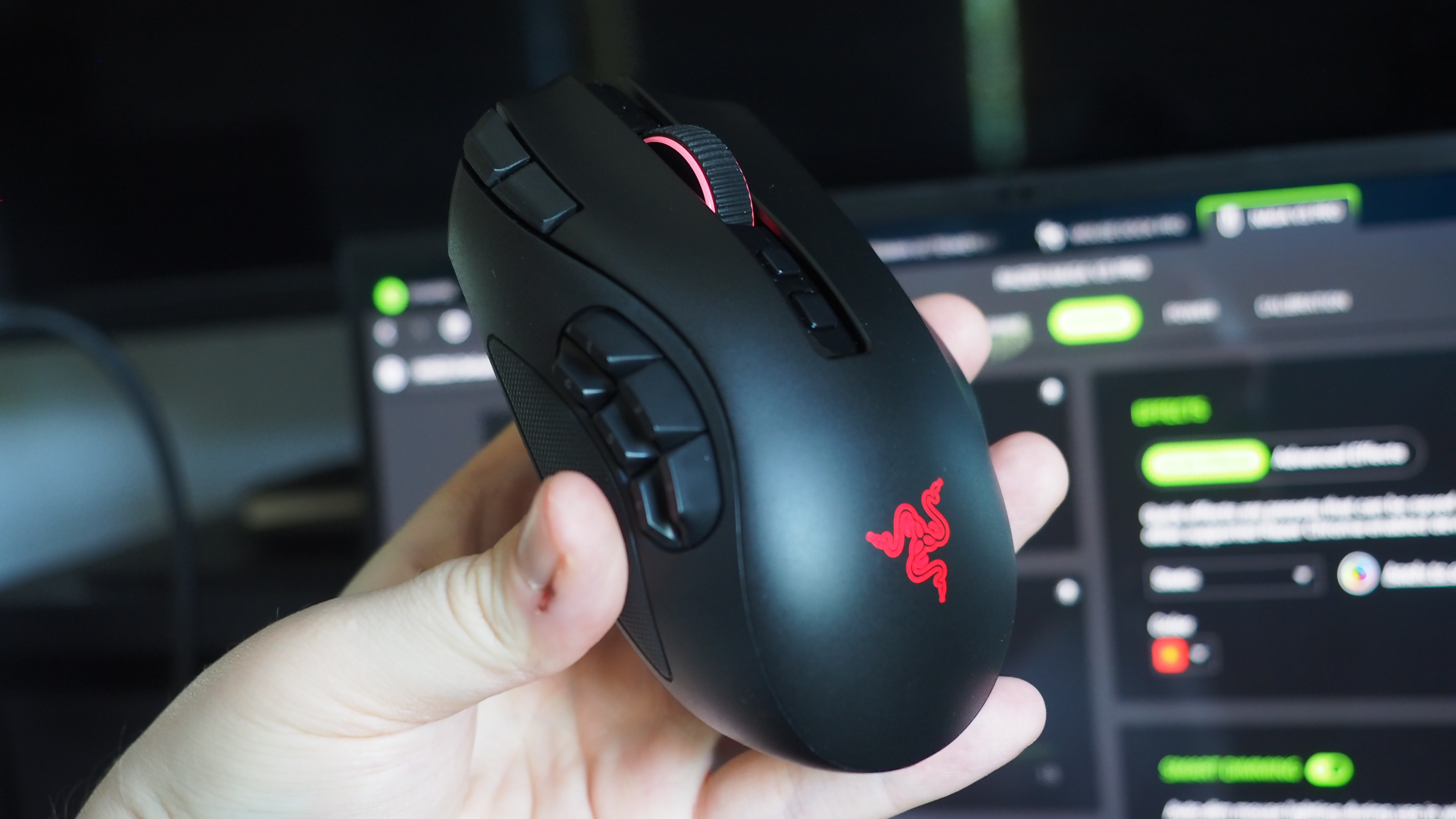
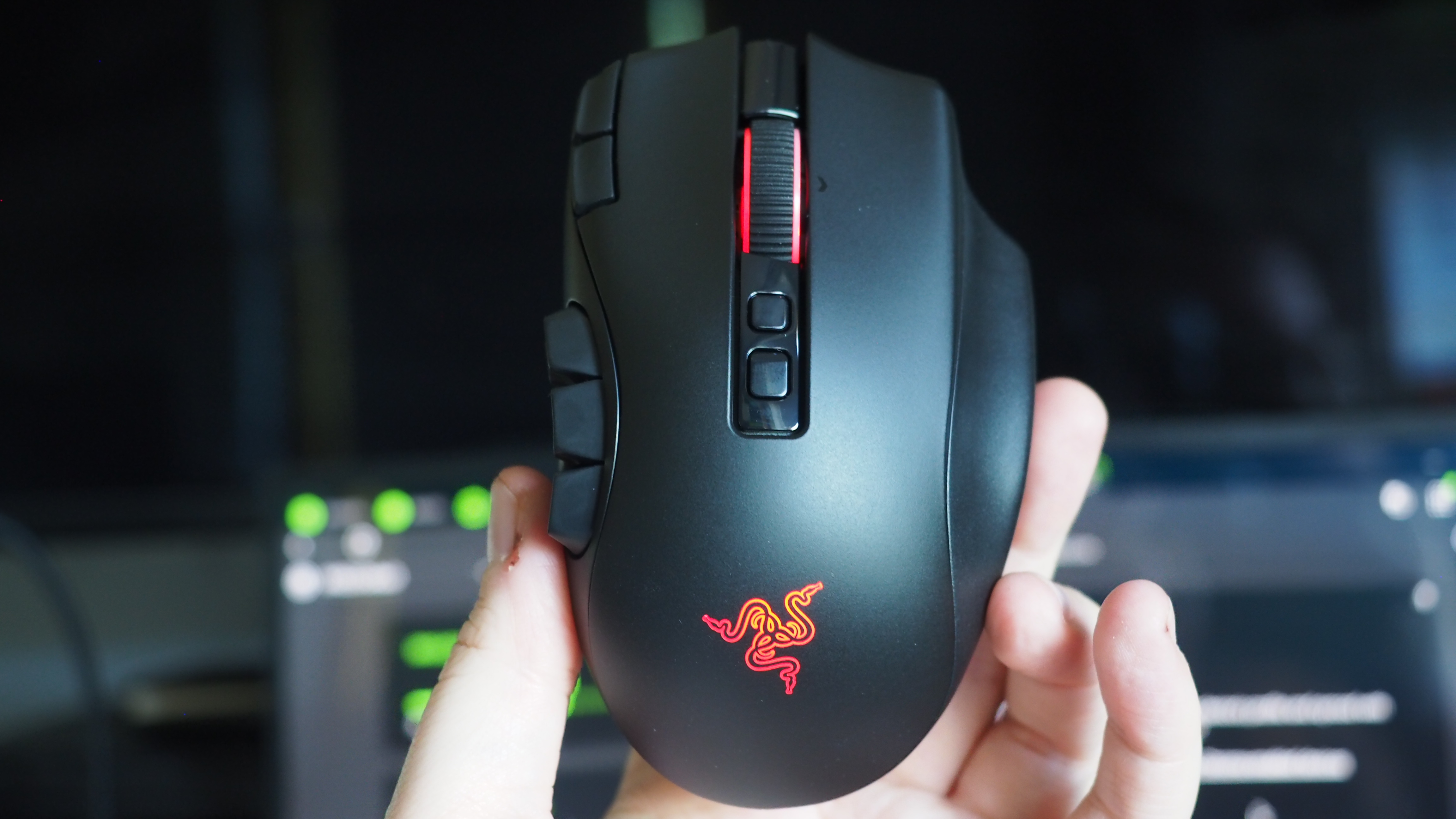
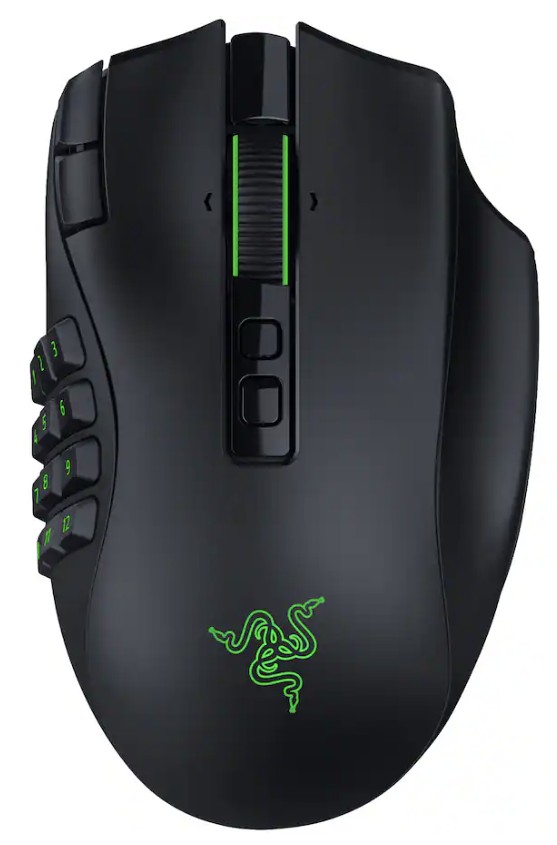
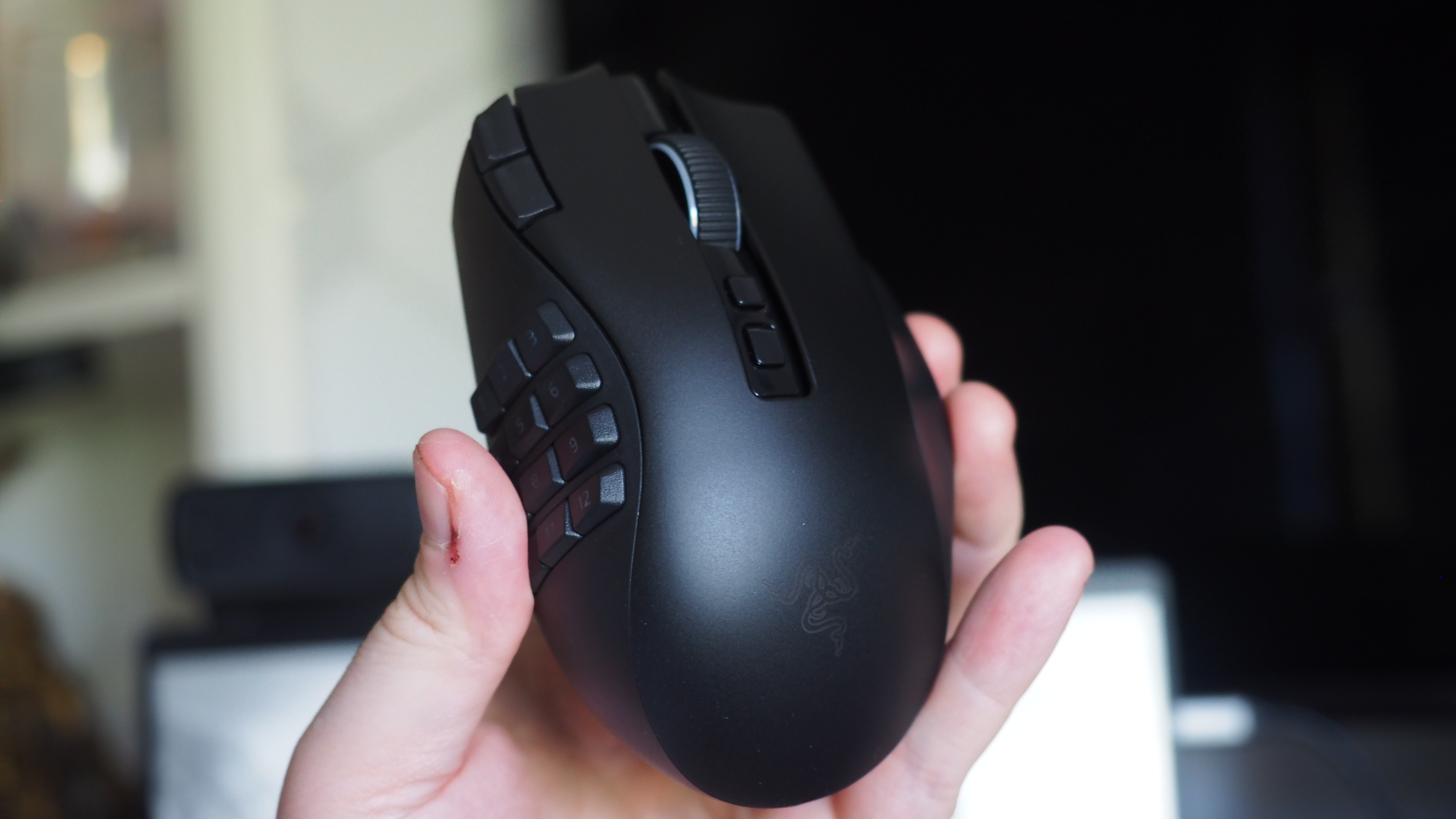
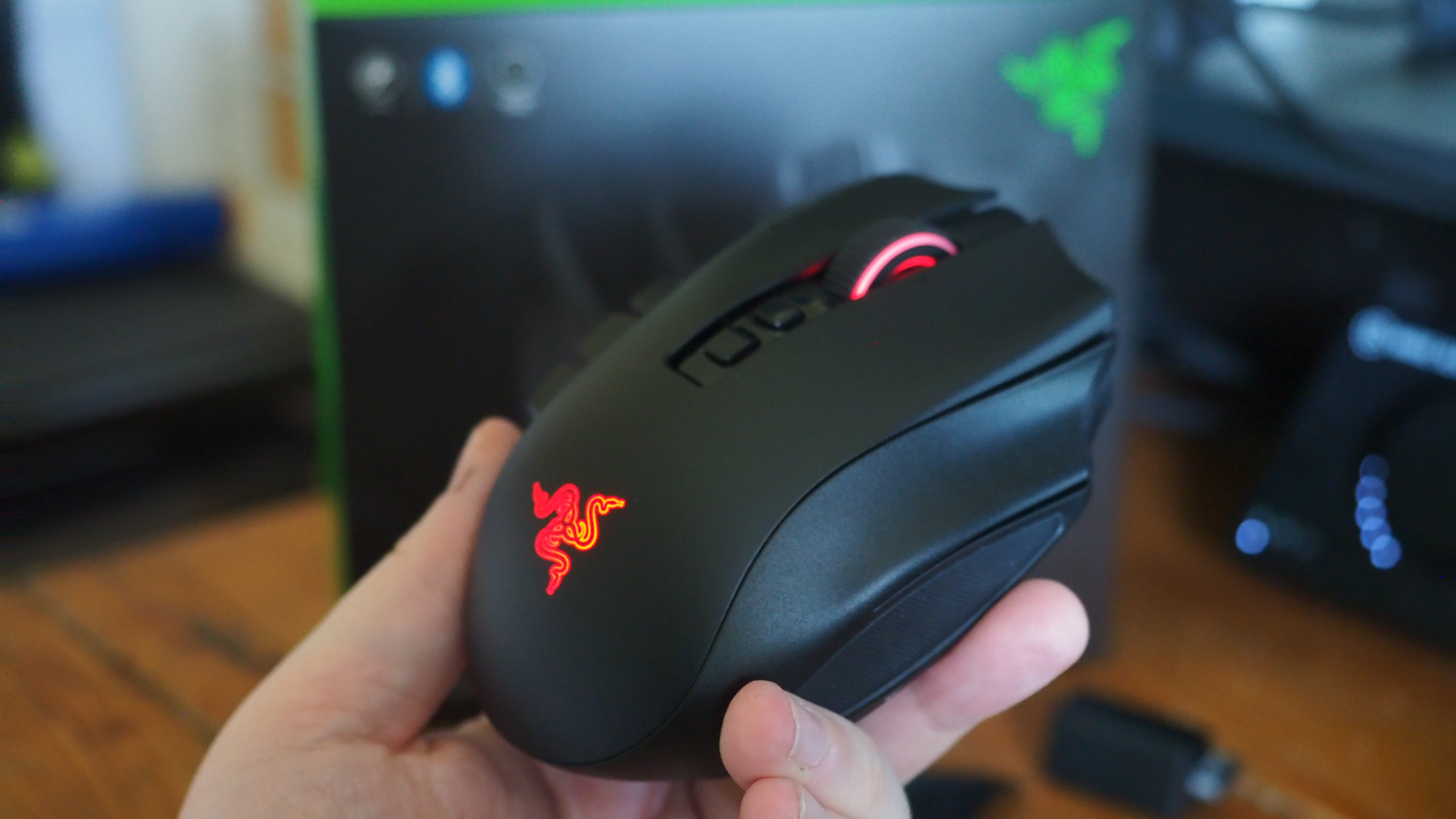
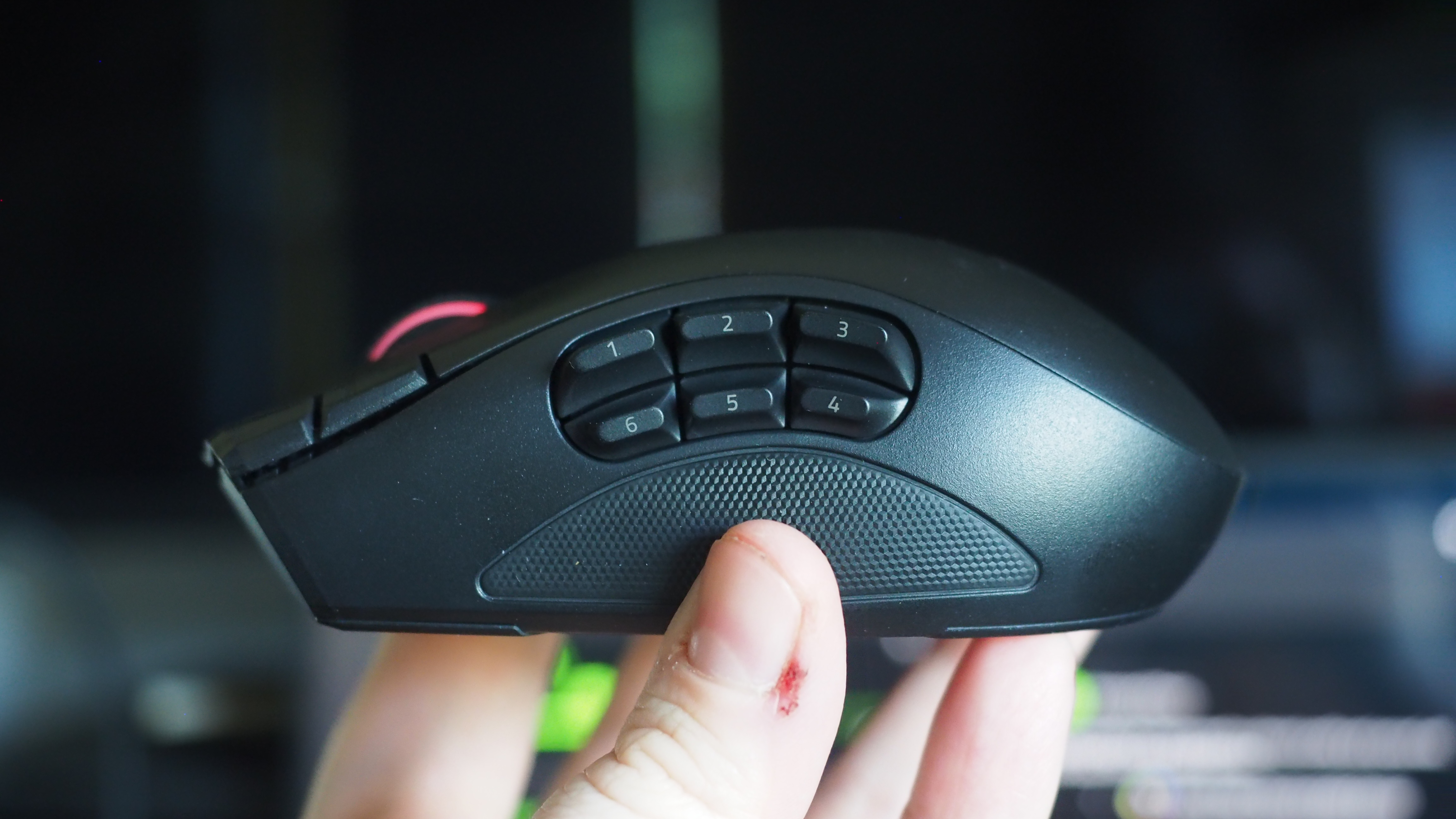
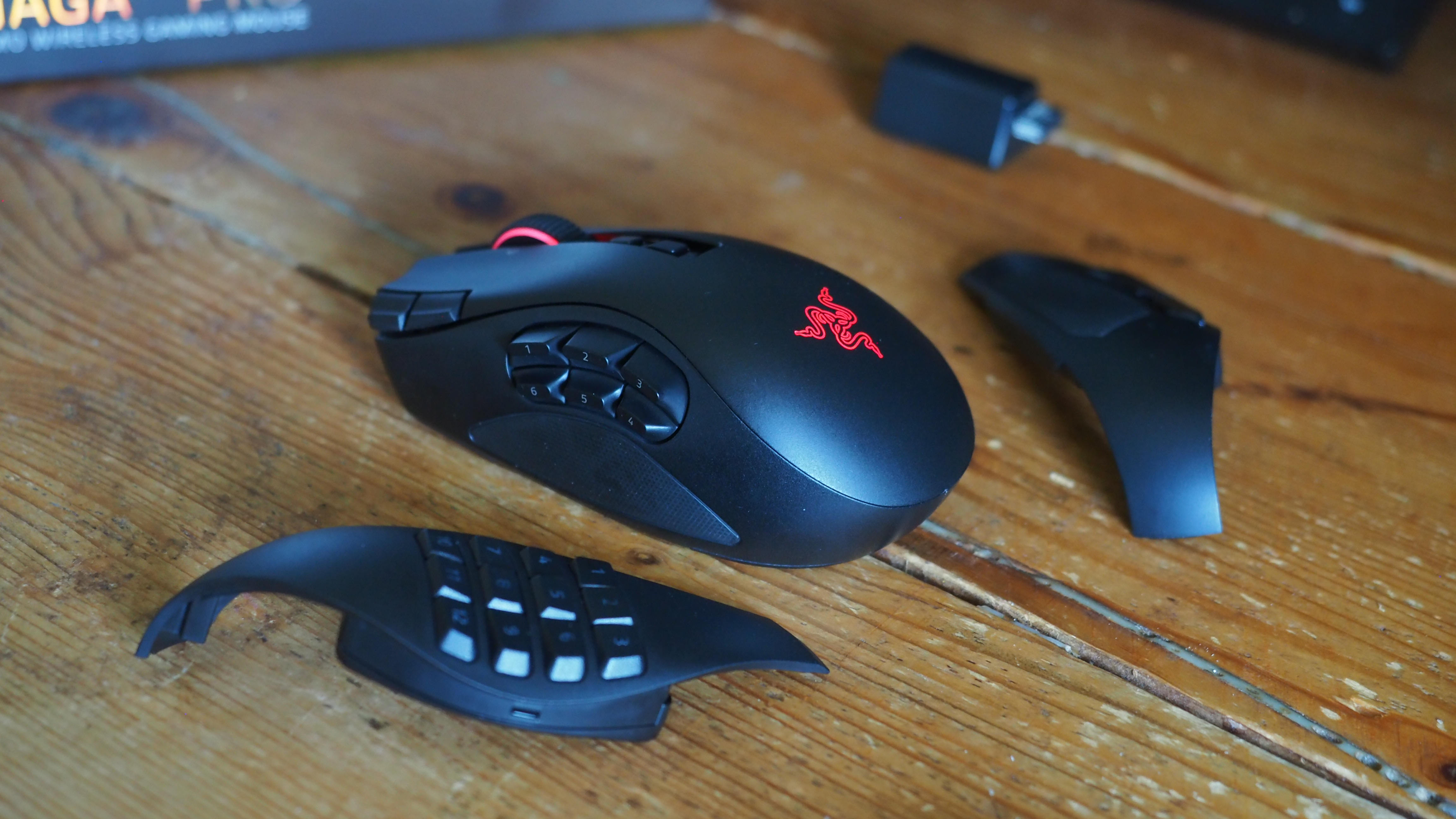
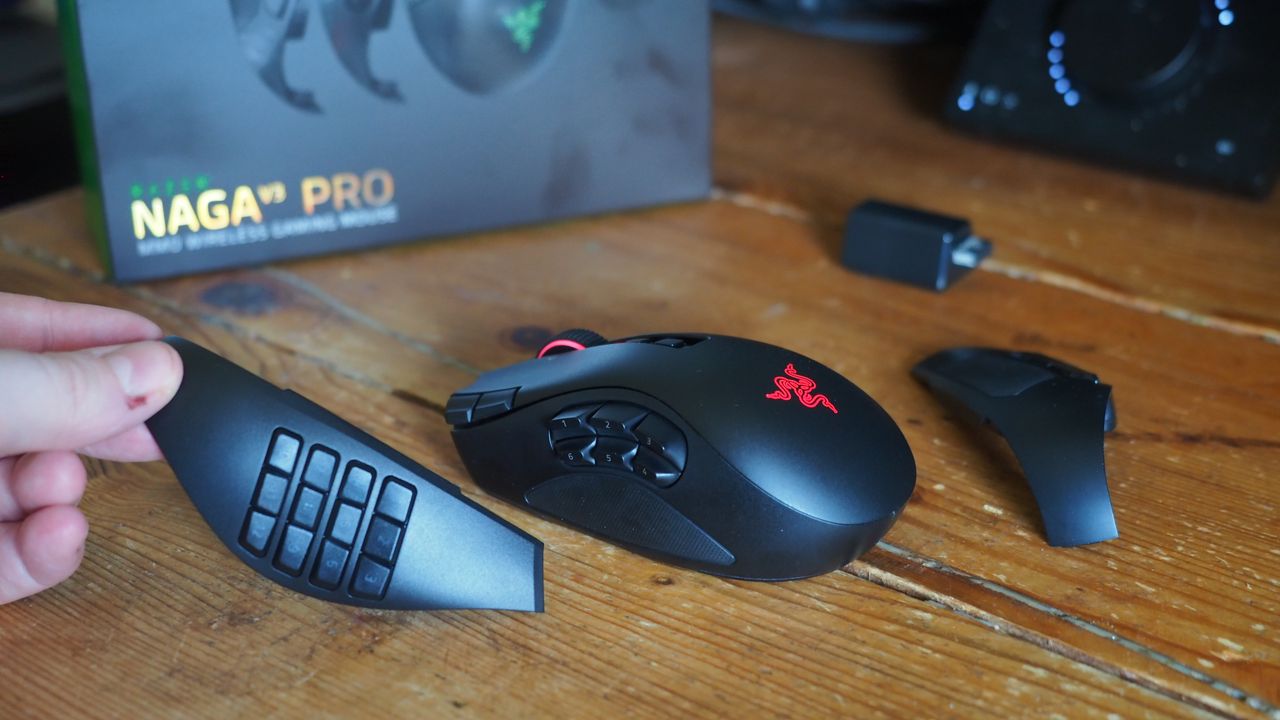
The side plates of the Razer Naga V3 Pro gamer mouseWindows Central | Jez CordenSide view of the Razer Naga V3 Pro MouseWindows Central | Jez CordenTop view of the Razer Naga V3 Pro MouseWindows Central | Jez Corden
The Razer Naga V3 Pro mouse is equipped with cutting-edge tech to improve input detection speeds and swappable button plate configurations so that it can handle a wide variety of game genres.
Its biggest selling points include:
23 programmable buttons and three interchangeable side button plates (a 12-button MMORPG plate, a 6-button MOBA plate, and a 2-button FPS plate).
A Razer HyperScroll Tilt Wheel Gen-2 with new dual tactile, free-spin, and smart-reel modes to adjust its scrolling speeds to a user's preference.
A Razer Optical Mouse Switches Gen-4 to give its buttons an upgraded lifecycle up to 100-million clicks, cleaner and faster input detection, tactile feedback, and a zero-bounce optical design to prevent accidental misclicks.
A Razr Focus Pro 50K Optical Sensor Gen-3 with precise mouse-movement detection and adjustable sensitivity that can go as high as 50,000 DPI.
Polling rates from 1000Hz to 8000Hz to help improve the mouse's input accuracy and detection speed.
A lightweight build of 117g (with the 12-button MMORPG plate attached) so it's not so heavy to move for the wrist while allowing it to be moved more quickly when making sharp turns in first-person action games.
A battery life of 155 hours on HyperSpeed connectivity (2.4GHz).
This mouse is Razer's next amazing premium outing for MMORPGs, MOBAs, FPS titles, and more
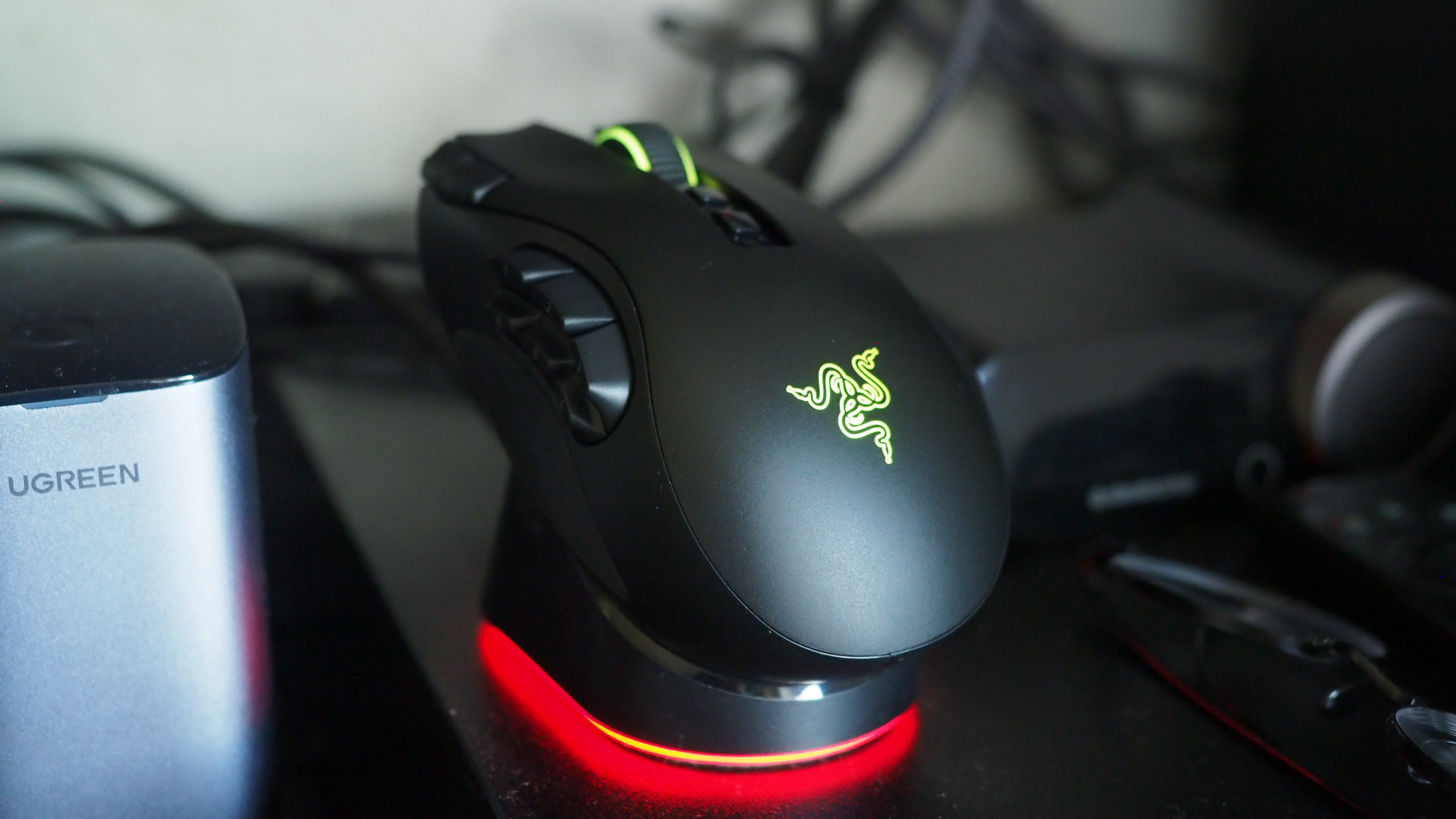
The Razer Naga V3 Pro gamer mouse on a base charger (Image credit: Windows Central | Jez Corden)
Our resident PC gaming accessory expert, Jez Corden, reviewed the Razer Naga V3 Pro and found it to be one of the best PC mice he's used so far this year. Jez praised it for possessing dozens of programmable buttons, the best-in-class software solution, and a premium feel that emphasizes tactility.
So, if you generally play input-heavy PC games and you want to get your hands on the Razer Naga V3 Pro, it will cost $179.99/£179.99/€199.99 at select digital retailers including Best Buy, directly from Razer.com, and at physical RazerStores.
Dominate any PC game imaginable with the Razer Naga V3 Pro Wireless mouse, complete with three swappable button plates, a Focus Pro 50K Optical Sensor Gen‑3 with 50,000 max DPI, 23 programmable inputs, and many more rich features.View Deal
Join us on Reddit at r/WindowsCentral to share your insights and discuss our latest news, reviews, and more.
A hand holding a Razer Naga V3 Pro mouse on a mouse mat next to a Razer keyboard
Take your PC gaming skills to the next level with the Razer Naga V3 Pro mouse.
I've been using Razer mice for decades, and have tested dozens upon dozens of iterations of the firm's products. I'm also a dedicated MMORPG and MOBA player on PC, flipping between games like World of Warcraft and Heroes of the Storm as seasons wax and wane.
For the Warcraft-faithful, I play a Demonology Warlock, which has been simplified over the years, but in previous expansions I had anywhere up to 30+ keybinds for playing the class effectively in PvE and PvP. It was a bit like learning a musical instrument back in the day, particularly when you throw in battle potions, trinkets and other additional buttons.
As such, I've tended towards Razer mice with extra inputs to make my gaming life easier. I had no idea how much easier it was going to get until I went palm-on with the new Razer Naga V3 Pro — which is quite easily one of the best mice of 2026.
Razer Naga V3 Pro: Specs and price
MMO player's best friend. (Image credit: Windows Central | Jez Corden)
The Razer Naga V3 Pro builds on its predecessor in a variety of ways, but chief among those is the inclusion of a further three configurable inputs, bringing the maximum total to 23 (and many, many more if you use HyperShift and other modifier keys).
1000 Hz native; upgradeable to true 8000 Hz (Mouse Dock Pro / HyperPolling Dongle); HyperSpeed Wireless (2.4 GHz), Bluetooth LE, USB-C wired
Battery & Lighting
Up to 155 hours (HyperSpeed); 3-zone RGB (logo, wheel, 12-button plate); 5 onboard profiles
Materials & Accessories
100% PTFE feet; USB-A to USB-C cable; HyperSpeed dongle; compatible with Mouse Dock Pro & HyperFlux V2
Dimensions & Weight
119.5 × 75.5 × 43.5 mm; 117 g base weight; Side plates: 12-button (20 g), 6-button (17 g), 2-button (15 g)
Price & Availability
$179.99 USD / £179.99 GBP / €199.99 EUR — Available worldwide Aug 11, 2026
Razer also doubled down on durability with reinforced molding processes for the switches, which the firm says will now last up to and potentially beyond 100 million actuations.
The obvious headline feature is the magnetic button plates that can be customized at will, adding between two, six, and twelve additional buttons. Razer has also included a uniquely configurable scroll wheel that comes with haptic feedback capabilities.
The mouse goes into general availability on August 11, 2026, and will set you back $179.99 from Best Buy in the United States.
Razer Naga V3 Pro: Features
Three's a crowd they say. Not here. (Image credit: Windows Central | Jez Corden)
The Razer Naga range has long been designed with MMO and MOBA gameplay in mind, adding a huge amount of additional inputs via a unique magnetic side plate feature.
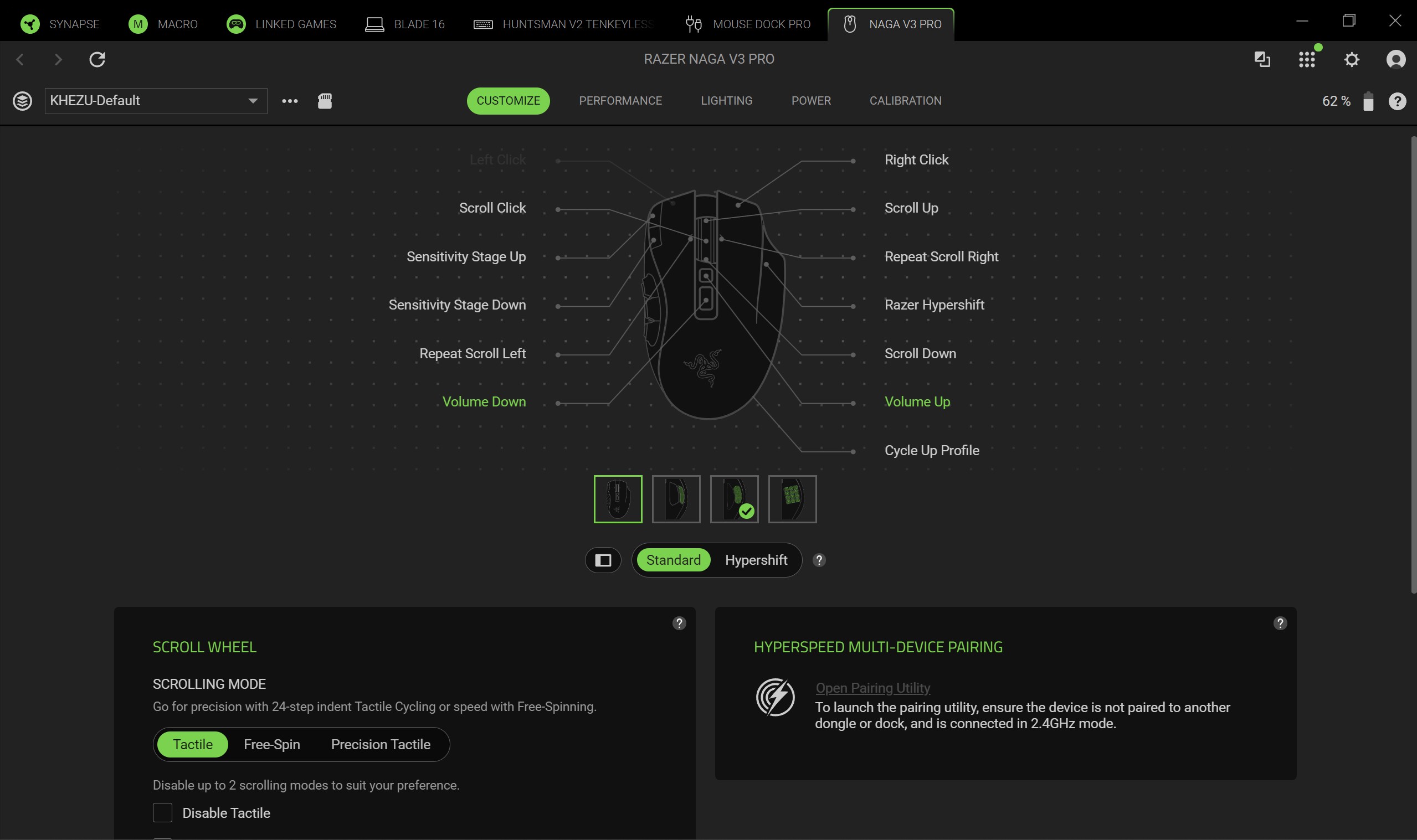
Razer has enhanced the force of the magnets to ensure it feels well and truly part of the mouse when connected, and I can say without doubt that it well and truly does. The buttons can be programmed at will using Synapse, and modified further with a ring-finger button that defaults to Razer's dedicated "Hyper Shift" modifier key. Of course, all of these can be reconfigured too.
What struck me immediately when going palm-on was the new scroll wheel. Razer has included some unique functionality here that I've not experienced previously in other mice. You can set it to free-wheeling mode, which allows it to quite literally spin indefinitely under its own weight. There's also a standard step-stop function that most users will be familiar with, but also a precision-stop feature that adds some haptic feedback and shortens the actuation for rapid hot bar or weapon switching with more forceful control.
There is a parade of other buttons and functions too. The DPI rates have been placed in the top right corner of the mouse out of the way, requiring a little more intent to reach to prevent accidents, I suppose. There are two buttons below the scroll wheel, and the scroll wheel itself can be tilted and clicked for additional inputs too.
It sports 155 hours of battery life out of the box, and supports Razer's new Mouse Dock as well as its wireless Hyper Flux charging mouse mat. Either plugged in or connected to a compatible Hyper Speed dongle, this bad boy can go all the way up to 8,000 Hz. You will not be left wanting for speed.
Razer Naga V3 Pro: Comfort and usage
All the buttons. Windows Central | Jez CordenLight weight, maximum function. Windows Central | Jez CordenIt feels good in the hand, although some users may find it a little too high. Windows Central | Jez CordenRazer magnetic charge dock capable, but not included. Windows Central | Jez Corden
How does it feel to actually use, though? I dropped into a couple of World of Warcraft raids and played a few games of Heroes of the Storm to get a feel for it, but it was in games like Age of Empires where it truly felt transformative.
As noted, you can add up to 12 extra buttons with the side plate feature. It does take some getting used to, and I think Razer could've perhaps done a bit more to help differentiate the keys, particularly on the 12-button plate. The six button plate felt like the sweet spot for me, given that the profile of the buttons made them easier to memorize, but also I didn't find it as hard to squeeze my thumb backwards to hit the keys closest to my palm.
Indeed, you might struggle with this mouse if you don't have the most flexible hands. I found its palm hump to be a bit tall for my tastes (small ass hands maybe, or perhaps poor desk ergonomics on my end), but overall it was incredibly comfortable. I suspect most people won't have any issues with it. I also suspect that it was designed quite intentionally to be "palm grippy" to facilitate the fact users will be reaching for buttons on the side more often than on other mice.
Six buttons felt like the sweet spot for me. (Image credit: Windows Central | Jez Corden)
There are probably neuroscientific reasons for this, but it does feel genuinely more intuitive to actuate inputs on the same hand as your movement intentions. Perhaps it stems from my console-oriented history in some ways, but I found it a lot easier to drop Guldan's ult with a mouse swipe and mouse click, as opposed to lining up my mouse with a keyboard press.
For Age of Empires, it was particularly fun binding various quick keys directly to the mouse. Assigning regiments, bypassing certain menus, and being able to select specific units instantly from anywhere won't make up for my lack of skill with RTS, but it did boost the fun factor.
Razer Synapse is a fantastic piece of software that ties everything together. It's still better than solutions from other companies by a country mile. Configure RGB lighting, set up profiles for specific games, configure literally all the things — quick and easy.
Sync all the Razer things. (Image credit: Windows Central)
Some of the less useful features include Razer's macro functionality, which will sadly get you banned in a lot of online games for "automation."
The Naga V3 Pro also comes with an AI assistant key by default, which lets you bind certain Copilot prompts to mouse inputs for some reason. You can turn it off, but it's 2026 so everything has to have some kind of "AI" feature in it apparently, even if it's effectively useless. Perhaps this might become more useful if Microsoft ever ships agents to consumers, but as for right now it feels like boardroom fluff. Thankfully, that's the only "feature" here I could describe as such. Practically everything else is genuinely useful and represents a demonstrable upgrade.
There is a lot of functionality in the Razer Naga V3 Pro, and you won't need all of it all of the time. It is designed primarily for people who want maximum control over their games, and indeed, it is priced as such.
Razer Naga V3 Pro: Conclusion
It ain't cheap! (Image credit: Windows Central | Jez Corden)
The Razer Naga V3 Pro is a tour de force of functionality, with unmatched versatility for practically every genre of game you can throw at it. FPS, RTS, MOBA, MMORPG, and beyond — even the most control-complex games fall before the Naga and its capacity to inject intuitiveness into the least intuitive games and control schemes possible.
But yes, it will require configuring to get there. That's ultimately who it's designed for, though; people who play more complex games to a hardcore level, and want their peripherals to reflect their desire to configure and control their experience.
You should buy this if ...
✅ You play complex input-heavy games like MMORPGs and RTS.
✅ You like to configure your controls to the nth degree.
✅ You prefer your inputs on your mouse, rather than your keyboard.
You should not buy this if ...
❌ You find configuring keybinds exhaustive and annoying.
❌ You have particularly small hands (you might find its height uncomfy).
❌ Price might be a concern.
This will become my default mouse moving forward. Being able to effectively keybind number keys 5, 6, 7, 8, 9, 0, etc. without needing to physically reach away from WASD is a big boost in some games I play.
However, I am cognizant of the fact that I got the review unit here. Almost $200 for a mouse is tough to justify unless you're particularly passionate about the functionality the Razer Naga V3 Pro is going to provide for you. For configuration enthusiasts, there's well and truly nothing better than the Razer Naga V3 Pro right now.
Razer
Naga V3 Pro
"Stay one step ahead—no matter how the game changes."
Join us on Reddit at r/WindowsCentral to share your insights and discuss our latest news, reviews, and more.
Razer Naga V3 Pro mouse
Customize the thumb buttons with a variety of options for maximum MMO-bility. Yes, I just made up a word; it's Monday, and I can.
Google's August Android 17 update fixes Pixel 10 gaming, GPU, and touchscreen issues while bringing the latest security patch to supported Pixel devices.
Leaked Google Pixel 11 marketing materials suggest a new HiLight notification feature, while a five-minute charging claim raises questions ahead of Google's launch.
Camera batteries are one of those accessories that photographers never think about until something goes wrong. They’re small enough to vanish into the bottom of a bag or a jacket pocket, common enough to own several of and regularly mix up, and important enough that losing one mid-trip can force an early stop to a shoot. The solution most people reach for is buying more of them, which only increases the number of things to keep track of.
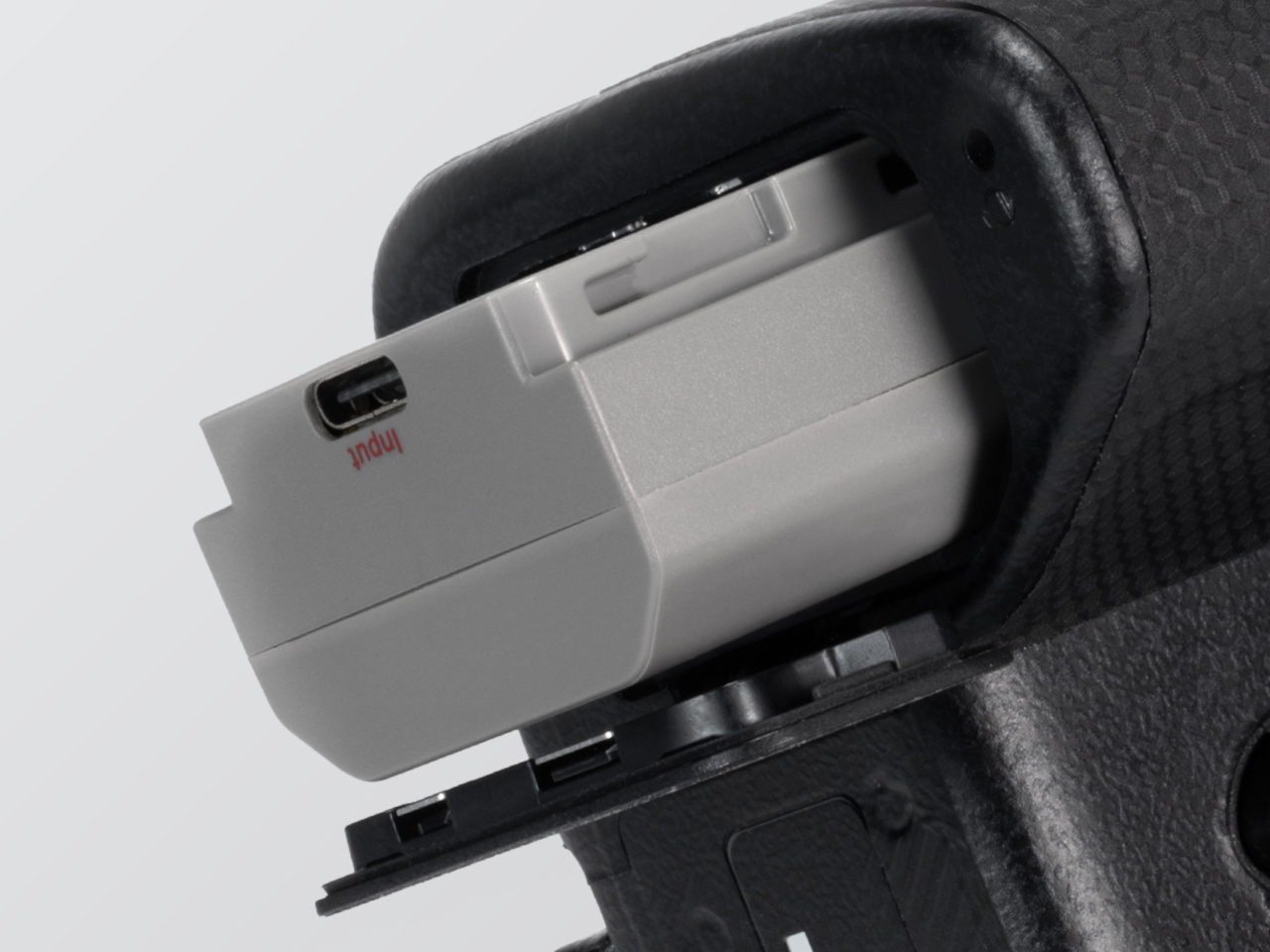
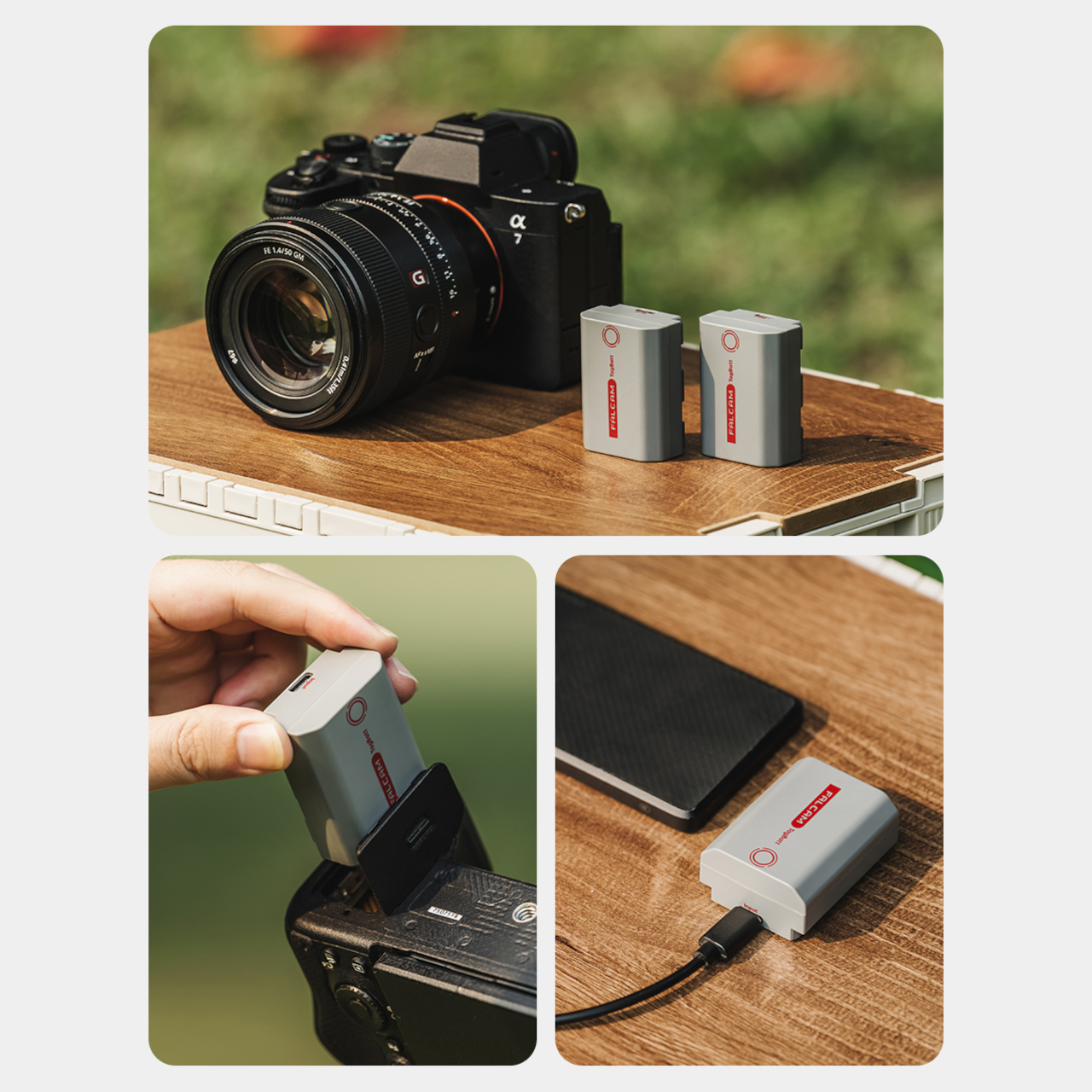
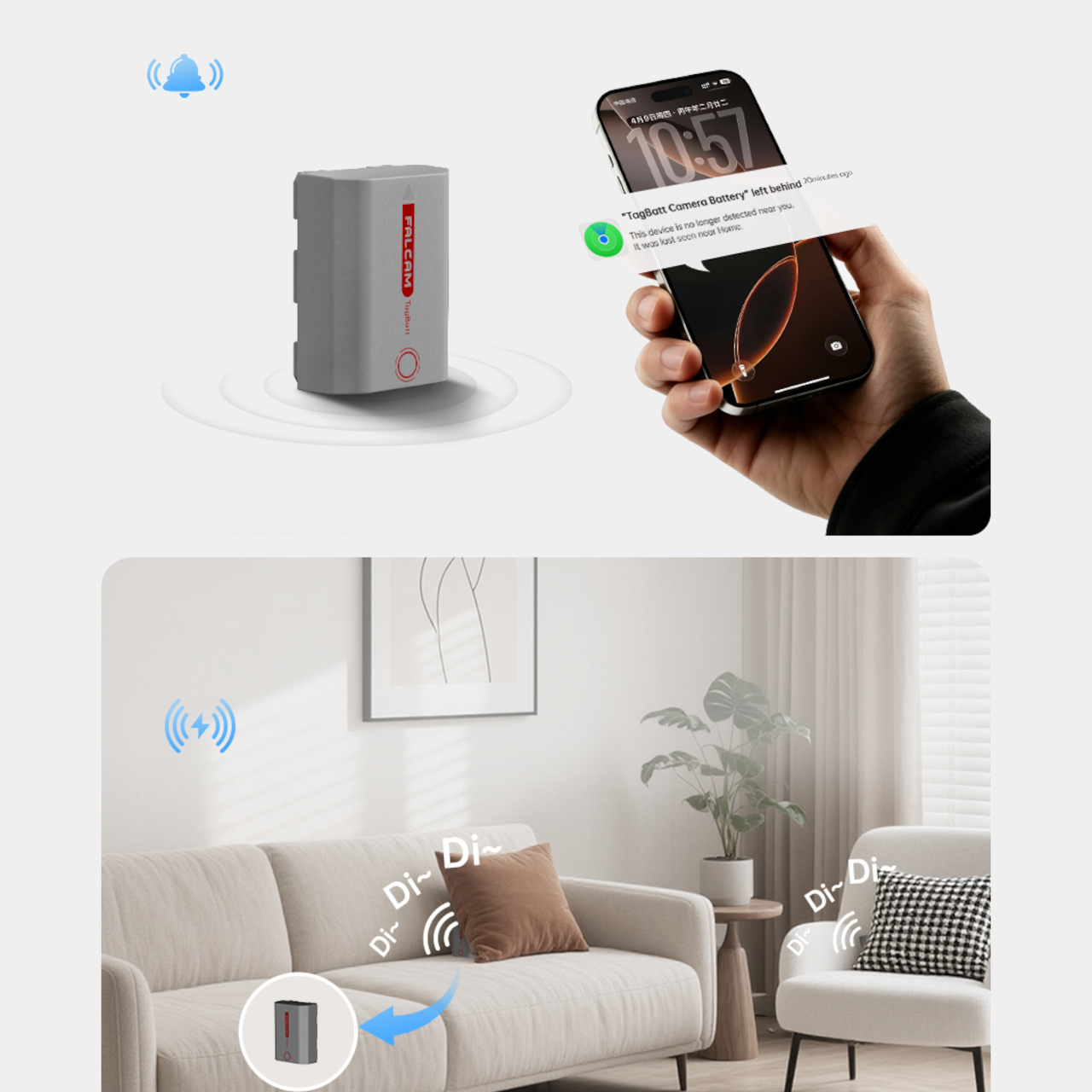
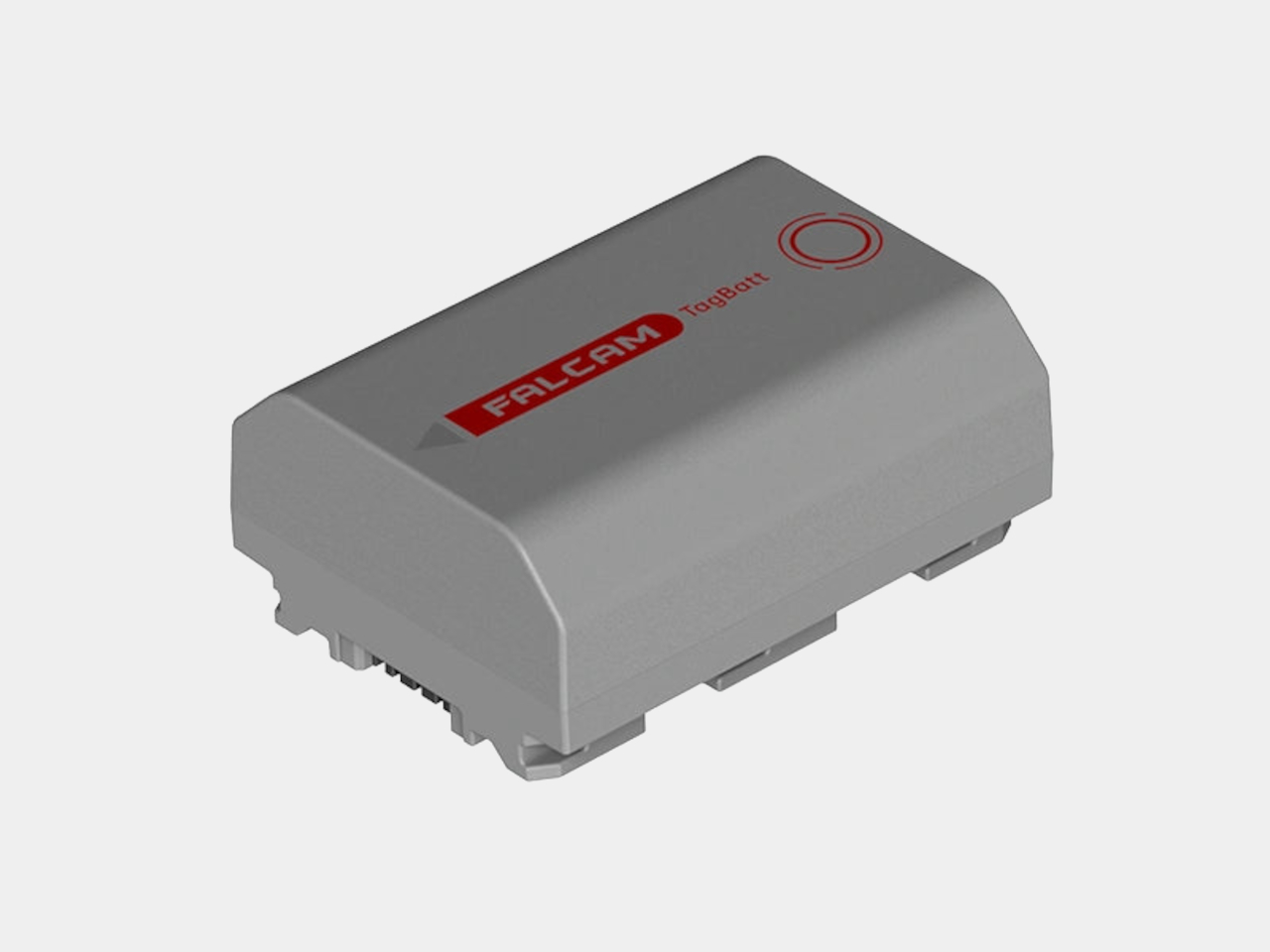
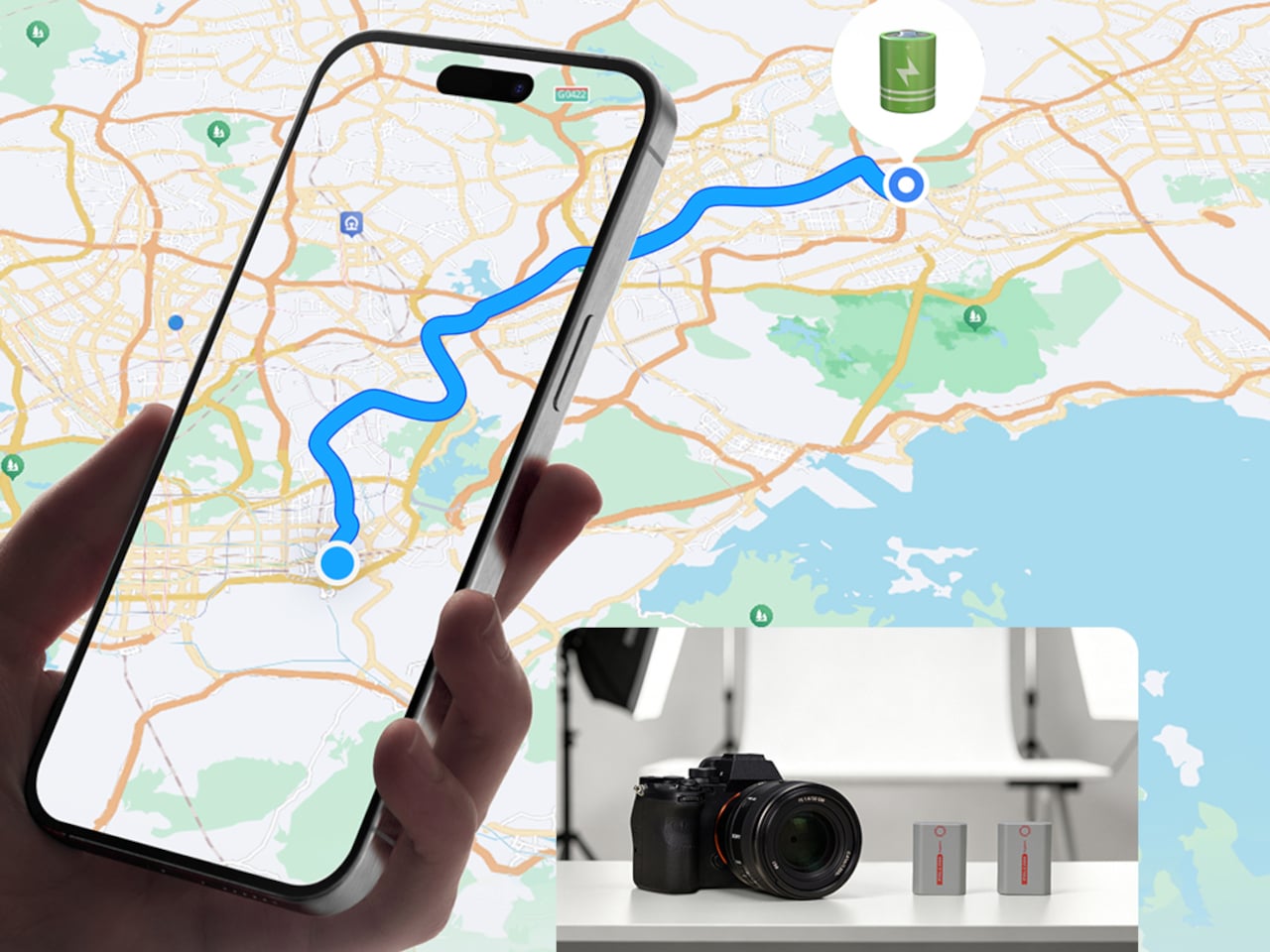
The FALCAM TagBatt addresses the problem from inside the battery itself. Compatible with Sony’s NP-FZ100 form factor, it integrates Apple’s Find My tracking technology directly into the cell, so the battery carries its own location data wherever it goes. If it ends up left behind at a studio, a venue, or the seat pocket of a flight, the Find My app will flag it and show its last known position.
Because the tracker lives inside the battery rather than clipped to a camera strap or screwed into a cage mount, it’s considerably harder to spot. An opportunistic thief who grabs a camera bag and removes any obvious Bluetooth puck from the outside can’t strip out what’s already built into the power source. It’s the kind of discreet integration that external trackers can’t quite replicate, no matter how small they get.
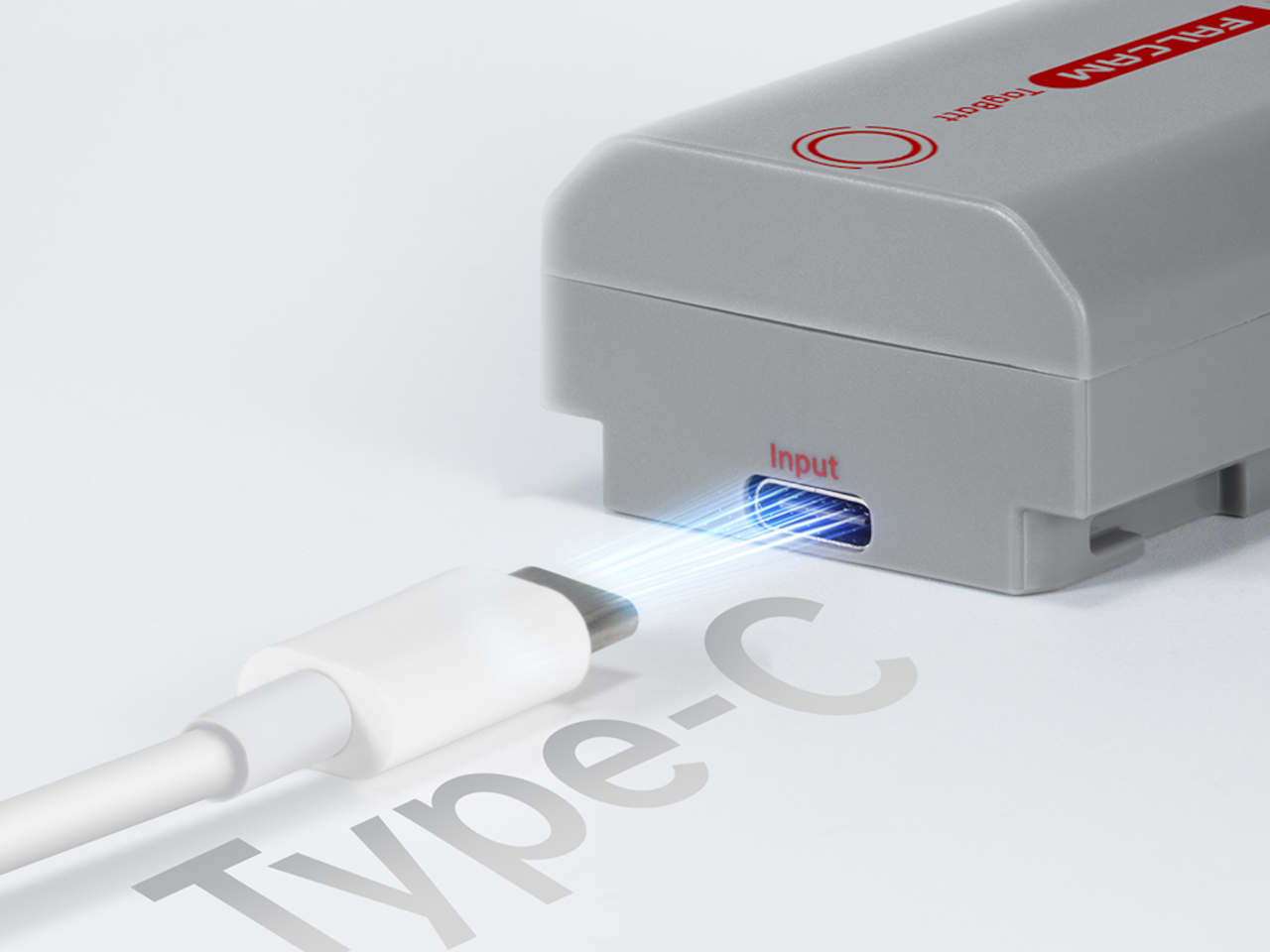
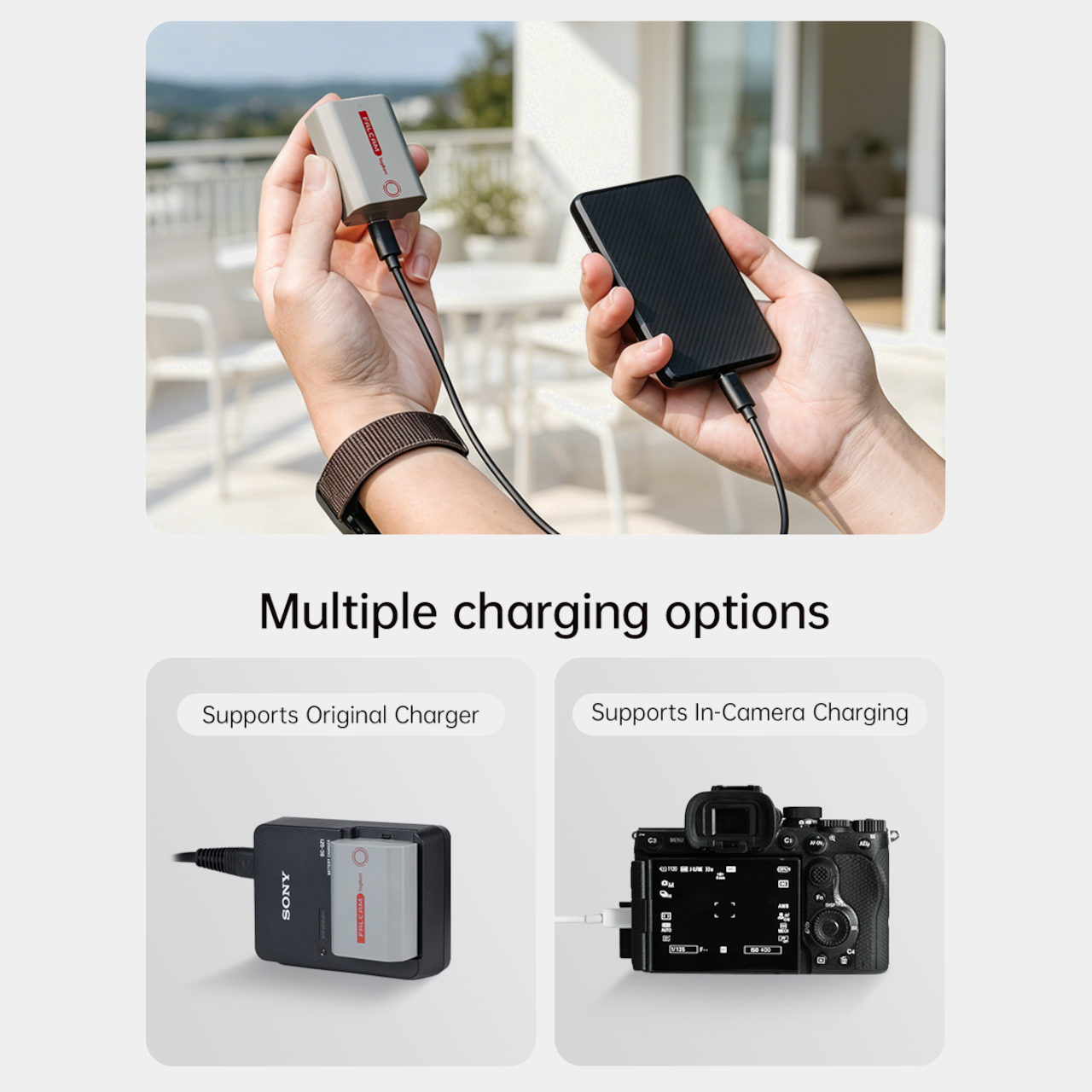
The tracking isn’t the only thing the TagBatt changes about how a camera battery behaves. A built-in USB-C port lets it charge directly from any standard USB-C source, including a power bank or a travel adapter, without needing the dedicated Sony battery charger that typically takes up its own space in a kit bag. Pop it out of the camera, plug it in overnight, and it’s ready in the morning without routing around a charger at all.
Capacity comes in at 2,600mAh against the OEM Sony NP-FZ100’s 2,280mAh, which translates to a modest but real advantage per charge. An advanced decoding chip handles the communication with the camera’s internal systems so the body treats it as it would any genuine battery, with accurate charge-level reporting and none of the “non-genuine battery” warning messages that typically accompany third-party cells.
Compatibility covers a wide sweep of Sony’s current lineup, including the Alpha 7 series through the Alpha 7 V, the Alpha 9 series, the Alpha 6700, the FX3 and FX30, and the ZV-E1, among others. A Canon LP-E6 version is also available now, with Nikon EN-EL15 and Fujifilm NP-W235 versions confirmed to be in development.
At $69.99, the TagBatt costs more than a standard third-party replacement but considerably less than the Sony original, and it comes with two capabilities that the original simply doesn’t offer. For photographers who travel frequently, work in locations where gear occasionally goes astray, or are just tired of carrying a charger they’d rather leave at home, the trade-off makes a fairly straightforward case.
For the past few years, a Logitech MX Vertical has sat on my desk. I've grown to love the mouse so much that I even take it with me when I travel despite it not folding down or being compact in any way. So, when ProtoArc reached out to me about a newer, budget-friendly ergonomic mouse, I was skeptical that Logitech had anything to learn.
The Logitech MX Vertical fits in my hand well, lets my arm rest at a natural angle, charges through USB-C, and has aged well. The ProtoArc EM11 Pro is not exactly a direct competitor to the Logitech MX Vertical since the two mice are in different price brackets. But there are relatively few angled mice out there, at least in comparison to flat mice, so it's natural to pit the ProtoArc EM11 Pro against the Logitech MX Vertical.
Using the ProtoArc EM11 Pro made me realize a few areas the Logitech MX Vertical lags. If Logitech ever refreshed its ergonomic mouse, it should take some lessons from ProtoArc.
Grip and palm fit
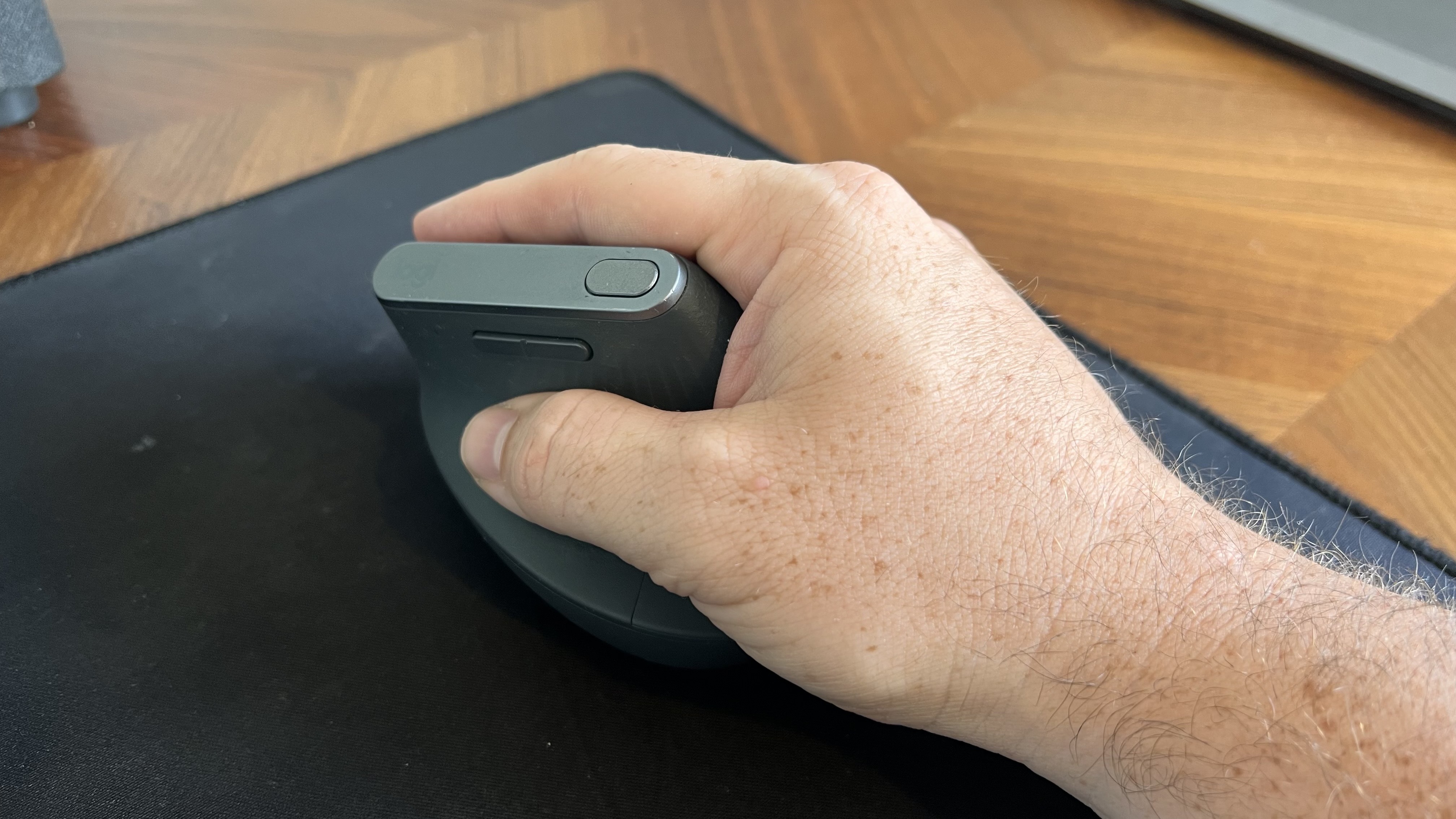
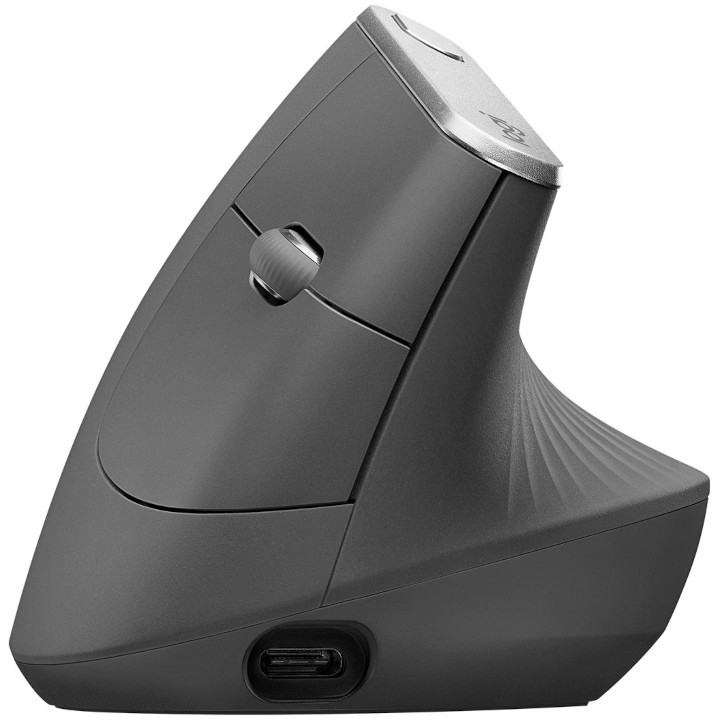
The flat front of the Logitech MX Vertical does not fill my curved fingers. (Image credit: Future)
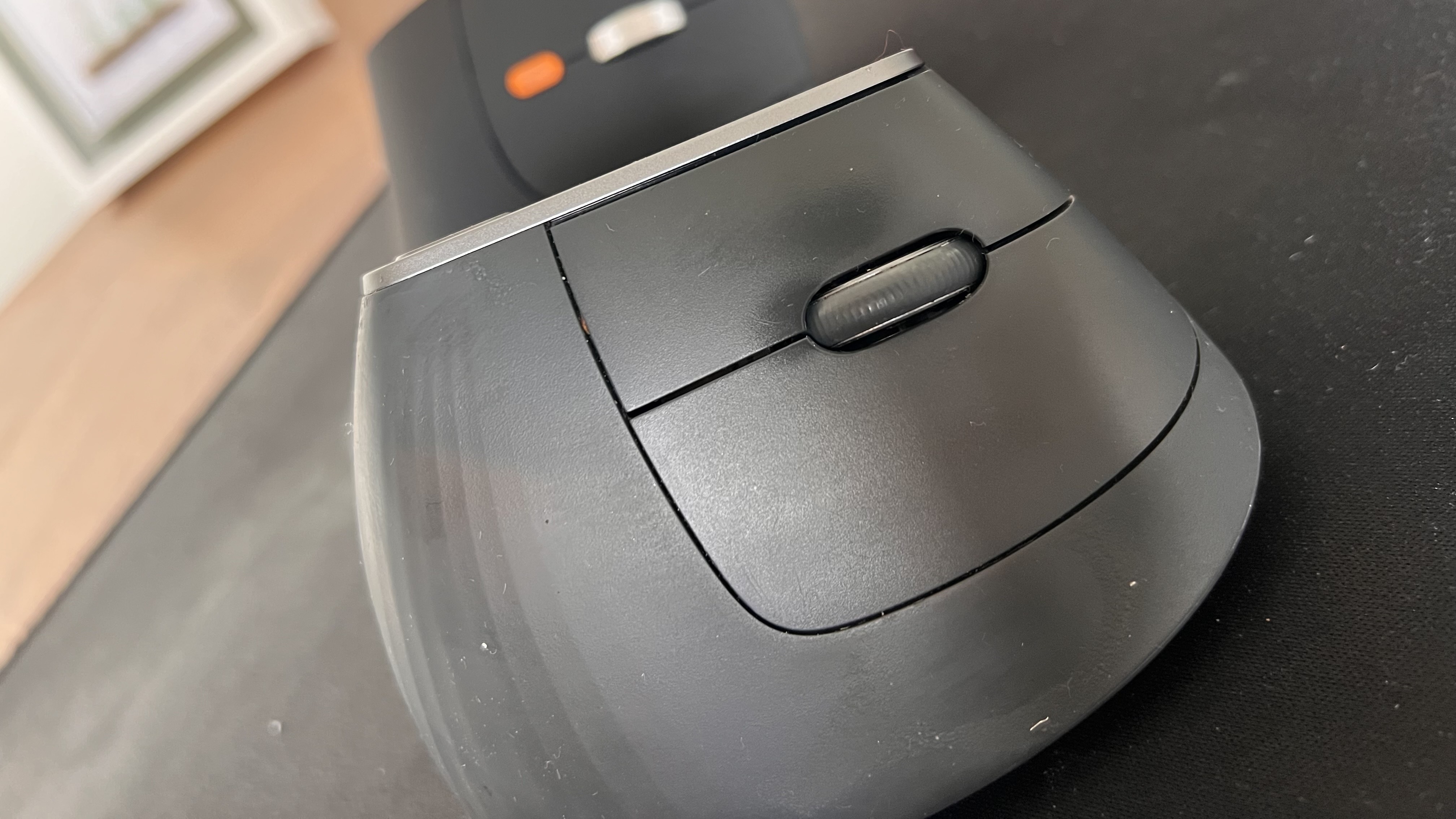
The ProtoArc EM11 Pro and the Logitech MX Vertical fill my hand differently. Logitech's mouse lies flush against my palm as my hand contours around the mouse. But the flat front of that mouse leaves a small gap between my fingers and the buttons.
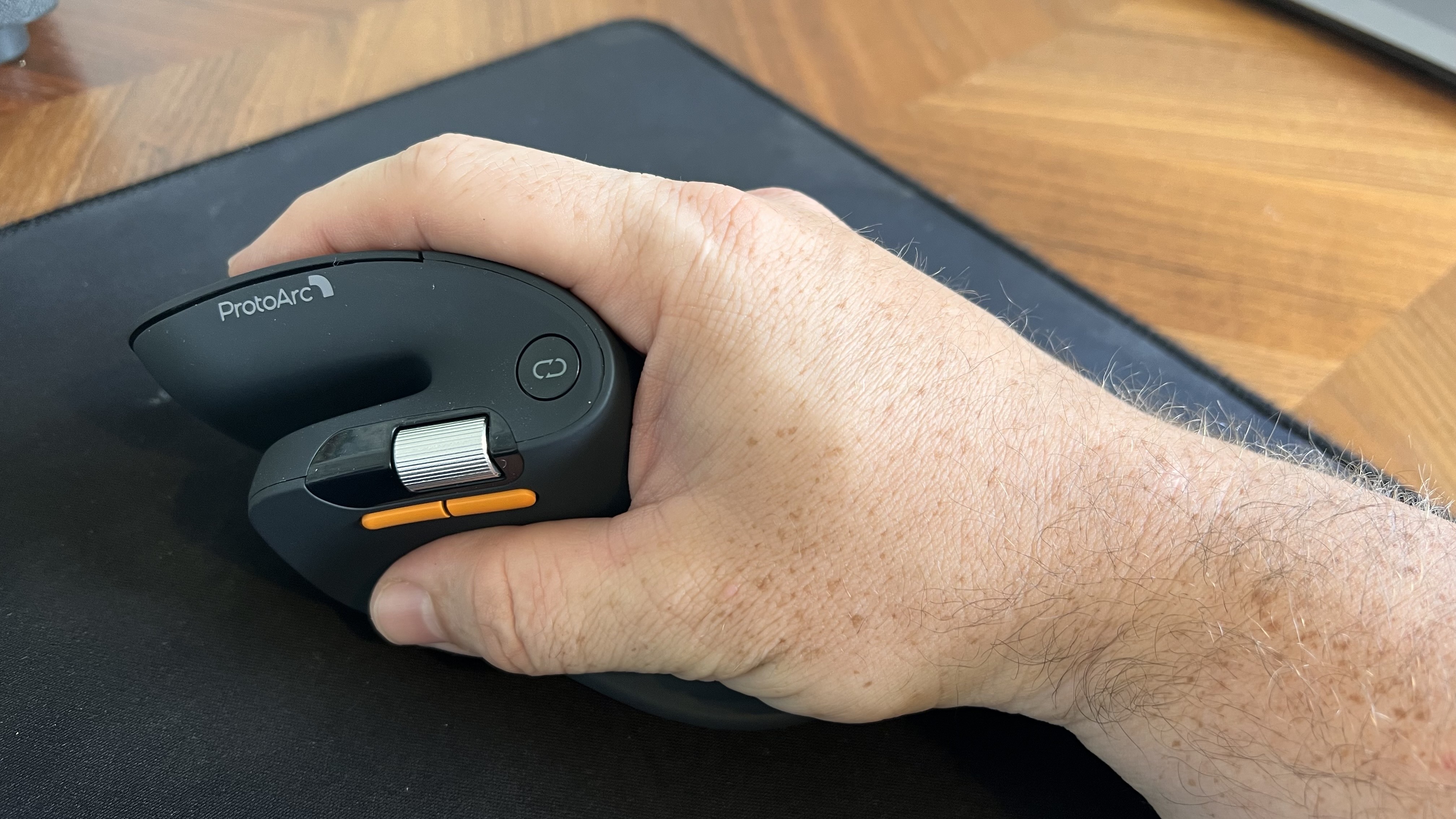
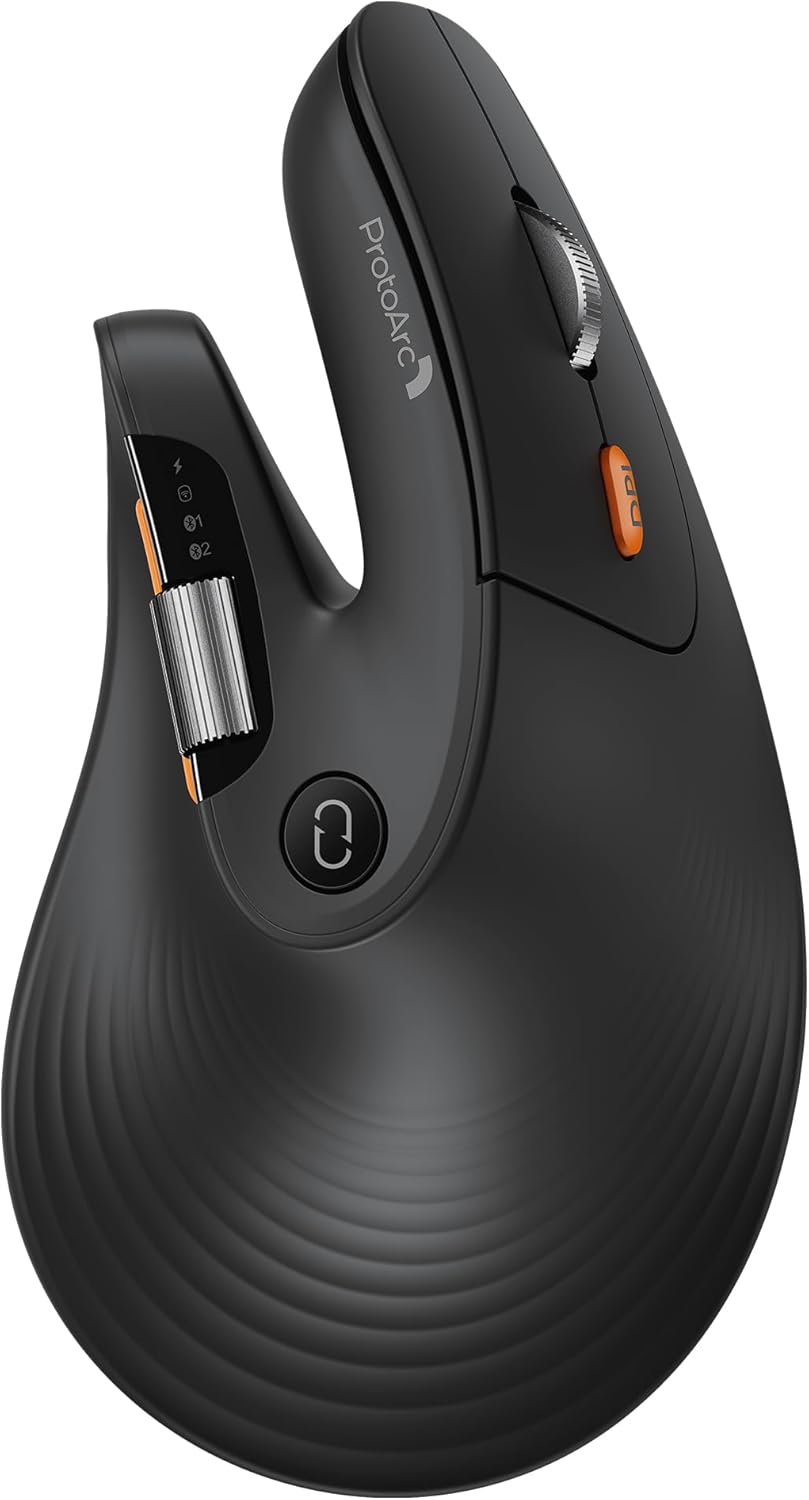
In contrast, the ProtoArc EM11 Pro has an elongated base with a curve that tapers down at a sharper angle than the Logitech MX Vertical. As a result, the mouse does not feel flush against my palm. But the front of the mouse is curved, making the space behind the buttons feel more comfortable.
I'd love to have a mouse that combines the best of both designs since neither mouse is perfect.
Two wheels are better than one
I didn't realize the value of a horizontal scroll wheel until I tried one. (Image credit: Future)
ProtoArc's ergonomic mouse has two scroll wheels, one set for vertical navigation and the other for scrolling horizontally. I didn't realize how much I wanted two scroll wheels until I navigated Excel and Google Sheets with a pair of wheels. I've always just held Shift on my keyboard and used the single scroll wheel when I needed to move horizontally in a spreadsheet, but having a second wheel feels much smoother. It also requires less movement, which is a key part of ergonomic setups.
Silent clicks for quiet workspaces
The Logitech MX Vertical can be a bit noisy. In contrast, the ProtoArc EM11 Pro is practically silent. (Image credit: Future)
I work from home, so I don't have any coworkers to irritate with mouse clicking. If anything, my 10-month-old daughter enjoys the Logitech MX Vertical's clicky buttons since she often sits on my lap and plays with my mouse and keyboard.
But if you work in an open office or sit next to someone at school or work, you probably don't want to hear clicking all day. The ProtoArc EM11 Pro is almost completely silent when clicked.
Why I'm sticking with the Logitech MX Vertical
Logitech should take some lessons from the ProtoArc EM11 Pro, but ProtoArc also has some homework to do. ProtoArc's mouse has some lovely features, but I think it either needs a design tweak or an option for people with different-sized hands.
The angle of my hand doesn't feel natural when using the ProtoArc EM11 Pro. The flared bottom makes my hand want to turn over more than I'd like.
Try as I might, I can't find a way to hold the ProtoArc EM11 Pro that feels comfortable. If I place the side of my hand alongside the base, my fingers don't align properly with the buttons. If I slide my hand down so that my fingers align with the buttons, my hand awkwardly presses against the base.
The curvature of the ProtoArc EM11 Pro also makes it feel like I have to curve my hand a bit, rather than rest at a neutral angle.
Ergonomic mice have a learning curve, so I tried ProtoArc's for a while to see if I'd adjust, and it just hasn't — ahem — clicked. But that may be specific to my hand size and shape. I've known people who disliked the feel of the Logitech MX Vertical, so a lot of this comes down to specific users.
Overall, ProtoArc packed its ergonomic mouse with features other companies should envy. I just wish the mouse fit in my hand as well as the Logitech MX Vertical.
This ergonomic mouse allows your arm to rest at a natural angle to reduce fatigue and strain. It's held up incredibly well throughout my years of use.
This budget-friendly ergonomic mouse has two scroll wheels, can connect through a dongle or Bluetooth, and is practically silent when used.View Deal
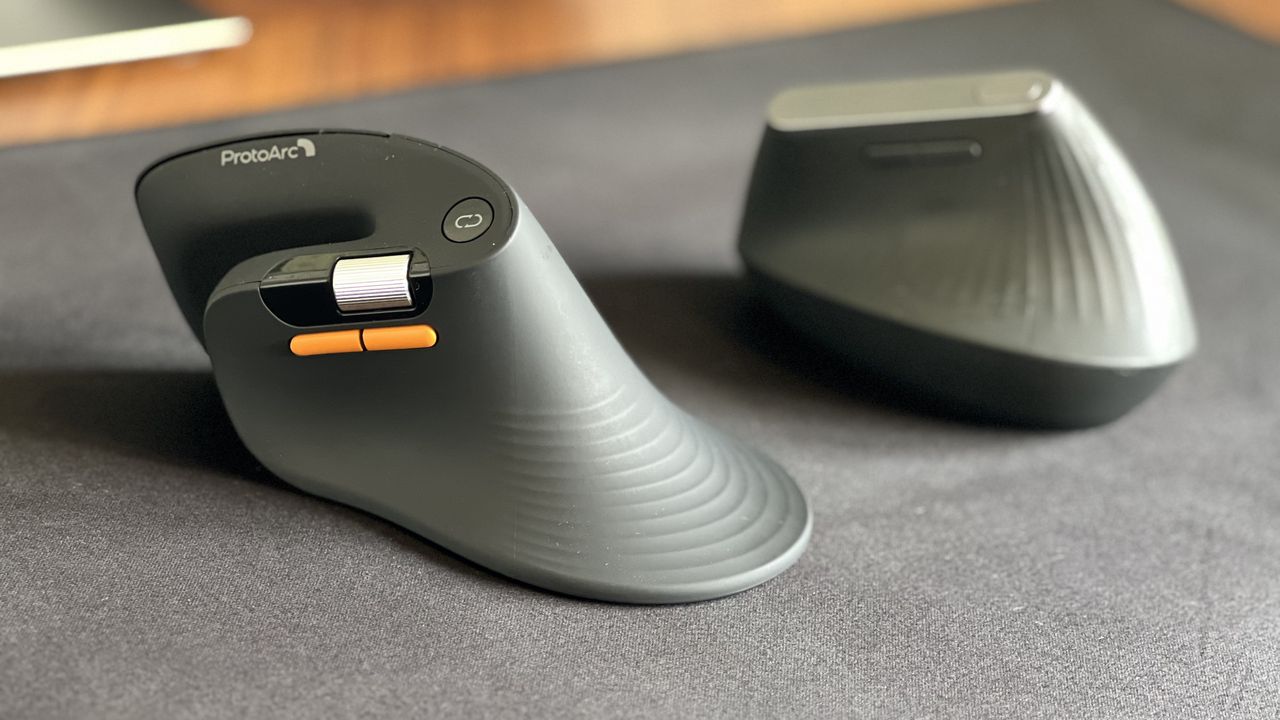
Side-by-side view of the ProtoArc EM11 Pro ergonomic mouse in the foreground with its orange side buttons and scroll wheel, next to the Logitech MX Vertical mouse sitting on a black desk mat.
Despite its low price, the ProtoArc EM11 Pro has features I miss when switching back to my Logitech MX Vertical.
OpenAI is expanding access to one of ChatGPT’s most advanced voice features. GPT-Live in ChatGPT Voice is now rolling out to ChatGPT Edu, Business, and Enterprise subscribers worldwide, giving organizations and educational institutions access to more natural, real-time AI conversations. The global rollout marks another step in OpenAI’s effort to bring advanced voice AI capabilities […]
113 domaines au total, classés le 3 juillet dernier comme contrefaisants par le président du tribunal de l'entreprise francophone de Bruxelles dont 37 pour Wawacity et 36 pour
Zone-Téléchargement
. Y'a même un zone-telechargement.gratis, qui est au moins honnête sur le prix de la marchandise ^^ !
Sauf que depuis le 9 juillet, les deux sites tournent à nouveau sur un TLD en .poker. Soit la veille du jour où la BAPO, le service belge de lutte contre la contrefaçon en ligne, a publié sa décision d'exécution. Autrement dit, la liste était déjà obsolète avant que Telenet, Proximus, Orange Belgium, Mobile Vikings et DIGI aient eu le temps d'y toucher ! Et les anciennes adresses en .codes et .expert, ne sont pas dans la liste belge non plus.
Du coup, vous vous demandez peut-être pourquoi ces deux sites collectionnent les TLD les plus improbables du registre. Hé bien c'est pas du folklore, c'est une réponse directe à l'ARCOM. À chaque fois que
les FAI français appliquent une salve de blocages DNS
, les opérateurs enregistrent un nouveau domaine et redirigent leur public via des pages d'atterrissage et des canaux Telegram. La Belgique hérite donc d'un stock de domaines cramés par la France, et les bloque consciencieusement, un par un, avec plusieurs coups de retard.
Après, les ayants droit ne sont pas con non plus puisqu'ils ont explicitement demandé au tribunal de bloquer les pages "panneau indicateur", c'est à dire celles qui vous disent où le site a déménagé cette semaine.
Résultat, wawacity-info.com et zone-telechargement-info.com sont aussi dans la liste. Ces deux pages n'hébergent aucun contenu protégé et ne pointent vers aucun fichier illégal, elles se contentent de vous annoncer quelle est l'adresse active du moment. Le tribunal a validé quand même, au motif qu'elles "facilitent l'accès".
Et là, si vous mettez ces deux pages indicatrices côte à côte, vous voyez tout de suite qu'elles sont quasiment identiques. Même mise en page, même messages sur Telegram, où les deux comptes arrosent des dizaines de milliers d'abonnés avec un texte identique au mot près. Wawacity et Zone-Téléchargement, c'est donc très probablement la même équipe, ce qui explique pourquoi les deux changent de domaine en même temps, comme un couple qui déménage.
Movix, visé par la même décision, a lui aussi déjà migré vers un nouveau TLD et reste accessible. Le reste de la fournée complète les 113 comme Lookmovie et ses treize variantes, KissKH, animepahe, anime-sama, WatchSeries, voir-anime, Streamex. La liste noire belge dépasse maintenant les 1000 domaines depuis le lancement du dispositif en 2025, et elle peut être mise à jour chaque semaine avec 50 nouveaux noms.
50 par semaine, c'est impressionnant ! Face à des gars qui basculent leur trafic sur un nouveau TLD en quelques minutes, montre en main, la justice est dépassée ! Et pas parce qu'elle est nulle hein, mais parce que le blocage DNS n'a jamais empêché personne de taper une autre adresse qui renvoie vers le même service... On avait déjà vu le même théâtre quand
la Belgique a censuré Internet Archive
, et quand
le Conseil d'État a éteint la riposte graduée d'Hadopi après 17 ans
.
Prochaine étape probable, les ayants droit s'attaqueront surement aux canaux Telegram. En attendant, quelqu'un devrait leur dire que cette .pizza était déjà bien froide ^^.
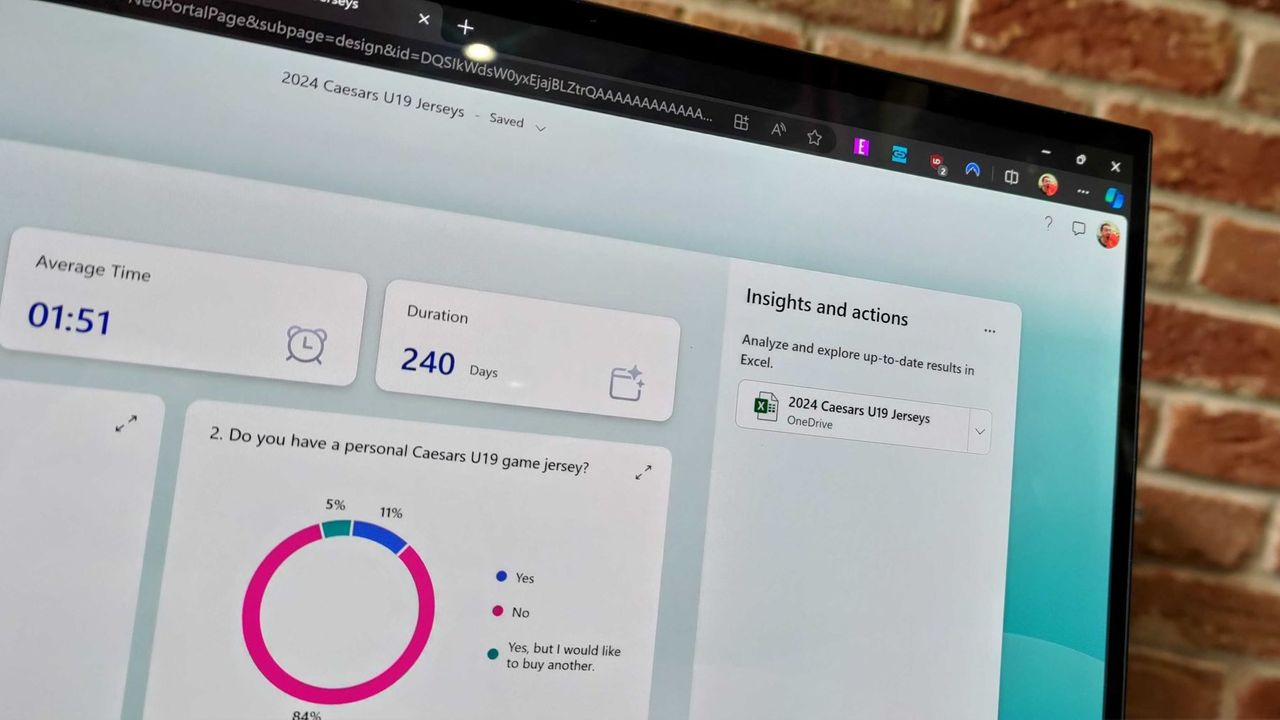
Microsoft Forms just got a major upgrade thanks to Copilot. Microsoft 365 Copilot chat now lives within Microsoft Forms, adding a familiar tool to those who use AI in Word, Excel, and PowerPoint.
Copilot in Microsoft Forms can suggest improvements to your polls and forms and present insights from responses.
The Copilot integration is available now to users with Microsoft 365 commercial Copilot licenses.
Microsoft listed all the changes to Forms in a blog post:
Smarter suggestions & refinements: Get targeted recommendations to improve your form’s structure, clarity, and effectiveness. Copilot can also apply refinements directly to the form, so you can save time making edits – just describe what you want, and watch Copilot make it happen.
Deeper analysis: Copilot can now analyze your results in-depth to provide clear insights and actionable takeaways for you and your team. You can even ask follow-up questions to help parse and summarize your data and unlock your next step.
More settings: Review and update form settings with ease, such as applying custom thank-you messages and close dates, so your form is ready to send. You can also adjust question settings in bulk, such as making questions required.
Open-ended chat: Copilot chat gives you access to a broad world of capabilities, whether you’re seeking inspiration on survey topics or consulting on how to configure your form – the possibilities are broad with Copilot at your fingertips.
Basic branching: Apply basic branching logic directly through the agent. (Note that some complex scenarios are not yet supported, and you should continue to review your branching logic prior to sending your forms.)
I use Microsoft Forms to gather feedback from my American football team. I admit that I first tried it because my job centers around knowing Microsoft products. But after using Microsoft Forms for a while, I grew to prefer it over Google Forms.
Microsoft Forms can sync with Excel documents, making it much easier to stay on top of responses. I'm deeply entrenched in the Microsoft ecosystem, so anything that works seamlessly with the rest of my workflow gets bonus points in my book.
I also prefer some of the features of Microsoft Forms, such as question-level branching. That feature makes filling out forms feel smoother when a poll includes branching questions because it keeps you on the same page.
The layout of Microsoft Forms also presents results quicker because if you want to look at a chart, you don't need to open a separate spreadsheet.
The new Copilot experience in Forms could also be a boon to the platform, though I'll have to see it in action to judge. In my experience, Copilot as a general tool is good at suggesting improvements, performing bulk edits, and creating summaries, so it should thrive within Microsoft Forms.
Join us on Reddit at r/WindowsCentral to share your insights and discuss our latest news, reviews, and more.

 Connexion