❌

Vue lecture

Siri AI vs Google Gemini: Which AI Assistant Is Better in 2026?

Siri AI and Google Gemini both offer conversational AI, personal context, and app automation, but they work differently across devices. Compare their features, privacy controls, and everyday usefulness to decide which assistant suits you best.

The post Siri AI vs Google Gemini: Which AI Assistant Is Better in 2026? appeared first on TechRepublic.

  •  

Microsoft is killing Copilot for smart TVs this year

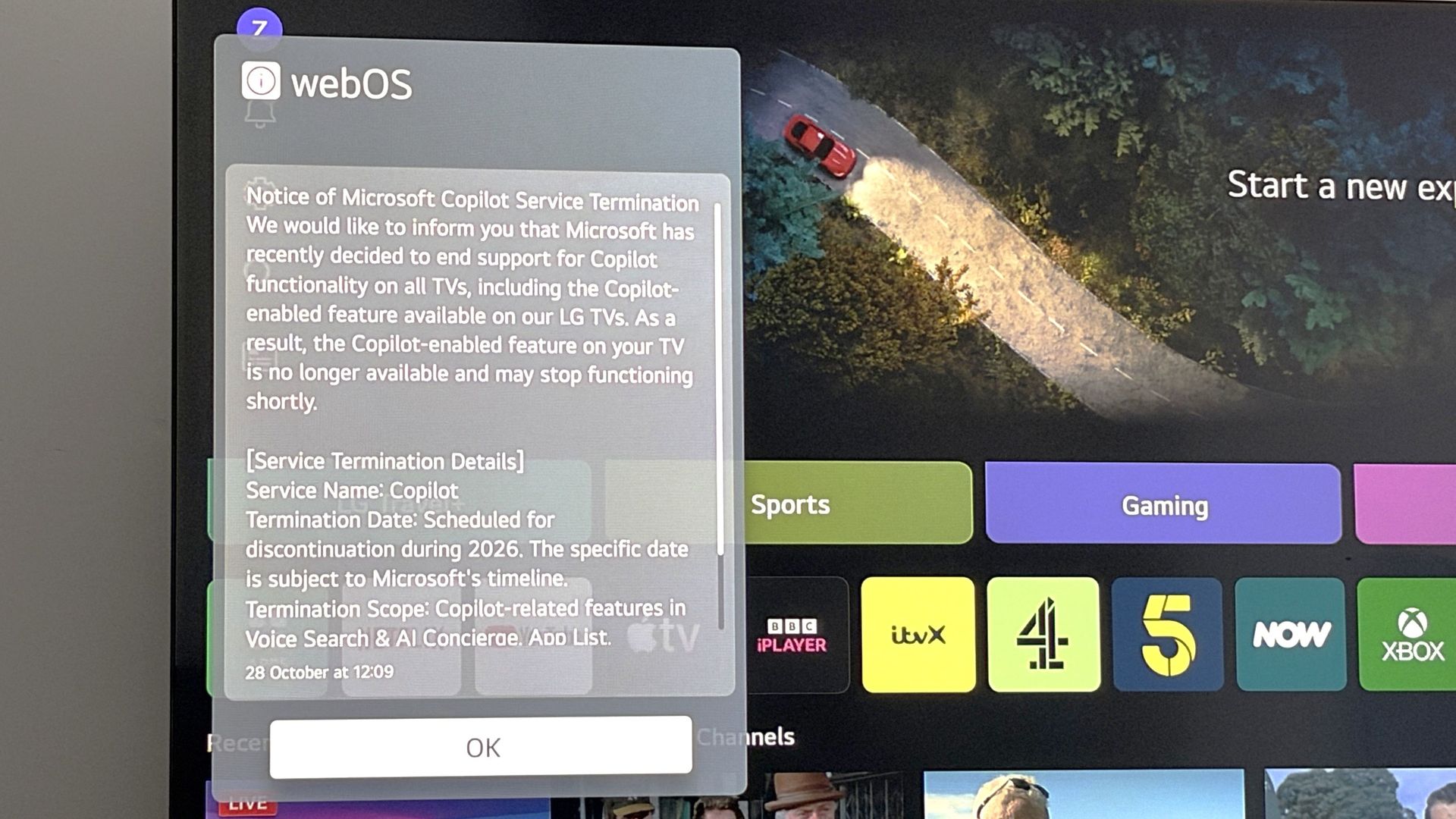
LG has announced that Microsoft is ending support for Copilot on smart TVs at some point between now and the end of this year. In a popup that appeared on my webOS-powered LG TV this morning, LG confirmed that Microsoft is ending support for Copilot on all smart TVs.

The notice reads:

"We would like to inform you that Microsoft has recently decided to end support for Copilot functionality on all TVs, including the Copilot-enabled feature available on our LG TVs. As a result, the Copilot-enabled feature on your TV is no longer available and may stop functioning shortly."

LG says Microsoft is yet to confirm which date Copilot support will end on smart TVs, but that it's expected to happen before the end of 2026. This move doesn't come as much of a surprise as I don't think I know anyone who has ever actively used Copilot on their TV.

LG TV Copilot End of Support Warning

The popup that confirmed Copilot is saying bye-bye to TVs. (Image credit: Zac Bowden / Windows Central)

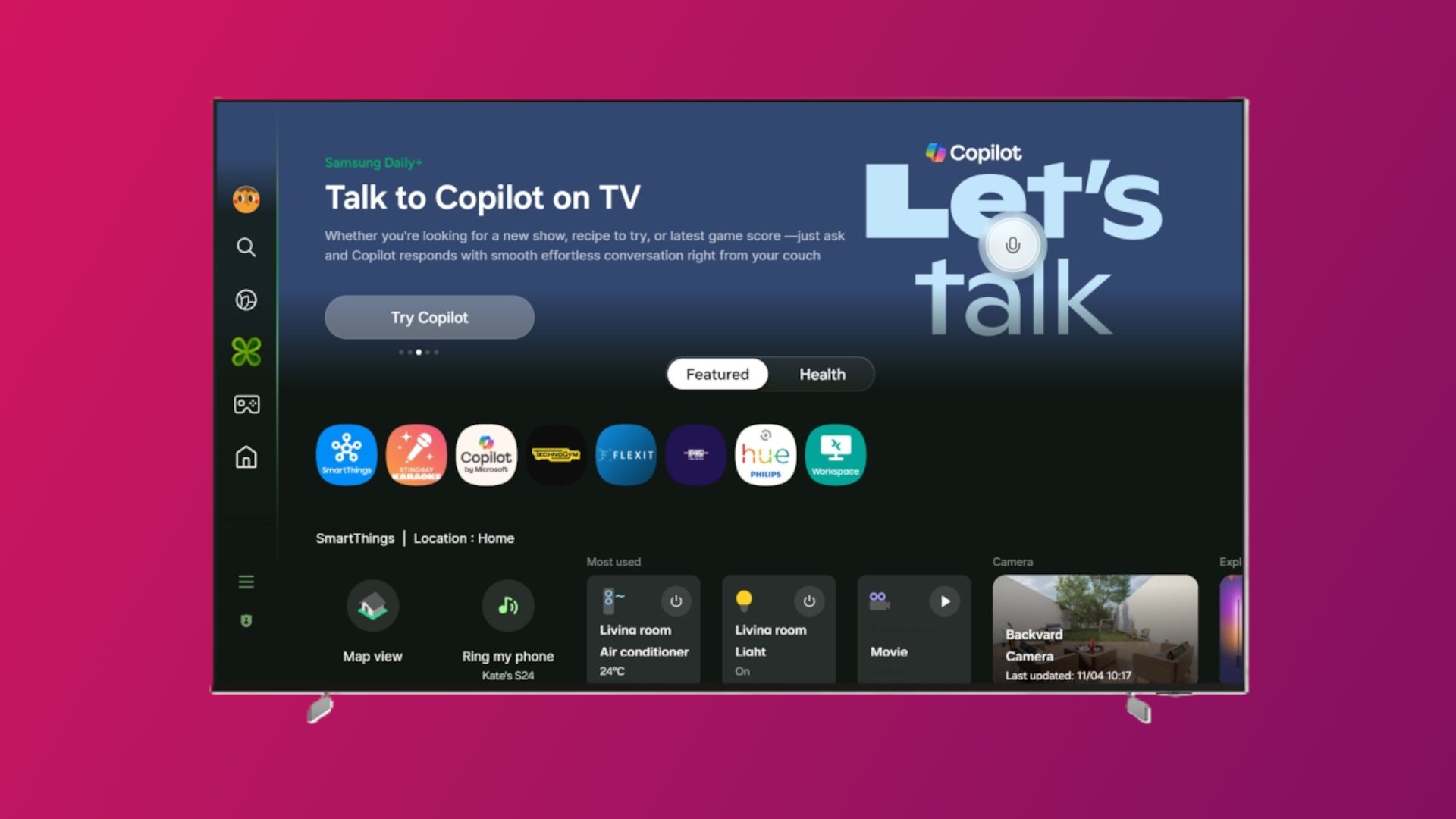
Copilot acted as an AI powered companion that could answer questions based on content on your screen. You could also use it to recommend TV shows and movies, and chat to it generally like you can on other devices. The app was forcibly installed on LG and Samsung TVs in the last year, which caused big pushback from customers online.

Microsoft has also changed course with Copilot since. It's no longer interested in positioning Copilot as a digital friend for personal use. Instead, it's actively targeting productivity and business use cases for Copilot, which means Copilot on TV no longer makes sense for Microsoft.

The company recently merged its Microsoft 365 Copilot and consumer Copilot under the same app, meaning there's no longer a dedicated personal Copilot app for users who wanted to make a digital friend. Copilot on TV is the latest consumer facing version of Copilot to kick the bucket.

We'll be sure to update this article once Microsoft confirms an exact end of support date for Copilot on TVs. For now, what do you think about the current state of Copilot? Let us kow in the comments.

Click to join us on r/WindowsCentral

Join us on Reddit at r/WindowsCentral to share your insights and discuss our latest news, reviews, and more.

  •  

Copilot goes missing from the Edge Sidebar during Microsoft's awkward migration

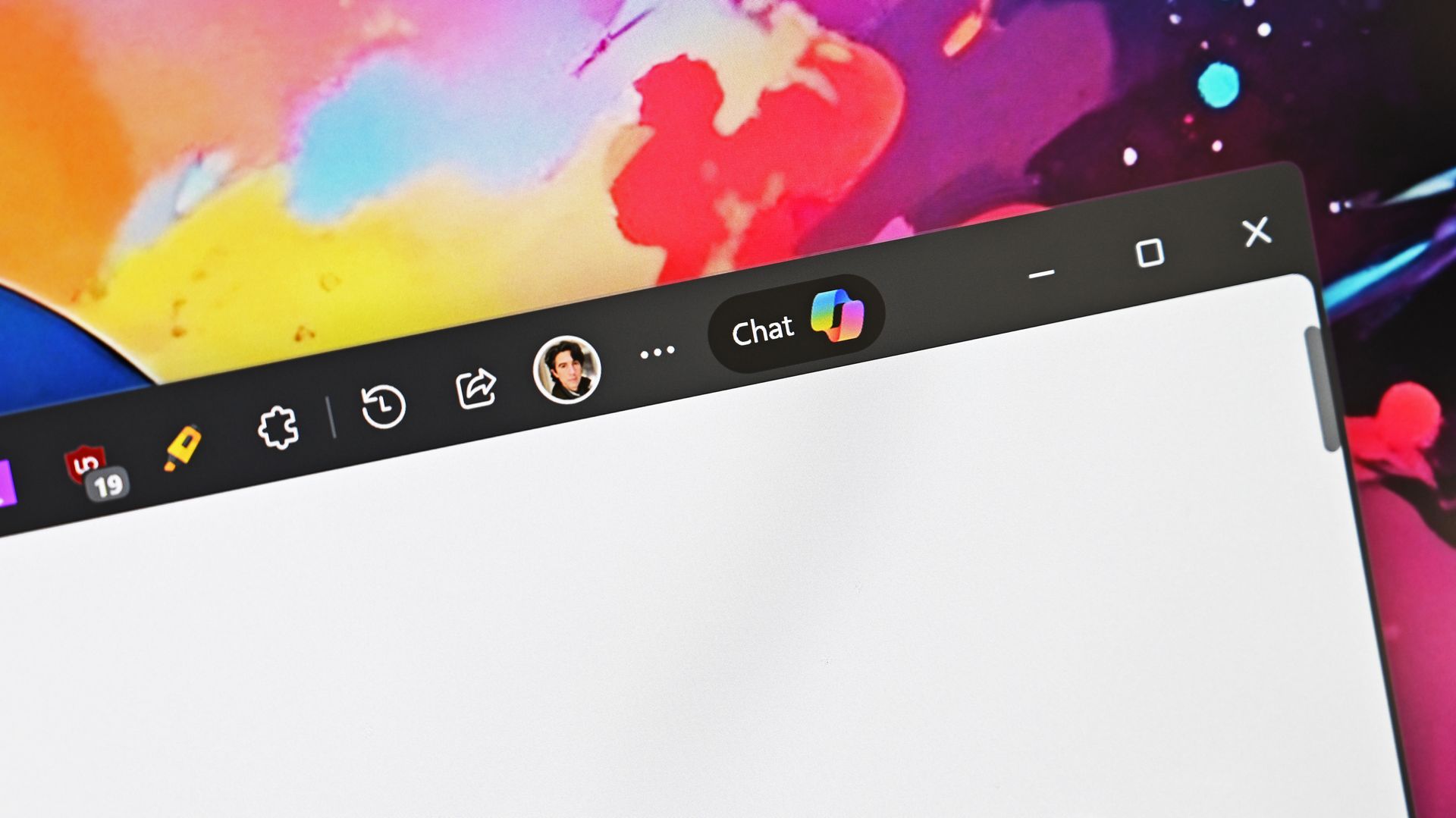
If you can't open Copilot in the Microsoft Edge Sidebar, you're not alone. People trying to use the AI tool in Edge may be met with a message stating Copilot is unavailable in that part of the browser during a migration to a new experience.

Several members of our team ran into the message, as have some Reddit users. Here's what the browser says when you try to use Copilot in the Edge Sidebar:

"Your Copilot is migrating to the new experience

It may take a few days and require restarting Edge. You will be able to use Copilot here and see all your chat history and settings once the migration completes. Until then, please use the new Copilot web experience copilot.com"

Microsoft does not explain what the "new experience" is within the message shown in Edge. The message likely references Microsoft's broader rollout of a unified Copilot experience across the web, apps, and other platforms, though Microsoft does not specifically mention the Edge Sidebar in its support documentation.

The notification suggests user data is being moved as part of the transition, stating chat history and settings will be available once the migration completes.

It also seems odd that the migration stops Copilot in the Sidebar from working at all until the new experience is available. I'd prefer to see Microsoft complete the migration in the background then ship the finished version with an Edge update. Instead, people who rely on Copilot in the Edge Sidebar have to jump to a different tab or use the dedicated Copilot app.

The awkward transition is particularly frustrating because Microsoft's actions over the last couple of years have made it clear the company values the Copilot experience in Edge. Microsoft retired the best parts of the Edge Sidebar to remove competition for Copilot.

Microsoft appears willing to temporarily disable Copilot in the Edge Sidebar for some users while migrating them to a new experience rather than maintaining access throughout the transition. That's surprising given how aggressively Microsoft has prioritized Copilot within Edge over the last several years.

Click to join us on r/WindowsCentral

Join us on Reddit at r/WindowsCentral to share your insights and discuss our latest news, reviews, and more.

  •  

HMD 2660 Flip Senior Edition Brings AI Conversations to an Old-School Phone

Making a phone call shouldn’t feel like learning a new piece of software. The HMD 2660 Flip Senior Edition responds to that familiar frustration with big buttons, a folding body, and an unexpected addition called Mary. This AI companion from inTouch brings conversation to a basic phone, letting older adults try the technology without trading their keypad for a touchscreen full of apps.

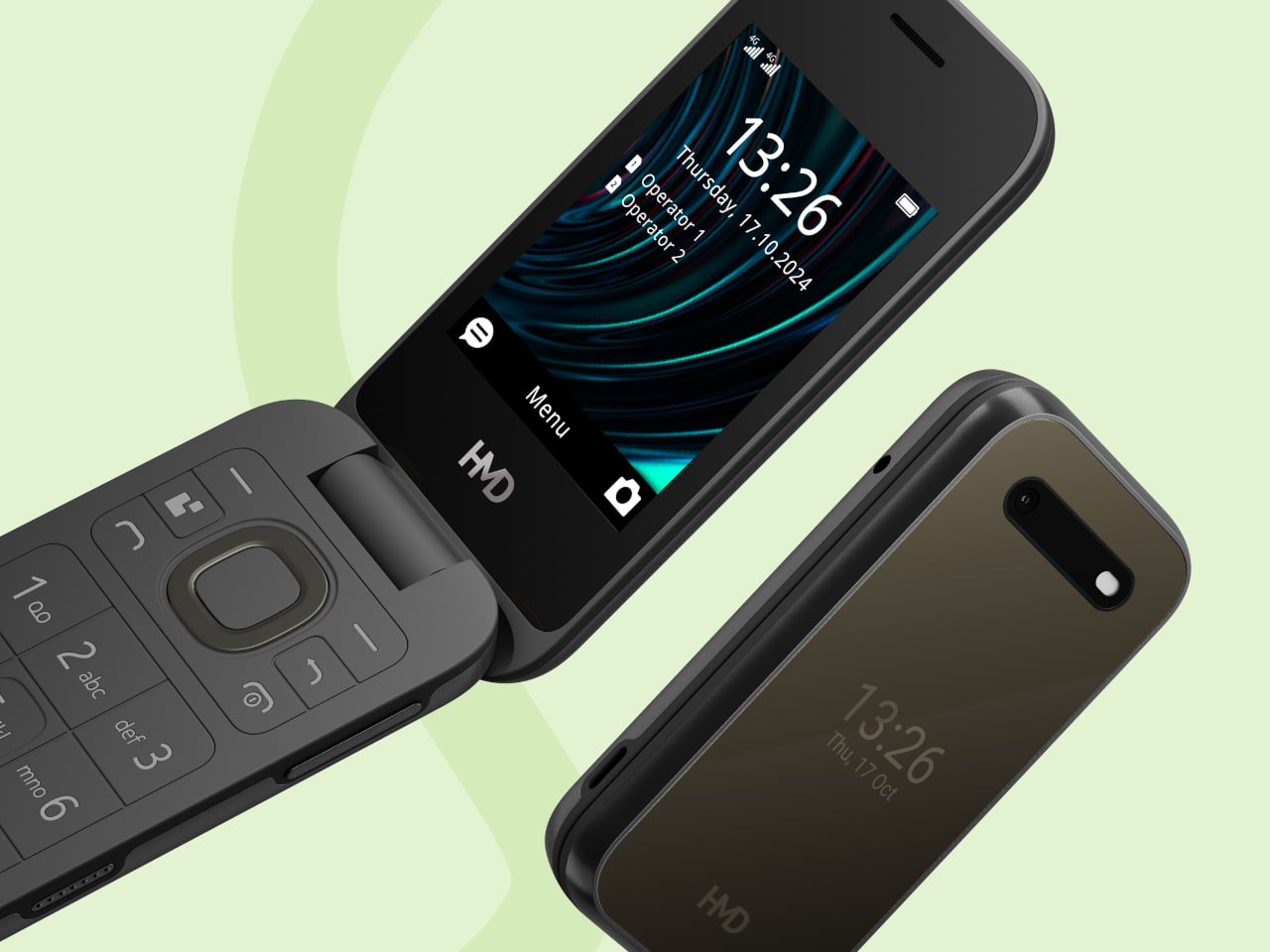
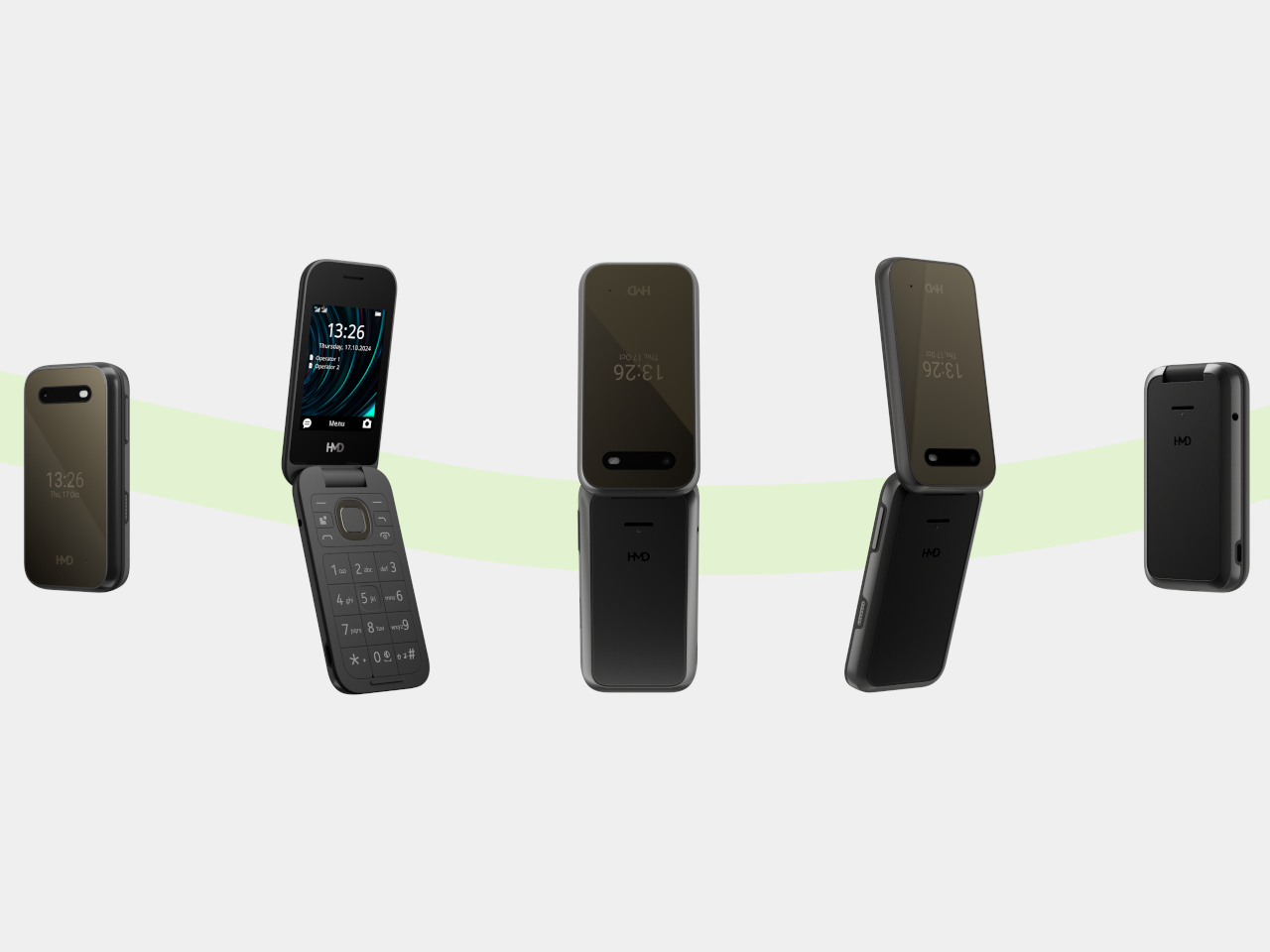
The hardware doesn’t stray far from the regular HMD 2660 Flip introduced in 2025. Open the clamshell, and there’s a 2.8-inch screen above a generously sized number pad, with a navigation control separating the two. Answering or ending a call can be tied to opening or closing the phone, giving those actions a physical beginning and end that a touchscreen doesn’t quite offer.

Designer: HMD Global

The outside gets its own smaller display, so checking the time doesn’t require unfolding the whole thing. Its dark body and rounded corners stick to the recognizable flip-phone formula rather than dressing the device up as medical equipment. That restraint matters here. The phone offers an alternative way to stay in touch, without announcing that its owner needs an entirely different category of gadget.

Mary adds a different kind of contact to the phone, one that’s available for a casual conversation around the clock. HMD says the companion speaks slowly, leaves room for replies, and remembers earlier conversations. A chat might involve history, a favorite memory, or a game. The interesting choice is delivering those interactions through speech, instead of asking someone to type their thoughts.
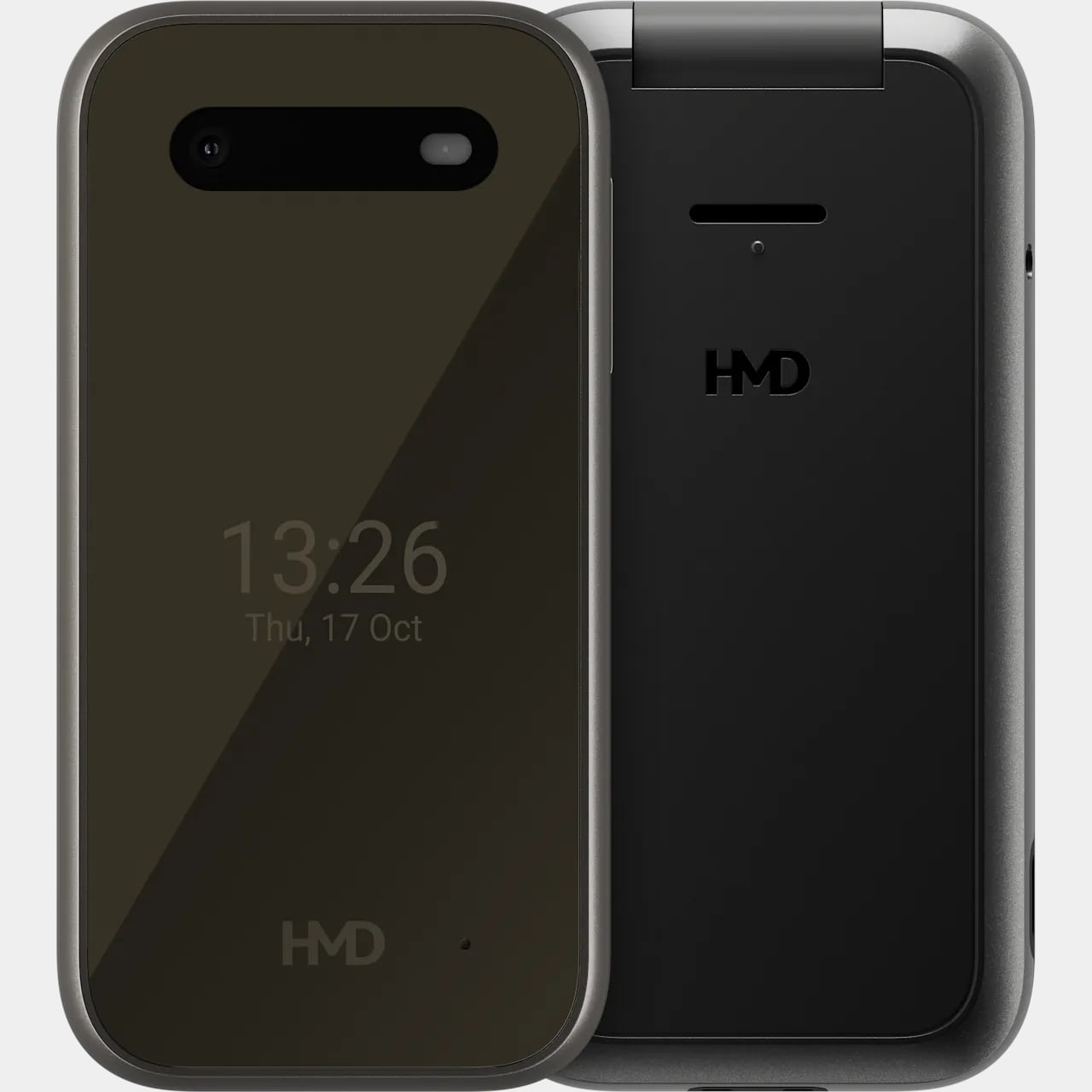
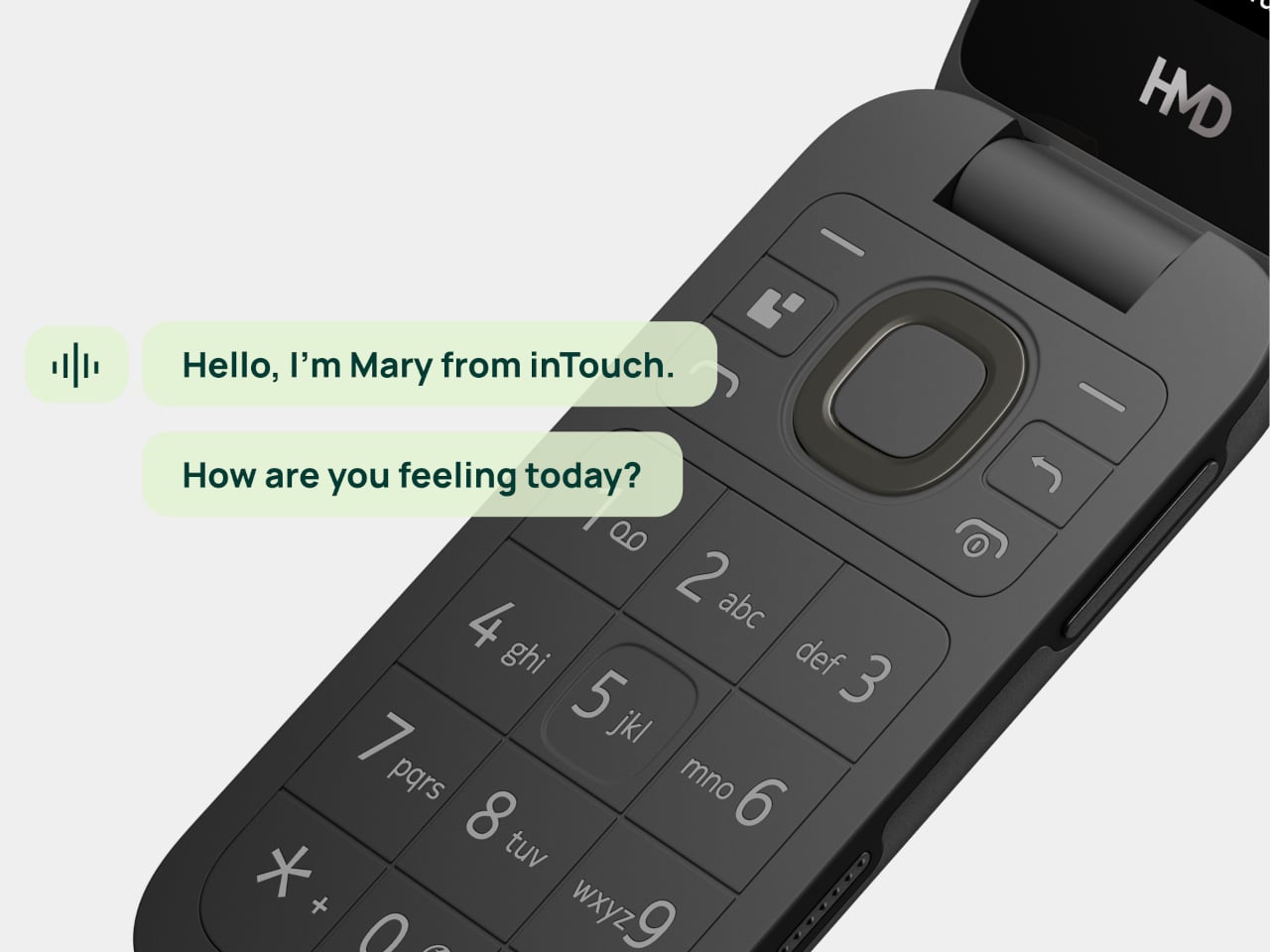
Of course, an AI feature can easily complicate a supposedly simple phone. Here, Mary appears in the main menu, and selecting her icon before pressing the call button starts the conversation. There’s no separate app to install or number to memorize. Activation still involves a website or QR code, though, so the simplest experience comes after someone has handled that initial setup.

The less glamorous details haven’t disappeared beneath the AI pitch. A removable 1,450mAh battery and USB-C charging keep the basics familiar, while HMD rates the body IP54 for protection against dust and splashes. A replaceable battery also means you can swap a worn component, rather than treating the whole phone as something that has reached retirement age.
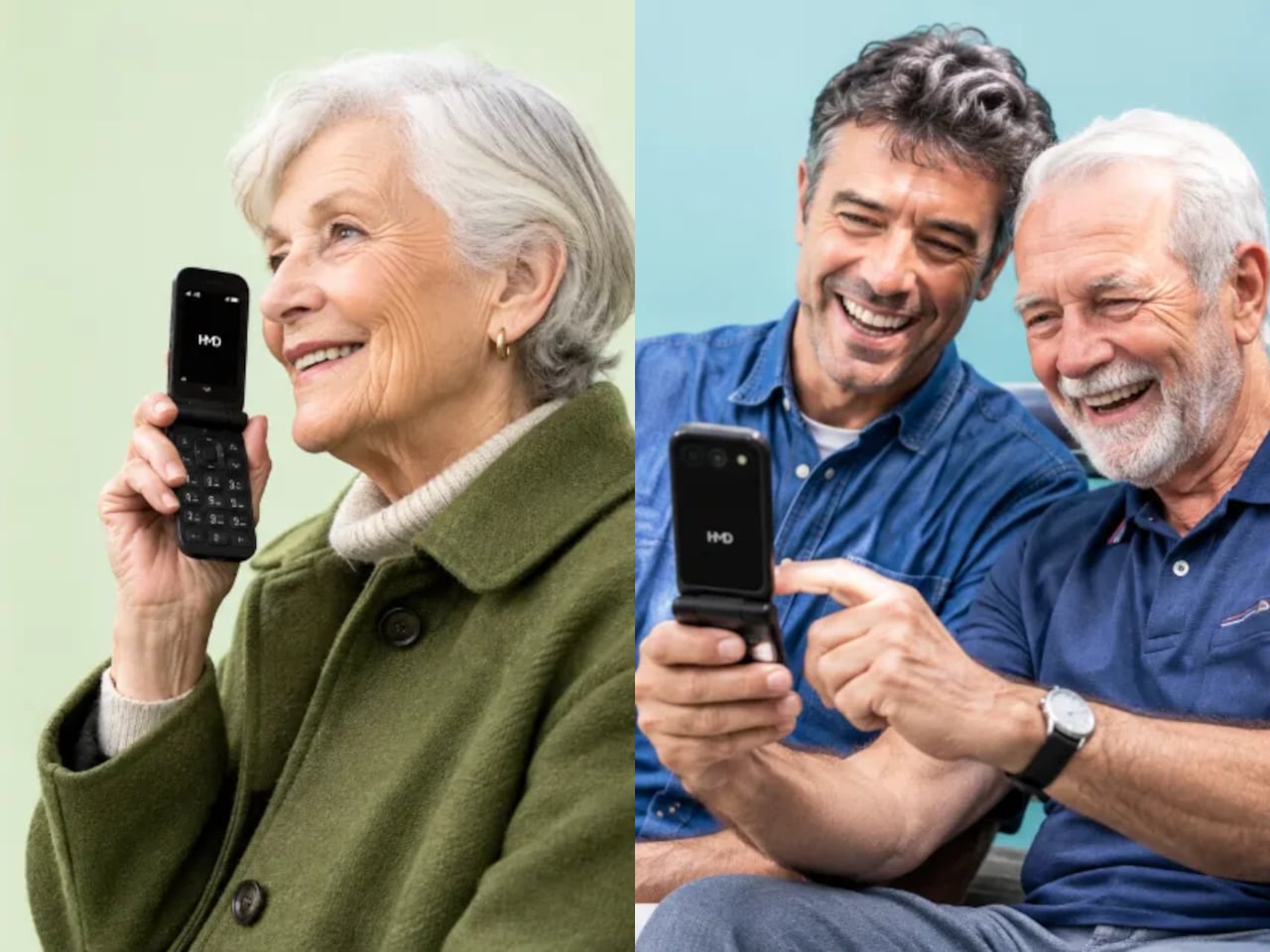
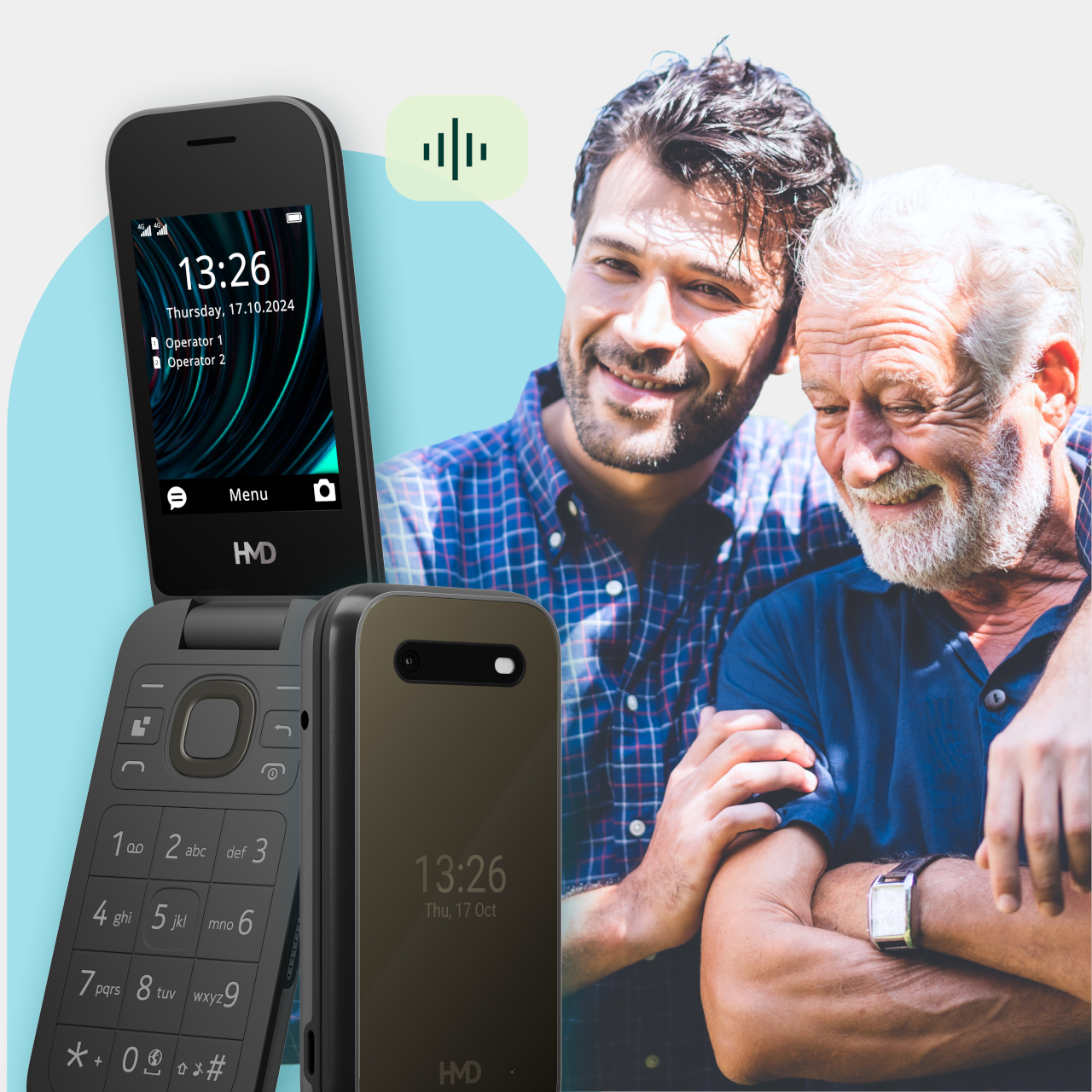
The UK listing puts the phone at £79.99 (about $107), including a five-hour trial of Mary. Continuing the service costs £16.90 (about $23) monthly, with carrier charges potentially adding to that. The trial doesn’t automatically become a paid plan, but inTouch’s general terms say paid subscriptions renew automatically. It can be canceled, but ongoing conversations introduce another expense alongside ordinary phone service.

There’s an important distinction between making conversation easier to access and replacing human company. Mary is software, and her availability shouldn’t be confused with evidence that she reduces loneliness. The change here is how someone reaches that software. They can keep the familiar ritual of opening a phone and making a call, and still use their handset after the AI subscription ends.
The post HMD 2660 Flip Senior Edition Brings AI Conversations to an Old-School Phone first appeared on Yanko Design.

  •  
❌