❌

Vue lecture

This Folding AI Handheld Concept Opens Into a Wildlife Field Guide
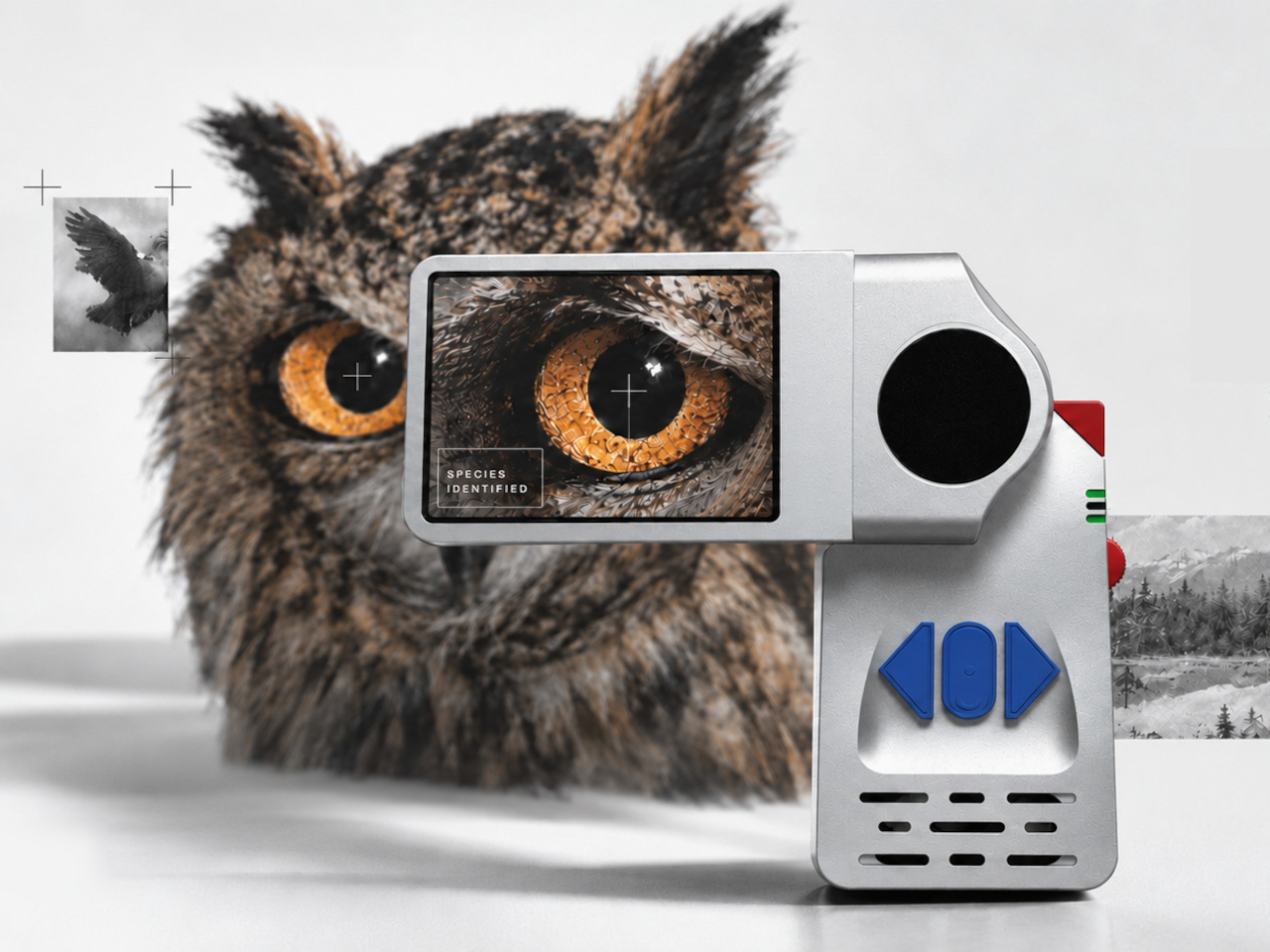
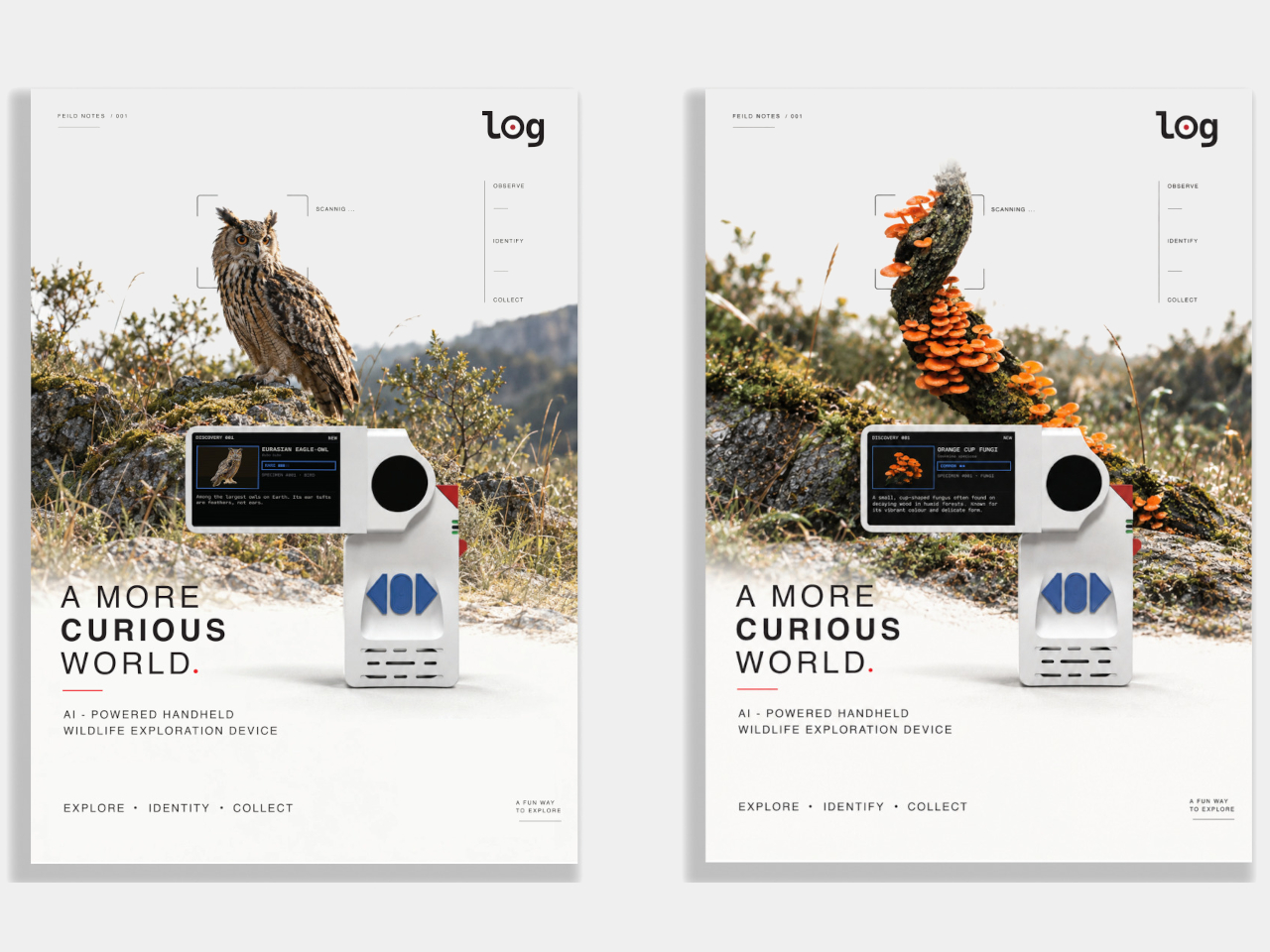
Coming across an unfamiliar bird is often the beginning of a phone search, with a few unrelated notifications along for the ride. The log handheld concept proposes a more focused companion for those moments, pairing a camera with AI-assisted species identification and a personal field log. Its folding screen turns a narrow device into an L-shaped tool for exploring what’s around you.

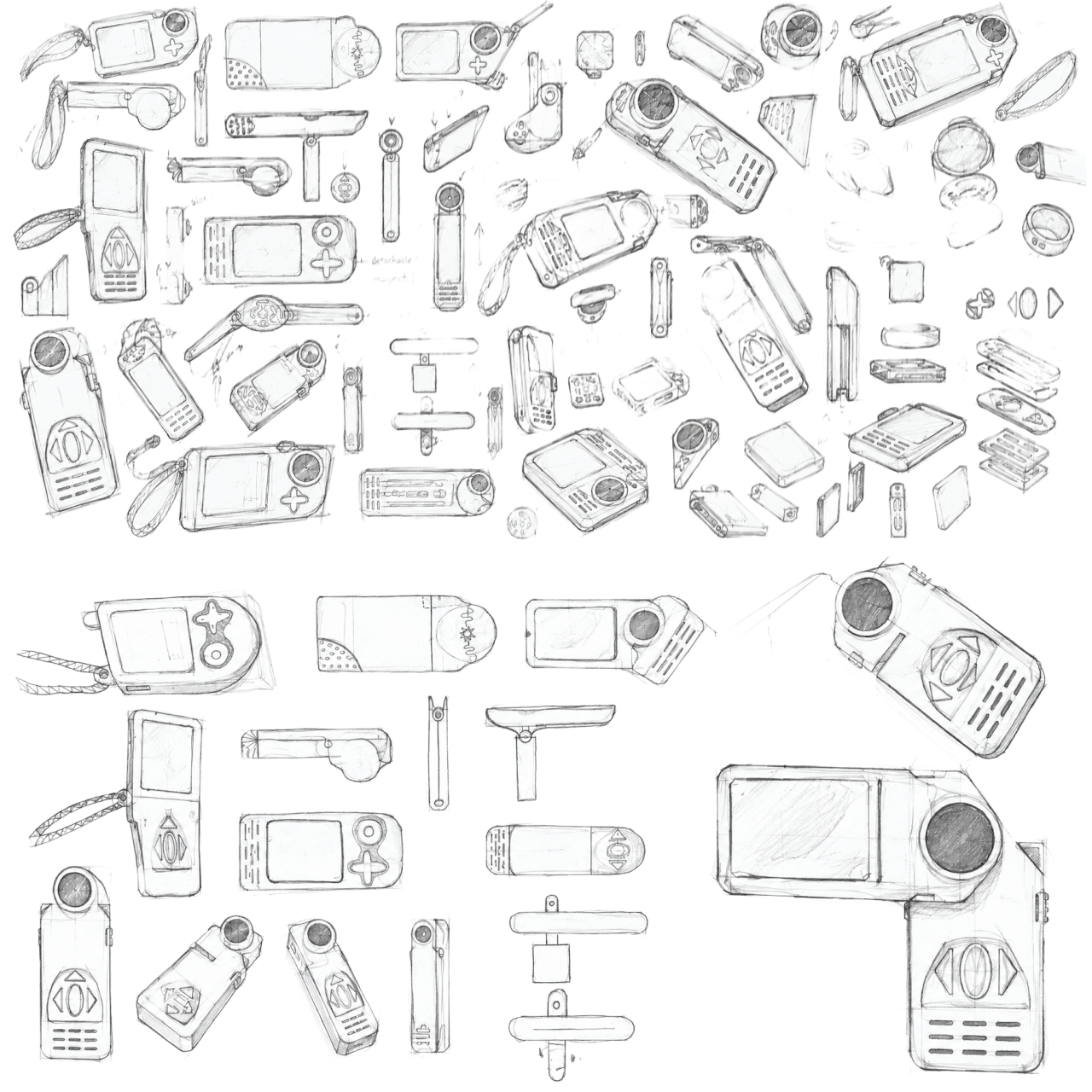
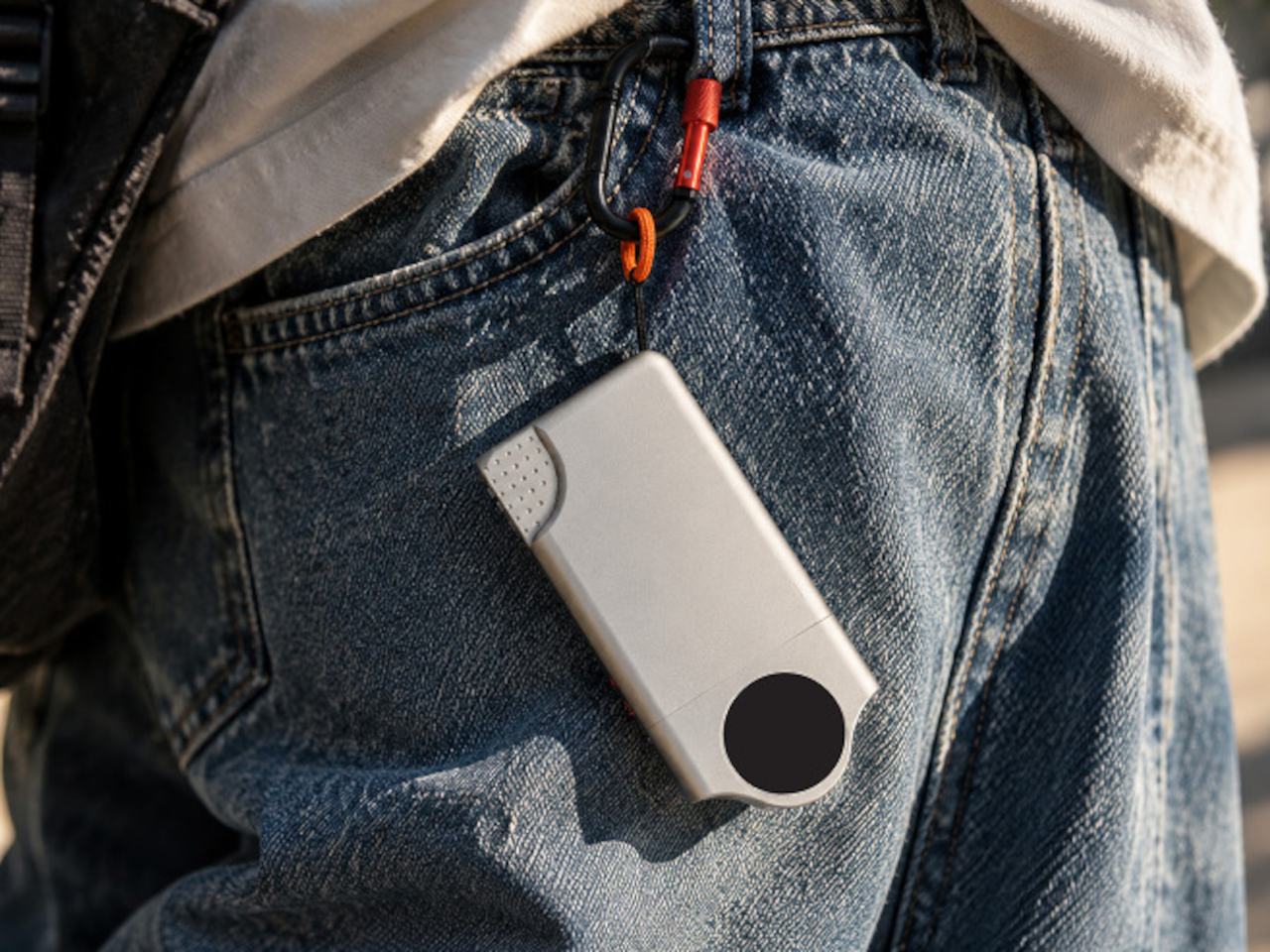
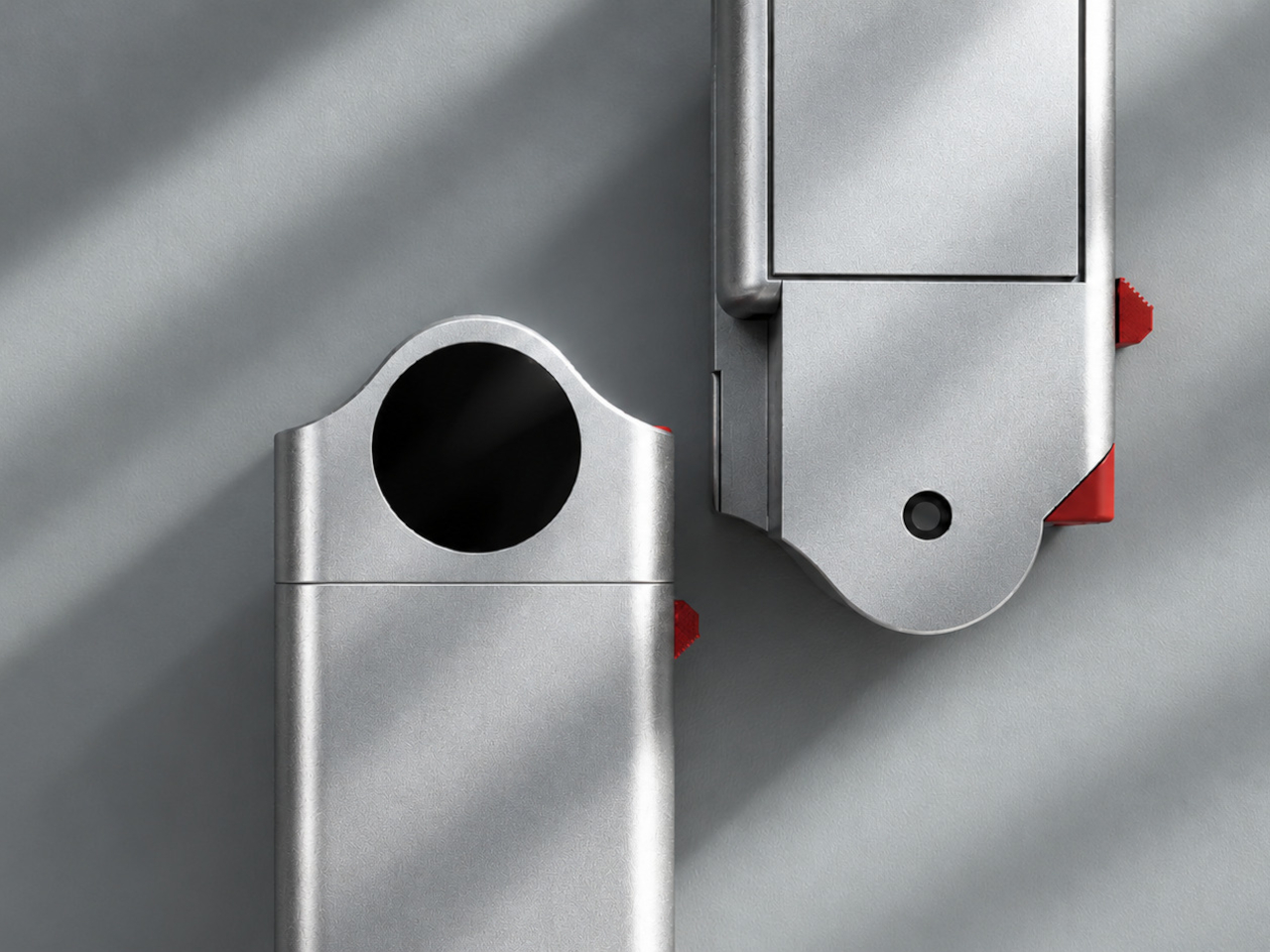
Closed, the device keeps its display folded against the body, leaving a slim rectangle with a distinctive circular joint at one end. Swing the screen outward, and it extends sideways above the grip, separating viewing from holding. That change gives the object a little of the character of an old camcorder, rather than yet another phone-shaped slab pretending to be something completely different.

Designer: Maanit Singh
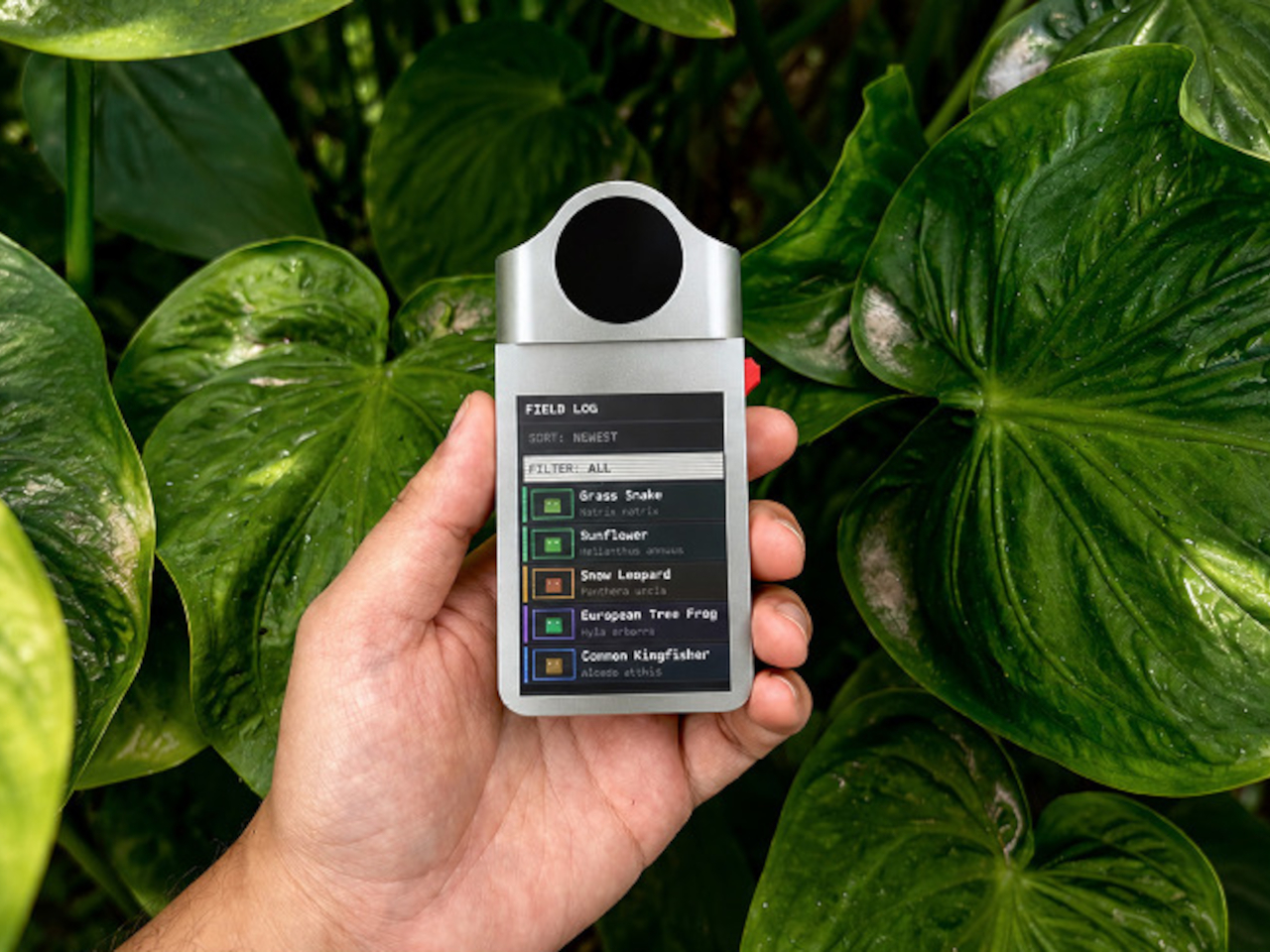
The silver-colored shell makes the controls hard to miss, with blue directional buttons set into a recessed area and red accents along the side. Their shapes suggest a device you operate by pressing rather than constantly swiping. For someone pausing beside a trail, that could mean keeping navigation under a thumb while the image stays visible on the separate screen above your hand.

An unfamiliar flower or a bird on a branch would give that arrangement something to work with. The proposed interface pairs a photograph with identification information, then organizes encounters in a field log. Instead of leaving every sighting buried among screenshots and lunch photos, you’d have a dedicated collection to revisit, turning a short walk into something you can keep exploring afterward.

1

1

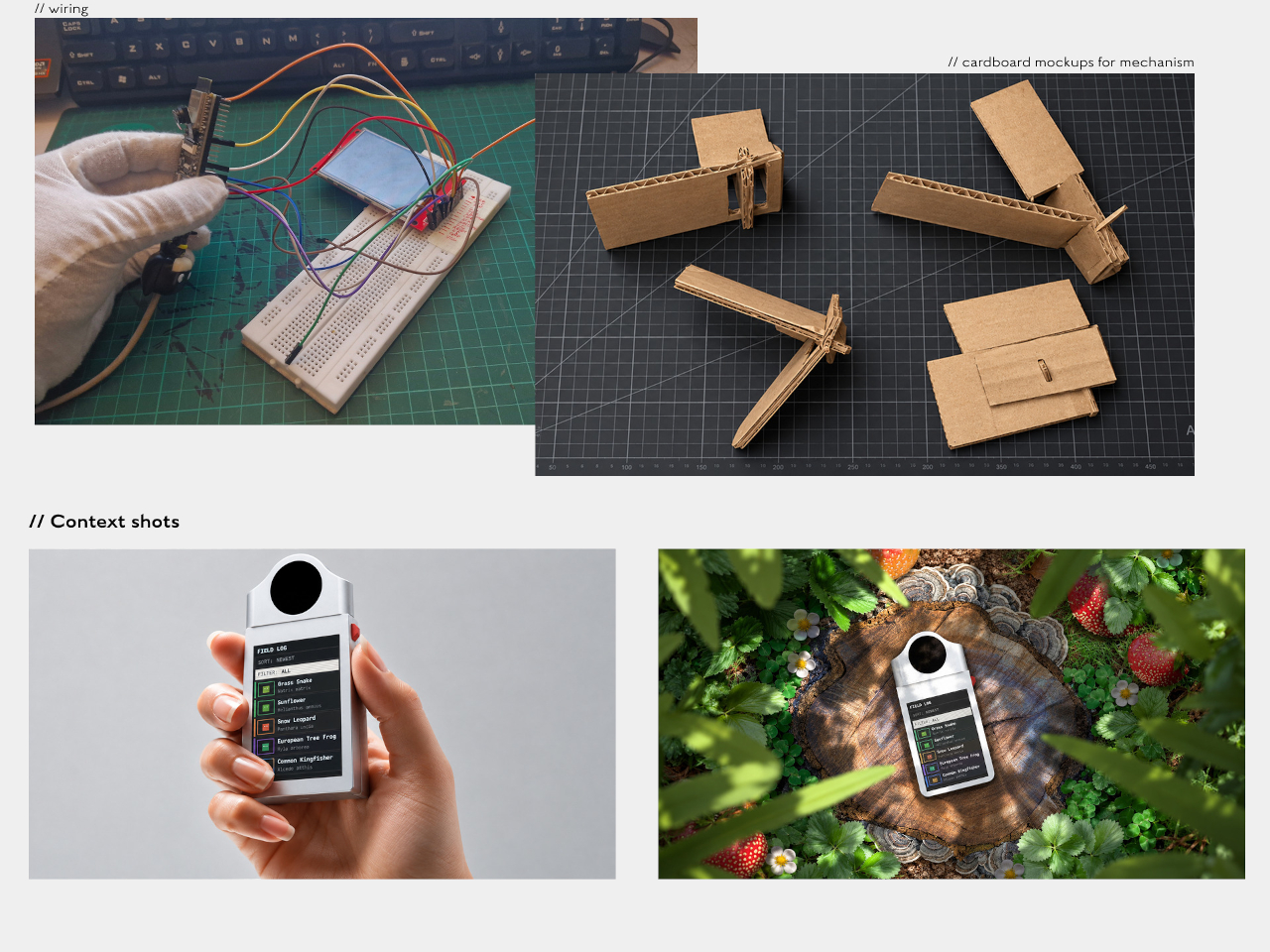
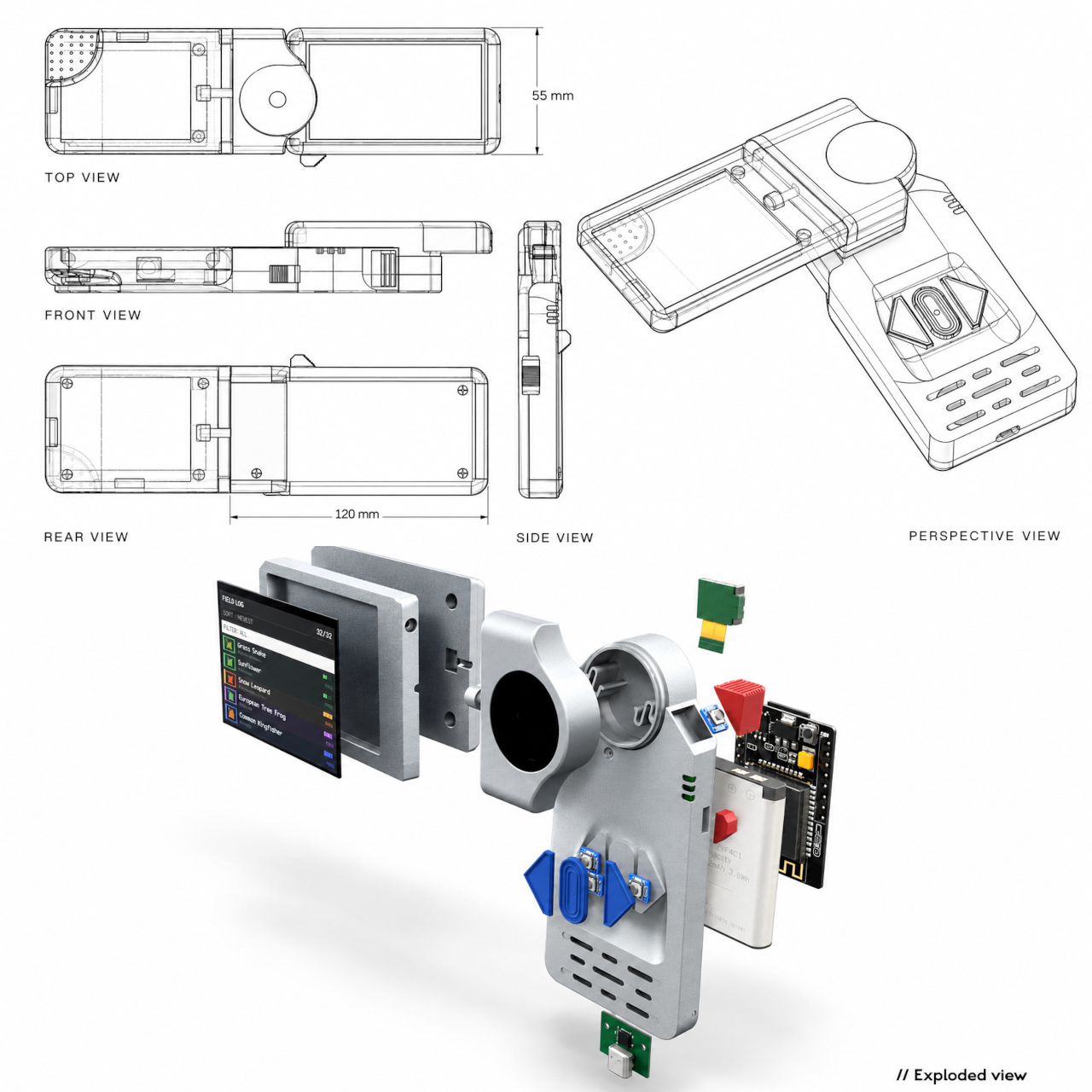
The proposed electronics include an ESP32-S3 controller, a camera module, a 2.8-inch TFT display, and a 4,000mAh battery. A speaker and two vibration motors suggest sound and tactile feedback could accompany the screen, although their exact behavior isn’t explained. That gives the concept more ways to get your attention than a visual prompt alone, potentially useful while you’re concentrating on something moving.

There’s some physical development behind the concept, including wired electronics, cardboard hinge studies, and a 3D-printed housing. Those experiments focus attention on the moving joint, which has to do more than make the device look unusual. It also needs to support a screen while someone holds the grip, then let the two sections return to a compact shape when the walk is over.
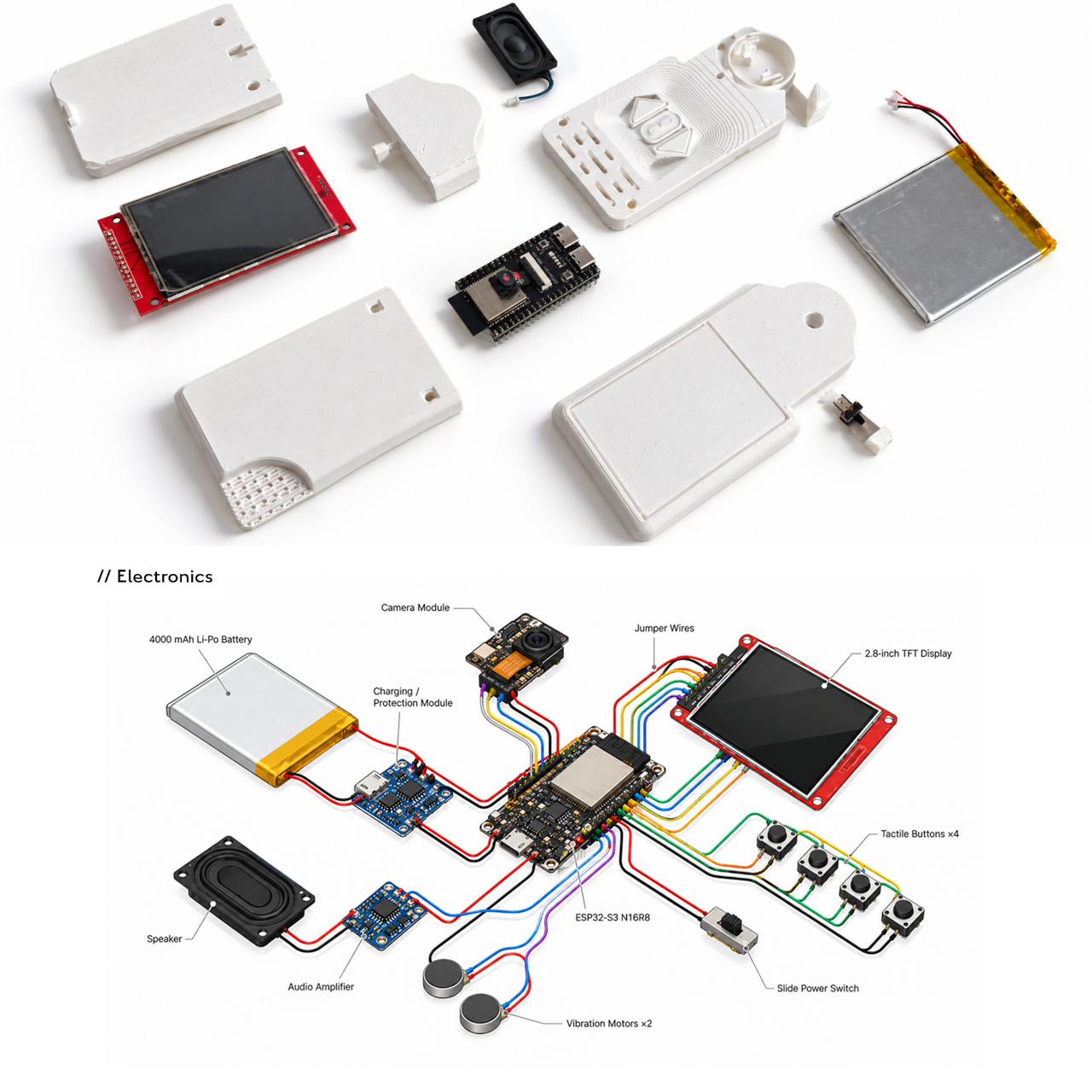
The AI side needs more caution than the friendly hardware suggests. The presentation doesn’t establish identification accuracy or explain whether recognition requires an internet connection. A species name on a screen should be a starting point for learning, not an unquestionable answer. That distinction matters especially with fungi and plants, where recognizing a resemblance isn’t the same as knowing what’s safe.

A dedicated nature gadget still has to earn the pocket space that a phone already occupies. With log, the distinction lies in the ritual of opening a tool built around observing and recording, rather than jumping into another app. You’d still be looking at a screen, of course. The hope is that you’d put it away with a better reason to look up.
The post This Folding AI Handheld Concept Opens Into a Wildlife Field Guide first appeared on Yanko Design.
  •  

DIY Steam Deck Rebuild Pairs a Game Boy-Style Body With a Physical Keyboard

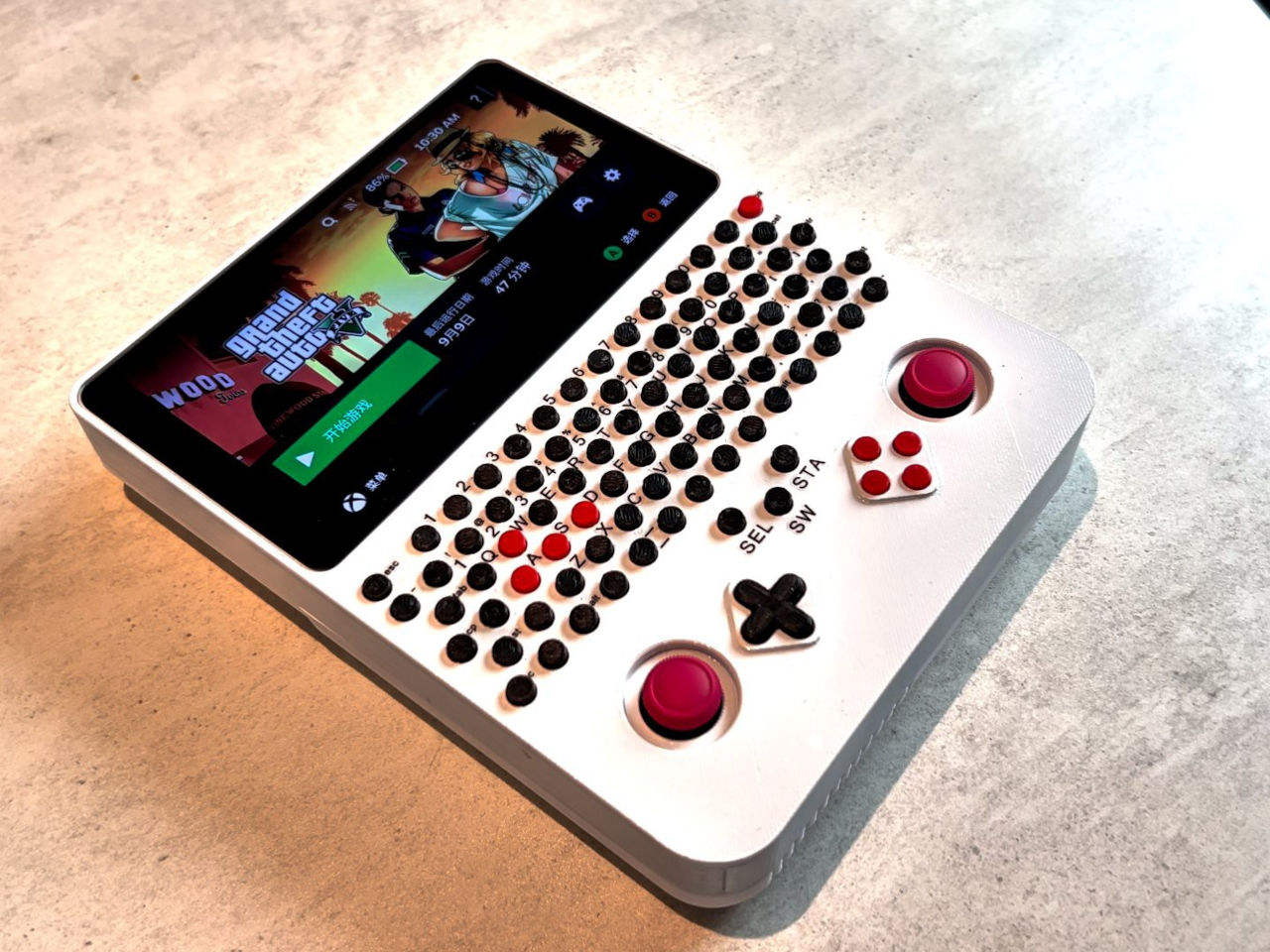
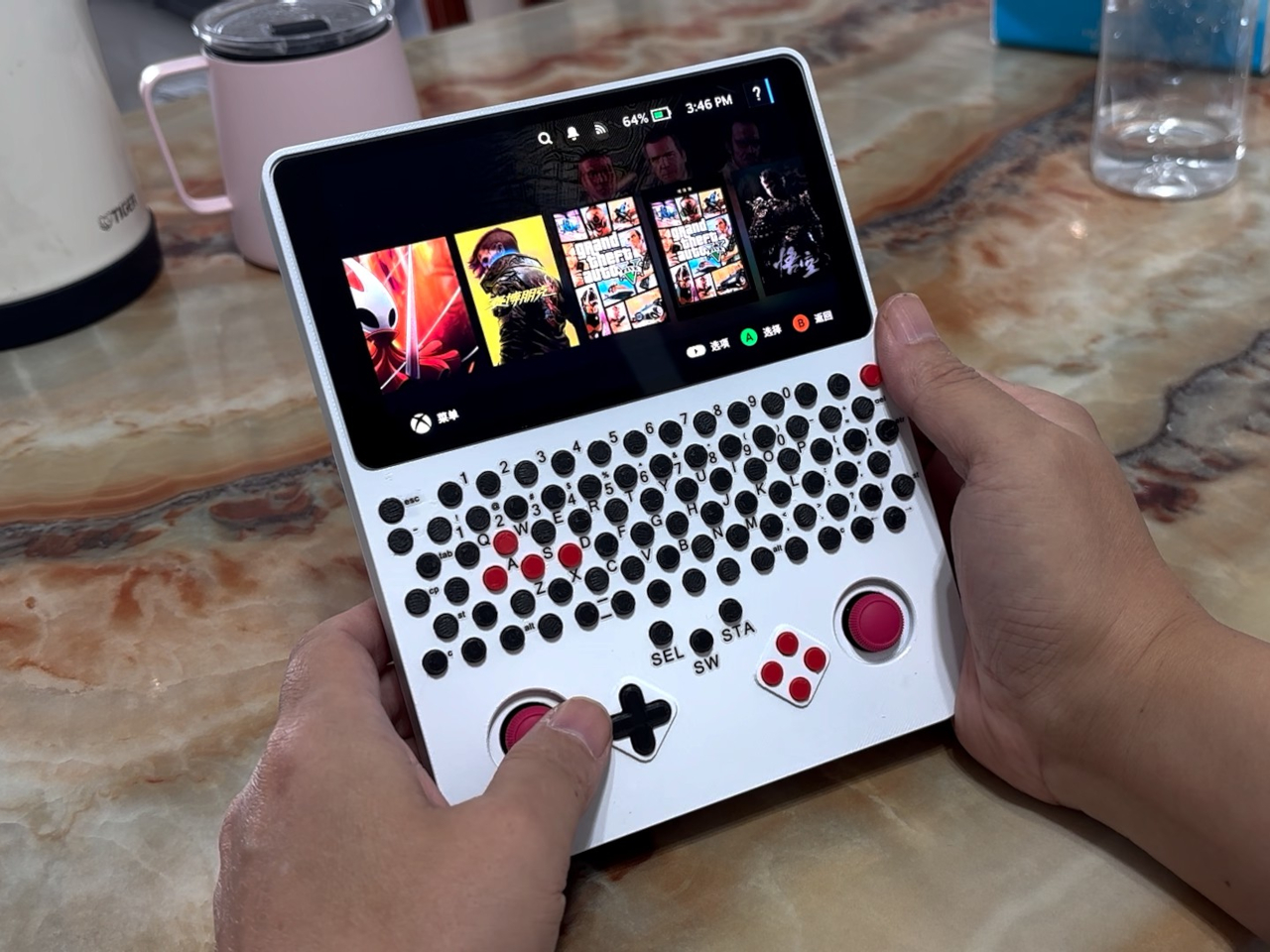
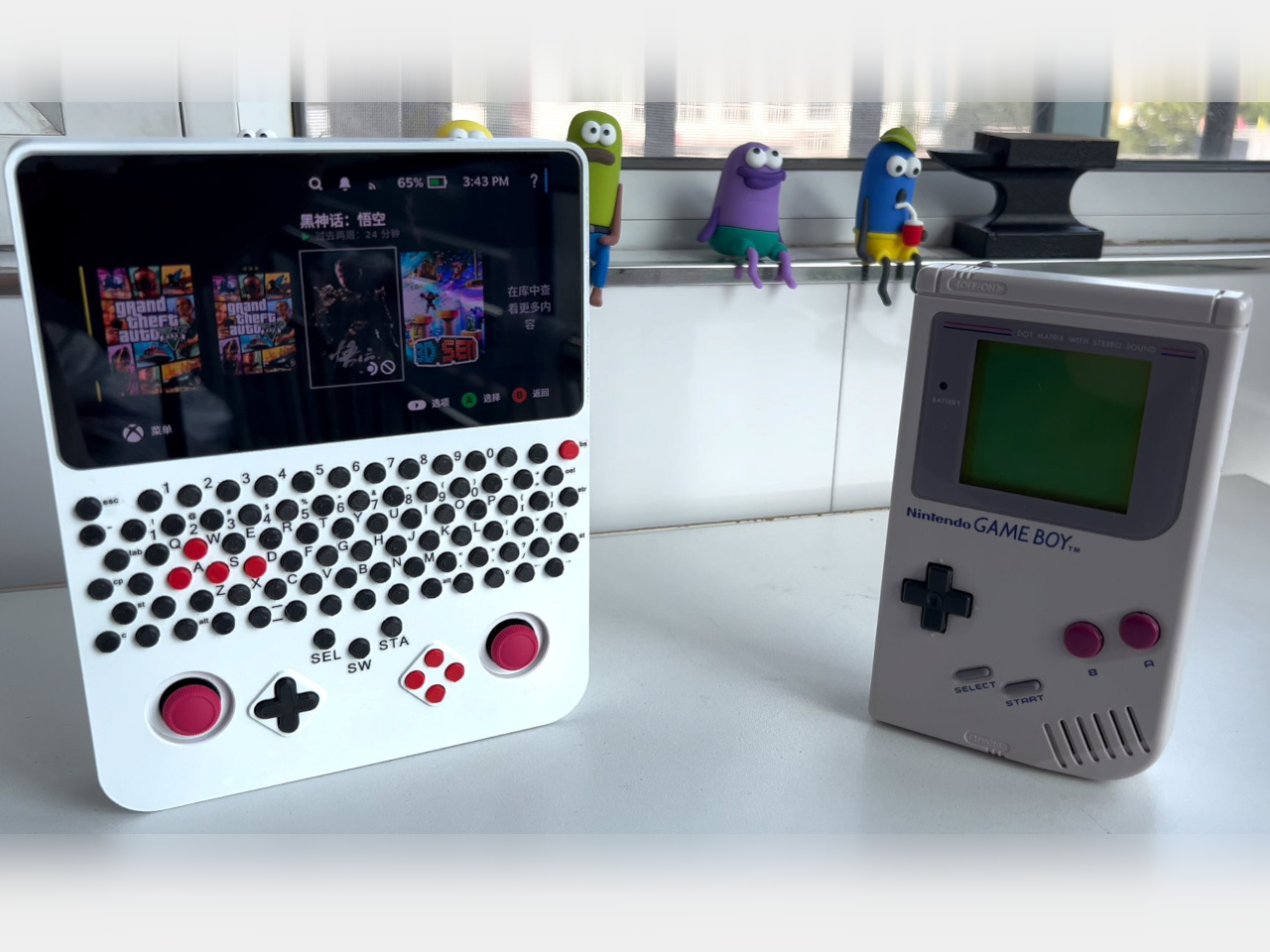
Handheld gaming PCs tend to put their controls on either side of a wide screen, leaving the Game Boy layout to retro machines. This DIY Steam Deck rebuild brings that upright silhouette into PC gaming, with a 5.5-inch display, two thumbsticks, and a physical keyboard squeezed into a 3D-printed body. It’s a different answer to what a portable gaming PC should look like.

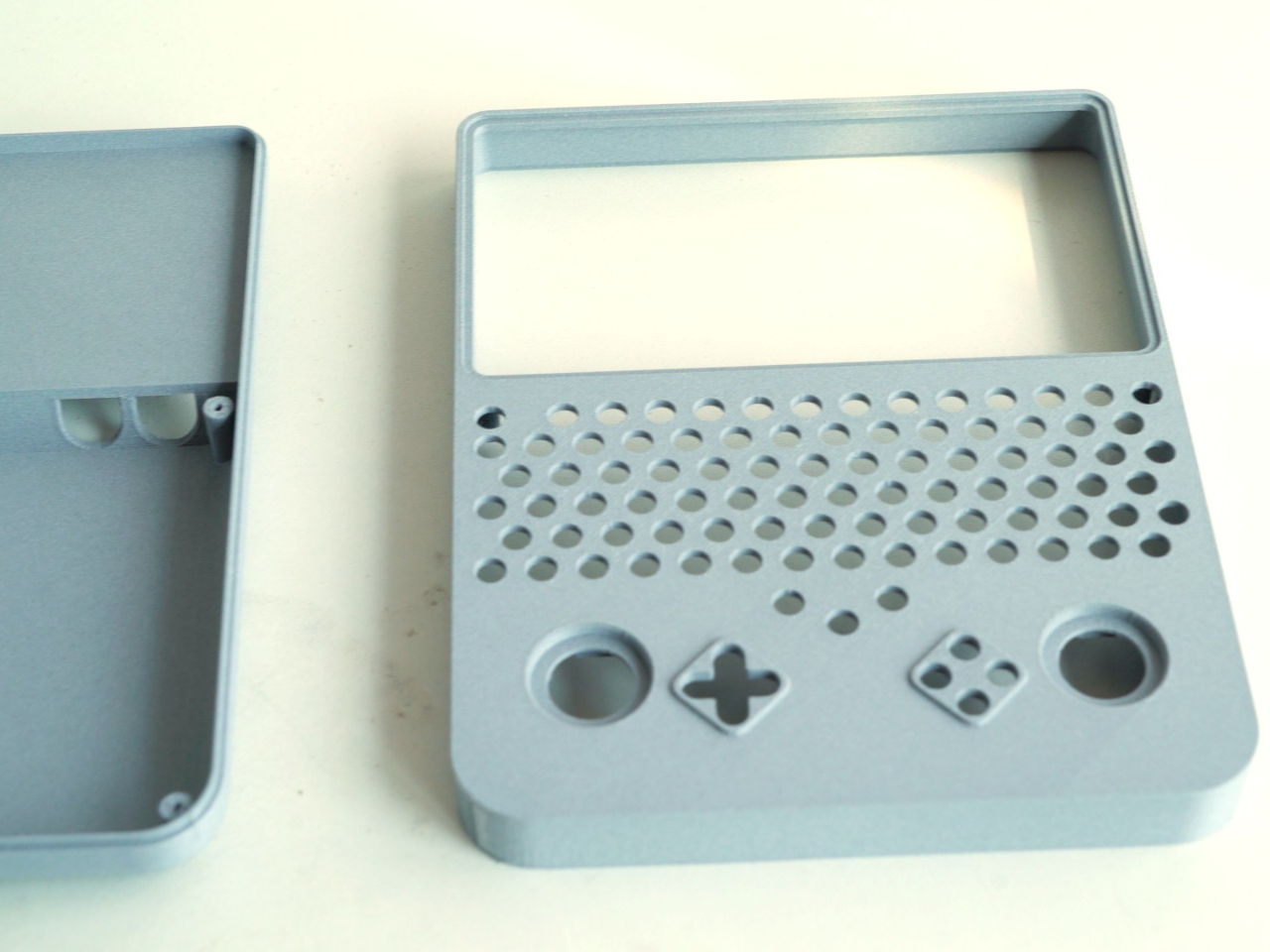
The trick starts with a Steam Deck motherboard, which is paired with a smaller LCD and parts sourced from a broken Deck. Rather than copying Valve’s enclosure, the new shell stacks the screen, keyboard, and gaming controls vertically. The screen itself remains horizontal, of course. It’s the arrangement around it that changes, putting the display above your hands instead of between them.

Designer: LCLDIY

That keyboard is where the project wanders away from a simple nostalgia exercise. Rows of tiny circular keys occupy the space between the display and controller buttons, complete with a number row and letter keys. Red WASD keys stand out among the black ones, making the PC connection hard to miss. This Game Boy relative has considerably more to say for itself.

Having physical keys could make entering a search term, naming a save, or typing a message less dependent on an on-screen keyboard. You wouldn’t have to surrender part of the display just to bring up the letters. Those small, tightly packed buttons don’t promise laptop-like typing, however. They’re better understood as a compact input option than an invitation to write your novel.

Below the keyboard, two red thumbsticks flank a black directional pad and four red face buttons. The white enclosure keeps those clusters visually distinct, despite the unusually busy front. Your thumbs work beneath the screen rather than alongside it, while typing means reaching farther up the body. The layout separates playing and text entry spatially, even though both happen on the same surface.

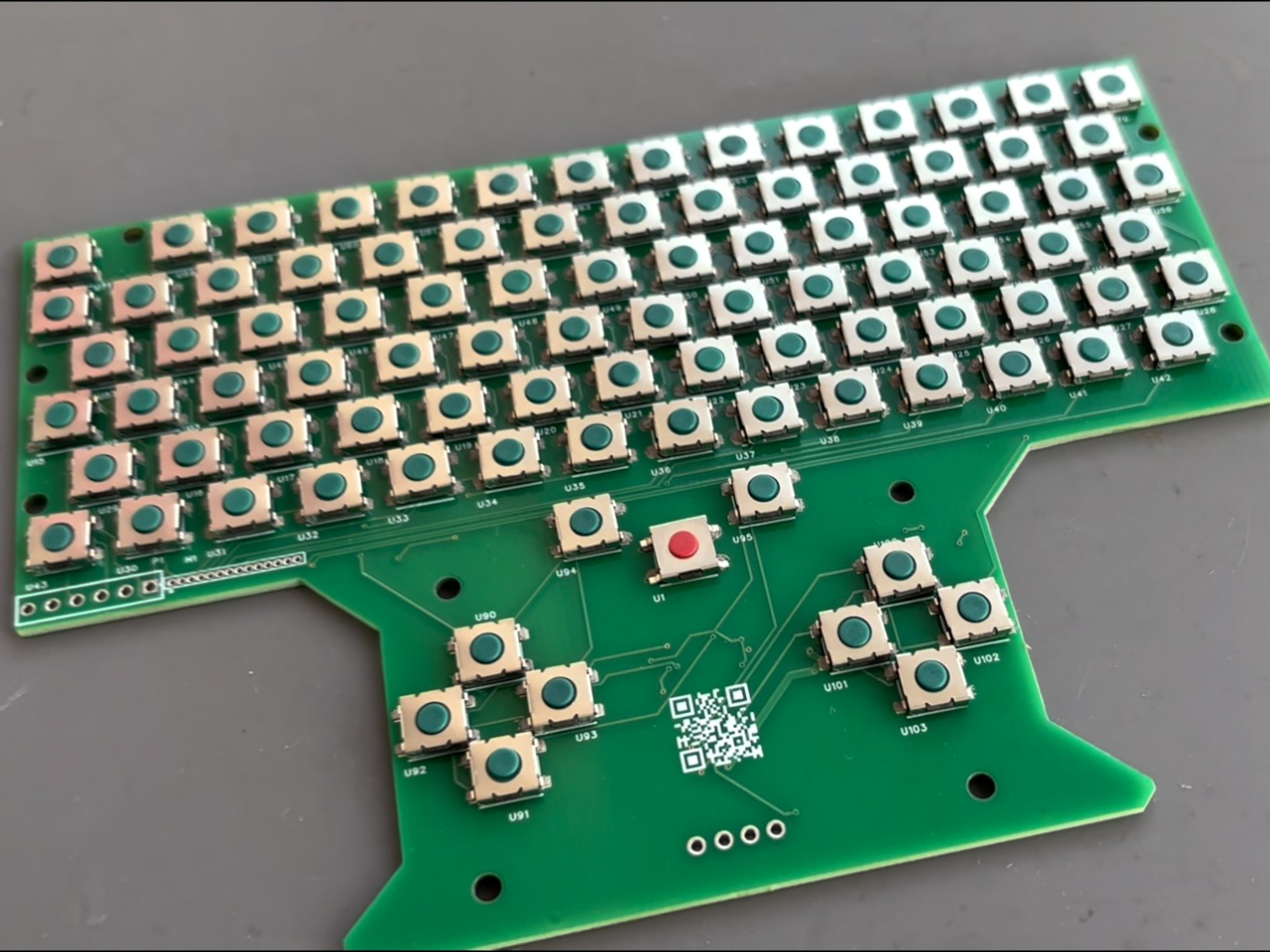
Building that arrangement takes more than finding an empty shell. The project includes a custom circuit board populated with small switches, along with firmware and a case modeled around the replacement display, using water-soluble printing material for finer detail. Soldering and programming are part of the work, so this isn’t a housing you snap around an otherwise untouched handheld.

The project carries a Windows-oriented title, but the handheld retains SteamOS. That’s an important distinction, since Valve’s Proton compatibility layer lets supported Windows games run on Linux without installing Windows. The build therefore shouldn’t be mistaken for a confirmed Windows conversion. Its familiar Steam interface also says little about frame rates or how individual games handle the revised hardware.

Weight, battery life, and cooling performance aren’t documented, so the upright shape shouldn’t be mistaken for a proven comfort upgrade. There’s more to reach around than on an original Game Boy, especially with that keyboard separating screen and sticks. The nostalgic outline survives, but its simple controls have given way to something your childhood handheld never needed: a place for the Ctrl key.

The post DIY Steam Deck Rebuild Pairs a Game Boy-Style Body With a Physical Keyboard first appeared on Yanko Design.
  •  

New PlayStation Portal Adds Storage but Still Can’t Download PS5 Games

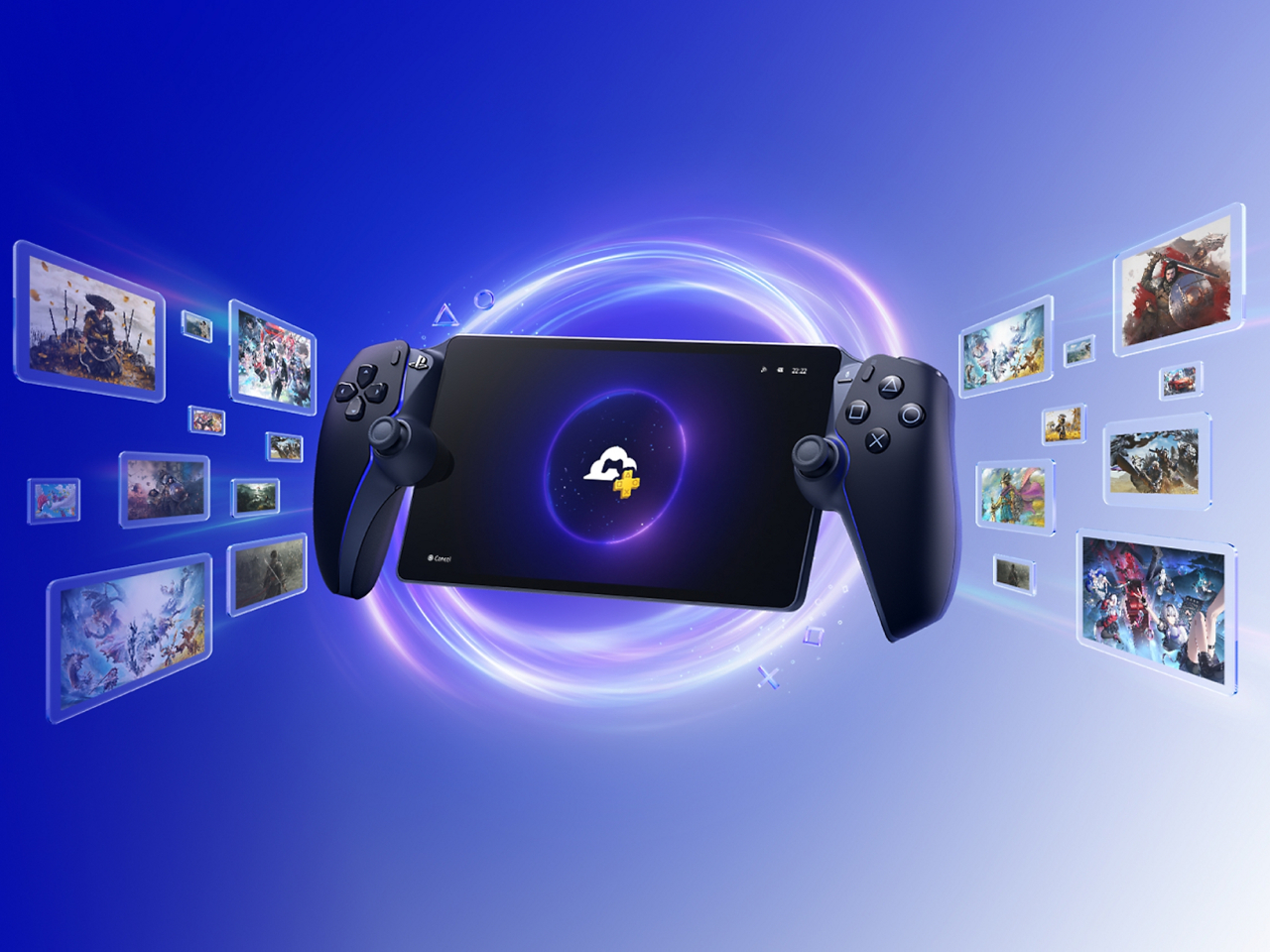
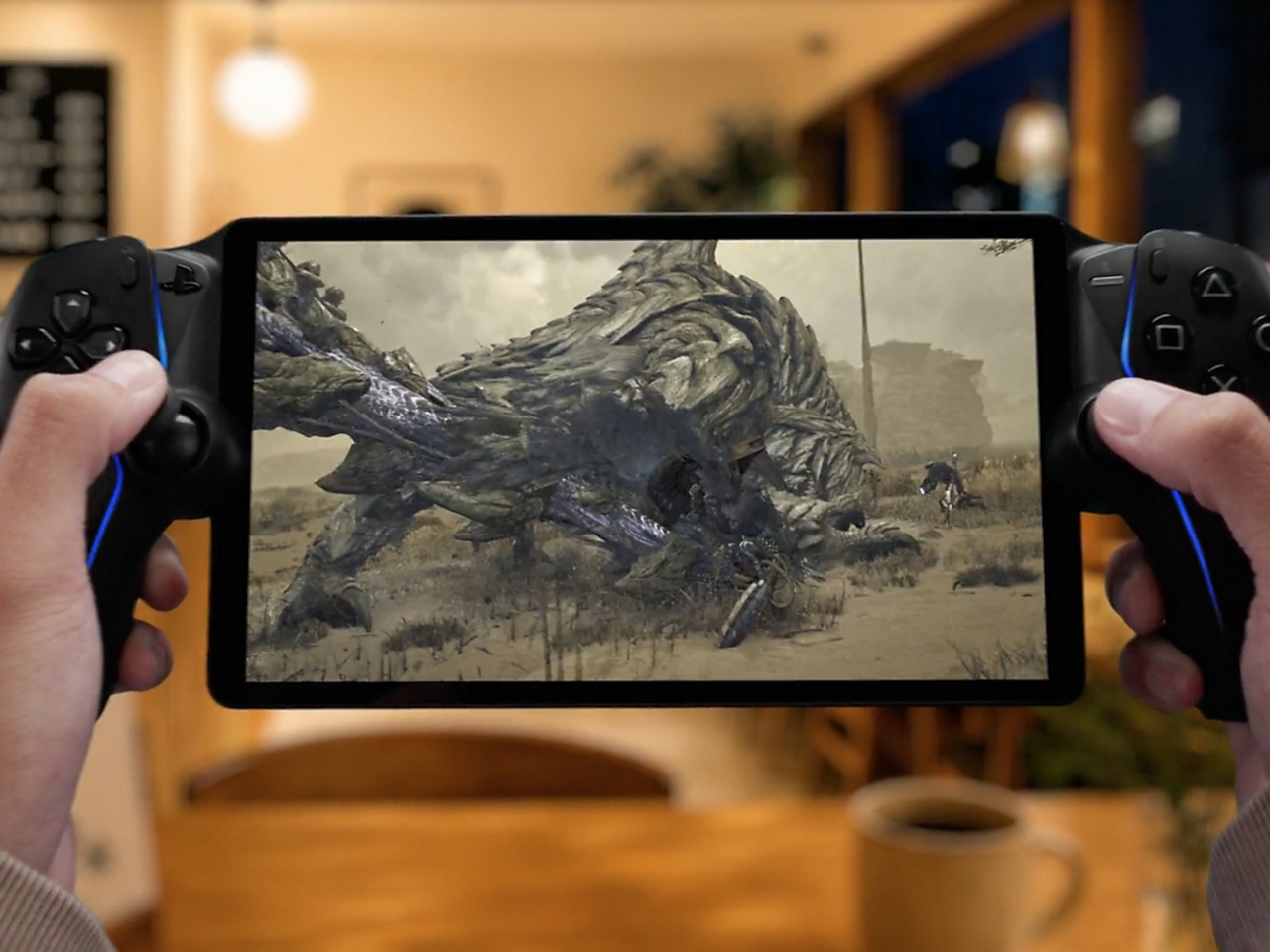
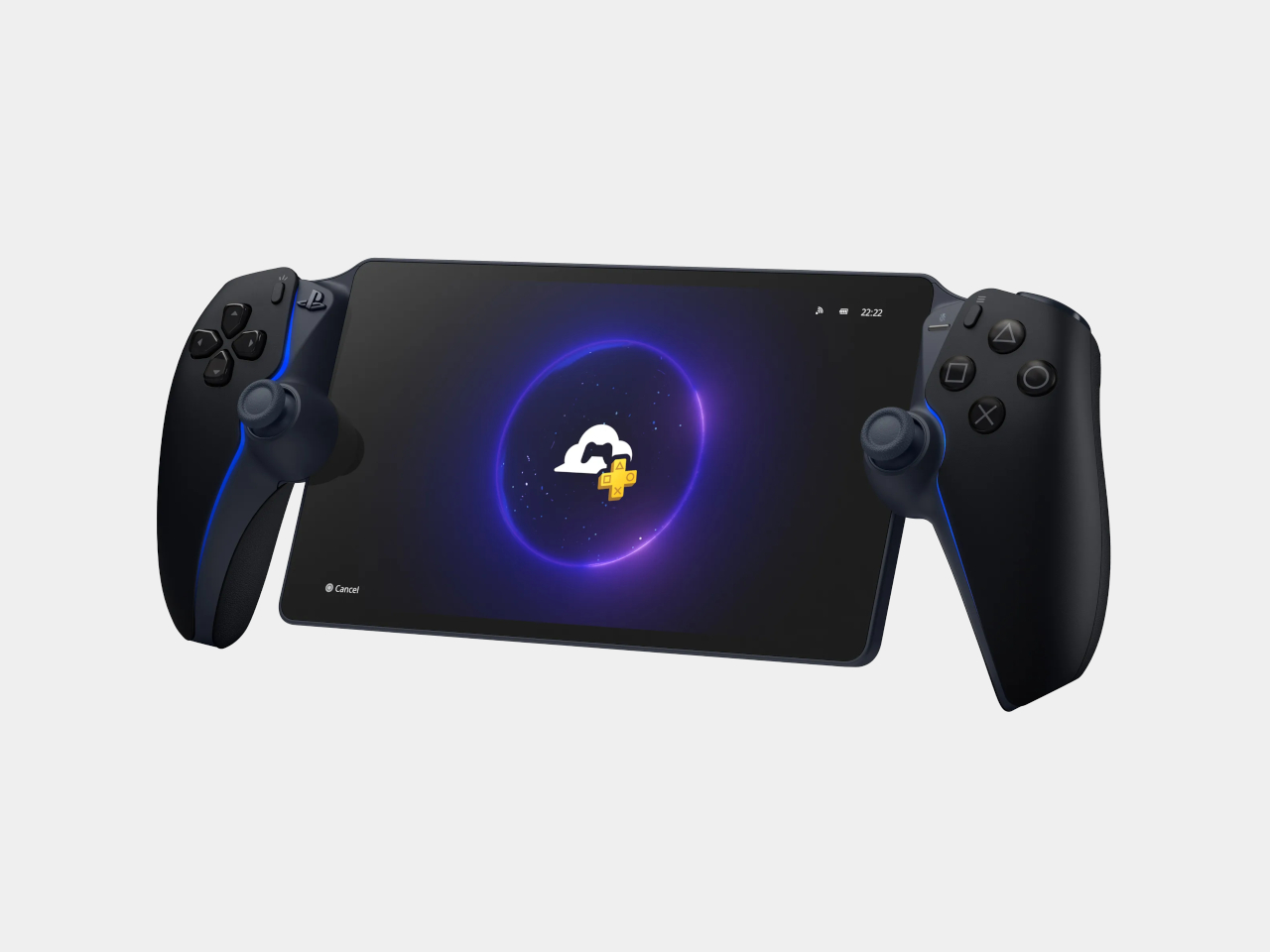
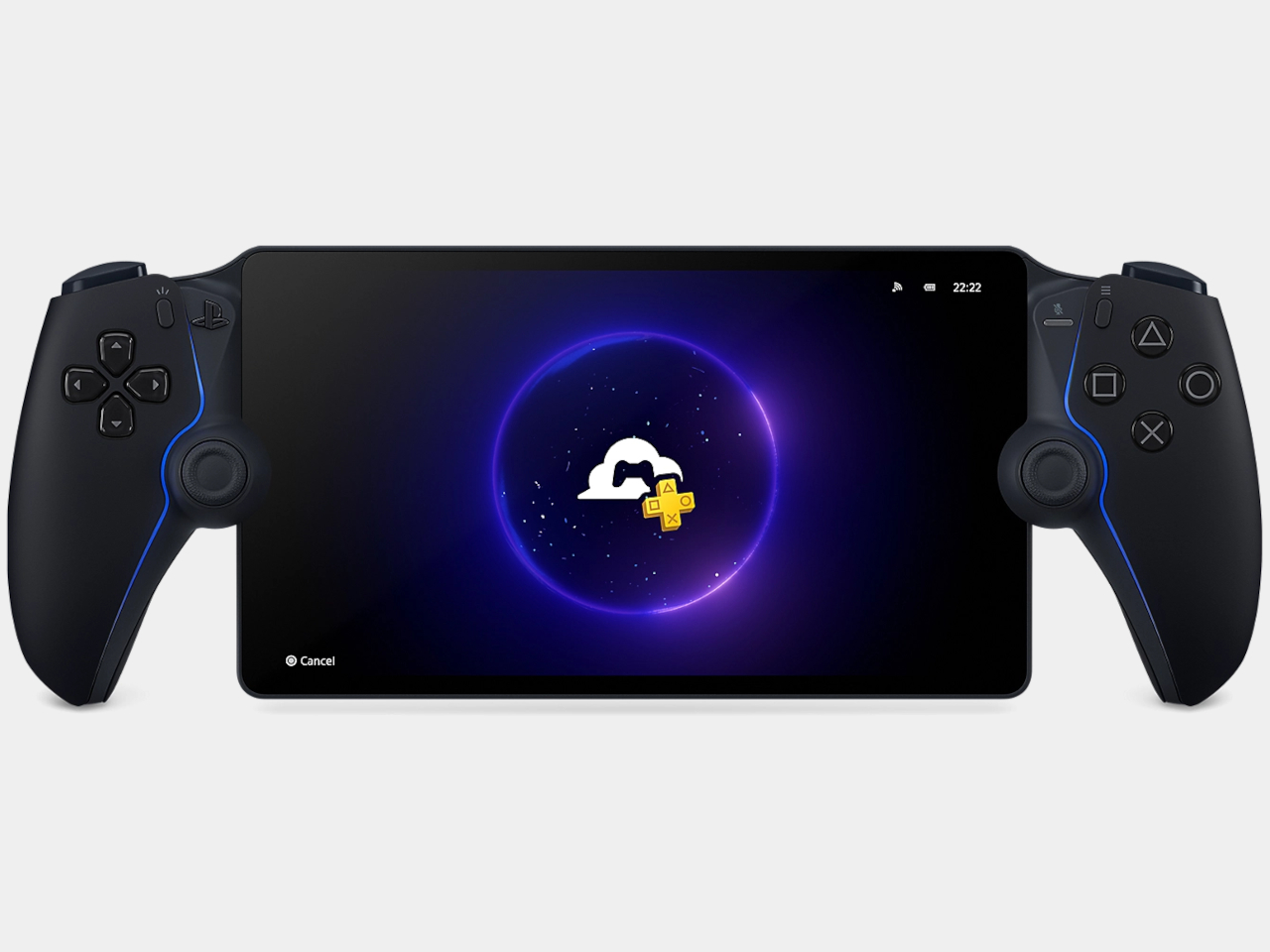
The PlayStation Portal still looks like someone stretched a DualSense controller around a tablet, and Sony’s latest revision doesn’t change that rather peculiar silhouette. Announced on November 9, 2026, for Japan and South Korea, the upcoming PlayStation Portal Player adds internal storage while keeping its familiar screen. What that extra space will actually do, however, is something Sony isn’t ready to explain.

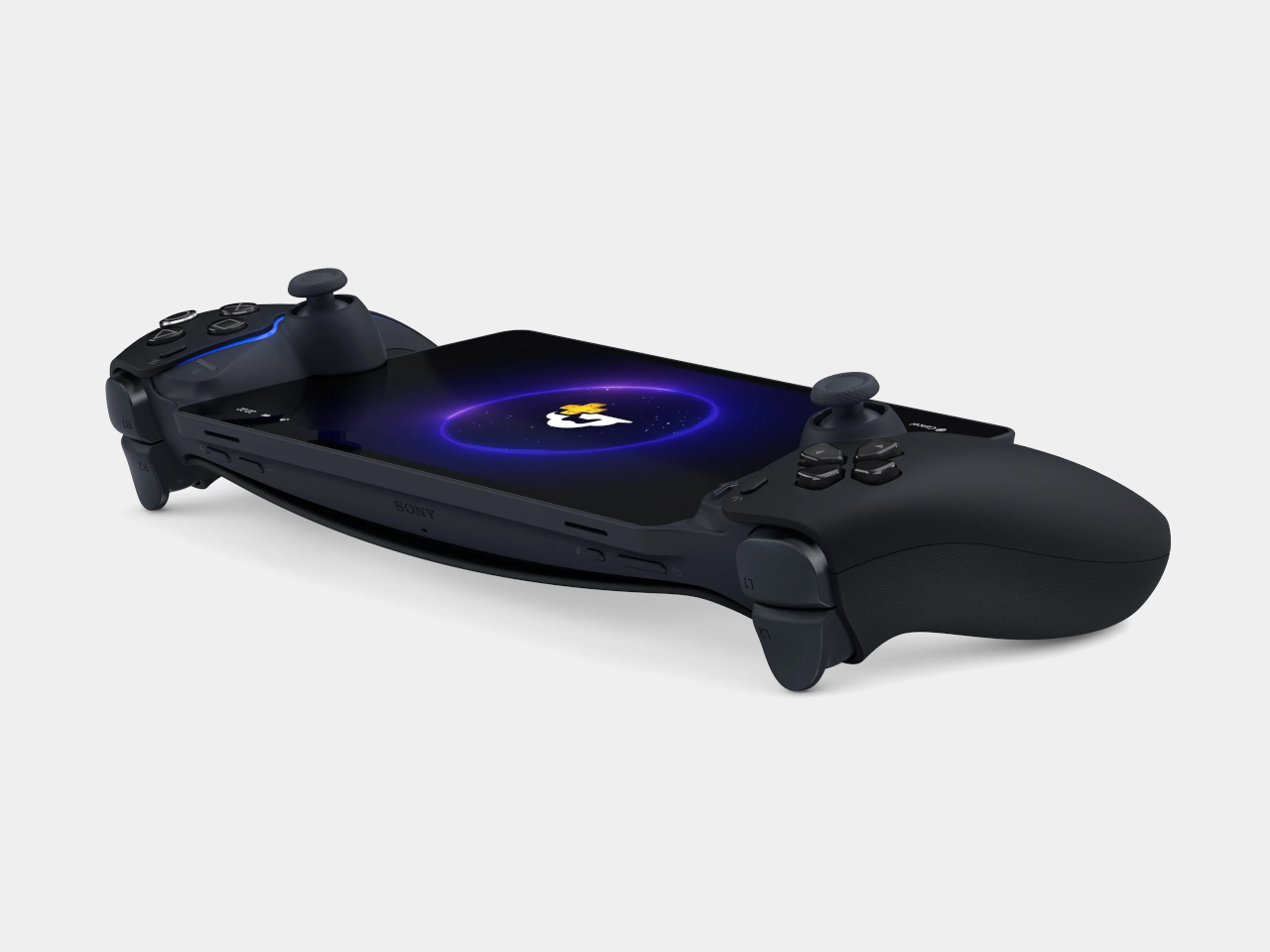
The Midnight Black finish brings the curved grips and display bezel together visually, leaving the screen as the obvious centerpiece. It isn’t a new color, having appeared on the Portal in February 2025. The important physical choice remains those substantial controller grips, with familiar button layouts and thumbsticks that give your fingers somewhere to settle rather than crowding everything onto a flat slab.

Designer: Sony

That screen is still an 8-inch LCD supporting 1080p imagery at up to 60 frames per second, so anyone hoping for OLED won’t find an upgrade here. Adaptive triggers and haptic feedback remain available in compatible games, adding game-specific vibrations and changes in trigger resistance. That keeps things familiar for playing from the sofa while someone else claims the living room television.

Remote Play still connects the handheld to your PS5, while cloud streaming lets eligible PS5 games run on Sony’s servers instead. The latter requires PlayStation Plus Premium, but doesn’t require owning a console. That’s why Sony has dropped “Remote” from this model’s name, acknowledging that the device can serve as someone’s window into PlayStation games rather than an accessory to their television.

That independence isn’t new, though. Cloud streaming entered beta in November 2024 and officially launched in supported markets in November 2025, so this revision isn’t introducing console-free play. The actual hardware change is expanded internal storage, with neither its capacity nor its future purpose disclosed. More space inside the housing doesn’t automatically mean there’s a full library of downloadable PS5 games waiting to move into it.

Sony explicitly says PS5 games can’t be downloaded to the Portal. That leaves the familiar dependency on Wi-Fi, regardless of how much storage this version contains. Moving from the bedroom to a café can work with a suitable connection, but losing that connection means you can’t keep playing. Your hands carry the controls and screen, while the actual game runs somewhere else.

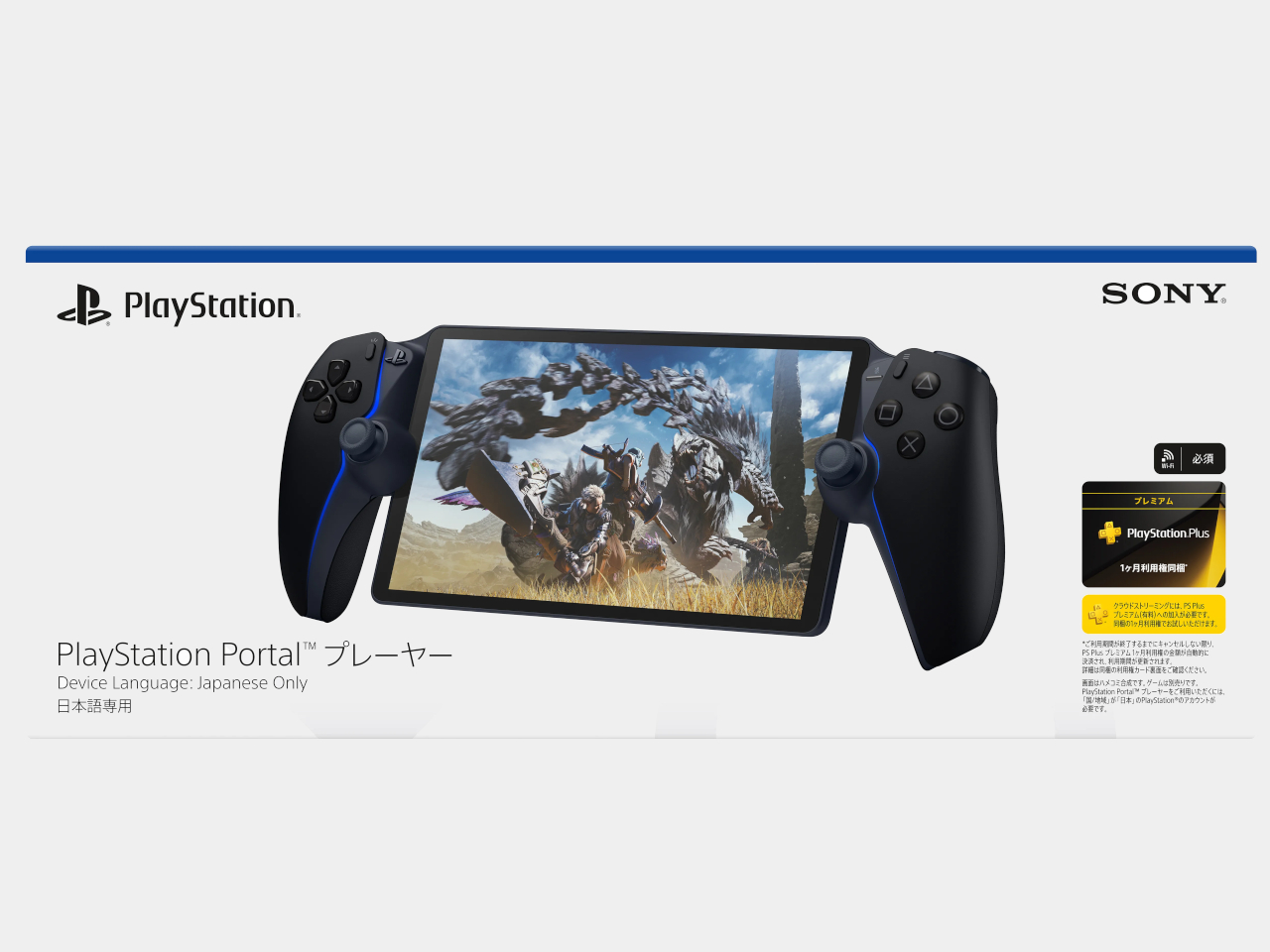
There’s another restriction that has nothing to do with signal strength. Sony specifies the Japanese model for domestic use, with Japanese as its only system language and support limited to Japan-region PlayStation accounts. South Korea gets its own equivalent, restricted to Korean and Korean-region accounts. Importing either version isn’t a straightforward upgrade for an American player, even if the hardware looks reassuringly familiar.

Both versions arrive December 10, 2026, with preorders opening November 13 at 10 a.m. locally. Japan’s price is ¥39,980 (about $252), including tax, with one month of Premium included. Afterward, cloud access needs an ongoing subscription. The storage offers no confirmed benefit yet, making account eligibility and reliable Wi-Fi more useful purchase considerations than whatever Sony might eventually put there.

The post New PlayStation Portal Adds Storage but Still Can’t Download PS5 Games first appeared on Yanko Design.
  •  

This DIY PlayStation 2 Handheld Gives a Foldable Phone Screen a New Job

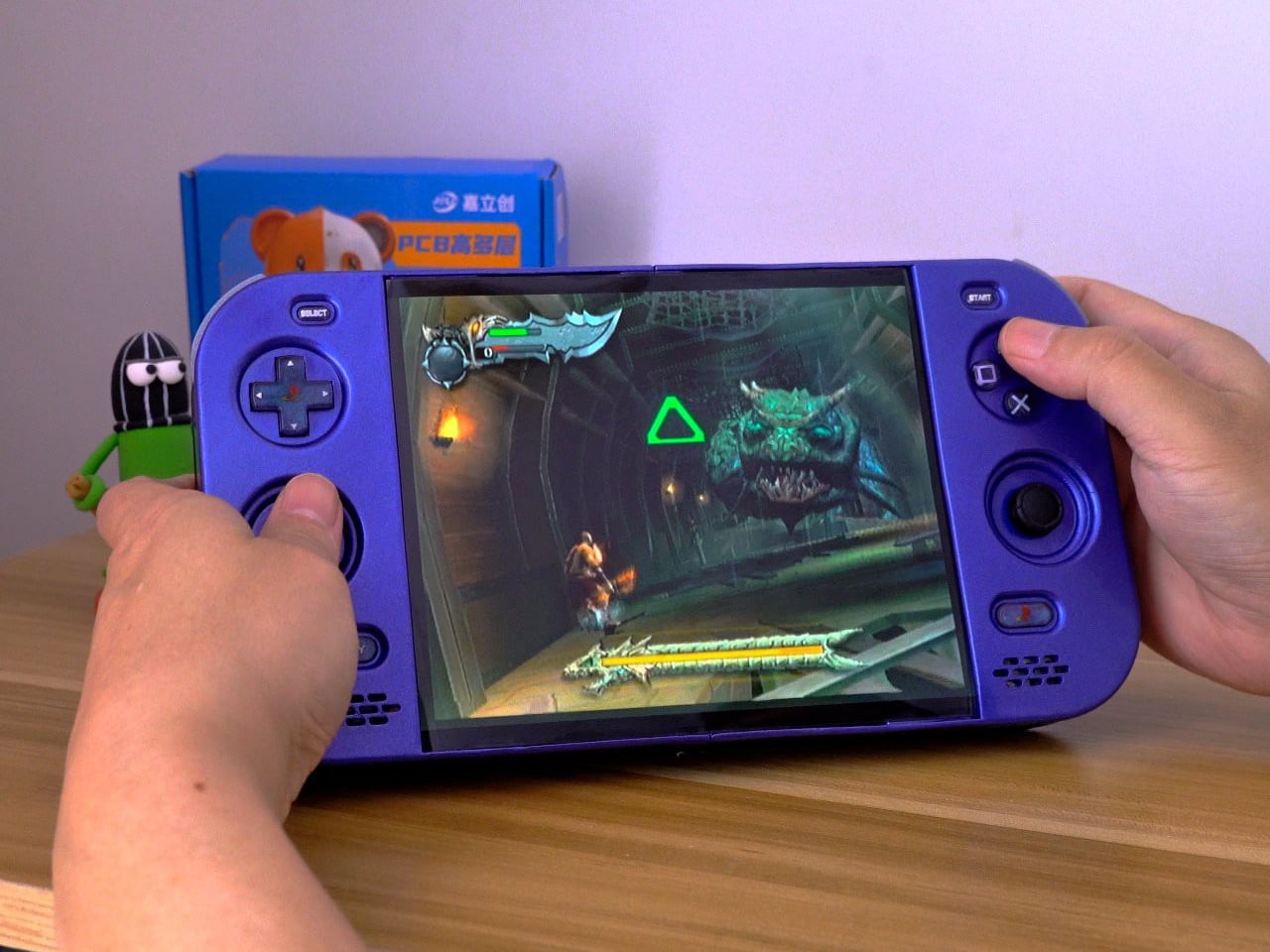
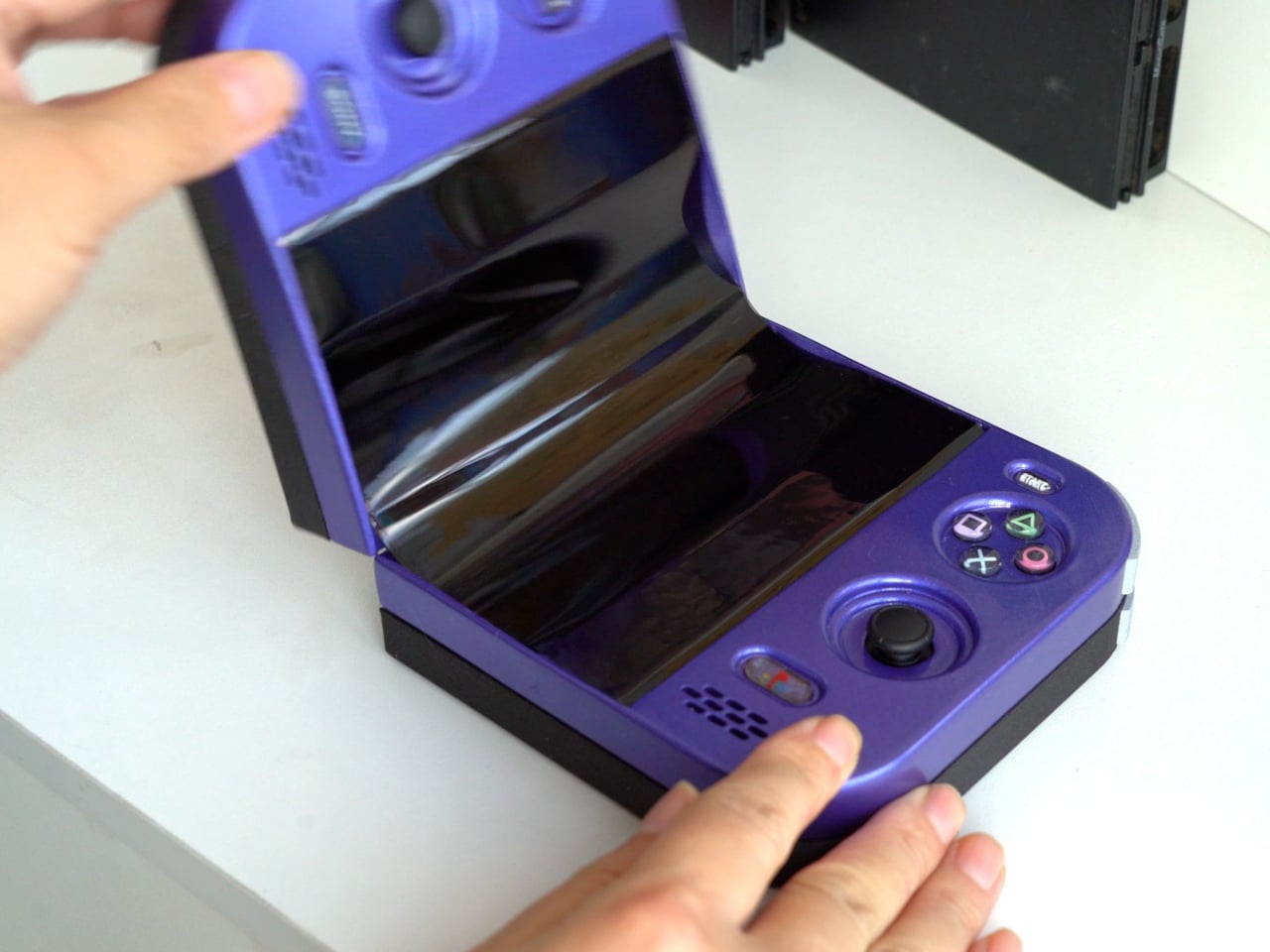
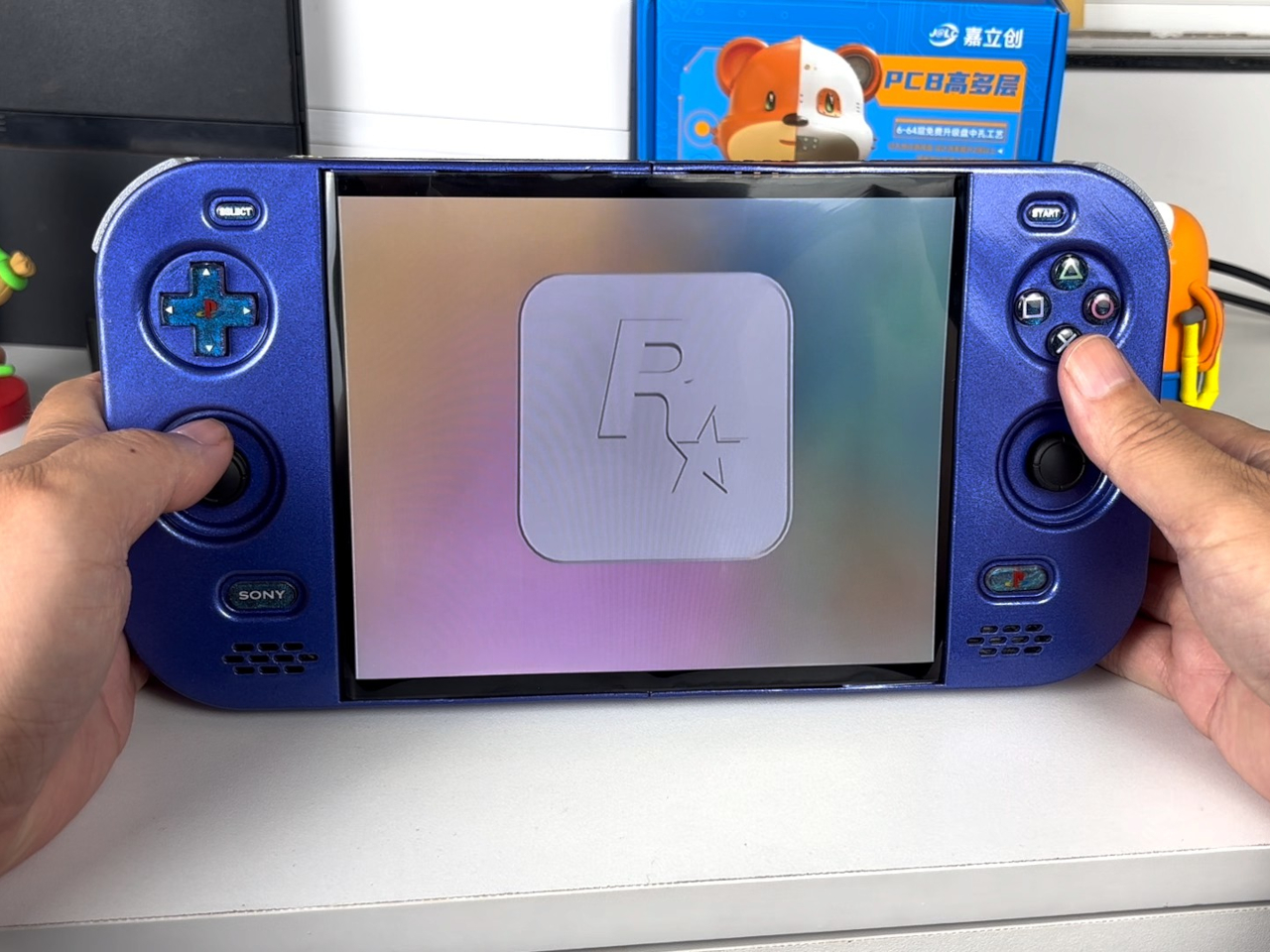
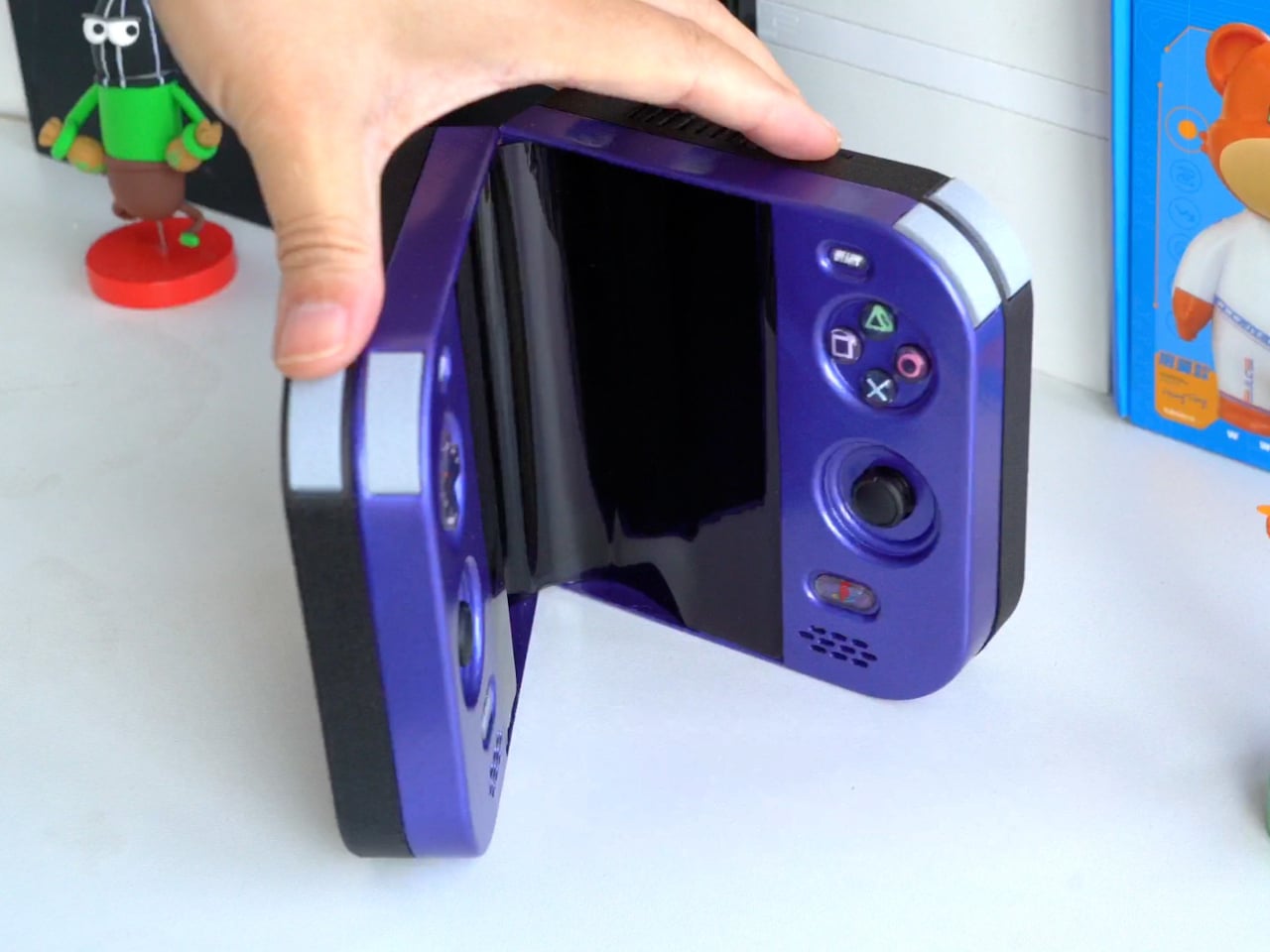
The PlayStation 2 was never something you could casually slip into a bag, unless you planned to bring a screen and controller along for the ride. The PlayStation 2 DUO brings those pieces together in an unofficial DIY handheld with an unusual trick. Its screen actually bends in the middle, letting you fold the console when it’s time to put the game away.

There’s plenty of familiar territory around that unfamiliar fold. A purple shell surrounds the display, with a D-pad and the four recognizable PlayStation symbols sitting above two analog sticks. Start and Select occupy the upper corners, while speaker grilles sit below the controls. The arrangement looks reassuringly conventional, which is probably helpful when the screen between your hands is doing something rather unconventional.

Designer: LCLDIY

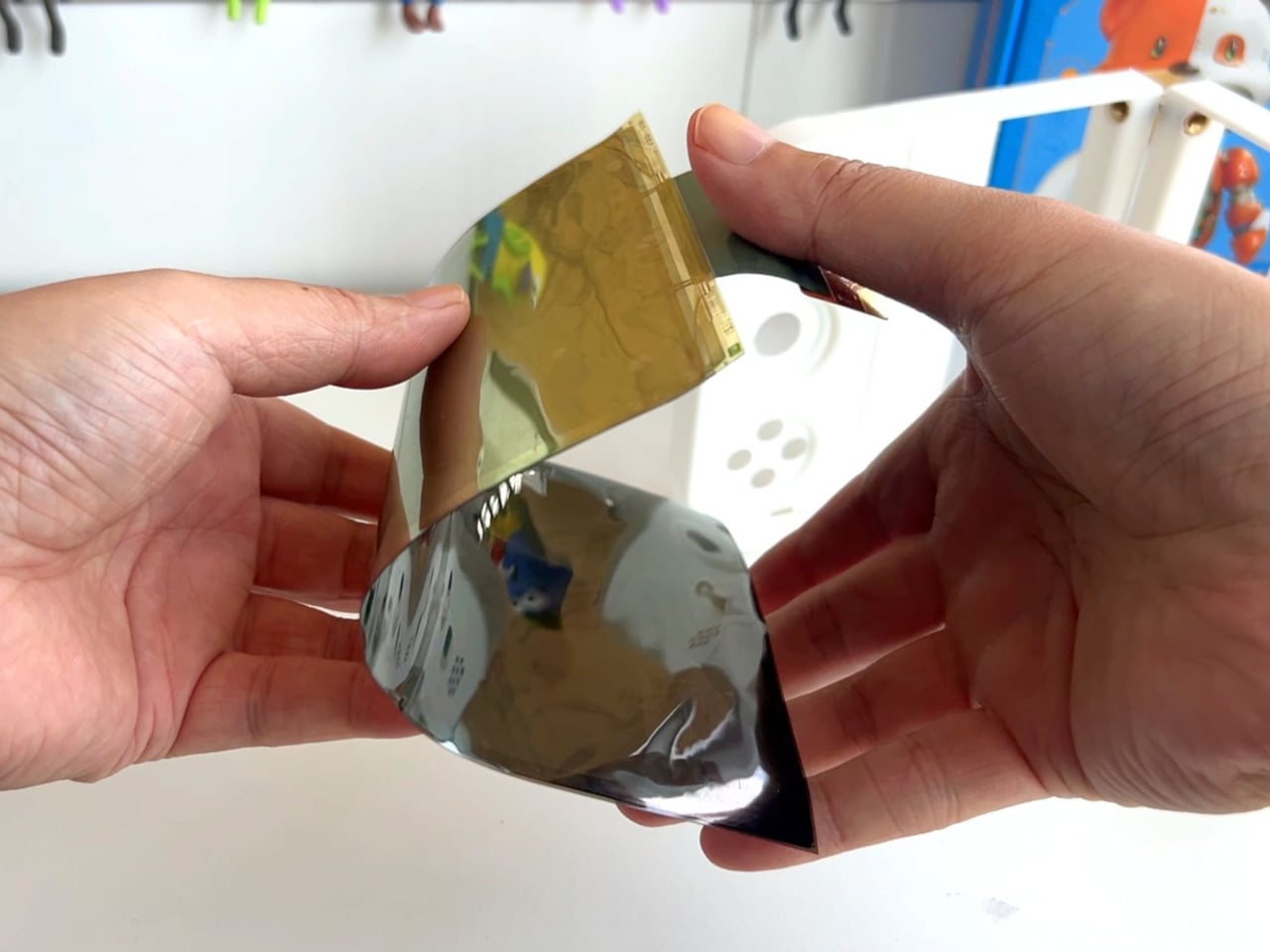
That screen is a single flexible panel, rather than two separate displays interrupted by a hinge. The project’s earlier development notes describe a 7.8-inch screen salvaged from a foldable phone. It gives the DUO a generous central canvas when opened, without committing the handheld to that same width inside a bag. Of course, making a screen bend doesn’t make its limitations magically disappear.

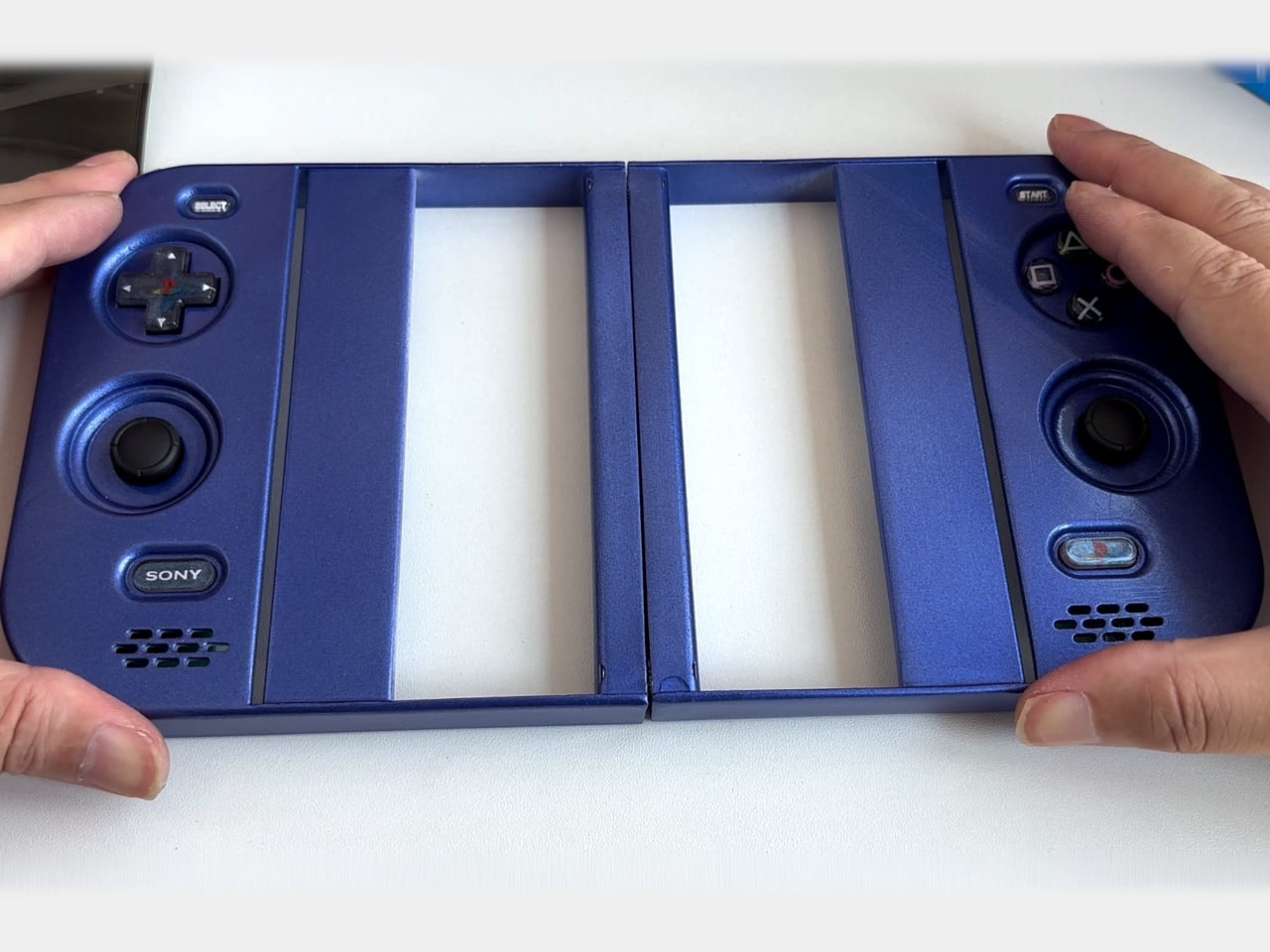
The panel needs room to curve, and forcing it into a sharp fold would damage it. That requirement shaped the casing and its hinge, leaving a broad bend instead of squeezing the halves completely flat together. It’s a less tidy package than a closed clamshell might suggest, but the extra space has a practical purpose: keeping that delicate display in one piece.

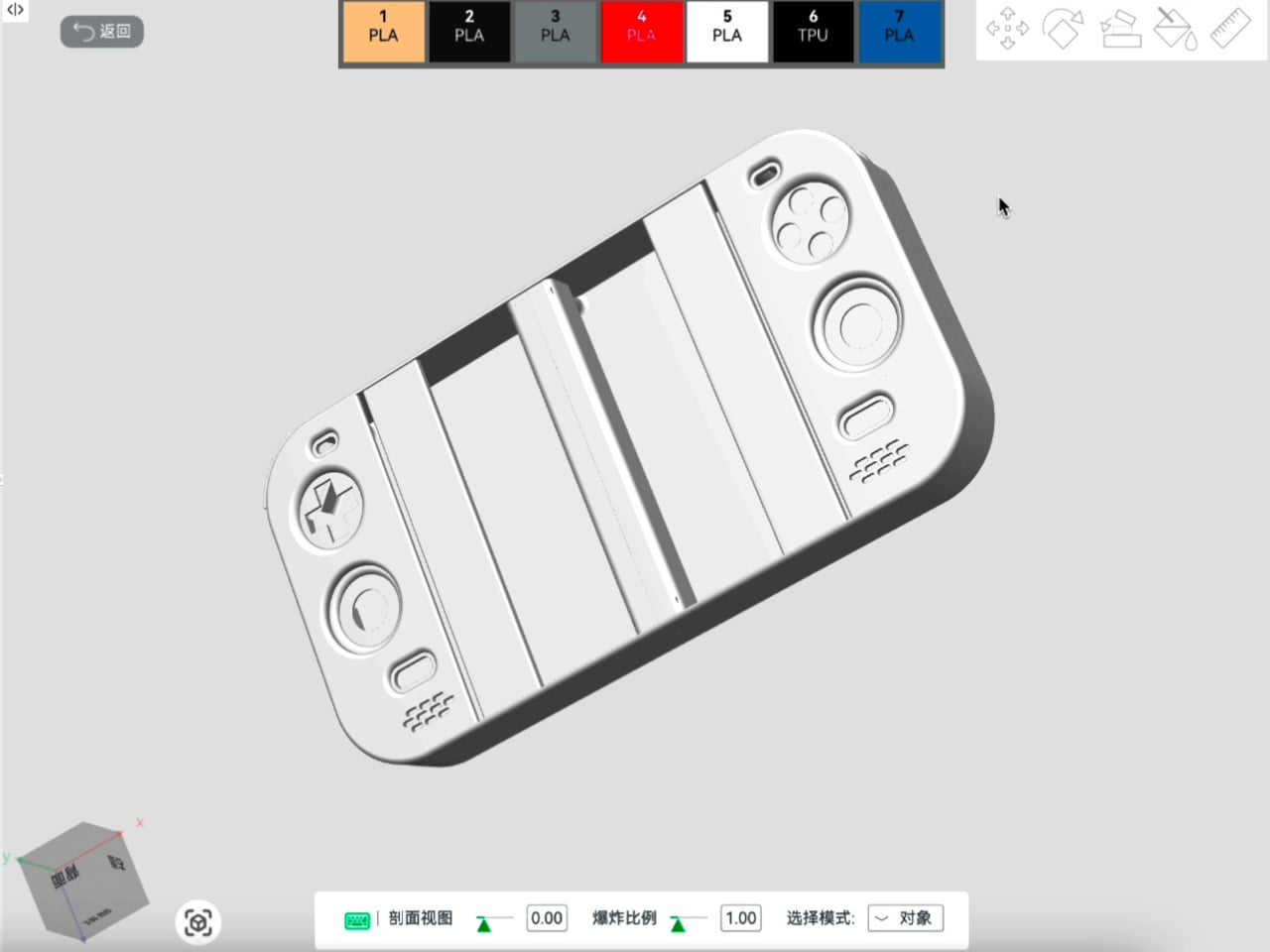
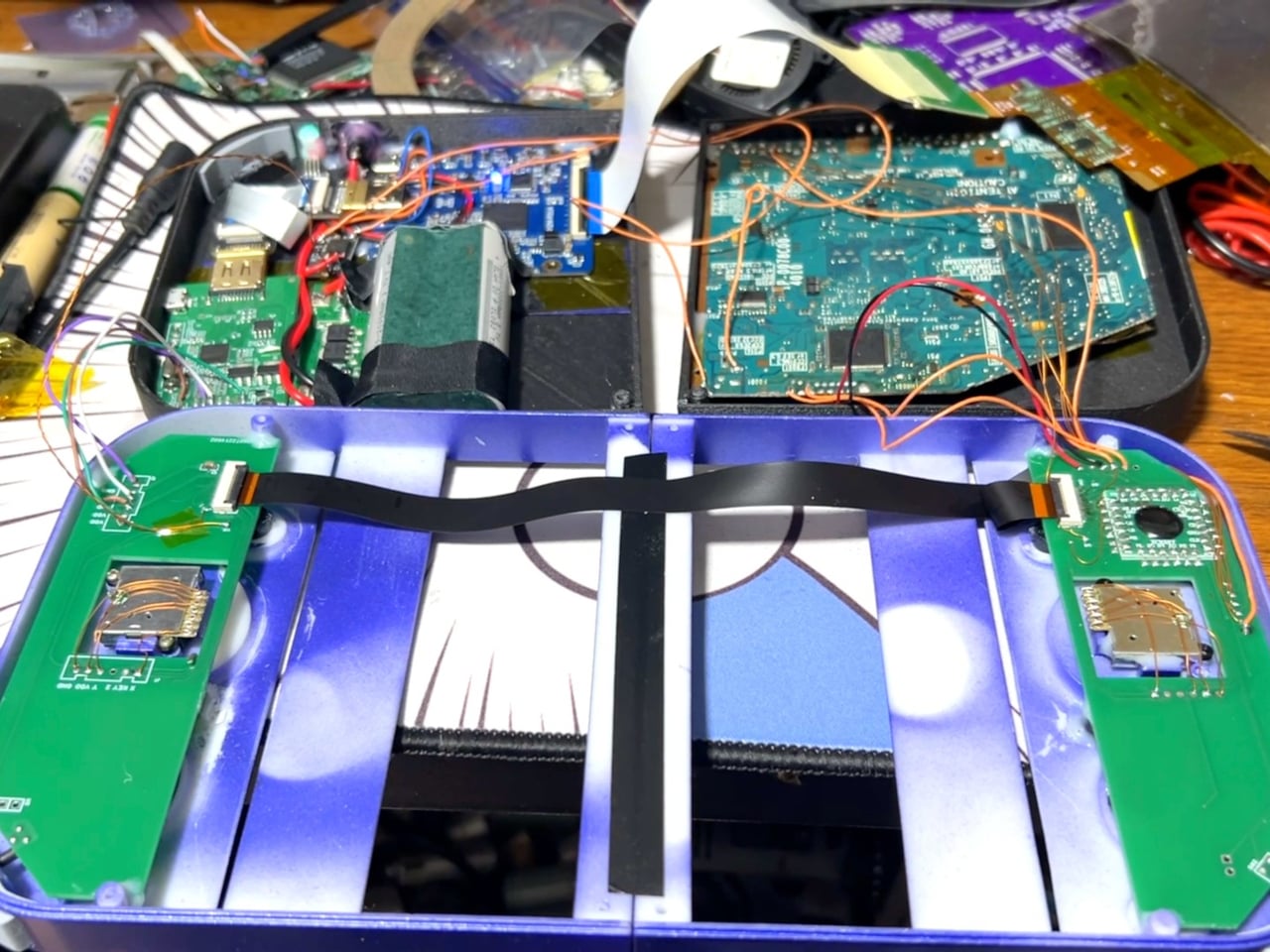
There’s genuine PlayStation 2 hardware inside as well, rather than a newer computer pretending to be Sony’s console. Getting it to fit required cutting down the original motherboard and rearranging its supporting electronics. A 3D-printed enclosure brings everything together, turning equipment once tethered to a television into something you can hold between both hands. The nostalgia extends beyond the buttons, in other words.

The folding body makes the electronics more complicated, of course. Separate control boards occupy the two sides, with a ribbon cable linking them across the center. The trimmed motherboard also carries a small cooling fan and heatsink. There’s quite a bit happening underneath that playful exterior, particularly for a device whose moving parts include the surface you’re supposed to be staring at.

Folding it up reduces the footprint, but doesn’t automatically make this a pocket console. The published project information doesn’t establish its weight, closed dimensions, or battery runtime, so there’s little reason to start planning an entire flight around it. More importantly, this is a completed hobby build, not an upcoming Sony handheld with a price tag and a place on store shelves.

Enclosure printing files and a PCB archive are available on the project page, although they don’t amount to a complete assembly guide. Recreating the DUO still involves board modification and careful work around a flexible display. That might temper the urge to make one immediately, especially if your experience with PlayStation hardware mostly involves inserting discs rather than cutting up circuit boards.

The post This DIY PlayStation 2 Handheld Gives a Foldable Phone Screen a New Job first appeared on Yanko Design.
  •  

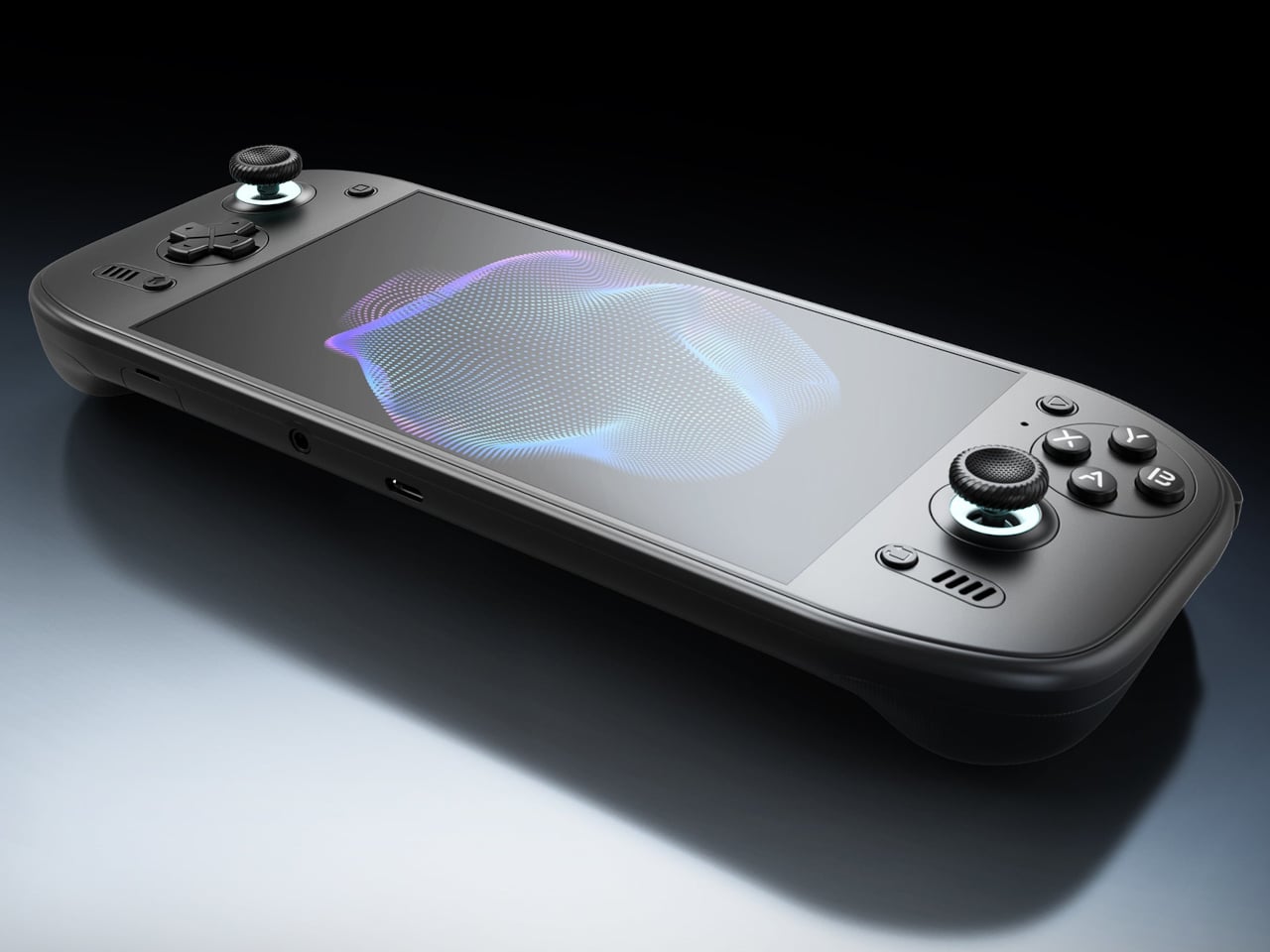
AYN Odin 3 Portal Handheld Pairs a Flat Glass Front With Sculpted Grips

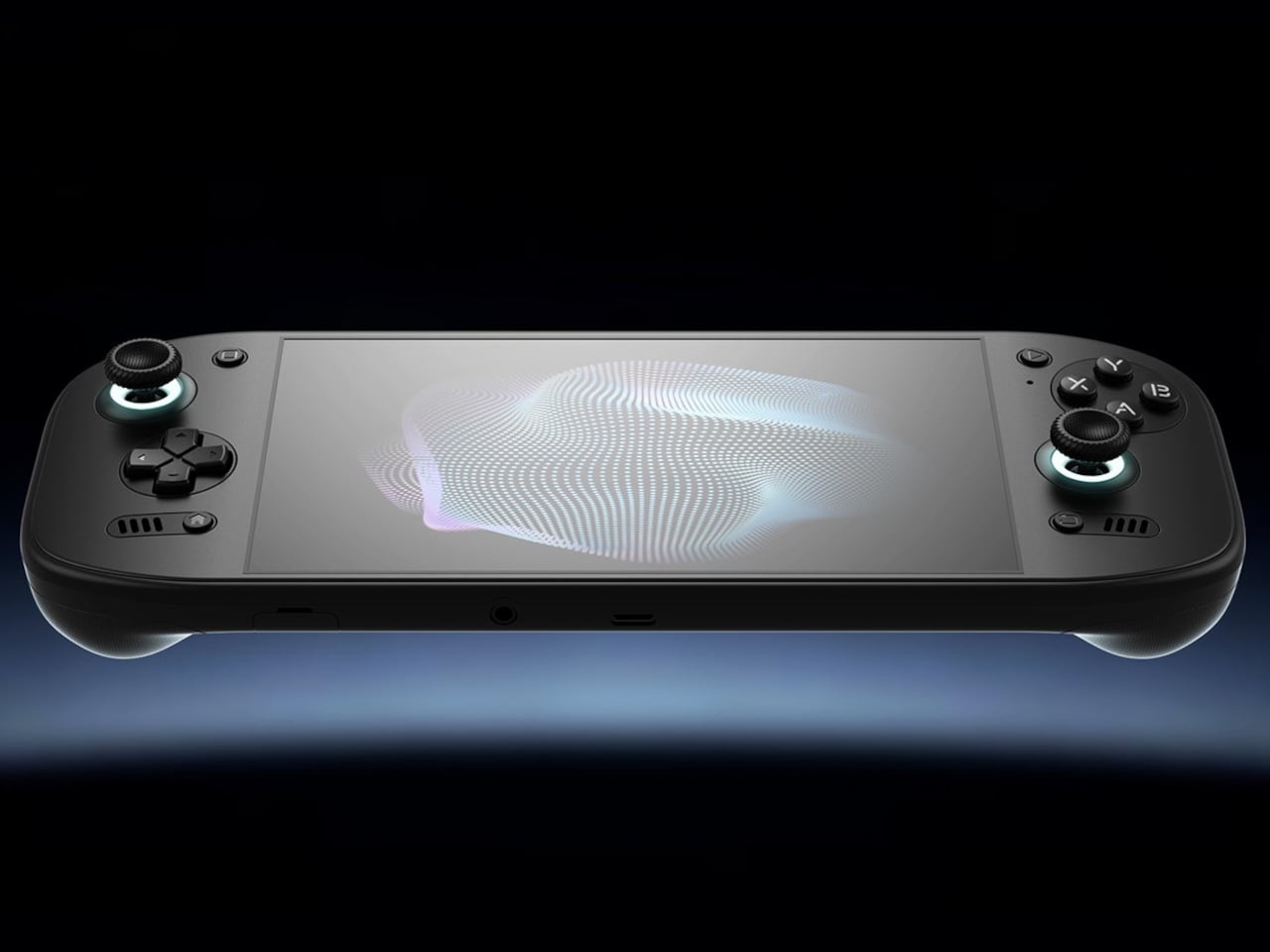
Putting a large screen on a gaming handheld is easy compared with making the whole thing comfortable to hold. AYN’s Odin 3 Portal approaches that problem with a 7-inch OLED up front and sculpted grips behind it. Now available for preorder, the Android handheld combines a broad, glass-covered face with physical controls that give your fingers somewhere other than the screen to go.

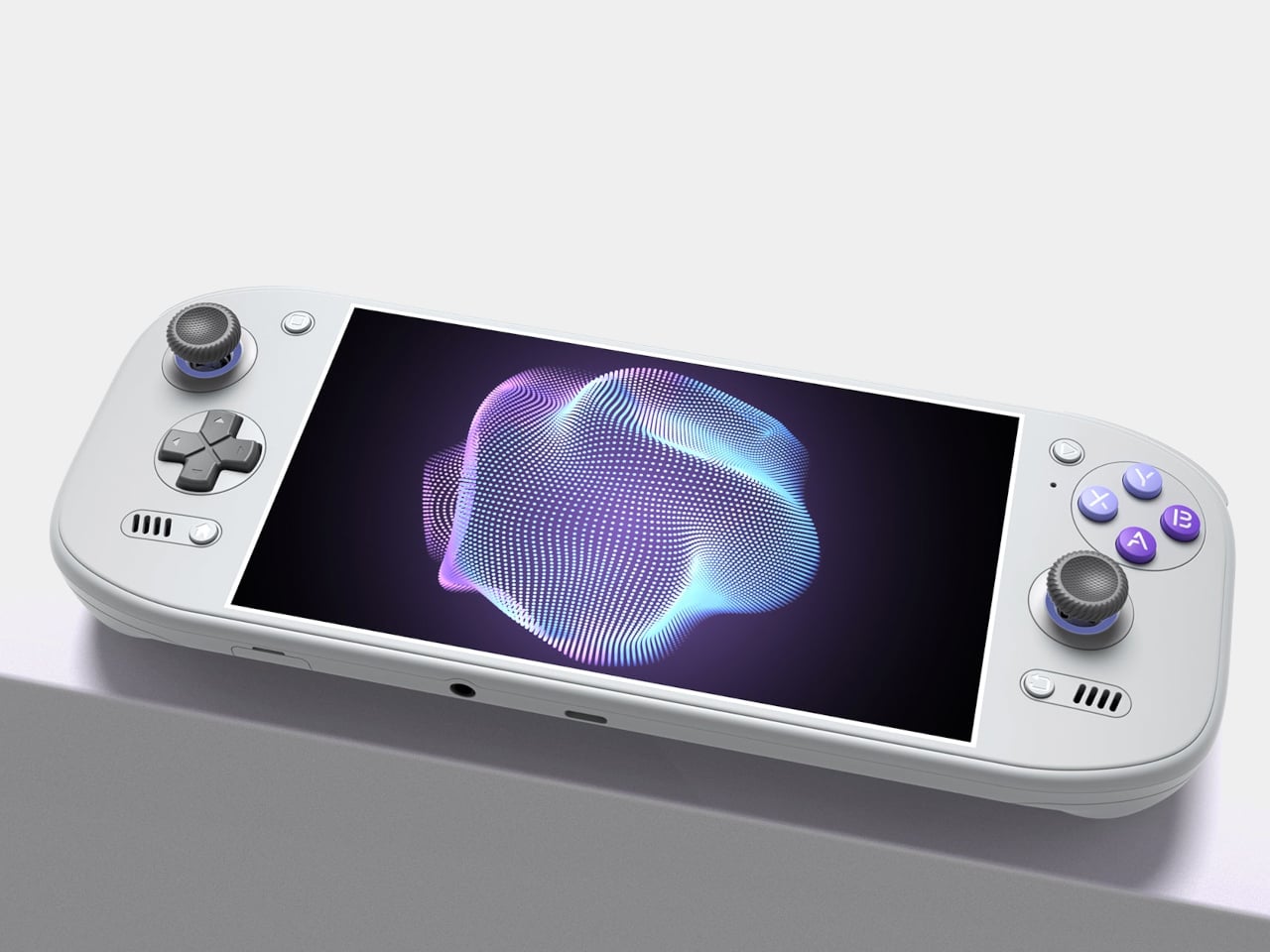
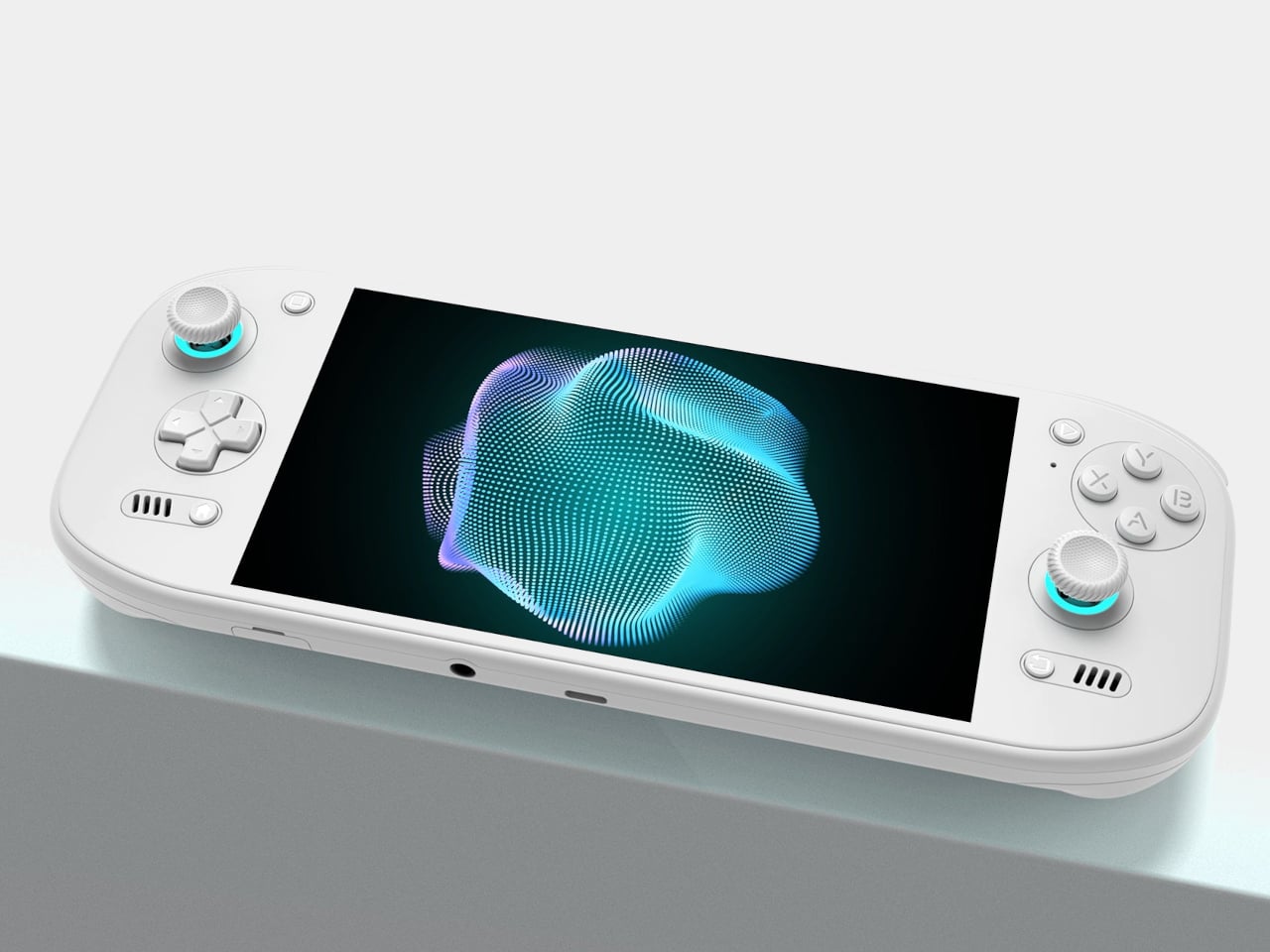
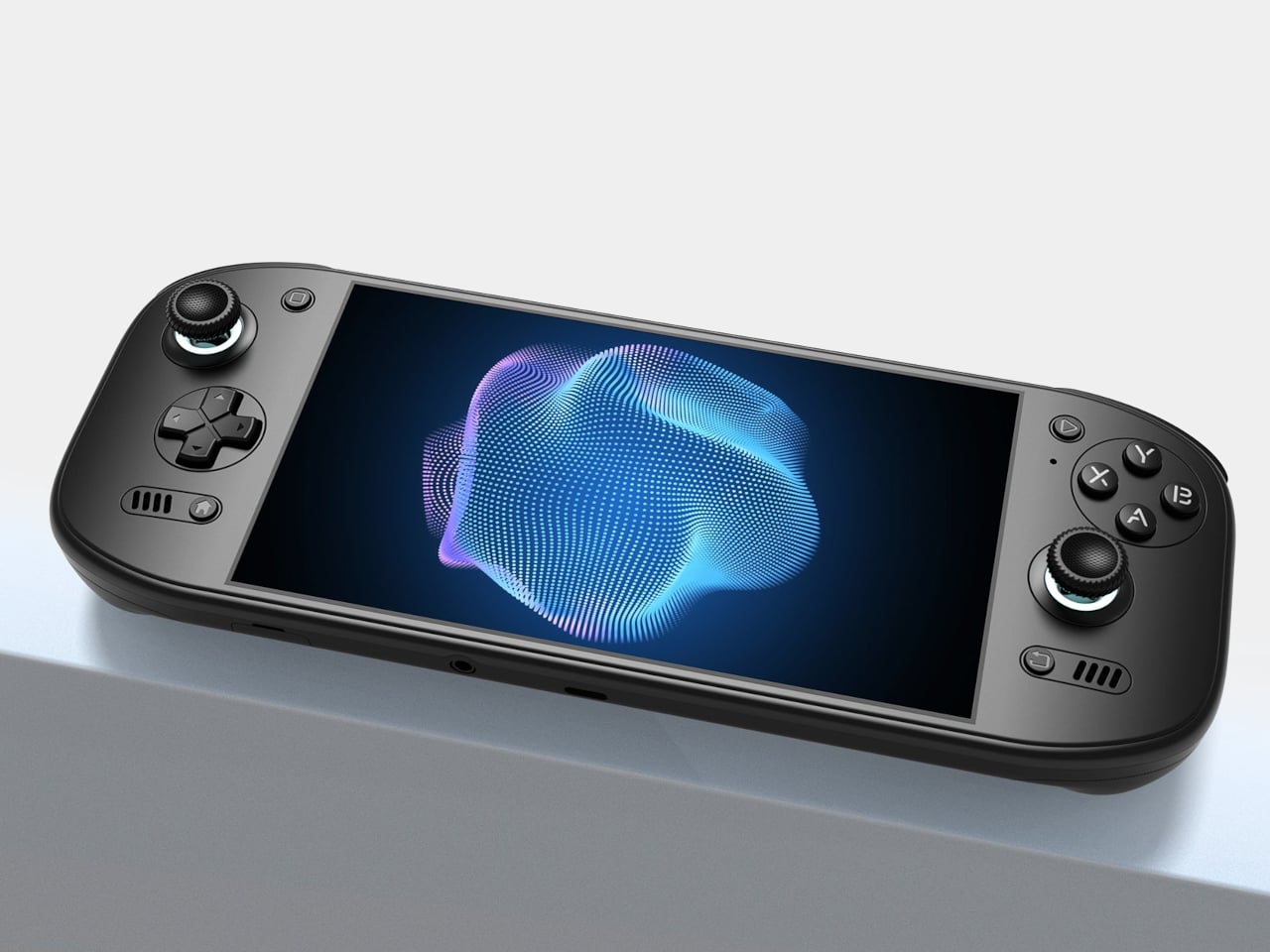
That front surface stretches across the display and surrounding control areas, giving the device a flatter, more unified appearance than a screen dropped into a chunky frame. Black keeps the boundary between panel and housing less conspicuous, while White and Cold Grey emphasize it. The latter’s purple buttons add retro flavor without turning the machine into a tribute to another console.

Designer: AYN

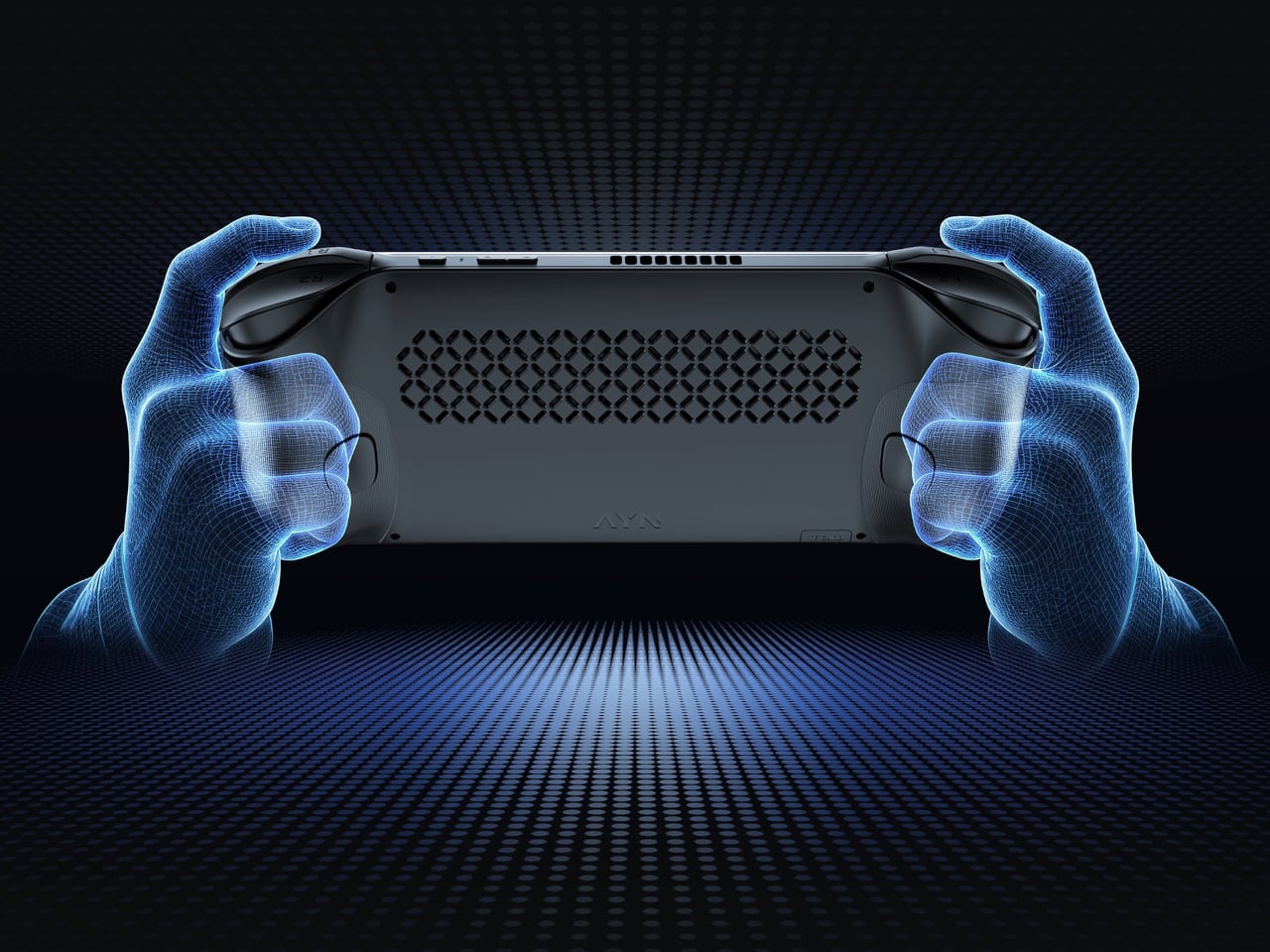
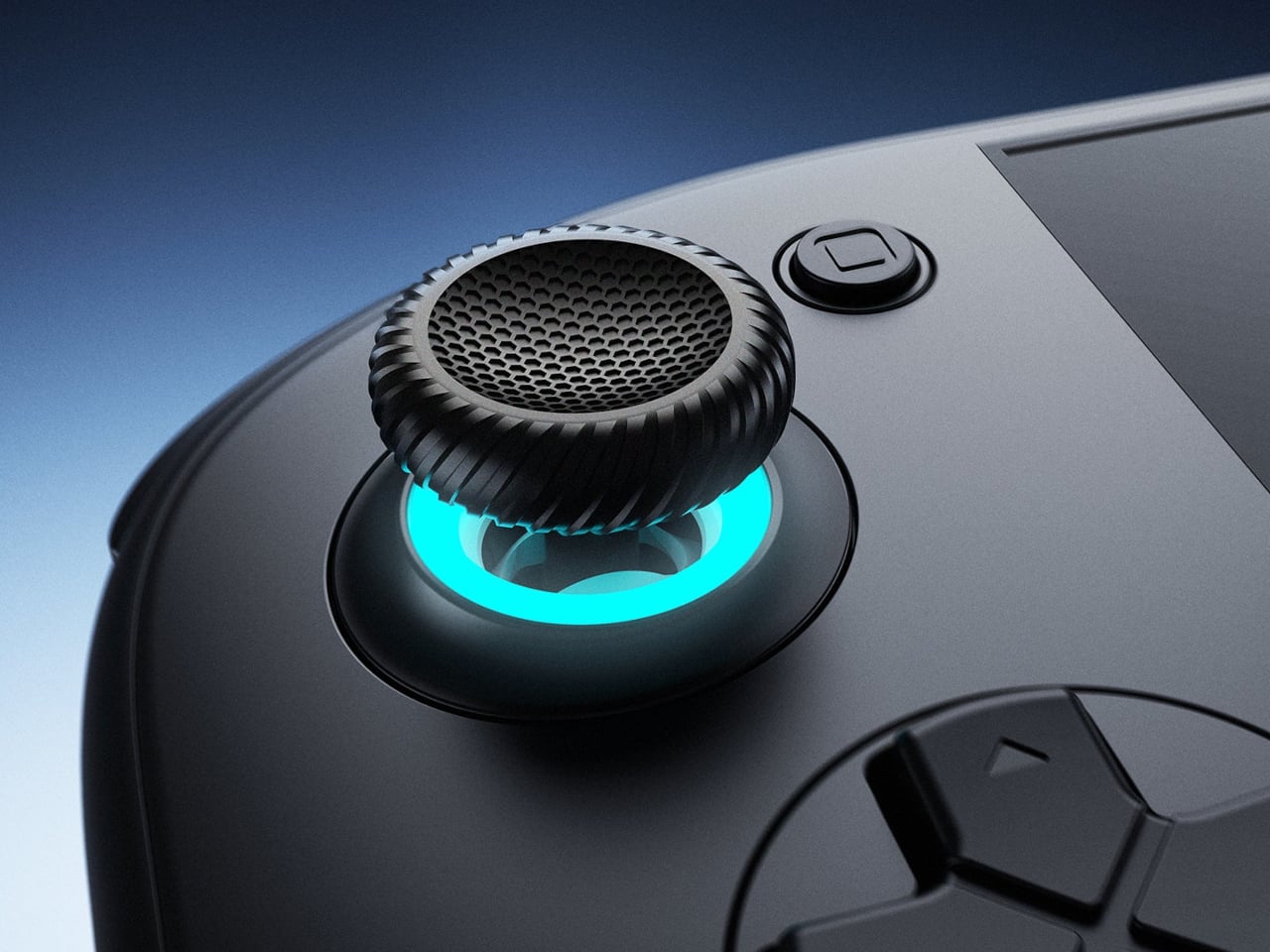
Turn it over, and the shape becomes less concerned with looking flat. Rounded bulges give your palms somewhere to settle, while textured shoulder buttons meet your index fingers above. The full-size Hall-effect sticks have ridged edges, and a dome D-pad sits below the left stick. These details aim to improve control, though actual comfort will depend on your hands and how you play.

The screen is a 1920×1080 OLED with a 120Hz refresh rate, giving supported games room to show smoother motion without asking you to peer at a tiny display. That doesn’t mean every game will run at 120 frames per second, of course, nor should you always crank it up. It depends on the game, settings, and your remaining battery.

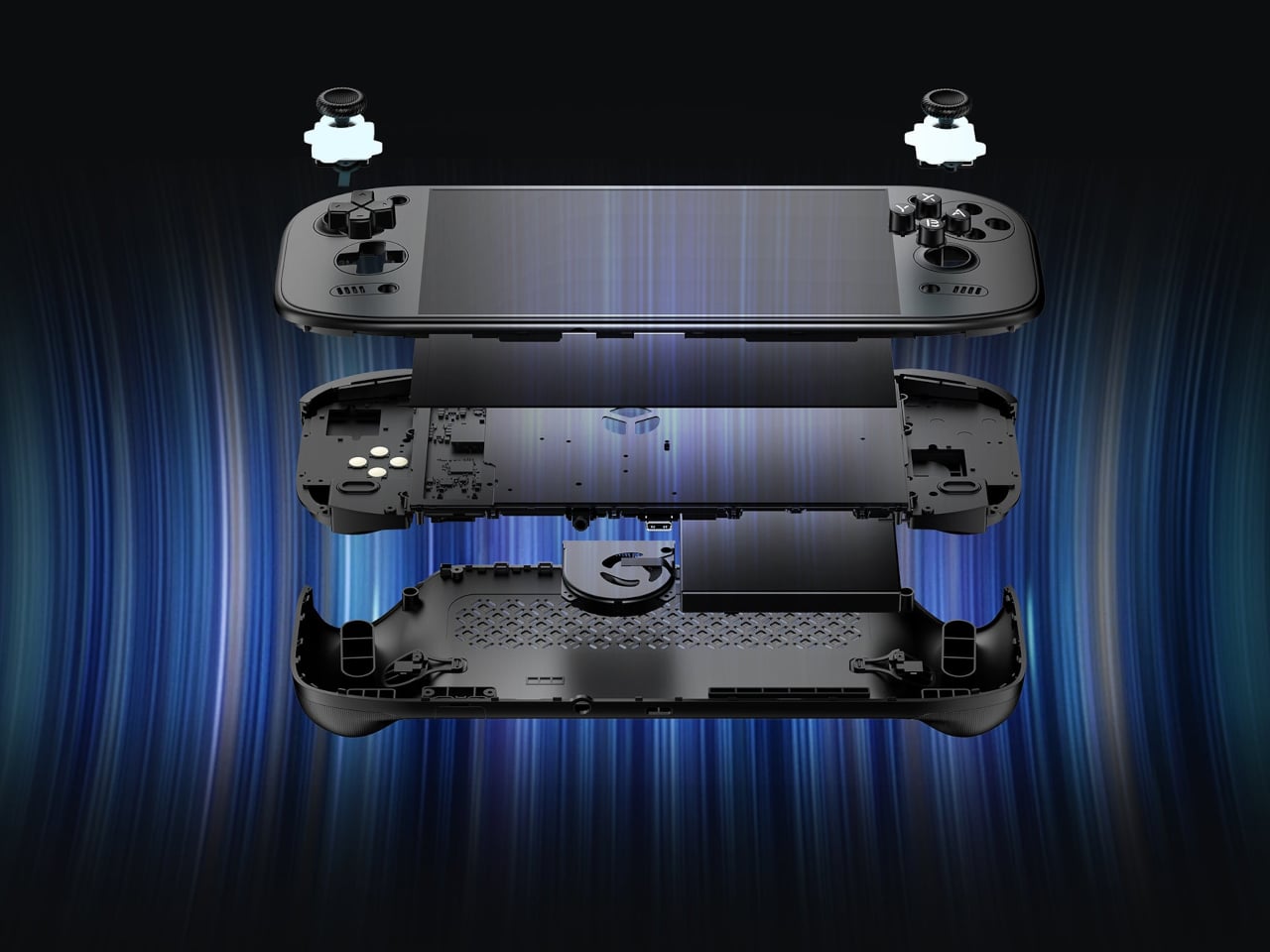
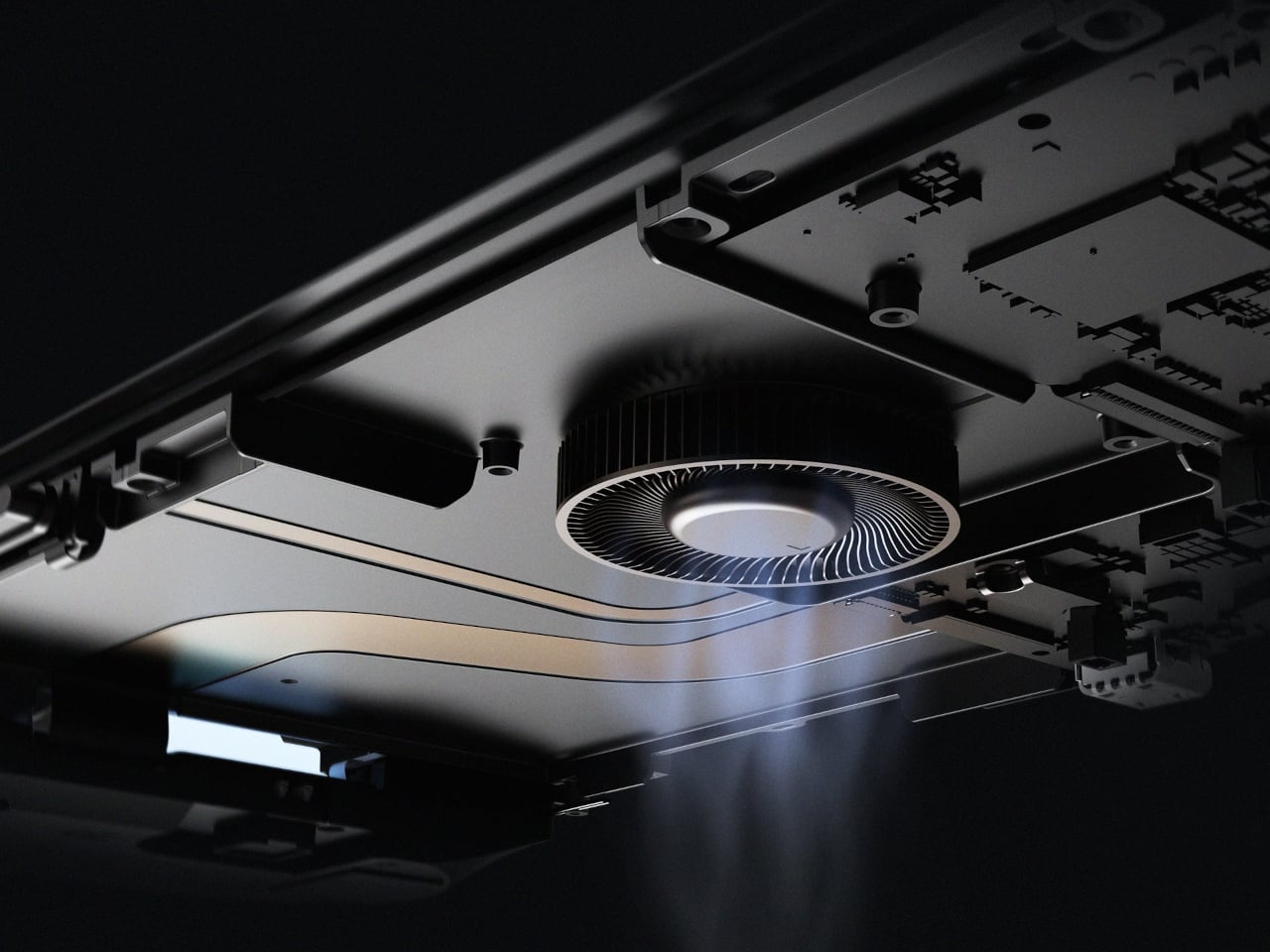
Behind that screen is Qualcomm’s Dragonwing Q8 processor, paired with Android 15 and active cooling. A broad rear grille gives the internal fan room to draw air, making ventilation part of the exterior rather than hiding it completely. That’s worth remembering when you settle in with the handheld against a cushion, since the cooling system still needs an unobstructed path to breathe.

Power comes from a 9,000mAh battery, with support for 60W charging when you need to plug back in. Actual playtime will depend on the game and screen settings, so that capacity doesn’t translate into a guaranteed afternoon away from an outlet. At about 15.9 ounces, the handheld puts weight behind that screen, especially when a quick session somehow becomes an entire evening.

Storage starts at 128GB with 12GB of RAM, while the top model offers 1TB and 16GB of RAM. There’s also a microSD slot, so choosing less built-in storage doesn’t close off future expansion. AYN specifies that no games come preinstalled, however. You’re buying the hardware for your own library and setup, not a ready-made collection of nostalgic favorites waiting behind the power button.

Launch pricing starts at $399, with the 1TB version reaching $669 and shipping expected to begin in early November 2026. The pricier configuration doesn’t buy a different screen or processor, just more memory and storage than the base model. That leaves a practical choice between keeping a larger library installed and keeping the price down, particularly when a memory card remains an option.

The post AYN Odin 3 Portal Handheld Pairs a Flat Glass Front With Sculpted Grips first appeared on Yanko Design.
  •  

Retroid Pocket Duo makes dual-screen gaming feel fresh again with its modern clamshell design

There is something immediately satisfying about a handheld that refuses to make two screens behave like one. Retroid’s new Pocket Duo takes that idea and builds it into a modern clamshell, giving Nintendo DS and 3DS-style gaming a form factor that feels considerably more natural than squeezing both displays onto a single screen.

The Pocket Duo puts a 5.5-inch 16:9 OLED display above a smaller 4.5-inch 4:3 OLED screen, with both running at 120Hz. Rather than treating the second display as an afterthought, Retroid has designed the handheld around the way dual-screen games were originally meant to be played. The company has already demonstrated 3DS titles running at 4x resolution, along with DS games through melonDS.

Designer: Retroid

Under the hood, the Duo has Qualcomm’s Dragonwing Q-7790 – an IoT-focused chip based on the Snapdragon 7 Gen 4 – mated to Adreno 722 graphics. Active cooling helps keep the hardware running under load, while a 6,000mAh battery handles power. The device runs Android 16 and weighs 350g, with a 180-degree free-stop hinge allowing the two displays to be positioned at different angles. Retroid has also paid attention to the physical controls. The thumbsticks sit symmetrically in recessed positions, while the ABXY buttons use tactile clicks. The shoulder buttons are stacked, giving the Duo a layout that is intended to feel like a proper gaming handheld rather than a phone with an extra screen attached.

The Pocket Duo Lite takes the same dual-screen concept and makes some straightforward changes to bring the price down. Its upper display remains 5.5 inches, but switches from OLED to a 60Hz IPS LCD, while the lower screen is slightly smaller at 4.2 inches. Both displays retain their respective 16:9 and 4:3 formats. The Lite also steps down to Qualcomm’s Dragonwing QCS6125 processor with Adreno 610 graphics and runs Android 15.

The handheld uses in-line shoulder triggers instead of the stacked controls found on the regular Duo. Despite those compromises, it retains the 180-degree free-stop hinge, symmetrical recessed thumbsticks, active cooling and a 6,000mAh battery. There are two Lite configurations: 4GB RAM with 64GB storage and 6GB RAM with 128GB storage. It comes in Black, GC, 16Bit, Ice Blue and Clear Purple, matching the colour choices of the standard model.

For anyone who grew up with dual-screen handhelds, the Pocket Duo is an intriguing modern interpretation of a familiar idea. Instead of mere recreation of the classic era, Retroid is giving the format a faster display and contemporary hardware. The Lite, however, makes the same unusual design considerably easier to justify.

The pricing also makes the Lite particularly compelling. The 4GB/64GB version starts at $135 during pre-orders and will retail for $149, while the standard Pocket Duo is priced at $250 during pre-orders and $270 at retail. There is no official release date, though.

The post Retroid Pocket Duo makes dual-screen gaming feel fresh again with its modern clamshell design first appeared on Yanko Design.
  •  

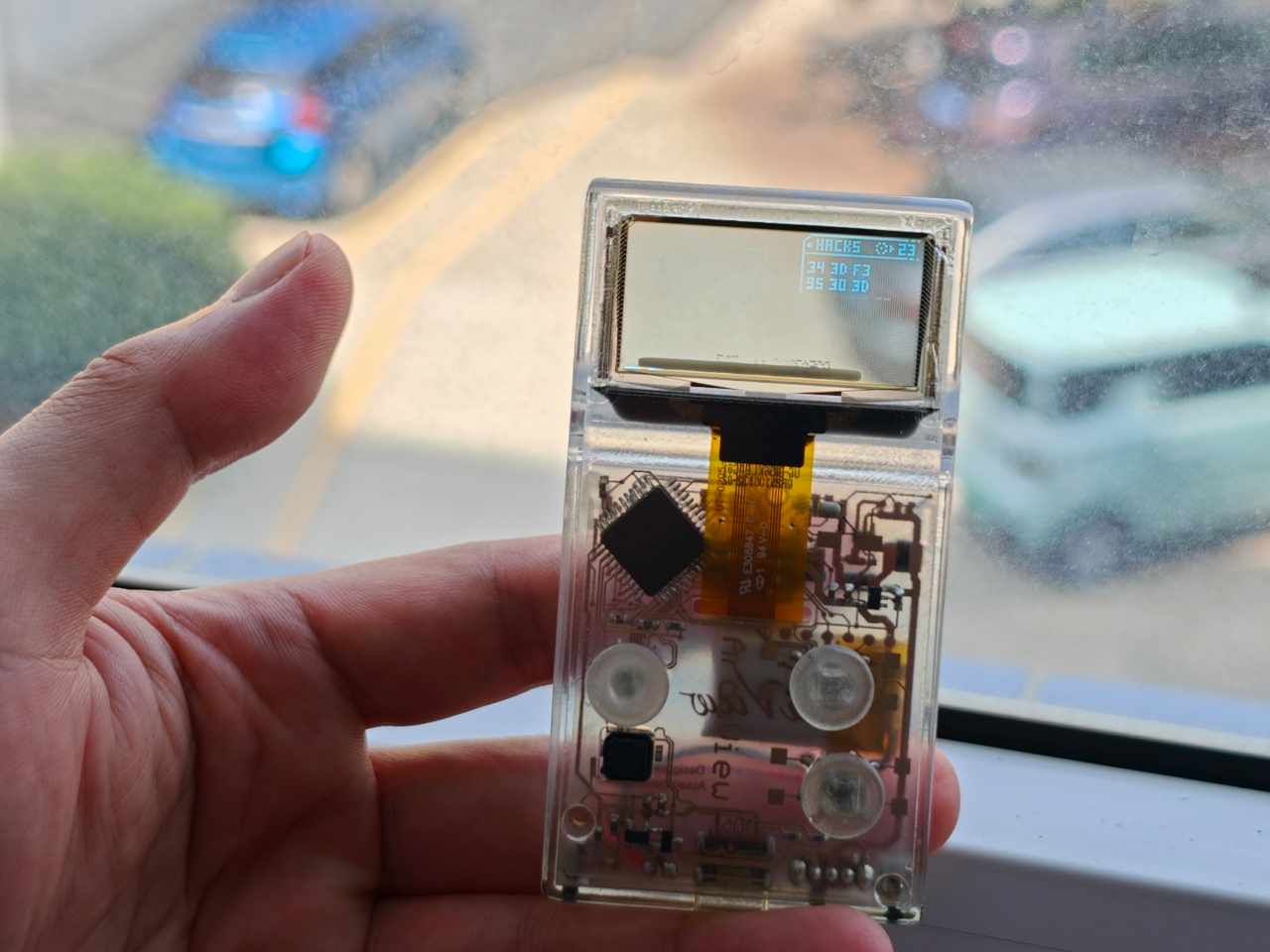
Clear-Shell Game Boys Never Made the Screen Transparent, Arduview Did

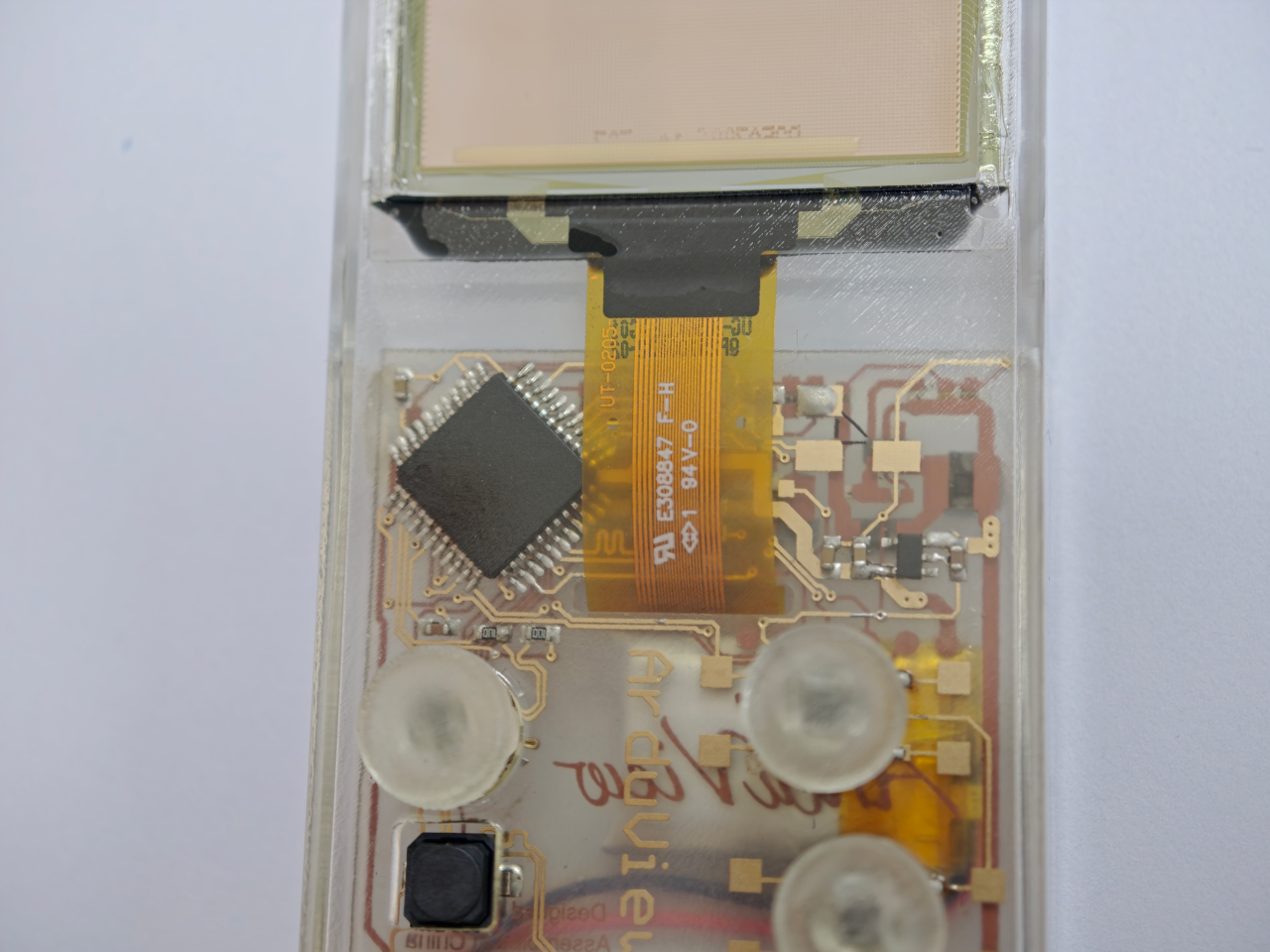
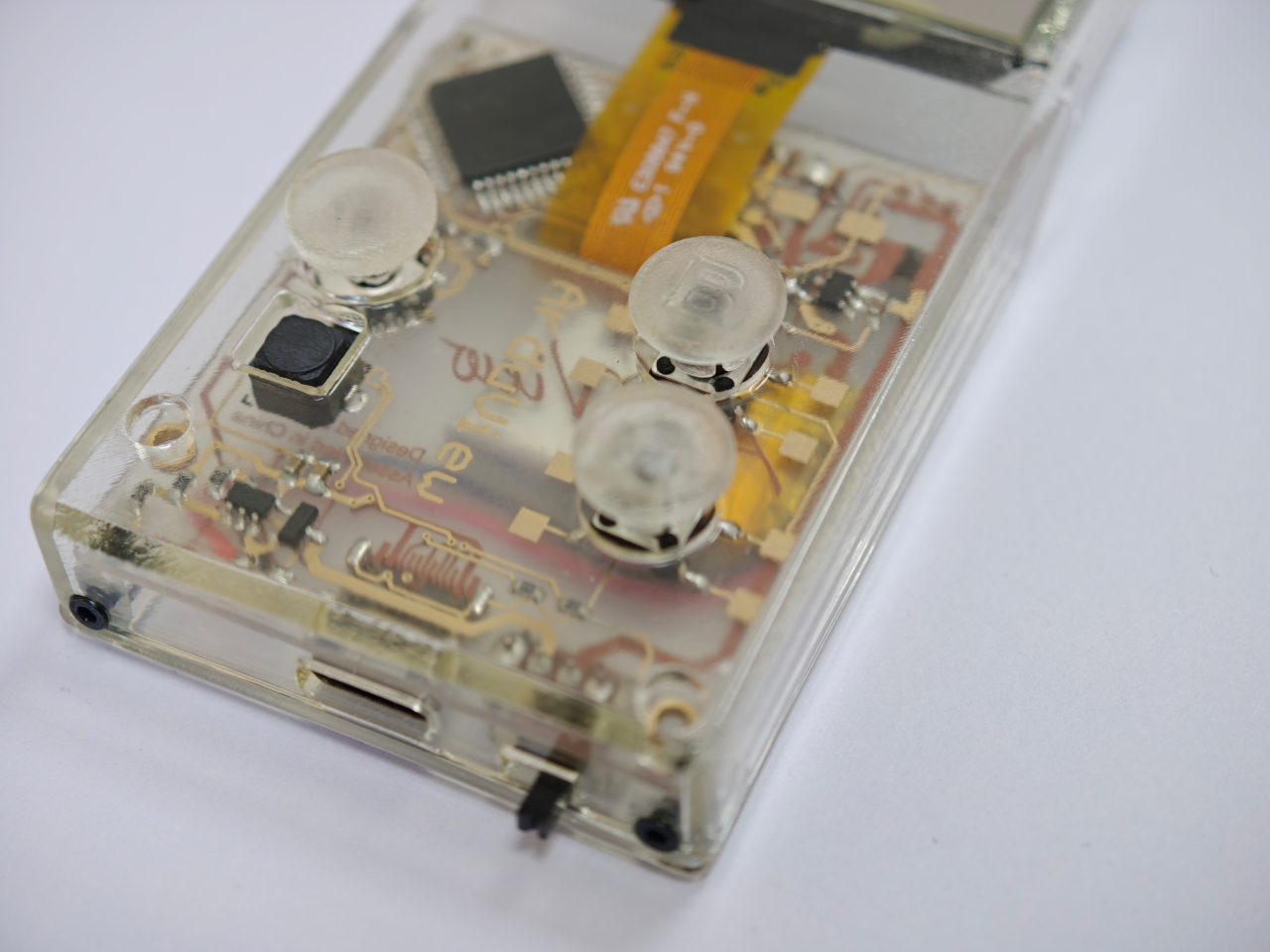
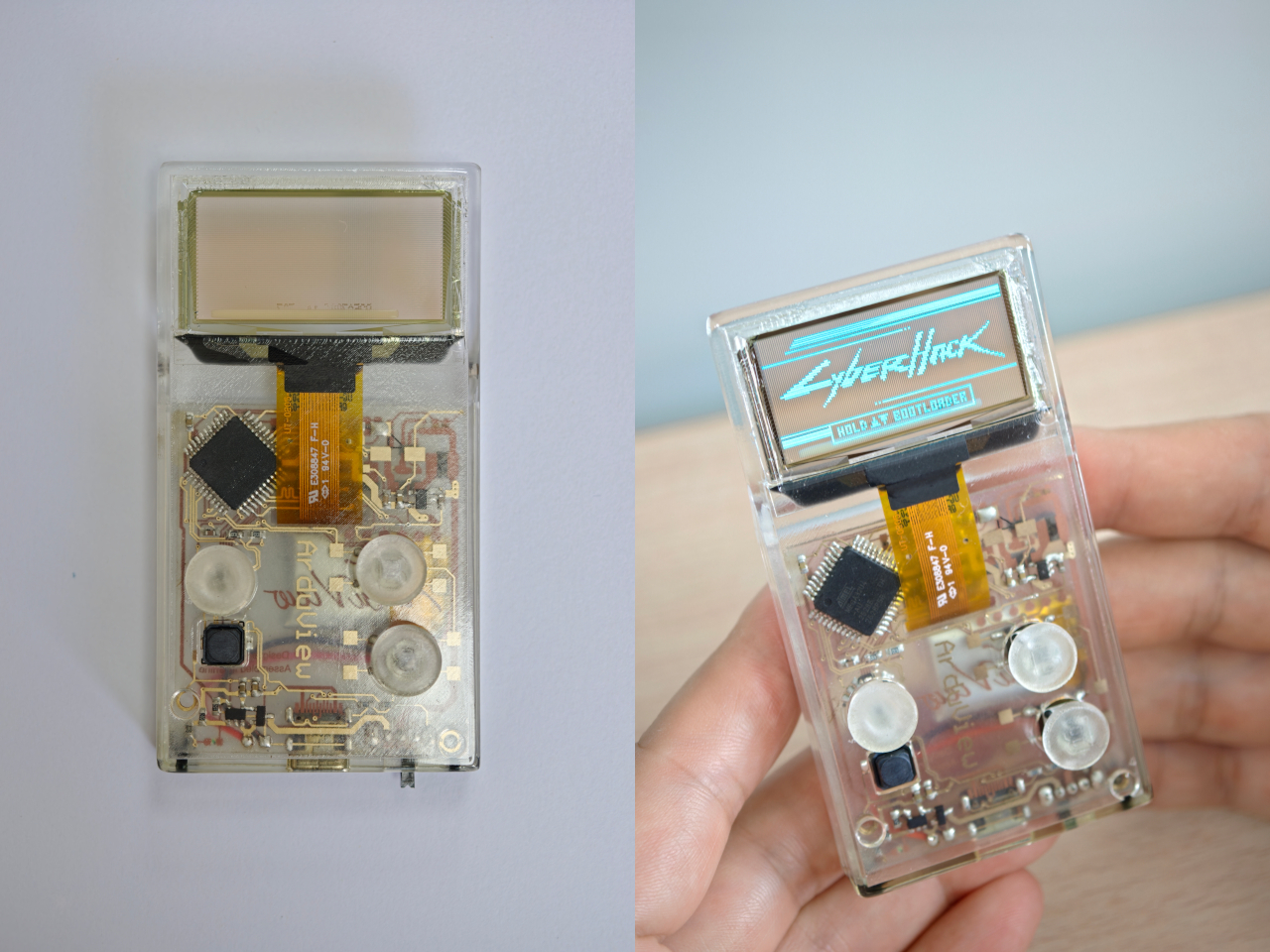
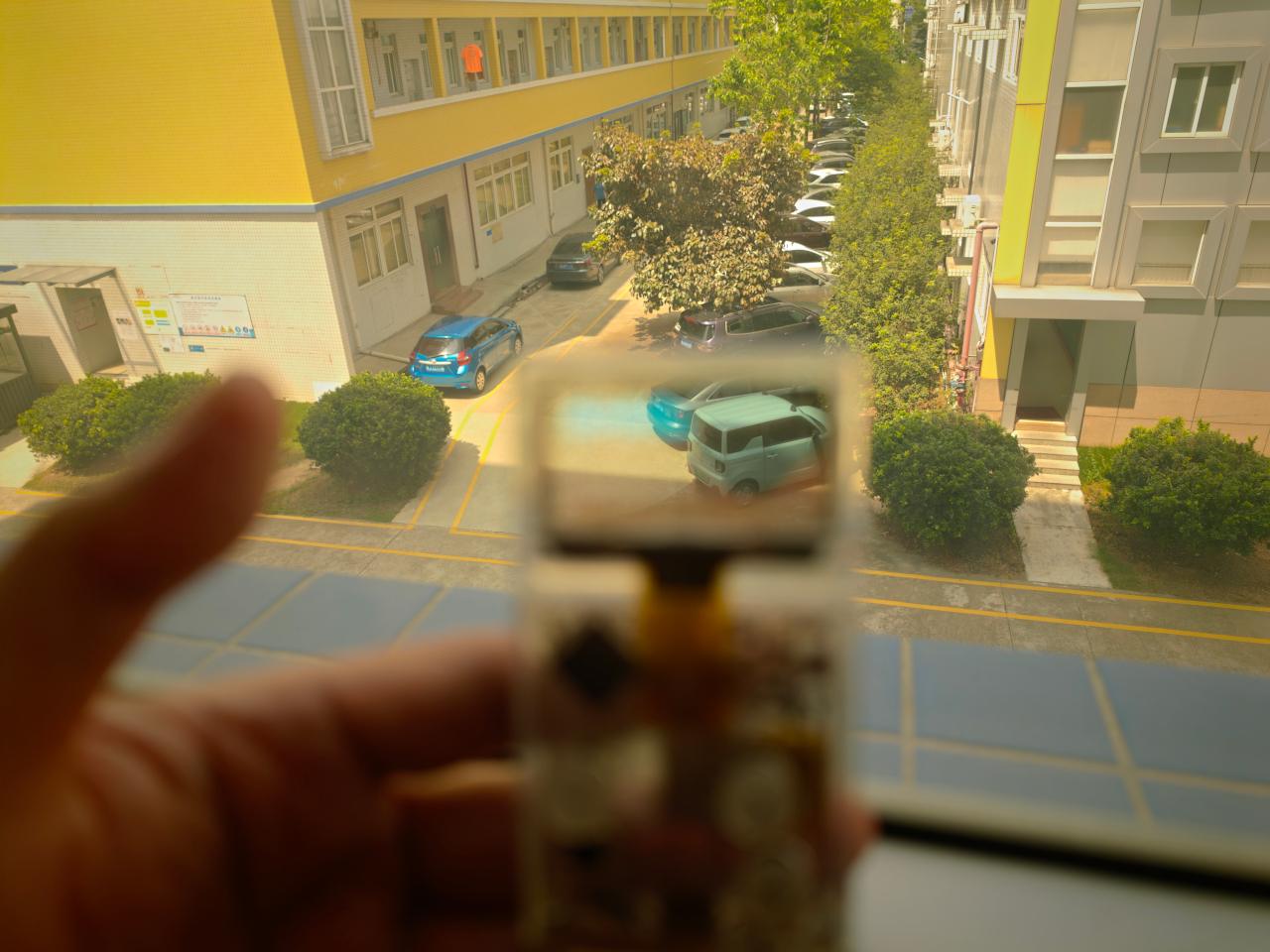
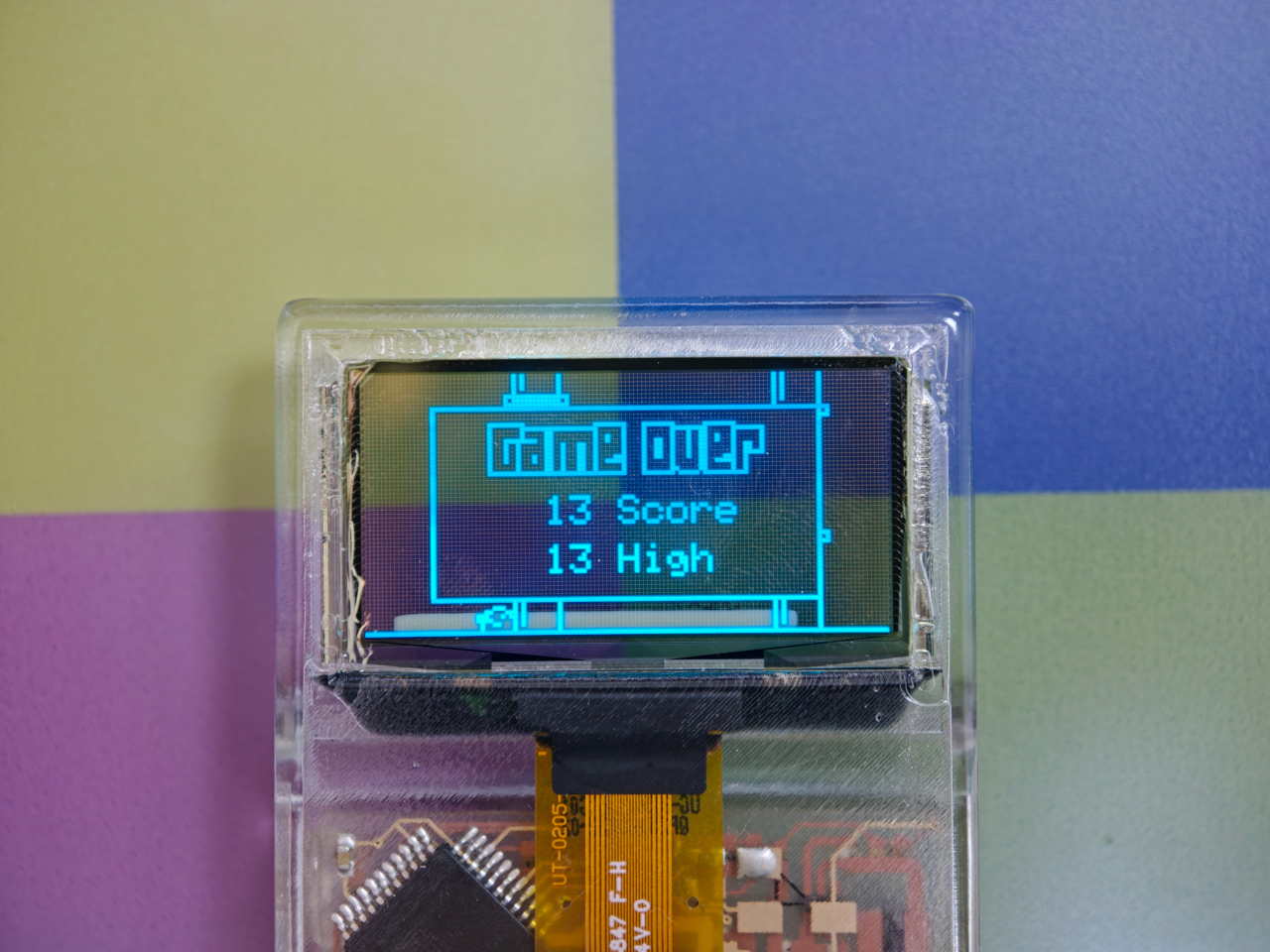
Every gadget on a desk is built to hide what makes it work. Phones, consoles, controllers, they’re all sealed slabs designed to keep the copper and silicon out of sight. Arduview refuses that logic entirely. Its shell is clear, its circuit board is clear, and its OLED display lets you watch pixels light up while seeing straight through to the components producing them.

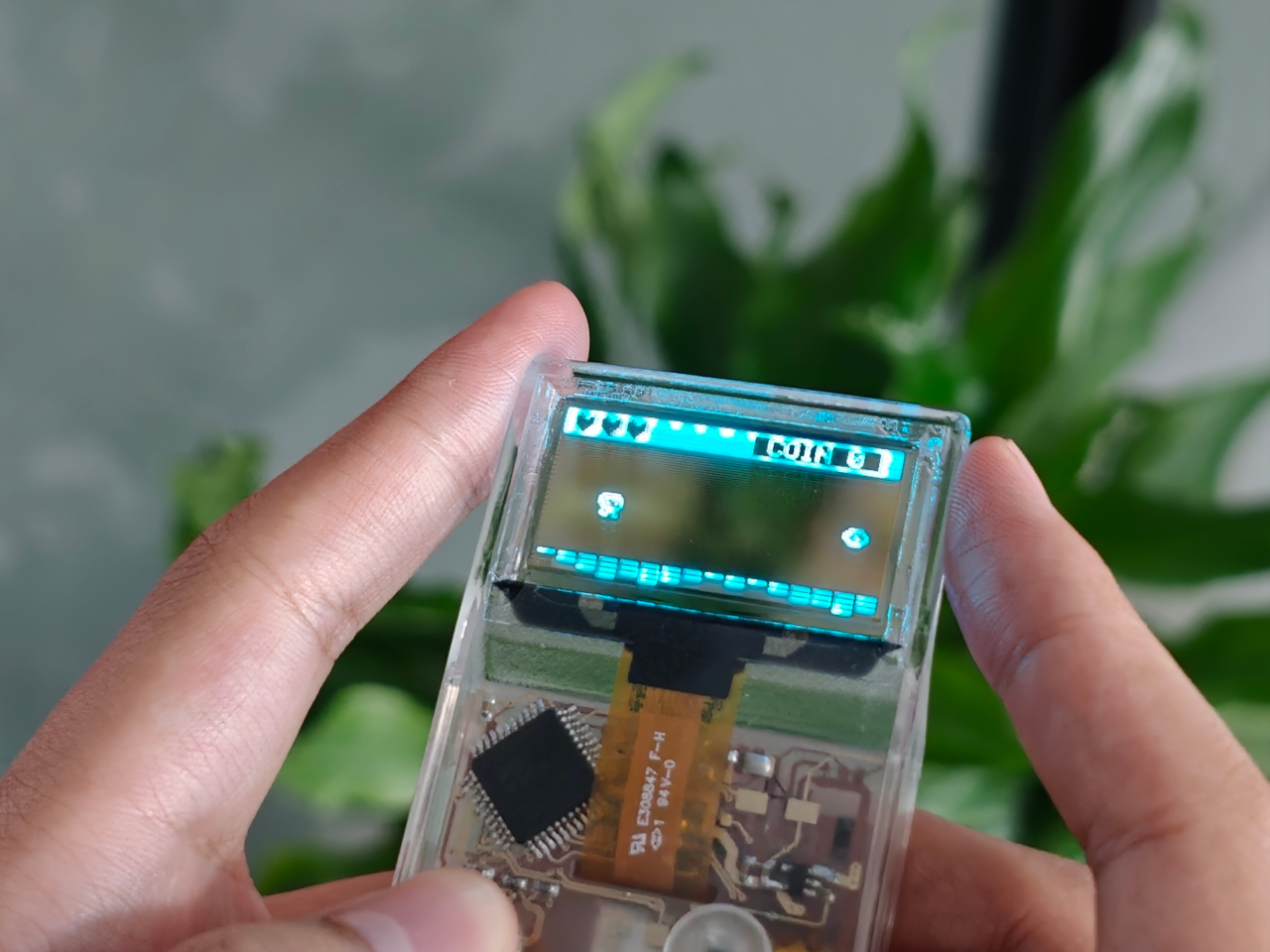
Retro handhelds have flirted with transparency before. Clear-shell Game Boys and modded Miyoo units let you glimpse a shadow of the board through tinted plastic, but the display itself stayed opaque, a black rectangle sitting in an otherwise see-through frame. Arduview closes that gap by making the screen itself transparent, so nothing on the device breaks the illusion of looking clean through it.

Designer: Louis Huang

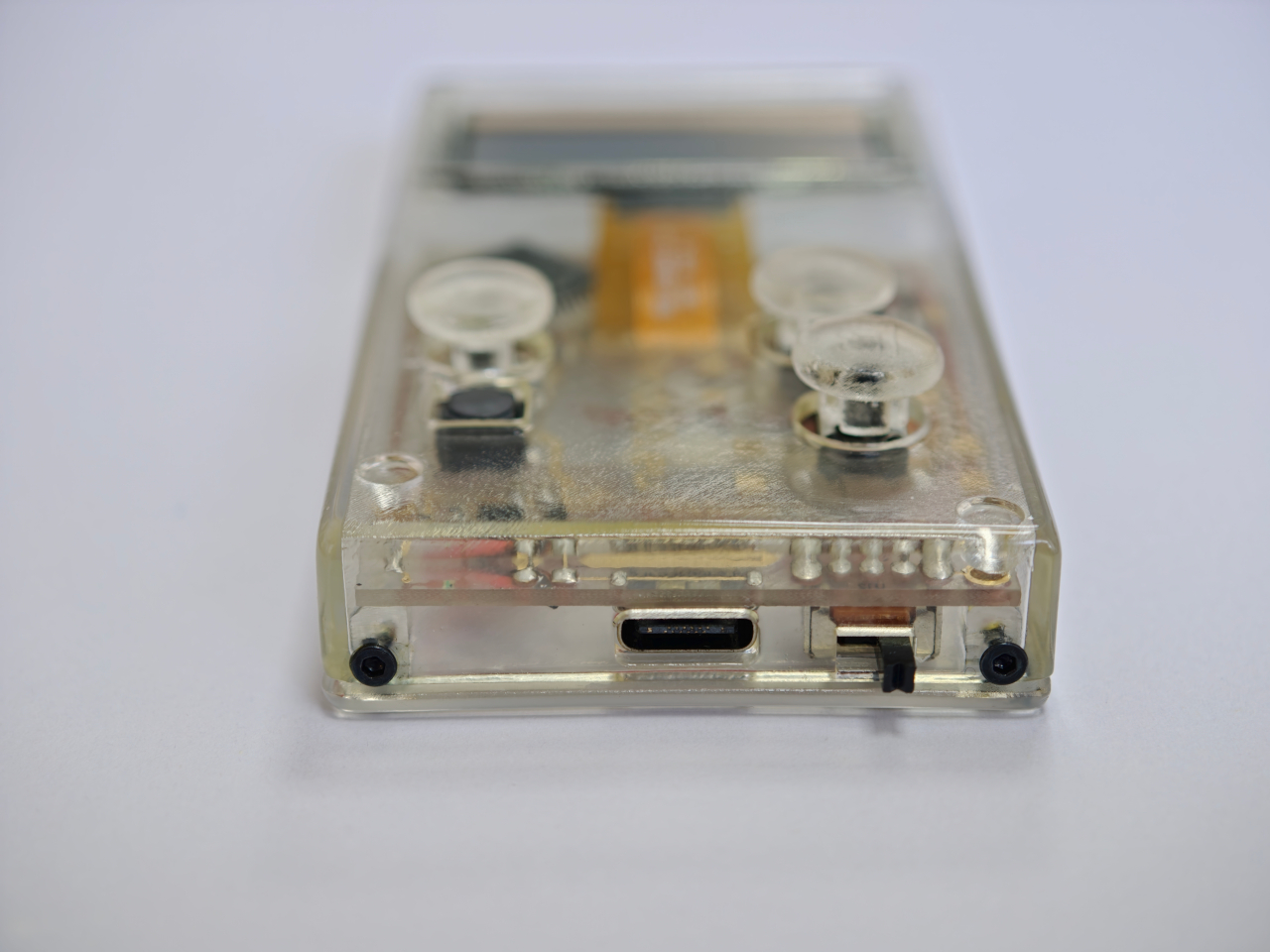
Peer through the front and the internals aren’t just visible; they’re the entire visual identity. The board, the chip, an orange copper flex cable, the button domes, and the USB-C port all sit in plain view, arranged the way a watchmaker might arrange gears behind sapphire crystal. Nothing here was designed to be hidden later. It was designed to be looked at from day one.

That philosophy extends to how the thing works, not just how it looks. Built on Arduboy, an open-source handheld platform, Arduview skips the layers that usually complicate small electronics. There’s no app store hunting, no Wi-Fi pairing, no account setup standing between you and 400 preloaded games. Power it on and it plays, the same instant gratification that made simple handhelds addictive in the first place.

At 50 grams and roughly the footprint of a credit card, the size does real work here. A device this small and this light stops being a dedicated gaming session and starts being something you carry the way you’d carry a keychain or a pocketknife, small enough to disappear until the moment you want it. Pull it out on a train platform or set it on a desk between meetings, and it reads less like a toy and more like a curiosity someone can’t resist picking up.

That reaction seems to be the entire point. A transparent gadget invites touching in a way an opaque one never does, because there’s an implicit dare in showing your internals: come look closer. Arduview leans into that dare completely, treating the space usually reserved for a case as prime real estate for the very thing most companies spend their design budgets concealing.

Retro gaming has always had a strong current of nostalgia running through it: chunky buttons, pixel art, low-resolution charm. Arduview borrows all of that while adding something genuinely new to the mix: a device that looks like it belongs in a display case at a design museum as much as it belongs in a pocket.

The post Clear-Shell Game Boys Never Made the Screen Transparent, Arduview Did first appeared on Yanko Design.
  •  
❌