❌

Vue lecture

Meet Apple HomeView: A weirdly genius combination of the iMac, Watch, iPad, and HomePod

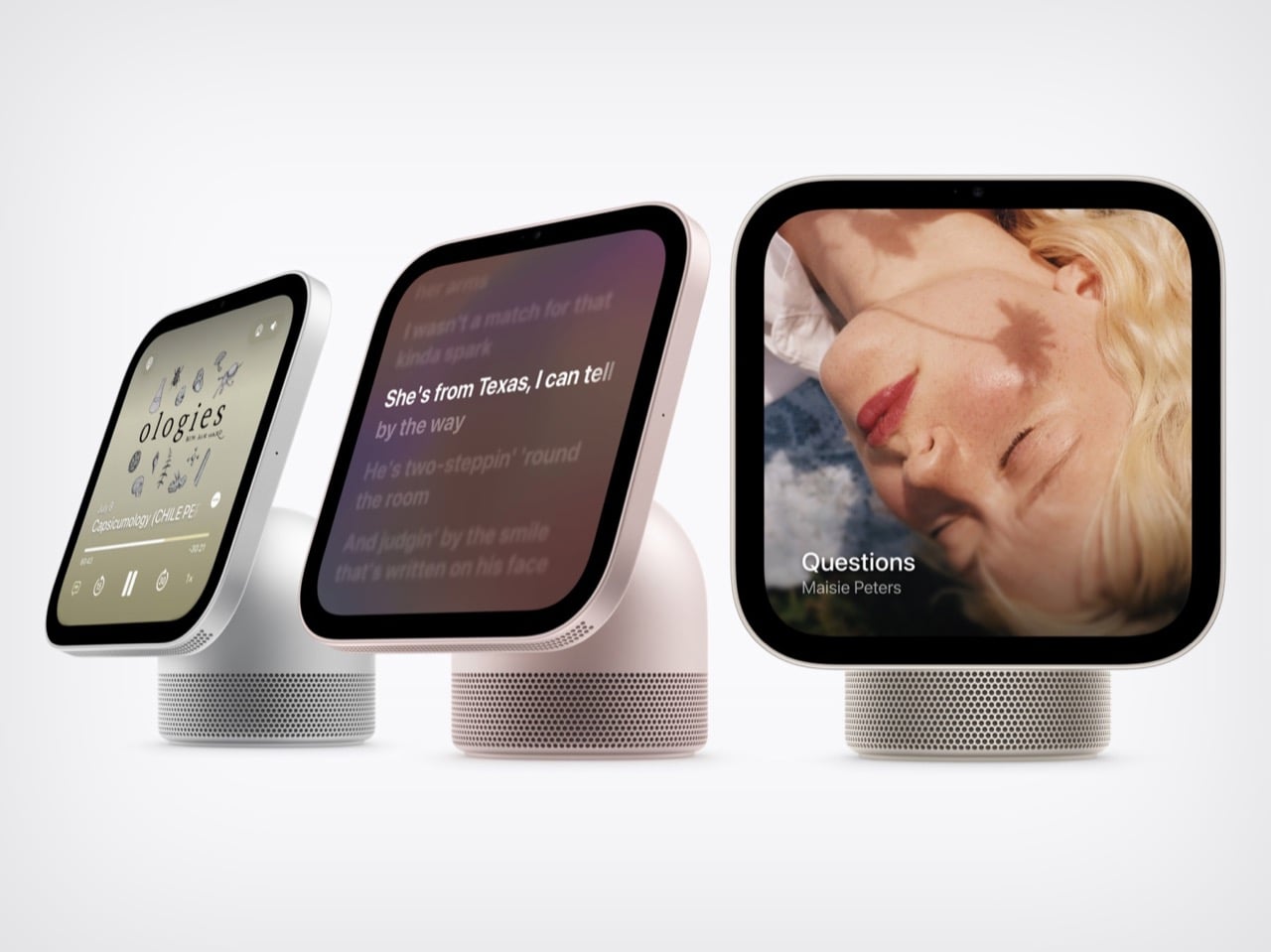
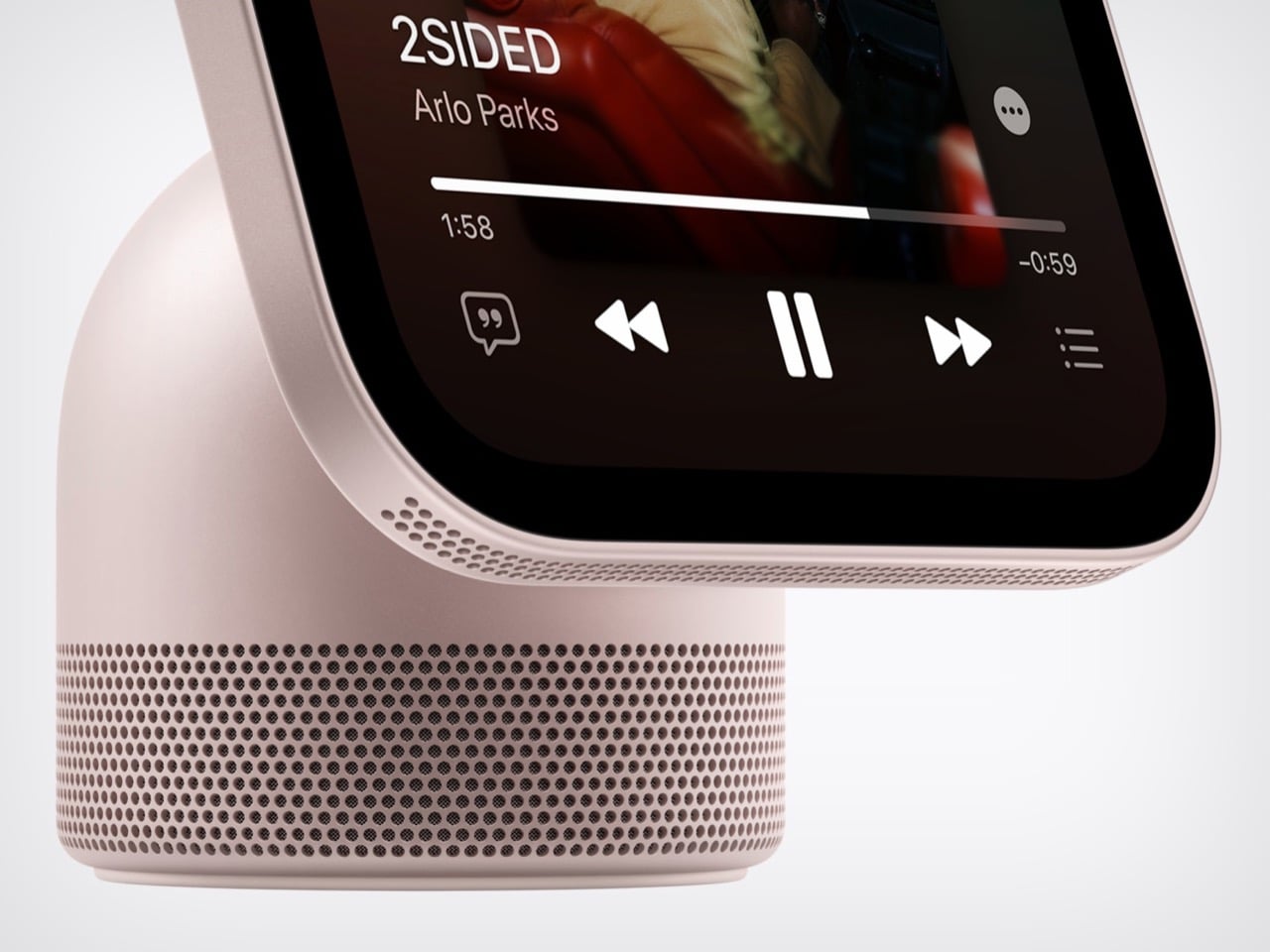
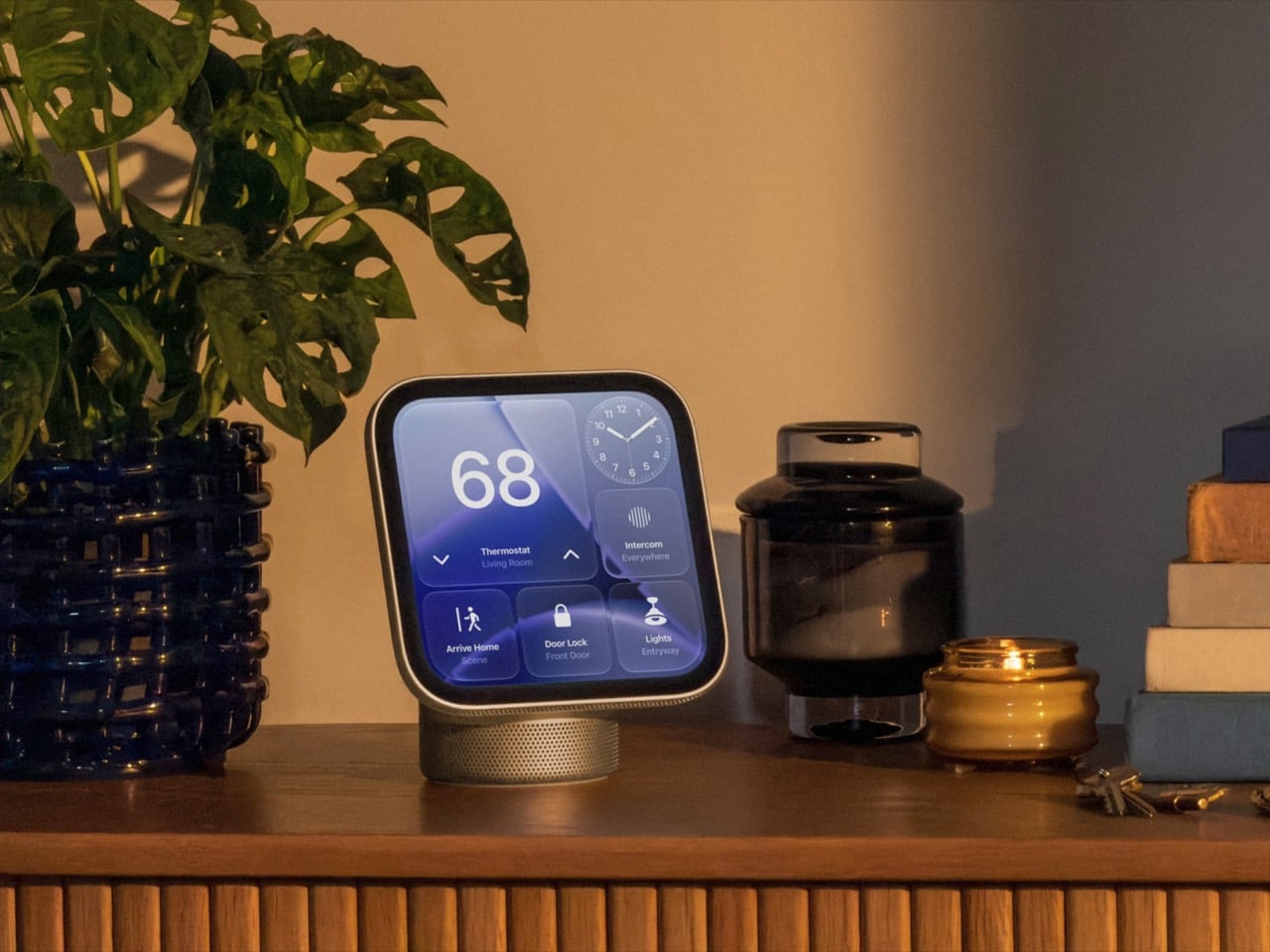
Apple’s design team apparently raided four different family albums and stitched the best bits into one object. HomeView has the iMac G4’s floating-screen silhouette, Apple Watch-style faces, the iPad’s slab of glass, and a speaker base that recalls the HomePod. I have a soft spot for that sunflower-lamp iMac, so seeing a dome and a tilting display make a comeback in 2026 made me unreasonably happy. Somehow the pile of parts works visually. It looks like a lamp, has a tablet’s touchscreen, and doubles as a speaker.

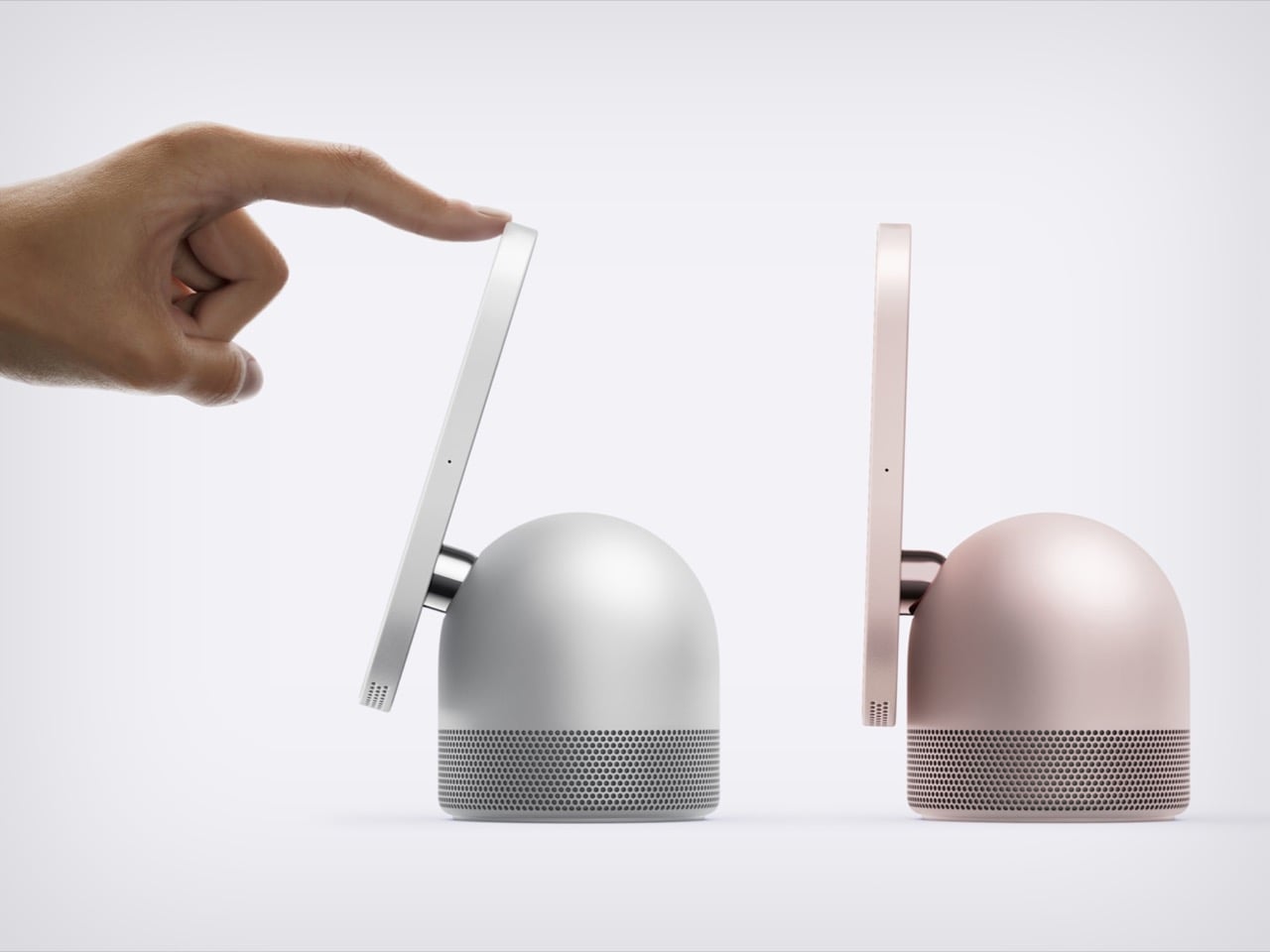
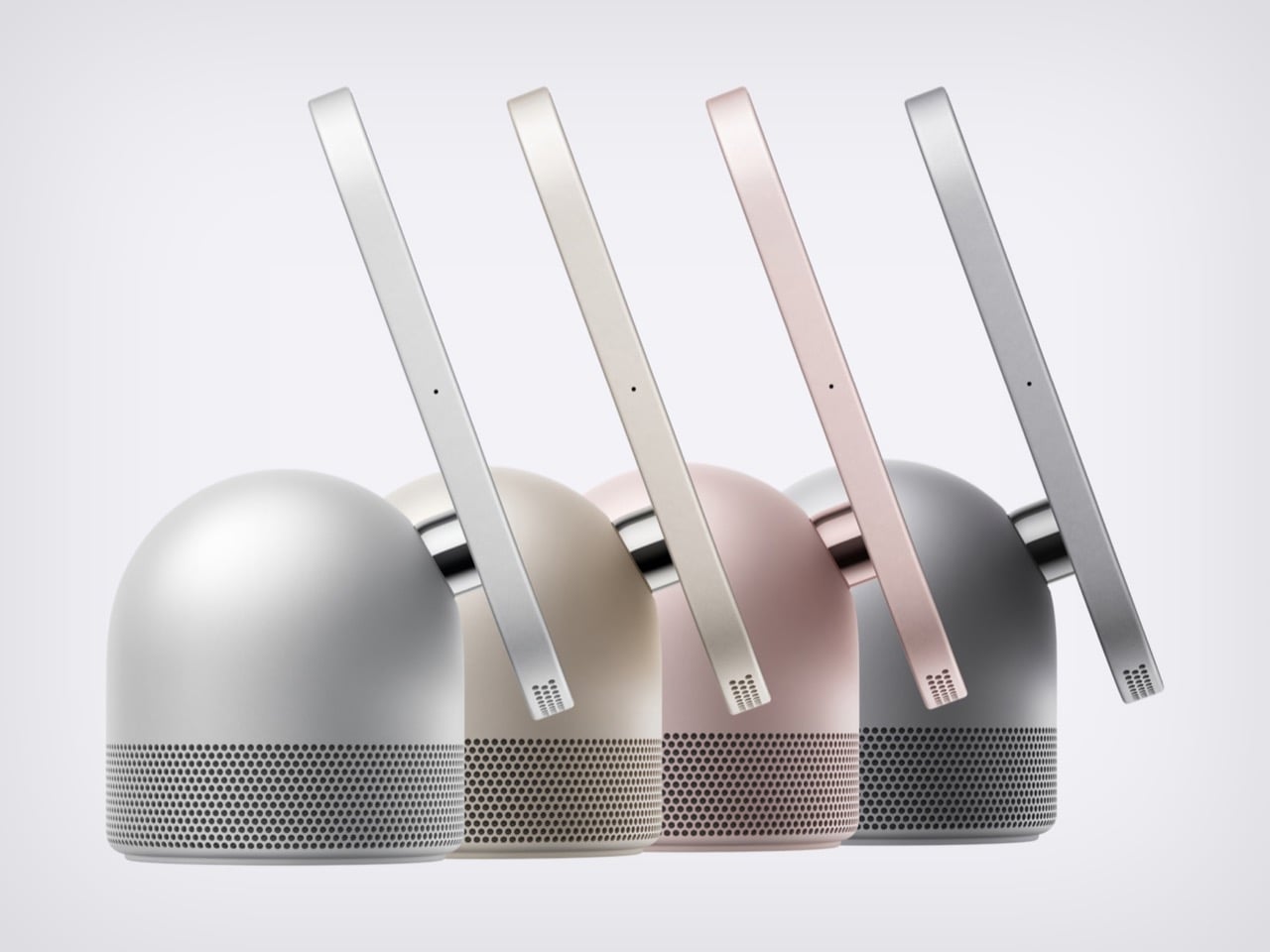
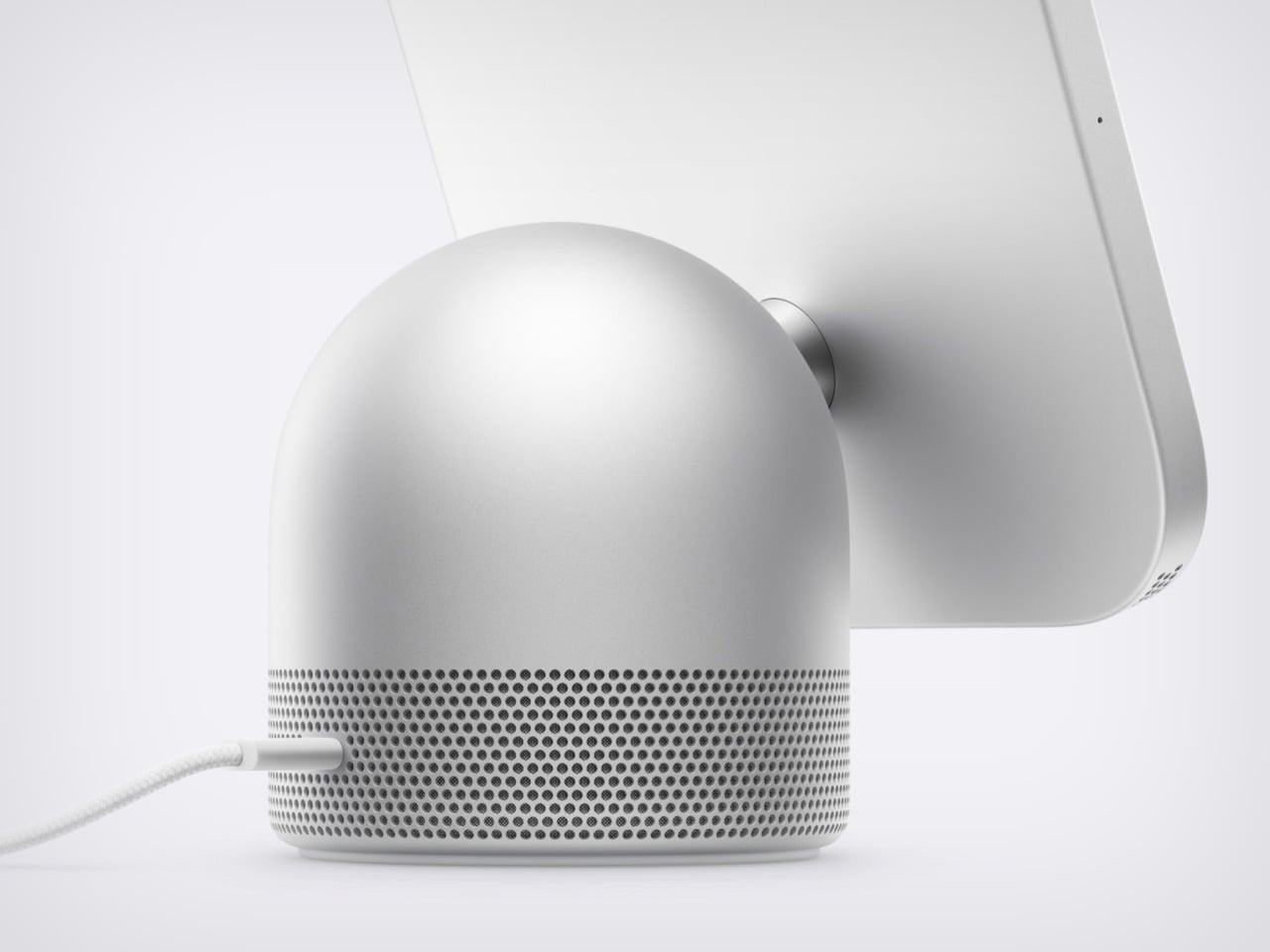
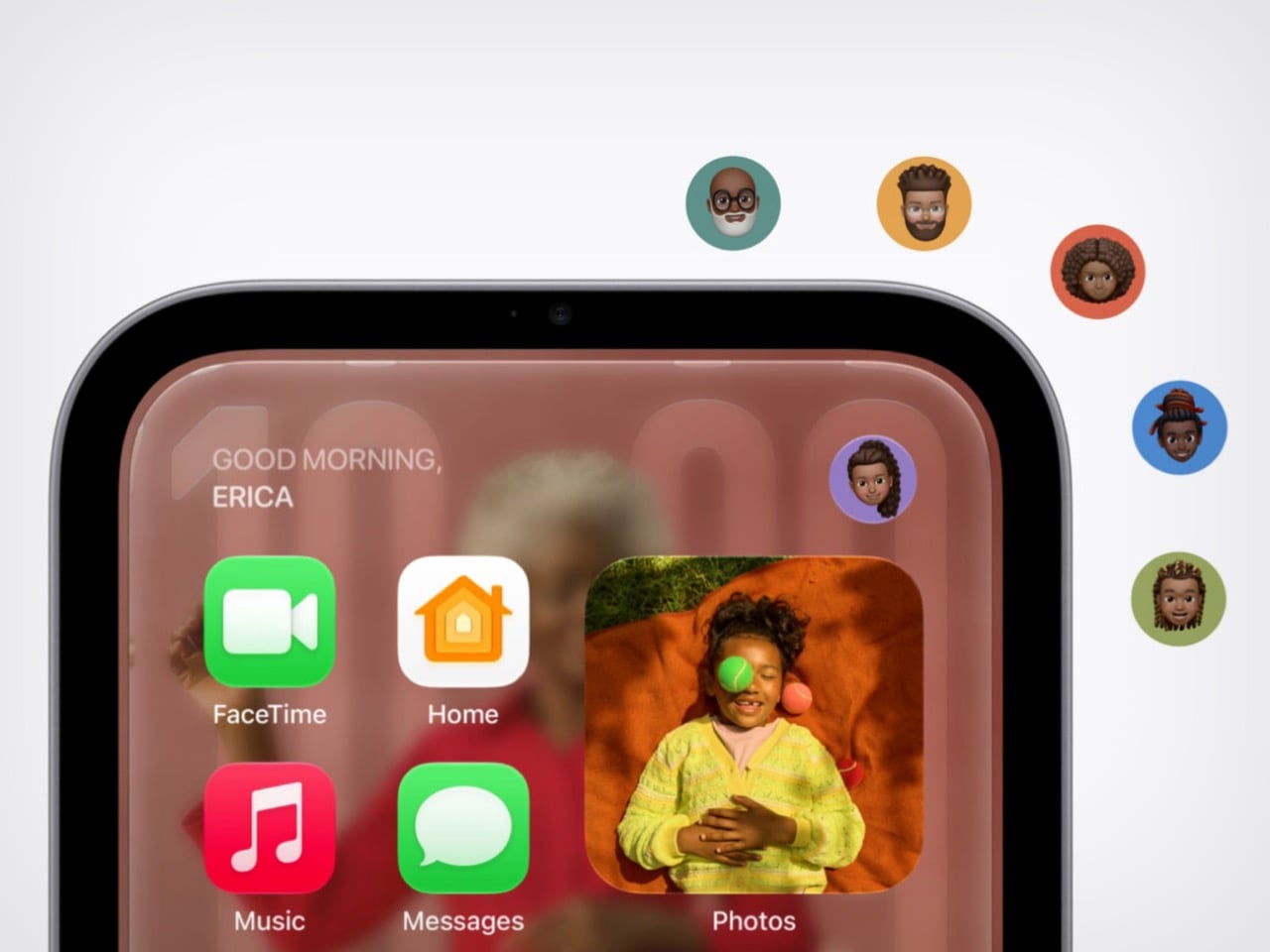
Apple announced HomeView on October 13, 2026. It pairs a 7-inch Liquid Retina screen with a domed aluminum speaker base and a stainless steel hinge that lets you tilt the display. An A18 chip and the rebuilt Siri AI run the show, and Apple says it recognizes up to six enrolled users, each with a personalized experience. A wall-mounted version offers the same screen and core functions, though its speaker hardware differs. Both models cost $299 in the U.S., with preorders open and availability scheduled for November 13, 2026.

Designer: Apple

The iMac G4’s Dome and Personality Make a Comeback

The iMac G4 arrived in January 2002 with a 15-inch flat panel hovering over its base. Its sunflower-inspired form emerged from Steve Jobs and Jony Ive’s design discussions; Walter Isaacson’s account credits Ive with suggesting that the screen be separated from the base like a sunflower. HomeView echoes that silhouette but swaps the long swinging arm for a compact hinge, which suits a counter where nobody wants a lamp neck knocking over the olive oil. The tilt adjustment gives you some latitude on a low nightstand or a tall kitchen island.

The G4 showed how much personality a computer’s shape could carry. HomeView’s similar stance makes a box packed with a camera and microphones look friendlier, at least to my eye. A dome with a head-on-neck posture reads more like a desk pet than a gadget, which is a handy trick for something that recognizes faces. The thick black bezel is a taste call I’m happy to defend: it gives the Photos face a proper picture-frame border.

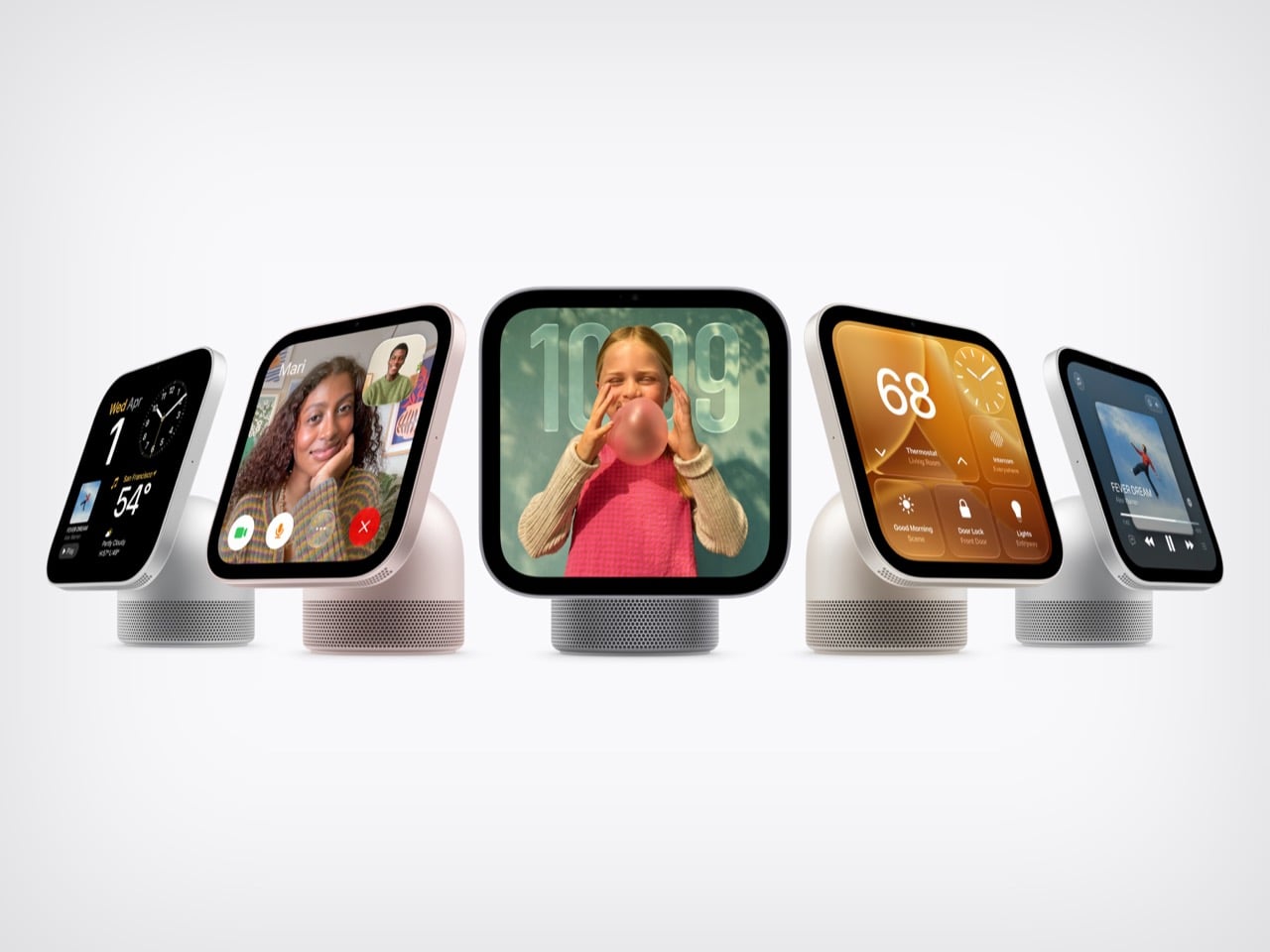
Apple Watch-Style Faces and iPad Glass Decide What You See

The screen looks like it comes from the iPad side of the family: a square slab of glass with rounded corners and a front camera for FaceTime. Center Stage adjusts the framing as people move or join the call. Apple lists a brightness range from 500 nits down to 0.3 nits, allowing the display to dim substantially at bedtime. True Tone adjusts the white balance to ambient lighting. Selected interface elements also respond to your distance, showing simpler information across the room and more detail as you approach.

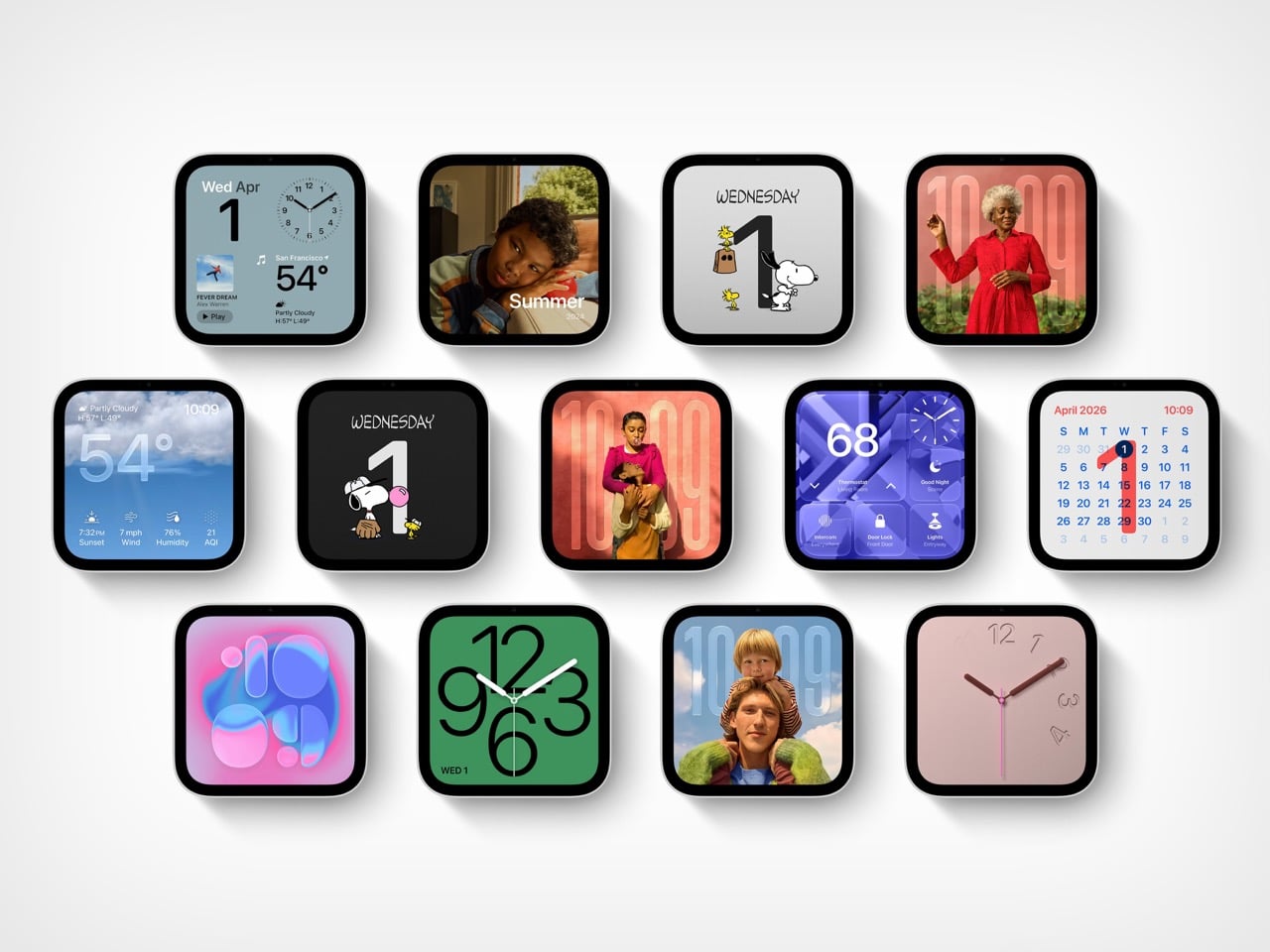
The faces feel distinctly Apple Watch-like. Photos offers Portrait-style depth effects, while Flow reacts to movement in the room. Snoopy’s animations respond to the time of day, weather, and sporting events, a very Watch way of being useful and adorable at once. Home Modular puts favorite accessories on one dashboard, and Home Camera can stream up to nine video feeds at once. Fan designers were exploring this territory years ago. Justin Latham’s HomePod Nano concept, which we covered in 2023, imagined a speaker with a display running a proposed watchOS fork. It was a fan concept, not an Apple product or working software announcement. HomeView’s Live Activities surface the current song, an active timer, or an incoming Intercom message, bringing that glance-and-go logic to a household screen.

The Speaker Base Does the Heavy Lifting

The base recalls the HomePod, although Apple’s images show a perforated, color-matched exterior rather than the HomePod’s fabric mesh. Small grille holes also run along the display’s lower edge. A down-firing woofer and two force-cancelling passive radiators sit in the base, while two full-range drivers occupy the display.Apple says computational audio uses its silicon and onboard sensors to adjust loudness and bass response in real time.  The wall-mounted model has two full-range drivers but no base-mounted woofer or passive radiators, so the two versions shouldn’t be treated as acoustically identical. HomeView supports multiroom audio alongside HomePod, HomePod mini, and AirPlay-compatible speakers. Intercom also reaches HomeView and HomePod speakers elsewhere in the house.

The original HomePod was announced in 2017 at $349, when we dubbed it Apple’s “tune-busting Fabergé Egg.” Against that historical price, $299 for a speaker, screen, camera, and face recognition looks tempting on paper. You can pre-order HomeView on Apple’s site now, with both the tabletop and wall-mounted models arriving November 13. The tabletop unit ships with a color-matched USB-C cable, while the wall version relies on Schneider Home’s power mounts, which start at $59.95 and are sold separately. Siri AI launches in beta and in English, and Apple is not selling HomeView in the EU for now. Every ancestor in this object was Apple’s bet on a different decade, and HomeView is the first time they all share one counter.


The post Meet Apple HomeView: A weirdly genius combination of the iMac, Watch, iPad, and HomePod first appeared on Yanko Design.

  •  

Huawei MatePad Pro 12” Review: Stunning Hardware, One Familiar Caveat

PROS:


  • Gorgeous PaperMatte display

  • Very thin and light formfactor

  • Big battery

  • Good speaker

CONS:


  • No built-in Google Play Store

  • Long-term software support remains unclear

RATINGS:

AESTHETICS
ERGONOMICS
PERFORMANCE
SUSTAINABILITY / REPAIRABILITY
VALUE FOR MONEY

EDITOR'S QUOTE:

The MatePad Pro 12" is stylish, light, and lovely to use, with a PaperMatte display that does a lot of the heavy lifting.

Huawei’s tablet lineup is not doing itself many favors right now. The names suggest one thing, the products suggest another, and if you are just a normal person trying to work out which model is which, the whole range can feel oddly muddled. The MatePad Air sounds like it should be the lighter, breezier option, yet the MatePad Pro 12″ is actually the one that feels lighter and more effortless in the hand.

The MatePad Pro Max, by contrast, is much easier to understand. It is the big brother in the family, and it looks the part too, with a very similar design language to the MatePad Pro 12″. That makes this tablet feel like the middle child in Huawei’s lineup, not in a bad way, but in the sense that it sits between the easy-to-place Max and the more confusingly named Air.

Designer: Huawei

The good news is that the product itself is much easier to understand than the naming. The MatePad Pro 12″ is a slim, striking tablet that clearly wants to be useful as well as beautiful. It aims to cover work, entertainment, note-taking, and creative play in one polished package, and for the most part, it succeeds by being pleasant to use rather than merely impressive on paper.

Aesthetics
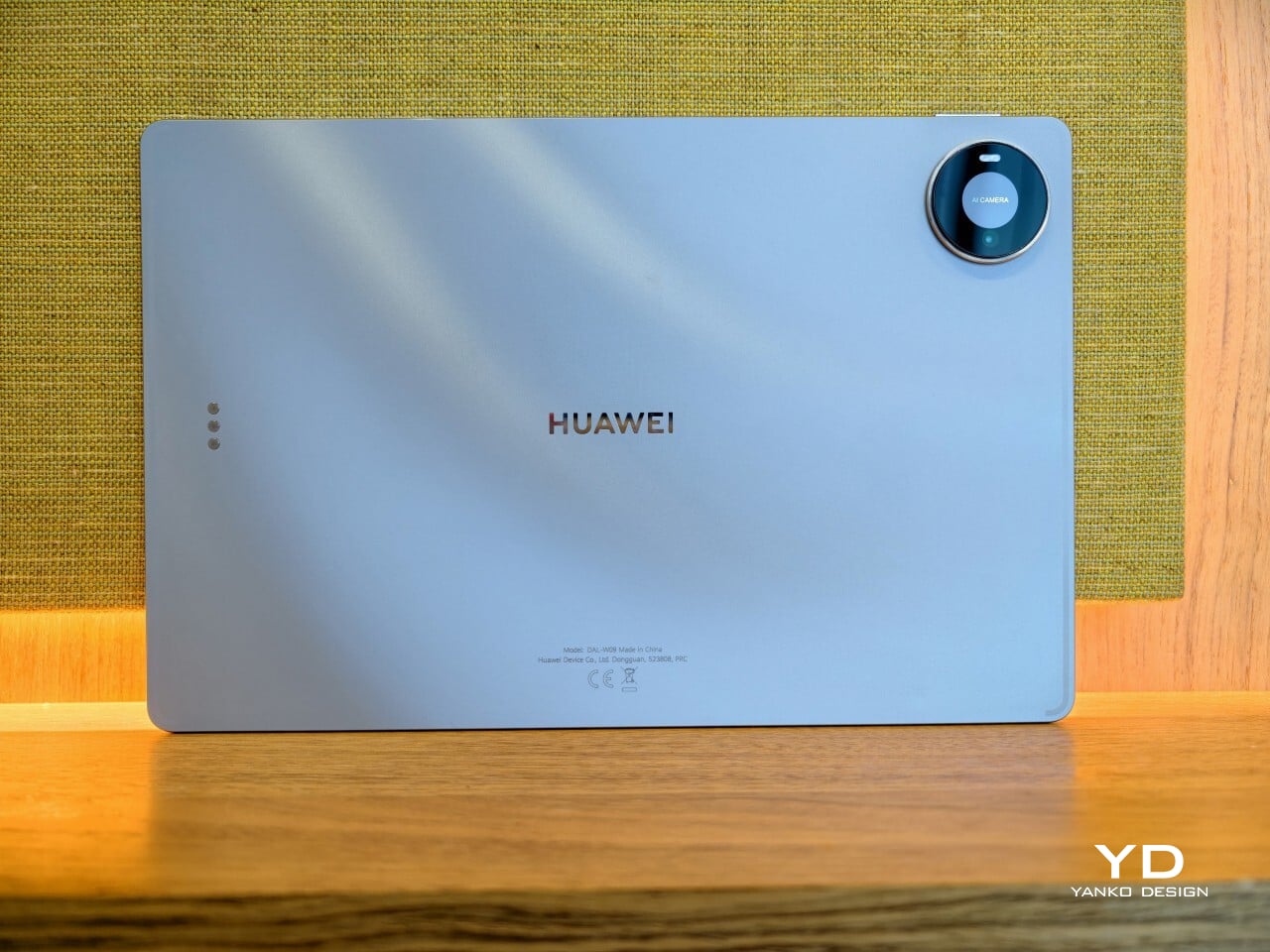
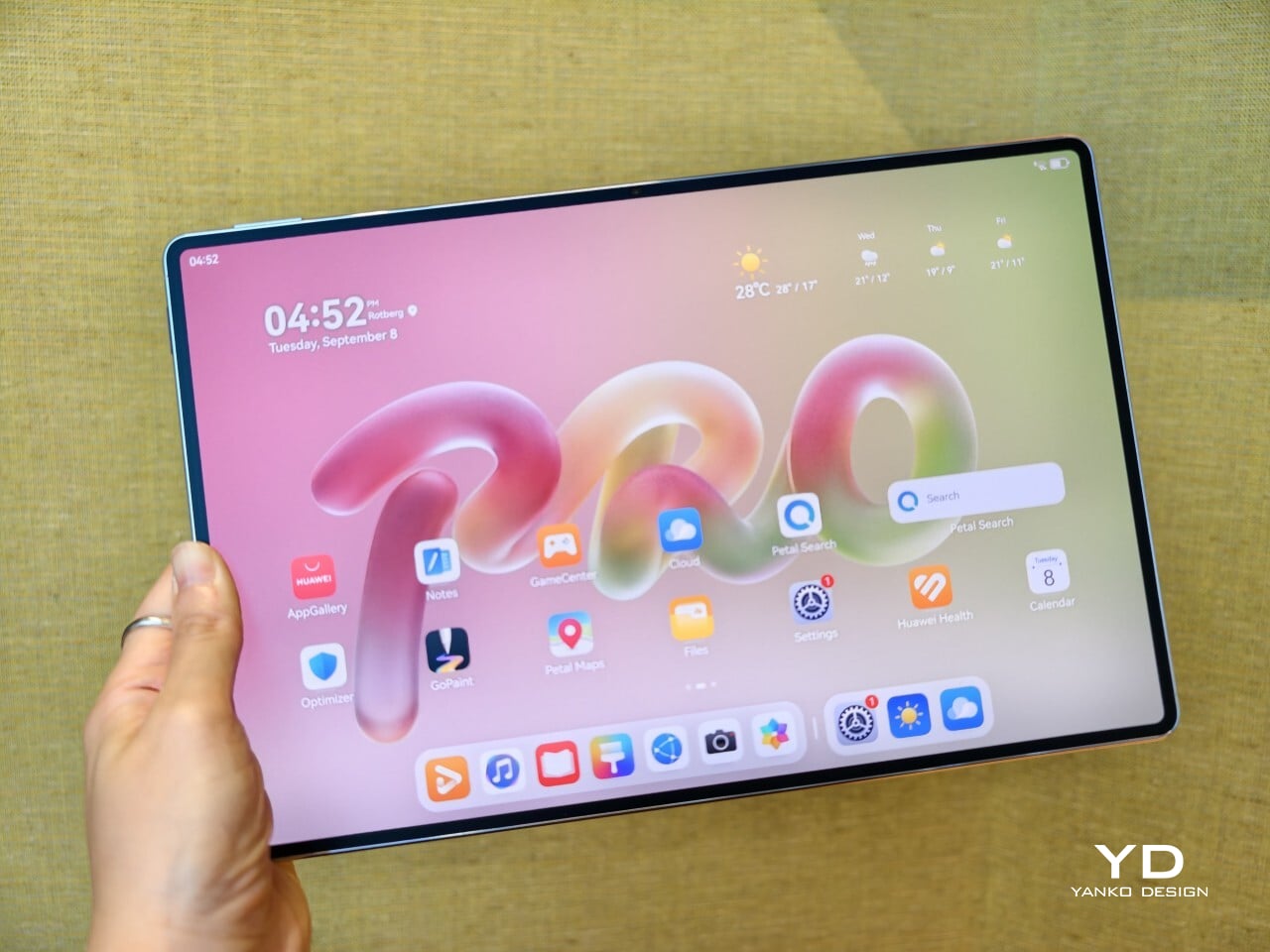
The MatePad Pro 12″ looks a lot like a smaller MatePad Pro Max, which is no bad thing. The two share the same slim, polished design language, and that gives the Pro 12″ an immediately premium feel. If anything, this size makes the look more approachable. It still has that high-end flagship polish, just in a form that feels a little less dramatic and easier to live with.

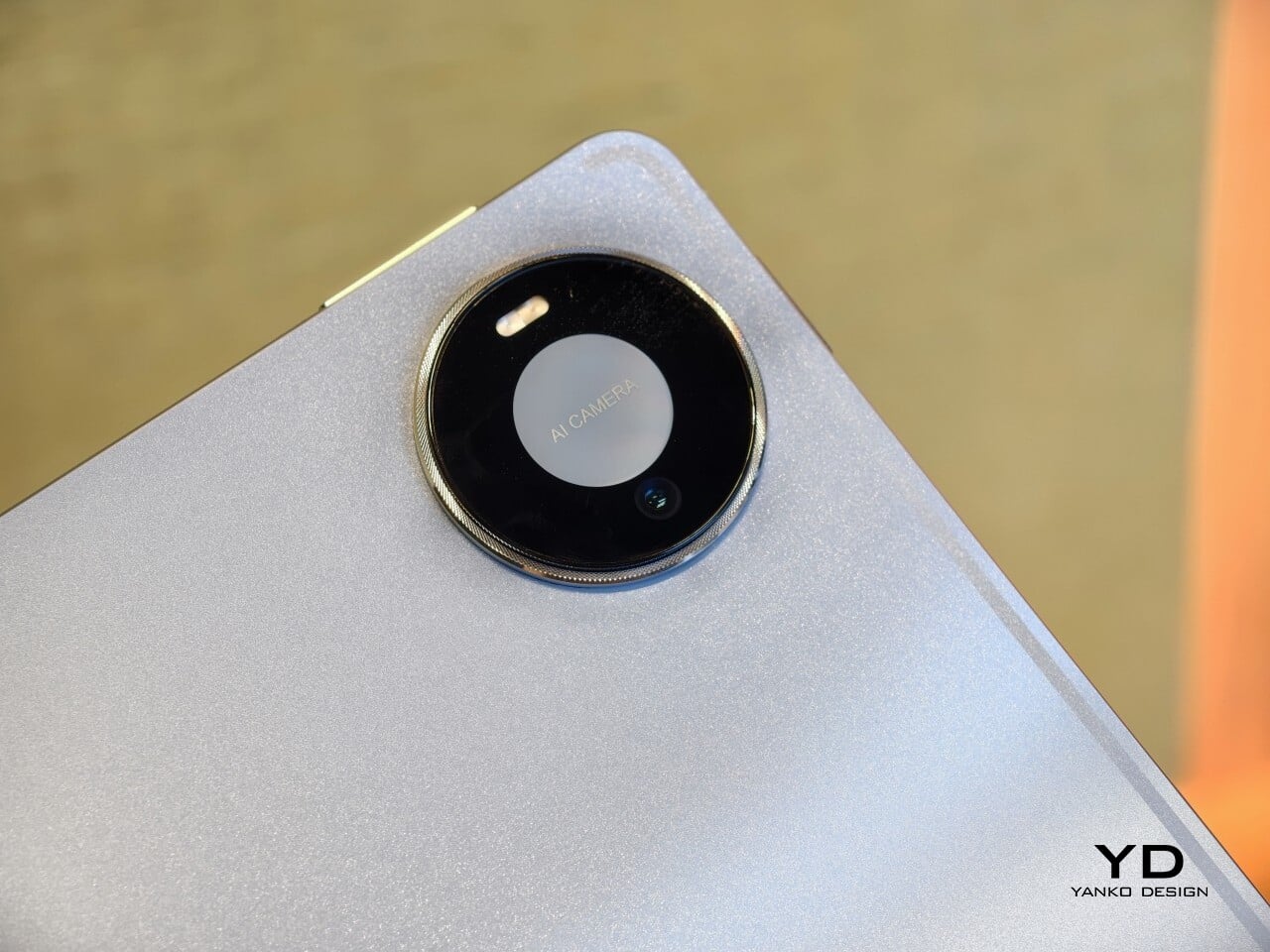
Both tablets come in Blue and Space Gray, and the Blue version I received is especially attractive. It has a soft shimmer finish that catches the light nicely without tipping into anything too flashy or fussy. There is also a nice contrast between the shimmer back panel and the glossy side frame, while the slightly rounded edges keep the tablet from feeling too sharp or severe. Together with the circular camera bump, these details give the design a bit more warmth and character without taking away from its clean, premium feel.

Ergonomics

For a 12-inch tablet, the MatePad Pro 12″ is impressively easy to handle. It measures about 10.4 x 6.8 inches (264.2 x 172.9 mm) and is just 0.19 inches thick (4.7 mm), but at 454g, or about 1 pound, it feels lighter in the hand than its size suggests. That makes a real difference in daily use. It is easy enough to hold one-handed for short stretches, and it never feels as cumbersome as some larger tablets do.

Just as importantly, it does not feel flimsy. Despite how thin and light it is, the MatePad Pro 12″ still feels solid and premium in the hand. That balance matters, because a tablet this slim could easily have tipped into feeling delicate. Instead, it feels refined without feeling fragile.
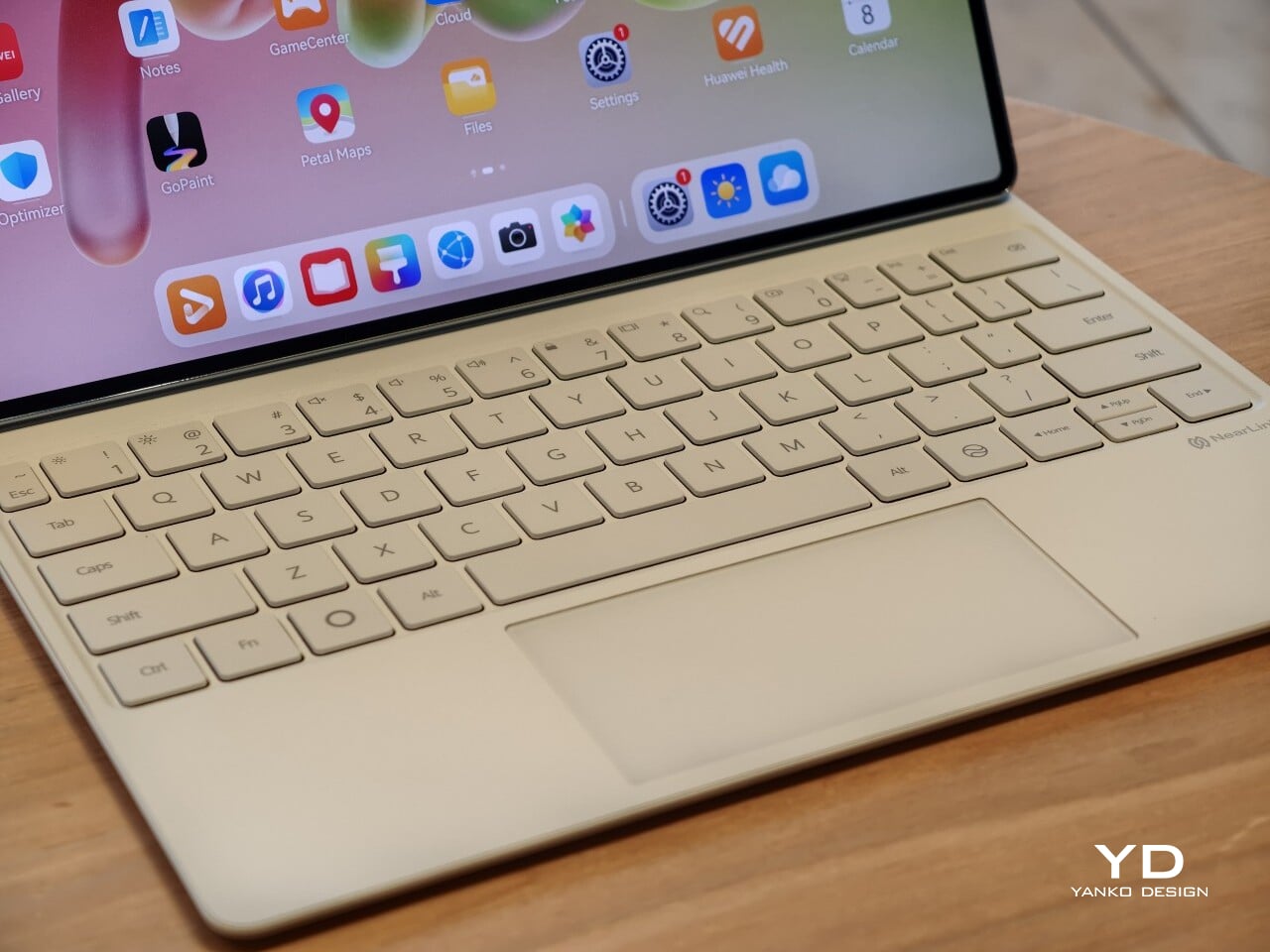
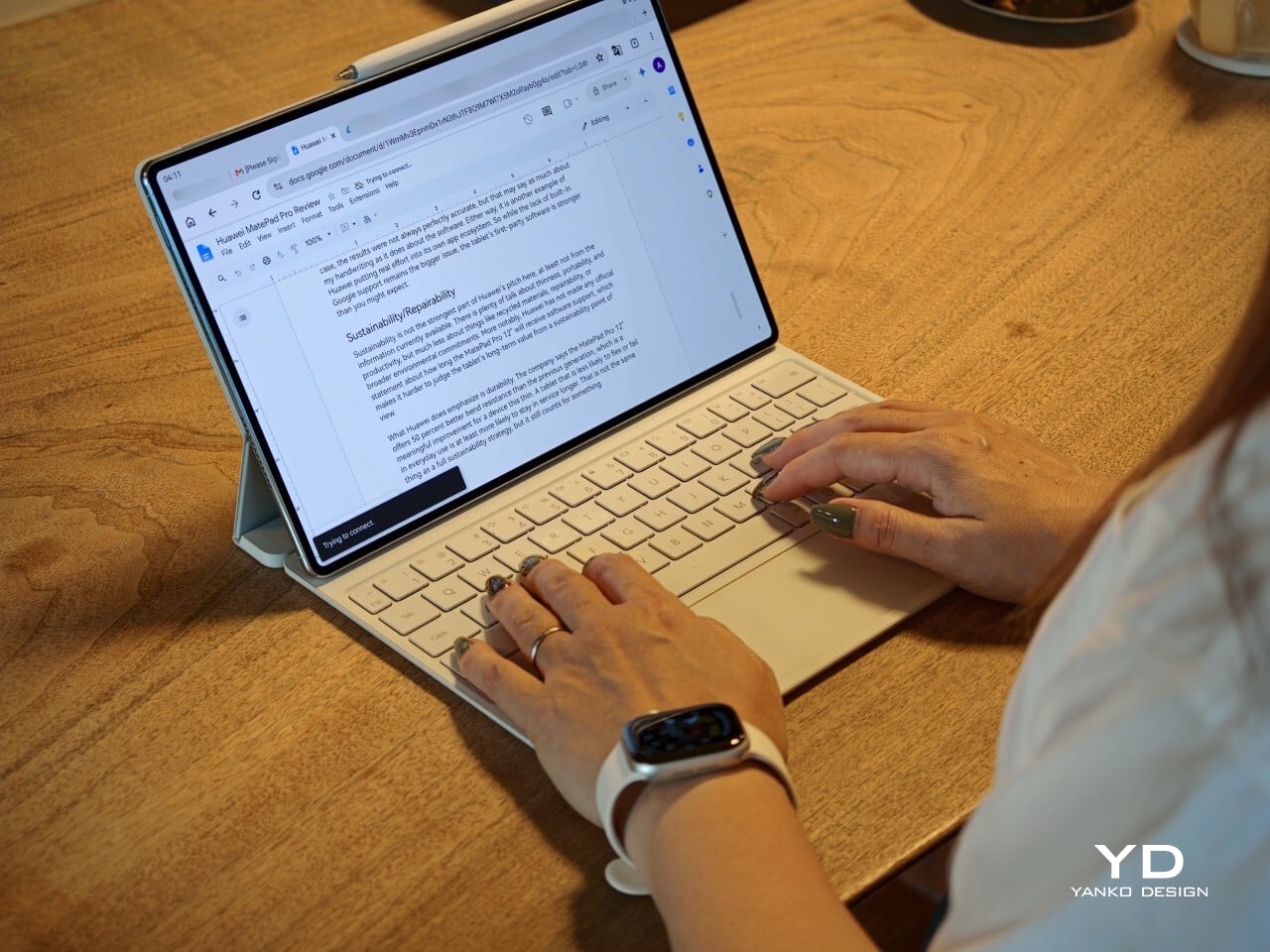
I also received the optional Huawei Glide Keyboard, which weighs 399g, or about 14.1 ounces, and turns the tablet into something much closer to a compact laptop. The typing experience is good, and one detail I especially appreciated is the way the keyboard neatly nests the stylus. It gives the pen a proper place to sit, which means there is less chance of it going missing while you are carrying the tablet around. Small touches like that make the whole setup feel more thought through.

That said, the keyboard is not perfect. The touchpad is a little too easy to trigger, and I often found myself accidentally brushing it while typing, so I ended up turning off Tap to Click. There is also only one viewing angle, which limits flexibility a bit, and the keyboard is not backlit. None of these issues are deal-breakers on their own, but together they make the accessory feel a little less polished than the tablet itself.

Performance
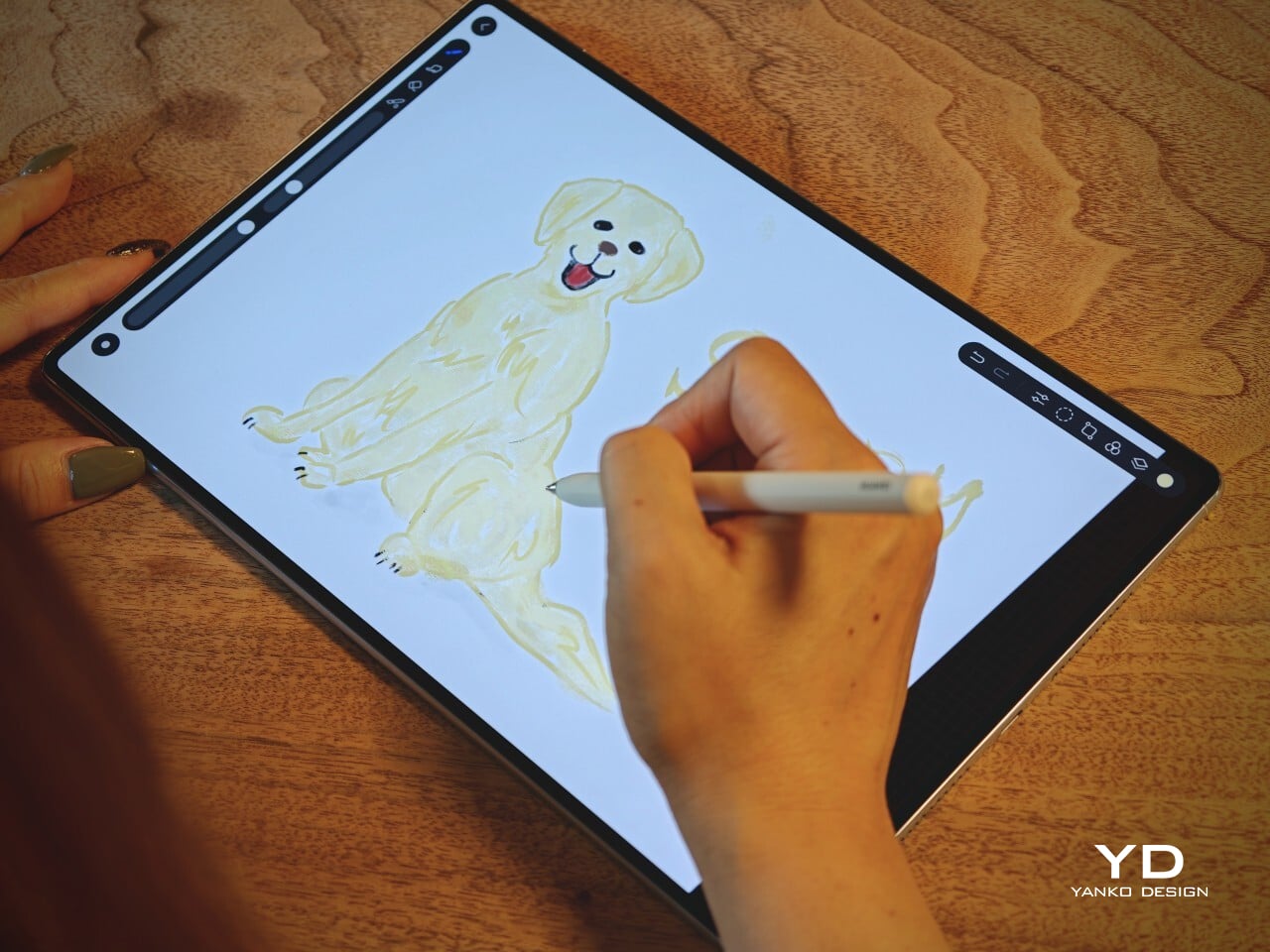
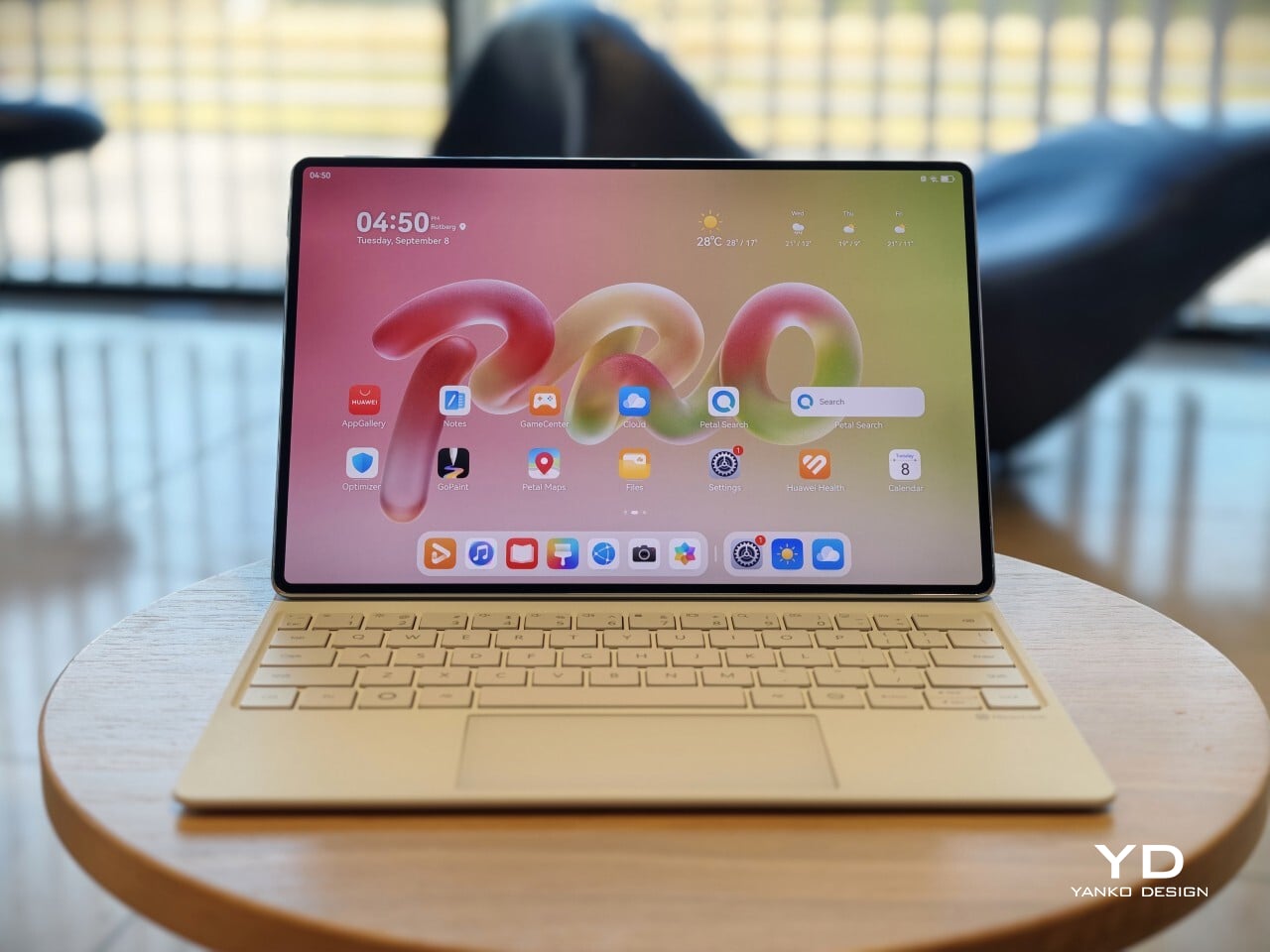
The display of the MatePad Pro 12″ is the obvious star. Huawei’s PaperMatte screens remain one of the company’s best ideas, and that is true here as well. The 12-inch OLED panel looks sharp, bright, and vibrant, while the slim 3.5mm bezels help give it a more immersive feel. Huawei has also embedded the front camera neatly into that thin border, which keeps the front looking clean and uninterrupted rather than broken up by a notch or thicker framing.

What really makes the screen stand out, though, is the PaperMatte finish. Huawei’s PaperMatte displays have impressed me before, and this one is no exception. The matte treatment cuts down on glare without making the panel look flat or dull, which is not always easy to pull off. Huawei says anti-reflection performance is 30 percent better than the previous generation, and that feels believable in everyday use. Even in bright environments, the screen comes remarkably close to reflection-free, and with up to 1600 nits of peak brightness, it stays comfortable for reading, browsing, and longer work sessions without constantly fighting the light.
The speakers are another pleasant surprise. The MatePad Pro 12″ uses a four-speaker setup, and for something this thin and light, it gets plenty loud and has more bass presence than you might expect, which gives music, dialogue, and video a bit more body than a device this slim really ought to manage. It never quite feels like the sound is coming from such a small and thin tablet. The audio can get a little sharp at times, especially at higher volume, but for casual listening and streaming, it still does a very good job.

Battery life has been solid in my use. The MatePad Pro 12″ packs a 10,400mAh battery, and in a fairly normal day of writing, emails, keeping up with my team on Slack, web browsing, and YouTube, it got through to the end of the day without me worrying too much about battery. Huawei rates it for up to 14.7 hours of local video playback, and there is also 40W reverse charging if you need to top up another device.
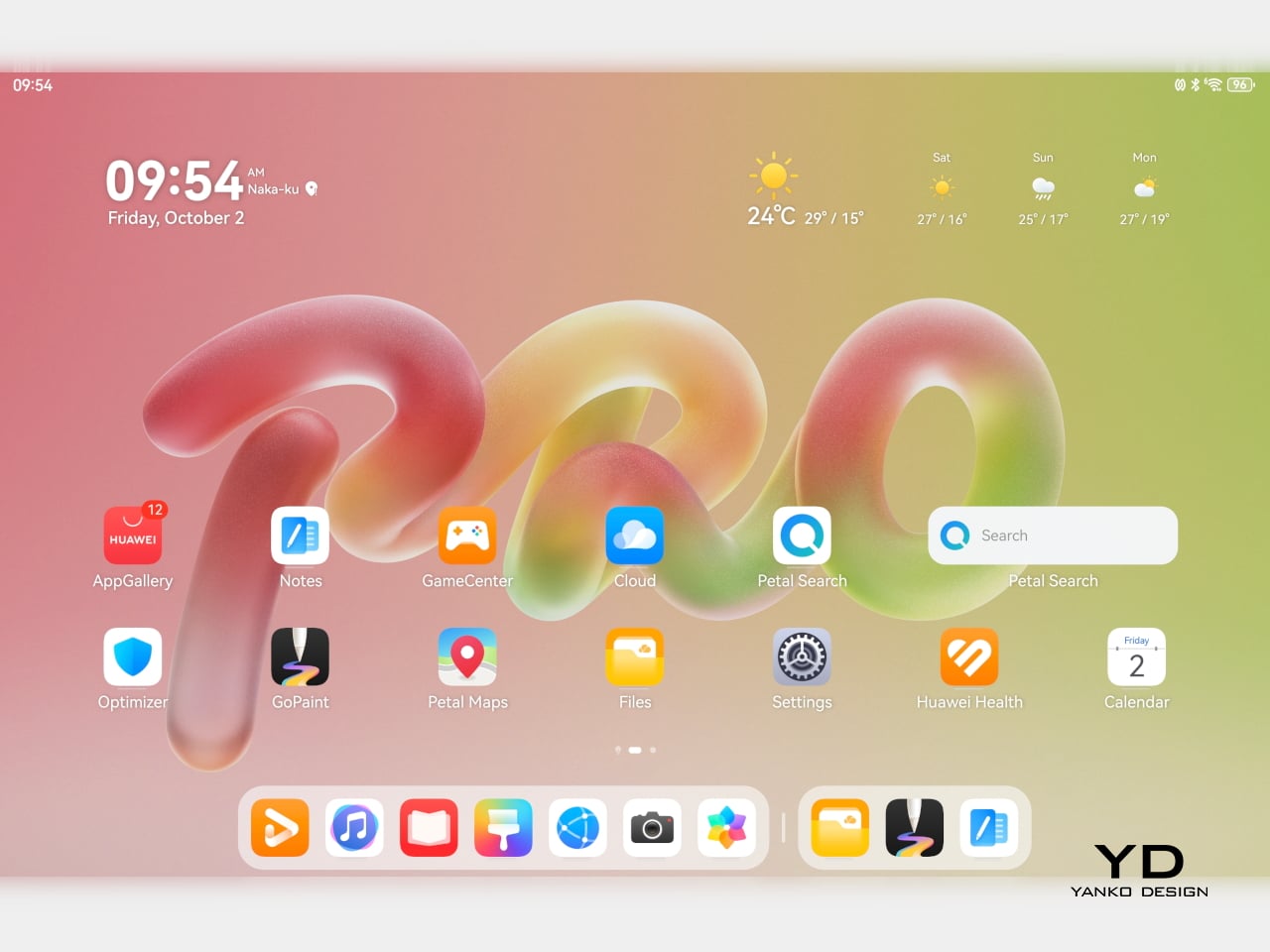
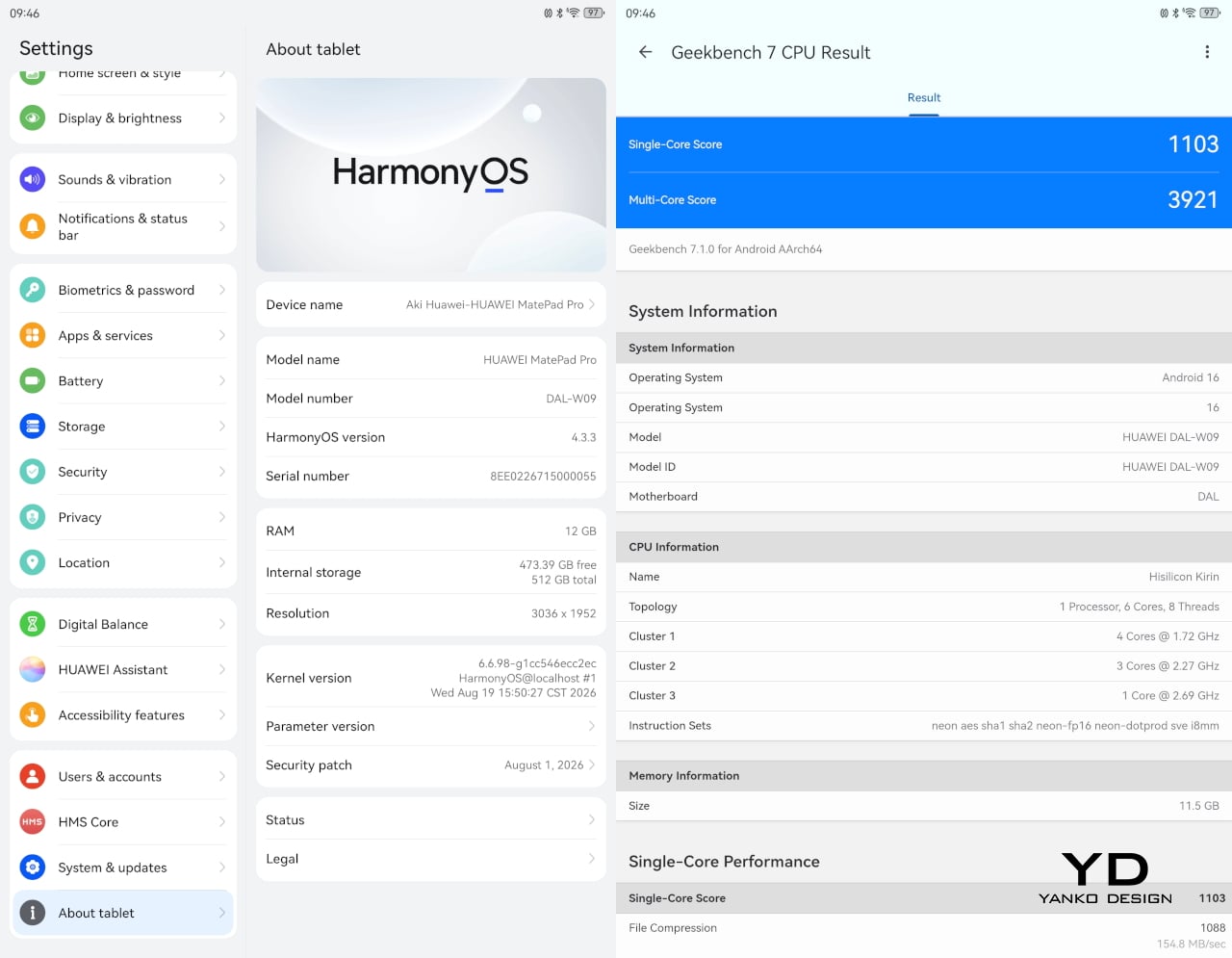
Software is where the MatePad Pro 12″ becomes a more conditional recommendation. The tablet runs Harmony OS 4.3 out of the box, and there is no built-in support for the Google Play Store or Google Mobile Services here, and while there are workarounds, there is no guarantee every app you rely on will work exactly as expected. That is the main thing potential buyers need to understand going in. The hardware is easy to appreciate straight away. The software side asks for a bit more patience and flexibility.

Huawei’s AppGallery does offer options like GBox, which can help you access apps that depend on Google services, but the experience is not always seamless. In my testing, GBox did not support split-screen, which felt limiting on a tablet that is otherwise clearly built for multitasking. I had better luck with apps downloaded through Aurora, which did work in split-screen, but that still leaves you deciding how comfortable you are relying on third-party app sources. For some people, that will be a manageable compromise. For others, it will be reason enough to hesitate.
On the plus side, Huawei’s own built-in apps for productivity and creativity are genuinely quite capable. GoPaint, in particular, feels feature-rich, with a wide variety of brushes and granular control over how they behave. There are also more ambitious tools like animation, which appears to build movement from your layers, and a timelapse feature that lets you replay a drawing from start to finish. Even if not everyone will use those tools seriously, they help the app feel more than just a token extra.

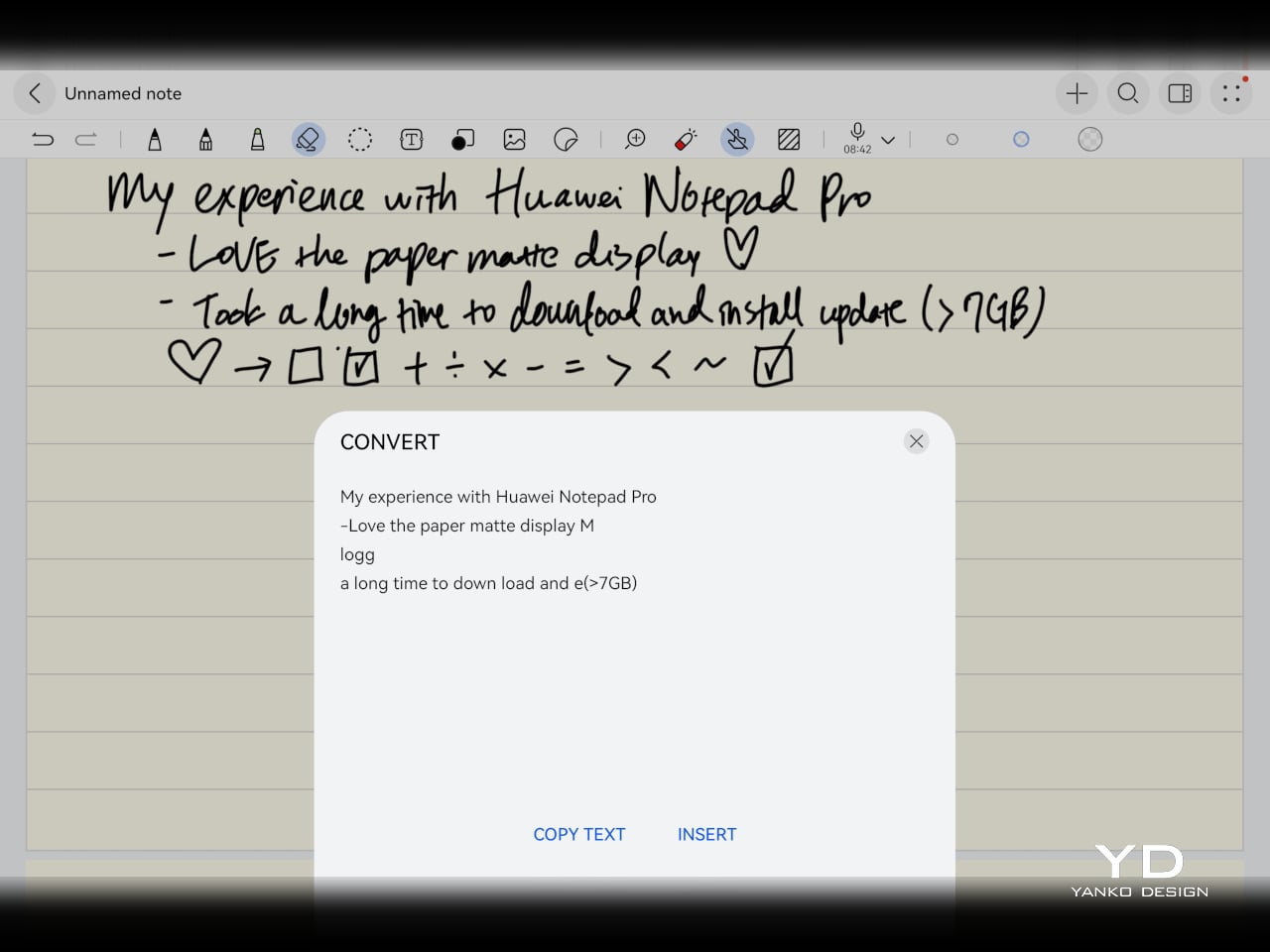
The Notes app is also packed with features, including AI handwriting-to-text. In my case, the results were not always perfectly accurate, but that may say as much about my handwriting as it does about the software. Either way, it is another example of Huawei putting real effort into its own app ecosystem. So while the lack of built-in Google support remains the bigger issue, the tablet’s first-party software is stronger than you might expect.

Sustainability
Sustainability is not the strongest part of Huawei’s pitch here, at least not from the information currently available. There is plenty of talk about thinness, portability, and productivity, but much less about things like recycled materials, repairability, or broader environmental commitments. More notably, Huawei has not made any official statement about how long the MatePad Pro 12″ will receive software support, which makes it harder to judge the tablet’s long-term value from a sustainability point of view.

What Huawei does emphasize is durability. The company says the MatePad Pro 12″ offers 50 percent better bend resistance than the previous generation, which is a meaningful improvement for a device this thin. A tablet that is less likely to flex or fail in everyday use is at least more likely to stay in service longer. That is not the same thing as a full sustainability strategy, but it still counts for something.

Value
Value is where the MatePad Pro 12″ becomes more complicated. Pricing starts at €1,199, or about $1,330, for the 12GB and 256GB model with a folio cover, rises to €1,299, or roughly $1,440, with the Glide Keyboard, and reaches €1,449, or around $1,610, for the 12GB and 512GB version with the keyboard. For context, Apple’s 11-inch iPad Pro with 256GB of storage starts at $1,199 in the U.S., so Huawei is clearly pricing this in direct flagship territory.

Judged purely on hardware, the MatePad Pro 12″ feels convincingly premium. It is slim, light, beautifully made, and fitted with an excellent display. The problem is that the software caveats do not disappear just because the hardware is this polished. The lack of built-in support for the Google Play Store or Google Mobile Services still makes this a more selective recommendation than the price might suggest. If you are already comfortable with Huawei’s ecosystem, the value makes more sense. If not, the asking price may feel harder to justify.

Verdict
The Huawei MatePad Pro 12″ makes its strongest case through hardware. It is slim, light, beautifully made, and fitted with a PaperMatte display that remains one of Huawei’s real strengths. The speakers are better than you might expect from something this thin, battery life has been solid in my use, and the overall experience feels properly premium. It is the kind of tablet that makes a strong first impression and, for the most part, keeps earning it.

What stops it from being an easy recommendation is software. There is no built-in support for the Google Play Store or Google Mobile Services, and while workarounds exist, they are still workarounds. For buyers already comfortable with Huawei’s ecosystem, that may be manageable. For everyone else, it adds friction to a tablet that is otherwise polished and appealing. The MatePad Pro 12″ is a very good piece of hardware, but it is not the most straightforward premium tablet to buy.

The post Huawei MatePad Pro 12” Review: Stunning Hardware, One Familiar Caveat first appeared on Yanko Design.

  •  

An Android Drawing Tablet With 127 Layers That Still Feels Like Paper

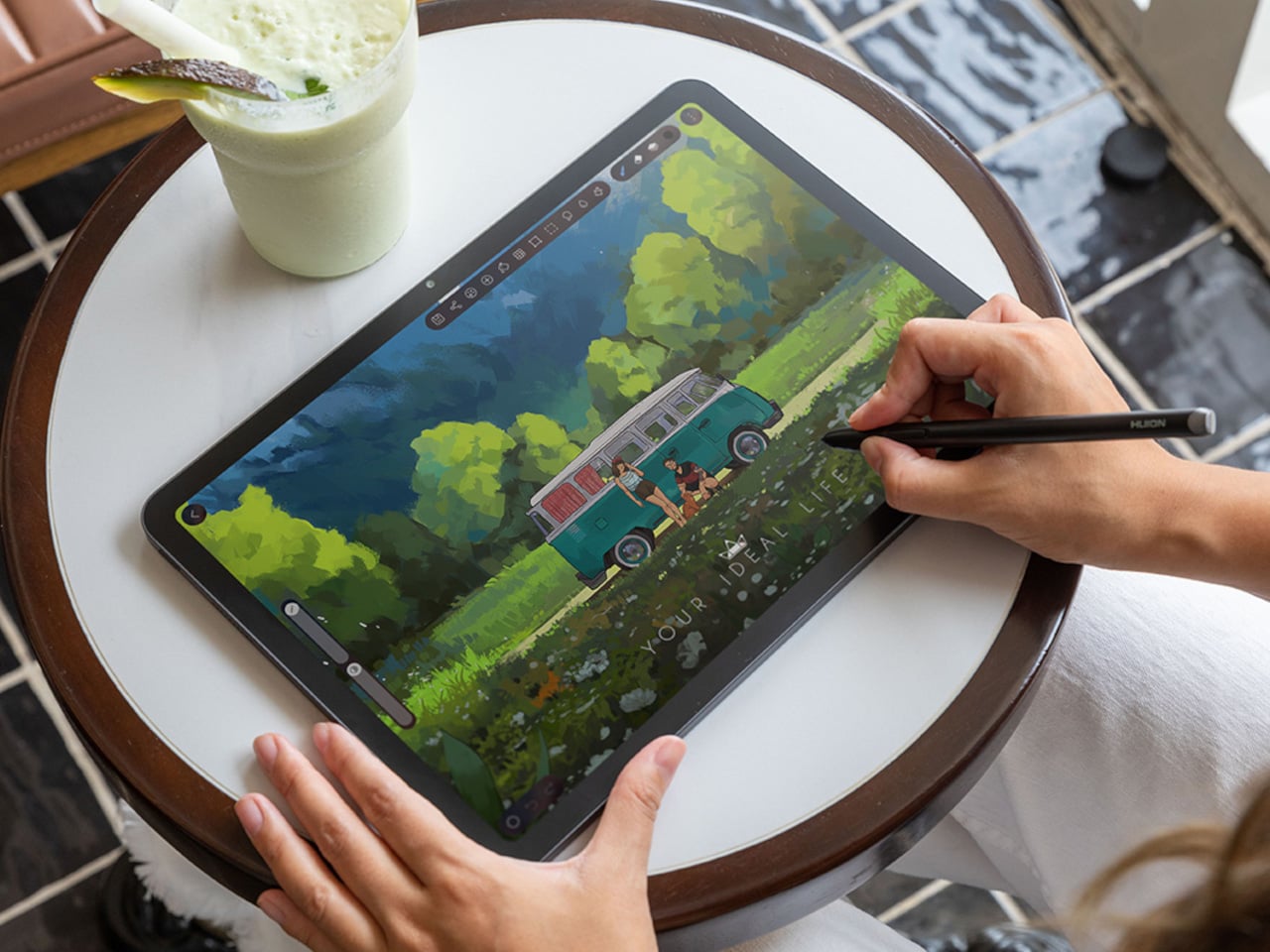
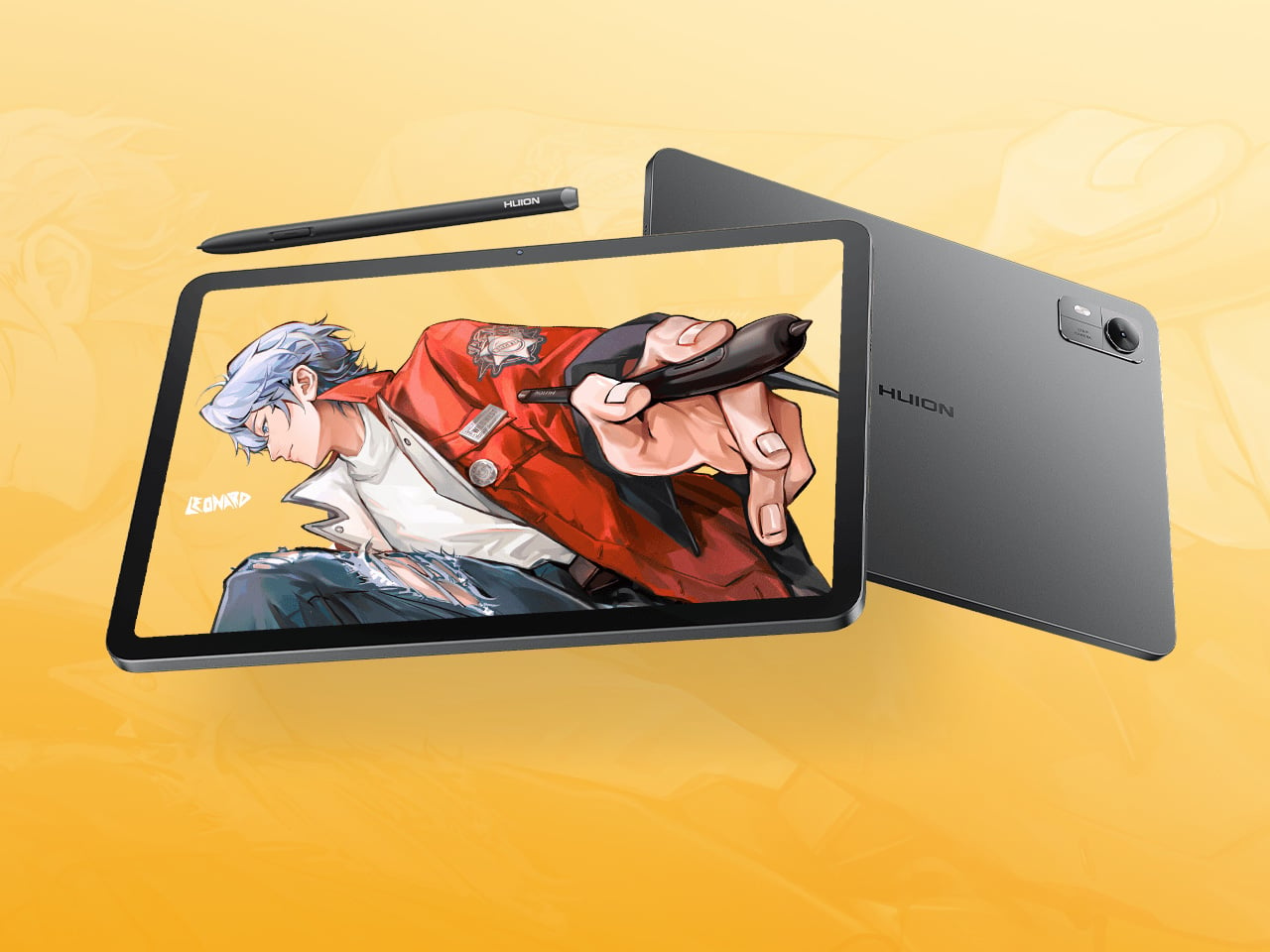
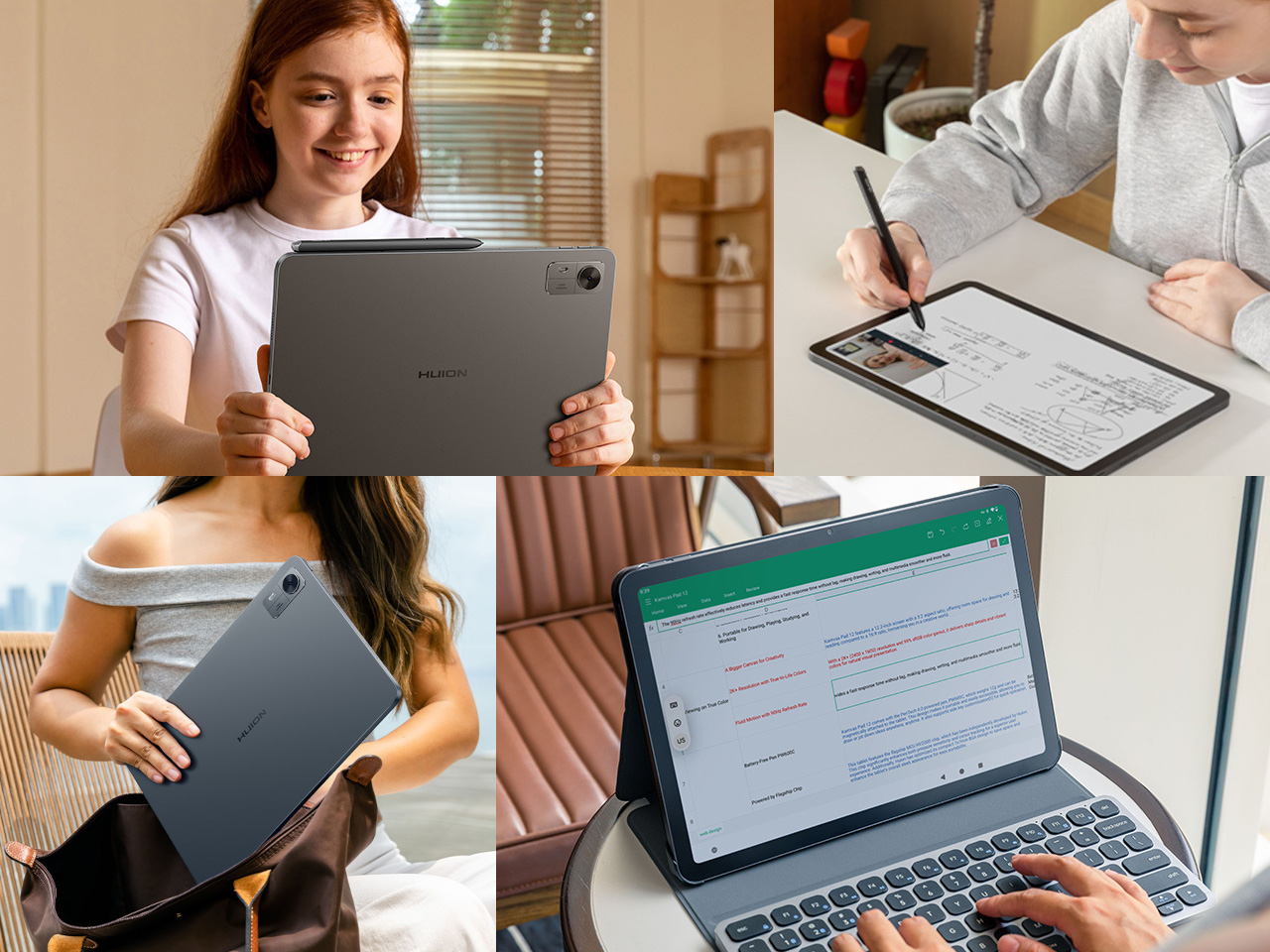
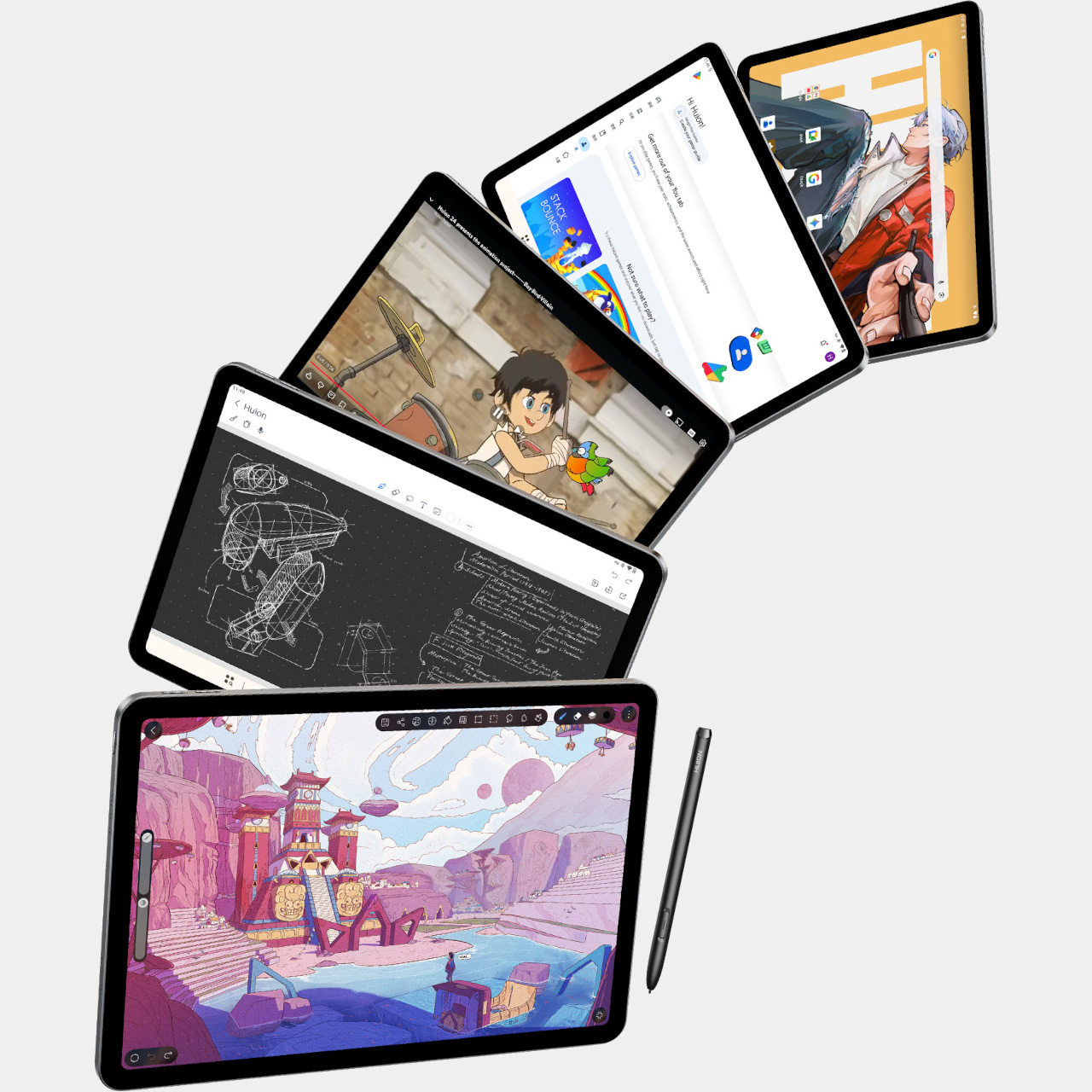
Most Android drawing tablets make you choose between a screen that feels like paper and hardware fast enough to keep up with a real workflow. The Kamvas Pad 12 refuses that trade-off. Huion built a 12.2-inch standalone tablet around a textured, paper-like display and paired it with enough processing power to hold 127 layers open without stuttering, treating the screen as a genuine canvas rather than a stylus afterthought.

That screen runs a 3:2 aspect ratio instead of the usual 16:9, and the difference shows up the moment you start sketching. A wider canvas means fewer awkward crops when composing a portrait or a page layout, and it doubles as a better shape for reading documents or comics without letterboxing. Combined with a 90Hz refresh rate, linework tracks the pen smoothly instead of lagging a beat behind your hand.

Designer: Huion

Canvas Glass 3.0 does the quieter work here. The surface is nano-etched for texture, so the pen tip grips the way it would on actual paper, while a soft-light treatment and anti-glare coating keep long sessions from turning into eye strain. Setting up near a window or working outdoors doesn’t wash out the display, which matters more than most spec sheets give it credit for.

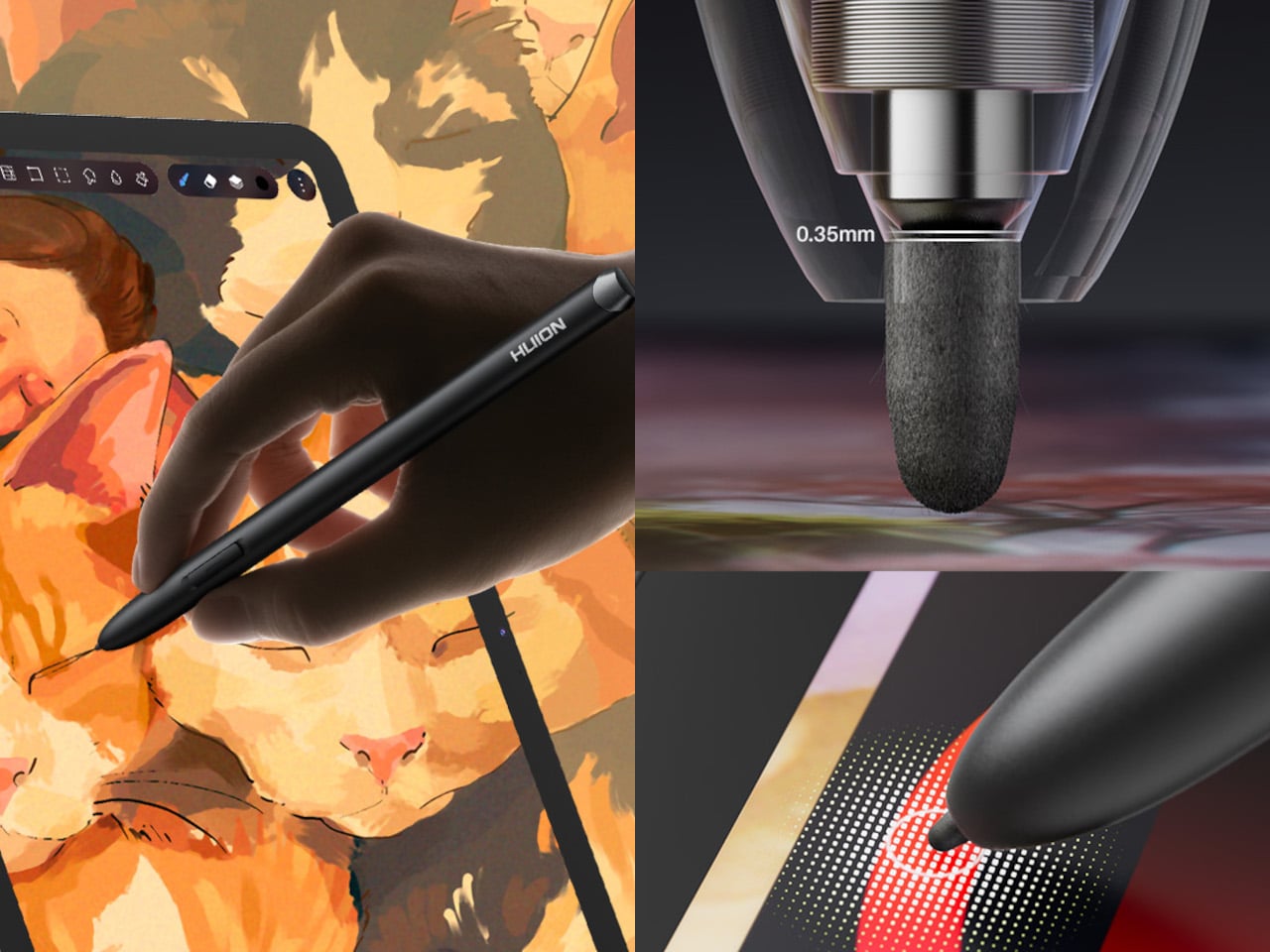
The PW600C pen leans into that same philosophy of getting out of the way. It’s battery-free, weighs just 12 grams, and snaps magnetically onto the tablet body instead of needing a separate case or loop. Someone sketching on a train can toss the pen against the tablet’s edge between stops and trust it’ll still be there, without fishing through a bag for a charging cable or a lost cap.

Underneath, an eight-core MediaTek Genio 720 chip and 8GB of RAM handle the kind of multitasking that used to choke budget Android tablets, running multiple layers and apps without the frame drops that make digital painting frustrating. At 16,384 pressure levels and 60-degree tilt support, the stylus itself translates a feather-light highlight or a bold ink stroke with the kind of nuance that used to be reserved for pricier displays.

Storage tops out at 256GB onboard with room to expand to 1TB, so a growing library of finished pieces, reference photos, and half-done sketches doesn’t force anyone into constant cleanup. Android 16 and full Google Play access mean the tablet isn’t locked into a single app either. Clip Studio Paint, ibisPaint X, MediBang Paint, and Huion’s own HiPaint all come preloaded, ready for whichever workflow fits the project at hand.

Battery life rounds out the case for treating this as a genuine mobile setup instead of a tethered accessory. An 8,000mAh cell inside a 7.8mm metal body keeps the Kamvas Pad 12 running for roughly eight hours, long enough for a full day of sketching at a café or a cross-country flight without hunting for an outlet. That kind of stamina turns a drawing tablet into something closer to a sketchbook you never outgrow.

The post An Android Drawing Tablet With 127 Layers That Still Feels Like Paper first appeared on Yanko Design.

  •  

Get a Laptop or Get a Tablet, TECNO MEGABOOK T15 360 Pro Is Already Both

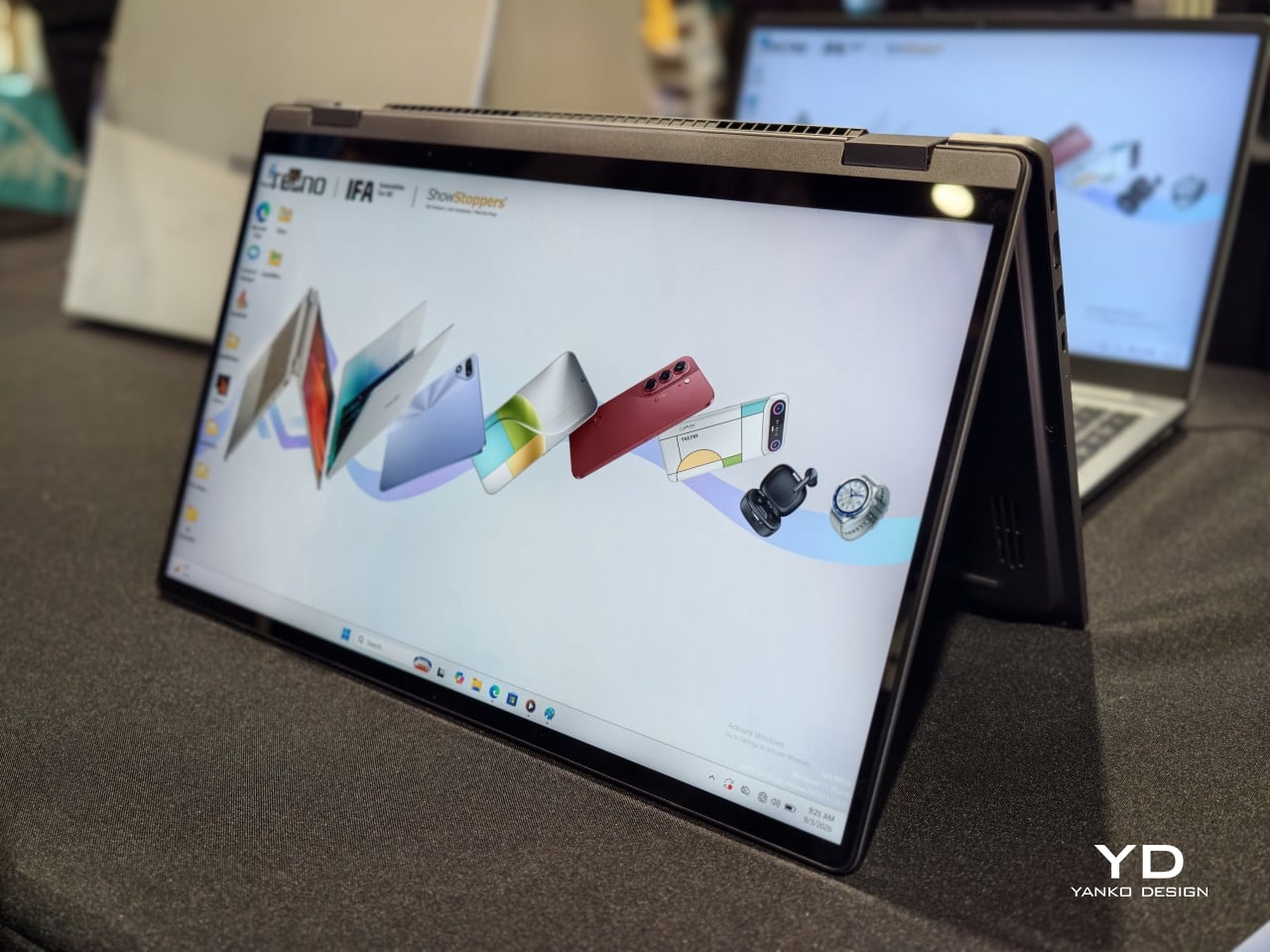
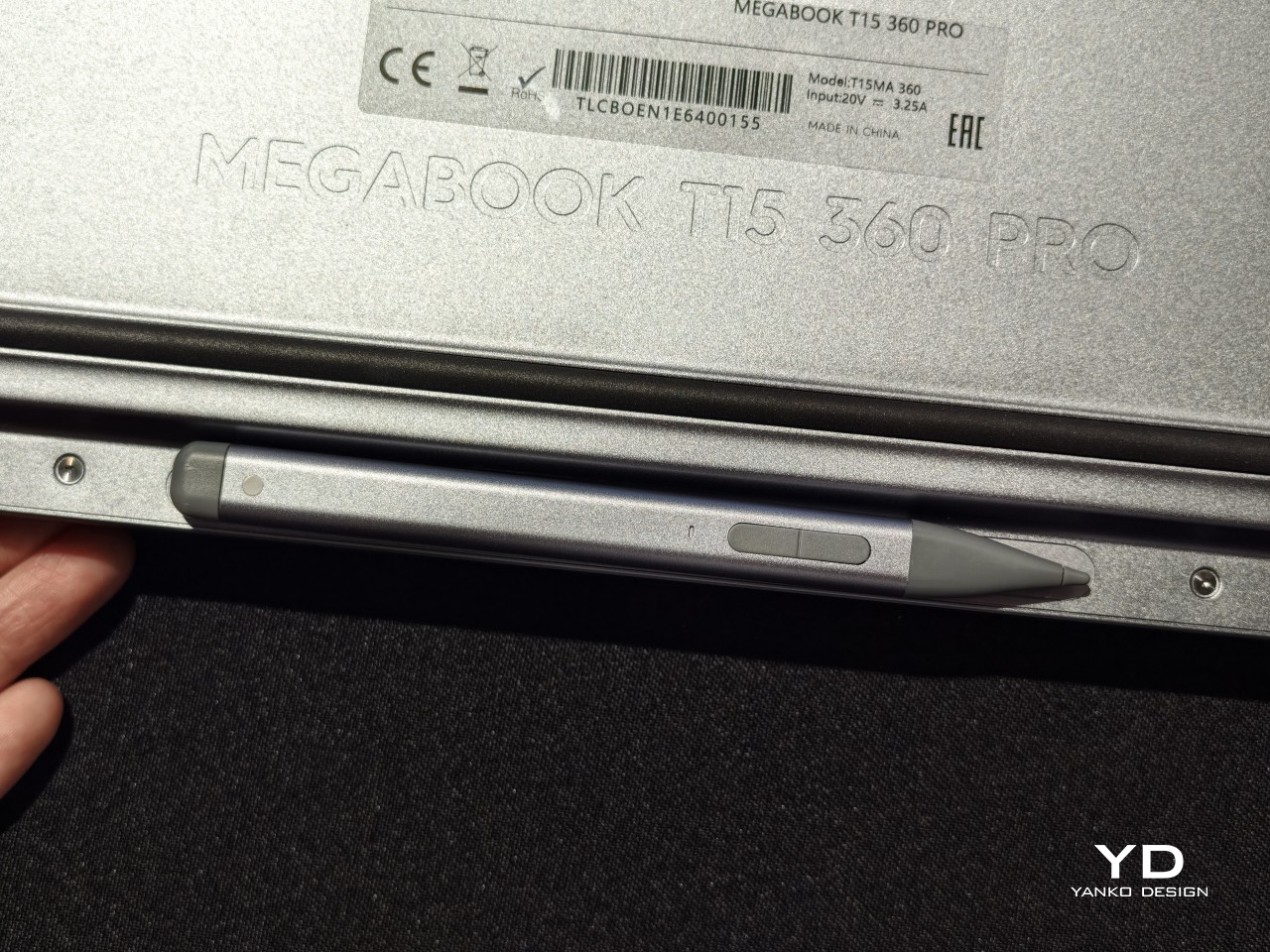
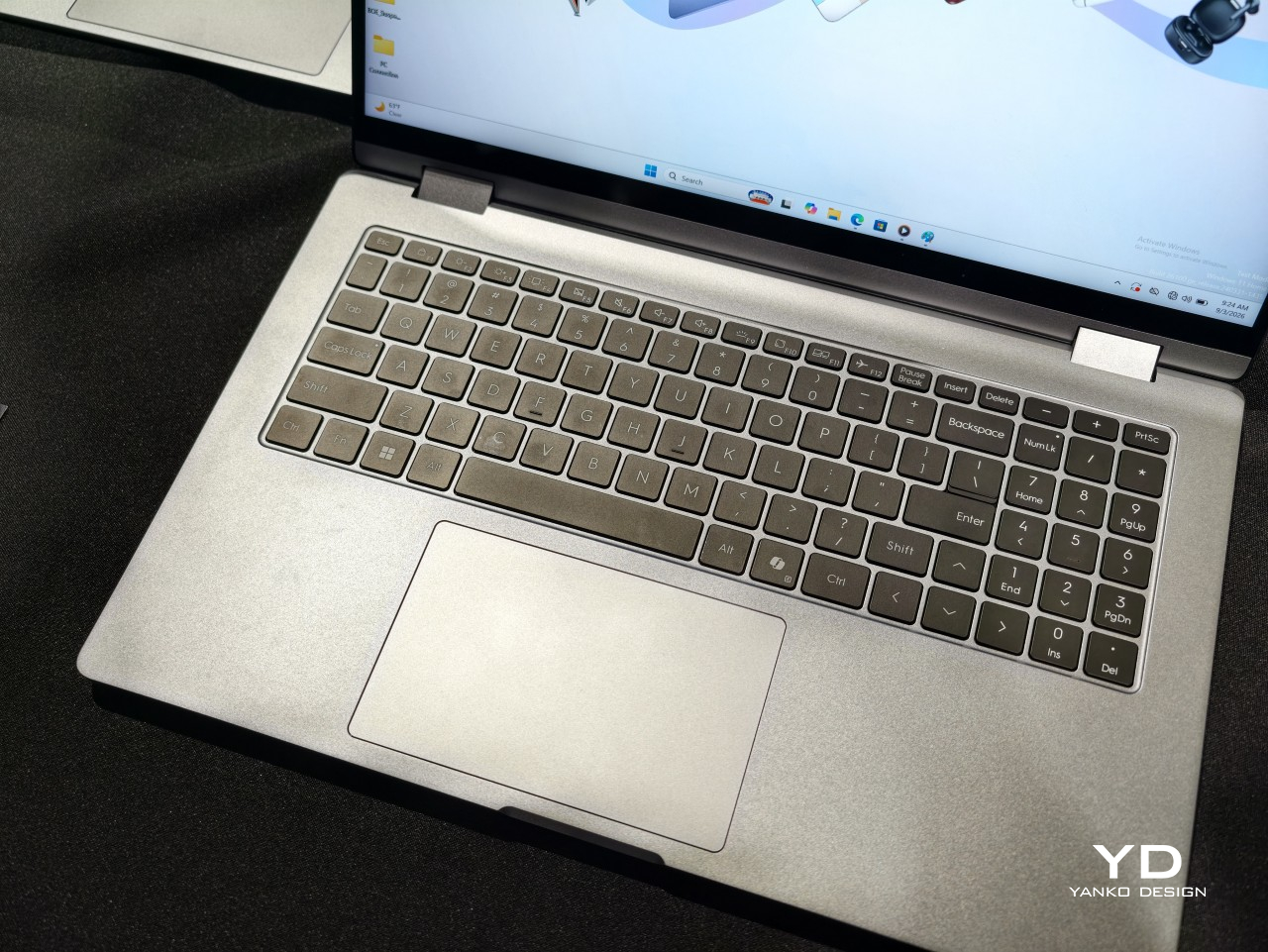
A laptop that only knows one shape stops being useful the moment the day changes its mind. TECNO built the MEGABOOK T15 360 Pro around that exact problem, wrapping a full 360-degree hinge inside an all-metal body machined with precision CNC tooling. The screen folds all the way back, turning one device into four distinct working postures without asking anyone to carry a second gadget.

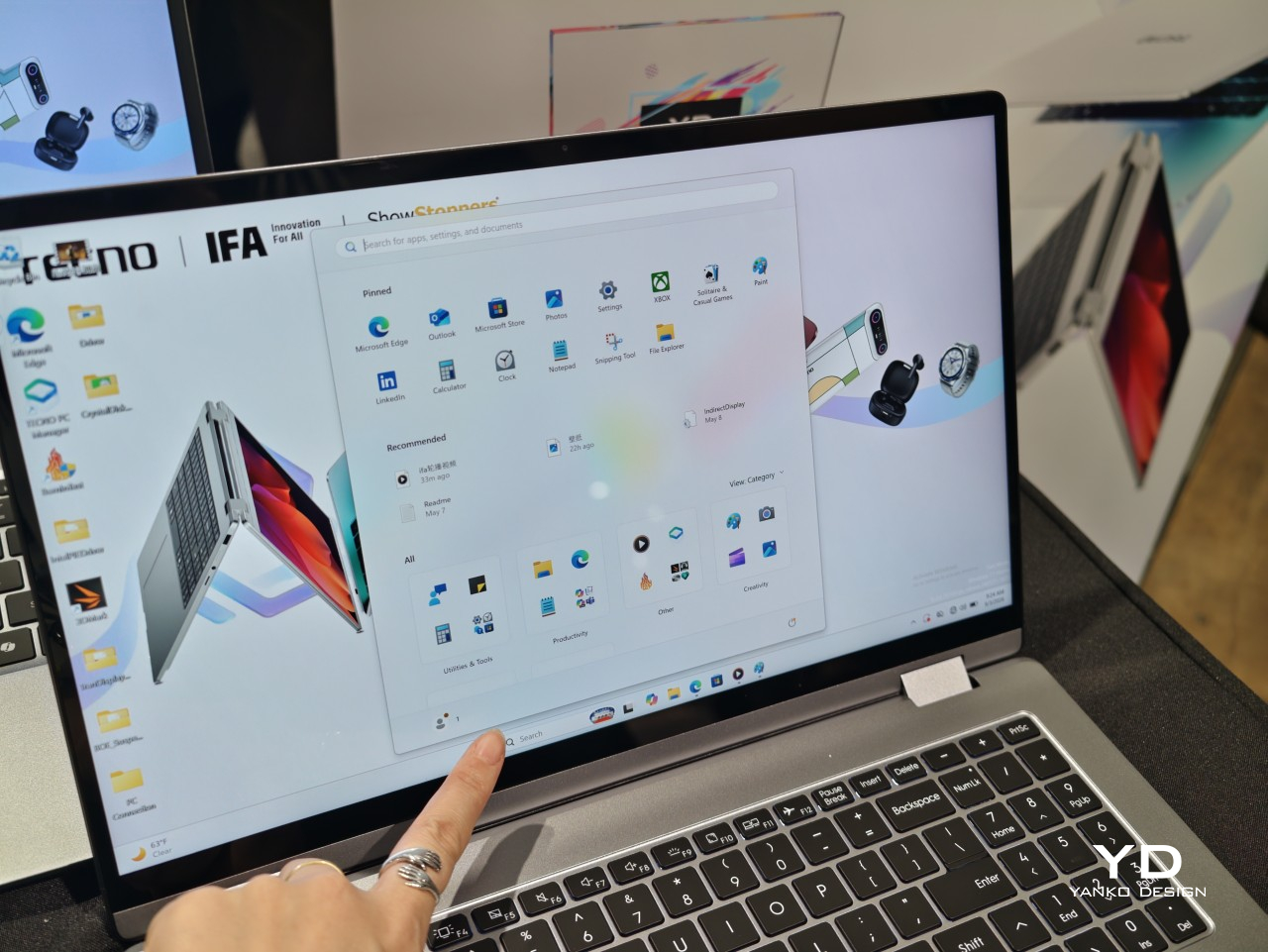
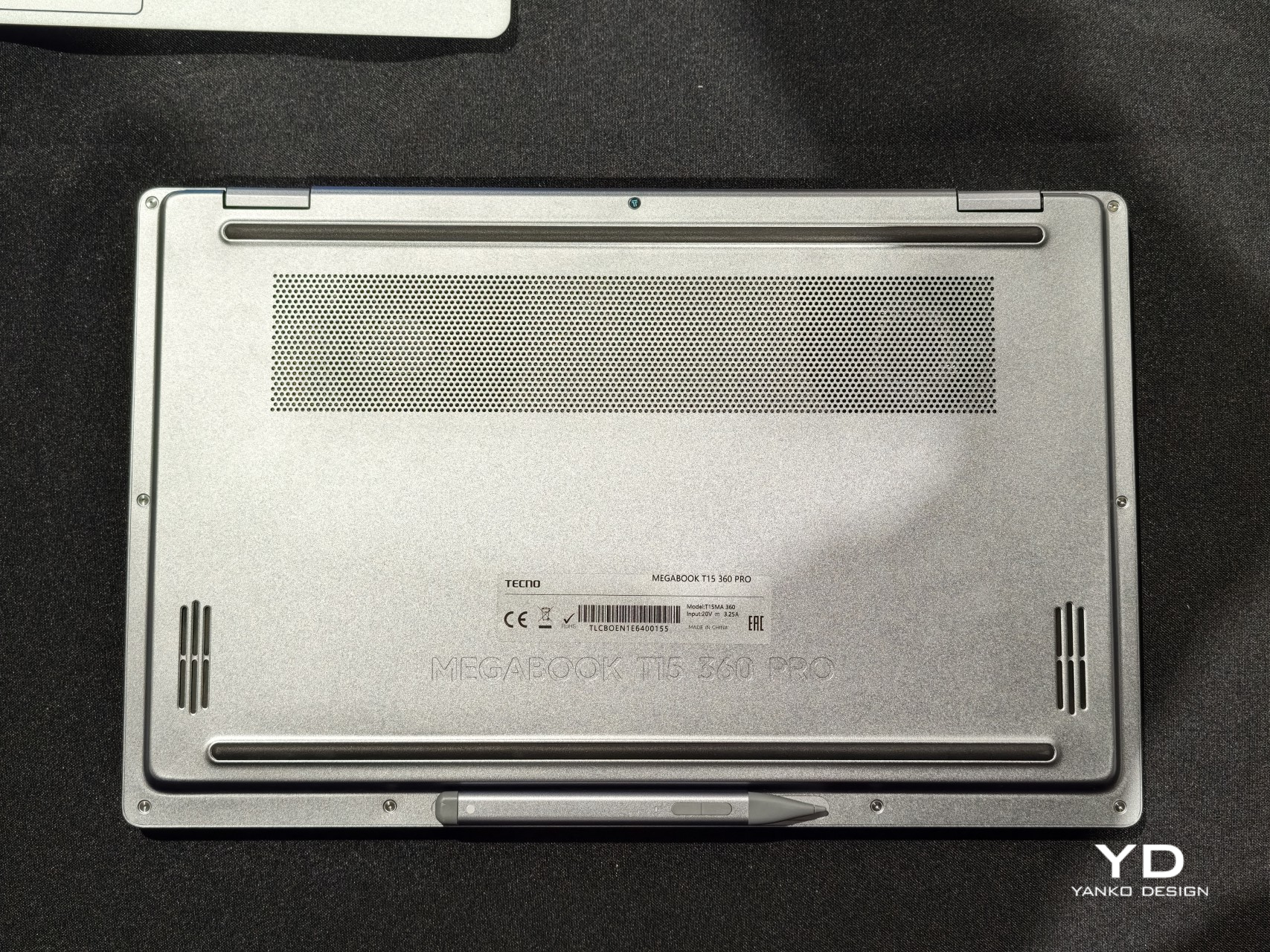
Flip it flat into Laptop mode, and it behaves like any focused productivity machine, keyboard ready and screen upright for spreadsheets or long email threads. Push the display back further and Tablet mode takes over, letting fingers or an optional MPP 2.0 active pen sketch, annotate, and jot notes directly onto the 15.6-inch touchscreen. The same hardware just keeps reshaping itself around whatever task shows up next.

Designer: TECNO

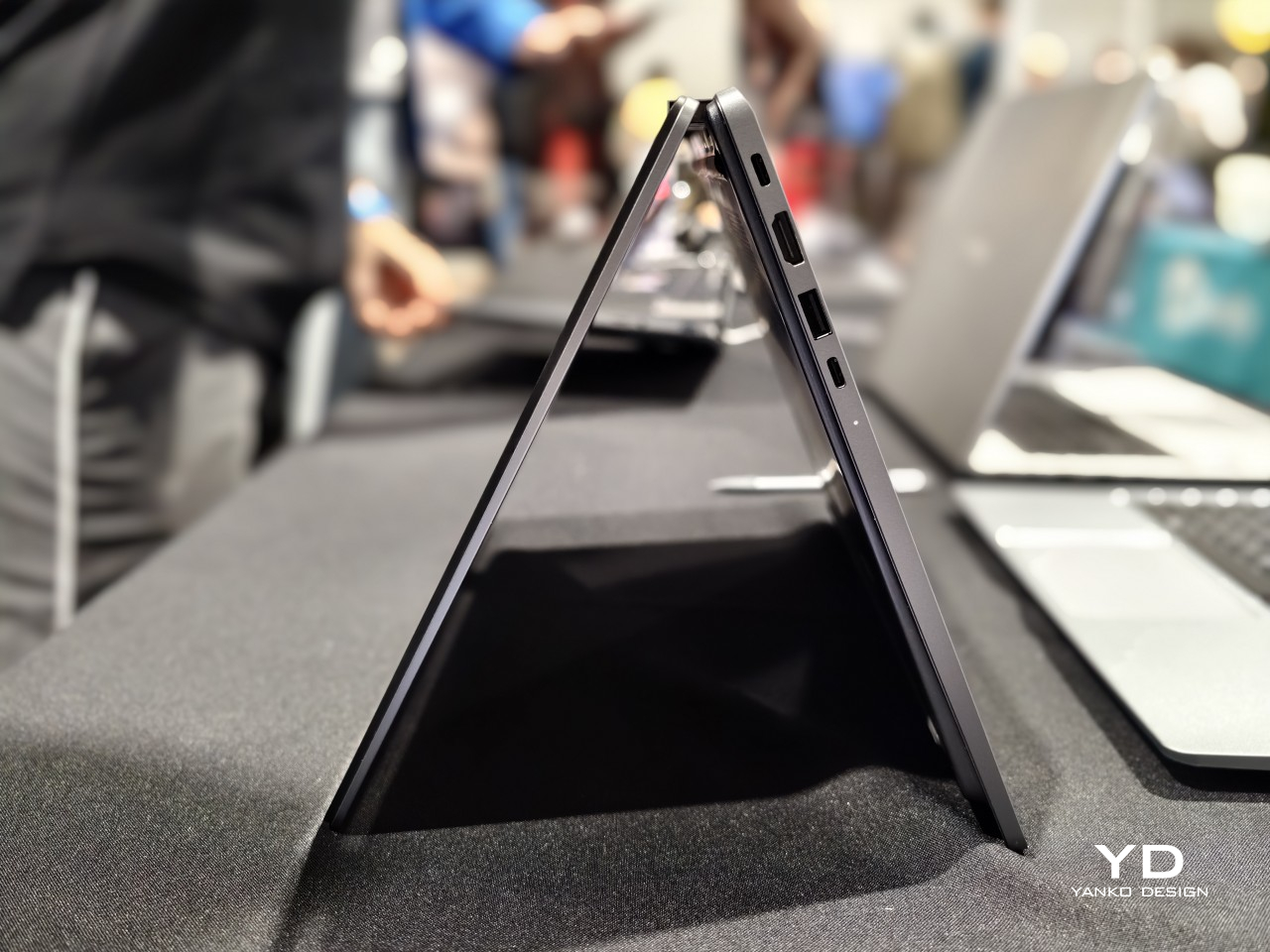
Fold it into a triangle and Tent mode appears, propping the screen up on a cramped tray table or a corner of a crowded desk where a full laptop footprint would not fit. Stand it up the other way and Stand mode turns the same hinge into a presentation tool, angling the display toward a room full of people instead of a single set of eyes typing at a keyboard.

None of those positions would matter much without a screen worth looking at, and TECNO gave the Pro model a 2.5K panel running at 120Hz across 2560 by 1440 pixels, covering 100% of the sRGB color space at 350 nits brightness. Colors hold up during video edits, photo review sits closer to accurate, and scrolling through documents in Tablet mode feels noticeably smoother than on a standard 60Hz screen.

Under the hood, configurations climb as high as an Intel Core Ultra 9 185H processor paired with LPDDR5X memory running at up to 7,467MHz, enough headroom for video exports or a dozen open browser tabs without slowdown. A PCIe M.2 2280 SSD handles storage, and select configurations add a second M.2 slot, giving anyone running out of space room to expand rather than shop for an external drive.

Powering all of that is a 70Wh battery paired with a compact 65W PD GaN charger, a combination built to survive a full workday of meetings, note-taking, and streaming without hunting for an outlet. The included charger sheds the bulk of older power bricks, and the 1.8-meter cable gives enough slack to keep the laptop charging from across a conference table instead of right next to the wall.

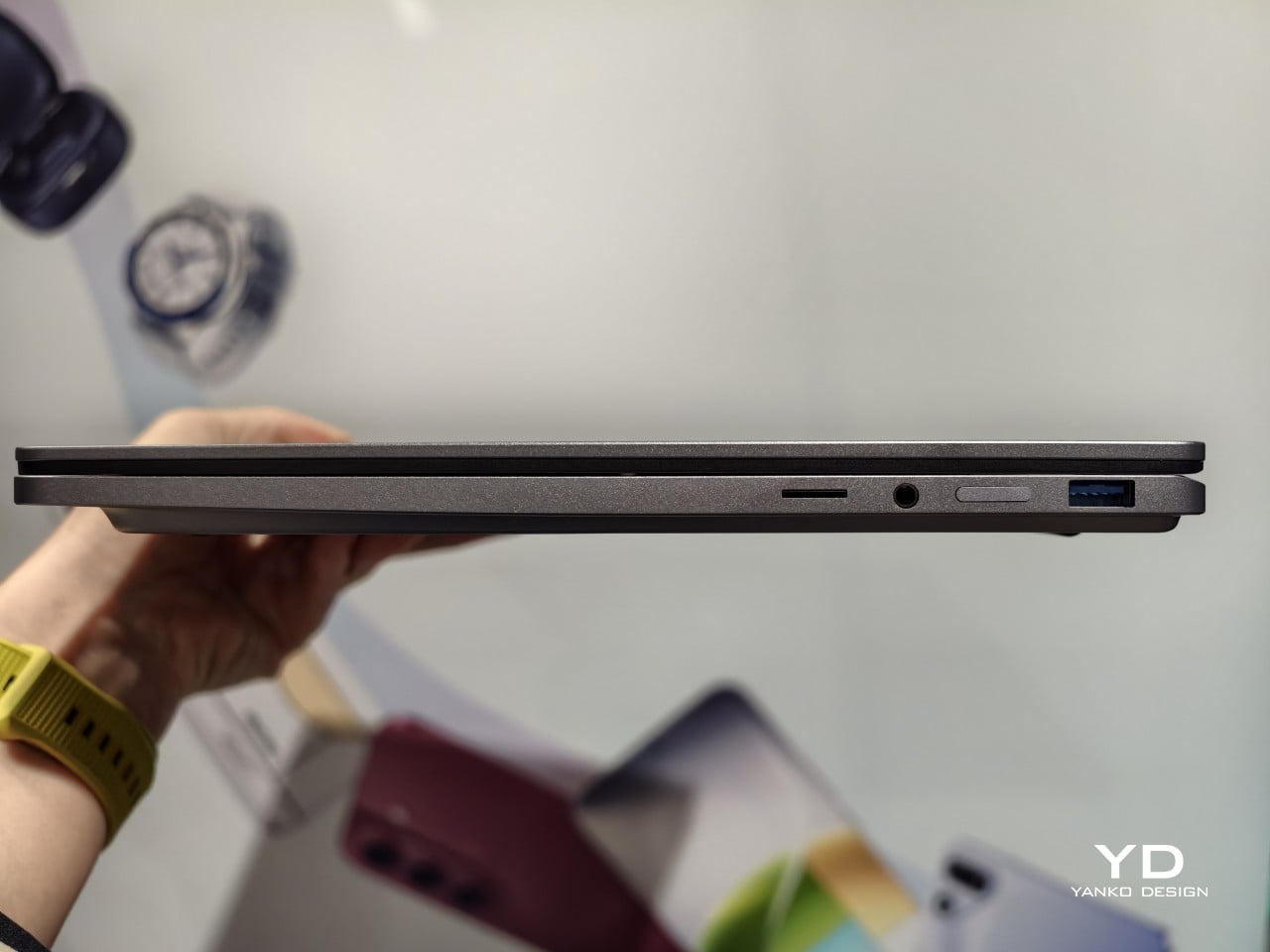
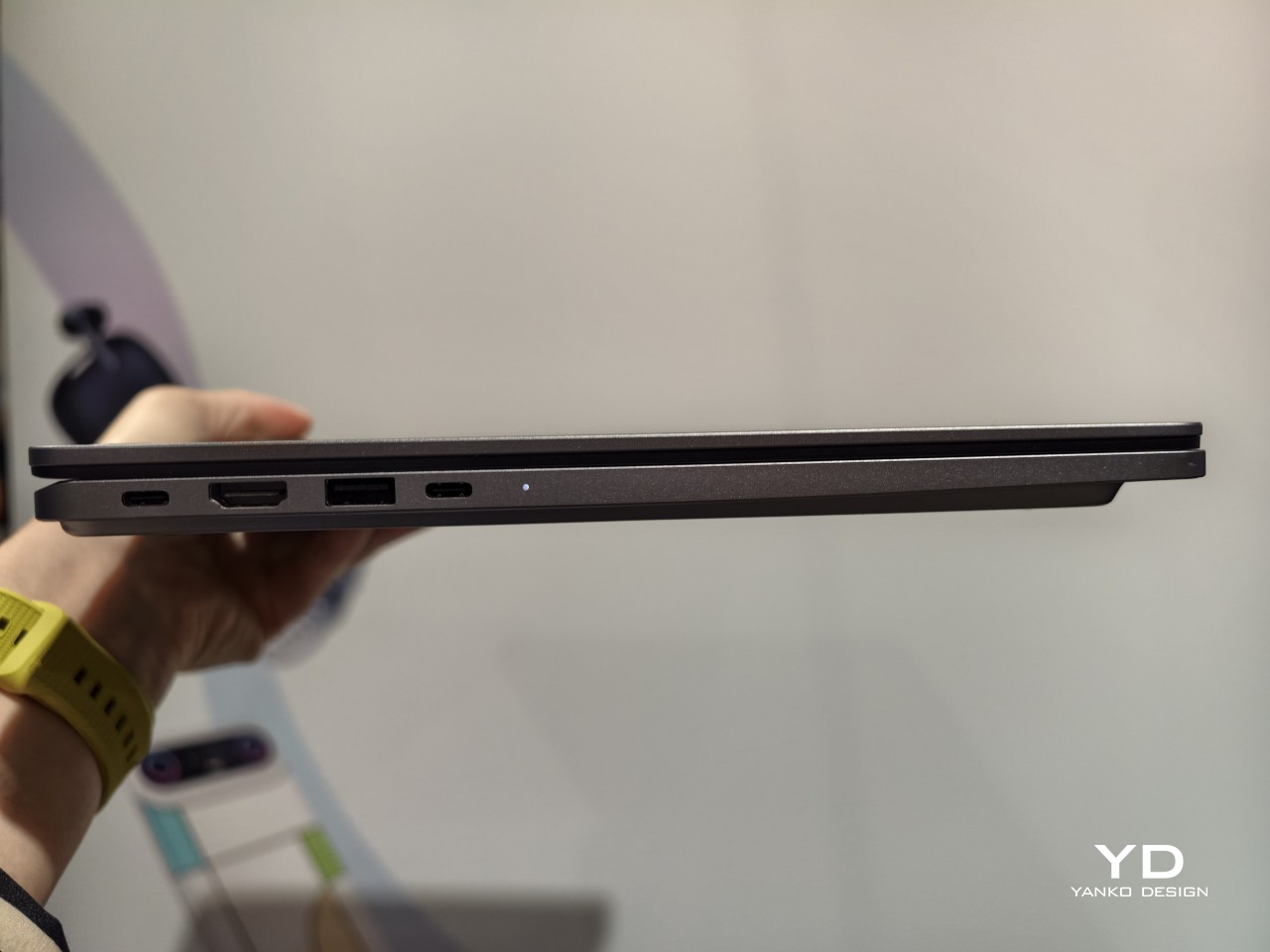
Connectivity keeps pace with the rest of the machine. Wi-Fi 6E and Bluetooth 5.4 handle wireless duties, while seven physical ports, including two Type-C connections rated for 10Gbps data and display output, cover everything from external monitors to storage drives. TECNO OneLeap ties the laptop into phones, tablets, and other PCs, letting files and clipboard content move between devices without emailing anything to yourself first.

Smaller touches round out daily use. A backlit keyboard with its own numeric keypad handles spreadsheet-heavy work, and a fingerprint reader built into the power button skips the password screen entirely with one press. Dual speakers tuned for DTS:X Ultra and a pair of digital microphones back up video calls and casual media playback, so switching between a meeting and a lunchtime show does not require headphones.

TECNO prices the MEGABOOK T15 360 Pro at €1,099 (around $1,280), with European availability starting in the fourth quarter of 2026. That price sits closer to a well-specced conventional laptop than a premium convertible, positioning the T15 360 Pro as the rare 2-in-1 that does not ask for a luxury markup just because the hinge bends further than everyone else’s.

The post Get a Laptop or Get a Tablet, TECNO MEGABOOK T15 360 Pro Is Already Both first appeared on Yanko Design.

  •  
❌