❌

Vue lecture

VIVIFoCAL S1 Glasses Use Sliding Lenses to Adjust Focus as You Work

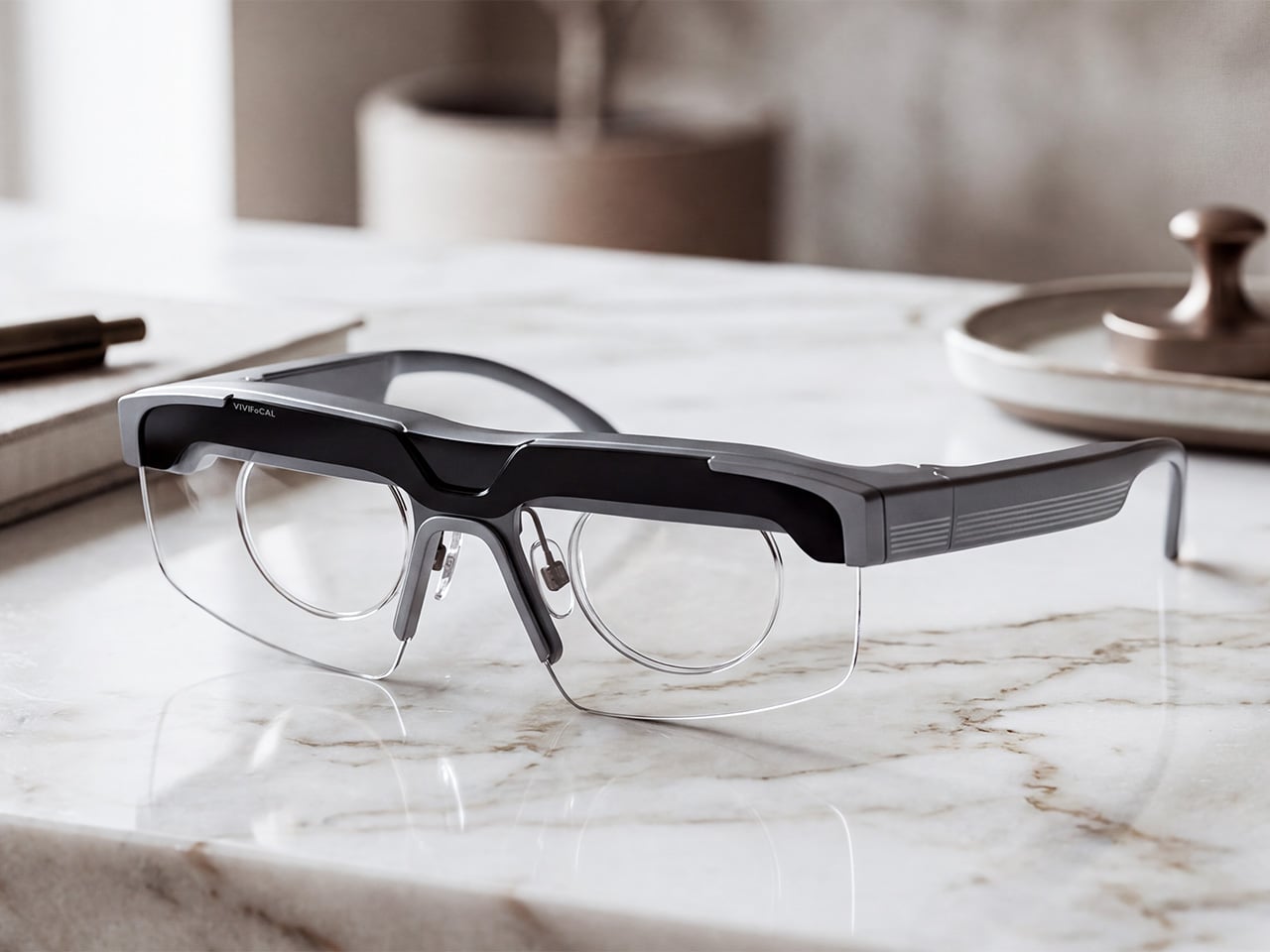
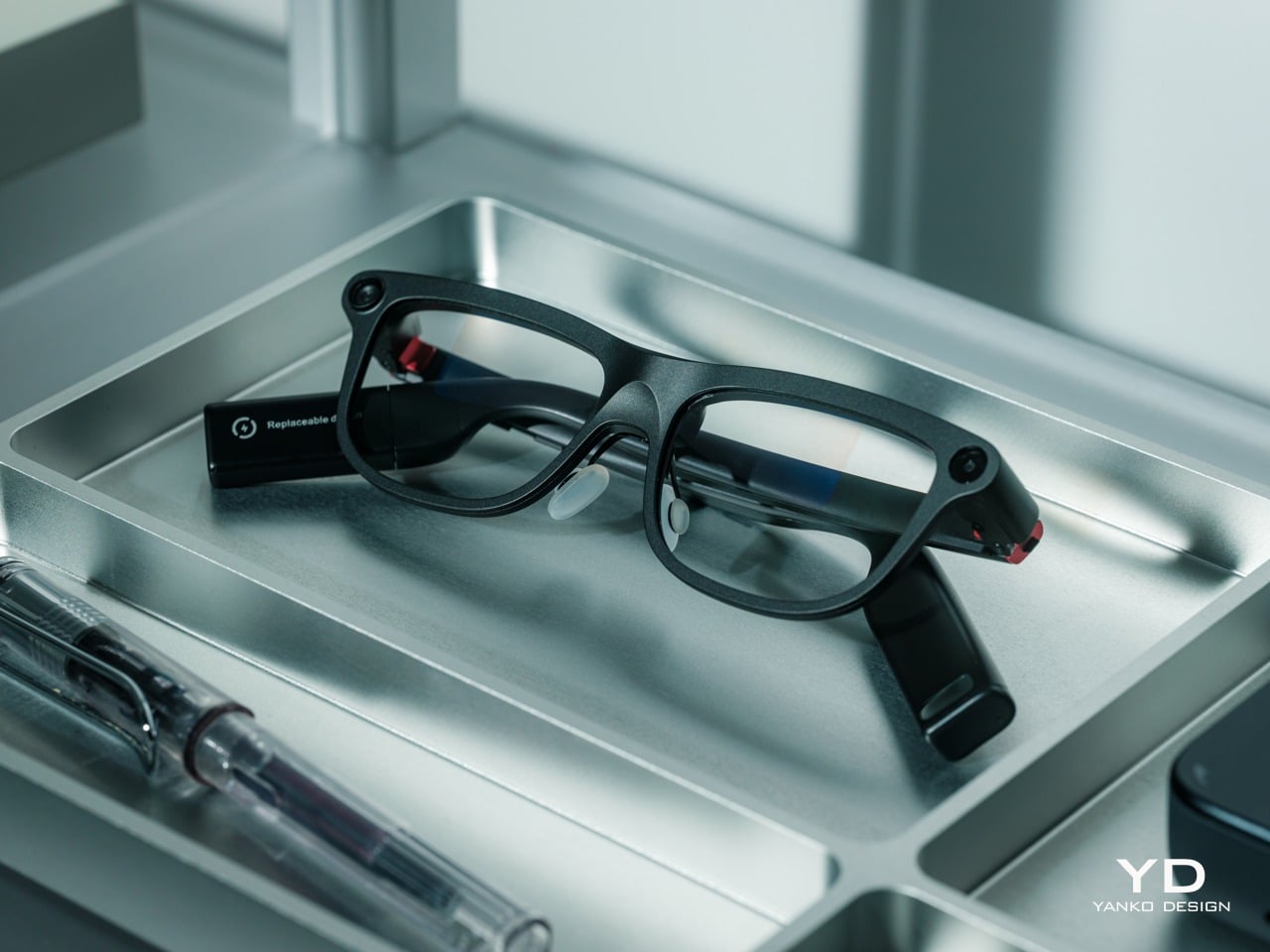
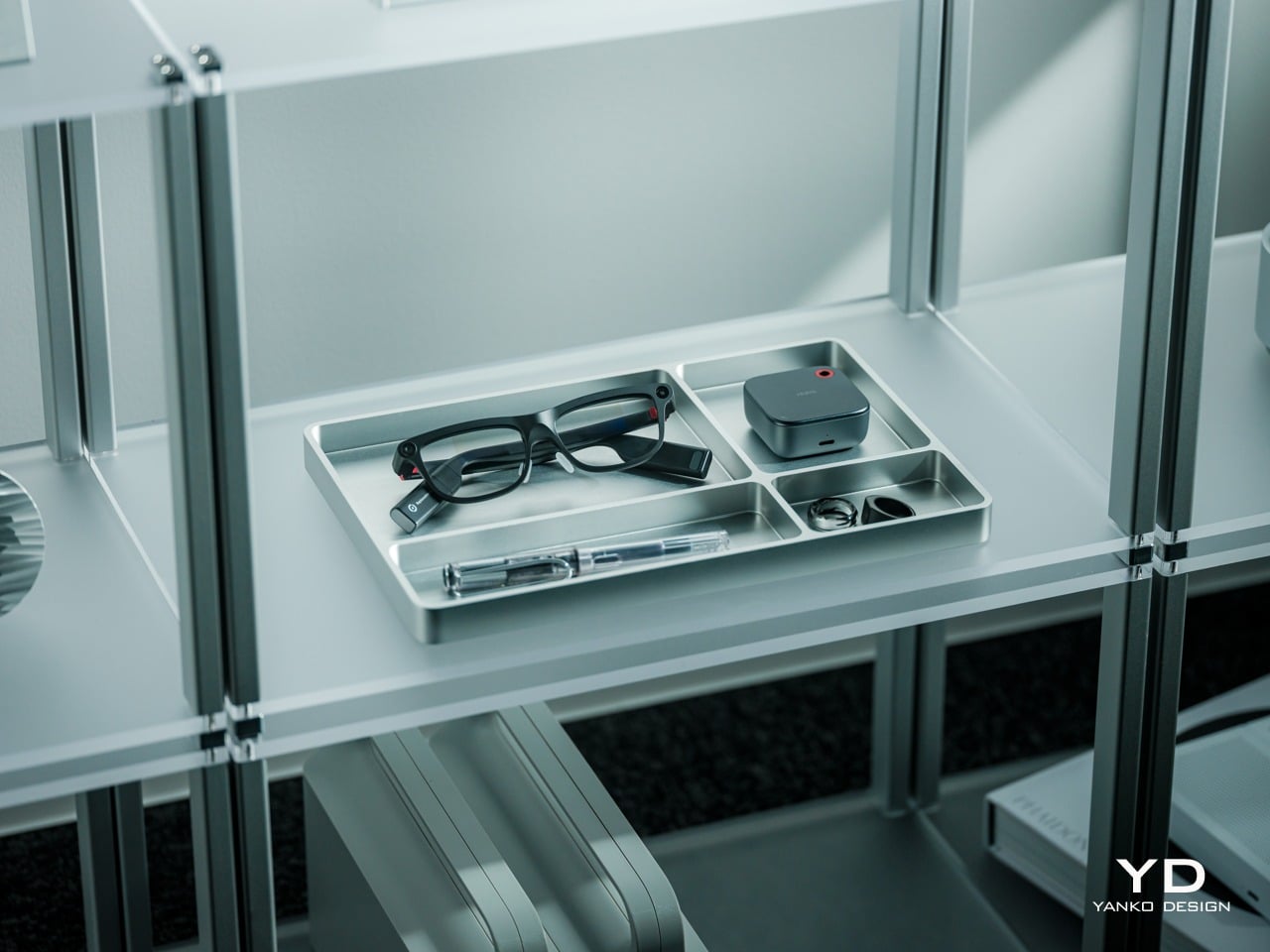
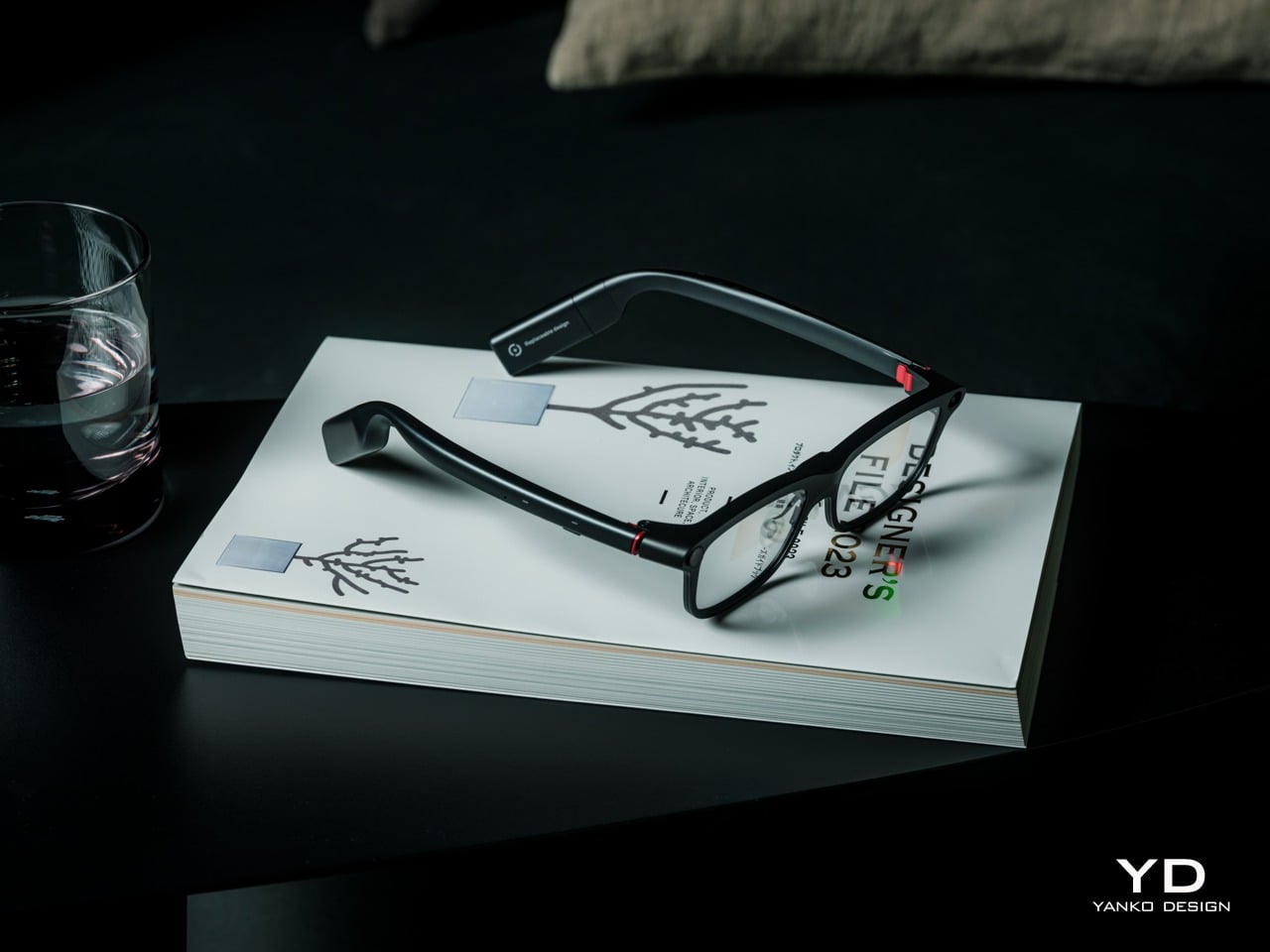
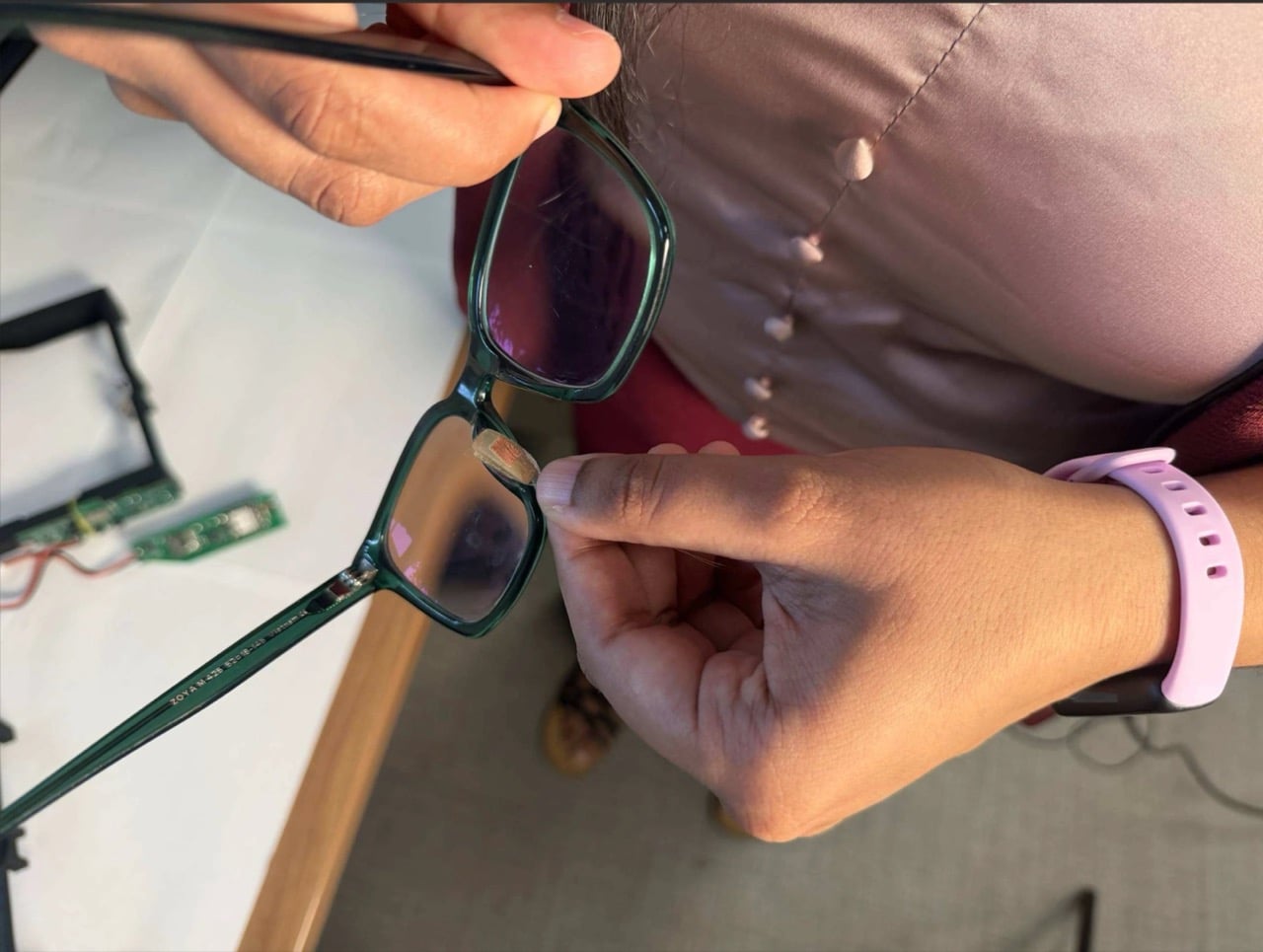
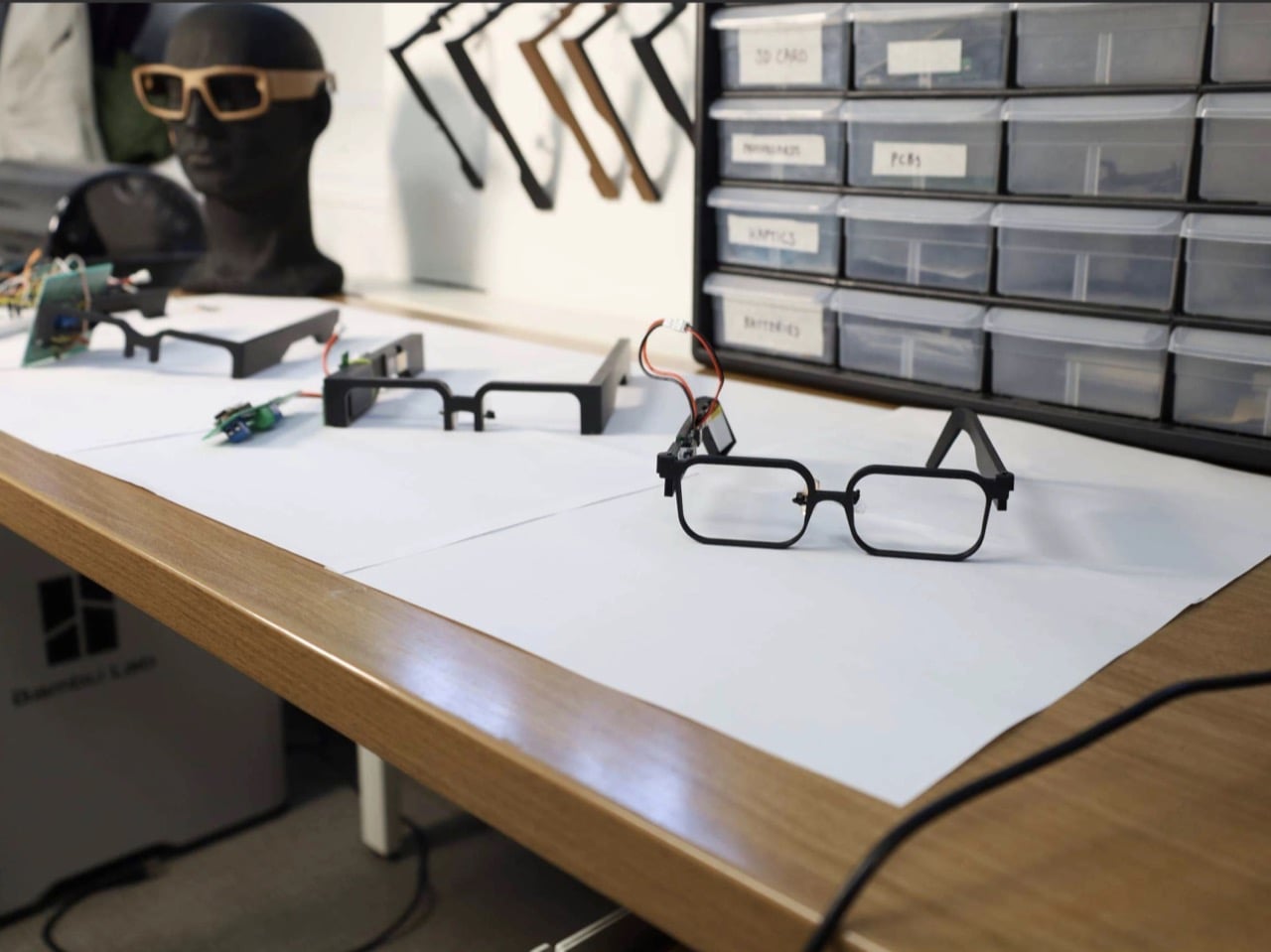
Working at a desk rarely means looking at just one thing. A screen sits ahead, a notebook lies below, and whatever you’re making ends up somewhere between them. The VIVIFoCAL S1 adaptive eyewear is designed to adjust focus as those distances change, taking some of the fuss out of switching between tasks. The interesting part is that its lenses actually move.

That becomes particularly relevant with presbyopia, the age-related reduction in the eye’s ability to focus up close. Reading glasses help with nearby details, while multifocal lenses accommodate several distances through different viewing areas. Depending on your setup, that can mean swapping pairs or finding the right spot in a lens. It’s a small adjustment that can become a familiar part of the day. You may have grown used to adjusting to your glasses, without noticing how those small compromises shape your daily life and interrupt your work. VIVIFoCAL S1 offers a new approach: glasses should adapt to you, rather than requiring you to adapt to them.

Designer: VIVIFoCAL

Click Here to Buy Now: $339 $499 (32% off). Hurry, only 82/250 left! Raised over $120,000.

Consider a model-building project spread across the table. The instruction sheet, the tiny piece between your fingers, and the reference on your monitor all belong to the same job. They don’t share the same viewing distance, though. The VIVIFoCAL S1’s approach is to change the optical setting as you move between them, rather than make changing glasses another step in the assembly process.

A time-of-flight sensor built into the bridge measures distance using reflected light. A controller then calculates how far the optical elements need to shift, and a miniature motor handles the movement. It’s a physical response to what’s in front of the glasses, with a specified adjustment time below 0.1 seconds.

Those moving elements form an Alvarez lens system, which changes optical power by sliding two specially shaped lenses relative to each other. The mechanism gives autofocus a surprisingly literal meaning here. Instead of asking your eyes to work with a fixed near setting, the glasses alter the optics themselves. That’s an appealing piece of design for activities that don’t stay at arm’s length.

For activities that require a consistent viewing distance, S1 also offers a Focus Lock feature. Wearers can choose between automatic focusing and a locked focus setting depending on the task. Automatic mode is suited to activities involving frequent distance changes, while Focus Lock allows users to maintain a selected focus setting during reading, detailed hands-on work, or other tasks performed at relatively fixed distances.

That also changes the relationship between your gaze and the lens. Typical progressive lenses distribute different powers across designated regions, while the VIVIFoCAL S1 is designed for a wider usable area at its selected focus. A slight head adjustment can still help the sensors identify the intended target, but the aim is less dependent on finding a particular viewing zone.

Of course, automatically adjusting focus doesn’t make your prescription irrelevant. The VIVIFoCAL S1 is made with lenses customized to your prescription, while adaptive focus handles changes in viewing distance. For wearers who also have nearsightedness, farsightedness, or astigmatism, S1 can be configured with customized prescription lenses to address their individual vision needs.

Before shipping, VIVIFoCAL will collect the latest prescription details and pupillary distance (PD) measurements from users who require prescription customization. The lenses will then be produced according to their individual specifications. Wearers can choose the included 1.59-index prescription lenses at no additional cost, or upgrade to 1.67- or 1.74-index lenses depending on their prescription and preferred lens thickness.

The companion app adds another layer of personalization, letting you fine-tune settings to suit your preferences. That makes sense for something you wear rather than merely operate. A comfortable reading distance isn’t identical for everyone, and even our own vision can fluctuate throughout the day. What feels perfectly clear in the morning may call for a slight adjustment by evening. These adjustments complement professional prescription fitting rather than replacing regular eye exams.

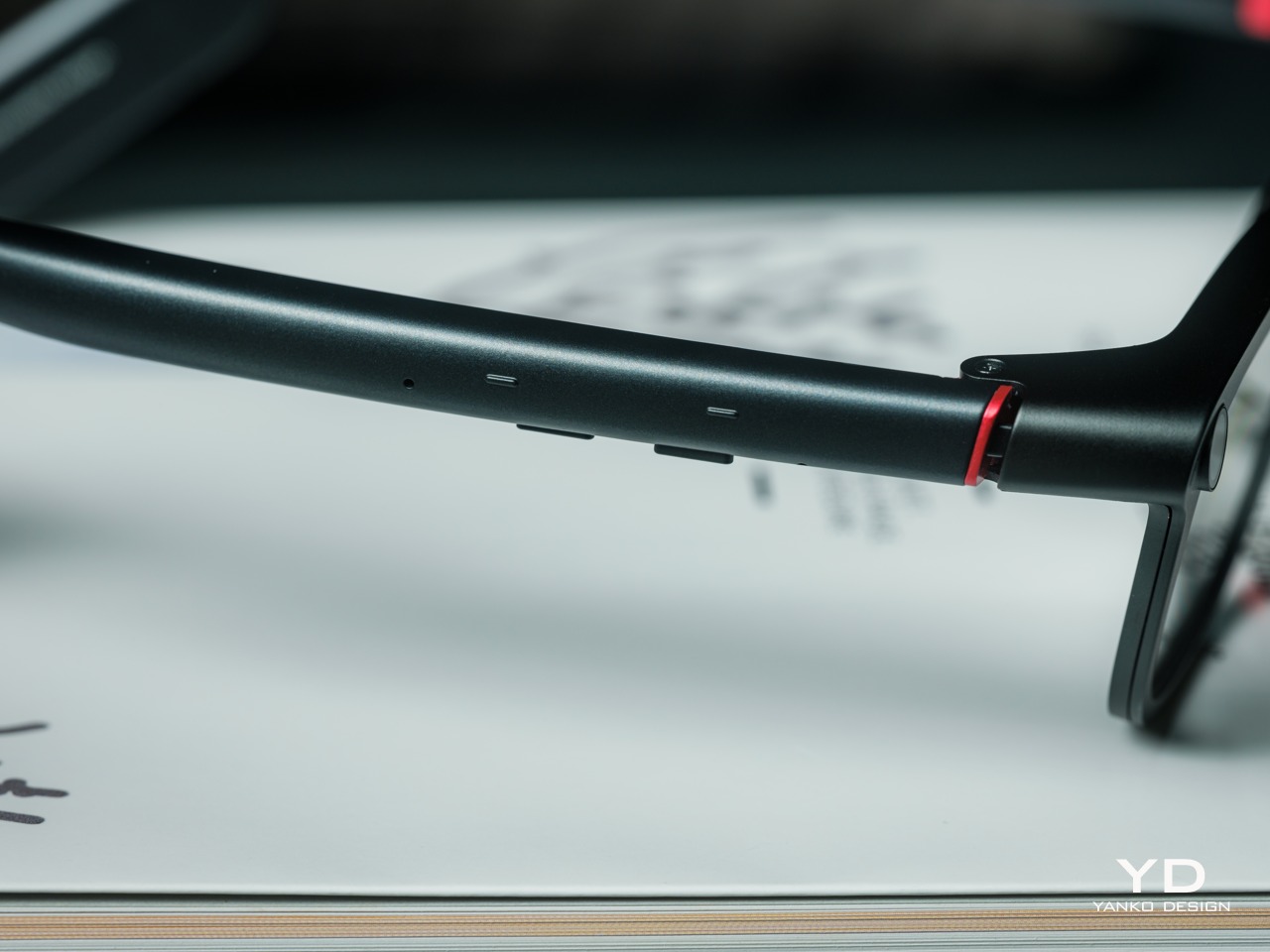
Fit gets some attention beyond the software, too. Flexible spring hinges and interchangeable nose pads provide ways to accommodate different faces, rather than relying on a single rigid shape. When glasses become part of an afternoon spent reading or making things, these details matter more. They address the ordinary business of wearing eyewear, which shouldn’t get lost among the sensors and moving lenses.

Powered optics do introduce a new habit, however. The VIVIFoCAL S1 is rated for 8+ hours of frequent adaptive focusing and recharges through USB-C, so keeping the glasses charged becomes part of the routine. Its intended territory is reading, computer work, and similar everyday activities.

Moving away from the desk doesn’t have to mean abandoning a good chapter. Magnetic polarized sunglass lenses attach to the front for outdoor reading, keeping the same adaptive system underneath. The accessory changes light filtering without replacing the focusing mechanism. After all the sensing and mechanical adjustment, the next thing on the agenda can still be a chair outside and a few more pages.

VIVIFoCAL S1 is now officially available on Kickstarter, with a Super Early Bird price of $339, representing a $160 discount from its $499 suggested retail price. Kickstarter backers who require prescription customization can receive 1.59-index customized prescription lenses at no additional cost, with support for nearsightedness, farsightedness, and astigmatism.

Click Here to Buy Now: $339 $499 (32% off). Hurry, only 82/250 left! Raised over $120,000.

The post VIVIFoCAL S1 Glasses Use Sliding Lenses to Adjust Focus as You Work first appeared on Yanko Design.


  •  

Samsung’s Gemini Smart Glasses Come in Nine Frame Styles From $395

Smart glasses ask you to wear a computer on your face, so the shape deserves as much attention as the software. Samsung’s Intelligent Eyewear brings Gemini into frames from Warby Parker and Gentle Monster, with US prices starting at $395. Preorders are now open, with a scheduled December 10 release, giving this collaboration a firm date beyond the earlier previews.

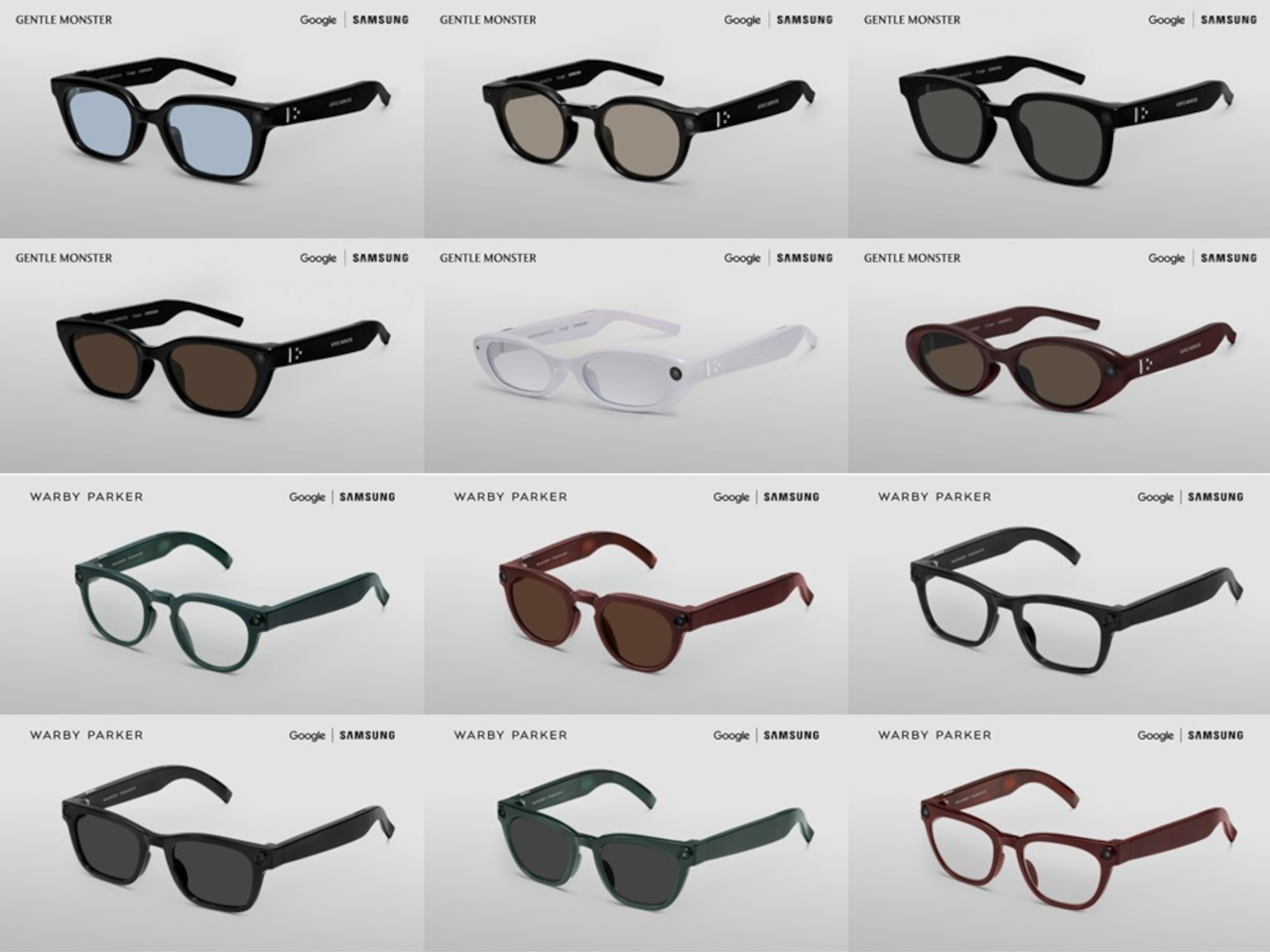
Warby Parker takes the familiar route with Alden, Reid, and Wren, three frame styles offered in optical and sun versions. Pine, Saddle, and Jet Black give the collection green, brown, and black personalities, with prescription and width options that matter more than another software setting. Choosing glasses still involves getting the fit right, even when those glasses can answer questions about your surroundings.

Designers: Samsung, Google, Gentle Monster, Warby Parker

Gentle Monster leans toward bolder shapes, including narrow ovals and substantial square fronts, with colors extending to dark red, pink, gray, and yellow. Its collection starts at $449, with listed models reaching $489. Across both brands, the headline figure of 30 designs means variations across nine frame styles, not 30 entirely different silhouettes. The same technology gets several very different ways to dress.

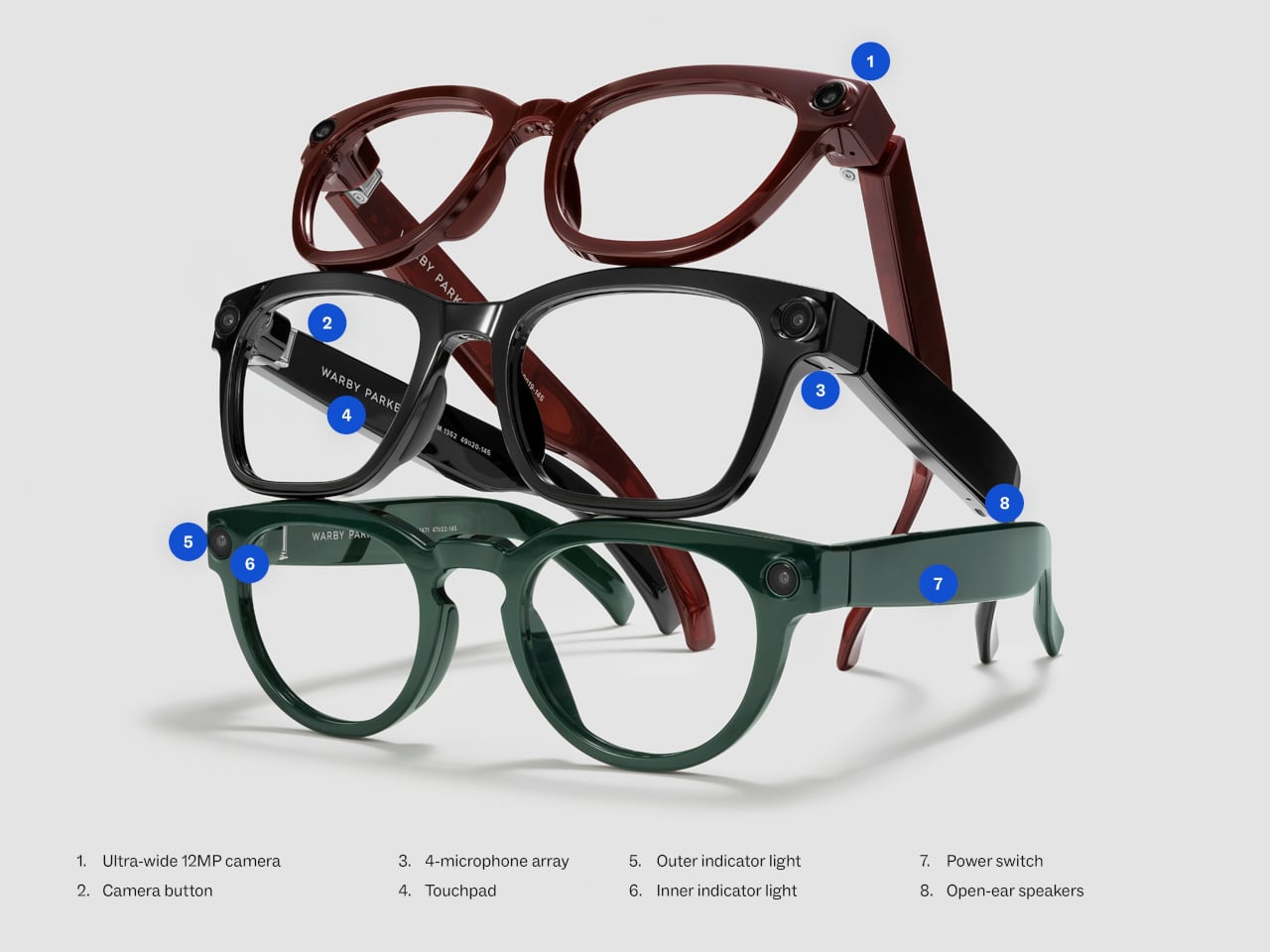
The electronics stay largely inside the temples, while a 12MP camera sits near the front corner. Open-ear speakers and four microphones handle music, calls, and conversations with Gemini, but there isn’t a display hiding in either lens. Directions arrive through audio rather than arrows floating over the sidewalk. That’s an important distinction if you’re expecting a miniature navigation screen beside your eye.

Walking through an unfamiliar neighborhood, you could ask about a mural or hear where to turn without holding your phone out in front of you. At a restaurant, Gemini is intended to help translate the menu, while a voice command or button press captures a photo. The camera supplies visual context, while your questions explain what you want to know about it.

Samsung puts the frames at around 1.45 ounces, depending on the model and lenses, with up to nine hours of mixed use between charges. The included case is claimed to provide seven additional full charges. Those figures don’t establish how comfortable they’ll feel after an afternoon, of course. A familiar silhouette can help them blend in, but your nose has to carry them.

They need a compatible phone, with support extending beyond Galaxy models to selected Pixels and iPhones. That doesn’t mean every feature follows you across platforms, and activation requires accounts registered in supported markets. Both collections are scheduled for the US, while Gentle Monster also reaches South Korea. Warby Parker lists shipping from mid-December, so the launch date isn’t a promise about every order.

The ordinary appearance comes with an obligation to people on the other side of the lenses. Google says an outward light signals gallery capture, with safeguards intended to stop recording if it’s covered. There’s a physical off switch, too. You can keep wearing the frames with the electronics disabled, a useful option when the room doesn’t need another camera pointed into it.

The post Samsung’s Gemini Smart Glasses Come in Nine Frame Styles From $395 first appeared on Yanko Design.
  •  

This wearable heat patch is designed to bring relief to menstrual cramps and muscle pain

I

personally love technological advancements when they’re directed toward a product designed for medical or social awareness. BODYLUV’s idea of a smart heat patch, as shown in its concept design, is probably one such idea. It is also the primary reason I’m exploring the design and understanding the thought process behind the idea in this article.

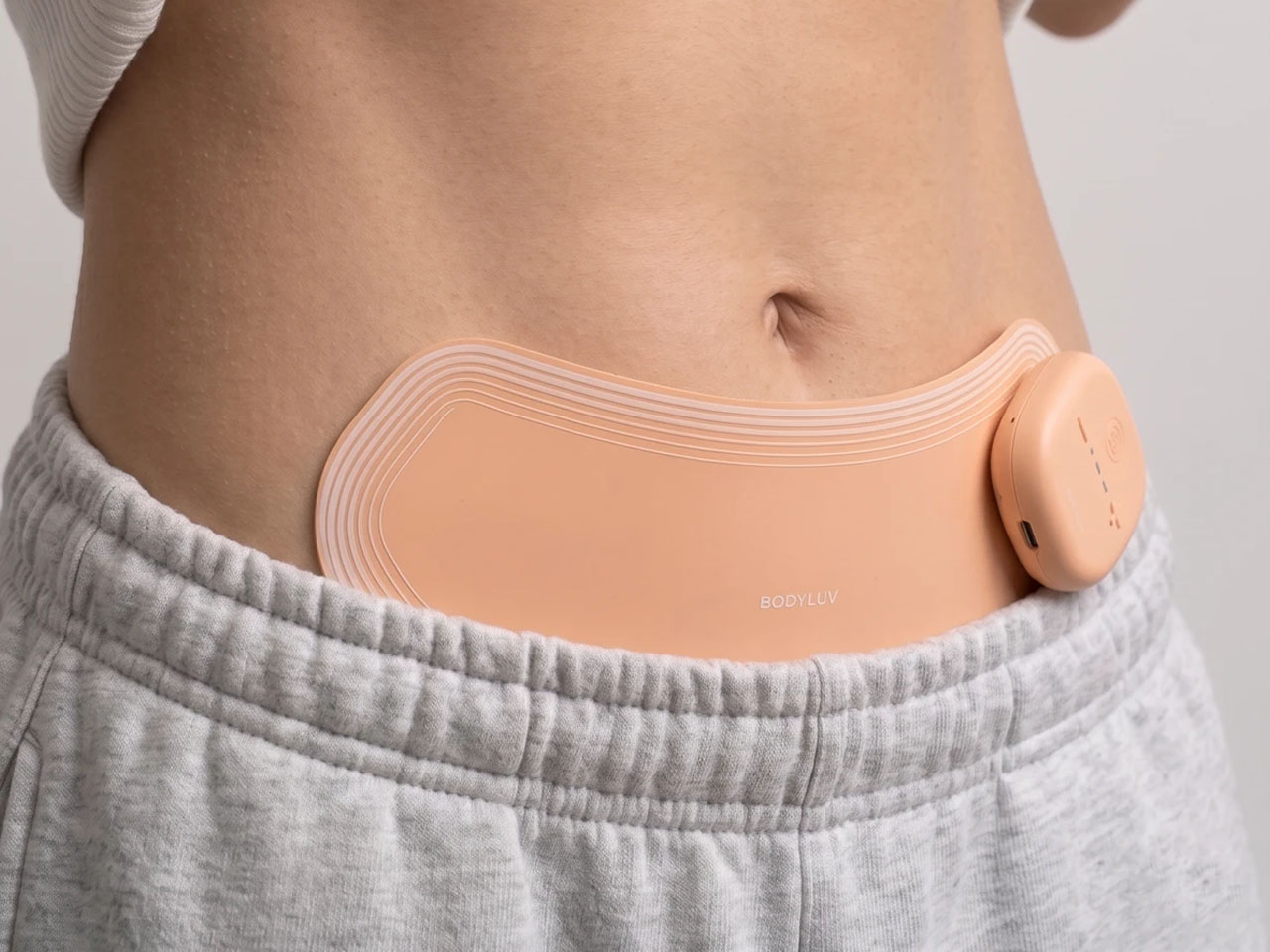
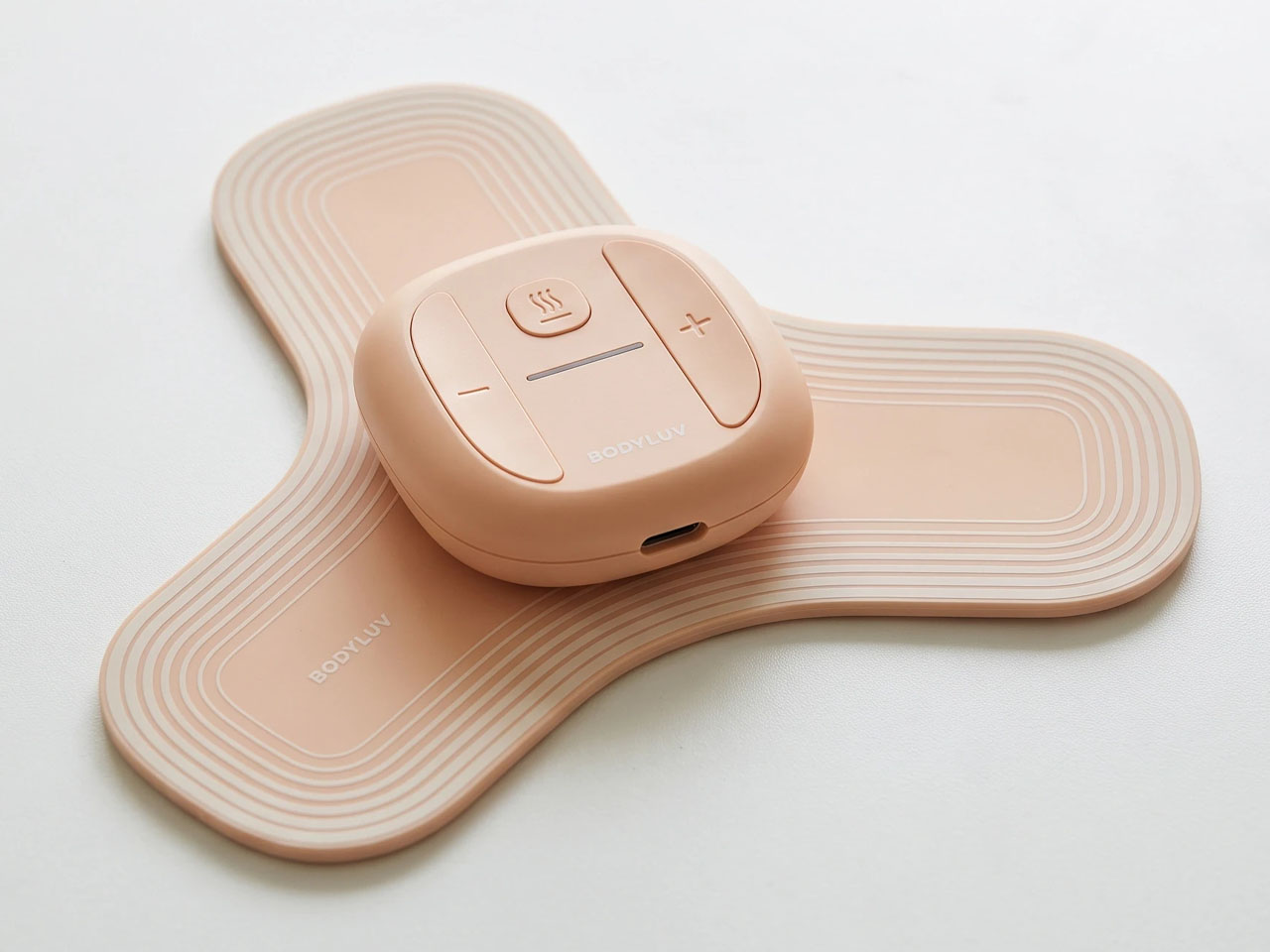
The wearable heat patch is designed to be “attached directly to areas of pain” or where the muscle is feeling strain. The device delivers a combination of heat and subtle vibrations simultaneously to ease pain and discomfort. If you are a woman, you can instantly relate to this project as a help during menstrual cramps.

Designers: Keetae Kim, Wonjae Lee, & superkomma

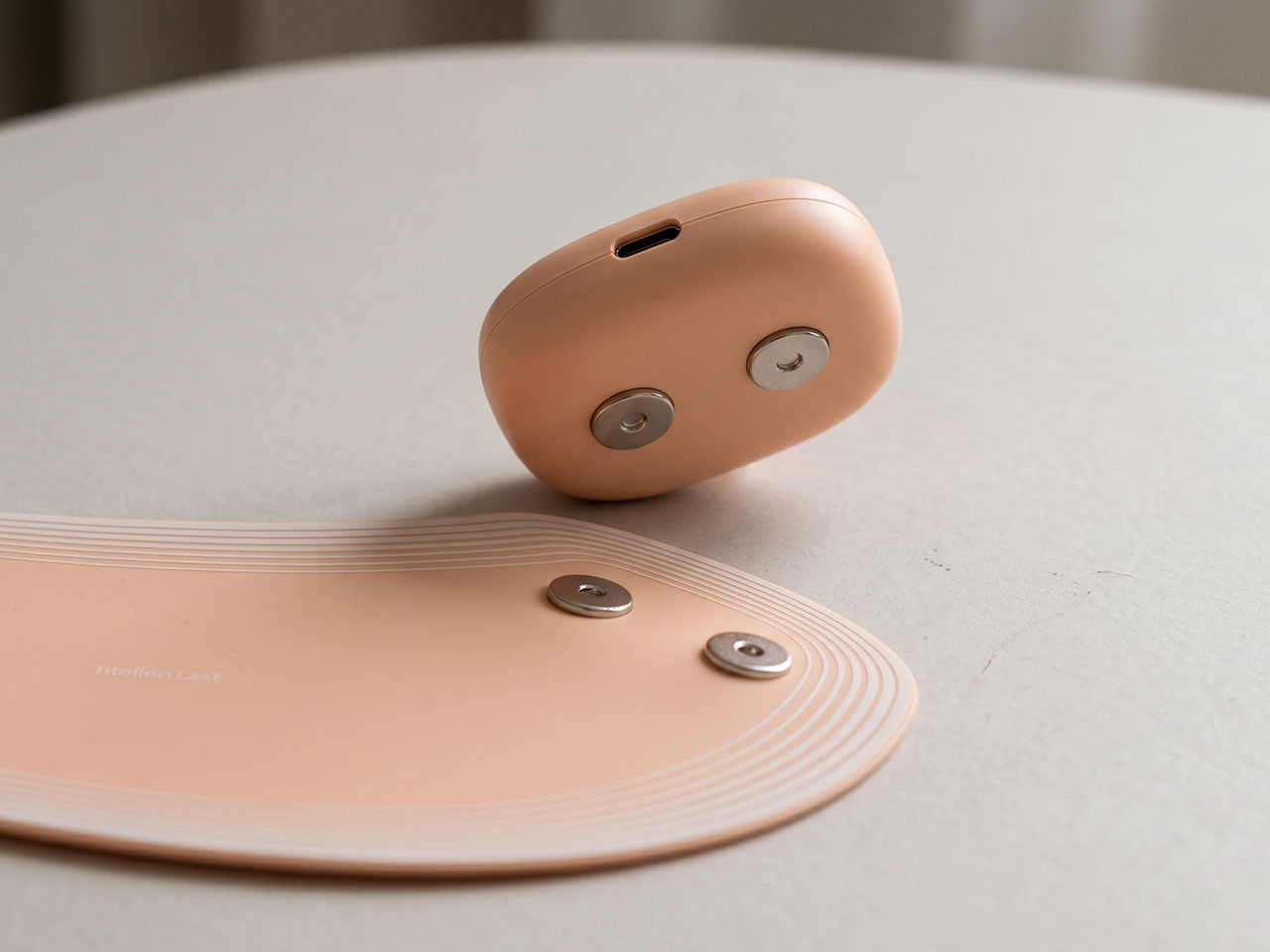
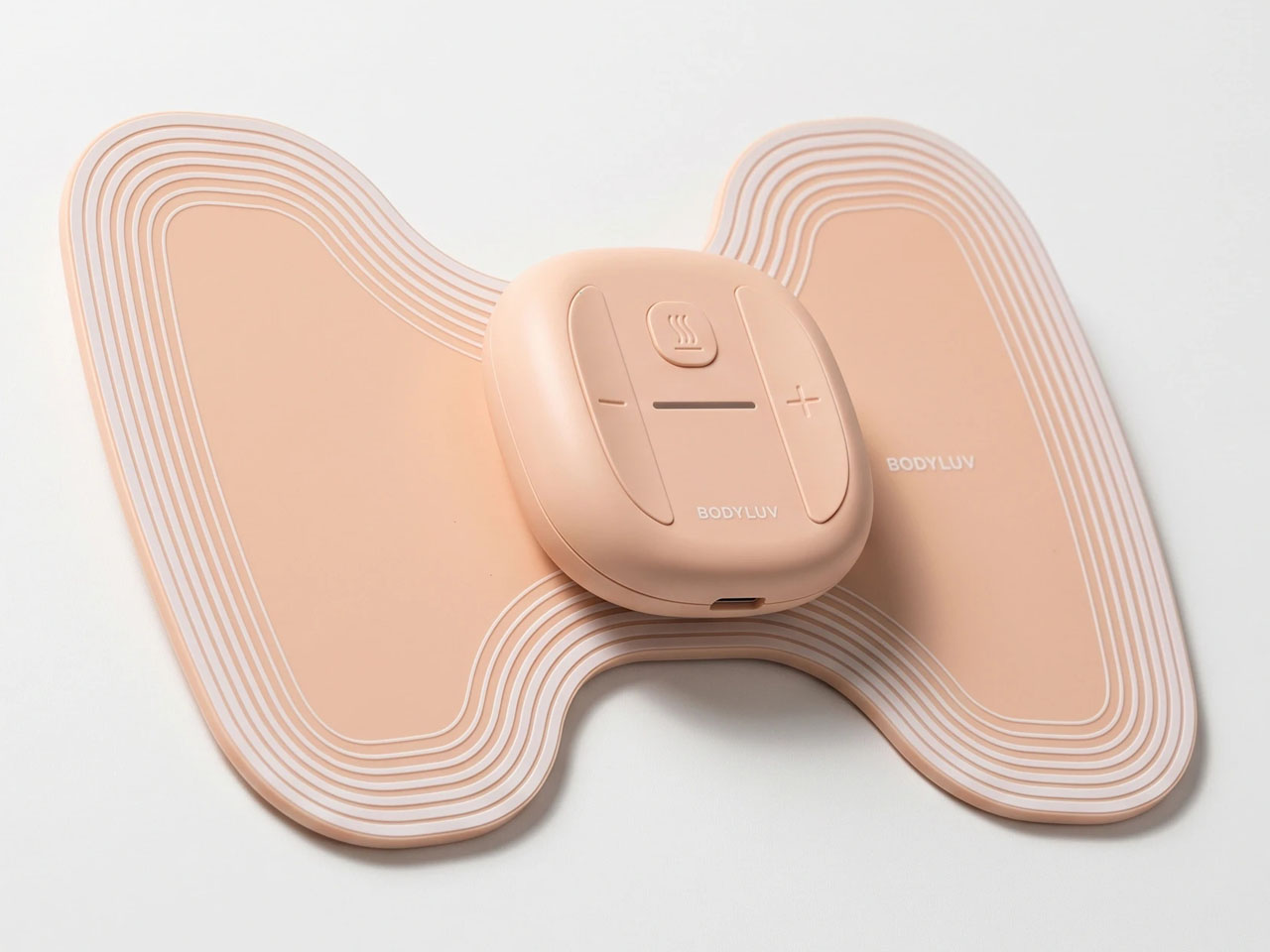
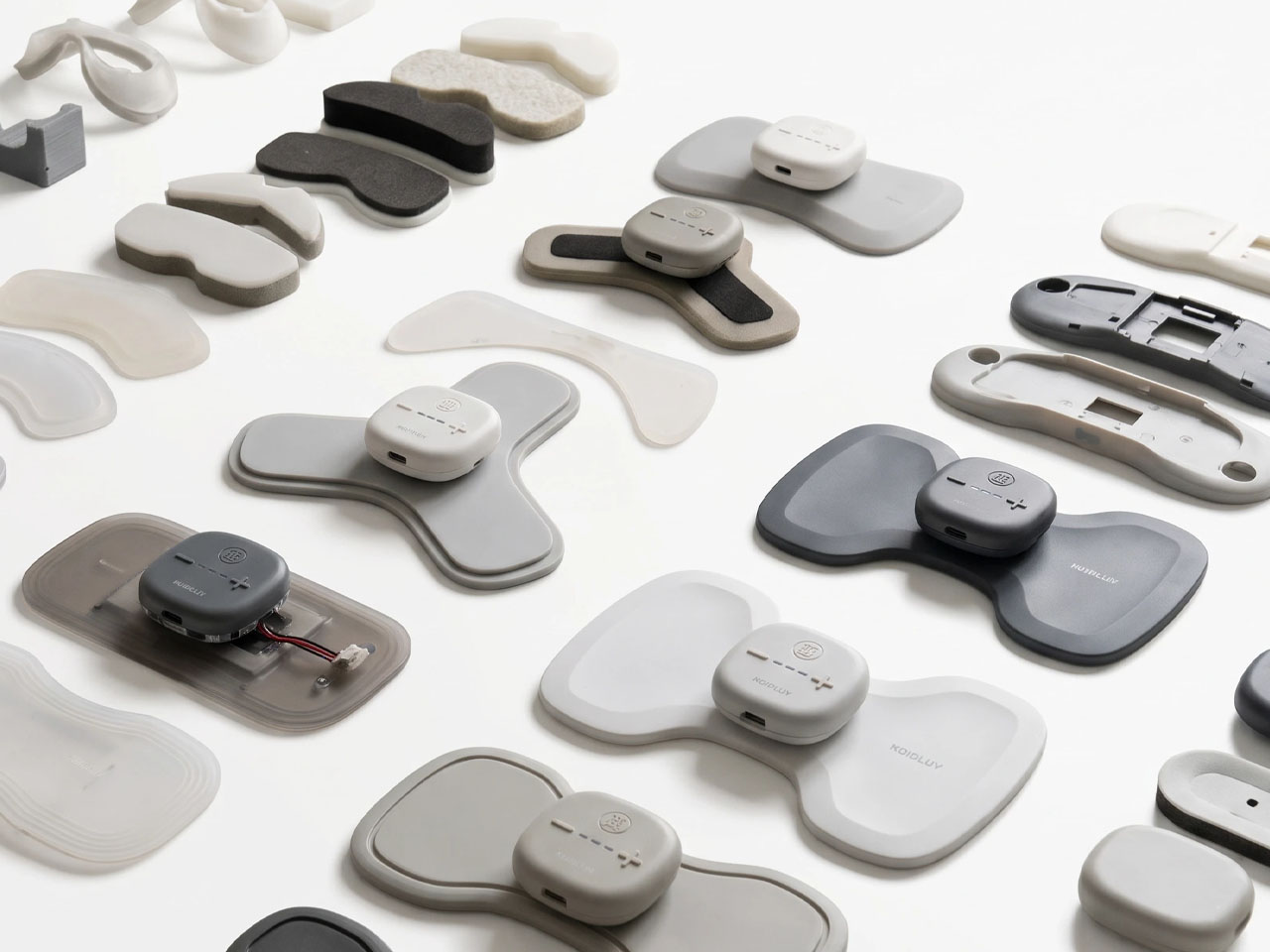
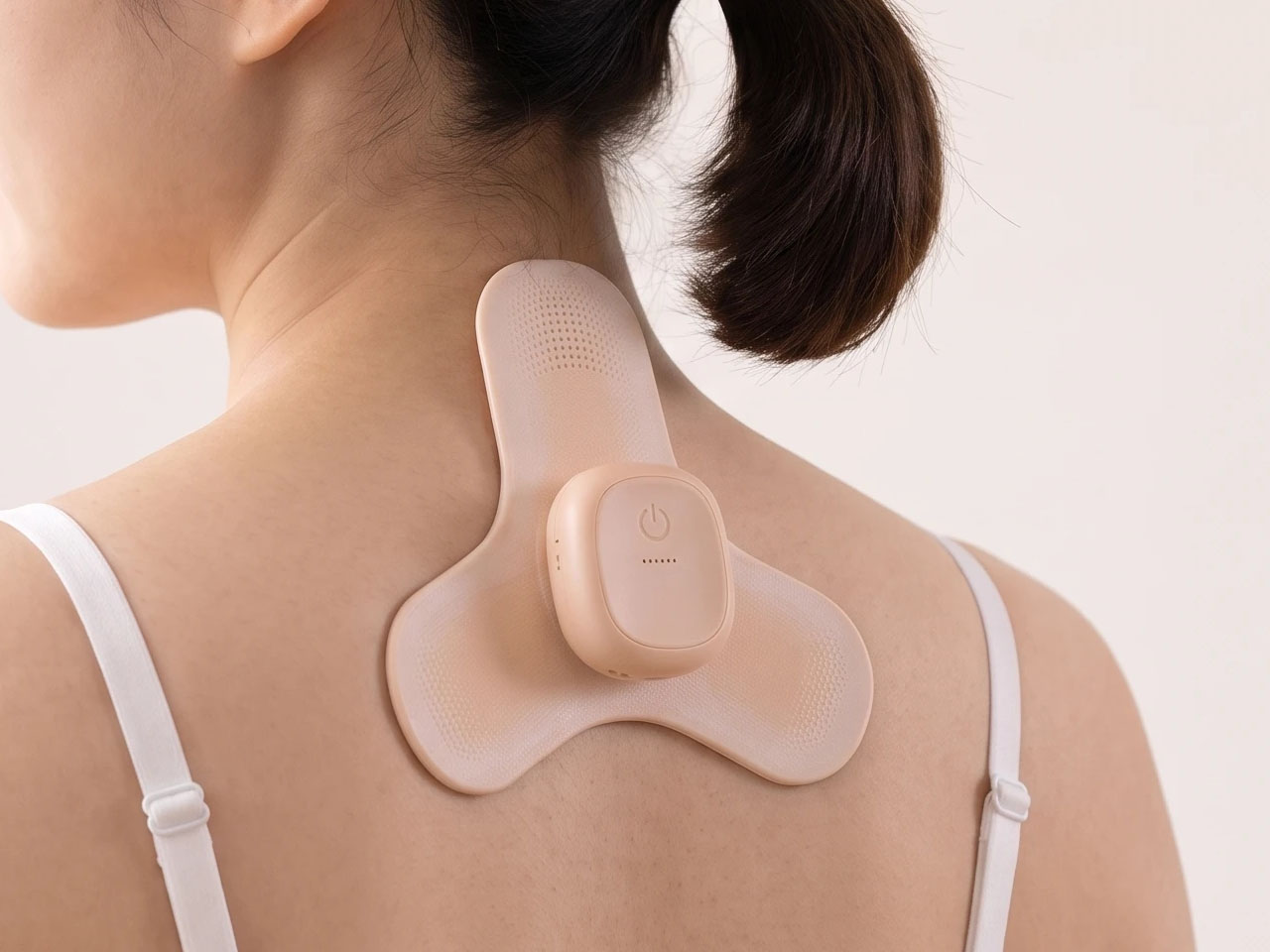
According to the Korean designers behind the concept, the heat patch is “optimized for women suffering from severe menstrual cramps.” The device comes paired with three types of interchangeable pads. These pads allow the main device to be magnetically clipped to them, and, being ergonomically designed, they fit cleanly to various body contours and areas. The areas that the device has been tailored to include are the neck, shoulder, lower back, and the abdomen.

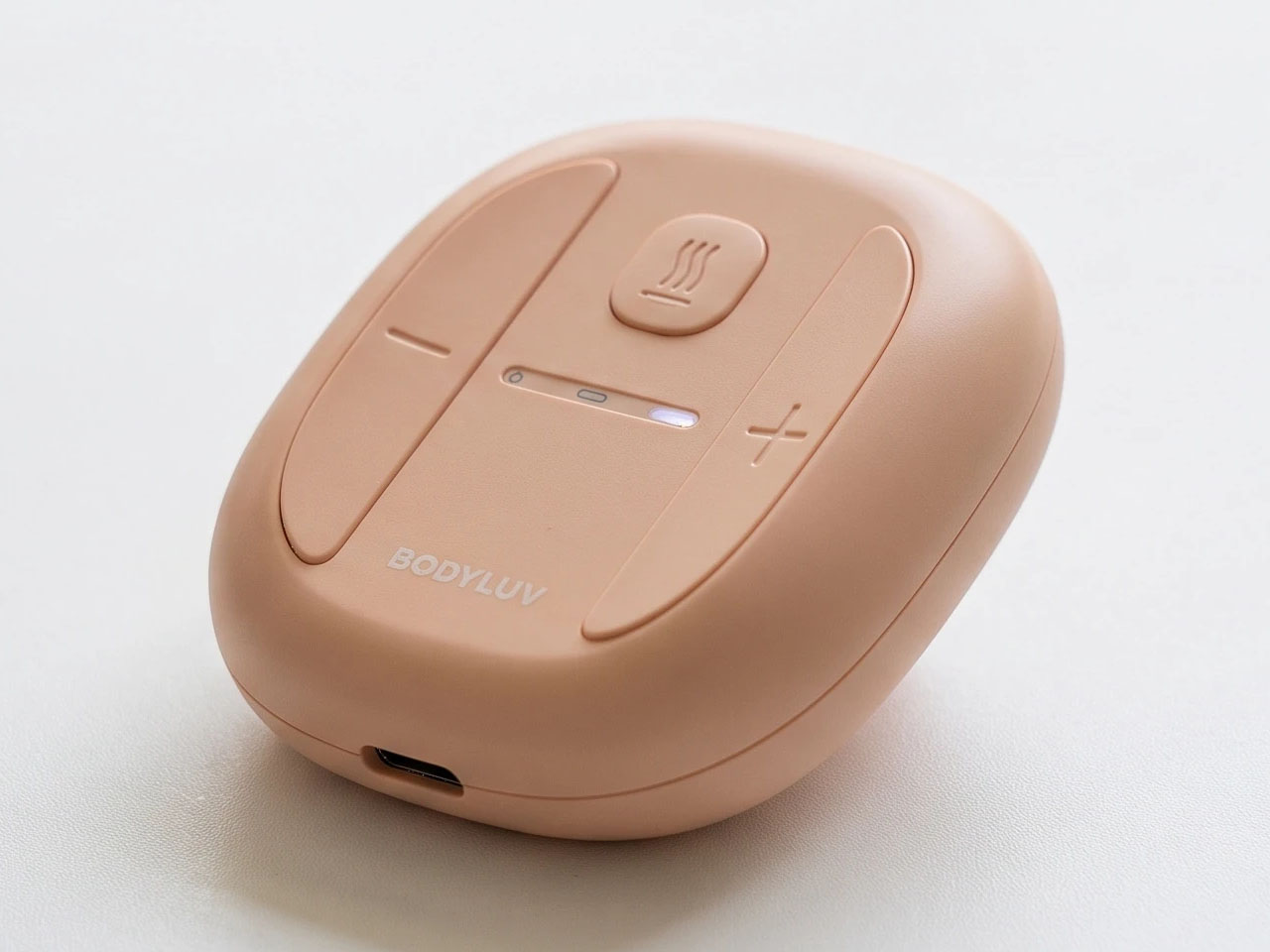
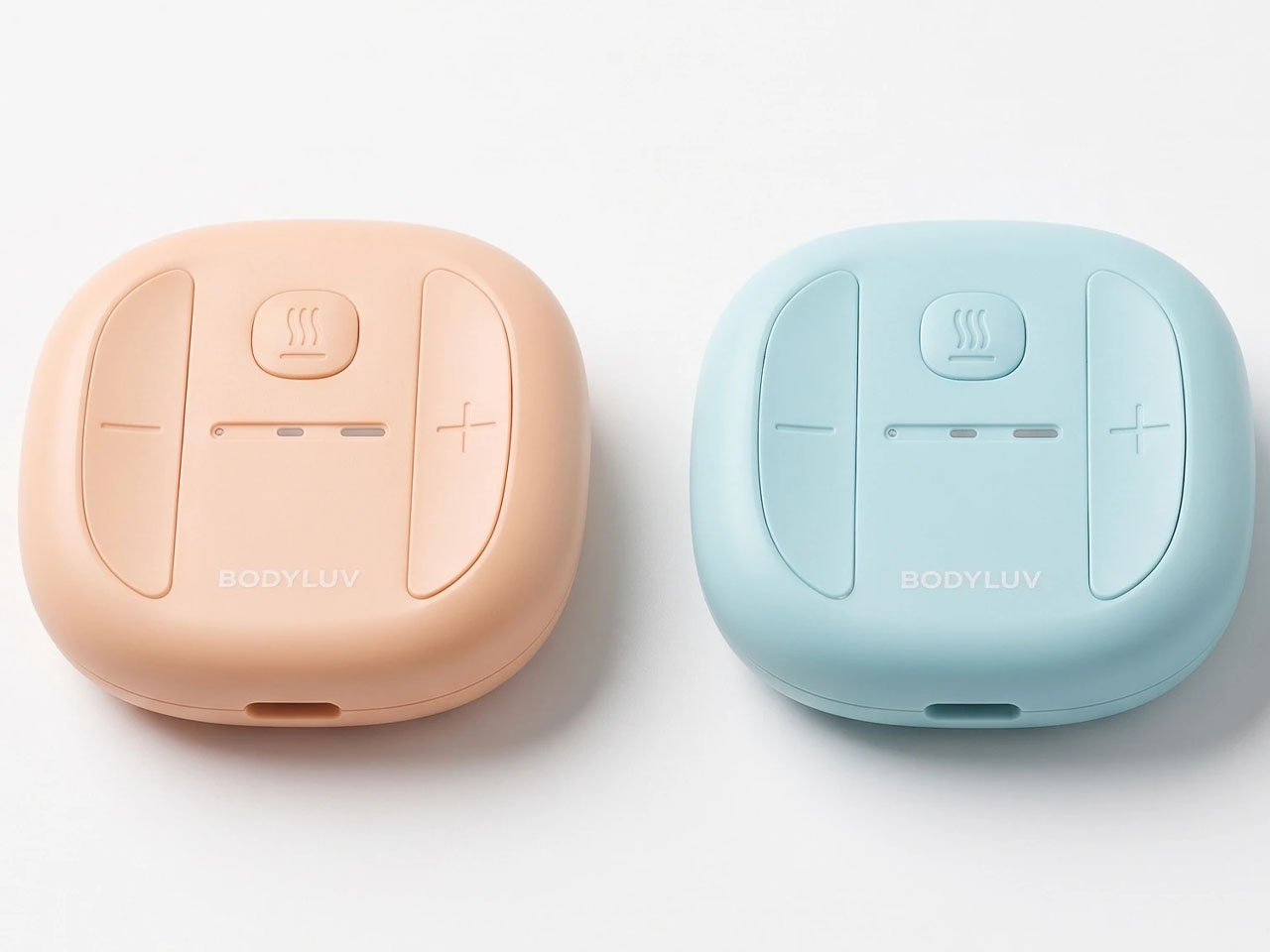
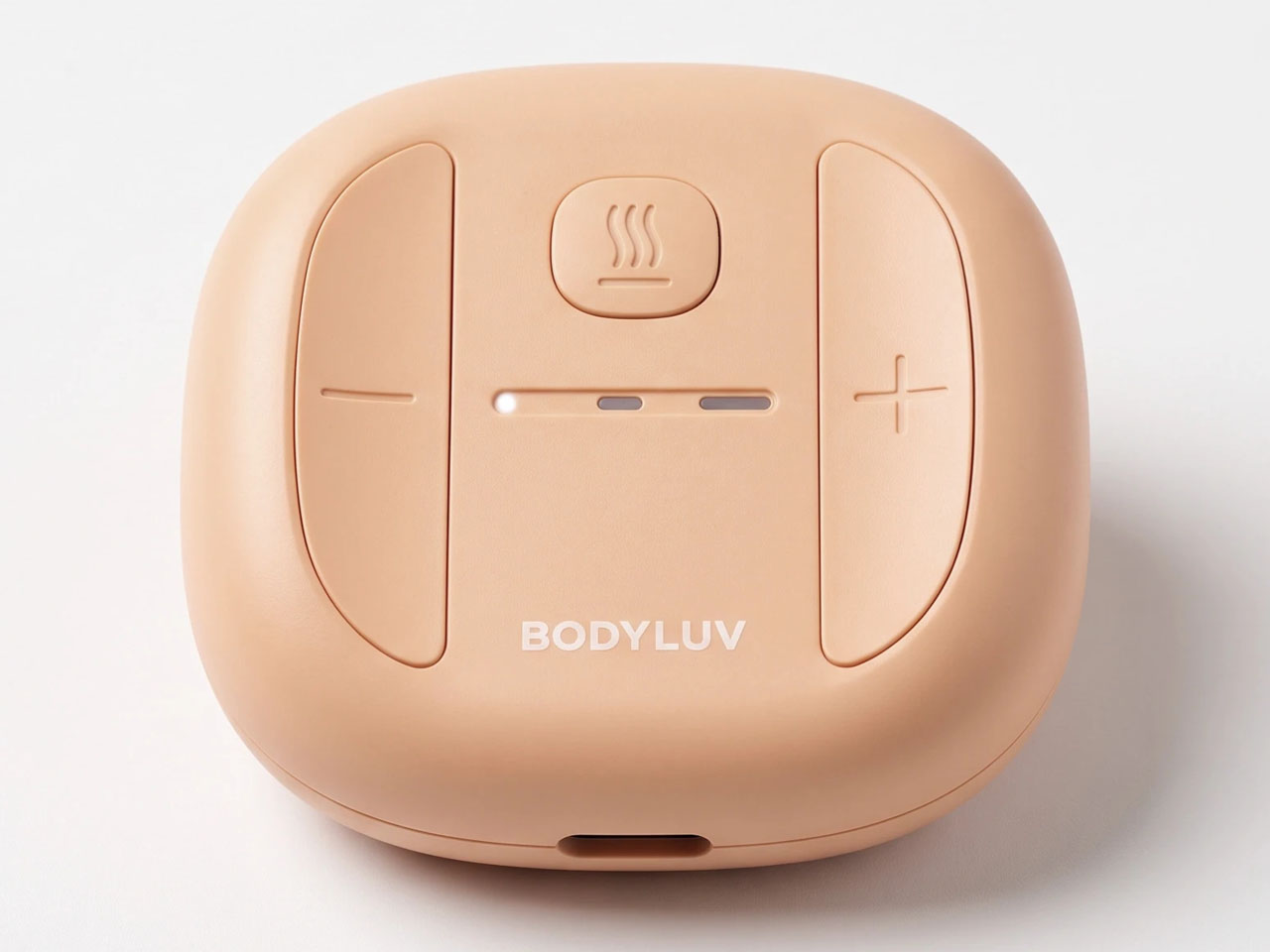
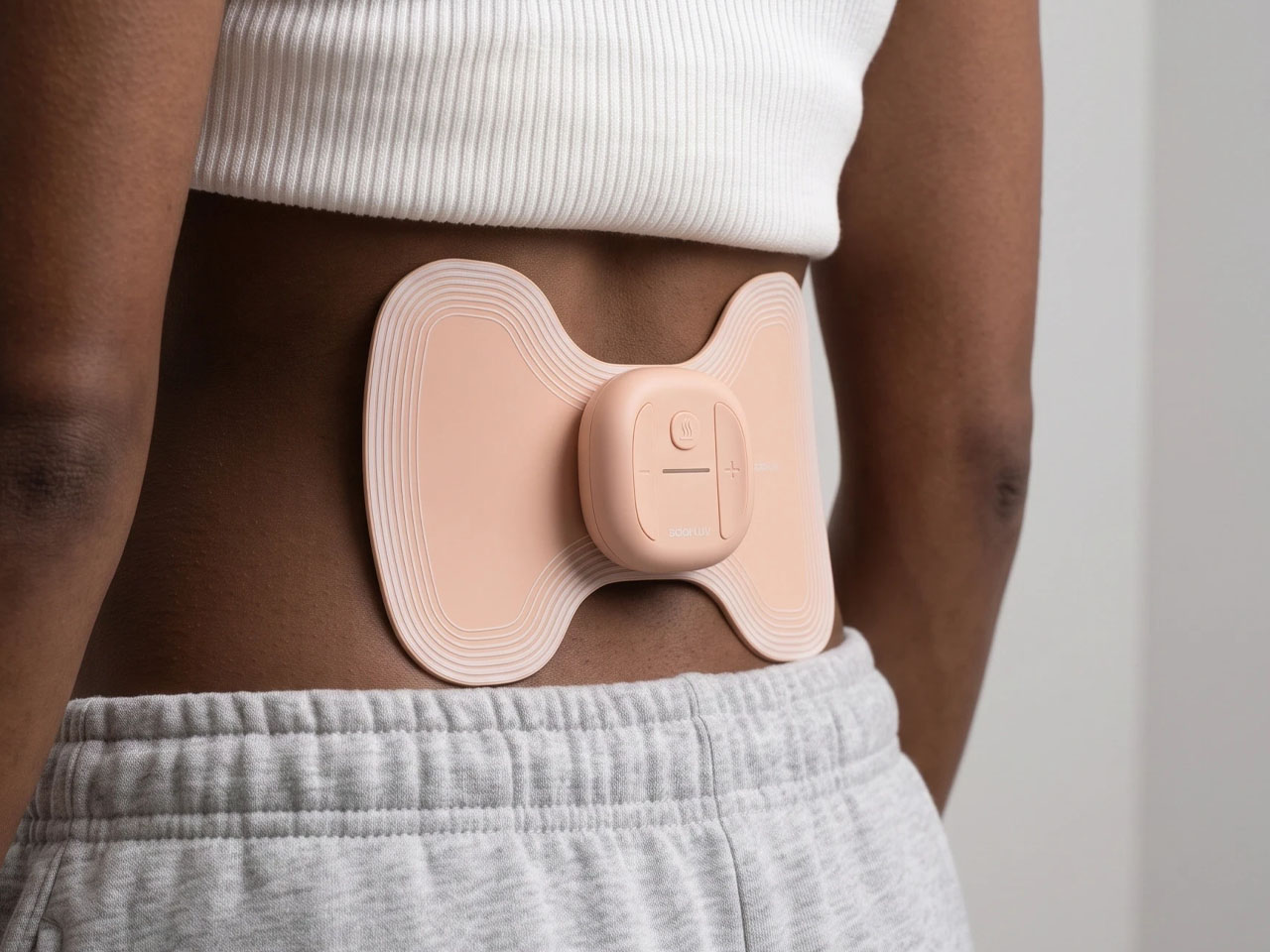
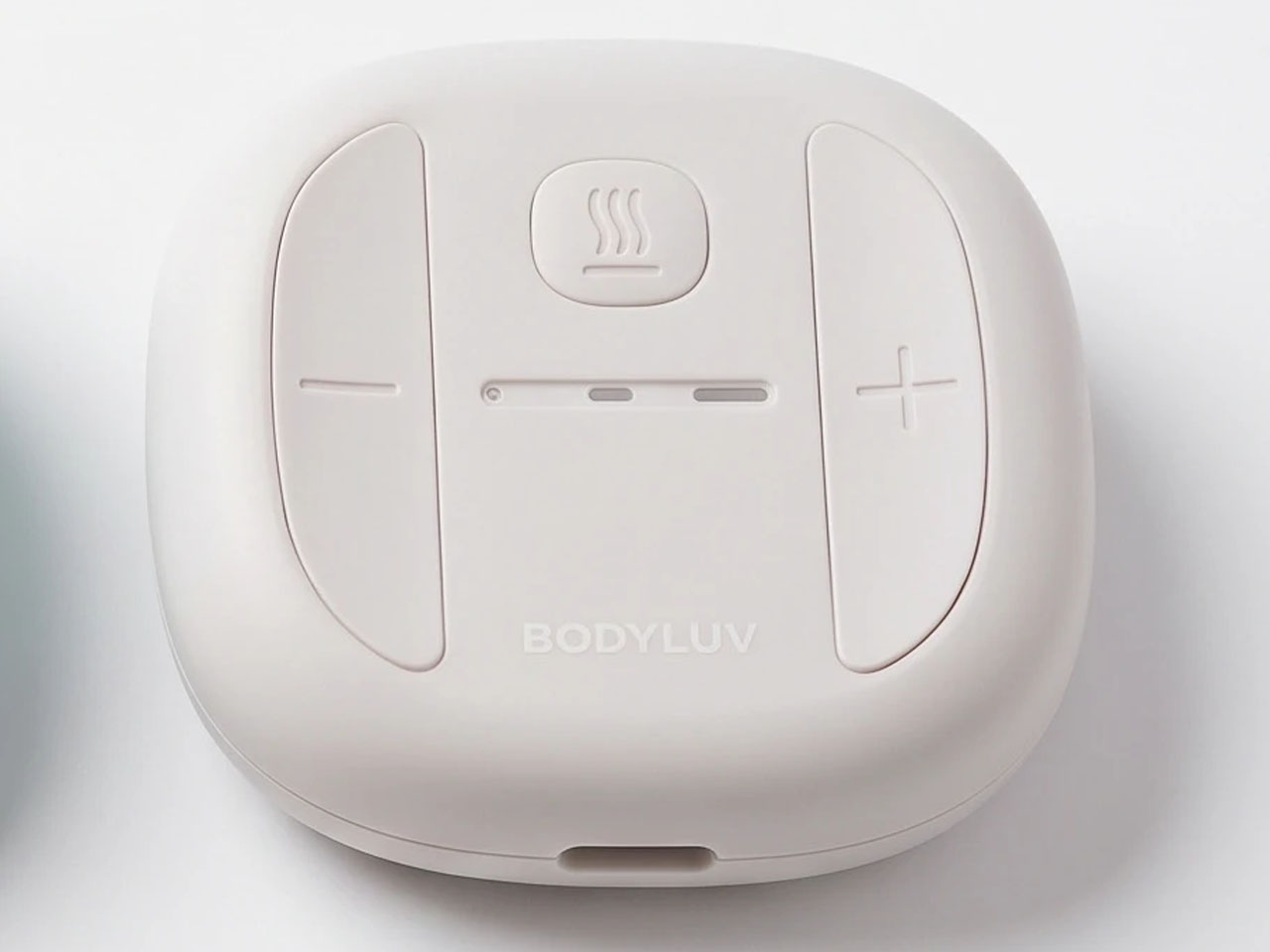
Coming to the abdomen, women experiencing severe pain during periods can attach the BODYLUV smart heat patch to the lower abdomen or the lower back. The heat intensity and the vibration can be controlled from the onboard buttons on the main unit, and it can help relax muscles and improve blood circulation to reduce pain and discomfort significantly.

As a healthcare device, the wearable has potential applications in athlete fitness and recovery as well. The players can apply the device to their fatigued muscles, and it can, with a combination of heat and micro-vibrations, offer relief. Athletes and women can use the smart heat patch to effectively reduce body tension and experience rapid relief with a targeted approach from the device.

Since you wear it where you need it, the wearable features a soft, skin-toned design, so it blends naturally with the skin and doesn’t feel visually obstructive like some other options we’ve seen. In addition to being visually aesthetic, the BODYLUV wearable patch doesn’t create a bulge when you’re wearing it. The designers note that the standout feature of the device is that you can go about your normal routine wearing it.

Athletes can wear it during recovery, while ladies can go about their chores at home or in the office, wearing it under their clothes. To ensure this, the thin and lightweight device boasts a wireless design. There is no word on the battery capacity or how long it can run on a single charge, but we are assuming more information will flow in when the concept is anywhere closer to production.

The post This wearable heat patch is designed to bring relief to menstrual cramps and muscle pain first appeared on Yanko Design.

  •  

Aina’s AI Ring Puts an OLED Screen and Joystick on Your Finger

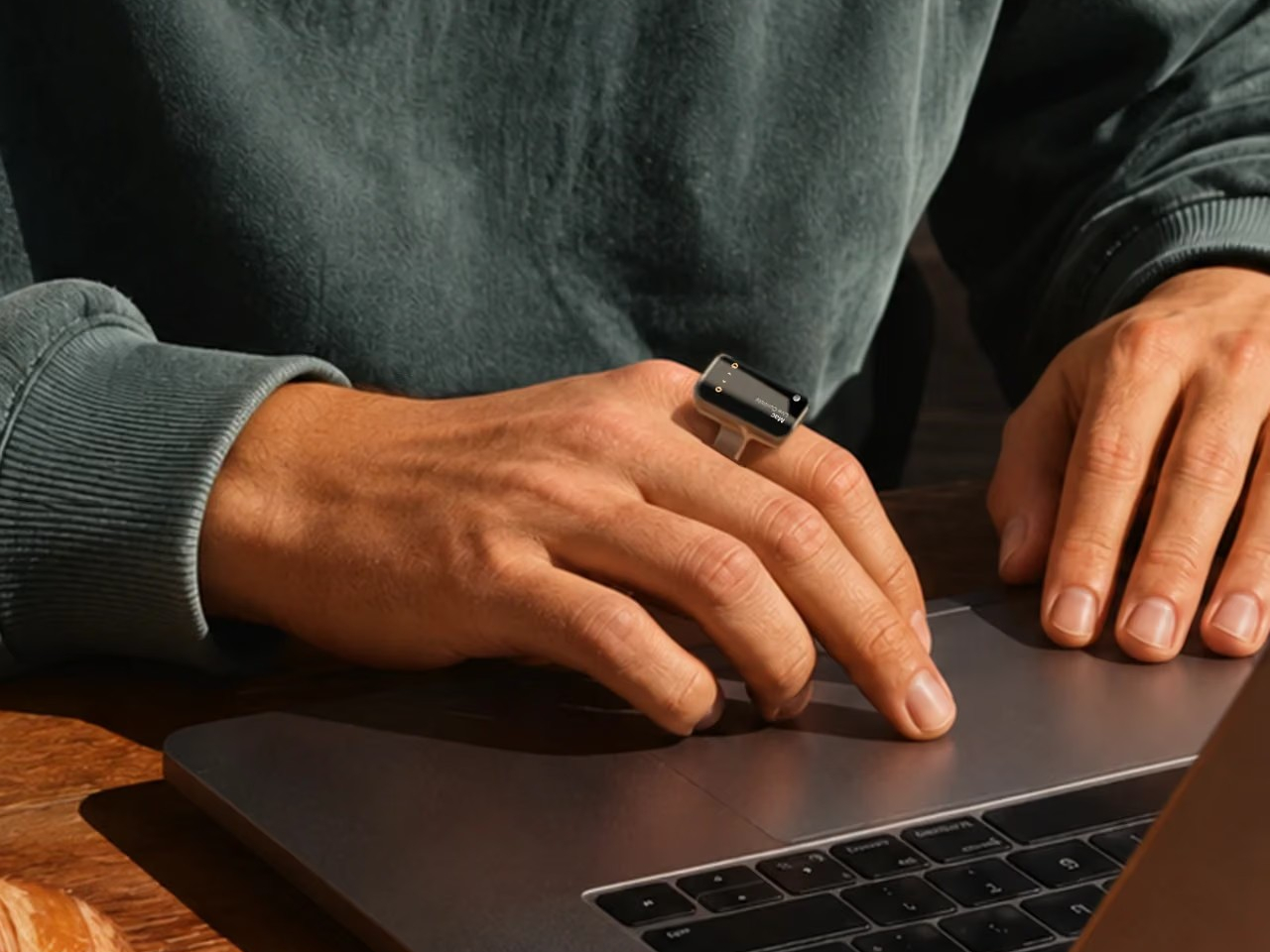
Reaching for your phone to pause a song can easily turn into reading messages you weren’t planning to open. Aina Ring proposes keeping those small decisions on your hand instead, with a display and thumb-operated control built into a substantial titanium band. The upcoming wearable is designed to handle quick commands and AI suggestions while your iPhone stays tucked away in your pocket.

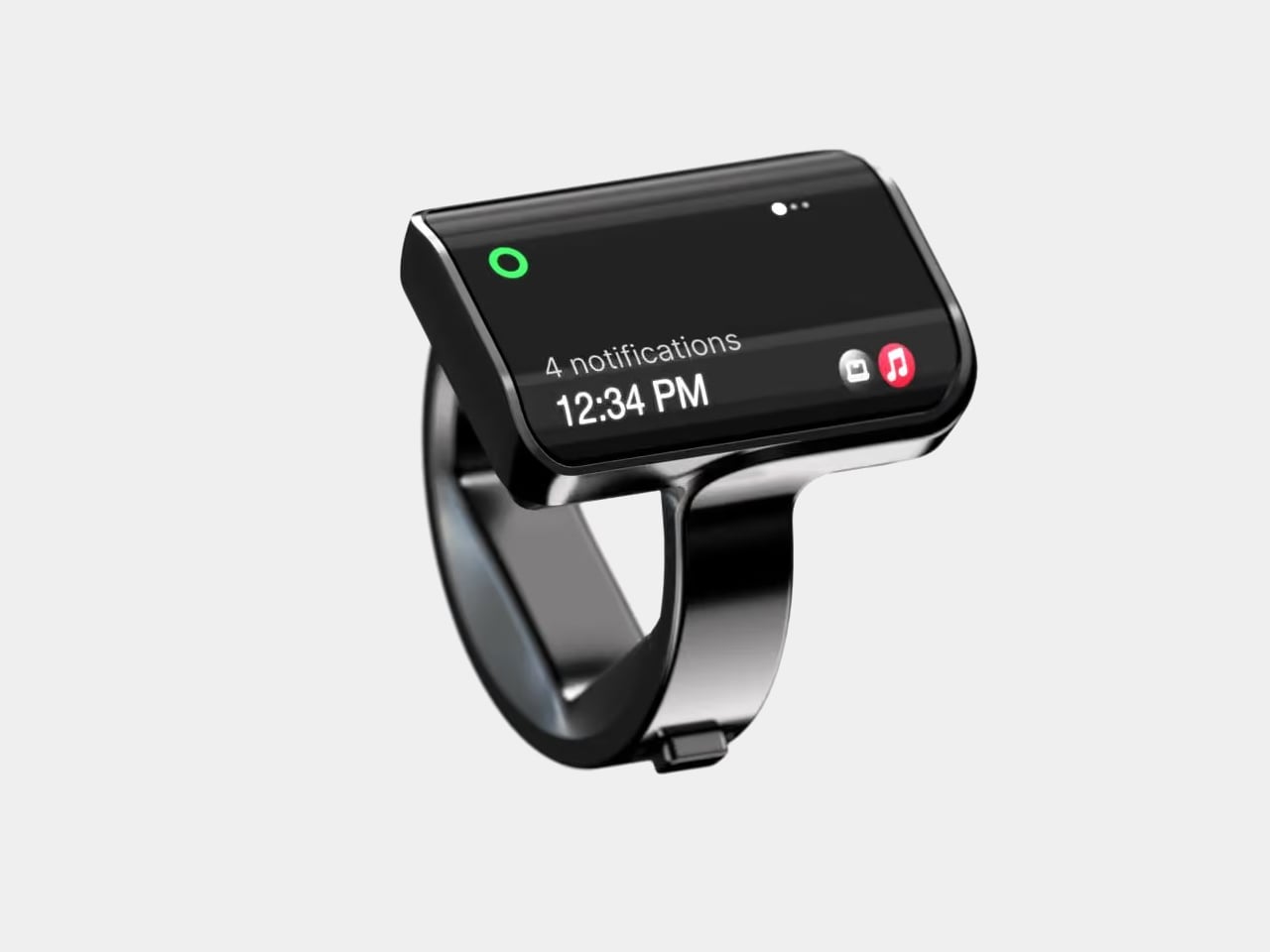
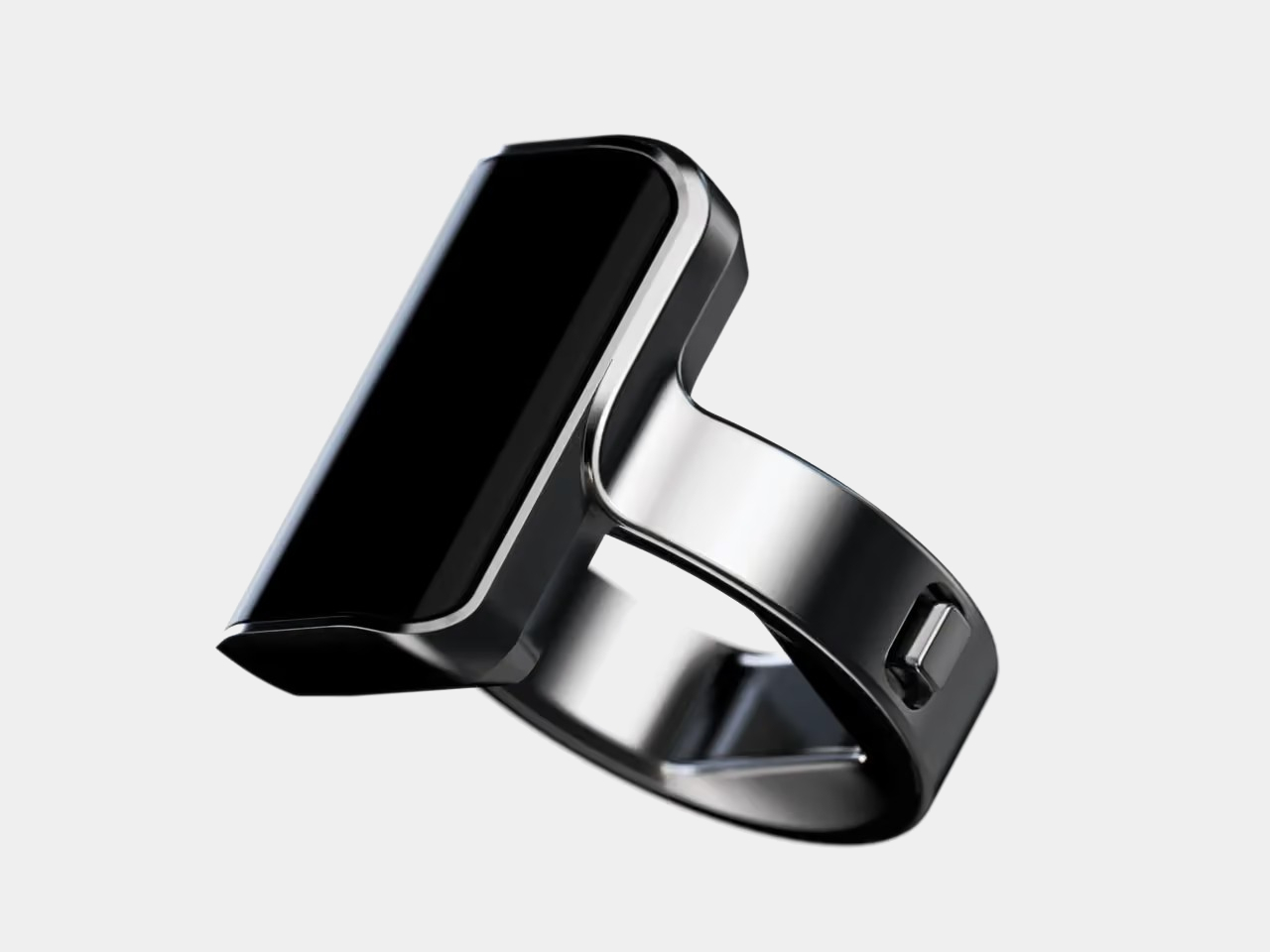
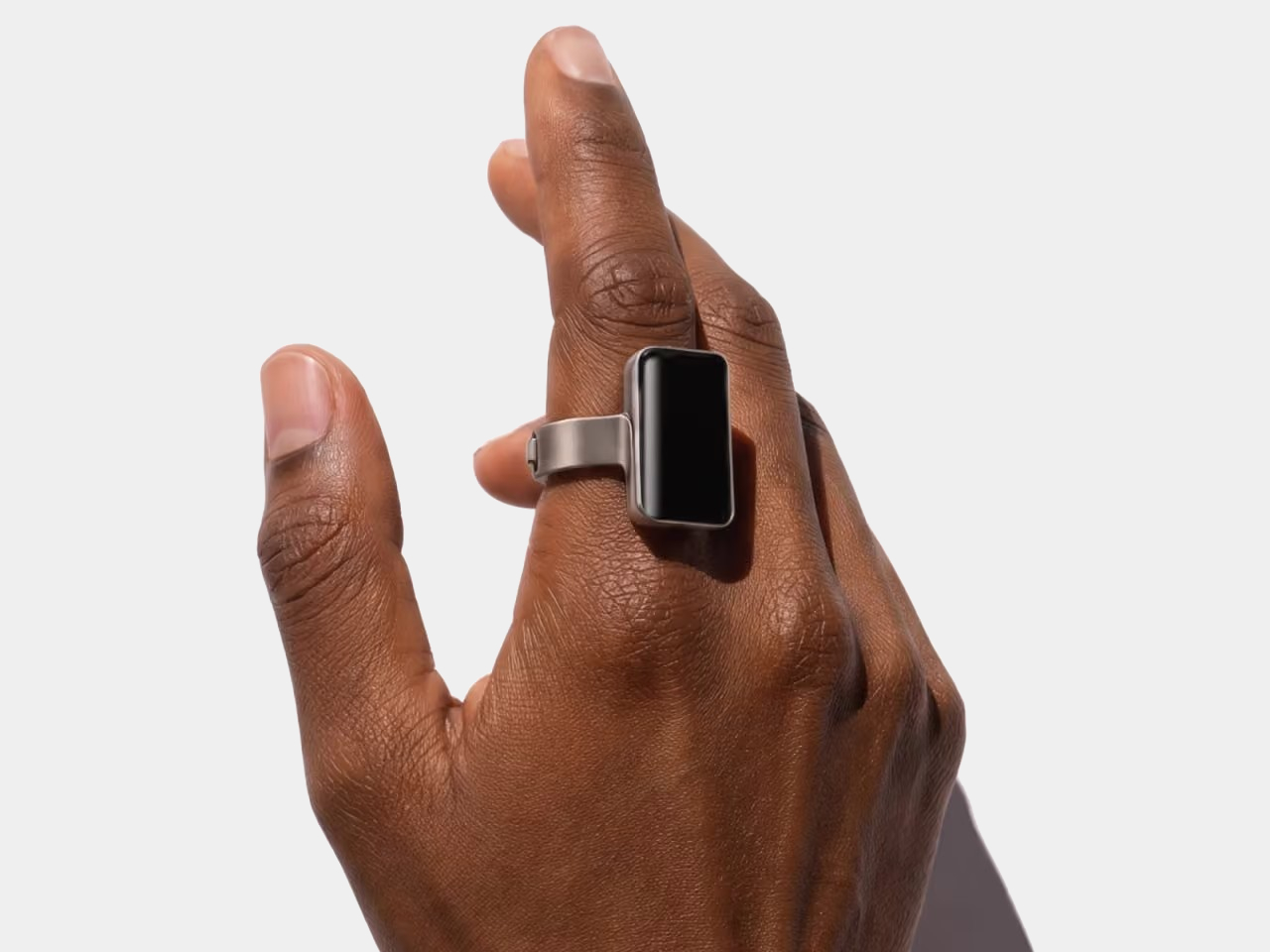
The design doesn’t pretend to be an ordinary piece of jewelry. A rectangular OLED display sits above the index finger, with glass covering its face and rounded edges easing the transition to the band. Four titanium body parts enclose 140 components. Eclipse Black, Amber Gold, Mercury Silver, and Slate Titanium offer different finishes, although none makes that raised screen disappear into a conventional ring.

Designer: Aina

The more interesting detail sits beside your thumb. A joystick-like button on the band accepts seven gesture types, including directional flicks, presses, and holds. Depending on the current task, flicking upward can approve a suggestion, answer a call, or pause music. Displayed hints explain the next action, giving that tiny screen a role beyond repeating notifications from a device you already carry.

Aina calls its suggestions Cues and says its software learns from your routines and calendar. A regular departure time might bring up a ride suggestion; an approaching meeting could offer a shortcut to join. The important design choice is that approval remains yours. Ignore the suggestion and nothing happens, rather than letting a guessed preference quietly become a booking you didn’t request.

Voice provides another route when a flick isn’t enough. Hold the button to dictate a note or set a reminder through the built-in microphone, while a speaker enables calls from the ring. On a Mac, that same control can dictate into applications. It’s a way to catch a thought during a walk, without stopping to compose it on a phone keyboard.

The ring remains an accessory to Apple’s ecosystem, not an independent phone. It requires an iPhone running iOS 18 or later, with macOS 15 or later for Mac features; Android and Windows aren’t supported. Meeting controls depend on the nearby Mac and Aina’s app, so muting from your finger doesn’t mean you can leave the computer behind and keep every function.

Aina claims up to 18 hours per charge, with a cube-shaped dock included for overnight charging. Sizes run from 7 through 13, but only the band changes; the display stays the same. A smaller finger therefore doesn’t get a less conspicuous screen. The IP65 rating allows everyday splashes, although the company says to remove the ring before swimming or showering.

Starting at $399 for early-access preorders, against a $499 list price, Aina is scheduled to ship in early 2027. That leaves the usefulness of its predictions and the comfort of its substantial shape to be established beyond launch demonstrations. A thumb-sized shortcut might save a trip into an app, but wearing it all day needs a better reason than simply having somewhere else to check incoming notifications.

The post Aina’s AI Ring Puts an OLED Screen and Joystick on Your Finger first appeared on Yanko Design.

  •  

Ray-Ban Meta and Oakley Meta Are Finally Coming to the Philippines — With Tagalog AI and Four Models to Choose From

Ray-Ban Meta and Oakley Meta arrive in Philippine stores Nov. 10, with Tagalog AI support and four models spanning everyday, prescription, and sports use.

The post Ray-Ban Meta and Oakley Meta Are Finally Coming to the Philippines — With Tagalog AI and Four Models to Choose From appeared first on TechRepublic.

  •  

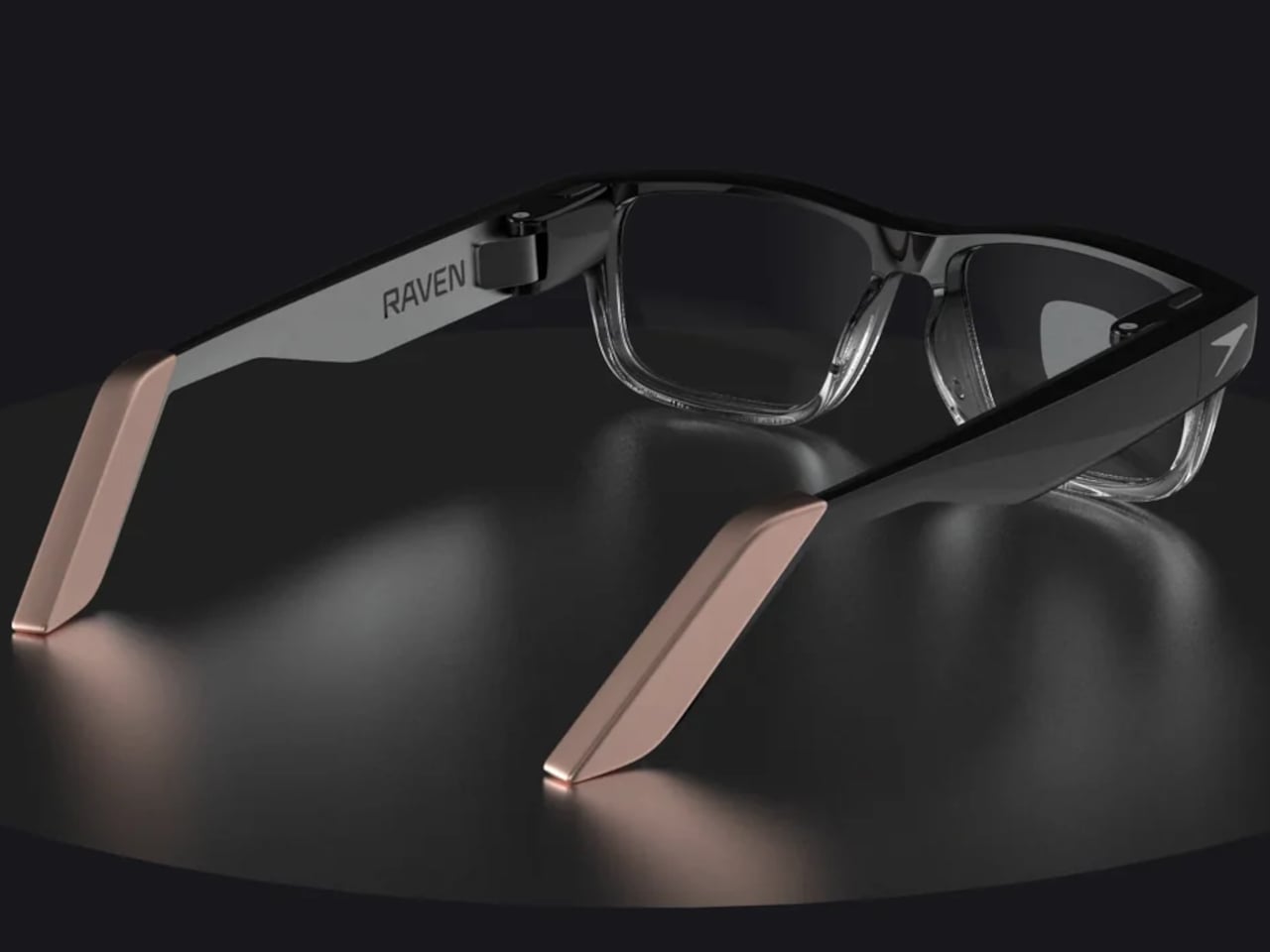
Raven Prism Smart Glasses Put a Linux Computer in the Corner of Your Eye

Checking a recipe with flour on your fingers is a good reminder that a touchscreen isn’t always the most convenient interface. Raven Resonance’s Prism glasses propose keeping those instructions in the corner of your vision instead, with eye controls leaving your hands free. The reservation-stage wearable puts a Linux computer inside familiar-looking frames, rather than simply supplying another screen tethered to your phone.

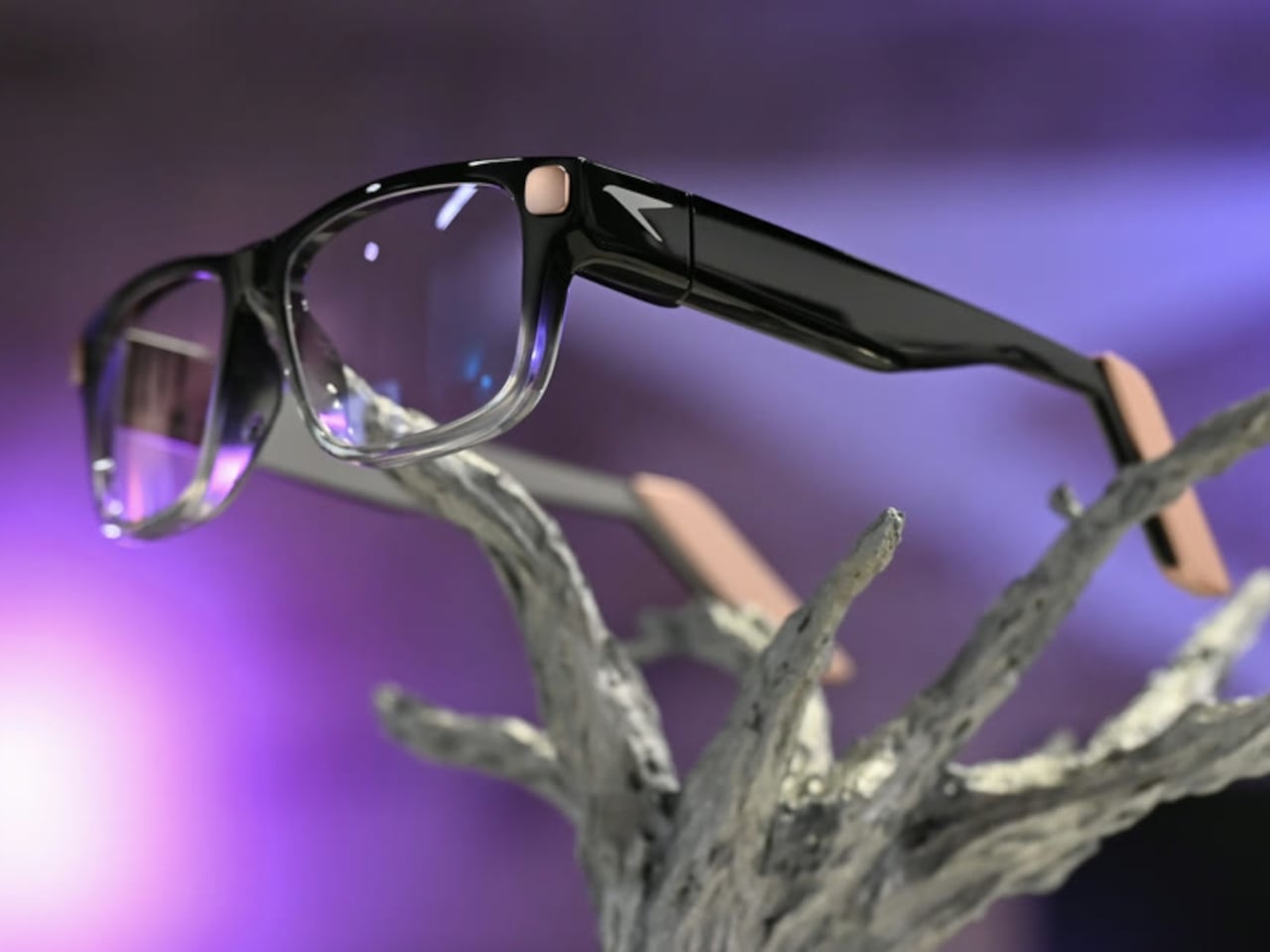
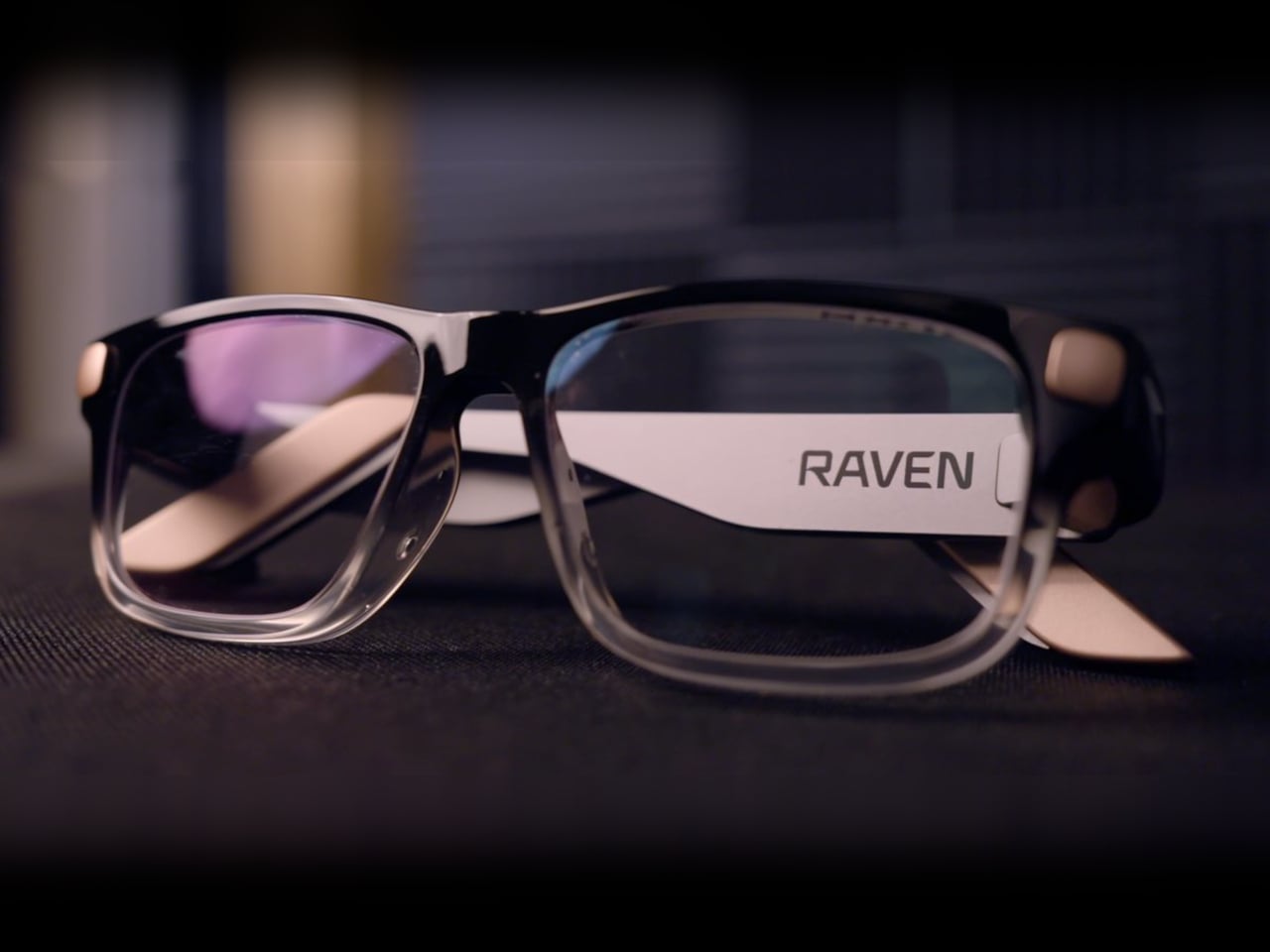
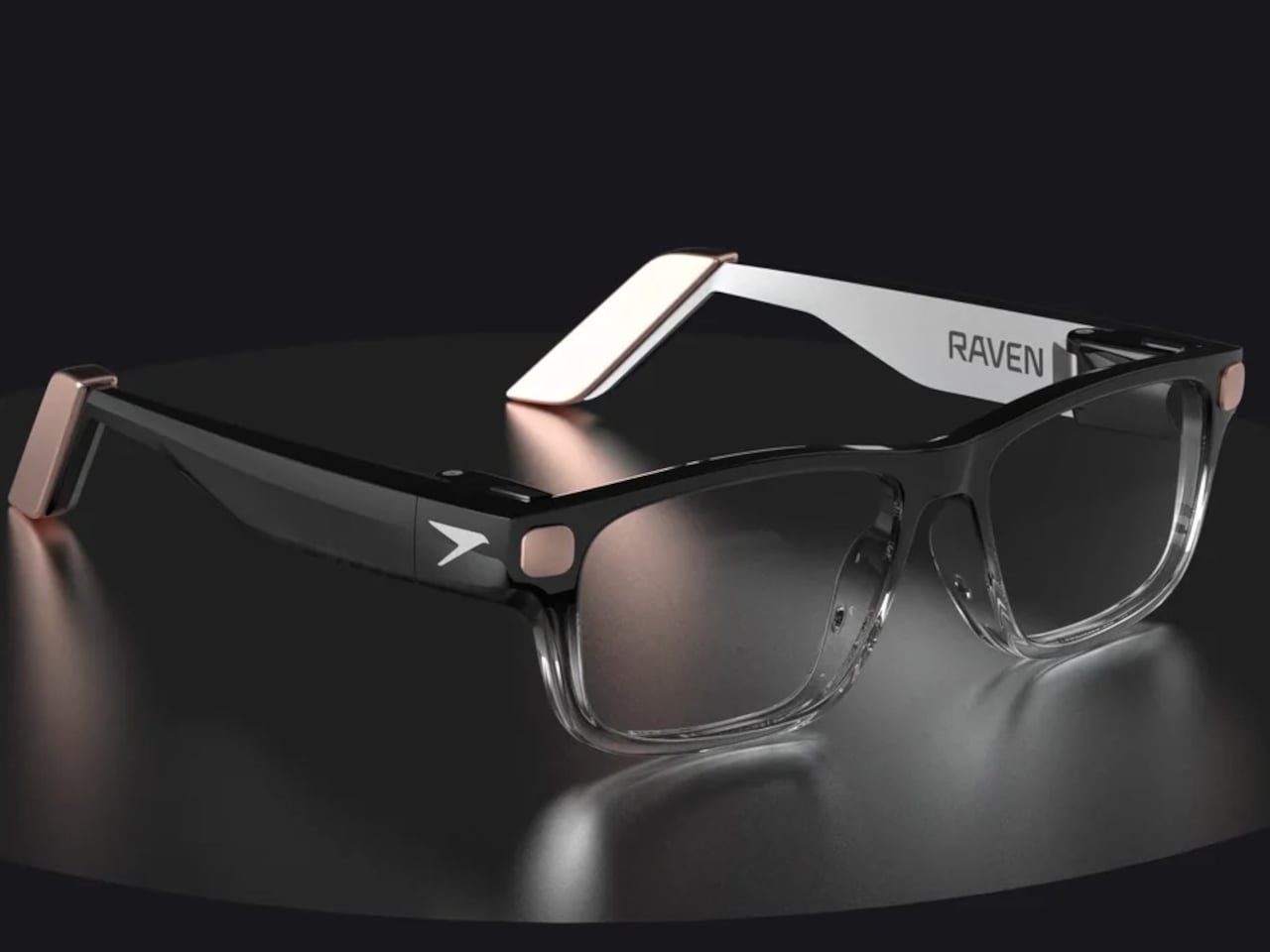
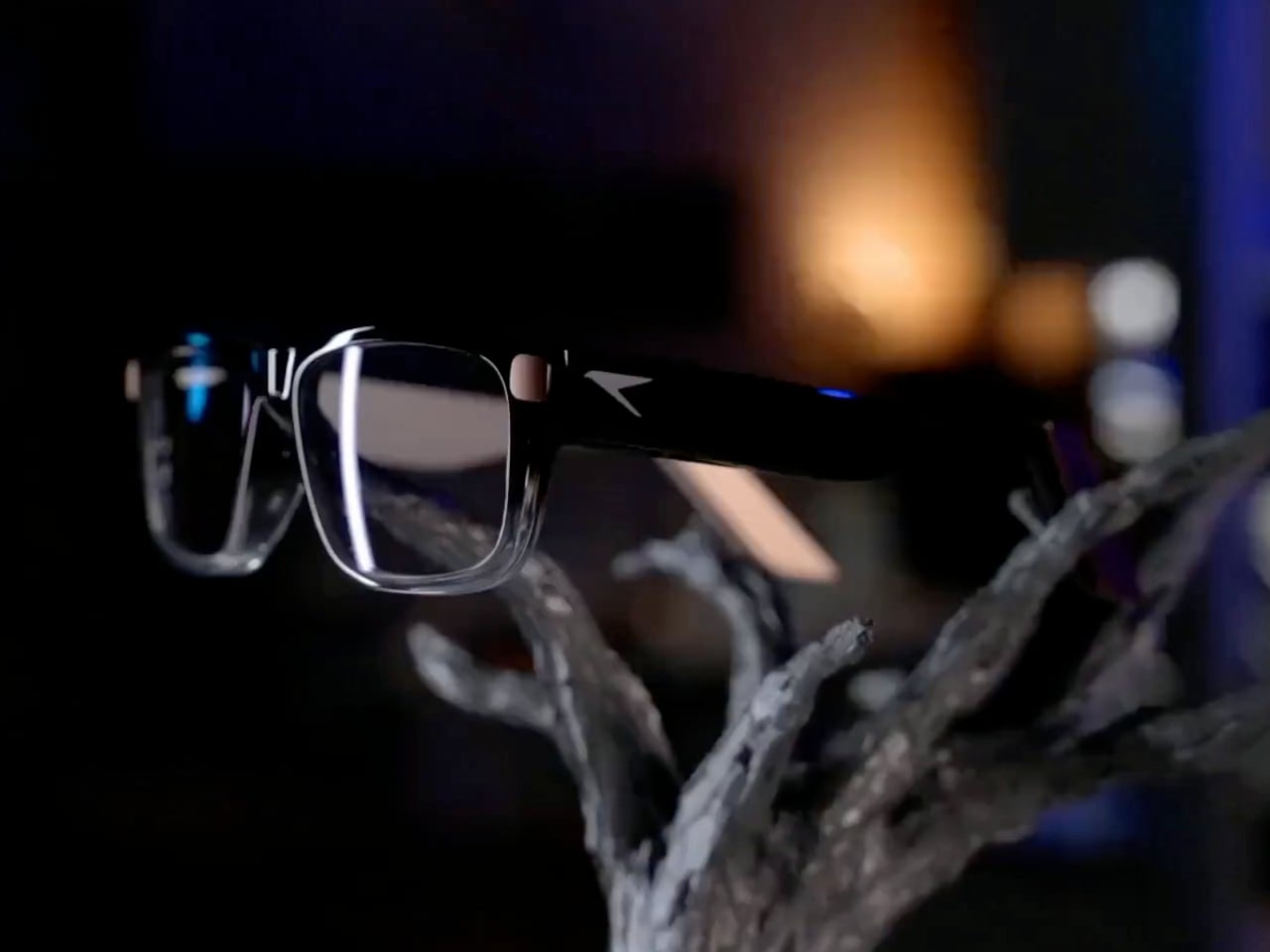
The frames make some concessions to everything packed inside. Thick temples run back from a dark brow, while clearer lower rims soften the outline around the lenses. Pale end pieces add a contrasting finish without covering the front in conspicuous branding. There’s still more hardware beside your head than ordinary glasses would carry, so familiar styling shouldn’t be confused with proven comfort.

Designer: Raven Resonance

The display occupies the right eye’s periphery, using a full-color waveguide with a 30-degree diagonal field of view. Its position is meant to make a recipe or reference image available when you glance over, rather than filling your central view. That arrangement suits checking the next instruction while cooking, although looking away from your hands still requires choosing a sensible moment to pause.

Eye control gives that arrangement its practical purpose. Raven’s software framework includes buttons you activate by holding your gaze on them, along with gaze-based navigation. You wouldn’t need to tap a temple every time your hands were occupied. The challenge is distinguishing a deliberate selection from an ordinary glance, something the developer guidance acknowledges by recommending large targets and avoiding crowded layouts.

Privacy gets a physical control rather than just a settings menu. A cover must be moved manually before the 13-megapixel camera can operate, and lights in the rims signal when it’s active. Raven also says speech recognition runs locally and cloud sharing requires consent. Those choices make the intended boundaries clearer, but they don’t amount to an independent security audit of the system.

Keeping prescription glasses usable while their electronics recharge takes another physical solution. Raven Wings are removable battery modules, designed to swap without shutting down your apps. Two pairs and a charging case are included, letting one set recharge while you wear the other. That makes the all-day ambition about exchanging batteries, not a published promise of uninterrupted runtime from a single pair.

Underneath that eyewear is Raven OS, running on a quad-core ARM processor with up to 4GB of memory. Developers can connect remotely and build compatible applications, but Linux underneath doesn’t mean every desktop program fits a tiny wearable display. Navigation directions and other phone-supplied information also remain part of the pitch, so standalone computing shouldn’t be mistaken for making your phone redundant.

Prism is priced at $1,499, including supported prescription lenses, with initial US shipments planned for January 2027. New reservations currently fall into a summer 2027 batch, not that first delivery window. Its usefulness will depend on whether these small interactions feel easier than reaching for a phone, and whether you’re comfortable keeping the screen, batteries, and computer on your face all day.

The post Raven Prism Smart Glasses Put a Linux Computer in the Corner of Your Eye first appeared on Yanko Design.

  •  

NUS Researchers Turn Electronic Threads Into a Touchscreen Sleeve

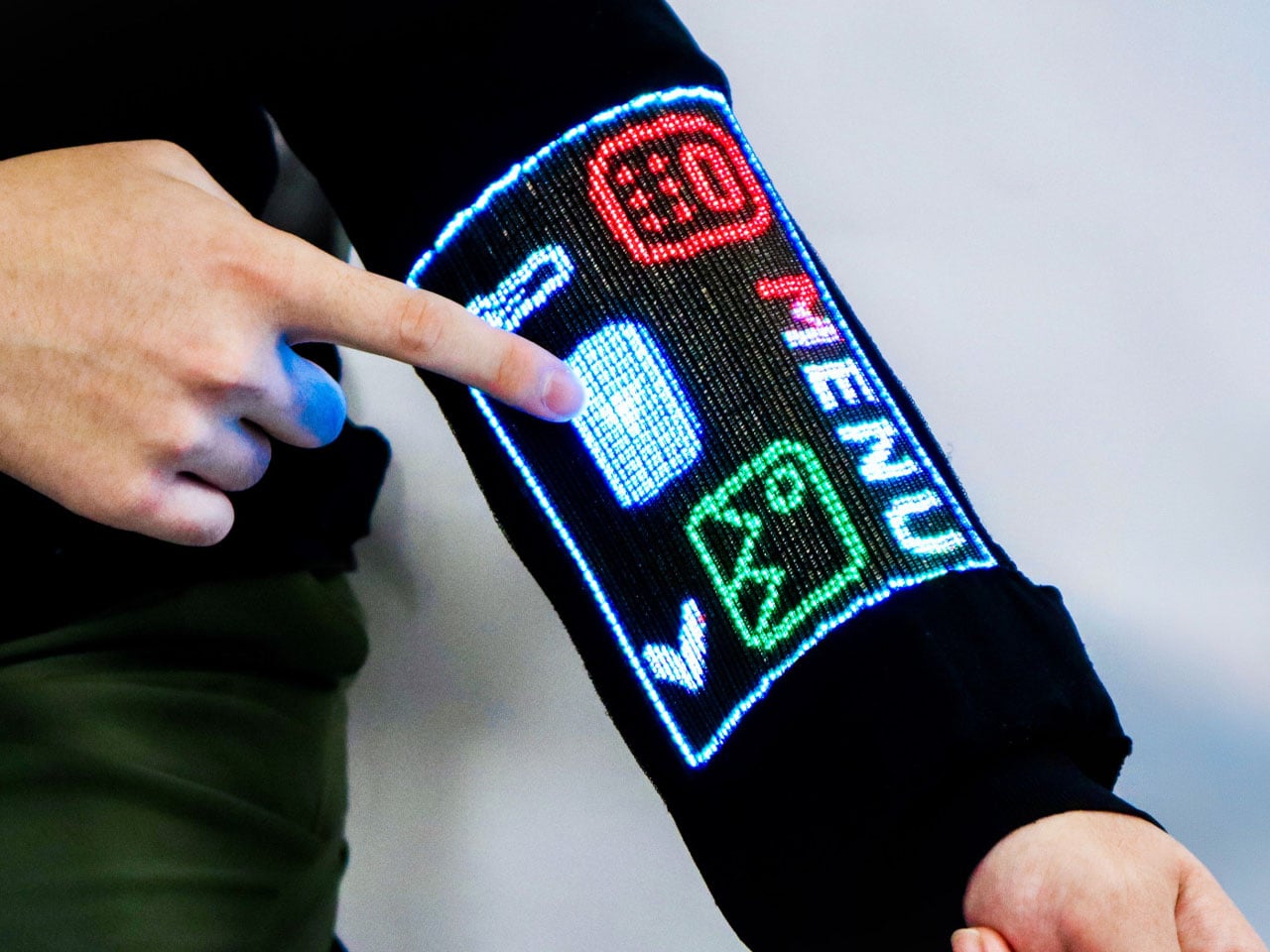
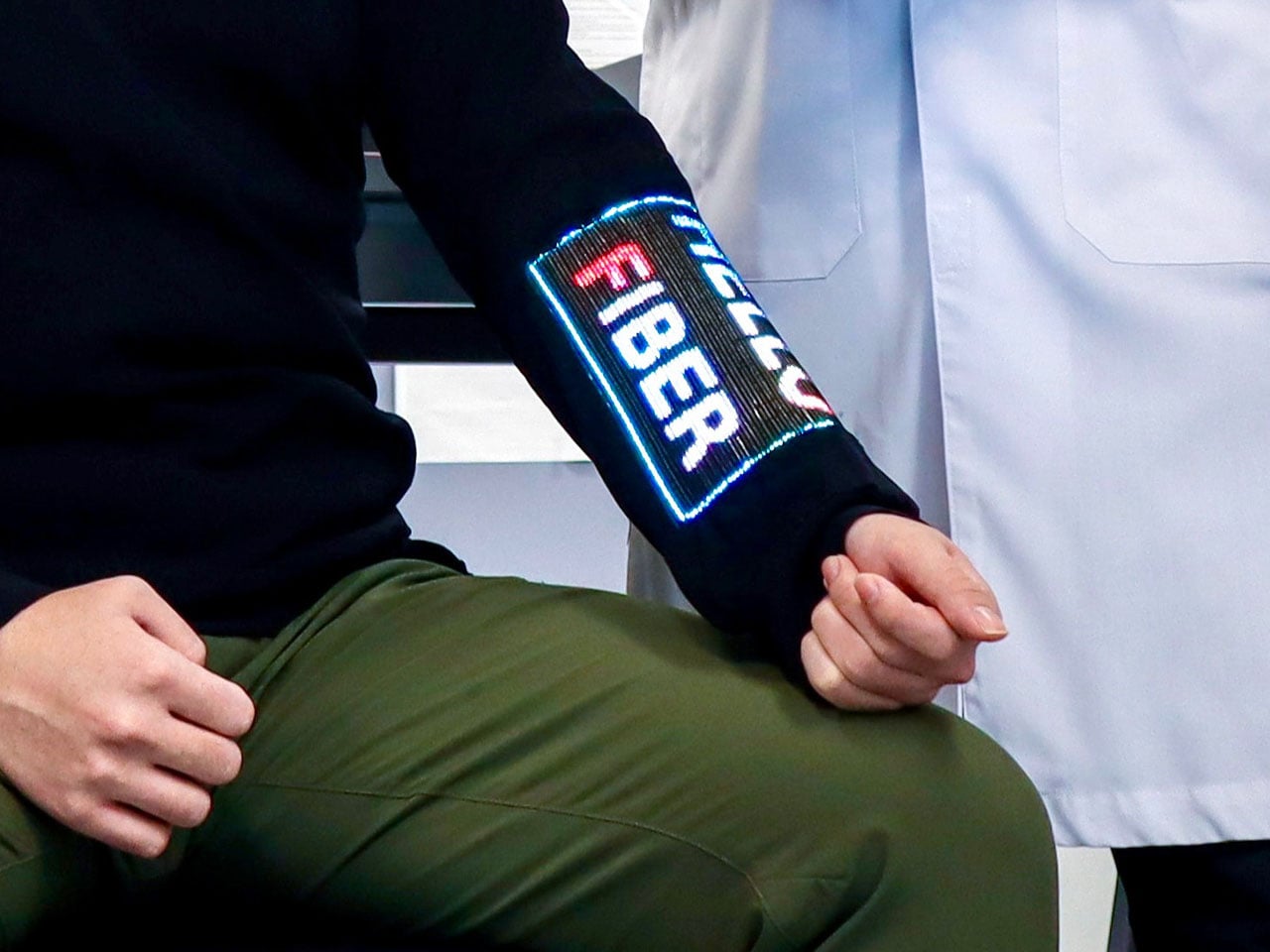
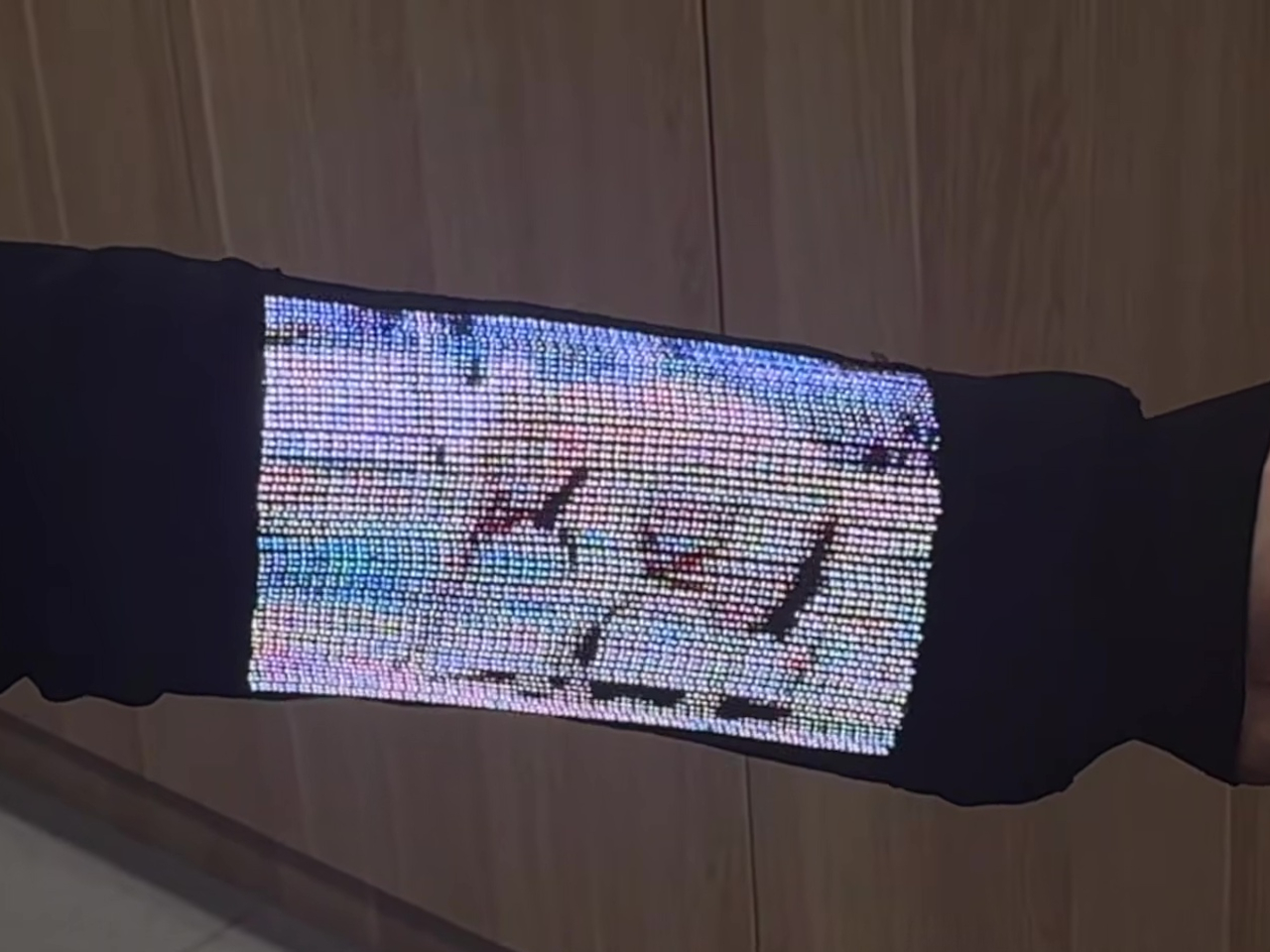
Checking your sleeve usually means looking for a stain, not opening a calculator. Researchers at the National University of Singapore have given that familiar piece of clothing a rather different purpose, threading a working touchscreen into its fabric. The research prototype displays images, responds to presses, and bends around the forearm without relying on a rigid panel strapped on top of it.

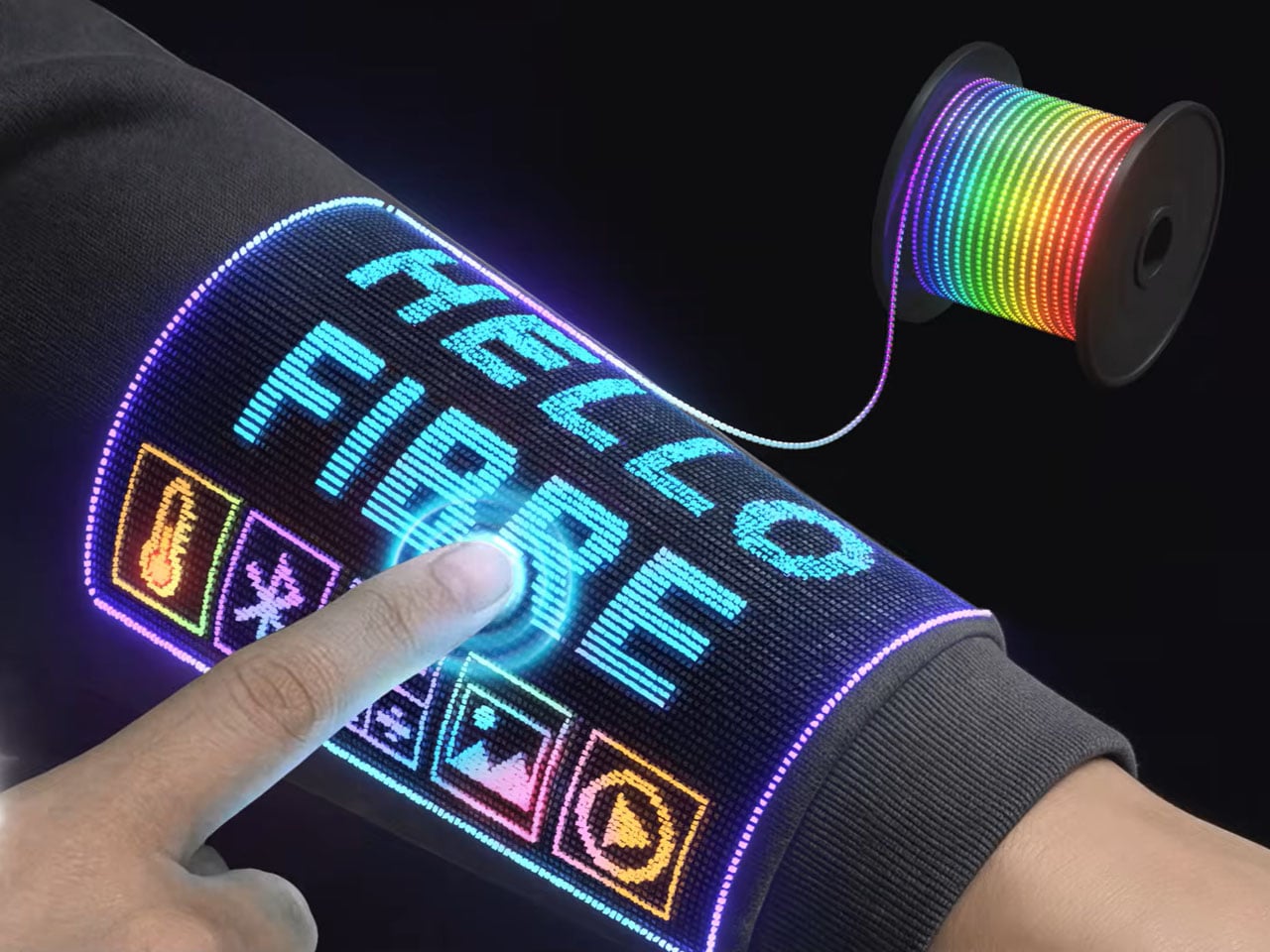
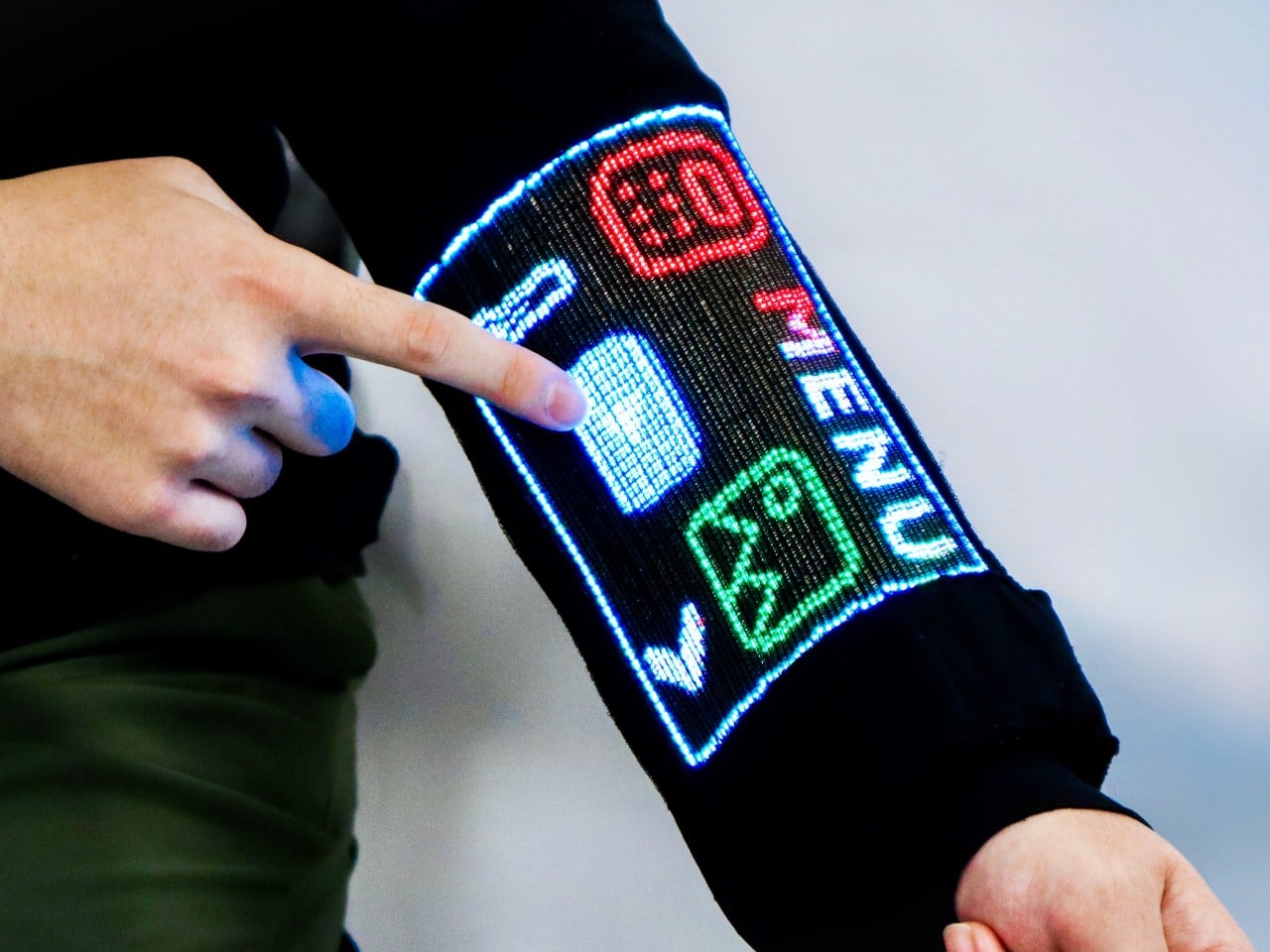
The interesting part is how the screen becomes part of the garment. Each electronic fiber carries a row of LEDs and a touch-sensitive layer beneath them, all within a thread about 0.04 inches thick. Pressing the fiber closes a circuit, allowing the system to locate your finger. You aren’t poking through fabric at a hidden glass screen; the thread itself detects the press.

Designers: Heng Fu, Ziang Li, Swetika Chaturvedi, Xiaoyu Zhang, Xiaolong Li, Qianyi Li & Tural Khudiyev (National University of Singapore)

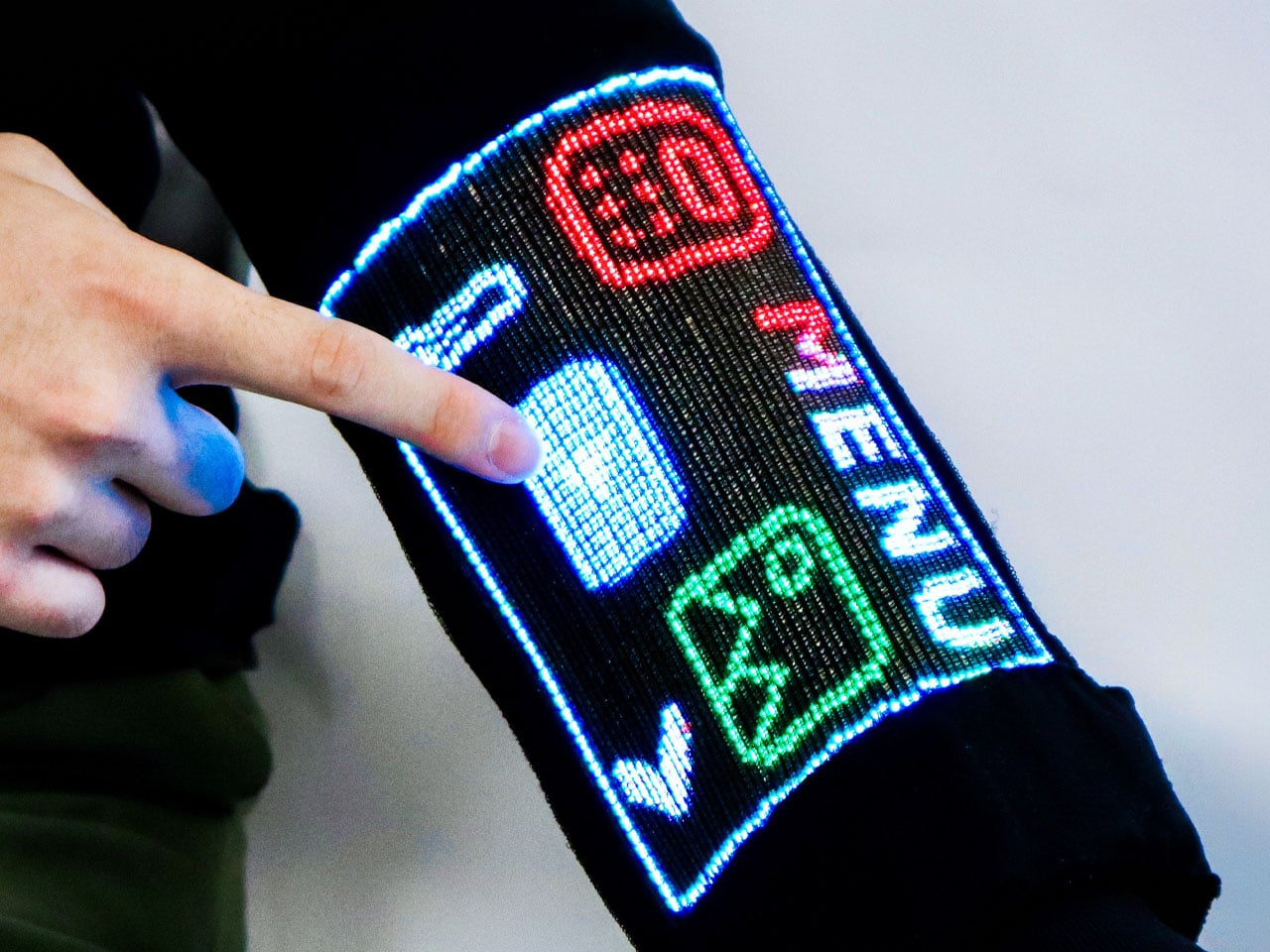
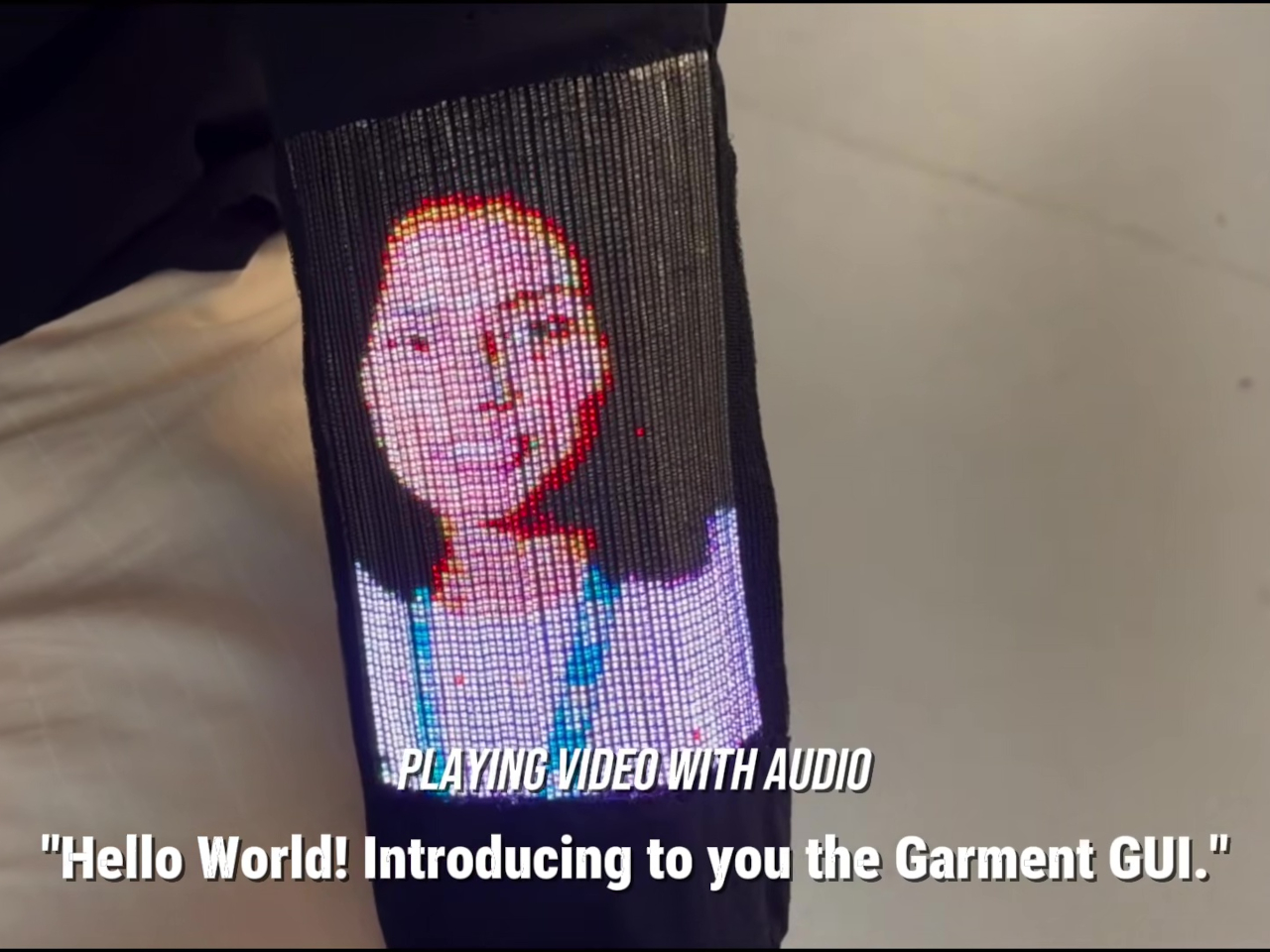
The sleeve combines 54 of those fibers, each carrying 96 LEDs, into a display roughly 6.6 inches by 4.1 inches. Its 96-by-54-pixel resolution isn’t going to replace your phone’s display, although the prototype can show pictures and play video. Large icons make more sense here than tiny menus, giving the interface a chunky character that suits a screen wrapped around a moving arm.

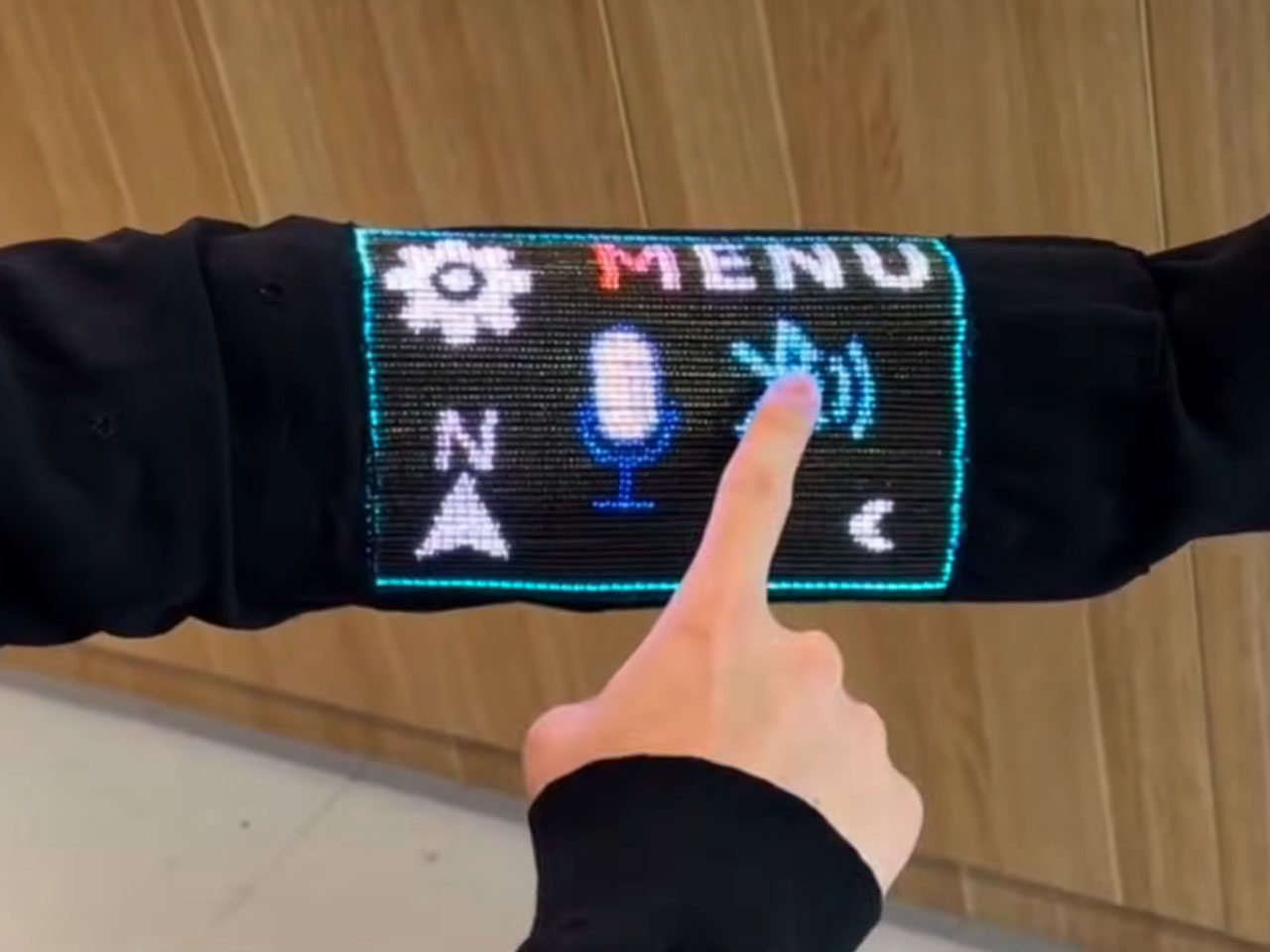
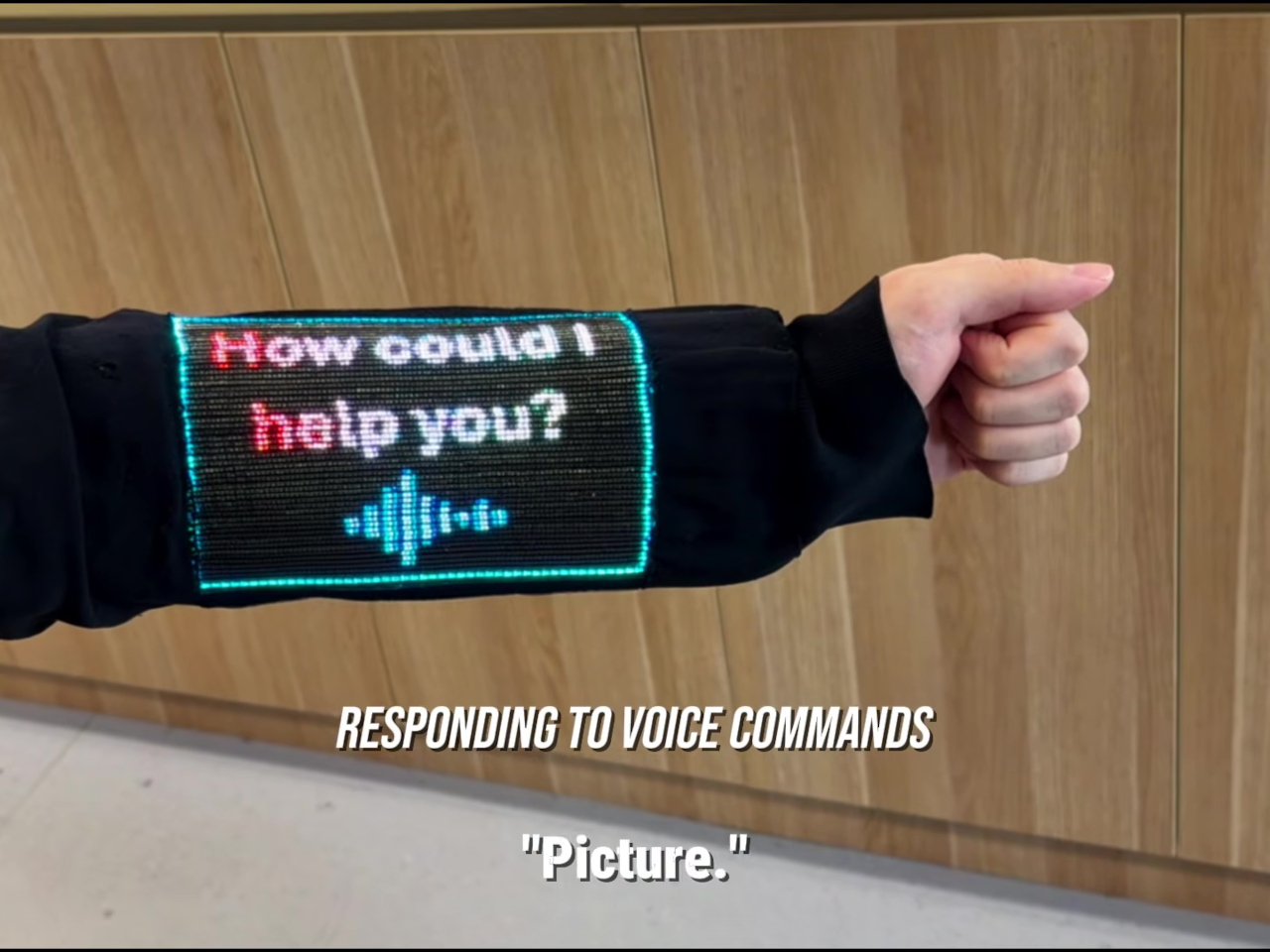
That placement puts simple tools within reach without fishing through a pocket. The team demonstrated a calculator, compass, photo viewer, and voice commands, along with Bluetooth image transfers. Video runs at 30 frames per second, dropping to 25 with synchronized audio. Those aren’t smartphone specifications to brag about, of course, but checking a direction doesn’t demand a miniature movie theater on your sleeve.

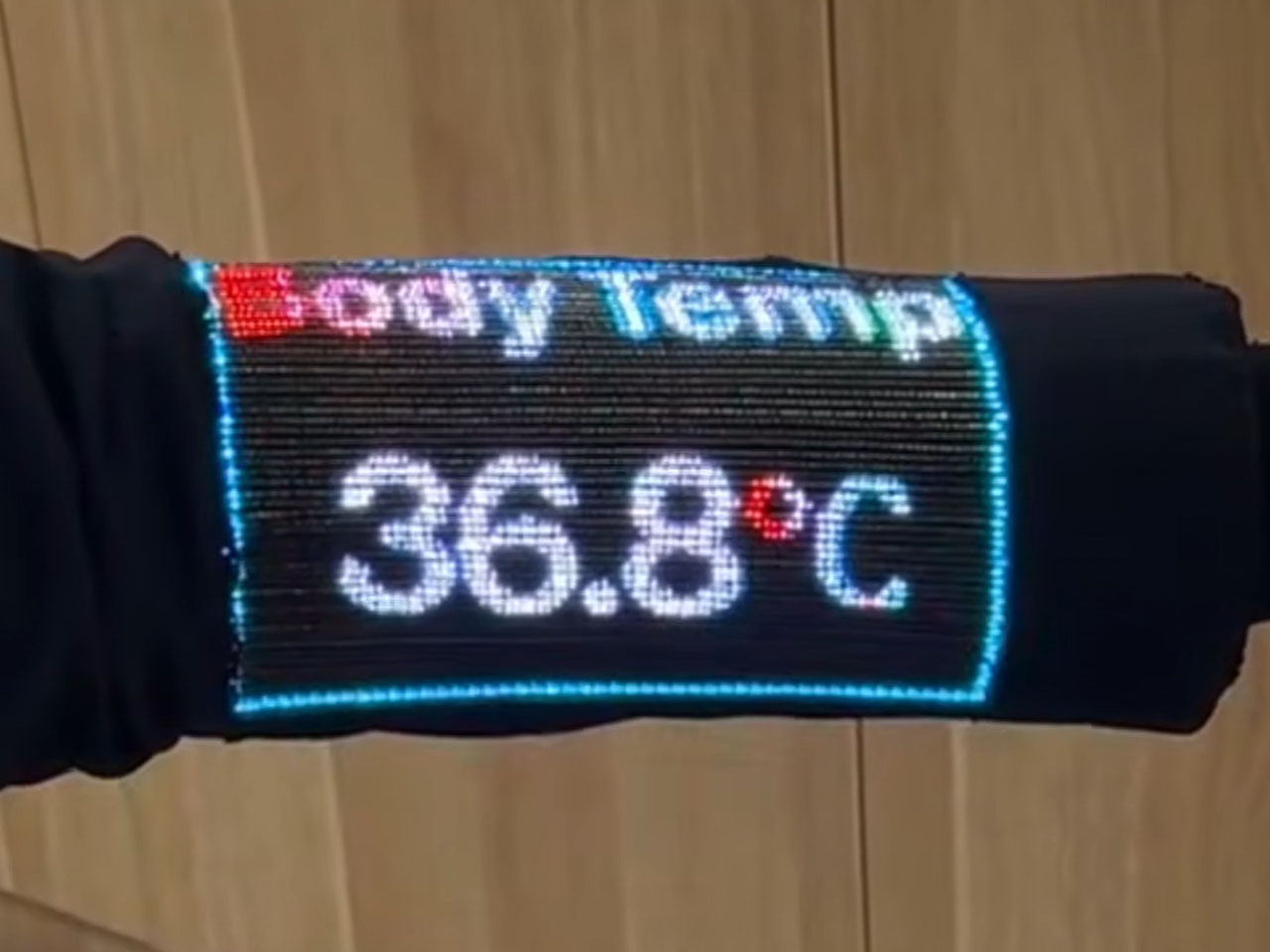
Other fibers carry a microphone, speaker, and sensors for movement, light, direction, and temperature. That lets the interface rotate with the arm and adjust its brightness automatically. A temperature-sensing fiber positioned under the arm can send a reading to the sleeve, suggesting how clothing might eventually make personal measurements easier to check. That doesn’t mean it’s ready to replace your thermometer, though.

Of course, clothing has to survive more than a few demonstrations. NUS reports that light output and touch response barely changed after 50 detergent washes and 1,000 bends. The washing procedure used a laundry bag and a gentle cycle, rather than treating the electronics like gym socks. That’s encouraging, though a laundry test isn’t a promise of surviving years of careless washing.

There’s also a difference between making the display flexible and making the entire computer disappear. Separate controller circuits and battery packs still support this prototype, so the electronics haven’t all become yarn. The researchers report breathability comparable to common fabrics, including cotton and denim, but a wearable system also has to account for where its power supply and other hardware sit during use.

For now, this remains a laboratory garment, with no announced retail price or release date. Higher resolution and more integrated electronics are among the challenges ahead. There’s a practical design question underneath the glowing sleeve, too. If the interface lives in your clothes, charging, repairing, and eventually replacing it become wardrobe decisions, alongside the ordinary matter of choosing something that fits comfortably.

The post NUS Researchers Turn Electronic Threads Into a Touchscreen Sleeve first appeared on Yanko Design.

  •  

Titanium Smart Glasses Concept Refuses to Hide Its Tech

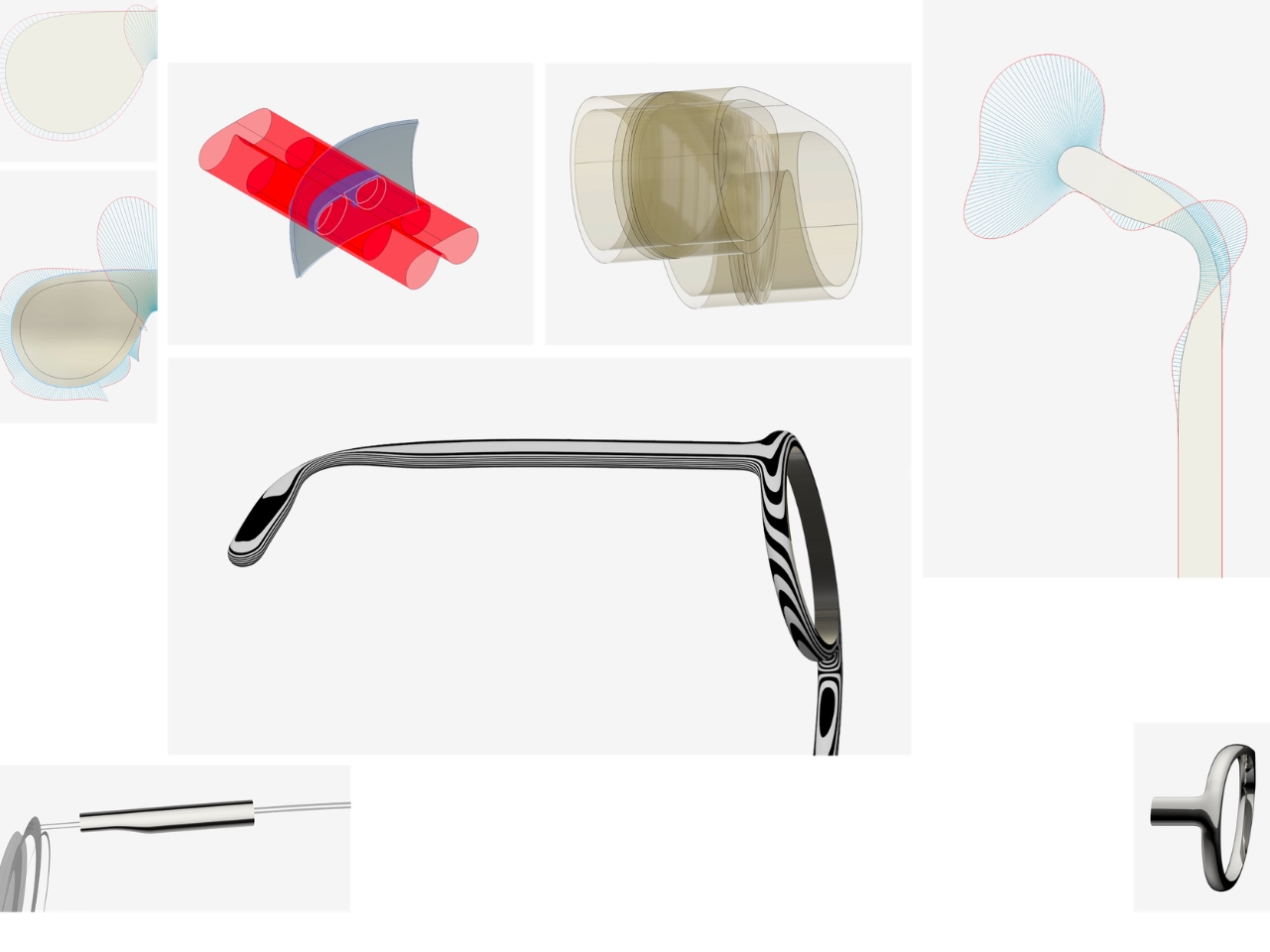
Fitting a computer into a pair of glasses creates an awkward design problem: the electronics need room, but the result still has to belong on someone’s face. Povilas Grigas approaches that tension without pretending it can disappear. His Glasses concept gives the hardware a deliberately different silhouette, treating smart eyewear as its own design category rather than ordinary frames with a technological secret. I like that starting point.

Developed for his 2024 design BA thesis, the mixed-reality concept imagines an alternative to being tethered to a phone or desktop screen. The ambition is to make computing available through something worn rather than something you continually look down at or sit in front of. That’s an appealing proposition, although moving digital information closer to your eyes doesn’t automatically make it less demanding of your attention.

Designer: Povilas Grigas

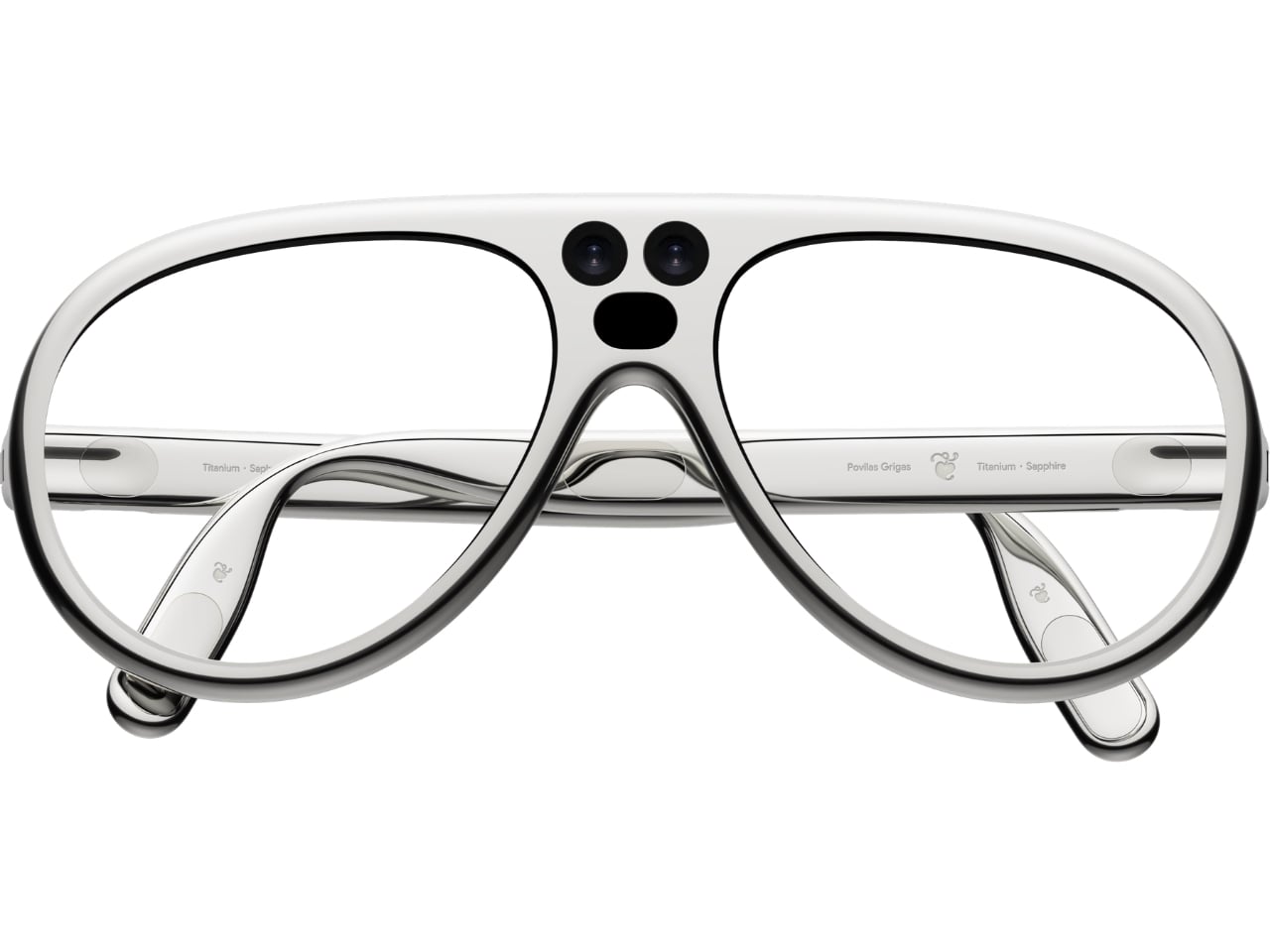
Visually, these glasses have enough personality to carry that discussion. The broad, rounded lens openings sit within a flowing silver-colored frame, while the bridge has two dark circular elements above an oval opening. In the front view, that arrangement almost resembles a tiny surprised face. It’s an unexpectedly playful detail in an otherwise polished object. To my eye, the overall effect lands somewhere between sculptural eyewear and a science-fiction costume department with unusually good taste.

Grigas specifies CNC-milled, polished grade 5 titanium for the frame and optically polished sapphire crystal for the lenses. Those are proposed material choices, not evidence that the finished glasses would feel featherlight or survive everyday abuse. Still, I appreciate the intention behind them. A computer worn this prominently deserves the material attention we give a watch or a favorite pair of glasses, especially if the expectation is that it becomes part of someone’s daily appearance.

The frame’s outline follows the bones around the eyes, according to Grigas, and the vision sensors occupy the bridge for a centered point of view. That placement gives the front a clear organizing feature. Rather than scattering visually competing details across the brow and corners, the design concentrates its most conspicuous technology near the middle. It’s a convincing composition, even if a convincing composition is only one part of making wearable computing practical.

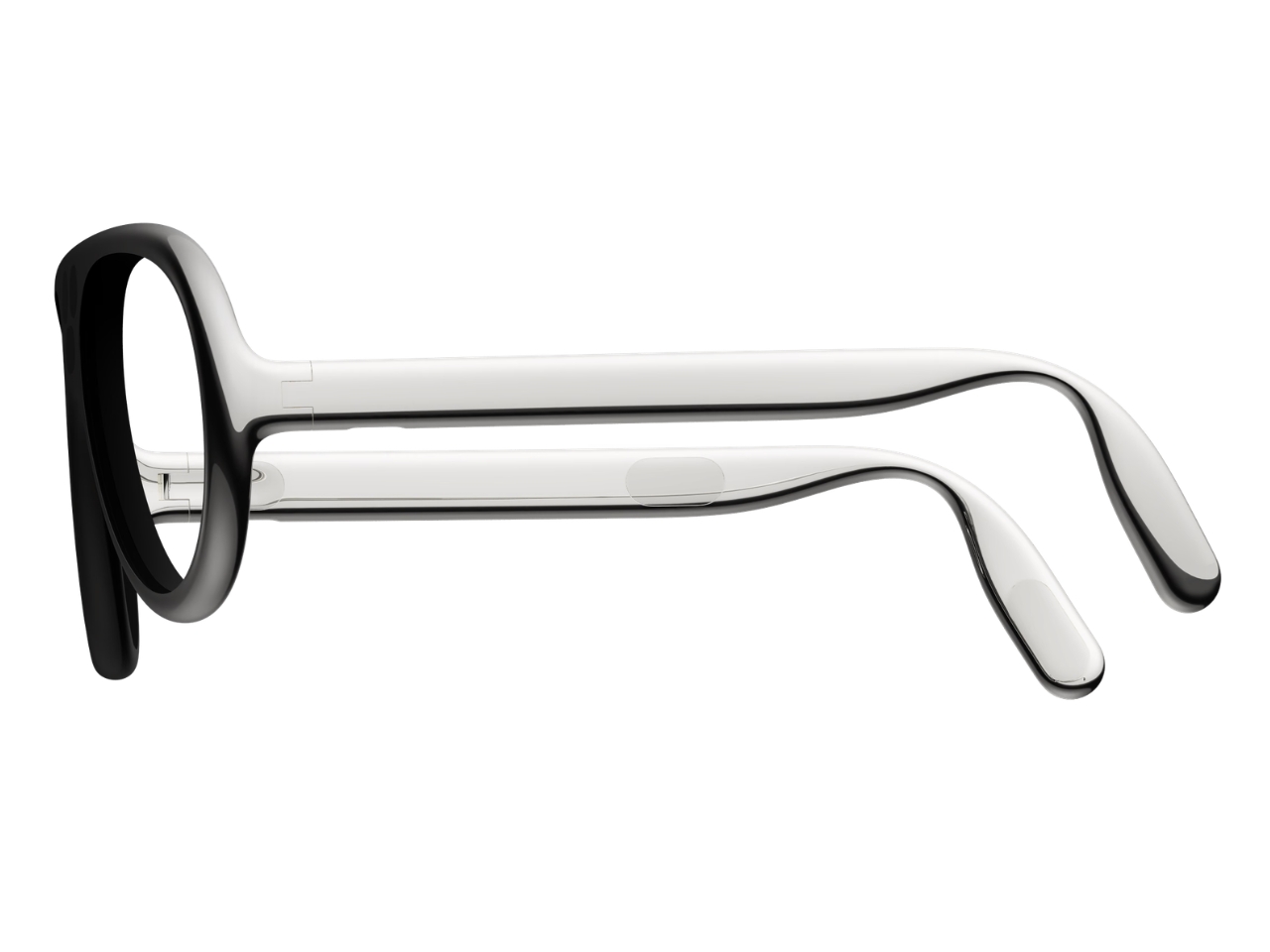
From the side, the arms look substantial, with long, smooth surfaces that curve downward behind the ears. Their thickness is part of the visual identity rather than a detail the presentation tries to conceal. I’d rather see that volume handled deliberately than watch a designer chase thinness at the expense of the overall shape. Here, the broad arms and generous front feel like parts of the same object.

The personal question is whether I’d want such a distinctive object defining my face every day. I’m not sure, and that uncertainty is worth keeping in the conversation. Glasses are unusually intimate technology because people look through them while other people look at them. A frame can be beautifully resolved and still feel wrong for an individual wearer. I’d want more than an impressive image before deciding these belonged in my routine.

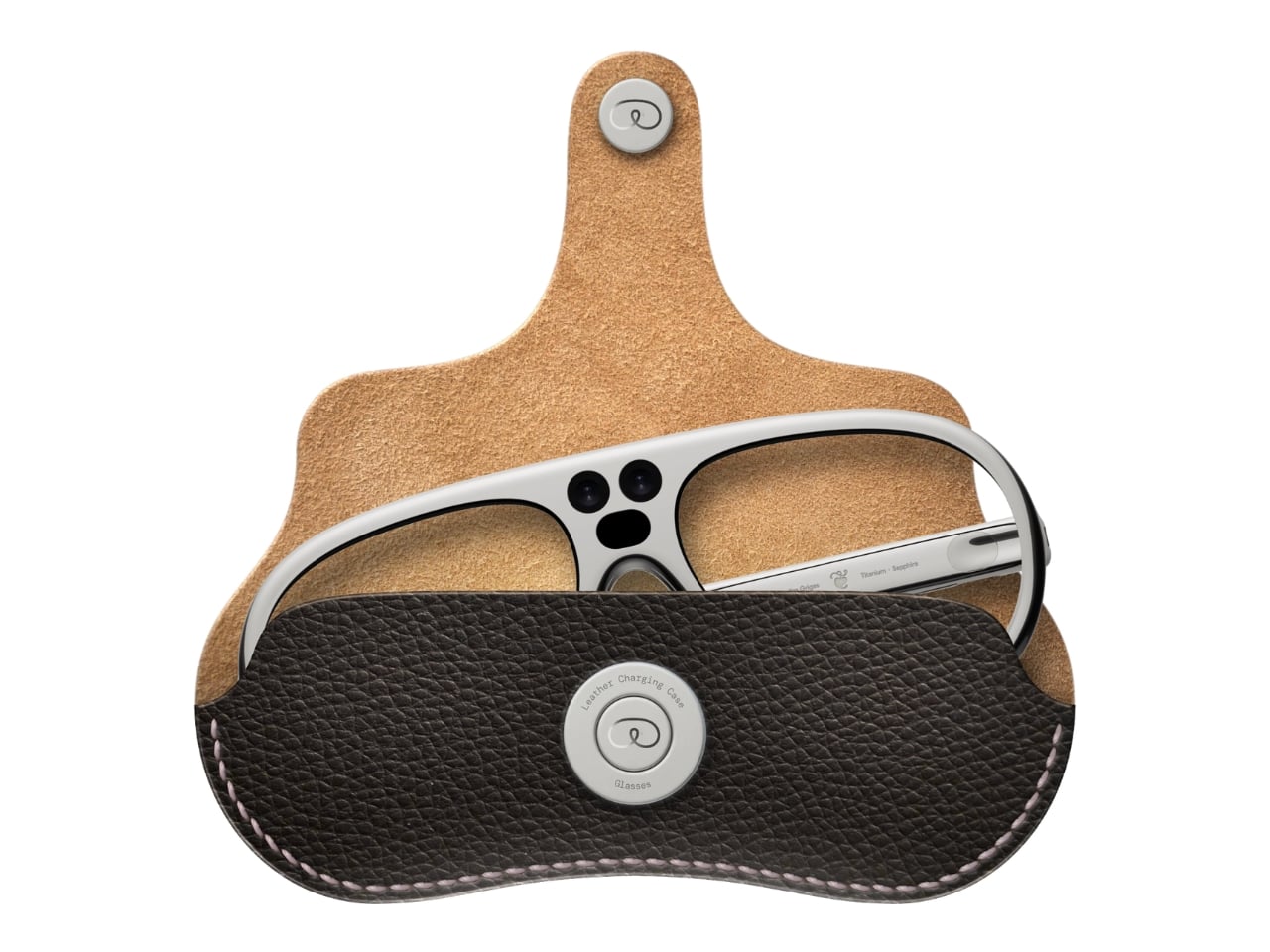
The proposed leather charging case helps make that routine easier to imagine. The glasses fold flat inside it, and the presentation shows a dark, textured exterior with visible stitching and a circular metal closure. It reads as an eyeglass accessory rather than a miniature electronics bag. More importantly, putting the glasses away feels like a recognizable action. I find that more reassuring than an expectation that a wearable computer should remain on your body indefinitely.
For now, this is an academic design proposal, not a demonstrated replacement for your laptop. Its presentation doesn’t establish battery endurance, display quality, or long-term comfort, so those questions remain open. What earns my interest is the willingness to give computing a visible presence without making the frame look apologetic. I wouldn’t ask these glasses to pass as ordinary eyewear. I would ask whether their eventual usefulness could earn the space they occupy on my face.

The post Titanium Smart Glasses Concept Refuses to Hide Its Tech first appeared on Yanko Design.

  •  

Your next touchscreen device will not be made from plastic, it will be woven into the sleeves

We are already wearing clothing with heaters and Bluetooth speakers built in. But tech-infused clothing to do more than that still feels ugly and nerd chic. Changing that perspective for good and giving us a reason to believe that the next touchscreen interactive device will not be made from plastic- it will be woven into the sleeves- researchers at the National University of Singapore (NUS) have developed a touchscreen sewn into clothing.

The team of scientists led by Assistant Professor Tural Khudiyev from the Department of Materials Science and Engineering at CDE, has created fiber that functions as pixels and senses touch at the same time. They have integrated 54 specialized fibers into a sleeve, which they described as the world’s first touchscreen built into a garment. The findings of their research were published in Nature on 21 October 2026.

Designers: NUS

Opening doors for tech-integrated clothing that does more than the usual heating and playing music features, it has a 96 x 54-pixel display on the sleeve, which can show images, play videos, and respond to touch. For the real-world mathematicians, it can also do some calculations.  While the techier have the option of pairing the touch-sensitive layer on their sleeve with another Bluetooth device, or interact with it over voice commands.

The scientists inform that this is not a screen integrated into the fabric, instead, it features electronics that are built right into the fibers themselves, ensuring that in addition to carrying out some of the functions on the mobile device in your pocket, it can also display body temperature readings when required. The fiber comprises a display and sensing capability, while an integrated touch-sensitive layer helps detect finger inputs and helps activate the corresponding pixels.

Talking about their creation, Asst Prof Khudiyev said, “What made this possible was our ability to construct the GUI system from electronic building blocks in fibre form — similar to traditional yarn, but with the sophisticated electronic functionality built directly into the fibres.” The display that has been created is for now a pretty low-resolution interface, so you cannot expect to play high-res videos on it just yet, but from what we are seeing, it can have a range of applications, such as health monitoring. Imagine a display on your garments that displays your physiological readings?

One concern that instantly comes to mind is how safe a garment GUI system like this one. According to the scientist behind the innovation have found that the display and touch sensitivity of the fabric remains almost unchanged after “50 machine-washing cycles and 1,000 bending cycles.” Also, the garment embedded with the electronics and the touch display remains flexible and breathable, making it usable for everyday wear. The team has not yet announced any possible release date for such a technology, but we already sense that the possibility of its release in the very near future is immense.

The post Your next touchscreen device will not be made from plastic, it will be woven into the sleeves first appeared on Yanko Design.

  •  

INMO GO3 AI Glasses Review: Putting Information in Your Line of Sight

PROS:


  • Interchangeable batteries offer near-uninterrupted use

  • Familiar frame styling keeps the design approachable

  • Adjustable temples and nose pads help personalize the fit

  • In-view translation into 98 languages reduces the need to check a phone

CONS:


  • Swapping batteries require a 5-second reboot

  • Optional prescription lenses don't support hyperopia (farsightedness)

RATINGS:

AESTHETICS
ERGONOMICS
PERFORMANCE
SUSTAINABILITY / REPAIRABILITY
VALUE FOR MONEY

EDITOR'S QUOTE:

The INMO GO3 AI Glasses pair familiar eyewear styling with practical translation tools and the convenience of swappable batteries.

Looking down at a phone to translate a conversation can interrupt the exchange it’s supposed to help. Reading presentation notes creates a similar problem, pulling attention away from the people in front of you. The INMO GO3 AI Glasses bring those words into view instead, putting translation and presentation tools inside a familiar rectangular frame that doesn’t require a dramatic change in personal style.

That familiar shape is only part of the appeal, though. Adjustable contact points, discreet controls, and, most importantly, a replaceable battery give the GO3 a practical foundation beyond its display. Together, they suggest an approach to smart glasses that puts everyday wear on equal footing with software features. How convincingly the GO3 brings those priorities together comes down to a few details, starting with the frame itself.

Designer: INMO

Click Here to Buy Now: $509 $699 ($190 off). Hurry, deal ends in 48-hours!

Aesthetics

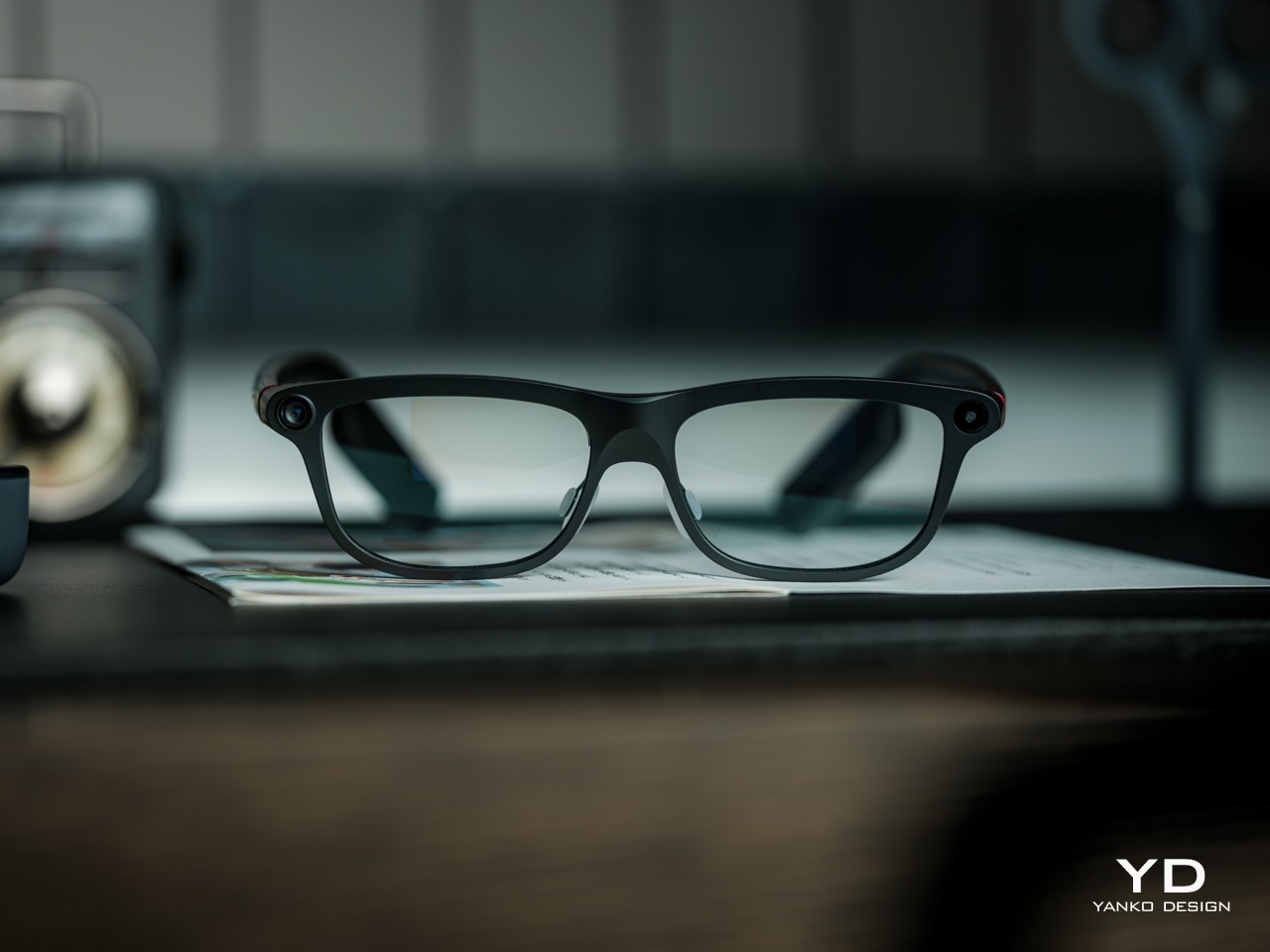
The INMO GO3’s rectangular lenses and softened corners give it the outline of conventional eyewear, although the frame has more substance than a pair of reading glasses. That’s a reasonable visual compromise, of course, given what it packs inside. The thicker brow provides room for the display hardware while giving the front a confident shape, rather than leaving its components looking like something awkwardly attached afterward.

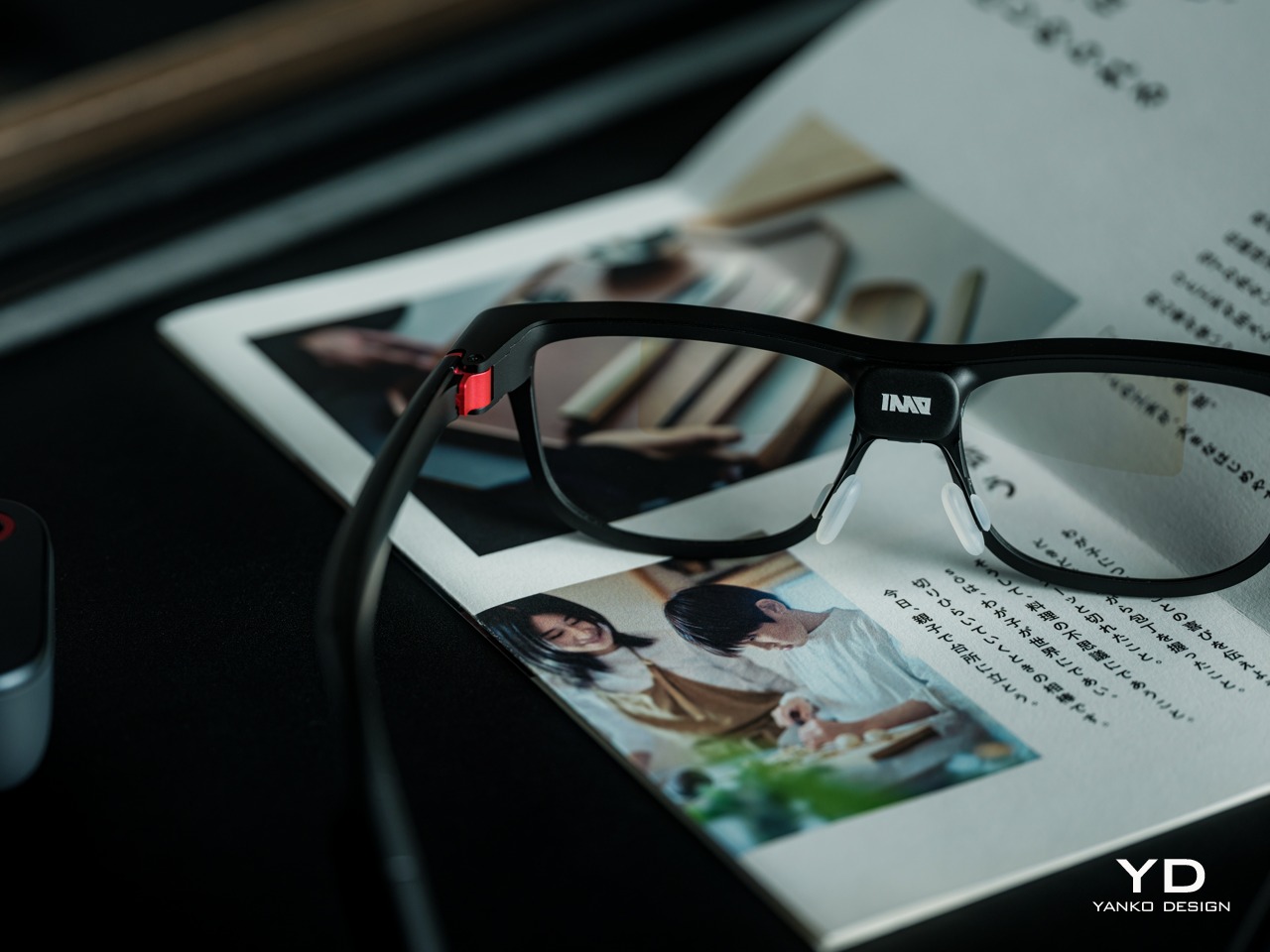
The dark matte finish does much of the visual work. It gives the broad surfaces a quieter presence than glossy plastic would, while the small red accents around the hinges add a bit of personality. Thankfully, the color doesn’t spread across the frame. There’s enough contrast to make the details interesting without making the glasses look like equipment borrowed from a gaming setup.

The GO3 utilizes aluminum alloy and polyamide for the construction with a CNC-finished, fingerprint-resistant surface. It’s not an entirely metal object, which makes sense when you consider that the electronics also add their own weight to the equation. The frame and temples share a restrained finish instead of competing for attention through contrasting textures.

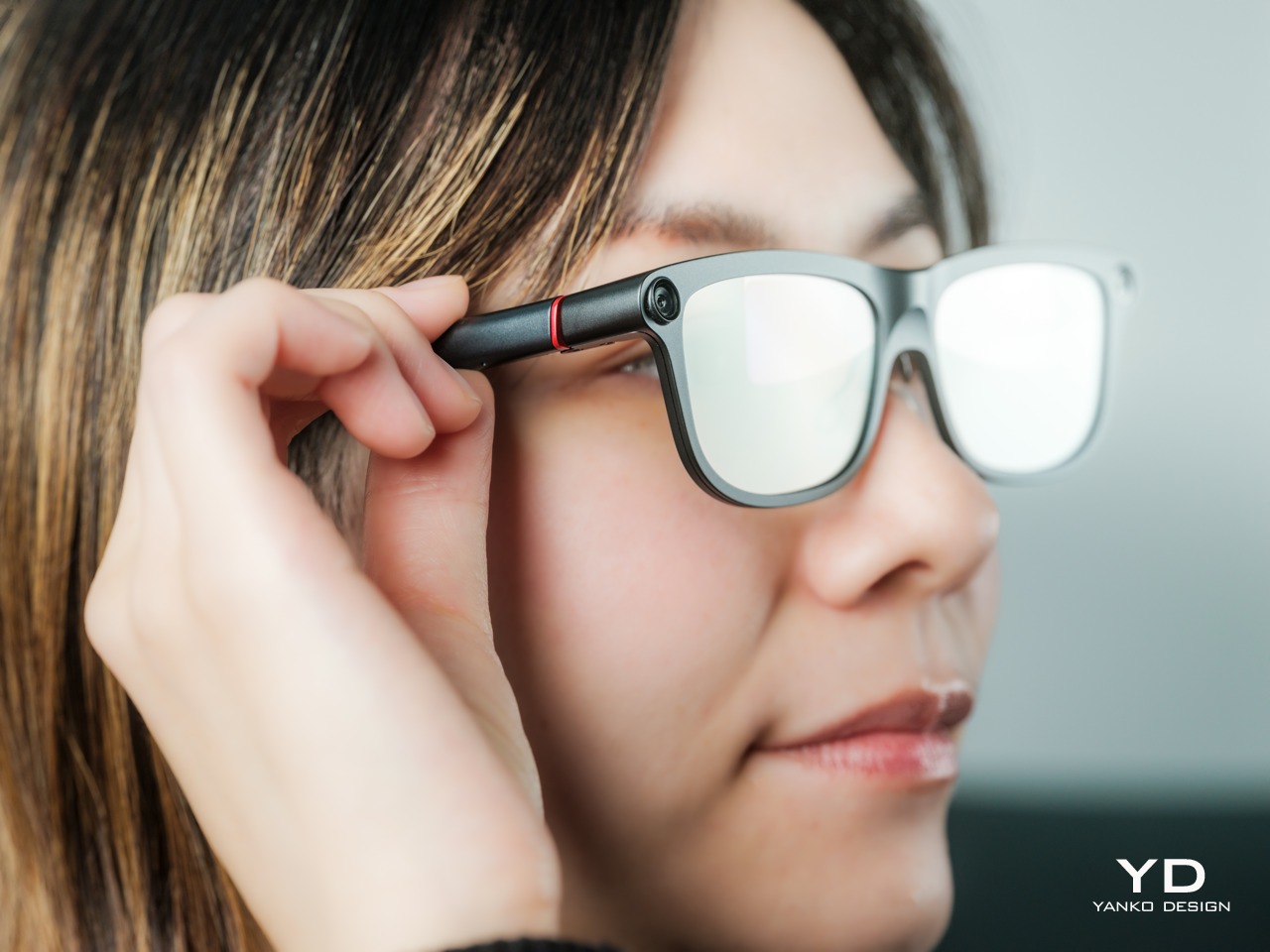
The slim temples measure around 8mm, keeping the side profile from becoming an oversized box. The curved ends retain the familiar outline of glasses, even with additional hardware inside. It isn’t dainty eyewear, admittedly, but the shape avoids the visor treatment that would make a business lunch feel like a technology demonstration.

The camera is integrated into the front rather than perched above it, and the controls follow the temples. These details help the INMO GO3 read as a somewhat fashionable object instead of gadgets sharing a frame. A supplied camera cover also provides a way to obscure the lens when recording isn’t appropriate, especially given the current conversations around smart glasses.

Ergonomics

At approximately 58 grams, the INMO GO3 has the weight of electronics to accommodate as well as the frame itself. Comfort depends on more than the number on the specification sheet. The relationship between the nose pads, temples, and ears matters as much. There’s a focus on those contact points, rather than relying on a lightweight label to explain away the fitting process.

Air-cushion nose pads support the front, while the temples offer 15 degrees of adaptive movement, at least on paper. That flexibility gives the frame room to accommodate differences in head shape. Naturally, there will be cases when the head shape just won’t fit, but INMO has tried to accommodate as many head sizes as possible.

Given we’re talking about glasses, prescription support is another important piece of that everyday equation. The GO3 uses an insert system, with INMO’s current lenses supporting nearsightedness and astigmatism, though not farsightedness. That won’t cover every prescription, but it gives supported wearers a way to combine vision correction and the display.

Operating the glasses doesn’t have to depend on talking to them. Temple touch controls and physical power and GO buttons provide alternatives, while the companion app handles setup and settings. When you’re around people or somewhere that requires a degree of silence, a discreet gesture is often preferable to a spoken command, and familiar controls help make the wearable format a little less foreign.

Performance

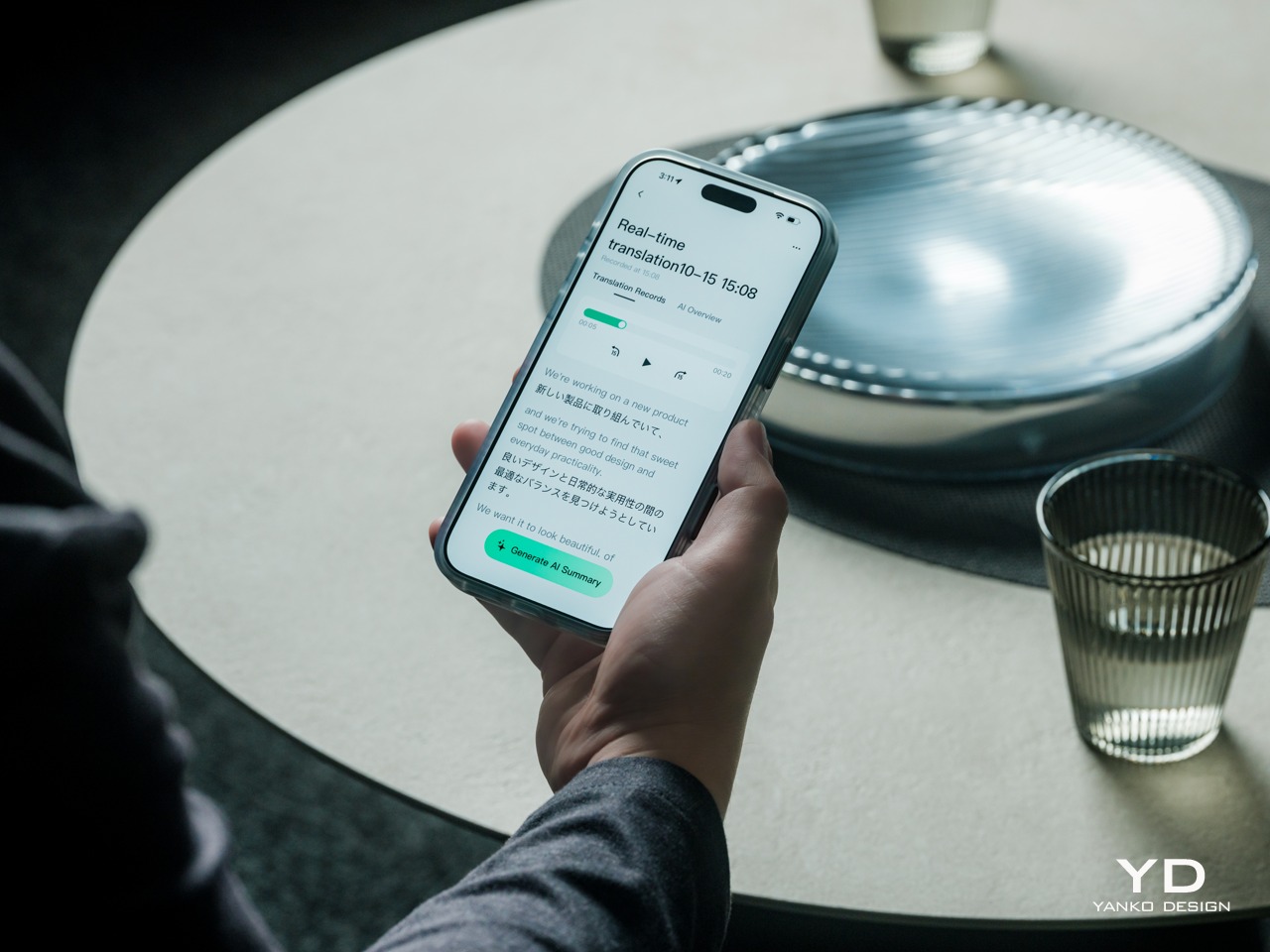
Two-Way Dialogue Translation – Read translations directly through the glasses, while the other person sees or hears your translated response on the phone.

The INMO GO3’s binocular green Micro-LED display uses optical waveguides, with a 640×480 resolution and a 30-degree field of view. Adjustable brightness is listed up to 1,500 nits, which is plenty even for the bright outdoors. That said, those specs clearly mark it as something more for text and guidance rather than a miniature cinema. Green lettering has a slightly retro character, but a translation or the next line of a speech doesn’t need a full-color backdrop to be useful.

Translation, of course, is the primary use case for these glasses, and the numbers are admittedly impressive. INMO lists 78 source languages and 98 target languages online, with subtitles appearing in view rather than on a phone held between speakers. Offline support covers nine languages on Android and 13 on iOS, and future updates promise even more. The phone still needs to stay paired to a phone, of course, but a missing internet connection needn’t end every supported conversation.

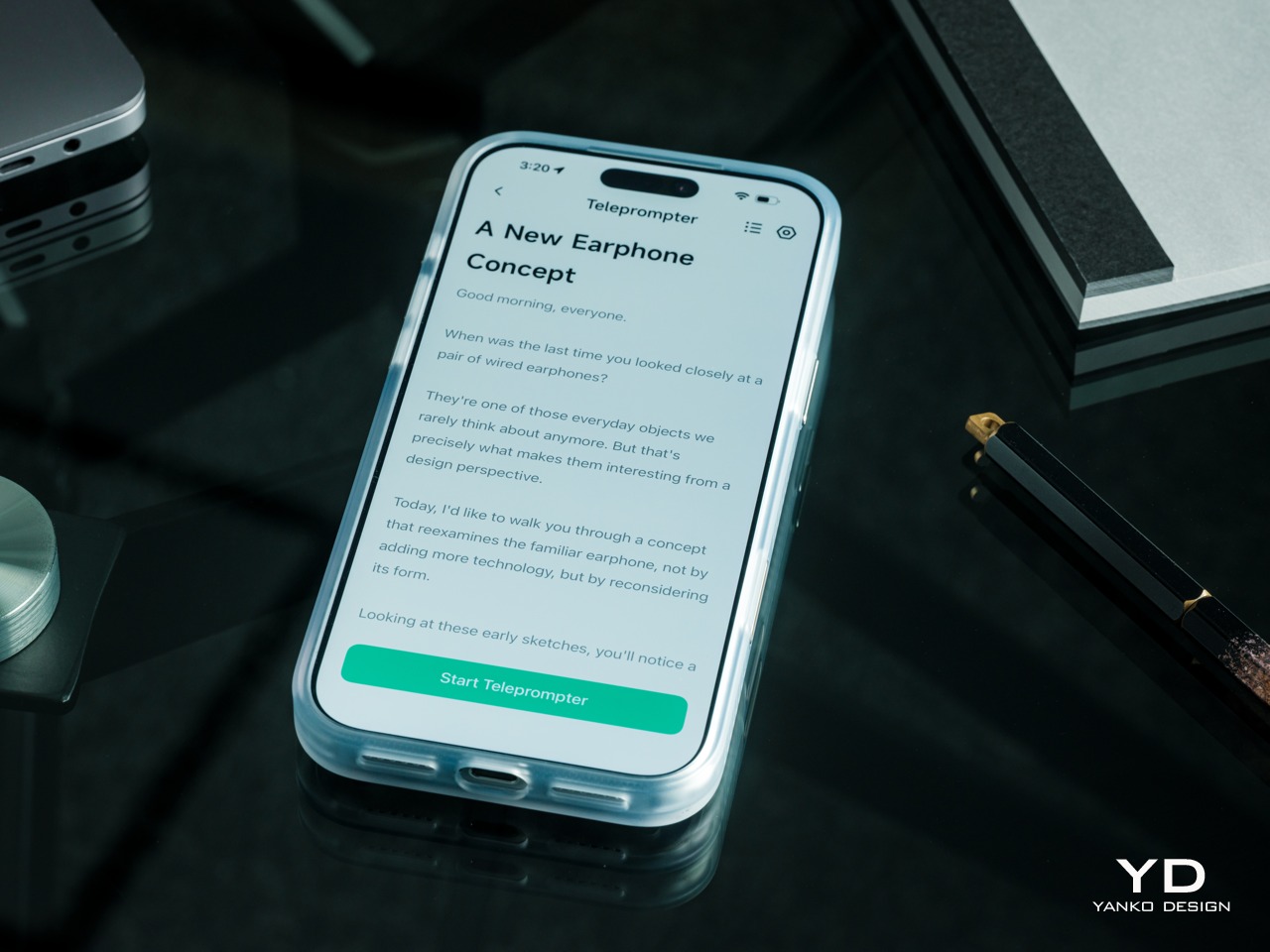
Built-In Teleprompter – Follow your script directly through the glasses.

For presentations, the teleprompter moves the script from a desk into the speaker’s field of view, allowing for a more natural-looking stage presence. There’s automatic voice-following advancement in 17 languages (including English, Mandarin, Cantonese, Japanese, Korean, German, French, Thai, Russian, Spanish, Portuguese, Polish, Arabic, Indonesian, Vietnamese, Dutch, and Italian), alongside manual scrolling from the temple. Other languages will be displayed, depending on the document uploaded by the user, but the pages for unsupported languages can’t be automatically turned by voice. Very few will be sitting close enough to realize you’re not exactly looking at them, but at least you won’t be spending half of the presentation staring down at your notes.

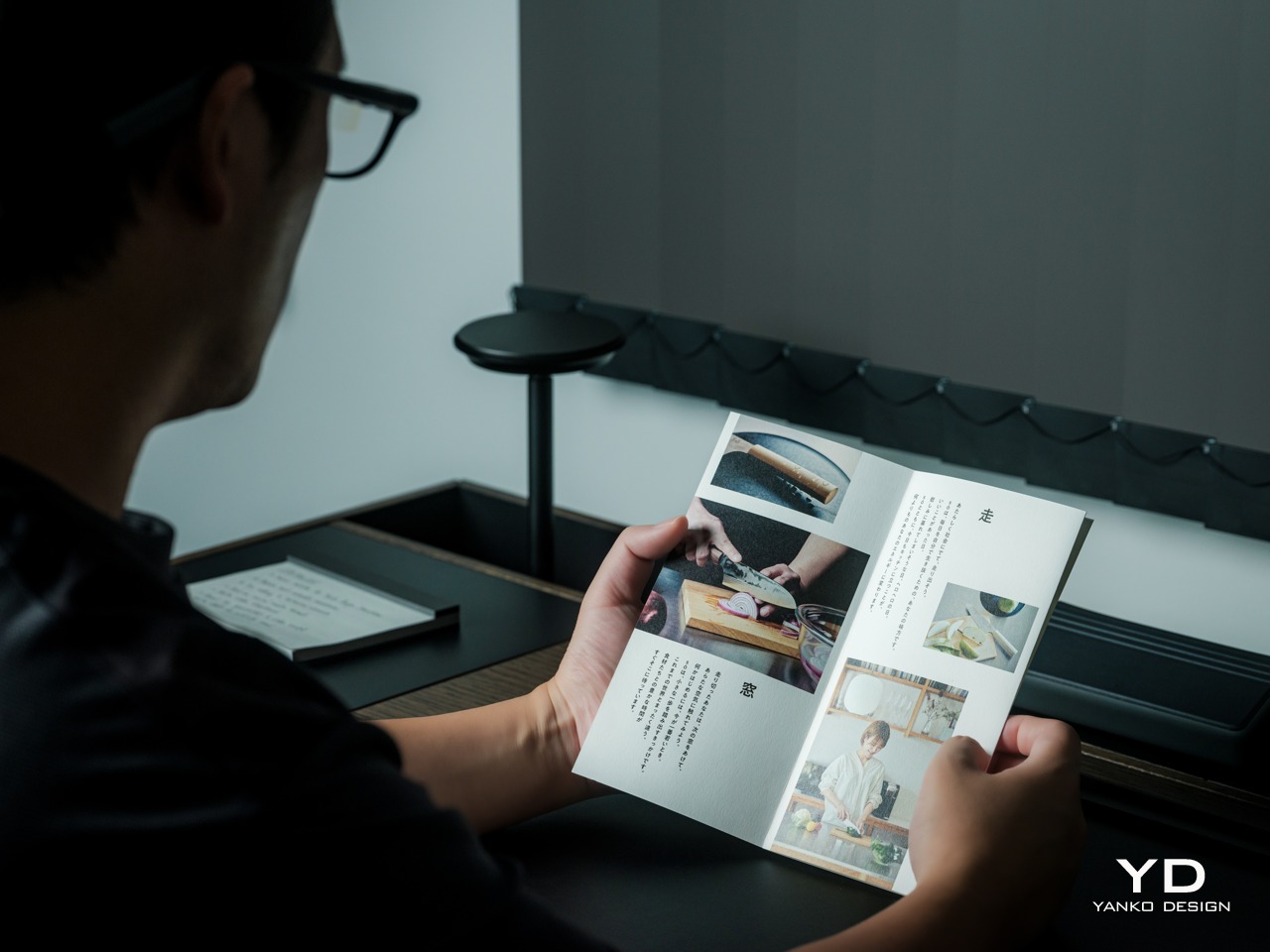
Photo Translation – Point the camera at written text and read its translation directly through the glasses.

The GO3 also offers features better used in meetings, such as recording, transcription, and AI summaries for later review. Walking and cycling directions, an AI assistant powered by ChatGPT and Gemini, and photo translation extend the same idea beyond work scenarios: put a useful answer nearby without making a phone screen the center of every activity.

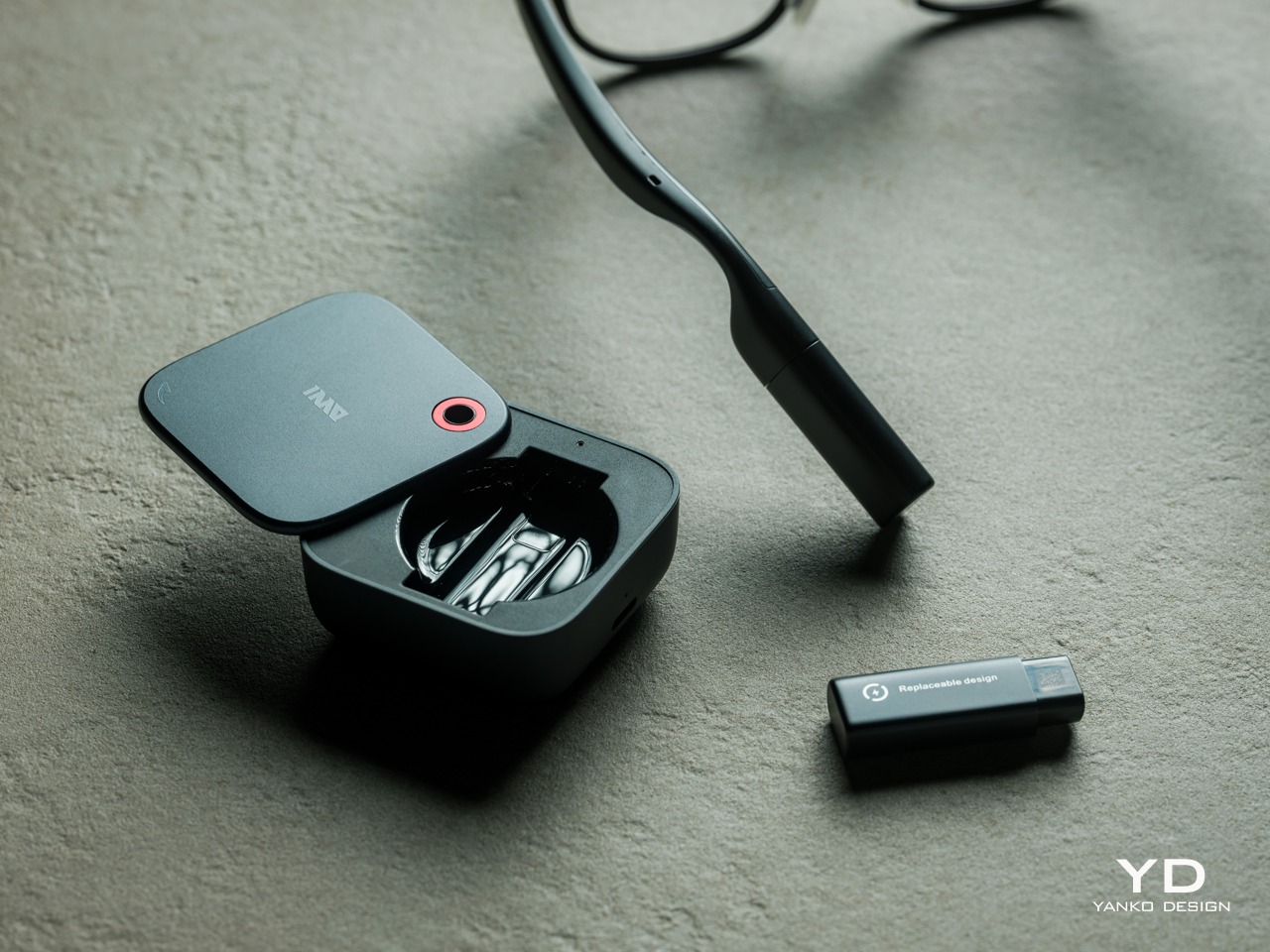
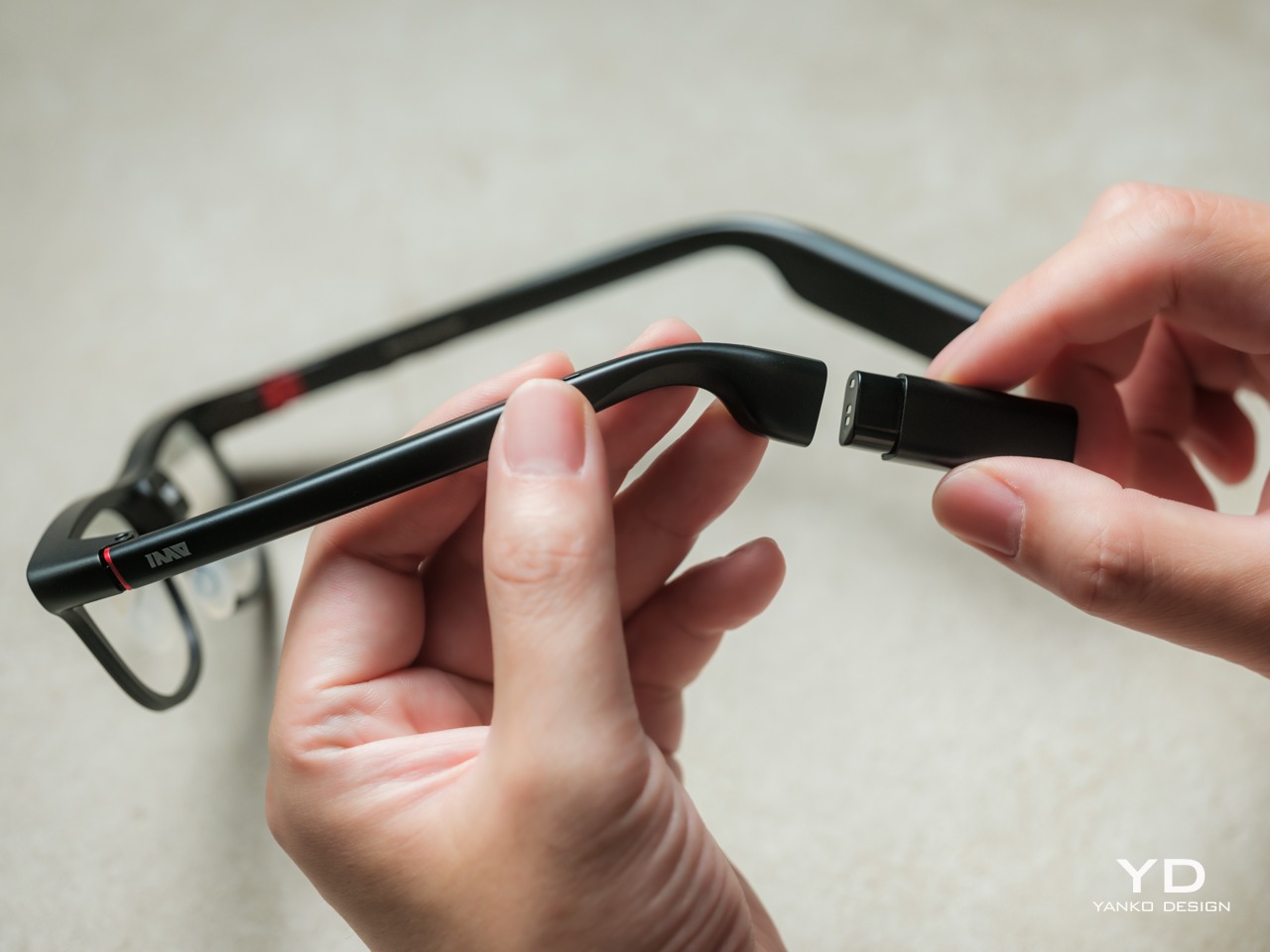
Admittedly, many AI smart glasses offer similar features, but the INMO GO3’s killer feature is its interchangeable battery system. One 270mAh battery is installed in the glasses, with one spare included. Continuous use yields around 3 hours on a full charge, which is probably more than enough for most use cases. The 1,300mAh battery charging case offers three to four more charges, so you practically get a full day’s worth in total.

Where it gets interesting is how you can swap out the dead battery on the tip of the GO3 with the spare in the charging case. It’s quick and convenient, but not entirely seamless. The glasses will shut down when you pull out the battery, but plugging a fresh one in boots it up in just a few seconds. It does mean you have to briefly stop what you’re doing or make sure you’re not in the middle of something critical, but it’s better than waiting for minutes for the glasses to charge up.

Sustainability

The replaceable battery has a longer-term benefit beyond getting through a busy afternoon. An aging power cell doesn’t automatically have to take the entire pair of glasses out of service. INMO lists a replacement battery at $49, making that component a separate ownership expense. That’s a useful piece of product design: the part expected to wear with repeated charging doesn’t have to remain permanently sealed inside.

That doesn’t establish a complete sustainability story, and there’s no need to pretend otherwise. The reviewed specifications don’t establish recycled material content, comprehensive component repairability, or an end-of-life program. The more defensible advantage is the ability to keep the same frame in service when its battery needs replacing. Thoughtful care still matters, particularly for the lenses and hinges, but accessible power replacement is a concrete place to start.

Value

At $699, currently discounted to $509, the INMO GO3 asks for a commitment beyond casual curiosity. The standard package includes the glasses, installed battery, single spare, and battery charging case. That’s a coherent starting point, with the power system already accounted for. The value comes from using the display repeatedly, rather than paying for a collection of functions that remain untouched save for a few presentations or travels abroad.

The useful comparison is between priorities, rather than a contest over the longest feature list. Camera-and-audio glasses answer a different need from eyewear that puts text in view, while entertainment-focused displays serve another purpose again. For someone moving between multilingual conversations and presentations, the GO3’s combination is easier to justify. That it can also be your travel companion and AI assistant brings added value to the table, especially when you don’t look like a walking technology advertisement.

Verdict

The INMO GO3’s most appealing quality is how its design keeps returning to recognizable habits. Wear glasses, follow a conversation, glance at a script, and change a battery when necessary. The technology adds steps of its own, of course, but the physical form doesn’t ask for an entirely new routine. Its familiar outline and adaptable contact points give the translation and presentation tools a sensible place to live.

Travelers, presenters, and people working across languages have the clearest reasons to appreciate that combination. A paired phone remains part of most workflows, and battery changes belong between tasks, but neither qualification takes away the appeal of information placed closer to the conversation. There’s something refreshingly practical about glasses that leave room for ordinary interactions, even when a little green text is helping them along.

Click Here to Buy Now: $509 $699 ($190 off). Hurry, deal ends in 48-hours!

The post INMO GO3 AI Glasses Review: Putting Information in Your Line of Sight first appeared on Yanko Design.

  •  

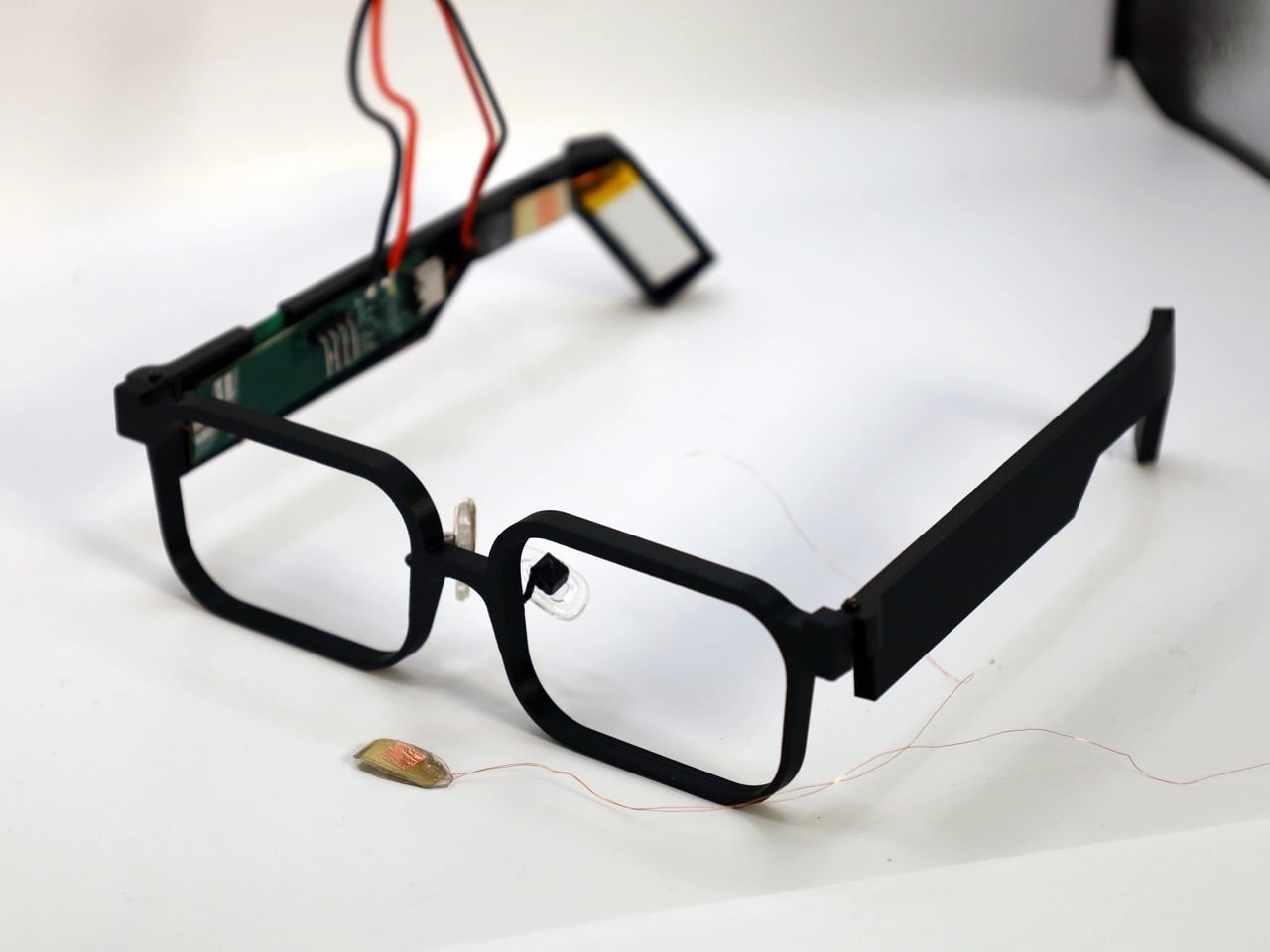
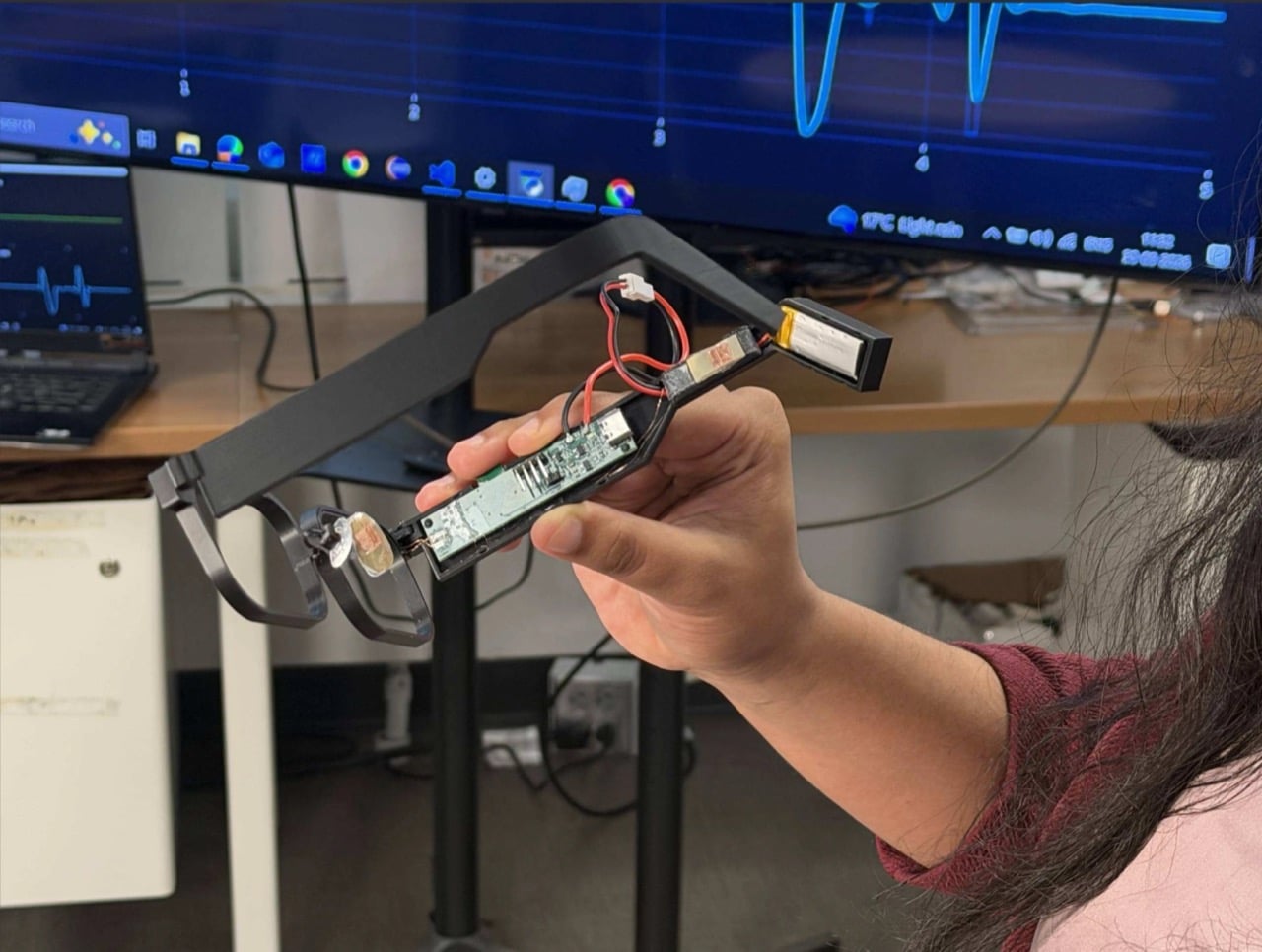
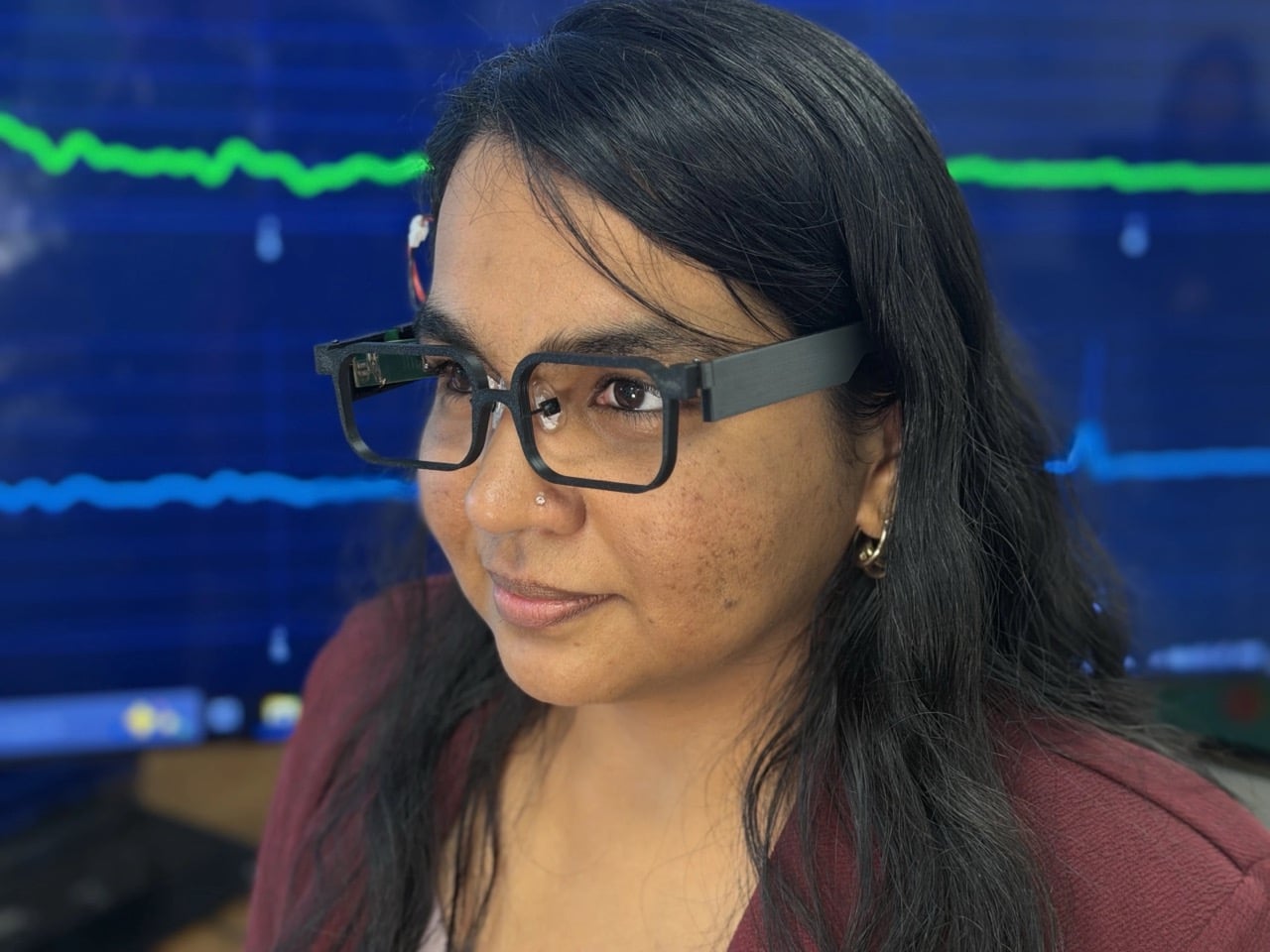
These Blink-powered Smart Glasses Could Change Wearables Forever

Your face is a power plant, and you’ve been running it for free your whole life. Every blink and jaw clench releases a tiny burst of mechanical energy that simply vanishes. A team at Northwestern University figured out how to catch it, using static electricity, the same stuff that makes a balloon stick to your hair. Their prototype glasses, GlassTENG, use that energy to run sensors tracking your pulse, blinks, and teeth clenching. As a feat of energy harvesting it’s fantastic, and I’d love to see it in everything from earbuds to shoe insoles.

Then the other shoe drops, because smart glasses are already the most side-eyed gadget around, with Meta’s Ray-Bans filming strangers in coffee shops and a battery that needs its case after a few hours serving as the only real limit. GlassTENG’s three sensors, built by Nivedita Arora’s VAK Embodied Systems Lab, draw just 4.1 microwatts combined, and the team wants to go fully battery-free next. That would remove the last speed bump on always-on face computers. Your pulse and jaw clenches are deeply personal data, and glasses like these could log them around the clock. Then again, if such glasses are coming anyway, I’d much rather they ran on blinks than on lithium-ion cells strapped to my head.

Designers: Nivedita Arora, Raj Dave, Jovanis Prodanich & Yung-ching Lai (Northwestern University)

A Silicone Sandwich That Turns Blinks Into Voltage

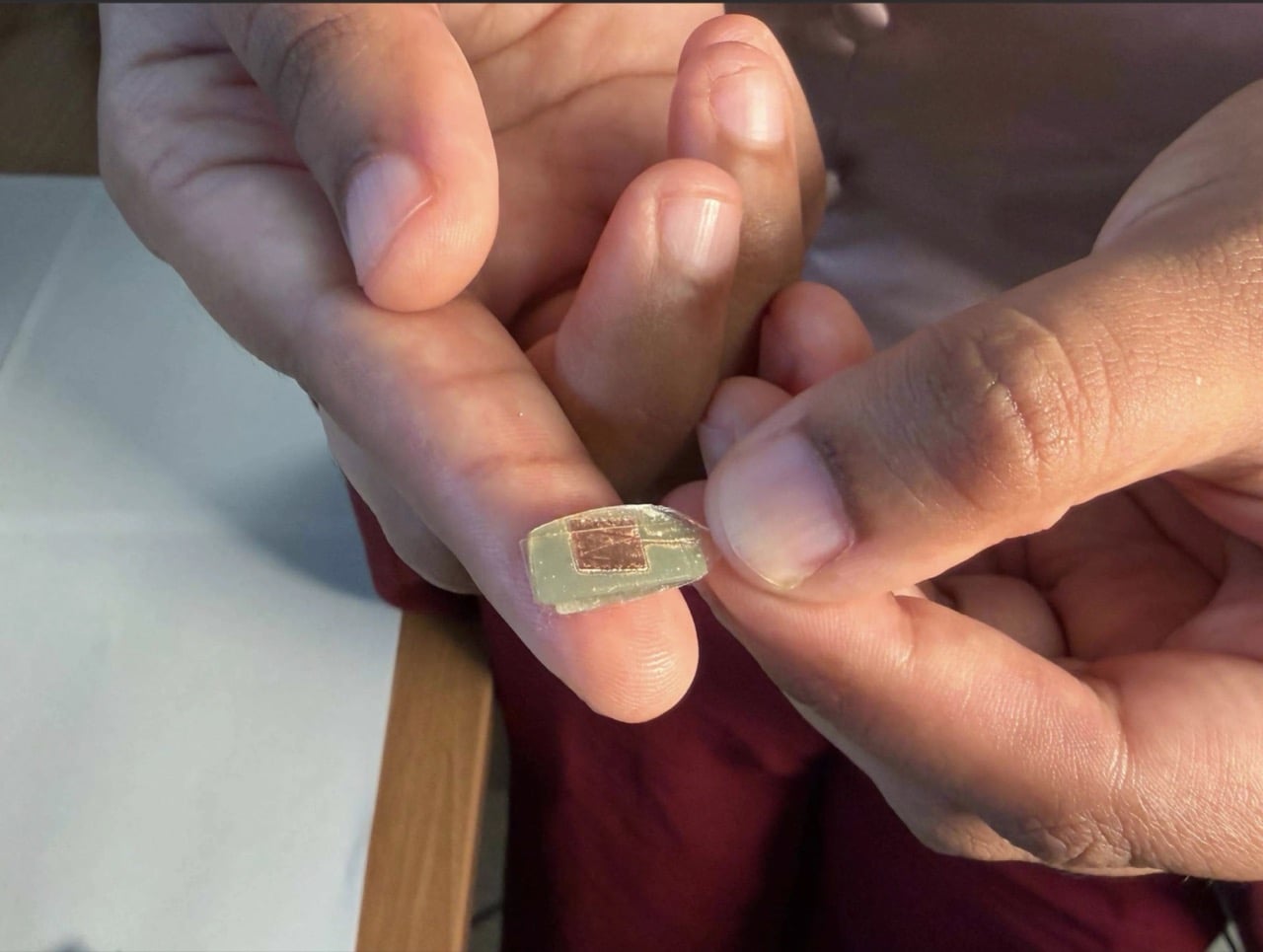
The sensor is a two-layer sandwich of PDMS, a soft silicone, and FEP, a slick fluoropolymer from the Teflon family. When the layers press together and spring apart, one hogs electrons from the other, which is the balloon-and-hair trick in a lab coat. Silver electrodes, each 150 nanometers thick, collect the resulting voltage. Pulse is the faintest signal, around 50 to 100 millivolts, while blinks and eyebrow raises land at 200 to 500 millivolts. A hard jaw clench climbs to about 1.5 volts, which is a wide enough range for one thin stack to tell a heartbeat from a chomp.

The silicone is Sylgard 184, mixed 10 to 1, degassed, spin-coated to roughly 490 microns (about 0.02 inches), and left to cure overnight. The FEP gets blasted with oxygen plasma on both sides, which roughens the surface so more of it touches the silicone. The team started by etching one side, then found that doing both measurably boosted the signal. Bare silicone faces your skin while the charge-trading interface stays sealed inside, so skin oils can’t muck up the readings. It’s baking show energy, just with a vacuum chamber instead of an oven.

Three Sensors, Three Spots, and Your Head Doing the Clamping

One sensor sits on the nose bridge over the angular artery, where it reads pulse, forceful blinks, and eyebrow raises. A second hangs off a small arm near the temple, aimed at the superficial temporal artery to catch clenching, tapping, and chewing. The third is embedded in the temple arm above the ear, and here the design gets clever, because the natural clamp of the frame on your head supplies the contact pressure for free. Early 3D-printed nose pads gave patchy contact, so the team swapped in adjustable off-the-shelf pads from regular eyewear. Decades of optician ergonomics beat the custom part, which is a humbling result for any designer.

In a study with 20 people, half of them daily glasses wearers, a Random Forest classifier (a machine-learning model that takes votes from many decision trees) sorted six activities with 93.8% accuracy. Forceful blinks and teeth tapping both hit 99%. Heart rate landed within 1.82 beats per minute of a Polar H10 chest strap, measured on 10 seated volunteers at rest. Talking was the weak spot at 55%, and the system mistook it for eating 37% of the time, since both work the same jaw muscle. For now, your glasses might assume you’re mid-sandwich when you’re just mid-rant, and honestly, I know people like that.

4.1 Microwatts: The Number Every Battery Spec Should Fear

Those 4.1 microwatts cover the sensing front-end, the circuitry that cleans up the sensor signal, and they look tiny next to the alternatives. The paper pegs optical pulse sensors (the glowing green lights on your smartwatch) at 1 to 10 milliwatts, and gel-based muscle sensors at 10 to 160 milliwatts. On a 100 mAh battery, the authors calculate that the GlassTENG front-end would cost less than half a minute of runtime, where an optical sensor would burn through hours. The prototype still uses a small battery for its microcontroller and Bluetooth, and fully battery-free operation is listed as future work. Even so, shrinking the sensing bill to almost nothing is what lets a frame stay a frame.

Ray-Ban Meta Gen 3 starts at $449 and rates nine hours per charge, while the Meta Ray-Ban Display runs $799, and that charging case remains the main limit on how long those glasses can watch the world. GlassTENG has no price or release date, so nobody is buying it this holiday season. I’d happily see self-powered sensing in earbuds, insoles, and medical patches. Glasses are the tricky one, because the cleverer the sensor gets, the fewer excuses a company has to leave it off. Still, if face computers are coming regardless, I’ll take the pair powered by my own twitchy eyelids over the one with a lithium cell parked next to my temple.

The post These Blink-powered Smart Glasses Could Change Wearables Forever first appeared on Yanko Design.

  •  

Huawei Watch D3 Review: A Game Changer for On-Wrist Blood Pressure Monitoring

PROS:


  • Cuff-style blood pressure reading with 24-hour ambulatory monitoring

  • Quiet measurement that didn’t disturb my sleep

  • Streamlined ensign and comfortable everyday fit

  • Good battery life

  • Comprehensive health and fitness tracking alongside everyday smartwatch features

CONS:


  • Limited third-party app selection

  • Not suitable for swimming or showering

RATINGS:

AESTHETICS
ERGONOMICS
PERFORMANCE
SUSTAINABILITY / REPAIRABILITY
VALUE FOR MONEY

EDITOR'S QUOTE:

The Huawei Watch D3 pairs quiet blood pressure monitoring with everyday comfort and style.

Hypertension, or high blood pressure, is a major cause of premature death worldwide and increases the risk of heart disease, stroke, and kidney damage. Nearly half of U.S. adults have it, according to the CDC. Yet it often causes no noticeable symptoms, so feeling fine does not necessarily mean your blood pressure is where it should be.

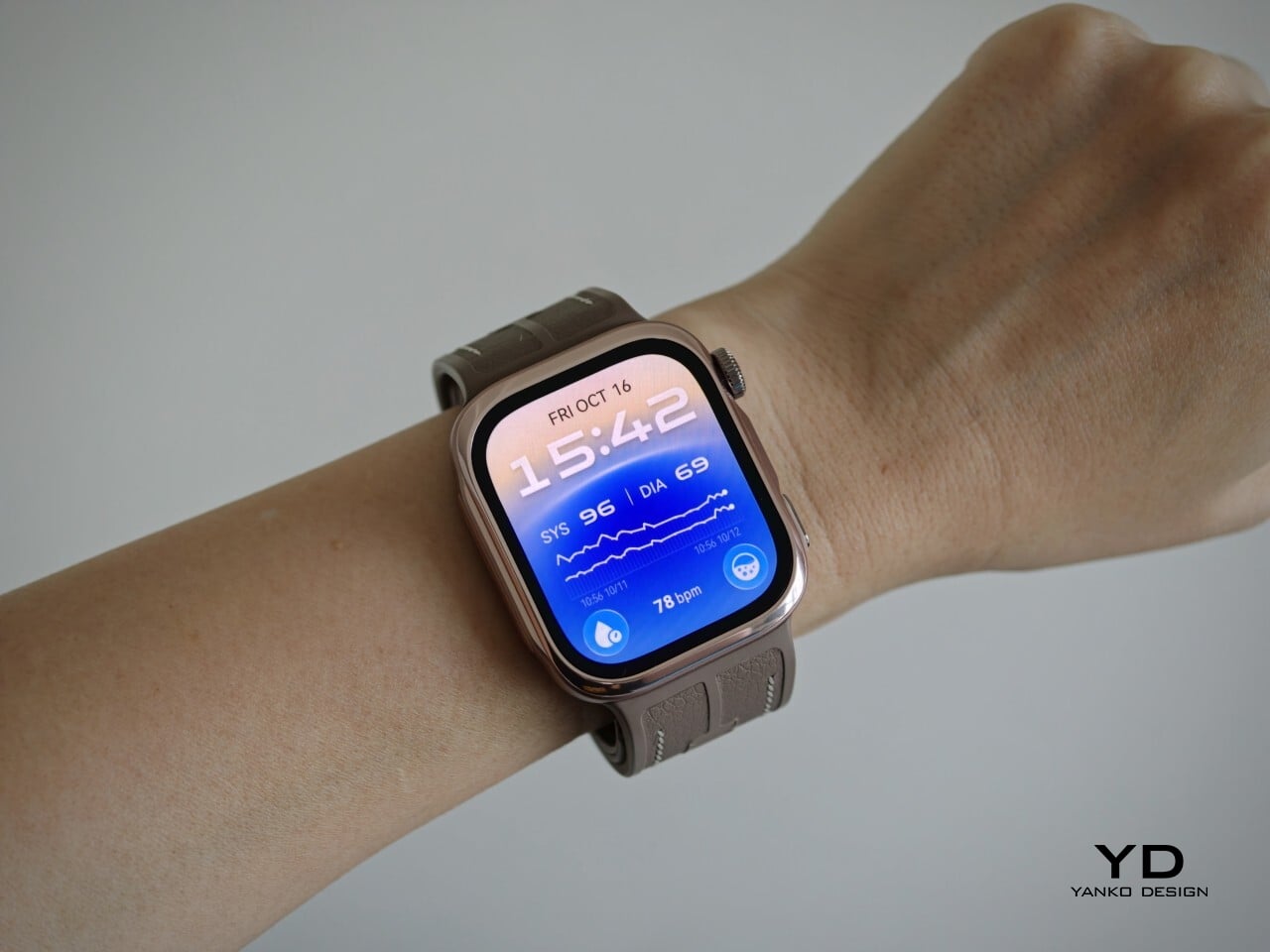
The Huawei Watch D3 puts blood pressure measurement on your wrist, using an inflatable airbag built into the strap and offering scheduled readings throughout the day and night. That sounds like a recipe for a bulky, rather clinical accessory, but the watch I received looks nothing of the sort. More importantly, it is comfortable enough that I was happy to keep wearing it, including overnight. Huawei has squeezed some unusual hardware into a familiar package, and after living with it, I am impressed by how little fuss it adds to my day.

Designer: Huawei

Aesthetics

Huawei has made the Watch D3 surprisingly discreet, and that is one of its biggest design strengths. This is a health-focused smartwatch with more going on under the surface than most, yet it does not look overly technical or awkwardly bulky. Instead, it comes across as clean, polished, and easy to wear, which helps it feel like a proper everyday smartwatch rather than a specialist device.

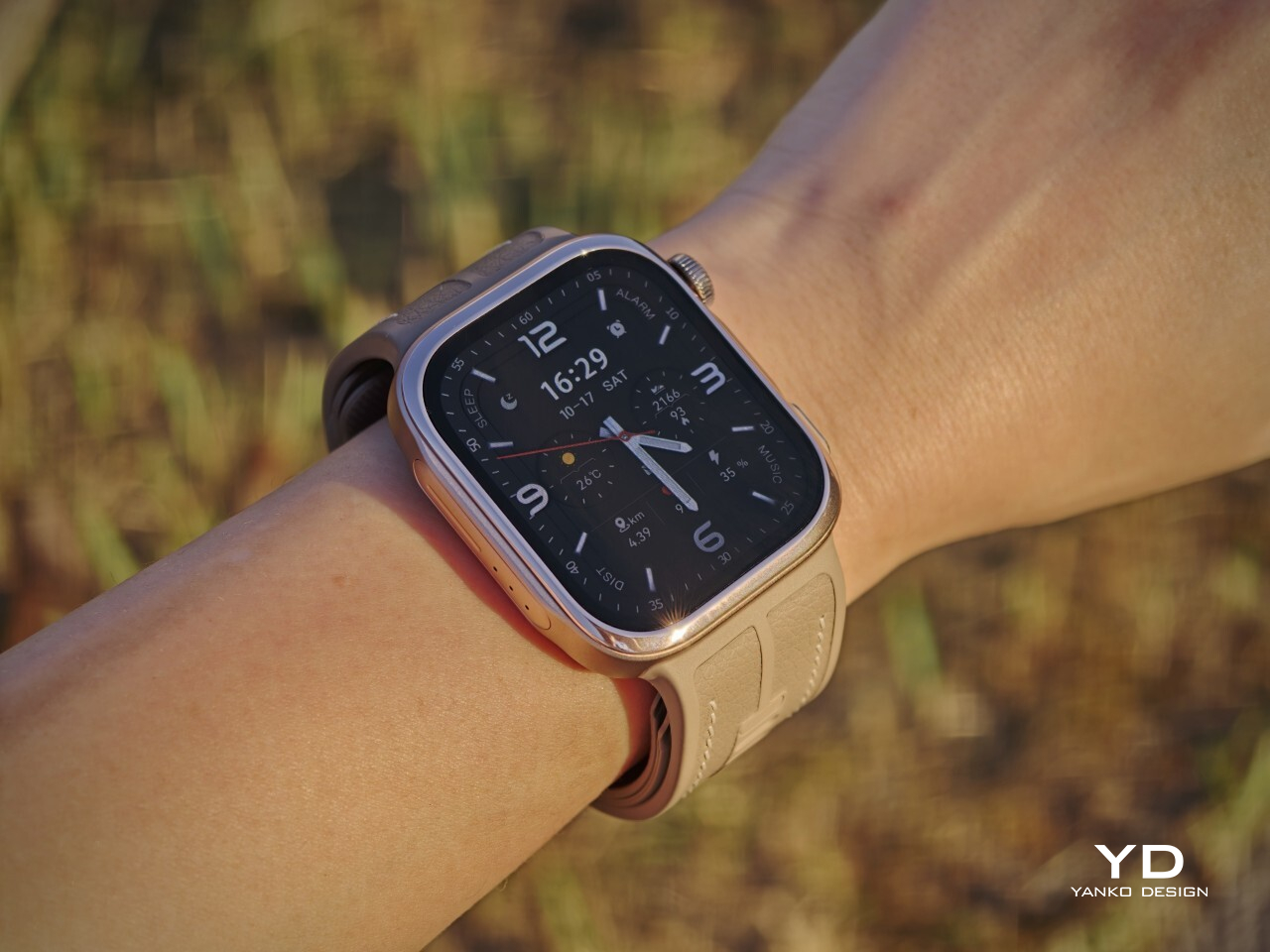
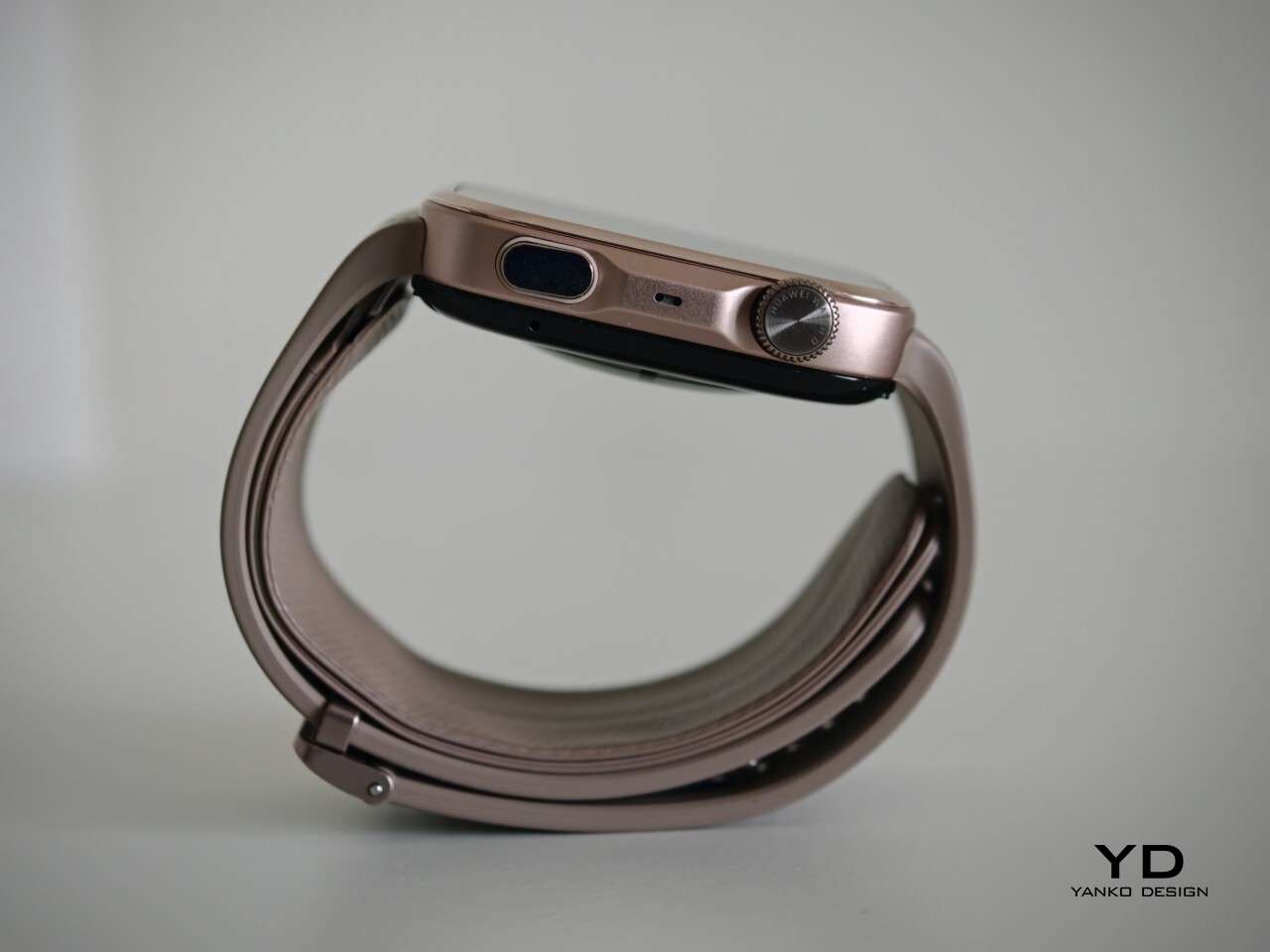
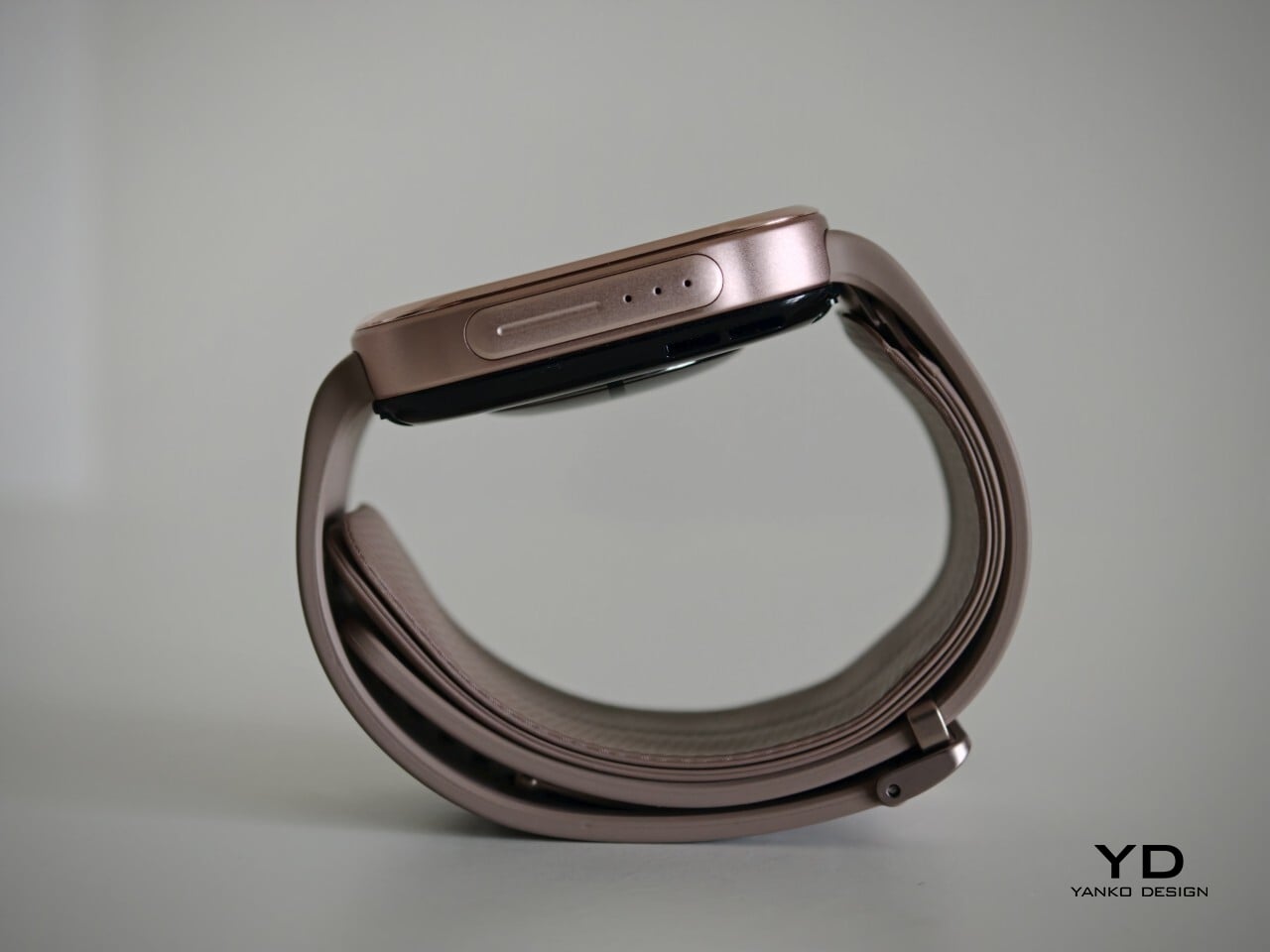
Visually, it sits somewhere between the clean familiarity of an Apple Watch and the more assertive presence of an Apple Watch Ultra, giving it a look that feels both familiar and slightly more rugged. Huawei offers the Watch D3 in three color options: White, Black, and Mocha Gold. I received the Mocha Gold version, and it gives the watch a warmer, slightly more elevated look than the other finishes. The rectangular-shaped case is paired with a color-matched fluoroelastomer strap, which also houses the airbag used for blood pressure measurement.

Ergonomics

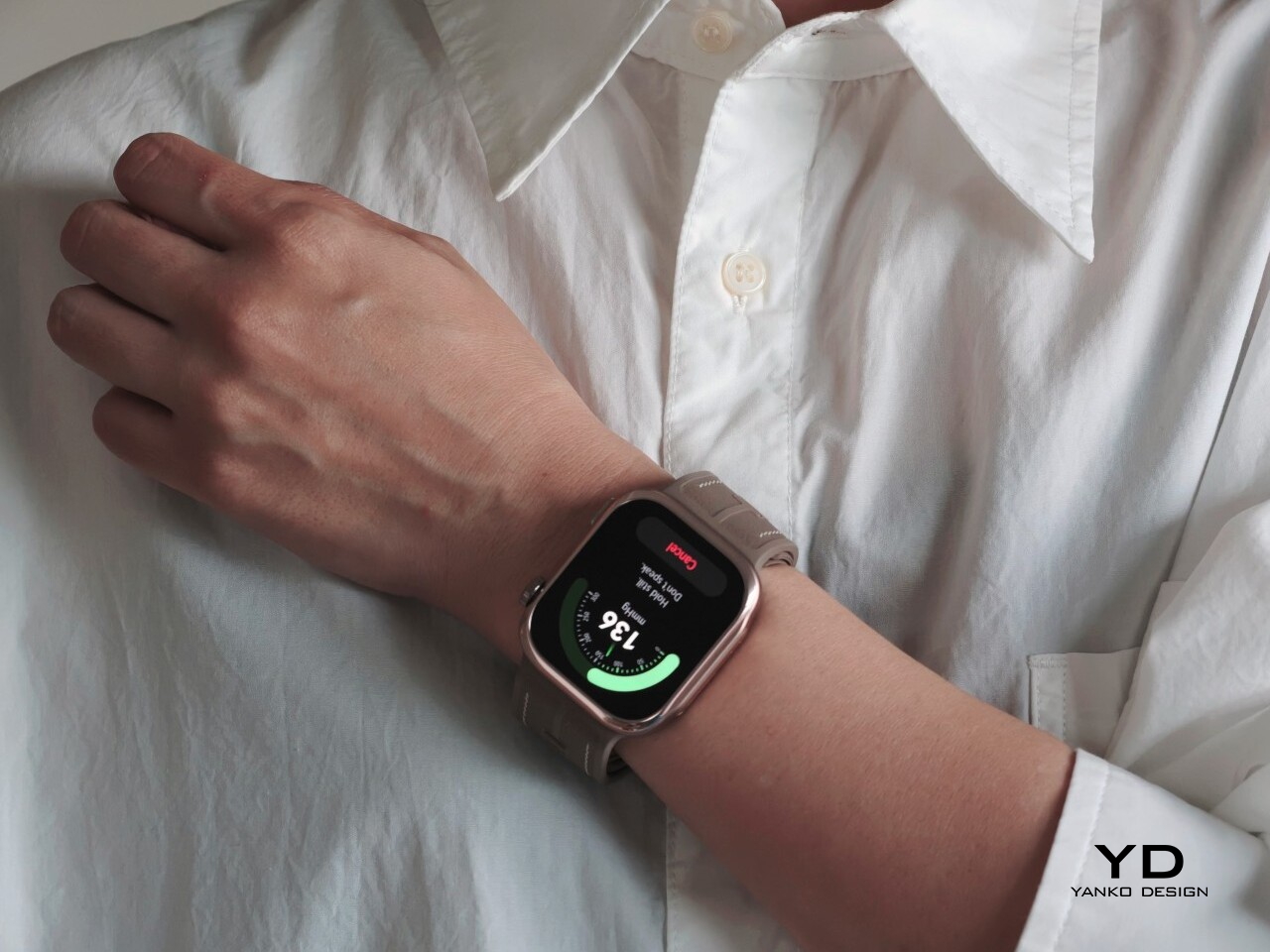
For a smartwatch with a tiny airbag tucked into its strap, the Watch D3 is surprisingly easy to wear. On paper, it is not a small device at 1.83 x 1.61 x 0.44 inches, but it never feels ungainly or overengineered once it is actually on your wrist. The 1.92-inch rectangular display fits well and doesn’t overwhelm the wrist, keeping the overall look streamlined. Huawei has also trimmed the thickness down from 0.52 inches on the Watch D2 to 0.44 inches here, and that slimming makes a real difference. The D3 feels less like a specialist gadget and more like a smartwatch you can throw on in the morning without a second thought.

In practice, the bigger surprise is how quickly it stops feeling unusual. The Watch D3 feels like an ordinary smartwatch on the wrist in the best possible sense. The strap is inevitably thicker than a conventional smartwatch band because it contains the inflatable airbag, but I never found it cumbersome. If anything, that unusual construction fades into the background faster than expected, which is not something I would have assumed before wearing it.
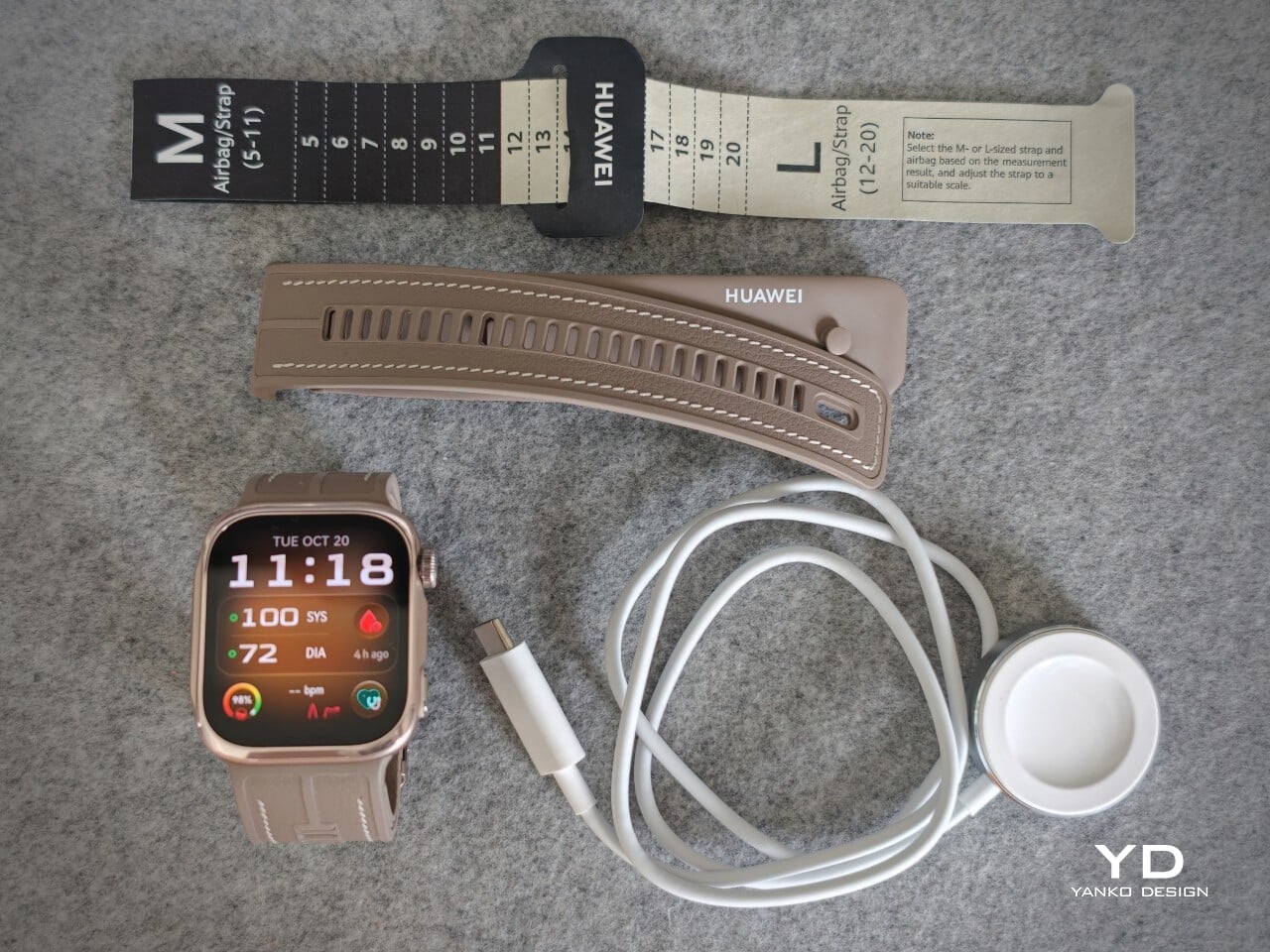
The weight helps here too. At around 1.41 ounces without the strap, the Watch D3 feels substantial enough to come across as a proper piece of hardware, but not heavy enough to become annoying over the course of a full day. Fit matters more on the Watch D3 than it does on a typical smartwatch. Huawei accounts for that with a paper measuring guide and two strap sizes. A watch built around blood pressure readings needs to fit properly, and the D3 feels better for that extra attention.

Performance

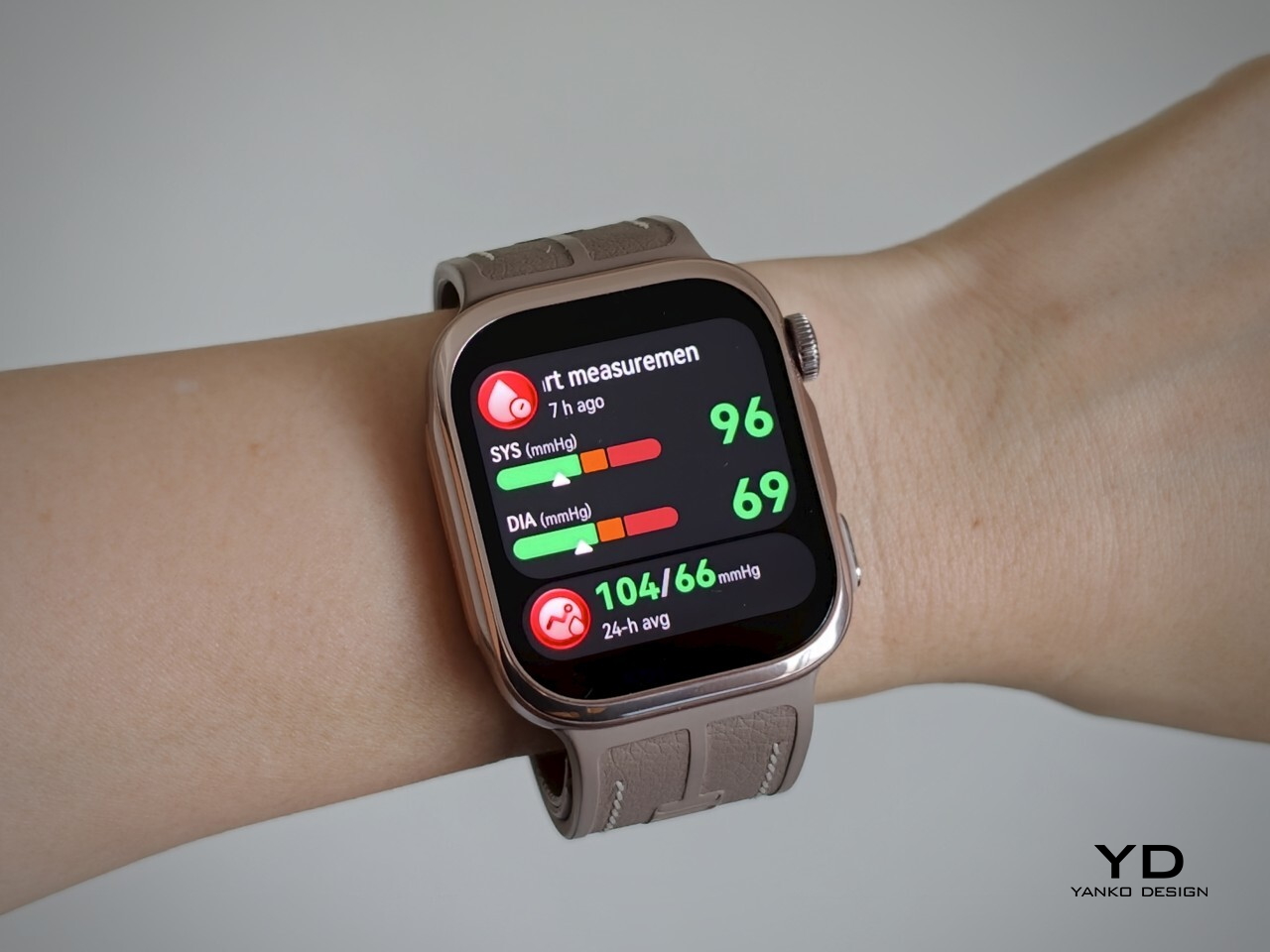
Blood pressure monitoring is the main reason to consider the Watch D3, but what surprised me first was how quiet it is. It makes virtually no sound during a reading, with the increasing pressure around my wrist providing the only obvious sign that anything is happening. The sensation is noticeable, as you would expect from an inflatable strap, but the process feels discreet enough that taking a reading does not become a bother.

There are medical credentials behind the feature, too. According to Huawei, the Watch D3’s blood pressure measurement has obtained NMPA medical device registration in China and CE certification under the European Union’s Medical Device Regulation, commonly called CE-MDR.

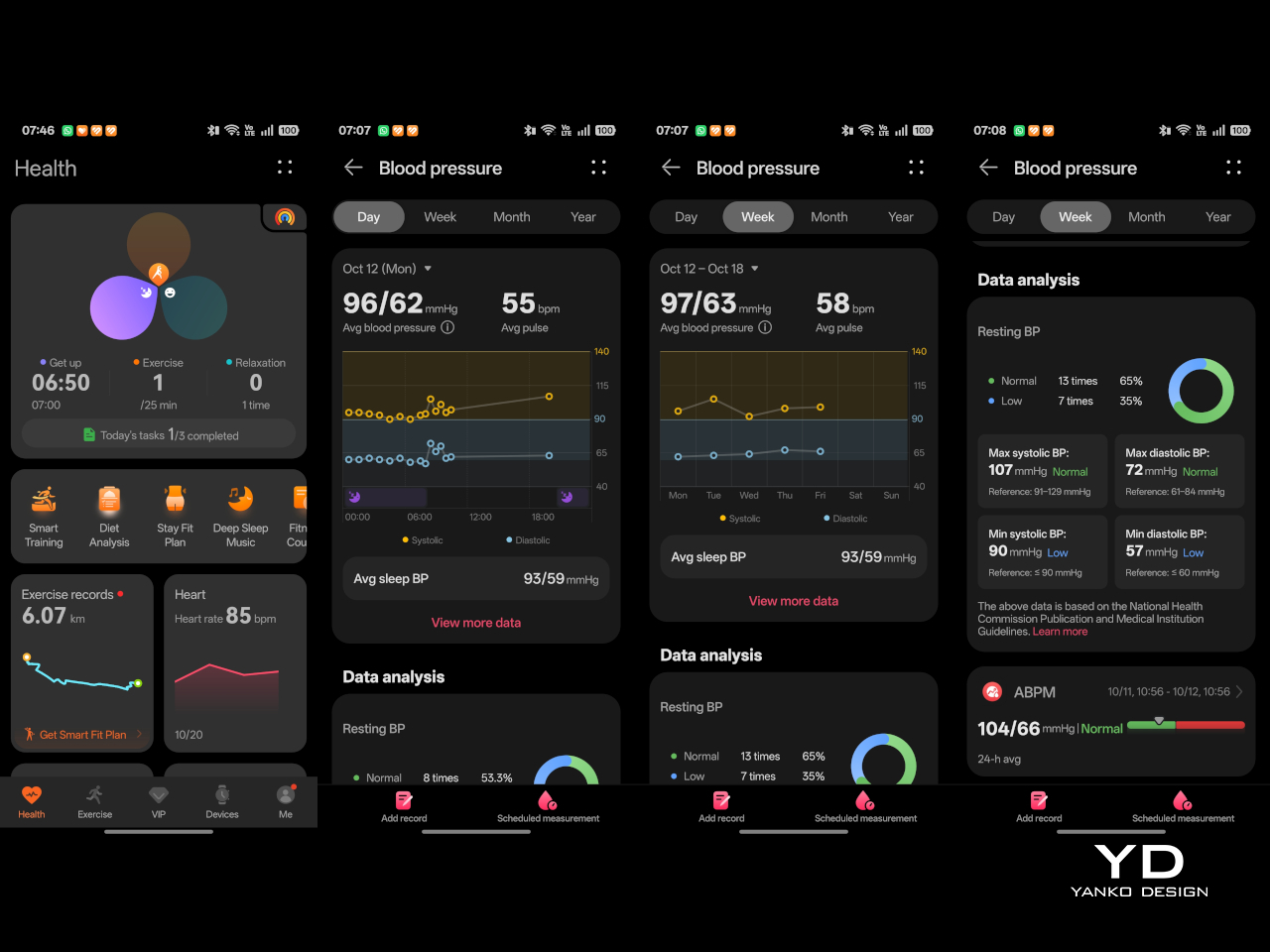
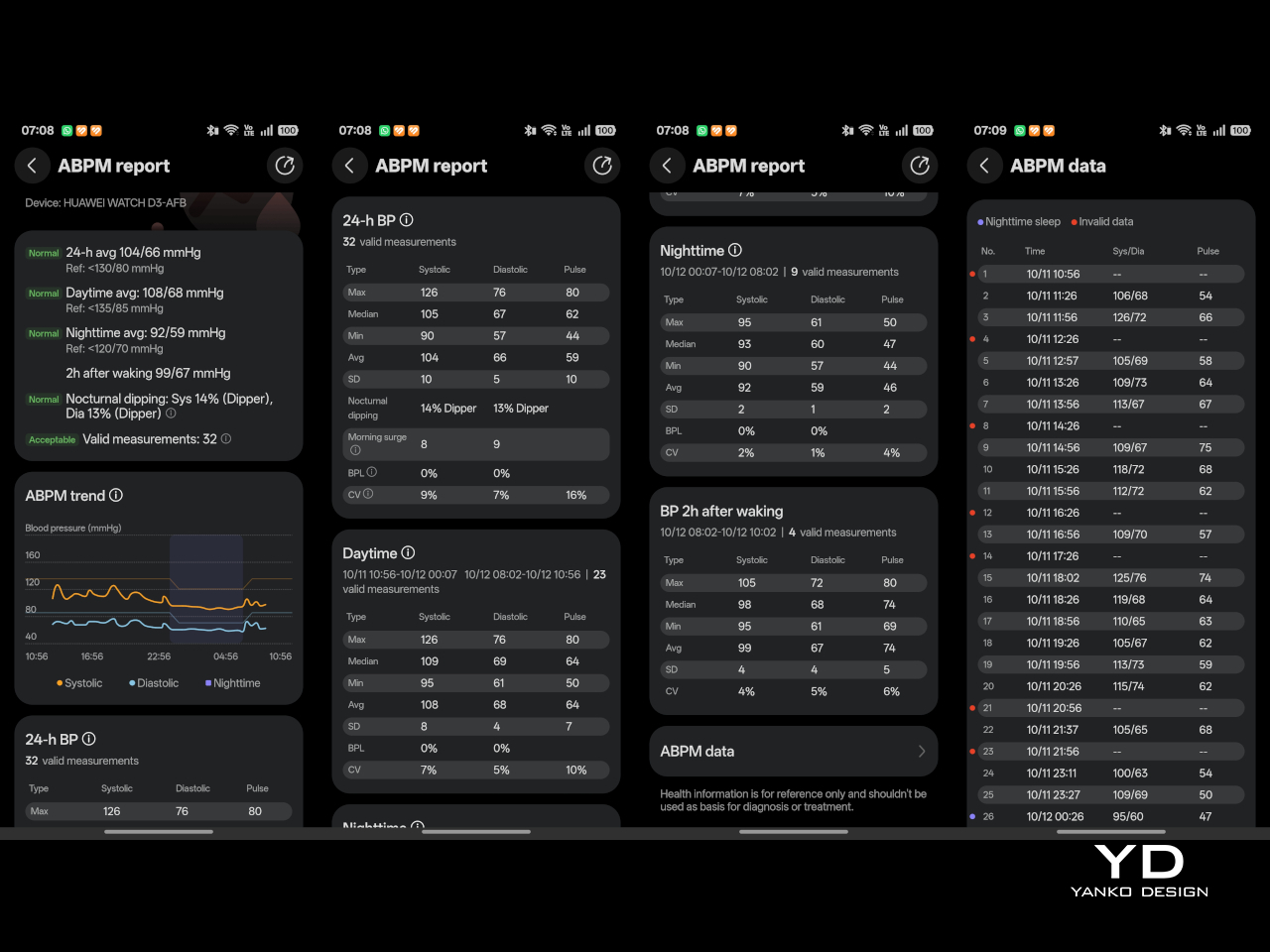
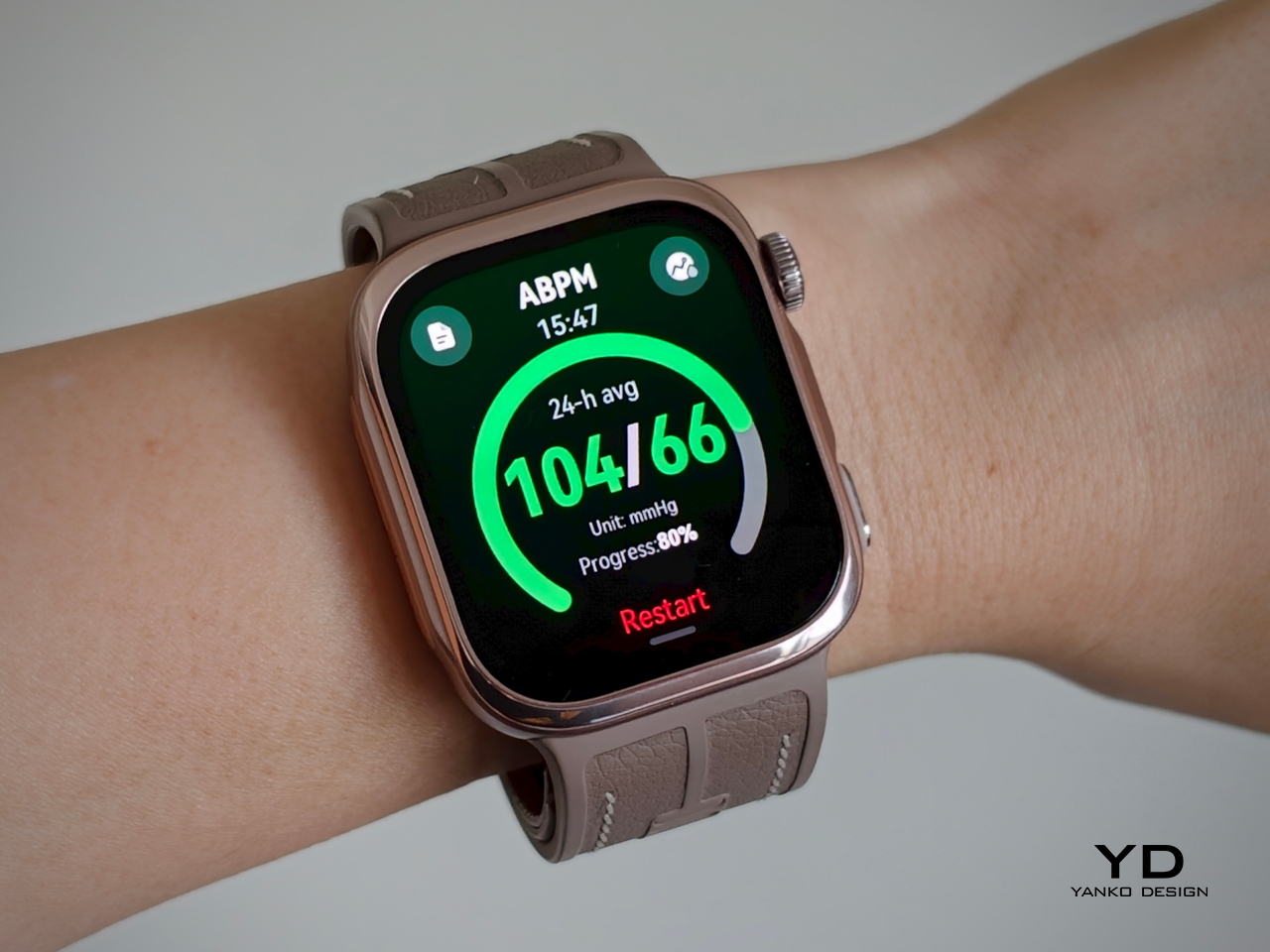
The Watch D3 also supports ambulatory blood pressure monitoring, or ABPM, which schedules repeated measurements over a 24-hour period, including while you sleep. Rather than giving you one isolated reading, it builds a record of how your blood pressure changes throughout the day and night. Huawei Health brings those results together into a report showing daytime, nighttime, and overall averages, which you can save or share with your doctor.

That does not mean you can forget about the process entirely. During waking hours, you still need to pause, keep still, and hold the watch at heart level, following the positioning instructions. You can adjust the measurement schedule rather than stick with the default intervals. Overnight, the watch takes readings automatically without requiring you to assume the daytime posture. Thankfully, those nighttime readings did not bother me or wake me up.

There is also a dedicated feature for measuring blood pressure before and after six workout types, covering indoor and outdoor running, walking, and cycling. You take an initial reading before starting, then begin another measurement within two minutes of finishing. There is a reason those changes are worth studying. Research using clinical exercise tests has linked certain blood pressure responses during exercise and recovery with a higher risk of developing hypertension or experiencing cardiovascular events later on.

Beyond blood pressure, the D3 covers heart rate, sleep, blood oxygen saturation, and skin temperature, with ECG available in supported regions. Fitness tracking is solid too, with more than 80 workout modes. It works well as an everyday companion for keeping an eye on activity, workouts, and daily movement without making every walk feel like homework.

The everyday smartwatch features are more familiar. The D3 runs HarmonyOS and works with both Android and iOS, although the experience is not identical across the two platforms. Bluetooth calling and music playback are supported, but the limited third-party app selection leaves less room to expand beyond the built-in tools.

With a compatible Android phone, you can respond to supported messages using quick replies or the on-screen keyboard. Message replies are not supported when the watch is paired with an iPhone, which is worth knowing before you buy. Offline maps are available for supported models, while NFC payment support depends on your region and the available payment service. Having NFC hardware does not automatically mean it will work with your usual cards.

Battery life has been good in my use, too. Huawei quotes up to six days under typical conditions, dropping to around one day with ABPM enabled. My typical-use results were close to that six-day claim, while I comfortably passed a day with ambulatory monitoring enabled. Measurement frequency matters here, since Huawei’s ABPM battery test uses 15-minute intervals, so your results may differ depending on your settings.
Charging speed is okay rather than especially quick, but outside ABPM sessions, I was not constantly looking for the charger. The supplied charger uses a USB-C rather than USB-A, which is a welcome change. That is one less reason to keep an older USB-A power adapter around.
Sustainability

The Watch D3 has an IP68 rating, but that is not an invitation to take it swimming or into the shower. Huawei advises against both because of the air openings used by the blood pressure system. The watch is not water- or dust-resistant while taking a measurement, so those openings need to stay clean and dry. It requires a little more care around water than you might expect from an everyday smartwatch.

The strap feels durable, although Huawei does not provide wear-test figures to put that impression into context. It is removable, so a tear would not necessarily mean replacing the whole watch, provided Huawei makes compatible replacement straps available. That is useful for keeping the D3 in service, but the broader sustainability picture remains unclear. I would have liked more information about recycled materials, repair options, and long-term software support.

Value

The Watch D3 costs £399.99 (roughly $533) in the UK and €449 (roughly $505) in Europe, so it is not exactly an impulse purchase. Whether that feels expensive depends on what you want from your watch. The D3’s appeal is having cuff-style blood pressure readings and 24-hour ambulatory monitoring in something you can wear throughout the day and overnight.

If those are features you will use regularly, the price becomes easier to justify, especially given how comfortable I found it. I am also impressed by how streamlined the whole package feels, considering the specialized hardware tucked inside the watch and strap. You are getting more than an extra health metric on a screen, without having to wear something that feels like medical equipment. If you mostly want notifications and workout tracking, though, I would be less inclined to pay for blood pressure hardware that rarely gets used.

Verdict

The Watch D3 impressed me most by making its unusual hardware so easy to live with. Blood pressure readings are quiet, the strap never felt cumbersome, and overnight measurements did not wake me up. Battery life was good, too, particularly outside ambulatory monitoring sessions. I never felt I was putting up with an awkward gadget just to use its blood pressure features.

I would still like a broader selection of third-party apps and clearer information about repair options and long-term support. The price also makes more sense if blood pressure monitoring will be a regular habit rather than an occasional curiosity. It is a tool to use alongside professional care, not a reason to diagnose yourself or change medication based on your readings. With that understood, the D3 earns my recommendation for combining useful blood pressure features with the comfort and discretion of an everyday smartwatch.

The post Huawei Watch D3 Review: A Game Changer for On-Wrist Blood Pressure Monitoring first appeared on Yanko Design.

  •  

Nothing’s Ear (open) should have been a CMF product all along… Here’s proof

I’ll say it: Nothing launched the Ear (open) under the wrong logo. The open-ear buds debuted in 2024 at $149, wrapped in Nothing’s signature transparent look, and they were good enough to win a Red Dot Product Design award. Still, every time I looked at them, my brain kept whispering “CMF.” Open-ear buds are the casual, colorful, sweat-friendly second pair you toss in a gym bag, which describes CMF’s entire personality. Even Nothing seems to have noticed, since the Ear (open) now comes in soft blue for $99 in the US. That’s CMF money in a CMF color, wearing a Nothing name tag.

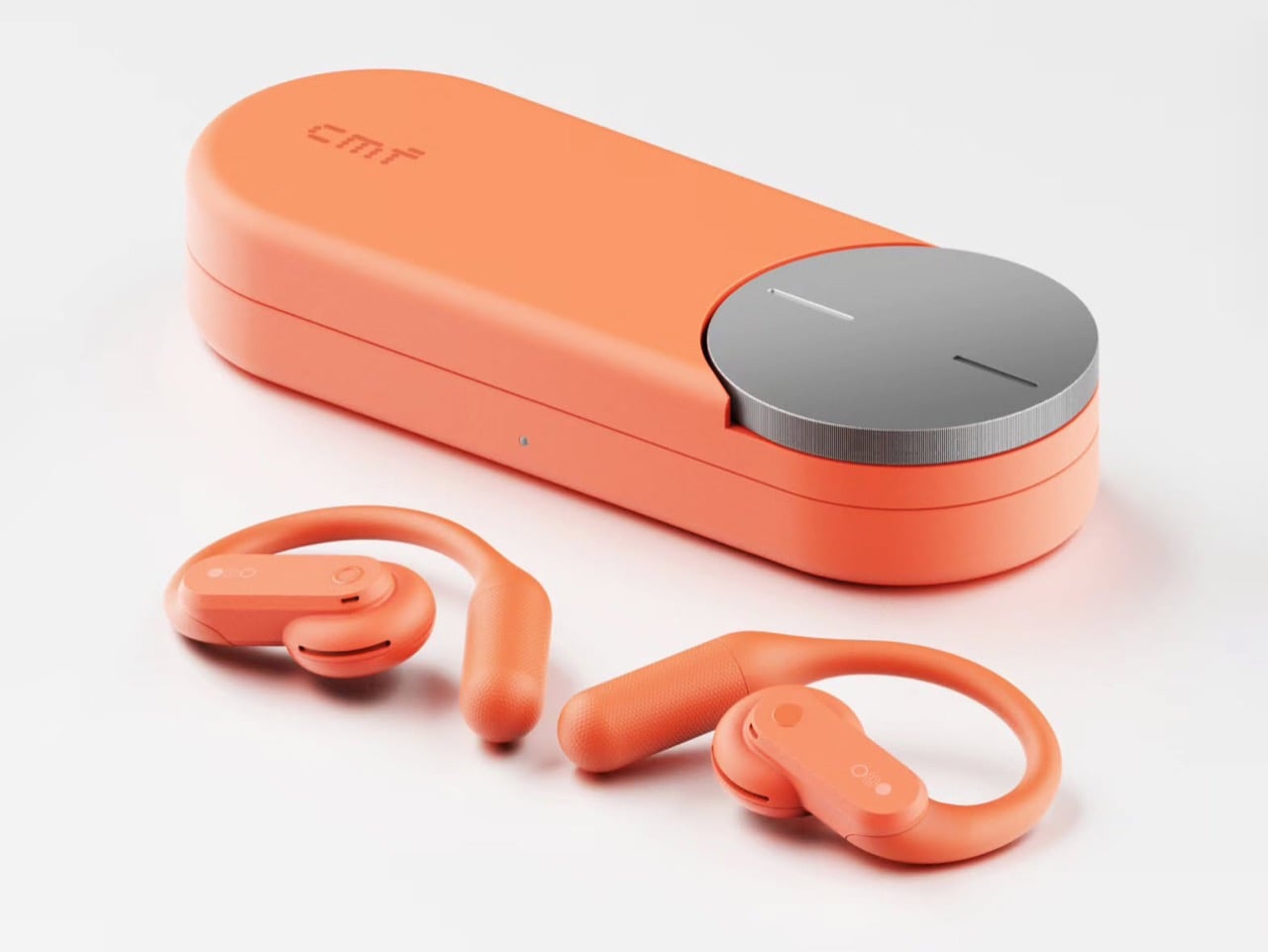
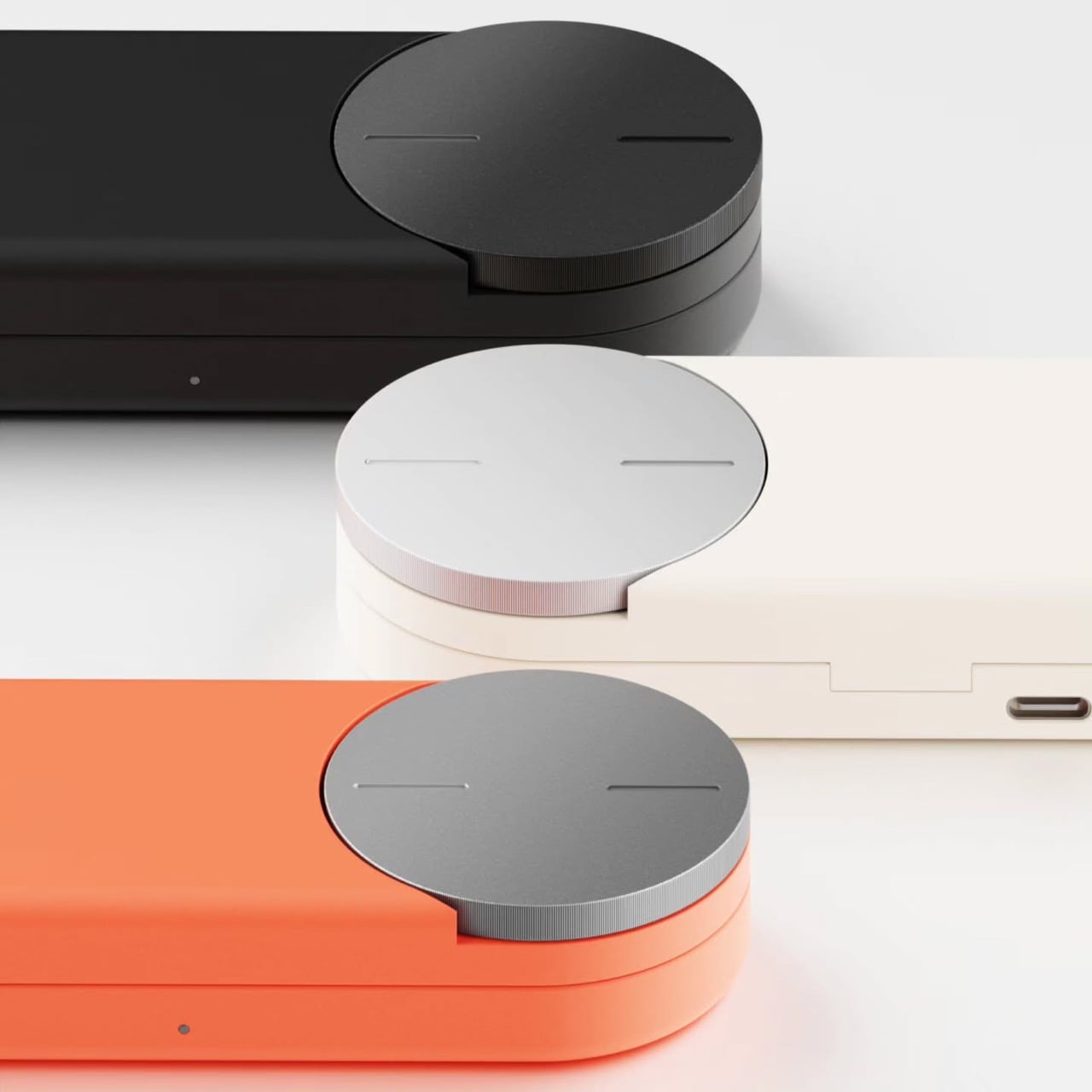
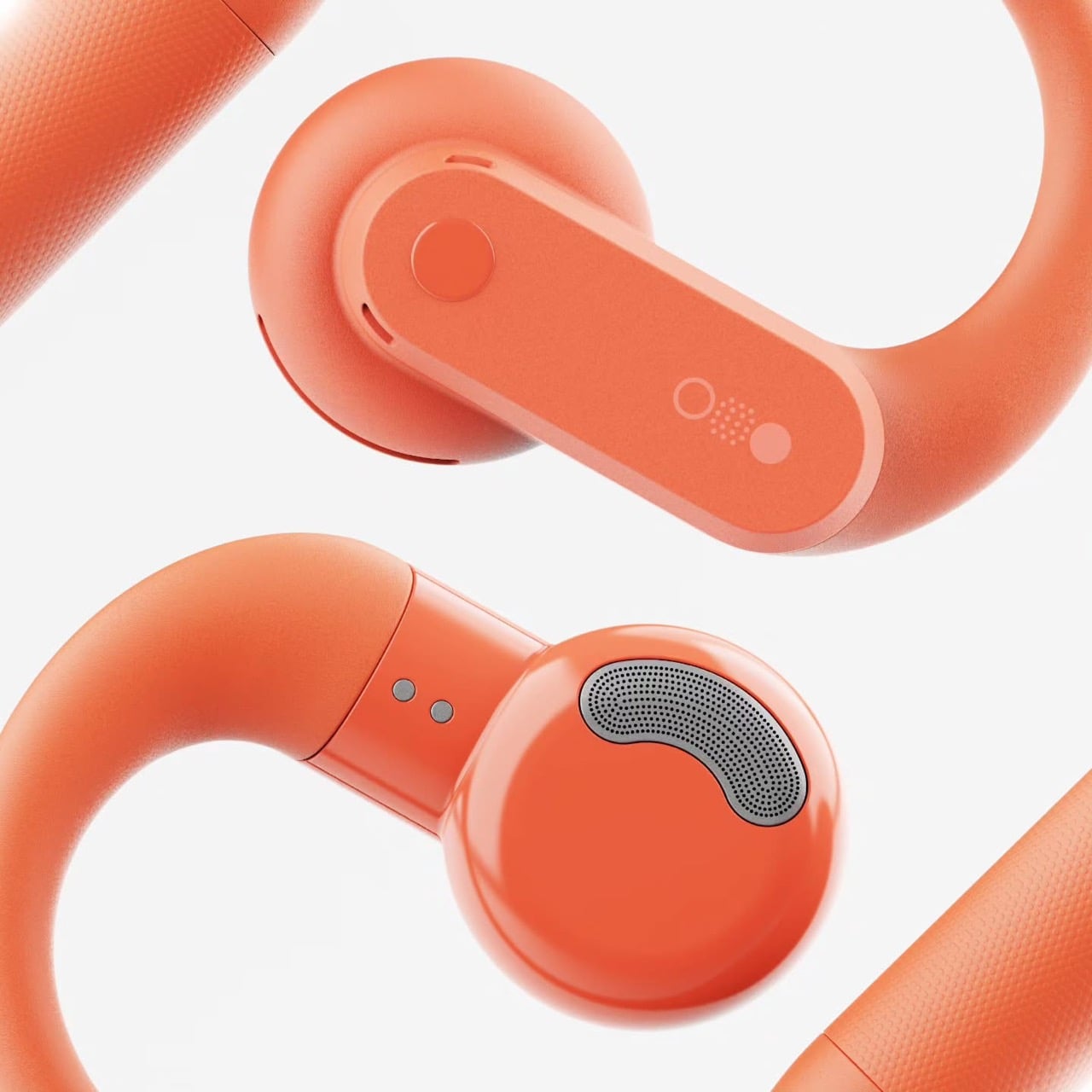
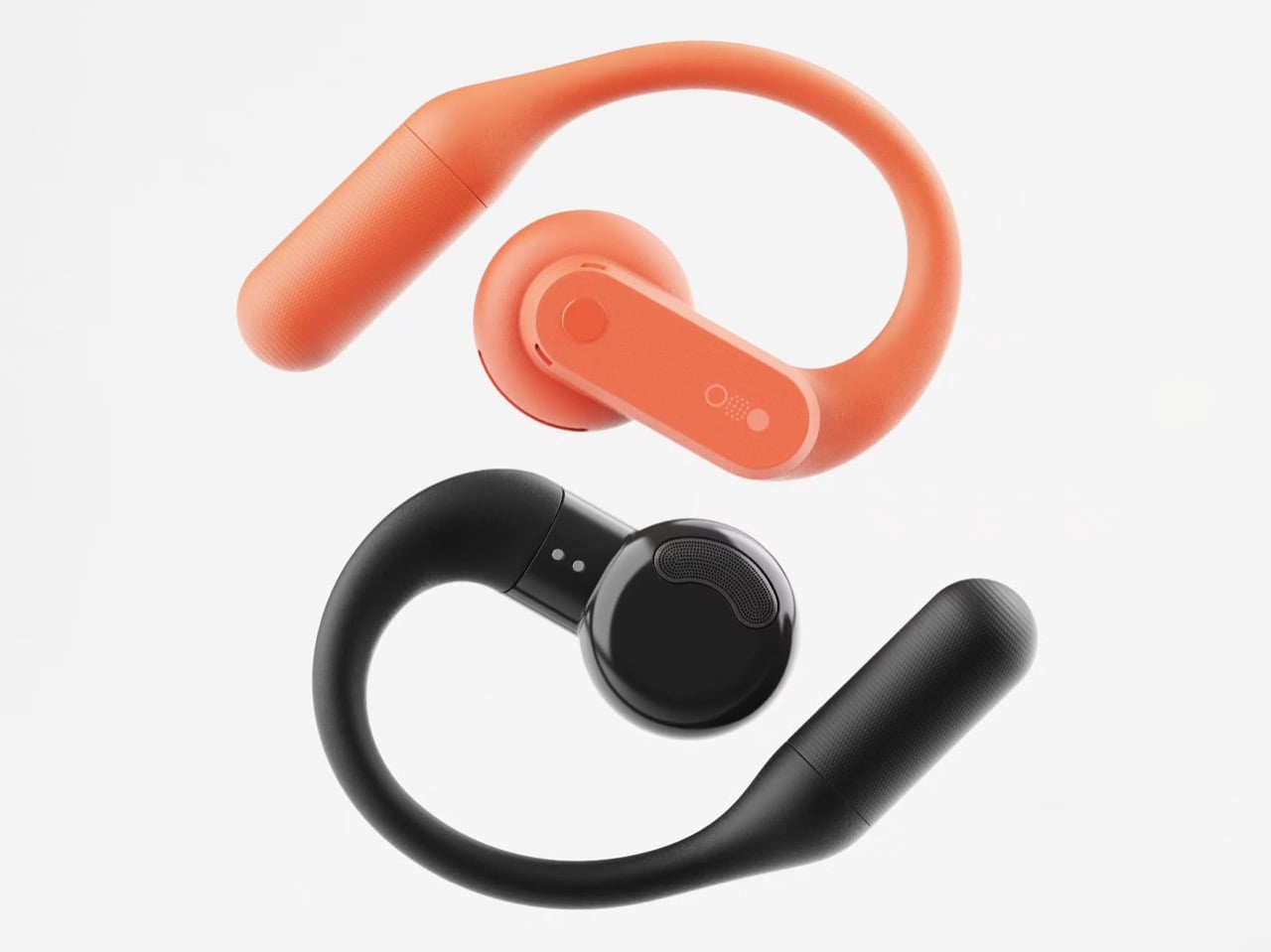
Apparently I’m not alone in this conspiracy theory. Industrial designer Shreyansh Onial, whose CMF Flip foldable concept got a reaction from Carl Pei himself, built the CMF Ear (open) that Nothing never released, and it looks like it rolled straight off CMF’s assembly line. The over-ear hook stays, but the transparent panels give way to solid Coral, Light Grey, and Dark Grey. Each bud gets a chunky physical button, and the pill-shaped case borrows the knurled Smart Dial from CMF’s $99 Clip Pro. It’s the alternate-universe launch I didn’t know I was waiting for.

Designer: Shreyansh Onial

Trading Nothing’s see-through shell for CMF’s candy-colored hooks

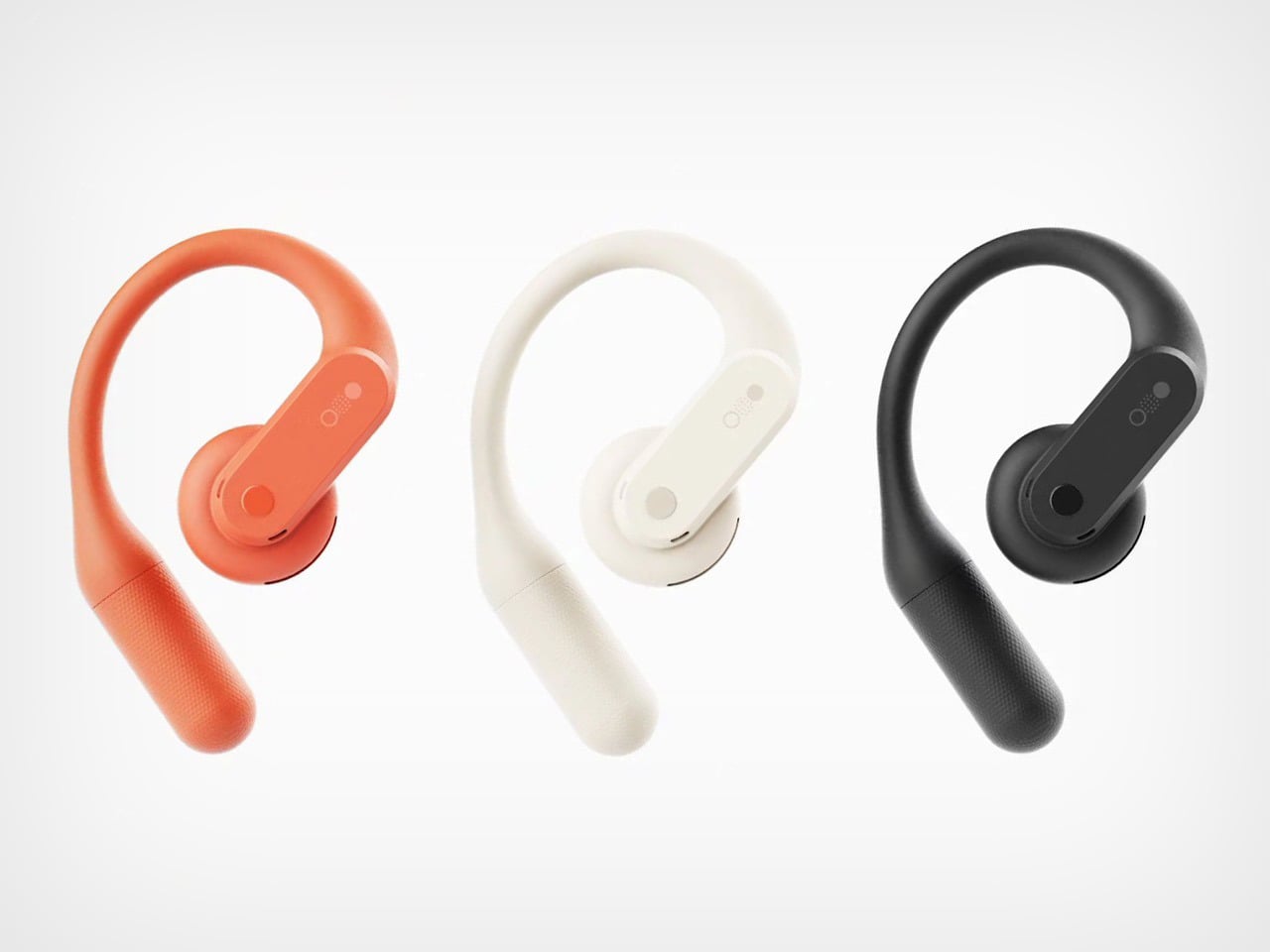
Coral, Light Grey, and Dark Grey carry the whole concept, and they match the Clip Pro’s palette exactly. Transparency is Nothing’s calling card, though on the Ear (open) much of the surface is a silicone ear hook anyway. Onial goes fully opaque, with a soft matte finish on the hook and a glossier coat on the round acoustic pod that sits by your ear canal. The outer face is a rounded pill panel with a single round button and a tiny glyph made of a circle, a dot grid, and a filled dot. The battery tail picks up a fine stippled texture, which gives sweaty fingers something to grip.

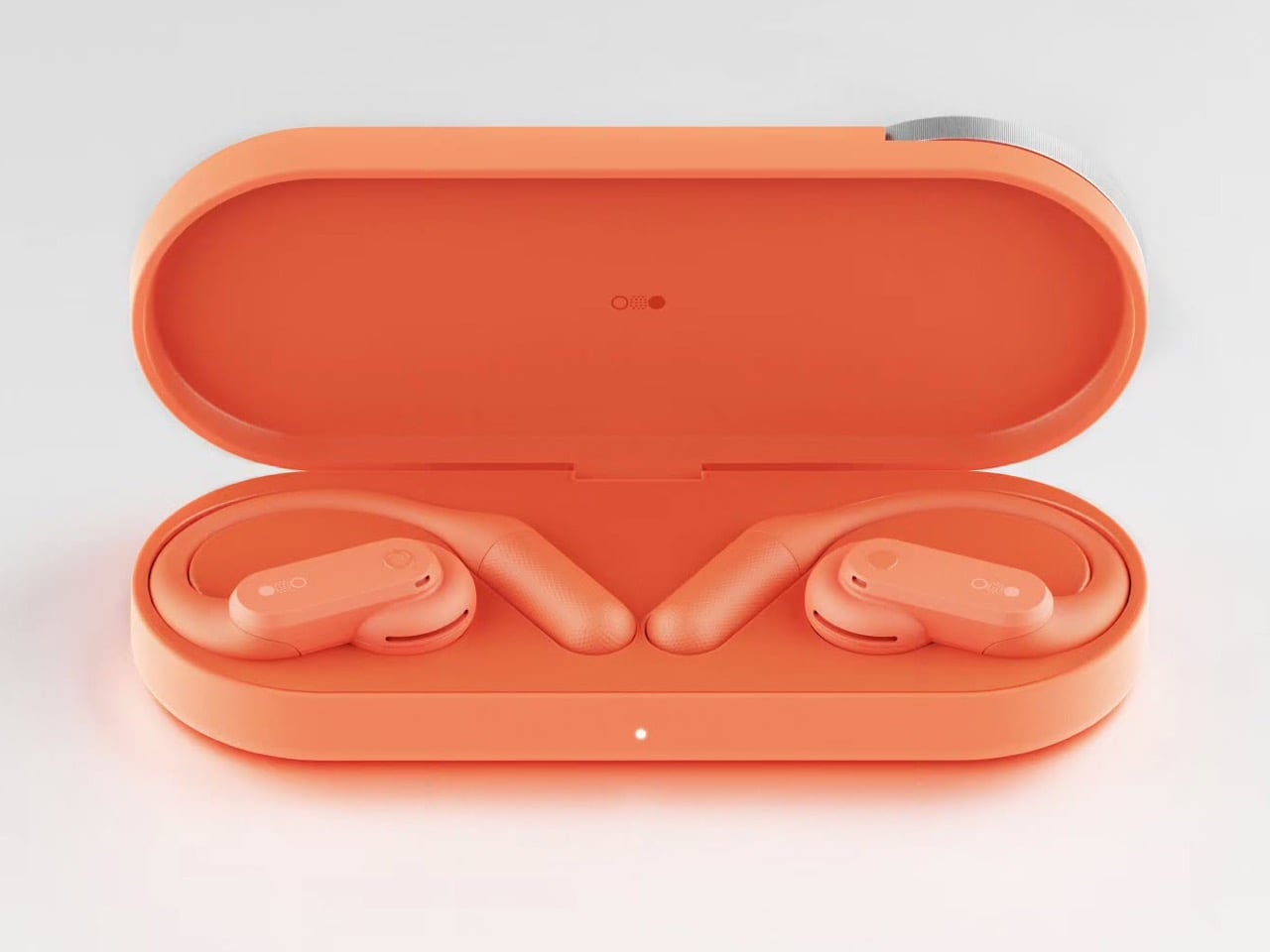
A real button on each bud fixes the biggest workout annoyance with the Ear (open), which relies on pinch controls that get fiddly with slippery fingers. CMF already gave the Clip Pro physical buttons for exactly this reason, so the move fits the brand’s own playbook. Flip the bud around and you’ll find a perforated metal grille shaped like a little kidney bean, plus two pogo pins on a short collar for charging. That bean grille is my favorite detail, because it gives the bud an oddly cartoonish face. It also mirrors the soft circles of the dial on the case. The whole thing feels friendly and approachable, which suits a pair built for sweat and sidewalks.

The Clip Pro’s Smart Dial case meets a hook built for runners

The case comes straight from CMF’s Clip Pro, a deep pill-shaped capsule with a knurled metal dial set into one end of the lid. On the Clip Pro, that Smart Dial adjusts volume, controls playback, answers calls, and triggers pairing. CMF put the same dial on its Buds Pro 2, and it has since become the brand’s signature move. Onial adds a dot-matrix “cmf” wordmark on the lid, a front status LED, and a USB-C port on the side. Inside, molded cradles hold the two hooks in a neat V, with a charging pocket waiting for each acoustic pod.

Over-ear hooks anchor behind the ear, which keeps them planted through runs, burpees, and sprints for the bus. The Clip Pro’s C-shaped clip hugs the ear’s outer edge instead, a format better suited to commutes and long desk days. That leaves the runner with a CMF-shaped hole in their gym bag, since CMF currently offers nothing for them (lowercase n). A dial makes even more sense here, because twisting a knob on the case beats digging through phone menus mid-stretch. Pair it with real buttons on the buds and you get a workout setup that never asks for a precise touch gesture.

Where a CMF Ear (open) would land in a crowded open-ear market

Open-ear audio got crowded fast, with Bose’s Ultra Open sitting at the top for $299 and Sony’s LinkBuds Clip, Huawei’s FreeClip, and Shokz’s hook-style buds filling out the field. The Clip Pro landed at $99 with LDAC support, a 10.8mm driver, and up to 32.5 hours of total battery. The Ear (open) counters with a bigger 14.2mm driver, 8 hours per charge, and 30 hours with its case. Each Ear (open) bud weighs 0.29 oz (8.1 grams), while each Clip Pro bud weighs 0.21 oz (5.9 grams). A CMF hook could split the difference, pairing the Ear (open)’s stable fit and big driver with the Clip Pro’s dial, buttons, and price.

The blue Ear (open) already sells for $99 in the US, the same price as the Clip Pro, so Nothing has basically priced its own product at CMF level. Moving it under the CMF badge would make that price tag look like a plan instead of a markdown. It would also free Nothing to return later with a pricier transparent sequel, flipping the usual order where the premium brand gets the good stuff first. CMF became an independent Nothing subsidiary headquartered in India last year, and a signature sport bud would give the young brand another reason to stand apart from its parent. Onial’s renders already look ready for the shelf. Sometimes the little sibling deserves the new toy first.

The post Nothing’s Ear (open) should have been a CMF product all along… Here’s proof first appeared on Yanko Design.

  •  
❌