Think for a moment about three common tools: the nutcracker that sends shell fragments flying across the room, the bulky hammer you have to retrieve for the simple task of hanging a photo, and the emergency window breaker you bought for your car but have since forgotten about. Each serves a purpose, yet each comes with its own inconvenience, whether it’s mess, cumbersomeness, or the simple fact that it’s never around when you actually need it. These are the kinds of minor but persistent frustrations that we tend to accept as normal, the small design flaws in our daily routines.
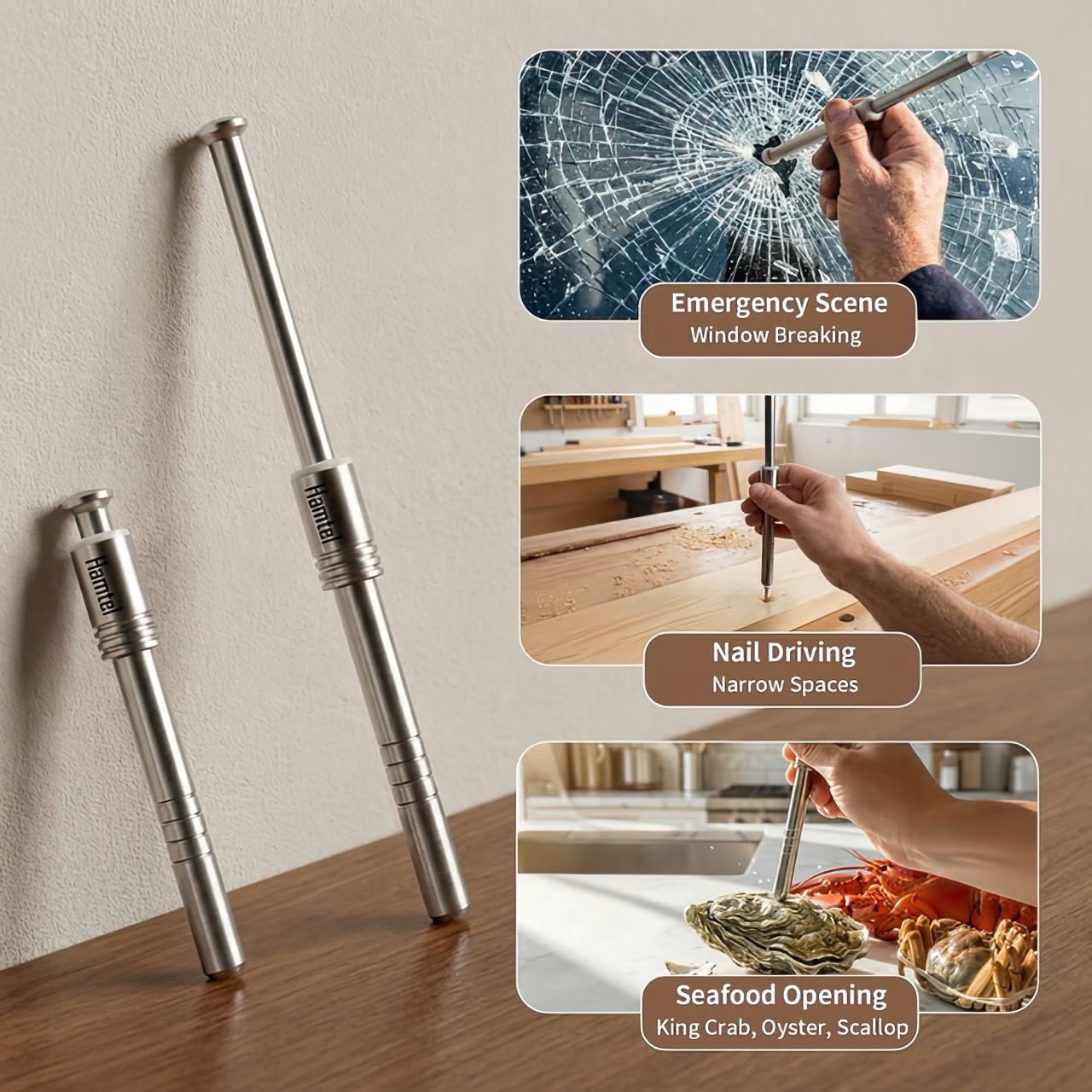
The Hamtel was born from a refusal to accept those flaws. It was conceived as a direct answer to these distinct problems, elegantly combining their solutions into a single, compact device. Its core function is a spring-loaded impact mechanism that cracks nuts with precision, eliminating mess and preserving the kernel. With a simple adjustment, that same tool becomes a capable mini-hammer for light-duty tasks. Finally, its tungsten steel tip provides the reliable performance of a dedicated car safety hammer, creating a single tool that is practical enough for daily use and critical in an emergency.
The real draw for anyone with an appreciation for good gear is the sheer tactile satisfaction of its action. You pull back the plunger to arm the manganese alloy steel spring, a process that feels deliberate and mechanical, like chambering a round. Placing the tip on the target and pressing down unleashes an explosive force reportedly moving at over 530 meters per second. This impact-driven deployment is what separates it from every dull lever-action cracker on the market. It’s a clean, contained, and frankly, an incredibly cool way to apply force. This is the kind of thoughtful engineering that gets EDC enthusiasts talking, turning a mundane kitchen task into an opportunity to use a well-made instrument.
The body is stainless steel, providing a solid, weighted feel in the hand, while the business end features a high-hardness tungsten steel tip rated at HRC60+. This is the material specification you expect in high-end cutting tools or industrial equipment, not something designed to crack walnuts. This choice is critical for its dual-purpose role as a car window breaker, ensuring the tip remains sharp and effective even after repeated use. That effectively means your walnut or macadamia or brazil nut stands absolutely no chance. The tip works remarkably well against seafood too, letting you crack into crab and lobster claws/shells without breaking out industrial equipment.
This precision translates directly to its performance in the kitchen. It boasts a 95% kernel preservation rate, a number that seems ambitious until you consider the physics at play. Instead of crushing a shell with slow, brute force, the Hamtel delivers a sharp, localized impact that fractures the shell without pulverizing the contents. This makes it just as effective for delicate jobs, like cracking open crab legs or lobster claws without shredding the meat inside. It brings a surprising level of finesse to a category of tools typically defined by their crudeness, making it a genuinely useful upgrade for any kitchen.
Initial pricing puts the Hamtel at $66, which is a compelling entry point considering its planned retail is set at $124. Logistics are refreshingly simple, with a flat $9 shipping fee for delivery anywhere in the world. An optional nut pick can be added for just a few dollars, making it a complete package for dealing with stubborn shells. For the price of a single-purpose emergency tool, you’re getting a device that serves three distinct functions, some life-changing, others life-saving. But for most of the time, bon appetit!
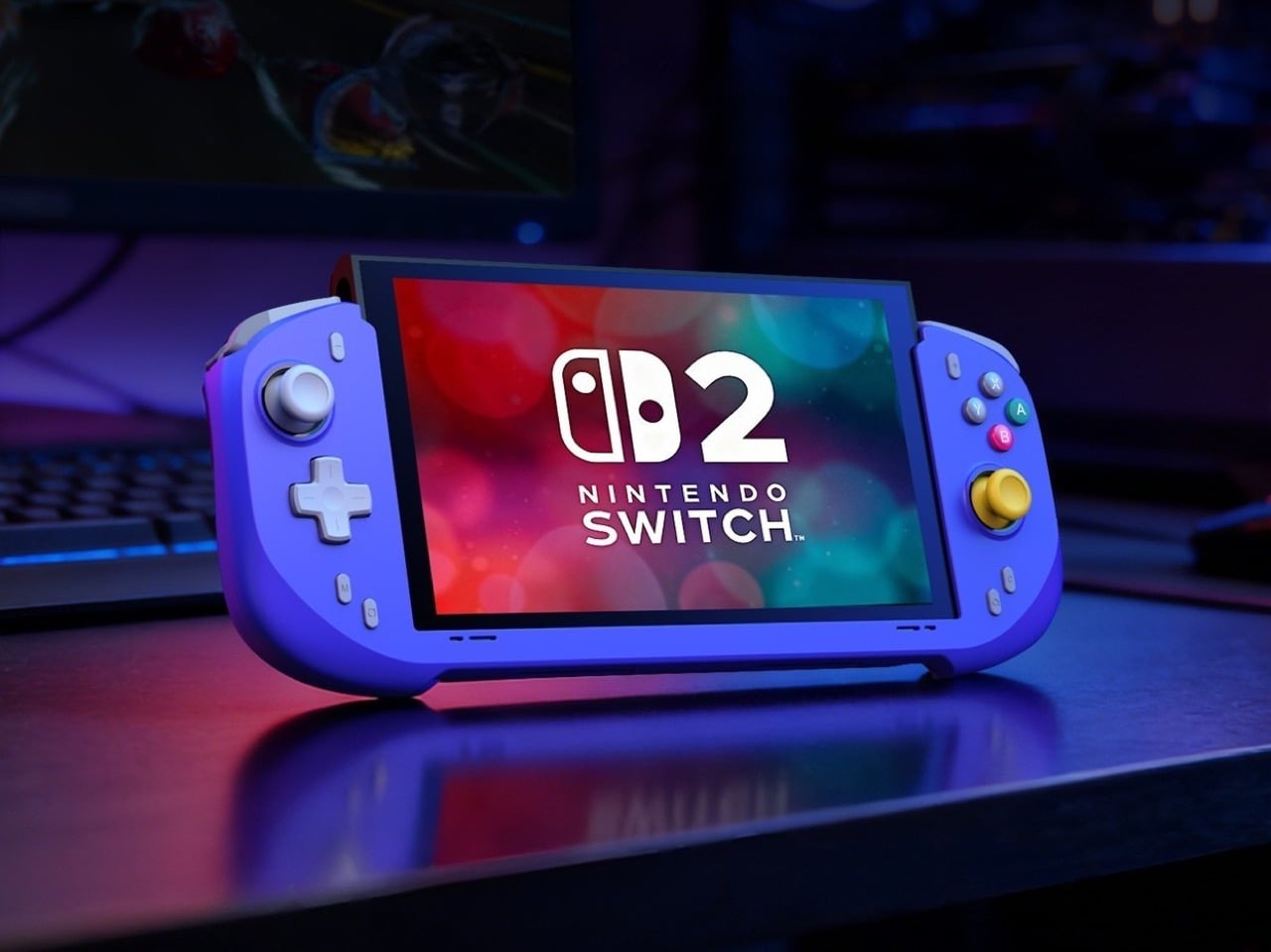
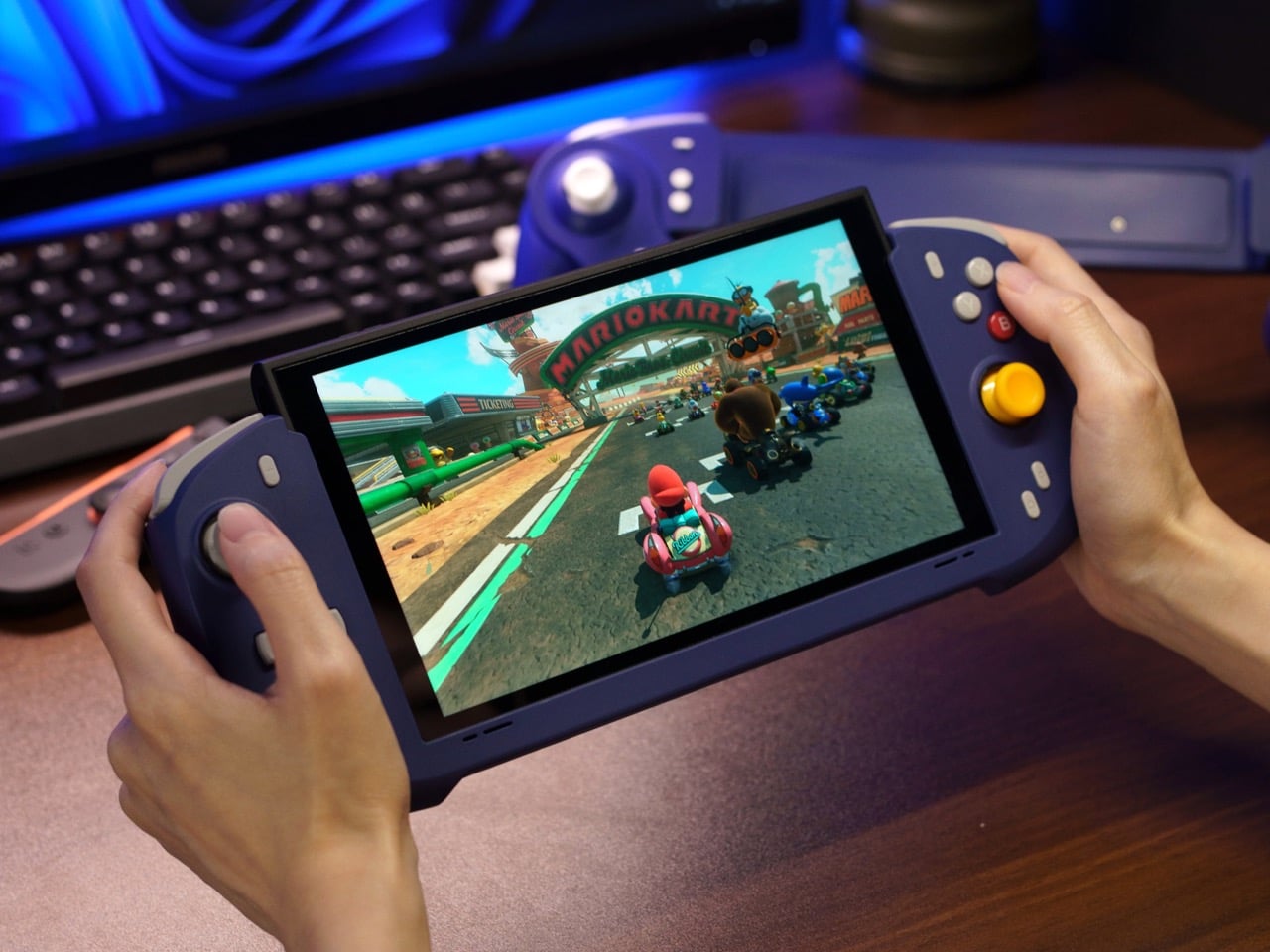
When the Nintendo Switch 2 arrived in June 2025 at $449.99, it came with a 7.9-inch display, a faster processor, and a Joy-Con that doubles as a mouse. What it didn’t come with was a comfortable way to hold it for long sessions. The handheld form factor has always been a compromise between portability and ergonomics, and for players who log serious hours, that compromise starts showing up as wrist fatigue, awkward thumb angles, and a nagging wish for something with a proper grip. The accessory market has tried to fill that space for years, with results ranging from decent to deeply uninspiring.
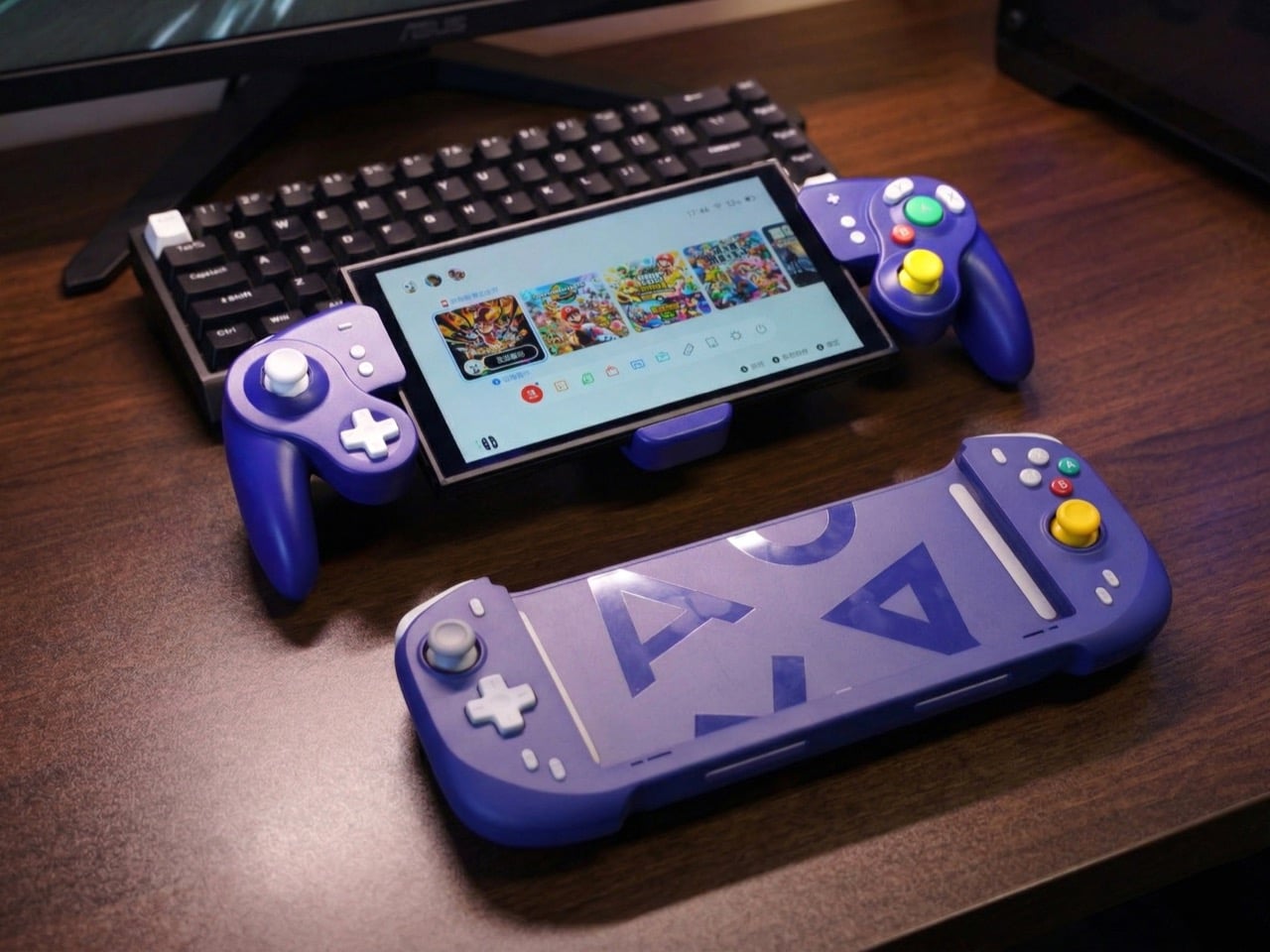
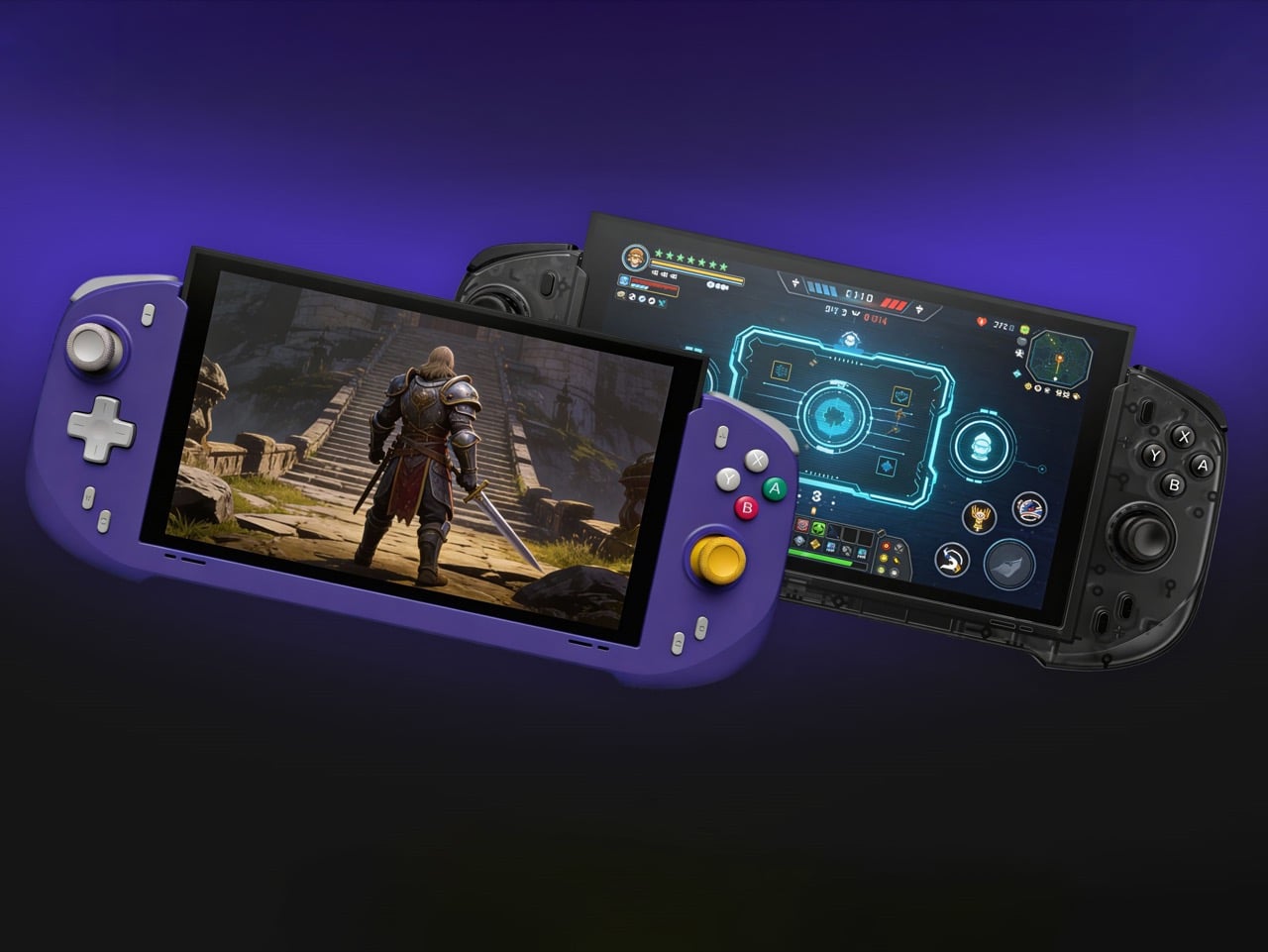
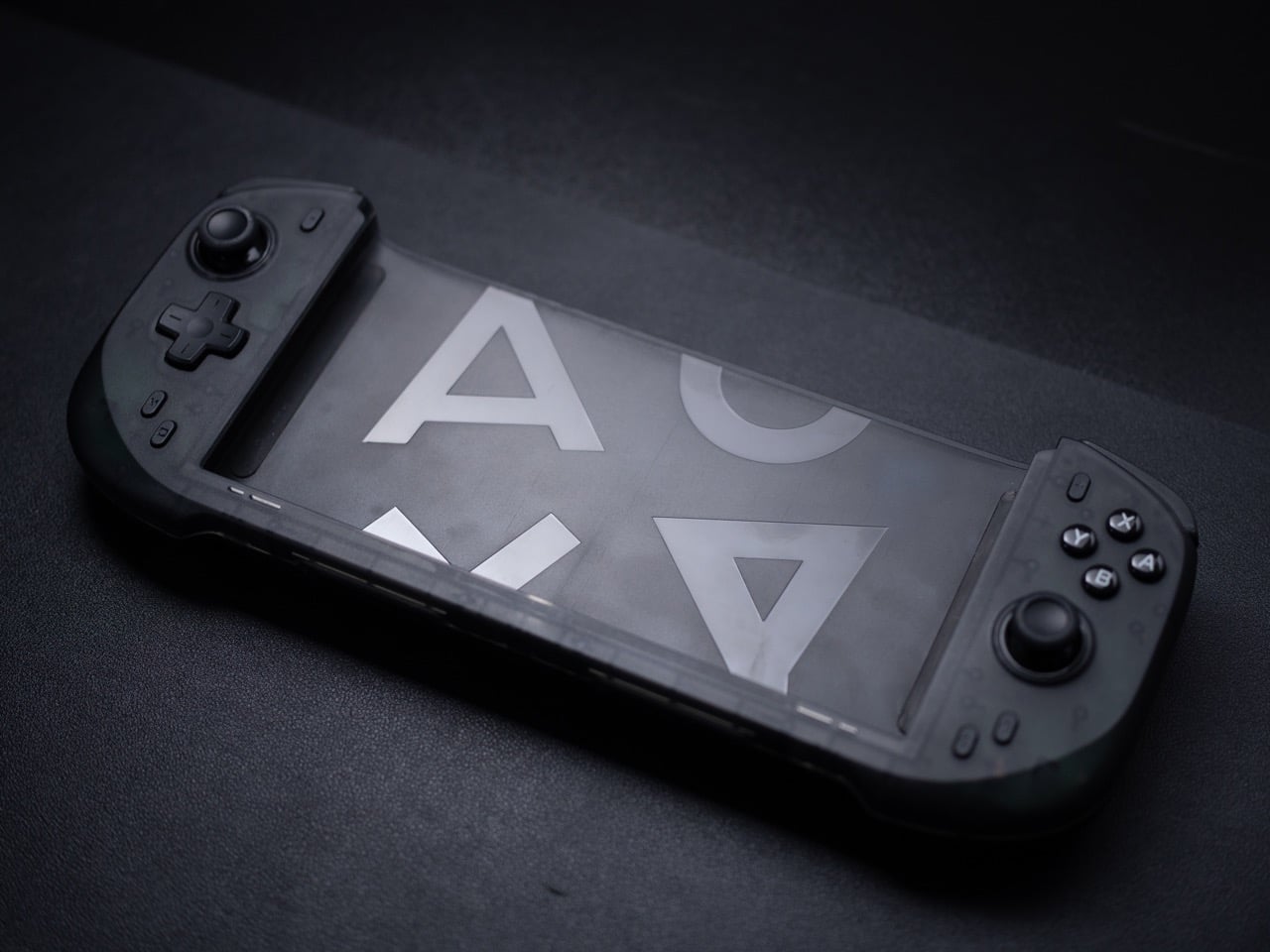
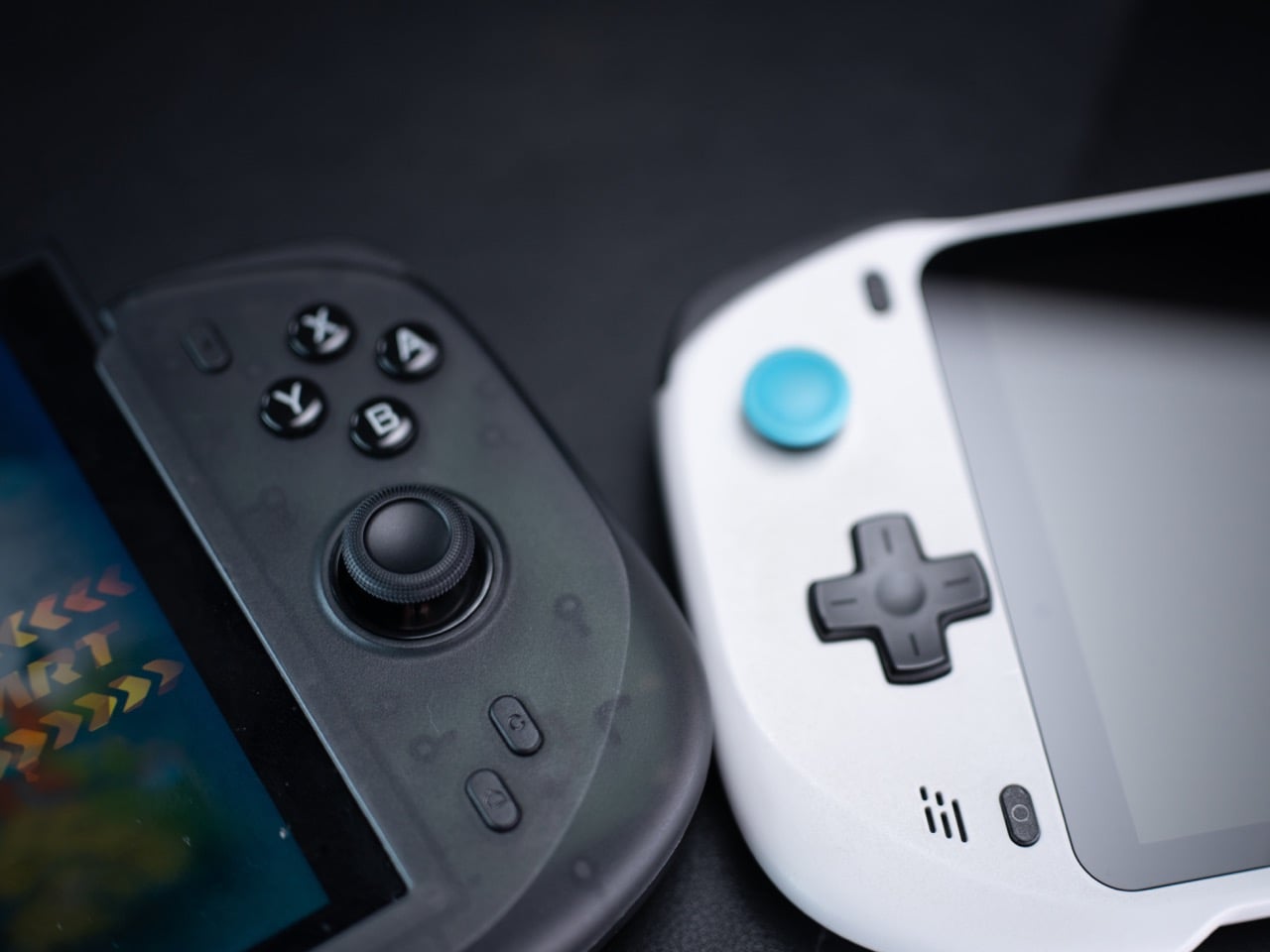
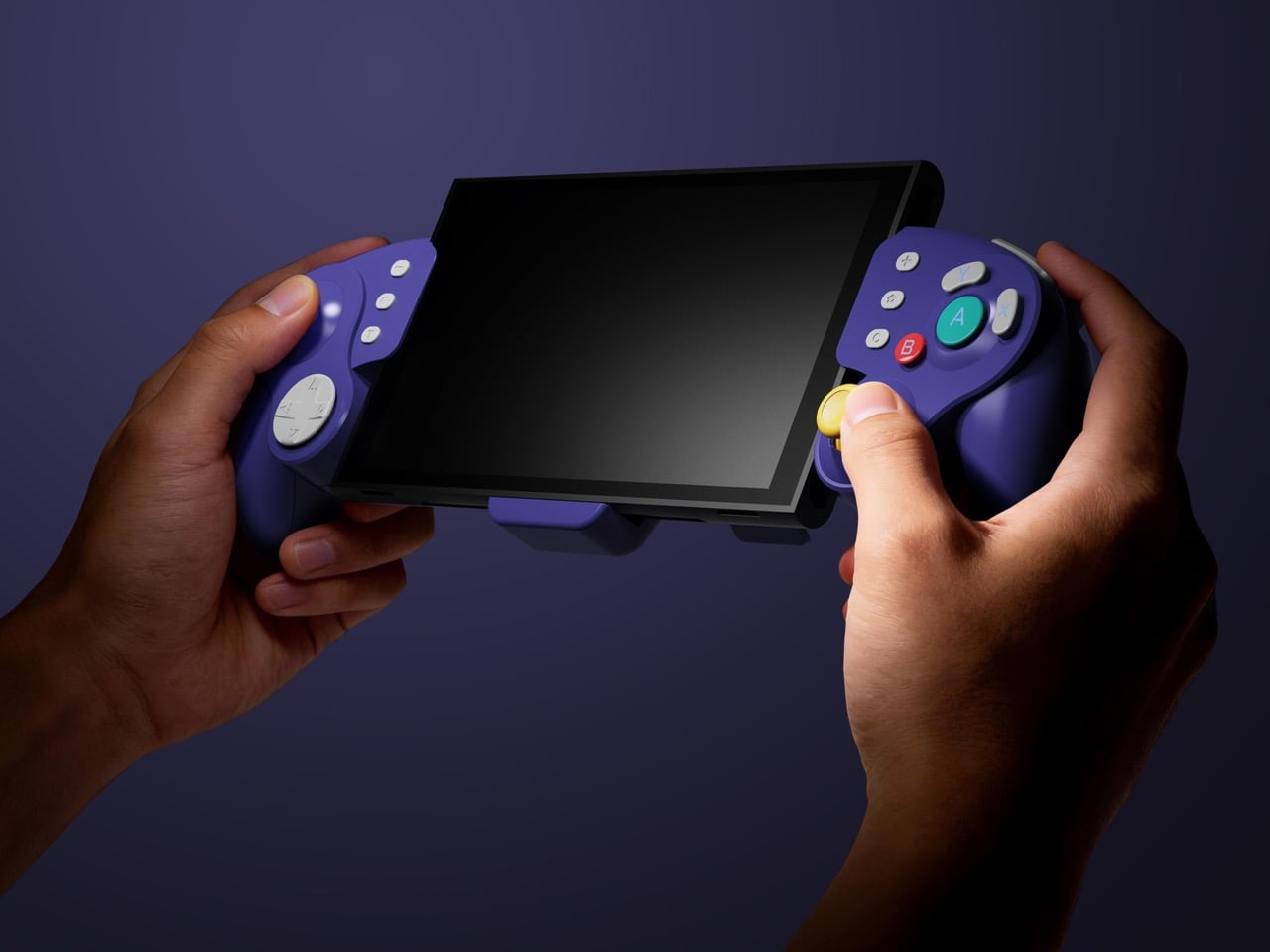
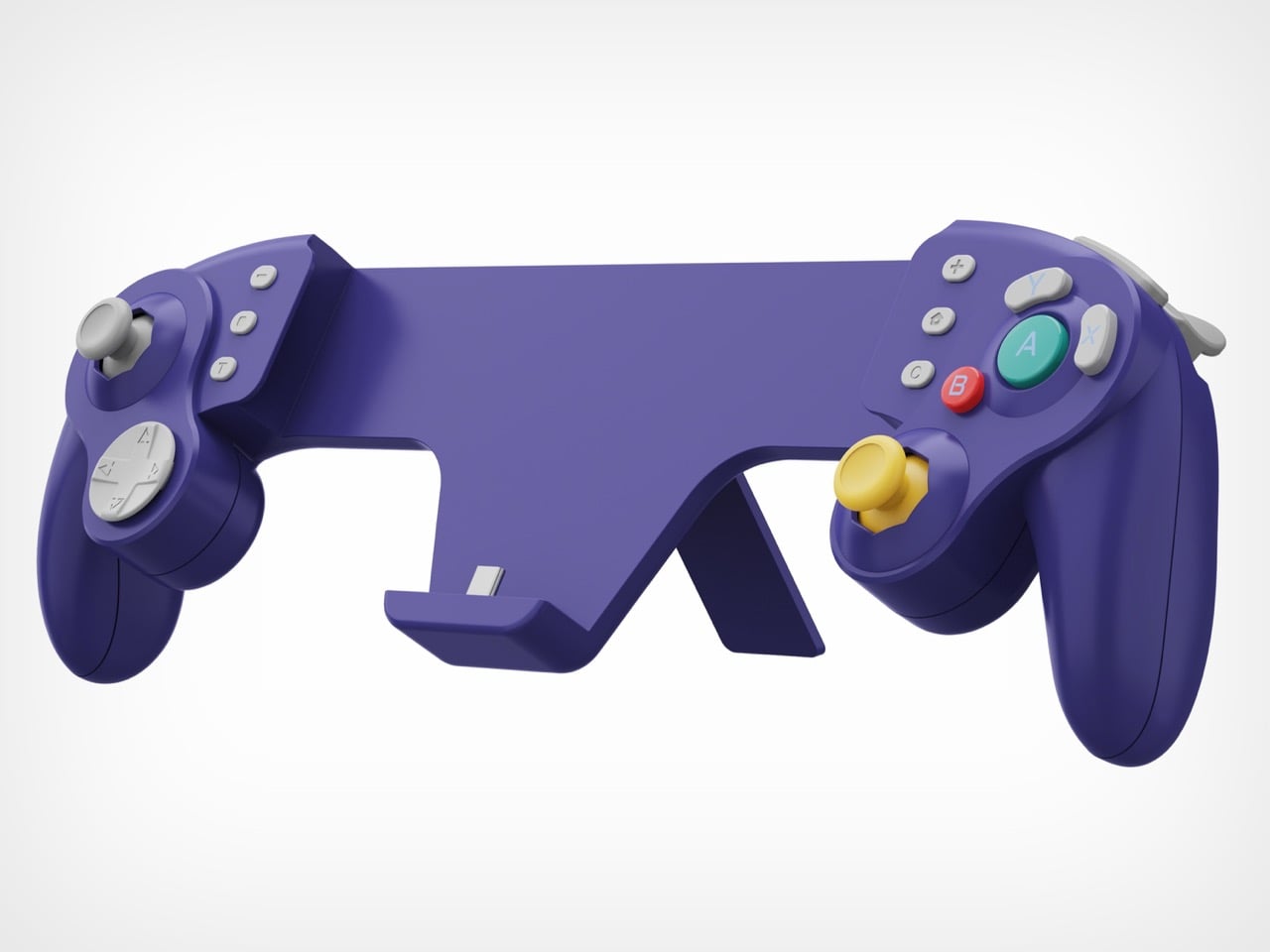
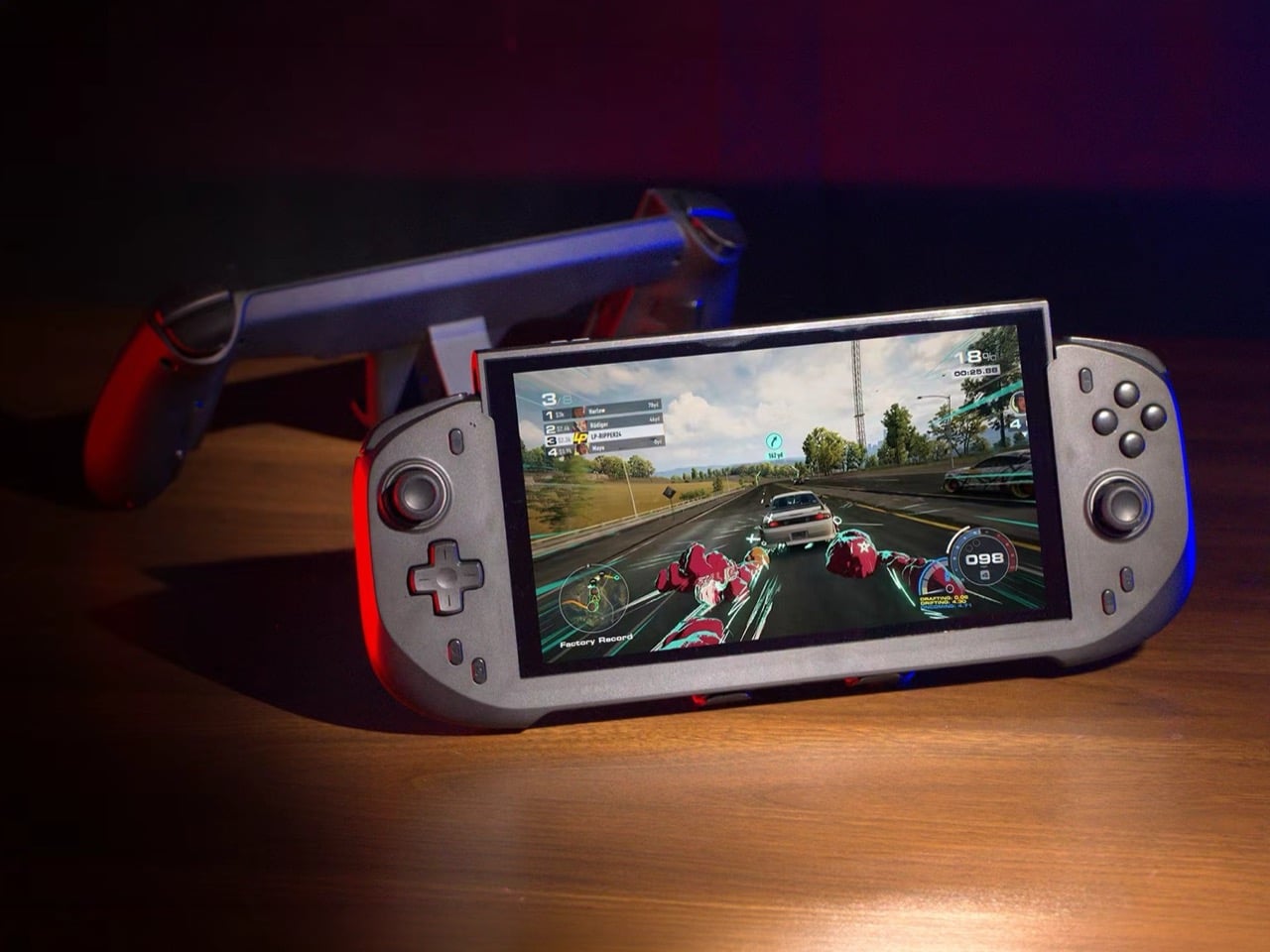
Abxylute’s answer comes in two forms: the N6 and the N9C, both deck-style controllers purpose-built for Switch 2 play. The N6 wraps the console in a full-size ergonomic grip with Hall-effect joysticks, native 9-axis motion control, a dedicated C Button for GameChat, and adjustable vibration levels the player can cycle through without leaving a session. The N9C leans into personality, drawing from GameCube design DNA with mechanical buttons, trigger switches, and a capacitive joystick system paired with swappable gates.
Joy-Cons were engineered for flexibility: detachable, shareable, usable solo or in pairs, functional as individual controllers for two-player sessions on a single console. That versatility comes at the cost of ergonomics, because a controller small enough to slide into a rail and function independently will never offer the grip depth, trigger travel, or palm support of something purpose-built for extended solo play. The N6 and N9C abandon that modularity entirely in favor of doing one thing exceptionally well, which is making handheld Switch 2 sessions feel like you’re holding a full-size controller instead of a tablet with thumbsticks glued to the sides. The tactile feedback is immediate and familiar, the kind of responsiveness you get from hardware designed around sustained single-player sessions rather than multi-function compromise. Both controllers connect via wired USB-C, skipping wireless pairing lag entirely, because when the target is solo handheld performance, eliminating variables takes priority over flexibility.
The N6’s open-top design is the first thing people will argue about online, and they’ll mostly be wrong. The Switch 2 stands over 11 cm tall, and a fully enclosed grip pushes that height further, putting your palms in the kind of awkward hover position that builds exactly the fatigue you were trying to avoid. Abxylute held the grip height at 8.5 cm, matching full-size controller proportions, so your palms have something to rest against rather than squeeze. The 7-inch grip width sits narrower than the console body deliberately, keeping your hands at a natural, relaxed spread instead of forcing them wide across a bulky frame. The physics of holding something for two hours straight are pretty straightforward, and this design reads those physics correctly.
Hall-effect joysticks solve a specific, measurable problem that standard potentiometer sticks fundamentally cannot. Potentiometer sticks use resistive contact that physically degrades over repeated use, which is why drift rates climb after a year or two of regular play. Hall-effect reads joystick position magnetically, with zero physical contact between moving components, and the N6 bumps the stick travel angle to 23 degrees compared to 18 degrees on Joy-Con, giving your thumbs more range for fine-grained inputs. A POM anti-wear ring around each stick handles mechanical stability without adding stiffness or noise to the movement. It’s a small detail, but the kind that separates purpose-built hardware from a generic controller with a different shell. On a device you use daily, that engineering choice compounds in your favor in a way that contact-based sticks simply never will.
Inputs across the N6 break down by material type, and the distinctions matter. ABXY buttons use conductive rubber for cushioned presses that reduce finger fatigue; the D-pad uses tactile switches for sharper directional accuracy; shoulder buttons deliver tactile clicks for faster responses in action-heavy play; and the linear digital triggers provide a genuine 0-100% input range rather than binary on/off clicks. That trigger range matters considerably in racing games and anything relying on gradual pressure inputs. Vibration adjusts at four levels, 0%, 40%, 70%, and 100%, switchable via button combo directly on the controller, bypassing the game-by-game settings adjustment that the Pro Controller requires. The grip’s internal structure forms a resonance chamber that redirects the Switch 2’s speakers forward and reinforces bass by around 10%, which you’ll register in a quiet room as fuller, punchier audio than bare Joy-Cons produce.
The N9C is doing something more niche and, honestly, more interesting. Where the N6 chases Pro Controller parity, the N9C chases the GameCube controller’s specific feel, complete with a centered A button and asymmetric face layout, rebuilt for a modern console using mechanical micro-switches and ALPS tactile shoulder buttons. Capacitive joysticks sidestep magnetic interference entirely, and the swappable 8-way and circular gate rings mean you can dial in a tight directional gate for fighters and swap to a smooth circular gate for platformers. A built-in battery hatch holds two replaceable batteries that reverse-charge the Switch 2 directly during play. Most grips on the market ignore battery life almost entirely, and a reverse charge system that powers the Switch 2 directly from the controller is a differentiator almost nothing else in this category offers.
The N9C carries four programmable rear buttons, two per side compared to the N6’s one per side, and each supports the same macro-recording system that chains directional inputs and actions into a single trigger. Switch 2 system-level button remapping works natively, requiring no third-party software, so a custom layout travels across every game without reconfiguring anything. An integrated rear stand sets the N9C apart from virtually every grip in this category, giving the Switch 2 a propped tabletop angle without relying on the console’s own kickstand. The primary connection is wired USB-C for ultra-low latency, with BLE available for configuration only, keeping the input chain clean during actual play. Every N9C ships with both C-stick and ring-style joystick caps in the box, so players can dial in the stick feel before the packaging hits the trash.
Mass production kicked off in March 2026, with shipping expected between April and June. Super Early Bird pricing runs $79 for the N6 (retail $110) and $89 for the N9C (retail $120), with a bundle sitting at $159. Nintendo’s own Pro Controller for Switch 2 retails at $79.99 and carries none of the Hall-effect sticks, programmable back buttons, or turbo functionality. Abxylute has shipped over 120,000 units across more than 20 projects to 100,000-plus customers, so the production infrastructure exists. What they’re solving for is specific: handheld Switch 2 play that performs at Pro Controller level without forcing players to accept the Joy-Con’s ergonomic ceiling as permanent.
There’s a version of a desk setup that communicates everything about how little thought went into it. A black mesh organizer from the bottom shelf of a supply closet. A mouse pad that came free with something else. A cable clip in beige. The desk functions, technically, and does so with a level of visual enthusiasm that matches a waiting room.
The accessories below were designed by people who thought about this harder. Some carry authentic 1970s Italian design heritage. Some are running AI in the background to actively shape your environment. One contains material roughly 20 million years older than the Earth it now rests on. What they share is a quality of intentionality. Each was built as an object worth keeping on a desk, not just stashing in a drawer, because it earns its surface area through how it works, how it looks, or both at once. For men who have graduated from the corporate supply closet aesthetic, these eight represent a meaningfully different set of options.
1. Lenovo AI Workmate Concept
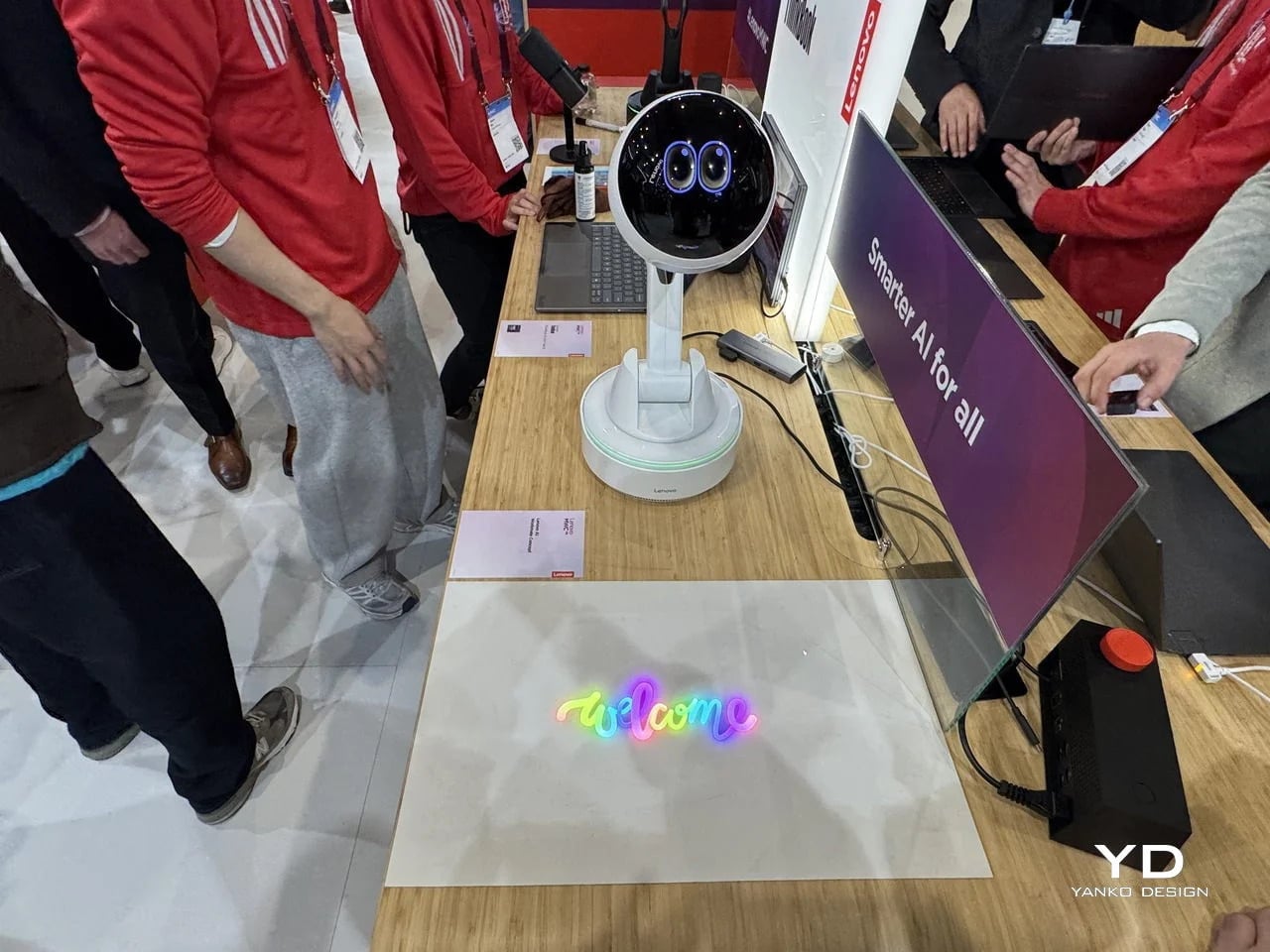
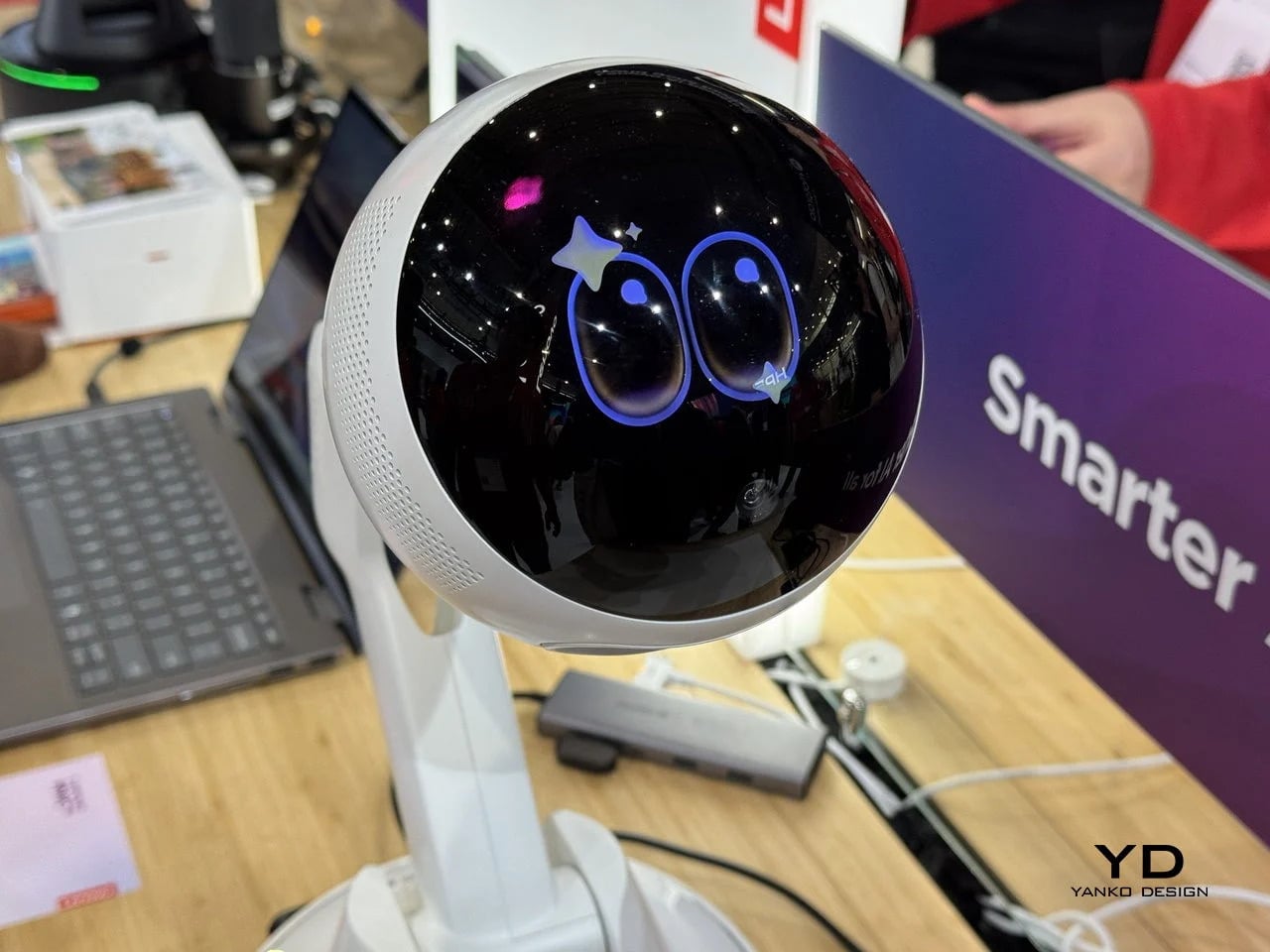
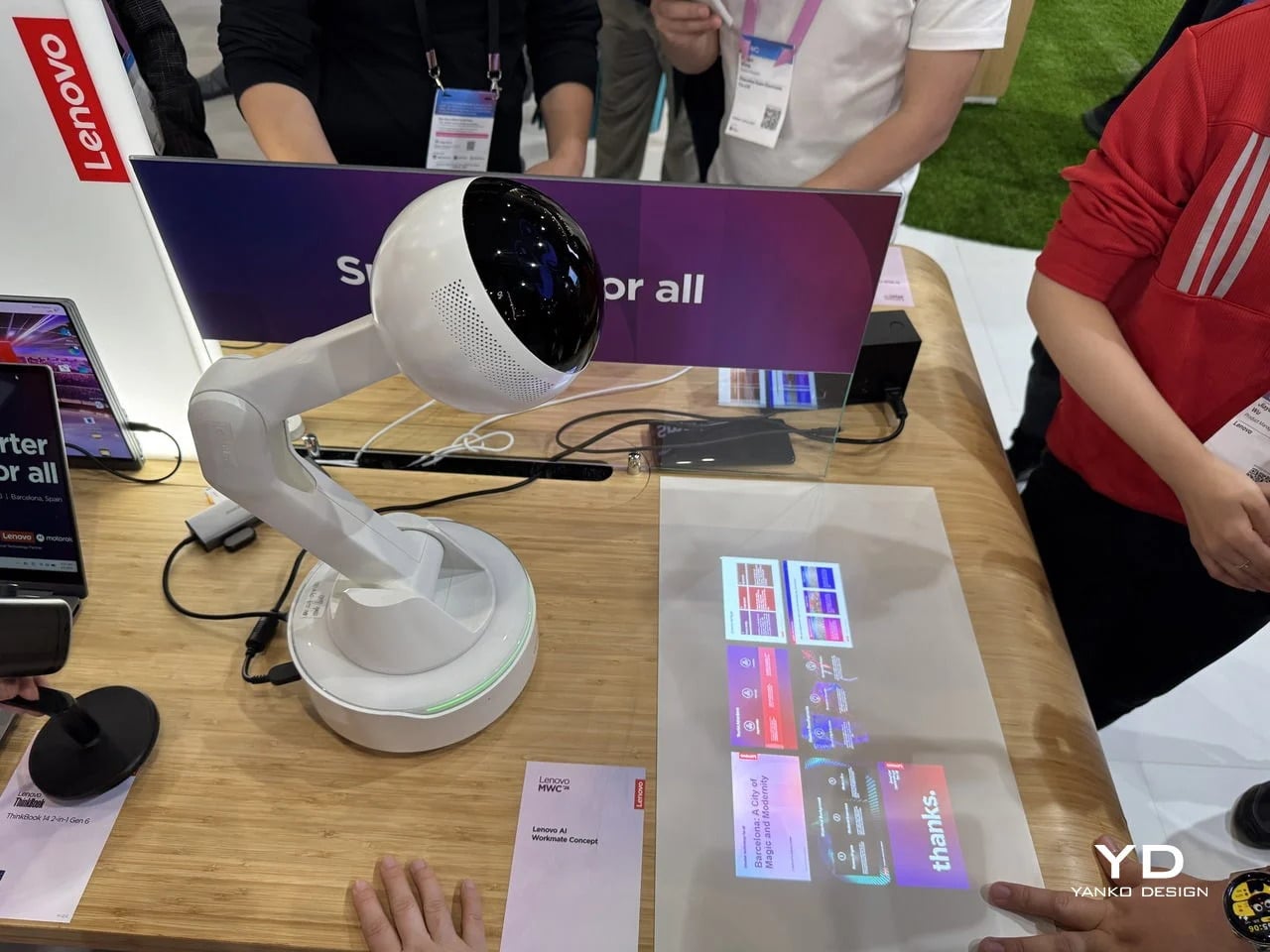
Working alone all day carries a specific kind of friction that most desk setups quietly ignore. Questions accumulate, decisions pile up, and the AI tools meant to support you sit behind a keyboard input that gives nothing back spatially or visually. Lenovo’s AI Workmate Concept, unveiled at MWC 2026, takes that problem seriously enough to build a physical object around it. The result is a desk companion in the most literal sense: a spherical head on an articulated arm mounted on a circular base, with animated eyes on its front display that shift and orient as it processes and responds. The form is compact, the presence is deliberate, and the intent is clear from the first time it moves.
The arm is the most consequential design decision here. Because it moves, the Workmate can orient itself toward whatever holds attention in front of it, a document laid flat on the desk, a person leaning back in their chair, or something happening at the periphery. That range of motion is what separates it from a smart speaker that has been given a screen and called a companion. Spatial awareness is embedded in its posture, not just its software. For men who spend long hours alone at a desk and find text-based AI interaction increasingly impersonal and context-free, the Workmate proposes something more honest about what presence and assistance can look like from an object sharing your workspace.
What We Like
Articulated arm gives the device genuine spatial awareness, orienting toward objects and people rather than remaining static
Animated eyes on the front display make AI interaction feel more present and less transactional than any screen-based interface
What We Dislike
Currently a concept unveiled at MWC 2026, with availability, pricing, and final specs still unconfirmed
The novelty of animated eyes may carry more emotional weight than the practical functionality justifies over time
2. Levitating Pen 2.0: Cosmic Meteorite Edition
Most pens sit on a desk and do nothing interesting when they’re not being used. The Levitating Pen 2.0 Cosmic Meteorite Edition refuses that arrangement entirely. It floats at a 23.5-degree angle above its magnetic base, creating a suspension that stops people mid-sentence when they notice it. The design draws from spacecraft aesthetics, specifically the visual language of the USS Enterprise, and the tip incorporates a genuine fragment of Muonionalusta meteorite, a material approximately 20 million years older than the Earth it now rests on. It functions as a working ballpoint pen, which means it is simultaneously a collector’s object, a desk focal point, and a writing tool occupying the same physical form.
What keeps this from reading as pure novelty is how it behaves in your hands. The Levitating Pen is fidget-worthy in the best sense, the kind of object you reach for during a long call or a pause between tasks without consciously planning to. For men who collect objects with a verifiable reason behind them, the meteorite tip offers something most limited editions simply don’t: provenance with a story that doesn’t require a certificate to feel real. You’re holding material from beyond the solar system. That fact changes the weight of the object in your hand when you stop to think about it, and that shift is exactly what separates a desk accessory from a desk object worth keeping.
Genuine Muonionalusta meteorite tip connects the pen to a tangible, verifiable piece of cosmic history
Magnetic levitation display creates a desk focal point that requires no ongoing maintenance once positioned
What We Dislike
The floating display requires a flat, stable surface, limiting where it can sit effectively
Limited edition production means restocking after sellout is not guaranteed for future buyers
3. BOB Desk Organizer
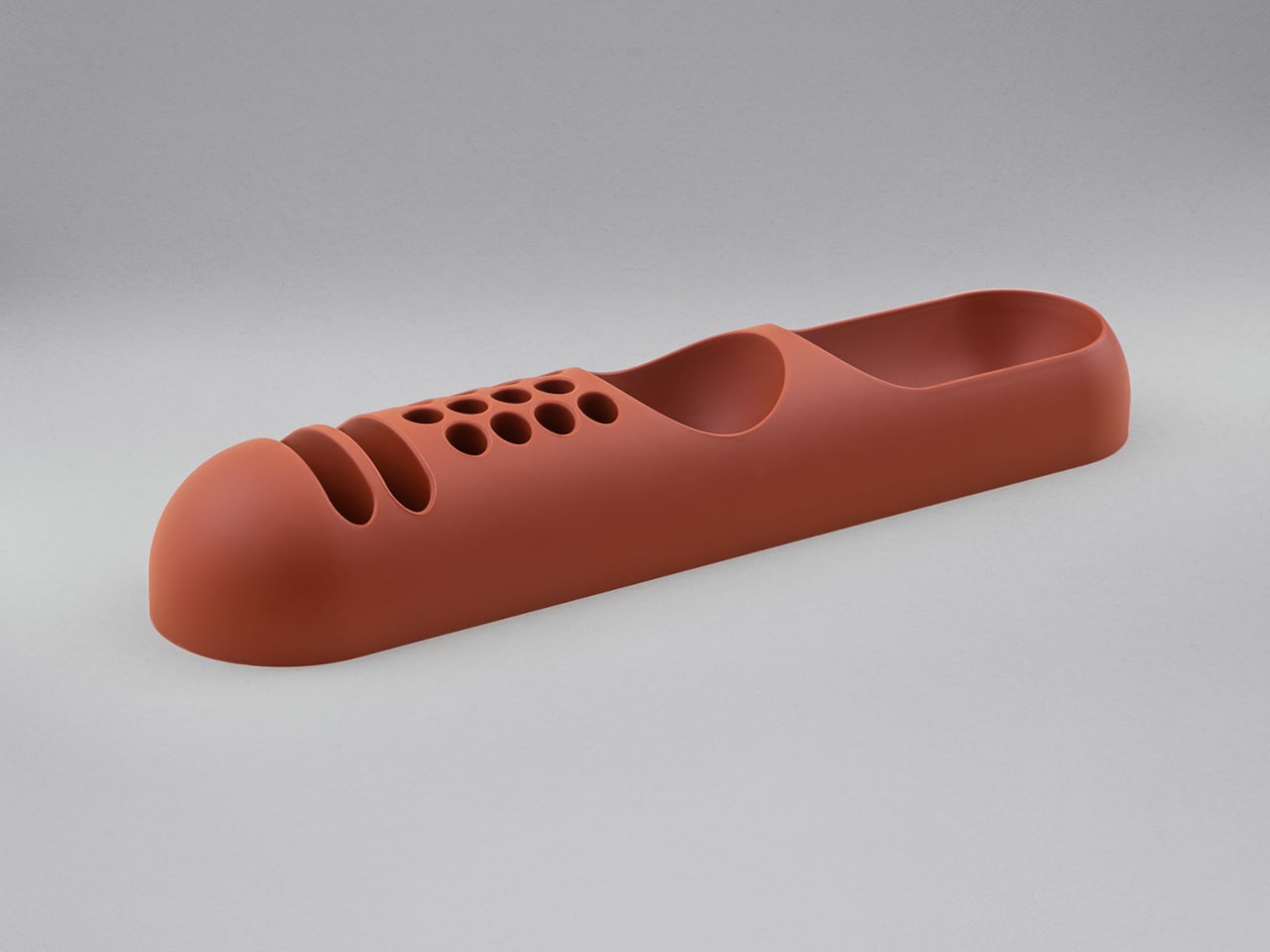
Joe Colombo designed BOB in 1970, at a time when desk organizers were either plastic trays with zero intentionality or overengineered systems that looked more complicated than the mess they were supposed to fix. He chose neither direction. BOB is a compact polyurethane gel form, elongated and low-profile, almost pill-shaped when viewed from above, with one end rising into a soft dome and the other tapering nearly flat. B-Line, an Italian label dedicated to reissuing objects from discontinued original molds, brought it back in 2023 across five colorways: terracotta, slate blue, mustard yellow, warm white, and a frosted translucent version called ice. The selection alone suggests a designer thinking about rooms rather than offices.
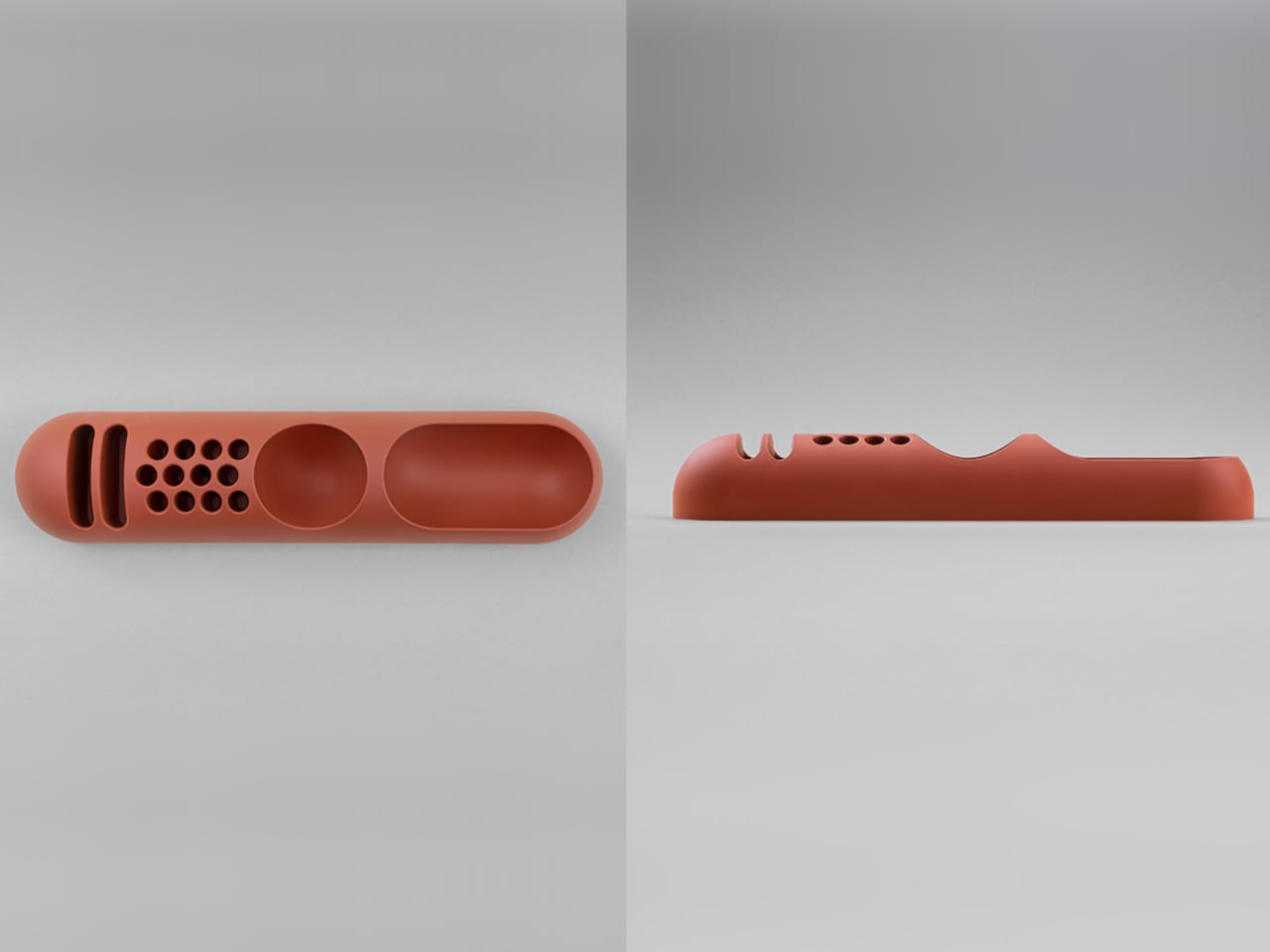
The top surface divides into three functional zones without any visible partition between them. The dome end opens into a large oval scoop for bulkier items. The center holds a three-by-four grid of individual circular holes, each sized precisely for a single pen or brush. The tapered tail offers two horizontal slot grooves for flat objects like rulers or small notebooks. None of this reads as a feature list in person. It reads as a single continuous gesture that happens to keep things organized along the way. For men who want a desk object with actual design history behind it rather than a branding story retrofitted over generic injection molding, BOB is nearly impossible to improve on.
What We Like
Rooted in authentic 1970s Italian design history, reissued from Joe Colombo’s original mold by B-Line
Three distinct functional zones are built into one continuous organic form with no visible hardware or dividers
What We Dislike:
Polyurethane gel construction may show surface wear or discoloration with extended daily use
The low-profile form works best for lighter objects and may not support heavier desk tools effectively
4. DEEP
DEEP operates on a premise most desk lamps don’t bother with: the working environment around you should configure itself to match what you are about to do, rather than waiting for you to adjust it manually. Switch it on with a spinning-top-inspired power button, tell it whether you’re studying, coding, reading, or doing creative work, and it adjusts both light quality and ambient sound before you’ve had to think about either. A camera positioned at eye level monitors your focus state in real time, functioning like a built-in productivity coach without requiring a separate app or a separate device taking up additional surface area.
What separates DEEP from a connected lamp with a smart home feature set is what it does across repeated sessions. The system saves your manual adjustments over time, builds a personal profile from the conditions that consistently work best for you, and begins applying them automatically without being prompted. Side buttons allow precise overrides for days when the default doesn’t fit. For men whose desks have become cluttered with single-function devices that each do one thing adequately, DEEP represents a genuine consolidation. It folds a lamp, an ambient sound environment, and a passive focus monitor into a single object that becomes more attuned to how you work the longer it stays on your desk.
What We Like
AI builds a personal focus profile across sessions and applies your optimal working conditions automatically over time
Combines lighting, ambient sound, and real-time focus monitoring without requiring any additional hardware
What We Dislike
Camera-based focus tracking may feel uncomfortable for users sensitive to passive environmental monitoring
Ambient sound adjustment effectiveness varies significantly based on an individual’s working environment and noise tolerance
5. Rolling World Clock
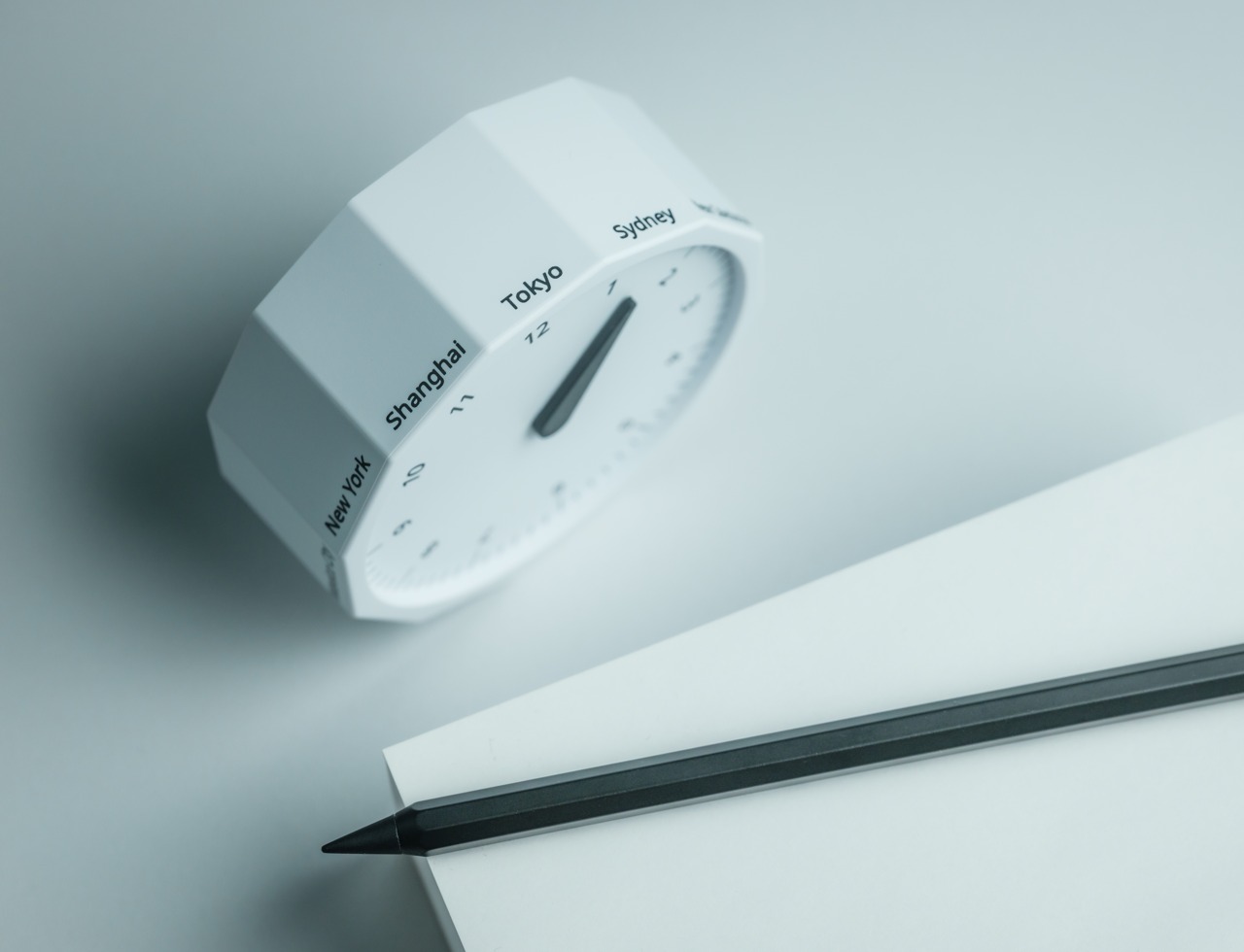
Every desk clock tells you one thing. This one tells you twelve. The Rolling World Clock is a 12-sided object with a single hand and an operation that couldn’t be more direct: set it on any face, and the hand reads the correct local time for the city printed on that side. The twelve cities span the major global time zones, including London, Paris, Cape Town, Moscow, Los Angeles, Karachi, Mexico City, New York, Shanghai, Tokyo, Sydney, and New Caledonia. For men who manage work across multiple time zones or simply have family spread across continents, the mental arithmetic of figuring out what time it is somewhere else is one of the more persistent small irritations in a working day, and this object removes it without adding a screen.
The design decision that makes this worth keeping on a desk rather than just owning is the total absence of anything unnecessary. No digital display. No charging cable. No app. Just a tactile, rollable object you turn to the city you need and set down. Available in black and white, it occupies desk or shelf space without reading as a gadget or demanding attention it hasn’t earned. There’s a quiet pleasure to the interaction that most clocks don’t provide: the act of picking it up, choosing a place in the world, and reading the time. There is a physical engagement with global time that a phone screen never manages to replicate.
Covers twelve major time zones in a single tactile object with no digital display, no app, and no charging required
Minimal form reads equally well on a desk or shelf without visually registering as a tech accessory
What We Dislike
A single clock hand requires slightly more reading attention than a digital display for precise timekeeping
The 12-city selection covers major zones well, but may not include every specific time zone a user needs regularly
6. Fidget Cube
The case for keeping a dedicated fidget object on a desk is more rational than it sounds from the outside. Restless hands during long calls, slow-loading processes, or decisions you’re turning over without fully committing to are a real and recurring part of working at a desk, and the Fidget Cube was built precisely for that condition. Six sides offer six different tactile surfaces: a cluster of clickable buttons, a gliding joystick, a row of flip switches, a smooth surface designed for the thumb’s natural breathing motion, a rolling ball set into one face, and a spinning disc. The variety means your hands will find a preferred surface quickly and return to it across the session without thinking about it.
What keeps this from reading as a toy is the restraint built into how it was designed. It doesn’t look out of place on a desk or conference table, particularly in the Midnight black colorway, which sits visually neutral among the standard dark objects that populate most professional environments. For men who have noticed that physical repetitive movement genuinely sharpens how they think through a problem, this is one of the more honest tools available at any price point. It takes a real behavioral truth seriously and gives your hands a quiet, clean way to act on it without disrupting anyone around you or drawing attention to what you’re doing.
What We Like
Six distinct tactile surfaces address a wide range of fidgeting habits within one compact, pocketable object
Discreet colorways, particularly Midnight black, keep it visually neutral in professional desk environments
What We Dislike
Some click mechanisms can produce an audible sound in quiet rooms or during video calls
Serves no secondary organizational function on a desk, occupying surface space with a purely tactile purpose
7. MOFT Z Sit-Stand Desk
Sit-stand desks have spent years being expensive, physically large, or permanently locked to a specific room. The MOFT Z takes a completely different approach, collapsing to something closer to a slim notebook in thickness while delivering a full ergonomic range through an origami-inspired Z-structure. It provides one standing mode and three seated position angles, which is enough postural variety to meaningfully shift how you feel across a long working session. For men who divide their time between home, a co-working space, a client’s office, or anywhere other than a fixed desk, the ability to carry a sit-stand setup in a bag removes an ergonomic compromise that most standing desk products are structurally incapable of solving.
The weight is what makes it a genuine solution rather than a clever concept. Ergonomic equipment that stays home because it’s too heavy or awkward to transport defeats the purpose of improving how you work across different locations. The MOFT Z doesn’t have that problem. Unfold it in seconds, set your laptop on the surface, and you’ve built the same ergonomic posture you’d have at a standing desk that costs several times more and cannot leave the floor it occupies. For anyone who has watched their posture decline steadily across a long afternoon of flat laptop work, this is a practical correction that goes where you go and requires no tools, no assembly, and no installation to use.
What We Like
Origami Z-structure provides one standing mode and three seated positions with no setup tools required
Ultra-lightweight, paper-thin folded profile makes it genuinely portable across different working locations
What We Dislike
Surface area restricts how much additional equipment can sit alongside a laptop in standing mode
Stability may be reduced under heavier setups or on surfaces that aren’t completely flat and firm
8. LEGO-Style Silicone Cable Organizer
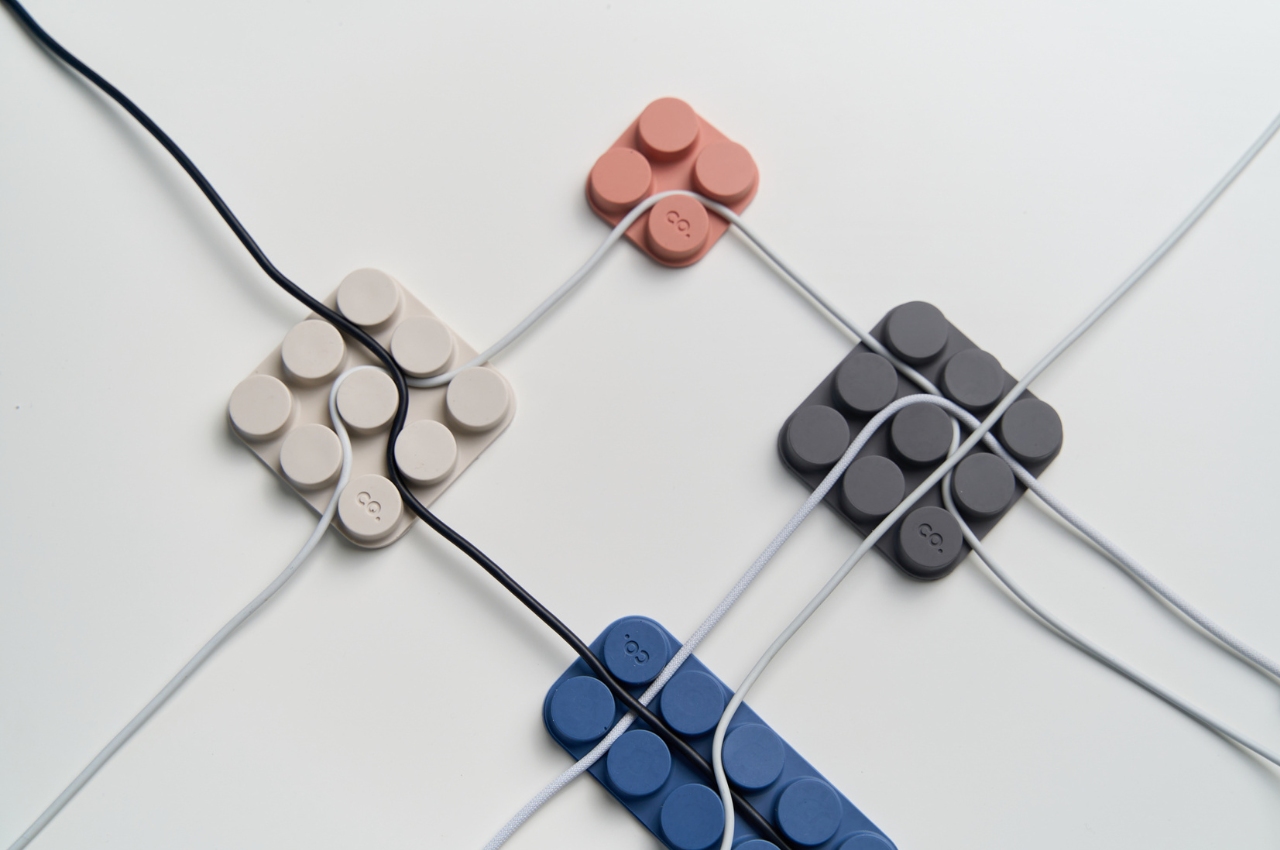
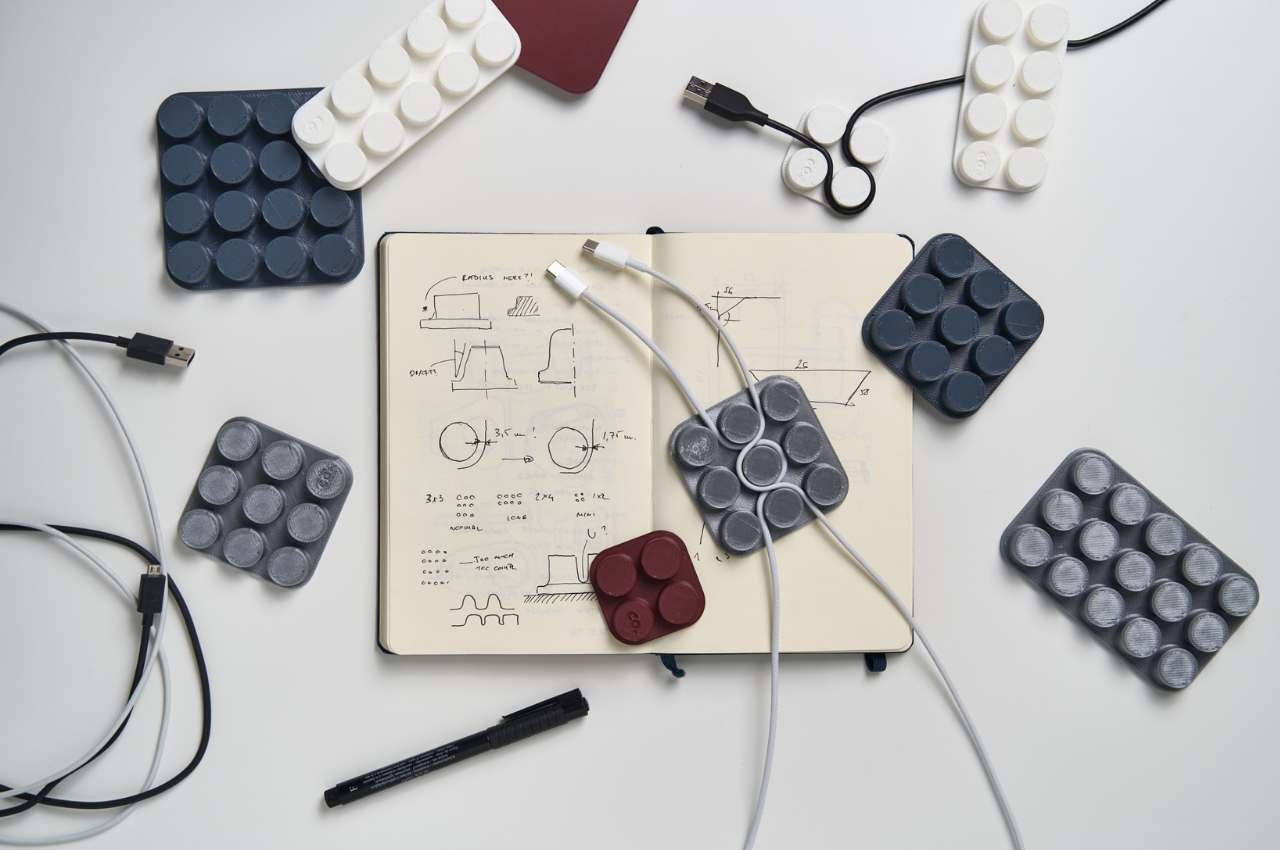
Cable management has a way of being solved temporarily and then quietly abandoned. The solution works for a week, then a new cable enters the setup, or the organizer shifts position, or it turns out the adhesive left a mark on the desk. This silicone cable organizer approaches the problem differently. Shaped after a lozenge pack, it uses peg-topped cylindrical columns to wrap and hold individual cables in separate, stable positions. Multiple units can be stacked or arranged in rows, and three sizes cover the range from a single charging cable to a full multi-device setup: a 2×2 mini, a 3×3 medium, and a 2×5 large, with the option to place two cables on top of each other within the same row.
The design was born from a specific personal frustration: cables tangling with other items inside a bag, the kind of small recurring annoyance that accumulates into a genuine grievance over time. That origin shows in how focused the solution is. There’s no overengineering, no branded clip mechanism, no custom routing system that only works with certain cable gauges. The micro suction tape base grips the desk surface firmly without permanent adhesion, meaning it moves when the setup changes and holds when it doesn’t. For men who have gone through two or three cable management products and quietly abandoned all of them, the directness here is precisely the argument for this being the last one you need.
What We Like
Three modular sizes cover setups from a single cable to a full multi-device workspace without custom parts
Micro suction tape base holds securely without permanent adhesion, leaving the desk surface undamaged
What We Dislike
Silicone material collects lint and dust more readily than hard plastic alternatives
The LEGO-inspired visual style reads as playful and may not suit every desk aesthetic preference
The Best Desk Is One You Actually Thought About
A desk says something whether you intend it to or not. It communicates how seriously you take the hours you spend there, what kind of work you believe deserves a proper environment, and whether the objects around you were chosen or simply accumulated. The eight accessories above represent a different kind of accumulation, one where every item on the surface has a reason to be there, a story worth telling, or a function that genuinely improves how the day moves.
None of them require a complete overhaul. One rolling clock, one floating pen, one lamp that learns how you work — any single object from this list shifts the energy of a desk in a direction worth going. The corporate supply closet aesthetic isn’t inevitable. It just tends to win by default when no one pays attention. These eight are the case for paying attention.
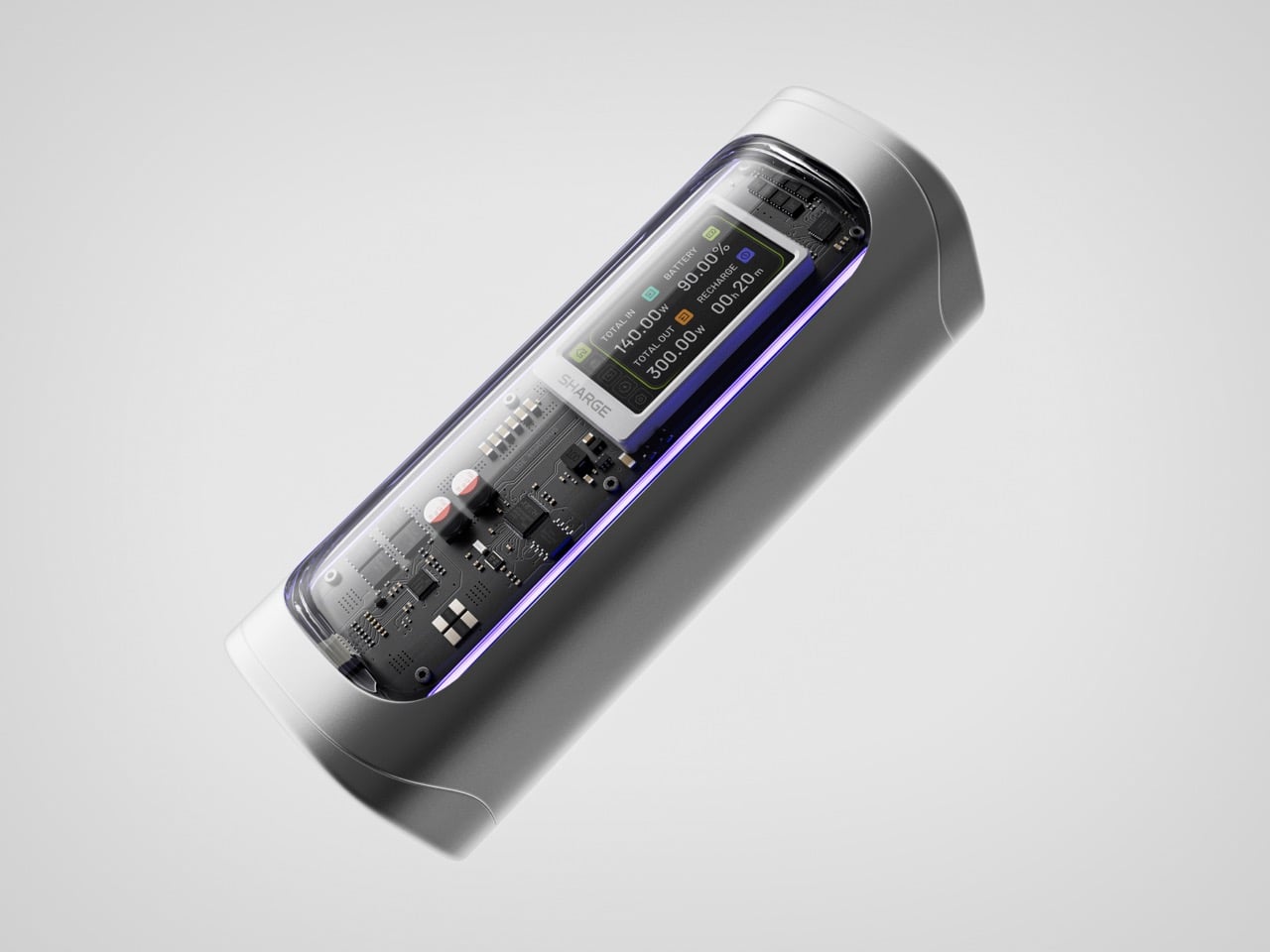
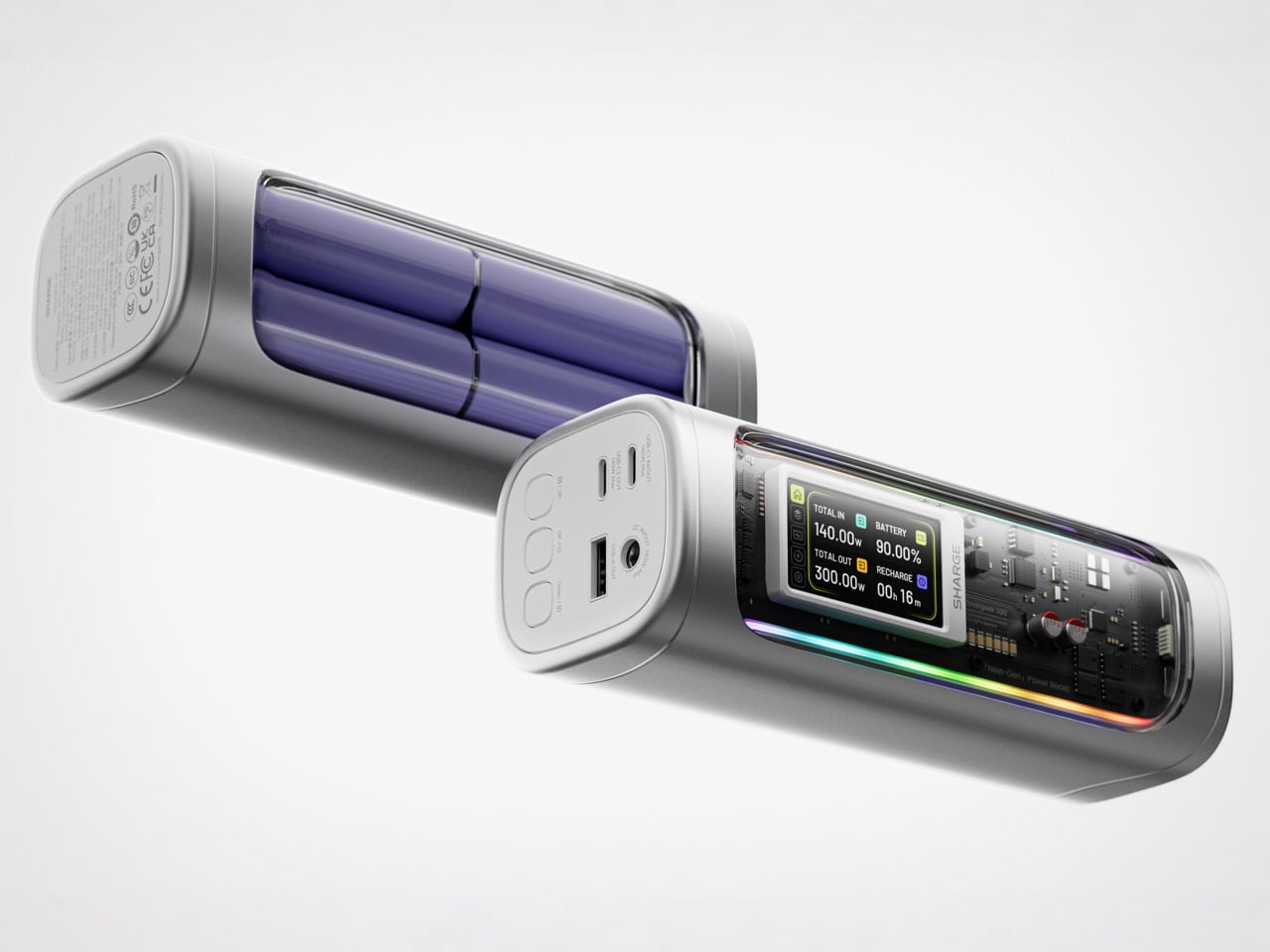
Power banks have spent years being boring on purpose. Black rectangles, white rectangles, the occasional textured finish. The category settled into a kind of utilitarian invisibility, as if the industry collectively decided that anything carrying electrons should look like a bar of soap. SHARGE never got that memo. The Shargeek 300 looks like a prop from a near-future thriller, with transparent panels revealing glowing circuitry beneath, RGB light bars running along its flanks, and a CNC aluminum body that catches light the way expensive things tend to. It belongs on a desk you’d actually want to show people.
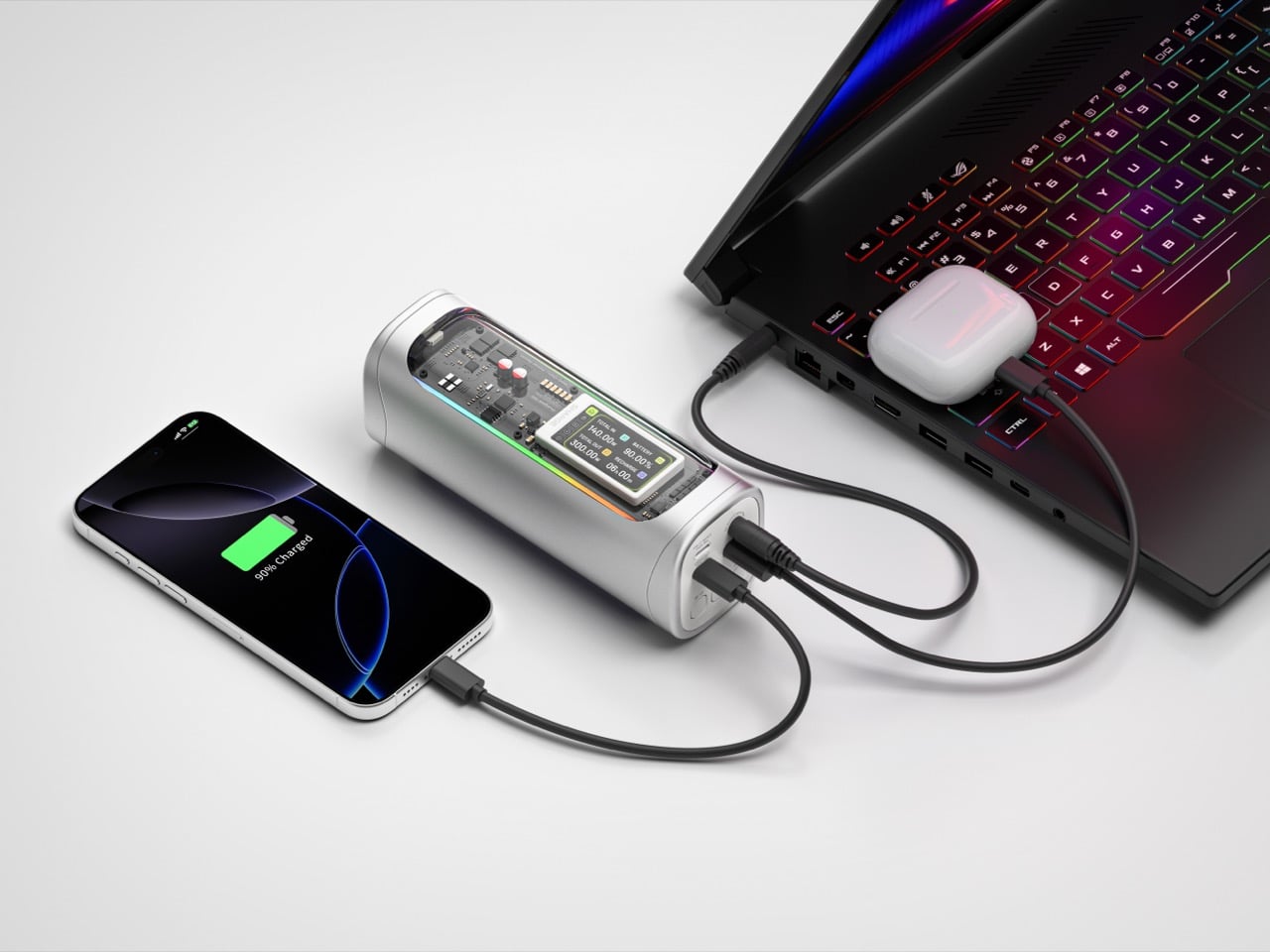
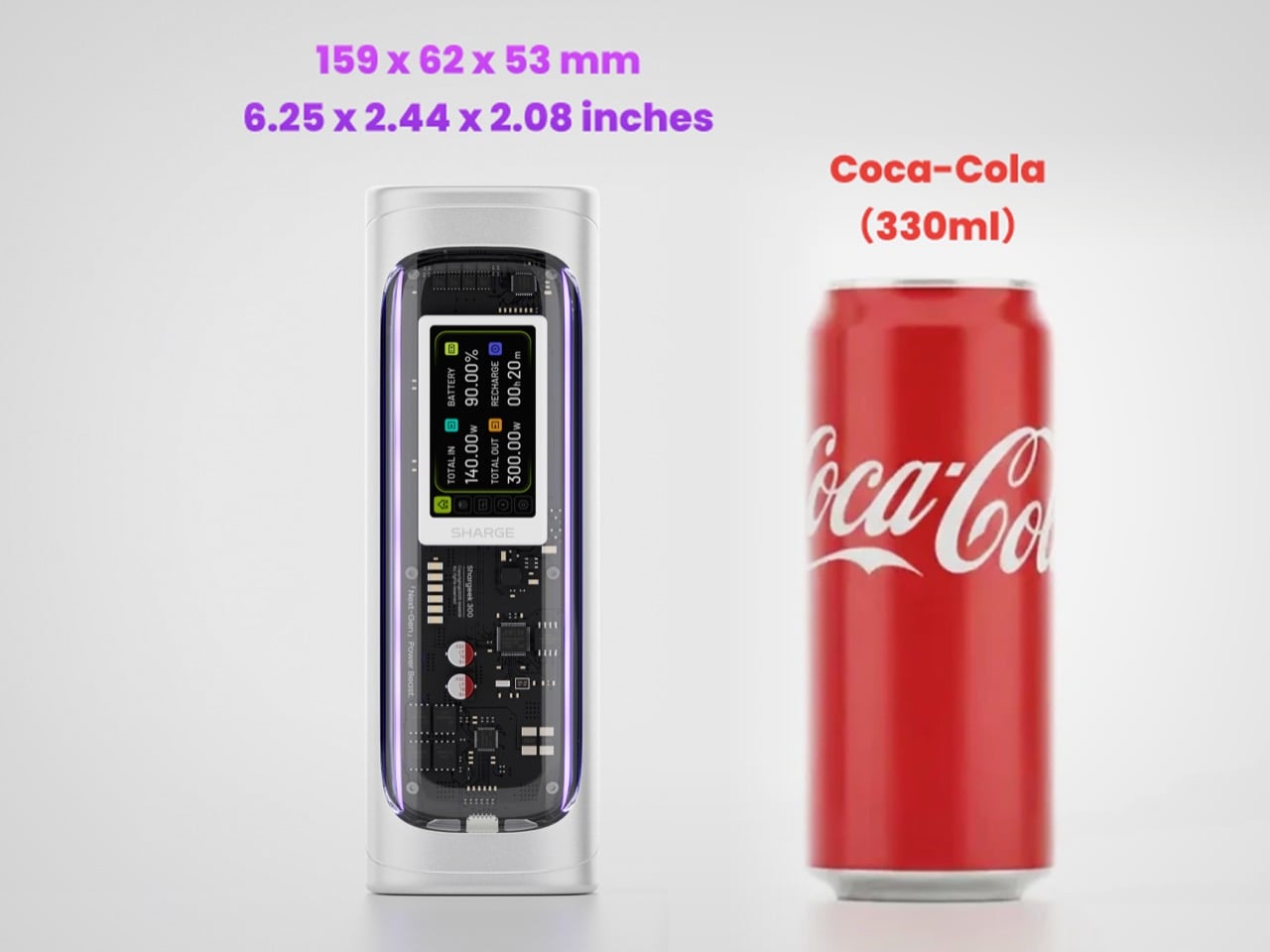
Founded in 2020, SHARGE built its identity around the conviction that charging hardware deserves the same design attention as the devices it powers. The original Shargeek 100, launched in 2021, was the proof of concept: a transparent, display-equipped power bank with DC charging that found a devoted audience almost immediately. The Shargeek 300 is what four years of that bet looks like fully cashed in. It pushes 300 watts of total output, enough to charge two 16-inch MacBook Pros simultaneously while still fast-charging a smartphone on a third port. The 24,000mAh battery lands at 86.4Wh, sitting just under the 100Wh threshold airlines enforce for carry-on batteries. Recharge time from flat to full is 75 minutes with a 140W input. The whole unit is roughly the size of a 330ml can of cola. SHARGE spent 40 months getting here, and the result makes most rivals in the category look underprepared.
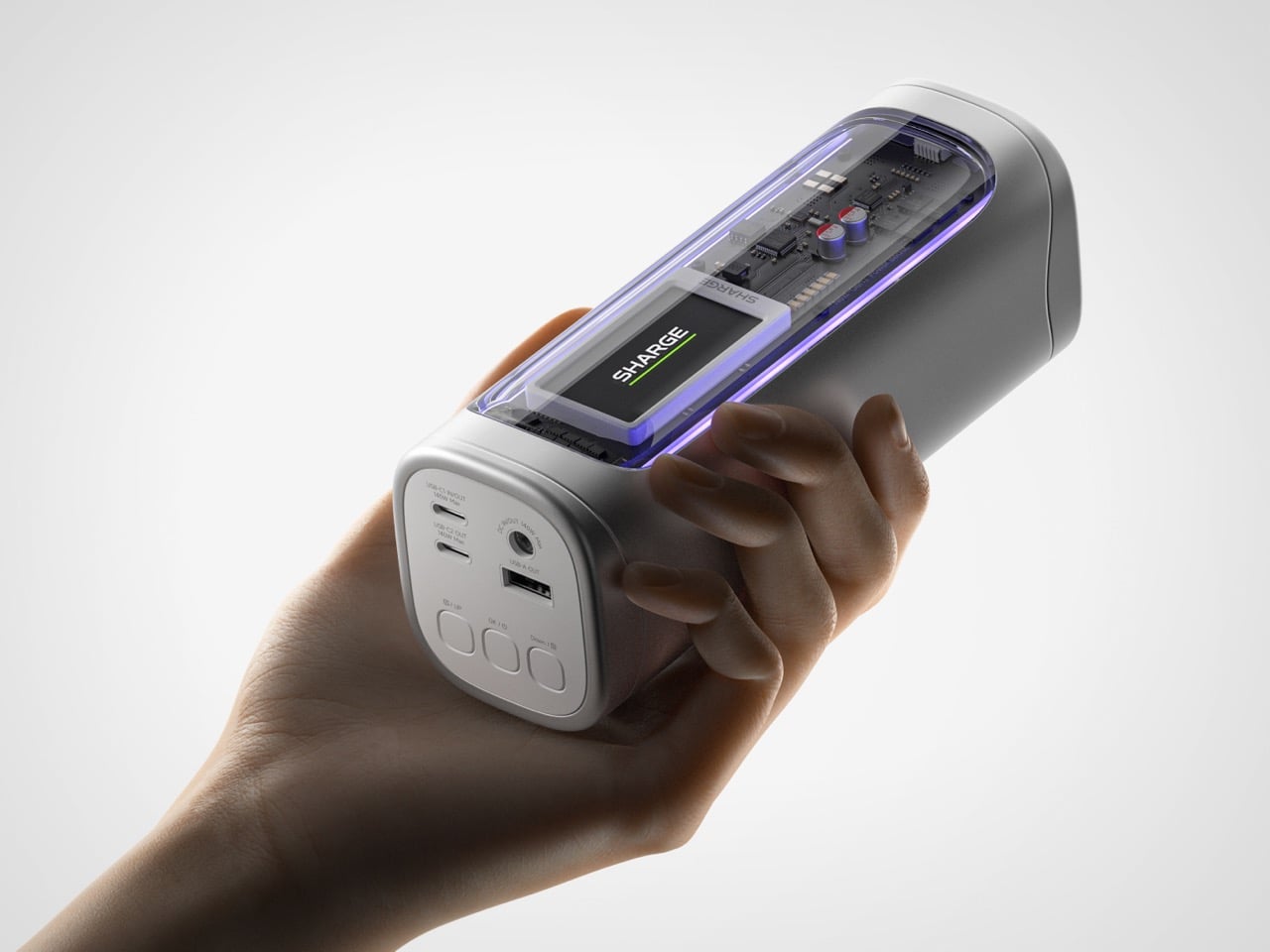
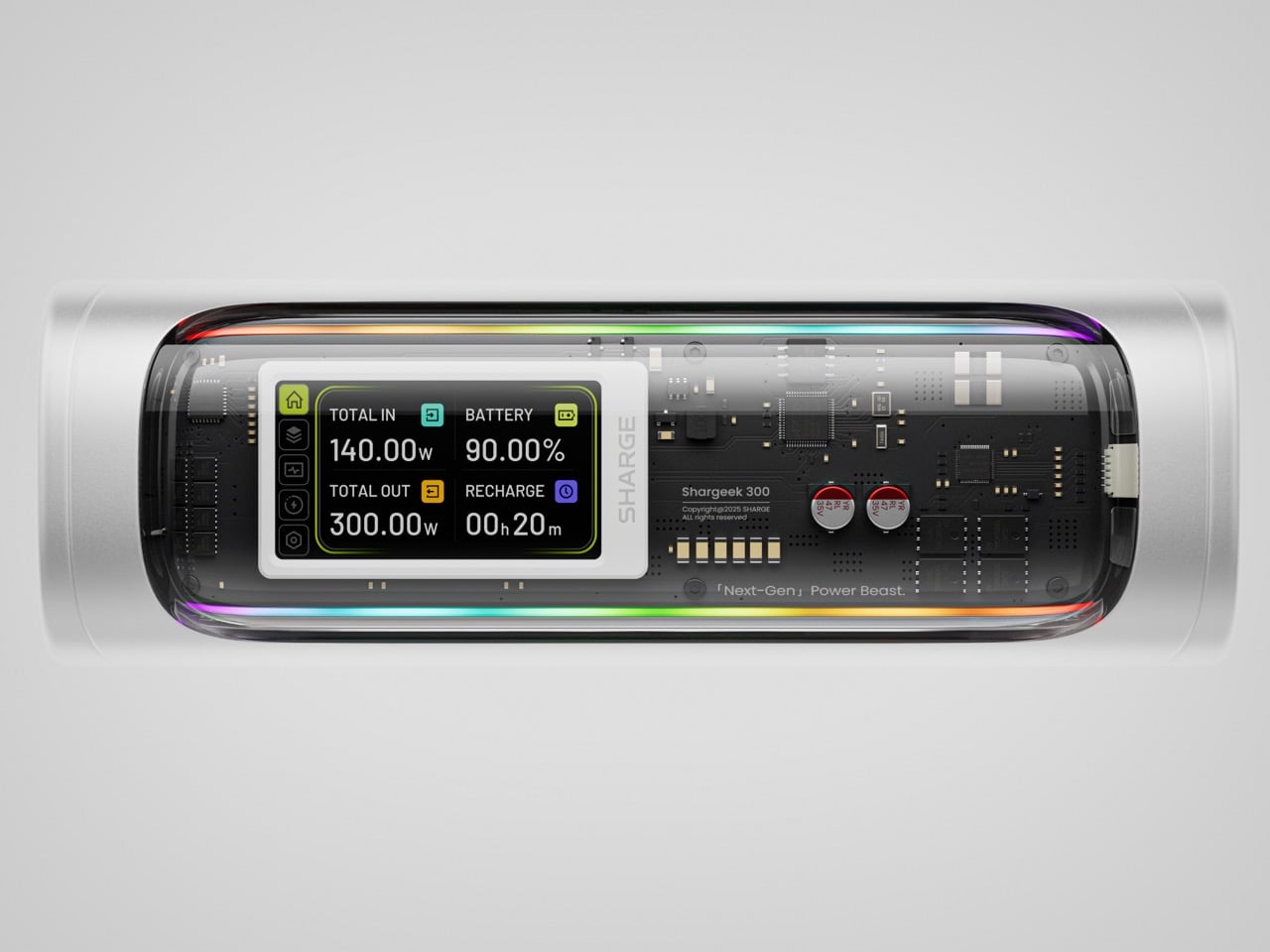
That meticulous attention to detail is most obvious in the physical construction. The main body is a matte silver CNC aluminum frame, which is then given a 180-grit sandblasted, anodized finish for a smooth, premium feel. The company’s head of production is even quoted as personally comparing the feel of every unit to an iPhone to ensure they are equally premium. The signature transparent casing is not just a window, but a piece of safety equipment, made from V0 flame-retardant, UL94-certified polycarbonate that resists both scratches and heat. The dual RGB light bars are fully customizable, allowing users to adjust brightness, change colors, and cycle through effects via the onboard display, turning a functional object into a piece of personalized desk art.
Inside that striking shell is technology that sets a new benchmark for portable power. The Shargeek 300 is the first power bank to use the same Full-Tab Battery Cell technology pioneered by Tesla. This design significantly lowers internal resistance compared to conventional cells, a change that unlocks faster charging speeds, higher sustained output, and superior heat dissipation. This internal efficiency is the key to how a device this compact can safely manage a 300W total output without overheating or degrading quickly. The advanced battery structure results in a longer-lasting, more stable power source that can handle the demanding, continuous power draws required by high-performance laptops and other professional equipment, putting truly next-generation power in your hands.
This power is routed through a versatile array of four output ports designed to handle nearly any device. The stars of the show are the two USB-C ports, both of which support the Power Delivery 3.1 standard to deliver a massive 140W of power each. This is what allows the Shargeek 300 to simultaneously fast-charge two 16-inch MacBook Pros at their maximum charging speed. A third USB-A port provides up to 20W for legacy devices and smartphones. The fourth and most unique port is the adjustable DC barrel port, a feature carried over from the Shargeek 100. It now supports up to 140W and its voltage can be manually set between 5V and 28V, unlocking compatibility with a world of gear that USB-C cannot serve, from professional camera equipment to high-performance drones. The 24,000mAh capacity provides enough energy for approximately one full charge of a modern MacBook Pro, six charges for an iPhone 16 Pro, or two charges for an iPad Pro.
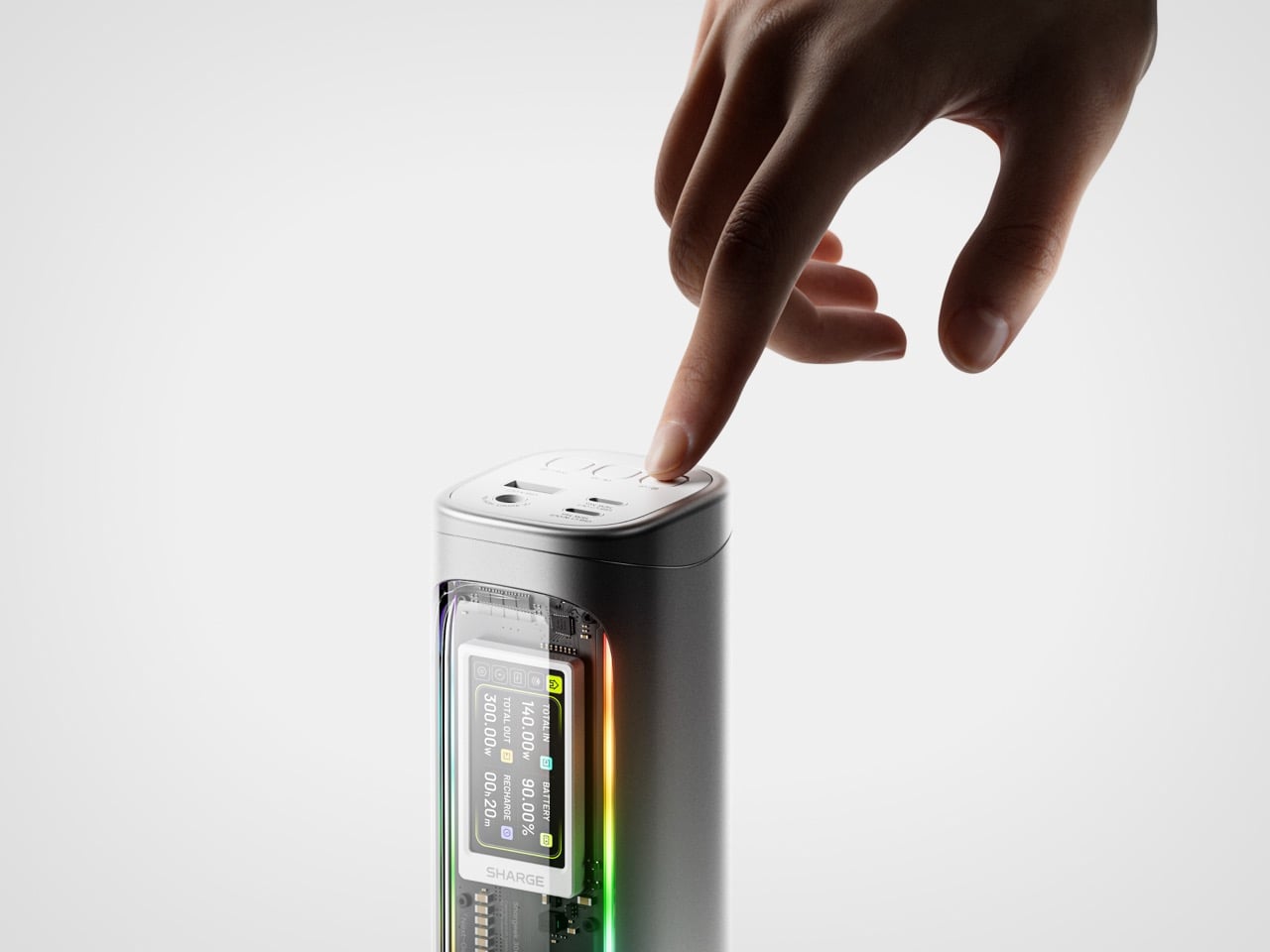
The user experience is managed through a 1.9-inch IPS display, which is 60% larger than the screen on the previous model. It provides a level of control that is unheard of in this category. Beyond showing real-time input and output wattage, the display allows you to monitor battery health, track charging cycles, and check internal temperatures. You can use it to precisely adjust the DC output voltage, set a custom welcome message, and configure the RGB lighting. This smart display transforms the power bank from a simple battery into an intelligent power hub. This intelligence extends to its handling of delicate electronics. A dedicated Low-current Mode ensures that devices like earbuds, smartwatches, and fitness trackers receive a safe, optimized charge, preventing the overcharging that can damage the small batteries in those devices.
This combination of raw power and intelligent control is backed by a comprehensive suite of safety features, including overvoltage, undervoltage, short-circuit, and real-time temperature protection. This commitment to safety extends to its travel-readiness. Crucially, the power bank’s 24,000mAh capacity is engineered to a rating of 86.4Wh, keeping it comfortably under the 100Wh limit imposed by airlines for carry-on luggage. This makes it one of the most powerful charging solutions that can be legally carried onto a plane, a critical detail for mobile professionals. The low standby power consumption is another practical benefit, allowing the Shargeek 300 to retain over 90% of its charge after 15 days of inactivity. For anyone who has pulled a power bank from a bag after weeks only to find it unexpectedly dead, this is a genuinely valuable feature.
The Shargeek 300 starts at $199 but is available at a discounted $159 price for earlybird backers. Cobble together $209 and you can get the power bank along with its companion Pixel 140W PD 3.1 wall charger from Sharge with its adorable pixel-matrix display. The Shargeek 300 comes with a 12-month warranty, and ships globally as early as May 2026.

 Connexion