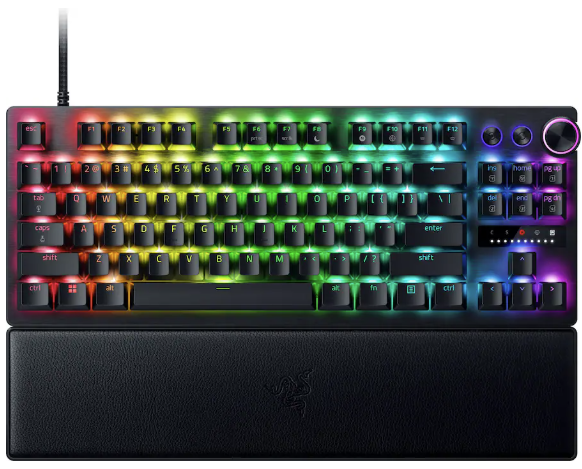
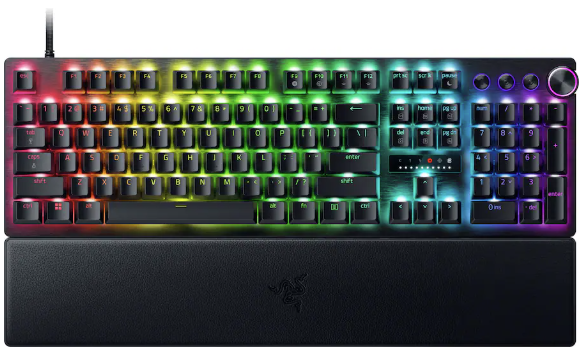
Razer's gaming keyboards have consistently ranked as some of the best you could buy, and, of course, they double up as generally excellent options for work and studies. Because let's be honest, if a keyboard doesn't feel good for actual typing, then is it even doing its job?
We already praised the Huntsman V3 Pro as "the world's most advanced gaming keyboard", and for now, the downside of its high price has been solved as the tenkeyless (TKL) model drops to $124.99 at Best Buy. Compared to its original MSRP of $219.99, it's instantly a much more tempting pick.
That $95 price drop stands alongside a discount on the full-size variant that we tested, bringing that to $180.74 with a much more specific $69.25 discount. Either way, you'll gain access to Snap Tap, Razer's solution for perfect counter-strafing in FPS games that prioritizes the most recently pressed button.
Personally, I prefer to ditch the numberpad for more desk space, so the TKL is perfect for me. It's also enjoying a bigger discount right now, making it even better value.View Deal
No compromises for larger desks; this gives you everything. "The Huntsman V3 Pro is one of the best keyboards I've ever used." — Zachary Boddy, Former Staff Writer — Windows Central review: ⭐⭐⭐⭐View Deal
What makes the Huntsman V3 Pro so good?
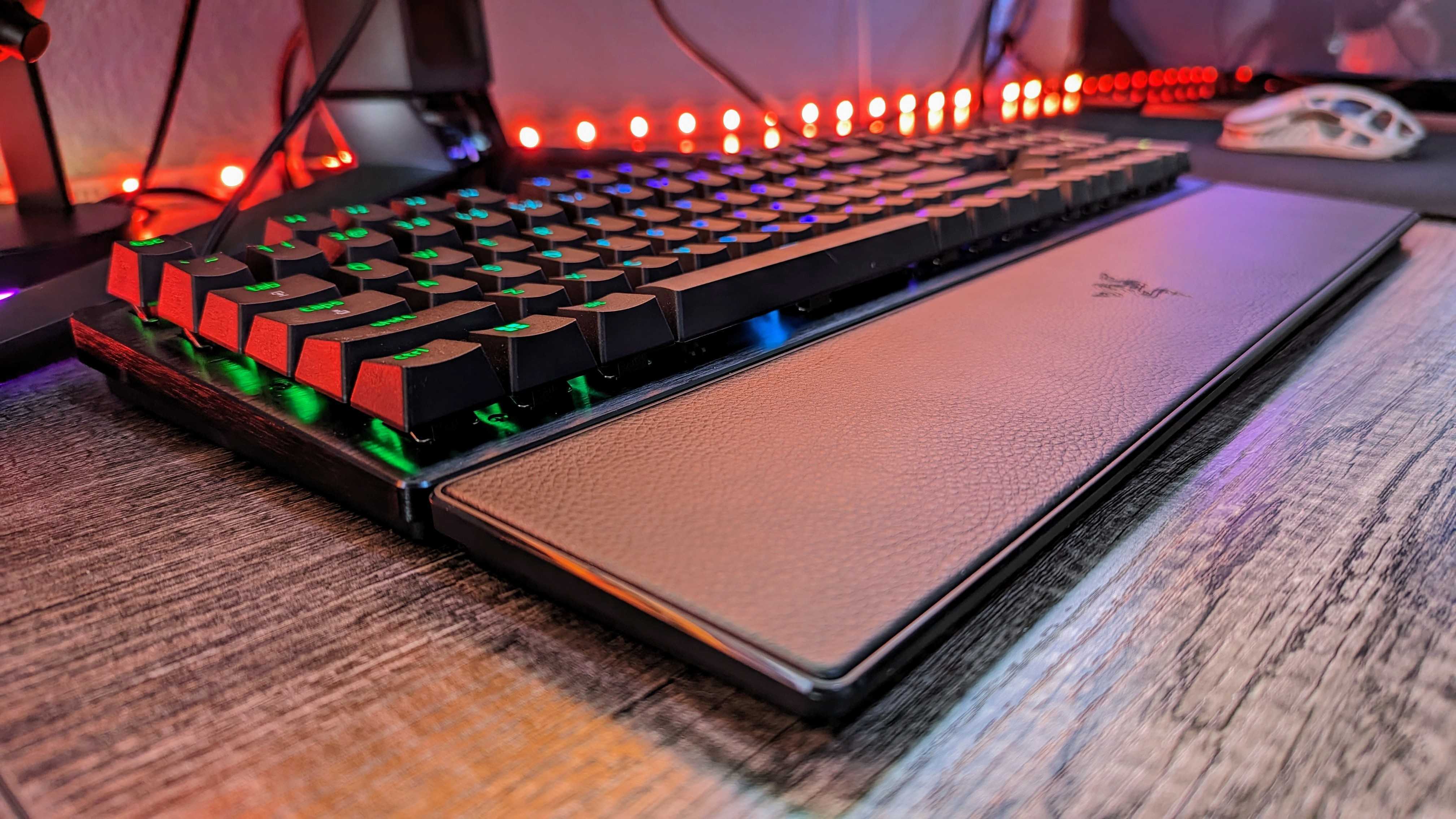
Razer throws in a wrist rest alongside its wealth of extra keys. (Image credit: Windows Central | Zachary Boddy)
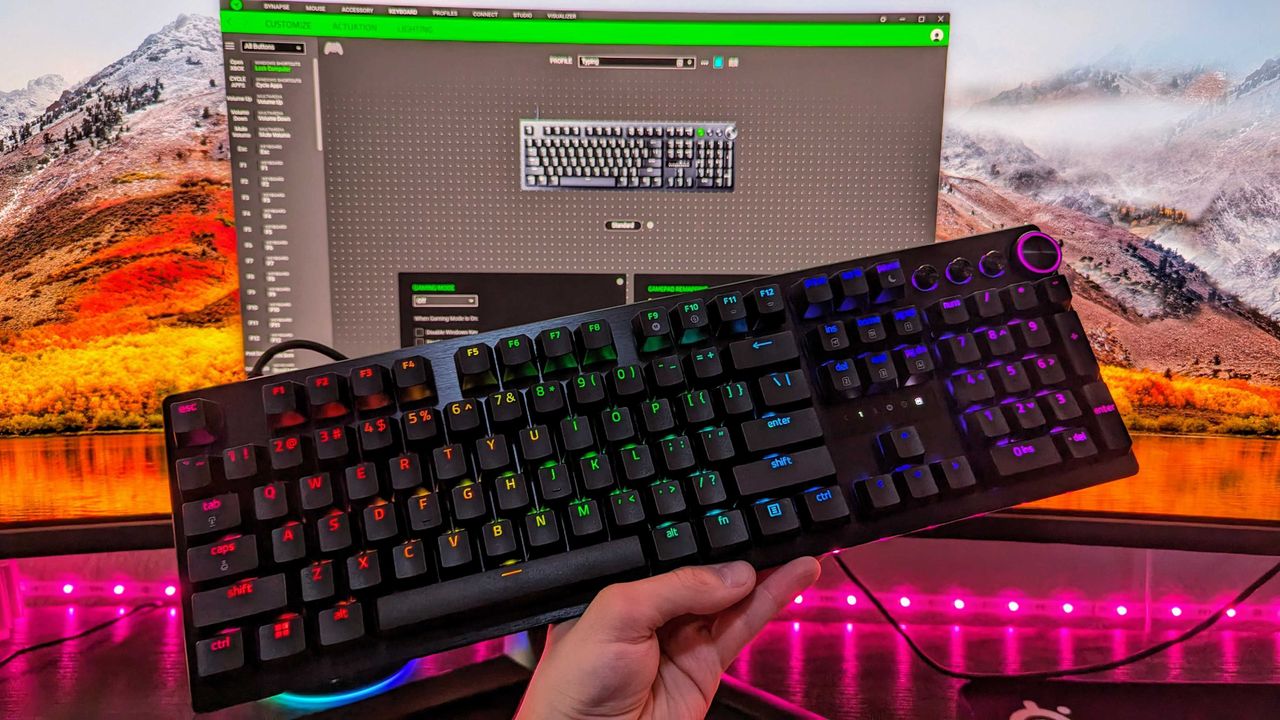
Adjustable actuation is one of those phrases that crops up around keyboards, and it's a feature that shines when you have the time to dig into it. Essentially, you can change the depth at which the optical switches underneath the keys detect a valid press, usually opting for shallow pushes during gaming and more deliberate, deeper pushes for typing.
If you're into tweaking and personalization, you'll get a lot out of it by fine-tuning the actuation and saving it to one of the on-board memory profile slots. That, paired with its brushed aluminum chassis and double-shot PBT textured keys for more durable lettering, makes for a comfortable typing experience.
On the flip side, we noted in our (full-size) Razer Huntsman V3 Pro review that the leatherette wrist rest isn't perfect, but it is magnetic, so if you'd rather use it only for typing and remove it for a night of gaming, it's easy to detach. I'd recommend giving it a fair try, as it's generally better to use something to support your wrists than nothing at all, but your mileage may vary.
Overall, this discount makes the Huntsman V3 Pro, whether TKL or full-size, an absolute bargain. Even if you don't make use of all the extra dials at first, diving into customization would help you assign them to your most-used features soon after. It's a quality wired keyboard that works just as hard for daily typing, so you could probably argue it's a back-to-school expense if you tried.
Frequently Asked Questions
Is the Huntsman V3 Pro wired or wireless?
This is a wired gaming keyboard with a braided USB Type-C to USB Type-A cable. It can be detached and replaced with a longer variant, but the keyboard will not operate wirelessly.
What's the difference between full-size and TKL?
A full-size keyboard includes a number pad and is what you might think of as a "standard" model. TKL stands for tenkeyless, and it drops the numeric keypad to save space while retaining the arrow keys and the home/end keys.
Is this a mechanical keyboard?
The Huntsman V3 Pro does not use mechanical switches; instead, it features optical key switches that operate like magnetic Hall-Effect sensors found in popular joypads to support its adjustable actuation.
Join us on Reddit at r/WindowsCentral to share your insights and discuss our latest news, reviews, and more.
Image of the Razer Huntsman V3 Pro gaming keyboard.
Razer's discounted Huntsman V3 Pro is built for gaming performance but offers a superb typing feel.
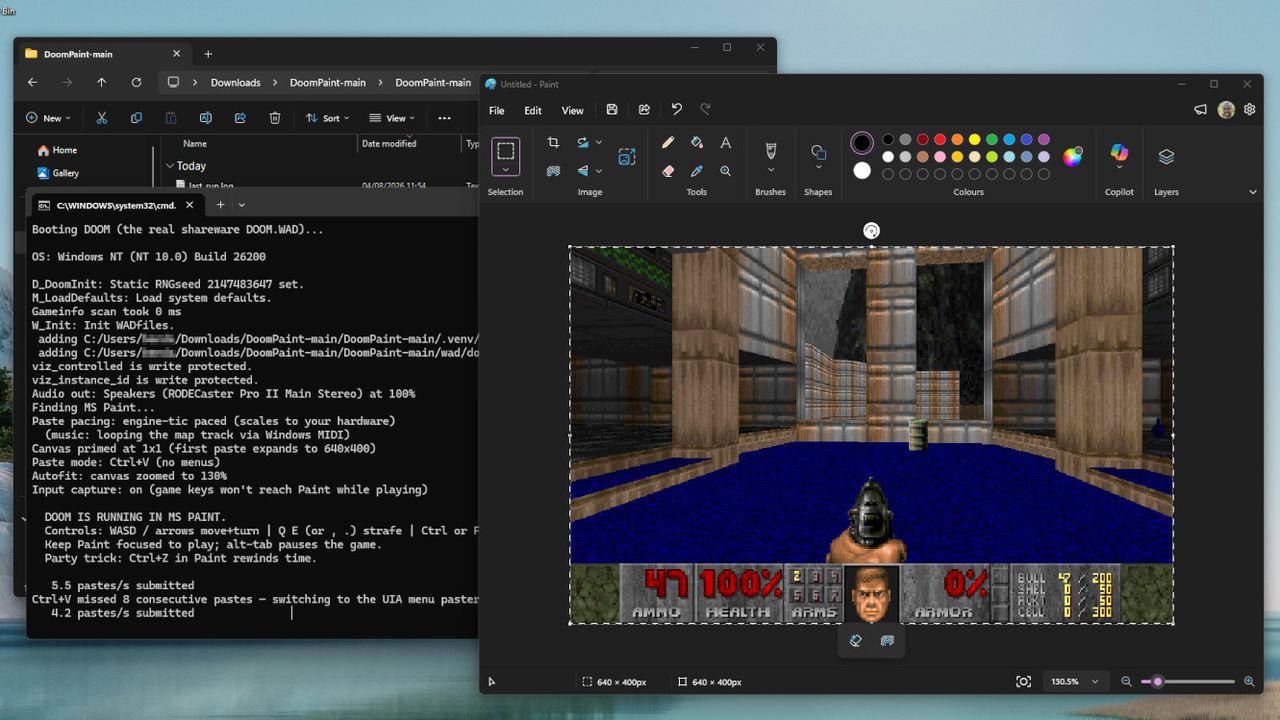
Mark Russinovich is the CTO of Microsoft Azure, and as it seems, a big fan of id Software's classic 1993 FPS, DOOM. I've seen the game running on practically every imaginable piece of hardware with a screen and any semblance of buttons, but I hadn't expected it to be playable inside Paint — until I installed it on my own PC earlier this morning.
"Playable" is being generous, because as Russinovich explains in his documentation for DoomPaint on GitHub: "Every frame is placed on the Windows clipboard and pasted into Paint's canvas as a genuine document edit", so Microsoft Paint is acting like more of a monitor than anything else, but it's still a sight to behold.
Performance ranges from quite smooth to snail's pace, but "the spreadsheet-tier framerate is part of the charm", and this is hardly the kind of medium I'd expect anyone to beat the entire game in. Nevertheless, it's real, and stands as the latest example of DOOM running in weird places. You'll need to install Python to run it, but that's all — alternatively, you could just watch my video.
It's a particularly bizarre crossover featuring two of my special interests, retro boomer shooters and classic Windows apps, with the icing on the cake being its creator. Sure, looking at the contributors section of DoomPaint shows generous commits from Anthropic's Claude and Microsoft's GitHub Copilot, so we're definitely dealing with a vibe-coded project here, but this is still a fascinating look into the downtime of a Microsoft executive.
Paint renders the game but does not compute it. Paint computes nothing. Paint has never computed anything. That's the joke.
Mark Russinovich, CTO and Technical Fellow for Microsoft Azure
Plus, there's working sound and music in this oddity, which is a step beyond what I expected from using Paint as a DOOM renderer. Again, though, this is more of a visual trick than an engine conversion, as Russinovich reiterates, "Paint renders the game but does not compute it. Paint computes nothing. Paint has never computed anything. That's the joke."
I've spent plenty of hours replaying the classics with source ports like UZDoom, and pulling a legitimate copy of its internal ".WAD" file will make variants like this playable with the complete selection of levels and weapons. If, somehow, you still haven't played DOOM in 2026, this could be one of the strangest ways to get started — but it's probably better to appreciate it from a distance.
I'm a big fan of Windows apps that launch quickly and get straight to the point without draining too much of my PC's memory. It might seem like a redundant preference, but when some of Microsoft's most basic software becomes oversaturated with unusual features, like AI writing tools in Notepad (which were later scaled back), performance can feel like an afterthought.
Plus, Windows 11 is regularly under fire for its more unpopular changes and additions, while some genuinely useful inclusions are often overlooked. Even so, it's not like Microsoft To Do is the best in its class, because it really isn't. Plenty of enthusiasts would likely point me towards something like Todoist rather than Microsoft's restructured version of what was Wunderlist.
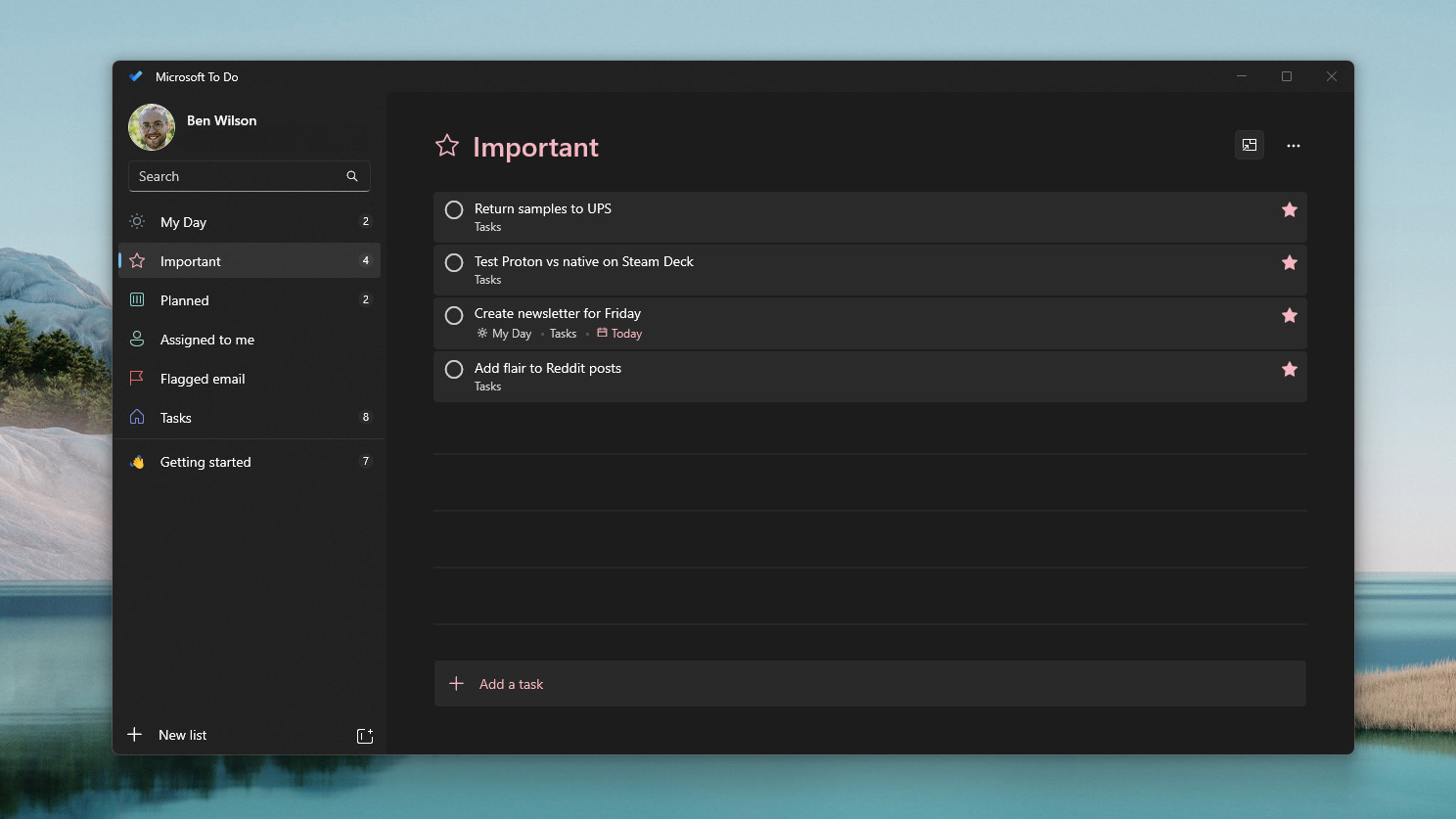
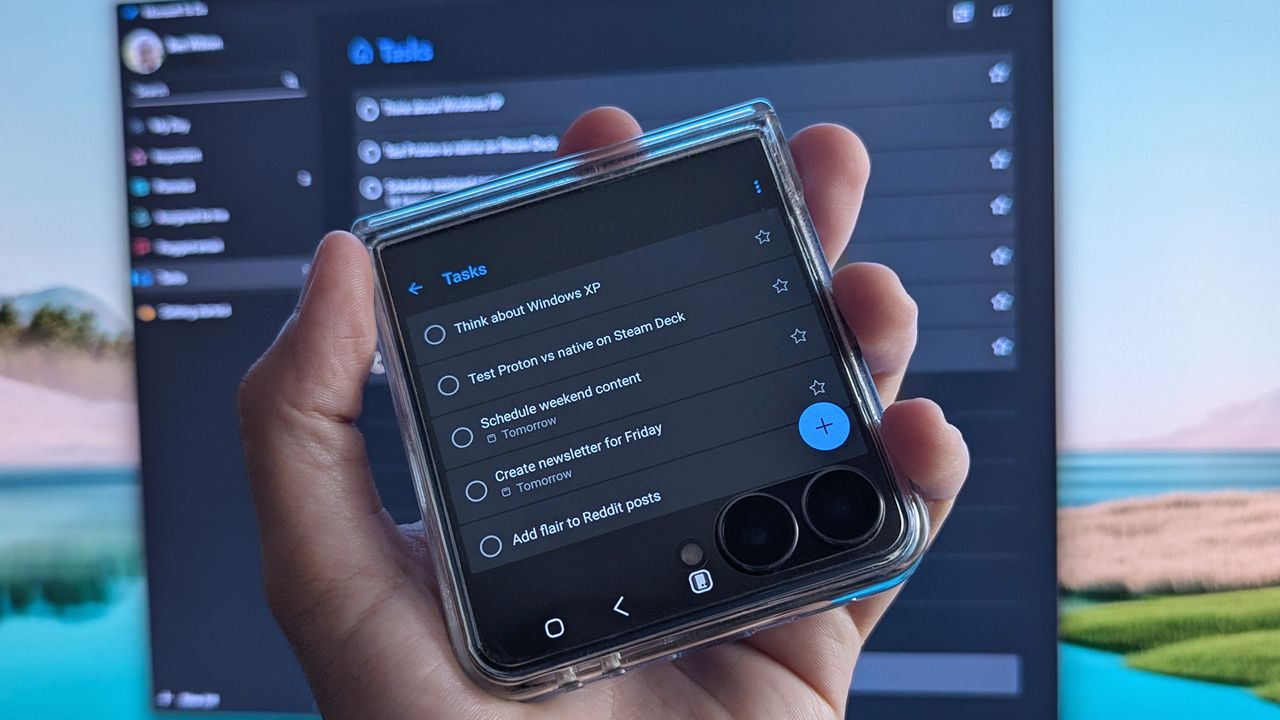
However, there's nothing inherently wrong with To Do, either. It's lightweight and runs on all my PCs — even my Android phone — with a functional widget I can add to the cover screen of my Samsung Galaxy Z Flip 7 for glanceable reminders. It pulls hints from natural language to set due dates and, more importantly, helps me remember everything in my daily workflow.
I make Microsoft's to-do list work for me
I could opt for deeper synchronization with my Outlook account, but To Do offers enough to me with just a simple list. (Image credit: Ben Wilson | Windows Central)
I find that a to-do list can either make my day much more manageable by breaking it into chunks, or it can freeze up my brain when I look at a daunting list of deadlines. It all depends on how you use it, but I've certainly found it helps me keep track of recurring tasks that pop up every day. Plus, the little 'ping' sound that plays when I mark a task as complete delivers a nice hit of serotonin.
However, part of the reason I keep Microsoft's own offering around is that it syncs so naturally across my devices. Again, there are probably third-party apps that deliver the same experience — perhaps something even better — but I'm not trying to overcomplicate a list of daily tasks. That, and my brain thinks differently as soon as I walk away from the computer, so reminders really work.
The future of Microsoft To Do seems to have two potential outcomes, though one of them is far more likely than the other. First, it could eventually be abandoned. Microsoft still has the Windows 10 icon on the app's download page, so it's hardly treated as cutting-edge among its portfolio, and its plot in the Microsoft Graveyard might already be reserved.
I just want a chance to be heard by the right person at Microsoft and let them know that their in-house apps are still appreciated.
Second, it goes the way of Microsoft Whiteboard and is absorbed into Microsoft 365, potentially renamed or adapted entirely as a feature in another app. This one feels less likely because it doesn't offer much collaborative substance to lock behind a paywall, but stranger things have happened. I'm trying to remain optimistic, but there's a small chance To Do transforms into something else.
Ultimately, this feels like the same trend as when I recently praised accessible gaming efforts with the XBOX Adaptive Joystick; I just want a chance to be heard by the right person at Microsoft and let them know that their in-house apps are still appreciated — at least when they're done right — and I'll happily use them despite there being alternatives out there.
Join us on Reddit at r/WindowsCentral to share your insights and discuss our latest news, reviews, and more.
Samsung Galaxy Z Flip 7 smartphone cover screen showing Microsoft To Do app with listed tasks and the Windows equivalent in the background displayed on a PC monitor
Walking away from my PC can be like emptying my brain's Recycle Bin, but keeping Microsoft To Do on my phone helps me stay on track.
I've installed various versions of Windows more times than is probably necessary, across hundreds of laptops and desktop PCs that I've built, tested, and reviewed. Even if I narrow it down to Windows 11 alone, I reset devices back to a clean install practically every week, so I've built up a collection of useful commands and shortcuts.
For the most part, they aren't particularly innovative, and some won't even be surprising to enthusiasts, but they're definitely useful in my day-to-day experiences with Microsoft's operating system. Whether you consider yourself anything from a casual PC user to a service-hardened admin, you'll find at least some of these as useful as I do.
And, as with absolutely anything regarding commands copied and pasted into Command Prompt, PowerShell, or any other kind of terminal, you should always practice sensible backups and data protection habits. Keep your most important files in multiple places where possible, and only run high-level commands if you're a confident PC user — though I promise to explain what they all do.
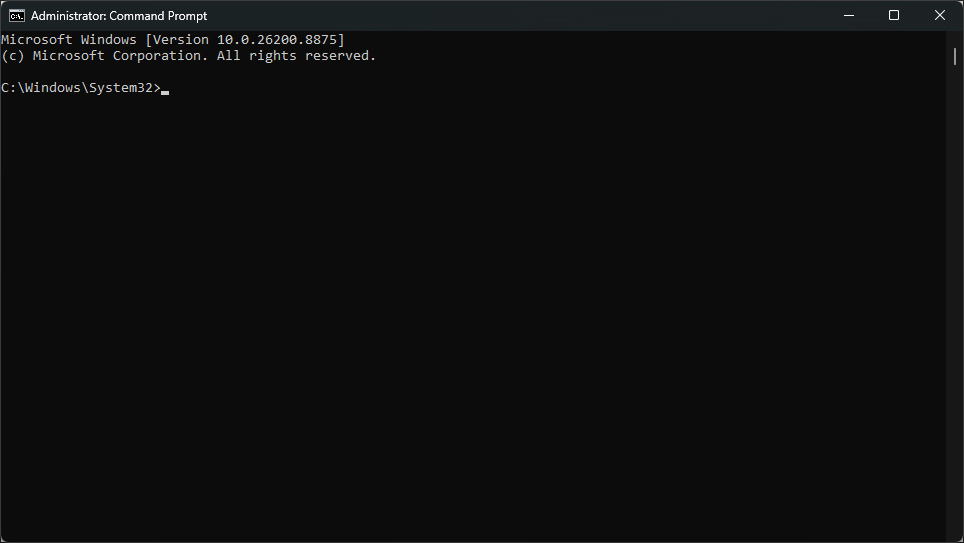
Press Shift + F10 during Setup to open Command Prompt
There is a little quirk to this one, though. When the Command Prompt window first opens, you'll probably see a flashing caret that suggests you can type, but you'll often (if not always) find that your keyboard inputs are ignored. By default, the Command Prompt window isn't focused, so you'll need to either use a connected mouse to click it or press Alt + Tab if you only have a keyboard.
Create a local account
(Image credit: Mauro Huculak)
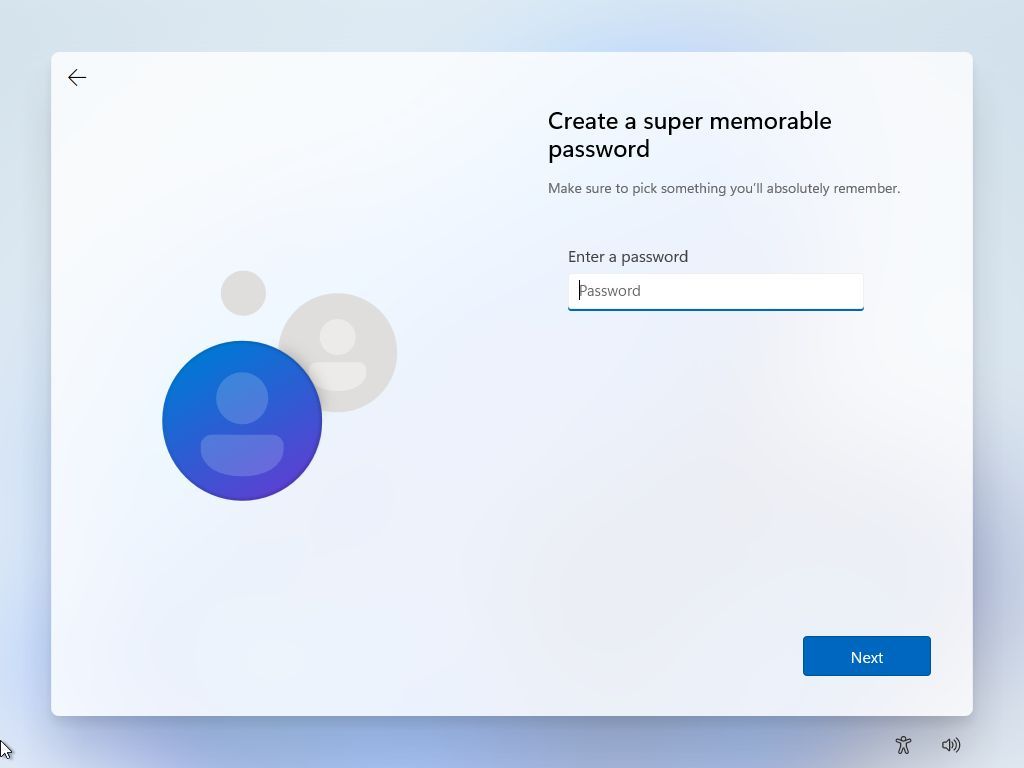
Because I test so many PCs, I certainly don't want to sign into absolutely all of them with my personal Microsoft account. Unfortunately, the options to use a local account are becoming more limited as workarounds are removed, but my preferred Windows 11 ISO (disc image) still works with this method.
Shift + F10 opens Command Prompt
Enter this command: start ms-cxh:localonly
Create a user (passwords are optional)
Bingo. Some apps will still ask you to sign in, and when they do, you'll need to make sure Windows doesn't try to "automatically sign in to all desktop apps." If you're ever prompted with that request, respond with the closest equivalent of "no, sign in to this app only".
Checking battery health
(Image credit: Ben Wilson | Windows Central)
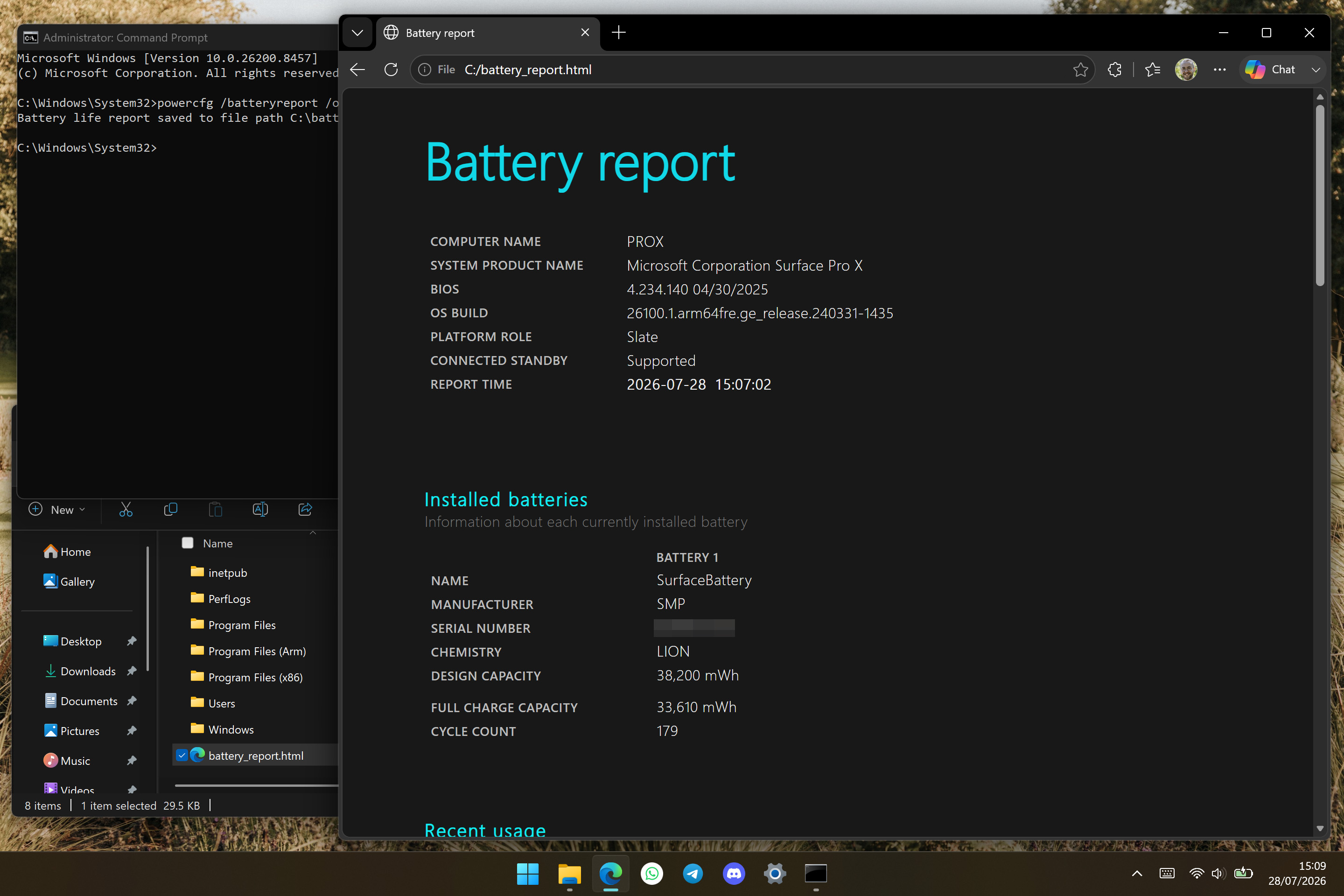
This one is slightly more niche because it's primarily about how I test battery life on sample laptops. Still, checking your battery health also has a convenient crossover for anyone who might pick up a refurbished or pre-owned model, and seeing your battery cycle count alongside its design capacity is just plain useful.
Open the Start menu
Find CMD (Command Prompt) and Run as administrator
Enter this command: powercfg /batteryreport /output "C:\battery_report.html"
Find the generated file on your C: drive to see helpful details, such as battery life estimates near the bottom of the page, all based on how long your laptop lasted on each charge. I always like to generate one of these reports when I'm using a brand new laptop over a full week during a review. It's good stuff.
Faster Task Manager
(Image credit: Ben Wilson | Windows Central)
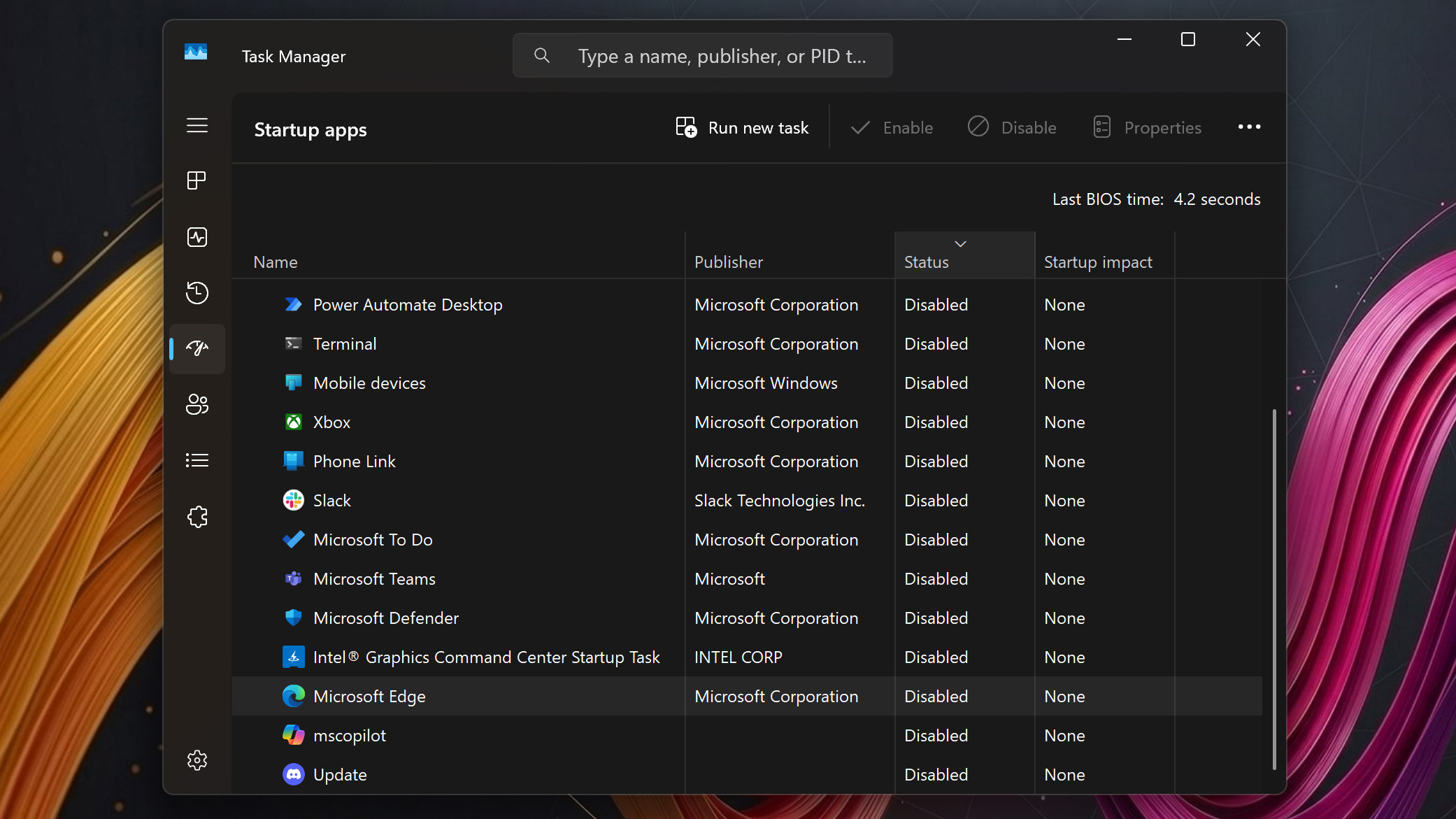
Now, if anything on this list is liable to pull ire in the comments, it'll be this one. Yes, I know that Task Manager is probably the most widely known feature of Windows, but plenty of people still think you need to press Ctrl + Alt + Delete to access it. However, there are two faster methods that I always use, depending on whether I'm using a keyboard or a mouse at the time.
Right-click the Taskbar and click Task Manager
(or) Press Ctrl + Shift + Esc to open Task Manager
The more interesting part of accessing the Task Manager is the reason for opening it on a brand new PC: disabling startup apps. On the left side, you'll find the dedicated category, which exposes any unwanted 'bloatware' that might have come pre-installed on your machine. If not, I usually disable msedge.exe (Microsoft Edge) anyway, because it doesn't seem to be necessary.
Clipboard history
(Image credit: Ben Wilson | Windows Central)
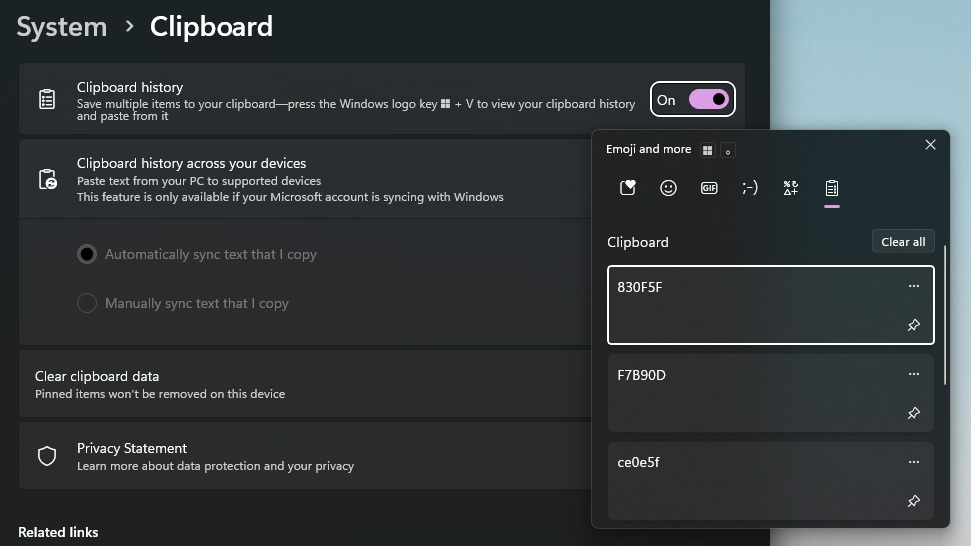
If you head to the Settings app and find System > Clipboard, you'll see the Clipboard history toggle, and I strongly recommend keeping it on. I'm constantly copying and pasting serial keys for licensed software, hex codes for colors, and all kinds of other jargon that happily sits in this pop-up list.
Press Windows + V to open Clipboard history
Alternatively, pressing Windows + . (the period key) takes you straight to the emoji picker, which is part of the same floating window as Clipboard history. You can start typing keywords and descriptors as soon as it appears, so finding a tiny laptop for your social posts (or anything else) is easy. 💻
Access your Desktop
(Image credit: Ben Wilson | Windows Central)
This is a surprising entry, as I assume everyone knows about both methods. Getting back to your desktop feels like an obvious one to learn, as minimizing individual apps is painfully inefficient. However, even my PC-building colleague Cale Hunt wasn't aware of the second one, and frankly, I don't remember when or how I figured it out.
Press Windows + D to access your Desktop
(or) Click the blank Taskbar space to the right of the clock
A third, lesser-known shortcut of Windows + , (the comma key) will briefly show your Desktop, but it disappears when you let go of the Windows key. I can't say I ever use that one, but I've been habitually clicking the blank space to the right of the "system tray" (now the clock and notifications area) for years. If I don't have a mouse, the first one works, and pressing it again restores my windows.
Moving off-screen apps on multiple monitors
(Image credit: Future)
Finally, I don't need this one as often as the others, but it's still a critical one to remember when I do. Sometimes, when I connect a second (or third) monitor to a desktop or laptop setup, the app I'm using will disappear from view. It's still technically active, but I just can't see it anymore. Thankfully, it's quite an easy fix if you remember this shortcut.
Press Windows + an arrow key to move the active app
The arrow key you press depends on how you've organized your screens, both physically and in alignment with what Windows 11 expects. For example, if you want an app to move to a display on your right side, press the right arrow key. If nothing moves around, try pressing Alt + Tab first to ensure your target app is in focus!
There's no doubt that each enthusiast will have their own favorites and likely views these entry-level commands as basic knowledge, but we all start somewhere. Sometimes it feels like muscle memory, but with Windows 11, there's so much going on that it's easy to forget some of the most useful shortcuts aren't as obvious to everyone!
Join us on Reddit at r/WindowsCentral to share your insights and discuss our latest news, reviews, and more.
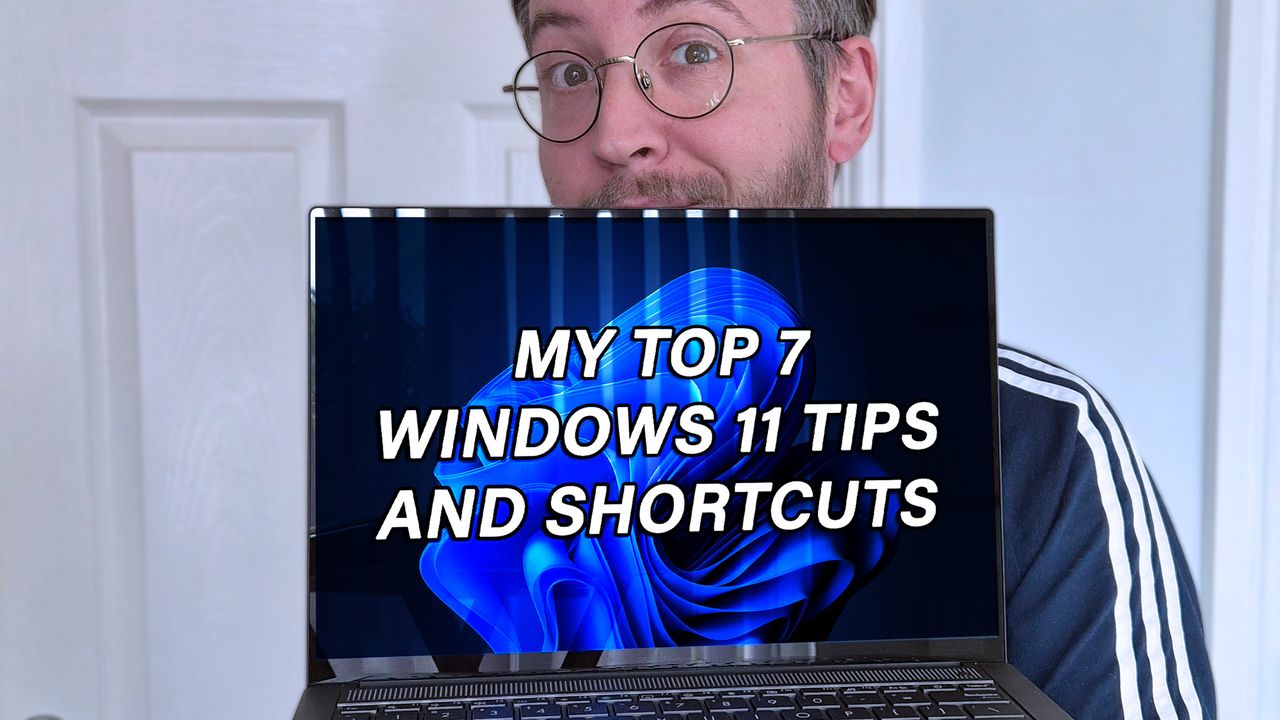
Ben Wilson of Windows Central holding a laptop with "MY TOP 7 WINDOWS 11 TIPS AND SHORTCUTS" displayed on the screen
Until they change, these are my current favorite tips for Windows 11 newcomers (and enthusiasts).
An entry-level Alienware PC almost sounds like a contradiction; it's long been the all-out brand you could choose when money isn't a concern, and you'd rather have a guarantee your games will run. So, does the Alienware 15 need to exist, or is it just competing with the tantalizingly new category of high-end gaming handhelds?
Including NVIDIA's RTX 5050 graphics certainly piqued my interest, because until now, I've never seen what this low-end laptop GPU can actually do. Is it worth picking the 50 Series chip for the benefit of cutting-edge DLSS upscaling, or is it too weak to be worth your time? I had so many questions, and these are the conclusions I reached from my testing for this review.
How much does the Alienware 15 cost?
Alienware's modern design language still peeks through in parts of this entry-level laptop. (Image credit: Ben Wilson | Windows Central)
The Alienware 15 starts at $1,399.99 on Dell.com, featuring the same AMD Ryzen 7 260 processor as my sample but with a previous-generation NVIDIA GeForce RTX 4050 discrete graphics card. Memory and storage remain at 16GB of RAM and a 512GB SSD, but upgrading to an RTX 5050 GPU increases the price to $1,459.99.
A third and final variant of the AMD model increases storage to 1TB with an RTX 5060 GPU for $1,849.99, but the CPU remains the Ryzen 7 260. Alternatively, an Intel-based Alienware 15 starts at $1,499.99 on Dell.com with a Core 7-240H CPU, RTX 5050 GPU, and 16GB/512GB of memory and storage, though you can upgrade to RTX 5060 graphics and a 32GB/1TB RAM and SSD combo.
In the United Kingdom, the AMD-based Alienware 15 starts at £829.00 with a less powerful Ryzen 5 220 processor, RTX 3050 graphics, and 8GB of RAM and 512GB of storage. At the time of writing, an Intel-based Alienware 15 starts at £849.01 with a Core 5-210H CPU, RTX 3050 GPU, and the same 8GB/512GB RAM/SSD.
This gets you exactly what I tested, or an upgrade to a more powerful RTX 5060 GPU and 1TB SSD will cost you $1,849.99. If you aren't confident in self-installed upgrades, you should strongly consider it.View Deal
Is the Alienware 15 well made?
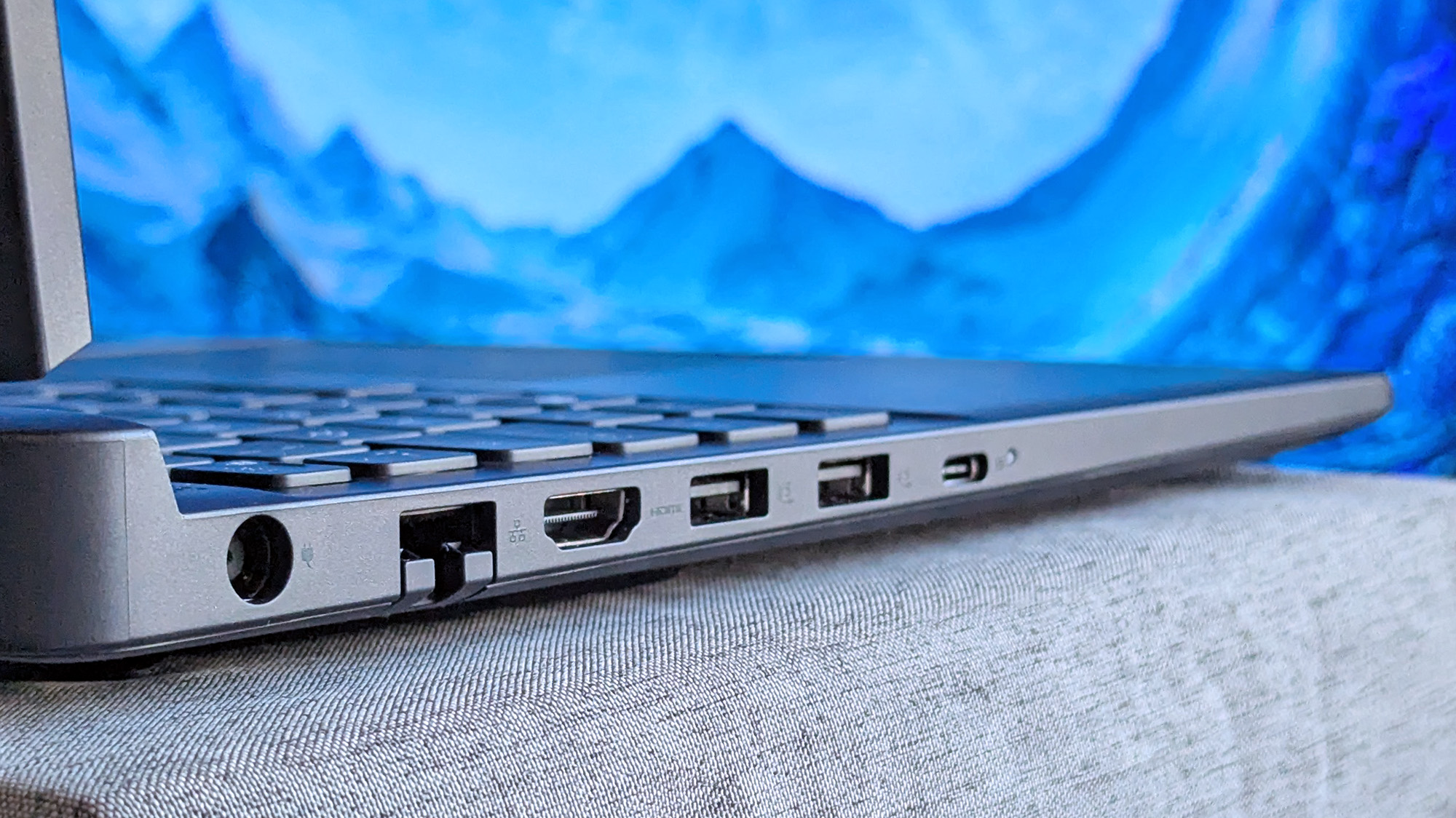
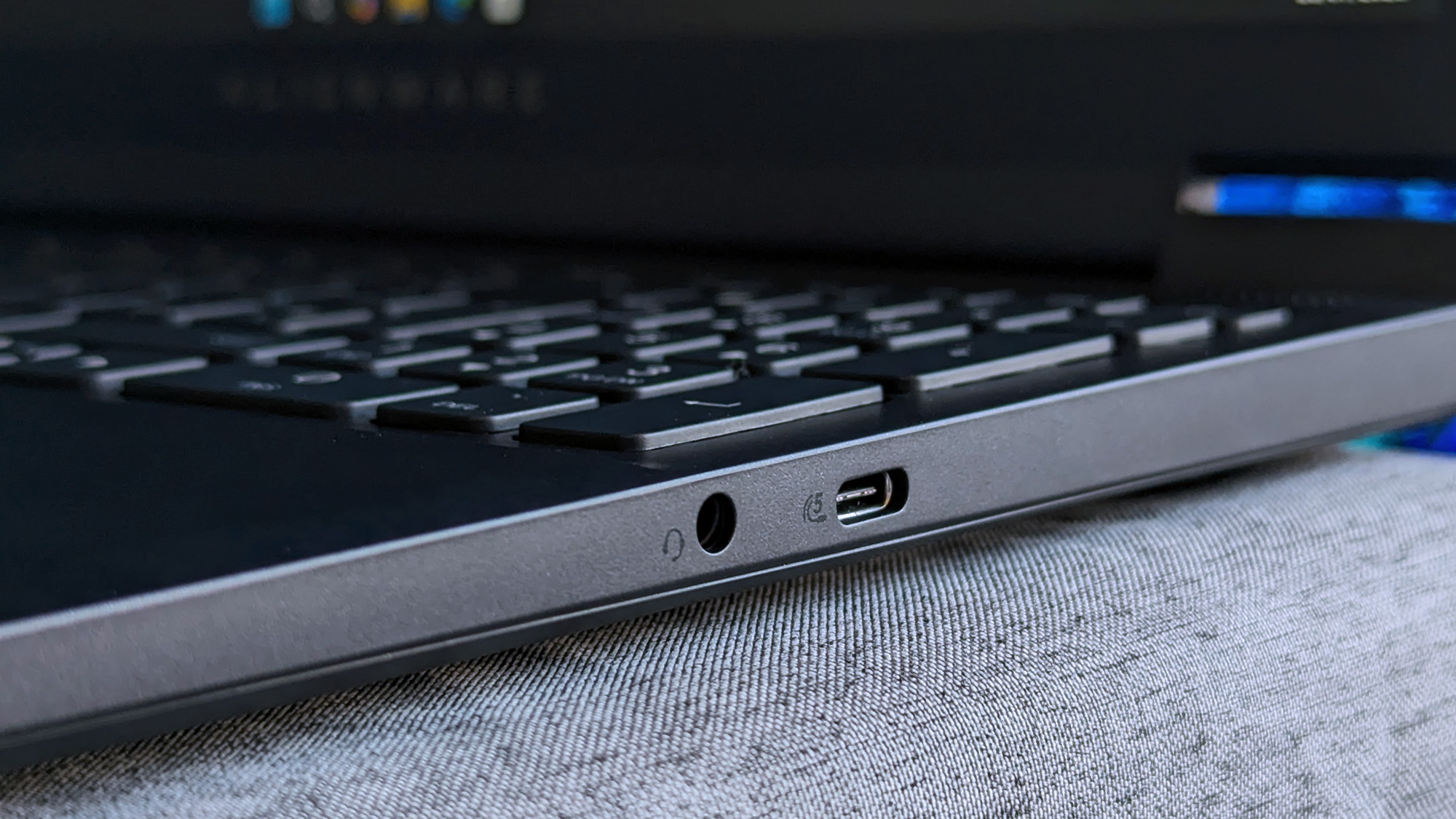
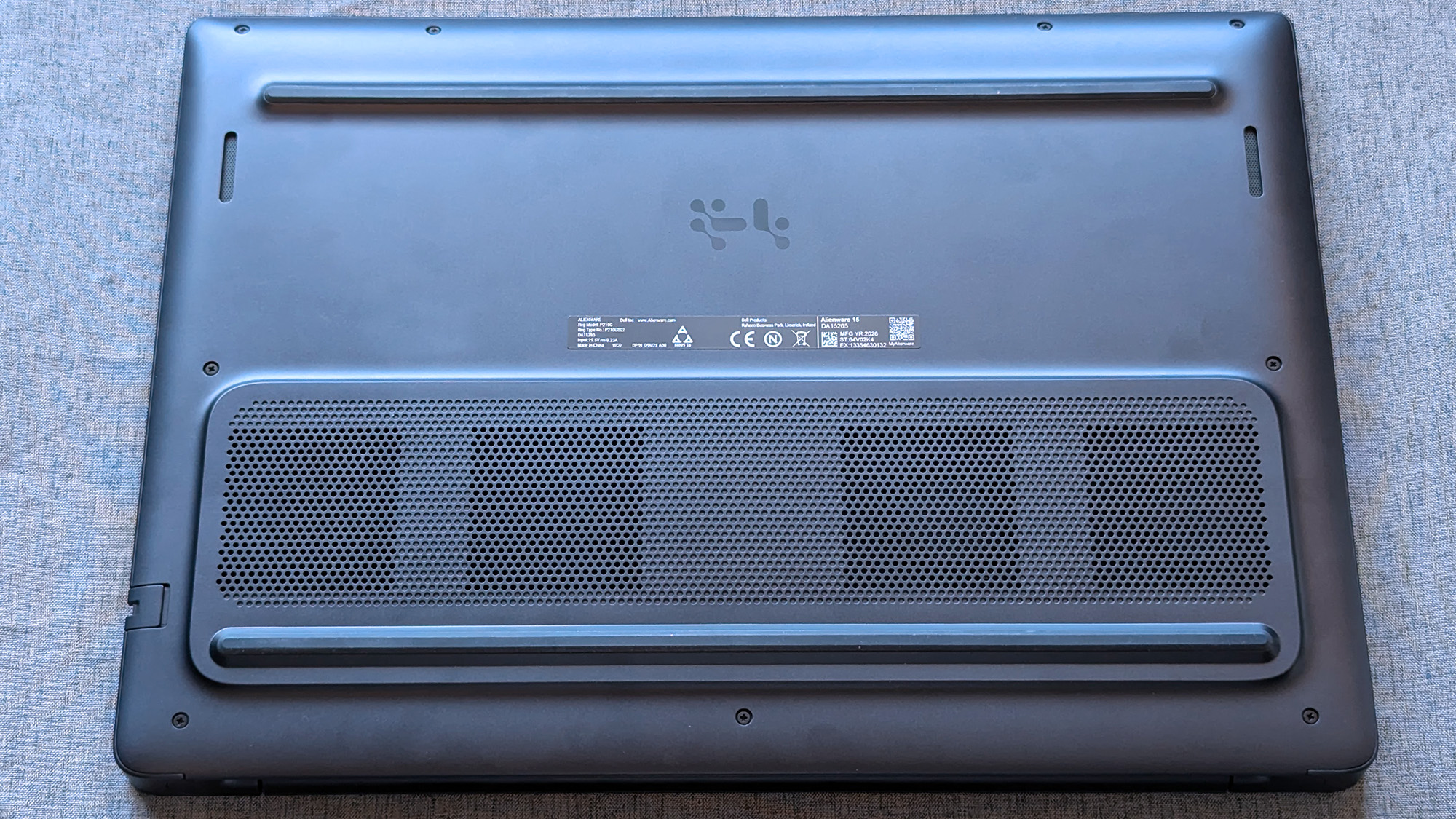
180W AC power requires an outdated barrel jack, but Ethernet, HDMI, and USB-A/C are all welcome.Ben Wilson | Windows CentralWired headphones and another USB-C port on the right side will likely be well used.Ben Wilson | Windows CentralAn elevated portion of the underside holds the cooling fans, and they work hard.Ben Wilson | Windows CentralThe touchpad feels small, but it's good enough to navigate Windows 11.Ben Wilson | Windows Central
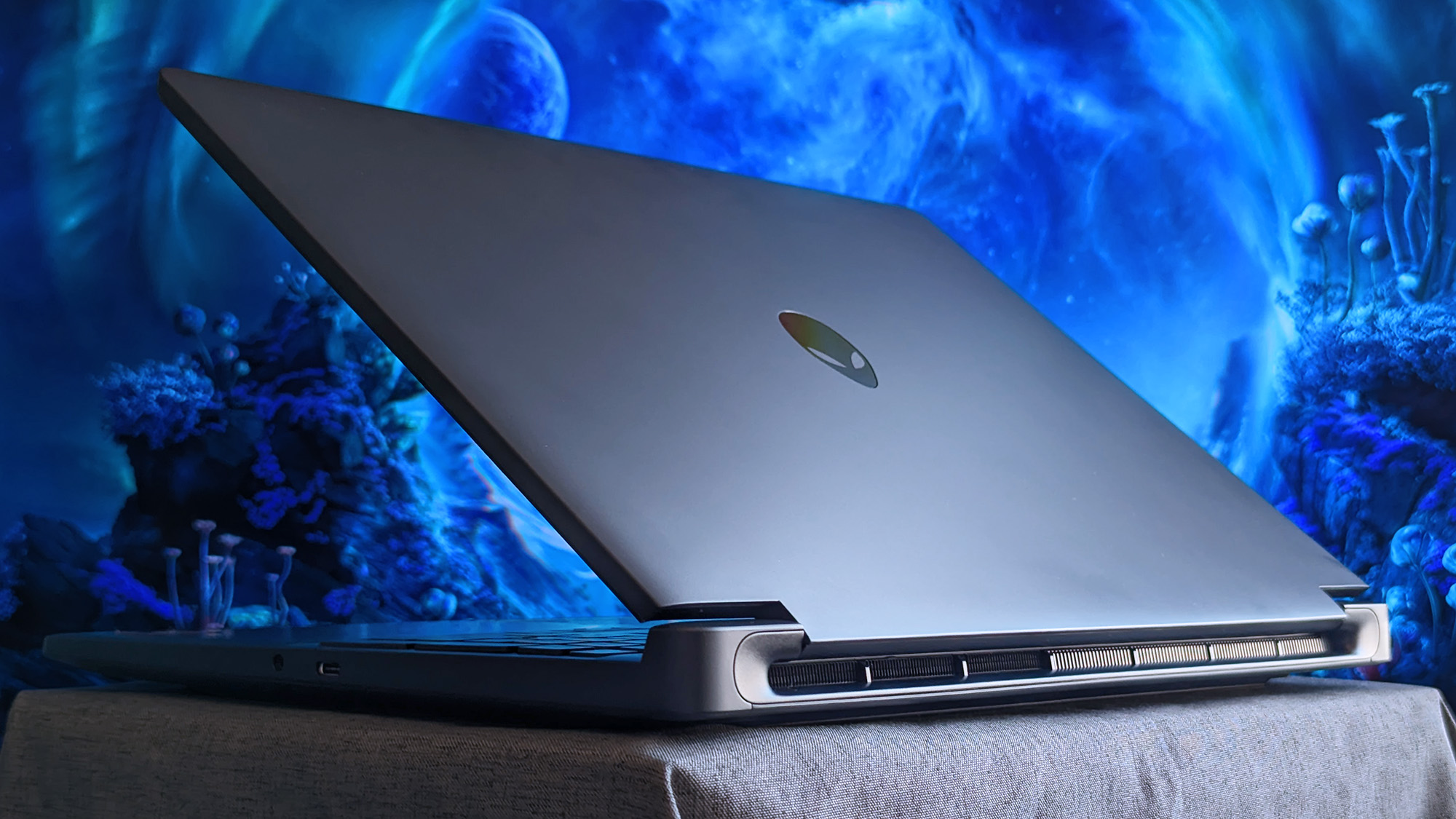
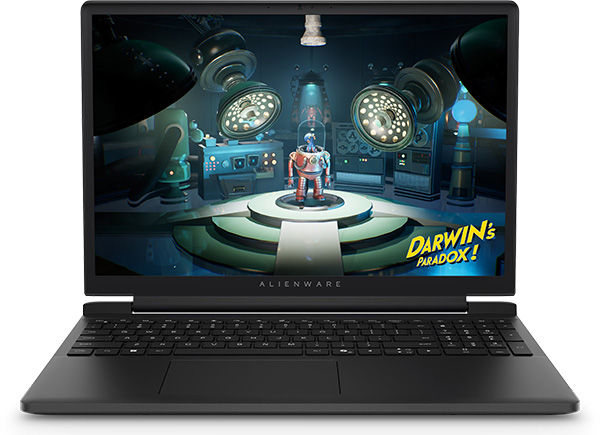
The Alienware 15 is a bit of a mixed bag, starting with a relatively plain exterior design featuring an iridescent alien head logo and thick air vent panels underneath, synonymous with the capable cooling you'll see in this category. And while its most striking first impression is how heavy it is — at 4.89 lbs (2.22 kg) — it still isn't much different from its rivals. Gaming laptops are just heavy.
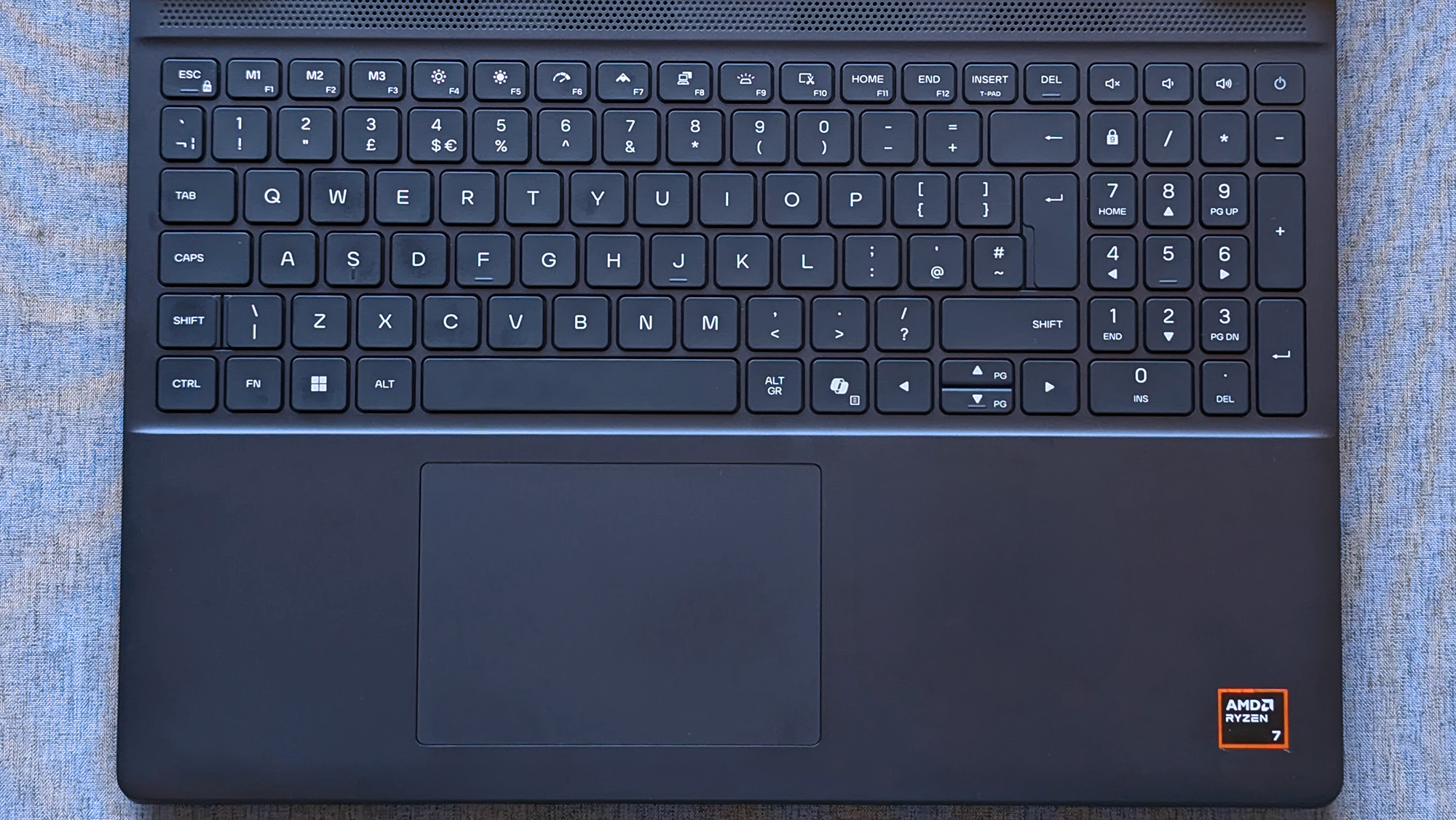
Its 15.3-inch screen sits on a gapped hinge, which looks strange at first glance, but I can feel airflow around the gap while it's in use, so it makes sense. The backlit keyboard is unremarkable, sticking to a single color and including a number pad that I'm sure most gamers will never use, and, as usual, I wish the space had been saved for larger speakers.
The 180W AC adapter needs an old-school barrel jack, but you can charge up to 100W with USB-C.
Admittedly, despite my gripes with the lack of any significant bass response, the sheer volume of the fans during games likely nullifies the appeal of its speakers anyway. As with all gaming laptops, I'm recommending you use headphones here. A small 5.5-inch mechanical touchpad only clicks properly in the bottom half, but you'll probably use a dedicated mouse for most games.
A 3.5mm audio jack pairs with a USB-C 3.2 Gen 1 port on the right side, while a single USB-C 3.2 Gen 2 is available on the left side, along with two traditional USB-A 3.2 Gen 1 ports for dongles, HDMI-out 2.1 for external monitors, and gigabit Ethernet for wired networking. The 180W AC adapter needs an old-school barrel jack, but you can charge up to 100W with USB-C.
How fast is the Alienware 15?
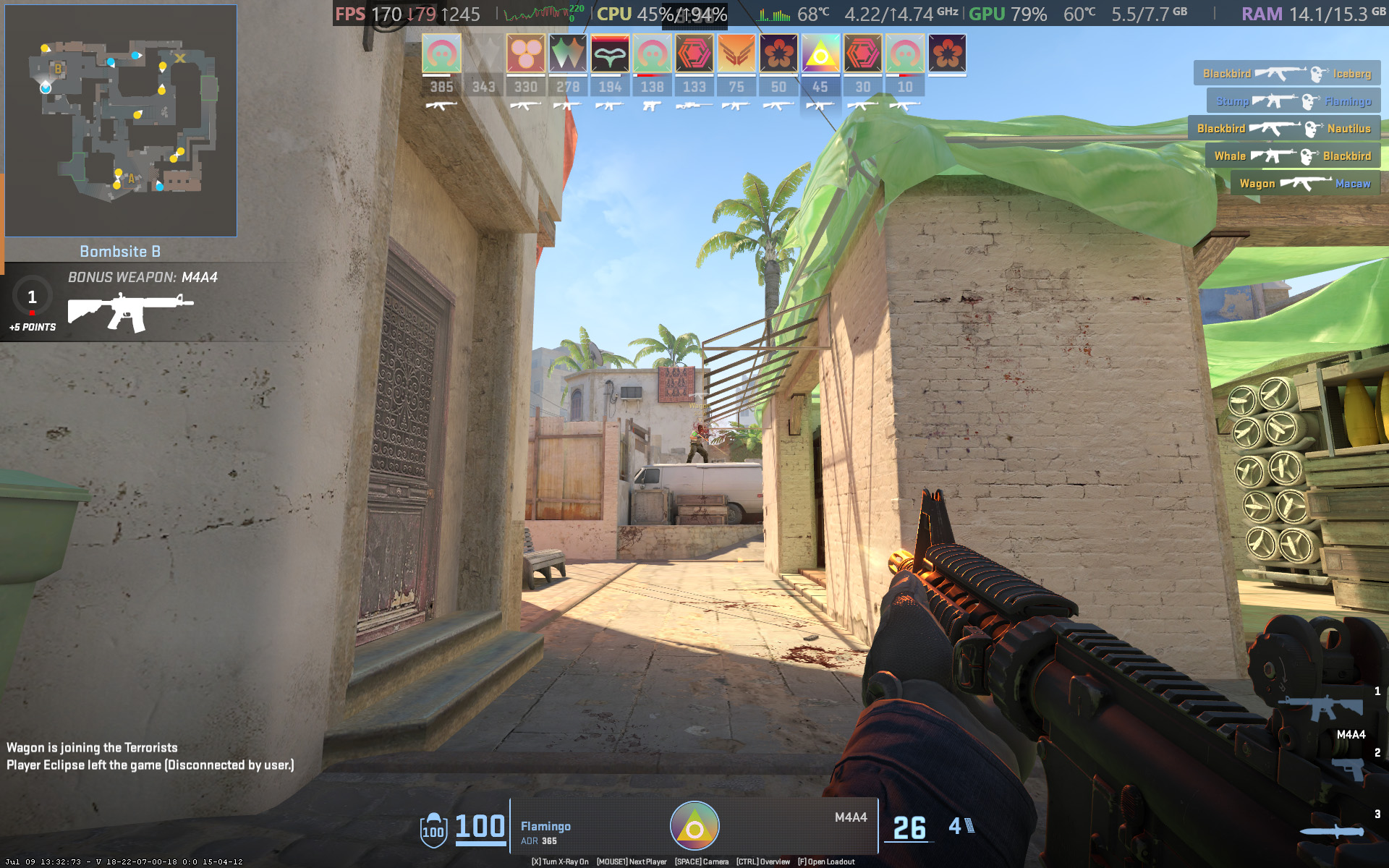
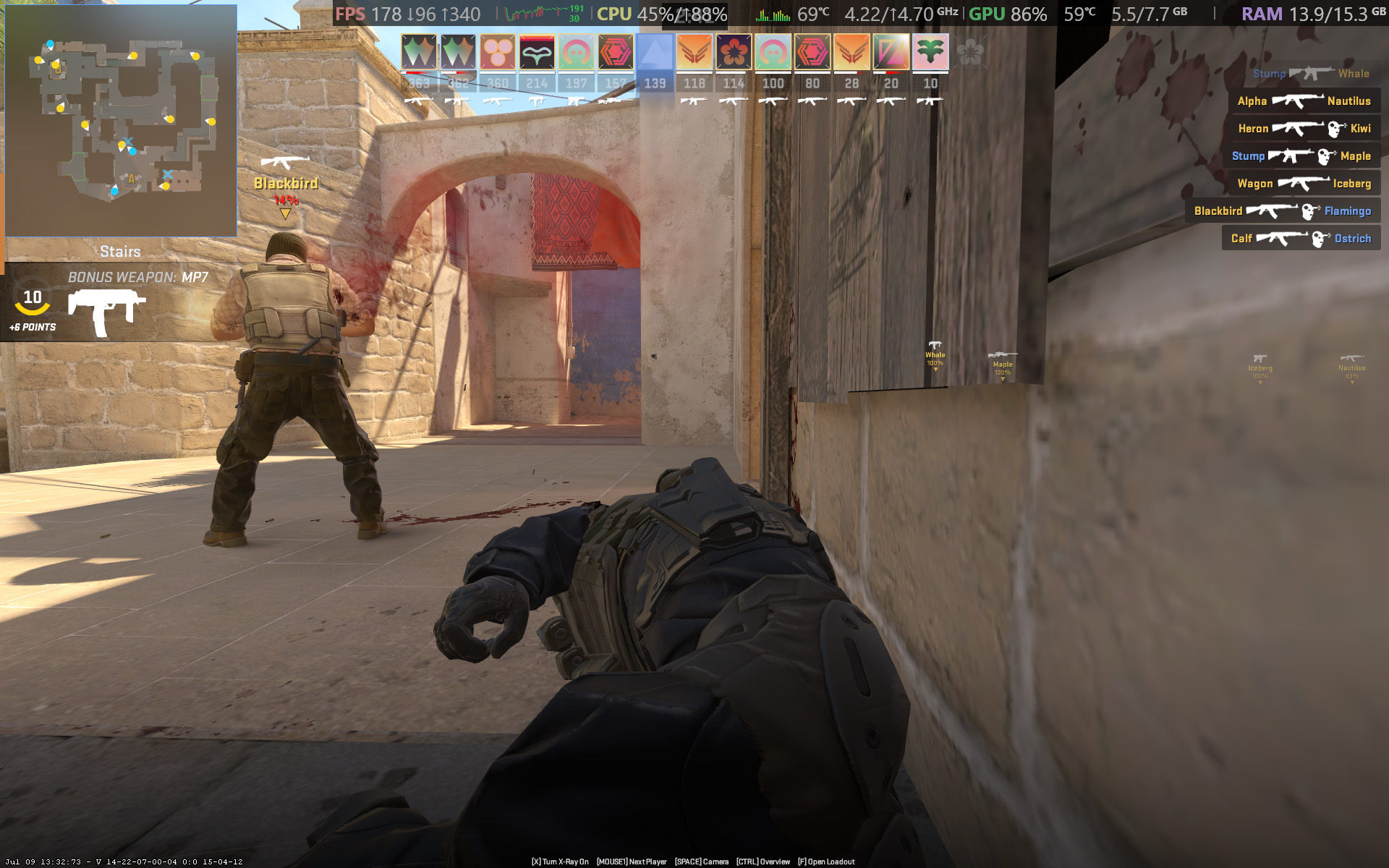
Counter-Strike 2 demands a smooth frame rate, and 165 FPS is attainable with the RTX 5050.Ben Wilson | Windows CentralYou barely have to tweak the settings in CS2 to keep the FPS high enough.Ben Wilson | Windows Central
Starting with Counter-Strike 2, the game recommends 'High' settings with AMD FidelityFX Super Resolution and vsync disabled for native, uncapped rendering at 1920 x 1200. While spectating a few rounds on Dust II, I saw the frame rate remain around the 165 FPS target when I was connected to AC power and Alienware's 'Performance' mode was active.
However, the laptop's fans were extremely loud throughout, keeping the CPU and GPU temperatures at around 68 °C and 60 °C, respectively. Switching to 'Stealth' mode reduced the fan speed, but no amount of graphical tweaks brought them down to a comfortable, more inconspicuous level. This is a loud laptop, and you'll have to get used to wearing headphones when you're gaming.
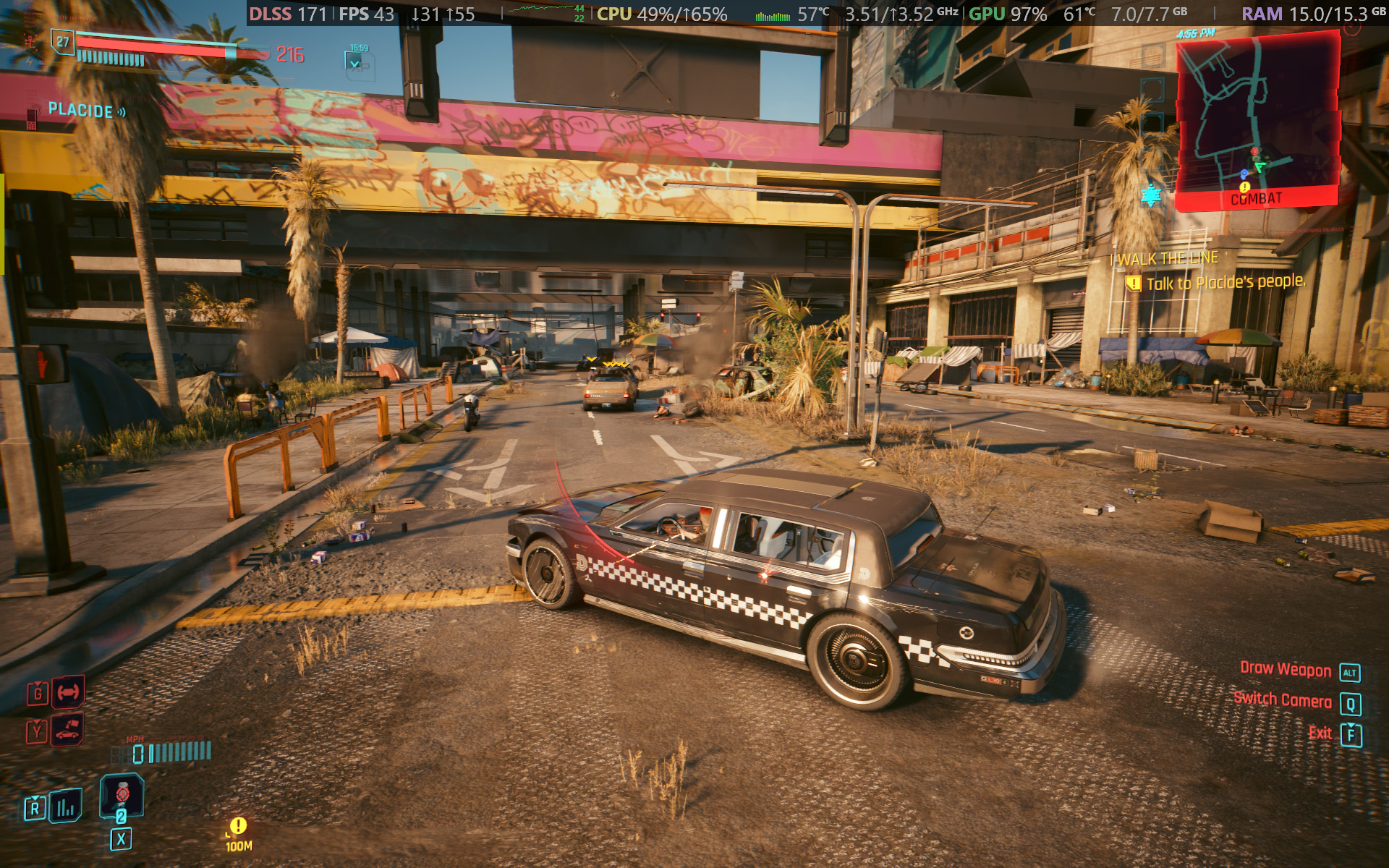
Cyberpunk 2077 is quickly becoming the poster child for DLSS because it works so well.Ben Wilson | Windows CentralCertain visuals will look better than others, but upscaling certainly helps the game run smoothly.Ben Wilson | Windows Central
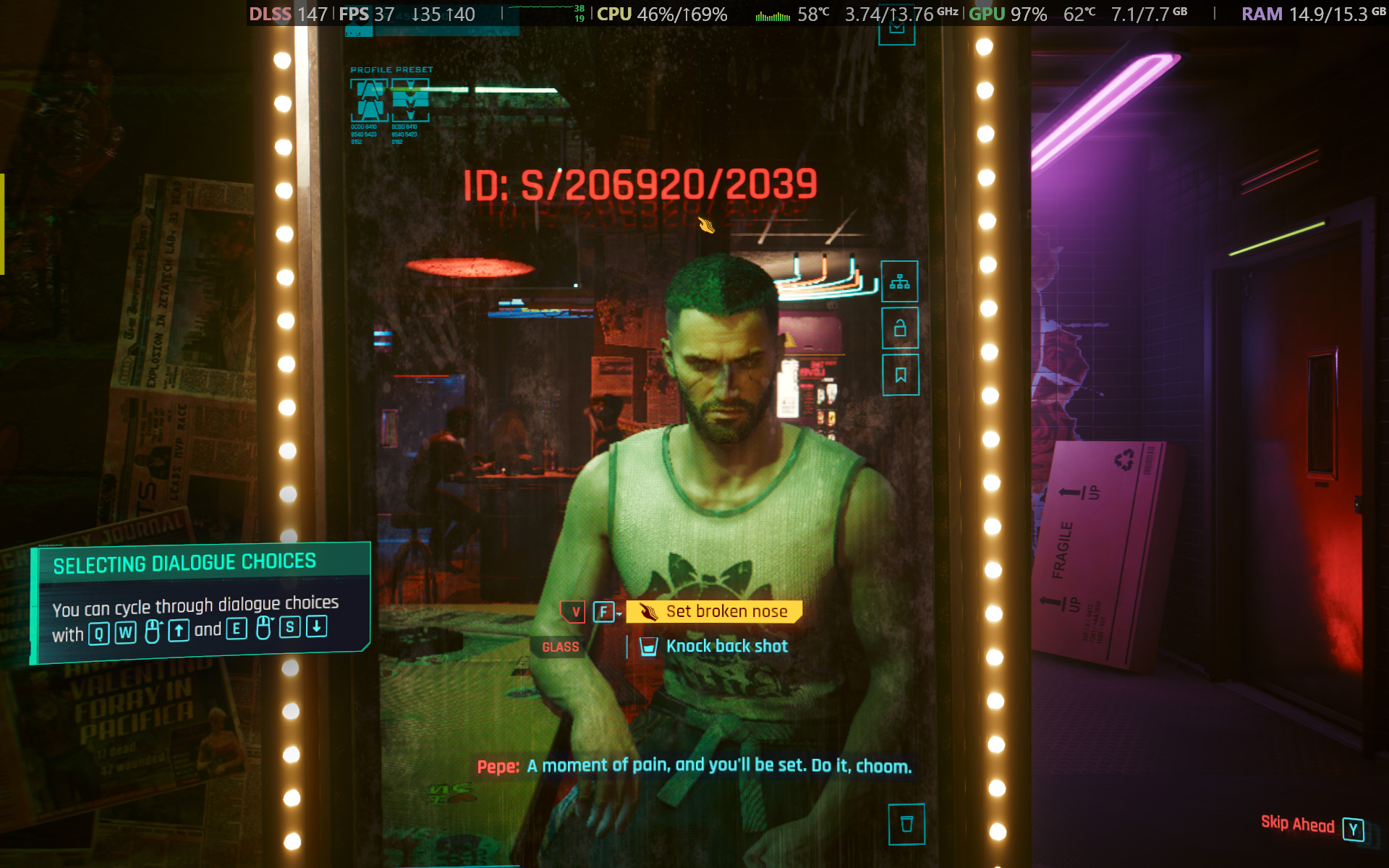
In Cyberpunk 2077, I found that the 'High' preset with ray tracing and upscaling disabled most consistently achieved a native 60 FPS baseline in the game's built-in benchmark. Of course, the game supports DLSS 4.5, so setting Super Resolution to 'Balanced' and Multi Frame Generation (MFG) to 4X in the 'Ray Tracing: Low' preset has the Alienware 15 scaling to 171 FPS, up from ~42 FPS.
I have to assume you're considering a gaming laptop with NVIDIA's RTX 50 Series graphics to take advantage of realistic, ray-traced lighting. Luckily, that is quite possible with the RTX 5050 in the Alienware 15, depending on your feelings around MFG and "fake frames". If, on the other hand, you don't care so much about those visual luxuries, then it runs quite smoothly without ray tracing.
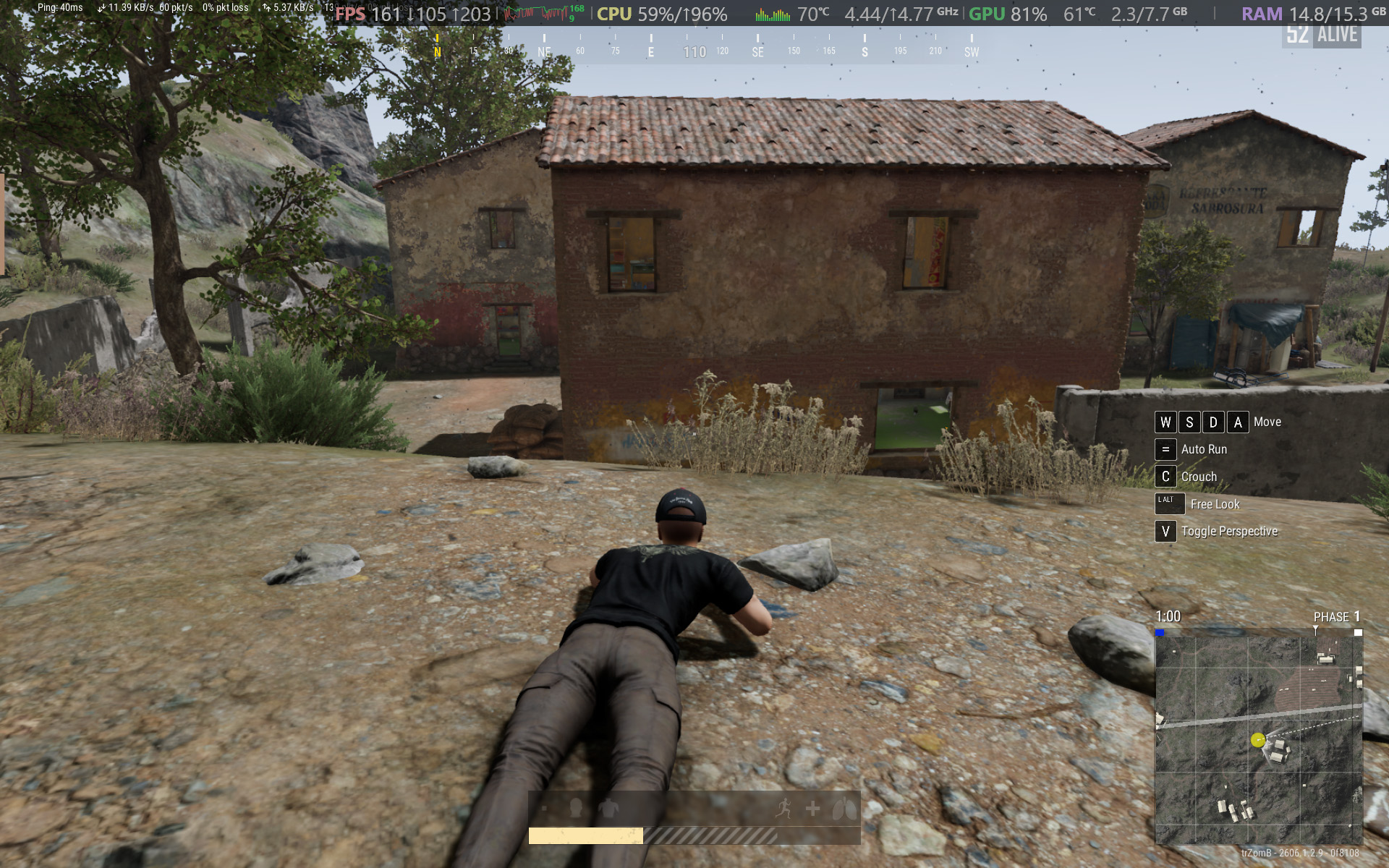
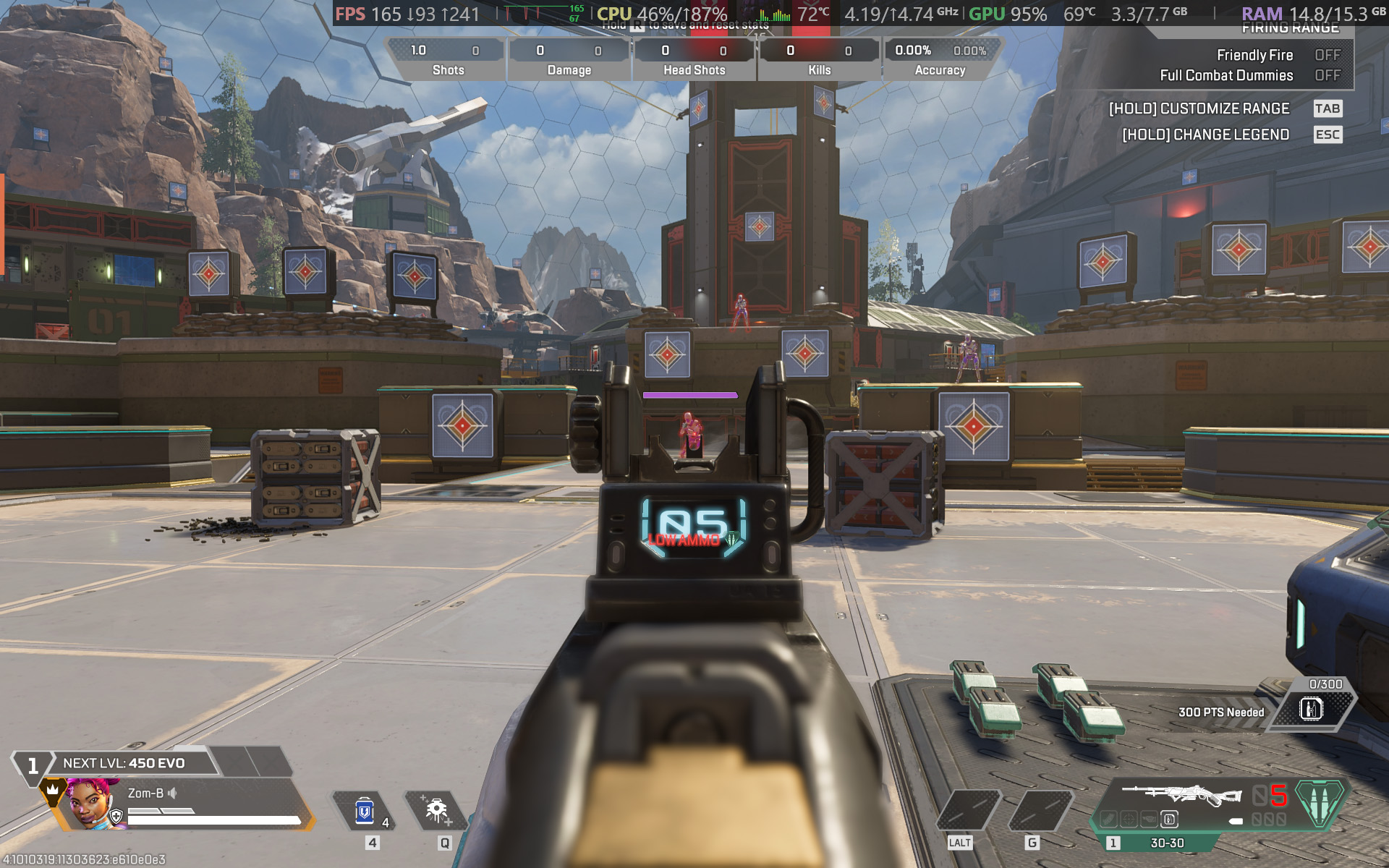
PUBG: BATTLEGROUNDS dips in busy areas, but I was able to stay above 100 FPS.Ben Wilson | Windows CentralApex Legends fared better with frame pacing, though it needed more fine-tuning in the settings.Ben Wilson | Windows Central
For other popular multiplayer titles, PUBG: BATTLEGROUNDS generally runs above 60 FPS with the 'High' preset at render scale 100, but you can push it to 165 FPS or higher by switching to the 'Medium' preset and further lowering some settings. Similarly, Apex Legends can reach 165 FPS and beyond with a little time spent in the settings, but the laptop's fans will be loud.
Performance benchmarks
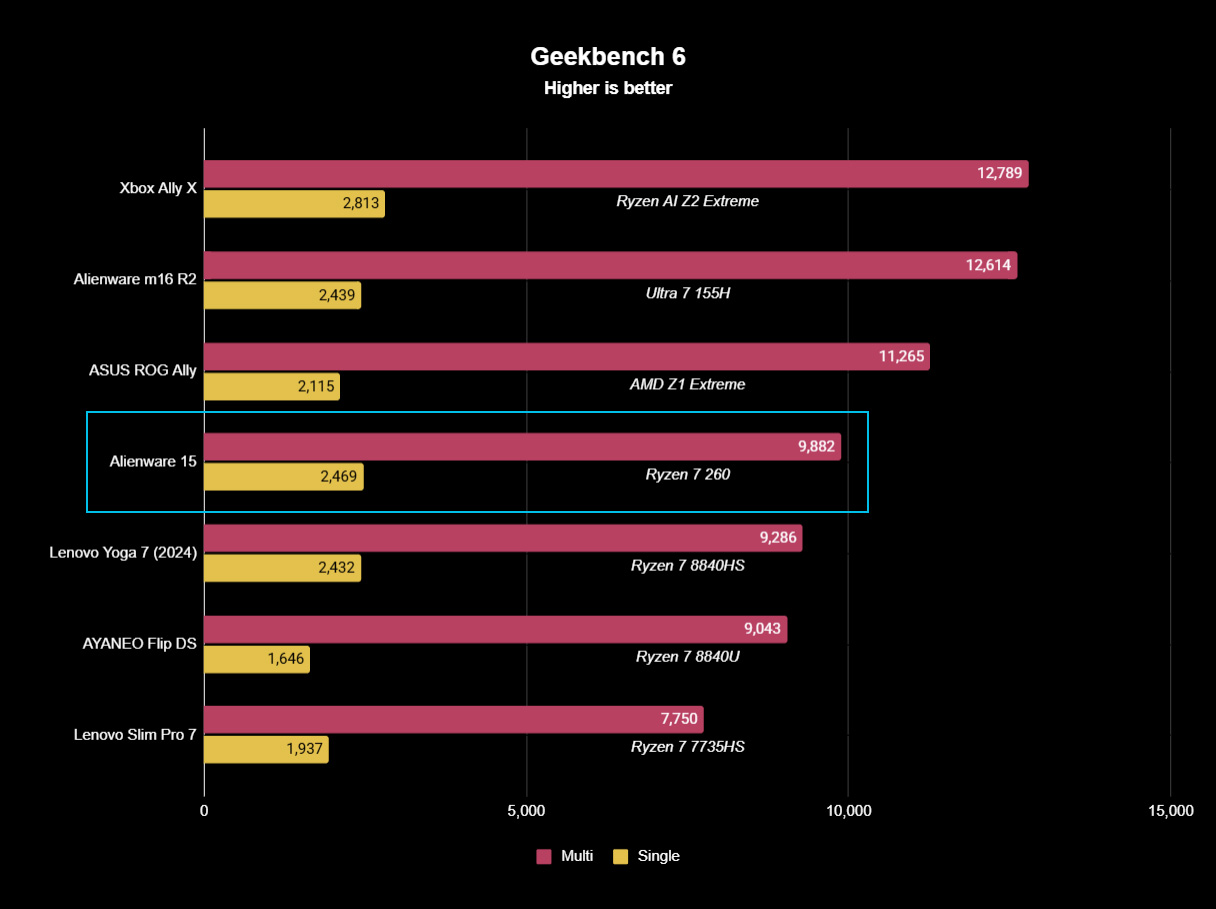
Geekbench 6 CPU benchmarking shows the Ryzen 7 260 being beaten by years-old handheld chips.Ben Wilson | Windows CentralWhile the 512GB SSD is limited in capacity, it reads just as fast as the SSDs in Alienware's high-end laptops.Ben Wilson | Windows CentralYou'll see the RTX 5050 suitably appearing in plenty of entry-level gaming laptops like this.Ben Wilson | Windows Central
To put the specs of Alienware's cheapest laptop into perspective, the Ryzen 7 260 is a "Hawk Point" processor built on AMD's previous-generation Zen 4 architecture and ranks as the second-fastest CPU in the Ryzen 200 Series mobile range. That 8-core, 16-thread chip pairs with NVIDIA's entry-level RTX 50 Series mobile GPU, the GeForce RTX 5050.
However, benchmarking the Alienware 15's CPU in Geekbench 6 burst performance tests placed the Ryzen 7 260 even lower than I perhaps expected, even falling below the original ASUS ROG Ally gaming handheld from 2024. Cinebench 2024 failed to run any extended CPU stress tests after complaints of insufficient memory, so there's sadly no reprieve for this processor.
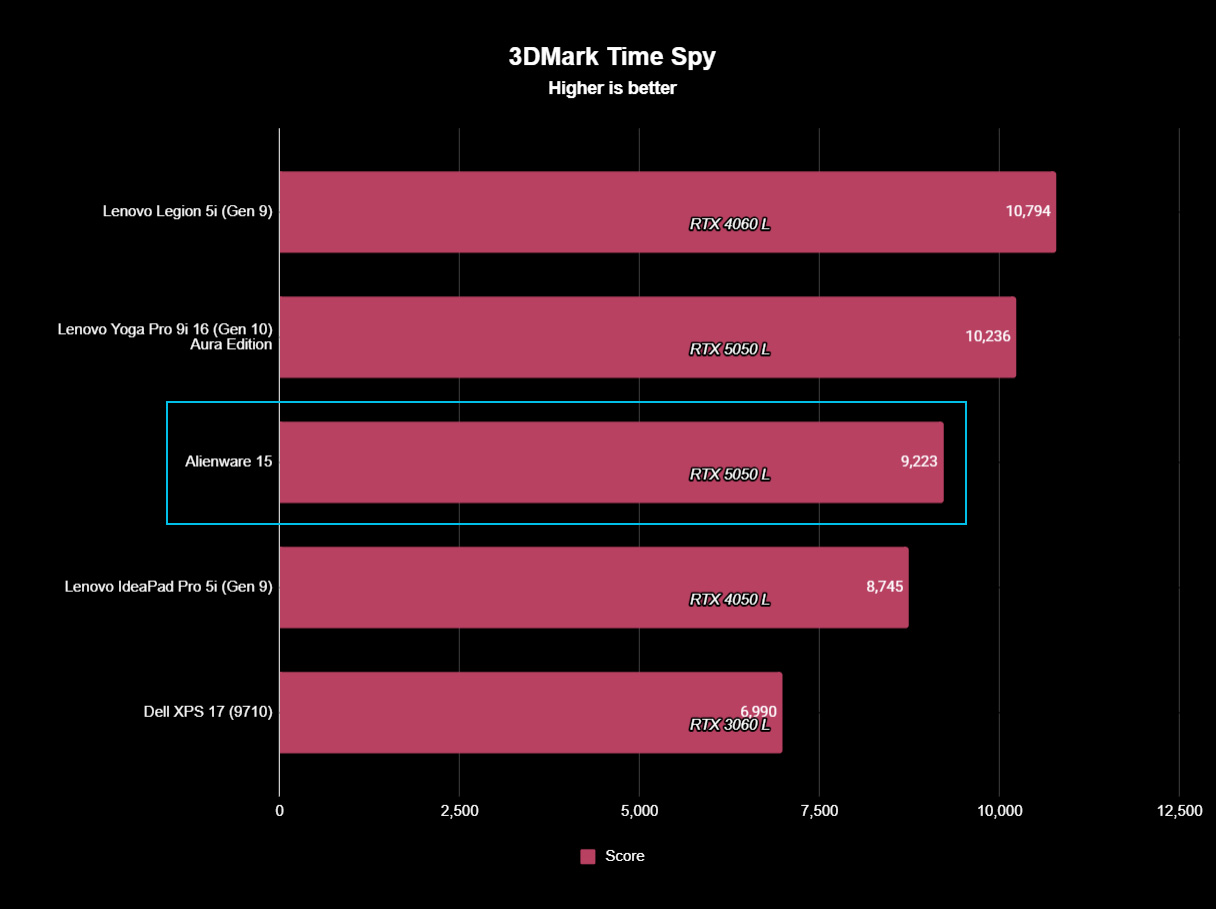
(The RTX 5050 is) faster than the last-gen RTX 4050, but of course, it still falls behind the 4060.
Testing the RTX 5050 across 3DMark's full gamut of GPU-centric tests yields a reasonably consistent and unsurprising conclusion: it's faster than the last-gen RTX 4050, but of course, it still falls behind the 4060. If you were choosing between a gaming laptop with an older GPU, such as an RTX 3060, and the 5050 in this Alienware 15, you'd choose the Alienware.
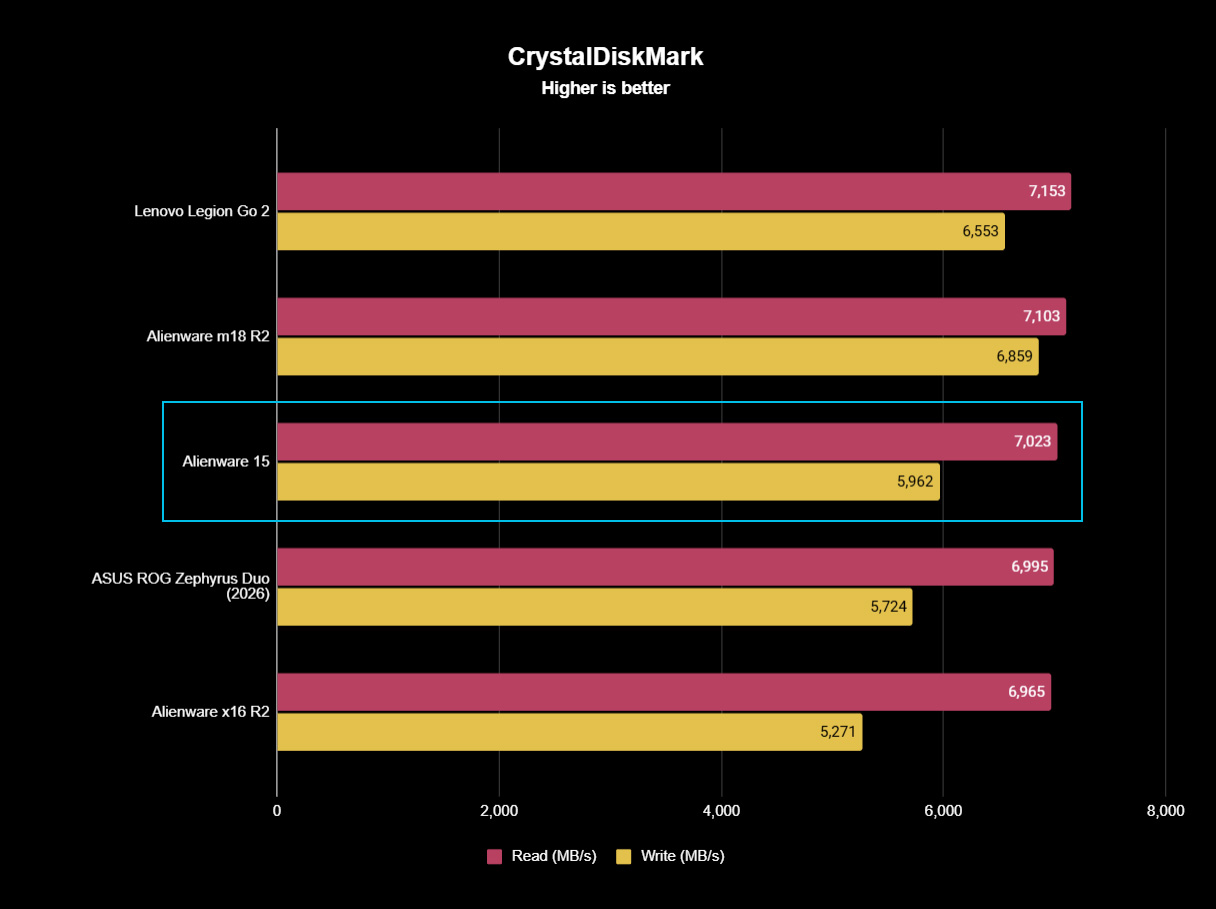
Finally, the PCIe Gen 4 SSD hits around 7,023 MB/s read speeds in CrystalDiskMark, while write speeds drop closer to 5,962 MB/s. It's a fast drive, and one that sees the Alienware 15 running neck-and-neck with the high-end Alienware m18 R2 from 2024. The 512 GB SSD has limited storage capacity, but it performs as expected.
Does the Alienware 15 have any issues?
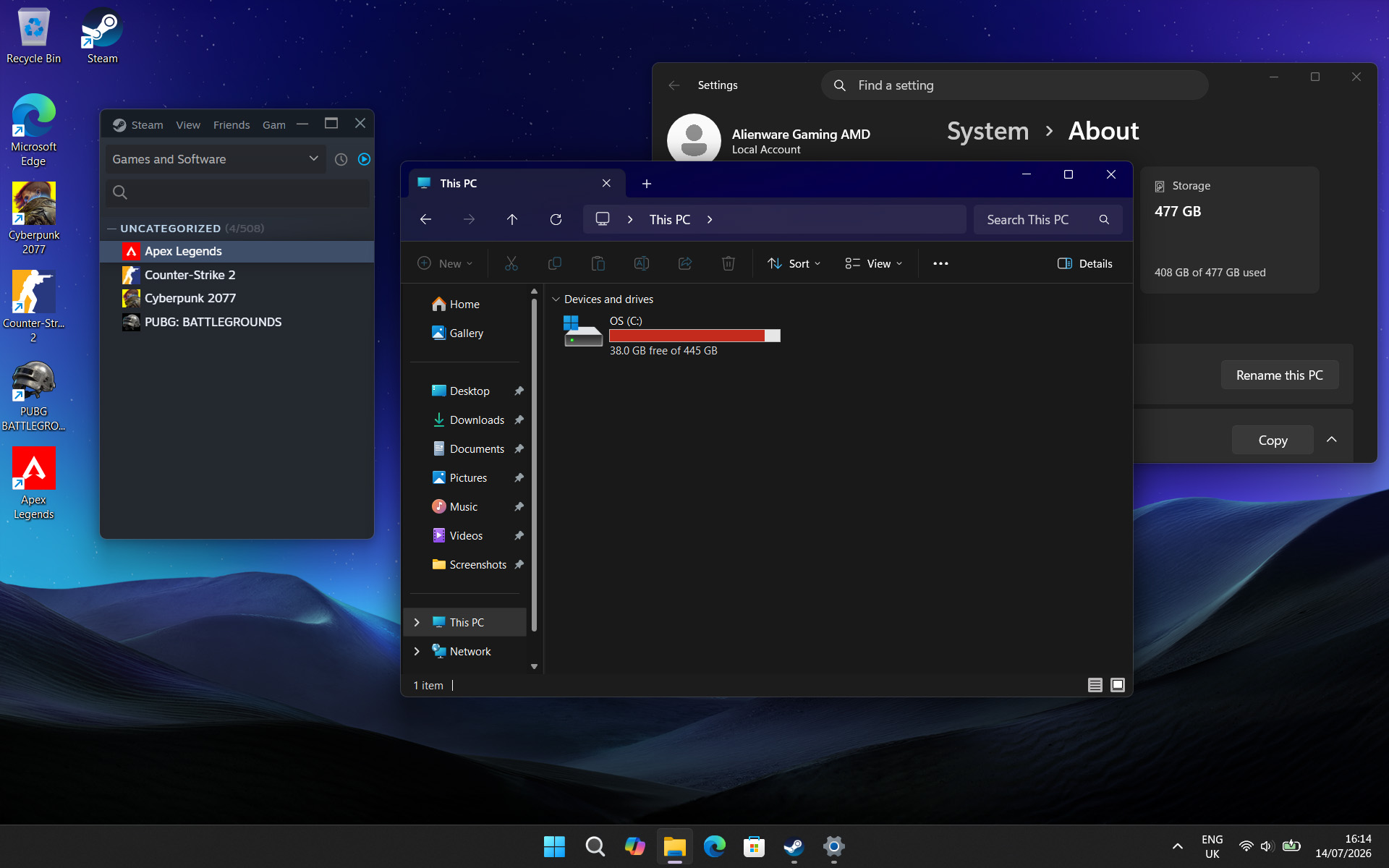
After installing only four PC games, I started seeing warnings about low storage space. (Image credit: Ben Wilson | Windows Central)
Above all, the most significant issue I had during my time with the Alienware 15 was its limited 512 GB SSD, reporting a usable 477 GB with only 332 GB of free space on its first boot into Windows 11. It simply isn't enough, and no amount of optimizations offered by the pre-installed 'SupportAssist' app can help that. After installing only four games, I was out of space.
Alienware advertises"user-upgradeable options" for "up to 1TB PCIe SSD (Gen4) storage", promoting "the flexibility to adapt for whatever comes next", but the ongoing memory crisis stunts that notion. It isn't Alienware's (or Dell's) fault, but I quickly learned that 512 GB isn't good enough in a gaming laptop, and upgrades are extremely expensive in 2026.
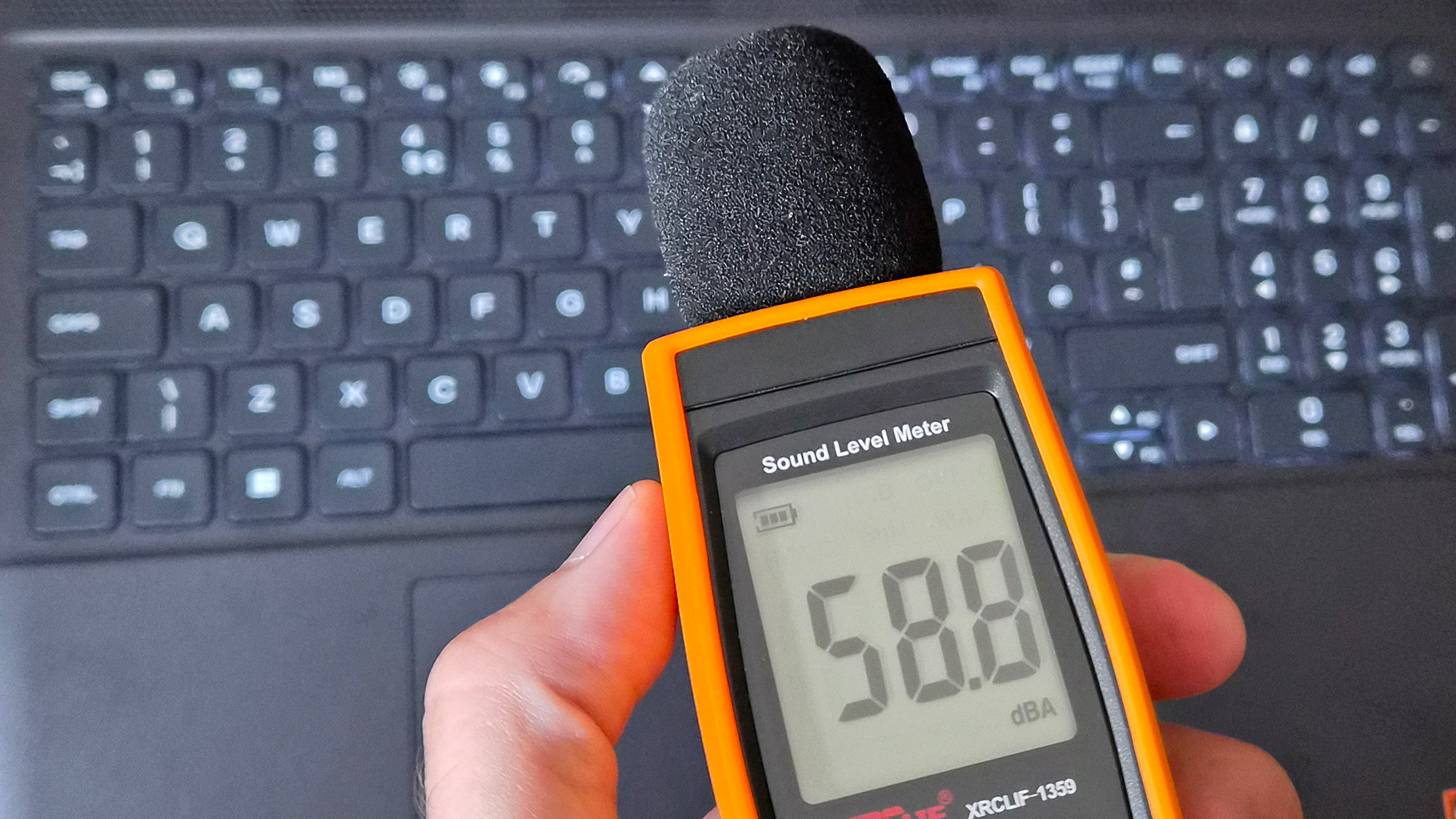
Holding up a decibel meter during gameplay demonstrates how loud the fans really are.Ben Wilson | Windows CentralThe keyboard gets warm during gameplay, which eventually made my fingers uncomfortable.Ben Wilson | Windows Central
Otherwise, the loud fans (~58 dBA) are difficult to ignore and will likely annoy anyone around you. Booting into a game switches the Alienware 15 into 'Performance' mode via the Alienware Command Center companion app, which quickly ramps up the fan speed. Profiles like 'Stealth' mode advertise the laptop as "ideal for any environment", but it's only true if you aren't gaming.
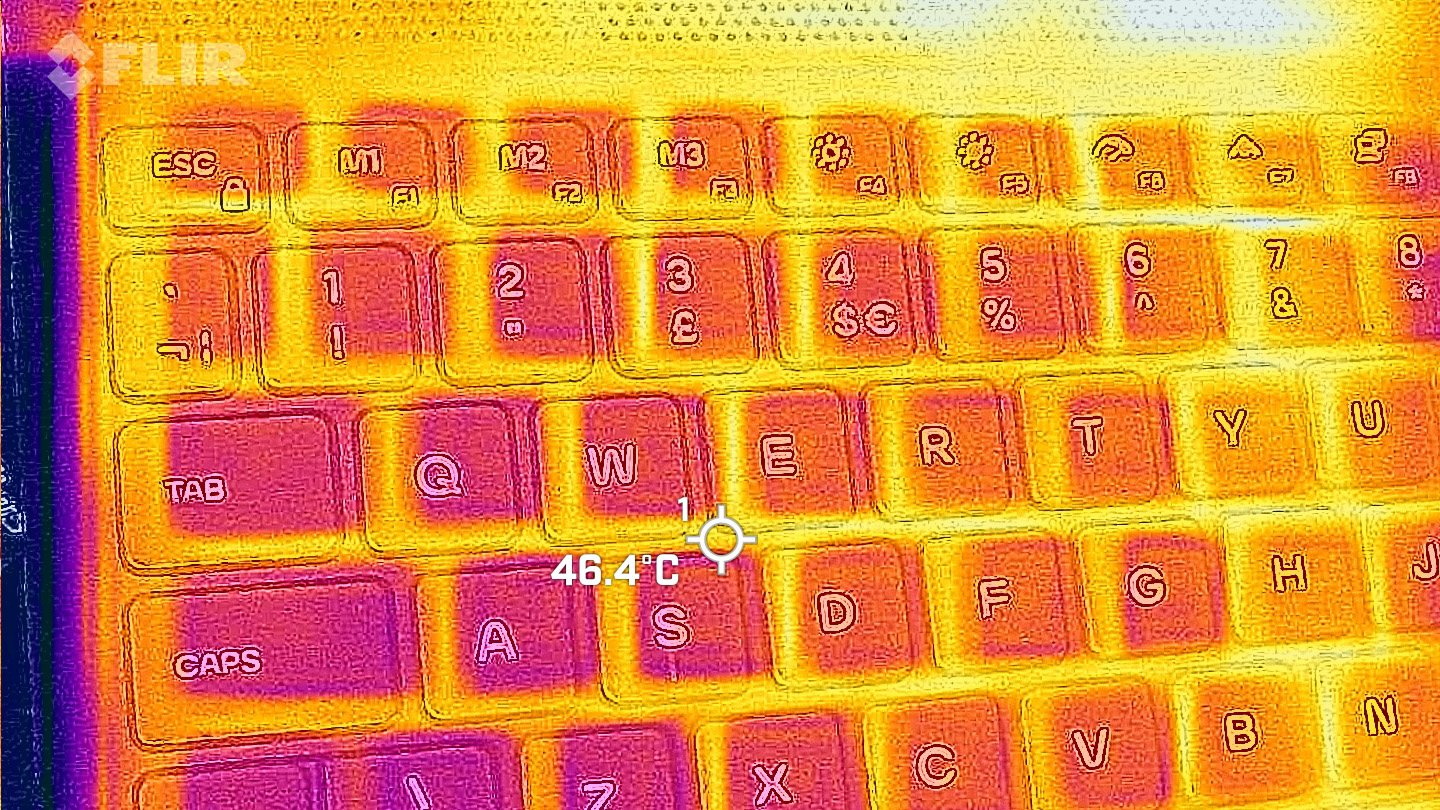
Despite the fans working as hard as they can, the keyboard still gets quite warm during gaming, and it felt a little uncomfortable after a while. I could solve it by plugging in my Steam Controller or by using an external keyboard and mouse, but at that point it feels like I'm hardly using the laptop. Using a thermal camera, I detected a temperature of 46°C around the WASD keys — not abnormal for a gaming laptop, but not exactly ideal either.
Should you buy the Alienware 15?
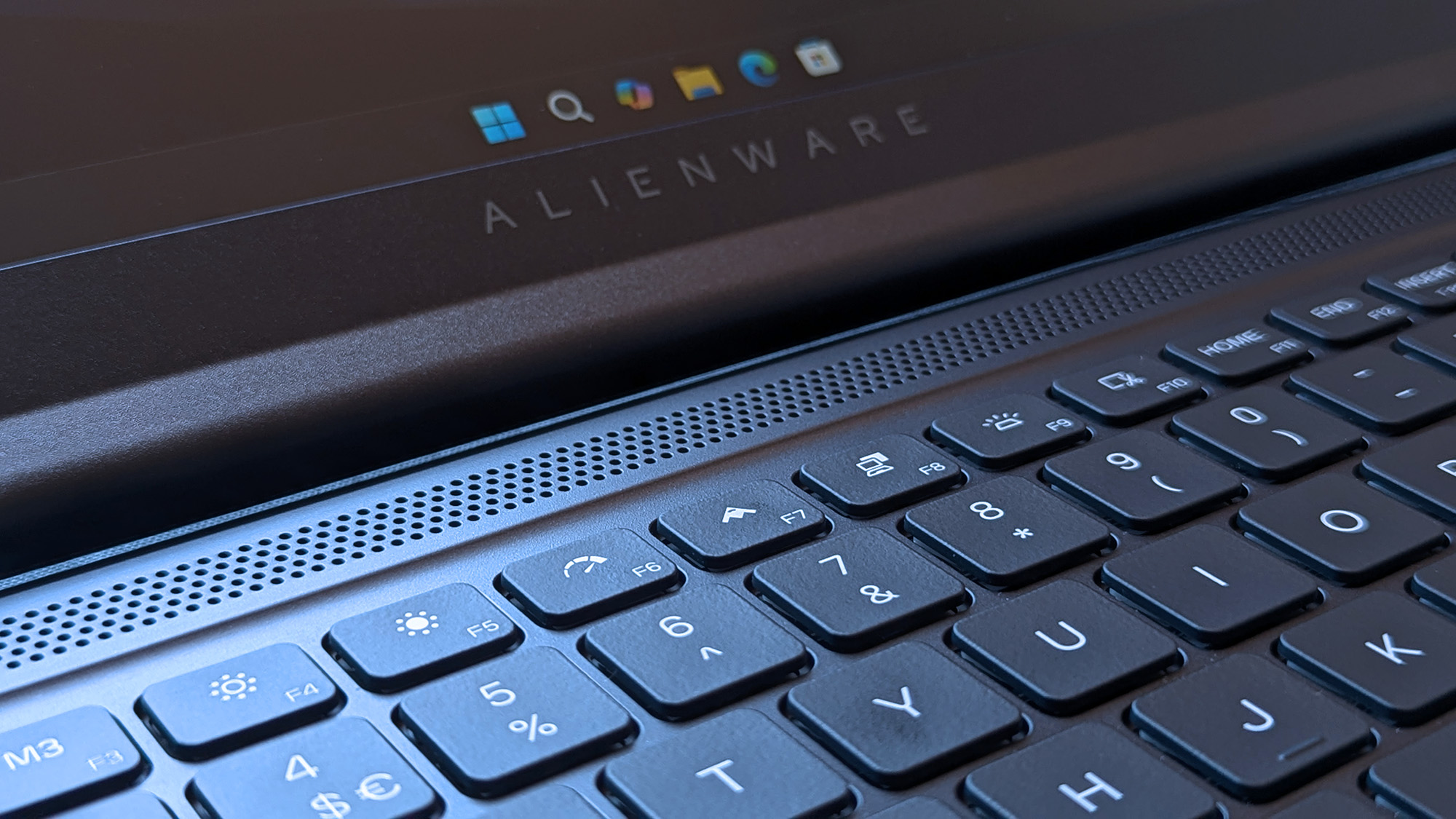
Switching power modes with F6 and F7 wrangles the fans a little, but it doesn't stop the overall roar. (Image credit: Ben Wilson | Windows Central)
You should buy this if ...
✅ You want a modern, entry-level NVIDIA gaming laptop
✅ You don't have space for a full-sized desktop PC
You should not buy this if ...
❌ You're looking for quiet, portable AAA gaming
The biggest problem with entry-level gaming laptops is that they immediately compete with high-end gaming handhelds, like the Xbox Ally X, which will be more tempting for its versatility alone. However, if you're looking for a stay-at-home gaming machine that occasionally travels with you — with an 180W AC adapter included — the Alienware 15 keeps up with modern gaming by leaning heavily on NVIDIA's RTX 5050 GPU.
Its 512 GB of storage will fill up fast, so you'll either have to be happy with regularly switching between installed games from your library, or rely on an external hard drive to transfer backups. This laptop is loud, restrained, and heavy, but it will play your games, particularly so if they support NVIDIA's latest DLSS upscaling technology. If you're pondering the Alienware 15 on a budget because it's on sale, then I say go for it.
Alienware
15 (Ryzen 7 260, RTX 5050)
NVIDIA's GPU does all the heavy lifting, with DLSS upscaling helping this entry-level gaming laptop to keep up.
Join us on Reddit at r/WindowsCentral to share your insights and discuss our latest news, reviews, and more.
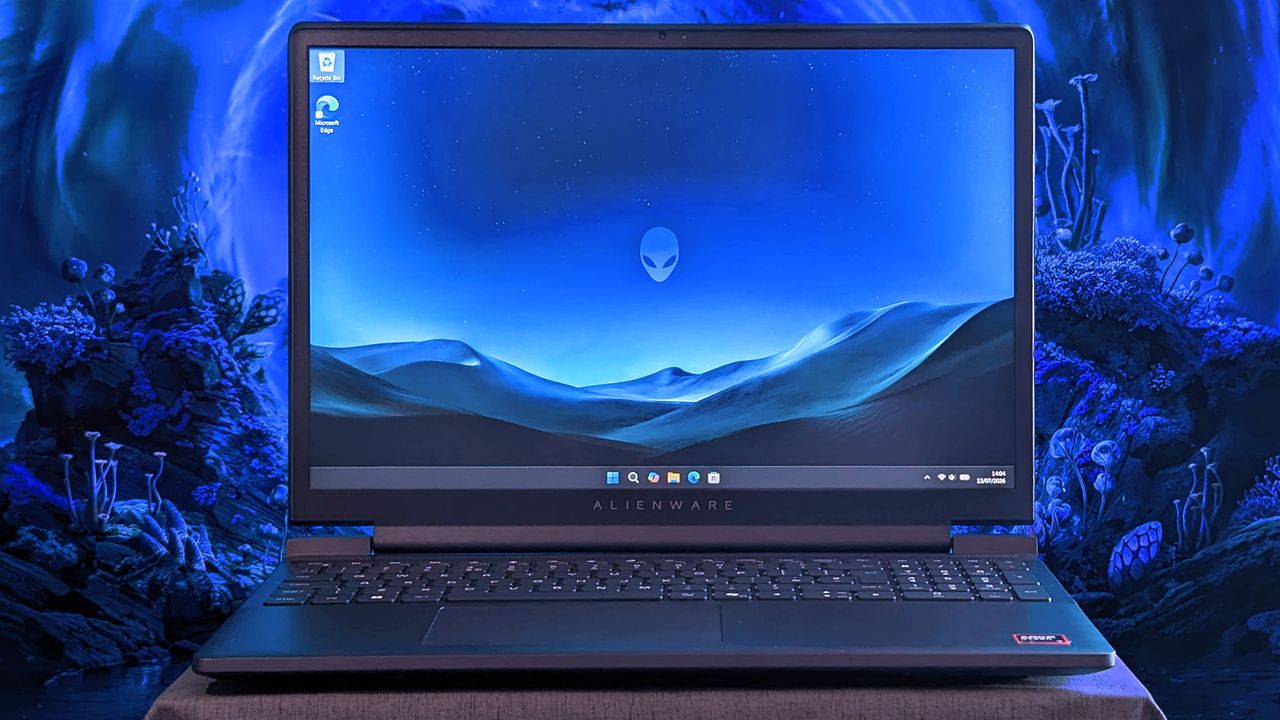
An Alienware 15 laptop sits on a cloth surface with its display showing a blue landscape wallpaper and the Alienware head logo. The background behind the laptop features glowing blue sci‑fi scenery.
Does Alienware need to offer "low-end" hardware in the first place?
In case you didn't notice (I'm joking, because you definitely did), PC gaming has become a painfully expensive hobby. Amazon Prime Day is supposed to help offset that with massive discounts, but does it really count when it brings components back to near-MSRP levels? We take what we can get, I suppose.
Either way, it's difficult to recommend building your own PC from scratch right now. If you've never tried it, the anxiety of handling now-overinflated RAM will surely feel worse than ever — and that's one of the easiest parts to install. On the bright side, iBUYPOWER has some merciful discounts on pre-builts.
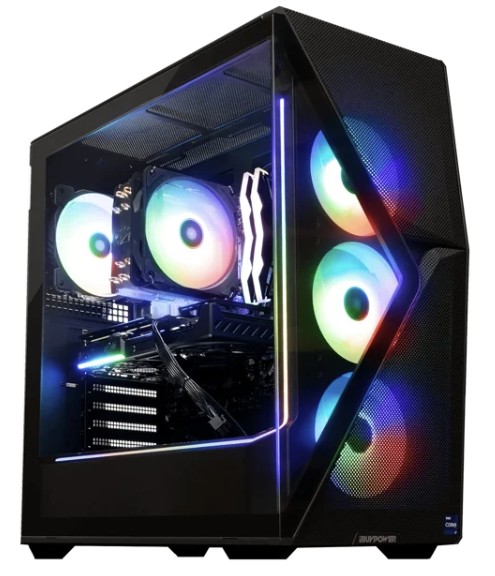
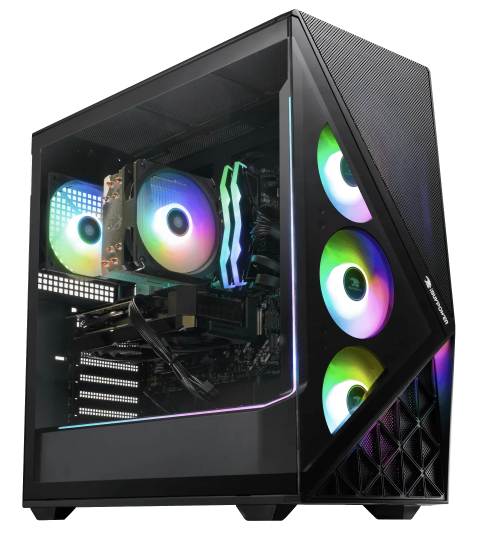
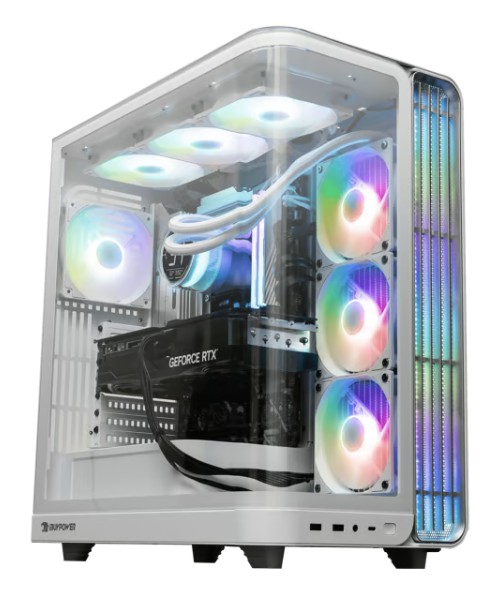
Never owned a gaming PC before? Start here. These are entry-level parts, but you still get 1TB of storage and enough upgradeable memory (RAM) to get you going. iBUYPOWER throws in a mouse and keyboard, as usual, so this is a great starter build!View Deal
Got some extra budget to spare? Doubling your storage memory puts you in the modern "sweet spot" of 32GB RAM, and AMD's Radeon 9060 XT with 16GB of VRAM will run modern AAA games more comfortably. For under $2,000, this is a steal.View Deal
If you're already well-versed in PC gaming and you'd rather lean on DLSS upscaling, then this RTX 5060 Ti build will be more attractive for an extra $50. As graphical demands increase, NVIDIA's tech will feel more like a cost-saving crutch.View Deal
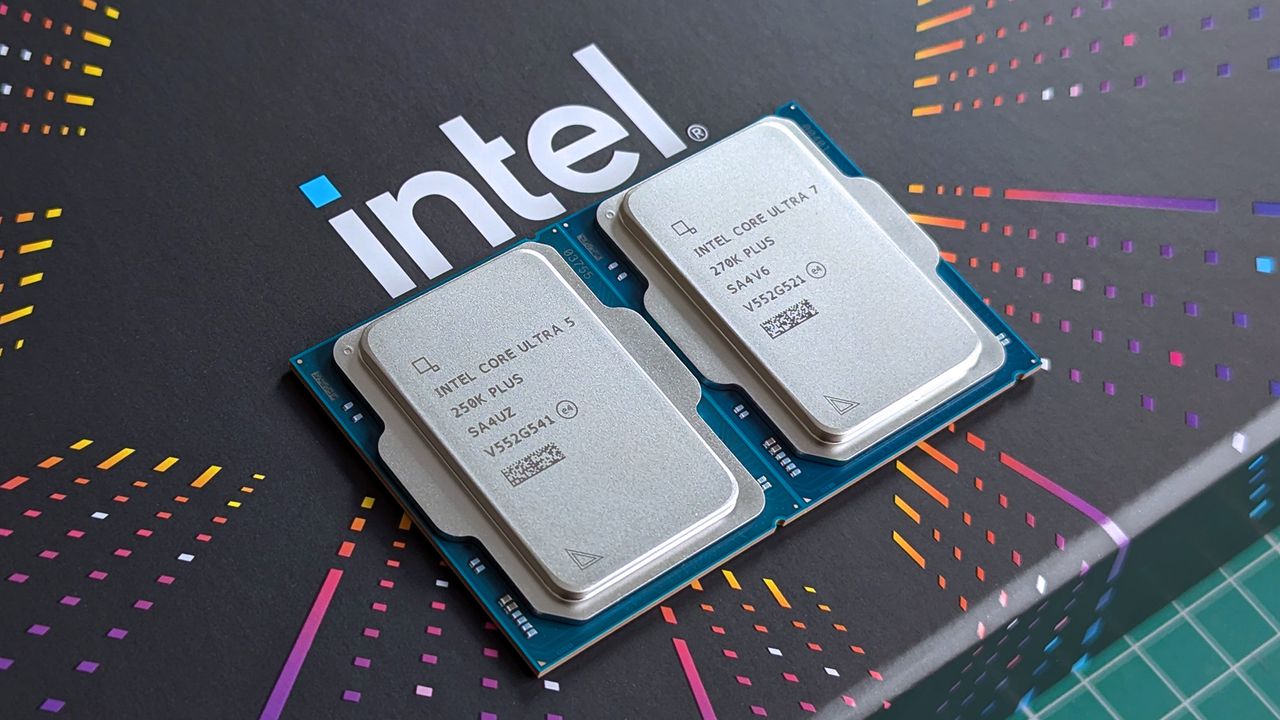
And if we're going all-out, why not go for Intel's powerful 270K Plus CPU in a variation of the Trace X I reviewed earlier this year? The RTX 5070 Ti GPU is the perfect middle ground without burning money away, and you won't struggle to run any games. A monster.View Deal
A pre-built gaming PC is just easier
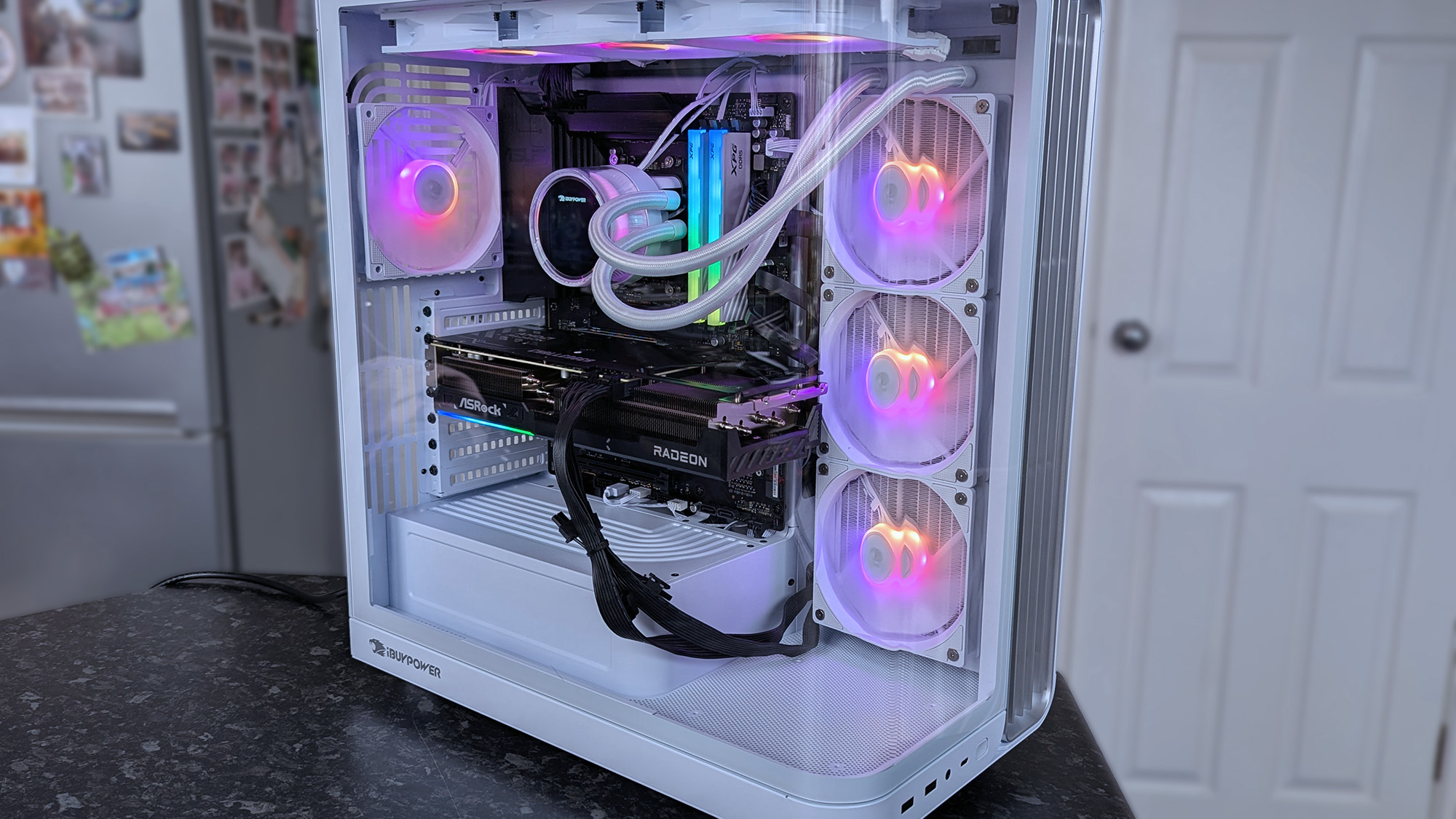
iBUYPOWER's RDY Trace X is an all-out rig with a fish tank vibe. (Image credit: Ben Wilson | Windows Central)
Yeah, I might get some pushback from die-hard gaming PC builders, but I don't have any qualms with a pre-built option. I've been there — installing a CPU for the first time, losing my mind about installing thermal paste correctly (just a pea-sized amount, guys), and stressed about RAM profiles alongside other BIOS options. You don't have to do any of it.
Installing and setting up Windows 11 is the same wherever you go, and iBUYPOWER's decision to ship graphics cards (GPUs) separately isn't as intimidating as it looks. They slot in just like an old-school game cartridge and hold in place with a few screws. That's really all there is to it, and each rig comes with clear instructions anyway. I'd know, I tested a Trace X PC earlier this year. Treat yourself, PC gaming is the best.
How long do these iBUYPOWER deals last?
The "4th of July Mega Sale" ends on July 6, 2026, and is already live. iBUYPOWER runs limited-time deals on coupons and extras throughout the event, but the pre-built gaming PCs should remain available while stocks last.
Are any iBUYPOWER deals in Amazon Prime Day?
iBUYPOWER has a dedicated store on Amazon, and lists a collection of its pre-built gaming PCs there, too. If you're an Amazon Prime member, it's worth checking listings on both storefronts to see which works best for you.
Sim games are getting more mainstream, and I'm happy to see it. Euro Truck Simulator 2 is one of the most (surprisingly) addictive games I've played in recent memory, and Amazon Prime Day sales are making it easier for me to recommend, alongside its American Truck Simulator sibling. It's a PC-only title for now, but Xbox and PlayStation releases have been teased for a while.
So, if you wanted to drive a virtual truck around a representation of your home state or your favorite European country, what exactly do you need to get started? Well, you can play either game with a mouse and keyboard, but any kind of controller makes it a better experience. Here's what I recommend for a basic steering wheel setup, with optional extras and higher-end alternatives.
The absolute basics: A wheel and pedals
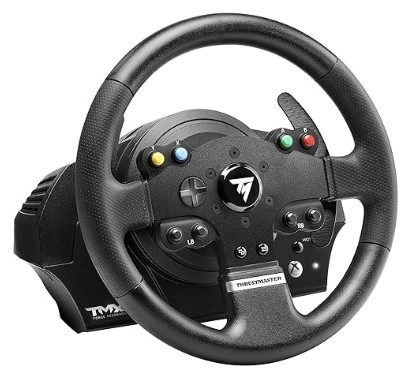
Thrustmaster already made an entry-level wheel (T128), but its TMX regularly undercuts it with deals like this. This comes with an accelerator and brake pedal, and enough buttons to handle common truck controls.
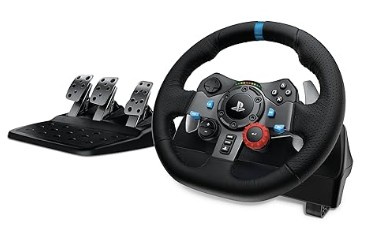
You'll rarely see coverage of racing wheels without the G29 mentioned, and it's for a good reason. Logitech makes great wheels, and while this one is built for PlayStation, it's totally compatible with trucking on Windows.
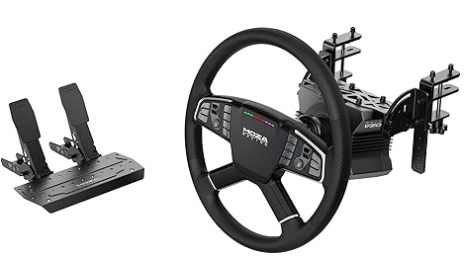
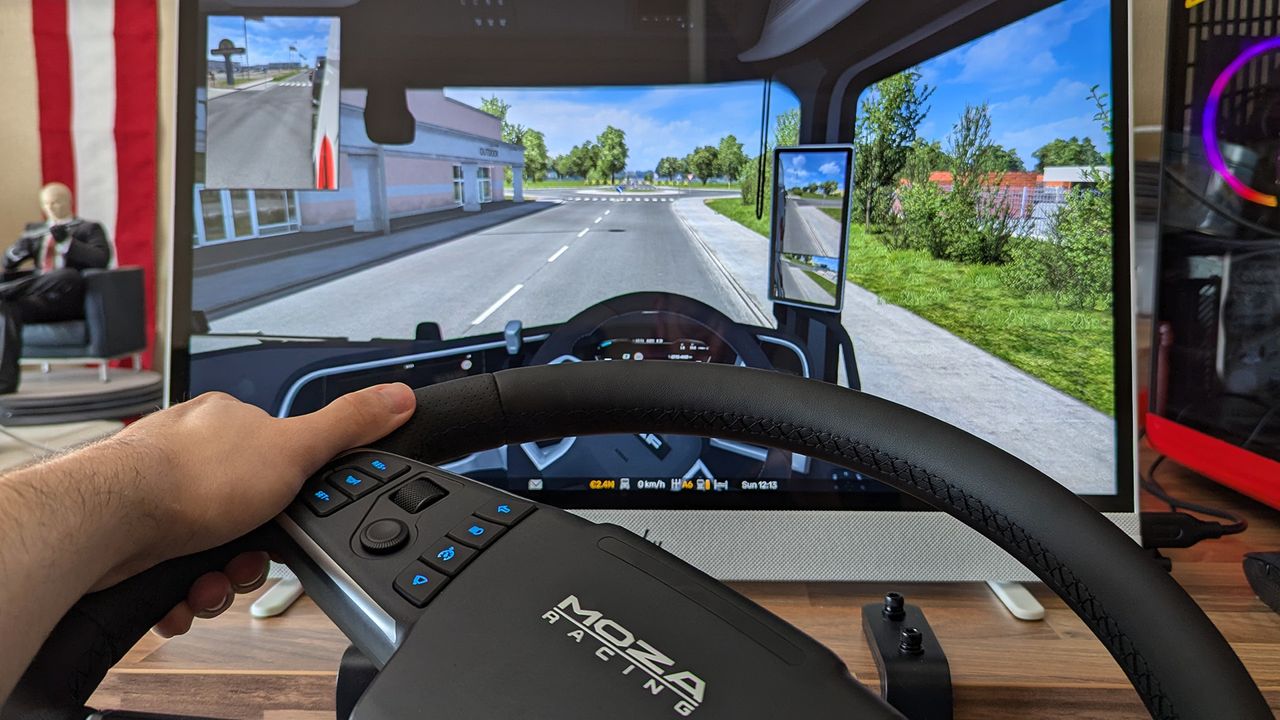
Now we're talking. If you don't need to hear my pitch on truck simulators because you're already in the know, then MOZA's bundle of its TSW truck wheel, direct drive base, desk clamp, and pedals is the ultimate option.
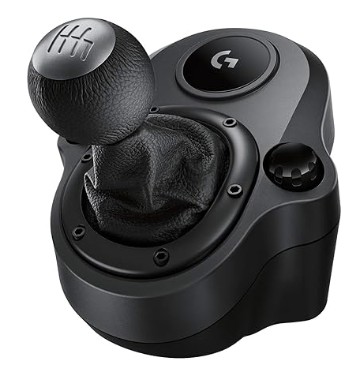
Most trucks in the game offer an automatic gearbox, but there's a real sense of satisfaction when you shift through gears yourself, even if this doesn't really cover the size of a real-world truck's gearbox. It's still fun.
"Travel across Europe as king of the road, a trucker who delivers important cargo across impressive distances! With dozens of cities to explore, your endurance, skill and speed will all be pushed to their limits."
Yes, any peripheral made for the Xbox with a USB connection generally offers even more features on a Windows PC. Steering wheels are simply a set of analog and digital inputs translated to game functions with a driver from the manufacturer's website. Most games on Xbox consoles allow you to customize button functions on racing wheels, but a PC will offer even more personalization.
Yes, Amazon's rivals are running competing events, including Best Buy's "Tech Fest", Newegg's "FantasTech Sale", and Walmart's "Deals & More", which all end on June 28, 2026. Each retailer can offer its own membership perks, such as My Best Buy Plus / Total and Walmart Plus, and it's important to remember that Amazon does not always offer the best deal during Prime Day. Windows Central will compare prices across retailers, so you can choose the best fit for you.
Join us on Reddit at r/WindowsCentral to share your insights and discuss our latest news, reviews, and more.
MOZA TSW Truck Wheel with Euro Truck Simulator 2 on PC
I never would have pictured myself as a virtual trucking fanatic, but somehow, here we are.
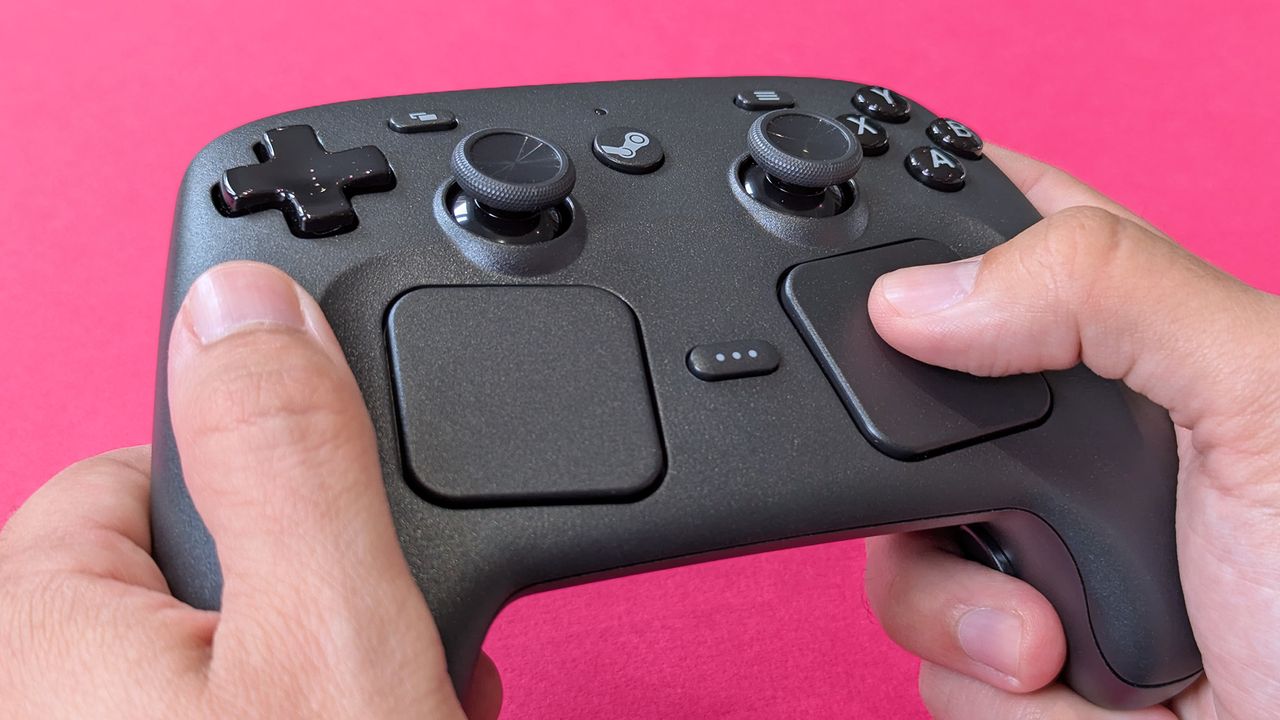
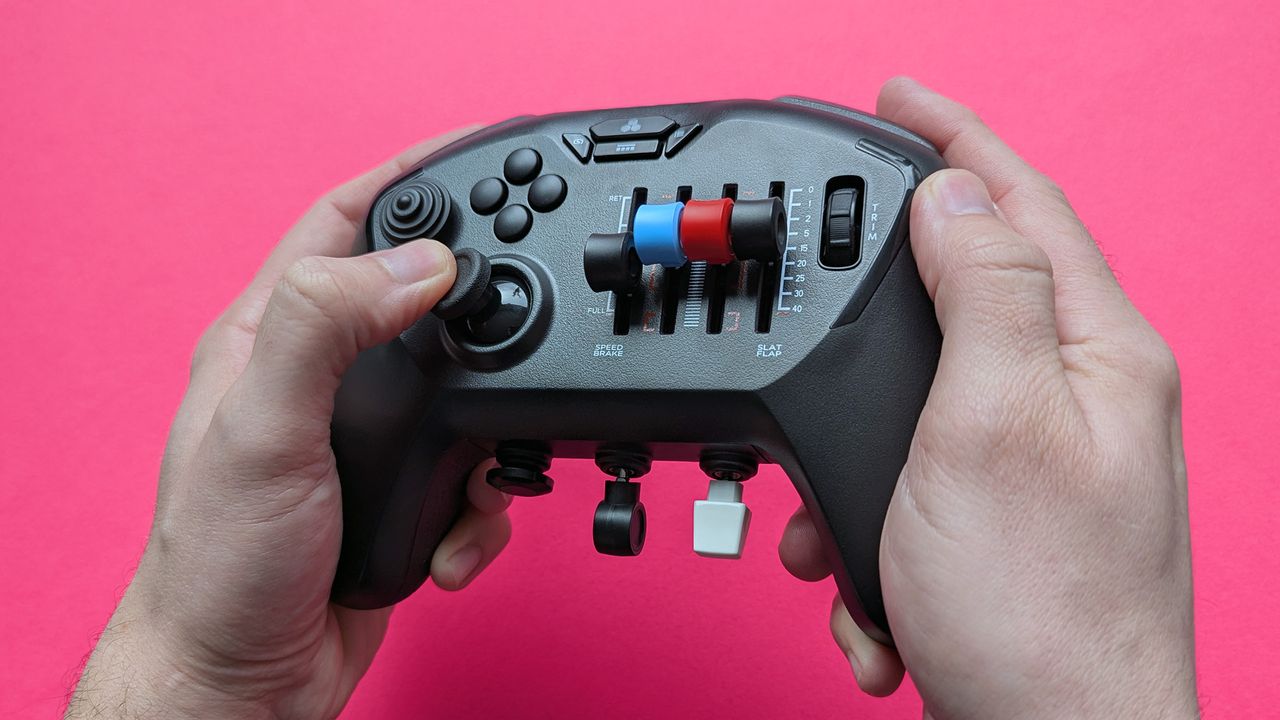
Valve takes another shot at a PC gaming controller that tempts players away from their consoles, and it convinced me to buy. So, was it worth the asking price?
Valve Steam Controller (2026) held in two hands against a magenta card background
It looks gigantic and unwieldy, but the new Steam Controller is quite comfortable.
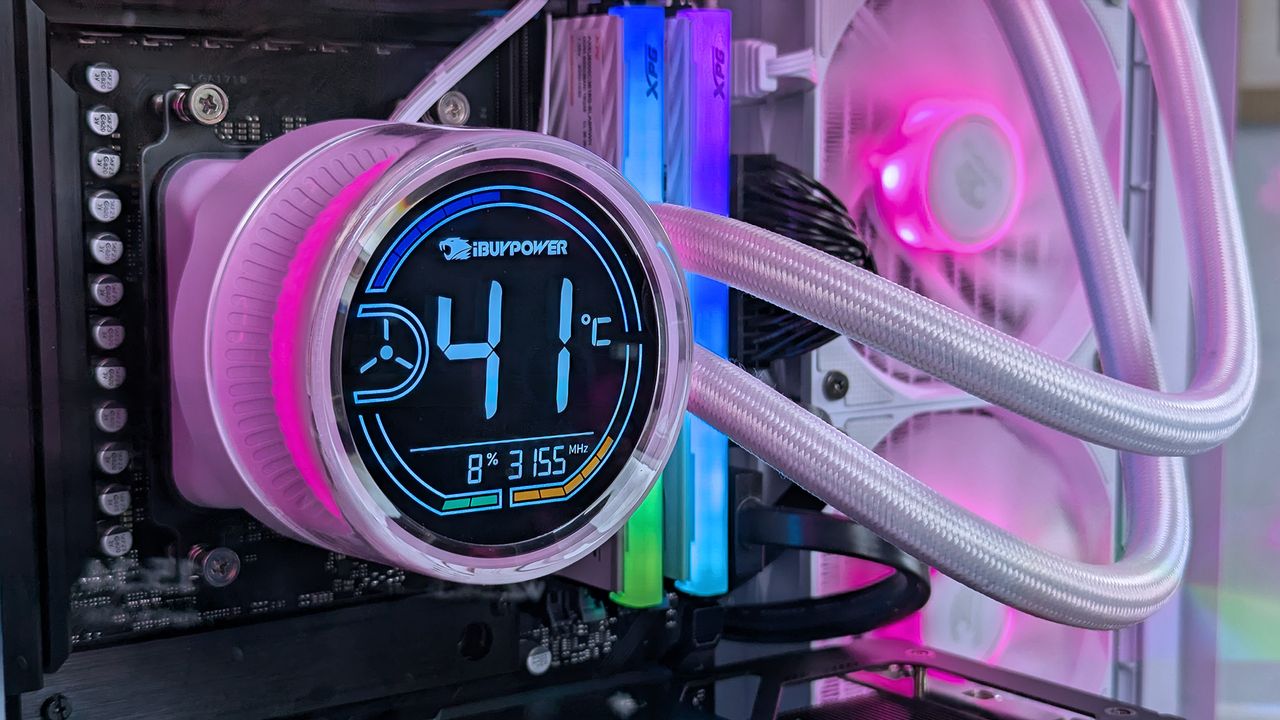
Pick up a ready-made desktop gaming PC from iBUYPOWER in the week leading up to Memorial Day with some time-limited discounts.
Close-up of iBUYPOWER RDY Trace X R01 pre-built gaming PC's internal cooling system with a digital display reading 41°C. Radiant lighting and sleek cables exude a high-tech, vibrant ambiance.
A combination of Qualcomm's phenomenal generational performance gains and refinements to ASUS' already stellar Zenbook design has crafted a practically perfect Windows laptop.
Studio photos of the 2026 ASUS Zenbook A16 laptop featuring the new Qualcomm Snapdragon X2 Elite Extreme processor.
Studio photos of the 2026 ASUS Zenbook A16 laptop featuring the new Qualcomm Snapdragon X2 Elite Extreme processor.
Intel's Core Ultra 200S series CPUs come as a duo of Arrow Lake Refresh processors, and they're refreshingly cheap for creators, with gaming benefits to boot.
Intel Core Ultra 5 250K Plus and 270K Plus desktop processors on Intel box
Intel's Core Ultra 200S series CPUs come as a duo of Arrow Lake Refresh processors.
Intel's new Core Ultra 200HX Plus Series mobile chips bring FPS gains to high-end gaming laptops with in-house performance-boosting "IBOT" tech.
Intel Core Ultra mobile processor with gaming laptops in the background
Intel's new Core Ultra 200HX Plus Series mobile chips bring FPS gains to high-end gaming laptops with in-house performance-boosting "IBOT" tech.
Faster processors at lower prices are part of Intel's Arrow Lake Refresh plan, and it might win back the PC gamers if Core Ultra 200S Plus can pull it off.
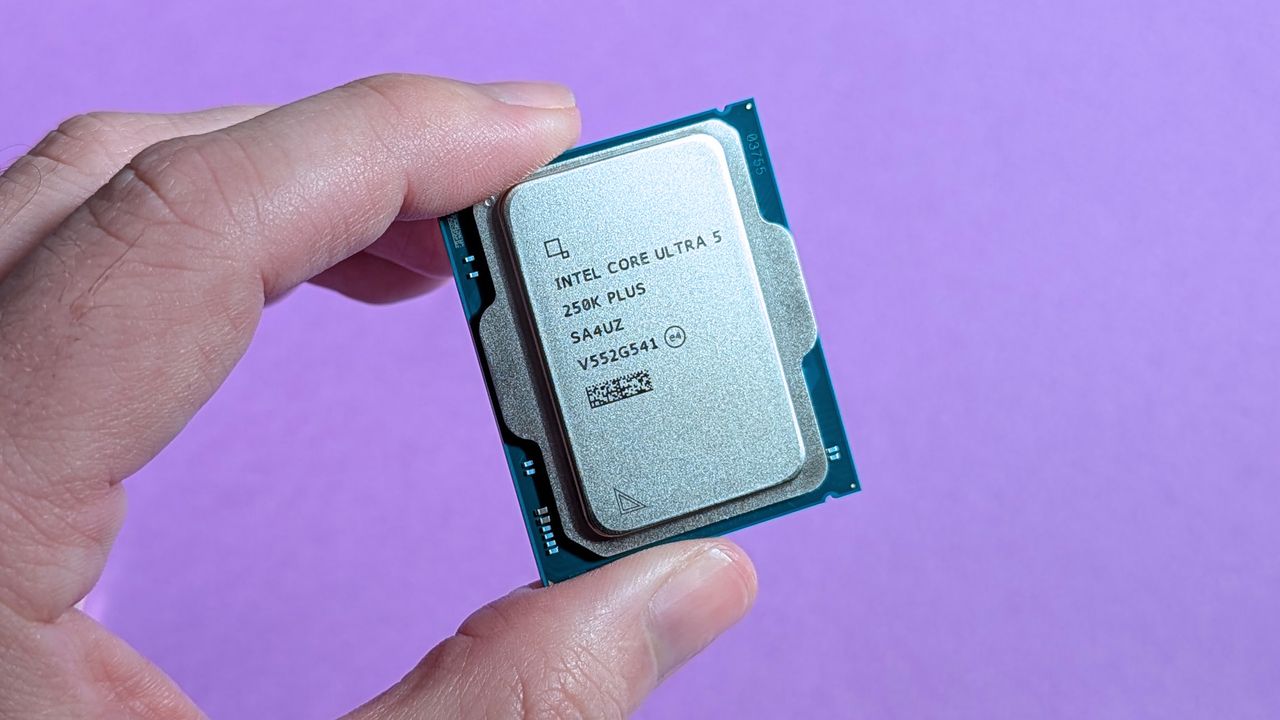
Intel Core Ultra 5 250K Plus desktop processor held in hand
Intel's Core Ultra 7 270K Plus and Core Ultra 5 250K Plus arrive in a quirky box, yearning to appeal to a younger gaming audience.
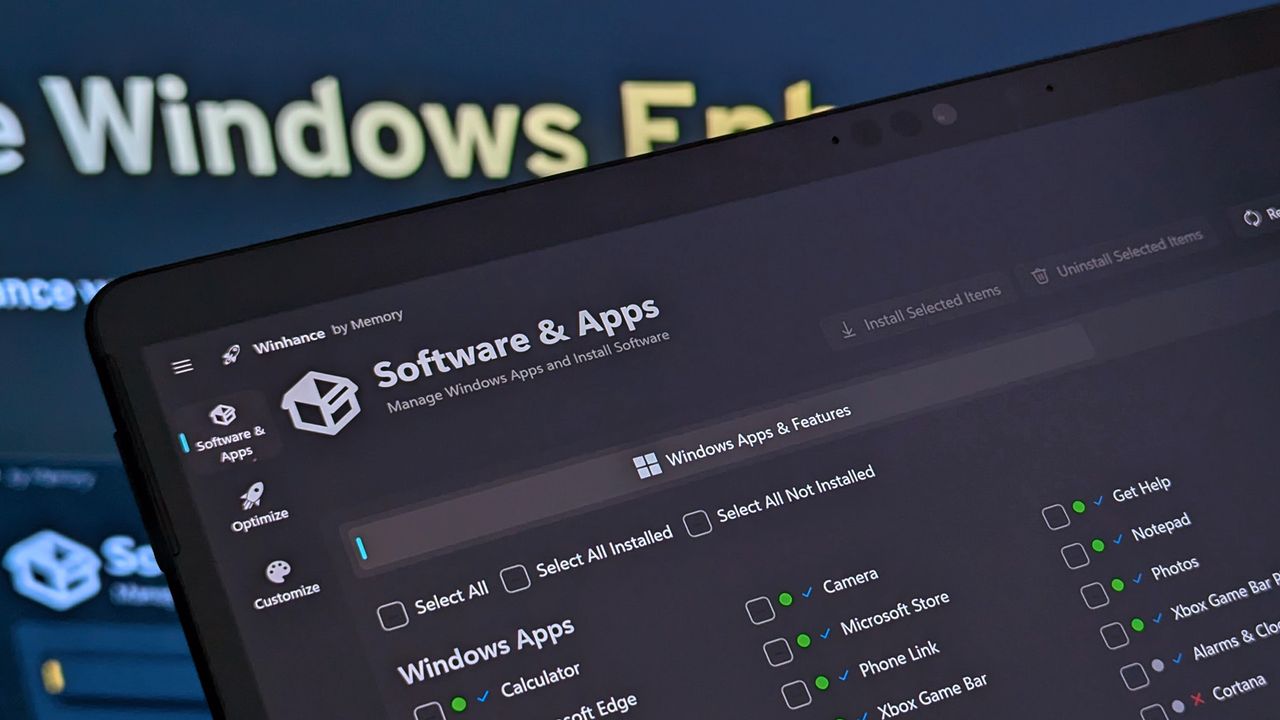
Updates to Winhance for Windows PCs migrate the app to the WinUI 3 framework to blend with Windows 11's menu styling, offering batch bloatware removal and more.
Winhance running on Surface Pro X
Winhance running on my Surface Pro X might help some of its struggles with 8GB of RAM.
I recently lost the ability to open Notepad and other apps on my Windows 11 PC when Microsoft's servers suffered authentication issues. Has it gone too far?
Notepad icon from Windows 11 in a cartoon jail cell, generated by Gemini
If I can lose access to something as simple as Notepad, then Microsoft has probably take cloud integrations too far.
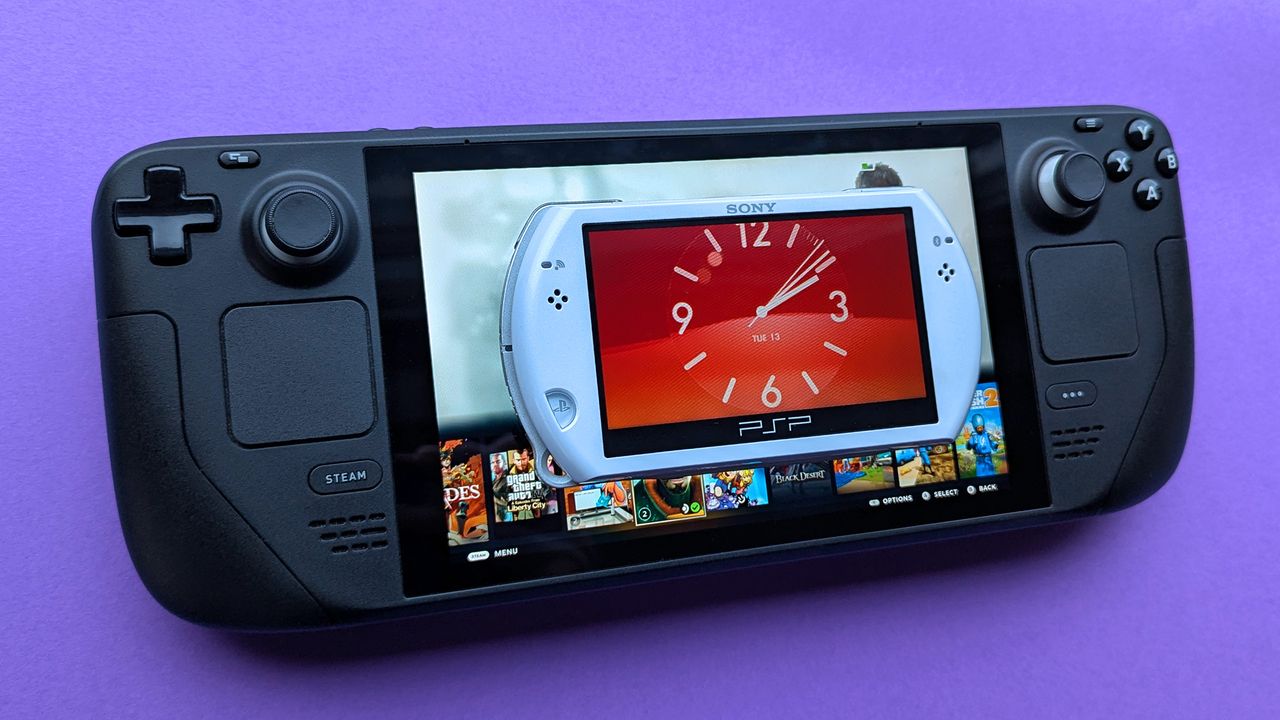
Handhelds are a modern marvel, but they're getting way too big. Is the PSP Go an example of what we should have done, or is that space filled by smartphones?
Sony PSP Go handheld resting above a Steam Deck on a purple card stock background

 Connexion