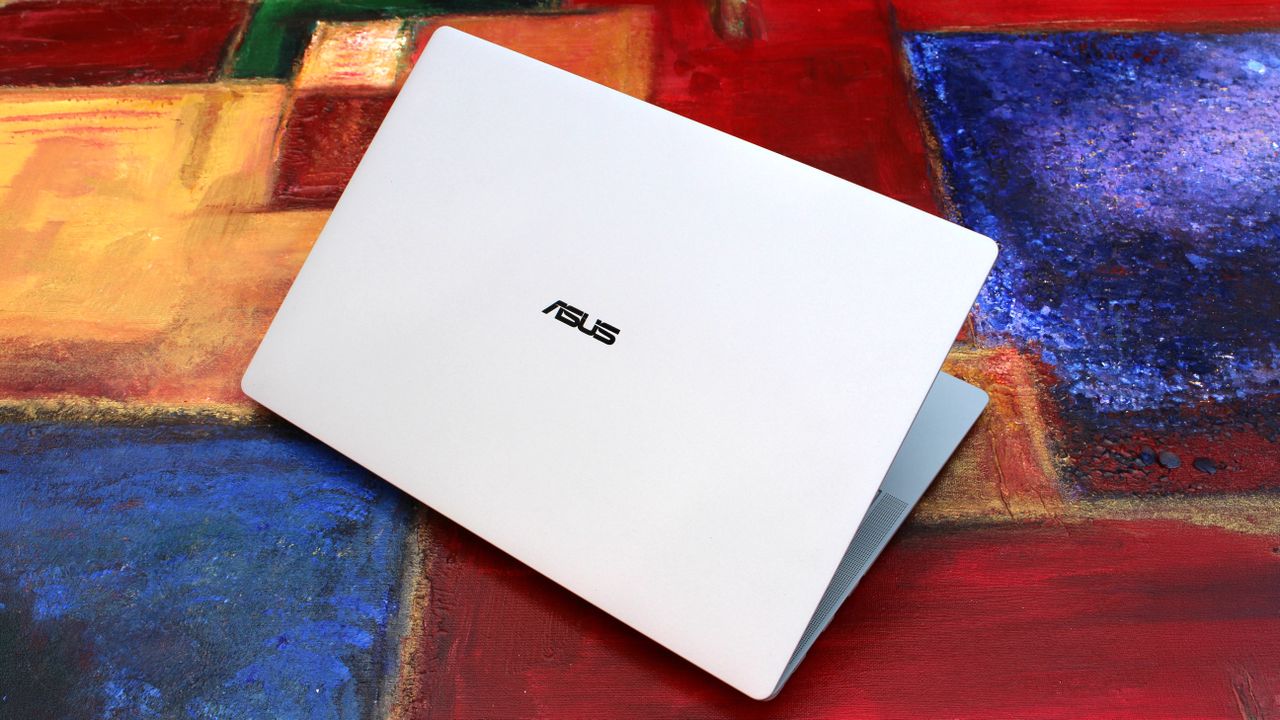
I was at Computex this year when NVIDIA's RTX SparkSystem-on-Chip (SoC) was revealed to the world, and from the start, I had a hunch that it would be a big deal.
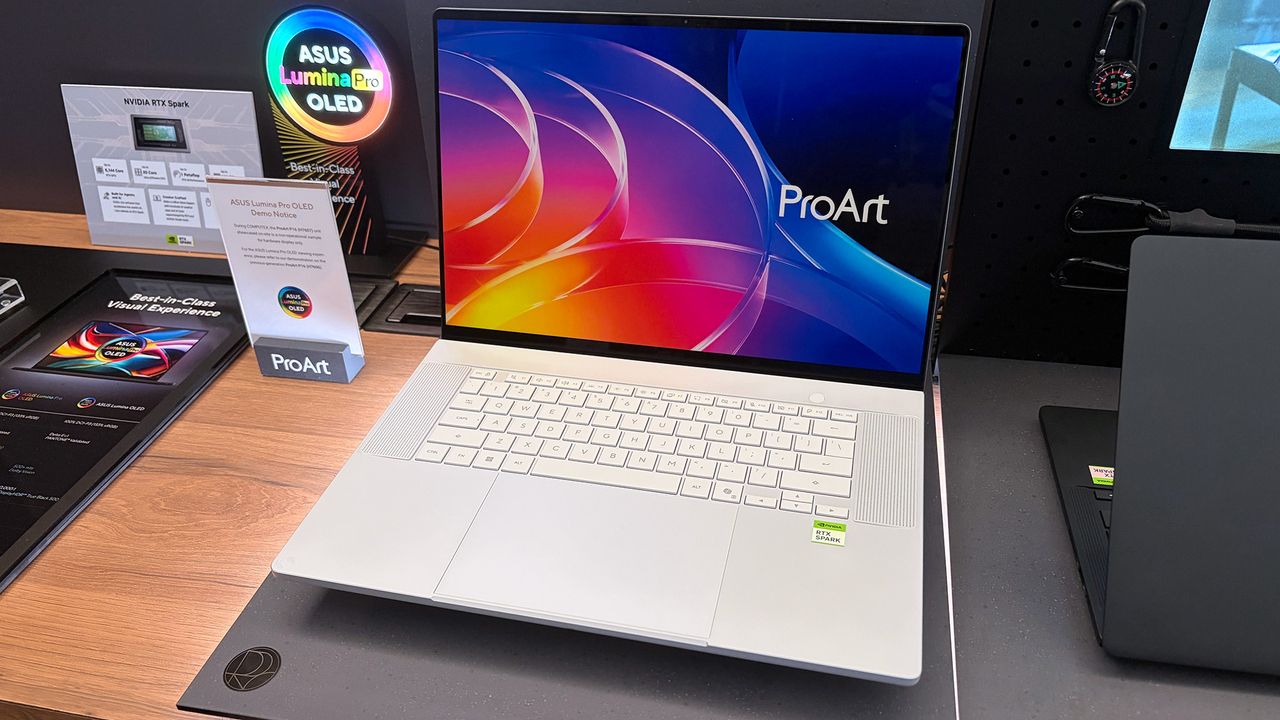
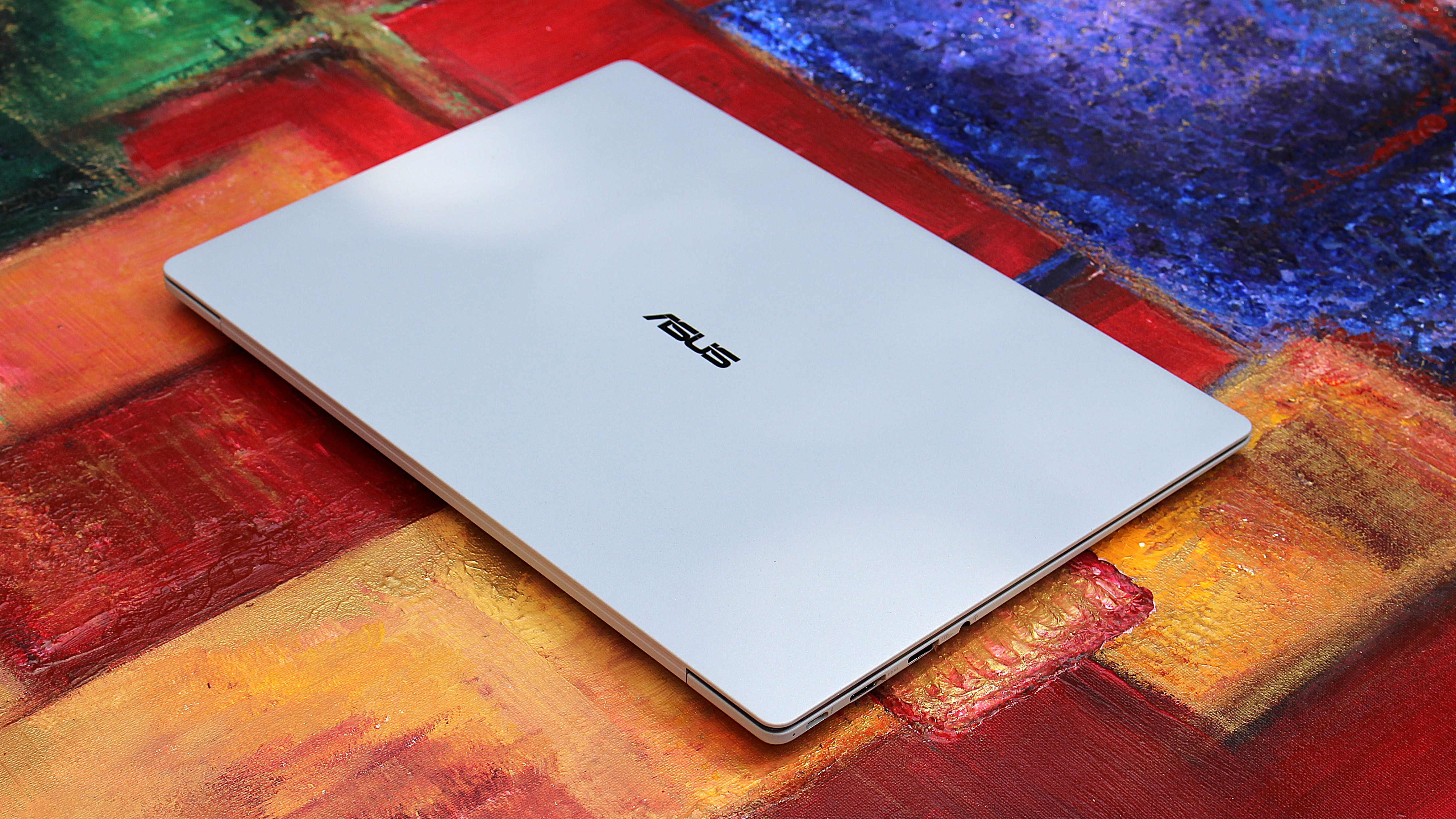
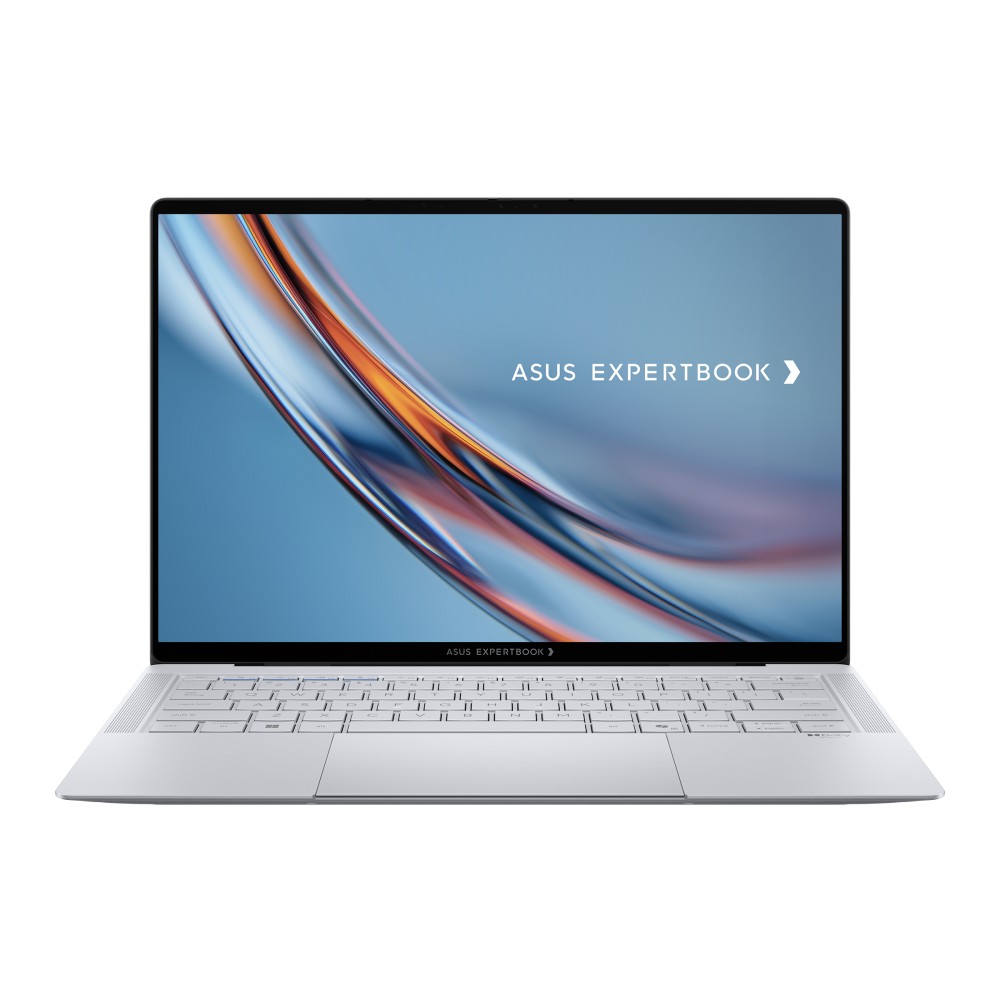
Incredibly sleek and streamlined, these laptops were a smash hit on the show floor. Apparently, they're also far more popular than ASUS was expecting.
In a recent ASUS Q2 earnings call, it was revealed that the company is completely out of ProArt P14 and P16 units to ship to its partners (aka third-party retailers and distributors) as part of pre-order efforts.
As one of the first manufacturers to launch RTX Spark-based systems, the market response to pre-orders for our ProArt notebook P16 and P14 has been intense. They are currently completely sold out. [...] Regarding current demand, the market response has far exceeded our expectations. Essentially, the initial quantities we planned have already been fully pre-ordered by our channel partners. We’re continuing to place additional orders with our partners.
S.Y. Hsu, Co-CEO ASUS (ASUS Q2 earnings call)
More RTX Spark laptops are on the way, of course, and ASUS has some time to shore up supplies before the planned Q4 2026 release of the new Spark-powered ProArt PCs.
It's too bad that the earnings call doesn't mention anything about exact volumes, because it's hard to say exactly how popular these laptops really are. However, ASUS says that it's "very optimistic about next year's sales" thanks to the "high AI computing power relative to its compact size" in the RTX Spark laptops.
What is NVIDIA's RTX Spark?
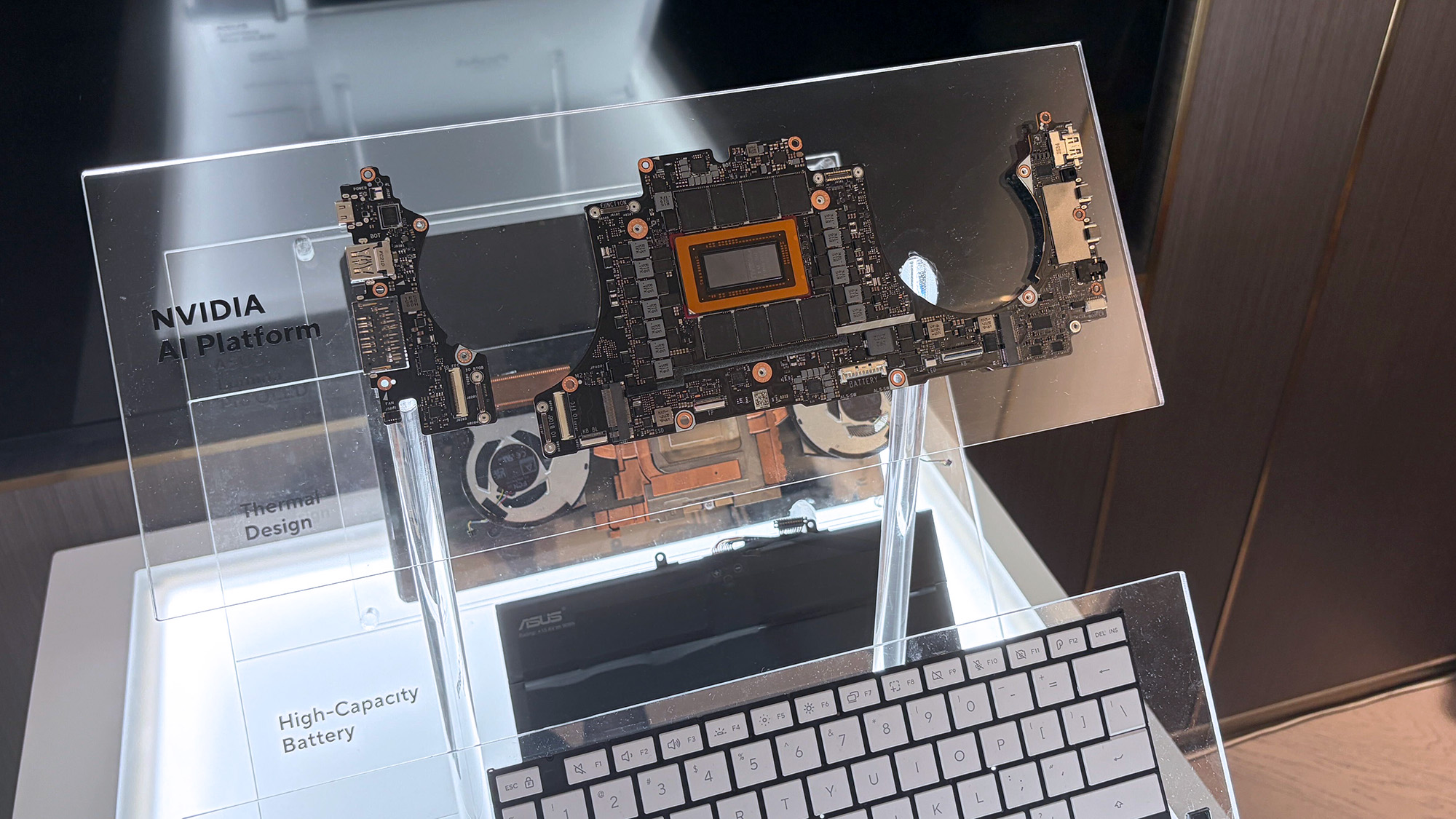
A look at the NVIDIA RTX Spark chip that's (normally) inside the ProArt P16. (Image credit: Cale Hunt | Windows Central)
NVIDIA's RTX Spark is an ARM-powered SoC that's expected to compete directly with the likes of Intel, AMD, and Qualcomm for space in Windows 11 PCs.
I covered rumors of the "N1X" chip for months in the lead-up to Computex 2026, and indeed it seems just as powerful and efficient as pre-announcement estimates.
Spark takes efficient ARM-based CPU cores similar to those found in Qualcomm Snapdragon chips and pairs them with an NVIDIA Blackwell RTX GPU, all while drawing from a unified memory setup that can hit 128GB.
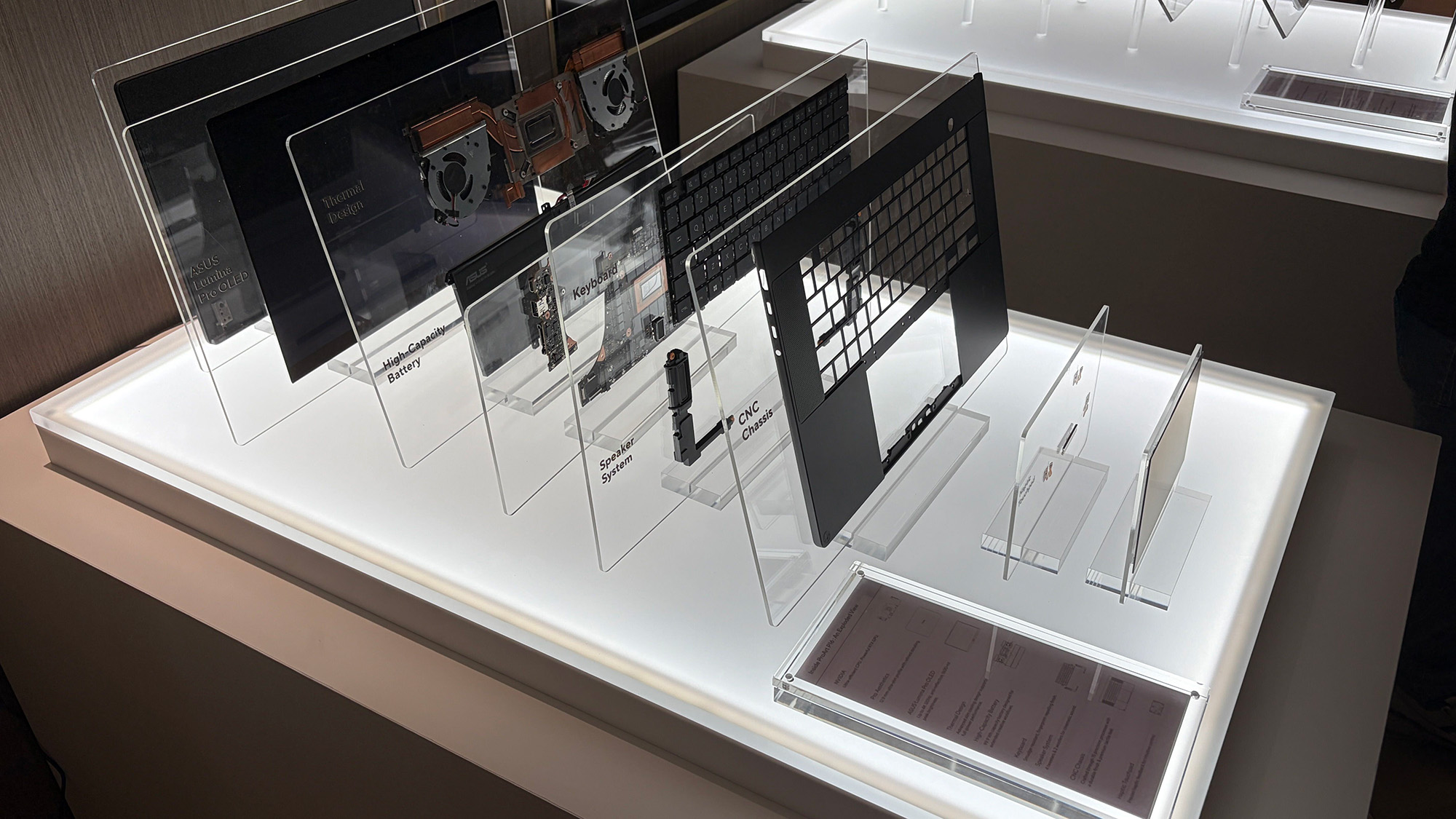
A broken-down example of the ASUS ProArt P16 with RTX Spark. (Image credit: Cale Hunt | Windows Central)
This combination allows for massive performance that can shred standard and AI-related tasks without requiring a bulky discrete GPU.
Throw these chips into ASUS ProArt laptops with "all-day-long" battery life, wide port variety, super slim bodies, and 4K OLED displays, and it's easy to see why there's so much interest from retail partners.
Back in April, Microsoft raised the prices of all of its Surface laptops as a consequence of the ongoing RAM crisis, making these once valuable desktops nearly untenable for most people who can't afford them.
Yet not all hope is lost for these critically acclaimed laptops, as they do occasionally get generous discounts to bring their prices back down to more manageable levels.
Such is the case with the Microsoft Surface Laptop (7th Edition) with the Snapdragon X Plus CPU, 13.8-inch display, 16GB of RAM, and 512GB SSD configuration that's now on sale with a 27% discount for $1099.99 at Best Buy.
"Microsoft's Surface Laptop 7 is the clamshell form factor perfected. With a gorgeous new design, incredible keyboard and trackpad, smooth 120Hz display, good all-day battery life, and excellent Snapdragon X Elite processor under the hood, this is the laptop to beat in 2024." — Zac Bowden, Senior Editor
What makes the Microsoft Surface Laptop (7th Edition) worth the money?
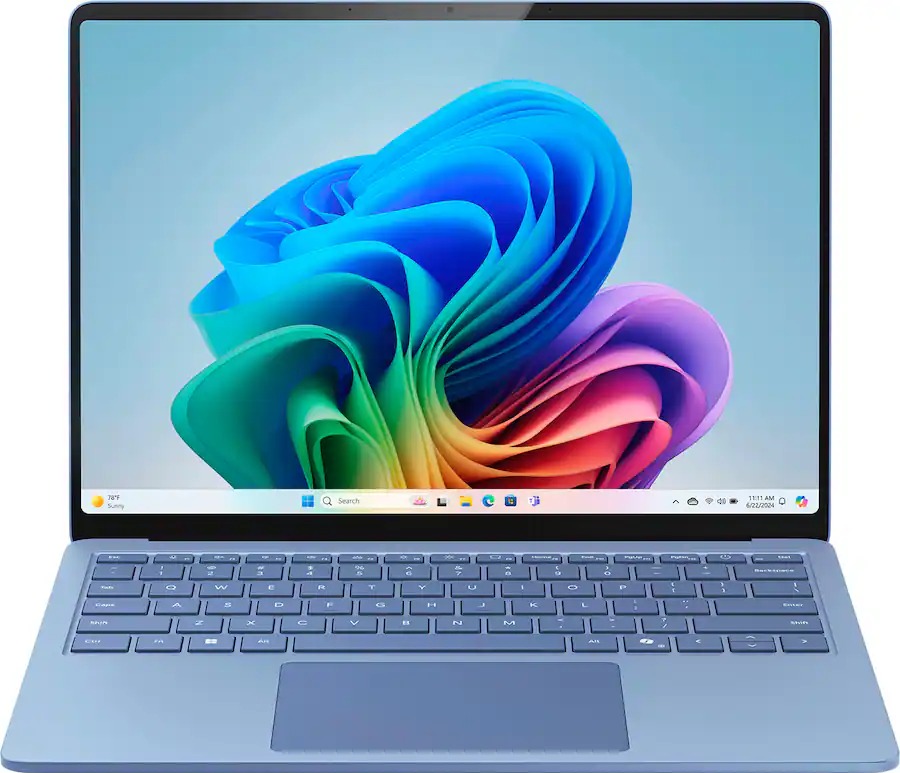
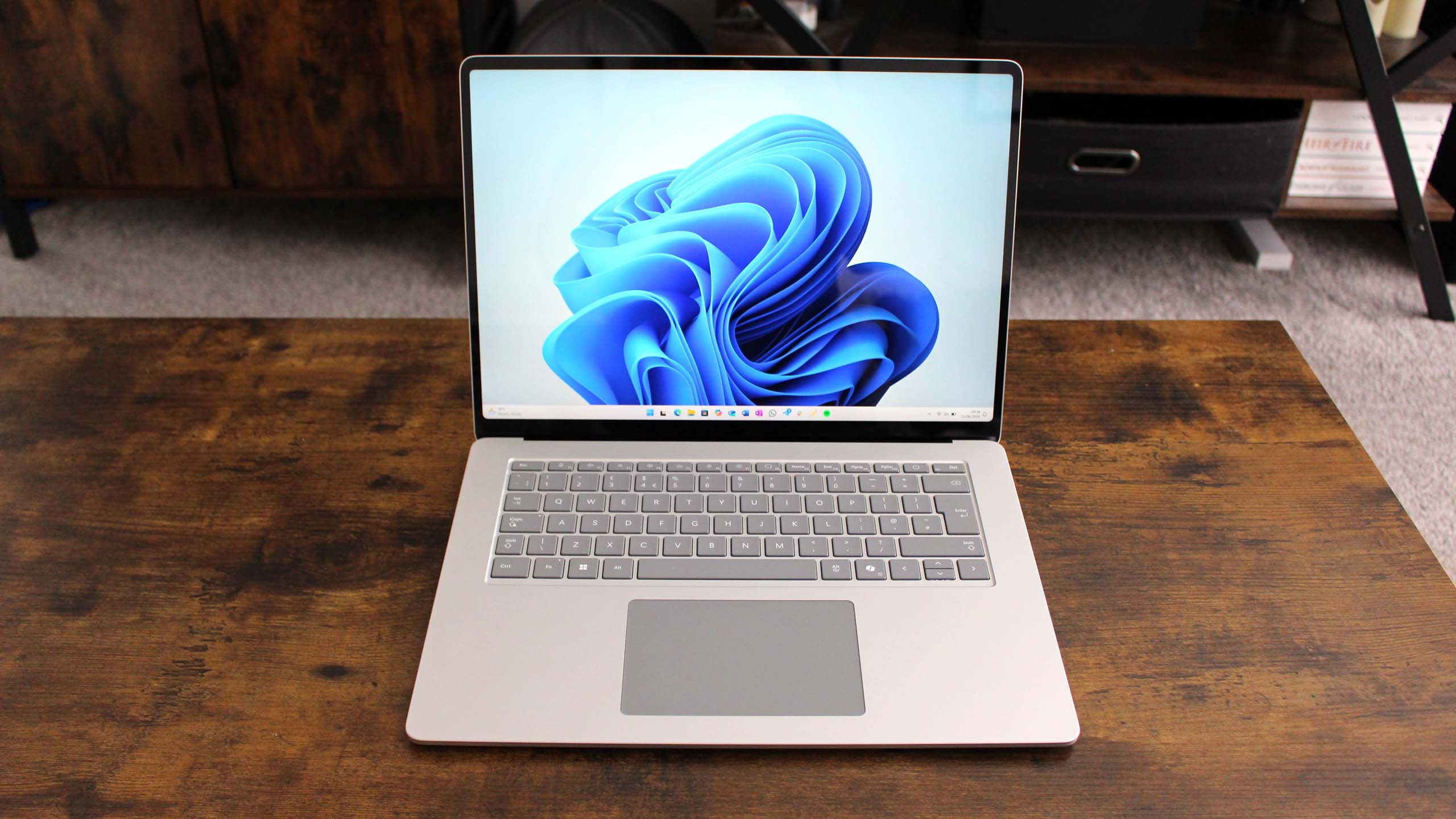
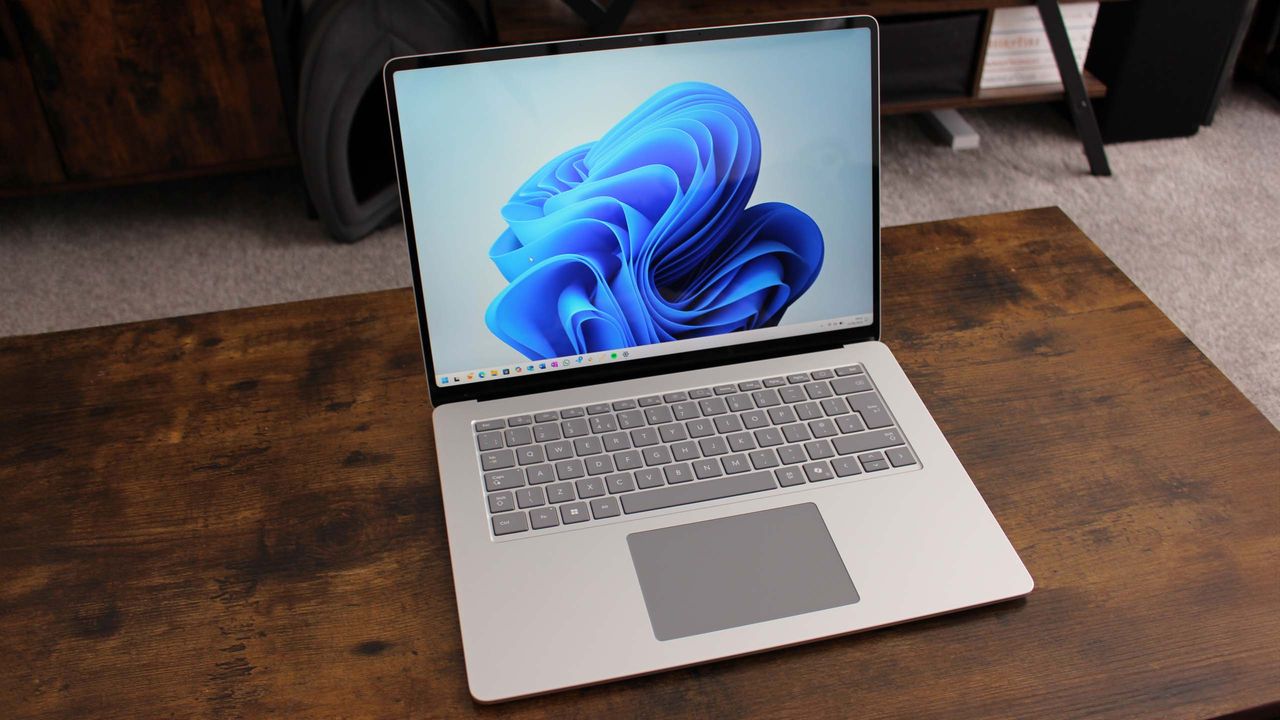
The Microsoft Surface Laptop (7th Edition) on display (Image credit: Windows Central (Zac Bowden) | Microsoft)
Despite current times being the worst time to buy a Surface Laptop, that shouldn't deter you from getting one if it's on sale, as they boast the best specs for conquering daily office workflows or finishing homework on time at school.
The 13.8-inch, 7th Edition Microsoft Surface Laptop is no exception, as it delivers exceptional performance on everyday tasks thanks to its Snapdragon X Plus processor and 16GB of RAM.
It also features a splendid, ultra-thin clamshell design that's pretty to look at, practical enough to carry around while traveling, durable enough to withstand accidental (or intentional) bumps or bruises, and comfy enough to hold in your hands while working.
Other notable features include a 2K touchscreen display with a 120Hz refresh rate to render images with crystal-clear 2304x1536 resolution, a respectable battery life of around 18-19 hours, and a Neural Processing Unit (NPU) with 45 TOPSto efficiently run AI-related programs like Recall or Windows Studio Effects.
If you need to browse the net for research notes fast or write down your work on documents or spreadsheets using Microsoft Office without slowdown, you can't go wrong with the Microsoft Surface Laptop (7th Edition) now that it's on sale, as it's one of the best Windows laptops around.
FAQ
Is it good for AAA PC gaming?
No, the Microsoft Surface Laptop was never designed for AAA PC gaming. As a result, high-end PC games will either barely be able to run at mid-low graphical settings or not function at all.
Is its RAM and SSD replaceable?
The Microsoft Surface Laptop (7th Edition)'s default SSD can be replaced, but its default RAM cannot, as it's soldered into the motherboard. So, you will need to decide how much RAM it will have during checkout while shopping online or locally.
Does legacy software work on this laptop?
Most native apps and internet browsers will function on the Microsoft Surface Laptop (7th Edition). However, specialized or more aged x86/x64 software will need Prism emulation to function properly on this laptop.
Join us on Reddit at r/WindowsCentral to share your insights and discuss our latest news, reviews, and more.
Surface Laptop 7
The Microsoft Surface Laptop (7th Edition) on display.
Best Buy's back-to-school sale continues to provide illustrious discounts on all kinds of computers and laptops built to help students succeed in school.
If you're looking for a high-quality laptop with solid performance and a clear display that has vastly benefited from this sale, then look no further than the 2025 edition of HP OmniBook X Flip 14", which is now 30% off for$699.99 at Best Buy.
"The HP OmniBook X Flip 14 (2025) isn't an exciting laptop, but it does tick a lot of boxes for a capable and reliable mid-range 2-in-1 PC." — Zachary Boddy, Former Staff Writer
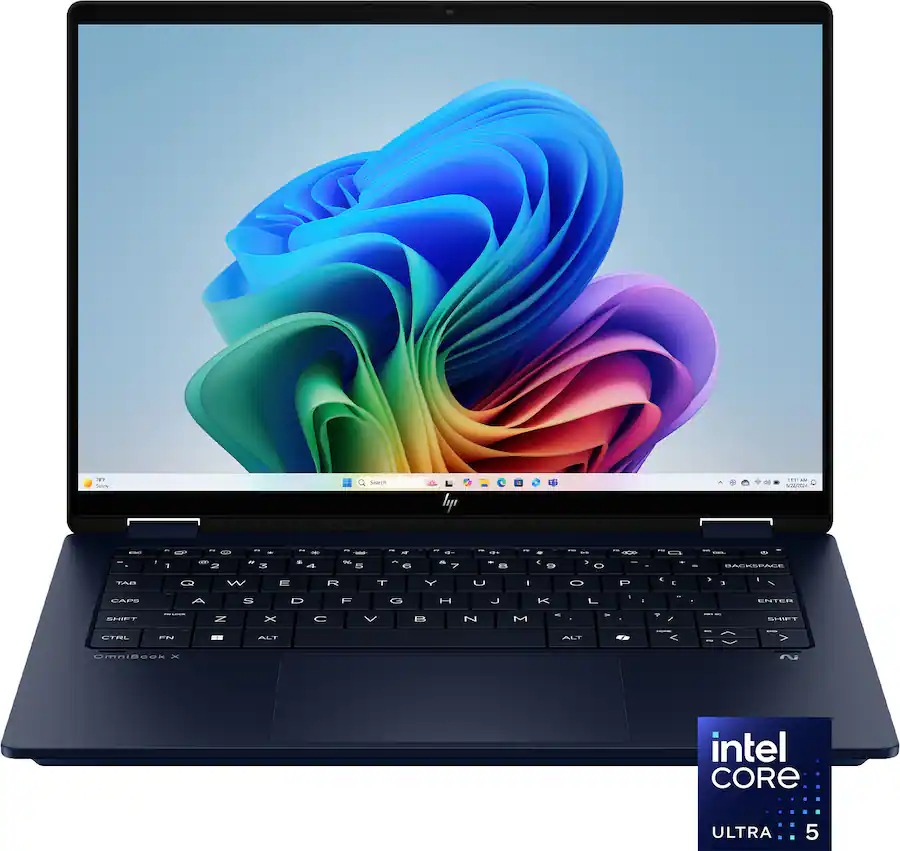
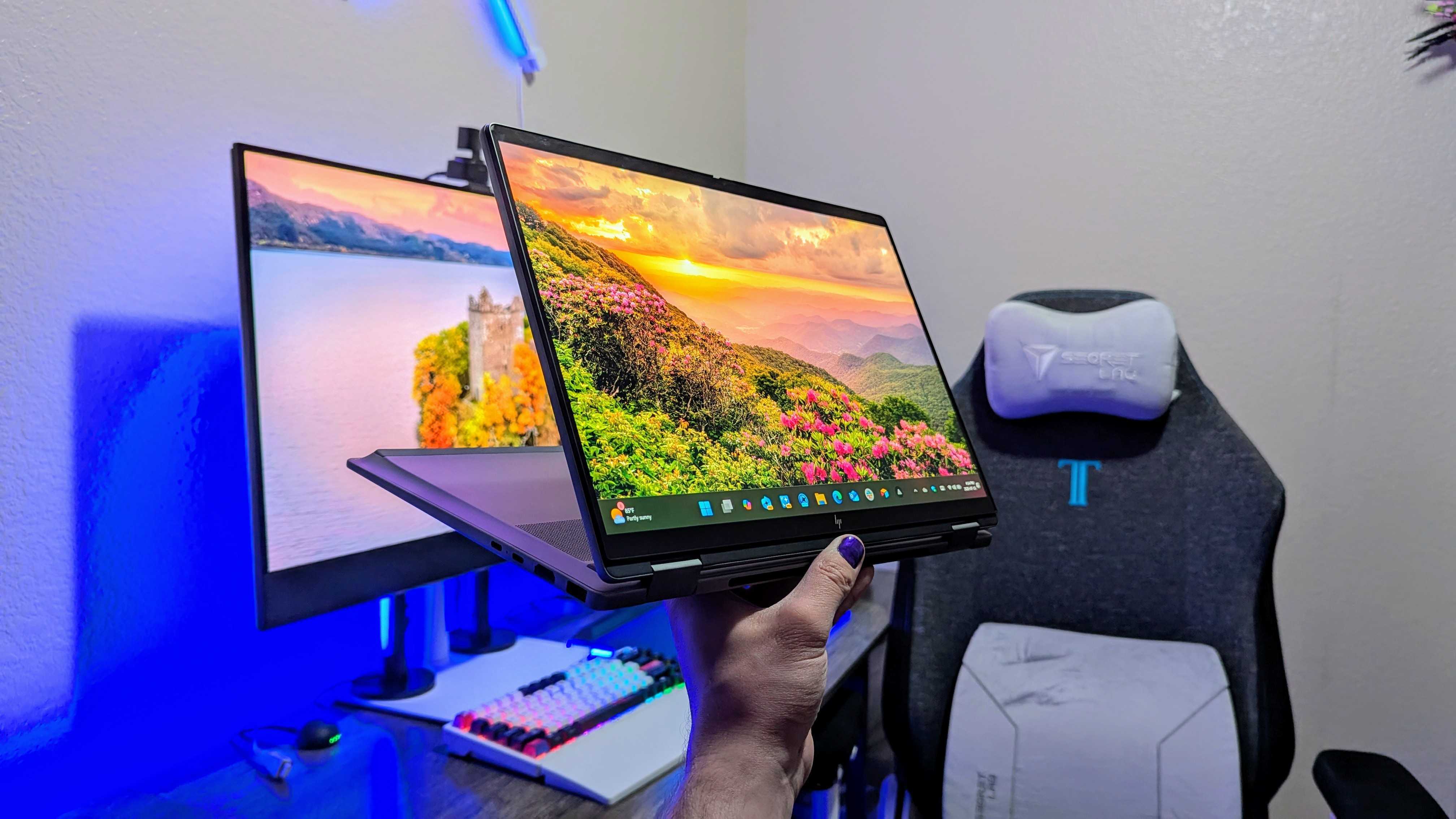
The HP OmniBook X Flip 14 (2025) in its tablet mode. (Image credit: Windows Central | Zachary Boddy)
The HP OmniBook X Flip 14" (2025) laptop variant that's on sale right now comes configured with an Intel Core Ultra 5 (Lunar Lake) 226V CPU, 16GB of RAM, and a 512GB SSD for storage.
For those who don't speak techno-wizardry, all this means is that this laptop can run software like Microsoft Office, browse the web, email, and multitask with multiple apps at once without any slowdown.
It's also great for creating digital artwork as it features a 14-inch, 1920x1200 touchscreen display capable of loading and rendering images with crisp clarity so you can make out all the details much easier when drawing.
Speaking of drawing, the HP Omnibook X Flip 14" (2025) is compatible with stylus pens (which are sold separately), so you will be able to draw on the screen instead of using a mouse if you prefer drawing that way.
Add to that a respectable battery life of up to 22 hours with its Intel chip, a durable and portable-friendly design, and an HP 5MP IR Camera for video conferencing, and you have a sweet mid-range laptop for work whose value has risen dramatically thanks to Best Buy's 30% discount.
FAQ
Is this a Copilot+ PC?
Yes, the HP Omnibook X Flip 14" (2025) laptop is a Copilot+ PC as it has an NPUcapable of 45 TOPS to help it perform AI-related tasks with fast and stable performance rates.
What parts can be upgraded?
The only part of the HP Omnibook X Flip 14" (2025) laptop that can be upgraded is its 512GB SSD.
Can its RAM be upgraded?
The HP OmniBook X Flip 14" (2025) laptop's 16GB RAM is soldered, so it can't be replaced.
Join us on Reddit at r/WindowsCentral to share your insights and discuss our latest news, reviews, and more.
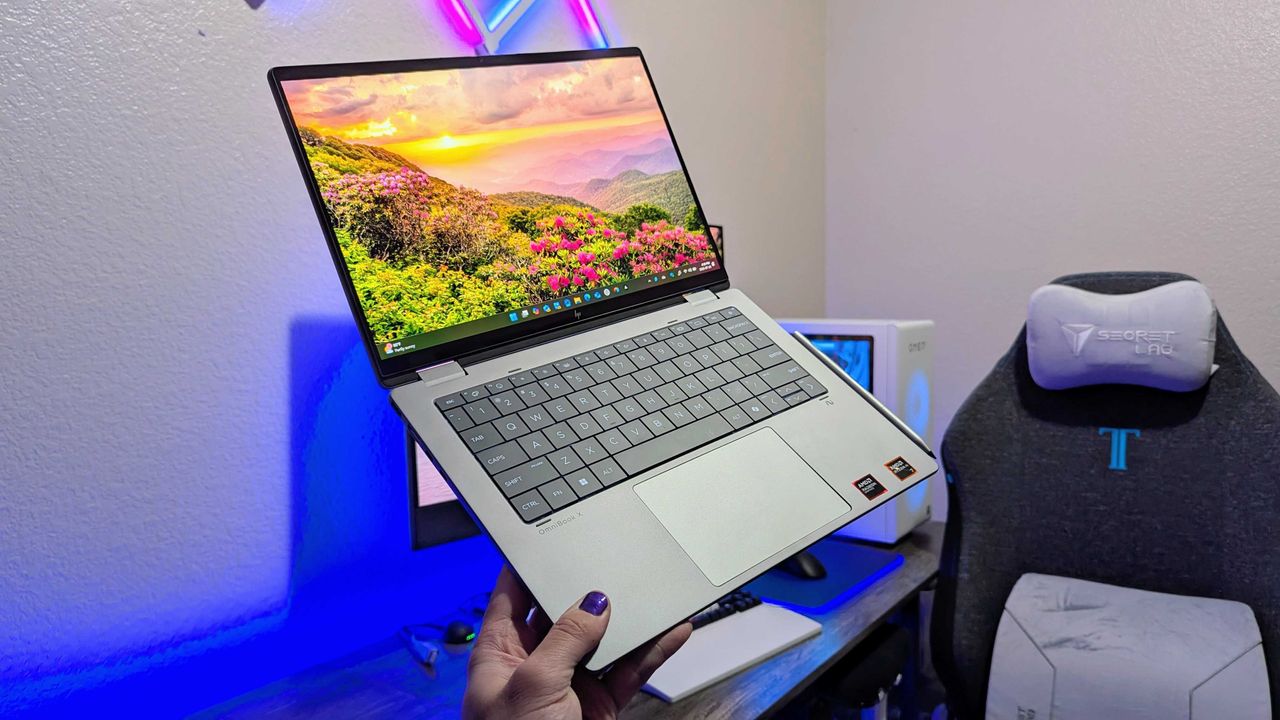
A person holds a sleek silver laptop with a vivid screen displaying a sunrise over a flower-filled landscape. A gaming chair and PC setup are in the background.
HP's Omnibook X Flip 14 laptop with an AMD configuration.
Join Zac Bowden and Jez Corden on this week’s Windows Central Podcast as they dive deep into unreleased Microsoft hardware, AI developments, and big Xbox announcements!
The Lost "Surface Phone" Prototype: Zach and Jez dissect newly leaked images and video of an unreleased 2013-era Microsoft-built Windows Phone prototype, reminiscing about the Lumia era, Nokia’s acquisition, and what could have been.
Microsoft Copilot’s Super App & AI Disillusionment: A look at the rollout of the new unified Copilot experience (merging consumer and Microsoft 365 features), dropped functionalities (Group Chat, Podcast mode, Deep Research), and a frank discussion on AI hype, practical workflows, and "AI psychosis".
Xbox Backward Compatibility Coming to Windows PC: The hosts break down the official announcement of original Xbox/Xbox 360 emulation on Windows, potential licensing hurdles, Play Anywhere integration, and upcoming achievement support.
Gaming Rumors & Franchise Future: Updates on The Elder Scrolls VI codename rumors (Sentinel), long development cycles across Bethesda/Obsidian, and a candid critique of the state of the Halo franchise following Halo Campaign Evolved and project cancellations.
New Xbox Console Features & Live Q&A: A discussion of the upcoming "Platinum Trophy" achievement equivalent, party/mic audio in Game DVR captures, and a live Q&A touching on Windows K2 progress, mobile shells for Windows on ARM, MSN's automation, and modern foldable vs. slab phones.
This episode of the Windows Central Podcast is sponsored by Surfshark VPN. Unlimited devices, access your content from anywhere, and auto-block malware on Windows, Edge, and other platforms from $2.50/mo, with 3 months extra FREE. Sign up today!
Have a question you want us to answer on the podcast? Send it to us at [email protected]
Laptops outfitted with Qualcomm Snapdragon CPUs are some of the best in the market for people looking to crush their daily quotas or survive mountains of schoolwork due to their reliable performance rates. long battery lives and sturdy designs.
Yet, many of them have had their price jacked through the roof thanks to the ongoing memory crisis, making their value not worth the investment for most people with low budgets and incomes.
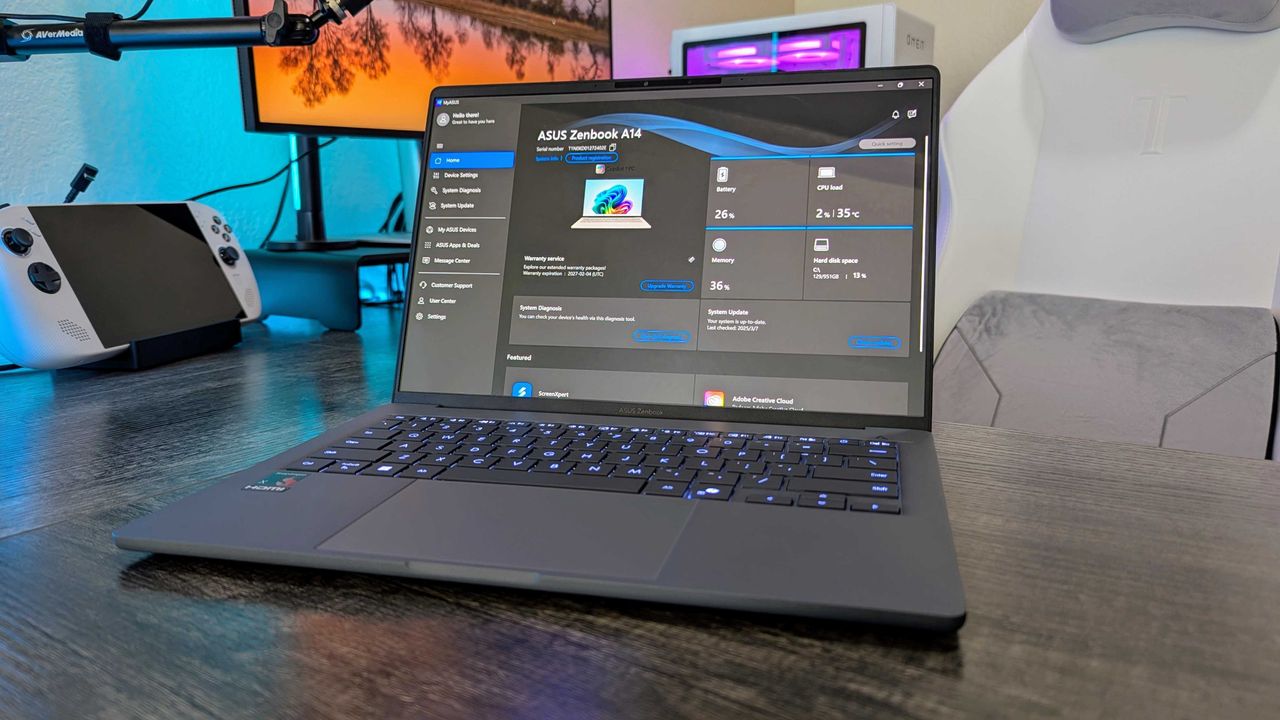
Fortunately, one of these laptops, the ASUS Zenbook A14 (2025), has managed to snag a sneaky 30% discount to give people an edge in completing their daily workloads for the reduced price of $699.99 at Best Buy (listing price was $999.99).
"With a magnesium chassis as light as air and as tough as stone, Snapdragon X series chipsets that barely sip on the physics-defying massive battery, and a great balance of practical function and aesthetic form, the Zenbook A14 is one of the best laptops of the year." ~ Zachary Boddy, former Staff Writer
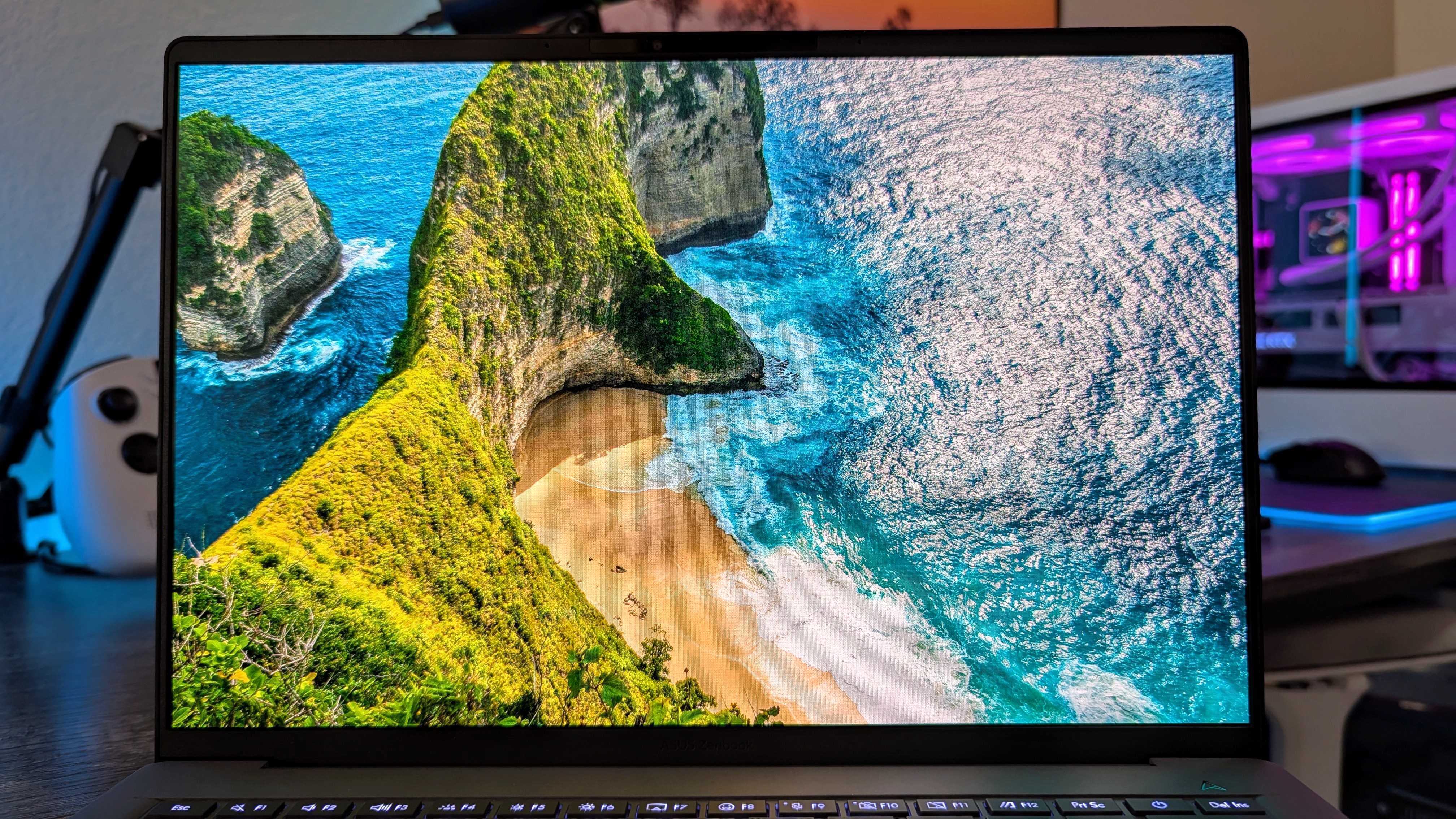
The ASUS Zenbook A14's OLED display in action. (Image credit: Windows Central | Zachary Boddy)
If you're looking for a high-quality mid-range laptop that can get homework and work office tasks done fast with no fuss, the ASUS Zenbook A14 is the machine for you.
Why you may? Well, first of all, its performance rates are strong, as it's able to perform productivity activities like browsing the internet for info, opening up hundreds of emails, and running Microsoft Office and AI-empowered programs with great speed with little to no slowdown thanks to its mighty Snapdragon X Plus CPU, 16GB of RAM, and NPU capable of 45 TOPS.
Additionally, it has a clean and beautiful 2K OLED display screen that renders images in crisp detail so you don't miss out on any details when viewing documents or art pieces, an intuitive operating system, and a massive selection of USB and HDMI ports.
Throw in a massive battery life of roughly 32 hours with a sleek, minimalist design that doesn't compromise its durability for the sake of portability, and you have one of the best workhouse laptops in the mid-range spectrum, especially now that it won't cost you $1,000 thanks to this 30% discount at Best Buy.
FAQ
Is this ASUS ZenBook A14 (2025) RAM and SSD upgradeable?
It's RAM is unupgradable to due to being soldered onto the laptop's motherboard. It's factory-installed 512GB SSD, however, can be replaced and upgraded with a larger SSD up to 1TB to fit more data.
What's so special about its Snapdragon X Plus processor?
The Snapdragon X Plus is a very potent ARM-based processor capable of powering up mid-range laptops' battery efficiency and performance rates when multitasking AI programs, web browsing, Microsoft Office apps, and more daily workloads without hiking the price of whatever laptop it's installed in.
How long does its battery life last?
The ASUS ZenBook A14 (2025)'s battery life lasts around 32 hours before needing to recharge or lower, depending on how many intensive programs you run or sustained workloads you put it through.
Join us on Reddit at r/WindowsCentral to share your insights and discuss our latest news, reviews, and more.
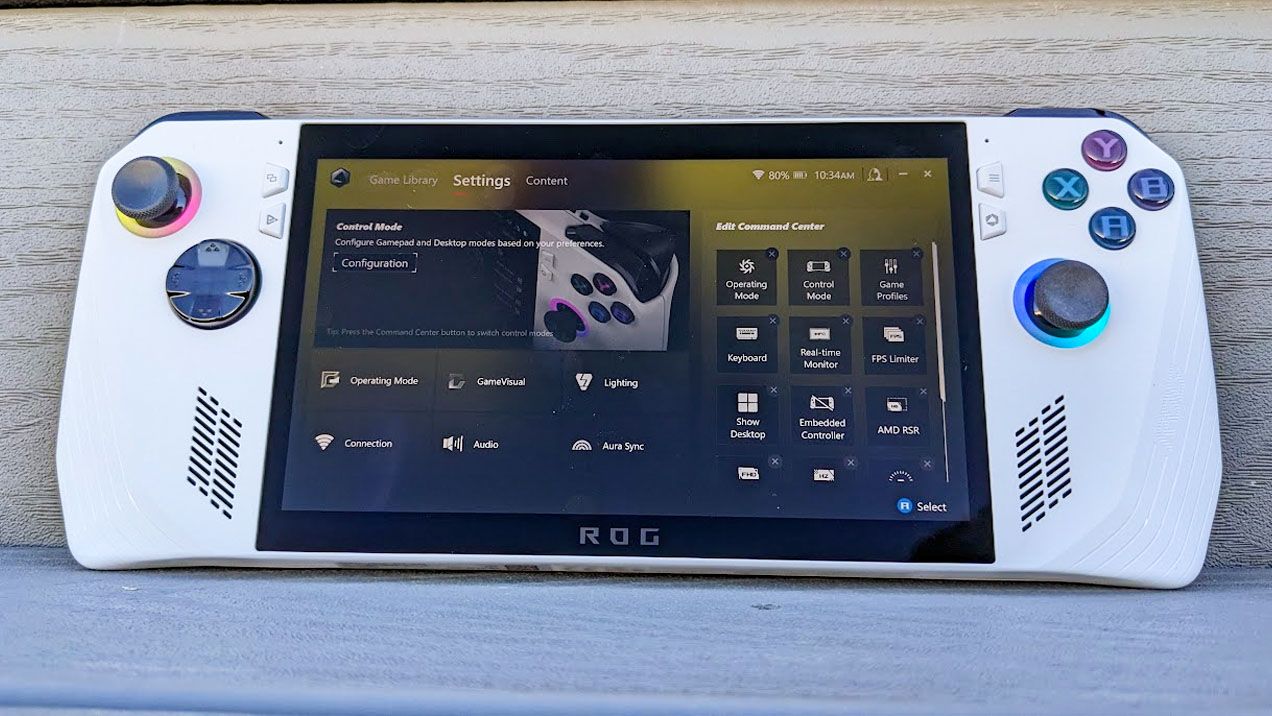
ASUS Armoury Crate is but one piece of specialized management software that many of us have installed on our PC, perhaps without even knowing it. It comes preinstalled on ASUS gaming handhelds, including the Xbox Ally X, as well as ASUS gaming laptops.
If that sounds like hardware you use, it's time to check up on Armoury Crate. According to an August 10 update on the official ASUS advisory board, "a component used by Armoury Crate" is vulnerable and could be leaving you open to attacks.
Alongside that unmentioned component of Armoury Crate, ASUS has also released security updates for its GPU Tweak III, GPU Tweak II, and AI Suite 3 software.
This vulnerability, listed as CVE-2026-8917, comes with an 8.4 rating. That's out of a maximum of 10, meaning this isn't an issue you should ignore for long.
What does this ASUS vulnerability entail?
According to the CVE record, an "IOCTL vulnerability allows a local attacker to write a specific value to an arbitrary memory address, potentially leading to privilege escalation."
Although the CVE record doesn't mention Armoury Crate by name, it's clear that ASUS is concerned with that "certain component" alongside its other standalone software.
How do I update the vulnerable ASUS software?
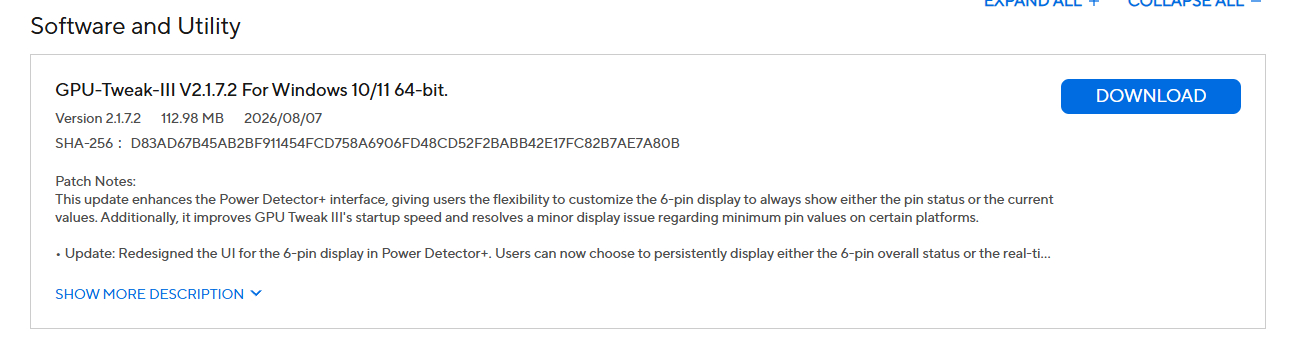
A look at the GPU Tweak III download page at the ASUS support website. (Image credit: ASUS)
Updated versions of GPU Tweak III, GPU Tweak II, and AI Suite 3 software can be directly downloaded from the ASUS support website.
You want to be sure that you're grabbing the most recent version. For GPU Tweak III, I'm seeing version 2.1.7.2. This appears to be a newer version than what's listed as affected on the CVE website.
The GPU Tweak II version on the ASUS support page appears to still be the one affected. (Image credit: ASUS)
For GPU Tweak II, I'm seeing version 2.4.0.0 on the ASUS support page; unfortunately, this version is listed on the CVE page as vulnerable, so I can only guess that ASUS hasn't yet made the necessary updates to its download packages.
It's unclear why ASUS hasn't yet made the secure version of GPU Tweak II available for download. If you're concerned, my best advice is to simply remove the software entirely until it's updated.
And for the actual Armoury Crate software, you can choose to update from within the app itself.
Is there any alternative to ASUS Armoury Crate?
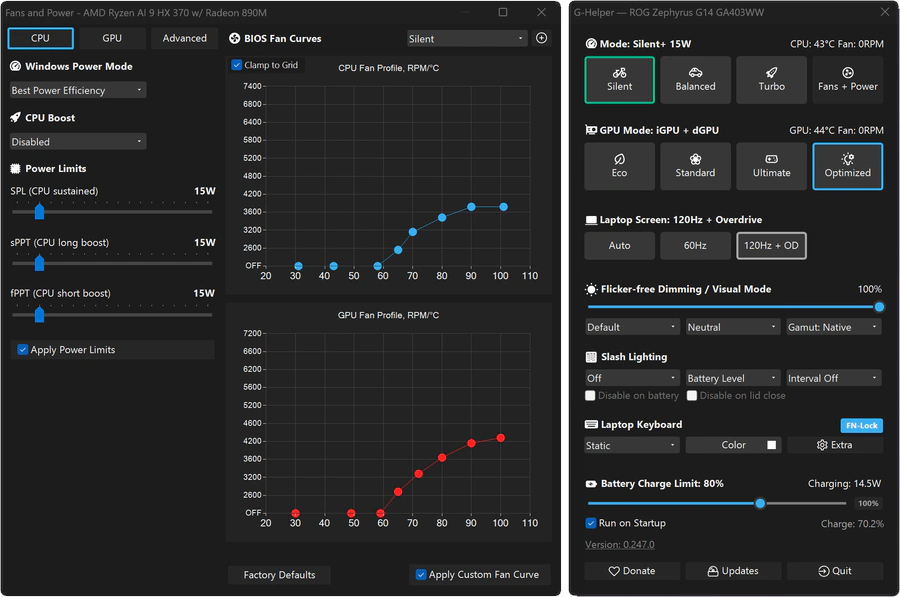
A look at the G-Helper app interface for ASUS laptops and gaming handhelds. (Image credit: Seerge (g-helper.com))
I often use Armoury Crate on my desktop gaming PC to control certain ROG and TUF components, but most of the time it sits idly in the background. It's not the best software, vulnerabilities aside, but it seems to get the job done.
I've read tales of some specific ASUS desktop hardware absolutely requiring Armoury Crate to function properly, but for other ASUS gaming devices, it can be replaced entirely.
Let me introduce you to G-Helper. It's designed to work with ASUS laptops and gaming handhelds, doing what Armoury Crate does in a streamlined, unbloated app that only eats up about 5MB of space.
There's a lot of debate around minimum memory requirements for Windows laptops at the moment, and that often comes with the discussion of rising costs for the same components. It could be confusing for students looking for a new portable PC as they head back to school, but there are genuinely great options out there.
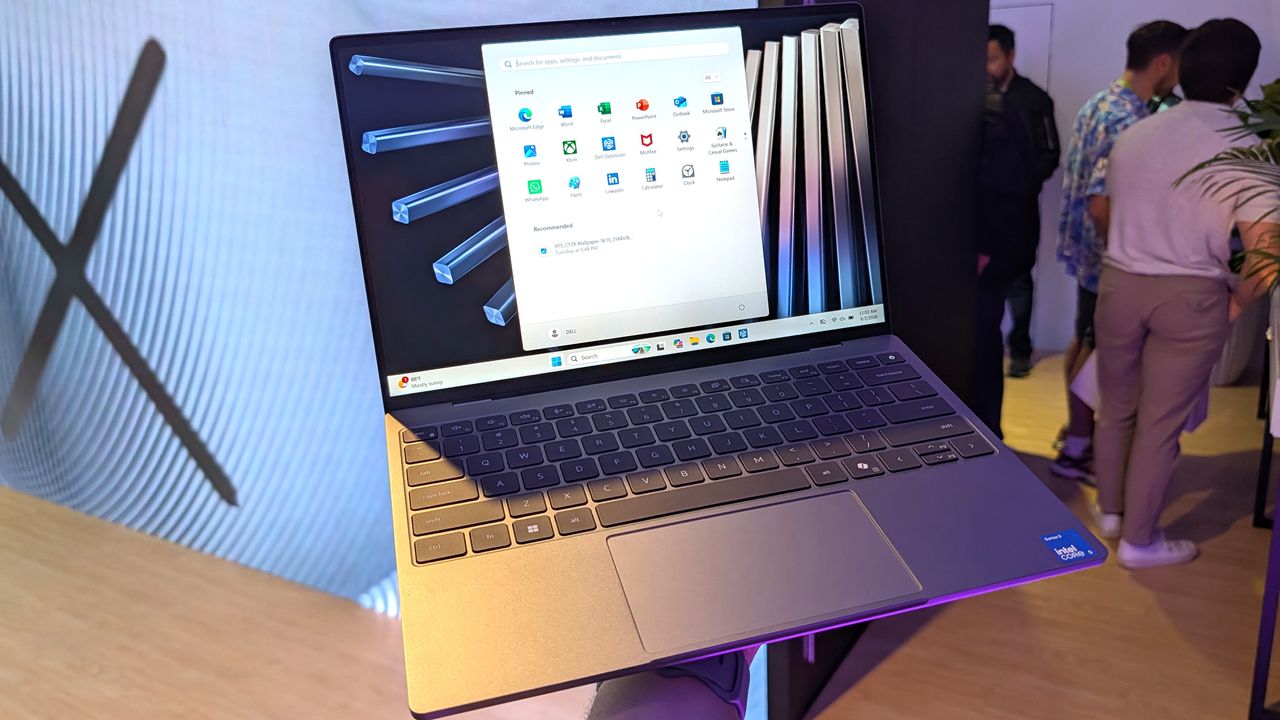
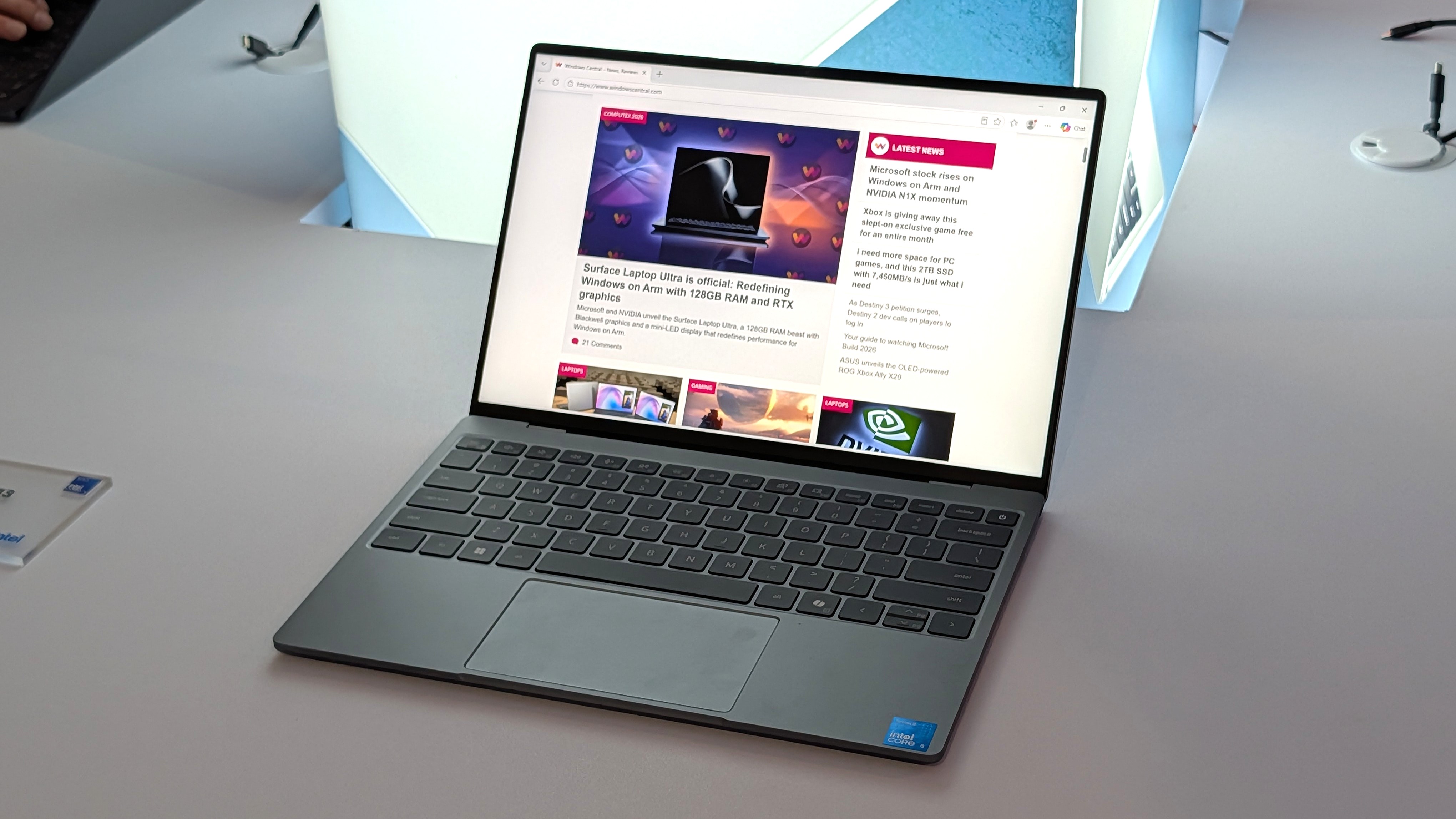
Dell's latest XPS 13 offers student pricing starting at $599, and comes with the absolute latest "Wildcat Lake" processors from Intel. Yes, it sticks with an entry-level 8GB of RAM — though it is high-speed (7,467 MT/s) LPDDR5x memory — but at 2.2 lbs, it's still one of the most lightweight and portable options available right now. Need more? I have some options.
Dell returns to its iconic branding with the "thinnest & lightest XPS laptop ever," and its choice of Intel processor delivers up to 17 hours of battery life.
This previous-generation model doubles its SSD capacity and adds a larger display, powered by a traditional x86-64 AMD CPU and DDR4-3200MT/s RAM.View Deal
Go even larger with this 16-inch touchscreen display and a last-generation "Hawk Point" CPU from AMD, paired with 16GB of DDR5-5600MT/s RAM.View Deal
How much RAM does Windows really need?
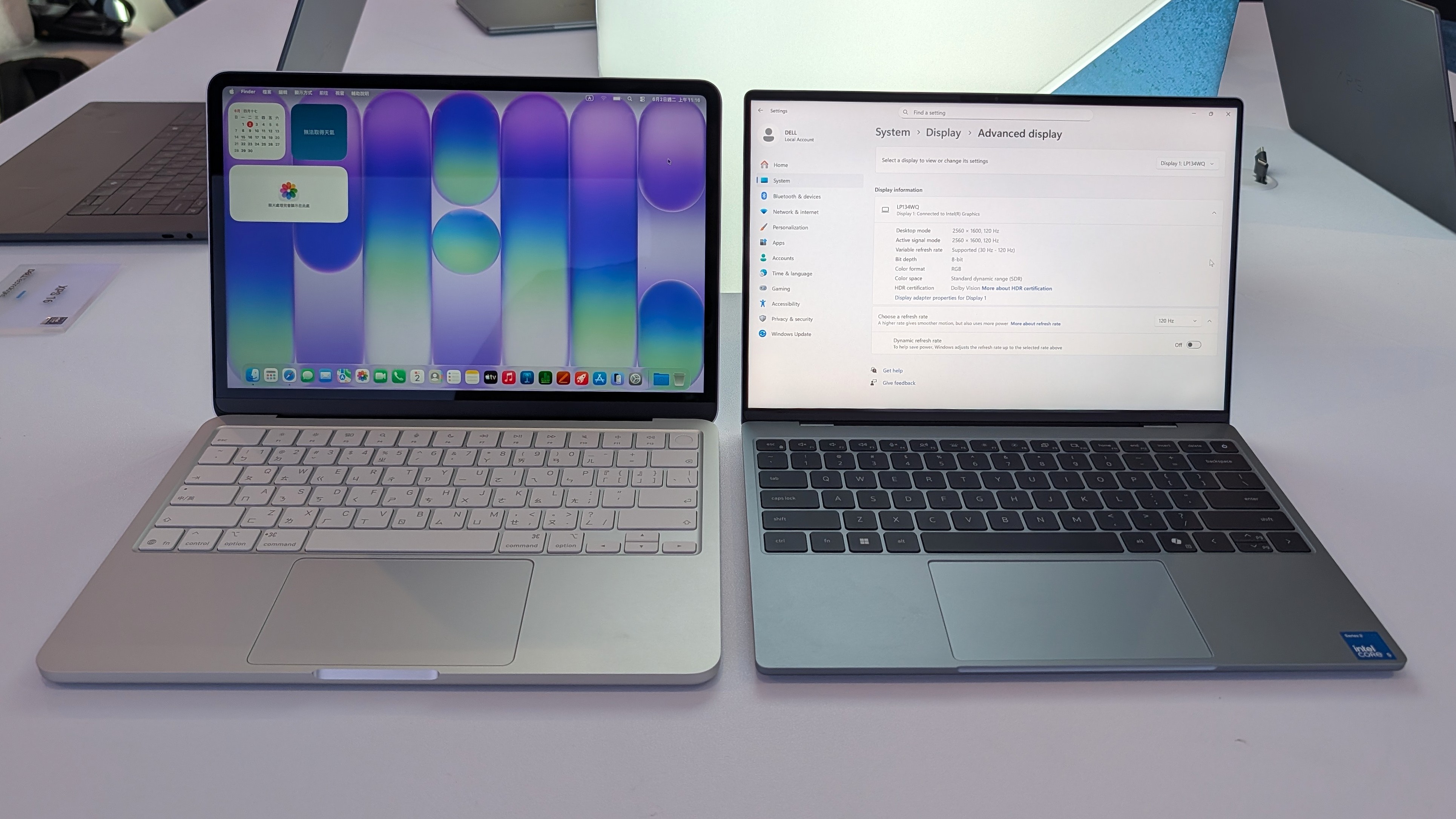
Dell's new XPS 13 (right) is essentially the Windows equivalent of Apple's MacBook Neo (left). (Image credit: Zac Bowden / Windows Central)
There's no doubt that manufacturers like Dell started flexing their design muscles even harder after Apple launched its MacBook Neo for $599 — later rising to $699 —and it's arguably led to better choices for Windows PC consumers on a budget. We saw the new XPS 13 at Computex, a technology convention held earlier this year in Taiwan, and learned more about its choice of Intel Wildcat Lake processors.
Dell's Konstantin Tuv described it as "a great student device" [...] we want this to be their first XPS", and revealed that it was in production far before the Neo ever appeared, so it certainly isn't some knee-jerk reaction to rush an affordable laptop to market. Indeed, the XPS 13 was designed from the beginning to be a featherweight companion for students and workers alike. Still, its release didn't suddenly remove its in-house alternatives from sale.
Everyone [in the PC industry] is getting more aggressive and trying to redefine what 'good' looks like.
Konstantin Tuv, Dell VP, Head of Product
Microsoft itself is committed to optimizing Windows 11 for 8GB of RAM, as CVP Marcus Ash told us directly: "We're relentless at reducing the memory footprint." However, if you're certain you need more memory (RAM) or storage (SSD space), Dell still offers its 15-inch and 16-inch laptops with modern DDR5 and previous-generation DDR4 modules, so you can choose a variant that suits you.
Ultimately, the $599.99 Dell 16 comes closest to satisfying each category, albeit with a larger display (though you'll have access to its touchscreen) and increased weight at 4.18 lbs, but you get 16GB of RAM and the same sensible 512GB of storage as the $599/$699 XPS 13. Otherwise, if you're prioritizing portability, the $549.99 Dell 15 doubles the SSD to 1TB, giving you more space for your files.
Whatever you choose, it's refreshing to see Dell pushing its capable laptops below $1,000, even if it takes back-to-school-themed sales to do it. If you've been holding out for a new Windows PC, there are still brief moments of savings happening like this where it's smart to shop.
Join us on Reddit at r/WindowsCentral to share your insights and discuss our latest news, reviews, and more.
Dell XPS 13
Dell's new XPS 13 laptop offers a $100 discount for students.
Razer's gaming keyboards rank among the best on the market, whether you're looking to crush the competition in games or type up school reports. However, if you've ever shopped around, you've probably noticed how many are on the higher end of the affordability scale.
Fortunately, one of Razer's top-rated wired gaming keyboards, the Huntsman V3 Pro 60%, has managed to evade lofty pricing for a limited time, thanks to a 28% discount bringing it to $129.99 at Best Buy, giving you a chance to get a leg up on multiplayer and get a head start on your studies for less.
"Your hands are certainly going to fall in love with the textured keycaps, robust switch feel, and fantastic analog features." — Tabitha Baker, Managing Editor (Hardware) at our sister site, GamesRadar+
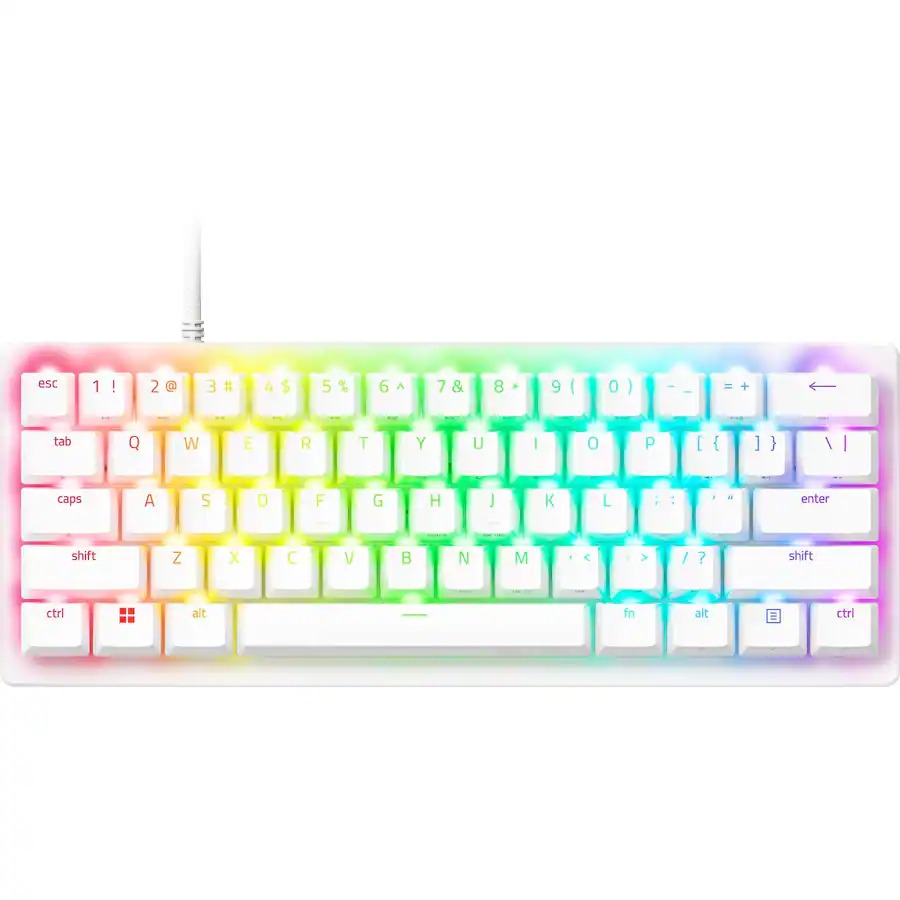
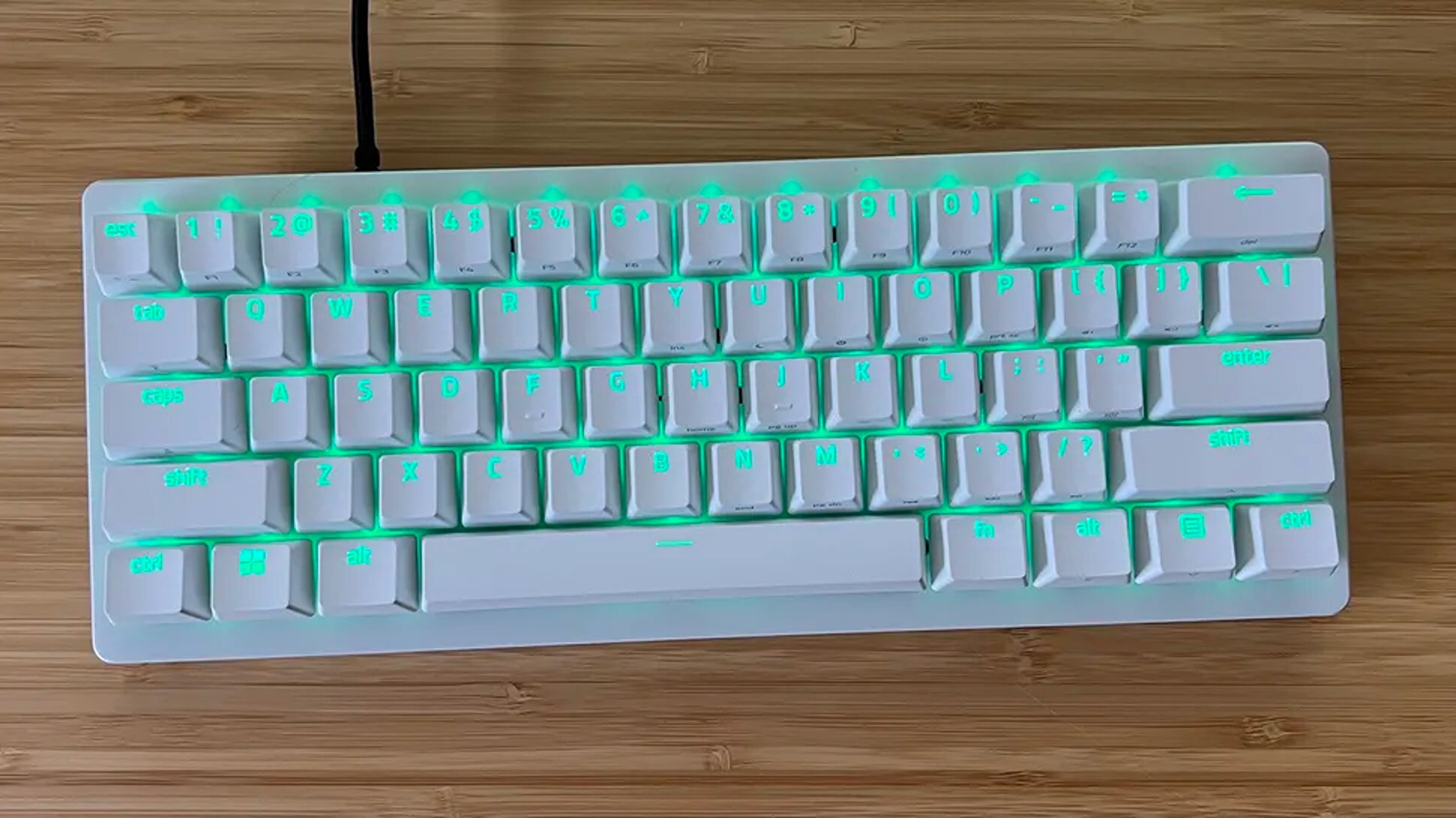
A top view of the Razer Huntsman V3 Pro 60% keyboard. (Image credit: GamesRadar (Tabitha Baker) | Razer)
For starters, this keyboard features Razer'sAnalog Optical Gen-2 switches, which grant it extremely precise and responsive input detection speeds, which can be enhanced further with a Rapid Trigger mode and adjustable actuation that ranges between 0.1 mm and 4.0 mm.
The Huntsman V3 Pro 60% also features textured double-shot PBT keycaps with a keystroke lifespan of 100-million clicks to help it endure many years of intense button mashing.
Other notable features include a sleek and compact 60% form factor that makes it very portable-friendly while saving tons of vital desk space, buttons that double as arrow keys, and a Razer Snap Tap feature, which prioritizes the latest input between two selected keys without letting go of the previous one for near-instant directional movements in action games.
The only noticeable drawbacks of this keyboard are the somewhat noisy switches with no sound dampening (as noted in GamesRadar's review), the lack of wireless connectivity, and its usually steep listing price of $179.99.
So, it's a blessing to see its high price taken down to somewhat more affordable levels thanks to Best Buy's 28% discount, especially during this general RAM crisis where almost everything else in tech has become so insanely expensive.
If you're looking for a high-quality wired gaming keyboard that doubles as a high-speed workhorse keyboard for helping you ace exams or assignments, you can't go wrong with the Razer Huntsman V3 Pro 60%.
Frequently Asked Questions
Is it wireless?
No, this keyboard connects to devices purely through wired connections via a detachable USB-C to USB-A cable.
Is compatible with consoles?
While it can connect other devices via USB connections, the Razer Huntsman V3 Pro Mini 60% keyboard's configuration software is only operable on Windows PCs.
What is it a 60% keyboard?
60% keyboards are 60 percent the size of a standard, full-sized keyboard that removes the numpad, top row function keys (F1-F12), arrow keys (although the Razer Huntsman V3 Pro 60% keys that double as arrow keys), and the navigation cluster, leaving only the main typing key area intact to save desk space and make it more portable-friendly.
Join us on Reddit at r/WindowsCentral to share your insights and discuss our latest news, reviews, and more.
A white Razer Huntsman V3 Pro 60% analog optical esports keyboard sits in front of its black product box on a wooden desk with a coiled white cable.
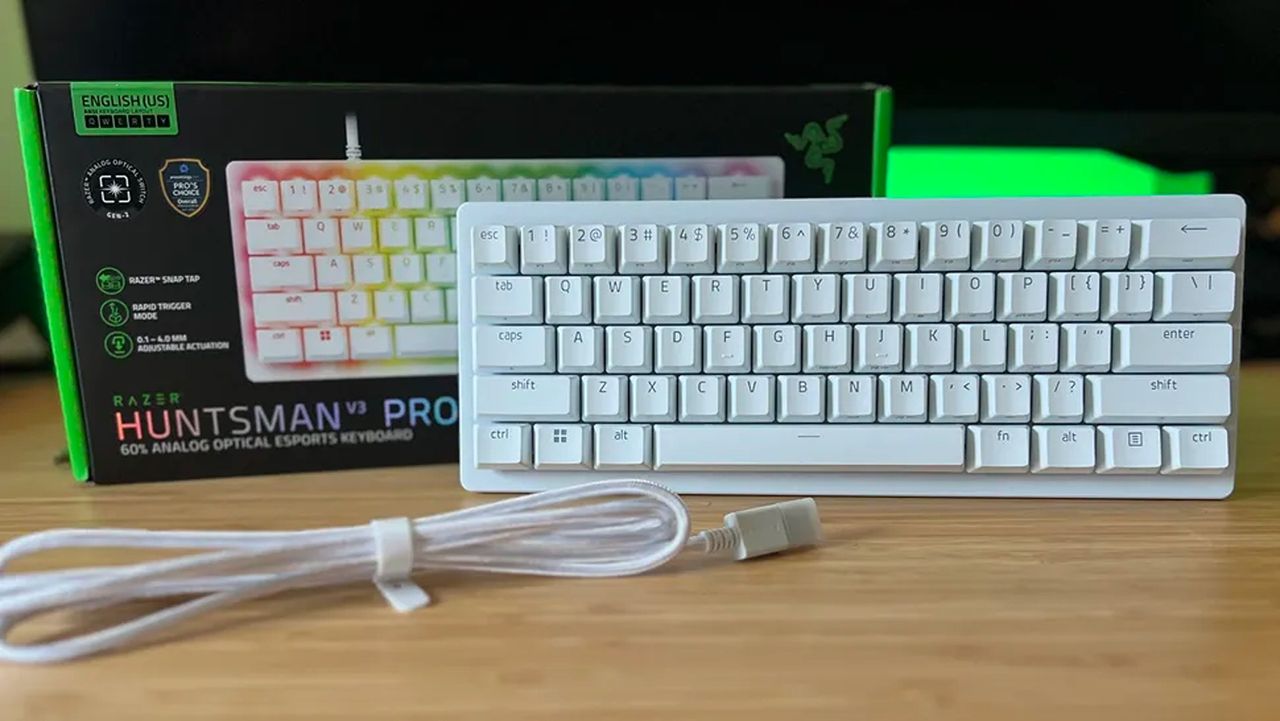
The Razer Huntsman V3 Pro 60% keyboard with its box and detachable USB cable
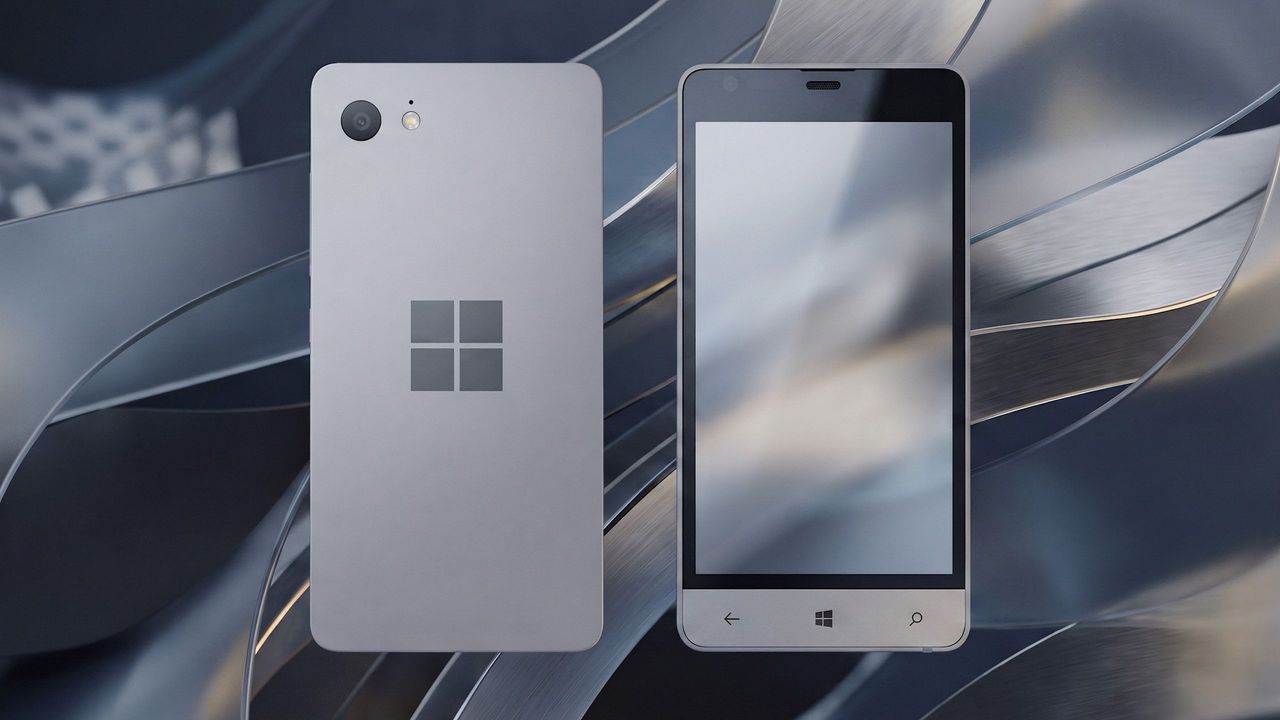
Before Microsoft acquired Nokia, the company was heavily rumoured to be working on its own in-house Windows Phone device that was expected to ship in 2014 under the Surface moniker alongside its Surface Pro device. Unfortunately for Windows Phone fans, such a device never saw the light of day, but newly published images of a mysterious prototype might have just given us our first and only look at what Microsoft was exploring internally.
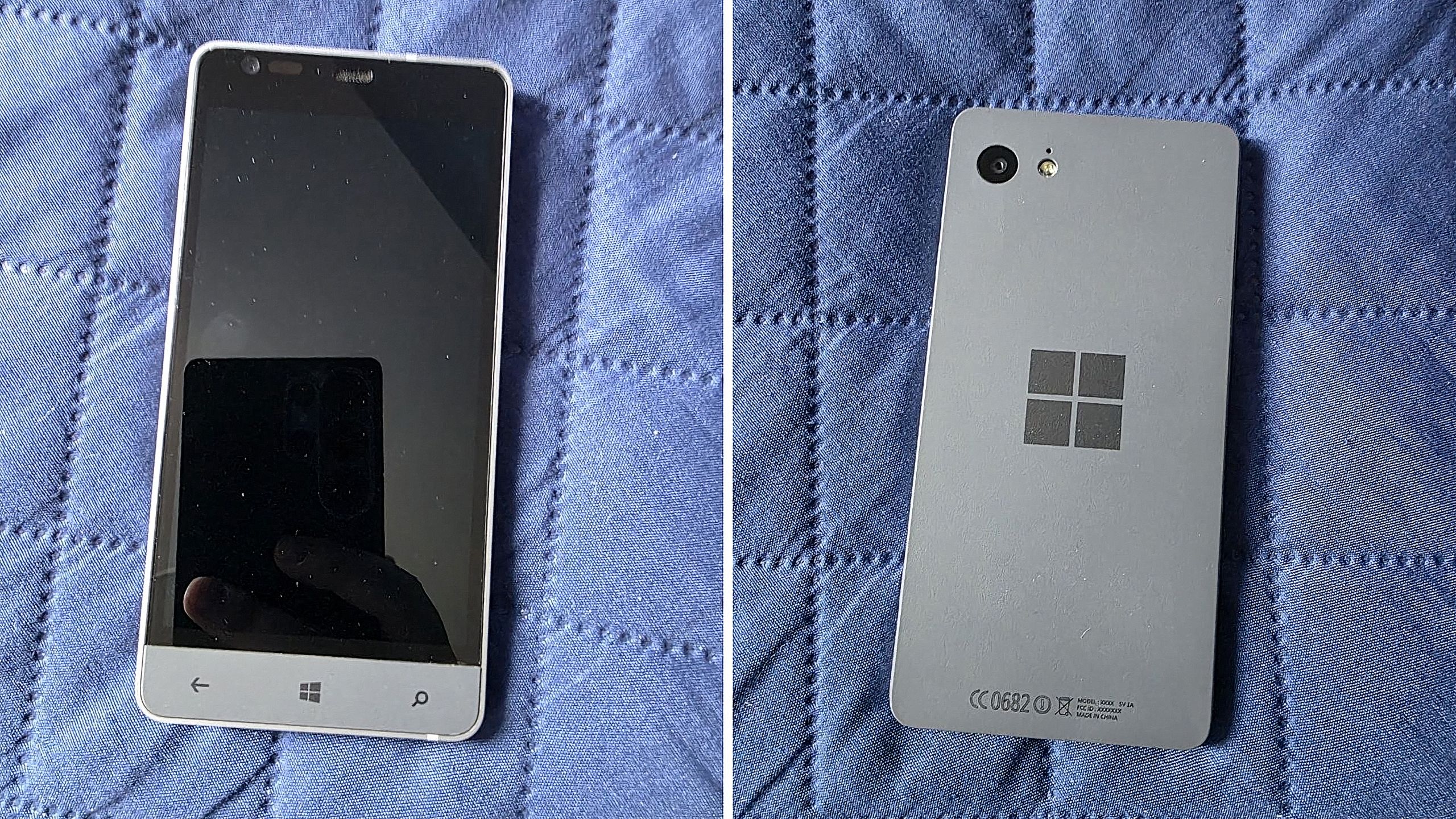
Possibly codenamed Raven, there isn't much information available about this prototype, other than the fact that it’s from the 2013-2014 time frame and is running an early pre-release build of Windows Phone 8.1. It’s powered by an unknown Qualcomm chip, has a 720p screen, features a Microsoft logo on the back, and a silver metal frame that matches the colour of the Surface 2 that released that same year.
We can see in the photos that it has dedicated hardware keys for navigation, which are also coated in the same silver color as the chassis. The build of Windows Phone that it’s running appears to be from September 2013, and is from an internal development branch building towards what eventually became Windows Phone 8.1.
Real images of this mysterious Windows Phone prototype. (Image credit: Telegram/Discord)
While not viewable in the images, I understand the device features individual up and down volume buttons and a camera button on the right-hand side of the device, and a power button on the top of the device. It also features a micro-USB port and headphone jack on the bottom side, and a SIM card slot on the left side.
This is likely one of dozens of prototype designs that Microsoft’s hardware teams cooked up during this era, but it’s certainly a fascinating look at what could have been, and it does look so clean. Development on this device was likely paused once Microsoft moved to acquire Nokia in 2014.
Back in 2013, I remember hearing from sources that Microsoft was experimenting with the concept of a "Skype Phone," a Windows Phone device with mobile data that utilized Skype for calls and messaging instead of traditional carrier networks. Perhaps this device was going to be that? Who knows.
The Surface Phone we eventually got arrived as the Surface Duo, which started development in 2016 and launched to the public in 2020. In that time, Microsoft shipped Nokia designs in the form of the Lumia 640, 650, 950, and 550 running Windows Phone, before abandoning the platform in 2017.
Join us on Reddit at r/WindowsCentral to share your insights and discuss our latest news, reviews, and more.
Surface Phone Render
Render based on real images of the prototype (seen below.)
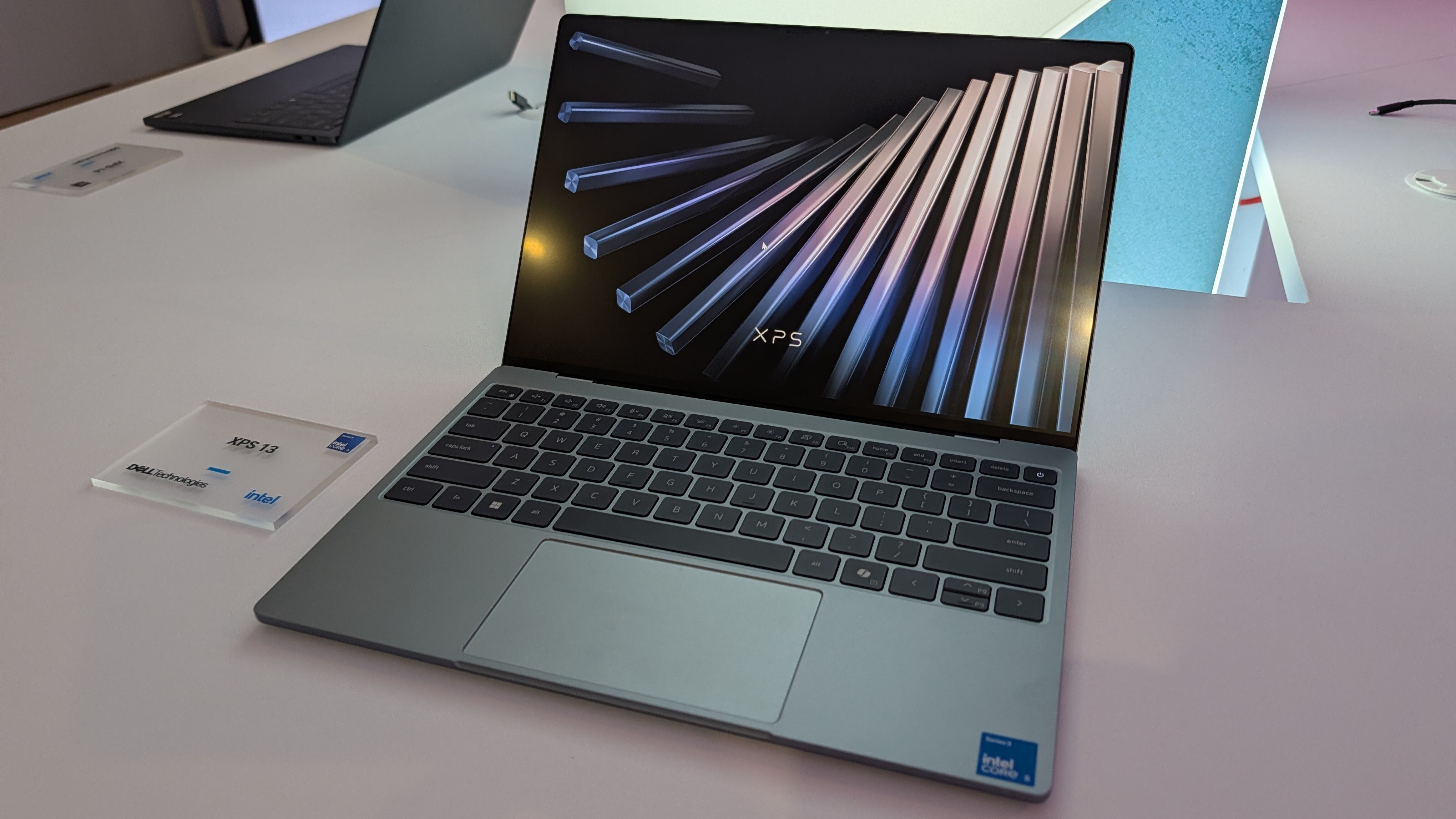
Dell's XPS 13, starting at $599 for students and $699 for everyone else, kicked off a new market sector of affordable-but-premium Windows 11 PCs. It's not likely to be usurped by the new Acer Swift Air 14 unless you need more ports, a larger display, or more expressive color options.
Pros
Beautiful aluminum design that's more compact
2.5K display with plenty of brightness; 30Hz-120Hz variable refresh rate
IR camera for Windows Hello
Starts at $599 for students
Cons
No USB-A or 3.5mm audio
Thunderbolt 4 is only available with more expensive models
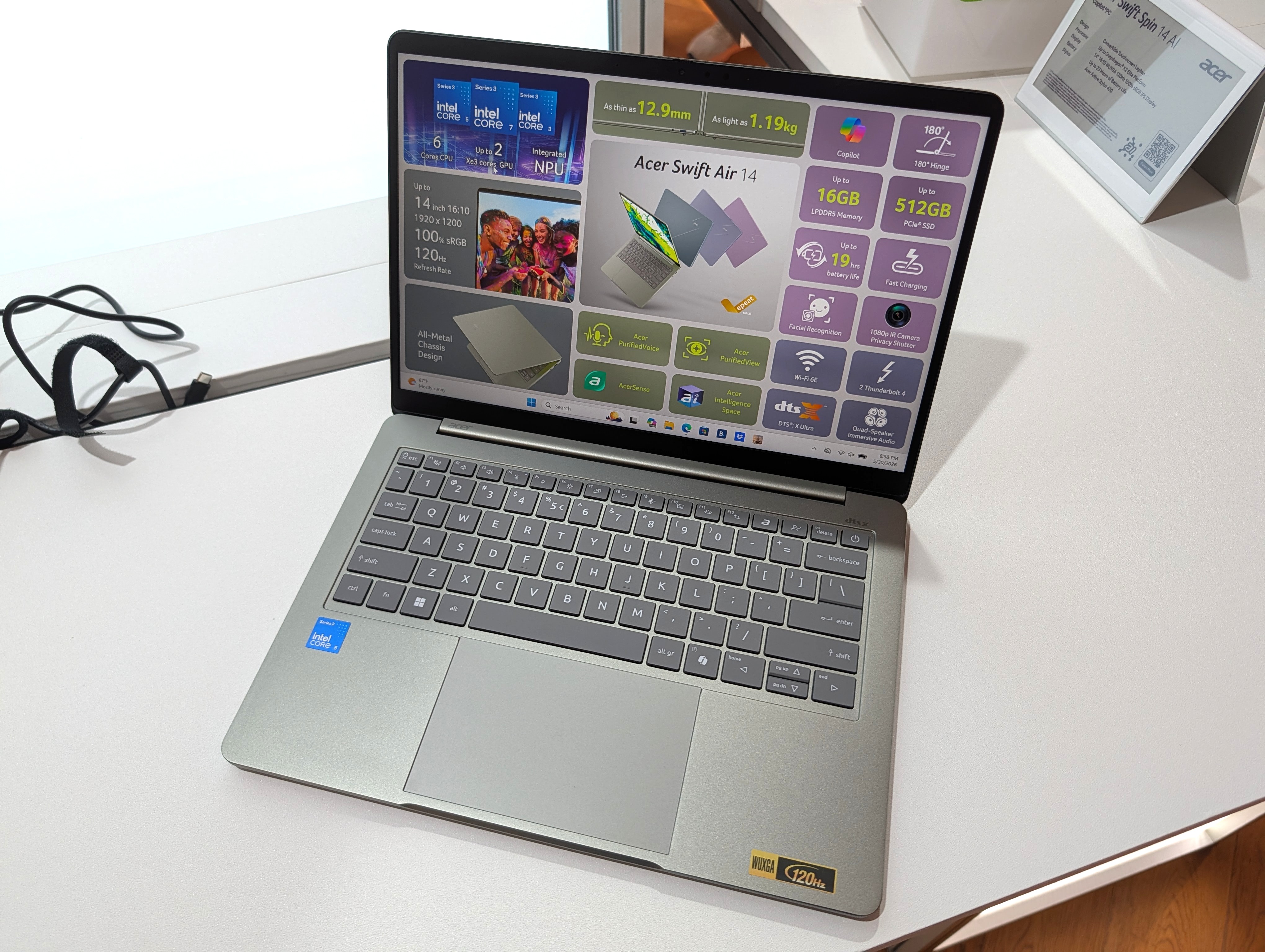
Acer's Swift Air 14 arrives to challenge the $699 affordable-but-premium PC market, and it should be the right choice for those who want a larger 14-inch display, more color options, and a more generous selection of ports.
Pros
Thunderbolt 4 ports come standard, includes USB-A and 3.5mm audio
Four color options, beautiful aluminum design
Larger 14-inch display hits 120Hz
Could have slightly better battery life compared to XPS 13
IR camera for Windows Hello
Cons
Slightly larger and heavier (though you get a larger display)
No Dolby Vision, lower-res display
No Panther Lake option for power users
Dell's latest XPS 13 (DX13260) was unveiled at Computex 2026 and launched in June, starting at $599 for students and $699 for everyone else.
Not to be outdone, Acer also unveiled a new budget $699 Windows 11 laptop at Computex; the Acer Swift Air 14 is expected to launch in North America in August ... basically any day now.
Considering how closely matched these two PCs are in price, I thought it was best to put together a comparison to help you make the right decision.
Dell XPS 13 vs. Acer Swift Air 14: Specifications
Here's a breakdown of the specs that go into each of these laptops to give you a better idea of what you're buying.
TL;DR? Acer's Swift Air 14 is a larger laptop with a much larger battery capacity, and both PCs run on the same Intel Wildcat Lake chips. I break down the differences in some detail below this table.
These budget laptops feel like they should cost a lot more than $699
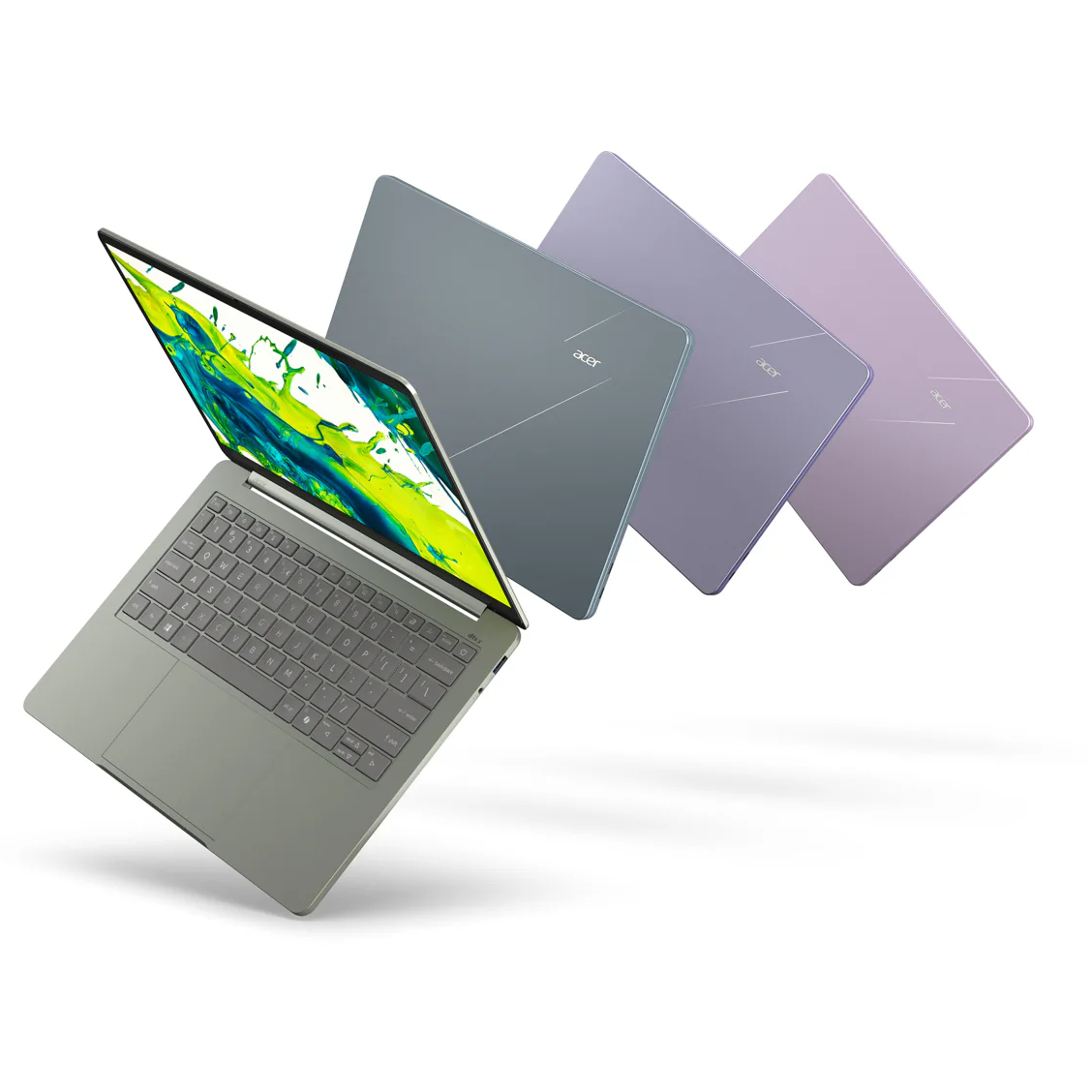
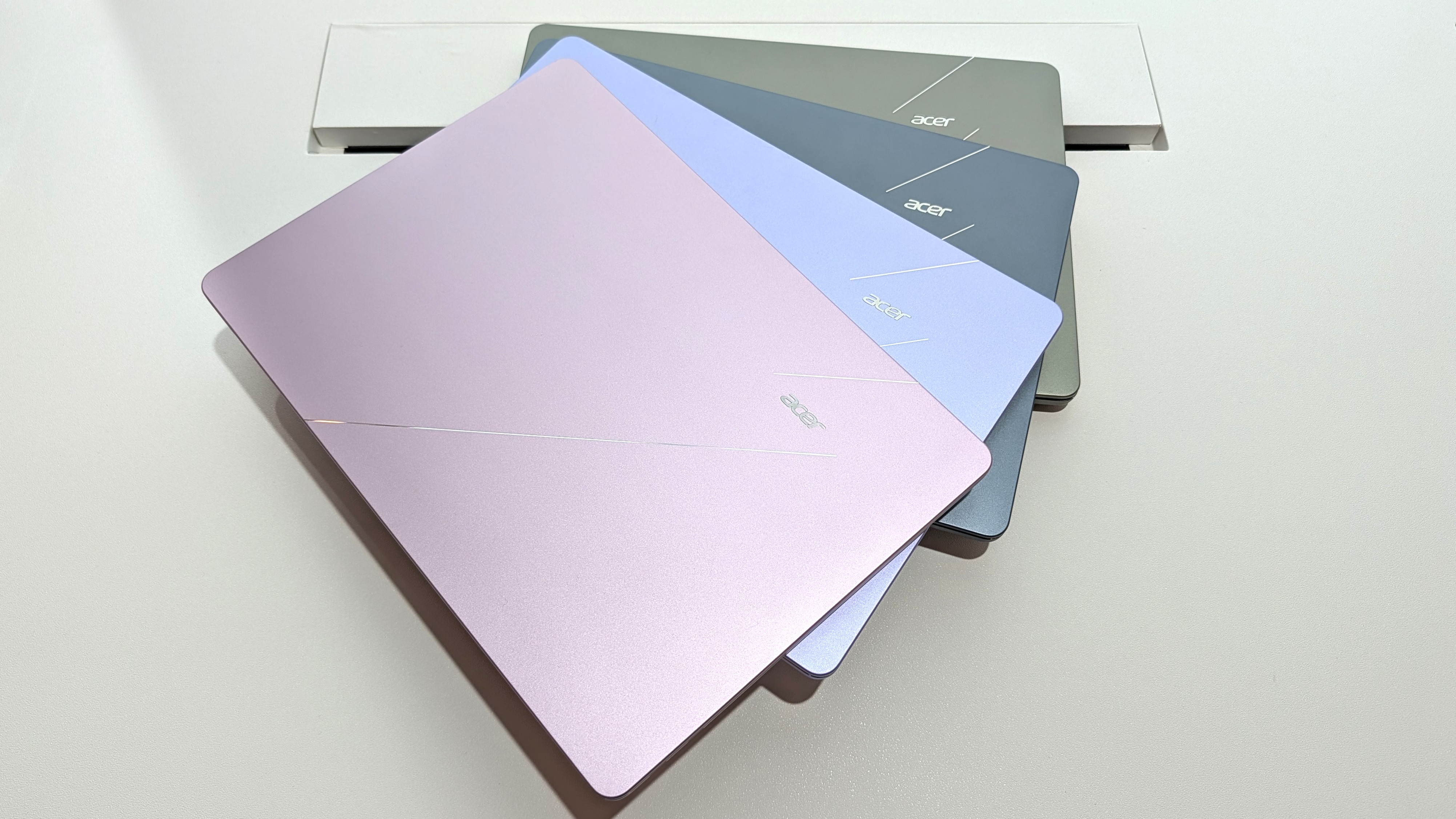
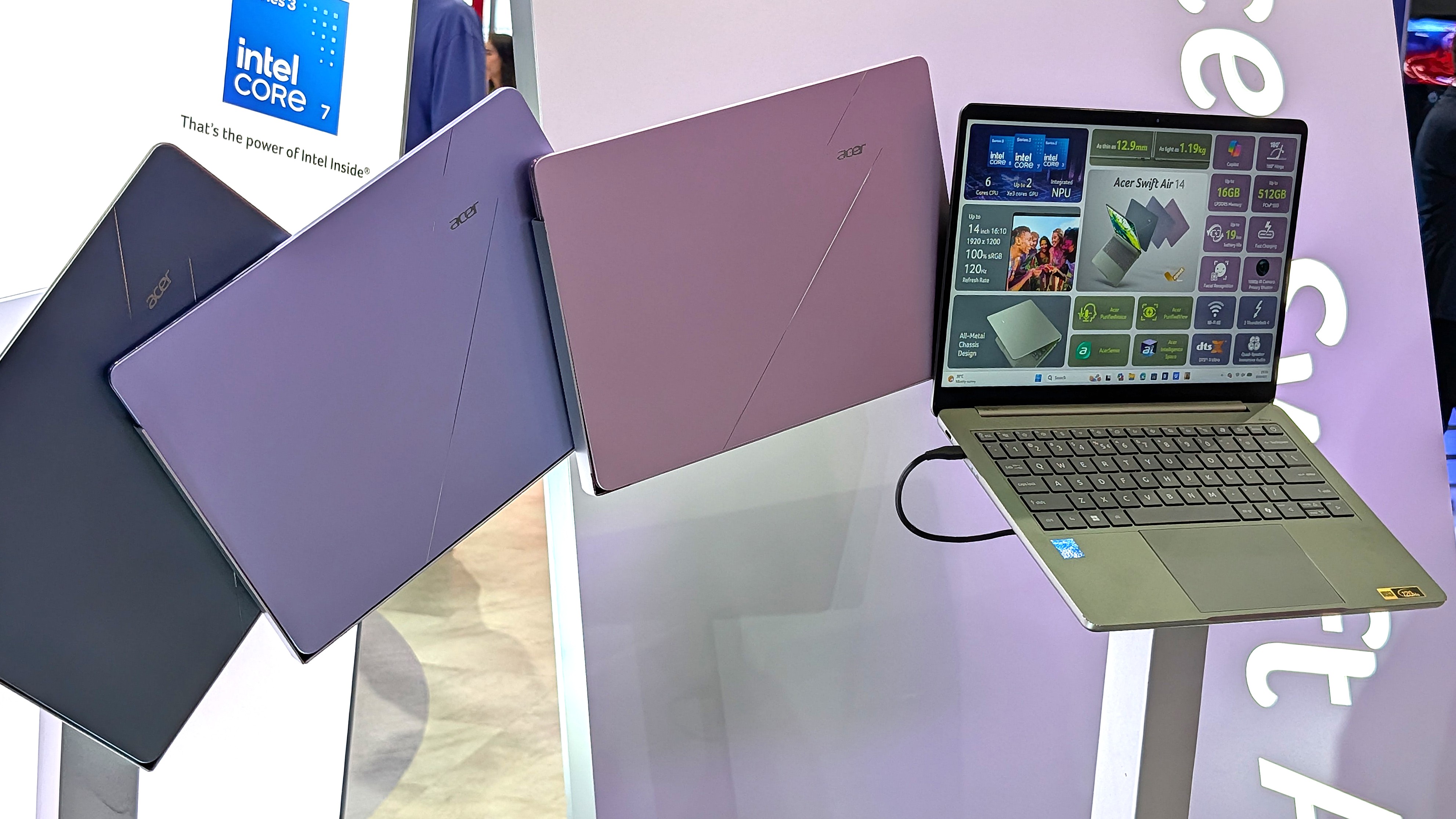
Showing off the Acer Swift Air 14's color options. (Image credit: Windows Central / Zac Bowden)
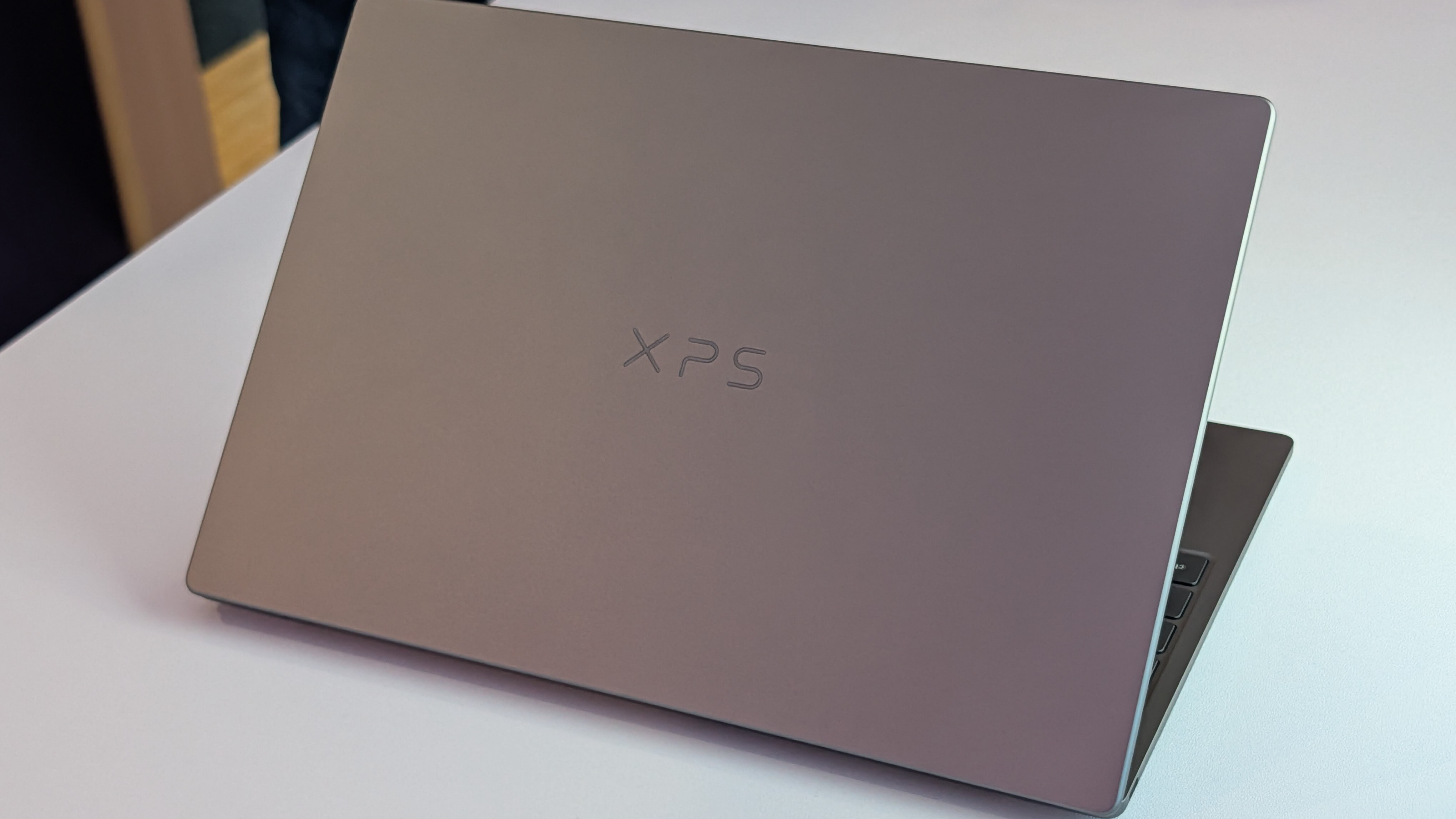
One major feature that sets these budget laptops apart from other PCs in the same price range is their aluminum frames. These are laptops with a truly premium feel despite their budget pricing.
It's a beautiful laptop, complete with a metal enclosure that feels premium to touch, and a large trackpad and excellent keyboard that make using the device feel great.
Zac Bowden
Dell offers two colors — Storm or Sky — for its XPS 13, while Acer offers Sage Green, Frost Blue, Blossom Pink, and Lilac Purple colors for a bit of extra expression.
The Swift Air 14 is the larger of the two laptops due to its 14-inch screen. It's still only about 12.36 inches wide (basically the size that 13-inch laptops used to be), and it weighs in at just 2.75 pounds (1.25kg).
The XPS 13 has a width of 11.69 inches and weighs in at 2.2 pounds (1kg), which is considerably lighter. I'd say that both of these laptops are extremely portable, and there's a difference of just 0.1 inches when it comes to thickness.
The laptops feel premium, and that's really what matters with such affordable devices. Bowden, too, went hands-on with the new XPS 13, stating:
The new XPS 13 doesn't cut any obvious corners to reach its new $699 price point. It still feels every bit as premium and nice to use as the $1,000 XPS 13 before it. This would be like if Apple made the MacBook Air a $699 laptop, instead of building a cheaper MacBook Neo.
Zac Bowden
TL;DR: Both laptops have a premium design and build quality, and they're both relatively thin and light. Stick with the XPS 13 if you want to be as mobile as possible, though the Swift Air 14 isn't far behind.
Touchpads and keyboards don't suffer from budget pricing
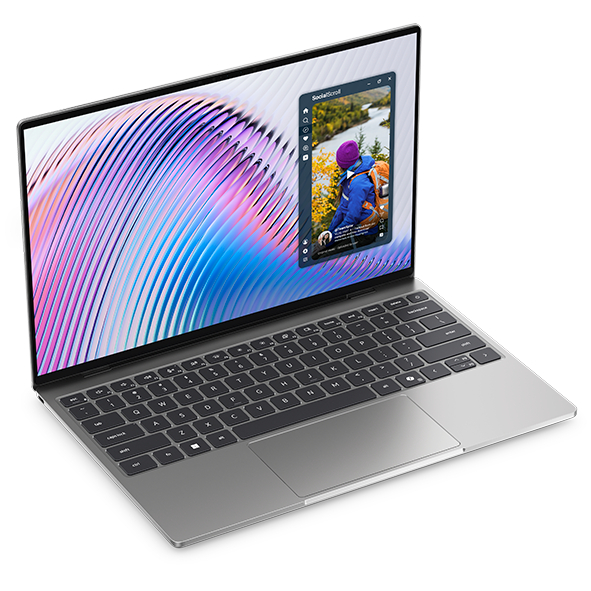
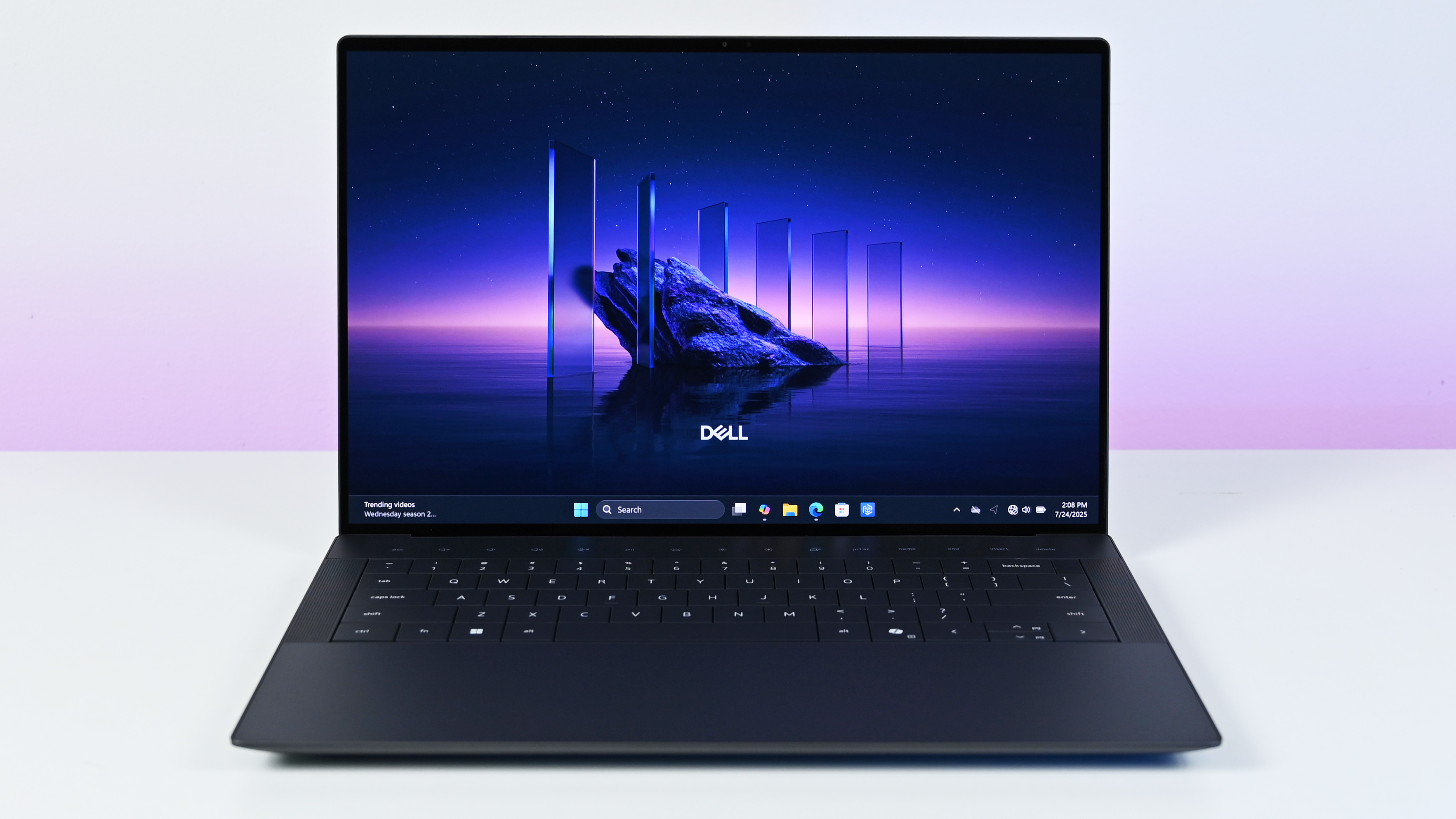
A closer look at the XPS 13's backlit keyboard and mechanical touchpad. (Image credit: Future)
As I mentioned, these laptops don't feel like they cost $699. Zac Bowden and I tested them both while we were at Computex, and it's clear that both brands put a lot of work into their keyboards and touchpads.
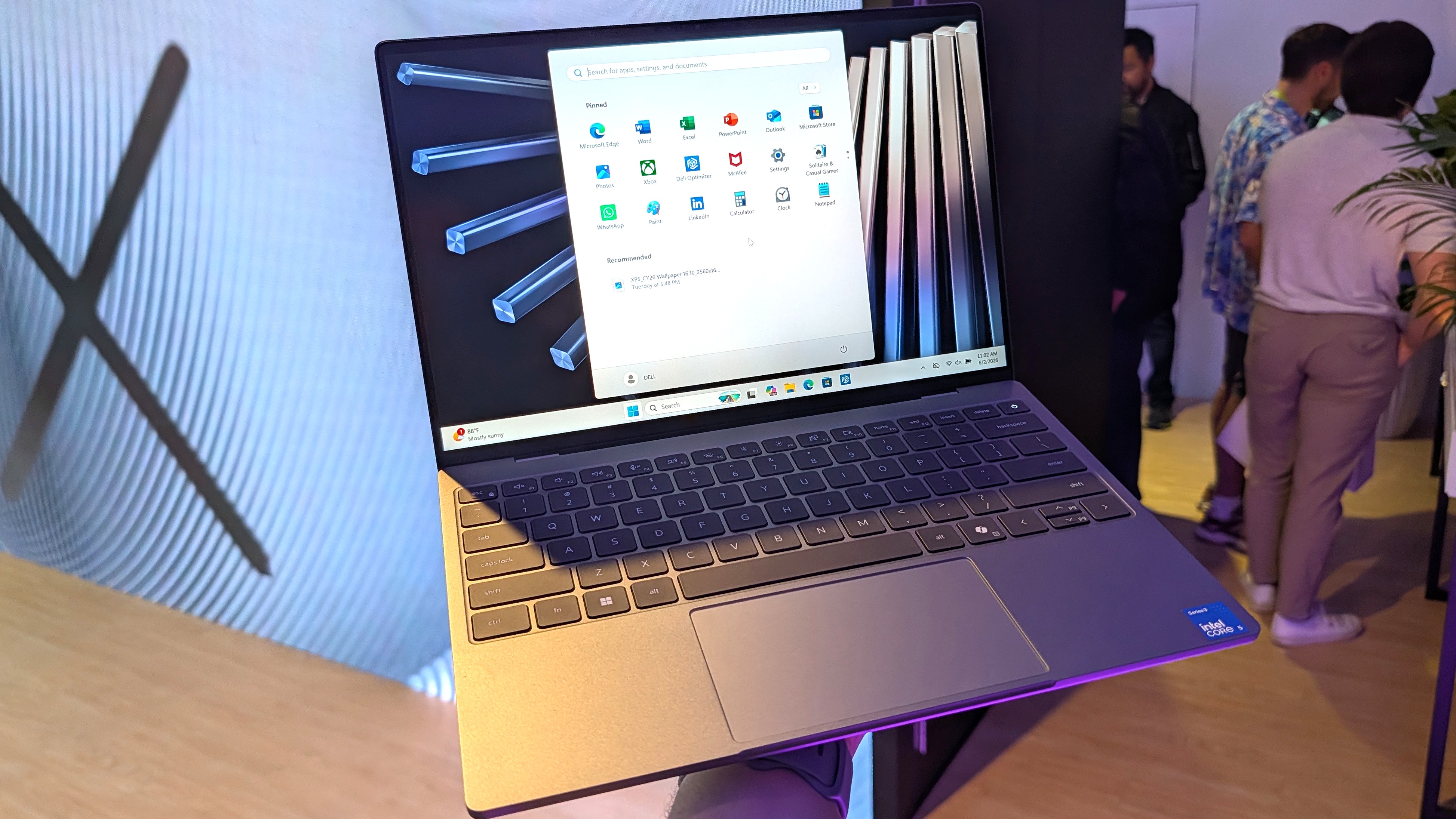
Dell skipped its lattice-free keyboard design on the new XPS 13 for a more traditional feel, and its mechanical touchpad (no haptics, unfortunately) is large and has a satisfying click.
In the same vein, the Swift Air 14's keyboard has decent travel and a comfy feel. The touchpad, again without haptics, is large and tracks well. You'll ultimately have to decide for yourself which setup you like more, but I can say that neither laptop skimps on the backlit keyboard and mechanical touchpad.
TL;DR: Your final decision will likely come down to personal preference, but I can say after testing both laptops that neither is likely to disappoint in terms of touchpad and keyboard.
Port selection might be the weak spot for some users
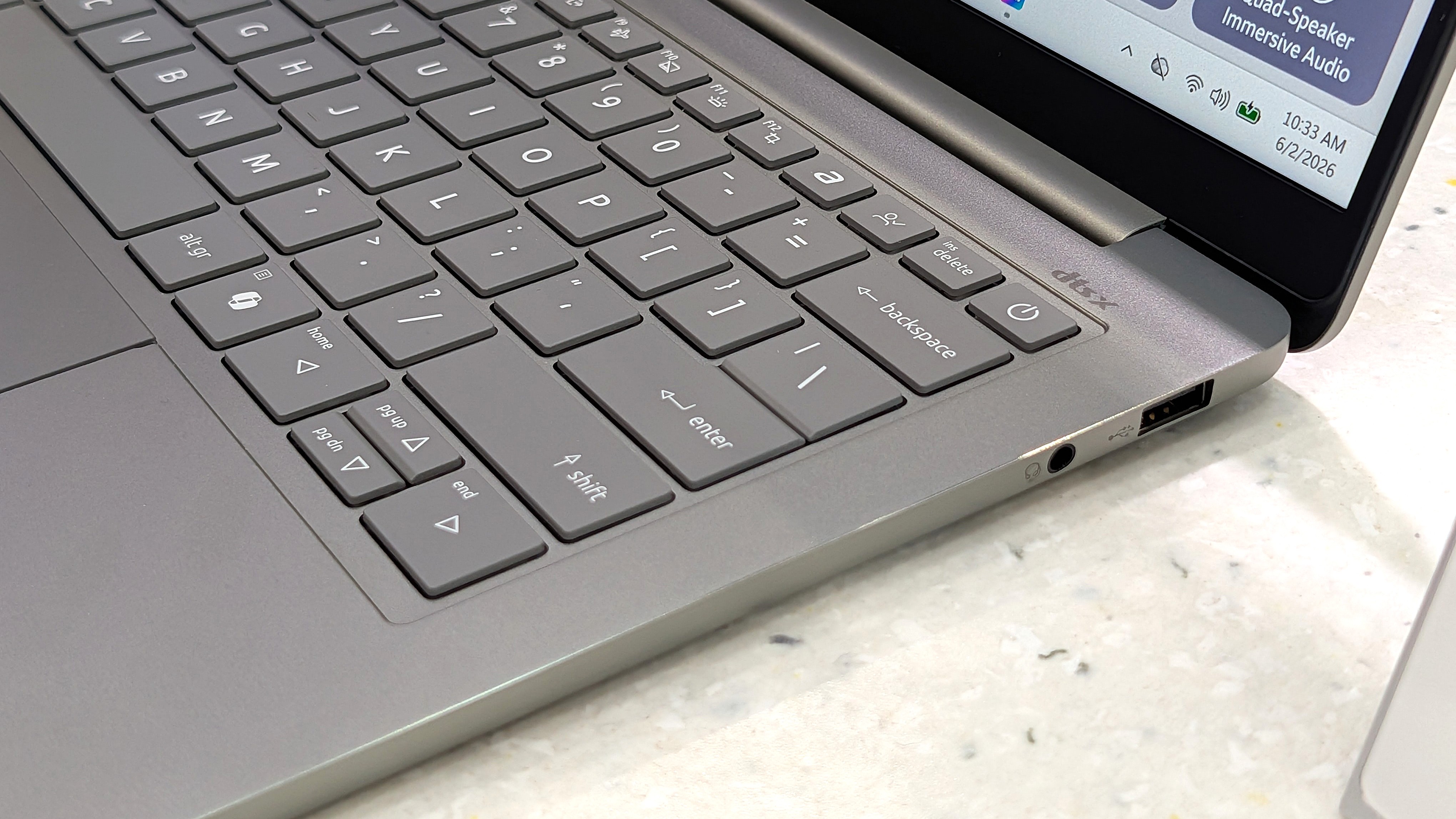
A look at the Swift Air 14's USB-A port and 3.5mm audio jack. (Image credit: Zac Bowden / Windows Central)
The XPS 13 with Intel's Wildcat Lake chips features dual USB-C 3.2 (Gen 2) ports. If you spend more on a model with an Intel Panther Lake CPU, you'll get two Thunderbolt 4 ports instead.
The Swift Air 14 is a lot better on ports, with dual Thunderbolt 4, one USB-A 3.2, and a 3.5mm audio jack.
As for wireless connectivity, the XPS 13 has more modern Wi-Fi 7 connectivity paired with Bluetooth 6.0. The Acer Swift Air 14 falls back to Wi-Fi 6E and Bluetooth 5.3. Is this a difference an average user will notice in day-to-day computing? Absolutely not.
TL;DR: Dell's most affordable XPS 13 models don't come with Thunderbolt 4, and there's no 3.5mm audio jack. Acer's Swift Air 14 comes with dual Thunderbolt 4 by default, plus it adds USB-A and an audio jack.
Both PCs have IR cameras for Windows Hello
The bezel above the Swift Air 14's display houses a 1080p webcam with IR capabilities for Windows Hello. (Image credit: Windows Central / Zac Bowden)
Something you don't see very often in budget laptops is an IR camera for Windows Hello. This additional hardware built into the above-display cameras unlocks facial recognition for Windows 11, adding an invaluable layer of security for any type of user.
Both laptops have a regular 1080p camera for video conferencing and stills. We had limited time to test cameras during our hands-on, but each seemed to do a good job of handling varying lighting conditions.
TL;DR: There's not much difference here between the 1080p webcams with IR sensors for Windows Hello facial recognition.
Dell's XPS 13 has a superior display compared to the Swift Air 14
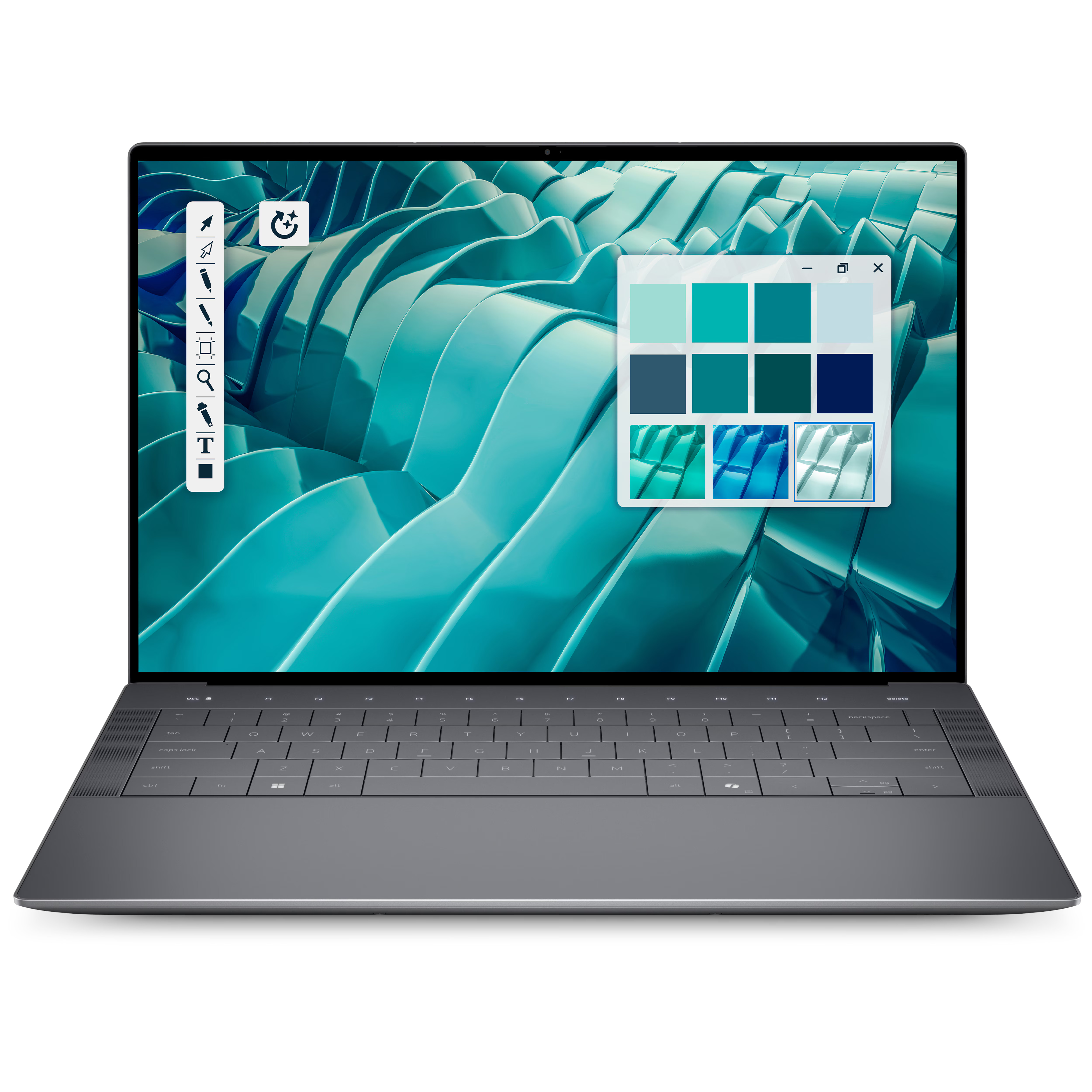
A bright display with a 2.5K resolution comes standard in the XPS 13.
Measuring 13.4 inches with a 2560x1600 (2.5K) resolution, the XPS 13's display doesn't fail to impress. It's crisp, it has plenty of brightness at a 500-nit maximum, and an anti-glare finish makes it easier to see in bright conditions.
It features Dolby Vision certification for HDR content, it has a 30Hz to 120Hz variable refresh rate, and Dell clocks it at 100% DCI-P3 color gamut coverage.
The only aspect I can see Acer winning with the Swift Air 14's display is sizing. It measures 14 inches, giving some users a much-needed boost for multitasking. It also hits 100% sRGB color.
Another shot of the XPS 13's 2.5K display. (Image credit: Zac Bowden / Windows Central)
It does, however, have a lower 1920x1200 resolution and less brightness at 350 nits. It's unclear if the Swift Air 14's display has a variable refresh rate: it's listed as 120Hz only. That's a nice smooth picture, though the variable aspect can help conserve battery life.
TL;DR: The XPS 13's higher resolution, variable refresh rate, and Dolby Vision certification make it an attractive option, though some users will prefer a full 14 inches from the Swift Air 14 for easier multitasking.
Intel Wildcat Lake CPUs help keep prices down
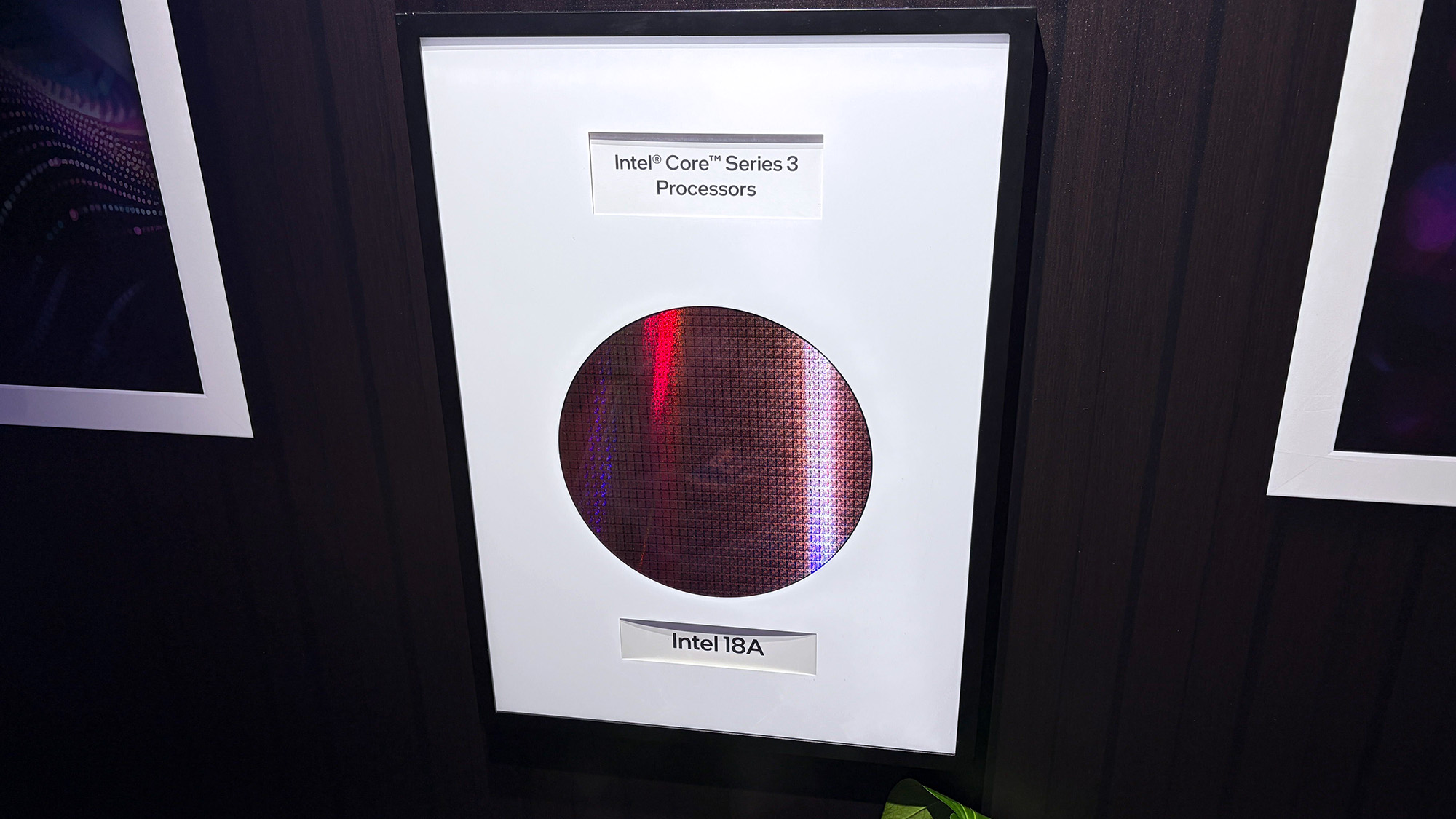
The Intel Core Series 3 wafer used to make the Wildcat Lake chips in the XPS 13 and Swift Air 14. (Image credit: Cale Hunt | Windows Central)
Dell's Wildcat Lake Core Series 3 processors are driving both of these $699 laptops, so I don't expect there to be much difference in performance. However, there is some nuance.
The XPS 13 is currently only available with a Core 5 320 chip; a Core Ultra 7 355 chip from the more powerful Panther Lake series is expected to arrive at some point in the future. If you want the most power possible and don't mind spending more, this is the configuration I'd hold out for.
I'm expecting the Swift Air 14 to launch with the same Core 5 320 CPU in its $699 model, but Acer also lists a Core 7 350 for those with a bit more to spend. Both laptops come with 8GB or 16GB of LPDDR5 RAM, and only Dell plans to release a 32GB config for its upcoming Intel Core Ultra model.
TL;DR: The use of Intel Wildcat Lake CPUs in both laptops means performance should be close. If you want more power, only the XPS 13 is expected to offer an Intel Panther Lake alternative.
Acer's Swift Air 14 has a much larger battery capacity, but Dell has a secret weapon
The Swift Air 14 hides a sizable 70Wh battery in its slim chassis. (Image credit: Zac Bowden / Windows Central)
The Intel Wildcat Lake chips used in these laptops are geared to offer exceptional battery life.
Dell says its XPS 13 with a 52Wh battery can go for up to 17 hours when streaming video, and that's boosted by the use of 800ED battery cells that hold more power while taking up less physical space.
Acer's Swift Air 14 has a larger 70Wh battery, though it doesn't have Dell's extra-dense cells. This results in an estimated 19 hours of video playback, or 16 hours of web browsing, according to Acer.
We'll have to perform our own tests on these laptops to discover the true battery life, but I can say that both PCs should be able to get through a day of work or study without needing a charge.
TL;DR: The Swift Air 14's larger battery capacity is offset by Dell's use of denser battery cells. Both PCs should be able to go for most of a day without needing a charge.
Dell XPS 13 vs. Acer Swift Air 14: Which should you buy?
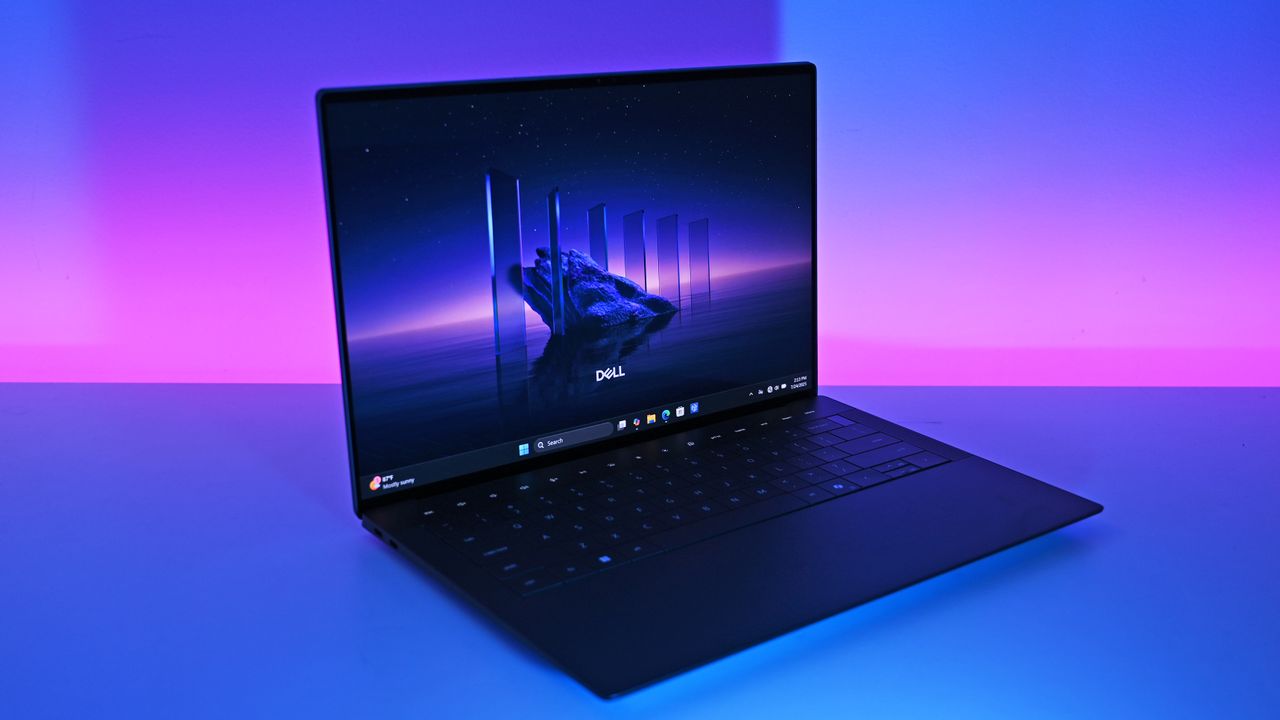
Dell's new XPS 13 is available starting at $599 for students, $699 for everyone else. (Image credit: Future)
Which laptop you ultimately choose should come down to several personal preferences. Want a larger display even with a lower resolution? Acer's laptop is the way to go. Want a larger battery capacity? The same goes.
But Dell's XPS 13 drops its price to $599 if you're a student, which makes it a particularly spectacular deal. Combine that with a higher-res 2.5K display, snappy performance, and long battery life, and you have a PC that's tough to beat.
The incumbent
Dell
XPS 13 (DX13260)
Dell's XPS 13, starting at $599 for students and $699 for everyone else, kicked off a new market sector of affordable-but-premium Windows 11 PCs. It's not likely to be usurped by the new Acer Swift Air 14 unless you need more ports, a larger display, or more expressive color options.
The Challenger
Acer
Swift Air 14 (SFA14)
Acer's Swift Air 14 arrives to challenge the $699 affordable-but-premium PC market, and it should be the right choice for those who want a larger 14-inch display, more color options, and a more generous selection of ports.
Join us on Reddit at r/WindowsCentral to share your insights and discuss our latest news, reviews, and more.
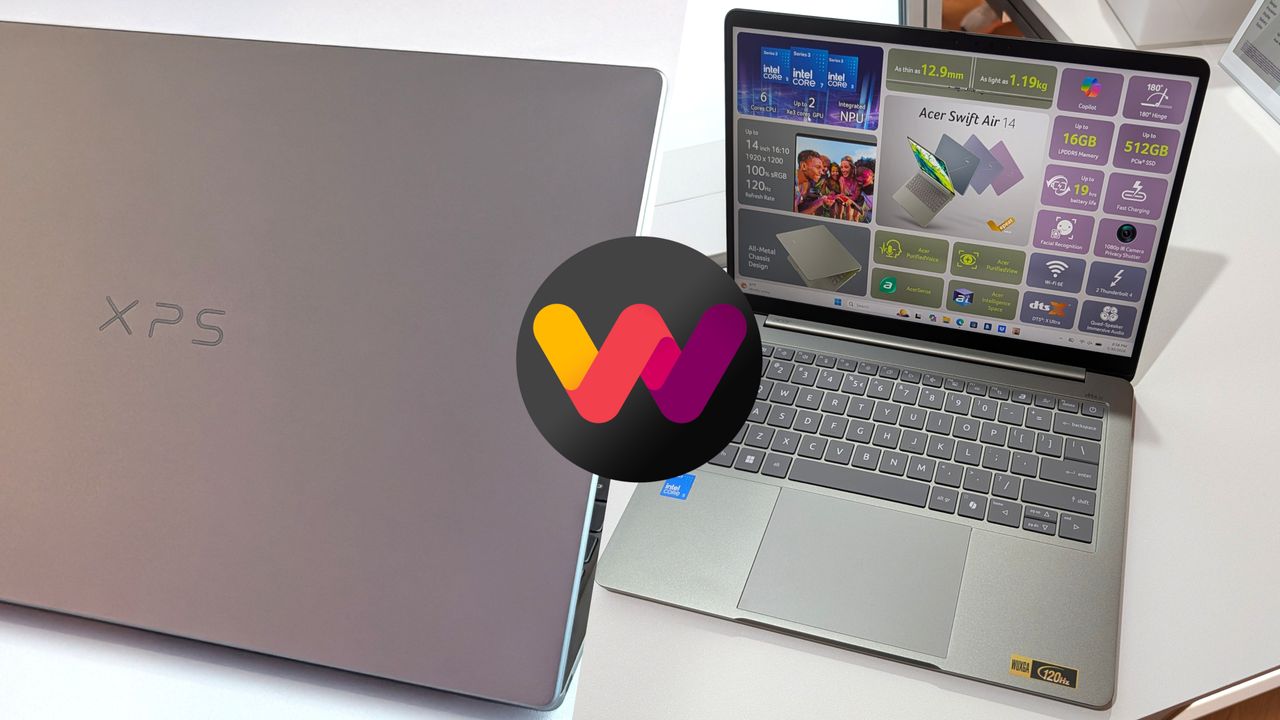
A Dell XPS laptop with a gray lid and an open Swift Air 14 display showcasing specifications. An abstract logo in pink, purple, and yellow overlaps the images.
The new XPS 13 (left) and the Swift Air 14 (right) are two $699 Windows laptops.
I highlighted Dell's discount on the XPS 14 recently, and the deal has since gotten even better. I didn't think I'd see a laptop with these specs at this price in 2026. 32GB of RAM, 1TB of storage, and 3.2K OLED touch display for $1,549.99 is, quite frankly, ludicrous.
My only concern is that the laptop dropping in price quickly suggests Dell is almost out of stock and wants to clear out 2025 models to push the newer XPS 14 laptops from this year.
This premium laptop has a 3.2K OLED touch display, 32GB of RAM, and a gorgeous design that takes advantage of every millimeter available. It's one year old, but it's still an excellent laptop in 2026.
Note that the review of this laptop was from before the Dell 14 Premium was rebranded to the Dell XPS 14.
The XPS 14 is a pretty laptop built for productivity. At one time, there were a bunch of variations for this PC, but the options have been trimmed down as stock dips. The 3.2K OLED touch display in this model stands out, especially at this price.
The XPS 14 has a zero-lattice keyboard that packs large keys into a relatively small laptop body. The haptic touchpad of the XPS 14 is invisible, creating a clean look when the laptop is open.
That touchpad can take some time to get used to, but it was praised by Tom's Guide in their review:
"The keys have good travel distance and just the right amount of resistance when pressed. Once you get used to how tightly packed they are, typing is a breeze. And now that I’m used to it, the invisible touchpad doesn’t bother me. As before, I like the haptic feedback the touchpad produces, which also helps me know its location."
While I love the design of the XPS 14, it has battery life that's just OK. Our colleagues at Tom's Guide got 8 hours and 16 minutes in their testing. For context, 10 hours of battery life is considered "pretty good" in that same test.
The discounted XPS 14 model I highlighted retails for $2,899.99, but it is from last year. Many laptops from this year with 32GB of RAM and 1TB of storage cost well over $2,000. The new XPS 14 with those specs is $2,119.99 right now, and that's after a $630 discount. That version also has a 2K non-touch screen rather than the 3.2K OLED touch screen seen in the XPS 14 (2025) highlighted here.
FAQ
Is the Dell XPS 14 (2025) still worth buying in 2026?
Yes. While it is a year old, the XPS 14 featuring 32GB of RAM, a 1TB SSD, and a 3.2K OLED display is more than capable of handling heavy multitasking, content creation, and everyday workloads. At $1,549.99, it outperforms similarly priced 2026 mid-range laptops in both build quality and display specs.
What is the difference between the XPS 14 and the Dell 14 Premium?
They are the exact same laptop! Dell briefly adopted the "Dell 14 Premium" naming convention for its 2025 lineup before reverting to the "XPS" branding and retroactively updating model names.
Can I upgrade the RAM or storage later on?
The 32GB of RAM is soldered to the motherboard and cannot be upgraded after purchase, which makes the current deal a great way to future proof your laptop.
Join us on Reddit at r/WindowsCentral to share your insights and discuss our latest news, reviews, and more.
The all-new 2025 Dell 14 Premium replaces last year's Dell XPS 14. Though it looks the same, it has updated internal hardware.
The all-new 2025 Dell 14 Premium replaces last year's Dell XPS 14. Though it looks the same, it has updated internal hardware.
Razer's gaming keyboards have consistently ranked as some of the best you could buy, and, of course, they double up as generally excellent options for work and studies. Because let's be honest, if a keyboard doesn't feel good for actual typing, then is it even doing its job?
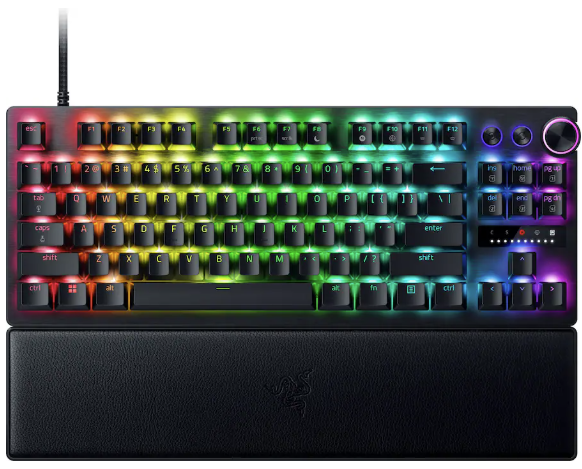
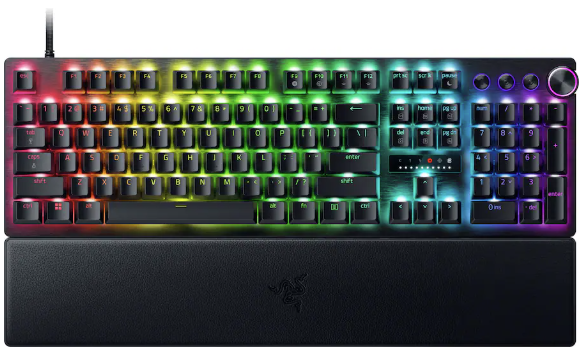
We already praised the Huntsman V3 Pro as "the world's most advanced gaming keyboard", and for now, the downside of its high price has been solved as the tenkeyless (TKL) model drops to $124.99 at Best Buy. Compared to its original MSRP of $219.99, it's instantly a much more tempting pick.
That $95 price drop stands alongside a discount on the full-size variant that we tested, bringing that to $180.74 with a much more specific $69.25 discount. Either way, you'll gain access to Snap Tap, Razer's solution for perfect counter-strafing in FPS games that prioritizes the most recently pressed button.
Personally, I prefer to ditch the numberpad for more desk space, so the TKL is perfect for me. It's also enjoying a bigger discount right now, making it even better value.View Deal
No compromises for larger desks; this gives you everything. "The Huntsman V3 Pro is one of the best keyboards I've ever used." — Zachary Boddy, Former Staff Writer — Windows Central review: ⭐⭐⭐⭐View Deal
What makes the Huntsman V3 Pro so good?
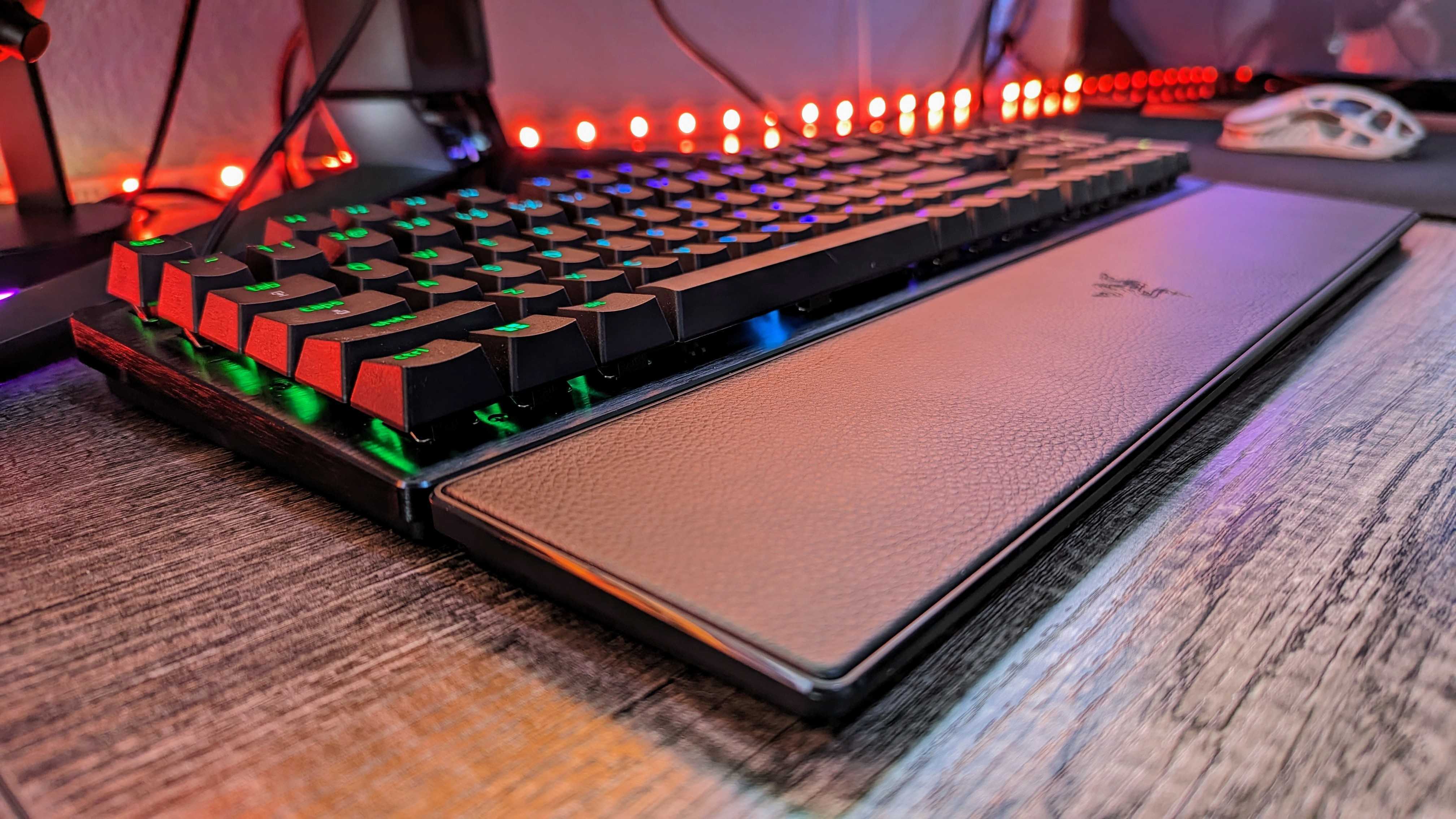
Razer throws in a wrist rest alongside its wealth of extra keys. (Image credit: Windows Central | Zachary Boddy)
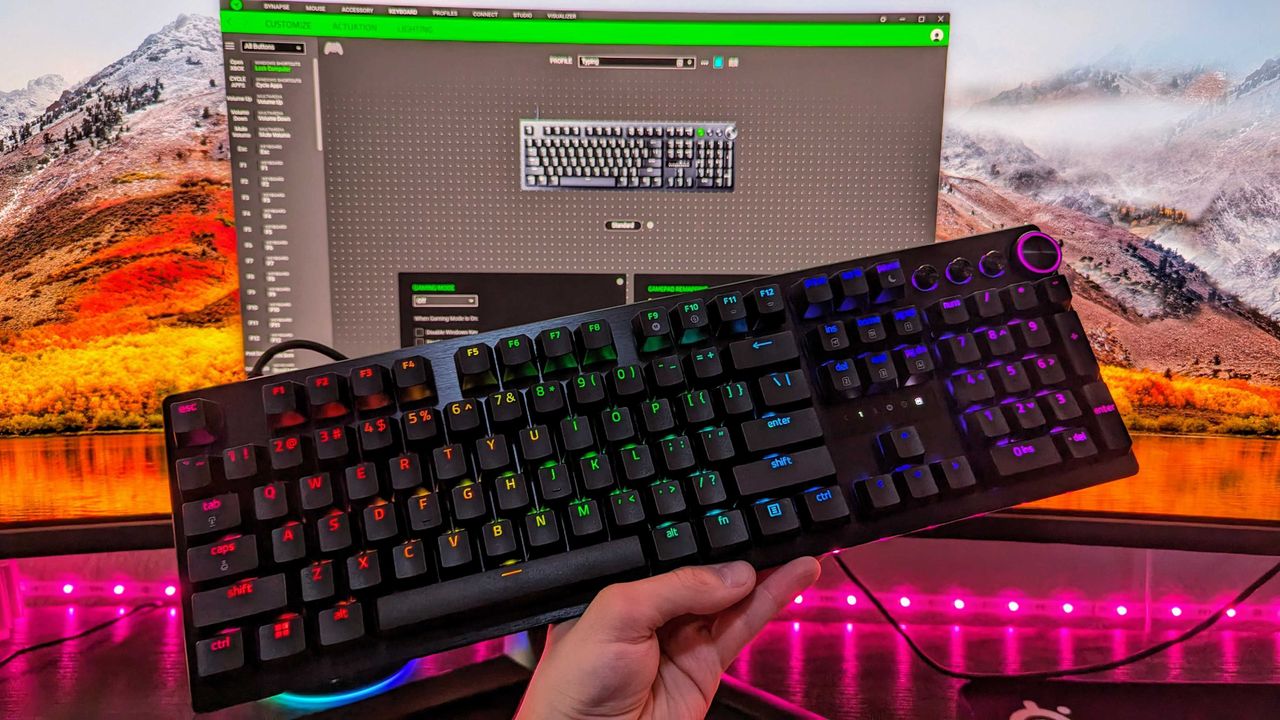
Adjustable actuation is one of those phrases that crops up around keyboards, and it's a feature that shines when you have the time to dig into it. Essentially, you can change the depth at which the optical switches underneath the keys detect a valid press, usually opting for shallow pushes during gaming and more deliberate, deeper pushes for typing.
If you're into tweaking and personalization, you'll get a lot out of it by fine-tuning the actuation and saving it to one of the on-board memory profile slots. That, paired with its brushed aluminum chassis and double-shot PBT textured keys for more durable lettering, makes for a comfortable typing experience.
On the flip side, we noted in our (full-size) Razer Huntsman V3 Pro review that the leatherette wrist rest isn't perfect, but it is magnetic, so if you'd rather use it only for typing and remove it for a night of gaming, it's easy to detach. I'd recommend giving it a fair try, as it's generally better to use something to support your wrists than nothing at all, but your mileage may vary.
Overall, this discount makes the Huntsman V3 Pro, whether TKL or full-size, an absolute bargain. Even if you don't make use of all the extra dials at first, diving into customization would help you assign them to your most-used features soon after. It's a quality wired keyboard that works just as hard for daily typing, so you could probably argue it's a back-to-school expense if you tried.
Frequently Asked Questions
Is the Huntsman V3 Pro wired or wireless?
This is a wired gaming keyboard with a braided USB Type-C to USB Type-A cable. It can be detached and replaced with a longer variant, but the keyboard will not operate wirelessly.
What's the difference between full-size and TKL?
A full-size keyboard includes a number pad and is what you might think of as a "standard" model. TKL stands for tenkeyless, and it drops the numeric keypad to save space while retaining the arrow keys and the home/end keys.
Is this a mechanical keyboard?
The Huntsman V3 Pro does not use mechanical switches; instead, it features optical key switches that operate like magnetic Hall-Effect sensors found in popular joypads to support its adjustable actuation.
Join us on Reddit at r/WindowsCentral to share your insights and discuss our latest news, reviews, and more.
Image of the Razer Huntsman V3 Pro gaming keyboard.
Razer's discounted Huntsman V3 Pro is built for gaming performance but offers a superb typing feel.
In an age where the best laptops are being price-gauged for everything they're worth thanks to AI eating all our RAM and memory, sometimes laptops we never took a shine to can end up being smarter financial alternatives, provided they have redeeming qualities and discounts to back them up.
One such flawed but capable laptop is the 16-inch, 2-in-1 Lenovo Yoga 7i, a laptop that doesn't quite get the "2-in-1" part right but makes up for it with all-day battery life, a strong SSD for fast boot-up times and decent storage space, and more enticing features that are now 20% off for $799.99 at Best Buy (was $999.99).
"Lenovo's 16-inch Yoga 7i 2-in-1 has strong positives for travelers who refuse to compromise on screen size and would benefit from a transforming screen." ~ Ben Wilson, Senior Editor
Side view of the Lenovo Yoga 7i 16-inch 2-in-1 laptop. (Image credit: Ben Wilson | Windows Central)
Now, the Lenovo Yoga 7i 2-in-1 16-inch isn't the greatest laptop in the world. When our laptop expert, Ben Wilson reviewed it, he remarked that its "sub-par IPS panel prevents its tablet mode from appealing to creatives who demand accurate color reproduction."
Plus, no bundled-in stylus pen combined with a stiff screen hinge makes the laptop's tablet mode not as useful or enjoyable compared to its competition.
However, that doesn't mean the Lenovo Yoga 7i 2-in-1 is worthless, as it has plenty of redeeming qualities.
It features above-average performance rates for crushing productivity tasks thanks to its Intel Core Ultra 5 Processor (2024) and 16GB RAM, a 512GB SSD to help store vital data files and boot its systems quickly, a 70Wh battery that will last over thirteen hours, and solid Wi-Fi 7 connectivity to ensure you never lose connection with the internet and never wait forever for web pages to load.
It's also got a built-in fingerprint scanner that acts as a secondary security measure for your precious work files, a 2K touchscreen with 60Hz refresh rates and 1080p resolution so you can view documents and spreadsheets with clear clarity, and competent performance rates for tackling AI-related tasks thanks to its integrated Copilot+ feature and a Neural Processing Unit capable of 40 TOPS.
So if you're looking for a reliable mid-range laptop that won't cost you over $1,000 to tackle work reports or school exams while travelling, the Lenovo Yoga 7i 2-in-1 that's now 20% off at Best could be the best unlikely weapon you didn't know you needed for slaying productivity backlogs.
FAQ
Is its RAM and SSD upgradeable?
The Lenovo Yoga 7i 2-in-1 16-inch laptop's pre-installed 16GB RAM can't be upgraded, as it's soldered into the motherboard. Its 512GB SSD, on the other hand, can be replaced and upgraded with a larger one via its M.2 2242 4.0 x4 slot.
Can it play video games?
It can play extremely light video games like Minecraft or Roblox, but don't expect the Lenovo Yoga 7i 2-in-1 16-inch laptop to run intensive AAA PC games like Cyberpunk 2077, as it wasn't built for that purpose.
What ports does it include?
The Lenovo Yoga 7i 2-in-1 16-inch laptop features two Thunderbolt 4 USB-C ports, a USB-A 3.2 Gen 1 port, a HDMI-out 1.4b port, a microSD card reader slot, and a combo audio jack port.
Join us on Reddit at r/WindowsCentral to share your insights and discuss our latest news, reviews, and more.
Lenovo Yoga 7i 16 (Gen 10) laptop
Full view of the Lenovo Yoga 7i 16-inch, 2-in-1 laptop.
Halo: Campaign Evolved launched recently, giving gamers a chance to explore a reimagining of the legendary Halo title. Since the game is on Game Pass and playable on PC, Xbox, and PS5, people are finding a variety of ways to play.
Ghobso Gaming has tested over 200 games on the Surface Pro 11 with a Snapdragon X Plus. Recently, they tried playing Halo: Campaign Evolved on an ASUS Zenbook A16. That laptop is powered by a Snapdragon X2 Elite Extreme.
That chip is the most powerful of the Snapdragon X2 lineup, so you may have high hopes for playing a few games. Unfortunately, Halo: Campaign Evolved got just one star from Ghobso Gaming on the Zenbook A16.
"It's not great news," said Ghobso Gaming. "I went on to the second level and that's where we got some big problems," explained the YouTuber. Confusingly, some of the textures of the game are completely missing when played on a Zenbook A16 powered by a Snapdragon X2 Elite Extreme.
When I first saw the gameplay footage, I thought to myself, "I don't remember there being that much water in the original." But the ground of levels in the game is not water reflecting other parts of the map. It's simply gone.
On maps where there is a lot of vegetation on the ground, the textures are seemingly gone. You can look straight through the ground and see other parts of the level.
The graphical issue is peculiar, though it doesn't affect movement within the game or other mechanics. There's a chance that the problem could be fixed with an update and then Halo: Campaign Evolved could be playable on Snapdragon X2 Elite Extreme systems.
During their testing, Halo: Campaign Evolved hit between 30 FPS and 50 FPS for Ghobso Gaming (with frame generation enabled). That's not great, but it's fine for sneaking in some gameplay between meetings.
Gaming on ASUS Zenbook A16
The ASUS Zenbook A16 is a 5-star laptop. Our Ben Wilson went so far as to say the PC is "everything a flagship Windows laptop should be."
Wilson added that the A16 is a stellar example of how Windows laptops can answer to Apple's MacBook Air without resorting to ridiculous pricing. While it may differentiate itself when it comes to price, the Zenbook A16 has one key thing in common with the MacBook Air: it's not a gaming laptop.
Gaming on Snapdragon X processors continues to be a work in progress. I think we will see a day in which Snapdragon X PCs compete with devices powered by Intel or AMD chips. I hope that someday we'll see a great gaming handheld powered by Snapdragon X. But until drivers and other key components improve, gaming on Snapdragon X will remain mostly just potential.
Halo: Campaign Evolved
"Halo: Campaign Evolved beautifully reimagines the legendary Xbox flagship that kickstarted the iconic series, elevating the original title with gorgeous Unreal Engine 5 audiovisual presentation, thoughtful gameplay and level adjustments, three enjoyable new prequel missions, and more." — Brendan Lowry
The harsh reality of heading back to school is the exam prep work. I've been there. Strict deadlines, heavy revision, and pressure on your shoulders. It can be intense when you don't have anything to help manage all of your work.
Luckily, a laptop to help you write and catalog all your studies beforehand for any exams with high performance is currently discounted to $899.99 at Best Buy — the ASUS ZenBook 14, featuring a vibrant 2K OLED display.
"For those who want a stunning panel on a 14-inch laptop and won't feel sluggish, the ASUS Zenbook 14 is a great laptop to buy."
With the new model's AMD Ryzen AI 9 465 2026 processor, 16GB of RAM, and Integrated AMD Radeon graphics, the ZenBook 14 will deliver fast performance in documents and spreadsheets, editing media, and browsing online without slowdowns, even when you have multiple apps or browser tabs open.
Additionally, it features an NPU rated for up to 50 TOPs so you can use its Copilot+ integrated functions to run AI-empowered programs like Windows Recall to see snapshots of your past activity or conjure quick art images with Cocreator.
Other notable features include a 512GB SSD to store files, a portable-friendly ultra-thin design, a 1080p Full-HD IR webcam with swift face login, and a 14-inch 2K OLED Touchscreen display so it can render images with crystal-clear clarity at a traditional 60Hz refresh rate, 2K resolution, and 500 nits of max brightness with HDR support and 100% accuracy of the DCI-P3 color gamut.
So if you need a powerful laptop in the mid-range area to save you from getting an 'F' on your exams or help you clear deadlines faster, then the ASUS ZenBook 14 that's now 25% off could be your savior.
FAQ
This is laptop upgradeable?
The ASUS ZenBook 14 (UM3405GA-ZB_70)'s default 512GB storage unit can be upgraded with a larger SSD (up to 2TB) by inserting it into the laptop's M.2 2280 PCIe slot. Its RAM, however, can't be upgraded.
What is the battery life on this laptop?
The ASUS ZenBook 14 (UM3405GA-ZB_70) has a 75Wh battery that lasts for around 18 to 19 hours before needing to recharge, depending on system workloads, display settings, and what kind of apps you run on it.
Is it good for gaming?
Not really. The ASUS ZenBook 14 (UM3405GA-ZB_70) laptop was built for productivity tasks rather than gaming, as evidenced by its lack of a dedicated GPU, hardware, and cooling system required for running hardcore 3D PC titles like Cyberpunk 2077.
Join us on Reddit at r/WindowsCentral to share your insights and discuss our latest news, reviews, and more.
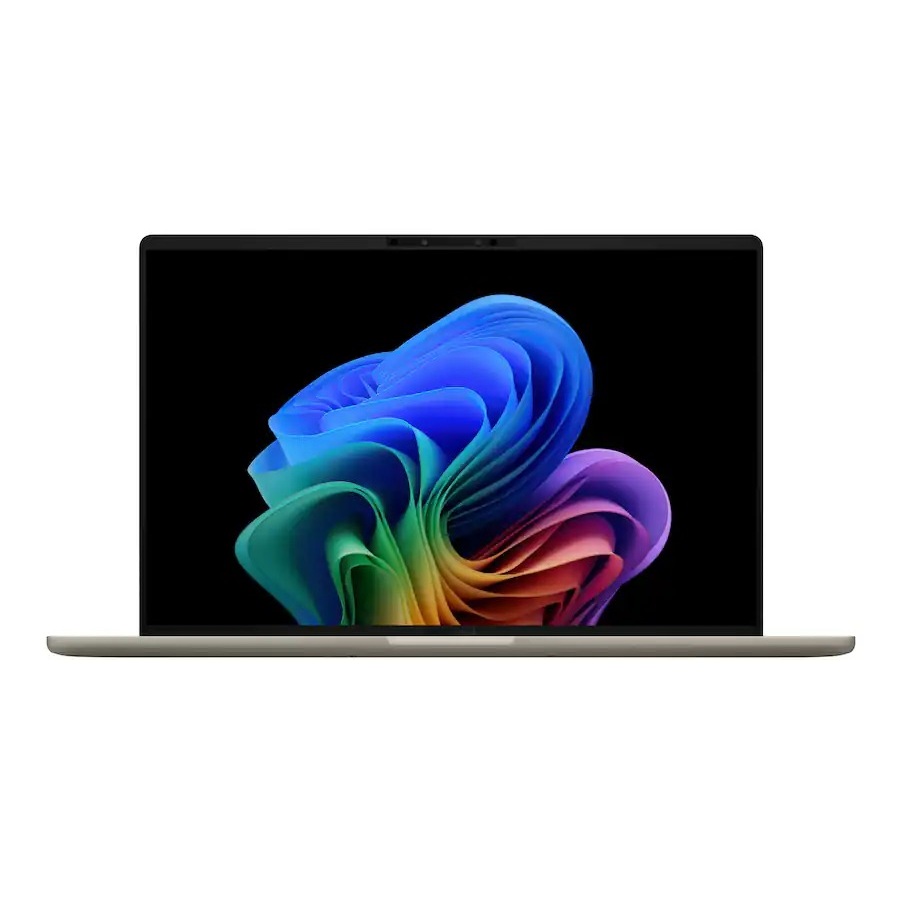
An ASUS Zenbook laptop with a dark chassis, thin bezels, and an OLED screen displaying a colorful abstract wallpaper, set on a white surface.
The Zenbook 14 has been impressing us since 2022, and it only gets better.
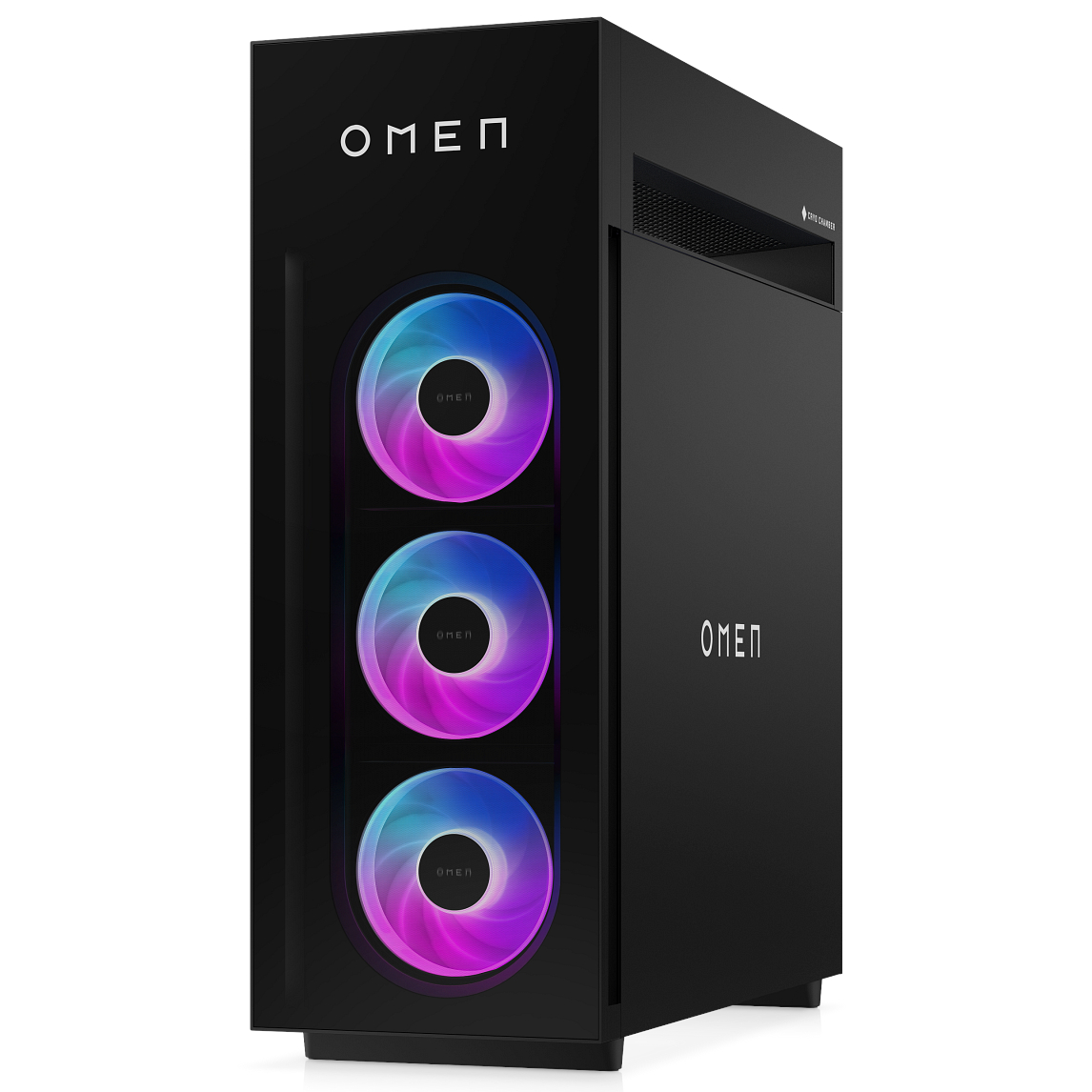
I'm talking about an upgraded cooling system built on the back of HP's unique "Cryo Chamber." About a new modular power supply with an auto-cleaning fan. About new in-depth overclocking abilities.
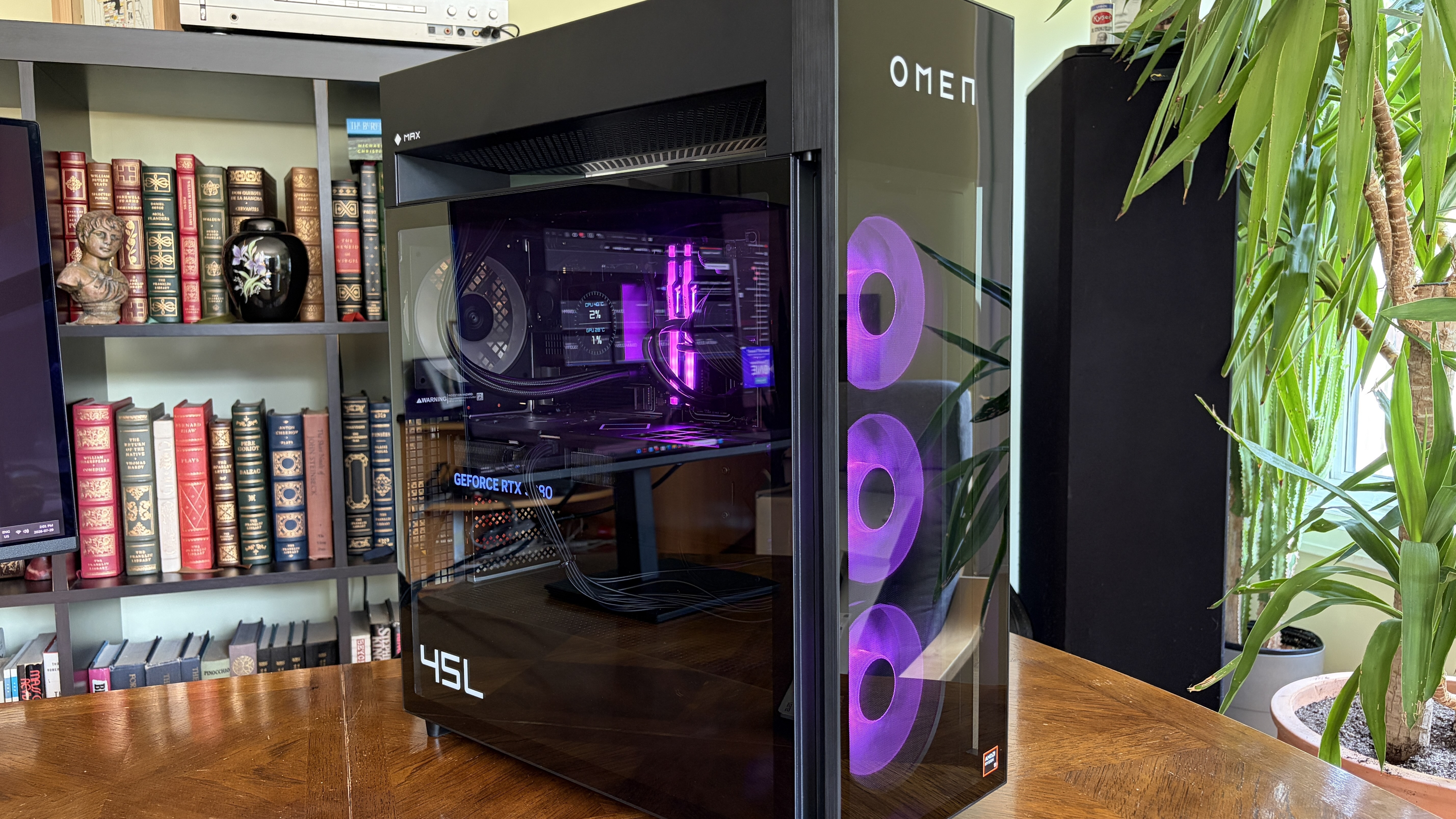
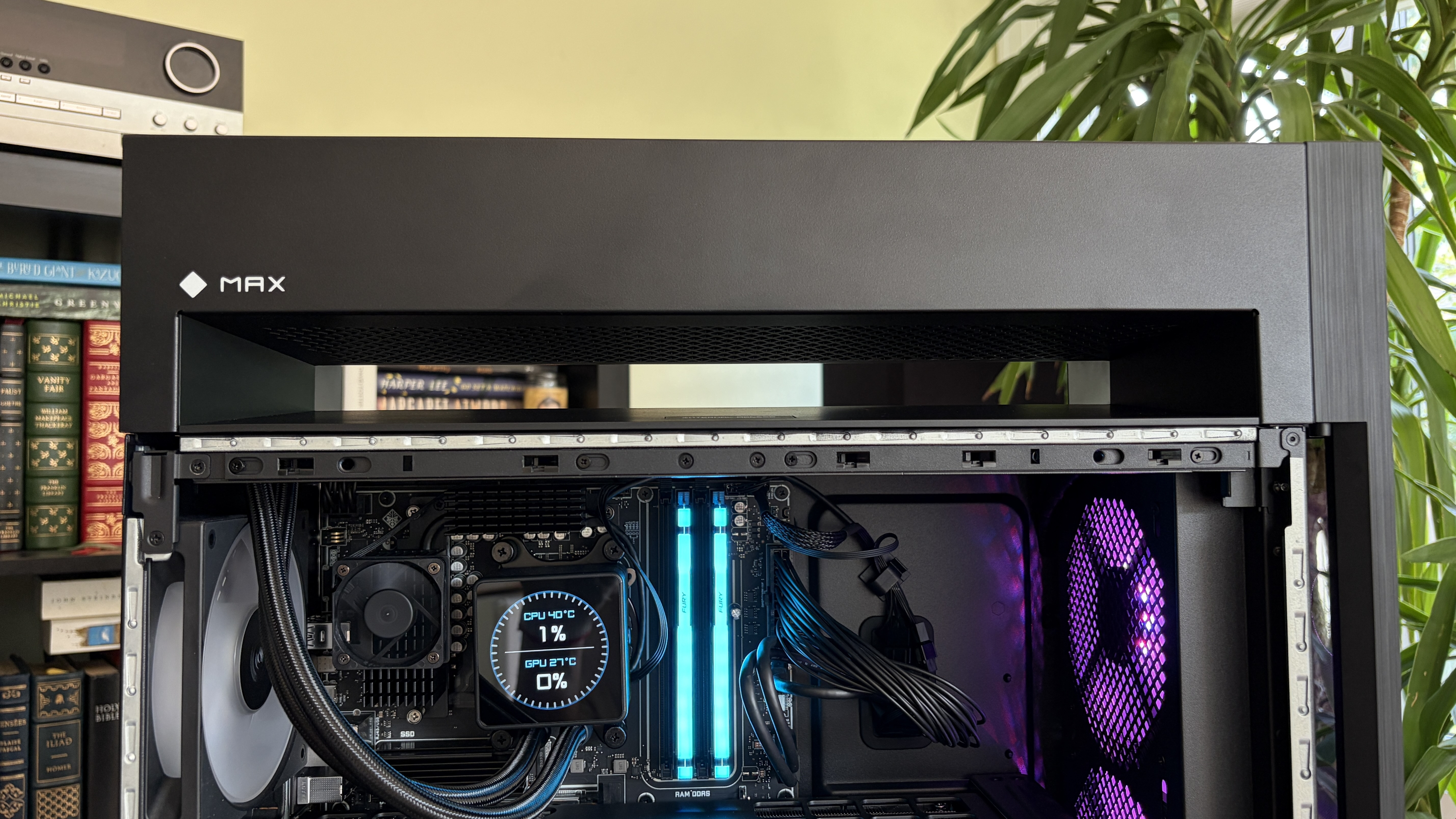
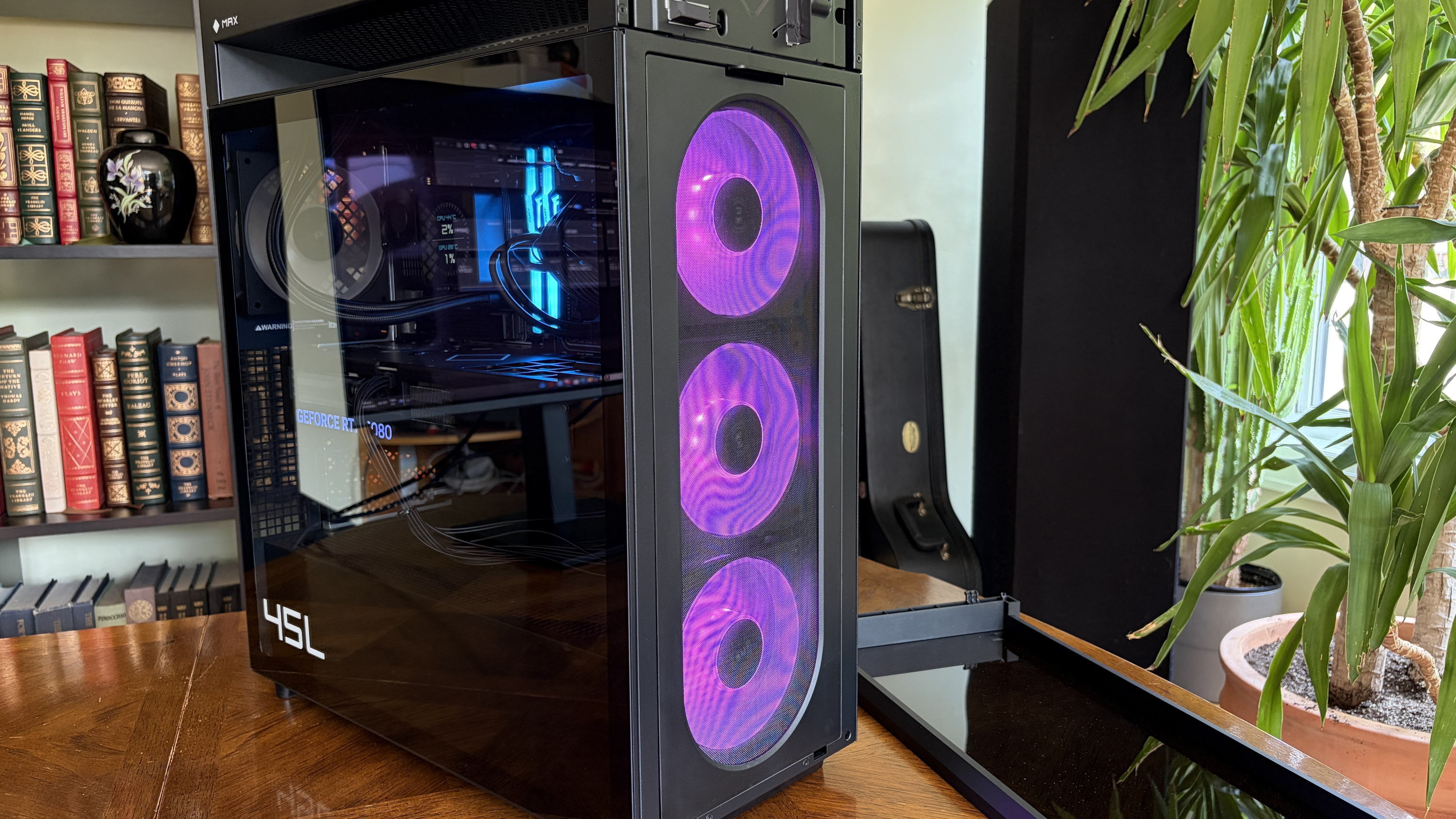
The Omen Max 45L recently landed in my office, and I've been using it for a couple of weeks to see what it's all about. Does it make a strong case for itself compared to a DIY build? Does it have enough premium features to warrant a premium price? Here's what you need to know.
HP sent Windows Central a review unit on loan for testing. It had no input, nor saw the contents of this review, prior to publication.
How much does the HP Omen Max 45L cost?
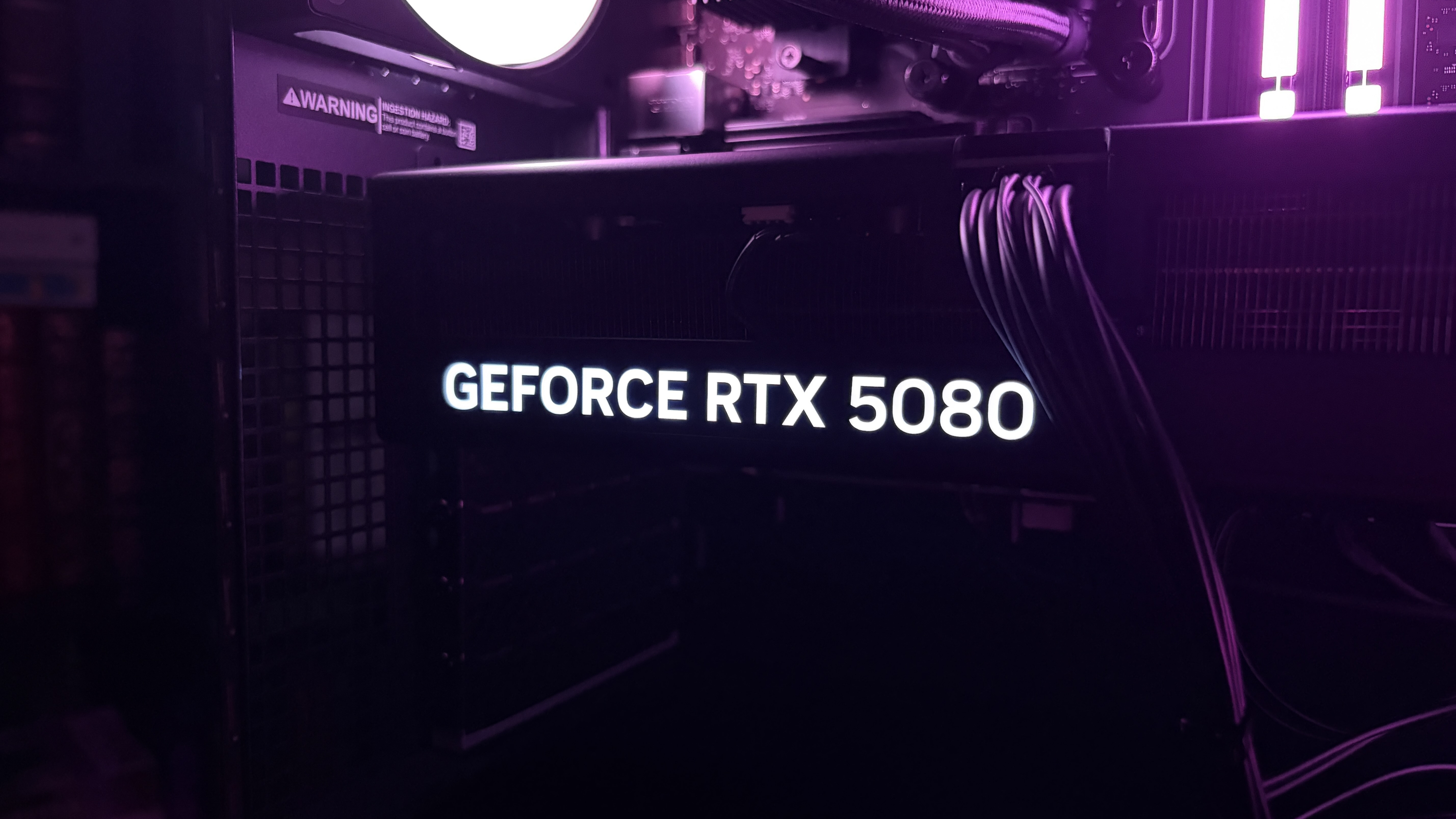
The RTX 5080 is the second-most powerful GPU option available in the HP Omen Max 45L. (Image credit: Future)
HP's Omen Max 45L does not come cheap as a direct result of inflated component costs and the general high-end nature of the system.
Looking at HP.com at the time of writing, prices start at $3,489.99 for a model with an AMD Ryzen 7 9700X CPU, NVIDIA RTX 5070 GPU, 32GB of Kingston Fury DDR5-6000 RAM, and a 1TB M.2 PCIe 4.0 NVMe SSD.
Prices climb all the way to $6,499.99 for a model with an AMD Ryzen 9 990X3D CPU, NVIDIA RTX 5090 GPU, 4TB of storage, and 64GB of DDR5 RAM.
The specific unit I'm reviewing costs closer to $5,959.99 before any discounts. At the time of writing, it's $800 off the regular price, bringing it down to $5,159.99. Here's a closer look at the specs that make up the PC I'm testing.
HP Omen Max 45L
CPU
AMD Ryzen 9 9950X3D
GPU
Custom NVIDIA RTX 5080
RAM
64GB DDR5-6000 Kingston Fury Beast RGB
Storage
2TB M.2 PCIe 4.0 NVMe, Samsung PM9A1
Motherboard
Custom, Micro-ATX, AMD X870
PSU
1200W, Cybenetics Platinum, modular, ATX 3.1
Wireless
Wi-Fi 6E or Wi-Fi 7, Bluetooth 5.3 or 5.4
Dimensions
8.03 x 18.15 x 21.85 inches (20.3cm x 46.1cm x 55.49cm)
Weight
49.82 pounds (22.59kg)
Warranty
1 year, HP Care Pack options available
I put together a mock build on PCPartPicker to compare pricing. With the CPU, GPU, RAM, storage, PSU, X870 motherboard, Windows 11, and Lian Li O11 case, you're looking at roughly $4,616. Add some extra ARGB case fans in there, and you might hit $4,800 to $5,000.
Without a discount, HP is charging a lot more for the Omen Max 45L compared to building your own. If you are interested in this PC, I definitely recommend waiting for a deep discount.
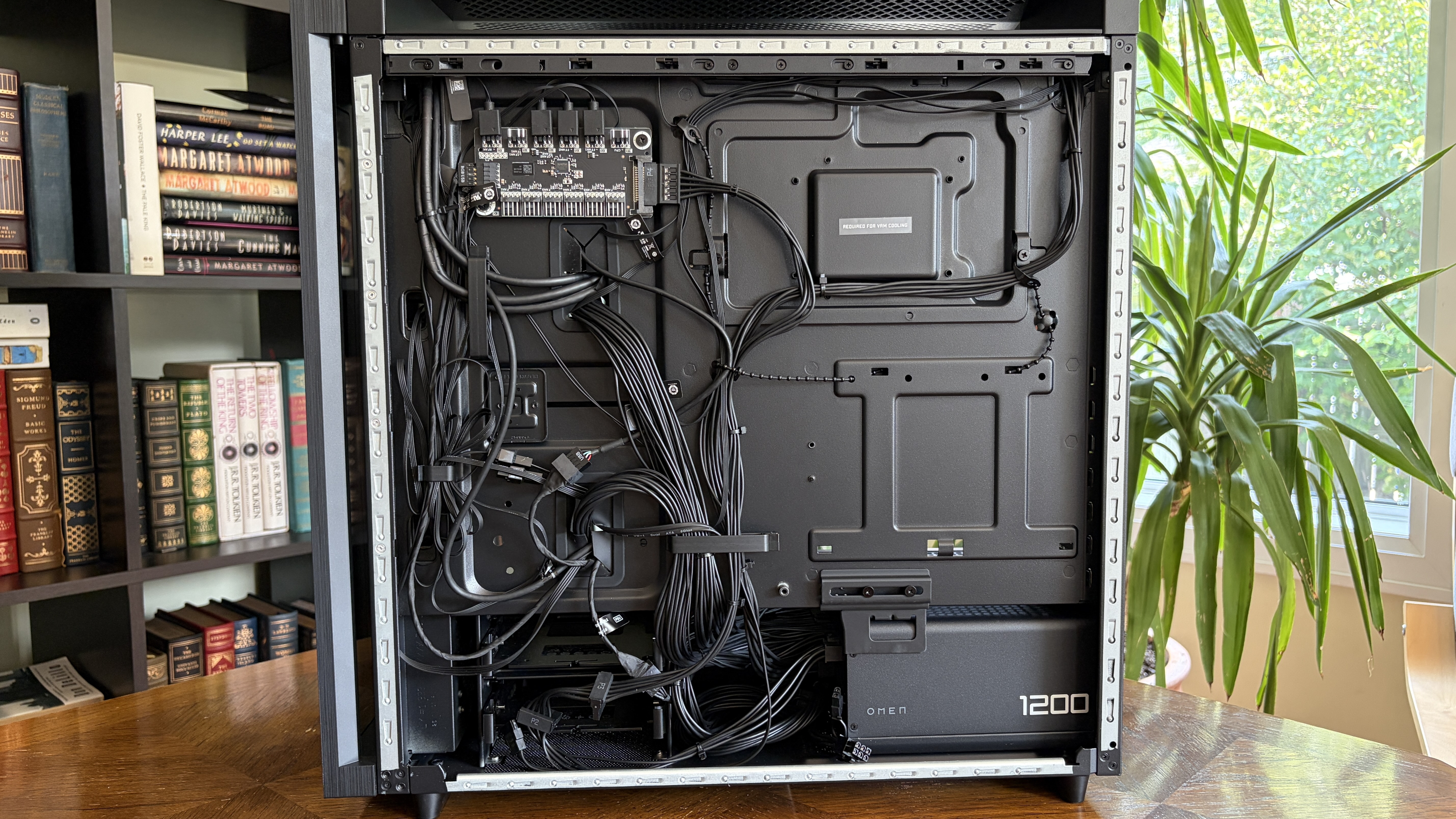
Is the HP Omen Max 45L assembled properly with good cable management?
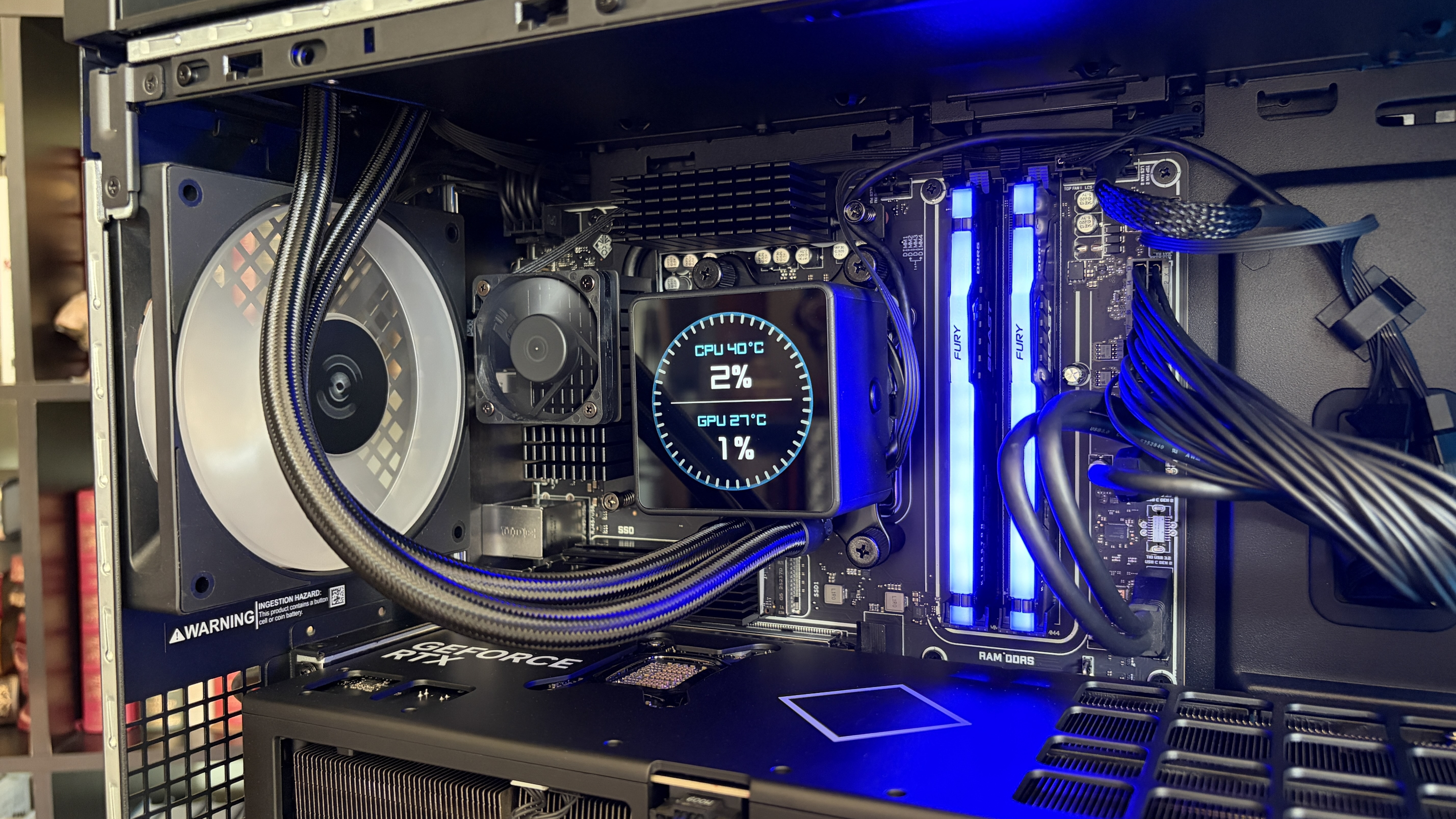
Cable management and build quality aren't perfect in the Omen Max 45L. (Image credit: Future)
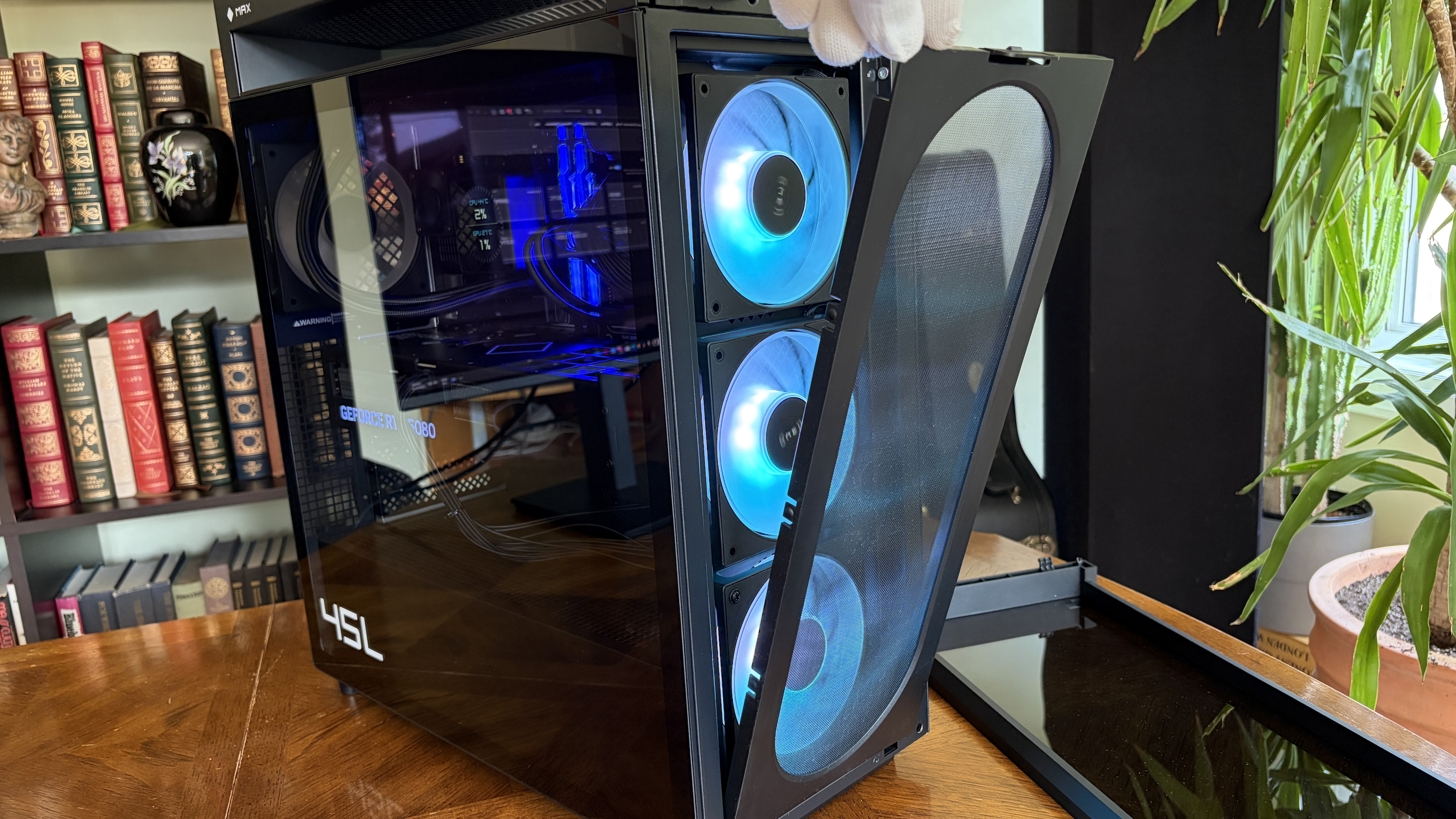
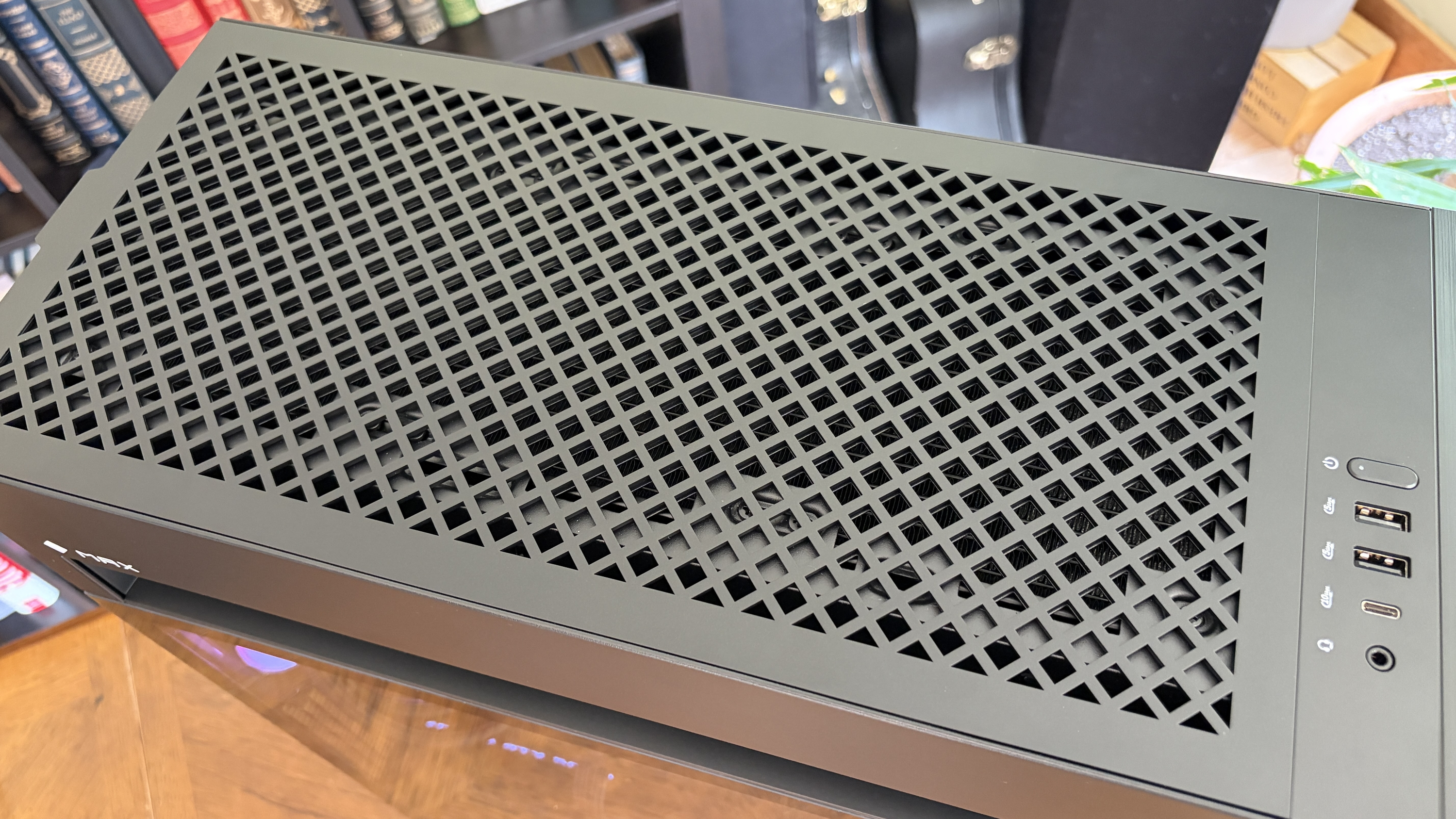
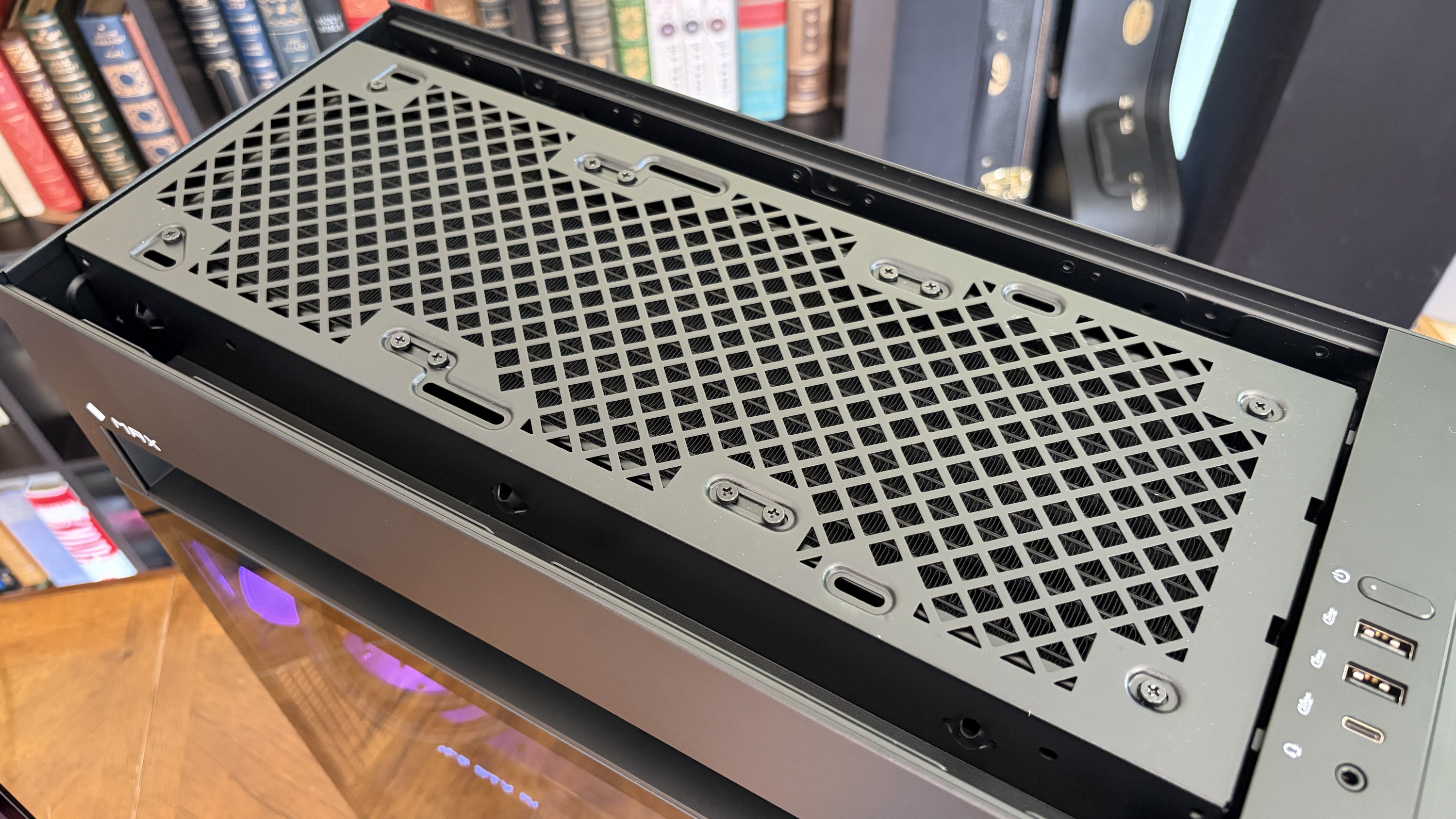
In the former case, it's a bit of a mixed bag. The PC has a sturdy separate top compartment that can be used to lug around the 50-pound system, quick-release side and front panels, and a pull-off top panel hiding the AiO radiator.
The front glass panel is removed by pressing two buttons.FutureA screen keeps dust out of the case.Future
It's easy to get inside the PC without any tools, and I appreciate that there's a removable dust screen for the three front intake fans. I live with two cats and ... you get the idea. I've been using the PC for a couple of weeks, and there was minimal dust to blow out when it came time for photos.
It's easy to get inside the PC without any tools, and I appreciate that there's a removable dust screen for the three front intake fans.
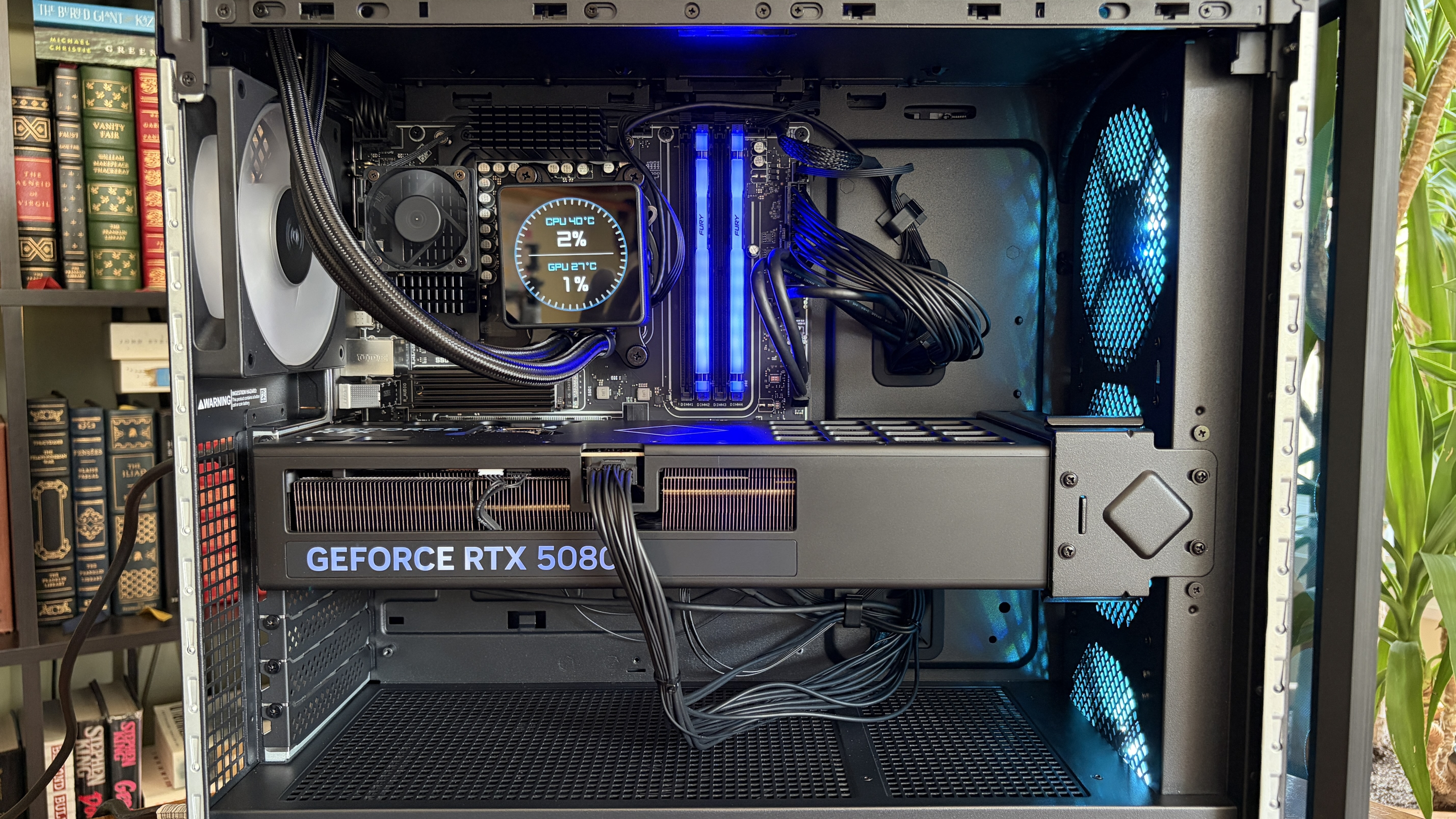
The massive RTX 5080 GPU is held in place with an additional bracket — also removing the need for any bothersome foam packing en route — and I had to make no adjustments out of the box. The PC turned on and booted up as soon as I hit the power button.
The top of the Cryo Chamber is protected by a removable plastic covering.FutureAccess to the AiO radiator is fairly easy.Future
There are a couple of areas where the build quality could be better. I noticed immediately that the CPU pump header isn't mounted squarely on the chip. The front panel of the case seems to stick on one side. And the rear side panel doesn't quite match up flush with the rest of the tower unless I really take my time lining it up.
Cable management leaves a lot to be desired
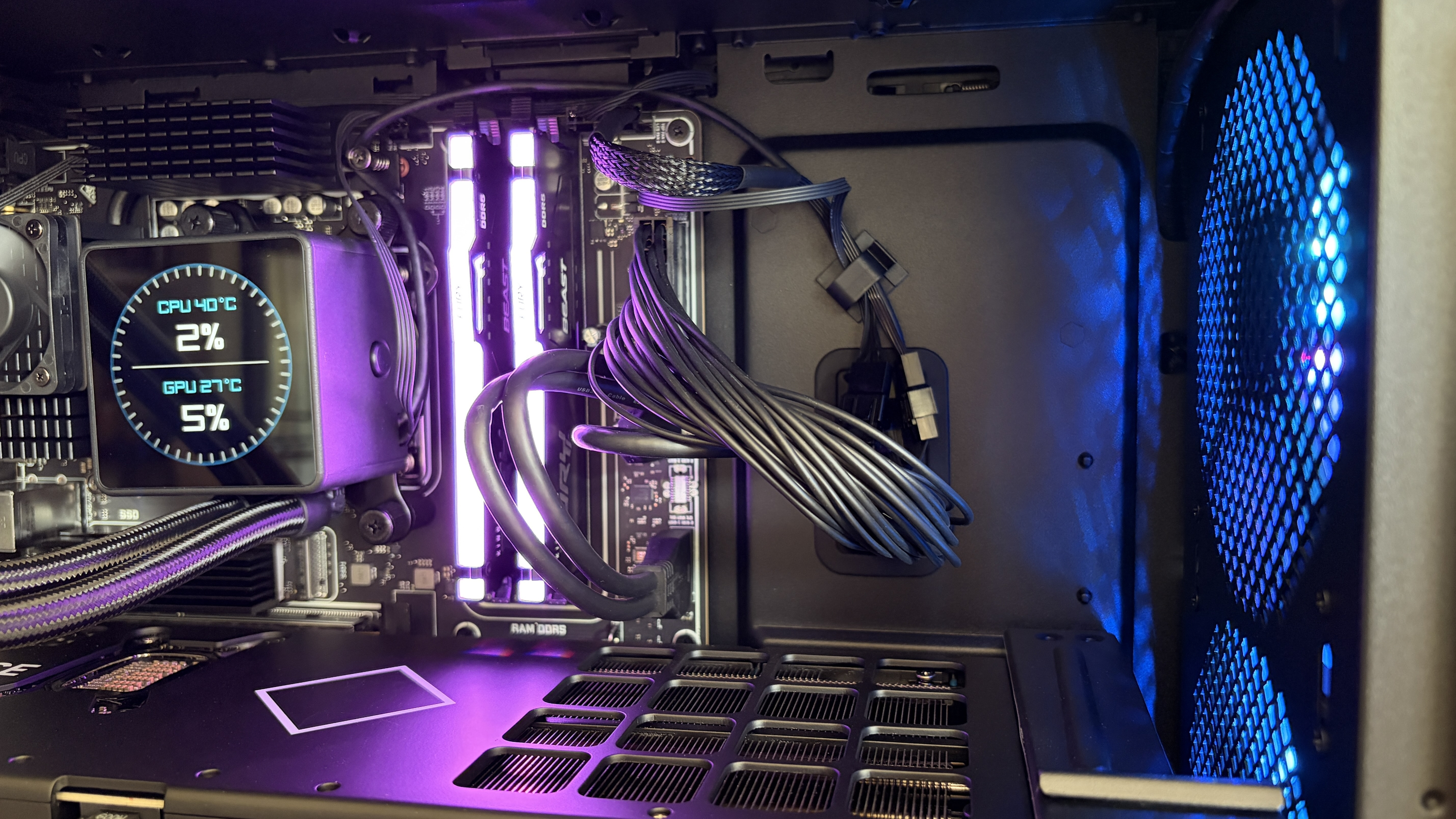
The Omen Max 45L's cable management leaves a lot to be desired. (Image credit: Future)
Cable management in the HP Omen Max 45L isn't great. It feels like it was a rushed job, leaving stray cables and extra length on the visible side. Not only does this make for a messy appearance, but it can also interfere with internal air cooling.
Around the back, behind the all-metal panel, things aren't much better. Compared to, say, Maingear's MG-1 MK.II or Acer's Nitro 65, the Omen Max 45L's (normally) hidden cabling is spaghetti.
A look at some of the visible cabling inside the Omen Max 45L. (Image credit: Future)
There's a snarl of cables pinched between the panel and motherboard backing, and another snarl sitting in front of the modular PSU. One thing I can appreciate is that the correct SATA cables are sitting idle in front of the dual (empty) HDD bay for easier connectivity.
How is port selection on the HP Omen Max 45L?
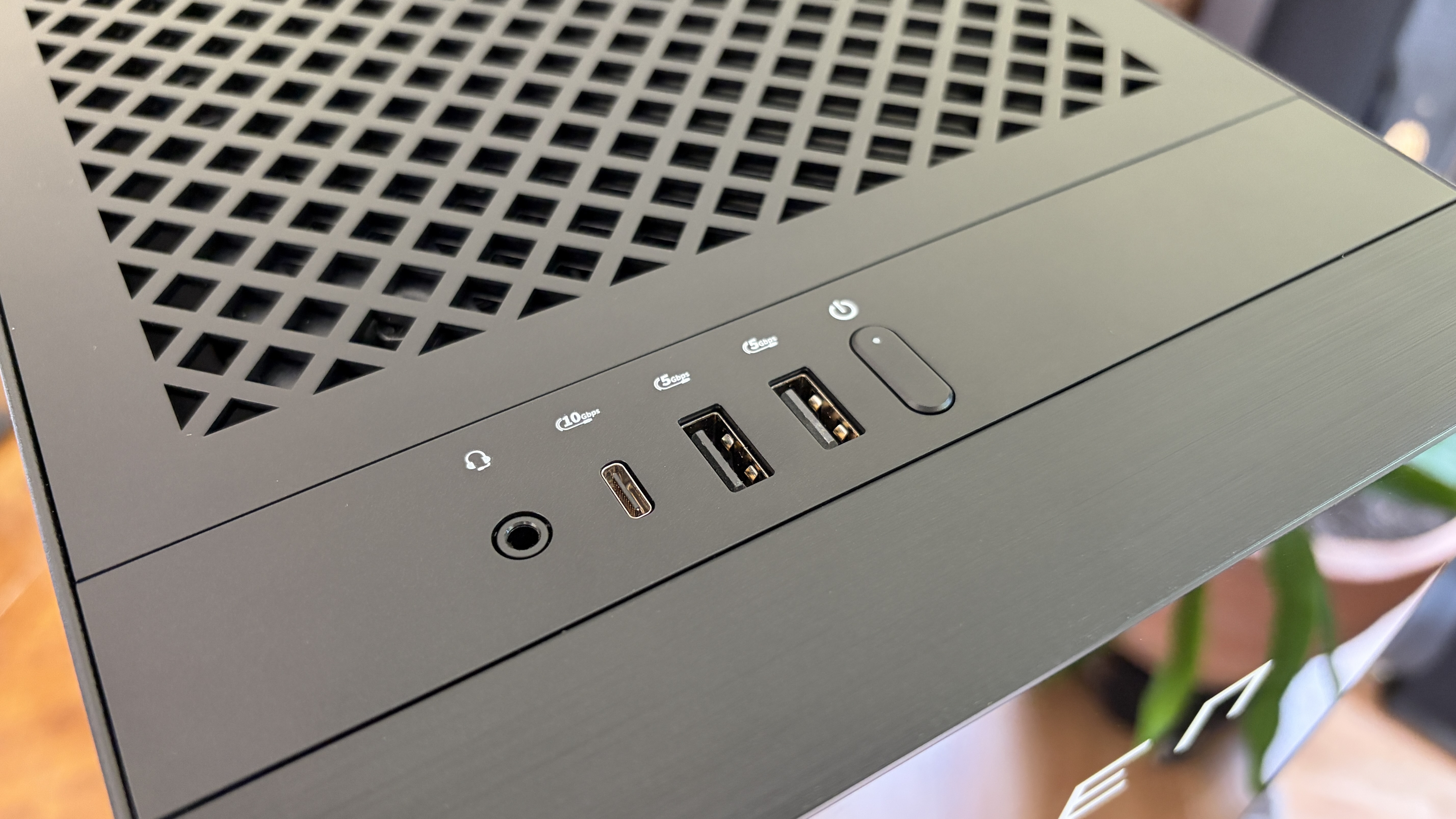
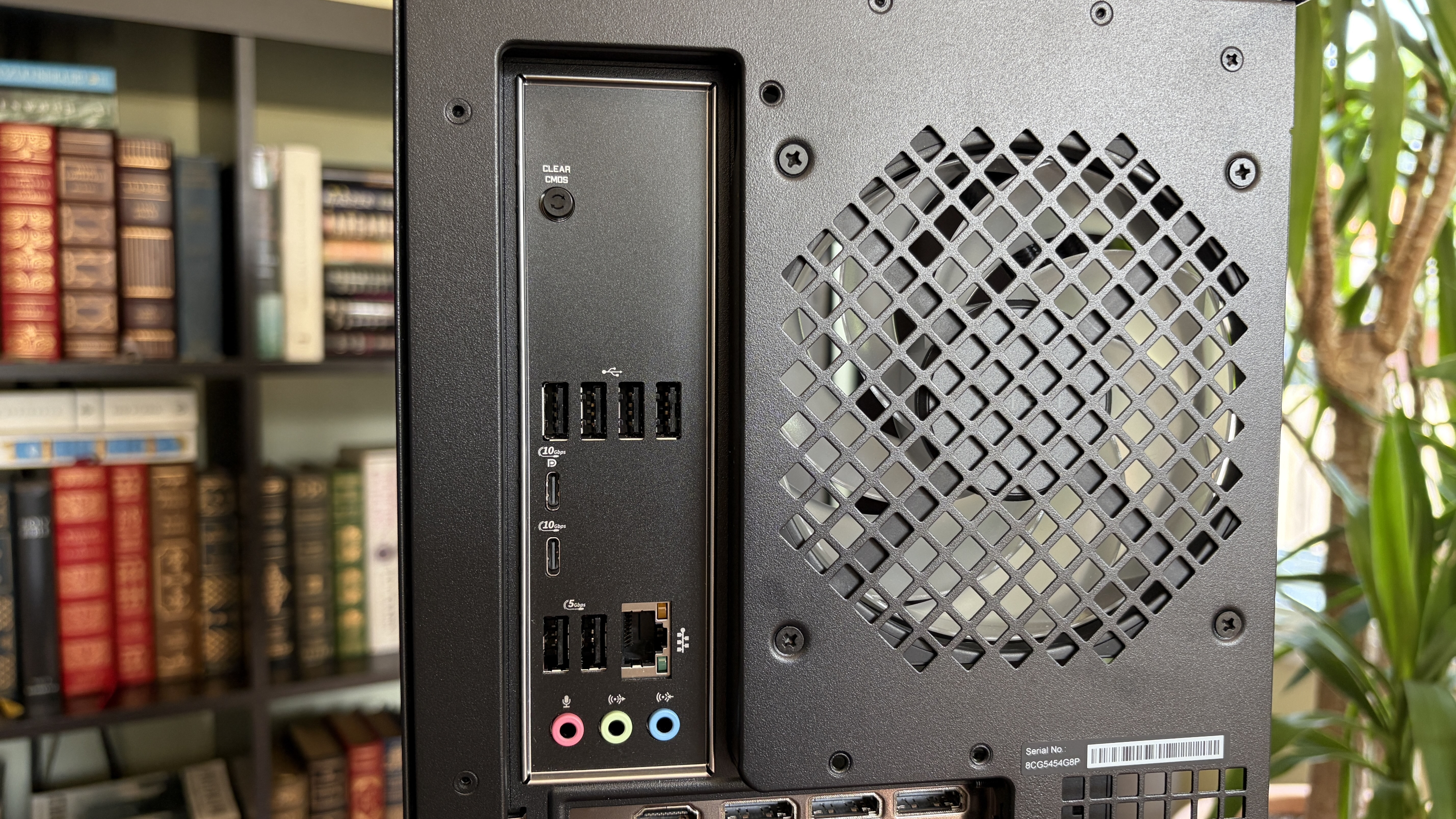
A look at the front I/O on the HP Omen Max 45L.FutureA look at the rear I/O on the HP Omen Max 45L.Future
The front of the case hosts four ports and an LED power button. There are two USB-A at 5Gbps each, one USB-C at 10Gbps, and one 3.5mm audio combo jack. Not too bad in terms of convenience for ports often used.
Around back, on the custom HP micro-ATX motherboard, you'll find four USB-A 2.0 ports (with speeds measured in Mbps) as well as two more USB-A at 5Gbps. Two additional USB-C at 10Gbps round out USB connectivity.
This is a fairly austere port setup, leaving a lot of space on the board's I/O blank.
HP has a 2.5Gb Ethernet port for wired connectivity, as well as dedicated jacks for line in, line out, and microphone. This is a fairly austere port setup, leaving a lot of space on the board's I/O blank. At least there's an easy CMOS reset button available.
As for the GPU, ports depend on the card you get. The RTX 5080 here has one HDMI 2.1b and three DisplayPort 2.1b.
How does the HP Omen Max 45L's cooling set itself apart from other PCs?
The Cryo Chamber adds an air-gapped section for the AiO's radiator. (Image credit: Future)
The Omen Max 45L's most prominent feature is its dedicated Cryo Chamber that hosts the AiO CPU cooler's radiator separately from the rest of the PC. The air-gapped setup means that only ambient air is cooling the fins, and the hot air forced out the other side by the fans doesn't enter back into the PC.
It's an admittedly ingenious setup that makes a difference, especially when you're working with flagship GPUs that produce quite a bit of heat that's spilled directly into the main portion of the case. It does, however, add quite a bit of bulk to the case. If you're short on space already, this probably isn't the PC for you.
The Omen Max 45L uses mostly standard parts
HP uses custom parts in the Omen Max 45L, but they're sized appropriately for easy future upgrades. (Image credit: Future)
A big issue a lot of people have with big-brand pre-built PCs is their insistence on using proprietary hardware inside. I'm talking about parts that can't be easily replaced because they're some weird size or shape.
That's not the case here. Well, not exactly. The motherboard is a custom micro-ATX HP 8E55 using AMD's X870 chipset. It's a standard size that makes for easy replacement, and the case also fits up to a full-size ATX board.
I'm not sure why HP didn't just go for the full-size board in the first place. The massive GPU blocks off a lot of the board, and you'll absolutely be pulling the card out of the case if you have to do anything that involves the secondary SSD or the M.2 Wi-Fi card.
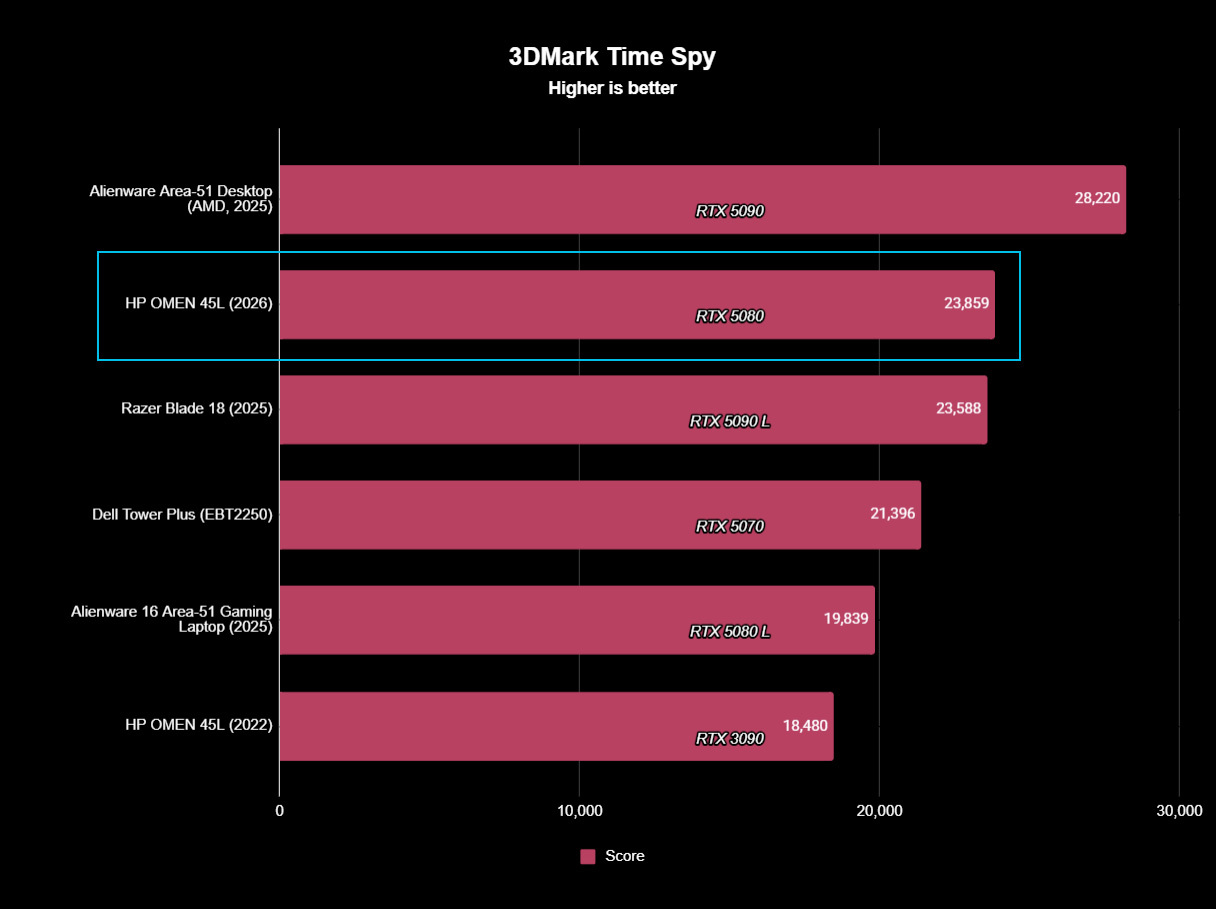
The RTX 5080 is also a custom HP job with a snazzy Omen-styled casing. It performs just as well as any other 5080 out there made by a known brand.
I tested it using 3DMark's Speed Way and Steel Nomad tests and came back with these scores of 8,996 and 8,628, respectively.
The RTX 5080 in the Omen Max 45L performs exactly as expected. (Image credit: Future)
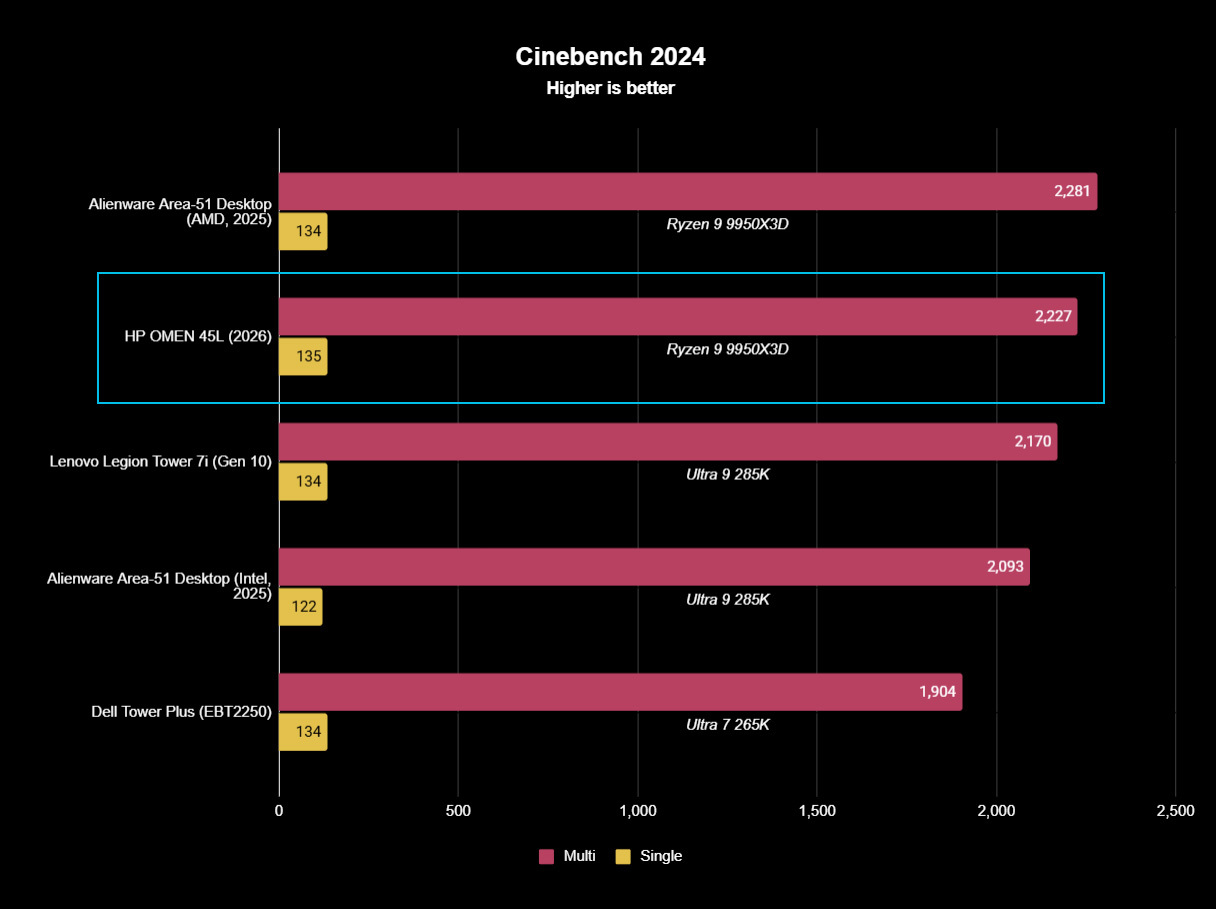
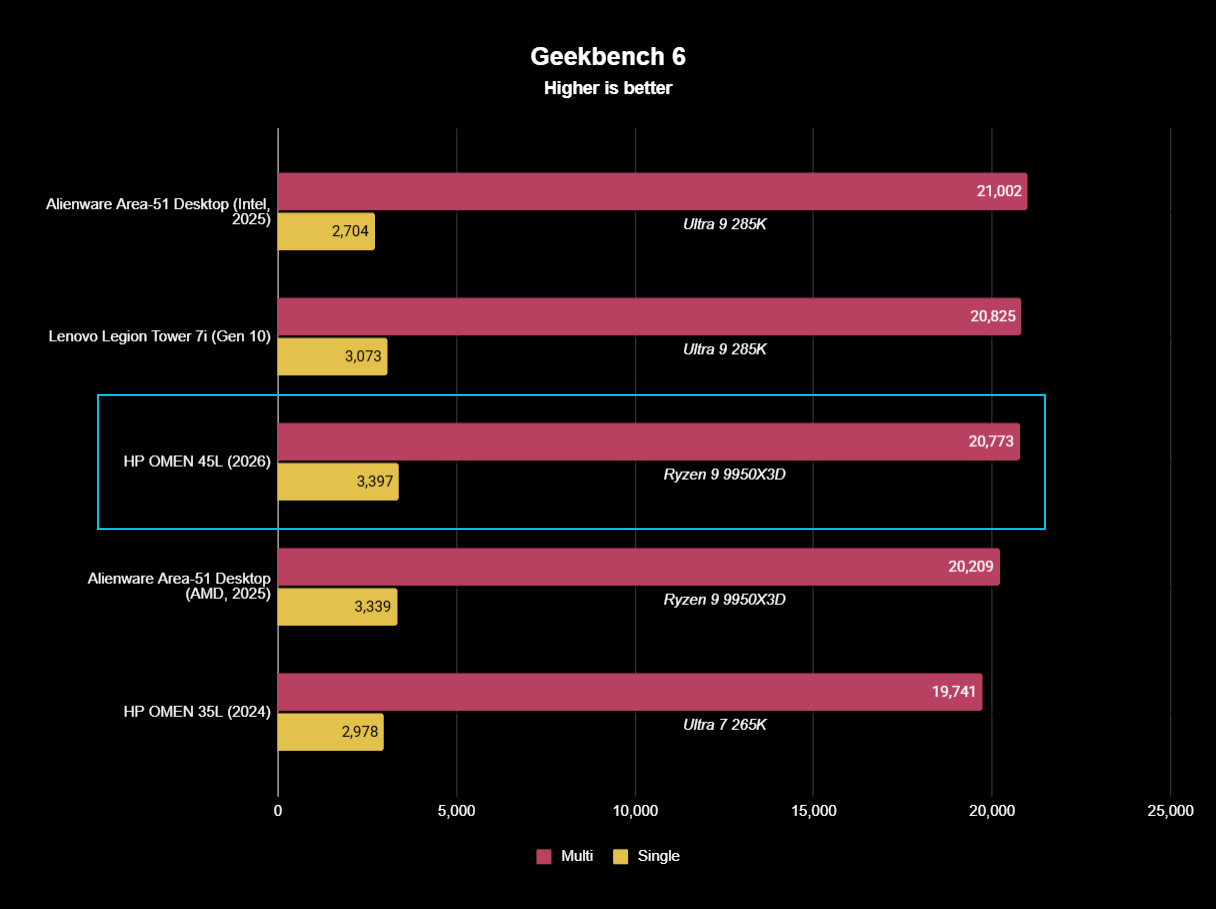
There were no surprises from the AMD Ryzen 9 9950X3D, either; it performed as expected in baseline benchmark tests. If you're buying this PC strictly for gaming, I'd recommend sticking with the Ryzen 7 9800X3D. It costs $330 less and will deliver incredible gaming performance.
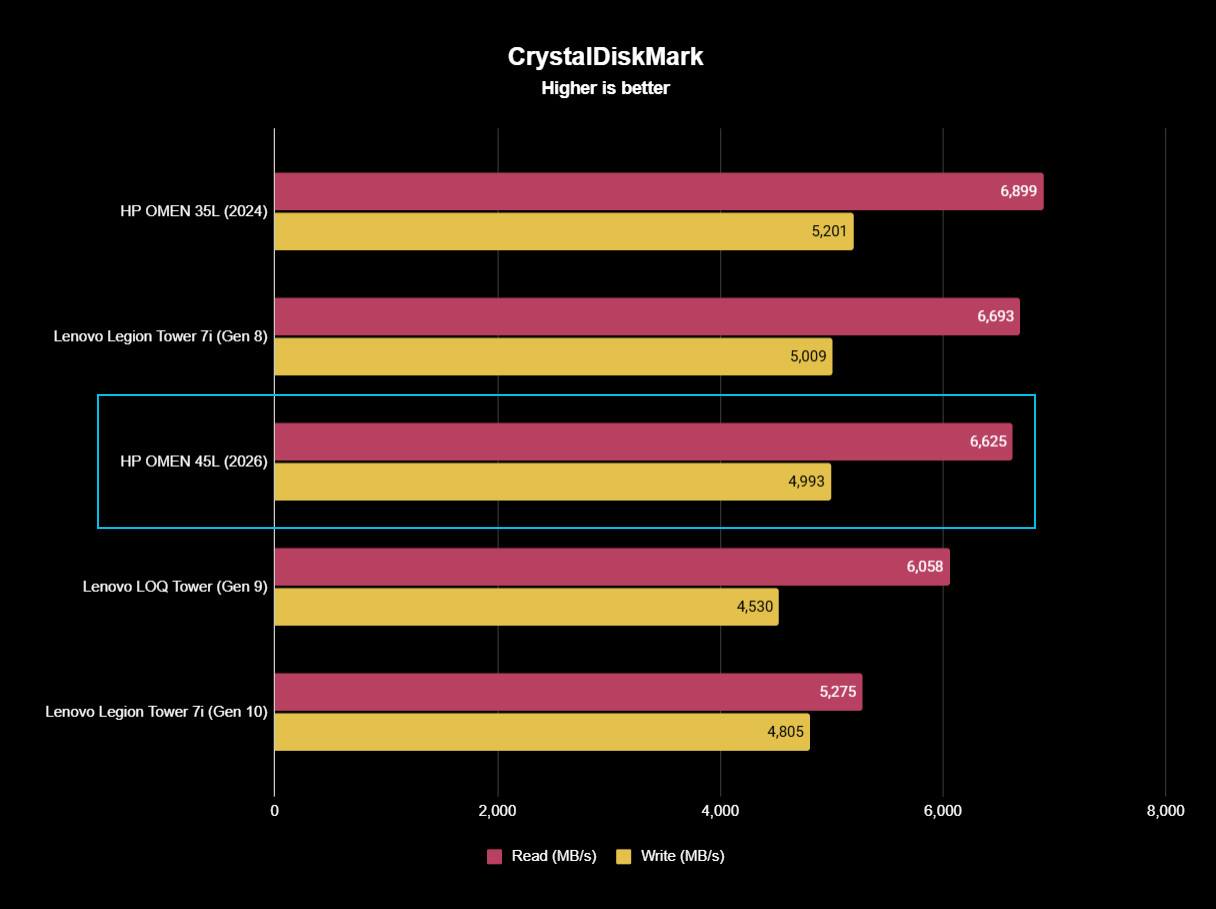
The Samsung SSD isn't the fastest we've tested, but it gets the job done with 6,626 MB/s read and 4,993 MB/s write speeds. Check out these graphs for a comparison to other hardware we've recently tested.
FutureFutureFuture
The PSU is actually one of the PC's strong points, which goes against a lot of other pre-built systems. It's a 1200W Platinum-grade option with a Cybenetics Platinum rating. It's fully modular for easy tweaking, it's quiet, and it has a custom reverse fan cleaning tool to spin the dust out of the hardware.
The PSU is actually one of the PC's strong points, which goes against a lot of other pre-built systems.
Even the separated AiO cooler can be replaced should the stock HP option that ships with the PC not be up to snuff for your needs.
Does the HP Omen Max 45L have good airflow?
There's almost no difference in temperate with the front glass panel removed/in place. (Image credit: Future)
To check airflow and temperatures, I ran a lengthy 3DMark Speed Way stress test. With all panels in place, including the front glass panel, the CPU hit 46 degrees Celsius, and the GPU hit 75 degrees.
With the front glass panel removed, GPU temperatures fell to about 74 degrees Celsius. The CPU, with separated cooling, saw no change. That's a minor difference, and you should have no problems keeping the PC cool as intended.
It's worth noting that the PC runs very quietly. The most noise I could get out of it was during the stress tests, and it peaked at just 47 decibels. That's quieter than most other pre-built PCs I've tested, and you'll hardly notice it's running even under load.
Does the Omen Max 45L come with useful custom software?
The main software to control this PC is HP's Omen Gaming Hub. It serves ads while open (annoying), but it does a decent job of controlling the PC.
The ARGB in the PC seems to have some issues, and I suspect it has to do with HP's firmware. It'll turn off randomly and not turn back on until the PC restarts, or it will reset on its own while using the PC.
HP includes a lot of software I deem unnecessary, including McAfee antivirus, Adobe offers, and Booking.com. It's classic bloatware. That's without mentioning the seven different HP apps that come preinstalled.
It can all be removed, but it's still an annoyance on a PC this expensive, especially when competitors are shipping clean installs of Windows 11.
Should you buy the HP Omen Max 45L?
You're going to need a fair amount of space in your gaming area to fit the Omen Max 45L. (Image credit: Future)
You should buy this if ...
✅ You want a unique and powerful desktop PC for gaming or creative work.
✅ You'd rather not save some money with a DIY build.
You should not buy this if ...
❌ You're looking for the best value possible in a pre-built gaming PC.
❌ You want the absolute best cable management and build quality.
There's no question that the HP Omen Max 45L delivers on top-tier performance and cooling. Unfortunately, its assembly and cable management don't feel like they match the high price.
Worse, the PC comes with quite a bit of bloatware, and there are what I suspect are firmware issues that plague the built-in RGB lighting.
The pre-built gaming PC market has come a long way in recent years, and the Omen Max 45L ultimately feels like it's stuck in the past. It won't disappoint those who need a ton of power, but there are plenty of alternatives out there that will deliver a superior product at a similar price.
HP
Omen Max 45L
HP's Omen Max 45L is a flagship pre-built desktop gaming PC with a few stellar tricks up its sleeve, but overall, I'd rather spend big money on a boutique build with better cable management, a higher build quality, and similar pricing.
Join us on Reddit at r/WindowsCentral to share your insights and discuss our latest news, reviews, and more.
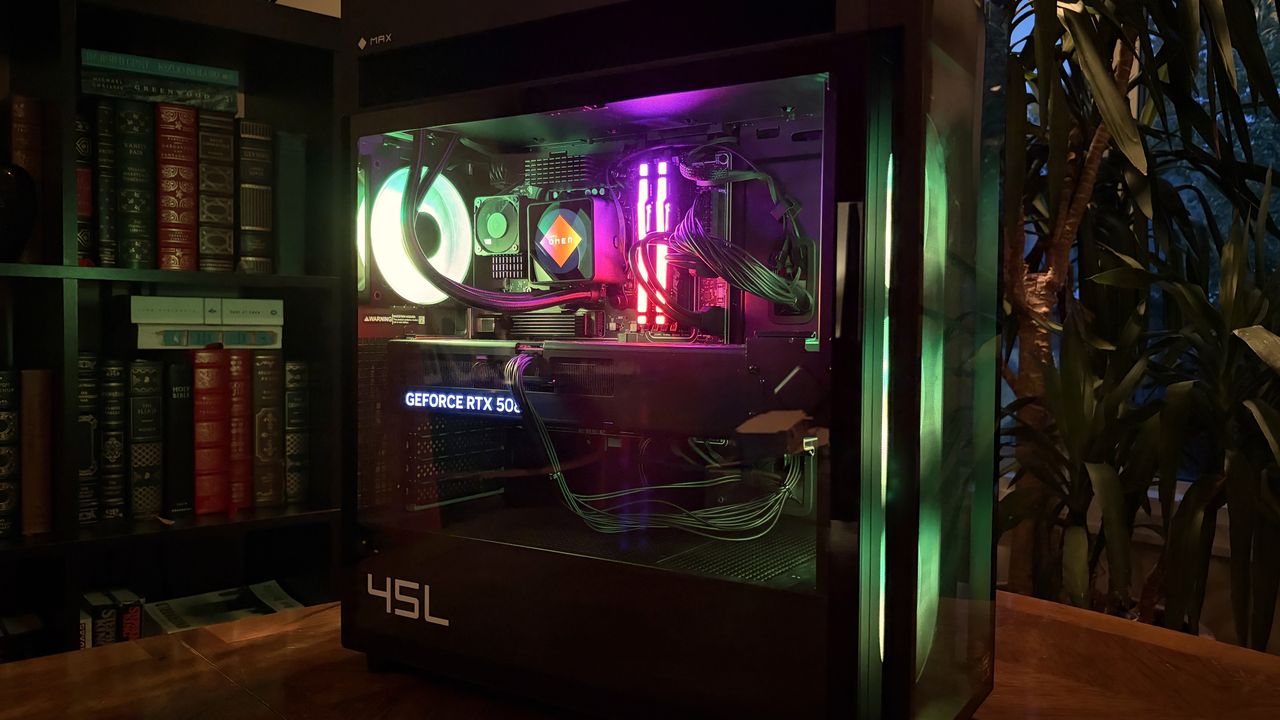
A modern HP Omen Max 45L computer tower with a glass side panel showcasing colorful internal components, including a glowing cooling fan and RAM, is set against a backdrop of bookshelves.
A modern HP Omen Max 45L computer tower with a glass side panel showcasing colorful internal components, including a glowing cooling fan and RAM, is set against a backdrop of bookshelves.
LG got caught showing ads for McAfee to people who dared to plug in a monitor. An investigation by Gamers Nexus revealed that plugging in certain LG monitors triggered Windows Update to automatically download the LG Monitor App Installer without user consent. This wasn't just a display driver; it was a utility app.
The saga required Microsoft to step in and pressure LG to stop putting adware onto people's computers.
"We’ve connected with the team at LG and as an immediate next step, they have agreed to disable the McAfee pop-up from their app,"said Windows chief Pavan Davuluri. "We appreciate LG working with us toward a shared goal of a better experience for our mutual customers."
LG has since stopped shoving adware onto people's PCs, but the company's official statement on the matter makes me question if any lessons have been learned.
"LG Electronics reiterates that McAfee is not installed automatically and is never installed without the user’s explicit consent," said LG in a statement shared with Windows Central and other outlets.
The company added, "During a limited period in the United States, a McAfee trial offer was also presented as an optional recommendation. McAfee was never installed automatically and always required a separate user choice and consent."
LG was never accused of installing McAfee without user consent, at least not by any reputable outlets I've seen. The company was accused of installing the LG Monitor App Installer without permission. That app is essentially a portal to other LG apps. It also controversially showed ads for McAfee.
I argue that no software should be installed without permission. Even more relaxed users would expect a monitor to install an app that's actually related to the monitor, not a showcase for other apps such as McAfee.
I chuckled at the part of the statement that read, "After reviewing customer feedback, LG removed the McAfee recommendation." I suppose that's one way to refer to the backlash and Microsoft intervening.
In case anyone from LG is still confused about definitions, installing an app without permission that shows ads for McAfee is adware. You don't have to install McAfee without consent for it to be adware.
Below is LG's full statement with emphasis provided by the company.
LG's full statement
"LG Electronics reiterates that McAfee is not installed automatically and is never installed without the user’s explicit consent.
The LG Monitor App Installer was designed to help monitor owners discover optional LG applications that enhance productivity, customization and monitor performance.
When compatible LG monitors are connected, the Installer can make related software available to help customers access monitor-specific features and functionality.
During a limited period in the United States, a McAfee trial offer was also presented as an optional recommendation. McAfee was never installed automatically and always required a separate user choice and consent. After reviewing customer feedback, LG removed the McAfee recommendation.
The LG Monitor App Installer does not collect personal information from customers' devices. Its function is to identify compatible monitor models and present applications supported by those models."
Join us on Reddit at r/WindowsCentral to share your insights and discuss our latest news, reviews, and more.
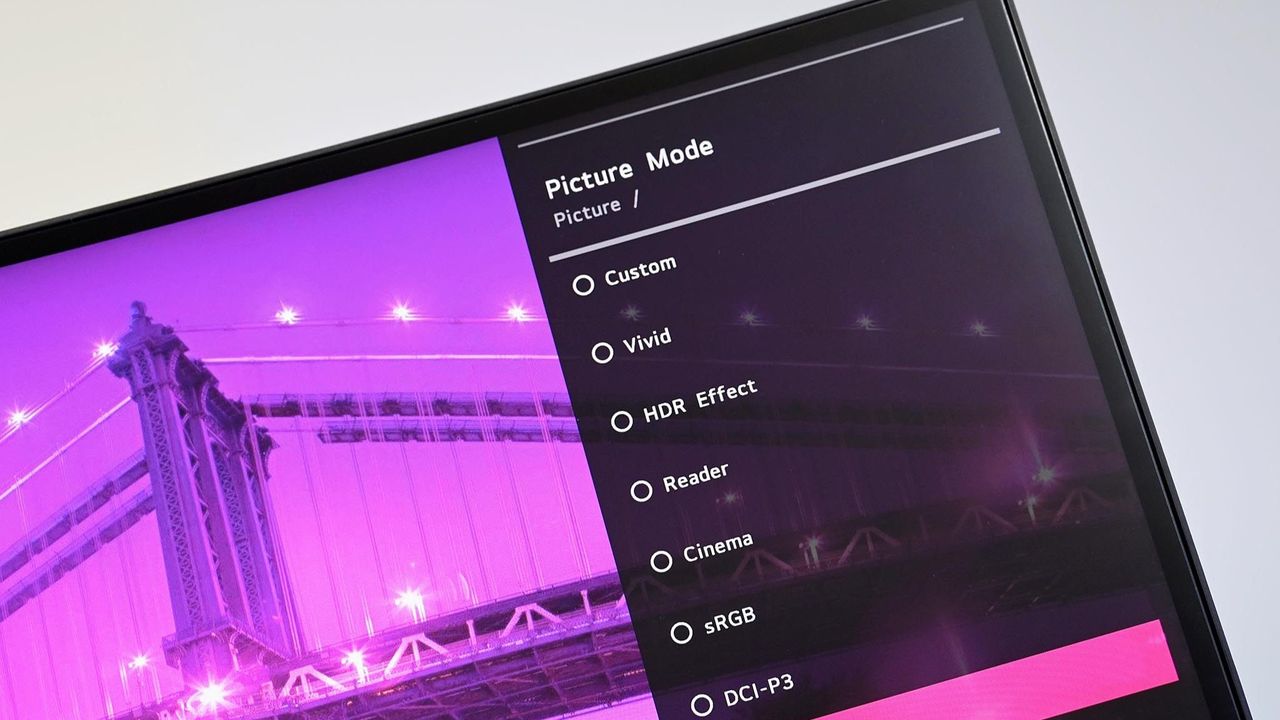
Angled close up of an LG PC monitor displaying an on screen menu for Picture Mode presets including Custom, Vivid, HDR Effect, Reader, Cinema, sRGB, and DCI-P3 over a purple cityscape background.
Angled close up of an LG PC monitor displaying an on screen menu for Picture Mode presets including Custom, Vivid, HDR Effect, Reader, Cinema, sRGB, and DCI-P3 over a purple cityscape background.
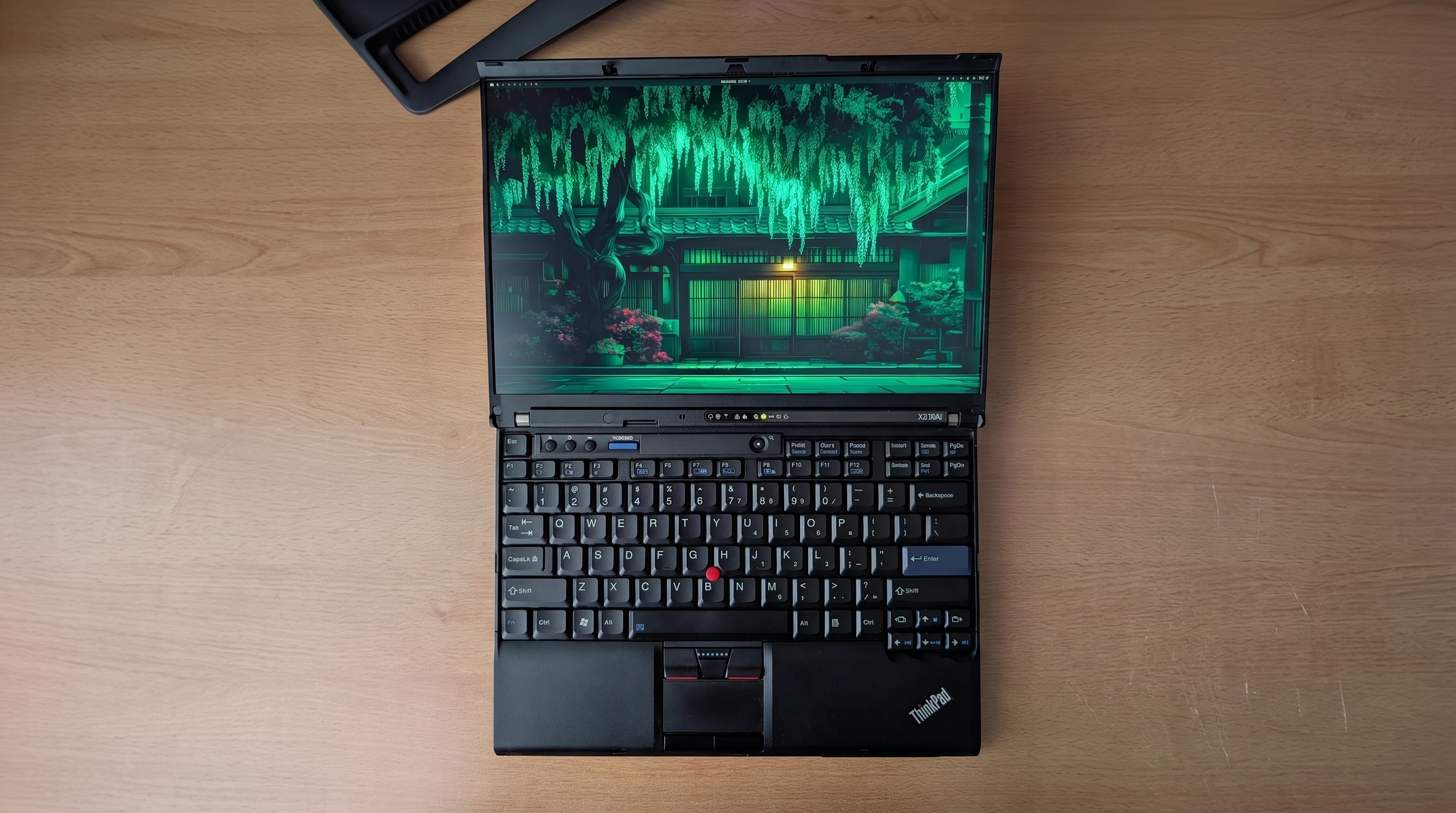
If you asked me what the most exciting ThinkPad on the market is, I might say the latest T14 because it's highly upgradeable, or the latest X1 Carbon because it's so thin and light.
If you ask someone from the r/ThinkPad subreddit, you'd probably get an entirely different answer. Let me introduce you to the ThinkPad X210Ai.
If it looks odd, it's because it is indeed quite an oddity. For the ThinkPad savvy, yes, that's an X200 chassis dating from 2008 or so.
Notice the lack of a touchpad below the TrackPoint system's physical mouse buttons. The scissor-switch keyboard with high-topped keys and deep 2mm key travel. The chunky display surround with clasps to hold the screen closed while traveling.
Reddit user hektopuss posted this laptop a few months ago, and it's far from the only example of these modded ThinkPads on the subreddit.
Something like this shouldn't work. A ThinkPad chassis old enough to have shipped with Windows Vista, gutted and rebuilt with modern performance hardware. And yet, a small but increasingly visible corner of the ThinkPad community has been modding laptops that should cost less than a nice dinner into genuinely modern machines.
What's actually going on with the ThinkPad X210Ai?
The ThinkPad X210Ai is ultimately the result of the ThinkPad community's ingenuity and refusal to let old hardware die.
The X210Ai is a replacement mainboard from TP Art, which appears to be largely run by one person who goes by Franck Deng.
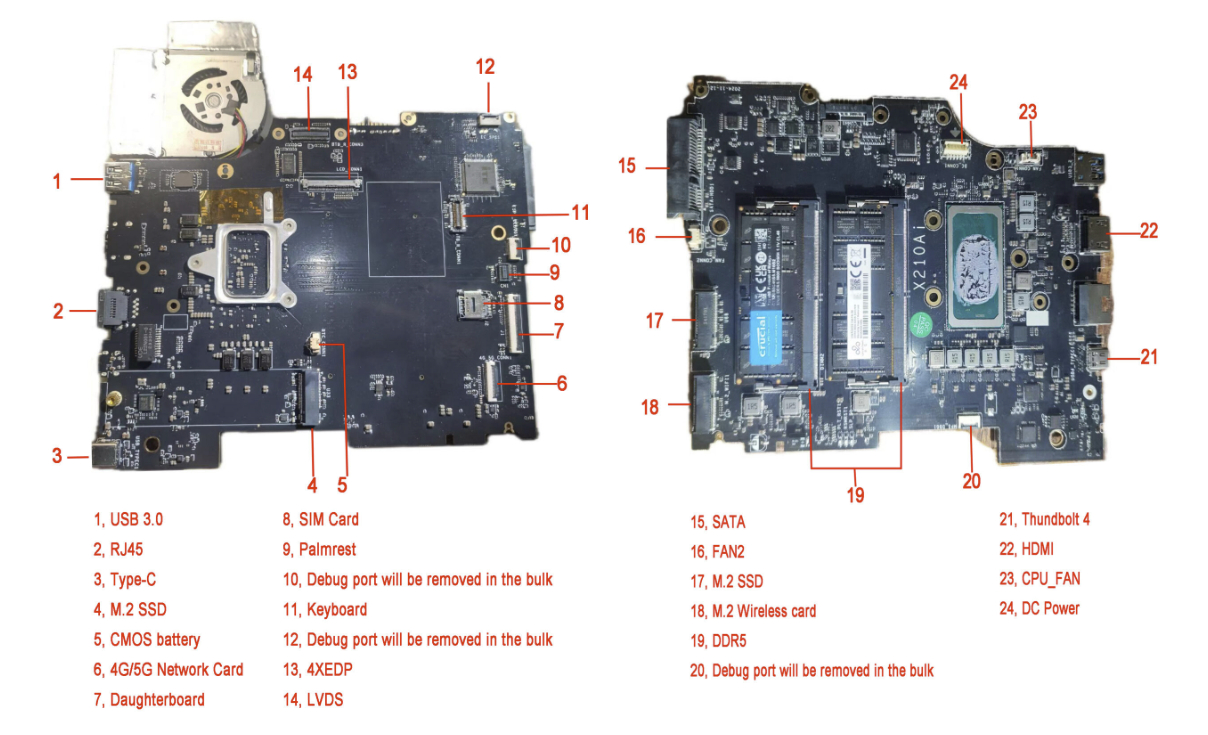
The mainboard is designed to drop into the X200 and X201 chassis; the best part is that it brings a modern Intel Core Ultra 7 165H or Core Ultra 9 185H to the table, as well as support for DDR5 RAM, dual M.2 SSD slots, Thunderbolt 4, and HDMI 2.1.
A breakdown of the X210Ai custom motherboard's ports and expansion slots. (Image credit: TPArt.net (Franck Deng))
You can keep the X200/X201's original display, or you can upgrade it, while the keyboard and TrackPoint stay put.
Because of the modded mainboard's changes, the bottom chassis needs to be reworked with new holes punched for the ports and fans. Luckily, TP Art sells the full kit with mainboard, daughterboard, chassis, mylar, and 3D-printed accessories for as little as $1,299.
New displays with high resolutions start at $299, and extra custom fans cost $119.
TP Art also sells barebones builds with everything (including keyboard and display) except RAM, storage, CMOS battery, and main battery for $1,699.
This tradition isn't entirely new, and TP Art is a direct descendant of the efforts on forums like 51nb where modders have been retrofitting ThinkPad mainboards for years. TP Art simply recognized an opportunity to do what they love (and make a bit of money from it).
The used ThinkPad scene is thriving as RAM prices skyrocket
You can find more modern used ThinkPads for less than the X210Ai custom job, but they just don't have the same classic accoutrements. (Image credit: Cale Hunt | Windows Central)
I imagine this sort of extreme ThinkPad modding would be happening no matter what component prices looked like, but the ongoing RAM and storage crisis driving up the cost of new laptops is surely having an exaggerated effect.
Memory and storage markets are genuinely breaking down for consumers as AI firms gobble up hardware, and there's no relief expected until maybe 2030. Combine these effects with the ThinkPad community's love of classic hardware, and it becomes clear why the X210Ai is becoming such a hit.
Franck notes on the TP Art site that the "volume of pending orders and our team's limited modification capacity" is forcing order processing up to six months out. I'd say that's quite popular.
The math on a rebuild doesn't look too bad once you start digging into current laptop prices.
The math on a rebuild doesn't look too bad once you start digging into current laptop prices. Say you buy a full barebones kit at $1,699 and have to add RAM and storage (the two highest costs).
Add, say, $500 to the cost for everything else, and you're sitting at about $2,200 total for a retrofitted ThinkPad.
Sure, you can get a more modern used ThinkPad for less, but that's not the point. Many enthusiasts yearn for the ThinkPad reliability of years gone by, one of the best keyboards ever made, and a wide selection of ports. That's exactly what the X210Ai offers.
Reddit user hektopuss says they plan to use the modded ThinkPad X210Ai for 10 years, which makes the purchase price a lot more reasonable.
Old chassis, new OS dilemma
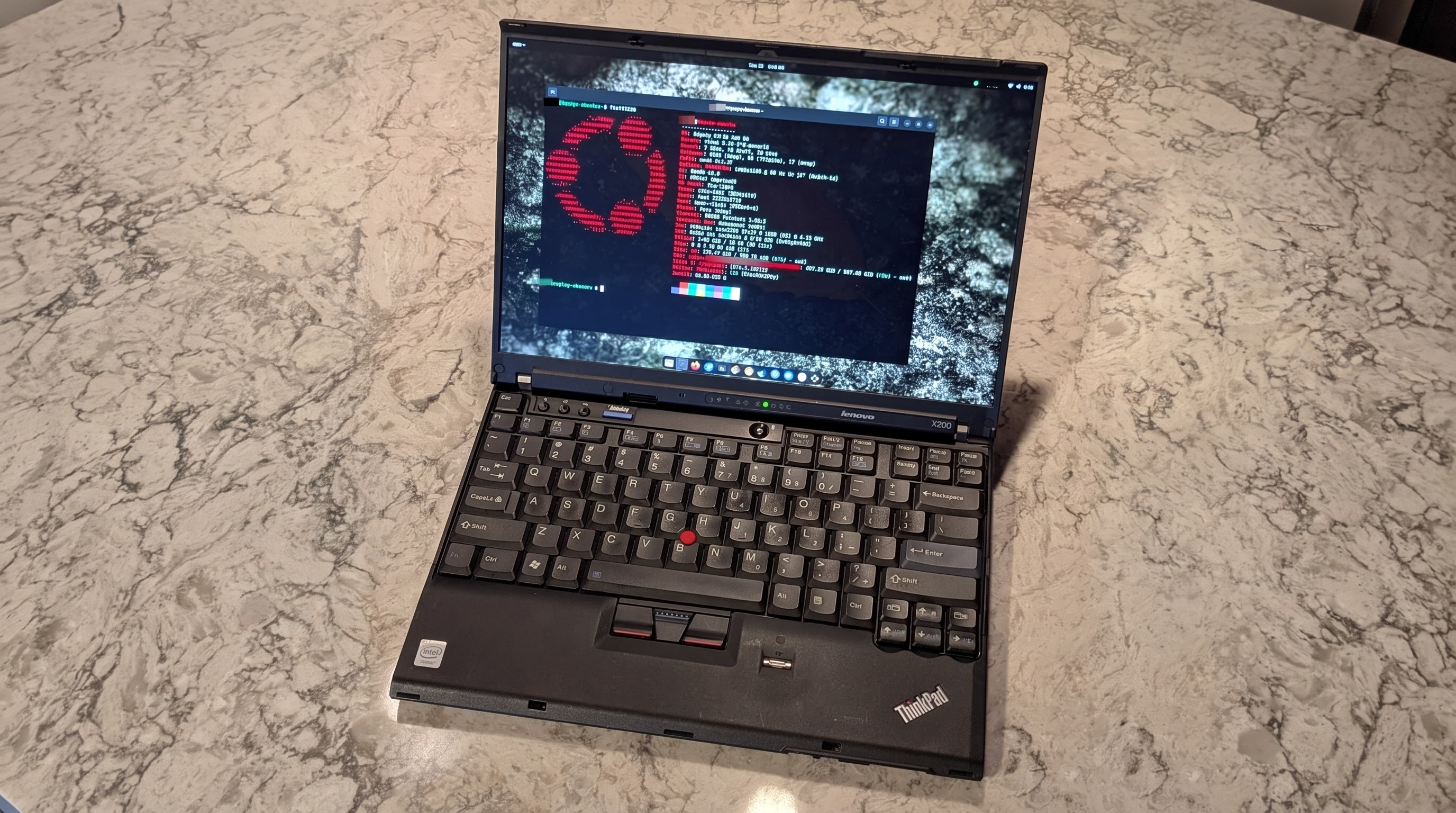
Reddit user alvarikoke99 installed the Omarchy Linux config on their modded ThinkPad X210Ai. (Image credit: u/alvarikoke99 (Reddit))
Trying to run Windows on an unmodified ThinkPad X200 wouldn't go over well. It has no TPM 2.0 chip, no approved Windows 11 CPU, and shaky Secure Boot.
The X210Ai's modified board with Intel Core Ultra Series 1 chips solves that problem. Windows 11 is fully supported, meaning you shouldn't have to worry about any deadlines on the horizon.
Does that mean X201Ai adopters are all using Windows 11? Far from it. It seems that most use some form of Linux, effectively sidestepping most of Microsoft's barriers. Reddit user hektopuss, for example, is using Windows, but there are plenty of examples of Linux to be found.
How you, too, can get started with a modified ThinkPad
Another ThinkPad X210Ai dropped into an X200 chassis from Reddit user u/Retrocet. (Image credit: u/Retrocet (Reddit))
Buying a customized classic ThinkPad with new hardware under the hood surely isn't for everyone. If you do want a ThinkPad but want to spend less, I recommend checking out used markets that are currently thriving. It's hard to kill a ThinkPad, and that's a boon for buyers.
I recommend checking out the ThinkPad Blue Book buying guide on Reddit to get an idea of pricing. It needs to be updated for 2026, as most listed prices have gone up, but it's still relatively accurate.
If you do want to check out the X210Ai, you're free to do so as long as you don't mind waiting. As I mentioned, wait times are up to six months, and orders can't be canceled once placed.
Join us on Reddit at r/WindowsCentral to share your insights and discuss our latest news, reviews, and more.
Close-up of a black ThinkPad laptop in focus, with a green plant blurred in the background.
Close-up of a black ThinkPad laptop in focus, with a green plant blurred in the background.
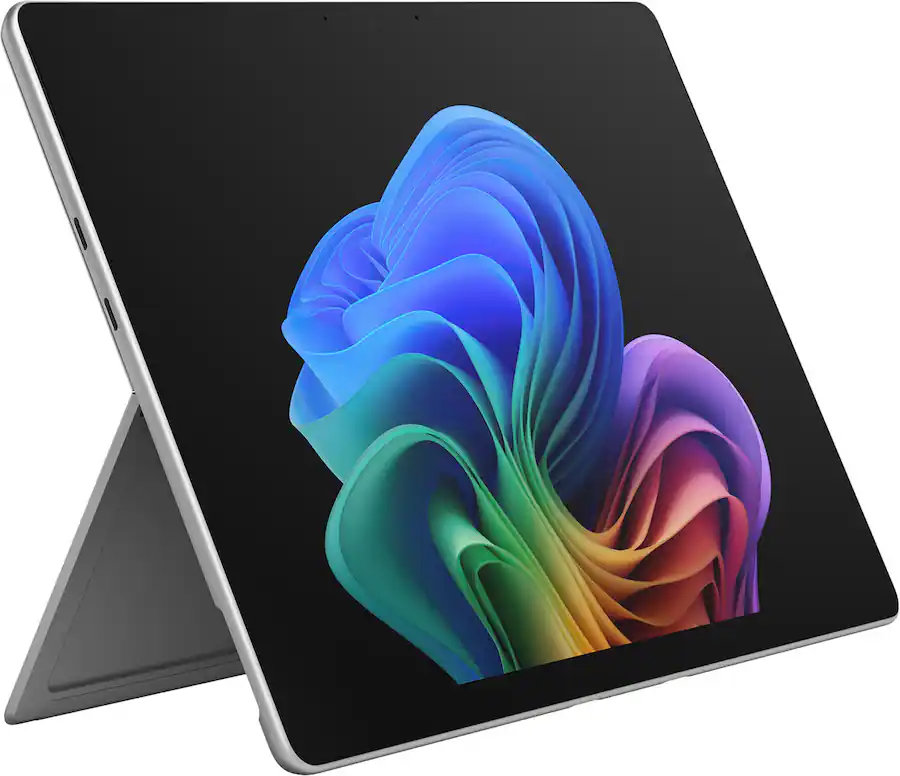
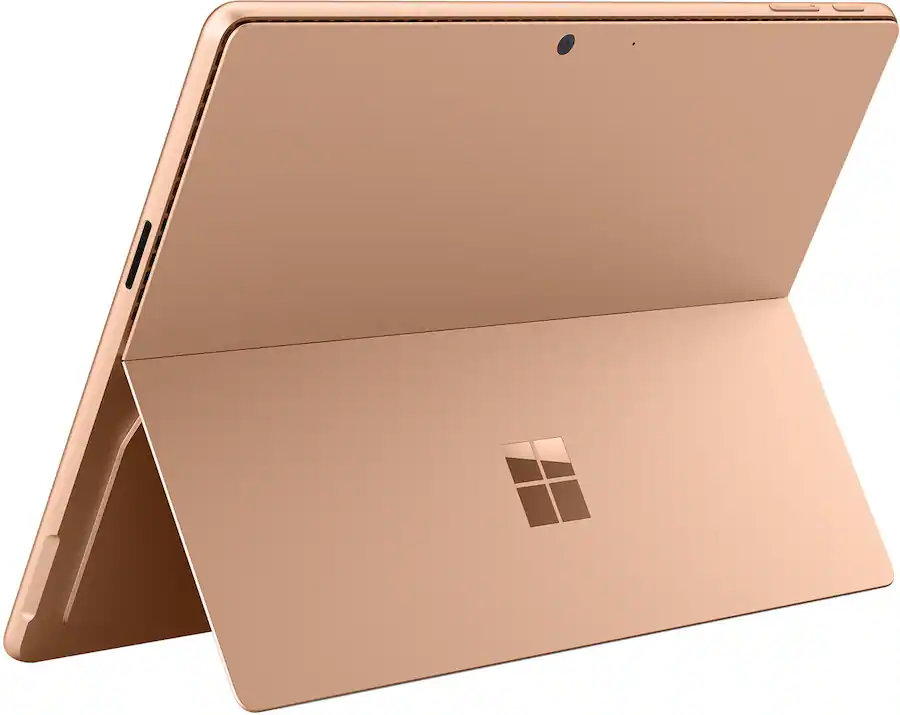
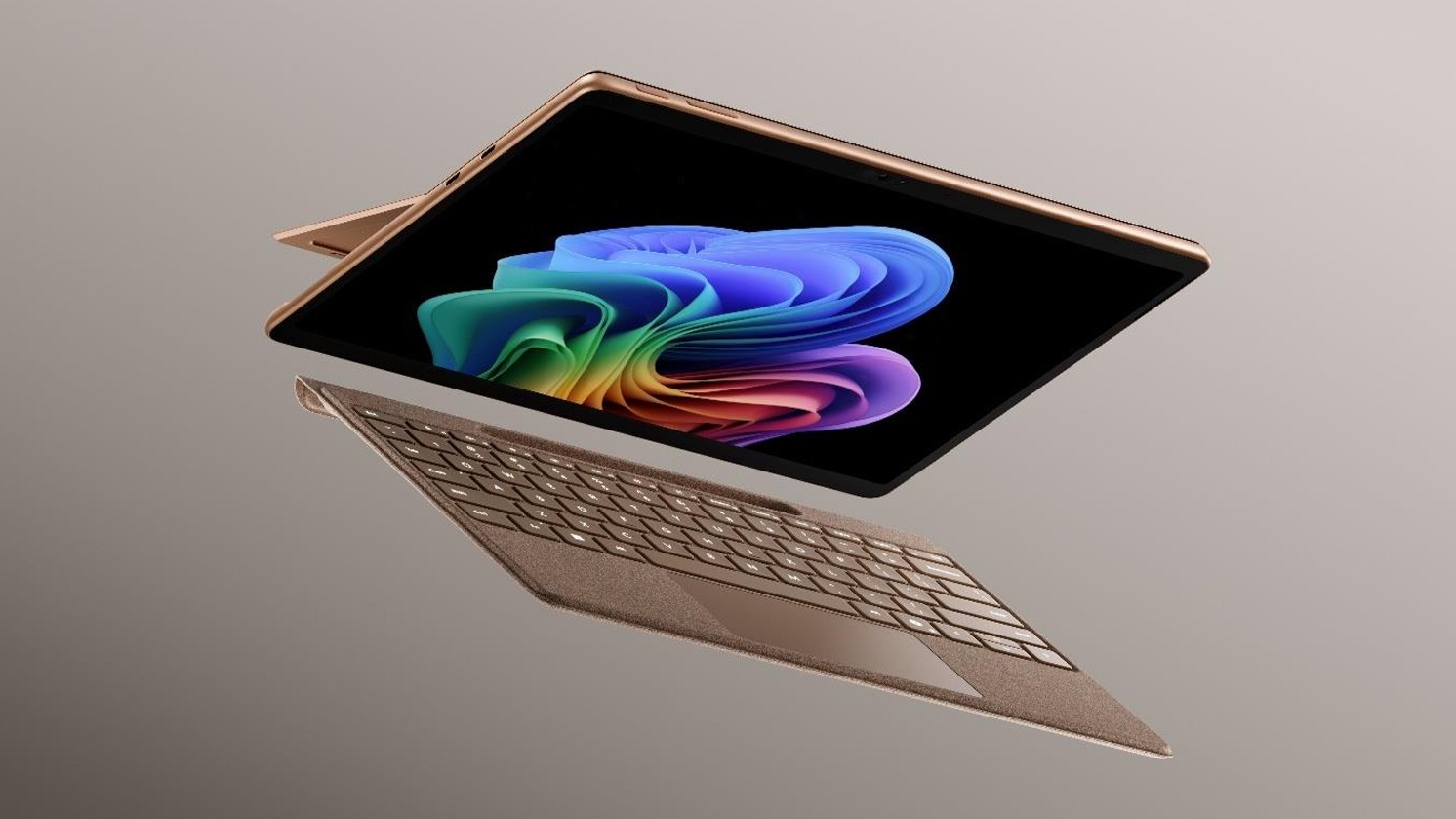
Microsoft's Surface Pro is on sale just in time for back-to-school season. The flagship 2-in-1 runs on Qualcomm's Snapdragon X2 Elite or Snapdragon X2 Plus processor, both of which promise a significant performance bump over the last generation.
A bunch of Surface Pro models are on sale right now across various retailers. I've listed the biggest deals below, starting with the 21% discount on the Surface Pro with Snapdragon X2 Elite, 16GB of RAM, and 1TB of storage.
This Surface Pro is both the best deal of the day and the highest spec'd configuration you can get through Amazon. It pairs the new Snapdragon X2 Elite with 16GB of RAM and 1TB of SSD storage. Plus, it has a lovely OLED screen for deep blacks and high contrast.
This is the Goldilocks model of the Surface Pro, balancing high-end specs like an OLED screen with value for money. At $300 off, it has the highest discount available through Best Buy. Its Dune color is stunning as well and a personal favorite.
If you love the form factor of the Surface Pro but don't need the Snapdragon X2 Elite, this model is a great bargain that still features plenty of storage and RAM.
This is the most affordable Surface Pro you can grab. Its Snapdragon X2 Plus delivers snappy performance for everyday computing and you still get 16GB of RAM. Just be aware that it has only 256GB of storage.
The biggest perk here is wireless functionality. You can detach the keyboard and type comfortably while keeping the tablet propped up at eye level, which is a lifesaver on cramped desks or airplane trays.
The main reason to grab a newer Surface Pro is the processor you'll get. The Snapdragon X2 Plus and Snapdragon X2 Elite offer over a 50% graphics improvement over the last gen.
That performance bump helps everything from photo editing to everyday productivity tasks feel smoother.
Microsoft refined the design of the Surface Pro over more than a decade, resulting in a premium device that defines the category. There are good reasons why Apple and other companies try to copy the Surface Pro.
While imitation is a form of flattery, the Surface Pro still stands out because of its built-in kickstand that makes it easy to prop up. That kickstand-centered design is best taken advantage of with the Surface Pro Flex Keyboard, which happens to be discounted right now.
The Surface Pro Flex Keyboard that's on sale is compatible with the new Surface Pro that launched this year. If you're worried about compatibility, you can double-check your device on Microsoft's support document about Surface Pro keyboards.
The Surface Pro Flex Keyboard can be used wirelessly or when physically attached. If you've ever tried to use a laptop or a 2-in-1 on an airplane tray table or tiny desk, you'll know the struggle of feeling cramped. The Surface Pro Flex Keyboard lets you have the keyboard on your lap or a table while the PC sits elsewhere.
Like other PCs, the Surface Pro has crept up in price over the last year or so. The high price tag of the Surface Pro was the main complaint about the PC when it was announced. The current deals on the Surface Pro alleviate that issue, at least temporarily.
Join us on Reddit at r/WindowsCentral to share your insights and discuss our latest news, reviews, and more.
Surface Pro and Surface Laptop side by side on colorful background
Surface Pro and Surface Laptop side by side on colorful background
I've never really had much interest in "business" laptops, because most of the time they are boring as hell. Featuring plastic exteriors with subpar displays and creaky hinges, I've always said they actually bring down the overall reputation of the Windows laptop ecosystem.
For years and years, business laptops were boring, but ASUS' new ExpertBook Ultra is the first business-class laptop I've used that has given me second thought. It's a beautiful machine, made out of premium materials and with a thin and light design that you might find on a high-end consumer focused flagship laptop.
It's the first business laptop I've used that made me want to keep using it. I was excited to unbox and set up this machine, even though it's designed for office workers and business professionals. I can't say I've ever felt this way about Dell's or HP's business focused laptops.
I've been using the ASUS ExpertBook Ultra for the last month, and this is my full review.
Specs & Price
It looks great when closed (Image credit: Zac Bowden / Windows Central)
The ASUS ExpertBook Ultra is available now from ASUS for an eyewatering $3,599.99. This will net you the same spec reviewed here, with an Intel Core Ultra X7 358H, 32GB RAM, and an Intel B390 GPU. That also includes the Tandem OLED 3K display. Of course, that is ludicrously expensive, so my advice is to wait for sales or try your luck at a third-party retailers like Best Buy.
It's available in both black and light-gray colorways, and in this review we spent time with the light-gray model which I think looks best.
ASUS
ExpertBook Ultra (2026)
The HP OmniBook Ultra is a premium thin-and-light laptop engineered for elite performance, all day battery life, and immersive visual experiences.
Category
Specification
Dimensions & Weight
10.9 mm thin | 0.99 kg (2.18 lbs)
Chassis Build
Aviation-inspired Magnesium-Aluminum Alloy with Nano Ceramic Technology (9H Durability)
Processor
Up to Intel® Core™ Ultra X9 Series 3 (Intel vPro® support)
AI Performance (NPU)
50 TOPS NPU (Up to 180 total-platform TOPS)
Graphics
Up to Intel® Arc™ Pro Graphics
RAM
Up to 64 GB LPDDR5x
Display
14-inch 3K Tandem OLED Touchscreen
Display Features
Up to 1400 nits HDR peak brightness, 30–120 Hz variable refresh rate, 100% DCI-P3 / sRGB color gamut
Screen Glass & Coating
Corning® Gorilla® Glass Victus® with Gorilla® Matte Anti-Reflective Coating
Cooling System
ASUS ExpertCool Pro (Up to 50W TDP performance in Turbo mode; under 28 dB in Balanced mode)
Audio
6-speaker system (2 dual-magnetic woofers + 2 tweeters) with AI noise cancellation
Webcam & Biometrics
High-resolution camera with Windows Hello IR face recognition & Match-On-Chip fingerprint sensor in power button
Up to 26 hours battery life; Fast charging (50% in 30 minutes via USB PD 3.0)
I/O Ports
2 x Thunderbolt™ 4 Type-C (Power Delivery & DisplayPort) 1 x USB 3.2 Gen 2 Type-A 1 x HDMI 2.1 TMDS 1 x 3.5 mm Audio Combo Jack
Wireless Connectivity
WiFi 7 (802.11be) with Laser Direct Structuring (LDS) antenna
Security
ASUS ExpertGuardian (NIST SP 800-193 compliant), Discrete TPM 2.0, Microsoft Pluton, Secured-core PC
What I love
The display is best-in-class (Image credit: Zac Bowden / Windows Central)
Kicking things off, let's talk about design. In a word, I love the design of the ExpertBook. It's proof that business laptops need not be boring and corporate. The ExpertBook is anything but, featuring ultra-thin bezels and a unique finish on the chassis that ASUS calls Nano Ceramic Technology.
This Nano Ceramic feels amazing. It provides a distinct, silky matte texture to the whole device, which makes it easy to grip and does a fantastic job at hiding fingerprints and scratches. The device itself is also shockingly light and thin, coming in at just 0.99 kg and measuring a razor-thin 10.9 mm in profile. It's an almost impossibly light device, easily maneuverable with one hand and disappears when placed into any backpack, making it an excellent travel companion.
Simply put, the laptop strikes a great balance between executive minimalism and futuristic flair. That futuristic flair is best showcased when opening the laptop. Every time you open it, a lightbar that exists below the display will light up to let you know that the laptop is booting or waking up from sleep. ASUS calls this bar the "ExpertLumi" lighting system, and it provides an ambient glow whenever the device is booting or restarting.
The ExpertBook Logo hides lights underneath (Image credit: Zac Bowden / Windows Central)
You can turn off the ExpertLumi bar if you don't like it, but honestly, why would you. It's something unique about the device which I love, and it's not used often enough for it to be annoying. It's there when you boot up, or power off, and that's about it.
Above the ExpertLumi bar is the incredible 3K Tandem OLED 14-inch display. It's arguably the best thing about this laptop, offering great color contrast, colors that pop, and a high 120Hz refresh rate that makes scrolling and animations super smooth.
Attribute
Specification
Panel Type
3K Tandem OLED Touchscreen
Peak Brightness
1400 nits HDR
Refresh Rate
30 - 120 Hz Variable
Color Accuracy
100% DCI-P3 / 100% sRGB
Glass Protection
Corning Gorilla Glass Victus with Matte Finish
The display also features Corning Gorilla Glass Victus, complete with a matte finish that's designed to remove reflections and make the screen easy to see outdoors. It works wonders, with this laptop being one of the best when it comes to viewing it outdoors on a sunny day.
With that said, the matte finish does mean text and image clarity is slightly reduced. It's not the end of the world, and the display is still plenty sharp, but if you're used to high-resolution glossy displays like myself, the matte finish on this display will make text seem a little fuzzier around the edges.
The keyboard and trackpad are faultless (Image credit: Zac Bowden / Windows Central)
In regards to the keyboard and trackpad, I have no notes. Both are perfect and feel incredibly satisfying to use. The trackpad is a haptic one, which is tuned perfectly so that it feels natural to use. Its design is also quite unique, as the trackpad itself runs all the way to the very edge of the device.
That means the trackpad hangs over the edge of the device, which doubles as a convenient place to place your finger when prying the lid open. On that subject, the lid is openable with one-hand, for those who care about that sort of thing. The keyboard is excellent to type on, with a quiet yet tactile feel that makes typing easy.
Coming onto the ports selection, I'm happy. There's plenty of ports on this device, all of which are well spec'd. We have two Thunerbolt 4 Type-C ports, supporting up to 40Gbps of data, as well as one USB-A 3.2 Gen2 port 1x full-sized HDMI 2.1 port, and a 3.5mm audio jack. The only port I'd say it's missing that I wish it had is an ethernet jack, but I'm content without one.
The webcam, microphone, and speakers are also great, which you'd hope would be the case on a business-focused laptop. Image quality is crisp and clear in well lit environments, with the picture only getting a little noisy in low-light environments. Perfectly acceptable for video calls at work.
What's not good
I just looks so good (Image credit: Zac Bowden / Windows Central)
The ASUS ExpertBook Ultra is mostly great, which means I have very little to talk about that I'd class as "not good" about the ExpertBook. One issue that plagued my review unit it the laptop's hinge, which was very loose out of the box, so much so that the device wouldn't stay at a usable angle when typing.
This is a pretty big issue, but ASUS was quick to assure me that this was simply a pre-production issue and would not be the case on final units, which are now shipping. I can confirm that retail units that I have tested do not have this problem, though it's worth keeping an eye out just in case. If your laptop's hinge is super loose to the point where it won't stay upright when typing, make sure you get it exchanged.
The only other "issue" which isn't really an issue is the matte finish on the display. It really does come down to personal preference here, and I just prefer glossy screens over matte finishes. The matte finish on this display takes away from the color contrast you usually get on OLED displays, colors are a little more washed out and text and images are a little less sharp around the edges.
I wish ASUS offered the ExpertBook Ultra with multiple display configurations so I could choose one without the matte finish.
I think the real big problem with this laptop is its price. It's $3,599, which is an absurd price which, even when a laptop is this good, isn't worth it. The ongoing component shortage is the reason why pricing is this high, but as a result this is a super hard recommend to anyone that isn't buying these in bulk for a fleet of executives and managers.
Performance & Battery
Plenty of ports (Image credit: Zac Bowden / Windows Central)
Powering things under the hood, we have an Intel Core Ultra X7 358H paired with 32GB RAM and an Intel Arc B390 GPU. This is a very well equipped PC with plenty of power under the hood for day to day productivity tasks, multitasking, and even video and photo editing and rendering.
In fact the Intel B390 GPU in here is more than just your typical integrated graphics. It balances efficiency with power, resulting in an integrated graphics chip that is surprisingly capable at gaming when settings are lowered to 1080p medium. With that in mind, this is not a gaming laptop and should not be judged as one.
Although the device is super thin, the ExpertBook is still plenty capable. It keeps that Intel Core Ultra cool, allowing the CPU to boost up to 50W TDP in Turbo Mode without thermal throttling issues. In day-to-day productivity tasks involving handling dozens of browser tabs, streaming 4K video, compiling code, and running local AI tasks via its 50 TOPS NPU, the machine stays remarkably quiet (under 28 dB in Balanced mode) and snappy.
In regards to battery life, this laptop will last you all day on a single charge with no sweat for your usual day to day productivity task workflows. Obviously, that number will be less if you're doing high-intensity tasks, but for the most part you should be able to leave your charger at home for an office-based productivity workday.
Metric
Real-World Expectation
Battery Life (Light Usage)
Up to 18–20 hours
Battery Life (Heavy Workday)
12–14 hours comfortably
Fast Charging
0 to 50% in ~30 minutes via USB-C PD
Conclusion
It's the best business laptop yet. (Image credit: Zac Bowden / Windows Central)
You should buy this PC if...
✅ You want a lightweight flagship Windows laptop
✅ You need a PC with an anti-reflective screen and Tandem OLED
✅ You need lots of ports on your laptop
You should not buy this PC if...
❌ You prefer glossy displays
❌ You don't want to spend over $3,000 on a laptop
❌ You're a hardcore gamer who wants to game
Ultimately, the ASUS ExpertBook Ultra is an incredible laptop, but at $3,599, it's not something I can recommend most people go out and buy. It's just too expensive for what it is, even if it is an almost perfect thin and light laptop.
If we ignore that stupidly high price tag, I have very little to complain about here. The Nano Ceramic material that coats the chassis is unique and looks and feels amazing. Its lightweighted-ness is also otherworldly, and the Tandem OLED display is to die for, even with its matte finish which I'm not a huge fan of.
If you can find the ExpertBook Ultra on sale for less than $2,500, this gets a recommendation from me. Anything more than that, and I think you should probably look elsewhere as there are many other laptops that cost lest that do a great job at matching the ExpertBook Ultra in design and performance.
ASUS
ExpertBook Ultra (2026)
The HP OmniBook Ultra is a premium thin-and-light laptop engineered for elite performance, all day battery life, and immersive visual experiences.

 Connexion